
Just make a few small changes to your Bilibili homepage.
 3. Load decompressed exetension folder in your browser
#### Chrome
>
> Ensure you installed [extension.zip](https://github.com/hakadao/BewlyBewly/releases) and decompress this file.
1. Type in `chrome://extensions/` in the address bar and press Enter
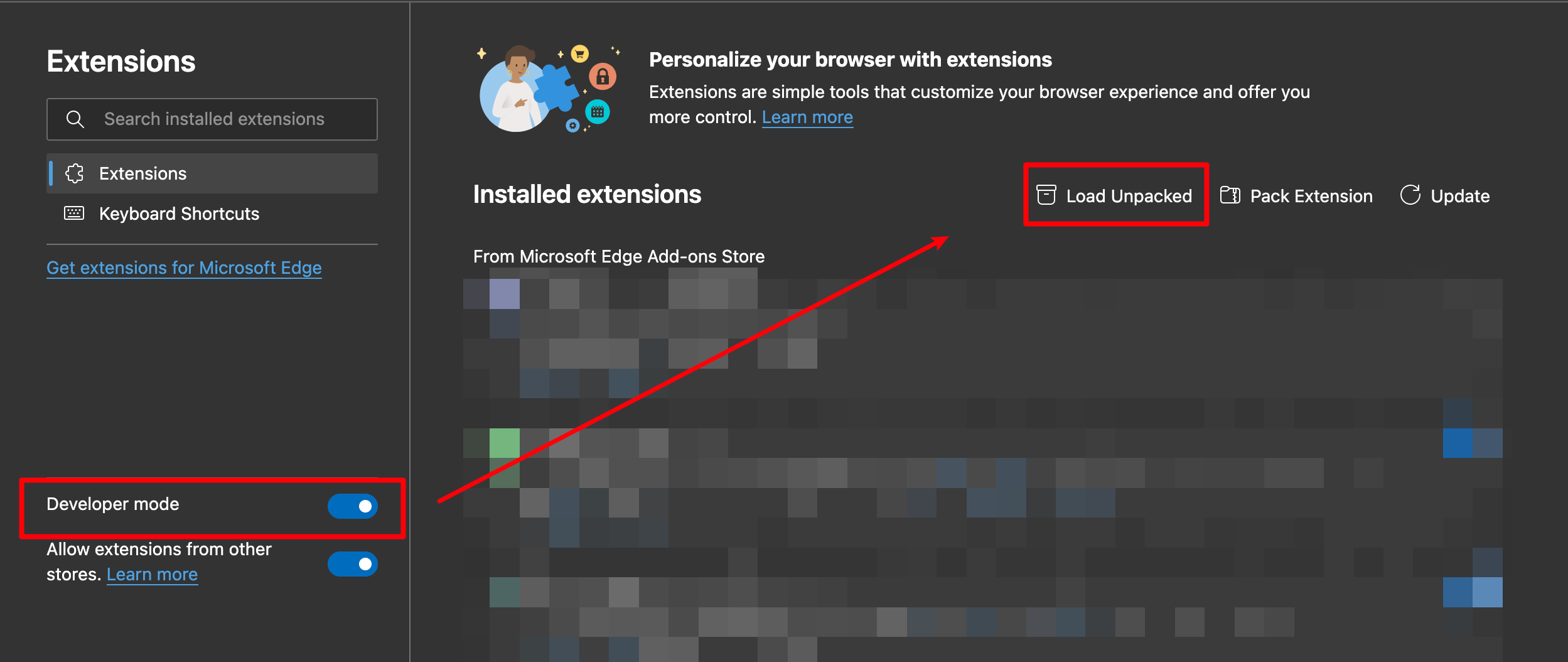
2. Turn on `Developer mode` then press `Load unpacked`
3. Load decompressed exetension folder in your browser
#### Chrome
>
> Ensure you installed [extension.zip](https://github.com/hakadao/BewlyBewly/releases) and decompress this file.
1. Type in `chrome://extensions/` in the address bar and press Enter
2. Turn on `Developer mode` then press `Load unpacked` 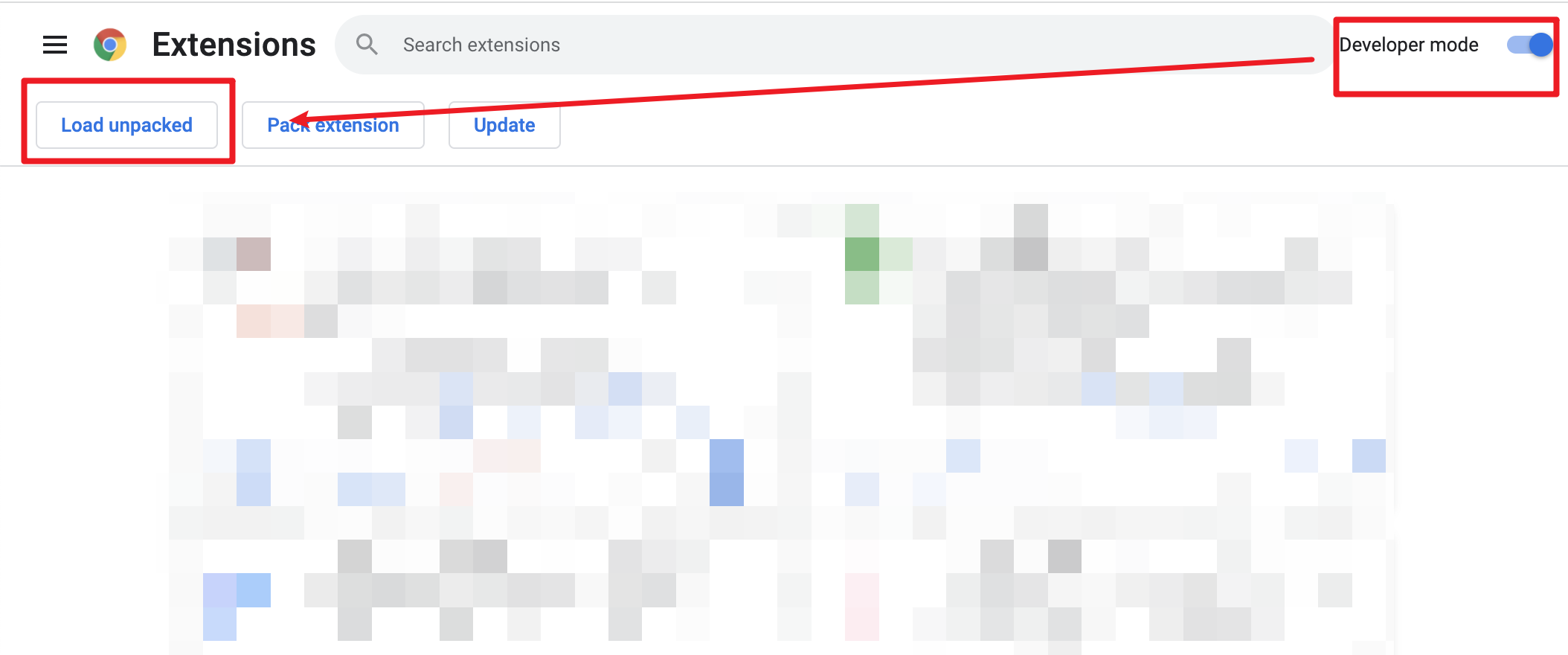 3. Load decompressed exetension folder in your browser
## 🔧 Development & build
### Development
```bash
pnpm dev
```
Then **load extension in browser with the `extension/` folder**.
After each modification, you need to click the [Extensions Reloader](https://chrome.google.com/webstore/detail/fimgfedafeadlieiabdeeaodndnlbhid) button and refresh the page to ensure the changes would be applied.
### Build
To build the extension, run
```bash
pnpm build
```
And then pack files under `extension`
## ❤️ Credits
- [vitesse-webext](https://github.com/antfu/vitesse-webext) - The template used for this project
- [UserScripts/bilibiliHome](https://github.com/indefined/UserScripts/tree/master/bilibiliHome) - Reference source for obtaining the access key
- [Bilibili-Evolved](https://github.com/the1812/Bilibili-Evolved) - Partial implementation of functionalities
- [bilibili-API-collect](https://github.com/SocialSisterYi/bilibili-API-collect)
3. Load decompressed exetension folder in your browser
## 🔧 Development & build
### Development
```bash
pnpm dev
```
Then **load extension in browser with the `extension/` folder**.
After each modification, you need to click the [Extensions Reloader](https://chrome.google.com/webstore/detail/fimgfedafeadlieiabdeeaodndnlbhid) button and refresh the page to ensure the changes would be applied.
### Build
To build the extension, run
```bash
pnpm build
```
And then pack files under `extension`
## ❤️ Credits
- [vitesse-webext](https://github.com/antfu/vitesse-webext) - The template used for this project
- [UserScripts/bilibiliHome](https://github.com/indefined/UserScripts/tree/master/bilibiliHome) - Reference source for obtaining the access key
- [Bilibili-Evolved](https://github.com/the1812/Bilibili-Evolved) - Partial implementation of functionalities
- [bilibili-API-collect](https://github.com/SocialSisterYi/bilibili-API-collect)