
804 KiB
Excalidraw Script Library Examples
This is an automatically generated knowledge base intended for Retrieval Augmented Generation (RAG) and other AI-assisted workflows (e.g. NotebookLM or local embeddings tools).
Its purpose:
- Provide a single, query-friendly corpus of all Excalidraw Automate scripts.
- Serve as a practical pattern and snippet library for developers learning Excalidraw Automate.
- Preserve original source side by side with the higher-level index (index-new.md) to improve semantic recall.
- Enable AI tools to answer questions about how to manipulate the Excalidraw canvas, elements, styling, or integration features by referencing real, working examples.
Content structure:
- SCRIPT_INTRO (this section)
- The curated script overview (index-new.md)
- Raw source of every *.md script in /ea-scripts (each fenced code block is auto-closed to ensure well-formed aggregation)
Generated on: 2026-01-09T18:48:33.692Z
If you are enjoying the Excalidraw plugin then please support my work and enthusiasm by buying me a coffee on https://ko-fi/zsolt.

Jump ahead to the #List of available scripts
Introducing Excalidraw Automate Script Engine

Script Engine scripts are installed in the Downloaded subfolder of the Excalidraw Automate script folder specified in plugin settings.
In the Command Palette installed scripts are prefixed with Downloaded/, thus you can always know if you are executing a local script of your own, or one that you have downloaded from GitHub.
Attention developers and hobby hackers
 If you want to modify scripts, I recommend moving them to the `Excalidraw Automate script folder` or a different subfolder under the script folder. Scripts in the `Downloaded` folder will be overwritten when you click the `Update this script` button. Note also, that at this time, I do not check if the script file has been updated on GitHub, thus the `Update this script` button is always visible once you have installed a script, not only when an update is available (hope to build this feature in the future).
I would love to include your contribution in the script library. If you have a script of your own that you would like to share with the community, please open a PR on GitHub. Be sure to include the following in your pull request
- The script file with a self explanetory name. The name of the file will be the name of the script in the Command Palette.
- An image explaining the scripts purpose. Remember a picture speaks thousand words!
- An update to this file ea-scripts/index-new.md
List of available scripts
Editors Picks
These are the scripts I use most often. I tried to order them by importance, but usefulness is situational—some days Crop Vintage Mask is as helpful as Deconstruct Selected Elements. I do deconstruct drawings daily; the entries lower in the Editors’ Picks list are still valuable, just needed less frequently.









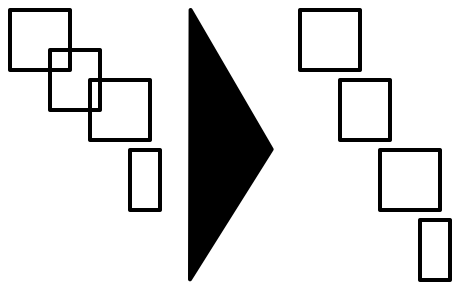
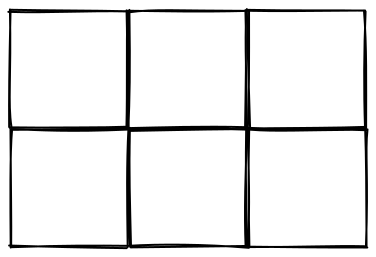
Layout and Organization
Keywords: Design, Placement, Arrangement, Structure, Formatting, Alignment

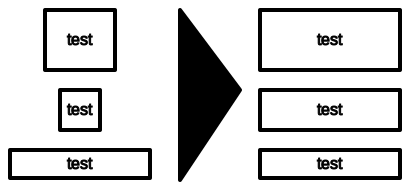
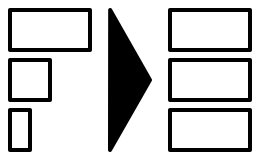
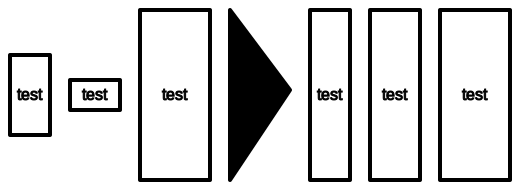
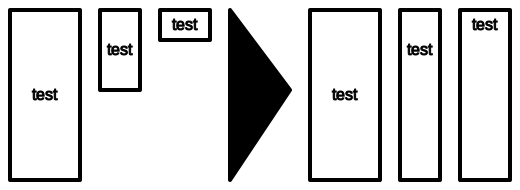
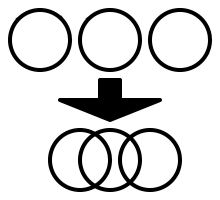
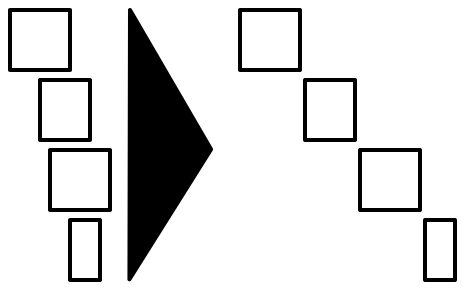
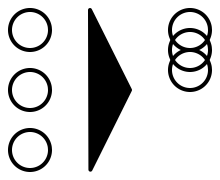


Connectors and Arrows
Keywords: Links, Relations, Paths, Direction, Flow, Connections
 |
#Add Connector Point |
 |
#Concatenate lines |
 |
#Connect elements |
 |
#Elbow connectors |
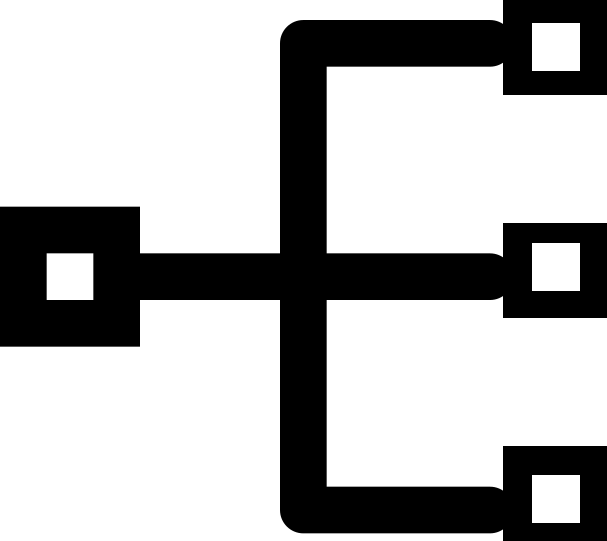 |
#Mindmap connector |
 |
#Normalize Selected Arrows |
 |
#Reverse arrows |
Text Manipulation
Keywords: Editing, Font Control, Wording, Typography, Annotation, Modification
 |
#Convert selected text elements to sticky notes |
 |
#Relative Font Size Cycle |
 |
#Scribble Helper |
 |
#Set Font Family |
 |
#Set Text Alignment |
 |
#Split text by lines |
 |
#Text Aura |
 |
#Text to Path |
 |
#Text to Sticky Notes |
Styling and Appearance
Keywords: Design, Look, Visuals, Graphics, Aesthetics, Presentation


Linking and Embedding
Keywords: Attach, Incorporate, Integrate, Associate, Insert, Reference


Utilities and Tools
Keywords: Functionalities, Instruments, Helpers, Aids, Features, Enhancements


Collaboration and Export
Keywords: Sharing, Teamwork, Exporting, Distribution, Cooperative, Publish
 |
#Excalidraw Collaboration Frame |
Conversation and Creation
Keywords: Transform, Generate, Craft, Produce, Change, Originate
 |
#Add Next Step in Process |
 |
#Convert freedraw to line |
 |
#Deconstruct selected elements into new drawing |
 |
#Full-Year Calendar Generator |
 |
#Linear Calendar Generator |
Masking and cropping
Keywords: Crop, Mask, Transform images
 |
#Crop Vintage Mask |
Description and Installation
Add Connector Point
https://raw.githubusercontent.com/zsviczian/obsidian-excalidraw-plugin/master/ea-scripts/Add%20Connector%20Point.md
| Author | @zsviczian |
| Source | File on GitHub |
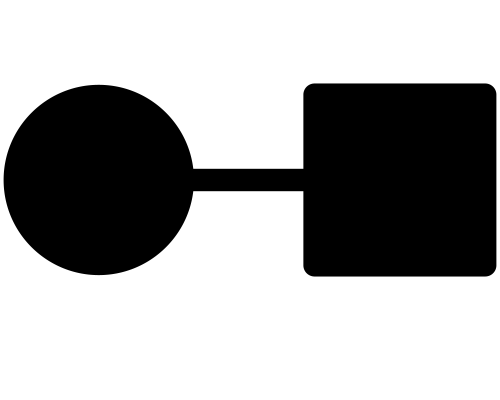
| Description | This script will add a small circle to the top left of each text element in the selection and add the text and the "connector point" to a group. You can use the connector points to link text elements with an arrow (in for example a Wardley Map).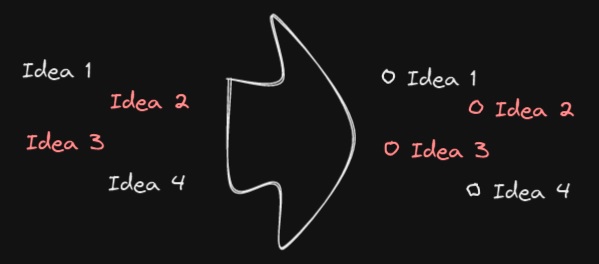 |
Add Link to Existing File and Open
https://raw.githubusercontent.com/zsviczian/obsidian-excalidraw-plugin/master/ea-scripts/Add%20Link%20to%20Existing%20File%20and%20Open.md
| Author | @zsviczian |
| Source | File on GitHub |
| Description | Prompts for a file from the vault. Adds a link to the selected element pointing to the selected file. You can control in settings to open the file in the current active pane or an adjacent pane.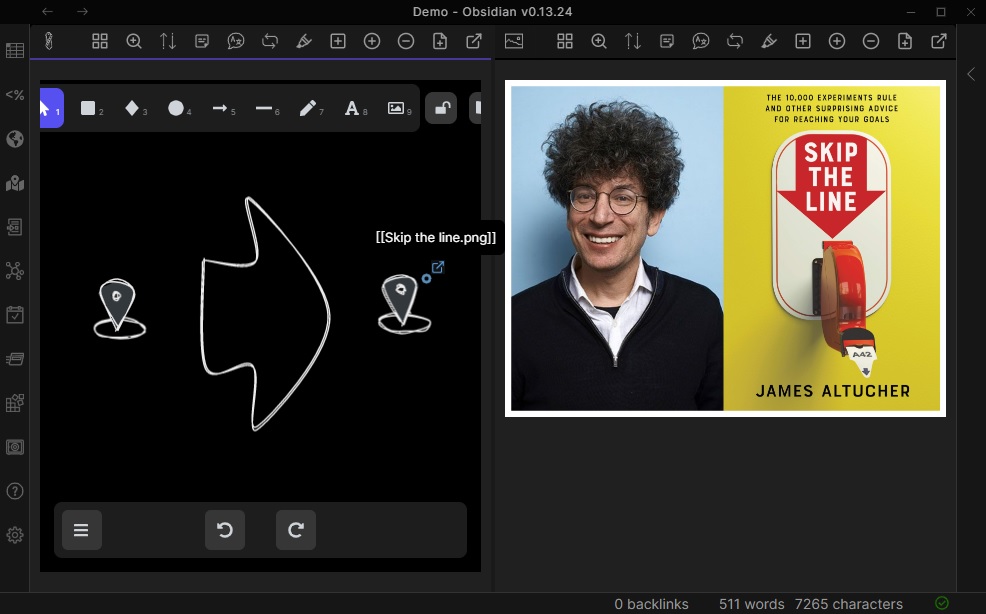 |
Add Link to New Page and Open
https://raw.githubusercontent.com/zsviczian/obsidian-excalidraw-plugin/master/ea-scripts/Add%20Link%20to%20New%20Page%20and%20Open.md
| Author | @zsviczian |
| Source | File on GitHub |
| Description | Prompts for filename. Offers option to create and open a new Markdown or Excalidraw document. Adds link pointing to the new file, to the selected objects in the drawing. You can control in settings to open the file in the current active pane or an adjacent pane.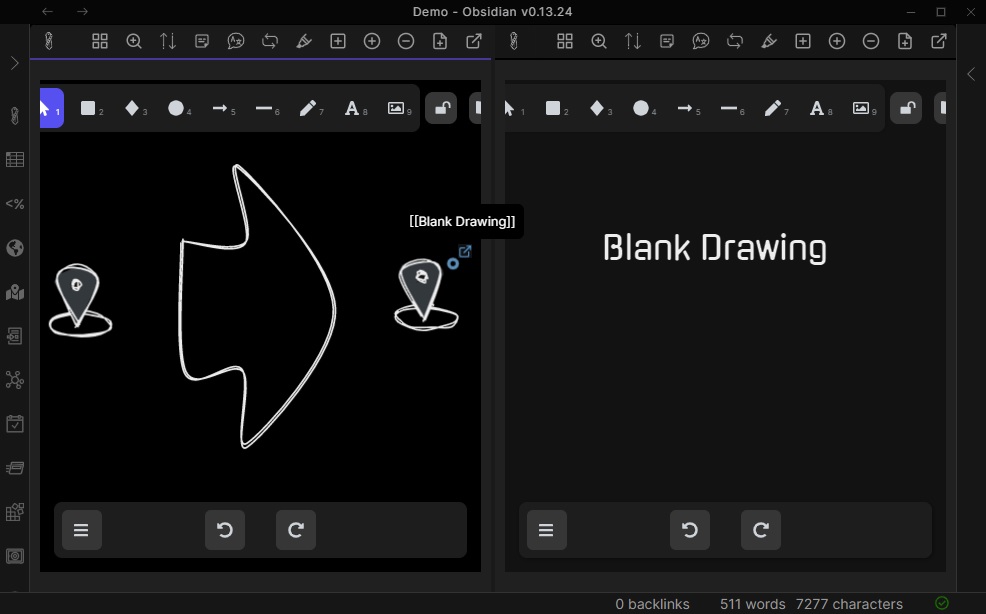 |
Add Next Step in Process
https://raw.githubusercontent.com/zsviczian/obsidian-excalidraw-plugin/master/ea-scripts/Add%20Next%20Step%20in%20Process.md
| Author | @zsviczian |
| Source | File on GitHub |
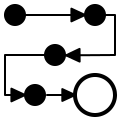
| Description | This script will prompt you for the title of the process step, then will create a stick note with the text. If an element is selected then the script will connect this new step with an arrow to the previous step (the selected element). If no element is selected, then the script assumes this is the first step in the process and will only output the sticky note with the text that was entered.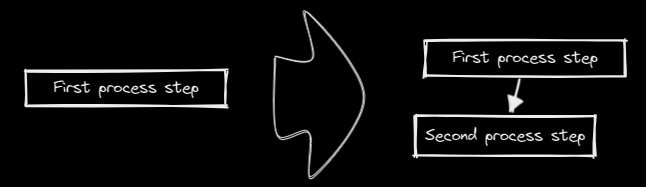 |
Auto Layout
https://raw.githubusercontent.com/zsviczian/obsidian-excalidraw-plugin/master/ea-scripts/Auto%20Layout.md
| Author | @1-2-3 |
| Source | File on GitHub |
| Description | This script performs automatic layout for the selected top-level grouping objects. It is powered by elkjs and needs to be connected to the Internet.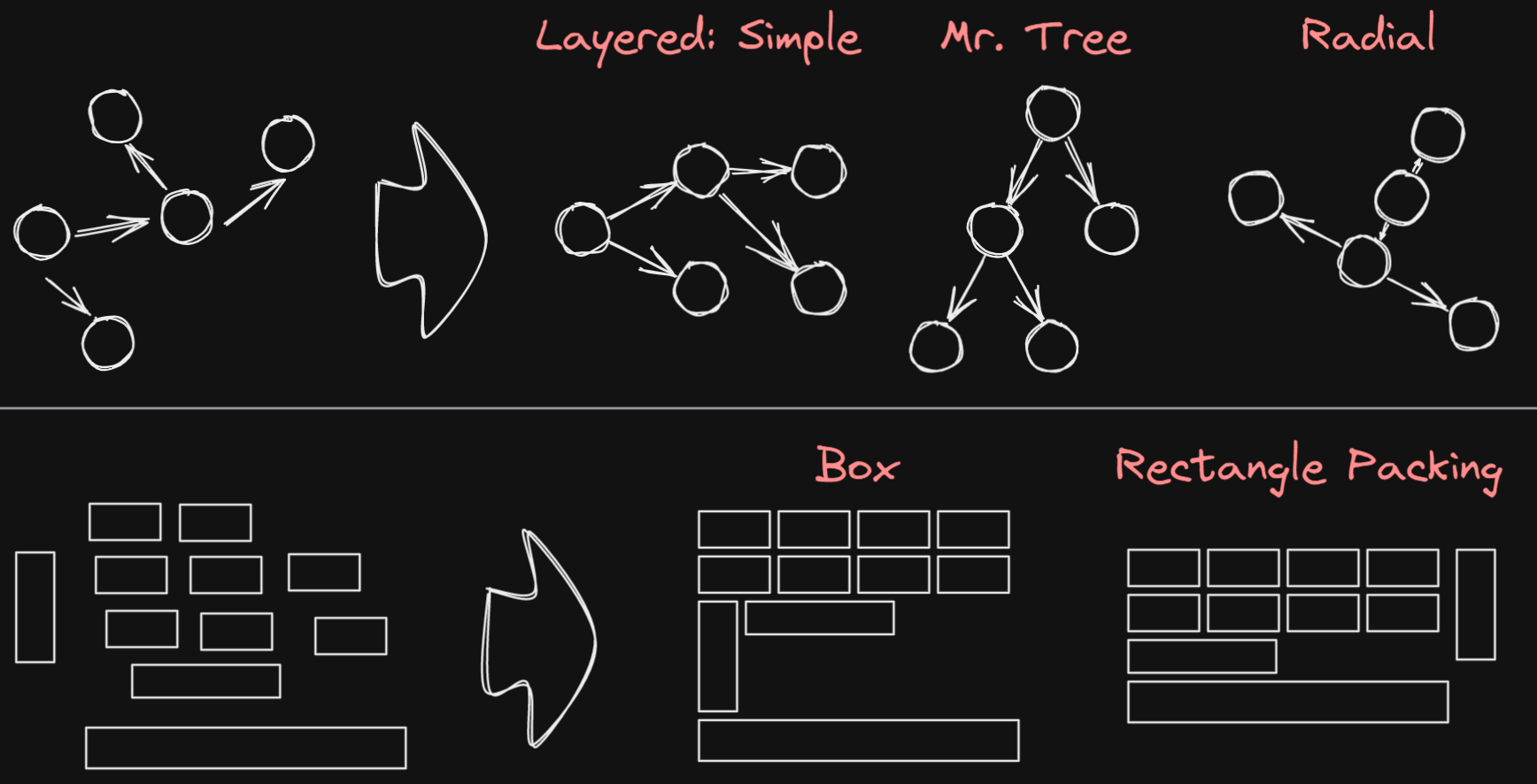 |
Boolean Operations
https://raw.githubusercontent.com/zsviczian/obsidian-excalidraw-plugin/master/ea-scripts/Boolean%20Operations.md
| Author | @GColoy |
| Source | File on GitHub |
| Description | With This Script it is possible to make boolean Operations on Shapes. The style of the resulting shape will be the style of the highest ranking Element that was used. The ranking of the elements is based on their background. The "denser" the background, the higher the ranking (the order of backgroundstyles is shown below). If they have the same background the opacity will decide. If thats also the same its decided by the order they were created. The ranking is also important for the difference operation, so a transparent object for example will cut a hole into a solid object. 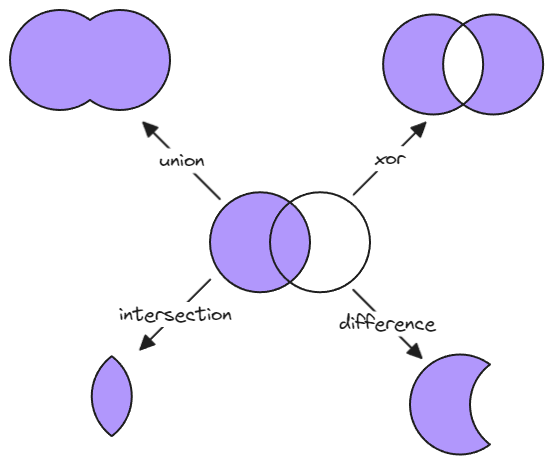  |
Box Each Selected Groups
https://raw.githubusercontent.com/zsviczian/obsidian-excalidraw-plugin/master/ea-scripts/Box%20Each%20Selected%20Groups.md
| Author | @1-2-3 |
| Source | File on GitHub |
| Description | This script will add encapsulating boxes around each of the currently selected groups in Excalidraw.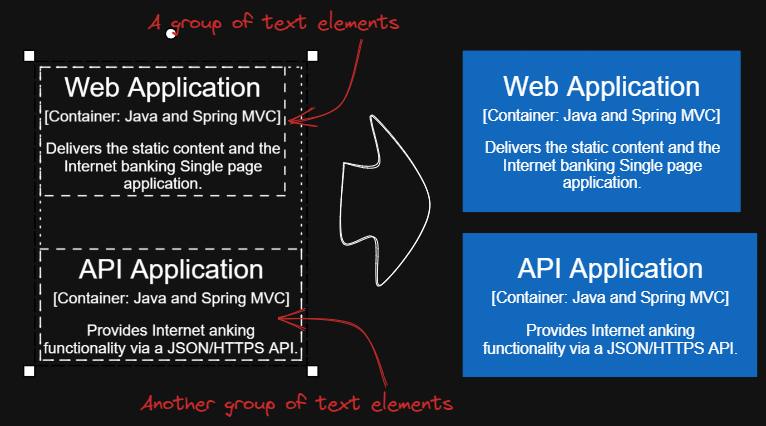 |
Box Selected Elements
https://raw.githubusercontent.com/zsviczian/obsidian-excalidraw-plugin/master/ea-scripts/Box%20Selected%20Elements.md
| Author | @zsviczian |
| Source | File on GitHub |
| Description | This script will add an encapsulating box around the currently selected elements in Excalidraw.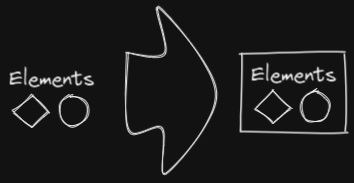 |
Change shape of selected elements
https://raw.githubusercontent.com/zsviczian/obsidian-excalidraw-plugin/master/ea-scripts/Change%20shape%20of%20selected%20elements.md
| Author | @zsviczian |
| Source | File on GitHub |
| Description | The script allows you to change the shape and fill style of selected Rectangles, Diamonds, Ellipses, Lines, Arrows and Freedraw.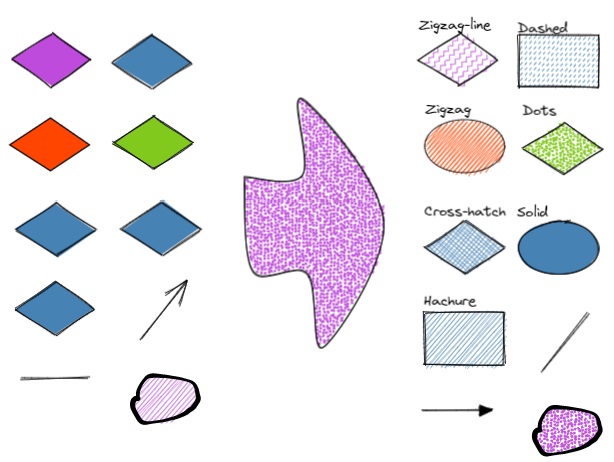 |
Concatenate lines
https://raw.githubusercontent.com/zsviczian/obsidian-excalidraw-plugin/master/ea-scripts/Concatenate%20lines.md
| Author | @zsviczian |
| Source | File on GitHub |
| Description | This script will connect two objects with an arrow. If either of the objects are a set of grouped elements (e.g. a text element grouped with an encapsulating rectangle), the script will identify these groups, and connect the arrow to the largest object in the group (assuming you want to connect the arrow to the box around the text element).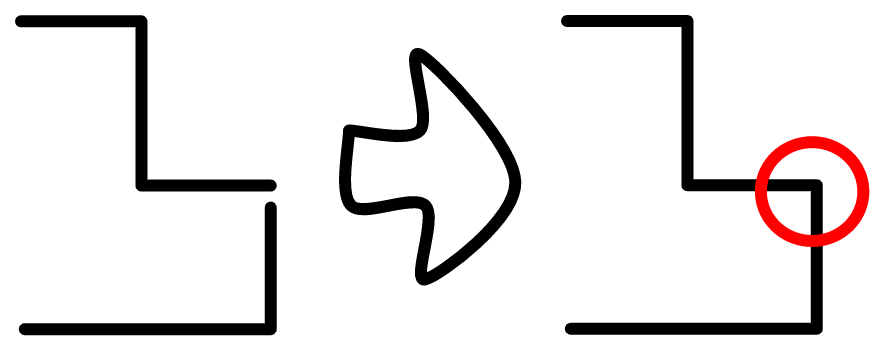 |
Connect elements
https://raw.githubusercontent.com/zsviczian/obsidian-excalidraw-plugin/master/ea-scripts/Connect%20elements.md
| Author | @zsviczian |
| Source | File on GitHub |
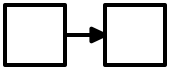
| Description | This script will connect two objects with an arrow. If either of the objects are a set of grouped elements (e.g. a text element grouped with an encapsulating rectangle), the script will identify these groups, and connect the arrow to the largest object in the group (assuming you want to connect the arrow to the box around the text element).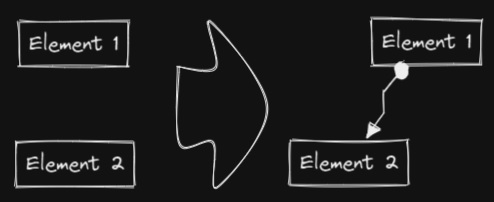 |
Convert freedraw to line
https://raw.githubusercontent.com/zsviczian/obsidian-excalidraw-plugin/master/ea-scripts/Convert%20freedraw%20to%20line.md
| Author | @zsviczian |
| Source | File on GitHub |
| Description | Convert selected freedraw objects into editable lines. This will allow you to adjust your drawings by dragging line points and will also allow you to select shape fill in case of enclosed lines. You can adjust conversion point density in settings.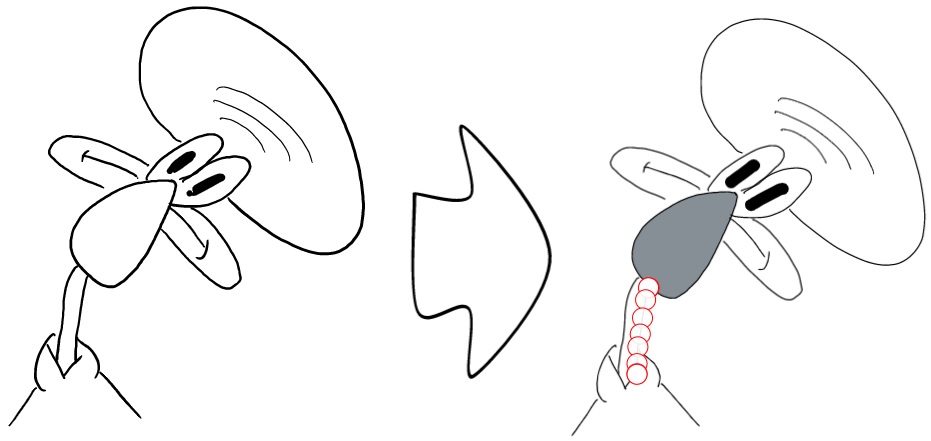 |
Convert selected text elements to sticky notes
https://raw.githubusercontent.com/zsviczian/obsidian-excalidraw-plugin/master/ea-scripts/Convert%20selected%20text%20elements%20to%20sticky%20notes.md
| Author | @zsviczian |
| Source | File on GitHub |
| Description | Converts selected plain text elements to sticky notes with transparent background and transparent stroke color (default setting, can be changed in plugin settings). Essentially converts text element into a wrappable format.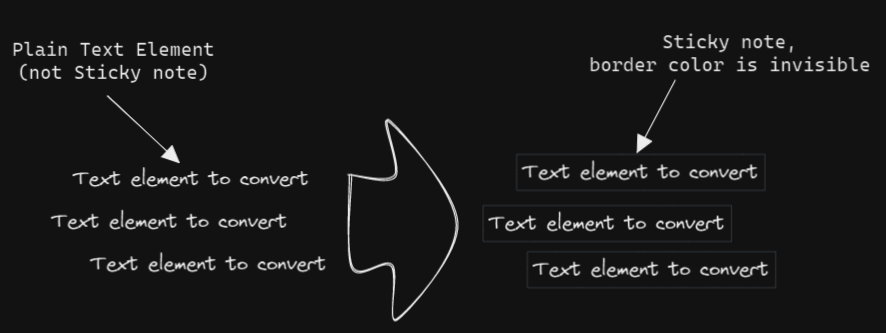 |
Convert text to link with folder and alias
https://raw.githubusercontent.com/zsviczian/obsidian-excalidraw-plugin/master/ea-scripts/Convert%20text%20to%20link%20with%20folder%20and%20alias.md
| Author | @zsviczian |
| Source | File on GitHub |
| Description | Converts text elements to links pointing to a file in a selected folder and with the alias set as the original text. The script will prompt the user to select an existing folder from the vault.original text - [[selected folder/original text|original text]] |
Copy Selected Element Styles to Global
https://raw.githubusercontent.com/zsviczian/obsidian-excalidraw-plugin/master/ea-scripts/Copy%20Selected%20Element%20Styles%20to%20Global.md
| Author | @1-2-3 |
| Source | File on GitHub |
| Description | This script will copy styles of any selected element into Excalidraw's global styles.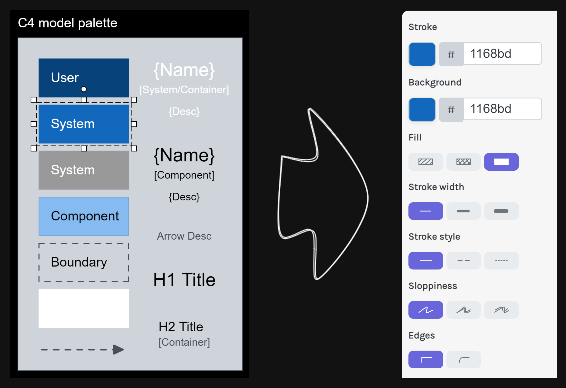 |
Create DrawIO file
https://raw.githubusercontent.com/zsviczian/obsidian-excalidraw-plugin/master/ea-scripts/Create%20DrawIO%20file.md
| Author | @zsviczian |
| Source | File on GitHub |
| Description | The script will prompt you for a filename, then create a new draw.io diagram file and open the file in the Diagram plugin, in a new tab. |
Create new markdown file and embed into active drawing
https://raw.githubusercontent.com/zsviczian/obsidian-excalidraw-plugin/master/ea-scripts/Create%20new%20markdown%20file%20and%20embed%20into%20active%20drawing.md
| Author | @zsviczian |
| Source | File on GitHub |
| Description | The script will prompt you for a filename, then create a new markdown document with the file name provided, open the new markdown document in an adjacent pane, and embed the markdown document into the active Excalidraw drawing.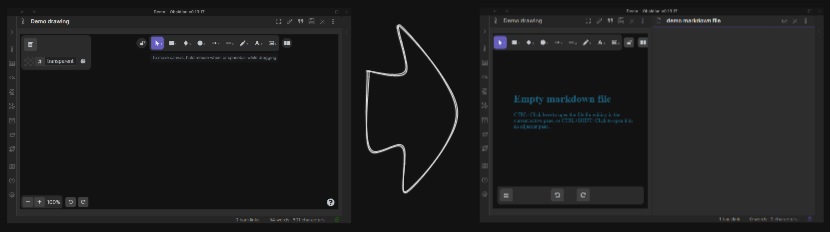 |
Crop Vintage Mask
https://raw.githubusercontent.com/zsviczian/obsidian-excalidraw-plugin/master/ea-scripts/Crop%20Vintage%20Mask.md
| Author | @zsviczian |
| Source | File on GitHub |
| Description | Adds a rounded mask to the image by adding a full cover black mask and a rounded rectangle white mask. The script is also useful for adding just a black mask. In this case, run the script, then delete the white mask and add your custom white mask.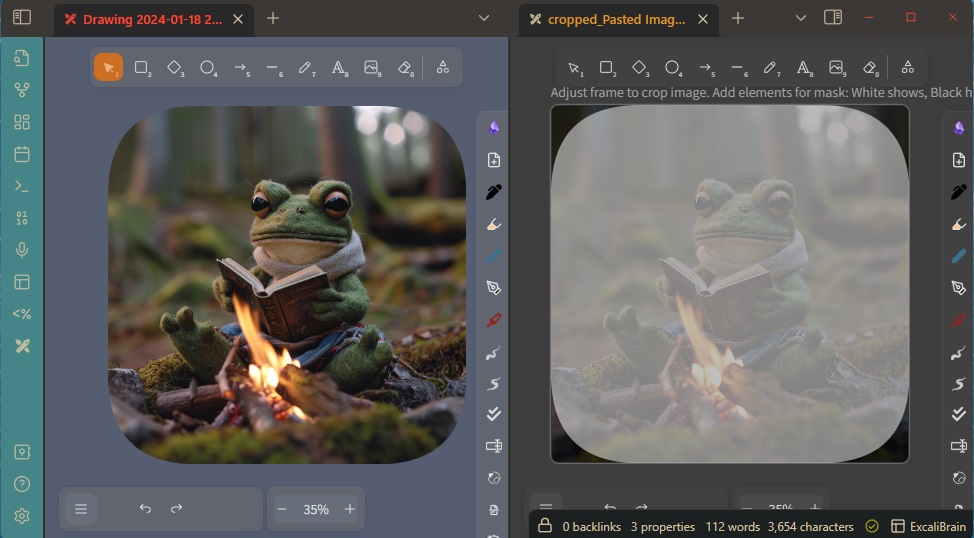 |
Custom Zoom
https://raw.githubusercontent.com/zsviczian/obsidian-excalidraw-plugin/master/ea-scripts/Custom%20Zoom.md
| Author | @zsviczian |
| Source | File on GitHub |
| Description | You can set a custom zoom level with this script. This allows you to set a zoom level below 10% or set the zoom level to a specific value. Note however, that Excalidraw has a bug under 10% zoom... a phantom copy of your image may appear on screen. If this happens, increase the zoom and the phantom should disappear, if it doesn't, then close and open the drawing. |
Darken background color
https://raw.githubusercontent.com/zsviczian/obsidian-excalidraw-plugin/master/ea-scripts/Darken%20background%20color.md
| Author | @1-2-3 |
| Source | File on GitHub |
| Description | This script darkens the background color of the selected element by 2% at a time. You can use this script several times until you are satisfied. It is recommended to set a shortcut key for this script so that you can quickly try to DARKEN and LIGHTEN the color effect. In contrast to the `Modify background color opacity` script, the advantage is that the background color of the element is not affected by the canvas color, and the color value does not appear in a strange rgba() form.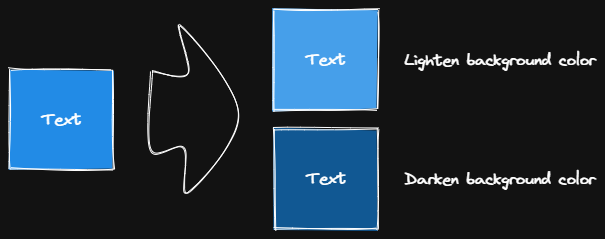 |
Deconstruct selected elements into new drawing
https://raw.githubusercontent.com/zsviczian/obsidian-excalidraw-plugin/master/ea-scripts/Deconstruct%20selected%20elements%20into%20new%20drawing.md
| Author | @zsviczian |
| Source | File on GitHub |
| Description | Select some elements in the scene. The script will take these elements and move them into a new Excalidraw file, and open that file. The selected elements will also be replaced in your original drawing with the embedded Excalidraw file (the one that was just created). You will be prompted for the file name of the new deconstructed image. The script is useful if you want to break a larger drawing into smaller reusable parts that you want to reference in multiple drawings. 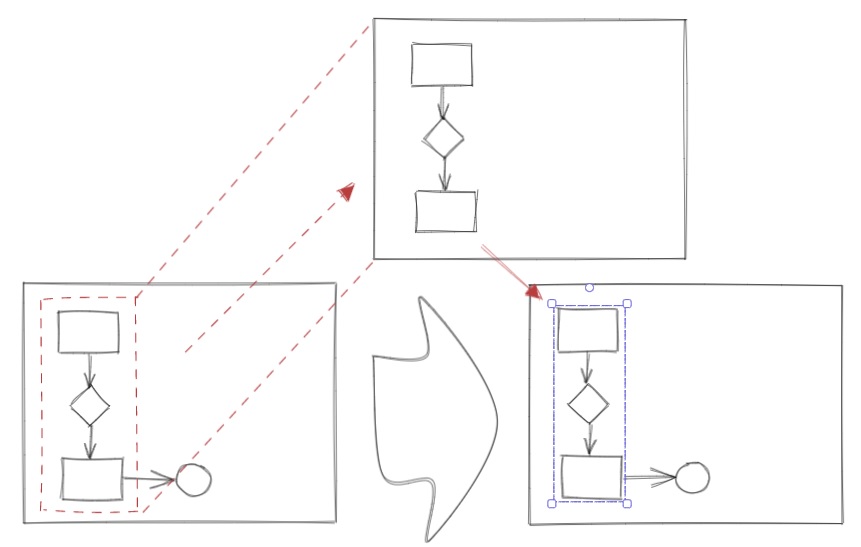 |
Elbow connectors
https://raw.githubusercontent.com/zsviczian/obsidian-excalidraw-plugin/master/ea-scripts/Elbow%20connectors.md
| Author | @1-2-3 |
| Source | File on GitHub |
| Description | This script converts the selected connectors to elbows.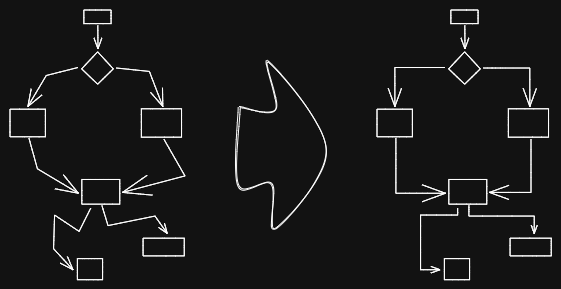 |
Ellipse Selected Elements
https://raw.githubusercontent.com/zsviczian/obsidian-excalidraw-plugin/master/ea-scripts/Ellipse%20Selected%20Elements.md
| Author | @mazurov |
| Source | File on GitHub |
| Description | This script will add an encapsulating ellipse around the currently selected elements in Excalidraw.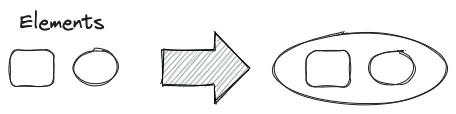 |
Excalidraw Collaboration Frame
https://raw.githubusercontent.com/zsviczian/obsidian-excalidraw-plugin/master/ea-scripts/Excalidraw%20Collaboration%20Frame.md
| Author | @1-2-3 |
| Source | File on GitHub |
| Description | Creates a new Excalidraw.com collaboration room and places the link to the room on the clipboard. |
Expand rectangles horizontally keep text centered
https://raw.githubusercontent.com/zsviczian/obsidian-excalidraw-plugin/master/ea-scripts/Expand%20rectangles%20horizontally%20keep%20text%20centered.md
| Author | @1-2-3 |
| Source | File on GitHub |
| Description | This script expands the width of the selected rectangles until they are all the same width and keep the text centered.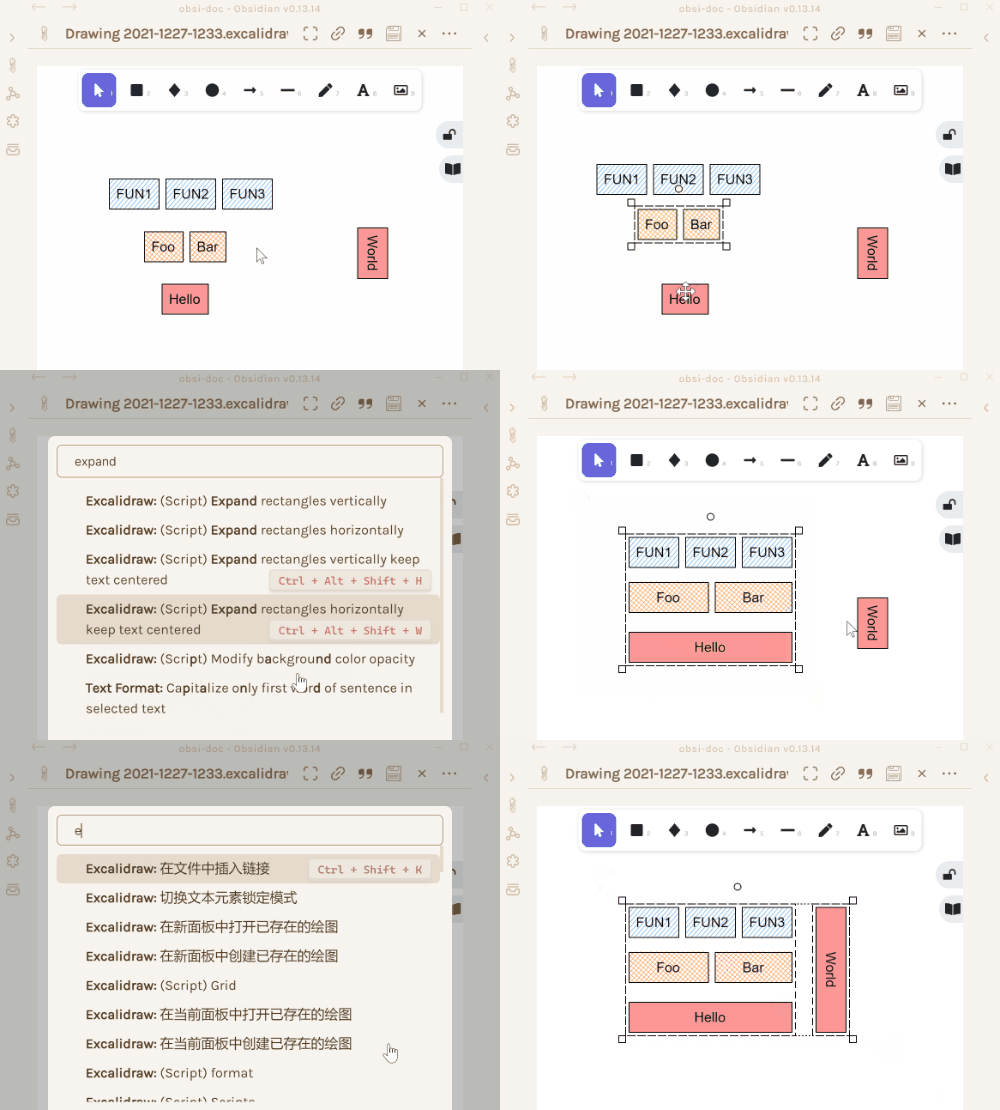 |
Expand rectangles horizontally
https://raw.githubusercontent.com/zsviczian/obsidian-excalidraw-plugin/master/ea-scripts/Expand%20rectangles%20horizontally.md
| Author | @1-2-3 |
| Source | File on GitHub |
| Description | This script expands the width of the selected rectangles until they are all the same width. |
Expand rectangles vertically keep text centered
https://raw.githubusercontent.com/zsviczian/obsidian-excalidraw-plugin/master/ea-scripts/Expand%20rectangles%20vertically%20keep%20text%20centered.md
| Author | @1-2-3 |
| Source | File on GitHub |
| Description | This script expands the height of the selected rectangles until they are all the same height and keep the text centered. |
Expand rectangles vertically
https://raw.githubusercontent.com/zsviczian/obsidian-excalidraw-plugin/master/ea-scripts/Expand%20rectangles%20vertically.md
| Author | @1-2-3 |
| Source | File on GitHub |
| Description | This script expands the height of the selected rectangles until they are all the same height. |
Fixed horizontal distance between centers
https://raw.githubusercontent.com/zsviczian/obsidian-excalidraw-plugin/master/ea-scripts/Fixed%20horizontal%20distance%20between%20centers.md
| Author | @1-2-3 |
| Source | File on GitHub |
| Description | This script arranges the selected elements horizontally with a fixed center spacing.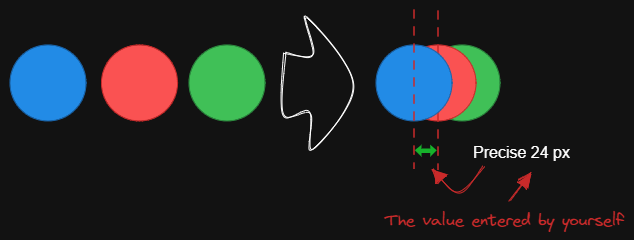 |
Fixed inner distance
https://raw.githubusercontent.com/zsviczian/obsidian-excalidraw-plugin/master/ea-scripts/Fixed%20inner%20distance.md
| Author | @1-2-3 |
| Source | File on GitHub |
| Description | This script arranges selected elements and groups with a fixed inner distance. |
Fixed spacing
https://raw.githubusercontent.com/zsviczian/obsidian-excalidraw-plugin/master/ea-scripts/Fixed%20spacing.md
| Author | @1-2-3 |
| Source | File on GitHub |
| Description | The script arranges the selected elements horizontally with a fixed spacing. When we create an architecture diagram or mind map, we often need to arrange a large number of elements in a fixed spacing. `Fixed spacing` and `Fixed vertical Distance` scripts can save us a lot of time.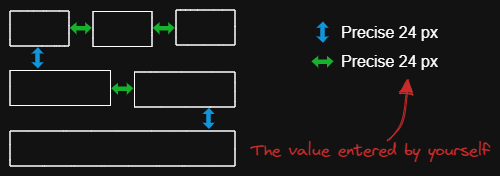 |
Fixed vertical distance between centers
https://raw.githubusercontent.com/zsviczian/obsidian-excalidraw-plugin/master/ea-scripts/Fixed%20vertical%20distance%20between%20centers.md
| Author | @1-2-3 |
| Source | File on GitHub |
| Description | This script arranges the selected elements vertically with a fixed center spacing.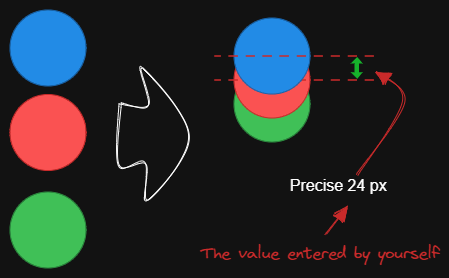 |
Fixed vertical distance
https://raw.githubusercontent.com/zsviczian/obsidian-excalidraw-plugin/master/ea-scripts/Fixed%20vertical%20distance.md
| Author | @1-2-3 |
| Source | File on GitHub |
| Description | The script arranges the selected elements vertically with a fixed spacing. When we create an architecture diagram or mind map, we often need to arrange a large number of elements in a fixed spacing. `Fixed spacing` and `Fixed vertical Distance` scripts can save us a lot of time.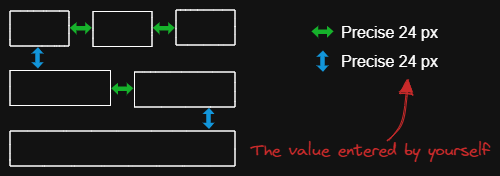 |
Folder Note Core - Make Current Drawing a Folder
https://raw.githubusercontent.com/zsviczian/obsidian-excalidraw-plugin/master/ea-scripts/Folder%20Note%20Core%20-%20Make%20Current%20Drawing%20a%20Folder.md
| Author | @zsviczian |
| Source | File on GitHub |
| Description | This script adds the `Folder Note Core: Make current document folder note` function to Excalidraw drawings. Running this script will convert the active Excalidraw drawing into a folder note. If you already have embedded images in your drawing, those attachments will not be moved when the folder note is created. You need to take care of those attachments separately, or convert the drawing to a folder note prior to adding the attachments. The script requires the Folder Note Core plugin. |
Golden Ratio
https://raw.githubusercontent.com/zsviczian/obsidian-excalidraw-plugin/master/ea-scripts/Golden%20Ratio.md
| Author | @zsviczian |
| Source | File on GitHub |
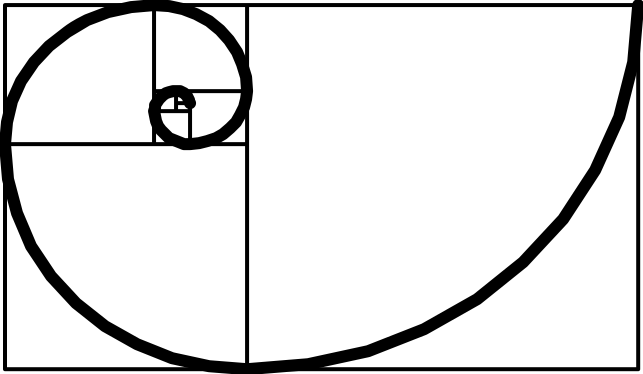
| Description | The script performs two different functions depending on the elements selected in the view. 1) In case you select text elements, the script will cycle through a set of font scales. First the 2 larger fonts following the Fibonacci sequence (fontsize * φ; fonsize * φ^2), then the 2 smaller fonts (fontsize / φ; fontsize / φ^2), finally the original size, followed again by the 2 larger fonts. If you wait 2 seconds, the sequence clears and starts from which ever font size you are on. So if you want the 3rd larges font, then toggle twice, wait 2 sec, then toggle again. 2) In case you select a single rectangle, the script will open the "Golden Grid", "Golden Spiral" window, where you can set up the type of grid or spiral you want to insert into the document. 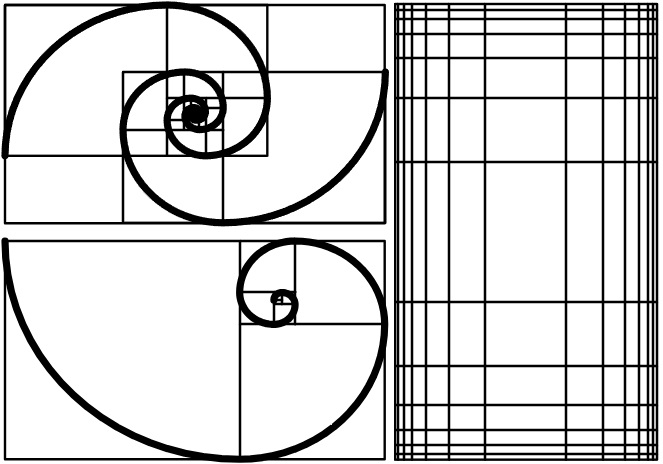  |
Grid selected images
https://raw.githubusercontent.com/zsviczian/obsidian-excalidraw-plugin/master/ea-scripts/Grid%20Selected%20Images.md
| Author | @7flash |
| Source | File on GitHub |
| Description | This script arranges selected images into compact grid view, removing gaps in-between, resizing when necessary and breaking into multiple rows/columns.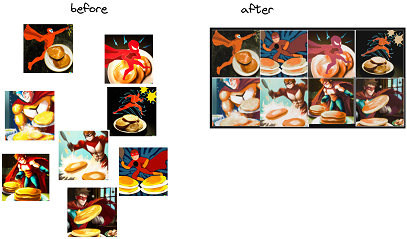 |
ExcaliAI
https://raw.githubusercontent.com/zsviczian/obsidian-excalidraw-plugin/master/ea-scripts/ExcaliAI.md
| Author | @zsviczian |
| Source | File on GitHub |
| Description | Various AI features based on GPT Vision. 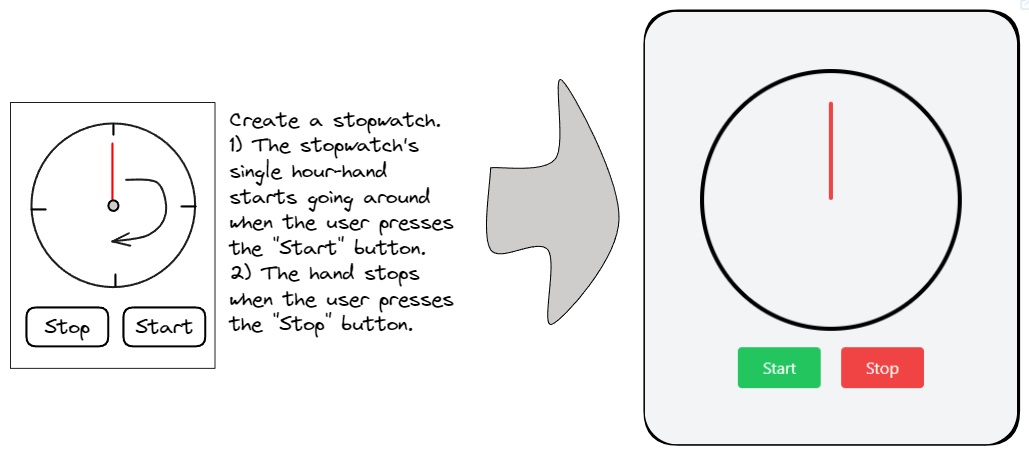 |
Excalidraw Writing Machine
https://raw.githubusercontent.com/zsviczian/obsidian-excalidraw-plugin/master/ea-scripts/Excalidraw%20Writing%20Machine.md
| Author | @zsviczian |
| Source | File on GitHub |
| Description | Creates a hierarchical Markdown document out of a visual layout of an article that can be fed to Templater and converted into an article using AI for Templater. Watch this video to understand how the script is intended to work:  You can download the sample Obsidian Templater file from here. You can download the demo PDF document showcased in the video from here. |
Full-Year Calendar Generator
https://raw.githubusercontent.com/zsviczian/obsidian-excalidraw-plugin/master/ea-scripts/Full-Year%20Calendar%20Generator.md
| Author | @simonperet |
| Source | File on GitHub |
| Description | Generates a complete calendar for a specified year.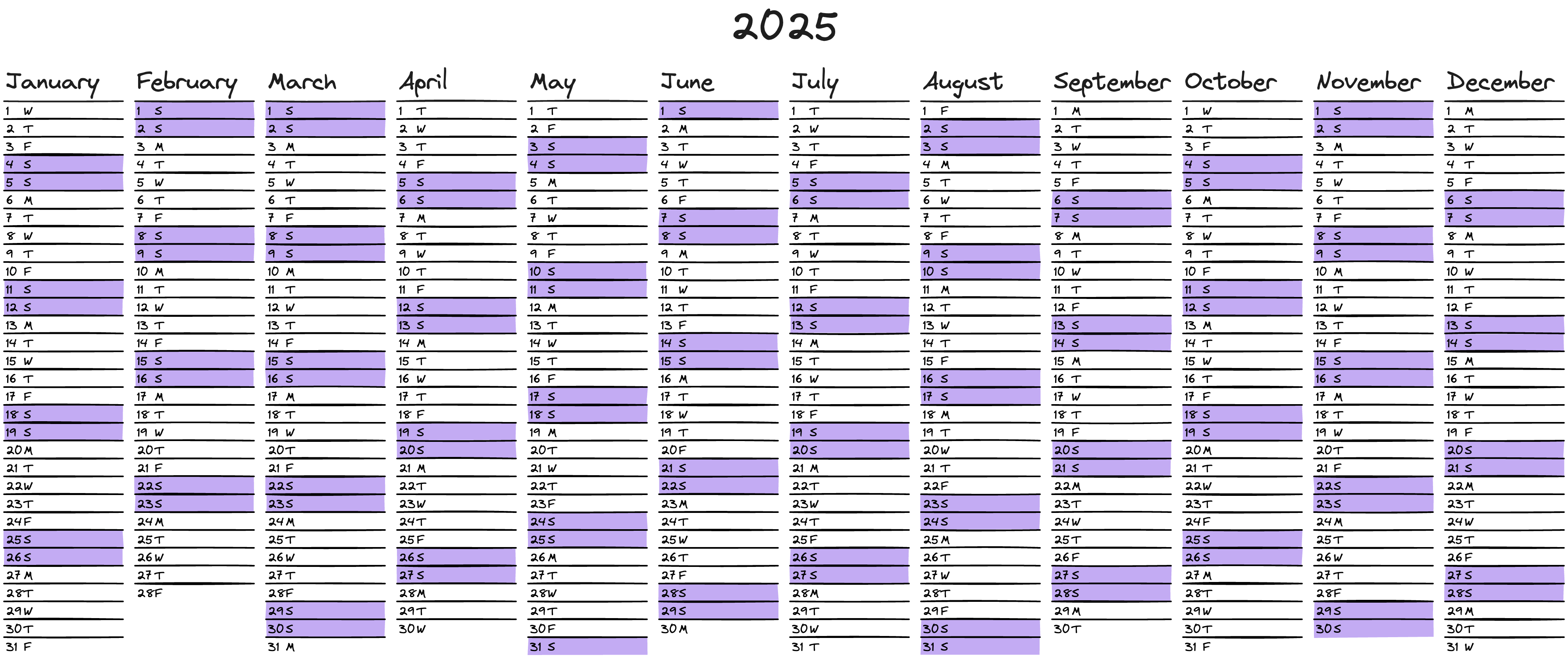 |
GPT Draw-a-UI
https://raw.githubusercontent.com/zsviczian/obsidian-excalidraw-plugin/master/ea-scripts/GPT-Draw-a-UI.md
| Author | @zsviczian |
| Source | File on GitHub |
| Description | This script was discontinued in favor of ExcaliAI. Draw a UI and let GPT create the code for you. |
Image Occlusion
https://raw.githubusercontent.com/zsviczian/obsidian-excalidraw-plugin/master/ea-scripts/Image%20Occlusion.md
| Author | @TrillStones |
| Source | File on GitHub |
| Description | An Excalidraw script for creating Anki image occlusion cards in Obsidian, similar to Anki's Image Occlusion Enhanced add-on but integrated into your Obsidian workflow.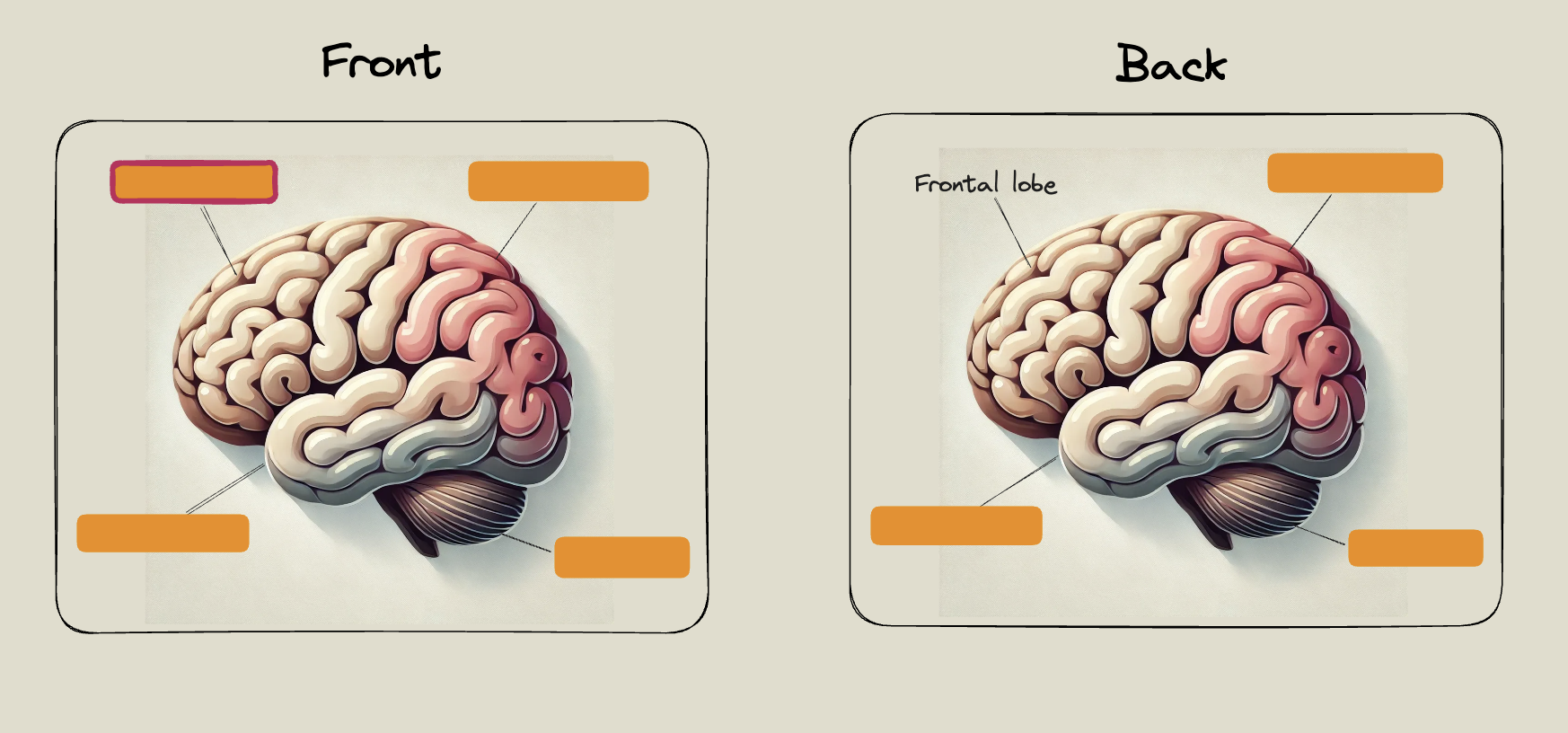 |
Invert colors
https://raw.githubusercontent.com/zsviczian/obsidian-excalidraw-plugin/master/ea-scripts/Invert%20colors.md
| Author | @zsviczian |
| Source | File on GitHub |
| Description | The script inverts the colors on the canvas including the color palette in Element Properties.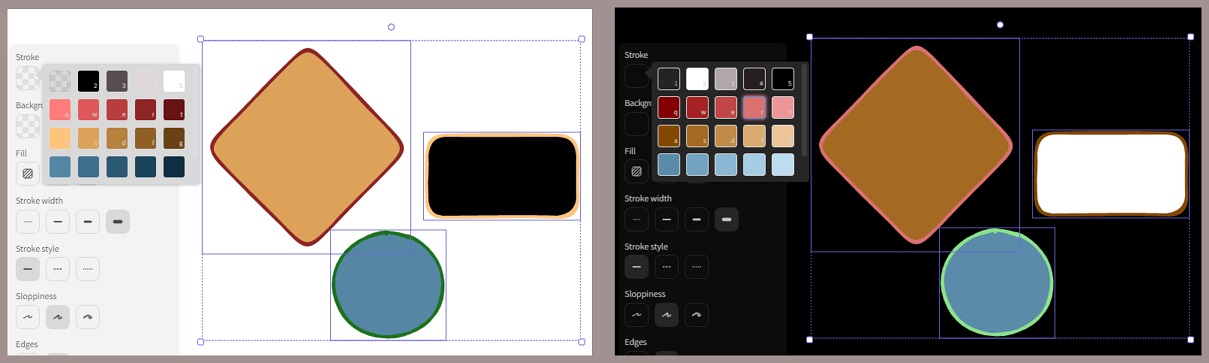 |
Lighten background color
https://raw.githubusercontent.com/zsviczian/obsidian-excalidraw-plugin/master/ea-scripts/Lighten%20background%20color.md
| Author | @1-2-3 |
| Source | File on GitHub |
| Description | This script lightens the background color of the selected element by 2% at a time. You can use this script several times until you are satisfied. It is recommended to set a shortcut key for this script so that you can quickly try to DARKEN and LIGHTEN the color effect.In contrast to the `Modify background color opacity` script, the advantage is that the background color of the element is not affected by the canvas color, and the color value does not appear in a strange rgba() form. |
Linear Calendar Generator
https://raw.githubusercontent.com/zsviczian/obsidian-excalidraw-plugin/master/ea-scripts/Linear%20Calendar%20Generator.md
| Author | @iwanhoogendoorn |
| Source | File on GitHub |
| Description | Generates a complete calendar for a specified year.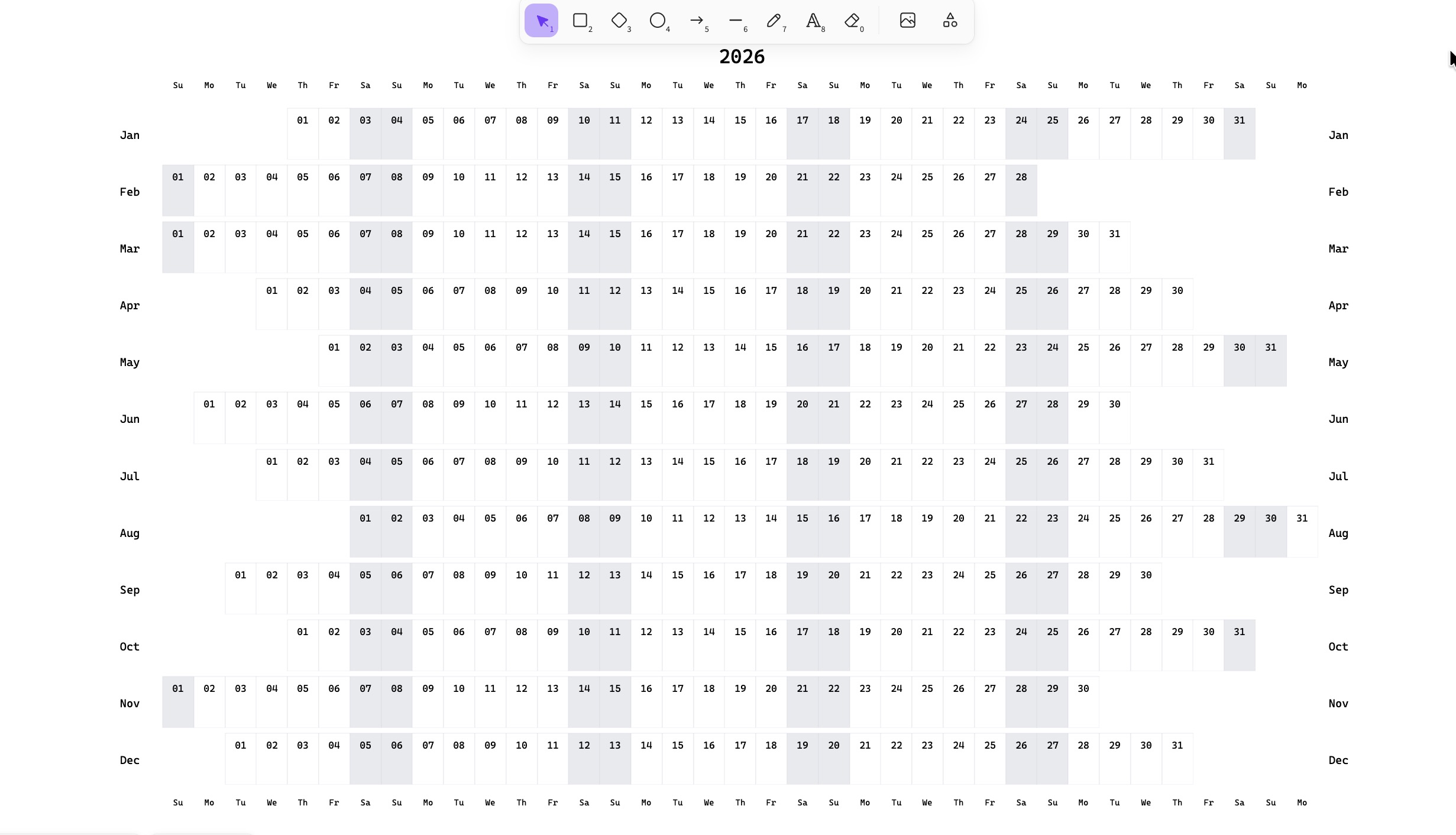 |
Mindmap Builder
https://raw.githubusercontent.com/zsviczian/obsidian-excalidraw-plugin/master/ea-scripts/Mindmap%20Builder.md
| Author | @zsviczian |
| Source | File on GitHub |
| Description | Rapid mind mapping workflow driven by keyboard shortcuts: add sibling/child nodes, auto-layout and branch styling, quick navigation, optional recursive grouping, and Markdown copy/paste import/export for bullet-list sync. Link to video on YouTube 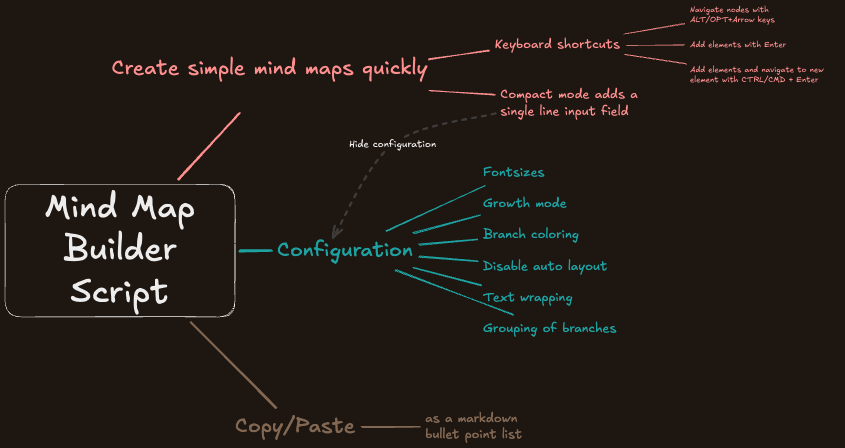 |
Mindmap connector
https://raw.githubusercontent.com/zsviczian/obsidian-excalidraw-plugin/master/ea-scripts/Mindmap%20connector.md
| Author | @xllowl |
| Source | File on GitHub |
| Description | This script creates mindmap like lines (only right side and down available currently) for selected elements. The line will start according to the creation time of the elements. So you should create the header element first.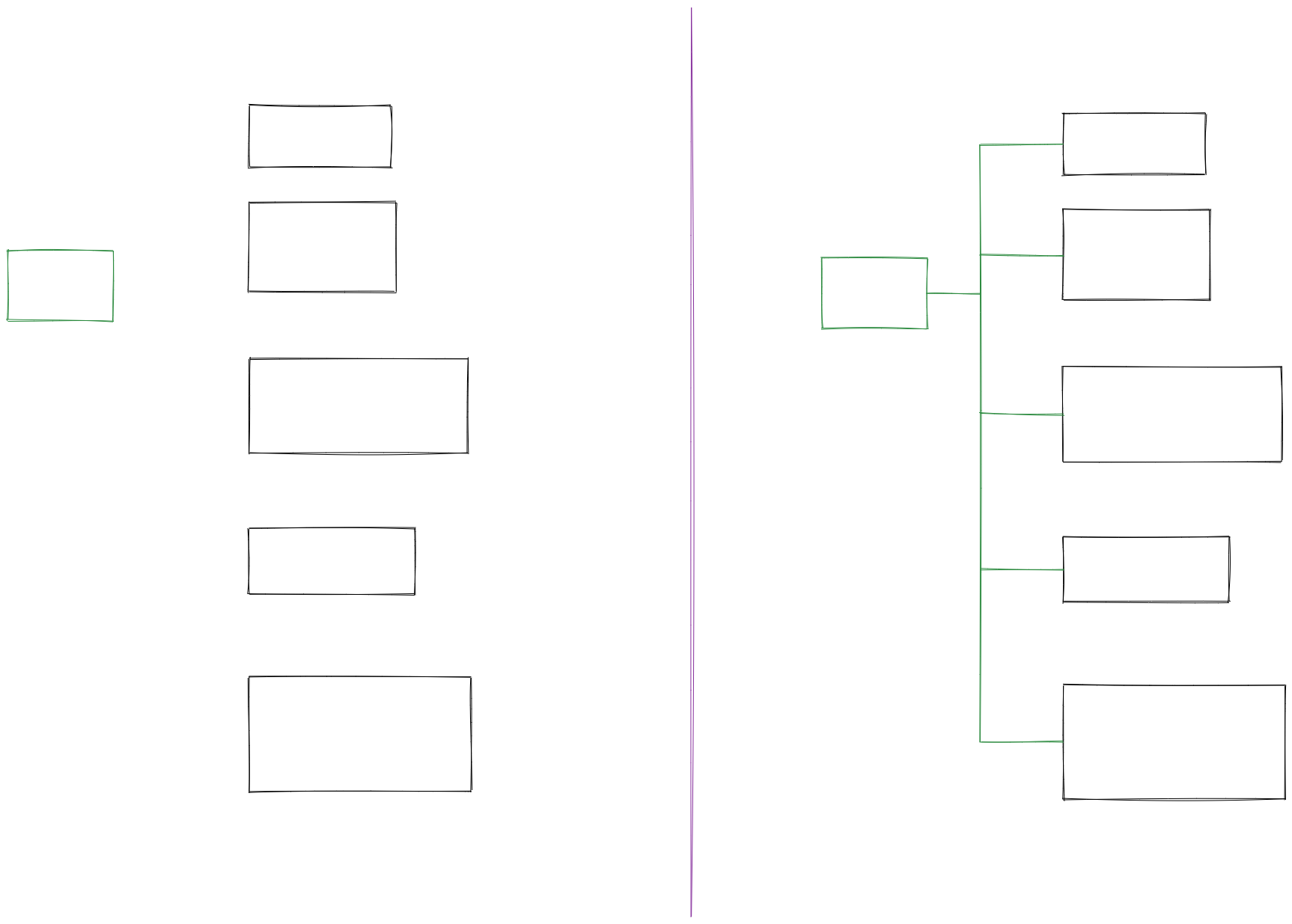 |
Mindmap format
https://raw.githubusercontent.com/zsviczian/obsidian-excalidraw-plugin/master/ea-scripts/Mindmap%20format.md
| Author | @pandoralink |
| Source | File on GitHub |
| Description | Automatically formats a mindmap from left to right based on the creation sequence of arrows.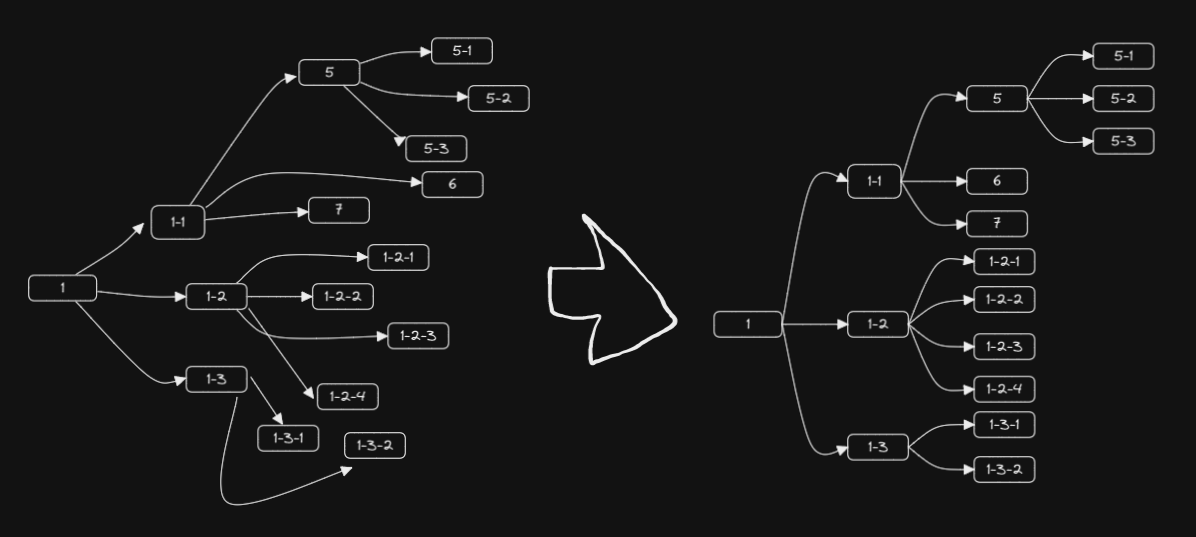 A mindmap is actually a tree, so you must have a root node. The script will determine the leftmost element of the selected element as the root element (the node must be a rectangle, diamond, ellipse, text, image, but it can't be an arrow, line, freedraw, or group) The element connecting node and node must be an arrow and have the correct direction, e.g. parent node -> child node. The order of nodes in the Y axis or vertical direction is determined by the creation time of the arrow connecting it. 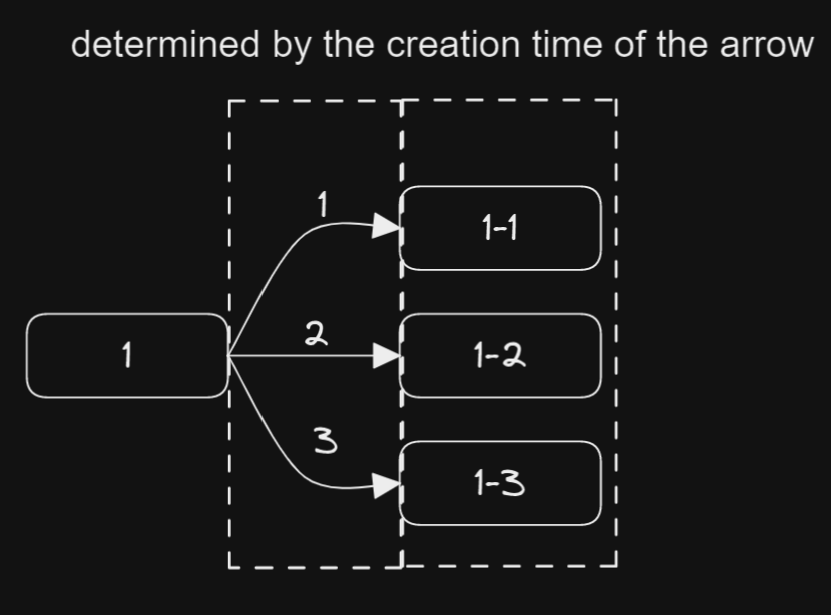 If you want to readjust the order, you can delete arrows and reconnect them. The script provides options to adjust the style of the mindmap. Options are at the bottom of excalidraw plugin options (Settings -> Community plugins -> Excalidraw -> drag to bottom). Since the start bingding and end bingding of the arrows are easily disconnected from the node, if there are unformatted parts, please check the connection and use the script to reformat. |
Modify background color opacity
https://raw.githubusercontent.com/zsviczian/obsidian-excalidraw-plugin/master/ea-scripts/Modify%20background%20color%20opacity.md
| Author | @1-2-3 |
| Source | File on GitHub |
| Description | This script changes the opacity of the background color of the selected boxes. The default background color in Excalidraw is so dark that the text is hard to read. You can lighten the color a bit by setting transparency. And you can tweak the transparency over and over again until you're happy with it. Although excalidraw has the opacity option in its native property Settings, it also changes the transparency of the border. Use this script to change only the opacity of the background color without affecting the border.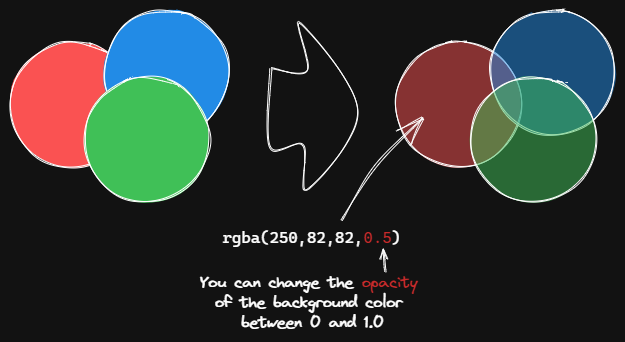 |
Normalize Selected Arrows
https://raw.githubusercontent.com/zsviczian/obsidian-excalidraw-plugin/master/ea-scripts/Normalize%20Selected%20Arrows.md
| Author | @1-2-3 |
| Source | File on GitHub |
| Description | This script will reset the start and end positions of the selected arrows. The arrow will point to the center of the connected box and will have a gap of 8px from the box.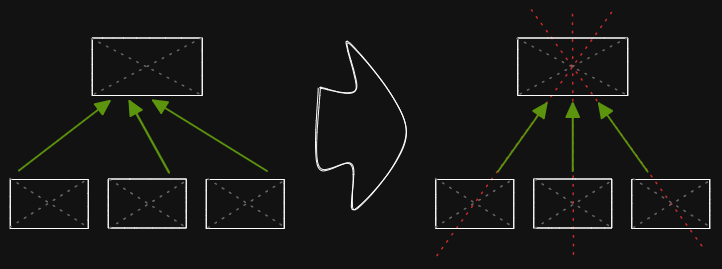 |
Organic Line
https://raw.githubusercontent.com/zsviczian/obsidian-excalidraw-plugin/master/ea-scripts/Organic%20Line.md
| Author | @zsviczian |
| Source | File on GitHub |
| Description | Converts selected freedraw lines such that pencil pressure will decrease from maximum to minimum from the beginning of the line to its end. The resulting line is placed at the back of the layers, under all other items. Helpful when drawing organic mindmaps. The script has been superseded by Custom Pens that you can enable in plugin settings. Find out more by watching this video 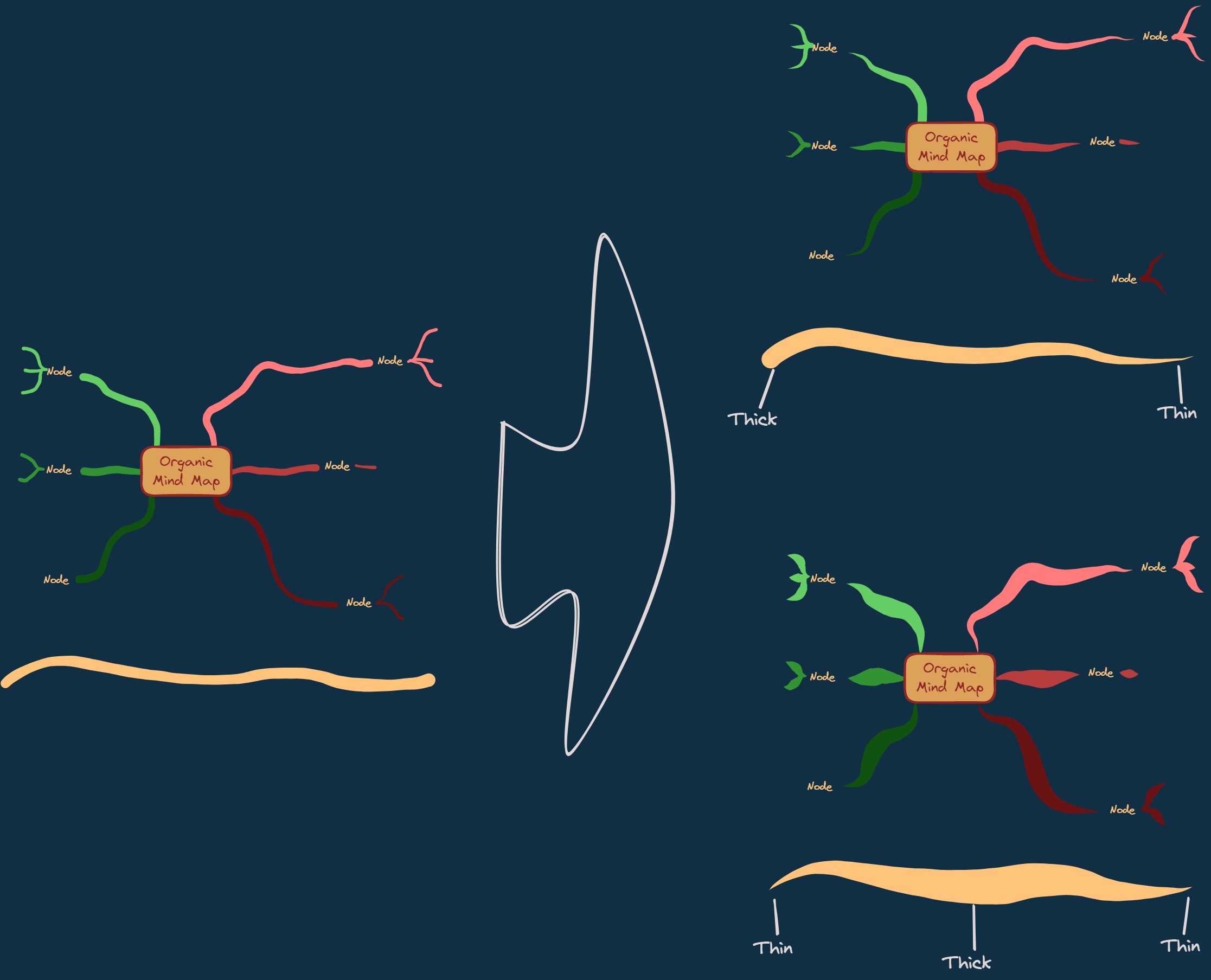 |
Organic Line Legacy
https://raw.githubusercontent.com/zsviczian/obsidian-excalidraw-plugin/master/ea-scripts/Organic%20Line%20Legacy.md
| Author | @zsviczian |
| Source | File on GitHub |
| Description | Converts selected freedraw lines such that pencil pressure will decrease from maximum to minimum from the beginning of the line to its end. The resulting line is placed at the back of the layers, under all other items. Helpful when drawing organic mindmaps. This is the old script from this video. Since it's release this has been superseded by custom pens that you can enable in plugin settings. For more on custom pens, watch this The benefit of the approach in this implementation of custom pens is that it will look the same on excalidraw.com when you copy your drawing over for sharing with non-Obsidian users. Otherwise custom pens are faster to use and much more configurable.  |
Palette Loader
https://raw.githubusercontent.com/zsviczian/obsidian-excalidraw-plugin/master/ea-scripts/Palette%20loader.md
| Author | @zsviczian |
| Source | File on GitHub |
| Description | Design your palette at paletton.com Once you are happy with your colors, click Tables/Export in the bottom right of the screen. Then click "Color swatches/as Sketch Palette", and copy the contents of the page to a markdown file in the palette folder of your vault (default is Excalidraw/Palette)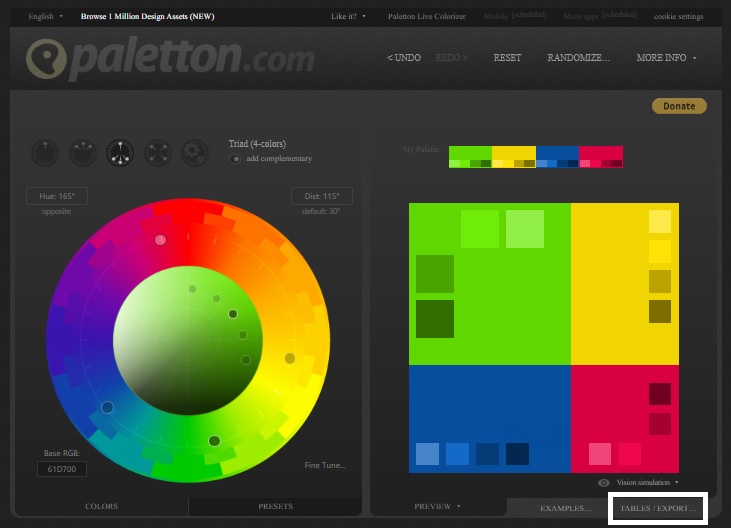 |
Palm Guard
https://raw.githubusercontent.com/zsviczian/obsidian-excalidraw-plugin/master/ea-scripts/Palm%20Guard.md
| Author | @zsviczian |
| Source | File on GitHub |
| Description | Mobile & desktop palm‑rejection and distraction‑free drawing mode: optionally enters fullscreen, hides ALL Excalidraw UI chrome (top toolbar, side / bottom bars, plugin panels) for a clean / zen / immersive / kiosk / focus mode canvas. Provides a tiny draggable micro toolbar (toggle visibility + exit) so you gain maximum drawing area while preventing accidental palm taps. Uses the hotkey you assign in Obsidian’s Hotkey settings for this script to instantly show / hide controls (if no hotkey is set, use the on‑screen toggle). Ideal for stylus sketching, presentations, screen recording, split‑view space saving, or anyone searching for: palm rejection, hide toolbar, hide UI controls, clean mode, distraction free Excalidraw. Link to video on YouTube |
PDF Page Text to Clipboard
https://raw.githubusercontent.com/zsviczian/obsidian-excalidraw-plugin/master/ea-scripts/PDF%20Page%20Text%20to%20Clipboard.md
| Author | @zsviczian |
| Source | File on GitHub |
| Description | Copies the text from the selected PDF page on the Excalidraw canvas to the clipboard.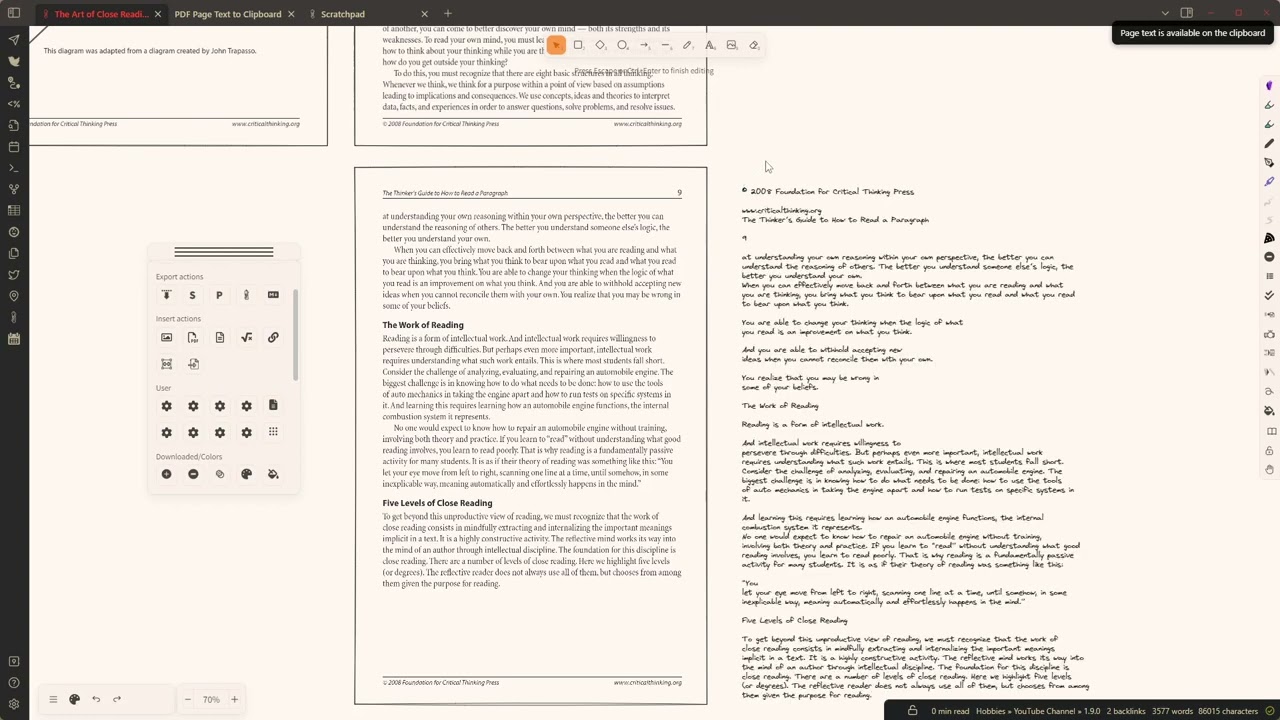 Link to video on YouTube |
Relative Font Size Cycle
https://raw.githubusercontent.com/zsviczian/obsidian-excalidraw-plugin/master/ea-scripts/Relative%20Font%20Size%20Cycle.md
| Author | @zsviczian |
| Source | File on GitHub |
| Description | The script will cycle through S, M, L, XL font sizes scaled to the current canvas zoom. |
Rename Image
https://raw.githubusercontent.com/zsviczian/obsidian-excalidraw-plugin/master/ea-scripts/Rename%20Image.md
| Author | @zsviczian |
| Source | File on GitHub |
| Description | Select an image on the canvas and run the script. You will be prompted to provide a new filename / filepath. This cuts down the time to name images you paste from the web or drag and drop from your file system.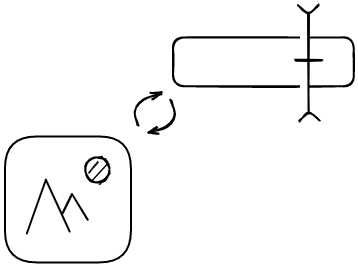 |
Repeat Elements
https://raw.githubusercontent.com/zsviczian/obsidian-excalidraw-plugin/master/ea-scripts/Repeat%20Elements.md
| Author | @1-2-3 |
| Source | File on GitHub |
| Description | This script will detect the difference between 2 selected elements, including position, size, angle, stroke and background color, and create several elements that repeat these differences based on the number of repetitions entered by the user.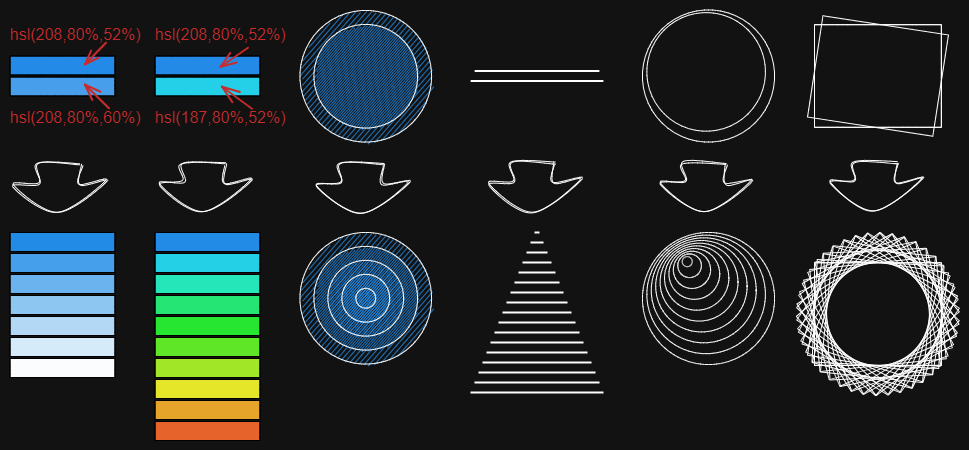 |
Repeat Texts
https://raw.githubusercontent.com/zsviczian/obsidian-excalidraw-plugin/master/ea-scripts/Repeat%20Texts.md
| Author | @soraliu |
| Source | File on GitHub |
| Description | In the following script, we address the concept of repetition through the lens of numerical progression. As visualized by the image, where multiple circles each labeled with an even task number are being condensed into a linear sequence, our script will similarly iterate through a set of numbers |
Reverse arrows
https://raw.githubusercontent.com/zsviczian/obsidian-excalidraw-plugin/master/ea-scripts/Reverse%20arrows.md
| Author | @zsviczian |
| Source | File on GitHub |
| Description | Reverse the direction of **arrows** within the scope of selected elements.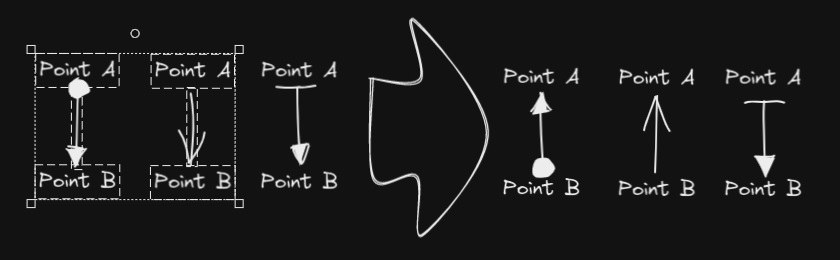 |
Scribble Helper
https://raw.githubusercontent.com/zsviczian/obsidian-excalidraw-plugin/master/ea-scripts/Scribble%20Helper.md
| Author | @zsviczian |
| Source | File on GitHub |
| Description | iOS scribble helper for better handwriting experience with text elements. If no elements are selected then the creates a text element at pointer position and you can use the edit box to modify the text with scribble. If a text element is selected then opens the input prompt where you can modify this text with scribble.  |
Select Elements of Type
https://raw.githubusercontent.com/zsviczian/obsidian-excalidraw-plugin/master/ea-scripts/Select%20Elements%20of%20Type.md
| Author | @zsviczian |
| Source | File on GitHub |
| Description | Prompts you with a list of the different element types in the active image. Only elements of the selected type will be selected on the canvas. If nothing is selected when running the script, then the script will process all the elements on the canvas. If some elements are selected when the script is executed, then the script will only process the selected elements. The script is useful when, for example, you want to bring to front all the arrows, or want to change the color of all the text elements, etc. 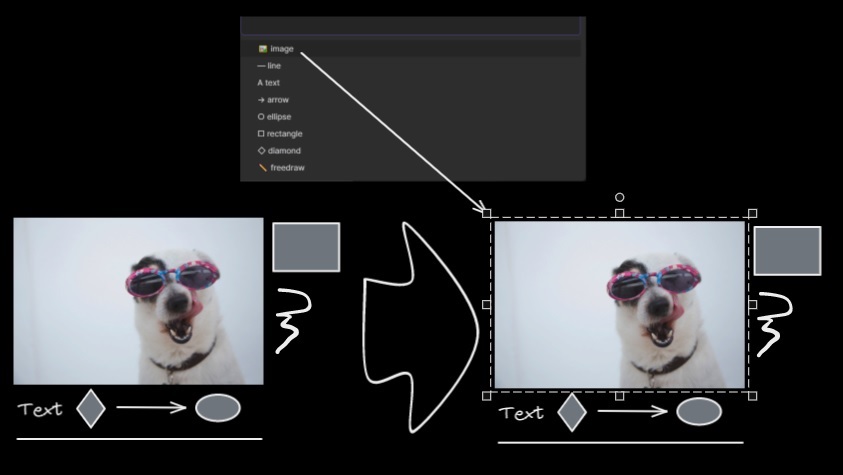 |
Select Similar Elements
https://raw.githubusercontent.com/zsviczian/obsidian-excalidraw-plugin/master/ea-scripts/Select%20Similar%20Elements.md
| Author | @zsviczian |
| Source | File on GitHub |
| Description | This script allows you to streamline your Obsidian-Excalidraw workflows by enabling the selection of elements based on similar properties. you can precisely define which attributes such as stroke color, fill style, font family, and more, should match for selection. It's perfect for large canvases where manual selection would be cumbersome. You can either run the script to find and select matching elements across the entire scene, or define a specific group of elements to apply the selection criteria within a defined timeframe.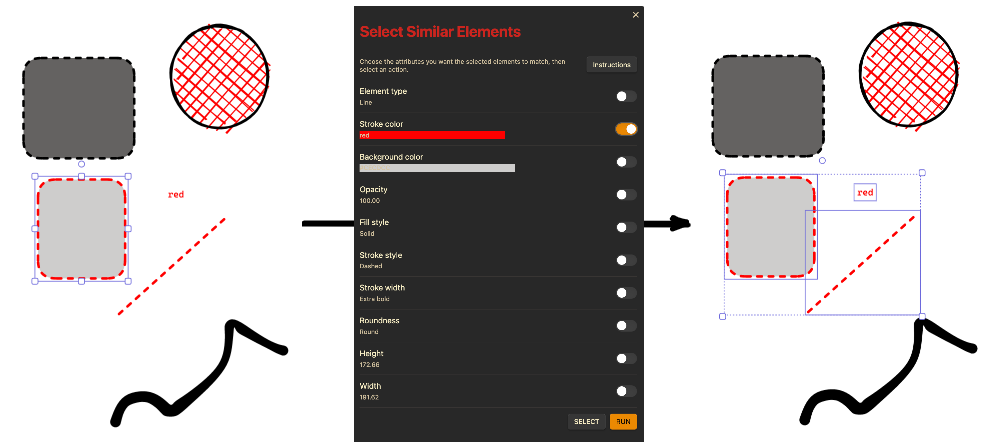 |
Reset LaTeX Size
https://raw.githubusercontent.com/zsviczian/obsidian-excalidraw-plugin/master/ea-scripts/Reset%20LaTeX%20Size.md
| Author | @firai |
| Source | File on GitHub |
| Description | Reset the sizes of embedded LaTeX equations to the default sizes or a multiple of the default sizes.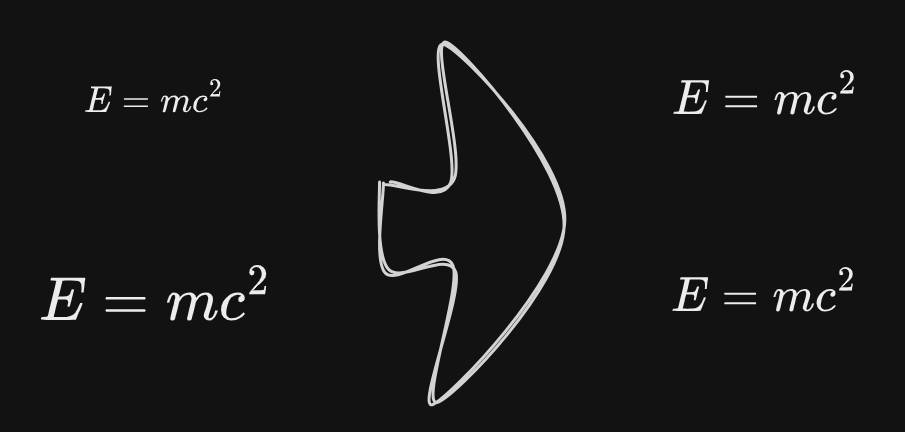 |
Set background color of unclosed line object by adding a shadow clone
https://raw.githubusercontent.com/zsviczian/obsidian-excalidraw-plugin/master/ea-scripts/Set%20background%20color%20of%20unclosed%20line%20object%20by%20adding%20a%20shadow%20clone.md
| Author | @zsviczian |
| Source | File on GitHub |
| Description | Use this script to set the background color of unclosed (i.e. open) line and freedraw objects by creating a clone of the object. The script will set the stroke color of the clone to transparent and will add a straight line to close the object. Use settings to define the default background color, the fill style, and the strokeWidth of the clone. By default the clone will be grouped with the original object, you can disable this also in settings. |
Set Dimensions
https://raw.githubusercontent.com/zsviczian/obsidian-excalidraw-plugin/master/ea-scripts/Set%20Dimensions.md
| Author | @zsviczian |
| Source | File on GitHub |
| Description | Currently there is no way to specify the exact location and size of objects in Excalidraw. You can bridge this gap with the following simple script.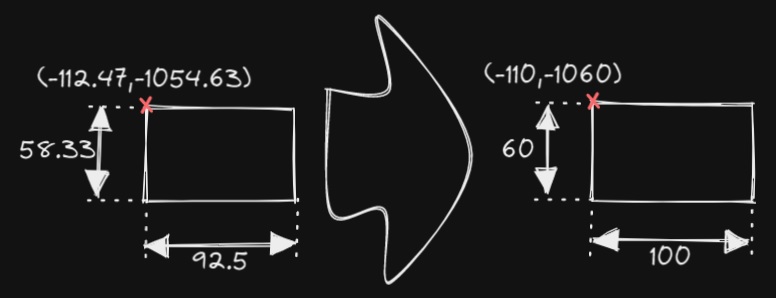 |
Set Font Family
https://raw.githubusercontent.com/zsviczian/obsidian-excalidraw-plugin/master/ea-scripts/Set%20Font%20Family.md
| Author | @zsviczian |
| Source | File on GitHub |
| Description | Sets font family of the text block (Virgil, Helvetica, Cascadia). Useful if you want to set a keyboard shortcut for selecting font family.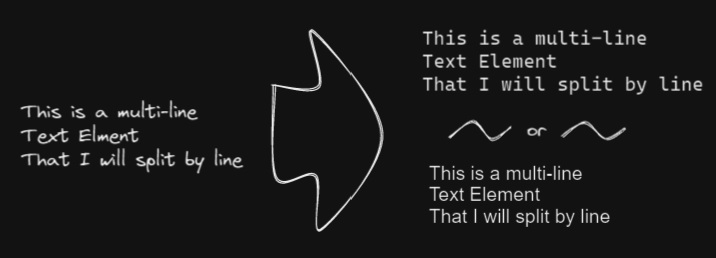 |
Set Grid
https://raw.githubusercontent.com/zsviczian/obsidian-excalidraw-plugin/master/ea-scripts/Set%20Grid.md
| Author | @zsviczian |
| Source | File on GitHub |
| Description | The default grid size in Excalidraw is 20. Currently there is no way to change the grid size via the user interface. This script offers a way to bridge this gap.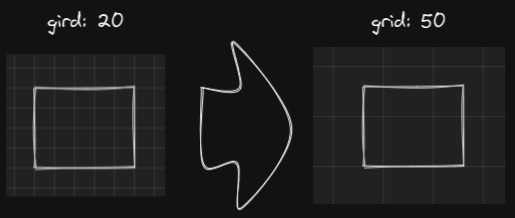 |
Set Link Alias
https://raw.githubusercontent.com/zsviczian/obsidian-excalidraw-plugin/master/ea-scripts/Set%20Link%20Alias.md
| Author | @zsviczian |
| Source | File on GitHub |
| Description | Iterates all of the links in the selected TextElements and prompts the user to set or modify the alias for each link found.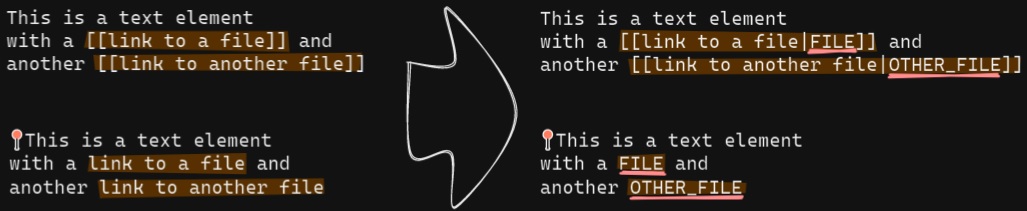 |
Set Stroke Width of Selected Elements
https://raw.githubusercontent.com/zsviczian/obsidian-excalidraw-plugin/master/ea-scripts/Set%20Stroke%20Width%20of%20Selected%20Elements.md
| Author | @zsviczian |
| Source | File on GitHub |
| Description | This script will set the stroke width of selected elements. This is helpful, for example, when you scale freedraw sketches and want to reduce or increase their line width.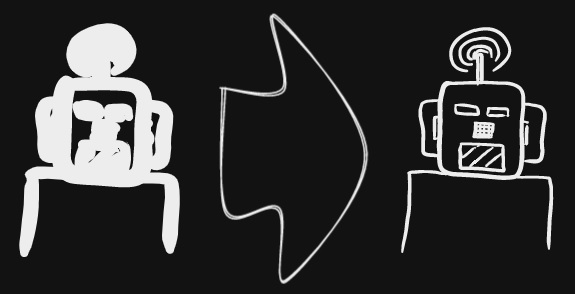 |
Set Text Alignment
https://raw.githubusercontent.com/zsviczian/obsidian-excalidraw-plugin/master/ea-scripts/Set%20Text%20Alignment.md
| Author | @zsviczian |
| Source | File on GitHub |
| Description | Sets text alignment of text block (cetner, right, left). Useful if you want to set a keyboard shortcut for selecting text alignment.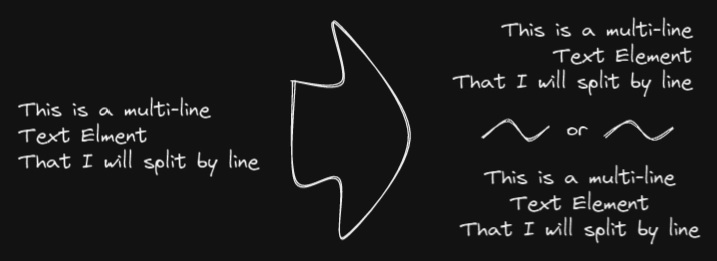 |
Shade Master
https://raw.githubusercontent.com/zsviczian/obsidian-excalidraw-plugin/master/ea-scripts/Shade%20Master.md
| Author | @zsviczian |
| Source | File on GitHub |
| Description | You can modify the colors of SVG images, embedded files, and Excalidraw elements in a drawing by changing Hue, Saturation, Lightness and Transparency; and if only a single SVG or nested Excalidraw drawing is selected, then you can remap image colors.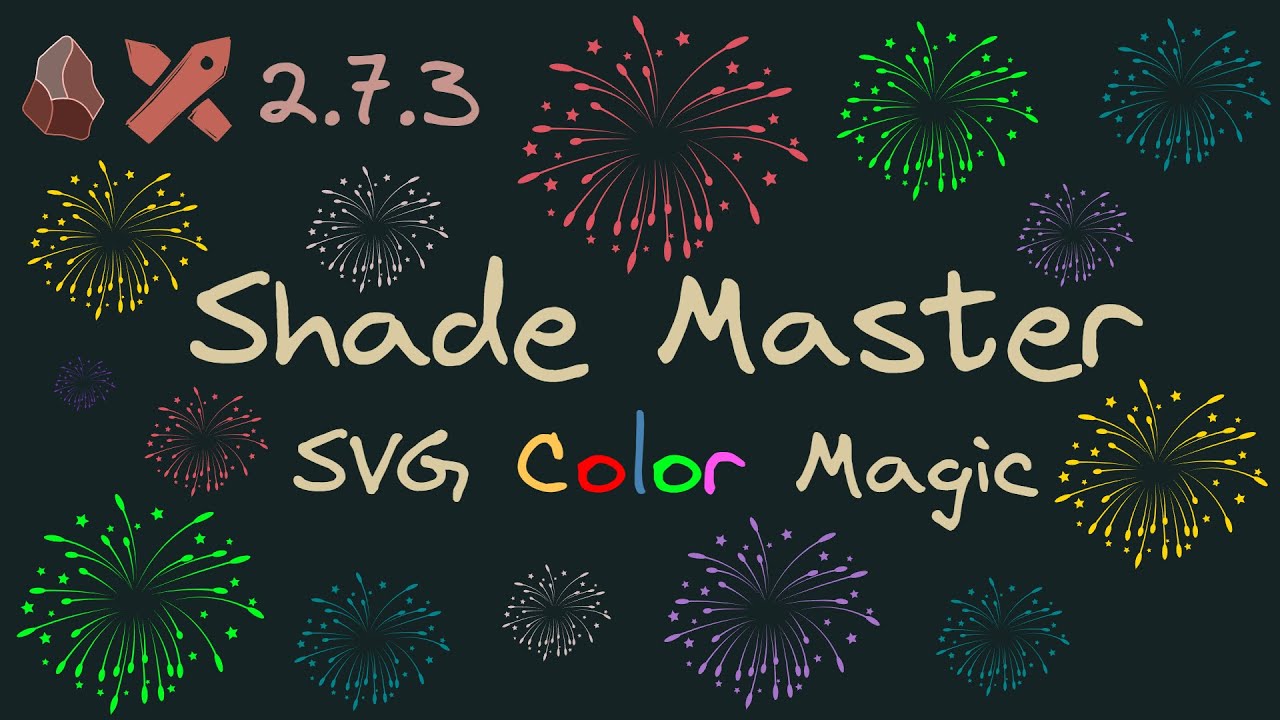 |
Slideshow
https://raw.githubusercontent.com/zsviczian/obsidian-excalidraw-plugin/master/ea-scripts/Slideshow.md
| Author | @zsviczian |
| Source | File on GitHub |
| Description | The script will convert your drawing into a slideshow presentation. |
Split Ellipse
https://raw.githubusercontent.com/zsviczian/obsidian-excalidraw-plugin/master/ea-scripts/Split%20Ellipse.md
| Author | @GColoy |
| Source | File on GitHub |
| Description | This script splits an ellipse at any point where a line intersects it. If no lines are selected, it will use every line that intersects the ellipse. Otherwise, it will only use the selected lines. If there is no intersecting line, the ellipse will be converted into a line object. There is also the option to close the object along the cut, which will close the cut in the shape of the line. 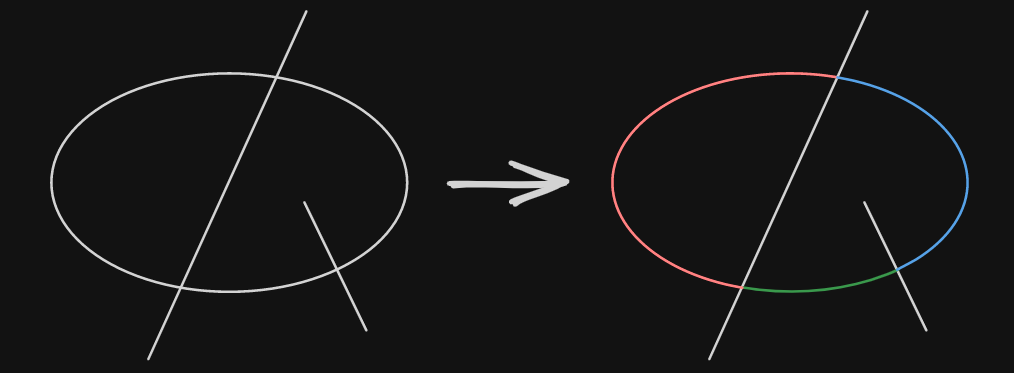  Tip: To use an ellipse as the cutting object, you first have to use this script on it, since it will convert the ellipse into a line. |
Split text by lines
https://raw.githubusercontent.com/zsviczian/obsidian-excalidraw-plugin/master/ea-scripts/Split%20text%20by%20lines.md
| Author | @zsviczian |
| Source | File on GitHub |
| Description | Split lines of text into separate text elements for easier reorganization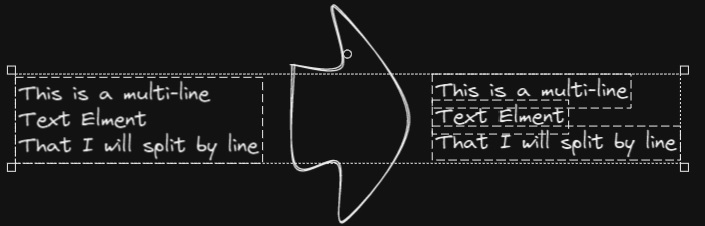 |
Text Aura
https://raw.githubusercontent.com/zsviczian/obsidian-excalidraw-plugin/master/ea-scripts/Text%20Aura.md
| Author | @zsviczian |
| Source | File on GitHub |
| Description | Select a single text element, or a text element in a container. The container must have a transparent background. The script will add an aura to the text by adding 4 copies of the text each with the inverted stroke color of the original text element and with a very small X and Y offset. The resulting 4 + 1 (original) text elements or containers will be grouped. If you copy a color string on the clipboard before running the script, the script will use that color instead of the inverted color. 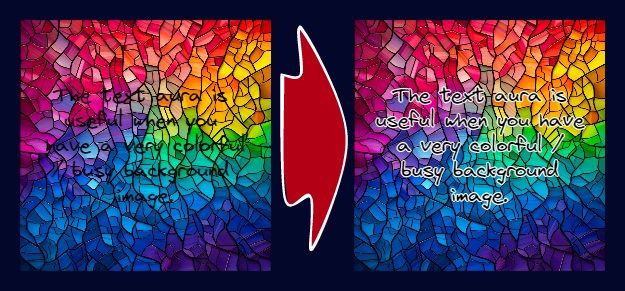 |
Text to Path
https://raw.githubusercontent.com/zsviczian/obsidian-excalidraw-plugin/master/ea-scripts/Text%20to%20Path.md
| Author | @zsviczian |
| Source | File on GitHub |
| Description | This script allows you to fit a text element along a selected path: line, arrow, freedraw, ellipse, rectangle, or diamond. You can select either a path or a text element, or both: - If only a path is selected, you will be prompted to provide the text. - If only a text element is selected and it was previously fitted to a path, the script will use the original path if it is still present in the scene. - If both a text and a path are selected, the script will fit the text to the selected path. If the path is a perfect circle, you will be prompted to choose whether to fit the text above or below the circle. After fitting, the text will no longer be editable as a standard text element or function as a markdown link. Emojis are not supported. 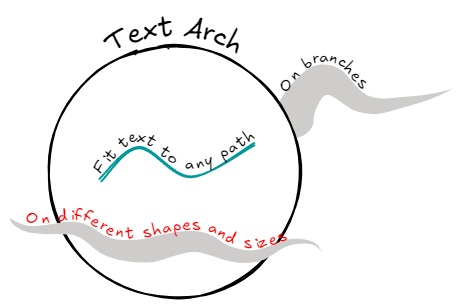 |
Toggle Grid
https://raw.githubusercontent.com/zsviczian/obsidian-excalidraw-plugin/master/ea-scripts/Toggle%20Grid.md
| Author | @GColoy |
| Source | File on GitHub |
| Description | Toggles the grid on and off. Especially useful when drawing with just a pen without a mouse or keyboard, as toggling the grid by left-clicking with the pen is sometimes quite tedious. |
Text to Sticky Notes
https://raw.githubusercontent.com/zsviczian/obsidian-excalidraw-plugin/master/ea-scripts/Text%20to%20Sticky%20Notes.md
| Author | @zsviczian |
| Source | File on GitHub |
| Description | Converts selected plain text element to sticky notes by dividing the text element line by line into separate sticky notes. The color of the stikcy note as well as the arrangement of the grid can be configured in plugin settings.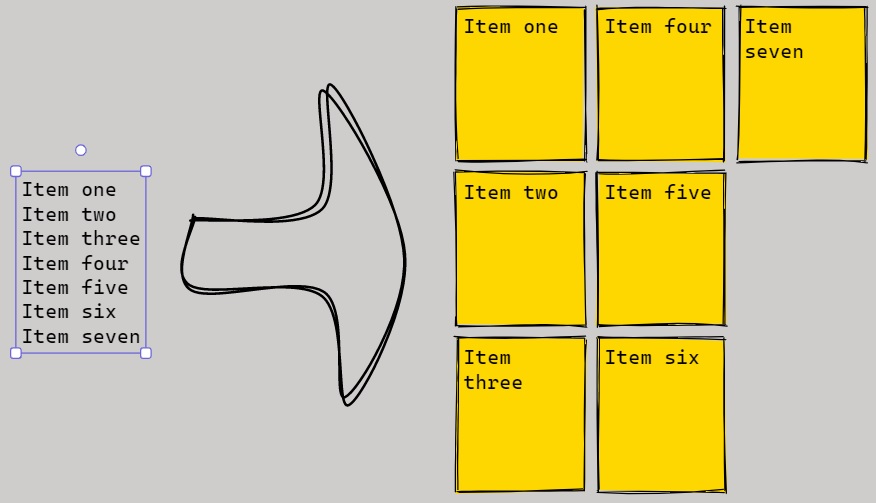 |
Uniform Size
https://raw.githubusercontent.com/zsviczian/obsidian-excalidraw-plugin/master/ea-scripts/Uniform%20size.md
| Author | @zsviczian |
| Source | File on GitHub |
| Description | 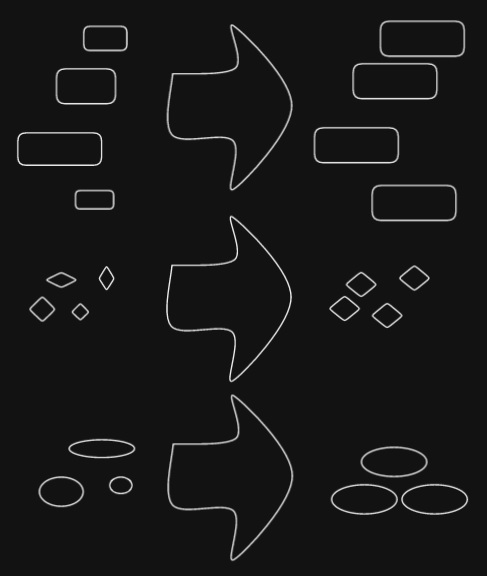 The script will standardize the sizes of rectangles, diamonds and ellipses adjusting all the elements to match the largest width and height within the group. |
Printable Layout Wizard
https://raw.githubusercontent.com/zsviczian/obsidian-excalidraw-plugin/master/ea-scripts/Printable%20Layout%20Wizard.md
| Author | @zsviczian |
| Source | File on GitHub |
| Description | Export Excalidraw to PDF Pages: Define printable page areas using frames, then export each frame as a separate page in a multi-page PDF. Perfect for turning your Excalidraw drawings into printable notes, handouts, or booklets. Supports standard and custom page sizes, margins, and easy frame arrangement. Link to video on YouTube  Link to video on YouTube 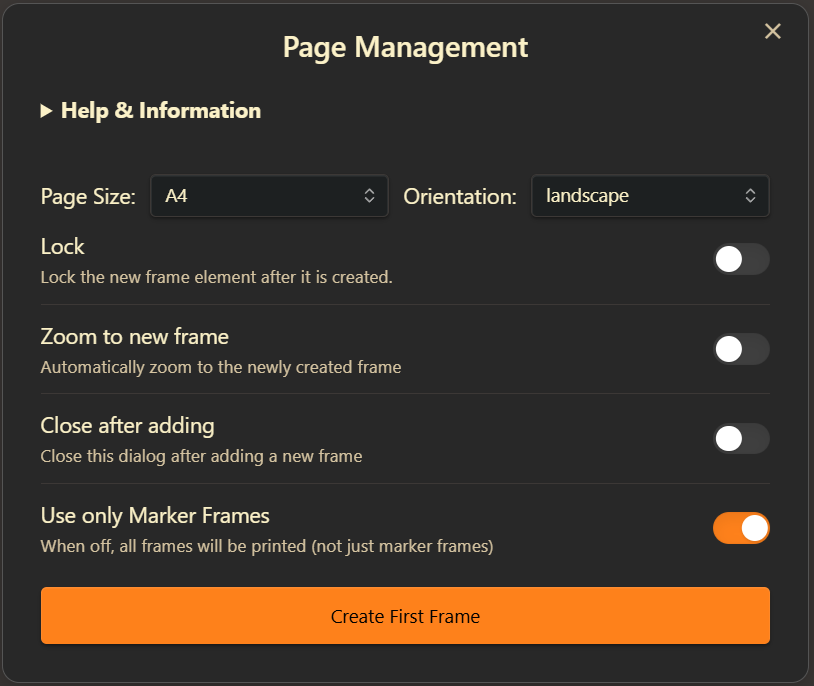 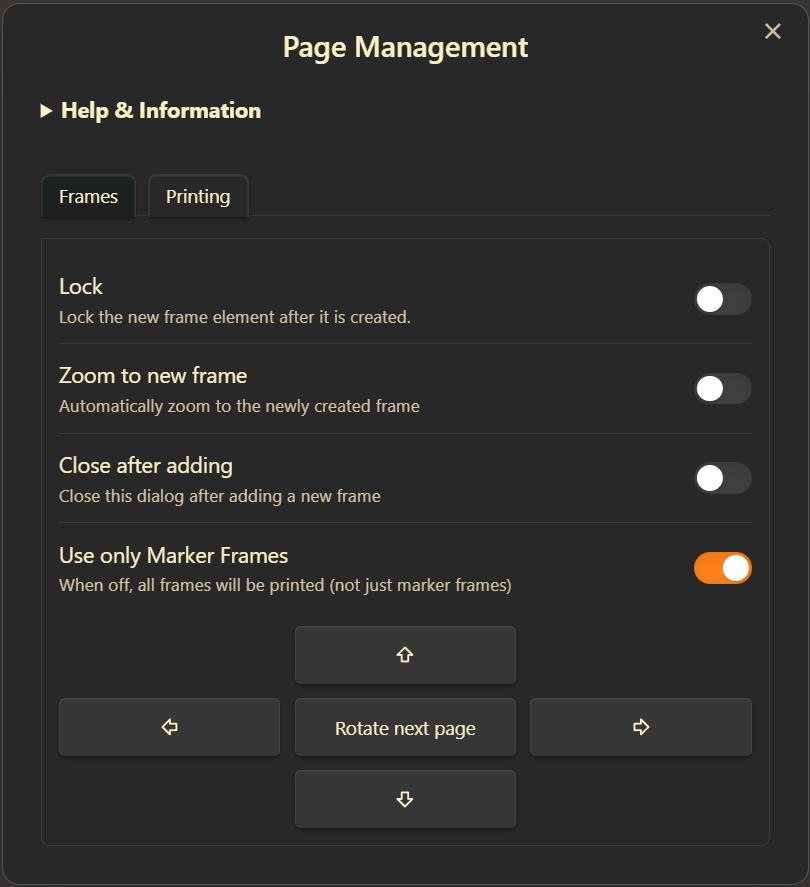 |
Zoom to Fit Selected Elements
https://raw.githubusercontent.com/zsviczian/obsidian-excalidraw-plugin/master/ea-scripts/Zoom%20to%20Fit%20Selected%20Elements.md
| Author | @zsviczian |
| Source | File on GitHub |
| Description | Similar to Excalidraw standard SHIFT+2 feature: Zoom to fit selected elements, but with the ability to zoom to 1000%. Inspiration: [#272](https://github.com/zsviczian/obsidian-excalidraw-plugin/issues/272) |
Script Sources
Add Connector Point.md
/*
This script will add a small circle to the top left of each text element in the selection and add the text and the "bullet point" into a group.
See documentation for more details: https://zsviczian.github.io/obsidian-excalidraw-plugin/ExcalidrawScriptsEngine.html
*/
elements = ea.getViewSelectedElements().filter((el)=>el.type==="text");
ea.copyViewElementsToEAforEditing(elements);
const padding = 10;
elements.forEach((el)=>{
  ea.style.strokeColor = el.strokeColor;
  const size = el.fontSize/2;
  const ellipseId = ea.addEllipse(
    el.x-padding-size,
    el.y+size/2,
    size,
    size
  );
  ea.addToGroup([el.id,ellipseId]);
});
await ea.addElementsToView(false,false,true);
Add Link to Existing File and Open.md
/*
Prompts for a file from the vault. Adds a link to the selected element pointing to the selected file. You can control in settings to open the file in the current active pane or an adjacent pane.
*/

if(!ea.verifyMinimumPluginVersion || !ea.verifyMinimumPluginVersion("1.5.21")) {
  new Notice("This script requires a newer version of Excalidraw. Please install the latest version.");
  return;
}

settings = ea.getScriptSettings();

if(!settings["Open link in active pane"]) {
  settings = {
    "Open link in active pane": {
      value: false,
      description: "Open the link in the current active pane (on) or a new pane (off)."
	},
    ...settings
  };
  ea.setScriptSettings(settings);
}

const openInCurrentPane = settings["Open link in active pane"].value;

elements = ea.getViewSelectedElements();
if(elements.length === 0) {
  new Notice("No selected elements");
  return;
}

const files = app.vault.getFiles()
const filePaths = files.map((f)=>f.path);
file = await utils.suggester(filePaths,files,"Select a file");

if(!file) return;

const link = `[[${app.metadataCache.fileToLinktext(file,ea.targetView.file.path,true)}]]`;

ea.style.backgroundColor = "transparent";
ea.style.strokeColor = "rgba(70,130,180,0.05)"
ea.style.strokeWidth = 2;
ea.style.roughness = 0;

if(elements.length===1 && elements[0].type !== "text") {
  ea.copyViewElementsToEAforEditing(elements);
	ea.getElements()[0].link = link;
} else {
  const b = ea.getBoundingBox(elements);
  const id = ea.addEllipse(b.topX+b.width-5, b.topY, 5, 5);
  ea.getElement(id).link = link;
  ea.copyViewElementsToEAforEditing(elements);
  ea.addToGroup(elements.map((e)=>e.id).concat([id]));
}
await ea.addElementsToView(false,true,true);
ea.selectElementsInView(ea.getElements());

if(openInCurrentPane) {
	app.workspace.openLinkText(file.path,ea.targetView.file.path,false);
  return;
}
ea.openFileInNewOrAdjacentLeaf(file);
Add Link to New Page and Open.md
/*
Prompts for filename. Offers option to create and open a new Markdown or Excalidraw document. Adds link pointing to the new file, to the selected objects in the drawing. You can control in settings to open the file in the current active pane or an adjacent pane.
*/

if(!ea.verifyMinimumPluginVersion || !ea.verifyMinimumPluginVersion("1.6.1")) {
  new Notice("This script requires a newer version of Excalidraw. Please install the latest version.");
  return;
}

settings = ea.getScriptSettings();

if(!settings["Open link in active pane"]) {
  settings = {
    "Open link in active pane": {
      value: false,
      description: "Open the link in the current active pane (on) or a new pane (off)."
	},
    ...settings
  };
  ea.setScriptSettings(settings);
}

const openInCurrentPane = settings["Open link in active pane"].value;

elements = ea.getViewSelectedElements();
if(elements.length === 0) {
  new Notice("No selected elements");
  return;
}

const activeFile = ea.targetView.file;
const prefix = activeFile.basename;
const timestamp = moment(Date.now()).format(ea.plugin.settings.drawingFilenameDateTime);

let fileType = "";
const filename = await utils.inputPrompt (
  "Filename for new document",
  "",
  `${prefix} - ${timestamp}`,
  [
    {
      caption: "Markdown",
      action: ()=>{fileType="md";return;}
		},
    {
      caption: "Excalidraw",
      action: ()=>{fileType="ex";return;}
    }
  ]
);

if(!filename || filename === "") return;
const filepath = activeFile.path.replace(activeFile.name,`${filename}.md`);

const file = await app.fileManager.createNewMarkdownFileFromLinktext(filepath);
if(file && fileType==="ex") {
  const blank = await app.plugins.plugins["obsidian-excalidraw-plugin"].getBlankDrawing();
  await app.vault.modify(file,blank);
  await new Promise(r => setTimeout(r, 100)); //wait for metadata cache to update, so file opens as excalidraw
}

const link = `[[${app.metadataCache.fileToLinktext(file,ea.targetView.file.path,true)}]]`;

ea.style.backgroundColor = "transparent";
ea.style.strokeColor = "rgba(70,130,180,0.05)"
ea.style.strokeWidth = 2;
ea.style.roughness = 0;

if(elements.length===1 && elements[0].type !== "text") {
  ea.copyViewElementsToEAforEditing(elements);
	ea.getElements()[0].link = link;
} else {
  const b = ea.getBoundingBox(elements);
  const id = ea.addEllipse(b.topX+b.width-5, b.topY, 5, 5);
  ea.getElement(id).link = link;
  ea.copyViewElementsToEAforEditing(elements);
  ea.addToGroup(elements.map((e)=>e.id).concat([id]));
}
await ea.addElementsToView(false,true,true);
ea.selectElementsInView(ea.getElements());

if(openInCurrentPane) {
	app.workspace.openLinkText(file.path,ea.targetView.file.path,false);
  return;
}
ea.openFileInNewOrAdjacentLeaf(file);
Add Next Step in Process.md
/*
This script will prompt you for the title of the process step, then will create a stick note with the text. If an element is selected then the script will connect this new step with an arrow to the previous step (the selected element). If no element is selected, then the script assumes this is the first step in the process and will only output the sticky note with the text that was entered.
*/

if(!ea.verifyMinimumPluginVersion || !ea.verifyMinimumPluginVersion("1.5.24")) {
  new Notice("This script requires a newer version of Excalidraw. Please install the latest version.");
  return;
}

settings = ea.getScriptSettings();
//set default values on first run
if(!settings["Starting arrowhead"]) {
	settings = {
	  "Starting arrowhead" : {
			value: "none",
      valueset: ["none","arrow","triangle","bar","dot"]
		},
		"Ending arrowhead" : {
			value: "triangle",
      valueset: ["none","arrow","triangle","bar","dot"]
		},
		"Line points" : {
			value: 0,
      description: "Number of line points between start and end"
		},
		"Gap between elements": {
			value: 100
		},
		"Wrap text at (number of characters)": {
			value: 25,
		},
		"Fix width": {
			value: true,
			description: "The object around the text should have fix width to fit the wrapped text"
		}
	};
	ea.setScriptSettings(settings);
}

const arrowStart = settings["Starting arrowhead"].value === "none" ? null : settings["Starting arrowhead"].value;
const arrowEnd = settings["Ending arrowhead"].value === "none" ? null : settings["Ending arrowhead"].value;

// workaround until https://github.com/zsviczian/obsidian-excalidraw-plugin/issues/388 is fixed
if (!arrowEnd) ea.style.endArrowHead = null;
if (!arrowStart) ea.style.startArrowHead = null;

const linePoints = Math.floor(settings["Line points"].value);
const gapBetweenElements = Math.floor(settings["Gap between elements"].value);
const wrapLineLen = Math.floor(settings["Wrap text at (number of characters)"].value);
const fixWidth = settings["Fix width"];

const textPadding = 10;
const text = await utils.inputPrompt("Text?");
const elements = ea.getViewSelectedElements();
const isFirst = (!elements || elements.length === 0);

const width = ea.measureText("w".repeat(wrapLineLen)).width;

let id = "";

if(!isFirst) {
  const fromElement = ea.getLargestElement(elements);
  ea.copyViewElementsToEAforEditing([fromElement]);

  const previousTextElements = elements.filter((el)=>el.type==="text");
  const previousRectElements = elements.filter((el)=> ['ellipse', 'rectangle', 'diamond'].includes(el.type));
  if(previousTextElements.length>0) {
    const el = previousTextElements[0];
    ea.style.strokeColor = el.strokeColor;
    ea.style.fontSize    = el.fontSize;
    ea.style.fontFamily  = el.fontFamily;
  }

	textWidth = ea.measureText(text).width;

  id = ea.addText(
    fixWidth
    ? fromElement.x+fromElement.width/2-width/2
    : fromElement.x+fromElement.width/2-textWidth/2-textPadding,
    fromElement.y+fromElement.height+gapBetweenElements,
    text,
    {
      wrapAt: wrapLineLen,
      textAlign: "center",
      textVerticalAlign: "middle",
      box: previousRectElements.length > 0 ? previousRectElements[0].type : false,
      ...fixWidth
      ? {width: width, boxPadding:0}
      : {boxPadding: textPadding}
    }
  );

  ea.connectObjects(
    fromElement.id,
    null,
    id,
    null,
    {
	  endArrowHead: arrowEnd,
	  startArrowHead: arrowStart,
	  numberOfPoints: linePoints
    }
  );

  if (previousRectElements.length>0) {
    const rect = ea.getElement(id);
    rect.strokeColor = fromElement.strokeColor;
    rect.strokeWidth = fromElement.strokeWidth;
    rect.strokeStyle = fromElement.strokeStyle;
    rect.roughness = fromElement.roughness;
    rect.roundness = fromElement.roundness;
    rect.strokeSharpness = fromElement.strokeSharpness;
    rect.backgroundColor = fromElement.backgroundColor;
    rect.fillStyle = fromElement.fillStyle;
    rect.width = fromElement.width;
    rect.height = fromElement.height;
  }

  await ea.addElementsToView(false,false);
} else {
  id = ea.addText(
    0,
    0,
    text,
    {
      wrapAt: wrapLineLen,
      textAlign: "center",
      textVerticalAlign: "middle",
      box: "rectangle",
      boxPadding: textPadding,
		  ...fixWidth?{width: width}:null
    }
  );
  await ea.addElementsToView(true,false);
}

ea.selectElementsInView([ea.getElement(id)]);
Auto Layout.md
/*

Download this file and save to your Obsidian Vault including the first line, or open it in "Raw" and copy the entire contents to Obsidian.
This script performs automatic layout for the selected top-level grouping objects. It is powered by elkjs and needs to be connected to the Internet.
See documentation for more details: https://zsviczian.github.io/obsidian-excalidraw-plugin/ExcalidrawScriptsEngine.html
*/

if (
  !ea.verifyMinimumPluginVersion ||
  !ea.verifyMinimumPluginVersion("1.5.21")
) {
  new Notice(
    "This script requires a newer version of Excalidraw. Please install the latest version."
  );
  return;
}

settings = ea.getScriptSettings();
//set default values on first run
if (!settings["Layout Options JSON"]) {
  settings = {
    "Layout Options JSON": {
      height: "450px",
      value: `{\n      "org.eclipse.elk.layered.crossingMinimization.semiInteractive": "true",\n      "org.eclipse.elk.layered.considerModelOrder.components": "FORCE_MODEL_ORDER"\n}`,
      description: `You can use layout options to configure the layout algorithm. A list of all options and further details of their exact effects is available in <a href="http://www.eclipse.org/elk/reference.html" rel="nofollow">ELK's documentation</a>.`,
    },
  };
  ea.setScriptSettings(settings);
}

if (typeof ELK === "undefined") {
  loadELK(doAutoLayout);
} else {
  doAutoLayout();
}

async function doAutoLayout() {
  const selectedElements = ea.getViewSelectedElements();
  const groups = ea
    .getMaximumGroups(selectedElements)
    .map((g) => g.filter((el) => el.containerId == null)) // ignore text in stickynote
    .filter((els) => els.length > 0);

  const stickynotesMap = selectedElements
    .filter((el) => el.containerId != null)
    .reduce((result, el) => {
      result.set(el.containerId, el);
      return result;
    }, new Map());

  const elk = new ELK();
  const knownLayoutAlgorithms = await elk.knownLayoutAlgorithms();
  const layoutAlgorithms = knownLayoutAlgorithms
    .map((knownLayoutAlgorithm) => ({
      id: knownLayoutAlgorithm.id,
      displayText:
        knownLayoutAlgorithm.id === "org.eclipse.elk.layered" ||
        knownLayoutAlgorithm.id === "org.eclipse.elk.radial" ||
        knownLayoutAlgorithm.id === "org.eclipse.elk.mrtree"
          ? "* " +
            knownLayoutAlgorithm.name +
            ": " +
            knownLayoutAlgorithm.description
          : knownLayoutAlgorithm.name + ": " + knownLayoutAlgorithm.description,
    }))
    .sort((lha, rha) => lha.displayText.localeCompare(rha.displayText));

  const layoutAlgorithmsSimple = knownLayoutAlgorithms
    .map((knownLayoutAlgorithm) => ({
      id: knownLayoutAlgorithm.id,
      displayText:
        knownLayoutAlgorithm.id === "org.eclipse.elk.layered" ||
        knownLayoutAlgorithm.id === "org.eclipse.elk.radial" ||
        knownLayoutAlgorithm.id === "org.eclipse.elk.mrtree"
          ? "* " + knownLayoutAlgorithm.name
          : knownLayoutAlgorithm.name,
    }))
    .sort((lha, rha) => lha.displayText.localeCompare(rha.displayText));

  // const knownOptions = knownLayoutAlgorithms
  //   .reduce(
  //     (result, knownLayoutAlgorithm) => [
  //       ...result,
  //       ...knownLayoutAlgorithm.knownOptions,
  //     ],
  //     []
  //   )
  //   .filter((value, index, self) => self.indexOf(value) === index) // remove duplicates
  //   .sort((lha, rha) => lha.localeCompare(rha));
  // console.log("knownOptions", knownOptions);

  const selectedAlgorithm = await utils.suggester(
    layoutAlgorithms.map((algorithmInfo) => algorithmInfo.displayText),
    layoutAlgorithms.map((algorithmInfo) => algorithmInfo.id),
    "Layout algorithm"
  );

  const knownNodePlacementStrategy = [
    "SIMPLE",
    "INTERACTIVE",
    "LINEAR_SEGMENTS",
    "BRANDES_KOEPF",
    "NETWORK_SIMPLEX",
  ];

  const knownDirections = [
    "UNDEFINED",
    "RIGHT",
    "LEFT",
    "DOWN",
    "UP"
  ];

  let nodePlacementStrategy = "BRANDES_KOEPF";
  let componentComponentSpacing = "10";
  let nodeNodeSpacing = "100";
  let nodeNodeBetweenLayersSpacing = "100";
  let discoComponentLayoutAlgorithm = "org.eclipse.elk.layered";
  let direction = "UNDEFINED";

  if (selectedAlgorithm === "org.eclipse.elk.layered") {
    nodePlacementStrategy = await utils.suggester(
      knownNodePlacementStrategy,
      knownNodePlacementStrategy,
      "Node placement strategy"
    );

    selectedDirection = await utils.suggester(
      knownDirections,
      knownDirections,
      "Direction"
    );
    direction = selectedDirection??"UNDEFINED";
  } else if (selectedAlgorithm === "org.eclipse.elk.disco") {
    const componentLayoutAlgorithms = layoutAlgorithmsSimple.filter(al => al.id !== "org.eclipse.elk.disco");
    const selectedDiscoComponentLayoutAlgorithm = await utils.suggester(
      componentLayoutAlgorithms.map((algorithmInfo) => algorithmInfo.displayText),
      componentLayoutAlgorithms.map((algorithmInfo) => algorithmInfo.id),
      "Disco Connected Components Layout Algorithm"
    );
    discoComponentLayoutAlgorithm = selectedDiscoComponentLayoutAlgorithm??"org.eclipse.elk.layered";
  }

  if (
    selectedAlgorithm === "org.eclipse.elk.box" ||
    selectedAlgorithm === "org.eclipse.elk.rectpacking"
  ) {
    nodeNodeSpacing = await utils.inputPrompt("Node Spacing", "number", "10");
  } else {
    let userSpacingStr = await utils.inputPrompt(
      "Components Spacing, Node Spacing, Node Node Between Layers Spacing",
      "number, number, number",
      "10, 100, 100"
    );
    let userSpacingArr = (userSpacingStr??"").split(",");
    componentComponentSpacing = userSpacingArr[0] ?? "10";
    nodeNodeSpacing = userSpacingArr[1] ?? "100";
    nodeNodeBetweenLayersSpacing = userSpacingArr[2] ?? "100";
  }

  let layoutOptionsJson = {};
  try {
    layoutOptionsJson = JSON.parse(settings["Layout Options JSON"].value);
  } catch (e) {
    new Notice(
      "Error reading Layout Options JSON, see developer console for more information",
      4000
    );
    console.log(e);
  }

  layoutOptionsJson["elk.algorithm"] = selectedAlgorithm;
  layoutOptionsJson["org.eclipse.elk.spacing.componentComponent"] =
    componentComponentSpacing;
  layoutOptionsJson["org.eclipse.elk.spacing.nodeNode"] = nodeNodeSpacing;
  layoutOptionsJson["org.eclipse.elk.layered.spacing.nodeNodeBetweenLayers"] =
    nodeNodeBetweenLayersSpacing;
  layoutOptionsJson["org.eclipse.elk.layered.nodePlacement.strategy"] =
    nodePlacementStrategy;
  layoutOptionsJson["org.eclipse.elk.disco.componentCompaction.componentLayoutAlgorithm"] =
    discoComponentLayoutAlgorithm;
  layoutOptionsJson["org.eclipse.elk.direction"] = direction;

  const graph = {
    id: "root",
    layoutOptions: layoutOptionsJson,
    children: [],
    edges: [],
  };

  let groupMap = new Map();
  let targetElkMap = new Map();
  let arrowEls = [];

  for (let i = 0; i < groups.length; i++) {
    const elements = groups[i];
    if (
      elements.length === 1 &&
      (elements[0].type === "arrow" || elements[0].type === "line")
    ) {
      if (
        elements[0].type === "arrow" &&
        elements[0].startBinding &&
        elements[0].endBinding
      ) {
        arrowEls.push(elements[0]);
      }
    } else {
      let elkId = "g" + i;
      elements.reduce((result, el) => {
        result.set(el.id, elkId);
        return result;
      }, targetElkMap);

      const box = ea.getBoundingBox(elements);
      groupMap.set(elkId, {
        elements: elements,
        boundingBox: box,
      });

      graph.children.push({
        id: elkId,
        width: box.width,
        height: box.height,
        x: box.topX,
        y: box.topY,
      });
    }
  }

  for (let i = 0; i < arrowEls.length; i++) {
    const arrowEl = arrowEls[i];
    const startElkId = targetElkMap.get(arrowEl.startBinding.elementId);
    const endElkId = targetElkMap.get(arrowEl.endBinding.elementId);

    graph.edges.push({
      id: "e" + i,
      sources: [startElkId],
      targets: [endElkId],
    });
  }

  const initTopX =
    Math.min(...Array.from(groupMap.values()).map((v) => v.boundingBox.topX)) -
    12;
  const initTopY =
    Math.min(...Array.from(groupMap.values()).map((v) => v.boundingBox.topY)) -
    12;

  elk
    .layout(graph)
    .then((resultGraph) => {
      for (const elkEl of resultGraph.children) {
        const group = groupMap.get(elkEl.id);
        for (const groupEl of group.elements) {
          const originalDistancX = groupEl.x - group.boundingBox.topX;
          const originalDistancY = groupEl.y - group.boundingBox.topY;
          const groupElDistanceX =
            elkEl.x + initTopX + originalDistancX - groupEl.x;
          const groupElDistanceY =
            elkEl.y + initTopY + originalDistancY - groupEl.y;

          groupEl.x = groupEl.x + groupElDistanceX;
          groupEl.y = groupEl.y + groupElDistanceY;

          if (stickynotesMap.has(groupEl.id)) {
            const stickynote = stickynotesMap.get(groupEl.id);
            stickynote.x = stickynote.x + groupElDistanceX;
            stickynote.y = stickynote.y + groupElDistanceY;
          }
        }
      }

      ea.copyViewElementsToEAforEditing(selectedElements);
      ea.addElementsToView(false, false);

      normalizeSelectedArrows();
    })
    .catch(console.error);
}

function loadELK(doAfterLoaded) {
  let script = document.createElement("script");
  script.onload = function () {
    if (typeof ELK !== "undefined") {
      doAfterLoaded();
    }
  };
  script.src =
    "https://cdn.jsdelivr.net/npm/elkjs@0.8.2/lib/elk.bundled.min.js";
  document.head.appendChild(script);
}

/*
 * Normalize Selected Arrows
 */

function normalizeSelectedArrows() {
  let gapValue = 2;

  const selectedIndividualArrows = ea.getMaximumGroups(ea.getViewSelectedElements())
    .reduce((result, g) => [...result, ...g.filter(el => el.type === 'arrow')], []);

  const allElements = ea.getViewElements();
  for (const arrow of selectedIndividualArrows) {
    const startBindingEl = allElements.filter(
      (el) => el.id === (arrow.startBinding || {}).elementId
    )[0];
    const endBindingEl = allElements.filter(
      (el) => el.id === (arrow.endBinding || {}).elementId
    )[0];

    if (startBindingEl) {
      recalculateStartPointOfLine(
        arrow,
        startBindingEl,
        endBindingEl,
        gapValue
      );
    }
    if (endBindingEl) {
      recalculateEndPointOfLine(arrow, endBindingEl, startBindingEl, gapValue);
    }
  }

  ea.copyViewElementsToEAforEditing(selectedIndividualArrows);
  ea.addElementsToView(false, false);
}

function recalculateStartPointOfLine(line, el, elB, gapValue) {
  const aX = el.x + el.width / 2;
  const bX =
    line.points.length <= 2 && elB
      ? elB.x + elB.width / 2
      : line.x + line.points[1][0];
  const aY = el.y + el.height / 2;
  const bY =
    line.points.length <= 2 && elB
      ? elB.y + elB.height / 2
      : line.y + line.points[1][1];

  line.startBinding.gap = gapValue;
  line.startBinding.focus = 0;
  const intersectA = ea.intersectElementWithLine(
    el,
    [bX, bY],
    [aX, aY],
    line.startBinding.gap
  );

  if (intersectA.length > 0) {
    line.points[0] = [0, 0];
    for (let i = 1; i < line.points.length; i++) {
      line.points[i][0] -= intersectA[0][0] - line.x;
      line.points[i][1] -= intersectA[0][1] - line.y;
    }
    line.x = intersectA[0][0];
    line.y = intersectA[0][1];
  }
}

function recalculateEndPointOfLine(line, el, elB, gapValue) {
  const aX = el.x + el.width / 2;
  const bX =
    line.points.length <= 2 && elB
      ? elB.x + elB.width / 2
      : line.x + line.points[line.points.length - 2][0];
  const aY = el.y + el.height / 2;
  const bY =
    line.points.length <= 2 && elB
      ? elB.y + elB.height / 2
      : line.y + line.points[line.points.length - 2][1];

  line.endBinding.gap = gapValue;
  line.endBinding.focus = 0;
  const intersectA = ea.intersectElementWithLine(
    el,
    [bX, bY],
    [aX, aY],
    line.endBinding.gap
  );

  if (intersectA.length > 0) {
    line.points[line.points.length - 1] = [
      intersectA[0][0] - line.x,
      intersectA[0][1] - line.y,
    ];
  }
}
Boolean Operations.md
/*
With This Script it is possible to make boolean Operations on Shapes.
The style of the resulting shape will be the style of the highest ranking Element that was used.
The ranking of the elements is based on their background. The "denser" the background, the higher the ranking (the order of backgroundstyles is shown below). If they have the same background the opacity will decide. If thats also the same its decided by the order they were created.
The ranking is also important for the difference operation, so a transparent object for example will cut a hole into a solid object.
See documentation for more details: https://zsviczian.github.io/obsidian-excalidraw-plugin/ExcalidrawScriptsEngine.html
*/
if(!ea.verifyMinimumPluginVersion || !ea.verifyMinimumPluginVersion("1.9.20")) {
  new Notice("This script requires a newer version of Excalidraw. Please install the latest version.");
  return;
}
const ShadowGroupMarker = "ShadowCloneOf-";

const elements = ea.getViewSelectedElements().filter(
  el=>["ellipse", "rectangle", "diamond"].includes(el.type) ||
    el.groupIds.some(id => id.startsWith(ShadowGroupMarker)) ||
    (["line", "arrow"].includes(el.type) && el.roundness === null)
);
if(elements.length < 2) {
  new Notice ("Select ellipses, rectangles, diamonds; or lines and arrows with sharp edges");
  return;
}

const PolyBool = ea.getPolyBool();
const polyboolAction = await utils.suggester(["union (a + b)", "intersect (a && b)", "difference (a - b)", "reversed difference (b - a)", "xor"], [
  PolyBool.union, PolyBool.intersect, PolyBool.difference, PolyBool.differenceRev, PolyBool.xor
], "What would you like todo with the object");

const shadowClones = elements.filter(element => element.groupIds.some(id => id.startsWith(ShadowGroupMarker)));
shadowClones.forEach(shadowClone => {
  let parentId = shadowClone.groupIds
    .filter(id => id.startsWith(ShadowGroupMarker))[0]
    .slice(ShadowGroupMarker.length);
  const shadowCloneIndex = elements.findIndex(element => element.id == parentId);
  if (shadowCloneIndex == -1) return;
  elements[shadowCloneIndex].backgroundColor = shadowClone.backgroundColor;
  elements[shadowCloneIndex].fillStyle = shadowClone.fillStyle;
})
const borderElements = elements.filter(element => !element.groupIds.some(id => id.startsWith(ShadowGroupMarker)));
groups = ea.getMaximumGroups(borderElements);
groups = groups.map((group) => group.sort((a, b) => RankElement(b) - RankElement(a)));
groups.sort((a, b) => RankElement(b[0]) - RankElement(a[0]));

ea.style.strokeColor = groups[0][0].strokeColor;
ea.style.backgroundColor = groups[0][0].backgroundColor;
ea.style.fillStyle = groups[0][0].fillStyle;
ea.style.strokeWidth = groups[0][0].strokeWidth;
ea.style.strokeStyle = groups[0][0].strokeStyle;
ea.style.roughness = groups[0][0].roughness;
ea.style.opacity = groups[0][0].opacity;

const basePolygons = groups.shift().map(element => traceElement(element));
const toolPolygons = groups.flatMap(group => group.map(element => traceElement(element)));

const result = polyboolAction({
  regions: basePolygons,
  inverted: false
}, {
  regions: toolPolygons,
  inverted: false
});
const polygonHierachy = subordinateInnerPolygons(result.regions);
drawPolygonHierachy(polygonHierachy);
ea.deleteViewElements(elements);
setPolygonTrue();
ea.addElementsToView(false,false,true);
return;

function setPolygonTrue() {
  ea.getElements().filter(el=>el.type==="line").forEach(el => {
    el.polygon = true;
  });
}

function traceElement(element) {
  const diamondPath = (diamond) => [
      SxVEC(1/2, [0, diamond.height]),
      SxVEC(1/2, [diamond.width, 0]),
      addVec([SxVEC(1/2, [0, diamond.height]), ([diamond.width, 0])]),
      addVec([SxVEC(1/2, [diamond.width, 0]), ([0, diamond.height])]),
      SxVEC(1/2, [0, diamond.height])
    ];
  const rectanglePath = (rectangle) => [
    [0,0],
    [0, rectangle.height],
    [rectangle.width, rectangle.height],
    [rectangle.width, 0],
    [0, 0]
  ]
  const ellipsePath = (ellipse) => {
    const angle = ellipse.angle;
    const width = ellipse.width;
    const height = ellipse.height;
    const ellipseAtPoint = (t) => {
      const spanningVector = [width/2*Math.cos(t), height/2*Math.sin(t)];
      const baseVector = [width/2, height/2];
      return addVec([spanningVector, baseVector]);
    }
    let points = [];
    step = (2*Math.PI)/64
    for (let t = 0; t < 2*Math.PI; t = t + step) {
      points.push(ellipseAtPoint(t));
    }
    return points;
  }
  let polygon;
  let correctForPolygon = [0, 0];
  switch (element.type) {
    case "diamond":
      polygon = diamondPath(element);
      break;
    case "rectangle":
      polygon = rectanglePath(element);
      break;
    case "ellipse":
      polygon = ellipsePath(element);
      break;
    case "line":
    case "arrow":
      if (element.angle != 0) {
        let smallestX = 0;
        let smallestY = 0;
        element.points.forEach(point => {
          if (point[0] < smallestX) smallestX = point[0];
          if (point[1] < smallestY) smallestY = point[1];
        });
        polygon = element.points.map(point => {
          return [
            point[0] -= smallestX,
            point[1] -= smallestY
          ];
        });
        correctForPolygon = [smallestX, smallestY];
        break;
      }
      if (element.roundness) {
        new Notice("This script does not work with curved lines or arrows yet!");
        return [];
      }
      polygon = element.points;
      default:
          break;
    }
  if (element.angle == 0) return polygon.map(v => addVec([v, [element.x, element.y]]));

  polygon = polygon.map(v => addVec([v, SxVEC(-1/2, [element.width, element.height])]));
  polygon = rotateVectorsByAngle(polygon, element.angle);
  return polygon.map(v => addVec([v, [element.x, element.y], SxVEC(1/2, [element.width, element.height]), correctForPolygon]));
}

function RankElement(element) {
  let score = 0;
  const backgroundRank = [
    "dashed",
    "none",
    "hachure",
    "zigzag",
    "zigzag-line",
    "cross-hatch",
    "solid"
  ]
  score += (backgroundRank.findIndex((fillStyle) => fillStyle == element.fillStyle) + 1) * 10;
  if (element.backgroundColor == "transparent") score -= 100;
  if (element.points && getVectorLength(element.points[element.points.length - 1]) > 8) score -= 100;
  if (score < 0) score = 0;
  score += element.opacity / 100;
  return score;
}

function drawPolygonHierachy(polygonHierachy) {
  const backgroundColor = ea.style.backgroundColor;
  const strokeColor = ea.style.strokeColor;
  const setInnerStyle = () => {
    ea.style.backgroundColor = backgroundColor;
    ea.style.strokeColor = "transparent";
  }
  const setBorderStyle = () => {
    ea.style.backgroundColor = "transparent";
    ea.style.strokeColor = strokeColor;
  }
  const setFilledStyle = () => {
    ea.style.backgroundColor = backgroundColor;
    ea.style.strokeColor = strokeColor;
  }

  polygonHierachy.forEach(polygon => {
    setFilledStyle();
    let path = polygon.path;
    path.push(polygon.path[0]);
    if (polygon.innerPolygons.length === 0) {
      ea.addLine(path);
      return;
    }
    const outerBorder = path;
    const innerPolygons = addInnerPolygons(polygon.innerPolygons);
    path = path.concat(innerPolygons.backgroundPath);
    path.push(polygon.path[0]);
    setInnerStyle();
    const backgroundId = ea.addLine(path);
    setBorderStyle();
    const outerBorderId = ea.addLine(outerBorder)
    const innerBorderIds = innerPolygons.borderPaths.map(path => ea.addLine(path));
    const allIds = [innerBorderIds, outerBorderId, backgroundId].flat();
    ea.addToGroup(allIds);
    const background = ea.getElement(backgroundId);
    background.groupIds.push(ShadowGroupMarker + outerBorderId);
  });
}

function addInnerPolygons(polygonHierachy) {
  let firstPath = [];
  let secondPath = [];
  let borderPaths = [];
  polygonHierachy.forEach(polygon => {
    let path = polygon.path;
    path.push(polygon.path[0]);
    borderPaths.push(path);
    firstPath = firstPath.concat(path);
    secondPath.push(polygon.path[0]);
    drawPolygonHierachy(polygon.innerPolygons);
  });
  return {
    backgroundPath: firstPath.concat(secondPath.reverse()),
    borderPaths: borderPaths
  };
}

function subordinateInnerPolygons(polygons) {
  const polygonObjectPrototype = (polygon) => {
    return {
      path: polygon,
      innerPolygons: []
    };
  }

  const insertPolygonIntoHierachy = (polygon, hierarchy) => {
    for (let i = 0; i < hierarchy.length; i++) {
      const polygonObject = hierarchy[i];
      let inside = null;
      let pointIndex = 0;
      do {
        inside = pointInPolygon(polygon[pointIndex], polygonObject.path);
        pointIndex++
      } while (inside === null);
      if (inside) {
        hierarchy[i].innerPolygons = insertPolygonIntoHierachy(polygon, hierarchy[i].innerPolygons);
        return hierarchy;
      }
    }
    polygon = polygonObjectPrototype(polygon);
    for (let i = 0; i < hierarchy.length; i++) {
      const polygonObject = hierarchy[i];
      let inside = null;
      let pointIndex = 0;
      do {
        inside = pointInPolygon(polygonObject.path[pointIndex], polygon.path);
        pointIndex++
      } while (inside === null);
      if (inside) {
        polygon.innerPolygons.push(hierarchy.splice(i, 1)[0]);
        i--;
      }
    }
    hierarchy.push(polygon);
    return hierarchy;
  }

  let polygonHierachy = [];
  polygons.forEach(polygon => {
    polygonHierachy = insertPolygonIntoHierachy(polygon, polygonHierachy);
  })

  return polygonHierachy;
}

/**
 * Checks if the given point lays in the polygon
 * @param point array [x, y]
 * @param polygon array [[x, y], ...]
 * @returns true if inside, false if not, null if the point is on one of the polygons vertecies
 */
function pointInPolygon(point, polygon) {
  const x = point[0];
  const y = point[1];
  let inside = false;

  // odd even test if point is in polygon
  for (let i = 0, j = polygon.length - 1; i < polygon.length; j = i++) {
    const xi = polygon[i][0];
    const yi = polygon[i][1];
    const xj = polygon[j][0];
    const yj = polygon[j][1];

    const intersect =
      yi > y !== yj > y &&
      x < ((xj - xi) * (y - yi)) / (yj - yi) + xi;

    if (intersect) {
      inside = !inside;
    }

    if ((x === xi && y === yi) || (x === xj && y === yj)) {
      return null;
    }
  }

  return inside;
}


function getVectorLength(vector) {
  return Math.sqrt(vector[0]**2+vector[1]**2);
}

/**
 * Adds two Vectors together
 */
function addVec(vectors) {
  return vectors.reduce((acc, vec) => [acc[0] + vec[0], acc[1] + vec[1]], [0, 0]);
}

/**
 * Returns the negative of the vector
 */
function negVec(vector) {
  return [-vector[0], -vector[1]];
}

/**
 * Multiplies Vector with a scalar
 */
function SxVEC(scalar, vector) {
  return [vector[0] * scalar, vector[1] * scalar];
}

function rotateVector (vec, ang)  {
  var cos = Math.cos(ang);
  var sin = Math.sin(ang);
  return [vec[0] * cos - vec[1] * sin, vec[0] * sin + vec[1] * cos];
}

function rotateVectorsByAngle(vectors, angle) {
  const cosAngle = Math.cos(angle);
  const sinAngle = Math.sin(angle);

  const rotationMatrix = [
    [cosAngle, -sinAngle],
    [sinAngle, cosAngle]
  ];

  return applyTranformationMatrix(vectors, rotationMatrix);
}

function applyTranformationMatrix(vectors, transformationMatrix) {
  const result = [];
  for (const vector of vectors) {
    const x = vector[0];
    const y = vector[1];

    const newX = transformationMatrix[0][0] * x + transformationMatrix[0][1] * y;
    const newY = transformationMatrix[1][0] * x + transformationMatrix[1][1] * y;

    result.push([newX, newY]);
  }

  return result;
}
Box Each Selected Groups.md
/*
Download this file and save to your Obsidian Vault including the first line, or open it in "Raw" and copy the entire contents to Obsidian.
This script will add encapsulating boxes around each of the currently selected groups in Excalidraw.
You can focus on content creation first, and then batch add consistent style boxes to each group of text.
Tips 1: You can copy the desired style to the global state using script Copy Selected Element Style to Global, then add boxes with the same global style using script Box Each Selected Groups.
Tips 2: Next you can use scripts Expand rectangles horizontally keep text centered and Expand rectangles vertically keep text centered to make the boxes the same size, if you wish.
Tips 3: If you want the left and right margins to be different from the top and bottom margins, input something like 32,16, this will create a box with left and right margins of 32 and top and bottom margins of 16.
See documentation for more details: https://zsviczian.github.io/obsidian-excalidraw-plugin/ExcalidrawScriptsEngine.html
*/
if(!ea.verifyMinimumPluginVersion || !ea.verifyMinimumPluginVersion("1.5.21")) {
  new Notice("This script requires a newer version of Excalidraw. Please install the latest version.");
  return;
}
settings = ea.getScriptSettings();
//set default values on first run
if(!settings["Default padding"]) {
	settings = {
	  "Prompt for padding?": true,
	  "Default padding" : {
			value: 10,
		  description: "Padding between the bounding box of the selected elements, and the box the script creates"
	  },
	  "Remember last padding?": false
	};
	ea.setScriptSettings(settings);
}

let paddingStr = settings["Default padding"].value.toString();
const rememberLastPadding = settings["Remember last padding?"];

if(settings["Prompt for padding?"]) {
	paddingStr = await utils.inputPrompt("padding?","string",paddingStr);
}
if(!paddingStr) {
	return;
}
if(rememberLastPadding) {
	settings["Default padding"].value = paddingStr;
	ea.setScriptSettings(settings);
}
var paddingLR = 0;
var paddingTB = 0;
if(paddingStr.indexOf(',') > 0) {
	const paddingParts = paddingStr.split(',');
	paddingLR = parseInt(paddingParts[0]);
	paddingTB = parseInt(paddingParts[1]);
}
else {
	paddingLR = paddingTB = parseInt(paddingStr);
}

if(isNaN(paddingLR) || isNaN(paddingTB)) {
	return;
}

const selectedElements = ea.getViewSelectedElements();
const groups = ea.getMaximumGroups(selectedElements);
const allIndividualArrows = ea.getMaximumGroups(ea.getViewElements())
	.reduce((result, group) => (group.length === 1 && (group[0].type === 'arrow' || group[0].type === 'line')) ?
			[...result, group[0]] : result, []);
for(const elements of groups) {
	if(elements.length === 1 && elements[0].type ==="arrow" || elements[0].type==="line") {
		// individual arrows or lines are not affected
		continue;
	}
	const box = ea.getBoundingBox(elements);
	color = ea
			.getExcalidrawAPI()
			.getAppState()
			.currentItemStrokeColor;
	// use current stroke with and style
	const appState = ea.getExcalidrawAPI().getAppState();
	const strokeWidth = appState.currentItemStrokeWidth;
	const strokeStyle = appState.currentItemStrokeStyle;
	const strokeSharpness = appState.currentItemStrokeSharpness;
	const roughness = appState.currentItemRoughness;
	const fillStyle = appState.currentItemFillStyle;
	const backgroundColor = appState.currentItemBackgroundColor;
	ea.style.strokeWidth = strokeWidth;
	ea.style.strokeStyle = strokeStyle;
	ea.style.strokeSharpness = strokeSharpness;
	ea.style.roughness = roughness;
	ea.style.fillStyle = fillStyle;
	ea.style.backgroundColor = backgroundColor;
	ea.style.strokeColor = color;

	const id = ea.addRect(
		box.topX - paddingLR,
		box.topY - paddingTB,
		box.width + 2*paddingLR,
		box.height + 2*paddingTB
	);

	// Change the join point in the group to the new box
	const elementsWithBounded = elements.filter(el => (el.boundElements || []).length > 0);
	const boundedElementsCollection = elementsWithBounded.reduce((result, el) => [...result, ...el.boundElements], []);
	for(const el of elementsWithBounded) {
		el.boundElements = [];
	}

	const newRect = ea.getElement(id);
	newRect.boundElements = boundedElementsCollection;

    const elementIds = elements.map(el => el.id);

	const startBindingLines = allIndividualArrows.filter(el => elementIds.includes((el.startBinding||{}).elementId));
	for(startBindingLine of startBindingLines) {
		startBindingLine.startBinding.elementId = id;
		recalculateStartPointOfLine(startBindingLine, newRect);
	}

	const endBindingLines = allIndividualArrows.filter(el => elementIds.includes((el.endBinding||{}).elementId));
	for(endBindingLine of endBindingLines) {
		endBindingLine.endBinding.elementId = id;
		recalculateEndPointOfLine(endBindingLine, newRect);
	}

	ea.copyViewElementsToEAforEditing(elements);
	ea.addToGroup([id].concat(elements.map((el)=>el.id)));
}

await ea.addElementsToView(false,false);

function recalculateStartPointOfLine(line, el) {
	const aX = el.x + el.width/2;
    const bX = line.x + line.points[1][0];
    const aY = el.y + el.height/2;
    const bY = line.y + line.points[1][1];

	line.startBinding.gap = 8;
	line.startBinding.focus = 0;
	const intersectA = ea.intersectElementWithLine(
            	el,
				[bX, bY],
            	[aX, aY],
            	line.startBinding.gap
          	);

    if(intersectA.length > 0) {
		line.points[0] = [0, 0];
		for(var i = 1; i<line.points.length; i++) {
			line.points[i][0] -= intersectA[0][0] - line.x;
			line.points[i][1] -= intersectA[0][1] - line.y;
		}
		line.x = intersectA[0][0];
		line.y = intersectA[0][1];
	}
}

function recalculateEndPointOfLine(line, el) {
	const aX = el.x + el.width/2;
    const bX = line.x + line.points[line.points.length-2][0];
    const aY = el.y + el.height/2;
    const bY = line.y + line.points[line.points.length-2][1];

	line.endBinding.gap = 8;
	line.endBinding.focus = 0;
	const intersectA = ea.intersectElementWithLine(
            	el,
				[bX, bY],
            	[aX, aY],
            	line.endBinding.gap
          	);

    if(intersectA.length > 0) {
    	line.points[line.points.length - 1] = [intersectA[0][0] - line.x, intersectA[0][1] - line.y];
	}
}
Box Selected Elements.md
/*
This script will add an encapsulating box around the currently selected elements in Excalidraw.
See documentation for more details: https://zsviczian.github.io/obsidian-excalidraw-plugin/ExcalidrawScriptsEngine.html
*/
if(!ea.verifyMinimumPluginVersion || !ea.verifyMinimumPluginVersion("1.5.21")) {
  new Notice("This script requires a newer version of Excalidraw. Please install the latest version.");
  return;
}
settings = ea.getScriptSettings();
//set default values on first run
if(!settings["Default padding"]) {
	settings = {
		"Prompt for padding?": true,
	  "Default padding" : {
			value: 10,
		  description: "Padding between the bounding box of the selected elements, and the box the script creates"
		}
	};
	ea.setScriptSettings(settings);
}

let padding = settings["Default padding"].value;

if(settings["Prompt for padding?"]) {
	padding = parseInt (await utils.inputPrompt("padding?","number",padding.toString()));
}

if(isNaN(padding)) {
  new Notice("The padding value provided is not a number");
  return;
}
elements = ea.getViewSelectedElements();
const box = ea.getBoundingBox(elements);
color = ea
        .getExcalidrawAPI()
        .getAppState()
        .currentItemStrokeColor;
//uncomment for random color:
//color = '#'+(Math.random()*0xFFFFFF<<0).toString(16).padStart(6,"0");
ea.style.strokeColor = color;
id = ea.addRect(
	box.topX - padding,
	box.topY - padding,
	box.width + 2*padding,
	box.height + 2*padding
);
ea.copyViewElementsToEAforEditing(elements);
ea.addToGroup([id].concat(elements.map((el)=>el.id)));
ea.addElementsToView(false,false);
Change shape of selected elements.md
/*
The script allows you to change the shape and fill style of selected Rectangles, Diamonds, Ellipses, Lines, Arrows and Freedraw.
*/
const fillStylesDispaly=["Dots (⚠ VERY SLOW performance on large objects!)","Zigzag","Zigzag-line", "Dashed", "Hachure", "Cross-hatch", "Solid"];
const fillStyles=["dots","zigzag","zigzag-line", "dashed", "hachure", "cross-hatch", "solid"];
const fillShapes=["ellipse","rectangle","diamond", "freedraw", "line"];
const boxShapesDispaly=["○ ellipse","□ rectangle","◇ diamond"];
const boxShapes=["ellipse","rectangle","diamond"];
const lineShapesDispaly=["- line","⭢ arrow"];
const lineShapes=["line","arrow"];

let editedElements = [];

let elements = ea.getViewSelectedElements().filter(el=>boxShapes.contains(el.type));
if (elements.length>0) {
  newShape = await utils.suggester(boxShapesDispaly, boxShapes, "Change shape of 'box' type elements in selection, press ESC to skip");
  if(newShape) {
	editedElements = elements;
    elements.forEach(el=>el.type = newShape);
  }
}

elements = ea.getViewSelectedElements().filter(el=>fillShapes.contains(el.type));
if (elements.length>0) {
  newFillStyle = await utils.suggester(fillStylesDispaly, fillStyles, "Change the fill style of elements in selection, press ESC to skip");
  if(newFillStyle) {
	editedElements = editedElements.concat(elements.filter(e=>!editedElements.some(el=>el.id===e.id)));
    elements.forEach(el=>el.fillStyle = newFillStyle);
  }
}

elements = ea.getViewSelectedElements().filter(el=>lineShapes.contains(el.type));
if (elements.length>0) {
  newShape = await utils.suggester(lineShapesDispaly, lineShapes, "Change shape of 'line' type elements in selection, press ESC to skip");
  if(newShape) {
	editedElements = editedElements.concat(elements.filter(e=>!editedElements.some(el=>el.id===e.id)));
    elements.forEach((el)=>{
	  el.type = newShape;
	  if(newShape === "arrow") {
		el.endArrowhead = "triangle";
	  }
    });
  }
}

ea.copyViewElementsToEAforEditing(editedElements);

ea.addElementsToView(false,false);
Concatenate lines.md
/*
Connects two lines. Lines may be type of arrow or line. The resulting line will carry the style of the line higher in the drawing layers (bring to front the one you want to control the look and feel). Arrows are connected intelligently.
const lines = ea.getViewSelectedElements().filter(el=>el.type==="line" || el.type==="arrow");
if(lines.length !== 2) {
  new Notice ("Select two lines or arrows");
  return;
}

//Same line but with angle=0
function getNormalizedLine(originalElement) {
  if(originalElement.angle === 0) return originalElement;

  // Get absolute coordinates for all points first
  const pointRotateRads = (point, center, angle) => {
    const [x, y] = point;
    const [cx, cy] = center;
    return [
      (x - cx) * Math.cos(angle) - (y - cy) * Math.sin(angle) + cx,
      (x - cx) * Math.sin(angle) + (y - cy) * Math.cos(angle) + cy
    ];
  };

  // Get element absolute coordinates (matching Excalidraw's approach)
  const getElementAbsoluteCoords = (element) => {
    const points = element.points;
    let minX = Infinity;
    let minY = Infinity;
    let maxX = -Infinity;
    let maxY = -Infinity;

    for (const [x, y] of points) {
      const absX = x + element.x;
      const absY = y + element.y;
      minX = Math.min(minX, absX);
      minY = Math.min(minY, absY);
      maxX = Math.max(maxX, absX);
      maxY = Math.max(maxY, absY);
    }

    return [minX, minY, maxX, maxY];
  };

  // Calculate center point based on absolute coordinates
  const [x1, y1, x2, y2] = getElementAbsoluteCoords(originalElement);
  const centerX = (x1 + x2) / 2;
  const centerY = (y1 + y2) / 2;

  // Calculate absolute coordinates of all points
  const absolutePoints = originalElement.points.map(([x, y]) => [
    x + originalElement.x,
    y + originalElement.y
  ]);

  // Rotate all points around the center
  const rotatedPoints = absolutePoints.map(point =>
    pointRotateRads(point, [centerX, centerY], originalElement.angle)
  );

  // Convert back to relative coordinates
  const newPoints = rotatedPoints.map(([x, y]) => [
    x - rotatedPoints[0][0],
    y - rotatedPoints[0][1]
  ]);

  const newLineId = ea.addLine(newPoints);

  // Set the position of the new line to the first rotated point
  const newLine = ea.getElement(newLineId);
  newLine.x = rotatedPoints[0][0];
  newLine.y = rotatedPoints[0][1];
  newLine.angle = 0;
  delete ea.elementsDict[newLine.id];
  return newLine;
}


const points = lines.map(getNormalizedLine).map(
  el=>el.points.map(p=>[p[0]+el.x, p[1]+el.y])
);

const last = (p) => p[p.length-1];
const first = (p) => p[0];
const distance = (p1,p2) => Math.sqrt((p1[0]-p2[0])**2+(p1[1]-p2[1])**2);

const distances = [
	distance(first(points[0]),first(points[1])),
	distance(first(points[0]),last (points[1])),
	distance(last (points[0]),first(points[1])),
	distance(last (points[0]),last (points[1]))
];

const connectDirection = distances.indexOf(Math.min(...distances));

let newPoints = [];
switch(connectDirection) {
	case 0: //first-first
	  newPoints = [...points[0].reverse(),...points[1].slice(1)];
	  break;
	case 1: //first-last
	  newPoints = [...points[0].reverse(),...points[1].reverse().slice(1)];
	  break;
	case 2: //last-first
	  newPoints = [...points[0],...points[1].slice(1)];
	  break;
  case 3: //last-last
	  newPoints = [...points[0],...points[1].reverse().slice(1)];
	  break;
}

["strokeColor", "backgrounColor", "fillStyle", "roundness", "roughness", "strokeWidth", "strokeStyle", "opacity"].forEach(prop=>{
	ea.style[prop] = lines[1][prop];
})

ea.style.startArrowHead = null;
ea.style.endArrowHead = null;

ea.copyViewElementsToEAforEditing(lines);
ea.getElements().forEach(el=>{el.isDeleted = true});

const lineTypes = parseInt(lines.map(line => line.type === "line" ? '1' : '0').join(''),2);

switch (lineTypes) {
  case 0: //arrow - arrow
    ea.addArrow(
      newPoints,
		  connectDirection === 0 //first-first
		  ? { startArrowHead: lines[0].endArrowhead, endArrowHead: lines[1].endArrowhead }
		  : connectDirection === 1 //first-last
		    ? { startArrowHead: lines[0].endArrowhead, endArrowHead: lines[1].startArrowhead }
		    : connectDirection === 2 //last-first
		      ? { startArrowHead: lines[0].startArrowhead, endArrowHead: lines[1].endArrowhead }
		      //3: last-last
		      : { startArrowHead: lines[0].startArrowhead, endArrowHead: lines[1].startArrowhead }
	  );
    break;
  case 1: //arrow - line
    reverse = connectDirection === 0 || connectDirection === 1;
    ea.addArrow(newPoints,{
      startArrowHead: reverse ? lines[0].endArrowhead : lines[0].startArrowhead,
      endArrowHead: reverse ? lines[0].startArrowhead : lines[0].endArrowhead
    });
    break;
  case 2: //line - arrow
    reverse = connectDirection === 1 || connectDirection === 3;
    ea.addArrow(newPoints,{
      startArrowHead: reverse ? lines[1].endArrowhead : lines[1].startArrowhead,
      endArrowHead: reverse ? lines[1].startArrowhead : lines[1].endArrowhead
    });
    break;
  case 3: //line - line
    ea.addLine(newPoints);
    break;
}


await ea.addElementsToView();
Connect elements.md
/*
This script will connect two objects with an arrow. If either of the objects are a set of grouped elements (e.g. a text element grouped with an encapsulating rectangle), the script will identify these groups, and connect the arrow to the largest object in the group (assuming you want to connect the arrow to the box around the text element).
See documentation for more details: https://zsviczian.github.io/obsidian-excalidraw-plugin/ExcalidrawScriptsEngine.html
*/
if(!ea.verifyMinimumPluginVersion || !ea.verifyMinimumPluginVersion("1.5.21")) {
  new Notice("This script requires a newer version of Excalidraw. Please install the latest version.");
  return;
}

settings = ea.getScriptSettings();
//set default values on first run
if(!settings["Starting arrowhead"]) {
	settings = {
	  "Starting arrowhead" : {
			value: "none",
      valueset: ["none","arrow","triangle","bar","dot"]
		},
		"Ending arrowhead" : {
			value: "triangle",
      valueset: ["none","arrow","triangle","bar","dot"]
		},
		"Line points" : {
			value: 1,
      description: "Number of line points between start and end"
		}
	};
	ea.setScriptSettings(settings);
}

const arrowStart = settings["Starting arrowhead"].value === "none" ? null : settings["Starting arrowhead"].value;
const arrowEnd = settings["Ending arrowhead"].value === "none" ? null : settings["Ending arrowhead"].value;
const linePoints = Math.floor(settings["Line points"].value);


const elements = ea.getViewSelectedElements();
ea.copyViewElementsToEAforEditing(elements);
groups = ea.getMaximumGroups(elements);
if(groups.length !== 2) {
  //unfortunately getMaxGroups returns duplicated resultset for sticky notes
  //needs additional filtering
  cleanGroups=[];
  idList = [];
  for (group of groups) {
    keep = true;
    for(item of group) if(idList.contains(item.id)) keep = false;
    if(keep) {
      cleanGroups.push(group);
      idList = idList.concat(group.map(el=>el.id))
    }
  }
  if(cleanGroups.length !== 2) return;
  groups = cleanGroups;
}
els = [
  ea.getLargestElement(groups[0]),
  ea.getLargestElement(groups[1])
];

ea.style.strokeColor = els[0].strokeColor;
ea.style.strokeWidth = els[0].strokeWidth;
ea.style.strokeStyle = els[0].strokeStyle;
ea.style.strokeSharpness = els[0].strokeSharpness;
ea.connectObjects(
  els[0].id,
  null,
  els[1].id,
  null,
  {
	endArrowHead: arrowEnd,
	startArrowHead: arrowStart,
	numberOfPoints: linePoints
  }
);
ea.addElementsToView(false,false,true);
Convert freedraw to line.md
/*
Convert selected freedraw objects into editable lines. This will allow you to adjust your drawings by dragging line points and will also allow you to select shape fill in case of enclosed lines. You can adjust conversion point density in settings.
*/

if(!ea.verifyMinimumPluginVersion || !ea.verifyMinimumPluginVersion("1.5.21")) {
  new Notice("This script requires a newer version of Excalidraw. Please install the latest version.");
  return;
}

settings = ea.getScriptSettings();
//set default values on first run
if(!settings["Point density"]) {
  settings = {
    "Point density" : {
      value: "7:1",
      valueset: ["1:1","2:1","3:1","4:1","5:1","6:1","7:1","8:1","9:1","10:1","11:1"],
      description: "A freedraw object has many points. Converting freedraw to a line with too many points will result in an impractical object that is hard to edit. This setting sepcifies how many points from freedraw should be averaged to form a point on the line"
    },
  };
  ea.setScriptSettings(settings);
}

const scale = settings["Point density"].value;
const setSize = parseInt(scale.substring(0,scale.indexOf(":")));

const elements = ea.getViewSelectedElements().filter(el=>el.type==="freedraw");
if(elements.length === 0) {
	new Notice("No freedraw object is selected");
}


ea.style.roughness=0;
ea.style.strokeSharpness="round";

elements.forEach((el)=>{
	points = [];
  points.push(el.points[0]);
  for(i=1;i<el.points.length;i+=setSize) {
		point = [0,0];
    count = 0;
    for(p of el.points.slice(i,i+setSize)) {
			point = [ point[0]+p[0] , point[1]+p[1] ];
			count++;
		}
		point = [point[0]/count,point[1]/count];
	  points.push(point);
	}
	const lineId = ea.addLine(points);
  const line = ea.getElement(lineId);
  line.strokeWidth = el.strokeWidth*3;
  line.strokeColor = el.strokeColor;
  line.width = el.width;
  line.height = el.height;
  line.x = el.x;
  line.y = el.y;
});

ea.deleteViewElements(elements);
await ea.addElementsToView(false,false,true);
ea.selectElementsInView(ea.getElements());
Convert selected text elements to sticky notes.md
/*
Converts selected plain text elements to sticky notes with transparent background and transparent stroke color. Essentially converts text element into a wrappable format.
*/
if(!ea.verifyMinimumPluginVersion || !ea.verifyMinimumPluginVersion("1.5.21")) {
  new Notice("This script requires a newer version of Excalidraw. Please install the latest version.");
  return;
}
let settings = ea.getScriptSettings();
//set default values on first run
if(!settings["Border color"]) {
	settings = {
	  "Border color" : {
			value: "#000000",
      description: "Any legal HTML color (#000000, rgb, color-name, etc.). Set to 'transparent' for transparent color."
		},
		"Background color" : {
			value: "transparent",
      description: "Background color of the sticky note. Set to 'transparent' for transparent color."
		},
		"Background fill style" : {
			value: "solid",
      description: "Fill style of the sticky note",
		  valueset: ["hachure","cross-hatch","solid"]
		}
	};
	await ea.setScriptSettings(settings);
}

if(!settings["Max sticky note width"]) {
  settings["Max sticky note width"] = {
    value: "600",
    description: "Maximum width of new sticky note. If text is longer, it will be wrapped",
	  valueset: ["400","600","800","1000","1200","1400","2000"]
  }
  await ea.setScriptSettings(settings);
}
const maxWidth = parseInt(settings["Max sticky note width"].value);
const strokeColor = settings["Border color"].value;
const backgroundColor = settings["Background color"].value;
const fillStyle = settings["Background fill style"].value;

const elements = ea
  .getViewSelectedElements()
  .filter((el)=>(el.type==="text")&&(el.containerId===null));
if(elements.length===0) {
  new Notice("Please select a text element");
  return;
}
ea.style.strokeColor = strokeColor;
ea.style.backgroundColor = backgroundColor;
ea.style.fillStyle = fillStyle;
const padding = 6;
const boxes = [];
ea.copyViewElementsToEAforEditing(elements);
ea.getElements().forEach((el)=>{
  const width = el.width+2*padding;
  const widthOK = width<=maxWidth;
  const id = ea.addRect(el.x-padding,el.y-padding,widthOK?width:maxWidth,el.height+2*padding);
  boxes.push(id);
  ea.getElement(id).boundElements=[{type:"text",id:el.id}];
  el.containerId = id;
});
await ea.addElementsToView(false,true);
const containers = ea.getViewElements().filter(el=>boxes.includes(el.id));
ea.getExcalidrawAPI().updateContainerSize(containers);
ea.selectElementsInView(containers);
Convert text to link with folder and alias.md
/*
Download this file and save to your Obsidian Vault including the first line, or open it in "Raw" and copy the entire contents to Obsidian.
Converts text elements to links pointing to a file in a selected folder and with the alias set as the original text. The script will prompt the user to select an existing folder from the vault.
original text => [[selected folder/original text|original text]]
See documentation for more details: https://zsviczian.github.io/obsidian-excalidraw-plugin/ExcalidrawScriptsEngine.html
*/
folders = new Set();
app.vault.getFiles().forEach((f)=>
  folders.add(f.path.substring(0,f.path.lastIndexOf("/")))
);

f = Array.from(folders);
folder = await utils.suggester(f,f);
folder = folder??""; //if exiting suggester with ESC
folder = folder === "" ? folder : folder + "/";

elements = ea.getViewSelectedElements().filter((el)=>el.type==="text");

elements.forEach((el)=>{
  el.rawText = "[["+folder+el.rawText+"|"+el.rawText+"]]";
  el.text = "[["+folder+el.text+"|"+el.text+"]]";
  el.originalText = "[["+folder+el.originalText+"|"+el.originalText+"]]";
})
ea.copyViewElementsToEAforEditing(elements);
ea.addElementsToView();
Copy Selected Element Styles to Global.md
/*
Download this file and save to your Obsidian Vault including the first line, or open it in "Raw" and copy the entire contents to Obsidian.
This script will copy styles of any selected element into Excalidraw's global styles.
After copying the styles of element such as box, text, or arrow using this script, You can then use Excalidraw's box, arrow, and other tools to create several elements with the same style. This is sometimes more convenient than Copy Styles and Paste Styles, especially when used with the script Box Each Selected Groups.
See documentation for more details: https://zsviczian.github.io/obsidian-excalidraw-plugin/ExcalidrawScriptsEngine.html
*/

const element = ea.getViewSelectedElement();
const appState = ea.getExcalidrawAPI().getAppState();

if(!element) {
	return;
}

appState.currentItemStrokeWidth = element.strokeWidth;
appState.currentItemStrokeStyle = element.strokeStyle;
appState.currentItemStrokeSharpness = element.strokeSharpness;
appState.currentItemRoughness = element.roughness;
appState.currentItemFillStyle = element.fillStyle;
appState.currentItemBackgroundColor = element.backgroundColor;
appState.currentItemStrokeColor = element.strokeColor;

if(element.type === 'text') {
	appState.currentItemFontFamily = element.fontFamily;
	appState.currentItemFontSize = element.fontSize;
	appState.currentItemTextAlign = element.textAlign;
}

if(element.type === 'arrow') {
	appState.currentItemStartArrowhead = element.startArrowhead;
	appState.currentItemEndArrowhead = element.endArrowhead;
}
Create DrawIO file.md
/* Creates a new draw.io diagram file and opens the file in the Diagram plugin in a new tab.
if(!ea.verifyMinimumPluginVersion || !ea.verifyMinimumPluginVersion("1.9.7")) {
new Notice("This script requires a newer version of Excalidraw. Please install the latest version.");
return;
}
const drawIO = app.plugins.plugins["drawio-obsidian"];
if(!drawIO || !drawIO?._loaded) {
new Notice("Can't find the draw.io diagram plugin");
}
filename = await utils.inputPrompt("Diagram name?");
if(!filename) return;
filename = filename.toLowerCase().endsWith(".svg") ? filename : filename + ".svg";
const filepath = await ea.getAttachmentFilepath(filename);
if(!filepath) return;
const leaf = app.workspace.getLeaf('tab')
if(!leaf) return;
const file = await this.app.vault.create(filepath, `<?xml version="1.0" encoding="UTF-8"?><!DOCTYPE svg PUBLIC "-//W3C//DTD SVG 1.1//EN" "http://www.w3.org/Graphics/SVG/1.1/DTD/svg11.dtd"><!--${ea.generateElementId()}--><svg xmlns="http://www.w3.org/2000/svg" xmlns:xlink="http://www.w3.org/1999/xlink" version="1.1" width="300px" height="300px" viewBox="-0.5 -0.5 1 1" content="<mxGraphModel><root><mxCell id="0"/><mxCell id="1" parent="0"/></root></mxGraphModel>"></svg>`);
await ea.addImage(0,0,file);
await ea.addElementsToView(true,true);
leaf.setViewState({
type: "diagram-edit",
state: {
file: filepath
}
});
Create new markdown file and embed into active drawing.md
/*
Download this file and save to your Obsidian Vault including the first line, or open it in "Raw" and copy the entire contents to Obsidian.
The script will prompt you for a filename, then create a new markdown document with the file name provided, open the new markdown document in an adjacent pane, and embed the markdown document into the active Excalidraw drawing.
See documentation for more details: https://zsviczian.github.io/obsidian-excalidraw-plugin/ExcalidrawScriptsEngine.html
*/
let folder = ea.targetView.file.path;
folder = folder.lastIndexOf("/")===-1?"":folder.substring(0,folder.lastIndexOf("/"))+"/";
const fname = await utils.inputPrompt("Filename for new file","Filename",folder);
const file = await app.fileManager.createAndOpenMarkdownFile(fname,true);
await ea.addImage(0,0,file);
ea.addElementsToView(true,true);
Crop Vintage Mask.md
/*
Adds a rounded mask to the image by adding a full cover black mask and a rounded rectangle white mask. The script is also useful for adding just a black mask. In this case, run the script, then delete the white mask and add your custom white mask.
if(!ea.verifyMinimumPluginVersion || !ea.verifyMinimumPluginVersion("2.0.18")) {
  new Notice("This script requires a newer version of Excalidraw. Please install the latest version.");
  return;
}

if(!ea.isExcalidrawMaskFile()) {
  new Notice("This script only works with Mask Files");
  return;
}

const frames = ea.getViewElements().filter(el=>el.type==="frame")
if(frames.length !== 1) {
  new Notice("Multiple frames found");
  return;
}
const frame = frames[0];
ea.copyViewElementsToEAforEditing(ea.getViewElements().filter(el=>el.frameId === frame.id));
const frameId = ea.generateElementId();
ea.style.fillStyle = "solid";
ea.style.roughness = 0;
ea.style.strokeColor = "transparent";
ea.style.strokeWidth = 0.1;
ea.style.opacity = 50;

let blackEl = ea.getViewElements().find(el=>el.id === "allblack");
let whiteEl = ea.getViewElements().find(el=>el.id === "whiteovr");

if(blackEl && whiteEl) {
  ea.copyViewElementsToEAforEditing([blackEl, whiteEl]);
} else
if (blackEl && !whiteEl) {
  ea.copyViewElementsToEAforEditing([blackEl]);
  ea.style.backgroundColor = "white";
  ea.addRect(frame.x,frame.y,frame.width,frame.height, "whiteovr");
} else
if (!blackEl && whiteEl) {
  ea.style.backgroundColor = "black";
  ea.addRect(frame.x-2,frame.y-2,frame.width+4,frame.height+4, "allblack");
  ea.copyViewElementsToEAforEditing([whiteEl]);
} else {
  ea.style.backgroundColor = "black";
  ea.addRect(frame.x-2,frame.y-2,frame.width+4,frame.height+4, "allblack");
  ea.style.backgroundColor = "white";
  ea.addRect(frame.x,frame.y,frame.width,frame.height, "whiteovr");
}
blackEl = ea.getElement("allblack");
whiteEl = ea.getElement("whiteovr");

//this "magic" is required to ensure the frame element is above in sequence of the new rectangle elements
ea.getElements().forEach(el=>{el.frameId = frameId});
ea.copyViewElementsToEAforEditing(ea.getViewElements().filter(el=>el.id === frame.id));
const newFrame = ea.getElement(frame.id);
newFrame.id = frameId;
ea.elementsDict[frameId] = newFrame;
ea.copyViewElementsToEAforEditing(ea.getViewElements().filter(el=>el.id === frame.id));
ea.getElement(frame.id).isDeleted = true;

let curve = await utils.inputPrompt(
  "Set roundess",
  "Positive whole number",
  `${whiteEl.roundness?.value ?? "500"}`
);

if(!curve) return;
curve = parseInt(curve);
if(isNaN(curve) || curve < 0) {
  new Notice ("Roudness is not a valid positive whole number");
  return;
}
whiteEl.roundness = {type: 3, value: curve};
ea.addElementsToView(false,false,true);
Custom Zoom.md
/* You can set a custom zoom level with this script. This allows you to set a zoom level below 10% or set the zoom level to a specific value. Note however, that Excalidraw has a bug under 10% zoom, and a phantom copy of your image may appear on screen. If this happens, increase the zoom and the phantom should disappear, if it doesn't then close and open the drawing.
const api = ea.getExcalidrawAPI();
const appState = api.getAppState();
const zoomStr = await utils.inputPrompt("Zoom [%]",null,`${appState.zoom.value*100}%`);
if(!zoomStr) return;
const zoomNum = parseFloat(zoomStr.match(/^\d*/)[0]);
if(isNaN(zoomNum)) {
  new Notice("You must provide a number");
  return;
}

ea.getExcalidrawAPI().updateScene({appState:{zoom:{value: zoomNum/100 }}});
Darken background color.md
/*
Download this file and save to your Obsidian Vault including the first line, or open it in "Raw" and copy the entire contents to Obsidian.
This script darkens the background color of the selected element by 2% at a time.
You can use this script several times until you are satisfied. It is recommended to set a shortcut key for this script so that you can quickly try to DARKEN and LIGHTEN the color effect.
In contrast to the Modify background color opacity script, the advantage is that the background color of the element is not affected by the canvas color, and the color value does not appear in a strange rgba() form.
The color conversion method was copied from color-convert.
*/

if(!ea.verifyMinimumPluginVersion || !ea.verifyMinimumPluginVersion("1.7.19")) {
  new Notice("This script requires a newer version of Excalidraw. Please install the latest version.");
  return;
}

let settings = ea.getScriptSettings();
//set default values on first run
if(!settings["Step size"]) {
  settings = {
    "Step size" : {
      value: 2,
      description: "Step size in percentage for making the color darker"
    }
  };
  ea.setScriptSettings(settings);
}

const step = settings["Step size"].value;

const elements = ea
  .getViewSelectedElements()
  .filter((el) =>
    ["rectangle", "ellipse", "diamond", "image", "line", "freedraw"].includes(el.type)
  );
ea.copyViewElementsToEAforEditing(elements);
for (const el of ea.getElements()) {
  const color = ea.colorNameToHex(el.backgroundColor);
  const cm = ea.getCM(color);
  if (cm) {
	  const darker = cm.darkerBy(step);
	  if(Math.floor(darker.lightness)>0) el.backgroundColor = darker.stringHSL();
  }
}
await ea.addElementsToView(false, false);
Deconstruct selected elements into new drawing.md
/*
Select some elements in the scene. The script will take these elements and move them into a new Excalidraw file, and open that file. The selected elements will also be replaced in your original drawing with the embedded Excalidraw file (the one that was just created). You will be prompted for the file name of the new deconstructed image. The script is useful if you want to break a larger drawing into smaller reusable parts that you want to reference in multiple drawings.

*/
if(!ea.verifyMinimumPluginVersion || !ea.verifyMinimumPluginVersion("2.7.3")) {
  new Notice("This script requires a newer version of Excalidraw. Please install the latest version.");
  return;
}

// -------------------------------
// Utility variables and functions
// -------------------------------
const excalidrawTemplates = ea.getListOfTemplateFiles();
if(typeof window.ExcalidrawDeconstructElements === "undefined") {
  window.ExcalidrawDeconstructElements = {
    openDeconstructedImage: true,
    templatePath: excalidrawTemplates?.[0].path??""
  };
}

const splitFolderAndFilename = (filepath) => {
  const lastIndex = filepath.lastIndexOf("/");
  return {
    foldername: ea.obsidian.normalizePath(filepath.substring(0, lastIndex)),
    filename: (lastIndex == -1 ? filepath : filepath.substring(lastIndex + 1)) + ".md"
  };
}

let settings = ea.getScriptSettings();
//set default values on first run
if(!settings["Templates"]) {
  settings = {
    "Templates" : {
      value: "",
      description: "Comma-separated list of template filepaths"
    }
  };
  await ea.setScriptSettings(settings);
}

if(!settings["Default file name"]) {
  settings["Default file name"] = {
    value: "deconstructed",
    description: "The default filename to use when deconstructing elements."
  };
  await ea.setScriptSettings(settings);
}

const DEFAULT_FILENAME = settings["Default file name"].value;

const templates = settings["Templates"]
  .value
  .split(",")
  .map(p=>app.metadataCache.getFirstLinkpathDest(p.trim(),""))
  .concat(excalidrawTemplates)
  .filter(f=>Boolean(f))
  .sort((a,b) => a.basename.localeCompare(b.basename));


// ------------------------------------
// Prepare elements to be deconstructed
// ------------------------------------
const els = ea.getViewSelectedElements();
if (els.length === 0) {
  new Notice("You must select elements first")
  return;
}

const bb = ea.getBoundingBox(els);
ea.copyViewElementsToEAforEditing(els);

ea.getElements().filter(el=>el.type==="image").forEach(el=>{
  const img = ea.targetView.excalidrawData.getFile(el.fileId);
  const path = (img?.linkParts?.original)??(img?.file?.path);
  const hyperlink = img?.hyperlink;
  if(img && (path || hyperlink)) {
	const colorMap = ea.getColorMapForImageElement(el);
    ea.imagesDict[el.fileId] = {
      mimeType: img.mimeType,
      id: el.fileId,
      dataURL: img.img,
      created: img.mtime,
      file: path,
      hyperlink,
      hasSVGwithBitmap: img.isSVGwithBitmap,
      latex: null,
      colorMap,
    };
    return;
  }
  const equation = ea.targetView.excalidrawData.getEquation(el.fileId);
  eqImg = ea.targetView.getScene()?.files[el.fileId]
  if(equation && eqImg) {
    ea.imagesDict[el.fileId] = {
      mimeType: eqImg.mimeType,
      id: el.fileId,
      dataURL: eqImg.dataURL,
      created: eqImg.created,
      file: null,
      hasSVGwithBitmap: null,
      latex: equation.latex,
    };
    return;
  }
});


// ------------
// Input prompt
// ------------
let shouldAnchor = false;
const actionButtons = [
  {
    caption: "Insert @100%",
    tooltip: "Anchor to 100% size",
    action: () => {
      shouldAnchor = true;
    }
  },
  {
    caption: "Insert",
    tooltip: "Insert without anchoring",
    action: () => {
      shouldAnchor = false;
    }
  }];

const customControls =  (container) => {
  new ea.obsidian.Setting(container)
    .setName(`Select template`)
    .addDropdown(dropdown => {
      templates.forEach(file => dropdown.addOption(file.path, file.basename));
      if(templates.length === 0) dropdown.addOption(null, "none");
      dropdown
        .setValue(window.ExcalidrawDeconstructElements.templatePath)
        .onChange(value => {
           window.ExcalidrawDeconstructElements.templatePath = value;
        })
    })

  new ea.obsidian.Setting(container)
    .setName(`Open deconstructed image`)
    .addToggle((toggle) => toggle
      .setValue(window.ExcalidrawDeconstructElements.openDeconstructedImage)
      .onChange(value => {
        window.ExcalidrawDeconstructElements.openDeconstructedImage = value;
      })
    )
}

const path = await utils.inputPrompt(
  "Filename for new file",
  "Filename",
  await ea.getAttachmentFilepath(DEFAULT_FILENAME),
  actionButtons,
  2,
  false,
  customControls
);

if(!path) return;

// ----------------------
// Execute deconstruction
// ----------------------
const {foldername, filename} = splitFolderAndFilename(path);

const newPath = await ea.create ({
  filename,
  foldername,
  templatePath: window.ExcalidrawDeconstructElements.templatePath,
  onNewPane: true,
  silent: !window.ExcalidrawDeconstructElements.openDeconstructedImage
});

let f = app.vault.getAbstractFileByPath(newPath);
let counter = 0;
while((!f || !ea.isExcalidrawFile(f)) && counter++<100) {
  await sleep(50);
  f = app.vault.getAbstractFileByPath(newPath);
}

if(!f || !ea.isExcalidrawFile(f)) {
  new Notice("Something went wrong");
  return;
}

let padding = parseFloat(app.metadataCache.getCache(f.path)?.frontmatter["excalidraw-export-padding"]);
if(isNaN(padding)) {
  padding = ea.plugin.settings.exportPaddingSVG;
}

ea.getElements().forEach(el=>el.isDeleted = true);
await ea.addImage(bb.topX-padding,bb.topY-padding,f,false, shouldAnchor);
await ea.addElementsToView(false, true, true);
ea.getExcalidrawAPI().history.clear();
if(!window.ExcalidrawDeconstructElements.openDeconstructedImage) {
  new Notice("Deconstruction ready");
}
Elbow connectors.md
/*
Download this file and save to your Obsidian Vault including the first line, or open it in "Raw" and copy the entire contents to Obsidian.
This script converts the selected connectors to elbows.
See documentation for more details: https://zsviczian.github.io/obsidian-excalidraw-plugin/ExcalidrawScriptsEngine.html
*/
const selectedCenterConnectPoints = await utils.suggester(
    ['Yes', 'No'],
    [true, false],
    "Center connect points?"
  );
const centerConnectPoints = selectedCenterConnectPoints??false;

const allElements = ea.getViewElements();
const elements = ea.getViewSelectedElements();

const lines = elements.filter((el)=>el.type==="arrow" || el.type==="line");

for (const line of lines) {
  if (line.points.length >= 3) {
    if(centerConnectPoints) {
      const startBindingEl = allElements.filter(el => el.id === (line.startBinding||{}).elementId)[0];
	    const endBindingEl = allElements.filter(el => el.id === (line.endBinding||{}).elementId)[0];

      if(startBindingEl) {
        const startPointX = line.x +line.points[0][0];
        if(startPointX >= startBindingEl.x && startPointX <= startBindingEl.x + startBindingEl.width) {
          line.points[0][0] = startBindingEl.x + startBindingEl.width / 2 - line.x;
        }

        const startPointY = line.y +line.points[0][1];
        if(startPointY >= startBindingEl.y && startPointY <= startBindingEl.y + startBindingEl.height) {
          line.points[0][1] = startBindingEl.y + startBindingEl.height / 2 - line.y;
        }
      }

      if(endBindingEl) {
        const startPointX = line.x +line.points[line.points.length-1][0];
        if(startPointX >= endBindingEl.x && startPointX <= endBindingEl.x + endBindingEl.width) {
          line.points[line.points.length-1][0] = endBindingEl.x + endBindingEl.width / 2 - line.x;
        }

        const startPointY = line.y +line.points[line.points.length-1][1];
        if(startPointY >= endBindingEl.y && startPointY <= endBindingEl.y + endBindingEl.height) {
          line.points[line.points.length-1][1] = endBindingEl.y + endBindingEl.height / 2 - line.y;
        }
      }
    }

    for (var i = 0; i < line.points.length - 2; i++) {
      var p1;
      var p3;
      if (line.points[i][0] < line.points[i + 2][0]) {
        p1 = line.points[i];
        p3 = line.points[i+2];
      } else {
        p1 = line.points[i + 2];
        p3 = line.points[i];
      }
      const p2 = line.points[i + 1];

      if (p1[0] === p3[0]) {
        continue;
      }

      const k = (p3[1] - p1[1]) / (p3[0] - p1[0]);
      const b = p1[1] - k * p1[0];

      y0 = k * p2[0] + b;
      const up = p2[1] < y0;

      if ((k > 0 && !up) || (k < 0 && up)) {
        p2[0] = p1[0];
        p2[1] = p3[1];
      } else {
        p2[0] = p3[0];
        p2[1] = p1[1];
      }
    }
  }
}

ea.copyViewElementsToEAforEditing(lines);
await ea.addElementsToView(false,false);
Ellipse Selected Elements.md
/*
This script will add an encapsulating ellipse around the currently selected elements in Excalidraw.
See documentation for more details: https://zsviczian.github.io/obsidian-excalidraw-plugin/ExcalidrawScriptsEngine.html
*/
if(!ea.verifyMinimumPluginVersion || !ea.verifyMinimumPluginVersion("1.5.21")) {
  new Notice("This script requires a newer version of Excalidraw. Please install the latest version.");
  return;
}
settings = ea.getScriptSettings();
//set default values on first run
if(!settings["Default padding"]) {
	settings = {
		"Prompt for padding?": true,
	  "Default padding" : {
			value: 10,
		  description: "Padding between the bounding box of the selected elements, and the ellipse the script creates"
		}
	};
	ea.setScriptSettings(settings);
}

let padding = settings["Default padding"].value;

if(settings["Prompt for padding?"]) {
	padding = parseInt (await utils.inputPrompt("padding?","number",padding.toString()));
}

if(isNaN(padding)) {
  new Notice("The padding value provided is not a number");
  return;
}
elements = ea.getViewSelectedElements();
const box = ea.getBoundingBox(elements);
color = ea
        .getExcalidrawAPI()
        .getAppState()
        .currentItemStrokeColor;
//uncomment for random color:
//color = '#'+(Math.random()*0xFFFFFF<<0).toString(16).padStart(6,"0");
ea.style.strokeColor = color;

const ellipseWidth = box.width/Math.sqrt(2);
const ellipseHeight = box.height/Math.sqrt(2);

const topX = box.topX - (ellipseWidth - box.width/2);
const topY = box.topY - (ellipseHeight - box.height/2);
id = ea.addEllipse(
	topX - padding,
	topY - padding,
	2*ellipseWidth + 2*padding,
	2*ellipseHeight + 2*padding
);
ea.copyViewElementsToEAforEditing(elements);
ea.addToGroup([id].concat(elements.map((el)=>el.id)));
ea.addElementsToView(false,false);
ExcaliAI.md
/*
let dirty=false;

if(!ea.verifyMinimumPluginVersion || !ea.verifyMinimumPluginVersion("2.0.12")) {
  new Notice("This script requires a newer version of Excalidraw. Please install the latest version.");
  return;
}

const outputTypes = {
  "html": {
    instruction: "Turn this into a single html file using tailwind. Return a single message containing only the html file in a codeblock.",
    blocktype: "html"
  },
  "mermaid": {
    instruction: "Return a single message containing only the mermaid diagram in a codeblock.",
    blocktype: "mermaid"
  },
  "svg": {
    instruction: "Return a single message containing only the SVG code in an html codeblock.",
    blocktype: "svg"
  },
  "image-gen": {
    instruction: "Return a single message with the generated image prompt in a codeblock",
    blocktype: "image"
  },
    "image-gen-silent": {
    instruction: "Return a single message with the generated image prompt in a codeblock",
    blocktype: "image-silent"
  },
  "image-edit": {
    instruction: "",
    blocktype: "image"
  }
}

const systemPrompts = {
  "Challenge my thinking": {
    prompt: `Your task is to interpret a screenshot of a whiteboard, translating its ideas into a Mermaid graph. The whiteboard will encompass thoughts on a subject. Within the mind map, distinguish ideas that challenge, dispute, or contradict the whiteboard content. Additionally, include concepts that expand, complement, or advance the user's thinking. Utilize the Mermaid graph diagram type and present the resulting Mermaid diagram within a code block. Ensure the Mermaid script excludes the use of parentheses ().`,
    type: "mermaid",
    help: "Translate your image and optional text prompt into a Mermaid mindmap. If there are conversion errors, edit the Mermaid script under 'More Tools'."
  },
  "Convert sketch to shapes": {
    prompt: `Given an image featuring various geometric shapes drawn by the user, your objective is to analyze the input and generate SVG code that accurately represents these shapes. Your output will be the SVG code enclosed in an HTML code block.`,
    type: "svg",
    help: "Convert selected scribbles into shapes; works better with fewer shapes. Experimental and may not produce good drawings."
  },
  "Create a simple Excalidraw icon": {
    prompt: `Given a description of an SVG image from the user, your objective is to generate the corresponding SVG code. Avoid incorporating textual elements within the generated SVG. Your output should be the resulting SVG code enclosed in an HTML code block.`,
    type: "svg",
    help: "Convert text prompts into simple icons inserted as Excalidraw elements. Expect only a text prompt. Experimental and may not produce good drawings."
  },

  "Create a stick figure": {
    prompt: "You will receive a prompt from the user. Your task involves drawing a simple stick figure or a scene involving a few stick figures based on the user's prompt. Create the stickfigure based on the following style description. DO NOT add any detail, just use it AS-IS: Create a simple stick figure character with a large round head and a face in the style of sketchy caricatures. The stick figure should have a rudimentary body composed of straight lines representing the arms and legs. Hands and toes should be should be represented with round shapes, do not add details such as fingers or toes. Use fine lines, smooth curves, rounded shapes. The stick figure should retain a playful and childlike simplicity, reminiscent of a doodle someone might draw on the corner of a notebook page. Create a black and white drawing, a hand-drawn figure on white background.",
    type: "image-gen",
    help: "Send only the text prompt to OpenAI. Provide a detailed description; OpenAI will enrich your prompt automatically. To avoid it, start your prompt like this 'DO NOT add any detail, just use it AS-IS:'"
  },
  "Edit an image": {
    prompt: null,
    type: "image-edit",
    help: "Image elements will be used as the Image. Shapes on top of the image will be the Mask. Use the prompt to instruct Dall-e about the changes. Dall-e-2 model will be used."
  },
  "Generate an image from image and prompt": {
    prompt: "Your task involves receiving an image and a textual prompt from the user. Your goal is to craft a detailed, accurate, and descriptive narrative of the image, tailored for effective image generation. Utilize the user-provided text prompt to inform and guide your depiction of the image. Ensure the resulting image remains text-free.",
    type: "image-gen",
    help: "Generate an image based on the drawing and prompt using ChatGPT-Vision and Dall-e. Provide a contextual text-prompt for accurate interpretation."
  },
  "Generate an image from prompt": {
    prompt: null,
    type: "image-gen",
    help: "Send only the text prompt to OpenAI. Provide a detailed description; OpenAI will enrich your prompt automatically. To avoid it, start your prompt like this 'DO NOT add any detail, just use it AS-IS:'"
  },
  "Generate an image to illustrate a quote": {
    prompt: "Your task involves transforming a user-provided quote into a detailed and imaginative illustration. Craft a visual representation that captures the essence of the quote and resonates well with a broad audience. If the Author's name is provided, aim to establish a connection between the illustration and the Author. This can be achieved by referencing a well-known story from the Author, situating the image in the Author's era or setting, or employing other creative methods of association. Additionally, provide preferences for styling, such as the chosen medium and artistic direction, to guide the image creation process. Ensure the resulting image remains text-free. Your task output should comprise a descriptive and detailed narrative aimed at facilitating the creation of a captivating illustration from the quote.",
    type: "image-gen",
    help: "ExcaliAI will create an image prompt to illustrate your text input - a quote - with GPT, then generate an image using Dall-e. In case you include the Author's name, GPT will try to generate an image that in some way references the Author."
  },
   "Generate 4 icon-variants based on input image": {
    prompt: "Given a simple sketch and an optional text prompt from the user, your task is to generate a descriptive narrative tailored for effective image generation, capturing the style of the sketch. Utilize the text prompt to guide the description. Your objective is to instruct DALL-E to create a collage of four minimalist black and white hand-drawn pencil sketches in a 2x2 matrix format. Each sketch should convert the user's sketch into simple artistic SVG icons with transparent backgrounds. Ensure the resulting images remain text-free, maintaining a minimalist, easy-to-understand style, and omit framing borders. Only include a pencil in the drawing if it is explicitely metioned in the user prompt or included in the sketch.",
    type: "image-gen-silent",
    help: "Generate a collage of 4 icons based on the drawing using ChatGPT-Vision and Dall-e. You may provide a contextual text-prompt to improve accuracy of interpretation."
  },
  "Visual brainstorm": {
    prompt: "Your objective is to interpret a screenshot of a whiteboard, creating an image aimed at sparking further thoughts on the subject. The whiteboard will present diverse ideas about a specific topic. Your generated image should achieve one of two purposes: highlighting concepts that challenge, dispute, or contradict the whiteboard content, or introducing ideas that expand, complement, or enrich the user's thinking. You have the option to include multiple tiles in the resulting image, resembling a sequence akin to a comic strip. Ensure that the image remains devoid of text.",
    type: "image-gen",
    help: "Use ChatGPT Visions and Dall-e to create an image based on your text prompt and image to spark new ideas."
  },
  "Wireframe to code": {
    prompt: `You are an expert tailwind developer. A user will provide you with a low-fidelity wireframe of an application and you will return a single html file that uses tailwind to create the website. Use creative license to make the application more fleshed out. Write the necessary javascript code. If you need to insert an image, use placehold.co to create a placeholder image.`,
    type: "html",
    help: "Use GPT Visions to interpret the wireframe and generate a web application. YOu may copy the resulting code from the active embeddable's top left menu."
  },
}

const IMAGE_WARNING = "The generated image is linked through a temporary OpenAI URL and will be removed in approximately 30 minutes. To save it permanently, choose 'Save image from URL to local file' from the Obsidian Command Palette."
// --------------------------------------
// Initialize values and settings
// --------------------------------------
let settings = ea.getScriptSettings();

if(!settings["Agent's Task"]) {
  settings = {
    "Agent's Task": "Wireframe to code",
    "User Prompt": "",
  };
  await ea.setScriptSettings(settings);
}

const OPENAI_API_KEY = ea.plugin.settings.openAIAPIToken;
if(!OPENAI_API_KEY || OPENAI_API_KEY === "") {
  new Notice("You must first configure your API key in Excalidraw Plugin Settings");
  return;
}

let userPrompt = settings["User Prompt"] ?? "";
let agentTask = settings["Agent's Task"];
let imageSize = settings["Image Size"]??"1024x1024";

if(!systemPrompts.hasOwnProperty(agentTask)) {
  agentTask = Object.keys(systemPrompts)[0];
}
let imageModel, valideSizes;

const setImageModelAndSizes = () => {
  imageModel = systemPrompts[agentTask].type === "image-edit"
    ? "dall-e-2"
    : ea.plugin.settings.openAIDefaultImageGenerationModel;
  validSizes = imageModel === "dall-e-2"
    ? [`256x256`, `512x512`, `1024x1024`]
    : (imageModel === "dall-e-3"
      ? [`1024x1024`, `1792x1024`, `1024x1792`]
      : [`1024x1024`])
  if(!validSizes.includes(imageSize)) {
    imageSize = "1024x1024";
    dirty = true;
  }
}
setImageModelAndSizes();

// --------------------------------------
// Generate Image Blob From Selected Excalidraw Elements
// --------------------------------------
const calculateImageScale = (elements) => {
  const bb = ea.getBoundingBox(elements);
  const size = (bb.width*bb.height);
  const minRatio = Math.sqrt(360000/size);
  const maxRatio = Math.sqrt(size/16000000);
  return minRatio > 1
    ? minRatio
    : (
        maxRatio > 1
        ? 1/maxRatio
        : 1
      );
}

const createMask = async (dataURL) => {
  return new Promise((resolve, reject) => {
    const img = new Image();

    img.onload = () => {
      const canvas = document.createElement('canvas');
      canvas.width = img.width;
      canvas.height = img.height;

      const ctx = canvas.getContext('2d');
      ctx.drawImage(img, 0, 0);

      const imageData = ctx.getImageData(0, 0, canvas.width, canvas.height);
      const data = imageData.data;

      for (let i = 0; i < data.length; i += 4) {
        // If opaque (alpha > 0), make it transparent
        if (data[i + 3] > 0) {
          data[i + 3] = 0; // Set alpha to 0 (transparent)
        } else if (data[i + 3] === 0) {
          // If fully transparent, make it red
          data[i] = 255; // Red
          data[i + 1] = 0; // Green
          data[i + 2] = 0; // Blue
          data[i + 3] = 255; // make it opaque
        }
      }

      ctx.putImageData(imageData, 0, 0);
      const maskDataURL = canvas.toDataURL();

      resolve(maskDataURL);
    };

    img.onerror = error => {
      reject(error);
    };

    img.src = dataURL;
  });
}

//https://platform.openai.com/docs/api-reference/images/createEdit
//dall-e-2 image edit only works on square images
//if targetDalleImageEdit === true then the image and the mask will be returned in two separate dataURLs
let squareBB;

const generateCanvasDataURL = async (view, targetDalleImageEdit=false) => {
  let PADDING = 5;
  await view.forceSave(true); //to ensure recently embedded PNG and other images are saved to file
  const viewElements = ea.getViewSelectedElements();
  if(viewElements.length === 0) {
    return {imageDataURL: null, maskDataURL: null} ;
  }
  ea.copyViewElementsToEAforEditing(viewElements, true); //copying the images objects over to EA for PNG generation

  let maskDataURL;
  const loader = ea.getEmbeddedFilesLoader(false);
  let scale = calculateImageScale(ea.getElements());
  const bb = ea.getBoundingBox(viewElements);
  if(ea.getElements()
    .filter(el=>el.type==="image")
    .some(el=>Math.round(el.width) === Math.round(bb.width) && Math.round(el.height) === Math.round(bb.height))
  ) { PADDING = 0; }

  let exportSettings = {withBackground: true, withTheme: true};

  if(targetDalleImageEdit) {
    PADDING = 0;
    const strokeColor = ea.style.strokeColor;
    const backgroundColor = ea.style.backgroundColor;
    ea.style.backgroundColor = "transparent";
    ea.style.strokeColor = "transparent";
    let rectID;
    if(bb.height > bb.width) {
      rectID = ea.addRect(bb.topX-(bb.height-bb.width)/2, bb.topY,bb.height, bb.height);
    }
    if(bb.width > bb.height) {
      rectID = ea.addRect(bb.topX, bb.topY-(bb.width-bb.height)/2,bb.width, bb.width);
    }
    if(bb.height === bb.width) {
      rectID = ea.addRect(bb.topX, bb.topY, bb.width, bb.height);
    }
    const rect = ea.getElement(rectID);
    squareBB = {topX: rect.x-PADDING, topY: rect.y-PADDING, width: rect.width + 2*PADDING, height: rect.height + 2*PADDING};
    ea.style.strokeColor = strokeColor;
    ea.style.backgroundColor = backgroundColor;
    ea.getElements().filter(el=>el.type === "image").forEach(el=>{el.isDeleted = true});

    dalleWidth = parseInt(imageSize.split("x")[0]);
    scale = dalleWidth/squareBB.width;
    exportSettings = {withBackground: false, withTheme: true};
    maskDataURL= await ea.createPNGBase64(
      null, scale, exportSettings, loader, "light", PADDING
    );
    maskDataURL = await createMask(maskDataURL)
    ea.getElements().filter(el=>el.type === "image").forEach(el=>{el.isDeleted = false});
    ea.getElements().filter(el=>el.type !== "image" && el.id !== rectID).forEach(el=>{el.isDeleted = true});
  }

  const imageDataURL = await ea.createPNGBase64(
    null, scale, exportSettings, loader, "light", PADDING
  );
  ea.clear();
  return {imageDataURL, maskDataURL};
}

let {imageDataURL, maskDataURL} = await generateCanvasDataURL(ea.targetView, systemPrompts[agentTask].type === "image-edit");

// --------------------------------------
// Support functions - embeddable spinner and error
// --------------------------------------
const spinner = await ea.convertStringToDataURL(`
  <html><head><style>
    html, body {width: 100%; height: 100%; color: ${ea.getExcalidrawAPI().getAppState().theme === "dark" ? "white" : "black"};}
    body {display: flex; align-items: center; justify-content: center; flex-direction: column; gap: 1rem; overflow: hidden;}
    .Spinner {display: flex; align-items: center; justify-content: center; margin-left: auto; margin-right: auto;}
    .Spinner svg {animation: rotate 1.6s linear infinite; transform-origin: center center; width: 40px; height: 40px;}
    .Spinner circle {stroke: currentColor; animation: dash 1.6s linear 0s infinite; stroke-linecap: round;}
    @keyframes rotate {100% {transform: rotate(360deg);}}
    @keyframes dash {
      0% {stroke-dasharray: 1, 300; stroke-dashoffset: 0;}
      50% {stroke-dasharray: 150, 300; stroke-dashoffset: -200;}
      100% {stroke-dasharray: 1, 300; stroke-dashoffset: -280;}
    }
  </style></head><body>
    <div class="Spinner">
      <svg viewBox="0 0 100 100">
        <circle cx="50" cy="50" r="46" stroke-width="8" fill="none" stroke-miter-limit="10"/>
      </svg>
    </div>
    <div>Generating...</div>
  </body></html>`);

  const errorMessage = async (spinnerID, message) => {
    const error = "Something went wrong! Check developer console for more.";
    const details = message ? `<p>${message}</p>` : "";
    const errorDataURL = await ea.convertStringToDataURL(`
      <html><head><style>
        html, body {height: 100%;}
        body {display: flex; flex-direction: column; align-items: center; justify-content: center; color: red;}
        h1, h3 {margin-top: 0;margin-bottom: 0.5rem;}
      </style></head><body>
        <h1>Error!</h1>
        <h3>${error}</h3>${details}
      </body></html>`);
    new Notice (error);
    ea.getElement(spinnerID).link = errorDataURL;
    ea.addElementsToView(false,true);
  }

// --------------------------------------
// Utility to write Mermaid to dialog
// --------------------------------------
const EDITOR_LS_KEYS = {
  OAI_API_KEY: "excalidraw-oai-api-key",
  MERMAID_TO_EXCALIDRAW: "mermaid-to-excalidraw",
  PUBLISH_LIBRARY: "publish-library-data",
};

const setMermaidDataToStorage = (mermaidDefinition) => {
  try {
    window.localStorage.setItem(
      EDITOR_LS_KEYS.MERMAID_TO_EXCALIDRAW,
      JSON.stringify(mermaidDefinition)
    );
    return true;
  } catch (error) {
    console.warn(`localStorage.setItem error: ${error.message}`);
    return false;
  }
};

// --------------------------------------
// Submit Prompt
// --------------------------------------
const generateImage = async(text, spinnerID, bb, silent=false) => {
  const requestObject = {
    text,
    imageGenerationProperties: {
      size: imageSize,
      //quality: "standard", //not supported by dall-e-2
      n:1,
    },
  };

  const result = await ea.postOpenAI(requestObject);
  console.log({result, json:result?.json});

  if(!result?.json?.data?.[0]?.url) {
    await errorMessage(spinnerID, result?.json?.error?.message);
    return;
  }

  const spinner = ea.getElement(spinnerID)
  spinner.isDeleted = true;
  const imageID = await ea.addImage(spinner.x, spinner.y, result.json.data[0].url);
  const imageEl = ea.getElement(imageID);
  const revisedPrompt = result.json.data[0].revised_prompt;
  if(revisedPrompt && !silent) {
    ea.style.fontSize = 16;
    const rectID = ea.addText(imageEl.x+15, imageEl.y + imageEl.height + 50, revisedPrompt, {
      width: imageEl.width-30,
      textAlign: "center",
      textVerticalAlign: "top",
      box: true,
    })
    ea.getElement(rectID).strokeColor = "transparent";
    ea.getElement(rectID).backgroundColor = "transparent";
    ea.addToGroup(ea.getElements().filter(el=>el.id !== spinnerID).map(el=>el.id));
  }

  await ea.addElementsToView(false, true, true);
  if(silent) return;
  ea.getExcalidrawAPI().setToast({
    message: IMAGE_WARNING,
    duration: 15000,
    closable: true
  });
}

const run = async (text) => {
  if(!text && !imageDataURL) {
    new Notice("No prompt, aborting");
    return;
  }

  const systemPrompt = systemPrompts[agentTask];
  const outputType = outputTypes[systemPrompt.type];
  const isImageGenRequest = outputType.blocktype === "image" || outputType.blocktype === "image-silent";
  const isImageEditRequest = systemPrompt.type === "image-edit";

  if(isImageEditRequest) {
    if(!text) {
      new Notice("You must provide a text prompt with instructions for how the image should be modified");
      return;
    }
    if(!imageDataURL || !maskDataURL) {
      new Notice("You must provide an image and a mask");
      return;
    }
  }

  //place spinner next to selected elements
  const bb = ea.getBoundingBox(ea.getViewSelectedElements());
  const spinnerID = ea.addEmbeddable(bb.topX+bb.width+100,bb.topY-(720-bb.height)/2,550,720,spinner);

  //this block is in an async call using the isEACompleted flag because otherwise during debug Obsidian
  //goes black (not freezes, but does not get a new frame for some reason)
  //palcing this in an async call solves this issue
  //If you know why this is happening and can offer a better solution, please reach out to @zsviczian
  let isEACompleted = false;
  setTimeout(async()=>{
    await ea.addElementsToView(false,true);
    ea.clear();
    const embeddable = ea.getViewElements().filter(el=>el.id===spinnerID);
    ea.copyViewElementsToEAforEditing(embeddable);
    const els = ea.getViewSelectedElements();
    ea.viewZoomToElements(false, els.concat(embeddable));
    isEACompleted = true;
  });

  if(isImageGenRequest && !systemPrompt.prompt && !isImageEditRequest) {
    generateImage(text,spinnerID,bb);
    return;
  }

  const requestObject = isImageEditRequest
  ? {
      ...imageDataURL ? {image: {url: imageDataURL}} : {},
      ...(text && text.trim() !== "") ? {text} : {},
      imageGenerationProperties: {
        size: imageSize,
        //quality: "standard", //not supported by dall-e-2
        n:1,
        mask: maskDataURL,
      },
    }
  : {
      ...imageDataURL ? {image: {url: imageDataURL}} : {},
      ...(text && text.trim() !== "") ? {text} : {},
      systemPrompt: systemPrompt.prompt,
      instruction: outputType.instruction,
    }

  //Get result from GPT
  const result = await ea.postOpenAI(requestObject);
  console.log({result, json:result?.json});

  //checking that EA has completed. Because the postOpenAI call is an async await
  //I don't expect EA not to be completed by now. However the devil never sleeps.
  //This (the insomnia of the Devil) is why I have a watchdog here as well
  let counter = 0
  while(!isEACompleted && counter++<10) sleep(50);
  if(!isEACompleted) {
    await errorMessage(spinnerID, "Unexpected issue with ExcalidrawAutomate");
    return;
  }

  if(isImageEditRequest) {
    if(!result?.json?.data?.[0]?.url) {
      await errorMessage(spinnerID, result?.json?.error?.message);
      return;
    }

    const spinner = ea.getElement(spinnerID)
    spinner.isDeleted = true;
    const imageID = await ea.addImage(spinner.x, spinner.y, result.json.data[0].url);
    await ea.addElementsToView(false, true, true);
    ea.getExcalidrawAPI().setToast({
      message: IMAGE_WARNING,
      duration: 15000,
      closable: true
    });
    return;
  }

  if(!result?.json?.hasOwnProperty("choices")) {
    await errorMessage(spinnerID, result?.json?.error?.message);
    return;
  }

  //exctract codeblock and display result
  let content = ea.extractCodeBlocks(result.json.choices[0]?.message?.content)[0]?.data;

  if(!content) {
    await errorMessage(spinnerID);
    return;
  }

  if(isImageGenRequest) {
    generateImage(content,spinnerID,bb,outputType.blocktype === "image-silent");
    return;
  }

  switch(outputType.blocktype) {
    case "html":
      ea.getElement(spinnerID).link = await ea.convertStringToDataURL(content);
      ea.addElementsToView(false,true);
      break;
    case "svg":
      ea.getElement(spinnerID).isDeleted = true;
      ea.importSVG(content);
      ea.addToGroup(ea.getElements().map(el=>el.id));
      if(ea.getViewSelectedElements().length>0) {
        ea.targetView.currentPosition = {x: bb.topX+bb.width+100, y: bb.topY};
      }
      ea.addElementsToView(true, false);
      break;
    case "mermaid":
      if(content.startsWith("mermaid")) {
        content = content.replace(/^mermaid/,"").trim();
      }

      try {
        result = await ea.addMermaid(content);
        if(typeof result === "string") {
          await errorMessage(spinnerID, "Open [More Tools / Mermaid to Excalidraw] to manually fix the received mermaid script<br><br>" + result);
          return;
        }
      } catch (e) {
        ea.addText(0,0,content);
      }
      ea.getElement(spinnerID).isDeleted = true;
      ea.targetView.currentPosition = {x: bb.topX+bb.width+100, y: bb.topY-bb.height};
      await ea.addElementsToView(true, false);
      setMermaidDataToStorage(content);
      new Notice("Open More Tools/Mermaid to Excalidraw in the top tools menu to edit the generated diagram",8000);
      break;
  }
}

// --------------------------------------
// User Interface
// --------------------------------------
let previewDiv;
const fragWithHTML = (html) => createFragment((frag) => (frag.createDiv().innerHTML = html));
const isImageGenerationTask = () => systemPrompts[agentTask].type === "image-gen" || systemPrompts[agentTask].type === "image-gen-silent" || systemPrompts[agentTask].type === "image-edit";
const addPreviewImage = () => {
  if(!previewDiv) return;
  previewDiv.empty();
  previewDiv.createEl("img",{
    attr: {
      style: `max-width: 100%;max-height: 30vh;`,
      src: imageDataURL,
    }
  });
  if(maskDataURL) {
    previewDiv.createEl("img",{
      attr: {
        style: `max-width: 100%;max-height: 30vh;`,
        src: maskDataURL,
      }
    });
  }
}

const configModal = new ea.obsidian.Modal(app);
configModal.modalEl.style.width="100%";
configModal.modalEl.style.maxWidth="1000px";

configModal.onOpen = async () => {
  const contentEl = configModal.contentEl;
  contentEl.createEl("h1", {text: "ExcaliAI"});

  let systemPromptTextArea, systemPromptDiv, imageSizeSetting, imageSizeSettingDropdown, helpEl;

  new ea.obsidian.Setting(contentEl)
    .setName("What would you like to do?")
    .addDropdown(dropdown=>{
      Object.keys(systemPrompts).forEach(key=>dropdown.addOption(key,key));
      dropdown
      .setValue(agentTask)
      .onChange(async (value) => {
        dirty = true;
        const prevTask = agentTask;
        agentTask = value;
        if(
          (systemPrompts[prevTask].type === "image-edit" && systemPrompts[value].type !== "image-edit") ||
          (systemPrompts[prevTask].type !== "image-edit" && systemPrompts[value].type === "image-edit")
        ) {
          ({imageDataURL, maskDataURL} = await generateCanvasDataURL(ea.targetView, systemPrompts[value].type === "image-edit"));
          addPreviewImage();
          setImageModelAndSizes();
          while (imageSizeSettingDropdown.selectEl.options.length > 0) { imageSizeSettingDropdown.selectEl.remove(0); }
          validSizes.forEach(size=>imageSizeSettingDropdown.addOption(size,size));
          imageSizeSettingDropdown.setValue(imageSize);
        }
        imageSizeSetting.settingEl.style.display = isImageGenerationTask() ? "" : "none";
        const prompt = systemPrompts[value].prompt;
        helpEl.innerHTML = `<b>Help: </b>` + systemPrompts[value].help;
        if(prompt) {
          systemPromptDiv.style.display = "";
          systemPromptTextArea.setValue(systemPrompts[value].prompt);
        } else {
          systemPromptDiv.style.display = "none";
        }
      });
   })

  helpEl = contentEl.createEl("p");
  helpEl.innerHTML = `<b>Help: </b>` + systemPrompts[agentTask].help;

  systemPromptDiv = contentEl.createDiv();
  systemPromptDiv.createEl("h4", {text: "Customize System Prompt"});
  systemPromptDiv.createEl("span", {text: "Unless you know what you are doing I do not recommend changing the system prompt"})
  const systemPromptSetting = new ea.obsidian.Setting(systemPromptDiv)
    .addTextArea(text => {
       systemPromptTextArea = text;
       const prompt = systemPrompts[agentTask].prompt;
       text.inputEl.style.minHeight = "10em";
       text.inputEl.style.width = "100%";
       text.setValue(prompt);
       text.onChange(value => {
         systemPrompts[value].prompt = value;
       });
       if(!prompt) systemPromptDiv.style.display = "none";
    })
  systemPromptSetting.nameEl.style.display = "none";
  systemPromptSetting.descEl.style.display = "none";
  systemPromptSetting.infoEl.style.display = "none";

  contentEl.createEl("h4", {text: "User Prompt"});
  const userPromptSetting = new ea.obsidian.Setting(contentEl)
    .addTextArea(text => {
       text.inputEl.style.minHeight = "10em";
       text.inputEl.style.width = "100%";
       text.setValue(userPrompt);
       text.onChange(value => {
         userPrompt = value;
         dirty = true;
       })
    })
  userPromptSetting.nameEl.style.display = "none";
  userPromptSetting.descEl.style.display = "none";
  userPromptSetting.infoEl.style.display = "none";

  imageSizeSetting = new ea.obsidian.Setting(contentEl)
    .setName("Select image size")
    .setDesc(fragWithHTML("<mark>⚠️ Important ⚠️</mark>: " + IMAGE_WARNING))
    .addDropdown(dropdown=>{
      validSizes.forEach(size=>dropdown.addOption(size,size));
      imageSizeSettingDropdown = dropdown;
      dropdown
        .setValue(imageSize)
        .onChange(async (value) => {
          dirty = true;
          imageSize = value;
          if(systemPrompts[agentTask].type === "image-edit") {
            ({imageDataURL, maskDataURL} = await generateCanvasDataURL(ea.targetView, true));
            addPreviewImage();
          }
        });
   })
   imageSizeSetting.settingEl.style.display = isImageGenerationTask() ? "" : "none";

  if(imageDataURL) {
    previewDiv = contentEl.createDiv({
      attr: {
        style: "text-align: center;",
      }
    });
    addPreviewImage();
  } else {
    contentEl.createEl("h4", {text: "No elements are selected from your canvas"});
    contentEl.createEl("span", {text: "Because there are no Excalidraw elements selected on the canvas, only the text prompt will be sent to OpenAI."});
  }

  new ea.obsidian.Setting(contentEl)
    .addButton(button =>
      button
      .setButtonText("Run")
      .onClick((event)=>{
        run(userPrompt); //Obsidian crashes otherwise, likely has to do with requesting an new frame for react
        configModal.close();
      })
    );
}

configModal.onClose = () => {
  if(dirty) {
    settings["User Prompt"] = userPrompt;
    settings["Agent's Task"] = agentTask;
    settings["Image Size"] = imageSize;
    ea.setScriptSettings(settings);
  }
}

configModal.open();
Excalidraw Collaboration Frame.md
/* Creates a new Excalidraw.com collaboration room and places the link to the room on the clipboard.
const room = Array.from(window.crypto.getRandomValues(new Uint8Array(10))).map((byte) => `0${byte.toString(16)}`.slice(-2)).join("");
const key = (await window.crypto.subtle.exportKey("jwk",await window.crypto.subtle.generateKey({name:"AES-GCM",length:128},true,["encrypt", "decrypt"]))).k;
const link = `https://excalidraw.com/#room=${room},${key}`;

ea.addEmbeddable(0,0,800,600,link);
ea.addElementsToView(true,true);

window.navigator.clipboard.writeText(link);
new Notice("The collaboration room link is available on the clipboard.",4000);
Excalidraw Writing Machine.md
/*
Generates a hierarchical Markdown document out of a visual layout of an article.
Watch this video to understand how the script is intended to work:
You can download the sample Obsidian Templater file from here
You can download the demo PDF document showcased in the video from here
const selectedElements = ea.getViewSelectedElements();
if (selectedElements.length !== 1 || selectedElements[0].type === "arrow") {
new Notice("Select a single element that is not an arrow and not a frame");
return;
}
const visited = new Set(); // Avoiding recursive infinite loops
delete window.ewm;
await ea.targetView.save();
//------------------
// Load Settings
//------------------
let settings = ea.getScriptSettings();
//set default values on first run
let didSettingsChange = false;
if(!settings["Template path"]) {
settings = {
"Template path" : {
value: "",
description: "The template file path that will receive the concatenated text. If the file includes <<<REPLACE ME>>> then it will be replaced with the generated text, if <<<REPLACE ME>>> is not present in the file the hierarchical markdown generated from the diagram will be added to the end of the template."
},
"ZK '# Summary' section": {
value: "Summary",
description: "The section in your visual zettelkasten file that contains the short written summary of the idea. This is the text that will be included in the hierarchical markdown file if visual ZK cards are included in your flow"
},
"ZK '# Source' section": {
value: "Source",
description: "The section in your visual zettelkasten file that contains the reference to your source. If present in the file, this text will be included in the output file as a reference"
},
"Embed image links": {
value: true,
description: "Should the resulting markdown document include the ![[embedded images]]?"
}
};
didSettingsChange = true;
}
if(!settings["Generate "]) {
settings["Generate "] = {
value: true,
description: "If you turn this off the script will generate ![[wikilinks]] for images"
}
didSettingsChange = true;
}
if(didSettingsChange) {
await ea.setScriptSettings(settings);
}
const ZK_SOURCE = settings["ZK '# Source' section"].value;
const ZK_SECTION = settings["ZK '# Summary' section"].value;
const INCLUDE_IMG_LINK = settings["Embed image links"].value;
const MARKDOWN_LINKS = settings["Generate "].value;
let templatePath = settings["Template path"].value;
//------------------
// Select template file
//------------------
const MSG = "Select another file"
let selection = MSG;
if(templatePath && app.vault.getAbstractFileByPath(templatePath)) {
selection = await utils.suggester([templatePath, MSG],[templatePath, MSG], "Use previous template or select another?");
if(!selection) {
new Notice("process aborted");
return;
}
}
if(selection === MSG) {
const files = app.vault.getMarkdownFiles().map(f=>f.path);
selection = await utils.suggester(files,files,"Select the template to use. ESC to not use a tempalte");
}
if(selection && selection !== templatePath) {
settings["Template path"].value = selection;
await ea.setScriptSettings(settings);
}
templatePath = selection;
//------------------
// supporting functions
//------------------
function getNextElementFollowingArrow(el, arrow) {
if (arrow.startBinding?.elementId === el.id) {
return ea.getViewElements().find(x => x.id === arrow.endBinding?.elementId);
}
if (arrow.endBinding?.elementId === el.id) {
return ea.getViewElements().find(x => x.id === arrow.startBinding?.elementId);
}
return null;
}
function getImageLink(f) {
if(MARKDOWN_LINKS) {
return `})`;
}
return `![[${f.path}|${f.basename}]]`;
}
function getBoundText(el) {
const textId = el.boundElements?.find(x => x.type === "text")?.id;
const text = ea.getViewElements().find(x => x.id === textId)?.originalText;
return text ? text + "\n" : "";
}
async function getSectionText(file, section) {
const content = await app.vault.cachedRead(file);
const metadata = app.metadataCache.getFileCache(file);
if (!metadata || !metadata.headings) {
return null;
}
const targetHeading = metadata.headings.find(h => h.heading === section);
if (!targetHeading) {
return null;
}
const startPos = targetHeading.position.start.offset;
let endPos = content.length;
const nextHeading = metadata.headings.find(h => h.position.start.offset > startPos);
if (nextHeading) {
endPos = nextHeading.position.start.offset;
}
let sectionContent = content.slice(startPos, endPos).trim();
sectionContent = sectionContent.substring(sectionContent.indexOf('\n') + 1).trim();
// Remove Markdown comments enclosed in %%
sectionContent = sectionContent.replace(/%%[\s\S]*?%%/g, '').trim();
return sectionContent;
}
async function getBlockText(file, blockref) {
const content = await app.vault.cachedRead(file);
const blockPattern = new RegExp(`\\^${blockref}\\b`, 'g');
let blockPosition = content.search(blockPattern);
if (blockPosition === -1) {
return "";
}
const startPos = content.lastIndexOf('\n', blockPosition) + 1;
let endPos = content.indexOf('\n', blockPosition);
if (endPos === -1) {
endPos = content.length;
} else {
const nextBlockOrHeading = content.slice(endPos).search(/(^# |^\^|\n)/gm);
if (nextBlockOrHeading !== -1) {
endPos += nextBlockOrHeading;
} else {
endPos = content.length;
}
}
let blockContent = content.slice(startPos, endPos).trim();
blockContent = blockContent.replace(blockPattern, '').trim();
blockContent = blockContent.replace(/%%[\s\S]*?%%/g, '').trim();
return blockContent;
}
async function getElementText(el) {
if (el.type === "text") {
return el.originalText;
}
if (el.type === "image") {
const f = ea.getViewFileForImageElement(el);
if(!ea.isExcalidrawFile(f)) return f.name + (INCLUDE_IMG_LINK ? `\n${getImageLink(f)}\n` : "");
let source = await getSectionText(f, ZK_SOURCE);
source = source ? ` (source:: ${source})` : "";
const summary = await getSectionText(f, ZK_SECTION) ;
if(summary) return (INCLUDE_IMG_LINK ? `${getImageLink(f)}\n${summary + source}` : summary + source) + "\n";
return f.name + (INCLUDE_IMG_LINK ? `\n${getImageLink(f)}\n` : "");
}
if (el.type === "embeddable") {
const linkWithRef = el.link.match(/\[\[([^\]]*)]]/)?.[1];
if(!linkWithRef) return "";
const path = linkWithRef.split("#")[0];
const f = app.metadataCache.getFirstLinkpathDest(path, ea.targetView.file.path);
if(!f) return "";
if(f.extension !== "md") return f.name;
const ref = linkWithRef.split("#")[1];
if(!ref) return await app.vault.read(f);
if(ref.startsWith("^")) {
return await getBlockText(f, ref.substring(1));
} else {
return await getSectionText(f, ref);
}
}
return getBoundText(el);
}
//------------------
// Navigating the hierarchy
//------------------
async function crawl(el, level, isFirst = false) {
visited.add(el.id);
let result = await getElementText(el) + "\n";
// Process all arrows connected to this element
const boundElementsData = el.boundElements.filter(x => x.type === "arrow");
const isFork = boundElementsData.length > (isFirst ? 1 : 2);
if(isFork) level++;
for(const bindingData of boundElementsData) {
const arrow = ea.getViewElements().find(x=> x.id === bindingData.id);
const nextEl = getNextElementFollowingArrow(el, arrow);
if (nextEl && !visited.has(nextEl.id)) {
if(isFork) result += `\n${"#".repeat(level)} `;
const arrowLabel = getBoundText(arrow);
if (arrowLabel) {
// If the arrow has a label, add it as an additional level
result += arrowLabel + "\n";
result += await crawl(nextEl, level);
} else {
// If no label, continue to the next element
result += await crawl(nextEl, level);
}
}
};
return result;
}
window.ewm = "## " + await crawl(selectedElements[0], 2, true);
const outputPath = await ea.getAttachmentFilepath(`EWM - ${ea.targetView.file.name}.md`);
let result = templatePath
? await app.vault.read(app.vault.getAbstractFileByPath(templatePath))
: "";
if(result.match("<<<REPLACE ME>>>")) {
result = result.replaceAll("<<<REPLACE ME>>>",window.ewm);
} else {
result += window.ewm;
}
const outfile = await app.vault.create(outputPath,result);
setTimeout(()=>{
ea.openFileInNewOrAdjacentLeaf(outfile);
}, 250);
Expand rectangles horizontally keep text centered.md
/*
Download this file and save to your Obsidian Vault including the first line, or open it in "Raw" and copy the entire contents to Obsidian.
This script expands the width of the selected rectangles until they are all the same width and keep the text centered.
See documentation for more details: https://zsviczian.github.io/obsidian-excalidraw-plugin/ExcalidrawScriptsEngine.html
*/

const elements = ea.getViewSelectedElements();
const topGroups = ea.getMaximumGroups(elements);
const allIndividualArrows = ea.getMaximumGroups(ea.getViewElements())
	.reduce((result, group) => (group.length === 1 && (group[0].type === 'arrow')) ?
			    [...result, group[0]] : result, []);

const groupWidths = topGroups
  .map((g) => {
    if(g.length === 1 && (g[0].type === 'arrow' || g[0].type === 'line')) {
      // ignore individual lines
      return { minLeft: 0, maxRight: 0 };
    }
    return g.reduce(
      (pre, cur, i) => {
        if (i === 0) {
          return {
            minLeft: cur.x,
            maxRight: cur.x + cur.width,
            index: i,
          };
        } else {
          return {
            minLeft: cur.x < pre.minLeft ? cur.x : pre.minLeft,
            maxRight:
              cur.x + cur.width > pre.maxRight
                ? cur.x + cur.width
                : pre.maxRight,
            index: i,
          };
        }
      },
      { minLeft: 0, maxRight: 0 }
    );
  })
  .map((r) => {
    r.width = r.maxRight - r.minLeft;
    return r;
  });

const maxGroupWidth = Math.max(...groupWidths.map((g) => g.width));

for (var i = 0; i < topGroups.length; i++) {
  const rects = topGroups[i]
    .filter((el) => el.type === "rectangle")
    .sort((lha, rha) => lha.x - rha.x);
  const texts = topGroups[i]
    .filter((el) => el.type === "text")
    .sort((lha, rha) => lha.x - rha.x);
  const groupWith = groupWidths[i].width;
  if (groupWith < maxGroupWidth) {
    const distance = maxGroupWidth - groupWith;
    const perRectDistance = distance / rects.length;
    const textsWithRectIndex = [];
    for (var j = 0; j < rects.length; j++) {
      const rect = rects[j];
      const rectLeft = rect.x;
      const rectTop = rect.y;
      const rectRight = rect.x + rect.width;
      const rectBottom = rect.y + rect.height;

      const textsWithRect = texts.filter(text => text.x >= rectLeft && text.x <= rectRight
        && text.y >= rectTop && text.y <= rectBottom);

      textsWithRectIndex[j] = textsWithRect;
    }
    for (var j = 0; j < rects.length; j++) {
      const rect = rects[j];
      rect.x = rect.x + perRectDistance * j - perRectDistance / 2;
      rect.width += perRectDistance;

      const textsWithRect = textsWithRectIndex[j];

      if(textsWithRect) {
        for(const text of textsWithRect) {
          text.x = text.x + perRectDistance * j;
        }
      }

      // recalculate the position of the points
      const startBindingLines = allIndividualArrows.filter(el => (el.startBinding||{}).elementId === rect.id);
     	for(startBindingLine of startBindingLines) {
     		recalculateStartPointOfLine(startBindingLine, rect);
     	}

     	const endBindingLines = allIndividualArrows.filter(el => (el.endBinding||{}).elementId === rect.id);
     	for(endBindingLine of endBindingLines) {
     		recalculateEndPointOfLine(endBindingLine, rect);
     	}
    }
  }
}

ea.copyViewElementsToEAforEditing(elements);
await ea.addElementsToView(false, false);

function recalculateStartPointOfLine(line, el) {
	const aX = el.x + el.width/2;
    const bX = line.x + line.points[1][0];
    const aY = el.y + el.height/2;
    const bY = line.y + line.points[1][1];

	line.startBinding.gap = 8;
	line.startBinding.focus = 0;
	const intersectA = ea.intersectElementWithLine(
            	el,
				[bX, bY],
            	[aX, aY],
            	line.startBinding.gap
          	);

    if(intersectA.length > 0) {
		line.points[0] = [0, 0];
		for(var i = 1; i<line.points.length; i++) {
			line.points[i][0] -= intersectA[0][0] - line.x;
			line.points[i][1] -= intersectA[0][1] - line.y;
		}
		line.x = intersectA[0][0];
		line.y = intersectA[0][1];
	}
}

function recalculateEndPointOfLine(line, el) {
	const aX = el.x + el.width/2;
    const bX = line.x + line.points[line.points.length-2][0];
    const aY = el.y + el.height/2;
    const bY = line.y + line.points[line.points.length-2][1];

	line.endBinding.gap = 8;
	line.endBinding.focus = 0;
	const intersectA = ea.intersectElementWithLine(
            	el,
				[bX, bY],
            	[aX, aY],
            	line.endBinding.gap
          	);

    if(intersectA.length > 0) {
    	line.points[line.points.length - 1] = [intersectA[0][0] - line.x, intersectA[0][1] - line.y];
	}
}
Expand rectangles horizontally.md
/*
Download this file and save to your Obsidian Vault including the first line, or open it in "Raw" and copy the entire contents to Obsidian.
This script expands the width of the selected rectangles until they are all the same width.
See documentation for more details: https://zsviczian.github.io/obsidian-excalidraw-plugin/ExcalidrawScriptsEngine.html
*/

const elements = ea.getViewSelectedElements();
const topGroups = ea.getMaximumGroups(elements);
const allIndividualArrows = ea.getMaximumGroups(ea.getViewElements())
	.reduce((result, group) => (group.length === 1 && (group[0].type === 'arrow' || group[0].type === 'line')) ?
			[...result, group[0]] : result, []);

const groupWidths = topGroups
  .map((g) => {
    if(g.length === 1 && (g[0].type === 'arrow' || g[0].type === 'line')) {
      // ignore individual lines
      return { minLeft: 0, maxRight: 0 };
    }
    return g.reduce(
      (pre, cur, i) => {
        if (i === 0) {
          return {
            minLeft: cur.x,
            maxRight: cur.x + cur.width,
            index: i,
          };
        } else {
          return {
            minLeft: cur.x < pre.minLeft ? cur.x : pre.minLeft,
            maxRight:
              cur.x + cur.width > pre.maxRight
                ? cur.x + cur.width
                : pre.maxRight,
            index: i,
          };
        }
      },
      { minLeft: 0, maxRight: 0 }
    );
  })
  .map((r) => {
    r.width = r.maxRight - r.minLeft;
    return r;
  });

const maxGroupWidth = Math.max(...groupWidths.map((g) => g.width));

for (var i = 0; i < topGroups.length; i++) {
  const rects = topGroups[i]
    .filter((el) => el.type === "rectangle")
    .sort((lha, rha) => lha.x - rha.x);

  const groupWith = groupWidths[i].width;
  if (groupWith < maxGroupWidth) {
    const distance = maxGroupWidth - groupWith;
    const perRectDistance = distance / rects.length;
    for (var j = 0; j < rects.length; j++) {
      const rect = rects[j];
      rect.x = rect.x + perRectDistance * j;
      rect.width += perRectDistance;

      // recalculate the position of the points
      const startBindingLines = allIndividualArrows.filter(el => (el.startBinding||{}).elementId === rect.id);
     	for(startBindingLine of startBindingLines) {
     		recalculateStartPointOfLine(startBindingLine, rect);
     	}

     	const endBindingLines = allIndividualArrows.filter(el => (el.endBinding||{}).elementId === rect.id);
     	for(endBindingLine of endBindingLines) {
     		recalculateEndPointOfLine(endBindingLine, rect);
     	}
    }
  }
}

ea.copyViewElementsToEAforEditing(elements);
await ea.addElementsToView(false, false);

function recalculateStartPointOfLine(line, el) {
	const aX = el.x + el.width/2;
    const bX = line.x + line.points[1][0];
    const aY = el.y + el.height/2;
    const bY = line.y + line.points[1][1];

	line.startBinding.gap = 8;
	line.startBinding.focus = 0;
	const intersectA = ea.intersectElementWithLine(
            	el,
				[bX, bY],
            	[aX, aY],
            	line.startBinding.gap
          	);

    if(intersectA.length > 0) {
		line.points[0] = [0, 0];
		for(var i = 1; i<line.points.length; i++) {
			line.points[i][0] -= intersectA[0][0] - line.x;
			line.points[i][1] -= intersectA[0][1] - line.y;
		}
		line.x = intersectA[0][0];
		line.y = intersectA[0][1];
	}
}

function recalculateEndPointOfLine(line, el) {
	const aX = el.x + el.width/2;
    const bX = line.x + line.points[line.points.length-2][0];
    const aY = el.y + el.height/2;
    const bY = line.y + line.points[line.points.length-2][1];

	line.endBinding.gap = 8;
	line.endBinding.focus = 0;
	const intersectA = ea.intersectElementWithLine(
            	el,
				[bX, bY],
            	[aX, aY],
            	line.endBinding.gap
          	);

    if(intersectA.length > 0) {
    	line.points[line.points.length - 1] = [intersectA[0][0] - line.x, intersectA[0][1] - line.y];
	}
}
Expand rectangles vertically keep text centered.md
/*
Download this file and save to your Obsidian Vault including the first line, or open it in "Raw" and copy the entire contents to Obsidian.
This script expands the height of the selected rectangles until they are all the same height and keep the text centered.
See documentation for more details: https://zsviczian.github.io/obsidian-excalidraw-plugin/ExcalidrawScriptsEngine.html
*/

const elements = ea.getViewSelectedElements();
const topGroups = ea.getMaximumGroups(elements);
const allIndividualArrows = ea.getMaximumGroups(ea.getViewElements())
	.reduce((result, group) => (group.length === 1 && (group[0].type === 'arrow' || group[0].type === 'line')) ?
			[...result, group[0]] : result, []);

const groupHeights = topGroups
  .map((g) => {
    if(g.length === 1 && (g[0].type === 'arrow' || g[0].type === 'line')) {
      // ignore individual lines
      return { minTop: 0, maxBottom: 0 };
    }
    return g.reduce(
      (pre, cur, i) => {
        if (i === 0) {
          return {
            minTop: cur.y,
            maxBottom: cur.y + cur.height,
            index: i,
          };
        } else {
          return {
            minTop: cur.y < pre.minTop ? cur.y : pre.minTop,
            maxBottom:
              cur.y + cur.height > pre.maxBottom
                ? cur.y + cur.height
                : pre.maxBottom,
            index: i,
          };
        }
      },
      { minTop: 0, maxBottom: 0 }
    );
  })
  .map((r) => {
    r.height = r.maxBottom - r.minTop;
    return r;
  });

const maxGroupHeight = Math.max(...groupHeights.map((g) => g.height));

for (var i = 0; i < topGroups.length; i++) {
  const rects = topGroups[i]
    .filter((el) => el.type === "rectangle")
    .sort((lha, rha) => lha.y - rha.y);
  const texts = topGroups[i]
    .filter((el) => el.type === "text")
    .sort((lha, rha) => lha.y - rha.y);
  const groupWith = groupHeights[i].height;
  if (groupWith < maxGroupHeight) {
    const distance = maxGroupHeight - groupWith;
    const perRectDistance = distance / rects.length;
    const textsWithRectIndex = [];
    for (var j = 0; j < rects.length; j++) {
      const rect = rects[j];
      const rectLeft = rect.x;
      const rectTop = rect.y;
      const rectRight = rect.x + rect.width;
      const rectBottom = rect.y + rect.height;

      const textsWithRect = texts.filter(text => text.x >= rectLeft && text.x <= rectRight
        && text.y >= rectTop && text.y <= rectBottom);

      textsWithRectIndex[j] = textsWithRect;
    }
    for (var j = 0; j < rects.length; j++) {
      const rect = rects[j];
      rect.y = rect.y + perRectDistance * j - perRectDistance / 2;
      rect.height += perRectDistance;

      const textsWithRect = textsWithRectIndex[j];

      if(textsWithRect) {
        for(const text of textsWithRect) {
          text.y = text.y + perRectDistance * j;
        }
      }

      // recalculate the position of the points
      const startBindingLines = allIndividualArrows.filter(el => (el.startBinding||{}).elementId === rect.id);
     	for(startBindingLine of startBindingLines) {
     		recalculateStartPointOfLine(startBindingLine, rect);
     	}

     	const endBindingLines = allIndividualArrows.filter(el => (el.endBinding||{}).elementId === rect.id);
     	for(endBindingLine of endBindingLines) {
     		recalculateEndPointOfLine(endBindingLine, rect);
     	}
    }
  }
}

ea.copyViewElementsToEAforEditing(elements);
await ea.addElementsToView(false, false);

function recalculateStartPointOfLine(line, el) {
	const aX = el.x + el.width/2;
    const bX = line.x + line.points[1][0];
    const aY = el.y + el.height/2;
    const bY = line.y + line.points[1][1];

	line.startBinding.gap = 8;
	line.startBinding.focus = 0;
	const intersectA = ea.intersectElementWithLine(
            	el,
				[bX, bY],
            	[aX, aY],
            	line.startBinding.gap
          	);

    if(intersectA.length > 0) {
		line.points[0] = [0, 0];
		for(var i = 1; i<line.points.length; i++) {
			line.points[i][0] -= intersectA[0][0] - line.x;
			line.points[i][1] -= intersectA[0][1] - line.y;
		}
		line.x = intersectA[0][0];
		line.y = intersectA[0][1];
	}
}

function recalculateEndPointOfLine(line, el) {
	const aX = el.x + el.width/2;
    const bX = line.x + line.points[line.points.length-2][0];
    const aY = el.y + el.height/2;
    const bY = line.y + line.points[line.points.length-2][1];

	line.endBinding.gap = 8;
	line.endBinding.focus = 0;
	const intersectA = ea.intersectElementWithLine(
            	el,
				[bX, bY],
            	[aX, aY],
            	line.endBinding.gap
          	);

    if(intersectA.length > 0) {
    	line.points[line.points.length - 1] = [intersectA[0][0] - line.x, intersectA[0][1] - line.y];
	}
}
Expand rectangles vertically.md
/*
Download this file and save to your Obsidian Vault including the first line, or open it in "Raw" and copy the entire contents to Obsidian.
This script expands the height of the selected rectangles until they are all the same height.
*/

const elements = ea.getViewSelectedElements();
const topGroups = ea.getMaximumGroups(elements);
const allLines = ea.getViewElements().filter(el => el.type === 'arrow' || el.type === 'line');
const allIndividualArrows = ea.getMaximumGroups(ea.getViewElements())
	.reduce((result, group) => (group.length === 1 && (group[0].type === 'arrow' || group[0].type === 'line')) ?
			[...result, group[0]] : result, []);

const groupHeights = topGroups
  .map((g) => {
    if(g.length === 1 && (g[0].type === 'arrow' || g[0].type === 'line')) {
      // ignore individual lines
      return { minTop: 0, maxBottom: 0 };
    }
    return g.reduce(
      (pre, cur, i) => {
        if (i === 0) {
          return {
            minTop: cur.y,
            maxBottom: cur.y + cur.height,
            index: i,
          };
        } else {
          return {
            minTop: cur.y < pre.minTop ? cur.y : pre.minTop,
            maxBottom:
              cur.y + cur.height > pre.maxBottom
                ? cur.y + cur.height
                : pre.maxBottom,
            index: i,
          };
        }
      },
      { minTop: 0, maxBottom: 0 }
    );
  })
  .map((r) => {
    r.height = r.maxBottom - r.minTop;
    return r;
  });

const maxGroupHeight = Math.max(...groupHeights.map((g) => g.height));

for (var i = 0; i < topGroups.length; i++) {
  const rects = topGroups[i]
    .filter((el) => el.type === "rectangle")
    .sort((lha, rha) => lha.y - rha.y);

  const groupWidth = groupHeights[i].height;
  if (groupWidth < maxGroupHeight) {
    const distance = maxGroupHeight - groupWidth;
    const perRectDistance = distance / rects.length;
    for (var j = 0; j < rects.length; j++) {
      const rect = rects[j];
      rect.y = rect.y + perRectDistance * j;
      rect.height += perRectDistance;

      // recalculate the position of the points
      const startBindingLines = allIndividualArrows.filter(el => (el.startBinding||{}).elementId === rect.id);
     	for(startBindingLine of startBindingLines) {
     		recalculateStartPointOfLine(startBindingLine, rect);
     	}

     	const endBindingLines = allIndividualArrows.filter(el => (el.endBinding||{}).elementId === rect.id);
     	for(endBindingLine of endBindingLines) {
     		recalculateEndPointOfLine(endBindingLine, rect);
     	}
    }
  }
}

ea.copyViewElementsToEAforEditing(elements);
await ea.addElementsToView(false, false);

function recalculateStartPointOfLine(line, el) {
	const aX = el.x + el.width/2;
    const bX = line.x + line.points[1][0];
    const aY = el.y + el.height/2;
    const bY = line.y + line.points[1][1];

	line.startBinding.gap = 8;
	line.startBinding.focus = 0;
	const intersectA = ea.intersectElementWithLine(
            	el,
				[bX, bY],
            	[aX, aY],
            	line.startBinding.gap
          	);

    if(intersectA.length > 0) {
		line.points[0] = [0, 0];
		for(var i = 1; i<line.points.length; i++) {
			line.points[i][0] -= intersectA[0][0] - line.x;
			line.points[i][1] -= intersectA[0][1] - line.y;
		}
		line.x = intersectA[0][0];
		line.y = intersectA[0][1];
	}
}

function recalculateEndPointOfLine(line, el) {
	const aX = el.x + el.width/2;
    const bX = line.x + line.points[line.points.length-2][0];
    const aY = el.y + el.height/2;
    const bY = line.y + line.points[line.points.length-2][1];

	line.endBinding.gap = 8;
	line.endBinding.focus = 0;
	const intersectA = ea.intersectElementWithLine(
            	el,
				[bX, bY],
            	[aX, aY],
            	line.endBinding.gap
          	);

    if(intersectA.length > 0) {
    	line.points[line.points.length - 1] = [intersectA[0][0] - line.x, intersectA[0][1] - line.y];
	}
}
Fixed horizontal distance between centers.md
/*
Download this file and save to your Obsidian Vault including the first line, or open it in "Raw" and copy the entire contents to Obsidian.
This script arranges the selected elements horizontally with a fixed center spacing.
See documentation for more details: https://zsviczian.github.io/obsidian-excalidraw-plugin/ExcalidrawScriptsEngine.html
*/
if(!ea.verifyMinimumPluginVersion || !ea.verifyMinimumPluginVersion("1.5.21")) {
  new Notice("This script requires a newer version of Excalidraw. Please install the latest version.");
  return;
}
settings = ea.getScriptSettings();
//set default values on first run
if(!settings["Default distance"]) {
	settings = {
	  "Prompt for distance?": true,
	  "Default distance" : {
		value: 10,
		description: "Fixed horizontal distance between centers"
	  },
	  "Remember last distance?": false
	};
	ea.setScriptSettings(settings);
}

let distanceStr = settings["Default distance"].value.toString();
const rememberLastDistance = settings["Remember last distance?"];

if(settings["Prompt for distance?"]) {
    distanceStr = await utils.inputPrompt("distance?","number",distanceStr);
}

const distance = parseInt(distanceStr);
if(isNaN(distance)) {
  return;
}
if(rememberLastDistance) {
	settings["Default distance"].value = distance;
	ea.setScriptSettings(settings);
}
const elements=ea.getViewSelectedElements();
const topGroups = ea.getMaximumGroups(elements)
    .filter(els => !(els.length === 1 && els[0].type ==="arrow")) // ignore individual arrows
    .filter(els => !(els.length === 1 && (els[0].containerId))); // ignore text in stickynote

const groups = topGroups.sort((lha,rha) => lha[0].x - rha[0].x);

for(var i=0; i<groups.length; i++) {
    if(i > 0) {
        const preGroup = groups[i-1];
        const curGroup = groups[i];

        const preLeft = Math.min(...preGroup.map(el => el.x));
        const preRight = Math.max(...preGroup.map(el => el.x + el.width));
        const preCenter = preLeft + (preRight - preLeft) / 2;
        const curLeft = Math.min(...curGroup.map(el => el.x));
        const curRight = Math.max(...curGroup.map(el => el.x + el.width));
        const curCenter = curLeft + (curRight - curLeft) / 2;
        const distanceBetweenCenters = curCenter -  preCenter - distance;

        for(const curEl of curGroup) {
            curEl.x = curEl.x - distanceBetweenCenters;
        }
    }
}
ea.copyViewElementsToEAforEditing(elements);
await ea.addElementsToView(false, false);
Fixed inner distance.md
/*
Download this file and save to your Obsidian Vault including the first line, or open it in "Raw" and copy the entire contents to Obsidian.
This script arranges selected elements and groups with a fixed inner distance.
Tips: You can use the Box Selected Elements and Dimensions scripts to create rectangles of the desired size, then use the Change shape of selected elements script to convert the rectangles to ellipses, and then use the Fixed inner distance script regains a desired inner distance.
Inspiration: #394
See documentation for more details: https://zsviczian.github.io/obsidian-excalidraw-plugin/ExcalidrawScriptsEngine.html
*/
if(!ea.verifyMinimumPluginVersion || !ea.verifyMinimumPluginVersion("1.5.21")) {
  new Notice("This script requires a newer version of Excalidraw. Please install the latest version.");
  return;
}
settings = ea.getScriptSettings();
//set default values on first run
if(!settings["Default distance"]) {
	settings = {
	  "Prompt for distance?": true,
	  "Default distance" : {
		value: 10,
		description: "Fixed horizontal distance between centers"
	  },
	  "Remember last distance?": false
	};
	ea.setScriptSettings(settings);
}

let distanceStr = settings["Default distance"].value.toString();
const rememberLastDistance = settings["Remember last distance?"];

if(settings["Prompt for distance?"]) {
    distanceStr = await utils.inputPrompt("distance?","number",distanceStr);
}

const borders = ["top", "bottom", "left", "right"];
const fromBorder = await utils.suggester(borders, borders, "from border?");

if(!fromBorder) {
  return;
}

const distance = parseInt(distanceStr);
if(isNaN(distance)) {
  return;
}
if(rememberLastDistance) {
	settings["Default distance"].value = distance;
	ea.setScriptSettings(settings);
}
const elements=ea.getViewSelectedElements();
const topGroups = ea.getMaximumGroups(elements)
    .filter(els => !(els.length === 1 && els[0].type ==="arrow")) // ignore individual arrows
    .filter(els => !(els.length === 1 && (els[0].containerId))); // ignore text in stickynote

if(topGroups.length <= 1) {
  new Notice("At least 2 or more elements or groups should be selected.");
  return;
}

if(fromBorder === 'top') {
  const groups = topGroups.sort((lha,rha) => Math.min(...lha.map(t => t.y)) - Math.min(...rha.map(t => t.y)));
  const firstGroupTop = Math.min(...groups[0].map(el => el.y));

  for(var i=0; i<groups.length; i++) {
    if(i > 0) {
        const curGroup = groups[i];
        const moveDistance = distance * i;
        for(const curEl of curGroup) {
          curEl.y = firstGroupTop + moveDistance;
        }
    }
  }
}
else if(fromBorder === 'bottom') {
  const groups = topGroups.sort((lha,rha) => Math.min(...lha.map(t => t.y + t.height)) - Math.min(...rha.map(t => t.y + t.height))).reverse();
  const firstGroupBottom = Math.max(...groups[0].map(el => el.y + el.height));

  for(var i=0; i<groups.length; i++) {
    if(i > 0) {
        const curGroup = groups[i];
        const moveDistance = distance * i;
        for(const curEl of curGroup) {
           curEl.y = firstGroupBottom - moveDistance - curEl.height;
        }
    }
  }
}
else if(fromBorder === 'left') {
  const groups = topGroups.sort((lha,rha) => Math.min(...lha.map(t => t.x)) - Math.min(...rha.map(t => t.x)));
  const firstGroupLeft = Math.min(...groups[0].map(el => el.x));

  for(var i=0; i<groups.length; i++) {
    if(i > 0) {
        const curGroup = groups[i];
        const moveDistance = distance * i;
        for(const curEl of curGroup) {
          curEl.x = firstGroupLeft + moveDistance;
        }
    }
  }
}
else if(fromBorder === 'right') {
  const groups = topGroups.sort((lha,rha) => Math.min(...lha.map(t => t.x + t.width)) - Math.min(...rha.map(t => t.x + t.width))).reverse();
  const firstGroupRight = Math.max(...groups[0].map(el => el.x + el.width));

  for(var i=0; i<groups.length; i++) {
    if(i > 0) {
        const curGroup = groups[i];
        const moveDistance = distance * i;
        for(const curEl of curGroup) {
           curEl.x = firstGroupRight - moveDistance - curEl.width;
        }
    }
  }
}

ea.copyViewElementsToEAforEditing(elements);
await ea.addElementsToView(false, false);
Fixed spacing.md
/*
Download this file and save to your Obsidian Vault including the first line, or open it in "Raw" and copy the entire contents to Obsidian.
The script arranges the selected elements horizontally with a fixed spacing.
When we create an architecture diagram or mind map, we often need to arrange a large number of elements in a fixed spacing. Fixed spacing and Fixed vertical Distance scripts can save us a lot of time.
*/
if(!ea.verifyMinimumPluginVersion || !ea.verifyMinimumPluginVersion("1.5.21")) {
  new Notice("This script requires a newer version of Excalidraw. Please install the latest version.");
  return;
}
settings = ea.getScriptSettings();
//set default values on first run
if(!settings["Default spacing"]) {
	settings = {
	  "Prompt for spacing?": true,
	  "Default spacing" : {
		value: 10,
		description: "Fixed horizontal spacing between elements"
	  },
	  "Remember last spacing?": false
	};
	ea.setScriptSettings(settings);
}

let spacingStr = settings["Default spacing"].value.toString();
const rememberLastSpacing = settings["Remember last spacing?"];

if(settings["Prompt for spacing?"]) {
    spacingStr = await utils.inputPrompt("spacing?","number",spacingStr);
}

const spacing = parseInt(spacingStr);
if(isNaN(spacing)) {
  return;
}
if(rememberLastSpacing) {
	settings["Default spacing"].value = spacing;
	ea.setScriptSettings(settings);
}
const elements=ea.getViewSelectedElements();
const topGroups = ea.getMaximumGroups(elements)
    .filter(els => !(els.length === 1 && els[0].type ==="arrow")) // ignore individual arrows
    .filter(els => !(els.length === 1 && (els[0].containerId))); // ignore text in stickynote

const groups = topGroups.sort((lha,rha) => lha[0].x - rha[0].x);

for(var i=0; i<groups.length; i++) {
    if(i > 0) {
        const preGroup = groups[i-1];
        const curGroup = groups[i];

        const preRight = Math.max(...preGroup.map(el => el.x + el.width));
        const curLeft = Math.min(...curGroup.map(el => el.x));
        const distance = curLeft -  preRight - spacing;

        for(const curEl of curGroup) {
            curEl.x = curEl.x - distance;
        }
    }
}
ea.copyViewElementsToEAforEditing(elements);
await ea.addElementsToView(false, false);
Fixed vertical distance between centers.md
/*
Download this file and save to your Obsidian Vault including the first line, or open it in "Raw" and copy the entire contents to Obsidian.
This script arranges the selected elements vertically with a fixed center spacing.
See documentation for more details: https://zsviczian.github.io/obsidian-excalidraw-plugin/ExcalidrawScriptsEngine.html
*/
if(!ea.verifyMinimumPluginVersion || !ea.verifyMinimumPluginVersion("1.5.21")) {
  new Notice("This script requires a newer version of Excalidraw. Please install the latest version.");
  return;
}

settings = ea.getScriptSettings();
//set default values on first run
if(!settings["Default distance"]) {
	settings = {
	  "Prompt for distance?": true,
	  "Default distance" : {
		value: 10,
		description: "Fixed vertical distance between centers"
	  },
	  "Remember last distance?": false
	};
	ea.setScriptSettings(settings);
}

let distanceStr = settings["Default distance"].value.toString();
const rememberLastDistance = settings["Remember last distance?"];

if(settings["Prompt for distance?"]) {
    distanceStr = await utils.inputPrompt("distance?","number",distanceStr);
}

const distance = parseInt(distanceStr);
if(isNaN(distance)) {
  return;
}
if(rememberLastDistance) {
	settings["Default distance"].value = distance;
	ea.setScriptSettings(settings);
}
const elements=ea.getViewSelectedElements();
const topGroups = ea.getMaximumGroups(elements)
    .filter(els => !(els.length === 1 && els[0].type ==="arrow")) // ignore individual arrows
    .filter(els => !(els.length === 1 && (els[0].containerId))); // ignore text in stickynote

const groups = topGroups.sort((lha,rha) => lha[0].y - rha[0].y);

for(var i=0; i<groups.length; i++) {
    if(i > 0) {
        const preGroup = groups[i-1];
        const curGroup = groups[i];

        const preTop = Math.min(...preGroup.map(el => el.y));
        const preBottom = Math.max(...preGroup.map(el => el.y + el.height));
        const preCenter = preTop + (preBottom - preTop) / 2;
        const curTop = Math.min(...curGroup.map(el => el.y));
        const curBottom = Math.max(...curGroup.map(el => el.y + el.height));
        const curCenter = curTop + (curBottom - curTop) / 2;
        const distanceBetweenCenters = curCenter - preCenter - distance;

        for(const curEl of curGroup) {
            curEl.y = curEl.y - distanceBetweenCenters;
        }
    }
}

ea.copyViewElementsToEAforEditing(elements);
await ea.addElementsToView(false, false);
Fixed vertical distance.md
/*
Download this file and save to your Obsidian Vault including the first line, or open it in "Raw" and copy the entire contents to Obsidian.
The script arranges the selected elements vertically with a fixed spacing.
When we create an architecture diagram or mind map, we often need to arrange a large number of elements in a fixed spacing. Fixed spacing and Fixed vertical Distance scripts can save us a lot of time.
*/
if(!ea.verifyMinimumPluginVersion || !ea.verifyMinimumPluginVersion("1.5.21")) {
  new Notice("This script requires a newer version of Excalidraw. Please install the latest version.");
  return;
}
settings = ea.getScriptSettings();
//set default values on first run
if(!settings["Default spacing"]) {
	settings = {
	  "Prompt for spacing?": true,
	  "Default spacing" : {
		value: 10,
		description: "Fixed vertical spacing between elements"
	  },
	  "Remember last spacing?": false
	};
	ea.setScriptSettings(settings);
}

let spacingStr = settings["Default spacing"].value.toString();
const rememberLastSpacing = settings["Remember last spacing?"];

if(settings["Prompt for spacing?"]) {
    spacingStr = await utils.inputPrompt("spacing?","number",spacingStr);
}

const spacing = parseInt(spacingStr);
if(isNaN(spacing)) {
  return;
}
if(rememberLastSpacing) {
	settings["Default spacing"].value = spacing;
	ea.setScriptSettings(settings);
}
const elements=ea.getViewSelectedElements();
const topGroups = ea.getMaximumGroups(elements)
    .filter(els => !(els.length === 1 && els[0].type ==="arrow")) // ignore individual arrows
    .filter(els => !(els.length === 1 && (els[0].containerId))); // ignore text in stickynote

const groups = topGroups.sort((lha,rha) => lha[0].y - rha[0].y);

for(var i=0; i<groups.length; i++) {
    if(i > 0) {
        const preGroup = groups[i-1];
        const curGroup = groups[i];

        const preBottom = Math.max(...preGroup.map(el => el.y + el.height));
        const curTop = Math.min(...curGroup.map(el => el.y));
        const distance = curTop -  preBottom - spacing;

        for(const curEl of curGroup) {
            curEl.y = curEl.y - distance;
        }
    }
}
ea.copyViewElementsToEAforEditing(elements);
await ea.addElementsToView(false, false);
Folder Note Core - Make Current Drawing a Folder.md
/*
This script adds the Folder Note Core: Make current document folder note function to Excalidraw drawings. Running this script will convert the active Excalidraw drawing into a folder note. If you already have embedded images in your drawing, those attachments will not be moved when the folder note is created. You need to take care of those attachments separately, or convert the drawing to a folder note prior to adding the attachments. The script requires the Folder Note Core plugin.
const FNC = app.plugins.plugins['folder-note-core']?.resolver;
const file = ea.targetView.file;
if(!FNC) return;
if(!FNC.createFolderForNoteCheck(file)) return;
FNC.createFolderForNote(file);
Full-Year Calendar Generator.md
/*
This script generates a complete calendar for a specified year, visually distinguishing weekends from weekdays through color coding.
Customizable Colors
You can personalize the calendar’s appearance by defining your own colors:
- Create two rectangles in your design.
- Select both rectangles before running the script: • The fill and stroke colors of the first rectangle will be applied to weekdays. • The fill and stroke colors of the second rectangle will be used for weekends.
If no rectangle are selected, the default color schema will be used (white and purple).
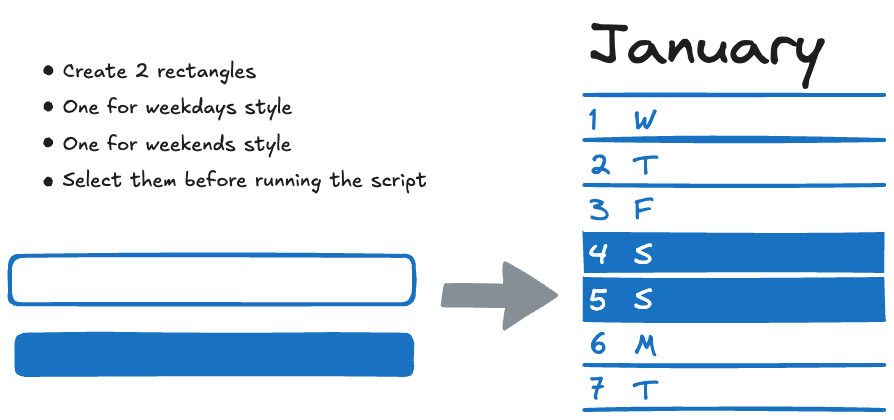
*/

ea.reset();

// -------------------------------------
// Constants initiation
// -------------------------------------

const RECT_WIDTH = 300; // day width
const RECT_HEIGHT = 45; // day height
const START_X = 0; // X start position
const START_Y = 0; // PY start position
const MONTH_SPACING = 30; // space between months
const DAY_SPACING = 0; // space between days
const DAY_NAME_SPACING = 45; // space between day number and day letters
const DAY_NAME_AND_NUMBER_X_MARGIN = 5;
const MONTH_NAME_SPACING = -40;
const YEAR_X = (RECT_WIDTH + MONTH_SPACING) * 6 - 150;
const YEAR_Y = -200;

let COLOR_WEEKEND = "#c3abf3";
let COLOR_WEEKDAY = "#ffffff";
const COLOR_DAY_STROKE = "none";
let STROKE_DAY = 4;
let FILLSTYLE_DAY = "solid";

const FONT_SIZE_MONTH = 60;
const FONT_SIZE_DAY = 30;
const FONT_SIZE_YEAR = 100;

const LINE_STROKE_SIZE = 4;
let LINE_STROKE_COLOR_WEEKDAY = "black";
let LINE_STROKE_COLOR_WEEKEND = "black";

const SATURDAY = 6;
const SUNDAY = 0;
const JANUARY = 0;
const FIRST_DAY_OF_THE_MONTH = 1;

const DAY_NAME_AND_NUMBER_Y_MARGIN = (RECT_HEIGHT - FONT_SIZE_DAY) / 2;

// -------------------------------------

// ask for requested Year
// Default value is the current year
let requestedYear = parseFloat(new Date().getFullYear());
requestedYear = parseFloat(await utils.inputPrompt("Year ?", requestedYear, requestedYear));
if(isNaN(requestedYear)) {
  new Notice("Invalid number");
  return;
}

// -------------------------------------
// Use selected element for the calendar style
// -------------------------------------

let elements = ea.getViewSelectedElements();
if (elements.length>=1){
	COLOR_WEEKDAY = elements[0].backgroundColor;
	FILLSTYLE_DAY = elements[0].fillStyle;
	STROKE_DAY = elements[0].strokeWidth;
	LINE_STROKE_COLOR_WEEKDAY = elements[0].strokeColor;

}
if (elements.length>=2){
	COLOR_WEEKEND = elements[1].backgroundColor;
	LINE_STROKE_COLOR_WEEKEND = elements[1].strokeColor;
}


// get the first day of the current year (01/01)
var firstDayOfYear = new Date(requestedYear, JANUARY, FIRST_DAY_OF_THE_MONTH);

var currentDay = firstDayOfYear

// write year number
let calendarYear = firstDayOfYear.getFullYear();
ea.style.fontSize = FONT_SIZE_YEAR;
ea.addText(START_X + YEAR_X, START_Y + YEAR_Y, String(calendarYear));


// while we do not reach the end of the year iterate on all the day of the current year
do {

	var curentDayOfTheMonth = currentDay.getDate();
	var currentMonth = currentDay.getMonth();
	var isWeekend = currentDay.getDay() == SATURDAY || currentDay.getDay() == SUNDAY;

	// set background color if it's a weekend or weekday
	ea.style.backgroundColor = isWeekend ? COLOR_WEEKEND : COLOR_WEEKDAY ;


	ea.style.strokeColor = COLOR_DAY_STROKE;
	ea.style.fillStyle = FILLSTYLE_DAY;
	ea.style.strokeWidth = STROKE_DAY;


	let x = START_X + currentMonth * (RECT_WIDTH + MONTH_SPACING);
	let y = START_Y + curentDayOfTheMonth * (RECT_HEIGHT + DAY_SPACING);

	// only one time per month
	if(curentDayOfTheMonth == FIRST_DAY_OF_THE_MONTH) {

		// add month name
		ea.style.fontSize = FONT_SIZE_MONTH;
		ea.addText(x + DAY_NAME_AND_NUMBER_X_MARGIN, START_Y+MONTH_NAME_SPACING, currentDay.toLocaleString('default', { month: 'long' }));
	}

	// Add day rectangle
	ea.style.fontSize = FONT_SIZE_DAY;
	ea.addRect(x, y, RECT_WIDTH, RECT_HEIGHT);

	// set stroke color based on weekday
	ea.style.strokeColor = isWeekend ? LINE_STROKE_COLOR_WEEKEND : LINE_STROKE_COLOR_WEEKDAY;

	// add line between days
	//ea.style.strokeColor = LINE_STROKE_COLOR_WEEKDAY;
	ea.style.strokeWidth = LINE_STROKE_SIZE;
	ea.addLine([[x,y],[x+RECT_WIDTH, y]]);


	// add day number
	ea.addText(x + DAY_NAME_AND_NUMBER_X_MARGIN, y + DAY_NAME_AND_NUMBER_Y_MARGIN, String(curentDayOfTheMonth));
	// add day name
	ea.addText(x + DAY_NAME_AND_NUMBER_X_MARGIN + DAY_NAME_SPACING, y + DAY_NAME_AND_NUMBER_Y_MARGIN, String(currentDay.toLocaleString('default', { weekday: 'narrow' })));

	// go to the next day
	currentDay.setDate(currentDay.getDate() + 1);

} while (!(currentDay.getMonth() == JANUARY && currentDay.getDate() == FIRST_DAY_OF_THE_MONTH)) // stop if we reach the 01/01 of the next year


await ea.addElementsToView(false, false, true);
Golden Ratio.md
/* The script performs two different functions depending on the elements selected in the view.
- In case you select text elements, the script will cycle through a set of font scales. First the 2 larger fonts following the Fibonacci sequence (fontsize * φ; fonsize * φ^2), then the 2 smaller fonts (fontsize / φ; fontsize / φ^2), finally the original size, followed again by the 2 larger fonts. If you wait 2 seconds, the sequence clears and starts from which ever font size you are on. So if you want the 3rd larges font, then toggle twice, wait 2 sec, then toggle again.
- In case you select a single rectangle, the script will open the "Golden Grid", "Golden Spiral" window, where you can set up the type of grid or spiral you want to insert into the document.
Gravitational point of spiral: \left[x,y\right]=\left[ x + \frac{{\text{width} \cdot \phi^2}}{{\phi^2 + 1}}\;, \; y + \frac{{\text{height} \cdot \phi^2}}{{\phi^2 + 1}} \right]
Dimensions of inner rectangles in case of Double Spiral: [width, height] = \left[\frac{width\cdot(\phi^2+1)}{2\phi^2}\;, \;\frac{height\cdot(\phi^2+1)}{2\phi^2}\right]
if(!ea.verifyMinimumPluginVersion || !ea.verifyMinimumPluginVersion("2.4.0")) {
  new Notice("This script requires a newer version of Excalidraw. Please install the latest version.");
  return;
}

const phi = (1 + Math.sqrt(5)) / 2; // Golden Ratio (φ)
const inversePhi = (1-1/phi);
const pointsPerCurve = 20; // Number of points per curve segment
const ownerWindow = ea.targetView.ownerWindow;
const hostLeaf = ea.targetView.leaf;
let dirty = false;
const ids = [];

const textEls = ea.getViewSelectedElements().filter(el=>el.type === "text");
let rect = ea.getViewSelectedElements().length === 1 ? ea.getViewSelectedElement() : null;
if(!rect || rect.type !== "rectangle") {
  //Fontsize cycle
  if(textEls.length>0) {
    if(window.excalidrawGoldenRatio) {
      clearTimeout(window.excalidrawGoldenRatio?.timer);
    } else {
      window.excalidrawGoldenRatio = {timer: null, cycle:-1};
    }
    window.excalidrawGoldenRatio.timer = setTimeout(()=>{delete window.excalidrawGoldenRatio;},2000);
    window.excalidrawGoldenRatio.cycle = (window.excalidrawGoldenRatio.cycle+1)%5;
    ea.copyViewElementsToEAforEditing(textEls);
    ea.getElements().forEach(el=> {
      el.fontSize = window.excalidrawGoldenRatio.cycle === 2
        ? el.fontSize / Math.pow(phi,4)
        : el.fontSize * phi;
      ea.style.fontFamily = el.fontFamily;
      ea.style.fontSize = el.fontSize;
      const {width, height } = ea.measureText(el.originalText);
      el.width = width;
      el.height = height;
    });
    ea.addElementsToView();
    return;
  }
  new Notice("Select text elements, or a select a single rectangle");
  return;
}
ea.copyViewElementsToEAforEditing([rect]);
rect = ea.getElement(rect.id);
ea.style.strokeColor = rect.strokeColor;
ea.style.strokeWidth = rect.strokeWidth;
ea.style.roughness = rect.roughness;
ea.style.angle = rect.angle;
let {x,y,width,height} = rect;

// --------------------------------------------
// Load Settings
// --------------------------------------------
let settings = ea.getScriptSettings();
if(!settings["Horizontal Grid"]) {
  settings = {
    "Horizontal Grid" : {
	  value: "left-right",
      valueset: ["none","letf-right","right-left","center-out","center-in"]
	},
    "Vertical Grid": {
      value: "none",
      valueset: ["none","top-down","bottom-up","center-out","center-in"]
    },
    "Size": {
      value: "6",
      valueset: ["2", "3", "4", "5", "6", "7", "8", "9", "10", "11", "12", "13", "14", "15", "16", "17", "18", "19", "20"]
    },
    "Aspect Choice": {
      value: "none",
      valueset: ["none","adjust-width","adjust-height"]
    },
    "Type": "grid",
    "Spiral Orientation": {
      value: "top-left",
      valueset: ["double","top-left","top-right","bottom-right","bottom-left"]
    },
    "Lock Elements": false,
    "Send to Back": false,
    "Update Style": false,
    "Bold Spiral": false,
  };
  await ea.setScriptSettings(settings);
}

let hDirection = settings["Horizontal Grid"].value;
let vDirection = settings["Vertical Grid"].value;
let aspectChoice = settings["Aspect Choice"].value;
let type = settings["Type"];
let spiralOrientation = settings["Spiral Orientation"].value;
let lockElements = settings["Lock Elements"];
let sendToBack = settings["Send to Back"];
let size = parseInt(settings["Size"].value);
let updateStyle = settings["Update Style"];
let boldSpiral = settings["Bold Spiral"];

// --------------------------------------------
// Rotation
// --------------------------------------------
let centerX, centerY;
const rotatePointAndAddToElementList = (elementID) => {
    ids.push(elementID);
    const line = ea.getElement(elementID);

    // Calculate the initial position of the line's center
    const lineCenterX = line.x + line.width / 2;
    const lineCenterY = line.y + line.height / 2;

    // Calculate the difference between the line's center and the rectangle's center
    const diffX = lineCenterX - (rect.x + rect.width / 2);
    const diffY = lineCenterY - (rect.y + rect.height / 2);

    // Apply the rotation to the difference
    const cosTheta = Math.cos(rect.angle);
    const sinTheta = Math.sin(rect.angle);
    const rotatedX = diffX * cosTheta - diffY * sinTheta;
    const rotatedY = diffX * sinTheta + diffY * cosTheta;

    // Calculate the new position of the line's center with respect to the rectangle's center
    const newLineCenterX = rotatedX + (rect.x + rect.width / 2);
    const newLineCenterY = rotatedY + (rect.y + rect.height / 2);

    // Update the line's coordinates by adjusting for the change in the center
    line.x += newLineCenterX - lineCenterX;
    line.y += newLineCenterY - lineCenterY;
}

const rotatePointsWithinRectangle = (points) => {
    const centerX = rect.x + rect.width / 2;
    const centerY = rect.y + rect.height / 2;

    const cosTheta = Math.cos(rect.angle);
    const sinTheta = Math.sin(rect.angle);

    const rotatedPoints = points.map(([x, y]) => {
        // Translate the point relative to the rectangle's center
        const translatedX = x - centerX;
        const translatedY = y - centerY;

        // Apply the rotation to the translated coordinates
        const rotatedX = translatedX * cosTheta - translatedY * sinTheta;
        const rotatedY = translatedX * sinTheta + translatedY * cosTheta;

        // Translate back to the original coordinate system
        const finalX = rotatedX + centerX;
        const finalY = rotatedY + centerY;

        return [finalX, finalY];
    });

    return rotatedPoints;
}

// --------------------------------------------
// Grid
// --------------------------------------------
const calculateGoldenSum = (baseOfGoldenGrid, pow) => {
  const ratio = 1 / phi;
  const geometricSum = baseOfGoldenGrid * ((1 - Math.pow(ratio, pow)) / (1 - ratio));
  return geometricSum;
};

const findBaseForGoldenGrid = (targetValue, n, scenario) => {
  const ratio = 1 / phi;
      if (scenario === "center-out") {
      return targetValue * (2-2*ratio) / (1 + ratio + 2*Math.pow(ratio,n));
    } else if (scenario === "center-in") {
      return targetValue*2*(1-ratio)*Math.pow(phi,n-1) /(2*Math.pow(phi,n-1)*(1-Math.pow(ratio,n))-1+ratio);
    } else {
      return targetValue * (1-ratio)/(1-Math.pow(ratio,n));
    }
}

const calculateOffsetVertical = (scenario, base) => {
  if (scenario === "center-out") return base / 2;
  if (scenario === "center-in") return base / Math.pow(phi, size + 1) / 2;
  return 0;
};

const horizontal = (direction, scenario) => {
  const base = findBaseForGoldenGrid(width, size + 1, scenario);
  const totalGridWidth = calculateGoldenSum(base, size + 1);

  for (i = 1; i <= size; i++) {
    const offset =
      scenario === "center-out"
        ? totalGridWidth - calculateGoldenSum(base, i)
        : calculateGoldenSum(base, size + 1 - i);

    const x2 =
      direction === "left"
        ? x + offset
        : x + width - offset;

    rotatePointAndAddToElementList(
      ea.addLine([
        [x2, y],
        [x2, y + height],
      ])
    );
  }
};

const vertical = (direction, scenario) => {
  const base = findBaseForGoldenGrid(height, size + 1, scenario);
  const totalGridWidth = calculateGoldenSum(base, size + 1);

  for (i = 1; i <= size; i++) {
    const offset =
      scenario === "center-out"
        ? totalGridWidth - calculateGoldenSum(base, i)
        : calculateGoldenSum(base, size + 1 - i);

    const y2 =
      direction === "top"
        ? y + offset
        : y + height - offset;

    rotatePointAndAddToElementList(
      ea.addLine([
        [x, y2],
        [x+width, y2],
      ])
    );
  }
};

const centerHorizontal = (scenario) => {
  width = width / 2;
  horizontal("left", scenario);
  x += width;
  horizontal("right", scenario);
  x -= width;
  width = 2*width;

};

const centerVertical = (scenario) => {
  height = height / 2;
  vertical("top", scenario);
  y += height;
  vertical("bottom", scenario);
  y -= height;
  height = 2*height;
};

const drawGrid = () => {
  switch(hDirection) {
    case "none": break;
    case "left-right": horizontal("left"); break;
    case "right-left": horizontal("right"); break;
    case "center-out": centerHorizontal("center-out"); break;
    case "center-in": centerHorizontal("center-in"); break;
  }
  switch(vDirection) {
    case "none": break;
    case "top-down": vertical("top"); break;
    case "bottom-up": vertical("bottom"); break;
    case "center-out": centerVertical("center-out"); break;
    case "center-in": centerVertical("center-in"); break;
  }
}

// --------------------------------------------
// Draw Spiral
// --------------------------------------------
const drawSpiral = () => {
  let nextX, nextY, nextW, nextH;
  let spiralPoints = [];
  let curveEndX, curveEndY, curveX, curveY;

  const phaseShift = {
    "bottom-right": 0,
    "bottom-left": 2,
    "top-left": 2,
    "top-right": 0,
  }[spiralOrientation];

  let curveStartX = {
    "bottom-right": x,
    "bottom-left": x+width,
    "top-left": x+width,
    "top-right": x,
  }[spiralOrientation];

  let curveStartY = {
    "bottom-right": y+height,
    "bottom-left": y+height,
    "top-left": y,
    "top-right": y,
  }[spiralOrientation];

  const mirror = spiralOrientation === "bottom-left" || spiralOrientation === "top-right";
  for (let i = phaseShift; i < size+phaseShift; i++) {
    const curvePhase = i%4;
    const linePhase = mirror?[0,3,2,1][curvePhase]:curvePhase;
    const longHorizontal = width/phi;
    const shortHorizontal = width*inversePhi;
    const longVertical = height/phi;
    const shortVertical = height*inversePhi;
    switch(linePhase) {
      case 0: //right
        nextX = x + longHorizontal;
        nextY = y;
        nextW = shortHorizontal;
        nextH = height;
        break;
      case 1: //down
        nextX = x;
        nextY = y + longVertical;
        nextW = width;
        nextH = shortVertical;
        break;
      case 2: //left
        nextX = x;
        nextY = y;
        nextW = shortHorizontal;
        nextH = height;
        break;
      case 3: //up
        nextX = x;
        nextY = y;
        nextW = width;
        nextH = shortVertical;
        break;
    }

    switch(curvePhase) {
      case 0: //right
        curveEndX = nextX;
        curveEndY = mirror ? nextY + nextH : nextY;
        break;
      case 1: //down
        curveEndX = nextX + nextW;
        curveEndY = mirror ? nextY + nextH : nextY;
        break;
      case 2: //left
        curveEndX = nextX + nextW;
        curveEndY = mirror ? nextY : nextY + nextH;
        break;
      case 3: //up
        curveEndX = nextX;
        curveEndY = mirror ? nextY : nextY + nextH;
        break;
    }

    // Add points for the curve segment

    for (let j = 0; j <= pointsPerCurve; j++) {
      const t = j / pointsPerCurve;
      const angle = -Math.PI / 2 * t;

      switch(curvePhase) {
        case 0:
          curveX = curveEndX + (curveStartX - curveEndX) * Math.cos(angle);
          curveY = curveStartY + (curveStartY - curveEndY) * Math.sin(angle);
          break;
        case 1:
          curveX = curveStartX + (curveStartX - curveEndX) * Math.sin(angle);
          curveY = curveEndY + (curveStartY - curveEndY) * Math.cos(angle);
          break;
        case 2:
          curveX = curveEndX + (curveStartX - curveEndX) * Math.cos(angle);
          curveY = curveStartY + (curveStartY - curveEndY) * Math.sin(angle);
          break;
        case 3:
          curveX = curveStartX + (curveStartX - curveEndX) * Math.sin(angle);
          curveY = curveEndY + (curveStartY - curveEndY) * Math.cos(angle);
          break;
      }
      spiralPoints.push([curveX, curveY]);
    }
    x = nextX;
    y = nextY;
    curveStartX = curveEndX;
    curveStartY = curveEndY;
    width = nextW;
    height = nextH;
    switch(linePhase) {
      case 0: rotatePointAndAddToElementList(ea.addLine([[x,y],[x,y+height]]));break;
      case 1: rotatePointAndAddToElementList(ea.addLine([[x,y],[x+width,y]]));break;
      case 2: rotatePointAndAddToElementList(ea.addLine([[x+width,y],[x+width,y+height]]));break;
      case 3: rotatePointAndAddToElementList(ea.addLine([[x,y+height],[x+width,y+height]]));break;
    }
  }
  const strokeWidth = ea.style.strokeWidth;
  ea.style.strokeWidth = strokeWidth * (boldSpiral ? 3 : 1);
  const angle = ea.style.angle;
  ea.style.angle = 0;
  ids.push(ea.addLine(rotatePointsWithinRectangle(spiralPoints)));
  ea.style.angle = angle;
  ea.style.strokeWidth = strokeWidth;
}

// --------------------------------------------
// Update Aspect Ratio
// --------------------------------------------
const updateAspectRatio = () => {
  switch(aspectChoice) {
    case "none": break;
    case "adjust-width": rect.width = rect.height/phi; break;
    case "adjust-height": rect.height = rect.width/phi; break;
  }
  ({x,y,width,height} = rect);
  centerX = x + width/2;
  centerY = y + height/2;
}
// --------------------------------------------
// UI
// --------------------------------------------
draw = async () => {
  if(updateStyle) {
    ea.style.strokeWidth = 0.5; rect.strokeWidth;
    ea.style.roughness = 0; rect.roughness;
    ea.style.roundness = null;
    rect.strokeWidth = 0.5;
    rect.roughness = 0;
    rect.roundness = null;
  }
  updateAspectRatio();
  switch(type) {
    case "grid": drawGrid(); break;
    case "spiral":
      if(spiralOrientation === "double") {
        wInner = width * (Math.pow(phi,2)+1)/(2*Math.pow(phi,2));
        hInner = height * (Math.pow(phi,2)+1)/(2*Math.pow(phi,2));
        x2 = width - wInner + x;
        y2 = height - hInner + y;
        width = wInner;
        height = hInner;
        rotatePointAndAddToElementList(ea.addRect(x,y,width,height));
        spiralOrientation = "bottom-right";
        drawSpiral();
        x = x2;
        y = y2;
        width = wInner;
        height = hInner;
        rotatePointAndAddToElementList(ea.addRect(x,y,width,height));
        spiralOrientation = "top-left";
        drawSpiral();
        spiralOrientation = "double";
      } else {
        drawSpiral();
      }
      break;
  }
  ea.addToGroup(ids);
  ids.push(rect.id);
  ea.addToGroup(ids);
  lockElements && ea.getElements().forEach(el=>{el.locked = true;});
  await ea.addElementsToView(false,false,!sendToBack);
  !lockElements && ea.selectElementsInView(ea.getViewElements().filter(el => ids.includes(el.id)));
}

const modal = new ea.obsidian.Modal(app);

const fragWithHTML = (html) => createFragment((frag) => (frag.createDiv().innerHTML = html));

const keydownListener = (e) => {
  if(hostLeaf !== app.workspace.activeLeaf) return;
  if(hostLeaf.width === 0 && hostLeaf.height === 0) return;
  if(e.key === "Enter" && (e.ctrlKey || e.shiftKey || e.metaKey || e.altKey)) {
    e.preventDefault();
    modal.close();
    draw()
  }
}
ownerWindow.addEventListener('keydown',keydownListener);

modal.onOpen = async () => {
  const contentEl = modal.contentEl;
  contentEl.createEl("h1", {text: "Golden Ratio"});

  new ea.obsidian.Setting(contentEl)
    .setName("Adjust Rectangle Aspect Ratio to Golden Ratio")
    .addDropdown(dropdown=>dropdown
      .addOption("none","None")
      .addOption("adjust-width","Adjust Width")
      .addOption("adjust-height","Adjust Height")
      .setValue(aspectChoice)
      .onChange(value => {
        aspectChoice = value;
        dirty = true;
      })
   );

  new ea.obsidian.Setting(contentEl)
    .setName("Change Line Style To: thin, architect, sharp")
    .addToggle(toggle=>
      toggle
      .setValue(updateStyle)
      .onChange(value => {
        dirty = true;
        updateStyle = value;
      })
    )

  let sizeEl;
  new ea.obsidian.Setting(contentEl)
    .setName("Number of lines")
    .addSlider(slider => slider
      .setLimits(2, 20, 1)
      .setValue(size)
      .onChange(value => {
        sizeEl.innerText = ` ${value.toString()}`;
        size = value;
        dirty = true;
      }),
    )
    .settingEl.createDiv("", el => {
      sizeEl = el;
      el.style.minWidth = "2.3em";
      el.style.textAlign = "right";
      el.innerText = ` ${size.toString()}`;
    });

  new ea.obsidian.Setting(contentEl)
    .setName("Lock Rectangle and Gridlines")
    .addToggle(toggle=>
      toggle
      .setValue(lockElements)
      .onChange(value => {
        dirty = true;
        lockElements = value;
      })
    )

  new ea.obsidian.Setting(contentEl)
    .setName("Send to Back")
    .addToggle(toggle=>
      toggle
      .setValue(sendToBack)
      .onChange(value => {
        dirty = true;
        sendToBack = value;
      })
    )

  let bGrid, bSpiral;
  let sHGrid, sVGrid, sSpiral, sBoldSpiral;
  const showGridSettings = (value) => {
    value
      ? (bGrid.setCta(), bSpiral.removeCta())
      : (bGrid.removeCta(), bSpiral.setCta());
    sHGrid.settingEl.style.display = value ? "" : "none";
    sVGrid.settingEl.style.display = value ? "" : "none";
    sSpiral.settingEl.style.display = !value ? "" : "none";
    sBoldSpiral.settingEl.style.display = !value ? "" : "none";
  }

  new ea.obsidian.Setting(contentEl)
    .setName(fragWithHTML("<h3>Output Type</h3>"))
    .addButton(button => {
      bGrid = button;
      button
      .setButtonText("Grid")
      .setCta(type === "grid")
      .onClick(event => {
        type = "grid";
        showGridSettings(true);
        dirty = true;
      })
    })
    .addButton(button => {
      bSpiral = button;
      button
      .setButtonText("Spiral")
      .setCta(type === "spiral")
      .onClick(event => {
        type = "spiral";
        showGridSettings(false);
        dirty = true;
      })
    });

  sSpiral = new ea.obsidian.Setting(contentEl)
    .setName("Spiral Orientation")
    .addDropdown(dropdown=>dropdown
      .addOption("double","Double")
      .addOption("top-left","Top left")
      .addOption("top-right","Top right")
      .addOption("bottom-right","Bottom right")
      .addOption("bottom-left","Bottom left")
      .setValue(spiralOrientation)
      .onChange(value => {
        spiralOrientation = value;
        dirty = true;
      })
   );

  sBoldSpiral = new ea.obsidian.Setting(contentEl)
    .setName("Spiral with Bold Line")
    .addToggle(toggle=>
      toggle
      .setValue(boldSpiral)
      .onChange(value => {
        dirty = true;
        boldSpiral = value;
      })
    )

  sHGrid = new ea.obsidian.Setting(contentEl)
    .setName("Horizontal Grid")
    .addDropdown(dropdown=>dropdown
      .addOption("none","None")
      .addOption("left-right","Left to right")
      .addOption("right-left","Right to left")
      .addOption("center-out","Center out")
      .addOption("center-in","Center in")
      .setValue(hDirection)
      .onChange(value => {
        hDirection = value;
        dirty = true;
      })
   );

  sVGrid = new ea.obsidian.Setting(contentEl)
    .setName("Vertical Grid")
    .addDropdown(dropdown=>dropdown
      .addOption("none","None")
      .addOption("top-down","Top down")
      .addOption("bottom-up","Bootom up")
      .addOption("center-out","Center out")
      .addOption("center-in","Center in")
      .setValue(vDirection)
      .onChange(value => {
        vDirection = value;
        dirty = true;
      })
   );

  showGridSettings(type === "grid");
  new ea.obsidian.Setting(contentEl)
    .addButton(button => button
      .setButtonText("Run")
      .setCta(true)
      .onClick(async (event) => {
        draw();
        modal.close();
      })
    );
}

modal.onClose = () => {
  if(dirty) {
    settings["Horizontal Grid"].value = hDirection;
    settings["Vertical Grid"].value = vDirection;
    settings["Size"].value = size.toString();
    settings["Aspect Choice"].value = aspectChoice;
    settings["Type"] = type;
    settings["Spiral Orientation"].value = spiralOrientation;
    settings["Lock Elements"] = lockElements;
    settings["Send to Back"] = sendToBack;
    settings["Update Style"] = updateStyle;
    settings["Bold Spiral"] = boldSpiral;
    ea.setScriptSettings(settings);
  }
  ownerWindow.removeEventListener('keydown',keydownListener);
}

modal.open();
GPT-Draw-a-UI.md
/*
let dirty=false;

if(!ea.verifyMinimumPluginVersion || !ea.verifyMinimumPluginVersion("2.0.12")) {
  new Notice("This script requires a newer version of Excalidraw. Please install the latest version.");
  return;
}

const outputTypes = {
  "html": {
    instruction: "Turn this into a single html file using tailwind. Return a single message containing only the html file in a codeblock.",
    blocktype: "html"
  },
  "mermaid": {
    instruction: "Return a single message containing only the mermaid diagram in a codeblock.",
    blocktype: "mermaid"
  },
  "svg": {
    instruction: "Return a single message containing only the SVG code in an html codeblock.",
    blocktype: "svg"
  },
  "image-gen": {
    instruction: "Return a single message with the generated image prompt in a codeblock",
    blocktype: "image"
  },
  "image-edit": {
    instruction: "",
    blocktype: "image"
  }
}

const systemPrompts = {
  "Challenge my thinking": {
    prompt: `Your task is to interpret a screenshot of a whiteboard, translating its ideas into a Mermaid graph. The whiteboard will encompass thoughts on a subject. Within the mind map, distinguish ideas that challenge, dispute, or contradict the whiteboard content. Additionally, include concepts that expand, complement, or advance the user's thinking. Utilize the Mermaid graph diagram type and present the resulting Mermaid diagram within a code block. Ensure the Mermaid script excludes the use of parentheses ().`,
    type: "mermaid",
    help: "Translate your image and optional text prompt into a Mermaid mindmap. If there are conversion errors, edit the Mermaid script under 'More Tools'."
  },
  "Convert sketch to shapes": {
    prompt: `Given an image featuring various geometric shapes drawn by the user, your objective is to analyze the input and generate SVG code that accurately represents these shapes. Your output will be the SVG code enclosed in an HTML code block.`,
    type: "svg",
    help: "Convert selected scribbles into shapes; works better with fewer shapes. Experimental and may not produce good drawings."
  },
  "Create a simple Excalidraw icon": {
    prompt: `Given a description of an SVG image from the user, your objective is to generate the corresponding SVG code. Avoid incorporating textual elements within the generated SVG. Your output should be the resulting SVG code enclosed in an HTML code block.`,
    type: "svg",
    help: "Convert text prompts into simple icons inserted as Excalidraw elements. Expect only a text prompt. Experimental and may not produce good drawings."
  },
  "Edit an image": {
    prompt: null,
    type: "image-edit",
    help: "Image elements will be used as the Image. Shapes on top of the image will be the Mask. Use the prompt to instruct Dall-e about the changes. Dall-e-2 model will be used."
  },
  "Generate an image from image and prompt": {
    prompt: "Your task involves receiving an image and a textual prompt from the user. Your goal is to craft a detailed, accurate, and descriptive narrative of the image, tailored for effective image generation. Utilize the user-provided text prompt to inform and guide your depiction of the image. Ensure the resulting image remains text-free.",
    type: "image-gen",
    help: "Generate an image based on the drawing and prompt using ChatGPT-Vision and Dall-e. Provide a contextual text-prompt for accurate interpretation."
  },
  "Generate an image from prompt": {
    prompt: null,
    type: "image-gen",
    help: "Send only the text prompt to OpenAI. Provide a detailed description; OpenAI will enrich your prompt automatically. To avoid it, start your prompt like this 'DO NOT add any detail, just use it AS-IS:'"
  },
  "Generate an image to illustrate a quote": {
    prompt: "Your task involves transforming a user-provided quote into a detailed and imaginative illustration. Craft a visual representation that captures the essence of the quote and resonates well with a broad audience. If the Author's name is provided, aim to establish a connection between the illustration and the Author. This can be achieved by referencing a well-known story from the Author, situating the image in the Author's era or setting, or employing other creative methods of association. Additionally, provide preferences for styling, such as the chosen medium and artistic direction, to guide the image creation process. Ensure the resulting image remains text-free. Your task output should comprise a descriptive and detailed narrative aimed at facilitating the creation of a captivating illustration from the quote.",
    type: "image-gen",
    help: "ExcaliAI will create an image prompt to illustrate your text input - a quote - with GPT, then generate an image using Dall-e.  In case you include the Author's name, GPT will try to generate an image that in some way references the Author."
  },
  "Visual brainstorm": {
    prompt: "Your objective is to interpret a screenshot of a whiteboard, creating an image aimed at sparking further thoughts on the subject. The whiteboard will present diverse ideas about a specific topic. Your generated image should achieve one of two purposes: highlighting concepts that challenge, dispute, or contradict the whiteboard content, or introducing ideas that expand, complement, or enrich the user's thinking. You have the option to include multiple tiles in the resulting image, resembling a sequence akin to a comic strip. Ensure that the image remains devoid of text.",
    type: "image-gen",
    help: "Use ChatGPT Visions and Dall-e to create an image based on your text prompt and image to spark new ideas."
  },
  "Wireframe to code": {
    prompt: `You are an expert tailwind developer. A user will provide you with a low-fidelity wireframe of an application and you will return a single html file that uses tailwind to create the website. Use creative license to make the application more fleshed out. Write the necessary javascript code. If you need to insert an image, use placehold.co to create a placeholder image.`,
    type: "html",
    help: "Use GPT Visions to interpret the wireframe and generate a web application. You may copy the resulting code from the active embeddable's top left menu."
  },
}

const IMAGE_WARNING = "The generated image is linked through a temporary OpenAI URL and will be removed in approximately 30 minutes. To save it permanently, choose 'Save image from URL to local file' from the Obsidian Command Palette."
// --------------------------------------
// Initialize values and settings
// --------------------------------------
let settings = ea.getScriptSettings();

if(!settings["Agent's Task"]) {
  settings = {
    "Agent's Task": "Wireframe to code",
    "User Prompt": "",
  };
  await ea.setScriptSettings(settings);
}

const OPENAI_API_KEY = ea.plugin.settings.openAIAPIToken;
if(!OPENAI_API_KEY || OPENAI_API_KEY === "") {
  new Notice("You must first configure your API key in Excalidraw Plugin Settings");
  return;
}

let userPrompt = settings["User Prompt"] ?? "";
let agentTask = settings["Agent's Task"];
let imageSize = settings["Image Size"]??"1024x1024";

if(!systemPrompts.hasOwnProperty(agentTask)) {
  agentTask = Object.keys(systemPrompts)[0];
}
let imageModel, valideSizes;

const setImageModelAndSizes = () => {
  imageModel = systemPrompts[agentTask].type === "image-edit"
    ? "dall-e-2"
    : ea.plugin.settings.openAIDefaultImageGenerationModel;
  validSizes = imageModel === "dall-e-2"
    ? [`256x256`, `512x512`, `1024x1024`]
    : (imageModel === "dall-e-3"
      ? [`1024x1024`, `1792x1024`, `1024x1792`]
      : [`1024x1024`])
  if(!validSizes.includes(imageSize)) {
    imageSize = "1024x1024";
    dirty = true;
  }
}
setImageModelAndSizes();

// --------------------------------------
// Generate Image Blob From Selected Excalidraw Elements
// --------------------------------------
const calculateImageScale = (elements) => {
  const bb = ea.getBoundingBox(elements);
  const size = (bb.width*bb.height);
  const minRatio = Math.sqrt(360000/size);
  const maxRatio = Math.sqrt(size/16000000);
  return minRatio > 1
    ? minRatio
    : (
        maxRatio > 1
        ? 1/maxRatio
        : 1
      );
}

const createMask = async (dataURL) => {
  return new Promise((resolve, reject) => {
    const img = new Image();

    img.onload = () => {
      const canvas = document.createElement('canvas');
      canvas.width = img.width;
      canvas.height = img.height;

      const ctx = canvas.getContext('2d');
      ctx.drawImage(img, 0, 0);

      const imageData = ctx.getImageData(0, 0, canvas.width, canvas.height);
      const data = imageData.data;

      for (let i = 0; i < data.length; i += 4) {
        // If opaque (alpha > 0), make it transparent
        if (data[i + 3] > 0) {
          data[i + 3] = 0; // Set alpha to 0 (transparent)
        } else if (data[i + 3] === 0) {
          // If fully transparent, make it red
          data[i] = 255; // Red
          data[i + 1] = 0; // Green
          data[i + 2] = 0; // Blue
          data[i + 3] = 255; // make it opaque
        }
      }

      ctx.putImageData(imageData, 0, 0);
      const maskDataURL = canvas.toDataURL();

      resolve(maskDataURL);
    };

    img.onerror = error => {
      reject(error);
    };

    img.src = dataURL;
  });
}

//https://platform.openai.com/docs/api-reference/images/createEdit
//dall-e-2 image edit only works on square images
//if targetDalleImageEdit === true then the image and the mask will be returned in two separate dataURLs
let squareBB;

const generateCanvasDataURL = async (view, targetDalleImageEdit=false) => {
  let PADDING = 5;
  await view.forceSave(true); //to ensure recently embedded PNG and other images are saved to file
  const viewElements = ea.getViewSelectedElements();
  if(viewElements.length === 0) {
    return {imageDataURL: null, maskDataURL: null} ;
  }
  ea.copyViewElementsToEAforEditing(viewElements, true); //copying the images objects over to EA for PNG generation

  let maskDataURL;
  const loader = ea.getEmbeddedFilesLoader(false);
  let scale = calculateImageScale(ea.getElements());
  const bb = ea.getBoundingBox(viewElements);
  if(ea.getElements()
    .filter(el=>el.type==="image")
    .some(el=>Math.round(el.width) === Math.round(bb.width) && Math.round(el.height) === Math.round(bb.height))
  ) { PADDING = 0; }

  let exportSettings = {withBackground: true, withTheme: true};

  if(targetDalleImageEdit) {
    PADDING = 0;
    const strokeColor = ea.style.strokeColor;
    const backgroundColor = ea.style.backgroundColor;
    ea.style.backgroundColor = "transparent";
    ea.style.strokeColor = "transparent";
    let rectID;
    if(bb.height > bb.width) {
      rectID = ea.addRect(bb.topX-(bb.height-bb.width)/2, bb.topY,bb.height, bb.height);
    }
    if(bb.width > bb.height) {
      rectID = ea.addRect(bb.topX, bb.topY-(bb.width-bb.height)/2,bb.width, bb.width);
    }
    if(bb.height === bb.width) {
      rectID = ea.addRect(bb.topX, bb.topY, bb.width, bb.height);
    }
    const rect = ea.getElement(rectID);
    squareBB = {topX: rect.x-PADDING, topY: rect.y-PADDING, width: rect.width + 2*PADDING, height: rect.height + 2*PADDING};
    ea.style.strokeColor = strokeColor;
    ea.style.backgroundColor = backgroundColor;
    ea.getElements().filter(el=>el.type === "image").forEach(el=>{el.isDeleted = true});

    dalleWidth = parseInt(imageSize.split("x")[0]);
    scale = dalleWidth/squareBB.width;
    exportSettings = {withBackground: false, withTheme: true};
    maskDataURL= await ea.createPNGBase64(
      null, scale, exportSettings, loader, "light", PADDING
    );
    maskDataURL = await createMask(maskDataURL)
    ea.getElements().filter(el=>el.type === "image").forEach(el=>{el.isDeleted = false});
    ea.getElements().filter(el=>el.type !== "image" && el.id !== rectID).forEach(el=>{el.isDeleted = true});
  }

  const imageDataURL = await ea.createPNGBase64(
    null, scale, exportSettings, loader, "light", PADDING
  );
  ea.clear();
  return {imageDataURL, maskDataURL};
}

let {imageDataURL, maskDataURL} = await generateCanvasDataURL(ea.targetView, systemPrompts[agentTask].type === "image-edit");

// --------------------------------------
// Support functions - embeddable spinner and error
// --------------------------------------
const spinner = await ea.convertStringToDataURL(`
  <html><head><style>
    html, body {width: 100%; height: 100%; color: ${ea.getExcalidrawAPI().getAppState().theme === "dark" ? "white" : "black"};}
    body {display: flex; align-items: center; justify-content: center; flex-direction: column; gap: 1rem; overflow: hidden;}
    .Spinner {display: flex; align-items: center; justify-content: center; margin-left: auto; margin-right: auto;}
    .Spinner svg {animation: rotate 1.6s linear infinite; transform-origin: center center; width: 40px; height: 40px;}
    .Spinner circle {stroke: currentColor; animation: dash 1.6s linear 0s infinite; stroke-linecap: round;}
    @keyframes rotate {100% {transform: rotate(360deg);}}
    @keyframes dash {
      0% {stroke-dasharray: 1, 300; stroke-dashoffset: 0;}
      50% {stroke-dasharray: 150, 300; stroke-dashoffset: -200;}
      100% {stroke-dasharray: 1, 300; stroke-dashoffset: -280;}
    }
  </style></head><body>
    <div class="Spinner">
      <svg viewBox="0 0 100 100">
        <circle cx="50" cy="50" r="46" stroke-width="8" fill="none" stroke-miter-limit="10"/>
      </svg>
    </div>
    <div>Generating...</div>
  </body></html>`);

  const errorMessage = async (spinnerID, message) => {
    const error = "Something went wrong! Check developer console for more.";
    const details = message ? `<p>${message}</p>` : "";
    const errorDataURL = await ea.convertStringToDataURL(`
      <html><head><style>
        html, body {height: 100%;}
        body {display: flex; flex-direction: column; align-items: center; justify-content: center; color: red;}
        h1, h3 {margin-top: 0;margin-bottom: 0.5rem;}
      </style></head><body>
        <h1>Error!</h1>
        <h3>${error}</h3>${details}
      </body></html>`);
    new Notice (error);
    ea.getElement(spinnerID).link = errorDataURL;
    ea.addElementsToView(false,true);
  }

// --------------------------------------
// Utility to write Mermaid to dialog
// --------------------------------------
const EDITOR_LS_KEYS = {
  OAI_API_KEY: "excalidraw-oai-api-key",
  MERMAID_TO_EXCALIDRAW: "mermaid-to-excalidraw",
  PUBLISH_LIBRARY: "publish-library-data",
};

const setMermaidDataToStorage = (mermaidDefinition) => {
  try {
    window.localStorage.setItem(
      EDITOR_LS_KEYS.MERMAID_TO_EXCALIDRAW,
      JSON.stringify(mermaidDefinition)
    );
    return true;
  } catch (error) {
    console.warn(`localStorage.setItem error: ${error.message}`);
    return false;
  }
};

// --------------------------------------
// Submit Prompt
// --------------------------------------
const generateImage = async(text, spinnerID, bb) => {
  const requestObject = {
    text,
    imageGenerationProperties: {
      size: imageSize,
      //quality: "standard", //not supported by dall-e-2
      n:1,
    },
  };

  const result = await ea.postOpenAI(requestObject);
  console.log({result, json:result?.json});

  if(!result?.json?.data?.[0]?.url) {
    await errorMessage(spinnerID, result?.json?.error?.message);
    return;
  }

  const spinner = ea.getElement(spinnerID)
  spinner.isDeleted = true;
  const imageID = await ea.addImage(spinner.x, spinner.y, result.json.data[0].url);
  const imageEl = ea.getElement(imageID);
  const revisedPrompt = result.json.data[0].revised_prompt;
  if(revisedPrompt) {
    ea.style.fontSize = 16;
    const rectID = ea.addText(imageEl.x+15, imageEl.y + imageEl.height + 50, revisedPrompt, {
      width: imageEl.width-30,
      textAlign: "center",
      textVerticalAlign: "top",
      box: true,
    })
    ea.getElement(rectID).strokeColor = "transparent";
    ea.getElement(rectID).backgroundColor = "transparent";
    ea.addToGroup(ea.getElements().filter(el=>el.id !== spinnerID).map(el=>el.id));
  }

  await ea.addElementsToView(false, true, true);
  ea.getExcalidrawAPI().setToast({
    message: IMAGE_WARNING,
    duration: 15000,
    closable: true
  });
}

const run = async (text) => {
  if(!text && !imageDataURL) {
    new Notice("No prompt, aborting");
    return;
  }

  const systemPrompt = systemPrompts[agentTask];
  const outputType = outputTypes[systemPrompt.type];
  const isImageGenRequest = outputType.blocktype === "image";
  const isImageEditRequest = systemPrompt.type === "image-edit";

  if(isImageEditRequest) {
    if(!text) {
      new Notice("You must provide a text prompt with instructions for how the image should be modified");
      return;
    }
    if(!imageDataURL || !maskDataURL) {
      new Notice("You must provide an image and a mask");
      return;
    }
  }

  //place spinner next to selected elements
  const bb = ea.getBoundingBox(ea.getViewSelectedElements());
  const spinnerID = ea.addEmbeddable(bb.topX+bb.width+100,bb.topY-(720-bb.height)/2,550,720,spinner);

  //this block is in an async call using the isEACompleted flag because otherwise during debug Obsidian
  //goes black (not freezes, but does not get a new frame for some reason)
  //palcing this in an async call solves this issue
  //If you know why this is happening and can offer a better solution, please reach out to @zsviczian
  let isEACompleted = false;
  setTimeout(async()=>{
    await ea.addElementsToView(false,true);
    ea.clear();
    const embeddable = ea.getViewElements().filter(el=>el.id===spinnerID);
    ea.copyViewElementsToEAforEditing(embeddable);
    const els = ea.getViewSelectedElements();
    ea.viewZoomToElements(false, els.concat(embeddable));
    isEACompleted = true;
  });

  if(isImageGenRequest && !systemPrompt.prompt && !isImageEditRequest) {
    generateImage(text,spinnerID,bb);
    return;
  }

  const requestObject = isImageEditRequest
  ? {
      ...imageDataURL ? {image: imageDataURL} : {},
      ...(text && text.trim() !== "") ? {text} : {},
      imageGenerationProperties: {
        size: imageSize,
        //quality: "standard", //not supported by dall-e-2
        n:1,
        mask: maskDataURL,
      },
    }
  : {
      ...imageDataURL ? {image: imageDataURL} : {},
      ...(text && text.trim() !== "") ? {text} : {},
      systemPrompt: systemPrompt.prompt,
      instruction: outputType.instruction,
    }

  //Get result from GPT
  const result = await ea.postOpenAI(requestObject);
  console.log({result, json:result?.json});

  //checking that EA has completed. Because the postOpenAI call is an async await
  //I don't expect EA not to be completed by now. However the devil never sleeps.
  //This (the insomnia of the Devil) is why I have a watchdog here as well
  let counter = 0
  while(!isEACompleted && counter++<10) sleep(50);
  if(!isEACompleted) {
    await errorMessage(spinnerID, "Unexpected issue with ExcalidrawAutomate");
    return;
  }

  if(isImageEditRequest) {
    if(!result?.json?.data?.[0]?.url) {
      await errorMessage(spinnerID, result?.json?.error?.message);
      return;
    }

    const spinner = ea.getElement(spinnerID)
    spinner.isDeleted = true;
    const imageID = await ea.addImage(spinner.x, spinner.y, result.json.data[0].url);
    await ea.addElementsToView(false, true, true);
    ea.getExcalidrawAPI().setToast({
      message: IMAGE_WARNING,
      duration: 15000,
      closable: true
    });
    return;
  }

  if(!result?.json?.hasOwnProperty("choices")) {
    await errorMessage(spinnerID, result?.json?.error?.message);
    return;
  }

  //extract codeblock and display result
  let content = ea.extractCodeBlocks(result.json.choices[0]?.message?.content)[0]?.data;

  if(!content) {
    await errorMessage(spinnerID);
    return;
  }

  if(isImageGenRequest) {
    generateImage(content,spinnerID,bb);
    return;
  }

  switch(outputType.blocktype) {
    case "html":
      ea.getElement(spinnerID).link = await ea.convertStringToDataURL(content);
      ea.addElementsToView(false,true);
      break;
    case "svg":
      ea.getElement(spinnerID).isDeleted = true;
      ea.importSVG(content);
      ea.addToGroup(ea.getElements().map(el=>el.id));
      if(ea.getViewSelectedElements().length>0) {
        ea.targetView.currentPosition = {x: bb.topX+bb.width+100, y: bb.topY};
      }
      ea.addElementsToView(true, false);
      break;
    case "mermaid":
      if(content.startsWith("mermaid")) {
        content = content.replace(/^mermaid/,"").trim();
      }

      try {
        result = await ea.addMermaid(content);
        if(typeof result === "string") {
          await errorMessage(spinnerID, "Open [More Tools / Mermaid to Excalidraw] to manually fix the received mermaid script<br><br>" + result);
          return;
        }
      } catch (e) {
        ea.addText(0,0,content);
      }
      ea.getElement(spinnerID).isDeleted = true;
      ea.targetView.currentPosition = {x: bb.topX+bb.width+100, y: bb.topY-bb.height};
      await ea.addElementsToView(true, false);
      setMermaidDataToStorage(content);
      new Notice("Open More Tools/Mermaid to Excalidraw in the top tools menu to edit the generated diagram",8000);
      break;
  }
}

// --------------------------------------
// User Interface
// --------------------------------------
let previewDiv;
const fragWithHTML = (html) => createFragment((frag) => (frag.createDiv().innerHTML = html));
const isImageGenerationTask = () => systemPrompts[agentTask].type === "image-gen" || systemPrompts[agentTask].type === "image-edit";
const addPreviewImage = () => {
  if(!previewDiv) return;
  previewDiv.empty();
  previewDiv.createEl("img",{
    attr: {
      style: `max-width: 100%;max-height: 30vh;`,
      src: imageDataURL,
    }
  });
  if(maskDataURL) {
    previewDiv.createEl("img",{
      attr: {
        style: `max-width: 100%;max-height: 30vh;`,
        src: maskDataURL,
      }
    });
  }
}

const configModal = new ea.obsidian.Modal(app);
configModal.modalEl.style.width="100%";
configModal.modalEl.style.maxWidth="1000px";

configModal.onOpen = async () => {
  const contentEl = configModal.contentEl;
  contentEl.createEl("h1", {text: "ExcaliAI"});

  let systemPromptTextArea, systemPromptDiv, imageSizeSetting, imageSizeSettingDropdown, helpEl;

  new ea.obsidian.Setting(contentEl)
    .setName("What would you like to do?")
    .addDropdown(dropdown=>{
      Object.keys(systemPrompts).forEach(key=>dropdown.addOption(key,key));
      dropdown
      .setValue(agentTask)
      .onChange(async (value) => {
        dirty = true;
        const prevTask = agentTask;
        agentTask = value;
        if(
          (systemPrompts[prevTask].type === "image-edit" && systemPrompts[value].type !== "image-edit") ||
          (systemPrompts[prevTask].type !== "image-edit" && systemPrompts[value].type === "image-edit")
        ) {
          ({imageDataURL, maskDataURL} = await generateCanvasDataURL(ea.targetView, systemPrompts[value].type === "image-edit"));
          addPreviewImage();
          setImageModelAndSizes();
          while (imageSizeSettingDropdown.selectEl.options.length > 0) { imageSizeSettingDropdown.selectEl.remove(0); }
          validSizes.forEach(size=>imageSizeSettingDropdown.addOption(size,size));
          imageSizeSettingDropdown.setValue(imageSize);
        }
        imageSizeSetting.settingEl.style.display = isImageGenerationTask() ? "" : "none";
        const prompt = systemPrompts[value].prompt;
        helpEl.innerHTML = `<b>Help: </b>` + systemPrompts[value].help;
        if(prompt) {
          systemPromptDiv.style.display = "";
          systemPromptTextArea.setValue(systemPrompts[value].prompt);
        } else {
          systemPromptDiv.style.display = "none";
        }
      });
   })

  helpEl = contentEl.createEl("p");
  helpEl.innerHTML = `<b>Help: </b>` + systemPrompts[agentTask].help;

  systemPromptDiv = contentEl.createDiv();
  systemPromptDiv.createEl("h4", {text: "Customize System Prompt"});
  systemPromptDiv.createEl("span", {text: "Unless you know what you are doing I do not recommend changing the system prompt"})
  const systemPromptSetting = new ea.obsidian.Setting(systemPromptDiv)
    .addTextArea(text => {
       systemPromptTextArea = text;
       const prompt = systemPrompts[agentTask].prompt;
       text.inputEl.style.minHeight = "10em";
       text.inputEl.style.width = "100%";
       text.setValue(prompt);
       text.onChange(value => {
         systemPrompts[value].prompt = value;
       });
       if(!prompt) systemPromptDiv.style.display = "none";
    })
  systemPromptSetting.nameEl.style.display = "none";
  systemPromptSetting.descEl.style.display = "none";
  systemPromptSetting.infoEl.style.display = "none";

  contentEl.createEl("h4", {text: "User Prompt"});
  const userPromptSetting = new ea.obsidian.Setting(contentEl)
    .addTextArea(text => {
       text.inputEl.style.minHeight = "10em";
       text.inputEl.style.width = "100%";
       text.setValue(userPrompt);
       text.onChange(value => {
         userPrompt = value;
         dirty = true;
       })
    })
  userPromptSetting.nameEl.style.display = "none";
  userPromptSetting.descEl.style.display = "none";
  userPromptSetting.infoEl.style.display = "none";

  imageSizeSetting = new ea.obsidian.Setting(contentEl)
    .setName("Select image size")
    .setDesc(fragWithHTML("<mark>⚠️ Important ⚠️</mark>: " + IMAGE_WARNING))
    .addDropdown(dropdown=>{
      validSizes.forEach(size=>dropdown.addOption(size,size));
      imageSizeSettingDropdown = dropdown;
      dropdown
        .setValue(imageSize)
        .onChange(async (value) => {
          dirty = true;
          imageSize = value;
          if(systemPrompts[agentTask].type === "image-edit") {
            ({imageDataURL, maskDataURL} = await generateCanvasDataURL(ea.targetView, true));
            addPreviewImage();
          }
        });
   })
   imageSizeSetting.settingEl.style.display = isImageGenerationTask() ? "" : "none";

  if(imageDataURL) {
    previewDiv = contentEl.createDiv({
      attr: {
        style: "text-align: center;",
      }
    });
    addPreviewImage();
  } else {
    contentEl.createEl("h4", {text: "No elements are selected from your canvas"});
    contentEl.createEl("span", {text: "Because there are no Excalidraw elements selected on the canvas, only the text prompt will be sent to OpenAI."});
  }

  new ea.obsidian.Setting(contentEl)
    .addButton(button =>
      button
      .setButtonText("Run")
      .onClick((event)=>{
        run(userPrompt); //Obsidian crashes otherwise, likely has to do with requesting an new frame for react
        configModal.close();
      })
    );
}

configModal.onClose = () => {
  if(dirty) {
    settings["User Prompt"] = userPrompt;
    settings["Agent's Task"] = agentTask;
    settings["Image Size"] = imageSize;
    ea.setScriptSettings(settings);
  }
}

configModal.open();
Grid Selected Images.md
/*
This script arranges selected images into compact grid view, removing gaps in-between, resizing when necessary and breaking into multiple rows/columns.
*/

try {
  let els = ea.getViewSelectedElements().filter(el => el.type == 'image');

  new Notice(els.length);

  if (els.length == 0) throw new Error('No image elements selected');

  const bounds = ea.getBoundingBox(els);
  const { topX, topY, width, height } = bounds;

  els.sort((a, b) => a.x + a.y < b.x + b.y);

  const areaAvailable = width * height;

  let elWidth = els[0].width;
  let elHeight = els[0].height;

  if (elWidth * elHeight > areaAvailable) {
    while (elWidth * elHeight > areaAvailable) {
      elWidth /= 1.1;
      elHeight /= 1.1;
    }
  } else if (elWidth * elHeight < areaAvailable) {
    while (elWidth * elHeight < areaAvailable) {
      elWidth *= 1.1;
      elHeight *= 1.1;
    }
  }

  const rows = (width - elWidth) / elWidth;

  let row = 0, column = 0;
  for (const element of els) {
    element.x = topX + (elWidth * row);
    element.y = topY + (elHeight * column);

    if (element.width > elWidth) {
      while (element.width >= elWidth) {
        element.width /= 1.1;
        element.height /= 1.1;
      }
    } else if (element.width < elWidth) {
      while (element.width <= elWidth) {
        element.width *= 1.1;
        element.height *= 1.1;
      }
    }

    row++;
    if (row > rows) {
      row = 0;
      column++;
    }
  }

  ea.addElementsToView(false, true, true);
} catch (err) {
  _ = new Notice(err.toString())
}
Image Occlusion.md
/*
Image Occlusion for Excalidraw
This script creates image occlusion cards similar to Anki's Image Occlusion Enhanced plugin.
Usage:
- Insert an image into Excalidraw
- Draw rectangles or ellipses over areas you want to occlude
- Select the image and all shapes you want to use as masks
- Run this script
- Choose occlusion mode:
- ⭐⠀ Add Cards: Hide One, Guess One: Creates cards where only one shape is hidden at a time
- ⭐⭐ Add Cards: Hide All, Guess One: Creates cards where all shapes are hidden except one
- 🗑️⠀ Delete Cards: Delete old cards (add DELETE marker): Marks all existing cards for deletion by adding DELETE marker
- 🗑️💥 Delete Cards: Delete old cards file and related images (Be Cautious!! Physical Delection): Permanently deletes all related card files and images
The script will generate masked versions of the image and save them locally.
*/

// Check minimum required version of Excalidraw plugin
if(!ea.verifyMinimumPluginVersion || !ea.verifyMinimumPluginVersion("1.9.0")) {
  new Notice("This script requires a newer version of Excalidraw. Please install the latest version.");
  return;
}

// Get all selected elements from the canvas
const elements = ea.getViewSelectedElements();

// Find all selected image elements
const selectedImages = elements.filter(el => el.type === "image");

// Get all non-image elements to use as masks
const maskElements = elements.filter(el => el.type !== "image");

// Group masks based on their grouping in Excalidraw
const maskGroups = ea.getMaximumGroups(maskElements);

// Process each mask or group of masks
const masks = maskGroups.map(group => {
  // If group contains only one element, return that element
  if (group.length === 1) return group[0];
  // If group contains multiple elements, return the group info
  return {
    type: "group",
    elements: group,
    id: group[0].groupIds?.[0] || ea.generateElementId()
  };
});

// Validate selection - must have one image and at least one mask
if(selectedImages.length === 0 || masks.length === 0) {
  new Notice("Please select at least one image and one element or group to use as mask");
  return;
}

// Verify the selected image and masks are properly grouped
const validateSelection = () => {
  // Get combined bounds of all selected images
  const combinedBounds = selectedImages.reduce((bounds, img) => ({
    minX: Math.min(bounds.minX, img.x),
    maxX: Math.max(bounds.maxX, img.x + img.width),
    minY: Math.min(bounds.minY, img.y),
    maxY: Math.max(bounds.maxY, img.y + img.height)
  }), {
    minX: Infinity,
    maxX: -Infinity,
    minY: Infinity,
    maxY: -Infinity
  });

  // Remove bounds checking and always return true
  return true;
};

// Validate selection before proceeding
if (!validateSelection()) {
  return;
}

// Present user with operation mode choices
const mode = await utils.suggester(
  [
    "⭐⠀      Add Cards:    Hide One, Guess One",
    "⭐⭐     Add Cards:    Hide All, Guess One",
    "🗑️⠀      Delete Cards: Delete old cards (add DELETE marker)",
    "🗑️💥     Delete Cards: Delete old cards files and related images (Be Cautious!!)"
  ],
  ["hideOne", "hideAll", "delete", "deleteFiles"],
  "Select operation mode"
);

// Exit if user cancels the operation
if(!mode) return;

// Function to permanently delete related files and images
const deleteRelatedFilesAndImages = async (sourcePath) => {
  // Add delay function for async operations
  const delay = ms => new Promise(resolve => setTimeout(resolve, ms));

  // Initialize collections and counters
  const cardFiles = new Set();
  const batchMarkers = new Set();
  const sourceFile = app.vault.getAbstractFileByPath(sourcePath);
  let deletedCardsCount = 0;
  let deletedFoldersCount = 0;

  if (!sourceFile) {
    new Notice(`Source file not found: ${sourcePath}`);
    return;
  }

  // Get backlinks to find batch-marker.md files
  const backlinks = app.metadataCache.getBacklinksForFile(sourceFile) || new Map();

  // Find all batch-marker.md files that link to the source file
  if (backlinks.data instanceof Map) {
    for (const [filePath, _] of backlinks.data.entries()) {
      if (filePath.endsWith('batch-marker.md')) {
        const markerFile = app.vault.getAbstractFileByPath(filePath);
        if (markerFile) {
          batchMarkers.add(markerFile);
          //  console.log(`Found batch marker: ${filePath}`);
        }
      }
    }
  }

  if (batchMarkers.size === 0) {
    //  console.log('No batch markers found. Please check if the source file path is correct:', sourcePath);
    return;
  }

  // Process each batch marker file to find cards
  for (const marker of batchMarkers) {
    // console.log(`Processing batch marker: ${marker.path}`);
    const content = await app.vault.read(marker);
    // console.log("Batch marker content:", content);
    const lines = content.split('\n');

    // Find the "Generated Cards:" section
    const startIndex = lines.findIndex(line => line.trim() === 'Generated Cards:');
    // console.log("Start index:", startIndex);
    if (startIndex !== -1) {
      // Process each card link after the "Generated Cards:" line
      for (let i = startIndex + 1; i < lines.length; i++) {
        // console.log("Processing line:", lines[i]);
        const match = lines[i].match(/\[\[([^\]]+)\]\]/);
        if (match) {
          const cardPath = match[1];
          // Use Obsidian's API to resolve wiki link
          const cardFile = app.metadataCache.getFirstLinkpathDest(cardPath, marker.path);

          if (cardFile) {
            cardFiles.add(cardFile);
            // console.log(`Found card file through wiki link: ${cardFile.path}`);
          } else {
            // console.log(`Card file not found for wiki link: ${cardPath}`);
          }
        }
      }
    }
  }

  // First delete all card files
  for (const file of cardFiles) {
    try {
      if (await app.vault.adapter.exists(file.path)) {
        // Notify Obsidian's event system about the deletion
        app.vault.trigger("delete", file);
        await app.vault.delete(file);
        // Add short delay to allow plugins to respond
        await delay(50);
        deletedCardsCount++;
        //  console.log(`Deleted card file: ${file.path}`);
      }
    } catch (error) {
      console.error(`Failed to delete card file: ${file.path}`, error);
    }
  }

   // Wait for file deletion operations to complete
  await delay(200);

  // Then delete batch marker folders
  for (const marker of batchMarkers) {
    const parentPath = marker.path.substring(0, marker.path.lastIndexOf('/'));
    const parentFolder = app.vault.getAbstractFileByPath(parentPath);

    if (parentFolder && await app.vault.adapter.exists(parentFolder.path)) {
      try {
        // Notify folder deletion
        app.vault.trigger("delete", parentFolder);
        await app.vault.delete(parentFolder, true);
        await delay(50);
        deletedFoldersCount++;
        //  console.log(`Deleted folder: ${parentFolder.path}`);
      } catch (error) {
        console.error(`Failed to delete folder: ${parentFolder.path}`, error);
      }
    }
  }

  new Notice(`Summary:
  - Card files deleted: ${deletedCardsCount}
  - Image folders deleted: ${deletedFoldersCount}`);
};

// Function to get batch markers and their parent folders
const getBatchMarkersInfo = async (sourceFile) => {
  const backlinks = app.metadataCache.getBacklinksForFile(sourceFile) || new Map();
  const batchMarkers = new Map(); // Map<folderPath, Set<markerFile>>

  if (backlinks.data instanceof Map) {
    for (const [filePath, _] of backlinks.data.entries()) {
      if (filePath.endsWith('batch-marker.md')) {
        const markerFile = app.vault.getAbstractFileByPath(filePath);
        if (markerFile) {
          const folderPath = markerFile.path.substring(0, markerFile.path.lastIndexOf('/'));
          if (!batchMarkers.has(folderPath)) {
            batchMarkers.set(folderPath, new Set());
          }
          batchMarkers.get(folderPath).add(markerFile);
        }
      }
    }
  }

  return batchMarkers;
};

// Function to find and mark cards for deletion
const deleteRelatedCards = async (sourcePath, selectedFolders = null) => {
  const cardFiles = new Set();
  const sourceFile = app.vault.getAbstractFileByPath(sourcePath);
  let totalCardsFound = 0;
  let totalNewlyMarked = 0;
  let totalAlreadyMarked = 0;

  if (!sourceFile) {
    console.log(`Source file not found: ${sourcePath}`);
    return;
  }

  // Get all batch markers grouped by folder
  const batchMarkersMap = await getBatchMarkersInfo(sourceFile);

  if (batchMarkersMap.size === 0) {
    console.log('No batch markers found');
    return;
  }

  // Get batch markers to process
  let batchMarkersToProcess = new Set();
  if (selectedFolders) {
    // Convert to array if it's not already
    const folderArray = Array.isArray(selectedFolders) ? selectedFolders : [selectedFolders];

    // Process each selected folder
    folderArray.forEach(folder => {
      const markers = batchMarkersMap.get(folder);
      if (markers) {
        markers.forEach(marker => batchMarkersToProcess.add(marker));
      }
    });
  } else {
    // Process all markers
    batchMarkersMap.forEach(markers => {
      markers.forEach(marker => batchMarkersToProcess.add(marker));
    });
  }

  // Process each batch marker file
  for (const marker of batchMarkersToProcess) {
    // console.log(`Processing batch marker: ${marker.path}`);
    const content = await app.vault.read(marker);
    // console.log("Batch marker content:", content);
    const lines = content.split('\n');

    // Find the "Generated Cards:" section
    const startIndex = lines.findIndex(line => line.trim() === 'Generated Cards:');
    // console.log("Start index:", startIndex);
    if (startIndex !== -1) {
      // Process each card link after the "Generated Cards:" line
      for (let i = startIndex + 1; i < lines.length; i++) {
        // console.log("Processing line:", lines[i]);
        const match = lines[i].match(/\[\[([^\]]+)\]\]/);
        if (match) {
          const cardPath = match[1];
          // Use Obsidian's API to resolve wiki link
          const cardFile = app.metadataCache.getFirstLinkpathDest(cardPath, marker.path);

          if (cardFile) {
            cardFiles.add(cardFile);
            //  console.log(`Found card file through wiki link: ${cardFile.path}`);
          } else {
            console.log(`Card file not found for wiki link: ${cardPath}`);
          }
        }
      }
    }
  }

  // Process each card file to add DELETE markers
  for (const file of cardFiles) {
    // console.log("Processing card file:", file.path);
    // Read file content and split into lines for processing
    const content = await app.vault.read(file);
    // console.log("Card content:", content);
    const lines = content.split('\n');
    let modified = false;
    let cardCount = 0;
    let alreadyMarkedCount = 0;

    // Search for Anki card IDs and add DELETE marker before each
    for (let i = 0; i < lines.length; i++) {
      // Look for Anki card ID pattern
      const idMatch = lines[i].match(/<!--ID:.+?-->/);
      if (idMatch) {
        // console.log("Found ID line:", lines[i]);
        cardCount++;
        const cardId = idMatch[0];

        // Check if DELETE marker already exists
        if (i > 0 && lines[i-1].trim() === 'DELETE') {
          // console.log("DELETE marker already exists");
          alreadyMarkedCount++;
          continue;
        }

        // Insert DELETE marker before the ID line
        lines.splice(i, 0, 'DELETE');
        i++; // Skip the newly inserted line
        modified = true;
        // console.log("Added DELETE marker before:", cardId);
      }
    }

    // Save changes if file was modified
    if (modified) {
      // console.log("Saving modified content");
      await app.vault.modify(file, lines.join('\n'));
    } else {
      // console.log("No modifications needed");
    }

    totalCardsFound += cardCount;
    totalNewlyMarked += (cardCount - alreadyMarkedCount);
    totalAlreadyMarked += alreadyMarkedCount;
  }

  new Notice(`Summary:
  - Files processed: ${cardFiles.size}
  - Total cards found: ${totalCardsFound}
  - Newly marked for deletion: ${totalNewlyMarked}
  - Already marked for deletion: ${totalAlreadyMarked}`);
};

// If delete files mode is selected, delete all related files and exit
if(mode === "deleteFiles") {
  // Show confirmation dialog before permanent deletion
  const confirmed = await utils.suggester(
    ["Delete all files", "Select folders to delete"],
    ["all", "select"],
    "WARNING: This will permanently delete all related card files and image folders. This action cannot be undone. Are you sure?"
  );

  if (!confirmed) {
    new Notice("Operation cancelled");
    return;
  }

  const currentFile = app.workspace.getActiveFile();
  if (currentFile) {
    // Get all batch markers and their folders
    const batchMarkersMap = await getBatchMarkersInfo(currentFile);

    if (batchMarkersMap.size === 0) {
      new Notice("No files found to delete");
      return;
    }

    if (confirmed === "select") {
      // Sort folders alphabetically
      const folders = Array.from(batchMarkersMap.keys()).sort();

      // Let user select folders
      let selectedFolders = await utils.suggester(
        folders,
        folders,
        "Select folders to delete (ESC to cancel)",
        true  // Allow multi-select
      );

      if (!selectedFolders || selectedFolders.length === 0) return;

      // Ensure selectedFolders is an array
      if (!Array.isArray(selectedFolders)) {
        selectedFolders = [selectedFolders];
      }

      // Delete files from selected folders
      for (const folder of selectedFolders) {
        const markers = batchMarkersMap.get(folder);
        if (markers) {
          for (const marker of markers) {
            // Process each batch marker
            const content = await app.vault.read(marker);
            const lines = content.split('\n');
            const startIndex = lines.findIndex(line => line.trim() === 'Generated Cards:');

            if (startIndex !== -1) {
              // Delete card files first
              for (let i = startIndex + 1; i < lines.length; i++) {
                const match = lines[i].match(/\[\[([^\]]+)\]\]/);
                if (match) {
                  const cardPath = match[1];
                  const cardFile = app.metadataCache.getFirstLinkpathDest(cardPath, marker.path);
                  if (cardFile) {
                    try {
                      await app.vault.delete(cardFile);
                      // console.log(`Deleted card file: ${cardFile.path}`);
                    } catch (error) {
                      console.error(`Failed to delete card file: ${cardFile.path}`, error);
                    }
                  }
                }
              }

              // Then delete the folder
              const parentFolder = app.vault.getAbstractFileByPath(folder);
              if (parentFolder) {
                try {
                  await app.vault.delete(parentFolder, true);
                  //  console.log(`Deleted folder: ${folder}`);
                } catch (error) {
                  console.error(`Failed to delete folder: ${folder}`, error);
                }
              }
            }
          }
        }
      }

      new Notice(`Successfully deleted selected folders and their contents`);
    } else {
      // Delete all files
      const currentFile = app.workspace.getActiveFile();
      if (currentFile) {
        await deleteRelatedFilesAndImages(currentFile.path);
      }
    }
  } else {
    new Notice("No source file found");
  }
  return;
}

// If delete mode is selected, mark old cards for deletion and exit
if(mode === "delete") {
  const currentFile = app.workspace.getActiveFile();
  if (currentFile) {
    // Get all batch markers and their folders
    const batchMarkersMap = await getBatchMarkersInfo(currentFile);

    if (batchMarkersMap.size === 0) {
      new Notice("No cards found to delete");
      return;
    }

    // Ask user whether to delete all or select folders
    const deleteChoice = await utils.suggester(
      ["Delete all cards", "Select folders to delete"],
      ["all", "select"],
      "How would you like to delete cards?"
    );

    if (!deleteChoice) return;

    if (deleteChoice === "select") {
      // Sort folders alphabetically
      const folders = Array.from(batchMarkersMap.keys()).sort();

      // Let user select folders
      let selectedFolders = await utils.suggester(
        folders,
        folders,
        "Select folders to delete cards from (ESC to cancel)",
        true  // Allow multi-select
      );

      if (!selectedFolders || selectedFolders.length === 0) return;

      // Ensure selectedFolders is an array
      if (!Array.isArray(selectedFolders)) {
        selectedFolders = [selectedFolders];
      }

      // Delete cards from selected folders
      await deleteRelatedCards(currentFile.path, selectedFolders);
    } else {
      // Delete all cards
      await deleteRelatedCards(currentFile.path);
    }
  }
  return;
}

// Extract original image name from the file ID
const getImageName = (fileId) => {
  const imageData = ea.targetView.excalidrawData.getFile(fileId);
  if (imageData?.linkParts?.original) {
    const pathParts = imageData.linkParts.original.split('/');
    const fileName = pathParts[pathParts.length - 1];
    return fileName.split('.')[0]; // Remove extension
  }
  return 'image';
};

// Function to generate current timestamp for file names (For card file names)
const getCurrentTimestamp = () => {
  const now = new Date();
  const baseTimestamp = now.getFullYear() +
                       (now.getMonth() + 1).toString().padStart(2, '0') +
                       now.getDate().toString().padStart(2, '0') +
                       now.getHours().toString().padStart(2, '0') +
                       now.getMinutes().toString().padStart(2, '0') +
                       now.getSeconds().toString().padStart(2, '0') +
                       now.getMilliseconds().toString().padStart(3, '0');
  return baseTimestamp;
};

// Create timestamp for folder name (For folder naming)
const now = new Date();
const timestamp = now.getFullYear() + '-' +  // 使用完整年份
                 (now.getMonth() + 1).toString().padStart(2, '0') + '-' +
                 now.getDate().toString().padStart(2, '0') + ' ' +
                 now.getHours().toString().padStart(2, '0') + '.' +
                 now.getMinutes().toString().padStart(2, '0') + '.' +
                 now.getSeconds().toString().padStart(2, '0');

// Initialize or get script settings for card location
let settings = ea.getScriptSettings();

// Default settings configuration
const defaultSettings = {
  "Output Base Folder": {
    value: "",
    description: "Base folder for storing generated files. Always use forward slash '/' for paths. Example: 'Excalidraw-Image-Occlusions', 'Cards/Image-Occlusions'",
    valueset: []  // Empty array allows free text input
  },
  "Card Location": {
    value: "ask",
    description: "Where to save card files ('default' for same folder as images, or 'choose' for custom location)",
    valueset: ["ask", "default", "choose"]
  },
  "Default Card Path": {
    value: "",
    description: "Default path for card files when 'Card Location' is set to 'default'. Always use forward slash '/' for paths. Examples: 'flashcard/Anki', 'My Notes/Cards/Occlusion'. Leave empty to save with images",
    valueset: []  // Empty array allows free text input
  },
  "Default Template": {
    value: "",
    description: "Default template file path relative to template folder (e.g., 'Anki/Image Occlusion.md'). Leave empty to select template each time",
    valueset: []  // Empty array allows free text input
  },
  "Card File Prefix": {
    value: "",
    description: "Prefix for generated card files. Must be a valid filename without dots. Examples: 'anki - ', 'card ', 'io - '. Leave empty for no prefix",
    valueset: []  // Empty array allows free text input
  },
  "Card File Suffix": {
    value: "",
    description: "Suffix for generated card files (before .md). Examples: ' -card.card3' will generate 'prefix-timestamp-card.card3.md'. Leave empty for no suffix",
    valueset: []  // Empty array allows free text input
  },
  "Image Quality": {
    value: "1.5",
    description: "Export scale for image quality (e.g., 1.5). Higher values mean better quality but larger files. Must be a valid number.",
    valueset: []  // Empty array allows free text input
  },
  "Hide All, Guess One - Highlight Color": {
    value: "#ffd700",
    description: "Color used to highlight the target mask in 'Hide All, Guess One' mode (e.g., #ffd700 for gold, #ff0000 for red)",
    valueset: []  // Empty array allows free text input
  },
  "Generate Images No Matter What": {
    value: "no",
    description: "Always generate images even when template selection is cancelled (yes/no)",
    valueset: ["yes", "no"]
  }
};

// Initialize settings if they don't exist or merge with defaults
if (!settings) {
  settings = defaultSettings;
  await ea.setScriptSettings(settings);
} else {
  // Check and add any missing settings
  let needsUpdate = false;
  Object.entries(defaultSettings).forEach(([key, defaultValue]) => {
    if (!settings[key]) {
      settings[key] = defaultValue;
      needsUpdate = true;
    }
  });

  if (needsUpdate) {
    await ea.setScriptSettings(settings);
  }
}

// Validate and get image quality setting
const validateQuality = (quality) => {
  // Try to parse as float and check if it's a valid number
  const value = parseFloat(quality);
  return !isNaN(value) && isFinite(value) && value > 0;
};

// Get image quality with validation
const imageQuality = validateQuality(settings["Image Quality"]?.value)
  ? settings["Image Quality"].value
  : "1.5";  // Default to 1.5 if invalid

// Get and validate highlight color setting
const validateColor = (color) => {
  // Check if it's a valid hex color
  return /^#[0-9A-Fa-f]{6}$/.test(color);
};

// Get highlight color with validation
const highlightColor = validateColor(settings["Hide All, Guess One - Highlight Color"]?.value)
  ? settings["Hide All, Guess One - Highlight Color"].value
  : "#ffd700";  // Default to gold if invalid

// Function to prompt user for card file save location
const askForCardLocation = async (imageFolder) => {
  // Use the initialized settings
  const locationSetting = settings["Card Location"].value;
  const defaultPath = settings["Default Card Path"]?.value?.trim();

  // If setting is "default", use configured path or image folder
  if (locationSetting === "default") {
    if (defaultPath) {
      // Normalize path: replace backslashes and remove trailing slash
      const normalizedPath = defaultPath
        .replace(/\\/g, '/')
        .replace(/\/+$/, '');  // Remove trailing slashes

      // Create default path if it doesn't exist
      await app.vault.adapter.mkdir(normalizedPath, { recursive: true });
      return normalizedPath;
    }
    return imageFolder;
  }

  // If setting is "choose", skip dialog and go straight to folder selection
  if (locationSetting === "choose") {
    // Get list of all available folders for user selection
    const folders = app.vault.getAllLoadedFiles()
      .filter(f => f.children)
      .map(f => f.path)
      .sort();

    // Let user choose from available folders
    const selectedFolder = await utils.suggester(
      folders,
      folders,
      "Select folder for card files"
    );

    // Return null if user cancels folder selection
    if (selectedFolder === undefined) {
      return null;
    }

    return selectedFolder || imageFolder;
  }

  // If setting is "ask", show the choice dialog
  const choice = await utils.suggester(
    [
      defaultPath ? `Default location (${defaultPath})` : "Default location (with images)",
      "Choose custom location"
    ],
    ["default", "custom"],
    "Where would you like to save the card files?"
  );

  // If user cancels (presses ESC), return null
  if (choice === undefined) {
    return null;
  }

  // Return default location if no choice or default selected
  if(!choice || choice === "default") {
    if (defaultPath) {
      // Normalize path: replace backslashes and remove trailing slash
      const normalizedPath = defaultPath
        .replace(/\\/g, '/')
        .replace(/\/+$/, '');  // Remove trailing slashes

      // Create default path if it doesn't exist
      await app.vault.adapter.mkdir(normalizedPath, { recursive: true });
      return normalizedPath;
    }
    return imageFolder;
  }

  // Get list of all available folders for user selection
  const folders = app.vault.getAllLoadedFiles()
    .filter(f => f.children)
    .map(f => f.path)
    .sort();

  // Let user choose from available folders
  const selectedFolder = await utils.suggester(
    folders,
    folders,
    "Select folder for card files"
  );

  // Return null if user cancels folder selection
  if (selectedFolder === undefined) {
    return null;
  }

  return selectedFolder || imageFolder;
};

// Function to construct image folder path using image name and timestamp
const getImageFolder = (imageName, timestamp) => {
  const baseFolder = settings["Output Base Folder"]?.value?.trim() || "Excalidraw-Image-Occlusions";
  // Normalize path and remove trailing slash
  const normalizedBase = baseFolder
    .replace(/\\/g, '/')
    .replace(/\/+$/, '');
  return `${normalizedBase}/${imageName}__${timestamp}`;
};

// Function to determine final output folder path based on settings or user choice
const getOutputFolder = async (imageName, timestamp) => {
  // Get default image folder path
  const imageFolder = getImageFolder(imageName, timestamp);

  // Return default path if settings specify default location
  if(settings["Card Location"].value === "default") {
    return imageFolder;
  }

  // Get list of all available folders for user selection
  const folders = app.vault.getAllLoadedFiles()
    .filter(f => f.children)
    .map(f => f.path)
    .sort();

  // Let user choose output folder
  const selectedFolder = await utils.suggester(
    folders,
    folders,
    "Select folder for card files"
  );

  // Return default folder if no selection made
  if(!selectedFolder) {
    return imageFolder;
  }

  return selectedFolder;
};

// Helper function to get current Excalidraw file path
const getCurrentFilePath = () => {
  const file = app.workspace.getActiveFile();
  return file ? file.path : '';
};

// Get current editing file name for folder naming
const getSourceFileName = () => {
  const currentFile = app.workspace.getActiveFile();
  if (!currentFile) {
    return 'image';
  }
  // Remove extension and replace special characters
  return currentFile.basename.replace(/[\\/:*?"<>|]/g, '_');
};

// Create necessary folders for storing images and cards
const imageName = getSourceFileName();
const imageFolder = getImageFolder(imageName, timestamp);
const cardFolder = await askForCardLocation(imageFolder);

// Exit if user cancelled location selection
if (cardFolder === null) {
  new Notice("Operation cancelled");
  return;
}

// Create image folder with all parent directories
await app.vault.adapter.mkdir(imageFolder, { recursive: true });

// Create card folder if different from image folder
if(cardFolder !== imageFolder) {
  await app.vault.adapter.mkdir(cardFolder, { recursive: true });
}

// Create initial batch marker file
const createBatchMarker = async (sourceFile) => {
  const content = `Source: [[${sourceFile}|find edit source]]\n\nGenerated Cards:\n`;
  const fileName = `${imageFolder}/batch-marker.md`;
  await app.vault.create(fileName, content);
  return fileName;
};

// Add card to batch marker
const addCardToBatchMarker = async (cardPath) => {
  const markerPath = `${imageFolder}/batch-marker.md`;
  const currentContent = await app.vault.read(app.vault.getAbstractFileByPath(markerPath));
  // Use full path in batch-marker
  const newContent = currentContent + `[[${cardPath}]]\n`;
  await app.vault.modify(app.vault.getAbstractFileByPath(markerPath), newContent);
};

// Create batch marker file after folders are created
const sourceFile = getCurrentFilePath();
const batchMarkerFile = await createBatchMarker(sourceFile);

// Function to convert base64 image data to binary format
const base64ToBinary = (base64) => {
  // Remove data URL prefix
  const base64Data = base64.replace(/^data:image\/png;base64,/, "");
  // Convert base64 to binary string
  const binaryString = window.atob(base64Data);
  // Convert binary string to Uint8Array
  const bytes = new Uint8Array(binaryString.length);
  for (let i = 0; i < binaryString.length; i++) {
    bytes[i] = binaryString.charCodeAt(i);
  }
  return bytes;
};

// Function to generate image with specified visible and hidden masks
const generateMaskedImage = async (visibleMasks = [], hiddenMasks = []) => {
  // Combine all selected images and masks into one array
  const allElements = [...selectedImages];
  [...visibleMasks, ...hiddenMasks].forEach(mask => {
    if (mask.type === "group") {
      allElements.push(...mask.elements);
    } else {
      allElements.push(mask);
    }
  });

  // Copy elements to Excalidraw's editing area
  ea.copyViewElementsToEAforEditing(allElements);

  // Get and cache all selected images data
  for (const img of selectedImages) {
    const imageData = ea.targetView.excalidrawData.getFile(img.fileId);
    if (imageData) {
      ea.imagesDict[img.fileId] = {
        id: img.fileId,
        dataURL: imageData.img,
        mimeType: imageData.mimeType,
        created: Date.now()
      };
    }
  }

  // Configure visibility of masks for question image
  visibleMasks.forEach(mask => {
    if (mask.type === "group") {
      // Set all elements in group to fully visible
      mask.elements.forEach(el => {
        const element = ea.getElement(el.id);
        element.opacity = 100;
      });
    } else {
      // Set single element to fully visible
      const element = ea.getElement(mask.id);
      element.opacity = 100;
    }
  });

  // Configure invisibility of masks for answer image
  hiddenMasks.forEach(mask => {
    if (mask.type === "group") {
      // Set all elements in group to invisible
      mask.elements.forEach(el => {
        const element = ea.getElement(el.id);
        element.opacity = 0;
      });
    } else {
      // Set single element to invisible
      const element = ea.getElement(mask.id);
      element.opacity = 0;
    }
  });

  // Generate PNG with specific export settings
  const dataURL = await ea.createPNGBase64(
    null,
    parseFloat(imageQuality),
    {
      exportWithDarkMode: false,
      exportWithBackground: true,
      viewBackgroundColor: "#ffffff",
      exportScale: parseFloat(imageQuality),
      quality: 100
    }
  );

  // Clear Excalidraw's editing area
  ea.clear();
  return dataURL;
};

// Function to get available Templater templates
const getTemplates = () => {
  // Check if Templater plugin is installed
  const templaterPlugin = app.plugins.plugins["templater-obsidian"];
  if (!templaterPlugin) {
    new Notice("Templater plugin is not installed");
    return null;
  }

  // Check if template folder is configured
  const templateFolder = templaterPlugin.settings.templates_folder;
  if (!templateFolder) {
    new Notice("Template folder is not set in Templater settings");
    return null;
  }

  // Get template folder and verify it exists
  const templates = app.vault.getAbstractFileByPath(templateFolder);
  if (!templates || !templates.children) {
    new Notice("No templates found");
    return null;
  }

  // Return only markdown files from template folder
  return templates.children.filter(f => f.extension === "md");
};

// Function to create card markdown file from template
const createMarkdownFromTemplate = async (templatePath, cardNumber, imagePath, sourceFile) => {
  const templaterPlugin = app.plugins.plugins["templater-obsidian"];
  const template = await app.vault.read(templatePath);

  // Convert absolute file paths to relative paths for Obsidian links
  const vaultPath = app.vault.adapter.getBasePath();
  const relativePath = {
    question: imagePath.question.replace(vaultPath, '').replace(/\\/g, '/'),
    answer: imagePath.answer.replace(vaultPath, '').replace(/\\/g, '/')
  };

  // Replace template placeholders with actual values
  let content = template
    .replace(/{{card_number}}/g, cardNumber)
    .replace(/{{question}}/g, relativePath.question)
    .replace(/{{answer}}/g, relativePath.answer)
    .replace(/{{editSource}}/g, sourceFile)
    .replace(/{{batchMarker}}/g, `${imageFolder}/batch-marker.md`);

  // Get and validate file prefix from settings
  const validatePrefix = (prefix) => {
    // Allow trailing spaces but validate the actual prefix content
    const actualPrefix = prefix.replace(/^\s+|\s+$/g, '');  // Remove leading and trailing spaces for validation only
    return !actualPrefix || /^[a-zA-Z0-9_\s-]+$/.test(actualPrefix);
  };

  // Get and validate file suffix from settings
  const validateSuffix = (suffix) => {
    // Allow trailing spaces but validate the actual suffix content
    const actualSuffix = suffix.replace(/^\s+|\s+$/g, '');  // Remove leading and trailing spaces for validation only
    return !actualSuffix || /^[a-zA-Z0-9_\s\-.]+$/.test(actualSuffix);  // Allow dots in suffix
  };

  const filePrefix = settings["Card File Prefix"]?.value || "";  // Don't trim to keep original spaces
  const validatedPrefix = validatePrefix(filePrefix) ? filePrefix : "";
  const prefixPart = validatedPrefix || "";

  // Get and validate file suffix from settings
  const fileSuffix = settings["Card File Suffix"]?.value || "";  // Don't trim to keep original spaces
  const validatedSuffix = validateSuffix(fileSuffix) ? fileSuffix : "";
  const suffixPart = validatedSuffix || "";

  // Create new card file with generated content
  const fileName = `${cardFolder}/${prefixPart}${cardNumber}${suffixPart}.md`;
  await app.vault.create(fileName, content);

  // Add card to batch marker after successful creation
  await addCardToBatchMarker(fileName);
};

// Function to get template file based on settings
const getTemplateFile = async (templates) => {
  // Get default template path from settings
  const defaultTemplate = settings["Default Template"]?.value?.trim();

  if (defaultTemplate) {
    // Try to find the default template
    const templateFile = templates.find(t => t.path.endsWith(defaultTemplate));
    if (templateFile) {
      return templateFile;
    }
  }

  // If no default template or not found, let user select
  return await utils.suggester(
    templates.map(t => t.basename),
    templates,
    "Select a template for the cards"
  );
};

// Begin card generation process based on selected mode
let counter = 1;
let templateFile = null;  // Move templateFile declaration to outer scope

if(mode === "hideAll") {
  // Get template selection from user for Hide All mode
  const templates = getTemplates();

  // Only try to get template if templates exist
  if (templates) {
    // Get template file based on settings or user selection
    templateFile = await getTemplateFile(templates);
  }

  // Check if we should proceed without template
  const generateImagesNoMatterWhat = settings["Generate Images No Matter What"]?.value === "yes";
  if (!templateFile && !generateImagesNoMatterWhat) {
    new Notice("Operation cancelled - no template selected");
    return;
  }

  // Generate cards for each mask in Hide All mode
  for(let i = 0; i < masks.length; i++) {
    // Set current mask as hidden, all others as visible
    const hiddenMasks = [masks[i]];
    const visibleMasks = masks.filter((_, index) => index !== i);

    // Generate unique timestamp for this card
    const fileTimestamp = getCurrentTimestamp();

    // Create a copy of all masks and highlight the target mask
    const questionMasks = masks.map(mask => {
      if (mask === hiddenMasks[0]) {
        // Handle group type masks
        if (mask.type === "group") {
          return {
            ...mask,
            elements: mask.elements.map(el => ({
              ...el,
              strokeWidth: 4,
              strokeColor: highlightColor,
              strokeStyle: "solid",
              roughness: 0
            }))
          };
        }
        // Handle single element masks
        return {
          ...mask,
          strokeWidth: 4,
          strokeColor: highlightColor,
          strokeStyle: "solid",
          roughness: 0
        };
      }
      return mask;
    });

    if (templateFile || generateImagesNoMatterWhat) {
      // Generate question image with all masks visible
      const questionDataURL = await generateMaskedImage(questionMasks, []);
      const questionPath = `${imageFolder}/q-${fileTimestamp}.png`;
      await app.vault.adapter.writeBinary(
        questionPath,
        base64ToBinary(questionDataURL)
      );

      // Generate answer image with one mask hidden and others visible
      const dataURL = await generateMaskedImage(visibleMasks, hiddenMasks);
      const imagePath = `${imageFolder}/a-${fileTimestamp}.png`;

      // Save answer image to disk
      await app.vault.adapter.writeBinary(
        imagePath,
        base64ToBinary(dataURL)
      );

      // Only create markdown file if template was selected
      if (templateFile) {
        const fullPaths = {
          question: app.vault.adapter.getFullPath(questionPath),
          answer: app.vault.adapter.getFullPath(imagePath)
        };
        await createMarkdownFromTemplate(
          templateFile,
          fileTimestamp,
          fullPaths,
          sourceFile
        );
      }
    }
  }
} else if(mode === "hideOne") {
  // Process Hide One, Guess One mode
  const templates = getTemplates();

  // Only try to get template if templates exist
  if (templates) {
    templateFile = await getTemplateFile(templates);
  }

  // Check if we should proceed without template
  const generateImagesNoMatterWhat = settings["Generate Images No Matter What"]?.value === "yes";
  if (!templateFile && !generateImagesNoMatterWhat) {
    new Notice("Operation cancelled - no template selected");
    return;
  }

  if (templateFile || generateImagesNoMatterWhat) {
    // Generate common answer image first (all masks hidden)
    const commonAnswerTimestamp = getCurrentTimestamp();
    const commonAnswerDataURL = await generateMaskedImage([], masks);
    const commonAnswerPath = `${imageFolder}/a-${commonAnswerTimestamp}.png`;
    await app.vault.adapter.writeBinary(
      commonAnswerPath,
      base64ToBinary(commonAnswerDataURL)
    );

    // Get full path for common answer image
    const commonAnswerFullPath = app.vault.adapter.getFullPath(commonAnswerPath);

    // Process each mask individually
    for(const mask of masks) {
      // Set current mask as visible, others as hidden for question
      const visibleMasks = masks.filter(m => m !== mask);
      const hiddenMasks = [mask];

      // Generate unique timestamp for this card
      const fileTimestamp = getCurrentTimestamp();

      // Generate question image showing only the current mask
      const questionDataURL = await generateMaskedImage([mask], visibleMasks);
      const questionPath = `${imageFolder}/q-${fileTimestamp}.png`;
      await app.vault.adapter.writeBinary(
        questionPath,
        base64ToBinary(questionDataURL)
      );

      // Only create markdown file if template was selected
      if (templateFile) {
        const fullPaths = {
          question: app.vault.adapter.getFullPath(questionPath),
          answer: commonAnswerFullPath
        };
        await createMarkdownFromTemplate(
          templateFile,
          fileTimestamp,
          fullPaths,
          sourceFile
        );
      }
    }
  }
} else if(mode === "deleteFiles") {
  try {
    const currentFile = app.workspace.getActiveFile();
    if (currentFile) {
      // Get all batch markers and their folders
      const batchMarkersMap = await getBatchMarkersInfo(currentFile);

      if (batchMarkersMap.size === 0) {
        new Notice("No files found to delete");
        return;
      }

      // ... rest of deleteFiles mode code remains the same ...
    }
  } catch (error) {
    console.error("Error during file deletion:", error);
    new Notice("Error occurred during file deletion");
  }
}

// Move completion message inside a try-catch block
try {
  if (templateFile || settings["Generate Images No Matter What"]?.value === "yes") {
    const messagePrefix = templateFile ? "Generated" : "Generated images only with";
    new Notice(`${messagePrefix} ${masks.length} sets of files in ${imageFolder}/`);
  }
} catch (error) {
  console.error("Error showing completion message:", error);
  new Notice("Operation completed with some errors");
}
Invert colors.md
/*
The script inverts the colors on the canvas including the color palette in Element Properties.
This script inverts all the colors in the current Excalidraw drawing. It applies the inversion to:
- The stroke and background colors of every element on the canvas.
- The main canvas background color.
- All colors within the user's custom color palette, handling all possible configurations (simple arrays, nested arrays, and objects).
- The currently selected stroke and background colors in the UI.
A default color palette is defined to use as a fallback if the current drawing's palette is missing or empty. // This is based on the standard Excalidraw palette from version 1.6.8.
You'll find a detailed description of the color palette data structure on the Excalidraw-Obsidian Wiki
const defaultColorPalette = {
  elementStroke: ["#000000", "#343a40", "#495057", "#c92a2a", "#a61e4d", "#862e9c", "#5f3dc4", "#364fc7", "#1864ab", "#0b7285", "#087f5b", "#2b8a3e", "#5c940d", "#e67700", "#d9480f"],
  elementBackground: ["transparent", "#ced4da", "#868e96", "#fa5252", "#e64980", "#be4bdb", "#7950f2", "#4c6ef5", "#228be6", "#15aabf", "#12b886", "#40c057", "#82c91e", "#fab005", "#fd7e14"],
  canvasBackground: ["#ffffff", "#f8f9fa", "#f1f3f5", "#fff5f5", "#fff0f6", "#f8f0fc", "#f3f0ff", "#edf2ff", "#e7f5ff", "#e3fafc", "#e6fcf5", "#ebfbee", "#f4fce3", "#fff9db", "#fff4e6"]
};

// Get the Excalidraw API and the current application state.
const api = ea.getExcalidrawAPI();
const st = api.getAppState();

// Retrieve the current color palette, falling back to the default if necessary.
let colorPalette = st.colorPalette ?? defaultColorPalette;
if (!colorPalette || Object.keys(colorPalette).length === 0) {
  colorPalette = defaultColorPalette;
}
// Ensure each key in the palette has a default value if it's missing.
if (!colorPalette.elementStroke || colorPalette.elementStroke.length === 0) {
  colorPalette.elementStroke = defaultColorPalette.elementStroke;
}
if (!colorPalette.elementBackground || colorPalette.elementBackground.length === 0) {
  colorPalette.elementBackground = defaultColorPalette.elementBackground;
}
if (!colorPalette.canvasBackground || colorPalette.canvasBackground.length === 0) {
  colorPalette.canvasBackground = defaultColorPalette.canvasBackground;
}

/**
 * Inverts a single color string by reversing its lightness value.
 * This function uses the ColorMaster utility provided by Excalidraw Automate.
 * It correctly handles various color formats (HEX, RGB, HSL) and preserves transparency.
 * @param {string} color - The color to be inverted (e.g., "#FF0000").
 * @returns {string} The inverted color string.
 */
const invertColor = (color) => {
  const cm = ea.getCM(color);
  const opts = cm.alpha !== 1 ? { alpha: true } : { alpha: false };
  const lightness = cm.lightness;
  cm.lightnessTo(Math.abs(lightness - 100)); // Invert lightness on a 0-100 scale.
  switch (cm.format) {
    case "hsl": return cm.stringHSL(opts);
    case "rgb": return cm.stringRGB(opts);
    case "hsv": return cm.stringHSV(opts);
    default: return cm.stringHEX(opts);
  }
};

/**
 * Recursively traverses a color palette data structure and inverts every color string found.
 * This robustly handles all valid `colorPalette` configurations, including nested arrays
 * (`string[][]`), simple arrays (`string[]`), and objects (`topPicks`).
 * @param {any} palette - A color string, an array of colors, an array of arrays, or an object palette.
 * @returns {any} A new palette structure with all colors inverted.
 */
const invertPaletteStructure = (palette) => {
  if (typeof palette === 'string') {
    // Base case: If the item is a color string, invert it.
    return invertColor(palette);
  }
  if (Array.isArray(palette)) {
    // If it's an array, recursively call this function for each item.
    return palette.map(item => invertPaletteStructure(item));
  }
  if (typeof palette === 'object' && palette !== null) {
    // If it's an object, create a new object and recursively process its values.
    const newPalette = {};
    for (const key in palette) {
      if (Object.prototype.hasOwnProperty.call(palette, key)) {
        newPalette[key] = invertPaletteStructure(palette[key]);
      }
    }
    return newPalette;
  }
  // Return any other data types (like numbers or null) unchanged.
  return palette;
};

// Generate the new, fully inverted color palette.
const invertedColorPalette = invertPaletteStructure(colorPalette);

// Load all elements from the current view into the Excalidraw Automate workbench for editing.
ea.copyViewElementsToEAforEditing(ea.getViewElements());

// Iterate over all elements and invert their stroke and background colors.
ea.getElements().forEach(el => {
  if (el.strokeColor) {
    el.strokeColor = invertColor(el.strokeColor);
  }
  if (el.backgroundColor) {
    el.backgroundColor = invertColor(el.backgroundColor);
  }
});

// Finally, update the Excalidraw scene with the inverted elements and application state.
ea.viewUpdateScene({
  appState: {
    colorPalette: invertedColorPalette,
    viewBackgroundColor: invertColor(st.viewBackgroundColor),
    currentItemStrokeColor: invertColor(st.currentItemStrokeColor),
    currentItemBackgroundColor: invertColor(st.currentItemBackgroundColor)
  },
  elements: ea.getElements(),
  storeAction: "capture" // Ensures the change is saved and added to the undo/redo history.
});
Lighten background color.md
/*
Download this file and save to your Obsidian Vault including the first line, or open it in "Raw" and copy the entire contents to Obsidian.
This script lightens the background color of the selected element by 2% at a time.
You can use this script several times until you are satisfied. It is recommended to set a shortcut key for this script so that you can quickly try to DARKEN and LIGHTEN the color effect.
In contrast to the Modify background color opacity script, the advantage is that the background color of the element is not affected by the canvas color, and the color value does not appear in a strange rgba() form.
The color conversion method was copied from color-convert.
*/

if(!ea.verifyMinimumPluginVersion || !ea.verifyMinimumPluginVersion("1.7.19")) {
  new Notice("This script requires a newer version of Excalidraw. Please install the latest version.");
  return;
}

let settings = ea.getScriptSettings();
//set default values on first run
if(!settings["Step size"]) {
  settings = {
    "Step size" : {
      value: 2,
      description: "Step size in percentage for making the color lighter"
    }
  };
  ea.setScriptSettings(settings);
}

const step = settings["Step size"].value;

const elements = ea
  .getViewSelectedElements()
  .filter((el) =>
    ["rectangle", "ellipse", "diamond", "image", "line", "freedraw"].includes(el.type)
  );
ea.copyViewElementsToEAforEditing(elements);
for (const el of ea.getElements()) {
  const color = ea.colorNameToHex(el.backgroundColor);
  const cm = ea.getCM(color);
  if (cm) {
    const lighter = cm.lighterBy(step);
    if(Math.ceil(lighter.lightness)<100) el.backgroundColor = lighter.stringHSL();
  }
}
await ea.addElementsToView(false, false);
Linear Calendar Generator.md
/*
This script generates a linear (horizontal) calendar for a specified year, with days flowing left to right and months as rows.
Features
- Horizontal timeline layout with days of the week as columns
- Month names displayed on both left and right sides
- Weekend days (Saturday & Sunday) highlighted
- Day-of-week headers at top and bottom
Customizable Colors
You can personalize the calendar's appearance by defining your own colors:
- Create two rectangles in your design.
- Select both rectangles before running the script: • The fill and stroke colors of the first rectangle will be applied to weekdays. • The fill and stroke colors of the second rectangle will be used for weekends.
If no rectangles are selected, the default color schema will be used (white and light blue-gray for weekends).
*/

// -------------------------------------
// Constants initiation
// -------------------------------------

const CELL_WIDTH = 176;       // Width of each day cell
const CELL_HEIGHT = 288;      // Height of each day cell
const START_X = 0;            // X start position
const START_Y = 0;            // Y start position
const ROW_SPACING = 32;       // Space between month rows
const MONTH_LABEL_WIDTH = 240; // Space for month labels on sides

// Colors
let COLOR_WEEKEND = "#e8eaed";
let COLOR_WEEKDAY = "#ffffff";
let COLOR_TEXT = "#000000";
let COLOR_WEEKEND_TEXT = "#000000";
let COLOR_HEADER_TEXT = "#000000";
const COLOR_STROKE = "#d0d4db";
let STROKE_WIDTH = 1;
let FILLSTYLE = "solid";
const ROUGHNESS = 0;          // 0 = Architect, 1 = Artist, 2 = Cartoonist
const FONT_FAMILY = 3;        // 1 = Virgil, 2 = Helvetica, 3 = Cascadia (code), 4 = Little One

// Font sizes
const FONT_SIZE_DAY = 56;
const FONT_SIZE_HEADER = 48;
const FONT_SIZE_MONTH = 64;
const FONT_SIZE_YEAR = 112;

// Day constants
const SATURDAY = 6;
const SUNDAY = 0;
const JANUARY = 0;
const FIRST_DAY_OF_THE_MONTH = 1;

// Day names (short)
const DAY_NAMES = ["Su", "Mo", "Tu", "We", "Th", "Fr", "Sa"];

// Month names (short)
const MONTH_NAMES = ["Jan", "Feb", "Mar", "Apr", "May", "Jun", "Jul", "Aug", "Sep", "Oct", "Nov", "Dec"];

// Number of day columns needed (max 37 to cover all possible month alignments: 6 days offset + 31 days)
const NUM_COLUMNS = 37;

// -------------------------------------

// Ask for requested Year
let requestedYear = parseFloat(new Date().getFullYear());
requestedYear = parseFloat(await utils.inputPrompt("Year?", requestedYear, requestedYear));
if (isNaN(requestedYear)) {
    new Notice("Invalid number");
    return;
}

// -------------------------------------
// Use selected elements for calendar style
// -------------------------------------

let elements = ea.getViewSelectedElements();
if (elements.length >= 1) {
    COLOR_WEEKDAY = elements[0].backgroundColor;
    FILLSTYLE = elements[0].fillStyle;
    STROKE_WIDTH = elements[0].strokeWidth;
}
if (elements.length >= 2) {
    COLOR_WEEKEND = elements[1].backgroundColor;
}

// -------------------------------------
// Helper function to get days in a month
// -------------------------------------

function getDaysInMonth(year, month) {
    return new Date(year, month + 1, 0).getDate();
}

// -------------------------------------
// Helper function to get the day of week for first day of month
// -------------------------------------

function getFirstDayOfMonth(year, month) {
    return new Date(year, month, 1).getDay();
}

// -------------------------------------
// Draw day-of-week headers
// -------------------------------------

function drawDayHeaders(yPosition) {
    ea.style.fontSize = FONT_SIZE_HEADER;
    ea.style.strokeColor = COLOR_TEXT;
    ea.style.fontFamily = FONT_FAMILY;

    for (let col = 0; col < NUM_COLUMNS; col++) {
        const dayIndex = col % 7;
        const x = START_X + MONTH_LABEL_WIDTH + (col * CELL_WIDTH);

        // Center the text in the cell (approximate width of 2 chars)
        const textX = x + (CELL_WIDTH / 2) - (FONT_SIZE_HEADER * 0.6);
        ea.addText(textX, yPosition, DAY_NAMES[dayIndex]);
    }
}

// -------------------------------------
// Draw month row
// -------------------------------------

function drawMonthRow(year, month, rowIndex) {
    const daysInMonth = getDaysInMonth(year, month);
    const firstDayOfWeek = getFirstDayOfMonth(year, month);
    const y = START_Y + 160 + (rowIndex * (CELL_HEIGHT + ROW_SPACING));

    // Draw month label on the left
    ea.style.fontSize = FONT_SIZE_MONTH;
    ea.style.strokeColor = COLOR_TEXT;
    ea.style.fontFamily = FONT_FAMILY;
    const monthLabelY = y + (CELL_HEIGHT / 2) - (FONT_SIZE_MONTH / 2);
    ea.addText(START_X, monthLabelY, MONTH_NAMES[month]);

    // Draw day cells
    for (let day = 1; day <= daysInMonth; day++) {
        const date = new Date(year, month, day);
        const dayOfWeek = date.getDay();
        const col = firstDayOfWeek + day - 1; // Column position based on day of week alignment

        const x = START_X + MONTH_LABEL_WIDTH + (col * CELL_WIDTH);
        const isWeekend = dayOfWeek === SATURDAY || dayOfWeek === SUNDAY;

        // Set cell style
        ea.style.backgroundColor = isWeekend ? COLOR_WEEKEND : COLOR_WEEKDAY;
        ea.style.strokeColor = COLOR_STROKE;
        ea.style.strokeWidth = STROKE_WIDTH;
        ea.style.fillStyle = FILLSTYLE;
        ea.style.roughness = ROUGHNESS;

        // Draw cell rectangle
        ea.addRect(x, y, CELL_WIDTH, CELL_HEIGHT);

        // Draw day number
        ea.style.fontSize = FONT_SIZE_DAY;
        ea.style.strokeColor = COLOR_TEXT;
        ea.style.fontFamily = FONT_FAMILY;

        // Position the day number at top center of the cell
        const dayStr = String(day).padStart(2, "0");
        const charWidth = FONT_SIZE_DAY * 0.6; // Approximate character width
        const textWidth = dayStr.length * charWidth;
        const textX = x + (CELL_WIDTH - textWidth) / 2;
        const textY = y + 32; // 32px padding from top
        ea.addText(textX, textY, dayStr);
    }

    // Draw month label on the right
    ea.style.fontSize = FONT_SIZE_MONTH;
    ea.style.strokeColor = COLOR_TEXT;
    const rightLabelX = START_X + MONTH_LABEL_WIDTH + (NUM_COLUMNS * CELL_WIDTH) + 60;
    ea.addText(rightLabelX, monthLabelY, MONTH_NAMES[month]);
}

// -------------------------------------
// Main calendar generation
// -------------------------------------

// Draw year title (centered above calendar)
ea.style.fontSize = FONT_SIZE_YEAR;
ea.style.strokeColor = COLOR_TEXT;
ea.style.fontFamily = FONT_FAMILY;
const yearX = START_X + MONTH_LABEL_WIDTH + ((NUM_COLUMNS * CELL_WIDTH) / 2) - 120;
ea.addText(yearX, START_Y - 200, String(requestedYear));

// Draw top day-of-week headers
drawDayHeaders(START_Y);

// Draw all 12 months
for (let month = 0; month < 12; month++) {
    drawMonthRow(requestedYear, month, month);
}

// Draw bottom day-of-week headers
const bottomHeaderY = START_Y + 160 + (12 * (CELL_HEIGHT + ROW_SPACING)) + 40;
drawDayHeaders(bottomHeaderY);

await ea.addElementsToView(false, false, true);
Mindmap Builder.md
/*
Mind Map Builder: Technical Specification & User Guide
Overview
Mind Map Builder transforms the Obsidian-Excalidraw canvas into a rapid brainstorming environment, allowing users to build complex, structured, and visually organized mind maps using primarily keyboard shortcuts.
The script balances automation (auto-layout, recursive grouping, and contrast-aware coloring) with explicit flexibility (node pinning and redirection logic), ensuring that the mind map stays organized even as it grows to hundreds of nodes. It leverages the Excalidraw Sidepanel API to provide a persistent control interface utilizing the Obsidian sidepanel, that can also be undocked into a floating modal.
Technical notes
Sidepanel & Docking
- Persistent UI: The script utilizes
ea.createSidepanelTabto maintain state and controls alongside the drawing canvas. - Floating Mode: The UI can be "undocked" (Shift+Enter) into a
FloatingModalfor a focus-mode experience or to move controls closer to the active drawing area on large screens.
Map-Specific Persistence (customData)
The script uses ea.addAppendUpdateCustomData to store state on elements:
growthMode: Stored on the Root node (Radial, Left, or Right).autoLayoutDisabled: Stored on the Root node to pause layout engine for specific maps (toggle from UI).isPinned: Stored on individual nodes (boolean) to bypass the layout engine.isBranch: Stored on arrows (boolean) to distinguish Mind Map connectors from standard annotations.mindmapOrder: Stored on nodes (number) to maintain manual sort order of siblings.mindmapNew: Stored on nodes (boolean) to tag freshly added items so new siblings append after existing order; cleared after layout.isFolded: Stored on nodes (boolean) to collapse a branch and hide its descendants.foldIndicatorId: Stored on nodes to track the ephemeral "…" indicator element that signals a folded branch.foldState: Stored on nodes and branch arrows to cache their opacity/lock state while hidden so it can be restored when unfolded.originalY: Stored on pinned nodes during global folds to remember their pre-fold Y coordinate for restoration when folds are removed.boundaryId: Stored on nodes to track the ID of the boundary element (a closed polygon line) that visually encompasses the node's subtree.
The "mindmapNew" Tag & Order Stability
When a Level 1 node is created, it is temporarily tagged with mindmapNew: true. The layout engine uses this to separate "Existing" nodes from "New" nodes. Existing nodes are sorted by their mindmapOrder (or visual angle/Y-position if order is missing), while new nodes are appended to the end. This prevents new additions from scrambling the visual order of existing branches.
Sidepanel Lifecycle Management
The script implements SidepanelTab hooks (onFocus, onClose, onWindowMigrated) to handle:
- Context Switching: Rebinding event listeners when the user switches between multiple Excalidraw views.
- Window Migration: Re-attaching keyboard handlers when the sidepanel moves between the main window and a popout window.
- Auto-Docking: Ensuring floating modals are docked back to the sidepanel when the view closes to prevent UI orphans.
Recursive Grouping
When enabled, the script groups elements from the "leaves" upward. A leaf node is grouped with its parent and the connecting arrow. That group is then nested into the grandparent's group. The Root Exception: The root node is never part of an L1 group, allowing users to move the central idea or detach whole branches easily.
Link suggester keydown events (Enter, Escape)
- Key-safe integration: The suggester implements the
KeyBlockerinterface so the script's own key handlers pause while the suggester is active, preventing shortcut collisions during link insertion.
*/
// ---------------------------------------------------------------------------
// 1. Settings & Persistence Initialization
// ---------------------------------------------------------------------------
let dirty = false;
const K_WIDTH = "Max Text Width";
const K_FONTSIZE = "Font Sizes";
const K_BOX = "Box Children";
const K_ROUND = "Rounded Corners";
const K_GROWTH = "Growth Mode";
const K_MULTICOLOR = "Multicolor Mode";
const K_UNDOCKED = "Is Undocked";
const K_GROUP = "Group Branches";
const K_ARROWSTROKE = "Arrow Stroke Style";
const K_CENTERTEXT = "Center text in nodes?";
const K_ZOOM = "Preferred Zoom Level";
const K_HOTKEYS = "Hotkeys";
const K_PALETTE = "Custom Palette";
const K_LAYOUT = "Layout Config";
// ---------------------------------------------------------------------------
// Core Value Sets
// ---------------------------------------------------------------------------
const VALUE_SETS = Object.freeze({
SCOPE: Object.freeze({
input: 3,
excalidraw: 2,
global: 1,
none: 0,
}),
FONT_SCALE: Object.freeze(["Use scene fontsize", "Fibonacci Scale", "Normal Scale"]),
GROWTH: Object.freeze(["Radial", "Right-facing", "Left-facing"]),
ZOOM: Object.freeze(["Low", "Medium", "High"]),
});
const FONT_SCALE_TYPES = VALUE_SETS.FONT_SCALE;
const GROWTH_TYPES = VALUE_SETS.GROWTH;
const ZOOM_TYPES = VALUE_SETS.ZOOM;
const SCOPE = VALUE_SETS.SCOPE;
const ZOOM_LEVELS = Object.freeze({
Low: { desktop: 0.10, mobile: 0.20 },
Medium: { desktop: 0.25, mobile: 0.35 },
High: { desktop: 0.50, mobile: 0.60 },
});
const LOCALE = (localStorage.getItem("language") || "en").toLowerCase();
const STRINGS = {
en: {
// Notices
NOTICE_UPDATE_PLUGIN: "Please update the Excalidraw Plugin to version 2.19.0 or higher.",
NOTICE_SELECT_NODE_TO_COPY: "Select a node to copy.",
NOTICE_MAP_CUT: "Map cut to clipboard.",
NOTICE_BRANCH_CUT: "Branch cut to clipboard.",
NOTICE_MAP_COPIED: "Map copied as markdown.",
NOTICE_BRANCH_COPIED: "Branch copied as bullet list.",
NOTICE_CLIPBOARD_EMPTY: "Clipboard is empty.",
NOTICE_PASTE_ABORTED: "Paste aborted. Clipboard does not start with a Markdown list or header.",
NOTICE_NO_LIST: "No valid Markdown list found on clipboard.",
NOTICE_PASTE_COMPLETE: "Paste complete.",
NOTICE_ACTION_REQUIRES_ARROWS: "This action requires Arrow Keys. Only modifiers can be changed.",
NOTICE_CONFLICT_WITH_ACTION: "Conflict with \"{action}\"",
NOTICE_OBSIDIAN_HOTKEY_CONFLICT: "⚠️ Obsidian Hotkey Conflict!\n\nThis key overrides:\n\"{command}\"",
NOTICE_GLOBAL_HOTKEY_CONFLICT: "⚠️ Global Hotkey Conflict!\n\nThis key overrides:\n\"{command}\"",
TOOLTIP_FOLD_BRANCH: "Fold/Unfold selected branch",
TOOLTIP_FOLD_L1_BRANCH: "Fold/Unfold children (Level 1)",
TOOLTIP_UNFOLD_BRANCH_ALL: "Unfold branch recursively",
// Action labels (display only)
ACTION_LABEL_ADD: "Add",
ACTION_LABEL_ADD_FOLLOW: "Add + follow",
ACTION_LABEL_ADD_FOLLOW_FOCUS: "Add + follow + focus",
ACTION_LABEL_ADD_FOLLOW_ZOOM: "Add + follow + zoom",
ACTION_LABEL_EDIT: "Edit node",
ACTION_LABEL_PIN: "Pin/Unpin",
ACTION_LABEL_BOX: "Box/Unbox",
ACTION_LABEL_TOGGLE_GROUP: "Group/Ungroup Single Branch",
ACTION_LABEL_COPY: "Copy",
ACTION_LABEL_CUT: "Cut",
ACTION_LABEL_PASTE: "Paste",
ACTION_LABEL_ZOOM: "Cycle Zoom",
ACTION_LABEL_FOCUS: "Focus (center) node",
ACTION_LABEL_NAVIGATE: "Navigate",
ACTION_LABEL_NAVIGATE_ZOOM: "Navigate & zoom",
ACTION_LABEL_NAVIGATE_FOCUS: "Navigate & focus",
ACTION_LABEL_FOLD: "Fold/Unfold Branch",
ACTION_LABEL_FOLD_L1: "Fold/Unfold to Level 1",
ACTION_LABEL_UNFOLD_ALL: "Unfold Branch Recursively",
ACTION_LABEL_DOCK_UNDOCK: "Dock/Undock",
ACTION_LABEL_HIDE: "Dock & hide",
// Tooltips (shared)
PIN_TOOLTIP_PINNED: "This element is pinned. Click to unpin the location of the selected element",
PIN_TOOLTIP_UNPINNED: "This element is not pinned. Click to pin the location of the selected element",
TOGGLE_GROUP_TOOLTIP_GROUP: "Group this branch. Only available if \"Group Branches\" is disabled",
TOGGLE_GROUP_TOOLTIP_UNGROUP: "Ungroup this branch. Only available if \"Group Branches\" is disabled",
TOOLTIP_EDIT_NODE: "Edit text of selected node",
TOOLTIP_PIN_INIT: "Pin/Unpin location of a node. When pinned nodes won't get auto-arranged",
TOOLTIP_REFRESH: "Auto rearrange map",
TOOLTIP_DOCK: "Dock to Sidepanel",
TOOLTIP_UNDOCK: "Undock to Floating Modal",
TOOLTIP_ZOOM_CYCLE: "Cycle element zoom",
TOOLTIP_TOGGLE_GROUP_BTN: "Toggle grouping/ungrouping of a branch. Only available if \"Group Branches\" is disabled.",
TOOLTIP_TOGGLE_BOX: "Toggle node box",
TOOLTIP_TOGGLE_BOUNDARY: "Toggle subtree boundary",
TOOLTIP_CONFIGURE_PALETTE: "Configure custom color palette for branches",
TOOLTIP_MOVE_UP: "Move Up",
TOOLTIP_MOVE_DOWN: "Move Down",
TOOLTIP_EDIT_COLOR: "Edit",
TOOLTIP_DELETE_COLOR: "Delete",
TOOLTIP_OPEN_PALETTE_PICKER: "Open Palette Picker",
// Buttons and labels
DOCK_TITLE: "Mind Map Builder",
HELP_SUMMARY: "Instructions & Shortcuts",
INPUT_PLACEHOLDER: "Concept... type [[ to insert link",
BUTTON_ADD_SIBLING: "Add Sibling",
BUTTON_ADD_FOLLOW: "Add+Follow",
BUTTON_COPY: "Copy",
BUTTON_CUT: "Cut",
BUTTON_PASTE: "Paste",
TITLE_ADD_SIBLING: "Add sibling with Enter",
TITLE_ADD_FOLLOW: "Add and follow",
TITLE_COPY: "Copy branch as text",
TITLE_CUT: "Cut branch as text",
TITLE_PASTE: "Paste list from clipboard",
LABEL_ZOOM_LEVEL: "Zoom Level",
LABEL_GROWTH_STRATEGY: "Growth Strategy",
LABEL_AUTO_LAYOUT: "Auto-Layout",
LABEL_GROUP_BRANCHES: "Group Branches",
LABEL_BOX_CHILD_NODES: "Box Child Nodes",
LABEL_ROUNDED_CORNERS: "Rounded Corners",
LABEL_USE_SCENE_STROKE: "Use scene stroke style",
DESC_USE_SCENE_STROKE: "Use the latest stroke style (solid, dashed, dotted) from the scene, or always use solid style for branches.",
LABEL_MULTICOLOR_BRANCHES: "Multicolor Branches",
LABEL_MAX_WRAP_WIDTH: "Max Wrap Width",
LABEL_CENTER_TEXT: "Center text",
DESC_CENTER_TEXT: "Toggle off: align nodes to right/left depending; Toggle on: center the text.",
LABEL_FONT_SIZES: "Font Sizes",
HOTKEY_SECTION_TITLE: "Hotkey Configuration",
HOTKEY_HINT: "These hotkeys may override some Obsidian defaults. They’re Local (⌨️) by default, active only when the MindMap input field is focused. Use the 🌐/🎨/⌨️ toggle to change hotkey scope: 🌐 Overrides Obsidian hotkeys whenever an Excalidraw tab is visible, 🎨 Overrides Obsidian hotkeys whenever Excalidraw is focused, ⌨️ Local (input focused).",
RECORD_HOTKEY_PROMPT: "Press hotkey...",
ARIA_SCOPE_INPUT: "Local: Active only when MindMap Input is focused",
ARIA_SCOPE_EXCALIDRAW: "Excalidraw: Active whenever MindMap Input or Excalidraw is focused",
ARIA_SCOPE_GLOBAL: "Global: Active everywhere in Obsidian, whenever the Excalidraw view is visible",
ARIA_RESTORE_DEFAULT: "Restore default",
ARIA_CUSTOMIZE_HOTKEY: "Customize this hotkey",
ARIA_OVERRIDE_COMMAND: "Overrides Obsidian command:\n{command}",
// Palette manager
MODAL_PALETTE_TITLE: "Mindmap Branch Palette",
LABEL_ENABLE_CUSTOM_PALETTE: "Enable Custom Palette",
DESC_ENABLE_CUSTOM_PALETTE: "Use these colors instead of auto-generated ones.",
LABEL_RANDOMIZE_ORDER: "Randomize Order",
DESC_RANDOMIZE_ORDER: "Pick colors randomly instead of sequentially.",
HEADING_ADD_NEW_COLOR: "Add New Color",
HEADING_EDIT_COLOR: "Edit Color",
LABEL_SELECT_COLOR: "Select Color",
BUTTON_CANCEL_EDIT: "Cancel Edit",
BUTTON_ADD_COLOR: "Add Color",
BUTTON_UPDATE_COLOR: "Update Color",
// Layout configuration
MODAL_LAYOUT_TITLE: "Layout Configuration",
GAP_X: "Gap X",
DESC_LAYOUT_GAP_X: "Horizontal distance between a parent and its children. Low: compact width. High: wide diagram.",
GAP_Y: "Gap Y",
DESC_LAYOUT_GAP_Y: "Vertical distance between sibling branches. Low: compact height. High: airy separation.",
GAP_MULTIPLIER: "Gap Multiplier",
DESC_LAYOUT_GAP_MULTIPLIER: "Vertical spacing for 'leaf' nodes (no children), relative to font size. Low: list-like stacking. High: standard tree spacing.",
DIRECTIONAL_ARC_SPAN_RADIANS: "Directional Arc-span Radians",
DESC_LAYOUT_ARC_SPAN: "Curvature of the child list. Low (0.5): Flatter, list-like. High (2.0): Curved, organic, but risk of overlap.",
ROOT_RADIUS_FACTOR: "Root Radius Factor",
DESC_LAYOUT_ROOT_RADIUS: "Multiplier for the Root node's bounding box to determine initial radius.",
MIN_RADIUS: "Minimum Radius",
DESC_LAYOUT_MIN_RADIUS: "Minimum distance of Level 1 nodes from the Root center.",
RADIUS_PADDING_PER_NODE: "Radius Padding per Node",
DESC_LAYOUT_RADIUS_PADDING: "Extra radius added per child node to accommodate dense maps.",
GAP_MULTIPLIER_RADIAL: "Radial-layout Gap Multiplier",
DESC_LAYOUT_GAP_RADIAL: "Angular spacing multiplier for Radial mode.",
GAP_MULTIPLIER_DIRECTIONAL: "Directional-layout Gap Multiplier",
DESC_LAYOUT_GAP_DIRECTIONAL: "Angular spacing multiplier for Left/Right modes.",
INDICATOR_OFFSET: "Fold Indicator Offset",
DESC_LAYOUT_INDICATOR_OFFSET: "Distance of the '...' fold indicator from the node.",
INDICATOR_OPACITY: "Fold Indicator Opacity",
DESC_LAYOUT_INDICATOR_OPACITY: "Opacity of the '...' fold indicator (0-100).",
CONTAINER_PADDING: "Container Padding",
DESC_LAYOUT_CONTAINER_PADDING: "Padding inside the box when 'Box Child Nodes' or 'Box/Unbox' is used.",
MANUAL_GAP_MULTIPLIER: "Manual-layout Gap Multiplier",
DESC_LAYOUT_MANUAL_GAP: "Spacing multiplier when adding nodes while Auto-Layout is disabled.",
MANUAL_JITTER_RANGE: "Manual-layout Jitter Range",
DESC_LAYOUT_MANUAL_JITTER: "Random position offset when adding nodes while Auto-Layout is disabled.",
// Misc
INPUT_TITLE_PASTE_ROOT: "Mindmap Builder Paste",
INSTRUCTIONS: "- **ENTER**: Add a sibling node and stay on the current parent for rapid entry. "+
"If you press enter when the input field is empty the focus will move to the child node that was most recently added. " +
"Pressing enter subsequent times will iterate through the new child's siblings\n" +
"- **Hotkeys**: See configuration at the bottom of the sidepanel\n" +
"- **Global vs Local Hotkeys**: Use the 🌐/⌨️ toggle in configuration.\n" +
" - 🌐 **Global**: Works whenever Excalidraw is visible.\n" +
" - 🎨 **Excalidraw**: Works whenever Excalidraw is active.\n" +
" - ⌨️ **Local**: Works only when the MindMap input field is focused.\n" +
"- **Dock/Undock**: You can dock/undock the input field using the dock/undock button or the configured hotkey\n" +
"- **Folding**: Fold/Unfold buttons only appear when the input is docked; when undocked, use the folding hotkeys.\n" +
"- **ESC**: Docks the floating input field without activating the side panel\n" +
"- **Coloring**: First level branches get unique colors (Multicolor mode). Descendants inherit parent's color.\n" +
"- **Grouping**:\n" +
" - Enabling \"Group Branches\" recursively groups sub-trees from leaves up to the first level.\n" +
"- **Copy/Paste**: Export/Import indented Markdown lists.\n" +
"\n" +
"😍 If you find this script helpful, please [buy me a coffee ☕](https://ko-fi.com/zsolt).",
},
};
const t = (key, params = {}) => {
const str = STRINGS[LOCALE]?.[key] ?? STRINGS.en[key] ?? key;
return Object.keys(params).reduce((acc, pKey) => acc.replace(new RegExp(`{${pKey}}`, "g"), params[pKey]), str);
};
if (!ea.verifyMinimumPluginVersion || !ea.verifyMinimumPluginVersion("2.19.0")) {
new Notice(t("NOTICE_UPDATE_PLUGIN"));
return;
}
// --- Initialization Logic ---
// Check for existing tab
const existingTab = ea.checkForActiveSidepanelTabForScript();
if (existingTab) {
const hostEA = existingTab.getHostEA();
if (hostEA && hostEA !== ea) {
hostEA.activateMindmap = true;
hostEA.setView(ea.targetView);
existingTab.open();
return;
}
}
const api = () => ea.getExcalidrawAPI();
const getAppState = () => ea.getExcalidrawAPI().getAppState();
const getVal = (key, def) => ea.getScriptSettingValue(key, typeof def === "object" ? def: { value: def }).value;
// ---------------------------------------------------------------------------
// Layout & Geometry Settings
// ---------------------------------------------------------------------------
const LAYOUT_METADATA = {
GAP_X: {
def: 120, min: 50, max: 400, step: 10,
desc: t("DESC_LAYOUT_GAP_X"),
name: t("GAP_X"),
},
GAP_Y: {
def: 25, min: 10, max: 150, step: 5,
desc: t("DESC_LAYOUT_GAP_Y"),
name: t("GAP_Y"),
},
GAP_MULTIPLIER: {
def: 0.6, min: 0.1, max: 3.0, step: 0.1,
desc: t("DESC_LAYOUT_GAP_MULTIPLIER"),
name: t("GAP_MULTIPLIER"),
},
DIRECTIONAL_ARC_SPAN_RADIANS: {
def: 1.0, min: 0.1, max: 3.14, step: 0.1,
desc: t("DESC_LAYOUT_ARC_SPAN"),
name: t("DIRECTIONAL_ARC_SPAN_RADIANS"),
},
ROOT_RADIUS_FACTOR: {
def: 0.8, min: 0.5, max: 2.0, step: 0.1,
desc: t("DESC_LAYOUT_ROOT_RADIUS"),
name: t("ROOT_RADIUS_FACTOR"),
},
MIN_RADIUS: {
def: 200, min: 100, max: 500, step: 10,
desc: t("DESC_LAYOUT_MIN_RADIUS"),
name: t("MIN_RADIUS"),
},
RADIUS_PADDING_PER_NODE: {
def: 7, min: 0, max: 20, step: 1,
desc: t("DESC_LAYOUT_RADIUS_PADDING"),
name: t("RADIUS_PADDING_PER_NODE"),
},
GAP_MULTIPLIER_RADIAL: {
def: 3.1, min: 1.0, max: 5.0, step: 0.1,
desc: t("DESC_LAYOUT_GAP_RADIAL"),
name: t("GAP_MULTIPLIER_RADIAL"),
},
GAP_MULTIPLIER_DIRECTIONAL: {
def: 1.5, min: 1.0, max: 3.0, step: 0.1,
desc: t("DESC_LAYOUT_GAP_DIRECTIONAL"),
name: t("GAP_MULTIPLIER_DIRECTIONAL"),
},
INDICATOR_OFFSET: {
def: 10, min: 5, max: 50, step: 5,
desc: t("DESC_LAYOUT_INDICATOR_OFFSET"),
name: t("INDICATOR_OFFSET"),
},
INDICATOR_OPACITY: {
def: 40, min: 10, max: 100, step: 10,
desc: t("DESC_LAYOUT_INDICATOR_OPACITY"),
name: t("INDICATOR_OPACITY"),
},
CONTAINER_PADDING: {
def: 10, min: 0, max: 50, step: 2,
desc: t("DESC_LAYOUT_CONTAINER_PADDING"),
name: t("CONTAINER_PADDING"),
},
MANUAL_GAP_MULTIPLIER: {
def: 1.3, min: 1.0, max: 2.0, step: 0.1,
desc: t("DESC_LAYOUT_MANUAL_GAP"),
name: t("MANUAL_GAP_MULTIPLIER"),
},
MANUAL_JITTER_RANGE: {
def: 300, min: 0, max: 400, step: 10,
desc: t("DESC_LAYOUT_MANUAL_JITTER"),
name: t("MANUAL_JITTER_RANGE"),
}
};
let layoutSettings = getVal(K_LAYOUT, {value: {}, hidden: true});
Object.keys(LAYOUT_METADATA).forEach(k => {
if (layoutSettings[k] === undefined) layoutSettings[k] = LAYOUT_METADATA[k].def;
});
// ---------------------------------------------------------------------------
// Color & Palette Constants
// ---------------------------------------------------------------------------
const COLOR_CONTRAST_MIN = 2.5;
const COLOR_DISTINCT_THRESHOLD = 40;
const HUE_STEP_BASE = 15;
const HUE_STEP_JITTER = 4;
const SAT_BASE = 75;
const SAT_JITTER = 10;
const LIGHT_BASE_DARK = 65;
const LIGHT_JITTER_DARK = 10;
const LIGHT_BASE_LIGHT = 36;
const LIGHT_JITTER_LIGHT = 8;
// ---------------------------------------------------------------------------
// Media & Embeds
// ---------------------------------------------------------------------------
const PDF_RECT_LINK_REGEX = /^[^#]*#page=\d*(&\w*=[^&]+){0,}&rect=\d*,\d*,\d*,\d*/;
// ---------------------------------------------------------------------------
// UI & Interaction Constants
// ---------------------------------------------------------------------------
const WRAP_WIDTH_MIN = 100;
const WRAP_WIDTH_MAX = 600;
const WRAP_WIDTH_STEP = 10;
const FLOAT_MODAL_OPACITY = 0.8;
const FLOAT_MODAL_OFFSET = 5;
const FLOAT_MODAL_MAX_HEIGHT = "calc(2 * var(--size-4-4) + 12px + var(--input-height))";
const NOTICE_DURATION_CONFLICT = 6000;
const NOTICE_DURATION_GLOBAL_CONFLICT = 10000;
const saveSettings = async () => {
if (dirty) await ea.saveScriptSettings();
dirty = false;
}
const setVal = (key, value, hidden = false) => {
//value here is only a fallback
//when updating a setting value, the full ScriptSettingValue should be there
//as defined on the ScriptSettingValue type.
const def = ea.getScriptSettingValue(key, {value, hidden});
def.value = value;
if(hidden) def.hidden = true;
ea.setScriptSettingValue(key, def);
}
//Remove setting keys no longer used
const settingsTemp = ea.getScriptSettings();
if(settingsTemp && settingsTemp.hasOwnProperty("Is Minimized")) {
delete settingsTemp["Is Minimized"];
dirty = true;
}
let maxWidth = parseInt(getVal(K_WIDTH, 450));
let fontsizeScale = getVal(K_FONTSIZE, {value: "Normal Scale", valueset: FONT_SCALE_TYPES});
let boxChildren = getVal(K_BOX, false);
let roundedCorners = getVal(K_ROUND, false);
let multicolor = getVal(K_MULTICOLOR, true);
let groupBranches = getVal(K_GROUP, false);
let currentModalGrowthMode = getVal(K_GROWTH, {value: "Right-facing", valueset: GROWTH_TYPES});
let isUndocked = getVal(K_UNDOCKED, false);
let isSolidArrow = getVal(K_ARROWSTROKE, true);
let centerText = getVal(K_CENTERTEXT, true);
let autoLayoutDisabled = false;
let zoomLevel = getVal(K_ZOOM, {value: "Medium", valueset: ZOOM_TYPES});
let customPalette = getVal(K_PALETTE, {value : {enabled: false, random: false, colors: []}, hidden: true});
let editingNodeId = null;
//migrating old settings values. This must stay in the code so existing users have their dataset migrated
//when they first run the new version of the code
if (!ea.getScriptSettingValue(K_FONTSIZE, {value: "Normal Scale", valueset: FONT_SCALE_TYPES}).hasOwnProperty("valueset")) {
ea.setScriptSettingValue (K_FONTSIZE, {value: fontsizeScale, valueset: FONT_SCALE_TYPES});
dirty = true;
}
if (!ea.getScriptSettingValue(K_GROWTH, {value: "Right-facing", valueset: GROWTH_TYPES}).hasOwnProperty("valueset")) {
ea.setScriptSettingValue (K_GROWTH, {value: currentModalGrowthMode, valueset: GROWTH_TYPES});
dirty = true;
}
const getZoom = (level) => {
const target = ZOOM_LEVELS[level ?? zoomLevel] || ZOOM_LEVELS.Medium;
return ea.DEVICE.isMobile ? target.mobile : target.desktop;
};
const fontScale = (type) => {
switch (type) {
case "Use scene fontsize":
return Array(4).fill(getAppState().currentItemFontSize);
case "Fibonacci Scale":
return [68, 42, 26, 16];
default: // "Normal Scale"
return [36, 28, 20, 16];
}
};
const getFontScale = (type) => fontScale(type) ?? fontScale("Normal Scale");
const STROKE_WIDTHS = [6, 4, 2, 1, 0.5];
const ownerWindow = ea.targetView?.ownerWindow;
const isMac = ea.DEVICE.isMacOS || ea.DEVICE.isIOS;
const IMAGE_TYPES = ["jpeg", "jpg", "png", "gif", "svg", "webp", "bmp", "ico", "jtif", "tif", "jfif", "avif"];
const EMBEDED_OBJECT_WIDTH_ROOT = 400;
const EMBEDED_OBJECT_WIDTH_CHILD = 180;
const parseImageInput = (input) => {
const trimmed = input.trim();
if (!trimmed.startsWith("![[") || !trimmed.endsWith("]]")) return null;
const content = trimmed.slice(3, -2);
const parts = content.split("|");
const path = parts[0];
let width = null;
if (parts.length > 1) {
const last = parts[parts.length - 1];
if (/^\d+$/.test(last)) {
width = parseInt(last);
}
}
return { path, width };
};
const parseEmbeddableInput = (input) => {
const trimmed = input.trim();
const match = trimmed.match(/^!\[\]\((https?:\/\/[^)]+)\)$/);
return match ? match[1] : null;
};
// ------------------------------------------------
// ---------- HOTKEY SUPPORT FUNCTIONS ------------
const ACTION_ADD = "Add";
const ACTION_ADD_FOLLOW = "Add + follow";
const ACTION_ADD_FOLLOW_FOCUS = "Add + follow + focus";
const ACTION_ADD_FOLLOW_ZOOM = "Add + follow + zoom";
const ACTION_EDIT = "Edit node";
const ACTION_PIN = "Pin/Unpin";
const ACTION_BOX = "Box/Unbox";
const ACTION_TOGGLE_GROUP = "Group/Ungroup Single Branch";
const ACTION_COPY = "Copy";
const ACTION_CUT = "Cut";
const ACTION_PASTE = "Paste";
const ACTION_ZOOM = "Cycle Zoom";
const ACTION_FOCUS = "Focus (center) node";
const ACTION_NAVIGATE = "Navigate";
const ACTION_NAVIGATE_ZOOM = "Navigate & zoom";
const ACTION_NAVIGATE_FOCUS = "Navigate & focus";
const ACTION_FOLD = "Fold/Unfold Branch";
const ACTION_FOLD_L1 = "Fold/Unfold to Level 1";
const ACTION_UNFOLD_ALL = "Unfold Branch Recursively";
const ACTION_TOGGLE_BOUNDARY = "Toggle Boundary";
const ACTION_DOCK_UNDOCK = "Dock/Undock";
const ACTION_HIDE = "Dock & hide";
const ACTION_REARRANGE = "Rearrange Map";
const ACTION_LABEL_KEYS = {
[ACTION_ADD]: "ACTION_LABEL_ADD",
[ACTION_ADD_FOLLOW]: "ACTION_LABEL_ADD_FOLLOW",
[ACTION_ADD_FOLLOW_FOCUS]: "ACTION_LABEL_ADD_FOLLOW_FOCUS",
[ACTION_ADD_FOLLOW_ZOOM]: "ACTION_LABEL_ADD_FOLLOW_ZOOM",
[ACTION_EDIT]: "ACTION_LABEL_EDIT",
[ACTION_PIN]: "ACTION_LABEL_PIN",
[ACTION_BOX]: "ACTION_LABEL_BOX",
[ACTION_TOGGLE_GROUP]: "ACTION_LABEL_TOGGLE_GROUP",
[ACTION_COPY]: "ACTION_LABEL_COPY",
[ACTION_CUT]: "ACTION_LABEL_CUT",
[ACTION_PASTE]: "ACTION_LABEL_PASTE",
[ACTION_ZOOM]: "ACTION_LABEL_ZOOM",
[ACTION_FOCUS]: "ACTION_LABEL_FOCUS",
[ACTION_NAVIGATE]: "ACTION_LABEL_NAVIGATE",
[ACTION_NAVIGATE_ZOOM]: "ACTION_LABEL_NAVIGATE_ZOOM",
[ACTION_NAVIGATE_FOCUS]: "ACTION_LABEL_NAVIGATE_FOCUS",
[ACTION_FOLD]: "ACTION_LABEL_FOLD",
[ACTION_FOLD_L1]: "ACTION_LABEL_FOLD_L1",
[ACTION_UNFOLD_ALL]: "ACTION_LABEL_UNFOLD_ALL",
[ACTION_TOGGLE_BOUNDARY]: "TOOLTIP_TOGGLE_BOUNDARY",
[ACTION_DOCK_UNDOCK]: "ACTION_LABEL_DOCK_UNDOCK",
[ACTION_HIDE]: "ACTION_LABEL_HIDE",
};
const getActionLabel = (action) => t(ACTION_LABEL_KEYS[action] ?? action);
// Default configuration
// scope may be "input" | "excalidraw" | "global"
// - input: the hotkey only works if the inputEl has focus
// - excalidraw: the hotkey works when either the inputEl has focus or the sidepanelView leaf or the Excalidraw leaf is active
// - global: the hotkey works across obsidian, when ever the Excalidraw view in ea.targetView is visible, i.e. the hotkey works even if the user is active in a leaf like pdf viewer, markdown note, open next to Excalidraw.
// - none: ea.targetView not set or Excalidraw leaf not visible
const DEFAULT_HOTKEYS = [
{ action: ACTION_ADD, key: "Enter", modifiers: [], immutable: true, scope: SCOPE.input, isInputOnly: true }, // Logic relies on standard Enter behavior in input
{ action: ACTION_ADD_FOLLOW, key: "Enter", modifiers: ["Mod", "Alt"], scope: SCOPE.input, isInputOnly: true },
{ action: ACTION_ADD_FOLLOW_FOCUS, key: "Enter", modifiers: ["Mod"], scope: SCOPE.input, isInputOnly: true },
{ action: ACTION_ADD_FOLLOW_ZOOM, key: "Enter", modifiers: ["Mod", "Shift"], scope: SCOPE.input, isInputOnly: true },
{ action: ACTION_EDIT, code: "F2", modifiers: [], scope: SCOPE.input, isInputOnly: false },
{ action: ACTION_PIN, code: "KeyP", modifiers: ["Alt"], scope: SCOPE.input, isInputOnly: false },
{ action: ACTION_BOX, code: "KeyB", modifiers: ["Alt"], scope: SCOPE.input, isInputOnly: false },
{ action: ACTION_TOGGLE_BOUNDARY, code: "KeyB", modifiers: ["Alt", "Mod"], scope: SCOPE.input, inputOnly: false },
{ action: ACTION_TOGGLE_GROUP, code: "KeyG", modifiers: ["Alt"], scope: SCOPE.input, isInputOnly: false },
{ action: ACTION_COPY, code: "KeyC", modifiers: ["Alt"], scope: SCOPE.input, isInputOnly: false },
{ action: ACTION_CUT, code: "KeyX", modifiers: ["Alt"], scope: SCOPE.input, isInputOnly: false },
{ action: ACTION_PASTE, code: "KeyV", modifiers: ["Alt"], scope: SCOPE.input, isInputOnly: false },
{ action: ACTION_ZOOM, code: "KeyZ", modifiers: ["Alt"], scope: SCOPE.input, isInputOnly: false },
{ action: ACTION_FOCUS, code: "KeyF", modifiers: ["Alt"], scope: SCOPE.input, isInputOnly: false },
{ action: ACTION_DOCK_UNDOCK, key: "Enter", modifiers: ["Shift"], scope: SCOPE.input, isInputOnly: true },
{ action: ACTION_HIDE, key: "Escape", modifiers: [], immutable: true , scope: SCOPE.excalidraw, isInputOnly: true },
{ action: ACTION_NAVIGATE, key: "ArrowKeys", modifiers: ["Alt"], isNavigation: true, scope: SCOPE.input, isInputOnly: false },
{ action: ACTION_NAVIGATE_ZOOM, key: "ArrowKeys", modifiers: ["Alt", "Shift"], isNavigation: true, scope: SCOPE.input, isInputOnly: false },
{ action: ACTION_NAVIGATE_FOCUS, key: "ArrowKeys", modifiers: ["Alt", "Mod"], isNavigation: true, scope: SCOPE.input, isInputOnly: false },
{ action: ACTION_FOLD, code: "Digit1", modifiers: ["Alt"], scope: SCOPE.input, isInputOnly: false },
{ action: ACTION_FOLD_L1, code: "Digit2", modifiers: ["Alt"], scope: SCOPE.input, isInputOnly: false },
{ action: ACTION_UNFOLD_ALL, code: "Digit3", modifiers: ["Alt"], scope: SCOPE.input, isInputOnly: false },
];
// Load hotkeys from settings or use default
// IMPORTANT: Use JSON.parse/stringify to create a deep copy of defaults.
// Otherwise, modifying userHotkeys modifies DEFAULT_HOTKEYS in memory, breaking the isModified check until restart.
let userHotkeys = getVal(K_HOTKEYS, {value: JSON.parse(JSON.stringify(DEFAULT_HOTKEYS)), hidden: true});
let isRecordingHotkey = false;
let cancelHotkeyRecording = null;
const getObsidianConflict = (h) => {
if (!h) return null;
const normalize = (s) => s.toLowerCase().replace("key", "").replace("digit", "");
const sortMods = (m) => [...m].sort().join(",");
const keysToCheck = h.isNavigation
? ["ArrowUp", "ArrowDown", "ArrowLeft", "ArrowRight"]
: [h.code ? h.code : h.key];
const targetMods = sortMods(h.modifiers);
const commands = app.commands.listCommands();
for (const cmd of commands) {
const hotkeys = app.hotkeyManager.getHotkeys(cmd.id) || app.hotkeyManager.getDefaultHotkeys(cmd.id);
if (!hotkeys) continue;
for (const hk of hotkeys) {
const hkKey = normalize(hk.key);
const hkMods = sortMods(hk.modifiers);
for (const targetKeyRaw of keysToCheck) {
if (normalize(targetKeyRaw) === hkKey && targetMods === hkMods) {
return cmd.name;
}
}
}
}
return null;
};
/**
* Sync userHotkeys to DEFAULT_HOTKEYS by action.
* - Drops user actions not in DEFAULT
* - Adds missing actions from DEFAULT
* - For existing actions:
* - keeps user values for existing keys
* - adds missing keys from DEFAULT
* - removes keys not in DEFAULT
**/
function updateUserHotkeys() {
let dirty = false;
const defaultByAction = new Map(DEFAULT_HOTKEYS.map(d => [d.action, d]));
const userByAction = new Map();
for (const u of userHotkeys) {
if (u && typeof u.action === "string" && defaultByAction.has(u.action)) {
userByAction.set(u.action, u);
} else if (u && u.action) {
// user action no longer exists in DEFAULT => dropped
dirty = true;
}
}
const next = [];
for (const d of DEFAULT_HOTKEYS) {
const u = userByAction.get(d.action);
if (!u) {
next.push(structuredClone ? structuredClone(d) : JSON.parse(JSON.stringify(d)));
dirty = true;
continue;
}
const cleaned = { action: d.action };
for (const key of Object.keys(d)) {
if (key === "action") continue;
if (Object.prototype.hasOwnProperty.call(u, key)) {
cleaned[key] = u[key];
} else {
cleaned[key] = d[key];
dirty = true;
}
}
for (const key of Object.keys(u)) {
if (key === "action") continue;
if (!Object.prototype.hasOwnProperty.call(d, key)) {
dirty = true;
break;
}
}
next.push(cleaned);
}
userHotkeys = next;
return dirty;
}
dirty = updateUserHotkeys();
const getHotkeyDefByAction = (action) => userHotkeys.find((h)=>h.action === action);
const getHotkeyDisplayString = (h) => {
const parts = [];
if (h.modifiers.includes("Ctrl")) parts.push("Ctrl");
if (h.modifiers.includes("Meta")) parts.push("Cmd");
if (h.modifiers.includes("Mod")) parts.push(isMac ? "Cmd" : "Ctrl");
if (h.modifiers.includes("Alt")) parts.push(isMac ? "Opt" : "Alt");
if (h.modifiers.includes("Shift")) parts.push("Shift");
if (h.code) parts.push(h.code.replace("Key", "").replace("Digit", ""));
else if (h.key === "ArrowKeys") parts.push("Arrow");
else if (h.key === " ") parts.push("Space");
else parts.push(h.key);
return parts.join(" + ");
};
const getActionHotkeyString = (action) => `(${getHotkeyDisplayString(getHotkeyDefByAction(action))})`;
// Merge defaults in case new actions were added in an update
if(userHotkeys.length !== DEFAULT_HOTKEYS.length) {
const merged = [...userHotkeys];
DEFAULT_HOTKEYS.forEach(d => {
if(!merged.find(u => u.action === d.action)) merged.push(JSON.parse(JSON.stringify(d)));
});
userHotkeys = merged;
}
// Generate the runtime HOTKEYS array used by getActionFromEvent
const generateRuntimeHotkeys = () => {
const runtimeKeys = [];
userHotkeys.forEach(h => {
if (h.isNavigation) {
["ArrowLeft", "ArrowRight", "ArrowUp", "ArrowDown"].forEach(key => {
runtimeKeys.push({ action: h.action, key, modifiers: h.modifiers });
});
} else {
runtimeKeys.push(h);
}
});
return runtimeKeys;
};
let RUNTIME_HOTKEYS = generateRuntimeHotkeys();
/**
* Returns the current scope context for the hotkey
**/
const getHotkeyContext = () => {
if (!ea.targetView) return SCOPE.none;
const currentWindow = isUndocked && floatingInputModal
? ea.targetView?.ownerWindow
: sidepanelWindow;
if (currentWindow.document?.activeElement === inputEl) {
return SCOPE.input;
}
const leaf = app.workspace.activeLeaf;
if (
ea.targetView.leaf === leaf ||
(ea.getSidepanelLeaf() === leaf && ea.sidepanelTab.isVisible())
) {
return SCOPE.excalidraw;
}
if (ea.targetView.leaf.isVisible()) {
return SCOPE.global;
}
return SCOPE.none;
}
const getInstructions = () => `
<br>
<div class="ex-coffee-div"><a href="https://ko-fi.com/zsolt"><img src="https://storage.ko-fi.com/cdn/kofi6.png?v=6" border="0" alt="Buy Me a Coffee at ko-fi.com" height=45></a></div>
${t("INSTRUCTIONS")}
<a href="https://www.youtube.com/watch?v=qY66yoobaX4" target="_blank"><img src ="https://i.ytimg.com/vi/qY66yoobaX4/maxresdefault.jpg" style="max-width:560px; width:100%"></a>
`;
// ---------------------------------------------------------------------------
// 2. Traversal & Geometry Helpers
// ---------------------------------------------------------------------------
const ensureNodeSelected = () => {
if (!ea.targetView) return;
const selectedElements = ea.getViewSelectedElements();
if (selectedElements.length === 0) return;
// 1. Handle Single Arrow Selection, deliberatly not filtering to el.customData?.isBranch
if (selectedElements.length === 1 && selectedElements[0].type === "arrow") {
const sel = selectedElements[0];
const targetId = sel.startBinding?.elementId || sel.endBinding?.elementId;
if (targetId) {
const target = ea.getViewElements().find((el) => el.id === targetId);
if (target) ea.selectElementsInView([target]);
} else {
ea.selectElementsInView([]);
}
return;
}
// 2. Handle Group Selection (Find Highest Ranking Parent)
// deliberatly not filtering to el.customData?.isBranch
if (selectedElements.length > 1) {
const selectedIds = new Set(selectedElements.map((el) => el.id));
const arrows = selectedElements.filter((el) => el.type === "arrow");
const sourceIds = new Set();
const sinkIds = new Set();
// Analyze arrows that connect elements WITHIN the current selection
arrows.forEach((arrow) => {
const startId = arrow.startBinding?.elementId;
const endId = arrow.endBinding?.elementId;
if (startId && selectedIds.has(startId)) sourceIds.add(startId);
if (endId && selectedIds.has(endId)) sinkIds.add(endId);
});
// The "Highest Ranking Parent" is a source within the group
// that is NOT a sink of any arrow within that same group.
const rootId = Array.from(sourceIds).find((id) => !sinkIds.has(id));
if (rootId) {
const target = selectedElements.find((el) => el.id === rootId);
if (target) ea.selectElementsInView([target]);
}
}
};
const getParentNode = (id, allElements) => {
const arrow = allElements.find(
(el) => el.type === "arrow" && el.customData?.isBranch && el.endBinding?.elementId === id,
);
if (!arrow) return null;
const parent = allElements.find((el) => el.id === arrow.startBinding?.elementId);
return parent?.containerId
? allElements.find((el) => el.id === parent.containerId)
: parent;
};
const getChildrenNodes = (id, allElements) => {
const arrows = allElements.filter(
(el) => el.type === "arrow" && el.customData?.isBranch && el.startBinding?.elementId === id,
);
return arrows.map((a) => allElements.find((el) => el.id === a.endBinding?.elementId)).filter(Boolean);
};
const getHierarchy = (el, allElements) => {
let depth = 0,
curr = el,
l1Id = el.id,
rootId = el.id;
const visited = new Set([el.id]);
while (true) {
let p = getParentNode(curr.id, allElements);
if (!p || visited.has(p.id)) {
rootId = curr.id;
break;
}
visited.add(p.id);
l1Id = curr.id;
curr = p;
depth++;
}
return { depth, l1AncestorId: l1Id, rootId };
};
const getAngleFromCenter = (center, point) => {
let dx = point.x - center.x,
dy = point.y - center.y;
let angle = Math.atan2(dx, -dy) * (180 / Math.PI);
return angle < 0 ? angle + 360 : angle;
};
const randInt = (range) => Math.round(Math.random()*range);
const getDynamicColor = (existingColors) => {
if (multicolor && customPalette.enabled && customPalette.colors.length > 0) {
if (customPalette.random) {
return customPalette.colors[Math.floor(Math.random() * customPalette.colors.length)];
}
return customPalette.colors[existingColors.length % customPalette.colors.length];
}
const st = getAppState();
const bg = st.viewBackgroundColor === "transparent" ? "#ffffff" : st.viewBackgroundColor;
const bgCM = ea.getCM(bg);
const isDarkBg = bgCM.isDark();
// Heavier weight on Hue to ensure "different colors" rather than just "different shades"
const getDist = (c1, c2) => {
let dh = Math.abs(c1.hue - c2.hue);
if (dh > 180) dh = 360 - dh;
const hScore = (dh / 1.8);
return (hScore * 2) + Math.abs(c1.saturation - c2.saturation) + Math.abs(c1.lightness - c2.lightness);
};
let palette = st.colorPalette?.elementStroke || [];
if (Array.isArray(palette)) palette = palette.flat(Infinity);
const candidates = [];
new Set(palette).forEach(hex => {
if (hex && hex !== "transparent") candidates.push({ hex, isPalette: true });
});
for (let h = 0; h < 360; h += HUE_STEP_BASE + randInt(HUE_STEP_JITTER)) {
const c = ea.getCM({
h,
s: SAT_BASE + randInt(SAT_JITTER),
l: isDarkBg
? LIGHT_BASE_DARK + randInt(LIGHT_JITTER_DARK)
: LIGHT_BASE_LIGHT + randInt(LIGHT_JITTER_LIGHT),
a: 1
});
candidates.push({ hex: c.stringHEX(), isPalette: false });
}
// Process Candidates
const scored = candidates.map(c => {
let cm = ea.getCM(c.hex);
if (!cm) return null;
// Auto-adjust for contrast if necessary
// If yellow/orange is too light for white bg, darken it.
let contrast = cm.contrast({ bgColor: bg });
if (contrast < 3) {
const originalL = cm.lightness;
// Try darkening/lightening to meet WCAG AA (3.0 for graphics)
const targetL = isDarkBg ? Math.min(originalL + 40, 90) : Math.max(originalL - 40, 20);
cm = cm.lightnessTo(targetL);
contrast = cm.contrast({ bgColor: bg });
c.hex = cm.stringHEX({alpha: false}); // Update the hex to the readable version
}
// Calculate minimum distance to ANY existing color on canvas
let minDiff = 1000;
let closestColor = null;
if (existingColors.length > 0) {
existingColors.forEach(exHex => {
const exCM = ea.getCM(exHex);
if (exCM) {
const d = getDist(cm, exCM);
if (d < minDiff) {
minDiff = d;
closestColor = exHex;
}
}
});
}
return { ...c, contrast, minDiff };
}).filter(c => c && c.contrast >= COLOR_CONTRAST_MIN); // Filter out absolute invisible colors
// Sort Logic
scored.sort((a, b) => {
// Threshold for "This color is effectively the same as one already used"
// Distance of ~30 usually means same Hue family and similar shade
const threshold = COLOR_DISTINCT_THRESHOLD;
const aIsDistinct = a.minDiff > threshold;
const bIsDistinct = b.minDiff > threshold;
// 1. Priority: Distinctness from existing canvas elements
if (aIsDistinct && !bIsDistinct) return -1;
if (!aIsDistinct && bIsDistinct) return 1;
// 2. Priority: If both are distinct (or both are duplicates), prefer Palette
if (a.isPalette !== b.isPalette) return a.isPalette ? -1 : 1;
// 3. Priority: If both are palette (or both generated), pick the one most different from existing
return b.minDiff - a.minDiff;
});
return scored[0]?.hex || "#000000";
};
const getReadableColor = (hex) => {
const bg = getAppState().viewBackgroundColor;
const cm = ea.getCM(hex);
return ea.getCM(bg).isDark()
? cm.lightnessTo(80).stringHEX()
: cm.lightnessTo(35).stringHEX();
};
// ---------------------------------------------------------------------------
// Folding Logic
// ---------------------------------------------------------------------------
const manageFoldIndicator = (node, show, allElements) => {
if (show) {
const children = getChildrenNodes(node.id, allElements);
if (children.length === 0) show = false;
}
const existingId = node.customData?.foldIndicatorId;
if (show) {
if (existingId) {
const ind = allElements.find(el => el.id === existingId);
if (ind) {
ind.isDeleted = false;
ind.strokeColor = node.strokeColor;
ind.opacity = layoutSettings.INDICATOR_OPACITY;
ind.x = node.x + node.width + layoutSettings.INDICATOR_OFFSET;
ind.y = node.y + node.height/2 - ind.height/2;
return;
}
}
// Create new indicator if none exists
const id = ea.addText(node.x + node.width + layoutSettings.INDICATOR_OFFSET, node.y, "...");
const ind = ea.getElement(id);
ind.fontSize = node.fontSize;
ind.strokeColor = node.strokeColor;
ind.opacity = layoutSettings.INDICATOR_OPACITY;
ind.textVerticalAlign = "middle";
ind.textAlign = "left";
ind.y = node.y + node.height/2 - ind.height/2;
// Add to existing group if present
if (node.groupIds && node.groupIds.length > 0) {
ind.groupIds = [node.groupIds[0]];
} else {
// Or create a new group with the node
ea.addToGroup([node.id, id]);
}
ea.addAppendUpdateCustomData(node.id, { foldIndicatorId: id });
} else {
// Hide/Delete indicator
if (existingId) {
const ind = allElements.find(el => el.id === existingId);
if (ind) ind.isDeleted = true;
ea.addAppendUpdateCustomData(node.id, { foldIndicatorId: undefined });
}
}
};
const updateBranchVisibility = (nodeId, parentHidden, allElements, isRootOfFold) => {
const node = allElements.find(el => el.id === nodeId);
if (!node) return;
const isFolded = node.customData?.isFolded === true;
// The root of the fold operation stays visible unless its parent was already hidden
const shouldHideThis = parentHidden && !isRootOfFold;
// 1. Update Node Visibility & Lock State
if (shouldHideThis) {
// Only save state if not already saved to avoid overwriting original state with hidden state
if (!node.customData?.foldState) {
// Safety: If for some reason opacity is already 0, assume 100 to avoid locking it invisible forever
const safeOpacity = node.opacity === 0 ? 100 : node.opacity;
ea.addAppendUpdateCustomData(nodeId, {
foldState: { opacity: safeOpacity, locked: node.locked }
});
}
node.opacity = 0;
node.locked = true;
} else {
// Restore original state
if (node.customData?.foldState) {
node.opacity = node.customData.foldState.opacity;
node.locked = node.customData.foldState.locked;
const d = {...node.customData};
delete d.foldState;
node.customData = d;
} else {
// Default fallback if no state was saved but we need to show
// Ensure we don't accidentally leave it at 0 if it was hidden
if (node.opacity === 0) node.opacity = 100;
node.locked = false;
}
}
// Handle Boundary Visibility
// Boundary is hidden if the node itself is hidden OR if the node is folded (hiding children)
if (node.customData?.boundaryId) {
const boundEl = allElements.find(el => el.id === node.customData.boundaryId);
if (boundEl) {
if (shouldHideThis || isFolded) {
boundEl.opacity = 0;
boundEl.locked = true;
} else {
boundEl.opacity = 30;
boundEl.locked = false; // Ensure it's unlocked when visible per request
}
}
}
// 2. Manage Indicator
// Show indicator if THIS node is visible, but it is folded (hiding its children)
const showIndicator = !shouldHideThis && isFolded;
manageFoldIndicator(node, showIndicator, allElements);
// 3. Process Children
// Children are hidden if THIS node is hidden OR if THIS node is marked folded
const childrenHidden = shouldHideThis || isFolded;
const children = getChildrenNodes(nodeId, allElements);
children.forEach(child => {
// Handle the connector arrow
const arrow = allElements.find(
a => a.type === "arrow" &&
a.customData?.isBranch &&
a.startBinding?.elementId === nodeId &&
a.endBinding?.elementId === child.id
);
if (arrow) {
if (childrenHidden) {
if (!arrow.customData?.foldState) {
const safeOpacity = arrow.opacity === 0 ? 100 : arrow.opacity;
ea.addAppendUpdateCustomData(arrow.id, {
foldState: { opacity: safeOpacity, locked: arrow.locked }
});
}
arrow.opacity = 0;
arrow.locked = true;
} else {
if (arrow.customData?.foldState) {
arrow.opacity = arrow.customData.foldState.opacity;
arrow.locked = arrow.customData.foldState.locked;
const d = {...arrow.customData};
delete d.foldState;
arrow.customData = d;
} else {
if (arrow.opacity === 0) arrow.opacity = 100;
arrow.locked = false;
}
}
}
// Recurse
updateBranchVisibility(child.id, childrenHidden, allElements, false);
});
};
const toggleFold = async (mode = "L0") => {
if (!ea.targetView) return;
const sel = ea.getViewSelectedElement();
if (!sel) return;
const allElements = ea.getViewElements();
ea.copyViewElementsToEAforEditing(allElements);
const wbElements = ea.getElements();
const targetNode = wbElements.find(el => el.id === sel.id);
if (!targetNode) return;
let isFoldAction = false;
if (mode === "L0") {
const isCurrentlyFolded = targetNode.customData?.isFolded === true;
isFoldAction = !isCurrentlyFolded;
ea.addAppendUpdateCustomData(targetNode.id, { isFolded: isFoldAction });
} else if (mode === "L1") {
ea.addAppendUpdateCustomData(targetNode.id, { isFolded: false });
const children = getChildrenNodes(targetNode.id, wbElements);
const anyChildFolded = children.some(child => child.customData?.isFolded === true);
isFoldAction = !anyChildFolded;
children.forEach(child => {
ea.addAppendUpdateCustomData(child.id, { isFolded: isFoldAction });
});
} else if (mode === "ALL") {
const stack = [targetNode];
while (stack.length) {
const node = stack.pop();
ea.addAppendUpdateCustomData(node.id, { isFolded: false });
const children = getChildrenNodes(node.id, wbElements);
children.forEach(child => stack.push(child));
}
}
updateBranchVisibility(targetNode.id, false, wbElements, true);
await ea.addElementsToView(false, false, true, true);
ea.clear();
if (!autoLayoutDisabled) {
const info = getHierarchy(sel, ea.getViewElements());
await triggerGlobalLayout(info.rootId);
}
const currentViewElements = ea.getViewElements();
if (mode === "L1") {
if (isFoldAction) {
const children = getChildrenNodes(targetNode.id, currentViewElements);
}
} else if (mode === "L0") {
// Mode "L0" (Single node toggle)
const isPinned = targetNode.customData?.isPinned;
if (isPinned) {
if (isFoldAction) {
const parent = getParentNode(targetNode.id, currentViewElements);
} else {
const children = getChildrenNodes(targetNode.id, currentViewElements);
}
} else {
}
}
ea.viewUpdateScene({appState: {selectedGroupIds: {}}});
focusSelected();
};
// ---------------------------------------------------------------------------
// 3. Layout & Grouping Engine
// ---------------------------------------------------------------------------
let storedZoom = {elementID: undefined, level: undefined}
const nextZoomLevel = (current) => {
const idx = ZOOM_TYPES.indexOf(current);
return idx === -1 ? ZOOM_TYPES[0] : ZOOM_TYPES[(idx + 1) % ZOOM_TYPES.length];
};
const zoomToFit = (mode) => {
if (!ea.targetView) return;
const sel = ea.getViewSelectedElement();
if (sel) {
let nextLevel = zoomLevel;
if (typeof mode === "string") {
nextLevel = mode;
} else if (!!mode && storedZoom.elementID === sel.id) {
nextLevel = nextZoomLevel(storedZoom.level ?? zoomLevel);
}
storedZoom = {elementID: sel.id, level: nextLevel}
api().scrollToContent([sel], {
fitToViewport: true,
viewportZoomFactor: getZoom(nextLevel),
animate: true
});
}
focusInputEl();
}
const focusSelected = () => {
if (!ea.targetView) return;
const sel = ea.getViewSelectedElement();
if (!sel) return;
api().scrollToContent(sel,{
fitToContent: false,
animate: true,
});
focusInputEl();
};
const getMindmapOrder = (node) => {
const o = node?.customData?.mindmapOrder;
return typeof o === "number" && Number.isFinite(o) ? o : 0;
};
const getNodeBox = (node, allElements) => {
if (node.groupIds && node.groupIds.length > 0) {
const groupElements = ea.getElementsInTheSameGroupWithElement(node, allElements);
if(groupElements.length > 1) {
const box = ExcalidrawLib.getCommonBoundingBox(groupElements);
return { ...box, elements: groupElements, isGroup: true };
}
}
return { minX: node.x, minY: node.y, width: node.width, height: node.height, elements: [node], isGroup: false };
};
const sortChildrenStable = (children, allElements) => {
children.sort((a, b) => {
const ao = getMindmapOrder(a),
bo = getMindmapOrder(b);
if (ao !== bo) return ao - bo;
// Fallback sort by Y position (visual order)
const ya = allElements ? getNodeBox(a, allElements).minY : a.y;
const yb = allElements ? getNodeBox(b, allElements).minY : b.y;
const dy = ya - yb;
if (dy !== 0) return dy;
return String(a.id).localeCompare(String(b.id));
});
};
const getSubtreeHeight = (nodeId, allElements) => {
const node = allElements.find((el) => el.id === nodeId);
if (node?.customData?.isFolded) {
return node.height;
}
const children = getChildrenNodes(nodeId, allElements);
if (children.length === 0) return node.height;
let childrenHeight = 0;
children.forEach((child, index) => {
childrenHeight += getSubtreeHeight(child.id, allElements);
if (index < children.length - 1) {
const childNode = allElements.find((el) => el.id === child.id);
const isLeaf = getChildrenNodes(child.id, allElements).length === 0;
const gap = isLeaf ? Math.round(childNode.fontSize * layoutSettings.GAP_MULTIPLIER) : layoutSettings.GAP_Y;
childrenHeight += gap;
}
});
return Math.max(node.height, childrenHeight);
};
// Recursive grouping logic
const applyRecursiveGrouping = (nodeId, allElements) => {
const children = getChildrenNodes(nodeId, allElements);
const nodeIdsInSubtree = [nodeId];
const node = allElements.find(el => el.id === nodeId);
if (node?.customData?.boundaryId) {
nodeIdsInSubtree.push(node.customData.boundaryId);
}
children.forEach((child) => {
const subtreeIds = applyRecursiveGrouping(child.id, allElements);
nodeIdsInSubtree.push(...subtreeIds);
// Find the arrow connecting nodeId to child
const arrow = allElements.find(
(a) =>
a.type === "arrow" &&
a.customData?.isBranch &&
a.startBinding?.elementId === nodeId &&
a.endBinding?.elementId === child.id,
);
if (arrow) {
nodeIdsInSubtree.push(arrow.id);
}
});
// Apply group in EA workbench
if (nodeIdsInSubtree.length > 1) {
ea.addToGroup(nodeIdsInSubtree);
}
return nodeIdsInSubtree;
};
// Monotone Chain Convex Hull Algorithm
const getConvexHull = (points) => {
points.sort((a, b) => a[0] != b[0] ? a[0] - b[0] : a[1] - b[1]);
const n = points.length;
if (n <= 2) return points;
const cross = (a, b, o) => (a[0] - o[0]) * (b[1] - o[1]) - (a[1] - o[1]) * (b[0] - o[0]);
const lower = [];
for (let i = 0; i < n; i++) {
while (lower.length >= 2 && cross(lower[lower.length - 2], lower[lower.length - 1], points[i]) <= 0) {
lower.pop();
}
lower.push(points[i]);
}
const upper = [];
for (let i = n - 1; i >= 0; i--) {
while (upper.length >= 2 && cross(upper[upper.length - 2], upper[upper.length - 1], points[i]) <= 0) {
upper.pop();
}
upper.push(points[i]);
}
upper.pop();
lower.pop();
return lower.concat(upper);
};
const updateNodeBoundary = (node, allElements) => {
const boundaryId = node.customData?.boundaryId;
if (!boundaryId) {
return;
}
if (node.opacity === 0) return;
const ids = getBranchElementIds(node.id, allElements);
const branchElements = allElements.filter(el =>
ids.includes(el.id) &&
el.id !== boundaryId &&
el.opacity > 0 &&
!el.isDeleted
);
if (branchElements.length === 0) return;
const padding = 15;
let allPoints = [];
branchElements.forEach(el => {
const x1 = el.x - padding;
const y1 = el.y - padding;
const x2 = el.x + el.width + padding;
const y2 = el.y + el.height + padding;
allPoints.push([x1, y1]);
allPoints.push([x2, y1]);
allPoints.push([x2, y2]);
allPoints.push([x1, y2]);
});
const hullPoints = getConvexHull(allPoints);
if (hullPoints.length < 3) return;
let minX = Infinity, minY = Infinity, maxX = -Infinity, maxY = -Infinity;
hullPoints.forEach(p => {
if (p[0] < minX) minX = p[0];
if (p[1] < minY) minY = p[1];
if (p[0] > maxX) maxX = p[0];
if (p[1] > maxY) maxY = p[1];
});
const w = maxX - minX;
const h = maxY - minY;
let boundaryEl = ea.getElement(boundaryId);
if (!boundaryEl) return;
boundaryEl.x = minX;
boundaryEl.y = minY;
boundaryEl.width = w;
boundaryEl.height = h;
const normalizedPoints = hullPoints.map(p => [p[0] - minX, p[1] - minY]);
normalizedPoints.push([normalizedPoints[0][0], normalizedPoints[0][1]]); // Close loop
boundaryEl.points = normalizedPoints;
boundaryEl.roundness = null;
boundaryEl.polygon = true;
boundaryEl.locked = false;
if (node.groupIds.length > 0) {
// If node is grouped, boundary joins the group
if (!boundaryEl.groupIds || boundaryEl.groupIds.length === 0 || boundaryEl.groupIds[0] !== node.groupIds[0]) {
boundaryEl.groupIds = [node.groupIds[0]];
}
} else {
boundaryEl.groupIds = [];
}
};
const layoutSubtree = (nodeId, targetX, targetCenterY, side, allElements, hasGlobalFolds) => {
const node = allElements.find((el) => el.id === nodeId);
const eaNode = ea.getElement(nodeId);
const isPinned = node.customData?.isPinned === true;
if (!isPinned) {
eaNode.x = side === 1 ? targetX : targetX - node.width;
eaNode.y = targetCenterY - node.height / 2;
if (node.customData?.originalY !== undefined) {
ea.addAppendUpdateCustomData(nodeId, { originalY: undefined });
}
} else {
if (hasGlobalFolds) {
if (node.customData?.originalY === undefined) {
ea.addAppendUpdateCustomData(nodeId, { originalY: node.y });
}
eaNode.y = targetCenterY - node.height / 2;
} else {
if (node.customData?.originalY !== undefined) {
eaNode.y = node.customData.originalY;
ea.addAppendUpdateCustomData(nodeId, { originalY: undefined });
}
}
}
if (node.customData?.foldIndicatorId) {
const ind = ea.getElement(node.customData.foldIndicatorId);
if(ind) {
ind.x = eaNode.x + eaNode.width + layoutSettings.INDICATOR_OFFSET;
ind.y = eaNode.y + eaNode.height/2 - ind.height/2;
}
}
if (node.customData?.isFolded) return;
const currentX = eaNode.x;
const currentYCenter = eaNode.y + node.height / 2;
let effectiveSide = side;
const parent = getParentNode(nodeId, allElements);
if (parent) {
const parentCenterX = parent.x + parent.width / 2;
const nodeCenterX = currentX + node.width / 2;
effectiveSide = nodeCenterX >= parentCenterX ? 1 : -1;
}
if (!isPinned && eaNode.type === "text" && !eaNode.containerId && node.textAlign !== "center") {
eaNode.textAlign = effectiveSide === 1 ? "left" : "right";
}
const children = getChildrenNodes(nodeId, allElements);
children.sort((a, b) => {
const dy = a.y - b.y;
if (dy !== 0) return dy;
return String(a.id).localeCompare(String(b.id));
});
children.forEach((child, i) => {
if (getMindmapOrder(child) !== i) {
ea.addAppendUpdateCustomData(child.id, { mindmapOrder: i });
}
});
const subtreeHeight = getSubtreeHeight(nodeId, allElements);
let currentY = currentYCenter - subtreeHeight / 2;
const dynamicGapX = layoutSettings.GAP_X;
children.forEach((child) => {
const childH = getSubtreeHeight(child.id, allElements);
layoutSubtree(
child.id,
effectiveSide === 1 ? currentX + node.width + dynamicGapX : currentX - dynamicGapX,
currentY + childH / 2,
effectiveSide,
allElements,
hasGlobalFolds
);
const childNode = allElements.find((el) => el.id === child.id);
const isLeaf = getChildrenNodes(child.id, allElements).length === 0;
const gap = isLeaf ? Math.round(childNode.fontSize * layoutSettings.GAP_MULTIPLIER) : layoutSettings.GAP_Y;
currentY += childH + gap;
const arrow = allElements.find(
(a) =>
a.type === "arrow" &&
a.customData?.isBranch &&
a.startBinding?.elementId === nodeId &&
a.endBinding?.elementId === child.id,
);
if (arrow) {
const eaArrow = ea.getElement(arrow.id);
const eaChild = ea.getElement(child.id);
const sX = currentX + node.width / 2;
const sY = currentYCenter;
const eX = eaChild.x + eaChild.width / 2;
const eY = eaChild.y + eaChild.height / 2;
eaArrow.x = sX;
eaArrow.y = sY;
eaArrow.points = [
[0, 0],
[eX - sX, eY - sY],
];
}
});
if (node.customData?.boundaryId) {
updateNodeBoundary(node, ea.getElements());
}
};
const triggerGlobalLayout = async (rootId, force = false, forceUngroup = false) => {
if (!ea.targetView) return;
const run = async () => {
const allElements = ea.getViewElements();
const root = allElements.find((el) => el.id === rootId);
const hasGlobalFolds = allElements.some(el => el.customData?.isFolded === true);
const l1Nodes = getChildrenNodes(rootId, allElements);
if (l1Nodes.length === 0) return;
ea.copyViewElementsToEAforEditing(allElements);
if (groupBranches || forceUngroup) {
const mindmapIds = getBranchElementIds(rootId, allElements);
mindmapIds.forEach((id) => {
const el = ea.getElement(id);
if (el) el.groupIds = [];
});
}
const mode = root.customData?.growthMode || currentModalGrowthMode;
const rootBox = getNodeBox(root, allElements);
const rootCenter = { x: rootBox.minX + rootBox.width / 2, y: rootBox.minY + rootBox.height / 2 };
const existingL1 = l1Nodes.filter((n) => !n.customData?.mindmapNew);
const newL1 = l1Nodes.filter((n) => n.customData?.mindmapNew);
if (mode === "Radial") {
existingL1.sort(
(a, b) => {
const boxA = getNodeBox(a, allElements);
const boxB = getNodeBox(b, allElements);
return getAngleFromCenter(rootCenter, { x: boxA.minX + boxA.width / 2, y: boxA.minY + boxA.height / 2 }) -
getAngleFromCenter(rootCenter, { x: boxB.minX + boxB.width / 2, y: boxB.minY + boxB.height / 2 })
}
);
} else {
existingL1.sort((a, b) => {
const boxA = getNodeBox(a, allElements);
const boxB = getNodeBox(b, allElements);
return boxA.minY - boxB.minY;
});
}
const sortedL1 = [...existingL1, ...newL1];
const count = sortedL1.length;
const l1Metrics = sortedL1.map(node => getSubtreeHeight(node.id, allElements));
const totalSubtreeHeight = l1Metrics.reduce((sum, h) => sum + h, 0);
const totalGapHeight = (count - 1) * layoutSettings.GAP_Y;
const totalContentHeight = totalSubtreeHeight + totalGapHeight;
const radiusFromHeight = totalContentHeight / layoutSettings.DIRECTIONAL_ARC_SPAN_RADIANS;
const radiusY = Math.max(
Math.round(rootBox.height * layoutSettings.ROOT_RADIUS_FACTOR),
layoutSettings.MIN_RADIUS,
radiusFromHeight
) + count * layoutSettings.RADIUS_PADDING_PER_NODE;
const radiusX = Math.max(
Math.round(rootBox.width * layoutSettings.ROOT_RADIUS_FACTOR),
layoutSettings.MIN_RADIUS,
radiusY * 0.2
) + count * layoutSettings.RADIUS_PADDING_PER_NODE;
const centerAngle = mode === "Left-facing" ? 270 : 90;
const totalThetaDeg = (totalContentHeight / radiusY) * (180 / Math.PI);
let currentAngleDirectional = centerAngle - totalThetaDeg / 2;
let currentAngleRadial = count <= 6 ? 30 : 20;
sortedL1.forEach((node, i) => {
if (getMindmapOrder(node) !== i) {
ea.addAppendUpdateCustomData(node.id, { mindmapOrder: i });
}
const nodeHeight = l1Metrics[i];
const gapMultiplier = mode === "Radial" ? layoutSettings.GAP_MULTIPLIER_RADIAL : layoutSettings.GAP_MULTIPLIER_DIRECTIONAL;
const effectiveGap = layoutSettings.GAP_Y * gapMultiplier;
const nodeSpanRad = nodeHeight / radiusY;
const gapSpanRad = effectiveGap / radiusY;
const nodeSpanDeg = nodeSpanRad * (180 / Math.PI);
const gapSpanDeg = gapSpanRad * (180 / Math.PI);
let angleDeg;
if (mode === "Radial") {
angleDeg = currentAngleRadial + nodeSpanDeg / 2;
currentAngleRadial += nodeSpanDeg + gapSpanDeg;
} else {
angleDeg = currentAngleDirectional + nodeSpanDeg / 2;
currentAngleDirectional += nodeSpanDeg + gapSpanDeg;
}
const angleRad = (angleDeg - 90) * (Math.PI / 180);
const tCX = rootCenter.x + radiusX * Math.cos(angleRad);
const tCY = rootCenter.y + radiusY * Math.sin(angleRad);
const nodeBox = getNodeBox(node, allElements);
const maxRadius = Math.max(radiusX, radiusY);
const currentDist = Math.hypot(
nodeBox.minX + nodeBox.width / 2 - rootCenter.x,
nodeBox.minY + nodeBox.height / 2 - rootCenter.y,
);
const isPinned =
node.customData?.isPinned || (!force && !node.customData?.mindmapNew && currentDist > maxRadius * 1.5);
const side = (isPinned
? (nodeBox.minX + nodeBox.width / 2) > rootCenter.x
: tCX > rootCenter.x
) ? 1 : -1;
if (isPinned) {
layoutSubtree(node.id, node.x, tCY, side, allElements, hasGlobalFolds);
} else {
layoutSubtree(node.id, tCX, tCY, side, allElements, hasGlobalFolds);
}
if (node.customData?.mindmapNew) {
ea.addAppendUpdateCustomData(node.id, { mindmapNew: undefined });
}
const arrow = allElements.find(
(a) =>
a.type === "arrow" &&
a.customData?.isBranch &&
a.startBinding?.elementId === rootId &&
a.endBinding?.elementId === node.id,
);
if (arrow) {
const eaA = ea.getElement(arrow.id);
const childBox = getNodeBox(ea.getElement(node.id), ea.getElements());
const eX = childBox.minX + childBox.width / 2,
eY = childBox.minY + childBox.height / 2;
eaA.x = rootCenter.x;
eaA.y = rootCenter.y;
eaA.points = [
[0, 0],
[eX - rootCenter.x, eY - rootCenter.y],
];
}
if (groupBranches) {
applyRecursiveGrouping(node.id, allElements);
}
});
};
await run();
await ea.addElementsToView(false, false, true, true);
ea.clear();
};
// ---------------------------------------------------------------------------
// 4. Add Node Logic
// ---------------------------------------------------------------------------
let mostRecentlyAddedNodeID;
const getMostRecentlyAddedNode = () => {
if (!mostRecentlyAddedNodeID) return null;
return ea.getViewElements().find((el) => el.id === mostRecentlyAddedNodeID);
}
/**
* Convert Obsidian wiki links + markdown links into display text.
* Leaves other markdown markup intact.
**/
function renderLinksToText(input) {
if (typeof input !== "string" || !input) return input;
const isNumericOnly = (s) => /^\d+$/.test(s);
input = input.replace(/\[\[([^\]]+?)\]\]/g, (_m, inner) => {
const parts = String(inner).split("|");
const target = (parts[0] ?? "").trim();
if (!target) return _m;
let alias = (parts[1] ?? "").trim();
if (alias && isNumericOnly(alias)) alias = "";
if (alias && alias.includes("|")) {
alias = alias.split("|")[0].trim();
if (isNumericOnly(alias)) alias = "";
}
const cleanedTarget = target.replace(/(#\^.*$|#.*$)/, "").trim();
return alias || cleanedTarget || target;
});
input = input.replace(/\[([^\]]*)\]\(([^)]+)\)/g, (_m, rawLabel, rawDest) => {
const dest = String(rawDest ?? "").trim();
let label = String(rawLabel ?? "").trim();
if (!dest) return _m;
if (!label) return dest;
if (label.includes("|")) label = label.split("|")[0].trim();
if (!label || isNumericOnly(label)) return dest;
return label;
});
return input;
}
const getAdjustedMaxWidth = (text, max) => {
const fontString = `${ea.style.fontSize.toString()}px ${
ExcalidrawLib.getFontFamilyString({fontFamily: ea.style.fontFamily})}`;
const wrappedText = ExcalidrawLib.wrapText(renderLinksToText(text), fontString, max);
const optimalWidth = Math.ceil(ea.measureText(wrappedText).width);
return {width: Math.min(max, optimalWidth), wrappedText};
}
const addNode = async (text, follow = false, skipFinalLayout = false) => {
if (!ea.targetView) return;
if (!text || text.trim() === "") return;
let allElements = ea.getViewElements();
const st = getAppState();
let parent = ea.getViewSelectedElement();
if (parent?.containerId) {
parent = allElements.find((el) => el.id === parent.containerId);
}
if (parent && parent.customData?.isFolded) {
await toggleFold("L0");
allElements = ea.getViewElements();
parent = allElements.find((el) => el.id === parent.id);
}
let newNodeId;
let arrowId;
// --- Image Detection ---
const imageInfo = parseImageInput(text);
let imageFile = null;
let isPdfRectLink = false;
if (imageInfo) {
if (imageInfo.path.match(PDF_RECT_LINK_REGEX)) {
isPdfRectLink = true;
} else {
imageFile = app.metadataCache.getFirstLinkpathDest(imageInfo.path, ea.targetView.file.path);
if (imageFile) {
const isEx = imageFile.extension === "md" && ea.isExcalidrawFile(imageFile);
if (!IMAGE_TYPES.includes(imageFile.extension.toLowerCase()) && !isEx) {
imageFile = null;
}
}
}
}
const embeddableUrl = parseEmbeddableInput(text);
const defaultNodeColor = ea.getCM(st.viewBackgroundColor).invert().stringHEX({alpha: false});
let depth = 0,
nodeColor = defaultNodeColor,
rootId;
let nextSiblingOrder = 0;
if (parent) {
const siblings = getChildrenNodes(parent.id, allElements);
nextSiblingOrder = Math.max(0, ...siblings.map(getMindmapOrder)) + 1;
const info = getHierarchy(parent, allElements);
depth = info.depth + 1;
rootId = info.rootId;
const rootEl = allElements.find((e) => e.id === rootId);
if (depth === 1) {
if (multicolor) {
const existingColors = getChildrenNodes(parent.id, allElements).map((n) => n.strokeColor);
nodeColor = getDynamicColor(existingColors);
} else {
nodeColor = rootEl.strokeColor;
}
} else {
if (parent.type === "image" || parent.type === "embeddable") {
const incomingArrow = allElements.find(
(a) => a.type === "arrow" && a.customData?.isBranch && a.endBinding?.elementId === parent.id,
);
nodeColor = incomingArrow ? incomingArrow.strokeColor : parent.strokeColor;
} else {
nodeColor = parent.strokeColor;
}
}
}
const fontScale = getFontScale(fontsizeScale);
ea.clear();
ea.style.fontFamily = st.currentItemFontFamily;
ea.style.fontSize = fontScale[Math.min(depth, fontScale.length - 1)];
ea.style.roundness = roundedCorners ? { type: 3 } : null;
let curMaxW = depth === 0 ? Math.max(400, maxWidth) : maxWidth;
const metrics = ea.measureText(text);
const shouldWrap = metrics.width > curMaxW;
if (shouldWrap) {
curMaxW = getAdjustedMaxWidth(text, curMaxW).width;
}
if (!parent) {
ea.style.strokeColor = multicolor ? defaultNodeColor : st.currentItemStrokeColor;
if (isPdfRectLink) {
newNodeId = await ea.addImage(0, 0, imageInfo.path);
const el = ea.getElement(newNodeId);
const targetWidth = imageInfo.width || EMBEDED_OBJECT_WIDTH_ROOT;
const ratio = el.width / el.height;
el.width = targetWidth;
el.height = targetWidth / ratio;
} else if (imageFile) {
newNodeId = await ea.addImage(0, 0, imageFile);
const el = ea.getElement(newNodeId);
const targetWidth = imageInfo.width || EMBEDED_OBJECT_WIDTH_ROOT;
const ratio = el.width / el.height;
el.width = targetWidth;
el.height = targetWidth / ratio;
} else if (embeddableUrl) {
// Height 0 triggers auto-calculation of height based on aspect ratio
newNodeId = ea.addEmbeddable(0, 0, EMBEDED_OBJECT_WIDTH_ROOT, 0, embeddableUrl);
} else {
newNodeId = ea.addText(0, 0, text, {
box: "rectangle",
textAlign: "center",
textVerticalAlign: "middle",
width: shouldWrap ? curMaxW : undefined,
autoResize: !shouldWrap,
});
}
ea.addAppendUpdateCustomData(newNodeId, {
growthMode: currentModalGrowthMode,
autoLayoutDisabled: false,
});
rootId = newNodeId;
} else {
ea.style.strokeColor = nodeColor; //getReadableColor(nodeColor);
const rootEl = allElements.find((e) => e.id === rootId);
const rootBox = getNodeBox(rootEl, allElements);
const mode = rootEl.customData?.growthMode || currentModalGrowthMode;
const rootCenter = {
x: rootBox.minX + rootBox.width / 2,
y: rootBox.minY + rootBox.height / 2,
};
const parentBox = getNodeBox(parent, allElements);
const side = parentBox.minX + parentBox.width / 2 > rootCenter.x ? 1 : -1;
const offset = mode === "Radial" || mode === "Right-facing"
? rootBox.width * 2
: -rootBox.width;
let px = parentBox.minX + offset,
py = parentBox.minY;
// Ensure new node is placed below existing siblings so visual sort preserves order
if (!autoLayoutDisabled) {
const siblings = getChildrenNodes(parent.id, allElements);
if (siblings.length > 0) {
const sortedSiblings = siblings.sort((a, b) => a.y - b.y);
const lastSibling = sortedSiblings[sortedSiblings.length - 1];
const lastSiblingBox = getNodeBox(lastSibling, allElements);
py = lastSiblingBox.minY + lastSiblingBox.height + layoutSettings.GAP_Y;
}
}
if (autoLayoutDisabled) {
const manualGapX = Math.round(parentBox.width * layoutSettings.MANUAL_GAP_MULTIPLIER);
const jitterX = (Math.random() - 0.5) * layoutSettings.MANUAL_JITTER_RANGE;
const jitterY = (Math.random() - 0.5) * layoutSettings.MANUAL_JITTER_RANGE;
const nodeW = shouldWrap ? curMaxW : metrics.width;
px = side === 1
? parentBox.minX + parentBox.width + manualGapX + jitterX
: parentBox.minX - manualGapX - nodeW + jitterX;
py = parentBox.minY + parentBox.height / 2 - metrics.height / 2 + jitterY;
}
const textAlign = centerText
? "center"
: side === 1 ? "left" : "right";
if (isPdfRectLink) {
newNodeId = await ea.addImage(px, py, imageInfo.path);
const el = ea.getElement(newNodeId);
const targetWidth = imageInfo.width || EMBEDED_OBJECT_WIDTH_CHILD;
const ratio = el.width / el.height;
el.width = targetWidth;
el.height = targetWidth / ratio;
if (side === -1 && !autoLayoutDisabled) el.x = px - el.width;
} else if (imageFile) {
newNodeId = await ea.addImage(px, py, imageFile);
const el = ea.getElement(newNodeId);
const targetWidth = imageInfo.width || EMBEDED_OBJECT_WIDTH_CHILD;
const ratio = el.width / el.height;
el.width = targetWidth;
el.height = targetWidth / ratio;
if (side === -1 && !autoLayoutDisabled) el.x = px - el.width;
} else if (embeddableUrl) {
newNodeId = ea.addEmbeddable(px, py, EMBEDED_OBJECT_WIDTH_CHILD, 0, embeddableUrl);
const el = ea.getElement(newNodeId);
if (side === -1 && !autoLayoutDisabled) el.x = px - el.width;
} else {
newNodeId = ea.addText(px, py, text, {
box: boxChildren ? "rectangle" : false,
textAlign,
textVerticalAlign: "middle",
width: shouldWrap ? curMaxW : undefined,
autoResize: !shouldWrap,
});
}
if (depth === 1) {
ea.addAppendUpdateCustomData(newNodeId, {
mindmapNew: true,
mindmapOrder: nextSiblingOrder,
});
} else {
ea.addAppendUpdateCustomData(newNodeId, { mindmapOrder: nextSiblingOrder });
}
ea.copyViewElementsToEAforEditing([parent]);
if (depth === 0 && !parent.customData?.growthMode) {
ea.addAppendUpdateCustomData(parent.id, {
growthMode: currentModalGrowthMode,
autoLayoutDisabled: false,
});
}
if ((parent.type === "image" || parent.type === "embeddable") && typeof parent.customData?.mindmapOrder === "undefined") {
ea.addAppendUpdateCustomData(parent.id, { mindmapOrder: 0 });
}
ea.style.strokeWidth = STROKE_WIDTHS[Math.min(depth, STROKE_WIDTHS.length - 1)];
ea.style.roughness = getAppState().currentItemRoughness;
ea.style.strokeStyle = isSolidArrow ? "solid" : getAppState().currentItemStrokeStyle;
const startPoint = [parentBox.minX + parentBox.width / 2, parentBox.minY + parentBox.height / 2];
arrowId = ea.addArrow([startPoint, startPoint], {
startObjectId: parent.id,
endObjectId: newNodeId,
startArrowHead: null,
endArrowHead: null,
});
ea.addAppendUpdateCustomData(arrowId, { isBranch: true });
if (!groupBranches && parent.groupIds?.length > 0) {
const pGroup = parent.groupIds[0];
const newNode = ea.getElement(newNodeId);
const newArrow = ea.getElement(arrowId);
if(newNode) newNode.groupIds = [pGroup];
if(newArrow) newArrow.groupIds = [pGroup];
}
}
await ea.addElementsToView(!parent, !!imageFile || isPdfRectLink, true, true);
ea.clear();
if (!skipFinalLayout && rootId && !autoLayoutDisabled) {
await triggerGlobalLayout(rootId);
} else if (rootId && (autoLayoutDisabled || skipFinalLayout) && parent) {
const allEls = ea.getViewElements();
const node = allEls.find((el) => el.id === newNodeId);
const arrow = allEls.find(
(a) => a.type === "arrow" && a.customData?.isBranch && a.endBinding?.elementId === newNodeId,
);
ea.copyViewElementsToEAforEditing(groupBranches ? allEls : arrow ? [arrow] : []);
if (arrow) {
const eaA = ea.getElement(arrow.id);
const parentBox = getNodeBox(parent, allEls);
const sX = parentBox.minX + parentBox.width / 2,
sY = parentBox.minY + parentBox.height / 2;
const nodeBox = getNodeBox(node, allEls);
const eX = nodeBox.minX + nodeBox.width / 2,
eY = nodeBox.minY + nodeBox.height / 2;
eaA.x = sX;
eaA.y = sY;
eaA.points = [
[0, 0],
[eX - sX, eY - sY],
];
}
if (groupBranches) {
ea.getElements().forEach((el) => {
el.groupIds = [];
});
const l1Nodes = getChildrenNodes(rootId, allEls);
l1Nodes.forEach((l1) => applyRecursiveGrouping(l1.id, allEls));
} else {
const { l1AncestorId } = getHierarchy(parent, allEls);
const bIds = getBranchElementIds(l1AncestorId, allEls);
// Look for an existing group ID among the OLD elements of the branch
const existingGroupedEl = allEls.find(el =>
bIds.includes(el.id) &&
el.id !== newNodeId &&
el.id !== arrowId &&
el.groupIds?.length > 0
);
const commonGroupId = existingGroupedEl ? existingGroupedEl.groupIds[0] : null;
if (commonGroupId) {
const newIds = [newNodeId, arrowId].filter(Boolean);
ea.copyViewElementsToEAforEditing(allEls.filter(el => newIds.includes(el.id)));
newIds.forEach(id => {
const el = ea.getElement(id);
if (el) el.groupIds = [commonGroupId];
});
}
}
await ea.addElementsToView(false, false, true, true);
ea.clear();
}
const finalNode = ea.getViewElements().find((el) => el.id === newNodeId);
if (follow || !parent) {
ea.selectElementsInView([finalNode]);
} else if (parent) {
ea.selectElementsInView([parent]);
}
if (!parent) {
zoomToFit();
}
mostRecentlyAddedNodeID = finalNode.id;
return finalNode;
};
// ---------------------------------------------------------------------------
// 5. Copy & Paste Engine
// ---------------------------------------------------------------------------
const getTextFromNode = (all, node, getRaw = false, shortPath = false) => {
if (node.type === "embeddable") {
return ``;
}
if (node.type === "image") {
const file = ea.getViewFileForImageElement(node);
if (file) {
// We use the full path to avoid ambiguity
return shortPath
? `![[${app.metadataCache.fileToLinktext(file,ea.targetView.file.path,true)}]]`
: `![[${file.path}|${Math.round(node.width)}]]`;
}
return "";
}
if (node.type === "text") {
return getRaw ? node.rawText : node.originalText;
}
const textId = node.boundElements?.find((be) => be.type === "text")?.id;
if (!textId) return "";
const textEl = all.find((el) => el.id === textId);
return textEl ? (getRaw ? textEl.rawText : textEl.originalText) : "";
};
const copyMapAsText = async (cut = false) => {
if (!ea.targetView) return;
const sel = ea.getViewSelectedElement();
if (!sel) {
new Notice(t("NOTICE_SELECT_NODE_TO_COPY"));
return;
}
const all = ea.getViewElements();
const info = getHierarchy(sel, all);
const isRootSelected = info.rootId === sel.id;
const parentNode = getParentNode(sel.id, all);
const elementsToDelete = [];
// --- MODIFICATION START: Respect Obsidian Indentation Settings ---
const useTab = app.vault.getConfig("useTab");
const tabSize = app.vault.getConfig("tabSize");
const indentVal = useTab ? "\t" : " ".repeat(tabSize);
// --- MODIFICATION END ---
const buildList = (nodeId, depth = 0) => {
const node = all.find((e) => e.id === nodeId);
if (!node) return "";
if (cut) {
elementsToDelete.push(node);
node.boundElements?.forEach((be) => {
const boundEl = all.find((e) => e.id === be.id);
if (boundEl) elementsToDelete.push(boundEl);
});
if (node.customData?.foldIndicatorId) {
const ind = all.find(e => e.id === node.customData.foldIndicatorId);
if (ind) elementsToDelete.push(ind);
}
}
const children = getChildrenNodes(nodeId, all);
sortChildrenStable(children);
let str = "";
const text = getTextFromNode(all, node);
if (depth === 0 && isRootSelected) {
str += `# ${text}\n\n`;
} else {
str += `${indentVal.repeat(depth - (isRootSelected ? 1 : 0))}- ${text}\n`;
}
children.forEach((c) => {
if (cut) {
const arrow = all.find(
(a) =>
a.type === "arrow" &&
a.customData?.isBranch &&
a.startBinding?.elementId === nodeId &&
a.endBinding?.elementId === c.id,
);
if (arrow) elementsToDelete.push(arrow);
}
str += buildList(c.id, depth + 1);
});
return str;
};
const md = buildList(sel.id);
await navigator.clipboard.writeText(md);
if (cut) {
const incomingArrow = all.find(
(a) => a.type === "arrow" && a.customData?.isBranch && a.endBinding?.elementId === sel.id,
);
if (incomingArrow) elementsToDelete.push(incomingArrow);
ea.deleteViewElements(elementsToDelete);
if (parentNode) {
ea.selectElementsInView([parentNode]);
}
triggerGlobalLayout(info.rootId);
new Notice(isRootSelected ? t("NOTICE_MAP_CUT") : t("NOTICE_BRANCH_CUT"));
} else {
new Notice(isRootSelected ? t("NOTICE_MAP_COPIED") : t("NOTICE_BRANCH_COPIED"));
}
};
const pasteListToMap = async () => {
if (!ea.targetView) return;
const rawText = await navigator.clipboard.readText();
if (!rawText) return;
const sel = ea.getViewSelectedElement();
let currentParent;
const lines = rawText.split(/\r\n|\n|\r/).filter((l) => l.trim() !== "");
if (lines.length === 0) {
new Notice(t("NOTICE_CLIPBOARD_EMPTY"));
return;
}
if (lines.length === 1) {
const text = lines[0].replace(/^(\s*)(?:-|\*|\d+\.)\s+/, "").trim();
if (text) {
let currentParent = await addNode(text, true, false);
if (sel) {
ea.selectElementsInView([ea.getViewElements().find((el)=>el.id === sel.id)]);
}
return;
}
}
let parsed = [];
let rootTextFromHeader = null;
const isHeader = (l) => l.match(/^#+\s/);
const isListItem = (l) => l.match(/^(\s*)(?:-|\*|\d+\.)\s+(.*)$/);
if (!isHeader(lines[0]) && !isListItem(lines[0])) {
new Notice(t("NOTICE_PASTE_ABORTED"));
return;
}
const delta = isHeader(lines[0]) ? 1 : 0;
lines.forEach((line) => {
if (isHeader(line)) {
parsed.push({ indent: 0, text: line.replace(/^#+\s/, "").trim() });
} else {
const match = isListItem(line);
if (match) {
parsed.push({ indent: delta + match[1].length, text: match[2].trim() });
} else if (parsed.length > 0) {
parsed[parsed.length - 1].text += "\n" + line.trim();
}
}
});
if (parsed.length === 0 && !rootTextFromHeader) {
new Notice(t("NOTICE_NO_LIST"));
return;
}
if (!sel) {
const minIndent = Math.min(...parsed.map((p) => p.indent));
const topLevelItems = parsed.filter((p) => p.indent === minIndent);
if (topLevelItems.length === 1) {
currentParent = await addNode(topLevelItems[0].text, true, true);
parsed.shift();
} else {
currentParent = await addNode(t("INPUT_TITLE_PASTE_ROOT"), true, true);
}
} else {
currentParent = sel;
}
const stack = [{ indent: -1, node: currentParent }];
for (const item of parsed) {
while (stack.length > 1 && item.indent <= stack[stack.length - 1].indent) {
stack.pop();
}
const parentNode = stack[stack.length - 1].node;
ea.selectElementsInView([parentNode]);
const newNode = await addNode(item.text, false, true);
stack.push({ indent: item.indent, node: newNode });
}
const info = getHierarchy(currentParent, ea.getViewElements());
await triggerGlobalLayout(info.rootId);
//when rendered text element, image elements, etc. have their sizes recalculated, a second round layout fixes resulting issues
await triggerGlobalLayout(info.rootId);
const allInView = ea.getViewElements();
const targetToSelect = sel
? allInView.find((e) => e.id === sel.id)
: allInView.find((e) => e.id === currentParent?.id);
if (targetToSelect) {
ea.selectElementsInView([targetToSelect]);
}
new Notice(t("NOTICE_PASTE_COMPLETE"));
};
// ---------------------------------------------------------------------------
// 6. Map Actions
// ---------------------------------------------------------------------------
const isNodeRightFromCenter = () => {
if (!ea.targetView) return;
const allElements = ea.getViewElements();
const current = ea.getViewSelectedElement();
if (!current) return;
const info = getHierarchy(current, allElements);
const root = allElements.find((e) => e.id === info.rootId);
const rootCenter = { x: root.x + root.width / 2, y: root.y + root.height / 2 };
const curCenter = { x: current.x + current.width / 2, y: current.y + current.height / 2 };
return curCenter.x > rootCenter.x;
}
const navigateMap = async ({key, zoom = false, focus = false} = {}) => {
if(!key) return;
if (!ea.targetView) return;
let allElements = ea.getViewElements();
const current = ea.getViewSelectedElement();
if (!current) return;
const info = getHierarchy(current, allElements);
const root = allElements.find((e) => e.id === info.rootId);
const rootCenter = { x: root.x + root.width / 2, y: root.y + root.height / 2 };
if (current.id === root.id) {
if (current.customData?.isFolded) {
await toggleFold("L0");
allElements = ea.getViewElements();
}
const children = getChildrenNodes(root.id, allElements);
if (children.length) {
// Sort by order/index first to establish the visual list sequence
sortChildrenStable(children);
let targetChild = null;
if (key === "ArrowUp") {
// First sibling
targetChild = children[0];
} else if (key === "ArrowDown") {
// Last sibling
targetChild = children[children.length - 1];
} else {
// Left/Right Logic
// Calculate relative positions
const childrenWithPos = children.map(c => {
const cCenter = { x: c.x + c.width / 2, y: c.y + c.height / 2 };
return {
node: c,
dx: cCenter.x - rootCenter.x,
dy: Math.abs(cCenter.y - rootCenter.y) // distance from horizontal centerline
};
});
if (key === "ArrowRight") {
// Find nodes to the right (dx > 0)
const rightNodes = childrenWithPos.filter(c => c.dx > 0);
if (rightNodes.length > 0) {
// Find the one closest to the middle (min dy)
rightNodes.sort((a, b) => a.dy - b.dy);
targetChild = rightNodes[0].node;
} else {
// Fallback if no nodes on right (e.g. Left-facing layout), select first in list
targetChild = children[0];
}
} else if (key === "ArrowLeft") {
// Find nodes to the left (dx < 0)
const leftNodes = childrenWithPos.filter(c => c.dx < 0);
if (leftNodes.length > 0) {
// Find the one closest to the middle (min dy)
leftNodes.sort((a, b) => a.dy - b.dy);
targetChild = leftNodes[0].node;
} else {
// Fallback if no nodes on left (e.g. Right-facing layout), select last in list
targetChild = children[children.length - 1];
}
}
}
if (targetChild) {
ea.selectElementsInView([targetChild]);
if (zoom) zoomToFit();
if (focus) focusSelected();
}
}
return;
}
if (key === "ArrowLeft" || key === "ArrowRight") {
const curCenter = { x: current.x + current.width / 2, y: current.y + current.height / 2 };
const isInRight = curCenter.x > rootCenter.x;
const goIn = (key === "ArrowLeft" && isInRight) || (key === "ArrowRight" && !isInRight);
if (goIn) {
ea.selectElementsInView([getParentNode(current.id, allElements)]);
} else {
if (current.customData?.isFolded) {
await toggleFold("L0");
allElements = ea.getViewElements();
}
const ch = getChildrenNodes(current.id, allElements);
if (ch.length) ea.selectElementsInView([ch[0]]);
}
} else if (key === "ArrowUp" || key === "ArrowDown") {
const parent = getParentNode(current.id, allElements),
siblings = getChildrenNodes(parent.id, allElements);
// Calculate the immediate parent's center to sort siblings clockwise around it
const parentCenter = { x: parent.x + parent.width / 2, y: parent.y + parent.height / 2 };
// Always sort by angle from 12 o'clock (0 degrees) to ensure clockwise navigation
// regardless of layout mode or hierarchy level
siblings.sort(
(a, b) =>
getAngleFromCenter(parentCenter, { x: a.x + a.width / 2, y: a.y + a.height / 2 }) -
getAngleFromCenter(parentCenter, { x: b.x + b.width / 2, y: b.y + b.height / 2 }),
);
const idx = siblings.findIndex((s) => s.id === current.id);
const nIdx = key === "ArrowUp" // Up = Counter-Clockwise (Previous), Down = Clockwise (Next)
? (idx - 1 + siblings.length) % siblings.length
: (idx + 1) % siblings.length;
ea.selectElementsInView([siblings[idx === -1 ? 0 : nIdx]]);
}
if (zoom) zoomToFit();
if (focus) focusSelected();
};
const setMapAutolayout = async (enabled) => {
if (!ea.targetView) return;
const sel = ea.getViewSelectedElement();
if (sel) {
const info = getHierarchy(sel, ea.getViewElements());
ea.copyViewElementsToEAforEditing(ea.getViewElements().filter((e) => e.id === info.rootId));
ea.addAppendUpdateCustomData(info.rootId, { autoLayoutDisabled: enabled });
await ea.addElementsToView(false, false, true, true);
ea.clear();
}
};
const refreshMapLayout = async () => {
if (!ea.targetView) return;
const sel = ea.getViewSelectedElement();
if (sel) {
const info = getHierarchy(sel, ea.getViewElements());
await triggerGlobalLayout(info.rootId, true);
}
};
/**
* Collects all node IDs and arrow IDs belonging to a branch.
* Includes "isBranch" arrows and internal non-mindmap arrows.
**/
const getBranchElementIds = (nodeId, allElements) => {
const childMap = new Map();
const allArrows = [];
for (let i = 0; i < allElements.length; i++) {
const el = allElements[i];
if (el.type === "arrow") {
allArrows.push(el);
if (el.customData?.isBranch && el.startBinding?.elementId && el.endBinding?.elementId) {
const start = el.startBinding.elementId;
const end = el.endBinding.elementId;
if (!childMap.has(start)) {
childMap.set(start, []);
}
childMap.get(start).push(end);
}
}
}
const branchNodes = new Set([nodeId]);
const queue = [nodeId];
while (queue.length > 0) {
const currentId = queue.shift();
const currentNode = allElements.find(el => el.id === currentId);
if (currentNode?.customData?.boundaryId) {
branchNodes.add(currentNode.customData.boundaryId);
}
const children = childMap.get(currentId);
if (children) {
for (let i = 0; i < children.length; i++) {
const childId = children[i];
if (!branchNodes.has(childId)) {
branchNodes.add(childId);
queue.push(childId);
}
}
}
}
const branchElementIds = Array.from(branchNodes);
// 3. Identify all arrows (structural OR annotations) where BOTH ends are within the branch
for (let i = 0; i < allArrows.length; i++) {
const el = allArrows[i];
const startId = el.startBinding?.elementId;
const endId = el.endBinding?.elementId;
// An arrow (isBranch or internal) is part of the group only if
// BOTH ends are nodes within the branch set.
if (startId && endId && branchNodes.has(startId) && branchNodes.has(endId)) {
branchElementIds.push(el.id);
}
}
return branchElementIds;
};
/**
* Toggles a single flat group for the selected branch
**/
const toggleBranchGroup = async () => {
if (!ea.targetView) return;
const sel = ea.getViewSelectedElement();
if (!sel) return;
const allElements = ea.getViewElements();
const ids = getBranchElementIds(sel.id, allElements);
if (ids.length <= 1) return;
ea.copyViewElementsToEAforEditing(allElements.filter(el => ids.includes(el.id)));
const workbenchEls = ea.getElements();
let newGroupId;
const commonGroupId = ea.getCommonGroupForElements(workbenchEls);
if (commonGroupId) {
workbenchEls.forEach(el => {
el.groupIds = [];
});
} else {
newGroupId = ea.addToGroup(ids);
}
await ea.addElementsToView(false, false, true, true);
ea.clear();
if (newGroupId) {
let selectedGroupIds = {};
selectedGroupIds[newGroupId] = true;
ea.viewUpdateScene({appState: {selectedGroupIds}})
}
updateUI();
};
const togglePin = async () => {
if (!ea.targetView) return;
const sel = ea.getViewSelectedElement();
if (sel) {
const newPinnedState = !(sel.customData?.isPinned === true);
ea.copyViewElementsToEAforEditing([sel]);
ea.addAppendUpdateCustomData(sel.id, { isPinned: newPinnedState });
await ea.addElementsToView(false, false, true, true);
ea.clear();
if(!autoLayoutDisabled) await refreshMapLayout();
}
};
const padding = layoutSettings.CONTAINER_PADDING;
const toggleBox = async () => {
if (!ea.targetView) return;
let sel = ea.getViewSelectedElement();
if (!sel) return;
sel = ea.getBoundTextElement(sel, true).sceneElement;
if (!sel) return;
let oldBindId, newBindId;
const hasContainer = !!sel.containerId;
const ids = hasContainer ? [sel.id, sel.containerId] : [sel.id];
const allElements = ea.getViewElements();
const arrowsToUpdate = allElements.filter(
(el) =>
el.type === "arrow" &&
(ids.contains(el.startBinding?.elementId) || ids.contains(el.endBinding?.elementId)),
);
if (hasContainer) {
const containerId = (oldBindId = sel.containerId);
newBindId = sel.id;
const container = allElements.find((el) => el.id === containerId);
ea.copyViewElementsToEAforEditing(arrowsToUpdate.concat(sel, container));
const textEl = ea.getElement(sel.id);
ea.addAppendUpdateCustomData(textEl.id, { isPinned: !!container.customData?.isPinned });
textEl.containerId = null;
textEl.boundElements = []; //not null because I will add bound arrows a bit further down
ea.getElement(containerId).isDeleted = true;
} else {
ea.copyViewElementsToEAforEditing(arrowsToUpdate.concat(sel));
oldBindId = sel.id;
const rectId = (newBindId = ea.addRect(
sel.x - padding,
sel.y - padding,
sel.width + padding * 2,
sel.height + padding * 2,
));
const rect = ea.getElement(rectId);
ea.addAppendUpdateCustomData(rectId, { isPinned: !!sel.customData?.isPinned });
rect.strokeColor = ea.getCM(sel.strokeColor).stringRGB();
rect.strokeWidth = 2;
rect.roughness = getAppState().currentItemRoughness;
rect.roundness = roundedCorners ? { type: 3 } : null;
rect.backgroundColor = "transparent";
const textEl = ea.getElement(sel.id);
textEl.containerId = rectId;
textEl.boundElements = null;
rect.boundElements = [{ type: "text", id: sel.id }];
}
ea.getElements()
.filter((el) => el.type === "arrow")
.forEach((a) => {
if (a.startBinding?.elementId === oldBindId) {
a.startBinding.elementId = newBindId;
ea.getElement(newBindId).boundElements.push({ type: "arrow", id: a.id });
}
if (a.endBinding?.elementId === oldBindId) {
a.endBinding.elementId = newBindId;
ea.getElement(newBindId).boundElements.push({ type: "arrow", id: a.id });
}
});
await ea.addElementsToView(false, false);
ea.clear();
if (!hasContainer) {
api().updateContainerSize([ea.getViewElements().find((el) => el.id === newBindId)]);
}
ea.selectElementsInView([newBindId]);
if(!autoLayoutDisabled) await refreshMapLayout();
};
const toggleBoundary = async () => {
if (!ea.targetView) return;
const sel = ea.getViewSelectedElement();
if (sel) {
ea.copyViewElementsToEAforEditing([sel]);
const eaSel = ea.getElement(sel.id);
if (eaSel.customData?.boundaryId) {
const b = ea.getViewElements().find(el => el.id === eaSel.customData.boundaryId);
if(b) {
ea.copyViewElementsToEAforEditing([b]);
ea.getElement(b.id).isDeleted = true;
}
ea.addAppendUpdateCustomData(sel.id, { boundaryId: undefined });
} else {
const id = ea.generateElementId();
const st = getAppState();
const boundaryEl = {
id: id,
type: "line",
x: sel.x, y: sel.y, width: 1, height: 1,
angle: 0,
roughness: st.currentItemRoughness,
strokeColor: sel.strokeColor,
backgroundColor: sel.strokeColor,
fillStyle: "solid",
strokeWidth: 2,
strokeStyle: "solid",
roughness: 0,
opacity: 30,
points: [[0,0], [1,1], [0,0]],
polygon: true,
locked: false,
groupIds: sel.groupIds || []
};
ea.elementsDict[id] = boundaryEl;
ea.addAppendUpdateCustomData(sel.id, { boundaryId: id });
}
await ea.addElementsToView(false, false, false, true);
ea.clear();
const info = getHierarchy(sel, ea.getViewElements());
await triggerGlobalLayout(info.rootId, true);
}
};
// ---------------------------------------------------------------------------
// 7. UI Modal & Sidepanel Logic
// ---------------------------------------------------------------------------
let detailsEl, inputEl, inputRow, bodyContainer, strategyDropdown, autoLayoutToggle, linkSuggester;
let pinBtn, refreshBtn, cutBtn, copyBtn, boxBtn, dockBtn, editBtn, toggleGroupBtn, zoomBtn, boundaryBtn;
let foldBtnL0, foldBtnL1, unfoldAllBtn;
let inputContainer;
let helpContainer;
let floatingInputModal = null;
let sidepanelWindow;
let popObsidianHotkeyScope = null;
let keydownHandlers = [];
let removePointerDownHandler = null;
let recordingScope = null;
// ---------------------------------------------------------------------------
// Hotkey Wiring & Scope Helpers
// ---------------------------------------------------------------------------
const removeKeydownHandlers = () => {
keydownHandlers.forEach((f)=>f());
keydownHandlers = [];
};
// ---------------------------------------------------------------------------
// Focus Management & UI State
// ---------------------------------------------------------------------------
const registerKeydownHandler = (host, handler) => {
removeKeydownHandlers();
host.addEventListener("keydown", handler, true);
keydownHandlers.push(()=>host.removeEventListener("keydown", handler, true))
};
const registerObsidianHotkeyOverrides = () => {
if (popObsidianHotkeyScope) popObsidianHotkeyScope();
const keymapScope = app.keymap.getRootScope();
const handlers = [];
const context = getHotkeyContext();
if (context === SCOPE.none) return;
const reg = (mods, key) => {
const handler = keymapScope.register(mods, key, (e) => true);
handlers.push(handler);
keymapScope.keys.unshift(keymapScope.keys.pop());
};
RUNTIME_HOTKEYS.forEach(h => {
if (context < keymapScope) return;
if (h.key) reg(h.modifiers, h.key);
if (h.code) {
const char = h.code.replace("Key", "").replace("Digit", "").toLowerCase();
reg(h.modifiers, char);
}
});
if(handlers.length === 0) return;
popObsidianHotkeyScope = () => {
handlers.forEach(h => keymapScope.unregister(h));
popObsidianHotkeyScope = null;
};
};
const focusInputEl = () => {
setTimeout(() => {
if(isRecordingHotkey) return;
if(!inputEl || inputEl.disabled) return;
inputEl.focus();
if (!popObsidianHotkeyScope) registerObsidianHotkeyOverrides();
}, 200);
}
const setButtonDisabled = (btn, disabled) => {
if (!btn) return;
btn.disabled = disabled;
const btnEl = btn.extraSettingsEl ?? btn.buttonEl;
if (!btnEl) return;
btnEl.tabIndex = disabled ? -1 : 0;
btnEl.style.opacity = disabled ? "0.5" : "";
btnEl.style.cursor = disabled ? "not-allowed" : "";
if (disabled && btn.buttonEl) {
btn.buttonEl.style.pointerEvents = "auto";
btn.buttonEl.style.cursor = "not-allowed";
}
};
const disableUI = () => {
if (pinBtn) pinBtn.setIcon("pin-off");
setButtonDisabled(pinBtn, true);
setButtonDisabled(refreshBtn, true);
setButtonDisabled(copyBtn, true);
setButtonDisabled(cutBtn, true);
setButtonDisabled(boxBtn, true);
setButtonDisabled(foldBtnL0, true);
setButtonDisabled(foldBtnL1, true);
setButtonDisabled(unfoldAllBtn, true);
setButtonDisabled(editBtn, true);
setButtonDisabled(toggleGroupBtn, true);
setButtonDisabled(zoomBtn, true);
editingNodeId = null;
editBtn.extraSettingsEl.style.color = "";
};
const updateUI = () => {
if (!ea.targetView) {
inputEl.disabled = true;
disableUI();
return;
}
inputEl.disabled = false;
const all = ea.getViewElements();
const sel = ea.getViewSelectedElement();
if (sel) {
const isPinned = sel.customData?.isPinned === true;
if (pinBtn) {
pinBtn.setIcon(isPinned ? "pin" : "pin-off");
pinBtn.setTooltip(
`${isPinned ? t("PIN_TOOLTIP_PINNED") : t("PIN_TOOLTIP_UNPINNED")} ${getActionHotkeyString(ACTION_PIN)}`,
);
setButtonDisabled(pinBtn, false);
}
const isEditing = editingNodeId && editingNodeId === sel.id;
if (editBtn) {
setButtonDisabled(editBtn, false);
if (isEditing) {
editBtn.extraSettingsEl.style.color = "var(--interactive-accent)";
} else {
editingNodeId = null;
editBtn.extraSettingsEl.style.color = "";
}
}
if (toggleGroupBtn) {
const all = ea.getViewElements();
const ids = getBranchElementIds(sel.id, all);
const isGrouped = ids.length > 1 && !!ea.getCommonGroupForElements(all.filter(el => ids.includes(el.id)));
toggleGroupBtn.setIcon(isGrouped ? "ungroup" : "group");
const groupTooltip = isGrouped ? t("TOGGLE_GROUP_TOOLTIP_UNGROUP") : t("TOGGLE_GROUP_TOOLTIP_GROUP");
toggleGroupBtn.setTooltip(`${groupTooltip} ${getActionHotkeyString(ACTION_TOGGLE_GROUP)}`);
setButtonDisabled(toggleGroupBtn, groupBranches || ids.length <= 1);
}
const branchIds = getBranchElementIds(sel.id, all);
const hasFoldedInBranch = all.some(el => branchIds.contains(el.id) && el.type !== "arrow" && el.customData?.isFolded === true);
setButtonDisabled(boxBtn, false);
setButtonDisabled(foldBtnL0, false);
setButtonDisabled(foldBtnL1, false);
setButtonDisabled(unfoldAllBtn, !hasFoldedInBranch);
setButtonDisabled(zoomBtn, false);
setButtonDisabled(refreshBtn, false);
const info = getHierarchy(sel, all);
setButtonDisabled(cutBtn, info.rootId === sel.id);
setButtonDisabled(copyBtn, false);
const root = all.find((e) => e.id === info.rootId);
const mapStrategy = root.customData?.growthMode;
if (mapStrategy && mapStrategy !== currentModalGrowthMode) {
currentModalGrowthMode = mapStrategy;
if (strategyDropdown) strategyDropdown.setValue(mapStrategy);
}
const mapLayoutPref = root.customData?.autoLayoutDisabled === true;
if (mapLayoutPref !== autoLayoutDisabled) {
autoLayoutDisabled = mapLayoutPref;
if (autoLayoutToggle) autoLayoutToggle.setValue(mapLayoutPref);
}
} else {
disableUI();
}
};
const startEditing = () => {
const sel = ea.getViewSelectedElement();
if (!sel) return;
const all = ea.getViewElements();
const text = getTextFromNode(all, sel, true, true);
inputEl.value = text;
editingNodeId = sel.id;
updateUI();
focusInputEl();
};
const commitEdit = async () => {
if (!editingNodeId) return;
const all = ea.getViewElements();
let targetNode = all.find(el => el.id === editingNodeId);
if (!targetNode) return;
let textElId = targetNode.id;
if (targetNode.boundElements) {
const boundText = targetNode.boundElements.find(be => be.type === "text");
if (boundText) textElId = boundText.id;
}
const textEl = all.find(el => el.id === textElId && el.type === "text");
if (textEl) {
ea.copyViewElementsToEAforEditing([textEl]);
const eaEl = ea.getElement(textEl.id);
const text = inputEl.value;
eaEl.originalText = text;
eaEl.rawText = text;
ea.style.fontFamily = eaEl.fontFamily;
ea.style.fontSize = eaEl.fontSize;
if (eaEl.width <= maxWidth) {
const textWidth = ea.measureText(text).width;
const shouldWrap = textWidth > maxWidth;
if (!shouldWrap) {
eaEl.autoResize = true;
eaEl.width = Math.ceil(textWidth);
} else {
eaEl.autoResize = false;
const res = getAdjustedMaxWidth(text, maxWidth);
eaEl.width = res.width;
eaEl.text = res.wrappedText;
}
}
ea.refreshTextElementSize(eaEl.id);
await ea.addElementsToView(false, false);
ea.clear();
if (textEl.containerId) {
const container = ea.getViewElements().find(el => el.id === textEl.containerId);
if (container) {
api().updateContainerSize([container]);
}
}
const hierarchyNode = targetNode.containerId ? all.find(el => el.id === targetNode.containerId) : textEl;
if (hierarchyNode && !autoLayoutDisabled) {
const info = getHierarchy(hierarchyNode, ea.getViewElements());
await triggerGlobalLayout(info.rootId);
}
}
editingNodeId = null;
inputEl.value = "";
};
const renderHelp = (container) => {
helpContainer = container.createDiv();
detailsEl = helpContainer.createEl("details");
detailsEl.createEl("summary", { text: t("HELP_SUMMARY") });
ea.obsidian.MarkdownRenderer.render(app, getInstructions(), detailsEl.createDiv(), "", ea.plugin);
};
// ---------------------------------------------------------------------------
// 8. Custom Colors: Palette Manager Modal
// ---------------------------------------------------------------------------
class PaletteManagerModal extends ea.obsidian.Modal {
constructor(app, settings, onUpdate) {
super(app);
this.settings = JSON.parse(JSON.stringify(settings));
this.onUpdate = onUpdate;
this.editIndex = -1; // -1 means adding new, >=0 means editing existing
this.tempColor = "#000000";
}
onOpen() {
this.display();
}
display() {
const { contentEl } = this;
contentEl.empty();
contentEl.createEl("h2", { text: t("MODAL_PALETTE_TITLE") });
// --- Global Toggles ---
new ea.obsidian.Setting(contentEl)
.setName(t("LABEL_ENABLE_CUSTOM_PALETTE"))
.setDesc(t("DESC_ENABLE_CUSTOM_PALETTE"))
.addToggle(t => t
.setValue(this.settings.enabled)
.onChange(v => {
this.settings.enabled = v;
this.save();
this.display();
}));
if (this.settings.enabled) {
new ea.obsidian.Setting(contentEl)
.setName(t("LABEL_RANDOMIZE_ORDER"))
.setDesc(t("DESC_RANDOMIZE_ORDER"))
.addToggle(t => t
.setValue(this.settings.random)
.onChange(v => {
this.settings.random = v;
this.save();
}));
contentEl.createEl("hr");
// --- Color List ---
const listContainer = contentEl.createDiv();
this.settings.colors.forEach((color, index) => {
const row = new ea.obsidian.Setting(listContainer);
// Color Preview & Name
const nameEl = row.nameEl;
nameEl.style.display = "flex";
nameEl.style.alignItems = "center";
nameEl.style.gap = "10px";
const preview = nameEl.createDiv();
preview.style.width = "20px";
preview.style.height = "20px";
preview.style.backgroundColor = color;
preview.style.border = "1px solid var(--background-modifier-border)";
preview.style.borderRadius = "4px";
nameEl.createSpan({ text: color });
// Actions
row
.addExtraButton(btn => btn
.setIcon("arrow-big-up")
.setTooltip(t("TOOLTIP_MOVE_UP"))
.setDisabled(index === 0)
.onClick(() => {
if (index === 0) return;
[this.settings.colors[index - 1], this.settings.colors[index]] =
[this.settings.colors[index], this.settings.colors[index - 1]];
this.save();
this.display();
}))
.addExtraButton(btn => btn
.setIcon("arrow-big-down")
.setTooltip(t("TOOLTIP_MOVE_DOWN"))
.setDisabled(index === this.settings.colors.length - 1)
.onClick(() => {
if (index === this.settings.colors.length - 1) return;
[this.settings.colors[index + 1], this.settings.colors[index]] =
[this.settings.colors[index], this.settings.colors[index + 1]];
this.save();
this.display();
}))
.addExtraButton(btn => btn
.setIcon("pencil")
.setTooltip(t("TOOLTIP_EDIT_COLOR"))
.onClick(() => {
this.editIndex = index;
this.tempColor = color;
this.display();
}))
.addExtraButton(btn => btn
.setIcon("trash-2")
.setTooltip(t("TOOLTIP_DELETE_COLOR"))
.onClick(() => {
this.settings.colors.splice(index, 1);
if(this.editIndex === index) this.editIndex = -1;
this.save();
this.display();
}));
});
contentEl.createEl("hr");
// --- Add/Edit Area ---
contentEl.createEl("h4", { text: this.editIndex === -1 ? t("HEADING_ADD_NEW_COLOR") : t("HEADING_EDIT_COLOR") });
const getHex = (val) => {
const cm = ea.getCM(val);
return cm ? cm.stringHEX({alpha: false}) : "#000000";
};
const updateEditorState = (val, textComp, pickerComp) => {
this.tempColor = val;
if(textComp) textComp.inputEl.value = val;
if(pickerComp) pickerComp.setValue(getHex(val));
};
let textComponent, pickerComponent;
new ea.obsidian.Setting(contentEl)
.setName(t("LABEL_SELECT_COLOR"))
.addText(text => {
textComponent = text;
text
.setValue(this.tempColor)
.onChange(value => {
this.tempColor = value;
pickerComponent.setValue(getHex(value));
});
})
.addColorPicker(picker => {
pickerComponent = picker;
picker
.setValue(getHex(this.tempColor))
.onChange(value => {
this.tempColor = value;
textComponent.setValue(value);
});
})
.addButton(btn => btn
.setIcon("swatch-book")
.setTooltip(t("TOOLTIP_OPEN_PALETTE_PICKER"))
.onClick(async () => {
const selected = await ea.showColorPicker(btn.buttonEl, "elementStroke");
if (selected) {
updateEditorState(selected, textComponent, pickerComponent);
}
}));
const actionContainer = contentEl.createDiv();
actionContainer.style.display = "flex";
actionContainer.style.justifyContent = "flex-end";
actionContainer.style.gap = "10px";
actionContainer.style.marginTop = "10px";
if (this.editIndex !== -1) {
const cancelBtn = actionContainer.createEl("button", { text: t("BUTTON_CANCEL_EDIT") });
cancelBtn.onclick = () => {
this.editIndex = -1;
this.tempColor = "#000000";
this.display();
};
}
const saveBtn = actionContainer.createEl("button", {
text: this.editIndex === -1 ? t("BUTTON_ADD_COLOR") : t("BUTTON_UPDATE_COLOR"),
cls: "mod-cta"
});
saveBtn.onclick = () => {
if (this.editIndex === -1) {
this.settings.colors.push(this.tempColor);
} else {
this.settings.colors[this.editIndex] = this.tempColor;
this.editIndex = -1;
}
this.save();
this.display();
};
}
}
save() {
this.onUpdate(this.settings);
}
}
// ---------------------------------------------------------------------------
// 9. Layout Configuration Manager
// ---------------------------------------------------------------------------
class LayoutConfigModal extends ea.obsidian.Modal {
constructor(app, currentSettings, onUpdate) {
super(app);
this.settings = JSON.parse(JSON.stringify(currentSettings));
this.onUpdate = onUpdate;
}
onOpen() {
this.display();
}
display() {
const { contentEl } = this;
contentEl.empty();
contentEl.createEl("h2", { text: t("MODAL_LAYOUT_TITLE") });
const container = contentEl.createDiv();
container.style.maxHeight = "70vh";
container.style.overflowY = "auto";
container.style.paddingRight = "10px";
Object.keys(LAYOUT_METADATA).forEach(key => {
const meta = LAYOUT_METADATA[key];
const setting = new ea.obsidian.Setting(container)
.setName(meta.name)
.setDesc(meta.desc);
let valLabel;
setting.addSlider(slider => slider
.setLimits(meta.min, meta.max, meta.step)
.setValue(this.settings[key])
.onChange(value => {
this.settings[key] = value;
valLabel.setText(String(value));
})
);
setting.settingEl.createDiv("", el => {
valLabel = el;
el.style.minWidth = "3em";
el.style.textAlign = "right";
el.innerText = String(this.settings[key]);
});
setting.addExtraButton(btn => btn
.setIcon("rotate-ccw")
.setTooltip("Reset to default")
.onClick(() => {
this.settings[key] = meta.def;
this.display();
})
);
});
const footer = contentEl.createDiv();
footer.style.marginTop = "20px";
footer.style.display = "flex";
footer.style.justifyContent = "space-between";
new ea.obsidian.Setting(footer)
.addButton(btn => btn
.setButtonText("Reset All to Defaults")
.setWarning()
.onClick(() => {
Object.keys(LAYOUT_METADATA).forEach(k => {
this.settings[k] = LAYOUT_METADATA[k].def;
});
this.display();
})
)
.addButton(btn => btn
.setButtonText("Save & Close")
.setCta()
.onClick(() => {
this.onUpdate(this.settings);
this.close();
})
);
}
}
// ---------------------------------------------------------------------------
// 10. Render Functions
// ---------------------------------------------------------------------------
const renderInput = (container, isFloating = false) => {
container.empty();
pinBtn = refreshBtn = dockBtn = inputEl = null;
foldBtnL0 = foldBtnL1 = unfoldAllBtn = null;
boundaryBtn = null;
inputRow = new ea.obsidian.Setting(container);
if (!isFloating) {
inputRow.settingEl.style.display = "block";
inputRow.controlEl.style.display = "block";
inputRow.controlEl.style.width = "100%";
inputRow.controlEl.style.marginTop = "8px";
} else {
inputRow.settingEl.style.border = "none";
inputRow.settingEl.style.padding = "0";
inputRow.infoEl.style.display = "none";
}
inputRow.addText((text) => {
inputEl = text.inputEl;
linkSuggester = ea.attachInlineLinkSuggester(inputEl, inputRow.settingEl);
if (!isFloating) {
inputEl.style.width = "100%";
} else {
inputEl.style.width = "70vw";
inputEl.style.maxWidth = "350px";
}
inputEl.ariaLabel = [
`${getActionLabel(ACTION_ADD)} (Enter)`,
`${getActionLabel(ACTION_ADD_FOLLOW)} ${getActionHotkeyString(ACTION_ADD_FOLLOW)}`,
`${getActionLabel(ACTION_ADD_FOLLOW_FOCUS)} ${getActionHotkeyString(ACTION_ADD_FOLLOW_FOCUS)}`,
`${getActionLabel(ACTION_ADD_FOLLOW_ZOOM)} ${getActionHotkeyString(ACTION_ADD_FOLLOW_ZOOM)}`,
].join("\n");
inputEl.placeholder = t("INPUT_PLACEHOLDER");
inputEl.addEventListener("focus", () => {
registerObsidianHotkeyOverrides();
ensureNodeSelected();
updateUI();
});
inputEl.addEventListener("blur", () => {
if (popObsidianHotkeyScope) popObsidianHotkeyScope();
saveSettings();
});
});
// Create a specific container for buttons when docked to ensure they sit in one row aligned right
let buttonContainer;
if (!isFloating) {
buttonContainer = inputRow.controlEl.createDiv();
buttonContainer.style.display = "flex";
buttonContainer.style.justifyContent = "flex-end";
buttonContainer.style.gap = "6px";
buttonContainer.style.marginTop = "6px";
}
const addButton = (cb) => {
inputRow.addExtraButton((btn) => {
cb(btn);
if (btn.buttonEl) btn.buttonEl.tabIndex = 0;
if (btn.extraSettingsEl) btn.extraSettingsEl.tabIndex = 0;
// If docked, move the button into our flex container
if (!isFloating && buttonContainer && btn.extraSettingsEl) {
buttonContainer.appendChild(btn.extraSettingsEl);
}
});
};
addButton((btn) => {
editBtn = btn;
btn.setIcon("pencil");
btn.setTooltip(`${t("TOOLTIP_EDIT_NODE")} ${getActionHotkeyString(ACTION_EDIT)}`);
btn.extraSettingsEl.setAttr("action",ACTION_EDIT);
btn.onClick(() => {
startEditing();
});
});
addButton((btn) => {
pinBtn = btn;
btn.setTooltip(`${t("TOOLTIP_PIN_INIT")} ${getActionHotkeyString(ACTION_PIN)}`)
btn.extraSettingsEl.setAttr("action",ACTION_PIN);
btn.onClick(async () => {
await togglePin();
updateUI();
focusInputEl();
});
});
if (!isFloating) {
addButton((btn) => {
boundaryBtn = btn;
btn.setIcon("cloud");
btn.setTooltip(`${t("TOOLTIP_TOGGLE_BOUNDARY")} ${getActionHotkeyString(ACTION_TOGGLE_BOUNDARY)}`);
btn.onClick(async () => {
await toggleBoundary();
updateUI();
focusInputEl();
});
});
addButton((btn) => {
foldBtnL0 = btn;
btn.setIcon("wifi-low");
btn.setTooltip(`${t("TOOLTIP_FOLD_BRANCH")} ${getActionHotkeyString(ACTION_FOLD)}`);
btn.extraSettingsEl.setAttr("action", ACTION_FOLD);
btn.onClick(async () => {
await toggleFold("L0");
updateUI();
focusInputEl();
});
});
addButton((btn) => {
foldBtnL1 = btn;
btn.setIcon("wifi-high");
btn.setTooltip(`${t("TOOLTIP_FOLD_L1_BRANCH")} ${getActionHotkeyString(ACTION_FOLD_L1)}`);
btn.extraSettingsEl.setAttr("action", ACTION_FOLD_L1);
btn.onClick(async () => {
await toggleFold("L1");
updateUI();
focusInputEl();
});
});
addButton((btn) => {
unfoldAllBtn = btn;
btn.setIcon("wifi");
btn.setTooltip(`${t("TOOLTIP_UNFOLD_BRANCH_ALL")} ${getActionHotkeyString(ACTION_UNFOLD_ALL)}`);
btn.extraSettingsEl.setAttr("action", ACTION_UNFOLD_ALL);
btn.onClick(async () => {
await toggleFold("ALL");
updateUI();
focusInputEl();
});
});
}
addButton((btn) => {
refreshBtn = btn;
btn.setIcon("refresh-ccw");
btn.setTooltip(t("TOOLTIP_REFRESH"));
btn.extraSettingsEl.setAttr("action",ACTION_REARRANGE);
btn.onClick(async () => {
await refreshMapLayout();
focusInputEl();
});
});
addButton((btn) => {
dockBtn = btn;
btn.setIcon(isFloating ? "dock" : "external-link");
btn.extraSettingsEl.setAttr("action",ACTION_DOCK_UNDOCK);
btn.setTooltip(
`${isFloating ? t("TOOLTIP_DOCK") : t("TOOLTIP_UNDOCK")} ${getActionHotkeyString(ACTION_DOCK_UNDOCK)}`
);
btn.onClick(() => {
toggleDock({silent: false, forceDock: false, saveSetting: true})
});
});
updateUI();
};
const renderBody = (contentEl) => {
bodyContainer = contentEl.createDiv();
bodyContainer.style.width = "100%";
const btnGrid = bodyContainer.createDiv({
attr: {
style: "display: grid; grid-template-columns: repeat(5, 1fr); gap:6px;",
},
});
btnGrid.createEl("button", {
text: t("BUTTON_ADD_SIBLING"),
cls: "mod-cta",
attr: { style: "padding: 2px;", title: `${t("TITLE_ADD_SIBLING")} ${getActionHotkeyString(ACTION_ADD)}` },
}).onclick = async () => {
await addNode(inputEl.value, false);
inputEl.value = "";
if(!autoLayoutDisabled) await refreshMapLayout();
updateUI();
focusInputEl();
};
btnGrid.createEl("button", { text: t("BUTTON_ADD_FOLLOW"), attr: { style: "padding: 2px;", title: `${t("TITLE_ADD_FOLLOW")} ${getActionHotkeyString(ACTION_ADD_FOLLOW)}`} }).onclick = async () => {
await addNode(inputEl.value, true);
inputEl.value = "";
if(!autoLayoutDisabled) await refreshMapLayout();
updateUI();
focusInputEl();
};
copyBtn = btnGrid.createEl("button", {
text: t("BUTTON_COPY"),
attr: { style: "padding: 2px;", title: `${t("TITLE_COPY")} ${getActionHotkeyString(ACTION_COPY)}` },
});
copyBtn.onclick = copyMapAsText;
cutBtn = btnGrid.createEl("button", {
text: t("BUTTON_CUT"),
attr: { style: "padding: 2px;", title: `${t("TITLE_CUT")} ${getActionHotkeyString(ACTION_CUT)}` },
});
cutBtn.onclick = () => copyMapAsText(true);
btnGrid.createEl("button", {
text: t("BUTTON_PASTE"),
attr: { style: "padding: 2px;", title: `${t("TITLE_PASTE")} ${getActionHotkeyString(ACTION_PASTE)}` },
}).onclick = pasteListToMap;
const zoomSetting = new ea.obsidian.Setting(bodyContainer);
zoomSetting.setName(t("LABEL_ZOOM_LEVEL")).addDropdown((d) => {
ZOOM_TYPES.forEach((key) => d.addOption(key, key));
d.setValue(zoomLevel);
d.onChange((v) => {
zoomLevel = v;
setVal(K_ZOOM, v);
dirty = true;
zoomToFit();
});
});
zoomSetting.addExtraButton(btn=>{
zoomBtn = btn;
btn.setIcon("scan-search")
.setTooltip(`${t("TOOLTIP_ZOOM_CYCLE")} ${getActionHotkeyString(ACTION_ZOOM)}`)
.onClick(()=>{
zoomToFit(true);
})
});
new ea.obsidian.Setting(bodyContainer).setName(t("LABEL_GROWTH_STRATEGY")).addDropdown((d) => {
strategyDropdown = d;
GROWTH_TYPES.forEach((key) => d.addOption(key, key));
d.setValue(currentModalGrowthMode);
d.onChange(async (v) => {
if (!ea.targetView) return;
currentModalGrowthMode = v;
setVal(K_GROWTH, v);
dirty = true;
const sel = ea.getViewSelectedElement();
if (sel) {
const info = getHierarchy(sel, ea.getViewElements());
ea.copyViewElementsToEAforEditing(ea.getViewElements().filter((e) => e.id === info.rootId));
ea.addAppendUpdateCustomData(info.rootId, { growthMode: v });
await ea.addElementsToView(false, false, true, true);
ea.clear();
if (!autoLayoutDisabled) {
await triggerGlobalLayout(info.rootId, true);
}
}
});
});
autoLayoutToggle = new ea.obsidian.Setting(bodyContainer)
.setName(t("LABEL_AUTO_LAYOUT"))
.addToggle((t) => t
.setValue(!autoLayoutDisabled)
.onChange(async (v) => {
autoLayoutDisabled = !v;
setMapAutolayout(!v);
}),
)
.addButton(btn => btn
.setIcon("pencil-ruler")
.setTooltip(t("TOOLTIP_CONFIGURE_LAYOUT"))
.onClick(() => {
const modal = new LayoutConfigModal(app, layoutSettings, (newSettings) => {
layoutSettings = newSettings;
setVal(K_LAYOUT, layoutSettings, true);
dirty = true;
if(!autoLayoutDisabled) refreshMapLayout(); // Auto-refresh if layout is active
});
modal.open();
})
).components[0];
new ea.obsidian.Setting(bodyContainer)
.setName(t("LABEL_GROUP_BRANCHES"))
.addToggle((t) => t
.setValue(groupBranches)
.onChange(async (v) => {
if (!ea.targetView) return;
groupBranches = v;
setVal(K_GROUP, v);
dirty = true;
const sel = ea.getViewSelectedElement() || ea.getViewElements().find(el => !getParentNode(el.id, ea.getViewElements()));
if (sel) {
const info = getHierarchy(sel, ea.getViewElements());
await triggerGlobalLayout(info.rootId, true, true);
updateUI();
}
})
)
.addButton((btn) => {
toggleGroupBtn = btn;
btn.setIcon("group");
btn.setTooltip(`${t("TOOLTIP_TOGGLE_GROUP_BTN")} ${getActionHotkeyString(ACTION_TOGGLE_GROUP)}`);
btn.onClick(async () => {
await toggleBranchGroup();
focusInputEl();
});
});
new ea.obsidian.Setting(bodyContainer)
.setName(t("LABEL_BOX_CHILD_NODES"))
.addToggle((t) => t
.setValue(boxChildren)
.onChange((v) => {
boxChildren = v;
setVal(K_BOX, v);
dirty = true;
}),
)
.addButton((btn) => {
boxBtn = btn;
btn.setIcon("rectangle-horizontal");
btn.setTooltip(`${t("TOOLTIP_TOGGLE_BOX")} ${getActionHotkeyString(ACTION_BOX)}`);
btn.onClick(async () => {
await toggleBox();
focusInputEl();
});
});
new ea.obsidian.Setting(bodyContainer).setName(t("LABEL_ROUNDED_CORNERS")).addToggle((t) => t
.setValue(roundedCorners)
.onChange((v) => {
roundedCorners = v;
setVal(K_ROUND, v);
dirty = true;
}),
);
new ea.obsidian.Setting(bodyContainer)
.setName(t("LABEL_USE_SCENE_STROKE"))
.setDesc(
t("DESC_USE_SCENE_STROKE"),
)
.addToggle((t) =>
t.setValue(!isSolidArrow).onChange((v) => {
isSolidArrow = !v;
setVal(K_ARROWSTROKE, !v);
dirty = true;
}),
);
new ea.obsidian.Setting(bodyContainer)
.setName(t("LABEL_MULTICOLOR_BRANCHES"))
.addToggle((t) =>
t.setValue(multicolor).onChange((v) => {
multicolor = v;
setVal(K_MULTICOLOR, v);
dirty = true;
}),
)
.addButton(btn =>
btn.setIcon("palette")
.setTooltip(t("TOOLTIP_CONFIGURE_PALETTE"))
.onClick(() => {
const modal = new PaletteManagerModal(app, customPalette, (newSettings) => {
customPalette = newSettings;
setVal(K_PALETTE, customPalette, true); // save to script settings
dirty = true;
});
modal.open();
})
);
let sliderValDisplay;
const sliderSetting = new ea.obsidian.Setting(bodyContainer).setName(t("LABEL_MAX_WRAP_WIDTH")).addSlider((s) => s
.setLimits(WRAP_WIDTH_MIN, WRAP_WIDTH_MAX, WRAP_WIDTH_STEP)
.setValue(maxWidth)
.onChange(async (v) => {
maxWidth = v;
sliderValDisplay.setText(`${v}px`);
setVal(K_WIDTH, v);
dirty = true;
}),
);
sliderValDisplay = sliderSetting.descEl.createSpan({
text: `${maxWidth}px`,
attr: { style: "margin-left:10px; font-weight:bold;" },
});
new ea.obsidian.Setting(bodyContainer)
.setName(t("LABEL_CENTER_TEXT"))
.setDesc(t("DESC_CENTER_TEXT"))
.addToggle((t) => t
.setValue(centerText)
.onChange((v) => {
centerText = v;
setVal(K_CENTERTEXT, v);
dirty = true;
}),
);
new ea.obsidian.Setting(bodyContainer).setName(t("LABEL_FONT_SIZES")).addDropdown((d) => {
FONT_SCALE_TYPES.forEach((key) => d.addOption(key, key));
d.setValue(fontsizeScale);
d.onChange((v) => {
fontsizeScale = v;
setVal(K_FONTSIZE, v);
dirty = true;
});
});
// ------------------------------------
// Hotkey Configuration Section
// ------------------------------------
const hkDetails = bodyContainer.createEl("details", {
attr: { style: "margin-top: 15px; border-top: 1px solid var(--background-modifier-border); padding-top: 10px;" }
});
hkDetails.createEl("summary", { text: t("HOTKEY_SECTION_TITLE"), attr: { style: "cursor: pointer; font-weight: bold;" } });
const hkContainer = hkDetails.createDiv();
const hint = hkContainer.createEl("p", {
text: t("HOTKEY_HINT"),
attr: { style: "color: var(--text-muted); font-size: 0.85em; margin-bottom: 10px;" }
});
const refreshHotkeys = () => {
RUNTIME_HOTKEYS = generateRuntimeHotkeys();
// Re-register scope if currently active
registerObsidianHotkeyOverrides();
// Ensure event listeners are attached to the correct window
updateKeyHandlerLocation();
};
const saveHotkeys = () => {
setVal(K_HOTKEYS, userHotkeys, true);
dirty = true;
refreshHotkeys();
};
const isModified = (current) => {
const def = DEFAULT_HOTKEYS.find(d => d.action === current.action);
if (!def) return false;
const k1 = current.code || current.key;
const k2 = def.code || def.key;
if (k1 !== k2) return true;
if (current.modifiers.length !== def.modifiers.length) return true;
// Check if every modifier in current exists in def
return !current.modifiers.every(m => def.modifiers.includes(m));
};
const recordHotkey = (btn, hIndex, onUpdate) => {
const originalText = btn.innerHTML;
const label = btn.parentElement.querySelector(".setting-hotkey");
btn.innerHTML = t("RECORD_HOTKEY_PROMPT");
btn.addClass("is-recording");
isRecordingHotkey = true;
recordingScope = new ea.obsidian.Scope();
app.keymap.pushScope(recordingScope);
const cleanup = () => {
if (recordingScope) {
app.keymap.popScope(recordingScope);
recordingScope = null;
}
btn.innerHTML = originalText;
btn.removeClass("is-recording");
isRecordingHotkey = false;
cancelHotkeyRecording = null;
};
cancelHotkeyRecording = cleanup;
const handler = (e) => {
if (e.key === "Escape") {
cleanup();
return false;
}
// Ignore modifier-only presses (but return false to block them from bubbling)
if (["Control", "Shift", "Alt", "Meta"].includes(e.key)) return false;
const mods = [];
if (e.ctrlKey) mods.push("Ctrl");
if (e.metaKey) mods.push("Meta");
if (e.altKey) mods.push("Alt");
if (e.shiftKey) mods.push("Shift");
let key = e.key;
let code = e.code;
if (key === " ") key = "Space";
const targetConfig = userHotkeys[hIndex];
const isNav = targetConfig.isNavigation;
// Validation
if (isNav && !["ArrowUp", "ArrowDown", "ArrowLeft", "ArrowRight"].includes(key)) {
new Notice(t("NOTICE_ACTION_REQUIRES_ARROWS"));
cleanup();
return false;
}
// Check conflicts
const conflict = userHotkeys.find((h, i) => {
if (i === hIndex) return false;
const sameMods = h.modifiers.length === mods.length && h.modifiers.every(m => mods.includes(m));
if (!sameMods) return false;
if (h.isNavigation && isNav) return true;
if (h.isNavigation && key.startsWith("Arrow")) return true;
const hKey = h.code ? h.code.replace("Key","").replace("Digit","") : h.key;
const eKey = code ? code.replace("Key","").replace("Digit","") : key;
return hKey.toLowerCase() === eKey.toLowerCase();
});
if (conflict) {
label.style.color = "var(--text-error)";
new Notice(t("NOTICE_CONFLICT_WITH_ACTION", { action: getActionLabel(conflict.action) }), NOTICE_DURATION_CONFLICT);
setTimeout(() => label.style.color = "", 4000);
} else {
if (isNav) {
targetConfig.modifiers = mods.map(m => m === "Ctrl" || m === "Meta" ? "Mod" : m);
} else {
targetConfig.modifiers = mods.map(m => m === "Ctrl" || m === "Meta" ? "Mod" : m);
if (code && (code.startsWith("Key") || code.startsWith("Digit"))) {
targetConfig.code = code;
delete targetConfig.key;
} else {
targetConfig.key = key;
delete targetConfig.code;
}
}
saveHotkeys();
if (targetConfig.scope === SCOPE.global) {
const obsConflict = getObsidianConflict(targetConfig);
if (obsConflict) {
new Notice(t("NOTICE_OBSIDIAN_HOTKEY_CONFLICT", { command: obsConflict }), NOTICE_DURATION_GLOBAL_CONFLICT);
}
}
if(onUpdate) onUpdate();
}
cleanup();
// Return false to preventDefault and stop propagation within Obsidian's keymap
return false;
};
recordingScope.register(null, null, handler);
};
userHotkeys.forEach((h, index) => {
if (h.immutable) return;
const setting = new ea.obsidian.Setting(hkContainer)
.setName(getActionLabel(h.action));
setting.settingEl.style.paddingRight = "0";
setting.settingEl.style.paddingLeft = "0";
const controlDiv = setting.controlEl;
controlDiv.addClass("setting-item-control");
let scopeBtn = null;
let updateScopeUI = null;
const hotkeyDisplay = controlDiv.createDiv("setting-command-hotkeys");
const span = hotkeyDisplay.createSpan("setting-hotkey");
const restoreBtn = controlDiv.createSpan("clickable-icon setting-restore-hotkey-button");
const updateRowUI = () => {
span.textContent = getHotkeyDisplayString(userHotkeys[index]);
restoreBtn.style.display = isModified(userHotkeys[index]) ? "" : "none";
if (updateScopeUI) updateScopeUI();
const existingAlert = hotkeyDisplay.querySelector(".hotkey-conflict-icon");
if(existingAlert) existingAlert.remove();
span.removeClass("has-conflict");
span.style.color = "";
if (userHotkeys[index].scope === SCOPE.global) {
const conflict = getObsidianConflict(userHotkeys[index]);
if (conflict) {
span.addClass("has-conflict");
const alert = hotkeyDisplay.createSpan("hotkey-conflict-icon");
alert.innerHTML = ea.obsidian.getIcon("octagon-alert").outerHTML;
alert.style.color = "var(--text-error)";
alert.style.marginRight = "calc(-1 * var(--size-2-2))";
alert.style.display = "inline-flex"; // Ensure it sits nicely next to text
alert.style.cursor = "pointer";
alert.ariaLabel = t("ARIA_OVERRIDE_COMMAND", { command: conflict });
alert.onclick = (e) => {
e.preventDefault();
e.stopPropagation();
new Notice(t("NOTICE_GLOBAL_HOTKEY_CONFLICT", { command: conflict }), NOTICE_DURATION_GLOBAL_CONFLICT);
};
}
}
};
if (!h.isInputOnly) {
scopeBtn = controlDiv.createSpan("clickable-icon setting-global-hotkey-button");
scopeBtn.style.marginRight = "calc(-1 * var(--size-2-2))";
updateScopeUI = () => {
const scope = userHotkeys[index].scope;
switch (scope) {
case SCOPE.input:
scopeBtn.innerHTML = ea.obsidian.getIcon("keyboard").outerHTML;
scopeBtn.ariaLabel = t("ARIA_SCOPE_INPUT");
scopeBtn.style.color = "var(--text-muted)";
break;
case SCOPE.excalidraw:
scopeBtn.innerHTML = ea.obsidian.getIcon("excalidraw-icon").outerHTML;
scopeBtn.ariaLabel = t("ARIA_SCOPE_EXCALIDRAW");
scopeBtn.style.color = "var(--interactive-accent)";
break;
case SCOPE.global:
scopeBtn.innerHTML = ea.obsidian.getIcon("globe").outerHTML;
scopeBtn.ariaLabel = t("ARIA_SCOPE_GLOBAL");
scopeBtn.style.color = "var(--text-error)";
break;
}
};
scopeBtn.onclick = () => {
const current = userHotkeys[index].scope;
let next = SCOPE.input;
if (current === SCOPE.input) next = SCOPE.excalidraw;
else if (current === SCOPE.excalidraw) next = SCOPE.global;
else if (current === SCOPE.global) next = SCOPE.input;
userHotkeys[index].scope = next;
saveHotkeys();
if (next === SCOPE.global) {
const conflict = getObsidianConflict(userHotkeys[index]);
if (conflict) {
new Notice(t("NOTICE_GLOBAL_HOTKEY_CONFLICT", { command: conflict }), NOTICE_DURATION_GLOBAL_CONFLICT);
}
}
updateRowUI();
};
updateScopeUI();
}
restoreBtn.innerHTML = ea.obsidian.getIcon("rotate-ccw").outerHTML;
restoreBtn.ariaLabel = t("ARIA_RESTORE_DEFAULT");
restoreBtn.onclick = () => {
const def = DEFAULT_HOTKEYS.find(d => d.action === userHotkeys[index].action);
if (def) {
userHotkeys[index] = JSON.parse(JSON.stringify(def));
saveHotkeys();
updateRowUI();
}
};
updateRowUI();
const addBtn = controlDiv.createSpan("clickable-icon setting-add-hotkey-button");
addBtn.innerHTML = ea.obsidian.getIcon("plus-circle").outerHTML;
addBtn.ariaLabel = t("ARIA_CUSTOMIZE_HOTKEY");
addBtn.onclick = () => recordHotkey(addBtn, index, updateRowUI);
});
// Spacer to avoid overlap with Obsidian's status bar
bodyContainer.createDiv({ attr: { style: "height: 40px;" } });
};
const MINDMAP_FOCUS_STYLE_ID = "excalidraw-mindmap-focus-style";
const registerStyles = () => {
if (document.getElementById(MINDMAP_FOCUS_STYLE_ID)) return;
const styleEl = document.createElement("style");
styleEl.id = MINDMAP_FOCUS_STYLE_ID;
styleEl.textContent = [
".excalidraw-mindmap-ui button:focus-visible,",
".excalidraw-mindmap-ui .clickable-icon:focus-visible,",
".excalidraw-mindmap-ui [tabindex]:focus-visible {",
" outline: 2px solid var(--interactive-accent) !important;",
" outline-offset: 2px;",
" background-color: var(--interactive-accent);",
" color: var(--background-primary);",
"}",
".excalidraw-mindmap-ui .clickable-icon:focus-visible svg {",
" color: inherit;",
"}",
].join("\n");
document.head.appendChild(styleEl);
};
const removeStyles = () => {
const styleEl = document.getElementById(MINDMAP_FOCUS_STYLE_ID);
if (styleEl) styleEl.remove();
};
const updateKeyHandlerLocation = () => {
// Attach to the appropriate window based on state
if (isUndocked) {
// Floating: Input is reparented to targetView's window
if (ea.targetView && ea.targetView.ownerWindow) {
registerKeydownHandler(ea.targetView.ownerWindow, handleKeydown);
}
} else {
// Docked: Input is in the sidepanel's window
if (sidepanelWindow) {
registerKeydownHandler(sidepanelWindow, handleKeydown);
}
}
};
// ---------------------------------------------------------------------------
// Docking & Floating Input Management
// ---------------------------------------------------------------------------
/**
* silent === true: sidepanel is not revealed after docking
* forceDock === true: if input is undocked, docking happens even if no ExcalidrawView is present
* saveSetting === true: the dock/undock status is saved to settings. When input is docked because
* the ExcalidrawView was closed or when the user presses ESC to finish mindmapping, next time
* Mindmap Builder is started it should remember the user preference
*
**/
const toggleDock = async ({silent=false, forceDock=false, saveSetting=false} = {}) => {
editingNodeId = null;
if (!ea.targetView && !(forceDock && isUndocked)) return;
// Only reveal/hide UI if not silent
if (!silent) {
const isSidepanelVisible = ea.getSidepanelLeaf().isVisible();
// If undocking and sidepanel is hidden, leave it hidden (we want the float).
// If docking and sidepanel is hidden, show it so we can see the input.
// If undocking and sidepanel is visible, we might want to close it or keep it.
// Logic from previous iteration:
if (isUndocked && !isSidepanelVisible) {
const leaf = ea.getSidepanelLeaf();
if (leaf) app.workspace.revealLeaf(leaf);
} else if (isSidepanelVisible && !isUndocked) {
ea.toggleSidepanelView();
}
if (isUndocked) {
// If we were undocked (now docking), focus the sidepanel
app.workspace.setActiveLeaf(ea.getSidepanelLeaf(), {focus: true});
} else {
// If we were docked (now undocking), focus the main view
app.workspace.setActiveLeaf(ea.targetView.leaf, {focus: true});
}
}
isUndocked = !isUndocked;
if(saveSetting) {
setVal(K_UNDOCKED, isUndocked);
dirty = true;
}
// Re-route keyboard events to the correct window
updateKeyHandlerLocation();
if (isUndocked) {
// UNDOCK: Create floating modal
floatingInputModal = new ea.FloatingModal(ea.plugin.app);
const { contentEl, titleEl, modalEl, headerEl } = floatingInputModal;
modalEl.classList.add("excalidraw-mindmap-ui");
floatingInputModal.onOpen = () => {
// Reparent the modal to the target view's window.
if (ea.targetView && modalEl.ownerDocument !== ea.targetView.ownerDocument) {
ea.targetView.ownerDocument.body.appendChild(modalEl);
}
const {x, y} = ea.targetView.contentEl.getBoundingClientRect();
contentEl.empty();
const closeEl = modalEl.querySelector(".modal-close-button");
if (closeEl) closeEl.style.display = "none";
titleEl.style.display = "none";
headerEl.style.display = "none";
modalEl.style.opacity = `${FLOAT_MODAL_OPACITY}`;
modalEl.style.padding = "6px";
modalEl.style.minHeight = "0px";
modalEl.style.width = "fit-content";
modalEl.style.height = "auto";
modalEl.style.maxHeight = FLOAT_MODAL_MAX_HEIGHT;
const container = floatingInputModal.contentEl.createDiv();
renderInput(container, true);
focusInputEl();
setTimeout(() => {
//the modalEl is repositioned after a delay
//otherwise the event handlers in FloatingModal would override the move
//leaving modalEl in the center of the view
//modalEl.style.top and left must stay in the timeout call
modalEl.style.top = `${ y + FLOAT_MODAL_OFFSET }px`;
modalEl.style.left = `${ x + FLOAT_MODAL_OFFSET }px`;
}, 100);
};
floatingInputModal.onClose = () => {
if (popObsidianHotkeyScope) popObsidianHotkeyScope();
floatingInputModal = null;
if (isUndocked) {
// If closed manually (e.g. unexpected close), dock back silently
isUndocked = false;
setVal(K_UNDOCKED, false);
updateKeyHandlerLocation(); // Restore listeners to sidepanel
if (ea.sidepanelTab && inputContainer) renderInput(inputContainer, false);
}
};
// Clear input from sidepanel
inputContainer.empty();
floatingInputModal.open();
} else {
// DOCK: Close floating, render in sidepanel
if (floatingInputModal) {
if (floatingInputModal.modalEl && floatingInputModal.modalEl.parentElement) {
floatingInputModal.modalEl.remove();
}
floatingInputModal.close();
floatingInputModal = null;
}
renderInput(inputContainer, false);
if (forceDock) return;
if (!silent) {
focusInputEl();
}
}
};
const getActionFromEvent = (e) => {
const isMod = e.ctrlKey || e.metaKey;
const match = RUNTIME_HOTKEYS.find(h => {
const keyMatch = h.code ? (e.code === h.code) : (e.key === h.key);
if (!keyMatch) return false;
const hasMod = h.modifiers.includes("Mod") || h.modifiers.includes("Ctrl") || h.modifiers.includes("Meta");
const hasShift = h.modifiers.includes("Shift");
const hasAlt = h.modifiers.includes("Alt");
return (isMod === hasMod) &&
(e.shiftKey === hasShift) &&
(e.altKey === hasAlt);
});
return match ? { action: match.action, scope: match.scope } : { };
};
const handleKeydown = async (e) => {
if (isRecordingHotkey) return;
if (!ea.targetView || !ea.targetView.leaf.isVisible()) return;
const currentWindow = isUndocked && floatingInputModal
? ea.targetView?.ownerWindow
: sidepanelWindow;
if (!currentWindow) return;
if (linkSuggester?.isBlockingKeys()) {
if (e.key === "Escape") {
e.preventDefault();
e.stopPropagation();
}
return;
}
let {action, scope} = getActionFromEvent(e);
let context = getHotkeyContext();
// Local Tab handling for floating modal to keep focus cycling inside
if (!action && isUndocked && floatingInputModal && e.key === "Tab") {
const modalEl = floatingInputModal.modalEl;
if (modalEl) {
const selector = [
"input:not([disabled])",
"div:not([style*='not-allowed'])",
].join(",");
const focusables = Array.from(modalEl.querySelectorAll(selector)).filter((el) => {
if (el.tabIndex === -1 || el.hidden) return false;
return el.offsetParent !== null || el.getClientRects().length > 0;
});
if (focusables.length > 0) {
e.preventDefault();
e.stopPropagation();
const active = modalEl.ownerDocument.activeElement;
let idx = focusables.indexOf(active);
if (idx === -1) idx = 0;
idx = e.shiftKey
? (idx === 0 ? focusables.length - 1 : idx - 1)
: (idx === focusables.length - 1 ? 0 : idx + 1);
focusables[idx].focus();
}
}
return;
}
if (
e.key === "Enter" && context === SCOPE.excalidraw &&
((isUndocked && floatingInputModal) || !isUndocked)
) {
const modalEl = isUndocked ?floatingInputModal.modalEl : ea.sidepanelTab.containerEl;
const activeEl = modalEl?.ownerDocument.activeElement;
action = activeEl?.getAttribute("action");
if (!action) return;
context = SCOPE.input;
}
if (!action || context < scope) return;
e.preventDefault();
e.stopPropagation();
switch (action) {
case ACTION_REARRANGE:
await refreshMapLayout();
focusInputEl();
break;
case ACTION_TOGGLE_GROUP:
await toggleBranchGroup();
break;
case ACTION_HIDE:
if (editingNodeId) {
editingNodeId = null;
updateUI();
} else if (isUndocked) {
toggleDock({silent: true, forceDock: true, saveSetting: false});
}
break;
case ACTION_PIN:
await togglePin();
updateUI();
focusInputEl();
break;
case ACTION_BOX:
await toggleBox();
focusInputEl();
break;
case ACTION_TOGGLE_BOUNDARY:
await toggleBoundary();
updateUI();
focusInputEl();
break;
case ACTION_FOLD:
await toggleFold("L0");
updateUI();
focusInputEl();
break;
case ACTION_FOLD_L1:
await toggleFold("L1");
updateUI();
focusInputEl();
break;
case ACTION_UNFOLD_ALL:
await toggleFold("ALL");
updateUI();
focusInputEl();
break;
case ACTION_COPY:
copyMapAsText(false);
break;
case ACTION_CUT:
copyMapAsText(true);
break;
case ACTION_PASTE:
pasteListToMap();
break;
case ACTION_ZOOM:
zoomToFit(true);
break;
case ACTION_FOCUS:
focusSelected();
break;
case ACTION_NAVIGATE:
await navigateMap({key: e.key, zoom: false, focus: false});
updateUI();
break;
case ACTION_NAVIGATE_ZOOM:
await navigateMap({key: e.key, zoom: true, focus: false});
updateUI();
break;
case ACTION_NAVIGATE_FOCUS:
await navigateMap({key: e.key, zoom: false, focus: true});
updateUI();
break;
case ACTION_DOCK_UNDOCK:
toggleDock({saveSetting: true});
break;
case ACTION_EDIT:
startEditing();
break;
case ACTION_ADD_FOLLOW:
case ACTION_ADD_FOLLOW_FOCUS:
case ACTION_ADD_FOLLOW_ZOOM:
if (!inputEl.value) return;
await addNode(inputEl.value, true);
inputEl.value = "";
if(!autoLayoutDisabled) await refreshMapLayout();
updateUI();
if (action === ACTION_ADD_FOLLOW_FOCUS) focusSelected();
if (action === ACTION_ADD_FOLLOW_ZOOM) zoomToFit();
break;
case ACTION_ADD:
const currentSel = ea.getViewSelectedElement();
if (
editingNodeId && currentSel &&
(currentSel.id === editingNodeId || currentSel.containerId === editingNodeId)
) {
await commitEdit();
} else {
if (editingNodeId) {
editingNodeId = null;
}
if (inputEl.value) {
await addNode(inputEl.value, false);
inputEl.value = "";
if(!autoLayoutDisabled) await refreshMapLayout();
} else {
const sel = ea.getViewSelectedElement();
const allElements = ea.getViewElements();
let handledRecent = false;
if(mostRecentlyAddedNodeID) {
const mostRecentNode = getMostRecentlyAddedNode();
if (mostRecentNode && sel) {
const selParent = getParentNode(sel.id, allElements);
const recentParent = getParentNode(mostRecentNode.id, allElements);
const isSameOrSibling = (sel.id === mostRecentNode.id) ||
(selParent && recentParent && selParent.id === recentParent.id);
if(!isSameOrSibling) {
ea.selectElementsInView([mostRecentNode]);
handledRecent = true;
}
} else {
mostRecentlyAddedNodeID = null;
}
}
if (!handledRecent && sel) {
const parent = getParentNode(sel.id, allElements);
const siblings = parent ? getChildrenNodes(parent.id, allElements) : [];
if (siblings.length > 1) {
await navigateMap({key: "ArrowDown", zoom: false, focus: false});
}
else {
const children = getChildrenNodes(sel.id, allElements);
if (children.length > 0) {
sortChildrenStable(children);
ea.selectElementsInView([children[0]]);
}
else if (parent) {
ea.selectElementsInView([parent]);
}
}
}
}
}
updateUI();
break;
}
};
const handleCanvasPointerDown = (e) => {
if (!ea.targetView) return;
// If input is floating, check if click is inside it to avoid deselecting/updating UI prematurely
if (floatingInputModal && floatingInputModal.modalEl.contains(e.target)) return;
setTimeout(() => {
if (!ea.targetView) return;
const selection = ea.getViewSelectedElements();
const isEligible = !!selection.find(el => el.customData && (
el.customData.hasOwnProperty("mindmapOrder") ||
el.customData.hasOwnProperty("isBranch") ||
el.customData.hasOwnProperty("growthMode")
))
if (isEligible) {
updateUI();
}
if (!isEligible && !pinBtn.disabled) {
updateUI();
}
}, 50);
};
// --- Initialization Logic ---
// 1. Checking for exsiting tab right at the beginning of the script (not needed here)
// 2. Create new Sidepanel Tab
ea.createSidepanelTab(t("DOCK_TITLE"), true, true).then((tab) => {
if (!tab) return;
registerStyles();
tab.onWindowMigrated = (newWin) => {
sidepanelWindow = newWin;
// If we are docked, re-attach to the new window immediately
if (!isUndocked && sidepanelWindow) {
registerKeydownHandler(sidepanelWindow, handleKeydown);
}
};
// When the view closes, ensure we dock the input back so it's not lost in floating limbo
tab.onExcalidrawViewClosed = () => {
console.log("view closed");
if (isUndocked) {
toggleDock({silent: true, forceDock: true, saveSetting: false});
}
};
tab.onOpen = () => {
const contentEl = tab.contentEl;
contentEl.classList.add("excalidraw-mindmap-ui");
if (!contentEl.hasChildNodes()) {
renderHelp(contentEl);
inputContainer = contentEl.createDiv();
renderBody(contentEl);
sidepanelWindow = contentEl.ownerDocument.defaultView;
if (isUndocked) {
toggleDock({silent: true, forceDock: true, saveSetting: false});
} else {
renderInput(inputContainer, false);
}
}
ensureNodeSelected();
updateUI();
focusInputEl();
if (ea.activateMindmap) {
ea.activateMindmap = false;
const undockPreference = getVal(K_UNDOCKED, false);
if (undockPreference && !isUndocked) {
setTimeout(()=>toggleDock({saveSetting: false}));
} else if (!undockPreference && isUndocked) {
setTimeout(()=>toggleDock({saveSetting: false}));
tab.reveal();
} else if (!undockPreference) {
tab.reveal();
}
}
};
const setupEventListeners = (view) => {
if (!view || !view.ownerWindow) return;
if(removePointerDownHandler) removePointerDownHandler();
const win = view.ownerWindow;
win.addEventListener("pointerdown", handleCanvasPointerDown);
removePointerDownHandler = () => {
if (win) win.removeEventListener("pointerdown", handleCanvasPointerDown);
removePointerDownHandler = null;
}
updateKeyHandlerLocation();
};
const removeEventListeners = (view) => {
removeKeydownHandlers();
if (popObsidianHotkeyScope) popObsidianHotkeyScope();
if (!view || !view.ownerWindow) return;
if(removePointerDownHandler) removePointerDownHandler();
};
const onFocus = (view) => {
if (!view) return;
if (ea.targetView !== view) {
if (ea.targetView) removeEventListeners(ea.targetView);
ea.setView(view);
ea.clear();
}
setupEventListeners(view);
ensureNodeSelected();
updateUI();
};
tab.onFocus = (view) => onFocus(view);
const onActiveLeafChange = (leaf) => {
if (cancelHotkeyRecording) cancelHotkeyRecording();
if (ea.targetView !== leaf.view && ea.isExcalidrawView(leaf.view)) {
if (ea.targetView) removeEventListeners(ea.targetView);
ea.setView(leaf.view);
ea.clear();
setupEventListeners(leaf.view);
}
registerObsidianHotkeyOverrides();
if(!isUndocked || !floatingInputModal || !leaf) {
return;
}
if (ea.isExcalidrawView(leaf.view)) {
ensureNodeSelected();
updateUI();
const { modalEl } = floatingInputModal
if (modalEl.style.display === "none") {
modalEl.style.display = "";
}
if (ea.targetView && modalEl.ownerDocument !== ea.targetView.ownerDocument) {
ea.targetView.ownerDocument.body.appendChild(modalEl);
linkSuggester?.close();
linkSuggester = ea.attachInlineLinkSuggester(inputEl, inputRow?.settingEl);
}
const {x, y} = ea.targetView.contentEl.getBoundingClientRect();
modalEl.style.top = `${ y + 5 }px`;
modalEl.style.left = `${ x + 5 }px`;
} else {
if (leaf.view?.getViewType() === "excalidraw-sidepanel") return;
const { modalEl } = floatingInputModal;
if (modalEl.style.display !== "none") {
modalEl.style.display = "none";
}
}
};
// Register the global listener
const leafChangeRef = app.workspace.on("active-leaf-change", onActiveLeafChange);
tab.onClose = async () => {
app.workspace.offref(leafChangeRef);
if (popObsidianHotkeyScope) popObsidianHotkeyScope();
if (ea.targetView) {
removeEventListeners(ea.targetView);
}
removeStyles();
if (floatingInputModal) {
if (floatingInputModal.modalEl && floatingInputModal.modalEl.parentElement) {
floatingInputModal.modalEl.remove();
}
floatingInputModal.close();
floatingInputModal = null;
}
await saveSettings();
};
// Initial setup if a view is already active
if (ea.targetView) {
setupEventListeners(ea.targetView);
}
tab.open();
});
Mindmap connector.md
/*

 This script creates mindmap like lines(only right and down side are available). The line will starts according to the creation time of the elements. So you may need to create the header element first.
*/
const elements = ea.getViewSelectedElements();
ea.copyViewElementsToEAforEditing(elements);
groups = ea.getMaximumGroups(elements);

els=[];
elsx=[];
elsy=[];
for (i = 0, len =groups.length; i < len; i++) {
  els.push(ea.getLargestElement(groups[i]));
  elsx.push(ea.getLargestElement(groups[i]).x);
  elsy.push(ea.getLargestElement(groups[i]).y);
}
//line style setting
ea.style.strokeColor = els[0].strokeColor;
ea.style.strokeWidth = els[0].strokeWidth;
ea.style.strokeStyle = els[0].strokeStyle;
ea.style.strokeSharpness = els[0].strokeSharpness;
//all min max x y
let maxy = Math.max.apply(null, elsy);
let indexmaxy=elsy.indexOf(maxy);
let miny = Math.min.apply(null, elsy);
let indexminy = elsy.indexOf(miny);
let maxx = Math.max.apply(null, elsx);
let indexmaxx = elsx.indexOf(maxx);
let minx = Math.min.apply(null, elsx);
let indexminx = elsx.indexOf(minx);
//child max min x y
let gmaxy = Math.max.apply(null, elsy.slice(1));
let gindexmaxy=elsy.indexOf(gmaxy);
let gminy = Math.min.apply(null, elsy.slice(1));
let gindexminy = elsy.indexOf(gminy);
let gmaxx = Math.max.apply(null, elsx.slice(1));
let gindexmaxx = elsx.indexOf(gmaxx);
let gminx = Math.min.apply(null, elsx.slice(1));
let gindexminx = elsx.indexOf(gminx);
let s=0;//Set line direction down as default
if (indexminx==0 &&  els[0].x + els[0].width<=gminx) {
  s=1;
}
else if (indexminy == 0) {
  s=0;
}
var length_left;
if(els[0].x + els[0].width * 2<=gminx){length_left=els[0].x + els[0].width * 1.5;}
else {length_left=(els[0].x + els[0].width+gminx)/2;}

var length_down;
if(els[0].y + els[0].height* 2.5<=gminy){length_down=els[0].y + els[0].height * 2;}
else {length_down=(els[0].y + els[0].height+gminy)/2;}
if(s) {
  ea.addLine(
    [[length_left,
    maxy + els[indexmaxy].height / 2],
    [length_left,
    miny + els[indexminy].height / 2]]
  );
  for (i = 1, len = groups.length; i < len; i++) {
    ea.addLine(
      [[els[i].x,
      els[i].y + els[i].height/2],
      [length_left,
      els[i].y + els[i].height/2]]
    );
  }
  ea.addArrow(
    [[els[0].x+els[0].width,
    els[0].y + els[0].height / 2],
    [length_left,
    els[0].y + els[0].height / 2]],
    {
      startArrowHead: "none",
      endArrowHead: "dot"
    }
  )
}

else {
  ea.addLine(
    [[maxx + els[indexmaxx].width / 2,
    length_down],
    [minx + els[indexminx].width / 2,
    length_down]]
  );
  for (i = 1, len = groups.length; i < len; i++) {
    ea.addLine(
      [[els[i].x + els[i].width / 2,
      els[i].y],
      [els[i].x + els[i].width / 2,
      length_down]]
    );
  }
  ea.addArrow(
    [[els[0].x + els[0].width / 2,
    els[0].y + els[0].height],
    [els[0].x + els[0].width / 2,
    length_down]],
    {
      startArrowHead: "none",
      endArrowHead: "dot"
    }
  );
}

await ea.addElementsToView(false,false,true);
Mindmap format.md
/*
format the left to right mind map
tree
Mind map is actually a tree, so you must have a root node. The script will determine the leftmost element of the selected element as the root element (node is excalidraw element, e.g. rectangle, diamond, ellipse, text, image, but it can't be arrow, line, freedraw, group)
The element connecting node and node must be an arrow and have the correct direction, e.g. parent node -> children node
sort
The order of nodes in the Y axis or vertical direction is determined by the creation time of the arrow connecting it
So if you want to readjust the order, you can delete arrows and reconnect them
setting
Script provides options to adjust the style of mind map, The option is at the bottom of the option of the exalidraw plugin(e.g. Settings -> Community plugins -> Excalidraw -> drag to bottom)
problem
- since the start bingding and end bingding of the arrow are easily disconnected from the node, so if there are unformatted parts, please check the connection and use the script to reformat
*/

let settings = ea.getScriptSettings();
//set default values on first run
if (!settings["MindMap Format"]) {
  settings = {
    "MindMap Format": {
      value: "Excalidraw/MindMap Format",
      description:
        "This is prepared for the namespace of MindMap Format and does not need to be modified",
    },
    "default gap": {
      value: 10,
      description: "Interval size of element",
    },
    "curve length": {
      value: 40,
      description: "The length of the curve part in the mind map line",
    },
    "length between element and line": {
      value: 50,
      description:
        "The distance between the tail of the connection and the connecting elements of the mind map",
    },
  };
  ea.setScriptSettings(settings);
}

const sceneElements = ea.getExcalidrawAPI().getSceneElements();

// default X coordinate of the middle point of the arc
const defaultDotX = Number(settings["curve length"].value);
// The default length from the middle point of the arc on the X axis
const defaultLengthWithCenterDot = Number(
  settings["length between element and line"].value
);
// Initial trimming distance of the end point on the Y axis
const initAdjLength = 4;
// default gap
const defaultGap = Number(settings["default gap"].value);

const setCenter = (parent, line) => {
  // Focus and gap need the api calculation of excalidraw
  // e.g. determineFocusDistance, but they are not available now
  // so they are uniformly set to 0/1
  line.startBinding.focus = 0;
  line.startBinding.gap = 1;
  line.endBinding.focus = 0;
  line.endBinding.gap = 1;
  line.x = parent.x + parent.width;
  line.y = parent.y + parent.height / 2;
};

/**
 * set the middle point of curve
 * @param {any} lineEl the line element of excalidraw
 * @param {number} height height of dot on Y axis
 * @param {number} [ratio=1] ,coefficient of the initial trimming distance of the end point on the Y axis, default is 1
 */
const setTopCurveDotOnLine = (lineEl, height, ratio = 1) => {
  if (lineEl.points.length < 3) {
    lineEl.points.splice(1, 0, [defaultDotX, lineEl.points[0][1] - height]);
  } else if (lineEl.points.length === 3) {
    lineEl.points[1] = [defaultDotX, lineEl.points[0][1] - height];
  } else {
    lineEl.points.splice(2, lineEl.points.length - 3);
    lineEl.points[1] = [defaultDotX, lineEl.points[0][1] - height];
  }
  lineEl.points[2][0] = lineEl.points[1][0] + defaultLengthWithCenterDot;
  // adjust the curvature of the second line segment
  lineEl.points[2][1] = lineEl.points[1][1] - initAdjLength * ratio * 0.8;
};

const setMidCurveDotOnLine = (lineEl) => {
  if (lineEl.points.length < 3) {
    lineEl.points.splice(1, 0, [defaultDotX, lineEl.points[0][1]]);
  } else if (lineEl.points.length === 3) {
    lineEl.points[1] = [defaultDotX, lineEl.points[0][1]];
  } else {
    lineEl.points.splice(2, lineEl.points.length - 3);
    lineEl.points[1] = [defaultDotX, lineEl.points[0][1]];
  }
  lineEl.points[2][0] = lineEl.points[1][0] + defaultLengthWithCenterDot;
  lineEl.points[2][1] = lineEl.points[1][1];
};

/**
 * set the middle point of curve
 * @param {any} lineEl the line element of excalidraw
 * @param {number} height height of dot on Y axis
 * @param {number} [ratio=1] ,coefficient of the initial trimming distance of the end point on the Y axis, default is 1
 */
const setBottomCurveDotOnLine = (lineEl, height, ratio = 1) => {
  if (lineEl.points.length < 3) {
    lineEl.points.splice(1, 0, [defaultDotX, lineEl.points[0][1] + height]);
  } else if (lineEl.points.length === 3) {
    lineEl.points[1] = [defaultDotX, lineEl.points[0][1] + height];
  } else {
    lineEl.points.splice(2, lineEl.points.length - 3);
    lineEl.points[1] = [defaultDotX, lineEl.points[0][1] + height];
  }
  lineEl.points[2][0] = lineEl.points[1][0] + defaultLengthWithCenterDot;
  // adjust the curvature of the second line segment
  lineEl.points[2][1] = lineEl.points[1][1] + initAdjLength * ratio * 0.8;
};

const setTextXY = (rect, text) => {
  text.x = rect.x + (rect.width - text.width) / 2;
  text.y = rect.y + (rect.height - text.height) / 2;
};

const setChildrenXY = (parent, children, line, elementsMap) => {
  x = parent.x + parent.width + line.points[2][0];
  y = parent.y + parent.height / 2 + line.points[2][1] - children.height / 2;
  distX = children.x - x;
  distY = children.y - y;

  ea.getElementsInTheSameGroupWithElement(children, sceneElements).forEach((el) => {
    el.x = el.x - distX;
    el.y = el.y - distY;
  });

  if (
    ["rectangle", "diamond", "ellipse"].includes(children.type) &&
    ![null, undefined].includes(children.boundElements)
  ) {
    const textDesc = children.boundElements.filter(
      (el) => el.type === "text"
    )[0];
    if (textDesc !== undefined) {
      const textEl = elementsMap.get(textDesc.id);
      setTextXY(children, textEl);
    }
  }
};

/**
 * returns the height of the upper part of all child nodes
 * and the height of the lower part of all child nodes
 * @param {Number[]} childrenTotalHeightArr
 * @returns {Number[]} [topHeight, bottomHeight]
 */
const getNodeCurrentHeight = (childrenTotalHeightArr) => {
  if (childrenTotalHeightArr.length <= 0) return [0, 0];
  else if (childrenTotalHeightArr.length === 1)
    return [childrenTotalHeightArr[0] / 2, childrenTotalHeightArr[0] / 2];
  const heightArr = childrenTotalHeightArr;
  let topHeight = 0,
    bottomHeight = 0;
  const isEven = heightArr.length % 2 === 0;
  const mid = Math.floor(heightArr.length / 2);
  const topI = mid - 1;
  const bottomI = isEven ? mid : mid + 1;
  topHeight = isEven ? 0 : heightArr[mid] / 2;
  for (let i = topI; i >= 0; i--) {
    topHeight += heightArr[i];
  }
  bottomHeight = isEven ? 0 : heightArr[mid] / 2;
  for (let i = bottomI; i < heightArr.length; i++) {
    bottomHeight += heightArr[i];
  }
  return [topHeight, bottomHeight];
};

/**
 * handle the height of each point in the single-level tree
 * @param {Array} lines
 * @param {Map} elementsMap
 * @param {Boolean} isEven
 * @param {Number} mid 'lines' array midpoint index
 * @returns {Array} height array corresponding to 'lines'
 */
const handleDotYValue = (lines, elementsMap, isEven, mid) => {
  const getTotalHeight = (line, elementsMap) => {
    return elementsMap.get(line.endBinding.elementId).totalHeight;
  };
  const getTopHeight = (line, elementsMap) => {
    return elementsMap.get(line.endBinding.elementId).topHeight;
  };
  const getBottomHeight = (line, elementsMap) => {
    return elementsMap.get(line.endBinding.elementId).bottomHeight;
  };
  const heightArr = new Array(lines.length).fill(0);
  const upI = mid === 0 ? 0 : mid - 1;
  const bottomI = isEven ? mid : mid + 1;
  let initHeight = isEven ? 0 : getTopHeight(lines[mid], elementsMap);
  for (let i = upI; i >= 0; i--) {
    heightArr[i] = initHeight + getBottomHeight(lines[i], elementsMap);
    initHeight += getTotalHeight(lines[i], elementsMap);
  }
  initHeight = isEven ? 0 : getBottomHeight(lines[mid], elementsMap);
  for (let i = bottomI; i < lines.length; i++) {
    heightArr[i] = initHeight + getTopHeight(lines[i], elementsMap);
    initHeight += getTotalHeight(lines[i], elementsMap);
  }
  return heightArr;
};

/**
 * format single-level tree
 * @param {any} parent
 * @param {Array} lines
 * @param {Map} childrenDescMap
 * @param {Map} elementsMap
 */
const formatTree = (parent, lines, childrenDescMap, elementsMap) => {
  lines.forEach((item) => setCenter(parent, item));

  const isEven = lines.length % 2 === 0;
  const mid = Math.floor(lines.length / 2);
  const heightArr = handleDotYValue(lines, childrenDescMap, isEven, mid);
  lines.forEach((item, index) => {
    if (isEven) {
      if (index < mid) setTopCurveDotOnLine(item, heightArr[index], index + 1);
      else setBottomCurveDotOnLine(item, heightArr[index], index - mid + 1);
    } else {
      if (index < mid) setTopCurveDotOnLine(item, heightArr[index], index + 1);
      else if (index === mid) setMidCurveDotOnLine(item);
      else setBottomCurveDotOnLine(item, heightArr[index], index - mid);
    }
  });
  lines.forEach((item) => {
    if (item.endBinding !== null) {
      setChildrenXY(
        parent,
        elementsMap.get(item.endBinding.elementId),
        item,
        elementsMap
      );
    }
  });
};

const generateTree = (elements) => {
  const elIdMap = new Map([[elements[0].id, elements[0]]]);
  let minXEl = elements[0];
  for (let i = 1; i < elements.length; i++) {
    elIdMap.set(elements[i].id, elements[i]);
    if (
      !(elements[i].type === "arrow" || elements[i].type === "line") &&
      elements[i].x < minXEl.x
    ) {
      minXEl = elements[i];
    }
  }
  const root = {
    el: minXEl,
    totalHeight: minXEl.height,
    topHeight: 0,
    bottomHeight: 0,
    linkChildrensLines: [],
    isLeafNode: false,
    children: [],
  };
  const preIdSet = new Set(); // The id_set of Elements that is already in the tree, avoid a dead cycle
  const dfsForTreeData = (root) => {
    if (preIdSet.has(root.el.id)) {
      return 0;
    }
    preIdSet.add(root.el.id);
    let lines = root.el.boundElements.filter(
      (el) =>
        el.type === "arrow" &&
        !preIdSet.has(el.id) &&
        elIdMap.get(el.id)?.startBinding?.elementId === root.el.id
    );
    if (lines.length === 0) {
      root.isLeafNode = true;
      root.totalHeight = root.el.height + 2 * defaultGap;
      [root.topHeight, root.bottomHeight] = [
        root.totalHeight / 2,
        root.totalHeight / 2,
      ];
      return root.totalHeight;
    } else {
      lines = lines.map((elementDesc) => {
        preIdSet.add(elementDesc.id);
        return elIdMap.get(elementDesc.id);
      });
    }

    const linkChildrensLines = [];
    lines.forEach((el) => {
      const line = el;
      if (
        line &&
        line.endBinding !== null &&
        line.endBinding !== undefined &&
        !preIdSet.has(elIdMap.get(line.endBinding.elementId).id)
      ) {
        const children = elIdMap.get(line.endBinding.elementId);
        linkChildrensLines.push(line);
        root.children.push({
          el: children,
          totalHeight: 0,
          topHeight: 0,
          bottomHeight: 0,
          linkChildrensLines: [],
          isLeafNode: false,
          children: [],
        });
      }
    });

    let totalHeight = 0;
    root.children.forEach((el) => (totalHeight += dfsForTreeData(el)));

    root.linkChildrensLines = linkChildrensLines;
    if (root.children.length === 0) {
      root.isLeafNode = true;
      root.totalHeight = root.el.height + 2 * defaultGap;
      [root.topHeight, root.bottomHeight] = [
        root.totalHeight / 2,
        root.totalHeight / 2,
      ];
    } else if (root.children.length > 0) {
      root.totalHeight = Math.max(root.el.height + 2 * defaultGap, totalHeight);
      [root.topHeight, root.bottomHeight] = getNodeCurrentHeight(
        root.children.map((item) => item.totalHeight)
      );
    }

    return totalHeight;
  };
  dfsForTreeData(root);
  const dfsForFormat = (root) => {
    if (root.isLeafNode) return;
    const childrenDescMap = new Map(
      root.children.map((item) => [item.el.id, item])
    );
    formatTree(root.el, root.linkChildrensLines, childrenDescMap, elIdMap);
    root.children.forEach((el) => dfsForFormat(el));
  };
  dfsForFormat(root);
};

const elements = ea.getViewSelectedElements();
generateTree(elements);

ea.copyViewElementsToEAforEditing(elements);
await ea.addElementsToView(false, false);
Modify background color opacity.md
/*
Download this file and save to your Obsidian Vault including the first line, or open it in "Raw" and copy the entire contents to Obsidian.
This script changes the opacity of the background color of the selected boxes.
The default background color in Excalidraw is so dark that the text is hard to read. You can lighten the color a bit by setting transparency. And you can tweak the transparency over and over again until you're happy with it.
Although excalidraw has the opacity option in its native property Settings, it also changes the transparency of the border. Use this script to change only the opacity of the background color without affecting the border.
*/
if(!ea.verifyMinimumPluginVersion || !ea.verifyMinimumPluginVersion("1.5.21")) {
  new Notice("This script requires a newer version of Excalidraw. Please install the latest version.");
  return;
}
settings = ea.getScriptSettings();
//set default values on first run
if(!settings["Default opacity"]) {
	settings = {
	  "Prompt for opacity?": true,
	  "Default opacity" : {
		value: 0.6,
		description: "Element's background color transparency"
	  },
	  "Remember last opacity?": false
	};
	ea.setScriptSettings(settings);
}

let opacityStr = settings["Default opacity"].value.toString();
const rememberLastOpacity = settings["Remember last opacity?"];

if(settings["Prompt for opacity?"]) {
    opacityStr = await utils.inputPrompt("Background color opacity?","number",opacityStr);
}

const alpha = parseFloat(opacityStr);
if(isNaN(alpha)) {
  return;
}
if(rememberLastOpacity) {
	settings["Default opacity"].value = alpha;
	ea.setScriptSettings(settings);
}
const elements=ea.getViewSelectedElements().filter((el)=>["rectangle","ellipse","diamond","line","image"].includes(el.type));
ea.copyViewElementsToEAforEditing(elements);
ea.getElements().forEach((el)=>{
	const color = colorNameToHex(el.backgroundColor);
    const rgbColor = /^#?([a-f\d]{2})([a-f\d]{2})([a-f\d]{2})$/i.exec(color);
    if(rgbColor) {
        const r = parseInt(rgbColor[1], 16);
        const g = parseInt(rgbColor[2], 16);
        const b = parseInt(rgbColor[3], 16);
        el.backgroundColor=`rgba(${r},${g},${b},${alpha})`;
    }
    else {
        const rgbaColor = /^rgba\((\d+,\d+,\d+,)(\d*\.?\d*)\)$/i.exec(color);
        if(rgbaColor) {
            el.backgroundColor=`rgba(${rgbaColor[1]}${alpha})`;
        }
    }
});
await ea.addElementsToView(false, false);

function colorNameToHex(color) {
  const colors = {
    "aliceblue":"#f0f8ff",
    "antiquewhite":"#faebd7",
    "aqua":"#00ffff",
    "aquamarine":"#7fffd4",
    "azure":"#f0ffff",
    "beige":"#f5f5dc",
    "bisque":"#ffe4c4",
    "black":"#000000",
    "blanchedalmond":"#ffebcd",
    "blue":"#0000ff",
    "blueviolet":"#8a2be2",
    "brown":"#a52a2a",
    "burlywood":"#deb887",
    "cadetblue":"#5f9ea0",
    "chartreuse":"#7fff00",
    "chocolate":"#d2691e",
    "coral":"#ff7f50",
    "cornflowerblue":"#6495ed",
    "cornsilk":"#fff8dc",
    "crimson":"#dc143c",
    "cyan":"#00ffff",
    "darkblue":"#00008b",
    "darkcyan":"#008b8b",
    "darkgoldenrod":"#b8860b",
    "darkgray":"#a9a9a9",
    "darkgreen":"#006400",
    "darkkhaki":"#bdb76b",
    "darkmagenta":"#8b008b",
    "darkolivegreen":"#556b2f",
    "darkorange":"#ff8c00",
    "darkorchid":"#9932cc",
    "darkred":"#8b0000",
    "darksalmon":"#e9967a",
    "darkseagreen":"#8fbc8f",
    "darkslateblue":"#483d8b",
    "darkslategray":"#2f4f4f",
    "darkturquoise":"#00ced1",
    "darkviolet":"#9400d3",
    "deeppink":"#ff1493",
    "deepskyblue":"#00bfff",
    "dimgray":"#696969",
    "dodgerblue":"#1e90ff",
    "firebrick":"#b22222",
    "floralwhite":"#fffaf0",
    "forestgreen":"#228b22",
    "fuchsia":"#ff00ff",
    "gainsboro":"#dcdcdc",
    "ghostwhite":"#f8f8ff",
    "gold":"#ffd700",
    "goldenrod":"#daa520",
    "gray":"#808080",
    "green":"#008000",
    "greenyellow":"#adff2f",
    "honeydew":"#f0fff0",
    "hotpink":"#ff69b4",
    "indianred ":"#cd5c5c",
    "indigo":"#4b0082",
    "ivory":"#fffff0",
    "khaki":"#f0e68c",
    "lavender":"#e6e6fa",
    "lavenderblush":"#fff0f5",
    "lawngreen":"#7cfc00",
    "lemonchiffon":"#fffacd",
    "lightblue":"#add8e6",
    "lightcoral":"#f08080",
    "lightcyan":"#e0ffff",
    "lightgoldenrodyellow":"#fafad2",
    "lightgrey":"#d3d3d3",
    "lightgreen":"#90ee90",
    "lightpink":"#ffb6c1",
    "lightsalmon":"#ffa07a",
    "lightseagreen":"#20b2aa",
    "lightskyblue":"#87cefa",
    "lightslategray":"#778899",
    "lightsteelblue":"#b0c4de",
    "lightyellow":"#ffffe0",
    "lime":"#00ff00",
    "limegreen":"#32cd32",
    "linen":"#faf0e6",
    "magenta":"#ff00ff",
    "maroon":"#800000",
    "mediumaquamarine":"#66cdaa",
    "mediumblue":"#0000cd",
    "mediumorchid":"#ba55d3",
    "mediumpurple":"#9370d8",
    "mediumseagreen":"#3cb371",
    "mediumslateblue":"#7b68ee",
    "mediumspringgreen":"#00fa9a",
    "mediumturquoise":"#48d1cc",
    "mediumvioletred":"#c71585",
    "midnightblue":"#191970",
    "mintcream":"#f5fffa",
    "mistyrose":"#ffe4e1",
    "moccasin":"#ffe4b5",
    "navajowhite":"#ffdead",
    "navy":"#000080",
    "oldlace":"#fdf5e6",
    "olive":"#808000",
    "olivedrab":"#6b8e23",
    "orange":"#ffa500",
    "orangered":"#ff4500",
    "orchid":"#da70d6",
    "palegoldenrod":"#eee8aa",
    "palegreen":"#98fb98",
    "paleturquoise":"#afeeee",
    "palevioletred":"#d87093",
    "papayawhip":"#ffefd5",
    "peachpuff":"#ffdab9",
    "peru":"#cd853f",
    "pink":"#ffc0cb",
    "plum":"#dda0dd",
    "powderblue":"#b0e0e6",
    "purple":"#800080",
    "rebeccapurple":"#663399",
    "red":"#ff0000",
    "rosybrown":"#bc8f8f",
    "royalblue":"#4169e1",
    "saddlebrown":"#8b4513",
    "salmon":"#fa8072",
    "sandybrown":"#f4a460",
    "seagreen":"#2e8b57",
    "seashell":"#fff5ee",
    "sienna":"#a0522d",
    "silver":"#c0c0c0",
    "skyblue":"#87ceeb",
    "slateblue":"#6a5acd",
    "slategray":"#708090",
    "snow":"#fffafa",
    "springgreen":"#00ff7f",
    "steelblue":"#4682b4",
    "tan":"#d2b48c",
    "teal":"#008080",
    "thistle":"#d8bfd8",
    "tomato":"#ff6347",
    "turquoise":"#40e0d0",
    "violet":"#ee82ee",
    "wheat":"#f5deb3",
    "white":"#ffffff",
    "whitesmoke":"#f5f5f5",
    "yellow":"#ffff00",
    "yellowgreen":"#9acd32"
  };
  if (typeof colors[color.toLowerCase()] != 'undefined')
    return colors[color.toLowerCase()];
  return color;
}
Normalize Selected Arrows.md
/*
This script will reset the start and end positions of the selected arrows. The arrow will point to the center of the connected box and will have a gap of 8px from the box.
Tips: If you are drawing a flowchart, you can use Normalize Selected Arrows script to correct the position of the start and end points of the arrows, then use Elbow connectors script, and you will get the perfect connecting line!
*/
if(!ea.verifyMinimumPluginVersion || !ea.verifyMinimumPluginVersion("1.5.21")) {
  new Notice("This script requires a newer version of Excalidraw. Please install the latest version.");
  return;
}
settings = ea.getScriptSettings();
//set default values on first run
if(!settings["Gap"]) {
	settings = {
	  "Gap" : {
			value: 8,
		  description: "The value of the gap between the connection line and the element, which must be greater than 0. If you want the connector to be next to the element, set it to 1."
		}
	};
	ea.setScriptSettings(settings);
}

let gapValue = settings["Gap"].value;

const selectedIndividualArrows = ea.getMaximumGroups(ea.getViewSelectedElements())
    .reduce((result, g) => [...result, ...g.filter(el => el.type === 'arrow')], []);

const allElements = ea.getViewElements();
for(const arrow of selectedIndividualArrows) {
	const startBindingEl = allElements.filter(el => el.id === (arrow.startBinding||{}).elementId)[0];
	const endBindingEl = allElements.filter(el => el.id === (arrow.endBinding||{}).elementId)[0];

	if(startBindingEl) {
		recalculateStartPointOfLine(arrow, startBindingEl, endBindingEl, gapValue);
	}
	if(endBindingEl) {
		recalculateEndPointOfLine(arrow, endBindingEl, startBindingEl, gapValue);
	}
}

ea.copyViewElementsToEAforEditing(selectedIndividualArrows);
await ea.addElementsToView(false,false);

function recalculateStartPointOfLine(line, el, elB, gapValue) {
	const aX = el.x + el.width/2;
    const bX = (line.points.length <=2 && elB) ? elB.x + elB.width/2 : line.x + line.points[1][0];
    const aY = el.y + el.height/2;
    const bY = (line.points.length <=2 && elB) ? elB.y + elB.height/2 : line.y + line.points[1][1];

	line.startBinding.gap = gapValue;
	line.startBinding.focus = 0;
	const intersectA = ea.intersectElementWithLine(
            	el,
				[bX, bY],
            	[aX, aY],
            	line.startBinding.gap
          	);

    if(intersectA.length > 0) {
		line.points[0] = [0, 0];
		for(var i = 1; i<line.points.length; i++) {
			line.points[i][0] -= intersectA[0][0] - line.x;
			line.points[i][1] -= intersectA[0][1] - line.y;
		}
		line.x = intersectA[0][0];
		line.y = intersectA[0][1];
	}
}

function recalculateEndPointOfLine(line, el, elB, gapValue) {
	const aX = el.x + el.width/2;
    const bX = (line.points.length <=2 && elB) ? elB.x + elB.width/2 : line.x + line.points[line.points.length-2][0];
    const aY = el.y + el.height/2;
    const bY = (line.points.length <=2 && elB) ? elB.y + elB.height/2 : line.y + line.points[line.points.length-2][1];

	line.endBinding.gap = gapValue;
	line.endBinding.focus = 0;
	const intersectA = ea.intersectElementWithLine(
            	el,
				[bX, bY],
            	[aX, aY],
            	line.endBinding.gap
          	);

    if(intersectA.length > 0) {
    	line.points[line.points.length - 1] = [intersectA[0][0] - line.x, intersectA[0][1] - line.y];
	}
}
Organic Line Legacy.md
/*
Converts selected freedraw lines such that pencil pressure will decrease from maximum to minimum from the beginning of the line to its end. The resulting line is placed at the back of the layers, under all other items. Helpful when drawing organic mindmaps.
This is the old script from this video. Since it's release this has been superseded by custom pens that you can enable in plugin settings. For more on custom pens, watch this
The benefit of the approach in this implementation of custom pens is that it will look the same on excalidraw.com when you copy your drawing over for sharing with non-Obsidian users. Otherwise custom pens are faster to use and much more configurable.
*/
let elements = ea.getViewSelectedElements().filter((el)=>["freedraw","line","arrow"].includes(el.type));
if(elements.length === 0) {
  elements = ea.getViewSelectedElements();
  const len = elements.length;
  if(len === 0 || ["freedraw","line","arrow"].includes(elements[len].type)) {
    return;
  }
  elements = [elements[len]];
}

ea.copyViewElementsToEAforEditing(elements);

ea.getElements().forEach((el)=>{
  el.simulatePressure = false;
  el.type = "freedraw";
  el.pressures = [];
  const len = el.points.length;
  for(i=0;i<len;i++)
    el.pressures.push((len-i)/len);
});

await ea.addElementsToView(false,true);
elements.forEach((el)=>ea.moveViewElementToZIndex(el.id,0));
const ids=ea.getElements().map(el=>el.id);
ea.selectElementsInView(ea.getViewElements().filter(el=>ids.contains(el.id)));
Organic Line.md
/*
Converts selected freedraw lines such that pencil pressure will decrease from maximum to minimum from the beginning of the line to its end. The resulting line is placed at the back of the layers, under all other items. Helpful when drawing organic mindmaps.
*/

if(!ea.verifyMinimumPluginVersion || !ea.verifyMinimumPluginVersion("1.8.8")) {
  new Notice("This script requires a newer version of Excalidraw. Please install the latest version.");
  return;
}

let elements = ea.getViewSelectedElements().filter((el)=>["freedraw","line","arrow"].includes(el.type));

//if nothing is selected find the last element that was drawn and use it if it is the right element type
if(elements.length === 0) {
  elements = ea.getViewSelectedElements();
  const len = elements.length;
  if(len === 0 || ["freedraw","line","arrow"].includes(elements[len].type)) {
    return;
  }
  elements = [elements[len]];
}

const lineType = await utils.suggester(["Thick to thin", "Thin to thick to thin"],["l1","l2"],"Select the type of line");
if(!lineType) return;

ea.copyViewElementsToEAforEditing(elements);

ea.getElements().forEach((el)=>{
  el.simulatePressure = false;
  el.type = "freedraw";
  el.pressures = Array(el.points.length).fill(1);
  el.customData = {
    strokeOptions: {
      ... lineType === "l1"
      ? {
          options: {
            thinning: 1,
            smoothing: 0.5,
            streamline: 0.5,
            easing: "linear",
            start: {
              taper: 0,
              cap: true
            },
            end: {
              taper: true,
              easing: "linear",
              cap: false
            }
          }
        }
      : {
          options: {
            thinning: 4,
            smoothing: 0.5,
            streamline: 0.5,
            easing: "linear",
            start: {
              taper: true,
              easing: "linear",
              cap: true
            },
            end: {
              taper: true,
              easing: "linear",
              cap: false
            }
          }
        }
    }
  };
});

await ea.addElementsToView(false,true);
elements.forEach((el)=>ea.moveViewElementToZIndex(el.id,0));
const ids=ea.getElements().map(el=>el.id);
ea.selectElementsInView(ea.getViewElements().filter(el=>ids.contains(el.id)));
Palette loader.md
/*

Design your palette at http://paletton.com/
Once you are happy with your colors, click Tables/Export in the bottom right of the screen:
Then click "Color swatches/as Sketch Palette"
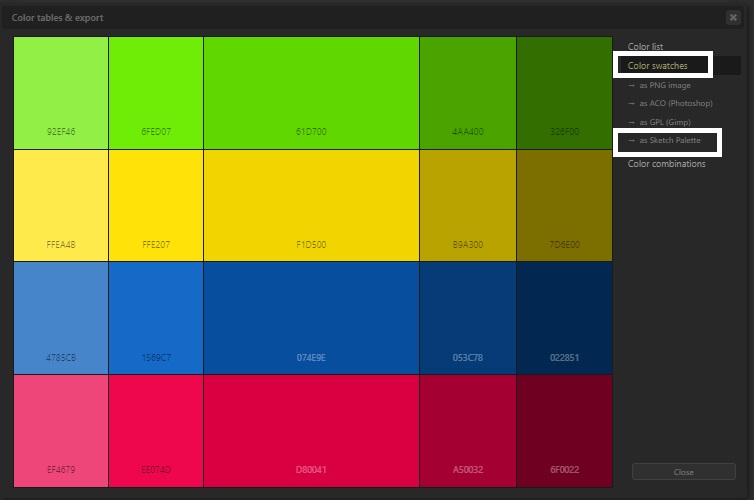 Copy the contents of the page to a markdown file in your vault. Place the file in the Excalidraw/Palettes folder (you can change this folder in settings).
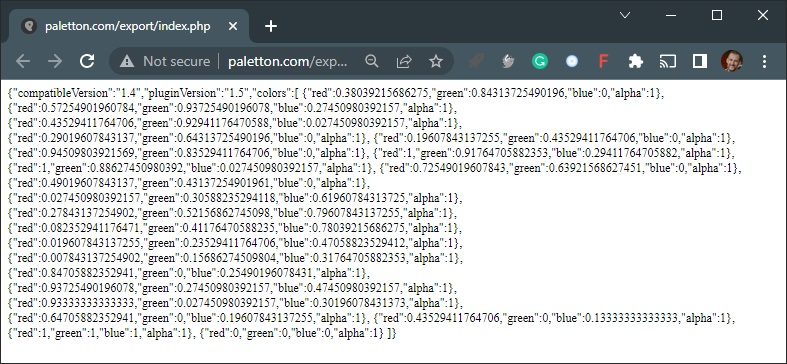
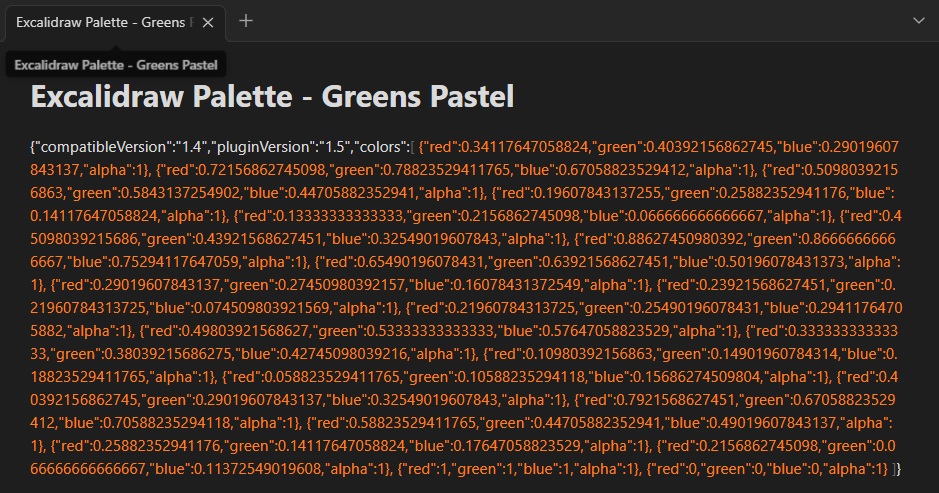
Excalidraw appState Custom Palette Data Object:
colorPalette: {
  canvasBackground: [string, string, string, string, string][] | string[],
  elementBackground: [string, string, string, string, string][] | string[],
  elementStroke: [string, string, string, string, string][] | string[],
  topPicks: {
    canvasBackground: [string, string, string, string, string],
    elementStroke: [string, string, string, string, string],
    elementBackground: [string, string, string, string, string]
  },
}

*/
//--------------------------
// Load settings
//--------------------------
if(!ea.verifyMinimumPluginVersion || !ea.verifyMinimumPluginVersion("1.9.2")) {
  new Notice("This script requires a newer version of Excalidraw. Please install the latest version.");
  return;
}

const api = ea.getExcalidrawAPI();
let settings = ea.getScriptSettings();
//set default values on first run
if(!settings["Palette folder"]) {
  settings = {
    "Palette folder" : {
      value: "Excalidraw/Palettes",
      description: "The path to the folder where you store the Excalidraw Palettes"
    },
    "Light-gray" : {
      value: "#505050",
      description: "Base light-gray used for mixing with the accent color to generate the palette light-gray"
    },
    "Dark-gray" : {
      value: "#e0e0e0",
      description: "Base dark-gray used for mixing with the accent color to generate the palette dark-gray"
    }
  };
  ea.setScriptSettings(settings);
}

const lightGray = settings["Light-gray"].value;
const darkGray = settings["Dark-gray"].value;

let paletteFolder = settings["Palette folder"].value.toLowerCase();
if(paletteFolder === "" || paletteFolder === "/") {
  new Notice("The palette folder cannot be the root folder of your vault");
  return;
}

if(!paletteFolder.endsWith("/")) paletteFolder += "/";


//-----------------------
// UPDATE CustomPalette
//-----------------------
const updateColorPalette = (paletteFragment) => {
  const st = ea.getExcalidrawAPI().getAppState();
  colorPalette = st.colorPalette ?? {};
  if(paletteFragment?.topPicks) {
    if(!colorPalette.topPicks) {
      colorPalette.topPicks = {
        ...paletteFragment.topPicks
      };
    } else {
      colorPalette.topPicks = {
        ...colorPalette.topPicks,
        ...paletteFragment.topPicks
      }
    }
  } else {
    colorPalette = {
      ...colorPalette,
      ...paletteFragment
    }
  }
  ea.viewUpdateScene({appState: {colorPalette}});
  ea.addElementsToView(true,true); //elements is empty, but this will save the file
}


//----------------
// LOAD PALETTE
//----------------
const loadPalette = async () => {
  //--------------------------
  // Select palette
  //--------------------------
  const palettes = app.vault.getFiles()
    .filter(f=>f.extension === "md" && f.path.toLowerCase() === paletteFolder + f.name.toLowerCase())
    .sort((a,b)=>a.basename.toLowerCase()<b.basename.toLowerCase()?-1:1);
  const file = await utils.suggester(["Excalidraw Default"].concat(palettes.map(f=>f.name)),["Default"].concat(palettes), "Choose a palette, press ESC to abort");
  if(!file) return;

  if(file === "Default") {
    api.updateScene({
      appState: {
        colorPalette: {}
      }
    });
    return;
  }

  //--------------------------
  // Load palette
  //--------------------------
  const sketchPalette = await app.vault.read(file);

  const parseJSON = (data) => {
    try {
      return JSON.parse(data);
    } catch(e) {
	  return;
    }
  }

  const loadPaletteFromPlainText = (data) => {
    const colors = [];
    data.replaceAll("\r","").split("\n").forEach(c=>{
      c = c.trim();
      if(c==="") return;
      if(c.match(/[^hslrga-fA-F\(\d\.\,\%\s)#]/)) return;
      const cm = ea.getCM(c);
      if(cm) colors.push(cm.stringHEX({alpha: false}));
    })
    return colors;
  }

  const paletteJSON = parseJSON(sketchPalette);

  const colors = paletteJSON
    ? paletteJSON.colors.map(c=>ea.getCM({r:c.red*255,g:c.green*255,b:c.blue*255,a:c.alpha}).stringHEX({alpha: false}))
    : loadPaletteFromPlainText(sketchPalette);
  const baseColor = ea.getCM(colors[0]);

  // Add black, white, transparent, gary
  const palette = [[
    "transparent",
    "black",
    baseColor.mix({color: lightGray, ratio:0.95}).stringHEX({alpha: false}),
    baseColor.mix({color: darkGray, ratio:0.95}).stringHEX({alpha: false}),
    "white"
  ]];

  // Create Excalidraw palette
  for(i=0;i<Math.floor(colors.length/5);i++) {
    palette.push([
	  colors[i*5+1],
      colors[i*5+2],
      colors[i*5],
      colors[i*5+3],
      colors[i*5+4]
    ]);
  }

  const getShades = (c,type) => {
    cm = ea.getCM(c);
    const lightness = cm.lightness;
    if(lightness === 0 || lightness === 100) return c;

	switch(type) {
	  case "canvas":
        return [
          c,
          ea.getCM(c).lightnessTo((100-lightness)*0.5+lightness).stringHEX({alpha: false}),
          ea.getCM(c).lightnessTo((100-lightness)*0.25+lightness).stringHEX({alpha: false}),
          ea.getCM(c).lightnessTo(lightness*0.5).stringHEX({alpha: false}),
          ea.getCM(c).lightnessTo(lightness*0.25).stringHEX({alpha: false}),
        ];
      case "stroke":
        return [
          ea.getCM(c).lightnessTo((100-lightness)*0.5+lightness).stringHEX({alpha: false}),
	      ea.getCM(c).lightnessTo((100-lightness)*0.25+lightness).stringHEX({alpha: false}),
	      ea.getCM(c).lightnessTo(lightness*0.5).stringHEX({alpha: false}),
	      ea.getCM(c).lightnessTo(lightness*0.25).stringHEX({alpha: false}),
	      c,
        ];
      case "background":
        return [
          ea.getCM(c).lightnessTo((100-lightness)*0.5+lightness).stringHEX({alpha: false}),
          c,
          ea.getCM(c).lightnessTo((100-lightness)*0.25+lightness).stringHEX({alpha: false}),
          ea.getCM(c).lightnessTo(lightness*0.5).stringHEX({alpha: false}),
          ea.getCM(c).lightnessTo(lightness*0.25).stringHEX({alpha: false}),
        ];
	}
  }

  const paletteSize = palette.flat().length;
  const newPalette = {
    canvasBackground: palette.flat().map(c=>getShades(c,"canvas")),
    elementStroke: palette.flat().map(c=>getShades(c,"stroke")),
    elementBackground: palette.flat().map(c=>getShades(c,"background"))
  };


  //--------------------------
  // Check if palette has the same size as the current. Is re-paint possible?
  //--------------------------
  const oldPalette = api.getAppState().colorPalette;

  //You can only switch and repaint equal size palettes
  let canRepaint = Boolean(oldPalette) && Object.keys(oldPalette).length === 3 &&
    oldPalette.canvasBackground.length  === paletteSize &&
    oldPalette.elementBackground.length === paletteSize &&
    oldPalette.elementStroke.length     === paletteSize;

  //Check that the palette for canvas background, element stroke and element background are the same
  for(i=0;canRepaint && i<paletteSize;i++) {
    if(
      oldPalette.canvasBackground[i] !== oldPalette.elementBackground[i] ||
      oldPalette.canvasBackground[i] !== oldPalette.elementStroke[i]
    ) {
      canRepaint = false;
      break;
    }
  }

  const shouldRepaint = canRepaint && await utils.suggester(["Try repainting the drawing with the new palette","Just load the new palette"], [true, false],"ESC will load the palette without repainting");


  //--------------------------
  // Apply palette
  //--------------------------
  if(shouldRepaint) {
    const map = new Map();
    for(i=0;i<paletteSize;i++) {
      map.set(oldPalette.canvasBackground[i],newPalette.canvasBackground[i])
    }

    ea.copyViewElementsToEAforEditing(ea.getViewElements());
    ea.getElements().forEach(el=>{
      el.strokeColor = map.get(el.strokeColor)??el.strokeColor;
      el.backgroundColor = map.get(el.backgroundColor)??el.backgroundColor;
    })

    const canvasColor = api.getAppState().viewBackgroundColor;

    await api.updateScene({
      appState: {
        viewBackgroundColor: map.get(canvasColor)??canvasColor
      }
    });

    ea.addElementsToView();
  }
  updateColorPalette(newPalette);
}

//-------------
// TOP PICKS
//-------------
const topPicks = async () => {
  const elements = ea.getViewSelectedElements().filter(el=>["rectangle", "diamond", "ellipse", "line"].includes(el.type));
  if(elements.length !== 5) {
    new Notice("Select 5 elements, the script will use the background color of these elements",6000);
    return;
  }

  const colorType = await utils.suggester(["View Background", "Element Background", "Stroke"],["view", "background", "stroke"], "Which top-picks would you like to set?");

  if(!colorType) {
    new Notice("You did not select which color to set");
    return;
  }

  const topPicks = elements.map(el=>el.backgroundColor);
  switch(colorType) {
    case "view": updateColorPalette({topPicks: {canvasBackground: topPicks}}); break;
    case "stroke": updateColorPalette({topPicks: {elementStroke: topPicks}}); break;
    default: updateColorPalette({topPicks: {elementBackground: topPicks}}); break;
  }
}

//-----------------------------------
// Copy palette from another file
//-----------------------------------
const copyPaletteFromFile = async () => {
  const files = app.vault.getFiles().filter(f => ea.isExcalidrawFile(f)).sort((a,b)=>a.name > b.name ? 1 : -1);
  const file = await utils.suggester(files.map(f=>f.path),files,"Select the file to copy from");
  if(!file) {
    return;
  }
  scene = await ea.getSceneFromFile(file);
  if(!scene || !scene.appState) {
	  new Notice("unknown error");
	  return;
  }
  ea.viewUpdateScene({appState: {colorPalette: {...scene.appState.colorPalette}}});
  ea.addElementsToView(true,true);
}

//----------
// START
//----------
const action = await utils.suggester(
  ["Load palette from file", "Set top-picks based on the background color of 5 selected elements", "Copy palette from another Excalidraw File"],
  ["palette","top-picks","copy"]
);
if(!action) return;

switch(action) {
  case "palette": loadPalette(); break;
  case "top-picks": topPicks(); break;
  case "copy": copyPaletteFromFile(); break;
}
Palm Guard.md
/* Palm Guard: A mobile-friendly drawing mode for Excalidraw that prevents accidental palm touches by hiding UI controls and entering fullscreen mode. Perfect for drawing with a stylus on tablets.
Features:
- Enters fullscreen to maximize drawing space (configurable in plugin script settings)
- Hides all UI controls to prevent accidental taps
- Provides a minimal floating toolbar with toggle visibility button
- Enables a completely distraction-free canvas even on desktop devices by hiding the main toolbar and all chrome while keeping a tiny movable toggle control (addresses immersive canvas / beyond Zen Mode request)
- Draggable toolbar can be positioned anywhere on screen
- Exit Palm Guard mode with a single tap
- Press the hotkey you configured for this script in Obsidian's Hotkey settings (e.g., ALT+X) to toggle UI visibility; if no hotkey is set, use the on-screen toggle button.
*/

if(!ea.verifyMinimumPluginVersion || !ea.verifyMinimumPluginVersion("2.14.2")) {
  new Notice("This script requires a newer version of Excalidraw. Please install the latest version.");
  return;
}

async function run() {
  if(window.excalidrawPalmGuard) {
    window.excalidrawPalmGuard()
    return;
  }
  const modal = new ea.FloatingModal(ea.plugin.app);
  const FULLSCREEN = "Goto fullscreen?";
  let settings = ea.getScriptSettings() || {};
  if(!settings[FULLSCREEN]) {
    settings[FULLSCREEN] = { value: true };
    await ea.setScriptSettings(settings);
  }

  //added only to clean up settings if someone installed the initial version of the script
  const HOTKEY_MODIFIERS = "PalmGuard Toggle UI Hotkey Modifiers";
  const HOTKEY_KEY = "PalmGuard Toggle UI Hotkey Key";
  if(settings[HOTKEY_MODIFIERS] || settings[HOTKEY_KEY]) {
    delete settings[HOTKEY_MODIFIERS];
    delete settings[HOTKEY_KEY];
    await ea.setScriptSettings(settings);
  }

  const enableFullscreen = settings[FULLSCREEN].value;

  // Initialize state
  let uiHidden = true;
  let currentIcon = "eye";
  let layerUIWrapper = ea.targetView.contentEl.querySelector(".excalidraw.excalidraw-container > .layer-ui__wrapper");
  const toolbar = ea.targetView.contentEl.querySelector(".excalidraw > .Island");
  let toolbarActive = toolbar?.style.display === "block";
  let prevHiddenState = false;

  // Function to toggle UI visibility
  const toggleUIVisibility = (hidden) => {
    if(hidden === prevHiddenState) return hidden;
    prevHiddenState = hidden;
    if (!!layerUIWrapper) {
      try {
	    if(hidden) {
		    layerUIWrapper.style.display = "none";
	    } else {
	      layerUIWrapper.style.display = "block";
	    }
	  } catch {};
    } else {
      try{
        const topBar = ea.targetView.containerEl.querySelector(".App-top-bar");
        const bottomBar = ea.targetView.containerEl.querySelector(".App-bottom-bar");
        const sidebarToggle = ea.targetView.containerEl.querySelector(".sidebar-toggle");
        const plugins = ea.targetView.containerEl.querySelector(".plugins-container");

        if(hidden) {
          if (toolbarActive && (toolbar?.style.display === "none")) {
            toolbarActive = false;
          }
          if (toolbarActive = toolbar?.style.display === "block") {
            toolbarActive = true;
          };
        }

        const display = hidden ? "none" : "";

        if (topBar) topBar.style.display = display;
        if (bottomBar) bottomBar.style.display = display;
        if (sidebarToggle) sidebarToggle.style.display = display;
        if (plugins) plugins.style.display = display;
        if (toolbarActive) toolbar.style.display = hidden ? "none" : "block";
        modal.modalEl.style.opacity = hidden ? "0.4" : "0.8";
      } catch {};
    };
    return hidden;
  };

  // Enter fullscreen view mode
  if(enableFullscreen) ea.targetView.gotoFullscreen();
  setTimeout(()=>toggleUIVisibility(true),100);

  // Create floating toolbar modal
  Object.assign(modal.modalEl.style, {
    width: "fit-content",
    minWidth: "fit-content",
    height: "fit-content",
    minHeight: "fit-content",
    paddingBottom: "4px",
    paddingTop: "16px",
    paddingRight: "4px",
    paddingLeft: "4px"
  });

  modal.headerEl.style.display = "none";
  // Configure modal
  modal.titleEl.setText(""); // No title for minimal UI

  // Create modal content
  modal.contentEl.createDiv({ cls: "palm-guard-toolbar" }, div => {
    const container = div.createDiv({
      attr: {
        style: "display: flex; flex-direction: column; background-color: var(--background-secondary); border-radius: 4px;"
      }
    });

    // Button container
    const buttonContainer = container.createDiv({
      attr: {
        style: "display: flex; flex-wrap: wrap; gap: 4px; justify-content: center;"
      }
    });

    // Toggle UI visibility button
    const toggleButton = buttonContainer.createEl("button", {
      cls: "palm-guard-btn clickable-icon",
      attr: {
        style: "background-color: var(--interactive-accent); color: var(--text-on-accent);"
      }
    });
    toggleButton.innerHTML = ea.obsidian.getIcon("eye").outerHTML;
    // Keyboard hotkey listener (only acts if hotkey configured)
    window.excalidrawPalmGuard = () => toggleButton.click();
    toggleButton.addEventListener("click", () => {
      uiHidden = !uiHidden;
      toggleUIVisibility(uiHidden);

      // Toggle icon
      currentIcon = uiHidden ? "eye" : "eye-off";
      toggleButton.innerHTML = ea.obsidian.getIcon(currentIcon).outerHTML;
    });

    // Exit button
    const exitButton = buttonContainer.createEl("button", {
      cls: "palm-guard-btn clickable-icon",
      attr: {
        style: "background-color: var(--background-secondary-alt); color: var(--text-normal);"
      }
    });
    exitButton.innerHTML = ea.obsidian.getIcon("cross").outerHTML;

    exitButton.addEventListener("click", () => {
      modal.close();
    });

    // Add CSS
    div.createEl("style", {
      text: `
        .palm-guard-btn:hover {
          filter: brightness(1.1);
        }
        .modal-close-button {
          display: none;
        }
        .palm-guard-btn {
          display: flex;
          justify-content: center;
          align-items: center;
          padding: 4px;
          border-radius: 10%;
          width: 2em;
          height: 2em;
          cursor: pointer;
        }
      `
    });
  });

  const autocloseTimer = setInterval(()=>{
    if(!ea.targetView) modal.close();
  },1000);

  // Handle modal close (exit Palm Guard mode)
  modal.onClose = () => {
    // Show all UI elements
    toggleUIVisibility(false);

    // Exit fullscreen
    if(ea.targetView && enableFullscreen) ea.targetView.exitFullscreen();
    clearInterval(autocloseTimer);
    delete window.excalidrawPalmGuard;
  };

  // Open the modal
  modal.open();

  // Position the modal in the top left initially
  setTimeout(() => {
    const modalEl = modal.modalEl;
    const rect = ea.targetView.contentEl.getBoundingClientRect();
    if (modalEl) {
      modalEl.style.left = `${rect.left+10}px`;
      modalEl.style.top = `${rect.top+10}px`;
    }
  }, 100);
}

run();
PDF Page Text to Clipboard.md
/* Copies the text from the selected PDF page on the Excalidraw canvas to the clipboard.
const el = ea.getViewSelectedElements().filter(el=>el.type==="image")[0];
if(!el) {
  new Notice("Select a PDF page");
  return;
}
const f = ea.getViewFileForImageElement(el);
if(f.extension.toLowerCase() !== "pdf") {
  new Notice("Select a PDF page");
  return;
}

const pageNum = parseInt(ea.targetView.excalidrawData.getFile(el.fileId).linkParts.ref.replace(/\D/g, ""));
if(isNaN(pageNum)) {
  new Notice("Can't find page number");
  return;
}

const pdfDoc = await window.pdfjsLib.getDocument(app.vault.getResourcePath(f)).promise;
const page = await pdfDoc.getPage(pageNum);
const text = await page.getTextContent();
if(!text) {
	new Notice("Could not get text");
	return;
}
pdfDoc.destroy();
window.navigator.clipboard.writeText(
  text.items.reduce((acc, cur) => acc + cur.str.replace(/\x00/ug, '') + (cur.hasEOL ? "\n" : ""),"")
);
new Notice("Page text is available on the clipboard");
Printable Layout Wizard.md
/*
Export Excalidraw to PDF Pages: Define printable page areas using frames, then export each frame as a separate page in a multi-page PDF. Perfect for turning your Excalidraw drawings into printable notes, handouts, or booklets. Supports standard and custom page sizes, margins, and easy frame arrangement.
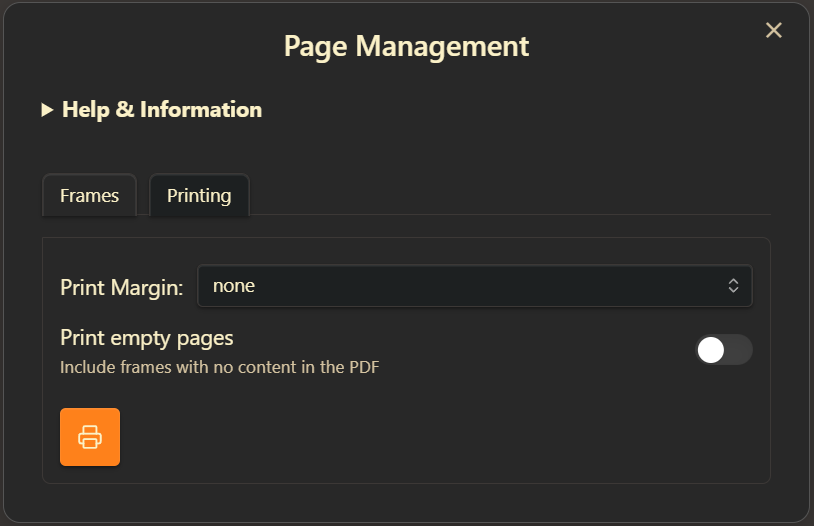
*/
if(!ea.verifyMinimumPluginVersion || !ea.verifyMinimumPluginVersion("2.15.0")) {
new Notice("This script requires a newer version of Excalidraw. Please install the latest version.");
return;
}
if(window.excalidrawPrintableLayoutWizardModal) {
window.excalidrawPrintableLayoutWizardModal.open();
return;
}
// Help text for the script
const HELP_TEXT = `
**Easily split your Excalidraw drawing into printable pages!**
If you find this script helpful, consider [buying me a coffee](https://ko-fi.com/zsolt). Thank you.
---
### How it works
- **Define Pages:** Use frames to mark out each page area in your drawing. You can create the first frame with this script (choose a standard size or orientation), or draw your own frame for a custom page size.
- **Add More Pages:** Select a frame, then use the arrow buttons to add new frames next to it. All new frames will match the size of the selected one.
- **Rename Frames:** You can rename frames as you like. When exporting to PDF, pages will be ordered alphabetically by frame name.
---
### Important Notes
- **Same Size & Orientation:** All frames must have the same size and orientation (e.g., all A4 Portrait) to export to PDF. Excalidraw currently does not support PDFs with different-sized pages.
- **Custom Sizes:** If you draw your own frame, the PDF will use that exact size—great for custom page layouts!
- **Margins:** If you set a margin, the page size stays the same, but your content will shrink to fit inside the printable area.
- **No Frame Borders/Titles in Print:** Frame borders and frame titles will *not* appear in the PDF.
- **No Frame Clipping:** The script disables frame clipping for this drawing.
- **Templates:** You can save a template document with prearranged frames (even locked ones) for reuse.
- **Lock Frames:** Frames only define print areas—they don't "contain" elements. Locking frames is recommended to prevent accidental movement.
- **Outside Content:** Anything outside the frames will *not* appear in the PDF.
---
### Printing
- **Export to PDF:** Click the printer button to export each frame as a separate page in a PDF.
- **Order:** Pages are exported in alphabetical order of frame names.
---
### Settings
You can also access script settings at the bottom of Excalidraw Plugin settings. The script stores your preferences for:
- Locking new frames after creation
- Zooming to new frames
- Closing the dialog after adding a frame
- Default page size and orientation
- Print margin
---
**Tip:** For more on templates, see [Mastering Excalidraw Templates](https://youtu.be/jgUpYznHP9A). For referencing pages in markdown, see [Image Fragments](https://youtu.be/sjZfdqpxqsg) and [Image Block References](https://youtu.be/yZQoJg2RCKI).


`;
async function run() {
modal = new ea.FloatingModal(ea.plugin.app);
window.excalidrawPrintableLayoutWizardModal = modal;
modal.contentEl.empty();
let shouldRestart = false;
// Enable frame rendering
const st = ea.getExcalidrawAPI().getAppState();
let {enabled, clip, name, outline, markerName, markerEnabled} = st.frameRendering;
if(!enabled || !name || !outline || !markerEnabled || !markerName) {
ea.viewUpdateScene({
appState: {
frameRendering: {
enabled: true,
clip: clip,
name: true,
outline: true,
markerName: true,
markerEnabled: true
}
}
});
}
// Page size options (using standard sizes from ExcalidrawAutomate)
const PAGE_SIZES = [
"A0", "A1", "A2", "A3", "A4", "A5", "A6",
"Letter", "Legal", "Tabloid", "Ledger"
];
const PAGE_ORIENTATIONS = ["portrait", "landscape"];
// Margin sizes in points
const MARGINS = {
"none": 0,
"tiny": 10,
"normal": 60,
};
// Initialize settings
let settings = ea.getScriptSettings();
let dirty = false;
// Define setting keys
const PAGE_SIZE = "Page size";
const ORIENTATION = "Page orientation";
const MARGIN = "Print-margin";
const LOCK_FRAME = "Lock frame after it is created";
const SHOULD_ZOOM = "Should zoom after adding page";
const SHOULD_CLOSE = "Should close after adding page";
const PRINT_EMPTY = "Print empty pages";
const PRINT_MARKERS_ONLY = "Print only marker frames";
// Set default values on first run
if (!settings[PAGE_SIZE]) {
settings = {};
settings[PAGE_SIZE] = { value: "A4", valueset: PAGE_SIZES };
settings[ORIENTATION] = { value: "portrait", valueset: PAGE_ORIENTATIONS };
settings[MARGIN] = { value: "none", valueset: Object.keys(MARGINS)};
settings[SHOULD_ZOOM] = { value: false };
settings[SHOULD_CLOSE] = { value: false };
settings[LOCK_FRAME] = { value: true };
settings[PRINT_EMPTY] = { value: false };
settings[PRINT_MARKERS_ONLY] = { value: true };
dirty = true;
}
//once off correction. In the first version I incorrectly used valueSet with wrong casing.
if(settings[PAGE_SIZE].valueSet) {
settings[PAGE_SIZE].valueset = settings[PAGE_SIZE].valueSet;
delete settings[PAGE_SIZE].valueSet;
settings[ORIENTATION].valueset = settings[ORIENTATION].valueSet;
delete settings[ORIENTATION].valueSet;
settings[MARGIN].valueset = settings[MARGIN].valueSet;
delete settings[MARGIN].valueSet;
dirty = true;
}
if(!settings[LOCK_FRAME]) {
settings[LOCK_FRAME] = { value: true };
dirty = true;
}
if(!settings[PRINT_EMPTY]) {
settings[PRINT_EMPTY] = { value: false };
dirty = true;
}
if(!settings[PRINT_MARKERS_ONLY]) {
settings[PRINT_MARKERS_ONLY] = { value: true };
dirty = true;
}
let lockFrame = settings[LOCK_FRAME].value;
let shouldClose = settings[SHOULD_CLOSE].value;
let shouldZoom = settings[SHOULD_ZOOM].value;
let printEmptyPages = settings[PRINT_EMPTY].value;
let printMarkersOnly = settings[PRINT_MARKERS_ONLY].value;
const getSortedFrames = () => {
return ea.getViewElements()
.filter(el => isEligibleFrame(el))
.sort((a, b) => {
const nameA = a.name || "";
const nameB = b.name || "";
return nameA.localeCompare(nameB);
});
};
// Find existing page frames and determine next page number
const findExistingPages = (selectLastFrame = false) => {
const frameElements = getSortedFrames();
// Extract page numbers from frame names
const pageNumbers = frameElements
.map(frame => {
const match = frame.name?.match(/(?:Page\s+)?(\d+)/i);
return match ? parseInt(match[1]) : 0;
})
.filter(num => !isNaN(num));
// Find the highest page number
const nextPageNumber = pageNumbers.length > 0
? Math.max(...pageNumbers) + 1
: 1;
if(selectLastFrame && frameElements.length > 0) {
ea.selectElementsInView([frameElements[frameElements.length-1]]);
}
return {
frames: frameElements,
nextPageNumber: nextPageNumber
};
};
const isEligibleFrame = (el) => el.type === "frame" && (printMarkersOnly ? el.frameRole === "marker" : true);
// Check if there are frames in the scene and if a frame is selected
let existingFrames = ea.getViewElements().filter(el => isEligibleFrame(el));
let selectedFrame = ea.getViewSelectedElements().find(el => isEligibleFrame(el));
const hasFrames = existingFrames.length > 0;
if(hasFrames && !selectedFrame) {
if(st.activeLockedId && existingFrames.find(f=>f.id === st.activeLockedId)) {
selectedFrame = existingFrames.find(f=>f.id === st.activeLockedId);
ea.viewUpdateScene({ appState: { activeLockedId: null }});
ea.selectElementsInView([selectedFrame]);
} else {
findExistingPages(true);
selectedFrame = ea.getViewSelectedElements().find(el => isEligibleFrame(el));
}
}
const hasSelectedFrame = !!selectedFrame;
// rotation is now a temporary UI state controlled by the center button
let rotateOnAdd = false;
let centerRotateBtn = null;
const setRotateBtnActive = (active) => {
if (!centerRotateBtn) return;
centerRotateBtn.classList.toggle("is-accent", active);
centerRotateBtn.setAttribute("aria-pressed", active ? "true" : "false");
};
// Show notice if there are frames but none selected
if (hasFrames && !hasSelectedFrame) {
new Notice("Select a frame before running the script", 7000);
return;
}
// Create the first frame
const createFirstFrame = async (pageSize, orientation) => {
// Use ExcalidrawAutomate's built-in function to get page dimensions
const dimensions = ea.getPagePDFDimensions(pageSize, orientation);
if (!dimensions) {
new Notice("Invalid page size selected");
return;
}
// Save settings when creating first frame
if (settings[PAGE_SIZE].value !== pageSize) {
settings[PAGE_SIZE].value = pageSize;
dirty = true;
}
if (settings[ORIENTATION].value !== orientation) {
settings[ORIENTATION].value = orientation;
dirty = true;
}
// Format page number with leading zero
const pageName = "01";
// Calculate position to center the frame
const appState = ea.getExcalidrawAPI().getAppState();
const x = (appState.width - dimensions.width) / 2;
const y = (appState.height - dimensions.height) / 2;
return await addFrameElement(x, y, dimensions.width, dimensions.height, pageName, true);
};
// Add new page frame
const addPage = async (direction, pageSize, orientation) => {
selectedFrame = ea.getViewSelectedElements().find(el => isEligibleFrame(el));
if (!selectedFrame) {
const { activeLockedId } = ea.getExcalidrawAPI().getAppState();
if(activeLockedId) {
selectedFrame = ea.getViewElements().find(el=>el.id === activeLockedId && isEligibleFrame(el));
}
if (!selectedFrame) return;
}
ea.viewUpdateScene({appState: {activeLockedId: null}});
const { frames, nextPageNumber } = findExistingPages();
// Get dimensions from selected frame, support optional rotation
const dimensions = {
width: rotateOnAdd ? selectedFrame.height : selectedFrame.width,
height: rotateOnAdd ? selectedFrame.width : selectedFrame.height
};
// Format page number with leading zero
const pageName = `${nextPageNumber.toString().padStart(2, '0')}`;
// Calculate position based on direction and selected frame
let x = 0;
let y = 0;
switch (direction) {
case "right":
x = selectedFrame.x + selectedFrame.width;
y = selectedFrame.y;
break;
case "left":
x = selectedFrame.x - dimensions.width;
y = selectedFrame.y;
break;
case "down":
x = selectedFrame.x;
y = selectedFrame.y + selectedFrame.height;
break;
case "up":
x = selectedFrame.x;
y = selectedFrame.y - dimensions.height;
break;
}
const added = await addFrameElement(x, y, dimensions.width, dimensions.height, pageName);
// reset the rotate toggle after adding the frame
rotateOnAdd = false;
setRotateBtnActive(false);
return added;
};
addFrameElement = async (x, y, width, height, pageName, repositionToCursor = false) => {
const frameId = ea.addFrame(x, y, width, height, pageName);
ea.getElement(frameId).frameRole = "marker";
if(lockFrame) {
ea.getElement(frameId).locked = true;
}
await ea.addElementsToView(repositionToCursor);
const addedFrame = ea.getViewElements().find(el => el.id === frameId);
if(shouldZoom) {
ea.viewZoomToElements(true, [addedFrame]);
} else {
ea.selectElementsInView([addedFrame]);
}
//ready for the next frame
ea.clear();
selectedFrame = addedFrame;
if(shouldClose) {
modal.close();
}
return addedFrame;
}
const translateToZero = ({ x, y, width, height }, padding=0) => {
const top = y, left = x, right = x + width, bottom = y + height;
const {topX, topY, width:w, height:h} = ea.getBoundingBox(ea.getViewElements());
const newTop = top - (topY - padding);
const newLeft = left - (topX - padding);
const newBottom = bottom - (topY - padding);
const newRight = right - (topX - padding);
return {
top: newTop,
left: newLeft,
bottom: newBottom,
right: newRight,
};
}
// NEW: detect if any non-frame element overlaps the given area
const hasElementsInArea = (area) => ea.getElementsInArea(ea.getViewElements(), area).length>0;
const checkFrameSizes = (frames) => {
if (frames.length <= 1) return true;
const referenceWidth = frames[0].width;
const referenceHeight = frames[0].height;
return frames.every(frame =>
Math.abs(frame.width - referenceWidth) < 1 &&
Math.abs(frame.height - referenceHeight) < 1
);
};
const printToPDF = async (marginSize) => {
const margin = MARGINS[marginSize] || 0;
// Save margin setting
if (settings[MARGIN].value !== marginSize) {
settings[MARGIN].value = marginSize;
dirty = true;
}
// Get all frame elements and sort by name
const frames = getSortedFrames();
if (frames.length === 0) {
new Notice("No frames found to print");
return;
}
// Create a notice during processing
const notice = new Notice("Preparing PDF, please wait...", 0);
// Create SVGs for each frame
const svgPages = [];
let placeholderRects = [];
ea.clear();
for (const frame of frames) {
ea.style.opacity = 0;
ea.style.roughness = 0;
ea.style.fillStyle = "solid";
ea.style.backgroundColor = "black"
ea.style.strokeWidth = 0.01;
ea.addRect(frame.x, frame.y, frame.width, frame.height);
}
const svgScene = await ea.createViewSVG({
withBackground: true,
theme: st.theme,
//frameRendering: { enabled: false, name: false, outline: false, clip: false },
padding: 0,
selectedOnly: false,
skipInliningFonts: false,
embedScene: false,
elementsOverride: ea.getViewElements().concat(ea.getElements()),
});
ea.clear();
for (const frame of frames) {
// NEW: skip empty frames unless user opted to print them
if(!printEmptyPages && !hasElementsInArea(frame)) continue;
const { top, left, bottom, right } = translateToZero(frame);
//always create the new SVG in the main Obsidian workspace (not the popout window, if present)
const host = window.createDiv();
host.innerHTML = svgScene.outerHTML;
const clonedSVG = host.firstElementChild;
const width = Math.abs(left-right);
const height = Math.abs(top-bottom);
clonedSVG.setAttribute("viewBox", `${left} ${top} ${width} ${height}`);
clonedSVG.setAttribute("width", `${width}`);
clonedSVG.setAttribute("height", `${height}`);
svgPages.push(clonedSVG);
}
// NEW: abort if nothing to print
if(svgPages.length === 0) {
notice.hide();
new Notice("No pages to print (all selected frames are empty)");
notice.hide();
return;
}
// Use dimensions from the first frame
const width = frames[0].width;
const height = frames[0].height;
// Create PDF
await ea.createPDF({
SVG: svgPages,
scale: { fitToPage: true },
pageProps: {
dimensions: {},
//dimensions: { width, height },
backgroundColor: "#ffffff",
margin: {
left: margin,
right: margin,
top: margin,
bottom: margin
},
alignment: "center"
},
filename: ea.targetView.file.basename + "-pages.pdf"
});
notice.hide();
};
// -----------------------
// Create a floating modal
// -----------------------
modal.titleEl.setText("Page Management");
modal.titleEl.style.textAlign = "center";
modal.onClose = async () => {
delete window.excalidrawPrintableLayoutWizardModal;
if (dirty) {
await ea.setScriptSettings(settings);
}
ea.viewUpdateScene({
appState: {
frameRendering: {enabled, clip, name, outline, markerName, markerEnabled}
}
});
if(shouldRestart) setTimeout(()=>run());
};
// Create modal content
modal.contentEl.createDiv({ cls: "excalidraw-page-manager" }, div => {
const container = div.createDiv({
attr: {
style: "display: flex; flex-direction: column; gap: 15px; padding: 10px;"
}
});
// Help section
const helpDiv = container.createDiv({
attr: {
style: "margin-bottom: 10px;"
}
});
helpDiv.createEl("details", {}, (details) => {
details.createEl("summary", {
text: "Help & Information",
attr: {
style: "cursor: pointer; font-weight: bold; margin-bottom: 10px;"
}
});
details.createEl("div", {
attr: {
style: "padding: 10px; border: 1px solid var(--background-modifier-border); border-radius: 4px; margin-top: 8px; font-size: 0.9em; max-height: 300px; overflow-y: auto;"
}
}, div => {
ea.obsidian.MarkdownRenderer.render(ea.plugin.app, HELP_TEXT, div, "", ea.plugin)
});
});
// Tabs (show only when frames exist)
let framesTabEl, printingTabEl, tabsHeaderEl, marginDropdown;
if (hasFrames) {
tabsHeaderEl = container.createDiv({
attr: { style: "display:flex; gap:8px; border-bottom:1px solid var(--background-modifier-border); padding-bottom:0;" }
});
tabsHeaderEl.addClass("tabs-header"); // NEW
const framesTabBtn = tabsHeaderEl.createEl("button", {
text: "Frames",
attr: { style: "padding:8px 12px; cursor:pointer;" }
});
framesTabBtn.addClass("tab-btn"); // NEW
const printingTabBtn = tabsHeaderEl.createEl("button", {
text: "Printing",
attr: { style: "padding:8px 12px; cursor:pointer;" }
});
printingTabBtn.addClass("tab-btn"); // NEW
const tabsBody = container.createDiv();
tabsBody.addClass("tab-panels"); // NEW
framesTabEl = tabsBody.createDiv({ attr: { style: "display:block;" } });
framesTabEl.addClass("tab-panel"); // NEW
printingTabEl = tabsBody.createDiv({ attr: { style: "display:none;" } });
printingTabEl.addClass("tab-panel"); // NEW
const activate = (tab) => {
if (tab === "frames") {
framesTabEl.style.display = "";
printingTabEl.style.display = "none";
framesTabBtn.classList.add("is-active");
printingTabBtn.classList.remove("is-active");
} else {
framesTabEl.style.display = "none";
printingTabEl.style.display = "";
framesTabBtn.classList.remove("is-active");
printingTabBtn.classList.add("is-active");
}
};
framesTabBtn.addEventListener("click", () => {
window.excalidrawPrintLayoutWizard = "frames";
activate("frames")
});
printingTabBtn.addEventListener("click", () => {
window.excalidrawPrintLayoutWizard = "printing";
activate("printing")
});
activate(window.excalidrawPrintLayoutWizard ?? "frames");
} else {
// No frames yet, only frames tab content
framesTabEl = container.createDiv();
}
const createOptionsContainerCommonControls = (optionsContainer) => {
new ea.obsidian.Setting(optionsContainer)
.setName("Lock")
.setDesc("Lock the new frame element after it is created.")
.addToggle(toggle => {
toggle.setValue(lockFrame).onChange(value => {
lockFrame = value;
if (settings[LOCK_FRAME].value !== value) {
settings[LOCK_FRAME].value = value; dirty = true;
}
});
});
new ea.obsidian.Setting(optionsContainer)
.setName("Zoom to new frame")
.setDesc("Automatically zoom to the newly created frame")
.addToggle(toggle => {
toggle.setValue(shouldZoom).onChange(value => {
shouldZoom = value;
if (settings[SHOULD_ZOOM].value !== value) {
settings[SHOULD_ZOOM].value = value; dirty = true;
}
});
});
new ea.obsidian.Setting(optionsContainer)
.setName("Close after adding")
.setDesc("Close this dialog after adding a new frame")
.addToggle(toggle => {
toggle.setValue(shouldClose).onChange(value => {
shouldClose = value;
if (settings[SHOULD_CLOSE].value !== value) {
settings[SHOULD_CLOSE].value = value; dirty = true;
}
});
});
new ea.obsidian.Setting(optionsContainer)
.setName("Use only Marker Frames")
.setDesc("When off, all frames will be printed (not just marker frames)")
.addToggle(toggle => {
toggle.setValue(printMarkersOnly).onChange(value => {
printMarkersOnly = value;
if (settings[PRINT_MARKERS_ONLY].value !== value) {
settings[PRINT_MARKERS_ONLY].value = value;
dirty = true;
shouldRestart = true;
modal.close();
}
});
});
}
// FRAMES TAB CONTENT
// When no frames yet: initial size/orientation inputs and Create First Frame button
if (!hasFrames) {
const settingsContainer = framesTabEl.createDiv({
attr: {
// four columns: label + input, label + input
style: "display: grid; grid-template-columns: auto 1fr auto 1fr; gap: 10px; align-items: center;"
}
});
// Page Size
settingsContainer.createEl("label", { text: "Page Size:" });
const pageSizeDropdown = settingsContainer.createEl("select", {
cls: "dropdown",
attr: { style: "width: 100%;" }
});
PAGE_SIZES.forEach(size => pageSizeDropdown.createEl("option", { text: size, value: size }));
pageSizeDropdown.value = settings[PAGE_SIZE].value;
// Orientation
settingsContainer.createEl("label", { text: "Orientation:" });
const orientationDropdown = settingsContainer.createEl("select", {
cls: "dropdown",
attr: { style: "width: 100%;" }
});
PAGE_ORIENTATIONS.forEach(orientation => orientationDropdown.createEl("option", { text: orientation, value: orientation }));
orientationDropdown.value = settings[ORIENTATION].value;
const optionsContainer = framesTabEl.createDiv({ attr: { style: "margin-top: 10px;" } });
createOptionsContainerCommonControls(optionsContainer);
// Create First Frame button
const buttonContainer = framesTabEl.createDiv({
attr: { style: "display: grid; grid-template-columns: 1fr; gap: 10px; margin-top: 10px;" }
});
const createFirstBtn = buttonContainer.createEl("button", {
cls: "page-btn",
attr: { style: "height: 40px; background-color: var(--interactive-accent); color: var(--text-on-accent);" }
});
createFirstBtn.textContent = "Create First Frame";
createFirstBtn.addEventListener("click", async () => {
const tmpShouldClose = shouldClose;
shouldClose = true;
await createFirstFrame(pageSizeDropdown.value, orientationDropdown.value);
shouldClose = tmpShouldClose;
if(!shouldClose) {
shouldRestart = true;
modal.close()
}
});
} else {
// hasFrames: frame-management options + arrow buttons
const optionsContainer = framesTabEl.createDiv({ attr: { style: "margin-top: 10px;" } });
createOptionsContainerCommonControls(optionsContainer);
// Arrow buttons with center rotate toggle
const buttonContainer = framesTabEl.createDiv({
attr: {
style: "display: grid; grid-template-columns: repeat(3, 1fr); gap: 10px; margin-top: 10px;"
}
});
const upBtn = buttonContainer.createEl("button", {
cls: "page-btn",
attr: { style: "grid-column: 2; grid-row: 1; height: 40px;" }
});
upBtn.innerHTML = ea.obsidian.getIcon("arrow-big-up").outerHTML;
upBtn.addEventListener("click", async () => { await addPage("up"); });
buttonContainer.createDiv({ attr: { style: "grid-column: 3; grid-row: 1;" } });
const leftBtn = buttonContainer.createEl("button", {
cls: "page-btn",
attr: { style: "grid-column: 1; grid-row: 2; height: 40px;" }
});
leftBtn.innerHTML = ea.obsidian.getIcon("arrow-big-left").outerHTML;
leftBtn.addEventListener("click", async () => { await addPage("left"); });
// Center toggle: Rotate next page
centerRotateBtn = buttonContainer.createEl("button", {
cls: "page-btn",
attr: { style: "grid-column: 2; grid-row: 2; height: 40px;" }
});
centerRotateBtn.textContent = "Rotate next page";
centerRotateBtn.addEventListener("click", () => {
rotateOnAdd = !rotateOnAdd;
setRotateBtnActive(rotateOnAdd);
});
setRotateBtnActive(rotateOnAdd);
const rightBtn = buttonContainer.createEl("button", {
cls: "page-btn",
attr: { style: "grid-column: 3; grid-row: 2; height: 40px;" }
});
rightBtn.innerHTML = ea.obsidian.getIcon("arrow-big-right").outerHTML;
rightBtn.addEventListener("click", async () => { await addPage("right"); });
const downBtn = buttonContainer.createEl("button", {
cls: "page-btn",
attr: { style: "grid-column: 2; grid-row: 3; height: 40px;" }
});
downBtn.innerHTML = ea.obsidian.getIcon("arrow-big-down").outerHTML;
downBtn.addEventListener("click", async () => { await addPage("down"); });
buttonContainer.createDiv({ attr: { style: "grid-column: 1; grid-row: 3;" } });
}
// PRINTING TAB CONTENT (only when hasFrames)
if (hasFrames && printingTabEl) {
const marginContainer = printingTabEl.createDiv({
attr: {
style: "display: grid; grid-template-columns: auto 1fr; gap: 10px; align-items: center; margin-top: 6px;"
}
});
marginContainer.createEl("label", { text: "Print Margin:" });
marginDropdown = marginContainer.createEl("select", { cls: "dropdown", attr: { style: "width: 100%;" } });
Object.keys(MARGINS).forEach(margin => marginDropdown.createEl("option", { text: margin, value: margin }));
marginDropdown.value = settings[MARGIN].value;
const printingOptions = printingTabEl.createDiv({ attr: { style: "margin-top: 10px;" } });
new ea.obsidian.Setting(printingOptions)
.setName(PRINT_EMPTY)
.setDesc("Include frames with no content in the PDF")
.addToggle(toggle => {
toggle.setValue(printEmptyPages).onChange(value => {
printEmptyPages = value;
if(settings[PRINT_EMPTY].value !== value) {
settings[PRINT_EMPTY].value = value;
dirty = true;
}
});
});
const printBtnRow = printingTabEl.createDiv({ attr: { style: "margin-top: 10px; display:flex; justify-content:flex-start;" } });
const printBtn = printBtnRow.createEl("button", {
cls: "page-btn",
attr: { style: "height: 40px; background-color: var(--interactive-accent);" }
});
printBtn.innerHTML = ea.obsidian.getIcon("printer").outerHTML;
printBtn.addEventListener("click", async () => { await printToPDF(marginDropdown.value); });
}
// CSS
div.createEl("style", {
text: `
.page-btn {
display: flex;
justify-content: center;
align-items: center;
cursor: pointer;
border-radius: 4px;
}
.page-btn:hover {
background-color: var(--interactive-hover);
}
.dropdown {
height: 30px;
background-color: var(--background-secondary);
color: var(--text-normal);
border-radius: 4px;
border: 1px solid var(--background-modifier-border);
padding: 0 10px;
}
.is-active {
background-color: var(--background-modifier-hover);
border-radius: 4px;
}
/* Tabs styling - NEW */
.tabs-header {
gap: 8px;
border-bottom: 1px solid var(--background-modifier-border);
}
.tabs-header .tab-btn {
background: var(--background-primary);
color: var(--text-normal);
border: 1px solid var(--background-modifier-border);
border-bottom: none;
border-top-left-radius: 6px;
border-top-right-radius: 6px;
border-bottom-left-radius: 0;
border-bottom-right-radius: 0;
padding: 8px 12px;
margin-bottom: -1px; /* sit on top of the panel border */
}
.tabs-header .tab-btn:hover {
background: var(--background-modifier-hover);
}
.tabs-header .tab-btn.is-active {
background: var(--background-secondary);
color: var(--text-normal);
position: relative;
z-index: 2;
}
.tab-panels {
border: 1px solid var(--background-modifier-border);
border-radius: 0 6px 6px 6px; /* merge with active tab */
padding: 12px;
background: var(--background-primary);
}
/* accent styling for center rotate toggle when active */
.page-btn.is-accent {
background-color: var(--interactive-accent);
color: var(--text-on-accent);
}
.page-btn.is-accent:hover {
background-color: var(--interactive-accent-hover, var(--interactive-accent));
}
`
});
});
modal.open();
}
run();
README.md
Excalidraw Script Engine scripts library
【English | 简体中文】
Click to watch the intro video:

Warning
There is an easier way to install/manage scripts than what is shown in this video
See the Excalidraw Script Engine documentation for more details.
How to install scripts into your Obsidian Vault
To install one of the built-in scripts:
- Open up an excalidraw drawing in Obsidian
- In the pane dropdown menu select "Install or update Excalidraw Scripts"
- Click on one of the available scripts
- Click on "Install this script" (note if the script is already installed you will instead see an option to update it)
- Restart Obsidian so the script will be picked up
Note: By default this will install the script into your vault in the Excalidraw/Scripts/Downloaded folder
Manual installation of scripts
Open the script you are interested in and save it to your Obsidian Vault including the first line /*, or open it in "Raw" and copy the entire contents to Obsidian.
List of available scripts
| Title | Description | Icon | Contributor |
|---|---|---|---|
| Add Connector Point | This script will add a small circle to the top left of each text element in the selection and add the text and the "bullet point" into a group. | |
@zsviczian |
| Add Link to Existing File and Open | Prompts for a file from the vault. Adds a link to the selected element pointing to the selected file. You can control in settings to open the file in the current active pane or an adjacent pane. | |
@zsviczian |
| Add Link to New Page and Open | Prompts for filename. Offers option to create and open a new Markdown or Excalidraw document. Adds link pointing to the new file, to the selected objects in the drawing. You can control in settings to open the file in the current active pane or an adjacent pane. | |
@zsviczian |
| Add Next Step in Process | This script will prompt you for the title of the process step, then will create a stick note with the text. If an element is selected then the script will connect this new step with an arrow to the previous step (the selected element). If no element is selected, then the script assumes this is the first step in the process and will only output the sticky note with the text that was entered. | |
@zsviczian |
| Split Ellipse | With This Script it is possible to make boolean Operations on Shapes. | |
@GColoy |
| Box Each Selected Groups | This script will add encapsulating boxes around each of the currently selected groups in Excalidraw. | |
@1-2-3 |
| Box Selected Elements | This script will add an encapsulating box around the currently selected elements in Excalidraw. | |
@zsviczian |
| Change shape of selected elements | The script allows you to change the shape of selected Rectangles, Diamonds and Ellipses | |
@zsviczian |
| Connect elements | This script will connect two objects with an arrow. If either of the objects are a set of grouped elements (e.g. a text element grouped with an encapsulating rectangle), the script will identify these groups, and connect the arrow to the largest object in the group (assuming you want to connect the arrow to the box around the text element). | |
@zsviczian |
| Convert freedraw to line | Convert selected freedraw objects into editable lines. This will allow you to adjust your drawings by dragging line points and will also allow you to select shape fill in case of enclosed lines. You can adjust conversion point density in settings | |
@zsviczian |
| Convert selected text elements to sticky notes | Converts selected plain text elements to sticky notes with transparent background and transparent stroke color. Essentially converts text element into a wrappable format. | |
@zsviczian |
| Convert text to link with folder and alias | Converts text elements to links pointing to a file in a selected folder and with the alias set as the original text. The script will prompt the user to select an existing folder from the vault. | original text => [[selected folder/original text|original text]] |
@zsviczian |
| Copy Selected Element Styles to Global | This script will copy styles of any selected element into Excalidraw's global styles. | |
@1-2-3 |
| Create new markdown file and embed into active drawing | The script will prompt you for a filename, then create a new markdown document with the file name provided, open the new markdown document in an adjacent pane, and embed the markdown document into the active Excalidraw drawing. | |
@zsviczian |
| Darken background color | This script darkens the background color of the selected element by 2% at a time. You can use this script several times until you are satisfied. It is recommended to set a shortcut key for this script so that you can quickly try to DARKEN and LIGHTEN the color effect. In contrast to the Modify background color opacity script, the advantage is that the background color of the element is not affected by the canvas color, and the color value does not appear in a strange rgba() form. |
|
@1-2-3 |
| Elbow connectors | This script converts the selected connectors to elbows. | |
@1-2-3 |
| Expand rectangles horizontally keep text centered | This script expands the width of the selected rectangles until they are all the same width and keep the text centered. | |
@1-2-3 |
| Expand rectangles horizontally | This script expands the width of the selected rectangles until they are all the same width. | |
@1-2-3 |
| Expand rectangles vertically keep text centered | This script expands the height of the selected rectangles until they are all the same height and keep the text centered. | |
@1-2-3 |
| Expand rectangles vertically | This script expands the height of the selected rectangles until they are all the same height. | |
@1-2-3 |
| Fixed horizontal distance between centers | This script arranges the selected elements horizontally with a fixed center spacing. | |
@1-2-3 |
| Fixed inner distance | This script arranges selected elements and groups with a fixed inner distance. | |
@1-2-3 |
| Fixed spacing | The script arranges the selected elements horizontally with a fixed spacing. When we create an architecture diagram or mind map, we often need to arrange a large number of elements in a fixed spacing. Fixed spacing and Fixed vertical Distance scripts can save us a lot of time. |
|
@1-2-3 |
| Fixed vertical distance between centers | This script arranges the selected elements vertically with a fixed center spacing. | |
@1-2-3 |
| Fixed vertical distance | The script arranges the selected elements vertically with a fixed spacing. When we create an architecture diagram or mind map, we often need to arrange a large number of elements in a fixed spacing. Fixed spacing and Fixed vertical Distance scripts can save us a lot of time. |
|
@1-2-3 |
| Lighten background color | This script lightens the background color of the selected element by 2% at a time. You can use this script several times until you are satisfied. It is recommended to set a shortcut key for this script so that you can quickly try to DARKEN and LIGHTEN the color effect.In contrast to the Modify background color opacity script, the advantage is that the background color of the element is not affected by the canvas color, and the color value does not appear in a strange rgba() form. |
|
@1-2-3 |
| Mindmap connector | This script creates mindmap like lines (only right side and down available currently) for selected elements. The line will start according to the creation time of the elements. So you should create the header element first. | |
@xllowl |
| Modify background color opacity | This script changes the opacity of the background color of the selected boxes. The default background color in Excalidraw is so dark that the text is hard to read. You can lighten the color a bit by setting transparency. And you can tweak the transparency over and over again until you're happy with it. Although excalidraw has the opacity option in its native property Settings, it also changes the transparency of the border. Use this script to change only the opacity of the background color without affecting the border. | |
@1-2-3 |
| Normalize Selected Arrows | This script will reset the start and end positions of the selected arrows. The arrow will point to the center of the connected box and will have a gap of 8px from the box. | |
@1-2-3 |
| OCR - Optical Character Recognition | The script will 1) send the selected image file to taskbone.com to extract the text from the image, and 2) will add the text to your drawing as a text element. | 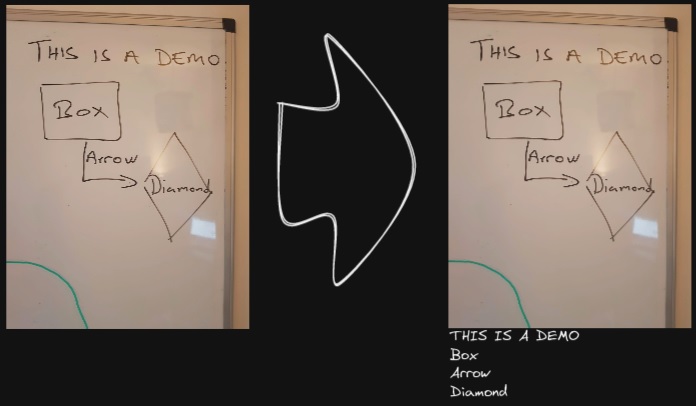 |
@zsviczian |
| Organic Line | Converts selected freedraw lines such that pencil pressure will decrease from maximum to minimum from the beginning of the line to its end. The resulting line is placed at the back of the layers, under all other items. Helpful when drawing organic mindmaps. | |
@zsviczian |
| Repeat Elements | This script will detect the difference between 2 selected elements, including position, size, angle, stroke and background color, and create several elements that repeat these differences based on the number of repetitions entered by the user. | |
@1-2-3 |
| Reset LaTeX Size | Reset the sizes of embedded LaTeX equations to the default sizes or a multiple of the default sizes. | |
@firai |
| Reverse arrows | Reverse the direction of arrows within the scope of selected elements. | |
@zsviczian |
| Scribble Helper | iOS scribble helper for better handwriting experience with text elements. If no elements are selected then the creates a text element at pointer position and you can use the edit box to modify the text with scribble. If a text element is selected then opens the input prompt where you can modify this text with scribble. | @zsviczian | |
| Select Elements of Type | Prompts you with a list of the different element types in the active image. Only elements of the selected type will be selected on the canvas. If nothing is selected when running the script, then the script will process all the elements on the canvas. If some elements are selected when the script is executed, then the script will only process the selected elements. The script is useful when, for example, you want to bring to front all the arrows, or want to change the color of all the text elements, etc. |
@zsviczian | |
| Set background color of unclosed line object by adding a shadow clone | Use this script to set the background color of unclosed (i.e. open) line objects by creating a clone of the object. The script will set the stroke color of the clone to transparent and will add a straight line to close the object. Use settings to define the default background color, the fill style, and the strokeWidth of the clone. By default the clone will be grouped with the original object, you can disable this also in settings. | |
@zsviczian |
| Set Dimensions | Currently there is no way to specify the exact location and size of objects in Excalidraw. You can bridge this gap with the following simple script. | |
@zsviczian |
| Set Font Family | Sets font family of the text block (Virgil, Helvetica, Cascadia). Useful if you want to set a keyboard shortcut for selecting font family. | |
@zsviczian |
| Set Grid | The default grid size in Excalidraw is 20. Currently there is no way to change the grid size via the user interface. This script offers a way to bridge this gap. | |
@zsviczian |
| Set Link Alias | Iterates all of the links in the selected TextElements and prompts the user to set or modify the alias for each link found. | |
@zsviczian |
| Set stroke width of selected elements | This script will set the stroke width of selected elements. This is helpful, for example, when you scale freedraw sketches and want to reduce or increase their line width. | |
@zsviczian |
| Split text by lines | Split lines of text into separate text elements for easier reorganization | |
@zsviczian |
| Set Text Alignment | Sets text alignment of text block (cetner, right, left). Useful if you want to set a keyboard shortcut for selecting text alignment. | |
@zsviczian |
| Split Ellipse | This script splits an ellipse at any point where a line intersects it. | |
@GColoy |
| TheBrain-navigation | An Excalidraw based graph user interface for your Vault. Requires the Dataview plugin. Generates a graph view similar to that of TheBrain plex. Watch introduction to this script on YouTube. |  |
@zsviczian |
| Toggle Fullscreen on Mobile | Hides Obsidian workspace leaf padding and header (based on option in settings, default is "hide header" = false) which will take Excalidraw to full screen. ⚠ Note that if the header is not visible, it will be very difficult to invoke the command palette to end full screen. Only hide the header if you have a keyboard or you've practiced opening command palette! | 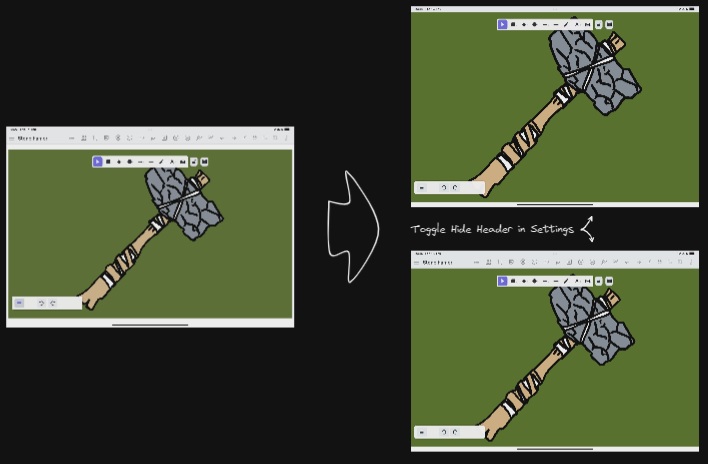 |
@zsviczian |
| Toggle Grid | Toggles the grid. | @GColoy | |
| Transfer TextElements to Excalidraw markdown metadata | The script will delete the selected text elements from the canvas and will copy the text from these text elements into the Excalidraw markdown file as metadata. This means, that the text will no longer be visible in the drawing, however you will be able to search for the text in Obsidian and find the drawing containing this image. | 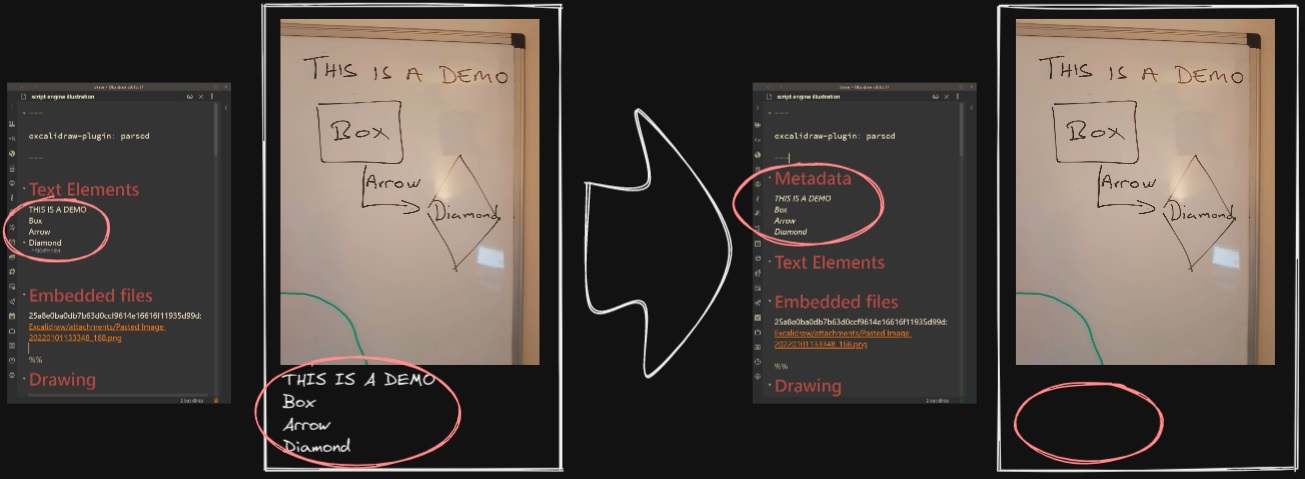 |
@zsviczian |
| Zoom to Fit Selected Elements | Similar to Excalidraw standard SHIFT+2 feature: Zoom to fit selected elements, but with the ability to zoom to 1000%. Inspiration: #272 | @zsviczian | |
| Hardware Eraser Suppoer | Allows the use of pen inversion/hardware erasers on supported pens. | @threethan | |
| Hardware Eraser Suppoer | Automatically switched from the Select tool to the Draw tool when a pen is hovered, and then back. | @threethan |
Relative Font Size Cycle.md
/* The script will cycle through S, M, L, XL font sizes scaled to the current canvas zoom.
const FONTSIZES = [16, 20, 28, 36];
const api = ea.getExcalidrawAPI();
const st = api.getAppState();
const zoom = st.zoom.value;
const currentItemFontSize = st.currentItemFontSize;

const fontsizes = FONTSIZES.map(s=>s/zoom);
const els = ea.getViewSelectedElements().filter(el=>el.type === "text");

const findClosestIndex = (val, list) => {
  let closestIndex = 0;
  let closestDifference = Math.abs(list[0] - val);
  for (let i = 1; i < list.length; i++) {
    const difference = Math.abs(list[i] - val);
    if (difference <= closestDifference) {
      closestDifference = difference;
      closestIndex = i;
    }
  }
  return closestIndex;
}

ea.viewUpdateScene({appState:{currentItemFontSize: fontsizes[(findClosestIndex(currentItemFontSize, fontsizes)+1) % fontsizes.length] }});

if(els.length>0) {
  ea.copyViewElementsToEAforEditing(els);
  ea.getElements().forEach(el=> {
    el.fontSize = fontsizes[(findClosestIndex(el.fontSize, fontsizes)+1) % fontsizes.length];
    const font = ExcalidrawLib.getFontString(el);
    const lineHeight = ExcalidrawLib.getDefaultLineHeight(el.fontFamily);
    const {width, height, baseline} = ExcalidrawLib.measureText(el.originalText, font, lineHeight);
    el.width = width;
    el.height = height;
    el.baseline = baseline;
  });
  ea.addElementsToView();
}
Rename Image.md
/*
Select an image on the canvas and run the script. You will be prompted to provide a new filename / filepath. This cuts down the time to name images you paste from the web or drag and drop from your file system.
*/
await ea.addElementsToView(); //to ensure all images are saved into the file

const img = ea.getViewSelectedElements().filter(el=>el.type === "image");
if(img.length === 0) {
  new Notice("No image is selected");
  return;
}

for(i of img) {
  const currentPath = ea.plugin.filesMaster.get(i.fileId).path;
  const file = app.vault.getAbstractFileByPath(currentPath);
  if(!file) {
	  new Notice("Can't find file: " + currentPath);
	  continue;
  }
  const pathNoExtension = file.path.substring(0,file.path.length-file.extension.length-1);
  const newPath = await utils.inputPrompt("Please provide the filename","file path",pathNoExtension);
  if(newPath && newPath !== pathNoExtension) {
	  await app.fileManager.renameFile(file,`${newPath}.${file.extension}`);
  }
}
Repeat Elements.md
/*
Download this file and save to your Obsidian Vault including the first line, or open it in "Raw" and copy the entire contents to Obsidian.
This script will detect the difference between 2 selected elements, including position, size, angle, stroke and background color, and create several elements that repeat these differences based on the number of repetitions entered by the user.
See documentation for more details: https://zsviczian.github.io/obsidian-excalidraw-plugin/ExcalidrawScriptsEngine.html
*/

if(!ea.verifyMinimumPluginVersion || !ea.verifyMinimumPluginVersion("1.7.19")) {
  new Notice("This script requires a newer version of Excalidraw. Please install the latest version.");
  return;
}

let repeatNum = parseInt(await utils.inputPrompt("repeat times?","number","5"));
if(!repeatNum) {
    new Notice("Please enter a number.");
    return;
}

const selectedElements = ea.getViewSelectedElements().sort((lha,rha) =>
    lha.x === rha.x? (lha.y === rha.y?
    (lha.width === rha.width?
    (lha.height - rha.height) : lha.width - rha.width)
    : lha.y - rha.y) : lha.x - rha.x);

if(selectedElements.length !== 2) {
    new Notice("Please select 2 elements.");
    return;
}

if(selectedElements[0].type !== selectedElements[1].type) {
    new Notice("The selected elements must be of the same type.");
    return;
}

const xDistance = selectedElements[1].x - selectedElements[0].x;
const yDistance = selectedElements[1].y - selectedElements[0].y;
const widthDistance = selectedElements[1].width - selectedElements[0].width;
const heightDistance = selectedElements[1].height - selectedElements[0].height;
const angleDistance = selectedElements[1].angle - selectedElements[0].angle;

const bgColor1 = ea.colorNameToHex(selectedElements[0].backgroundColor);
const cmBgColor1 = ea.getCM(bgColor1);
const bgColor2 = ea.colorNameToHex(selectedElements[1].backgroundColor);
let   cmBgColor2 = ea.getCM(bgColor2);
const isBgTransparent = cmBgColor1.alpha === 0  || cmBgColor2.alpha === 0;
const bgHDistance = cmBgColor2.hue - cmBgColor1.hue;
const bgSDistance = cmBgColor2.saturation - cmBgColor1.saturation;
const bgLDistance = cmBgColor2.lightness - cmBgColor1.lightness;
const bgADistance = cmBgColor2.alpha - cmBgColor1.alpha;

const strokeColor1 = ea.colorNameToHex(selectedElements[0].strokeColor);
const cmStrokeColor1 = ea.getCM(strokeColor1);
const strokeColor2 = ea.colorNameToHex(selectedElements[1].strokeColor);
let   cmStrokeColor2 = ea.getCM(strokeColor2);
const isStrokeTransparent = cmStrokeColor1.alpha === 0 || cmStrokeColor2.alpha ===0;
const strokeHDistance = cmStrokeColor2.hue - cmStrokeColor1.hue;
const strokeSDistance = cmStrokeColor2.saturation - cmStrokeColor1.saturation;
const strokeLDistance = cmStrokeColor2.lightness - cmStrokeColor1.lightness;
const strokeADistance = cmStrokeColor2.alpha - cmStrokeColor1.alpha;


ea.copyViewElementsToEAforEditing(selectedElements);
for(let i=0; i<repeatNum; i++) {
    const newEl = ea.cloneElement(selectedElements[1]);
    ea.elementsDict[newEl.id] = newEl;
    newEl.x += xDistance * (i + 1);
    newEl.y += yDistance * (i + 1);
    newEl.angle += angleDistance * (i + 1);
    const originWidth = newEl.width;
    const originHeight = newEl.height;
    const newWidth = newEl.width + widthDistance * (i + 1);
    const newHeight = newEl.height + heightDistance * (i + 1);
    if(newWidth >= 0 && newHeight >= 0) {
        if(newEl.type === 'arrow' || newEl.type === 'line' || newEl.type === 'freedraw') {
          const minX = Math.min(...newEl.points.map(pt => pt[0]));
          const minY = Math.min(...newEl.points.map(pt => pt[1]));
          for(let j = 0; j < newEl.points.length; j++) {
            if(newEl.points[j][0] > minX) {
              newEl.points[j][0] = newEl.points[j][0] + ((newEl.points[j][0] - minX) / originWidth) * (newWidth - originWidth);
            }
            if(newEl.points[j][1] > minY) {
              newEl.points[j][1] = newEl.points[j][1] + ((newEl.points[j][1] - minY) / originHeight) * (newHeight - originHeight);
            }
          }
        }
        else {
          newEl.width = newWidth;
          newEl.height = newHeight;
        }
    }

    if(!isBgTransparent) {
		cmBgColor2 = cmBgColor2.hueBy(bgHDistance).saturateBy(bgSDistance).lighterBy(bgLDistance).alphaBy(bgADistance);
		newEl.backgroundColor = cmBgColor2.stringHEX();
    } else {
      newEl.backgroundColor = "transparent";
    }

    if(!isStrokeTransparent) {
		cmStrokeColor2 = cmStrokeColor2.hueBy(strokeHDistance).saturateBy(strokeSDistance).lighterBy(strokeLDistance).alphaBy(strokeADistance);
		newEl.strokeColor = cmStrokeColor2.stringHEX();
    } else {
      newEl.strokeColor = "transparent";
    }
}

await ea.addElementsToView(false, false, true);
Repeat Texts.md
/*
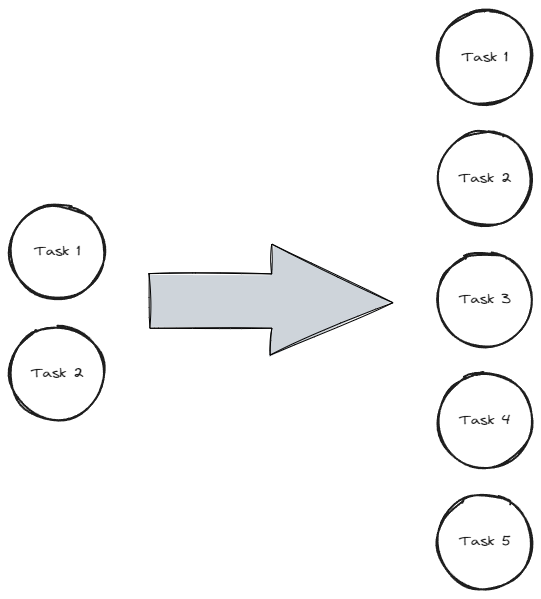 In the following script, we address the concept of repetition through the lens of numerical progression. As visualized by the image, where multiple circles each labeled with an even task number are being condensed into a linear sequence, our script will similarly iterate through a set of numbers.
Inspired from Repeat Elements
*/

if(!ea.verifyMinimumPluginVersion || !ea.verifyMinimumPluginVersion("1.7.19")) {
  new Notice("This script requires a newer version of Excalidraw. Please install the latest version.");
  return;
}

let repeatNum = parseInt(await utils.inputPrompt("repeat times?","number","5"));
if(!repeatNum) {
    new Notice("Please enter a number.");
    return;
}

const selectedElements = ea.getViewSelectedElements().sort((lha,rha) => lha.x === rha.x ? lha.y - rha.y : lha.x - rha.x);

const selectedBounds = selectedElements.filter(e => e.type !== "text");
const selectedTexts = selectedElements.filter(e => e.type === "text");
const selectedTextsById = selectedTexts.reduce((prev, next) => (prev[next.id] = next, prev), {})


if(selectedTexts.length !== 2 || ![0, 2].includes(selectedBounds.length)) {
    new Notice("Please select only 2 text elements.");
    return;
}

if(selectedBounds.length === 2) {
	if(selectedBounds[0].type !== selectedBounds[1].type) {
	    new Notice("The selected elements must be of the same type.");
		return;
	}
	if (!selectedBounds.every(e => e.boundElements?.length === 1)) {
		new Notice("Only support the bound element with 1 text element.");
		return;
	}
	if (!selectedBounds.every(e => !!selectedTextsById[e.boundElements?.[0]?.id])) {
		new Notice("Bound element must refer to the text element.");
		return;
	}
}

const prevBoundEl = selectedBounds.length ? selectedBounds[0] : selectedTexts[0];
const nextBoundEl = selectedBounds.length ? selectedBounds[1] : selectedTexts[1];
const prevTextEl = prevBoundEl.type === 'text' ? prevBoundEl : selectedTextsById[prevBoundEl.boundElements[0].id]
const nextTextEl = nextBoundEl.type === 'text' ? nextBoundEl : selectedTextsById[nextBoundEl.boundElements[0].id]

const xDistance = nextBoundEl.x - prevBoundEl.x;
const yDistance = nextBoundEl.y - prevBoundEl.y;

const numReg = /\d+/
let textNumDiff
try {
	const num0 = +prevTextEl.text.match(numReg)
	const num1 = +nextTextEl.text.match(numReg)
	textNumDiff = num1 - num0
} catch(e) {
	new Notice("Text must include a number!")
	return;
}

const repeatEl = (newEl, step) => {
    ea.elementsDict[newEl.id] = newEl;
    newEl.x += xDistance * (step + 1);
    newEl.y += yDistance * (step + 1);

	if(newEl.text) {
		const text = newEl.text.replace(numReg, (match) => +match + (step + 1) * textNumDiff)
		newEl.originalText = text
		newEl.rawText = text
		newEl.text = text
	}
}

ea.copyViewElementsToEAforEditing(selectedBounds);
for(let i=0; i<repeatNum; i++) {
	const newTextEl = ea.cloneElement(nextTextEl);
	repeatEl(newTextEl, i)

	if (selectedBounds.length) {
	    const newBoundEl = ea.cloneElement(selectedBounds[1]);
		newBoundEl.boundElements[0].id = newTextEl.id
		newTextEl.containerId = newBoundEl.id
		repeatEl(newBoundEl, i)
	}
}

await ea.addElementsToView(false, false, true);
Reset LaTeX Size.md
/*
Reset the sizes of embedded LaTeX equations to the default sizes or a multiple of the default sizes.
*/

if (!ea.verifyMinimumPluginVersion || !ea.verifyMinimumPluginVersion("2.4.0")) {
  new Notice("This script requires a newer version of Excalidraw. Please install the latest version.");
  return;
}

let elements = ea.getViewSelectedElements().filter((el)=>["image"].includes(el.type));
if (elements.length === 0) return;

scale = await utils.inputPrompt("Scale?", "Number", "1");
if (!scale) return;
scale = parseFloat(scale);

ea.copyViewElementsToEAforEditing(elements);

for (el of elements) {
  equation = ea.targetView.excalidrawData.getEquation(el.fileId)?.latex;
  if (!equation) return;
  eqData = await ea.tex2dataURL(equation);
  ea.getElement(el.id).width = eqData.size.width * scale;
  ea.getElement(el.id).height = eqData.size.height * scale;
};

ea.addElementsToView(false, false);
Reverse arrows.md
/*
Download this file and save to your Obsidian Vault including the first line, or open it in "Raw" and copy the entire contents to Obsidian.
Reverse the direction of arrows within the scope of selected elements.
See documentation for more details: https://zsviczian.github.io/obsidian-excalidraw-plugin/ExcalidrawScriptsEngine.html
*/
elements = ea.getViewSelectedElements().filter((el)=>el.type==="arrow");
if(!elements || elements.length===0) return;
elements.forEach((el)=>{
	const start = el.startArrowhead;
	el.startArrowhead = el.endArrowhead;
	el.endArrowhead = start;
});
ea.copyViewElementsToEAforEditing(elements);
ea.addElementsToView(false,false);
Scribble Helper.md
/*
Scribble Helper can improve handwriting and add links. It lets you create and edit text elements, including wrapped text and sticky notes, by double-tapping on the canvas. When you run the script, it creates an event handler that will activate the editor when you double-tap. If you select a text element on the canvas before running the script, it will open the editor for that element. If you use a pen, you can set it up to only activate Scribble Helper when you double-tap with the pen. The event handler is removed when you run the script a second time or switch to a different tab.
*/
if(!ea.verifyMinimumPluginVersion || !ea.verifyMinimumPluginVersion("2.19.0")) {
  new Notice("This script requires a newer version of Excalidraw. Please install the latest version.");
  return;
}

// ------------------------------
// Constants and initialization
// ------------------------------
const helpLINK = "https://youtu.be/BvYkOaly-QM";
const DBLCLICKTIMEOUT = 300;
const maxWidth = 600;
const padding = 6;
const api = ea.getExcalidrawAPI();
const win = ea.targetView.ownerWindow;

// Initialize global variables
if(!win.ExcalidrawScribbleHelper) win.ExcalidrawScribbleHelper = {};
if(typeof win.ExcalidrawScribbleHelper.penOnly === "undefined") {
  win.ExcalidrawScribbleHelper.penOnly = false;
}

let windowOpen = false; //to prevent the modal window to open again while writing with scribble
let prevZoomValue = api.getAppState().zoom.value; //used to avoid trigger on pinch zoom

// -------------
// Load settings
// -------------
let settings = ea.getScriptSettings();
//set default values on first-ever run of the script
if(!settings["Default action"]) {
  settings = {
    "Default action" : {
      value: "Text",
      valueset: ["Text","Sticky","Wrap"],
      description: "What type of element should CTRL/CMD+ENTER create. TEXT: A regular text element. " +
        "STICKY: A sticky note with border color and background color " +
        "(using the current setting of the canvas). STICKY: A sticky note with transparent " +
        "border and background color."
    },
  };
  await ea.setScriptSettings(settings);
}

if(typeof win.ExcalidrawScribbleHelper.action === "undefined") {
  win.ExcalidrawScribbleHelper.action = settings["Default action"].value;
}

//---------------------------------------
// Helper Functions
//---------------------------------------

// Event handler management
function addEventHandler(handler) {
  if(win.ExcalidrawScribbleHelper.eventHandler) {
    win.removeEventListener("pointerdown", handler);
  }
  win.addEventListener("pointerdown",handler);
  win.ExcalidrawScribbleHelper.eventHandler = handler;
  win.ExcalidrawScribbleHelper.window = win;
}

function removeEventHandler(handler) {
  win.removeEventListener("pointerdown",handler);
  delete win.ExcalidrawScribbleHelper.eventHandler;
  delete win.ExcalidrawScribbleHelper.window;
}

// Edit existing text element function
async function editExistingTextElement(elements) {
  windowOpen = true;
  ea.copyViewElementsToEAforEditing(elements);
  const el = ea.getElements()[0];
  ea.style.strokeColor = el.strokeColor;
  const text = await utils.inputPrompt({
    header: "Edit text",
    placeholder: "",
    value: elements[0].rawText,
    //buttons: undefined,
    lines: 5,
    displayEditorButtons: true,
    customComponents: customControls,
    blockPointerInputOutsideModal: true,
    controlsOnTop: true
  });

  windowOpen = false;
  if(!text) return;

  el.strokeColor = ea.style.strokeColor;
  el.originalText = text;
  el.text = text;
  el.rawText = text;
  if(el.autoResize) {
    ea.refreshTextElementSize(el.id);
  }
  await ea.addElementsToView(false,false);
  if(el.containerId) {
    const containers = ea.getViewElements().filter(e=>e.id === el.containerId);
    api.updateContainerSize(containers);
    ea.selectElementsInView(containers);
  }
}

// Custom dialog UI components
function customControls (container) {
  const helpDIV = container.createDiv();
  helpDIV.innerHTML = `<a href="${helpLINK}" target="_blank">Click here for help</a>`;
  helpDIV.style.paddingBottom = "0.25em";
  const viewBackground = api.getAppState().viewBackgroundColor;
  const el1 = new ea.obsidian.Setting(container)
    .setName(`Text color`)
    .addButton(button => button
      .setIcon("swatch-book")
      .onClick(async () => {
        const selected = await ea.showColorPicker(button.buttonEl, "elementStroke");
        if(selected) {
          ea.style.strokeColor = selected;
          el1.nameEl.style.color = selected;
        }
      })
    );

  el1.nameEl.style.color = ea.style.strokeColor;
  el1.nameEl.style.background = viewBackground;
  el1.nameEl.style.fontWeight = "bold";
  el1.settingEl.style.padding = "0.25em 0";

  const el2 = new ea.obsidian.Setting(container)
    .setDesc(`Trigger editor by pen double tap only`)
    .addToggle((toggle) => toggle
      .setValue(win.ExcalidrawScribbleHelper.penOnly)
      .onChange(value => {
        win.ExcalidrawScribbleHelper.penOnly = value;
      })
    )
  el2.settingEl.style.border = "none";
  el2.settingEl.style.padding = "0.25em 0";
  el2.settingEl.style.display = win.ExcalidrawScribbleHelper.penDetected ? "" : "none";
}

//----------------------------------------------------------
// Cache element location on first click
//----------------------------------------------------------
// if a single element is selected when the action is started, update that existing text
let containerElements = ea.getViewSelectedElements()
  .filter(el=>["arrow","rectangle","ellipse","line","diamond"].contains(el.type));
let selectedTextElements = ea.getViewSelectedElements().filter(el=>el.type==="text");

// -------------------------------
// Main Click / dbl click event handler
// -------------------------------
let timer = Date.now();
async function eventHandler(evt) {
  if(windowOpen) return;
  if(ea.targetView !== app.workspace.activeLeaf.view) removeEventHandler(eventHandler);
  if(evt && evt.target && !evt.target.hasClass("excalidraw__canvas")) return;
  if(evt && (evt.ctrlKey || evt.altKey || evt.metaKey || evt.shiftKey)) return;
  const st = api.getAppState();
  win.ExcalidrawScribbleHelper.penDetected = st.penDetected;

  //don't trigger text editor when editing a line or arrow
  if(st.editingElement && ["arrow","line"].contains(st.editingElment.type)) return;

  if(typeof win.ExcalidrawScribbleHelper.penOnly === "undefined") {
    win.ExcalidrawScribbleHelper.penOnly = false;
  }

  if (evt && win.ExcalidrawScribbleHelper.penOnly &&
    win.ExcalidrawScribbleHelper.penDetected && evt.pointerType !== "pen") return;
  const now = Date.now();

  //the <50 condition is to avoid false double click when pinch zooming
  if((now-timer > DBLCLICKTIMEOUT) || (now-timer < 50)) {
    prevZoomValue = st.zoom.value;
    timer = now;
    containerElements = ea.getViewSelectedElements()
      .filter(el=>["arrow","rectangle","ellipse","line","diamond"].contains(el.type));
    selectedTextElements = ea.getViewSelectedElements().filter(el=>el.type==="text");
	  return;
  }
  //further safeguard against triggering when pinch zooming
  if(st.zoom.value !== prevZoomValue) return;

  //sleeping to allow keyboard to pop up on mobile devices
  await sleep(200);
  ea.clear();

  //if a single element with text is selected, edit the text
  //(this can be an arrow, a sticky note, or just a text element)
  if(selectedTextElements.length === 1) {
    editExistingTextElement(selectedTextElements);
    return;
  }

  let containerID;
  let container;
  //if no text elements are selected (i.e. not multiple text  elements selected),
  //check if there is a single eligeable container selected
  if(selectedTextElements.length === 0) {
    if(containerElements.length === 1) {
      ea.copyViewElementsToEAforEditing(containerElements);
      containerID = containerElements[0].id
      container = ea.getElement(containerID);
    }
  }

  const {x,y} = ea.targetView.currentPosition;

  if(ea.targetView !== app.workspace.activeLeaf.view) return;
  const actionButtons = [
    {
      caption: `A`,
      tooltip: "Add as Text Element",
      action: () => {
        win.ExcalidrawScribbleHelper.action="Text";
        if(settings["Default action"].value!=="Text") {
          settings["Default action"].value = "Text";
          ea.setScriptSettings(settings);
        };
        return;
      }
    },
    {
      caption: "📝",
      tooltip: "Add as Sticky Note (rectangle with border color and background color)",
      action: () => {
        win.ExcalidrawScribbleHelper.action="Sticky";
        if(settings["Default action"].value!=="Sticky") {
          settings["Default action"].value = "Sticky";
          ea.setScriptSettings(settings);
        };
        return;
      }
    },
    {
      caption: "☱",
      tooltip: "Add as Wrapped Text",
      action: () => {
        win.ExcalidrawScribbleHelper.action="Wrap";
        if(settings["Default action"].value!=="Wrap") {
          settings["Default action"].value = "Wrap";
          ea.setScriptSettings(settings);
        };
        return;
      }
    }
  ];
  if(win.ExcalidrawScribbleHelper.action !== "Text") actionButtons.push(actionButtons.shift());
  if(win.ExcalidrawScribbleHelper.action === "Wrap") actionButtons.push(actionButtons.shift());

  // Apply styles from current app state
  ea.style.strokeColor = st.currentItemStrokeColor ?? ea.style.strokeColor;
  ea.style.roughness = st.currentItemRoughness ?? ea.style.roughness;
  ea.setStrokeSharpness(st.currentItemRoundness === "round" ? 0 : st.currentItemRoundness)
  ea.style.backgroundColor = st.currentItemBackgroundColor ?? ea.style.backgroundColor;
  ea.style.fillStyle = st.currentItemFillStyle ?? ea.style.fillStyle;
  ea.style.fontFamily = st.currentItemFontFamily ?? ea.style.fontFamily;
  ea.style.fontSize = st.currentItemFontSize ?? ea.style.fontSize;
  ea.style.textAlign = (container && ["arrow","line"].contains(container.type))
    ? "center"
    : (container && ["rectangle","diamond","ellipse"].contains(container.type))
      ? "center"
      : st.currentItemTextAlign ?? "center";
  ea.style.verticalAlign = "middle";

  windowOpen = true;

  const text = await utils.inputPrompt ({
    header: "Edit text",
    placeholder: "",
    value: "",
    buttons: containerID?undefined:actionButtons,
    lines: 5,
    displayEditorButtons: true,
    customComponents: customControls,
    blockPointerInputOutsideModal: true,
    controlsOnTop: true
  });
  windowOpen = false;

  if(!text || text.trim() === "") return;

  const textId = ea.addText(x,y, text);
  if (!container && (win.ExcalidrawScribbleHelper.action === "Text")) {
    ea.addElementsToView(false, false, true);
    addEventHandler(eventHandler);
    return;
  }
  const textEl = ea.getElement(textId);

  if(!container && (win.ExcalidrawScribbleHelper.action === "Wrap")) {
    textEl.autoResize = false;
    textEl.width = Math.min(textEl.width, maxWidth);
    ea.addElementsToView(false, false, true);
    addEventHandler(eventHandler);
    return;
  }

  if(!container && (win.ExcalidrawScribbleHelper.action === "Sticky")) {
    textEl.textAlign = "center";
  }

  const boxes = [];
  if(container) {
    boxes.push(containerID);
    const linearElement = ["arrow","line"].contains(container.type);
    const l = linearElement ? container.points.length-1 : 0;
    const dx = linearElement && (container.points[l][0] < 0) ? -1 : 1;
    const dy = linearElement && (container.points[l][1] < 0) ? -1 : 1;
    cx = container.x + dx*container.width/2;
    cy = container.y + dy*container.height/2;
    textEl.x = cx - textEl.width/2;
    textEl.y = cy - textEl.height/2;
  }

  if(!container) {
    const width = textEl.width+2*padding;
    const widthOK = width<=maxWidth;
    containerID = ea.addRect(
      textEl.x-padding,
      textEl.y-padding,
      widthOK ? width : maxWidth,
      textEl.height + 2 * padding
    );
    container = ea.getElement(containerID);
  }
  boxes.push(containerID);
  container.boundElements=[{type:"text",id: textId}];
  textEl.containerId = containerID;
  //ensuring the correct order of elements, first container, then text
  delete ea.elementsDict[textEl.id];
  ea.elementsDict[textEl.id] = textEl;

  await ea.addElementsToView(false,false,true);
  const containers = ea.getViewElements().filter(el=>boxes.includes(el.id));
  if(["rectangle","diamond","ellipse"].includes(container.type)) api.updateContainerSize(containers);
  ea.selectElementsInView(containers);
};

//---------------------
// Script entry point
//---------------------
//Stop the script if scribble helper is clicked and no eligable element is selected
let silent = false;
if (win.ExcalidrawScribbleHelper?.eventHandler) {
  removeEventHandler(win.ExcalidrawScribbleHelper.eventHandler);
  delete win.ExcalidrawScribbleHelper.eventHandler;
  delete win.ExcalidrawScribbleHelper.window;
  if(!(containerElements.length === 1 || selectedTextElements.length === 1)) {
    new Notice ("Scribble Helper was stopped",1000);
    return;
  }
  silent = true;
}

if(!win.ExcalidrawScribbleHelper?.eventHandler) {
  if(!silent) new Notice(
    "To create a new text element,\ndouble-tap the screen.\n\n" +
    "To edit text,\ndouble-tap an existing element.\n\n" +
    "To stop the script,\ntap it again or switch to a different tab.",
    5000
  );
  addEventHandler(eventHandler);
}

if(containerElements.length === 1 || selectedTextElements.length === 1) {
  timer = timer - 100;
  eventHandler();
}
Select Elements of Type.md
/*
Prompts you with a list of the different element types in the active image. Only elements of the selected type will be selected on the canvas. If nothing is selected when running the script, then the script will process all the elements on the canvas. If some elements are selected when the script is executed, then the script will only process the selected elements.
The script is useful when, for example, you want to bring to front all the arrows, or want to change the color of all the text elements, etc.
*/

if(!ea.verifyMinimumPluginVersion || !ea.verifyMinimumPluginVersion("1.5.24")) {
  new Notice("This script requires a newer version of Excalidraw. Please install the latest version.");
  return;
}

let elements = ea.getViewSelectedElements();
if(elements.length === 0) elements = ea.getViewElements();
if(elements.length === 0) {
  new Notice("There are no elements in the view");
  return;
}

typeSet = new Set();
elements.forEach(el=>typeSet.add(el.type));
let elementType = Array.from(typeSet)[0];

if(typeSet.size > 1) {
	elementType = await utils.suggester(
	  Array.from(typeSet).map((item) => {
		  switch(item) {
				case "line": return "— line";
				case "ellipse": return "○ ellipse";
	      case "rectangle": return "□ rectangle";
	      case "diamond": return "◇ diamond";
	      case "arrow": return "→ arrow";
	      case "freedraw": return "✎ freedraw";
	      case "image": return "🖼 image";
	      case "text": return "A text";
	      default: return item;
	    }
		}),
	  Array.from(typeSet)
	);
}

if(!elementType) return;

ea.selectElementsInView(elements.filter(el=>el.type === elementType));
Select Similar Elements.md
/*
This script enables the selection of elements based on matching properties. Select the attributes (such as stroke color, fill style, font family, etc) that should match for selection. It's perfect for large scenes where manual selection of elements would be cumbersome. You can either run the script to select matching elements across the entire scene, or define a specific group of elements to apply the selection criteria to.
let config = window.ExcalidrawSelectConfig;
const isValidConfig = config && (Date.now() - config.timestamp < 60000);
config = isValidConfig ? config : null;

let elements = ea.getViewSelectedElements();
if(!config) {

  async function shouldAbort() {
    if(elements.length === 1) return false;
    if(elements.length !== 2) return true;

    //maybe container?
    const textEl = elements.find(el=>el.type==="text");
    if(!textEl || !textEl.containerId) return true;

    const containerEl = elements.find(el=>el.id === textEl.containerId);
    if(!containerEl) return true;

    const id = await utils.suggester(
      elements.map(el=>el.type),
      elements.map(el=>el.id),
      "Select container component"
    );
    if(!id) return true;
    elements = elements.filter(el=>el.id === id);
    return false;
  }

  if(await shouldAbort()) {
    new Notice("Select a single element");
    return;
  }
}

if(Boolean(config) && elements.length === 0) {
  elements = ea.getViewElements();
}

const {angle, backgroundColor, fillStyle, fontFamily, fontSize, height, width, opacity, roughness, roundness, strokeColor, strokeStyle, strokeWidth, type, startArrowhead, endArrowhead, fileId} = ea.getViewSelectedElement();

const fragWithHTML = (html) => createFragment((frag) => (frag.createDiv().innerHTML = html));

function lc(x) {
  return x?.toLocaleLowerCase();
}

//--------------------------
// RUN
//--------------------------
const run = () => {
  selectedElements = elements.filter(el=>
    ((typeof config.angle === "undefined") || (el.angle === config.angle)) &&
    ((typeof config.backgroundColor === "undefined") || (lc(el.backgroundColor) === lc(config.backgroundColor))) &&
    ((typeof config.fillStyle === "undefined") || (el.fillStyle === config.fillStyle)) &&
    ((typeof config.fontFamily === "undefined") || (el.fontFamily === config.fontFamily)) &&
    ((typeof config.fontSize === "undefined") || (el.fontSize === config.fontSize)) &&
	  ((typeof config.height === "undefined") || Math.abs(el.height - config.height) < 0.01) &&
	  ((typeof config.width === "undefined") || Math.abs(el.width - config.width) < 0.01) &&
    ((typeof config.opacity === "undefined") || (el.opacity === config.opacity)) &&
    ((typeof config.roughness === "undefined") || (el.roughness === config.roughness)) &&
    ((typeof config.roundness === "undefined") || (el.roundness === config.roundness)) &&
    ((typeof config.strokeColor === "undefined") || (lc(el.strokeColor) === lc(config.strokeColor))) &&
    ((typeof config.strokeStyle === "undefined") || (el.strokeStyle === config.strokeStyle)) &&
    ((typeof config.strokeWidth === "undefined") || (el.strokeWidth === config.strokeWidth)) &&
    ((typeof config.type === "undefined") || (el.type === config.type)) &&
    ((typeof config.startArrowhead === "undefined") || (el.startArrowhead === config.startArrowhead)) &&
    ((typeof config.endArrowhead === "undefined") || (el.endArrowhead === config.endArrowhead)) &&
    ((typeof config.fileId === "undefined") || (el.fileId === config.fileId))
  )
  ea.selectElementsInView(selectedElements);
  delete window.ExcalidrawSelectConfig;
}

//--------------------------
// Modal
//--------------------------
const showInstructions = () => {
  const instructionsModal = new ea.obsidian.Modal(app);
  instructionsModal.onOpen = () => {
  instructionsModal.contentEl.createEl("h2", {text: "Instructions"});
	instructionsModal.contentEl.createEl("p", {text: "Step 1: Choose the attributes that you want the selected elements to match."});
	instructionsModal.contentEl.createEl("p", {text: "Step 2: Select an action:"});
	instructionsModal.contentEl.createEl("ul", {}, el => {
	  el.createEl("li", {text: "Click 'RUN' to find matching elements throughout the entire scene."});
	  el.createEl("li", {text: "Click 'SELECT' to 1) first choose a specific group of elements in the scene, then 2) run the 'Select Similar Elements' once more within 1 minute to apply the filter criteria only to that group of elements."});
	});
	instructionsModal.contentEl.createEl("p", {text: "Note: If you choose 'SELECT', make sure to click the 'Select Similar Elements' script again within 1 minute to apply your selection criteria to the group of elements you chose."});
  };
  instructionsModal.open();
};

const selectAttributesToCopy = () => {
  const configModal = new ea.obsidian.Modal(app);
  configModal.onOpen = () => {
  config = {};
	configModal.contentEl.createEl("h1", {text: "Select Similar Elements"});
  new ea.obsidian.Setting(configModal.contentEl)
    .setDesc("Choose the attributes you want the selected elements to match, then select an action.")
    .addButton(button => button
      .setButtonText("Instructions")
      .onClick(showInstructions)
    );


    // Add Toggles for the rest of the attributes
	let attributes = [
	  {name: "Element type", key: "type"},
	  {name: "Stroke color", key: "strokeColor"},
	  {name: "Background color", key: "backgroundColor"},
	  {name: "Opacity", key: "opacity"},
	  {name: "Fill style", key: "fillStyle"},
	  {name: "Stroke style", key: "strokeStyle"},
	  {name: "Stroke width", key: "strokeWidth"},
	  {name: "Roughness", key: "roughness"},
	  {name: "Roundness", key: "roundness"},
	  {name: "Font family", key: "fontFamily"},
	  {name: "Font size", key: "fontSize"},
	  {name: "Start arrowhead", key: "startArrowhead"},
	  {name: "End arrowhead", key: "endArrowhead"},
	  {name: "Height", key: "height"},
	  {name: "Width", key: "width"},
	  {name: "ImageID", key: "fileId"},
	];

	attributes.forEach(attr => {
	  const attrValue = elements[0][attr.key];
	  if((typeof attrValue !== "undefined" && attrValue !== null) || (attr.key === "startArrowhead" && elements[0].type === "arrow") || (attr.key === "endArrowhead" && elements[0].type === "arrow")) {
	    let description = '';

	    switch(attr.key) {
	      case 'backgroundColor':
	      case 'strokeColor':
	        description = `<div style='background-color:${attrValue};'>${attrValue}</div>`;
	        break;
	      case 'roundness':
	        description = attrValue === null ? 'Sharp' : 'Round';
	        break;
	      case 'roughness':
	        description = attrValue === 0 ? 'Architect' : attrValue === 1 ? 'Artist' : 'Cartoonist';
	        break;
	      case 'strokeWidth':
	        description = attrValue <= 0.5 ? 'Extra thin' :
	                      attrValue <= 1 ? 'Thin' :
	                      attrValue <= 2 ? 'Bold' :
	                      'Extra bold';
	        break;
	      case 'opacity':
	        description = `${attrValue}%`;
	        break;
	      case 'width':
	      case 'height':
	        description = `${attrValue.toFixed(2)}`;
			break;
	      case 'startArrowhead':
	      case 'endArrowhead':
	        description = attrValue === null ? 'None' : `${attrValue.charAt(0).toUpperCase() + attrValue.slice(1)}`;
	        break;
	      case 'fontFamily':
	        description = attrValue === 1 ? 'Hand-drawn' :
	                      attrValue === 2 ? 'Normal' :
	                      attrValue === 3 ? 'Code' :
	                      'Custom 4th font';
	        break;
	      case 'fontSize':
	        description = `${attrValue}`;
	        break;
	      default:
	        description = `${attrValue.charAt(0).toUpperCase() + attrValue.slice(1)}`;
	        break;
	    }

	    new ea.obsidian.Setting(configModal.contentEl)
	      .setName(`${attr.name}`)
	      .setDesc(fragWithHTML(`${description}`))
	      .addToggle(toggle => toggle
	        .setValue(false)
	        .onChange(value => {
	          if(value) {
	            config[attr.key] = attrValue;
	          } else {
	            delete config[attr.key];
	          }
	        })
	      )
	  }
	});


	//Add Toggle for the rest of the attributes. Organize attributes into a logical sequence or groups by adding
	//configModal.contentEl.createEl("h") or similar to the code

    new ea.obsidian.Setting(configModal.contentEl)
      .addButton(button => button
        .setButtonText("SELECT")
        .onClick(()=>{
	      config.timestamp = Date.now();
	      window.ExcalidrawSelectConfig = config;
	      configModal.close();
        })
      )
	  .addButton(button => button
		.setButtonText("RUN")
		.setCta(true)
        .onClick(()=>{
          elements = ea.getViewElements();
          run();
          configModal.close();
        })
      )
	}


	configModal.onClose = () => {
    setTimeout(()=>{
			delete configModal
		});
	}

	configModal.open();
}


if(config) {
  run();
} else {
  selectAttributesToCopy();
}
Set background color of unclosed line object by adding a shadow clone.md
/*
Use this script to set the background color of unclosed (i.e. open) line, arrow and freedraw objects by creating a clone of the object. The script will set the stroke color of the clone to transparent and will add a straight line to close the object. Use settings to define the default background color, the fill style, and the strokeWidth of the clone. By default the clone will be grouped with the original object, you can disable this also in settings.
*/

if(!ea.verifyMinimumPluginVersion || !ea.verifyMinimumPluginVersion("1.5.26")) {
  new Notice("This script requires a newer version of Excalidraw. Please install the latest version.");
  return;
}

settings = ea.getScriptSettings();
//set default values on first run
if(!settings["Background Color"]) {
  settings = {
    "Background Color" : {
      value: "DimGray",
      description: "Default background color of the 'shadow' object. Any valid html css color value",
    },
	  "Fill Style": {
		  value: "hachure",
			valueset: ["hachure","cross-hatch","solid"],
			description: "Default fill style of the 'shadow' object."
		},
	  "Inherit fill stroke width": {
		  value: true,
			description: "This will impact the densness of the hachure or cross-hatch fill. Use the stroke width of the line object for which the shadow is created. If set to false, the script will use a stroke width of 2."
		},
		"Group 'shadow' with original": {
		  value: true,
			description: "If the toggle is on then the shadow object that is created will be grouped with the unclosed original object."
		}
  };
  ea.setScriptSettings(settings);
}

const inheritStrokeWidth = settings["Inherit fill stroke width"].value;
const backgroundColor = settings["Background Color"].value;
const fillStyle = settings["Fill Style"].value;
const shouldGroup = settings["Group 'shadow' with original"].value;

const elements = ea.getViewSelectedElements().filter(el=>el.type==="line" || el.type==="freedraw" || el.type==="arrow");
if(elements.length === 0) {
  new Notice("No line or freedraw object is selected");
}

ea.copyViewElementsToEAforEditing(elements);
elementsToMove = [];

elements.forEach((el)=>{
  const newEl = ea.cloneElement(el);
  ea.elementsDict[newEl.id] = newEl;
  newEl.roughness = 1;
  if(!inheritStrokeWidth) newEl.strokeWidth = 2;
  newEl.strokeColor = "transparent";
  newEl.backgroundColor = backgroundColor;
  newEl.fillStyle = fillStyle;
  if (newEl.type === "arrow") newEl.type = "line";
  const i = el.points.length-1;
  newEl.points.push([
  //adding an extra point close to the last point in case distance is long from last point to origin and there is a sharp bend. This will avoid a spike due to a tight curve.
    el.points[i][0]*0.9,
    el.points[i][1]*0.9,
  ]);
  newEl.points.push([0,0]);
  if(shouldGroup) ea.addToGroup([el.id,newEl.id]);
  elementsToMove.push({fillId: newEl.id, shapeId: el.id});
});

await ea.addElementsToView(false,false);
elementsToMove.forEach((x)=>{
  const viewElements = ea.getViewElements();
  ea.moveViewElementToZIndex(
    x.fillId,
    viewElements.indexOf(viewElements.filter(el=>el.id === x.shapeId)[0])-1
  )
});

ea.selectElementsInView(ea.getElements());
Set Dimensions.md
/*
Download this file and save to your Obsidian Vault including the first line, or open it in "Raw" and copy the entire contents to Obsidian.
Currently there is no way to specify the exact location and size of objects in Excalidraw. You can bridge this gap with the following simple script.
See documentation for more details: https://zsviczian.github.io/obsidian-excalidraw-plugin/ExcalidrawScriptsEngine.html
*/
const elements = ea.getViewSelectedElements();
if(elements.length === 0) return;
const el = ea.getLargestElement(elements);
const sizeIn = [
  Math.round(el.x),
  Math.round(el.y),
  Math.round(el.width),
  Math.round(el.height)
].join(",");
let res = await utils.inputPrompt("x,y,width,height?",null,sizeIn);
res = res.split(",");
if(res.length !== 4) return;
let size = [];
for (v of res) {
  const i = parseInt(v);
  if(isNaN(i)) return;
  size.push(i);
}
el.x = size[0];
el.y = size[1];
el.width = size[2];
el.height = size[3];
ea.copyViewElementsToEAforEditing([el]);
ea.addElementsToView(false,false);
Set Font Family.md
/*
Sets font family of the text block (Virgil, Helvetica, Cascadia). Useful if you want to set a keyboard shortcut for selecting font family.
See documentation for more details: https://zsviczian.github.io/obsidian-excalidraw-plugin/ExcalidrawScriptsEngine.html
*/
elements = ea.getViewSelectedElements().filter((el)=>el.type==="text");
if(elements.length===0) return;
let font = ["Virgil","Helvetica","Cascadia"];
font = parseInt(await utils.suggester(font,["1","2","3"]));
if (isNaN(font)) return;
elements.forEach((el)=>el.fontFamily = font);
ea.copyViewElementsToEAforEditing(elements);
ea.addElementsToView(false,false);
Set Grid.md
/*
The default grid size in Excalidraw is 20. Currently there is no way to change the grid size via the user interface. This script offers a way to bridge this gap.
See documentation for more details: https://zsviczian.github.io/obsidian-excalidraw-plugin/ExcalidrawScriptsEngine.html
*/
if(ea.verifyMinimumPluginVersion  && ea.verifyMinimumPluginVersion("2.4.0")) {

  const api = ea.getExcalidrawAPI();
  let appState = api.getAppState();
  let gridFrequency = appState.gridStep;;

  const customControls =  (container) => {
    new ea.obsidian.Setting(container)
      .setName(`Major grid frequency`)
      .addDropdown(dropdown => {
        [2,3,4,5,6,7,8,9,10].forEach(grid=>dropdown.addOption(grid,grid));
        dropdown
          .setValue(gridFrequency)
          .onChange(value => {
            gridFrequency = value;
          })
      })
  }

  const gridSize = parseInt(await utils.inputPrompt(
    "Grid size?",
    null,
    appState.GridSize?.toString()??"20",
    null,
    1,
    false,
    customControls
  ));
  if(isNaN(gridSize)) return; //this is to avoid passing an illegal value to Excalidraw
  const gridStep = isNaN(parseInt(gridFrequency)) ? appState.gridStep : parseInt(gridFrequency);

  api.updateScene({
    appState : {gridSize, gridStep, gridModeEnabled:true},
    commitToHistory:false
  });
}

// ----------------
// old script
// ----------------
if(!ea.verifyMinimumPluginVersion || !ea.verifyMinimumPluginVersion("1.9.19")) {
  new Notice("This script requires a newer version of Excalidraw. Please install the latest version.");
  return;
}

const api = ea.getExcalidrawAPI();
let appState = api.getAppState();
const gridColor = appState.gridColor;
let gridFrequency = gridColor?.MajorGridFrequency ?? 5;

const customControls =  (container) => {
  new ea.obsidian.Setting(container)
    .setName(`Major grid frequency`)
    .addDropdown(dropdown => {
      [2,3,4,5,6,7,8,9,10].forEach(grid=>dropdown.addOption(grid,grid));
      dropdown
        .setValue(gridFrequency)
        .onChange(value => {
           gridFrequency = value;
        })
    })
}

const grid = parseInt(await utils.inputPrompt(
  "Grid size?",
  null,
  appState.previousGridSize?.toString()??"20",
  null,
  1,
  false,
  customControls
));
if(isNaN(grid)) return; //this is to avoid passing an illegal value to Excalidraw

appState.gridSize = grid;
appState.previousGridSize = grid;
if(gridColor) gridColor.MajorGridFrequency = parseInt(gridFrequency);
api.updateScene({
  appState : {gridSize: grid, previousGridSize: grid, gridColor},
  commitToHistory:false
});
Set Link Alias.md
/*
Download this file and save to your Obsidian Vault including the first line, or open it in "Raw" and copy the entire contents to Obsidian.
Iterates all of the links in the selected TextElements and prompts the user to set or modify the alias for each link found.
See documentation for more details: https://zsviczian.github.io/obsidian-excalidraw-plugin/ExcalidrawScriptsEngine.html
*/
elements = ea.getViewSelectedElements().filter((el)=>el.type==="text");
// `[[markdown links]]`
for(el of elements) { //doing for instead of .forEach due to await inputPrompt
  parts = el.rawText.split(/(\[\[[\w\W]*?]])/);
  newText = "";
  for(t of parts) { //doing for instead of .map due to await inputPrompt
	if(!t.match(/(\[\[[\w\W]*?]])/)) {
	  newText += t;
    } else {
      original = t.split(/\[\[|]]/)[1];
	  cut = original.indexOf("|");
	  alias = cut === -1 ? "" : original.substring(cut+1);
	  link = cut === -1 ? original : original.substring(0,cut);
      alias = await utils.inputPrompt(`Alias for [[${link}]]`,"type alias here",alias);
	  newText += `[[${link}|${alias}]]`;
    }
  }
  el.rawText = newText;
};

// `[wiki](links)`
for(el of elements) { //doing for instead of .forEach due to await inputPrompt
  parts = el.rawText.split(/(\[[\w\W]*?]\([\w\W]*?\))/);
  newText = "";
  for(t of parts) { //doing for instead of .map due to await inputPrompt
	if(!t.match(/(\[[\w\W]*?]\([\w\W]*?\))/)) {
	  newText += t;
    } else {
	  alias = t.match(/\[([\w\W]*?)]/)[1];
	  link = t.match(/\(([\w\W]*?)\)/)[1];
      alias = await utils.inputPrompt(`Alias for [[${link}]]`,"type alias here",alias);
	  newText += `[[${link}|${alias}]]`;
    }
  }
  el.rawText = newText;
};

ea.copyViewElementsToEAforEditing(elements);
ea.addElementsToView(false,false);
Set Stroke Width of Selected Elements.md
/*
This script will set the stroke width of selected elements. This is helpful, for example, when you scale freedraw sketches and want to reduce or increase their line width.
See documentation for more details: https://zsviczian.github.io/obsidian-excalidraw-plugin/ExcalidrawScriptsEngine.html
*/
let width = (ea.getViewSelectedElement().strokeWidth??1).toString();
width = parseFloat(await utils.inputPrompt("Width?","number",width));
if(isNaN(width)) {
  new Notice("Invalid number");
  return;
}
const elements=ea.getViewSelectedElements();
ea.copyViewElementsToEAforEditing(elements);
ea.getElements().forEach((el)=>el.strokeWidth=width);
await ea.addElementsToView(false,false);
ea.viewUpdateScene({appState: {currentItemStrokeWidth: width}});
Set Text Alignment.md
/*
Sets text alignment of text block (cetner, right, left). Useful if you want to set a keyboard shortcut for selecting text alignment.
See documentation for more details: https://zsviczian.github.io/obsidian-excalidraw-plugin/ExcalidrawScriptsEngine.html
*/
elements = ea.getViewSelectedElements().filter((el)=>el.type==="text");
if(elements.length===0) return;
let align = ["left","right","center"];
align = await utils.suggester(align,align);
elements.forEach((el)=>el.textAlign = align);
ea.copyViewElementsToEAforEditing(elements);
ea.addElementsToView(false,false);
Shade Master.md
/* This is an experimental script. If you find bugs, please consider debugging yourself then submitting a PR on github with the fix, instead of raising an issue. Thank you!
This script modifies the color lightness/hue/saturation/transparency of selected Excalidraw elements and SVG and nested Excalidraw drawings. Select eligible elements in the scene, then run the script.
- The color of Excalidraw elements (lines, ellipses, rectangles, etc.) will be changed by the script.
- The color of SVG elements and nested Excalidraw drawings will only be mapped. When mapping colors, the original image remains unchanged, only a mapping table is created and the image is recolored during rendering of your Excalidraw screen. In case you want to make manual changes you can also edit the mapping in Markdown View Mode under
## Embedded Files
If you select only a single SVG or nested Excalidraw element, then the script offers an additional feature. You can map colors one by one in the image.
*/

const HELP_TEXT = `
- Select SVG images, nested Excalidraw drawings and/or regular Excalidraw elements
- For a single selected image, you can map colors individually in the color mapping section
- For Excalidraw elements: stroke and background colors are modified permanently
- For SVG/nested drawings: original files stay unchanged, color mapping is stored under \`## Embedded Files\`
- Using color maps helps maintain links between drawings while allowing different color themes
- Sliders work on relative scale - the amount of change is applied to current values
- Unlike Excalidraw's opacity setting which affects the whole element:
    - Shade Master can set different opacity for stroke vs background
    - **Note:** SVG/nested drawing colors are mapped at color name level, thus "black" is different from "#000000"
    - Additionally if the same color is used as fill and stroke the color can only be mapped once
- This is an experimental script - contributions welcome on GitHub via PRs

😍 If you find this script helpful, please [buy me a coffee ☕](https://ko-fi.com/zsolt).

<a href="https://www.youtube.com/watch?v=ISuORbVKyhQ" target="_blank"><img src ="https://i.ytimg.com/vi/ISuORbVKyhQ/maxresdefault.jpg" style="max-width:560px; width:100%"></a>

`;

if(!ea.verifyMinimumPluginVersion || !ea.verifyMinimumPluginVersion("2.19.0")) {
  new Notice("This script requires a newer version of Excalidraw. Please install the latest version.");
  return;
}

/*
SVGColorInfo is returned by ea.getSVGColorInfoForImgElement. Color info will all the color strings in the SVG file plus "fill" which represents the default fill color for SVG icons set at the SVG root element level. Fill if not set defaults to black:

type SVGColorInfo = Map<string, {
  mappedTo: string;
  fill: boolean;
  stroke: boolean;
}>;

In the Excalidraw file under `## Embedded Files` the color map is included after the file. That color map implements ColorMap. ea.updateViewSVGImageColorMap takes a ColorMap as input.
interface ColorMap {
  [color: string]: string;
};
*/

// Main script execution
const allElements = ea.getViewSelectedElements();
const svgImageElements = allElements.filter(el => {
  if(el.type !== "image") return false;
  const file = ea.getViewFileForImageElement(el);
  if(!file) return false;
  return el.type === "image" && (
    file.extension === "svg" ||
    ea.isExcalidrawFile(file)
  );
});

if(allElements.length === 0) {
  new Notice("Select at least one rectangle, ellipse, diamond, line, arrow, freedraw, text or SVG image elment");
  return;
}

const originalColors = new Map();
const currentColors = new Map();
const colorInputs = new Map();
const sliderResetters = [];
let terminate = false;
const FORMAT = "Color Format";
const STROKE = "Modify Stroke Color";
const BACKGROUND = "Modify Background Color"
const ACTIONS = ["Hue", "Lightness", "Saturation", "Transparency"];
const precision = [1,2,2,3];
const minLigtness = 1/Math.pow(10,precision[2]);
const maxLightness = 100 - minLigtness;
const minSaturation = 1/Math.pow(10,precision[2]);

let settings = ea.getScriptSettings();
//set default values on first run
if(!settings[STROKE]) {
  settings = {};
  settings[FORMAT] = {
    value: "HEX",
    valueset: ["HSL", "RGB", "HEX"],
    description: "Output color format."
  };
  settings[STROKE] = { value: true }
  settings[BACKGROUND] = {value: true }
  ea.setScriptSettings(settings);
}

function getRegularElements() {
  ea.clear();
  //loading view elements again as element objects change when colors are updated
  const allElements = ea.getViewSelectedElements();
  return allElements.filter(el =>
    ["rectangle", "ellipse", "diamond", "line", "arrow", "freedraw", "text"].includes(el.type)
  );
}

const updatedImageElementColorMaps = new Map();
let isWaitingForSVGUpdate = false;
function updateViewImageColors() {
  if(terminate || isWaitingForSVGUpdate || updatedImageElementColorMaps.size === 0) {
    return;
  }
  isWaitingForSVGUpdate = true;
  elementArray = Array.from(updatedImageElementColorMaps.keys());
  colorMapArray = Array.from(updatedImageElementColorMaps.values());
  updatedImageElementColorMaps.clear();
  ea.updateViewSVGImageColorMap(elementArray, colorMapArray).then(()=>{
    isWaitingForSVGUpdate = false;
    updateViewImageColors();
  });
}

async function storeOriginalColors() {
  // Store colors for regular elements
  for (const el of getRegularElements()) {
    const key = el.id;
    const colorData = {
      type: "regular",
      strokeColor: el.strokeColor,
      backgroundColor: el.backgroundColor
    };
    originalColors.set(key, colorData);
  }

  // Store colors for SVG elements
  for (const el of svgImageElements) {
    const colorInfo = await ea.getSVGColorInfoForImgElement(el);
    const svgColors = new Map();
    for (const [color, info] of colorInfo.entries()) {
      svgColors.set(color, {...info});
    }

    originalColors.set(el.id, {type: "svg",colors: svgColors});
  }
  copyOriginalsToCurrent();
}

function copyOriginalsToCurrent() {
  for (const [key, value] of originalColors.entries()) {
    if(value.type === "regular") {
      currentColors.set(key, {...value});
    } else {
      const newColorMap = new Map();
      for (const [color, info] of value.colors.entries()) {
        newColorMap.set(color, {...info});
      }
      currentColors.set(key, {type: "svg", colors: newColorMap});
    }
  }
}

function clearSVGMapping() {
  for (const resetter of sliderResetters) {
    resetter();
  }
  // Reset SVG elements
  if (svgImageElements.length === 1) {
    const el = svgImageElements[0];
    const original = originalColors.get(el.id);
    const current = currentColors.get(el.id);
    if (original && original.type === "svg") {

      for (const color of original.colors.keys()) {
        current.colors.get(color).mappedTo = color;
      }
    }
  } else {
    for (const el of svgImageElements) {
      const original = originalColors.get(el.id);
      const current = currentColors.get(el.id);
      if (original && original.type === "svg") {
        for (const color of original.colors.keys()) {
          current.colors.get(color).mappedTo = color;
        }
      }
    }
  }
  run("clear");
}

// Set colors
async function setColors(colors) {
  debounceColorPicker = true;
  const regularElements = getRegularElements();

  if (regularElements.length > 0) {
    ea.copyViewElementsToEAforEditing(regularElements);
    for (const el of ea.getElements()) {
      const original = colors.get(el.id);
      if (original && original.type === "regular") {
        if (original.strokeColor) el.strokeColor = original.strokeColor;
        if (original.backgroundColor) el.backgroundColor = original.backgroundColor;
      }
    }
    await ea.addElementsToView(false, false);
  }

  // Reset SVG elements
  if (svgImageElements.length === 1) {
    const el = svgImageElements[0];
    const original = colors.get(el.id);
    if (original && original.type === "svg") {
      const newColorMap = {};

      for (const [color, info] of original.colors.entries()) {
        newColorMap[color] = info.mappedTo;
        // Update UI components
        const inputs = colorInputs.get(color);
        if (inputs) {
          if(info.mappedTo === "fill") {
            info.mappedTo = "black";
            //"fill" is a special value in case the SVG has no fill color defined (i.e black)
            inputs.textInput.setValue("black");
            inputs.colorPicker.setValue("#000000");
          } else {
            const cm = ea.getCM(info.mappedTo);
            inputs.textInput.setValue(info.mappedTo);
            inputs.colorPicker.setValue(cm.stringHEX({alpha: false}).toLowerCase());
          }
        }
      }
      updatedImageElementColorMaps.set(el, newColorMap);
    }
  } else {
    for (const el of svgImageElements) {
      const original = colors.get(el.id);
      if (original && original.type === "svg") {
        const newColorMap = {};

        for (const [color, info] of original.colors.entries()) {
          newColorMap[color] = info.mappedTo;
        }
        updatedImageElementColorMaps.set(el, newColorMap);
      }
    }
  }
  updateViewImageColors();
}

function modifyColor(color, isDecrease, step, action) {
  if (!color) return null;

  const cm = ea.getCM(color);
  if (!cm) return color;

  let modified = cm;
  if (modified.lightness === 0) modified = modified.lightnessTo(minLigtness);
  if (modified.lightness === 100) modified = modified.lightnessTo(maxLightness);
  if (modified.saturation === 0) modified = modified.saturationTo(minSaturation);

  switch(action) {
    case "Lightness":
      // handles edge cases where lightness is 0 or 100 would convert saturation and hue to 0
      let lightness = cm.lightness;
      const shouldRoundLight = (lightness === minLigtness || lightness === maxLightness);
      if (shouldRoundLight) lightness = Math.round(lightness);
      lightness += isDecrease ? -step : step;
      if (lightness <= 0) lightness = minLigtness;
      if (lightness >= 100) lightness = maxLightness;
      modified = modified.lightnessTo(lightness);
      break;
    case "Hue":
      modified = isDecrease ? modified.hueBy(-step) : modified.hueBy(step);
      break;
    case "Transparency":
      modified = isDecrease ? modified.alphaBy(-step) : modified.alphaBy(step);
      break;
    default:
      let saturation = cm.saturation;
      const shouldRoundSat = saturation === minSaturation;
      if (shouldRoundSat) saturation = Math.round(saturation);
      saturation += isDecrease ? -step : step;
      if (saturation <= 0) saturation = minSaturation;
      modified = modified.saturationTo(saturation);
  }

  const hasAlpha = modified.alpha < 1;
  const opts = { alpha: hasAlpha, precision };

  const format = settings[FORMAT].value;
  switch(format) {
    case "RGB": return modified.stringRGB(opts).toLowerCase();
    case "HEX": return modified.stringHEX(opts).toLowerCase();
    default: return modified.stringHSL(opts).toLowerCase();
  }
}

function slider(contentEl, action, min, max, step, invert) {
  let prevValue = (max-min)/2;
  let debounce = false;
  let sliderControl;
  new ea.obsidian.Setting(contentEl)
  .setName(action)
  .addSlider(slider => {
    sliderControl = slider;
    slider
      .setLimits(min, max, step)
      .setValue(prevValue)
      .onChange(async (value) => {
        if (debounce) return;
        const isDecrease = invert ? value > prevValue : value < prevValue;
        const step = Math.abs(value-prevValue);
        prevValue = value;
        if(step>0) {
          run(action, isDecrease, step);
        }
      });
    }
  );
  return () => {
    debounce = true;
    prevValue = (max-min)/2;
    sliderControl.setValue(prevValue);
    debounce = false;
  }
}

function showModal() {
  let debounceColorPicker = true;
  const modal = new ea.FloatingModal(app);
  let dirty = false;

  modal.onOpen = async () => {
    const { contentEl, modalEl } = modal;
    const { width, height } = ea.getExcalidrawAPI().getAppState();
    modal.bgOpacity = 0;
    contentEl.createEl('h2', { text: 'Shade Master' });

    const helpDiv = contentEl.createEl("details", {
      attr: { style: "margin-bottom: 1em;background: var(--background-secondary); padding: 1em; border-radius: 4px;" }});
    helpDiv.createEl("summary", { text: "Help & Usage Guide", attr: { style: "cursor: pointer; color: var(--text-accent);" } });
    const helpDetailsDiv = helpDiv.createEl("div", {
      attr: { style: "margin-top: 0em; " }
    });
    //helpDetailsDiv.innerHTML = HELP_TEXT;
    await ea.obsidian.MarkdownRenderer.render(ea.plugin.app, HELP_TEXT, helpDetailsDiv, "", ea.plugin);

    const component = new ea.obsidian.Setting(contentEl)
      .setName(FORMAT)
      .setDesc("Output color format")
      .addDropdown(dropdown => dropdown
        .addOptions({
          "HSL": "HSL",
          "RGB": "RGB",
          "HEX": "HEX"
        })
        .setValue(settings[FORMAT].value)
        .onChange(value => {
          settings[FORMAT].value = value;
          run();
          dirty = true;
        })
      );

    new ea.obsidian.Setting(contentEl)
      .setName(STROKE)
      .addToggle(toggle => toggle
        .setValue(settings[STROKE].value)
        .onChange(value => {
          settings[STROKE].value = value;
          dirty = true;
        })
      );

    new ea.obsidian.Setting(contentEl)
      .setName(BACKGROUND)
      .addToggle(toggle => toggle
        .setValue(settings[BACKGROUND].value)
        .onChange(value => {
          settings[BACKGROUND].value = value;
          dirty = true;
        })
      );

    // lightness and saturation are on a scale of 0%-100%
    // Hue is in degrees, 360 for the full circle
    // transparency is on a range between 0 and 1 (equivalent to 0%-100%)
    // The range for lightness, saturation and transparency are double since
    // the input could be at either end of the scale
    // The range for Hue is 360 since regarless of the position on the circle moving
    // the slider to the two extremes will travel the entire circle
    // To modify blacks and whites, lightness first needs to be changed to value between 1% and 99%
    sliderResetters.push(slider(contentEl, "Hue", 0, 360, 1, false));
    sliderResetters.push(slider(contentEl, "Saturation", 0, 200, 1, false));
    sliderResetters.push(slider(contentEl, "Lightness", 0, 200, 1, false));
    sliderResetters.push(slider(contentEl, "Transparency", 0, 2, 0.05, true));

    // Add color pickers if a single SVG image is selected
    if (svgImageElements.length === 1) {
      const svgElement = svgImageElements[0];
      //note that the objects in currentColors might get replaced when
      //colors are reset, thus in the onChange functions I will always
      //read currentColorInfo from currentColors based on svgElement.id
      const initialColorInfo = currentColors.get(svgElement.id).colors;
      const colorSection = contentEl.createDiv();
      colorSection.createEl('h3', { text: 'SVG Colors' });

      for (const [color, info] of initialColorInfo.entries()) {
        const row = new ea.obsidian.Setting(colorSection)
          .setName(color === "fill" ? "SVG default" : color)
          .setDesc(`${info.fill ? "Fill" : ""}${info.fill && info.stroke ? " & " : ""}${info.stroke ? "Stroke" : ""}`);
        row.descEl.style.width = "100px";
        row.nameEl.style.width = "100px";

        // Create color preview div
        const previewDiv = row.controlEl.createDiv();
        previewDiv.style.width = "50px";
        previewDiv.style.height = "20px";
        previewDiv.style.border = "1px solid var(--background-modifier-border)";
        if (color === "transparent") {
          previewDiv.style.backgroundImage = "linear-gradient(45deg, #808080 25%, transparent 25%), linear-gradient(-45deg, #808080 25%, transparent 25%), linear-gradient(45deg, transparent 75%, #808080 75%), linear-gradient(-45deg, transparent 75%, #808080 75%)";
          previewDiv.style.backgroundSize = "10px 10px";
          previewDiv.style.backgroundPosition = "0 0, 0 5px, 5px -5px, -5px 0px";
        } else {
          previewDiv.style.backgroundColor = ea.getCM(color).stringHEX({alpha: false}).toLowerCase();
        }

        const resetButton = new ea.obsidian.Setting(row.controlEl)
          .addButton(button => button
            .setButtonText(">>")
            .setClass("reset-color-button")
            .onClick(async () => {
              const original = originalColors.get(svgElement.id);
              const current = currentColors.get(svgElement.id);
              if (original?.type === "svg") {
                const originalInfo = original.colors.get(color);
                const currentInfo = current.colors.get(color);
                if (originalInfo) {
                  currentInfo.mappedTo = color;
                  run("reset single color");
                }
              }
            }))
          resetButton.settingEl.style.padding = "0";
          resetButton.settingEl.style.border = "0";

        // Add text input for color value
        const textInput = new ea.obsidian.TextComponent(row.controlEl)
          .setValue(info.mappedTo)
          .setPlaceholder("Color value");
        textInput.inputEl.style.width = "100%";
        textInput.onChange(value => {
          const lower = value.toLowerCase();
          if (lower === color) return;
          textInput.setValue(lower);
        })

        const applyButtonComponent = new ea.obsidian.Setting(row.controlEl)
          .addButton(button => button
            .setIcon("check")
            .setTooltip("Apply")
            .onClick(async () => {
              const value = textInput.getValue();
              try {
                if(!CSS.supports("color",value)) {
                  new Notice (`${value} is not a valid color string`);
                  return;
                }
                const cm = ea.getCM(value);
                if (cm) {
                  const format = settings[FORMAT].value;
                  const alpha = cm.alpha < 1 ? true : false;
                  const newColor = format === "RGB"
                    ? cm.stringRGB({alpha , precision }).toLowerCase()
                    : format === "HEX"
                      ? cm.stringHEX({alpha}).toLowerCase()
                      : cm.stringHSL({alpha, precision }).toLowerCase();

                  textInput.setValue(newColor);
                  const currentInfo = currentColors.get(svgElement.id).colors;
                  currentInfo.get(color).mappedTo = newColor;
                  run("Update SVG color");
                  debounceColorPicker = true;
                  colorPicker.setValue(cm.stringHEX({alpha: false}).toLowerCase());
                }
              } catch (e) {
                console.error("Invalid color value:", e);
              }
            }));
          applyButtonComponent.settingEl.style.padding = "0";
          applyButtonComponent.settingEl.style.border = "0";

        // Add color picker
        const colorPicker = new ea.obsidian.ColorComponent(row.controlEl)
          .setValue(ea.getCM(info.mappedTo).stringHEX({alpha: false}).toLowerCase());

        colorPicker.colorPickerEl.style.maxWidth = "2.5rem";

        // Add palette picker button
        const paletteButton = new ea.obsidian.Setting(row.controlEl)
          .addButton(button => button
            .setIcon("swatch-book")
            .setTooltip("Pick from Palette")
            .onClick(async () => {
              const selected = await ea.showColorPicker(button.buttonEl, "elementStroke");
              if (selected) {
                try {
                  const cm = ea.getCM(selected);
                  if (cm) {
                    const format = settings[FORMAT].value;

                    // Preserve alpha from original color
                    const currentInfo = currentColors.get(svgElement.id).colors.get(color);
                    const originalAlpha = ea.getCM(currentInfo.mappedTo).alpha;
                    cm.alphaTo(originalAlpha);
                    const alpha = originalAlpha < 1 ? true : false;

                    const newColor = format === "RGB"
                      ? cm.stringRGB({alpha , precision }).toLowerCase()
                      : format === "HEX"
                        ? cm.stringHEX({alpha}).toLowerCase()
                        : cm.stringHSL({alpha, precision }).toLowerCase();

                    // Update text input
                    textInput.setValue(newColor);

                    // Update Color Picker visual
                    colorPicker.setValue(cm.stringHEX({alpha: false}).toLowerCase());

                    // Update SVG mapping
                    currentInfo.mappedTo = newColor;
                    run("Update SVG color");
                  }
                } catch (e) {
                  console.error("Invalid color value:", e);
                }
              }
            }));
        paletteButton.settingEl.style.padding = "0";
        paletteButton.settingEl.style.border = "0";
        paletteButton.infoEl.style.display = "none";

        // Store references to the components
        colorInputs.set(color, {
          textInput,
          colorPicker,
          previewDiv,
          resetButton
        });

        colorPicker.colorPickerEl.addEventListener('click', () => {
          debounceColorPicker = false;
        });

        colorPicker.onChange(async (value) => {
          try {
            if(!debounceColorPicker) {
              const currentInfo = currentColors.get(svgElement.id).colors.get(color);
              // Preserve alpha from original color
              const originalAlpha = ea.getCM(currentInfo.mappedTo).alpha;
              const cm = ea.getCM(value);
              cm.alphaTo(originalAlpha);
              const alpha = originalAlpha < 1 ? true : false;
              const format = settings[FORMAT].value;
              const newColor = format === "RGB"
                ? cm.stringRGB({alpha, precision }).toLowerCase()
                : format === "HEX"
                  ? cm.stringHEX({alpha}).toLowerCase()
                  : cm.stringHSL({alpha, precision }).toLowerCase();

              // Update text input
              textInput.setValue(newColor);

              // Update SVG
              currentInfo.mappedTo = newColor;
              run("Update SVG color");
            }
          } catch (e) {
            console.error("Invalid color value:", e);
          } finally {
            debounceColorPicker = true;
          }
        });
      }
    }

    const buttons = new ea.obsidian.Setting(contentEl);
    if(svgImageElements.length > 0) {
      buttons.addButton(button => button
        .setButtonText("Initialize SVG Colors")
        .onClick(() => {
          debounceColorPicker = true;
          clearSVGMapping();
        })
      );
    }

    buttons
      .addButton(button => button
        .setButtonText("Reset")
        .onClick(() => {
          for (const resetter of sliderResetters) {
            resetter();
          }
          copyOriginalsToCurrent();
          setColors(originalColors);
        }))
      .addButton(button => button
        .setButtonText("Close")
        .setCta(true)
        .onClick(() => modal.close()));

    const maxHeight = Math.round(height * 0.6);
    const maxWidth = Math.round(width * 0.9);
    modalEl.style.maxHeight = `${maxHeight}px`;
    modalEl.style.maxWidth = `${maxWidth}px`;
  };

  modal.onClose = () => {
    terminate = true;
    if (dirty) {
      ea.setScriptSettings(settings);
    }
    if(ea.targetView.isDirty()) {
      ea.targetView.save(false);
    }
  };

  modal.open();
}

function executeChange(isDecrease, step, action) {
  const modifyStroke = settings[STROKE].value;
  const modifyBackground = settings[BACKGROUND].value;
  const regularElements = getRegularElements();

  // Process regular elements
  if (regularElements.length > 0) {
    for (const el of regularElements) {
      const currentColor = currentColors.get(el.id);

      if (modifyStroke && currentColor.strokeColor) {
        currentColor.strokeColor = modifyColor(el.strokeColor, isDecrease, step, action);
      }

      if (modifyBackground && currentColor.backgroundColor) {
        currentColor.backgroundColor = modifyColor(el.backgroundColor, isDecrease, step, action);
      }
    }
  }

  // Process SVG image elements
  if (svgImageElements.length === 1) { // Only update UI for single SVG
    const el = svgImageElements[0];
    colorInfo = currentColors.get(el.id).colors;

    // Process each color in the SVG
    for (const [color, info] of colorInfo.entries()) {
      let shouldModify = (modifyBackground && info.fill) || (modifyStroke && info.stroke);

      if (shouldModify) {
        const modifiedColor = modifyColor(info.mappedTo, isDecrease, step, action);
        colorInfo.get(color).mappedTo = modifiedColor;
        // Update UI components if they exist
        const inputs = colorInputs.get(color);
        if (inputs) {
          const cm = ea.getCM(modifiedColor);
          inputs.textInput.setValue(modifiedColor);
          inputs.colorPicker.setValue(cm.stringHEX({alpha: false}).toLowerCase());
        }
      }
    }
  } else {
    if (svgImageElements.length > 0) {
      for (const el of svgImageElements) {
        const colorInfo = currentColors.get(el.id).colors;

        // Process each color in the SVG
        for (const [color, info] of colorInfo.entries()) {
          let shouldModify = (modifyBackground && info.fill) || (modifyStroke && info.stroke);

          if (shouldModify) {
            const modifiedColor = modifyColor(info.mappedTo, isDecrease, step, action);
            colorInfo.get(color).mappedTo = modifiedColor;
          }
        }
      }
    }
  }
}

let isRunning = false;
let queue = false;
function processQueue() {
  if (!terminate && !isRunning && queue) {
    queue = false;
    isRunning = true;
    setColors(currentColors).then(() => {
      isRunning = false;
      if (queue) processQueue();
    });
  }
}

function run(action="Hue", isDecrease=true, step=0) {
  // passing invalid action (such as "clear") will bypass rewriting of colors using CM
  // this is useful when resetting colors to original values
  if(ACTIONS.includes(action)) {
    executeChange(isDecrease, step, action);
  }
  queue = true;
  if (!isRunning) processQueue();
}

await storeOriginalColors();
showModal();
processQueue();
Slideshow.md
/*
About the slideshow script
The script will convert your drawing into a slideshow presentation.
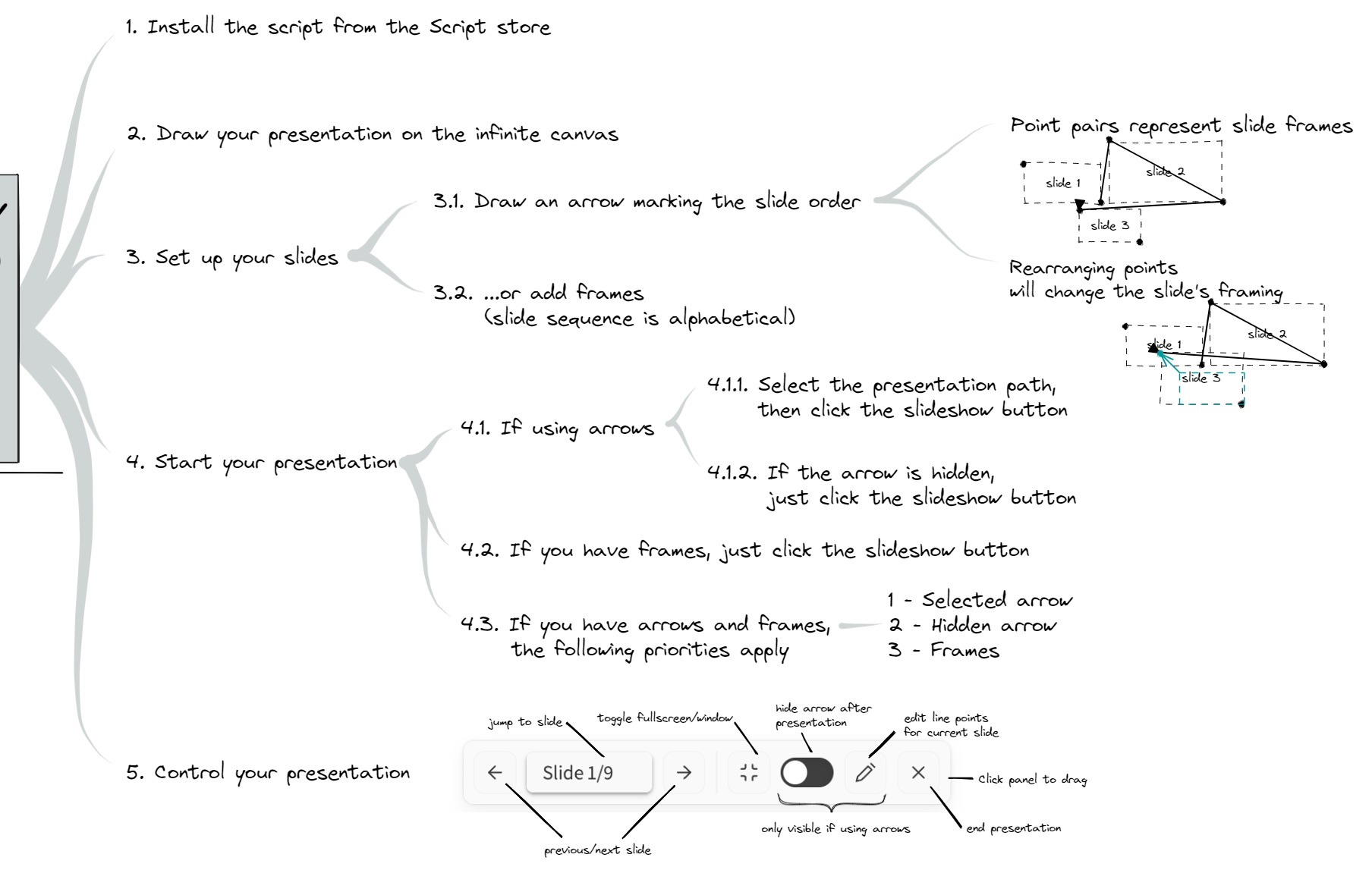
Presentation options
- If you select an arrow or line element, the script will use that as the presentation path.
- If you select nothing, but the file has a hidden presentation path, the script will use that for determining the slide sequence.
- If there are frames, the script will use the frames for the presentation. Frames are played in alphabetical order of their titles.
Keyboard shortcuts and modifier keys
Forward: Arrow Down, Arrow Right, or SPACE Backward: Arrow Up, Arrow Left Finish presentation: Backspace, ESC (I had issues with ESC not working in full screen presentation mode on Mac)
Run presentation in a window: Hold down the ALT/OPT modifier key when clicking the presentation script button Continue presentation: Hold down SHIFT when clicking the presentation script button. (The feature also works in combination with the ALT/OPT modifier to start the presentation in a window). The feature will only resume while you are within the same Obsidian session (i.e. if you restart Obsidian, slideshow will no longer remember where you were). I have two use cases in mind for this feature:
- When you are designing your presentation you may want to test how a slide looks. Using this feature you can get back to where you left off by starting the presentation with SHIFT.
- During presentation you may want to exit presentation mode to show something additional to your audience. You stop the presentation, show the additional thing you wanted, now you want to continue from where you left off. Hold down SHIFT when clicking the slideshow button.
*/
if(!ea.verifyMinimumPluginVersion || !ea.verifyMinimumPluginVersion("2.8.0")) {
  new Notice("This script requires a newer version of Excalidraw. Please install the latest version.");
  return;
}

if(ea.targetView.isDirty()) {
  ea.targetView.forceSave(true);
}

const hostLeaf = ea.targetView.leaf;
const hostView = hostLeaf.view;
const statusBarElement = document.querySelector("div.status-bar");
const ctrlKey = ea.targetView.modifierKeyDown.ctrlKey || ea.targetView.modifierKeyDown.metaKey;
const altKey = ea.targetView.modifierKeyDown.altKey || ctrlKey;
const shiftKey = ea.targetView.modifierKeyDown.shiftKey;
const shouldStartWithLastSlide = shiftKey && window.ExcalidrawSlideshow &&
      (window.ExcalidrawSlideshow.script === utils.scriptFile.path) && (typeof window.ExcalidrawSlideshow.slide?.[ea.targetView.file.path] === "number")
//-------------------------------
//constants
//-------------------------------
const TRANSITION_STEP_COUNT = 100;
const TRANSITION_DELAY = 1000; //maximum time for transition between slides in milliseconds
const FRAME_SLEEP = 1; //milliseconds
const EDIT_ZOOMOUT = 0.7; //70% of original slide zoom, set to a value between 1 and 0
const FADE_LEVEL = 0.1; //opacity of the slideshow controls after fade delay (value between 0 and 1)
const PRINT_SLIDE_WIDTH = 1920;
const PRINT_SLIDE_HEIGHT = 1080;
const MAX_ZOOM = 30; //3000%
//using outerHTML because the SVG object returned by Obsidin is in the main workspace window
//but excalidraw might be open in a popout window which has a different document object
const SVG_COG = ea.obsidian.getIcon("lucide-settings").outerHTML;
const SVG_FINISH = ea.obsidian.getIcon("lucide-x").outerHTML;
const SVG_RIGHT_ARROW = ea.obsidian.getIcon("lucide-arrow-right").outerHTML;
const SVG_LEFT_ARROW = ea.obsidian.getIcon("lucide-arrow-left").outerHTML;
const SVG_EDIT = ea.obsidian.getIcon("lucide-pencil").outerHTML;
const SVG_MAXIMIZE = ea.obsidian.getIcon("lucide-maximize").outerHTML;
const SVG_MINIMIZE = ea.obsidian.getIcon("lucide-minimize").outerHTML;
const SVG_LASER_ON = ea.obsidian.getIcon("lucide-hand").outerHTML;
const SVG_LASER_OFF = ea.obsidian.getIcon("lucide-wand").outerHTML;
const SVG_PRINTER = ea.obsidian.getIcon("lucide-printer").outerHTML;
const SVG_REFOCUS = ea.obsidian.getIcon("lucide-scan-eye").outerHTML;

//-------------------------------
//utility & convenience functions
//-------------------------------
let shouldSaveAfterThePresentation = false;
let isLaserOn = false;
let slide = shouldStartWithLastSlide ? window.ExcalidrawSlideshow.slide?.[ea.targetView.file.path] : 0;
let isFullscreen = false;
const ownerDocument = ea.targetView.ownerDocument;
const startFullscreen = !altKey;

//The plugin and Obsidian App run in the window object
//When Excalidraw is open in a popout window, the Excalidraw component will run in the ownerWindow
//and in this case ownerWindow !== window
//For this reason event handlers are distributed between window and owner window depending on their role
const ownerWindow = ea.targetView.ownerWindow;
const excalidrawAPI = ea.getExcalidrawAPI();
const frameRenderingOriginalState = excalidrawAPI.getAppState().frameRendering;
const contentEl = ea.targetView.contentEl;
const sleep = async (ms) => new Promise((resolve) => ownerWindow.setTimeout(resolve, ms));
const getFrameName = (name, index) => name ?? `Frame ${(index+1).toString().padStart(2, '0')}`;

//-------------------------------
//clean up potential clutter from previous run
//-------------------------------
window.removePresentationEventHandlers?.();

//1. check if line or arrow is selected, if not check if frames are available, if not inform the user and terminate presentation
let presentationPathLineEl = ea.getViewElements()
  .filter(el=>["line","arrow"].contains(el.type) && el.customData?.slideshow)[0];

const frameClones = [];
ea.getViewElements().filter(el=>el.type==="frame").forEach(f=>frameClones.push(ea.cloneElement(f)));
for(i=0;i<frameClones.length;i++) {
  frameClones[i].name = getFrameName(frameClones[i].name,i);
}
let frames = frameClones
  .sort((el1,el2)=> el1.name > el2.name ? 1:-1);

let presentationPathType = "line"; // "frame"
const selectedEl = ea.getViewSelectedElement();
let shouldHideArrowAfterPresentation = true; //this controls if the hide arrow button is available in settings
if(presentationPathLineEl && selectedEl && ["line","arrow"].contains(selectedEl.type)) {
  excalidrawAPI.setToast({
    message:"Using selected line instead of hidden line. Note that there is a hidden presentation path for this drawing. Run the slideshow script without selecting any elements to access the hidden presentation path",
    duration: 5000,
    closable: true
  })
  shouldHideArrowAfterPresentation = false;
  presentationPathLineEl = selectedEl;
}
if(!presentationPathLineEl) presentationPathLineEl = selectedEl;
if(!presentationPathLineEl || !["line","arrow"].contains(presentationPathLineEl.type)) {
	if(frames.length > 0) {
	  presentationPathType = "frame";
	} else {
	  excalidrawAPI.setToast({
	    message:"Please select the line or arrow for the presentation path or add frames.",
	    duration: 3000,
	    closable: true
	  })
	  return;
	}
}

//---------------------------------------------
// generate slides[] array
//---------------------------------------------
let slides = [];

if(presentationPathType === "line") {
	const getLineSlideRect = ({pointA, pointB}) => {
	  const x1 = presentationPathLineEl.x+pointA[0];
	  const y1 = presentationPathLineEl.y+pointA[1];
	  const x2 = presentationPathLineEl.x+pointB[0];
	  const y2 = presentationPathLineEl.y+pointB[1];
	  return { x1, y1, x2, y2};
	}

	const slideCount = Math.floor(presentationPathLineEl.points.length/2)-1;
	for(i=0;i<=slideCount;i++) {
	  slides.push(getLineSlideRect({
	    pointA:presentationPathLineEl.points[i*2],
	    pointB:presentationPathLineEl.points[i*2+1]
	  }))
	}
}

if(presentationPathType === "frame") {
	for(frame of frames) {
		slides.push({
		  x1: frame.x,
		  y1: frame.y,
		  x2: frame.x + frame.width,
		  y2: frame.y + frame.height
		});
	}
	if(frameRenderingOriginalState.enabled) {
  	excalidrawAPI.updateScene({
	    appState: {
	      frameRendering: {
	        ...frameRenderingOriginalState,
	        enabled: false
	      }
	    }
	  });
	}
}

//---------------------------------------
// Toggle fullscreen
//---------------------------------------
let toggleFullscreenButton;
let controlPanelEl;
let selectSlideDropdown;

const resetControlPanelElPosition = () => {
  if(!controlPanelEl) return;
  const top = contentEl.innerHeight;
  const left = contentEl.innerWidth/2;
  controlPanelEl.style.top = `calc(${top}px - var(--default-button-size)*2)`;
  controlPanelEl.style.left = `calc(${left}px - var(--default-button-size)*5)`;
  slide--;
  navigate("fwd");
}

const waitForExcalidrawResize = async () => {
  await sleep(100);
	const deltaWidth = () => Math.abs(contentEl.clientWidth-excalidrawAPI.getAppState().width);
	const deltaHeight = () => Math.abs(contentEl.clientHeight-excalidrawAPI.getAppState().height);
	let watchdog = 0;
	while ((deltaWidth()>50 || deltaHeight()>50) && watchdog++<20) await sleep(50); //wait for Excalidraw to resize to fullscreen
}

let preventFullscreenExit = true;
const gotoFullscreen = async () => {
  if(isFullscreen) return;
  preventFullscreenExit = true;
	if(ea.DEVICE.isMobile) {
	  ea.viewToggleFullScreen();
	} else {
		await contentEl.webkitRequestFullscreen();
	}
	await waitForExcalidrawResize();
	const layerUIWrapper = contentEl.querySelector(".layer-ui__wrapper");
	if(!layerUIWrapper?.hasClass("excalidraw-hidden")) layerUIWrapper.addClass("excalidraw-hidden");
	if(toggleFullscreenButton) toggleFullscreenButton.innerHTML = SVG_MINIMIZE;
	resetControlPanelElPosition();
	isFullscreen = true;
}

const exitFullscreen = async () => {
  if(!isFullscreen) return;
  preventFullscreenExit = true;
  if(!ea.DEVICE.isMobile && ownerDocument?.fullscreenElement) await ownerDocument.exitFullscreen();
  if(ea.DEVICE.isMobile) ea.viewToggleFullScreen();
  if(toggleFullscreenButton) toggleFullscreenButton.innerHTML = SVG_MAXIMIZE;
  await waitForExcalidrawResize();
  resetControlPanelElPosition();
  isFullscreen = false;
}

const toggleFullscreen = async () => {
 if (isFullscreen) {
   await exitFullscreen();
 } else {
	 await gotoFullscreen();
 }
}

//-----------------------------------------------------
// hide the arrow for the duration of the presentation
// and save the arrow color before doing so
//-----------------------------------------------------
let isHidden;
let originalProps;
const toggleArrowVisibility = async (setToHidden) => {
	ea.clear();
	ea.copyViewElementsToEAforEditing(ea.getViewElements().filter(el=>el.id === presentationPathLineEl.id));
	const el = ea.getElement(presentationPathLineEl.id);
	el.strokeColor = "transparent";
	el.backgroundColor = "transparent";
	const customData = el.customData;
	if(setToHidden && shouldHideArrowAfterPresentation) {
		el.locked = true;
		el.customData = {
			...customData,
			slideshow: {
				originalProps,
				hidden: true
			}
		}
		isHidden = true;
	} else {
		if(customData) delete el.customData.slideshow;
		isHidden = false;
	}
	await ea.addElementsToView();
}

if(presentationPathType==="line") {
	originalProps = presentationPathLineEl.customData?.slideshow?.hidden
	  ? presentationPathLineEl.customData.slideshow.originalProps
	  : {
		  strokeColor: presentationPathLineEl.strokeColor,
		  backgroundColor: presentationPathLineEl.backgroundColor,
		  locked: presentationPathLineEl.locked,
	  };
	isHidden = presentationPathLineEl.customData?.slideshow?.hidden ?? false;
}

//-----------------------------
// scroll-to-location functions
//-----------------------------
const getNavigationRect = ({ x1, y1, x2, y2, printDimensions }) => {
  const { width, height } = printDimensions ? printDimensions : excalidrawAPI.getAppState();
  const ratioX = width / Math.abs(x1 - x2);
  const ratioY = height / Math.abs(y1 - y2);
  let ratio = Math.min(Math.max(ratioX, ratioY), MAX_ZOOM);

  const scaledWidth = Math.abs(x1 - x2) * ratio;
  const scaledHeight = Math.abs(y1 - y2) * ratio;

  if (scaledWidth > width || scaledHeight > height) {
    ratio = Math.min(width / Math.abs(x1 - x2), height / Math.abs(y1 - y2));
  }

  const deltaX = (width / ratio - Math.abs(x1 - x2)) / 2;
  const deltaY = (height / ratio - Math.abs(y1 - y2)) / 2;

  return {
    left: (x1 < x2 ? x1 : x2) - deltaX,
    top: (y1 < y2 ? y1 : y2) - deltaY,
    right: (x1 < x2 ? x2 : x1) + deltaX,
    bottom: (y1 < y2 ? y2 : y1) + deltaY,
    nextZoom: ratio,
  };
};

const getNextSlideRect = (forward) => {
  slide = forward
    ? slide < slides.length-1 ? slide + 1     : 0
    : slide <= 0            ? slides.length-1 : slide - 1;
	return getNavigationRect(slides[slide]);
}

let busy = false;
const scrollToNextRect = async ({left,top,right,bottom,nextZoom},steps = TRANSITION_STEP_COUNT) => {
  const startTimer = Date.now();
  let watchdog = 0;
  while(busy && watchdog++<15) await sleep(100);
  if(busy && watchdog >= 15) return;
  busy = true;
  excalidrawAPI.updateScene({appState:{shouldCacheIgnoreZoom:true}});
  const {scrollX, scrollY, zoom} = excalidrawAPI.getAppState();
  const zoomStep = (zoom.value-nextZoom)/steps;
  const xStep = (left+scrollX)/steps;
  const yStep = (top+scrollY)/steps;
  let i=1;
  while(i<=steps) {
    excalidrawAPI.updateScene({
      appState: {
        scrollX:scrollX-(xStep*i),
        scrollY:scrollY-(yStep*i),
        zoom:{value:zoom.value-zoomStep*i},
      }
    });
    const ellapsed = Date.now()-startTimer;
    if(ellapsed > TRANSITION_DELAY) {
      i = i<steps ? steps : steps+1;
    } else {
      const timeProgress = ellapsed / TRANSITION_DELAY;
      i=Math.min(Math.round(steps*timeProgress),steps)
      await sleep(FRAME_SLEEP);
    }
  }
  excalidrawAPI.updateScene({appState:{shouldCacheIgnoreZoom:false}});
  if(isLaserOn) {
    excalidrawAPI.setActiveTool({type: "laser"});
  }
  busy = false;
}

const navigate = async (dir) => {
  const forward = dir === "fwd";
  const prevSlide = slide;
  const nextRect = getNextSlideRect(forward);

  //exit if user navigates from last slide forward or first slide backward
  const shouldExit = forward
    ? slide<=prevSlide
    : slide>=prevSlide;
  if(shouldExit) {
    exitPresentation();
    return;
  }
  if(selectSlideDropdown) selectSlideDropdown.value = slide+1;
  await scrollToNextRect(nextRect);
  if(window.ExcalidrawSlideshow && (typeof window.ExcalidrawSlideshow.slide?.[ea.targetView.file.path] === "number")) {
    window.ExcalidrawSlideshow.slide[ea.targetView.file.path] = slide;
  }
}

const navigateToSlide = (slideNumber) => {
  if(slideNumber > slides.length) slideNumber = slides.length;
  if(slideNumber < 1) slideNumber = 1;
  slide = slideNumber - 2;
  navigate("fwd");
}

//--------------------------------------
// Slideshow control panel
//--------------------------------------
let controlPanelFadeTimout = 0;
const setFadeTimeout = (delay) => {
  delay = delay ?? TRANSITION_DELAY;
  controlPanelFadeTimeout = ownerWindow.setTimeout(()=>{
    controlPanelFadeTimout = 0;
    if(ownerDocument.activeElement === selectSlideDropdown) {
      setFadeTimeout(delay);
      return;
    }
	  controlPanelEl.style.opacity = FADE_LEVEL;
  },delay);
}
const clearFadeTimeout = () => {
  if(controlPanelFadeTimeout) {
	  ownerWindow.clearTimeout(controlPanelFadeTimeout);
	  controlPanelFadeTimeout = 0;
  }
  controlPanelEl.style.opacity = 1;
}

const createPresentationNavigationPanel = () => {
  //create slideshow controlpanel container
  const top = contentEl.innerHeight;
  const left = contentEl.innerWidth/2;
  controlPanelEl = contentEl.querySelector(".excalidraw").createDiv({
    cls: ["excalidraw-presentation-panel"],
    attr: {
      style: `
        width: fit-content;
        z-index:5;
        position: absolute;
        top:calc(${top}px - var(--default-button-size)*2);
        left:calc(${left}px - var(--default-button-size)*5);`
    }
  });
  setFadeTimeout(TRANSITION_DELAY*3);

  const panelColumn = controlPanelEl.createDiv({
    cls: "panelColumn",
  });

	panelColumn.createDiv({
	  cls: ["Island", "buttonList"],
	  attr: {
	    style: `
	      max-width: unset;
	      justify-content: space-between;
	      height: calc(var(--default-button-size)*1.5);
	      width: 100%;
	      background: var(--island-bg-color);
	      display: flex;
	      align-items: center;`,
	  }
	}, el=>{
	  el.createEl("style",
	    { text: ` select:focus { box-shadow: var(--input-shadow);} `});
	  el.createEl("button",{
	    attr: {
	      style: `
	        margin-left: calc(var(--default-button-size)*0.25);`,
	      "aria-label": "Previous slide",
	      title: "Previous slide"
	    }
	  }, button => {
	    button.innerHTML = SVG_LEFT_ARROW;
	    button.onclick = () => navigate("bkwd")
	  });
    selectSlideDropdown = el.createEl("select", {
      attr: {
        style: `
          font-size: inherit;
          background-color: var(--island-bg-color);
          border: none;
          color: var(--color-gray-100);
          cursor: pointer;
        }`,
        title: "Navigate to slide"
      }
    }, selectEl => {
	    for (let i = 0; i < slides.length; i++) {
	      const option = document.createElement("option");
        option.text = (presentationPathType === "frame")
          ? `${frames[i].name}/${slides.length}`
          : option.text = `Slide ${i + 1}/${slides.length}`;
	      option.value = i + 1;
	      selectEl.add(option);
	    }
	    selectEl.addEventListener("change", () => {
	      const selectedSlideNumber = parseInt(selectEl.value);
	      selectEl.blur();
	      navigateToSlide(selectedSlideNumber);
	    });
	  });
	  el.createEl("button",{
	    attr: {
	      title: "Next slide"
	    },
	  }, button => {
	    button.innerHTML = SVG_RIGHT_ARROW;
	    button.onclick = () => navigate("fwd");
	  });
	  el.createDiv({
		  attr: {
	      style: `
	        width: 1px;
	        height: var(--default-button-size);
	        background-color: var(--default-border-color);
	        margin: 0px auto;`
	      }
	    });

	  el.createEl("button",{
	    attr: {
	      title: "Toggle Laser Pointer and Panning Mode"
	    }
	  }, button => {
	    button.innerHTML = isLaserOn ? SVG_LASER_ON : SVG_LASER_OFF;
	    button.onclick = () => {
		    isLaserOn = !isLaserOn;
		    excalidrawAPI.setActiveTool({
		      type: isLaserOn ? "laser" : "selection"
		    })
		    button.innerHTML = isLaserOn ? SVG_LASER_ON : SVG_LASER_OFF;
	    }
	  });

	  el.createEl("button",{
	    attr: {
	      title: "Re-focus current slide (shortcut: HOME)"
	    }
	  }, button => {
	    button.innerHTML = SVG_REFOCUS;
	    button.onclick = () => {
	      debugger;
	      slide--;
        navigate("fwd");
	    }
	  });

 	  el.createEl("button",{
	    attr: {
	      title: "Toggle fullscreen. If you hold ALT/OPT when starting the presentation it will not go fullscreen. (shortcut: f)"
	    },
	  }, button => {
	    toggleFullscreenButton = button;
	    button.innerHTML = isFullscreen ? SVG_MINIMIZE : SVG_MAXIMIZE;
	    button.onclick = () => toggleFullscreen();
	  });
	  if(presentationPathType === "line") {
	    if(shouldHideArrowAfterPresentation) {
		    new ea.obsidian.ToggleComponent(el)
		      .setValue(isHidden)
		      .onChange(value => {
            shouldSaveAfterThePresentation = true;
		        if(value) {
		          excalidrawAPI.setToast({
						    message:"The presentation path remain hidden after the presentation. No need to select the line again. Just click the slideshow button to start the next presentation.",
						    duration: 5000,
						    closable: true
						  })
		        }
		        toggleArrowVisibility(value);
		      })
		      .toggleEl.setAttribute("title","Arrow visibility. ON: hidden after presentation, OFF: visible after presentation");
		  }
		  el.createEl("button",{
		    attr: {
		      title: "Edit slide"
		    },
		  }, button => {
		    button.innerHTML = SVG_EDIT;
		    button.onclick = () => {
		      if(shouldHideArrowAfterPresentation) toggleArrowVisibility(false);
		      exitPresentation(true);
		    }
		  });
		}
		if(ea.DEVICE.isDesktop) {
      el.createEl("button",{
        attr: {
          style: `
            margin-right: calc(var(--default-button-size)*0.25);`,
          title: `Print to PDF\nClick to print slides at ${PRINT_SLIDE_WIDTH}x${
            PRINT_SLIDE_HEIGHT}\nHold SHIFT to print the presentation as displayed`
            //${!presentationPathLineEl ? "\nHold ALT/OPT to clip frames":""}`
        }
      }, button => {
        button.innerHTML = SVG_PRINTER;
        button.onclick = (e) => printToPDF(e);
      });
		}
	  el.createEl("button",{
	    attr: {
	      style: `
	        margin-right: calc(var(--default-button-size)*0.25);`,
	      title: "End presentation"
	    }
	  }, button => {
	    button.innerHTML = SVG_FINISH;
	    button.onclick = () => exitPresentation();
	  });
	});
}

//--------------------
// keyboard navigation
//--------------------
const keydownListener = (e) => {
  if(hostLeaf !== app.workspace.activeLeaf) return;
  if(hostLeaf.width === 0 && hostLeaf.height === 0) return;
  e.preventDefault();
  switch(e.key) {
    case "Backspace":
    case "Escape":
      exitPresentation();
      break;
    case "Space":
    case "ArrowRight":
    case "ArrowDown":
      navigate("fwd");
      break;
    case "ArrowLeft":
    case "ArrowUp":
      navigate("bkwd");
      break;
    case "End":
      slide = slides.length - 2;
      navigate("fwd");
      break;
    case "Home":
      slide--;
      navigate("fwd");
      break;
    case "e":
      if(presentationPathType !== "line") return;
      (async ()=>{
        await toggleArrowVisibility(false);
        exitPresentation(true);
      })()
      break;
    case "f":
      toggleFullscreen();
      break;
  }
}

//---------------------
// slideshow panel drag
//---------------------
let posX1 = posY1 = posX2 = posY2 = 0;

const updatePosition = (deltaY = 0, deltaX = 0) => {
  const {
    offsetTop,
    offsetLeft,
    clientWidth: width,
    clientHeight: height,
   } = controlPanelEl;
  controlPanelEl.style.top = (offsetTop - deltaY) + 'px';
  controlPanelEl.style.left = (offsetLeft - deltaX) + 'px';
}

const onPointerUp = () => {
  ownerWindow.removeEventListener('pointermove', onDrag, true);
}

const onPointerDown = (e) => {
	clearFadeTimeout();
	setFadeTimeout();
  const now = Date.now();
  posX2 = e.clientX;
  posY2 = e.clientY;
  ownerWindow.addEventListener('pointermove', onDrag, true);
}

const onDrag = (e) => {
  e.preventDefault();
  posX1 = posX2 - e.clientX;
  posY1 = posY2 - e.clientY;
  posX2 = e.clientX;
  posY2 = e.clientY;
  updatePosition(posY1, posX1);
}

const onMouseEnter = () => {
	clearFadeTimeout();
}

const onMouseLeave = () => {
	setFadeTimeout();
}

const fullscreenListener = (e) => {
  if(preventFullscreenExit) {
	  preventFullscreenExit = false;
    return;
  }
  e.preventDefault();
  exitPresentation();
}

const initializeEventListners = () => {
	ownerWindow.addEventListener('keydown',keydownListener);
  controlPanelEl.addEventListener('pointerdown', onPointerDown, false);
  controlPanelEl.addEventListener('mouseenter', onMouseEnter, false);
  controlPanelEl.addEventListener('mouseleave', onMouseLeave, false);
  ownerWindow.addEventListener('pointerup', onPointerUp, false);

	//event listners for terminating the presentation
	window.removePresentationEventHandlers = () => {
	  ea.onLinkClickHook = null;
	  controlPanelEl.removeEventListener('pointerdown', onPointerDown, false);
	  controlPanelEl.removeEventListener('mouseenter', onMouseEnter, false);
	  controlPanelEl.removeEventListener('mouseleave', onMouseLeave, false);
	  controlPanelEl.parentElement?.removeChild(controlPanelEl);
	  if(!ea.DEVICE.isMobile) {
	    contentEl.removeEventListener('webkitfullscreenchange', fullscreenListener);
	    contentEl.removeEventListener('fullscreenchange', fullscreenListener);
	  }
	  ownerWindow.removeEventListener('keydown',keydownListener);
	  ownerWindow.removeEventListener('pointerup',onPointerUp);
	  contentEl.querySelector(".layer-ui__wrapper")?.removeClass("excalidraw-hidden");
	  delete window.removePresentationEventHandlers;
	}

	ea.onLinkClickHook = () => {
    exitPresentation();
    return true;
  };

  if(!ea.DEVICE.isMobile) {
    contentEl.addEventListener('webkitfullscreenchange', fullscreenListener);
    contentEl.addEventListener('fullscreenchange', fullscreenListener);
  }
}

//----------------------------
// Exit presentation
//----------------------------
const exitPresentation = async (openForEdit = false) => {
  //this is a hack, not sure why ea loses target view when other scripts are executed while the presentation is running
  ea.targetView = hostView;
  isLaserOn = false;
  statusBarElement.style.display = "inherit";
  if(openForEdit) ea.targetView.preventAutozoom();
  await exitFullscreen();
  await waitForExcalidrawResize();
  ea.setViewModeEnabled(false);
  if(presentationPathType === "line") {
	  ea.clear();
	  ea.copyViewElementsToEAforEditing(ea.getViewElements().filter(el=>el.id === presentationPathLineEl.id));
	  const el = ea.getElement(presentationPathLineEl.id);
	  if(!isHidden) {
	    el.strokeColor = originalProps.strokeColor;
	    el.backgroundProps = originalProps.backgroundColor;
	    el.locked = openForEdit ? false : originalProps.locked;
	  }
	  await ea.addElementsToView();
	  if(!isHidden) ea.selectElementsInView([el]);
	  if(openForEdit) {
	    let nextRect = getNextSlideRect(--slide);
	    const offsetW = (nextRect.right-nextRect.left)*(1-EDIT_ZOOMOUT)/2;
	    const offsetH = (nextRect.bottom-nextRect.top)*(1-EDIT_ZOOMOUT)/2
	    nextRect = {
	      left: nextRect.left-offsetW,
	      right: nextRect.right+offsetW,
	      top: nextRect.top-offsetH,
	      bottom: nextRect.bottom+offsetH,
	      nextZoom: nextRect.nextZoom*EDIT_ZOOMOUT > 0.1 ? nextRect.nextZoom*EDIT_ZOOMOUT : 0.1 //0.1 is the minimu zoom value
	    };
	    await scrollToNextRect(nextRect,1);
	    excalidrawAPI.startLineEditor(
	      ea.getViewSelectedElement(),
	      [slide*2,slide*2+1]
	    );
	  }
	} else {
	  if(frameRenderingOriginalState.enabled) {
	  	excalidrawAPI.updateScene({
		    appState: {
		      frameRendering: {
		        ...frameRenderingOriginalState,
		        enabled: true
		      }
		    }
		  });
		}
	}
  window.removePresentationEventHandlers?.();
  ownerWindow.setTimeout(()=>{
    //Resets pointer offsets. Ugly solution.
    //During testing offsets were wrong after presentation, but don't know why.
    //This should solve it even if they are wrong.
    hostView.refreshCanvasOffset();
    excalidrawAPI.setActiveTool({type: "selection"});
  })
  if(!shouldSaveAfterThePresentation) {
    ea.targetView.clearDirty();
  }
}

//--------------------------
// Print to PDF
//--------------------------
let notice;
let noticeEl;
function setSingleNotice(message) {
  if(noticeEl?.parentElement) {
    notice.setMessage(message);
    return;
  }
  notice = new Notice(message, 0);
  noticeEl = notice.containerEl ?? notice.noticeEl;
}

function hideSingleNotice() {
  if(noticeEl?.parentElement) {
    notice.hide();
  }
}

const translateToZero = ({ top, left, bottom, right }, padding) => {
  const {topX, topY, width, height} = ea.getBoundingBox(ea.getViewElements());
  const newTop = top - (topY - padding);
  const newLeft = left - (topX - padding);
  const newBottom = bottom - (topY - padding);
  const newRight = right - (topX - padding);

  return {
    top: newTop,
    left: newLeft,
    bottom: newBottom,
    right: newRight,
  };
}

const getElementPlaceholdersForMarkerFrames = () => {
  const viewMarkerFrames = ea.getViewElements().filter(el=>el.type === "frame" && el.frameRole === "marker");
  if(viewMarkerFrames.length === 0) return;
  ea.clear();
  ea.style.opacity = 0;
  ea.style.roughness = 0;
	ea.style.fillStyle = "solid";
	ea.style.backgroundColor = "black"
	ea.style.strokeWidth = 0.01;

  for (const frame of viewMarkerFrames) {
	  ea.addRect(frame.x, frame.y, frame.width, frame.height);
  }
  return ea.getViewElements().concat(ea.getElements());
}

const printToPDF = async (e) => {
  const slideWidth = e.shiftKey ? excalidrawAPI.getAppState().width : PRINT_SLIDE_WIDTH;
  const slideHeight = e.shiftKey ? excalidrawAPI.getAppState().height : PRINT_SLIDE_HEIGHT;
  //const shouldClipFrames = !presentationPathLineEl && e.altKey;
  const shouldClipFrames = false;
  //huge padding to ensure the HD window always fits the width
  //no padding if frames are clipped
  const padding =  shouldClipFrames ? 0 : Math.round(Math.max(slideWidth,slideHeight)/2)+10;
  const st = ea.getExcalidrawAPI().getAppState();
  setSingleNotice("Generating image. This can take a longer time depending on the size of the image and speed of your device");
  const elementsOverride = getElementPlaceholdersForMarkerFrames();
  const svg = await ea.createViewSVG({
    withBackground: true,
    theme: st.theme,
    frameRendering: { enabled: shouldClipFrames, name: false, outline: false, clip: shouldClipFrames },
    padding,
    selectedOnly: false,
    skipInliningFonts: false,
    embedScene: false,
    elementsOverride,
  });
  const pages = [];
  for(i=0;i<slides.length;i++) {
    setSingleNotice(`Generating slide ${i+1}`);
    const s = slides[i];
    const  { top, left, bottom, right } = translateToZero(
      getNavigationRect({
        ...s,
        printDimensions: {width: slideWidth, height: slideHeight}
      }), padding
    );
    //always create the new SVG in the main Obsidian workspace (not the popout window, if present)
    const host = window.createDiv();
    host.innerHTML = svg.outerHTML;
    const clonedSVG = host.firstElementChild;
    const width = Math.abs(left-right);
    const height = Math.abs(top-bottom);
    clonedSVG.setAttribute("viewBox", `${left} ${top} ${width} ${height}`);
    clonedSVG.setAttribute("width", `${width}`);
    clonedSVG.setAttribute("height", `${height}`);
    pages.push(clonedSVG);
  }
  const bgColor = ea.getExcalidrawAPI().getAppState().viewBackgroundColor;
  setSingleNotice("Creating PDF Document");
  ea.createPDF({
    SVG: pages,
    scale: { fitToPage: true },
    pageProps: {
      dimensions: { width: slideWidth, height: slideHeight },
      backgroundColor: bgColor,
      margin: { left: 0, right: 0, top: 0, bottom: 0 },
      alignment: "center"
    },
    filename: ea.targetView.file.basename + ".pdf",
  }).then(()=>hideSingleNotice());
}

//--------------------------
// Start presentation or open presentation settings on double click
//--------------------------
const start = async () => {
  statusBarElement.style.display = "none";
  ea.setViewModeEnabled(true);
  const helpButton = ea.targetView.excalidrawContainer?.querySelector(".ToolIcon__icon.help-icon");
  if(helpButton) {
    helpButton.style.display = "none";
  }
  const zoomButton = ea.targetView.excalidrawContainer?.querySelector(".Stack.Stack_vertical.zoom-actions");
  if(zoomButton) {
    zoomButton.style.display = "none";
  }

  createPresentationNavigationPanel();
  initializeEventListners();
  if(startFullscreen) {
    await gotoFullscreen();
  } else {
    resetControlPanelElPosition();
  }
  if(presentationPathType === "line") await toggleArrowVisibility(isHidden);
  ea.targetView.clearDirty();
}

const timestamp = Date.now();
if(
  window.ExcalidrawSlideshow &&
  (window.ExcalidrawSlideshow.script === utils.scriptFile.path) &&
  (timestamp - window.ExcalidrawSlideshow.timestamp <400)
) {
  if(window.ExcalidrawSlideshowStartTimer) {
    window.clearTimeout(window.ExcalidrawSlideshowStartTimer);
    delete window.ExcalidrawSlideshowStartTimer;
  }
  await start();
} else {
  if(window.ExcalidrawSlideshowStartTimer) {
    window.clearTimeout(window.ExcalidrawSlideshowStartTimer);
    delete window.ExcalidrawSlideshowStartTimer;
  }
  if(!window.ExcalidrawSlideshow) {
    window.ExcalidrawSlideshow = {
      script: utils.scriptFile.path,
      slide: {},
    };
  }
  window.ExcalidrawSlideshow.timestamp = timestamp;
  window.ExcalidrawSlideshow.slide[ea.targetView.file.path] = 0;

  window.ExcalidrawSlideshowStartTimer = window.setTimeout(start,500);
}
Split Ellipse.md
/*
This script splits an ellipse at any point where a line intersects it. If no lines are selected, it will use every line that intersects the ellipse. Otherwise, it will only use the selected lines. If there is no intersecting line, the ellipse will be converted into a line object.
There is also the option to close the object along the cut, which will close the cut in the shape of the line.
Tip: To use an ellipse as the cutting object, you first have to use this script on it, since it will convert the ellipse into a line.
See documentation for more details: https://zsviczian.github.io/obsidian-excalidraw-plugin/ExcalidrawScriptsEngine.html
*/
const elements = ea.getViewSelectedElements();
const ellipse = elements.filter(el => el.type == "ellipse")[0];
if (!ellipse) return;

let lines = elements.filter(el => el.type == "line" || el.type == "arrow");
if (lines.length == 0) lines = ea.getViewElements().filter(el => el.type == "line" || el.type == "arrow");
lines = lines.map(getNormalizedLine);
const subLines = getSubLines(lines);

const angles = subLines.flatMap(line => {
  return intersectionAngleOfEllipseAndLine(ellipse, line.a, line.b).map(result => ({
    angle: result,
    cuttingLine: line
  }));
});

if (angles.length === 0) angles.push({ angle: 0, cuttingLine: null });

angles.sort((a, b) => a.angle - b.angle);

const closeObject = await utils.suggester(["Yes", "No"], [true, false], "Close object along cutedge?")

ea.style.strokeSharpness = closeObject ? "sharp" : "round";
ea.style.strokeColor = ellipse.strokeColor;
ea.style.strokeWidth = ellipse.strokeWidth;
ea.style.backgroundColor = ellipse.backgroundColor;
ea.style.fillStyle = ellipse.fillStyle;
ea.style.roughness = ellipse.roughness;

angles.forEach((angle, key) => {
  const cuttingLine = angle.cuttingLine;
  angle = angle.angle;
  const nextAngleKey = (key + 1) < angles.length ? key + 1 : 0;
  const nextAngle = angles[nextAngleKey].angle;
  const AngleDelta = nextAngle - angle ? nextAngle - angle : Math.PI*2;
  const pointAmount = Math.ceil((AngleDelta*64)/(Math.PI*2));
  const stepSize = AngleDelta/pointAmount;
  let points = drawEllipse(ellipse.x, ellipse.y, ellipse.width, ellipse.height, ellipse.angle, angle, nextAngle, stepSize);
  if (closeObject && cuttingLine) points = points.concat(getCutLine(points[0], angles[key], angles[nextAngleKey], ellipse));

  const lineId = ea.addLine(points);
  const line = ea.getElement(lineId);
  if (closeObject && cuttingLine) line.polygon = true;
  line.frameId = ellipse.frameId;
  line.groupIds = ellipse.groupIds;
});

ea.deleteViewElements([ellipse]);
ea.addElementsToView(false,false,true);
return;

function getSubLines(lines) {
  return lines.flatMap((line, key) => {
    return line.points.slice(1).map((pointB, i) => ({
      a: addVectors([line.points[i], [line.x, line.y]]),
      b: addVectors([pointB, [line.x, line.y]]),
      originLineIndex: key,
      indexPointA: i,
    }));
  });
}

function intersectionAngleOfEllipseAndLine(ellipse, pointA, pointB) {
  /*
  To understand the code in this function and subfunctions it might help to take a look at this geogebra file
  https://www.geogebra.org/m/apbm3hs6
  */
  const c = multiplyVectorByScalar([ellipse.width, ellipse.height], (1/2));
  const a = rotateVector(
    addVectors([
      pointA,
      invVec([ellipse.x, ellipse.y]),
      invVec(multiplyVectorByScalar([ellipse.width, ellipse.height], (1/2)))
    ]),
    -ellipse.angle
  )
  const l_b = rotateVector(
    addVectors([
      pointB,
      invVec([ellipse.x, ellipse.y]),
      invVec(multiplyVectorByScalar([ellipse.width, ellipse.height], (1/2)))
    ]),
    -ellipse.angle
  );
  const b = addVectors([
    l_b,
    invVec(a)
  ]);
  const solutions = calculateLineSegment(a[0], a[1], b[0], b[1], c[0], c[1]);
  return solutions
    .filter(num => isBetween(num, 0, 1))
    .map(num => {
      const point = [
        (a[0] + b[0] * num) / ellipse.width,
        (a[1] + b[1] * num) / ellipse.height
      ];
      return angleBetweenVectors([1, 0], point);
    });
}

function drawEllipse(x, y, width, height, angle = 0, start = 0, end = Math.PI*2, step = Math.PI/32) {
  const ellipse = (t) => {
    const spanningVector = rotateVector([width/2*Math.cos(t), height/2*Math.sin(t)], angle);
    const baseVector = [x+width/2, y+height/2];
    return addVectors([baseVector, spanningVector]);
  }

  if(end <= start) end = end + Math.PI*2;

  let points = [];
  const almostEnd = end - step/2;
  for (let t = start; t < almostEnd; t = t + step) {
    points.push(ellipse(t));
  }
  points.push(ellipse(end))
  return points;
}

function getCutLine(startpoint, currentAngle, nextAngle, ellipse) {
  if (currentAngle.cuttingLine.originLineIndex != nextAngle.cuttingLine.originLineIndex) return [];

  const originLineIndex = currentAngle.cuttingLine.originLineIndex;

  if (lines[originLineIndex] == 2) return startpoint;

  const originLine = [];
  lines[originLineIndex].points.forEach(p => originLine.push(addVectors([
    p,
    [lines[originLineIndex].x, lines[originLineIndex].y]
  ])));

  const edgepoints = [];
  const direction = isInEllipse(originLine[clamp(nextAngle.cuttingLine.indexPointA - 1, 0, originLine.length - 1)], ellipse) ? -1 : 1
  let i = isInEllipse(originLine[nextAngle.cuttingLine.indexPointA], ellipse) ? nextAngle.cuttingLine.indexPointA : nextAngle.cuttingLine.indexPointA + direction;
  while (isInEllipse(originLine[i], ellipse)) {
    edgepoints.push(originLine[i]);
    i = (i + direction) % originLine.length;
  }
  edgepoints.push(startpoint);
  return edgepoints;
}

function calculateLineSegment(ax, ay, bx, by, cx, cy) {
  const sqrt = Math.sqrt((cx ** 2) * (cy ** 2) * (-(ay ** 2) * (bx ** 2) + 2 * ax * ay * bx * by - (ax ** 2) * (by ** 2) + (bx ** 2) * (cy ** 2) + (by ** 2) * (cx ** 2)));
  const numerator = -(ay * by * (cx ** 2) + ax * bx * (cy ** 2));
  const denominator = ((by ** 2) * (cx ** 2) + (bx ** 2) * (cy ** 2));
  const t1 = (numerator + sqrt) / denominator;
  const t2 = (numerator - sqrt) / denominator;

  return [t1, t2];
}

function isInEllipse(point, ellipse) {
  point = addVectors([point, invVec([ellipse.x, ellipse.y]), invVec(multiplyVectorByScalar([ellipse.width, ellipse.height], 1/2))]);
  point = [point[0]*2/ellipse.width, point[1]*2/ellipse.height];
  const distance = Math.sqrt(point[0]**2 + point[1]**2);
  return distance < 1;
}

function angleBetweenVectors(v1, v2) {
  let dotProduct = v1[0] * v2[0] + v1[1] * v2[1];
  let determinant = v1[0] * v2[1] - v1[1] * v2[0];
  let angle = Math.atan2(determinant, dotProduct);
  return angle < 0 ? angle + 2 * Math.PI : angle;
}

function rotateVector (vec, ang)  {
  var cos = Math.cos(ang);
  var sin = Math.sin(ang);
  return [vec[0] * cos - vec[1] * sin, vec[0] * sin + vec[1] * cos];
}

function addVectors(vectors) {
  return vectors.reduce((acc, vec) => [acc[0] + vec[0], acc[1] + vec[1]], [0, 0]);
}

function invVec(vector) {
  return [-vector[0], -vector[1]];
}

function multiplyVectorByScalar(vector, scalar) {
  return [vector[0] * scalar, vector[1] * scalar];
}

function round(number, precision) {
  var factor = Math.pow(10, precision);
  return Math.round(number * factor) / factor;
}

function isBetween(num, min, max) {
  return (num >= min && num <= max);
}

function clamp(number, min, max) {
  return Math.max(min, Math.min(number, max));
}

//Same line but with angle=0
function getNormalizedLine(originalElement) {
  if(originalElement.angle === 0) return originalElement;

  // Get absolute coordinates for all points first
  const pointRotateRads = (point, center, angle) => {
    const [x, y] = point;
    const [cx, cy] = center;
    return [
      (x - cx) * Math.cos(angle) - (y - cy) * Math.sin(angle) + cx,
      (x - cx) * Math.sin(angle) + (y - cy) * Math.cos(angle) + cy
    ];
  };

  // Get element absolute coordinates (matching Excalidraw's approach)
  const getElementAbsoluteCoords = (element) => {
    const points = element.points;
    let minX = Infinity;
    let minY = Infinity;
    let maxX = -Infinity;
    let maxY = -Infinity;

    for (const [x, y] of points) {
      const absX = x + element.x;
      const absY = y + element.y;
      minX = Math.min(minX, absX);
      minY = Math.min(minY, absY);
      maxX = Math.max(maxX, absX);
      maxY = Math.max(maxY, absY);
    }

    return [minX, minY, maxX, maxY];
  };

  // Calculate center point based on absolute coordinates
  const [x1, y1, x2, y2] = getElementAbsoluteCoords(originalElement);
  const centerX = (x1 + x2) / 2;
  const centerY = (y1 + y2) / 2;

  // Calculate absolute coordinates of all points
  const absolutePoints = originalElement.points.map(([x, y]) => [
    x + originalElement.x,
    y + originalElement.y
  ]);

  // Rotate all points around the center
  const rotatedPoints = absolutePoints.map(point =>
    pointRotateRads(point, [centerX, centerY], originalElement.angle)
  );

  // Convert back to relative coordinates
  const newPoints = rotatedPoints.map(([x, y]) => [
    x - rotatedPoints[0][0],
    y - rotatedPoints[0][1]
  ]);

  const newLineId = ea.addLine(newPoints);

  // Set the position of the new line to the first rotated point
  const newLine = ea.getElement(newLineId);
  newLine.x = rotatedPoints[0][0];
  newLine.y = rotatedPoints[0][1];
  newLine.angle = 0;
  delete ea.elementsDict[newLine.id];
  return newLine;
}
Split text by lines.md
/*
requires Excalidraw 1.5.1 or higher
Download this file and save to your Obsidian Vault including the first line, or open it in "Raw" and copy the entire contents to Obsidian.
Split lines of text into separate text elements for easier reorganization
See documentation for more details: https://zsviczian.github.io/obsidian-excalidraw-plugin/ExcalidrawScriptsEngine.html
*/
elements = ea.getViewSelectedElements().filter((el)=>el.type==="text");
elements.forEach((el)=>{
  ea.style.strokeColor = el.strokeColor;
  ea.style.fontFamily  = el.fontFamily;
  ea.style.fontSize    = el.fontSize;
  const text = el.rawText.split("\n");
  for(i=0;i<text.length;i++) {
	ea.addText(el.x,el.y+i*el.height/text.length,text[i].trim());
  }
});
ea.addElementsToView(false,false,true);
ea.deleteViewElements(elements);
Text Aura.md
/*
Select a single text element, or a text element in a container. The container must have a transparent background.
The script will add an aura to the text by adding 4 copies of the text each with the inverted stroke color of the original text element and with a very small X and Y offset. The resulting 4 + 1 (original) text elements or containers will be grouped.
If you copy a color string on the clipboard before running the script, the script will use that color instead of the inverted color.
els = ea.getViewSelectedElements();
const isText = (els.length === 1) && els[0].type === "text";
const isContainer = (els.length === 2) &&
  ((els[0].type === "text" && els[1].id === els[0].containerId && els[1].backgroundColor.toLowerCase() === "transparent") ||
    (els[1].type === "text" && els[0].id === els[1].containerId && els[0].backgroundColor.toLowerCase() === "transparent"));

if (!(isText || isContainer)) {
  new Notice ("Select a single text element, or a container with a text element and with transparent background color",10000);
  return;
}

let strokeColor = ea
  .getCM(els.filter(el=>el.type === "text")[0].strokeColor)
  .invert({alpha: false})
  .stringHEX({alpha: false});
clipboardText = await navigator.clipboard.readText();
if(clipboardText) {
  const cm1 = ea.getCM(clipboardText);
  if(cm1.format !== "invalid") {
	strokeColor = cm1.stringHEX();
  } else {
    const cm2 = ea.getCM("#"+clipboardText);
    if(cm2.format !== "invalid") {
      strokeColor = cm2.stringHEX();
    }
  }
}

const offset = els.filter(el=>el.type === "text")[0].fontSize/24;

let ids = [];

const addClone = (offsetX, offsetY) => {
  els.forEach(el=>{
    const clone = ea.cloneElement(el);
    ids.push(clone.id);
    clone.x += offsetX;
	clone.y += offsetY;
	if(offsetX!==0 || offsetY!==0) {
	  switch (clone.type) {
	    case "text":
		  clone.strokeColor = strokeColor;
		  break;
	    default:
		  clone.strokeColor = "transparent";
		  break;
	  }
	}
    ea.elementsDict[clone.id] = clone;
  })
}

addClone(-offset,0);
addClone(offset,0);
addClone(0,offset);
addClone(0,-offset);
addClone(0,0);
ea.copyViewElementsToEAforEditing(els);
els.forEach(el=>ea.elementsDict[el.id].isDeleted = true);

ea.addToGroup(ids);
ea.addElementsToView(false, true, true);
Text to Path.md
/*
This script allows you to fit a text element along a selected path: line, arrow, freedraw, ellipse, rectangle, or diamond. You can select either a path or a text element, or both:
- If only a path is selected, you will be prompted to provide the text.
- If only a text element is selected and it was previously fitted to a path, the script will use the original path if it is still present in the scene.
- If both a text and a path are selected, the script will fit the text to the selected path.
If the path is a perfect circle, you will be prompted to choose whether to fit the text above or below the circle.
After fitting, the text will no longer be editable as a standard text element, but you'll be able to edit it with this script. Text on path cannot function as a markdown link. Emojis are not supported.
*/
if(!ea.verifyMinimumPluginVersion || !ea.verifyMinimumPluginVersion("2.12.0")) {
  new Notice("This script requires a newer version of Excalidraw. Please install the latest version.");
  return;
}

els = ea.getViewSelectedElements();
let pathEl = els.find(el=>["ellipse", "rectangle", "diamond", "line", "arrow", "freedraw"].includes(el.type));
const textEl = els.find(el=>el.type === "text");
const tempElementIDs = [];

const win = ea.targetView.ownerWindow;

let pathElID = textEl?.customData?.text2Path?.pathElID;
if(!pathEl) {
  if (pathElID) {
    pathEl = ea.getViewElements().find(el=>el.id === pathElID);
    pathElID = pathEl?.id;
  }
  if(!pathElID) {
    new Notice("Please select a text element and a valid path element (ellipse, rectangle, diamond, line, arrow, or freedraw)");
    return;
  }
} else {
  pathElID = pathEl.id;
}

const st = ea.getExcalidrawAPI().getAppState();
const fontSize = textEl?.fontSize ?? st.currentItemFontSize;
const fontFamily = textEl?.fontFamily ?? st.currentItemFontFamily;
ea.style.fontSize = fontSize;
ea.style.fontFamily = fontFamily;
const fontHeight = ea.measureText("M").height*1.3;

const aspectRatio = pathEl.width/pathEl.height;
const isCircle = pathEl.type === "ellipse" && aspectRatio > 0.9  && aspectRatio < 1.1;
const isPathLinear = ["line", "arrow", "freedraw"].includes(pathEl.type);
if(!isCircle && !isPathLinear) {
  ea.copyViewElementsToEAforEditing([pathEl]);
  pathEl = ea.getElement(pathEl.id);
  pathEl.x -= fontHeight/2;
  pathEl.y -= fontHeight/2;
  pathEl.width += fontHeight;
  pathEl.height += fontHeight;
  tempElementIDs.push(pathEl.id);

  switch (pathEl.type) {
    case "rectangle":
      pathEl = rectangleToLine(pathEl);
      break;
    case "ellipse":
      pathEl = ellipseToLine(pathEl);
      break;
    case "diamond":
      pathEl = diamondToLine(pathEl);
      break;
  }
  tempElementIDs.push(pathEl.id);
}


// ---------------------------------------------------------
// Convert path to SVG and use real path for text placement.
// ---------------------------------------------------------
let isLeftToRight = true;
if(
  (["line", "arrow"].includes(pathEl.type) && pathEl.roundness !== null) ||
  pathEl.type === "freedraw"
) {
  [pathEl, isLeftToRight] = await convertBezierToPoints();
}

// ---------------------------------------------------------
// Retreive original text from text-on-path customData
// ---------------------------------------------------------
const initialOffset = textEl?.customData?.text2Path?.offset ?? 0;
const initialArchAbove = textEl?.customData?.text2Path?.archAbove ?? true;

const text = (await utils.inputPrompt({
  header: "Edit",
  value: textEl?.customData?.text2Path
    ? textEl.customData.text2Path.text
    : textEl?.text ?? "",
  lines: 3,
  customComponents: isCircle ? circleArchControl : offsetControl,
  draggable: true,
}))?.replace(" \n"," ").replace("\n ", " ").replace("\n"," ");

if(!text) {
  new Notice("No text provided!");
  return;
}

// -------------------------------------
// Copy font style to ExcalidrawAutomate
// -------------------------------------
ea.style.fontSize = fontSize;
ea.style.fontFamily = fontFamily;
ea.style.strokeColor = textEl?.strokeColor ?? st.currentItemStrokeColor;
ea.style.opacity = textEl?.opacity ?? st.currentItemOpacity;

// -----------------------------------
// Delete previous text arch if exists
// -----------------------------------
if (textEl?.customData?.text2Path) {
  const pathID = textEl.customData.text2Path.pathID;
  const elements = ea.getViewElements().filter(el=>el.customData?.text2Path && el.customData.text2Path.pathID === pathID);
  ea.copyViewElementsToEAforEditing(elements);
  ea.getElements().forEach(el=>{el.isDeleted = true;});
} else {
  if(textEl) {
    ea.copyViewElementsToEAforEditing([textEl]);
    ea.getElements().forEach(el=>{el.isDeleted = true;});
  }
}

if(isCircle) {
  await fitTextToCircle();
} else {
  await fitTextToShape();
}


//----------------------------------------
//----------------------------------------
// Supporting functions
//----------------------------------------
//----------------------------------------
function transposeElements(ids) {
  const dims = ea.measureText("M");
  ea.getElements().filter(el=>ids.has(el.id)).forEach(el=>{
      el.x -= dims.width/2;
      el.y -= dims.height/2;
  })
}

// Function to create the circle arch position control in the dialog
function circleArchControl(container) {
  if (typeof win.ArchPosition === "undefined") {
    win.ArchPosition = initialArchAbove;
  }

  const archContainer = container.createDiv();
  archContainer.style.display = "flex";
  archContainer.style.alignItems = "center";
  archContainer.style.marginBottom = "8px";

  const label = archContainer.createEl("label");
  label.textContent = "Arch position:";
  label.style.marginRight = "10px";
  label.style.fontWeight = "bold";

  const select = archContainer.createEl("select");

  // Add options for above/below
  const aboveOption = select.createEl("option");
  aboveOption.value = "true";
  aboveOption.text = "Above";

  const belowOption = select.createEl("option");
  belowOption.value = "false";
  belowOption.text = "Below";

  // Set the default value
  select.value = win.ArchPosition ? "true" : "false";

  select.addEventListener("change", (e) => {
    win.ArchPosition = e.target.value === "true";
  });
}

// Function to create the offset input control in the dialog
function offsetControl(container) {
  if (!win.TextArchOffset) win.TextArchOffset = initialOffset.toString();

  const offsetContainer = container.createDiv();
  offsetContainer.style.display = "flex";
  offsetContainer.style.alignItems = "center";
  offsetContainer.style.marginBottom = "8px";

  const label = offsetContainer.createEl("label");
  label.textContent = "Offset (px):";
  label.style.marginRight = "10px";
  label.style.fontWeight = "bold";

  const input = offsetContainer.createEl("input");
  input.type = "number";
  input.value = win.TextArchOffset;
  input.placeholder = "0";
  input.style.width = "60px";
  input.style.padding = "4px";

  input.addEventListener("input", (e) => {
    const val = e.target.value.trim();
    if (val === "" || !isNaN(parseInt(val))) {
      win.TextArchOffset = val;
    } else {
      e.target.value = win.TextArchOffset || "0";
    }
  });
}

// Function to convert any shape to a series of points along its path
function calculatePathPoints(element) {
  // Handle lines, arrows, and freedraw paths
  const points = [];

  // Get absolute coordinates of all points
  const absolutePoints = element.points.map(point => [
    point[0] + element.x,
    point[1] + element.y
  ]);

  // Calculate segment information
  let segments = [];

  for (let i = 0; i < absolutePoints.length - 1; i++) {
    const p0 = absolutePoints[i];
    const p1 = absolutePoints[i+1];
    const dx = p1[0] - p0[0];
    const dy = p1[1] - p0[1];
    const segmentLength = Math.sqrt(dx * dx + dy * dy);
    const angle = Math.atan2(dy, dx);

    segments.push({
      p0, p1, length: segmentLength, angle
    });
  }

  // Sample points along each segment
  for (const segment of segments) {
    // Number of points to sample depends on segment length
    const numSamplePoints = Math.max(2, Math.ceil(segment.length / 5)); // 1 point every 5 pixels

    for (let i = 0; i < numSamplePoints; i++) {
      const t = i / (numSamplePoints - 1);
      const x = segment.p0[0] + t * (segment.p1[0] - segment.p0[0]);
      const y = segment.p0[1] + t * (segment.p1[1] - segment.p0[1]);
      points.push([x, y, segment.angle]);
    }
  }

  return points;
}

// Function to distribute text along any path
function distributeTextAlongPath(text, pathPoints, pathID, objectIDs, offset = 0, isLeftToRight) {
  if (pathPoints.length === 0) return;

  const {baseline} = ExcalidrawLib.getFontMetrics(ea.style.fontFamily, ea.style.fontSize);

  const originalText = text;
  if(!isLeftToRight) {
    text = text.split('').reverse().join('');
  }

  // Calculate path length
  let pathLength = 0;
  let pathSegments = [];
  let accumulatedLength = 0;

  for (let i = 1; i < pathPoints.length; i++) {
    const [x1, y1] = [pathPoints[i-1][0], pathPoints[i-1][1]];
    const [x2, y2] = [pathPoints[i][0], pathPoints[i][1]];
    const segLength = Math.sqrt(Math.pow(x2 - x1, 2) + Math.pow(y2 - y1, 2));

    pathSegments.push({
      startPoint: pathPoints[i-1],
      endPoint: pathPoints[i],
      length: segLength,
      startDist: accumulatedLength,
      endDist: accumulatedLength + segLength
    });

    accumulatedLength += segLength;
    pathLength += segLength;
  }

  // Precompute substring widths for kerning-accurate placement
  const substrWidths = [];
  for (let i = 0; i <= text.length; i++) {
    substrWidths.push(ea.measureText(text.substring(0, i)).width);
  }

  // The actual distance along the path for a character's center is `offset + charCenter`.
  for (let i = 0; i < text.length; i++) {
    const character = text.substring(i, i+1);
    const charHeight = ea.measureText(character).height;

    // Advance for this character (kerning-aware)
    const prevWidth = substrWidths[i];
    const nextWidth = substrWidths[i+1];
    const charAdvance = nextWidth - prevWidth;

    // Center of this character in the full text
    const charCenter = isLeftToRight
      ? (i === 0 ? charAdvance / 2 : prevWidth + charAdvance / 2)
      : prevWidth + charAdvance / 2; // For RTL, text is reversed, so this logic still holds for the reversed string

    // Target distance along the path for the character's center
    const targetDistOnPath = offset + charCenter;

    // Find point on path for the BASELINE at the center of this character
    let pointInfo = getPointAtDistance(targetDistOnPath, pathSegments, pathLength);
    let x, y, angle;
    if (pointInfo) {
      x = pointInfo.x;
      y = pointInfo.y;
      angle = pointInfo.angle;
    } else {
      // We're beyond the path, continue in the direction of the last segment
      const lastSegment = pathSegments[pathSegments.length - 1];
      if (!lastSegment) { // Should not happen if pathPoints.length > 0
        // Fallback if somehow pathSegments is empty but pathPoints was not
        x = pathPoints[0]?.[0] ?? 0;
        y = pathPoints[0]?.[1] ?? 0;
        angle = pathPoints[0]?.[2] ?? 0;
      } else {
        const lastPoint = lastSegment.endPoint;
        const secondLastPoint = lastSegment.startPoint;
        angle = Math.atan2(
          lastPoint[1] - secondLastPoint[1],
          lastPoint[0] - secondLastPoint[0]
        );

        // Calculate how far past the end of the path this character's center should be
        const distanceFromEnd = targetDistOnPath - pathLength;

        // Position character extending beyond the path
        x = lastPoint[0] + Math.cos(angle) * distanceFromEnd;
        y = lastPoint[1] + Math.sin(angle) * distanceFromEnd;
      }
    }

    // Use baseline offset directly (already in px)
    const baselineOffset = baseline;

    // Place the character so its baseline is on the path and horizontally centered
    const drawX = x - charAdvance / 2;
    const drawY = y - baselineOffset/2;

    ea.style.angle = angle + (isLeftToRight ? 0 : Math.PI);
    const charID = ea.addText(drawX, drawY, character);
    ea.addAppendUpdateCustomData(charID, {
      text2Path: {pathID, text: originalText, pathElID, offset}
    });
    objectIDs.push(charID);
  }

  transposeElements(new Set(objectIDs));
}

// Helper function to find a point at a specific distance along the path
function getPointAtDistance(distance, segments, totalLength) {
  if (distance > totalLength) return null;

  // Find the segment where this distance falls
  const segment = segments.find(seg =>
    distance >= seg.startDist && distance <= seg.endDist
  );

  if (!segment) return null;

  // Calculate position within the segment
  const t = (distance - segment.startDist) / segment.length;
  const [x1, y1, angle1] = segment.startPoint;
  const [x2, y2, angle2] = segment.endPoint;

  // Linear interpolation
  const x = x1 + t * (x2 - x1);
  const y = y1 + t * (y2 - y1);

  // Use the segment's angle
  const angle = angle1;

  return { x, y, angle };
}

async function convertBezierToPoints() {
  const svgPadding = 100;
  let isLeftToRight = true;
  async function getSVGForPath() {
    let el = ea.getElement(pathEl.id);
    if(!el) {
      ea.copyViewElementsToEAforEditing([pathEl]);
      el = ea.getElement(pathEl.id);
    }
    el.roughness = 0;
    el.fillStyle = "solid";
    el.backgroundColor = "transparent";
    const {topX, topY, width, height} = ea.getBoundingBox(ea.getElements());
    const svgElement = await ea.createSVG(undefined,false,undefined,undefined,'light',svgPadding);
    ea.clear();
    return {
      svgElement,
      boundingBox: {topX, topY, width, height}
    };
  }

  const {svgElement, boundingBox} = await getSVGForPath();

  if (svgElement) {
    // Find the <path> element in the SVG
    const pathElSVG = svgElement.querySelector('path');
    if (pathElSVG) {
      // Use SVGPathElement's getPointAtLength to sample points along the path
      function samplePathPoints(pathElSVG, step = 15) {
        const points = [];
        const totalLength = pathElSVG.getTotalLength();
        for (let len = 0; len <= totalLength; len += step) {
          const pt = pathElSVG.getPointAtLength(len);
          points.push([pt.x, pt.y]);
        }
        // Ensure last point is included
        const lastPt = pathElSVG.getPointAtLength(totalLength);
        if (
          points.length === 0 ||
          points[points.length - 1][0] !== lastPt.x ||
          points[points.length - 1][1] !== lastPt.y
        ) {
          points.push([lastPt.x, lastPt.y]);
        }
        return points;
      }

      let points = samplePathPoints(pathElSVG, 15); // 15 px step, adjust for smoothness

      // --- Map SVG coordinates back to Excalidraw coordinate system ---
      // Get the <g> transform
      const g = pathElSVG.closest('g');
      let dx = 0, dy = 0;
      if (g) {
        const m = g.getAttribute('transform');
        // Parse translate(x y) from transform
        const match = m && m.match(/translate\(([-\d.]+)[ ,]([-\d.]+)/);
        if (match) {
          dx = parseFloat(match[1]);
          dy = parseFloat(match[2]);
        }
      }

      // Calculate the scale factor from SVG space to actual element space
      const svgContentWidth = boundingBox.width;
      const svgContentHeight = boundingBox.height;

      // The transform dy includes both padding and element positioning within SVG
      // We need to subtract the padding from the transform to get the actual element offset
      const elementOffsetY = dy - svgPadding;

      isLeftToRight = pathEl.points[pathEl.points.length-1][0] >=0;

      points = points.map(([x, y]) => [
        boundingBox.topX + (x - dx) + svgPadding + (isLeftToRight ? 0 : boundingBox.width*2),
        pathEl.y + y
      ]);

      // For freedraw paths, we typically want only the top half of the outline
      // The SVG path traces the entire perimeter, but we want just the top edge
      // Trim to get approximately the first half of the path points
      if (points.length > 3) {
        if(!isLeftToRight && pathEl.type === "freedraw") {
          points = points.reverse();
        }
        points = points.slice(0, Math.ceil(points.length / 2)-2); //DO NOT REMOVE THE -2 !!!!!
      }

      if (points.length > 1) {
        ea.clear();
        ea.style.backgroundColor="transparent";
        ea.style.roughness = 0;
        ea.style.strokeWidth = 1;
        ea.style.roundness = null;
        const lineId = ea.addLine(points);
        const line = ea.getElement(lineId);
        tempElementIDs.push(lineId);
        return [line, isLeftToRight];
      } else {
        new Notice("Could not extract enough points from SVG path.");
      }
    } else {
      new Notice("No path element found in SVG.");
    }
  }
  return [pathEl, isLeftToRight];
}

/**
 * Converts an ellipse element to a line element
 * @param {Object} ellipse - The ellipse element to convert
 * @param {number} pointDensity - Optional number of points to generate (defaults to 64)
 * @returns {string} The ID of the created line element
*/
function ellipseToLine(ellipse, pointDensity = 64) {
  if (!ellipse || ellipse.type !== "ellipse") {
    throw new Error("Input must be an ellipse element");
  }

  // Calculate points along the ellipse perimeter
  const stepSize = (Math.PI * 2) / pointDensity;
  const points = drawEllipse(
    ellipse.x,
    ellipse.y,
    ellipse.width,
    ellipse.height,
    ellipse.angle,
    0,
    Math.PI * 2,
    stepSize
  );

  // Save original styling to apply to the new line
  const originalStyling = {
    strokeColor: ellipse.strokeColor,
    strokeWidth: ellipse.strokeWidth,
    backgroundColor: ellipse.backgroundColor,
    fillStyle: ellipse.fillStyle,
    roughness: ellipse.roughness,
    strokeSharpness: ellipse.strokeSharpness,
    frameId: ellipse.frameId,
    groupIds: [...ellipse.groupIds],
    opacity: ellipse.opacity
  };

  // Use current style
  const prevStyle = {...ea.style};

  // Apply ellipse styling to the line
  ea.style.strokeColor = originalStyling.strokeColor;
  ea.style.strokeWidth = originalStyling.strokeWidth;
  ea.style.backgroundColor = originalStyling.backgroundColor;
  ea.style.fillStyle = originalStyling.fillStyle;
  ea.style.roughness = originalStyling.roughness;
  ea.style.strokeSharpness = originalStyling.strokeSharpness;
  ea.style.opacity = originalStyling.opacity;

  // Create the line and close it
  const lineId = ea.addLine(points);
  const line = ea.getElement(lineId);

  // Make it a polygon to close the path
  line.polygon = true;

  // Transfer grouping and frame information
  line.frameId = originalStyling.frameId;
  line.groupIds = originalStyling.groupIds;

  // Restore previous style
  ea.style = prevStyle;

  return ea.getElement(lineId);

  // Helper function from the Split Ellipse script
  function drawEllipse(x, y, width, height, angle = 0, start = 0, end = Math.PI*2, step = Math.PI/32) {
    const ellipse = (t) => {
      const spanningVector = rotateVector([width/2*Math.cos(t), height/2*Math.sin(t)], angle);
      const baseVector = [x+width/2, y+height/2];
      return addVectors([baseVector, spanningVector]);
    }

    if(end <= start) end = end + Math.PI*2;

    let points = [];
    const almostEnd = end - step/2;
    for (let t = start; t < almostEnd; t = t + step) {
      points.push(ellipse(t));
    }
    points.push(ellipse(end));
    return points;
  }

  function rotateVector(vec, ang) {
    var cos = Math.cos(ang);
    var sin = Math.sin(ang);
    return [vec[0] * cos - vec[1] * sin, vec[0] * sin + vec[1] * cos];
  }

  function addVectors(vectors) {
    return vectors.reduce((acc, vec) => [acc[0] + vec[0], acc[1] + vec[1]], [0, 0]);
  }
}

/**
 * Converts a rectangle element to a line element
 * @param {Object} rectangle - The rectangle element to convert
 * @param {number} pointDensity - Optional number of points to generate for curved segments (defaults to 16)
 * @returns {string} The ID of the created line element
 */
function rectangleToLine(rectangle, pointDensity = 16) {
  if (!rectangle || rectangle.type !== "rectangle") {
    throw new Error("Input must be a rectangle element");
  }

  // Save original styling to apply to the new line
  const originalStyling = {
    strokeColor: rectangle.strokeColor,
    strokeWidth: rectangle.strokeWidth,
    backgroundColor: rectangle.backgroundColor,
    fillStyle: rectangle.fillStyle,
    roughness: rectangle.roughness,
    strokeSharpness: rectangle.strokeSharpness,
    frameId: rectangle.frameId,
    groupIds: [...rectangle.groupIds],
    opacity: rectangle.opacity
  };

  // Use current style
  const prevStyle = {...ea.style};

  // Apply rectangle styling to the line
  ea.style.strokeColor = originalStyling.strokeColor;
  ea.style.strokeWidth = originalStyling.strokeWidth;
  ea.style.backgroundColor = originalStyling.backgroundColor;
  ea.style.fillStyle = originalStyling.fillStyle;
  ea.style.roughness = originalStyling.roughness;
  ea.style.strokeSharpness = originalStyling.strokeSharpness;
  ea.style.opacity = originalStyling.opacity;

  // Calculate points for the rectangle perimeter
  const points = generateRectanglePoints(rectangle, pointDensity);

  // Create the line and close it
  const lineId = ea.addLine(points);
  const line = ea.getElement(lineId);

  // Make it a polygon to close the path
  line.polygon = true;

  // Transfer grouping and frame information
  line.frameId = originalStyling.frameId;
  line.groupIds = originalStyling.groupIds;

  // Restore previous style
  ea.style = prevStyle;

  return ea.getElement(lineId);

  // Helper function to generate rectangle points with optional rounded corners
  function generateRectanglePoints(rectangle, pointDensity) {
    const { x, y, width, height, angle = 0 } = rectangle;
    const centerX = x + width / 2;
    const centerY = y + height / 2;

    // If no roundness, create a simple rectangle
    if (!rectangle.roundness) {
      const corners = [
        [x, y],                   // top-left
        [x + width, y],           // top-right
        [x + width, y + height],  // bottom-right
        [x, y + height],          // bottom-left
        [x,y] //origo
      ];

      // Apply rotation if needed
      if (angle !== 0) {
        return corners.map(point => rotatePoint(point, [centerX, centerY], angle));
      }
      return corners;
    }

    // Handle rounded corners
    const points = [];

    // Calculate corner radius using Excalidraw's algorithm
    const cornerRadius = getCornerRadius(Math.min(width, height), rectangle);
    const clampedRadius = Math.min(cornerRadius, width / 2, height / 2);

    // Corner positions
    const topLeft = [x + clampedRadius, y + clampedRadius];
    const topRight = [x + width - clampedRadius, y + clampedRadius];
    const bottomRight = [x + width - clampedRadius, y + height - clampedRadius];
    const bottomLeft = [x + clampedRadius, y + height - clampedRadius];

    // Add top-left corner arc
    points.push(...createArc(
      topLeft[0], topLeft[1], clampedRadius, Math.PI, Math.PI * 1.5, pointDensity));

    // Add top edge
    points.push([x + clampedRadius, y], [x + width - clampedRadius, y]);

    // Add top-right corner arc
    points.push(...createArc(
      topRight[0], topRight[1], clampedRadius, Math.PI * 1.5, Math.PI * 2, pointDensity));

    // Add right edge
    points.push([x + width, y + clampedRadius], [x + width, y + height - clampedRadius]);

    // Add bottom-right corner arc
    points.push(...createArc(
      bottomRight[0], bottomRight[1], clampedRadius, 0, Math.PI * 0.5, pointDensity));

    // Add bottom edge
    points.push([x + width - clampedRadius, y + height], [x + clampedRadius, y + height]);

    // Add bottom-left corner arc
    points.push(...createArc(
      bottomLeft[0], bottomLeft[1], clampedRadius, Math.PI * 0.5, Math.PI, pointDensity));

    // Add left edge
    points.push([x, y + height - clampedRadius], [x, y + clampedRadius]);

    // Apply rotation if needed
    if (angle !== 0) {
      return points.map(point => rotatePoint(point, [centerX, centerY], angle));
    }

    return points;
  }

  // Helper function to create an arc of points
  function createArc(centerX, centerY, radius, startAngle, endAngle, pointDensity) {
    const points = [];
    const angleStep = (endAngle - startAngle) / pointDensity;

    for (let i = 0; i <= pointDensity; i++) {
      const angle = startAngle + i * angleStep;
      const x = centerX + radius * Math.cos(angle);
      const y = centerY + radius * Math.sin(angle);
      points.push([x, y]);
    }

    return points;
  }

  // Helper function to rotate a point around a center
  function rotatePoint(point, center, angle) {
    const sin = Math.sin(angle);
    const cos = Math.cos(angle);

    // Translate point to origin
    const x = point[0] - center[0];
    const y = point[1] - center[1];

    // Rotate point
    const xNew = x * cos - y * sin;
    const yNew = x * sin + y * cos;

    // Translate point back
    return [xNew + center[0], yNew + center[1]];
  }
}

function getCornerRadius(x, element) {
  const fixedRadiusSize = element.roundness?.value ?? 32;
  const CUTOFF_SIZE = fixedRadiusSize / 0.25;
  if (x <= CUTOFF_SIZE) {
    return x * 0.25;
  }
  return fixedRadiusSize;
}

/**
 * Converts a diamond element to a line element
 * @param {Object} diamond - The diamond element to convert
 * @param {number} pointDensity - Optional number of points to generate for curved segments (defaults to 16)
 * @returns {string} The ID of the created line element
 */
function diamondToLine(diamond, pointDensity = 16) {
  if (!diamond || diamond.type !== "diamond") {
    throw new Error("Input must be a diamond element");
  }

  // Save original styling to apply to the new line
  const originalStyling = {
    strokeColor: diamond.strokeColor,
    strokeWidth: diamond.strokeWidth,
    backgroundColor: diamond.backgroundColor,
    fillStyle: diamond.fillStyle,
    roughness: diamond.roughness,
    strokeSharpness: diamond.strokeSharpness,
    frameId: diamond.frameId,
    groupIds: [...diamond.groupIds],
    opacity: diamond.opacity
  };

  // Use current style
  const prevStyle = {...ea.style};

  // Apply diamond styling to the line
  ea.style.strokeColor = originalStyling.strokeColor;
  ea.style.strokeWidth = originalStyling.strokeWidth;
  ea.style.backgroundColor = originalStyling.backgroundColor;
  ea.style.fillStyle = originalStyling.fillStyle;
  ea.style.roughness = originalStyling.roughness;
  ea.style.strokeSharpness = originalStyling.strokeSharpness;
  ea.style.opacity = originalStyling.opacity;

  // Calculate points for the diamond perimeter
  const points = generateDiamondPoints(diamond, pointDensity);

  // Create the line and close it
  const lineId = ea.addLine(points);
  const line = ea.getElement(lineId);

  // Make it a polygon to close the path
  line.polygon = true;

  // Transfer grouping and frame information
  line.frameId = originalStyling.frameId;
  line.groupIds = originalStyling.groupIds;

  // Restore previous style
  ea.style = prevStyle;

  return ea.getElement(lineId);

  function generateDiamondPoints(diamond, pointDensity) {
    const { x, y, width, height, angle = 0 } = diamond;
    const cx = x + width / 2;
    const cy = y + height / 2;

    // Diamond corners
    const top    = [cx, y];
    const right  = [x + width, cy];
    const bottom = [cx, y + height];
    const left   = [x, cy];

    if (!diamond.roundness) {
      const corners = [top, right, bottom, left, top];
      if (angle !== 0) {
        return corners.map(pt => rotatePoint(pt, [cx, cy], angle));
      }
      return corners;
    }

    // Clamp radius
    const r = Math.min(
      getCornerRadius(Math.min(width, height) / 2, diamond),
      width / 2,
      height / 2
    );

    // For a diamond, the rounded corner is a *bezier* between the two adjacent edge points, not a circular arc.
    // Excalidraw uses a quadratic bezier for each corner, with the control point at the corner itself.

    // Calculate edge directions
    function sub(a, b) { return [a[0] - b[0], a[1] - b[1]]; }
    function add(a, b) { return [a[0] + b[0], a[1] + b[1]]; }
    function norm([x, y]) {
      const len = Math.hypot(x, y);
      return [x / len, y / len];
    }
    function scale([x, y], s) { return [x * s, y * s]; }

    // For each corner, move along both adjacent edges by r to get arc endpoints
    // Order: top, right, bottom, left
    const corners = [top, right, bottom, left];
    const next = [right, bottom, left, top];
    const prev = [left, top, right, bottom];

    // For each corner, calculate the two points where the straight segments meet the arc
    const arcPoints = [];
    for (let i = 0; i < 4; ++i) {
      const c = corners[i];
      const n = next[i];
      const p = prev[i];
      const toNext = norm(sub(n, c));
      const toPrev = norm(sub(p, c));
      arcPoints.push([
        add(c, scale(toPrev, r)), // start of arc (from previous edge)
        add(c, scale(toNext, r)), // end of arc (to next edge)
        c                         // control point for bezier
      ]);
    }

    // Helper: quadratic bezier between p0 and p2 with control p1
    function bezier(p0, p1, p2, density) {
      const pts = [];
      for (let i = 0; i <= density; ++i) {
        const t = i / density;
        const mt = 1 - t;
        pts.push([
          mt*mt*p0[0] + 2*mt*t*p1[0] + t*t*p2[0],
          mt*mt*p0[1] + 2*mt*t*p1[1] + t*t*p2[1]
        ]);
      }
      return pts;
    }

    // Build path: for each corner, straight line to arc start, then bezier to arc end using corner as control
    let pts = [];
    for (let i = 0; i < 4; ++i) {
      const prevArc = arcPoints[(i + 3) % 4];
      const arc = arcPoints[i];
      if (i === 0) {
        pts.push(arc[0]);
      } else {
        pts.push(arc[0]);
      }
      // Quadratic bezier from arc[0] to arc[1] with control at arc[2] (the corner)
      pts.push(...bezier(arc[0], arc[2], arc[1], pointDensity));
    }
    pts.push(arcPoints[0][0]); // close

    if (angle !== 0) {
      return pts.map(pt => rotatePoint(pt, [cx, cy], angle));
    }
    return pts;
  }

  // Helper function to create an arc between two points
  function createArcBetweenPoints(startPoint, endPoint, centerX, centerY, pointDensity) {
    const startAngle = Math.atan2(startPoint[1] - centerY, startPoint[0] - centerX);
    const endAngle = Math.atan2(endPoint[1] - centerY, endPoint[0] - centerX);

    // Ensure angles are in correct order for arc drawing
    let adjustedEndAngle = endAngle;
    if (endAngle < startAngle) {
      adjustedEndAngle += 2 * Math.PI;
    }

    const points = [];
    const angleStep = (adjustedEndAngle - startAngle) / pointDensity;

    // Start with the straight line to arc start
    points.push(startPoint);

    // Create arc points
    for (let i = 1; i < pointDensity; i++) {
      const angle = startAngle + i * angleStep;
      const distance = Math.hypot(startPoint[0] - centerX, startPoint[1] - centerY);
      const x = centerX + distance * Math.cos(angle);
      const y = centerY + distance * Math.sin(angle);
      points.push([x, y]);
    }

    // Add the end point of the arc
    points.push(endPoint);

    return points;
  }

  // Helper function to rotate a point around a center
  function rotatePoint(point, center, angle) {
    const sin = Math.sin(angle);
    const cos = Math.cos(angle);

    // Translate point to origin
    const x = point[0] - center[0];
    const y = point[1] - center[1];

    // Rotate point
    const xNew = x * cos - y * sin;
    const yNew = x * sin + y * cos;

    // Translate point back
    return [xNew + center[0], yNew + center[1]];
  }
}

async function addToView() {
  ea.getElements()
    .filter(el=>el.type==="text" && el.text === " " && !el.isDeleted)
    .forEach(el=>tempElementIDs.push(el.id));
  tempElementIDs.forEach(elID=>{
    delete ea.elementsDict[elID];
  });
  await ea.addElementsToView(false, false, true);
}

async function fitTextToCircle() {
  const r = (pathEl.width+pathEl.height)/4 + fontHeight/2;
  const archAbove = win.ArchPosition ?? initialArchAbove;

  if (textEl?.customData?.text2Path) {
    const pathID = textEl.customData.text2Path.pathID;
    const elements = ea.getViewElements().filter(el=>el.customData?.text2Path && el.customData.text2Path.pathID === pathID);
    ea.copyViewElementsToEAforEditing(elements);
  } else {
    if(textEl) ea.copyViewElementsToEAforEditing([textEl]);
  }
  ea.getElements().forEach(el=>{el.isDeleted = true;});

  // Define center point of the ellipse
  const centerX = pathEl.x + r - fontHeight/2;
  const centerY = pathEl.y + r - fontHeight/2;

  function circlePoint(angle) {
    // Calculate point exactly on the ellipse's circumference
    return [
      centerX + r * Math.sin(angle),
      centerY - r * Math.cos(angle)
    ];
  }

  // Calculate the text width to center it properly
  const textWidth = ea.measureText(text).width;

  // Calculate starting angle based on arch position
  // For "Arch above", start at top (0 radians)
  // For "Arch below", start at bottom (π radians)
  const startAngle = archAbove ? 0 : Math.PI;

  // Calculate how much of the circle arc the text will occupy
  const arcLength = textWidth / r;

  // Set the starting rotation to center the text at the top/bottom point
  let rot = startAngle - arcLength / 2;

  const pathID = ea.generateElementId();

  let objectIDs = [];

  for(
    archAbove ? i=0 : i=text.length-1;
    archAbove ? i<text.length : i>=0;
    archAbove ? i++ : i--
  ) {
    const character = text.substring(i,i+1);
    const charMetrics = ea.measureText(character);
    const charWidth = charMetrics.width / r;
    // Adjust rotation to position the current character
    const charAngle = rot + charWidth / 2;
    // Calculate point on the circle's edge
    const [baseX, baseY] = circlePoint(charAngle);

    // Center each character horizontally and vertically
    // Use the actual character width and height for precise placement
    const charPixelWidth = charMetrics.width;
    const charPixelHeight = charMetrics.height;
    // Place the character so its center is on the circle
    const x = baseX - charPixelWidth / 2;
    const y = baseY - charPixelHeight / 2;

    // Set rotation for the character to align with the tangent of the circle
    // No additional 90 degree rotation needed
    ea.style.angle = charAngle + (archAbove ? 0 : Math.PI);

    const charID = ea.addText(x, y, character);
    ea.addAppendUpdateCustomData(charID, {
      text2Path: {pathID, text, pathElID, archAbove, offset: 0}
    });
    objectIDs.push(charID);

    rot += charWidth;
  }

  const groupID = ea.addToGroup(objectIDs);
  const letterSet = new Set(objectIDs);
  await addToView();
  ea.selectElementsInView(ea.getViewElements().filter(el=>letterSet.has(el.id) && !el.isDeleted));
}

// ------------------------------------------------------------
// Convert any shape type to a series of points along a path
// In practice this only applies to ellipses and streight lines
// ------------------------------------------------------------
async function fitTextToShape() {
  const pathPoints = calculatePathPoints(pathEl);

  // Generate a unique ID for this text arch
  const pathID = ea.generateElementId();
  let objectIDs = [];

  // Place text along the path with natural spacing
  const offsetValue = (parseInt(win.TextArchOffset ?? initialOffset) || 0);

  distributeTextAlongPath(text, pathPoints, pathID, objectIDs, offsetValue, isLeftToRight);

  // Add all text characters to a group
  const groupID = ea.addToGroup(objectIDs);
  const letterSet = new Set(objectIDs);
  await addToView();
  ea.selectElementsInView(ea.getViewElements().filter(el=>letterSet.has(el.id) && !el.isDeleted));
}
Text to Sticky Notes.md
/*
Converts selected plain text element to sticky notes by dividing the text element line by line into separate sticky notes. The color of the stikcy note as well as the arrangement of the grid can be configured in plugin settings.
*/
if(!ea.verifyMinimumPluginVersion || !ea.verifyMinimumPluginVersion("1.5.21")) {
  new Notice("This script requires a newer version of Excalidraw. Please install the latest version.");
  return;
}
let settings = ea.getScriptSettings();
//set default values on first run
if(!settings["Border color"]) {
	settings = {
	  "Border color" : {
			value: "black",
      description: "Any legal HTML color (#000000, rgb, color-name, etc.). Set to 'transparent' for transparent color."
		},
		"Background color" : {
			value: "gold",
      description: "Background color of the sticky note. Set to 'transparent' for transparent color."
		},
		"Background fill style" : {
			value: "solid",
      description: "Fill style of the sticky note",
		  valueset: ["hachure","cross-hatch","solid"]
		}
	};
	await ea.setScriptSettings(settings);
}

if(!settings["Max sticky note width"]) {
  settings["Max sticky note width"] = {
    value: "600",
    description: "Maximum width of new sticky note. If text is longer, it will be wrapped",
	  valueset: ["400","600","800","1000","1200","1400","2000"]
  }
  await ea.setScriptSettings(settings);
}

if(!settings["Sticky note width"]) {
  settings["Sticky note width"] = {
    value: "100",
    description: "Preferred width of the sticky note. Set to 0 if unset.",
  }
  settings["Sticky note height"] = {
    value: "120",
    description: "Preferred height of the sticky note. Set to 0 if unset.",
  }
  settings["Rows per column"] = {
    value: "3",
    description: "If multiple text elements are converted to sticky notes in one step, how many rows before a next column is created. Only effective if fixed width & height are given. 0 for unset.",
  }
  settings["Gap"] = {
    value: "10",
    description: "Gap between rows and columns",
  }
  await ea.setScriptSettings(settings);
}

const pref_width = parseInt(settings["Sticky note width"].value);
const pref_height = parseInt(settings["Sticky note height"].value);
const pref_rows = parseInt(settings["Rows per column"].value);
const pref_gap = parseInt(settings["Gap"].value);

const maxWidth = parseInt(settings["Max sticky note width"].value);
const strokeColor = settings["Border color"].value;
const backgroundColor = settings["Background color"].value;
const fillStyle = settings["Background fill style"].value;

elements = ea.getViewSelectedElements().filter((el)=>el.type==="text");
elements.forEach((el)=>{
  ea.style.strokeColor = el.strokeColor;
  ea.style.fontFamily  = el.fontFamily;
  ea.style.fontSize    = el.fontSize;
  const text = el.text.split("\n");
  for(i=0;i<text.length;i++) {
	  ea.addText(el.x,el.y+i*el.height/text.length,text[i].trim());
  }
});
ea.deleteViewElements(elements);

ea.style.strokeColor = strokeColor;
ea.style.backgroundColor = backgroundColor;
ea.style.fillStyle = fillStyle;
const padding = 6;
const boxes = [];

const doMatrix = pref_width > 0 && pref_height > 0 && pref_rows > 0 && pref_gap > 0;
let row = 0;
let col = doMatrix ? -1 : 0;

ea.getElements().forEach((el, idx)=>{
  if(doMatrix) {
		if(idx % pref_rows === 0) {
			row=0;
			col++;
		} else {
			row++;
		}
	}
  const width = pref_width > 0 ? pref_width : el.width+2*padding;
  const widthOK = pref_width > 0 || width<=maxWidth;
  const id = ea.addRect(
    (doMatrix?col*pref_width+col*pref_gap:0)+el.x-padding,
    (doMatrix?row*pref_height+row*pref_gap:0),
    widthOK?width:maxWidth,pref_height > 0 ? pref_height : el.height+2*padding
  );
  boxes.push(id);
  ea.getElement(id).boundElements=[{type:"text",id:el.id}];
  el.containerId = id;
});

const els = Object.entries(ea.elementsDict);
let newEls = [];
for(i=0;i<els.length/2;i++) {
	newEls.push(els[els.length/2+i]);
	newEls.push(els[i])
}
ea.elementsDict = Object.fromEntries(newEls);

await ea.addElementsToView(false,true);
const containers = ea.getViewElements().filter(el=>boxes.includes(el.id));
ea.getExcalidrawAPI().updateContainerSize(containers);
ea.selectElementsInView(containers);
To Line.md
/**
- Converts an ellipse element to a line element
- @param {Object} ellipse - The ellipse element to convert
- @param {number} pointDensity - Optional number of points to generate (defaults to 64)
- @returns {string} The ID of the created line element
function ellipseToLine(ellipse, pointDensity = 64) {
 if (!ellipse || ellipse.type !== "ellipse") {
   throw new Error("Input must be an ellipse element");
 }

 // Calculate points along the ellipse perimeter
 const stepSize = (Math.PI * 2) / pointDensity;
 const points = drawEllipse(
   ellipse.x,
   ellipse.y,
   ellipse.width,
   ellipse.height,
   ellipse.angle,
   0,
   Math.PI * 2,
   stepSize
 );

 // Save original styling to apply to the new line
 const originalStyling = {
   strokeColor: ellipse.strokeColor,
   strokeWidth: ellipse.strokeWidth,
   backgroundColor: ellipse.backgroundColor,
   fillStyle: ellipse.fillStyle,
   roughness: ellipse.roughness,
   strokeSharpness: ellipse.strokeSharpness,
   frameId: ellipse.frameId,
   groupIds: [...ellipse.groupIds],
   opacity: ellipse.opacity
 };

 // Use current style
 const prevStyle = {...ea.style};

 // Apply ellipse styling to the line
 ea.style.strokeColor = originalStyling.strokeColor;
 ea.style.strokeWidth = originalStyling.strokeWidth;
 ea.style.backgroundColor = originalStyling.backgroundColor;
 ea.style.fillStyle = originalStyling.fillStyle;
 ea.style.roughness = originalStyling.roughness;
 ea.style.strokeSharpness = originalStyling.strokeSharpness;
 ea.style.opacity = originalStyling.opacity;

 // Create the line and close it
 const lineId = ea.addLine(points);
 const line = ea.getElement(lineId);

 // Make it a polygon to close the path
 line.polygon = true;

 // Transfer grouping and frame information
 line.frameId = originalStyling.frameId;
 line.groupIds = originalStyling.groupIds;

 // Restore previous style
 ea.style = prevStyle;

 return lineId;

 // Helper function from the Split Ellipse script
 function drawEllipse(x, y, width, height, angle = 0, start = 0, end = Math.PI*2, step = Math.PI/32) {
   const ellipse = (t) => {
     const spanningVector = rotateVector([width/2*Math.cos(t), height/2*Math.sin(t)], angle);
     const baseVector = [x+width/2, y+height/2];
     return addVectors([baseVector, spanningVector]);
   }

   if(end <= start) end = end + Math.PI*2;

   let points = [];
   const almostEnd = end - step/2;
   for (let t = start; t < almostEnd; t = t + step) {
     points.push(ellipse(t));
   }
   points.push(ellipse(end));
   return points;
 }

 function rotateVector(vec, ang) {
   var cos = Math.cos(ang);
   var sin = Math.sin(ang);
   return [vec[0] * cos - vec[1] * sin, vec[0] * sin + vec[1] * cos];
 }

 function addVectors(vectors) {
   return vectors.reduce((acc, vec) => [acc[0] + vec[0], acc[1] + vec[1]], [0, 0]);
 }
}

/**
* Converts a rectangle element to a line element
* @param {Object} rectangle - The rectangle element to convert
* @param {number} pointDensity - Optional number of points to generate for curved segments (defaults to 16)
* @returns {string} The ID of the created line element
*/
function rectangleToLine(rectangle, pointDensity = 16) {
 if (!rectangle || rectangle.type !== "rectangle") {
   throw new Error("Input must be a rectangle element");
 }

 // Save original styling to apply to the new line
 const originalStyling = {
   strokeColor: rectangle.strokeColor,
   strokeWidth: rectangle.strokeWidth,
   backgroundColor: rectangle.backgroundColor,
   fillStyle: rectangle.fillStyle,
   roughness: rectangle.roughness,
   strokeSharpness: rectangle.strokeSharpness,
   frameId: rectangle.frameId,
   groupIds: [...rectangle.groupIds],
   opacity: rectangle.opacity
 };

 // Use current style
 const prevStyle = {...ea.style};

 // Apply rectangle styling to the line
 ea.style.strokeColor = originalStyling.strokeColor;
 ea.style.strokeWidth = originalStyling.strokeWidth;
 ea.style.backgroundColor = originalStyling.backgroundColor;
 ea.style.fillStyle = originalStyling.fillStyle;
 ea.style.roughness = originalStyling.roughness;
 ea.style.strokeSharpness = originalStyling.strokeSharpness;
 ea.style.opacity = originalStyling.opacity;

 // Calculate points for the rectangle perimeter
 const points = generateRectanglePoints(rectangle, pointDensity);

 // Create the line and close it
 const lineId = ea.addLine(points);
 const line = ea.getElement(lineId);

 // Make it a polygon to close the path
 line.polygon = true;

 // Transfer grouping and frame information
 line.frameId = originalStyling.frameId;
 line.groupIds = originalStyling.groupIds;

 // Restore previous style
 ea.style = prevStyle;

 return lineId;

 // Helper function to generate rectangle points with optional rounded corners
 function generateRectanglePoints(rectangle, pointDensity) {
   const { x, y, width, height, angle = 0 } = rectangle;
   const centerX = x + width / 2;
   const centerY = y + height / 2;

   // If no roundness, create a simple rectangle
   if (!rectangle.roundness) {
     const corners = [
       [x, y],                   // top-left
       [x + width, y],           // top-right
       [x + width, y + height],  // bottom-right
       [x, y + height],          // bottom-left
       [x,y] //origo
     ];

     // Apply rotation if needed
     if (angle !== 0) {
       return corners.map(point => rotatePoint(point, [centerX, centerY], angle));
     }
     return corners;
   }

   // Handle rounded corners
   const points = [];

   // Calculate corner radius using Excalidraw's algorithm
   const cornerRadius = getCornerRadius(Math.min(width, height), rectangle);
   const clampedRadius = Math.min(cornerRadius, width / 2, height / 2);

   // Corner positions
   const topLeft = [x + clampedRadius, y + clampedRadius];
   const topRight = [x + width - clampedRadius, y + clampedRadius];
   const bottomRight = [x + width - clampedRadius, y + height - clampedRadius];
   const bottomLeft = [x + clampedRadius, y + height - clampedRadius];

   // Add top-left corner arc
   points.push(...createArc(
     topLeft[0], topLeft[1], clampedRadius, Math.PI, Math.PI * 1.5, pointDensity));

   // Add top edge
   points.push([x + clampedRadius, y], [x + width - clampedRadius, y]);

   // Add top-right corner arc
   points.push(...createArc(
     topRight[0], topRight[1], clampedRadius, Math.PI * 1.5, Math.PI * 2, pointDensity));

   // Add right edge
   points.push([x + width, y + clampedRadius], [x + width, y + height - clampedRadius]);

   // Add bottom-right corner arc
   points.push(...createArc(
     bottomRight[0], bottomRight[1], clampedRadius, 0, Math.PI * 0.5, pointDensity));

   // Add bottom edge
   points.push([x + width - clampedRadius, y + height], [x + clampedRadius, y + height]);

   // Add bottom-left corner arc
   points.push(...createArc(
     bottomLeft[0], bottomLeft[1], clampedRadius, Math.PI * 0.5, Math.PI, pointDensity));

   // Add left edge
   points.push([x, y + height - clampedRadius], [x, y + clampedRadius]);

   // Apply rotation if needed
   if (angle !== 0) {
     return points.map(point => rotatePoint(point, [centerX, centerY], angle));
   }

   return points;
 }

 // Helper function to create an arc of points
 function createArc(centerX, centerY, radius, startAngle, endAngle, pointDensity) {
   const points = [];
   const angleStep = (endAngle - startAngle) / pointDensity;

   for (let i = 0; i <= pointDensity; i++) {
     const angle = startAngle + i * angleStep;
     const x = centerX + radius * Math.cos(angle);
     const y = centerY + radius * Math.sin(angle);
     points.push([x, y]);
   }

   return points;
 }

 // Helper function to rotate a point around a center
 function rotatePoint(point, center, angle) {
   const sin = Math.sin(angle);
   const cos = Math.cos(angle);

   // Translate point to origin
   const x = point[0] - center[0];
   const y = point[1] - center[1];

   // Rotate point
   const xNew = x * cos - y * sin;
   const yNew = x * sin + y * cos;

   // Translate point back
   return [xNew + center[0], yNew + center[1]];
 }
}

function getCornerRadius(x, element) {
 const fixedRadiusSize = element.roundness?.value ?? 32;
 const CUTOFF_SIZE = fixedRadiusSize / 0.25;
 if (x <= CUTOFF_SIZE) {
   return x * 0.25;
 }
 return fixedRadiusSize;
}

/**
* Converts a diamond element to a line element
* @param {Object} diamond - The diamond element to convert
* @param {number} pointDensity - Optional number of points to generate for curved segments (defaults to 16)
* @returns {string} The ID of the created line element
*/
function diamondToLine(diamond, pointDensity = 16) {
 if (!diamond || diamond.type !== "diamond") {
   throw new Error("Input must be a diamond element");
 }

 // Save original styling to apply to the new line
 const originalStyling = {
   strokeColor: diamond.strokeColor,
   strokeWidth: diamond.strokeWidth,
   backgroundColor: diamond.backgroundColor,
   fillStyle: diamond.fillStyle,
   roughness: diamond.roughness,
   strokeSharpness: diamond.strokeSharpness,
   frameId: diamond.frameId,
   groupIds: [...diamond.groupIds],
   opacity: diamond.opacity
 };

 // Use current style
 const prevStyle = {...ea.style};

 // Apply diamond styling to the line
 ea.style.strokeColor = originalStyling.strokeColor;
 ea.style.strokeWidth = originalStyling.strokeWidth;
 ea.style.backgroundColor = originalStyling.backgroundColor;
 ea.style.fillStyle = originalStyling.fillStyle;
 ea.style.roughness = originalStyling.roughness;
 ea.style.strokeSharpness = originalStyling.strokeSharpness;
 ea.style.opacity = originalStyling.opacity;

 // Calculate points for the diamond perimeter
 const points = generateDiamondPoints(diamond, pointDensity);

 // Create the line and close it
 const lineId = ea.addLine(points);
 const line = ea.getElement(lineId);

 // Make it a polygon to close the path
 line.polygon = true;

 // Transfer grouping and frame information
 line.frameId = originalStyling.frameId;
 line.groupIds = originalStyling.groupIds;

 // Restore previous style
 ea.style = prevStyle;

 return lineId;

 function generateDiamondPoints(diamond, pointDensity) {
   const { x, y, width, height, angle = 0 } = diamond;
   const cx = x + width / 2;
   const cy = y + height / 2;

   // Diamond corners
   const top    = [cx, y];
   const right  = [x + width, cy];
   const bottom = [cx, y + height];
   const left   = [x, cy];

   if (!diamond.roundness) {
     const corners = [top, right, bottom, left, top];
     if (angle !== 0) {
       return corners.map(pt => rotatePoint(pt, [cx, cy], angle));
     }
     return corners;
   }

   // Clamp radius
   const r = Math.min(
     getCornerRadius(Math.min(width, height) / 2, diamond),
     width / 2,
     height / 2
   );

   // For a diamond, the rounded corner is a *bezier* between the two adjacent edge points, not a circular arc.
   // Excalidraw uses a quadratic bezier for each corner, with the control point at the corner itself.

   // Calculate edge directions
   function sub(a, b) { return [a[0] - b[0], a[1] - b[1]]; }
   function add(a, b) { return [a[0] + b[0], a[1] + b[1]]; }
   function norm([x, y]) {
     const len = Math.hypot(x, y);
     return [x / len, y / len];
   }
   function scale([x, y], s) { return [x * s, y * s]; }

   // For each corner, move along both adjacent edges by r to get arc endpoints
   // Order: top, right, bottom, left
   const corners = [top, right, bottom, left];
   const next = [right, bottom, left, top];
   const prev = [left, top, right, bottom];

   // For each corner, calculate the two points where the straight segments meet the arc
   const arcPoints = [];
   for (let i = 0; i < 4; ++i) {
     const c = corners[i];
     const n = next[i];
     const p = prev[i];
     const toNext = norm(sub(n, c));
     const toPrev = norm(sub(p, c));
     arcPoints.push([
       add(c, scale(toPrev, r)), // start of arc (from previous edge)
       add(c, scale(toNext, r)), // end of arc (to next edge)
       c                         // control point for bezier
     ]);
   }

   // Helper: quadratic bezier between p0 and p2 with control p1
   function bezier(p0, p1, p2, density) {
     const pts = [];
     for (let i = 0; i <= density; ++i) {
       const t = i / density;
       const mt = 1 - t;
       pts.push([
         mt*mt*p0[0] + 2*mt*t*p1[0] + t*t*p2[0],
         mt*mt*p0[1] + 2*mt*t*p1[1] + t*t*p2[1]
       ]);
     }
     return pts;
   }

   // Build path: for each corner, straight line to arc start, then bezier to arc end using corner as control
   let pts = [];
   for (let i = 0; i < 4; ++i) {
     const prevArc = arcPoints[(i + 3) % 4];
     const arc = arcPoints[i];
     if (i === 0) {
       pts.push(arc[0]);
     } else {
       pts.push(arc[0]);
     }
     // Quadratic bezier from arc[0] to arc[1] with control at arc[2] (the corner)
     pts.push(...bezier(arc[0], arc[2], arc[1], pointDensity));
   }
   pts.push(arcPoints[0][0]); // close

   if (angle !== 0) {
     return pts.map(pt => rotatePoint(pt, [cx, cy], angle));
   }
   return pts;
 }

 // Helper function to create an arc between two points
 function createArcBetweenPoints(startPoint, endPoint, centerX, centerY, pointDensity) {
   const startAngle = Math.atan2(startPoint[1] - centerY, startPoint[0] - centerX);
   const endAngle = Math.atan2(endPoint[1] - centerY, endPoint[0] - centerX);

   // Ensure angles are in correct order for arc drawing
   let adjustedEndAngle = endAngle;
   if (endAngle < startAngle) {
     adjustedEndAngle += 2 * Math.PI;
   }

   const points = [];
   const angleStep = (adjustedEndAngle - startAngle) / pointDensity;

   // Start with the straight line to arc start
   points.push(startPoint);

   // Create arc points
   for (let i = 1; i < pointDensity; i++) {
     const angle = startAngle + i * angleStep;
     const distance = Math.hypot(startPoint[0] - centerX, startPoint[1] - centerY);
     const x = centerX + distance * Math.cos(angle);
     const y = centerY + distance * Math.sin(angle);
     points.push([x, y]);
   }

   // Add the end point of the arc
   points.push(endPoint);

   return points;
 }

 // Helper function to rotate a point around a center
 function rotatePoint(point, center, angle) {
   const sin = Math.sin(angle);
   const cos = Math.cos(angle);

   // Translate point to origin
   const x = point[0] - center[0];
   const y = point[1] - center[1];

   // Rotate point
   const xNew = x * cos - y * sin;
   const yNew = x * sin + y * cos;

   // Translate point back
   return [xNew + center[0], yNew + center[1]];
 }
}

const el = ea.getViewSelectedElement();
switch (el.type) {
 case "rectangle":
   rectangleToLine(el);
   break;
 case "ellipse":
   ellipseToLine(el);
   break;
 case "diamond":
   diamondToLine(el);
   break;
}
ea.addElementsToView();

---

## Toggle Grid.md
<!-- Source: ea-scripts/Toggle Grid.md -->

/*
Toggles the grid on and off. Especially useful when drawing with just a pen without a mouse or keyboard, as toggling the grid by left-clicking with the pen is sometimes quite tedious.

See documentation for more details:
https://zsviczian.github.io/obsidian-excalidraw-plugin/ExcalidrawScriptsEngine.html

```javascript
*/
if(!ea.verifyMinimumPluginVersion || !ea.verifyMinimumPluginVersion("1.8.11")) {
 new Notice("This script requires a newer version of Excalidraw. Please install the latest version.");
 return;
}
const api = ea.getExcalidrawAPI();
let {gridSize, previousGridSize} = api.getAppState();

if (!previousGridSize) {
 previousGridSize = 20
}
if (!gridSize) {
 gridSize = previousGridSize;
}
else
{
 previousGridSize = gridSize;
 gridSize = null;
}
ea.viewUpdateScene({
 appState:{
   gridSize,
   previousGridSize
 },
 commitToHistory:false
});
Uniform size.md
/*
The script will standardize the sizes of rectangles, diamonds and ellipses adjusting all the elements to match the largest width and height within the group.
*/
const boxShapesDispaly=["○ ellipse","□ rectangle","◇ diamond"];
const boxShapes=["ellipse","rectangle","diamond"];

let editedElements = [];

const elements = ea.getViewSelectedElements().filter(el=>boxShapes.contains(el.type));
if(elements.length===0) {
  new Notice("No rectangle, or diamond or ellipse elements are selected. Please select some elements");
  return;
}

const typeSet = new Set();
elements.forEach(el=>typeSet.add(el.type));

const elementType = await utils.suggester(
  Array.from(typeSet).map((item) => {
    switch(item) {
      case "ellipse": return "○ ellipse";
	  case "rectangle": return "□ rectangle";
	  case "diamond": return "◇ diamond";
      default: return item;
    }
  }),
  Array.from(typeSet),
  "Select element types to resize"
);

if(!elementType) return;

ea.copyViewElementsToEAforEditing(elements.filter(el=>el.type===elementType));
let width = height = 0;
ea.getElements().forEach(el=>{
  if(el.width>width) width = el.width;
  if(el.height>height) height = el.height;
})

ea.getElements().forEach(el=>{
  el.width = width;
  el.height = height;
})

const ids = ea.getElements().map(el=>el.id);
await ea.addElementsToView(false,true);
ea.getExcalidrawAPI().updateContainerSize(ea.getViewElements().filter(el=>ids.contains(el.id)));
Zoom to Fit Selected Elements.md
/*
Download this file and save to your Obsidian Vault including the first line, or open it in "Raw" and copy the entire contents to Obsidian.
Similar to Excalidraw standard SHIFT+2 feature: Zoom to fit selected elements, but with the ability to zoom to 1000%. Inspiration: #272
See documentation for more details: https://zsviczian.github.io/obsidian-excalidraw-plugin/ExcalidrawScriptsEngine.html
*/
elements = ea.getViewSelectedElements();
api = ea.getExcalidrawAPI();
api.zoomToFit(elements,10);