
1.5 MiB
Excalidraw Script Library Examples
This is an automatically generated knowledge base intended for Retrieval Augmented Generation (RAG) and other AI-assisted workflows (e.g. NotebookLM or local embeddings tools).
Its purpose:
- Provide a single, query-friendly corpus of all Excalidraw Automate scripts.
- Serve as a practical pattern and snippet library for developers learning Excalidraw Automate.
- Preserve original source side by side with the higher-level index (index-new.md) to improve semantic recall.
- Enable AI tools to answer questions about how to manipulate the Excalidraw canvas, elements, styling, or integration features by referencing real, working examples.
Content structure:
- SCRIPT_INTRO (this section)
- The curated script overview (index-new.md)
- Raw source of every *.md script in /ea-scripts (each fenced code block is auto-closed to ensure well-formed aggregation)
Generated on: 2026-07-12T12:50:29.769Z

It looks like you want to get more out of Excalidraw!
Scripts are a true superpower in Excalidraw. If you are ready to eliminate tool friction and build heavy-duty workflows, join Excalidraw Mastery. Master Excalidraw and Visual PKM alongside a supportive community of fellow visual thinkers in the Sketch Your Mind Community!
If you are enjoying the Excalidraw plugin then please support my work and enthusiasm by buying me a coffee on https://ko-fi/zsolt. 
Jump ahead to the #List of available scripts
Introducing Excalidraw Automate Script Engine

Script Engine scripts are installed in the Downloaded subfolder of the Excalidraw Automate script folder specified in plugin settings.
In the Command Palette installed scripts are prefixed with Downloaded/, thus you can always know if you are executing a local script of your own, or one that you have downloaded from GitHub.
Create Your Own Scripts with AI Superpowers
You don't need to know how to code to build custom scripts! In this video, I show how to create powerful, custom Excalidraw scripts from scratch using the power of AI.
Follow along as I generate a complete Layer Manager script for Excalidraw in Obsidian, allowing you to hide, show, lock, and manage elements on different layers. I'll walk you through the entire process, from using a custom training library for Excalidraw Automate to prompting Google's Gemini AI Studio to write the code for us. Discover how to unlock a true superpower for your Obsidian and Excalidraw workflow by generating any script you can imagine.

Attention developers and hobby hackers
 If you want to modify scripts, I recommend moving them to the `Excalidraw Automate script folder` or a different subfolder under the script folder. Scripts in the `Downloaded` folder will be overwritten when you click the `Update this script` button. Note also, that at this time, I do not check if the script file has been updated on GitHub, thus the `Update this script` button is always visible once you have installed a script, not only when an update is available (hope to build this feature in the future).
I would love to include your contribution in the script library. If you have a script of your own that you would like to share with the community, please open a PR on GitHub. Be sure to include the following in your pull request
- The script file with a self explanetory name. The name of the file will be the name of the script in the Command Palette.
- An image explaining the scripts purpose. Remember a picture speaks thousand words!
- An update to this file ea-scripts/index-new.md
List of available scripts
Editors Picks
These are the scripts I use most often. I tried to order them by importance, but usefulness is situational—some days Crop Vintage Mask is as helpful as Deconstruct Selected Elements. I do deconstruct drawings daily; the entries lower in the Editors’ Picks list are still valuable, just needed less frequently.











Layout and Organization
Keywords: Design, Placement, Arrangement, Structure, Formatting, Alignment

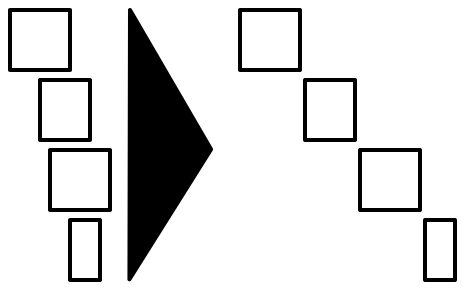
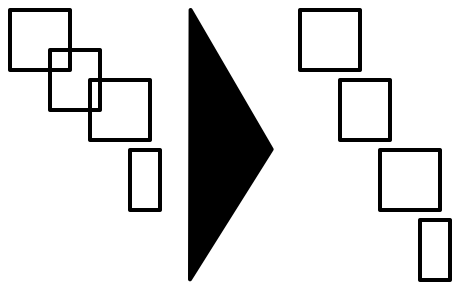
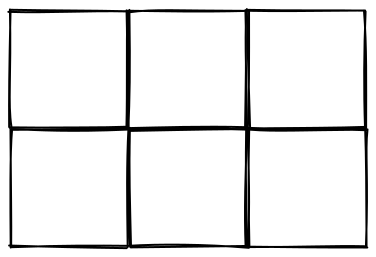


Connectors and Arrows
Keywords: Links, Relations, Paths, Direction, Flow, Connections
 |
#Add Connector Point |
 |
#Concatenate lines |
 |
#Connect elements |
 |
#Elbow connectors |
 |
#Mindmap connector |
 |
#Normalize Selected Arrows |
 |
#Reverse arrows |
Text Manipulation
Keywords: Editing, Font Control, Wording, Typography, Annotation, Modification



Styling and Appearance
Keywords: Design, Look, Visuals, Graphics, Aesthetics, Presentation



Linking and Embedding
Keywords: Attach, Incorporate, Integrate, Associate, Insert, Reference

Utilities and Tools
Keywords: Functionalities, Instruments, Helpers, Aids, Features, Enhancements


Collaboration and Export
Keywords: Sharing, Teamwork, Exporting, Distribution, Cooperative, Publish
 |
#Excalidraw Collaboration Frame |
Conversation and Creation
Keywords: Transform, Generate, Craft, Produce, Change, Originate
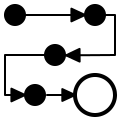 |
#Add Next Step in Process |
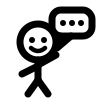 |
#Comic Strip Director |
 |
#Convert freedraw to line |
 |
#Deconstruct selected elements into new drawing |
 |
#Full-Year Calendar Generator |
 |
#Linear Calendar Generator |
Masking and cropping
Keywords: Crop, Mask, Transform images
 |
#Crop Vintage Mask |
Description and Installation
Add Connector Point
https://raw.githubusercontent.com/zsviczian/obsidian-excalidraw-plugin/master/ea-scripts/Add%20Connector%20Point.md
| Author | @zsviczian |
| Source | File on GitHub |
| Description | This script will add a small circle to the top left of each text element in the selection and add the text and the "connector point" to a group. You can use the connector points to link text elements with an arrow (in for example a Wardley Map).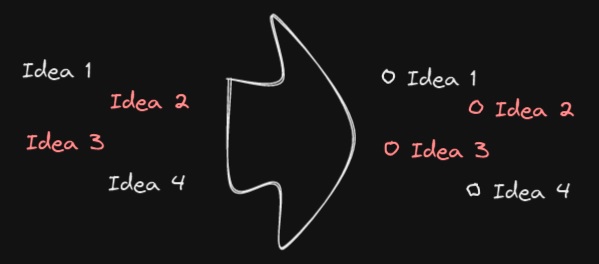 |
Add Link to Existing File and Open
https://raw.githubusercontent.com/zsviczian/obsidian-excalidraw-plugin/master/ea-scripts/Add%20Link%20to%20Existing%20File%20and%20Open.md
| Author | @zsviczian |
| Source | File on GitHub |
| Description | Prompts for a file from the vault. Adds a link to the selected element pointing to the selected file. You can control in settings to open the file in the current active pane or an adjacent pane.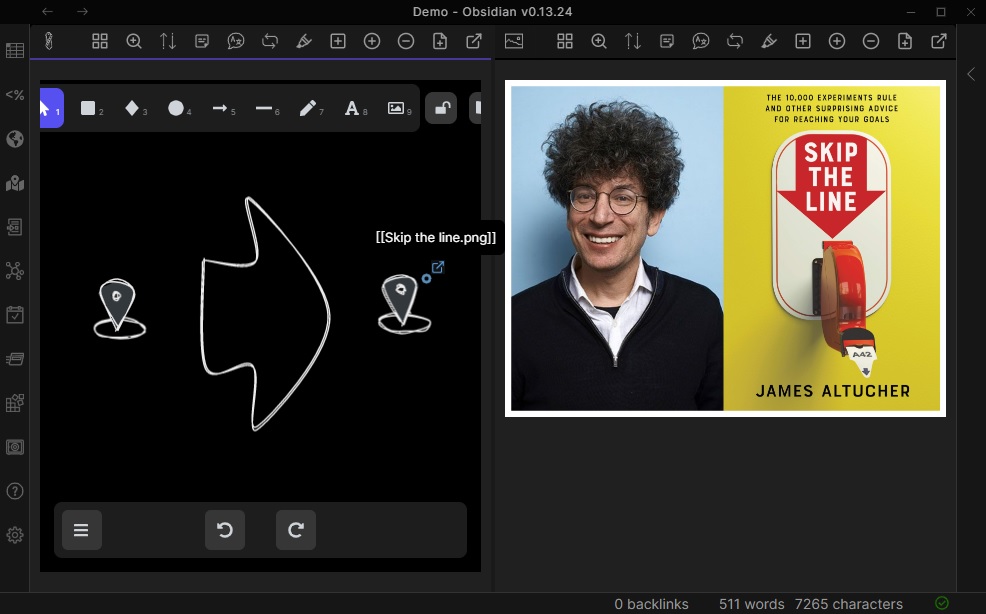 |
Add Link to New Page and Open
https://raw.githubusercontent.com/zsviczian/obsidian-excalidraw-plugin/master/ea-scripts/Add%20Link%20to%20New%20Page%20and%20Open.md
| Author | @zsviczian |
| Source | File on GitHub |
| Description | Prompts for filename. Offers option to create and open a new Markdown or Excalidraw document. Adds link pointing to the new file, to the selected objects in the drawing. You can control in settings to open the file in the current active pane or an adjacent pane.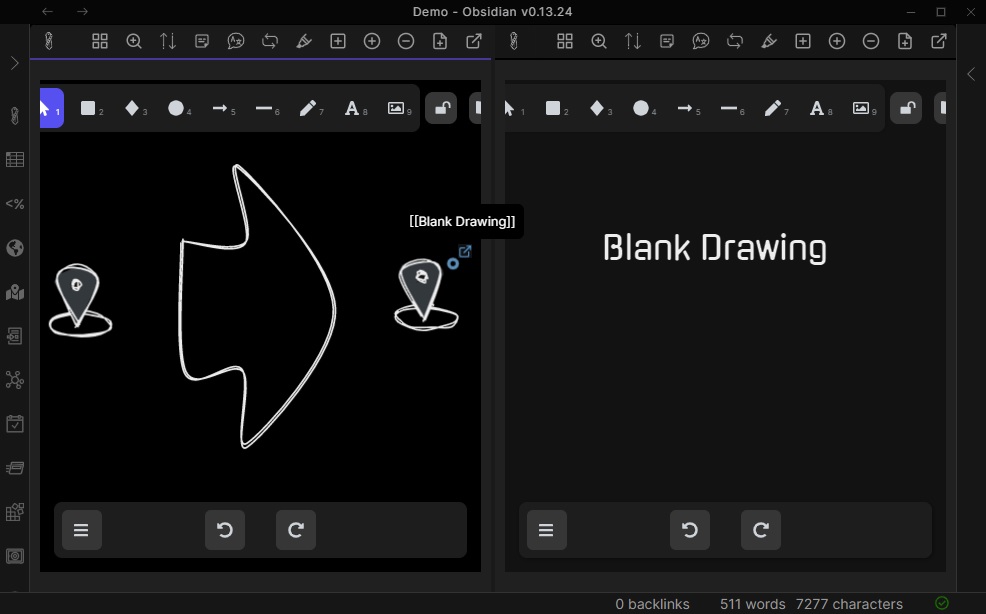 |
Add Next Step in Process
https://raw.githubusercontent.com/zsviczian/obsidian-excalidraw-plugin/master/ea-scripts/Add%20Next%20Step%20in%20Process.md
| Author | @zsviczian |
| Source | File on GitHub |
| Description | This script will prompt you for the title of the process step, then will create a stick note with the text. If an element is selected then the script will connect this new step with an arrow to the previous step (the selected element). If no element is selected, then the script assumes this is the first step in the process and will only output the sticky note with the text that was entered.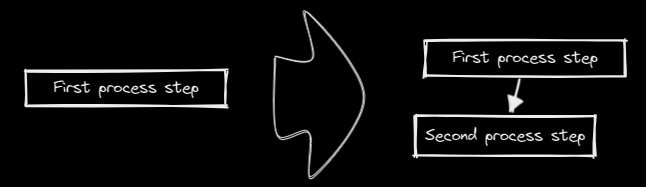 |
Auto Layout
https://raw.githubusercontent.com/zsviczian/obsidian-excalidraw-plugin/master/ea-scripts/Auto%20Layout.md
| Author | @1-2-3 |
| Source | File on GitHub |
| Description | This script performs automatic layout for the selected top-level grouping objects. It is powered by elkjs and needs to be connected to the Internet.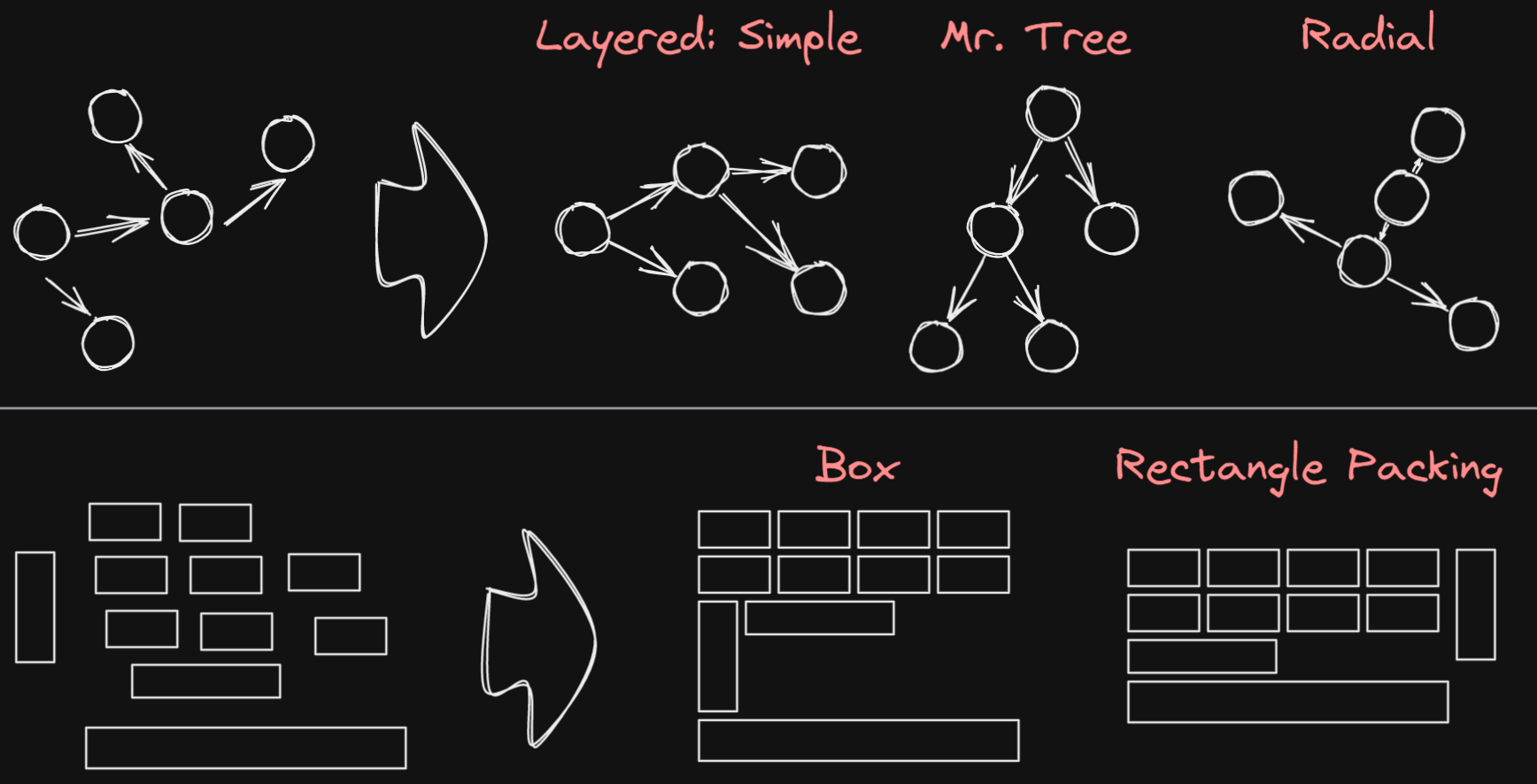 |
Boolean Operations
https://raw.githubusercontent.com/zsviczian/obsidian-excalidraw-plugin/master/ea-scripts/Boolean%20Operations.md
| Author | @GColoy |
| Source | File on GitHub |
| Description | With This Script it is possible to make boolean Operations on Shapes. The style of the resulting shape will be the style of the highest ranking Element that was used. The ranking of the elements is based on their background. The "denser" the background, the higher the ranking (the order of backgroundstyles is shown below). If they have the same background the opacity will decide. If thats also the same its decided by the order they were created. The ranking is also important for the difference operation, so a transparent object for example will cut a hole into a solid object. 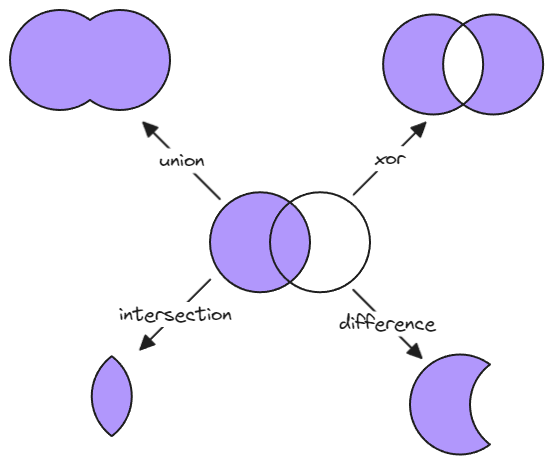  |
Box Each Selected Groups
https://raw.githubusercontent.com/zsviczian/obsidian-excalidraw-plugin/master/ea-scripts/Box%20Each%20Selected%20Groups.md
| Author | @1-2-3 |
| Source | File on GitHub |
| Description | This script will add encapsulating boxes around each of the currently selected groups in Excalidraw.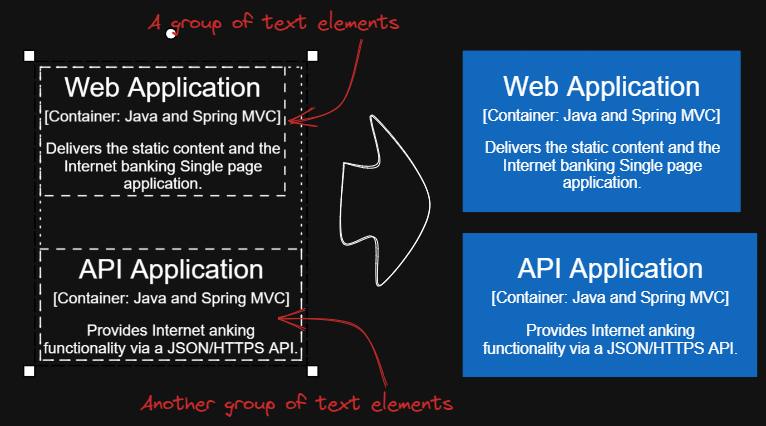 |
Box Selected Elements
https://raw.githubusercontent.com/zsviczian/obsidian-excalidraw-plugin/master/ea-scripts/Box%20Selected%20Elements.md
| Author | @zsviczian |
| Source | File on GitHub |
| Description | This script will add an encapsulating box around the currently selected elements in Excalidraw.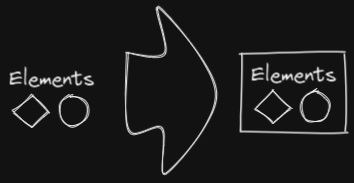 |
Capture Note
https://raw.githubusercontent.com/zsviczian/obsidian-excalidraw-plugin/master/ea-scripts/Capture%20Note.md
| Author | @zsviczian |
| Source | File on GitHub |
| Description | This script implements the unified "Capture Note" workflow, allowing users to select or search for note titles, automatically resolve their template and folder rules, and contextually back-embed visual frames or markdown sections.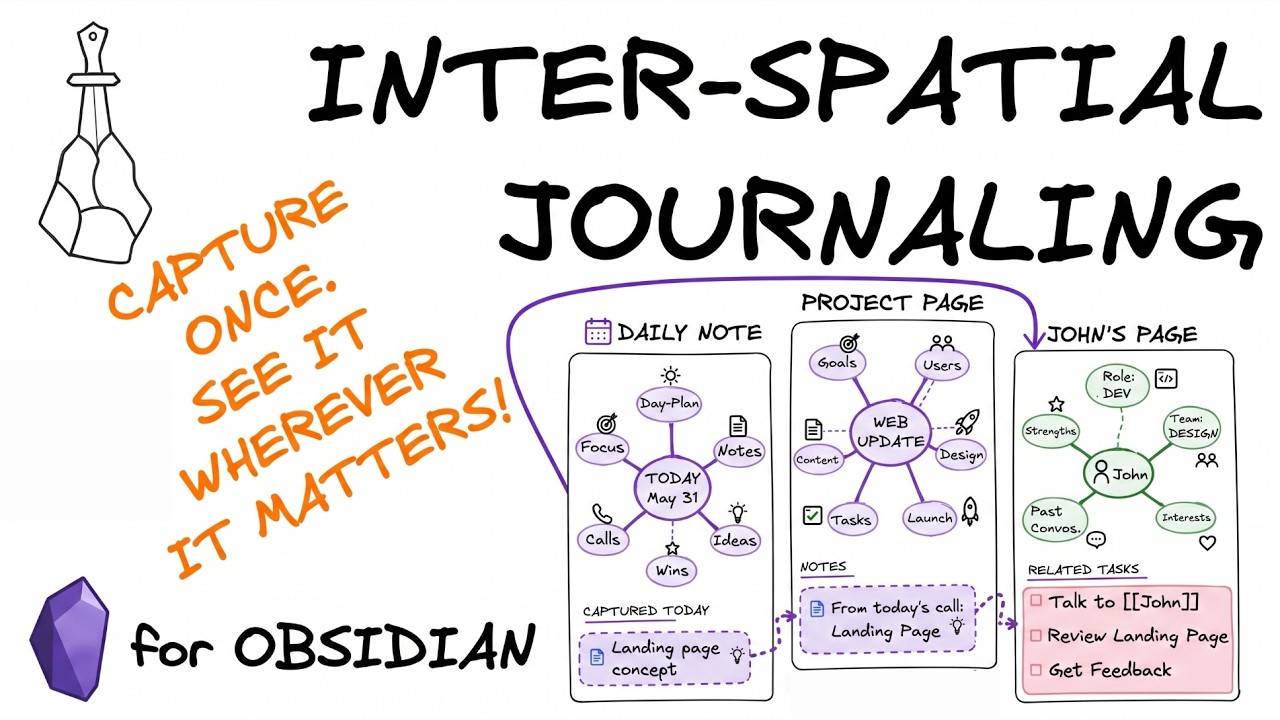 |
Change shape of selected elements
https://raw.githubusercontent.com/zsviczian/obsidian-excalidraw-plugin/master/ea-scripts/Change%20shape%20of%20selected%20elements.md
| Author | @zsviczian |
| Source | File on GitHub |
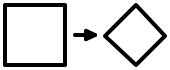
| Description | The script allows you to change the shape and fill style of selected Rectangles, Diamonds, Ellipses, Lines, Arrows and Freedraw.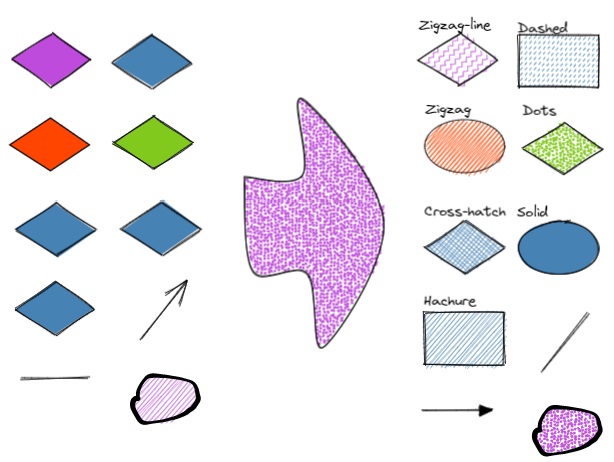 |
Color Scheme Manager
https://raw.githubusercontent.com/zsviczian/obsidian-excalidraw-plugin/master/ea-scripts/Color%20Scheme%20Manager.md
| Author | @iwanhoogendoorn |
| Source | File on GitHub |
| Description | Swap the entire Stroke and Background/Fill colour palettes between named, categorized themes (Cloud Providers, Code Editors, Tech Brands, Design Systems, Nature, and more) from a docked side panel. Applying a theme recolours your selection (or sets the active colour) and repaints the native picker — both the quick-pick rows and the extended 3×5 grid with shades. Create your own schemes, import from a flat hex list, a labelled STROKE/FILL text format, or a raw appState colorPalette JSON (paste or .txt/.json file), hand-pick a custom picker, and export the current palette. When the MindMap Builder script is installed, an optional toggle recolours mind maps branch-by-branch. The canvas background is always left white.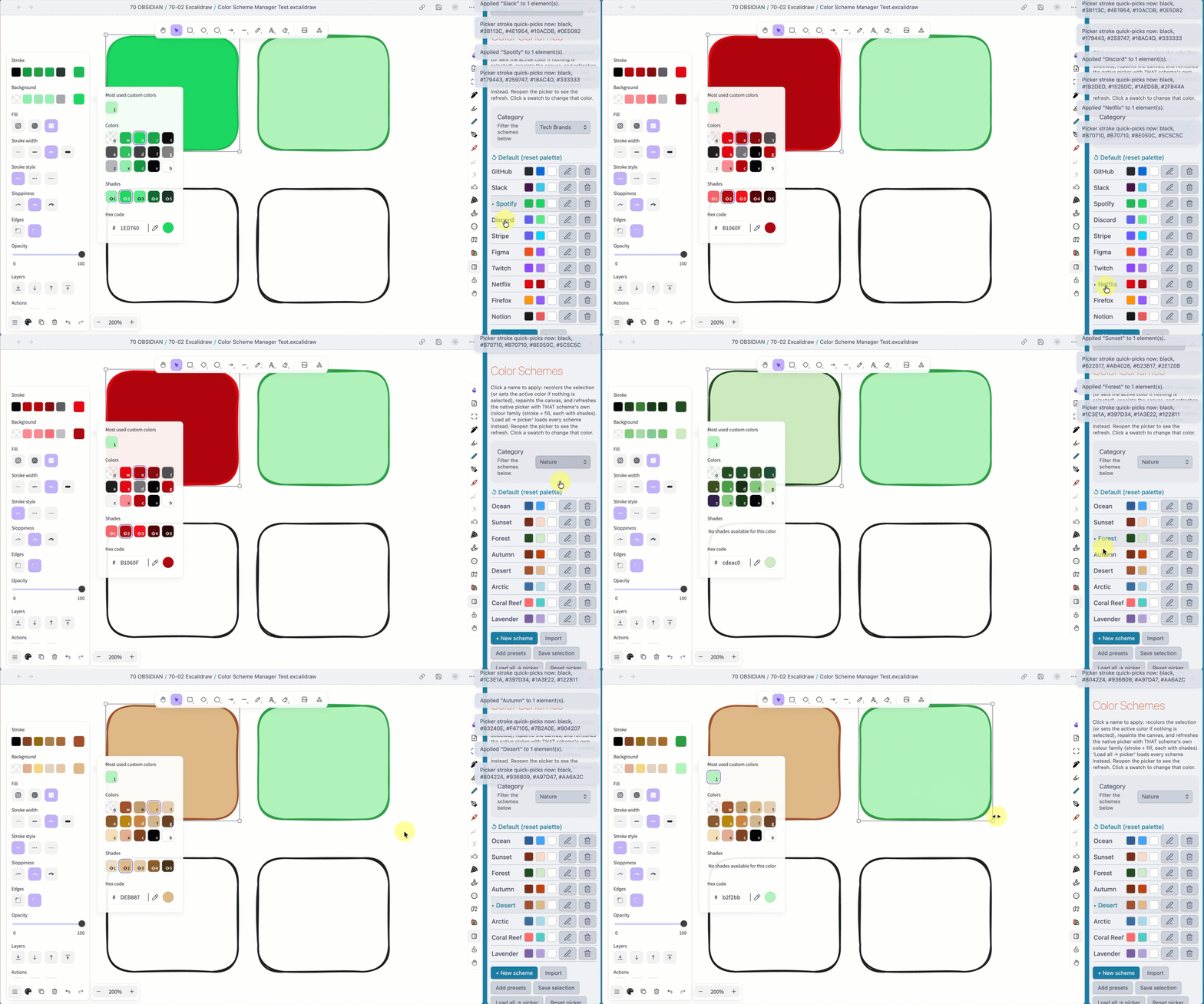 |
Comic Strip Director
https://raw.githubusercontent.com/zsviczian/obsidian-excalidraw-plugin/master/ea-scripts/Comic%20Strip%20Director.md
| Author | @iwanhoogendoorn |
| Source | File on GitHub |
| Description | Turn the canvas into a comic-strip studio: pick one of 30 page layouts (or generate one for any panel count — angled polygon panels included), split panels with action-beat cuts, then fill them from a who × costume × action character picker with real thumbnails. Painted POW!/BOOM!/ZAP! FX stamp straight into panels, and reserved callout zones hand off to the Comicbook Callout Editor for speech bubbles. A free 8-character starter cast (176 poses + 3 FX) installs with one click from inside the script; add-on packs import from .strippack files.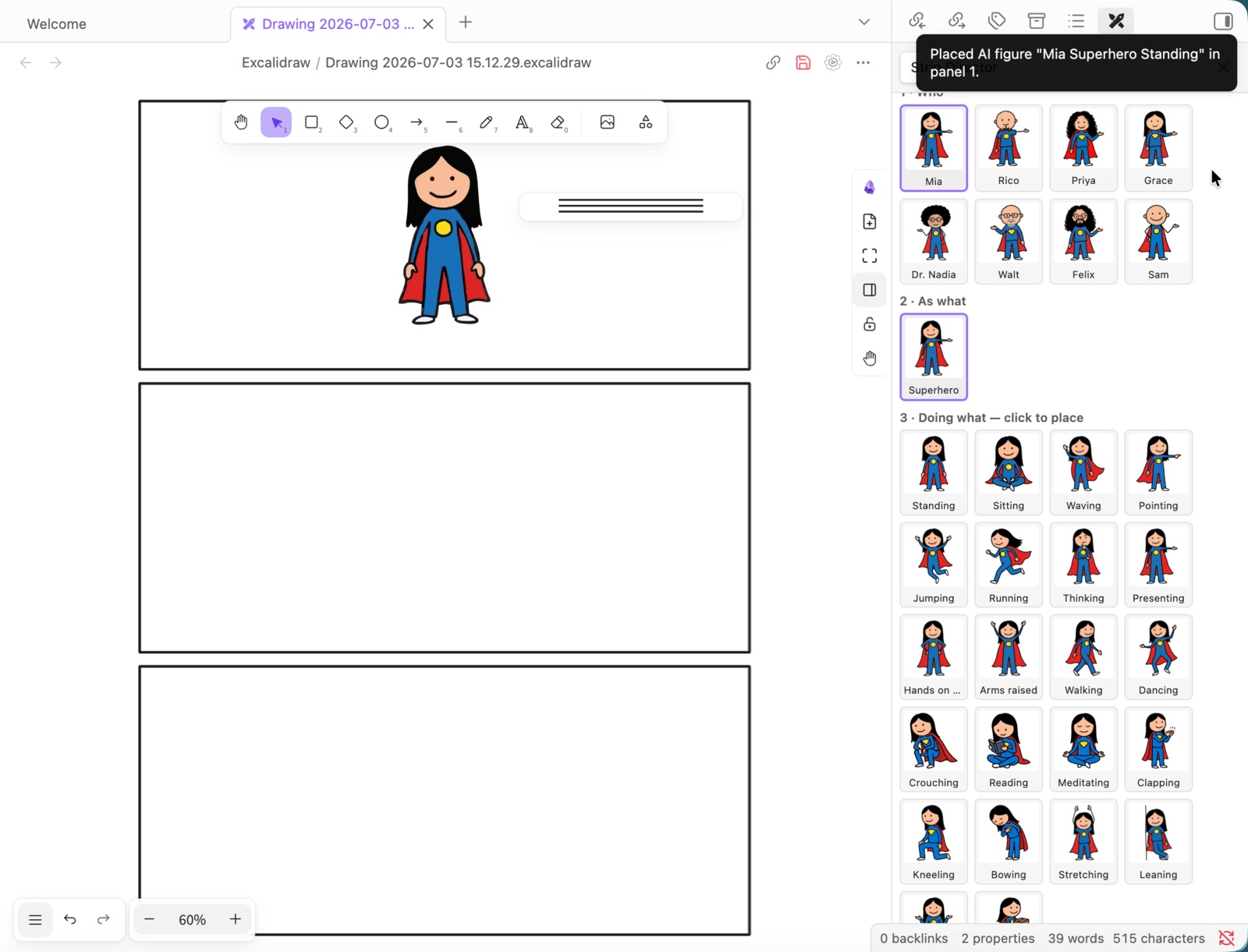 |
Comicbook Callout Editor
https://raw.githubusercontent.com/zsviczian/obsidian-excalidraw-plugin/master/ea-scripts/Comicbook%20Callout%20Editor.md
| Author | @zsviczian |
| Source | File on GitHub |
| Description | 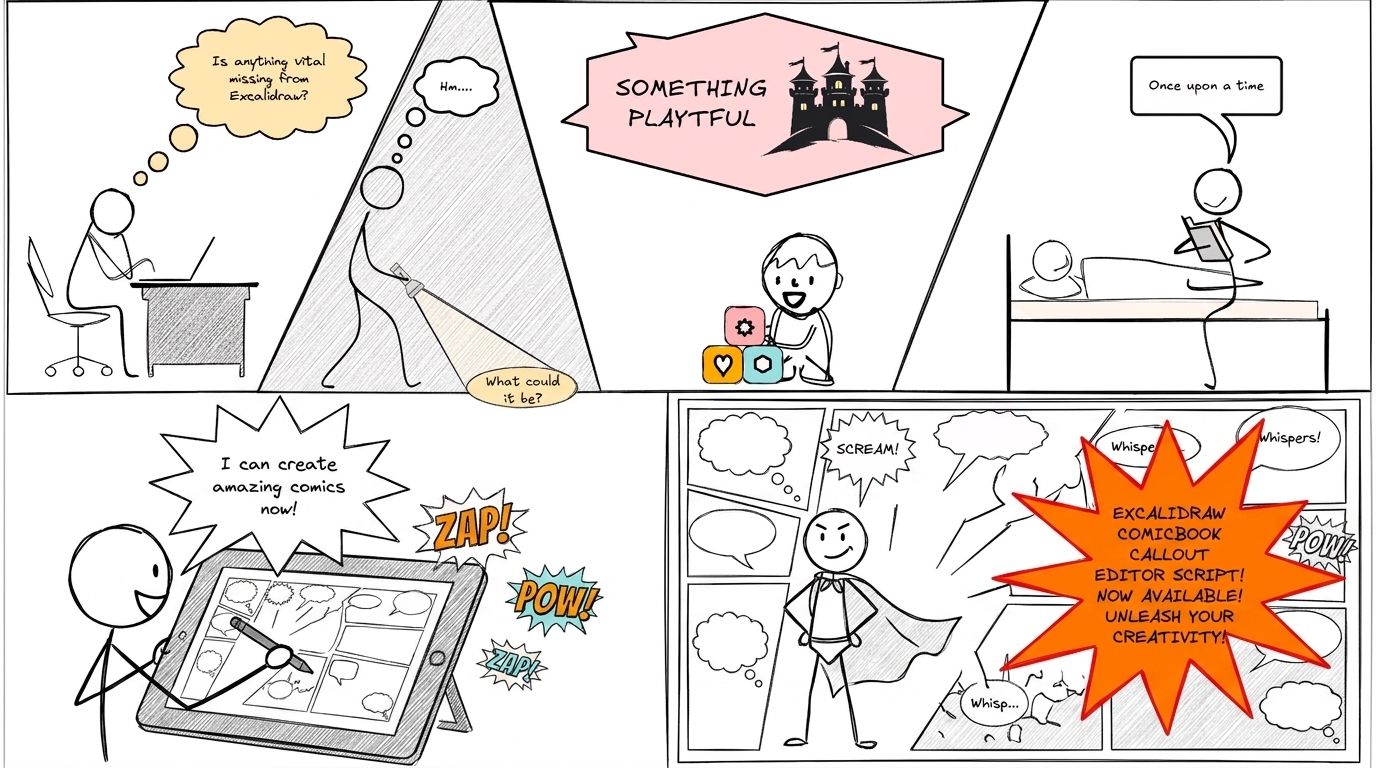 |
Concatenate lines
https://raw.githubusercontent.com/zsviczian/obsidian-excalidraw-plugin/master/ea-scripts/Concatenate%20lines.md
| Author | @zsviczian |
| Source | File on GitHub |
| Description | This script will connect two objects with an arrow. If either of the objects are a set of grouped elements (e.g. a text element grouped with an encapsulating rectangle), the script will identify these groups, and connect the arrow to the largest object in the group (assuming you want to connect the arrow to the box around the text element).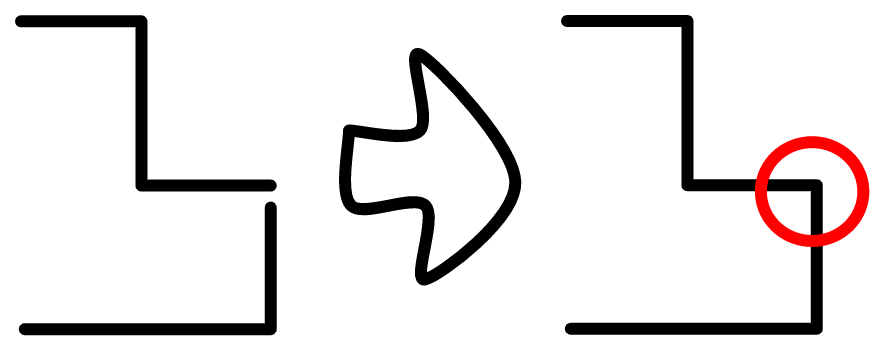 |
Connect elements
https://raw.githubusercontent.com/zsviczian/obsidian-excalidraw-plugin/master/ea-scripts/Connect%20elements.md
| Author | @zsviczian |
| Source | File on GitHub |
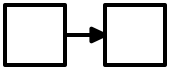
| Description | This script will connect two objects with an arrow. If either of the objects are a set of grouped elements (e.g. a text element grouped with an encapsulating rectangle), the script will identify these groups, and connect the arrow to the largest object in the group (assuming you want to connect the arrow to the box around the text element).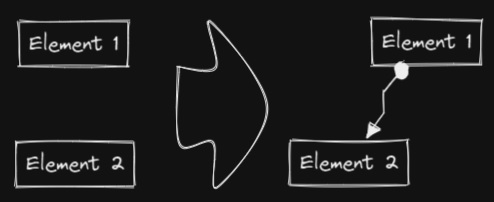 |
Convert freedraw to line
https://raw.githubusercontent.com/zsviczian/obsidian-excalidraw-plugin/master/ea-scripts/Convert%20freedraw%20to%20line.md
| Author | @zsviczian |
| Source | File on GitHub |
| Description | Convert selected freedraw objects into editable lines. This will allow you to adjust your drawings by dragging line points and will also allow you to select shape fill in case of enclosed lines. You can adjust conversion point density in settings.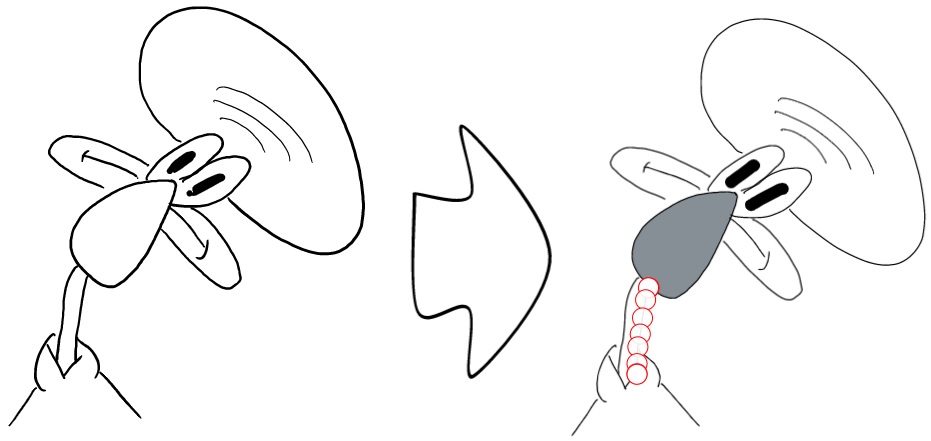 |
Convert selected text elements to sticky notes
https://raw.githubusercontent.com/zsviczian/obsidian-excalidraw-plugin/master/ea-scripts/Convert%20selected%20text%20elements%20to%20sticky%20notes.md
| Author | @zsviczian |
| Source | File on GitHub |
| Description | Converts selected plain text elements to sticky notes with transparent background and transparent stroke color (default setting, can be changed in plugin settings). Essentially converts text element into a wrappable format.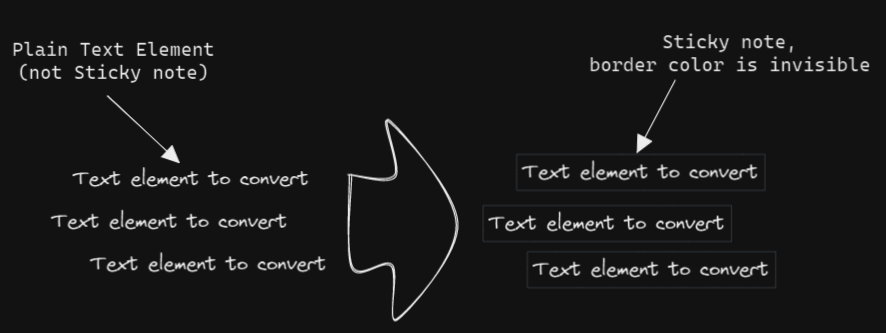 |
Convert text to link with folder and alias
https://raw.githubusercontent.com/zsviczian/obsidian-excalidraw-plugin/master/ea-scripts/Convert%20text%20to%20link%20with%20folder%20and%20alias.md
| Author | @zsviczian |
| Source | File on GitHub |
| Description | Converts text elements to links pointing to a file in a selected folder and with the alias set as the original text. The script will prompt the user to select an existing folder from the vault.original text - [[selected folder/original text|original text]] |
Copy Selected Element Styles to Global
https://raw.githubusercontent.com/zsviczian/obsidian-excalidraw-plugin/master/ea-scripts/Copy%20Selected%20Element%20Styles%20to%20Global.md
| Author | @1-2-3 |
| Source | File on GitHub |
| Description | This script will copy styles of any selected element into Excalidraw's global styles.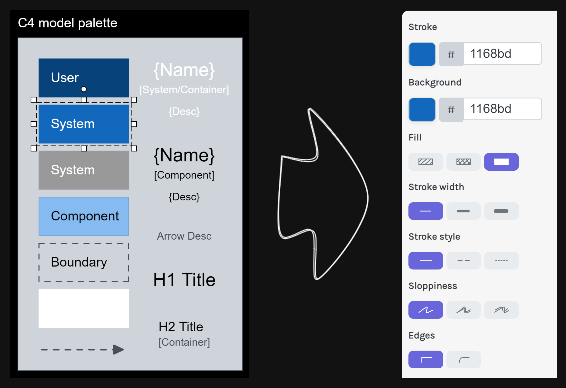 |
Create new markdown file and embed into active drawing
https://raw.githubusercontent.com/zsviczian/obsidian-excalidraw-plugin/master/ea-scripts/Create%20new%20markdown%20file%20and%20embed%20into%20active%20drawing.md
| Author | @zsviczian |
| Source | File on GitHub |
| Description | The script will prompt you for a filename, then create a new markdown document with the file name provided, open the new markdown document in an adjacent pane, and embed the markdown document into the active Excalidraw drawing.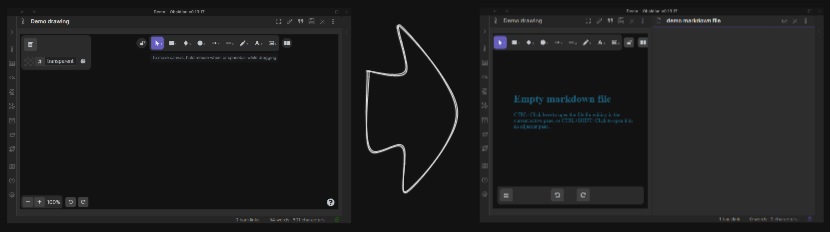 |
Crop Vintage Mask
https://raw.githubusercontent.com/zsviczian/obsidian-excalidraw-plugin/master/ea-scripts/Crop%20Vintage%20Mask.md
| Author | @zsviczian |
| Source | File on GitHub |
| Description | Adds a rounded mask to the image by adding a full cover black mask and a rounded rectangle white mask. The script is also useful for adding just a black mask. In this case, run the script, then delete the white mask and add your custom white mask.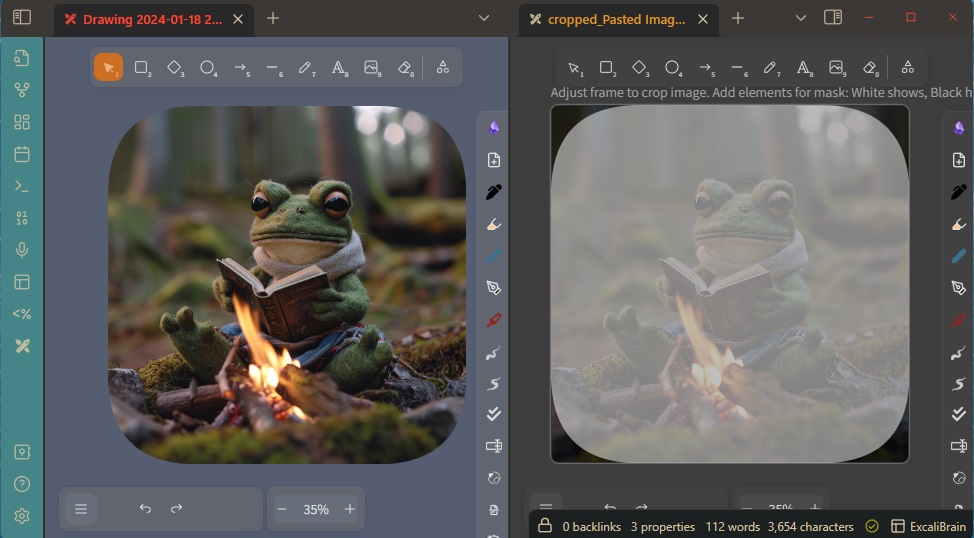 |
Custom Zoom
https://raw.githubusercontent.com/zsviczian/obsidian-excalidraw-plugin/master/ea-scripts/Custom%20Zoom.md
| Author | @zsviczian |
| Source | File on GitHub |
| Description | You can set a custom zoom level with this script. This allows you to set a zoom level below 10% or set the zoom level to a specific value. Note however, that Excalidraw has a bug under 10% zoom... a phantom copy of your image may appear on screen. If this happens, increase the zoom and the phantom should disappear, if it doesn't, then close and open the drawing. |
Darken background color
https://raw.githubusercontent.com/zsviczian/obsidian-excalidraw-plugin/master/ea-scripts/Darken%20background%20color.md
| Author | @1-2-3 |
| Source | File on GitHub |
| Description | This script darkens the background color of the selected element by 2% at a time. You can use this script several times until you are satisfied. It is recommended to set a shortcut key for this script so that you can quickly try to DARKEN and LIGHTEN the color effect. In contrast to the `Modify background color opacity` script, the advantage is that the background color of the element is not affected by the canvas color, and the color value does not appear in a strange rgba() form.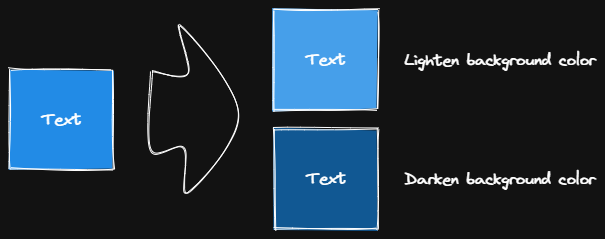 |
Deconstruct selected elements into new drawing
https://raw.githubusercontent.com/zsviczian/obsidian-excalidraw-plugin/master/ea-scripts/Deconstruct%20selected%20elements%20into%20new%20drawing.md
| Author | @zsviczian |
| Source | File on GitHub |
| Description | Select some elements in the scene. The script will take these elements and move them into a new Excalidraw file, and open that file. The selected elements will also be replaced in your original drawing with the embedded Excalidraw file (the one that was just created). You will be prompted for the file name of the new deconstructed image. The script is useful if you want to break a larger drawing into smaller reusable parts that you want to reference in multiple drawings. 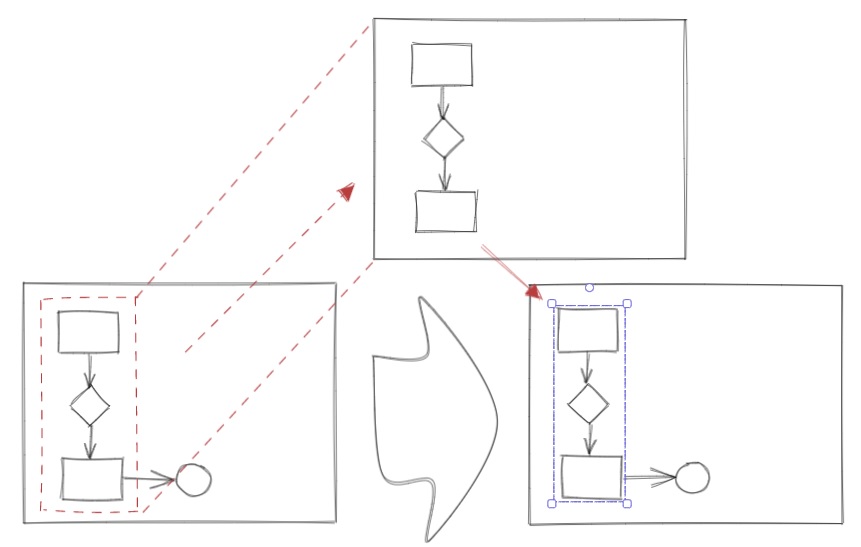 |
Elbow connectors
https://raw.githubusercontent.com/zsviczian/obsidian-excalidraw-plugin/master/ea-scripts/Elbow%20connectors.md
| Author | @1-2-3 |
| Source | File on GitHub |
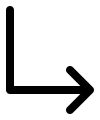
| Description | This script converts the selected connectors to elbows.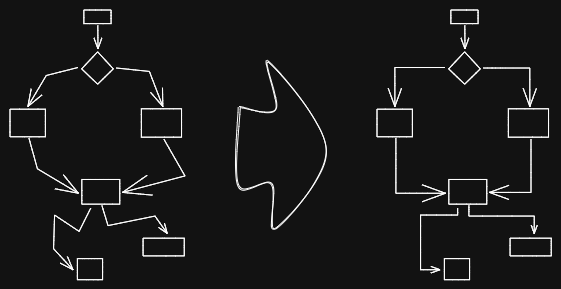 |
Ellipse Selected Elements
https://raw.githubusercontent.com/zsviczian/obsidian-excalidraw-plugin/master/ea-scripts/Ellipse%20Selected%20Elements.md
| Author | @mazurov |
| Source | File on GitHub |
| Description | This script will add an encapsulating ellipse around the currently selected elements in Excalidraw.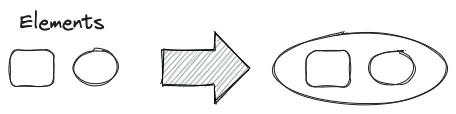 |
Excalidraw Collaboration Frame
https://raw.githubusercontent.com/zsviczian/obsidian-excalidraw-plugin/master/ea-scripts/Excalidraw%20Collaboration%20Frame.md
| Author | @1-2-3 |
| Source | File on GitHub |
| Description | Creates a new Excalidraw.com collaboration room and places the link to the room on the clipboard. |
Expand rectangles horizontally keep text centered
https://raw.githubusercontent.com/zsviczian/obsidian-excalidraw-plugin/master/ea-scripts/Expand%20rectangles%20horizontally%20keep%20text%20centered.md
| Author | @1-2-3 |
| Source | File on GitHub |
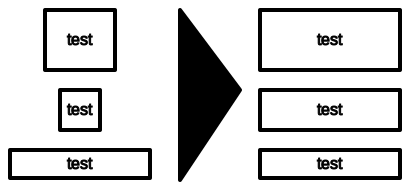
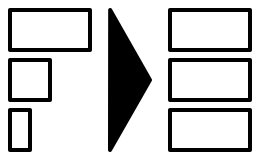
| Description | This script expands the width of the selected rectangles until they are all the same width and keep the text centered.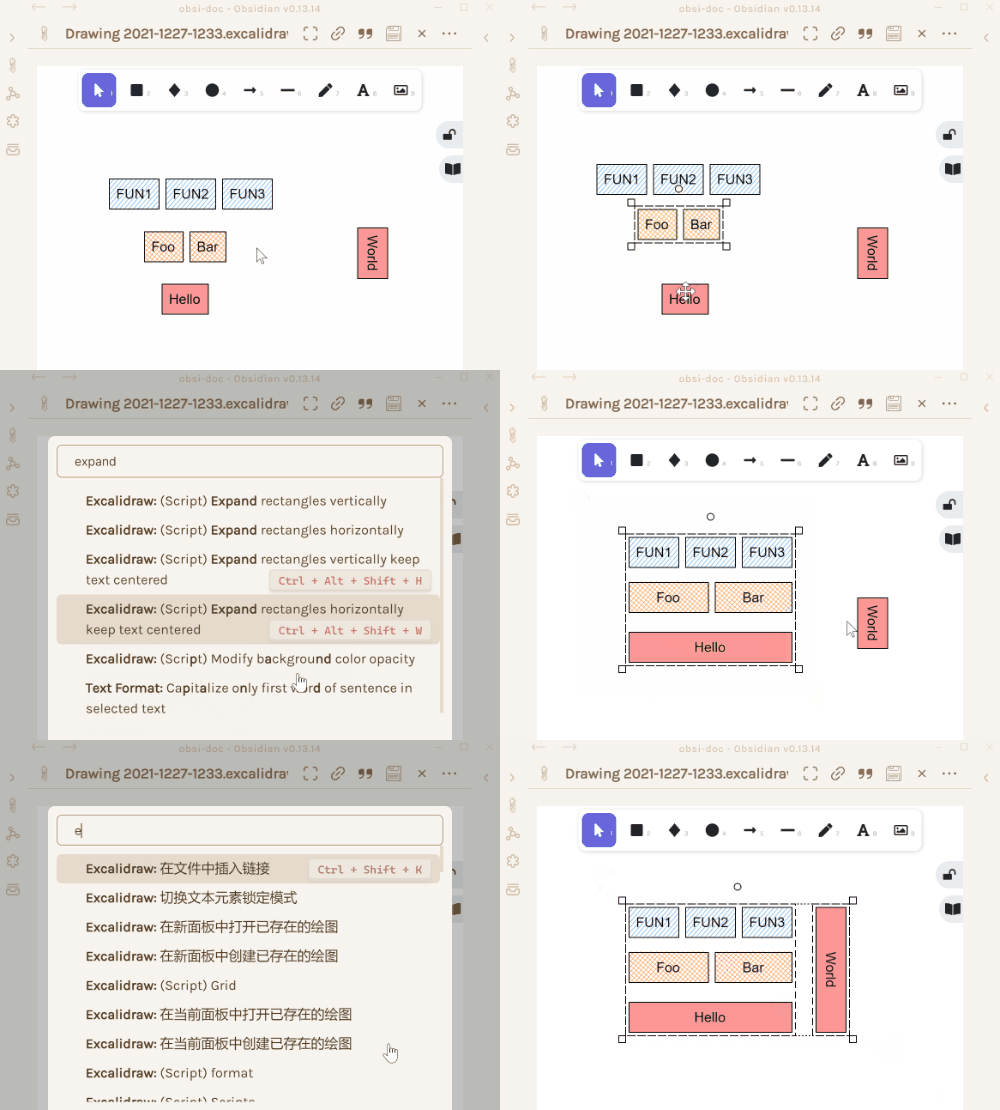 |
Expand rectangles horizontally
https://raw.githubusercontent.com/zsviczian/obsidian-excalidraw-plugin/master/ea-scripts/Expand%20rectangles%20horizontally.md
| Author | @1-2-3 |
| Source | File on GitHub |
| Description | This script expands the width of the selected rectangles until they are all the same width. |
Expand rectangles vertically keep text centered
https://raw.githubusercontent.com/zsviczian/obsidian-excalidraw-plugin/master/ea-scripts/Expand%20rectangles%20vertically%20keep%20text%20centered.md
| Author | @1-2-3 |
| Source | File on GitHub |
| Description | This script expands the height of the selected rectangles until they are all the same height and keep the text centered. |
Expand rectangles vertically
https://raw.githubusercontent.com/zsviczian/obsidian-excalidraw-plugin/master/ea-scripts/Expand%20rectangles%20vertically.md
| Author | @1-2-3 |
| Source | File on GitHub |
| Description | This script expands the height of the selected rectangles until they are all the same height. |
Fixed horizontal distance between centers
https://raw.githubusercontent.com/zsviczian/obsidian-excalidraw-plugin/master/ea-scripts/Fixed%20horizontal%20distance%20between%20centers.md
| Author | @1-2-3 |
| Source | File on GitHub |
| Description | This script arranges the selected elements horizontally with a fixed center spacing.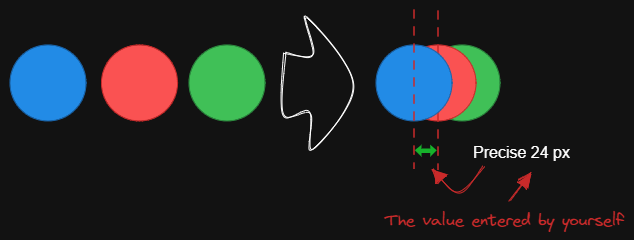 |
Fixed inner distance
https://raw.githubusercontent.com/zsviczian/obsidian-excalidraw-plugin/master/ea-scripts/Fixed%20inner%20distance.md
| Author | @1-2-3 |
| Source | File on GitHub |
| Description | This script arranges selected elements and groups with a fixed inner distance. |
Fixed spacing
https://raw.githubusercontent.com/zsviczian/obsidian-excalidraw-plugin/master/ea-scripts/Fixed%20spacing.md
| Author | @1-2-3 |
| Source | File on GitHub |
| Description | The script arranges the selected elements horizontally with a fixed spacing. When we create an architecture diagram or mind map, we often need to arrange a large number of elements in a fixed spacing. `Fixed spacing` and `Fixed vertical Distance` scripts can save us a lot of time.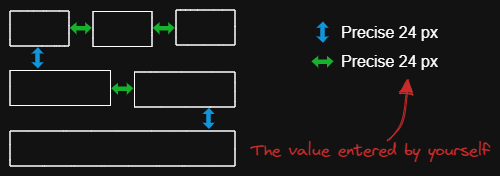 |
Fixed vertical distance between centers
https://raw.githubusercontent.com/zsviczian/obsidian-excalidraw-plugin/master/ea-scripts/Fixed%20vertical%20distance%20between%20centers.md
| Author | @1-2-3 |
| Source | File on GitHub |
| Description | This script arranges the selected elements vertically with a fixed center spacing.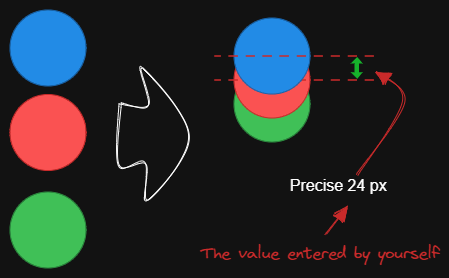 |
Fixed vertical distance
https://raw.githubusercontent.com/zsviczian/obsidian-excalidraw-plugin/master/ea-scripts/Fixed%20vertical%20distance.md
| Author | @1-2-3 |
| Source | File on GitHub |
| Description | The script arranges the selected elements vertically with a fixed spacing. When we create an architecture diagram or mind map, we often need to arrange a large number of elements in a fixed spacing. `Fixed spacing` and `Fixed vertical Distance` scripts can save us a lot of time.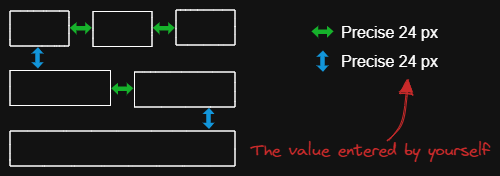 |
Folder Note Core - Make Current Drawing a Folder
https://raw.githubusercontent.com/zsviczian/obsidian-excalidraw-plugin/master/ea-scripts/Folder%20Note%20Core%20-%20Make%20Current%20Drawing%20a%20Folder.md
| Author | @zsviczian |
| Source | File on GitHub |
| Description | This script adds the `Folder Note Core: Make current document folder note` function to Excalidraw drawings. Running this script will convert the active Excalidraw drawing into a folder note. If you already have embedded images in your drawing, those attachments will not be moved when the folder note is created. You need to take care of those attachments separately, or convert the drawing to a folder note prior to adding the attachments. The script requires the Folder Note Core plugin. |
Golden Ratio
https://raw.githubusercontent.com/zsviczian/obsidian-excalidraw-plugin/master/ea-scripts/Golden%20Ratio.md
| Author | @zsviczian |
| Source | File on GitHub |
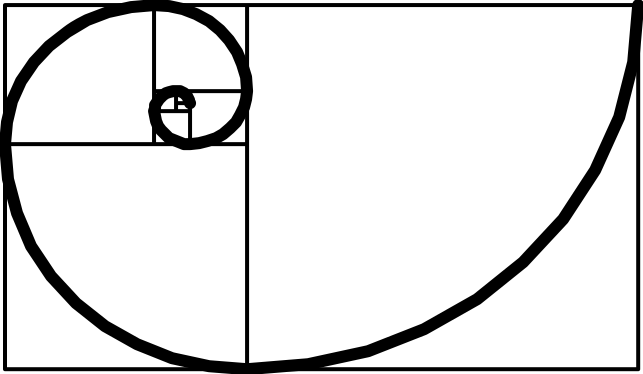
| Description | The script performs two different functions depending on the elements selected in the view. 1) In case you select text elements, the script will cycle through a set of font scales. First the 2 larger fonts following the Fibonacci sequence (fontsize * φ; fonsize * φ^2), then the 2 smaller fonts (fontsize / φ; fontsize / φ^2), finally the original size, followed again by the 2 larger fonts. If you wait 2 seconds, the sequence clears and starts from which ever font size you are on. So if you want the 3rd larges font, then toggle twice, wait 2 sec, then toggle again. 2) In case you select a single rectangle, the script will open the "Golden Grid", "Golden Spiral" window, where you can set up the type of grid or spiral you want to insert into the document. 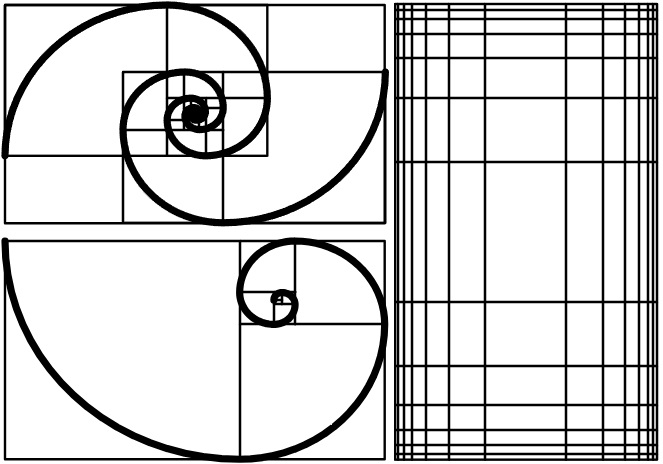  |
Grid selected images
https://raw.githubusercontent.com/zsviczian/obsidian-excalidraw-plugin/master/ea-scripts/Grid%20Selected%20Images.md
| Author | @7flash |
| Source | File on GitHub |
| Description | This script arranges selected images into compact grid view, removing gaps in-between, resizing when necessary and breaking into multiple rows/columns.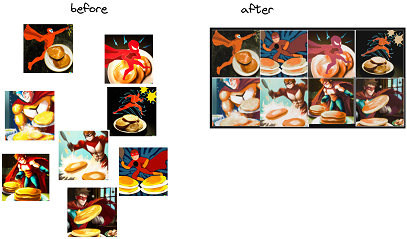 |
ExcaliAI
https://raw.githubusercontent.com/zsviczian/obsidian-excalidraw-plugin/master/ea-scripts/ExcaliAI.md
| Author | @zsviczian |
| Source | File on GitHub |
| Description | Various AI features based on GPT Vision. 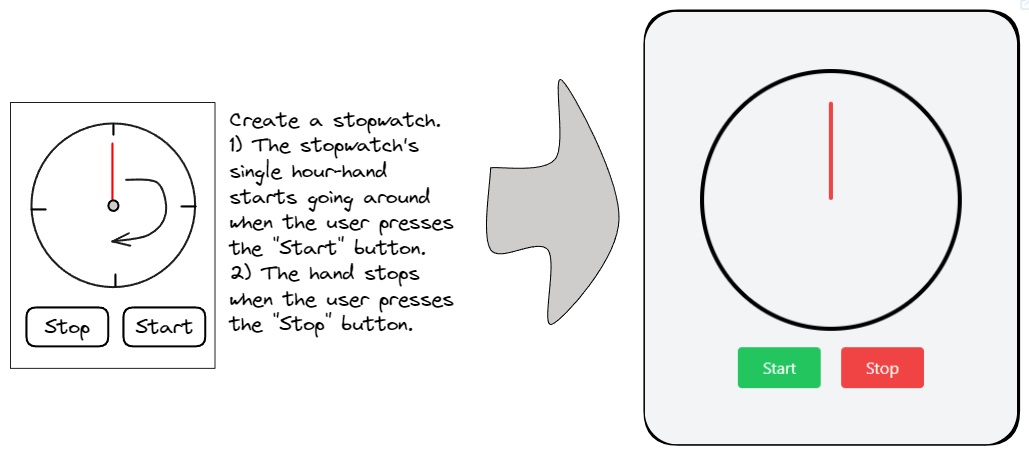 |
Excalidraw Writing Machine
https://raw.githubusercontent.com/zsviczian/obsidian-excalidraw-plugin/master/ea-scripts/Excalidraw%20Writing%20Machine.md
| Author | @zsviczian |
| Source | File on GitHub |
| Description | Creates a hierarchical Markdown document out of a visual layout of an article that can be fed to Templater and converted into an article using AI for Templater. Watch this video to understand how the script is intended to work:  You can download the sample Obsidian Templater file from here. You can download the demo PDF document showcased in the video from here. |
Full-Year Calendar Generator
https://raw.githubusercontent.com/zsviczian/obsidian-excalidraw-plugin/master/ea-scripts/Full-Year%20Calendar%20Generator.md
| Author | @simonperet |
| Source | File on GitHub |
| Description | Generates a complete calendar for a specified year.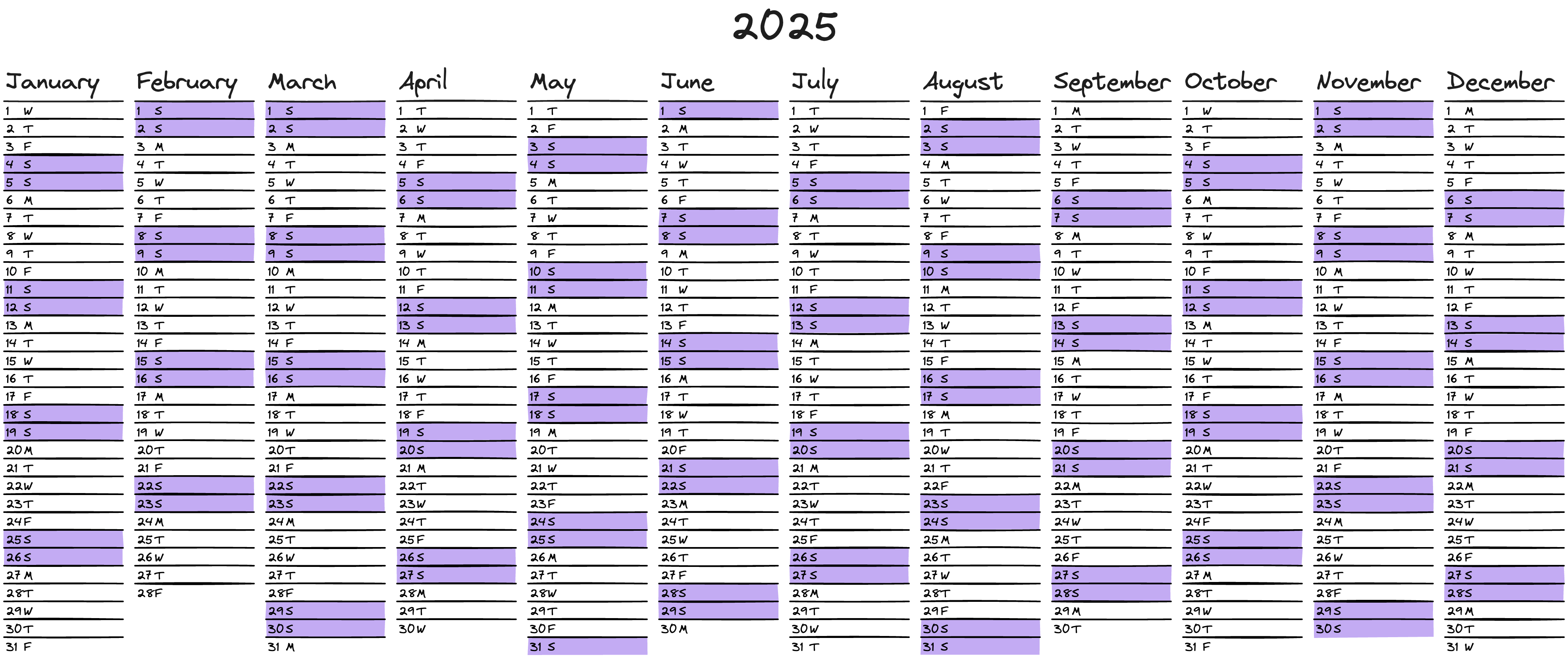 |
Icon Library
https://raw.githubusercontent.com/zsviczian/obsidian-excalidraw-plugin/master/ea-scripts/Icon%20Library.md
| Author | @zsviczian |
| Source | File on GitHub |
| Description | Adds a fast, searchable icon library to Excalidraw as a native side panel. Build your own library from Excalidraw drawings, SVGs, PNGs, JPGs, WebP images, and more. Automatically generate SVG thumbnails for Excalidraw files, organize icons using customizable regular-expression filters, search by keyword, and insert icons into Excalidraw or MindMap Builder with a single click. The panel supports lazy loading for large libraries, keyboard navigation, adjustable thumbnail sizes, configurable thumbnail backgrounds, and flexible insertion settings.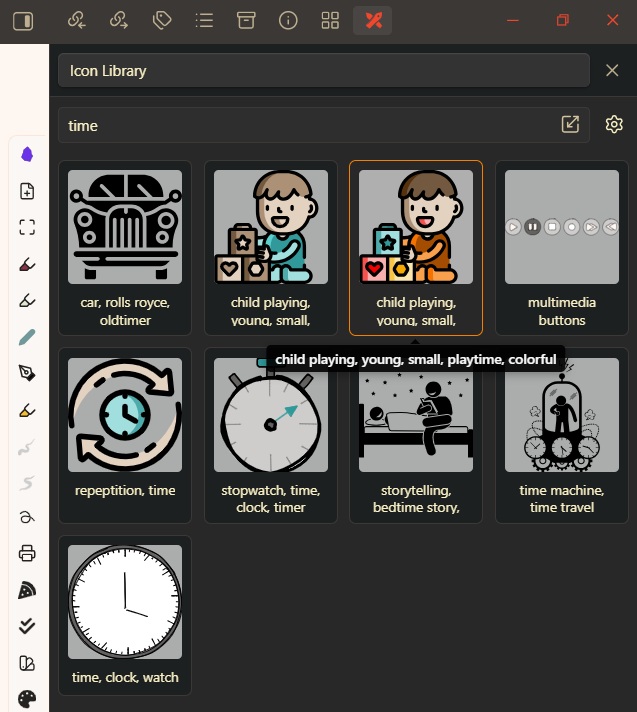 |
Image Occlusion
https://raw.githubusercontent.com/zsviczian/obsidian-excalidraw-plugin/master/ea-scripts/Image%20Occlusion.md
| Author | @TrillStones |
| Source | File on GitHub |
| Description | An Excalidraw script for creating Anki image occlusion cards in Obsidian, similar to Anki's Image Occlusion Enhanced add-on but integrated into your Obsidian workflow.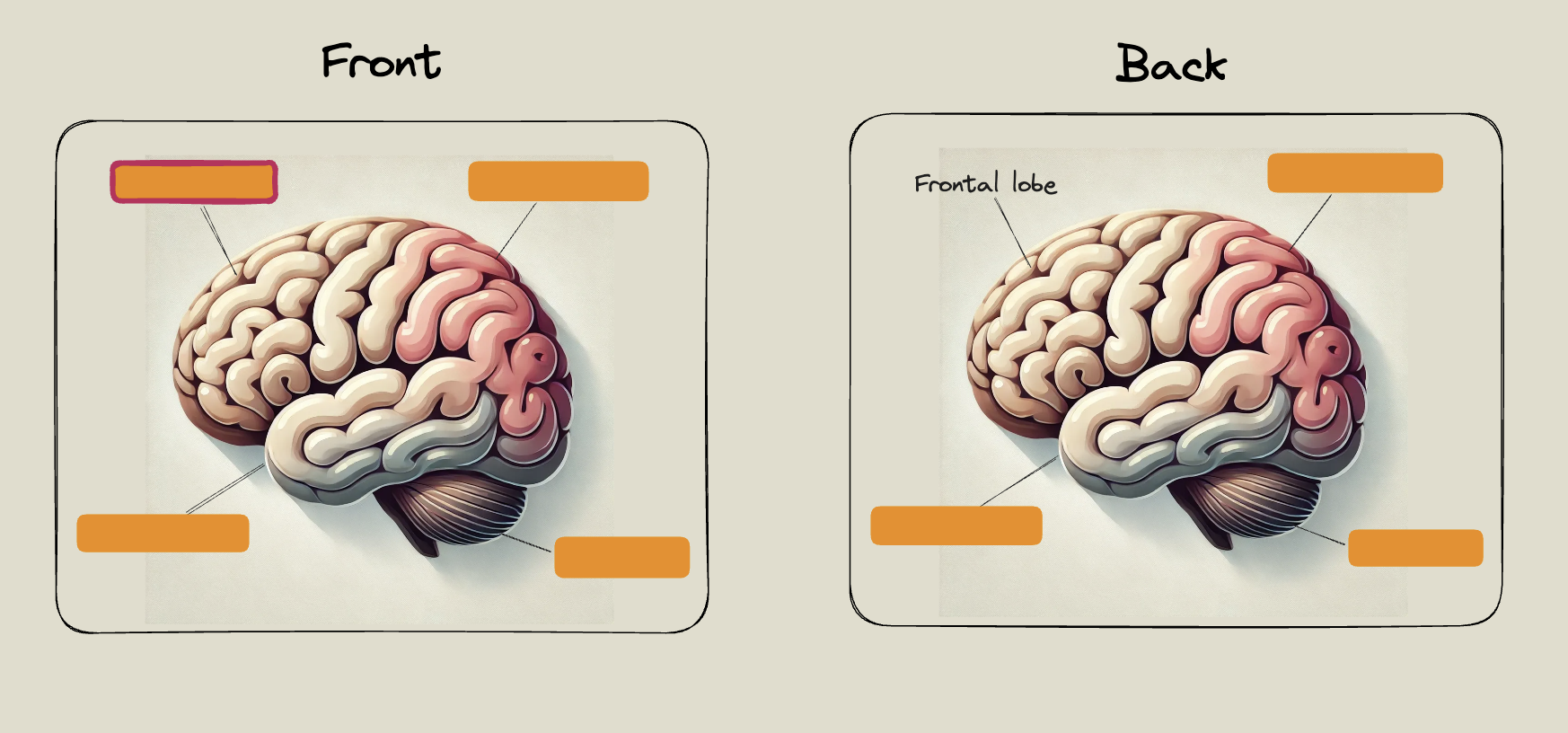 |
Invert colors
https://raw.githubusercontent.com/zsviczian/obsidian-excalidraw-plugin/master/ea-scripts/Invert%20colors.md
| Author | @zsviczian |
| Source | File on GitHub |
| Description | The script inverts the colors on the canvas including the color palette in Element Properties.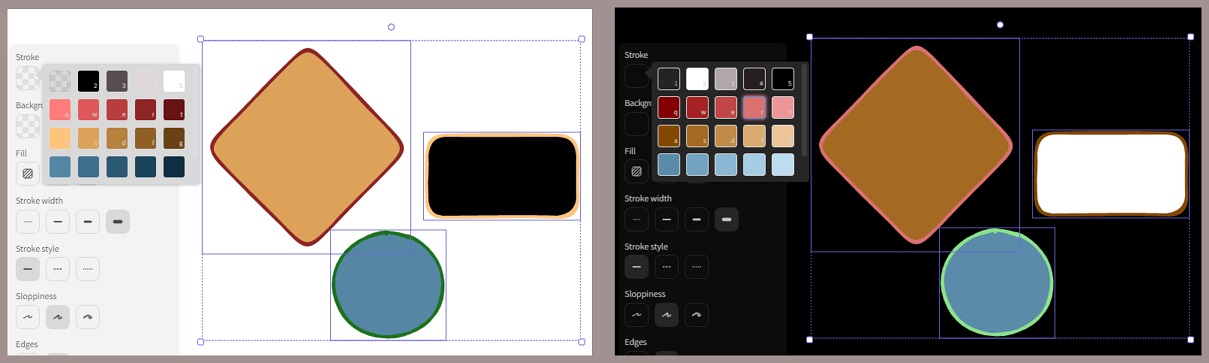 |
Lighten background color
https://raw.githubusercontent.com/zsviczian/obsidian-excalidraw-plugin/master/ea-scripts/Lighten%20background%20color.md
| Author | @1-2-3 |
| Source | File on GitHub |
| Description | This script lightens the background color of the selected element by 2% at a time. You can use this script several times until you are satisfied. It is recommended to set a shortcut key for this script so that you can quickly try to DARKEN and LIGHTEN the color effect.In contrast to the `Modify background color opacity` script, the advantage is that the background color of the element is not affected by the canvas color, and the color value does not appear in a strange rgba() form. |
Linear Calendar Generator
https://raw.githubusercontent.com/zsviczian/obsidian-excalidraw-plugin/master/ea-scripts/Linear%20Calendar%20Generator.md
| Author | @iwanhoogendoorn |
| Source | File on GitHub |
| Description | Generates a complete calendar for a specified year.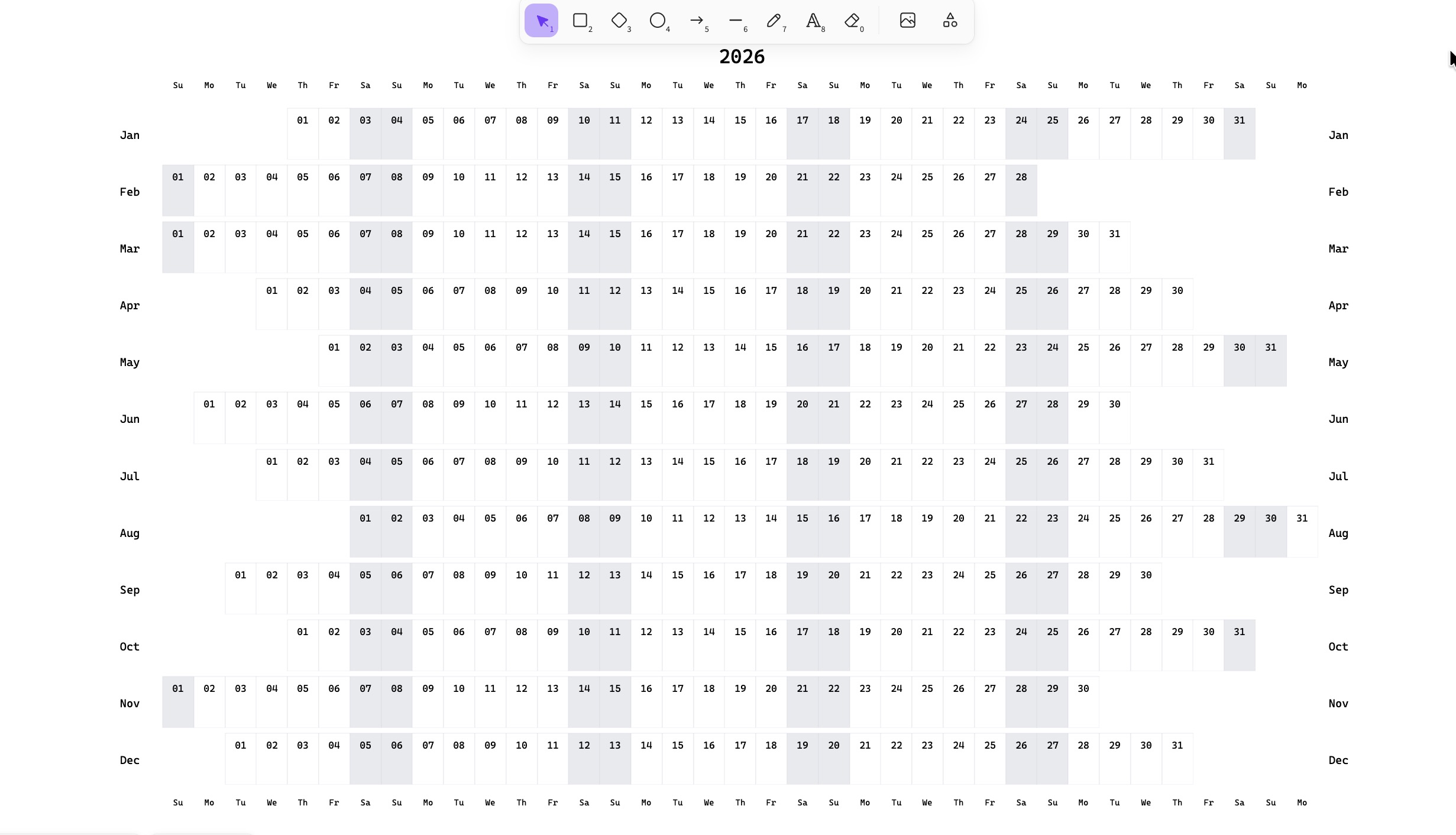 |
Mindmap Builder
https://raw.githubusercontent.com/zsviczian/obsidian-excalidraw-plugin/master/ea-scripts/Mindmap%20Builder.md
| Author | @zsviczian |
| Source | File on GitHub |
| Description | Rapid mind mapping workflow driven by keyboard shortcuts: add sibling/child nodes, auto-layout and branch styling, quick navigation, optional recursive grouping, and Markdown copy/paste import/export for bullet-list sync.Sign up for the MindMap Builder Self-Paced Course! Link to video on YouTube  Link to video on YouTube 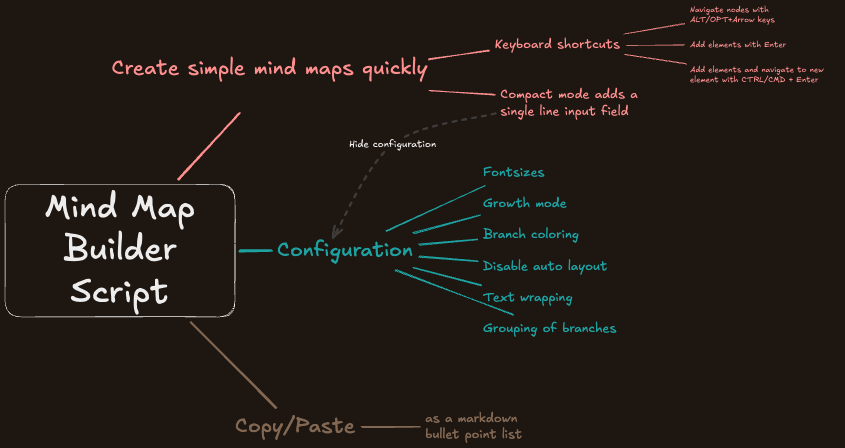 |
Mindmap connector
https://raw.githubusercontent.com/zsviczian/obsidian-excalidraw-plugin/master/ea-scripts/Mindmap%20connector.md
| Author | @xllowl |
| Source | File on GitHub |
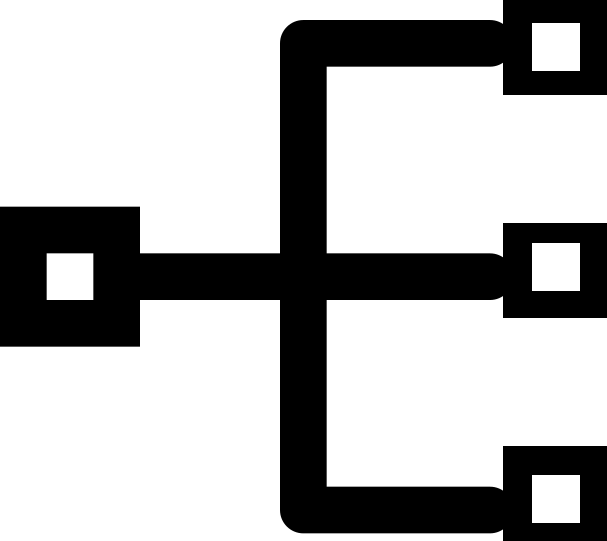
| Description | This script creates mindmap like lines (only right side and down available currently) for selected elements. The line will start according to the creation time of the elements. So you should create the header element first.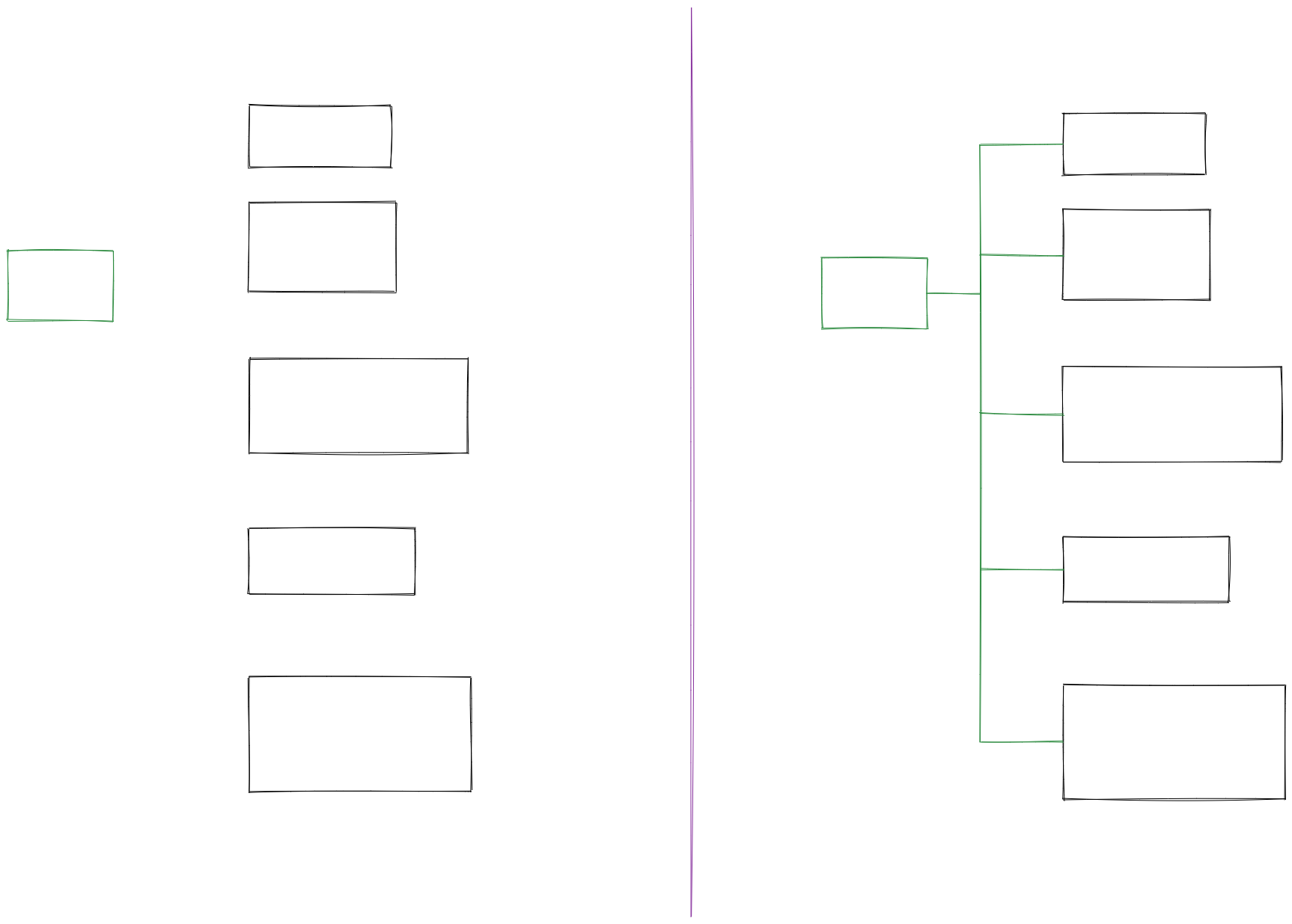 |
Mindmap format
https://raw.githubusercontent.com/zsviczian/obsidian-excalidraw-plugin/master/ea-scripts/Mindmap%20format.md
| Author | @pandoralink |
| Source | File on GitHub |
| Description | Automatically formats a mindmap from left to right based on the creation sequence of arrows.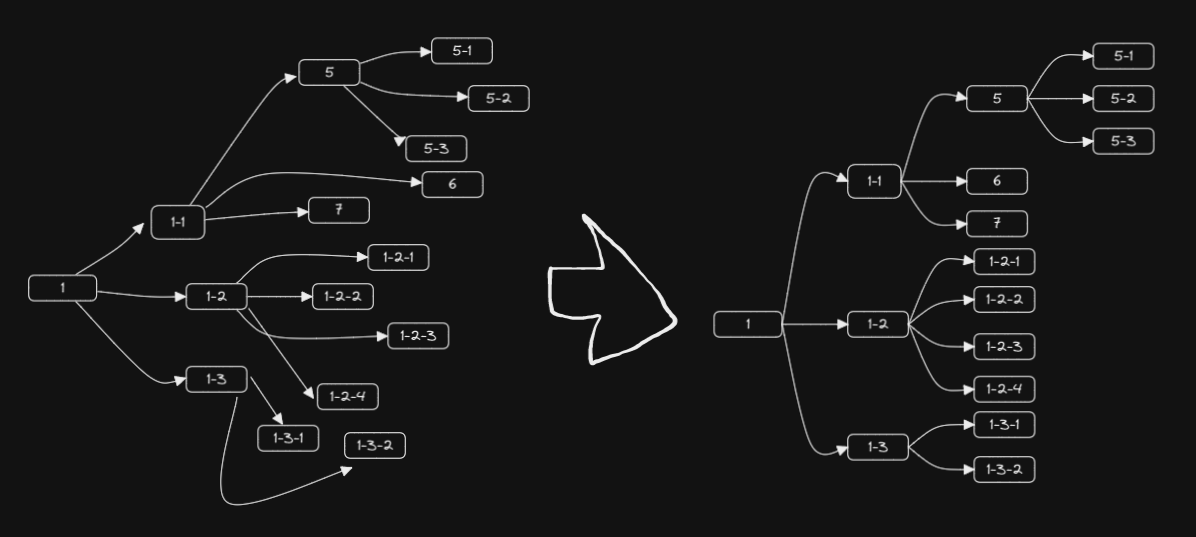 A mindmap is actually a tree, so you must have a root node. The script will determine the leftmost element of the selected element as the root element (the node must be a rectangle, diamond, ellipse, text, image, but it can't be an arrow, line, freedraw, or group) The element connecting node and node must be an arrow and have the correct direction, e.g. parent node -> child node. The order of nodes in the Y axis or vertical direction is determined by the creation time of the arrow connecting it. 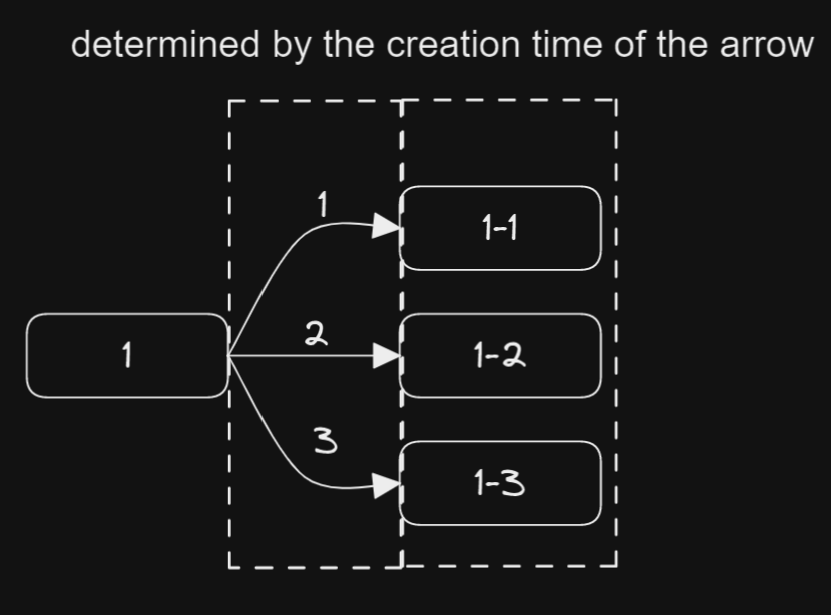 If you want to readjust the order, you can delete arrows and reconnect them. The script provides options to adjust the style of the mindmap. Options are at the bottom of excalidraw plugin options (Settings -> Community plugins -> Excalidraw -> drag to bottom). Since the start bingding and end bingding of the arrows are easily disconnected from the node, if there are unformatted parts, please check the connection and use the script to reformat. |
Modify background color opacity
https://raw.githubusercontent.com/zsviczian/obsidian-excalidraw-plugin/master/ea-scripts/Modify%20background%20color%20opacity.md
| Author | @1-2-3 |
| Source | File on GitHub |
| Description | This script changes the opacity of the background color of the selected boxes. The default background color in Excalidraw is so dark that the text is hard to read. You can lighten the color a bit by setting transparency. And you can tweak the transparency over and over again until you're happy with it. Although excalidraw has the opacity option in its native property Settings, it also changes the transparency of the border. Use this script to change only the opacity of the background color without affecting the border.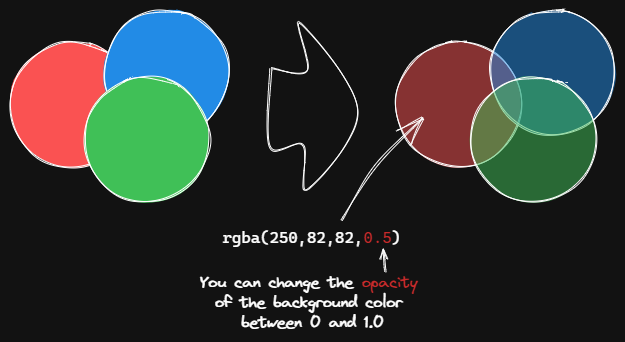 |
Normalize Selected Arrows
https://raw.githubusercontent.com/zsviczian/obsidian-excalidraw-plugin/master/ea-scripts/Normalize%20Selected%20Arrows.md
| Author | @1-2-3 |
| Source | File on GitHub |
| Description | This script will reset the start and end positions of the selected arrows. The arrow will point to the center of the connected box and will have a gap of 8px from the box.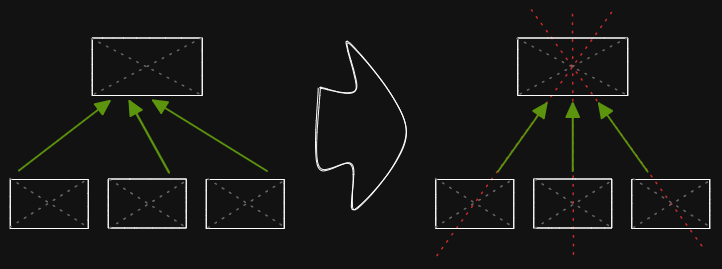 |
Organic Line
https://raw.githubusercontent.com/zsviczian/obsidian-excalidraw-plugin/master/ea-scripts/Organic%20Line.md
| Author | @zsviczian |
| Source | File on GitHub |
| Description | Converts selected freedraw lines such that pencil pressure will decrease from maximum to minimum from the beginning of the line to its end. The resulting line is placed at the back of the layers, under all other items. Helpful when drawing organic mindmaps. The script has been superseded by Custom Pens that you can enable in plugin settings. Find out more by watching this video 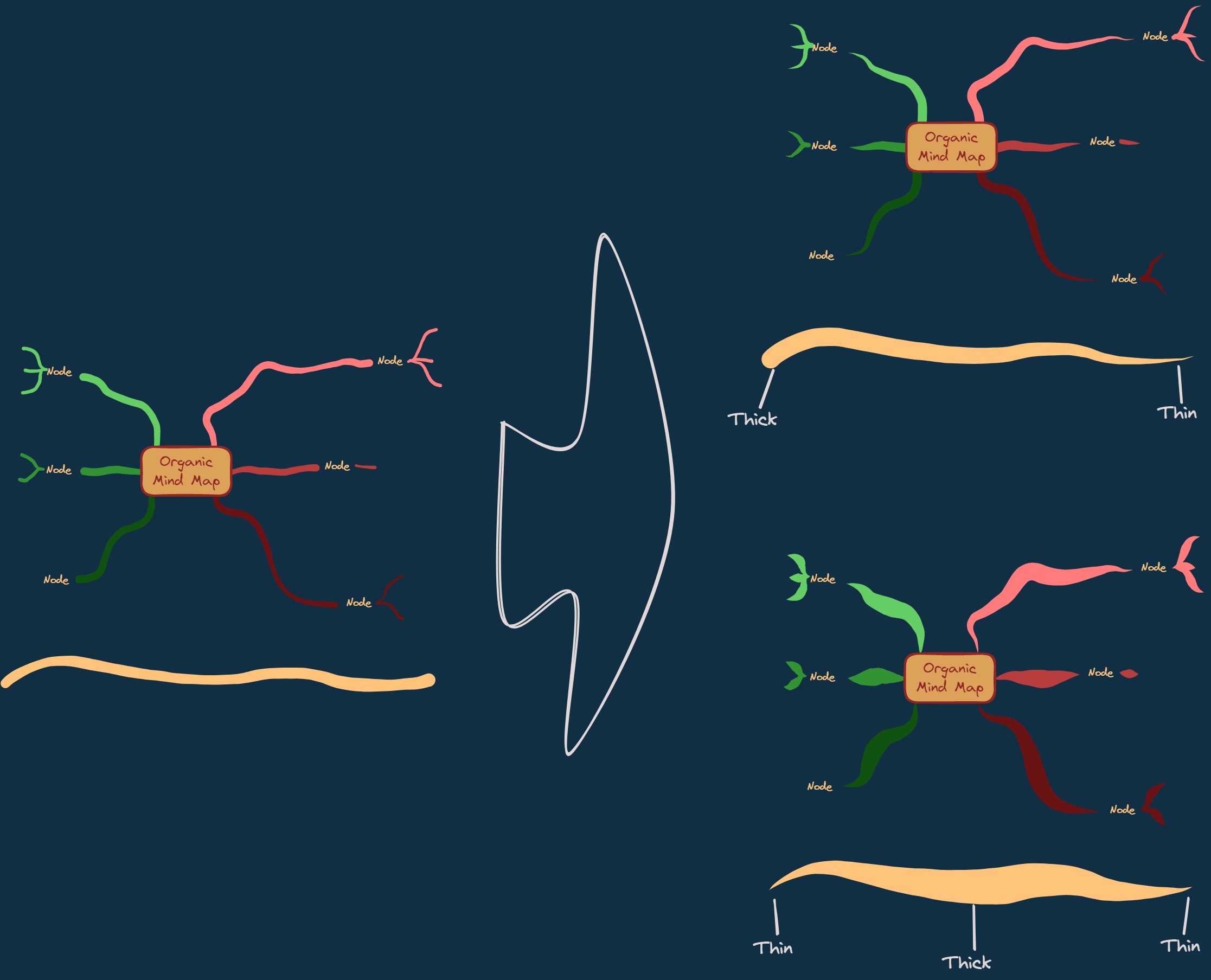 |
Organic Line Legacy
https://raw.githubusercontent.com/zsviczian/obsidian-excalidraw-plugin/master/ea-scripts/Organic%20Line%20Legacy.md
| Author | @zsviczian |
| Source | File on GitHub |
| Description | Converts selected freedraw lines such that pencil pressure will decrease from maximum to minimum from the beginning of the line to its end. The resulting line is placed at the back of the layers, under all other items. Helpful when drawing organic mindmaps. This is the old script from this video. Since it's release this has been superseded by custom pens that you can enable in plugin settings. For more on custom pens, watch this The benefit of the approach in this implementation of custom pens is that it will look the same on excalidraw.com when you copy your drawing over for sharing with non-Obsidian users. Otherwise custom pens are faster to use and much more configurable.  |
Palette Loader
https://raw.githubusercontent.com/zsviczian/obsidian-excalidraw-plugin/master/ea-scripts/Palette%20loader.md
| Author | @zsviczian |
| Source | File on GitHub |
| Description | Design your palette at paletton.com Once you are happy with your colors, click Tables/Export in the bottom right of the screen. Then click "Color swatches/as Sketch Palette", and copy the contents of the page to a markdown file in the palette folder of your vault (default is Excalidraw/Palette)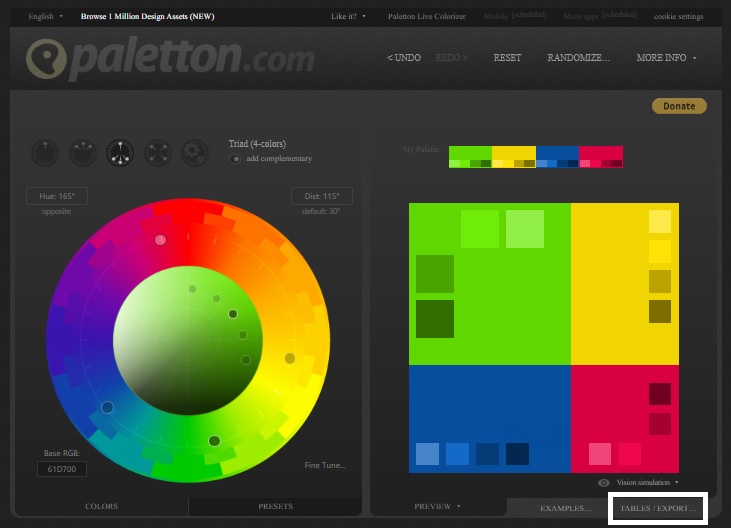 |
Palm Guard
https://raw.githubusercontent.com/zsviczian/obsidian-excalidraw-plugin/master/ea-scripts/Palm%20Guard.md
| Author | @zsviczian |
| Source | File on GitHub |
| Description | Mobile & desktop palm‑rejection and distraction‑free drawing mode: optionally enters fullscreen, hides ALL Excalidraw UI chrome (top toolbar, side / bottom bars, plugin panels) for a clean / zen / immersive / kiosk / focus mode canvas. Provides a tiny draggable micro toolbar (toggle visibility + exit) so you gain maximum drawing area while preventing accidental palm taps. Uses the hotkey you assign in Obsidian’s Hotkey settings for this script to instantly show / hide controls (if no hotkey is set, use the on‑screen toggle). Ideal for stylus sketching, presentations, screen recording, split‑view space saving, or anyone searching for: palm rejection, hide toolbar, hide UI controls, clean mode, distraction free Excalidraw. Link to video on YouTube |
PDF Page Text to Clipboard
https://raw.githubusercontent.com/zsviczian/obsidian-excalidraw-plugin/master/ea-scripts/PDF%20Page%20Text%20to%20Clipboard.md
| Author | @zsviczian |
| Source | File on GitHub |
| Description | Copies the text from the selected PDF page on the Excalidraw canvas to the clipboard.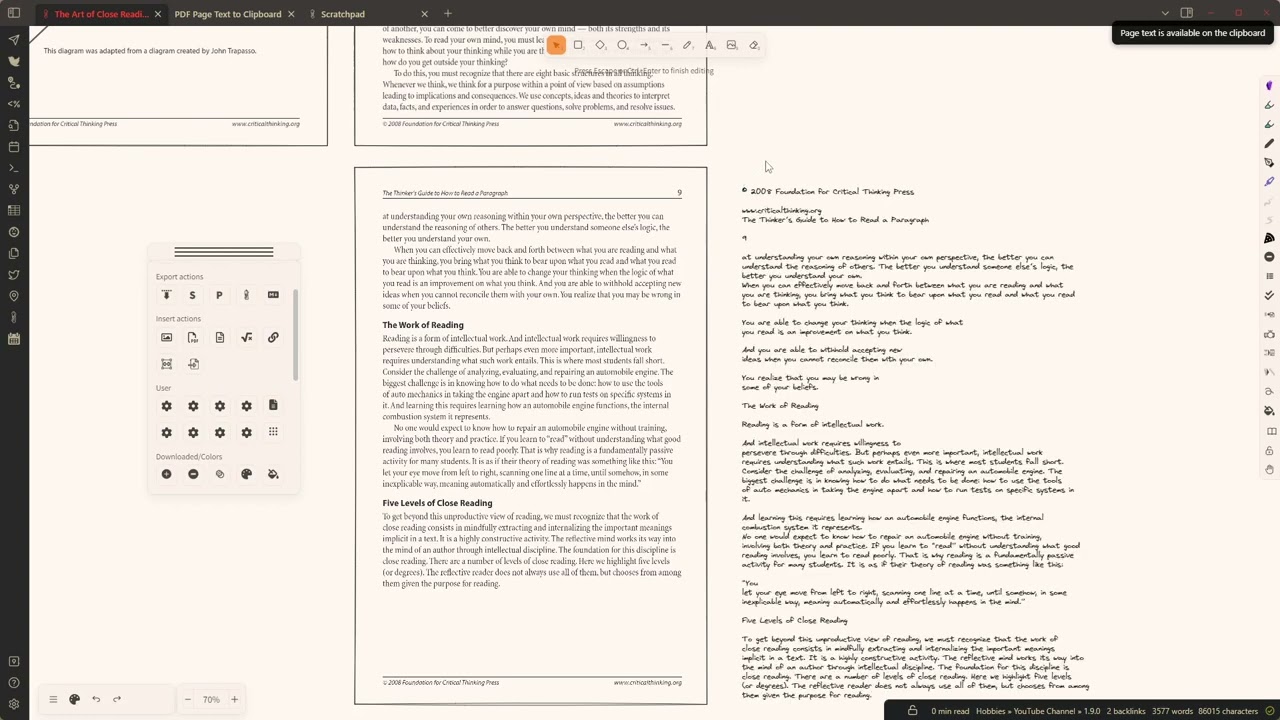 Link to video on YouTube |
Relative Font Size Cycle
https://raw.githubusercontent.com/zsviczian/obsidian-excalidraw-plugin/master/ea-scripts/Relative%20Font%20Size%20Cycle.md
| Author | @zsviczian |
| Source | File on GitHub |
| Description | The script will cycle through S, M, L, XL font sizes scaled to the current canvas zoom. |
Rename Image
https://raw.githubusercontent.com/zsviczian/obsidian-excalidraw-plugin/master/ea-scripts/Rename%20Image.md
| Author | @zsviczian |
| Source | File on GitHub |
| Description | Select an image on the canvas and run the script. You will be prompted to provide a new filename / filepath. This cuts down the time to name images you paste from the web or drag and drop from your file system.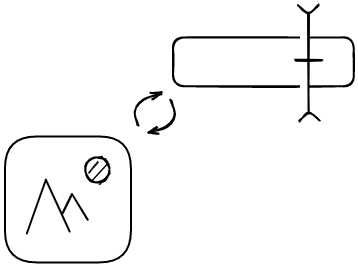 |
Repeat Elements
https://raw.githubusercontent.com/zsviczian/obsidian-excalidraw-plugin/master/ea-scripts/Repeat%20Elements.md
| Author | @1-2-3 |
| Source | File on GitHub |
| Description | This script will detect the difference between 2 selected elements, including position, size, angle, stroke and background color, and create several elements that repeat these differences based on the number of repetitions entered by the user.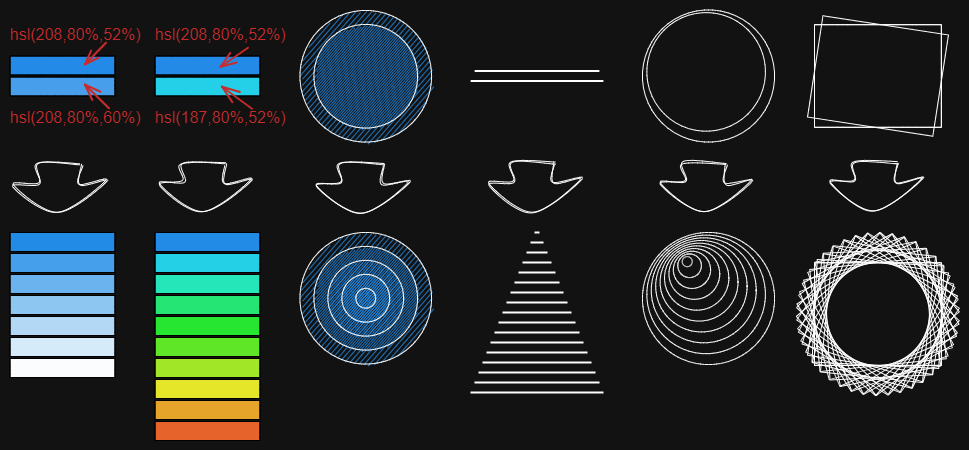 |
Repeat Texts
https://raw.githubusercontent.com/zsviczian/obsidian-excalidraw-plugin/master/ea-scripts/Repeat%20Texts.md
| Author | @soraliu |
| Source | File on GitHub |
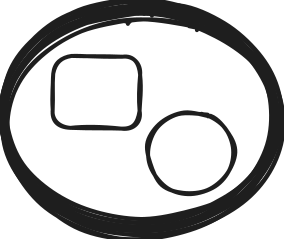
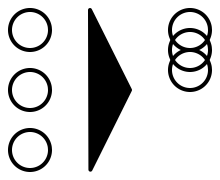
| Description | In the following script, we address the concept of repetition through the lens of numerical progression. As visualized by the image, where multiple circles each labeled with an even task number are being condensed into a linear sequence, our script will similarly iterate through a set of numbers |
Reverse arrows
https://raw.githubusercontent.com/zsviczian/obsidian-excalidraw-plugin/master/ea-scripts/Reverse%20arrows.md
| Author | @zsviczian |
| Source | File on GitHub |
| Description | Reverse the direction of **arrows** within the scope of selected elements.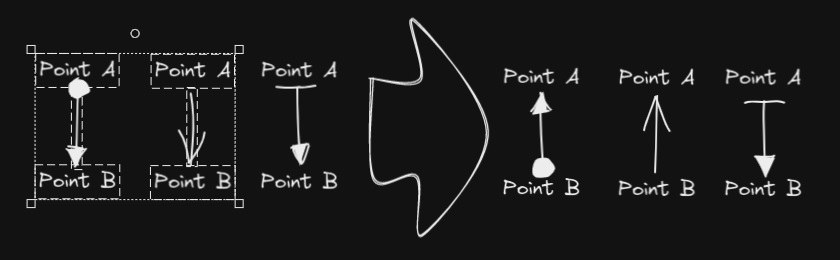 |
Scribble Helper
https://raw.githubusercontent.com/zsviczian/obsidian-excalidraw-plugin/master/ea-scripts/Scribble%20Helper.md
| Author | @zsviczian |
| Source | File on GitHub |
| Description | iOS scribble helper for better handwriting experience with text elements. If no elements are selected then the creates a text element at pointer position and you can use the edit box to modify the text with scribble. If a text element is selected then opens the input prompt where you can modify this text with scribble.  |
Select Elements of Type
https://raw.githubusercontent.com/zsviczian/obsidian-excalidraw-plugin/master/ea-scripts/Select%20Elements%20of%20Type.md
| Author | @zsviczian |
| Source | File on GitHub |
| Description | Prompts you with a list of the different element types in the active image. Only elements of the selected type will be selected on the canvas. If nothing is selected when running the script, then the script will process all the elements on the canvas. If some elements are selected when the script is executed, then the script will only process the selected elements. The script is useful when, for example, you want to bring to front all the arrows, or want to change the color of all the text elements, etc. 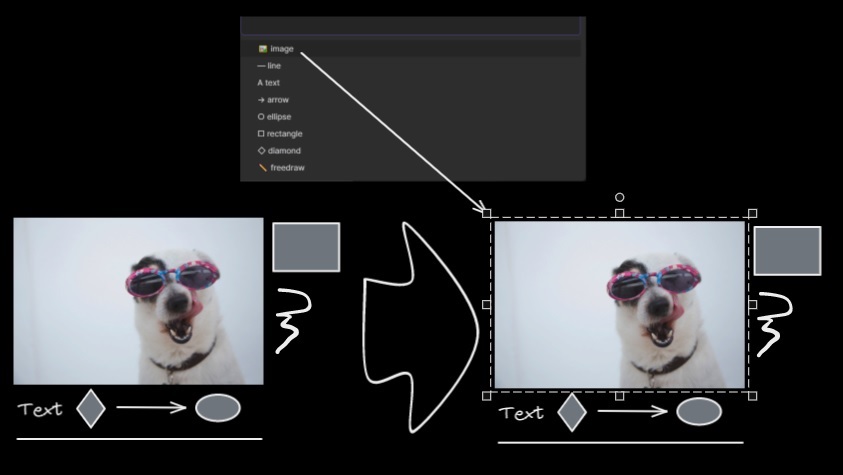 |
Select Similar Elements
https://raw.githubusercontent.com/zsviczian/obsidian-excalidraw-plugin/master/ea-scripts/Select%20Similar%20Elements.md
| Author | @zsviczian |
| Source | File on GitHub |
| Description | This script allows you to streamline your Obsidian-Excalidraw workflows by enabling the selection of elements based on similar properties. you can precisely define which attributes such as stroke color, fill style, font family, and more, should match for selection. It's perfect for large canvases where manual selection would be cumbersome. You can either run the script to find and select matching elements across the entire scene, or define a specific group of elements to apply the selection criteria within a defined timeframe.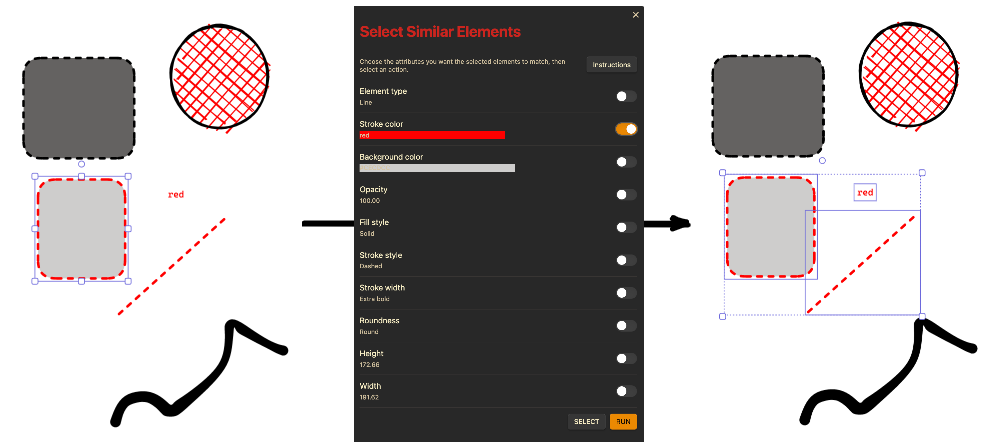 |
Reset LaTeX Size
https://raw.githubusercontent.com/zsviczian/obsidian-excalidraw-plugin/master/ea-scripts/Reset%20LaTeX%20Size.md
| Author | @firai |
| Source | File on GitHub |
| Description | Reset the sizes of embedded LaTeX equations to the default sizes or a multiple of the default sizes.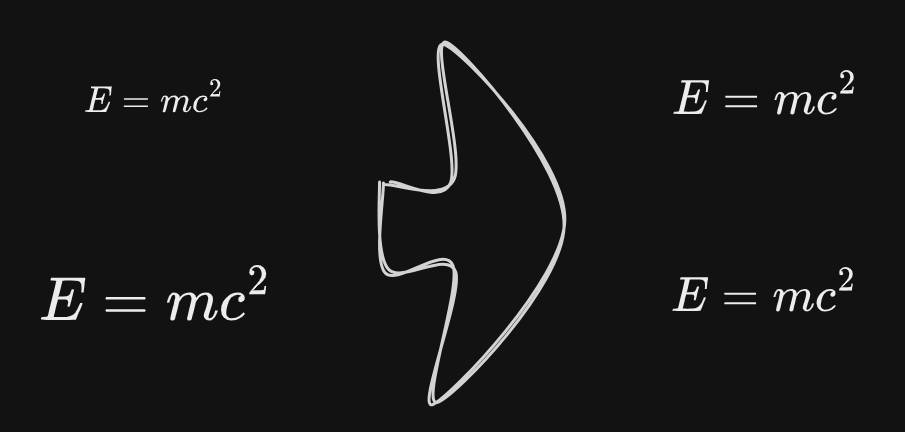 |
Set background color of unclosed line object by adding a shadow clone
https://raw.githubusercontent.com/zsviczian/obsidian-excalidraw-plugin/master/ea-scripts/Set%20background%20color%20of%20unclosed%20line%20object%20by%20adding%20a%20shadow%20clone.md
| Author | @zsviczian |
| Source | File on GitHub |
| Description | Use this script to set the background color of unclosed (i.e. open) line and freedraw objects by creating a clone of the object. The script will set the stroke color of the clone to transparent and will add a straight line to close the object. Use settings to define the default background color, the fill style, and the strokeWidth of the clone. By default the clone will be grouped with the original object, you can disable this also in settings. |
Set Dimensions
https://raw.githubusercontent.com/zsviczian/obsidian-excalidraw-plugin/master/ea-scripts/Set%20Dimensions.md
| Author | @zsviczian |
| Source | File on GitHub |
| Description | Currently there is no way to specify the exact location and size of objects in Excalidraw. You can bridge this gap with the following simple script.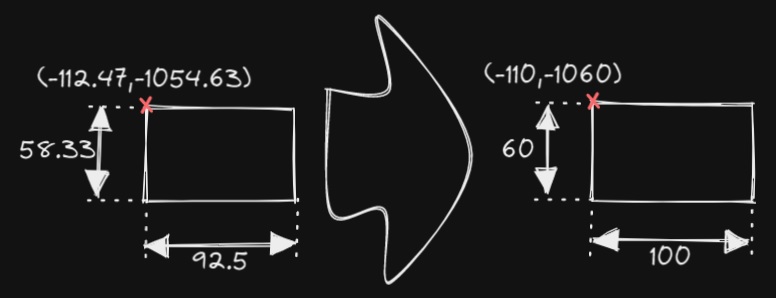 |
Set Font Family
https://raw.githubusercontent.com/zsviczian/obsidian-excalidraw-plugin/master/ea-scripts/Set%20Font%20Family.md
| Author | @zsviczian |
| Source | File on GitHub |
| Description | Sets font family of the text block (Virgil, Helvetica, Cascadia). Useful if you want to set a keyboard shortcut for selecting font family.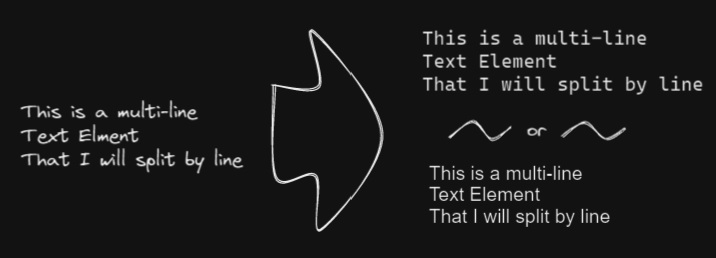 |
Set Grid
https://raw.githubusercontent.com/zsviczian/obsidian-excalidraw-plugin/master/ea-scripts/Set%20Grid.md
| Author | @zsviczian |
| Source | File on GitHub |
| Description | The default grid size in Excalidraw is 20. Currently there is no way to change the grid size via the user interface. This script offers a way to bridge this gap.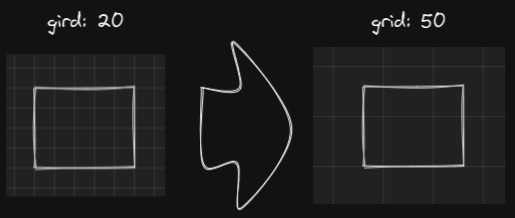 |
Set Link Alias
https://raw.githubusercontent.com/zsviczian/obsidian-excalidraw-plugin/master/ea-scripts/Set%20Link%20Alias.md
| Author | @zsviczian |
| Source | File on GitHub |
| Description | Iterates all of the links in the selected TextElements and prompts the user to set or modify the alias for each link found.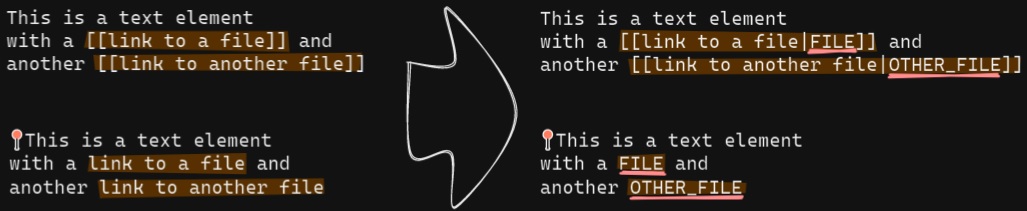 |
Set Stroke Width of Selected Elements
https://raw.githubusercontent.com/zsviczian/obsidian-excalidraw-plugin/master/ea-scripts/Set%20Stroke%20Width%20of%20Selected%20Elements.md
| Author | @zsviczian |
| Source | File on GitHub |
| Description | This script will set the stroke width of selected elements. This is helpful, for example, when you scale freedraw sketches and want to reduce or increase their line width.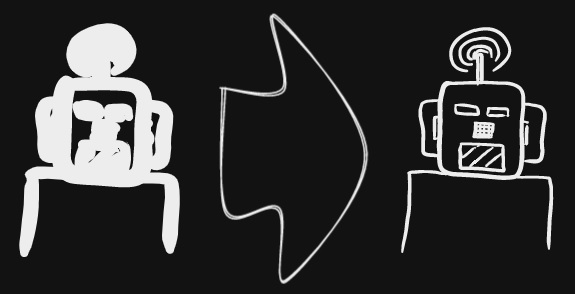 |
Set Text Alignment
https://raw.githubusercontent.com/zsviczian/obsidian-excalidraw-plugin/master/ea-scripts/Set%20Text%20Alignment.md
| Author | @zsviczian |
| Source | File on GitHub |
| Description | Sets text alignment of text block (cetner, right, left). Useful if you want to set a keyboard shortcut for selecting text alignment.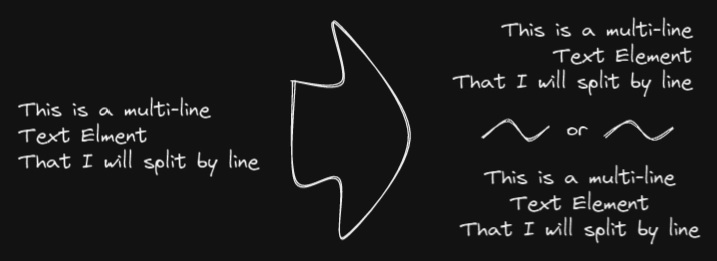 |
Shade Master
https://raw.githubusercontent.com/zsviczian/obsidian-excalidraw-plugin/master/ea-scripts/Shade%20Master.md
| Author | @zsviczian |
| Source | File on GitHub |
| Description | You can modify the colors of SVG images, embedded files, and Excalidraw elements in a drawing by changing Hue, Saturation, Lightness and Transparency; and if only a single SVG or nested Excalidraw drawing is selected, then you can remap image colors. |
Slideshow
https://raw.githubusercontent.com/zsviczian/obsidian-excalidraw-plugin/master/ea-scripts/Slideshow.md
| Author | @zsviczian |
| Source | File on GitHub |
| Description | The script will convert your drawing into a slideshow presentation. |
Split Ellipse
https://raw.githubusercontent.com/zsviczian/obsidian-excalidraw-plugin/master/ea-scripts/Split%20Ellipse.md
| Author | @GColoy |
| Source | File on GitHub |
| Description | This script splits an ellipse at any point where a line intersects it. If no lines are selected, it will use every line that intersects the ellipse. Otherwise, it will only use the selected lines. If there is no intersecting line, the ellipse will be converted into a line object. There is also the option to close the object along the cut, which will close the cut in the shape of the line. 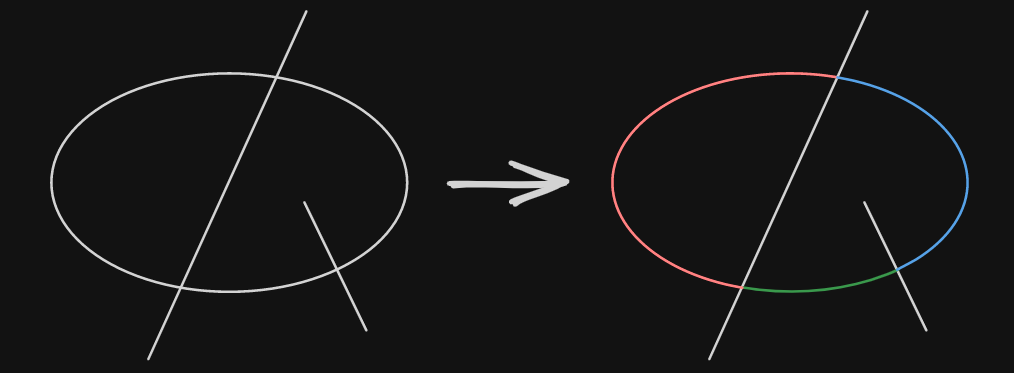  Tip: To use an ellipse as the cutting object, you first have to use this script on it, since it will convert the ellipse into a line. |
Split text by lines
https://raw.githubusercontent.com/zsviczian/obsidian-excalidraw-plugin/master/ea-scripts/Split%20text%20by%20lines.md
| Author | @zsviczian |
| Source | File on GitHub |
| Description | Split lines of text into separate text elements for easier reorganization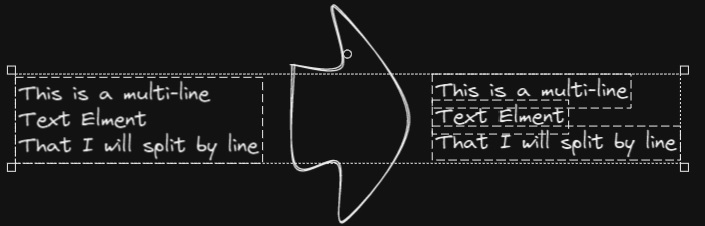 |
Text Aura
https://raw.githubusercontent.com/zsviczian/obsidian-excalidraw-plugin/master/ea-scripts/Text%20Aura.md
| Author | @zsviczian |
| Source | File on GitHub |
| Description | Select a single text element, or a text element in a container. The container must have a transparent background. The script will add an aura to the text by adding 4 copies of the text each with the inverted stroke color of the original text element and with a very small X and Y offset. The resulting 4 + 1 (original) text elements or containers will be grouped. If you copy a color string on the clipboard before running the script, the script will use that color instead of the inverted color. 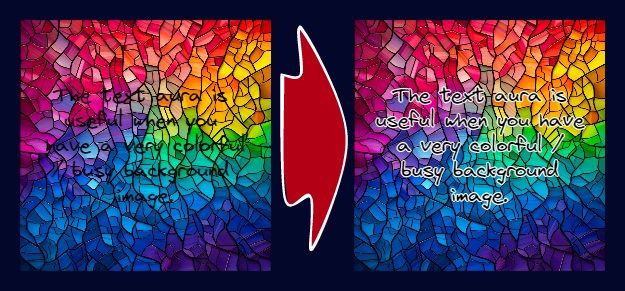 |
Text to Path
https://raw.githubusercontent.com/zsviczian/obsidian-excalidraw-plugin/master/ea-scripts/Text%20to%20Path.md
| Author | @zsviczian |
| Source | File on GitHub |
| Description | This script allows you to fit a text element along a selected path: line, arrow, freedraw, ellipse, rectangle, or diamond. You can select either a path or a text element, or both: - If only a path is selected, you will be prompted to provide the text. - If only a text element is selected and it was previously fitted to a path, the script will use the original path if it is still present in the scene. - If both a text and a path are selected, the script will fit the text to the selected path. If the path is a perfect circle, you will be prompted to choose whether to fit the text above or below the circle. After fitting, the text will no longer be editable as a standard text element or function as a markdown link. Emojis are not supported. 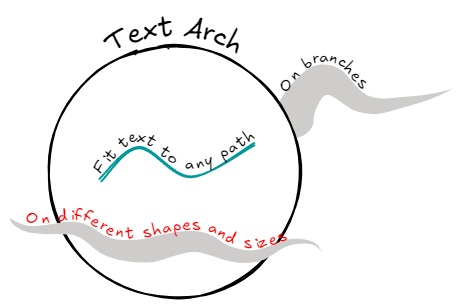 |
Toggle Grid
https://raw.githubusercontent.com/zsviczian/obsidian-excalidraw-plugin/master/ea-scripts/Toggle%20Grid.md
| Author | @GColoy |
| Source | File on GitHub |
| Description | Toggles the grid on and off. Especially useful when drawing with just a pen without a mouse or keyboard, as toggling the grid by left-clicking with the pen is sometimes quite tedious. |
Text to Sticky Notes
https://raw.githubusercontent.com/zsviczian/obsidian-excalidraw-plugin/master/ea-scripts/Text%20to%20Sticky%20Notes.md
| Author | @zsviczian |
| Source | File on GitHub |
| Description | Converts selected plain text element to sticky notes by dividing the text element line by line into separate sticky notes. The color of the stikcy note as well as the arrangement of the grid can be configured in plugin settings.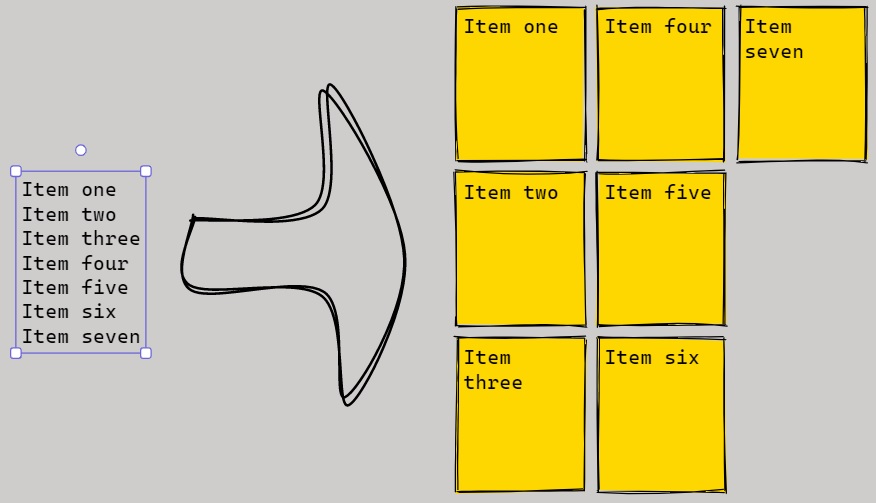 |
Uniform Size
https://raw.githubusercontent.com/zsviczian/obsidian-excalidraw-plugin/master/ea-scripts/Uniform%20size.md
| Author | @zsviczian |
| Source | File on GitHub |
| Description | 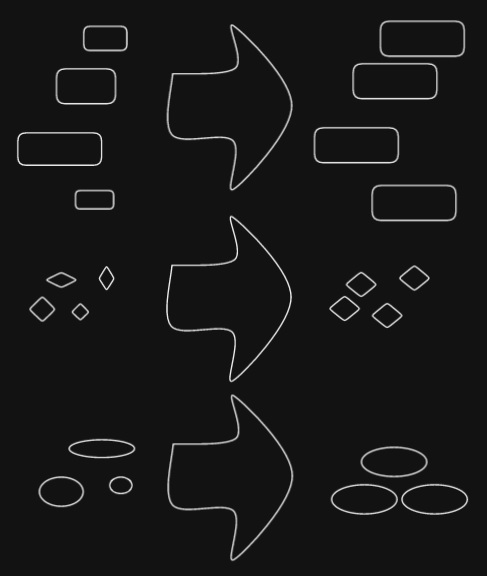 The script will standardize the sizes of rectangles, diamonds and ellipses adjusting all the elements to match the largest width and height within the group. |
Printable Layout Wizard
https://raw.githubusercontent.com/zsviczian/obsidian-excalidraw-plugin/master/ea-scripts/Printable%20Layout%20Wizard.md
| Author | @zsviczian |
| Source | File on GitHub |
| Description | Export Excalidraw to PDF Pages: Define printable page areas using frames, then export each frame as a separate page in a multi-page PDF. Perfect for turning your Excalidraw drawings into printable notes, handouts, or booklets. Supports standard and custom page sizes, margins, and easy frame arrangement. Link to video on YouTube  Link to video on YouTube 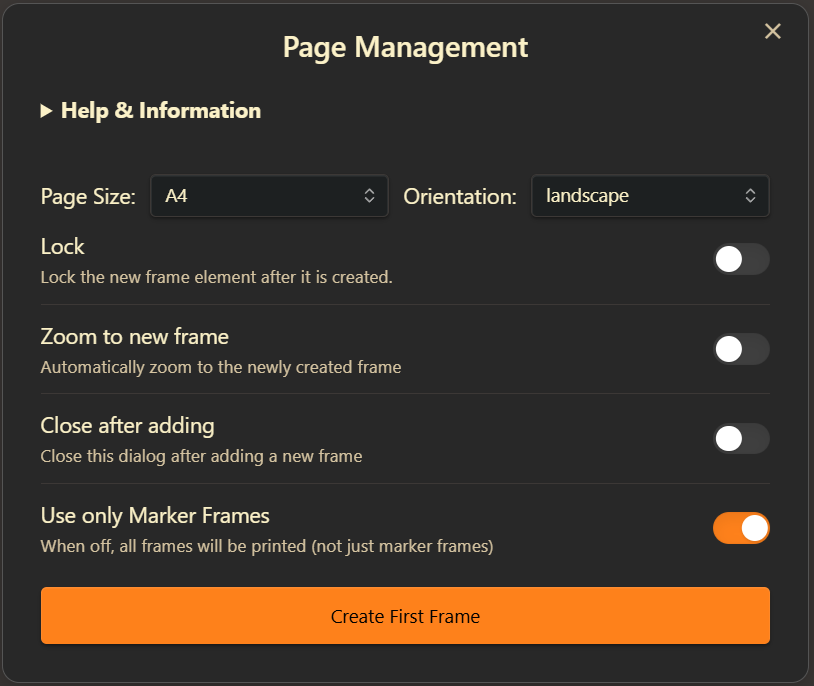 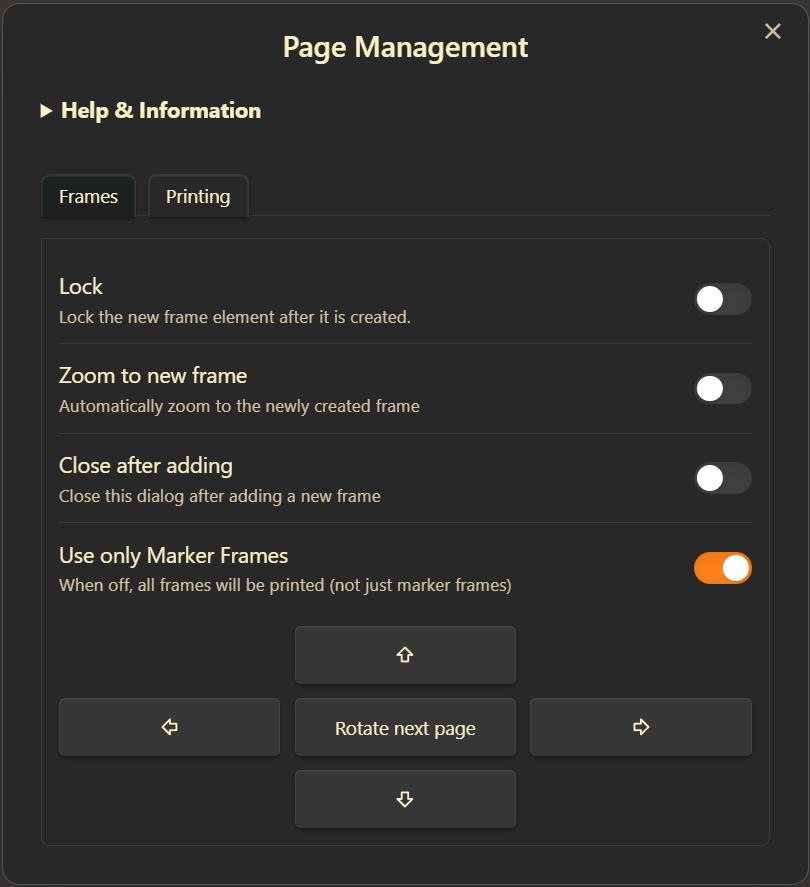 |
Zoom to Fit Selected Elements
https://raw.githubusercontent.com/zsviczian/obsidian-excalidraw-plugin/master/ea-scripts/Zoom%20to%20Fit%20Selected%20Elements.md
| Author | @zsviczian |
| Source | File on GitHub |
| Description | Similar to Excalidraw standard SHIFT+2 feature: Zoom to fit selected elements, but with the ability to zoom to 1000%. Inspiration: [#272](https://github.com/zsviczian/obsidian-excalidraw-plugin/issues/272) |
Script Sources
Add Connector Point.md
/*
This script will add a small circle to the top left of each text element in the selection and add the text and the "bullet point" into a group.
See documentation for more details: https://zsviczian.github.io/obsidian-excalidraw-plugin/ExcalidrawScriptsEngine.html
*/
elements = ea.getViewSelectedElements().filter((el)=>el.type==="text");
ea.copyViewElementsToEAforEditing(elements);
const padding = 10;
elements.forEach((el)=>{
  ea.style.strokeColor = el.strokeColor;
  const size = el.fontSize/2;
  const ellipseId = ea.addEllipse(
    el.x-padding-size,
    el.y+size/2,
    size,
    size
  );
  ea.addToGroup([el.id,ellipseId]);
});
await ea.addElementsToView(false,false,true);
Add Link to Existing File and Open.md
/*
Prompts for a file from the vault. Adds a link to the selected element pointing to the selected file. You can control in settings to open the file in the current active pane or an adjacent pane.
*/

if(!ea.verifyMinimumPluginVersion || !ea.verifyMinimumPluginVersion("1.5.21")) {
  new Notice("This script requires a newer version of Excalidraw. Please install the latest version.");
  return;
}

settings = ea.getScriptSettings();

if(!settings["Open link in active pane"]) {
  settings = {
    "Open link in active pane": {
      value: false,
      description: "Open the link in the current active pane (on) or a new pane (off)."
	},
    ...settings
  };
  ea.setScriptSettings(settings);
}

const openInCurrentPane = settings["Open link in active pane"].value;

elements = ea.getViewSelectedElements();
if(elements.length === 0) {
  new Notice("No selected elements");
  return;
}

const files = app.vault.getFiles()
const filePaths = files.map((f)=>f.path);
file = await utils.suggester(filePaths,files,"Select a file");

if(!file) return;

const link = `[[${app.metadataCache.fileToLinktext(file,ea.targetView.file.path,true)}]]`;

ea.style.backgroundColor = "transparent";
ea.style.strokeColor = "rgba(70,130,180,0.05)"
ea.style.strokeWidth = 2;
ea.style.roughness = 0;

if(elements.length===1 && elements[0].type !== "text") {
  ea.copyViewElementsToEAforEditing(elements);
	ea.getElements()[0].link = link;
} else {
  const b = ea.getBoundingBox(elements);
  const id = ea.addEllipse(b.topX+b.width-5, b.topY, 5, 5);
  ea.getElement(id).link = link;
  ea.copyViewElementsToEAforEditing(elements);
  ea.addToGroup(elements.map((e)=>e.id).concat([id]));
}
await ea.addElementsToView(false,true,true);
ea.selectElementsInView(ea.getElements());

if(openInCurrentPane) {
	app.workspace.openLinkText(file.path,ea.targetView.file.path,false);
  return;
}
ea.openFileInNewOrAdjacentLeaf(file);
Add Link to New Page and Open.md
/*
Prompts for filename. Offers option to create and open a new Markdown or Excalidraw document. Adds link pointing to the new file, to the selected objects in the drawing. You can control in settings to open the file in the current active pane or an adjacent pane.
*/

if(!ea.verifyMinimumPluginVersion || !ea.verifyMinimumPluginVersion("1.6.1")) {
  new Notice("This script requires a newer version of Excalidraw. Please install the latest version.");
  return;
}

settings = ea.getScriptSettings();

if(!settings["Open link in active pane"]) {
  settings = {
    "Open link in active pane": {
      value: false,
      description: "Open the link in the current active pane (on) or a new pane (off)."
	},
    ...settings
  };
  ea.setScriptSettings(settings);
}

const openInCurrentPane = settings["Open link in active pane"].value;

elements = ea.getViewSelectedElements();
if(elements.length === 0) {
  new Notice("No selected elements");
  return;
}

const activeFile = ea.targetView.file;
const prefix = activeFile.basename;
const timestamp = moment(Date.now()).format(ea.plugin.settings.drawingFilenameDateTime);

let fileType = "";
const filename = await utils.inputPrompt (
  "Filename for new document",
  "",
  `${prefix} - ${timestamp}`,
  [
    {
      caption: "Markdown",
      action: ()=>{fileType="md";return;}
		},
    {
      caption: "Excalidraw",
      action: ()=>{fileType="ex";return;}
    }
  ]
);

if(!filename || filename === "") return;
const filepath = activeFile.path.replace(activeFile.name,`${filename}.md`);

const file = await app.fileManager.createNewMarkdownFileFromLinktext(filepath);
if(file && fileType==="ex") {
  const blank = await app.plugins.plugins["obsidian-excalidraw-plugin"].getBlankDrawing();
  await app.vault.modify(file,blank);
  await new Promise(r => setTimeout(r, 100)); //wait for metadata cache to update, so file opens as excalidraw
}

const link = `[[${app.metadataCache.fileToLinktext(file,ea.targetView.file.path,true)}]]`;

ea.style.backgroundColor = "transparent";
ea.style.strokeColor = "rgba(70,130,180,0.05)"
ea.style.strokeWidth = 2;
ea.style.roughness = 0;

if(elements.length===1 && elements[0].type !== "text") {
  ea.copyViewElementsToEAforEditing(elements);
	ea.getElements()[0].link = link;
} else {
  const b = ea.getBoundingBox(elements);
  const id = ea.addEllipse(b.topX+b.width-5, b.topY, 5, 5);
  ea.getElement(id).link = link;
  ea.copyViewElementsToEAforEditing(elements);
  ea.addToGroup(elements.map((e)=>e.id).concat([id]));
}
await ea.addElementsToView(false,true,true);
ea.selectElementsInView(ea.getElements());

if(openInCurrentPane) {
	app.workspace.openLinkText(file.path,ea.targetView.file.path,false);
  return;
}
ea.openFileInNewOrAdjacentLeaf(file);
Add Next Step in Process.md
/*
This script will prompt you for the title of the process step, then will create a stick note with the text. If an element is selected then the script will connect this new step with an arrow to the previous step (the selected element). If no element is selected, then the script assumes this is the first step in the process and will only output the sticky note with the text that was entered.
*/

if(!ea.verifyMinimumPluginVersion || !ea.verifyMinimumPluginVersion("1.5.24")) {
  new Notice("This script requires a newer version of Excalidraw. Please install the latest version.");
  return;
}

settings = ea.getScriptSettings();
//set default values on first run
if(!settings["Starting arrowhead"]) {
	settings = {
	  "Starting arrowhead" : {
			value: "none",
      valueset: ["none","arrow","triangle","bar","dot"]
		},
		"Ending arrowhead" : {
			value: "triangle",
      valueset: ["none","arrow","triangle","bar","dot"]
		},
		"Line points" : {
			value: 0,
      description: "Number of line points between start and end"
		},
		"Gap between elements": {
			value: 100
		},
		"Wrap text at (number of characters)": {
			value: 25,
		},
		"Fix width": {
			value: true,
			description: "The object around the text should have fix width to fit the wrapped text"
		}
	};
	ea.setScriptSettings(settings);
}

const arrowStart = settings["Starting arrowhead"].value === "none" ? null : settings["Starting arrowhead"].value;
const arrowEnd = settings["Ending arrowhead"].value === "none" ? null : settings["Ending arrowhead"].value;

// workaround until https://github.com/zsviczian/obsidian-excalidraw-plugin/issues/388 is fixed
if (!arrowEnd) ea.style.endArrowHead = null;
if (!arrowStart) ea.style.startArrowHead = null;

const linePoints = Math.floor(settings["Line points"].value);
const gapBetweenElements = Math.floor(settings["Gap between elements"].value);
const wrapLineLen = Math.floor(settings["Wrap text at (number of characters)"].value);
const fixWidth = settings["Fix width"];

const textPadding = 10;
const text = await utils.inputPrompt("Text?");
const elements = ea.getViewSelectedElements();
const isFirst = (!elements || elements.length === 0);

const width = ea.measureText("w".repeat(wrapLineLen)).width;

let id = "";

if(!isFirst) {
  const fromElement = ea.getLargestElement(elements);
  ea.copyViewElementsToEAforEditing([fromElement]);

  const previousTextElements = elements.filter((el)=>el.type==="text");
  const previousRectElements = elements.filter((el)=> ['ellipse', 'rectangle', 'diamond'].includes(el.type));
  if(previousTextElements.length>0) {
    const el = previousTextElements[0];
    ea.style.strokeColor = el.strokeColor;
    ea.style.fontSize    = el.fontSize;
    ea.style.fontFamily  = el.fontFamily;
  }

	textWidth = ea.measureText(text).width;

  id = ea.addText(
    fixWidth
    ? fromElement.x+fromElement.width/2-width/2
    : fromElement.x+fromElement.width/2-textWidth/2-textPadding,
    fromElement.y+fromElement.height+gapBetweenElements,
    text,
    {
      wrapAt: wrapLineLen,
      textAlign: "center",
      textVerticalAlign: "middle",
      box: previousRectElements.length > 0 ? previousRectElements[0].type : false,
      ...fixWidth
      ? {width: width, boxPadding:0}
      : {boxPadding: textPadding}
    }
  );

  ea.connectObjects(
    fromElement.id,
    null,
    id,
    null,
    {
	  endArrowHead: arrowEnd,
	  startArrowHead: arrowStart,
	  numberOfPoints: linePoints
    }
  );

  if (previousRectElements.length>0) {
    const rect = ea.getElement(id);
    rect.strokeColor = fromElement.strokeColor;
    rect.strokeWidth = fromElement.strokeWidth;
    rect.strokeStyle = fromElement.strokeStyle;
    rect.roughness = fromElement.roughness;
    rect.roundness = fromElement.roundness;
    rect.strokeSharpness = fromElement.strokeSharpness;
    rect.backgroundColor = fromElement.backgroundColor;
    rect.fillStyle = fromElement.fillStyle;
    rect.width = fromElement.width;
    rect.height = fromElement.height;
  }

  await ea.addElementsToView(false,false);
} else {
  id = ea.addText(
    0,
    0,
    text,
    {
      wrapAt: wrapLineLen,
      textAlign: "center",
      textVerticalAlign: "middle",
      box: "rectangle",
      boxPadding: textPadding,
		  ...fixWidth?{width: width}:null
    }
  );
  await ea.addElementsToView(true,false);
}

ea.selectElementsInView([ea.getElement(id)]);
Auto Layout.md
/*

Download this file and save to your Obsidian Vault including the first line, or open it in "Raw" and copy the entire contents to Obsidian.
This script performs automatic layout for the selected top-level grouping objects. It is powered by elkjs and needs to be connected to the Internet.
See documentation for more details: https://zsviczian.github.io/obsidian-excalidraw-plugin/ExcalidrawScriptsEngine.html
*/

if (
  !ea.verifyMinimumPluginVersion ||
  !ea.verifyMinimumPluginVersion("1.5.21")
) {
  new Notice(
    "This script requires a newer version of Excalidraw. Please install the latest version."
  );
  return;
}

settings = ea.getScriptSettings();
//set default values on first run
if (!settings["Layout Options JSON"]) {
  settings = {
    "Layout Options JSON": {
      height: "450px",
      value: `{\n      "org.eclipse.elk.layered.crossingMinimization.semiInteractive": "true",\n      "org.eclipse.elk.layered.considerModelOrder.components": "FORCE_MODEL_ORDER"\n}`,
      description: `You can use layout options to configure the layout algorithm. A list of all options and further details of their exact effects is available in <a href="http://www.eclipse.org/elk/reference.html" rel="nofollow">ELK's documentation</a>.`,
    },
  };
  ea.setScriptSettings(settings);
}

if (typeof ELK === "undefined") {
  loadELK(doAutoLayout);
} else {
  doAutoLayout();
}

async function doAutoLayout() {
  const selectedElements = ea.getViewSelectedElements();
  const groups = ea
    .getMaximumGroups(selectedElements)
    .map((g) => g.filter((el) => el.containerId == null)) // ignore text in stickynote
    .filter((els) => els.length > 0);

  const stickynotesMap = selectedElements
    .filter((el) => el.containerId != null)
    .reduce((result, el) => {
      result.set(el.containerId, el);
      return result;
    }, new Map());

  const elk = new ELK();
  const knownLayoutAlgorithms = await elk.knownLayoutAlgorithms();
  const layoutAlgorithms = knownLayoutAlgorithms
    .map((knownLayoutAlgorithm) => ({
      id: knownLayoutAlgorithm.id,
      displayText:
        knownLayoutAlgorithm.id === "org.eclipse.elk.layered" ||
        knownLayoutAlgorithm.id === "org.eclipse.elk.radial" ||
        knownLayoutAlgorithm.id === "org.eclipse.elk.mrtree"
          ? "* " +
            knownLayoutAlgorithm.name +
            ": " +
            knownLayoutAlgorithm.description
          : knownLayoutAlgorithm.name + ": " + knownLayoutAlgorithm.description,
    }))
    .sort((lha, rha) => lha.displayText.localeCompare(rha.displayText));

  const layoutAlgorithmsSimple = knownLayoutAlgorithms
    .map((knownLayoutAlgorithm) => ({
      id: knownLayoutAlgorithm.id,
      displayText:
        knownLayoutAlgorithm.id === "org.eclipse.elk.layered" ||
        knownLayoutAlgorithm.id === "org.eclipse.elk.radial" ||
        knownLayoutAlgorithm.id === "org.eclipse.elk.mrtree"
          ? "* " + knownLayoutAlgorithm.name
          : knownLayoutAlgorithm.name,
    }))
    .sort((lha, rha) => lha.displayText.localeCompare(rha.displayText));

  // const knownOptions = knownLayoutAlgorithms
  //   .reduce(
  //     (result, knownLayoutAlgorithm) => [
  //       ...result,
  //       ...knownLayoutAlgorithm.knownOptions,
  //     ],
  //     []
  //   )
  //   .filter((value, index, self) => self.indexOf(value) === index) // remove duplicates
  //   .sort((lha, rha) => lha.localeCompare(rha));
  // console.log("knownOptions", knownOptions);

  const selectedAlgorithm = await utils.suggester(
    layoutAlgorithms.map((algorithmInfo) => algorithmInfo.displayText),
    layoutAlgorithms.map((algorithmInfo) => algorithmInfo.id),
    "Layout algorithm"
  );

  const knownNodePlacementStrategy = [
    "SIMPLE",
    "INTERACTIVE",
    "LINEAR_SEGMENTS",
    "BRANDES_KOEPF",
    "NETWORK_SIMPLEX",
  ];

  const knownDirections = [
    "UNDEFINED",
    "RIGHT",
    "LEFT",
    "DOWN",
    "UP"
  ];

  let nodePlacementStrategy = "BRANDES_KOEPF";
  let componentComponentSpacing = "10";
  let nodeNodeSpacing = "100";
  let nodeNodeBetweenLayersSpacing = "100";
  let discoComponentLayoutAlgorithm = "org.eclipse.elk.layered";
  let direction = "UNDEFINED";

  if (selectedAlgorithm === "org.eclipse.elk.layered") {
    nodePlacementStrategy = await utils.suggester(
      knownNodePlacementStrategy,
      knownNodePlacementStrategy,
      "Node placement strategy"
    );

    selectedDirection = await utils.suggester(
      knownDirections,
      knownDirections,
      "Direction"
    );
    direction = selectedDirection??"UNDEFINED";
  } else if (selectedAlgorithm === "org.eclipse.elk.disco") {
    const componentLayoutAlgorithms = layoutAlgorithmsSimple.filter(al => al.id !== "org.eclipse.elk.disco");
    const selectedDiscoComponentLayoutAlgorithm = await utils.suggester(
      componentLayoutAlgorithms.map((algorithmInfo) => algorithmInfo.displayText),
      componentLayoutAlgorithms.map((algorithmInfo) => algorithmInfo.id),
      "Disco Connected Components Layout Algorithm"
    );
    discoComponentLayoutAlgorithm = selectedDiscoComponentLayoutAlgorithm??"org.eclipse.elk.layered";
  }

  if (
    selectedAlgorithm === "org.eclipse.elk.box" ||
    selectedAlgorithm === "org.eclipse.elk.rectpacking"
  ) {
    nodeNodeSpacing = await utils.inputPrompt("Node Spacing", "number", "10");
  } else {
    let userSpacingStr = await utils.inputPrompt(
      "Components Spacing, Node Spacing, Node Node Between Layers Spacing",
      "number, number, number",
      "10, 100, 100"
    );
    let userSpacingArr = (userSpacingStr??"").split(",");
    componentComponentSpacing = userSpacingArr[0] ?? "10";
    nodeNodeSpacing = userSpacingArr[1] ?? "100";
    nodeNodeBetweenLayersSpacing = userSpacingArr[2] ?? "100";
  }

  let layoutOptionsJson = {};
  try {
    layoutOptionsJson = JSON.parse(settings["Layout Options JSON"].value);
  } catch (e) {
    new Notice(
      "Error reading Layout Options JSON, see developer console for more information",
      4000
    );
    console.log(e);
  }

  layoutOptionsJson["elk.algorithm"] = selectedAlgorithm;
  layoutOptionsJson["org.eclipse.elk.spacing.componentComponent"] =
    componentComponentSpacing;
  layoutOptionsJson["org.eclipse.elk.spacing.nodeNode"] = nodeNodeSpacing;
  layoutOptionsJson["org.eclipse.elk.layered.spacing.nodeNodeBetweenLayers"] =
    nodeNodeBetweenLayersSpacing;
  layoutOptionsJson["org.eclipse.elk.layered.nodePlacement.strategy"] =
    nodePlacementStrategy;
  layoutOptionsJson["org.eclipse.elk.disco.componentCompaction.componentLayoutAlgorithm"] =
    discoComponentLayoutAlgorithm;
  layoutOptionsJson["org.eclipse.elk.direction"] = direction;

  const graph = {
    id: "root",
    layoutOptions: layoutOptionsJson,
    children: [],
    edges: [],
  };

  let groupMap = new Map();
  let targetElkMap = new Map();
  let arrowEls = [];

  for (let i = 0; i < groups.length; i++) {
    const elements = groups[i];
    if (
      elements.length === 1 &&
      (elements[0].type === "arrow" || elements[0].type === "line")
    ) {
      if (
        elements[0].type === "arrow" &&
        elements[0].startBinding &&
        elements[0].endBinding
      ) {
        arrowEls.push(elements[0]);
      }
    } else {
      let elkId = "g" + i;
      elements.reduce((result, el) => {
        result.set(el.id, elkId);
        return result;
      }, targetElkMap);

      const box = ea.getBoundingBox(elements);
      groupMap.set(elkId, {
        elements: elements,
        boundingBox: box,
      });

      graph.children.push({
        id: elkId,
        width: box.width,
        height: box.height,
        x: box.topX,
        y: box.topY,
      });
    }
  }

  for (let i = 0; i < arrowEls.length; i++) {
    const arrowEl = arrowEls[i];
    const startElkId = targetElkMap.get(arrowEl.startBinding.elementId);
    const endElkId = targetElkMap.get(arrowEl.endBinding.elementId);

    graph.edges.push({
      id: "e" + i,
      sources: [startElkId],
      targets: [endElkId],
    });
  }

  const initTopX =
    Math.min(...Array.from(groupMap.values()).map((v) => v.boundingBox.topX)) -
    12;
  const initTopY =
    Math.min(...Array.from(groupMap.values()).map((v) => v.boundingBox.topY)) -
    12;

  elk
    .layout(graph)
    .then((resultGraph) => {
      for (const elkEl of resultGraph.children) {
        const group = groupMap.get(elkEl.id);
        for (const groupEl of group.elements) {
          const originalDistancX = groupEl.x - group.boundingBox.topX;
          const originalDistancY = groupEl.y - group.boundingBox.topY;
          const groupElDistanceX =
            elkEl.x + initTopX + originalDistancX - groupEl.x;
          const groupElDistanceY =
            elkEl.y + initTopY + originalDistancY - groupEl.y;

          groupEl.x = groupEl.x + groupElDistanceX;
          groupEl.y = groupEl.y + groupElDistanceY;

          if (stickynotesMap.has(groupEl.id)) {
            const stickynote = stickynotesMap.get(groupEl.id);
            stickynote.x = stickynote.x + groupElDistanceX;
            stickynote.y = stickynote.y + groupElDistanceY;
          }
        }
      }

      ea.copyViewElementsToEAforEditing(selectedElements);
      ea.addElementsToView(false, false);

      normalizeSelectedArrows();
    })
    .catch(console.error);
}

function loadELK(doAfterLoaded) {
  let script = document.createElement("script");
  script.onload = function () {
    if (typeof ELK !== "undefined") {
      doAfterLoaded();
    }
  };
  script.src =
    "https://cdn.jsdelivr.net/npm/elkjs@0.8.2/lib/elk.bundled.min.js";
  document.head.appendChild(script);
}

/*
 * Normalize Selected Arrows
 */

function normalizeSelectedArrows() {
  let gapValue = 2;

  const selectedIndividualArrows = ea.getMaximumGroups(ea.getViewSelectedElements())
    .reduce((result, g) => [...result, ...g.filter(el => el.type === 'arrow')], []);

  const allElements = ea.getViewElements();
  for (const arrow of selectedIndividualArrows) {
    const startBindingEl = allElements.filter(
      (el) => el.id === (arrow.startBinding || {}).elementId
    )[0];
    const endBindingEl = allElements.filter(
      (el) => el.id === (arrow.endBinding || {}).elementId
    )[0];

    if (startBindingEl) {
      recalculateStartPointOfLine(
        arrow,
        startBindingEl,
        endBindingEl,
        gapValue
      );
    }
    if (endBindingEl) {
      recalculateEndPointOfLine(arrow, endBindingEl, startBindingEl, gapValue);
    }
  }

  ea.copyViewElementsToEAforEditing(selectedIndividualArrows);
  ea.addElementsToView(false, false);
}

function recalculateStartPointOfLine(line, el, elB, gapValue) {
  const aX = el.x + el.width / 2;
  const bX =
    line.points.length <= 2 && elB
      ? elB.x + elB.width / 2
      : line.x + line.points[1][0];
  const aY = el.y + el.height / 2;
  const bY =
    line.points.length <= 2 && elB
      ? elB.y + elB.height / 2
      : line.y + line.points[1][1];

  line.startBinding.gap = gapValue;
  line.startBinding.focus = 0;
  const intersectA = ea.intersectElementWithLine(
    el,
    [bX, bY],
    [aX, aY],
    line.startBinding.gap
  );

  if (intersectA.length > 0) {
    line.points[0] = [0, 0];
    for (let i = 1; i < line.points.length; i++) {
      line.points[i][0] -= intersectA[0][0] - line.x;
      line.points[i][1] -= intersectA[0][1] - line.y;
    }
    line.x = intersectA[0][0];
    line.y = intersectA[0][1];
  }
}

function recalculateEndPointOfLine(line, el, elB, gapValue) {
  const aX = el.x + el.width / 2;
  const bX =
    line.points.length <= 2 && elB
      ? elB.x + elB.width / 2
      : line.x + line.points[line.points.length - 2][0];
  const aY = el.y + el.height / 2;
  const bY =
    line.points.length <= 2 && elB
      ? elB.y + elB.height / 2
      : line.y + line.points[line.points.length - 2][1];

  line.endBinding.gap = gapValue;
  line.endBinding.focus = 0;
  const intersectA = ea.intersectElementWithLine(
    el,
    [bX, bY],
    [aX, aY],
    line.endBinding.gap
  );

  if (intersectA.length > 0) {
    line.points[line.points.length - 1] = [
      intersectA[0][0] - line.x,
      intersectA[0][1] - line.y,
    ];
  }
}
Boolean Operations.md
/*
With This Script it is possible to make boolean Operations on Shapes.
The style of the resulting shape will be the style of the highest ranking Element that was used.
The ranking of the elements is based on their background. The "denser" the background, the higher the ranking (the order of backgroundstyles is shown below). If they have the same background the opacity will decide. If thats also the same its decided by the order they were created.
The ranking is also important for the difference operation, so a transparent object for example will cut a hole into a solid object.
See documentation for more details: https://zsviczian.github.io/obsidian-excalidraw-plugin/ExcalidrawScriptsEngine.html
*/
if(!ea.verifyMinimumPluginVersion || !ea.verifyMinimumPluginVersion("1.9.20")) {
  new Notice("This script requires a newer version of Excalidraw. Please install the latest version.");
  return;
}
const ShadowGroupMarker = "ShadowCloneOf-";

const elements = ea.getViewSelectedElements().filter(
  el=>["ellipse", "rectangle", "diamond"].includes(el.type) ||
    el.groupIds.some(id => id.startsWith(ShadowGroupMarker)) ||
    (["line", "arrow"].includes(el.type) && el.roundness === null)
);
if(elements.length < 2) {
  new Notice ("Select ellipses, rectangles, diamonds; or lines and arrows with sharp edges");
  return;
}

const PolyBool = ea.getPolyBool();
const polyboolAction = await utils.suggester(["union (a + b)", "intersect (a && b)", "difference (a - b)", "reversed difference (b - a)", "xor"], [
  PolyBool.union, PolyBool.intersect, PolyBool.difference, PolyBool.differenceRev, PolyBool.xor
], "What would you like todo with the object");

const shadowClones = elements.filter(element => element.groupIds.some(id => id.startsWith(ShadowGroupMarker)));
shadowClones.forEach(shadowClone => {
  let parentId = shadowClone.groupIds
    .filter(id => id.startsWith(ShadowGroupMarker))[0]
    .slice(ShadowGroupMarker.length);
  const shadowCloneIndex = elements.findIndex(element => element.id == parentId);
  if (shadowCloneIndex == -1) return;
  elements[shadowCloneIndex].backgroundColor = shadowClone.backgroundColor;
  elements[shadowCloneIndex].fillStyle = shadowClone.fillStyle;
})
const borderElements = elements.filter(element => !element.groupIds.some(id => id.startsWith(ShadowGroupMarker)));
groups = ea.getMaximumGroups(borderElements);
groups = groups.map((group) => group.sort((a, b) => RankElement(b) - RankElement(a)));
groups.sort((a, b) => RankElement(b[0]) - RankElement(a[0]));

ea.style.strokeColor = groups[0][0].strokeColor;
ea.style.backgroundColor = groups[0][0].backgroundColor;
ea.style.fillStyle = groups[0][0].fillStyle;
ea.style.strokeWidth = groups[0][0].strokeWidth;
ea.style.strokeStyle = groups[0][0].strokeStyle;
ea.style.roughness = groups[0][0].roughness;
ea.style.opacity = groups[0][0].opacity;

const basePolygons = groups.shift().map(element => traceElement(element));
const toolPolygons = groups.flatMap(group => group.map(element => traceElement(element)));

const result = polyboolAction({
  regions: basePolygons,
  inverted: false
}, {
  regions: toolPolygons,
  inverted: false
});
const polygonHierachy = subordinateInnerPolygons(result.regions);
drawPolygonHierachy(polygonHierachy);
ea.deleteViewElements(elements);
setPolygonTrue();
ea.addElementsToView(false,false,true);
return;

function setPolygonTrue() {
  ea.getElements().filter(el=>el.type==="line").forEach(el => {
    el.polygon = true;
  });
}

function traceElement(element) {
  const diamondPath = (diamond) => [
      SxVEC(1/2, [0, diamond.height]),
      SxVEC(1/2, [diamond.width, 0]),
      addVec([SxVEC(1/2, [0, diamond.height]), ([diamond.width, 0])]),
      addVec([SxVEC(1/2, [diamond.width, 0]), ([0, diamond.height])]),
      SxVEC(1/2, [0, diamond.height])
    ];
  const rectanglePath = (rectangle) => [
    [0,0],
    [0, rectangle.height],
    [rectangle.width, rectangle.height],
    [rectangle.width, 0],
    [0, 0]
  ]
  const ellipsePath = (ellipse) => {
    const angle = ellipse.angle;
    const width = ellipse.width;
    const height = ellipse.height;
    const ellipseAtPoint = (t) => {
      const spanningVector = [width/2*Math.cos(t), height/2*Math.sin(t)];
      const baseVector = [width/2, height/2];
      return addVec([spanningVector, baseVector]);
    }
    let points = [];
    step = (2*Math.PI)/64
    for (let t = 0; t < 2*Math.PI; t = t + step) {
      points.push(ellipseAtPoint(t));
    }
    return points;
  }
  let polygon;
  let correctForPolygon = [0, 0];
  switch (element.type) {
    case "diamond":
      polygon = diamondPath(element);
      break;
    case "rectangle":
      polygon = rectanglePath(element);
      break;
    case "ellipse":
      polygon = ellipsePath(element);
      break;
    case "line":
    case "arrow":
      if (element.angle != 0) {
        let smallestX = 0;
        let smallestY = 0;
        element.points.forEach(point => {
          if (point[0] < smallestX) smallestX = point[0];
          if (point[1] < smallestY) smallestY = point[1];
        });
        polygon = element.points.map(point => {
          return [
            point[0] -= smallestX,
            point[1] -= smallestY
          ];
        });
        correctForPolygon = [smallestX, smallestY];
        break;
      }
      if (element.roundness) {
        new Notice("This script does not work with curved lines or arrows yet!");
        return [];
      }
      polygon = element.points;
      default:
          break;
    }
  if (element.angle == 0) return polygon.map(v => addVec([v, [element.x, element.y]]));

  polygon = polygon.map(v => addVec([v, SxVEC(-1/2, [element.width, element.height])]));
  polygon = rotateVectorsByAngle(polygon, element.angle);
  return polygon.map(v => addVec([v, [element.x, element.y], SxVEC(1/2, [element.width, element.height]), correctForPolygon]));
}

function RankElement(element) {
  let score = 0;
  const backgroundRank = [
    "dashed",
    "none",
    "hachure",
    "zigzag",
    "zigzag-line",
    "cross-hatch",
    "solid"
  ]
  score += (backgroundRank.findIndex((fillStyle) => fillStyle == element.fillStyle) + 1) * 10;
  if (element.backgroundColor == "transparent") score -= 100;
  if (element.points && getVectorLength(element.points[element.points.length - 1]) > 8) score -= 100;
  if (score < 0) score = 0;
  score += element.opacity / 100;
  return score;
}

function drawPolygonHierachy(polygonHierachy) {
  const backgroundColor = ea.style.backgroundColor;
  const strokeColor = ea.style.strokeColor;
  const setInnerStyle = () => {
    ea.style.backgroundColor = backgroundColor;
    ea.style.strokeColor = "transparent";
  }
  const setBorderStyle = () => {
    ea.style.backgroundColor = "transparent";
    ea.style.strokeColor = strokeColor;
  }
  const setFilledStyle = () => {
    ea.style.backgroundColor = backgroundColor;
    ea.style.strokeColor = strokeColor;
  }

  polygonHierachy.forEach(polygon => {
    setFilledStyle();
    let path = polygon.path;
    path.push(polygon.path[0]);
    if (polygon.innerPolygons.length === 0) {
      ea.addLine(path);
      return;
    }
    const outerBorder = path;
    const innerPolygons = addInnerPolygons(polygon.innerPolygons);
    path = path.concat(innerPolygons.backgroundPath);
    path.push(polygon.path[0]);
    setInnerStyle();
    const backgroundId = ea.addLine(path);
    setBorderStyle();
    const outerBorderId = ea.addLine(outerBorder)
    const innerBorderIds = innerPolygons.borderPaths.map(path => ea.addLine(path));
    const allIds = [innerBorderIds, outerBorderId, backgroundId].flat();
    ea.addToGroup(allIds);
    const background = ea.getElement(backgroundId);
    background.groupIds.push(ShadowGroupMarker + outerBorderId);
  });
}

function addInnerPolygons(polygonHierachy) {
  let firstPath = [];
  let secondPath = [];
  let borderPaths = [];
  polygonHierachy.forEach(polygon => {
    let path = polygon.path;
    path.push(polygon.path[0]);
    borderPaths.push(path);
    firstPath = firstPath.concat(path);
    secondPath.push(polygon.path[0]);
    drawPolygonHierachy(polygon.innerPolygons);
  });
  return {
    backgroundPath: firstPath.concat(secondPath.reverse()),
    borderPaths: borderPaths
  };
}

function subordinateInnerPolygons(polygons) {
  const polygonObjectPrototype = (polygon) => {
    return {
      path: polygon,
      innerPolygons: []
    };
  }

  const insertPolygonIntoHierachy = (polygon, hierarchy) => {
    for (let i = 0; i < hierarchy.length; i++) {
      const polygonObject = hierarchy[i];
      let inside = null;
      let pointIndex = 0;
      do {
        inside = pointInPolygon(polygon[pointIndex], polygonObject.path);
        pointIndex++
      } while (inside === null);
      if (inside) {
        hierarchy[i].innerPolygons = insertPolygonIntoHierachy(polygon, hierarchy[i].innerPolygons);
        return hierarchy;
      }
    }
    polygon = polygonObjectPrototype(polygon);
    for (let i = 0; i < hierarchy.length; i++) {
      const polygonObject = hierarchy[i];
      let inside = null;
      let pointIndex = 0;
      do {
        inside = pointInPolygon(polygonObject.path[pointIndex], polygon.path);
        pointIndex++
      } while (inside === null);
      if (inside) {
        polygon.innerPolygons.push(hierarchy.splice(i, 1)[0]);
        i--;
      }
    }
    hierarchy.push(polygon);
    return hierarchy;
  }

  let polygonHierachy = [];
  polygons.forEach(polygon => {
    polygonHierachy = insertPolygonIntoHierachy(polygon, polygonHierachy);
  })

  return polygonHierachy;
}

/**
 * Checks if the given point lays in the polygon
 * @param point array [x, y]
 * @param polygon array [[x, y], ...]
 * @returns true if inside, false if not, null if the point is on one of the polygons vertecies
 */
function pointInPolygon(point, polygon) {
  const x = point[0];
  const y = point[1];
  let inside = false;

  // odd even test if point is in polygon
  for (let i = 0, j = polygon.length - 1; i < polygon.length; j = i++) {
    const xi = polygon[i][0];
    const yi = polygon[i][1];
    const xj = polygon[j][0];
    const yj = polygon[j][1];

    const intersect =
      yi > y !== yj > y &&
      x < ((xj - xi) * (y - yi)) / (yj - yi) + xi;

    if (intersect) {
      inside = !inside;
    }

    if ((x === xi && y === yi) || (x === xj && y === yj)) {
      return null;
    }
  }

  return inside;
}


function getVectorLength(vector) {
  return Math.sqrt(vector[0]**2+vector[1]**2);
}

/**
 * Adds two Vectors together
 */
function addVec(vectors) {
  return vectors.reduce((acc, vec) => [acc[0] + vec[0], acc[1] + vec[1]], [0, 0]);
}

/**
 * Returns the negative of the vector
 */
function negVec(vector) {
  return [-vector[0], -vector[1]];
}

/**
 * Multiplies Vector with a scalar
 */
function SxVEC(scalar, vector) {
  return [vector[0] * scalar, vector[1] * scalar];
}

function rotateVector (vec, ang)  {
  var cos = Math.cos(ang);
  var sin = Math.sin(ang);
  return [vec[0] * cos - vec[1] * sin, vec[0] * sin + vec[1] * cos];
}

function rotateVectorsByAngle(vectors, angle) {
  const cosAngle = Math.cos(angle);
  const sinAngle = Math.sin(angle);

  const rotationMatrix = [
    [cosAngle, -sinAngle],
    [sinAngle, cosAngle]
  ];

  return applyTranformationMatrix(vectors, rotationMatrix);
}

function applyTranformationMatrix(vectors, transformationMatrix) {
  const result = [];
  for (const vector of vectors) {
    const x = vector[0];
    const y = vector[1];

    const newX = transformationMatrix[0][0] * x + transformationMatrix[0][1] * y;
    const newY = transformationMatrix[1][0] * x + transformationMatrix[1][1] * y;

    result.push([newX, newY]);
  }

  return result;
}
Box Each Selected Groups.md
/*
Download this file and save to your Obsidian Vault including the first line, or open it in "Raw" and copy the entire contents to Obsidian.
This script will add encapsulating boxes around each of the currently selected groups in Excalidraw.
You can focus on content creation first, and then batch add consistent style boxes to each group of text.
Tips 1: You can copy the desired style to the global state using script Copy Selected Element Style to Global, then add boxes with the same global style using script Box Each Selected Groups.
Tips 2: Next you can use scripts Expand rectangles horizontally keep text centered and Expand rectangles vertically keep text centered to make the boxes the same size, if you wish.
Tips 3: If you want the left and right margins to be different from the top and bottom margins, input something like 32,16, this will create a box with left and right margins of 32 and top and bottom margins of 16.
See documentation for more details: https://zsviczian.github.io/obsidian-excalidraw-plugin/ExcalidrawScriptsEngine.html
*/
if(!ea.verifyMinimumPluginVersion || !ea.verifyMinimumPluginVersion("1.5.21")) {
  new Notice("This script requires a newer version of Excalidraw. Please install the latest version.");
  return;
}
settings = ea.getScriptSettings();
//set default values on first run
if(!settings["Default padding"]) {
	settings = {
	  "Prompt for padding?": true,
	  "Default padding" : {
			value: 10,
		  description: "Padding between the bounding box of the selected elements, and the box the script creates"
	  },
	  "Remember last padding?": false
	};
	ea.setScriptSettings(settings);
}

let paddingStr = settings["Default padding"].value.toString();
const rememberLastPadding = settings["Remember last padding?"];

if(settings["Prompt for padding?"]) {
	paddingStr = await utils.inputPrompt("padding?","string",paddingStr);
}
if(!paddingStr) {
	return;
}
if(rememberLastPadding) {
	settings["Default padding"].value = paddingStr;
	ea.setScriptSettings(settings);
}
var paddingLR = 0;
var paddingTB = 0;
if(paddingStr.indexOf(',') > 0) {
	const paddingParts = paddingStr.split(',');
	paddingLR = parseInt(paddingParts[0]);
	paddingTB = parseInt(paddingParts[1]);
}
else {
	paddingLR = paddingTB = parseInt(paddingStr);
}

if(isNaN(paddingLR) || isNaN(paddingTB)) {
	return;
}

const selectedElements = ea.getViewSelectedElements();
const groups = ea.getMaximumGroups(selectedElements);
const allIndividualArrows = ea.getMaximumGroups(ea.getViewElements())
	.reduce((result, group) => (group.length === 1 && (group[0].type === 'arrow' || group[0].type === 'line')) ?
			[...result, group[0]] : result, []);
for(const elements of groups) {
	if(elements.length === 1 && elements[0].type ==="arrow" || elements[0].type==="line") {
		// individual arrows or lines are not affected
		continue;
	}
	const box = ea.getBoundingBox(elements);
	color = ea
			.getExcalidrawAPI()
			.getAppState()
			.currentItemStrokeColor;
	// use current stroke with and style
	const appState = ea.getExcalidrawAPI().getAppState();
	const strokeWidth = appState.currentItemStrokeWidth;
	const strokeStyle = appState.currentItemStrokeStyle;
	const strokeSharpness = appState.currentItemStrokeSharpness;
	const roughness = appState.currentItemRoughness;
	const fillStyle = appState.currentItemFillStyle;
	const backgroundColor = appState.currentItemBackgroundColor;
	ea.style.strokeWidth = strokeWidth;
	ea.style.strokeStyle = strokeStyle;
	ea.style.strokeSharpness = strokeSharpness;
	ea.style.roughness = roughness;
	ea.style.fillStyle = fillStyle;
	ea.style.backgroundColor = backgroundColor;
	ea.style.strokeColor = color;

	const id = ea.addRect(
		box.topX - paddingLR,
		box.topY - paddingTB,
		box.width + 2*paddingLR,
		box.height + 2*paddingTB
	);

	// Change the join point in the group to the new box
	const elementsWithBounded = elements.filter(el => (el.boundElements || []).length > 0);
	const boundedElementsCollection = elementsWithBounded.reduce((result, el) => [...result, ...el.boundElements], []);
	for(const el of elementsWithBounded) {
		el.boundElements = [];
	}

	const newRect = ea.getElement(id);
	newRect.boundElements = boundedElementsCollection;

    const elementIds = elements.map(el => el.id);

	const startBindingLines = allIndividualArrows.filter(el => elementIds.includes((el.startBinding||{}).elementId));
	for(startBindingLine of startBindingLines) {
		startBindingLine.startBinding.elementId = id;
		recalculateStartPointOfLine(startBindingLine, newRect);
	}

	const endBindingLines = allIndividualArrows.filter(el => elementIds.includes((el.endBinding||{}).elementId));
	for(endBindingLine of endBindingLines) {
		endBindingLine.endBinding.elementId = id;
		recalculateEndPointOfLine(endBindingLine, newRect);
	}

	ea.copyViewElementsToEAforEditing(elements);
	ea.addToGroup([id].concat(elements.map((el)=>el.id)));
}

await ea.addElementsToView(false,false);

function recalculateStartPointOfLine(line, el) {
	const aX = el.x + el.width/2;
    const bX = line.x + line.points[1][0];
    const aY = el.y + el.height/2;
    const bY = line.y + line.points[1][1];

	line.startBinding.gap = 8;
	line.startBinding.focus = 0;
	const intersectA = ea.intersectElementWithLine(
            	el,
				[bX, bY],
            	[aX, aY],
            	line.startBinding.gap
          	);

    if(intersectA.length > 0) {
		line.points[0] = [0, 0];
		for(var i = 1; i<line.points.length; i++) {
			line.points[i][0] -= intersectA[0][0] - line.x;
			line.points[i][1] -= intersectA[0][1] - line.y;
		}
		line.x = intersectA[0][0];
		line.y = intersectA[0][1];
	}
}

function recalculateEndPointOfLine(line, el) {
	const aX = el.x + el.width/2;
    const bX = line.x + line.points[line.points.length-2][0];
    const aY = el.y + el.height/2;
    const bY = line.y + line.points[line.points.length-2][1];

	line.endBinding.gap = 8;
	line.endBinding.focus = 0;
	const intersectA = ea.intersectElementWithLine(
            	el,
				[bX, bY],
            	[aX, aY],
            	line.endBinding.gap
          	);

    if(intersectA.length > 0) {
    	line.points[line.points.length - 1] = [intersectA[0][0] - line.x, intersectA[0][1] - line.y];
	}
}
Box Selected Elements.md
/*
This script will add an encapsulating box around the currently selected elements in Excalidraw.
See documentation for more details: https://zsviczian.github.io/obsidian-excalidraw-plugin/ExcalidrawScriptsEngine.html
*/
if(!ea.verifyMinimumPluginVersion || !ea.verifyMinimumPluginVersion("1.5.21")) {
  new Notice("This script requires a newer version of Excalidraw. Please install the latest version.");
  return;
}
settings = ea.getScriptSettings();
//set default values on first run
if(!settings["Default padding"]) {
	settings = {
		"Prompt for padding?": true,
	  "Default padding" : {
			value: 10,
		  description: "Padding between the bounding box of the selected elements, and the box the script creates"
		}
	};
	ea.setScriptSettings(settings);
}

let padding = settings["Default padding"].value;

if(settings["Prompt for padding?"]) {
	padding = parseInt (await utils.inputPrompt("padding?","number",padding.toString()));
}

if(isNaN(padding)) {
  new Notice("The padding value provided is not a number");
  return;
}
elements = ea.getViewSelectedElements();
const box = ea.getBoundingBox(elements);
color = ea
        .getExcalidrawAPI()
        .getAppState()
        .currentItemStrokeColor;
//uncomment for random color:
//color = '#'+(Math.random()*0xFFFFFF<<0).toString(16).padStart(6,"0");
ea.style.strokeColor = color;
id = ea.addRect(
	box.topX - padding,
	box.topY - padding,
	box.width + 2*padding,
	box.height + 2*padding
);
ea.copyViewElementsToEAforEditing(elements);
ea.addToGroup([id].concat(elements.map((el)=>el.id)));
ea.addElementsToView(false,false);
Capture Note.md
/* This script implements the unified "Capture Note" workflow, allowing users to select or search for note titles, automatically resolve their template and folder rules, and contextually back-embed visual frames or markdown sections.
Technical Specification: Visual-First Contextual Capture System
1. Scope & Objective
This specification dictates the operational logic and flow for a "Capture Note" script running within the ExcalidrawAutomate plugin for Obsidian. It creates an integrated environment where ideas are linked continuously between "Originating Notes" (Note A) and "Target Topic Notes" (Note B) using structural visual frames and contextual markdown embeds.
2. Global State & Settings (DNP Config)
Settings are persisted in Excalidraw's global script settings under the explicit script name DNP Config and memory-managed under window.ExcalidrawCaptureNoteScript to handle temporary search text tracking across modal lifecycles.
NoteTypeConfig Schema
Users can configure unlimited dynamic Note Types containing:
folder(Destination vault path)template(Associated.mdTemplater template, extensions cleanly resolved)prefix(e.g.,IIB -)type(fileorfolder-nested)icon(Lucide icon identifier)ontology(Action verbs likereading,discussingfor ExcaliBrain/Dataview linkages)
3. Modal User Interfaces
Capture Note Modal (Floating Modal)
- Search Box: Intercepts inputs natively. Uses a custom dropdown logic. Up/Down/Enter keys traverse the auto-complete dropdown, blocking upstream events to prevent the modal from erroneously closing or the FloatingModal calss grabbing the inputs.
- Property Autofill: If a file is searched and matches an existing file, the script parses the document for the
Note type(in YAML frontmatter or Dataview inline fields) and locks the Link Type to match. - Tab Sequencing: Enforced structurally via
flex-direction: row-reverse. Upon tabbing past the ontology dropdown, focus sequentially lands onCapture Note>Link Only>Link & Create>Settings Cog.
Configuration Modal
- Two-Tier Settings Design:
- Primary Menu: Shows global sizing variables, property injection preferences, and a clean index of Note Types displaying the associated Lucide Icon, Title, and a
Deletebutton. ASave SettingsCTA resides prominently next to the main header, mirroring the bottom footer. - Secondary Note Edit Menu: Opened via the
Editbutton on the primary menu list. This manages individual Note Type parameters. Text inputs for Folder and Templates hook into custom Suggest objects extendingAbstractInputSuggest.
- Primary Menu: Shows global sizing variables, property injection preferences, and a clean index of Note Types displaying the associated Lucide Icon, Title, and a
4. Execution Pathway (start())
Target Resolution & Link Generation
- On execution, checks for active text element selections containing WikiLinks.
- Triggers
openCaptureModal(). - Once completed, resolves the required folder routes and constructs the unified target filename.
- Generates a raw string
[[Target File]].
File Generation & Templater Injection
- Checks if the target file exists.
- If missing, utilizes
app.vault.createpassing the base template configuration. - Templater Trigger Catching: Pauses 1000ms. Loads the new file temporarily in a background pane. Forces an explicit
app.commands.executeCommandById("templater-obsidian:replace-in-file-templater")trigger to ensure template variables unfold, then suspends execution for 1000ms for I/O sync. - Property Injection: Modifies the compiled markdown document, appending the configured
Note typekey inside either YAML frontmatter or as a Dataview double-colon field (Note type:: #value).
Dual-Note Injection Mechanism
The script assembles dynamic "New Section" labels contextualizing the timestamp and originating location. (e.g., 2026-05-27 Wednesday, Initiator Page).
For Visual Formats:
- Calculates lowest-bound coordinate limits (
boundingbox + 100px gap) on the target Note B. - Creates a designated marker Frame at
(X, Y)named with the raw section title. - Reactivates Note A's canvas pane.
- Calculates local coordinates below the selected text source.
- Creates an Image fragment pointing to Note B:
![[Note B#^frame=FRAME_ID]]. - Injects the selected action verb:
element.link = (discussing:: [[Note B#^frame=FRAME_ID]]).
For Markdown Formats:
- Modifies Note B's markdown structure. Safely splits the document based on
# Notesand# Excalidraw Data. - If the Excalidraw JSON payload is commented out via
%%\n# Excalidraw Data, an empty# \n\nsection is injected immediately above it to prevent the interactive embeddable from rendering the commented blocks visually. - Generates a second-level header
## [[DNP]], [[Initiator]]placing it cleanly inside# Notes. - Creates an Interactive Markdown Embeddable element on Note B mapping to its own header segment.
- Reactivates Note A.
- Generates the mirrored Embeddable or Static Image referencing the markdown section, embedding the same Ontology Link metadata to tie the task structures together.
- Switches focus permanently to Note B and automatically executes
ea.viewZoomToElements()centering the screen precisely on the newly built container.
const VERSION = "v.260703";
const FRAME_MARGIN = 10;
if (!ea.verifyMinimumPluginVersion || !ea.verifyMinimumPluginVersion("2.23.8")) {
new Notice("This script requires Excalidraw version 2.23.8 or higher. Please update your plugin.");
return;
}
// Ensure the global config container exists on the window object
if (!window.ExcalidrawCaptureNoteScript) {
window.ExcalidrawCaptureNoteScript = {};
}
// -------------------------------------------------------------
// 1. Settings & Storage ("DNP Config")
// -------------------------------------------------------------
ea.activeScript = "DNP Config";
let settings = ea.getScriptSettings();
const DEFAULT_SETTINGS = {
noteTypes: {},
DNPConfig: {
dateFormat: app.internalPlugins.plugins['daily-notes']?.instance?.options?.format || 'YYYY-MM-DD',
weekFormat: "YYYY-[W]ww",
monthFormat: "YYYY-MM MMMM",
recordTime: false,
timeFormat: app.internalPlugins.plugins['templates']?.instance?.options?.timeFormat || 'HH:mm'
},
frameWidth: 1920,
frameHeight: 1080,
embedWidth: 400,
embedHeight: 500,
imageWidth: 400,
markdownImageWidth: 400,
markdownImageHeight: 500,
markdownEmbedType: "embeddable", // "embeddable" | "image"
openNoteBBehavior: "adjacent pane", // "new tab" | "adjacent pane" | "same tab"
useMarkerFrames: true,
lastSelectedNoteType: "",
lastSelectedFormat: "Visual",
addNoteTypeProperty: true,
noteTypeFieldName: "Note type",
noteTypePropertyLocation: "frontmatter", // "frontmatter" | "dataview"
visualTemplateJSON: "", // Template elements
visualTemplateVAlign: "middle", // "top" | "middle" | "bottom"
visualTemplateHAlign: "center" // "left" | "center" | "right"
};
// Sync settings with default properties
if (!settings || Object.keys(settings).length === 0) {
settings = DEFAULT_SETTINGS;
ea.setScriptSettings(settings);
} else {
let mutated = false;
for (const key in DEFAULT_SETTINGS) {
if (!settings.hasOwnProperty(key)) {
settings[key] = DEFAULT_SETTINGS[key];
mutated = true;
}
}
if (mutated) ea.setScriptSettings(settings);
}
// Helper sanitization function for Markdown Section links
function sanitizeLinkSection(text) {
return text.replace(/[#|^|\[|\]|\|]/g, "").trim();
}
// Retrieve Lucide icon names from the global Obsidian API
const getLucideIconIds = () => {
return ea.obsidian.getIconIds()
.filter(id => id.startsWith("lucide-"))
.map(id => id.replace(/^lucide-/, ""))
.sort();
};
// -------------------------------------------------------------
// 2. Custom Input Suggest Classes (Folder, Template & Icon Paths)
// -------------------------------------------------------------
// Global flag to track when a suggester was just closed via Escape
let suppressEscape = false;
class FolderSuggest extends ea.obsidian.AbstractInputSuggest {
constructor(app, inputEl, state = null, originFolderPath = "/") {
super(app, inputEl);
this.inputEl = inputEl;
this.state = state;
this.originFolderPath = originFolderPath === "/" ? "" : originFolderPath;
}
getSuggestions(query) {
let folders = app.vault.getAllLoadedFiles()
.filter(f => f instanceof ea.obsidian.TFolder)
.map(f => f.path);
// Filter and map paths relative to the current origin folder
if (this.state && this.state.useRelativeFolder) {
const prefix = this.originFolderPath ? this.originFolderPath + "/" : "";
folders = folders.filter(p => p.startsWith(prefix) || p === this.originFolderPath);
folders = folders.map(p => p === this.originFolderPath ? "" : p.substring(prefix.length));
}
return folders.filter(p => p.toLowerCase().includes(query.toLowerCase()));
}
renderSuggestion(value, el) {
// Display an indicator for the current folder if left empty in relative mode
const display = value === "" && this.state && this.state.useRelativeFolder ? "./ (Current Folder)" : value;
el.setText(display || "/");
}
selectSuggestion(value) {
this.inputEl.value = value;
this.inputEl.dispatchEvent(new Event("input"));
this.close();
}
close() {
suppressEscape = true;
setTimeout(() => suppressEscape = false, 150);
super.close();
}
}
class TemplateSuggest extends ea.obsidian.AbstractInputSuggest {
constructor(app, inputEl) {
super(app, inputEl);
this.inputEl = inputEl;
}
getSuggestions(query) {
const files = app.vault.getMarkdownFiles().map(f => f.path);
// Strip .md extension before matching and returning
const cleanFiles = files.map(p => p.endsWith(".md") ? p.slice(0, -3) : p);
return cleanFiles.filter(p => p.toLowerCase().includes(query.toLowerCase()));
}
renderSuggestion(value, el) { el.setText(value); }
selectSuggestion(value) {
this.inputEl.value = value;
this.inputEl.dispatchEvent(new Event("input"));
this.close();
}
close() {
suppressEscape = true;
setTimeout(() => suppressEscape = false, 150);
super.close();
}
}
class IconSuggest extends ea.obsidian.AbstractInputSuggest {
constructor(app, inputEl) {
super(app, inputEl);
this.inputEl = inputEl;
}
getSuggestions(query) {
const iconIds = getLucideIconIds();
return iconIds.filter(id => id.toLowerCase().includes(query.toLowerCase()));
}
renderSuggestion(value, el) {
el.empty();
el.style.display = "flex";
el.style.alignItems = "center";
el.style.gap = "8px";
el.style.padding = "4px 8px";
const iconEl = el.createSpan();
iconEl.innerHTML = ea.obsidian.getIcon("lucide-" + value)?.outerHTML || "";
el.createSpan({ text: value });
}
selectSuggestion(value) {
this.inputEl.value = value;
this.inputEl.dispatchEvent(new Event("input"));
this.close();
}
close() {
suppressEscape = true;
setTimeout(() => suppressEscape = false, 150);
super.close();
}
}
// -------------------------------------------------------------
// 3. Helper Functions for Note Type and Property Injection
// -------------------------------------------------------------
async function detectNoteType(file) {
if (!file) return null;
const content = await app.vault.read(file);
const cache = app.metadataCache.getFileCache(file);
const rawFieldName = settings.noteTypeFieldName || "Note type";
const sanitizedFieldName = rawFieldName.toLowerCase().replace(/\s+/g, "-").replace(/[^a-z0-9_\-]/g, "");
let parsedVal = null;
// Check YAML frontmatter using the sanitized field name or the raw field name as fallback
if (cache && cache.frontmatter) {
const key = Object.keys(cache.frontmatter).find(k => k === sanitizedFieldName || k.toLowerCase() === rawFieldName.toLowerCase());
if (key) {
parsedVal = String(cache.frontmatter[key]).trim();
}
}
// Check Dataview inline field / Markdown field if not found in frontmatter
if (!parsedVal) {
const escapedFieldName = rawFieldName.replace(/[.*+?^${}()|[\]\\]/g, '\\$&');
// Match `**Note type**: #value` or `Note type:: #value`
const regex = new RegExp(`(?:^|\\n)(?:\\*\\*)?${escapedFieldName}(?:\\*\\*)?\\s*(?:::|:)\\s*(#?[^\\n]+)`, "i");
const match = content.match(regex);
if (match) {
parsedVal = match[1].trim();
}
}
if (!parsedVal) return null;
// Strip out '#' prefix and any quotes, then apply strict sanitization for lookup matching
parsedVal = parsedVal.replace(/^#/, "").replace(/"/g, "");
const normalizedVal = parsedVal.toLowerCase().replace(/\s+/g, "-").replace(/[^a-z0-9_\-]/g, "");
return Object.keys(settings.noteTypes).find(k => {
const configKeyNormalized = k.toLowerCase().replace(/\s+/g, "-").replace(/[^a-z0-9_\-]/g, "");
return configKeyNormalized === normalizedVal;
}) || null;
}
async function injectNoteTypeProperty(file, noteTypeKey, cleanFilename, opt) {
if (!settings.addNoteTypeProperty && !(opt && opt.prefix)) return;
// Strict sanitization: Only letters, numbers, underscores, and hyphens.
// Replace spaces with dash, convert to lowercase.
const sanitizedVal = noteTypeKey.toLowerCase().replace(/\s+/g, "-").replace(/[^a-z0-9_\-]/g, "");
const rawFieldName = settings.noteTypeFieldName || "Note type";
const sanitizedFieldName = rawFieldName.toLowerCase().replace(/\s+/g, "-").replace(/[^a-z0-9_\-]/g, "");
// Use Obsidian's native API to safely manage frontmatter
await app.fileManager.processFrontMatter(file, (fm) => {
// Only inject frontmatter properties and tags if the location is set to frontmatter
if (settings.addNoteTypeProperty && settings.noteTypePropertyLocation === "frontmatter") {
// Inject the tag (without the # prefix) to the tags array safely
if (!fm.tags) {
fm.tags = [sanitizedVal];
} else if (Array.isArray(fm.tags)) {
if (!fm.tags.includes(sanitizedVal)) {
fm.tags.push(sanitizedVal);
}
} else if (typeof fm.tags === "string") {
const tagArray = fm.tags.split(",").map(t => t.trim());
if (!tagArray.includes(sanitizedVal)) {
fm.tags = [...tagArray, sanitizedVal];
}
}
// Inject the Note Type in frontmatter using the sanitized field name
// Obsidian's js-yaml engine automatically adds quotes around strings starting with '#'
fm[sanitizedFieldName] = `#${sanitizedVal}`;
}
// Inject alias if the note type has a prefix defined
if (opt && opt.prefix && cleanFilename) {
if (!fm.aliases) {
fm.aliases = [cleanFilename];
} else if (Array.isArray(fm.aliases)) {
if (!fm.aliases.includes(cleanFilename)) {
fm.aliases.push(cleanFilename);
}
} else if (typeof fm.aliases === "string") {
const aliasArray = fm.aliases.split(",").map(a => a.trim());
if (!aliasArray.includes(cleanFilename)) {
fm.aliases = [...aliasArray, cleanFilename];
}
}
}
});
// Inject Note Type as a Markdown/Dataview property if preferred
if (settings.addNoteTypeProperty && settings.noteTypePropertyLocation !== "frontmatter") {
const content = await app.vault.read(file);
// Dataview supports `**Key**: Value` or `Key:: Value`.
// Use a single colon if the user provided bold markers, otherwise use double colons.
const separator = rawFieldName.includes("**") ? ":" : "::";
const dvString = `${rawFieldName}${separator} #${sanitizedVal}\n\n`;
// Check if the property already exists to prevent duplication
if (!content.includes(`${rawFieldName}${separator} #${sanitizedVal}`)) {
const yamlRegex = /^---[\s\S]*?---/;
if (yamlRegex.test(content)) {
const match = content.match(yamlRegex)[0];
const modifiedContent = content.replace(yamlRegex, match + "\n" + dvString);
await app.vault.modify(file, modifiedContent);
} else {
await app.vault.modify(file, dvString + content);
}
}
}
}
// -------------------------------------------------------------
// 3b. Async Event & Synchronization Helpers
// -------------------------------------------------------------
/**
* Waits for a workspace leaf to fully load the specified file object.
*/
const waitForLeafToLoadFile = async (leaf, file, timeout = 10000) => {
return new Promise((resolve) => {
if (leaf.view?.file?.path === file.path) return resolve(true);
let elapsed = 0;
const interval = 50;
const check = () => {
if (leaf.view?.file?.path === file.path) resolve(true);
else if (elapsed > timeout) resolve(false);
else { elapsed += interval; setTimeout(check, interval); }
};
check();
});
};
/**
* Waits for the Excalidraw View to be fully mounted, initialized, and ready.
* Verifies the API, targetView, and semaphore flags.
*/
const waitForExcalidrawViewReady = async (target_ea, timeout = 10000) => {
return new Promise((resolve) => {
let elapsed = 0;
const interval = 50;
const check = () => {
if (
target_ea.targetView &&
target_ea.getExcalidrawAPI() &&
target_ea.targetView.semaphores?.viewloaded === true &&
!target_ea.targetView.semaphores?.viewunload
) {
resolve(true);
} else if (elapsed > timeout) {
resolve(false);
} else {
elapsed += interval;
setTimeout(check, interval);
}
};
check();
});
};
/**
* Waits for a file to trigger a "modify" event on the vault, indicating
* that disk I/O (like forceSave) has completed successfully.
*/
const waitForFileModification = async (file, timeout = 5000) => {
if (!file) return false;
return new Promise((resolve) => {
let timeoutId;
const handler = (changedFile) => {
if (changedFile.path === file.path) {
app.vault.off("modify", handler);
clearTimeout(timeoutId);
resolve(true);
}
};
app.vault.on("modify", handler);
timeoutId = setTimeout(() => {
app.vault.off("modify", handler);
resolve(false);
}, timeout);
});
};
// -------------------------------------------------------------
// 4. Core Execution Flow (Refactored)
// -------------------------------------------------------------
// Extracts the initial text from either standard elements or mindmap nodes
async function extractInitialTextAndMindmapState(originView, activeElement, textEl) {
let mmAPI = window.MindMapBuilderAPI;
// Auto-start MindMap Builder if it's not running but a mindmap node is selected
if (
!mmAPI && activeElement && (
activeElement.customData?.hasOwnProperty("mindmapOrder") ||
activeElement.customData?.hasOwnProperty("growthMode")
)) {
const mmbCommandPaletteAction = Object.keys(app.commands.commands).find(k=>k.startsWith("obsidian-excalidraw-plugin") && k.toLowerCase().includes("mindmap builder"));
if(mmbCommandPaletteAction) {
const cmd = app.commands.commands[mmbCommandPaletteAction];
if (cmd) {
// Check if sidepanel is currently visible before starting MMB
let sidepanelWasVisible = false;
const sidepanelLeaf = ea.getSidepanelLeaf();
if (sidepanelLeaf && sidepanelLeaf.view.containerEl.offsetParent !== null) {
sidepanelWasVisible = true;
}
if(cmd.callback) cmd.callback();
else if(cmd.checkCallback) cmd.checkCallback(false);
// Wait for the API to become available
let retries = 0;
while(!window.MindMapBuilderAPI && retries++ < 20) {
await new Promise(resolve => setTimeout(resolve, 100));
}
mmAPI = window.MindMapBuilderAPI;
// If MMB opened the sidepanel but it was previously closed, hide it
if (!sidepanelWasVisible) {
const newSidepanelLeaf = ea.getSidepanelLeaf();
if (newSidepanelLeaf && newSidepanelLeaf.view.containerEl.offsetParent !== null) {
ea.toggleSidepanelView();
}
}
}
}
}
let isMindmapNode = false;
let mindmapNodeText = "";
let mmNodeId = null;
if (mmAPI && activeElement) {
mmAPI.setView(originView);
const selRes = mmAPI.getSelection();
if (selRes.ok && selRes.data.nodeId) {
mmNodeId = selRes.data.nodeId;
const nodeTextRes = mmAPI.getNodeText(mmNodeId);
if (nodeTextRes.ok && nodeTextRes.data) {
isMindmapNode = true;
mindmapNodeText = nodeTextRes.data.text;
}
}
}
let initialLinkText = window.ExcalidrawCaptureNoteScript.tempSearchValue || "";
window.ExcalidrawCaptureNoteScript.tempSearchValue = "";
// Extract text if a single WikiLink is selected on canvas
if (!initialLinkText) {
if (isMindmapNode && mindmapNodeText) {
const linkMatch = mindmapNodeText.match(/\[\[([^\]|]+)(?:\|[^\]]*)?\]\]/);
if (linkMatch) initialLinkText = linkMatch[1];
} else if (textEl && textEl.rawText) {
const linkMatch = textEl.rawText.match(/\[\[([^\]|]+)(?:\|[^\]]*)?\]\]/);
if (linkMatch) initialLinkText = linkMatch[1];
}
}
return { isMindmapNode, mindmapNodeText, mmNodeId, initialLinkText, mmAPI };
}
// Ensures the target file exists, applying templates and properties if newly created
async function ensureTargetFileExists(folder, filename, fname, opt, noteType) {
let file = app.vault.getFileByPath(fname);
let isNewFile = !file;
if (isNewFile) {
let templateContent = "# Notes\n";
if (opt.template) {
const templatePath = opt.template.endsWith(".md") ? opt.template : opt.template + ".md";
const tFile = app.vault.getFileByPath(templatePath);
if (tFile) {
templateContent = await app.vault.read(tFile);
}
}
await ea.checkAndCreateFolder(folder);
if (opt.type === "folder") {
await ea.checkAndCreateFolder(`${folder}/${filename}`);
}
file = await app.vault.create(fname, templateContent);
new Notice("Created file: " + file.basename, 3000);
// Wait for Templater plugin auto-trigger
let templaterDidTrigger = false;
await new Promise((resolve) => {
let resolved = false;
// Fallback timeout
const timeout = setTimeout(() => {
if (!resolved) {
resolved = true;
app.vault.off('modify', onModify);
resolve();
}
}, 1000);
// Immediate trigger on file modification
const onModify = (modifiedFile) => {
if (modifiedFile.path === file.path && !resolved) {
resolved = true;
templaterDidTrigger = true;
clearTimeout(timeout);
app.vault.off('modify', onModify);
resolve();
}
};
app.vault.on('modify', onModify);
});
if (!templaterDidTrigger) {
const checkFileContent = await app.vault.read(file);
// Manual fallback for Templater just in case
if (checkFileContent.includes("<"+"%")) { //split to avoid Templater throwing an error on synchronization
try {
const tempCmd = app.commands.commands["templater-obsidian:replace-in-file-templater"];
if (tempCmd) {
const modifyPromise = waitForFileModification(file, 5000);
if (tempCmd.callback) tempCmd.callback();
else if (tempCmd.checkCallback) tempCmd.checkCallback(false);
await modifyPromise;
}
} catch (e) { }
}
}
// Inject note type metadata and alias strictly after Templater finishes
await injectNoteTypeProperty(file, noteType, filename, opt);
}
return file;
}
// Resolves the Obsidian leaf behavior and explicitly waits for load instantiation
async function openAndResolveTargetLeaf(file, originView, openNoteBBehavior) {
let noteBWorkspaceLeaf = null;
// Check if the file is already open in any existing leaf
app.workspace.iterateAllLeaves((leaf) => {
if (leaf.view && leaf.view.file && leaf.view.file.path === file.path) {
noteBWorkspaceLeaf = leaf;
}
});
if (noteBWorkspaceLeaf) {
app.workspace.setActiveLeaf(noteBWorkspaceLeaf, { focus: true });
} else {
// Standard logic if it is not open yet
if (openNoteBBehavior === "adjacent pane") {
noteBWorkspaceLeaf = ea.openFileInNewOrAdjacentLeaf(file);
} else if (openNoteBBehavior === "new tab") {
noteBWorkspaceLeaf = app.workspace.getLeaf("tab");
await noteBWorkspaceLeaf.openFile(file, { active: true });
} else {
noteBWorkspaceLeaf = originView.leaf;
await noteBWorkspaceLeaf.openFile(file, { active: true });
}
}
// Explicitly wait until the target leaf has fully instantiated its File representation
await waitForLeafToLoadFile(noteBWorkspaceLeaf, file);
return noteBWorkspaceLeaf;
}
// Generates the note header titles based on origin file context
function buildCaptureHeaders(originView) {
const fileTitle = originView.file.basename;
const dnpConfig = settings.DNPConfig;
const isCurrentDNP = moment(fileTitle, dnpConfig.dateFormat, true).isValid();
const todayDNPBasename = isCurrentDNP
? fileTitle
: moment().format(dnpConfig.dateFormat);
let sectionRawText = "";
let sectionWithBrackets = "";
if (isCurrentDNP) {
sectionRawText = `${fileTitle}`;
sectionWithBrackets = `[[${fileTitle}]]`;
} else {
sectionRawText = `${fileTitle}, ${todayDNPBasename}`;
sectionWithBrackets = `[[${fileTitle}]], [[${todayDNPBasename}]]`;
}
return { sectionRawText, sectionWithBrackets, todayDNPBasename, isCurrentDNP };
}
// Forces Excalidraw view mode and returns the target note's API instance
async function prepareTargetExcalidrawView(noteBWorkspaceLeaf) {
const file = noteBWorkspaceLeaf.view?.file;
if (noteBWorkspaceLeaf.view.getViewType() !== 'excalidraw') {
app.workspace.setActiveLeaf(noteBWorkspaceLeaf, { focus: true });
const toggleCmd = async () => {
const cmd = app.commands.commands["obsidian-excalidraw-plugin:toggle-excalidraw-view"];
if (cmd) {
if (cmd.callback) cmd.callback();
else if (cmd.checkCallback) cmd.checkCallback(false);
} else {
await app.commands.executeCommandById("obsidian-excalidraw-plugin:toggle-excalidraw-view");
}
};
// A newly created file is ready to be opened as Excalidraw when the frontmatter for the file
// returns a valid value for the excalidraw-plugin yaml key from metadata cache.
const cache = app.metadataCache.getFileCache(file);
if (cache?.frontmatter && cache.frontmatter["excalidraw-plugin"]) {
await toggleCmd();
} else {
await new Promise((resolve) => {
let timeoutId;
const handler = (changedFile) => {
if (changedFile.path === file.path) {
const currentCache = app.metadataCache.getFileCache(changedFile);
if (currentCache?.frontmatter && currentCache.frontmatter["excalidraw-plugin"]) {
app.metadataCache.off("changed", handler);
clearTimeout(timeoutId);
toggleCmd().then(resolve);
}
}
};
app.metadataCache.on("changed", handler);
timeoutId = setTimeout(() => {
app.metadataCache.off("changed", handler);
toggleCmd().then(resolve); // Fallback execution
}, 5000);
});
}
// Explicitly wait until the view type registers the change
await new Promise((resolve) => {
let elapsed = 0;
const interval = 50;
const check = () => {
if (noteBWorkspaceLeaf.view.getViewType() === 'excalidraw') resolve();
else if (elapsed > 5000) resolve(); // timeout fallback
else { elapsed += interval; setTimeout(check, interval); }
};
check();
});
}
if (noteBWorkspaceLeaf.view.getViewType() !== 'excalidraw') {
new Notice("Error: Target note could not be loaded into Excalidraw.");
return null;
}
const target_ea = ea.getAPI(noteBWorkspaceLeaf.view);
target_ea.setView(noteBWorkspaceLeaf.view);
// Wait for Excalidraw view to be fully loaded and semaphores clear
await waitForExcalidrawViewReady(target_ea);
return target_ea;
}
// Injects the visual frame marker and template onto the target Note B
async function injectVisualFormat(target_ea, targetX, targetY, sectionRawText, todayDNPBasename, isCurrentDNP, preGeneratedFrameID, embeddedElementId, ontologyAction, originFilePath, opt) {
const fWidth = parseInt(settings.frameWidth) || 1920;
const fHeight = parseInt(settings.frameHeight) || 1080;
target_ea.clear();
// Create frame and remap its ID to the pre-generated ID expected by Note A
const tmpid = target_ea.addFrame(targetX, targetY, fWidth, fHeight, sectionRawText);
const frameEl = target_ea.getElement(tmpid);
frameEl.id = preGeneratedFrameID;
target_ea.elementsDict[preGeneratedFrameID] = frameEl;
delete target_ea.elementsDict[tmpid];
const frameID = preGeneratedFrameID;
if (settings.useMarkerFrames !== false) {
frameEl.frameRole = "marker";
}
// Conditionally add dynamic links back to the originating element and (if applicable) the DNP
let linkStr = "";
if (embeddedElementId && ontologyAction && originFilePath) {
linkStr += `(${ontologyAction}::[[${originFilePath}#^group=${embeddedElementId}]])`;
}
if (!isCurrentDNP) {
const frameOntology = settings.frameOntology || "note";
linkStr += (linkStr ? " " : "") + `(${frameOntology}::[[${todayDNPBasename}]])`;
}
if (linkStr) {
frameEl.link = linkStr;
}
let clonedTemplateElementIds = [];
// Resolve Visual Template details with fallback to global settings
const visualTemplateJSON = opt?.visualTemplateJSON || settings.visualTemplateJSON;
const visualTemplateHAlign = opt?.visualTemplateHAlign || settings.visualTemplateHAlign || "center";
const visualTemplateVAlign = opt?.visualTemplateVAlign || settings.visualTemplateVAlign || "middle";
if (visualTemplateJSON) {
try {
const parsed = JSON.parse(visualTemplateJSON);
if (parsed.elements && parsed.elements.length > 0) {
const clonedElements = ExcalidrawLib.restoreElements(
target_ea.cloneElements(parsed.elements,
null,
{
refreshDimensions: true,
repairBindings: true
}
)
);
const bounds = window.ExcalidrawLib.getCommonBounds(clonedElements);
const boundsWidth = bounds[2] - bounds[0];
const boundsHeight = bounds[3] - bounds[1];
let offsetX = 0;
let offsetY = 0;
if (visualTemplateHAlign === "left") {
offsetX = targetX - bounds[0] + FRAME_MARGIN;
} else if (visualTemplateHAlign === "right") {
offsetX = targetX + fWidth - bounds[2] - FRAME_MARGIN;
} else {
offsetX = targetX + (fWidth - boundsWidth) / 2 - bounds[0];
}
if (visualTemplateVAlign === "top") {
offsetY = targetY - bounds[1] + FRAME_MARGIN;
} else if (visualTemplateVAlign === "bottom") {
offsetY = targetY + fHeight - bounds[3] - FRAME_MARGIN;
} else {
offsetY = targetY + (fHeight - boundsHeight) / 2 - bounds[1];
}
for (const el of clonedElements) {
el.x += offsetX;
el.y += offsetY;
if (!settings.useMarkerFrames) {
el.frameId = frameID;
}
target_ea.elementsDict[el.id] = el;
clonedTemplateElementIds.push(el.id);
}
}
} catch (e) {
console.error("Failed to process visual template", e);
}
}
await target_ea.addElementsToView(false, false, true);
target_ea.clear();
// Force Excalidraw to save state to disk before we proceed
if (target_ea.targetView && typeof target_ea.targetView.forceSave === "function") {
const modifyPromise = waitForFileModification(target_ea.targetView.file, 2000);
await target_ea.targetView.forceSave(true);
await modifyPromise;
}
return { frameID, clonedTemplateElementIds };
}
// Modifies Note B's markdown structure to embed the target container safely
async function injectMarkdownFormat(file, target_ea, targetX, targetY, sectionRawText, sectionWithBrackets, todayDNPBasename, isCurrentDNP, preGeneratedFrameID, embeddedElementId, ontologyAction, originFilePath) {
const data = await app.vault.read(file);
const sanitizedSection = sanitizeLinkSection(sectionRawText);
const newLineText = `## ${sectionWithBrackets}\n\n`;
async function splitAndInsertContent(source, splitReg, insertValue, sticherText) {
const parts = source.split(splitReg);
if (parts.length >= 2) {
await app.vault.modify(
file, parts[0] + insertValue + parts.slice(1).join(sticherText)
);
return true;
}
return false;
}
let modified = false;
if (data.includes("# Notes")) {
modified = await splitAndInsertContent(data, /# Notes\s*(?:\n|\r\n|\r)/, "# Notes\n" + newLineText, "# Notes\n");
} else {
if (data.match(/%%\n+# Excalidraw Data\n/)) {
const insertVal = "\n# Notes\n\n" + newLineText + "\n\n# \n\n%%\n# Excalidraw Data\n";
const parts = data.split(/%%\n+# Excalidraw Data\n/);
await app.vault.modify(file, parts[0].trimEnd() + "\n" + insertVal + parts.slice(1).join("%%\n# Excalidraw Data"));
modified = true;
} else if (data.includes("# Excalidraw Data")) {
const insertVal = "\n# Notes\n\n" + newLineText + "\n# \n\n# Excalidraw Data\n";
const parts = data.split("# Excalidraw Data");
await app.vault.modify(file, parts[0].trimEnd() + "\n" + insertVal + parts.slice(1).join("# Excalidraw Data"));
modified = true;
} else {
await app.vault.modify(file, data + "\n\n# Notes\n" + newLineText + "\n\n");
modified = true;
}
}
// Wait to allow Excalidraw to fully process the file change event
if (modified) {
await waitForFileModification(file, 2000);
}
const embedWidth = parseInt(settings.embedWidth) || 400;
const embedHeight = parseInt(settings.embedHeight) || 500;
const selfLinkpath = getObsidianLinkpath(file, file.path);
const containerLink = `[[${selfLinkpath}#${sanitizedSection}]]`;
target_ea.clear();
// Create embeddable and remap its ID to the pre-generated ID expected by Note A
const tmpid = target_ea.addEmbeddable(targetX, targetY, embedWidth, embedHeight, containerLink);
const embedEl = target_ea.getElement(tmpid);
embedEl.id = preGeneratedFrameID;
target_ea.elementsDict[preGeneratedFrameID] = embedEl;
delete target_ea.elementsDict[tmpid];
const frameID = preGeneratedFrameID;
// Conditionally add dynamic links back to the originating element and (if applicable) the DNP
let linkStr = containerLink;
if (embeddedElementId && ontologyAction && originFilePath) {
const originFile = app.vault.getAbstractFileByPath(originFilePath);
const originLinkpath = originFile ? getObsidianLinkpath(originFile, file.path) : originFilePath.replace(/\.md$/i, "");
linkStr += ` (${ontologyAction}::[[${originLinkpath}#^group=${embeddedElementId}]])`;
}
if (!isCurrentDNP) {
const frameOntology = settings.frameOntology || "note";
const dnpFile = app.metadataCache.getFirstLinkpathDest(todayDNPBasename, file.path);
const dnpLinkpath = dnpFile ? getObsidianLinkpath(dnpFile, file.path) : todayDNPBasename;
linkStr += ` (${frameOntology}::[[${dnpLinkpath}]])`;
}
embedEl.link = linkStr;
await target_ea.addElementsToView(false, true, true);
target_ea.clear();
// Force Excalidraw to save state to disk before we proceed
if (target_ea.targetView && typeof target_ea.targetView.forceSave === "function") {
const modifyPromise = waitForFileModification(target_ea.targetView.file, 2000);
await target_ea.targetView.forceSave(true);
await modifyPromise;
}
return frameID;
}
// Injects the cross-link reference and embed onto the Origin Note A
async function injectIntoOriginView(originView, activeElement, format, actionType, file, frameID, sectionRawText, ontologyAction, isMindmapNode, mindmapNodeText, mmAPI, mmNodeId, linkAlias, initialLinkText) {
const timeStr = settings.DNPConfig.recordTime ? moment().format(settings.DNPConfig.timeFormat) + " " : "";
const refPath = format === "Visual" ? `^frame=${frameID}` : sanitizeLinkSection(sectionRawText);
const displayAlias = linkAlias ? linkAlias : file.basename;
const linkpath = getObsidianLinkpath(file, originView.file.path);
const linkStr = `[[${linkpath}#${refPath}|${displayAlias}]]`;
const ontologyStr = `(${ontologyAction}:: ${linkStr})`;
const nodeTextString = `${timeStr}${ontologyStr}`;
const imgWidth = parseInt(settings.originImageWidth || settings.imageWidth) || 400;
const isMarkdownImage = settings.markdownEmbedType === "image";
let embedText = "";
if (actionType === "CAPTURE_HERE") {
embedText = `![[${linkpath}#${refPath}]]`;
} else if (format === "Visual" || isMarkdownImage) {
// Keep the markdown string for MM Node text, which parses |w properly
embedText = `![[${linkpath}#${refPath}|${imgWidth}]]`;
} else {
embedText = `![[${linkpath}#${refPath}]]`;
}
let embeddedElementId;
if (isMindmapNode && mmAPI && mmNodeId) {
mmAPI.setView(originView);
const nodeLinksToTarget = mindmapNodeText.includes(file.path) || mindmapNodeText.includes(file.basename);
if (nodeLinksToTarget) {
// Update existing MindMap node text contextually instead of overwriting it
const mmNode = originView.getViewElements().find(el => el.id === mmNodeId);
const boundTextEl = ea.getBoundTextElement(mmNode, true)?.sceneElement;
if (boundTextEl) {
ea.copyViewElementsToEAforEditing([boundTextEl]);
const el = ea.getElement(boundTextEl.id);
let newText = el.rawText;
let linkReplaced = false;
// Try replacing the specific link captured by the modal
if (initialLinkText) {
const escapedLink = initialLinkText.replace(/[.*+?^${}()|[\]\\]/g, '\\$&');
const linkRegex = new RegExp(`\\[\\[${escapedLink}(?:\\|.*?)?\\]\\]`);
if (linkRegex.test(newText)) {
newText = newText.replace(linkRegex, ontologyStr);
linkReplaced = true;
}
}
// Fallback to first link found, or append
if (!linkReplaced) {
const firstLinkRegex = /\[\[([^\]]+)\]\]/;
if (firstLinkRegex.test(newText)) {
newText = newText.replace(firstLinkRegex, ontologyStr);
}
}
// Insert timestamp if enabled
if (settings.DNPConfig.recordTime && !newText.startsWith(timeStr)) {
newText = timeStr + newText;
}
el.rawText = newText;
el.text = newText;
el.originalText = newText;
await ea.addElementsToView(false, false, false);
ea.clear();
}
const res = await mmAPI.addNode({ text: embedText, parentId: mmNodeId });
if (res.ok) embeddedElementId = res.data.nodeId;
if (format !== "Visual" && actionType !== "CAPTURE_HERE") {
await mmAPI.performAction("Dock & hide");
}
} else {
const linkTextToUse = settings.DNPConfig.recordTime ? nodeTextString : ontologyStr;
const res = await mmAPI.addNode({ text: linkTextToUse, parentId: mmNodeId });
if (res.ok) {
const res2 = await mmAPI.addNode({ text: embedText, parentId: res.data.nodeId });
if (res2.ok) embeddedElementId = res2.data.nodeId;
}
if (format !== "Visual" && actionType !== "CAPTURE_HERE") {
await mmAPI.performAction("Dock & hide");
}
}
} else {
const xPos = activeElement ? activeElement.x : 0;
let yPos = activeElement ? activeElement.y + activeElement.height * 1.3 : 0;
if (activeElement) {
// Intelligently replace text/links without deleting the active element or container
const boundTextResult = ea.getBoundTextElement(activeElement, true);
let textEl = boundTextResult?.eaElement || boundTextResult?.sceneElement;
if (textEl) {
let newText = textEl.rawText;
let linkReplaced = false;
// Try replacing the specific link captured by the modal
if (initialLinkText) {
const escapedLink = initialLinkText.replace(/[.*+?^${}()|[\]\\]/g, '\\$&');
const linkRegex = new RegExp(`\\[\\[${escapedLink}(?:\\|.*?)?\\]\\]`);
if (linkRegex.test(newText)) {
newText = newText.replace(linkRegex, ontologyStr);
linkReplaced = true;
}
}
// Fallback to first link found, or append
if (!linkReplaced) {
const firstLinkRegex = /\[\[([^\]]+)\]\]/;
if (firstLinkRegex.test(newText)) {
newText = newText.replace(firstLinkRegex, ontologyStr);
} else {
newText = newText + " " + ontologyStr;
}
}
// Insert timestamp if enabled
if (settings.DNPConfig.recordTime) {
newText = timeStr + newText;
}
let elsToCopy = [textEl];
if (textEl.id !== activeElement.id) {
elsToCopy.push(activeElement);
}
ea.copyViewElementsToEAforEditing(elsToCopy);
const eaTextEl = ea.getElement(textEl.id);
eaTextEl.rawText = newText;
eaTextEl.text = newText;
eaTextEl.originalText = newText;
ea.refreshTextElementSize(eaTextEl.id);
}
} else {
// If there was no active element to begin with
if (settings.DNPConfig.recordTime) {
ea.addText(xPos, yPos, nodeTextString);
const textMetrics = ea.measureText(nodeTextString);
yPos += textMetrics.height + 10;
}
}
if (actionType === "CAPTURE_HERE" || (format !== "Visual" && !isMarkdownImage)) {
const eWidth = parseInt(settings.embedWidth) || 400;
const eHeight = parseInt(settings.embedHeight) || 500;
embeddedElementId = ea.addEmbeddable(
xPos, yPos,
eWidth, eHeight,
`[[${linkpath}#${refPath}]]`
);
} else {
// Add the image. Note: `addImage` doesn't natively parse the |400 suffix to resize the element
// when `scale` is false in ExcalidrawAutomate. We pass the clean path.
embeddedElementId = await ea.addImage(
xPos, yPos,
`${file.path}#${refPath}` // ea.addImage uses raw paths reliably
);
// Fix Dimensions: Read natural size and scale proportionally
const embeddedElement = ea.getElement(embeddedElementId);
if (embeddedElement) {
if (embeddedElement.height > 0) {
const ratio = embeddedElement.width / embeddedElement.height;
embeddedElement.width = imgWidth;
embeddedElement.height = imgWidth / ratio;
} else {
// Fallback if dimensions aren't immediately resolved because target isn't fully drawn yet
embeddedElement.width = imgWidth;
embeddedElement.height = imgWidth; // Fallback to square 1:1 format
}
}
}
// Commit changes so the element exists in the active scene before the unified link update
await ea.addElementsToView(!activeElement, true);
// Auto-resize the container if the text expanded
if (activeElement && activeElement.type !== "text") {
ea.getExcalidrawAPI().updateContainerSize([activeElement]);
}
ea.clear();
}
if (embeddedElementId) {
const elToUpdate = ea.getViewElements().find(el => el.id === embeddedElementId);
if (elToUpdate) {
ea.clear();
ea.copyViewElementsToEAforEditing([elToUpdate]);
const eaEl = ea.getElement(embeddedElementId);
if (eaEl) {
if (format === "Visual") {
// Visual Format: Frame
eaEl.link = `(${ontologyAction}:: [[${linkpath}#${refPath}]])`;
} else {
const isEmbeddable = actionType === "CAPTURE_HERE" || !isMarkdownImage;
if (isEmbeddable) {
// Markdown Format + Embeddable: Multiple links
eaEl.link = `(${ontologyAction}:: [[${linkpath}#${refPath}]] [[${linkpath}#^group=${frameID}]])`;
} else {
// Markdown Format + Static Image: Element ID link only
eaEl.link = `(${ontologyAction}:: [[${linkpath}#^group=${frameID}]])`;
}
}
}
await ea.addElementsToView(false, true, true);
ea.clear();
}
}
return embeddedElementId;
}
// Completes final focus and zoom
async function handleFinalActionFocus(actionType, originView, noteBWorkspaceLeaf, embeddedElementId, target_ea, format, frameID, clonedTemplateElementIds, mmAPI) {
if (actionType === "CAPTURE_HERE") {
if (noteBWorkspaceLeaf && noteBWorkspaceLeaf !== originView.leaf) {
// Force Excalidraw to save its state to disk before we close the leaf
if (target_ea && target_ea.targetView && typeof target_ea.targetView.forceSave === "function") {
const modifyPromise = waitForFileModification(target_ea.targetView.file, 3000);
await target_ea.targetView.forceSave(true);
await modifyPromise;
}
noteBWorkspaceLeaf.detach();
}
// Reactivate Origin Note (Note A) since we left it briefly to draw into Note B
app.workspace.setActiveLeaf(originView.leaf, { focus: true });
// Grab elements using origin_ea
const origin_ea = ea.getAPI(originView.leaf.view);
const targetElements = origin_ea.getViewElements().filter(el => el.id === embeddedElementId);
if (targetElements.length > 0) {
await mmAPI?.performAction("Dock & hide");
await new Promise(r => setTimeout(r, 50));
origin_ea.viewZoomToElements(true, targetElements, 0.1);
}
} else {
app.workspace.setActiveLeaf(noteBWorkspaceLeaf, { focus: true });
let targetElements = target_ea.getViewElements().filter(el => el.id === frameID);
if (format === "Visual" && clonedTemplateElementIds.length > 0) {
const templateElements = target_ea.getViewElements().filter(el => clonedTemplateElementIds.includes(el.id));
if (targetElements.length > 0) {
target_ea.viewZoomToElements(false, targetElements, 0.1);
await new Promise(r => setTimeout(r, 50));
}
if (templateElements.length > 0) {
target_ea.selectElementsInView(templateElements);
}
} else {
if (targetElements.length > 0) {
target_ea.viewZoomToElements(format !== "Visual", targetElements, 0.1);
}
}
// Set MMB view if Visual and mmAPI is available
if (format === "Visual" && window.MindMapBuilderAPI && target_ea.targetView) {
window.MindMapBuilderAPI.setView(target_ea.targetView);
}
}
}
// Resizes and repositions a single selected frame to encompass other selected elements
async function handleFrameResizingIfEligible() {
const activeElements = ea.getViewSelectedElements();
if (!activeElements || activeElements.length < 2) return false;
const frames = activeElements.filter(el => el.type === "frame" || el.type === "magicframe");
const nonFrames = activeElements.filter(el => el.type !== "frame" && el.type !== "magicframe");
// Only trigger if exactly one frame and at least one other element are selected
if (frames.length === 1 && nonFrames.length > 0) {
const frame = frames[0];
const bbox = ea.getBoundingBox(nonFrames);
ea.copyViewElementsToEAforEditing([frame]);
const eaFrame = ea.getElement(frame.id);
// Apply the new wrapped coordinates
eaFrame.x = bbox.topX - FRAME_MARGIN;
eaFrame.y = bbox.topY - FRAME_MARGIN;
eaFrame.width = bbox.width + (FRAME_MARGIN * 2);
eaFrame.height = bbox.height + (FRAME_MARGIN * 2);
// Commit changes and maintain the original selection for a smooth user experience
await ea.addElementsToView(false, false, false);
ea.selectElementsInView(activeElements);
return true; // Indicates the resizing was handled
}
return false;
}
// Resolves conflicts when an existing file is selected that lacks the note-type or correct prefix
async function resolveExistingFileConflict(file, hasNoteType, hasPrefix, prefix) {
return new Promise(resolve => {
const modal = new ea.obsidian.Modal(app);
modal.titleEl.setText("Existing File Selected");
let addNoteType = !hasNoteType;
let renameFile = !hasPrefix;
let action = "USE_EXISTING";
let isResolved = false;
modal.onOpen = () => {
const { contentEl } = modal;
contentEl.empty();
contentEl.createEl("p", { text: `The file "${file.basename}" already exists but doesn't match the selected Note Type's standard structure.` });
const optionsDiv = contentEl.createDiv();
optionsDiv.style.border = "1px solid var(--background-modifier-border)";
optionsDiv.style.padding = "10px";
optionsDiv.style.borderRadius = "8px";
optionsDiv.style.marginBottom = "15px";
if (!hasNoteType) {
new ea.obsidian.Setting(optionsDiv)
.setName("Add Note Type Property")
.setDesc("Inject the missing note type into the document's properties.")
.addToggle(toggle => toggle.setValue(addNoteType).onChange(val => addNoteType = val));
}
if (!hasPrefix && prefix) {
new ea.obsidian.Setting(optionsDiv)
.setName("Modify File Name")
.setDesc(`Rename file to match pattern: "${prefix}${file.basename}"`)
.addToggle(toggle => toggle.setValue(renameFile).onChange(val => renameFile = val));
}
contentEl.createEl("hr");
new ea.obsidian.Setting(contentEl)
.setName("Create New Note Instead")
.setDesc("Ignore the existing file and create a new one following the standard folder and naming structure.")
.addToggle(toggle => toggle.setValue(false).onChange(val => {
if(val) {
action = "CREATE_NEW";
optionsDiv.style.opacity = "0.5";
optionsDiv.style.pointerEvents = "none";
} else {
action = "USE_EXISTING";
optionsDiv.style.opacity = "1";
optionsDiv.style.pointerEvents = "auto";
}
}));
const btnContainer = contentEl.createDiv({ attr: { style: "display: flex; justify-content: flex-end; margin-top: 20px;" }});
const btn = btnContainer.createEl("button", { text: "Proceed", cls: "mod-cta" });
btn.addEventListener("click", () => {
isResolved = true;
resolve({ action, addNoteType, renameFile });
modal.close();
});
};
modal.onClose = () => {
if (!isResolved) resolve(null); // Return null if user cancels (hits escape)
};
modal.open();
});
}
// Safely retrieves the Obsidian linkpath, respecting user settings and stripping .md extensions
// even during metadata cache misses for newly created files.
function getObsidianLinkpath(file, sourcePath) {
let linkpath = app.metadataCache.fileToLinktext(file, sourcePath, true);
// Obsidian fallback when cache is missing returns full path WITH .md.
// Force remove .md
if (linkpath.toLowerCase().endsWith(".md")) {
linkpath = linkpath.slice(0, -3);
// Try to respect user's newLinkFormat manually since the cache failed to do so
const format = app.vault.getConfig("newLinkFormat");
if (format === "shortest") {
// Verify if basename is unique in the vault
const matches = app.vault.getFiles().filter(f => f.basename === file.basename);
if (matches.length <= 1) {
linkpath = file.basename;
}
} else if (format === "relative") {
// Compute relative path manually if Obsidian failed
const targetDir = file.parent?.path || "";
const sourceFile = app.vault.getAbstractFileByPath(sourcePath);
const sourceDir = sourceFile?.parent?.path || "";
if (targetDir === sourceDir && targetDir !== "/") {
linkpath = file.basename;
}
}
}
return linkpath;
}
// The core orchestrator function
async function start() {
const originView = ea.targetView;
if (!originView) {
new Notice("No active Excalidraw view found.");
return;
}
// Feature: Quick Frame Resizing
if (await handleFrameResizingIfEligible()) {
return;
}
const activeElement = ea.getViewSelectedElement();
let textEl = ea.getBoundTextElement(activeElement, true)?.sceneElement;
// 1. Setup Mindmap & Extract Initial Text
const { isMindmapNode, mindmapNodeText, mmNodeId, initialLinkText, mmAPI } = await extractInitialTextAndMindmapState(originView, activeElement, textEl);
// 2. Open Modal
const captureData = await openCaptureModal(initialLinkText);
if (!captureData) return;
const { filename, noteType, format, ontologyAction, actionType, openNoteBBehavior, folder: customFolder, sidepanelWasVisible } = captureData;
// Inline cleanup helper attached to visibility flag
const closeSidepanelIfNeeded = () => {
if (!sidepanelWasVisible) {
const sidepanelLeaf = ea.getSidepanelLeaf();
if (sidepanelLeaf && sidepanelLeaf.view.containerEl.offsetParent !== null) {
ea.toggleSidepanelView();
}
}
};
const opt = settings.noteTypes[noteType];
if (!opt) {
new Notice("Error: Note Type configuration is missing. Open Settings to configure Note Types.");
closeSidepanelIfNeeded();
return;
}
// Set the folder from the modal box (and apply relative behaviors)
let targetFolder = (customFolder !== undefined && customFolder !== "") ? customFolder : opt.folder;
if (captureData.useRelativeFolder) {
const baseFolder = originView.file.parent.path;
if (baseFolder !== "/") {
targetFolder = targetFolder ? `${baseFolder}/${targetFolder}` : baseFolder;
}
}
const folder = ea.obsidian.normalizePath(targetFolder);
// 3. Assemble WikiLink and File Path
let rawFilename = filename;
let linkAlias = filename;
if (filename.includes("|")) {
const parts = filename.split("|");
rawFilename = parts[0].trim();
linkAlias = parts.slice(1).join("|").trim();
}
let cleanFilename = rawFilename.split("#")[0].trim();
if (cleanFilename.toLowerCase().endsWith(".md")) {
cleanFilename = cleanFilename.slice(0, -3);
}
if (opt.prefix && cleanFilename.startsWith(opt.prefix)) {
cleanFilename = cleanFilename.substring(opt.prefix.length);
}
let targetBasename = `${opt.prefix ?? ""}${cleanFilename}`;
let expectedPath = (opt.type === "folder") ? `${folder}/${cleanFilename}/${targetBasename}.md` : `${folder}/${targetBasename}.md`;
let fileTarget = app.vault.getAbstractFileByPath(ea.obsidian.normalizePath(expectedPath));
if (!fileTarget) {
fileTarget = app.metadataCache.getFirstLinkpathDest(rawFilename, "");
if (!fileTarget && rawFilename !== targetBasename) {
fileTarget = app.metadataCache.getFirstLinkpathDest(targetBasename, "");
}
}
// Handle Existing File Conflict Workflow (Bypasses rename warning if type matches)
if (fileTarget) {
const existingType = await detectNoteType(fileTarget);
const hasNoteType = existingType === noteType;
const hasPrefix = opt.prefix ? fileTarget.basename.startsWith(opt.prefix) : true;
if (!hasNoteType) {
const conflictDecision = await resolveExistingFileConflict(fileTarget, hasNoteType, hasPrefix, opt.prefix);
if (!conflictDecision) {
closeSidepanelIfNeeded();
return;
}
if (conflictDecision.action === "CREATE_NEW") {
fileTarget = null;
} else {
if (conflictDecision.renameFile && !hasPrefix && opt.prefix) {
const newName = `${opt.prefix}${fileTarget.basename}`;
const newPath = ea.obsidian.normalizePath(`${fileTarget.parent.path}/${newName}.${fileTarget.extension}`);
await app.fileManager.renameFile(fileTarget, newPath);
}
if (conflictDecision.addNoteType && !hasNoteType) {
await injectNoteTypeProperty(fileTarget, noteType, cleanFilename, opt);
}
}
}
}
let targetWikiLink;
let fname;
if (fileTarget) {
fname = fileTarget.path;
const linkpath = getObsidianLinkpath(fileTarget, originView.file.path);
targetWikiLink = `[[${linkpath}|${linkAlias}]]`;
} else {
let folderPath = (opt.type === "folder") ? `${folder}/${cleanFilename}` : folder;
const formattedFolderPath = folderPath ? folderPath.replace(/^\/+/, "") + "/" : "";
const fmt = app.vault.getConfig("newLinkFormat");
let linkpath = `${formattedFolderPath}${targetBasename}`;
if (fmt === "shortest") {
const matches = app.vault.getFiles().filter(f => f.basename === targetBasename);
if (matches.length === 0) {
linkpath = targetBasename;
}
}
targetWikiLink = `[[${linkpath}|${linkAlias}]]`;
fname = `${formattedFolderPath}${targetBasename}.md`;
}
if (actionType === "ADD_LINK_ONLY") {
ea.addText(0, 0, targetWikiLink);
await ea.addElementsToView(true, true, true);
ea.clear();
closeSidepanelIfNeeded();
return;
}
// 4. Create File if new
const file = await ensureTargetFileExists(folder, cleanFilename, fname, opt, noteType);
if (actionType === "ADD_LINK_CREATE") {
if (!textEl && !isMindmapNode) {
ea.clear();
ea.addText(0, 0, targetWikiLink);
await ea.addElementsToView(true, true, true);
ea.clear();
}
new Notice(`Created file: ${file.basename}`);
closeSidepanelIfNeeded();
return;
}
// 5. Setup Capture variables
const { sectionRawText, sectionWithBrackets, todayDNPBasename, isCurrentDNP } = buildCaptureHeaders(originView);
// 6. Pre-generate ID for the Target Note B element
const preGeneratedFrameID = ea.generateElementId();
// 7. Inject Origin Embed/Link FIRST (modifies Note A without leaf switching)
const embeddedElementId = await injectIntoOriginView(
originView, activeElement, format, actionType, file, preGeneratedFrameID, sectionRawText,
ontologyAction, isMindmapNode, mindmapNodeText, mmAPI, mmNodeId, linkAlias, initialLinkText
);
// 8. Open Target Leaf (Context shifts to Note B)
const noteBWorkspaceLeaf = await openAndResolveTargetLeaf(file, originView, openNoteBBehavior);
// 9. Ensure Target View is Excalidraw and get API
const target_ea = await prepareTargetExcalidrawView(noteBWorkspaceLeaf);
if (!target_ea) {
closeSidepanelIfNeeded();
return;
}
// 10. Calculate insertion bounds on Target Note
const bElements = target_ea.getViewElements();
let targetX = 0;
let targetY = 0;
if (bElements.length > 0) {
const bbox = target_ea.getBoundingBox(bElements);
targetX = bbox.topX;
targetY = bbox.topY + bbox.height + 100;
}
// 11. Inject onto Target Note using preGeneratedFrameID
let clonedTemplateElementIds = [];
if (format === "Visual") {
const visualRes = await injectVisualFormat(target_ea, targetX, targetY, sectionRawText, todayDNPBasename, isCurrentDNP, preGeneratedFrameID, embeddedElementId, ontologyAction, originView.file.path, opt);
clonedTemplateElementIds = visualRes.clonedTemplateElementIds;
} else {
await injectMarkdownFormat(file, target_ea, targetX, targetY, sectionRawText, sectionWithBrackets, todayDNPBasename, isCurrentDNP, preGeneratedFrameID, embeddedElementId, ontologyAction, originView.file.path);
}
// 12. Final Focus / Zoom
await handleFinalActionFocus(actionType, originView, noteBWorkspaceLeaf, embeddedElementId, target_ea, format, preGeneratedFrameID, clonedTemplateElementIds, mmAPI);
// 13. Sidepanel cleanup
closeSidepanelIfNeeded();
}
// -------------------------------------------------------------
// 5. UI: Capture Note Modal (Refactored)
// -------------------------------------------------------------
function injectCaptureModalStyles(contentEl) {
contentEl.createEl("style", {
text: `
.mindmap-search-container { position: relative; margin-bottom: 12px; }
.mindmap-search-results {
position: absolute; width: 100%; max-height: 180px; overflow-y: auto;
background: var(--background-primary); border: 1px solid var(--background-modifier-border);
border-radius: 4px; z-index: 1000; box-shadow: 0 4px 6px rgba(0,0,0,0.15); display: none;
}
.mindmap-search-item { padding: 6px 12px; cursor: pointer; border-bottom: 1px solid var(--background-modifier-border); }
.mindmap-search-item:hover { background-color: var(--background-modifier-hover); }
.mindmap-search-item.is-selected { background-color: var(--background-modifier-hover); }
.link-type-row-control { display: flex; align-items: center; gap: 8px; width: 100%; justify-content: flex-end; }
/* Fluid Container-Agnostic Layout (No @media queries needed) */
.excalidraw-capture-note-modal .setting-item {
display: flex;
flex-wrap: wrap; /* Allows wrapping when sidepanel is thin */
align-items: center;
justify-content: space-between;
gap: 8px;
padding: 8px 0; /* Shrink vertical padding */
min-height: auto; /* Override native Obsidian large min-height on mobile */
border-top: none;
}
.excalidraw-capture-note-modal .setting-item-info {
flex: 1 1 120px; /* Base width of 120px, grows if space permits */
white-space: normal;
margin-top: 4px;
}
.excalidraw-capture-note-modal .setting-item-control {
flex: 2 1 200px; /* Base width of 200px. If container < 320px, it wraps to next line */
justify-content: flex-end;
width: 100%; /* Expands to full width when wrapped */
}
.excalidraw-capture-note-modal .setting-item-control input[type="text"],
.excalidraw-capture-note-modal .setting-item-control select {
width: 100%;
}
`
});
}
function buildCaptureFolderBox(contentEl, state) {
const folderContainer = contentEl.createDiv({ cls: "mindmap-folder-container" });
const folderSetting = new ea.obsidian.Setting(folderContainer)
.setName("Folder")
.setDesc("Target directory for the note");
let folderInputComp;
const currentFolderPath = ea.targetView ? ea.targetView.file.parent.path : "/";
folderSetting.addText(text => {
state.ui.folderInput = text;
folderInputComp = text;
text.inputEl.style.width = "100%";
state.isProgrammaticUpdate = true;
text.setValue(state.initialFolder);
state.isProgrammaticUpdate = false;
new FolderSuggest(app, text.inputEl, state, currentFolderPath);
// Track manual edits by the user (ignoring programmatic setValue)
text.inputEl.addEventListener("input", () => {
if (!state.isProgrammaticUpdate) {
state.folderManuallyEdited = true;
}
});
});
// Relative vs Absolute folder path toggle
folderSetting.addExtraButton(btn => {
state.ui.folderToggleBtn = btn;
const updateIcon = () => {
btn.setIcon(state.useRelativeFolder ? "folder-dot" : "folder-lock");
btn.setTooltip(state.useRelativeFolder ? "In current folder or subfolder" : "Fixed absolute folder path");
};
updateIcon();
btn.onClick(() => {
state.useRelativeFolder = !state.useRelativeFolder;
settings.useRelativeFolder = state.useRelativeFolder; // Save global preference
ea.setScriptSettings(settings);
updateIcon();
// Handle path transformation automatically
state.isProgrammaticUpdate = true;
let currentVal = folderInputComp.getValue().trim();
const prefix = currentFolderPath === "/" ? "" : currentFolderPath;
if (state.useRelativeFolder) {
// Absolute to Relative
if (currentVal === prefix) {
folderInputComp.setValue("");
} else if (currentVal.startsWith(prefix + "/")) {
folderInputComp.setValue(currentVal.substring(prefix.length + 1));
} else {
folderInputComp.setValue(""); // Does not fall within current path, clear
}
} else {
// Relative to Absolute
if (currentVal === "") {
folderInputComp.setValue(prefix);
} else {
folderInputComp.setValue(prefix ? `${prefix}/${currentVal}` : currentVal);
}
}
state.isProgrammaticUpdate = false;
state.ui.folderInput.inputEl.dispatchEvent(new Event("input")); // Re-evaluate suggester
});
});
}
function buildCaptureSearchBox(contentEl, state, callbacks) {
const searchContainer = contentEl.createDiv({ cls: "mindmap-search-container" });
const searchSetting = new ea.obsidian.Setting(searchContainer)
.setName("Note Title")
.setDesc("Select topic or write new name");
let searchInput;
const resultsDropdown = searchContainer.createDiv({ cls: "mindmap-search-results" });
state.ui.resultsDropdown = resultsDropdown;
let activeIndex = -1;
let matchedItems = [];
const selectItemAtActiveIndex = () => {
if (activeIndex >= 0 && activeIndex < matchedItems.length) {
const selectedItem = matchedItems[activeIndex];
let inputValue = selectedItem.basename;
if (selectedItem.type === "alias") {
inputValue = `${selectedItem.basename}|${selectedItem.alias}`;
}
searchInput.setValue(inputValue);
resultsDropdown.style.display = "none";
callbacks.onFileSelected(inputValue, selectedItem.file);
}
};
const renderActiveItem = () => {
const children = resultsDropdown.children;
for (let i = 0; i < children.length; i++) {
if (i === activeIndex) {
children[i].addClass("is-selected");
children[i].scrollIntoView({ block: "nearest" });
} else {
children[i].removeClass("is-selected");
}
}
};
const updateSearchDropdown = (query) => {
resultsDropdown.empty();
activeIndex = -1;
if (!query) {
resultsDropdown.style.display = "none";
matchedItems = [];
return;
}
const q = query.toLowerCase().trim();
// Helper to escape regex special characters
const escapeRegex = (s) => s.replace(/[.*+?^${}()|[\]\\]/g, '\\$&');
const tokens = q.split(/\s+/);
// Create an ordered regex pattern (e.g. "my.*search.*term")
const fuzzyRegex = new RegExp(tokens.map(escapeRegex).join('.*'), 'i');
const scoredItems = new Map();
state.searchItems.forEach(item => {
// Search against the full file path if available, otherwise fallback to basename
const searchableText = item.file
? item.file.path + (item.type === "alias" && item.alias ? " " + item.alias : "")
: item.basename;
if (fuzzyRegex.test(searchableText)) {
// Evaluate if it's an exact match on either the basename or alias
const isExactBasename = item.basename.toLowerCase() === q;
const isExactAlias = item.type === "alias" && item.alias.toLowerCase() === q;
const isExact = isExactBasename || isExactAlias;
const mtime = item.file?.stat?.mtime || 0;
// Include file path to differentiate identical basenames
const pathSuffix = item.file ? `:${item.file.path}` : "";
const key = item.type === "alias" ? `alias:${item.basename}:${item.alias}${pathSuffix}` : `${item.type}:${item.basename}${pathSuffix}`;
const current = scoredItems.get(key);
// Add to map if unique, or if it represents a higher scoring match instance
if (!current || isExact > current.isExact || (isExact === current.isExact && mtime > current.mtime)) {
scoredItems.set(key, { item, isExact, mtime });
}
}
});
// Sort exact matches to the top, then sort by most recently modified
matchedItems = Array.from(scoredItems.values())
.sort((a, b) => {
if (a.isExact !== b.isExact) return a.isExact ? -1 : 1;
return b.mtime - a.mtime;
})
.map(s => s.item)
.slice(0, 8);
if (matchedItems.length > 0) {
resultsDropdown.style.display = "block";
matchedItems.forEach((item) => {
let displayText = item.basename;
if (item.type === "alias") {
displayText = `${item.alias} (Alias for: ${item.basename})`;
} else if (item.type === "unresolved") {
displayText = `${item.basename} (Placeholder)`;
}
const divItem = resultsDropdown.createDiv({ cls: "mindmap-search-item" });
// Render duplicate disambiguation if needed
if (item.isDuplicate && item.file) {
divItem.createDiv({ text: displayText });
divItem.createDiv({ text: item.file.parent.path, attr: { style: "font-size: 0.8em; color: var(--text-muted);" } });
} else {
divItem.setText(displayText);
}
divItem.addEventListener("click", () => {
let inputValue = item.basename;
if (item.type === "alias") {
inputValue = `${item.basename}|${item.alias}`;
}
searchInput.setValue(inputValue);
resultsDropdown.style.display = "none";
callbacks.onFileSelected(inputValue, item.file);
});
});
} else {
resultsDropdown.style.display = "none";
}
};
searchSetting.addText(text => {
searchInput = text;
state.ui.searchInput = text;
text.inputEl.style.width = "100%";
text.setValue(state.initialSearchValue);
text.inputEl.placeholder = "Search existing file...";
text.inputEl.addEventListener("input", (e) => {
updateSearchDropdown(e.target.value);
callbacks.onFileSelected(e.target.value);
});
// Focus the file name field on open
// Using a slightly longer timeout (250ms) to ensure it overrides Obsidian's native
// modal auto-focus behavior which naturally targets the first input (Folder box)
setTimeout(() => {
text.inputEl.focus();
}, 250);
});
// Custom Navigation Handler
searchInput.inputEl.addEventListener("keydown", (e) => {
if (resultsDropdown.style.display === "block" && matchedItems.length > 0) {
if (["ArrowDown", "ArrowUp", "Enter", "Tab", "Escape"].includes(e.key)) {
e.stopPropagation();
e.preventDefault();
if (e.key === "ArrowDown") {
activeIndex = (activeIndex + 1) % matchedItems.length;
renderActiveItem();
} else if (e.key === "ArrowUp") {
activeIndex = (activeIndex - 1 + matchedItems.length) % matchedItems.length;
renderActiveItem();
} else if (e.key === "Enter" || e.key === "Tab") {
selectItemAtActiveIndex();
} else if (e.key === "Escape") {
resultsDropdown.style.display = "none";
suppressEscape = true;
setTimeout(() => suppressEscape = false, 150);
}
}
}
}, { capture: true });
if (state.initialSearchValue) {
callbacks.onFileSelected(state.initialSearchValue);
}
}
function buildCaptureLinkTypeSelector(contentEl, state, callbacks, tab) {
const noteTypeKeys = Object.keys(settings.noteTypes).sort();
let selectedNoteType = state.selectedNoteType;
if (!selectedNoteType || !noteTypeKeys.includes(selectedNoteType)) {
selectedNoteType = noteTypeKeys[0] || "";
state.selectedNoteType = selectedNoteType;
}
const noteTypeRow = new ea.obsidian.Setting(contentEl).setName("Type");
noteTypeRow.controlEl.addClass("link-type-row-control");
const iconPreviewSpan = noteTypeRow.controlEl.createSpan();
state.ui.iconPreviewSpan = iconPreviewSpan;
noteTypeRow.addDropdown(dropdown => {
state.ui.dropdownComponent = dropdown;
noteTypeKeys.forEach(k => dropdown.addOption(k, k));
dropdown.setValue(selectedNoteType);
dropdown.onChange(val => {
state.selectedNoteType = val;
settings.lastSelectedNoteType = val;
ea.setScriptSettings(settings);
callbacks.updateIconPreview();
callbacks.updateOntologyDropdown();
// Automatically fill the folder if the Note Type changes (and user hasn't typed a custom folder)
if (!state.folderManuallyEdited) {
const actualVal = state.ui.searchInput.getValue().split("|")[0].trim();
const fileTarget = state.allFiles.find(f => f.basename.toLowerCase() === actualVal.toLowerCase());
if (!fileTarget) {
const opt = settings.noteTypes[val];
if (opt && opt.folder !== undefined && state.ui.folderInput) {
state.isProgrammaticUpdate = true;
state.ui.folderInput.setValue(opt.folder);
state.useRelativeFolder = !!opt.useRelativeFolder;
if (state.ui.folderToggleBtn) {
state.ui.folderToggleBtn.setIcon(state.useRelativeFolder ? "folder-dot" : "folder-lock");
state.ui.folderToggleBtn.setTooltip(state.useRelativeFolder ? "In current folder or subfolder" : "Fixed absolute folder path");
}
state.isProgrammaticUpdate = false;
}
}
}
});
});
// Add a button to manually pull the target directory from the active Note Type
noteTypeRow.addExtraButton(btn => {
state.ui.resetFolderBtn = btn;
btn.setIcon("folder-sync")
.setTooltip("Apply folder from selected Note Type")
.onClick(() => {
const opt = settings.noteTypes[state.selectedNoteType];
if (opt && opt.folder !== undefined && state.ui.folderInput) {
state.isProgrammaticUpdate = true;
state.ui.folderInput.setValue(opt.folder);
state.useRelativeFolder = !!opt.useRelativeFolder;
if (state.ui.folderToggleBtn) {
state.ui.folderToggleBtn.setIcon(state.useRelativeFolder ? "folder-dot" : "folder-lock");
state.ui.folderToggleBtn.setTooltip(state.useRelativeFolder ? "In current folder or subfolder" : "Fixed absolute folder path");
}
state.isProgrammaticUpdate = false;
state.folderManuallyEdited = false;
}
});
});
// 4.1 On-the-spot Note Type creation
noteTypeRow.addExtraButton(btn => {
btn.setIcon("plus")
.setTooltip("Create new Note Type")
.onClick(() => {
const tempId = "New Type " + (Object.keys(settings.noteTypes).length + 1);
settings.noteTypes[tempId] = {
folder: "",
useRelativeFolder: state.useRelativeFolder,
type: "file",
template: settings.baseTemplateForNewNoteTypes || "",
prefix: "",
icon: "file",
ontology: { default: "referencing", actions: ["referencing"] }
};
// Passed with isNew = true to gracefully handle escape/cancel deletions
openEditNoteTypeModal(tempId, (finalName) => {
ea.setScriptSettings(settings);
const targetName = finalName || tempId;
state.selectedNoteType = targetName;
settings.lastSelectedNoteType = targetName;
if(tab && typeof tab.onOpen === "function") {
tab.onOpen(); // Re-render the capture tab inline
}
}, true);
});
});
callbacks.updateIconPreview();
}
function buildCaptureFormatSelector(contentEl, state) {
new ea.obsidian.Setting(contentEl)
.setName("Note Format")
.addDropdown(dropdown => {
dropdown.addOption("Visual", "Visual (Excalidraw)")
.addOption("Markdown", "Text (Markdown)")
.setValue(state.selectedFormat)
.onChange(val => {
state.selectedFormat = val;
settings.lastSelectedFormat = val;
ea.setScriptSettings(settings);
if (state.ui.captureHereBtnReference) {
state.ui.captureHereBtnReference.style.display = val === "Markdown" ? "" : "none";
}
});
});
}
function buildCaptureOpenBehaviorSelector(contentEl, state) {
new ea.obsidian.Setting(contentEl)
.setName("Open Note Location")
.addDropdown(dropdown => dropdown
.addOption("new tab", "New Tab")
.addOption("adjacent pane", "Adjacent Split Window")
.addOption("same tab", "Same Active Tab")
.setValue(state.openNoteBBehavior)
.onChange(val => {
state.openNoteBBehavior = val;
settings.openNoteBBehavior = val;
ea.setScriptSettings(settings);
})
);
}
function buildCaptureOntologySelector(contentEl, state, callbacks) {
new ea.obsidian.Setting(contentEl)
.setName("Ontology Relation")
.addDropdown(dropdown => {
state.ui.ontologyDropdownComponent = dropdown;
dropdown.onChange(val => {
state.selectedOntology = val;
});
callbacks.updateOntologyDropdown();
});
}
function buildCaptureFooter(contentEl, state, tab) {
// Footer is a normal non-wrapping flex row. `align-items: flex-end` forces the cog down when the button group expands vertically.
const footer = contentEl.createDiv({
attr: { style: "display: flex; justify-content: space-between; align-items: flex-end; margin-top: 20px; gap: 10px; margin-bottom: 30px;" }
});
// buttonGroup gets CSS order 2 so it sits on the right visually
const buttonGroup = footer.createDiv({
attr: { style: "display: flex; gap: 8px; flex-wrap: wrap; justify-content: flex-end; flex: 1 1 auto; order: 2;" }
});
const handleAction = (actionType) => {
const val = state.ui.searchInput.getValue().trim();
const folderVal = state.ui.folderInput ? state.ui.folderInput.getValue().trim() : "";
if (!val) { new Notice("Please write a valid note title"); return; }
state.finalData = {
filename: val,
folder: folderVal,
useRelativeFolder: state.useRelativeFolder,
noteType: state.selectedNoteType,
format: state.selectedFormat,
ontologyAction: state.selectedOntology,
actionType,
openNoteBBehavior: state.openNoteBBehavior,
sidepanelWasVisible: state.sidepanelWasVisible
};
tab.close();
};
// Assign CSS `order` so visual LTR layout matches standard wrap behavior
// (Items with higher order appear further right, and will drop to the bottom line first when wrapped)
const captureBtn = buttonGroup.createEl("button", {
text: "Capture",
cls: "mod-cta",
attr: {
style: "order: 4;",
"aria-label": "Create the note, add backlinks/embeds, and open it for editing."
}
});
captureBtn.addEventListener("click", () => handleAction("CAPTURE"));
const linkOnlyBtn = buttonGroup.createEl("button", {
text: "Link",
attr: {
style: "order: 3;",
"aria-label": "Link to an item without creating the note and without opening it for editing."
}
});
linkOnlyBtn.addEventListener("click", () => handleAction("ADD_LINK_ONLY"));
const linkCreateBtn = buttonGroup.createEl("button", {
text: "Link + File",
attr: {
style: "order: 2;",
"aria-label": "Link to the item and create its note/file in the background (but do not open for note taking)."
}
});
linkCreateBtn.addEventListener("click", () => handleAction("ADD_LINK_CREATE"));
const captureHereBtn = buttonGroup.createEl("button", { text: "Capture Here", attr: { style: "order: 1;" } });
captureHereBtn.style.display = state.selectedFormat === "Markdown" ? "" : "none";
captureHereBtn.addEventListener("click", () => handleAction("CAPTURE_HERE"));
state.ui.captureHereBtnReference = captureHereBtn;
// Cog gets CSS order 1 in the main footer container so it sits on the left visually
const cogBtn = footer.createEl("button", { cls: "clickable-icon", attr: { style: "order: 1; margin: auto;" } });
cogBtn.innerHTML = ea.obsidian.getIcon("settings").outerHTML;
cogBtn.addEventListener("click", () => {
window.ExcalidrawCaptureNoteScript.tempSearchValue = state.ui.searchInput.getValue().trim();
// Crucially: Do not call tab.close() here.
openSettingsModal(tab);
});
}
async function openCaptureModal(initialSearchValue) {
return new Promise(async resolve => {
// Assess visibility state before grabbing the tab
const sidepanelLeaf = ea.getSidepanelLeaf();
let sidepanelWasVisible = false;
if (sidepanelLeaf && sidepanelLeaf.view.containerEl.offsetParent !== null) {
sidepanelWasVisible = true;
}
const tab = await ea.createSidepanelTab("Capture Contextual Note", false, true);
if (!tab) {
resolve(null);
return;
}
tab.containerEl.classList.add("excalidraw-capture-note-modal");
// Clear default title text and convert to a flex container to align elements
tab.titleEl.empty();
tab.titleEl.style.display = "flex";
tab.titleEl.style.justifyContent = "space-between";
tab.titleEl.style.alignItems = "center";
tab.titleEl.style.width = "100%";
// Add Main Title
tab.titleEl.createSpan({ text: "Capture Contextual Note" });
// Add right-aligned Version string
tab.titleEl.createSpan({
text: VERSION,
attr: { style: "font-size: 0.5em; color: var(--text-muted); font-weight: normal; margin-right: 8px;" }
});
let initialFolder = "";
let initialFilename = initialSearchValue || "";
// Parse the path into folder and filename if a full link was passed
if (initialFilename.includes("/")) {
const parts = initialFilename.split("/");
initialFilename = parts.pop();
initialFolder = parts.join("/");
}
let allFiles = app.vault.getMarkdownFiles().concat(app.vault.getFiles().filter(f => ea.isExcalidrawFile(f)));
const templaterFolder = app.plugins.plugins["templater-obsidian"]?.settings?.templates_folder;
const excalidrawTemplatePath = ea.plugin.settings.templateFilePath;
allFiles = allFiles.filter(f => {
if (templaterFolder && templaterFolder.trim() !== "" && f.path.startsWith(templaterFolder)) return false;
if (excalidrawTemplatePath && excalidrawTemplatePath.trim() !== "" && f.path.startsWith(excalidrawTemplatePath)) return false;
return true;
});
// Detect duplicate basenames for disambiguation in the suggester
const basenameCounts = new Map();
allFiles.forEach(f => {
basenameCounts.set(f.basename, (basenameCounts.get(f.basename) || 0) + 1);
});
const searchItems = [];
const fileBasenames = new Set();
allFiles.forEach(f => {
const isDuplicate = basenameCounts.get(f.basename) > 1;
searchItems.push({ type: "file", basename: f.basename, file: f, isDuplicate });
fileBasenames.add(f.basename);
const cache = app.metadataCache.getFileCache(f);
if (cache && cache.frontmatter && cache.frontmatter.aliases) {
const aliases = Array.isArray(cache.frontmatter.aliases)
? cache.frontmatter.aliases
: String(cache.frontmatter.aliases).split(",").map(a => a.trim());
aliases.forEach(a => {
if (a && typeof a === "string" && !a.includes("<"+"%")) {
searchItems.push({ type: "alias", basename: f.basename, alias: a, file: f, isDuplicate });
}
});
}
});
const unresolvedLinks = Object.values(app.metadataCache.unresolvedLinks).flatMap(links => Object.keys(links));
const uniqueUnresolved = [...new Set(unresolvedLinks)].map(link => {
const parts = link.split("/");
return parts[parts.length - 1].replace(/\.md$/i, "");
});
uniqueUnresolved.forEach(u => {
if (!u.includes("<"+"%") && !fileBasenames.has(u)) {
searchItems.push({ type: "unresolved", basename: u });
fileBasenames.add(u);
}
});
const state = {
finalData: null,
initialFolder,
useRelativeFolder: settings.useRelativeFolder || false,
initialSearchValue: initialFilename,
folderManuallyEdited: false, // Start false so we can auto-update if they change to a new file
isProgrammaticUpdate: false,
isInitializing: true,
selectedNoteType: settings.lastSelectedNoteType || "",
selectedFormat: settings.lastSelectedFormat || "Visual",
openNoteBBehavior: settings.openNoteBBehavior || "adjacent pane",
selectedOntology: "",
allFiles: allFiles,
searchItems: searchItems,
sidepanelWasVisible: sidepanelWasVisible, // Include visibility state
ui: {}
};
const callbacks = {
updateIconPreview: () => {
const opt = settings.noteTypes[state.selectedNoteType];
if (opt && opt.icon) {
state.ui.iconPreviewSpan.innerHTML = ea.obsidian.getIcon("lucide-" + opt.icon)?.outerHTML || "";
} else {
state.ui.iconPreviewSpan.innerHTML = "";
}
},
updateOntologyDropdown: () => {
if (!state.ui.ontologyDropdownComponent || !state.selectedNoteType) return;
const opt = settings.noteTypes[state.selectedNoteType];
if (!opt) return;
const selectEl = state.ui.ontologyDropdownComponent.selectEl;
while (selectEl.options.length > 0) {
selectEl.remove(0);
}
opt.ontology.actions.forEach(act => {
state.ui.ontologyDropdownComponent.addOption(act, act);
});
state.selectedOntology = opt.ontology.default || opt.ontology.actions[0];
state.ui.ontologyDropdownComponent.setValue(state.selectedOntology);
},
onFileSelected: async (val, explicitFile = null) => {
let actualVal = val.split("|")[0].trim();
actualVal = actualVal.split("#")[0].trim(); // Remove hash anchors and block refs
if (actualVal.toLowerCase().endsWith(".md")) {
actualVal = actualVal.slice(0, -3); // Remove .md extension
}
// Use explicitFile passed down from suggester if available to handle duplicates correctly
const fileTarget = explicitFile || state.allFiles.find(f => f.basename.toLowerCase() === actualVal.toLowerCase() || f.path.toLowerCase() === actualVal.toLowerCase() + ".md");
if (fileTarget) {
if (state.ui.folderInput) {
state.isProgrammaticUpdate = true;
state.ui.folderInput.setValue(fileTarget.parent.path);
state.isProgrammaticUpdate = false;
state.folderManuallyEdited = false; // Sync to existing target file
}
const detectedType = await detectNoteType(fileTarget);
if (detectedType) {
state.selectedNoteType = detectedType;
state.ui.dropdownComponent.setValue(detectedType);
state.ui.dropdownComponent.setDisabled(true);
callbacks.updateIconPreview();
callbacks.updateOntologyDropdown();
}
if (state.ui.resetFolderBtn) state.ui.resetFolderBtn.setDisabled(true);
} else {
// If a new file is being written and folder was not manually edited, inherit the Note Type's folder
// We block the overwrite during initialization if they provided an initial folder
if (!state.folderManuallyEdited && state.ui.folderInput && !state.isInitializing) {
const opt = settings.noteTypes[state.selectedNoteType];
if (opt && opt.folder !== undefined) {
state.isProgrammaticUpdate = true;
state.ui.folderInput.setValue(opt.folder);
state.useRelativeFolder = !!opt.useRelativeFolder;
if (state.ui.folderToggleBtn) {
state.ui.folderToggleBtn.setIcon(state.useRelativeFolder ? "folder-dot" : "folder-lock");
state.ui.folderToggleBtn.setTooltip(state.useRelativeFolder ? "In current folder or subfolder" : "Fixed absolute folder path");
}
state.isProgrammaticUpdate = false;
}
}
if (state.ui.dropdownComponent) state.ui.dropdownComponent.setDisabled(false);
if (state.ui.resetFolderBtn) state.ui.resetFolderBtn.setDisabled(false);
}
}
};
tab.onOpen = () => {
const { contentEl } = tab;
contentEl.empty();
injectCaptureModalStyles(contentEl);
buildCaptureFolderBox(contentEl, state);
buildCaptureSearchBox(contentEl, state, callbacks);
buildCaptureLinkTypeSelector(contentEl, state, callbacks, tab);
buildCaptureFormatSelector(contentEl, state);
buildCaptureOpenBehaviorSelector(contentEl, state);
buildCaptureOntologySelector(contentEl, state, callbacks);
buildCaptureFooter(contentEl, state, tab);
// Allow normal folder resets to happen on subsequent typing
state.isInitializing = false;
};
tab.onClose = () => {
// Clean up the sidepanel if we revealed it just for this script but it didn't complete
if (!state.finalData && !state.sidepanelWasVisible) {
const sidepanelLeaf = ea.getSidepanelLeaf();
if (sidepanelLeaf && sidepanelLeaf.view.containerEl.offsetParent !== null) {
ea.toggleSidepanelView();
}
}
resolve(state.finalData);
};
tab.open();
});
}
// -------------------------------------------------------------
// 6. UI: Settings & Multi-tier Configuration Modal (Refactored)
// -------------------------------------------------------------
function buildSettingsHeader(contentEl, modal, captureTab) {
const headerContainer = contentEl.createDiv({ cls: "settings-header-container" });
headerContainer.createEl("h2", { text: "DNP Workflows Configuration Panel", attr: { style: "margin:0;" } });
const topSaveBtn = headerContainer.createEl("button", { text: "Save Settings", cls: "mod-cta" });
topSaveBtn.addEventListener("click", () => {
ea.setScriptSettings(settings);
modal.close();
// Instead of calling start() and creating an orphaned secondary sidepanel context,
// we instruct the current sidepanel to safely re-paint itself inline.
if (captureTab && typeof captureTab.onOpen === "function") {
captureTab.onOpen();
} else {
start();
}
});
}
function buildVisualSizingSection(contentEl) {
const genSection = contentEl.createEl("details", { cls: "setting-sub-section" });
genSection.createEl("summary", { text: "Visual Sizing & Embed Options" });
new ea.obsidian.Setting(genSection)
.setName("Marker Frame Dimensions (Width / Height)")
.addText(text => text.setValue(String(settings.frameWidth)).onChange(val => { settings.frameWidth = parseInt(val) || 1920; }))
.addText(text => text.setValue(String(settings.frameHeight)).onChange(val => { settings.frameHeight = parseInt(val) || 1080; }));
new ea.obsidian.Setting(genSection)
.setName("Embeddable Element Dimensions (Width / Height)")
.addText(text => text.setValue(String(settings.embedWidth)).onChange(val => { settings.embedWidth = parseInt(val) || 400; }))
.addText(text => text.setValue(String(settings.embedHeight)).onChange(val => { settings.embedHeight = parseInt(val) || 500; }));
// Consolidated image width setting
new ea.obsidian.Setting(genSection)
.setName("Originator Note Image Width")
.setDesc("The default width of the image inserted into note A (height is proportional). Applies to frame and markdown image embeds.")
.addText(text => text.setValue(String(settings.originImageWidth || settings.imageWidth || 400)).onChange(val => { settings.originImageWidth = parseInt(val) || 400; }));
new ea.obsidian.Setting(genSection)
.setName("Markdown Embed Display Format")
.setDesc("The display format applied to references inside the originating note")
.addDropdown(dropdown => dropdown
.addOption("embeddable", "Interactive Embeddable")
.addOption("image", "Static Markdown Image")
.setValue(settings.markdownEmbedType)
.onChange(val => { settings.markdownEmbedType = val; }));
new ea.obsidian.Setting(genSection)
.setName("Frame type to use on target note")
.addDropdown(dropdown => dropdown
.addOption("Marker Frame", "Marker Frame")
.addOption("Normal Frame", "Normal Frame")
.setValue(settings.useMarkerFrames ? "Marker Frame" : "Normal Frame")
.onChange(val => { settings.useMarkerFrames = (val === "Marker Frame"); }));
new ea.obsidian.Setting(genSection)
.setName("Frame Ontology")
.setDesc("The ontology relation used when linking the frame to the daily note.")
.addText(text => text.setValue(settings.frameOntology || "note").onChange(val => { settings.frameOntology = val || "note"; }));
new ea.obsidian.Setting(genSection)
.setName("Target Note (Note B) Open Location")
.addDropdown(dropdown => dropdown
.addOption("new tab", "New Tab")
.addOption("adjacent pane", "Adjacent Split Window")
.addOption("same tab", "Same Active Tab")
.setValue(settings.openNoteBBehavior)
.onChange(val => { settings.openNoteBBehavior = val; }));
}
async function refreshTemplatePreview(previewDiv, alignSettingsDiv, configObj, saveCallback, refreshCallback) {
previewDiv.empty();
alignSettingsDiv.empty();
if (!configObj.visualTemplateJSON) {
const pasteBtn = previewDiv.createEl("button", { text: "Paste Excalidraw Elements from Clipboard" });
pasteBtn.addEventListener("click", async () => {
try {
const text = await navigator.clipboard.readText();
const parsed = JSON.parse(text);
if (parsed.type === "excalidraw/clipboard" && parsed.elements) {
if (parsed.elements.some(e => e.type === "image")) {
new Notice("Image elements are not supported in visual templates.");
return;
}
// Run pasted elements through restoreElements
parsed.elements = window.ExcalidrawLib.restoreElements(
parsed.elements,
null,
{ refreshDimensions: true, repairBindings: true }
);
configObj.visualTemplateJSON = JSON.stringify(parsed);
saveCallback();
refreshCallback();
} else {
new Notice("Clipboard does not contain valid Excalidraw elements.");
}
} catch (e) {
new Notice("Failed to read Excalidraw clipboard JSON.");
}
});
} else {
try {
const parsed = JSON.parse(configObj.visualTemplateJSON);
const svg = await ea.createViewSVG({
elementsOverride: parsed.elements,
withBackground: false,
padding: 10
});
svg.style.maxWidth = "100%";
svg.style.maxHeight = "200px";
svg.style.border = "1px dashed var(--background-modifier-border)";
svg.style.background = "var(--background-secondary)";
const headerRow = previewDiv.createDiv({ cls: "flex-row-spaced", attr: { style: "margin-bottom: 10px;" }});
headerRow.appendChild(svg);
const delBtn = headerRow.createEl("button", { cls: "clickable-icon" });
delBtn.innerHTML = ea.obsidian.getIcon("trash-2").outerHTML;
delBtn.addEventListener("click", () => {
configObj.visualTemplateJSON = "";
saveCallback();
refreshCallback();
});
new ea.obsidian.Setting(alignSettingsDiv)
.setName("Vertical Alignment")
.addDropdown(d => d
.addOption("top", "Top")
.addOption("middle", "Middle")
.addOption("bottom", "Bottom")
.setValue(configObj.visualTemplateVAlign || "middle")
.onChange(v => { configObj.visualTemplateVAlign = v; saveCallback(); })
);
new ea.obsidian.Setting(alignSettingsDiv)
.setName("Horizontal Alignment")
.addDropdown(d => d
.addOption("left", "Left")
.addOption("center", "Center")
.addOption("right", "Right")
.setValue(configObj.visualTemplateHAlign || "center")
.onChange(v => { configObj.visualTemplateHAlign = v; saveCallback(); })
);
} catch (e) {
configObj.visualTemplateJSON = "";
saveCallback();
refreshCallback();
new Notice("Failed to load visual template preview.");
}
}
}
function buildVisualTemplateSection(contentEl) {
const templateSection = contentEl.createEl("details", { cls: "setting-sub-section" });
templateSection.createEl("summary", { text: "Visual Template Elements" });
const previewDiv = templateSection.createDiv();
const alignSettingsDiv = templateSection.createDiv();
const refreshCallback = () => refreshTemplatePreview(
previewDiv,
alignSettingsDiv,
settings,
() => ea.setScriptSettings(settings),
refreshCallback
);
refreshCallback();
}
function buildPropertyInjectionSection(contentEl) {
const propSection = contentEl.createEl("details", { cls: "setting-sub-section" });
propSection.createEl("summary", { text: "Automatic Note Type Property" });
propSection.createEl("p", {
text: "Note Type can be used in ExcaliBrain to add custom styling to these nodes. Note Type is also helpful in automatically filtering available ontology options on the capture note dialog.",
attr: { style: "margin-bottom: 15px; color: var(--text-muted); font-size: 0.9em;" }
});
new ea.obsidian.Setting(propSection)
.setName("Add Note Type Property")
.addToggle(toggle => toggle.setValue(settings.addNoteTypeProperty).onChange(val => { settings.addNoteTypeProperty = val; }));
new ea.obsidian.Setting(propSection)
.setName("Note Type Field Name")
.addText(text => text.setValue(settings.noteTypeFieldName || "Note type").onChange(val => { settings.noteTypeFieldName = val || "Note type"; }));
new ea.obsidian.Setting(propSection)
.setName("Property Format / Location")
.addDropdown(dropdown => dropdown
.addOption("frontmatter", "YAML Frontmatter")
.addOption("dataview", "Dataview Inline Field")
.setValue(settings.noteTypePropertyLocation)
.onChange(val => { settings.noteTypePropertyLocation = val; }));
}
function buildDateSettingsSection(contentEl) {
const dateSection = contentEl.createEl("details", { cls: "setting-sub-section" });
dateSection.createEl("summary", { text: "Date Settings (DNPConfig)" });
dateSection.createEl("p", {
attr: { style: "margin-bottom: 15px; color: var(--text-muted); font-size: 0.9em;" }
}, el => {
el.appendText("Configure the moment.js date formats used for Daily, Weekly, and Monthly notes. For syntax help, see ");
el.createEl("a", { href: "https://momentjs.com/docs/#/displaying/format", text: "Moment.js Documentation" });
el.appendText(".");
});
const createDateSetting = (name, desc, key) => {
let previewEl;
new ea.obsidian.Setting(dateSection)
.setName(name)
.setDesc(createFragment(frag => {
frag.appendText(desc);
frag.createEl("br");
frag.createEl("br");
frag.appendText("Preview: ");
previewEl = frag.createEl("b", { text: moment().format(settings.DNPConfig[key]) });
}))
.addText(text => {
text.setValue(settings.DNPConfig[key]).onChange(val => {
settings.DNPConfig[key] = val;
previewEl.setText(moment().format(val));
});
});
};
createDateSetting("Daily Note Format", "Format template for standard daily notes.", "dateFormat");
createDateSetting("Weekly Note Format", "Format template for weekly notes.", "weekFormat");
createDateSetting("Monthly Note Format", "Format template for monthly notes.", "monthFormat");
new ea.obsidian.Setting(dateSection)
.setName("Record Link Time")
.setDesc("If enabled, an interstitial journaling time string will be prepended to the captured link.")
.addToggle(toggle => toggle.setValue(settings.DNPConfig.recordTime).onChange(val => { settings.DNPConfig.recordTime = val; }));
let timePreviewEl;
new ea.obsidian.Setting(dateSection)
.setName("Time Format String")
.setDesc(createFragment(frag => {
frag.appendText("Format template for the interstitial time. ");
frag.createEl("br");
frag.appendText("Preview: ");
timePreviewEl = frag.createEl("b", { text: moment().format(settings.DNPConfig.timeFormat) });
}))
.addText(text => {
text.setValue(settings.DNPConfig.timeFormat).onChange(val => {
settings.DNPConfig.timeFormat = val;
timePreviewEl.setText(moment().format(val));
});
});
}
function refreshNoteTypesList(listContainer, refreshCallback) {
listContainer.empty();
const keys = Object.keys(settings.noteTypes).sort();
if (keys.length === 0) {
listContainer.createEl("p", { text: "No custom note types configured yet.", attr: { style: "text-align:center;color:var(--text-muted);padding:10px 0;" } });
return;
}
keys.forEach(key => {
const item = settings.noteTypes[key];
const row = listContainer.createDiv({ cls: "note-type-list-item" });
const metaWrapper = row.createDiv({ cls: "note-type-meta-wrapper" });
const iconSpan = metaWrapper.createSpan();
iconSpan.innerHTML = ea.obsidian.getIcon("lucide-" + (item.icon || "file"))?.outerHTML || "";
metaWrapper.createSpan({ text: key, attr: { style: "font-weight:bold;" } });
let templateDisplay = "";
if (item.template) {
const pathParts = item.template.split("/");
let fileName = pathParts[pathParts.length - 1];
if (fileName.toLowerCase().endsWith(".md")) {
fileName = fileName.substring(0, fileName.length - 3);
}
templateDisplay = ` | ${fileName}`;
}
metaWrapper.createSpan({ text: `(${item.type})${templateDisplay}`, attr: { style: "font-size:0.85em;color:var(--text-muted);" } });
const btnWrapper = row.createDiv({ cls: "note-type-btn-wrapper" });
const editBtn = btnWrapper.createEl("button", { cls: "clickable-icon" });
editBtn.innerHTML = ea.obsidian.getIcon("pencil").outerHTML;
editBtn.addEventListener("click", () => {
openEditNoteTypeModal(key, () => {
ea.setScriptSettings(settings);
refreshCallback();
});
});
const deleteBtn = btnWrapper.createEl("button", { cls: "clickable-icon" });
deleteBtn.innerHTML = ea.obsidian.getIcon("trash").outerHTML;
let confirmDelete = false;
let deleteTimeout;
deleteBtn.addEventListener("click", () => {
if (!confirmDelete) {
confirmDelete = true;
deleteBtn.style.color = "var(--text-error)";
deleteBtn.innerHTML = ea.obsidian.getIcon("alert-triangle").outerHTML;
deleteTimeout = setTimeout(() => {
confirmDelete = false;
deleteBtn.style.color = "";
deleteBtn.innerHTML = ea.obsidian.getIcon("trash").outerHTML;
}, 3000);
} else {
clearTimeout(deleteTimeout);
delete settings.noteTypes[key];
ea.setScriptSettings(settings);
refreshCallback();
}
});
});
}
function buildNoteTypesSection(contentEl) {
const noteTypesSection = contentEl.createEl("details", { cls: "setting-sub-section" });
noteTypesSection.createEl("summary", { text: "Note Types & Custom Ontologies" });
const baseTemplateContainer = noteTypesSection.createDiv({ attr: { style: "margin-bottom: 15px;" } });
new ea.obsidian.Setting(baseTemplateContainer)
.setName("Base Template for New Ontologies")
.setDesc("A generic template used automatically when creating new note types on the fly.")
.addText(text => {
text.setValue(settings.baseTemplateForNewNoteTypes || "").onChange(val => {
settings.baseTemplateForNewNoteTypes = val;
ea.setScriptSettings(settings);
});
new TemplateSuggest(app, text.inputEl);
});
const addBtnContainer = noteTypesSection.createDiv({ cls: "flex-row-spaced", attr: { style: "margin-bottom:15px;" } });
addBtnContainer.createEl("span", { text: "Manage your note types:" });
const addBtn = addBtnContainer.createEl("button", { text: "Add", cls: "mod-cta" });
const listContainer = noteTypesSection.createDiv();
const refreshCallback = () => refreshNoteTypesList(listContainer, refreshCallback);
addBtn.addEventListener("click", () => {
const tempId = "New Type " + (Object.keys(settings.noteTypes).length + 1);
settings.noteTypes[tempId] = {
folder: "",
useRelativeFolder: false,
type: "file",
template: settings.baseTemplateForNewNoteTypes || "",
prefix: "",
icon: "file",
ontology: { default: "referencing", actions: ["referencing"] }
};
// Passed with isNew = true to gracefully handle escape/cancel deletions
openEditNoteTypeModal(tempId, () => {
ea.setScriptSettings(settings);
refreshCallback();
}, true);
});
refreshCallback();
}
// -------------------------------------------------------------
// Settings Orchestrator
// -------------------------------------------------------------
function openSettingsModal(captureTab = null) {
const modal = new ea.obsidian.Modal(app);
modal.titleEl.setText("");
modal.onOpen = () => {
const { contentEl } = modal;
contentEl.empty();
contentEl.createEl("style", {
text: `
.setting-sub-section { border: 1px solid var(--background-modifier-border); padding: 15px; border-radius: 8px; margin-bottom: 20px; }
.setting-sub-section > summary { font-size: 1.17em; font-weight: 600; cursor: pointer; outline: none; margin-bottom: 10px; }
.setting-sub-section > summary::marker { color: var(--text-muted); }
.flex-row-spaced { display: flex; justify-content: space-between; align-items: center; }
.note-type-list-item { display: flex; justify-content: space-between; align-items: center; padding: 10px; border-bottom: 1px solid var(--background-modifier-border); }
.note-type-list-item:last-child { border-bottom: none; }
.note-type-meta-wrapper { display: flex; align-items: center; gap: 12px; }
.note-type-btn-wrapper { display: flex; gap: 6px; }
.settings-header-container { border-bottom: 1px solid var(--background-modifier-border); padding-bottom: 12px; margin-bottom: 15px; display: flex; flex-direction: column; align-items: flex-start; gap: 10px; }
`
});
buildSettingsHeader(contentEl, modal, captureTab);
buildVisualSizingSection(contentEl);
buildVisualTemplateSection(contentEl);
buildPropertyInjectionSection(contentEl);
buildDateSettingsSection(contentEl);
buildNoteTypesSection(contentEl);
};
modal.onClose = () => {
setTimeout(() => { delete modal; });
};
modal.open();
}
// -------------------------------------------------------------
// 7. UI: Detailed Single Note Type Editor Modal (Secondary Modal)
// -------------------------------------------------------------
function openEditNoteTypeModal(noteTypeKey, saveCallback, isNew = false) {
const modal = new ea.obsidian.Modal(app);
modal.titleEl.setText(`Configure Note Type`);
const typeConfig = settings.noteTypes[noteTypeKey];
let originalKeyName = noteTypeKey;
let isSaved = false;
// Fetch ExcaliBrain ontology actions
let brainOntologies = [];
const excalibrain = app.plugins.plugins["excalibrain"];
if (excalibrain) {
const x = [];
const excalibrainHierarchy = app.plugins.plugins["excalibrain"].settings.hierarchy;
Object.keys(excalibrainHierarchy)
.forEach(k => {
if (k === "exclusions") return;
x.push(excalibrainHierarchy[k]);
});
brainOntologies = Array.from(new Set(x.flat()));
}
modal.onOpen = () => {
const { contentEl } = modal;
contentEl.empty();
contentEl.createEl("style", {
text: `
.ontology-chip-container { display: flex; flex-wrap: wrap; gap: 6px; margin-top: 6px; }
.ontology-chip {
background-color: var(--background-modifier-hover); padding: 4px 8px;
border-radius: 12px; font-size: 0.85em; display: flex; align-items: center; gap: 6px;
}
.ontology-chip-delete { cursor: pointer; font-weight: bold; color: var(--text-muted); }
.ontology-chip-delete:hover { color: var(--text-error); }
.suggest-list {
border: 1px solid var(--background-modifier-border); background: var(--background-primary);
max-height: 120px; overflow-y: auto; border-radius: 4px; display: none; margin-top: 4px;
}
.suggest-item { padding: 4px 8px; cursor: pointer; }
.suggest-item:hover { background-color: var(--background-modifier-hover); }
.edit-type-header-row { display: flex; align-items: center; justify-content: space-between; border-bottom: 1px solid var(--background-modifier-border); padding-bottom: 12px; margin-bottom: 15px; }
.icon-preview-pane { display: inline-flex; align-items: center; gap: 8px; }
`
});
const headerRow = contentEl.createDiv({ cls: "edit-type-header-row" });
const nameInput = headerRow.createEl("input", { type: "text", value: originalKeyName });
nameInput.style.fontWeight = "bold";
nameInput.style.fontSize = "1.25em";
nameInput.style.width = "60%";
const saveBtn = headerRow.createEl("button", { text: "Save", cls: "mod-cta" });
saveBtn.addEventListener("click", () => {
const finalName = nameInput.value.trim();
if (!finalName) {
new Notice("Please enter a valid note type name.");
return;
}
if (finalName !== originalKeyName) {
settings.noteTypes[finalName] = typeConfig;
delete settings.noteTypes[originalKeyName];
}
isSaved = true;
saveCallback(finalName);
modal.close();
});
let folderInputComp;
const currentFolderPath = ea.targetView ? ea.targetView.file.parent.path : "/";
new ea.obsidian.Setting(contentEl)
.setName("Target Vault Folder")
.addText(text => {
folderInputComp = text;
text.setValue(typeConfig.folder).onChange(val => { typeConfig.folder = val; });
// Passing typeConfig directly ensures the Suggester inherits the toggle boolean accurately
new FolderSuggest(app, text.inputEl, typeConfig, currentFolderPath);
typeConfig._tempTextInput = text.inputEl;
})
.addExtraButton(btn => {
const updateIcon = () => {
btn.setIcon(typeConfig.useRelativeFolder ? "folder-dot" : "folder-lock");
btn.setTooltip(typeConfig.useRelativeFolder ? "Relative to current note's folder" : "Absolute folder path");
};
updateIcon();
btn.onClick(() => {
typeConfig.useRelativeFolder = !typeConfig.useRelativeFolder;
updateIcon();
// Handle path transformation automatically
let currentVal = folderInputComp.getValue().trim();
const prefix = currentFolderPath === "/" ? "" : currentFolderPath;
if (typeConfig.useRelativeFolder) {
// Absolute to Relative
if (currentVal === prefix) {
folderInputComp.setValue("");
typeConfig.folder = "";
} else if (currentVal.startsWith(prefix + "/")) {
const newRelative = currentVal.substring(prefix.length + 1);
folderInputComp.setValue(newRelative);
typeConfig.folder = newRelative;
} else {
folderInputComp.setValue("");
typeConfig.folder = "";
}
} else {
// Relative to Absolute
if (currentVal === "") {
folderInputComp.setValue(prefix);
typeConfig.folder = prefix;
} else {
const newAbsolute = prefix ? `${prefix}/${currentVal}` : currentVal;
folderInputComp.setValue(newAbsolute);
typeConfig.folder = newAbsolute;
}
}
if (typeConfig._tempTextInput) {
typeConfig._tempTextInput.dispatchEvent(new Event("input"));
}
});
});
new ea.obsidian.Setting(contentEl)
.setName("Template Path")
.setDesc("The full path of your Templater note template (.md extension is not required)")
.addText(text => {
text.setValue(typeConfig.template).onChange(val => { typeConfig.template = val; });
new TemplateSuggest(app, text.inputEl);
});
// Strip unsafe characters to guarantee OS-level file creation compatibility
new ea.obsidian.Setting(contentEl)
.setName("File Prefix")
.addText(text => text.setValue(typeConfig.prefix).onChange(val => {
const cleaned = val.replace(/[\\/:"*?<>|]/g, '');
if (cleaned !== val) {
text.setValue(cleaned);
}
typeConfig.prefix = cleaned;
}));
const iconSetting = new ea.obsidian.Setting(contentEl)
.setName("Lucide Icon");
iconSetting.controlEl.addClass("icon-preview-pane");
const iconPreviewSpan = iconSetting.controlEl.createSpan();
iconSetting.addText(text => {
text.setValue(typeConfig.icon || "file").onChange(val => {
typeConfig.icon = val;
iconPreviewSpan.innerHTML = ea.obsidian.getIcon("lucide-" + val)?.outerHTML || "";
});
new IconSuggest(app, text.inputEl);
});
if (typeConfig.icon) {
iconPreviewSpan.innerHTML = ea.obsidian.getIcon("lucide-" + typeConfig.icon)?.outerHTML || "";
}
new ea.obsidian.Setting(contentEl)
.setName("Note Type Structure")
.addDropdown(dropdown => dropdown
.addOption("file", "Single File")
.addOption("folder", "File inside dedicated Folder")
.setValue(typeConfig.type)
.onChange(val => { typeConfig.type = val; }));
// Ontology Tags Picker
const ontologyRow = new ea.obsidian.Setting(contentEl)
.setName("Action Ontologies")
.setDesc("Actions associated with relationships (Click chip to set Default)");
const actionWrapper = ontologyRow.controlEl.createDiv();
const actionInput = actionWrapper.createEl("input", { type: "text", placeholder: "Type action & press Enter..." });
actionInput.style.width = "100%";
const chipContainer = actionWrapper.createDiv({ cls: "ontology-chip-container" });
const suggestList = actionWrapper.createDiv({ cls: "suggest-list" });
const renderChips = () => {
chipContainer.empty();
typeConfig.ontology.actions.forEach(action => {
const chip = chipContainer.createDiv({ cls: "ontology-chip", text: action });
if (typeConfig.ontology.default === action) {
chip.style.border = "1px solid var(--interactive-accent)";
chip.style.fontWeight = "bold";
}
chip.addEventListener("click", () => {
typeConfig.ontology.default = action;
renderChips();
});
const del = chip.createSpan({ cls: "ontology-chip-delete", text: "×" });
del.addEventListener("click", (e) => {
e.stopPropagation();
typeConfig.ontology.actions = typeConfig.ontology.actions.filter(a => a !== action);
if (typeConfig.ontology.default === action) {
typeConfig.ontology.default = typeConfig.ontology.actions[0] || "";
}
renderChips();
});
});
};
const updateSuggestions = (query) => {
suggestList.empty();
if (!query) { suggestList.style.display = "none"; return; }
const q = query.toLowerCase();
const matches = brainOntologies.filter(o => o.toLowerCase().includes(q) && !typeConfig.ontology.actions.includes(o));
if (matches.length > 0) {
suggestList.style.display = "block";
matches.forEach(m => {
const div = suggestList.createDiv({ cls: "suggest-item", text: m });
div.addEventListener("click", () => {
typeConfig.ontology.actions.push(m);
if (!typeConfig.ontology.default) typeConfig.ontology.default = m;
actionInput.value = "";
suggestList.style.display = "none";
renderChips();
});
});
} else {
suggestList.style.display = "none";
}
};
actionInput.addEventListener("input", (e) => updateSuggestions(e.target.value));
actionInput.addEventListener("keydown", (e) => {
if (e.key === "Enter") {
e.preventDefault();
const val = actionInput.value.trim();
if (val && !typeConfig.ontology.actions.includes(val)) {
typeConfig.ontology.actions.push(val);
if (!typeConfig.ontology.default) typeConfig.ontology.default = val;
actionInput.value = "";
suggestList.style.display = "none";
renderChips();
}
}
});
renderChips();
// Note Type Specific Visual Template Elements
const templateSection = contentEl.createEl("details", { cls: "setting-sub-section", attr: { style: "margin-top: 15px;" } });
templateSection.createEl("summary", { text: "Note Type Specific Visual Template Elements" });
templateSection.createEl("p", {
text: "If defined, these elements will override the global visual template.",
attr: { style: "color: var(--text-muted); font-size: 0.9em; margin-bottom: 10px;" }
});
const previewDiv = templateSection.createDiv();
const alignSettingsDiv = templateSection.createDiv();
const refreshVisualTemplateCallback = () => refreshTemplatePreview(
previewDiv,
alignSettingsDiv,
typeConfig,
() => {}, // Changes will be formally persisted when the modal "Save" button is clicked
refreshVisualTemplateCallback
);
refreshVisualTemplateCallback();
};
modal.onClose = () => {
// If the creation workflow is abandoned before explicitly saving, erase the orphaned entry
if (isNew && !isSaved) {
delete settings.noteTypes[originalKeyName];
ea.setScriptSettings(settings);
}
setTimeout(() => { delete modal; });
};
modal.open();
}
// -------------------------------------------------------------
// 8. Run Trigger
// -------------------------------------------------------------
await start();
Change shape of selected elements.md
/*
The script allows you to change the shape and fill style of selected Rectangles, Diamonds, Ellipses, Lines, Arrows and Freedraw.
*/
const fillStylesDispaly=["Dots (⚠ VERY SLOW performance on large objects!)","Zigzag","Zigzag-line", "Dashed", "Hachure", "Cross-hatch", "Solid"];
const fillStyles=["dots","zigzag","zigzag-line", "dashed", "hachure", "cross-hatch", "solid"];
const fillShapes=["ellipse","rectangle","diamond", "freedraw", "line"];
const boxShapesDispaly=["○ ellipse","□ rectangle","◇ diamond"];
const boxShapes=["ellipse","rectangle","diamond"];
const lineShapesDispaly=["- line","⭢ arrow"];
const lineShapes=["line","arrow"];

let editedElements = [];

let elements = ea.getViewSelectedElements().filter(el=>boxShapes.contains(el.type));
if (elements.length>0) {
  newShape = await utils.suggester(boxShapesDispaly, boxShapes, "Change shape of 'box' type elements in selection, press ESC to skip");
  if(newShape) {
	editedElements = elements;
    elements.forEach(el=>el.type = newShape);
  }
}

elements = ea.getViewSelectedElements().filter(el=>fillShapes.contains(el.type));
if (elements.length>0) {
  newFillStyle = await utils.suggester(fillStylesDispaly, fillStyles, "Change the fill style of elements in selection, press ESC to skip");
  if(newFillStyle) {
	editedElements = editedElements.concat(elements.filter(e=>!editedElements.some(el=>el.id===e.id)));
    elements.forEach(el=>el.fillStyle = newFillStyle);
  }
}

elements = ea.getViewSelectedElements().filter(el=>lineShapes.contains(el.type));
if (elements.length>0) {
  newShape = await utils.suggester(lineShapesDispaly, lineShapes, "Change shape of 'line' type elements in selection, press ESC to skip");
  if(newShape) {
	editedElements = editedElements.concat(elements.filter(e=>!editedElements.some(el=>el.id===e.id)));
    elements.forEach((el)=>{
	  el.type = newShape;
	  if(newShape === "arrow") {
		el.endArrowhead = "triangle";
	  }
    });
  }
}

ea.copyViewElementsToEAforEditing(editedElements);

ea.addElementsToView(false,false);
Comicbook Callout Editor.md
/*
# Comic Book Callouts & Speech Bubbles Generator
A highly modular, versatile Excalidraw Automate Sidepanel script for creating comic-book style speech bubbles, thought clouds, screams, narrative boxes, and radiant halo callouts.
Features:
- Sidepanel UX: Preserves user input and scroll state while hopping across multiple Excalidraw canvas views.
- Live SVG Preview: Real-time rendered snapshot constrained safely to preview container bounds.
- Context-Aware Editing: Seamlessly detects, imports, and updates existing canvas callouts without background insertion bugs.
- Rich Base Shapes: Oval, Box (with corner roundness), Cloud, Spiky/Scream, Heart, Polygon (with rotation), and Ribbon.
- Advanced Halo Generator: Multi-layered radiating sun rays, dots, continuous rings, and dashed rings with customizable spacing, density, variance, and dynamic mathematical thickness/gap growth patterns.
- Action Explosion Spikes: Overlay deterministic pseudo-random spikes onto compatible base geometries.
- Versatile Tails/Stems: Splicing stems (V-Shape, Curvy Swoop, Lightning Zig-Zag) and detached stems (Diminishing Thought Bubbles, Multi-segment Lines) with adjustable perimeter positioning and bend deflection.
- Granular Typography: Wrap width, internal padding, font size profiles, and extended font family dropdown support (Excalifont, Lilita One, Comic Shanns, Nunito, Assistant, etc.).
- Deep Appearance & Color Sync: Hachure/Zigzag/Cross-hatch fills, sloppiness profiles, stroke sharpness, and triple-synced color pickers (Swatch popover + Native picker + Hex text field).
- Safe Preset Management: Save, load, and create custom user callout styles (text automatically excluded to prevent dialogue overwrites).
### Architecture Notes for Future Extensibility:
1. **State Management**: The `state` object holds all active parameters. Adding a new parameter means adding its default to `DEFAULT_STATE`, creating a UI control for it, and utilizing it in `buildElements()`.
- When saving metadata to Excalidraw's `customData`, `state` is deep-cloned to prevent shared reference mutations across multiple inserted callouts.
- Missing properties on legacy presets or older canvas elements are safely healed by merging incoming objects against a deep copy of `DEFAULT_STATE`.
2. **Shape Generation Pipeline**:
- `generateSmoothBaseShape(rx, ry)`: Creates the smooth closed perimeter of the base shape.
- `injectSpikes(smoothPts)`: Splicing step that injects explosion spikes into compatible perimeters.
- `generateHalo(smoothPts, spikedPts)`: Computes radial normals to generate non-intersecting background halo elements while skipping the stem gap region.
- `injectStem(basePts, rx, ry)`: Splices or attaches the tail/stem into the main perimeter.
- `buildElements(isFinal)`: Constructs the workbench elements (Halo + Polygon + Extras + Text) and attaches deep-copied metadata.
- `renderPreview(previewContainer)`: Generates a size-constrained SVG snapshot.
3. **UI & Event Handling**:
- DOM elements (like action buttons and text areas) are preserved and updated during `onFocus` rather than destroyed to prevent interaction bugs (e.g., requiring double-clicks to insert).
- Action buttons dynamically enable/disable based on whether the active workspace leaf matches the script's target Excalidraw view.
*/
if(!ea.verifyMinimumPluginVersion || !ea.verifyMinimumPluginVersion("2.25.0")) {
new Notice("This script requires a Excalidraw 2.25.0 or later. Please install the latest version.");
return;
}
// ---------------------------------------------------------
// 1. Constants & State Initialization
// ---------------------------------------------------------
const st = () => ea.targetView ? ea.getExcalidrawAPI()?.getAppState() : null;
const SCRIPT_SETTINGS_KEY = "ComicBubbles_Settings_V5";
/**
* The default parameters requested for the script.
* Holds all default settings for callouts including the new extended halo patterns.
*/
const DEFAULT_STATE = {
"text": "What a beautiful day\nto draw comics!",
"shapeType": "cloud",
"stemType": "curvy_v",
"strokeSharpness": "sharp",
"pathResolution": 50,
"cornerRoundness": 0.2,
"bumpCount": 15,
"bumpDepth": 0.15,
"bumpVariance": 0,
"randomVariance": false,
"polySides": 6,
"polyRotation": 0,
"heightRatio": 1,
"stemPosition": 35,
"stemBend": -65,
"stemLength": 110,
"stemWidth": 8,
"ribbonEnds": "both",
"addSpikes": false,
"spikeCount": 3,
"spikeWidth": 5,
"spikeHeight": 30,
"spikeDist": "Even",
"haloType": "none",
"haloSpace": 10,
"haloLength": 25,
"haloDensity": 30,
"haloVariance": 20,
"haloThickness": 2,
"haloLayers": 1,
"haloThicknessPattern": "uniform",
"haloGapPattern": "uniform",
"haloStylePattern": "solid",
"bubbleCount": 3,
"bubbleShrink": 30,
"bubbleDistance": 20,
"wrapWidth": 250,
"textMargin": 35,
"strokeStyle": "solid",
"strokeWidth": 1,
"roughness": 0,
"fontFamily": 5,
"fontSize": 16,
"textColor": "black",
"bgColor": "#ffffff",
"strokeColor": "black",
"bgOpacity": 100
};
// SVG Icons for the Shape Selector Buttons
const SHAPES = [
{ id: "oval", name: "Oval", svg: `<svg viewBox="0 0 100 100"><ellipse cx="50" cy="50" rx="40" ry="25" fill="none" stroke="currentColor" stroke-width="6"/></svg>` },
{ id: "box", name: "Rectangle / Box", svg: `<svg viewBox="0 0 100 100"><rect x="15" y="25" width="70" height="50" rx="10" fill="none" stroke="currentColor" stroke-width="6"/></svg>` },
{ id: "cloud", name: "Cloud", svg: `<svg viewBox="0 0 100 100"><path d="M 25 50 a 15 15 0 0 1 15 -15 a 20 20 0 0 1 35 5 a 15 15 0 0 1 10 20 a 15 15 0 0 1 -15 15 l -30 0 a 15 15 0 0 1 -15 -25 z" fill="none" stroke="currentColor" stroke-width="6"/></svg>` },
{ id: "spiky", name: "Spiky / Scream", svg: `<svg viewBox="0 0 100 100"><path d="M 50 15 L 60 35 L 85 30 L 70 50 L 85 70 L 60 65 L 50 85 L 40 65 L 15 70 L 30 50 L 15 30 L 40 35 Z" fill="none" stroke="currentColor" stroke-width="6" stroke-linejoin="round"/></svg>` },
{ id: "heart", name: "Heart", svg: `<svg viewBox="0 0 100 100"><path d="M 50 85 C 50 85 15 55 15 35 C 15 20 30 15 40 25 C 50 35 50 35 50 35 C 50 35 50 35 60 25 C 70 15 85 20 85 35 C 85 55 50 85 50 85 Z" fill="none" stroke="currentColor" stroke-width="6" stroke-linejoin="round"/></svg>` },
{ id: "polygon", name: "Polygon", svg: `<svg viewBox="0 0 100 100"><polygon points="25,20 75,20 95,50 75,80 25,80 5,50" fill="none" stroke="currentColor" stroke-width="6" stroke-linejoin="round"/></svg>` },
{ id: "ribbon", name: "Ribbon", svg: `<svg viewBox="0 0 100 100"><polygon points="10,25 90,25 75,50 90,75 10,75 25,50" fill="none" stroke="currentColor" stroke-width="6" stroke-linejoin="round"/></svg>` },
];
// Global State & User Data Variables
let state = JSON.parse(JSON.stringify(DEFAULT_STATE));
let editTarget = null; // Stores IDs if we are replacing an existing callout
let presets = {};
let activePresetName = "Default";
let previewTimeout;
// Global UI Node Variables (Replaces old modal variables)
let tabsContainer, inputsContainer, previewWrapper, previewContainer, actionsContainer;
let mainScrollContainer;
let activeTab = "baseShape";
let pathResSliderComp;
let textAreaComp;
/**
* Loads preferences from Obsidian/Excalidraw settings and applies the active preset.
* Safely heals missing legacy properties against DEFAULT_STATE and preserves default callout text.
*/
function initializeStateAndPresets() {
const scriptSettings = ea.getScriptSettings() || {};
if (!scriptSettings[SCRIPT_SETTINGS_KEY]) {
const defaultPresetCopy = JSON.parse(JSON.stringify(DEFAULT_STATE));
delete defaultPresetCopy.text; // Strip dialogue text from preset storage
scriptSettings[SCRIPT_SETTINGS_KEY] = {
presets: { "Default": defaultPresetCopy },
lastUsedPreset: "Default"
};
}
presets = scriptSettings[SCRIPT_SETTINGS_KEY].presets || { "Default": JSON.parse(JSON.stringify(DEFAULT_STATE)) };
activePresetName = scriptSettings[SCRIPT_SETTINGS_KEY].lastUsedPreset || "Default";
// Apply the last used preset if it exists
if (presets[activePresetName]) {
const preservedText = state.text;
// Layer incoming preset over DEFAULT_STATE baseline to guarantee all modern keys exist
Object.assign(state, JSON.parse(JSON.stringify(DEFAULT_STATE)), presets[activePresetName]);
state.text = preservedText; // Preserve default text
}
}
/**
* Checks the active selection on the Excalidraw canvas to see if we are editing an existing callout.
* Safely merges missing keys from legacy scene elements against the DEFAULT_STATE baseline.
* Prioritizes Scene visual properties over customData if the user tweaked the canvas elements directly.
*/
function detectEditTarget() {
const oldTargetId = editTarget ? editTarget.polyId : null;
editTarget = null;
// Safe exit if no view is bound yet (e.g., during Obsidian startup)
if (!ea.targetView) return;
const selectedEls = ea.getViewSelectedElements();
if (!selectedEls || selectedEls.length === 0) return;
let mainPoly = selectedEls.find(el => el.customData && el.customData.comicCallout);
if (mainPoly) {
const calloutData = mainPoly.customData.comicCallout;
const expectedIds = mainPoly.customData.comicCalloutIds || [];
const selectedIds = selectedEls.map(e => e.id);
// Check if exactly the original elements were selected
const isExactMatch = expectedIds.length === selectedIds.length && expectedIds.every(id => selectedIds.includes(id));
let isValidInference = isExactMatch;
let newAllIds = [...expectedIds];
let textEl = null;
if (!isExactMatch) {
const textEls = selectedEls.filter(e => e.type === "text");
const polyEls = selectedEls.filter(e => e.type === "line" && e.polygon);
// If the selection has 1 text and at least 1 polygon, it's a duplicated callout we can infer
if (textEls.length === 1 && polyEls.length >= 1) {
isValidInference = true;
newAllIds = selectedIds;
textEl = textEls[0];
}
} else {
// If it's an exact match, find the text element within the selection
textEl = selectedEls.find(e => e.type === "text");
}
if (isValidInference) {
let sceneOverrides = false;
// 1. Text content override
if (textEl && textEl.originalText && textEl.originalText !== calloutData.text) {
calloutData.text = textEl.originalText;
sceneOverrides = true;
}
// 2. Stroke Color (Main Polygon)
if (mainPoly.strokeColor && mainPoly.strokeColor !== calloutData.strokeColor) {
calloutData.strokeColor = mainPoly.strokeColor;
sceneOverrides = true;
}
// 3. Background Color & Opacity (Main Polygon)
if (mainPoly.backgroundColor) {
try {
const currentBgCM = ea.getCM(mainPoly.backgroundColor);
let dataBgCM = null;
try { dataBgCM = ea.getCM(calloutData.bgColor).alphaTo((calloutData.bgOpacity || 100) / 100); } catch(e) {}
if (!dataBgCM || currentBgCM.stringRGB({alpha: true}) !== dataBgCM.stringRGB({alpha: true})) {
calloutData.bgColor = currentBgCM.stringHEX({alpha: false});
calloutData.bgOpacity = Math.round(currentBgCM.alpha * 100);
sceneOverrides = true;
}
} catch(e) {
// fallback if color parsing fails
}
}
if (textEl) {
// 4. Text Color (Stored as strokeColor on Text elements)
if (textEl.strokeColor && textEl.strokeColor !== calloutData.textColor) {
calloutData.textColor = textEl.strokeColor;
sceneOverrides = true;
}
// 5. Font Family
if (textEl.fontFamily && textEl.fontFamily !== calloutData.fontFamily) {
calloutData.fontFamily = textEl.fontFamily;
sceneOverrides = true;
}
// 6. Font Size
if (textEl.fontSize && textEl.fontSize !== calloutData.fontSize) {
calloutData.fontSize = textEl.fontSize;
sceneOverrides = true;
}
}
// Overwrite the editor settings if the user selected a different callout
if (oldTargetId !== mainPoly.id) {
// Layer canvas data over DEFAULT_STATE baseline to gracefully supply missing legacy properties
Object.assign(state, JSON.parse(JSON.stringify(DEFAULT_STATE)), calloutData);
} else if (sceneOverrides) {
// If we are still focused on the same target, push the visual overrides up to the state
state.text = calloutData.text;
state.strokeColor = calloutData.strokeColor;
state.bgColor = calloutData.bgColor;
state.bgOpacity = calloutData.bgOpacity;
state.textColor = calloutData.textColor;
state.fontFamily = calloutData.fontFamily;
state.fontSize = calloutData.fontSize;
}
editTarget = {
polyId: mainPoly.id,
allIds: newAllIds
};
}
}
}
/**
* Saves preferences back to Obsidian settings.
* Actively purges the `.text` property from stored presets to heal legacy customData over time.
*/
async function savePrefs() {
let s = ea.getScriptSettings() || {};
if (!s[SCRIPT_SETTINGS_KEY]) s[SCRIPT_SETTINGS_KEY] = {};
const cleanPresets = {};
for (const [pName, pObj] of Object.entries(presets)) {
const sanitizedCopy = { ...pObj };
delete sanitizedCopy.text; // Enforce strict exclusion of dialogue text
cleanPresets[pName] = sanitizedCopy;
}
s[SCRIPT_SETTINGS_KEY].presets = cleanPresets;
s[SCRIPT_SETTINGS_KEY].lastUsedPreset = activePresetName;
await ea.setScriptSettings(s);
}
// ---------------------------------------------------------
// 2. Geometry & Math Generators
// ---------------------------------------------------------
/**
* Pseudo-random generator for reproducible jitter in explosion spikes and bumpy shapes.
*
* @param {number} seed - The numerical seed value to initialize the pseudo-random calculation.
* @returns {number} A deterministic pseudo-random float between 0 and 1.
*/
function pseudoRandom(seed) {
let x = Math.sin(seed * 12.9898) * 43758.5453;
return x - Math.floor(x);
}
/**
* Determines the target point count for the perimeter.
* Lower density is required for dashed/dotted strokes so the gaps render properly.
* Higher density is needed for complex curves.
*/
function getPointCount() {
if (state.shapeType === "cloud" || state.shapeType === "spiky") {
// Balance pathResolution with a minimum required for bumps so it doesn't collapse,
// without inflating the point count to the point of ruining dashed lines.
return Math.max(Math.floor(state.pathResolution * 3), state.bumpCount * 3);
}
return Math.max(10, Math.floor(state.pathResolution * 3));
}
/**
* Normalizes an arbitrary set of points to be centered at 0,0
* and scaled to the specified X and Y radii.
*
* @param {number[][]} pts - An array of [x, y] coordinate pairs to normalize.
* @param {number} rx - The target horizontal radius (X-axis scaling factor).
* @param {number} ry - The target vertical radius (Y-axis scaling factor).
* @returns {number[][]} A new array of scaled and centered [x, y] coordinate pairs.
*/
function normalizeAndScale(pts, rx, ry) {
let minX = Infinity, maxX = -Infinity, minY = Infinity, maxY = -Infinity;
pts.forEach(p => {
if (p[0] < minX) minX = p[0];
if (p[0] > maxX) maxX = p[0];
if (p[1] < minY) minY = p[1];
if (p[1] > maxY) maxY = p[1];
});
const scaleX = (rx * 2) / (maxX - minX || 1);
const scaleY = (ry * 2) / (maxY - minY || 1);
const cx = (maxX + minX) / 2;
const cy = (maxY + minY) / 2;
return pts.map(p => [
(p[0] - cx) * scaleX,
(p[1] - cy) * scaleY
]);
}
/**
* Takes a low-density polygon (like a box or ribbon) and inserts
* evenly spaced points along its perimeter.
*
* @param {number[][]} vertices - An array of the polygon's original [x, y] vertices.
* @param {number} N - The target total number of points to generate along the perimeter.
* @returns {number[][]} An array of interpolated [x, y] coordinate pairs forming the higher-density perimeter.
*/
function interpolatePolygon(vertices, N) {
if (vertices.length === 0) return [];
let totalLen = 0;
const segments = [];
for (let i = 0; i < vertices.length; i++) {
const p1 = vertices[i];
const p2 = vertices[(i + 1) % vertices.length];
const len = Math.hypot(p2[0] - p1[0], p2[1] - p1[1]);
segments.push({ p1, p2, len });
totalLen += len;
}
const pts = [];
for (let seg of segments) {
// Preserve vertices and interpolate proportional lengths cleanly
const segPts = Math.max(1, Math.round((seg.len / totalLen) * N));
for (let i = 0; i < segPts; i++) {
const t = i / segPts;
pts.push([
seg.p1[0] + t * (seg.p2[0] - seg.p1[0]),
seg.p1[1] + t * (seg.p2[1] - seg.p1[1])
]);
}
}
return pts;
}
/**
* Creates an array of points forming a circular arc.
* Used for rounded corners on boxes.
*
* @param {number} cx - The X coordinate of the arc's center point.
* @param {number} cy - The Y coordinate of the arc's center point.
* @param {number} r - The radius of the arc.
* @param {number} startAng - The starting angle of the arc in radians.
* @param {number} endAng - The ending angle of the arc in radians.
* @param {number} numPts - The number of segments/interpolated points to generate for the arc.
* @returns {number[][]} An array of [x, y] coordinate pairs representing the curve of the arc.
*/
function createArc(cx, cy, r, startAng, endAng, numPts) {
if (r <= 0) return [[cx, cy]];
const pts = [];
for (let i = 0; i <= numPts; i++) {
const a = startAng + (i / numPts) * (endAng - startAng);
pts.push([cx + r * Math.cos(a), cy + r * Math.sin(a)]);
}
return pts;
}
/**
* Overlays explosion "Action" spikes onto a generated base shape.
*
* @param {number[][]} pts - The base shape's perimeter points as an array of [x, y] coordinates.
* @returns {number[][]} A new array of [x, y] coordinates with the spike geometries injected.
*/
function injectSpikes(pts) {
const validShapeTypes = ['box', 'oval', 'ribbon', 'polygon'];
if (!state.addSpikes || state.spikeCount <= 0 || !validShapeTypes.includes(state.shapeType)) return pts;
const newPts = [...pts];
const N = newPts.length;
const step = N / state.spikeCount;
for (let i = 0; i < state.spikeCount; i++) {
let jitter = (state.spikeDist === "Random") ? (pseudoRandom(i + 100) - 0.5) * (step * 0.6) : 0;
let centerIdx = Math.floor(i * step + jitter + N) % N;
let spikeWidthPts = Math.floor(N * (state.spikeWidth / 100));
if (spikeWidthPts < 2) spikeWidthPts = 2;
let half = Math.floor(spikeWidthPts / 2);
const p1 = newPts[(centerIdx - half + N) % N];
const p2 = newPts[(centerIdx + half) % N];
const cx = (p1[0] + p2[0]) / 2;
const cy = (p1[1] + p2[1]) / 2;
const dirAng = Math.atan2(cy, cx);
const tip = [cx + Math.cos(dirAng) * state.spikeHeight, cy + Math.sin(dirAng) * state.spikeHeight];
// Replace the section of points with a V-shape extending to the tip
for (let j = -half + 1; j < half; j++) {
let idx = (centerIdx + j + N) % N;
let t = (j + half) / spikeWidthPts;
if (t < 0.5) {
let t2 = t * 2;
newPts[idx] = [p1[0] + t2 * (tip[0] - p1[0]), p1[1] + t2 * (tip[1] - p1[1])];
} else {
let t2 = (t - 0.5) * 2;
newPts[idx] = [tip[0] + t2 * (p2[0] - tip[0]), tip[1] + t2 * (p2[1] - tip[1])];
}
}
}
return newPts;
}
/**
* Generates the halo elements (sun rays, dots, rings) radiating outwards from the base shape.
* It uses radial normals to determine direction, anchoring to the spiked shape to determine
* the starting distance. This prevents crisscrossing lines and wild loops in concave areas
* (like cloud valleys). It also skips the region containing the stem.
*
* @param {number[][]} smoothPts - An array of [x, y] coordinates of the smooth base shape.
* @param {number[][]} spikedPts - An array of [x, y] coordinates of the shape with explosion spikes.
* @returns {Array<Object>} An array of objects defining the extra halo elements to render.
*/
function generateHalo(smoothPts, spikedPts) {
const type = state.haloType || "none";
if (type === "none" || smoothPts.length < 3) return [];
const haloElements = [];
const N = smoothPts.length;
const density = state.haloDensity || 30;
const step = Math.max(1, N / density);
const layers = state.haloLayers || 1;
const tBase = state.haloThickness || 2;
const gBase = state.haloSpace || 10;
const thicknessPattern = state.haloThicknessPattern || "uniform";
const gapPattern = state.haloGapPattern || "uniform";
const stylePattern = state.haloStylePattern || "solid";
// Calculates whether an index falls inside the arc where the stem is injected
// Now applies to all stem types, including bubbles and lines.
const isStemArea = (i) => {
if (state.stemType === "none") return false;
let centerIdx = Math.floor((state.stemPosition / 100) * N) % N;
let gapSize = Math.max(2, Math.floor(N * (state.stemWidth / 100)));
let halfGap = Math.floor(gapSize / 2) + Math.floor(N * 0.05); // Include padding buffer
let dist = Math.abs(i - centerIdx);
if (dist > N / 2) dist = N - dist;
return dist <= halfGap;
};
let currentSpace = gBase;
for (let l = 0; l < layers; l++) {
// 1. Calculate layer thickness
let t = tBase;
if (layers > 1) {
if (thicknessPattern === "thick-to-thin") t = tBase * Math.max(0.2, (1 - l / (layers - 1)));
else if (thicknessPattern === "thin-to-thick") t = tBase * Math.max(0.2, (l / (layers - 1)));
else if (thicknessPattern === "thin-thick-thin") t = tBase * Math.max(0.2, Math.sin(Math.PI * l / (layers - 1)));
else if (thicknessPattern === "thick-thin-thick") t = tBase * Math.max(0.2, Math.abs(Math.cos(Math.PI * l / (layers - 1))));
else if (thicknessPattern === "random") t = tBase * (0.2 + 0.8 * pseudoRandom(l * 42));
}
// 2. Calculate layer gap (space AFTER this layer)
let g = gBase;
if (gapPattern === "follow-thickness") g = gBase * (t / tBase);
if (gapPattern === "follow-thickness-inverse") g = gBase * (tBase / t);
// 3. Calculate layer style
let s = "solid";
if (stylePattern === "dashed") s = "dashed";
else if (stylePattern === "dotted") s = "dotted";
else if (stylePattern === "random") {
const r = pseudoRandom(l * 84);
s = r < 0.33 ? "solid" : (r < 0.66 ? "dashed" : "dotted");
} else if (stylePattern === "follow-thickness") {
if (t >= tBase * 0.8) s = "solid";
else if (t >= tBase * 0.4) s = "dashed";
else s = "dotted";
} else if (stylePattern === "follow-thickness-inverse") {
if (t >= tBase * 0.8) s = "dotted";
else if (t >= tBase * 0.4) s = "dashed";
else s = "solid";
}
if (type === "rings" || type === "dashed-rings") {
let ringPts = [];
for (let i = 0; i <= N; i++) {
let idx = i % N;
if (isStemArea(idx)) {
// Break the continuous path when we hit the stem gap
if (ringPts.length > 0) {
haloElements.push({ type: "line", pts: ringPts, thickness: t, strokeStyle: type === "dashed-rings" ? "dashed" : s });
ringPts = [];
}
continue;
}
// Radial normals for rings to gracefully scale up without self-intersecting loops
let dx = smoothPts[idx][0];
let dy = smoothPts[idx][1];
let len = Math.hypot(dx, dy) || 1;
let nx = dx / len;
let ny = dy / len;
let px = spikedPts[idx][0] + nx * currentSpace;
let py = spikedPts[idx][1] + ny * currentSpace;
ringPts.push([px, py]);
}
if (ringPts.length > 0) {
// If it looped all the way around without hitting a stem, close the polygon loop
if (ringPts.length > N - 2) ringPts.push([ringPts[0][0], ringPts[0][1]]);
haloElements.push({ type: "line", pts: ringPts, thickness: t, strokeStyle: type === "dashed-rings" ? "dashed" : s });
}
} else {
// Rays and Dots
for (let i = 0; i < N; i += step) {
let idx = Math.floor(i) % N;
if (isStemArea(idx)) continue;
// Radial normals for Rays/Dots prevent crossing lines in deep shape valleys
let dx = smoothPts[idx][0];
let dy = smoothPts[idx][1];
let len = Math.hypot(dx, dy) || 1;
let nx = dx / len;
let ny = dy / len;
let variance = state.haloVariance || 0;
let v = variance > 0 ? (pseudoRandom(idx * 17 + l * 11) - 0.5) * 2 * (variance / 100) : 0;
if (type === "rays") {
let rayLen = (state.haloLength || 25) * (1 + v);
let startX = spikedPts[idx][0] + nx * currentSpace;
let startY = spikedPts[idx][1] + ny * currentSpace;
let endX = startX + nx * rayLen;
let endY = startY + ny * rayLen;
haloElements.push({ type: "line", pts: [[startX, startY], [endX, endY]], thickness: t, strokeStyle: s });
} else if (type === "dots") {
let dropX = spikedPts[idx][0] + nx * currentSpace * (1 + Math.abs(v) * 0.5);
let dropY = spikedPts[idx][1] + ny * currentSpace * (1 + Math.abs(v) * 0.5);
haloElements.push({ type: "ellipse", x: dropX, y: dropY, w: t * 2, h: t * 2, strokeStyle: s });
}
}
}
// Accumulate the space required for the next layer ring/dots/rays
currentSpace += t + g;
}
return haloElements;
}
/**
* Calculates the full perimeter of the callout (excluding the stem).
* Ensures ALL shapes start their point array at Angle 0 (Right/3 o'clock)
* so that the stem position percentage is visually consistent across all shapes.
*
* @param {number} rx - The horizontal radius for generating the base shape.
* @param {number} ry - The vertical radius for generating the base shape.
* @returns {number[][]} An array of [x, y] coordinate pairs representing the shape's perimeter.
*/
function generateSmoothBaseShape(rx, ry) {
let pts = [];
const N = getPointCount();
if (state.shapeType === 'spiky') {
// Precise generation for screams/stars
const numPoints = state.bumpCount * 2;
for (let i = 0; i < numPoints; i++) {
const a = (i / numPoints) * 2 * Math.PI;
const rawV = state.randomVariance ? pseudoRandom(i + 42) : (Math.sin(i * 13.579) * 0.5 + 0.5);
let r;
if (i % 2 === 0) {
// Peak (outer point)
const peakVariance = state.bumpVariance > 0 ? (rawV * (state.bumpVariance / 100) * 0.5) : 0;
r = 1.0 + peakVariance;
} else {
// Valley (inner point)
const valleyVariance = state.bumpVariance > 0 ? (rawV * (state.bumpVariance / 100)) : 0;
r = 1.0 - state.bumpDepth - (state.bumpDepth * valleyVariance);
}
pts.push([r * Math.cos(a) * rx, r * Math.sin(a) * ry]);
}
// ALWAYS interpolate to preserve exact peaks/valleys but add structural resolution
pts = interpolatePolygon(pts, Math.max(numPoints, N));
}
else if (state.shapeType === 'polygon') {
const polyVerts = [];
const phase = (state.polyRotation * Math.PI / 180) + ((state.polySides % 2 === 0) ? (Math.PI / state.polySides) : (Math.PI / 2));
for (let i = 0; i < state.polySides; i++) {
const a = phase + (i / state.polySides) * 2 * Math.PI;
polyVerts.push([Math.cos(a) * rx, Math.sin(a) * ry]);
}
// Rotate the array so the vertex closest to angle 0 (3 o'clock) is first
let minAngle = Infinity;
let startIdx = 0;
for (let i = 0; i < polyVerts.length; i++) {
let ang = Math.abs(Math.atan2(polyVerts[i][1], polyVerts[i][0]));
if (ang < minAngle) {
minAngle = ang;
startIdx = i;
}
}
const alignedVerts = [...polyVerts.slice(startIdx), ...polyVerts.slice(0, startIdx)];
pts = interpolatePolygon(alignedVerts, Math.max(state.polySides, N));
}
else if (state.shapeType === 'box') {
const r = Math.min(rx, ry) * state.cornerRoundness;
const boxVerts = [];
if (r <= 0.1) {
// Start right-middle and go clockwise
boxVerts.push([rx, 0], [rx, ry], [-rx, ry], [-rx, -ry], [rx, -ry]);
} else {
const arcPts = Math.max(3, Math.floor(N / 8));
// Start right-middle and go clockwise appending corner arcs
boxVerts.push([rx, 0]);
boxVerts.push(...createArc(rx - r, ry - r, r, 0, Math.PI * 0.5, arcPts)); // Bottom-Right
boxVerts.push(...createArc(-rx + r, ry - r, r, Math.PI * 0.5, Math.PI, arcPts)); // Bottom-Left
boxVerts.push(...createArc(-rx + r, -ry + r, r, Math.PI, Math.PI * 1.5, arcPts)); // Top-Left
boxVerts.push(...createArc(rx - r, -ry + r, r, Math.PI * 1.5, Math.PI * 2, arcPts)); // Top-Right
}
pts = interpolatePolygon(boxVerts, Math.max(boxVerts.length, N));
}
else if (state.shapeType === 'ribbon') {
// Start right-middle and go clockwise
const ribVerts = [[rx * 0.8, 0], [rx, ry], [-rx, ry], [-rx * 0.8, 0], [-rx, -ry], [rx, -ry]];
if (state.ribbonEnds === "left") {
ribVerts[0] = [rx, 0]; ribVerts[1] = [rx, ry]; ribVerts[5] = [rx, -ry];
} else if (state.ribbonEnds === "right") {
ribVerts[3] = [-rx, 0]; ribVerts[2] = [-rx, ry]; ribVerts[4] = [-rx, -ry];
} else if (state.ribbonEnds === "none") {
ribVerts[0] = [rx, 0]; ribVerts[1] = [rx, ry]; ribVerts[5] = [rx, -ry];
ribVerts[3] = [-rx, 0]; ribVerts[2] = [-rx, ry]; ribVerts[4] = [-rx, -ry];
}
pts = interpolatePolygon(ribVerts, Math.max(ribVerts.length, N));
}
else {
// Parametric Shapes (Oval, Heart, Cloud)
for (let i = 0; i < N; i++) {
const t = (i / N) * 2 * Math.PI;
let x, y;
if (state.shapeType === 'heart') {
x = 16 * Math.pow(Math.sin(t), 3);
y = -(13 * Math.cos(t) - 5 * Math.cos(2 * t) - 2 * Math.cos(3 * t) - Math.cos(4 * t));
y -= 2; // center shift
x *= rx / 16;
y *= ry / 16;
} else {
const cosT = Math.cos(t);
const sinT = Math.sin(t);
let r = 1;
if (state.shapeType === 'cloud') {
const rawV = state.randomVariance ? pseudoRandom(i + 123) : (Math.sin(t * state.bumpCount * 12.345) * 0.5 + 0.5);
const v = state.bumpVariance > 0 ? rawV * (state.bumpVariance / 100) : 0;
r *= (1 + (state.bumpDepth * (1 - v)) * Math.abs(Math.sin(state.bumpCount * t / 2)));
}
x = r * cosT * rx;
y = r * sinT * ry;
}
pts.push([x, y]);
}
}
// Cloud and Heart don't strictly need normalizeAndScale if math is right, but it ensures fitting
if (state.shapeType === 'cloud' || state.shapeType === 'heart') {
pts = normalizeAndScale(pts, rx, ry);
// Heart naturally generates its first point at the top (12 o'clock).
// Rotate the array so it also aligns to Angle 0 (3 o'clock) like everything else.
if (state.shapeType === 'heart') {
let minAngle = Infinity;
let startIdx = 0;
for (let i = 0; i < pts.length; i++) {
let ang = Math.abs(Math.atan2(pts[i][1], pts[i][0]));
if (ang < minAngle) {
minAngle = ang;
startIdx = i;
}
}
pts = [...pts.slice(startIdx), ...pts.slice(0, startIdx)];
}
}
return pts;
}
/**
* Generates an array of points along a quadratic bezier curve.
*
* @param {number[]} p0 - The starting [x, y] coordinate of the curve.
* @param {number[]} p1 - The [x, y] control point determining the curve's bend and direction.
* @param {number[]} p2 - The ending [x, y] coordinate of the curve.
* @param {number} steps - The number of segments/interpolated points to generate along the curve.
* @returns {number[][]} An array of [x, y] coordinate pairs defining the bezier curve.
*/
function getQuadraticBezier(p0, p1, p2, steps) {
const pts = [];
for (let i = 0; i <= steps; i++) {
const t = i / steps;
const mt = 1 - t;
pts.push([
mt * mt * p0[0] + 2 * mt * t * p1[0] + t * t * p2[0],
mt * mt * p0[1] + 2 * mt * t * p1[1] + t * t * p2[1]
]);
}
return pts;
}
/**
* Shifts the elements of an array by a given offset, wrapping elements
* around to the other side. Useful for putting the "splice" point in the middle.
*
* @param {Array<any>} arr - The original array to be rotated.
* @param {number} offset - The number of positions to shift the array (can be positive or negative).
* @returns {Array<any>} A new array with its elements shifted by the offset.
*/
function rotateArray(arr, offset) {
if (!arr || arr.length === 0) return arr;
const k = ((offset % arr.length) + arr.length) % arr.length;
return [...arr.slice(k), ...arr.slice(0, k)];
}
/**
* Modifies the base perimeter to include the tail/stem.
*
* @param {number[][]} basePts - An array of [x, y] coordinate pairs representing the base shape's perimeter.
* @param {number} rx - The horizontal bounding radius of the base shape.
* @param {number} ry - The vertical bounding radius of the base shape.
* @returns {{ polyPts: number[][], extraElements: Array<Object> }} An object containing the new perimeter points (including splicing stems), and any extra detached elements (like line stems or thought bubbles).
*/
function injectStem(basePts, rx, ry) {
if (state.stemType === "none" || basePts.length < 3) return { polyPts: basePts, extraElements: [] };
const N = basePts.length;
// Map 0-100 to Perimeter Index
let centerIdx = Math.floor((state.stemPosition / 100) * N) % N;
const startPt = basePts[centerIdx];
// Base direction normal approximation (from center to point)
const dirAng = Math.atan2(startPt[1], startPt[0]);
// Apply bend for tip calculation
const tipAng = dirAng + (state.stemBend / 100) * (Math.PI / 2);
const tipX = startPt[0] + Math.cos(tipAng) * state.stemLength;
const tipY = startPt[1] + Math.sin(tipAng) * state.stemLength;
const tip = [tipX, tipY];
const gapSize = Math.max(2, Math.floor(N * (state.stemWidth / 100)));
// Non-splicing stems
if (state.stemType === "bubbles" || state.stemType === "line") {
const extraElements = [];
// Push the start outwards to the mathematical bounding perimeter to avoid spikes/valleys
let safeStartX = startPt[0];
let safeStartY = startPt[1];
if (state.shapeType === 'cloud' || state.shapeType === 'spiky' || state.addSpikes) {
safeStartX = Math.cos(dirAng) * rx * 1.1;
safeStartY = Math.sin(dirAng) * ry * 1.1;
}
if (state.stemType === "line") {
// Line stem gets a midpoint bend
const dx = tipX - startPt[0];
const dy = tipY - startPt[1];
const len = Math.hypot(dx, dy) || 1;
const nx = -dy / len;
const ny = dx / len;
const bendRatio = state.stemBend / 100;
const bow = Math.max(15, state.stemLength * 0.4);
const midX = startPt[0] + dx * 0.5 + nx * bow * bendRatio;
const midY = startPt[1] + dy * 0.5 + ny * bow * bendRatio;
// Apply second section bend
const seg2Length = Math.hypot(tipX - midX, tipY - midY);
const origSeg2Angle = Math.atan2(tipY - midY, tipX - midX);
const finalSeg2Angle = origSeg2Angle + (state.lineSecondBend || 0) * Math.PI / 180;
const finalTipX = midX + Math.cos(finalSeg2Angle) * seg2Length;
const finalTipY = midY + Math.sin(finalSeg2Angle) * seg2Length;
extraElements.push({ type: "line", pts: [[startPt[0], startPt[1]], [midX, midY], [finalTipX, finalTipY]] });
} else if (state.stemType === "bubbles") {
// Distribute bubbles proportionally along the distance vector
const radii = [];
let r = state.bubbleBaseRadius || Math.max(5, state.stemWidth * 1.5);
for (let i = 0; i < state.bubbleCount; i++) {
radii.push(r);
r *= (1 - state.bubbleShrink / 100);
}
const relCenters = [0];
for (let i = 1; i < state.bubbleCount; i++) {
const dist = radii[i - 1] + radii[i];
relCenters.push(relCenters[i - 1] + dist);
}
const maxRelCenter = relCenters[relCenters.length - 1] || 1;
// Apply the user's defined starting offset for thought bubbles
let bubDist = state.bubbleDistance !== undefined ? state.bubbleDistance : 20;
for (let i = 0; i < state.bubbleCount; i++) {
const t = maxRelCenter === 0 ? 0 : relCenters[i] / maxRelCenter;
// Interpolate the actual distance between the bubDist and the full stem length
const actualDist = bubDist + (state.stemLength - bubDist) * t;
const bx = safeStartX + Math.cos(tipAng) * actualDist;
const by = safeStartY + Math.sin(tipAng) * actualDist;
extraElements.push({ type: "ellipse", x: bx, y: by, w: radii[i] * 2, h: radii[i] * 2 });
}
}
return { polyPts: basePts, extraElements };
}
// Splicing stems (v_shape, curvy_v, lightning)
const rotated = rotateArray(basePts, centerIdx - Math.floor(N / 2));
const spliceStart = Math.floor(N / 2) - Math.floor(gapSize / 2);
const p1 = rotated[spliceStart];
const p2 = rotated[spliceStart + gapSize - 1] || rotated[rotated.length - 1];
const mid = [(p1[0] + p2[0]) / 2, (p1[1] + p2[1]) / 2];
let stemPts = [];
if (state.stemType === "v_shape") {
stemPts = [p1, tip, p2];
}
else if (state.stemType === "curvy_v") {
const bow = Math.max(15, state.stemLength * 0.4);
const dx = tip[0] - mid[0];
const dy = tip[1] - mid[1];
const len = Math.hypot(dx, dy) || 1;
let nx = -dy / len;
let ny = dx / len;
if (state.invertBend) {
nx = -nx;
ny = -ny;
}
// Use constant bow in normal direction to prevent overlapping/crossing.
const cx1 = p1[0] + (tip[0] - p1[0]) * 0.5 + nx * bow;
const cy1 = p1[1] + (tip[1] - p1[1]) * 0.5 + ny * bow;
const cx2 = tip[0] * 0.5 + p2[0] * 0.5 + nx * bow;
const cy2 = tip[1] * 0.5 + p2[1] * 0.5 + ny * bow;
const curveSteps = state.strokeSharpness === "sharp" ? 25 : 10;
stemPts.push(...getQuadraticBezier(p1, [cx1, cy1], tip, curveSteps));
stemPts.push(...getQuadraticBezier(tip, [cx2, cy2], p2, curveSteps));
}
else if (state.stemType === "lightning") {
// Dynamic Lightning zig-zag math
const dx = tip[0] - mid[0];
const dy = tip[1] - mid[1];
const w = Math.max(10, state.stemWidth * 1.5);
const sections = state.lightningSections || 1;
const outPts = [];
const inPts = [];
// Base half-width vectors (keeps the stem thick and parallel)
const bwX = p1[0] - mid[0];
const bwY = p1[1] - mid[1];
// Normal vector for shifting left/right
const len = Math.hypot(dx, dy) || 1;
const nx = -dy / len;
const ny = dx / len;
const step = 1 / (sections + 1);
for (let i = 1; i <= sections; i++) {
// Zig advances forward, Zag cuts horizontally backwards
const t_zig = i * step;
const t_zag = i * step - (step * 0.3);
// Shift the entire stem centerline left and right
const shift_zig = w;
const shift_zag = -w * 0.5;
const cx_zig = mid[0] + dx * t_zig + nx * shift_zig;
const cy_zig = mid[1] + dy * t_zig + ny * shift_zig;
const cx_zag = mid[0] + dx * t_zag + nx * shift_zag;
const cy_zag = mid[1] + dy * t_zag + ny * shift_zag;
// Outward edge travels: p1 -> zig1 -> zag1 -> zig2 -> zag2 -> tip
outPts.push([cx_zig + bwX, cy_zig + bwY]);
outPts.push([cx_zag + bwX, cy_zag + bwY]);
// Inward edge travels: p2 -> in_zig1 -> in_zag1 -> in_zig2 -> in_zag2 -> tip
// To build from the tip backwards, unshift zag, then unshift zig
inPts.unshift([cx_zag - bwX, cy_zag - bwY]);
inPts.unshift([cx_zig - bwX, cy_zig - bwY]);
}
stemPts = [p1, ...outPts, tip, ...inPts, p2];
}
rotated.splice(spliceStart, gapSize, ...stemPts);
const finalPts = rotateArray(rotated, -(centerIdx - Math.floor(N / 2)));
return { polyPts: finalPts, extraElements: [] };
}
// ---------------------------------------------------------
// 3. EA Builder & Preview Loop
// ---------------------------------------------------------
/**
* Constructs the Excalidraw elements (polygon, text, and extra stem elements) based on the current state.
* If isFinal is true, it handles the actual replacement or insertion into the Excalidraw scene and attaches metadata.
*
* @param {boolean} isFinal - Indicates if the build is for actual canvas insertion rather than just rendering a preview.
*/
async function buildElements(isFinal = false) {
ea.clear();
// Grab old position data if we are doing a replacement
let oldPoly = null;
// Safe check for ea.targetView to prevent errors on EA workbench manipulation
if (isFinal && editTarget && ea.targetView) {
const viewEls = ea.getViewElements();
oldPoly = viewEls.find(el => el.id === editTarget.polyId);
const elsToDelete = viewEls.filter(el => editTarget.allIds.includes(el.id) || el.id === editTarget.polyId);
if (elsToDelete.length > 0) {
ea.copyViewElementsToEAforEditing(elsToDelete);
ea.getElements().forEach(e => e.isDeleted = true);
}
}
// 1. Setup Global Styles FIRST (Must be done before text measurement)
ea.canvas.viewBackgroundColor = st()?.viewBackgroundColor ?? "gray";
ea.style.strokeColor = state.strokeColor;
ea.style.strokeWidth = state.strokeWidth;
ea.style.roughness = parseInt(state.roughness);
ea.style.strokeStyle = state.strokeStyle;
ea.style.fontFamily = state.fontFamily;
ea.style.fontSize = parseInt(state.fontSize);
const bgRGB = ea.getCM(state.bgColor).alphaTo(state.bgOpacity / 100).stringRGB({ alpha: true });
ea.style.backgroundColor = bgRGB;
ea.style.fillStyle = state.fillStyle || "solid";
// 2. Text Metrics
const fontStr = window.ExcalidrawLib.getFontString({ fontFamily: state.fontFamily, fontSize: state.fontSize });
const wrappedText = window.ExcalidrawLib.wrapText(state.text, fontStr, state.wrapWidth);
const metrics = ea.measureText(wrappedText); // Now correctly uses the updated fontSize
// 3. Calculate Dimensions
let paddingMultiplier = 1;
if (state.shapeType === 'cloud' || state.shapeType === 'spiky') {
paddingMultiplier = 1 / (1 - Math.max(state.bumpDepth, 0.2));
}
const fontScaleFactor = state.fontSize / 16;
const rx = (metrics.width / 2 + state.textMargin * fontScaleFactor) * paddingMultiplier;
const ry = (metrics.height / 2 + state.textMargin * fontScaleFactor) * paddingMultiplier * state.heightRatio;
// 4. Generate Perimeter & Inject Stem
const smoothPts = generateSmoothBaseShape(rx, ry);
const basePts = injectSpikes(smoothPts);
const haloExtras = generateHalo(smoothPts, basePts);
const { polyPts, extraElements } = injectStem(basePts, rx, ry);
// EXPLICIT CLOSURE to prevent missing segments in Excalidraw polygon rendering
if (polyPts.length > 0) {
polyPts.push([polyPts[0][0], polyPts[0][1]]);
}
const allIds = [];
// 5. Add Halo Elements (Added first so they render underneath the main polygon on the z-index stack)
for (let extra of haloExtras) {
if (extra.type === "line") {
const oldBg = ea.style.backgroundColor;
const oldWidth = ea.style.strokeWidth;
const oldStyle = ea.style.strokeStyle;
ea.style.backgroundColor = "transparent";
ea.style.strokeWidth = extra.thickness;
ea.style.strokeStyle = extra.strokeStyle || "solid";
const lId = ea.addLine(extra.pts);
ea.getElement(lId).roundness = null;
allIds.push(lId);
ea.style.backgroundColor = oldBg;
ea.style.strokeWidth = oldWidth;
ea.style.strokeStyle = oldStyle;
} else if (extra.type === "ellipse") {
const oldBg = ea.style.backgroundColor;
const oldStroke = ea.style.strokeColor;
const oldStyle = ea.style.fillStyle;
ea.style.backgroundColor = state.strokeColor;
ea.style.strokeColor = "transparent";
ea.style.fillStyle = "solid";
const eId = ea.addEllipse(extra.x - extra.w / 2, extra.y - extra.h / 2, extra.w, extra.h);
allIds.push(eId);
ea.style.backgroundColor = oldBg;
ea.style.strokeColor = oldStroke;
ea.style.fillStyle = oldStyle;
}
}
// 6. Draw Main Polygon
const polyId = ea.addLine(polyPts);
const polyEl = ea.getElement(polyId);
polyEl.polygon = true;
allIds.push(polyId);
// Only apply Excalidraw's native roundness if requested AND if it's an appropriate shape
const blockNativeRoundness = ['ribbon', 'polygon', 'spiky', 'box'].includes(state.shapeType);
polyEl.roundness = state.strokeSharpness === "round" && !blockNativeRoundness ? { type: 2 } : null;
// 7. Add extra elements (bubbles, lines)
for (let extra of extraElements) {
if (extra.type === "ellipse") {
const eId = ea.addEllipse(extra.x - extra.w / 2, extra.y - extra.h / 2, extra.w, extra.h);
ea.getElement(eId).roundness = state.strokeSharpness === "round" ? { type: 2 } : null;
allIds.push(eId);
} else if (extra.type === "line") {
const oldBg = ea.style.backgroundColor;
ea.style.backgroundColor = "transparent";
const lId = ea.addLine(extra.pts);
ea.getElement(lId).roundness = state.strokeSharpness === "round" ? { type: 2 } : null;
ea.style.backgroundColor = oldBg;
allIds.push(lId);
}
}
// 8. Add Text LAST (so it renders on top in z-index)
ea.style.strokeColor = state.textColor;
ea.style.backgroundColor = "transparent";
const textId = ea.addText(0, 0, wrappedText, {
textAlign: "center",
textVerticalAlign: "middle",
autoResize: true,
box: false
});
const textEl = ea.getElement(textId);
textEl.x = -textEl.width / 2;
textEl.y = -textEl.height / 2;
allIds.push(textId);
// 9. Fix Z-index order inside EA's elements array
const viewEls = ea.getElements();
const tIdx = viewEls.findIndex(e => e.id === textId);
if (tIdx > -1) {
const t = viewEls.splice(tIdx, 1)[0];
viewEls.push(t);
}
const pIdx = viewEls.findIndex(e => e.id === polyId);
if (pIdx > 0) {
const p = viewEls.splice(pIdx, 1)[0];
viewEls.unshift(p);
}
// 10. Re-position to original location if replacing
if (isFinal && editTarget && oldPoly) {
const newPoly = ea.getElement(polyId);
const oldCx = oldPoly.x + oldPoly.width / 2;
const oldCy = oldPoly.y + oldPoly.height / 2;
const newCx = newPoly.x + newPoly.width / 2;
const newCy = newPoly.y + newPoly.height / 2;
const dx = oldCx - newCx;
const dy = oldCy - newCy;
allIds.forEach(id => {
const e = ea.getElement(id);
if (e) {
e.x += dx;
e.y += dy;
}
});
}
// 11. Add Metadata & Group
if (isFinal) {
ea.addAppendUpdateCustomData(polyId, {
// DEEP COPY state to prevent shared reference mutations across multiple callouts
comicCallout: JSON.parse(JSON.stringify(state)),
comicCalloutIds: allIds
});
}
ea.addToGroup(allIds);
}
/**
* Generates an SVG snapshot of the currently configured elements and injects it into the preview pane.
* Applies max-width and max-height CSS to the SVG to ensure it scales gracefully without blowing up
* the preview container margins when rendering large multi-layered halos.
*
* @param {HTMLElement} previewContainer - The DOM element where the live SVG preview should be rendered.
*/
async function renderPreview(previewContainer) {
// Prevent SVG generation without a valid view context (e.g., during Obsidian startup)
if (!ea.targetView) return;
await buildElements(false);
const svg = await ea.createSVG(undefined, undefined, undefined, undefined, undefined, 10);
// Constrain the SVG to neatly fit the preview boundary without stretching.
// The 'auto' height preserves the true aspect ratio of the generated callout,
// while the 100% max bounds prevent it from overflowing the 1:1 container.
// The flex properties of the container handle horizontal & vertical centering.
svg.style.height = "auto";
svg.style.maxWidth = "100%";
svg.style.maxHeight = "100%";
// Wait until SVG is generated before clearing to prevent collapse and UI flash
previewContainer.empty();
previewContainer.appendChild(svg);
}
/**
* Debounces the preview rendering execution to prevent UI freezing and visual artifacts
* when the user rapidly changes sliders, inputs text, or adjusts settings.
*
* @param {HTMLElement} previewContainer - The DOM element containing the live preview.
*/
function scheduleUpdate(previewContainer) {
clearTimeout(previewTimeout);
previewTimeout = setTimeout(() => {
renderPreview(previewContainer);
}, 150);
}
// ---------------------------------------------------------
// 4. Settings UI
// ---------------------------------------------------------
/**
* Utility function to create a standardized, styled UI section container inside the side panel.
*
* @param {HTMLElement} container - The parent DOM element.
* @param {string} title - The header text for the section.
* @returns {HTMLElement} The newly created section div.
*/
function createSection(container, title) {
const div = container.createDiv();
div.style.marginBottom = "10px";
if (title) {
div.createEl("div", { text: title, cls: "comic-section-header", attr: { style: "margin-top: 0;" } });
}
return div;
}
/**
* Calculates the ideal path resolution (number of structural points) needed to render the
* current shape cleanly. It balances Excalidraw performance with visual fidelity based on
* shape complexity and active modifiers (like action spikes or cloud bumps).
*
* @returns {number} The optimally calculated path resolution.
*/
function getOptimalPathResolution() {
let res = 10;
if (['box', 'polygon', 'ribbon'].includes(state.shapeType)) {
if (state.addSpikes) {
let neededRes = Math.ceil(100 / Math.max(2, state.spikeWidth));
res = Math.max(10, neededRes, state.spikeCount * 4);
} else if (state.shapeType === 'box' && state.cornerRoundness > 0.05) {
res = 30;
} else {
res = 10;
}
} else if (state.shapeType === 'cloud' || state.shapeType === 'spiky') {
res = Math.ceil(state.bumpCount * 2.5);
} else if (state.shapeType === 'oval' || state.shapeType === 'heart') {
if (state.addSpikes) {
let neededRes = Math.ceil(100 / Math.max(2, state.spikeWidth));
res = Math.max(30, neededRes, state.spikeCount * 4);
} else {
res = 30;
}
}
return Math.max(10, Math.min(200, Math.ceil(res / 10) * 10));
}
/**
* Updates the state's path resolution to its optimal calculated value and automatically
* syncs the corresponding UI slider if it is currently rendered in the active tab.
*/
function updatePathRes() {
state.pathResolution = getOptimalPathResolution();
if (pathResSliderComp) pathResSliderComp.setValue(state.pathResolution);
}
/**
* Renders the preset management UI bar, which includes a dropdown selector and action buttons
* for saving, creating (Save As), reapplying current preset, and deleting custom user configurations.
* Enforces strict separation between preset geometries/styles and the dialogue textarea.
*
* @param {HTMLElement} container - The parent DOM element to render into.
*/
/**
* Renders the preset management UI bar.
* Enforces strict separation between preset geometries/styles and the dialogue textarea.
*/
function renderPresetsUI(container) {
container.empty();
const presetBar = container.createDiv({ cls: "comic-preset-bar", attr: { style: "margin-bottom: 0; padding-bottom: 0; border-bottom: none;" } });
const pSelect = presetBar.createEl("select", { cls: "dropdown" });
Object.keys(presets).forEach(p => pSelect.createEl("option", { text: p, value: p }));
pSelect.value = activePresetName;
pSelect.onchange = () => {
activePresetName = pSelect.value;
const activeText = state.text; // Cache active textarea content
// Layer selected preset over DEFAULT_STATE baseline to gracefully supply missing legacy keys
Object.assign(state, JSON.parse(JSON.stringify(DEFAULT_STATE)), presets[activePresetName]);
state.text = activeText; // Restore textarea content unchanged
renderTabsUI(tabsContainer); // Refresh UI controls without touching text UI
scheduleUpdate(previewContainer);
};
const btnRefresh = presetBar.createEl("div", { cls: "comic-btn-icon", attr: { title: "Reapply Preset" } });
btnRefresh.innerHTML = ea.obsidian.getIcon("refresh-cw").outerHTML;
btnRefresh.onclick = () => {
if (presets[activePresetName]) {
const activeText = state.text; // Cache active textarea content
Object.assign(state, JSON.parse(JSON.stringify(DEFAULT_STATE)), presets[activePresetName]);
state.text = activeText; // Restore textarea content unchanged
renderTabsUI(tabsContainer);
scheduleUpdate(previewContainer);
new Notice(`Preset "${activePresetName}" reapplied.`);
}
};
const btnSave = presetBar.createEl("div", { cls: "comic-btn-icon", attr: { title: "Save Preset" } });
btnSave.innerHTML = ea.obsidian.getIcon("save").outerHTML;
btnSave.onclick = async () => {
const presetCopy = JSON.parse(JSON.stringify(state));
delete presetCopy.text; // Strip dialogue text from preset
presets[activePresetName] = presetCopy;
await savePrefs();
new Notice(`Preset "${activePresetName}" saved.`);
};
const btnSaveAs = presetBar.createEl("div", { cls: "comic-btn-icon", attr: { title: "Save As New Preset" } });
btnSaveAs.innerHTML = ea.obsidian.getIcon("plus").outerHTML;
btnSaveAs.onclick = async () => {
const name = await utils.inputPrompt("New Preset Name:", "Name", "Custom Callout");
if (name && name.trim()) {
activePresetName = name.trim();
const presetCopy = JSON.parse(JSON.stringify(state));
delete presetCopy.text; // Strip dialogue text from preset
presets[activePresetName] = presetCopy;
await savePrefs();
renderPresetsUI(container); // Re-render just this bar
new Notice(`Preset "${activePresetName}" created.`);
}
};
const btnDel = presetBar.createEl("div", { cls: "comic-btn-icon", attr: { title: "Delete Preset", style: "color: var(--text-error);" } });
btnDel.innerHTML = ea.obsidian.getIcon("trash").outerHTML;
btnDel.onclick = async () => {
if (activePresetName === "Default") {
new Notice("Cannot delete the Default preset.");
return;
}
delete presets[activePresetName];
activePresetName = "Default";
const activeText = state.text;
Object.assign(state, JSON.parse(JSON.stringify(DEFAULT_STATE)), presets["Default"]);
state.text = activeText; // Preserve active textarea content
await savePrefs();
renderPresetsUI(container);
renderTabsUI(tabsContainer);
scheduleUpdate(previewContainer);
new Notice(`Preset deleted.`);
};
}
/**
* Renders the main multi-line text area block where the user inputs the speech/callout text.
*
* @param {HTMLElement} container - The parent DOM element to render into.
*/
function renderTextUI(container) {
const wrapper = container.createDiv({ attr: { style: "width: 100%; display: flex; flex-direction: column;" } });
const textSetting = new ea.obsidian.Setting(wrapper).addTextArea(text => {
textAreaComp = text;
text.setValue(state.text).onChange(val => { state.text = val; scheduleUpdate(previewContainer); });
});
textSetting.settingEl.classList.add("comic-textarea-setting");
textSetting.settingEl.style.marginTop = "0";
}
/**
* Renders the "Base Shape" tab content. This includes the primary visual shape selector grid
* and triggers the rendering functions for shape-specific modifiers and explosion spikes.
*
* @param {HTMLElement} container - The parent DOM element to render into.
*/
function renderBaseShapeUI(container) {
const section = createSection(container, "Base Shape");
const shapeGrid = section.createDiv({
attr: { style: "display: grid; grid-template-columns: repeat(auto-fill, minmax(40px, 60px)); gap: 10px; margin-bottom: 15px; justify-content: start;" }
});
SHAPES.forEach((shape) => {
const isActive = state.shapeType === shape.id;
const btn = shapeGrid.createEl("button", {
attr: {
title: shape.name,
"aria-label": shape.name,
style: "height: 40px; width: 100%; padding: 4px; cursor: pointer;" + (isActive ? "background-color: var(--background-modifier-hover); color: var(--interactive-accent); border-color: var(--interactive-accent);" : "")
}
});
btn.innerHTML = shape.svg;
btn.onclick = () => {
state.shapeType = shape.id;
state.pathResolution = getOptimalPathResolution();
scheduleUpdate(previewContainer);
// Re-render tabs to update dynamic sliders (e.g. corner roundness vs bumps)
renderTabsUI(tabsContainer);
};
});
renderShapeModifiersUI(section);
renderExplosionSpikesUI(container);
}
/**
* Renders the configuration tabs, switching contents actively and preserving scroll.
* Sets up the tab navigation and maps each tab to its corresponding UI render function.
*
* @param {HTMLElement} container - The parent DOM element to render into.
*/
function renderTabsUI(container) {
const scrollPos = mainScrollContainer ? mainScrollContainer.scrollTop : 0;
container.empty();
// Ensure safe fallbacks for legacy presets
if (state.bubbleBaseRadius === undefined) state.bubbleBaseRadius = 20;
if (state.bubbleDistance === undefined) state.bubbleDistance = 20;
if (state.invertBend === undefined) state.invertBend = false;
if (state.lineSecondBend === undefined) state.lineSecondBend = 0;
if (state.lightningSections === undefined) state.lightningSections = 1;
if (state.fontFamily === undefined) state.fontFamily = 5;
if (state.fontSize === undefined) state.fontSize = 16;
if (state.fillStyle === undefined) state.fillStyle = "solid";
// Render Tabs Header
const tabsHeader = container.createDiv({ cls: "comic-tabs-header" });
const tabs = [
{ id: "baseShape", icon: "shapes", label: "Base Shape" },
{ id: "halo", icon: "sun", label: "Halo Effects" },
{ id: "stem", icon: "message-square", label: "Tail / Stem" },
{ id: "text", icon: "type", label: "Text Properties" },
{ id: "lineFill", icon: "pen-tool", label: "Line and Fill" },
{ id: "colors", icon: "palette", label: "Colors" }
];
tabs.forEach(tab => {
const btn = tabsHeader.createEl("button", { cls: "comic-tab-btn" + (activeTab === tab.id ? " is-active" : "") });
btn.innerHTML = ea.obsidian.getIcon(tab.icon)?.outerHTML || tab.label;
btn.setAttribute("aria-label", tab.label);
btn.setAttribute("title", tab.label);
btn.onclick = () => {
activeTab = tab.id;
renderTabsUI(container);
};
});
// Render Active Tab Content with fixed minimum height to prevent scroll jumps
const tabContent = container.createDiv({ cls: "comic-tab-content", attr: { style: "min-height: 380px;" } });
switch (activeTab) {
case "baseShape":
renderBaseShapeUI(tabContent);
break;
case "halo":
renderHaloUI(tabContent);
break;
case "stem":
renderStemUI(tabContent);
break;
case "text":
renderTextAppearanceUI(tabContent);
break;
case "lineFill":
renderLineFillUI(tabContent);
break;
case "colors":
renderColorsUI(tabContent);
break;
}
if (mainScrollContainer) {
mainScrollContainer.scrollTop = scrollPos;
}
}
/**
* Constructs the core UI grid for the side panel, injecting responsive CSS.
* Sets up the main structural containers including the preset manager, text area,
* live preview pane, action buttons, and the configuration tabs.
*
* @param {HTMLElement} contentEl - The root DOM element of the side panel tab where the UI layout will be built.
*/
function buildPanelLayout(contentEl) {
contentEl.empty();
contentEl.createEl("style", {
text: `
.comic-textarea-setting { display: block !important; border-top: none !important; padding: 0 !important; }
.comic-textarea-setting .setting-item-info { display: none !important; }
.comic-textarea-setting .setting-item-control { display: block !important; width: 100% !important; justify-content: stretch !important; }
.comic-textarea-setting textarea { width: 100% !important; box-sizing: border-box !important; min-height: 100px; resize: vertical; margin-bottom: 0; }
.comic-section-header { margin-top: 15px; display: block; color: var(--text-accent); border-bottom: 1px solid var(--background-modifier-border); padding-bottom: 5px; margin-bottom: 10px; font-weight: bold; font-size: 1.1em;}
.comic-preset-bar { display: flex; align-items: center; gap: 8px; margin-bottom: 5px; }
.comic-preset-bar .dropdown { flex-grow: 1; margin-left: 0px; }
.comic-btn-icon { padding: 4px 8px; cursor: pointer; display: flex; align-items: center; justify-content: center; background: var(--interactive-normal); border-radius: 4px; }
.comic-btn-icon:hover { background: var(--interactive-hover); }
.comic-tabs-header { display: flex; border-bottom: 1px solid var(--background-modifier-border); margin-bottom: 15px; margin-top: 10px; flex-wrap: wrap; }
.comic-tab-btn { flex: 1; padding: 8px 5px; cursor: pointer; text-align: center; background: transparent; border: none; border-bottom: 2px solid transparent; color: var(--text-muted); border-radius: 0; box-shadow: none; display: flex; align-items: center; justify-content: center; min-width: 40px; }
.comic-tab-btn svg { width: 20px; height: 20px; }
.comic-tab-btn:hover { color: var(--text-normal); background: var(--background-modifier-hover); }
.comic-tab-btn.is-active { border-bottom-color: var(--interactive-accent); color: var(--interactive-accent); }
/* Responsive Sidepanel Grid - Wrapped for responsiveness */
.comic-top-section { display: flex; flex-direction: row; flex-wrap: wrap; gap: 15px; align-items: stretch; margin-bottom: 5px; }
.comic-inputs-col { flex: 1 1 250px; display: flex; flex-direction: column; gap: 5px; min-width: 0; }
.comic-preview-col { flex: 1 1 250px; display: flex; flex-direction: column; gap: 10px; min-width: 0; }
/* Hide main scrollbar completely while maintaining scrollability */
.comic-no-scrollbar {
overflow-y: auto;
scrollbar-width: none; /* Firefox */
-ms-overflow-style: none; /* IE/Edge */
}
.comic-no-scrollbar::-webkit-scrollbar {
display: none; /* Chrome/Safari/Opera */
}
`});
mainScrollContainer = contentEl.createDiv({
cls: "comic-no-scrollbar",
attr: { style: "display: flex; flex-direction: column; gap: 8px; padding: 10px; height: 100%;" }
});
const topSection = mainScrollContainer.createDiv({ cls: "comic-top-section" });
// 1. Template Selector & Text Area Column
inputsContainer = topSection.createDiv({ cls: "comic-inputs-col" });
// Create separated inner containers so that updating the preset UI doesn't erase the text UI
const presetContainer = inputsContainer.createDiv();
const textContainer = inputsContainer.createDiv();
renderPresetsUI(presetContainer);
renderTextUI(textContainer);
// 2. Preview & Actions Column
previewWrapper = topSection.createDiv({ cls: "comic-preview-col" });
previewContainer = previewWrapper.createDiv({
attr: { style: `width: 100%; max-width: 500px; aspect-ratio: 1 / 1; margin: 0 auto; border: 1px solid var(--background-modifier-border); border-radius: 8px; display: flex; align-items: center; justify-content: center; overflow: hidden; background-color: ${st()?.viewBackgroundColor ?? "gray"};` }
});
buildActionButtons(previewWrapper);
// 3. Configuration Tabs
tabsContainer = mainScrollContainer.createDiv({ cls: "comic-tabs-container" });
renderTabsUI(tabsContainer);
}
/**
* Renders the contextual sliders and toggles that uniquely modify the currently selected base shape
* (e.g., polygon vertices rotation, cloud bump properties, box corner roundness, ribbon tails).
*
* @param {HTMLElement} section - The parent DOM section to render into.
*/
function renderShapeModifiersUI(section) {
if (state.shapeType === "polygon") {
new ea.obsidian.Setting(section).setName("Polygon Vertices")
.addSlider(slider => slider.setLimits(3, 12, 1).setValue(state.polySides).onChange(val => { state.polySides = val; scheduleUpdate(previewContainer); }));
new ea.obsidian.Setting(section).setName("Polygon Rotation")
.addSlider(slider => slider.setLimits(0, 360, 5).setValue(state.polyRotation).onChange(val => { state.polyRotation = val; scheduleUpdate(previewContainer); }));
}
if (state.shapeType === "cloud" || state.shapeType === "spiky") {
new ea.obsidian.Setting(section).setName("Spike / Bump Count")
.addSlider(slider => slider.setLimits(4, 30, 1).setValue(state.bumpCount).onChange(val => {
state.bumpCount = val;
updatePathRes();
scheduleUpdate(previewContainer);
}));
new ea.obsidian.Setting(section).setName("Spike / Bump Depth")
.addSlider(slider => slider.setLimits(0.05, 0.4, 0.01).setValue(state.bumpDepth).onChange(val => { state.bumpDepth = val; scheduleUpdate(previewContainer); }));
new ea.obsidian.Setting(section).setName("Bump Variance")
.addSlider(slider => slider.setLimits(0, 100, 5).setValue(state.bumpVariance).onChange(val => { state.bumpVariance = val; scheduleUpdate(previewContainer); }));
new ea.obsidian.Setting(section).setName("Randomize Variance")
.addToggle(t => t.setValue(state.randomVariance).onChange(val => { state.randomVariance = val; scheduleUpdate(previewContainer); }));
}
if (state.shapeType === "box") {
new ea.obsidian.Setting(section).setName("Corner Roundness")
.addSlider(slider => slider.setLimits(0, 1, 0.05).setValue(state.cornerRoundness).onChange(val => {
state.cornerRoundness = val;
updatePathRes();
scheduleUpdate(previewContainer);
}));
}
if (state.shapeType === "ribbon") {
new ea.obsidian.Setting(section).setName("Ribbon Tails")
.addDropdown(d => d.addOption("both", "Both").addOption("left", "Left").addOption("right", "Right").addOption("none", "None")
.setValue(state.ribbonEnds).onChange(val => { state.ribbonEnds = val; scheduleUpdate(previewContainer); }));
}
new ea.obsidian.Setting(section).setName("Relative Height")
.addSlider(slider => slider.setLimits(0.5, 2.0, 0.1).setValue(state.heightRatio).onChange(val => { state.heightRatio = val; scheduleUpdate(previewContainer); }));
}
/**
* Renders the UI controls for adding "Action/Scream" explosion spikes to compatible
* base shapes. Controls include the spike count, width, height, and distribution.
*
* @param {HTMLElement} container - The parent DOM element to render into.
*/
function renderExplosionSpikesUI(container) {
if (['box', 'oval', 'ribbon', 'polygon'].includes(state.shapeType)) {
const section = createSection(container, "Explosion Spikes");
new ea.obsidian.Setting(section).setName("Add Spikes")
.addToggle(t => t.setValue(state.addSpikes).onChange(val => {
state.addSpikes = val;
state.pathResolution = getOptimalPathResolution();
renderTabsUI(tabsContainer); // Re-render to show/hide sub-sliders
scheduleUpdate(previewContainer);
}));
if (state.addSpikes) {
new ea.obsidian.Setting(section).setName("Spike Count")
.addSlider(s => s.setLimits(1, 20, 1).setValue(state.spikeCount).onChange(val => {
state.spikeCount = val;
updatePathRes();
scheduleUpdate(previewContainer);
}));
new ea.obsidian.Setting(section).setName("Base Width (%)")
.addSlider(s => s.setLimits(2, 20, 1).setValue(state.spikeWidth).onChange(val => {
state.spikeWidth = val;
updatePathRes();
scheduleUpdate(previewContainer);
}));
new ea.obsidian.Setting(section).setName("Spike Height")
.addSlider(s => s.setLimits(10, 100, 5).setValue(state.spikeHeight).onChange(val => { state.spikeHeight = val; scheduleUpdate(previewContainer); }));
new ea.obsidian.Setting(section).setName("Distribution")
.addDropdown(d => d.addOption("Even", "Even").addOption("Random", "Random").setValue(state.spikeDist).onChange(val => { state.spikeDist = val; scheduleUpdate(previewContainer); }));
}
}
}
/**
* Renders the UI controls for adding "Halo" rays, dots, and rings to the base shape.
* Exposes advanced layout logic including layer thickness scaling, gap scaling, and styles.
*
* @param {HTMLElement} container - The parent DOM element to render into.
*/
function renderHaloUI(container) {
const section = createSection(container, "Halo Effects");
new ea.obsidian.Setting(section).setName("Halo Type")
.addDropdown(d => d.addOption("none", "None").addOption("rays", "Sun Rays").addOption("dots", "Dots").addOption("rings", "Rings").addOption("dashed-rings", "Dashed Rings")
.setValue(state.haloType || "none").onChange(val => {
state.haloType = val;
renderTabsUI(tabsContainer);
scheduleUpdate(previewContainer);
}));
if (state.haloType && state.haloType !== "none") {
if (state.haloType === "rays" || state.haloType === "dots") {
new ea.obsidian.Setting(section).setName("Density")
.addSlider(s => s.setLimits(5, 100, 1).setValue(state.haloDensity || 30).onChange(val => { state.haloDensity = val; scheduleUpdate(previewContainer); }));
}
new ea.obsidian.Setting(section).setName("Spacing from Bubble")
.addSlider(s => s.setLimits(0, 100, 1).setValue(state.haloSpace || 10).onChange(val => { state.haloSpace = val; scheduleUpdate(previewContainer); }));
if (state.haloType === "rays") {
new ea.obsidian.Setting(section).setName("Ray Length")
.addSlider(s => s.setLimits(5, 200, 5).setValue(state.haloLength || 25).onChange(val => { state.haloLength = val; scheduleUpdate(previewContainer); }));
}
new ea.obsidian.Setting(section).setName("Layers")
.addSlider(s => s.setLimits(1, 10, 1).setValue(state.haloLayers || 1).onChange(val => {
state.haloLayers = val;
renderTabsUI(tabsContainer); // Re-render to show/hide layer-dependent settings
scheduleUpdate(previewContainer);
}));
if (state.haloType === "rays" || state.haloType === "dots") {
new ea.obsidian.Setting(section).setName("Length / Jitter Variance (%)")
.addSlider(s => s.setLimits(0, 100, 5).setValue(state.haloVariance || 20).onChange(val => { state.haloVariance = val; scheduleUpdate(previewContainer); }));
}
new ea.obsidian.Setting(section).setName("Thickness / Size")
.addSlider(s => s.setLimits(1, 20, 0.5).setValue(state.haloThickness || 2).onChange(val => { state.haloThickness = val; scheduleUpdate(previewContainer); }));
new ea.obsidian.Setting(section).setName("Style Pattern")
.addDropdown(d => d.addOption("solid", "All Solid")
.addOption("dashed", "All Dashed")
.addOption("dotted", "All Dotted")
.addOption("random", "Random")
.addOption("follow-thickness", "Follow Thickness")
.addOption("follow-thickness-inverse", "Follow Thickness Inverse")
.setValue(state.haloStylePattern || "solid").onChange(val => { state.haloStylePattern = val; scheduleUpdate(previewContainer); }));
if (state.haloLayers > 1) {
new ea.obsidian.Setting(section).setName("Thickness Pattern")
.addDropdown(d => d.addOption("uniform", "Uniform")
.addOption("thick-to-thin", "Thick to Thin")
.addOption("thin-to-thick", "Thin to Thick")
.addOption("thick-thin-thick", "Thick-Thin-Thick")
.addOption("thin-thick-thin", "Thin-Thick-Thin")
.addOption("random", "Random")
.setValue(state.haloThicknessPattern || "uniform").onChange(val => { state.haloThicknessPattern = val; scheduleUpdate(previewContainer); }));
new ea.obsidian.Setting(section).setName("Gap Pattern")
.addDropdown(d => d.addOption("uniform", "Uniform")
.addOption("follow-thickness", "Follow Thickness")
.addOption("follow-thickness-inverse", "Follow Thickness Inverse")
.setValue(state.haloGapPattern || "uniform").onChange(val => { state.haloGapPattern = val; scheduleUpdate(previewContainer); }));
}
}
}
/**
* Renders the "Tail / Stem" tab content, providing configurable options for the speech bubble's
* tail. Settings include stem type, position along the perimeter, length, width, and bend angles.
*
* @param {HTMLElement} container - The parent DOM element to render into.
*/
function renderStemUI(container) {
const section = createSection(container, "Tail / Stem");
new ea.obsidian.Setting(section).setName("Type")
.addDropdown(d => d.addOption("v_shape", "V-Shape").addOption("curvy_v", "Curvy Swoop").addOption("lightning", "Lightning").addOption("bubbles", "Thought Bubbles").addOption("line", "Line").addOption("none", "None")
.setValue(state.stemType).onChange(val => { state.stemType = val; renderTabsUI(tabsContainer); scheduleUpdate(previewContainer); }));
new ea.obsidian.Setting(section).setName("Perimeter Position (%)")
.addSlider(slider => slider.setLimits(0, 100, 1).setValue(state.stemPosition).onChange(val => { state.stemPosition = val; scheduleUpdate(previewContainer); }));
if (state.stemType !== "none") {
new ea.obsidian.Setting(section).setName("Bend / Angle Deflection")
.setDesc("-100 (Left/Up) to 100 (Right/Down)")
.addSlider(slider => slider.setLimits(-100, 100, 5).setValue(state.stemBend).onChange(val => { state.stemBend = val; scheduleUpdate(previewContainer); }));
}
if (state.stemType === "curvy_v") {
new ea.obsidian.Setting(section).setName("Invert Curve Bend")
.addToggle(t => t.setValue(state.invertBend).onChange(val => { state.invertBend = val; scheduleUpdate(previewContainer); }));
}
if (state.stemType === "line") {
new ea.obsidian.Setting(section).setName("Second Segment Angle")
.setDesc("Relative bend angle for the tip segment")
.addSlider(slider => slider.setLimits(-180, 180, 5).setValue(state.lineSecondBend).onChange(val => { state.lineSecondBend = val; scheduleUpdate(previewContainer); }));
}
if (state.stemType === "lightning") {
new ea.obsidian.Setting(section).setName("Lightning Sections")
.setDesc("Number of zig-zags in the lightning stem")
.addSlider(slider => slider.setLimits(1, 5, 1).setValue(state.lightningSections).onChange(val => { state.lightningSections = val; scheduleUpdate(previewContainer); }));
}
new ea.obsidian.Setting(section).setName("Stem Length (%)")
.setDesc("Length relative to the size of the shape")
.addSlider(slider => slider.setLimits(10, 200, 5).setValue(state.stemLength).onChange(val => { state.stemLength = val; scheduleUpdate(previewContainer); }));
if (state.stemType !== "bubbles" && state.stemType !== "line" && state.stemType !== "none") {
new ea.obsidian.Setting(section).setName("Stem Base Width (%)")
.addSlider(slider => slider.setLimits(2, 40, 1).setValue(state.stemWidth).onChange(val => { state.stemWidth = val; scheduleUpdate(previewContainer); }));
}
if (state.stemType === "bubbles") {
new ea.obsidian.Setting(section).setName("Bubble Count")
.addSlider(slider => slider.setLimits(2, 10, 1).setValue(state.bubbleCount).onChange(val => { state.bubbleCount = val; scheduleUpdate(previewContainer); }));
new ea.obsidian.Setting(section).setName("Base Bubble Radius")
.addSlider(slider => slider.setLimits(5, 50, 1).setValue(state.bubbleBaseRadius).onChange(val => { state.bubbleBaseRadius = val; scheduleUpdate(previewContainer); }));
new ea.obsidian.Setting(section).setName("Bubble Shrink (%)")
.setDesc("How fast bubbles diminish.")
.addSlider(slider => slider.setLimits(0, 90, 5).setValue(state.bubbleShrink).onChange(val => { state.bubbleShrink = val; scheduleUpdate(previewContainer); }));
new ea.obsidian.Setting(section).setName("Distance from Bubble")
.setDesc("Starting distance of the first thought bubble")
.addSlider(slider => slider.setLimits(0, 100, 1).setValue(state.bubbleDistance !== undefined ? state.bubbleDistance : 20).onChange(val => { state.bubbleDistance = val; scheduleUpdate(previewContainer); }));
}
}
/**
* Renders the "Text Properties" tab content. Controls formatting behaviors related to
* the inserted text, including wrap width, internal margins/padding, font family, and font size.
*
* @param {HTMLElement} container - The parent DOM element to render into.
*/
function renderTextAppearanceUI(container) {
const section = createSection(container, "Text Properties");
new ea.obsidian.Setting(section).setName("Text Wrap Width")
.addSlider(slider => slider.setLimits(100, 600, 10).setValue(state.wrapWidth).onChange(val => { state.wrapWidth = val; scheduleUpdate(previewContainer); }));
new ea.obsidian.Setting(section).setName("Padding")
.addSlider(slider => slider.setLimits(10, 100, 5).setValue(state.textMargin).onChange(val => { state.textMargin = val; scheduleUpdate(previewContainer); }));
new ea.obsidian.Setting(section).setName("Font Family")
.addDropdown(d => d
.addOption("1", "Virgil")
.addOption("2", "Helvetica")
.addOption("3", "Cascadia")
.addOption("4", "Local Font")
.addOption("5", "Excalifont")
.addOption("6", "Nunito")
.addOption("7", "Lilita One")
.addOption("8", "Comic Shanns")
.addOption("9", "Liberation Sans")
.addOption("10", "Assistant")
.setValue(String(state.fontFamily))
.onChange(val => { state.fontFamily = parseInt(val); scheduleUpdate(previewContainer); })
);
new ea.obsidian.Setting(section).setName("Font Size")
.addDropdown(d => d
.addOption("16", "Small (16)")
.addOption("20", "Medium (20)")
.addOption("28", "Large (28)")
.addOption("36", "Extra Large (36)")
.setValue(String(state.fontSize))
.onChange(val => { state.fontSize = parseInt(val); scheduleUpdate(previewContainer); })
);
}
/**
* Renders the "Line and Fill Properties" tab content. Configures Excalidraw-specific
* style properties for the shape such as path resolution, stroke/fill styles,
* sloppiness (roughness), stroke width, and background opacity.
*
* @param {HTMLElement} container - The parent DOM element to render into.
*/
function renderLineFillUI(container) {
const section = createSection(container, "Line and Fill Properties");
new ea.obsidian.Setting(section).setName("Path Resolution")
.setDesc("Lower for dashed styles, higher for smoothness.")
.addSlider(slider => {
pathResSliderComp = slider;
slider.setLimits(10, 200, 10).setValue(state.pathResolution).onChange(val => {
state.pathResolution = val;
scheduleUpdate(previewContainer);
})
});
new ea.obsidian.Setting(section).setName("Fill Style")
.addDropdown(d => d
.addOption("hachure", "Hachure")
.addOption("zigzag", "Zigzag")
.addOption("cross-hatch", "Cross-hatch")
.addOption("solid", "Solid")
.setValue(state.fillStyle)
.onChange(val => { state.fillStyle = val; scheduleUpdate(previewContainer); })
);
new ea.obsidian.Setting(section).setName("Stroke Style")
.addDropdown(d => d.addOption("solid", "Solid").addOption("dashed", "Dashed").addOption("dotted", "Dotted")
.setValue(state.strokeStyle).onChange(val => { state.strokeStyle = val; scheduleUpdate(previewContainer); }));
new ea.obsidian.Setting(section).setName("Edges (Sharp/Round)")
.addDropdown(d => d.addOption("round", "Rounded").addOption("sharp", "Sharp")
.setValue(state.strokeSharpness).onChange(val => { state.strokeSharpness = val; scheduleUpdate(previewContainer); }));
new ea.obsidian.Setting(section).setName("Sloppiness")
.addDropdown(d => d.addOption("0", "Architect").addOption("1", "Artist").addOption("2", "Cartoonist")
.setValue(String(state.roughness)).onChange(val => { state.roughness = parseInt(val); scheduleUpdate(previewContainer); }));
new ea.obsidian.Setting(section).setName("Stroke Width")
.addSlider(slider => slider.setLimits(1, 10, 0.5).setValue(state.strokeWidth).onChange(val => { state.strokeWidth = val; scheduleUpdate(previewContainer); }));
new ea.obsidian.Setting(section).setName("Background Opacity")
.addSlider(slider => slider.setLimits(0, 100, 5).setValue(state.bgOpacity).onChange(val => { state.bgOpacity = val; scheduleUpdate(previewContainer); }));
}
/**
* Renders the "Colors" tab content. Constructs synced color picker components consisting of
* an interactive swatch, a native input picker, and a text input field for hex/color values,
* linked to the text, stroke, and fill color properties.
*
* @param {HTMLElement} container - The parent DOM element to render into.
*/
function renderColorsUI(container) {
const section = createSection(container, "Colors");
const mkColorSyncPicker = (parent, name, stateKey) => {
const row = new ea.obsidian.Setting(parent).setName(name);
let textInput;
let nativePicker;
let btnEl;
const updateAllUIs = (colorStr) => {
if (textInput && textInput.inputEl.value !== colorStr) {
textInput.setValue(colorStr);
}
try {
if (colorStr.toLowerCase() === "transparent") {
if (nativePicker) nativePicker.value = "#ffffff";
if (btnEl) {
btnEl.style.backgroundColor = "transparent";
btnEl.style.color = "black";
}
} else {
const cm = ea.getCM(colorStr);
if (cm && cm.format !== "invalid") {
const hex = cm.stringHEX({ alpha: false }).toLowerCase();
if (nativePicker) nativePicker.value = hex;
if (btnEl) {
btnEl.style.backgroundColor = hex;
btnEl.style.color = cm.isDark() ? "white" : "black";
}
}
}
} catch (e) {}
};
const onColorChange = (newColor) => {
state[stateKey] = newColor;
updateAllUIs(newColor);
scheduleUpdate(previewContainer);
};
row.addButton(btn => {
btnEl = btn.buttonEl;
btnEl.style.width = "28px";
btnEl.style.height = "28px";
btnEl.style.padding = "0";
btn.setIcon("swatch-book");
btn.onClick(async () => {
const newColor = await ea.showColorPicker(btn.buttonEl, "elementStroke");
if (newColor) onColorChange(newColor);
});
});
nativePicker = row.controlEl.createEl("input", {
type: "color",
attr: { style: "width: 28px; height: 28px; padding: 0; border: none; cursor: pointer; background: transparent; border-radius: 4px; margin-right: 8px;" }
});
nativePicker.addEventListener("input", (e) => {
onColorChange(e.target.value);
});
row.addText(text => {
textInput = text;
text.setValue(state[stateKey])
.onChange(val => {
onColorChange(val);
});
text.inputEl.style.width = "100px";
});
updateAllUIs(state[stateKey]);
};
mkColorSyncPicker(section, "Text Color", "textColor");
mkColorSyncPicker(section, "Stroke Color", "strokeColor");
mkColorSyncPicker(section, "Fill Color", "bgColor");
}
/**
* Creates the functional UI buttons (Director, Insert, Replace) for the side panel
*
* @param {HTMLElement} container - The parent DOM element to render into.
*/
function buildActionButtons(container) {
// Query the container directly to prevent detached DOM nodes if the tab was re-rendered.
// We use a local variable to shadow any old global references.
let localActionsContainer = container.querySelector(".comic-actions-container");
if (!localActionsContainer) {
localActionsContainer = container.createDiv({
cls: "comic-actions-container",
attr: { style: "display: flex; justify-content: flex-end; gap: 15px; flex: 0 0 auto; align-items: center;" }
});
}
// 1. Comic Strip Director Button - Retrieve or create
let directorBtn = localActionsContainer.querySelector(".comic-director-btn");
if (!directorBtn) {
directorBtn = localActionsContainer.createEl("button", { cls: "comic-director-btn clickable-icon" });
// Push this button to the far left, allowing subsequent buttons to stay right-aligned
directorBtn.style.marginRight = "auto";
directorBtn.style.padding = "4px";
directorBtn.style.background = "transparent";
directorBtn.style.boxShadow = "none";
}
// Check availability every time buildActionButtons is called (including during tab.onFocus)
const SCRIPT_MD = "Comic Strip Director.md";
const SCRIPT_SVG = "Comic Strip Director.svg";
const scriptsFolder = ea.plugin.settings.scriptFolderPath + "/";
const f = app.vault.getMarkdownFiles().find(file => file.name === SCRIPT_MD && file.path.startsWith(scriptsFolder));
const svgFile = app.vault.getFiles().find(file => file.name === SCRIPT_SVG && file.path.startsWith(scriptsFolder));
const isInstalled = Boolean(f && svgFile);
const currentState = isInstalled ? "installed" : "missing";
// Only update DOM and click handlers if the installation state actually changed
if (directorBtn.dataset.state !== currentState) {
directorBtn.dataset.state = currentState;
if (isInstalled) {
app.vault.read(svgFile).then(svgContent => {
directorBtn.innerHTML = svgContent;
const svg = directorBtn.querySelector("svg");
if (svg) {
svg.style.width = "24px";
svg.style.height = "24px";
}
});
directorBtn.title = "Open Comic Strip Director";
directorBtn.setAttribute("aria-label", "Open Comic Strip Director");
directorBtn.onclick = () => {
const scriptpath = f.parent.path.split(scriptsFolder)[1] ?? "";
const commandId = `obsidian-excalidraw-plugin:${scriptpath}${scriptpath===""?"":"/"}${f.basename}`;
const cmd = app.commands.commands[commandId];
if (cmd?.checkCallback) {
cmd.checkCallback(false);
} else if (cmd?.callback) {
cmd.callback();
} else {
app.commands.executeCommandById(commandId);
}
};
} else {
directorBtn.innerHTML = ea.obsidian.getIcon("info").outerHTML;
directorBtn.title = "Comic Strip Director recommended";
directorBtn.setAttribute("aria-label", "Comic Strip Director recommended");
directorBtn.onclick = () => {
const modal = new ea.obsidian.Modal(app);
modal.onOpen = () => {
const { contentEl } = modal;
contentEl.createEl("h3", { text: "Script Recommendation" });
contentEl.createEl("p", { text: "For a complete comic creation workflow, please install the 'Comic Strip Director' script from the Excalidraw script store." });
const btnContainer = contentEl.createDiv({ attr: { style: "display: flex; justify-content: flex-end; margin-top: 20px;" } });
const okBtn = btnContainer.createEl("button", { text: "OK", cls: "mod-cta" });
okBtn.onclick = () => modal.close();
};
modal.open();
};
}
}
// 2. Retrieve existing buttons or create them to avoid destroying DOM elements
// mid-click (which breaks focus events and causes double-click requirements)
let replaceBtn = localActionsContainer.querySelector(".comic-replace-btn");
if (!replaceBtn) {
replaceBtn = localActionsContainer.createEl("button", { text: "Replace Selected", cls: "mod-warning comic-replace-btn" });
replaceBtn.onclick = async () => {
await savePrefs();
await buildElements(true);
const newElements = ea.getElements().map(el => el);
await ea.addElementsToView(false, false, true);
ea.selectElementsInView(newElements);
detectEditTarget();
buildActionButtons(container);
scheduleUpdate(previewContainer);
};
}
let insertBtn = localActionsContainer.querySelector(".comic-insert-btn");
if (!insertBtn) {
insertBtn = localActionsContainer.createEl("button", { cls: "mod-cta comic-insert-btn" });
insertBtn.onclick = async () => {
await savePrefs();
editTarget = null; // Clear target so we don't delete anything when inserting new
await buildElements(true);
// Offset to center of the view to prevent "wait for click" positioning issue
const center = ea.getViewCenterPosition();
const els = ea.getElements();
els.forEach(el => {
el.x += center.x;
el.y += center.y;
});
const newElements = ea.getElements().map(el => el);
await ea.addElementsToView(false, false, true);
ea.selectElementsInView(newElements);
detectEditTarget();
buildActionButtons(container);
scheduleUpdate(previewContainer);
};
}
// Safely update visibility and text
if (editTarget) {
replaceBtn.style.display = "block";
insertBtn.innerText = "Insert as New";
} else {
replaceBtn.style.display = "none";
insertBtn.innerText = "Insert Bubble";
}
// Safely check for ea.targetView before checking if it's the active leaf
const isActiveView = ea.targetView && app.workspace.getLeaf()?.view === ea.targetView;
replaceBtn.disabled = !isActiveView;
insertBtn.disabled = !isActiveView;
}
/**
* Core initialization sequence
*/
async function main() {
const existingTab = ea.checkForActiveSidepanelTabForScript();
if (existingTab) {
const hostEA = existingTab.getHostEA();
if (hostEA && hostEA !== ea) {
// Prevent setting an invalid view during startup
if (ea.targetView) hostEA.setView(ea.targetView);
existingTab.open();
return;
}
}
initializeStateAndPresets();
detectEditTarget();
const tab = await ea.createSidepanelTab("Comic Bubbles", true, true);
if (!tab) return;
// React to canvas selection changes automatically
ea.onSceneChangeHook = {
appStateKeys: ["selectedElementIds"],
trackElements: false,
triggerWhenInvisible: false,
callback: (elements, appState, files, view, hookEA) => {
// Ensure we are working with the correct view
if (view && view !== ea.targetView) {
ea.setView(view);
ea.clear();
}
// Check if selection actually translates to a different callout target
const oldTargetId = editTarget ? editTarget.polyId : null;
detectEditTarget();
const newTargetId = editTarget ? editTarget.polyId : null;
if (textAreaComp && textAreaComp.getValue() !== state.text) {
textAreaComp.setValue(state.text);
}
// Update UI configuration tabs if a completely new target shape was detected
if (oldTargetId !== newTargetId) {
renderTabsUI(tabsContainer);
}
buildActionButtons(previewWrapper);
scheduleUpdate(previewContainer);
}
};
tab.onOpen = () => {
buildPanelLayout(tab.contentEl);
scheduleUpdate(previewContainer);
};
tab.onFocus = (view) => {
let viewChanged = false;
if (view && view !== ea.targetView) {
ea.setView(view);
ea.clear();
viewChanged = true;
}
// Update preview background color to match the currently focused Excalidraw view
if (previewContainer) {
previewContainer.style.backgroundColor = st()?.viewBackgroundColor ?? "gray";
}
// Capture state before parsing selection to see if it actually changed
const oldTargetId = editTarget ? editTarget.polyId : null;
detectEditTarget();
const newTargetId = editTarget ? editTarget.polyId : null;
if (textAreaComp && textAreaComp.getValue() !== state.text) {
textAreaComp.setValue(state.text);
}
// Only re-render UI if the view or target changed.
// Unconditional re-rendering destroys elements during mousedown, causing the double-click issue.
if (viewChanged || oldTargetId !== newTargetId) {
renderTabsUI(tabsContainer);
}
// Update button states (disabled/enabled, visibility) without destroying them
buildActionButtons(previewWrapper);
scheduleUpdate(previewContainer);
};
tab.onClose = () => {
ea.onSceneChangeHook = null; // Unregister hook to free resources
savePrefs();
clearTimeout(previewTimeout);
};
tab.open();
}
// Execute Script
main();
Concatenate lines.md
/*
Connects two lines. Lines may be type of arrow or line. The resulting line will carry the style of the line higher in the drawing layers (bring to front the one you want to control the look and feel). Arrows are connected intelligently.
const lines = ea.getViewSelectedElements().filter(el=>el.type==="line" || el.type==="arrow");
if(lines.length !== 2) {
  new Notice ("Select two lines or arrows");
  return;
}

//Same line but with angle=0
function getNormalizedLine(originalElement) {
  if(originalElement.angle === 0) return originalElement;

  // Get absolute coordinates for all points first
  const pointRotateRads = (point, center, angle) => {
    const [x, y] = point;
    const [cx, cy] = center;
    return [
      (x - cx) * Math.cos(angle) - (y - cy) * Math.sin(angle) + cx,
      (x - cx) * Math.sin(angle) + (y - cy) * Math.cos(angle) + cy
    ];
  };

  // Get element absolute coordinates (matching Excalidraw's approach)
  const getElementAbsoluteCoords = (element) => {
    const points = element.points;
    let minX = Infinity;
    let minY = Infinity;
    let maxX = -Infinity;
    let maxY = -Infinity;

    for (const [x, y] of points) {
      const absX = x + element.x;
      const absY = y + element.y;
      minX = Math.min(minX, absX);
      minY = Math.min(minY, absY);
      maxX = Math.max(maxX, absX);
      maxY = Math.max(maxY, absY);
    }

    return [minX, minY, maxX, maxY];
  };

  // Calculate center point based on absolute coordinates
  const [x1, y1, x2, y2] = getElementAbsoluteCoords(originalElement);
  const centerX = (x1 + x2) / 2;
  const centerY = (y1 + y2) / 2;

  // Calculate absolute coordinates of all points
  const absolutePoints = originalElement.points.map(([x, y]) => [
    x + originalElement.x,
    y + originalElement.y
  ]);

  // Rotate all points around the center
  const rotatedPoints = absolutePoints.map(point =>
    pointRotateRads(point, [centerX, centerY], originalElement.angle)
  );

  // Convert back to relative coordinates
  const newPoints = rotatedPoints.map(([x, y]) => [
    x - rotatedPoints[0][0],
    y - rotatedPoints[0][1]
  ]);

  const newLineId = ea.addLine(newPoints);

  // Set the position of the new line to the first rotated point
  const newLine = ea.getElement(newLineId);
  newLine.x = rotatedPoints[0][0];
  newLine.y = rotatedPoints[0][1];
  newLine.angle = 0;
  delete ea.elementsDict[newLine.id];
  return newLine;
}


const points = lines.map(getNormalizedLine).map(
  el=>el.points.map(p=>[p[0]+el.x, p[1]+el.y])
);

const last = (p) => p[p.length-1];
const first = (p) => p[0];
const distance = (p1,p2) => Math.sqrt((p1[0]-p2[0])**2+(p1[1]-p2[1])**2);

const distances = [
	distance(first(points[0]),first(points[1])),
	distance(first(points[0]),last (points[1])),
	distance(last (points[0]),first(points[1])),
	distance(last (points[0]),last (points[1]))
];

const connectDirection = distances.indexOf(Math.min(...distances));

let newPoints = [];
switch(connectDirection) {
	case 0: //first-first
	  newPoints = [...points[0].reverse(),...points[1].slice(1)];
	  break;
	case 1: //first-last
	  newPoints = [...points[0].reverse(),...points[1].reverse().slice(1)];
	  break;
	case 2: //last-first
	  newPoints = [...points[0],...points[1].slice(1)];
	  break;
  case 3: //last-last
	  newPoints = [...points[0],...points[1].reverse().slice(1)];
	  break;
}

["strokeColor", "backgrounColor", "fillStyle", "roundness", "roughness", "strokeWidth", "strokeStyle", "opacity"].forEach(prop=>{
	ea.style[prop] = lines[1][prop];
})

ea.style.startArrowHead = null;
ea.style.endArrowHead = null;

ea.copyViewElementsToEAforEditing(lines);
ea.getElements().forEach(el=>{el.isDeleted = true});

const lineTypes = parseInt(lines.map(line => line.type === "line" ? '1' : '0').join(''),2);

switch (lineTypes) {
  case 0: //arrow - arrow
    ea.addArrow(
      newPoints,
		  connectDirection === 0 //first-first
		  ? { startArrowHead: lines[0].endArrowhead, endArrowHead: lines[1].endArrowhead }
		  : connectDirection === 1 //first-last
		    ? { startArrowHead: lines[0].endArrowhead, endArrowHead: lines[1].startArrowhead }
		    : connectDirection === 2 //last-first
		      ? { startArrowHead: lines[0].startArrowhead, endArrowHead: lines[1].endArrowhead }
		      //3: last-last
		      : { startArrowHead: lines[0].startArrowhead, endArrowHead: lines[1].startArrowhead }
	  );
    break;
  case 1: //arrow - line
    reverse = connectDirection === 0 || connectDirection === 1;
    ea.addArrow(newPoints,{
      startArrowHead: reverse ? lines[0].endArrowhead : lines[0].startArrowhead,
      endArrowHead: reverse ? lines[0].startArrowhead : lines[0].endArrowhead
    });
    break;
  case 2: //line - arrow
    reverse = connectDirection === 1 || connectDirection === 3;
    ea.addArrow(newPoints,{
      startArrowHead: reverse ? lines[1].endArrowhead : lines[1].startArrowhead,
      endArrowHead: reverse ? lines[1].startArrowhead : lines[1].endArrowhead
    });
    break;
  case 3: //line - line
    ea.addLine(newPoints);
    break;
}


await ea.addElementsToView();
Connect elements.md
/*
This script will connect two objects with an arrow. If either of the objects are a set of grouped elements (e.g. a text element grouped with an encapsulating rectangle), the script will identify these groups, and connect the arrow to the largest object in the group (assuming you want to connect the arrow to the box around the text element).
See documentation for more details: https://zsviczian.github.io/obsidian-excalidraw-plugin/ExcalidrawScriptsEngine.html
*/
if(!ea.verifyMinimumPluginVersion || !ea.verifyMinimumPluginVersion("1.5.21")) {
  new Notice("This script requires a newer version of Excalidraw. Please install the latest version.");
  return;
}

settings = ea.getScriptSettings();
//set default values on first run
if(!settings["Starting arrowhead"]) {
	settings = {
	  "Starting arrowhead" : {
			value: "none",
      valueset: ["none","arrow","triangle","bar","dot"]
		},
		"Ending arrowhead" : {
			value: "triangle",
      valueset: ["none","arrow","triangle","bar","dot"]
		},
		"Line points" : {
			value: 1,
      description: "Number of line points between start and end"
		}
	};
	ea.setScriptSettings(settings);
}

const arrowStart = settings["Starting arrowhead"].value === "none" ? null : settings["Starting arrowhead"].value;
const arrowEnd = settings["Ending arrowhead"].value === "none" ? null : settings["Ending arrowhead"].value;
const linePoints = Math.floor(settings["Line points"].value);


const elements = ea.getViewSelectedElements();
ea.copyViewElementsToEAforEditing(elements);
groups = ea.getMaximumGroups(elements);
if(groups.length !== 2) {
  //unfortunately getMaxGroups returns duplicated resultset for sticky notes
  //needs additional filtering
  cleanGroups=[];
  idList = [];
  for (group of groups) {
    keep = true;
    for(item of group) if(idList.contains(item.id)) keep = false;
    if(keep) {
      cleanGroups.push(group);
      idList = idList.concat(group.map(el=>el.id))
    }
  }
  if(cleanGroups.length !== 2) return;
  groups = cleanGroups;
}
els = [
  ea.getLargestElement(groups[0]),
  ea.getLargestElement(groups[1])
];

ea.style.strokeColor = els[0].strokeColor;
ea.style.strokeWidth = els[0].strokeWidth;
ea.style.strokeStyle = els[0].strokeStyle;
ea.style.strokeSharpness = els[0].strokeSharpness;
ea.connectObjects(
  els[0].id,
  null,
  els[1].id,
  null,
  {
	endArrowHead: arrowEnd,
	startArrowHead: arrowStart,
	numberOfPoints: linePoints
  }
);
ea.addElementsToView(false,false,true);
Convert freedraw to line.md
/*
Convert selected freedraw objects into editable lines. This will allow you to adjust your drawings by dragging line points and will also allow you to select shape fill in case of enclosed lines. You can adjust conversion point density in settings.
*/

if(!ea.verifyMinimumPluginVersion || !ea.verifyMinimumPluginVersion("1.5.21")) {
  new Notice("This script requires a newer version of Excalidraw. Please install the latest version.");
  return;
}

settings = ea.getScriptSettings();
//set default values on first run
if(!settings["Point density"]) {
  settings = {
    "Point density" : {
      value: "7:1",
      valueset: ["1:1","2:1","3:1","4:1","5:1","6:1","7:1","8:1","9:1","10:1","11:1"],
      description: "A freedraw object has many points. Converting freedraw to a line with too many points will result in an impractical object that is hard to edit. This setting sepcifies how many points from freedraw should be averaged to form a point on the line"
    },
  };
  ea.setScriptSettings(settings);
}

const scale = settings["Point density"].value;
const setSize = parseInt(scale.substring(0,scale.indexOf(":")));

const elements = ea.getViewSelectedElements().filter(el=>el.type==="freedraw");
if(elements.length === 0) {
	new Notice("No freedraw object is selected");
}


ea.style.roughness=0;
ea.style.strokeSharpness="round";

elements.forEach((el)=>{
	points = [];
  points.push(el.points[0]);
  for(i=1;i<el.points.length;i+=setSize) {
		point = [0,0];
    count = 0;
    for(p of el.points.slice(i,i+setSize)) {
			point = [ point[0]+p[0] , point[1]+p[1] ];
			count++;
		}
		point = [point[0]/count,point[1]/count];
	  points.push(point);
	}
	const lineId = ea.addLine(points);
  const line = ea.getElement(lineId);
  line.strokeWidth = el.strokeWidth*3;
  line.strokeColor = el.strokeColor;
  line.width = el.width;
  line.height = el.height;
  line.x = el.x;
  line.y = el.y;
});

ea.deleteViewElements(elements);
await ea.addElementsToView(false,false,true);
ea.selectElementsInView(ea.getElements());
Convert selected text elements to sticky notes.md
/*
Converts selected plain text elements to sticky notes with transparent background and transparent stroke color. Essentially converts text element into a wrappable format.
*/
if(!ea.verifyMinimumPluginVersion || !ea.verifyMinimumPluginVersion("1.5.21")) {
  new Notice("This script requires a newer version of Excalidraw. Please install the latest version.");
  return;
}
let settings = ea.getScriptSettings();
//set default values on first run
if(!settings["Border color"]) {
	settings = {
	  "Border color" : {
			value: "#000000",
      description: "Any legal HTML color (#000000, rgb, color-name, etc.). Set to 'transparent' for transparent color."
		},
		"Background color" : {
			value: "transparent",
      description: "Background color of the sticky note. Set to 'transparent' for transparent color."
		},
		"Background fill style" : {
			value: "solid",
      description: "Fill style of the sticky note",
		  valueset: ["hachure","cross-hatch","solid"]
		}
	};
	await ea.setScriptSettings(settings);
}

if(!settings["Max sticky note width"]) {
  settings["Max sticky note width"] = {
    value: "600",
    description: "Maximum width of new sticky note. If text is longer, it will be wrapped",
	  valueset: ["400","600","800","1000","1200","1400","2000"]
  }
  await ea.setScriptSettings(settings);
}
const maxWidth = parseInt(settings["Max sticky note width"].value);
const strokeColor = settings["Border color"].value;
const backgroundColor = settings["Background color"].value;
const fillStyle = settings["Background fill style"].value;

const elements = ea
  .getViewSelectedElements()
  .filter((el)=>(el.type==="text")&&(el.containerId===null));
if(elements.length===0) {
  new Notice("Please select a text element");
  return;
}
ea.style.strokeColor = strokeColor;
ea.style.backgroundColor = backgroundColor;
ea.style.fillStyle = fillStyle;
const padding = 6;
const boxes = [];
ea.copyViewElementsToEAforEditing(elements);
ea.getElements().forEach((el)=>{
  const width = el.width+2*padding;
  const widthOK = width<=maxWidth;
  const id = ea.addRect(el.x-padding,el.y-padding,widthOK?width:maxWidth,el.height+2*padding);
  boxes.push(id);
  ea.getElement(id).boundElements=[{type:"text",id:el.id}];
  el.containerId = id;
});
await ea.addElementsToView(false,true);
const containers = ea.getViewElements().filter(el=>boxes.includes(el.id));
ea.getExcalidrawAPI().updateContainerSize(containers);
ea.selectElementsInView(containers);
Convert text to link with folder and alias.md
/*
Download this file and save to your Obsidian Vault including the first line, or open it in "Raw" and copy the entire contents to Obsidian.
Converts text elements to links pointing to a file in a selected folder and with the alias set as the original text. The script will prompt the user to select an existing folder from the vault.
original text => [[selected folder/original text|original text]]
See documentation for more details: https://zsviczian.github.io/obsidian-excalidraw-plugin/ExcalidrawScriptsEngine.html
*/
folders = new Set();
app.vault.getFiles().forEach((f)=>
  folders.add(f.path.substring(0,f.path.lastIndexOf("/")))
);

f = Array.from(folders);
folder = await utils.suggester(f,f);
folder = folder??""; //if exiting suggester with ESC
folder = folder === "" ? folder : folder + "/";

elements = ea.getViewSelectedElements().filter((el)=>el.type==="text");

elements.forEach((el)=>{
  el.rawText = "[["+folder+el.rawText+"|"+el.rawText+"]]";
  el.text = "[["+folder+el.text+"|"+el.text+"]]";
  el.originalText = "[["+folder+el.originalText+"|"+el.originalText+"]]";
})
ea.copyViewElementsToEAforEditing(elements);
ea.addElementsToView();
Copy Selected Element Styles to Global.md
/*
Download this file and save to your Obsidian Vault including the first line, or open it in "Raw" and copy the entire contents to Obsidian.
This script will copy styles of any selected element into Excalidraw's global styles.
After copying the styles of element such as box, text, or arrow using this script, You can then use Excalidraw's box, arrow, and other tools to create several elements with the same style. This is sometimes more convenient than Copy Styles and Paste Styles, especially when used with the script Box Each Selected Groups.
See documentation for more details: https://zsviczian.github.io/obsidian-excalidraw-plugin/ExcalidrawScriptsEngine.html
*/

const element = ea.getViewSelectedElement();
const appState = ea.getExcalidrawAPI().getAppState();

if(!element) {
	return;
}

appState.currentItemStrokeWidth = element.strokeWidth;
appState.currentItemStrokeStyle = element.strokeStyle;
appState.currentItemStrokeSharpness = element.strokeSharpness;
appState.currentItemRoughness = element.roughness;
appState.currentItemFillStyle = element.fillStyle;
appState.currentItemBackgroundColor = element.backgroundColor;
appState.currentItemStrokeColor = element.strokeColor;

if(element.type === 'text') {
	appState.currentItemFontFamily = element.fontFamily;
	appState.currentItemFontSize = element.fontSize;
	appState.currentItemTextAlign = element.textAlign;
}

if(element.type === 'arrow') {
	appState.currentItemStartArrowhead = element.startArrowhead;
	appState.currentItemEndArrowhead = element.endArrowhead;
}
Create new markdown file and embed into active drawing.md
/*
Download this file and save to your Obsidian Vault including the first line, or open it in "Raw" and copy the entire contents to Obsidian.
The script will prompt you for a filename, then create a new markdown document with the file name provided, open the new markdown document in an adjacent pane, and embed the markdown document into the active Excalidraw drawing.
See documentation for more details: https://zsviczian.github.io/obsidian-excalidraw-plugin/ExcalidrawScriptsEngine.html
*/
let folder = ea.targetView.file.path;
folder = folder.lastIndexOf("/")===-1?"":folder.substring(0,folder.lastIndexOf("/"))+"/";
const fname = await utils.inputPrompt("Filename for new file","Filename",folder);
const file = await app.fileManager.createAndOpenMarkdownFile(fname,true);
await ea.addImage(0,0,file);
ea.addElementsToView(true,true);
Crop Vintage Mask.md
/*
Adds a rounded mask to the image by adding a full cover black mask and a rounded rectangle white mask. The script is also useful for adding just a black mask. In this case, run the script, then delete the white mask and add your custom white mask.
if(!ea.verifyMinimumPluginVersion || !ea.verifyMinimumPluginVersion("2.0.18")) {
  new Notice("This script requires a newer version of Excalidraw. Please install the latest version.");
  return;
}

if(!ea.isExcalidrawMaskFile()) {
  new Notice("This script only works with Mask Files");
  return;
}

const frames = ea.getViewElements().filter(el=>el.type==="frame")
if(frames.length !== 1) {
  new Notice("Multiple frames found");
  return;
}
const frame = frames[0];
ea.copyViewElementsToEAforEditing(ea.getViewElements().filter(el=>el.frameId === frame.id));
const frameId = ea.generateElementId();
ea.style.fillStyle = "solid";
ea.style.roughness = 0;
ea.style.strokeColor = "transparent";
ea.style.strokeWidth = 0.1;
ea.style.opacity = 50;

let blackEl = ea.getViewElements().find(el=>el.id === "allblack");
let whiteEl = ea.getViewElements().find(el=>el.id === "whiteovr");

if(blackEl && whiteEl) {
  ea.copyViewElementsToEAforEditing([blackEl, whiteEl]);
} else
if (blackEl && !whiteEl) {
  ea.copyViewElementsToEAforEditing([blackEl]);
  ea.style.backgroundColor = "white";
  ea.addRect(frame.x,frame.y,frame.width,frame.height, "whiteovr");
} else
if (!blackEl && whiteEl) {
  ea.style.backgroundColor = "black";
  ea.addRect(frame.x-2,frame.y-2,frame.width+4,frame.height+4, "allblack");
  ea.copyViewElementsToEAforEditing([whiteEl]);
} else {
  ea.style.backgroundColor = "black";
  ea.addRect(frame.x-2,frame.y-2,frame.width+4,frame.height+4, "allblack");
  ea.style.backgroundColor = "white";
  ea.addRect(frame.x,frame.y,frame.width,frame.height, "whiteovr");
}
blackEl = ea.getElement("allblack");
whiteEl = ea.getElement("whiteovr");

//this "magic" is required to ensure the frame element is above in sequence of the new rectangle elements
ea.getElements().forEach(el=>{el.frameId = frameId});
ea.copyViewElementsToEAforEditing(ea.getViewElements().filter(el=>el.id === frame.id));
const newFrame = ea.getElement(frame.id);
newFrame.id = frameId;
ea.elementsDict[frameId] = newFrame;
ea.copyViewElementsToEAforEditing(ea.getViewElements().filter(el=>el.id === frame.id));
ea.getElement(frame.id).isDeleted = true;

let curve = await utils.inputPrompt(
  "Set roundess",
  "Positive whole number",
  `${whiteEl.roundness?.value ?? "500"}`
);

if(!curve) return;
curve = parseInt(curve);
if(isNaN(curve) || curve < 0) {
  new Notice ("Roudness is not a valid positive whole number");
  return;
}
whiteEl.roundness = {type: 3, value: curve};
ea.addElementsToView(false,false,true);
Custom Zoom.md
/* You can set a custom zoom level with this script. This allows you to set a zoom level below 10% or set the zoom level to a specific value. Note however, that Excalidraw has a bug under 10% zoom, and a phantom copy of your image may appear on screen. If this happens, increase the zoom and the phantom should disappear, if it doesn't then close and open the drawing.
const api = ea.getExcalidrawAPI();
const appState = api.getAppState();
const zoomStr = await utils.inputPrompt("Zoom [%]",null,`${appState.zoom.value*100}%`);
if(!zoomStr) return;
const zoomNum = parseFloat(zoomStr.match(/^\d*/)[0]);
if(isNaN(zoomNum)) {
  new Notice("You must provide a number");
  return;
}

ea.getExcalidrawAPI().updateScene({appState:{zoom:{value: zoomNum/100 }}});
Darken background color.md
/*
Download this file and save to your Obsidian Vault including the first line, or open it in "Raw" and copy the entire contents to Obsidian.
This script darkens the background color of the selected element by 2% at a time.
You can use this script several times until you are satisfied. It is recommended to set a shortcut key for this script so that you can quickly try to DARKEN and LIGHTEN the color effect.
In contrast to the Modify background color opacity script, the advantage is that the background color of the element is not affected by the canvas color, and the color value does not appear in a strange rgba() form.
The color conversion method was copied from color-convert.
*/

if(!ea.verifyMinimumPluginVersion || !ea.verifyMinimumPluginVersion("1.7.19")) {
  new Notice("This script requires a newer version of Excalidraw. Please install the latest version.");
  return;
}

let settings = ea.getScriptSettings();
//set default values on first run
if(!settings["Step size"]) {
  settings = {
    "Step size" : {
      value: 2,
      description: "Step size in percentage for making the color darker"
    }
  };
  ea.setScriptSettings(settings);
}

const step = settings["Step size"].value;

const elements = ea
  .getViewSelectedElements()
  .filter((el) =>
    ["rectangle", "ellipse", "diamond", "image", "line", "freedraw"].includes(el.type)
  );
ea.copyViewElementsToEAforEditing(elements);
for (const el of ea.getElements()) {
  const color = ea.colorNameToHex(el.backgroundColor);
  const cm = ea.getCM(color);
  if (cm) {
	  const darker = cm.darkerBy(step);
	  if(Math.floor(darker.lightness)>0) el.backgroundColor = darker.stringHSL();
  }
}
await ea.addElementsToView(false, false);
Deconstruct selected elements into new drawing.md
/*
Select some elements in the scene. The script will take these elements and move them into a new Excalidraw file, and open that file. The selected elements will also be replaced in your original drawing with the embedded Excalidraw file (the one that was just created). You will be prompted for the file name of the new deconstructed image. The script is useful if you want to break a larger drawing into smaller reusable parts that you want to reference in multiple drawings.

*/

if(!ea.verifyMinimumPluginVersion || !ea.verifyMinimumPluginVersion("2.7.3")) {
  new Notice("This script requires a newer version of Excalidraw. Please install the latest version.");
  return;
}

// -------------------------------
// Utility variables and functions
// -------------------------------
const excalidrawTemplates = ea.getListOfTemplateFiles();
if(typeof window.ExcalidrawDeconstructElements === "undefined") {
  window.ExcalidrawDeconstructElements = {
    openDeconstructedImage: true,
    reuseTab: true,
    templatePath: excalidrawTemplates?.[0]?.path??""
  };
} else if (typeof window.ExcalidrawDeconstructElements.reuseTab === "undefined") {
  window.ExcalidrawDeconstructElements.reuseTab = true;
}

// Helper class for Folder Autocomplete
class FolderSuggest extends ea.obsidian.AbstractInputSuggest {
  constructor(app, inputEl) {
    super(app, inputEl);
    this.inputEl = inputEl;
  }

  getSuggestions(query) {
    const folders = app.vault.getAllLoadedFiles().filter(f => f instanceof ea.obsidian.TFolder);
    const lowerQuery = query.toLowerCase();

    // Filter folders that match the query
    const matches = folders.filter(f => f.path.toLowerCase().includes(lowerQuery));

    // Custom Sort
    matches.sort((a, b) => {
        const aPath = a.path;
        const bPath = b.path;
        const aLower = aPath.toLowerCase();
        const bLower = bPath.toLowerCase();

        // Priority 1: Starts with query (e.g. "Projects" comes before "Hobbies/Projects")
        const aStarts = aLower.startsWith(lowerQuery);
        const bStarts = bLower.startsWith(lowerQuery);

        if (aStarts && !bStarts) return -1;
        if (!aStarts && bStarts) return 1;

        // Priority 2: Alphabetical
        return aPath.localeCompare(bPath);
    });

    return matches.map(f => f.path);
  }

  renderSuggestion(value, el) {
    el.setText(value);
  }

  selectSuggestion(value, evt) {
      this.inputEl.value = value;
      this.inputEl.dispatchEvent(new Event('input'));
      this.close();
  }
}

let settings = ea.getScriptSettings();
//set default values on first run
if(!settings["Templates"]) {
  settings = {
    "Templates" : {
      value: "",
      description: "Comma-separated list of template filepaths"
    }
  };
  await ea.setScriptSettings(settings);
}

if(!settings["Default file name"]) {
  settings["Default file name"] = {
    value: "deconstructed",
    description: "The default filename to use when deconstructing elements."
  };
  await ea.setScriptSettings(settings);
}

const DEFAULT_FILENAME = settings["Default file name"].value;

const templates = settings["Templates"]
  .value
  .split(",")
  .map(p=>app.metadataCache.getFirstLinkpathDest(p.trim(),""))
  .concat(excalidrawTemplates)
  .filter(f=>Boolean(f))
  .sort((a,b) => a.basename.localeCompare(b.basename));


// ------------------------------------
// Prepare elements to be deconstructed
// ------------------------------------
const els = ea.getViewSelectedElements();
if (els.length === 0) {
  new Notice("You must select elements first")
  return;
}

const bb = ea.getBoundingBox(els);
ea.copyViewElementsToEAforEditing(els);

// Handle Image elements logic from original script
ea.getElements().filter(el=>el.type==="image").forEach(el=>{
  const img = ea.targetView.excalidrawData.getFile(el.fileId);
  const path = (img?.linkParts?.original)??(img?.file?.path);
  const hyperlink = img?.hyperlink;
  if(img && (path || hyperlink)) {
    const colorMap = ea.getColorMapForImageElement(el);
    ea.imagesDict[el.fileId] = {
      mimeType: img.mimeType,
      id: el.fileId,
      dataURL: img.img,
      created: img.mtime,
      file: path,
      hyperlink,
      hasSVGwithBitmap: img.isSVGwithBitmap,
      latex: null,
      colorMap,
    };
    return;
  }
  const equation = ea.targetView.excalidrawData.getEquation(el.fileId);
  const eqImg = ea.targetView.getScene()?.files[el.fileId]
  if(equation && eqImg) {
    ea.imagesDict[el.fileId] = {
      mimeType: eqImg.mimeType,
      id: el.fileId,
      dataURL: eqImg.dataURL,
      created: eqImg.created,
      file: null,
      hasSVGwithBitmap: null,
      latex: equation.latex,
    };
    return;
  }
});


// ----------------------
// Execution Logic
// ----------------------
const executeDeconstruction = async (folderPath, fileName, shouldAnchor) => {
  // Ensure filename has extension
  if (!fileName.endsWith(".md")) fileName += ".md";

  // Construct full path
  // normalizePath handles cases where folderPath might be empty or root
  const fullPath = ea.obsidian.normalizePath(`${folderPath}/${fileName}`);

  // Separate back into folder and filename for ea.create
  const pathParts = fullPath.split("/");
  const finalFileName = pathParts.pop();
  const finalFolderName = pathParts.join("/");

  // We use silent: true to prevent ea.create from opening the file automatically.
  // We handle opening manually based on user preference.
  const newPath = await ea.create ({
    filename: finalFileName,
    foldername: finalFolderName,
    templatePath: window.ExcalidrawDeconstructElements.templatePath,
    onNewPane: true,
    silent: true
  });

  let f = app.vault.getAbstractFileByPath(newPath);
  let counter = 0;
  while((!f || !ea.isExcalidrawFile(f)) && counter++<100) {
    await sleep(50);
    f = app.vault.getAbstractFileByPath(newPath);
  }

  if(!f || !ea.isExcalidrawFile(f)) {
    new Notice("Something went wrong");
    return;
  }

  let padding = parseFloat(app.metadataCache.getCache(f.path)?.frontmatter["excalidraw-export-padding"]);
  if(isNaN(padding)) {
    padding = ea.plugin.settings.exportPaddingSVG;
  }

  // Remove elements from current view and replace with image of new file
  ea.getElements().forEach(el=>el.isDeleted = true);
  await ea.addImage(bb.topX-padding, bb.topY-padding, f, false, shouldAnchor);
  await ea.addElementsToView(false, true, true);
  ea.getExcalidrawAPI().history.clear();

  if(window.ExcalidrawDeconstructElements.openDeconstructedImage) {
    const reuse = window.ExcalidrawDeconstructElements.reuseTab;
    if (reuse) {
      ea.openFileInNewOrAdjacentLeaf(f);
    } else {
      // Force new tab
      await app.workspace.getLeaf('tab').openFile(f);
    }
  } else {
    new Notice("Deconstruction ready");
  }
};


// ----------------------
// Floating Modal UI
// ----------------------

const modal = new ea.FloatingModal(ea.plugin.app);
modal.titleEl.setText("Deconstruct Elements");

modal.onOpen = () => {
  const content = modal.contentEl;
  content.empty();

  // -- Folder Path Input --
  const folderDiv = content.createDiv({ cls: "setting-item" });
  folderDiv.createDiv({ cls: "setting-item-info" }).createEl("label", { text: "Folder path" });
  const folderControl = folderDiv.createDiv({ cls: "setting-item-control" });
  const folderInput = new ea.obsidian.TextComponent(folderControl);

  // Set default folder to current file's parent
  const currentFolder = ea.targetView.file.parent.path;
  folderInput.setValue(currentFolder);
  folderInput.inputEl.style.width = "100%";

  // Attach Autocomplete
  new FolderSuggest(ea.plugin.app, folderInput.inputEl);

  // -- Filename Input --
  const fileDiv = content.createDiv({ cls: "setting-item" });
  fileDiv.createDiv({ cls: "setting-item-info" }).createEl("label", { text: "File name" });
  const fileControl = fileDiv.createDiv({ cls: "setting-item-control" });
  const fileInput = new ea.obsidian.TextComponent(fileControl);
  fileInput.setValue(DEFAULT_FILENAME);
  fileInput.inputEl.style.width = "100%";

  // Set focus to file input
  setTimeout(() => fileInput.inputEl.focus(), 50);

  // -- Template Dropdown --
  new ea.obsidian.Setting(content)
    .setName(`Select template`)
    .addDropdown(dropdown => {
      templates.forEach(file => dropdown.addOption(file.path, file.basename));
      if(templates.length === 0) dropdown.addOption(null, "none");
      dropdown
        .setValue(window.ExcalidrawDeconstructElements.templatePath)
        .onChange(value => {
           window.ExcalidrawDeconstructElements.templatePath = value;
        })
    });

  // -- Open Toggle --
  new ea.obsidian.Setting(content)
    .setName(`Open deconstructed image`)
    .addToggle((toggle) => toggle
      .setValue(window.ExcalidrawDeconstructElements.openDeconstructedImage)
      .onChange(value => {
        window.ExcalidrawDeconstructElements.openDeconstructedImage = value;
        // Update visibility of the sub-toggle
        reuseSetting.settingEl.style.display = value ? "" : "none";
      })
    );

  // -- Reuse Tab Toggle --
  const reuseSetting = new ea.obsidian.Setting(content)
    .setName(`Reuse existing tab`)
    .setDesc("If available, open in an adjacent tab. Otherwise open in a new tab.")
    .setClass("reuse-tab-setting")
    .addToggle((toggle) => toggle
      .setValue(window.ExcalidrawDeconstructElements.reuseTab)
      .onChange(value => {
        window.ExcalidrawDeconstructElements.reuseTab = value;
      })
    );

  // Initialize visibility and style
  reuseSetting.settingEl.style.display = window.ExcalidrawDeconstructElements.openDeconstructedImage ? "" : "none";
  reuseSetting.settingEl.style.borderTop = "none";

  // -- Buttons --
  const buttonContainer = content.createDiv({ cls: "excalidraw-dialog-buttons", style: "margin-top: 20px; display: flex; gap: 12px; justify-content: flex-end;" });

  const btnInsert = new ea.obsidian.ButtonComponent(buttonContainer)
    .setButtonText("Insert")
    .setTooltip("Insert without anchoring")
    .onClick(async () => {
      const folder = folderInput.getValue();
      const filename = fileInput.getValue();
      if (!filename) {
        new Notice("Filename is required");
        return;
      }
      modal.close();
      await executeDeconstruction(folder, filename, false);
    });

  const btnInsertAnchor = new ea.obsidian.ButtonComponent(buttonContainer)
    .setButtonText("Insert @100%")
    .setTooltip("Anchor to 100% size")
    .setCta()
    .onClick(async () => {
      const folder = folderInput.getValue();
      const filename = fileInput.getValue();
      if (!filename) {
        new Notice("Filename is required");
        return;
      }
      modal.close();
      await executeDeconstruction(folder, filename, true);
    });
};

modal.open();
Elbow connectors.md
/*
Download this file and save to your Obsidian Vault including the first line, or open it in "Raw" and copy the entire contents to Obsidian.
This script converts the selected connectors to elbows.
See documentation for more details: https://zsviczian.github.io/obsidian-excalidraw-plugin/ExcalidrawScriptsEngine.html
*/
const selectedCenterConnectPoints = await utils.suggester(
    ['Yes', 'No'],
    [true, false],
    "Center connect points?"
  );
const centerConnectPoints = selectedCenterConnectPoints??false;

const allElements = ea.getViewElements();
const elements = ea.getViewSelectedElements();

const lines = elements.filter((el)=>el.type==="arrow" || el.type==="line");

for (const line of lines) {
  if (line.points.length >= 3) {
    if(centerConnectPoints) {
      const startBindingEl = allElements.filter(el => el.id === (line.startBinding||{}).elementId)[0];
	    const endBindingEl = allElements.filter(el => el.id === (line.endBinding||{}).elementId)[0];

      if(startBindingEl) {
        const startPointX = line.x +line.points[0][0];
        if(startPointX >= startBindingEl.x && startPointX <= startBindingEl.x + startBindingEl.width) {
          line.points[0][0] = startBindingEl.x + startBindingEl.width / 2 - line.x;
        }

        const startPointY = line.y +line.points[0][1];
        if(startPointY >= startBindingEl.y && startPointY <= startBindingEl.y + startBindingEl.height) {
          line.points[0][1] = startBindingEl.y + startBindingEl.height / 2 - line.y;
        }
      }

      if(endBindingEl) {
        const startPointX = line.x +line.points[line.points.length-1][0];
        if(startPointX >= endBindingEl.x && startPointX <= endBindingEl.x + endBindingEl.width) {
          line.points[line.points.length-1][0] = endBindingEl.x + endBindingEl.width / 2 - line.x;
        }

        const startPointY = line.y +line.points[line.points.length-1][1];
        if(startPointY >= endBindingEl.y && startPointY <= endBindingEl.y + endBindingEl.height) {
          line.points[line.points.length-1][1] = endBindingEl.y + endBindingEl.height / 2 - line.y;
        }
      }
    }

    for (var i = 0; i < line.points.length - 2; i++) {
      var p1;
      var p3;
      if (line.points[i][0] < line.points[i + 2][0]) {
        p1 = line.points[i];
        p3 = line.points[i+2];
      } else {
        p1 = line.points[i + 2];
        p3 = line.points[i];
      }
      const p2 = line.points[i + 1];

      if (p1[0] === p3[0]) {
        continue;
      }

      const k = (p3[1] - p1[1]) / (p3[0] - p1[0]);
      const b = p1[1] - k * p1[0];

      y0 = k * p2[0] + b;
      const up = p2[1] < y0;

      if ((k > 0 && !up) || (k < 0 && up)) {
        p2[0] = p1[0];
        p2[1] = p3[1];
      } else {
        p2[0] = p3[0];
        p2[1] = p1[1];
      }
    }
  }
}

ea.copyViewElementsToEAforEditing(lines);
await ea.addElementsToView(false,false);
Ellipse Selected Elements.md
/*
This script will add an encapsulating ellipse around the currently selected elements in Excalidraw.
See documentation for more details: https://zsviczian.github.io/obsidian-excalidraw-plugin/ExcalidrawScriptsEngine.html
*/
if(!ea.verifyMinimumPluginVersion || !ea.verifyMinimumPluginVersion("1.5.21")) {
  new Notice("This script requires a newer version of Excalidraw. Please install the latest version.");
  return;
}
settings = ea.getScriptSettings();
//set default values on first run
if(!settings["Default padding"]) {
	settings = {
		"Prompt for padding?": true,
	  "Default padding" : {
			value: 10,
		  description: "Padding between the bounding box of the selected elements, and the ellipse the script creates"
		}
	};
	ea.setScriptSettings(settings);
}

let padding = settings["Default padding"].value;

if(settings["Prompt for padding?"]) {
	padding = parseInt (await utils.inputPrompt("padding?","number",padding.toString()));
}

if(isNaN(padding)) {
  new Notice("The padding value provided is not a number");
  return;
}
elements = ea.getViewSelectedElements();
const box = ea.getBoundingBox(elements);
color = ea
        .getExcalidrawAPI()
        .getAppState()
        .currentItemStrokeColor;
//uncomment for random color:
//color = '#'+(Math.random()*0xFFFFFF<<0).toString(16).padStart(6,"0");
ea.style.strokeColor = color;

const ellipseWidth = box.width/Math.sqrt(2);
const ellipseHeight = box.height/Math.sqrt(2);

const topX = box.topX - (ellipseWidth - box.width/2);
const topY = box.topY - (ellipseHeight - box.height/2);
id = ea.addEllipse(
	topX - padding,
	topY - padding,
	2*ellipseWidth + 2*padding,
	2*ellipseHeight + 2*padding
);
ea.copyViewElementsToEAforEditing(elements);
ea.addToGroup([id].concat(elements.map((el)=>el.id)));
ea.addElementsToView(false,false);
ExcaliAI.md
/*
let dirty=false;
if(!ea.verifyMinimumPluginVersion || !ea.verifyMinimumPluginVersion("2.23.0")) {
new Notice("This script requires Excalidraw 2.23.0 or later. Please update the plugin.");
return;
}
const EXCALIAI_SETTINGS_VERSION = 1;
const DEFAULT_IMAGE_SIZE = "1024x1024";
const TASK_EXECUTION_MODES = {
TEXT_RESULT: "text-result",
IMAGE_PROMPT: "image-prompt",
IMAGE_DIRECT: "image-direct",
IMAGE_EDIT: "image-edit",
};
const TASK_RESULT_TYPES = {
HTML: "html",
MINDMAP: "mindmap",
MERMAID: "mermaid",
SVG: "svg",
IMAGE: "image",
IMAGE_SILENT: "image-silent",
};
const TASK_INPUT_RULES = {
DISABLED: "disabled",
OPTIONAL: "optional",
REQUIRED: "required",
};
const TASK_MASK_MODES = {
DISABLED: "disabled",
OPTIONAL: "optional",
REQUIRED: "required",
};
const TASK_RUNTIME_APIS = {
NONE: "",
MINDMAP_BUILDER: "mindmap-builder",
};
const VALID_TASK_EXECUTION_MODES = Object.values(TASK_EXECUTION_MODES);
const VALID_TASK_RESULT_TYPES = Object.values(TASK_RESULT_TYPES);
const VALID_TASK_INPUT_RULES = Object.values(TASK_INPUT_RULES);
const VALID_TASK_MASK_MODES = Object.values(TASK_MASK_MODES);
const VALID_TASK_RUNTIME_APIS = Object.values(TASK_RUNTIME_APIS);
const TASK_EXECUTION_MODE_META = {
[TASK_EXECUTION_MODES.TEXT_RESULT]: {
label: "Text response",
description: "Uses the text or multimodal model and returns structured output such as HTML, Mermaid, a mind map, or Excalidraw strokes.",
},
[TASK_EXECUTION_MODES.IMAGE_PROMPT]: {
label: "Write prompt, then generate image",
description: "Uses the text model to write an image prompt from the canvas selection and/or user prompt, then sends that prompt to the image model.",
},
[TASK_EXECUTION_MODES.IMAGE_DIRECT]: {
label: "Send prompt straight to image model",
description: "Sends only the user's prompt to the image model. No text-model prompt writing step and no canvas image input.",
},
[TASK_EXECUTION_MODES.IMAGE_EDIT]: {
label: "Edit selected image",
description: "Uses the selected image as the source and applies either a mask edit or a prompt-based transform.",
},
};
const TASK_RESULT_TYPE_META = {
[TASK_RESULT_TYPES.HTML]: {
label: "HTML",
description: "Embeds the response as a single HTML result.",
},
[TASK_RESULT_TYPES.MINDMAP]: {
label: "Mind Map",
description: "Imports the response into MindMap Builder.",
runtimeRequirement: TASK_RUNTIME_APIS.MINDMAP_BUILDER,
},
[TASK_RESULT_TYPES.MERMAID]: {
label: "Mermaid",
description: "Creates a Mermaid diagram.",
},
[TASK_RESULT_TYPES.SVG]: {
label: "Excalidraw Strokes",
description: "Uses SVG behind the scenes to generate Excalidraw strokes.",
},
[TASK_RESULT_TYPES.IMAGE]: {
label: "Image + prompt note",
description: "Generates an image and adds the model's revised prompt underneath when available.",
},
[TASK_RESULT_TYPES.IMAGE_SILENT]: {
label: "Image only",
description: "Generates only the image, without adding the revised prompt underneath.",
},
};
const getTaskExecutionModeMeta = (mode) => (
TASK_EXECUTION_MODE_META[mode] ?? TASK_EXECUTION_MODE_META[TASK_EXECUTION_MODES.TEXT_RESULT]
);
const getTaskExecutionModeLabel = (mode) => (
getTaskExecutionModeMeta(mode).label
);
const getTaskExecutionModeDescription = (mode) => (
getTaskExecutionModeMeta(mode).description
);
const getTaskResultTypeMeta = (resultType) => (
TASK_RESULT_TYPE_META[resultType] ?? TASK_RESULT_TYPE_META[TASK_RESULT_TYPES.HTML]
);
const getTaskResultTypeLabel = (resultType) => (
getTaskResultTypeMeta(resultType).label
);
const getTaskResultTypeDescription = (resultType) => (
getTaskResultTypeMeta(resultType).description
);
const getTaskRuntimeRequirement = (taskConfig) => (
getTaskResultTypeMeta(taskConfig?.execution?.resultType ?? TASK_RESULT_TYPES.HTML).runtimeRequirement
?? TASK_RUNTIME_APIS.NONE
);
const getTaskRuntimeRequirementLabel = (runtimeRequirement) => {
switch(runtimeRequirement) {
case TASK_RUNTIME_APIS.MINDMAP_BUILDER:
return "MindMap Builder";
default:
return "None";
}
};
const normalizeEnumValue = (value, validValues, fallbackValue) => (
validValues.includes(value) ? value : fallbackValue
);
const cloneJSON = (value) => {
if(value == null) {
return value;
}
return JSON.parse(JSON.stringify(value));
};
const createTaskIdFromName = (value = "") => {
const normalizedValue = String(value ?? "")
.trim()
.toLowerCase()
.replace(/[^a-z0-9]+/g, "-")
.replace(/^-+|-+$/g, "");
return normalizedValue || "task";
};
const getDefaultOutputInstruction = (resultType) => {
switch(resultType) {
case TASK_RESULT_TYPES.HTML:
return "Turn this into a single html file using tailwind. Return a single message containing only the html file in a codeblock.";
case TASK_RESULT_TYPES.MINDMAP:
return "Return only the mind map as plain text. Use one # heading for the central node, then nested - bullets for branches. Do not use bold, italics, code fences, tables, or explanatory text.";
case TASK_RESULT_TYPES.MERMAID:
return "Return a single message containing only the mermaid diagram in a codeblock.";
case TASK_RESULT_TYPES.SVG:
return "Return a single message containing only the SVG code in an html codeblock.";
case TASK_RESULT_TYPES.IMAGE:
case TASK_RESULT_TYPES.IMAGE_SILENT:
return "Return a single message with the generated image prompt in a codeblock";
default:
return "";
}
};
const getDefaultResultTypeForMode = (mode) => {
switch(mode) {
case TASK_EXECUTION_MODES.IMAGE_PROMPT:
case TASK_EXECUTION_MODES.IMAGE_DIRECT:
case TASK_EXECUTION_MODES.IMAGE_EDIT:
return TASK_RESULT_TYPES.IMAGE;
default:
return TASK_RESULT_TYPES.HTML;
}
};
const normalizeTaskConfig = (task = {}, index = 0) => {
const execution = task.execution ?? {};
const mode = normalizeEnumValue(
execution.mode,
VALID_TASK_EXECUTION_MODES,
TASK_EXECUTION_MODES.TEXT_RESULT,
);
const resultType = normalizeEnumValue(
execution.resultType,
VALID_TASK_RESULT_TYPES,
getDefaultResultTypeForMode(mode),
);
const imageInputFallback = mode === TASK_EXECUTION_MODES.IMAGE_DIRECT
? TASK_INPUT_RULES.DISABLED
: mode === TASK_EXECUTION_MODES.IMAGE_EDIT
? TASK_INPUT_RULES.REQUIRED
: TASK_INPUT_RULES.OPTIONAL;
return {
id: createTaskIdFromName(task.id ?? task.name ?? `task-${index + 1}`),
name: String(task.name ?? "").trim() || `Task ${index + 1}`,
help: String(task.help ?? "").trim(),
systemPrompt: task.systemPrompt == null ? null : String(task.systemPrompt),
outputInstruction: String(task.outputInstruction ?? getDefaultOutputInstruction(resultType)),
execution: {
mode,
resultType,
userPrompt: normalizeEnumValue(
execution.userPrompt,
VALID_TASK_INPUT_RULES,
TASK_INPUT_RULES.OPTIONAL,
),
imageInput: normalizeEnumValue(
execution.imageInput,
VALID_TASK_INPUT_RULES,
imageInputFallback,
),
maskMode: normalizeEnumValue(
execution.maskMode,
VALID_TASK_MASK_MODES,
mode === TASK_EXECUTION_MODES.IMAGE_EDIT
? TASK_MASK_MODES.OPTIONAL
: TASK_MASK_MODES.DISABLED,
),
requiresApi: getTaskResultTypeMeta(resultType).runtimeRequirement ?? TASK_RUNTIME_APIS.NONE,
},
};
};
const normalizeTaskConfigs = (tasks, {fallbackToDefaults = false} = {}) => {
if(!Array.isArray(tasks)) {
return fallbackToDefaults ? normalizeTaskConfigs(createDefaultTaskConfigs()) : [];
}
const usedIds = new Set();
return tasks.map((task, index) => {
const normalizedTask = normalizeTaskConfig(task, index);
if(normalizedTask.execution.mode !== TASK_EXECUTION_MODES.IMAGE_EDIT) {
normalizedTask.execution.maskMode = TASK_MASK_MODES.DISABLED;
}
let nextId = normalizedTask.id || createTaskIdFromName(normalizedTask.name) || `task-${index + 1}`;
let duplicateCount = 2;
while(usedIds.has(nextId)) {
nextId = `${normalizedTask.id}-${duplicateCount++}`;
}
usedIds.add(nextId);
normalizedTask.id = nextId;
return normalizedTask;
});
};
const createDefaultTaskConfigs = () => ([
{
id: "challenge-my-thinking",
name: "Challenge my thinking",
help: "Turn the selected image and optional prompt into a Mermaid mind map. If conversion fails, open More Tools > Mermaid to Excalidraw and edit the generated script.",
systemPrompt: `Your task is to interpret a screenshot of a whiteboard, translating its ideas into a Mermaid graph. The whiteboard will encompass thoughts on a subject. Within the mind map, distinguish ideas that challenge, dispute, or contradict the whiteboard content. Additionally, include concepts that expand, complement, or advance the user's thinking. Utilize the Mermaid graph diagram type and present the resulting Mermaid diagram within a code block. Ensure the Mermaid script excludes the use of parentheses ().`,
outputInstruction: getDefaultOutputInstruction(TASK_RESULT_TYPES.MERMAID),
execution: {
mode: TASK_EXECUTION_MODES.TEXT_RESULT,
resultType: TASK_RESULT_TYPES.MERMAID,
userPrompt: TASK_INPUT_RULES.OPTIONAL,
imageInput: TASK_INPUT_RULES.OPTIONAL,
maskMode: TASK_MASK_MODES.DISABLED,
requiresApi: TASK_RUNTIME_APIS.NONE,
},
},
{
id: "convert-sketch-to-shapes",
name: "Convert sketch to shapes",
help: "Convert selected sketches into Excalidraw strokes. Works best with a small number of simple shapes. Experimental.",
systemPrompt: `Given an image featuring various geometric shapes drawn by the user, your objective is to analyze the input and generate SVG code that accurately represents these shapes. Your output will be the SVG code enclosed in an HTML code block.`,
outputInstruction: getDefaultOutputInstruction(TASK_RESULT_TYPES.SVG),
execution: {
mode: TASK_EXECUTION_MODES.TEXT_RESULT,
resultType: TASK_RESULT_TYPES.SVG,
userPrompt: TASK_INPUT_RULES.OPTIONAL,
imageInput: TASK_INPUT_RULES.OPTIONAL,
maskMode: TASK_MASK_MODES.DISABLED,
requiresApi: TASK_RUNTIME_APIS.NONE,
},
},
{
id: "create-a-simple-excalidraw-icon",
name: "Create a simple Excalidraw icon",
help: "Turn a text prompt into a simple icon and insert it into Excalidraw as strokes. Text prompt only. Experimental.",
systemPrompt: `Given a description of an SVG image from the user, your objective is to generate the corresponding SVG code. Avoid incorporating textual elements within the generated SVG. Your output should be the resulting SVG code enclosed in an HTML code block.`,
outputInstruction: getDefaultOutputInstruction(TASK_RESULT_TYPES.SVG),
execution: {
mode: TASK_EXECUTION_MODES.TEXT_RESULT,
resultType: TASK_RESULT_TYPES.SVG,
userPrompt: TASK_INPUT_RULES.OPTIONAL,
imageInput: TASK_INPUT_RULES.DISABLED,
maskMode: TASK_MASK_MODES.DISABLED,
requiresApi: TASK_RUNTIME_APIS.NONE,
},
},
{
id: "create-a-stick-figure",
name: "Create a stick figure",
help: "Send only the text prompt to the configured image model. Be specific. To keep the prompt unchanged, start with: 'DO NOT add any detail, just use it AS-IS:'",
systemPrompt: "You will receive a prompt from the user. Your task involves drawing a simple stick figure or a scene involving a few stick figures based on the user's prompt. Create the stick figure based on the following style description. DO NOT add any detail, just use it AS-IS: Create a simple stick figure character with a large round head and a face in the style of sketchy caricatures. The stick figure should have a rudimentary body composed of straight lines representing the arms and legs. Hands and toes should be represented with round shapes, do not add details such as fingers or toes. Use fine lines, smooth curves, rounded shapes. The stick figure should retain a playful and childlike simplicity, reminiscent of a doodle someone might draw on the corner of a notebook page. Create a black and white drawing, a hand-drawn figure on white background.",
outputInstruction: getDefaultOutputInstruction(TASK_RESULT_TYPES.IMAGE),
execution: {
mode: TASK_EXECUTION_MODES.IMAGE_PROMPT,
resultType: TASK_RESULT_TYPES.IMAGE,
userPrompt: TASK_INPUT_RULES.OPTIONAL,
imageInput: TASK_INPUT_RULES.DISABLED,
maskMode: TASK_MASK_MODES.DISABLED,
requiresApi: TASK_RUNTIME_APIS.NONE,
},
},
{
id: "edit-an-image",
name: "Edit an image",
help: "Image elements are used as the source image. In mask mode, shapes on top become the mask. Turn mask edit off to flatten non-image elements into the source image and apply a prompt-based transform.",
systemPrompt: null,
outputInstruction: "",
execution: {
mode: TASK_EXECUTION_MODES.IMAGE_EDIT,
resultType: TASK_RESULT_TYPES.IMAGE,
userPrompt: TASK_INPUT_RULES.REQUIRED,
imageInput: TASK_INPUT_RULES.REQUIRED,
maskMode: TASK_MASK_MODES.OPTIONAL,
requiresApi: TASK_RUNTIME_APIS.NONE,
},
},
{
id: "generate-an-image-from-image-and-prompt",
name: "Generate an image from image and prompt",
help: "Generate an image from the selected image and your prompt. Add context in the prompt to guide how the image should be interpreted.",
systemPrompt: "Your task involves receiving an image and a textual prompt from the user. Your goal is to craft a detailed, accurate, and descriptive narrative of the image, tailored for effective image generation. Utilize the user-provided text prompt to inform and guide your depiction of the image. Ensure the resulting image remains text-free.",
outputInstruction: getDefaultOutputInstruction(TASK_RESULT_TYPES.IMAGE),
execution: {
mode: TASK_EXECUTION_MODES.IMAGE_PROMPT,
resultType: TASK_RESULT_TYPES.IMAGE,
userPrompt: TASK_INPUT_RULES.OPTIONAL,
imageInput: TASK_INPUT_RULES.OPTIONAL,
maskMode: TASK_MASK_MODES.DISABLED,
requiresApi: TASK_RUNTIME_APIS.NONE,
},
},
{
id: "generate-an-image-from-prompt",
name: "Generate an image from prompt",
help: "Send only the text prompt to the configured image model. Be specific. To keep the prompt unchanged, start with: 'DO NOT add any detail, just use it AS-IS:'",
systemPrompt: null,
outputInstruction: getDefaultOutputInstruction(TASK_RESULT_TYPES.IMAGE),
execution: {
mode: TASK_EXECUTION_MODES.IMAGE_DIRECT,
resultType: TASK_RESULT_TYPES.IMAGE,
userPrompt: TASK_INPUT_RULES.OPTIONAL,
imageInput: TASK_INPUT_RULES.DISABLED,
maskMode: TASK_MASK_MODES.DISABLED,
requiresApi: TASK_RUNTIME_APIS.NONE,
},
},
{
id: "generate-an-image-to-illustrate-a-quote",
name: "Generate an image to illustrate a quote",
help: "Turn a quote into an illustrated scene. Include the author's name if you want the result to reference them.",
systemPrompt: "Your task involves transforming a user-provided quote into a detailed and imaginative illustration. Craft a visual representation that captures the essence of the quote and resonates well with a broad audience. If the Author's name is provided, aim to establish a connection between the illustration and the Author. This can be achieved by referencing a well-known story from the Author, situating the image in the Author's era or setting, or employing other creative methods of association. Additionally, provide preferences for styling, such as the chosen medium and artistic direction, to guide the image creation process. Ensure the resulting image remains text-free. Your task output should comprise a descriptive and detailed narrative aimed at facilitating the creation of a captivating illustration from the quote.",
outputInstruction: getDefaultOutputInstruction(TASK_RESULT_TYPES.IMAGE),
execution: {
mode: TASK_EXECUTION_MODES.IMAGE_PROMPT,
resultType: TASK_RESULT_TYPES.IMAGE,
userPrompt: TASK_INPUT_RULES.OPTIONAL,
imageInput: TASK_INPUT_RULES.DISABLED,
maskMode: TASK_MASK_MODES.DISABLED,
requiresApi: TASK_RUNTIME_APIS.NONE,
},
},
{
id: "generate-4-icon-variants-based-on-input-image",
name: "Generate 4 icon-variants based on input image",
help: "Generate a 2x2 sheet of four icon variations from the selected sketch. Add a prompt if you want to steer the result.",
systemPrompt: "Given a simple sketch and an optional text prompt from the user, your task is to generate a descriptive narrative tailored for effective image generation, capturing the style of the sketch. Utilize the text prompt to guide the description. Your objective is to instruct DALL-E to create a collage of four minimalist black and white hand-drawn pencil sketches in a 2x2 matrix format. Each sketch should convert the user's sketch into simple artistic SVG icons with transparent backgrounds. Ensure the resulting images remain text-free, maintaining a minimalist, easy-to-understand style, and omit framing borders. Only include a pencil in the drawing if it is explicitly mentioned in the user prompt or included in the sketch.",
outputInstruction: getDefaultOutputInstruction(TASK_RESULT_TYPES.IMAGE_SILENT),
execution: {
mode: TASK_EXECUTION_MODES.IMAGE_PROMPT,
resultType: TASK_RESULT_TYPES.IMAGE_SILENT,
userPrompt: TASK_INPUT_RULES.OPTIONAL,
imageInput: TASK_INPUT_RULES.OPTIONAL,
maskMode: TASK_MASK_MODES.DISABLED,
requiresApi: TASK_RUNTIME_APIS.NONE,
},
},
{
id: "visual-brainstorm",
name: "Visual brainstorm",
help: "Generate an image from the selected image and prompt to spark new ideas.",
systemPrompt: "Your objective is to interpret a screenshot of a whiteboard, creating an image aimed at sparking further thoughts on the subject. The whiteboard will present diverse ideas about a specific topic. Your generated image should achieve one of two purposes: highlighting concepts that challenge, dispute, or contradict the whiteboard content, or introducing ideas that expand, complement, or enrich the user's thinking. You have the option to include multiple tiles in the resulting image, resembling a sequence akin to a comic strip. Ensure that the image remains devoid of text.",
outputInstruction: getDefaultOutputInstruction(TASK_RESULT_TYPES.IMAGE),
execution: {
mode: TASK_EXECUTION_MODES.IMAGE_PROMPT,
resultType: TASK_RESULT_TYPES.IMAGE,
userPrompt: TASK_INPUT_RULES.OPTIONAL,
imageInput: TASK_INPUT_RULES.OPTIONAL,
maskMode: TASK_MASK_MODES.DISABLED,
requiresApi: TASK_RUNTIME_APIS.NONE,
},
},
{
id: "wireframe-to-code",
name: "Wireframe to code",
help: "Interpret the selected wireframe and generate a web app as a single HTML file. You can copy the result from the embeddable menu.",
systemPrompt: `You are an expert tailwind developer. A user will provide you with a low-fidelity wireframe of an application and you will return a single html file that uses tailwind to create the website. Use creative license to make the application more fleshed out. Write the necessary javascript code. If you need to insert an image, use placehold.co to create a placeholder image.`,
outputInstruction: getDefaultOutputInstruction(TASK_RESULT_TYPES.HTML),
execution: {
mode: TASK_EXECUTION_MODES.TEXT_RESULT,
resultType: TASK_RESULT_TYPES.HTML,
userPrompt: TASK_INPUT_RULES.OPTIONAL,
imageInput: TASK_INPUT_RULES.OPTIONAL,
maskMode: TASK_MASK_MODES.DISABLED,
requiresApi: TASK_RUNTIME_APIS.NONE,
},
},
{
id: "create-mindmap",
name: "Create Mindmap",
help: "Create a hierarchical mind map from the selected image, if any, and your prompt, then import it into MindMap Builder. Requires MindMap Builder to be available.",
systemPrompt: "You will receive a text prompt and may also receive an image. Create a mind map as a hierarchical plain-text outline based on the image content, if provided, and the text prompt. Return only the mind map. Use exactly one markdown H1 heading for the central node, then - bullets for branches and indented - bullets for sub-branches. Do not use bold, italics, code fences, numbering, commentary, or any markdown formatting other than the heading and bullet list.",
outputInstruction: getDefaultOutputInstruction(TASK_RESULT_TYPES.MINDMAP),
execution: {
mode: TASK_EXECUTION_MODES.TEXT_RESULT,
resultType: TASK_RESULT_TYPES.MINDMAP,
userPrompt: TASK_INPUT_RULES.OPTIONAL,
imageInput: TASK_INPUT_RULES.OPTIONAL,
maskMode: TASK_MASK_MODES.DISABLED,
requiresApi: TASK_RUNTIME_APIS.MINDMAP_BUILDER,
},
},
]);
const DEFAULT_TASK_CONFIGS = normalizeTaskConfigs(createDefaultTaskConfigs());
const DEFAULT_TASK_ID = DEFAULT_TASK_CONFIGS.find(task => task.id === "wireframe-to-code")?.id
?? DEFAULT_TASK_CONFIGS[0]?.id
?? "";
const createDefaultState = (taskConfigs = []) => ({
selectedTaskId: taskConfigs.find(task => task.id === DEFAULT_TASK_ID)?.id ?? taskConfigs[0]?.id ?? "",
userPrompt: "",
maskEdit: true,
textModel: "",
imageModel: "",
maxTokens: "",
imageSize: DEFAULT_IMAGE_SIZE,
});
const normalizeState = (state = {}, taskConfigs = []) => {
const defaultState = createDefaultState(taskConfigs);
const knownTaskIds = new Set(taskConfigs.map(task => task.id));
const selectedTaskId = String(state.selectedTaskId ?? defaultState.selectedTaskId).trim();
return {
selectedTaskId: knownTaskIds.has(selectedTaskId) ? selectedTaskId : defaultState.selectedTaskId,
userPrompt: String(state.userPrompt ?? defaultState.userPrompt),
maskEdit: state.maskEdit !== false,
textModel: String(state.textModel ?? defaultState.textModel),
imageModel: String(state.imageModel ?? defaultState.imageModel),
maxTokens: String(state.maxTokens ?? defaultState.maxTokens).trim(),
imageSize: String(state.imageSize ?? defaultState.imageSize).trim() || defaultState.imageSize,
};
};
const createDefaultExcaliAISettings = () => ({
schemaVersion: EXCALIAI_SETTINGS_VERSION,
config: {
tasks: cloneJSON(DEFAULT_TASK_CONFIGS),
},
state: createDefaultState(DEFAULT_TASK_CONFIGS),
});
const LEGACY_TASK_NAME_TO_ID = Object.fromEntries(
DEFAULT_TASK_CONFIGS.map(task => [task.name, task.id]),
);
const loadExcaliAISettings = (rawSettings) => {
const sourceSettings = rawSettings && typeof rawSettings === "object" ? rawSettings : {};
const normalizedSettings = createDefaultExcaliAISettings();
normalizedSettings.config.tasks = normalizeTaskConfigs(sourceSettings.config?.tasks, {fallbackToDefaults: true});
const legacyState = {
selectedTaskId: LEGACY_TASK_NAME_TO_ID[String(sourceSettings["Agent's Task"] ?? "").trim()] ?? normalizedSettings.state.selectedTaskId,
userPrompt: sourceSettings["User Prompt"] ?? normalizedSettings.state.userPrompt,
maskEdit: sourceSettings["Mask Edit"] !== false,
textModel: sourceSettings["Text Model"] ?? normalizedSettings.state.textModel,
imageModel: sourceSettings["Image Model"] ?? normalizedSettings.state.imageModel,
maxTokens: sourceSettings["Max Tokens"] ?? normalizedSettings.state.maxTokens,
imageSize: sourceSettings["Image Size"] ?? normalizedSettings.state.imageSize,
};
normalizedSettings.state = normalizeState({
...legacyState,
...(sourceSettings.state ?? {}),
}, normalizedSettings.config.tasks);
return {
settings: normalizedSettings,
needsSave: JSON.stringify(sourceSettings) !== JSON.stringify(normalizedSettings),
};
};
// --------------------------------------
// Initialize values and settings
// --------------------------------------
let settings = ea.getScriptSettings();
const loadedExcaliAISettings = loadExcaliAISettings(settings);
settings = loadedExcaliAISettings.settings;
if(loadedExcaliAISettings.needsSave) {
await ea.setScriptSettings(settings);
}
let userPrompt = settings.state.userPrompt ?? "";
let selectedTaskId = settings.state.selectedTaskId;
let imageSize = settings.state.imageSize ?? DEFAULT_IMAGE_SIZE;
let selectedTextModel = settings.state.textModel ?? "";
let selectedImageModel = settings.state.imageModel ?? "";
let selectedMaxTokens = String(settings.state.maxTokens ?? "").trim();
let prefersMaskEdit = settings.state.maskEdit !== false;
const aiSettings = ea.getAISettings();
if(!aiSettings?.enabled) {
new Notice("Excalidraw AI is disabled or unavailable. Enable it in plugin settings.");
return;
}
let textModel, imageModel, validSizes;
let imageDataURL = null;
let maskDataURL = null;
const parsePositiveInteger = (value) => {
const normalizedValue = String(value ?? "").trim();
if(!normalizedValue) {
return null;
}
const parsedValue = parseInt(normalizedValue, 10);
if(Number.isNaN(parsedValue) || parsedValue <= 0) {
return null;
}
return parsedValue;
};
const getTaskConfigs = () => settings.config?.tasks ?? [];
const isTaskRuntimeAvailable = (taskConfig) => {
switch(getTaskRuntimeRequirement(taskConfig)) {
case TASK_RUNTIME_APIS.MINDMAP_BUILDER:
return Boolean(window?.MindMapBuilderAPI);
default:
return true;
}
};
const getVisibleTaskConfigs = () => getTaskConfigs().filter(isTaskRuntimeAvailable);
const getTaskConfigById = (taskId = selectedTaskId) => (
getTaskConfigs().find(taskConfig => taskConfig.id === taskId) ?? null
);
const getVisibleTaskConfigById = (taskId = selectedTaskId) => (
getVisibleTaskConfigs().find(taskConfig => taskConfig.id === taskId) ?? null
);
const ensureSelectedTaskId = () => {
const activeVisibleTask = getVisibleTaskConfigById(selectedTaskId);
const fallbackTask = activeVisibleTask ?? getVisibleTaskConfigs()[0] ?? null;
const nextTaskId = fallbackTask?.id ?? "";
if(selectedTaskId !== nextTaskId) {
selectedTaskId = nextTaskId;
dirty = true;
}
return fallbackTask;
};
const getActiveTaskConfig = () => ensureSelectedTaskId();
const getTaskExecutionConfig = (taskId = selectedTaskId) => (
getTaskConfigById(taskId)?.execution ?? null
);
const getTaskOutputType = (taskId = selectedTaskId) => {
const taskConfig = typeof taskId === "string" ? getTaskConfigById(taskId) : taskId;
return {
instruction: taskConfig?.outputInstruction ?? "",
blocktype: taskConfig?.execution?.resultType ?? TASK_RESULT_TYPES.HTML,
};
};
const isImageEditTask = (taskId = selectedTaskId) => (
getTaskExecutionConfig(taskId)?.mode === TASK_EXECUTION_MODES.IMAGE_EDIT
);
const isImageGenerationTask = (taskId = selectedTaskId) => {
const mode = getTaskExecutionConfig(taskId)?.mode;
return mode === TASK_EXECUTION_MODES.IMAGE_PROMPT
|| mode === TASK_EXECUTION_MODES.IMAGE_DIRECT
|| mode === TASK_EXECUTION_MODES.IMAGE_EDIT;
};
const doesTaskUseTextModel = (taskId = selectedTaskId) => {
const mode = getTaskExecutionConfig(taskId)?.mode;
return mode === TASK_EXECUTION_MODES.TEXT_RESULT || mode === TASK_EXECUTION_MODES.IMAGE_PROMPT;
};
const doesTaskAllowUserPrompt = (taskId = selectedTaskId) => (
getTaskExecutionConfig(taskId)?.userPrompt !== TASK_INPUT_RULES.DISABLED
);
const taskRequiresUserPrompt = (taskId = selectedTaskId) => (
getTaskExecutionConfig(taskId)?.userPrompt === TASK_INPUT_RULES.REQUIRED
);
const doesTaskAllowImageInput = (taskId = selectedTaskId) => (
getTaskExecutionConfig(taskId)?.imageInput !== TASK_INPUT_RULES.DISABLED
);
const taskRequiresImageInput = (taskId = selectedTaskId) => (
getTaskExecutionConfig(taskId)?.imageInput === TASK_INPUT_RULES.REQUIRED
);
const taskUsesDirectImageModel = (taskId = selectedTaskId) => (
getTaskExecutionConfig(taskId)?.mode === TASK_EXECUTION_MODES.IMAGE_DIRECT
);
const taskUsesImagePromptPipeline = (taskId = selectedTaskId) => (
getTaskExecutionConfig(taskId)?.mode === TASK_EXECUTION_MODES.IMAGE_PROMPT
);
const getTaskMaskMode = (taskId = selectedTaskId) => (
getTaskExecutionConfig(taskId)?.maskMode ?? TASK_MASK_MODES.DISABLED
);
const getTaskConfigValidationMessage = (taskConfig = getActiveTaskConfig()) => {
if(!taskConfig) {
return "No runnable AI tasks are configured. Open Task Editor to add a task or reset the shipped presets.";
}
const {mode, resultType, maskMode} = taskConfig.execution;
const isImageResultType = resultType === TASK_RESULT_TYPES.IMAGE || resultType === TASK_RESULT_TYPES.IMAGE_SILENT;
if(mode === TASK_EXECUTION_MODES.TEXT_RESULT && isImageResultType) {
return `Task \"${taskConfig.name}\" uses an image result with ${getTaskExecutionModeLabel(TASK_EXECUTION_MODES.TEXT_RESULT)}. Use ${getTaskExecutionModeLabel(TASK_EXECUTION_MODES.IMAGE_PROMPT)} or ${getTaskExecutionModeLabel(TASK_EXECUTION_MODES.IMAGE_DIRECT)} instead.`;
}
if(mode === TASK_EXECUTION_MODES.IMAGE_PROMPT && !isImageResultType) {
return `Task \"${taskConfig.name}\" must use an image result when ${getTaskExecutionModeLabel(TASK_EXECUTION_MODES.IMAGE_PROMPT)} is selected.`;
}
if(mode === TASK_EXECUTION_MODES.IMAGE_DIRECT && !isImageResultType) {
return `Task \"${taskConfig.name}\" must use an image result when ${getTaskExecutionModeLabel(TASK_EXECUTION_MODES.IMAGE_DIRECT)} is selected.`;
}
if(mode === TASK_EXECUTION_MODES.IMAGE_DIRECT && taskConfig.execution.imageInput !== TASK_INPUT_RULES.DISABLED) {
return `Task \"${taskConfig.name}\" cannot send a canvas image when ${getTaskExecutionModeLabel(TASK_EXECUTION_MODES.IMAGE_DIRECT)} is selected.`;
}
if(mode === TASK_EXECUTION_MODES.IMAGE_EDIT && resultType !== TASK_RESULT_TYPES.IMAGE) {
return `Task \"${taskConfig.name}\" must use the image result when ${getTaskExecutionModeLabel(TASK_EXECUTION_MODES.IMAGE_EDIT)} is selected.`;
}
if(mode !== TASK_EXECUTION_MODES.IMAGE_EDIT && maskMode !== TASK_MASK_MODES.DISABLED) {
return `Task \"${taskConfig.name}\" can only enable mask mode when ${getTaskExecutionModeLabel(TASK_EXECUTION_MODES.IMAGE_EDIT)} is selected.`;
}
return "";
};
const getConfiguredTextMaxTokens = () => {
const scriptOverride = parsePositiveInteger(selectedMaxTokens);
if(scriptOverride) {
return scriptOverride;
}
const pluginDefault = parsePositiveInteger(aiSettings.defaultMaxResponseTokens);
return pluginDefault;
};
const getProviderProfiles = () => (
aiSettings.providerProfiles ?? {}
);
const getTextModelConfigs = () => (
aiSettings.textModels ?? {}
);
const getImageModelConfigs = () => (
aiSettings.imageModels ?? {}
);
const hasConfiguredProviderApiKey = (providerId) => (
Boolean(getProviderProfiles()[providerId]?.hasApiKey)
);
const getConfiguredModelIdsForKind = (kind) => {
const configs = kind === "text"
? getTextModelConfigs()
: getImageModelConfigs();
return Object.keys(configs)
.filter(modelId => hasConfiguredProviderApiKey(configs[modelId]?.providerId))
.sort((left, right) => left.localeCompare(right));
};
const getMissingModelConfigurationMessage = (kind) => {
if(kind === "text") {
return "No text or multimodal models are ready to use. Add an API key to a provider profile and assign at least one text model in Excalidraw AI settings.";
}
return "No image models are ready to use. Add an API key to a provider profile and assign at least one image model in Excalidraw AI settings.";
};
const getConfiguredTextModel = () => (
((doesTaskAllowImageInput() && imageDataURL) ? aiSettings.defaultMultimodalTextModel : aiSettings.defaultTextModel)
|| aiSettings.defaultTextModel
|| aiSettings.defaultMultimodalTextModel
|| getConfiguredModelIdsForKind("text")[0]
|| ""
);
const getConfiguredImageModel = () => (
aiSettings.defaultImageModel
|| getConfiguredModelIdsForKind("image")[0]
|| ""
);
const getModelConfigId = (configs, modelId) => {
if(configs[modelId]) {
return modelId;
}
return Object.keys(configs).find(configId => configs[configId]?.model === modelId) ?? "";
};
const getTextModelConfigId = (modelId) => getModelConfigId(getTextModelConfigs(), modelId);
const getImageModelConfigId = (modelId) => {
return getModelConfigId(getImageModelConfigs(), modelId);
};
const getTextModelConfig = (modelId) => {
const configId = getTextModelConfigId(modelId);
return configId ? getTextModelConfigs()[configId] ?? null : null;
};
const getImageModelConfig = (modelId) => {
const configId = getImageModelConfigId(modelId);
return configId ? getImageModelConfigs()[configId] ?? null : null;
};
const getAvailableTextModels = () => {
const configuredModels = getConfiguredModelIdsForKind("text");
if(configuredModels.length > 0) {
return configuredModels;
}
return [];
};
const getAvailableImageModels = () => {
const configuredModels = getConfiguredModelIdsForKind("image");
if(configuredModels.length > 0) {
return configuredModels;
}
return [];
};
const getValidSizesForModel = (model) => {
if(!model) {
return [];
}
const configuredSizes = getImageModelConfig(model)?.supportedSizes
?.map(size => size?.trim())
.filter(Boolean);
if(configuredSizes?.length) {
return configuredSizes;
}
return ["1024x1024"];
};
const parseImageSizeDimensions = (size) => {
const match = String(size ?? "").trim().match(/^(\d+)x(\d+)$/i);
if(!match) {
return null;
}
const width = parseInt(match[1], 10);
const height = parseInt(match[2], 10);
if(Number.isNaN(width) || Number.isNaN(height) || width <= 0 || height <= 0) {
return null;
}
return {width, height};
};
const greatestCommonDivisor = (a, b) => {
let x = Math.abs(a);
let y = Math.abs(b);
while(y !== 0) {
const remainder = x % y;
x = y;
y = remainder;
}
return x || 1;
};
const CANONICAL_ASPECT_RATIOS = [
"1:8",
"1:4",
"2:3",
"3:4",
"4:5",
"9:16",
"1:1",
"16:9",
"5:4",
"4:3",
"3:2",
"4:1",
"8:1",
"21:9",
].map((label) => {
const [width, height] = label.split(":").map((value) => parseInt(value, 10));
return {
label,
ratio: width/height,
};
});
const ASPECT_RATIO_LABEL_RELATIVE_EPSILON = 0.02;
const getCanonicalAspectRatioLabel = (width, height) => {
const ratio = width/height;
const nearest = CANONICAL_ASPECT_RATIOS
.map((candidate) => ({
...candidate,
delta: Math.abs(candidate.ratio - ratio),
}))
.sort((left, right) => left.delta - right.delta)[0];
if(
nearest &&
nearest.delta/Math.max(nearest.ratio, Number.EPSILON)
<= ASPECT_RATIO_LABEL_RELATIVE_EPSILON
) {
return nearest.label;
}
const divisor = greatestCommonDivisor(width, height);
return `${Math.round(width/divisor)}:${Math.round(height/divisor)}`;
};
const getAspectRatioLabelFromDimensions = (width, height) => {
return getCanonicalAspectRatioLabel(width, height);
};
const getImageSizeDropdownOptions = (sizes = []) => {
return sizes
.map((size) => {
const dimensions = parseImageSizeDimensions(size);
if(!dimensions) {
return {
value: size,
label: String(size ?? ""),
ratioOrder: Number.POSITIVE_INFINITY,
pixels: Number.POSITIVE_INFINITY,
width: Number.POSITIVE_INFINITY,
height: Number.POSITIVE_INFINITY,
};
}
const ratioLabel = getAspectRatioLabelFromDimensions(dimensions.width, dimensions.height);
return {
value: size,
label: `(${ratioLabel}) ${dimensions.width}x${dimensions.height}`,
ratioOrder: dimensions.width/dimensions.height,
pixels: dimensions.width * dimensions.height,
width: dimensions.width,
height: dimensions.height,
};
})
.sort((left, right) => {
if(left.ratioOrder !== right.ratioOrder) {
return left.ratioOrder - right.ratioOrder;
}
if(left.pixels !== right.pixels) {
return left.pixels - right.pixels;
}
if(left.width !== right.width) {
return left.width - right.width;
}
if(left.height !== right.height) {
return left.height - right.height;
}
return String(left.value).localeCompare(String(right.value));
});
};
const getResolvedTextModelSelection = (requestedModelId = selectedTextModel) => {
const availableModels = getAvailableTextModels();
const requestedConfigId = getTextModelConfigId(requestedModelId);
const configuredDefaultId = getTextModelConfigId(getConfiguredTextModel());
const resolvedModelId = [requestedConfigId, configuredDefaultId, availableModels[0], requestedModelId]
.find(modelId => modelId && availableModels.includes(modelId))
|| "";
const modelConfig = getTextModelConfig(resolvedModelId);
const providerProfiles = getProviderProfiles();
const providerId = modelConfig?.providerId ?? Object.keys(providerProfiles)[0] ?? "";
const providerProfile = providerProfiles[providerId] ?? null;
return {
modelId: resolvedModelId,
modelConfig,
providerId,
providerProfile,
requestConfig: {
textModelId: resolvedModelId,
},
};
};
const getResolvedImageModelSelection = (requestedModelId = selectedImageModel) => {
const availableModels = getAvailableImageModels();
const requestedConfigId = getImageModelConfigId(requestedModelId);
const configuredDefaultId = getImageModelConfigId(getConfiguredImageModel());
const resolvedModelId = [requestedConfigId, configuredDefaultId, availableModels[0], requestedModelId]
.find(modelId => modelId && availableModels.includes(modelId))
|| "";
const modelConfig = getImageModelConfig(resolvedModelId);
const providerProfiles = getProviderProfiles();
const providerId = modelConfig?.providerId ?? Object.keys(providerProfiles)[0] ?? "";
const providerProfile = providerProfiles[providerId] ?? null;
return {
modelId: resolvedModelId,
modelConfig,
providerId,
providerProfile,
requestConfig: {
imageModelId: resolvedModelId,
},
};
};
const getTextModelValidationMessage = (modelId, {requireMultimodal = false} = {}) => {
if(getAvailableTextModels().length === 0) {
return getMissingModelConfigurationMessage("text");
}
const textSelection = getResolvedTextModelSelection(modelId);
if(!textSelection.modelConfig) {
return `The selected text model (${modelId || "unknown"}) isn't configured in Excalidraw AI settings.`;
}
if(!textSelection.providerProfile) {
return `The provider profile (${textSelection.providerId || "unknown"}) for text model ${textSelection.modelId} is missing from Excalidraw AI settings.`;
}
if(!textSelection.providerProfile.hasApiKey) {
return `The selected provider profile (${textSelection.providerId}) doesn't have an API key configured.`;
}
if(requireMultimodal && textSelection.modelConfig.multimodalSupport === false) {
return `The selected text model (${textSelection.modelId}) is set to text-only. Choose a multimodal model for image analysis tasks.`;
}
return "";
};
const getImageModelValidationMessage = (modelId, {requirePromptTransformSupport = false, requireMaskEditSupport = false} = {}) => {
if(getAvailableImageModels().length === 0) {
return getMissingModelConfigurationMessage("image");
}
const imageSelection = getResolvedImageModelSelection(modelId);
if(!imageSelection.modelConfig) {
return getMissingModelConfigurationMessage("image");
}
if(!imageSelection.providerProfile) {
return `The provider profile (${imageSelection.providerId || "unknown"}) for image model ${imageSelection.modelId} is missing from Excalidraw AI settings.`;
}
if(!imageSelection.providerProfile.hasApiKey) {
return `The selected provider profile (${imageSelection.providerId}) doesn't have an API key configured.`;
}
if(requirePromptTransformSupport && imageSelection.modelConfig.supportsPromptImageTransforms === false) {
return `The selected image model (${imageSelection.modelId}) doesn't support prompt-based transforms in Excalidraw AI settings.`;
}
if(requireMaskEditSupport && imageSelection.modelConfig.supportsMaskImageEdits === false) {
return `The selected image model (${imageSelection.modelId}) doesn't support mask-based edits in Excalidraw AI settings.`;
}
return "";
};
const getImageRequestErrorMessage = (result, modelId) => {
const baseMessage = result?.json?.error?.message ?? "The image request failed.";
const errorContext = result?.json?.error;
const imageSelection = getResolvedImageModelSelection(modelId);
const contextParts = [];
if(errorContext?.provider) {
contextParts.push(`provider=${errorContext.provider}`);
}
if(errorContext?.status) {
contextParts.push(`status=${errorContext.status}`);
}
if(errorContext?.endpoint) {
contextParts.push(`endpoint=${errorContext.endpoint}`);
}
if(errorContext?.imageRequest?.model) {
contextParts.push(`model=${errorContext.imageRequest.model}`);
}
if(errorContext?.imageRequest?.size) {
contextParts.push(`size=${errorContext.imageRequest.size}`);
}
if(errorContext?.imageRequest?.mode) {
contextParts.push(`mode=${errorContext.imageRequest.mode}`);
}
const contextText = contextParts.length > 0 ? ` (${contextParts.join(", ")})` : "";
return `${baseMessage}${contextText}`;
};
const getTaskValidationMessage = ({
usesTextModel,
requiresMultimodalText,
isImageGenRequest,
isImageEditRequest,
requiresPromptTransformSupport,
requiresMaskEditSupport,
activeTextSelection,
activeImageSelection,
}) => {
if(usesTextModel) {
const textValidationMessage = getTextModelValidationMessage(activeTextSelection.modelId, {
requireMultimodal: requiresMultimodalText,
});
if(textValidationMessage) {
return textValidationMessage;
}
}
if(isImageGenRequest || isImageEditRequest) {
return getImageModelValidationMessage(activeImageSelection.modelId, {
requirePromptTransformSupport: requiresPromptTransformSupport,
requireMaskEditSupport: requiresMaskEditSupport,
});
}
return "";
};
const getActiveTextModel = () => {
return getResolvedTextModelSelection(selectedTextModel).modelId;
};
const getActiveImageModel = () => {
return getResolvedImageModelSelection(selectedImageModel).modelId;
};
const activeImageModelSupportsMaskEdits = () => {
const modelConfig = getResolvedImageModelSelection(selectedImageModel).modelConfig;
return Boolean(modelConfig) && modelConfig.supportsMaskImageEdits !== false;
};
const canUseMaskEdit = () => (
isImageEditTask()
&& getTaskMaskMode() !== TASK_MASK_MODES.DISABLED
&& activeImageModelSupportsMaskEdits()
);
const shouldUseMaskEdit = () => {
switch(getTaskMaskMode()) {
case TASK_MASK_MODES.REQUIRED:
return canUseMaskEdit();
case TASK_MASK_MODES.OPTIONAL:
return canUseMaskEdit() && prefersMaskEdit;
default:
return false;
}
};
const shouldGenerateMaskPreview = () => (
shouldUseMaskEdit()
);
const hasAvailableTextModels = () => getAvailableTextModels().length > 0;
const hasAvailableImageModels = () => getAvailableImageModels().length > 0;
const parseImageSize = (size) => {
const [width, height] = (size ?? "1024x1024").split("x").map(value => parseInt(value, 10));
if(Number.isNaN(width) || Number.isNaN(height) || width <= 0 || height <= 0) {
return {width: 1024, height: 1024};
}
return {width, height};
};
const getEditTargetBoundingBox = (bb, size) => {
const {width: targetWidth, height: targetHeight} = parseImageSize(size);
const targetRatio = targetWidth/targetHeight;
const sourceRatio = bb.width/bb.height;
let width = bb.width;
let height = bb.height;
let topX = bb.topX;
let topY = bb.topY;
if(sourceRatio > targetRatio) {
height = width/targetRatio;
topY = bb.topY - (height - bb.height)/2;
} else if(sourceRatio < targetRatio) {
width = height*targetRatio;
topX = bb.topX - (width - bb.width)/2;
}
return {topX, topY, width, height, targetWidth, targetHeight};
};
const setTextAndImageModels = () => {
const nextTextModel = getActiveTextModel();
if(selectedTextModel !== nextTextModel) {
dirty = true;
}
textModel = nextTextModel;
selectedTextModel = textModel;
const nextImageModel = getActiveImageModel();
if(selectedImageModel !== nextImageModel) {
dirty = true;
}
imageModel = nextImageModel;
selectedImageModel = imageModel;
validSizes = imageModel ? getValidSizesForModel(imageModel) : [];
if(imageModel && !validSizes.includes(imageSize)) {
imageSize = validSizes[0] ?? "1024x1024";
dirty = true;
}
}
setTextAndImageModels();
// --------------------------------------
// Generate Image Blob From Selected Excalidraw Elements
// --------------------------------------
const calculateImageScale = (elements) => {
const bb = ea.getBoundingBox(elements);
const size = (bb.width*bb.height);
const minRatio = Math.sqrt(360000/size);
const maxRatio = Math.sqrt(size/16000000);
return minRatio > 1
? minRatio
: (
maxRatio > 1
? 1/maxRatio
: 1
);
}
const createMask = async (dataURL) => {
return new Promise((resolve, reject) => {
const img = new Image();
img.onload = () => {
const canvas = document.createElement('canvas');
canvas.width = img.width;
canvas.height = img.height;
const ctx = canvas.getContext('2d');
ctx.drawImage(img, 0, 0);
const imageData = ctx.getImageData(0, 0, canvas.width, canvas.height);
const data = imageData.data;
for (let i = 0; i < data.length; i += 4) {
// If opaque (alpha > 0), make it transparent
if (data[i + 3] > 0) {
data[i + 3] = 0; // Set alpha to 0 (transparent)
} else if (data[i + 3] === 0) {
// If fully transparent, make it red
data[i] = 255; // Red
data[i + 1] = 0; // Green
data[i + 2] = 0; // Blue
data[i + 3] = 255; // make it opaque
}
}
ctx.putImageData(imageData, 0, 0);
const maskDataURL = canvas.toDataURL();
resolve(maskDataURL);
};
img.onerror = error => {
reject(error);
};
img.src = dataURL;
});
}
// For image edits, the selected content is padded to the requested output aspect ratio
// so the exported image and mask match the requested model size.
const generateCanvasDataURL = async (view, targetImageEdit=false) => {
let PADDING = 5;
await view.forceSave(true); //to ensure recently embedded PNG and other images are saved to file
const viewElements = ea.getViewSelectedElements();
if(viewElements.length === 0) {
return {imageDataURL: null, maskDataURL: null} ;
}
ea.copyViewElementsToEAforEditing(viewElements, true); //copying the images objects over to EA for PNG generation
let maskDataURL;
const loader = ea.getEmbeddedFilesLoader(false);
let scale = calculateImageScale(ea.getElements());
const bb = ea.getBoundingBox(viewElements);
if(ea.getElements()
.filter(el=>el.type==="image")
.some(el=>Math.round(el.width) === Math.round(bb.width) && Math.round(el.height) === Math.round(bb.height))
) { PADDING = 0; }
let exportSettings = {withBackground: true, withTheme: true};
if(targetImageEdit) {
PADDING = 0;
const strokeColor = ea.style.strokeColor;
const backgroundColor = ea.style.backgroundColor;
ea.style.backgroundColor = "transparent";
ea.style.strokeColor = "transparent";
const targetBounds = getEditTargetBoundingBox(bb, imageSize);
const rectID = ea.addRect(targetBounds.topX, targetBounds.topY, targetBounds.width, targetBounds.height);
const rect = ea.getElement(rectID);
ea.style.strokeColor = strokeColor;
ea.style.backgroundColor = backgroundColor;
ea.getElements().filter(el=>el.type === "image").forEach(el=>{el.isDeleted = true});
scale = targetBounds.targetWidth/rect.width;
exportSettings = {withBackground: false, withTheme: true};
maskDataURL= await ea.createPNGBase64(
null, scale, exportSettings, loader, "light", PADDING
);
maskDataURL = await createMask(maskDataURL)
ea.getElements().filter(el=>el.type === "image").forEach(el=>{el.isDeleted = false});
ea.getElements().filter(el=>el.type !== "image" && el.id !== rectID).forEach(el=>{el.isDeleted = true});
}
const imageDataURL = await ea.createPNGBase64(
null, scale, exportSettings, loader, "light", PADDING
);
ea.clear();
return {imageDataURL, maskDataURL};
}
({imageDataURL, maskDataURL} = await generateCanvasDataURL(ea.targetView, shouldGenerateMaskPreview()));
// --------------------------------------
// Support functions - embeddable spinner and error
// --------------------------------------
const spinner = await ea.convertStringToDataURL(`
<html><head><style>
html, body {width: 100%; height: 100%; color: ${ea.getExcalidrawAPI().getAppState().theme === "dark" ? "white" : "black"};}
body {display: flex; align-items: center; justify-content: center; flex-direction: column; gap: 1rem; overflow: hidden;}
.Spinner {display: flex; align-items: center; justify-content: center; margin-left: auto; margin-right: auto;}
.Spinner svg {animation: rotate 1.6s linear infinite; transform-origin: center center; width: 40px; height: 40px;}
.Spinner circle {stroke: currentColor; animation: dash 1.6s linear 0s infinite; stroke-linecap: round;}
@keyframes rotate {100% {transform: rotate(360deg);}}
@keyframes dash {
0% {stroke-dasharray: 1, 300; stroke-dashoffset: 0;}
50% {stroke-dasharray: 150, 300; stroke-dashoffset: -200;}
100% {stroke-dasharray: 1, 300; stroke-dashoffset: -280;}
}
</style></head><body>
<div class="Spinner">
<svg viewBox="0 0 100 100">
<circle cx="50" cy="50" r="46" stroke-width="8" fill="none" stroke-miter-limit="10"/>
</svg>
</div>
<div>Generating...</div>
</body></html>`);
const errorMessage = async (spinnerID, message) => {
const error = "Something went wrong! Check developer console for more.";
const details = message ? `<p>${message}</p>` : "";
const errorDataURL = await ea.convertStringToDataURL(`
<html><head><style>
html, body {height: 100%;}
body {display: flex; flex-direction: column; align-items: center; justify-content: center; color: red;}
h1, h3 {margin-top: 0;margin-bottom: 0.5rem;}
</style></head><body>
<h1>Error!</h1>
<h3>${error}</h3>${details}
</body></html>`);
new Notice (error);
ea.getElement(spinnerID).link = errorDataURL;
ea.addElementsToView(false,true);
}
// --------------------------------------
// Utility to write Mermaid to dialog
// --------------------------------------
const EDITOR_LS_KEYS = {
OAI_API_KEY: "excalidraw-oai-api-key",
MERMAID_TO_EXCALIDRAW: "mermaid-to-excalidraw",
PUBLISH_LIBRARY: "publish-library-data",
};
const setMermaidDataToStorage = (mermaidDefinition) => {
try {
window.localStorage.setItem(
EDITOR_LS_KEYS.MERMAID_TO_EXCALIDRAW,
JSON.stringify(mermaidDefinition)
);
return true;
} catch (error) {
console.warn(`localStorage.setItem error: ${error.message}`);
return false;
}
};
const getGeneratedImageSource = (result) => {
return result?.firstImage?.dataURL
|| result?.firstImage?.url
|| result?.images?.[0]?.dataURL
|| result?.images?.[0]?.url
|| null;
};
const getResultFinishReason = (result) => {
const finishReason = result?.json?.choices?.[0]?.finish_reason;
return typeof finishReason === "string" ? finishReason : "";
};
const isMaxTokenFinishReason = (finishReason) => {
const normalized = (finishReason ?? "").trim().toLowerCase();
return normalized === "max_tokens" || normalized === "max_tokens_exceeded" || normalized === "length";
};
const extractStructuredContent = (rawContent, blocktype) => {
const contentText = (rawContent ?? "").trim();
if(!contentText) {
return "";
}
const codeBlocks = ea.extractCodeBlocks(contentText);
const matchingBlock = codeBlocks.find(block => (block.type ?? "").toLowerCase() === blocktype)
|| (blocktype === "svg" ? codeBlocks.find(block => (block.type ?? "").toLowerCase() === "html") : null)
|| codeBlocks[0];
if(matchingBlock?.data) {
return matchingBlock.data;
}
if(blocktype === "html") {
const doctypeIndex = contentText.indexOf("<!DOCTYPE html>");
const htmlOpenIndex = contentText.indexOf("<html");
const startIndex = doctypeIndex >= 0 ? doctypeIndex : htmlOpenIndex;
const endIndex = contentText.lastIndexOf("</html>");
if(startIndex >= 0 && endIndex >= 0) {
return contentText.slice(startIndex, endIndex + "</html>".length);
}
}
if(blocktype === "mermaid" && contentText.startsWith("mermaid")) {
return contentText.replace(/^mermaid/, "").trim();
}
if(blocktype === "mindmap") {
return contentText;
}
return "";
};
// --------------------------------------
// Submit Prompt
// --------------------------------------
const generateImage = async(text, spinnerID, bb, silent=false) => {
const validationMessage = getImageModelValidationMessage(selectedImageModel);
if(validationMessage) {
new Notice(validationMessage, 8000);
await errorMessage(spinnerID, validationMessage);
return;
}
const imageSelection = getResolvedImageModelSelection(selectedImageModel);
const result = await ea.generateAIImage({
...imageSelection.requestConfig,
text,
imageGenerationProperties: {
size: imageSize,
//quality: "standard", //not supported by dall-e-2
n:1,
},
});
const imageSource = getGeneratedImageSource(result);
if(!imageSource) {
await errorMessage(spinnerID, getImageRequestErrorMessage(result, imageSelection.modelId));
return;
}
const spinner = ea.getElement(spinnerID)
spinner.isDeleted = true;
const imageID = await ea.addImage(spinner.x, spinner.y, imageSource);
const imageEl = ea.getElement(imageID);
const revisedPrompt = result.revisedPrompt;
if(revisedPrompt && !silent) {
ea.style.fontSize = 16;
const rectID = ea.addText(imageEl.x+15, imageEl.y + imageEl.height + 50, revisedPrompt, {
width: imageEl.width-30,
textAlign: "center",
textVerticalAlign: "top",
box: true,
})
ea.getElement(rectID).strokeColor = "transparent";
ea.getElement(rectID).backgroundColor = "transparent";
ea.addToGroup(ea.getElements().filter(el=>el.id !== spinnerID).map(el=>el.id));
}
await ea.addElementsToView(false, true, true);
if(silent) return;
}
const run = async (text) => {
const taskConfig = getActiveTaskConfig();
const taskConfigValidationMessage = getTaskConfigValidationMessage(taskConfig);
if(taskConfigValidationMessage) {
new Notice(taskConfigValidationMessage, 8000);
return;
}
const trimmedText = String(text ?? "").trim();
const allowsTextInput = doesTaskAllowUserPrompt(taskConfig.id);
const allowsImageInput = doesTaskAllowImageInput(taskConfig.id);
const hasAllowedText = allowsTextInput && Boolean(trimmedText);
const hasAllowedImage = allowsImageInput && Boolean(imageDataURL);
if(!hasAllowedText && !hasAllowedImage) {
const emptyInputMessage = allowsImageInput && !allowsTextInput
? "Select content before running ExcaliAI."
: allowsTextInput && !allowsImageInput
? "Enter a prompt before running ExcaliAI."
: "Enter a prompt or select content before running ExcaliAI.";
new Notice(emptyInputMessage);
return;
}
const outputType = getTaskOutputType(taskConfig);
const isImageGenRequest = taskUsesDirectImageModel(taskConfig.id) || taskUsesImagePromptPipeline(taskConfig.id);
const isImageEditRequest = isImageEditTask(taskConfig.id);
const isMaskEditRequest = isImageEditRequest && shouldUseMaskEdit();
const usesTextModel = doesTaskUseTextModel(taskConfig.id);
const sendsCanvasImage = allowsImageInput && Boolean(imageDataURL);
const requiresMultimodalText = usesTextModel && sendsCanvasImage;
const activeTextSelection = getResolvedTextModelSelection(selectedTextModel);
const activeImageSelection = getResolvedImageModelSelection(selectedImageModel);
const validationMessage = getTaskValidationMessage({
usesTextModel,
requiresMultimodalText,
isImageGenRequest,
isImageEditRequest,
requiresPromptTransformSupport: isImageEditRequest && !isMaskEditRequest,
requiresMaskEditSupport: isMaskEditRequest,
activeTextSelection,
activeImageSelection,
});
if(validationMessage) {
new Notice(validationMessage, 8000);
return;
}
if(taskRequiresUserPrompt(taskConfig.id) && !trimmedText) {
new Notice(isImageEditRequest
? "Enter instructions for how the image should be changed."
: "Enter a prompt before running ExcaliAI.");
return;
}
if(taskRequiresImageInput(taskConfig.id) && !imageDataURL) {
new Notice(isImageEditRequest ? "Select an image." : "Select canvas content before running this task.");
return;
}
if(isMaskEditRequest && !maskDataURL) {
new Notice("Select or create a mask.");
return;
}
//place spinner next to selected elements
const bb = ea.getBoundingBox(ea.getViewSelectedElements());
const spinnerID = ea.addEmbeddable(bb.topX+bb.width+100,bb.topY-(720-bb.height)/2,550,720,spinner);
let isEACompleted = false;
setTimeout(async()=>{
await ea.addElementsToView(false,true);
ea.clear();
const embeddable = ea.getViewElements().filter(el=>el.id===spinnerID);
ea.copyViewElementsToEAforEditing(embeddable);
const els = ea.getViewSelectedElements();
ea.viewZoomToElements(false, els.concat(embeddable));
isEACompleted = true;
});
if(taskUsesDirectImageModel(taskConfig.id)) {
await generateImage(trimmedText,spinnerID,bb,outputType.blocktype === TASK_RESULT_TYPES.IMAGE_SILENT);
return;
}
let result;
let requestTextResult = null;
if(isImageEditRequest) {
result = isMaskEditRequest
? await ea.maskEditAIImage({
...activeImageSelection.requestConfig,
image: {url: imageDataURL},
...(trimmedText ? {text: trimmedText} : {}),
imageGenerationProperties: {
size: imageSize,
n: 1,
mask: maskDataURL,
},
})
: await ea.transformAIImage({
...activeImageSelection.requestConfig,
image: {url: imageDataURL},
...(trimmedText ? {text: trimmedText} : {}),
imageGenerationProperties: {
size: imageSize,
n: 1,
},
});
} else {
requestTextResult = async () => {
const maxTokens = getConfiguredTextMaxTokens();
const textRequestObject = {
...activeTextSelection.requestConfig,
...(sendsCanvasImage ? {image: {url: imageDataURL}} : {}),
...(trimmedText ? {text: trimmedText} : {}),
...(taskConfig.systemPrompt ? {systemPrompt: taskConfig.systemPrompt} : {}),
...(outputType.instruction ? {instruction: outputType.instruction} : {}),
...(maxTokens ? {maxTokens} : {}),
};
return sendsCanvasImage
? await ea.analyzeAIImage(textRequestObject)
: await ea.generateAIText(textRequestObject);
};
result = await requestTextResult();
}
let counter = 0
while(!isEACompleted && counter++<10) sleep(50);
if(!isEACompleted) {
await errorMessage(spinnerID, "Unexpected ExcalidrawAutomate error.");
return;
}
if(isImageEditRequest) {
const imageSource = getGeneratedImageSource(result);
if(!imageSource) {
await errorMessage(spinnerID, getImageRequestErrorMessage(result, activeImageSelection.modelId));
return;
}
const spinner = ea.getElement(spinnerID)
spinner.isDeleted = true;
const imageID = await ea.addImage(spinner.x, spinner.y, imageSource);
await ea.addElementsToView(false, true, true);
return;
}
if(result?.json?.error) {
await errorMessage(spinnerID, result?.json?.error?.message);
return;
}
//exctract codeblock and display result
let content = extractStructuredContent(result.content, outputType.blocktype);
if(!content) {
const errorDetails = outputType.blocktype === TASK_RESULT_TYPES.HTML && isMaxTokenFinishReason(getResultFinishReason(result))
? "The model hit the token limit before it finished the HTML output. Increase 'Text max token override' in ExcaliAI or raise the default AI response token limit in plugin settings."
: undefined;
await errorMessage(spinnerID, errorDetails);
return;
}
if(taskUsesImagePromptPipeline(taskConfig.id)) {
await generateImage(content,spinnerID,bb,outputType.blocktype === TASK_RESULT_TYPES.IMAGE_SILENT);
return;
}
switch(outputType.blocktype) {
case "html":
ea.getElement(spinnerID).link = await ea.convertStringToDataURL(content);
ea.addElementsToView(false,true);
break;
case "mindmap": {
const mmb = window?.MindMapBuilderAPI;
if(!mmb?.setView || !mmb?.importMarkdown) {
await errorMessage(spinnerID, "MindMap Builder is not available.");
return;
}
const setViewResult = mmb.setView(ea.targetView);
if(!setViewResult?.ok) {
await errorMessage(spinnerID, setViewResult?.error?.message || "Could not connect to MindMap Builder.");
return;
}
const importResult = await mmb.importMarkdown({markdown: content});
if(!importResult?.ok) {
await errorMessage(spinnerID, importResult?.error?.message || "Could not create the mind map.");
return;
}
ea.getElement(spinnerID).isDeleted = true;
await ea.addElementsToView(false, true, true);
new Notice("Mind map created in MindMap Builder.", 8000);
break;
}
case "svg":
ea.getElement(spinnerID).isDeleted = true;
ea.importSVG(content);
ea.addToGroup(ea.getElements().map(el=>el.id));
if(ea.getViewSelectedElements().length>0) {
ea.targetView.currentPosition = {x: bb.topX+bb.width+100, y: bb.topY};
}
ea.addElementsToView(true, false);
break;
case "mermaid":
if(content.startsWith("mermaid")) {
content = content.replace(/^mermaid/,"").trim();
}
try {
result = await ea.addMermaid(content);
if(typeof result === "string") {
await errorMessage(spinnerID, "Open [More Tools > Mermaid to Excalidraw] to review and fix the generated Mermaid script.<br><br>" + result);
return;
}
} catch (e) {
ea.addText(0,0,content);
}
ea.getElement(spinnerID).isDeleted = true;
ea.targetView.currentPosition = {x: bb.topX+bb.width+100, y: bb.topY-bb.height};
await ea.addElementsToView(true, false);
setMermaidDataToStorage(content);
new Notice("Open More Tools > Mermaid to Excalidraw to review or edit the generated diagram.",8000);
break;
}
}
// --------------------------------------
// User Interface
// --------------------------------------
let previewDiv;
const createUniqueTaskId = (candidateValue, taskConfigs, currentTaskId = "") => {
const existingTaskIds = new Set(
taskConfigs
.filter(taskConfig => taskConfig.id !== currentTaskId)
.map(taskConfig => taskConfig.id),
);
const baseId = createTaskIdFromName(candidateValue) || `task-${taskConfigs.length + 1}`;
let nextId = baseId;
let duplicateCount = 2;
while(existingTaskIds.has(nextId)) {
nextId = `${baseId}-${duplicateCount++}`;
}
return nextId;
};
const createBlankTaskConfig = (taskConfigs = []) => {
const name = `New Task ${taskConfigs.length + 1}`;
return normalizeTaskConfig({
id: createUniqueTaskId(name, taskConfigs),
name,
help: "Describe what this task does.",
systemPrompt: "",
outputInstruction: getDefaultOutputInstruction(TASK_RESULT_TYPES.HTML),
execution: {
mode: TASK_EXECUTION_MODES.TEXT_RESULT,
resultType: TASK_RESULT_TYPES.HTML,
userPrompt: TASK_INPUT_RULES.OPTIONAL,
imageInput: TASK_INPUT_RULES.OPTIONAL,
maskMode: TASK_MASK_MODES.DISABLED,
requiresApi: TASK_RUNTIME_APIS.NONE,
},
}, taskConfigs.length);
};
const syncStateToSettings = () => {
settings.config.tasks = normalizeTaskConfigs(settings.config?.tasks, {fallbackToDefaults: false});
const nextSelectedTaskId = getVisibleTaskConfigById(selectedTaskId)?.id ?? getVisibleTaskConfigs()[0]?.id ?? "";
settings.state = normalizeState({
selectedTaskId: nextSelectedTaskId,
userPrompt,
maskEdit: prefersMaskEdit,
textModel: selectedTextModel,
imageModel: selectedImageModel,
maxTokens: selectedMaxTokens,
imageSize,
}, settings.config.tasks);
userPrompt = settings.state.userPrompt;
selectedTaskId = settings.state.selectedTaskId;
prefersMaskEdit = settings.state.maskEdit;
selectedTextModel = settings.state.textModel;
selectedImageModel = settings.state.imageModel;
selectedMaxTokens = settings.state.maxTokens;
imageSize = settings.state.imageSize;
};
const saveExcaliAISettings = async () => {
syncStateToSettings();
await ea.setScriptSettings(settings);
dirty = false;
};
const addPreviewImage = () => {
if(!previewDiv) return;
const activeTask = getActiveTaskConfig();
previewDiv.empty();
if(!imageDataURL) {
return;
}
previewDiv.createEl("img",{
cls: "excali-ai-preview-img",
attr: { src: imageDataURL }
});
if(activeTask && !doesTaskAllowImageInput(activeTask.id)) {
previewDiv.createEl("p", {
text: "This task ignores the current canvas selection and uses only the text prompt.",
cls: "excali-ai-help-text"
});
return;
}
if(isImageEditTask() && !shouldUseMaskEdit()) {
previewDiv.createEl("p", {
text: activeImageModelSupportsMaskEdits()
? "Mask edit is off. Non-image elements are flattened into the preview image and sent as a prompt-based transform."
: "This model doesn't support mask edits. Non-image elements are flattened into the preview image and sent as a prompt-based transform.",
cls: "excali-ai-help-text"
});
return;
}
if(maskDataURL) {
previewDiv.createEl("img",{
cls: "excali-ai-preview-img",
attr: { src: maskDataURL }
});
}
}
const openTaskEditorModal = ({reopenMainModal = false} = {}) => {
const taskModal = new ea.obsidian.Modal(app);
taskModal.modalEl.style.width = "100%";
taskModal.modalEl.style.maxWidth = "1100px";
taskModal.modalEl.classList.add("excali-ai-task-editor-modal");
let editorDirty = false;
let refreshingEditorFields = false;
let editableTasks = normalizeTaskConfigs(cloneJSON(getTaskConfigs()), {fallbackToDefaults: false});
let editorTaskId = editableTasks.find(taskConfig => taskConfig.id === selectedTaskId)?.id ?? editableTasks[0]?.id ?? "";
let taskSelectDropdown;
let taskIdText;
let taskNameText;
let helpTextArea;
let systemPromptTextArea;
let outputInstructionTextArea;
let executionModeDropdown;
let resultTypeDropdown;
let userPromptDropdown;
let imageInputDropdown;
let maskModeDropdown;
let validationEl;
let taskHeaderSetting;
let taskIdSetting;
let taskNameSetting;
let helpSetting;
let systemPromptSetting;
let outputInstructionSetting;
let executionModeSetting;
let resultTypeSetting;
let userPromptSetting;
let imageInputSetting;
let maskModeSetting;
const addTaskEditorFieldClass = (setting, className = "excali-ai-task-editor-field") => {
if(setting?.settingEl) {
setting.settingEl.classList.add(className);
}
};
const getEditorTask = () => editableTasks.find(taskConfig => taskConfig.id === editorTaskId) ?? null;
const ensureEditorTaskId = () => {
if(editableTasks.some(taskConfig => taskConfig.id === editorTaskId)) {
return editorTaskId;
}
editorTaskId = editableTasks[0]?.id ?? "";
return editorTaskId;
};
const refreshTaskEditorDropdown = () => {
if(!taskSelectDropdown) return;
ensureEditorTaskId();
while(taskSelectDropdown.selectEl.options.length > 0) {
taskSelectDropdown.selectEl.remove(0);
}
editableTasks.forEach(taskConfig => taskSelectDropdown.addOption(taskConfig.id, taskConfig.name));
taskSelectDropdown.setDisabled(editableTasks.length === 0);
if(editableTasks.length > 0) {
taskSelectDropdown.setValue(editorTaskId);
}
};
const updateTaskEditorVisibility = () => {
const taskConfig = getEditorTask();
const hasTask = Boolean(taskConfig);
[
taskIdSetting,
taskNameSetting,
helpSetting,
systemPromptSetting,
outputInstructionSetting,
executionModeSetting,
resultTypeSetting,
userPromptSetting,
imageInputSetting,
maskModeSetting,
].forEach(setting => {
if(setting) {
setting.settingEl.style.display = hasTask ? "" : "none";
}
});
updateExecutionModeDescription();
updateResultTypeDescription();
if(!taskConfig) {
return;
}
const mode = taskConfig.execution.mode;
const usesTextPipeline = mode === TASK_EXECUTION_MODES.TEXT_RESULT || mode === TASK_EXECUTION_MODES.IMAGE_PROMPT;
const showsOutputInstruction = mode === TASK_EXECUTION_MODES.TEXT_RESULT || mode === TASK_EXECUTION_MODES.IMAGE_PROMPT;
if(systemPromptSetting) {
systemPromptSetting.settingEl.style.display = usesTextPipeline ? "" : "none";
}
if(outputInstructionSetting) {
outputInstructionSetting.settingEl.style.display = showsOutputInstruction ? "" : "none";
}
if(maskModeSetting) {
maskModeSetting.settingEl.style.display = mode === TASK_EXECUTION_MODES.IMAGE_EDIT ? "" : "none";
}
};
const updateExecutionModeDescription = () => {
if(!executionModeSetting) return;
const taskConfig = getEditorTask();
if(!taskConfig) {
executionModeSetting.descEl.setText("Determines how the task runs.");
return;
}
executionModeSetting.descEl.innerHTML = `Determines how the task runs.<br><span class="excali-ai-task-editor-note">${getTaskExecutionModeDescription(taskConfig.execution.mode)}</span>`;
};
const updateResultTypeDescription = () => {
if(!resultTypeSetting) return;
const taskConfig = getEditorTask();
if(!taskConfig) {
resultTypeSetting.descEl.setText("Controls how ExcaliAI interprets the model response.");
return;
}
const runtimeRequirement = getTaskRuntimeRequirement(taskConfig);
const runtimeText = runtimeRequirement !== TASK_RUNTIME_APIS.NONE
? `<br><span class="excali-ai-task-editor-accent">Requires: ${getTaskRuntimeRequirementLabel(runtimeRequirement)}</span>`
: "";
resultTypeSetting.descEl.innerHTML = `Controls how ExcaliAI interprets the model response.<br><span class="excali-ai-task-editor-note">${getTaskResultTypeDescription(taskConfig.execution.resultType)}</span>${runtimeText}`;
};
const updateTaskEditorValidation = () => {
if(!validationEl) return;
const taskConfig = getEditorTask();
const validationMessage = getTaskConfigValidationMessage(taskConfig);
if(!taskConfig) {
validationEl.innerHTML = "<b>Validation:</b> No tasks configured. Add a task or reset the shipped presets.";
validationEl.style.color = "var(--text-warning)";
return;
}
if(validationMessage) {
validationEl.innerHTML = `<b>Validation:</b> ${validationMessage}`;
validationEl.style.color = "var(--text-error)";
return;
}
validationEl.innerHTML = "<b>Validation:</b> Task configuration is valid.";
validationEl.style.color = "var(--text-muted)";
};
const populateTaskEditorFields = () => {
const taskConfig = getEditorTask();
refreshingEditorFields = true;
if(taskIdText) taskIdText.setValue(taskConfig?.id ?? "");
if(taskNameText) taskNameText.setValue(taskConfig?.name ?? "");
if(helpTextArea) helpTextArea.setValue(taskConfig?.help ?? "");
if(systemPromptTextArea) systemPromptTextArea.setValue(taskConfig?.systemPrompt ?? "");
if(outputInstructionTextArea) outputInstructionTextArea.setValue(taskConfig?.outputInstruction ?? "");
if(executionModeDropdown) executionModeDropdown.setValue(taskConfig?.execution?.mode ?? TASK_EXECUTION_MODES.TEXT_RESULT);
if(resultTypeDropdown) resultTypeDropdown.setValue(taskConfig?.execution?.resultType ?? TASK_RESULT_TYPES.HTML);
if(userPromptDropdown) userPromptDropdown.setValue(taskConfig?.execution?.userPrompt ?? TASK_INPUT_RULES.OPTIONAL);
if(imageInputDropdown) imageInputDropdown.setValue(taskConfig?.execution?.imageInput ?? TASK_INPUT_RULES.OPTIONAL);
if(maskModeDropdown) maskModeDropdown.setValue(taskConfig?.execution?.maskMode ?? TASK_MASK_MODES.DISABLED);
refreshingEditorFields = false;
refreshTaskEditorDropdown();
updateTaskEditorVisibility();
updateTaskEditorValidation();
};
taskModal.onOpen = () => {
const contentEl = taskModal.contentEl;
contentEl.createEl("style", {
text: `
.excali-ai-task-editor-modal {
width: min(1100px, calc(100vw - 1rem)) !important;
max-width: min(1100px, calc(100vw - 1rem)) !important;
}
.excali-ai-task-editor-modal .excali-ai-task-editor-field {
display: block;
}
.excali-ai-task-editor-modal .excali-ai-task-editor-field .setting-item-info {
max-width: none;
padding-right: 0;
margin-bottom: 0.45rem;
}
.excali-ai-task-editor-header .setting-item-control {
width: fit-content !important;
}
.excali-ai-task-editor-modal .excali-ai-task-editor-field .setting-item-control {
width: 100%;
display: flex;
flex-wrap: wrap;
gap: 0.75rem;
align-items: stretch;
}
.excali-ai-task-editor-modal .excali-ai-task-editor-field .setting-item-control > :not(button) {
flex: 1 1 100%;
min-width: 0;
}
.excali-ai-task-editor-modal .excali-ai-task-editor-field .setting-item-control button {
flex: 0 0 auto;
}
.excali-ai-task-editor-modal .excali-ai-task-editor-field input[type="text"],
.excali-ai-task-editor-modal .excali-ai-task-editor-field input[type="number"],
.excali-ai-task-editor-modal .excali-ai-task-editor-field select,
.excali-ai-task-editor-modal .excali-ai-task-editor-field textarea {
width: 100%;
max-width: none;
box-sizing: border-box;
}
.excali-ai-task-editor-modal .excali-ai-task-editor-field textarea {
resize: vertical;
}
.excali-ai-task-editor-modal .excali-ai-task-editor-header .setting-item-info {
max-width: none;
}
.excali-ai-task-editor-modal .excali-ai-task-editor-header .setting-item-control {
width: 100%;
display: flex;
flex-wrap: wrap;
gap: 0.5rem;
align-items: center;
}
.excali-ai-task-editor-modal .excali-ai-task-editor-note {
color: var(--text-muted);
}
.excali-ai-task-editor-modal .excali-ai-task-editor-accent {
color: var(--text-accent);
font-weight: 600;
}
@media (max-width: 700px) {
.excali-ai-task-editor-modal .excali-ai-task-editor-header .setting-item-control > * {
flex: 1 1 100%;
}
}
`,
});
const headerContainer = contentEl.createDiv({ style: "display: flex; align-items: center; gap: 10px; margin-bottom: 15px; border-bottom: 1px solid var(--background-modifier-border); padding-bottom: 10px;" });
headerContainer.innerHTML = `${ea.obsidian.getIcon("bot").outerHTML} <h2 style="margin: 0;">ExcaliAI Task Editor</h2>`;
contentEl.createEl("p", {text: "Tasks are stored in ExcaliAI's script settings JSON. Edit the fields below to add, remove, or change how a task runs."});
taskHeaderSetting = new ea.obsidian.Setting(contentEl)
.setName("Task")
.setDesc("Select which task to edit.")
.addDropdown(dropdown => {
taskSelectDropdown = dropdown;
dropdown.selectEl.style.flex = "1 1 220px";
dropdown.selectEl.style.minWidth = "220px";
refreshTaskEditorDropdown();
dropdown.onChange(value => {
if(refreshingEditorFields) return;
editorTaskId = value;
populateTaskEditorFields();
});
})
.addButton(button => button.setButtonText(" Add task").setIcon("plus").onClick(() => {
const nextTask = createBlankTaskConfig(editableTasks);
nextTask.id = createUniqueTaskId(nextTask.id, editableTasks);
editableTasks.push(nextTask);
editorTaskId = nextTask.id;
editorDirty = true;
populateTaskEditorFields();
}))
.addButton(button => button.setButtonText(" Delete task").setIcon("trash-2").onClick(() => {
const taskConfig = getEditorTask();
if(!taskConfig) {
new Notice("No task is selected.", 5000);
return;
}
if(!window.confirm(`Delete the task \"${taskConfig.name}\"?`)) {
return;
}
editableTasks = editableTasks.filter(candidate => candidate.id !== taskConfig.id);
editorTaskId = editableTasks[0]?.id ?? "";
editorDirty = true;
populateTaskEditorFields();
}))
.addButton(button => button.setButtonText(" Reset defaults").setIcon("rotate-ccw").onClick(() => {
if(!window.confirm("Reset all ExcaliAI tasks to the shipped defaults? This overwrites custom tasks.")) {
return;
}
editableTasks = cloneJSON(DEFAULT_TASK_CONFIGS);
editorTaskId = editableTasks.find(taskConfig => taskConfig.id === DEFAULT_TASK_ID)?.id ?? editableTasks[0]?.id ?? "";
editorDirty = true;
populateTaskEditorFields();
}));
addTaskEditorFieldClass(taskHeaderSetting, "excali-ai-task-editor-header");
validationEl = contentEl.createEl("p");
taskIdSetting = new ea.obsidian.Setting(contentEl)
.setName("Task ID")
.setDesc("Settings key, normalized to lowercase with dashes.")
.addText(text => {
taskIdText = text;
text.inputEl.style.width = "100%";
text.onChange(value => {
if(refreshingEditorFields) return;
const taskConfig = getEditorTask();
if(!taskConfig) return;
const nextId = createUniqueTaskId(value || taskConfig.name, editableTasks, taskConfig.id);
taskConfig.id = nextId;
editorTaskId = nextId;
editorDirty = true;
populateTaskEditorFields();
});
});
addTaskEditorFieldClass(taskIdSetting);
taskNameSetting = new ea.obsidian.Setting(contentEl)
.setName("Task name")
.setDesc("Shown in the ExcaliAI task picker.")
.addText(text => {
taskNameText = text;
text.inputEl.style.width = "100%";
text.onChange(value => {
if(refreshingEditorFields) return;
const taskConfig = getEditorTask();
if(!taskConfig) return;
taskConfig.name = value;
editorDirty = true;
refreshTaskEditorDropdown();
updateTaskEditorValidation();
});
});
addTaskEditorFieldClass(taskNameSetting);
helpSetting = new ea.obsidian.Setting(contentEl)
.setName("Task help")
.setDesc("Explains the task in the main ExcaliAI dialog.")
.addTextArea(text => {
helpTextArea = text;
text.inputEl.style.minHeight = "6em";
text.inputEl.style.width = "100%";
text.onChange(value => {
if(refreshingEditorFields) return;
const taskConfig = getEditorTask();
if(!taskConfig) return;
taskConfig.help = value;
editorDirty = true;
});
});
addTaskEditorFieldClass(helpSetting);
systemPromptSetting = new ea.obsidian.Setting(contentEl)
.setName("System prompt")
.setDesc("Sent to the text model when the task uses a text-model step.")
.addTextArea(text => {
systemPromptTextArea = text;
text.inputEl.style.minHeight = "10em";
text.inputEl.style.width = "100%";
text.onChange(value => {
if(refreshingEditorFields) return;
const taskConfig = getEditorTask();
if(!taskConfig) return;
taskConfig.systemPrompt = value;
editorDirty = true;
});
});
addTaskEditorFieldClass(systemPromptSetting);
outputInstructionSetting = new ea.obsidian.Setting(contentEl)
.setName("Output instruction")
.setDesc("Controls the expected response format when the task uses a text-model step.")
.addTextArea(text => {
outputInstructionTextArea = text;
text.inputEl.style.minHeight = "6em";
text.inputEl.style.width = "100%";
text.onChange(value => {
if(refreshingEditorFields) return;
const taskConfig = getEditorTask();
if(!taskConfig) return;
taskConfig.outputInstruction = value;
editorDirty = true;
});
});
addTaskEditorFieldClass(outputInstructionSetting);
executionModeSetting = new ea.obsidian.Setting(contentEl)
.setName("Execution mode")
.setDesc("Determines how the task runs.")
.addDropdown(dropdown => {
executionModeDropdown = dropdown;
dropdown.addOption(TASK_EXECUTION_MODES.TEXT_RESULT, getTaskExecutionModeLabel(TASK_EXECUTION_MODES.TEXT_RESULT));
dropdown.addOption(TASK_EXECUTION_MODES.IMAGE_PROMPT, getTaskExecutionModeLabel(TASK_EXECUTION_MODES.IMAGE_PROMPT));
dropdown.addOption(TASK_EXECUTION_MODES.IMAGE_DIRECT, getTaskExecutionModeLabel(TASK_EXECUTION_MODES.IMAGE_DIRECT));
dropdown.addOption(TASK_EXECUTION_MODES.IMAGE_EDIT, getTaskExecutionModeLabel(TASK_EXECUTION_MODES.IMAGE_EDIT));
dropdown.onChange(value => {
if(refreshingEditorFields) return;
const taskConfig = getEditorTask();
if(!taskConfig) return;
taskConfig.execution.mode = value;
if(value === TASK_EXECUTION_MODES.TEXT_RESULT && (taskConfig.execution.resultType === TASK_RESULT_TYPES.IMAGE || taskConfig.execution.resultType === TASK_RESULT_TYPES.IMAGE_SILENT)) {
taskConfig.execution.resultType = TASK_RESULT_TYPES.HTML;
}
if((value === TASK_EXECUTION_MODES.IMAGE_PROMPT || value === TASK_EXECUTION_MODES.IMAGE_DIRECT) && !(taskConfig.execution.resultType === TASK_RESULT_TYPES.IMAGE || taskConfig.execution.resultType === TASK_RESULT_TYPES.IMAGE_SILENT)) {
taskConfig.execution.resultType = TASK_RESULT_TYPES.IMAGE;
}
if(value === TASK_EXECUTION_MODES.IMAGE_DIRECT) {
taskConfig.execution.imageInput = TASK_INPUT_RULES.DISABLED;
taskConfig.execution.maskMode = TASK_MASK_MODES.DISABLED;
}
if(value === TASK_EXECUTION_MODES.IMAGE_EDIT) {
taskConfig.execution.resultType = TASK_RESULT_TYPES.IMAGE;
taskConfig.execution.imageInput = TASK_INPUT_RULES.REQUIRED;
if(taskConfig.execution.maskMode === TASK_MASK_MODES.DISABLED) {
taskConfig.execution.maskMode = TASK_MASK_MODES.OPTIONAL;
}
}
if(value !== TASK_EXECUTION_MODES.IMAGE_EDIT) {
taskConfig.execution.maskMode = TASK_MASK_MODES.DISABLED;
}
editorDirty = true;
populateTaskEditorFields();
});
});
addTaskEditorFieldClass(executionModeSetting);
resultTypeSetting = new ea.obsidian.Setting(contentEl)
.setName("Result type")
.setDesc("Controls how ExcaliAI interprets the model response.")
.addDropdown(dropdown => {
resultTypeDropdown = dropdown;
dropdown.addOption(TASK_RESULT_TYPES.HTML, getTaskResultTypeLabel(TASK_RESULT_TYPES.HTML));
dropdown.addOption(TASK_RESULT_TYPES.MINDMAP, getTaskResultTypeLabel(TASK_RESULT_TYPES.MINDMAP));
dropdown.addOption(TASK_RESULT_TYPES.MERMAID, getTaskResultTypeLabel(TASK_RESULT_TYPES.MERMAID));
dropdown.addOption(TASK_RESULT_TYPES.SVG, getTaskResultTypeLabel(TASK_RESULT_TYPES.SVG));
dropdown.addOption(TASK_RESULT_TYPES.IMAGE, getTaskResultTypeLabel(TASK_RESULT_TYPES.IMAGE));
dropdown.addOption(TASK_RESULT_TYPES.IMAGE_SILENT, getTaskResultTypeLabel(TASK_RESULT_TYPES.IMAGE_SILENT));
dropdown.onChange(value => {
if(refreshingEditorFields) return;
const taskConfig = getEditorTask();
if(!taskConfig) return;
taskConfig.execution.resultType = value;
taskConfig.execution.requiresApi = getTaskResultTypeMeta(value).runtimeRequirement ?? TASK_RUNTIME_APIS.NONE;
editorDirty = true;
updateResultTypeDescription();
updateTaskEditorValidation();
});
});
addTaskEditorFieldClass(resultTypeSetting);
userPromptSetting = new ea.obsidian.Setting(contentEl)
.setName("User prompt")
.setDesc("Controls whether the main prompt box is optional, required, or hidden for this task.")
.addDropdown(dropdown => {
userPromptDropdown = dropdown;
dropdown.addOption(TASK_INPUT_RULES.OPTIONAL, "Optional");
dropdown.addOption(TASK_INPUT_RULES.REQUIRED, "Required");
dropdown.addOption(TASK_INPUT_RULES.DISABLED, "Disabled");
dropdown.onChange(value => {
if(refreshingEditorFields) return;
const taskConfig = getEditorTask();
if(!taskConfig) return;
taskConfig.execution.userPrompt = value;
editorDirty = true;
});
});
addTaskEditorFieldClass(userPromptSetting);
imageInputSetting = new ea.obsidian.Setting(contentEl)
.setName("Canvas image input")
.setDesc("Controls whether the selected canvas content is optional, required, or ignored.")
.addDropdown(dropdown => {
imageInputDropdown = dropdown;
dropdown.addOption(TASK_INPUT_RULES.OPTIONAL, "Optional");
dropdown.addOption(TASK_INPUT_RULES.REQUIRED, "Required");
dropdown.addOption(TASK_INPUT_RULES.DISABLED, "Disabled");
dropdown.onChange(value => {
if(refreshingEditorFields) return;
const taskConfig = getEditorTask();
if(!taskConfig) return;
taskConfig.execution.imageInput = value;
editorDirty = true;
updateTaskEditorValidation();
});
});
addTaskEditorFieldClass(imageInputSetting);
maskModeSetting = new ea.obsidian.Setting(contentEl)
.setName("Mask mode")
.setDesc("Available only in Edit selected image mode.")
.addDropdown(dropdown => {
maskModeDropdown = dropdown;
dropdown.addOption(TASK_MASK_MODES.DISABLED, "Disabled");
dropdown.addOption(TASK_MASK_MODES.OPTIONAL, "Optional toggle");
dropdown.addOption(TASK_MASK_MODES.REQUIRED, "Always required");
dropdown.onChange(value => {
if(refreshingEditorFields) return;
const taskConfig = getEditorTask();
if(!taskConfig) return;
taskConfig.execution.maskMode = value;
editorDirty = true;
updateTaskEditorValidation();
});
});
addTaskEditorFieldClass(maskModeSetting);
new ea.obsidian.Setting(contentEl)
.addButton(button => button.setButtonText(" Done").setIcon("check").setCta().onClick(() => taskModal.close()));
populateTaskEditorFields();
};
taskModal.onClose = async () => {
if(editorDirty) {
settings.config.tasks = normalizeTaskConfigs(editableTasks, {fallbackToDefaults: false});
selectedTaskId = getVisibleTaskConfigById(editorTaskId)?.id ?? getVisibleTaskConfigs()[0]?.id ?? "";
await saveExcaliAISettings();
}
if(reopenMainModal) {
openConfigModal();
}
};
taskModal.open();
};
const openConfigModal = () => {
dirty = false;
const configModal = new ea.FloatingModal(app);
configModal.modalEl.classList.add("excali-ai-floating-modal");
let openTaskEditorAfterClose = false;
let refreshingMainFields = false;
let lastSelectedElementIds = ea.getViewSelectedElements().map(e=>e.id).sort().join(",");
let isUpdatingSelection = false;
configModal.onOpen = async () => {
const contentEl = configModal.contentEl;
// --- CSS ---
contentEl.createEl("style", {
text: `
.excali-ai-floating-modal {
width: min(1000px, 95vw) !important;
max-height: 90vh !important;
border-radius: 8px;
}
.excali-ai-header {
display: flex;
align-items: center;
gap: 10px;
margin-bottom: 15px;
border-bottom: 1px solid var(--background-modifier-border);
padding-bottom: 10px;
}
.excali-ai-header h2 { margin: 0; font-weight: 600; }
.excali-ai-header svg { width: 28px; height: 28px; color: var(--interactive-accent); }
.excali-ai-main-container {
display: flex;
flex-direction: column;
gap: 20px;
}
.excali-ai-left-col { flex: 1 1 55%; min-width: 0; display: flex; flex-direction: column; }
.excali-ai-right-col { flex: 1 1 45%; min-width: 0; background: var(--background-secondary); padding: 15px; border-radius: 8px; border: 1px solid var(--background-modifier-border); }
@media (min-width: 768px) {
.excali-ai-main-container { flex-direction: row; }
}
.excali-ai-warning {
display: flex;
align-items: center;
gap: 8px;
padding: 10px;
background: var(--background-modifier-error);
color: var(--text-error);
border-radius: 6px;
margin-bottom: 15px;
font-size: 0.9em;
}
.excali-ai-preview-img {
max-width: 100%;
max-height: 250px;
object-fit: contain;
border: 1px solid var(--background-modifier-border);
border-radius: 4px;
margin-top: 10px;
background: var(--background-primary);
}
.excali-ai-help-text {
font-size: 0.9em;
color: var(--text-muted);
margin-top: 5px;
margin-bottom: 15px;
}
.excali-ai-validation-text {
font-size: 0.9em;
color: var(--text-error);
margin-top: 5px;
margin-bottom: 15px;
font-weight: 500;
}
.excali-ai-advanced-details {
margin-top: 20px;
border-top: 1px solid var(--background-modifier-border);
padding-top: 15px;
}
.excali-ai-advanced-summary {
cursor: pointer;
color: var(--text-muted);
font-size: 0.95em;
font-weight: 500;
user-select: none;
display: flex;
align-items: center;
gap: 5px;
margin-bottom: 10px;
}
.excali-ai-advanced-summary:hover { color: var(--text-normal); }
.excali-ai-advanced-content {
border-left: 2px solid var(--interactive-accent);
padding-left: 15px;
margin-bottom: 15px;
margin-top: 10px;
}
.excali-ai-run-container {
margin-top: auto;
padding-top: 20px;
display: flex;
justify-content: flex-end;
}
.excali-ai-task-setting {
flex-wrap: wrap;
gap: 10px;
}
.excali-ai-task-setting .setting-item-info {
min-width: 150px;
flex: 1 1 auto;
}
.excali-ai-task-setting .setting-item-control {
flex: 1 1 auto;
justify-content: flex-start;
}
.excali-ai-advanced-summary > svg {
transition: transform 0.15s ease-in-out;
width: 16px;
height: 16px;
}
.excali-ai-advanced-details[open] > .excali-ai-advanced-summary > svg {
transform: rotate(90deg);
}
.excali-ai-advanced-summary::-webkit-details-marker,
.excali-ai-advanced-summary::marker {
display: none; /* Hide native marker */
}
`
});
const headerContainer = contentEl.createDiv({ cls: "excali-ai-header" });
headerContainer.innerHTML = `${ea.obsidian.getIcon("bot").outerHTML} <h2>ExcaliAI</h2>`;
const mainContainer = contentEl.createDiv({ cls: "excali-ai-main-container" });
const leftCol = mainContainer.createDiv({ cls: "excali-ai-left-col" });
const rightCol = mainContainer.createDiv({ cls: "excali-ai-right-col" });
// --- WARNINGS ---
const mmbWarning = leftCol.createDiv({ cls: "excali-ai-warning" });
mmbWarning.innerHTML = `${ea.obsidian.getIcon("alert-triangle").outerHTML} <span><b>MindMap Builder API is not active.</b> The "Create Mindmap" task requires it to be running.</span>`;
mmbWarning.style.display = "none";
let taskDropdown;
let promptHeadingEl;
let promptSetting;
let systemPromptTextArea;
let systemPromptDiv;
let textModelSetting;
let textModelSettingDropdown;
let imageModelSetting;
let imageModelSettingDropdown;
let imageSizeSetting;
let imageSizeSettingDropdown;
let maskEditSetting;
let maskEditToggleComponent;
let maxTokensSetting;
let helpEl;
let taskValidationEl;
let textModelHelpEl;
let imageModelHelpEl;
let maxTokensHelpEl;
let previewContainerEl = rightCol;
const checkAndUpdateSelection = async () => {
if (isUpdatingSelection) return;
const currentSelectedElementIds = ea.getViewSelectedElements().map(e=>e.id).sort().join(",");
if (lastSelectedElementIds !== currentSelectedElementIds) {
isUpdatingSelection = true;
lastSelectedElementIds = currentSelectedElementIds;
const taskConfig = getActiveTaskConfig();
if (taskConfig && (isImageEditTask(taskConfig.id) || doesTaskAllowImageInput(taskConfig.id))) {
({imageDataURL, maskDataURL} = await generateCanvasDataURL(ea.targetView, shouldGenerateMaskPreview()));
updatePreviewSection();
}
isUpdatingSelection = false;
}
};
configModal.modalEl.addEventListener("pointerenter", checkAndUpdateSelection);
configModal.modalEl.addEventListener("focusin", checkAndUpdateSelection);
const refreshTaskDropdown = () => {
if(!taskDropdown) return;
const visibleTasks = getVisibleTaskConfigs();
while(taskDropdown.selectEl.options.length > 0) {
taskDropdown.selectEl.remove(0);
}
visibleTasks.forEach(taskConfig => taskDropdown.addOption(taskConfig.id, taskConfig.name));
taskDropdown.setDisabled(visibleTasks.length === 0);
if(visibleTasks.length > 0) {
taskDropdown.setValue(selectedTaskId);
}
};
const updateTextModelHelp = () => {
if(!textModelHelpEl) return;
const taskConfig = getActiveTaskConfig();
if(!taskConfig) {
textModelHelpEl.innerHTML = "<b>Text model:</b> No runnable task is selected.";
return;
}
if(!doesTaskUseTextModel(taskConfig.id)) {
textModelHelpEl.innerHTML = "<b>Text model:</b> This task does not use a text model.";
return;
}
if(!hasAvailableTextModels()) {
textModelHelpEl.innerHTML = `<b>Text model:</b> ${getMissingModelConfigurationMessage("text")}`;
return;
}
const textSelection = getResolvedTextModelSelection(textModel);
const multimodalText = textSelection.modelConfig?.multimodalSupport === false
? "text-only"
: "multimodal";
const usageText = doesTaskAllowImageInput(taskConfig.id) && imageDataURL
? "The selected canvas image will also be sent to this model."
: "Only the text prompt will be sent to this model.";
textModelHelpEl.innerHTML = `<b>Text model:</b> ${textModel}. <b>Provider:</b> ${textSelection.providerId || "unknown"}. This model is ${multimodalText}. ${usageText}`;
};
const updateImageModelHelp = () => {
if(!imageModelHelpEl) return;
const taskConfig = getActiveTaskConfig();
if(!taskConfig) {
imageModelHelpEl.innerHTML = "<b>Image model:</b> No runnable task is selected.";
return;
}
if(!isImageGenerationTask(taskConfig.id)) {
imageModelHelpEl.innerHTML = "<b>Image model:</b> This task does not use an image model.";
return;
}
if(!hasAvailableImageModels()) {
imageModelHelpEl.innerHTML = `<b>Image model:</b> ${getMissingModelConfigurationMessage("image")}`;
return;
}
const configuredSizes = validSizes.length > 0 ? validSizes.join(", ") : DEFAULT_IMAGE_SIZE;
const modelConfig = getImageModelConfig(imageModel);
const transformSupportText = modelConfig?.supportsPromptImageTransforms === false
? "doesn't support prompt transforms"
: "supports prompt transforms";
const maskSupportText = modelConfig?.supportsMaskImageEdits === false
? "doesn't support mask edits"
: "supports mask edits";
const editModeText = isImageEditTask(taskConfig.id)
? shouldUseMaskEdit()
? "Mask edit is on, so non-image elements are sent as the mask."
: activeImageModelSupportsMaskEdits()
? "Mask edit is off, so non-image elements are flattened into the source image."
: "This model doesn't support mask edits, so non-image elements are flattened into the source image."
: "";
imageModelHelpEl.innerHTML = `<b>Image model:</b> ${imageModel}. <b>Sizes:</b> ${configuredSizes}. This model ${transformSupportText} and ${maskSupportText}. If the selected image or mask does not match the chosen aspect ratio, ExcaliAI expands the export frame to fit the target ratio instead of cropping the content. ${editModeText}`;
};
const updateMaskEditSetting = () => {
if(!maskEditSetting || !maskEditToggleComponent) return;
const taskConfig = getActiveTaskConfig();
const maskMode = getTaskMaskMode(taskConfig?.id);
const showMaskSetting = Boolean(taskConfig) && isImageEditTask(taskConfig.id) && maskMode !== TASK_MASK_MODES.DISABLED;
maskEditSetting.settingEl.style.display = showMaskSetting ? "" : "none";
if(!showMaskSetting) {
return;
}
const maskEditAvailable = activeImageModelSupportsMaskEdits();
if(maskMode === TASK_MASK_MODES.REQUIRED) {
maskEditSetting.descEl.setText(maskEditAvailable
? "This task always uses mask edit."
: "This task requires mask edit, but the selected model does not support it.");
maskEditToggleComponent.setDisabled(true);
maskEditToggleComponent.setValue(maskEditAvailable);
return;
}
maskEditSetting.descEl.setText(maskEditAvailable
? "On: non-image elements become the mask. Off: non-image elements are flattened into the source image for a prompt-based transform."
: "This model doesn't support mask edits. ExcaliAI will flatten non-image elements into the source image and use a prompt-based transform.");
maskEditToggleComponent.setDisabled(!maskEditAvailable);
maskEditToggleComponent.setValue(shouldUseMaskEdit());
};
const updateMaxTokensHelp = () => {
if(!maxTokensHelpEl) return;
if(!doesTaskUseTextModel()) {
maxTokensHelpEl.innerHTML = "<b>Text max tokens:</b> This task does not use a text model.";
return;
}
const scriptOverride = parsePositiveInteger(selectedMaxTokens);
const pluginDefault = parsePositiveInteger(aiSettings.defaultMaxResponseTokens);
const effectiveMaxTokens = getConfiguredTextMaxTokens();
const sourceText = scriptOverride
? "Using the ExcaliAI override."
: pluginDefault
? "Using the plugin default response token limit."
: "Using the shared AI runtime default behavior.";
maxTokensHelpEl.innerHTML = `<b>Text max tokens:</b> ${effectiveMaxTokens ?? "runtime default"}. ${sourceText}`;
};
const refreshTextModelDropdown = () => {
if(!textModelSettingDropdown) return;
while(textModelSettingDropdown.selectEl.options.length > 0) {
textModelSettingDropdown.selectEl.remove(0);
}
getAvailableTextModels().forEach(model => textModelSettingDropdown.addOption(model, model));
textModelSettingDropdown.setDisabled(!hasAvailableTextModels());
if(hasAvailableTextModels()) {
textModelSettingDropdown.setValue(textModel);
}
};
const refreshImageSizeDropdown = () => {
if(!imageSizeSettingDropdown) return;
while(imageSizeSettingDropdown.selectEl.options.length > 0) {
imageSizeSettingDropdown.selectEl.remove(0);
}
getImageSizeDropdownOptions(validSizes).forEach(({value, label}) =>
imageSizeSettingDropdown.addOption(value, label),
);
imageSizeSettingDropdown.setDisabled(!hasAvailableImageModels());
if(hasAvailableImageModels() && validSizes.length > 0) {
imageSizeSettingDropdown.setValue(imageSize);
}
};
const refreshImageModelDropdown = () => {
if(!imageModelSettingDropdown) return;
while(imageModelSettingDropdown.selectEl.options.length > 0) {
imageModelSettingDropdown.selectEl.remove(0);
}
getAvailableImageModels().forEach(model => imageModelSettingDropdown.addOption(model, model));
imageModelSettingDropdown.setDisabled(!hasAvailableImageModels());
if(hasAvailableImageModels()) {
imageModelSettingDropdown.setValue(imageModel);
}
};
const updatePreviewSection = () => {
if(!previewContainerEl) return;
previewContainerEl.empty();
previewContainerEl.createEl("h3", {text: "Preview", attr: { style: "margin-top: 0; margin-bottom: 10px;" } });
previewDiv = null;
const taskConfig = getActiveTaskConfig();
if(!taskConfig) {
previewContainerEl.createEl("p", {text: "No runnable task is selected.", cls: "excali-ai-help-text"});
return;
}
if(imageDataURL) {
previewDiv = previewContainerEl.createDiv({ attr: { style: "text-align: center;" } });
addPreviewImage();
return;
}
if(taskRequiresImageInput(taskConfig.id)) {
previewContainerEl.createEl("span", {text: "Select content on the canvas. This task requires an image input.", cls: "excali-ai-help-text"});
return;
}
if(doesTaskAllowImageInput(taskConfig.id)) {
previewContainerEl.createEl("span", {text: "Nothing is selected, so only the text prompt will be sent to the configured text model.", cls: "excali-ai-help-text"});
return;
}
previewContainerEl.createEl("span", {text: "This task uses only the text prompt and ignores canvas selection.", cls: "excali-ai-help-text"});
};
const updateHelpText = () => {
const taskConfig = getActiveTaskConfig();
helpEl.innerHTML = taskConfig
? `<b>How it works:</b> ${taskConfig.help}`
: "<b>How it works:</b> No runnable task is selected.";
const validationMessage = getTaskConfigValidationMessage(taskConfig);
taskValidationEl.style.display = validationMessage ? "" : "none";
taskValidationEl.innerHTML = validationMessage ? `<b>Task config:</b> ${validationMessage}` : "";
updateTextModelHelp();
updateImageModelHelp();
updateMaxTokensHelp();
if(mmbWarning) {
const isMmbTask = taskConfig?.execution?.requiresApi === TASK_RUNTIME_APIS.MINDMAP_BUILDER;
mmbWarning.style.display = (isMmbTask && !window?.MindMapBuilderAPI) ? "flex" : "none";
}
};
const updateTaskSpecificControls = () => {
const taskConfig = getActiveTaskConfig();
const taskId = taskConfig?.id ?? "";
const usesTextModel = Boolean(taskConfig) && doesTaskUseTextModel(taskId);
const usesImageModel = Boolean(taskConfig) && isImageGenerationTask(taskId);
const showsSystemPrompt = usesTextModel && taskConfig.systemPrompt !== null;
const showsUserPrompt = Boolean(taskConfig) && doesTaskAllowUserPrompt(taskId);
if(systemPromptDiv) {
systemPromptDiv.style.display = showsSystemPrompt ? "" : "none";
}
if(systemPromptTextArea) {
refreshingMainFields = true;
systemPromptTextArea.setValue(taskConfig?.systemPrompt ?? "");
refreshingMainFields = false;
}
if(promptHeadingEl) {
promptHeadingEl.style.display = showsUserPrompt ? "" : "none";
}
if(promptSetting) {
promptSetting.settingEl.style.display = showsUserPrompt ? "" : "none";
}
if(textModelSetting) {
textModelSetting.settingEl.style.display = usesTextModel ? "" : "none";
}
if(maxTokensSetting) {
maxTokensSetting.settingEl.style.display = usesTextModel ? "" : "none";
}
if(imageModelSetting) {
imageModelSetting.settingEl.style.display = usesImageModel ? "" : "none";
}
if(imageSizeSetting) {
imageSizeSetting.settingEl.style.display = usesImageModel ? "" : "none";
}
updateMaskEditSetting();
updateHelpText();
updatePreviewSection();
};
const taskSetting = new ea.obsidian.Setting(leftCol)
.setName("Task")
.setDesc("Select the task you want to run.")
.addDropdown(dropdown => {
taskDropdown = dropdown;
refreshTaskDropdown();
dropdown.setValue(selectedTaskId);
dropdown.onChange(async (value) => {
dirty = true;
const previousTaskId = selectedTaskId;
const previousMaskMode = getTaskMaskMode(previousTaskId);
const previousWasImageEdit = isImageEditTask(previousTaskId);
selectedTaskId = value;
const nextWasImageEdit = isImageEditTask(selectedTaskId);
const nextMaskMode = getTaskMaskMode(selectedTaskId);
if(previousWasImageEdit !== nextWasImageEdit || previousMaskMode !== nextMaskMode) {
({imageDataURL, maskDataURL} = await generateCanvasDataURL(ea.targetView, shouldGenerateMaskPreview()));
}
setTextAndImageModels();
refreshTaskDropdown();
refreshTextModelDropdown();
refreshImageModelDropdown();
refreshImageSizeDropdown();
updateTaskSpecificControls();
});
})
.addButton(button => button.setButtonText(" Edit tasks").setIcon("settings").onClick(() => {
openTaskEditorAfterClose = true;
configModal.close();
}));
taskSetting.settingEl.classList.add("excali-ai-task-setting");
helpEl = leftCol.createEl("p", { cls: "excali-ai-help-text" });
taskValidationEl = leftCol.createEl("p", { cls: "excali-ai-validation-text" });
promptHeadingEl = leftCol.createEl("h4", {text: "Prompt", attr: { style: "margin-bottom: 5px; margin-top: 10px;" } });
promptSetting = new ea.obsidian.Setting(leftCol)
.addTextArea(text => {
text.inputEl.style.minHeight = "8em";
text.inputEl.style.width = "100%";
text.setValue(userPrompt);
text.onChange(value => {
userPrompt = value;
dirty = true;
});
});
promptSetting.nameEl.style.display = "none";
promptSetting.descEl.style.display = "none";
promptSetting.infoEl.style.display = "none";
promptSetting.controlEl.style.width = "100%";
// ADVANCED SETTINGS
const advancedDetails = leftCol.createEl("details", { cls: "excali-ai-advanced-details" });
const advancedSummary = advancedDetails.createEl("summary", { cls: "excali-ai-advanced-summary" });
advancedSummary.innerHTML = `${ea.obsidian.getIcon("chevron-right").outerHTML} <span>Advanced Settings</span>`;
const advancedContent = advancedDetails.createDiv({ cls: "excali-ai-advanced-content" });
systemPromptDiv = advancedContent.createDiv();
systemPromptDiv.createEl("h4", {text: "System prompt", attr: {style: "margin-bottom: 5px;"}});
systemPromptDiv.createEl("span", {text: "Advanced: change this only if you know why.", cls: "excali-ai-help-text"});
const systemPromptSetting = new ea.obsidian.Setting(systemPromptDiv)
.addTextArea(text => {
systemPromptTextArea = text;
text.inputEl.style.minHeight = "6em";
text.inputEl.style.width = "100%";
text.setValue(getActiveTaskConfig()?.systemPrompt ?? "");
text.onChange(value => {
if(refreshingMainFields) return;
const taskConfig = getTaskConfigById(selectedTaskId);
if(!taskConfig) return;
taskConfig.systemPrompt = value;
dirty = true;
updateHelpText();
});
});
systemPromptSetting.nameEl.style.display = "none";
systemPromptSetting.descEl.style.display = "none";
systemPromptSetting.infoEl.style.display = "none";
textModelSetting = new ea.obsidian.Setting(advancedContent)
.setName("Text model")
.addDropdown(dropdown => {
textModelSettingDropdown = dropdown;
refreshTextModelDropdown();
dropdown.setDisabled(!hasAvailableTextModels());
dropdown
.setValue(textModel || getAvailableTextModels()[0] || "")
.onChange(value => {
dirty = true;
selectedTextModel = value;
setTextAndImageModels();
refreshTextModelDropdown();
updateTextModelHelp();
});
});
textModelHelpEl = advancedContent.createEl("p", { cls: "excali-ai-help-text" });
maxTokensSetting = new ea.obsidian.Setting(advancedContent)
.setName("Text max token override")
.addText(text => {
text.inputEl.type = "number";
text.inputEl.min = "1";
text.inputEl.style.width = "100px";
const placeholderValue = parsePositiveInteger(aiSettings.defaultMaxResponseTokens);
if(placeholderValue) {
text.setPlaceholder(String(placeholderValue));
}
text.setValue(selectedMaxTokens);
text.onChange(value => {
selectedMaxTokens = String(value ?? "").trim();
dirty = true;
updateMaxTokensHelp();
});
});
maxTokensSetting.settingEl.toggleClass("is-disabled", !hasAvailableTextModels());
maxTokensHelpEl = advancedContent.createEl("p", { cls: "excali-ai-help-text" });
imageModelSetting = new ea.obsidian.Setting(advancedContent)
.setName("Image model")
.addDropdown(dropdown => {
imageModelSettingDropdown = dropdown;
refreshImageModelDropdown();
dropdown.setDisabled(!hasAvailableImageModels());
dropdown
.setValue(imageModel || getAvailableImageModels()[0] || "")
.onChange(async value => {
dirty = true;
selectedImageModel = value;
setTextAndImageModels();
refreshTextModelDropdown();
refreshImageModelDropdown();
refreshImageSizeDropdown();
updateMaskEditSetting();
updateImageModelHelp();
if(isImageEditTask()) {
({imageDataURL, maskDataURL} = await generateCanvasDataURL(ea.targetView, shouldGenerateMaskPreview()));
updatePreviewSection();
}
});
});
imageModelHelpEl = advancedContent.createEl("p", { cls: "excali-ai-help-text" });
maskEditSetting = new ea.obsidian.Setting(advancedContent)
.setName("Use mask edit")
.addToggle(toggle => {
maskEditToggleComponent = toggle;
toggle
.setValue(shouldUseMaskEdit())
.setDisabled(!activeImageModelSupportsMaskEdits())
.onChange(async value => {
dirty = true;
prefersMaskEdit = value;
updateMaskEditSetting();
updateImageModelHelp();
({imageDataURL, maskDataURL} = await generateCanvasDataURL(ea.targetView, shouldGenerateMaskPreview()));
updatePreviewSection();
});
});
imageSizeSetting = new ea.obsidian.Setting(advancedContent)
.setName("Image size")
.addDropdown(dropdown => {
imageSizeSettingDropdown = dropdown;
refreshImageSizeDropdown();
dropdown.setDisabled(!hasAvailableImageModels());
dropdown
.setValue(imageSize)
.onChange(async value => {
dirty = true;
imageSize = value;
updateImageModelHelp();
if(isImageEditTask()) {
({imageDataURL, maskDataURL} = await generateCanvasDataURL(ea.targetView, shouldGenerateMaskPreview()));
updatePreviewSection();
}
});
});
setTextAndImageModels();
refreshTaskDropdown();
refreshTextModelDropdown();
refreshImageModelDropdown();
refreshImageSizeDropdown();
updateTaskSpecificControls();
const runContainer = leftCol.createDiv({ cls: "excali-ai-run-container" });
const runSetting = new ea.obsidian.Setting(runContainer);
if(ea.verifyMinimumPluginVersion && ea.verifyMinimumPluginVersion("2.23.4")) {
runSetting.addButton(button => {
button
.setButtonText(ea.formatAIUsageLabel())
.setIcon("bar-chart-2")
.setTooltip("View AI token usage for this session")
.onClick(() => {
ea.showAIUsageModal();
});
});
}
runSetting.addButton(button => button.setButtonText(" Run").setIcon("play").setCta().onClick(() => {
const taskConfig = getActiveTaskConfig();
if(!taskConfig) {
new Notice("No runnable AI task is selected.", 8000);
return;
}
const taskConfigValidationMessage = getTaskConfigValidationMessage(taskConfig);
if(taskConfigValidationMessage) {
new Notice(taskConfigValidationMessage, 8000);
return;
}
if(doesTaskUseTextModel(taskConfig.id) && !hasAvailableTextModels()) {
new Notice(getMissingModelConfigurationMessage("text"), 8000);
return;
}
if(isImageGenerationTask(taskConfig.id) && !hasAvailableImageModels()) {
new Notice(getMissingModelConfigurationMessage("image"), 8000);
return;
}
run(userPrompt);
configModal.close();
}));
};
configModal.onClose = async () => {
if(dirty) {
await saveExcaliAISettings();
}
if(openTaskEditorAfterClose) {
openTaskEditorModal({reopenMainModal: true});
}
};
configModal.open();
};
openConfigModal();
Excalidraw Collaboration Frame.md
/* Creates a new Excalidraw.com collaboration room and places the link to the room on the clipboard.
const room = Array.from(window.crypto.getRandomValues(new Uint8Array(10))).map((byte) => `0${byte.toString(16)}`.slice(-2)).join("");
const key = (await window.crypto.subtle.exportKey("jwk",await window.crypto.subtle.generateKey({name:"AES-GCM",length:128},true,["encrypt", "decrypt"]))).k;
const link = `https://excalidraw.com/#room=${room},${key}`;

ea.addEmbeddable(0,0,800,600,link);
ea.addElementsToView(true,true);

window.navigator.clipboard.writeText(link);
new Notice("The collaboration room link is available on the clipboard.",4000);
Excalidraw Writing Machine.md
/*
Generates a hierarchical Markdown document out of a visual layout of an article.
Watch this video to understand how the script is intended to work:
You can download the sample Obsidian Templater file from here
You can download the demo PDF document showcased in the video from here
if (!ea.verifyMinimumPluginVersion || !ea.verifyMinimumPluginVersion("2.20.2")) {
new Notice("Please update the Excalidraw Plugin to version 2.20.2 or higher.");
return;
}
let selectedElements = ea.getViewSelectedElements();
const selectedTextElement = ea.getBoundTextElement(selectedElements, true)?.sceneElement;
if ((!selectedTextElement && selectedElements.length !== 1) || selectedElements[0].type === "arrow") {
new Notice("Select a single element that is not an arrow and not a frame");
return;
}
// Detect Mindmap Builder nodes
const startNode = selectedElements[0];
const isMindMap = typeof startNode.customData?.growthMode !== "undefined" || typeof startNode.customData?.mindmapOrder !== "undefined";
const visited = new Set(); // Avoiding recursive infinite loops
delete window.ewm;
await ea.targetView.save();
//------------------
// Load Settings
//------------------
let settings = ea.getScriptSettings();
//set default values on first run
let didSettingsChange = false;
if(!settings["Template path"]) {
settings = {
"Template path" : {
value: "",
description: "The template file path that will receive the concatenated text. If the file includes <<<REPLACE ME>>> then it will be replaced with the generated text, if <<<REPLACE ME>>> is not present in the file the hierarchical markdown generated from the diagram will be added to the end of the template."
},
"ZK '# Summary' section": {
value: "Summary",
description: "The section in your visual zettelkasten file that contains the short written summary of the idea. This is the text that will be included in the hierarchical markdown file if visual ZK cards are included in your flow"
},
"ZK '# Source' section": {
value: "Source",
description: "The section in your visual zettelkasten file that contains the reference to your source. If present in the file, this text will be included in the output file as a reference"
},
"Embed image links": {
value: true,
description: "Should the resulting markdown document include the ![[embedded images]]?"
}
};
didSettingsChange = true;
}
if(!settings["Generate "]) {
settings["Generate "] = {
value: true,
description: "If you turn this off the script will generate ![[wikilinks]] for images"
}
didSettingsChange = true;
}
if(didSettingsChange) {
await ea.setScriptSettings(settings);
}
const ZK_SOURCE = settings["ZK '# Source' section"].value;
const ZK_SECTION = settings["ZK '# Summary' section"].value;
const INCLUDE_IMG_LINK = settings["Embed image links"].value;
const MARKDOWN_LINKS = settings["Generate "].value;
let templatePath = settings["Template path"].value;
//------------------
// Select template file
//------------------
const MSG = "Select another file"
let selection = MSG;
if(templatePath && app.vault.getAbstractFileByPath(templatePath)) {
selection = await utils.suggester([templatePath, MSG],[templatePath, MSG], "Use previous template or select another?");
if(!selection) {
new Notice("process aborted");
return;
}
}
if(selection === MSG) {
const files = app.vault.getMarkdownFiles().map(f=>f.path);
selection = await utils.suggester(files,files,"Select the template to use. ESC to not use a tempalte");
}
if(selection && selection !== templatePath) {
settings["Template path"].value = selection;
await ea.setScriptSettings(settings);
}
templatePath = selection;
//------------------
// supporting functions
//------------------
function getNextElementFollowingArrow(el, arrow) {
if (arrow.startBinding?.elementId === el.id) {
return ea.getViewElements().find(x => x.id === arrow.endBinding?.elementId);
}
if (arrow.endBinding?.elementId === el.id) {
return ea.getViewElements().find(x => x.id === arrow.startBinding?.elementId);
}
return null;
}
function getImageLink(f) {
if(MARKDOWN_LINKS) {
return `})`;
}
return `![[${f.path}|${f.basename}]]`;
}
function getBoundText(el) {
const text = ea.getBoundTextElement(el,true)?.sceneElement?.rawText;
return text ? text + "\n" : "";
}
async function getSectionText(file, section) {
const content = await app.vault.cachedRead(file);
const metadata = app.metadataCache.getFileCache(file);
if (!metadata || !metadata.headings) {
return null;
}
const targetHeading = metadata.headings.find(h => h.heading === section);
if (!targetHeading) {
return null;
}
const startPos = targetHeading.position.start.offset;
let endPos = content.length;
const nextHeading = metadata.headings.find(h => h.position.start.offset > startPos);
if (nextHeading) {
endPos = nextHeading.position.start.offset;
}
let sectionContent = content.slice(startPos, endPos).trim();
sectionContent = sectionContent.substring(sectionContent.indexOf('\n') + 1).trim();
// Remove Markdown comments enclosed in %%
sectionContent = sectionContent.replace(/%%[\s\S]*?%%/g, '').trim();
return sectionContent;
}
async function getBlockText(file, blockref) {
const content = await app.vault.cachedRead(file);
const blockPattern = new RegExp(`\\^${blockref}\\b`, 'g');
let blockPosition = content.search(blockPattern);
if (blockPosition === -1) {
return "";
}
const startPos = content.lastIndexOf('\n', blockPosition) + 1;
let endPos = content.indexOf('\n', blockPosition);
if (endPos === -1) {
endPos = content.length;
} else {
const nextBlockOrHeading = content.slice(endPos).search(/(^# |^\^|\n)/gm);
if (nextBlockOrHeading !== -1) {
endPos += nextBlockOrHeading;
} else {
endPos = content.length;
}
}
let blockContent = content.slice(startPos, endPos).trim();
blockContent = blockContent.replace(blockPattern, '').trim();
blockContent = blockContent.replace(/%%[\s\S]*?%%/g, '').trim();
return blockContent;
}
async function getElementText(el) {
const maybeTextEl = ea.getBoundTextElement(el,true)?.sceneElement;
if (maybeTextEl) {
return maybeTextEl.rawText;
}
if (el.type === "image") {
const f = ea.getViewFileForImageElement(el);
if(!ea.isExcalidrawFile(f)) return f.name + (INCLUDE_IMG_LINK ? `\n${getImageLink(f)}\n` : "");
let source = await getSectionText(f, ZK_SOURCE);
source = source ? ` (source:: ${source})` : "";
const summary = await getSectionText(f, ZK_SECTION) ;
if(summary) return (INCLUDE_IMG_LINK ? `${getImageLink(f)}\n${summary + source}` : summary + source) + "\n";
return f.name + (INCLUDE_IMG_LINK ? `\n${getImageLink(f)}\n` : "");
}
if (el.type === "embeddable") {
const linkWithRef = el.link.match(/\[\[([^\]]*)]]/)?.[1];
if(!linkWithRef) return "";
const path = linkWithRef.split("#")[0];
const f = app.metadataCache.getFirstLinkpathDest(path, ea.targetView.file.path);
if(!f) return "";
if(f.extension !== "md") return f.name;
const ref = linkWithRef.split("#")[1];
if(!ref) return await app.vault.read(f);
if(ref.startsWith("^")) {
return await getBlockText(f, ref.substring(1));
} else {
return await getSectionText(f, ref);
}
}
return getBoundText(el);
}
//------------------
// Navigating the hierarchy
//------------------
async function crawl(el, level, isFirst = false) {
visited.add(el.id);
let result = await getElementText(el) + "\n";
let itemsToTraverse = [];
if (isMindMap) {
// --- Mindmap Traversal Logic ---
// 1. Get all elements to lookup connections
const allElements = ea.getViewElements();
// 2. Find outgoing arrows marked as branches
const branchArrows = allElements.filter(a =>
a.type === "arrow" &&
a.customData?.isBranch &&
a.startBinding?.elementId === el.id // Only traverse downwards (Parent -> Child)
);
// 3. Map arrows to their target nodes for sorting
const childNodes = branchArrows.map(arrow => {
const node = allElements.find(e => e.id === arrow.endBinding?.elementId);
return { arrow, nextEl: node };
}).filter(x => x.nextEl); // Safety check
// 4. Sort by mindmapOrder (visual order)
childNodes.sort((a, b) => {
const orderA = a.nextEl.customData?.mindmapOrder ?? 0;
const orderB = b.nextEl.customData?.mindmapOrder ?? 0;
return orderA - orderB;
});
itemsToTraverse = childNodes;
} else {
// --- Standard Traversal Logic (Legacy) ---
// Use boundElements (incoming and outgoing) in creation order
const boundElementsData = el.boundElements?.filter(x => x.type === "arrow") || [];
itemsToTraverse = boundElementsData.map(bindingData => {
const arrow = ea.getViewElements().find(x => x.id === bindingData.id);
if (!arrow) return null;
const nextEl = getNextElementFollowingArrow(el, arrow);
return { arrow, nextEl };
}).filter(x => x && x.nextEl);
}
// Determine indentation trigger (Fork)
const isFork = itemsToTraverse.length > (isFirst ? 1 : 2);
if(isFork) level++;
// Recursive Traversal
for(const {arrow, nextEl} of itemsToTraverse) {
if (!visited.has(nextEl.id)) {
if(isFork) result += `\n${"#".repeat(level)} `;
const arrowLabel = getBoundText(arrow);
if (arrowLabel) {
// If the arrow has a label, add it as an additional level
result += arrowLabel + "\n";
result += await crawl(nextEl, level);
} else {
// If no label, continue to the next element
result += await crawl(nextEl, level);
}
}
};
return result;
}
window.ewm = "## " + await crawl(selectedElements[0], 2, true);
const outputPath = await ea.getAttachmentFilepath(`EWM - ${ea.targetView.file.name}.md`);
let result = templatePath
? await app.vault.read(app.vault.getAbstractFileByPath(templatePath))
: "";
if(result.match("<<<REPLACE ME>>>")) {
result = result.replaceAll("<<<REPLACE ME>>>",window.ewm);
} else {
result += window.ewm;
}
const outfile = await app.vault.create(outputPath,result);
setTimeout(()=>{
ea.openFileInNewOrAdjacentLeaf(outfile);
}, 250);
ExcaliMath.md
/*
- ExcaliMath: Advanced LaTeX and Graph Editor Sidepanel
- This script provides a rich Sidepanel UI featuring:
-
- Advanced LaTeX Editor (powered by Excalidraw-Extras MathJax and CodeMirror 6)
-
- Scientific Graphing Editor (plots Math formulas as native scalable Excalidraw lines with axes)
-
- Saved Templates Library for quick reuse
-
- Responsive Live Previews directly rendered as SVGs with scene-aware background (Light/Dark mode)
-
- Automatic detection of selected LaTeX images or Math Graph lines on the canvas to edit them
if (!ea.verifyMinimumPluginVersion || !ea.verifyMinimumPluginVersion("2.25.3")) {
new Notice("This script requires a newer version of Excalidraw. Please install the latest version.");
return;
}
// ---------------------------------------------------------
// 1. Localization & Strings
// ---------------------------------------------------------
const LOCALE = (localStorage.getItem("language") || "en").toLowerCase();
const STRINGS = {
en: {
TAB_FORMULA: "Formula",
TAB_GRAPH: "Graph",
TAB_LIBRARY: "Library",
FORMULA_INPUT_PLACEHOLDER: "Enter LaTeX formula here...\nExample: \\sum_{i=1}^n i = \\frac{n(n+1)}{2}",
INSERT: "Insert",
UPDATE: "Update Selected",
SCALE: "Scale",
GRAPH_TYPE: "Function Type",
GRAPH_FORMULA: "f(x) =",
GRAPH_POLY: "Coefficients (highest power first)",
GRAPH_GAUSS: "Mean (μ) / StdDev (σ)",
GRAPH_POISSON: "Lambda (λ)",
DOMAIN: "Domain (Min / Max X)",
SCALE_XY: "Pixel Scale (X / Y)",
RESOLUTION: "Resolution",
SHOW_AXES: "Show Axes",
AXES_COLOR: "Axes Color",
CLOSE_PLOT: "Close Plot (Connect ends)",
STROKE_COLOR: "Stroke Color",
STROKE_WIDTH: "Stroke Width",
ROUGHNESS: "Roughness",
ADD_TO_LIBRARY: "Save to Library",
ERROR_MATHJAX: "Excalidraw-Extras (MathJax) is required to render LaTeX formulas. Please install and enable it.",
INFO_LATEX_SUITE: "Install 'Obsidian LaTeX Suite' for faster formula entry.",
LIBRARY_EMPTY: "Library is empty. Save formulas or graphs to see them here.",
LOAD: "Load",
INVALID_FORMULA: "Invalid formula. Cannot render preview.",
PROMPT_NAME: "Name for this preset:",
CUSTOM_FORMULA: "Custom f(x)",
POLYNOMIAL: "Polynomial",
GAUSSIAN: "Gaussian (Normal)",
POISSON: "Poisson",
PREVIEW_TITLE: "Live Preview",
DELETE: "Delete"
},
zh: {
TAB_FORMULA: "公式",
TAB_GRAPH: "图表",
TAB_LIBRARY: "库",
FORMULA_INPUT_PLACEHOLDER: "在此输入LaTeX公式...\n例如: \\sum_{i=1}^n i = \\frac{n(n+1)}{2}",
INSERT: "插入",
UPDATE: "更新已选",
SCALE: "缩放",
GRAPH_TYPE: "函数类型",
GRAPH_FORMULA: "f(x) =",
GRAPH_POLY: "系数 (最高次幂在前)",
GRAPH_GAUSS: "均值 (μ) / 标准差 (σ)",
GRAPH_POISSON: "Lambda (λ)",
DOMAIN: "定义域 (最小 / 最大 X)",
SCALE_XY: "像素缩放 (X / Y)",
RESOLUTION: "分辨率",
SHOW_AXES: "显示坐标轴",
AXES_COLOR: "坐标轴颜色",
CLOSE_PLOT: "闭合图表 (连接首尾)",
STROKE_COLOR: "线条颜色",
STROKE_WIDTH: "线条粗细",
ROUGHNESS: "粗糙度",
ADD_TO_LIBRARY: "保存至库",
ERROR_MATHJAX: "需要安装并启用 Excalidraw-Extras (MathJax) 插件才能渲染 LaTeX 公式。",
INFO_LATEX_SUITE: "建议安装 'Obsidian LaTeX Suite' 以加快公式输入。",
LIBRARY_EMPTY: "库为空。保存公式或图表后将在此显示。",
LOAD: "加载",
INVALID_FORMULA: "公式无效。无法渲染预览。",
PROMPT_NAME: "为该预设命名:",
CUSTOM_FORMULA: "自定义 f(x)",
POLYNOMIAL: "多项式",
GAUSSIAN: "高斯分布 (正态)",
POISSON: "泊松分布",
PREVIEW_TITLE: "实时预览",
DELETE: "删除"
}
};
const t = (key) => STRINGS[LOCALE]?.[key] ?? STRINGS.en[key] ?? key;
// ---------------------------------------------------------
// 2. Global State Management
// ---------------------------------------------------------
const GRAPH_DEFAULTS = {
custom: { customFormula: "Math.sin(x) * x", xMin: -10, xMax: 10, xScale: 30, yScale: 30, resolution: 100, showAxes: true, axesColor: "#888888", closePlot: false, strokeColor: "#000000", strokeWidth: 2, roughness: 0 },
polynomial: { polyCoeffs: "1, 0, -5", xMin: -4, xMax: 4, xScale: 50, yScale: 10, resolution: 100, showAxes: true, axesColor: "#888888", closePlot: false, strokeColor: "#000000", strokeWidth: 2, roughness: 0 },
gaussian: { gaussMean: 0, gaussStdDev: 1, xMin: -4, xMax: 4, xScale: 80, yScale: 300, resolution: 100, showAxes: true, axesColor: "#888888", closePlot: false, strokeColor: "#000000", strokeWidth: 2, roughness: 0 },
poisson: { poissonLambda: 4, xMin: 0, xMax: 12, xScale: 30, yScale: 300, resolution: 100, showAxes: true, axesColor: "#888888", closePlot: false, strokeColor: "#000000", strokeWidth: 2, roughness: 0 }
};
let state = {
activeTab: "formula",
editTargetId: null,
formula: {
text: "\\sum_{i=1}^n i = \\frac{n(n+1)}{2}",
scale: 3
},
graph: {
type: "custom",
},
graphParams: JSON.parse(JSON.stringify(GRAPH_DEFAULTS)),
library: []
};
let globalContentEl = null;
let previewTimeout = null;
const hasMathJax = !!app.plugins.plugins["excalidraw-extras"]?.api.features.isActive("mathjax");
const hasLatexSuite = !!app.plugins.plugins["obsidian-latex-suite"];
// Fetch CodeMirror 6 constructors dynamically by instantiating a temporary Markdown view
async function getCodeMirrorConstructors() {
try {
let mdViews = app.workspace.getLeavesOfType("markdown");
let mdView = mdViews[0]?.view;
let tempLeaf = null;
if (!mdView) {
tempLeaf = app.workspace.getLeaf("split");
await tempLeaf.setViewState({ type: "markdown" });
mdView = tempLeaf.view;
}
const liveEditorView = mdView.editor?.cm;
if (!liveEditorView) {
if (tempLeaf) tempLeaf.detach();
return null;
}
const EditorViewConstructor = liveEditorView.constructor;
const EditorStateClass = liveEditorView.state.constructor;
if (tempLeaf) {
tempLeaf.detach();
}
return { EditorViewConstructor, EditorStateClass };
} catch(e) {
console.error("ExcaliMath: Failed to extract CodeMirror:", e);
return null;
}
}
async function loadSettings() {
const settings = ea.getScriptSettings();
if (settings["ExcaliMath"]) {
try {
const saved = JSON.parse(settings["ExcaliMath"].value);
// Migrate old graph settings if graphParams doesn't exist
if (!saved.graphParams && saved.graph) {
saved.graphParams = JSON.parse(JSON.stringify(GRAPH_DEFAULTS));
saved.graphParams[saved.graph.type || "custom"] = { ...saved.graphParams[saved.graph.type || "custom"], ...saved.graph };
}
state = { ...state, ...saved };
state.editTargetId = null;
} catch(e) {}
}
}
async function saveSettings() {
const settings = ea.getScriptSettings();
settings["ExcaliMath"] = { value: JSON.stringify(state) };
await ea.setScriptSettings(settings);
}
// ---------------------------------------------------------
// 3. UI Construction & Rendering
// ---------------------------------------------------------
function injectCSS(contentEl) {
contentEl.createEl("style", { text: `
.excalimath-sidepanel { display: flex; flex-direction: column; height: 100%; padding: 10px; overflow-y: auto; overflow-x: hidden; }
.excalimath-header { display: flex; align-items: center; justify-content: space-between; margin-bottom: 10px; border-bottom: 1px solid var(--background-modifier-border); padding-bottom: 10px; }
.excalimath-header h2 { margin: 0; display: flex; align-items: center; gap: 8px;}
.excalimath-warning { padding: 8px; border-radius: 4px; display: flex; align-items: center; gap: 8px; margin-bottom: 10px; font-size: 0.9em; background-color: var(--background-modifier-error-hover); color: var(--text-error); border: 1px solid var(--background-modifier-error); }
.excalimath-info { background: var(--background-secondary-alt); color: var(--text-muted); padding: 8px; border-radius: 4px; display: flex; align-items: center; gap: 8px; margin-bottom: 10px; font-size: 0.9em; }
.excalimath-tabs { display: flex; gap: 4px; border-bottom: 1px solid var(--background-modifier-border); margin-bottom: 10px; flex-shrink: 0; }
.excalimath-tabs button { flex: 1; border-radius: 4px 4px 0 0; border: 1px solid transparent; border-bottom: none; background: transparent; padding: 8px; box-shadow: none; cursor: pointer; color: var(--text-muted); }
.excalimath-tabs button:hover { background: var(--background-modifier-hover); color: var(--text-normal); }
.excalimath-tabs button.is-active { background: var(--background-secondary); border-color: var(--background-modifier-border); color: var(--text-normal); font-weight: bold; }
.excalimath-preview-wrapper { flex: 0 0 180px; min-height: 180px; border: 1px solid var(--background-modifier-border); border-radius: 8px; display: flex; align-items: center; justify-content: center; margin: 15px 0; overflow: hidden; padding: 10px; position: relative; }
.excalimath-preview-title { position: absolute; top: 4px; left: 8px; font-size: 0.75em; color: var(--text-muted); text-transform: uppercase; letter-spacing: 1px; z-index: 10;}
.excalimath-preview-container { width: 100%; height: 100%; display: flex; align-items: center; justify-content: center; }
.excalimath-preview-container svg, .excalimath-preview-container img { width: 100%; height: 100%; object-fit: contain; }
.excalimath-tab-content { flex: 1; padding-right: 5px; display: flex; flex-direction: column; gap: 10px; overflow: visible; }
.excalimath-actions { display: flex; justify-content: flex-end; gap: 10px; margin-top: auto; padding-top: 15px; border-top: 1px solid var(--background-modifier-border); flex-shrink: 0; }
.excalimath-lib-card { background: var(--background-secondary); border: 1px solid var(--background-modifier-border); border-radius: 6px; padding: 12px; margin-bottom: 10px; }
.excalimath-lib-card strong { display: flex; align-items: center; gap: 6px; margin-bottom: 6px; color: var(--text-accent); }
.excalimath-lib-preview { width: 100%; height: 80px; background: var(--background-primary); border-radius: 4px; margin-bottom: 10px; display: flex; align-items: center; justify-content: center; padding: 4px; border: 1px solid var(--background-modifier-border);}
.excalimath-lib-preview img { max-width: 100%; max-height: 100%; object-fit: contain; }
.excalimath-lib-actions { display: flex; justify-content: space-between; gap: 8px; }
.excalimath-lib-actions button { display: flex; align-items: center; justify-content: center; gap: 4px; }
.excalimath-grid-2 { display: grid; grid-template-columns: 1fr 1fr; gap: 10px; width: 100%; }
.excalimath-setting { border: none !important; padding: 0 !important; }
.excalimath-setting .setting-item-info { flex: 1; }
.excalimath-setting .setting-item-control { flex: 1; justify-content: flex-end; }
.excalimath-cm-container { width: 100%; overflow: visible !important; }
.excalidraw-sidepanel-tab__content.excalimath-sidepanel .excalimath-cm-container.excalidraw-LatexPrompt .cm-tooltip-cursor {display: none !important;}
`});
}
async function renderFullUI() {
if(!globalContentEl) return;
globalContentEl.empty();
globalContentEl.addClass("excalimath-sidepanel");
injectCSS(globalContentEl);
const header = globalContentEl.createDiv({ cls: "excalimath-header" });
header.innerHTML = `<h2>${ea.obsidian.getIcon("radical").outerHTML} ExcaliMath</h2>`;
if(!hasMathJax) {
const w = globalContentEl.createDiv({ cls: "excalimath-warning mod-warning" });
w.innerHTML = `${ea.obsidian.getIcon("alert-triangle").outerHTML} <span>${t("ERROR_MATHJAX")}</span>`;
} else if (!hasLatexSuite && state.activeTab === "formula") {
const info = globalContentEl.createDiv({ cls: "excalimath-info" });
info.innerHTML = `${ea.obsidian.getIcon("info").outerHTML} <span>${t("INFO_LATEX_SUITE")}</span>`;
}
const tabsContainer = globalContentEl.createDiv({ cls: "excalimath-tabs" });
["formula", "graph", "library"].forEach(tab => {
const btn = tabsContainer.createEl("button", { text: t(`TAB_${tab.toUpperCase()}`) });
if(state.activeTab === tab) btn.addClass("is-active");
btn.onclick = () => {
// If the user manually changes tabs, clear the edit target so the UI resets to "Insert"
if (state.activeTab !== tab) {
state.activeTab = tab;
state.editTargetId = null;
saveSettings();
renderFullUI();
}
};
});
const tabContent = globalContentEl.createDiv({ cls: "excalimath-tab-content" });
if(state.activeTab === "formula") await renderFormulaTab(tabContent);
else if(state.activeTab === "graph") renderGraphTab(tabContent);
else if(state.activeTab === "library") renderLibraryTab(tabContent);
}
function createPreviewArea(container) {
const previewWrapper = container.createDiv({ cls: "excalimath-preview-wrapper" });
previewWrapper.createDiv({ cls: "excalimath-preview-title", text: t("PREVIEW_TITLE") });
const previewContainer = previewWrapper.createDiv({ cls: "excalimath-preview-container" });
updatePreviewBackground(previewWrapper);
return previewContainer;
}
function updatePreviewBackground(wrapper = null) {
if (!wrapper) wrapper = globalContentEl?.querySelector(".excalimath-preview-wrapper");
if (!wrapper) return;
const st = ea.getExcalidrawAPI()?.getAppState();
const isDark = st?.theme === "dark";
const bgColor = st?.viewBackgroundColor || "#ffffff";
wrapper.style.backgroundColor = bgColor;
if (isDark) {
wrapper.style.filter = "invert(93%) hue-rotate(180deg) saturate(1.25)";
} else {
wrapper.style.filter = "none";
}
}
function updatePreviewArea(targetContainer = null) {
const container = targetContainer || globalContentEl?.querySelector(".excalimath-preview-container");
if(!container) return;
clearTimeout(previewTimeout);
previewTimeout = setTimeout(async () => {
if(state.activeTab === "formula") await renderFormulaPreview(container);
else if(state.activeTab === "graph") await renderGraphPreview(container);
}, 300);
}
// ---------------------------------------------------------
// 4. Formula Editor logic
// ---------------------------------------------------------
async function renderFormulaTab(container) {
const cmContainer = container.createDiv({ cls: "excalimath-cm-container excalidraw-LatexPrompt" });
const CM = ea.getCM6();
if (CM) {
const extensions = ea.getMathEditorExtensions();
// Add update listener to sync state dynamically and trigger preview renders
extensions.push(CM.EditorView.updateListener.of((update) => {
if (update.docChanged) {
const newVal = update.state.doc.toString();
if (newVal !== state.formula.text) {
state.formula.text = newVal;
updatePreviewArea();
saveSettings();
}
}
}));
const myEditorView = new CM.EditorView({
state: CM.EditorState.create({
doc: state.formula.text,
extensions: extensions
}),
parent: cmContainer
});
// Store globally so tab.onFocus can refocus it when returning to the view
window.excalimathEditorView = myEditorView;
myEditorView.dom.addEventListener("focusout", () => {
const newVal = myEditorView.state.doc.toString();
if (newVal !== state.formula.text) {
state.formula.text = newVal;
updatePreviewArea();
saveSettings();
}
});
// Auto-focus the editor when the tab renders
setTimeout(() => myEditorView.focus(), 100);
} else {
// Fallback to TextArea if CM extraction fails
const textAreaSetting = new ea.obsidian.Setting(cmContainer).setClass("excalimath-setting");
textAreaSetting.addTextArea(text => {
text.setValue(state.formula.text);
text.inputEl.style.width = "100%";
text.inputEl.style.height = "120px";
text.inputEl.style.fontFamily = "monospace";
text.setPlaceholder(t("FORMULA_INPUT_PLACEHOLDER"));
text.onChange(val => {
state.formula.text = val;
updatePreviewArea();
saveSettings();
});
// Auto-focus the textarea when the tab renders
setTimeout(() => text.inputEl.focus(), 100);
});
textAreaSetting.settingEl.style.display = "block";
textAreaSetting.controlEl.style.width = "100%";
}
// Clean up legacy scales saved in user settings to default 1 (Small)
let currentScale = state.formula.scale || 1;
if (![0.5, 1, 1.6, 2.4, 3.5].includes(currentScale)) {
currentScale = 1;
state.formula.scale = 1;
}
new ea.obsidian.Setting(container)
.setName(t("SCALE"))
.setClass("excalimath-setting")
.addDropdown(d => d
.addOption("0.5", "Extra small")
.addOption("1", "Small")
.addOption("1.6", "Medium")
.addOption("2.4", "Large")
.addOption("3.5", "Extra large")
.setValue(String(currentScale))
.onChange(val => {
state.formula.scale = parseFloat(val);
updatePreviewArea();
saveSettings();
})
);
const previewContainer = createPreviewArea(container);
const actions = container.createDiv({ cls: "excalimath-actions" });
const isEditing = !!state.editTargetId;
// Create Insert/Update button FIRST in the DOM to receive Tab focus first
const insertBtn = actions.createEl("button", { cls: "mod-cta" });
insertBtn.innerHTML = `${ea.obsidian.getIcon(isEditing ? "refresh-cw" : "plus-circle").outerHTML} ${isEditing ? t("UPDATE") : t("INSERT")}`;
insertBtn.style.order = "2"; // Display visually on the right
insertBtn.onclick = () => insertFormula();
// Create Save to Library button SECOND in the DOM
const saveLibBtn = actions.createEl("button", { text: t("ADD_TO_LIBRARY") });
saveLibBtn.innerHTML = `${ea.obsidian.getIcon("bookmark").outerHTML} ${t("ADD_TO_LIBRARY")}`;
saveLibBtn.style.order = "1"; // Display visually on the left
saveLibBtn.onclick = () => addToLibrary("formula", state.formula);
updatePreviewArea(previewContainer);
}
async function renderDynamicLibraryPreview(item, container) {
ea.clear();
let svg = null;
try {
if (item.type === "formula") {
await ea.addLaTex(0, 0, item.data.text);
const exportSettings = { withBackground: false, withTheme: false };
svg = await ea.createSVG(null, false, exportSettings, undefined, "light", 10);
} else {
const elements = generateGraphElements(item.data.type, item.data.config);
if (elements.length > 0) {
elements.forEach(el => {
ea.elementsDict[el.id] = el;
});
const exportSettings = { withBackground: false, withTheme: false };
svg = await ea.createSVG(null, false, exportSettings, undefined, "light", 20);
}
}
} catch(e) {
console.error("ExcaliMath: Failed to render library preview", e);
} finally {
ea.clear();
}
if (svg) {
svg.style.width = "100%";
svg.style.height = "100%";
svg.style.objectFit = "contain";
container.appendChild(svg);
} else {
// Fallback to text description if SVG generation fails
let desc = item.type === "formula" ? item.data.text :
(item.data.type === "custom" ? item.data.config.customFormula : item.data.type);
container.createDiv({ text: desc, cls: "excalimath-lib-desc" });
}
}
async function renderFormulaPreview(container) {
container.empty();
if(!state.formula.text || !hasMathJax) return;
try {
ea.clear();
await ea.addLaTex(0, 0, state.formula.text);
// Generate an isolated SVG straight from the EA workbench without rendering back to the canvas
const exportSettings = { withBackground: false, withTheme: false };
const svg = await ea.createSVG(null, false, exportSettings, undefined, "light", 10);
ea.clear();
if(svg) {
svg.style.width = "100%";
svg.style.height = "100%";
svg.style.objectFit = "contain";
container.appendChild(svg);
}
} catch(e) {
container.createEl("div", { text: t("INVALID_FORMULA") });
}
}
async function insertFormula() {
if(!state.formula.text || !hasMathJax) return;
ea.clear();
let x = ea.getViewCenterPosition().x;
let y = ea.getViewCenterPosition().y;
let oldEl = null;
// Default to the scale chosen in the UI dropdown (fallback to 1 "Small")
let scale = state.formula.scale || 1;
if (state.editTargetId) {
oldEl = ea.getViewElements().find(e => e.id === state.editTargetId);
if (oldEl) {
x = oldEl.x;
y = oldEl.y;
ea.copyViewElementsToEAforEditing([oldEl]);
ea.getElement(oldEl.id).isDeleted = true;
// Extract the user's manual resize transformations on the canvas
try {
// Prevent errors by strictly ensuring the target is an image before querying original size
if (oldEl.type === "image") {
const origSize = await ea.getOriginalImageSize(oldEl);
if (origSize && origSize.width && origSize.width > 0) {
const baseScale = oldEl.customData?.latexscale?.scaleX || 1;
const resizeMultiplier = oldEl.width / origSize.width;
scale = baseScale * resizeMultiplier;
}
}
} catch(e) {
console.warn("ExcaliMath: Failed to compute resized scale", e);
}
}
}
const id = await ea.addLaTex(x, y, state.formula.text, scale, scale);
const newEl = ea.getElement(id);
if(oldEl) {
newEl.groupIds = [...oldEl.groupIds];
newEl.angle = oldEl.angle;
} else {
newEl.x -= newEl.width / 2;
newEl.y -= newEl.height / 2;
}
await ea.addElementsToView(false, false, true);
const finalEl = ea.getViewElements().find(e => e.id === id);
if(finalEl) ea.selectElementsInView([finalEl]);
}
// ---------------------------------------------------------
// 5. Graph Editor logic
// ---------------------------------------------------------
function renderGraphTab(container) {
new ea.obsidian.Setting(container)
.setName(t("GRAPH_TYPE"))
.setClass("excalimath-setting")
.addDropdown(d => d
.addOption("custom", t("CUSTOM_FORMULA"))
.addOption("polynomial", t("POLYNOMIAL"))
.addOption("gaussian", t("GAUSSIAN"))
.addOption("poisson", t("POISSON"))
.setValue(state.graph.type)
.onChange(val => {
state.graph.type = val;
saveSettings();
renderFullUI();
})
);
const dynamicInputsContainer = container.createDiv();
const type = state.graph.type;
const activeParams = state.graphParams[type];
if (type === "custom") {
new ea.obsidian.Setting(dynamicInputsContainer)
.setName(t("GRAPH_FORMULA"))
.setClass("excalimath-setting")
.addText(text => {
text.setValue(activeParams.customFormula);
text.inputEl.style.width = "100%";
text.inputEl.style.fontFamily = "monospace";
text.onChange(v => { activeParams.customFormula = v; updatePreviewArea(); saveSettings(); });
});
} else if (type === "polynomial") {
new ea.obsidian.Setting(dynamicInputsContainer)
.setName(t("GRAPH_POLY"))
.setClass("excalimath-setting")
.addText(text => text.setValue(activeParams.polyCoeffs).onChange(v => { activeParams.polyCoeffs = v; updatePreviewArea(); saveSettings(); }).inputEl.style.width="100%");
} else if (type === "gaussian") {
const gaussSetting = new ea.obsidian.Setting(dynamicInputsContainer).setName(t("GRAPH_GAUSS")).setClass("excalimath-setting");
gaussSetting.controlEl.addClass("excalimath-grid-2");
gaussSetting.addText(text => text.setValue(String(activeParams.gaussMean)).onChange(v => { activeParams.gaussMean = parseFloat(v); updatePreviewArea(); saveSettings(); }).inputEl.style.width="100%");
gaussSetting.addText(text => text.setValue(String(activeParams.gaussStdDev)).onChange(v => { activeParams.gaussStdDev = parseFloat(v); updatePreviewArea(); saveSettings(); }).inputEl.style.width="100%");
} else if (type === "poisson") {
new ea.obsidian.Setting(dynamicInputsContainer)
.setName(t("GRAPH_POISSON"))
.setClass("excalimath-setting")
.addText(text => text.setValue(String(activeParams.poissonLambda)).onChange(v => { activeParams.poissonLambda = parseFloat(v); updatePreviewArea(); saveSettings(); }).inputEl.style.width="100%");
}
const rangeSetting = new ea.obsidian.Setting(container).setName(t("DOMAIN")).setClass("excalimath-setting");
rangeSetting.controlEl.addClass("excalimath-grid-2");
rangeSetting.addText(text => text.setValue(String(activeParams.xMin)).onChange(v => { activeParams.xMin = parseFloat(v); updatePreviewArea(); saveSettings(); }).inputEl.style.width="100%");
rangeSetting.addText(text => text.setValue(String(activeParams.xMax)).onChange(v => { activeParams.xMax = parseFloat(v); updatePreviewArea(); saveSettings(); }).inputEl.style.width="100%");
const scaleSetting = new ea.obsidian.Setting(container).setName(t("SCALE_XY")).setClass("excalimath-setting");
scaleSetting.controlEl.addClass("excalimath-grid-2");
scaleSetting.addText(text => text.setValue(String(activeParams.xScale)).onChange(v => { activeParams.xScale = parseFloat(v); updatePreviewArea(); saveSettings(); }).inputEl.style.width="100%");
scaleSetting.addText(text => text.setValue(String(activeParams.yScale)).onChange(v => { activeParams.yScale = parseFloat(v); updatePreviewArea(); saveSettings(); }).inputEl.style.width="100%");
new ea.obsidian.Setting(container)
.setName(t("RESOLUTION"))
.setClass("excalimath-setting")
.addSlider(slider => slider.setLimits(10, 1000, 10).setValue(activeParams.resolution).onChange(v => { activeParams.resolution = v; updatePreviewArea(); saveSettings(); }));
const colorSetting = new ea.obsidian.Setting(container).setName(t("STROKE_COLOR")).setClass("excalimath-setting");
let textInput, colorPicker;
colorSetting.addText(text => {
textInput = text;
text.setValue(activeParams.strokeColor).onChange(v => {
activeParams.strokeColor = v;
colorPicker.setValue(v);
updatePreviewArea(); saveSettings();
}).inputEl.style.width = "100px";
});
colorSetting.addColorPicker(picker => {
colorPicker = picker;
picker.setValue(activeParams.strokeColor).onChange(v => {
activeParams.strokeColor = v;
textInput.setValue(v);
updatePreviewArea(); saveSettings();
});
});
colorSetting.addButton(btn => btn
.setIcon("swatch-book")
.onClick(async () => {
const selected = await ea.showColorPicker(btn.buttonEl, "elementStroke");
if (selected) {
activeParams.strokeColor = selected;
textInput.setValue(selected);
colorPicker.setValue(selected);
updatePreviewArea(); saveSettings();
}
})
);
new ea.obsidian.Setting(container)
.setName(t("STROKE_WIDTH"))
.setClass("excalimath-setting")
.addSlider(slider => slider.setLimits(0.5, 10, 0.5).setValue(activeParams.strokeWidth).onChange(v => { activeParams.strokeWidth = v; updatePreviewArea(); saveSettings(); }));
new ea.obsidian.Setting(container)
.setName(t("ROUGHNESS"))
.setClass("excalimath-setting")
.addSlider(slider => slider.setLimits(0, 2, 1).setValue(activeParams.roughness).onChange(v => { activeParams.roughness = v; updatePreviewArea(); saveSettings(); }));
const bottomToggles = container.createDiv({ cls: "excalimath-grid-2" });
new ea.obsidian.Setting(bottomToggles)
.setName(t("SHOW_AXES"))
.setClass("excalimath-setting")
.addToggle(tgl => tgl.setValue(activeParams.showAxes).onChange(v => { activeParams.showAxes = v; renderFullUI(); saveSettings(); }));
new ea.obsidian.Setting(bottomToggles)
.setName(t("CLOSE_PLOT"))
.setClass("excalimath-setting")
.addToggle(tgl => tgl.setValue(activeParams.closePlot).onChange(v => { activeParams.closePlot = v; updatePreviewArea(); saveSettings(); }));
if (activeParams.showAxes) {
const axesColorSetting = new ea.obsidian.Setting(container).setName(t("AXES_COLOR")).setClass("excalimath-setting");
let axesTextInput, axesColorPicker;
axesColorSetting.addText(text => {
axesTextInput = text;
text.setValue(activeParams.axesColor).onChange(v => {
activeParams.axesColor = v;
axesColorPicker.setValue(v);
updatePreviewArea(); saveSettings();
}).inputEl.style.width = "100px";
});
axesColorSetting.addColorPicker(picker => {
axesColorPicker = picker;
picker.setValue(activeParams.axesColor).onChange(v => {
activeParams.axesColor = v;
axesTextInput.setValue(v);
updatePreviewArea(); saveSettings();
});
});
axesColorSetting.addButton(btn => btn
.setIcon("swatch-book")
.onClick(async () => {
const selected = await ea.showColorPicker(btn.buttonEl, "elementStroke");
if (selected) {
activeParams.axesColor = selected;
axesTextInput.setValue(selected);
axesColorPicker.setValue(selected);
updatePreviewArea(); saveSettings();
}
})
);
}
const previewContainer = createPreviewArea(container);
const actions = container.createDiv({ cls: "excalimath-actions" });
const saveLibBtn = actions.createEl("button", { text: t("ADD_TO_LIBRARY") });
saveLibBtn.innerHTML = `${ea.obsidian.getIcon("bookmark").outerHTML} ${t("ADD_TO_LIBRARY")}`;
saveLibBtn.onclick = () => addToLibrary("graph", { type: state.graph.type, config: activeParams });
const isEditing = !!state.editTargetId;
const insertBtn = actions.createEl("button", { cls: "mod-cta" });
insertBtn.innerHTML = `${ea.obsidian.getIcon(isEditing ? "refresh-cw" : "plus-circle").outerHTML} ${isEditing ? t("UPDATE") : t("INSERT")}`;
insertBtn.onclick = () => insertGraph();
updatePreviewArea(previewContainer);
}
function normalizePoints(points) {
if(points.length === 0) return { offsetX: 0, offsetY: 0, points: [] };
const minX = Math.min(...points.map(p=>p[0]));
const minY = Math.min(...points.map(p=>p[1]));
const normalized = points.map(p => [p[0] - minX, p[1] - minY]);
return { offsetX: minX, offsetY: minY, points: normalized };
}
function createRawLineElement(points, color, width, roughness, isPolygon) {
const norm = normalizePoints(points);
const w = Math.abs(Math.max(...norm.points.map(p=>p[0])) - Math.min(...norm.points.map(p=>p[0])));
const h = Math.abs(Math.max(...norm.points.map(p=>p[1])) - Math.min(...norm.points.map(p=>p[1])));
return {
id: ea.generateElementId(),
type: "line",
x: norm.offsetX,
y: norm.offsetY,
width: w,
height: h,
angle: 0,
strokeColor: color || "#000000",
backgroundColor: "transparent",
fillStyle: "solid",
strokeWidth: width || 2,
strokeStyle: "solid",
roughness: roughness || 0,
opacity: 100,
groupIds: [],
frameId: null,
roundness: null,
seed: Math.floor(Math.random() * 100000),
version: 1,
versionNonce: Math.floor(Math.random() * 100000),
isDeleted: false,
boundElements: null,
updated: Date.now(),
link: null,
locked: false,
points: norm.points,
lastCommittedPoint: null,
startBinding: null,
endBinding: null,
startArrowhead: null,
endArrowhead: null,
polygon: isPolygon
};
}
function generateGraphPoints(type, graphConfig) {
const points = [];
const step = (graphConfig.xMax - graphConfig.xMin) / (Math.max(1, graphConfig.resolution - 1));
for(let i=0; i<graphConfig.resolution; i++) {
const x = graphConfig.xMin + i * step;
let y = 0;
try {
if(type === "custom") {
if(!window.mathGraphCustomFunc || window.mathGraphCustomFuncString !== graphConfig.customFormula) {
window.mathGraphCustomFunc = new Function('x', `with (Math) { return ${graphConfig.customFormula}; }`);
window.mathGraphCustomFuncString = graphConfig.customFormula;
}
y = window.mathGraphCustomFunc(x);
} else if (type === "polynomial") {
const coeffs = graphConfig.polyCoeffs.split(',').map(s => parseFloat(s.trim())).filter(n => !isNaN(n));
let result = 0;
const order = coeffs.length - 1;
for (let j = 0; j < coeffs.length; j++) {
result += coeffs[j] * Math.pow(x, order - j);
}
y = result;
} else if (type === "gaussian") {
const mu = graphConfig.gaussMean || 0;
const sigma = graphConfig.gaussStdDev || 1;
const a = 1 / (sigma * Math.sqrt(2 * Math.PI));
const b = -0.5 * Math.pow((x - mu) / sigma, 2);
y = a * Math.exp(b);
} else if (type === "poisson") {
const lambda = graphConfig.poissonLambda || 1;
const rx = Math.round(x);
if (rx < 0) continue;
let fact = 1;
for (let j = 2; j <= rx; j++) fact *= j;
y = (Math.pow(lambda, rx) * Math.exp(-lambda)) / fact;
}
} catch(e) {
continue;
}
if(isNaN(y) || !isFinite(y)) continue;
const px = x * graphConfig.xScale;
const py = -y * graphConfig.yScale;
points.push([px, py]);
}
if(graphConfig.closePlot && points.length > 0) {
points.push([points[0][0], points[0][1]]);
}
return points;
}
function generateGraphElements(type, graphConfig) {
const points = generateGraphPoints(type, graphConfig);
if(points.length < 2) return [];
const elements = [];
if (graphConfig.showAxes) {
const xs = points.map(p => p[0]);
const ys = points.map(p => p[1]);
const minX = Math.min(...xs, 0);
const maxX = Math.max(...xs, 0);
const minY = Math.min(...ys, 0);
const maxY = Math.max(...ys, 0);
const xPad = Math.max(Math.abs(maxX - minX) * 0.05, 20);
const yPad = Math.max(Math.abs(maxY - minY) * 0.05, 20);
const xAxis = createRawLineElement([[minX - xPad, 0], [maxX + xPad, 0]], graphConfig.axesColor || "#888888", 1, 0, false);
const yAxis = createRawLineElement([[0, minY - yPad], [0, maxY + yPad]], graphConfig.axesColor || "#888888", 1, 0, false);
elements.push(xAxis, yAxis);
}
const mainLine = createRawLineElement(points, graphConfig.strokeColor, graphConfig.strokeWidth, graphConfig.roughness, graphConfig.closePlot);
mainLine.customData = { mathGraph: { type, config: { ...graphConfig } } };
elements.push(mainLine);
return elements;
}
async function getPreviewDataURL(tabType, data) {
ea.clear();
if (tabType === "formula") {
await ea.addLaTex(0, 0, data.text);
} else {
const elements = generateGraphElements(data.type, data.config);
if (elements.length === 0) return null;
// Inject newly generated elements into the workbench mapping
elements.forEach(el => {
ea.elementsDict[el.id] = el;
});
}
// Create SVG exclusively from the workbench contents
const exportSettings = { withBackground: false, withTheme: false };
const svg = await ea.createSVG(null, false, exportSettings, undefined, "light", 20);
ea.clear();
if (!svg) return null;
// Convert the exported SVG to a fully formed Base64 Data URL for the Library `img.src`
const svgString = svg.outerHTML;
const base64 = btoa(unescape(encodeURIComponent(svgString)));
return "data:image/svg+xml;base64," + base64;
}
async function renderGraphPreview(container) {
container.empty();
ea.clear();
const type = state.graph.type;
const config = state.graphParams[type];
const elements = generateGraphElements(type, config);
if(elements.length === 0) {
container.createEl("div", { text: t("INVALID_FORMULA") });
return;
}
// Push elements into the EA workbench manually
elements.forEach(el => {
ea.elementsDict[el.id] = el;
});
const exportSettings = { withBackground: false, withTheme: false };
const svg = await ea.createSVG(null, false, exportSettings, undefined, "light", 20);
ea.clear();
if(svg) {
svg.style.width = "100%";
svg.style.height = "100%";
svg.style.objectFit = "contain";
container.appendChild(svg);
}
}
async function insertGraph() {
ea.clear();
const type = state.graph.type;
const config = state.graphParams[type];
const elementsData = generateGraphElements(type, config);
if(elementsData.length === 0) {
new Notice(t("INVALID_FORMULA"));
return;
}
let x = ea.getViewCenterPosition().x;
let y = ea.getViewCenterPosition().y;
let oldEl = null;
if (state.editTargetId) {
oldEl = ea.getViewElements().find(e => e.id === state.editTargetId || (e.groupIds && e.groupIds.includes(state.editTargetId)));
if (oldEl) {
const groupToDel = oldEl.groupIds?.length ? ea.getViewElements().filter(e => e.groupIds.includes(oldEl.groupIds[0])) : [oldEl];
const bb = ea.getBoundingBox(groupToDel);
x = bb.topX + bb.width / 2;
y = bb.topY + bb.height / 2;
ea.copyViewElementsToEAforEditing(groupToDel);
ea.getElements().forEach(e => e.isDeleted = true);
}
}
const ids = [];
elementsData.forEach(elData => {
ea.elementsDict[elData.id] = elData;
ids.push(elData.id);
});
if (ids.length > 1) {
ea.addToGroup(ids);
}
const bb = ea.getBoundingBox(ids.map(id => ea.getElement(id)));
const dx = x - (bb.width/2) - bb.topX;
const dy = y - (bb.height/2) - bb.topY;
ids.forEach(id => {
const e = ea.getElement(id);
e.x += dx; e.y += dy;
});
await ea.addElementsToView(false, false, true);
const finalEls = ea.getViewElements().filter(e => ids.includes(e.id));
if(finalEls.length > 0) ea.selectElementsInView(finalEls);
}
// ---------------------------------------------------------
// 6. Library logic
// ---------------------------------------------------------
function renderLibraryTab(container) {
if (state.library.length === 0) {
container.createEl("p", { text: t("LIBRARY_EMPTY"), cls: "excalimath-info" });
return;
}
state.library.forEach((item, idx) => {
const card = container.createDiv({ cls: "excalimath-lib-card" });
card.innerHTML = `<strong>${ea.obsidian.getIcon(item.type === "formula" ? "radical" : "trending-up").outerHTML} ${item.name}</strong>`;
const previewDiv = card.createDiv({ cls: "excalimath-lib-preview" });
const st = ea.getExcalidrawAPI()?.getAppState();
const isDark = st?.theme === "dark";
const bgColor = st?.viewBackgroundColor === "transparent"
? (isDark ? "#1e1e1e" : "#ffffff")
: (st?.viewBackgroundColor || "#ffffff");
previewDiv.style.backgroundColor = bgColor;
if (isDark) {
previewDiv.style.filter = "invert(93%) hue-rotate(180deg) saturate(1.25)";
}
// Render the preview dynamically on the fly
renderDynamicLibraryPreview(item, previewDiv);
const actions = card.createDiv({ cls: "excalimath-lib-actions" });
const delBtn = actions.createEl("button", { text: t("DELETE") });
delBtn.innerHTML = `${ea.obsidian.getIcon("trash").outerHTML} ${t("DELETE")}`;
delBtn.style.color = "var(--text-error)";
delBtn.onclick = () => {
state.library.splice(idx, 1);
saveSettings();
renderFullUI();
};
const loadBtn = actions.createEl("button", { text: t("LOAD"), cls: "mod-cta" });
loadBtn.innerHTML = `${ea.obsidian.getIcon("upload").outerHTML} ${t("LOAD")}`;
loadBtn.onclick = () => {
if(item.type === "formula") {
state.formula = { ...state.formula, ...item.data };
state.activeTab = "formula";
} else {
state.graph.type = item.data.type;
state.graphParams[item.data.type] = { ...state.graphParams[item.data.type], ...item.data.config };
state.activeTab = "graph";
}
saveSettings();
renderFullUI();
};
});
}
async function addToLibrary(type, data) {
const name = await utils.inputPrompt(t("PROMPT_NAME"), "", `My ${type}`);
if(!name) return;
// Exclusively store the configuration parameters. No bloated data URLs.
state.library.push({
id: ea.generateElementId(),
name,
type,
data: JSON.parse(JSON.stringify(data))
});
await saveSettings();
new Notice(`Saved to library: ${name}`);
renderFullUI();
}
// ---------------------------------------------------------
// 7. Event Hooks & Setup
// ---------------------------------------------------------
function checkSelection() {
const selected = ea.getViewSelectedElements();
let changed = false;
if(selected.length > 0) {
let mathGraphEl = selected.find(el => el.customData?.mathGraph);
if (!mathGraphEl && selected[0].groupIds?.length > 0) {
const groupElements = ea.getViewElements().filter(e => e.groupIds.includes(selected[0].groupIds[0]));
mathGraphEl = groupElements.find(e => e.customData?.mathGraph);
}
if (mathGraphEl && state.editTargetId !== mathGraphEl.id) {
state.editTargetId = mathGraphEl.id;
state.activeTab = "graph";
const md = mathGraphEl.customData.mathGraph;
if (md.type) {
state.graph.type = md.type;
state.graphParams[md.type] = { ...state.graphParams[md.type], ...md.config };
} else {
// Backwards compatibility for older saved graphs
state.graph.type = "custom";
state.graphParams.custom = { ...state.graphParams.custom, ...md };
}
changed = true;
} else if (selected.length === 1 && selected[0].type === "image") {
const el = selected[0];
const eq = ea.targetView.excalidrawData.getEquation(el.fileId);
if(eq && state.editTargetId !== el.id) {
state.editTargetId = el.id;
state.activeTab = "formula";
state.formula.text = eq.latex;
if(el.customData?.latexscale) {
state.formula.scale = el.customData.latexscale.scaleX || 3;
}
changed = true;
}
} else if (state.editTargetId && (!mathGraphEl || state.editTargetId !== mathGraphEl.id)) {
state.editTargetId = null;
changed = true;
}
} else if (state.editTargetId) {
state.editTargetId = null;
changed = true;
}
if (changed) {
saveSettings();
renderFullUI();
}
return changed;
}
// ---------------------------------------------------------
// Main Execution
// ---------------------------------------------------------
async function main() {
const existingTab = ea.checkForActiveSidepanelTabForScript();
if (existingTab) {
const hostEA = existingTab.getHostEA();
if (hostEA && hostEA !== ea) {
hostEA.setView(ea.targetView);
existingTab.open();
return;
}
}
await loadSettings();
const tab = await ea.createSidepanelTab("ExcaliMath", true, true);
if (!tab) return;
globalContentEl = tab.contentEl;
tab.onOpen = () => {
renderFullUI();
checkSelection();
};
tab.onFocus = (view) => {
if (view && view !== ea.targetView) {
ea.setView(view);
ea.clear();
}
updatePreviewBackground();
if (state.activeTab !== "library") {
updatePreviewArea();
}
checkSelection();
// Auto-focus the formula editor whenever the sidepanel receives focus
if (state.activeTab === "formula") {
if (window.excalimathEditorView) {
window.excalimathEditorView.focus();
} else {
globalContentEl?.querySelector('textarea')?.focus();
}
}
};
tab.onClose = () => {
ea.onSceneChangeHook = null;
saveSettings();
delete window.excalimathEditorView;
};
ea.onSceneChangeHook = {
appStateKeys: ["selectedElementIds", "theme", "viewBackgroundColor"],
trackElements: false,
triggerWhenInvisible: false,
callback: (elements, appState, files, view, hookEA) => {
if (view && view !== ea.targetView) {
ea.setView(view);
ea.clear();
}
let needsPreviewUpdate = false;
const st = appState;
const currentBgColor = st.viewBackgroundColor === "transparent"
? (st.theme === "dark" ? "#1e1e1e" : "#ffffff")
: (st.viewBackgroundColor || "#ffffff");
const isDark = st.theme === "dark";
const wrapper = globalContentEl?.querySelector(".excalimath-preview-wrapper");
if (wrapper) {
if (wrapper.style.backgroundColor !== currentBgColor ||
(isDark && wrapper.style.filter === "none") ||
(!isDark && wrapper.style.filter !== "none")
) {
updatePreviewBackground(wrapper);
}
}
const selectionChanged = checkSelection();
if (!selectionChanged && needsPreviewUpdate && state.activeTab !== "library") {
updatePreviewArea();
}
}
};
tab.open();
}
main();
---
## Expand rectangles horizontally keep text centered.md
<!-- Source: ea-scripts/Expand rectangles horizontally keep text centered.md -->
/*

Download this file and save to your Obsidian Vault including the first line, or open it in "Raw" and copy the entire contents to Obsidian.

This script expands the width of the selected rectangles until they are all the same width and keep the text centered.
See documentation for more details:
https://zsviczian.github.io/obsidian-excalidraw-plugin/ExcalidrawScriptsEngine.html
```javascript
*/
const elements = ea.getViewSelectedElements();
const topGroups = ea.getMaximumGroups(elements);
const allIndividualArrows = ea.getMaximumGroups(ea.getViewElements())
.reduce((result, group) => (group.length === 1 && (group[0].type === 'arrow')) ?
[...result, group[0]] : result, []);
const groupWidths = topGroups
.map((g) => {
if(g.length === 1 && (g[0].type === 'arrow' || g[0].type === 'line')) {
// ignore individual lines
return { minLeft: 0, maxRight: 0 };
}
return g.reduce(
(pre, cur, i) => {
if (i === 0) {
return {
minLeft: cur.x,
maxRight: cur.x + cur.width,
index: i,
};
} else {
return {
minLeft: cur.x < pre.minLeft ? cur.x : pre.minLeft,
maxRight:
cur.x + cur.width > pre.maxRight
? cur.x + cur.width
: pre.maxRight,
index: i,
};
}
},
{ minLeft: 0, maxRight: 0 }
);
})
.map((r) => {
r.width = r.maxRight - r.minLeft;
return r;
});
const maxGroupWidth = Math.max(...groupWidths.map((g) => g.width));
for (var i = 0; i < topGroups.length; i++) {
const rects = topGroups[i]
.filter((el) => el.type === "rectangle")
.sort((lha, rha) => lha.x - rha.x);
const texts = topGroups[i]
.filter((el) => el.type === "text")
.sort((lha, rha) => lha.x - rha.x);
const groupWith = groupWidths[i].width;
if (groupWith < maxGroupWidth) {
const distance = maxGroupWidth - groupWith;
const perRectDistance = distance / rects.length;
const textsWithRectIndex = [];
for (var j = 0; j < rects.length; j++) {
const rect = rects[j];
const rectLeft = rect.x;
const rectTop = rect.y;
const rectRight = rect.x + rect.width;
const rectBottom = rect.y + rect.height;
const textsWithRect = texts.filter(text => text.x >= rectLeft && text.x <= rectRight
&& text.y >= rectTop && text.y <= rectBottom);
textsWithRectIndex[j] = textsWithRect;
}
for (var j = 0; j < rects.length; j++) {
const rect = rects[j];
rect.x = rect.x + perRectDistance * j - perRectDistance / 2;
rect.width += perRectDistance;
const textsWithRect = textsWithRectIndex[j];
if(textsWithRect) {
for(const text of textsWithRect) {
text.x = text.x + perRectDistance * j;
}
}
// recalculate the position of the points
const startBindingLines = allIndividualArrows.filter(el => (el.startBinding||{}).elementId === rect.id);
for(startBindingLine of startBindingLines) {
recalculateStartPointOfLine(startBindingLine, rect);
}
const endBindingLines = allIndividualArrows.filter(el => (el.endBinding||{}).elementId === rect.id);
for(endBindingLine of endBindingLines) {
recalculateEndPointOfLine(endBindingLine, rect);
}
}
}
}
ea.copyViewElementsToEAforEditing(elements);
await ea.addElementsToView(false, false);
function recalculateStartPointOfLine(line, el) {
const aX = el.x + el.width/2;
const bX = line.x + line.points[1][0];
const aY = el.y + el.height/2;
const bY = line.y + line.points[1][1];
line.startBinding.gap = 8;
line.startBinding.focus = 0;
const intersectA = ea.intersectElementWithLine(
el,
[bX, bY],
[aX, aY],
line.startBinding.gap
);
if(intersectA.length > 0) {
line.points[0] = [0, 0];
for(var i = 1; i<line.points.length; i++) {
line.points[i][0] -= intersectA[0][0] - line.x;
line.points[i][1] -= intersectA[0][1] - line.y;
}
line.x = intersectA[0][0];
line.y = intersectA[0][1];
}
}
function recalculateEndPointOfLine(line, el) {
const aX = el.x + el.width/2;
const bX = line.x + line.points[line.points.length-2][0];
const aY = el.y + el.height/2;
const bY = line.y + line.points[line.points.length-2][1];
line.endBinding.gap = 8;
line.endBinding.focus = 0;
const intersectA = ea.intersectElementWithLine(
el,
[bX, bY],
[aX, aY],
line.endBinding.gap
);
if(intersectA.length > 0) {
line.points[line.points.length - 1] = [intersectA[0][0] - line.x, intersectA[0][1] - line.y];
}
}
Expand rectangles horizontally.md
/*
Download this file and save to your Obsidian Vault including the first line, or open it in "Raw" and copy the entire contents to Obsidian.
This script expands the width of the selected rectangles until they are all the same width.
See documentation for more details: https://zsviczian.github.io/obsidian-excalidraw-plugin/ExcalidrawScriptsEngine.html
*/

const elements = ea.getViewSelectedElements();
const topGroups = ea.getMaximumGroups(elements);
const allIndividualArrows = ea.getMaximumGroups(ea.getViewElements())
	.reduce((result, group) => (group.length === 1 && (group[0].type === 'arrow' || group[0].type === 'line')) ?
			[...result, group[0]] : result, []);

const groupWidths = topGroups
  .map((g) => {
    if(g.length === 1 && (g[0].type === 'arrow' || g[0].type === 'line')) {
      // ignore individual lines
      return { minLeft: 0, maxRight: 0 };
    }
    return g.reduce(
      (pre, cur, i) => {
        if (i === 0) {
          return {
            minLeft: cur.x,
            maxRight: cur.x + cur.width,
            index: i,
          };
        } else {
          return {
            minLeft: cur.x < pre.minLeft ? cur.x : pre.minLeft,
            maxRight:
              cur.x + cur.width > pre.maxRight
                ? cur.x + cur.width
                : pre.maxRight,
            index: i,
          };
        }
      },
      { minLeft: 0, maxRight: 0 }
    );
  })
  .map((r) => {
    r.width = r.maxRight - r.minLeft;
    return r;
  });

const maxGroupWidth = Math.max(...groupWidths.map((g) => g.width));

for (var i = 0; i < topGroups.length; i++) {
  const rects = topGroups[i]
    .filter((el) => el.type === "rectangle")
    .sort((lha, rha) => lha.x - rha.x);

  const groupWith = groupWidths[i].width;
  if (groupWith < maxGroupWidth) {
    const distance = maxGroupWidth - groupWith;
    const perRectDistance = distance / rects.length;
    for (var j = 0; j < rects.length; j++) {
      const rect = rects[j];
      rect.x = rect.x + perRectDistance * j;
      rect.width += perRectDistance;

      // recalculate the position of the points
      const startBindingLines = allIndividualArrows.filter(el => (el.startBinding||{}).elementId === rect.id);
     	for(startBindingLine of startBindingLines) {
     		recalculateStartPointOfLine(startBindingLine, rect);
     	}

     	const endBindingLines = allIndividualArrows.filter(el => (el.endBinding||{}).elementId === rect.id);
     	for(endBindingLine of endBindingLines) {
     		recalculateEndPointOfLine(endBindingLine, rect);
     	}
    }
  }
}

ea.copyViewElementsToEAforEditing(elements);
await ea.addElementsToView(false, false);

function recalculateStartPointOfLine(line, el) {
	const aX = el.x + el.width/2;
    const bX = line.x + line.points[1][0];
    const aY = el.y + el.height/2;
    const bY = line.y + line.points[1][1];

	line.startBinding.gap = 8;
	line.startBinding.focus = 0;
	const intersectA = ea.intersectElementWithLine(
            	el,
				[bX, bY],
            	[aX, aY],
            	line.startBinding.gap
          	);

    if(intersectA.length > 0) {
		line.points[0] = [0, 0];
		for(var i = 1; i<line.points.length; i++) {
			line.points[i][0] -= intersectA[0][0] - line.x;
			line.points[i][1] -= intersectA[0][1] - line.y;
		}
		line.x = intersectA[0][0];
		line.y = intersectA[0][1];
	}
}

function recalculateEndPointOfLine(line, el) {
	const aX = el.x + el.width/2;
    const bX = line.x + line.points[line.points.length-2][0];
    const aY = el.y + el.height/2;
    const bY = line.y + line.points[line.points.length-2][1];

	line.endBinding.gap = 8;
	line.endBinding.focus = 0;
	const intersectA = ea.intersectElementWithLine(
            	el,
				[bX, bY],
            	[aX, aY],
            	line.endBinding.gap
          	);

    if(intersectA.length > 0) {
    	line.points[line.points.length - 1] = [intersectA[0][0] - line.x, intersectA[0][1] - line.y];
	}
}
Expand rectangles vertically keep text centered.md
/*
Download this file and save to your Obsidian Vault including the first line, or open it in "Raw" and copy the entire contents to Obsidian.
This script expands the height of the selected rectangles until they are all the same height and keep the text centered.
See documentation for more details: https://zsviczian.github.io/obsidian-excalidraw-plugin/ExcalidrawScriptsEngine.html
*/

const elements = ea.getViewSelectedElements();
const topGroups = ea.getMaximumGroups(elements);
const allIndividualArrows = ea.getMaximumGroups(ea.getViewElements())
	.reduce((result, group) => (group.length === 1 && (group[0].type === 'arrow' || group[0].type === 'line')) ?
			[...result, group[0]] : result, []);

const groupHeights = topGroups
  .map((g) => {
    if(g.length === 1 && (g[0].type === 'arrow' || g[0].type === 'line')) {
      // ignore individual lines
      return { minTop: 0, maxBottom: 0 };
    }
    return g.reduce(
      (pre, cur, i) => {
        if (i === 0) {
          return {
            minTop: cur.y,
            maxBottom: cur.y + cur.height,
            index: i,
          };
        } else {
          return {
            minTop: cur.y < pre.minTop ? cur.y : pre.minTop,
            maxBottom:
              cur.y + cur.height > pre.maxBottom
                ? cur.y + cur.height
                : pre.maxBottom,
            index: i,
          };
        }
      },
      { minTop: 0, maxBottom: 0 }
    );
  })
  .map((r) => {
    r.height = r.maxBottom - r.minTop;
    return r;
  });

const maxGroupHeight = Math.max(...groupHeights.map((g) => g.height));

for (var i = 0; i < topGroups.length; i++) {
  const rects = topGroups[i]
    .filter((el) => el.type === "rectangle")
    .sort((lha, rha) => lha.y - rha.y);
  const texts = topGroups[i]
    .filter((el) => el.type === "text")
    .sort((lha, rha) => lha.y - rha.y);
  const groupWith = groupHeights[i].height;
  if (groupWith < maxGroupHeight) {
    const distance = maxGroupHeight - groupWith;
    const perRectDistance = distance / rects.length;
    const textsWithRectIndex = [];
    for (var j = 0; j < rects.length; j++) {
      const rect = rects[j];
      const rectLeft = rect.x;
      const rectTop = rect.y;
      const rectRight = rect.x + rect.width;
      const rectBottom = rect.y + rect.height;

      const textsWithRect = texts.filter(text => text.x >= rectLeft && text.x <= rectRight
        && text.y >= rectTop && text.y <= rectBottom);

      textsWithRectIndex[j] = textsWithRect;
    }
    for (var j = 0; j < rects.length; j++) {
      const rect = rects[j];
      rect.y = rect.y + perRectDistance * j - perRectDistance / 2;
      rect.height += perRectDistance;

      const textsWithRect = textsWithRectIndex[j];

      if(textsWithRect) {
        for(const text of textsWithRect) {
          text.y = text.y + perRectDistance * j;
        }
      }

      // recalculate the position of the points
      const startBindingLines = allIndividualArrows.filter(el => (el.startBinding||{}).elementId === rect.id);
     	for(startBindingLine of startBindingLines) {
     		recalculateStartPointOfLine(startBindingLine, rect);
     	}

     	const endBindingLines = allIndividualArrows.filter(el => (el.endBinding||{}).elementId === rect.id);
     	for(endBindingLine of endBindingLines) {
     		recalculateEndPointOfLine(endBindingLine, rect);
     	}
    }
  }
}

ea.copyViewElementsToEAforEditing(elements);
await ea.addElementsToView(false, false);

function recalculateStartPointOfLine(line, el) {
	const aX = el.x + el.width/2;
    const bX = line.x + line.points[1][0];
    const aY = el.y + el.height/2;
    const bY = line.y + line.points[1][1];

	line.startBinding.gap = 8;
	line.startBinding.focus = 0;
	const intersectA = ea.intersectElementWithLine(
            	el,
				[bX, bY],
            	[aX, aY],
            	line.startBinding.gap
          	);

    if(intersectA.length > 0) {
		line.points[0] = [0, 0];
		for(var i = 1; i<line.points.length; i++) {
			line.points[i][0] -= intersectA[0][0] - line.x;
			line.points[i][1] -= intersectA[0][1] - line.y;
		}
		line.x = intersectA[0][0];
		line.y = intersectA[0][1];
	}
}

function recalculateEndPointOfLine(line, el) {
	const aX = el.x + el.width/2;
    const bX = line.x + line.points[line.points.length-2][0];
    const aY = el.y + el.height/2;
    const bY = line.y + line.points[line.points.length-2][1];

	line.endBinding.gap = 8;
	line.endBinding.focus = 0;
	const intersectA = ea.intersectElementWithLine(
            	el,
				[bX, bY],
            	[aX, aY],
            	line.endBinding.gap
          	);

    if(intersectA.length > 0) {
    	line.points[line.points.length - 1] = [intersectA[0][0] - line.x, intersectA[0][1] - line.y];
	}
}
Expand rectangles vertically.md
/*
Download this file and save to your Obsidian Vault including the first line, or open it in "Raw" and copy the entire contents to Obsidian.
This script expands the height of the selected rectangles until they are all the same height.
*/

const elements = ea.getViewSelectedElements();
const topGroups = ea.getMaximumGroups(elements);
const allLines = ea.getViewElements().filter(el => el.type === 'arrow' || el.type === 'line');
const allIndividualArrows = ea.getMaximumGroups(ea.getViewElements())
	.reduce((result, group) => (group.length === 1 && (group[0].type === 'arrow' || group[0].type === 'line')) ?
			[...result, group[0]] : result, []);

const groupHeights = topGroups
  .map((g) => {
    if(g.length === 1 && (g[0].type === 'arrow' || g[0].type === 'line')) {
      // ignore individual lines
      return { minTop: 0, maxBottom: 0 };
    }
    return g.reduce(
      (pre, cur, i) => {
        if (i === 0) {
          return {
            minTop: cur.y,
            maxBottom: cur.y + cur.height,
            index: i,
          };
        } else {
          return {
            minTop: cur.y < pre.minTop ? cur.y : pre.minTop,
            maxBottom:
              cur.y + cur.height > pre.maxBottom
                ? cur.y + cur.height
                : pre.maxBottom,
            index: i,
          };
        }
      },
      { minTop: 0, maxBottom: 0 }
    );
  })
  .map((r) => {
    r.height = r.maxBottom - r.minTop;
    return r;
  });

const maxGroupHeight = Math.max(...groupHeights.map((g) => g.height));

for (var i = 0; i < topGroups.length; i++) {
  const rects = topGroups[i]
    .filter((el) => el.type === "rectangle")
    .sort((lha, rha) => lha.y - rha.y);

  const groupWidth = groupHeights[i].height;
  if (groupWidth < maxGroupHeight) {
    const distance = maxGroupHeight - groupWidth;
    const perRectDistance = distance / rects.length;
    for (var j = 0; j < rects.length; j++) {
      const rect = rects[j];
      rect.y = rect.y + perRectDistance * j;
      rect.height += perRectDistance;

      // recalculate the position of the points
      const startBindingLines = allIndividualArrows.filter(el => (el.startBinding||{}).elementId === rect.id);
     	for(startBindingLine of startBindingLines) {
     		recalculateStartPointOfLine(startBindingLine, rect);
     	}

     	const endBindingLines = allIndividualArrows.filter(el => (el.endBinding||{}).elementId === rect.id);
     	for(endBindingLine of endBindingLines) {
     		recalculateEndPointOfLine(endBindingLine, rect);
     	}
    }
  }
}

ea.copyViewElementsToEAforEditing(elements);
await ea.addElementsToView(false, false);

function recalculateStartPointOfLine(line, el) {
	const aX = el.x + el.width/2;
    const bX = line.x + line.points[1][0];
    const aY = el.y + el.height/2;
    const bY = line.y + line.points[1][1];

	line.startBinding.gap = 8;
	line.startBinding.focus = 0;
	const intersectA = ea.intersectElementWithLine(
            	el,
				[bX, bY],
            	[aX, aY],
            	line.startBinding.gap
          	);

    if(intersectA.length > 0) {
		line.points[0] = [0, 0];
		for(var i = 1; i<line.points.length; i++) {
			line.points[i][0] -= intersectA[0][0] - line.x;
			line.points[i][1] -= intersectA[0][1] - line.y;
		}
		line.x = intersectA[0][0];
		line.y = intersectA[0][1];
	}
}

function recalculateEndPointOfLine(line, el) {
	const aX = el.x + el.width/2;
    const bX = line.x + line.points[line.points.length-2][0];
    const aY = el.y + el.height/2;
    const bY = line.y + line.points[line.points.length-2][1];

	line.endBinding.gap = 8;
	line.endBinding.focus = 0;
	const intersectA = ea.intersectElementWithLine(
            	el,
				[bX, bY],
            	[aX, aY],
            	line.endBinding.gap
          	);

    if(intersectA.length > 0) {
    	line.points[line.points.length - 1] = [intersectA[0][0] - line.x, intersectA[0][1] - line.y];
	}
}
Fixed horizontal distance between centers.md
/*
Download this file and save to your Obsidian Vault including the first line, or open it in "Raw" and copy the entire contents to Obsidian.
This script arranges the selected elements horizontally with a fixed center spacing.
See documentation for more details: https://zsviczian.github.io/obsidian-excalidraw-plugin/ExcalidrawScriptsEngine.html
*/
if(!ea.verifyMinimumPluginVersion || !ea.verifyMinimumPluginVersion("1.5.21")) {
  new Notice("This script requires a newer version of Excalidraw. Please install the latest version.");
  return;
}
settings = ea.getScriptSettings();
//set default values on first run
if(!settings["Default distance"]) {
	settings = {
	  "Prompt for distance?": true,
	  "Default distance" : {
		value: 10,
		description: "Fixed horizontal distance between centers"
	  },
	  "Remember last distance?": false
	};
	ea.setScriptSettings(settings);
}

let distanceStr = settings["Default distance"].value.toString();
const rememberLastDistance = settings["Remember last distance?"];

if(settings["Prompt for distance?"]) {
    distanceStr = await utils.inputPrompt("distance?","number",distanceStr);
}

const distance = parseInt(distanceStr);
if(isNaN(distance)) {
  return;
}
if(rememberLastDistance) {
	settings["Default distance"].value = distance;
	ea.setScriptSettings(settings);
}
const elements=ea.getViewSelectedElements();
const topGroups = ea.getMaximumGroups(elements)
    .filter(els => !(els.length === 1 && els[0].type ==="arrow")) // ignore individual arrows
    .filter(els => !(els.length === 1 && (els[0].containerId))); // ignore text in stickynote

const groups = topGroups.sort((lha,rha) => lha[0].x - rha[0].x);

for(var i=0; i<groups.length; i++) {
    if(i > 0) {
        const preGroup = groups[i-1];
        const curGroup = groups[i];

        const preLeft = Math.min(...preGroup.map(el => el.x));
        const preRight = Math.max(...preGroup.map(el => el.x + el.width));
        const preCenter = preLeft + (preRight - preLeft) / 2;
        const curLeft = Math.min(...curGroup.map(el => el.x));
        const curRight = Math.max(...curGroup.map(el => el.x + el.width));
        const curCenter = curLeft + (curRight - curLeft) / 2;
        const distanceBetweenCenters = curCenter -  preCenter - distance;

        for(const curEl of curGroup) {
            curEl.x = curEl.x - distanceBetweenCenters;
        }
    }
}
ea.copyViewElementsToEAforEditing(elements);
await ea.addElementsToView(false, false);
Fixed inner distance.md
/*
Download this file and save to your Obsidian Vault including the first line, or open it in "Raw" and copy the entire contents to Obsidian.
This script arranges selected elements and groups with a fixed inner distance.
Tips: You can use the Box Selected Elements and Dimensions scripts to create rectangles of the desired size, then use the Change shape of selected elements script to convert the rectangles to ellipses, and then use the Fixed inner distance script regains a desired inner distance.
Inspiration: #394
See documentation for more details: https://zsviczian.github.io/obsidian-excalidraw-plugin/ExcalidrawScriptsEngine.html
*/
if(!ea.verifyMinimumPluginVersion || !ea.verifyMinimumPluginVersion("1.5.21")) {
  new Notice("This script requires a newer version of Excalidraw. Please install the latest version.");
  return;
}
settings = ea.getScriptSettings();
//set default values on first run
if(!settings["Default distance"]) {
	settings = {
	  "Prompt for distance?": true,
	  "Default distance" : {
		value: 10,
		description: "Fixed horizontal distance between centers"
	  },
	  "Remember last distance?": false
	};
	ea.setScriptSettings(settings);
}

let distanceStr = settings["Default distance"].value.toString();
const rememberLastDistance = settings["Remember last distance?"];

if(settings["Prompt for distance?"]) {
    distanceStr = await utils.inputPrompt("distance?","number",distanceStr);
}

const borders = ["top", "bottom", "left", "right"];
const fromBorder = await utils.suggester(borders, borders, "from border?");

if(!fromBorder) {
  return;
}

const distance = parseInt(distanceStr);
if(isNaN(distance)) {
  return;
}
if(rememberLastDistance) {
	settings["Default distance"].value = distance;
	ea.setScriptSettings(settings);
}
const elements=ea.getViewSelectedElements();
const topGroups = ea.getMaximumGroups(elements)
    .filter(els => !(els.length === 1 && els[0].type ==="arrow")) // ignore individual arrows
    .filter(els => !(els.length === 1 && (els[0].containerId))); // ignore text in stickynote

if(topGroups.length <= 1) {
  new Notice("At least 2 or more elements or groups should be selected.");
  return;
}

if(fromBorder === 'top') {
  const groups = topGroups.sort((lha,rha) => Math.min(...lha.map(t => t.y)) - Math.min(...rha.map(t => t.y)));
  const firstGroupTop = Math.min(...groups[0].map(el => el.y));

  for(var i=0; i<groups.length; i++) {
    if(i > 0) {
        const curGroup = groups[i];
        const moveDistance = distance * i;
        for(const curEl of curGroup) {
          curEl.y = firstGroupTop + moveDistance;
        }
    }
  }
}
else if(fromBorder === 'bottom') {
  const groups = topGroups.sort((lha,rha) => Math.min(...lha.map(t => t.y + t.height)) - Math.min(...rha.map(t => t.y + t.height))).reverse();
  const firstGroupBottom = Math.max(...groups[0].map(el => el.y + el.height));

  for(var i=0; i<groups.length; i++) {
    if(i > 0) {
        const curGroup = groups[i];
        const moveDistance = distance * i;
        for(const curEl of curGroup) {
           curEl.y = firstGroupBottom - moveDistance - curEl.height;
        }
    }
  }
}
else if(fromBorder === 'left') {
  const groups = topGroups.sort((lha,rha) => Math.min(...lha.map(t => t.x)) - Math.min(...rha.map(t => t.x)));
  const firstGroupLeft = Math.min(...groups[0].map(el => el.x));

  for(var i=0; i<groups.length; i++) {
    if(i > 0) {
        const curGroup = groups[i];
        const moveDistance = distance * i;
        for(const curEl of curGroup) {
          curEl.x = firstGroupLeft + moveDistance;
        }
    }
  }
}
else if(fromBorder === 'right') {
  const groups = topGroups.sort((lha,rha) => Math.min(...lha.map(t => t.x + t.width)) - Math.min(...rha.map(t => t.x + t.width))).reverse();
  const firstGroupRight = Math.max(...groups[0].map(el => el.x + el.width));

  for(var i=0; i<groups.length; i++) {
    if(i > 0) {
        const curGroup = groups[i];
        const moveDistance = distance * i;
        for(const curEl of curGroup) {
           curEl.x = firstGroupRight - moveDistance - curEl.width;
        }
    }
  }
}

ea.copyViewElementsToEAforEditing(elements);
await ea.addElementsToView(false, false);
Fixed spacing.md
/*
Download this file and save to your Obsidian Vault including the first line, or open it in "Raw" and copy the entire contents to Obsidian.
The script arranges the selected elements horizontally with a fixed spacing.
When we create an architecture diagram or mind map, we often need to arrange a large number of elements in a fixed spacing. Fixed spacing and Fixed vertical Distance scripts can save us a lot of time.
*/
if(!ea.verifyMinimumPluginVersion || !ea.verifyMinimumPluginVersion("1.5.21")) {
  new Notice("This script requires a newer version of Excalidraw. Please install the latest version.");
  return;
}
settings = ea.getScriptSettings();
//set default values on first run
if(!settings["Default spacing"]) {
	settings = {
	  "Prompt for spacing?": true,
	  "Default spacing" : {
		value: 10,
		description: "Fixed horizontal spacing between elements"
	  },
	  "Remember last spacing?": false
	};
	ea.setScriptSettings(settings);
}

let spacingStr = settings["Default spacing"].value.toString();
const rememberLastSpacing = settings["Remember last spacing?"];

if(settings["Prompt for spacing?"]) {
    spacingStr = await utils.inputPrompt("spacing?","number",spacingStr);
}

const spacing = parseInt(spacingStr);
if(isNaN(spacing)) {
  return;
}
if(rememberLastSpacing) {
	settings["Default spacing"].value = spacing;
	ea.setScriptSettings(settings);
}
const elements=ea.getViewSelectedElements();
const topGroups = ea.getMaximumGroups(elements)
    .filter(els => !(els.length === 1 && els[0].type ==="arrow")) // ignore individual arrows
    .filter(els => !(els.length === 1 && (els[0].containerId))); // ignore text in stickynote

const groups = topGroups.sort((lha,rha) => lha[0].x - rha[0].x);

for(var i=0; i<groups.length; i++) {
    if(i > 0) {
        const preGroup = groups[i-1];
        const curGroup = groups[i];

        const preRight = Math.max(...preGroup.map(el => el.x + el.width));
        const curLeft = Math.min(...curGroup.map(el => el.x));
        const distance = curLeft -  preRight - spacing;

        for(const curEl of curGroup) {
            curEl.x = curEl.x - distance;
        }
    }
}
ea.copyViewElementsToEAforEditing(elements);
await ea.addElementsToView(false, false);
Fixed vertical distance between centers.md
/*
Download this file and save to your Obsidian Vault including the first line, or open it in "Raw" and copy the entire contents to Obsidian.
This script arranges the selected elements vertically with a fixed center spacing.
See documentation for more details: https://zsviczian.github.io/obsidian-excalidraw-plugin/ExcalidrawScriptsEngine.html
*/
if(!ea.verifyMinimumPluginVersion || !ea.verifyMinimumPluginVersion("1.5.21")) {
  new Notice("This script requires a newer version of Excalidraw. Please install the latest version.");
  return;
}

settings = ea.getScriptSettings();
//set default values on first run
if(!settings["Default distance"]) {
	settings = {
	  "Prompt for distance?": true,
	  "Default distance" : {
		value: 10,
		description: "Fixed vertical distance between centers"
	  },
	  "Remember last distance?": false
	};
	ea.setScriptSettings(settings);
}

let distanceStr = settings["Default distance"].value.toString();
const rememberLastDistance = settings["Remember last distance?"];

if(settings["Prompt for distance?"]) {
    distanceStr = await utils.inputPrompt("distance?","number",distanceStr);
}

const distance = parseInt(distanceStr);
if(isNaN(distance)) {
  return;
}
if(rememberLastDistance) {
	settings["Default distance"].value = distance;
	ea.setScriptSettings(settings);
}
const elements=ea.getViewSelectedElements();
const topGroups = ea.getMaximumGroups(elements)
    .filter(els => !(els.length === 1 && els[0].type ==="arrow")) // ignore individual arrows
    .filter(els => !(els.length === 1 && (els[0].containerId))); // ignore text in stickynote

const groups = topGroups.sort((lha,rha) => lha[0].y - rha[0].y);

for(var i=0; i<groups.length; i++) {
    if(i > 0) {
        const preGroup = groups[i-1];
        const curGroup = groups[i];

        const preTop = Math.min(...preGroup.map(el => el.y));
        const preBottom = Math.max(...preGroup.map(el => el.y + el.height));
        const preCenter = preTop + (preBottom - preTop) / 2;
        const curTop = Math.min(...curGroup.map(el => el.y));
        const curBottom = Math.max(...curGroup.map(el => el.y + el.height));
        const curCenter = curTop + (curBottom - curTop) / 2;
        const distanceBetweenCenters = curCenter - preCenter - distance;

        for(const curEl of curGroup) {
            curEl.y = curEl.y - distanceBetweenCenters;
        }
    }
}

ea.copyViewElementsToEAforEditing(elements);
await ea.addElementsToView(false, false);
Fixed vertical distance.md
/*
Download this file and save to your Obsidian Vault including the first line, or open it in "Raw" and copy the entire contents to Obsidian.
The script arranges the selected elements vertically with a fixed spacing.
When we create an architecture diagram or mind map, we often need to arrange a large number of elements in a fixed spacing. Fixed spacing and Fixed vertical Distance scripts can save us a lot of time.
*/
if(!ea.verifyMinimumPluginVersion || !ea.verifyMinimumPluginVersion("1.5.21")) {
  new Notice("This script requires a newer version of Excalidraw. Please install the latest version.");
  return;
}
settings = ea.getScriptSettings();
//set default values on first run
if(!settings["Default spacing"]) {
	settings = {
	  "Prompt for spacing?": true,
	  "Default spacing" : {
		value: 10,
		description: "Fixed vertical spacing between elements"
	  },
	  "Remember last spacing?": false
	};
	ea.setScriptSettings(settings);
}

let spacingStr = settings["Default spacing"].value.toString();
const rememberLastSpacing = settings["Remember last spacing?"];

if(settings["Prompt for spacing?"]) {
    spacingStr = await utils.inputPrompt("spacing?","number",spacingStr);
}

const spacing = parseInt(spacingStr);
if(isNaN(spacing)) {
  return;
}
if(rememberLastSpacing) {
	settings["Default spacing"].value = spacing;
	ea.setScriptSettings(settings);
}
const elements=ea.getViewSelectedElements();
const topGroups = ea.getMaximumGroups(elements)
    .filter(els => !(els.length === 1 && els[0].type ==="arrow")) // ignore individual arrows
    .filter(els => !(els.length === 1 && (els[0].containerId))); // ignore text in stickynote

const groups = topGroups.sort((lha,rha) => lha[0].y - rha[0].y);

for(var i=0; i<groups.length; i++) {
    if(i > 0) {
        const preGroup = groups[i-1];
        const curGroup = groups[i];

        const preBottom = Math.max(...preGroup.map(el => el.y + el.height));
        const curTop = Math.min(...curGroup.map(el => el.y));
        const distance = curTop -  preBottom - spacing;

        for(const curEl of curGroup) {
            curEl.y = curEl.y - distance;
        }
    }
}
ea.copyViewElementsToEAforEditing(elements);
await ea.addElementsToView(false, false);
Folder Note Core - Make Current Drawing a Folder.md
/*
This script adds the Folder Note Core: Make current document folder note function to Excalidraw drawings. Running this script will convert the active Excalidraw drawing into a folder note. If you already have embedded images in your drawing, those attachments will not be moved when the folder note is created. You need to take care of those attachments separately, or convert the drawing to a folder note prior to adding the attachments. The script requires the Folder Note Core plugin.
const FNC = app.plugins.plugins['folder-note-core']?.resolver;
const file = ea.targetView.file;
if(!FNC) return;
if(!FNC.createFolderForNoteCheck(file)) return;
FNC.createFolderForNote(file);
Full-Year Calendar Generator.md
/*
This script generates a complete calendar for a specified year, visually distinguishing weekends from weekdays through color coding.
Customizable Colors
You can personalize the calendar’s appearance by defining your own colors:
- Create two rectangles in your design.
- Select both rectangles before running the script: • The fill and stroke colors of the first rectangle will be applied to weekdays. • The fill and stroke colors of the second rectangle will be used for weekends.
If no rectangle are selected, the default color schema will be used (white and purple).
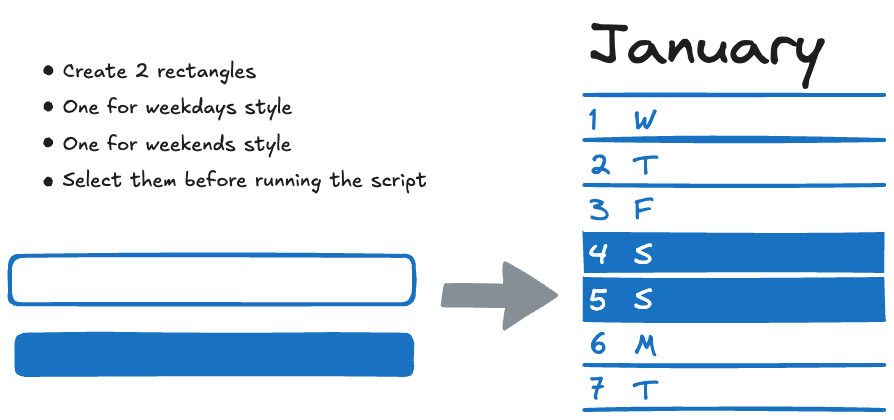
*/

ea.reset();

// -------------------------------------
// Constants initiation
// -------------------------------------

const RECT_WIDTH = 300; // day width
const RECT_HEIGHT = 45; // day height
const START_X = 0; // X start position
const START_Y = 0; // PY start position
const MONTH_SPACING = 30; // space between months
const DAY_SPACING = 0; // space between days
const DAY_NAME_SPACING = 45; // space between day number and day letters
const DAY_NAME_AND_NUMBER_X_MARGIN = 5;
const MONTH_NAME_SPACING = -40;
const YEAR_X = (RECT_WIDTH + MONTH_SPACING) * 6 - 150;
const YEAR_Y = -200;

let COLOR_WEEKEND = "#c3abf3";
let COLOR_WEEKDAY = "#ffffff";
const COLOR_DAY_STROKE = "none";
let STROKE_DAY = 4;
let FILLSTYLE_DAY = "solid";

const FONT_SIZE_MONTH = 60;
const FONT_SIZE_DAY = 30;
const FONT_SIZE_YEAR = 100;

const LINE_STROKE_SIZE = 4;
let LINE_STROKE_COLOR_WEEKDAY = "black";
let LINE_STROKE_COLOR_WEEKEND = "black";

const SATURDAY = 6;
const SUNDAY = 0;
const JANUARY = 0;
const FIRST_DAY_OF_THE_MONTH = 1;

const DAY_NAME_AND_NUMBER_Y_MARGIN = (RECT_HEIGHT - FONT_SIZE_DAY) / 2;

// -------------------------------------

// ask for requested Year
// Default value is the current year
let requestedYear = parseFloat(new Date().getFullYear());
requestedYear = parseFloat(await utils.inputPrompt("Year ?", requestedYear, requestedYear));
if(isNaN(requestedYear)) {
  new Notice("Invalid number");
  return;
}

// -------------------------------------
// Use selected element for the calendar style
// -------------------------------------

let elements = ea.getViewSelectedElements();
if (elements.length>=1){
	COLOR_WEEKDAY = elements[0].backgroundColor;
	FILLSTYLE_DAY = elements[0].fillStyle;
	STROKE_DAY = elements[0].strokeWidth;
	LINE_STROKE_COLOR_WEEKDAY = elements[0].strokeColor;

}
if (elements.length>=2){
	COLOR_WEEKEND = elements[1].backgroundColor;
	LINE_STROKE_COLOR_WEEKEND = elements[1].strokeColor;
}


// get the first day of the current year (01/01)
var firstDayOfYear = new Date(requestedYear, JANUARY, FIRST_DAY_OF_THE_MONTH);

var currentDay = firstDayOfYear

// write year number
let calendarYear = firstDayOfYear.getFullYear();
ea.style.fontSize = FONT_SIZE_YEAR;
ea.addText(START_X + YEAR_X, START_Y + YEAR_Y, String(calendarYear));


// while we do not reach the end of the year iterate on all the day of the current year
do {

	var curentDayOfTheMonth = currentDay.getDate();
	var currentMonth = currentDay.getMonth();
	var isWeekend = currentDay.getDay() == SATURDAY || currentDay.getDay() == SUNDAY;

	// set background color if it's a weekend or weekday
	ea.style.backgroundColor = isWeekend ? COLOR_WEEKEND : COLOR_WEEKDAY ;


	ea.style.strokeColor = COLOR_DAY_STROKE;
	ea.style.fillStyle = FILLSTYLE_DAY;
	ea.style.strokeWidth = STROKE_DAY;


	let x = START_X + currentMonth * (RECT_WIDTH + MONTH_SPACING);
	let y = START_Y + curentDayOfTheMonth * (RECT_HEIGHT + DAY_SPACING);

	// only one time per month
	if(curentDayOfTheMonth == FIRST_DAY_OF_THE_MONTH) {

		// add month name
		ea.style.fontSize = FONT_SIZE_MONTH;
		ea.addText(x + DAY_NAME_AND_NUMBER_X_MARGIN, START_Y+MONTH_NAME_SPACING, currentDay.toLocaleString('default', { month: 'long' }));
	}

	// Add day rectangle
	ea.style.fontSize = FONT_SIZE_DAY;
	ea.addRect(x, y, RECT_WIDTH, RECT_HEIGHT);

	// set stroke color based on weekday
	ea.style.strokeColor = isWeekend ? LINE_STROKE_COLOR_WEEKEND : LINE_STROKE_COLOR_WEEKDAY;

	// add line between days
	//ea.style.strokeColor = LINE_STROKE_COLOR_WEEKDAY;
	ea.style.strokeWidth = LINE_STROKE_SIZE;
	ea.addLine([[x,y],[x+RECT_WIDTH, y]]);


	// add day number
	ea.addText(x + DAY_NAME_AND_NUMBER_X_MARGIN, y + DAY_NAME_AND_NUMBER_Y_MARGIN, String(curentDayOfTheMonth));
	// add day name
	ea.addText(x + DAY_NAME_AND_NUMBER_X_MARGIN + DAY_NAME_SPACING, y + DAY_NAME_AND_NUMBER_Y_MARGIN, String(currentDay.toLocaleString('default', { weekday: 'narrow' })));

	// go to the next day
	currentDay.setDate(currentDay.getDate() + 1);

} while (!(currentDay.getMonth() == JANUARY && currentDay.getDate() == FIRST_DAY_OF_THE_MONTH)) // stop if we reach the 01/01 of the next year


await ea.addElementsToView(false, false, true);
Golden Ratio.md
/* The script performs two different functions depending on the elements selected in the view.
- In case you select text elements, the script will cycle through a set of font scales. First the 2 larger fonts following the Fibonacci sequence (fontsize * φ; fonsize * φ^2), then the 2 smaller fonts (fontsize / φ; fontsize / φ^2), finally the original size, followed again by the 2 larger fonts. If you wait 2 seconds, the sequence clears and starts from which ever font size you are on. So if you want the 3rd larges font, then toggle twice, wait 2 sec, then toggle again.
- In case you select a single rectangle, the script will open the "Golden Grid", "Golden Spiral" window, where you can set up the type of grid or spiral you want to insert into the document.
Gravitational point of spiral: \left[x,y\right]=\left[ x + \frac{{\text{width} \cdot \phi^2}}{{\phi^2 + 1}}\;, \; y + \frac{{\text{height} \cdot \phi^2}}{{\phi^2 + 1}} \right]
Dimensions of inner rectangles in case of Double Spiral: [width, height] = \left[\frac{width\cdot(\phi^2+1)}{2\phi^2}\;, \;\frac{height\cdot(\phi^2+1)}{2\phi^2}\right]
if(!ea.verifyMinimumPluginVersion || !ea.verifyMinimumPluginVersion("2.4.0")) {
  new Notice("This script requires a newer version of Excalidraw. Please install the latest version.");
  return;
}

const phi = (1 + Math.sqrt(5)) / 2; // Golden Ratio (φ)
const inversePhi = (1-1/phi);
const pointsPerCurve = 20; // Number of points per curve segment
const ownerWindow = ea.targetView.ownerWindow;
const hostLeaf = ea.targetView.leaf;
let dirty = false;
const ids = [];

const textEls = ea.getViewSelectedElements().filter(el=>el.type === "text");
let rect = ea.getViewSelectedElements().length === 1 ? ea.getViewSelectedElement() : null;
if(!rect || rect.type !== "rectangle") {
  //Fontsize cycle
  if(textEls.length>0) {
    if(window.excalidrawGoldenRatio) {
      clearTimeout(window.excalidrawGoldenRatio?.timer);
    } else {
      window.excalidrawGoldenRatio = {timer: null, cycle:-1};
    }
    window.excalidrawGoldenRatio.timer = setTimeout(()=>{delete window.excalidrawGoldenRatio;},2000);
    window.excalidrawGoldenRatio.cycle = (window.excalidrawGoldenRatio.cycle+1)%5;
    ea.copyViewElementsToEAforEditing(textEls);
    ea.getElements().forEach(el=> {
      el.fontSize = window.excalidrawGoldenRatio.cycle === 2
        ? el.fontSize / Math.pow(phi,4)
        : el.fontSize * phi;
      ea.style.fontFamily = el.fontFamily;
      ea.style.fontSize = el.fontSize;
      const {width, height } = ea.measureText(el.originalText);
      el.width = width;
      el.height = height;
    });
    ea.addElementsToView();
    return;
  }
  new Notice("Select text elements, or a select a single rectangle");
  return;
}
ea.copyViewElementsToEAforEditing([rect]);
rect = ea.getElement(rect.id);
ea.style.strokeColor = rect.strokeColor;
ea.style.strokeWidth = rect.strokeWidth;
ea.style.roughness = rect.roughness;
ea.style.angle = rect.angle;
let {x,y,width,height} = rect;

// --------------------------------------------
// Load Settings
// --------------------------------------------
let settings = ea.getScriptSettings();
if(!settings["Horizontal Grid"]) {
  settings = {
    "Horizontal Grid" : {
	  value: "left-right",
      valueset: ["none","letf-right","right-left","center-out","center-in"]
	},
    "Vertical Grid": {
      value: "none",
      valueset: ["none","top-down","bottom-up","center-out","center-in"]
    },
    "Size": {
      value: "6",
      valueset: ["2", "3", "4", "5", "6", "7", "8", "9", "10", "11", "12", "13", "14", "15", "16", "17", "18", "19", "20"]
    },
    "Aspect Choice": {
      value: "none",
      valueset: ["none","adjust-width","adjust-height"]
    },
    "Type": "grid",
    "Spiral Orientation": {
      value: "top-left",
      valueset: ["double","top-left","top-right","bottom-right","bottom-left"]
    },
    "Lock Elements": false,
    "Send to Back": false,
    "Update Style": false,
    "Bold Spiral": false,
  };
  await ea.setScriptSettings(settings);
}

let hDirection = settings["Horizontal Grid"].value;
let vDirection = settings["Vertical Grid"].value;
let aspectChoice = settings["Aspect Choice"].value;
let type = settings["Type"];
let spiralOrientation = settings["Spiral Orientation"].value;
let lockElements = settings["Lock Elements"];
let sendToBack = settings["Send to Back"];
let size = parseInt(settings["Size"].value);
let updateStyle = settings["Update Style"];
let boldSpiral = settings["Bold Spiral"];

// --------------------------------------------
// Rotation
// --------------------------------------------
let centerX, centerY;
const rotatePointAndAddToElementList = (elementID) => {
    ids.push(elementID);
    const line = ea.getElement(elementID);

    // Calculate the initial position of the line's center
    const lineCenterX = line.x + line.width / 2;
    const lineCenterY = line.y + line.height / 2;

    // Calculate the difference between the line's center and the rectangle's center
    const diffX = lineCenterX - (rect.x + rect.width / 2);
    const diffY = lineCenterY - (rect.y + rect.height / 2);

    // Apply the rotation to the difference
    const cosTheta = Math.cos(rect.angle);
    const sinTheta = Math.sin(rect.angle);
    const rotatedX = diffX * cosTheta - diffY * sinTheta;
    const rotatedY = diffX * sinTheta + diffY * cosTheta;

    // Calculate the new position of the line's center with respect to the rectangle's center
    const newLineCenterX = rotatedX + (rect.x + rect.width / 2);
    const newLineCenterY = rotatedY + (rect.y + rect.height / 2);

    // Update the line's coordinates by adjusting for the change in the center
    line.x += newLineCenterX - lineCenterX;
    line.y += newLineCenterY - lineCenterY;
}

const rotatePointsWithinRectangle = (points) => {
    const centerX = rect.x + rect.width / 2;
    const centerY = rect.y + rect.height / 2;

    const cosTheta = Math.cos(rect.angle);
    const sinTheta = Math.sin(rect.angle);

    const rotatedPoints = points.map(([x, y]) => {
        // Translate the point relative to the rectangle's center
        const translatedX = x - centerX;
        const translatedY = y - centerY;

        // Apply the rotation to the translated coordinates
        const rotatedX = translatedX * cosTheta - translatedY * sinTheta;
        const rotatedY = translatedX * sinTheta + translatedY * cosTheta;

        // Translate back to the original coordinate system
        const finalX = rotatedX + centerX;
        const finalY = rotatedY + centerY;

        return [finalX, finalY];
    });

    return rotatedPoints;
}

// --------------------------------------------
// Grid
// --------------------------------------------
const calculateGoldenSum = (baseOfGoldenGrid, pow) => {
  const ratio = 1 / phi;
  const geometricSum = baseOfGoldenGrid * ((1 - Math.pow(ratio, pow)) / (1 - ratio));
  return geometricSum;
};

const findBaseForGoldenGrid = (targetValue, n, scenario) => {
  const ratio = 1 / phi;
      if (scenario === "center-out") {
      return targetValue * (2-2*ratio) / (1 + ratio + 2*Math.pow(ratio,n));
    } else if (scenario === "center-in") {
      return targetValue*2*(1-ratio)*Math.pow(phi,n-1) /(2*Math.pow(phi,n-1)*(1-Math.pow(ratio,n))-1+ratio);
    } else {
      return targetValue * (1-ratio)/(1-Math.pow(ratio,n));
    }
}

const calculateOffsetVertical = (scenario, base) => {
  if (scenario === "center-out") return base / 2;
  if (scenario === "center-in") return base / Math.pow(phi, size + 1) / 2;
  return 0;
};

const horizontal = (direction, scenario) => {
  const base = findBaseForGoldenGrid(width, size + 1, scenario);
  const totalGridWidth = calculateGoldenSum(base, size + 1);

  for (i = 1; i <= size; i++) {
    const offset =
      scenario === "center-out"
        ? totalGridWidth - calculateGoldenSum(base, i)
        : calculateGoldenSum(base, size + 1 - i);

    const x2 =
      direction === "left"
        ? x + offset
        : x + width - offset;

    rotatePointAndAddToElementList(
      ea.addLine([
        [x2, y],
        [x2, y + height],
      ])
    );
  }
};

const vertical = (direction, scenario) => {
  const base = findBaseForGoldenGrid(height, size + 1, scenario);
  const totalGridWidth = calculateGoldenSum(base, size + 1);

  for (i = 1; i <= size; i++) {
    const offset =
      scenario === "center-out"
        ? totalGridWidth - calculateGoldenSum(base, i)
        : calculateGoldenSum(base, size + 1 - i);

    const y2 =
      direction === "top"
        ? y + offset
        : y + height - offset;

    rotatePointAndAddToElementList(
      ea.addLine([
        [x, y2],
        [x+width, y2],
      ])
    );
  }
};

const centerHorizontal = (scenario) => {
  width = width / 2;
  horizontal("left", scenario);
  x += width;
  horizontal("right", scenario);
  x -= width;
  width = 2*width;

};

const centerVertical = (scenario) => {
  height = height / 2;
  vertical("top", scenario);
  y += height;
  vertical("bottom", scenario);
  y -= height;
  height = 2*height;
};

const drawGrid = () => {
  switch(hDirection) {
    case "none": break;
    case "left-right": horizontal("left"); break;
    case "right-left": horizontal("right"); break;
    case "center-out": centerHorizontal("center-out"); break;
    case "center-in": centerHorizontal("center-in"); break;
  }
  switch(vDirection) {
    case "none": break;
    case "top-down": vertical("top"); break;
    case "bottom-up": vertical("bottom"); break;
    case "center-out": centerVertical("center-out"); break;
    case "center-in": centerVertical("center-in"); break;
  }
}

// --------------------------------------------
// Draw Spiral
// --------------------------------------------
const drawSpiral = () => {
  let nextX, nextY, nextW, nextH;
  let spiralPoints = [];
  let curveEndX, curveEndY, curveX, curveY;

  const phaseShift = {
    "bottom-right": 0,
    "bottom-left": 2,
    "top-left": 2,
    "top-right": 0,
  }[spiralOrientation];

  let curveStartX = {
    "bottom-right": x,
    "bottom-left": x+width,
    "top-left": x+width,
    "top-right": x,
  }[spiralOrientation];

  let curveStartY = {
    "bottom-right": y+height,
    "bottom-left": y+height,
    "top-left": y,
    "top-right": y,
  }[spiralOrientation];

  const mirror = spiralOrientation === "bottom-left" || spiralOrientation === "top-right";
  for (let i = phaseShift; i < size+phaseShift; i++) {
    const curvePhase = i%4;
    const linePhase = mirror?[0,3,2,1][curvePhase]:curvePhase;
    const longHorizontal = width/phi;
    const shortHorizontal = width*inversePhi;
    const longVertical = height/phi;
    const shortVertical = height*inversePhi;
    switch(linePhase) {
      case 0: //right
        nextX = x + longHorizontal;
        nextY = y;
        nextW = shortHorizontal;
        nextH = height;
        break;
      case 1: //down
        nextX = x;
        nextY = y + longVertical;
        nextW = width;
        nextH = shortVertical;
        break;
      case 2: //left
        nextX = x;
        nextY = y;
        nextW = shortHorizontal;
        nextH = height;
        break;
      case 3: //up
        nextX = x;
        nextY = y;
        nextW = width;
        nextH = shortVertical;
        break;
    }

    switch(curvePhase) {
      case 0: //right
        curveEndX = nextX;
        curveEndY = mirror ? nextY + nextH : nextY;
        break;
      case 1: //down
        curveEndX = nextX + nextW;
        curveEndY = mirror ? nextY + nextH : nextY;
        break;
      case 2: //left
        curveEndX = nextX + nextW;
        curveEndY = mirror ? nextY : nextY + nextH;
        break;
      case 3: //up
        curveEndX = nextX;
        curveEndY = mirror ? nextY : nextY + nextH;
        break;
    }

    // Add points for the curve segment

    for (let j = 0; j <= pointsPerCurve; j++) {
      const t = j / pointsPerCurve;
      const angle = -Math.PI / 2 * t;

      switch(curvePhase) {
        case 0:
          curveX = curveEndX + (curveStartX - curveEndX) * Math.cos(angle);
          curveY = curveStartY + (curveStartY - curveEndY) * Math.sin(angle);
          break;
        case 1:
          curveX = curveStartX + (curveStartX - curveEndX) * Math.sin(angle);
          curveY = curveEndY + (curveStartY - curveEndY) * Math.cos(angle);
          break;
        case 2:
          curveX = curveEndX + (curveStartX - curveEndX) * Math.cos(angle);
          curveY = curveStartY + (curveStartY - curveEndY) * Math.sin(angle);
          break;
        case 3:
          curveX = curveStartX + (curveStartX - curveEndX) * Math.sin(angle);
          curveY = curveEndY + (curveStartY - curveEndY) * Math.cos(angle);
          break;
      }
      spiralPoints.push([curveX, curveY]);
    }
    x = nextX;
    y = nextY;
    curveStartX = curveEndX;
    curveStartY = curveEndY;
    width = nextW;
    height = nextH;
    switch(linePhase) {
      case 0: rotatePointAndAddToElementList(ea.addLine([[x,y],[x,y+height]]));break;
      case 1: rotatePointAndAddToElementList(ea.addLine([[x,y],[x+width,y]]));break;
      case 2: rotatePointAndAddToElementList(ea.addLine([[x+width,y],[x+width,y+height]]));break;
      case 3: rotatePointAndAddToElementList(ea.addLine([[x,y+height],[x+width,y+height]]));break;
    }
  }
  const strokeWidth = ea.style.strokeWidth;
  ea.style.strokeWidth = strokeWidth * (boldSpiral ? 3 : 1);
  const angle = ea.style.angle;
  ea.style.angle = 0;
  ids.push(ea.addLine(rotatePointsWithinRectangle(spiralPoints)));
  ea.style.angle = angle;
  ea.style.strokeWidth = strokeWidth;
}

// --------------------------------------------
// Update Aspect Ratio
// --------------------------------------------
const updateAspectRatio = () => {
  switch(aspectChoice) {
    case "none": break;
    case "adjust-width": rect.width = rect.height/phi; break;
    case "adjust-height": rect.height = rect.width/phi; break;
  }
  ({x,y,width,height} = rect);
  centerX = x + width/2;
  centerY = y + height/2;
}
// --------------------------------------------
// UI
// --------------------------------------------
draw = async () => {
  if(updateStyle) {
    ea.style.strokeWidth = 0.5; rect.strokeWidth;
    ea.style.roughness = 0; rect.roughness;
    ea.style.roundness = null;
    rect.strokeWidth = 0.5;
    rect.roughness = 0;
    rect.roundness = null;
  }
  updateAspectRatio();
  switch(type) {
    case "grid": drawGrid(); break;
    case "spiral":
      if(spiralOrientation === "double") {
        wInner = width * (Math.pow(phi,2)+1)/(2*Math.pow(phi,2));
        hInner = height * (Math.pow(phi,2)+1)/(2*Math.pow(phi,2));
        x2 = width - wInner + x;
        y2 = height - hInner + y;
        width = wInner;
        height = hInner;
        rotatePointAndAddToElementList(ea.addRect(x,y,width,height));
        spiralOrientation = "bottom-right";
        drawSpiral();
        x = x2;
        y = y2;
        width = wInner;
        height = hInner;
        rotatePointAndAddToElementList(ea.addRect(x,y,width,height));
        spiralOrientation = "top-left";
        drawSpiral();
        spiralOrientation = "double";
      } else {
        drawSpiral();
      }
      break;
  }
  ea.addToGroup(ids);
  ids.push(rect.id);
  ea.addToGroup(ids);
  lockElements && ea.getElements().forEach(el=>{el.locked = true;});
  await ea.addElementsToView(false,false,!sendToBack);
  !lockElements && ea.selectElementsInView(ea.getViewElements().filter(el => ids.includes(el.id)));
}

const modal = new ea.obsidian.Modal(app);

const fragWithHTML = (html) => createFragment((frag) => (frag.createDiv().innerHTML = html));

const keydownListener = (e) => {
  if(hostLeaf !== app.workspace.activeLeaf) return;
  if(hostLeaf.width === 0 && hostLeaf.height === 0) return;
  if(e.key === "Enter" && (e.ctrlKey || e.shiftKey || e.metaKey || e.altKey)) {
    e.preventDefault();
    modal.close();
    draw()
  }
}
ownerWindow.addEventListener('keydown',keydownListener);

modal.onOpen = async () => {
  const contentEl = modal.contentEl;
  contentEl.createEl("h1", {text: "Golden Ratio"});

  new ea.obsidian.Setting(contentEl)
    .setName("Adjust Rectangle Aspect Ratio to Golden Ratio")
    .addDropdown(dropdown=>dropdown
      .addOption("none","None")
      .addOption("adjust-width","Adjust Width")
      .addOption("adjust-height","Adjust Height")
      .setValue(aspectChoice)
      .onChange(value => {
        aspectChoice = value;
        dirty = true;
      })
   );

  new ea.obsidian.Setting(contentEl)
    .setName("Change Line Style To: thin, architect, sharp")
    .addToggle(toggle=>
      toggle
      .setValue(updateStyle)
      .onChange(value => {
        dirty = true;
        updateStyle = value;
      })
    )

  let sizeEl;
  new ea.obsidian.Setting(contentEl)
    .setName("Number of lines")
    .addSlider(slider => slider
      .setLimits(2, 20, 1)
      .setValue(size)
      .onChange(value => {
        sizeEl.innerText = ` ${value.toString()}`;
        size = value;
        dirty = true;
      }),
    )
    .settingEl.createDiv("", el => {
      sizeEl = el;
      el.style.minWidth = "2.3em";
      el.style.textAlign = "right";
      el.innerText = ` ${size.toString()}`;
    });

  new ea.obsidian.Setting(contentEl)
    .setName("Lock Rectangle and Gridlines")
    .addToggle(toggle=>
      toggle
      .setValue(lockElements)
      .onChange(value => {
        dirty = true;
        lockElements = value;
      })
    )

  new ea.obsidian.Setting(contentEl)
    .setName("Send to Back")
    .addToggle(toggle=>
      toggle
      .setValue(sendToBack)
      .onChange(value => {
        dirty = true;
        sendToBack = value;
      })
    )

  let bGrid, bSpiral;
  let sHGrid, sVGrid, sSpiral, sBoldSpiral;
  const showGridSettings = (value) => {
    value
      ? (bGrid.setCta(), bSpiral.removeCta())
      : (bGrid.removeCta(), bSpiral.setCta());
    sHGrid.settingEl.style.display = value ? "" : "none";
    sVGrid.settingEl.style.display = value ? "" : "none";
    sSpiral.settingEl.style.display = !value ? "" : "none";
    sBoldSpiral.settingEl.style.display = !value ? "" : "none";
  }

  new ea.obsidian.Setting(contentEl)
    .setName(fragWithHTML("<h3>Output Type</h3>"))
    .addButton(button => {
      bGrid = button;
      button
      .setButtonText("Grid")
      .setCta(type === "grid")
      .onClick(event => {
        type = "grid";
        showGridSettings(true);
        dirty = true;
      })
    })
    .addButton(button => {
      bSpiral = button;
      button
      .setButtonText("Spiral")
      .setCta(type === "spiral")
      .onClick(event => {
        type = "spiral";
        showGridSettings(false);
        dirty = true;
      })
    });

  sSpiral = new ea.obsidian.Setting(contentEl)
    .setName("Spiral Orientation")
    .addDropdown(dropdown=>dropdown
      .addOption("double","Double")
      .addOption("top-left","Top left")
      .addOption("top-right","Top right")
      .addOption("bottom-right","Bottom right")
      .addOption("bottom-left","Bottom left")
      .setValue(spiralOrientation)
      .onChange(value => {
        spiralOrientation = value;
        dirty = true;
      })
   );

  sBoldSpiral = new ea.obsidian.Setting(contentEl)
    .setName("Spiral with Bold Line")
    .addToggle(toggle=>
      toggle
      .setValue(boldSpiral)
      .onChange(value => {
        dirty = true;
        boldSpiral = value;
      })
    )

  sHGrid = new ea.obsidian.Setting(contentEl)
    .setName("Horizontal Grid")
    .addDropdown(dropdown=>dropdown
      .addOption("none","None")
      .addOption("left-right","Left to right")
      .addOption("right-left","Right to left")
      .addOption("center-out","Center out")
      .addOption("center-in","Center in")
      .setValue(hDirection)
      .onChange(value => {
        hDirection = value;
        dirty = true;
      })
   );

  sVGrid = new ea.obsidian.Setting(contentEl)
    .setName("Vertical Grid")
    .addDropdown(dropdown=>dropdown
      .addOption("none","None")
      .addOption("top-down","Top down")
      .addOption("bottom-up","Bootom up")
      .addOption("center-out","Center out")
      .addOption("center-in","Center in")
      .setValue(vDirection)
      .onChange(value => {
        vDirection = value;
        dirty = true;
      })
   );

  showGridSettings(type === "grid");
  new ea.obsidian.Setting(contentEl)
    .addButton(button => button
      .setButtonText("Run")
      .setCta(true)
      .onClick(async (event) => {
        draw();
        modal.close();
      })
    );
}

modal.onClose = () => {
  if(dirty) {
    settings["Horizontal Grid"].value = hDirection;
    settings["Vertical Grid"].value = vDirection;
    settings["Size"].value = size.toString();
    settings["Aspect Choice"].value = aspectChoice;
    settings["Type"] = type;
    settings["Spiral Orientation"].value = spiralOrientation;
    settings["Lock Elements"] = lockElements;
    settings["Send to Back"] = sendToBack;
    settings["Update Style"] = updateStyle;
    settings["Bold Spiral"] = boldSpiral;
    ea.setScriptSettings(settings);
  }
  ownerWindow.removeEventListener('keydown',keydownListener);
}

modal.open();
Grid Selected Images.md
/*
This script arranges selected images into compact grid view, removing gaps in-between, resizing when necessary and breaking into multiple rows/columns.
*/

try {
  let els = ea.getViewSelectedElements().filter(el => el.type == 'image');

  new Notice(els.length);

  if (els.length == 0) throw new Error('No image elements selected');

  const bounds = ea.getBoundingBox(els);
  const { topX, topY, width, height } = bounds;

  els.sort((a, b) => a.x + a.y < b.x + b.y);

  const areaAvailable = width * height;

  let elWidth = els[0].width;
  let elHeight = els[0].height;

  if (elWidth * elHeight > areaAvailable) {
    while (elWidth * elHeight > areaAvailable) {
      elWidth /= 1.1;
      elHeight /= 1.1;
    }
  } else if (elWidth * elHeight < areaAvailable) {
    while (elWidth * elHeight < areaAvailable) {
      elWidth *= 1.1;
      elHeight *= 1.1;
    }
  }

  const rows = (width - elWidth) / elWidth;

  let row = 0, column = 0;
  for (const element of els) {
    element.x = topX + (elWidth * row);
    element.y = topY + (elHeight * column);

    if (element.width > elWidth) {
      while (element.width >= elWidth) {
        element.width /= 1.1;
        element.height /= 1.1;
      }
    } else if (element.width < elWidth) {
      while (element.width <= elWidth) {
        element.width *= 1.1;
        element.height *= 1.1;
      }
    }

    row++;
    if (row > rows) {
      row = 0;
      column++;
    }
  }

  ea.addElementsToView(false, true, true);
} catch (err) {
  _ = new Notice(err.toString())
}
Icon Library.md
/*
- ==============================================================================
- Icon Library Sidepanel
- ==============================================================================
- Purpose:
- Provides a responsive, lazily loaded icon library implemented natively as an
- Excalidraw Automate Sidepanel. It allows users to search, keyboard-navigate,
- and seamlessly insert items (SVG exports of Excalidraw files or raster images)
- into Excalidraw or MindMap Builder.
- Key Features:
-
- Configurable regex-based file filtering and keyword extraction.
-
- Auto-generation of SVG thumbnails for Excalidraw files.
-
- Lazy-loaded grid with responsive thumbnail sizing via a vertical slider popover.
-
- Theme-aware thumbnail backgrounds (configurable for Light and Dark modes).
-
- Keyboard accessibility for navigation and insertion.
-
- MindMap Builder integration.
- High-Level Logic / Architecture:
-
- Global Constants & Strings: Centralized at the top for easy localization and tuning.
-
- Main entry point (
main()) handles singleton tab creation and state management.
- Main entry point (
-
- Strictly modular UI rendering functions separate layout assembly from business logic.
-
- Lazy loading is managed via an IntersectionObserver to conserve memory.
-
- A custom settings modal handles configuration and includes a live regex tester.
- ==============================================================================
// ==============================================================================
// 1. Constants & Strings
// ==============================================================================
const STRINGS = {
TAB_TITLE: "Icon Library",
SEARCH_PLACEHOLDER: "Search icons...",
LOADING: "Loading...",
ERROR: "Error",
SETTINGS_TITLE: "Icon Library Settings",
SETTINGS_SAVE: "Save Settings",
TEST_REGEX_TITLE: "Test Regex & Find Matches",
TEST_REGEX_PLACEHOLDER: "Enter a filename to test regex...",
TEST_BTN_FIND: "Find All Matching Files in Vault",
EXCLUDE_NAME: "Exclude Folders",
EXCLUDE_DESC: "Comma or newline separated folder paths to ignore.",
WIDTH_NAME: "Default Icon Width",
WIDTH_DESC: "Width when inserting the icon into the scene.",
LIGHT_BG_NAME: "Light Mode Thumbnail Background",
LIGHT_BG_DESC: "Background color applied behind thumbnails in Light mode (e.g. #ffffff or rgba(0,0,0,0.1)). Leave empty for transparent.",
DARK_BG_NAME: "Dark Mode Thumbnail Background",
DARK_BG_DESC: "Background color applied behind thumbnails in Dark mode. Leave empty for transparent.",
FILTERS_TITLE: "Filters (Regular Expressions)",
FILTERS_DESC: "Create regular expressions to match filenames and extract keywords using capture groups (.*). Note: All expressions are evaluated case-insensitively."
};
const CONSTANTS = {
IMAGE_EXTS: ["png", "jpg", "jpeg", "gif", "svg", "webp"],
DEFAULT_THUMB_SIZE: 100,
DEFAULT_ICON_WIDTH: 180,
DEBOUNCE_DELAY: 200,
OBSERVER_MARGIN: "50px",
ICON_SCALE: "scaling",
ICON_SETTINGS: "settings",
CSS_PREFIX: "excalidraw-icon-library-"
};
// ==============================================================================
// 2. Data & Utility Functions
// ==============================================================================
/**
* Initializes and returns the script settings, ensuring all default values are present.
* @returns {Object} The current settings object.
*/
function initializeSettings() {
let currentSettings = ea.getScriptSettings();
if (!currentSettings.filters) {
currentSettings = {
filters: [
{ name: "Icon", pattern: "^icon - (.*?)(?: - [^-]+)?$", folderPattern: "", extensions: "", maxKb: "" },
{ name: "Stickfigure", pattern: "^stickfigure - (.*?)(?: - [^-]+)?$", folderPattern: "", extensions: "", maxKb: "" },
{ name: "Logo", pattern: "^logo - (.*?)(?: - [^-]+)?$", folderPattern: "", extensions: "", maxKb: "" }
],
excludeFolders: "",
defaultIconWidth: CONSTANTS.DEFAULT_ICON_WIDTH,
thumbSize: CONSTANTS.DEFAULT_THUMB_SIZE,
lightBgColor: "#FFFFFF60",
darkBgColor: "#FFFFFF60"
};
ea.setScriptSettings(currentSettings);
}
// Patch existing configurations missing new properties
if (currentSettings.lightBgColor === undefined) currentSettings.lightBgColor = "#FFFFFF80";
if (currentSettings.darkBgColor === undefined) currentSettings.darkBgColor = "#FFFFFF80";
if (currentSettings.defaultIconWidth === undefined) currentSettings.defaultIconWidth = CONSTANTS.DEFAULT_ICON_WIDTH;
if (currentSettings.thumbSize === undefined) currentSettings.thumbSize = CONSTANTS.DEFAULT_THUMB_SIZE;
currentSettings.filters = currentSettings.filters.map(f => ({
name: f.name || "Unnamed",
pattern: f.pattern || "",
folderPattern: f.folderPattern || "",
extensions: f.extensions || "",
maxKb: f.maxKb || ""
}));
// Initialize active filters state if missing (defaults to all filters enabled)
if (currentSettings.activeFilterNames === undefined) {
currentSettings.activeFilterNames = currentSettings.filters.map(f => f.name);
}
return currentSettings;
}
/**
* Creates a debounced version of the provided function.
* @param {Function} func - The function to debounce.
* @param {number} wait - The delay in milliseconds.
* @returns {Function} The debounced function.
*/
function debounce(func, wait) {
let timeout;
return function (...args) {
clearTimeout(timeout);
timeout = setTimeout(() => func.apply(this, args), wait);
};
}
/**
* Scans the vault for files matching the active regex filters.
* Applies the 4-condition AND logic (Folder, Keyword, Extension, Size) per filter.
* @param {Object} currentSettings - The current script settings.
* @param {Array<string>} overrideActiveFilters - Optional override for active filter testing.
* @returns {Array<{file: TFile, keyword: string, filterName: string}>} Sorted array of matched files.
*/
function getLibraryItems(currentSettings, overrideActiveFilters = null) {
const excludeFolders = (currentSettings.excludeFolders || "")
.split(/[\n,]/)
.map(f => f.trim())
.filter(f => f);
const files = app.vault.getFiles().filter(f => {
if (excludeFolders.some(ex => f.path.startsWith(ex))) return false;
// Optimization: File extension validation is now handled per-filter, so we pass all non-excluded files.
return true;
});
const items = [];
const activeFilterNames = overrideActiveFilters || currentSettings.activeFilterNames || [];
const activeFilters = currentSettings.filters
.filter(f => activeFilterNames.includes(f.name))
.map(f => {
try {
return {
name: f.name,
regex: new RegExp(f.pattern, "i"),
folderRegex: f.folderPattern ? new RegExp(f.folderPattern, "i") : null,
folderString: f.folderPattern || "",
extensions: f.extensions ? f.extensions.split(",").map(e => e.trim().toLowerCase().replace(/^\./, '')) : [],
maxSize: parseFloat(f.maxSize) || null
};
// Migrate to new schema dynamically:
return {
name: f.name,
regex: new RegExp(f.pattern, "i"),
folderRegex: f.folderPattern ? new RegExp(f.folderPattern, "i") : null,
extensions: f.extensions ? f.extensions.split(",").map(e => e.trim().toLowerCase().replace(/^\./, '')) : [],
maxSize: parseFloat(f.maxKb) || null
};
}
catch (e) { return null; }
})
.filter(f => f);
for (const file of files) {
let matched = false;
let keyword = file.basename;
let filterName = "";
for (const filter of activeFilters) {
// 1. Check Extension
if (filter.extensions.length > 0) {
if (!filter.extensions.includes(file.extension.toLowerCase())) continue;
} else {
// Default fallback if no extensions specified: images and Excalidraw files
const isImage = CONSTANTS.IMAGE_EXTS.includes(file.extension.toLowerCase());
const isExcal = ea.isExcalidrawFile(file);
if (!isImage && !isExcal) continue;
}
// 2. Check Folder Path
if (filter.folderRegex) {
if (!filter.folderRegex.test(file.parent.path)) continue;
}
// 3. Check File Size (maxKb)
if (filter.maxSize !== null) {
const sizeKb = file.stat.size / 1024;
if (sizeKb > filter.maxSize) continue;
}
// 4. Check Keyword pattern
const match = filter.regex.exec(file.basename);
if (match) {
matched = true;
filterName = filter.name;
// If a capture group exists, use it as the keyword
keyword = match[1] ? match[1].trim() : file.basename;
break; // OR logic achieved: stop processing filters if one matches
}
}
if (matched) {
items.push({ file, keyword, filterName });
}
}
return items.sort((a, b) => a.keyword.localeCompare(b.keyword));
}
// ==============================================================================
// 3. Rendering & Insertion Logic
// ==============================================================================
/**
* Generates an SVG representation of an Excalidraw file for thumbnail display.
* Simplifies loading by passing the file path directly as the templatePath to ea.createSVG().
* Caches generated SVGs based on file modification time (mtime) for high performance.
* @param {TFile} file - The Excalidraw file.
* @returns {Promise<HTMLElement|SVGSVGElement>} The generated SVG element or an error div.
*/
async function getSvgThumbnail(file) {
// Initialize the cache Map directly on the function object to avoid loose global variables
if (!getSvgThumbnail.cache) {
getSvgThumbnail.cache = new Map();
}
const cacheKey = file.path;
const currentMtime = file.stat.mtime;
const cachedItem = getSvgThumbnail.cache.get(cacheKey);
// Return a clone of the cached SVG if the file hasn't been modified
if (cachedItem && cachedItem.mtime === currentMtime) {
// Deep clone the DOM node so it can be safely injected into multiple containers over time
return cachedItem.svg.cloneNode(true);
}
try {
// Ensure the workbench is empty so only the template content is rendered
ea.clear();
// Configure export settings (withBackground = false, withTheme = false)
const exportSettings = ea.getExportSettings(false, false);
// Generate the SVG by passing the file path as the template.
// ExcalidrawAutomate handles loading the scene and any embedded images natively.
// We pass 'undefined' for the loader so EA creates its own.
const svg = await ea.createSVG(file.path, false, exportSettings, undefined, "light", 0);
// Store the mtime and a clone of the generated SVG in the cache
getSvgThumbnail.cache.set(cacheKey, {
mtime: currentMtime,
svg: svg.cloneNode(true)
});
return svg;
} catch (e) {
console.error("Failed to generate SVG for", file.path, e);
const div = document.createElement("div");
div.innerText = STRINGS.ERROR;
div.style.color = "var(--text-error)";
return div;
}
}
/**
* Renders the thumbnail inside the provided container, generating SVG or loading an image.
* @param {TFile} file - The file to render.
* @param {HTMLElement} container - The DOM container to render into.
* @returns {Promise<void>}
*/
async function renderThumbnail(file, container) {
container.empty();
if (ea.isExcalidrawFile(file)) {
const svg = await getSvgThumbnail(file);
svg.style.width = "100%";
svg.style.height = "100%";
container.appendChild(svg);
} else {
const img = container.createEl("img");
img.src = app.vault.getResourcePath(file);
img.style.width = "100%";
img.style.height = "100%";
img.style.objectFit = "contain";
}
}
/**
* Inserts the selected file into the Excalidraw scene or MindMap Builder.
* Modified to insert precisely at the visible center of the scene and auto-select.
* @param {TFile} file - The file to insert.
* @param {Object} currentSettings - The active settings containing dimensions.
* @returns {Promise<void>}
*/
async function insertItem(file, currentSettings) {
const mmb = window.MindMapBuilderAPI;
let insertedToMmb = false;
const targetWidth = currentSettings.defaultIconWidth;
// MindMap Builder integration
if (mmb && typeof mmb.ready === "function" && mmb.ready()) {
const selRes = mmb.getSelection();
if (selRes.ok && selRes.data.nodeId) {
const link = `![[${file.path}|${targetWidth}]]`;
const addRes = await mmb.addNode({
text: link,
parentId: selRes.data.nodeId
});
if (addRes.ok) insertedToMmb = true;
}
}
// Standard Excalidraw insertion
if (!insertedToMmb) {
if (!ea.targetView) return;
ea.clear();
const center = ea.getViewCenterPosition();
const id = await ea.addImage(center.x, center.y, file, true); // Insert at 100% scale first
const el = ea.getElement(id);
if (el) {
if (el.width && el.height) {
const ratio = el.height / el.width;
el.width = targetWidth;
el.height = targetWidth * ratio;
} else {
el.width = targetWidth;
el.height = targetWidth;
}
// Adjust X and Y so the element is perfectly centered on the screen
el.x = center.x - el.width / 2;
el.y = center.y - el.height / 2;
}
// Add to view without repositioning to cursor
await ea.addElementsToView(false, false, true);
// Select the newly inserted element
const newEl = ea.getViewElements().find(e => e.id === id);
if (newEl) {
ea.selectElementsInView([newEl]);
}
}
}
// ==============================================================================
// 4. UI Components & Layout
// ==============================================================================
/**
* Injects required CSS styles into the sidepanel content element.
* @param {HTMLElement} contentEl - The tab's content element.
*/
function injectCSS(contentEl) {
contentEl.createEl("style", {
text: `
.${CONSTANTS.CSS_PREFIX}header { display: flex; flex-wrap: wrap; align-items: center; gap: 8px; margin-bottom: 15px; }
.${CONSTANTS.CSS_PREFIX}search-wrapper {
display: flex;
align-items: center;
position: relative;
flex-grow: 1;
min-width: 150px;
border: 1px solid var(--background-modifier-border);
border-radius: 4px;
background: var(--background-modifier-form-field);
}
.${CONSTANTS.CSS_PREFIX}search {
flex-grow: 1;
padding: 5px 8px;
border: none !important;
box-shadow: none !important;
background: transparent !important;
width: 100%;
}
.${CONSTANTS.CSS_PREFIX}buttons-wrapper {
display: flex;
align-items: center;
gap: 8px;
margin-left: auto;
}
.${CONSTANTS.CSS_PREFIX}scale-btn {
cursor: pointer;
padding: 4px 8px;
display: flex;
align-items: center;
color: var(--text-muted);
}
.${CONSTANTS.CSS_PREFIX}scale-btn {
cursor: pointer;
padding: 4px 8px;
display: flex;
align-items: center;
color: var(--text-muted);
}
.${CONSTANTS.CSS_PREFIX}scale-btn:hover { color: var(--text-normal); }
.${CONSTANTS.CSS_PREFIX}slider-popover {
display: none;
position: absolute;
right: 0;
top: calc(100% + 5px);
z-index: 10;
background: var(--background-secondary);
border: 1px solid var(--background-modifier-border);
padding: 15px 0;
border-radius: 6px;
box-shadow: 0 4px 6px rgba(0,0,0,0.1);
}
/* Wrapper to hold the rotated slider without breaking layout */
.${CONSTANTS.CSS_PREFIX}slider-wrapper {
position: relative;
width: 30px;
height: 120px;
margin: 0 auto;
}
/* Rotate standard horizontal slider to bypass webkit vertical limitations.
Obsidian's native theme colors will now perfectly apply to this element. */
.${CONSTANTS.CSS_PREFIX}slider {
position: absolute;
top: 50%;
left: 50%;
transform: translate(-50%, -50%) rotate(-90deg);
width: 120px !important;
margin: 0;
}
.${CONSTANTS.CSS_PREFIX}settings-btn {
cursor: pointer;
padding: 4px;
border-radius: 4px;
display: flex;
align-items: center;
justify-content: center;
}
.${CONSTANTS.CSS_PREFIX}settings-btn:hover { background-color: var(--background-modifier-hover); }
.${CONSTANTS.CSS_PREFIX}grid {
display: grid;
grid-template-columns: repeat(auto-fill, minmax(var(--thumb-size, 100px), 1fr));
gap: 10px;
overflow-y: auto;
padding-bottom: 20px;
}
.${CONSTANTS.CSS_PREFIX}card {
display: flex;
flex-direction: column;
align-items: center;
border: 1px solid var(--background-modifier-border);
border-radius: 6px;
padding: 8px;
cursor: pointer;
outline: none;
transition: border-color 0.2s, background-color 0.2s;
background: var(--background-secondary);
}
.${CONSTANTS.CSS_PREFIX}card:hover, .${CONSTANTS.CSS_PREFIX}card:focus {
border-color: var(--interactive-accent);
background: var(--background-primary);
}
.${CONSTANTS.CSS_PREFIX}img-container {
width: 100%;
aspect-ratio: 1;
display: flex;
align-items: center;
justify-content: center;
overflow: hidden;
border-radius: 4px;
}
.${CONSTANTS.CSS_PREFIX}label {
margin-top: 8px;
font-size: 0.8em;
text-align: center;
word-break: break-word;
color: var(--text-normal);
max-height: 2.4em;
overflow: hidden;
user-select: none;
}
.${CONSTANTS.CSS_PREFIX}loading {
color: var(--text-muted);
font-size: 0.8em;
}
`
});
}
/**
* Displays an informational modal with instructions on how to use the Icon Library.
* @param {App} app - The Obsidian App instance.
*/
function showInfoModal(app) {
const modal = new ea.obsidian.Modal(app);
modal.titleEl.setText("Icon Library Info");
const content = modal.contentEl;
content.createEl("style", {
text: `
.icon-lib-info-list { margin-top: 0; padding-left: 20px; }
.icon-lib-info-list li { margin-bottom: 12px; line-height: 1.4; }
`
});
content.createEl("p", { text: "Welcome to the Icon Library! Here is a brief explanation of its use:" });
const ul = content.createEl("ul", { cls: "icon-lib-info-list" });
ul.createEl("li").innerHTML = `<b>Naming convention:</b> The pre-configured icon naming convention (recommended, but can be modified in settings) is "<code>type - comma, separated, keywords - source</code>", e.g. "icon - book, read, study - flaticon".`;
ul.createEl("li").innerHTML = `<b>Usage:</b> Type in your search, press <code>Tab</code>, use arrow keys to select, press <code>Enter</code> to insert into the scene, press <code>ESC</code> to close the sidepanel.`;
ul.createEl("li").innerHTML = `<b>Hotkey:</b> Setup an Obsidian Hotkey for the script so it opens quickly when needed.`;
ul.createEl("li").innerHTML = `<b>Mouse:</b> If using a mouse, simply click on an icon to insert it into the scene.`;
ul.createEl("li").innerHTML = `<b>MindMap Builder:</b> If you have MindMap Builder installed and running, and a mindmap node is currently selected, the icon will be added to the mindmap directly as a leaf.`;
ul.createEl("li").innerHTML = `<b>Size:</b> Default insert size is 180x180 (for square icons). To learn more why, join the <a href="https://community.sketch-your-mind.com/vtw">Visual Thinking Workshop</a>, or join <a href="https://community.sketch-your-mind.com/em">Excalidraw Mastery</a>.`;
ul.createEl("li").innerHTML = `<b>Philosophy:</b> To understand the underlying philosophy of the plugin and the scripts, read my book: <a href="https://community.sketch-your-mind.com/sym">Sketch Your Mind</a>.`;
ul.createEl("li").innerHTML = `<b>What else?</b> Have fun building beautiful visual structures!`;
const btnContainer = content.createDiv({ attr: { style: "display: flex; justify-content: flex-end; margin-top: 20px;" }});
const closeBtn = btnContainer.createEl("button", { text: "Close", cls: "mod-cta" });
closeBtn.onclick = () => modal.close();
modal.open();
}
/**
* Builds the header section containing the search bar, funnel filters, scale popover, and settings buttons.
* @param {HTMLElement} contentEl - The parent container.
* @param {Object} state - The global script state.
* @returns {Object} References to the search input, size slider, buttons, and the document click handler.
*/
function buildHeaderUI(contentEl, state) {
const headerRow = contentEl.createDiv({ cls: `${CONSTANTS.CSS_PREFIX}header` });
// 1. Search Wrapper (Now only contains the input field)
const searchWrapper = headerRow.createDiv({ cls: `${CONSTANTS.CSS_PREFIX}search-wrapper` });
const searchInput = searchWrapper.createEl("input", {
type: "text",
cls: `${CONSTANTS.CSS_PREFIX}search`,
placeholder: STRINGS.SEARCH_PLACEHOLDER
});
const buttonsWrapper = headerRow.createDiv({ cls: `${CONSTANTS.CSS_PREFIX}buttons-wrapper` });
// 2. Funnel Button & Popover (Separated into its own relative container)
const funnelContainer = buttonsWrapper.createDiv({ attr: { style: "position: relative;" } });
const funnelBtn = funnelContainer.createDiv({ cls: `${CONSTANTS.CSS_PREFIX}settings-btn` });
funnelBtn.setAttribute("aria-label", "Filter by Category");
funnelBtn.setAttribute("title", "Filter by Category");
const funnelPopover = funnelContainer.createDiv({ cls: `${CONSTANTS.CSS_PREFIX}slider-popover` });
funnelPopover.style.padding = "10px";
funnelPopover.style.minWidth = "150px";
funnelPopover.style.right = "0"; // Align to the right edge of its button
funnelPopover.style.width = "max-content";
funnelPopover.style.display = "none"; // Explicit initialization fixes the 1st-click bug
const updateFunnelIcon = () => {
const allEnabled = state.settings.filters.every(f => state.settings.activeFilterNames.includes(f.name));
funnelBtn.innerHTML = ea.obsidian.getIcon(allEnabled ? "funnel" : "funnel-x")?.outerHTML || "Y";
if (!allEnabled) {
funnelBtn.style.color = "var(--interactive-accent)";
} else {
funnelBtn.style.color = "";
}
};
const renderFunnelPopover = () => {
funnelPopover.empty();
funnelPopover.createEl("h4", { text: "Filters", attr: { style: "margin-top: 0; margin-bottom: 10px;" } });
state.settings.filters.forEach(f => {
const row = funnelPopover.createDiv({ attr: { style: "display: flex; align-items: center; gap: 8px; margin-bottom: 5px;" } });
const cb = row.createEl("input", { type: "checkbox" });
cb.checked = state.settings.activeFilterNames.includes(f.name);
row.createEl("label", { text: f.name });
cb.addEventListener("change", (e) => {
if (e.target.checked) {
if (!state.settings.activeFilterNames.includes(f.name)) {
state.settings.activeFilterNames.push(f.name);
}
} else {
state.settings.activeFilterNames = state.settings.activeFilterNames.filter(n => n !== f.name);
}
ea.setScriptSettings(state.settings);
updateFunnelIcon();
// Triggering a fake input event natively triggers debouncedSearch and re-renders the grid
searchInput.dispatchEvent(new Event("input"));
});
});
};
funnelBtn.addEventListener("click", (e) => {
e.stopPropagation();
renderFunnelPopover();
funnelPopover.style.display = funnelPopover.style.display === "none" ? "block" : "none";
sliderPopover.style.display = "none";
});
updateFunnelIcon();
// 3. Scale Button & Popover (Separated into its own relative container)
const scaleContainer = buttonsWrapper.createDiv({ attr: { style: "position: relative;" } });
const scaleBtn = scaleContainer.createDiv({ cls: `${CONSTANTS.CSS_PREFIX}settings-btn` });
scaleBtn.innerHTML = ea.obsidian.getIcon(CONSTANTS.ICON_SCALE)?.outerHTML
|| ea.obsidian.getIcon(CONSTANTS.ICON_EXPAND_FALLBACK)?.outerHTML || "↕";
scaleBtn.setAttribute("aria-label", "Adjust Thumbnail Size");
scaleBtn.setAttribute("title", "Adjust Thumbnail Size");
const sliderPopover = scaleContainer.createDiv({ cls: `${CONSTANTS.CSS_PREFIX}slider-popover` });
sliderPopover.style.display = "none"; // Explicit initialization fixes the 1st-click bug
sliderPopover.style.right = "0"; // Align to the right edge of its button
// Use the wrapper to absolutely position the rotated horizontal slider
const sliderWrapper = sliderPopover.createDiv({ cls: `${CONSTANTS.CSS_PREFIX}slider-wrapper` });
const sizeSlider = sliderWrapper.createEl("input", {
type: "range",
cls: `${CONSTANTS.CSS_PREFIX}slider`,
attr: {
min: "50",
max: "250",
value: state.settings.thumbSize
}
});
scaleBtn.addEventListener("click", (e) => {
e.stopPropagation();
sliderPopover.style.display = sliderPopover.style.display === "none" ? "block" : "none";
funnelPopover.style.display = "none";
});
// 4. Info Button
const infoBtn = buttonsWrapper.createDiv({ cls: `${CONSTANTS.CSS_PREFIX}settings-btn` });
infoBtn.innerHTML = ea.obsidian.getIcon("info")?.outerHTML || "i";
infoBtn.setAttribute("aria-label", "Instructions & Info");
infoBtn.setAttribute("title", "Instructions & Info");
infoBtn.addEventListener("click", () => showInfoModal(app));
// 5. Settings Button
const settingsBtn = buttonsWrapper.createDiv({ cls: `${CONSTANTS.CSS_PREFIX}settings-btn` });
settingsBtn.innerHTML = ea.obsidian.getIcon(CONSTANTS.ICON_SETTINGS)?.outerHTML || "⚙";
settingsBtn.setAttribute("aria-label", "Settings");
settingsBtn.setAttribute("title", "Settings");
// Close popovers if clicking outside
const outsideClickHandler = (e) => {
if (!scaleBtn.contains(e.target) && !sliderPopover.contains(e.target)) {
sliderPopover.style.display = "none";
}
if (!funnelBtn.contains(e.target) && !funnelPopover.contains(e.target)) {
funnelPopover.style.display = "none";
}
};
return { searchInput, sizeSlider, infoBtn, settingsBtn, outsideClickHandler, updateFunnelIcon };
}
/**
* Handles keyboard navigation within the thumbnail grid.
* @param {KeyboardEvent} e - The keyboard event.
* @param {HTMLElement} card - The card element currently focused.
* @param {HTMLElement} grid - The parent grid container.
* @param {TFile} file - The file associated with the card.
* @param {Object} currentSettings - The active settings.
*/
function handleGridKeydown(e, card, grid, file, currentSettings) {
// Intercept Tab / Shift+Tab to jump back to search input
if (e.key === "Tab") {
e.preventDefault();
const searchInput = grid.parentElement.querySelector(`.${CONSTANTS.CSS_PREFIX}search`);
if (searchInput) searchInput.focus();
return;
}
const cards = Array.from(grid.querySelectorAll(`.${CONSTANTS.CSS_PREFIX}card`));
const idx = cards.indexOf(card);
if (idx === -1) return;
let cols = 1;
if (cards.length > 1) {
const top0 = cards[0].offsetTop;
for (let i = 1; i < cards.length; i++) {
if (cards[i].offsetTop > top0) {
cols = i;
break;
}
}
if (cols === 1 && cards[cards.length - 1].offsetTop === top0) {
cols = cards.length;
}
}
let target = -1;
if (e.key === "ArrowRight") target = idx + 1;
else if (e.key === "ArrowLeft") target = idx - 1;
else if (e.key === "ArrowDown") target = idx + cols;
else if (e.key === "ArrowUp") target = idx - cols;
const loadMoreBtn = grid.querySelector('.load-more-btn-wrapper button');
if (target >= 0 && target < cards.length) {
e.preventDefault();
cards[target].focus();
} else if (target >= cards.length && loadMoreBtn) {
// If moving down or right past the last loaded card, pass focus to the Load More button
e.preventDefault();
loadMoreBtn.focus();
} else if (e.key === "Enter" || e.key === " ") {
e.preventDefault();
insertItem(file, currentSettings);
}
}
/**
* Creates a single thumbnail card and attaches listeners.
* @param {Object} item - The library item {file, keyword}.
* @param {HTMLElement} gridContainer - The grid DOM element.
* @param {IntersectionObserver} observer - The lazy loading observer.
* @param {Object} currentSettings - The active settings.
*/
function createThumbnailCard(item, gridContainer, observer, currentSettings) {
const card = gridContainer.createDiv({ cls: `${CONSTANTS.CSS_PREFIX}card`, attr: { tabindex: "0" } });
card.dataset.path = item.file.path;
card.setAttribute("aria-label", item.keyword);
const imgContainer = card.createDiv({ cls: `${CONSTANTS.CSS_PREFIX}img-container` });
// Theme-aware background application
const isDarkTheme = document.body.hasClass("theme-dark");
const thumbBgColor = isDarkTheme ? currentSettings.darkBgColor : currentSettings.lightBgColor;
if (thumbBgColor && thumbBgColor.trim() !== "") {
imgContainer.style.backgroundColor = thumbBgColor;
}
imgContainer.createDiv({ cls: `${CONSTANTS.CSS_PREFIX}loading`, text: STRINGS.LOADING });
card.createDiv({ cls: `${CONSTANTS.CSS_PREFIX}label`, text: item.keyword });
observer.observe(card);
card.addEventListener("click", () => insertItem(item.file, currentSettings));
card.addEventListener("keydown", (e) => handleGridKeydown(e, card, gridContainer, item.file, currentSettings));
}
/**
* Renders the grid of thumbnails based on the provided items and search term.
* Uses batch loading to improve performance with large libraries.
* Filters items actively based on toggled funnel categories.
* @param {HTMLElement} gridContainer - The grid DOM element.
* @param {IntersectionObserver} observer - The observer for lazy loading.
* @param {Array<{file: TFile, keyword: string, filterName: string}>} items - The library items.
* @param {string} searchTerm - The current search filter.
* @param {Object} currentSettings - The active settings.
* @param {number} [offset=0] - The starting index for the current batch.
* @param {boolean} [focusOnLoad=false] - Whether to automatically focus the first newly loaded item.
*/
function renderGrid(gridContainer, observer, items, searchTerm, currentSettings, offset = 0, focusOnLoad = false) {
if (offset === 0) {
gridContainer.empty();
} else {
// Remove existing Load More button before appending new cards
const existingBtn = gridContainer.querySelector('.load-more-btn-wrapper');
if (existingBtn) existingBtn.remove();
}
const term = searchTerm.toLowerCase();
const activeFilterNames = currentSettings.activeFilterNames || [];
// Apply search filter AND toggle filters concurrently
const filtered = items.filter(item =>
item.keyword.toLowerCase().includes(term) &&
activeFilterNames.includes(item.filterName)
);
// Batch size limits DOM nodes created in a single render cycle
const BATCH_SIZE = 100;
const batch = filtered.slice(offset, offset + BATCH_SIZE);
for (const item of batch) {
createThumbnailCard(item, gridContainer, observer, currentSettings);
}
// Automatically focus the first newly rendered card if requested (e.g. after pressing Enter on the Load More button)
if (focusOnLoad) {
setTimeout(() => {
const allCards = gridContainer.querySelectorAll(`.${CONSTANTS.CSS_PREFIX}card`);
if (allCards[offset]) {
allCards[offset].focus();
}
}, 50);
}
// If there are more items to show, append a "Load More" button
if (offset + BATCH_SIZE < filtered.length) {
const btnWrapper = gridContainer.createDiv({
cls: "load-more-btn-wrapper",
attr: { style: "grid-column: 1 / -1; display: flex; justify-content: center; padding: 20px 0;" }
});
const btn = btnWrapper.createEl("button", { text: "Load More", cls: "mod-cta" });
const loadMoreAction = () => {
renderGrid(gridContainer, observer, items, searchTerm, currentSettings, offset + BATCH_SIZE, true);
};
btn.addEventListener("click", loadMoreAction);
// Listen to keydown on the Load More button to allow upward traversal back into the cards grid
btn.addEventListener("keydown", (e) => {
if (e.key === "ArrowUp" || e.key === "ArrowLeft") {
e.preventDefault();
const allCards = gridContainer.querySelectorAll(`.${CONSTANTS.CSS_PREFIX}card`);
if (allCards.length > 0) {
allCards[allCards.length - 1].focus();
}
} else if (e.key === "Enter" || e.key === " ") {
e.preventDefault();
loadMoreAction();
}
});
}
}
// ==============================================================================
// 5. Settings Modal
// ==============================================================================
/**
* Custom suggester to handle large vaults efficiently.
* Inherits from Obsidian's native FuzzySuggestModal and limits the rendered items.
*/
class SampleFileSuggester extends ea.obsidian.FuzzySuggestModal {
constructor(app, files, onSelect) {
super(app);
this.files = files;
this.onSelect = onSelect;
this.limit = 20; // Drastically improves performance by restricting DOM nodes
this.setPlaceholder("Select sample file to test filters");
}
getItems() {
return this.files;
}
getItemText(file) {
// Display the full path so users can differentiate identically named files
return file.path;
}
onChooseItem(file, evt) {
this.onSelect(file);
}
}
/**
* Modal class handling the configuration of custom palettes, UI sizing,
* filter rules, and layout testing.
*/
class IconSettingsModal extends ea.obsidian.Modal {
constructor(app, currentSettings, onSave) {
super(app);
this.localSettings = JSON.parse(JSON.stringify(currentSettings));
this.onSave = onSave;
this.cleanups = [];
// State for Filter Pagination & Editing
this.currentFilterIndex = 0;
this.workingFilter = null;
// State for Sample File Tester
this.testFile = null;
this.LLM_PROMPT = `You are an intelligent agent helping the user configure a 4-component filter for an Obsidian.md icon library. The library can filter images and excalidraw.md image files.
The filtering system has 4 criteria (AND relationship within a single filter block):
1. Folder Path (Regular Expression) - if empty, accepts all folders.
2. Filename Keyword Grabber (Regular Expression) - must contain a capture group (.*) to extract the display name of the icon.
3. Extensions (comma separated, ${CONSTANTS.IMAGE_EXTS.join(", ")}, md) - if empty, defaults to all image formats and Excalidraw files.
4. Max Size in KB (number) - if empty, no limit.
Multiple filter blocks have an OR relationship with each other.
Your task:
1. Ask the user questions to understand what icons or files they want to include in their library.
2. Request sample file paths and names.
3. Act as an intelligent agent. Once you understand their needs, return the exact values they should fill into the 4 fields for one or more filter blocks.
4. Ensure the Keyword Grabber regex is valid JavaScript regex and correctly extracts the core icon name using a capture group.`;
}
/**
* Evaluates the current regex tester input against the live filter settings
* and updates the result text immediately.
*/
evaluateRegexTest() {
if (!this.testInput || !this.testResult) return;
const val = this.testInput.value;
if (!val) {
this.testResult.innerText = "";
return;
}
let matched = false;
for (const f of this.localSettings.filters) {
try {
const regex = new RegExp(f.pattern, "i");
const match = val.match(regex);
if (match) {
matched = true;
this.testResult.innerText = `Matched filter '${f.name}'! Extracted Keyword: ${match[1] || match[0]}`;
break;
}
} catch (e) { /* Ignore bad regex during typing */ }
}
if (!matched) {
this.testResult.innerText = "No match.";
}
}
/**
* Renders a synchronized color picker and text input row that retains alpha transparency.
* @param {HTMLElement} container - The DOM container to append to.
* @param {string} name - Setting name.
* @param {string} desc - Setting description.
* @param {string} settingKey - The key in localSettings to bind to.
*/
renderThemeColorSetting(container, name, desc, settingKey) {
const row = new ea.obsidian.Setting(container)
.setName(name)
.setDesc(desc);
row.controlEl.style.display = "flex";
row.controlEl.style.gap = "8px";
row.controlEl.style.alignItems = "center";
const colorInput = row.controlEl.createEl("input", { type: "color" });
const textInput = row.controlEl.createEl("input", { type: "text" });
textInput.style.width = "100px";
const currentColor = this.localSettings[settingKey] || "";
textInput.value = currentColor;
colorInput.value = currentColor.length >= 7 ? currentColor.substring(0, 7) : "#ffffff";
// Update text input when color picker is used, preserving previous alpha
colorInput.addEventListener("input", (e) => {
const newBase = e.target.value;
const currentText = textInput.value;
let alpha = "";
if (currentText.length === 9) {
alpha = currentText.substring(7, 9);
}
const newValue = newBase + alpha;
textInput.value = newValue;
this.localSettings[settingKey] = newValue;
});
// Update color picker visually when text input is modified
textInput.addEventListener("input", (e) => {
const val = e.target.value;
this.localSettings[settingKey] = val;
if (val.length >= 7) {
colorInput.value = val.substring(0, 7);
}
});
}
onOpen() {
const { contentEl } = this;
contentEl.empty();
// Header Row with LLM Agent Prompt Button
const headerRow = contentEl.createDiv({ attr: { style: "display: flex; justify-content: space-between; align-items: center; margin-bottom: 10px;" } });
headerRow.createEl("h2", { text: STRINGS.SETTINGS_TITLE, attr: { style: "margin: 0;" } });
const llmBtn = headerRow.createEl("button", { text: "Copy LLM Prompt" });
llmBtn.addEventListener("click", () => {
navigator.clipboard.writeText(this.LLM_PROMPT);
new Notice("LLM agent prompt copied to clipboard! Paste it to ChatGPT/Claude.");
});
contentEl.createEl("p", {
text: "Use the 'Copy LLM Prompt' button to copy instructions for an AI agent to help you design complex filter rules based on your vault structure.",
cls: "setting-item-description",
attr: { style: "margin-bottom: 20px;" }
});
const filterContainer = contentEl.createDiv();
this.renderFilters(filterContainer);
const testerContainer = contentEl.createDiv();
this.renderFilterTester(testerContainer);
new ea.obsidian.Setting(contentEl)
.setName(STRINGS.EXCLUDE_NAME)
.setDesc(STRINGS.EXCLUDE_DESC)
.addTextArea(text => {
text.setValue(this.localSettings.excludeFolders);
text.onChange(v => { this.localSettings.excludeFolders = v; });
});
new ea.obsidian.Setting(contentEl)
.setName(STRINGS.WIDTH_NAME)
.setDesc(STRINGS.WIDTH_DESC)
.addText(text => {
text.setValue(String(this.localSettings.defaultIconWidth));
text.onChange(v => { this.localSettings.defaultIconWidth = parseInt(v) || CONSTANTS.DEFAULT_ICON_WIDTH; });
});
this.renderThemeColorSetting(contentEl, STRINGS.LIGHT_BG_NAME, STRINGS.LIGHT_BG_DESC, "lightBgColor");
this.renderThemeColorSetting(contentEl, STRINGS.DARK_BG_NAME, STRINGS.DARK_BG_DESC, "darkBgColor");
// Note: The global Save button has been removed. Changes auto-save on close.
}
renderFilters(container) {
const scrollPos = this.contentEl.scrollTop;
const doc = container.ownerDocument;
if (doc.activeElement && container.contains(doc.activeElement)) {
doc.activeElement.blur();
}
container.empty();
// Ensure index is within bounds
if (this.localSettings.filters.length === 0) {
this.localSettings.filters.push({ name: "Default Filter", pattern: "^icon - (.*)", folderPattern: "", extensions: "", maxKb: "" });
}
this.currentFilterIndex = Math.max(0, Math.min(this.currentFilterIndex, this.localSettings.filters.length - 1));
// Initialize or re-clone the working filter
if (!this.workingFilter) {
this.workingFilter = JSON.parse(JSON.stringify(this.localSettings.filters[this.currentFilterIndex]));
}
const headerRow = container.createDiv({ attr: { style: "display: flex; justify-content: space-between; align-items: center; margin-bottom: 5px;" }});
headerRow.createEl("h4", { text: STRINGS.FILTERS_TITLE, attr: { style: "margin: 0;" } });
const resetBtn = headerRow.createEl("button", { cls: "clickable-icon", attr: { "aria-label": "Restore default regular expressions", title: "Restore default regular expressions" } });
resetBtn.innerHTML = ea.obsidian.getIcon("rotate-ccw")?.outerHTML || "Reset";
resetBtn.addEventListener("click", () => {
if (window.confirm("Are you sure you want to reset all filter definitions to the script defaults?")) {
this.localSettings.filters = [
{ name: "Icon", pattern: "^icon - (.*?)(?: - [^-]+)?$", folderPattern: "", extensions: "", maxKb: "" },
{ name: "Stickfigure", pattern: "^stickfigure - (.*?)(?: - [^-]+)?$", folderPattern: "", extensions: "", maxKb: "" },
{ name: "Logo", pattern: "^logo - (.*?)(?: - [^-]+)?$", folderPattern: "", extensions: "", maxKb: "" }
];
// Reset active filters to include the default ones
this.localSettings.activeFilterNames = this.localSettings.filters.map(f => f.name);
this.currentFilterIndex = 0;
this.workingFilter = null;
this.onSave(this.localSettings);
this.renderFilters(container);
if (this.testFile) this.renderSampleFileResult(this.resultContainer);
}
});
container.createEl("p", { text: STRINGS.FILTERS_DESC, cls: "setting-item-description", attr: { style: "margin-bottom: 10px;" } });
// Pagination Header (1/3, Next, Prev)
const paginationRow = container.createDiv({ attr: { style: "display: flex; justify-content: space-between; align-items: center; margin-bottom: 10px; background: var(--background-secondary); padding: 5px 10px; border-radius: 6px; border: 1px solid var(--background-modifier-border);" }});
const prevBtn = paginationRow.createEl("button", { cls: "clickable-icon", attr: { "aria-label": "Previous filter" }});
prevBtn.innerHTML = ea.obsidian.getIcon("arrow-left").outerHTML;
prevBtn.disabled = this.currentFilterIndex === 0;
paginationRow.createSpan({ text: `Filter ${this.currentFilterIndex + 1} / ${this.localSettings.filters.length}`, attr: { style: "font-weight: bold;" }});
const nextBtn = paginationRow.createEl("button", { cls: "clickable-icon", attr: { "aria-label": "Next filter" }});
nextBtn.innerHTML = ea.obsidian.getIcon("arrow-right").outerHTML;
nextBtn.disabled = this.currentFilterIndex === this.localSettings.filters.length - 1;
// Filter Card UI
const card = container.createDiv({ attr: { style: "border: 1px solid var(--background-modifier-border); border-radius: 6px; padding: 12px; background: var(--background-primary);" } });
const cardHeader = card.createDiv({ attr: { style: "display: flex; justify-content: space-between; align-items: center; margin-bottom: 12px;" } });
const nameInput = cardHeader.createEl("input", { type: "text", value: this.workingFilter.name, placeholder: "Filter Name", attr: { style: "font-weight: bold; width: 220px;" } });
const actionsDiv = cardHeader.createDiv({ attr: { style: "display: flex; gap: 8px;" }});
const saveFilterBtn = actionsDiv.createEl("button", { cls: "clickable-icon", attr: { "aria-label": "Save filter changes" }});
saveFilterBtn.innerHTML = ea.obsidian.getIcon("save").outerHTML;
const delBtn = actionsDiv.createEl("button", { cls: "clickable-icon", attr: { "aria-label": "Delete filter" } });
delBtn.innerHTML = ea.obsidian.getIcon("trash").outerHTML;
// Helper to detect unsaved changes
const checkDirty = () => {
const savedStr = JSON.stringify(this.localSettings.filters[this.currentFilterIndex]);
const workStr = JSON.stringify(this.workingFilter);
const isDirty = savedStr !== workStr;
if (isDirty) {
saveFilterBtn.classList.add("mod-warning");
} else {
saveFilterBtn.classList.remove("mod-warning");
}
return isDirty;
};
// Navigation and Action logic
const navigate = (delta) => {
if (checkDirty() && !window.confirm("You have unsaved changes. Discard?")) return;
this.currentFilterIndex += delta;
this.workingFilter = null;
this.renderFilters(container);
};
prevBtn.addEventListener("click", () => navigate(-1));
nextBtn.addEventListener("click", () => navigate(1));
saveFilterBtn.addEventListener("click", () => {
const oldName = this.localSettings.filters[this.currentFilterIndex].name;
const newName = this.workingFilter.name;
this.localSettings.filters[this.currentFilterIndex] = JSON.parse(JSON.stringify(this.workingFilter));
// Update name in active filters if it changed
if (oldName !== newName && this.localSettings.activeFilterNames) {
const activeIndex = this.localSettings.activeFilterNames.indexOf(oldName);
if (activeIndex > -1) {
this.localSettings.activeFilterNames[activeIndex] = newName;
}
}
this.onSave(this.localSettings);
checkDirty();
new Notice(`Filter '${this.workingFilter.name}' saved.`);
if (this.testFile) this.renderSampleFileResult(this.resultContainer);
});
delBtn.addEventListener("click", () => {
if (window.confirm("Are you sure you want to delete this filter?")) {
const filterName = this.localSettings.filters[this.currentFilterIndex].name;
this.localSettings.filters.splice(this.currentFilterIndex, 1);
// Remove from active filters
if (this.localSettings.activeFilterNames) {
this.localSettings.activeFilterNames = this.localSettings.activeFilterNames.filter(n => n !== filterName);
}
if (this.localSettings.filters.length === 0) {
// Ensure at least one filter remains
const defaultName = "Default Filter";
this.localSettings.filters.push({ name: defaultName, pattern: "^icon - (.*)", folderPattern: "", extensions: "", maxKb: "" });
if (!this.localSettings.activeFilterNames) {
this.localSettings.activeFilterNames = [];
}
if (!this.localSettings.activeFilterNames.includes(defaultName)) {
this.localSettings.activeFilterNames.push(defaultName);
}
}
this.currentFilterIndex = Math.max(0, this.currentFilterIndex - 1);
this.workingFilter = null;
this.onSave(this.localSettings);
this.renderFilters(container);
if (this.testFile) this.renderSampleFileResult(this.resultContainer);
}
});
const grid = card.createDiv({ attr: { style: "display: grid; grid-template-columns: 1fr 1fr; gap: 12px;" } });
// 1. Folder Path
const folderWrapper = grid.createDiv({ attr: { style: "display: flex; flex-direction: column;" }});
folderWrapper.createEl("label", { text: "Folder Path (Regex)", attr: { style: "font-size: 0.85em; color: var(--text-muted); margin-bottom: 4px;" } });
const folderInput = folderWrapper.createEl("input", { type: "text", value: this.workingFilter.folderPattern, placeholder: "Leave empty for all folders" });
// 2. Keyword Grabber
const kwWrapper = grid.createDiv({ attr: { style: "display: flex; flex-direction: column;" }});
kwWrapper.createEl("label", { text: "Keyword Grabber (Regex)", attr: { style: "font-size: 0.85em; color: var(--text-muted); margin-bottom: 4px;" } });
const patternInput = kwWrapper.createEl("input", { type: "text", value: this.workingFilter.pattern, placeholder: "^icon - (.*)" });
// 3. Extensions
const extWrapper = grid.createDiv({ attr: { style: "display: flex; flex-direction: column;" }});
extWrapper.createEl("label", { text: "Extensions (comma separated)", attr: { style: "font-size: 0.85em; color: var(--text-muted); margin-bottom: 4px;" } });
const extInput = extWrapper.createEl("input", { type: "text", value: this.workingFilter.extensions, placeholder: `${CONSTANTS.IMAGE_EXTS.join(", ")}, md` });
// 4. Max Size
const sizeWrapper = grid.createDiv({ attr: { style: "display: flex; flex-direction: column;" }});
sizeWrapper.createEl("label", { text: "Max Size (KB)", attr: { style: "font-size: 0.85em; color: var(--text-muted); margin-bottom: 4px;" } });
const sizeInput = sizeWrapper.createEl("input", { type: "number", value: this.workingFilter.maxKb, placeholder: "No limit" });
// Bind event listeners to update workingFilter and check dirty state
const bindInput = (el, key) => {
el.addEventListener("input", (e) => {
this.workingFilter[key] = e.target.value;
checkDirty();
});
};
bindInput(nameInput, "name");
bindInput(folderInput, "folderPattern");
bindInput(patternInput, "pattern");
bindInput(extInput, "extensions");
bindInput(sizeInput, "maxKb");
// Add New Filter Button
const addBtn = container.createEl("button", { text: "Add Filter", attr: { style: "margin-top: 15px;" } });
addBtn.addEventListener("click", () => {
if (checkDirty() && !window.confirm("You have unsaved changes. Discard and create new?")) return;
const newName = "New Filter " + (this.localSettings.filters.length + 1);
this.localSettings.filters.push({ name: newName, pattern: "^new - (.*)", folderPattern: "", extensions: "", maxKb: "" });
// Add the new filter to active filters by default
if (this.localSettings.activeFilterNames && !this.localSettings.activeFilterNames.includes(newName)) {
this.localSettings.activeFilterNames.push(newName);
}
this.currentFilterIndex = this.localSettings.filters.length - 1;
this.workingFilter = null;
this.onSave(this.localSettings);
this.renderFilters(container);
});
// Initial dirty check
checkDirty();
setTimeout(() => {
this.contentEl.scrollTop = scrollPos;
}, 10);
}
renderFilterTester(contentEl) {
const self = this; // Store a stable reference to the modal instance
const details = contentEl.createEl("details", { attr: { style: "margin-top: 20px; margin-bottom: 20px; padding: 10px; border: 1px solid var(--background-modifier-border); border-radius: 6px;" } });
const summary = details.createEl("summary", { attr: { style: "font-weight: bold; cursor: pointer; outline: none; display: flex; justify-content: space-between; align-items: center;" } });
summary.createSpan({ text: "Test filters" });
const testContainer = details.createDiv({ attr: { style: "margin-top: 15px; position: relative;" } });
const matchBtn = testContainer.createEl("button", { text: "Select a sample file from the vault", cls: "mod-cta" });
self.resultContainer = testContainer.createDiv({ attr: { style: "margin-top: 15px;" } });
matchBtn.addEventListener("click", () => {
const files = app.vault.getFiles();
// Launch the optimized native fuzzy suggester
const suggester = new SampleFileSuggester(app, files, (selectedFile) => {
if (selectedFile) {
self.testFile = selectedFile;
self.renderSampleFileResult(self.resultContainer);
}
});
suggester.open();
});
}
renderSampleFileResult(container) {
const self = this; // Store a stable reference to the modal instance
container.empty();
if (!self.testFile) return;
// File Metadata Card
const metaCard = container.createDiv({ attr: { style: "padding: 10px; background: var(--background-secondary); border: 1px solid var(--background-modifier-border); border-radius: 6px; margin-bottom: 15px;" }});
metaCard.createDiv().innerHTML = `<b>File:</b> ${self.testFile.name}`;
metaCard.createDiv().innerHTML = `<b>Path:</b> <span style="word-break: break-all; color: var(--text-muted); font-size: 0.9em;">${self.testFile.path}</span>`;
metaCard.createDiv().innerHTML = `<b>Size:</b> ${(self.testFile.stat.size / 1024).toFixed(1)} KB | <b>Ext:</b> ${self.testFile.extension}`;
// Result Table
const table = container.createEl("table", { attr: { style: "width: 100%; border-collapse: collapse; font-size: 0.9em;" }});
const trHead = table.createEl("tr", { attr: { style: "border-bottom: 1px solid var(--background-modifier-border); text-align: left;" }});
["Filter Name", "Folder", "Ext", "Size", "Keyword", "Included"].forEach(th => trHead.createEl("th", { text: th, attr: { style: "padding: 6px;" }}));
let anyPassed = false;
self.localSettings.filters.forEach(f => {
// Evaluate Folder
let folderPass = true;
if (f.folderPattern) {
try {
folderPass = new RegExp(f.folderPattern, "i").test(self.testFile.parent.path);
} catch (e) {
folderPass = false;
}
}
// Evaluate Extension
let extPass = true;
let extensions = f.extensions ? f.extensions.split(",").map(e => e.trim().toLowerCase().replace(/^\./, '')) : [];
if (extensions.length > 0) {
extPass = extensions.includes(self.testFile.extension.toLowerCase());
} else {
const isImage = CONSTANTS.IMAGE_EXTS.includes(self.testFile.extension.toLowerCase());
const isExcal = ea.isExcalidrawFile(self.testFile);
extPass = isImage || isExcal;
}
// Evaluate Size
let sizePass = true;
const maxKb = parseFloat(f.maxKb);
if (!isNaN(maxKb)) {
const sizeKb = self.testFile.stat.size / 1024;
sizePass = sizeKb <= maxKb;
}
// Evaluate Keyword
let kwPass = false;
let kwResult = "❌";
if (f.pattern) {
try {
const regex = new RegExp(f.pattern, "i");
const match = regex.exec(self.testFile.basename);
if (match) {
kwPass = true;
kwResult = match[1] ? match[1].trim() : self.testFile.basename;
}
} catch (e) {}
}
const finalPass = folderPass && extPass && sizePass && kwPass;
if (finalPass) anyPassed = true;
const tr = table.createEl("tr", { attr: { style: "border-bottom: 1px solid var(--background-modifier-border-alt);" }});
tr.createEl("td", { text: f.name, attr: { style: "padding: 6px; font-weight: bold;" }});
tr.createEl("td", { text: folderPass ? "✅" : "❌", attr: { style: "padding: 6px; text-align: center;" }});
tr.createEl("td", { text: extPass ? "✅" : "❌", attr: { style: "padding: 6px; text-align: center;" }});
tr.createEl("td", { text: sizePass ? "✅" : "❌", attr: { style: "padding: 6px; text-align: center;" }});
tr.createEl("td", { text: kwResult, attr: { style: "padding: 6px; color: " + (kwPass ? "var(--text-accent)" : "") }});
tr.createEl("td", { text: finalPass ? "✅" : "❌", attr: { style: "padding: 6px; text-align: center;" }});
});
container.createDiv({
text: anyPassed ? "Result: File will be included in the library." : "Result: File will NOT be included.",
attr: { style: `margin-top: 15px; font-weight: bold; color: ${anyPassed ? "var(--text-success)" : "var(--text-error)"};` }
});
}
onClose() {
this.cleanups.forEach(fn => fn());
// Auto-save global settings on close.
// Filter definitions are explicitly saved via their individual 'Save' button,
// but the rest of the layout configurations are committed here.
setTimeout(async () => {
await this.onSave(this.localSettings);
if (ea.sidepanelTab && ea.sidepanelTab.isVisible()) {
ea.sidepanelTab.onOpen();
}
}, 10);
}
}
// ==============================================================================
// 6. Main Execution & Render Queue
// ==============================================================================
const renderQueue = [];
let isRendering = false;
/**
* Processes the thumbnail rendering queue sequentially to prevent device lock-up.
*/
async function processRenderQueue() {
if (isRendering) return;
isRendering = true;
while (renderQueue.length > 0) {
const { file, container, card } = renderQueue.shift();
// Skip rendering if the card has been detached from the DOM (e.g. search changed)
if (!card.isConnected) continue;
await renderThumbnail(file, container);
}
isRendering = false;
}
/**
* Main entry point for the Icon Library Sidepanel script.
* Manages singleton instancing, state management, and sidepanel layout orchestration.
* @returns {Promise<void>}
*/
async function main() {
const existingTab = ea.checkForActiveSidepanelTabForScript();
if (existingTab) {
if (existingTab.getHostEA() === ea) {
existingTab.open();
} else {
existingTab.open();
return;
}
setTimeout(() => {
const searchInput = existingTab.contentEl.querySelector(`.${CONSTANTS.CSS_PREFIX}search`);
if (searchInput) searchInput.focus();
}, 100);
return;
}
const state = {
settings: initializeSettings(),
libraryItems: []
};
const tab = await ea.createSidepanelTab(STRINGS.TAB_TITLE, false, true);
if (!tab) return;
tab.contentEl.empty();
injectCSS(tab.contentEl);
// Build UI and extract references
const headerUI = buildHeaderUI(tab.contentEl, state);
const searchInput = headerUI.searchInput;
const sizeSlider = headerUI.sizeSlider;
const outsideClickHandler = headerUI.outsideClickHandler;
const updateFunnelIcon = headerUI.updateFunnelIcon; // Added
// --- Dynamic Event Listener Management ---
let isListenersAttached = false;
let attachedDocument = null; // Track document to safely detach if windows migrate
const escapeKeyHandler = (e) => {
if (e.key === "Escape") {
// Ensure the event actually originated from within our tab
if (!tab.containerEl.contains(e.target)) return;
e.preventDefault();
e.stopPropagation();
// Hide the sidepanel tab natively
const sidepanelLeaf = ea.getSidepanelLeaf();
if (sidepanelLeaf && sidepanelLeaf.view.containerEl.offsetParent !== null) {
ea.toggleSidepanelView();
}
// Restore active focus to the Excalidraw view
if (ea.targetView && ea.targetView.leaf) {
app.workspace.setActiveLeaf(ea.targetView.leaf, { focus: true });
}
}
};
const attachListeners = () => {
if (isListenersAttached) return;
// Use bubble phase (false) instead of capture (true) to play nice with Obsidian
tab.containerEl.addEventListener("keydown", escapeKeyHandler, false);
attachedDocument = tab.contentEl.ownerDocument;
if (attachedDocument) {
attachedDocument.addEventListener("click", outsideClickHandler);
}
isListenersAttached = true;
};
const detachListeners = () => {
if (!isListenersAttached) return;
tab.containerEl.removeEventListener("keydown", escapeKeyHandler, false);
if (attachedDocument) {
attachedDocument.removeEventListener("click", outsideClickHandler);
attachedDocument = null;
}
isListenersAttached = false;
};
// Track focus leaving the sidepanel to eagerly detach listeners
tab.containerEl.addEventListener("focusout", (e) => {
// e.relatedTarget is the element receiving focus.
// If it's outside our container (or null, meaning Obsidian canvas/window took focus), detach!
if (!e.relatedTarget || !tab.containerEl.contains(e.relatedTarget)) {
detachListeners();
}
});
// Track focus entering the sidepanel to safely re-attach listeners
tab.containerEl.addEventListener("focusin", (e) => {
attachListeners();
});
// Grid Setup
const gridContainer = tab.contentEl.createDiv({ cls: `${CONSTANTS.CSS_PREFIX}grid` });
gridContainer.style.setProperty("--thumb-size", `${state.settings.thumbSize}px`);
// --- Handle Tab from Search Input to Grid ---
searchInput.addEventListener("keydown", (e) => {
// Only override standard Tab (allow Shift+Tab to natively escape out of search bar backwards)
if (e.key === "Tab" && !e.shiftKey) {
e.preventDefault();
// Focus the first available card in the result set
const firstCard = gridContainer.querySelector(`.${CONSTANTS.CSS_PREFIX}card`);
if (firstCard) {
firstCard.focus();
}
}
});
const observer = new IntersectionObserver((entries) => {
entries.forEach(entry => {
if (entry.isIntersecting) {
const imgContainer = entry.target.querySelector(`.${CONSTANTS.CSS_PREFIX}img-container`);
// Prevent duplicate queueing if elements flicker rapidly
if (!imgContainer.dataset.queued) {
imgContainer.dataset.queued = "true";
observer.unobserve(entry.target);
const file = app.vault.getAbstractFileByPath(entry.target.dataset.path);
if (file) {
// Queue the item to be rendered
renderQueue.push({ file, container: imgContainer, card: entry.target });
processRenderQueue();
}
}
}
});
}, { root: gridContainer, rootMargin: CONSTANTS.OBSERVER_MARGIN });
const debouncedSearch = debounce((term) => {
renderGrid(gridContainer, observer, state.libraryItems, term, state.settings);
}, CONSTANTS.DEBOUNCE_DELAY);
searchInput.addEventListener("input", (e) => debouncedSearch(e.target.value));
// Debounce the disk save to prevent lag
const debouncedSaveSize = debounce((size) => {
state.settings.thumbSize = parseInt(size);
ea.setScriptSettings(state.settings);
}, 500);
sizeSlider.addEventListener("input", (e) => {
const size = e.target.value;
gridContainer.style.setProperty("--thumb-size", `${size}px`);
debouncedSaveSize(size);
});
headerUI.settingsBtn.addEventListener("click", () => {
const modal = new IconSettingsModal(app, state.settings, async (newSettings) => {
state.settings = newSettings;
await ea.setScriptSettings(state.settings);
state.libraryItems = getLibraryItems(state.settings);
renderGrid(gridContainer, observer, state.libraryItems, searchInput.value, state.settings);
// Re-evaluate funnel icon based on new active filters
if (updateFunnelIcon) updateFunnelIcon();
});
modal.open();
});
// Lifecycle Hooks
tab.onFocus = (view) => {
if (view && view !== ea.targetView) {
ea.setView(view);
}
// Ensure listeners are bound if the user forces focus via a Command/Hotkey
attachListeners();
};
tab.onOpen = () => {
state.libraryItems = getLibraryItems(state.settings);
renderGrid(gridContainer, observer, state.libraryItems, searchInput.value, state.settings);
setTimeout(() => {
searchInput.focus();
attachListeners(); // Ensure bound immediately on open
}, 100);
};
tab.onClose = () => {
// Robust cleanup on close
detachListeners();
};
tab.open();
}
main();
---
## Image Occlusion.md
<!-- Source: ea-scripts/Image Occlusion.md -->
/*
# Image Occlusion for Excalidraw
This script creates image occlusion cards similar to Anki's Image Occlusion Enhanced plugin.
## Usage:
1. Insert an image into Excalidraw
2. Draw rectangles or ellipses over areas you want to occlude
3. Select the image and all shapes you want to use as masks
4. Run this script
5. Choose occlusion mode:
- ⭐⠀ Add Cards: Hide One, Guess One: Creates cards where only one shape is hidden at a time
- ⭐⭐ Add Cards: Hide All, Guess One: Creates cards where all shapes are hidden except one
- 🗑️⠀ Delete Cards: Delete old cards (add DELETE marker): Marks all existing cards for deletion by adding DELETE marker
- 🗑️💥 Delete Cards: Delete old cards file and related images (Be Cautious!! Physical Delection): Permanently deletes all related card files and images
The script will generate masked versions of the image and save them locally.
```javascript
*/
// Check minimum required version of Excalidraw plugin
if(!ea.verifyMinimumPluginVersion || !ea.verifyMinimumPluginVersion("1.9.0")) {
new Notice("This script requires a newer version of Excalidraw. Please install the latest version.");
return;
}
// Get all selected elements from the canvas
const elements = ea.getViewSelectedElements();
// Find all selected image elements
const selectedImages = elements.filter(el => el.type === "image");
// Get all non-image elements to use as masks
const maskElements = elements.filter(el => el.type !== "image");
// Group masks based on their grouping in Excalidraw
const maskGroups = ea.getMaximumGroups(maskElements);
// Process each mask or group of masks
const masks = maskGroups.map(group => {
// If group contains only one element, return that element
if (group.length === 1) return group[0];
// If group contains multiple elements, return the group info
return {
type: "group",
elements: group,
id: group[0].groupIds?.[0] || ea.generateElementId()
};
});
// Validate selection - must have one image and at least one mask
if(selectedImages.length === 0 || masks.length === 0) {
new Notice("Please select at least one image and one element or group to use as mask");
return;
}
// Verify the selected image and masks are properly grouped
const validateSelection = () => {
// Get combined bounds of all selected images
const combinedBounds = selectedImages.reduce((bounds, img) => ({
minX: Math.min(bounds.minX, img.x),
maxX: Math.max(bounds.maxX, img.x + img.width),
minY: Math.min(bounds.minY, img.y),
maxY: Math.max(bounds.maxY, img.y + img.height)
}), {
minX: Infinity,
maxX: -Infinity,
minY: Infinity,
maxY: -Infinity
});
// Remove bounds checking and always return true
return true;
};
// Validate selection before proceeding
if (!validateSelection()) {
return;
}
// Present user with operation mode choices
const mode = await utils.suggester(
[
"⭐⠀ Add Cards: Hide One, Guess One",
"⭐⭐ Add Cards: Hide All, Guess One",
"🗑️⠀ Delete Cards: Delete old cards (add DELETE marker)",
"🗑️💥 Delete Cards: Delete old cards files and related images (Be Cautious!!)"
],
["hideOne", "hideAll", "delete", "deleteFiles"],
"Select operation mode"
);
// Exit if user cancels the operation
if(!mode) return;
// Function to permanently delete related files and images
// Function to permanently delete related files and images
const deleteRelatedFilesAndImages = async (sourcePath) => {
// Add delay function for async operations
const delay = ms => new Promise(resolve => setTimeout(resolve, ms));
// Initialize collections and counters
const cardFiles = new Set();
const batchMarkers = new Map(); // Map<folderPath, Set<markerFile>>
const sourceFile = app.vault.getAbstractFileByPath(sourcePath);
let deletedCardsCount = 0;
let deletedFoldersCount = 0;
if (!sourceFile) {
new Notice(`Source file not found: ${sourcePath}`);
return;
}
// Get backlinks to find batch-marker.md files
const backlinks = app.metadataCache.getBacklinksForFile(sourceFile) || new Map();
// Find all batch-marker.md files that link to the source file
if (backlinks.data instanceof Map) {
for (const [filePath, _] of backlinks.data.entries()) {
if (filePath.endsWith('batch-marker.md')) {
const markerFile = app.vault.getAbstractFileByPath(filePath);
if (markerFile) {
const folderPath = markerFile.path.substring(0, markerFile.path.lastIndexOf('/'));
if (!batchMarkers.has(folderPath)) {
batchMarkers.set(folderPath, new Set());
}
batchMarkers.get(folderPath).add(markerFile);
}
}
}
}
if (batchMarkers.size === 0) {
console.log('No batch markers found. Please check if the source file path is correct:', sourcePath);
new Notice("No batch markers found. Please check if the source file path is correct.");
return;
}
// Process each batch marker file to find cards
for (const marker of batchMarkers) {
console.log(`Processing batch marker: ${marker.path}`);
const content = await app.vault.read(marker);
// console.log("Batch marker content:", content);
const lines = content.split('\n');
// Find the "Generated Cards:" section
const startIndex = lines.findIndex(line => line.trim() === 'Generated Cards:');
// console.log("Start index:", startIndex);
if (startIndex !== -1) {
// Process each card link after the "Generated Cards:" line
for (let i = startIndex + 1; i < lines.length; i++) {
// console.log("Processing line:", lines[i]);
const match = lines[i].match(/\[\[([^\]]+)\]\]/);
if (match) {
const cardPath = match[1];
// Use Obsidian's API to resolve wiki link
const cardFile = app.metadataCache.getFirstLinkpathDest(cardPath, marker.path);
if (cardFile) {
cardFiles.add(cardFile);
// console.log(`Found card file through wiki link: ${cardFile.path}`);
} else {
console.log(`Card file not found for wiki link: ${cardPath}`);
}
}
}
}
}
if (cardFiles.size === 0) {
new Notice("No cards found for deletion.");
return;
}
// --- Confirmation Dialog ---
const confirmDeletion = await new Promise(resolve => {
const modal = new ea.Modal(app);
modal.onOpen = () => {
const contentEl = modal.contentEl;
contentEl.createEl('h2', { text: 'Confirm Deletion' });
contentEl.createEl('p', { text: `You are about to permanently delete ${cardFiles.size} card file(s).` });
if (batchMarkers.size > 0) {
contentEl.createEl('p', { text: `This action will also attempt to delete ${batchMarkers.size} related folder(s).` });
}
const confirmContainer = contentEl.createDiv({ cls: "excalidraw-dialog-buttons", style: "margin-top: 20px; display: flex; gap: 12px; justify-content: flex-end;" });
// Cancel Button
const cancelButton = new ea.obsidian.ButtonComponent(confirmContainer);
cancelButton.setButtonText("Cancel");
cancelButton.onClick(() => resolve(false));
// Confirm Button
const confirmButton = new ea.obsidian.ButtonComponent(confirmContainer);
confirmButton.setButtonText("Delete Permanently");
confirmButton.setCta();
confirmButton.onClick(() => resolve(true));
};
modal.open();
});
if (!confirmDeletion) {
new Notice("Deletion cancelled.");
return;
}
// Proceed with deletion if confirmed
for (const file of cardFiles) {
try {
if (await app.vault.adapter.exists(file.path)) {
// Notify Obsidian's event system about the deletion
app.vault.trigger("delete", file);
await app.vault.delete(file);
// Add short delay to allow plugins to respond
await delay(50);
deletedCardsCount++;
console.log(`Deleted card file: ${file.path}`);
}
} catch (error) {
console.error(`Failed to delete card file: ${file.path}`, error);
}
}
// Wait for file deletion operations to complete
await delay(200);
// Then delete batch marker folders
for (const marker of batchMarkers) {
const parentPath = marker.path.substring(0, marker.path.lastIndexOf('/'));
const parentFolder = app.vault.getAbstractFileByPath(parentPath);
if (parentFolder && await app.vault.adapter.exists(parentFolder.path)) {
try {
// Notify folder deletion
app.vault.trigger("delete", parentFolder);
await app.vault.delete(parentFolder, true);
await delay(50);
deletedFoldersCount++;
console.log(`Deleted folder: ${parentFolder.path}`);
} catch (error) {
console.error(`Failed to delete folder: ${parentFolder.path}`, error);
}
}
}
new Notice(`Deletion Summary:
- Card files deleted: ${deletedCardsCount}
- Image folders deleted: ${deletedFoldersCount}`);
};
// Function to get batch markers and their parent folders
const getBatchMarkersInfo = async (sourceFile) => {
const backlinks = app.metadataCache.getBacklinksForFile(sourceFile) || new Map();
const batchMarkers = new Map(); // Map<folderPath, Set<markerFile>>
if (backlinks.data instanceof Map) {
for (const [filePath, _] of backlinks.data.entries()) {
if (filePath.endsWith('batch-marker.md')) {
const markerFile = app.vault.getAbstractFileByPath(filePath);
if (markerFile) {
const folderPath = markerFile.path.substring(0, markerFile.path.lastIndexOf('/'));
if (!batchMarkers.has(folderPath)) {
batchMarkers.set(folderPath, new Set());
}
batchMarkers.get(folderPath).add(markerFile);
}
}
}
}
return batchMarkers;
};
// Function to find and mark cards for deletion
const deleteRelatedCards = async (sourcePath, selectedFolders = null) => {
const cardFiles = new Set();
const sourceFile = app.vault.getAbstractFileByPath(sourcePath);
let totalCardsFound = 0;
let totalNewlyMarked = 0;
let totalAlreadyMarked = 0;
if (!sourceFile) {
console.log(`Source file not found: ${sourcePath}`);
return;
}
// Get all batch markers grouped by folder
const batchMarkersMap = await getBatchMarkersInfo(sourceFile);
if (batchMarkersMap.size === 0) {
console.log('No batch markers found');
return;
}
// Get batch markers to process
let batchMarkersToProcess = new Set();
if (selectedFolders) {
// Convert to array if it's not already
const folderArray = Array.isArray(selectedFolders) ? selectedFolders : [selectedFolders];
// Process each selected folder
folderArray.forEach(folder => {
const markers = batchMarkersMap.get(folder);
if (markers) {
markers.forEach(marker => batchMarkersToProcess.add(marker));
}
});
} else {
// Process all markers
batchMarkersMap.forEach(markers => {
markers.forEach(marker => batchMarkersToProcess.add(marker));
});
}
// Process each batch marker file
for (const marker of batchMarkersToProcess) {
// console.log(`Processing batch marker: ${marker.path}`);
const content = await app.vault.read(marker);
// console.log("Batch marker content:", content);
const lines = content.split('\n');
// Find the "Generated Cards:" section
const startIndex = lines.findIndex(line => line.trim() === 'Generated Cards:');
// console.log("Start index:", startIndex);
if (startIndex !== -1) {
// Process each card link after the "Generated Cards:" line
for (let i = startIndex + 1; i < lines.length; i++) {
// console.log("Processing line:", lines[i]);
const match = lines[i].match(/\[\[([^\]]+)\]\]/);
if (match) {
const cardPath = match[1];
// Use Obsidian's API to resolve wiki link
const cardFile = app.metadataCache.getFirstLinkpathDest(cardPath, marker.path);
if (cardFile) {
cardFiles.add(cardFile);
// console.log(`Found card file through wiki link: ${cardFile.path}`);
} else {
console.log(`Card file not found for wiki link: ${cardPath}`);
}
}
}
}
}
// Process each card file to add DELETE markers
for (const file of cardFiles) {
// console.log("Processing card file:", file.path);
// Read file content and split into lines for processing
const content = await app.vault.read(file);
// console.log("Card content:", content);
const lines = content.split('\n');
let modified = false;
let cardCount = 0;
let alreadyMarkedCount = 0;
// Search for Anki card IDs and add DELETE marker before each
for (let i = 0; i < lines.length; i++) {
// Look for Anki card ID pattern
const idMatch = lines[i].match(/<!--ID:.+?-->/);
if (idMatch) {
// console.log("Found ID line:", lines[i]);
cardCount++;
const cardId = idMatch[0];
// Check if DELETE marker already exists
if (i > 0 && lines[i-1].trim() === 'DELETE') {
// console.log("DELETE marker already exists");
alreadyMarkedCount++;
continue;
}
// Insert DELETE marker before the ID line
lines.splice(i, 0, 'DELETE');
i++; // Skip the newly inserted line
modified = true;
// console.log("Added DELETE marker before:", cardId);
}
}
// Save changes if file was modified
if (modified) {
// console.log("Saving modified content");
await app.vault.modify(file, lines.join('\n'));
} else {
// console.log("No modifications needed");
}
totalCardsFound += cardCount;
totalNewlyMarked += (cardCount - alreadyMarkedCount);
totalAlreadyMarked += alreadyMarkedCount;
}
new Notice(`Summary:
- Files processed: ${cardFiles.size}
- Total cards found: ${totalCardsFound}
- Newly marked for deletion: ${totalNewlyMarked}
- Already marked for deletion: ${totalAlreadyMarked}`);
};
// If delete files mode is selected, delete all related files and exit
if(mode === "deleteFiles") {
// Show confirmation dialog before permanent deletion
const confirmed = await utils.suggester(
["Delete all files", "Select folders to delete"],
["all", "select"],
"WARNING: This will permanently delete all related card files and image folders. This action cannot be undone. Are you sure?"
);
if (!confirmed) {
new Notice("Operation cancelled");
return;
}
const currentFile = app.workspace.getActiveFile();
if (currentFile) {
// Get all batch markers and their folders
const batchMarkersMap = await getBatchMarkersInfo(currentFile);
if (batchMarkersMap.size === 0) {
new Notice("No files found to delete");
return;
}
if (confirmed === "select") {
// Sort folders alphabetically
const folders = Array.from(batchMarkersMap.keys()).sort();
// Let user select folders
let selectedFolders = await utils.suggester(
folders,
folders,
"Select folders to delete (ESC to cancel)",
true // Allow multi-select
);
if (!selectedFolders || selectedFolders.length === 0) return;
// Ensure selectedFolders is an array
if (!Array.isArray(selectedFolders)) {
selectedFolders = [selectedFolders];
}
// Delete files from selected folders
for (const folder of selectedFolders) {
const markers = batchMarkersMap.get(folder);
if (markers) {
for (const marker of markers) {
// Process each batch marker
const content = await app.vault.read(marker);
const lines = content.split('\n');
const startIndex = lines.findIndex(line => line.trim() === 'Generated Cards:');
if (startIndex !== -1) {
// Delete card files first
for (let i = startIndex + 1; i < lines.length; i++) {
const match = lines[i].match(/\[\[([^\]]+)\]\]/);
if (match) {
const cardPath = match[1];
const cardFile = app.metadataCache.getFirstLinkpathDest(cardPath, marker.path);
if (cardFile) {
try {
await app.vault.delete(cardFile);
// console.log(`Deleted card file: ${cardFile.path}`);
} catch (error) {
console.error(`Failed to delete card file: ${cardFile.path}`, error);
}
}
}
}
// Then delete the folder
const parentFolder = app.vault.getAbstractFileByPath(folder);
if (parentFolder) {
try {
await app.vault.delete(parentFolder, true);
// console.log(`Deleted folder: ${folder}`);
} catch (error) {
console.error(`Failed to delete folder: ${folder}`, error);
}
}
}
}
}
}
new Notice(`Successfully deleted selected folders and their contents`);
} else {
// Delete all files
const currentFile = app.workspace.getActiveFile();
if (currentFile) {
await deleteRelatedFilesAndImages(currentFile.path);
}
}
} else {
new Notice("No source file found");
}
return;
}
// If delete mode is selected, mark old cards for deletion and exit
if(mode === "delete") {
const currentFile = app.workspace.getActiveFile();
if (currentFile) {
// Get all batch markers and their folders
const batchMarkersMap = await getBatchMarkersInfo(currentFile);
if (batchMarkersMap.size === 0) {
new Notice("No cards found to delete");
return;
}
// Ask user whether to delete all or select folders
const deleteChoice = await utils.suggester(
["Delete all cards", "Select folders to delete"],
["all", "select"],
"How would you like to delete cards?"
);
if (!deleteChoice) return;
if (deleteChoice === "select") {
// Sort folders alphabetically
const folders = Array.from(batchMarkersMap.keys()).sort();
// Let user select folders
let selectedFolders = await utils.suggester(
folders,
folders,
"Select folders to delete cards from (ESC to cancel)",
true // Allow multi-select
);
if (!selectedFolders || selectedFolders.length === 0) return;
// Ensure selectedFolders is an array
if (!Array.isArray(selectedFolders)) {
selectedFolders = [selectedFolders];
}
// Delete cards from selected folders
await deleteRelatedCards(currentFile.path, selectedFolders);
} else {
// Delete all cards
await deleteRelatedCards(currentFile.path);
}
}
return;
}
// Extract original image name from the file ID
const getImageName = (fileId) => {
const imageData = ea.targetView.excalidrawData.getFile(fileId);
if (imageData?.linkParts?.original) {
const pathParts = imageData.linkParts.original.split('/');
const fileName = pathParts[pathParts.length - 1];
return fileName.split('.')[0]; // Remove extension
}
return 'image';
};
// Function to generate current timestamp for file names (For card file names)
const getCurrentTimestamp = () => {
const now = new Date();
const baseTimestamp = now.getFullYear() +
(now.getMonth() + 1).toString().padStart(2, '0') +
now.getDate().toString().padStart(2, '0') +
now.getHours().toString().padStart(2, '0') +
now.getMinutes().toString().padStart(2, '0') +
now.getSeconds().toString().padStart(2, '0') +
now.getMilliseconds().toString().padStart(3, '0');
return baseTimestamp;
};
// Create timestamp for folder name (For folder naming)
const now = new Date();
const timestamp = now.getFullYear() + '-' + // 使用完整年份
(now.getMonth() + 1).toString().padStart(2, '0') + '-' +
now.getDate().toString().padStart(2, '0') + ' ' +
now.getHours().toString().padStart(2, '0') + '.' +
now.getMinutes().toString().padStart(2, '0') + '.' +
now.getSeconds().toString().padStart(2, '0');
// Initialize or get script settings for card location
let settings = ea.getScriptSettings();
// Default settings configuration
const defaultSettings = {
"Output Base Folder": {
value: "",
description: "Base folder for storing generated files. Always use forward slash '/' for paths. Example: 'Excalidraw-Image-Occlusions', 'Cards/Image-Occlusions'",
valueset: [] // Empty array allows free text input
},
"Card Location": {
value: "ask",
description: "Where to save card files ('default' for same folder as images, or 'choose' for custom location)",
valueset: ["ask", "default", "choose"]
},
"Default Card Path": {
value: "",
description: "Default path for card files when 'Card Location' is set to 'default'. Always use forward slash '/' for paths. Examples: 'flashcard/Anki', 'My Notes/Cards/Occlusion'. Leave empty to save with images",
valueset: [] // Empty array allows free text input
},
"Default Template": {
value: "",
description: "Default template file path relative to template folder (e.g., 'Anki/Image Occlusion.md'). Leave empty to select template each time",
valueset: [] // Empty array allows free text input
},
"Card File Prefix": {
value: "",
description: "Prefix for generated card files. Must be a valid filename without dots. Examples: 'anki - ', 'card ', 'io - '. Leave empty for no prefix",
valueset: [] // Empty array allows free text input
},
"Card File Suffix": {
value: "",
description: "Suffix for generated card files (before .md). Examples: ' -card.card3' will generate 'prefix-timestamp-card.card3.md'. Leave empty for no suffix",
valueset: [] // Empty array allows free text input
},
"Image Quality": {
value: "1.5",
description: "Export scale for image quality (e.g., 1.5). Higher values mean better quality but larger files. Must be a valid number.",
valueset: [] // Empty array allows free text input
},
"Hide All, Guess One - Highlight Color": {
value: "#ffd700",
description: "Color used to highlight the target mask in 'Hide All, Guess One' mode (e.g., #ffd700 for gold, #ff0000 for red)",
valueset: [] // Empty array allows free text input
},
"Generate Images No Matter What": {
value: "no",
description: "Always generate images even when template selection is cancelled (yes/no)",
valueset: ["yes", "no"]
}
};
// Initialize settings if they don't exist or merge with defaults
if (!settings) {
settings = defaultSettings;
await ea.setScriptSettings(settings);
} else {
// Check and add any missing settings
let needsUpdate = false;
Object.entries(defaultSettings).forEach(([key, defaultValue]) => {
if (!settings[key]) {
settings[key] = defaultValue;
needsUpdate = true;
}
});
if (needsUpdate) {
await ea.setScriptSettings(settings);
}
}
// Validate and get image quality setting
const validateQuality = (quality) => {
// Try to parse as float and check if it's a valid number
const value = parseFloat(quality);
return !isNaN(value) && isFinite(value) && value > 0;
};
// Get image quality with validation
const imageQuality = validateQuality(settings["Image Quality"]?.value)
? settings["Image Quality"].value
: "1.5"; // Default to 1.5 if invalid
// Get and validate highlight color setting
const validateColor = (color) => {
// Check if it's a valid hex color
return /^#[0-9A-Fa-f]{6}$/.test(color);
};
// Get highlight color with validation
const highlightColor = validateColor(settings["Hide All, Guess One - Highlight Color"]?.value)
? settings["Hide All, Guess One - Highlight Color"].value
: "#ffd700"; // Default to gold if invalid
// Function to prompt user for card file save location
const askForCardLocation = async (imageFolder) => {
// Use the initialized settings
const locationSetting = settings["Card Location"].value;
const defaultPath = settings["Default Card Path"]?.value?.trim();
// If setting is "default", use configured path or image folder
if (locationSetting === "default") {
if (defaultPath) {
// Normalize path: replace backslashes and remove trailing slash
const normalizedPath = defaultPath
.replace(/\\/g, '/')
.replace(/\/+$/, ''); // Remove trailing slashes
// Create default path if it doesn't exist
await app.vault.adapter.mkdir(normalizedPath, { recursive: true });
return normalizedPath;
}
return imageFolder;
}
// If setting is "choose", skip dialog and go straight to folder selection
if (locationSetting === "choose") {
// Get list of all available folders for user selection
const folders = app.vault.getAllLoadedFiles()
.filter(f => f.children)
.map(f => f.path)
.sort();
// Let user choose from available folders
const selectedFolder = await utils.suggester(
folders,
folders,
"Select folder for card files"
);
// Return null if user cancels folder selection
if (selectedFolder === undefined) {
return null;
}
return selectedFolder || imageFolder;
}
// If setting is "ask", show the choice dialog
const choice = await utils.suggester(
[
defaultPath ? `Default location (${defaultPath})` : "Default location (with images)",
"Choose custom location"
],
["default", "custom"],
"Where would you like to save the card files?"
);
// If user cancels (presses ESC), return null
if (choice === undefined) {
return null;
}
// Return default location if no choice or default selected
if(!choice || choice === "default") {
if (defaultPath) {
// Normalize path: replace backslashes and remove trailing slash
const normalizedPath = defaultPath
.replace(/\\/g, '/')
.replace(/\/+$/, ''); // Remove trailing slashes
// Create default path if it doesn't exist
await app.vault.adapter.mkdir(normalizedPath, { recursive: true });
return normalizedPath;
}
return imageFolder;
}
// Get list of all available folders for user selection
const folders = app.vault.getAllLoadedFiles()
.filter(f => f.children)
.map(f => f.path)
.sort();
// Let user choose from available folders
const selectedFolder = await utils.suggester(
folders,
folders,
"Select folder for card files"
);
// Return null if user cancels folder selection
if (selectedFolder === undefined) {
return null;
}
return selectedFolder || imageFolder;
};
// Function to construct image folder path using image name and timestamp
const getImageFolder = (imageName, timestamp) => {
const baseFolder = settings["Output Base Folder"]?.value?.trim() || "Excalidraw-Image-Occlusions";
// Normalize path and remove trailing slash
const normalizedBase = baseFolder
.replace(/\\/g, '/')
.replace(/\/+$/, '');
return `${normalizedBase}/${imageName}__${timestamp}`;
};
// Function to determine final output folder path based on settings or user choice
const getOutputFolder = async (imageName, timestamp) => {
// Get default image folder path
const imageFolder = getImageFolder(imageName, timestamp);
// Return default path if settings specify default location
if(settings["Card Location"].value === "default") {
return imageFolder;
}
// Get list of all available folders for user selection
const folders = app.vault.getAllLoadedFiles()
.filter(f => f.children)
.map(f => f.path)
.sort();
// Let user choose output folder
const selectedFolder = await utils.suggester(
folders,
folders,
"Select folder for card files"
);
// Return default folder if no selection made
if(!selectedFolder) {
return imageFolder;
}
return selectedFolder;
};
// Helper function to get current Excalidraw file path
const getCurrentFilePath = () => {
const file = app.workspace.getActiveFile();
return file ? file.path : '';
};
// Get current editing file name for folder naming
const getSourceFileName = () => {
const currentFile = app.workspace.getActiveFile();
if (!currentFile) {
return 'image';
}
// Remove extension and replace special characters
return currentFile.basename.replace(/[\\/:*?"<>|]/g, '_');
};
// Create necessary folders for storing images and cards
const imageName = getSourceFileName();
const imageFolder = getImageFolder(imageName, timestamp);
const cardFolder = await askForCardLocation(imageFolder);
// Exit if user cancelled location selection
if (cardFolder === null) {
new Notice("Operation cancelled");
return;
}
// Create image folder with all parent directories
await app.vault.adapter.mkdir(imageFolder, { recursive: true });
// Create card folder if different from image folder
if(cardFolder !== imageFolder) {
await app.vault.adapter.mkdir(cardFolder, { recursive: true });
}
// Create initial batch marker file
const createBatchMarker = async (sourceFile) => {
const content = `Source: [[${sourceFile}|find edit source]]\n\nGenerated Cards:\n`;
const fileName = `${imageFolder}/batch-marker.md`;
await app.vault.create(fileName, content);
return fileName;
};
// Add card to batch marker
const addCardToBatchMarker = async (cardPath) => {
const markerPath = `${imageFolder}/batch-marker.md`;
const currentContent = await app.vault.read(app.vault.getAbstractFileByPath(markerPath));
// Use full path in batch-marker
const newContent = currentContent + `[[${cardPath}]]\n`;
await app.vault.modify(app.vault.getAbstractFileByPath(markerPath), newContent);
};
// Create batch marker file after folders are created
const sourceFile = getCurrentFilePath();
const batchMarkerFile = await createBatchMarker(sourceFile);
// Function to convert base64 image data to binary format
const base64ToBinary = (base64) => {
// Remove data URL prefix
const base64Data = base64.replace(/^data:image\/png;base64,/, "");
// Convert base64 to binary string
const binaryString = window.atob(base64Data);
// Convert binary string to Uint8Array
const bytes = new Uint8Array(binaryString.length);
for (let i = 0; i < binaryString.length; i++) {
bytes[i] = binaryString.charCodeAt(i);
}
return bytes;
};
// Function to generate image with specified visible and hidden masks
const generateMaskedImage = async (visibleMasks = [], hiddenMasks = []) => {
// Combine all selected images and masks into one array
const allElements = [...selectedImages];
[...visibleMasks, ...hiddenMasks].forEach(mask => {
if (mask.type === "group") {
allElements.push(...mask.elements);
} else {
allElements.push(mask);
}
});
// Copy elements to Excalidraw's editing area
ea.copyViewElementsToEAforEditing(allElements);
// Get and cache all selected images data
for (const img of selectedImages) {
const imageData = ea.targetView.excalidrawData.getFile(img.fileId);
if (imageData) {
ea.imagesDict[img.fileId] = {
id: img.fileId,
dataURL: imageData.img,
mimeType: imageData.mimeType,
created: Date.now()
};
}
}
// Configure visibility of masks for question image
visibleMasks.forEach(mask => {
if (mask.type === "group") {
// Set all elements in group to fully visible
mask.elements.forEach(el => {
const element = ea.getElement(el.id);
element.opacity = 100;
});
} else {
// Set single element to fully visible
const element = ea.getElement(mask.id);
element.opacity = 100;
}
});
// Configure invisibility of masks for answer image
hiddenMasks.forEach(mask => {
if (mask.type === "group") {
// Set all elements in group to invisible
mask.elements.forEach(el => {
const element = ea.getElement(el.id);
element.opacity = 0;
});
} else {
// Set single element to invisible
const element = ea.getElement(mask.id);
element.opacity = 0;
}
});
// Generate PNG with specific export settings
const dataURL = await ea.createPNGBase64(
null,
parseFloat(imageQuality),
{
exportWithDarkMode: false,
exportWithBackground: true,
viewBackgroundColor: "#ffffff",
exportScale: parseFloat(imageQuality),
quality: 100
}
);
// Clear Excalidraw's editing area
ea.clear();
return dataURL;
};
// Function to get available Templater templates
const getTemplates = () => {
// Check if Templater plugin is installed
const templaterPlugin = app.plugins.plugins["templater-obsidian"];
if (!templaterPlugin) {
new Notice("Templater plugin is not installed");
return null;
}
// Check if template folder is configured
const templateFolder = templaterPlugin.settings.templates_folder;
if (!templateFolder) {
new Notice("Template folder is not set in Templater settings");
return null;
}
// Get template folder and verify it exists
const templates = app.vault.getAbstractFileByPath(templateFolder);
if (!templates || !templates.children) {
new Notice("No templates found");
return null;
}
// Return only markdown files from template folder
return templates.children.filter(f => f.extension === "md");
};
// Function to create card markdown file from template
const createMarkdownFromTemplate = async (templatePath, cardNumber, imagePath, sourceFile) => {
const templaterPlugin = app.plugins.plugins["templater-obsidian"];
const template = await app.vault.read(templatePath);
// Convert absolute file paths to relative paths for Obsidian links
const vaultPath = app.vault.adapter.getBasePath();
const relativePath = {
question: imagePath.question.replace(vaultPath, '').replace(/\\/g, '/'),
answer: imagePath.answer.replace(vaultPath, '').replace(/\\/g, '/')
};
// Replace template placeholders with actual values
let content = template
.replace(/{{card_number}}/g, cardNumber)
.replace(/{{question}}/g, relativePath.question)
.replace(/{{answer}}/g, relativePath.answer)
.replace(/{{editSource}}/g, sourceFile)
.replace(/{{batchMarker}}/g, `${imageFolder}/batch-marker.md`);
// Get and validate file prefix from settings
const validatePrefix = (prefix) => {
// Allow trailing spaces but validate the actual prefix content
const actualPrefix = prefix.replace(/^\s+|\s+$/g, ''); // Remove leading and trailing spaces for validation only
return !actualPrefix || /^[a-zA-Z0-9_\s-]+$/.test(actualPrefix);
};
// Get and validate file suffix from settings
const validateSuffix = (suffix) => {
// Allow trailing spaces but validate the actual suffix content
const actualSuffix = suffix.replace(/^\s+|\s+$/g, ''); // Remove leading and trailing spaces for validation only
return !actualSuffix || /^[a-zA-Z0-9_\s\-.]+$/.test(actualSuffix); // Allow dots in suffix
};
const filePrefix = settings["Card File Prefix"]?.value || ""; // Don't trim to keep original spaces
const validatedPrefix = validatePrefix(filePrefix) ? filePrefix : "";
const prefixPart = validatedPrefix || "";
// Get and validate file suffix from settings
const fileSuffix = settings["Card File Suffix"]?.value || ""; // Don't trim to keep original spaces
const validatedSuffix = validateSuffix(fileSuffix) ? fileSuffix : "";
const suffixPart = validatedSuffix || "";
// Create new card file with generated content
const fileName = `${cardFolder}/${prefixPart}${cardNumber}${suffixPart}.md`;
await app.vault.create(fileName, content);
// Add card to batch marker after successful creation
await addCardToBatchMarker(fileName);
};
// Function to get template file based on settings
const getTemplateFile = async (templates) => {
// Get default template path from settings
const defaultTemplate = settings["Default Template"]?.value?.trim();
if (defaultTemplate) {
// Try to find the default template
const templateFile = templates.find(t => t.path.endsWith(defaultTemplate));
if (templateFile) {
return templateFile;
}
}
// If no default template or not found, let user select
return await utils.suggester(
templates.map(t => t.basename),
templates,
"Select a template for the cards"
);
};
// Begin card generation process based on selected mode
let counter = 1;
let templateFile = null; // Move templateFile declaration to outer scope
if(mode === "hideAll") {
// Get template selection from user for Hide All mode
const templates = getTemplates();
// Only try to get template if templates exist
if (templates) {
// Get template file based on settings or user selection
templateFile = await getTemplateFile(templates);
}
// Check if we should proceed without template
const generateImagesNoMatterWhat = settings["Generate Images No Matter What"]?.value === "yes";
if (!templateFile && !generateImagesNoMatterWhat) {
new Notice("Operation cancelled - no template selected");
return;
}
// Generate cards for each mask in Hide All mode
for(let i = 0; i < masks.length; i++) {
// Set current mask as hidden, all others as visible
const hiddenMasks = [masks[i]];
const visibleMasks = masks.filter((_, index) => index !== i);
// Generate unique timestamp for this card
const fileTimestamp = getCurrentTimestamp();
// Create a copy of all masks and highlight the target mask
const questionMasks = masks.map(mask => {
if (mask === hiddenMasks[0]) {
// Handle group type masks
if (mask.type === "group") {
return {
...mask,
elements: mask.elements.map(el => ({
...el,
strokeWidth: 4,
strokeColor: highlightColor,
strokeStyle: "solid",
roughness: 0
}))
};
}
// Handle single element masks
return {
...mask,
strokeWidth: 4,
strokeColor: highlightColor,
strokeStyle: "solid",
roughness: 0
};
}
return mask;
});
if (templateFile || generateImagesNoMatterWhat) {
// Generate question image with all masks visible
const questionDataURL = await generateMaskedImage(questionMasks, []);
const questionPath = `${imageFolder}/q-${fileTimestamp}.png`;
await app.vault.adapter.writeBinary(
questionPath,
base64ToBinary(questionDataURL)
);
// Generate answer image with one mask hidden and others visible
const dataURL = await generateMaskedImage(visibleMasks, hiddenMasks);
const imagePath = `${imageFolder}/a-${fileTimestamp}.png`;
// Save answer image to disk
await app.vault.adapter.writeBinary(
imagePath,
base64ToBinary(dataURL)
);
// Only create markdown file if template was selected
if (templateFile) {
const fullPaths = {
question: app.vault.adapter.getFullPath(questionPath),
answer: app.vault.adapter.getFullPath(imagePath)
};
await createMarkdownFromTemplate(
templateFile,
fileTimestamp,
fullPaths,
sourceFile
);
}
}
}
} else if(mode === "hideOne") {
// Process Hide One, Guess One mode
const templates = getTemplates();
// Only try to get template if templates exist
if (templates) {
templateFile = await getTemplateFile(templates);
}
// Check if we should proceed without template
const generateImagesNoMatterWhat = settings["Generate Images No Matter What"]?.value === "yes";
if (!templateFile && !generateImagesNoMatterWhat) {
new Notice("Operation cancelled - no template selected");
return;
}
if (templateFile || generateImagesNoMatterWhat) {
// Generate common answer image first (all masks hidden)
const commonAnswerTimestamp = getCurrentTimestamp();
const commonAnswerDataURL = await generateMaskedImage([], masks);
const commonAnswerPath = `${imageFolder}/a-${commonAnswerTimestamp}.png`;
await app.vault.adapter.writeBinary(
commonAnswerPath,
base64ToBinary(commonAnswerDataURL)
);
// Get full path for common answer image
const commonAnswerFullPath = app.vault.adapter.getFullPath(commonAnswerPath);
// Process each mask individually
for(const mask of masks) {
// Set current mask as visible, others as hidden for question
const visibleMasks = masks.filter(m => m !== mask);
const hiddenMasks = [mask];
// Generate unique timestamp for this card
const fileTimestamp = getCurrentTimestamp();
// Generate question image showing only the current mask
const questionDataURL = await generateMaskedImage([mask], visibleMasks);
const questionPath = `${imageFolder}/q-${fileTimestamp}.png`;
await app.vault.adapter.writeBinary(
questionPath,
base64ToBinary(questionDataURL)
);
// Only create markdown file if template was selected
if (templateFile) {
const fullPaths = {
question: app.vault.adapter.getFullPath(questionPath),
answer: commonAnswerFullPath
};
await createMarkdownFromTemplate(
templateFile,
fileTimestamp,
fullPaths,
sourceFile
);
}
}
}
} else if(mode === "deleteFiles") {
try {
const currentFile = app.workspace.getActiveFile();
if (currentFile) {
// Get all batch markers and their folders
const batchMarkersMap = await getBatchMarkersInfo(currentFile);
if (batchMarkersMap.size === 0) {
new Notice("No files found to delete");
return;
}
// ... rest of deleteFiles mode code remains the same ...
}
} catch (error) {
console.error("Error during file deletion:", error);
new Notice("Error occurred during file deletion");
}
}
// Move completion message inside a try-catch block
try {
if (templateFile || settings["Generate Images No Matter What"]?.value === "yes") {
const messagePrefix = templateFile ? "Generated" : "Generated images only with";
new Notice(`${messagePrefix} ${masks.length} sets of files in ${imageFolder}/`);
}
} catch (error) {
console.error("Error showing completion message:", error);
new Notice("Operation completed with some errors");
}
Invert colors.md
/*
The script inverts the colors on the canvas including the color palette in Element Properties.
This script inverts all the colors in the current Excalidraw drawing. It applies the inversion to:
- The stroke and background colors of every element on the canvas.
- The main canvas background color.
- All colors within the user's custom color palette, handling all possible configurations (simple arrays, nested arrays, and objects).
- The currently selected stroke and background colors in the UI.
A default color palette is defined to use as a fallback if the current drawing's palette is missing or empty. // This is based on the standard Excalidraw palette from version 1.6.8.
You'll find a detailed description of the color palette data structure on the Excalidraw-Obsidian Wiki
const defaultColorPalette = {
  elementStroke: ["#000000", "#343a40", "#495057", "#c92a2a", "#a61e4d", "#862e9c", "#5f3dc4", "#364fc7", "#1864ab", "#0b7285", "#087f5b", "#2b8a3e", "#5c940d", "#e67700", "#d9480f"],
  elementBackground: ["transparent", "#ced4da", "#868e96", "#fa5252", "#e64980", "#be4bdb", "#7950f2", "#4c6ef5", "#228be6", "#15aabf", "#12b886", "#40c057", "#82c91e", "#fab005", "#fd7e14"],
  canvasBackground: ["#ffffff", "#f8f9fa", "#f1f3f5", "#fff5f5", "#fff0f6", "#f8f0fc", "#f3f0ff", "#edf2ff", "#e7f5ff", "#e3fafc", "#e6fcf5", "#ebfbee", "#f4fce3", "#fff9db", "#fff4e6"]
};

// Get the Excalidraw API and the current application state.
const api = ea.getExcalidrawAPI();
const st = api.getAppState();

// Retrieve the current color palette, falling back to the default if necessary.
let colorPalette = st.colorPalette ?? defaultColorPalette;
if (!colorPalette || Object.keys(colorPalette).length === 0) {
  colorPalette = defaultColorPalette;
}
// Ensure each key in the palette has a default value if it's missing.
if (!colorPalette.elementStroke || colorPalette.elementStroke.length === 0) {
  colorPalette.elementStroke = defaultColorPalette.elementStroke;
}
if (!colorPalette.elementBackground || colorPalette.elementBackground.length === 0) {
  colorPalette.elementBackground = defaultColorPalette.elementBackground;
}
if (!colorPalette.canvasBackground || colorPalette.canvasBackground.length === 0) {
  colorPalette.canvasBackground = defaultColorPalette.canvasBackground;
}

/**
 * Inverts a single color string by reversing its lightness value.
 * This function uses the ColorMaster utility provided by Excalidraw Automate.
 * It correctly handles various color formats (HEX, RGB, HSL) and preserves transparency.
 * @param {string} color - The color to be inverted (e.g., "#FF0000").
 * @returns {string} The inverted color string.
 */
const invertColor = (color) => {
  const cm = ea.getCM(color);
  const opts = cm.alpha !== 1 ? { alpha: true } : { alpha: false };
  const lightness = cm.lightness;
  cm.lightnessTo(Math.abs(lightness - 100)); // Invert lightness on a 0-100 scale.
  switch (cm.format) {
    case "hsl": return cm.stringHSL(opts);
    case "rgb": return cm.stringRGB(opts);
    case "hsv": return cm.stringHSV(opts);
    default: return cm.stringHEX(opts);
  }
};

/**
 * Recursively traverses a color palette data structure and inverts every color string found.
 * This robustly handles all valid `colorPalette` configurations, including nested arrays
 * (`string[][]`), simple arrays (`string[]`), and objects (`topPicks`).
 * @param {any} palette - A color string, an array of colors, an array of arrays, or an object palette.
 * @returns {any} A new palette structure with all colors inverted.
 */
const invertPaletteStructure = (palette) => {
  if (typeof palette === 'string') {
    // Base case: If the item is a color string, invert it.
    return invertColor(palette);
  }
  if (Array.isArray(palette)) {
    // If it's an array, recursively call this function for each item.
    return palette.map(item => invertPaletteStructure(item));
  }
  if (typeof palette === 'object' && palette !== null) {
    // If it's an object, create a new object and recursively process its values.
    const newPalette = {};
    for (const key in palette) {
      if (Object.prototype.hasOwnProperty.call(palette, key)) {
        newPalette[key] = invertPaletteStructure(palette[key]);
      }
    }
    return newPalette;
  }
  // Return any other data types (like numbers or null) unchanged.
  return palette;
};

// Generate the new, fully inverted color palette.
const invertedColorPalette = invertPaletteStructure(colorPalette);

// Load all elements from the current view into the Excalidraw Automate workbench for editing.
ea.copyViewElementsToEAforEditing(ea.getViewElements());

// Iterate over all elements and invert their stroke and background colors.
ea.getElements().forEach(el => {
  if (el.strokeColor) {
    el.strokeColor = invertColor(el.strokeColor);
  }
  if (el.backgroundColor) {
    el.backgroundColor = invertColor(el.backgroundColor);
  }
});

// Finally, update the Excalidraw scene with the inverted elements and application state.
ea.viewUpdateScene({
  appState: {
    colorPalette: invertedColorPalette,
    viewBackgroundColor: invertColor(st.viewBackgroundColor),
    currentItemStrokeColor: invertColor(st.currentItemStrokeColor),
    currentItemBackgroundColor: invertColor(st.currentItemBackgroundColor)
  },
  elements: ea.getElements(),
  storeAction: "capture" // Ensures the change is saved and added to the undo/redo history.
});
Lighten background color.md
/*
Download this file and save to your Obsidian Vault including the first line, or open it in "Raw" and copy the entire contents to Obsidian.
This script lightens the background color of the selected element by 2% at a time.
You can use this script several times until you are satisfied. It is recommended to set a shortcut key for this script so that you can quickly try to DARKEN and LIGHTEN the color effect.
In contrast to the Modify background color opacity script, the advantage is that the background color of the element is not affected by the canvas color, and the color value does not appear in a strange rgba() form.
The color conversion method was copied from color-convert.
*/

if(!ea.verifyMinimumPluginVersion || !ea.verifyMinimumPluginVersion("1.7.19")) {
  new Notice("This script requires a newer version of Excalidraw. Please install the latest version.");
  return;
}

let settings = ea.getScriptSettings();
//set default values on first run
if(!settings["Step size"]) {
  settings = {
    "Step size" : {
      value: 2,
      description: "Step size in percentage for making the color lighter"
    }
  };
  ea.setScriptSettings(settings);
}

const step = settings["Step size"].value;

const elements = ea
  .getViewSelectedElements()
  .filter((el) =>
    ["rectangle", "ellipse", "diamond", "image", "line", "freedraw"].includes(el.type)
  );
ea.copyViewElementsToEAforEditing(elements);
for (const el of ea.getElements()) {
  const color = ea.colorNameToHex(el.backgroundColor);
  const cm = ea.getCM(color);
  if (cm) {
    const lighter = cm.lighterBy(step);
    if(Math.ceil(lighter.lightness)<100) el.backgroundColor = lighter.stringHSL();
  }
}
await ea.addElementsToView(false, false);
Linear Calendar Generator.md
/*
This script generates a linear (horizontal) calendar for a specified year, with days flowing left to right and months as rows.
Features
- Horizontal timeline layout with days of the week as columns
- Month names displayed on both left and right sides
- Weekend days (Saturday & Sunday) highlighted
- Day-of-week headers at top and bottom
Customizable Colors
You can personalize the calendar's appearance by defining your own colors:
- Create two rectangles in your design.
- Select both rectangles before running the script: • The fill and stroke colors of the first rectangle will be applied to weekdays. • The fill and stroke colors of the second rectangle will be used for weekends.
If no rectangles are selected, the default color schema will be used (white and light blue-gray for weekends).
*/

// -------------------------------------
// Constants initiation
// -------------------------------------

const CELL_WIDTH = 176;       // Width of each day cell
const CELL_HEIGHT = 288;      // Height of each day cell
const START_X = 0;            // X start position
const START_Y = 0;            // Y start position
const ROW_SPACING = 32;       // Space between month rows
const MONTH_LABEL_WIDTH = 240; // Space for month labels on sides

// Colors
let COLOR_WEEKEND = "#e8eaed";
let COLOR_WEEKDAY = "#ffffff";
let COLOR_TEXT = "#000000";
let COLOR_WEEKEND_TEXT = "#000000";
let COLOR_HEADER_TEXT = "#000000";
const COLOR_STROKE = "#d0d4db";
let STROKE_WIDTH = 1;
let FILLSTYLE = "solid";
const ROUGHNESS = 0;          // 0 = Architect, 1 = Artist, 2 = Cartoonist
const FONT_FAMILY = 3;        // 1 = Virgil, 2 = Helvetica, 3 = Cascadia (code), 4 = Little One

// Font sizes
const FONT_SIZE_DAY = 56;
const FONT_SIZE_HEADER = 48;
const FONT_SIZE_MONTH = 64;
const FONT_SIZE_YEAR = 112;

// Day constants
const SATURDAY = 6;
const SUNDAY = 0;
const JANUARY = 0;
const FIRST_DAY_OF_THE_MONTH = 1;

// Day names (short)
const DAY_NAMES = ["Su", "Mo", "Tu", "We", "Th", "Fr", "Sa"];

// Month names (short)
const MONTH_NAMES = ["Jan", "Feb", "Mar", "Apr", "May", "Jun", "Jul", "Aug", "Sep", "Oct", "Nov", "Dec"];

// Number of day columns needed (max 37 to cover all possible month alignments: 6 days offset + 31 days)
const NUM_COLUMNS = 37;

// -------------------------------------

// Ask for requested Year
let requestedYear = parseFloat(new Date().getFullYear());
requestedYear = parseFloat(await utils.inputPrompt("Year?", requestedYear, requestedYear));
if (isNaN(requestedYear)) {
    new Notice("Invalid number");
    return;
}

// -------------------------------------
// Use selected elements for calendar style
// -------------------------------------

let elements = ea.getViewSelectedElements();
if (elements.length >= 1) {
    COLOR_WEEKDAY = elements[0].backgroundColor;
    FILLSTYLE = elements[0].fillStyle;
    STROKE_WIDTH = elements[0].strokeWidth;
}
if (elements.length >= 2) {
    COLOR_WEEKEND = elements[1].backgroundColor;
}

// -------------------------------------
// Helper function to get days in a month
// -------------------------------------

function getDaysInMonth(year, month) {
    return new Date(year, month + 1, 0).getDate();
}

// -------------------------------------
// Helper function to get the day of week for first day of month
// -------------------------------------

function getFirstDayOfMonth(year, month) {
    return new Date(year, month, 1).getDay();
}

// -------------------------------------
// Draw day-of-week headers
// -------------------------------------

function drawDayHeaders(yPosition) {
    ea.style.fontSize = FONT_SIZE_HEADER;
    ea.style.strokeColor = COLOR_TEXT;
    ea.style.fontFamily = FONT_FAMILY;

    for (let col = 0; col < NUM_COLUMNS; col++) {
        const dayIndex = col % 7;
        const x = START_X + MONTH_LABEL_WIDTH + (col * CELL_WIDTH);

        // Center the text in the cell (approximate width of 2 chars)
        const textX = x + (CELL_WIDTH / 2) - (FONT_SIZE_HEADER * 0.6);
        ea.addText(textX, yPosition, DAY_NAMES[dayIndex]);
    }
}

// -------------------------------------
// Draw month row
// -------------------------------------

function drawMonthRow(year, month, rowIndex) {
    const daysInMonth = getDaysInMonth(year, month);
    const firstDayOfWeek = getFirstDayOfMonth(year, month);
    const y = START_Y + 160 + (rowIndex * (CELL_HEIGHT + ROW_SPACING));

    // Draw month label on the left
    ea.style.fontSize = FONT_SIZE_MONTH;
    ea.style.strokeColor = COLOR_TEXT;
    ea.style.fontFamily = FONT_FAMILY;
    const monthLabelY = y + (CELL_HEIGHT / 2) - (FONT_SIZE_MONTH / 2);
    ea.addText(START_X, monthLabelY, MONTH_NAMES[month]);

    // Draw day cells
    for (let day = 1; day <= daysInMonth; day++) {
        const date = new Date(year, month, day);
        const dayOfWeek = date.getDay();
        const col = firstDayOfWeek + day - 1; // Column position based on day of week alignment

        const x = START_X + MONTH_LABEL_WIDTH + (col * CELL_WIDTH);
        const isWeekend = dayOfWeek === SATURDAY || dayOfWeek === SUNDAY;

        // Set cell style
        ea.style.backgroundColor = isWeekend ? COLOR_WEEKEND : COLOR_WEEKDAY;
        ea.style.strokeColor = COLOR_STROKE;
        ea.style.strokeWidth = STROKE_WIDTH;
        ea.style.fillStyle = FILLSTYLE;
        ea.style.roughness = ROUGHNESS;

        // Draw cell rectangle
        ea.addRect(x, y, CELL_WIDTH, CELL_HEIGHT);

        // Draw day number
        ea.style.fontSize = FONT_SIZE_DAY;
        ea.style.strokeColor = COLOR_TEXT;
        ea.style.fontFamily = FONT_FAMILY;

        // Position the day number at top center of the cell
        const dayStr = String(day).padStart(2, "0");
        const charWidth = FONT_SIZE_DAY * 0.6; // Approximate character width
        const textWidth = dayStr.length * charWidth;
        const textX = x + (CELL_WIDTH - textWidth) / 2;
        const textY = y + 32; // 32px padding from top
        ea.addText(textX, textY, dayStr);
    }

    // Draw month label on the right
    ea.style.fontSize = FONT_SIZE_MONTH;
    ea.style.strokeColor = COLOR_TEXT;
    const rightLabelX = START_X + MONTH_LABEL_WIDTH + (NUM_COLUMNS * CELL_WIDTH) + 60;
    ea.addText(rightLabelX, monthLabelY, MONTH_NAMES[month]);
}

// -------------------------------------
// Main calendar generation
// -------------------------------------

// Draw year title (centered above calendar)
ea.style.fontSize = FONT_SIZE_YEAR;
ea.style.strokeColor = COLOR_TEXT;
ea.style.fontFamily = FONT_FAMILY;
const yearX = START_X + MONTH_LABEL_WIDTH + ((NUM_COLUMNS * CELL_WIDTH) / 2) - 120;
ea.addText(yearX, START_Y - 200, String(requestedYear));

// Draw top day-of-week headers
drawDayHeaders(START_Y);

// Draw all 12 months
for (let month = 0; month < 12; month++) {
    drawMonthRow(requestedYear, month, month);
}

// Draw bottom day-of-week headers
const bottomHeaderY = START_Y + 160 + (12 * (CELL_HEIGHT + ROW_SPACING)) + 40;
drawDayHeaders(bottomHeaderY);

await ea.addElementsToView(false, false, true);
Mindmap Builder.js
/* Because of misleading code scanner results that incorrectly pick up the mindmap MindMap Builder.js script as a potential security risk due to "hard coded" :) URLs - yes, in the comments explaining how to use the script - I have decided to move the script to a separate file. I will not add the link here, becuase it will be picked up by scanners: look for "MindMap Builder.js.md" in the repo. Sorry for the inconvenience, but I want to ensure that false positives do not cause unnecessary alarm, and do not undermine the trust in the plugin that I have built with care and dedication. */
Mindmap Builder.js.md
/**
Mind Map Builder: Technical Specification & User Guide
Overview
Mind Map Builder transforms the Obsidian-Excalidraw canvas into a rapid brainstorming environment, allowing users to build complex, structured, and visually organized mind maps using primarily keyboard shortcuts.
The script balances automation (auto-layout, recursive grouping, and contrast-aware coloring) with explicit flexibility (node pinning and redirection logic), ensuring that the mind map stays organized even as it grows to hundreds of nodes. It leverages the Excalidraw Sidepanel API to provide a persistent control interface utilizing the Obsidian sidepanel, that can also be undocked into a floating modal.
Technical notes
Sidepanel & Docking
- Persistent UI: The script utilizes
ea.createSidepanelTabto maintain state and controls alongside the drawing canvas. - Floating Mode: The UI can be "undocked" (Shift+Enter) into a
FloatingModalfor a focus-mode experience or to move controls closer to the active drawing area on large screens.
Map-Specific Persistence (customData)
The script uses ea.addAppendUpdateCustomData to store state on elements:
growthMode: Stored on the Root node (Radial, Left, or Right).autoLayoutDisabled: Stored on the Root node to pause layout engine for specific maps (toggle from UI).arrowType,fontsizeScale,multicolor,boxChildren,roundedCorners,maxWrapWidth,isSolidArrow,centerText: Stored on the Root node to persist display preferences per map.isPinned: Stored on individual nodes (boolean) to bypass the layout engine.isBranch: Stored on arrows (boolean) to distinguish Mind Map connectors from standard annotations.mindmapOrder: Stored on nodes (number) to maintain manual sort order of siblings.mindmapNew: Stored on nodes (boolean) to tag freshly added items so new siblings append after existing order; cleared after layout.isFolded: Stored on nodes (boolean) to collapse a branch and hide its descendants.foldIndicatorId: Stored on nodes to track the ephemeral "…" indicator element that signals a folded branch.foldState: Stored on nodes and branch arrows to cache their opacity/lock state while hidden so it can be restored when unfolded.boundaryId: Stored on nodes to track the ID of the boundary element (a closed polygon line) that visually encompasses the node's subtree.isBoundary: Stored on the line polygon to mark it is a boundary for a node.
The "mindmapNew" Tag & Order Stability
When a Level 1 node is created, it is temporarily tagged with mindmapNew: true. The layout engine uses this to separate "Existing" nodes from "New" nodes. Existing nodes are sorted by their mindmapOrder (or visual angle/Y-position if order is missing), while new nodes are appended to the end. This prevents new additions from scrambling the visual order of existing branches.
Sidepanel Lifecycle Management
The script implements SidepanelTab hooks (onFocus, onClose, onWindowMigrated) to handle:
- Context Switching: Rebinding event listeners when the user switches between multiple Excalidraw views.
- Window Migration: Re-attaching keyboard handlers when the sidepanel moves between the main window and a popout window.
- Auto-Docking: Ensuring floating modals are docked back to the sidepanel when the view closes to prevent UI orphans.
Recursive Grouping
When enabled, the script groups elements from the "leaves" upward. A leaf node is grouped with its parent and the connecting arrow. That group is then nested into the grandparent's group. The Root Exception: The root node is never part of an L1 group, allowing users to move the central idea or detach whole branches easily.
Smart Decoration Scaling (Edge Anchoring)
When nodes resize (e.g. text edit), the script intelligently re-positions grouped elements:
- Inside Elements: Scale relative to the center (e.g. text inside a box).
- Outside Elements: Anchor to the nearest edge (e.g. icons above a node) to preserve visual gaps, preventing them from "flying away" during expansion.
Copy/Paste & Cross-linking
- Hierarchy: Markdown lists are parsed into the mind map structure.
- Cross-links: The script preserves non-structural connections by generating internal block references (
^blockId) and valid wikilinks ([[#^blockId]]) when copying branches to markdown.
Link suggester keydown events (Enter, Escape)
- Key-safe integration: The suggester implements the
KeyBlockerinterface so the script's own key handlers pause while the suggester is active, preventing shortcut collisions during link insertion.
**/
/* --- Initialization Logic --- */ const VERSION = "test";
if (!ea.verifyMinimumPluginVersion || !ea.verifyMinimumPluginVersion("2.23.4")) { new Notice("Please update the Excalidraw Plugin to version 2.21.0 or higher."); return; }
ea.skipSidepanelScriptRestore();
const existingTab = ea.checkForActiveSidepanelTabForScript(); if (existingTab) { const hostEA = existingTab.getHostEA(); if (hostEA && hostEA !== ea) { hostEA.activateMindmap = true; hostEA.setView(ea.targetView); existingTab.open(false); // I will handle revealing in return; } }
/**
- Cleans up previous keydown handlers to prevent duplicates. */ const removeKeydownHandlers = () => { if (!window.MindmapBuilder) return; window.MindmapBuilder.keydownHandlers.forEach((f) => { try { f(); } catch (e) { console.error("Mindmap Builder: Error removing keydown handler:", e); } }); window.MindmapBuilder.keydownHandlers = []; };
/**
- Removes all event listeners and specific hooks attached to the window or workspace. */ const removeEventListeners = () => { removeKeydownHandlers(); try { window.MindmapBuilder?.popObsidianHotkeyScope?.(); } catch (e) { console.error("Mindmap Builder: Error popping hotkey scope:", e); } try { window.MindmapBuilder?.removePointerDownHandler?.(); } catch (e) { console.error("Mindmap Builder: Error removing pointerdown handler:", e); } try { window.MindmapBuilder?.removeActiveLeafListener?.(); } catch (e) { console.error("Mindmap Builder: Error removing active-leaf-change listener:", e); } };
if (!window.MindmapBuilder) { window.MindmapBuilder = { keydownHandlers: [], } } else { removeEventListeners(); }
const api = () => ea?.getExcalidrawAPI(); const getAppState = () => api()?.getAppState(); const isViewSet = () => ea.targetView && ea.targetView._loaded;
// --------------------------------------------------------------------------- // LOCALIZATION // --------------------------------------------------------------------------- const LOCALE = (localStorage.getItem("language") || "en").toLowerCase();
const STRINGS = { en: { // Notices NOTICE_SELECT_NODE_TO_COPY: "Select a node to copy.", NOTICE_MAP_CUT: "Map cut to clipboard.", NOTICE_BRANCH_CUT: "Branch cut to clipboard.", NOTICE_MAP_COPIED: "Map copied as markdown.", NOTICE_BRANCH_COPIED: "Branch copied as bullet list.", NOTICE_CLIPBOARD_EMPTY: "Clipboard is empty.", NOTICE_PASTE_ABORTED: "Paste aborted. Clipboard does not start with a Markdown list or header.", NOTICE_NO_LIST: "No valid Markdown list found on clipboard.", NOTICE_PASTE_START: "Pasiting, please wait, this can take a while...", NOTICE_PASTE_COMPLETE: "Paste complete.", NOTICE_ACTION_REQUIRES_ARROWS: "This action requires Arrow Keys. Only modifiers can be changed.", NOTICE_CONFLICT_WITH_ACTION: "Conflict with "{action}"", NOTICE_OBSIDIAN_HOTKEY_CONFLICT: "⚠️ Obsidian Hotkey Conflict!\n\nThis key overrides:\n"{command}"", NOTICE_GLOBAL_HOTKEY_CONFLICT: "⚠️ Global Hotkey Conflict!\n\nThis key overrides:\n"{command}"", NOTICE_NO_HEADINGS: "No headings found in the linked file.", NOTICE_CANNOT_EDIT_MULTILINE: "Cannot edit multi-line nodes directly.\nDouble-click the element in Excalidraw to edit, then run auto re-arrange map to update the layout.", NOTICE_CANNOT_MOVE_PINNED: "Cannot move pinned nodes. Unpin the node first.", NOTICE_CANNOT_MOVE_ROOT: "Cannot move the root node.", NOTICE_CANNOT_PRMOTE_L1: "Cannot promote Level 1 nodes.", NOTICE_CANNOT_DEMOTE: "Cannot demote node. No previous sibling to attach to.", NOTICE_SELECT_NODE_CONTAINING_LINK: "Select a node containing a link.", NOTICE_CANNOT_DEMOTE_NO_SIBLING_TO_ACCEPT: "Cannot demote: No sibling found to accept this node.", NOTICE_CANNOT_DEMOTE_NO_VALID_SIBLING: "Cannot demote: No valid sibling to attach to.", NOTICE_CANNOT_DEMOTE_CROSS_SIDE_NOT_ALLOWED: "Cannot demote: Cross-side demotion is not allowed.", NOTICE_CANNOT_MOVE_AUTO_LAYOUT_DISABLED: "Cannot move nodes when Auto-Layout is disabled. Enable Auto-Layout first.", NOTICE_BRANCH_WIDTH_MANUAL_OVERRIDE: "Branch width were not updated because some branch widths were manually modified.", NOTICE_CANNOT_CHANGE_MASTER_ROOT: "The master root cannot be converted.", NOTICE_SUBMAP_ROOT_ADDED: "Submap root enabled.", NOTICE_SUBMAP_ROOT_REMOVED: "Submap root removed. Children now follow the parent map layout.", CONFIRM_REMOVE_SUBMAP_ROOT: "Change this submap root back to a normal node?\n\nIt will lose its local layout metadata, and its children will be rearranged by the parent root's layout logic.",
// Action labels (display only)
ACTION_LABEL_ADD: "Add Child",
ACTION_LABEL_ADD_SIBLING_AFTER: "Add Next Sibling",
ACTION_LABEL_ADD_SIBLING_BEFORE: "Add Prev Sibling",
ACTION_LABEL_ADD_FOLLOW: "Add + follow",
ACTION_LABEL_ADD_FOLLOW_FOCUS: "Add + follow + focus",
ACTION_LABEL_ADD_FOLLOW_ZOOM: "Add + follow + zoom",
ACTION_LABEL_SORT_ORDER: "Change Order/Promote Node",
ACTION_LABEL_EDIT: "Edit node",
ACTION_LABEL_PIN: "Pin/Unpin",
ACTION_LABEL_BOX: "Box/Unbox",
ACTION_LABEL_TOGGLE_GROUP: "Group/Ungroup Single Branch",
ACTION_LABEL_COPY: "Copy",
ACTION_LABEL_CUT: "Cut",
ACTION_LABEL_PASTE: "Paste",
ACTION_LABEL_IMPORT_OUTLINE: "Import Outline",
ACTION_LABEL_ZOOM: "Cycle Zoom",
ACTION_LABEL_FOCUS: "Focus (center) node",
ACTION_LABEL_NAVIGATE: "Navigate",
ACTION_LABEL_NAVIGATE_ZOOM: "Navigate & zoom",
ACTION_LABEL_NAVIGATE_FOCUS: "Navigate & focus",
ACTION_LABEL_FOLD: "Fold/Unfold Branch",
ACTION_LABEL_FOLD_L1: "Fold/Unfold to Level 1",
ACTION_LABEL_FOLD_ALL: "Fold/Unfold Branch Recursively",
ACTION_LABEL_DOCK_UNDOCK: "Dock/Undock",
ACTION_LABEL_HIDE: "Dock & hide",
ACTION_LABEL_REARRANGE: "Rearrange Map",
ACTION_LABEL_TOGGLE_SUBMAP_ROOT: "Start/End Submap Root",
ACTION_LABEL_TOGGLE_CHECKBOX: "Toggle Checkbox Status",
ACTION_LABEL_CALENDAR: "Task Calendar & Priority",
ACTION_LABEL_TOGGLE_EMBED: "Toggle Embed/Link",

// Tooltips (shared)
PIN_TOOLTIP_PINNED: "This element is pinned. Click to unpin the location of the selected element",
PIN_TOOLTIP_UNPINNED: "This element is not pinned. Click to pin the location of the selected element",
TOGGLE_GROUP_TOOLTIP_GROUP: "Group this branch. Only available if \"Group Branches\" is disabled",
TOGGLE_GROUP_TOOLTIP_UNGROUP: "Ungroup this branch. Only available if \"Group Branches\" is disabled",
TOOLTIP_EDIT_NODE: "Edit text of selected node",
TOOLTIP_PIN_INIT: "Pin/Unpin location of a node. When pinned nodes won't get auto-arranged",
TOOLTIP_REFRESH: "Auto rearrange map",
TOOLTIP_DOCK: "Dock to Sidepanel",
TOOLTIP_UNDOCK: "Undock to Floating Modal",
TOOLTIP_ZOOM_CYCLE: "Cycle element zoom",
TOOLTIP_TOGGLE_GROUP_BTN: "Toggle grouping/ungrouping of a branch. Only available if \"Group Branches\" is disabled.",
TOOLTIP_TOGGLE_BOX: "Toggle node box",
TOOLTIP_TOGGLE_BOUNDARY: "Toggle subtree boundary",
TOOLTIP_TOGGLE_FLOATING_EXTRAS: "Toggle extra controls",
TOOLTIP_CONFIGURE_PALETTE: "Configure custom color palette for branches",
TOOLTIP_CONFIGURE_LAYOUT: "Configure layout settings",
TOOLTIP_MOVE_UP: "Move Up",
TOOLTIP_MOVE_DOWN: "Move Down",
TOOLTIP_EDIT_COLOR: "Edit",
TOOLTIP_DELETE_COLOR: "Delete",
TOOLTIP_OPEN_PALETTE_PICKER: "Open Palette Picker",
TOOLTIP_FOLD_BRANCH: "Fold/Unfold selected branch",
TOOLTIP_FOLD_L1_BRANCH: "Fold/Unfold children (Level 1)",
TOOLTIP_FOLD_ALL: "Fold/Unfold Branch Recursively",
TOOLTIP_IMPORT_OUTLINE: "Import headings from linked file as child nodes",
TOOLTIP_RESET_TO_DEFAULT: "Reset to default",
TOOLTIP_SUBMAP_ROOT_ADD: "Start submap from selected node",
TOOLTIP_SUBMAP_ROOT_REMOVE: "Convert submap root back to a normal node",
TOOLTIP_TOGGLE_CHECKBOX: "Toggle task checkbox status",
TOOLTIP_CALENDAR: "Configure Task Date & Priority",
TOOLTIP_TOGGLE_EMBED: "Toggle node between Embed and Link",

// Buttons and labels
DOCK_TITLE: "Mind Map Builder",
HELP_SUMMARY: "Help",
INPUT_PLACEHOLDER: "Concept... type [[ to insert link",
ONTOLOGY_PLACEHOLDER: "Ontology (Arrow Label)",
BUTTON_COPY: "Copy",
BUTTON_CUT: "Cut",
BUTTON_PASTE: "Paste",
TITLE_ADD_SIBLING: `Add sibling with ${ea.DEVICE.isMacOS || ea.DEVICE.isIOS ? "OPT" : "ALT"}+Enter`,
TITLE_ADD_FOLLOW: "Add and follow",
TITLE_COPY: "Copy branch as text",
TITLE_CUT: "Cut branch as text",
TITLE_PASTE: "Paste list from clipboard",
LABEL_ZOOM_LEVEL: "Zoom Level",
LABEL_GROWTH_STRATEGY: "Growth Strategy",
LABEL_FILL_SWEEP: "Fill Sweep Angle",
DESC_FILL_SWEEP: "Distribute nodes across the full Max Sweep Angle immediately, rather than growing the arc gradually as nodes are added.",
LABEL_ARROW_TYPE: "Curved Connectors",
LABEL_AUTO_LAYOUT: "Auto-Layout",
LABEL_GROUP_BRANCHES: "Group Branches",
LABEL_BOX_CHILD_NODES: "Box Child Nodes",
LABEL_ROUNDED_CORNERS: "Rounded Corners",
LABEL_USE_SCENE_STROKE: "Use scene stroke style",
DESC_USE_SCENE_STROKE: "Use the latest stroke style (solid, dashed, dotted) from the scene, or always use solid style for branches.",
LABEL_BRANCH_SCALE: "Branch Scale",
LABEL_BASE_WIDTH: "Base Thickness",
LABEL_MULTICOLOR_BRANCHES: "Multicolor Branches",
LABEL_MAX_WRAP_WIDTH: "Max Wrap Width",
LABEL_CENTER_TEXT: "Center text",
DESC_CENTER_TEXT: "Toggle off: align nodes to right/left depending; Toggle on: center the text.",
LABEL_FONT_SIZES: "Font Sizes",
HOTKEY_SECTION_TITLE: "Hotkey Configuration",
HOTKEY_HINT: "These hotkeys may override some Obsidian defaults. They're Local (⌨️) by default, active only when the MindMap input field is focused. Use the 🌐/🎨/⌨️ toggle to change hotkey scope: 🌐 Overrides Obsidian hotkeys whenever an Excalidraw tab is visible, 🎨 Overrides Obsidian hotkeys whenever Excalidraw is focused, ⌨️ Local (input focused).",
RECORD_HOTKEY_PROMPT: "Press hotkey...",
ARIA_SCOPE_INPUT: "Local: Active only when MindMap Input is focused",
ARIA_SCOPE_EXCALIDRAW: "Excalidraw: Active whenever MindMap Input or Excalidraw is focused",
ARIA_SCOPE_GLOBAL: "Global: Active everywhere in Obsidian, whenever the Excalidraw view is visible",
ARIA_RESTORE_DEFAULT: "Restore default",
ARIA_CUSTOMIZE_HOTKEY: "Customize this hotkey",
ARIA_OVERRIDE_COMMAND: "Overrides Obsidian command:\n{command}",

// Palette manager
MODAL_PALETTE_TITLE: "Mindmap Branch Palette",
LABEL_ENABLE_CUSTOM_PALETTE: "Enable Custom Palette",
DESC_ENABLE_CUSTOM_PALETTE: "Use these colors instead of auto-generated ones.",
LABEL_RANDOMIZE_ORDER: "Randomize Order",
DESC_RANDOMIZE_ORDER: "Pick colors randomly instead of sequentially.",
HEADING_ADD_NEW_COLOR: "Add New Color",
HEADING_EDIT_COLOR: "Edit Color",
LABEL_SELECT_COLOR: "Select Color",
BUTTON_CANCEL_EDIT: "Cancel Edit",
BUTTON_ADD_COLOR: "Add Color",
BUTTON_UPDATE_COLOR: "Update Color",

// Layout configuration
MODAL_LAYOUT_TITLE: "Layout Configuration",
// Section Headers
SECTION_GENERAL: "General Spacing",
SECTION_RADIAL: "Radial Layout (Clockwise)",
SECTION_DIRECTIONAL: "Directional Layout (Left/Right)",
SECTION_VERTICAL: "Vertical Maps (Up/Down)",
SECTION_VISUALS: "Visual Elements",
SECTION_MANUAL: "Manual Mode Behavior",
LAYOUT_RESET: "Reset All to Default",
LAYOUT_SAVE: "Save & Close",
// Radial Strings
RADIAL_ASPECT_RATIO: "Ellipse Aspect Ratio",
DESC_RADIAL_ASPECT_RATIO: "Controls the shape. < 1.0 is tall/narrow (0.7 = portrait). 1.0 is circular. > 1.0 is wide (landscape).",
RADIAL_POLE_GAP_BONUS: "Pole Gap Bonus",
DESC_RADIAL_POLE_GAP_BONUS: "Increases spacing between nodes at the Top and Bottom. Higher values push nodes further along the arc.",
RADIAL_START_ANGLE: "Start Angle",
DESC_RADIAL_START_ANGLE: "Where the first node appears (Degrees). 270 is North, 0 is East, 90 is South.",
RADIAL_MAX_SWEEP: "Max Sweep Angle",
DESC_RADIAL_MAX_SWEEP: "Total arc available to fill. 360 uses full circle. Lower values leave a gap between the first and last node.",
// Others
GAP_X: "Gap X",
DESC_LAYOUT_GAP_X: "Horizontal distance between parent and child nodes.",
GAP_Y: "Gap Y",
DESC_LAYOUT_GAP_Y: "Vertical distance between sibling nodes. Also used as the base gap for Radial layouts.",
GAP_MULTIPLIER: "Gap Multiplier",
DESC_LAYOUT_GAP_MULTIPLIER: "Vertical spacing for 'leaf' nodes (no children), relative to font size. Low: list-like stacking. High: standard tree spacing.",
DIRECTIONAL_ARC_SPAN_RADIANS: "Directional Arc-span Radians",
DESC_LAYOUT_ARC_SPAN: "Curvature of the child list. Low (0.5): Flatter, list-like. High (2.0): Curved, organic, but risk of overlap.",
ROOT_RADIUS_FACTOR: "Root Radius Factor",
DESC_LAYOUT_ROOT_RADIUS: "Multiplier for the Root node's bounding box to determine initial radius.",
MIN_RADIUS: "Minimum Radius",
DESC_LAYOUT_MIN_RADIUS: "The absolute minimum distance from the root center to the first level of nodes.",
RADIUS_PADDING_PER_NODE: "Radius Padding per Node",
DESC_LAYOUT_RADIUS_PADDING: "Extra radius added per child node to accommodate dense maps.",
GAP_MULTIPLIER_RADIAL: "Radial-layout Gap Multiplier",
DESC_LAYOUT_GAP_RADIAL: "Angular spacing multiplier for Radial mode.",
GAP_MULTIPLIER_DIRECTIONAL: "Vertical-layout Gap Multiplier",
DESC_LAYOUT_GAP_DIRECTIONAL: "Spacing multiplier for Right-facing and Left-facing top level branches",
INDICATOR_OFFSET: "Fold Indicator Offset",
DESC_LAYOUT_INDICATOR_OFFSET: "Distance of the '...' fold indicator from the node.",
INDICATOR_OPACITY: "Fold Indicator Opacity",
DESC_LAYOUT_INDICATOR_OPACITY: "Opacity of the '...' fold indicator (0-100).",
CONTAINER_PADDING: "Container Padding",
DESC_LAYOUT_CONTAINER_PADDING: "Padding inside the box when 'Box Child Nodes' or 'Box/Unbox' is used.",
MAX_SEGMENT_LENGTH: "Boundary Line Precision",
DESC_LAYOUT_BOUNDARY_LINE_PRECISION: "Boundary smoothing precision. Smaller values are more precise (30 = Precise), larger values are rougher (200 = Rough).",
VERTICAL_SUBTREE_WIDTH_BLEND_SINGLE: "Subtree Width Blend (Single-sided)",
DESC_VERTICAL_SUBTREE_WIDTH_BLEND_SINGLE: "How strongly one-sided submaps (Right-facing / Left-facing) reserve horizontal sibling space in vertical maps. High impact.",
VERTICAL_SUBTREE_WIDTH_BLEND_DUAL: "Subtree Width Blend (Dual-sided)",
DESC_VERTICAL_SUBTREE_WIDTH_BLEND_DUAL: "How strongly dual-sided submaps (Right-Left) reserve horizontal sibling space in vertical maps. High impact.",
VERTICAL_SUBTREE_SMOOTH_THRESHOLD_MULTIPLIER: "Subtree Smooth Threshold Multiplier",
DESC_VERTICAL_SUBTREE_SMOOTH_THRESHOLD_MULTIPLIER: "Starts smooth compression after this multiple of Gap Y to avoid spacing jumps when adding more children. Usually subtle unless the map is large.",
VERTICAL_SUBTREE_SMOOTH_MIN_SCALE: "Subtree Smooth Minimum Scale",
DESC_VERTICAL_SUBTREE_SMOOTH_MIN_SCALE: "Minimum compression scale used by the vertical subtree width smoother. Higher values preserve more width. Usually subtle unless the map is large.",
HORIZONTAL_L1_SOFTCAP_THRESHOLD: "Horizontal L1 Soft Cap Threshold",
DESC_HORIZONTAL_L1_SOFTCAP_THRESHOLD: "Soft cap (px) before Up/Down Level-1 subtree widths are compressed. Medium to high impact on large maps.",
HORIZONTAL_L1_COMPRESSION_MIN_SCALE: "Horizontal L1 Compression Min Scale",
DESC_HORIZONTAL_L1_COMPRESSION_MIN_SCALE: "Minimum compression scale for Up/Down Level-1 width compression. Higher values preserve more width. Medium impact after soft cap is reached.",
VERTICAL_COMPACT_PARENT_CHILD_GAP_RATIO: "Compact Parent-Child Gap Ratio",
DESC_VERTICAL_COMPACT_PARENT_CHILD_GAP_RATIO: "In compact vertical subtrees, uses this fraction of Gap X for parent-child distance. Very high visible impact.",
DIRECTIONAL_CROSS_AXIS_RATIO: "Directional Cross-axis Ratio",
DESC_DIRECTIONAL_CROSS_AXIS_RATIO: "Cross-axis radius ratio for directional arc layouts (0.2 = flatter arcs, 1.0 = rounder arcs). High visual impact on L1 spread.",
MANUAL_GAP_MULTIPLIER: "Manual-layout Gap Multiplier",
DESC_LAYOUT_MANUAL_GAP: "Spacing multiplier when adding nodes while Auto-Layout is disabled.",
MANUAL_JITTER_RANGE: "Manual-layout Jitter Range",
DESC_LAYOUT_MANUAL_JITTER: "Random position offset when adding nodes while Auto-Layout is disabled.",

CALENDAR_DATE_INDEX: "Date {index} of {total}",
CALENDAR_DATE_LABEL: "Date",
CALENDAR_DATE_TYPE: "Date Type",
CALENDAR_PRIORITY: "Priority",
CALENDAR_RECURRENCE: "Recurrence",
CALENDAR_RECURRENCE_PLACEHOLDER: "every day",
CALENDAR_RECURRENCE_DESC: "e.g., 'every day', 'every 2 weeks' <br><a href=\"https://publish.obsidian.md/tasks/Getting+Started/Recurring+Tasks\" target=\"_blank\" tabindex=\"-1\">Tasks recurrence docs</a>",
CALENDAR_INJECT_LINK: "Inject node link",
CALENDAR_INJECT_LINK_DESC: "Adds a link to the node at the end of the task.",
CALENDAR_ALIAS_PLACEHOLDER: "Alias",
CALENDAR_BTN_CANCEL: "Cancel",
CALENDAR_BTN_TASK_ONLY: "Task Only",
CALENDAR_BTN_ADD_DATE_TASK: "Add Date & Task",

CALENDAR_PRIORITY_HIGHEST: "Highest",
CALENDAR_PRIORITY_HIGH: "High",
CALENDAR_PRIORITY_MEDIUM: "Medium",
CALENDAR_PRIORITY_NORMAL: "Normal",
CALENDAR_PRIORITY_LOW: "Low",
CALENDAR_PRIORITY_LOWEST: "Lowest",

CALENDAR_DATETYPE_DUE: "Due",
CALENDAR_DATETYPE_START: "Start",
CALENDAR_DATETYPE_SCHEDULED: "Scheduled",
CALENDAR_DATETYPE_CREATED: "Created",
CALENDAR_DATETYPE_DONE: "Done",
CALENDAR_DATETYPE_CANCELLED: "Cancelled",

// Presets
PRESET_LABEL: "Preset",
PRESET_DEFAULT: "Default",
PRESET_UNSAVED: "Custom / Unlinked",
PRESET_BTN_SAVE: "Save to Preset",
PRESET_BTN_DELETE: "Delete Preset",
PRESET_BTN_NEW: "Create New Preset",
PRESET_BTN_APPLY: "Apply Preset to Map",
PRESET_WARNING_MODIFIED: "Map settings differ from preset.",
PROMPT_NEW_PRESET_NAME: "New preset name:",
NOTICE_PRESET_DELETED: "Preset deleted.",
NOTICE_PRESET_SAVED: "Preset saved.",
NOTICE_PRESET_APPLIED: "Preset applied.",

// Misc
INPUT_TITLE_PASTE_ROOT: "Mindmap Builder Paste",
INSTRUCTIONS: "> [!Tip]\n" +
  ">🚀 Become a MindMap Builder Pro with the Official [MindMap Builder Course](https://www.visual-thinking-workshop.com/mindmap)!\n" +
  "\n" +
  "- **ENTER**: Add a child node and stay on the current parent for rapid entry. " +
  "If you press enter when the input field is empty the focus will move to the child node that was most recently added. " +
  "Pressing enter subsequent times will iterate through the new child's siblings\n" +
  "- **Hotkeys**: See configuration at the bottom of the sidepanel\n" +
  "- **Dock/Undock**: You can dock/undock the input field using the dock/undock button or the configured hotkey\n" +
  "- **Folding**: Fold/Unfold buttons only appear when the input is docked; when undocked, use the folding hotkeys.\n" +
  "- **ESC**: Docks the floating input field without activating the side panel\n" +
  "- **Coloring**: First level branches get unique colors (Multicolor mode). Descendants inherit parent's color.\n" +
  "- **Grouping**:\n" +
  "  - Enabling \"Group Branches\" recursively groups sub-trees from leaves up to the first level.\n" +
  "- **Copy/Paste**: Export/Import indented Markdown lists.\n" +
  "\n" +
  "😍 If you find this script helpful, please [buy me a coffee ☕](https://ko-fi.com/zsolt).",
}, };
/**
- @param {String} lang {@link LOCALE}
- @param {Object} content */ function addLocale(lang, content) { STRINGS[lang] = content };
addLocale("zh", { // Notices NOTICE_SELECT_NODE_TO_COPY: "请选择要复制的节点。", NOTICE_MAP_CUT: "导图已剪切到剪贴板。", NOTICE_BRANCH_CUT: "分支已剪切到剪贴板。", NOTICE_MAP_COPIED: "导图已复制为 Markdown 格式。", NOTICE_BRANCH_COPIED: "分支已复制为列表格式。", NOTICE_CLIPBOARD_EMPTY: "剪贴板为空。", NOTICE_PASTE_ABORTED: "粘贴中止。剪贴板内容非 Markdown 列表或标题。", NOTICE_NO_LIST: "剪贴板中未发现有效的 Markdown 列表。", NOTICE_PASTE_START: "正在粘贴,请稍候,可能需要一些时间…", NOTICE_PASTE_COMPLETE: "粘贴完成。", NOTICE_ACTION_REQUIRES_ARROWS: "此操作需要方向键。仅可修改修饰键。", NOTICE_CONFLICT_WITH_ACTION: "与“{action}”操作冲突", NOTICE_OBSIDIAN_HOTKEY_CONFLICT: "⚠️ Obsidian 热键冲突!\n\n此按键将覆盖:\n“{command}”", NOTICE_GLOBAL_HOTKEY_CONFLICT: "⚠️ 全局热键冲突!\n\n此按键将覆盖:\n“{command}”", NOTICE_NO_HEADINGS: "链接文件中未发现小标题。", NOTICE_CANNOT_EDIT_MULTILINE: "无法直接编辑多行节点。\n请在 Excalidraw 中双击元素进行编辑,然后运行“自动重排导图”来更新布局。", NOTICE_CANNOT_MOVE_PINNED: "无法移动已锁定的节点。请先解锁。", NOTICE_CANNOT_MOVE_ROOT: "无法移动根节点。", NOTICE_CANNOT_PRMOTE_L1: "无法提升 1 级节点。", NOTICE_CANNOT_DEMOTE: "无法降级节点。没有可依附的前置同级节点。", NOTICE_SELECT_NODE_CONTAINING_LINK: "请选择包含链接的节点。", NOTICE_CANNOT_DEMOTE_NO_SIBLING_TO_ACCEPT: "无法降级:未找到可接收此节点的同级节点。", NOTICE_CANNOT_DEMOTE_NO_VALID_SIBLING: "无法降级:没有可附加的有效同级节点。", NOTICE_CANNOT_DEMOTE_CROSS_SIDE_NOT_ALLOWED: "无法降级:不允许跨侧降级。", NOTICE_CANNOT_MOVE_AUTO_LAYOUT_DISABLED: "禁用自动布局时无法移动节点。请先启用自动布局。", NOTICE_BRANCH_WIDTH_MANUAL_OVERRIDE: "分支粗细未更新,因为部分分支粗细已被手动修改。", NOTICE_CANNOT_CHANGE_MASTER_ROOT: "主根节点不能被转换。", NOTICE_SUBMAP_ROOT_ADDED: "已启用子图根节点。", NOTICE_SUBMAP_ROOT_REMOVED: "已移除子图根节点。其子节点将按亲代根节点布局重排。", CONFIRM_REMOVE_SUBMAP_ROOT: "恢复为普通节点吗?\n\n它将失去本地布局元数据,其子节点将按亲代根节点布局重排。",
// Action labels (display only) ACTION_LABEL_ADD: "添加子节点", ACTION_LABEL_ADD_SIBLING_AFTER: "添加后置同级节点", ACTION_LABEL_ADD_SIBLING_BEFORE: "添加前置同级节点", ACTION_LABEL_ADD_FOLLOW: "添加 + 跟随", ACTION_LABEL_ADD_FOLLOW_FOCUS: "添加 + 跟随 + 聚焦", ACTION_LABEL_ADD_FOLLOW_ZOOM: "添加 + 跟随 + 缩放", ACTION_LABEL_SORT_ORDER: "更改顺序/提升节点", ACTION_LABEL_EDIT: "编辑节点", ACTION_LABEL_PIN: "锁定/解锁", ACTION_LABEL_BOX: "添加/移除边框", ACTION_LABEL_TOGGLE_GROUP: "编组/解除编组单分支", ACTION_LABEL_COPY: "复制", ACTION_LABEL_CUT: "剪切", ACTION_LABEL_PASTE: "粘贴", ACTION_LABEL_IMPORT_OUTLINE: "导入大纲", ACTION_LABEL_ZOOM: "循环缩放", ACTION_LABEL_FOCUS: "聚焦(并居中)节点", ACTION_LABEL_NAVIGATE: "导航", ACTION_LABEL_NAVIGATE_ZOOM: "导航 & 缩放", ACTION_LABEL_NAVIGATE_FOCUS: "导航 & 聚焦", ACTION_LABEL_FOLD: "折叠/展开分支", ACTION_LABEL_FOLD_L1: "折叠/展开 L1 子节点", ACTION_LABEL_FOLD_ALL: "递归折叠/展开分支", ACTION_LABEL_DOCK_UNDOCK: "停靠/取消停靠", ACTION_LABEL_HIDE: "停靠 & 隐藏", ACTION_LABEL_REARRANGE: "重排导图", ACTION_LABEL_TOGGLE_SUBMAP_ROOT: "开始/结束子图根节点", ACTION_LABEL_TOGGLE_CHECKBOX: "切换复选框状态", ACTION_LABEL_CALENDAR: "任务日历与优先级", ACTION_LABEL_TOGGLE_EMBED: "切换嵌入/链接",
// Tooltips (shared) PIN_TOOLTIP_PINNED: "此元素已锁定。点击解锁所选元素的位置。", PIN_TOOLTIP_UNPINNED: "此元素未锁定。点击锁定所选元素的位置。", TOGGLE_GROUP_TOOLTIP_GROUP: "编组此分支。仅在“分支编组”禁用时可用。", TOGGLE_GROUP_TOOLTIP_UNGROUP: "解除编组此分支。仅在“分支编组”禁用时可用。", TOOLTIP_EDIT_NODE: "编辑所选节点的文本", TOOLTIP_PIN_INIT: "锁定/解锁节点位置。锁定的节点不会被自动重排。", TOOLTIP_REFRESH: "自动重排导图", TOOLTIP_DOCK: "停靠到侧边面板", TOOLTIP_UNDOCK: "转为浮动窗口", TOOLTIP_ZOOM_CYCLE: "循环切换元素缩放级别", TOOLTIP_TOGGLE_GROUP_BTN: "切换分支的编组状态。仅在“分支编组”禁用时可用。", TOOLTIP_TOGGLE_BOX: "切换节点边框", TOOLTIP_TOGGLE_BOUNDARY: "切换子树边界", TOOLTIP_TOGGLE_FLOATING_EXTRAS: "切换额外控件", TOOLTIP_CONFIGURE_PALETTE: "为分支配置自定义调色板", TOOLTIP_CONFIGURE_LAYOUT: "配置布局设置", TOOLTIP_MOVE_UP: "上移", TOOLTIP_MOVE_DOWN: "下移", TOOLTIP_EDIT_COLOR: "编辑", TOOLTIP_DELETE_COLOR: "删除", TOOLTIP_OPEN_PALETTE_PICKER: "打开颜色选择器", TOOLTIP_FOLD_BRANCH: "折叠/展开所选分支", TOOLTIP_FOLD_L1_BRANCH: "折叠/展开 L1 子节点", TOOLTIP_FOLD_ALL: "递归折叠/展开分支", TOOLTIP_IMPORT_OUTLINE: "从链接文件中导入小标题作为子节点数据", TOOLTIP_RESET_TO_DEFAULT: "恢复默认", TOOLTIP_SUBMAP_ROOT_ADD: "从所选节点开始子图", TOOLTIP_SUBMAP_ROOT_REMOVE: "将子图根节点恢复为普通节点", TOOLTIP_TOGGLE_CHECKBOX: "切换任务复选框状态", TOOLTIP_CALENDAR: "配置任务日期与优先级", TOOLTIP_TOGGLE_EMBED: "在嵌入和链接之间切换节点",
// Buttons and labels
DOCK_TITLE: "MindMap Builder",
HELP_SUMMARY: "帮助",
INPUT_PLACEHOLDER: "输入概念… 输入 [[ 插入链接",
ONTOLOGY_PLACEHOLDER: "本体(箭头标签)",
BUTTON_COPY: "复制",
BUTTON_CUT: "剪切",
BUTTON_PASTE: "粘贴",
TITLE_ADD_SIBLING: 使用 ${ea.DEVICE.isMacOS || ea.DEVICE.isIOS ? "OPT" : "ALT"}+Enter 添加同级节点,
TITLE_ADD_FOLLOW: "添加并跟随",
TITLE_COPY: "复制分支为文本",
TITLE_CUT: "剪切分支为文本",
TITLE_PASTE: "从剪贴板粘贴列表",
LABEL_ZOOM_LEVEL: "缩放级别",
LABEL_GROWTH_STRATEGY: "生长策略",
LABEL_FILL_SWEEP: "填充扫过角度",
DESC_FILL_SWEEP: "立即在整个“最大扫过角度”范围内分布节点,而不是随着节点数量增加逐渐扩大弧度。",
LABEL_ARROW_TYPE: "曲线连接",
LABEL_AUTO_LAYOUT: "自动布局",
LABEL_GROUP_BRANCHES: "分支编组",
LABEL_BOX_CHILD_NODES: "为子节点添加边框",
LABEL_ROUNDED_CORNERS: "圆角",
LABEL_USE_SCENE_STROKE: "使用场景线条样式",
DESC_USE_SCENE_STROKE: "使用场景中最新的线条样式(实线、虚线、点线),否则分支将始终使用实线。",
LABEL_BRANCH_SCALE: "分支粗细比例",
LABEL_BASE_WIDTH: "基础粗细",
LABEL_MULTICOLOR_BRANCHES: "多色分支",
LABEL_MAX_WRAP_WIDTH: "最大折行宽度",
LABEL_CENTER_TEXT: "文本居中",
DESC_CENTER_TEXT: "关闭:根据位置左/右对齐;开启:文本强制居中。",
LABEL_FONT_SIZES: "字体大小",
HOTKEY_SECTION_TITLE: "热键配置",
HOTKEY_HINT: "这些热键可能覆盖 Obsidian 默认设置。热键作用域默认为局部(⌨️),使用 🌐/🎨/⌨️ 切换作用域:🌐 Excalidraw 标签页可见即生效,🎨 Excalidraw 聚焦时生效,⌨️ 输入框聚焦时生效。",
RECORD_HOTKEY_PROMPT: "按下热键…",
ARIA_SCOPE_INPUT: "局部(Local):仅在输入框聚焦时生效",
ARIA_SCOPE_EXCALIDRAW: "Excalidraw:输入框或 Excalidraw 聚焦时生效",
ARIA_SCOPE_GLOBAL: "全局(Global):在 Obsidian 任何位置,Excalidraw 可见即生效",
ARIA_RESTORE_DEFAULT: "恢复默认",
ARIA_CUSTOMIZE_HOTKEY: "自定义此热键",
ARIA_OVERRIDE_COMMAND: "将覆盖 Obsidian 命令:\n{command}",
// Palette manager MODAL_PALETTE_TITLE: "导图分支调色板", LABEL_ENABLE_CUSTOM_PALETTE: "启用自定义调色板", DESC_ENABLE_CUSTOM_PALETTE: "使用以下颜色代替自动生成的颜色。", LABEL_RANDOMIZE_ORDER: "随机顺序", DESC_RANDOMIZE_ORDER: "随机选择颜色而非按顺序选择。", HEADING_ADD_NEW_COLOR: "添加新颜色", HEADING_EDIT_COLOR: "编辑颜色", LABEL_SELECT_COLOR: "选择颜色", BUTTON_CANCEL_EDIT: "取消编辑", BUTTON_ADD_COLOR: "添加颜色", BUTTON_UPDATE_COLOR: "更新颜色",
// Layout configuration MODAL_LAYOUT_TITLE: "布局配置", // Section Headers SECTION_GENERAL: "常规间距", SECTION_RADIAL: "径向布局(顺时针)", SECTION_DIRECTIONAL: "定向布局(左/右)", SECTION_VERTICAL: "垂直导图(上/下)", SECTION_VISUALS: "视觉元素", SECTION_MANUAL: "手动模式行为", LAYOUT_RESET: "重置所有为默认值", LAYOUT_SAVE: "保存并关闭", // Radial Strings RADIAL_ASPECT_RATIO: "椭圆长宽比", DESC_RADIAL_ASPECT_RATIO: "控制形状。< 1.0 为瘦长(0.7 为纵向),1.0 为正圆,> 1.0 为宽扁(横向)。", RADIAL_POLE_GAP_BONUS: "极点间距补偿", DESC_RADIAL_POLE_GAP_BONUS: "增加椭圆南北两极区域内节点的间距。值越大,节点沿弧线推得越远。", RADIAL_START_ANGLE: "起始角度", DESC_RADIAL_START_ANGLE: "第一个节点出现的位置(度数)。270 为北,0 为东,90 为南。", RADIAL_MAX_SWEEP: "最大扫过角度", DESC_RADIAL_MAX_SWEEP: "分支可填充的弧范围。360 为全圆。较小的值会使圆不完整。", // Others GAP_X: "水平间距(Gap X)", DESC_LAYOUT_GAP_X: "亲代节点与子节点之间的水平距离。", GAP_Y: "垂直间距(Gap Y)", DESC_LAYOUT_GAP_Y: "同级节点之间的垂直距离。径向布局中的基础间距。", GAP_MULTIPLIER: "间距倍数", DESC_LAYOUT_GAP_MULTIPLIER: "叶节点(无子节点的节点)相对于字体大小的垂直间距。低:类似列表堆叠;高:标准树状间距。", DIRECTIONAL_ARC_SPAN_RADIANS: "定向张开弧度(Arc-span Radians)", DESC_LAYOUT_ARC_SPAN: "子节点排列的曲率。低(0.5):较平,类似列表。高(2.0):弯曲有机,但有重叠风险。", ROOT_RADIUS_FACTOR: "根节点半径系数", DESC_LAYOUT_ROOT_RADIUS: "相对于根节点边框的倍数,决定最初的半径。", MIN_RADIUS: "最小半径", DESC_LAYOUT_MIN_RADIUS: "从根节点中心到第一级节点的最小绝对距离。", RADIUS_PADDING_PER_NODE: "单节点径向空白边距", DESC_LAYOUT_RADIUS_PADDING: "每个子节点额外增加的半径,以适应密集型导图。", GAP_MULTIPLIER_RADIAL: "径向布局间距倍数", DESC_LAYOUT_GAP_RADIAL: "径向布局模式下的角度间距倍数。", GAP_MULTIPLIER_DIRECTIONAL: "垂直方向间距倍数", DESC_LAYOUT_GAP_DIRECTIONAL: "定向布局顶层分支之间的间距倍数。", INDICATOR_OFFSET: "折叠指示符偏移", DESC_LAYOUT_INDICATOR_OFFSET: "折叠指示符(三连点)距离节点的距离。", INDICATOR_OPACITY: "折叠指示符不透明度", DESC_LAYOUT_INDICATOR_OPACITY: "折叠指示符的不透明度(0-100)。", CONTAINER_PADDING: "容器内边距", DESC_LAYOUT_CONTAINER_PADDING: "使用边框样式时的内边距。", MAX_SEGMENT_LENGTH: "边界线精度", DESC_LAYOUT_BOUNDARY_LINE_PRECISION: "边界平滑精度。值越小越精细(30 = 精细),值越大越粗略(200 = 粗略)。", VERTICAL_SUBTREE_WIDTH_BLEND_SINGLE: "子树宽度参与度(单侧)", DESC_VERTICAL_SUBTREE_WIDTH_BLEND_SINGLE: "垂直导图中,单侧生长的子图占用(左/右)水平空间的强度。影响程度高。", VERTICAL_SUBTREE_WIDTH_BLEND_DUAL: "子树宽度参与度(双侧)", DESC_VERTICAL_SUBTREE_WIDTH_BLEND_DUAL: "垂直导图中,双侧生长的子图占用(左右)水平空间的强度。影响程度高。", VERTICAL_SUBTREE_SMOOTH_THRESHOLD_MULTIPLIER: "子树平滑压缩触发倍数", DESC_VERTICAL_SUBTREE_SMOOTH_THRESHOLD_MULTIPLIER: "超过 Gap Y 乘以该倍数后开始平滑压缩,避免新增子节点间距突变。通常在大导图中更明显。", VERTICAL_SUBTREE_SMOOTH_MIN_SCALE: "子树平滑压缩下限", DESC_VERTICAL_SUBTREE_SMOOTH_MIN_SCALE: "垂直子树宽度平滑压缩到的最小值。值越大越保留原宽度。通常在大导图中更明显。", HORIZONTAL_L1_SOFTCAP_THRESHOLD: "L1 水平方向软上限", DESC_HORIZONTAL_L1_SOFTCAP_THRESHOLD: "超过该 px 值后,上/下 L1 子树宽度开始压缩。对大导图影响程度中到高。", HORIZONTAL_L1_COMPRESSION_MIN_SCALE: "L1 水平方向压缩下限", DESC_HORIZONTAL_L1_COMPRESSION_MIN_SCALE: "上/下 L1 宽度压缩到的最小值。值越大越保留原宽度。软上限被达到(、开始压缩)后影响中等。", VERTICAL_COMPACT_PARENT_CHILD_GAP_RATIO: "紧凑亲子间距比例", DESC_VERTICAL_COMPACT_PARENT_CHILD_GAP_RATIO: "紧凑垂直子树中,亲子间距使用 Gap X 乘以该比例。极大影响视觉效果。", DIRECTIONAL_CROSS_AXIS_RATIO: "正交轴之比", DESC_DIRECTIONAL_CROSS_AXIS_RATIO: "与垂直于生长方向的轴(Cross-axis)的半径之比(0.2 = 扁,1.0 = 圆)。极大影响 L1 展开形态。", MANUAL_GAP_MULTIPLIER: "手动布局间距倍数", DESC_LAYOUT_MANUAL_GAP: "禁用自动布局时添加节点的间距倍数。", MANUAL_JITTER_RANGE: "手动布局抖动范围", DESC_LAYOUT_MANUAL_JITTER: "禁用自动布局时添加节点的随机位置偏移。",
CALENDAR_DATE_INDEX: "第 {index} 个日期,共 {total} 个",
CALENDAR_DATE_LABEL: "日期",
CALENDAR_DATE_TYPE: "日期类型",
CALENDAR_PRIORITY: "优先级",
CALENDAR_RECURRENCE: "重复",
CALENDAR_RECURRENCE_PLACEHOLDER: "every day",
CALENDAR_RECURRENCE_DESC: "例如,'every day','every 2 weeks'
<a href="https://publish.obsidian.md/tasks/Getting+Started/Recurring+Tasks" target="_blank" tabindex="-1">Tasks 插件重复任务文档",
CALENDAR_INJECT_LINK: "插入节点链接",
CALENDAR_INJECT_LINK_DESC: "在任务末尾添加指向该节点的链接。",
CALENDAR_ALIAS_PLACEHOLDER: "别名",
CALENDAR_BTN_CANCEL: "取消",
CALENDAR_BTN_TASK_ONLY: "仅任务",
CALENDAR_BTN_ADD_DATE_TASK: "添加日期和任务",
CALENDAR_PRIORITY_HIGHEST: "最高", CALENDAR_PRIORITY_HIGH: "高", CALENDAR_PRIORITY_MEDIUM: "中", CALENDAR_PRIORITY_NORMAL: "普通", CALENDAR_PRIORITY_LOW: "低", CALENDAR_PRIORITY_LOWEST: "最低",
CALENDAR_DATETYPE_DUE: "截止", CALENDAR_DATETYPE_START: "开始", CALENDAR_DATETYPE_SCHEDULED: "计划", CALENDAR_DATETYPE_CREATED: "创建", CALENDAR_DATETYPE_DONE: "完成", CALENDAR_DATETYPE_CANCELLED: "取消",
// Presets PRESET_LABEL: "预设", PRESET_UNSAVED: "自定义 / 未关联", PRESET_BTN_SAVE: "保存预设", PRESET_BTN_DELETE: "删除预设", PRESET_BTN_NEW: "新建预设", PRESET_BTN_APPLY: "应用预设到导图", PRESET_WARNING_MODIFIED: "导图设置与预设不符。", PROMPT_NEW_PRESET_NAME: "新预设名称:", NOTICE_PRESET_DELETED: "预设已删除。", NOTICE_PRESET_SAVED: "预设已保存。", NOTICE_PRESET_APPLIED: "预设已应用。",
// Misc INPUT_TITLE_PASTE_ROOT: "MindMap Builder 粘贴", INSTRUCTIONS: "> [!Tip]\n" + ">🚀 想要进阶?欢迎参加官方 MindMap Builder 课程!\n" + "\n" + "- ENTER:添加子节点并保留在当前亲代节点上,方便快速输入。" + "若输入框为空时按回车,焦点将移动到最新添加的子节点。" + "连续按回车将在该节点的同级节点间循环切换。\n" + "- 热键:见侧边面板底部的配置选项。\n" + "- 停靠/取消停靠:使用按钮或配置好的热键来切换输入框位置。\n" + "- 折叠:仅在输入框停靠时显示按钮;取消停靠时请使用热键。\n" + "- ESC:将浮动输入框停靠,但不激活侧边面板。\n" + "- 着色:顶层分支拥有独立颜色(多色模式),后代节点继承亲代颜色。\n" + "- 编组:\n" + " - 启用“分支编组”将递归地编组子树,从叶节点到顶层分支。\n" + "- 复制/粘贴:导出/导入含缩进的 Markdown 列表。\n" + "\n" + "😍 如果你觉得这个脚本有用,欢迎 请我喝杯咖啡 ☕。", });
addLocale("zh-tw", { // Notices NOTICE_SELECT_NODE_TO_COPY: "請選擇要複製的節點。", NOTICE_MAP_CUT: "導圖已剪下到剪貼簿。", NOTICE_BRANCH_CUT: "分支已剪下到剪貼簿。", NOTICE_MAP_COPIED: "導圖已複製為 Markdown 格式。", NOTICE_BRANCH_COPIED: "分支已複製為列表格式。", NOTICE_CLIPBOARD_EMPTY: "剪貼簿為空。", NOTICE_PASTE_ABORTED: "貼上中止。剪貼簿內容非 Markdown 列表或標題。", NOTICE_NO_LIST: "剪貼簿中未發現有效的 Markdown 列表。", NOTICE_PASTE_START: "正在貼上,請稍候,可能需要一些時間…", NOTICE_PASTE_COMPLETE: "貼上完成。", NOTICE_ACTION_REQUIRES_ARROWS: "此操作需要方向鍵。僅可修改修飾鍵。", NOTICE_CONFLICT_WITH_ACTION: "與“{action}”操作衝突", NOTICE_OBSIDIAN_HOTKEY_CONFLICT: "⚠️ Obsidian 熱鍵衝突!\n\n此按鍵將覆蓋:\n“{command}”", NOTICE_GLOBAL_HOTKEY_CONFLICT: "⚠️ 全域性熱鍵衝突!\n\n此按鍵將覆蓋:\n“{command}”", NOTICE_NO_HEADINGS: "連結檔案中未發現小標題。", NOTICE_CANNOT_EDIT_MULTILINE: "無法直接編輯多行節點。\n請在 Excalidraw 中雙擊元素進行編輯,然後執行“自動重排導圖”來更新佈局。", NOTICE_CANNOT_MOVE_PINNED: "無法移動已鎖定的節點。請先解鎖。", NOTICE_CANNOT_MOVE_ROOT: "無法移動根節點。", NOTICE_CANNOT_PRMOTE_L1: "無法提升 1 級節點。", NOTICE_CANNOT_DEMOTE: "無法降級節點。沒有可依附的前置同級節點。", NOTICE_SELECT_NODE_CONTAINING_LINK: "請選擇包含連結的節點。", NOTICE_CANNOT_DEMOTE_NO_SIBLING_TO_ACCEPT: "無法降級:未找到可接收此節點的同級節點。", NOTICE_CANNOT_DEMOTE_NO_VALID_SIBLING: "無法降級:沒有可附加的有效同級節點。", NOTICE_CANNOT_DEMOTE_CROSS_SIDE_NOT_ALLOWED: "無法降級:不允許跨側降級。", NOTICE_CANNOT_MOVE_AUTO_LAYOUT_DISABLED: "停用自動佈局時無法移動節點。請先啟用自動佈局。", NOTICE_BRANCH_WIDTH_MANUAL_OVERRIDE: "分支粗細未更新,因為部分分支粗細已被手動修改。", NOTICE_CANNOT_CHANGE_MASTER_ROOT: "主根節點不能被轉換。", NOTICE_SUBMAP_ROOT_ADDED: "已啟用子圖根節點。", NOTICE_SUBMAP_ROOT_REMOVED: "已移除子圖根節點。其子節點將按親代根節點佈局重排。", CONFIRM_REMOVE_SUBMAP_ROOT: "恢復為普通節點嗎?\n\n它將失去本地佈局元資料,其子節點將按親代根節點佈局重排。",
// Action labels (display only) ACTION_LABEL_ADD: "新增子節點", ACTION_LABEL_ADD_SIBLING_AFTER: "新增後置同級節點", ACTION_LABEL_ADD_SIBLING_BEFORE: "新增前置同級節點", ACTION_LABEL_ADD_FOLLOW: "新增 + 跟隨", ACTION_LABEL_ADD_FOLLOW_FOCUS: "新增 + 跟隨 + 聚焦", ACTION_LABEL_ADD_FOLLOW_ZOOM: "新增 + 跟隨 + 縮放", ACTION_LABEL_SORT_ORDER: "更改順序/提升節點", ACTION_LABEL_EDIT: "編輯節點", ACTION_LABEL_PIN: "鎖定/解鎖", ACTION_LABEL_BOX: "新增/移除邊框", ACTION_LABEL_TOGGLE_GROUP: "編組/解除編組單分支", ACTION_LABEL_COPY: "複製", ACTION_LABEL_CUT: "剪下", ACTION_LABEL_PASTE: "貼上", ACTION_LABEL_IMPORT_OUTLINE: "匯入大綱", ACTION_LABEL_ZOOM: "迴圈縮放", ACTION_LABEL_FOCUS: "聚焦(並居中)節點", ACTION_LABEL_NAVIGATE: "導航", ACTION_LABEL_NAVIGATE_ZOOM: "導航 & 縮放", ACTION_LABEL_NAVIGATE_FOCUS: "導航 & 聚焦", ACTION_LABEL_FOLD: "摺疊/展開分支", ACTION_LABEL_FOLD_L1: "摺疊/展開 L1 子節點", ACTION_LABEL_FOLD_ALL: "遞迴摺疊/展開分支", ACTION_LABEL_DOCK_UNDOCK: "停靠/取消停靠", ACTION_LABEL_HIDE: "停靠 & 隱藏", ACTION_LABEL_REARRANGE: "重排導圖", ACTION_LABEL_TOGGLE_SUBMAP_ROOT: "開始/結束子圖根節點", ACTION_LABEL_TOGGLE_CHECKBOX: "切換複選框狀態", ACTION_LABEL_CALENDAR: "任務日曆與優先級", ACTION_LABEL_TOGGLE_EMBED: "切換嵌入/連結",
// Tooltips (shared) PIN_TOOLTIP_PINNED: "此元素已鎖定。點選解鎖所選元素的位置。", PIN_TOOLTIP_UNPINNED: "此元素未鎖定。點選鎖定所選元素的位置。", TOGGLE_GROUP_TOOLTIP_GROUP: "編組此分支。僅在“分支編組”停用時可用。", TOGGLE_GROUP_TOOLTIP_UNGROUP: "解除編組此分支。僅在“分支編組”停用時可用。", TOOLTIP_EDIT_NODE: "編輯所選節點的文字", TOOLTIP_PIN_INIT: "鎖定/解鎖節點位置。鎖定的節點不會被自動重排。", TOOLTIP_REFRESH: "自動重排導圖", TOOLTIP_DOCK: "停靠到側邊面板", TOOLTIP_UNDOCK: "轉為浮動視窗", TOOLTIP_ZOOM_CYCLE: "迴圈切換元素縮放級別", TOOLTIP_TOGGLE_GROUP_BTN: "切換分支的編組狀態。僅在“分支編組”停用時可用。", TOOLTIP_TOGGLE_BOX: "切換節點邊框", TOOLTIP_TOGGLE_BOUNDARY: "切換子樹邊界", TOOLTIP_TOGGLE_FLOATING_EXTRAS: "切換額外控制元件", TOOLTIP_CONFIGURE_PALETTE: "為分支配置自定義調色盤", TOOLTIP_CONFIGURE_LAYOUT: "配置佈局設定", TOOLTIP_MOVE_UP: "上移", TOOLTIP_MOVE_DOWN: "下移", TOOLTIP_EDIT_COLOR: "編輯", TOOLTIP_DELETE_COLOR: "刪除", TOOLTIP_OPEN_PALETTE_PICKER: "開啟顏色選擇器", TOOLTIP_FOLD_BRANCH: "摺疊/展開所選分支", TOOLTIP_FOLD_L1_BRANCH: "摺疊/展開 L1 子節點", TOOLTIP_FOLD_ALL: "遞迴摺疊/展開分支", TOOLTIP_IMPORT_OUTLINE: "從連結檔案中匯入小標題作為子節點資料", TOOLTIP_RESET_TO_DEFAULT: "恢復預設", TOOLTIP_SUBMAP_ROOT_ADD: "從所選節點開始子圖", TOOLTIP_SUBMAP_ROOT_REMOVE: "將子圖根節點恢復為普通節點", TOOLTIP_TOGGLE_CHECKBOX: "切換任務複選框狀態", TOOLTIP_CALENDAR: "配置任務日期與優先級", TOOLTIP_TOGGLE_EMBED: "在嵌入和連結之間切換節點",
// Buttons and labels
DOCK_TITLE: "MindMap Builder",
HELP_SUMMARY: "幫助",
INPUT_PLACEHOLDER: "輸入概念… 輸入 [[ 插入連結",
ONTOLOGY_PLACEHOLDER: "本體(箭頭標籤)",
BUTTON_COPY: "複製",
BUTTON_CUT: "剪下",
BUTTON_PASTE: "貼上",
TITLE_ADD_SIBLING: 使用 ${ea.DEVICE.isMacOS || ea.DEVICE.isIOS ? "OPT" : "ALT"}+Enter 新增同級節點,
TITLE_ADD_FOLLOW: "新增並跟隨",
TITLE_COPY: "複製分支為文字",
TITLE_CUT: "剪下分支為文字",
TITLE_PASTE: "從剪貼簿貼上列表",
LABEL_ZOOM_LEVEL: "縮放級別",
LABEL_GROWTH_STRATEGY: "生長策略",
LABEL_FILL_SWEEP: "填充掃過角度",
DESC_FILL_SWEEP: "立即在整個“最大掃過角度”範圍內分佈節點,而不是隨著節點數量增加逐漸擴大弧度。",
LABEL_ARROW_TYPE: "曲線連線",
LABEL_AUTO_LAYOUT: "自動佈局",
LABEL_GROUP_BRANCHES: "分支編組",
LABEL_BOX_CHILD_NODES: "為子節點新增邊框",
LABEL_ROUNDED_CORNERS: "圓角",
LABEL_USE_SCENE_STROKE: "使用場景線條樣式",
DESC_USE_SCENE_STROKE: "使用場景中最新的線條樣式(實線、虛線、點線),否則分支將始終使用實線。",
LABEL_BRANCH_SCALE: "分支粗細比例",
LABEL_BASE_WIDTH: "基礎粗細",
LABEL_MULTICOLOR_BRANCHES: "多色分支",
LABEL_MAX_WRAP_WIDTH: "最大折行寬度",
LABEL_CENTER_TEXT: "文字居中",
DESC_CENTER_TEXT: "關閉:根據位置左/右對齊;開啟:文字強制居中。",
LABEL_FONT_SIZES: "字型大小",
HOTKEY_SECTION_TITLE: "熱鍵配置",
HOTKEY_HINT: "這些熱鍵可能覆蓋 Obsidian 預設設定。熱鍵作用域預設為區域性(⌨️),使用 🌐/🎨/⌨️ 切換作用域:🌐 Excalidraw 標籤頁可見即生效,🎨 Excalidraw 聚焦時生效,⌨️ 輸入框聚焦時生效。",
RECORD_HOTKEY_PROMPT: "按下熱鍵…",
ARIA_SCOPE_INPUT: "區域性(Local):僅在輸入框聚焦時生效",
ARIA_SCOPE_EXCALIDRAW: "Excalidraw:輸入框或 Excalidraw 聚焦時生效",
ARIA_SCOPE_GLOBAL: "全域性(Global):在 Obsidian 任何位置,Excalidraw 可見即生效",
ARIA_RESTORE_DEFAULT: "恢復預設",
ARIA_CUSTOMIZE_HOTKEY: "自定義此熱鍵",
ARIA_OVERRIDE_COMMAND: "將覆蓋 Obsidian 命令:\n{command}",
// Palette manager MODAL_PALETTE_TITLE: "導圖分支調色盤", LABEL_ENABLE_CUSTOM_PALETTE: "啟用自定義調色盤", DESC_ENABLE_CUSTOM_PALETTE: "使用以下顏色代替自動生成的顏色。", LABEL_RANDOMIZE_ORDER: "隨機順序", DESC_RANDOMIZE_ORDER: "隨機選擇顏色而非按順序選擇。", HEADING_ADD_NEW_COLOR: "新增新顏色", HEADING_EDIT_COLOR: "編輯顏色", LABEL_SELECT_COLOR: "選擇顏色", BUTTON_CANCEL_EDIT: "取消編輯", BUTTON_ADD_COLOR: "新增顏色", BUTTON_UPDATE_COLOR: "更新顏色",
// Layout configuration MODAL_LAYOUT_TITLE: "佈局配置", // Section Headers SECTION_GENERAL: "常規間距", SECTION_RADIAL: "徑向佈局(順時針)", SECTION_DIRECTIONAL: "定向佈局(左/右)", SECTION_VERTICAL: "垂直導圖(上/下)", SECTION_VISUALS: "視覺元素", SECTION_MANUAL: "手動模式行為", LAYOUT_RESET: "重置所有為預設值", LAYOUT_SAVE: "儲存並關閉", // Radial Strings RADIAL_ASPECT_RATIO: "橢圓長寬比", DESC_RADIAL_ASPECT_RATIO: "控制形狀。< 1.0 為瘦長(0.7 為縱向),1.0 為正圓,> 1.0 為寬扁(橫向)。", RADIAL_POLE_GAP_BONUS: "極點間距補償", DESC_RADIAL_POLE_GAP_BONUS: "增加橢圓南北兩極區域內節點的間距。值越大,節點沿弧線推得越遠。", RADIAL_START_ANGLE: "起始角度", DESC_RADIAL_START_ANGLE: "第一個節點出現的位置(度數)。270 為北,0 為東,90 為南。", RADIAL_MAX_SWEEP: "最大掃過角度", DESC_RADIAL_MAX_SWEEP: "分支可填充的弧範圍。360 為全圓。較小的值會使圓不完整。", // Others GAP_X: "水平間距(Gap X)", DESC_LAYOUT_GAP_X: "親代節點與子節點之間的水平距離。", GAP_Y: "垂直間距(Gap Y)", DESC_LAYOUT_GAP_Y: "同級節點之間的垂直距離。徑向佈局中的基礎間距。", GAP_MULTIPLIER: "間距倍數", DESC_LAYOUT_GAP_MULTIPLIER: "葉節點(無子節點的節點)相對於字型大小的垂直間距。低:類似列表堆疊;高:標準樹狀間距。", DIRECTIONAL_ARC_SPAN_RADIANS: "定向張開弧度(Arc-span Radians)", DESC_LAYOUT_ARC_SPAN: "子節點排列的曲率。低(0.5):較平,類似列表。高(2.0):彎曲有機,但有重疊風險。", ROOT_RADIUS_FACTOR: "根節點半徑係數", DESC_LAYOUT_ROOT_RADIUS: "相對於根節點邊框的倍數,決定最初的半徑。", MIN_RADIUS: "最小半徑", DESC_LAYOUT_MIN_RADIUS: "從根節點中心到第一級節點的最小絕對距離。", RADIUS_PADDING_PER_NODE: "單節點徑向空白邊距", DESC_LAYOUT_RADIUS_PADDING: "每個子節點額外增加的半徑,以適應密集型導圖。", GAP_MULTIPLIER_RADIAL: "徑向佈局間距倍數", DESC_LAYOUT_GAP_RADIAL: "徑向佈局模式下的角度間距倍數。", GAP_MULTIPLIER_DIRECTIONAL: "垂直方向間距倍數", DESC_LAYOUT_GAP_DIRECTIONAL: "定向佈局頂層分支之間的間距倍數。", INDICATOR_OFFSET: "摺疊指示符偏移", DESC_LAYOUT_INDICATOR_OFFSET: "摺疊指示符(三連點)距離節點的距離。", INDICATOR_OPACITY: "摺疊指示符不透明度", DESC_LAYOUT_INDICATOR_OPACITY: "摺疊指示符的不透明度(0-100)。", CONTAINER_PADDING: "容器內邊距", DESC_LAYOUT_CONTAINER_PADDING: "使用邊框樣式時的內邊距。", MAX_SEGMENT_LENGTH: "邊界線精度", DESC_LAYOUT_BOUNDARY_LINE_PRECISION: "邊界平滑精度。值越小越精細(30 = 精細),值越大越粗略(200 = 粗略)。", VERTICAL_SUBTREE_WIDTH_BLEND_SINGLE: "子樹寬度參與度(單側)", DESC_VERTICAL_SUBTREE_WIDTH_BLEND_SINGLE: "垂直導圖中,單側生長的子圖佔用(左/右)水平空間的強度。影響程度高。", VERTICAL_SUBTREE_WIDTH_BLEND_DUAL: "子樹寬度參與度(雙側)", DESC_VERTICAL_SUBTREE_WIDTH_BLEND_DUAL: "垂直導圖中,雙側生長的子圖佔用(左右)水平空間的強度。影響程度高。", VERTICAL_SUBTREE_SMOOTH_THRESHOLD_MULTIPLIER: "子樹平滑壓縮觸發倍數", DESC_VERTICAL_SUBTREE_SMOOTH_THRESHOLD_MULTIPLIER: "超過 Gap Y 乘以該倍數後開始平滑壓縮,避免新增子節點間距突變。通常在大導圖中更明顯。", VERTICAL_SUBTREE_SMOOTH_MIN_SCALE: "子樹平滑壓縮下限", DESC_VERTICAL_SUBTREE_SMOOTH_MIN_SCALE: "垂直子樹寬度平滑壓縮到的最小值。值越大越保留原寬度。通常在大導圖中更明顯。", HORIZONTAL_L1_SOFTCAP_THRESHOLD: "L1 水平方向軟上限", DESC_HORIZONTAL_L1_SOFTCAP_THRESHOLD: "超過該 px 值後,上/下 L1 子樹寬度開始壓縮。對大導圖影響程度中到高。", HORIZONTAL_L1_COMPRESSION_MIN_SCALE: "L1 水平方向壓縮下限", DESC_HORIZONTAL_L1_COMPRESSION_MIN_SCALE: "上/下 L1 寬度壓縮到的最小值。值越大越保留原寬度。軟上限被達到(、開始壓縮)後影響中等。", VERTICAL_COMPACT_PARENT_CHILD_GAP_RATIO: "緊湊親子間距比例", DESC_VERTICAL_COMPACT_PARENT_CHILD_GAP_RATIO: "緊湊垂直子樹中,親子間距使用 Gap X 乘以該比例。極大影響視覺效果。", DIRECTIONAL_CROSS_AXIS_RATIO: "正交軸之比", DESC_DIRECTIONAL_CROSS_AXIS_RATIO: "與垂直於生長方向的軸(Cross-axis)的半徑之比(0.2 = 扁,1.0 = 圓)。極大影響 L1 展開形態。", MANUAL_GAP_MULTIPLIER: "手動佈局間距倍數", DESC_LAYOUT_MANUAL_GAP: "停用自動佈局時新增節點的間距倍數。", MANUAL_JITTER_RANGE: "手動佈局抖動範圍", DESC_LAYOUT_MANUAL_JITTER: "停用自動佈局時新增節點的隨機位置偏移。",
CALENDAR_DATE_INDEX: "第 {index} 個日期,共 {total} 個",
CALENDAR_DATE_LABEL: "日期",
CALENDAR_DATE_TYPE: "日期類型",
CALENDAR_PRIORITY: "優先級",
CALENDAR_RECURRENCE: "重複",
CALENDAR_RECURRENCE_PLACEHOLDER: "every day",
CALENDAR_RECURRENCE_DESC: "例如,'every day','every 2 weeks'
<a href="https://publish.obsidian.md/tasks/Getting+Started/Recurring+Tasks" target="_blank" tabindex="-1">Tasks 外掛重複任務文件",
CALENDAR_INJECT_LINK: "插入節點連結",
CALENDAR_INJECT_LINK_DESC: "在任務末尾新增指向該節點的連結。",
CALENDAR_ALIAS_PLACEHOLDER: "別名",
CALENDAR_BTN_CANCEL: "取消",
CALENDAR_BTN_TASK_ONLY: "僅任務",
CALENDAR_BTN_ADD_DATE_TASK: "新增日期和任務",
CALENDAR_PRIORITY_HIGHEST: "最高", CALENDAR_PRIORITY_HIGH: "高", CALENDAR_PRIORITY_MEDIUM: "中", CALENDAR_PRIORITY_NORMAL: "普通", CALENDAR_PRIORITY_LOW: "低", CALENDAR_PRIORITY_LOWEST: "最低",
CALENDAR_DATETYPE_DUE: "截止", CALENDAR_DATETYPE_START: "開始", CALENDAR_DATETYPE_SCHEDULED: "計畫", CALENDAR_DATETYPE_CREATED: "建立", CALENDAR_DATETYPE_DONE: "完成", CALENDAR_DATETYPE_CANCELLED: "取消",
// Presets PRESET_LABEL: "預設", PRESET_UNSAVED: "自定義 / 未關聯", PRESET_BTN_SAVE: "儲存預設", PRESET_BTN_DELETE: "刪除預設", PRESET_BTN_NEW: "新建預設", PRESET_BTN_APPLY: "應用預設到導圖", PRESET_WARNING_MODIFIED: "導圖設定與預設不符。", PROMPT_NEW_PRESET_NAME: "新預設名稱:", NOTICE_PRESET_DELETED: "預設已刪除。", NOTICE_PRESET_SAVED: "預設已儲存。", NOTICE_PRESET_APPLIED: "預設已應用。",
// Misc INPUT_TITLE_PASTE_ROOT: "MindMap Builder 貼上", INSTRUCTIONS: "> [!Tip]\n" + ">🚀 想要進階?歡迎參加官方 MindMap Builder 課程!\n" + "\n" + "- ENTER:新增子節點並保留在當前親代節點上,方便快速輸入。" + "若輸入框為空時按回車,焦點將移動到最新新增的子節點。" + "連續按回車將在該節點的同級節點間迴圈切換。\n" + "- 熱鍵:見側邊面板底部的配置選項。\n" + "- 停靠/取消停靠:使用按鈕或配置好的熱鍵來切換輸入框位置。\n" + "- 摺疊:僅在輸入框停靠時顯示按鈕;取消停靠時請使用熱鍵。\n" + "- ESC:將浮動輸入框停靠,但不啟用側邊面板。\n" + "- 著色:頂層分支擁有獨立顏色(多色模式),後代節點繼承親代顏色。\n" + "- 編組:\n" + " - 啟用“分支編組”將遞迴地編組子樹,從葉節點到頂層分支。\n" + "- 複製/貼上:匯出/匯入含縮排的 Markdown 列表。\n" + "\n" + "😍 如果你覺得這個指令碼有用,歡迎 請我喝杯咖啡 ☕。", });
const t = (key, params = {}) => {
const str = STRINGS[LOCALE]?.[key] ?? STRINGS.en[key] ?? key;
return Object.keys(params).reduce((acc, pKey) => acc.replace(new RegExp({${pKey}}, "g"), params[pKey]), str);
};
// --------------------------------------------------------------------------- // Settings // --------------------------------------------------------------------------- const VALUE_SETS = Object.freeze({ SCOPE: Object.freeze({ input: 3, excalidraw: 2, global: 1, none: 0, }), FONT_SCALE: Object.freeze(["Use scene fontsize", "Fibonacci Scale", "Normal Scale"]), GROWTH: Object.freeze(["Radial", "Right-facing", "Left-facing", "Right-Left", "Up-facing", "Down-facing", "Up-Down"]), ZOOM: Object.freeze(["Low", "Medium", "High"]), ARROW: Object.freeze(["curved", "straight"]), BRANCH_SCALE: Object.freeze(["Hierarchical", "Uniform"]), });
const FONT_SCALE_TYPES = VALUE_SETS.FONT_SCALE; const GROWTH_TYPES = VALUE_SETS.GROWTH; const ZOOM_TYPES = VALUE_SETS.ZOOM; const SCOPE = VALUE_SETS.SCOPE; const ARROW_TYPES = VALUE_SETS.ARROW; const BRANCH_SCALE_TYPES = VALUE_SETS.BRANCH_SCALE; const ZOOM_LEVELS = Object.freeze({ Low: { desktop: 0.10, mobile: 0.20 }, Medium: { desktop: 0.25, mobile: 0.35 }, High: { desktop: 0.50, mobile: 0.60 }, });
const getZoom = (level) => { const target = ZOOM_LEVELS[level ?? zoomLevel] || ZOOM_LEVELS.Medium; return ea.DEVICE.isMobile ? target.mobile : target.desktop; };
const fontScale = (type) => { switch (type) { case "Use scene fontsize": return Array(5).fill(getAppState().currentItemFontSize); case "Fibonacci Scale": return [68, 42, 26, 16, 10]; default: // "Normal Scale" return [36, 28, 20, 16, 12]; } };
const getFontScale = (type) => fontScale(type) ?? fontScale("Normal Scale");
let dirty = false; const getVal = (key, def) => ea.getScriptSettingValue(key, typeof def === "object" ? def: { value: def }).value; const saveSettings = async () => { if (dirty) await ea.saveScriptSettings(); dirty = false; } const setVal = (key, value, hidden = false) => { const def = ea.getScriptSettingValue(key, {value, hidden}); const isChanging = def.value !== value || def.hidden !== hidden; def.value = value; if (hidden) def.hidden = true; ea.setScriptSettingValue(key, def); if (isChanging) { dirty = true; } }
const K_WIDTH = "Max Text Width"; const K_FONTSIZE = "Font Sizes"; const K_BOX = "Box Children"; const K_ROUND = "Rounded Corners"; const K_BRANCH_SCALE = "Branch Scale Style"; const K_BASE_WIDTH = "Base Stroke Width"; const K_GROWTH = "Growth Mode"; const K_MULTICOLOR = "Multicolor Mode"; const K_UNDOCKED = "Is Undocked"; const K_GROUP = "Group Branches"; const K_ARROWSTROKE = "Arrow Stroke Style"; const K_CENTERTEXT = "Center text in nodes?"; const K_ZOOM = "Preferred Zoom Level"; const K_HOTKEYS = "Hotkeys"; const K_PALETTE = "Custom Palette"; const K_LAYOUT = "Layout Config"; const K_ARROW_TYPE = "Arrow Type"; const K_FILL_SWEEP = "Fill Sweep"; const K_INJECT_LINK = "Inject Node Link"; const K_LINK_ALIAS = "Node Link Alias"; const K_PRESETS = "Map Presets"; const K_ACTIVE_PRESET = "Active Preset";
let injectNodeLink = getVal(K_INJECT_LINK, true); let nodeLinkAlias = getVal(K_LINK_ALIAS, "(…)");
const isExcaliBrainView = () => { if (!ea.targetView || !ea.targetView.file) return false; const eb = app.plugins.plugins["excalibrain"]; return eb && eb.settings?.excalibrainFilepath === ea.targetView.file.path; };
// --------------------------------------------------------------------------- // Layout & Geometry Settings // --------------------------------------------------------------------------- const LAYOUT_METADATA = { // --- General --- GAP_X: { section: "SECTION_GENERAL", def: 120, min: 10, max: 400, step: 10, desc: t("DESC_LAYOUT_GAP_X"), name: t("GAP_X"), }, GAP_Y: { section: "SECTION_GENERAL", def: 25, min: 5, max: 150, step: 5, desc: t("DESC_LAYOUT_GAP_Y"), name: t("GAP_Y"), }, GAP_MULTIPLIER: { section: "SECTION_GENERAL", def: 0.6, min: 0.1, max: 3.0, step: 0.1, desc: t("DESC_LAYOUT_GAP_MULTIPLIER"), name: t("GAP_MULTIPLIER"), },
// --- Radial (New & Updated) --- ROOT_RADIUS_FACTOR: { section: "SECTION_GENERAL", def: 0.8, min: 0.5, max: 2.0, step: 0.1, desc: t("DESC_LAYOUT_ROOT_RADIUS"), name: t("ROOT_RADIUS_FACTOR"), }, MIN_RADIUS: { section: "SECTION_GENERAL", def: 350, min: 30, max: 800, step: 10, desc: t("DESC_LAYOUT_MIN_RADIUS"), name: t("MIN_RADIUS"), }, RADIAL_ASPECT_RATIO: { section: "SECTION_RADIAL", def: 0.7, min: 0.5, max: 2.0, step: 0.1, desc: t("DESC_RADIAL_ASPECT_RATIO"), name: t("RADIAL_ASPECT_RATIO"), }, RADIAL_POLE_GAP_BONUS: { section: "SECTION_RADIAL", def: 2.0, min: 0.0, max: 5.0, step: 0.1, desc: t("DESC_RADIAL_POLE_GAP_BONUS"), name: t("RADIAL_POLE_GAP_BONUS"), }, RADIAL_START_ANGLE: { section: "SECTION_RADIAL", def: 280, min: 0, max: 360, step: 10, desc: t("DESC_RADIAL_START_ANGLE"), name: t("RADIAL_START_ANGLE"), }, RADIAL_MAX_SWEEP: { section: "SECTION_RADIAL", def: 340, min: 90, max: 360, step: 10, desc: t("DESC_RADIAL_MAX_SWEEP"), name: t("RADIAL_MAX_SWEEP"), },
// --- Directional --- DIRECTIONAL_ARC_SPAN_RADIANS: { section: "SECTION_DIRECTIONAL", def: 1.0, min: 0.1, max: 3.14, step: 0.1, desc: t("DESC_LAYOUT_ARC_SPAN"), name: t("DIRECTIONAL_ARC_SPAN_RADIANS"), }, GAP_MULTIPLIER_DIRECTIONAL: { section: "SECTION_DIRECTIONAL", def: 1.5, min: 1.0, max: 3.0, step: 0.1, desc: t("DESC_LAYOUT_GAP_DIRECTIONAL"), name: t("GAP_MULTIPLIER_DIRECTIONAL"), }, RADIUS_PADDING_PER_NODE: { section: "SECTION_DIRECTIONAL", def: 7, min: 0, max: 20, step: 1, desc: t("DESC_LAYOUT_RADIUS_PADDING"), name: t("RADIUS_PADDING_PER_NODE"), },
// --- Vertical Maps (Up/Down) --- VERTICAL_SUBTREE_WIDTH_BLEND_SINGLE: { section: "SECTION_VERTICAL", def: 0.35, min: 0.05, max: 1.2, step: 0.05, desc: t("DESC_VERTICAL_SUBTREE_WIDTH_BLEND_SINGLE"), name: t("VERTICAL_SUBTREE_WIDTH_BLEND_SINGLE"), }, VERTICAL_SUBTREE_WIDTH_BLEND_DUAL: { section: "SECTION_VERTICAL", def: 0.6, min: 0.1, max: 1.4, step: 0.05, desc: t("DESC_VERTICAL_SUBTREE_WIDTH_BLEND_DUAL"), name: t("VERTICAL_SUBTREE_WIDTH_BLEND_DUAL"), }, VERTICAL_SUBTREE_SMOOTH_THRESHOLD_MULTIPLIER: { section: "SECTION_VERTICAL", def: 6.0, min: 0.5, max: 20.0, step: 0.5, desc: t("DESC_VERTICAL_SUBTREE_SMOOTH_THRESHOLD_MULTIPLIER"), name: t("VERTICAL_SUBTREE_SMOOTH_THRESHOLD_MULTIPLIER"), }, VERTICAL_SUBTREE_SMOOTH_MIN_SCALE: { section: "SECTION_VERTICAL", def: 240, min: 10, max: 1600, step: 10, desc: t("DESC_VERTICAL_SUBTREE_SMOOTH_MIN_SCALE"), name: t("VERTICAL_SUBTREE_SMOOTH_MIN_SCALE"), }, HORIZONTAL_L1_SOFTCAP_THRESHOLD: { section: "SECTION_VERTICAL", def: 560, min: 20, max: 3000, step: 20, desc: t("DESC_HORIZONTAL_L1_SOFTCAP_THRESHOLD"), name: t("HORIZONTAL_L1_SOFTCAP_THRESHOLD"), }, HORIZONTAL_L1_COMPRESSION_MIN_SCALE: { section: "SECTION_VERTICAL", def: 240, min: 10, max: 1600, step: 10, desc: t("DESC_HORIZONTAL_L1_COMPRESSION_MIN_SCALE"), name: t("HORIZONTAL_L1_COMPRESSION_MIN_SCALE"), }, VERTICAL_COMPACT_PARENT_CHILD_GAP_RATIO: { section: "SECTION_VERTICAL", def: 0.55, min: 0.05, max: 1.3, step: 0.05, desc: t("DESC_VERTICAL_COMPACT_PARENT_CHILD_GAP_RATIO"), name: t("VERTICAL_COMPACT_PARENT_CHILD_GAP_RATIO"), }, DIRECTIONAL_CROSS_AXIS_RATIO: { section: "SECTION_VERTICAL", def: 0.2, min: 0.05, max: 1.2, step: 0.05, desc: t("DESC_DIRECTIONAL_CROSS_AXIS_RATIO"), name: t("DIRECTIONAL_CROSS_AXIS_RATIO"), },
// --- Visuals --- INDICATOR_OFFSET: { section: "SECTION_VISUALS", def: 10, min: 5, max: 50, step: 5, desc: t("DESC_LAYOUT_INDICATOR_OFFSET"), name: t("INDICATOR_OFFSET"), }, INDICATOR_OPACITY: { section: "SECTION_VISUALS", def: 40, min: 10, max: 100, step: 10, desc: t("DESC_LAYOUT_INDICATOR_OPACITY"), name: t("INDICATOR_OPACITY"), }, CONTAINER_PADDING: { section: "SECTION_VISUALS", def: 10, min: 0, max: 50, step: 2, desc: t("DESC_LAYOUT_CONTAINER_PADDING"), name: t("CONTAINER_PADDING"), }, MAX_SEGMENT_LENGTH: { section: "SECTION_VISUALS", def: 80, min: 30, max: 200, step: 10, desc: t("DESC_LAYOUT_BOUNDARY_LINE_PRECISION"), name: t("MAX_SEGMENT_LENGTH"), },
// --- Manual Mode --- MANUAL_GAP_MULTIPLIER: { section: "SECTION_MANUAL", def: 1.3, min: 1.0, max: 2.0, step: 0.1, desc: t("DESC_LAYOUT_MANUAL_GAP"), name: t("MANUAL_GAP_MULTIPLIER"), }, MANUAL_JITTER_RANGE: { section: "SECTION_MANUAL", def: 300, min: 0, max: 400, step: 10, desc: t("DESC_LAYOUT_MANUAL_JITTER"), name: t("MANUAL_JITTER_RANGE"), } };
let layoutSettings = getVal(K_LAYOUT, { value: {}, hidden: true }); let layoutSettingsDirty = false;
Object.keys(LAYOUT_METADATA).forEach(k => { const val = layoutSettings[k]; const def = LAYOUT_METADATA[k].def; if (val === undefined || val === null || typeof val !== "number" || !Number.isFinite(val)) { layoutSettings[k] = def; layoutSettingsDirty = true; } });
if (layoutSettingsDirty) { setVal(K_LAYOUT, layoutSettings, true); }
// --------------------------------------------------------------------------- // Constants // --------------------------------------------------------------------------- const COLOR_CONTRAST_MIN = 2.5; const COLOR_DISTINCT_THRESHOLD = 40; const HUE_STEP_BASE = 15; const HUE_STEP_JITTER = 4; const SAT_BASE = 75; const SAT_JITTER = 10; const LIGHT_BASE_DARK = 65; const LIGHT_JITTER_DARK = 10; const LIGHT_BASE_LIGHT = 36; const LIGHT_JITTER_LIGHT = 8;
// --------------------------------------------------------------------------- // UI & Interaction Constants // --------------------------------------------------------------------------- const WRAP_WIDTH_MIN = 100; const WRAP_WIDTH_MAX = 600; const WRAP_WIDTH_STEP = 10; const FLOAT_MODAL_OPACITY = 0.8; const FLOAT_MODAL_OFFSET = 5; const FLOAT_MODAL_MAX_HEIGHT = "calc(2 * var(--size-4-4) + 12px + var(--input-height))"; const NOTICE_DURATION_CONFLICT = 6000; const NOTICE_DURATION_GLOBAL_CONFLICT = 10000;
let arrowType = getVal(K_ARROW_TYPE, { value: "curved", valueset: ARROW_TYPES }); let maxWidth = parseInt(getVal(K_WIDTH, 450)); if (isNaN(maxWidth)) maxWidth = 450; let fontsizeScale = getVal(K_FONTSIZE, { value: "Normal Scale", valueset: FONT_SCALE_TYPES }); let boxChildren = getVal(K_BOX, false); let roundedCorners = getVal(K_ROUND, false); let multicolor = getVal(K_MULTICOLOR, true); let groupBranches = getVal(K_GROUP, false); let currentModalGrowthMode = getVal(K_GROWTH, { value: "Right-Left", valueset: GROWTH_TYPES }); let isUndocked = getVal(K_UNDOCKED, false); let isSolidArrow = getVal(K_ARROWSTROKE, true); let centerText = getVal(K_CENTERTEXT, true); let autoLayoutDisabled = false; let zoomLevel = getVal(K_ZOOM, { value: "Medium", valueset: ZOOM_TYPES }); let customPalette = getVal(K_PALETTE, { value: { enabled: false, random: false, colors: [] }, hidden: true }); let fillSweep = getVal(K_FILL_SWEEP, false); let editingNodeId = null; let mostRecentlySelectedNodeID = null;
// Undo/Redo tracking let currentTransactionAccumulator = 0; let lastCommittedTransaction = null; // { steps: number, version: number } let redoAvailable = null; // { steps: number, version: number } - state after a batched undo
// ----------------------------------------------------------- // Cleanup an migration of old settings values // ----------------------------------------------------------- if (!ea.getScriptSettingValue(K_FONTSIZE, { value: "Normal Scale", valueset: FONT_SCALE_TYPES }).hasOwnProperty("valueset")) { ea.setScriptSettingValue(K_FONTSIZE, { value: fontsizeScale, valueset: FONT_SCALE_TYPES }); dirty = true; }
if (!ea.getScriptSettingValue(K_GROWTH, { value: "Right-Left", valueset: GROWTH_TYPES }).hasOwnProperty("valueset")) { ea.setScriptSettingValue(K_GROWTH, { value: currentModalGrowthMode, valueset: GROWTH_TYPES }); dirty = true; }
const settingsTemp = ea.getScriptSettings(); if (settingsTemp && settingsTemp.hasOwnProperty("Is Minimized")) { delete settingsTemp["Is Minimized"]; dirty = true; }
let branchScale = getVal(K_BRANCH_SCALE, { value: "Hierarchical", valueset: BRANCH_SCALE_TYPES }); let baseStrokeWidth = parseFloat(getVal(K_BASE_WIDTH, { value: 6 })); if (isNaN(baseStrokeWidth)) baseStrokeWidth = 6;
// --------------------------------------------------------------------------- // Map Presets State & Helpers // ---------------------------------------------------------------------------
const LAYOUT_DEFAULTS = {}; Object.keys(LAYOUT_METADATA).forEach(k => LAYOUT_DEFAULTS[k] = LAYOUT_METADATA[k].def);
const extractConfigFromGlobals = () => ({ growthMode: currentModalGrowthMode, arrowType, fontsizeScale, multicolor, boxChildren, roundedCorners, maxWrapWidth: maxWidth, isSolidArrow, centerText, fillSweep, branchScale, baseStrokeWidth, customPalette: JSON.parse(JSON.stringify(customPalette || { enabled: false, random: false, colors: [] })), layoutSettings: JSON.parse(JSON.stringify(layoutSettings || {})) });
let mapPresets = getVal(K_PRESETS, { value: { "Default": extractConfigFromGlobals() }, hidden: true });
// Safeguard against corrupted or undefined settings if (!mapPresets || typeof mapPresets !== "object") { mapPresets = {}; }
let activePresetName = getVal(K_ACTIVE_PRESET, "Default");
// Make sure Default is always available if (!mapPresets["Default"]) { mapPresets["Default"] = extractConfigFromGlobals(); setVal(K_PRESETS, mapPresets, true); }
/**
- Normalizes a map configuration object, supplying standard defaults for any missing properties.
- Ensures that legacy presets or maps lacking newer schema keys are safely comparable.
- @param {Object} c - The configuration object to normalize.
- @returns {Object} A fully populated configuration object. */ const normalizeMapConfig = (c) => { if (!c) { return {}; } return { growthMode: c.growthMode ?? "Right-Left", arrowType: c.arrowType ?? "curved", fontsizeScale: c.fontsizeScale ?? "Normal Scale", multicolor: c.multicolor ?? true, boxChildren: c.boxChildren ?? false, roundedCorners: c.roundedCorners ?? false, maxWrapWidth: c.maxWrapWidth ?? 450, isSolidArrow: c.isSolidArrow ?? true, centerText: c.centerText ?? true, fillSweep: c.fillSweep ?? false, branchScale: c.branchScale ?? "Hierarchical", baseStrokeWidth: c.baseStrokeWidth ?? 6, customPalette: c.customPalette ?? { enabled: false, random: false, colors: [] }, layoutSettings: { ...LAYOUT_DEFAULTS, ...(c.layoutSettings || {}) } }; };
/**
- Compares two map configuration objects to determine if their visual settings differ.
- Accounts for missing legacy properties and floating point inaccuracies in layout metadata.
- @param {Object} c1 - The first configuration object (usually the preset).
- @param {Object} c2 - The second configuration object (usually the map's current state).
- @returns {boolean} True if the configurations differ, false otherwise. */ const diffMapConfig = (c1, c2) => { if (!c1 || !c2) { return true; }
const n1 = normalizeMapConfig(c1); const n2 = normalizeMapConfig(c2);
const keys = [ "growthMode", "arrowType", "fontsizeScale", "multicolor", "boxChildren", "roundedCorners", "maxWrapWidth", "isSolidArrow", "centerText", "fillSweep", "branchScale", "baseStrokeWidth" ];
for (let k of keys) { if (n1[k] !== n2[k]) { return true; } }
if (JSON.stringify(n1.customPalette) !== JSON.stringify(n2.customPalette)) { return true; }
for (let k of Object.keys(LAYOUT_DEFAULTS)) { const v1 = n1.layoutSettings[k]; const v2 = n2.layoutSettings[k]; if (typeof v1 === "number" && typeof v2 === "number") { if (Math.abs(v1 - v2) > 0.0001) { return true; } } else if (v1 !== v2) { return true; } }
return false; };
/**
- Applies the specified preset's configuration to the active global variables.
- @param {string} presetName - The name of the preset to apply. */ const applyPresetToGlobals = (presetName) => { const p = mapPresets[presetName]; if (!p) { return; }
const n = normalizeMapConfig(p);
currentModalGrowthMode = n.growthMode; arrowType = n.arrowType; fontsizeScale = n.fontsizeScale; multicolor = n.multicolor; boxChildren = n.boxChildren; roundedCorners = n.roundedCorners; maxWidth = n.maxWrapWidth; isSolidArrow = n.isSolidArrow; centerText = n.centerText; fillSweep = n.fillSweep; branchScale = n.branchScale; baseStrokeWidth = n.baseStrokeWidth; customPalette = JSON.parse(JSON.stringify(n.customPalette || { enabled: false, random: false, colors: [] })); layoutSettings = JSON.parse(JSON.stringify(n.layoutSettings || {}));
setVal(K_GROWTH, currentModalGrowthMode); setVal(K_ARROW_TYPE, arrowType); setVal(K_FONTSIZE, fontsizeScale); setVal(K_MULTICOLOR, multicolor); setVal(K_BOX, boxChildren); setVal(K_ROUND, roundedCorners); setVal(K_WIDTH, maxWidth); setVal(K_ARROWSTROKE, isSolidArrow); setVal(K_CENTERTEXT, centerText); setVal(K_FILL_SWEEP, fillSweep); setVal(K_BRANCH_SCALE, branchScale); setVal(K_BASE_WIDTH, baseStrokeWidth); setVal(K_PALETTE, customPalette, true); setVal(K_LAYOUT, layoutSettings, true); };
const applyPresetToMap = async (presetName, sel) => { applyPresetToGlobals(presetName); await updateRootNodeCustomData({ presetName, growthMode: currentModalGrowthMode, arrowType, fontsizeScale, multicolor, boxChildren, roundedCorners, maxWrapWidth: maxWidth, isSolidArrow, centerText, fillSweep, branchScale, baseStrokeWidth, layoutSettings: JSON.parse(JSON.stringify(layoutSettings)) }, sel);
await refreshMapLayout(sel); updateUI(); };
/**
- Refreshes the dropdown list of available map presets.
- Exclusively populates valid preset names without an ambiguous empty state. */ const refreshPresetDropdown = () => { if (!presetDropdown) { return; } presetDropdown.selectEl.innerHTML = ""; Object.keys(mapPresets).forEach(k => presetDropdown.addOption(k, k)); presetDropdown.setValue(activePresetName); };
/**
- Pure calculation logic for stroke width. */ const calculateStrokeWidth = (depth, baseWidth, scaleMode) => { const base = Number.isFinite(baseWidth) ? baseWidth : 6; const clampedDepth = Math.max(0, Math.min(depth ?? 0, 4));
if (scaleMode === "Uniform") return base;
const min = Math.max(0.1, base * 0.1); const slope = (min - base) / 4; const val = slope * clampedDepth + base; return Math.round(val * 100) / 100; }
/**
- Calculates the stroke width for a branch based on depth and style.
- Uses global settings. */ const getStrokeWidthForDepth = (depth) => { return calculateStrokeWidth(depth, baseStrokeWidth, branchScale); };
const ownerWindow = ea.targetView?.ownerWindow; const isMac = ea.DEVICE.isMacOS || ea.DEVICE.isIOS; const IMAGE_TYPES = ["jpeg", "jpg", "png", "gif", "svg", "webp", "bmp", "ico", "jtif", "tif", "jfif", "avif"]; const EMBEDED_OBJECT_WIDTH_ROOT = 400; const EMBEDED_OBJECT_WIDTH_CHILD = 180;
//special trim function that returns trimmed text, including trimming a bullet point of the bullet const trimText = (text) => { if (!text) return text; return text.match(/^(?:[ \t][-*][ \t])?(?:[ \t])(.?)[ \t]$/)[1]; }
const parseText = async (text) => { const trimmed = trimText(text); if (trimmed && (trimmed.startsWith("!") ")) { return text; } return await ea.parseText(text); }
const parseImageInput = (input) => { const trimmed = trimText(input);
// Check for external/local markdown image link: 

let width = null;
if (altText) {
  const parts = altText.split("|");
  const last = parts[parts.length - 1];
  if (/^\d+$/.test(last)) {
    width = parseInt(last);
  }
}

try {
  const urlObj = new URL(url);
  const pathname = urlObj.pathname.toLowerCase();
  // Heuristic: check if the URL points to a standard image file extension
  const isImageUrl = IMAGE_TYPES.some(ext => pathname.endsWith("." + ext));

  if (isImageUrl) {
    return {
      path: url,
      width,
      imageFile: null,
      isImagePath: true, // This triggers image addition in addNode
      file: null,
      isExternalImage: true // Flag to help direct link assignments later
    };
  }
} catch (e) {}

// If not matching an image extension, return null so parseEmbeddableInput takes over
return null;
}
if (!trimmed.startsWith("!") ")) return null;
const content = trimmed.slice(3, -2); const parts = content.split("|"); const path = parts[0];
let width = null; if (parts.length > 1) { const last = parts[parts.length - 1]; if (/^\d+$/.test(last)) { width = parseInt(last); } }
let imageFile = null, file = null; let isImagePath = false;
const PDF_RECT_LINK_REGEX = /^[^#]#page=\d/; //(&\w*=[^&]+){0,}&rect=\d*,\d*,\d*,\d* if (path.match(PDF_RECT_LINK_REGEX)) { isImagePath = true; } else { const pathParts = path.split("#"); imageFile = file = app.metadataCache.getFirstLinkpathDest(pathParts[0], ea.targetView.file.path); if (imageFile) { const isEx = imageFile.extension === "md" && ea.isExcalidrawFile(imageFile); if (!IMAGE_TYPES.includes(imageFile.extension.toLowerCase()) && !isEx) { // Treat standard markdown files with an explicit width as an image path if (file.extension === "md" && width !== null) { isImagePath = true; } imageFile = null; } if (isEx && pathParts.length === 2) { isImagePath = true; imageFile = null; } } }
return { path, width, imageFile, isImagePath, file }; };
const parseEmbeddableInput = (input, imageInfo) => { const trimmed = input.trim(); // Ensure we capture potential alt-text formatting so we gracefully match the pattern const match = trimmed.match(/^://[^)]+))$/i); if (match) { // If parseImageInput already claimed this as an external image, do not override if (imageInfo && imageInfo.isExternalImage) return null; return match[2]; } const dataURL = trimmed.match(/^![[(data:text/html;base64.)]]$/i); if (dataURL) { return dataURL[1]; }
// If parseImageInput already claimed this as an image path (e.g. markdown with width), don't convert to embeddable if (imageInfo && imageInfo.isImagePath && imageInfo.width !== null) { return null; }
const pathSplit = imageInfo?.path?.split("#");
if (imageInfo && imageInfo.file && imageInfo.file.extension === "md" &&
// Not an Excalidraw File or maybe an Excalidraw file with a back-of-the-card note reference
(!ea.isExcalidrawFile(imageInfo.file) || pathSplit?.[1] && !pathSplit[1].startsWith("^"))
) {
imageInfo.isImagePath = false;
return [[${imageInfo.path}]];
}
return null;
};
// ------------------------------------------------ // HOTKEY SUPPORT FUNCTIONS // ------------------------------------------------ const ACTION_ADD = "Add"; const ACTION_ADD_SIBLING_AFTER = "Add Next Sibling"; const ACTION_ADD_SIBLING_BEFORE = "Add Prev Sibling"; const ACTION_ADD_FOLLOW = "Add + follow"; const ACTION_ADD_FOLLOW_FOCUS = "Add + follow + focus"; const ACTION_ADD_FOLLOW_ZOOM = "Add + follow + zoom"; const ACTION_SORT_ORDER = "Change Order/Promote Node"; const ACTION_EDIT = "Edit node"; const ACTION_TOGGLE_CHECKBOX = "Toggle Checkbox"; const ACTION_CALENDAR = "Calendar"; const ACTION_PIN = "Pin/Unpin"; const ACTION_BOX = "Box/Unbox"; const ACTION_TOGGLE_GROUP = "Group/Ungroup Single Branch";
const ACTION_COPY = "Copy"; const ACTION_CUT = "Cut"; const ACTION_PASTE = "Paste"; const ACTION_IMPORT_OUTLINE = "Import Outline from Linked File";
const ACTION_ZOOM = "Cycle Zoom"; const ACTION_FOCUS = "Focus (center) node"; const ACTION_NAVIGATE = "Navigate"; const ACTION_NAVIGATE_ZOOM = "Navigate & zoom"; const ACTION_NAVIGATE_FOCUS = "Navigate & focus"; const ACTION_FOLD = "Fold/Unfold Branch"; const ACTION_FOLD_L1 = "Fold/Unfold to Level 1"; const ACTION_FOLD_ALL = "Fold/Unfold Branch Recursively"; const ACTION_TOGGLE_BOUNDARY = "Toggle Boundary"; const ACTION_TOGGLE_SUBMAP_ROOT = "Toggle Submap Root"; const ACTION_TOGGLE_EMBED = "Toggle Embed/Link";
const ACTION_DOCK_UNDOCK = "Dock/Undock"; const ACTION_HIDE = "Dock & hide"; const ACTION_REARRANGE = "Rearrange Map"; const ACTION_TOGGLE_FLOATING_EXTRAS = "Toggle Floating Extra Buttons";
const ACTION_UNDO = "Undo"; const ACTION_REDO_Z = "Redo (Ctrl-Shift-Z)"; const ACTION_REDO_Y = "Redo (Ctrl-Y)";
const ACTION_LABEL_KEYS = { [ACTION_ADD]: "ACTION_LABEL_ADD", [ACTION_ADD_SIBLING_AFTER]: "ACTION_LABEL_ADD_SIBLING_AFTER", [ACTION_ADD_SIBLING_BEFORE]: "ACTION_LABEL_ADD_SIBLING_BEFORE", [ACTION_ADD_FOLLOW]: "ACTION_LABEL_ADD_FOLLOW", [ACTION_ADD_FOLLOW_FOCUS]: "ACTION_LABEL_ADD_FOLLOW_FOCUS", [ACTION_ADD_FOLLOW_ZOOM]: "ACTION_LABEL_ADD_FOLLOW_ZOOM", [ACTION_SORT_ORDER]: "ACTION_LABEL_SORT_ORDER", [ACTION_EDIT]: "ACTION_LABEL_EDIT", [ACTION_TOGGLE_CHECKBOX]: "ACTION_LABEL_TOGGLE_CHECKBOX", [ACTION_CALENDAR]: "ACTION_LABEL_CALENDAR", [ACTION_PIN]: "ACTION_LABEL_PIN", [ACTION_BOX]: "ACTION_LABEL_BOX", [ACTION_TOGGLE_GROUP]: "ACTION_LABEL_TOGGLE_GROUP", [ACTION_COPY]: "ACTION_LABEL_COPY", [ACTION_CUT]: "ACTION_LABEL_CUT", [ACTION_PASTE]: "ACTION_LABEL_PASTE", [ACTION_IMPORT_OUTLINE]: "ACTION_LABEL_IMPORT_OUTLINE", [ACTION_ZOOM]: "ACTION_LABEL_ZOOM", [ACTION_FOCUS]: "ACTION_LABEL_FOCUS", [ACTION_NAVIGATE]: "ACTION_LABEL_NAVIGATE", [ACTION_NAVIGATE_ZOOM]: "ACTION_LABEL_NAVIGATE_ZOOM", [ACTION_NAVIGATE_FOCUS]: "ACTION_LABEL_NAVIGATE_FOCUS", [ACTION_FOLD]: "ACTION_LABEL_FOLD", [ACTION_FOLD_L1]: "ACTION_LABEL_FOLD_L1", [ACTION_FOLD_ALL]: "ACTION_LABEL_FOLD_ALL", [ACTION_TOGGLE_BOUNDARY]: "TOOLTIP_TOGGLE_BOUNDARY", [ACTION_TOGGLE_SUBMAP_ROOT]: "ACTION_LABEL_TOGGLE_SUBMAP_ROOT", [ACTION_TOGGLE_EMBED]: "ACTION_LABEL_TOGGLE_EMBED", [ACTION_DOCK_UNDOCK]: "ACTION_LABEL_DOCK_UNDOCK", [ACTION_HIDE]: "ACTION_LABEL_HIDE", [ACTION_REARRANGE]: "ACTION_LABEL_REARRANGE", [ACTION_TOGGLE_FLOATING_EXTRAS]: "TOOLTIP_TOGGLE_FLOATING_EXTRAS", [ACTION_UNDO]: "Undo", [ACTION_REDO_Z]: "Redo", [ACTION_REDO_Y]: "Redo" };
const getActionLabel = (action) => t(ACTION_LABEL_KEYS[action] ?? action);
// Default configuration // scope may be "input" | "excalidraw" | "global" // - input: the hotkey only works if the inputEl has focus // - excalidraw: the hotkey works when either the inputEl has focus or the sidepanelView leaf or the Excalidraw leaf is active // - global: the hotkey works across obsidian, when ever the Excalidraw view in ea.targetView is visible, i.e. the hotkey works even if the user is active in a leaf like pdf viewer, markdown note, open next to Excalidraw. // - none: ea.targetView not set or Excalidraw leaf not visible const DEFAULT_HOTKEYS = [ // Creation - Enter based { action: ACTION_ADD, key: "Enter", modifiers: [], scope: SCOPE.input, isInputOnly: true, requiresNode: false }, { action: ACTION_ADD_SIBLING_AFTER, key: "Enter", modifiers: ["Alt"], scope: SCOPE.input, isInputOnly: true, requiresNode: false }, { action: ACTION_ADD_SIBLING_BEFORE, key: "Enter", modifiers: ["Alt", "Shift"], scope: SCOPE.input, isInputOnly: true, requiresNode: false }, { action: ACTION_ADD_FOLLOW, key: "Enter", modifiers:["Mod", "Alt"], scope: SCOPE.input, isInputOnly: true, requiresNode: false }, { action: ACTION_ADD_FOLLOW_FOCUS, key: "Enter", modifiers: ["Mod"], scope: SCOPE.input, isInputOnly: true, requiresNode: false }, { action: ACTION_ADD_FOLLOW_ZOOM, key: "Enter", modifiers: ["Mod", "Shift"], scope: SCOPE.input, isInputOnly: true, requiresNode: false },
//Window { action: ACTION_DOCK_UNDOCK, key: "Enter", modifiers: ["Shift"], scope: SCOPE.input, isInputOnly: true, requiresNode: false }, { action: ACTION_HIDE, key: "Escape", modifiers:[], scope: SCOPE.excalidraw, isInputOnly: true, requiresNode: false },
// Edit { action: ACTION_EDIT, code: "KeyE", modifiers: ["Mod"], scope: SCOPE.input, isInputOnly: false, requiresNode: true },
// Structure Modifiers { action: ACTION_TOGGLE_CHECKBOX, code: "KeyL", modifiers: ["Mod"], scope: SCOPE.input, isInputOnly: false, requiresNode: true }, { action: ACTION_CALENDAR, code: "KeyD", modifiers: ["Alt", "Mod"], scope: SCOPE.input, isInputOnly: false, requiresNode: false }, { action: ACTION_PIN, code: "KeyP", modifiers: ["Alt"], scope: SCOPE.input, isInputOnly: false, requiresNode: true }, { action: ACTION_BOX, code: "KeyB", modifiers: ["Alt"], scope: SCOPE.input, isInputOnly: false, requiresNode: true }, { action: ACTION_TOGGLE_BOUNDARY, code: "KeyB", modifiers: ["Alt", "Shift"], scope: SCOPE.input, isInputOnly: false, requiresNode: true }, { action: ACTION_TOGGLE_SUBMAP_ROOT, code: "KeyJ", modifiers: ["Alt"], scope: SCOPE.input, isInputOnly: false, requiresNode: true }, { action: ACTION_TOGGLE_GROUP, code: "KeyG", modifiers: ["Alt"], scope: SCOPE.input, isInputOnly: false, requiresNode: true }, { action: ACTION_TOGGLE_EMBED, code: "KeyE", modifiers:["Alt"], scope: SCOPE.input, isInputOnly: false, requiresNode: true },
// Clipboard (Alt to distinguish from text editing) { action: ACTION_COPY, code: "KeyC", modifiers: ["Alt"], scope: SCOPE.input, isInputOnly: false, requiresNode: true }, { action: ACTION_CUT, code: "KeyX", modifiers: ["Alt"], scope: SCOPE.input, isInputOnly: false, requiresNode: true }, { action: ACTION_PASTE, code: "KeyV", modifiers: ["Alt"], scope: SCOPE.input, isInputOnly: false, requiresNode: false }, { action: ACTION_IMPORT_OUTLINE, code: "KeyI", modifiers: ["Alt"], scope: SCOPE.input, isInputOnly: false, requiresNode: true },
// View Actions { action: ACTION_REARRANGE, code: "KeyR", modifiers: ["Alt"], scope: SCOPE.input, isInputOnly: false, requiresNode: true }, { action: ACTION_ZOOM, code: "KeyZ", modifiers:["Alt"], scope: SCOPE.input, isInputOnly: false, requiresNode: true }, { action: ACTION_FOCUS, code: "KeyF", modifiers: ["Alt"], scope: SCOPE.input, isInputOnly: false, requiresNode: false },
//Navigation { action: ACTION_NAVIGATE, key: "ArrowKeys", modifiers: ["Alt"], isNavigation: true, scope: SCOPE.input, isInputOnly: false, requiresNode: true }, { action: ACTION_NAVIGATE_ZOOM, key: "ArrowKeys", modifiers: ["Alt", "Shift"], isNavigation: true, scope: SCOPE.input, isInputOnly: false, requiresNode: true }, { action: ACTION_NAVIGATE_FOCUS, key: "ArrowKeys", modifiers: ["Alt", "Mod"], isNavigation: true, scope: SCOPE.input, isInputOnly: false, requiresNode: true }, { action: ACTION_SORT_ORDER, code: "ArrowKeys", modifiers: ["Mod"], isNavigation: true, scope: SCOPE.input, isInputOnly: false, requiresNode: true }, { action: ACTION_FOLD, code: "Digit1", modifiers: ["Alt"], scope: SCOPE.input, isInputOnly: false, requiresNode: true }, { action: ACTION_FOLD_L1, code: "Digit2", modifiers:["Alt"], scope: SCOPE.input, isInputOnly: false, requiresNode: true }, { action: ACTION_FOLD_ALL, code: "Digit3", modifiers: ["Alt"], scope: SCOPE.input, isInputOnly: false, requiresNode: true },
// Undo / Redo { action: ACTION_UNDO, key: "z", modifiers: ["Mod"], scope: SCOPE.excalidraw, isInputOnly: false, hidden: true, requiresNode: false }, { action: ACTION_REDO_Z, key: "z", modifiers: ["Mod", "Shift"], scope: SCOPE.excalidraw, isInputOnly: false, hidden: true, requiresNode: false }, { action: ACTION_REDO_Y, key: "y", modifiers: ["Mod"], scope: SCOPE.excalidraw, isInputOnly: false, hidden: true, requiresNode: false }, ];
// Load hotkeys from settings or use default // IMPORTANT: Use JSON.parse/stringify to create a deep copy of defaults. // Otherwise, modifying userHotkeys modifies DEFAULT_HOTKEYS in memory, breaking the isModified check until restart. let userHotkeys = getVal(K_HOTKEYS, { value: JSON.parse(JSON.stringify(DEFAULT_HOTKEYS)), hidden: true }); let isRecordingHotkey = false; let cancelHotkeyRecording = null;
const getObsidianConflict = (h) => { if (!h) return null;
const normalize = (s) => s.toLowerCase().replace("key", "").replace("digit", ""); const sortMods = (m) => [...m].sort().join(",");
const keysToCheck = h.isNavigation ? ["ArrowUp", "ArrowDown", "ArrowLeft", "ArrowRight"] : [h.code ? h.code : h.key];
const targetMods = sortMods(h.modifiers);
const commands = app.commands.listCommands(); for (const cmd of commands) { const hotkeys = app.hotkeyManager.getHotkeys(cmd.id) || app.hotkeyManager.getDefaultHotkeys(cmd.id); if (!hotkeys) continue;
for (const hk of hotkeys) {
  const hkKey = normalize(hk.key);
  const hkMods = sortMods(hk.modifiers);

  for (const targetKeyRaw of keysToCheck) {
    if (normalize(targetKeyRaw) === hkKey && targetMods === hkMods) {
      return cmd.name;
    }
  }
}
} return null; };
/**
- Sync userHotkeys to DEFAULT_HOTKEYS by action.
-
- Drops user actions not in DEFAULT
-
- Adds missing actions from DEFAULT
-
- Structural attributes (isInputOnly, requiresNode, isNavigation, hidden)
- ALWAYS come from DEFAULT_HOTKEYS and are excluded from the saved state.
-
- For existing actions:
-
- keeps user values for configurable keys (modifiers, key, code, scope)
-
- adds missing keys from DEFAULT
-
- removes keys not in DEFAULT **/ function updateUserHotkeys() { let dirty = false;
const defaultByAction = new Map(DEFAULT_HOTKEYS.map(d => [d.action, d])); // These properties dictate script logic and should never be overridden by user settings const structuralKeys = ["isInputOnly", "requiresNode", "isNavigation", "hidden"];
const userByAction = new Map(); for (const u of userHotkeys) { if (u && typeof u.action === "string" && defaultByAction.has(u.action)) { userByAction.set(u.action, u); } else if (u && u.action) { // user action no longer exists in DEFAULT => dropped dirty = true; } }
const next = [];
for (const d of DEFAULT_HOTKEYS) { const u = userByAction.get(d.action);
if (!u) {
  next.push(structuredClone ? structuredClone(d) : JSON.parse(JSON.stringify(d)));
  dirty = true;
  continue;
}

const cleaned = {
  action: d.action
};

for (const key of Object.keys(d)) {
  if (key === "action") continue;

  // Always inherit structural properties directly from defaults
  if (structuralKeys.includes(key)) {
    cleaned[key] = d[key];
    continue; // Do NOT mark dirty just because this key is missing in the user config
  }

  if (Object.prototype.hasOwnProperty.call(u, key)) {
    cleaned[key] = u[key];
  } else {
    cleaned[key] = d[key];
    dirty = true;
  }
}

for (const key of Object.keys(u)) {
  if (key === "action") continue;
  // If the user object has a structural key (e.g. from an older version's save),
  // mark as dirty so we flush a cleaned version back to disk.
  if (structuralKeys.includes(key)) {
    dirty = true;
  } else if (!Object.prototype.hasOwnProperty.call(d, key)) {
    dirty = true;
    break;
  }
}

next.push(cleaned);
}
userHotkeys = next; return dirty; }
dirty = updateUserHotkeys();
const getHotkeyDefByAction = (action) => userHotkeys.find((h) => h.action === action);
const getHotkeyDisplayString = (h) => { const parts = []; if (h.modifiers.includes("Ctrl")) parts.push("Ctrl"); if (h.modifiers.includes("Meta")) parts.push("Cmd"); if (h.modifiers.includes("Mod")) parts.push(isMac ? "Cmd" : "Ctrl"); if (h.modifiers.includes("Alt")) parts.push(isMac ? "Opt" : "Alt"); if (h.modifiers.includes("Shift")) parts.push("Shift");
if (h.code) parts.push(h.code.replace("Key", "").replace("Digit", "")); else if (h.key === "ArrowKeys") parts.push("Arrow"); else if (h.key === " ") parts.push("Space"); else parts.push(h.key);
return parts.join(" + "); };
const getActionHotkeyString = (action) => (${getHotkeyDisplayString(getHotkeyDefByAction(action))});
// Merge defaults in case new actions were added in an update if (userHotkeys.length !== DEFAULT_HOTKEYS.length) { const merged = [...userHotkeys]; DEFAULT_HOTKEYS.forEach(d => { if (!merged.find(u => u.action === d.action)) merged.push(JSON.parse(JSON.stringify(d))); }); userHotkeys = merged; }
// Generate the runtime HOTKEYS array used by getActionFromEvent const generateRuntimeHotkeys = () => { const runtimeKeys = []; userHotkeys.forEach(h => { if (h.isNavigation) { ["ArrowLeft", "ArrowRight", "ArrowUp", "ArrowDown"].forEach(key => { runtimeKeys.push({ action: h.action, key, modifiers: h.modifiers, scope: h.scope, requiresNode: h.requiresNode, isInputOnly: h.isInputOnly }); }); } else { runtimeKeys.push(h); } }); return runtimeKeys; };
let RUNTIME_HOTKEYS = generateRuntimeHotkeys();
/**
- Returns the current scope context for the hotkey **/ const getHotkeyContext = () => { if (!isViewSet()) return SCOPE.none;
const currentWindow = isUndocked && floatingInputModal ? ea.targetView?.ownerWindow : sidepanelWindow;
if (currentWindow.document?.activeElement === inputEl || currentWindow.document?.activeElement === ontologyEl) { return SCOPE.input; }
const leaf = app.workspace.activeLeaf; if (!leaf) return SCOPE.none; if ( ea.targetView.leaf === leaf || (ea.getSidepanelLeaf() === leaf && ea.sidepanelTab.isVisible()) ) { return SCOPE.excalidraw; }
if (ea.targetView.leaf.isVisible()) { return SCOPE.global; }
return SCOPE.none; }
const getInstructions = () => `
${t("INSTRUCTIONS")}

`;
// addElementsToView with different defaults compared to EA const addElementsToView = async ({ repositionToCursor = false, save = false, newElementsOnTop = true, shouldRestoreElements = true, captureUpdate = "IMMEDIATELY", } = {}) => { if (!isViewSet()) return;
// Track transaction steps for Undo/Redo if (["EVENTUALLY", "IMMEDIATELY"].includes(captureUpdate)) { currentTransactionAccumulator++; }
await ea.addElementsToView(repositionToCursor, save, newElementsOnTop, shouldRestoreElements, captureUpdate); const fileIds = new Set(ea.getElements().filter(el => el.fileId && !el.isDeleted).map(el => el.fileId)); ea.clear();
// Commit transaction logic if (captureUpdate === "IMMEDIATELY") { // We only record the undo checkpoint when a visual commit happens const currentSceneVersion = ExcalidrawLib.getSceneVersion(api().getSceneElements()); lastCommittedTransaction = { steps: currentTransactionAccumulator, version: currentSceneVersion }; // Reset accumulator and clear redo availability since we pushed a new action currentTransactionAccumulator = 0; redoAvailable = null; }
if (fileIds.size === 0) return; const checker = () => { const loadedFiles = api().getFiles(); const loadedKeys = Object.keys(loadedFiles).filter(f => loadedFiles[f].dataURL); for (const fileId of fileIds) { if (!loadedKeys.find(f => f.id === fileId)) return false; } return true; }
let watchdog = 0; while (!checker() && watchdog++ < 20) { await sleep(15); } }
const selectNodeInView = (node) => { if (!node) { mostRecentlySelectedNodeID = null; return; } const nodeId = typeof node === "string" ? node : node.id; ea.selectElementsInView([nodeId]); mostRecentlySelectedNodeID = nodeId; };
const buildParentMap = (allElements, elementById) => { const parentMap = new Map(); const byId = elementById || buildElementMap(allElements);
allElements.forEach((el) => { if (el.type === "arrow" && el.customData?.isBranch && el.startBinding?.elementId && el.endBinding?.elementId) { const parent = byId.get(el.startBinding.elementId); const childId = el.endBinding.elementId;
  if (parent && childId) {
    // Handle container nodes if applicable
    const actualParent = parent.containerId ? byId.get(parent.containerId) : parent;
    if (actualParent) parentMap.set(childId, actualParent);
  }
}
});
return parentMap; };
// --------------------------------------------------------------------------- // 2. Traversal & Geometry Helpers // ---------------------------------------------------------------------------
const getBoundaryHost = (selectedElements) => { if ( selectedElements.length === 1 && selectedElements[0].type === "line" && selectedElements[0].customData?.hasOwnProperty("isBoundary") ) { const sel = selectedElements[0]; // Check if this line is referenced as a boundaryId by any other element const allElements = ea.getViewElements(); const owner = allElements.find(el => el.customData?.boundaryId === sel.id); return owner; } }
const getMindmapNodeFromSelection = () => { if (!isViewSet()) return; const selectedElements = ea.getViewSelectedElements().filter(el => el.customData && ( el.customData.hasOwnProperty("mindmapOrder") || el.customData.hasOwnProperty("isBranch") || el.customData.hasOwnProperty("growthMode") || el.customData.hasOwnProperty("isBoundary") )); if (selectedElements.length === 0) return;
const owner = getBoundaryHost(selectedElements); if (owner) { mostRecentlySelectedNodeID = owner.id; return owner; }
if ( selectedElements.length === 1 && ( selectedElements[0].customData.hasOwnProperty("mindmapOrder") || selectedElements[0].customData.hasOwnProperty("growthMode") )) { if (selectedElements[0].type === "text" && selectedElements[0].boundElements.length === 0 && !!selectedElements[0].containerId) { const node = ea.getViewElements().find((el) => el.id === selectedElements[0].containerId); mostRecentlySelectedNodeID = node?.id; return node; } mostRecentlySelectedNodeID = selectedElements?.[0]?.id; return selectedElements[0]; }
// Handle Single Arrow Selection, deliberatly not filtering to el.customData?.isBranch if (selectedElements.length === 1 && selectedElements[0].type === "arrow") { const sel = selectedElements[0]; const targetId = sel.startBinding?.elementId || sel.endBinding?.elementId; if (targetId) { const target = ea.getViewElements().find((el) => el.id === targetId); mostRecentlySelectedNodeID = target?.id; return target; } return; }
// Possibly Text + Container Selection if (selectedElements.length === 2) { const textEl = selectedElements.find((el) => el.type === "text"); if (textEl && textEl.boundElements.length > 0 && textEl.customData.hasOwnProperty("mindmapOrder")) { mostRecentlySelectedNodeID = textEl.id; return textEl; } else if (textEl) { const containerId = textEl.containerId; if (containerId) { const container = selectedElements.find((el) => el.id === containerId); if (container && container.boundElements.length > 0 && container.customData.hasOwnProperty("mindmapOrder")) { mostRecentlySelectedNodeID = container.id; return container; } } } }
// Handle Group Selection (Find Highest Ranking Parent) // deliberatly not filtering to el.customData?.isBranch if (selectedElements.length > 1) { const selectedIds = new Set(selectedElements.map((el) => el.id)); const arrows = selectedElements.filter((el) => el.type === "arrow");
const sourceIds = new Set();
const sinkIds = new Set();

// Analyze arrows that connect elements WITHIN the current selection
arrows.forEach((arrow) => {
  const startId = arrow.startBinding?.elementId;
  const endId = arrow.endBinding?.elementId;

  if (startId && selectedIds.has(startId)) sourceIds.add(startId);
  if (endId && selectedIds.has(endId)) sinkIds.add(endId);
});

// The "Highest Ranking Parent" is a source within the group
// that is NOT a sink of any arrow within that same group.
const rootId = Array.from(sourceIds).find((id) => !sinkIds.has(id));

if (rootId) {
  mostRecentlySelectedNodeID = rootId;
  return selectedElements.find((el) => el.id === rootId);
}
} }
const ensureNodeSelected = () => { const elementToSelect = getMindmapNodeFromSelection(); if (elementToSelect) { selectNodeInView(elementToSelect); } };
/**
- Retrieves the parent node of a specific element. */ const getParentNode = (id, allElements, parentMap = null) => { if (parentMap && parentMap.has(id)) { return parentMap.get(id); }
const arrow = allElements.find( (el) => el.type === "arrow" && el.customData?.isBranch && el.endBinding?.elementId === id, ); if (!arrow) return null; const parent = allElements.find((el) => el.id === arrow.startBinding?.elementId); return parent?.containerId ? allElements.find((el) => el.id === parent.containerId) : parent; };
const buildElementMap = (allElements) => { const map = new Map(); allElements.forEach((el) => map.set(el.id, el)); return map; };
const buildChildrenMap = (allElements, elementById) => { const childrenByParent = new Map(); const byId = elementById || buildElementMap(allElements);
allElements.forEach((el) => { if (el.type === "arrow" && el.customData?.isBranch && el.startBinding?.elementId) { const parentId = el.startBinding.elementId; const child = byId.get(el.endBinding?.elementId); if (!child) return; if (!childrenByParent.has(parentId)) childrenByParent.set(parentId, []); childrenByParent.get(parentId).push(child); } });
return childrenByParent; };
const getChildrenNodes = (id, allElements) => { const arrows = allElements.filter( (el) => el.type === "arrow" && el.customData?.isBranch && el.startBinding?.elementId === id, ); return arrows.map((a) => allElements.find((el) => el.id === a.endBinding?.elementId)).filter(Boolean); };
const buildGroupToNodes = (branchIds, allElements) => { const branchIdSet = new Set(branchIds); const groupToNodes = new Map();
allElements.forEach(el => { if (branchIdSet.has(el.id) && el.type !== "arrow" && el.groupIds) { el.groupIds.forEach(gid => { if (!groupToNodes.has(gid)) groupToNodes.set(gid, new Set()); groupToNodes.get(gid).add(el); }); } });
return groupToNodes; };
/**
- Returns the IDs of root nodes in the scene
-
- A root node is defined as a node with
growthModethat has only outgoing branch arrows, or no branch arrows at all.
- A root node is defined as a node with
- @returns {string[]} An array of root node IDs. */ const getMasterRoots = () => { const all = ea.getViewElements(); const allMap = new Map(all.map((el) => [el.id, el])); const maybeRoots = all.filter((el) => el.customData?.growthMode); const roots = maybeRoots.filter((r) => { const notRoot = r.boundElements.some((be) => { if (be.type !== "arrow") return false; const arrow = allMap.get(be.id); if (!arrow) return false; if (!arrow.customData?.isBranch) return false; if (arrow.endBinding?.elementId === r.id) return true; return false; }); return !notRoot; });
return roots.map((r) => r.id); };
/**
- Traverses up the tree to find the root and depth. */ const getHierarchy = (el, allElements, elementById = null, parentMap = null) => { // Optimization: If we have an ID lookup, use it, otherwise perform search if (elementById) { el = getBoundaryHost([el]) ?? el; } else { // Legacy behavior for ad-hoc calls el = getBoundaryHost([el]) ?? el; }
let depth = 0, curr = el, l1Id = el.id, rootId = el.id; const visited = new Set([el.id]);
while (true) { let p = getParentNode(curr.id, allElements, parentMap);
if (!p || visited.has(p.id)) {
  rootId = curr.id;
  break;
}
visited.add(p.id);
l1Id = curr.id;
curr = p;
depth++;
} return { depth, l1AncestorId: l1Id, rootId }; };
/**
- Returns the nearest configuration root for the selected node.
-
- Additional roots (
isAdditionalRoot) act as local configuration roots.
- Additional roots (
-
- If none is found on the path, the master root is returned. */ const getSettingsRootNode = (el, allElements, elementById = null, parentMap = null) => { if (!el) return null;
let curr = getBoundaryHost([el]) ?? el; let last = curr; const visited = new Set();
while (curr && !visited.has(curr.id)) { visited.add(curr.id); last = curr;
if (curr.customData?.isAdditionalRoot === true) {
  return curr;
}

const p = getParentNode(curr.id, allElements, parentMap);
if (!p) {
  return curr; // master root
}
curr = p;
}
return last; };
/**
- Returns depth from a specific ancestor.
- If the ancestor is not found, it safely falls back to absolute hierarchy depth. */ const getDepthFromAncestor = (nodeId, ancestorId, allElements, parentMap = null) => { const byId = buildElementMap(allElements); let curr = byId.get(nodeId); if (!curr) return 0;
let depth = 0; const visited = new Set(); while (curr && !visited.has(curr.id)) { if (curr.id === ancestorId) return depth; visited.add(curr.id); curr = getParentNode(curr.id, allElements, parentMap); depth++; }
const fallbackNode = byId.get(nodeId); return fallbackNode ? getHierarchy(fallbackNode, allElements, byId, parentMap).depth : 0; };
const MAP_ROOT_CUSTOMDATA_KEYS = [ "isAdditionalRoot", "growthMode", "autoLayoutDisabled", "arrowType", "fontsizeScale", "multicolor", "boxChildren", "roundedCorners", "maxWrapWidth", "isSolidArrow", "centerText", "fillSweep", "branchScale", "baseStrokeWidth", "layoutSettings", ];
const inferDirectionalGrowthMode = (node, parent, sourceRoot = null, sourceMode = null) => { if (!node || !parent) return "Right-facing";
const mode = sourceMode || sourceRoot?.customData?.growthMode || currentModalGrowthMode; const nodeCenter = { x: node.x + node.width / 2, y: node.y + node.height / 2 };
const ref = sourceRoot ? { x: sourceRoot.x + sourceRoot.width / 2, y: sourceRoot.y + sourceRoot.height / 2 } : { x: parent.x + parent.width / 2, y: parent.y + parent.height / 2 };
// Single-direction maps inherit their direction directly. if (mode === "Up-facing") return "Up-facing"; if (mode === "Down-facing") return "Down-facing"; if (mode === "Right-facing") return "Right-facing"; if (mode === "Left-facing") return "Left-facing";
// Dual-axis directional map: infer by vertical side relative to map root. if (mode === "Up-Down") { return nodeCenter.y < ref.y ? "Up-facing" : "Down-facing"; }
// Right-Left and Radial maps: infer by horizontal side relative to map root. if (mode === "Right-Left" || mode === "Radial") { return nodeCenter.x >= ref.x ? "Right-facing" : "Left-facing"; }
// Fallback to geometric heuristic. const dx = nodeCenter.x - ref.x; const dy = nodeCenter.y - ref.y; if (Math.abs(dx) >= Math.abs(dy)) { return dx >= 0 ? "Right-facing" : "Left-facing"; } return dy >= 0 ? "Down-facing" : "Up-facing"; };
const getRootConfigForNode = (rootNode) => { const cd = rootNode?.customData ?? {}; const defaultLayout = layoutSettings || {}; return { growthMode: cd?.growthMode || currentModalGrowthMode, autoLayoutDisabled: cd?.autoLayoutDisabled === true, arrowType: cd?.arrowType ?? arrowType, fontsizeScale: cd?.fontsizeScale ?? fontsizeScale, multicolor: typeof cd?.multicolor === "boolean" ? cd.multicolor : multicolor, boxChildren: typeof cd?.boxChildren === "boolean" ? cd.boxChildren : boxChildren, roundedCorners: typeof cd?.roundedCorners === "boolean" ? cd.roundedCorners : roundedCorners, maxWrapWidth: typeof cd?.maxWrapWidth === "number" ? cd.maxWrapWidth : maxWidth, isSolidArrow: typeof cd?.isSolidArrow === "boolean" ? cd.isSolidArrow : isSolidArrow, centerText: typeof cd?.centerText === "boolean" ? cd.centerText : centerText, fillSweep: typeof cd?.fillSweep === "boolean" ? cd.fillSweep : fillSweep, branchScale: cd?.branchScale ?? branchScale, baseStrokeWidth: typeof cd?.baseStrokeWidth === "number" ? cd.baseStrokeWidth : baseStrokeWidth, layoutSettings: JSON.parse(JSON.stringify(cd?.layoutSettings ?? defaultLayout)), }; };
/**
- Temporarily applies map/root settings for layout calculations, then restores globals.
- This allows nested additional roots to layout with their own strategy. */ const withRootLayoutContext = (rootNode, fn) => { const previous = { growthMode: currentModalGrowthMode, arrowType, centerText, fillSweep, layoutSettings: layoutSettings, };
const cfg = getRootConfigForNode(rootNode); currentModalGrowthMode = cfg.growthMode; arrowType = cfg.arrowType; centerText = cfg.centerText; fillSweep = cfg.fillSweep; layoutSettings = JSON.parse(JSON.stringify(cfg.layoutSettings));
try { return fn(cfg); } finally { currentModalGrowthMode = previous.growthMode; arrowType = previous.arrowType; centerText = previous.centerText; fillSweep = previous.fillSweep; layoutSettings = previous.layoutSettings; } };
const getAngleFromCenter = (center, point) => { let dx = point.x - center.x, dy = point.y - center.y; let angle = Math.atan2(dx, -dy) * (180 / Math.PI); return angle < 0 ? angle + 360 : angle; };
const randInt = (range) => Math.round(Math.random() * range);
const getDynamicColor = (existingColors) => { if (multicolor && customPalette.enabled && customPalette.colors.length > 0) { if (customPalette.random) { return customPalette.colors[Math.floor(Math.random() * customPalette.colors.length)]; } return customPalette.colors[existingColors.length % customPalette.colors.length]; } const st = getAppState(); const bg = st.viewBackgroundColor === "transparent" ? "#ffffff" : st.viewBackgroundColor; const bgCM = ea.getCM(bg); const isDarkBg = bgCM.isDark();
// Heavier weight on Hue to ensure "different colors" rather than just "different shades" const getDist = (c1, c2) => { let dh = Math.abs(c1.hue - c2.hue); if (dh > 180) dh = 360 - dh; const hScore = (dh / 1.8); return (hScore * 2) + Math.abs(c1.saturation - c2.saturation) + Math.abs(c1.lightness - c2.lightness); };
let palette = st.colorPalette?.elementStroke || []; if (Array.isArray(palette)) palette = palette.flat(Infinity);
const candidates = [];
new Set(palette).forEach(hex => { if (hex && hex !== "transparent") candidates.push({ hex, isPalette: true }); });
for (let h = 0; h < 360; h += HUE_STEP_BASE + randInt(HUE_STEP_JITTER)) { const c = ea.getCM({ h, s: SAT_BASE + randInt(SAT_JITTER), l: isDarkBg ? LIGHT_BASE_DARK + randInt(LIGHT_JITTER_DARK) : LIGHT_BASE_LIGHT + randInt(LIGHT_JITTER_LIGHT), a: 1 }); candidates.push({ hex: c.stringHEX(), isPalette: false }); }
// Process Candidates const scored = candidates.map(c => { let cm = ea.getCM(c.hex); if (!cm) return null;
// Auto-adjust for contrast if necessary
// If yellow/orange is too light for white bg, darken it.
let contrast = cm.contrast({
  bgColor: bg
});
if (contrast < 3) {
  const originalL = cm.lightness;
  // Try darkening/lightening to meet WCAG AA (3.0 for graphics)
  const targetL = isDarkBg ? Math.min(originalL + 40, 90) : Math.max(originalL - 40, 20);
  cm = cm.lightnessTo(targetL);
  contrast = cm.contrast({
    bgColor: bg
  });
  c.hex = cm.stringHEX({
    alpha: false
  }); // Update the hex to the readable version
}

// Calculate minimum distance to ANY existing color on canvas
let minDiff = 1000;
let closestColor = null;

if (existingColors.length > 0) {
  existingColors.forEach(exHex => {
    const exCM = ea.getCM(exHex);
    if (exCM) {
      const d = getDist(cm, exCM);
      if (d < minDiff) {
        minDiff = d;
        closestColor = exHex;
      }
    }
  });
}

return {
  ...c,
  contrast,
  minDiff
};
}).filter(c => c && c.contrast >= COLOR_CONTRAST_MIN); // Filter out absolute invisible colors
// Sort Logic scored.sort((a, b) => { // Threshold for "This color is effectively the same as one already used" // Distance of ~30 usually means same Hue family and similar shade const threshold = COLOR_DISTINCT_THRESHOLD; const aIsDistinct = a.minDiff > threshold; const bIsDistinct = b.minDiff > threshold;
// 1. Priority: Distinctness from existing canvas elements
if (aIsDistinct && !bIsDistinct) return -1;
if (!aIsDistinct && bIsDistinct) return 1;

// 2. Priority: If both are distinct (or both are duplicates), prefer Palette
if (a.isPalette !== b.isPalette) return a.isPalette ? -1 : 1;

// 3. Priority: If both are palette (or both generated), pick the one most different from existing
return b.minDiff - a.minDiff;
});
return scored[0]?.hex || "#000000"; };
// --------------------------------------------------------------------------- // Folding Logic // ---------------------------------------------------------------------------
/**
- Manages the "..." fold indicator text element.
- Creates it if missing and show=true, hides it if show=false.
- Updates its position relative to the parent node.
- @param {ExcalidrawElement} node - The parent node.
- @param {boolean} show - Whether to show the fold indicator.
- @param {ExcalidrawElement[]} allElements - All elements in the scene. */ const manageFoldIndicator = (node, show, allElements) => { if (show) { const children = getChildrenNodes(node.id, allElements); if (children.length === 0) show = false; } const existingId = node.customData?.foldIndicatorId;
let side = 1; const parent = getParentNode(node.id, allElements); if (parent) { const parentCenter = parent.x + parent.width / 2; const nodeCenter = node.x + node.width / 2; side = nodeCenter < parentCenter ? -1 : 1; }
if (show) { let ind; if (existingId) { ind = allElements.find(el => el.id === existingId); if (ind) { ind.isDeleted = false; ind.strokeColor = node.strokeColor; ind.opacity = layoutSettings.INDICATOR_OPACITY; } }
// Create new indicator if none exists or wasn't found
if (!ind) {
  const fontSize = ea.getBoundTextElement(node).eaElement?.fontSize || 20;
  const id = ea.addText(0, 0, "...");
  ind = ea.getElement(id);
  ind.fontSize = fontSize;
  ind.strokeColor = node.strokeColor;
  ind.opacity = layoutSettings.INDICATOR_OPACITY;
  ind.textVerticalAlign = "middle";

  if (node.groupIds && node.groupIds.length > 0) {
    ind.groupIds = [node.groupIds[0]];
  } else {
    ea.addToGroup([node.id, id]);
  }
  ea.addAppendUpdateCustomData(node.id, {
    foldIndicatorId: id
  });
}

if (side === 1) {
  ind.x = node.x + node.width + layoutSettings.INDICATOR_OFFSET;
  ind.textAlign = "left";
} else {
  ind.x = node.x - layoutSettings.INDICATOR_OFFSET - ind.width;
  ind.textAlign = "right";
}
ind.y = node.y + node.height - ind.fontSize;
} else { // Hide/Delete indicator if (existingId) { const ind = allElements.find(el => el.id === existingId); if (ind) ind.isDeleted = true; ea.addAppendUpdateCustomData(node.id, { foldIndicatorId: undefined }); } } };
/**
- Toggles visibility of an element by manipulating opacity and locked state.
- Saves the original state to customData for restoration.
- @param {ExcalidrawElement} el - The element to update.
- @param {boolean} hide - Whether to hide the element. */ const setElementVisibility = (el, hide) => { if (hide) { // Only save state if not already saved to avoid overwriting original state with hidden state if (!el.customData?.foldState) { // Safety: If for some reason opacity is already 0, assume 100 to avoid locking it invisible forever const safeOpacity = el.opacity === 0 ? 100 : el.opacity; ea.addAppendUpdateCustomData(el.id, { foldState: { opacity: safeOpacity, locked: el.locked } }); } el.opacity = 0; el.locked = true; } else { // Restore original state if (el.customData?.foldState) { el.opacity = el.customData.foldState.opacity; el.locked = el.customData.foldState.locked; ea.addAppendUpdateCustomData(el.id, { foldState: undefined }); } else { // Default fallback if no state was saved but we need to show if (el.opacity === 0) el.opacity = 100; el.locked = false; } } const boundTextElement = ea.getBoundTextElement(el); if (boundTextElement.eaElement && boundTextElement.eaElement !== el) { setElementVisibility(boundTextElement?.eaElement, hide); } };
/**
- Recursively updates the visibility of a branch based on fold state.
- Handles nodes, connectors, grouped decorations, cross-links, and boundaries.
- @param {string} nodeId - The ID of the current node.
- @param {boolean} parentHidden - Whether the parent is hidden (inherited visibility).
- @param {ExcalidrawElement[]} allElements - All elements in the scene.
- @param {boolean} isRootOfFold - Whether this node is the root of the fold operation (always visible itself). */ const updateBranchVisibility = (nodeId, parentHidden, allElements, isRootOfFold, rootId) => { const node = allElements.find(el => el.id === nodeId); if (!node) return;
const isFolded = node.customData?.isFolded === true;
// The root of the fold operation stays visible unless its parent was already hidden const shouldHideThis = parentHidden && !isRootOfFold;
setElementVisibility(node, shouldHideThis);
// Set to track the ID of the main node AND any decorations grouped with it // This allows us to detect crosslinks attached to decorations, not just the main node const localNodeIds = new Set([node.id]);
// Handle Decorations (Grouped elements like boxes, icons, stickers) if (node.groupIds && node.groupIds.length > 0) {
const groupElements = ea.getElementsInTheSameGroupWithElement(node, allElements);

const childrenIds = getChildrenNodes(nodeId, allElements).map(c => c.id);

groupElements.forEach(el => {
  if (el.id === node.id) return;
  if (el.customData?.isBranch) return;
  if (el.customData?.isBoundary) return;
  if (el.id === node.customData?.foldIndicatorId) return;
  if (childrenIds.includes(el.id)) return;

  // Skip other structural elements (like parents or siblings in the same group).
  // This prevents a hidden child node from hiding its visible parent/siblings
  // when "Group Branches" is active.
  if (isStructuralElement(el, allElements, rootId)) return;

  setElementVisibility(el, shouldHideThis);
  localNodeIds.add(el.id);
});
}
// Handle Crosslinks (Non-structural arrows connected to this node OR its decorations) const crossLinks = allElements.filter(el => el.type === "arrow" && !el.customData?.isBranch && ( (el.startBinding && localNodeIds.has(el.startBinding.elementId)) || (el.endBinding && localNodeIds.has(el.endBinding.elementId)) ) );
crossLinks.forEach(arrow => { if (shouldHideThis) { setElementVisibility(arrow, true); } else { // Determine which end is the "other" node const isStartLocal = arrow.startBinding && localNodeIds.has(arrow.startBinding.elementId);
  const otherId = isStartLocal ?
    arrow.endBinding?.elementId :
    arrow.startBinding?.elementId;

  const otherNode = allElements.find(e => e.id === otherId);

  if (otherNode && !otherNode.isDeleted && otherNode.opacity > 0) {
    setElementVisibility(arrow, false);
  }
}
});
// Handle Boundary Visibility if (node.customData?.boundaryId) { const boundEl = allElements.find(el => el.id === node.customData.boundaryId); if (boundEl) { if (shouldHideThis || isFolded) { boundEl.opacity = 0; boundEl.locked = true; } else { boundEl.opacity = 30; boundEl.locked = false; } } }
// Manage Indicator const showIndicator = !shouldHideThis && isFolded; manageFoldIndicator(node, showIndicator, allElements);
// Process Children const childrenHidden = shouldHideThis || isFolded;
const children = getChildrenNodes(nodeId, allElements);
children.forEach(child => { // Handle the connector arrow const arrow = allElements.find( a => a.type === "arrow" && a.customData?.isBranch && a.startBinding?.elementId === nodeId && a.endBinding?.elementId === child.id );
if (arrow) {
  setElementVisibility(arrow, childrenHidden);
}

// Recurse
updateBranchVisibility(child.id, childrenHidden, allElements, false, rootId);
}); };
/**
- Toggles the folded state of the selected node's branch.
- Supports different modes: L0 (direct children), L1 (grandchildren), ALL (recursive).
- @param {string} mode - "L0" | "L1" | "ALL" */ const toggleFold = async (mode = "L0") => { if (!isViewSet()) return; const sel = getMindmapNodeFromSelection(); if (!sel) return;
const allViewElements = ea.getViewElements(); const info = getHierarchy(sel, allViewElements);
// Only target elements in the specific mindmap tree to avoid massive array loops const projectElements = getMindmapProjectElements(info.rootId, allViewElements); ea.copyViewElementsToEAforEditing(projectElements); const wbElements = ea.getElements();
const targetNode = wbElements.find(el => el.id === sel.id); if (!targetNode) return;
const children = getChildrenNodes(targetNode.id, wbElements); if (children.length === 0) return;
if (mode === "L1") { const hasGrandChildren = children.some(child => getChildrenNodes(child.id, wbElements).length > 0); if (!hasGrandChildren) return; }
let isFoldAction = false;
if (mode === "L0") { const isCurrentlyFolded = targetNode.customData?.isFolded === true; isFoldAction = !isCurrentlyFolded; ea.addAppendUpdateCustomData(targetNode.id, { isFolded: isFoldAction }); } else if (mode === "L1") { ea.addAppendUpdateCustomData(targetNode.id, { isFolded: false }); const anyChildFolded = children.some(child => child.customData?.isFolded === true); isFoldAction = !anyChildFolded;
children.forEach(child => {
  ea.addAppendUpdateCustomData(child.id, {
    isFolded: isFoldAction
  });
});
} else if (mode === "ALL") { ea.addAppendUpdateCustomData(targetNode.id, { isFolded: false }); const nonLeafDescendants = []; const stack = [...children];
while (stack.length) {
  const node = stack.pop();
  const nodeChildren = getChildrenNodes(node.id, wbElements);

  if (nodeChildren.length > 0) {
    nonLeafDescendants.push(node);
    nodeChildren.forEach(child => stack.push(child));
  }
}

const anyDescendantFolded = nonLeafDescendants.some(node => node.customData?.isFolded === true);
isFoldAction = !anyDescendantFolded;

nonLeafDescendants.forEach(node => {
  ea.addAppendUpdateCustomData(node.id, {
    isFolded: isFoldAction
  });
});
}
updateBranchVisibility(targetNode.id, false, wbElements, true, info.rootId);
await addElementsToView({ captureUpdate: autoLayoutDisabled ? "IMMEDIATELY" : "EVENTUALLY" });
if (!autoLayoutDisabled) { await triggerGlobalLayout(info.rootId); }
ea.viewUpdateScene({ appState: { selectedGroupIds: {} } }); focusSelected(); };
// --------------------------------------------------------------------------- // 3. Layout & Grouping Engine // --------------------------------------------------------------------------- const moveCrossLinks = (allElements, originalPositions) => { const crossLinkArrows = allElements.filter(el => el.type === "arrow" && !el.customData?.isBranch && el.startBinding?.elementId && el.endBinding?.elementId );
const touched = new Set();
crossLinkArrows.forEach(arrow => { const startId = arrow.startBinding.elementId; const endId = arrow.endBinding.elementId; const startNodeOld = originalPositions.get(startId); const endNodeOld = originalPositions.get(endId); const startNodeNew = ea.getElement(startId); const endNodeNew = ea.getElement(endId);
if (startNodeOld && endNodeOld && startNodeNew && endNodeNew) {
  touched.add(arrow.id);
  const dsX = startNodeNew.x - startNodeOld.x;
  const dsY = startNodeNew.y - startNodeOld.y;
  const deX = endNodeNew.x - endNodeOld.x;
  const deY = endNodeNew.y - endNodeOld.y;
  if (dsX === 0 && dsY === 0 && deX === 0 && deY === 0) return;

  const eaArrow = ea.getElement(arrow.id);
  if (!eaArrow) return;

  eaArrow.x += dsX;
  eaArrow.y += dsY;

  const diffX = deX - dsX;
  const diffY = deY - dsY;

  const len = eaArrow.points.length;
  if (len > 0) {
    eaArrow.points = eaArrow.points.map((p, i) => {
      const t = i / (len - 1);
      return [
        p[0] + diffX * t,
        p[1] + diffY * t
      ];
    });
  }
}
}); return touched; };
const moveDecorations = (allElements, originalPositions, groupToNodes, rootId, elementById, parentMap) => { const structuralIds = new Set(); if (rootId) { allElements.forEach(el => { if (isStructuralElement(el, allElements, rootId, elementById, parentMap)) { structuralIds.add(el.id); } }); }
const decorationsToUpdate = [];
allElements.forEach(el => { // Optimization: O(1) lookup instead of function call const isStructural = structuralIds.has(el.id); const isCrossLink = el.type === "arrow" && !el.customData?.isBranch && el.startBinding?.elementId && el.endBinding?.elementId;
const isDecoration = !isStructural && !isCrossLink && el.groupIds && el.groupIds.length > 0;

if (isDecoration) {
  const hostNodes = new Set();
  el.groupIds.forEach(gid => {
    const nodesInGroup = groupToNodes.get(gid);
    if (nodesInGroup) {
      nodesInGroup.forEach(node => hostNodes.add(node));
    }
  });

  if (hostNodes.size > 0) {
    const nodesArray = Array.from(hostNodes);

    let minXOld = Infinity,
      minYOld = Infinity,
      maxXOld = -Infinity,
      maxYOld = -Infinity;
    let minXNew = Infinity,
      minYNew = Infinity,
      maxXNew = -Infinity,
      maxYNew = -Infinity;

    let validHost = false;

    nodesArray.forEach(n => {
      const oldPos = originalPositions.get(n.id);
      const newEl = ea.getElement(n.id);

      if (oldPos && newEl) {
        validHost = true;
        minXOld = Math.min(minXOld, oldPos.x);
        minYOld = Math.min(minYOld, oldPos.y);
        maxXOld = Math.max(maxXOld, oldPos.x + n.width);
        maxYOld = Math.max(maxYOld, oldPos.y + n.height);

        minXNew = Math.min(minXNew, newEl.x);
        minYNew = Math.min(minYNew, newEl.y);
        maxXNew = Math.max(maxXNew, newEl.x + newEl.width);
        maxYNew = Math.max(maxYNew, newEl.y + newEl.height);
      }
    });

    if (validHost) {
      const oldCx = minXOld + (maxXOld - minXOld) / 2;
      const oldCy = minYOld + (maxYOld - minYOld) / 2;
      const newCx = minXNew + (maxXNew - minXNew) / 2;
      const newCy = minYNew + (maxYNew - minYNew) / 2;

      decorationsToUpdate.push({
        elementId: el.id,
        dx: newCx - oldCx,
        dy: newCy - oldCy
      });
    }
  }
}
});
decorationsToUpdate.forEach(item => { if (Math.abs(item.dx) > 0.01 || Math.abs(item.dy) > 0.01) { const decoration = ea.getElement(item.elementId); if (decoration) { decoration.x += item.dx; decoration.y += item.dy; } } }); return new Set(decorationsToUpdate.map(d => d.elementId)); };
/**
- Intelligent scaling for decorations when a node changes size.
- Uses "Edge Anchoring":
-
- Elements inside the node (like text in a box) scale relative to the center.
-
- Elements outside the node (like stickers/icons above) anchor to the nearest edge
- to preserve the visual gap, preventing them from flying away when the node grows significantly. */ const scaleDecorations = (oldNode, newNode, allElements, rootId) => { if (!oldNode.groupIds || oldNode.groupIds.length === 0) return;
const groupElements = ea.getElementsInTheSameGroupWithElement(oldNode, allElements); // Filter out the node itself and structural elements const decorations = groupElements.filter(el => el.id !== oldNode.id && !isStructuralElement(el, allElements, rootId) );
if (decorations.length === 0) return;
const oldCx = oldNode.x + oldNode.width / 2; const oldCy = oldNode.y + oldNode.height / 2; const newCx = newNode.x + newNode.width / 2; const newCy = newNode.y + newNode.height / 2;
// Ratios for "Inside" elements const ratioX = oldNode.width > 1 ? newNode.width / oldNode.width : 1; const ratioY = oldNode.height > 1 ? newNode.height / oldNode.height : 1;
ea.copyViewElementsToEAforEditing(decorations);
decorations.forEach(dec => { const el = ea.getElement(dec.id); if (!el) return;
const decCx = dec.x + dec.width / 2;
const decCy = dec.y + dec.height / 2;

// Determine relative position (normalized -1 to 1)
const relX = (decCx - oldCx) / (oldNode.width / 2);
const relY = (decCy - oldCy) / (oldNode.height / 2);

// Inside check: Scale relative to center if within bounds
const isInside = Math.abs(relX) <= 1.05 && Math.abs(relY) <= 1.05;

if (isInside) {
  const dx = decCx - oldCx;
  const dy = decCy - oldCy;
  const newDx = dx * ratioX;
  const newDy = dy * ratioY;
  el.x = (newCx + newDx) - el.width / 2;
  el.y = (newCy + newDy) - el.height / 2;
} else {
  // Outside: Anchor to nearest edge to preserve gap
  // Determine primary axis of separation
  if (Math.abs(relX) > Math.abs(relY)) {
    // Horizontal (Left/Right)
    const sign = Math.sign(relX);
    const oldEdgeX = oldCx + (sign * oldNode.width / 2);
    const gapX = decCx - oldEdgeX; // Preserve this gap
    const newEdgeX = newCx + (sign * newNode.width / 2);
    const newDecCx = newEdgeX + gapX;

    el.x = newDecCx - el.width / 2;
    // For the minor axis (Y), scale relative to center to keep alignment
    el.y = (newCy + (decCy - oldCy) * ratioY) - el.height / 2;
  } else {
    // Vertical (Top/Bottom)
    const sign = Math.sign(relY);
    const oldEdgeY = oldCy + (sign * oldNode.height / 2);
    const gapY = decCy - oldEdgeY; // Preserve this gap
    const newEdgeY = newCy + (sign * newNode.height / 2);
    const newDecCy = newEdgeY + gapY;

    el.y = newDecCy - el.height / 2;
    // For the minor axis (X), scale relative to center
    el.x = (newCx + (decCx - oldCx) * ratioX) - el.width / 2;
  }
}
}); };
let storedZoom = { elementID: undefined, level: undefined } const nextZoomLevel = (current) => { const idx = ZOOM_TYPES.indexOf(current); return idx === -1 ? ZOOM_TYPES[0] : ZOOM_TYPES[(idx + 1) % ZOOM_TYPES.length]; };
const zoomToFit = (mode) => { if (!isViewSet()) return; let sel = getMindmapNodeFromSelection();
// Fallback to most recently selected if nothing is currently selected if (!sel && mostRecentlySelectedNodeID) { const fallback = ea.getViewElements().find(el => el.id === mostRecentlySelectedNodeID); if (fallback) { sel = fallback; selectNodeInView(sel); focusInputEl(); } else { mostRecentlySelectedNodeID = null; } }
if (sel) { let nextLevel = zoomLevel; if (typeof mode === "string") { nextLevel = mode; } else if (!!mode && storedZoom.elementID === sel.id) { nextLevel = nextZoomLevel(storedZoom.level ?? zoomLevel); } storedZoom = { elementID: sel.id, level: nextLevel } api().scrollToContent([sel], { fitToViewport: true, viewportZoomFactor: getZoom(nextLevel), animate: true }); } }
const focusSelected = () => { if (!isViewSet()) return; let sel = getMindmapNodeFromSelection();
// Fallback to most recently selected if nothing is currently selected if (!sel) { if (!mostRecentlySelectedNodeID) { const roots = getMasterRoots(); if (roots.length > 0) { mostRecentlySelectedNodeID = roots[0]; } if (!mostRecentlySelectedNodeID) return; } const fallback = ea.getViewElements().find(el => el.id === mostRecentlySelectedNodeID); if (fallback) { sel = fallback; selectNodeInView(sel); focusInputEl(); } else { mostRecentlySelectedNodeID = null; } }
if (!sel) return;
api().scrollToContent(sel, { fitToContent: false, animate: true, }); };
const getMindmapOrder = (node) => { const o = node?.customData?.mindmapOrder; return typeof o === "number" && Number.isFinite(o) ? o : 0; };
const getNodeBox = (node, allElements) => { if (node.groupIds && node.groupIds.length > 0) { const groupElements = ea.getElementsInTheSameGroupWithElement(node, allElements); if (groupElements.length > 1) { const box = ExcalidrawLib.getCommonBoundingBox(groupElements); return { ...box, elements: groupElements, isGroup: true }; } } return { minX: node.x, minY: node.y, width: node.width, height: node.height, elements: [node], isGroup: false }; };
const sortChildrenStable = (children, allElements) => { children.sort((a, b) => { const ao = getMindmapOrder(a), bo = getMindmapOrder(b); if (ao !== bo) return ao - bo; // Fallback sort by Y position (visual order) const ya = allElements ? getNodeBox(a, allElements).minY : a.y; const yb = allElements ? getNodeBox(b, allElements).minY : b.y; const dy = ya - yb; if (dy !== 0) return dy; return String(a.id).localeCompare(String(b.id)); }); };
const getSubtreeHeight = (nodeId, allElements, childrenByParent, heightCache, elementById) => { if (heightCache?.has(nodeId)) return heightCache.get(nodeId);
const node = elementById?.get(nodeId) ?? allElements.find((el) => el.id === nodeId); if (!node) return 0;
if (node.customData?.isFolded) { const foldedHeight = node.height; if (heightCache) heightCache.set(nodeId, foldedHeight); return foldedHeight; }
// Bypass calculation and use the true visual bounding box for manual submaps if (node.customData?.isAdditionalRoot && node.customData?.autoLayoutDisabled) { const branchIds = getBranchElementIds(nodeId, allElements); const branchElements = allElements.filter(el => branchIds.includes(el.id) && el.opacity > 0 && !el.isDeleted); const bbox = ea.getBoundingBox(branchElements); const height = bbox.height; if (heightCache) heightCache.set(nodeId, height); return height; }
const children = childrenByParent?.get(nodeId) ?? getChildrenNodes(nodeId, allElements); const unpinnedChildren = children.filter(child => !child.customData?.isPinned);
let totalHeight = 0;
if (unpinnedChildren.length === 0) { totalHeight = node.height; } else { let childrenHeight = 0; unpinnedChildren.forEach((child, index) => { childrenHeight += getSubtreeHeight(child.id, allElements, childrenByParent, heightCache, elementById); if (index < unpinnedChildren.length - 1) { const childNode = elementById?.get(child.id) ?? allElements.find((el) => el.id === child.id);
    // Check if child behaves as a leaf (ignoring pinned descendants)
    const grandChildren = childrenByParent?.get(child.id) ?? getChildrenNodes(child.id, allElements);
    const hasUnpinnedGrandChildren = grandChildren.some(gc => !gc.customData?.isPinned);

    const fontSize = childNode.fontSize ?? 20;
    const gap = !hasUnpinnedGrandChildren ? Math.round(fontSize * layoutSettings.GAP_MULTIPLIER) : layoutSettings.GAP_Y;
    childrenHeight += gap;
  }
});
totalHeight = Math.max(node.height, childrenHeight);
}
// Feature: Boundary Spacing // If the node has a visual boundary, add padding to the total subtree height // The boundary adds 15px padding on all sides (see updateNodeBoundary), so we add 2*15=30px if (node.customData?.boundaryId) { totalHeight += 30; }
if (heightCache) heightCache.set(nodeId, totalHeight); return totalHeight; };
const getSubtreeWidth = (nodeId, allElements, childrenByParent, widthCache, elementById) => { if (widthCache?.has(nodeId)) return widthCache.get(nodeId);
const node = elementById?.get(nodeId) ?? allElements.find((el) => el.id === nodeId); if (!node) return 0;
if (node.customData?.isFolded) { const foldedWidth = node.width; if (widthCache) widthCache.set(nodeId, foldedWidth); return foldedWidth; }
const children = childrenByParent?.get(nodeId) ?? getChildrenNodes(nodeId, allElements); const unpinnedChildren = children.filter(child => !child.customData?.isPinned);
let totalWidth = 0;
if (unpinnedChildren.length === 0) { totalWidth = node.width; } else { let childrenWidth = 0; unpinnedChildren.forEach((child, index) => { childrenWidth += getSubtreeWidth(child.id, allElements, childrenByParent, widthCache, elementById); if (index < unpinnedChildren.length - 1) { const childNode = elementById?.get(child.id) ?? allElements.find((el) => el.id === child.id);
    // Check if child behaves as a leaf (ignoring pinned descendants)
    const grandChildren = childrenByParent?.get(child.id) ?? getChildrenNodes(child.id, allElements);
    const hasUnpinnedGrandChildren = grandChildren.some(gc => !gc.customData?.isPinned);

    const fontSize = childNode.fontSize ?? 20;
    // For vertical layouts, we reuse GAP_Y as the horizontal sibling gap to maintain proportion
    const gap = !hasUnpinnedGrandChildren ? Math.round(fontSize * layoutSettings.GAP_MULTIPLIER) : layoutSettings.GAP_Y;
    childrenWidth += gap;
  }
});
totalWidth = Math.max(node.width, childrenWidth);
}
// Feature: Boundary Spacing // If the node has a visual boundary, add padding to the total subtree height // The boundary adds 15px padding on all sides (see updateNodeBoundary), so we add 2*15=30px if (node.customData?.boundaryId) { totalWidth += 30; }
if (widthCache) widthCache.set(nodeId, totalWidth); return totalWidth; };
const getVerticalPlacementWidth = (nodeId, allElements, childrenByParent, widthCache, elementById, placementWidthCache = null) => { if (placementWidthCache?.has(nodeId)) return placementWidthCache.get(nodeId);
const node = elementById?.get(nodeId) ?? allElements.find((el) => el.id === nodeId); if (!node) return 0;
const baseWidth = getSubtreeWidth(nodeId, allElements, childrenByParent, widthCache, elementById);
// Short-circuit if this is a manual submap if (node.customData?.isAdditionalRoot !== true || node.customData?.autoLayoutDisabled === true) { if (placementWidthCache) placementWidthCache.set(nodeId, baseWidth); return baseWidth; }
const mode = node.customData?.growthMode; if (!["Right-facing", "Left-facing", "Right-Left"].includes(mode)) { if (placementWidthCache) placementWidthCache.set(nodeId, baseWidth); return baseWidth; }
const children = childrenByParent?.get(nodeId) ?? getChildrenNodes(nodeId, allElements); const unpinnedChildren = children.filter(child => !child.customData?.isPinned); if (unpinnedChildren.length === 0) { if (placementWidthCache) placementWidthCache.set(nodeId, baseWidth); return baseWidth; }
const childWidths = unpinnedChildren.map((child) => getVerticalPlacementWidth(child.id, allElements, childrenByParent, widthCache, elementById, placementWidthCache) );
const primaryGap = layoutSettings.GAP_X; const compactMinWidth = node.width + layoutSettings.GAP_Y * 2; let projectedWidth;
if (mode === "Right-facing" || mode === "Left-facing") { const maxChildWidth = childWidths.reduce((max, width) => Math.max(max, width), 0); const directionalRawWidth = Math.max(node.width, node.width + primaryGap + maxChildWidth); // Single-sided directional submaps mostly expand away from siblings. // Compress their reserved slot width to avoid over-spacing in vertical parent layout. const singleSideBlend = layoutSettings.VERTICAL_SUBTREE_WIDTH_BLEND_SINGLE ?? LAYOUT_METADATA.VERTICAL_SUBTREE_WIDTH_BLEND_SINGLE.def; projectedWidth = Math.max( compactMinWidth, node.width + (directionalRawWidth - node.width) * singleSideBlend, ); } else { const nodeCenterX = node.x + node.width / 2; let leftMax = 0; let rightMax = 0;
unpinnedChildren.forEach((child, index) => {
  const childCenterX = child.x + child.width / 2;
  if (childCenterX < nodeCenterX) {
    leftMax = Math.max(leftMax, childWidths[index]);
  } else {
    rightMax = Math.max(rightMax, childWidths[index]);
  }
});

const directionalRawWidth = node.width +
  (leftMax > 0 ? primaryGap + leftMax : 0) +
  (rightMax > 0 ? primaryGap + rightMax : 0);
// Dual-sided maps need more reserved width than single-sided ones, but still less than full bbox width.
const dualSideBlend = layoutSettings.VERTICAL_SUBTREE_WIDTH_BLEND_DUAL ?? LAYOUT_METADATA.VERTICAL_SUBTREE_WIDTH_BLEND_DUAL.def;
projectedWidth = Math.max(
  compactMinWidth,
  node.width + (Math.max(node.width, directionalRawWidth) - node.width) * dualSideBlend,
);
}
if (node.customData?.boundaryId) { projectedWidth += 30; }
const effectiveWidth = Math.min(baseWidth, projectedWidth);
// Smooth width growth so adding the 2nd/3rd child does not suddenly blow up sibling spacing. const widthExtra = Math.max(0, effectiveWidth - node.width); const smoothThresholdMultiplier = layoutSettings.VERTICAL_SUBTREE_SMOOTH_THRESHOLD_MULTIPLIER ?? LAYOUT_METADATA.VERTICAL_SUBTREE_SMOOTH_THRESHOLD_MULTIPLIER.def; const softThreshold = Math.max( layoutSettings.GAP_X, layoutSettings.GAP_Y * smoothThresholdMultiplier, );
let smoothedWidth = effectiveWidth; if (widthExtra > softThreshold) { const smoothMinScale = layoutSettings.VERTICAL_SUBTREE_SMOOTH_MIN_SCALE ?? LAYOUT_METADATA.VERTICAL_SUBTREE_SMOOTH_MIN_SCALE.def; const compressionScale = Math.max(smoothMinScale, layoutSettings.GAP_X * 2); const remaining = widthExtra - softThreshold; const compressedRemaining = compressionScale * Math.log1p(remaining / compressionScale); smoothedWidth = node.width + softThreshold + compressedRemaining; }
if (placementWidthCache) placementWidthCache.set(nodeId, smoothedWidth); return smoothedWidth; };
/**
- Determines if an element is part of the mindmap structure. */ const isStructuralElement = (el, allElements, rootId = null, elementById = null, parentMap = null) => { const isStructuralType = el.customData?.isBranch || el.customData?.growthMode || el.customData?.isBoundary || typeof el.customData?.mindmapOrder !== "undefined";
if (rootId && isStructuralType) { let targetEl = el;
if (el.type === "arrow" && el.customData?.isBranch) {
  const targetId = el.endBinding?.elementId || el.startBinding?.elementId;
  if (targetId) {
    targetEl = elementById?.get(targetId) || allElements.find(e => e.id === targetId);
  }
}

if (!targetEl) return false;

// Pass maps to getHierarchy to prevent O(N) lookups
const info = getHierarchy(targetEl, allElements, elementById, parentMap);
if (info?.rootId === rootId) return true;
if (info?.rootId) return false;
}
if (!rootId && isStructuralType) return true;
const connectedArrow = allElements.find(a => a.type === "arrow" && a.customData?.isBranch && (a.startBinding?.elementId === el.id || a.endBinding?.elementId === el.id) ); return !!connectedArrow; };
const getViewGroupElements = (groupID) => { return ea.getViewElements().filter(el => el.groupIds.includes(groupID)); }
const getCommonGroupForElements = (elements) => { const groupIds = elements .map(el => el.groupIds) .reduce((prev, cur) => cur.filter(v => prev.includes(v))); return groupIds; };
/**
- A group is considered a "Mindmap Group" if it contains at least 2 structural elements.
- Groups with only 1 structural element (e.g. a Node grouped with a Sticker) are treated as decoration. */ const isMindmapGroup = (groupId, allElements) => { const groupEls = allElements.filter(el => el.groupIds?.includes(groupId)); const structuralCount = groupEls.filter(el => isStructuralElement(el, allElements)).length; return structuralCount >= 2; };
const collectCrosslinkIds = (allElements) => new Set( allElements .filter(el => el.type === "arrow" && !el.customData?.isBranch && el.startBinding?.elementId && el.endBinding?.elementId) .map(el => el.id) );
const collectDecorationIds = (allElements, rootId) => new Set( allElements .filter(el => el.groupIds && el.groupIds.length > 0 && !isStructuralElement(el, allElements, rootId)) .map(el => el.id) );
/**
- Finds the first group ID in the element's group stack that qualifies as a Mindmap Group. */ const getStructuralGroup = (element, allElements, rootId) => { if (!element.groupIds || element.groupIds.length === 0) return null; return element.groupIds.find(gid => isMindmapGroup(gid, allElements)); };
const applyRecursiveGrouping = (nodeId, allElements) => { const children = getChildrenNodes(nodeId, allElements); const nodeIdsInSubtree = [nodeId];
const node = allElements.find(el => el.id === nodeId); if (node?.customData?.boundaryId) { nodeIdsInSubtree.push(node.customData.boundaryId); }
children.forEach((child) => { const subtreeIds = applyRecursiveGrouping(child.id, allElements); nodeIdsInSubtree.push(...subtreeIds);
// Find the arrow connecting nodeId to child
const arrow = allElements.find(
  (a) =>
  a.type === "arrow" &&
  a.customData?.isBranch &&
  a.startBinding?.elementId === nodeId &&
  a.endBinding?.elementId === child.id,
);
if (arrow) {
  nodeIdsInSubtree.push(arrow.id);
}
});
// Apply group in EA workbench if (nodeIdsInSubtree.length > 1) { ea.addToGroup(nodeIdsInSubtree); }
return nodeIdsInSubtree; };
// Monotone Chain Convex Hull Algorithm const getConvexHull = (points) => { points.sort((a, b) => a[0] != b[0] ? a[0] - b[0] : a[1] - b[1]);
const n = points.length; if (n <= 2) return points;
const cross = (a, b, o) => (a[0] - o[0]) * (b[1] - o[1]) - (a[1] - o[1]) * (b[0] - o[0]);
const lower = []; for (let i = 0; i < n; i++) { while (lower.length >= 2 && cross(lower[lower.length - 2], lower[lower.length - 1], points[i]) <= 0) { lower.pop(); } lower.push(points[i]); }
const upper = []; for (let i = n - 1; i >= 0; i--) { while (upper.length >= 2 && cross(upper[upper.length - 2], upper[upper.length - 1], points[i]) <= 0) { upper.pop(); } upper.push(points[i]); }
upper.pop(); lower.pop(); return lower.concat(upper); };
const updateNodeBoundary = (node, allElements, rootId) => { const boundaryId = node.customData?.boundaryId;
if (!boundaryId) { return; }
if (node.opacity === 0) return;
const ids = getBranchElementIds(node.id, allElements);
const branchElements = allElements.filter(el => ids.includes(el.id) && el.id !== boundaryId && el.opacity > 0 && !el.isDeleted );
if (branchElements.length === 0) return;
const root = allElements.find(el => el.id === rootId); const growthMode = root?.customData?.growthMode || currentModalGrowthMode; const isVerticalBoundaryMode = growthMode === "Up-facing" || growthMode === "Down-facing" || growthMode === "Up-Down";
const padding = 15; let allPoints = [];
branchElements.forEach(el => { if (isVerticalBoundaryMode && el.type === "arrow" && Array.isArray(el.points) && el.points.length > 0) { el.points.forEach(([px, py]) => { const x = el.x + px; const y = el.y + py; allPoints.push([x - padding, y - padding]); allPoints.push([x + padding, y - padding]); allPoints.push([x + padding, y + padding]); allPoints.push([x - padding, y + padding]); }); return; }
const x1 = el.x - padding;
const y1 = el.y - padding;
const x2 = el.x + el.width + padding;
const y2 = el.y + el.height + padding;

allPoints.push([x1, y1]);
allPoints.push([x2, y1]);
allPoints.push([x2, y2]);
allPoints.push([x1, y2]);
});
const hullPoints = getConvexHull(allPoints);
if (hullPoints.length < 3) return;
// Subdivide long segments to tame the bezier curve over-extension const subdividedPoints = []; const MAX_SEGMENT_LENGTH = layoutSettings.MAX_SEGMENT_LENGTH ?? LAYOUT_METADATA.MAX_SEGMENT_LENGTH.def; for (let i = 0; i < hullPoints.length; i++) { const p1 = hullPoints[i]; const p2 = hullPoints[(i + 1) % hullPoints.length]; subdividedPoints.push(p1);
const dist = Math.hypot(p2[0] - p1[0], p2[1] - p1[1]);
if (dist > MAX_SEGMENT_LENGTH) {
  const steps = Math.ceil(dist / MAX_SEGMENT_LENGTH);
  for (let j = 1; j < steps; j++) {
    subdividedPoints.push([
      p1[0] + (p2[0] - p1[0]) * (j / steps),
      p1[1] + (p2[1] - p1[1]) * (j / steps)
    ]);
  }
}
}
let minX = Infinity, minY = Infinity, maxX = -Infinity, maxY = -Infinity; // Calculate bounding box using the original hull points hullPoints.forEach(p => { if (p[0] < minX) minX = p[0]; if (p[1] < minY) minY = p[1]; if (p[0] > maxX) maxX = p[0]; if (p[1] > maxY) maxY = p[1]; });
const w = maxX - minX; const h = maxY - minY;
let boundaryEl = ea.getElement(boundaryId);
if (!boundaryEl) return;
boundaryEl.x = minX; boundaryEl.y = minY; boundaryEl.width = w; boundaryEl.height = h;
// Use the newly subdivided points for the final path const normalizedPoints = subdividedPoints.map(p => [p[0] - minX, p[1] - minY]); normalizedPoints.push([normalizedPoints[0][0], normalizedPoints[0][1]]); // Close loop boundaryEl.points = normalizedPoints;
boundaryEl.roundness = arrowType === "curved" ? { type: 2 } : null; boundaryEl.polygon = true; boundaryEl.locked = false;
if (node.groupIds.length > 0 && isMindmapGroup(node.groupIds[0], allElements)) { if (!boundaryEl.groupIds || boundaryEl.groupIds.length === 0 || boundaryEl.groupIds[0] !== node.groupIds[0]) { boundaryEl.groupIds = [node.groupIds[0]]; } } else { boundaryEl.groupIds = []; } };
const addEmbeddableNode = ({ px = 0, py = 0, url, depth }) => { isWikiLink = url.startsWith("[["); const width = isWikiLink ? (depth === 0 ? EMBEDED_OBJECT_WIDTH_ROOT : EMBEDED_OBJECT_WIDTH_CHILD) : EMBEDED_OBJECT_WIDTH_CHILD; const height = isWikiLink ? width / 2 : 0; // Height 0 triggers auto-calculation based on aspect ratio const embeddableId = ea.addEmbeddable(px, py, width, height, url); if (isWikiLink) { ea.getElement(embeddableId).scale = depth === 0 ? [0.5, 0.5] : [0.3, 0.3]; } return embeddableId; }
const updateRootNodeCustomData = async (data, sel) => { if (!sel) sel = getMindmapNodeFromSelection(); if (sel) { const allElements = ea.getViewElements(); const settingsRoot = getSettingsRootNode(sel, allElements); if (!settingsRoot) return null;
ea.copyViewElementsToEAforEditing(allElements.filter((e) => e.id === settingsRoot.id));
ea.addAppendUpdateCustomData(settingsRoot.id, {
  ...data
});
await addElementsToView({
  captureUpdate: "NEVER"
});
updateUI();
const info = getHierarchy(settingsRoot, ea.getViewElements());
return {
  ...info,
  rootId: settingsRoot.id,
  settingsRootId: settingsRoot.id,
};
} return null; }
/**
- Recursively updates the stroke width of a subtree.
- Checks if the existing arrow matches the 'old' calculated width.
- If it does, updates to 'new' width. If not, assumes manual override and skips. */ const updateBranchStrokes = async (rootId, oldBaseWidth, oldScaleMode, newBaseWidth, newScaleMode) => { if (!isViewSet()) return; const allElements = ea.getViewElements(); const root = allElements.find(el => el.id === rootId); if (!root) return;
const elementsToUpdate = []; let manualOverrideFound = false;
const traverse = (nodeId, depth) => { const children = getChildrenNodes(nodeId, allElements);
children.forEach(child => {
  // Find the arrow connecting parent (nodeId) to child
  const arrow = allElements.find(
    a => a.type === "arrow" &&
    a.customData?.isBranch &&
    a.startBinding?.elementId === nodeId &&
    a.endBinding?.elementId === child.id
  );

  if (arrow) {
    // Calculate what the width *should* have been under old settings
    // Note: 'depth' is parent depth. Arrow depth in addNode logic was 'depth' (where parent is depth-1).
    // In addNode:
    // if !parent (root), depth=0.
    // if parent, info=getHierarchy(parent), depth = info.depth + 1.
    // strokeWidth = getStrokeWidthForDepth(depth).
    // So the arrow leading TO the node at 'depth' uses 'depth' for calculation.
    // Here, 'child' is at depth + 1 relative to 'nodeId' (which is at 'depth').
    const childDepth = depth + 1;

    const expectedOldWidth = calculateStrokeWidth(childDepth, oldBaseWidth, oldScaleMode);

    // Allow a small floating point tolerance
    if (Math.abs(arrow.strokeWidth - expectedOldWidth) < 0.05) {
      const newWidth = calculateStrokeWidth(childDepth, newBaseWidth, newScaleMode);
      if (Math.abs(arrow.strokeWidth - newWidth) > 0.001) {
        elementsToUpdate.push({
          id: arrow.id,
          strokeWidth: newWidth
        });
      }
    } else {
      // If it doesn't match old width, check if it matches new width (already updated?)
      const expectedNewWidth = calculateStrokeWidth(childDepth, newBaseWidth, newScaleMode);
      if (Math.abs(arrow.strokeWidth - expectedNewWidth) >= 0.05) {
        manualOverrideFound = true;
      }
    }
  }

  traverse(child.id, depth + 1);
});
};
traverse(rootId, 0);
if (elementsToUpdate.length > 0) { ea.copyViewElementsToEAforEditing(elementsToUpdate.map(i => allElements.find(e => e.id === i.id))); elementsToUpdate.forEach(item => { const el = ea.getElement(item.id); if (el) el.strokeWidth = item.strokeWidth; }); await addElementsToView({ captureUpdate: "IMMEDIATELY" }); }
if (manualOverrideFound) { new Notice(t("NOTICE_BRANCH_WIDTH_MANUAL_OVERRIDE")); } };
const addUpdateArrowLabel = (arrow, text) => { if (!arrow) { return; } const maybeTextElement = ea.getBoundTextElement(arrow, true); let textElement = maybeTextElement.eaElement; if (!textElement && maybeTextElement.sceneElement) { ea.copyViewElementsToEAforEditing([maybeTextElement.sceneElement]); textElement = ea.getElement(maybeTextElement.sceneElement.id); } if (textElement) { if (!text) { textElement.isDeleted = true; } else { textElement.rawText = text; textElement.text = text; textElement.originalText = text; } return; } if (!text) { return; } const x = arrow.x + arrow.width / 2; const y = arrow.y + arrow.height / 2; const textId = ea.addText(x, y, text); const textEl = ea.getElement(textId);
textEl.strokeColor = arrow.strokeColor; textEl.containerId = arrow.id; textEl.textAlign = "center"; textEl.textVerticalAlign = "middle"; textEl.fontSize = Math.floor(textEl.fontSize / 2);
arrow.boundElements = [{ type: "text", id: textId }]; }
const configureArrow = (context) => { const { arrowId, isChildRight, isChildBelow, startId, endId, coordinates, isRadial, layoutDirection } = context; const { sX, sY, eX, eY } = coordinates;
const eaArrow = ea.getElement(arrowId); const isVertical = layoutDirection === "vertical";
if (isVertical) { // Configure Binding Points (using .0001/.9999 to avoid jumping effect) // In Radial mode, bind to the center (0.5) of the root node const startRatio = isRadial ? 0.50001 : (isChildBelow ? 0.9999 : 0.0001); const endRatio = isChildBelow ? 0.0001 : 0.9999; const centerRatio = 0.5001;
eaArrow.startBinding = {
  ...eaArrow.startBinding,
  elementId: startId,
  mode: "orbit",
  fixedPoint: [centerRatio, startRatio]
};

eaArrow.endBinding = {
  ...eaArrow.endBinding,
  elementId: endId,
  mode: "orbit",
  fixedPoint: [centerRatio, endRatio]
};

eaArrow.x = sX;
eaArrow.y = sY;

const dx = eX - sX;
const dy = eY - sY;

if (arrowType === "straight") {
  eaArrow.roundness = null;
  eaArrow.points = [
    [0, 0],
    [dx, dy]
  ];
} else {
  eaArrow.roundness = {
    type: 2
  };
  if (isRadial) {
    // Swapped coefficients for vertical curve: Y progresses faster than X initially
    eaArrow.points = [
      [0, 0],
      [dx * 0.75, dy * 2 / 3],
      [dx, dy]
    ];
  } else {
    // Swapped coefficients for vertical curve: Y progresses faster than X initially
    // This ensures lines shoot out vertically first before fanning out horizontally
    eaArrow.points = [
      [0, 0],
      [dx * 0.25, dy / 3],
      [dx * 0.75, dy * 2 / 3],
      [dx, dy]
    ];
  }
}
} else { // Standard horizontal logic // Configure Binding Points (using .0001/.9999 to avoid jumping effect) // In Radial mode, bind to the center (0.5) of the root node const startRatio = isRadial ? 0.50001 : (isChildRight ? 0.9999 : 0.0001); const endRatio = isChildRight ? 0.0001 : 0.9999; const centerYRatio = 0.5001;
eaArrow.startBinding = {
  ...eaArrow.startBinding,
  elementId: startId,
  mode: "orbit",
  fixedPoint: [startRatio, centerYRatio]
};

eaArrow.endBinding = {
  ...eaArrow.endBinding,
  elementId: endId,
  mode: "orbit",
  fixedPoint: [endRatio, centerYRatio]
};

eaArrow.x = sX;
eaArrow.y = sY;

const dx = eX - sX;
const dy = eY - sY;

if (arrowType === "straight") {
  eaArrow.roundness = null;
  eaArrow.points = [
    [0, 0],
    [dx, dy]
  ];
} else {
  eaArrow.roundness = {
    type: 2
  };
  if (isRadial) {
    eaArrow.points = [
      [0, 0],
      [dx * 2 / 3, dy * 0.75],
      [dx, dy]
    ];
  } else {
    // Standard horizontal curve: X progresses faster than Y initially
    eaArrow.points = [
      [0, 0],
      [dx / 3, dy * 0.25],
      [dx * 2 / 3, dy * 0.75],
      [dx, dy]
    ];
  }
}
} };
/**
- Layout entrypoint for nodes marked as additional roots.
- The node position itself is controlled by the parent/root layout pass.
- Only its descendants are laid out using this node's local root settings. */ const layoutChildrenAsAdditionalRoot = (nodeId, allElements, hasGlobalFolds, childrenByParent, heightCache, widthCache, elementById, mustHonorMindmapOrder = false, parentMap = null) => { const node = elementById?.get(nodeId) ?? allElements.find((el) => el.id === nodeId); if (!node || node.customData?.isAdditionalRoot !== true) return false;
const l1Nodes = getChildrenNodes(nodeId, allElements); if (l1Nodes.length === 0) return false;
// Apply local submap settings for this subtree only. withRootLayoutContext(node, (cfg) => { const localHeightCache = heightCache ?? new Map(); const localWidthCache = widthCache ?? new Map(); const eaNode = ea.getElement(nodeId); if (!eaNode) return;
const rootBox = getNodeBox(eaNode, allElements);
const rootCenter = {
  x: rootBox.minX + rootBox.width / 2,
  y: rootBox.minY + rootBox.height / 2,
};

const mode = cfg.growthMode;
const layoutContext = {
  allElements,
  rootId: nodeId,
  rootBox,
  rootCenter,
  hasGlobalFolds,
  mode,
  childrenByParent,
  heightCache: localHeightCache,
  widthCache: localWidthCache,
  elementById,
  parentMap,
};

// If order is not explicitly locked by an operation, sync to visual sequence.
if (!mustHonorMindmapOrder) {
  sortL1NodesBasedOnVisualSequence(l1Nodes, mode, rootCenter);
}

if (mode === "Radial") {
  layoutL1Nodes(l1Nodes, {
    sortMethod: "radial",
    centerAngle: null,
    gapMultiplier: layoutSettings.GAP_MULTIPLIER_RADIAL,
    fillSweep: cfg.fillSweep,
  }, layoutContext, mustHonorMindmapOrder);
  return;
}

if (["Right-facing", "Left-facing", "Right-Left"].includes(mode)) {
  const leftNodes = [];
  const rightNodes = [];

  if (mode === "Right-Left") {
    l1Nodes.forEach((child) => {
      const childCX = child.x + child.width / 2;
      if (childCX > rootCenter.x) rightNodes.push(child);
      else leftNodes.push(child);
    });

    // If all children are on one side (e.g. after fresh conversion), balance using order.
    if ((leftNodes.length === 0 || rightNodes.length === 0) && l1Nodes.length > 1) {
      leftNodes.length = 0;
      rightNodes.length = 0;
      const splitIdx = Math.ceil(l1Nodes.length / 2);
      l1Nodes.forEach((child, i) => {
        if (i < splitIdx) rightNodes.push(child);
        else leftNodes.push(child);
      });
    }
  } else if (mode === "Left-facing") {
    l1Nodes.forEach((child) => leftNodes.push(child));
  } else {
    l1Nodes.forEach((child) => rightNodes.push(child));
  }

  if (rightNodes.length > 0) {
    layoutL1Nodes(rightNodes, {
      sortMethod: "vertical",
      centerAngle: 90,
      gapMultiplier: layoutSettings.GAP_MULTIPLIER_DIRECTIONAL
    }, layoutContext, mustHonorMindmapOrder);
  }
  if (leftNodes.length > 0) {
    layoutL1Nodes(leftNodes, {
      sortMethod: "vertical",
      centerAngle: 270,
      gapMultiplier: layoutSettings.GAP_MULTIPLIER_DIRECTIONAL
    }, layoutContext, mustHonorMindmapOrder);
  }
  return;
}

const upNodes = [];
const downNodes = [];

if (mode === "Up-Down") {
  l1Nodes.forEach((child) => {
    const childCY = child.y + child.height / 2;
    if (childCY > rootCenter.y) downNodes.push(child);
    else upNodes.push(child);
  });

  if ((upNodes.length === 0 || downNodes.length === 0) && l1Nodes.length > 1) {
    upNodes.length = 0;
    downNodes.length = 0;
    const splitIdx = Math.ceil(l1Nodes.length / 2);
    l1Nodes.forEach((child, i) => {
      if (i < splitIdx) downNodes.push(child);
      else upNodes.push(child);
    });
  }
} else if (mode === "Up-facing") {
  l1Nodes.forEach((child) => upNodes.push(child));
} else {
  l1Nodes.forEach((child) => downNodes.push(child));
}

layoutContext.widthCache = new Map();

if (downNodes.length > 0) {
  layoutL1Nodes(downNodes, {
    sortMethod: "horizontal",
    centerAngle: 90,
    gapMultiplier: layoutSettings.GAP_MULTIPLIER_DIRECTIONAL
  }, layoutContext, mustHonorMindmapOrder);
}
if (upNodes.length > 0) {
  layoutL1Nodes(upNodes, {
    sortMethod: "horizontal",
    centerAngle: 270,
    gapMultiplier: layoutSettings.GAP_MULTIPLIER_DIRECTIONAL
  }, layoutContext, mustHonorMindmapOrder);
}
});
return true; };
const layoutSubtree = (nodeId, targetX, targetCenterY, side, allElements, hasGlobalFolds, childrenByParent, heightCache, elementById, mustHonorMindmapOrder = false, rootId, parentMap = null) => { const node = elementById?.get(nodeId) ?? allElements.find((el) => el.id === nodeId); const eaNode = ea.getElement(nodeId);
const isPinned = node.customData?.isPinned === true; let dx = 0, dy = 0;
if (!isPinned) { const newX = side === 1 ? targetX : targetX - node.width; const newY = targetCenterY - node.height / 2; dx = newX - eaNode.x; dy = newY - eaNode.y; eaNode.x = newX; eaNode.y = newY; }
if (node.customData?.isFolded) return;
const currentX = eaNode.x; const currentYCenter = eaNode.y + node.height / 2;
let effectiveSide = side; const parent = getParentNode(nodeId, allElements, parentMap);
if (parent) { const parentCenterX = parent.x + parent.width / 2; const nodeCenterX = currentX + node.width / 2; effectiveSide = nodeCenterX >= parentCenterX ? 1 : -1; }
// Handle Fold Indicator if (node.customData?.foldIndicatorId) { const ind = ea.getElement(node.customData.foldIndicatorId); if (ind) { if (effectiveSide === 1) { ind.x = eaNode.x + eaNode.width + layoutSettings.INDICATOR_OFFSET; ind.textAlign = "left"; } else { ind.x = eaNode.x - layoutSettings.INDICATOR_OFFSET - ind.width; ind.textAlign = "right"; } ind.y = eaNode.y + eaNode.height / 2 - ind.height / 2; } }
const textElement = ea.getBoundTextElement(eaNode).eaElement; if (textElement && !centerText && textElement.textAlign !== "center") { textElement.textAlign = effectiveSide === 1 ? "left" : "right"; }
const children = childrenByParent?.get(nodeId) ?? getChildrenNodes(nodeId, allElements);
// Additional roots are laid out as independent local maps for their descendants. // The additional-root node itself stays positioned by the parent layout pass. if (node.customData?.isAdditionalRoot === true) { if (node.customData?.autoLayoutDisabled) { // Shift all descendants to maintain manual layout relative to this root if (dx !== 0 || dy !== 0) { const branchIds = getBranchElementIds(nodeId, allElements); const descendants = branchIds.filter(id => id !== nodeId); descendants.forEach(descId => { const descNode = elementById?.get(descId) ?? allElements.find(e => e.id === descId); // Do not shift pinned elements if (descNode?.customData?.isPinned) return; // Do not shift non-branch arrows because moveCrossLinks automatically handles them if (descNode && descNode.type === "arrow" && !descNode.customData?.isBranch) return;
      if (!ea.getElement(descId)) {
        if (descNode) ea.copyViewElementsToEAforEditing([descNode]);
      }
      const descEl = ea.getElement(descId);
      if (descEl) {
        descEl.x += dx;
        descEl.y += dy;
      }
    });
  }
} else {
  layoutChildrenAsAdditionalRoot(nodeId, allElements, hasGlobalFolds, childrenByParent, heightCache, null, elementById, mustHonorMindmapOrder, parentMap);
}

if (node.customData?.boundaryId) {
  updateNodeBoundary(node, ea.getElements(), rootId);
}
return;
}
const unpinnedChildren = children.filter(child => !child.customData?.isPinned); const pinnedChildren = children.filter(child => child.customData?.isPinned);
if (unpinnedChildren.length > 0) { // SORTING LOGIC: // If mustHonorMindmapOrder is true: Explicitly sort by mindmapOrder to enforce the manual change. // If mustHonorMindmapOrder is false: Fallback to visual Y-position to keep map strictly ordered by position (auto-layout). unpinnedChildren.sort((a, b) => { if (mustHonorMindmapOrder) { return getMindmapOrder(a) - getMindmapOrder(b); } const dy = a.y - b.y; if (dy !== 0) return dy; return String(a.id).localeCompare(String(b.id)); });
// Only update mindmapOrder to match visual reality if we are NOT in a manual sort operation
if (!mustHonorMindmapOrder) {
  unpinnedChildren.forEach((child, i) => {
    if (getMindmapOrder(child) !== i) {
      ea.addAppendUpdateCustomData(child.id, {
        mindmapOrder: i
      });
    }
  });
}

const subtreeHeight = getSubtreeHeight(nodeId, allElements, childrenByParent, heightCache, elementById);
let currentY = currentYCenter - subtreeHeight / 2;
const dynamicGapX = layoutSettings.GAP_X;

unpinnedChildren.forEach((child) => {
  const childH = getSubtreeHeight(child.id, allElements, childrenByParent, heightCache, elementById);

  layoutSubtree(
    child.id,
    effectiveSide === 1 ? currentX + node.width + dynamicGapX : currentX - dynamicGapX,
    currentY + childH / 2,
    effectiveSide,
    allElements,
    hasGlobalFolds,
    childrenByParent,
    heightCache,
    elementById,
    mustHonorMindmapOrder,
    rootId,
    parentMap,
  );

  const childNode = elementById?.get(child.id) ?? allElements.find((el) => el.id === child.id);

  const grandChildren = childrenByParent?.get(child.id) ?? getChildrenNodes(child.id, allElements);
  const hasUnpinnedGrandChildren = grandChildren.some(gc => !gc.customData?.isPinned);

  const fontSize = childNode.fontSize ?? 20;
  const gap = !hasUnpinnedGrandChildren ? Math.round(fontSize * layoutSettings.GAP_MULTIPLIER) : layoutSettings.GAP_Y;

  currentY += childH + gap;
});
}
pinnedChildren.forEach(child => layoutSubtree( child.id, child.x, child.y + child.height / 2, effectiveSide, allElements, hasGlobalFolds, childrenByParent, heightCache, elementById, mustHonorMindmapOrder, rootId, parentMap, ));
// Update Arrows children.forEach(child => { const arrow = allElements.find( (a) => a.type === "arrow" && a.customData?.isBranch && a.startBinding?.elementId === nodeId && a.endBinding?.elementId === child.id, );
if (arrow) {
  const eaChild = ea.getElement(child.id);
  const childCenterX = eaChild.x + eaChild.width / 2;
  const parentCenterX = currentX + node.width / 2;
  const isChildRight = childCenterX > parentCenterX;

  const sX = isChildRight ? currentX + node.width : currentX;
  const sY = currentYCenter;

  const eX = isChildRight ? eaChild.x : eaChild.x + eaChild.width;
  const eY = eaChild.y + eaChild.height / 2;

  configureArrow({
    arrowId: arrow.id,
    isChildRight,
    startId: node.id,
    endId: child.id,
    coordinates: {
      sX,
      sY,
      eX,
      eY
    },
  });
}
});
if (node.customData?.boundaryId) { updateNodeBoundary(node, ea.getElements(), rootId); } };
const updateL1Arrow = (node, context, layoutDirection = "horizontal") => { const { rootId, rootCenter, mode } = context;
const arrow = ea.getElements().find( (a) => a.type === "arrow" && a.customData?.isBranch && a.startBinding?.elementId === rootId && a.endBinding?.elementId === node.id, ); if (arrow) { const childNode = ea.getElement(node.id); const rootNode = ea.getElement(rootId);
if (!childNode || !rootNode) return;

const isRadial = mode === "Radial";

if (layoutDirection === "vertical") {
  const childCenterY = childNode.y + childNode.height / 2;
  const isChildBelow = childCenterY > rootCenter.y;

  // In Radial mode, start arrow from the center of the root node
  const sX = rootCenter.x;
  const sY = isRadial ? rootCenter.y : (isChildBelow ? rootNode.y + rootNode.height : rootNode.y);

  const eX = childNode.x + childNode.width / 2;
  const eY = isChildBelow ? childNode.y : childNode.y + childNode.height;

  configureArrow({
    arrowId: arrow.id,
    isChildBelow,
    startId: rootId,
    endId: node.id,
    coordinates: {
      sX,
      sY,
      eX,
      eY
    },
    isRadial,
    layoutDirection
  });
} else {
  const childCenterX = childNode.x + childNode.width / 2;
  const isChildRight = childCenterX > rootCenter.x;

  // In Radial mode, start arrow from the center of the root node
  const sX = isRadial ? rootCenter.x : (isChildRight ? rootNode.x + rootNode.width : rootNode.x);
  const sY = rootCenter.y;

  const eX = isChildRight ? childNode.x : childNode.x + childNode.width;
  const eY = childNode.y + childNode.height / 2;

  configureArrow({
    arrowId: arrow.id,
    isChildRight,
    startId: rootId,
    endId: node.id,
    coordinates: {
      sX,
      sY,
      eX,
      eY
    },
    isRadial,
    layoutDirection
  });
}
} };
const layoutSubtreeVertical = (nodeId, targetCenterX, targetY, side, allElements, hasGlobalFolds, childrenByParent, widthCache, elementById, mustHonorMindmapOrder = false, rootId, parentMap = null) => { const node = elementById?.get(nodeId) ?? allElements.find((el) => el.id === nodeId); const eaNode = ea.getElement(nodeId);
const isPinned = node.customData?.isPinned === true; let dx = 0, dy = 0;
if (!isPinned) { const newX = targetCenterX - node.width / 2; const newY = side === 1 ? targetY : targetY - node.height; dx = newX - eaNode.x; dy = newY - eaNode.y; eaNode.x = newX; eaNode.y = newY; }
if (node.customData?.isFolded) return;
const currentXCenter = eaNode.x + node.width / 2; const currentY = eaNode.y;
let effectiveSide = side; const parent = getParentNode(nodeId, allElements, parentMap);
if (parent) { const parentCenterY = parent.y + parent.height / 2; const nodeCenterY = currentY + node.height / 2; effectiveSide = nodeCenterY >= parentCenterY ? 1 : -1; }
// Handle Fold Indicator if (node.customData?.foldIndicatorId) { const ind = ea.getElement(node.customData.foldIndicatorId); if (ind) { ind.x = eaNode.x + eaNode.width / 2 - ind.width / 2; if (effectiveSide === 1) { ind.y = eaNode.y + eaNode.height + layoutSettings.INDICATOR_OFFSET; ind.textAlign = "center"; } else { ind.y = eaNode.y - layoutSettings.INDICATOR_OFFSET - ind.height; ind.textAlign = "center"; } } }
const textElement = ea.getBoundTextElement(eaNode).eaElement; if (textElement && !centerText && textElement.textAlign !== "center") { // In vertical mode, nodes usually look best centered, but we enforce it here textElement.textAlign = "center"; }
const children = childrenByParent?.get(nodeId) ?? getChildrenNodes(nodeId, allElements);
// Additional roots are laid out as independent local maps for their descendants. // The additional-root node itself stays positioned by the parent layout pass. if (node.customData?.isAdditionalRoot === true) { if (node.customData?.autoLayoutDisabled) { // Shift all descendants to maintain manual layout relative to this root if (dx !== 0 || dy !== 0) { const branchIds = getBranchElementIds(nodeId, allElements); const descendants = branchIds.filter(id => id !== nodeId); descendants.forEach(descId => { const descNode = elementById?.get(descId) ?? allElements.find(e => e.id === descId); // Do not shift pinned elements if (descNode?.customData?.isPinned) return; // Do not shift non-branch arrows because moveCrossLinks automatically handles them if (descNode && descNode.type === "arrow" && !descNode.customData?.isBranch) return;
      if (!ea.getElement(descId)) {
        if (descNode) ea.copyViewElementsToEAforEditing([descNode]);
      }
      const descEl = ea.getElement(descId);
      if (descEl) {
        descEl.x += dx;
        descEl.y += dy;
      }
    });
  }
} else {
  layoutChildrenAsAdditionalRoot(nodeId, allElements, hasGlobalFolds, childrenByParent, null, widthCache, elementById, mustHonorMindmapOrder, parentMap);
}

if (node.customData?.boundaryId) {
  updateNodeBoundary(node, ea.getElements(), rootId);
}
return;
}
const unpinnedChildren = children.filter(child => !child.customData?.isPinned); const pinnedChildren = children.filter(child => child.customData?.isPinned);
if (unpinnedChildren.length > 0) { // SORTING LOGIC: // If mustHonorMindmapOrder is true: Explicitly sort by mindmapOrder to enforce the manual change. // If mustHonorMindmapOrder is false: Fallback to visual X-position to keep map strictly ordered by position (auto-layout). unpinnedChildren.sort((a, b) => { if (mustHonorMindmapOrder) { return getMindmapOrder(a) - getMindmapOrder(b); } const dx = a.x - b.x; if (dx !== 0) return dx; return String(a.id).localeCompare(String(b.id)); });
// Only update mindmapOrder to match visual reality if we are NOT in a manual sort operation
if (!mustHonorMindmapOrder) {
  unpinnedChildren.forEach((child, i) => {
    if (getMindmapOrder(child) !== i) {
      ea.addAppendUpdateCustomData(child.id, {
        mindmapOrder: i
      });
    }
  });
}

const placementWidthCache = new Map();
const childWidths = unpinnedChildren.map((child) =>
  getVerticalPlacementWidth(child.id, allElements, childrenByParent, widthCache, elementById, placementWidthCache)
);
const childrenRowWidth = childWidths.reduce((sum, width, index) => {
  const childNode = elementById?.get(unpinnedChildren[index].id) ?? allElements.find((el) => el.id === unpinnedChildren[index].id);
  const grandChildren = childrenByParent?.get(unpinnedChildren[index].id) ?? getChildrenNodes(unpinnedChildren[index].id, allElements);
  const hasUnpinnedGrandChildren = grandChildren.some(gc => !gc.customData?.isPinned);
  const fontSize = childNode?.fontSize ?? 20;
  const gap = index < unpinnedChildren.length - 1 ?
    (!hasUnpinnedGrandChildren ? Math.round(fontSize * layoutSettings.GAP_MULTIPLIER) : layoutSettings.GAP_Y) :
    0;
  return sum + width + gap;
}, 0);

let currentX = currentXCenter - childrenRowWidth / 2;
// Primary layout gap used for Parent-Child spacing (vertical)
// Keep default spacing for larger branches, but tighten compact (1-2 child) subtrees.
const allChildrenCompact = unpinnedChildren.every((child) => {
  const grandChildren = childrenByParent?.get(child.id) ?? getChildrenNodes(child.id, allElements);
  return !grandChildren.some(gc => !gc.customData?.isPinned);
});
const compactGap = Math.max(
  layoutSettings.GAP_Y,
  Math.round(layoutSettings.GAP_X * (layoutSettings.VERTICAL_COMPACT_PARENT_CHILD_GAP_RATIO ?? LAYOUT_METADATA.VERTICAL_COMPACT_PARENT_CHILD_GAP_RATIO.def)),
);
const dynamicGapPrimary = (unpinnedChildren.length <= 2 && allChildrenCompact) ?
  compactGap :
  layoutSettings.GAP_X;

unpinnedChildren.forEach((child, index) => {
  const childW = childWidths[index];

  layoutSubtreeVertical(
    child.id,
    currentX + childW / 2,
    effectiveSide === 1 ? currentY + node.height + dynamicGapPrimary : currentY - dynamicGapPrimary,
    effectiveSide,
    allElements,
    hasGlobalFolds,
    childrenByParent,
    widthCache,
    elementById,
    mustHonorMindmapOrder,
    rootId,
    parentMap,
  );

  const childNode = elementById?.get(child.id) ?? allElements.find((el) => el.id === child.id);

  const grandChildren = childrenByParent?.get(child.id) ?? getChildrenNodes(child.id, allElements);
  const hasUnpinnedGrandChildren = grandChildren.some(gc => !gc.customData?.isPinned);

  const fontSize = childNode.fontSize ?? 20;
  // Reusing GAP_Y for the cross-axis (sibling) gap to maintain spacing proportionality
  const gap = !hasUnpinnedGrandChildren ? Math.round(fontSize * layoutSettings.GAP_MULTIPLIER) : layoutSettings.GAP_Y;

  currentX += childW + gap;
});
}
pinnedChildren.forEach(child => layoutSubtreeVertical( child.id, child.x + child.width / 2, child.y + (effectiveSide === 1 ? 0 : child.height), effectiveSide, allElements, hasGlobalFolds, childrenByParent, widthCache, elementById, mustHonorMindmapOrder, rootId, parentMap, ));
// Update Arrows children.forEach(child => { const arrow = allElements.find( (a) => a.type === "arrow" && a.customData?.isBranch && a.startBinding?.elementId === nodeId && a.endBinding?.elementId === child.id, );
if (arrow) {
  const eaChild = ea.getElement(child.id);
  const childCenterY = eaChild.y + eaChild.height / 2;
  const parentCenterY = currentY + node.height / 2;
  const isChildBelow = childCenterY > parentCenterY;

  const sX = currentXCenter;
  const sY = isChildBelow ? currentY + node.height : currentY;

  const eX = eaChild.x + eaChild.width / 2;
  const eY = isChildBelow ? eaChild.y : eaChild.y + eaChild.height;

  configureArrow({
    arrowId: arrow.id,
    isChildBelow,
    startId: node.id,
    endId: child.id,
    coordinates: {
      sX,
      sY,
      eX,
      eY
    },
    layoutDirection: "vertical"
  });
}
});
if (node.customData?.boundaryId) { updateNodeBoundary(node, ea.getElements(), rootId); } };
const radialL1Distribution = (nodes, context, l1Metrics, totalSubtreeHeight, options, mustHonorMindmapOrder = false) => { const { allElements, rootBox, rootCenter, hasGlobalFolds, childrenByParent, heightCache, elementById, rootId, parentMap } = context; const count = nodes.length;
// --- CONFIGURATION FROM SETTINGS --- const START_ANGLE = layoutSettings.RADIAL_START_ANGLE;
// MODIFIED: Use options.fillSweep to force full sweep usage const MAX_SWEEP_DEG = options.fillSweep ? layoutSettings.RADIAL_MAX_SWEEP : Math.min(layoutSettings.RADIAL_MAX_SWEEP / 8 * count, layoutSettings.RADIAL_MAX_SWEEP); const ASPECT_RATIO = layoutSettings.RADIAL_ASPECT_RATIO; const POLE_GAP_BONUS = layoutSettings.RADIAL_POLE_GAP_BONUS;
const BASE_GAP = layoutSettings.GAP_Y * 2;
// 1. Determine Minimum Radius Baseline based on root node size // This avoids the previous hardcoded 1000px test radius which forced nodes too far out const minRadiusY = Math.max( Math.round(Math.max(rootBox.height, rootBox.width) * layoutSettings.ROOT_RADIUS_FACTOR * 1.5), layoutSettings.MIN_RADIUS ); const minRadiusX = minRadiusY * ASPECT_RATIO;
// 2. Simulation Pass: Calculate angular space needed at Minimum Radius let simAngle = START_ANGLE; let totalRequiredSpan = 0;
// Temporary storage for node angular data calculated at minRadius const nodeSimData = nodes.map((node, i) => { const rad = simAngle * (Math.PI / 180); // Local Radius at this angle for ellipse const localR = (minRadiusX * minRadiusY) / Math.sqrt( Math.pow(minRadiusY * Math.cos(rad), 2) + Math.pow(minRadiusX * Math.sin(rad), 2) );
const sinComp = Math.abs(Math.sin(rad));
const cosComp = Math.abs(Math.cos(rad));
// Projected size of node at this angle
const effSize = node.width * sinComp + l1Metrics[i] * cosComp;

// Angular span of the node (degrees)
const nodeSpan = (effSize / localR) * (180 / Math.PI);

// Dynamic Gap: Increases at Poles
const isLast = i === count - 1;
const dynamicGapPx = isLast ? 0 : BASE_GAP * (1 + sinComp * POLE_GAP_BONUS);
const gapSpan = (dynamicGapPx / localR) * (180 / Math.PI);

const totalSpan = nodeSpan + gapSpan;

// Advance simulation angle for next node
simAngle += totalSpan;
totalRequiredSpan += totalSpan;

return {
  node,
  nodeSpan,
  gapSpan
};
});
// 3. Determine Layout Strategy: Expand Radius OR Expand Angles let finalRadiusY = minRadiusY; let angleExpansionFactor = 1.0;
if (totalRequiredSpan > MAX_SWEEP_DEG) { // Case A: Dense Map. Nodes don't fit in MAX_SWEEP at minRadius. // Increase Radius to accommodate nodes within MAX_SWEEP. // Logic: ArcLength = R * Theta. To reduce Theta sum to MAX_SWEEP, increase R proportionally. const radiusScale = totalRequiredSpan / MAX_SWEEP_DEG; finalRadiusY = minRadiusY * radiusScale;
// Angles shrink proportionally to radius increase to maintain non-overlapping geometry
angleExpansionFactor = 1 / radiusScale;
} else { // Case B: Sparse Map (e.g. < 8 nodes). Nodes fit easily. // Keep Radius at Minimum to keep nodes close to root. // Increase angular spacing to fill the MAX_SWEEP. angleExpansionFactor = MAX_SWEEP_DEG / totalRequiredSpan; }
const finalRadiusX = finalRadiusY * ASPECT_RATIO;
// --- FINAL PLACEMENT --- let currentAngle = START_ANGLE;
nodes.forEach((node, i) => { const isPinned = node.customData?.isPinned === true; const hasBoundary = !!node.customData?.boundaryId; const data = nodeSimData[i];
// Apply the expansion/compression factor to spans
const realNodeSpan = data.nodeSpan * angleExpansionFactor;
const realGapSpan = data.gapSpan * angleExpansionFactor;

// Center node in its slice
const placementAngle = currentAngle + (realNodeSpan / 2);
const normAngle = (placementAngle % 360 + 360) % 360;

// Determine side for subtree layout direction
const dynamicSide = (normAngle > 90 && normAngle < 270) ? -1 : 1;

// Recalculate exact Cartesian coordinates at final radius
const rad = placementAngle * (Math.PI / 180);

const finalLocalR = (finalRadiusX * finalRadiusY) / Math.sqrt(
  Math.pow(finalRadiusY * Math.cos(rad), 2) +
  Math.pow(finalRadiusX * Math.sin(rad), 2)
);

const placeR = hasBoundary ? finalLocalR * 1.0 : finalLocalR;

const tCX = rootCenter.x + placeR * Math.cos(rad);
const tCY = rootCenter.y + placeR * Math.sin(rad);

if (isPinned) {
  layoutSubtree(node.id, node.x, node.y + node.height / 2, dynamicSide, allElements, hasGlobalFolds, childrenByParent, heightCache, elementById, mustHonorMindmapOrder, rootId, parentMap);
} else {
  layoutSubtree(node.id, tCX, tCY, dynamicSide, allElements, hasGlobalFolds, childrenByParent, heightCache, elementById, mustHonorMindmapOrder, rootId, parentMap);
}

// Advance
currentAngle += realNodeSpan + realGapSpan;

if (node.customData?.mindmapNew) {
  ea.addAppendUpdateCustomData(node.id, {
    mindmapNew: undefined
  });
}
updateL1Arrow(node, context);
if (groupBranches) applyRecursiveGrouping(node.id, allElements);
}); };
const verticalL1Distribution = (nodes, context, l1Metrics, totalSubtreeHeight, isLeftSide, centerAngle, gapMultiplier, mustHonorMindmapOrder = false) => { const { allElements, rootBox, rootCenter, hasGlobalFolds, childrenByParent, heightCache, elementById, rootId, parentMap } = context; const count = nodes.length;
// --- VERTICAL DIRECTIONAL LAYOUT (RIGHT/LEFT) --- const totalContentHeight = totalSubtreeHeight + (count - 1) * layoutSettings.GAP_Y; const radiusFromHeight = totalContentHeight / layoutSettings.DIRECTIONAL_ARC_SPAN_RADIANS; const radiusY = Math.max(Math.round(rootBox.height * layoutSettings.ROOT_RADIUS_FACTOR), layoutSettings.MIN_RADIUS, radiusFromHeight) + count * layoutSettings.RADIUS_PADDING_PER_NODE; const crossAxisRatio = layoutSettings.DIRECTIONAL_CROSS_AXIS_RATIO ?? LAYOUT_METADATA.DIRECTIONAL_CROSS_AXIS_RATIO.def; const radiusX = Math.max(Math.round(rootBox.width * layoutSettings.ROOT_RADIUS_FACTOR), layoutSettings.MIN_RADIUS, radiusY * crossAxisRatio) + count * layoutSettings.RADIUS_PADDING_PER_NODE;
const totalThetaDeg = (totalContentHeight / radiusY) * (180 / Math.PI); let currentAngle = isLeftSide ? centerAngle + totalThetaDeg / 2 : centerAngle - totalThetaDeg / 2;
nodes.forEach((node, i) => { const nodeHeight = l1Metrics[i]; const isPinned = node.customData?.isPinned === true; const side = isLeftSide ? -1 : 1;
const getAngularInfo = (targetNode, height) => {
  const angleRad = Math.atan2((targetNode.y + targetNode.height / 2) - rootCenter.y, (targetNode.x + targetNode.width / 2) - rootCenter.x);
  const angleDeg = (angleRad * (180 / Math.PI)) + 90;
  const normAngle = angleDeg < 0 ? angleDeg + 360 : angleDeg;
  const spanDeg = (height / radiusY) * (180 / Math.PI);
  return {
    center: normAngle,
    span: spanDeg,
    start: normAngle - spanDeg / 2,
    end: normAngle + spanDeg / 2
  };
};

const effectiveGap = layoutSettings.GAP_Y * gapMultiplier;
const gapSpanDeg = (effectiveGap / radiusY) * (180 / Math.PI);
const nodeSpanDeg = (nodeHeight / radiusY) * (180 / Math.PI);

if (isPinned) {
  layoutSubtree(node.id, node.x, node.y + node.height / 2, side, allElements, hasGlobalFolds, childrenByParent, heightCache, elementById, mustHonorMindmapOrder, rootId, parentMap);
  const info = getAngularInfo(node, nodeHeight);
  if (isLeftSide) {
    if (currentAngle > info.start - gapSpanDeg) currentAngle = info.start - gapSpanDeg;
  } else {
    if (currentAngle < info.end + gapSpanDeg) currentAngle = info.end + gapSpanDeg;
  }
} else {
  const nextPinned = nodes.slice(i + 1).find(n => n.customData?.isPinned);
  if (nextPinned) {
    const nextInfo = getAngularInfo(nextPinned, getSubtreeHeight(nextPinned.id, allElements, childrenByParent, heightCache, elementById));
    if (isLeftSide) {
      if (currentAngle - nodeSpanDeg < nextInfo.end + gapSpanDeg) currentAngle = nextInfo.start - gapSpanDeg;
    } else {
      if (currentAngle + nodeSpanDeg > nextInfo.start - gapSpanDeg) currentAngle = nextInfo.end + gapSpanDeg;
    }
  }

  let angleDeg = isLeftSide ? currentAngle - nodeSpanDeg / 2 : currentAngle + nodeSpanDeg / 2;
  currentAngle = isLeftSide ? currentAngle - (nodeSpanDeg + gapSpanDeg) : currentAngle + (nodeSpanDeg + gapSpanDeg);

  const angleRad = (angleDeg - 90) * (Math.PI / 180);
  const tCX = rootCenter.x + radiusX * Math.cos(angleRad);
  const tCY = rootCenter.y + radiusY * Math.sin(angleRad);
  layoutSubtree(node.id, tCX, tCY, side, allElements, hasGlobalFolds, childrenByParent, heightCache, elementById, mustHonorMindmapOrder, rootId, parentMap);
}

if (node.customData?.mindmapNew) {
  ea.addAppendUpdateCustomData(node.id, {
    mindmapNew: undefined
  });
}
updateL1Arrow(node, context);
if (groupBranches) applyRecursiveGrouping(node.id, allElements);
}); };
const horizontalL1Distribution = (nodes, context, l1Metrics, totalSubtreeWidth, isTopSide, centerAngle, gapMultiplier, mustHonorMindmapOrder = false) => { const { allElements, rootBox, rootCenter, hasGlobalFolds, childrenByParent, widthCache, elementById, rootId, parentMap } = context; const count = nodes.length;
// --- HORIZONTAL DIRECTIONAL LAYOUT (UP/DOWN) --- const compressDirectionalWidth = (node, rawWidth) => { const nodeWidth = Math.max(node?.width ?? 0, 1); if (rawWidth <= nodeWidth) return rawWidth;
const extra = rawWidth - nodeWidth;
const softCapThreshold = layoutSettings.HORIZONTAL_L1_SOFTCAP_THRESHOLD ?? LAYOUT_METADATA.HORIZONTAL_L1_SOFTCAP_THRESHOLD.def;
if (extra <= softCapThreshold) return rawWidth;

// Preserve small/medium maps, compress only very large subtree footprints.
const remaining = extra - softCapThreshold;
const compressionMinScale = layoutSettings.HORIZONTAL_L1_COMPRESSION_MIN_SCALE ?? LAYOUT_METADATA.HORIZONTAL_L1_COMPRESSION_MIN_SCALE.def;
const compressionScale = Math.max(compressionMinScale, (layoutSettings.GAP_X ?? LAYOUT_METADATA.GAP_X.def) * 2);
// log1p keeps growth monotonic while guaranteeing compressedRemaining <= remaining.
const compressedRemaining = compressionScale * Math.log1p(remaining / compressionScale);
return nodeWidth + softCapThreshold + compressedRemaining;
};
const effectiveWidths = nodes.map((node, i) => compressDirectionalWidth(node, l1Metrics[i])); const effectiveWidthById = new Map(nodes.map((node, i) => [node.id, effectiveWidths[i]]));
const totalEffectiveWidth = effectiveWidths.reduce((sum, width) => sum + width, 0); const effectiveGap = layoutSettings.GAP_Y * gapMultiplier; const totalContentWidth = totalEffectiveWidth + (count - 1) * effectiveGap;
const baseArcSpan = layoutSettings.DIRECTIONAL_ARC_SPAN_RADIANS; const baselineRadius = Math.max( Math.round(rootBox.width * layoutSettings.ROOT_RADIUS_FACTOR), layoutSettings.MIN_RADIUS, ) + count * layoutSettings.RADIUS_PADDING_PER_NODE; const pressure = totalContentWidth / Math.max(1, baselineRadius * baseArcSpan); const adaptiveArcSpan = Math.min(Math.PI, Math.max(baseArcSpan, baseArcSpan * Math.sqrt(Math.max(1, pressure)))); const radiusFromWidth = totalContentWidth / adaptiveArcSpan;
// Notice axis swaps: Radius Y calculates based on Width const radiusX = Math.max(Math.round(rootBox.width * layoutSettings.ROOT_RADIUS_FACTOR), layoutSettings.MIN_RADIUS, radiusFromWidth) + count * layoutSettings.RADIUS_PADDING_PER_NODE; const crossAxisRatio = layoutSettings.DIRECTIONAL_CROSS_AXIS_RATIO ?? LAYOUT_METADATA.DIRECTIONAL_CROSS_AXIS_RATIO.def; const radiusY = Math.max(Math.round(rootBox.height * layoutSettings.ROOT_RADIUS_FACTOR), layoutSettings.MIN_RADIUS, radiusX * crossAxisRatio) + count * layoutSettings.RADIUS_PADDING_PER_NODE;
const totalThetaDeg = (totalContentWidth / radiusX) * (180 / Math.PI); // Reversing the angle spread depending on side to maintain visual reading flow let currentAngle = isTopSide ? centerAngle - totalThetaDeg / 2 : centerAngle + totalThetaDeg / 2;
nodes.forEach((node, i) => { const nodeWidth = effectiveWidths[i]; const isPinned = node.customData?.isPinned === true; const side = isTopSide ? -1 : 1;
const getAngularInfo = (targetNode, width) => {
  const angleRad = Math.atan2((targetNode.y + targetNode.height / 2) - rootCenter.y, (targetNode.x + targetNode.width / 2) - rootCenter.x);
  const angleDeg = angleRad * (180 / Math.PI);
  const normAngle = angleDeg < 0 ? angleDeg + 360 : angleDeg;
  const spanDeg = (width / radiusX) * (180 / Math.PI);
  return {
    center: normAngle,
    span: spanDeg,
    start: normAngle - spanDeg / 2,
    end: normAngle + spanDeg / 2
  };
};

const gapSpanDeg = (effectiveGap / radiusX) * (180 / Math.PI);
const nodeSpanDeg = (nodeWidth / radiusX) * (180 / Math.PI);

if (isPinned) {
  layoutSubtreeVertical(node.id, node.x + node.width / 2, node.y, side, allElements, hasGlobalFolds, childrenByParent, widthCache, elementById, mustHonorMindmapOrder, rootId, parentMap);
  const info = getAngularInfo(node, nodeWidth);
  if (isTopSide) {
    if (currentAngle < info.start - gapSpanDeg) currentAngle = info.start - gapSpanDeg;
  } else {
    if (currentAngle > info.end + gapSpanDeg) currentAngle = info.end + gapSpanDeg;
  }
} else {
  const nextPinned = nodes.slice(i + 1).find(n => n.customData?.isPinned);
  if (nextPinned) {
    const nextPinnedWidth = effectiveWidthById.get(nextPinned.id) ?? compressDirectionalWidth(nextPinned, getSubtreeWidth(nextPinned.id, allElements, childrenByParent, widthCache, elementById));
    const nextInfo = getAngularInfo(nextPinned, nextPinnedWidth);
    if (isTopSide) {
      if (currentAngle + nodeSpanDeg > nextInfo.start - gapSpanDeg) currentAngle = nextInfo.start - gapSpanDeg - nodeSpanDeg;
    } else {
      if (currentAngle - nodeSpanDeg < nextInfo.end + gapSpanDeg) currentAngle = nextInfo.end + gapSpanDeg + nodeSpanDeg;
    }
  }

  let angleDeg = isTopSide ? currentAngle + nodeSpanDeg / 2 : currentAngle - nodeSpanDeg / 2;
  currentAngle = isTopSide ? currentAngle + (nodeSpanDeg + gapSpanDeg) : currentAngle - (nodeSpanDeg + gapSpanDeg);

  const angleRad = angleDeg * (Math.PI / 180);
  const tCX = rootCenter.x + radiusX * Math.cos(angleRad);
  const tCY = rootCenter.y + radiusY * Math.sin(angleRad);
  layoutSubtreeVertical(node.id, tCX, tCY, side, allElements, hasGlobalFolds, childrenByParent, widthCache, elementById, mustHonorMindmapOrder, rootId, parentMap);
}

if (node.customData?.mindmapNew) {
  ea.addAppendUpdateCustomData(node.id, {
    mindmapNew: undefined
  });
}
updateL1Arrow(node, context, "vertical");
if (groupBranches) applyRecursiveGrouping(node.id, allElements);
}); };
/**
- Unified layout function for Level 1 nodes.
- Uses a Vertical Ellipse for Radial mode. Ensures nodes are distributed across
- the ellipse to prevent wrap-around overlap and maintain correct facing.
- Returns true if layout logic was executed. */ const layoutL1Nodes = (nodes, options, context, mustHonorMindmapOrder = false) => { if (nodes.length === 0) return false; const { allElements, childrenByParent, heightCache, widthCache, elementById } = context; const { sortMethod, centerAngle, gapMultiplier } = options;
// SORTING: Respect the established mindmapOrder (0..N) nodes.sort((a, b) => getMindmapOrder(a) - getMindmapOrder(b));
if (sortMethod === "radial") { const l1Metrics = nodes.map(node => getSubtreeHeight(node.id, allElements, childrenByParent, heightCache, elementById)); const totalSubtreeHeight = l1Metrics.reduce((sum, h) => sum + h, 0); radialL1Distribution(nodes, context, l1Metrics, totalSubtreeHeight, options, mustHonorMindmapOrder); } else if (sortMethod === "horizontal") { const l1Metrics = nodes.map(node => getSubtreeWidth(node.id, allElements, childrenByParent, widthCache, elementById)); const totalSubtreeWidth = l1Metrics.reduce((sum, w) => sum + w, 0); // 270 degrees represents the Top (Up-facing), 90 degrees represents the Bottom (Down-facing) const isTopSide = Math.abs((centerAngle ?? 0) - 270) < 1; horizontalL1Distribution(nodes, context, l1Metrics, totalSubtreeWidth, isTopSide, centerAngle, gapMultiplier, mustHonorMindmapOrder); } else { const l1Metrics = nodes.map(node => getSubtreeHeight(node.id, allElements, childrenByParent, heightCache, elementById)); const totalSubtreeHeight = l1Metrics.reduce((sum, h) => sum + h, 0); const isLeftSide = sortMethod === "vertical" && Math.abs((centerAngle ?? 0) - 270) < 1; verticalL1Distribution(nodes, context, l1Metrics, totalSubtreeHeight, isLeftSide, centerAngle, gapMultiplier, mustHonorMindmapOrder); }
return true; };
/**
- Sorts Level 1 nodes based on their current visual position and updates their mindmapOrder.
- For Radial maps, sorting is done by angle. For others, by Y-coordinate.
- Newly added nodes (mindmapNew) are always appended to the end of the visual sequence.
- Returns true if any order was actually updated. **/ const sortL1NodesBasedOnVisualSequence = (l1Nodes, mode, rootCenter) => { if (l1Nodes.length === 0) return false;
let orderChanged = false; const isVerticalMode = ["Up-facing", "Down-facing", "Up-Down"].includes(mode);
/**
- Helper to sort by Reading Order: Right-side Top-to-Bottom, then Left-side Top-to-Bottom.
- This serves as our canonical sequence for all directional modes and mode-switching. */ const sortByReadingOrder = (a, b) => { const aCX = a.x + a.width / 2; const bCX = b.x + b.width / 2; const aCY = a.y + a.height / 2; const bCY = b.y + b.height / 2;
if (isVerticalMode) {
  // Vertical modes: Sort bottom-side (Left->Right) then top-side (Left->Right)
  const aIsBottom = aCY > rootCenter.y;
  const bIsBottom = bCY > rootCenter.y;
  if (aIsBottom !== bIsBottom) return aIsBottom ? -1 : 1;
  return aCX - bCX;
} else {
  // Horizontal modes: Sort right-side (Top->Bottom) then left-side (Top->Bottom)
  const aIsR = aCX > rootCenter.x;
  const bIsR = bCX > rootCenter.x;
  if (aIsR !== bIsR) return aIsR ? -1 : 1;
  return a.y - b.y;
}
};
/** Helper to sort by Angle: Clockwise around the root center. */ const sortByAngle = (a, b) => { return getAngleFromCenter(rootCenter, { x: a.x + a.width / 2, y: a.y + a.height / 2 }) - getAngleFromCenter(rootCenter, { x: b.x + b.width / 2, y: b.y + b.height / 2 }); };
const sortFn = mode === "Radial" ? sortByAngle : sortByReadingOrder; const existingNodes = l1Nodes.filter(n => !n.customData?.mindmapNew); const newNodes = l1Nodes.filter(n => n.customData?.mindmapNew); existingNodes.sort(sortFn);
// Freeze logic mindmapOrder based on final sort existingNodes.forEach((node, i) => { if (node.customData?.mindmapOrder !== i) { ea.addAppendUpdateCustomData(node.id, { mindmapOrder: i }); orderChanged = true; } });
// New nodes always need an update since they lack established order or have a temp one newNodes.forEach((node, i) => { const newOrder = existingNodes.length + i; ea.addAppendUpdateCustomData(node.id, { mindmapOrder: newOrder }); orderChanged = true; });
return orderChanged; };
/**
- Main layout execution function.
- Calculates positions for a tree rooted at rootId and moves elements.
- @param {string} rootId - ID of the root node.
- @param {boolean} forceUngroup - Force ungrouping of branches before layout.
- @param {boolean} mustHonorMindmapOrder - If true, enforces the current mindmapOrder over visual position. */ const triggerGlobalLayout = async (rootId, forceUngroup = false, mustHonorMindmapOrder = false) => { if (!isViewSet()) return; const selectedElement = getMindmapNodeFromSelection(); if (!selectedElement) return;
const run = async (allElements, mindmapIds, root, doVisualSort, sharedSets, mustHonorMindmapOrder = false) => { return withRootLayoutContext(root, () => { const oldMode = root.customData?.growthMode; const newMode = root.customData?.growthMode || currentModalGrowthMode;
  // Track if any meaningful changes occur
  let orderChanged = false;
  let modeChanged = false;
  let visualChange = false;

  // Snapshot positions
  const originalPositions = new Map();
  allElements.forEach(el => {
    originalPositions.set(el.id, {
      x: el.x,
      y: el.y
    });
  });

  const elementById = buildElementMap(allElements);
  const parentMap = buildParentMap(allElements, elementById);
  const childrenByParent = buildChildrenMap(allElements, elementById);

  const heightCache = new Map();
  const widthCache = new Map();

  const branchIds = new Set(mindmapIds);
  const groupToNodes = buildGroupToNodes(branchIds, allElements);

  const hasGlobalFolds = allElements.some(el => el.customData?.isFolded === true);
  const l1Nodes = getChildrenNodes(rootId, allElements);
  if (l1Nodes.length === 0) return {
    structuralChange: false,
    visualChange: false
  };

  if (groupBranches || forceUngroup) {
    mindmapIds.forEach((id) => {
      const el = ea.getElement(id);
      if (el && el.groupIds) {
        el.groupIds = el.groupIds.filter(gid => !isMindmapGroup(gid, allElements));
      }
    });
  }

  const rootBox = getNodeBox(root, allElements);
  const rootCenter = {
    x: rootBox.minX + rootBox.width / 2,
    y: rootBox.minY + rootBox.height / 2
  };

  const layoutContext = {
    allElements,
    rootId,
    rootBox,
    rootCenter,
    hasGlobalFolds,
    mode: newMode,
    childrenByParent,
    heightCache,
    widthCache,
    elementById,
    parentMap,
  };

  const isModeSwitch = mustHonorMindmapOrder || (oldMode && oldMode !== newMode);

  if (!isModeSwitch && doVisualSort && !mustHonorMindmapOrder) {
    orderChanged = sortL1NodesBasedOnVisualSequence(l1Nodes, newMode, rootCenter);
  } else if (!mustHonorMindmapOrder) {
    if (oldMode !== newMode) {
      ea.addAppendUpdateCustomData(rootId, {
        growthMode: newMode
      });
      modeChanged = true;
    }
  }

  if (newMode === "Radial") {
    layoutL1Nodes(l1Nodes, {
      sortMethod: "radial",
      centerAngle: null,
      gapMultiplier: layoutSettings.GAP_MULTIPLIER_RADIAL,
      fillSweep: root.customData?.fillSweep ?? fillSweep,
    }, layoutContext, mustHonorMindmapOrder);
  } else if (["Right-facing", "Left-facing", "Right-Left"].includes(newMode)) {
    const leftNodes = [];
    const rightNodes = [];

    if (newMode === "Right-Left") {
      if (isModeSwitch && !mustHonorMindmapOrder) {
        const splitIdx = Math.ceil(l1Nodes.length / 2);
        l1Nodes.forEach((node, i) => {
          if (i < splitIdx) rightNodes.push(node);
          else leftNodes.push(node);
        });
      } else {
        l1Nodes.forEach((node) => {
          const nodeCX = node.x + node.width / 2;
          if (nodeCX > rootCenter.x) rightNodes.push(node);
          else leftNodes.push(node);
        });
      }
    } else if (newMode === "Left-facing") {
      l1Nodes.forEach(node => leftNodes.push(node));
    } else {
      l1Nodes.forEach(node => rightNodes.push(node));
    }

    if (rightNodes.length > 0) {
      layoutL1Nodes(rightNodes, {
        sortMethod: "vertical",
        centerAngle: 90,
        gapMultiplier: layoutSettings.GAP_MULTIPLIER_DIRECTIONAL
      }, layoutContext, mustHonorMindmapOrder);
    }
    if (leftNodes.length > 0) {
      layoutL1Nodes(leftNodes, {
        sortMethod: "vertical",
        centerAngle: 270,
        gapMultiplier: layoutSettings.GAP_MULTIPLIER_DIRECTIONAL
      }, layoutContext, mustHonorMindmapOrder);
    }
  } else if (["Up-facing", "Down-facing", "Up-Down"].includes(newMode)) {
    const upNodes = [];
    const downNodes = [];

    if (newMode === "Up-Down") {
      if (isModeSwitch && !mustHonorMindmapOrder) {
        const splitIdx = Math.ceil(l1Nodes.length / 2);
        l1Nodes.forEach((node, i) => {
          if (i < splitIdx) downNodes.push(node);
          else upNodes.push(node);
        });
      } else {
        l1Nodes.forEach((node) => {
          const nodeCY = node.y + node.height / 2;
          if (nodeCY > rootCenter.y) downNodes.push(node);
          else upNodes.push(node);
        });
      }
    } else if (newMode === "Up-facing") {
      l1Nodes.forEach(node => upNodes.push(node));
    } else {
      l1Nodes.forEach(node => downNodes.push(node));
    }

    // Initialize cache required for vertical mode width tracking
    layoutContext.widthCache = new Map();

    if (downNodes.length > 0) {
      layoutL1Nodes(downNodes, {
        sortMethod: "horizontal",
        centerAngle: 90,
        gapMultiplier: layoutSettings.GAP_MULTIPLIER_DIRECTIONAL
      }, layoutContext, mustHonorMindmapOrder);
    }
    if (upNodes.length > 0) {
      layoutL1Nodes(upNodes, {
        sortMethod: "horizontal",
        centerAngle: 270,
        gapMultiplier: layoutSettings.GAP_MULTIPLIER_DIRECTIONAL
      }, layoutContext, mustHonorMindmapOrder);
    }
  }

  const {
    mindmapIdsSet,
    crosslinkIdSet,
    decorationIdSet
  } = sharedSets;

  moveCrossLinks(ea.getElements(), originalPositions);
  moveDecorations(ea.getElements(), originalPositions, groupToNodes, rootId, elementById, parentMap);

  ea.getElements().filter(el => !mindmapIdsSet.has(el.id) && !crosslinkIdSet.has(el.id) && !decorationIdSet.has(el.id)).forEach(el => {
    delete ea.elementsDict[el.id];
  });

  // Detect Visual Changes
  for (const el of ea.getElements()) {
    const oldPos = originalPositions.get(el.id);
    if (oldPos) {
      if (Math.abs(el.x - oldPos.x) > 0.01 || Math.abs(el.y - oldPos.y) > 0.01) {
        visualChange = true;
        break;
      }
    }
  }

  return {
    structuralChange: orderChanged || modeChanged,
    visualChange
  };
});
};
const viewElements = ea.getViewElements(); const projectElements = getMindmapProjectElements(rootId, viewElements);
ea.copyViewElementsToEAforEditing(projectElements); let allElements = ea.getElements(); let root = allElements.find((el) => el.id === rootId); if (!root) return;
if (root.customData?.autoLayoutDisabled) return;
const mindmapIds = getBranchElementIds(rootId, allElements); const { structuralGroupId, groupedElementIds } = getStructuralGroupForNode(mindmapIds, allElements, rootId); if (structuralGroupId) { removeGroupFromElements(structuralGroupId, allElements); }
const expandedMindmapIds = [...mindmapIds]; mindmapIds.forEach(id => { const el = allElements.find(e => e.id === id); if (el && el.boundElements) { el.boundElements.forEach(be => expandedMindmapIds.push(be.id)); } });
const mindmapIdsSet = new Set(expandedMindmapIds); const crosslinkIdSet = collectCrosslinkIds(allElements); const decorationIdSet = collectDecorationIds(allElements, rootId); const sharedSets = { mindmapIdsSet, crosslinkIdSet, decorationIdSet };
// --- Snapshot boundary nodes before Run 1 --- // We check for nodes that have a boundaryId defined const boundaryNodeSnapshot = new Map(); allElements.forEach(el => { if (typeof el.customData?.mindmapOrder !== "undefined" && el.customData?.boundaryId) { boundaryNodeSnapshot.set(el.id, { x: el.x, y: el.y, width: el.width, height: el.height }); } });
const result1 = await run(allElements, mindmapIds, root, true, sharedSets, mustHonorMindmapOrder);
// --- Check if any boundary node moved --- let boundaryMoved = false; if (boundaryNodeSnapshot.size > 0) { for (const [id, oldSnapshot] of boundaryNodeSnapshot) { const newEl = ea.getElement(id); if (newEl) { if (Math.abs(newEl.x - oldSnapshot.x) > 0.01 || Math.abs(newEl.y - oldSnapshot.y) > 0.01 || Math.abs(newEl.width - oldSnapshot.width) > 0.01 || Math.abs(newEl.height - oldSnapshot.height) > 0.01) { boundaryMoved = true; break; } } } }
if (result1.structuralChange || forceUngroup || boundaryMoved) { await addElementsToView({ captureUpdate: "EVENTUALLY" });
// Isolate subset again for the second pass
const viewElementsRun2 = ea.getViewElements();
const projectElementsRun2 = getMindmapProjectElements(rootId, viewElementsRun2);

ea.copyViewElementsToEAforEditing(projectElementsRun2);
allElements = ea.getElements();
root = allElements.find((el) => el.id === rootId);

await run(allElements, mindmapIds, root, false, sharedSets, mustHonorMindmapOrder);

if (structuralGroupId && !forceUngroup) {
  // Restore the exact same group ID instead of creating a new one
  // This prevents Excalidraw's editingGroupId from pointing to a deleted group,
  // which causes the 0x0 rendering artifact at the origin.
  groupedElementIds.forEach(id => {
    const el = ea.getElement(id);
    if (el && (!el.groupIds || !el.groupIds.includes(structuralGroupId))) {
      el.groupIds = [...(el.groupIds || []), structuralGroupId];
    }
  });
}
await addElementsToView({
  captureUpdate: "IMMEDIATELY"
});
} else { // If only visual change (no struct change, no boundary move), commit Run 1 if (result1.visualChange) { if (structuralGroupId && !forceUngroup) { // Restore the exact same group ID instead of creating a new one groupedElementIds.forEach(id => { const el = ea.getElement(id); if (el && (!el.groupIds || !el.groupIds.includes(structuralGroupId))) { el.groupIds = [...(el.groupIds || []), structuralGroupId]; } }); } await addElementsToView({ captureUpdate: "IMMEDIATELY" }); } else { ea.clear(); } }
selectNodeInView(selectedElement); };
// --------------------------------------------------------------------------- // 4. Add Node Logic // --------------------------------------------------------------------------- let mostRecentlyAddedNodeID; const getMostRecentlyAddedNode = () => { if (!mostRecentlyAddedNodeID) return null; return ea.getViewElements().find((el) => el.id === mostRecentlyAddedNodeID); }
const getAdjustedMaxWidth = async (text, max) => {
const fontString = ${ea.style.fontSize.toString()}px ${ ExcalidrawLib.getFontFamilyString({fontFamily: ea.style.fontFamily})};
const parsedText = (await parseText(text)) ?? text;
const wrappedText = ExcalidrawLib.wrapText(parsedText, fontString, max); const metrics = ea.measureText(wrappedText); const optimalWidth = Math.ceil(metrics.width); return { width: Math.min(max, optimalWidth), height: metrics.height, wrappedText }; }
const addImage = async ({ pathOrFile, width, leftFacing = false, x = 0, y = 0, depth = 0 } = {}) => { const newNodeId = await ea.addImage(x, y, pathOrFile); const el = ea.getElement(newNodeId); const targetWidth = width || (depth === 0 ? EMBEDED_OBJECT_WIDTH_ROOT : EMBEDED_OBJECT_WIDTH_CHILD); const ratio = el.width / el.height; el.width = targetWidth; el.height = targetWidth / ratio; if (leftFacing) el.x = x - el.width; return newNodeId; }
/**
- Initializes the customData for a new Root node with the current global settings. */ const initializeRootCustomData = (nodeId) => { ea.addAppendUpdateCustomData(nodeId, { presetName: activePresetName, growthMode: currentModalGrowthMode, autoLayoutDisabled: false, arrowType: arrowType, fontsizeScale, multicolor, boxChildren, roundedCorners, maxWrapWidth: maxWidth, isSolidArrow, centerText, fillSweep, branchScale, baseStrokeWidth, layoutSettings: JSON.parse(JSON.stringify(layoutSettings)), }); };
const addNode = async (text, follow = false, skipFinalLayout = false, batchModeAllElements = null, batchModeParent = null, pos = null, ontology = null) => { if (!isViewSet()) return; if (!text || text.trim() === "") return;
const preGenTextId = ea.generateElementId();
if (text.includes("NODE_LINK_PLACEHOLDER")) {
const file = app.workspace.getActiveFile();
const fileName = file ? file.basename : "";
const linkStr = [[${fileName}#^group=${preGenTextId}|${nodeLinkAlias}]];
text = text.replace("NODE_LINK_PLACEHOLDER", linkStr);
}
const st = getAppState(); const isBatchMode = batchModeAllElements !== null;
let allElements = batchModeAllElements || ea.getViewElements(); let parent = batchModeParent;
// custom parent is a non-mindmap node selected by the user to add a child to // custom parents need to receive relevant mindmap customData later during the addNode process let usingCustomParent = false;
if (!isBatchMode) { parent = getMindmapNodeFromSelection(); if (!parent) { parent = ea.getViewSelectedElement(); usingCustomParent = !!parent; } if (parent?.containerId) { parent = allElements.find((el) => el.id === parent.containerId); }
if (parent && parent.customData?.isFolded) {
  await toggleFold("L0");
  allElements = ea.getViewElements();
  parent = allElements.find((el) => el.id === parent.id);
}
}
let newNodeId; let arrowId;
// --- Image Detection --- const imageInfo = parseImageInput(text); const embeddableUrl = parseEmbeddableInput(text, imageInfo);
const defaultNodeColor = ea.getCM(st.viewBackgroundColor).invert().stringHEX({ alpha: false });
let depth = 0, nodeColor = defaultNodeColor, rootId, nextSiblingOrder = 0; let settingsRoot = null; let rootCfgForAdd = null; if (parent) { const siblings = getChildrenNodes(parent.id, allElements); nextSiblingOrder = Math.max(0, ...siblings.map(getMindmapOrder)) + 1; settingsRoot = getSettingsRootNode(parent, allElements) || allElements.find((e) => e.id === getHierarchy(parent, allElements).rootId); rootId = settingsRoot?.id; rootCfgForAdd = getRootConfigForNode(settingsRoot); const parentDepthFromSettingsRoot = getDepthFromAncestor(parent.id, rootId, allElements); depth = parentDepthFromSettingsRoot + 1; const rootEl = settingsRoot;
if (depth === 1) {
  if (rootCfgForAdd.multicolor) {
    const existingColors = getChildrenNodes(parent.id, allElements).map((n) => n.strokeColor);
    nodeColor = getDynamicColor(existingColors);
  } else {
    nodeColor = rootEl.strokeColor;
  }
} else {
  if (parent.type === "image" || parent.type === "embeddable") {
    const incomingArrow = allElements.find(
      (a) => a.type === "arrow" && a.customData?.isBranch && a.endBinding?.elementId === parent.id,
    );
    nodeColor = incomingArrow ?
      incomingArrow.strokeColor :
      (parent.strokeColor && parent.strokeColor.toLowerCase() !== "transparent" ? parent.strokeColor : defaultNodeColor);
  } else {
    nodeColor = parent.strokeColor;
  }
}

const effectiveMulticolor = rootCfgForAdd?.multicolor ?? multicolor;
const effectiveIsSolidArrow = rootCfgForAdd?.isSolidArrow ?? isSolidArrow;

// If multicolor is disabled AND "Use scene stroke style" is enabled (!effectiveIsSolidArrow)
if (!effectiveMulticolor && !effectiveIsSolidArrow) {
  const parentStrokeColor = (parent.strokeColor || "transparent").toLowerCase();
  const isTransparent = parentStrokeColor === "transparent";

  let isSameAsBg = false;
  if (!isTransparent) {
    const parentColorCM = ea.getCM(parent.strokeColor);
    const bgColorCM = ea.getCM(st.viewBackgroundColor);
    if (parentColorCM && bgColorCM && parentColorCM.stringHEX() === bgColorCM.stringHEX()) {
      isSameAsBg = true;
    }
  }

  // If the parent's stroke is transparent or matches the view background,
  // invert the scene color for the new node and branch
  if (isTransparent || isSameAsBg) {
    nodeColor = ea.getCM(st.viewBackgroundColor).invert().stringHEX({ alpha: false });
  }
}
}
const fontScale = getFontScale(rootCfgForAdd?.fontsizeScale ?? fontsizeScale); if (!isBatchMode) ea.clear(); ea.style.fontFamily = st.currentItemFontFamily; ea.style.fontSize = fontScale[Math.min(depth, fontScale.length - 1)]; ea.style.roundness = (rootCfgForAdd?.roundedCorners ?? roundedCorners) ? { type: 3 } : null;
const effectiveMaxWrap = rootCfgForAdd?.maxWrapWidth ?? maxWidth; let curMaxW = depth === 0 ? Math.max(400, effectiveMaxWrap) : effectiveMaxWrap;
let renderedText = text; let metrics = { w: 0, h: 0 }; let shouldWrap = false; let curMaxH = 0;
if (!imageInfo?.isImagePath && !imageInfo?.imageFile && !embeddableUrl) { renderedText = (await parseText(text)) ?? text; metrics = ea.measureText(renderedText); shouldWrap = metrics.width > curMaxW; curMaxH = metrics.height;
if (shouldWrap) {
  const res = await getAdjustedMaxWidth(text, curMaxW);
  curMaxW = res.width;
  curMaxH = res.height;
}
}
if (!parent) { ea.style.strokeColor = multicolor ? defaultNodeColor : st.currentItemStrokeColor;
if (imageInfo?.isImagePath) {
  newNodeId = await addImage({
    pathOrFile: imageInfo.path,
    width: imageInfo.width,
    depth
  });
  // Attach the URL to the element's link so we can trace it back
  if (imageInfo.isExternalImage && newNodeId) {
    const el = ea.getElement(newNodeId);
    if (el && !el.link) el.link = imageInfo.path;
  }
} else if (imageInfo?.imageFile) {
  newNodeId = await addImage({
    pathOrFile: imageInfo.imageFile,
    width: imageInfo.width,
    depth
  });
} else if (embeddableUrl) {
  newNodeId = addEmbeddableNode({
    url: embeddableUrl,
    depth: 0
  });
} else {
  ea.style.fillStyle = "solid";
  ea.style.backgroundColor = st.viewBackgroundColor;
  ea.style.strokeWidth = getStrokeWidthForDepth(0);
  ea.style.roughness = getAppState().currentItemRoughness;
  newNodeId = ea.addText(0, 0, text, {
    box: "rectangle",
    textAlign: "center",
    textVerticalAlign: "middle",
    // Use a distinct color representation so the frame can be recolored separately from text
    boxStrokeColor: ea.getCM(ea.style.strokeColor).stringRGB(),
    width: shouldWrap ? curMaxW : undefined,
    height: shouldWrap ? curMaxH : undefined,
    autoResize: !shouldWrap,
  }, preGenTextId);
  ea.style.backgroundColor = "transparent";
}

initializeRootCustomData(newNodeId);
rootId = newNodeId;
} else { ea.style.strokeColor = nodeColor; const rootEl = allElements.find((e) => e.id === rootId); const rootBox = getNodeBox(rootEl, allElements); const mode = rootCfgForAdd?.growthMode || rootEl.customData?.growthMode || currentModalGrowthMode; const rootCenter = { x: rootBox.minX + rootBox.width / 2, y: rootBox.minY + rootBox.height / 2, };
const parentBox = getNodeBox(parent, allElements);

// Determine direction for initial offset to prevent visual jumping
const isVerticalMode = ["Up-facing", "Down-facing", "Up-Down"].includes(mode);

let targetSide = 1; // 1 = Right/Down, -1 = Left/Up
if (depth === 1) {
  if (mode === "Left-facing" || mode === "Up-facing") targetSide = -1;
  else if (mode === "Right-facing" || mode === "Down-facing") targetSide = 1;
  else if (mode === "Right-Left" || mode === "Up-Down") {
    const siblings = getChildrenNodes(parent.id, allElements);
    const idx = siblings.length; // Index of the new node being added
    if (idx < 2) targetSide = 1;
    else if (idx < 4) targetSide = -1;
    else targetSide = idx % 2 === 0 ? 1 : -1;
  } else {
    // Default to parent side or Right for Radial/Fallback layouts
    if (isVerticalMode) {
      const parentCenterY = parentBox.minY + parentBox.height / 2;
      targetSide = parentCenterY > rootCenter.y ? 1 : -1;
    } else {
      const parentCenterX = parentBox.minX + parentBox.width / 2;
      targetSide = parentCenterX > rootCenter.x ? 1 : -1;
    }
  }
} else {
  // Deep nodes follow parent's side
  if (isVerticalMode) {
    const parentCenterY = parentBox.minY + parentBox.height / 2;
    targetSide = parentCenterY > rootCenter.y ? 1 : -1;
  } else {
    const parentCenterX = parentBox.minX + parentBox.width / 2;
    targetSide = parentCenterX > rootCenter.x ? 1 : -1;
  }
}

let side = targetSide;
let px = parentBox.minX,
  py = parentBox.minY;

if (isVerticalMode) {
  const offset = side === 1 ? rootBox.height * 2 : -rootBox.height;
  px = parentBox.minX + parentBox.width / 2 - (shouldWrap ? curMaxW : metrics.width) / 2;
  py = parentBox.minY + offset;

  // If pos is provided (e.g. from Add Sibling), override placement.
  // This maintains the "same side" logic because the originator's X is used.
  if (!autoLayoutDisabled && pos) {
    px = pos.x;
    py = pos.y;
    side = (py + metrics.height / 2 > rootCenter.y) ? 1 : -1;
  } else if (!autoLayoutDisabled) {
    // Ensure new node is placed below existing siblings to preserve visual order
    const siblings = getChildrenNodes(parent.id, allElements);
    if (siblings.length > 0) {
      const sortedSiblings = siblings.sort((a, b) => a.x - b.x);
      const lastSibling = sortedSiblings[sortedSiblings.length - 1];
      const lastSiblingBox = getNodeBox(lastSibling, allElements);
      px = lastSiblingBox.minX + lastSiblingBox.width + layoutSettings.GAP_Y;
      py = parentBox.minY + (side === 1 ? parentBox.height + layoutSettings.GAP_X : -layoutSettings.GAP_X - metrics.height);
    }
  } else if (autoLayoutDisabled) {
    const manualGapY = Math.round(parentBox.height * layoutSettings.MANUAL_GAP_MULTIPLIER);
    const jitterX = (Math.random() - 0.5) * layoutSettings.MANUAL_JITTER_RANGE;
    const jitterY = (Math.random() - 0.5) * layoutSettings.MANUAL_JITTER_RANGE;
    px = parentBox.minX + parentBox.width / 2 - metrics.width / 2 + jitterX;
    py = side === 1 ?
      parentBox.minY + parentBox.height + manualGapY + jitterY :
      parentBox.minY - manualGapY - metrics.height + jitterY;
  }
} else {
  const offset = (mode === "Radial" || side === 1) ? rootBox.width * 2 : -rootBox.width;
  px = parentBox.minX + offset;
  py = parentBox.minY;

  // If pos is provided (e.g. from Add Sibling), override placement.
  if (!autoLayoutDisabled && pos) {
    px = pos.x;
    py = pos.y;
    side = (px + (shouldWrap ? curMaxW : metrics.width) / 2 > rootCenter.x) ? 1 : -1;
  } else if (!autoLayoutDisabled) {
    // Ensure new node is placed below existing siblings to preserve visual order
    const siblings = getChildrenNodes(parent.id, allElements);
    if (siblings.length > 0) {
      const sortedSiblings = siblings.sort((a, b) => a.y - b.y);
      const lastSibling = sortedSiblings[sortedSiblings.length - 1];
      const lastSiblingBox = getNodeBox(lastSibling, allElements);
      py = lastSiblingBox.minY + lastSiblingBox.height + layoutSettings.GAP_Y;
    }
  } else if (autoLayoutDisabled) {
    const manualGapX = Math.round(parentBox.width * layoutSettings.MANUAL_GAP_MULTIPLIER);
    const jitterX = (Math.random() - 0.5) * layoutSettings.MANUAL_JITTER_RANGE;
    const jitterY = (Math.random() - 0.5) * layoutSettings.MANUAL_JITTER_RANGE;
    const nodeW = shouldWrap ? curMaxW : metrics.width;
    px = side === 1 ?
      parentBox.minX + parentBox.width + manualGapX + jitterX :
      parentBox.minX - manualGapX - nodeW + jitterX;
    py = parentBox.minY + parentBox.height / 2 - metrics.height / 2 + jitterY;
  }
}

const effectiveCenterText = rootCfgForAdd?.centerText ?? centerText;
const effectiveBoxChildren = rootCfgForAdd?.boxChildren ?? boxChildren;
const effectiveArrowType = rootCfgForAdd?.arrowType ?? arrowType;
const effectiveIsSolidArrow = rootCfgForAdd?.isSolidArrow ?? isSolidArrow;
const effectiveBranchScale = rootCfgForAdd?.branchScale ?? branchScale;
const effectiveBaseStrokeWidth = rootCfgForAdd?.baseStrokeWidth ?? baseStrokeWidth;

const textAlign = effectiveCenterText ? "center" : (isVerticalMode ? "center" : (side === 1 ? "left" : "right"));

if (imageInfo?.isImagePath) {
  newNodeId = await addImage({
    pathOrFile: imageInfo.path,
    width: imageInfo.width,
    leftFacing: side === -1 && !autoLayoutDisabled,
    x: px,
    y: py,
    depth
  });
  // Attach the URL to the element's link so we can trace it back
  if (imageInfo.isExternalImage && newNodeId) {
    const el = ea.getElement(newNodeId);
    if (el && !el.link) el.link = imageInfo.path;
  }
} else if (imageInfo?.imageFile) {
  newNodeId = await addImage({
    pathOrFile: imageInfo.imageFile,
    width: imageInfo.width,
    leftFacing: side === -1 && !autoLayoutDisabled,
    x: px,
    y: py,
    depth
  });
} else if (embeddableUrl) {
  newNodeId = addEmbeddableNode({
    px,
    py,
    url: embeddableUrl,
    depth
  });
  const el = ea.getElement(newNodeId);
  if (side === -1 && !autoLayoutDisabled) el.x = px - el.width;
} else {
  ea.style.strokeWidth = calculateStrokeWidth(depth, effectiveBaseStrokeWidth, effectiveBranchScale);
  ea.style.roughness = getAppState().currentItemRoughness;
  newNodeId = ea.addText(px, py, text, {
    box: effectiveBoxChildren ? "rectangle" : false,
    textAlign,
    textVerticalAlign: "middle",
    width: shouldWrap ? curMaxW : undefined,
    height: shouldWrap ? curMaxH : undefined,
    autoResize: !shouldWrap,
  }, preGenTextId);
}

if (depth === 1) {
  ea.addAppendUpdateCustomData(newNodeId, {
    mindmapNew: !!pos ? false : true, // if position is provided a sibling is being added to a defined spot in the layout
    mindmapOrder: nextSiblingOrder,
  });
} else {
  ea.addAppendUpdateCustomData(newNodeId, {
    mindmapOrder: nextSiblingOrder
  });
}

if (!ea.getElement(parent.id)) {
  ea.copyViewElementsToEAforEditing([parent]);
  parent = ea.getElement(parent.id);
}

// if the custom parent is already in a hierarchy, then formally make it the next sibling
if (depth > 1 && usingCustomParent && !parent.customData?.mindmapOrder) {
  ea.addAppendUpdateCustomData(parent.id, {
    mindmapOrder: nextSiblingOrder
  });
}

// else make the customParent the root of the new mindmap
if ((depth === 0 || usingCustomParent) && !parent.customData?.growthMode && !parent.customData?.mindmapOrder) {
  initializeRootCustomData(parent.id);
}

if ((parent.type === "image" || parent.type === "embeddable") && typeof parent.customData?.mindmapOrder === "undefined") {
  ea.addAppendUpdateCustomData(parent.id, {
    mindmapOrder: 0
  });
}

ea.style.strokeWidth = calculateStrokeWidth(depth, effectiveBaseStrokeWidth, effectiveBranchScale);
ea.style.roughness = getAppState().currentItemRoughness;
ea.style.strokeStyle = effectiveIsSolidArrow ? "solid" : getAppState().currentItemStrokeStyle;

// Initial arrow creation (placeholder points)
const startPoint = [parentBox.minX + parentBox.width / 2, parentBox.minY + parentBox.height / 2];
arrowId = ea.addArrow([startPoint, startPoint], {
  startObjectId: parent.id,
  endObjectId: newNodeId,
  startArrowHead: null,
  endArrowHead: null,
});
const eaArrow = ea.getElement(arrowId);

// Initialize Roundness based on arrow type
if (effectiveArrowType === "curved") {
  eaArrow.roundness = {
    type: 2
  };
} else {
  eaArrow.roundness = null;
}

ea.addAppendUpdateCustomData(arrowId, {
  isBranch: true
});

if (ontology) {
  addUpdateArrowLabel(eaArrow, ontology);
}

if (!groupBranches && parent.groupIds?.length > 0) {
  const mindmapIds = getBranchElementIds(parent.id, ea.getViewElements());
  const {
    structuralGroupId
  } = getStructuralGroupForNode(mindmapIds, allElements, rootId);
  if (structuralGroupId) {
    const newNode = ea.getElement(newNodeId);
    const newArrow = ea.getElement(arrowId);
    if (newNode) newNode.groupIds = [structuralGroupId];
    if (newArrow) newArrow.groupIds = [structuralGroupId];
  }
}
}
if (isBatchMode) { return ea.getElement(newNodeId); }
const hasImage = !!imageInfo?.imageFile || imageInfo?.isImagePath;
await addElementsToView({ repositionToCursor: !parent, save: hasImage, captureUpdate: "EVENTUALLY", });
if (rootId && (autoLayoutDisabled || skipFinalLayout) && parent) { const allEls = ea.getViewElements(); const node = allEls.find((el) => el.id === newNodeId); const arrow = allEls.find( (a) => a.type === "arrow" && a.customData?.isBranch && a.endBinding?.elementId === newNodeId, );
ea.copyViewElementsToEAforEditing(groupBranches ? allEls : arrow ? [arrow] : []);

if (arrow) {
  const parentCenterX = parent.x + parent.width / 2;
  const childCenterX = node.x + node.width / 2;
  const isChildRight = childCenterX > parentCenterX;

  const sX = isChildRight ? parent.x + parent.width : parent.x;
  const sY = parent.y + parent.height / 2;

  const eX = isChildRight ? node.x : node.x + node.width;
  const eY = node.y + node.height / 2;

  configureArrow({
    arrowId: arrow.id,
    isChildRight,
    startId: parent.id,
    endId: node.id,
    coordinates: {
      sX,
      sY,
      eX,
      eY
    },
  });
}

if (groupBranches) {
  ea.getElements().forEach((el) => {
    if (el.groupIds) {
      el.groupIds = el.groupIds.filter(gid => !isMindmapGroup(gid, allEls));
    }
  });
  const l1Nodes = getChildrenNodes(rootId, allEls);
  l1Nodes.forEach((l1) => applyRecursiveGrouping(l1.id, allEls));
} else {
  const {
    l1AncestorId
  } = getHierarchy(parent, allEls);
  const bIds = getBranchElementIds(l1AncestorId, allEls);

  const existingGroupedEl = allEls.find(el =>
    bIds.includes(el.id) &&
    el.id !== newNodeId &&
    el.id !== arrowId &&
    getStructuralGroup(el, allEls, rootId)
  );
  const commonGroupId = existingGroupedEl ? getStructuralGroup(existingGroupedEl, allEls, rootId) : null;

  if (commonGroupId) {
    const newIds = [newNodeId, arrowId].filter(Boolean);
    ea.copyViewElementsToEAforEditing(allEls.filter(el => newIds.includes(el.id)));
    newIds.forEach(id => {
      const el = ea.getElement(id);
      if (el) el.groupIds = [commonGroupId];
    });
  }
}

await addElementsToView({
  captureUpdate: "EVENTUALLY"
});
} const finalNode = ea.getViewElements().find((el) => el.id === newNodeId); if (follow || !parent) { selectNodeInView(finalNode); } else if (parent) { selectNodeInView(parent); } if (!parent) { zoomToFit(); }
mostRecentlyAddedNodeID = finalNode.id; focusInputEl(); await triggerGlobalLayout(rootId); return finalNode; };
// --------------------------------------------------------------------------- // 5. Copy & Paste Engine // ---------------------------------------------------------------------------
/**
- Checks if a node text contains exactly one wiki link to a markdown file and returns that TFile. / const getNodeMarkdownFile = (nodeText) => { if (!nodeText || !ea.targetView || !ea.targetView.file) return null; // Match filename or filename that takes up the whole string const parts = nodeText.trim().match(/^([^#+)[^]]]]$/); if (!!parts?.[1]) { const file = app.metadataCache.getFirstLinkpathDest(parts[1], ea.targetView.file.path); return (file && file.extension === "md") ? file : null; } return null; }
/**
- Generates a hierarchy of links based on the headings in the target file. */ const importOutline = async () => { if (!isViewSet()) return;
const sel = getMindmapNodeFromSelection(); if (!sel) { new Notice(t("NOTICE_SELECT_NODE_CONTAINING_LINK")); return; }
const allElements = ea.getViewElements(); const nodeText = getTextFromNode(allElements, sel, true, false); // Get raw text
const markdownFile = getNodeMarkdownFile(nodeText); if (!markdownFile) { new Notice(t("NOTICE_NO_LINKED_FILE")); return; }
const cache = await app.metadataCache.blockCache.getForFile({ isCancelled: () => false }, markdownFile); if (!cache || !cache.blocks) { new Notice(t("NOTICE_NO_HEADINGS")); return; }
const shortFilePath = app.metadataCache.fileToLinktext(markdownFile, ea.targetView.file.path, true); const outlines = [];
for (const block of cache.blocks) { if (block.node.type === "heading") { const depth = block.node.depth;
  // Strip markdown heading markers (# ) from display text
  const rawHeadingText = block.display.replace(/^#+\s+/, "");

  if (rawHeadingText === "Excalidraw Data") break;

  // Format Alias: Replace pipe with space to prevent broken links
  const alias = rawHeadingText.replace(/\|/g, " ");

  // Format Anchor: replace specific chars (#|\:) with space for the link target
  const anchor = rawHeadingText.replace(/[|#\\:]/g, " ");

  const indent = "  ".repeat(Math.max(0, depth - 1));

  outlines.push(`${indent}- [[${shortFilePath}#${anchor}|${alias}]]`);
}
}
if (outlines.length === 0) { new Notice(t("NOTICE_NO_HEADINGS")); return; }
await importTextToMap(outlines.join("\n")); };
/**
// Extracts text from a node, handling text elements, images, and embeddables.
**/
const getTextFromNode = (all, node, getRaw = false, shortPath = false) => {
if (node.type === "embeddable") {
return node.link.startsWith("[[") ? !${node.link} : ;
}
if (node.type === "image") {
const embeddedFile = ea.targetView?.excalidrawData?.getFile(node.fileId);
if (!embeddedFile) return "";
const file = ea.getViewFileForImageElement(node);
// Handle external image URLs or local file URIs saved in node.link
if (!file && node.link && node.link.match(/^(https?|file):\/\//i)) {
return ``;
}
if (shortPath) {
const originalPath = embeddedFile.linkParts?.original;
return `![[${originalPath}|${Math.round(node.width)}]]`;
}
if (file) {
if (file.extension === "pdf" && node.link?.startsWith("[[")) {
return `!${node.link.match(/^(.*?)\]\]/)[1]}|${Math.round(node.width)}]]`;
}
return `![[${file.path}${embeddedFile.filenameparts?.linkpartReference || ""}|${Math.round(node.width)}]]`;
}
return "";
} if (node.type === "text") { return getRaw ? node.rawText : node.originalText; } const textId = node.boundElements?.find((be) => be.type === "text")?.id; if (!textId) return ""; const textEl = all.find((el) => el.id === textId); return textEl ? (getRaw ? textEl.rawText : textEl.originalText) : ""; };
/** // Copies the selected tree or branch to the clipboard as Markdown text. // Now supports extracting Submaps into separate ## Headings referenced by !#Links **/ const copyMapAsText = async (cut = false, toClipboard = true) => { if (!isViewSet()) return; ensureNodeSelected(); const sel = getMindmapNodeFromSelection(); if (!sel) { new Notice(t("NOTICE_SELECT_NODE_TO_COPY")); return; } const all = ea.getViewElements(); const info = getHierarchy(sel, all);
const isRootSelected = info.rootId === sel.id; const parentNode = getParentNode(sel.id, all);
// Retrieve root to determine growthMode for sorting logic const root = all.find(el => el.id === info.rootId); const defaultMode = root?.customData?.growthMode || currentModalGrowthMode;
const elementsToDelete = [];
const useTab = app.vault.getConfig("useTab"); const tabSize = app.vault.getConfig("tabSize"); const indentVal = useTab ? "\t" : " ".repeat(tabSize);
// --- Crosslink & Block Reference Logic --- const branchIds = new Set(getBranchElementIds(sel.id, all));
const nodeBlockRefs = new Map(); // NodeID -> "^blockId" const nodeOutgoingLinks = new Map(); // NodeID -> ["text representation", ...]
// Find arrows within this branch that are NOT structural branch arrows const crossLinkArrows = all.filter(el => el.type === "arrow" && !el.customData?.isBranch && branchIds.has(el.startBinding?.elementId) && branchIds.has(el.endBinding?.elementId) );
const hasCrosslinks = crossLinkArrows.length > 0; // Use Loose List (empty lines) if crosslinks exist to support block refs, else Tight List const lineSeparator = hasCrosslinks ? "\n\n" : "\n";
if (hasCrosslinks) { crossLinkArrows.forEach(arrow => { const startId = arrow.startBinding.elementId; const endId = arrow.endBinding.elementId;
  // Generate block ref for destination if not exists
  if (!nodeBlockRefs.has(endId)) {
    nodeBlockRefs.set(endId, "^" + ea.generateElementId().substring(0, 8));
  }

  // Record outgoing link for source
  if (!nodeOutgoingLinks.has(startId)) {
    nodeOutgoingLinks.set(startId, []);
  }

  // Check for label on the arrow
  const boundTextId = arrow.boundElements?.find(be => be.type === "text")?.id;
  const labelTextElement = boundTextId ? all.find(el => el.id === boundTextId) : null;
  const refString = nodeBlockRefs.get(endId);

  let linkText;
  if (labelTextElement && labelTextElement.rawText) {
    // Replace newlines with spaces for inline dataview field compatibility
    const label = labelTextElement.rawText.replace(/\n/g, " ");
    linkText = `(${label}:: [[#${refString}|*]])`;
  } else {
    linkText = `[[#${refString}|*]]`;
  }

  nodeOutgoingLinks.get(startId).push(linkText);

  if (cut) elementsToDelete.push(arrow);
});
}
const submapsQueue = [];
const buildList = (nodeId, depth = 0, isSubmapChild = false, isPrintRoot = false) => { const node = all.find((e) => e.id === nodeId); if (!node) return "";
if (cut) {
  elementsToDelete.push(node);
  node.boundElements?.forEach((be) => {
    const boundEl = all.find((e) => e.id === be.id);
    if (boundEl) elementsToDelete.push(boundEl);
  });

  if (node.customData?.foldIndicatorId) {
    const ind = all.find(e => e.id === node.customData.foldIndicatorId);
    if (ind) elementsToDelete.push(ind);
  }

  // Remove boundary if cutting
  if (node.customData?.boundaryId) {
    const boundary = all.find(e => e.id === node.customData.boundaryId);
    if (boundary) elementsToDelete.push(boundary);
  }
}

let str = "";
let text = getTextFromNode(all, node, true);

let ontologyStr = "";
// Fetch ontology if it's not the absolute root, or if it's a child within a submap layout
if ((!isRootSelected || depth > 0) || isSubmapChild) {
  const incomingArrow = all.find(
    (a) => a.type === "arrow" && a.customData?.isBranch && a.endBinding?.elementId === nodeId
  );
  if (incomingArrow) {
    const boundTextEl = ea.getBoundTextElement(incomingArrow, true).sceneElement;
    if (boundTextEl && boundTextEl.rawText) {
      // Replace newlines with spaces so it stays on one line
      ontologyStr = boundTextEl.rawText.replace(/\n/g, " ") + ":: ";
      if (cut) elementsToDelete.push(boundTextEl);
    }
  }
}

// --- Append Metadata Suffixes ---
let refSuffixes = "";
if (nodeOutgoingLinks.has(nodeId)) refSuffixes += ` ${nodeOutgoingLinks.get(nodeId).join(" ")}`;
if (node.customData?.boundaryId) refSuffixes += " #boundary";
if (nodeBlockRefs.has(nodeId)) refSuffixes += ` ${nodeBlockRefs.get(nodeId)}`;

// --- Extract Task Info ---
let isTask = false;
let taskPrefix = "";
const taskMatch = text.match(/^- \[[ xX]\] /);
if (taskMatch) {
  isTask = true;
  taskPrefix = taskMatch[0]; // Retain "- [ ] " or "- [x] "
  text = text.substring(taskPrefix.length); // Strip it temporarily for clean assembly
}

// --- Submap Extraction Logic ---
// If this node is an additional root AND it's not the immediate element we are printing the section for
if (!isPrintRoot && node.customData?.isAdditionalRoot) {
  let submapTitle = text;
  // Clean up Image strings to use as clean anchor links
  if (submapTitle.startsWith("![[") && submapTitle.endsWith("]]")) {
    submapTitle = submapTitle.slice(3, -2).split("|")[0];
  } else if (submapTitle.startsWith("![") && submapTitle.endsWith(")")) {
    submapTitle = "Submap " + nodeId.substring(0, 4);
  }

  const linkText = `![[#${submapTitle}]]`;
  const repeatCount = Math.max(0, depth - (isRootSelected ? 1 : 0));
  let currentIndent = isSubmapChild ? indentVal.repeat(depth) : indentVal.repeat(repeatCount);

  // Inject task prefix if available
  if (isTask) {
    str += `${currentIndent}${taskPrefix}${ontologyStr}${linkText}${refSuffixes}${lineSeparator}`;
  } else {
    str += `${currentIndent}- ${ontologyStr}${linkText}${refSuffixes}${lineSeparator}`;
  }
  submapsQueue.push({
    id: nodeId,
    title: submapTitle
  });

  return str; // Do not recurse into children here; they belong in the ## section
}

if (depth === 0 && isRootSelected && !isSubmapChild) {
  str += `# ${taskPrefix}${ontologyStr}${text}${refSuffixes}${lineSeparator}`;
} else {
  const repeatCount = Math.max(0, depth - (isRootSelected ? 1 : 0));
  let currentIndent = isSubmapChild ? indentVal.repeat(depth) : indentVal.repeat(repeatCount);
  if (isTask) {
    str += `${currentIndent}${taskPrefix}${ontologyStr}${text}${refSuffixes}${lineSeparator}`;
  } else {
    str += `${currentIndent}- ${ontologyStr}${text}${refSuffixes}${lineSeparator}`;
  }
}

// --- Visual Sorting Logic ---
let children = getChildrenNodes(nodeId, all);
const parentCenter = {
  x: node.x + node.width / 2,
  y: node.y + node.height / 2
};

// Honor local submap modes
const mode = node.customData?.isAdditionalRoot ? node.customData.growthMode : defaultMode;

if (mode === "Radial") {
  children.sort((a, b) => {
    const centerA = {
      x: a.x + a.width / 2,
      y: a.y + a.height / 2
    };
    const centerB = {
      x: b.x + b.width / 2,
      y: b.y + b.height / 2
    };
    return getAngleFromCenter(parentCenter, centerA) - getAngleFromCenter(parentCenter, centerB);
  });
} else if (mode === "Right-Left" && nodeId === info.rootId) {
  const right = [];
  const left = [];
  children.forEach(child => {
    const childCx = child.x + child.width / 2;
    if (childCx > parentCenter.x) right.push(child);
    else left.push(child);
  });
  right.sort((a, b) => a.y - b.y);
  left.sort((a, b) => a.y - b.y);
  children = [...right, ...left];
} else {
  children.sort((a, b) => a.y - b.y);
}

children.forEach((c) => {
  if (cut) {
    const arrow = all.find(
      (a) =>
      a.type === "arrow" &&
      a.customData?.isBranch &&
      a.startBinding?.elementId === nodeId &&
      a.endBinding?.elementId === c.id,
    );
    if (arrow) elementsToDelete.push(arrow);
  }
  // Children of a printRoot are not the printRoot
  str += buildList(c.id, depth + 1, isSubmapChild, false);
});
return str;
};
let md = buildList(sel.id, 0, false, true);
// --- Process Queued Submaps --- const processedSubmaps = new Set();
// Add divider if submaps exist
if (submapsQueue.length > 0) {
md += \n---\n;
}
while (submapsQueue.length > 0) { const submapObj = submapsQueue.shift(); if (processedSubmaps.has(submapObj.id)) continue; processedSubmaps.add(submapObj.id);
md += `\n## ${submapObj.title}\n`;

const submapNode = all.find(e => e.id === submapObj.id);
let children = getChildrenNodes(submapObj.id, all);

const parentCenter = {
  x: submapNode.x + submapNode.width / 2,
  y: submapNode.y + submapNode.height / 2
};
const mode = submapNode.customData?.growthMode || defaultMode;

if (mode === "Radial") {
  children.sort((a, b) => {
    const centerA = {
      x: a.x + a.width / 2,
      y: a.y + a.height / 2
    };
    const centerB = {
      x: b.x + b.width / 2,
      y: b.y + b.height / 2
    };
    return getAngleFromCenter(parentCenter, centerA) - getAngleFromCenter(parentCenter, centerB);
  });
} else if (mode === "Right-Left") {
  const right = [];
  const left = [];
  children.forEach(child => {
    const childCx = child.x + child.width / 2;
    if (childCx > parentCenter.x) right.push(child);
    else left.push(child);
  });
  right.sort((a, b) => a.y - b.y);
  left.sort((a, b) => a.y - b.y);
  children = [...right, ...left];
} else {
  children.sort((a, b) => a.y - b.y);
}

children.forEach((c) => {
  if (cut) {
    const arrow = all.find(
      (a) =>
      a.type === "arrow" &&
      a.customData?.isBranch &&
      a.startBinding?.elementId === submapObj.id &&
      a.endBinding?.elementId === c.id,
    );
    if (arrow) elementsToDelete.push(arrow);
  }
  md += buildList(c.id, 0, true, false);
});
}
if (toClipboard) await navigator.clipboard.writeText(md);
if (cut) { const incomingArrow = all.find( (a) => a.type === "arrow" && a.customData?.isBranch && a.endBinding?.elementId === sel.id, ); if (incomingArrow) elementsToDelete.push(incomingArrow);
ea.deleteViewElements(elementsToDelete);

if (parentNode) {
  const remainingChildren = getChildrenNodes(parentNode.id, ea.getViewElements());

  if (remainingChildren.length === 0) {
    ea.copyViewElementsToEAforEditing([parentNode]);
    ea.addAppendUpdateCustomData(parentNode.id, {
      isFolded: false,
      foldIndicatorId: undefined
    });

    if (parentNode.customData?.foldIndicatorId) {
      const indicator = ea.getViewElements().find(el => el.id === parentNode.customData.foldIndicatorId);
      if (indicator) ea.deleteViewElements([indicator]);
    }

    await addElementsToView({
      captureUpdate: "EVENTUALLY"
    });
  }
  selectNodeInView(parentNode);
}

triggerGlobalLayout(info.rootId);
new Notice(isRootSelected ? t("NOTICE_MAP_CUT") : t("NOTICE_BRANCH_CUT"));
} else { new Notice(isRootSelected ? t("NOTICE_MAP_COPIED") : t("NOTICE_BRANCH_COPIED")); } return md; };
/** // Core logic to parse a list string and add nodes to the map. // Now dynamically links "## Submap" definitions to their "!#Submap" embed nodes. **/ const importTextToMap = async (rawText) => { if (!isViewSet()) return; if (!rawText) return;
let sel = getMindmapNodeFromSelection(); let currentParent;
// Filter out empty lines AND divider lines const lines = rawText.split(/\r\n|\n|\r/).filter((l) => { const trimmed = l.trim(); return trimmed !== "" && !/^-{3,}$/.test(trimmed); });
if (lines.length === 0) return;
// Regex patterns const boundaryRegex = /\s#boundary\b/; const blockRefRegex = /\s^([a-zA-Z0-9]{8})$/; const crossLinkRegex = /(?:(([^):]+)::\s*)?#^([a-zA-Z0-9]{8})(?:))?/g; const ontologyRegex = /^(.+?)::\s*(.*)$/; const submapRefRegex = /^!#([^+)]]$/; // Matches !#Submap Name
if (lines.length === 1) { let text = lines[0]; const listMatch = text.match(/^(\s*)(?:-|*|\d+.)\s+(.*)$/); if (listMatch) { text = listMatch[2].trim(); if (/^ xX /.test(text)) { // Retain task syntax if it was an imported list item text = "- " + text; } } else { text = text.trim(); }
text = text.replace(boundaryRegex, "");
text = text.replace(blockRefRegex, "");

const ontologyMatch = text.match(ontologyRegex);
let ontology = null;
if (ontologyMatch) {
  ontology = ontologyMatch[1].trim();
  text = ontologyMatch[2].trim();
}

let isSubmapRef = false;
const submapRefMatch = text.match(submapRefRegex);
if (submapRefMatch) {
  isSubmapRef = true;
  text = submapRefMatch[1].trim();
}

if (text) {
  currentParent = await addNode(text.trim(), true, false, null, null, null, ontology);
  if (isSubmapRef) {
    ea.addAppendUpdateCustomData(currentParent.id, {
      isAdditionalRoot: true
    });
  }
  if (sel) {
    selectNodeInView(sel);
  }
  return;
}
}
let parsed = []; let rootTextFromHeader = null;
const isHeader = (l) => l.match(/^#+\s/); const isListItem = (l) => l.match(/^(\s*)(?:-|*|\d+.)\s+(.*)$/);
if (!isHeader(lines[0]) && !isListItem(lines[0])) { new Notice(t("NOTICE_PASTE_ABORTED")); return; }
const delta = isHeader(lines[0]) ? 1 : 0;
const notice = new Notice(t("NOTICE_PASTE_START"), 0); await sleep(10);
// Maps for crosslink & submap reconstruction const blockRefToNodeId = new Map(); // ^12345678 -> newNodeId const nodeToOutgoingRefs = new Map(); // newNodeId -> [{ref: string, label: string}, ...]
lines.forEach((line, index) => { let text = ""; let indent = 0; let isSubmapDef = false;
if (isHeader(line)) {
  if (index === 0) {
    indent = 0;
    text = line.replace(/^#+\s/, "").trim();
  } else {
    // Subsequent headers signify details of a Submap
    isSubmapDef = true;
    text = line.replace(/^#+\s/, "").trim();
    indent = -1; // Special indent pushes it strictly below its parent in stack validation
  }
} else {
  const match = isListItem(line);
  if (match) {
    indent = delta + match[1].length;
    let extractedText = match[2].trim();
    // Check if list item has task bracket syntax
    if (/^\[[ xX]\] /.test(extractedText)) {
      extractedText = "- " + extractedText;
    }
    text = extractedText;
  } else if (parsed.length > 0) {
    // multiline handling
    parsed[parsed.length - 1].text += "\n" + line.trim();
    return;
  }
}

if (text || isSubmapDef) {
  const hasBoundary = boundaryRegex.test(text);
  text = text.replace(boundaryRegex, "");

  const refMatch = text.match(blockRefRegex);
  let blockRef = null;
  if (refMatch) {
    blockRef = refMatch[1];
    text = text.replace(blockRefRegex, "");
  }

  const outgoingRefs = [];
  crossLinkRegex.lastIndex = 0;
  text = text.replace(crossLinkRegex, (_match, label, ref) => {
    outgoingRefs.push({
      ref: ref,
      label: label ? label.trim() : null
    });
    return "";
  });

  const ontologyMatch = text.match(ontologyRegex);
  let ontology = null;
  if (ontologyMatch) {
    ontology = ontologyMatch[1].trim();
    text = ontologyMatch[2].trim();
  }

  let isSubmapRef = false;
  text = text.trim();
  const submapRefMatch = text.match(submapRefRegex);
  if (submapRefMatch) {
    isSubmapRef = true;
    text = submapRefMatch[1].trim();
  }

  parsed.push({
    indent,
    text,
    hasBoundary,
    blockRef,
    outgoingRefs,
    ontology,
    isSubmapDef,
    isSubmapRef
  });
}
});
if (parsed.length === 0 && !rootTextFromHeader) { new Notice(t("NOTICE_NO_LIST")); return; }
ea.clear();
const rootSelected = !!sel; const createdBoundaries = [];
const createImportBoundary = (nodeId) => { const node = ea.getElement(nodeId); if (!node) return;
const id = ea.generateElementId();
const st = getAppState();
const boundaryEl = {
  id: id,
  type: "line",
  x: node.x,
  y: node.y,
  width: 1,
  height: 1,
  angle: 0,
  roughness: st.currentItemRoughness,
  strokeColor: node.strokeColor,
  backgroundColor: node.strokeColor,
  fillStyle: "solid",
  strokeWidth: 2,
  strokeStyle: "solid",
  opacity: 30,
  points: [
    [0, 0],
    [1, 1],
    [0, 0]
  ],
  polygon: true,
  locked: false,
  groupIds: node.groupIds || [],
  customData: {
    isBoundary: true
  },
  roundness: arrowType === "curved" ? {
    type: 2
  } : null,
};

ea.elementsDict[id] = boundaryEl;
ea.addAppendUpdateCustomData(nodeId, {
  boundaryId: id
});
createdBoundaries.push({
  nodeId,
  boundaryId: id
});
};
const submapNodesByName = new Map();
if (!sel) { // Filter out submap definitions (-1 indent) to accurately find the true top-level items const nonSubmapItems = parsed.filter((p) => !p.isSubmapDef); const minIndent = Math.min(...nonSubmapItems.map((p) => p.indent)); const topLevelItems = nonSubmapItems.filter((p) => p.indent === minIndent);
const processRootMeta = (item, id) => {
  if (item.blockRef) blockRefToNodeId.set(item.blockRef, id);
  if (item.outgoingRefs.length > 0) nodeToOutgoingRefs.set(id, item.outgoingRefs);
  if (item.hasBoundary) createImportBoundary(id);
  if (item.isSubmapRef) {
    ea.addAppendUpdateCustomData(id, {
      isAdditionalRoot: true
    });
    submapNodesByName.set(item.text, ea.getElement(id));
  }
};

// If there is exactly one top-level item, it becomes the new master root
if (topLevelItems.length === 1) {
  const rootItem = topLevelItems[0];
  const rootIndex = parsed.indexOf(rootItem);

  sel = currentParent = await addNode(rootItem.text, true, true, [], null, null, rootItem.ontology);
  processRootMeta(rootItem, currentParent.id);

  // Safely extract the root item from the array so it isn't rendered twice
  if (rootIndex !== -1) {
    parsed.splice(rootIndex, 1);
  }
} else {
  sel = currentParent = await addNode(t("INPUT_TITLE_PASTE_ROOT"), true, true, [], null);
}
} else { currentParent = sel; ea.copyViewElementsToEAforEditing([sel]); currentParent = ea.getElement(sel.id); }
const stack = [{ indent: -1, node: currentParent }];
if (rootSelected) { const allViewElements = ea.getViewElements(); const info = getHierarchy(sel, allViewElements); const projectElements = getMindmapProjectElements(info.rootId, allViewElements); ea.copyViewElementsToEAforEditing(projectElements.filter(el => !ea.getElement(el.id))); }
for (const item of parsed) { // Relocate stack parser root when encountering a ## Submap Header if (item.isSubmapDef) { const targetNode = submapNodesByName.get(item.text); if (targetNode) { stack.length = 0; stack.push({ indent: -1, node: targetNode }); } else { // Edge case: Submap def without embed. Create at root to salvage data. const currentAllElements = ea.getElements(); const newNode = await addNode(item.text, false, true, currentAllElements, currentParent, null, null); ea.addAppendUpdateCustomData(newNode.id, { isAdditionalRoot: true }); submapNodesByName.set(item.text, newNode); stack.length = 0; stack.push({ indent: -1, node: newNode }); } continue; }
while (stack.length > 1 && item.indent <= stack[stack.length - 1].indent) {
  stack.pop();
}
const parentNode = stack[stack.length - 1].node;
const currentAllElements = ea.getElements();
const newNode = await addNode(item.text, false, true, currentAllElements, parentNode, null, item.ontology);

// Process Metadata
if (item.blockRef) blockRefToNodeId.set(item.blockRef, newNode.id);
if (item.outgoingRefs.length > 0) nodeToOutgoingRefs.set(newNode.id, item.outgoingRefs);
if (item.hasBoundary) createImportBoundary(newNode.id);
if (item.isSubmapRef) {
  ea.addAppendUpdateCustomData(newNode.id, {
    isAdditionalRoot: true
  });
  submapNodesByName.set(item.text, newNode);
}

stack.push({
  indent: item.indent,
  node: newNode
});
}
// ------------------------------------------------------------------------- // Generate Crosslinks // ------------------------------------------------------------------------- nodeToOutgoingRefs.forEach((targetRefs, sourceId) => { targetRefs.forEach(targetObj => { const { ref, label } = targetObj; const targetId = blockRefToNodeId.get(ref);
  if (targetId) {
    const arrowId = ea.connectObjects(
      sourceId, null,
      targetId, null, {
        startArrowHead: null,
        endArrowHead: "triangle"
      }
    );

    const arrowEl = ea.getElement(arrowId);
    if (arrowEl) {
      arrowEl.strokeStyle = "dashed";
      addUpdateArrowLabel(arrowEl, label);
    }
  }
});
});
// ------------------------------------------------------------------------- // "Right-Left" Balanced Layout Adjustment for Imported L1 Nodes // ------------------------------------------------------------------------- const rootIdForImport = sel ? getHierarchy(sel, ea.getElements()).rootId : currentParent.id;
const rootElForImport = sel ? ea.getElement(rootIdForImport) : currentParent;
if (rootElForImport) { const mode = rootElForImport.customData?.growthMode || currentModalGrowthMode; if (mode === "Right-Left" && currentParent.id === rootIdForImport) {
  const eaElements = ea.getElements();
  const importedL1Nodes = eaElements.filter(el =>
    el.customData?.mindmapNew &&
    eaElements.some(arrow =>
      arrow.type === "arrow" &&
      arrow.customData?.isBranch &&
      arrow.startBinding?.elementId === currentParent.id &&
      arrow.endBinding?.elementId === el.id
    )
  );

  importedL1Nodes.sort((a, b) => (a.customData?.mindmapOrder || 0) - (b.customData?.mindmapOrder || 0));

  if (importedL1Nodes.length > 0) {
    const splitIndex = Math.ceil(importedL1Nodes.length / 2);

    importedL1Nodes.forEach((node, i) => {
      ea.addAppendUpdateCustomData(node.id, {
        mindmapNew: undefined
      });

      if (i < splitIndex) {
        node.x = rootElForImport.x + rootElForImport.width + 100;
      } else {
        node.x = rootElForImport.x - node.width - 100;
      }
    });
  }
}
}
await addElementsToView({ repositionToCursor: !rootSelected, captureUpdate: "EVENTUALLY" });
// ------------------------------------------------------------------------- // Fix Z-Index for Created Boundaries (Parents Below Children) // ------------------------------------------------------------------------- if (createdBoundaries.length > 0) { const allEls = ea.getViewElements();
const boundariesWithDepth = createdBoundaries.map(b => {
  const node = allEls.find(e => e.id === b.nodeId);
  const depth = node ? getHierarchy(node, allEls).depth : 0;
  return {
    ...b,
    depth
  };
});

boundariesWithDepth.sort((a, b) => a.depth - b.depth);

for (const b of boundariesWithDepth) {
  const currentEls = ea.getViewElements();

  let parentBoundaryIndex = -1;
  let curr = currentEls.find(e => e.id === b.nodeId);

  while (curr) {
    const parent = getParentNode(curr.id, currentEls);
    if (!parent) break;
    if (parent.customData?.boundaryId) {
      const pIndex = currentEls.findIndex(el => el.id === parent.customData.boundaryId);
      if (pIndex !== -1) {
        parentBoundaryIndex = pIndex;
        break;
      }
    }
    curr = parent;
  }

  const targetIndex = parentBoundaryIndex !== -1 ? parentBoundaryIndex + 1 : 0;
  ea.moveViewElementToZIndex(b.boundaryId, targetIndex);
}
}
const allInView = ea.getViewElements(); const targetToSelect = sel ? allInView.find((e) => e.id === sel.id) : allInView.find((e) => e.id === currentParent?.id);
if (targetToSelect) { selectNodeInView(targetToSelect); }
const rootId = sel ? getHierarchy(sel, allInView).rootId : currentParent.id; await triggerGlobalLayout(rootId);
notice.setMessage(t("NOTICE_PASTE_COMPLETE")); notice.setAutoHide(4000); };
/** // Pastes a Markdown list from clipboard into the map, converting it to nodes. **/ const pasteListToMap = async (contentToPaste = null) => { const rawText = contentToPaste || await navigator.clipboard.readText(); if (!rawText) { new Notice(t("NOTICE_CLIPBOARD_EMPTY")); return; } await importTextToMap(rawText); };
/**
- Intelligent paste dispatcher. Parses clipboard for Element JSON / Raw Images,
- translates them to Markdown strings, and passes them to
addNode(). */ const pasteElementToMap = async () => { if (!isViewSet()) return; const sel = getMindmapNodeFromSelection();
// Standard text-list paste handles root-level initialization better if (!sel) { await pasteListToMap(); return; }
let rawText = ""; try { rawText = await navigator.clipboard.readText(); } catch (e) {}
const excalidrawClipboardPayload = rawText && rawText.includes('"type":"excalidraw/clipboard"');
// Scenario 1: Excalidraw Element JSON (Single Element or Container+Text) if (excalidrawClipboardPayload) { let clipboardData; try { clipboardData = JSON.parse(rawText); } catch (e) {}
if (clipboardData && clipboardData.elements) {
const els = clipboardData.elements.filter(e => !e.isDeleted);
const isSingleElement = els.length === 1 && ["embeddable", "text"].includes(els[0].type);
const textEl = els.find(e => e.type === "text");
const containerEl = els.find(e => ["rectangle", "ellipse", "diamond"].includes(e.type));
const isContainerText = els.length === 2 && textEl && containerEl && textEl.containerId === containerEl.id;
const isSingleImageJSON = els.length === 1 && els[0].type === "image";
if (isSingleImageJSON) {
const fileId = els[0].fileId;
const imagePathResolved = ea.getPathForImageFileId(fileId);
if (imagePathResolved) {
if (app.vault.getFileByPath(imagePathResolved)) {
await pasteListToMap(`![[${imagePathResolved}]]`);
} else {
await pasteListToMap(``);
}
return;
}
} else if (isSingleElement || isContainerText) {
let textToPaste = "";
let shapeToPaste = null;
if (isContainerText) {
textToPaste = textEl.rawText;
shapeToPaste = containerEl.type;
} else if (els[0].type === "text") {
textToPaste = els[0].rawText;
} else if (els[0].type === "embeddable") {
const link = els[0].link;
if (link.match(/^https?:\/\//i)) {
textToPaste = ``;
} else {
textToPaste = link.startsWith("[[") ? `!${link}` : `![[${link}]]`;
}
if (textToPaste) {
pasteListToMap(textToPaste);
return;
}
}
if (textToPaste) {
// Add as a normal node using central logic
const newNode = await addNode(textToPaste, false, false, null, null, null, null);
// Copy link from clipboard text element if present to preserve references
if (newNode && textEl && textEl.link) {
const freshNode = ea.getViewElements().find(el => el.id === newNode.id);
if (freshNode) {
ea.copyViewElementsToEAforEditing([freshNode]);
ea.getElement(freshNode.id).link = textEl.link;
await addElementsToView({
captureUpdate: "EVENTUALLY"
});
}
}
// Recreate the shape if it was inside a container
if (shapeToPaste) {
const isContainer = ["rectangle", "ellipse", "diamond"].includes(newNode.type);
if (isContainer) {
if (newNode.type !== shapeToPaste) {
selectNodeInView(newNode);
await toggleBox(); // Removes auto-added box of the wrong shape
await toggleBox(shapeToPaste); // Re-adds correct shape box
}
} else {
selectNodeInView(newNode);
await toggleBox(shapeToPaste);
}
}
return;
}
}
}
}
// Scenario 2: Native image payload intercepted from system clipboard (Blobs) let hasImageBlob = false; let blob = null; let mimeType = null; try { const items = await navigator.clipboard.read(); for (const item of items) { const imageType = item.types.find(t => t.startsWith("image/")); if (imageType) { hasImageBlob = true; mimeType = imageType; blob = await item.getType(imageType); break; } } } catch (e) {}
if (hasImageBlob) { const beforeIds = new Set(ea.getViewElements().map(e => e.id));
// Trigger native paste via synthetic event so Excalidraw saves the file natively
const dt = new DataTransfer();
if (hasImageBlob && blob) {
const file = new File([blob], `Pasted image.${mimeType.split("/")[1] || "png"}`, {
type: mimeType
});
dt.items.add(file);
}
const pasteEvent = new ClipboardEvent("paste", {
clipboardData: dt,
bubbles: true,
cancelable: true
});
const targetEl = ea.targetView.contentEl.querySelector(".excalidraw") || ea.targetView.contentEl;
const originallySelectedElement = ea.getViewSelectedElement();
targetEl.dispatchEvent(pasteEvent);
let newImageEl = null;
// Poll to wait for Excalidraw to assign a fileId to the new image
for (let i = 0; i < 40; i++) {
await sleep(50);
const currentElements = ea.getViewElements();
const added = currentElements.filter(e => !beforeIds.has(e.id) && e.type === "image");
if (added.length > 0) {
const tmpNewImageEl = added[added.length - 1];
if (!tmpNewImageEl.fileId) continue;
// Verify the image file path is resolved in the EA cache
const path = ea.getPathForImageFileId(tmpNewImageEl.fileId);
if (!path) continue;
newImageEl = tmpNewImageEl;
break;
}
}
if (newImageEl) {
// Silently delete the temporary pasted image
await sleep(200); // contingency to ensure Excalidraw has finished processing the new image
const imageID = newImageEl.id;
const imagePathResolved = ea.getPathForImageFileId(newImageEl.fileId);
ea.clear();
ea.copyViewElementsToEAforEditing([newImageEl]);
ea.getElement(imageID).isDeleted = true;
await addElementsToView({
captureUpdate: "EVENTUALLY",
shouldRestoreElements: false
});
if (originallySelectedElement) {
ea.selectElementsInView([originallySelectedElement.id]); // Reselect original node because paste image steals selection
}
if (imagePathResolved) {
await pasteListToMap(``);
}
}
return;
}
// Fallback to Outline parser if (!excalidrawClipboardPayload) { await pasteListToMap(); } else { new Notice(t("NOTICE_PASTE_ABORTED")); } };
// --------------------------------------------------------------------------- // 6. Map Actions // ---------------------------------------------------------------------------
/**
- Reconnects an arrow from one element to another.
- Updates the arrow's binding (start or end) and maintains the boundElements arrays
- of both the old and new parent nodes to ensure consistency.
- @param {ExcalidrawElement} currentBindingElement - The node to disconnect from.
- @param {ExcalidrawElement} newBindingElement - The node to connect to.
- @param {ExcalidrawElement} arrow - The arrow element to rewire.
- @param {string} side - "start" or "end". Defaults to "start". */ const reconnectArrow = (currentBindingElement, newBindingElement, arrow, side = "start") => { // 1. Ensure all involved elements are in the EA workbench const elementsToCheck = [currentBindingElement, newBindingElement, arrow]; const elementsToCopy = elementsToCheck.filter(el => !ea.getElement(el.id));
if (elementsToCopy.length > 0) { ea.copyViewElementsToEAforEditing(elementsToCopy); }
// 2. Retrieve mutable references from EA const oldNode = ea.getElement(currentBindingElement.id); const newNode = ea.getElement(newBindingElement.id); const targetArrow = ea.getElement(arrow.id);
// 3. Update the Arrow's binding property const bindingKey = side === "start" ? "startBinding" : "endBinding"; targetArrow[bindingKey] = { ...(targetArrow[bindingKey] || {}), elementId: newNode.id };
// 4. Remove arrow reference from the Old Node's boundElements if (oldNode.boundElements) { oldNode.boundElements = oldNode.boundElements.filter(be => be.id !== targetArrow.id); }
// 5. Add arrow reference to the New Node's boundElements if (!newNode.boundElements) newNode.boundElements = []; // Prevent duplicates if (!newNode.boundElements.some(be => be.id === targetArrow.id)) { newNode.boundElements.push({ type: "arrow", id: targetArrow.id }); } };
/**
- Recursively updates the font size of a subtree based on the new depth level.
- Only updates if the current font size matches the default for its previous depth,
- preserving user customizations.
- Also updates the ontology label (if present) on the incoming arrow to be half the node's new size. */ const updateSubtreeFontSize = (nodeId, newDepth, oldDepth, allElements, newFontScaleType, oldFontScaleType) => { const newFontScale = getFontScale(newFontScaleType); const oldFontScale = getFontScale(oldFontScaleType);
const node = allElements.find(el => el.id === nodeId); if (!node) return; if (!ea.getElement(nodeId)) { ea.copyViewElementsToEAforEditing([node]); }
// Calculate standard sizes based on the old and new contexts const oldStandardSize = oldFontScale[Math.min(oldDepth, oldFontScale.length - 1)]; const newStandardSize = newFontScale[Math.min(newDepth, newFontScale.length - 1)];
// Update only if the user hasn't customized the font size if (node.fontSize === oldStandardSize) { const eaNode = ea.getElement(nodeId); eaNode.fontSize = newStandardSize;
// Refresh dimensions to fit new font size
if (eaNode.type === "text" || (eaNode.boundElements && eaNode.boundElements.some(b => b.type === "text"))) {
  ea.refreshTextElementSize(eaNode.id);
}
}
// Update Ontology (Arrow Label) size // Find the arrow pointing TO this node const incomingArrow = allElements.find( (a) => a.type === "arrow" && a.customData?.isBranch && a.endBinding?.elementId === nodeId );
if (incomingArrow) { // Get the bound text element (ontology) const maybeTextElement = ea.getBoundTextElement(incomingArrow, true); let eaOntologyEl = maybeTextElement.eaElement;
// If it exists in the scene but not yet in EA workbench, copy it
if (!eaOntologyEl && maybeTextElement.sceneElement) {
  ea.copyViewElementsToEAforEditing([maybeTextElement.sceneElement]);
  eaOntologyEl = ea.getElement(maybeTextElement.sceneElement.id);
}

// Apply half-size logic
if (eaOntologyEl && eaOntologyEl.fontSize === Math.floor(oldStandardSize / 2)) {
  eaOntologyEl.fontSize = Math.floor(newStandardSize / 2);
  ea.refreshTextElementSize(eaOntologyEl.id);
}
}
// Stop recursion if this node is an additional root (submap). // Its own node size updates to match the parent, but its children scale relative to IT. if (node.customData?.isAdditionalRoot === true) { return; }
// Recurse to children const children = getChildrenNodes(nodeId, allElements); children.forEach(child => { updateSubtreeFontSize(child.id, newDepth + 1, oldDepth + 1, allElements, newFontScaleType, oldFontScaleType); }); };
/**
- Recursively updates the stroke width of a subtree based on the new depth level.
- Only updates if the current width matches the default for its previous depth. */ const updateSubtreeStrokeWidth = (nodeId, newDepth, oldDepth, allElements, newBaseWidth, newBranchScale, oldBaseWidth, oldBranchScale) => { const node = allElements.find(el => el.id === nodeId); if (!node) return;
// Ensure mutable element exists if (!ea.getElement(nodeId)) { ea.copyViewElementsToEAforEditing([node]); }
const oldStandardWidth = calculateStrokeWidth(oldDepth, oldBaseWidth, oldBranchScale); const newStandardWidth = calculateStrokeWidth(newDepth, newBaseWidth, newBranchScale); const tolerance = 0.05;
// 1. Update the incoming arrow (the connector) const incomingArrow = allElements.find( (a) => a.type === "arrow" && a.customData?.isBranch && a.endBinding?.elementId === nodeId );
if (incomingArrow) { if (!ea.getElement(incomingArrow.id)) ea.copyViewElementsToEAforEditing([incomingArrow]); const eaArrow = ea.getElement(incomingArrow.id);
// Update if it matches old standard
if (Math.abs(eaArrow.strokeWidth - oldStandardWidth) < tolerance) {
  eaArrow.strokeWidth = newStandardWidth;
}
}
// 2. Update the Node itself (e.g. if it is a box) // Text elements don't have stroke width, but containers do. if (node.type !== "text" && Math.abs(node.strokeWidth - oldStandardWidth) < tolerance) { const eaNode = ea.getElement(nodeId); eaNode.strokeWidth = newStandardWidth; }
// Stop recursion if this node is an additional root (submap). if (node.customData?.isAdditionalRoot === true) { return; }
// Recurse to children const children = getChildrenNodes(nodeId, allElements); children.forEach(child => { updateSubtreeStrokeWidth(child.id, newDepth + 1, oldDepth + 1, allElements, newBaseWidth, newBranchScale, oldBaseWidth, oldBranchScale); }); };
/**
- Recursively updates the color of a subtree.
- Acts as a flood-fill: only updates children that matched the old parent color.
- @param {string} nodeId - Current node ID
- @param {string} oldColor - The color we are replacing (the color the branch used to be)
- @param {string} newColor - The color we are applying
- @param {ExcalidrawElement[]} allElements - Scene elements */ const updateSubtreeColor = (nodeId, oldColor, newColor, allElements) => { const node = allElements.find(el => el.id === nodeId); if (!node) return;
// If the node's color doesn't match the old branch color, // it implies a manual override or a sub-branch with a different color. Stop recursion. if (node.strokeColor !== oldColor) return;
if (!ea.getElement(nodeId)) ea.copyViewElementsToEAforEditing([node]); const eaNode = ea.getElement(nodeId); eaNode.strokeColor = newColor;
// Update boundary color to match if the node has one if (node.customData?.boundaryId) { const boundaryEl = allElements.find(e => e.id === node.customData.boundaryId); if (boundaryEl) { if (!ea.getElement(boundaryEl.id)) ea.copyViewElementsToEAforEditing([boundaryEl]); const eaBoundary = ea.getElement(boundaryEl.id); eaBoundary.strokeColor = newColor; eaBoundary.backgroundColor = newColor; } }
// Update incoming arrow (Ontology/Connector) const incomingArrow = allElements.find( (a) => a.type === "arrow" && a.customData?.isBranch && a.endBinding?.elementId === nodeId );
if (incomingArrow && incomingArrow.strokeColor === oldColor) { if (!ea.getElement(incomingArrow.id)) ea.copyViewElementsToEAforEditing([incomingArrow]); const eaArrow = ea.getElement(incomingArrow.id); eaArrow.strokeColor = newColor;
// Update the Ontology label (bound text element) of the arrow
const maybeTextElement = ea.getBoundTextElement(incomingArrow, true);
let eaOntologyEl = maybeTextElement.eaElement;
if (!eaOntologyEl && maybeTextElement.sceneElement) {
  ea.copyViewElementsToEAforEditing([maybeTextElement.sceneElement]);
  eaOntologyEl = ea.getElement(maybeTextElement.sceneElement.id);
}
if (eaOntologyEl) {
  eaOntologyEl.strokeColor = newColor;
}
}
const children = getChildrenNodes(nodeId, allElements); children.forEach(child => { updateSubtreeColor(child.id, oldColor, newColor, allElements); }); };
/**
- Toggles whether the selected node acts as an additional local root (submap root).
-
- Master root (no incoming isBranch connector) cannot be converted.
-
- Enabling submap root copies current map settings and assigns a directional growth mode
- inferred from the node position relative to its parent.
-
- Disabling submap root removes local layout metadata so descendants follow parent-root logic. */ const toggleSubmapRoot = async () => { if (!isViewSet()) return; const sel = getMindmapNodeFromSelection(); if (!sel) return;
const allElements = ea.getViewElements(); const parent = getParentNode(sel.id, allElements);
// Master root is the unique no-parent root and must remain a root. if (!parent) { new Notice(t("NOTICE_CANNOT_CHANGE_MASTER_ROOT")); return; }
const isAdditionalRoot = sel.customData?.isAdditionalRoot === true;
ea.copyViewElementsToEAforEditing([sel]);
if (isAdditionalRoot) { const ok = await utils.suggester( ["Yes", "No"], [true, false], t("CONFIRM_REMOVE_SUBMAP_ROOT"), ); if (!ok) { return; }
const clearData = {};
MAP_ROOT_CUSTOMDATA_KEYS.forEach((key) => {
  clearData[key] = undefined;
});

clearData.presetName = undefined;

ea.addAppendUpdateCustomData(sel.id, clearData);
} else { const sourceRoot = getSettingsRootNode(parent, allElements) || parent; const sourceCfg = getRootConfigForNode(sourceRoot); const inferredMode = inferDirectionalGrowthMode(sel, parent, sourceRoot, sourceCfg.growthMode);
ea.addAppendUpdateCustomData(sel.id, {
  isAdditionalRoot: true,
  presetName: sourceRoot.customData?.presetName || activePresetName,
  growthMode: inferredMode,
  autoLayoutDisabled: sourceCfg.autoLayoutDisabled,
  arrowType: sourceCfg.arrowType,
  fontsizeScale: sourceCfg.fontsizeScale,
  multicolor: sourceCfg.multicolor,
  boxChildren: sourceCfg.boxChildren,
  roundedCorners: sourceCfg.roundedCorners,
  maxWrapWidth: sourceCfg.maxWrapWidth,
  isSolidArrow: sourceCfg.isSolidArrow,
  centerText: sourceCfg.centerText,
  fillSweep: sourceCfg.fillSweep,
  branchScale: sourceCfg.branchScale,
  baseStrokeWidth: sourceCfg.baseStrokeWidth,
  layoutSettings: JSON.parse(JSON.stringify(sourceCfg.layoutSettings)),
});
}
await addElementsToView({ captureUpdate: "EVENTUALLY" }); const info = getHierarchy(sel, ea.getViewElements()); await triggerGlobalLayout(info.rootId);
new Notice(t(isAdditionalRoot ? "NOTICE_SUBMAP_ROOT_REMOVED" : "NOTICE_SUBMAP_ROOT_ADDED")); updateUI(); };
const changeNodeOrder = async (key) => { if (!isViewSet()) return; const allElements = ea.getViewElements(); const current = getMindmapNodeFromSelection(); if (!current) return;
const parent = getParentNode(current.id, allElements); if (!parent) { new Notice(t("NOTICE_CANNOT_MOVE_ROOT")); return; }
const info = getHierarchy(current, allElements); const currentSettingsRoot = getSettingsRootNode(current, allElements); const root = (current.customData?.isAdditionalRoot === true) ? (getSettingsRootNode(parent, allElements) || currentSettingsRoot || allElements.find((e) => e.id === info.rootId)) : (currentSettingsRoot || allElements.find((e) => e.id === info.rootId)); if (!root) return;
if (current.id === root.id) { new Notice(t("NOTICE_CANNOT_MOVE_ROOT")); return; // cannot reorder root } if (root.customData?.autoLayoutDisabled) { new Notice(t("NOTICE_CANNOT_MOVE_AUTO_LAYOUT_DISABLED")); return; // cannot reorder in auto-layout disabled maps } if (current.customData?.isPinned) { new Notice(t("NOTICE_CANNOT_MOVE_PINNED")); return; // cannot reorder pinned nodes }
const rootCenter = root.x + root.width / 2; const curCenter = current.x + current.width / 2; const rootCenterY = root.y + root.height / 2; const curCenterY = current.y + current.height / 2;
const mapMode = root.customData?.growthMode || currentModalGrowthMode; const isVerticalMode = ["Up-facing", "Down-facing", "Up-Down"].includes(mapMode); const isRadial = (mapMode === "Radial");
const isInPositive = isVerticalMode ? (curCenterY > rootCenterY) : (curCenter > rootCenter);
// --- GET OLD SETTINGS ROOT AND OLD DEPTH --- const oldSettingsRoot = getSettingsRootNode(parent, allElements) || allElements.find(e => e.id === info.rootId); const oldDepth = getDepthFromAncestor(current.id, oldSettingsRoot.id, allElements); const oldRootCfg = getRootConfigForNode(oldSettingsRoot);
// --------------------------------------------------------- // Feature: L1 Node Side Swap // --------------------------------------------------------- if (parent.id === root.id && ((!isVerticalMode && mapMode === "Right-Left") || (isVerticalMode && mapMode === "Up-Down"))) { const movePos = isVerticalMode ? (!isInPositive && key === "ArrowDown") : (!isInPositive && key === "ArrowRight"); // Negative Side -> Positive Side const moveNeg = isVerticalMode ? (isInPositive && key === "ArrowUp") : (isInPositive && key === "ArrowLeft"); // Positive Side -> Negative Side
if (movePos || moveNeg) {
  // Calculate Delta to mirror across root center
  const delta = isVerticalMode ? 2 * (rootCenterY - curCenterY) : 2 * (rootCenter - curCenter);

  // Gather all elements in branch + decorations
  const branchIds = getBranchElementIds(current.id, allElements);

  // Use the specialized function to get decorations and crosslinks
  // to safely ignore structural groups that might encompass the entire map
  const decorationAndCrossLinkIds = getDecorationAndCrossLinkIdsForBranches(branchIds, allElements, info.rootId);

  const elementsToMove = new Set();

  branchIds.forEach(id => {
    const el = allElements.find(x => x.id === id);
    if (el) elementsToMove.add(el);
  });

  decorationAndCrossLinkIds.forEach(id => {
    const el = allElements.find(x => x.id === id);
    if (el) elementsToMove.add(el);
  });

  const arr = Array.from(elementsToMove);
  ea.copyViewElementsToEAforEditing(arr);
  arr.forEach(el => {
    const eaEl = ea.getElement(el.id);
    if (isVerticalMode) eaEl.y += delta;
    else eaEl.x += delta;
  });

  await addElementsToView({
    captureUpdate: "EVENTUALLY"
  });

  // Trigger layout. mustHonorMindmapOrder=false ensures the engine sorts based on the NEW visual position
  triggerGlobalLayout(root.id, false, false);
  return;
}
}
// 1. Structural Promotion / Demotion const isPromote = isVerticalMode ? ((isInPositive && key === "ArrowUp") || (!isInPositive && key === "ArrowDown")) : ((isInPositive && key === "ArrowLeft") || (!isInPositive && key === "ArrowRight"));
const isDemote = isVerticalMode ? ((isInPositive && key === "ArrowDown") || (!isInPositive && key === "ArrowUp")) : ((isInPositive && key === "ArrowRight") || (!isInPositive && key === "ArrowLeft"));
if (isPromote) { if (parent.id === root.id && root.customData?.isAdditionalRoot !== true) return; // Cannot promote L1 nodes under master map root
const grandParent = getParentNode(parent.id, allElements);
if (!grandParent) return;

// Find the arrow connecting Parent -> Current
const arrow = allElements.find(
  (a) => a.type === "arrow" &&
  a.customData?.isBranch &&
  a.startBinding?.elementId === parent.id &&
  a.endBinding?.elementId === current.id
);

if (arrow) {
  // Find new settings root and depth relative to the target parent
  const newSettingsRoot = getSettingsRootNode(grandParent, allElements) || allElements.find(e => e.id === info.rootId);
  const newRootCfg = getRootConfigForNode(newSettingsRoot);
  const newDepth = getDepthFromAncestor(grandParent.id, newSettingsRoot.id, allElements) + 1;

  reconnectArrow(parent, grandParent, arrow, "start");
  const parentOrder = getMindmapOrder(parent);
  const promoteTargetRoot = parent.customData?.isAdditionalRoot === true ?
    newSettingsRoot :
    root;

  ea.copyViewElementsToEAforEditing([current]);
  ea.addAppendUpdateCustomData(current.id, {
    mindmapOrder: isRadial && !isInPositive ? parentOrder - 0.5 : parentOrder + 0.5
  });

  updateSubtreeFontSize(current.id, newDepth, oldDepth, allElements, newRootCfg.fontsizeScale, oldRootCfg.fontsizeScale);
  updateSubtreeStrokeWidth(current.id, newDepth, oldDepth, allElements, newRootCfg.baseStrokeWidth, newRootCfg.branchScale, oldRootCfg.baseStrokeWidth, oldRootCfg.branchScale);

  // --- Update Colors (Promotion) ---
  const isTargetL1 = (grandParent.id === promoteTargetRoot.id);
  let targetColor;

  if (isTargetL1) {
    if (newRootCfg.multicolor) {
      targetColor = current.customData?.previousL1Color;
      if (!targetColor) {
        const existingL1Colors = getChildrenNodes(promoteTargetRoot.id, allElements).map(n => n.strokeColor);
        targetColor = getDynamicColor(existingL1Colors);
      }
    } else {
      targetColor = promoteTargetRoot.strokeColor;
    }
  } else {
    targetColor = grandParent.strokeColor;
  }

  updateSubtreeColor(current.id, current.strokeColor, targetColor, allElements);

  await addElementsToView({
    captureUpdate: "EVENTUALLY"
  });
  triggerGlobalLayout(promoteTargetRoot.id, false, true);
  return;
}
}
if (isDemote) { // Demotion: Selected node becomes child of sibling of current parent const siblings = getChildrenNodes(parent.id, allElements);
// Sort siblings to ensure we pick the correct visual neighbor based on mindmapOrder
siblings.sort((a, b) => getMindmapOrder(a) - getMindmapOrder(b));

if (siblings.length < 2) {
  new Notice(t("NOTICE_CANNOT_DEMOTE_NO_SIBLING_TO_ACCEPT"));
  return;
}

const currentIndex = siblings.findIndex(s => s.id === current.id);
const mirrorBehavior = (isRadial && !isInPositive);

let targetIndex = mirrorBehavior ? currentIndex + 1 : currentIndex - 1;

// Prevent out-of-bounds demotion
if (targetIndex < 0 || targetIndex >= siblings.length) {
  new Notice(t("NOTICE_CANNOT_DEMOTE_NO_VALID_SIBLING"));
  return;
}

const newParent = siblings[targetIndex];

// Prevent cross-side demotion for L1 nodes
if (parent.id === root.id) {
  const targetIsPos = isVerticalMode ? (newParent.y + newParent.height / 2 > rootCenterY) : (newParent.x + newParent.width / 2 > rootCenter);
  if (targetIsPos !== isInPositive) {
    new Notice(t("NOTICE_CANNOT_DEMOTE_CROSS_SIDE_NOT_ALLOWED"));
    return;
  }
}

// Find the arrow to update structural binding
const arrow = allElements.find(
  (a) => a.type === "arrow" &&
  a.customData?.isBranch &&
  a.startBinding?.elementId === parent.id &&
  a.endBinding?.elementId === current.id
);

if (arrow) {
  // Find new settings root and calculate depth using the demoted parent context
  const newSettingsRoot = getSettingsRootNode(newParent, allElements) || allElements.find(e => e.id === info.rootId);
  const newRootCfg = getRootConfigForNode(newSettingsRoot);
  const newDepth = getDepthFromAncestor(newParent.id, newSettingsRoot.id, allElements) + 1;

  reconnectArrow(parent, newParent, arrow, "start");
  // Determine new order: Append as last child of new parent
  const newParentChildren = getChildrenNodes(newParent.id, allElements);
  const nextOrder = newParentChildren.length > 0 ? Math.max(...newParentChildren.map(getMindmapOrder)) + 1 : 0;

  ea.copyViewElementsToEAforEditing([current]);

  // Store previous L1 color if we are demoting from an L1 position
  if (parent.id === oldSettingsRoot.id) {
    ea.addAppendUpdateCustomData(current.id, {
      mindmapOrder: nextOrder,
      previousL1Color: current.strokeColor
    });
  } else {
    ea.addAppendUpdateCustomData(current.id, {
      mindmapOrder: nextOrder
    });
  }

  updateSubtreeFontSize(current.id, newDepth, oldDepth, allElements, newRootCfg.fontsizeScale, oldRootCfg.fontsizeScale);
  updateSubtreeStrokeWidth(current.id, newDepth, oldDepth, allElements, newRootCfg.baseStrokeWidth, newRootCfg.branchScale, oldRootCfg.baseStrokeWidth, oldRootCfg.branchScale);

  // --- Update Colors (Demotion) ---
  // If the node we are attaching to IS a settings root, we are becoming an L1 of a submap.
  const isTargetL1 = (newParent.id === newSettingsRoot.id);
  let targetColor;

  if (isTargetL1) {
    if (newRootCfg.multicolor) {
      const existingL1Colors = getChildrenNodes(newSettingsRoot.id, allElements).map(n => n.strokeColor);
      targetColor = getDynamicColor(existingL1Colors);
    } else {
      targetColor = newSettingsRoot.strokeColor;
    }
  } else {
    targetColor = newParent.strokeColor;
  }

  updateSubtreeColor(current.id, current.strokeColor, targetColor, allElements);

  await addElementsToView({
    captureUpdate: "EVENTUALLY"
  });
  triggerGlobalLayout(root.id, false, true);
}
return;
}
// 2. Sibling Reordering (Up/Down/Left/Right Arrows) const isReorderPos = isVerticalMode ? (key === "ArrowRight") : (key === "ArrowDown"); const isReorderNeg = isVerticalMode ? (key === "ArrowLeft") : (key === "ArrowUp");
if (isReorderPos || isReorderNeg) { const siblings = getChildrenNodes(parent.id, allElements); if (siblings.length < 2) return;
// Ensure siblings are sorted by current order before swapping
siblings.sort((a, b) => getMindmapOrder(a) - getMindmapOrder(b));

const currentIndex = siblings.findIndex(s => s.id === current.id);
if (currentIndex === -1) return;

let swapIndex = -1;

if (isVerticalMode) {
  // Up/Down facing uses Left/Right keys for siblings
  if (key === "ArrowRight") swapIndex = currentIndex + 1;
  if (key === "ArrowLeft") swapIndex = currentIndex - 1;
} else {
  // Radial Left flips the interpretation of Up/Down since it generates from Bottom to Top
  if (isRadial && !isInPositive) {
    if (key === "ArrowUp") swapIndex = currentIndex + 1;
    if (key === "ArrowDown") swapIndex = currentIndex - 1;
  } else {
    if (key === "ArrowDown") swapIndex = currentIndex + 1;
    if (key === "ArrowUp") swapIndex = currentIndex - 1;
  }
}

// Apply circular wrapping for Radial mode (Level 1 nodes only)
if (isRadial && parent.id === root.id) {
  swapIndex = (swapIndex + siblings.length) % siblings.length;
}

// Boundary checks
if (swapIndex >= 0 && swapIndex < siblings.length) {
  const swapNode = siblings[swapIndex];

  // Prevent cross-side swapping for L1 nodes (Except for Radial maps, where we just wrapped)
  if (parent.id === root.id && !isRadial) {
    const swapIsPos = isVerticalMode ? (swapNode.y + swapNode.height / 2 > rootCenterY) : (swapNode.x + swapNode.width / 2 > rootCenter);
    if (swapIsPos !== isInPositive) {
      return; // Silently block cross-side reordering
    }
  }

  // Re-normalize all orders to clean integers to prevent drift
  ea.copyViewElementsToEAforEditing(siblings);

  siblings.forEach((sib, idx) => {
    let newOrder = idx;
    if (idx === currentIndex) newOrder = swapIndex;
    if (idx === swapIndex) newOrder = currentIndex;

    ea.addAppendUpdateCustomData(sib.id, {
      mindmapOrder: newOrder
    });
  });

  await addElementsToView({
    captureUpdate: "EVENTUALLY"
  });
  // Trigger layout specifically honoring the new sort order
  triggerGlobalLayout(root.id, false, true);
}
} }
/**
- Navigates the mindmap using arrow keys.
- Handles different layout modes (Radial, Directional) and folds.
- @param {object} params
- @param {string} params.key - "ArrowUp" | "ArrowDown" | "ArrowLeft" | "ArrowRight"
- @param {boolean} params.zoom - whether to zoom to the new node
- @param {boolean} params.focus - whether to focus the new node */ const navigateMap = async ({ key, zoom = false, focus = false } = {}) => { if (!key) return; if (!isViewSet()) return; let allElements = ea.getViewElements(); const current = getMindmapNodeFromSelection(); if (!current) return;
const info = getHierarchy(current, allElements); const parent = getParentNode(current.id, allElements); const currentSettingsRoot = getSettingsRootNode(current, allElements); const root = (current.customData?.isAdditionalRoot === true && parent) ? (getSettingsRootNode(parent, allElements) || currentSettingsRoot || allElements.find((e) => e.id === info.rootId)) : (currentSettingsRoot || allElements.find((e) => e.id === info.rootId)); if (!root) return; const rootCenter = { x: root.x + root.width / 2, y: root.y + root.height / 2 };
const mapMode = root.customData?.growthMode || currentModalGrowthMode; const isVerticalLayout = ["Up-facing", "Down-facing", "Up-Down"].includes(mapMode);
if (current.id === root.id) { if (current.customData?.isFolded) { await toggleFold("L0"); allElements = ea.getViewElements(); }
const children = getChildrenNodes(root.id, allElements);
if (children.length) {
  // Sort by order/index first to establish the visual list sequence
  sortChildrenStable(children);
  let targetChild = null;

  if (isVerticalLayout) {
    if (key === "ArrowLeft") targetChild = children[0];
    else if (key === "ArrowRight") targetChild = children[children.length - 1];
    else {
      // Left/Right Logic
      // Calculate relative positions
      const childrenWithPos = children.map(c => ({
        node: c,
        dx: Math.abs((c.x + c.width / 2) - rootCenter.x), // distance from vertical centerline
        dy: (c.y + c.height / 2) - rootCenter.y
      }));

      if (key === "ArrowDown") {
        // Find nodes below (dy > 0)
        const downNodes = childrenWithPos.filter(c => c.dy > 0).sort((a, b) => a.dx - b.dx);
        targetChild = downNodes.length > 0 ? downNodes[0].node : children[0];
      } else if (key === "ArrowUp") {
        // Find nodes above (dy < 0)
        const upNodes = childrenWithPos.filter(c => c.dy < 0).sort((a, b) => a.dx - b.dx);
        targetChild = upNodes.length > 0 ? upNodes[0].node : children[children.length - 1];
      }
    }
  } else {
    if (key === "ArrowUp") targetChild = children[0];
    else if (key === "ArrowDown") targetChild = children[children.length - 1];
    else {
      // Left/Right Logic
      // Calculate relative positions
      const childrenWithPos = children.map(c => ({
        node: c,
        dx: (c.x + c.width / 2) - rootCenter.x,
        dy: Math.abs((c.y + c.height / 2) - rootCenter.y) // distance from horizontal centerline
      }));

      if (key === "ArrowRight") {
        // Find nodes to the right (dx > 0)
        const rightNodes = childrenWithPos.filter(c => c.dx > 0).sort((a, b) => a.dy - b.dy);
        targetChild = rightNodes.length > 0 ? rightNodes[0].node : children[0];
      } else if (key === "ArrowLeft") {
        // Find nodes to the left (dx < 0)
        const leftNodes = childrenWithPos.filter(c => c.dx < 0).sort((a, b) => a.dy - b.dy);
        targetChild = leftNodes.length > 0 ? leftNodes[0].node : children[children.length - 1];
      }
    }
  }

  if (targetChild) {
    selectNodeInView(targetChild);
    if (zoom) zoomToFit();
    if (focus) focusSelected();
  }
}
return;
}
const isHierarchyNav = isVerticalLayout ? (key === "ArrowUp" || key === "ArrowDown") : (key === "ArrowLeft" || key === "ArrowRight"); const isSiblingNav = isVerticalLayout ? (key === "ArrowLeft" || key === "ArrowRight") : (key === "ArrowUp" || key === "ArrowDown");
if (isHierarchyNav) { const curCenter = { x: current.x + current.width / 2, y: current.y + current.height / 2 }; const isInPositive = isVerticalLayout ? (curCenter.y > rootCenter.y) : (curCenter.x > rootCenter.x);
let goIn = false;
if (isVerticalLayout) {
  goIn = (key === "ArrowUp" && isInPositive) || (key === "ArrowDown" && !isInPositive);
} else {
  goIn = (key === "ArrowLeft" && isInPositive) || (key === "ArrowRight" && !isInPositive);
}

if (goIn) {
  selectNodeInView(getParentNode(current.id, allElements));
} else {
  if (current.customData?.isFolded) {
    await toggleFold("L0");
    allElements = ea.getViewElements();
  }
  const ch = getChildrenNodes(current.id, allElements).sort((a, b) => (a.customData?.mindmapOrder ?? 100) - (b.customData?.mindmapOrder ?? 100));
  if (ch.length) selectNodeInView(ch[0]);
}
} else if (isSiblingNav) { const parent = getParentNode(current.id, allElements); if (!parent) return;
const siblings = getChildrenNodes(parent.id, allElements);

// Calculate the immediate parent's center to sort siblings clockwise around it
const parentCenter = {
  x: parent.x + parent.width / 2,
  y: parent.y + parent.height / 2
};

// Always sort by angle from 12 o'clock (0 degrees) to ensure clockwise navigation
// regardless of layout mode or hierarchy level.
// We project the coordinates to neutralize width/height skewing the geometric center.
siblings.sort((a, b) => {
  const aCX = a.x + a.width / 2;
  const aCY = a.y + a.height / 2;
  const bCX = b.x + b.width / 2;
  const bCY = b.y + b.height / 2;

  let aPoint = {
    x: aCX,
    y: aCY
  };
  let bPoint = {
    x: bCX,
    y: bCY
  };

  if (mapMode === "Radial") {
    // Use the edge closest to the parent to neutralize text width/height skew in Radial
    aPoint.x = aCX >= parentCenter.x ? a.x : a.x + a.width;
    aPoint.y = aCY >= parentCenter.y ? a.y : a.y + a.height;
    bPoint.x = bCX >= parentCenter.x ? b.x : b.x + b.width;
    bPoint.y = bCY >= parentCenter.y ? b.y : b.y + b.height;
  } else if (isVerticalLayout) {
    // Neutralize Y distance to sort strictly by X sequentially on each side
    aPoint.y = parentCenter.y + (aCY >= parentCenter.y ? 100000 : -100000);
    bPoint.y = parentCenter.y + (bCY >= parentCenter.y ? 100000 : -100000);
  } else {
    // Neutralize X distance to sort strictly by Y sequentially on each side
    aPoint.x = parentCenter.x + (aCX >= parentCenter.x ? 100000 : -100000);
    bPoint.x = parentCenter.x + (bCX >= parentCenter.x ? 100000 : -100000);
  }

  return getAngleFromCenter(parentCenter, aPoint) - getAngleFromCenter(parentCenter, bPoint);
});

const idx = siblings.findIndex((s) => s.id === current.id);
const startIndex = (idx === -1 ? 0 : idx); // Start at 0 if current isn't found

const currentIsNegativeBranch = isVerticalLayout ?
  (current.y + current.height / 2) < (parent.y + parent.height / 2) :
  (current.x + current.width / 2) < (parent.x + parent.width / 2);

// Reverse up/down for left-facing branches in directional modes
let navigateForward; // true for next sibling (clockwise), false for previous (counter-clockwise)
if (isVerticalLayout) {
  navigateForward = currentIsNegativeBranch ? (key === "ArrowRight") : (key === "ArrowLeft");
} else {
  navigateForward = currentIsNegativeBranch ? (key === "ArrowUp") : (key === "ArrowDown");
}

let nIdx = navigateForward ? (startIndex + 1) % siblings.length : (startIndex - 1 + siblings.length) % siblings.length;
selectNodeInView(siblings[nIdx]);
}
if (zoom) zoomToFit(); if (focus) focusSelected(); };
/**
- Triggers a layout refresh for the tree containing the selected element. */ const refreshMapLayout = async (sel) => { if (!isViewSet()) return; if (!sel) sel = getMindmapNodeFromSelection(); if (sel) { const allElements = ea.getViewElements(); const settingsRoot = getSettingsRootNode(sel, allElements); if (!settingsRoot) return; if (settingsRoot.customData?.autoLayoutDisabled === true) return; await triggerGlobalLayout(settingsRoot.id); } };
/**
- Collects all node IDs and arrow IDs belonging to a branch.
- Includes "isBranch" arrows and internal non-mindmap arrows. **/ const getBranchElementIds = (nodeId, allElements) => {
const childMap = new Map(); const allArrows = [];
for (let i = 0; i < allElements.length; i++) { const el = allElements[i]; if (el.type === "arrow") { allArrows.push(el); if (el.customData?.isBranch && el.startBinding?.elementId && el.endBinding?.elementId) { const start = el.startBinding.elementId; const end = el.endBinding.elementId;
    if (!childMap.has(start)) {
      childMap.set(start, []);
    }
    childMap.get(start).push(end);
  }
}
}
const branchNodes = new Set([nodeId]); const queue = [nodeId];
while (queue.length > 0) { const currentId = queue.shift();
const currentNode = allElements.find(el => el.id === currentId);
if (currentNode?.customData?.boundaryId) {
  branchNodes.add(currentNode.customData.boundaryId);
}

const children = childMap.get(currentId);

if (children) {
  for (let i = 0; i < children.length; i++) {
    const childId = children[i];
    if (!branchNodes.has(childId)) {
      branchNodes.add(childId);
      queue.push(childId);
    }
  }
}
}
const branchElementIds = Array.from(branchNodes);
// 3. Identify all arrows (structural OR annotations) where BOTH ends are within the branch for (let i = 0; i < allArrows.length; i++) { const el = allArrows[i]; const startId = el.startBinding?.elementId; const endId = el.endBinding?.elementId; // An arrow (isBranch or internal) is part of the group only if // BOTH ends are nodes within the branch set. if (startId && endId && branchNodes.has(startId) && branchNodes.has(endId)) { branchElementIds.push(el.id); } }
return branchElementIds; };
/** *
- @param {*} nodeId
- @param {*} workbenchEls ExcalidrawAutomate elements on the workbench
- @returns the group ID if a structural mindmap group exists for the branch, else null */ const getStructuralGroupForNode = (branchIds, workbenchEls, rootId) => { const decorationAndCrossLinkIds = getDecorationAndCrossLinkIdsForBranches(branchIds, workbenchEls, rootId); const elements = workbenchEls.filter(el => branchIds.includes(el.id) || decorationAndCrossLinkIds.includes(el.id)); const commonGroupId = getCommonGroupForElements(elements)[0]; const structuralGroupId = (commonGroupId && isMindmapGroup(commonGroupId, workbenchEls)) ? commonGroupId : null; return { structuralGroupId, groupedElementIds: structuralGroupId ? elements.map(e => e.id) : [] }; };
/** *
- @param {*} nodeId
- @param {*} workbenchEls ExcalidrawAutomate elements on the workbench
- @returns the group ID if a structural mindmap group exists for the branch, else null */ const getStructuralGroupsForNode = (branchIds, workbenchEls, rootId) => { const decorationAndCrossLinkIds = getDecorationAndCrossLinkIdsForBranches(branchIds, workbenchEls, rootId); const elements = workbenchEls.filter(el => branchIds.includes(el.id) || decorationAndCrossLinkIds.includes(el.id)); const commonGroupIds = getCommonGroupForElements(elements); const structuralGroupIds = commonGroupIds.filter(commonGroupId => isMindmapGroup(commonGroupId, workbenchEls)); return { structuralGroupIds, groupedElementIds: elements.map(e => e.id) }; };
/** *
- @param {*} groupId
- @param {*} workbenchEls ExcalidrawAutomate elements on the workbench */ const removeGroupFromElements = (groupId, workbenchEls) => { workbenchEls.forEach(el => { if (el.groupIds) { el.groupIds = el.groupIds.filter(g => g !== groupId); } }); }
const getDecorationAndCrossLinkIdsForBranches = (branchIds, allElements, rootId) => { const idsInBranch = new Set(branchIds); const decorationsAndCrossLInks = new Set();
// Pre-index elements by ID and GroupID to avoid O(N*M) lookups const elementMap = new Map(); const groupMap = new Map();
for (const el of allElements) { elementMap.set(el.id, el); if (el.groupIds && el.groupIds.length > 0) { for (const gid of el.groupIds) { if (!groupMap.has(gid)) { groupMap.set(gid, []); } groupMap.get(gid).push(el); } } }
// Track processed groups to avoid redundant checks if multiple branch nodes share a group const processedGroups = new Set();
// Logic: Include elements that are grouped with our branch nodes, // UNLESS that group also contains structural elements outside our branch (which would mean it's a parent group). for (const id of branchIds) { const el = elementMap.get(id);
if (el && el.groupIds && el.groupIds.length > 0) {
  for (const gid of el.groupIds) {
    if (processedGroups.has(gid)) continue;
    processedGroups.add(gid);

    const groupMembers = groupMap.get(gid) || [];

    // Check if this group belongs *exclusively* to the branch (or is a local decoration group)
    // We do this by checking if any 'structural' member of the group is OUTSIDE our branch.
    let hasOutsider = false;
    const structuralMembers = [];

    for (const member of groupMembers) {
      if (idsInBranch.has(member.id) || isStructuralElement(member, allElements, rootId)) {
        structuralMembers.push(member);
        if (!idsInBranch.has(member.id)) {
          hasOutsider = true;
          break;
        }
      }
    }

    if (!hasOutsider) {
      const structuralMemberIds = new Set(structuralMembers.map(e => e.id));
      for (const member of groupMembers) {
        if (!structuralMemberIds.has(member.id)) {
          decorationsAndCrossLInks.add(member.id);
        }
      }
    }
  }
}
}
// 3. Include Arrows (Structural & Crosslinks) // Condition: Start AND End are in the set. for (const el of allElements) { // Skip if already in branch or already identified as decoration if (idsInBranch.has(el.id) || decorationsAndCrossLInks.has(el.id)) continue;
if (el.type === "arrow" && !el.customData?.isBranch) {
  if (el.startBinding?.elementId && el.endBinding?.elementId) {
    if (idsInBranch.has(el.startBinding.elementId) && idsInBranch.has(el.endBinding.elementId)) {
      decorationsAndCrossLInks.add(el.id);

      // Optimization: Check bound elements directly via elementMap instead of ea.getBoundTextElement (which might scan scene)
      if (el.boundElements && el.boundElements.length > 0) {
        for (const bound of el.boundElements) {
          if (bound.type === "text") decorationsAndCrossLInks.add(bound.id);
        }
      }
    }
  }
}
}
return Array.from(decorationsAndCrossLInks); };
/**
- Identifies all elements belonging to a specific mindmap tree to optimize performance on large canvases.
- This includes nodes, branch arrows, crosslinks, decorations, boundaries, and bound text. */ const getMindmapProjectElements = (rootId, allViewElements) => { // 1. Get core structural IDs const branchIds = getBranchElementIds(rootId, allViewElements);
// 2. Get decorations and cross-links (requires scanning allViewElements for groups/arrows) const decorationAndCrossLinkIds = getDecorationAndCrossLinkIdsForBranches(branchIds, allViewElements, rootId);
const projectElementIds = new Set([...branchIds, ...decorationAndCrossLinkIds]); const projectElements = []; const addedIds = new Set();
const addWithDependencies = (id) => { if (addedIds.has(id)) return; const el = allViewElements.find(e => e.id === id); if (!el) return;
projectElements.push(el);
addedIds.add(id);

// Include text inside containers or arrows
if (el.boundElements) {
  el.boundElements.forEach(be => addWithDependencies(be.id));
}
// Include container of text
if (el.containerId) {
  addWithDependencies(el.containerId);
}
// Include fold indicators
if (el.customData?.foldIndicatorId) {
  addWithDependencies(el.customData.foldIndicatorId);
}
// Include boundaries
if (el.customData?.boundaryId) {
  addWithDependencies(el.customData.boundaryId);
}
};
projectElementIds.forEach(id => addWithDependencies(id));
return projectElements; };
/**
- Toggles a single flat group for the selected branch. **/ const toggleBranchGroup = async () => { if (!isViewSet()) return; const sel = getMindmapNodeFromSelection(); if (!sel) return;
const info = getHierarchy(sel, ea.getViewElements()); if (!info || !info.rootId) return;
const allElements = ea.getViewElements(); const branchIds = getBranchElementIds(sel.id, allElements); const decorationAndCrossLinkIds = getDecorationAndCrossLinkIdsForBranches(branchIds, allElements, info.rootId);
if (branchIds.length <= 1) return;
ea.copyViewElementsToEAforEditing(allElements.filter(el => branchIds.includes(el.id) || decorationAndCrossLinkIds.includes(el.id))); const workbenchEls = ea.getElements();
let newGroupId; let { structuralGroupIds, groupedElementIds } = getStructuralGroupsForNode(branchIds, workbenchEls, info.rootId); if (structuralGroupIds.length > 0) { //normally there should only be one structural group, however do to a bug in earlier MinMap Builder versions, //some branches may have multiple structural groups for the exact same set of nodes. structuralGroupIds.forEach(structuralGroupId => { if (getViewGroupElements(structuralGroupId).length === groupedElementIds.length) { removeGroupFromElements(structuralGroupId, workbenchEls); } }); } else { newGroupId = ea.addToGroup([...branchIds, ...decorationAndCrossLinkIds]); }
await addElementsToView({ captureUpdate: "IMMEDIATELY" });
if (newGroupId) { let selectedGroupIds = {}; selectedGroupIds[newGroupId] = true; ea.viewUpdateScene({ appState: { selectedGroupIds, selectedElementIds: {} } }); } else { ea.viewUpdateScene({ appState: { selectedGroupIds: {}, selectedElementIds: { [sel.id]: true } } }); }
updateUI(); };
/**
- Toggles the pinned state of the selected node.
- Pinned nodes are not moved by auto-layout. */ const togglePin = async () => { if (!isViewSet()) return; const sel = getMindmapNodeFromSelection(); if (sel) { const boundTextElement = ea.getBoundTextElement(sel, true)?.sceneElement; const newPinnedState = !(sel.customData?.isPinned === true); ea.copyViewElementsToEAforEditing(boundTextElement ? [sel, boundTextElement] : [sel]); ea.addAppendUpdateCustomData(sel.id, { isPinned: newPinnedState }); if (boundTextElement && !newPinnedState && boundTextElement.customData?.hasOwnProperty("isPinned")) { ea.addAppendUpdateCustomData(boundTextElement.id, { isPinned: undefined }); } await addElementsToView({ captureUpdate: autoLayoutDisabled ? "IMMEDIATELY" : "EVENTUALLY" }); if (!autoLayoutDisabled) await refreshMapLayout(); selectNodeInView(sel); updateUI(); } };
const toggleCheckboxStatus = async () => { if (!isViewSet()) return;
let targetText = ""; let isInputEl = false; let textElId = null; let sel = null;
if (inputEl && inputEl.value.trim() !== "") { targetText = inputEl.value; isInputEl = true; } else { sel = getMindmapNodeFromSelection(); if (!sel) return; const all = ea.getViewElements(); const info = getHierarchy(sel, all);
if (info.rootId === sel.id) return; // General rule: no effect on root node

textElId = sel.type === "text" ? sel.id : null;
if (!textElId && sel.boundElements) {
  const boundText = sel.boundElements.find(be => be.type === "text");
  if (boundText) textElId = boundText.id;
}
if (!textElId) return;

const textEl = all.find(el => el.id === textElId);
if (!textEl) return;
targetText = textEl.rawText;
}
const taskRegex = /^- [([ xX])] (.*)/s; // Regex to catch '- [ ] ' or '- [x] ' including newlines const match = targetText.match(taskRegex);
let newText = "";
if (match) {
const status = match[1];
const content = match[2];
if (status === " ") {
newText = - [x] ${content}; // Complete it
} else {
newText = ${content}; // Remove task
}
} else {
newText = - [ ] ${targetText}; // Not a task -> make it a task
}
if (isInputEl) { inputEl.value = newText; updateUI(); } else { const all = ea.getViewElements(); const textEl = all.find(el => el.id === textElId); ea.copyViewElementsToEAforEditing([textEl]); const eaEl = ea.getElement(textEl.id); eaEl.rawText = newText; eaEl.text = newText; eaEl.originalText = newText; ea.refreshTextElementSize(eaEl.id);
await addElementsToView({
  captureUpdate: autoLayoutDisabled ? "IMMEDIATELY" : "EVENTUALLY"
});

if (eaEl.containerId) {
  const updatedContainer = ea.getViewElements().find(el => el.id === eaEl.containerId);
  if (updatedContainer) api().updateContainerSize([updatedContainer]);
}

if (!autoLayoutDisabled) {
  const info = getHierarchy(sel, ea.getViewElements());
  await triggerGlobalLayout(info.rootId);
}
} }; /**
- Toggles the selected node between an embed (!...) and a link (...).
- Cleans the markdown '# ' characters when mapping the section name to the alias. */ const toggleEmbedStatus = async () => { if (!isViewSet()) return; const sel = getMindmapNodeFromSelection(); if (!sel) return;
const all = ea.getViewElements(); const visualNode = sel.containerId ? all.find(el => el.id === sel.containerId) : sel; const nodeText = getTextFromNode(all, visualNode, true, true).trim();
// Match: ! (optional) | const linkRegex = /^(!?)([^+?#([^]|]+))(?:|[^]]*)?]]$/; const match = nodeText.match(linkRegex);
if (!match) return;
const isEmbed = match[1] === "!"; const linkCore = match[2]; const sectionRef = match[3];
let newText = "";
if (isEmbed) {
// Strip leading markdown heading characters (e.g. '### ') for the alias
const alias = sectionRef.replace(/^#+\s*/, "").trim();
newText = [[${linkCore}|${alias}]];
} else {
newText = ![[${linkCore}]];
}
// Hack into the established edit flow editingNodeId = sel.id; inputEl.value = newText;
// Preserve ontology const incomingArrow = all.find(a => a.type === "arrow" && a.customData?.isBranch && a.endBinding?.elementId === sel.id); ontologyEl.value = incomingArrow ? (ea.getBoundTextElement(incomingArrow, true)?.sceneElement?.rawText || "") : "";
// Delegate the heavy lifting of completely recreating elements & mappings to commitEdit() await commitEdit(); };
const padding = layoutSettings.CONTAINER_PADDING; /**
- Toggles a bounding box around the selected text element (node).
- Creates a container if one doesn't exist, or removes it if it does.
- @param {string} shape - "rectangle" | "ellipse" | "diamond" */ const toggleBox = async (shape = "rectangle") => { if (!isViewSet()) return; let sel = getMindmapNodeFromSelection(); if (!sel) return; sel = ea.getBoundTextElement(sel, true).sceneElement; if (!sel) return; let oldBindId, newBindId, finalElId;
const hasContainer = !!sel.containerId; const ids = hasContainer ? [sel.id, sel.containerId] : [sel.id]; const allElements = ea.getViewElements(); const arrowsToUpdate = allElements.filter( (el) => el.type === "arrow" && (ids.includes(el.startBinding?.elementId) || ids.includes(el.endBinding?.elementId)), );
if (hasContainer) { const containerId = (oldBindId = sel.containerId); finalElId = newBindId = sel.id; const container = allElements.find((el) => el.id === containerId); ea.copyViewElementsToEAforEditing(arrowsToUpdate.concat(sel, container)); const textEl = ea.getElement(sel.id);
// Transfer all custom data from the container back to the text element
const dataToCopy = {
  ...(container.customData || {})
};
ea.addAppendUpdateCustomData(textEl.id, dataToCopy);

textEl.containerId = null;
textEl.boundElements = []; //not null because I will add bound arrows a bit further down
ea.getElement(containerId).isDeleted = true;
} else { ea.copyViewElementsToEAforEditing(arrowsToUpdate.concat(sel)); const depth = getHierarchy(sel, allElements)?.depth || 0;
oldBindId = sel.id;

let rectId;
if (shape === "ellipse") {
  rectId = ea.addEllipse(sel.x - padding, sel.y - padding, sel.width + padding * 2, sel.height + padding * 2);
} else if (shape === "diamond") {
  rectId = ea.addDiamond(sel.x - padding, sel.y - padding, sel.width + padding * 2, sel.height + padding * 2);
} else {
  rectId = ea.addRect(sel.x - padding, sel.y - padding, sel.width + padding * 2, sel.height + padding * 2);
}

finalElId = newBindId = rectId;
const rect = ea.getElement(rectId);

// Transfer all custom data from the text element to the new container
const dataToCopy = {
  ...(sel.customData || {})
};
ea.addAppendUpdateCustomData(rectId, dataToCopy);

rect.strokeColor = ea.getCM(sel.strokeColor).stringRGB();
rect.strokeWidth = getStrokeWidthForDepth(depth);
rect.roughness = getAppState().currentItemRoughness;
rect.roundness = (roundedCorners) ? {
  type: 3
} : null;
rect.backgroundColor = "transparent";

const textEl = ea.getElement(sel.id);
textEl.containerId = rectId;
textEl.boundElements = null;
rect.boundElements = [{
  type: "text",
  id: sel.id
}];
rect.groupIds = sel.groupIds ? [...sel.groupIds] : [];
} ea.getElements() .filter((el) => el.type === "arrow") .forEach((a) => { if (a.startBinding?.elementId === oldBindId) { a.startBinding.elementId = newBindId; ea.getElement(newBindId).boundElements.push({ type: "arrow", id: a.id }); } if (a.endBinding?.elementId === oldBindId) { a.endBinding.elementId = newBindId; ea.getElement(newBindId).boundElements.push({ type: "arrow", id: a.id }); } });
ea.getElement(oldBindId).boundElements = []; delete ea.getElement(oldBindId).customData;
await addElementsToView({ captureUpdate: autoLayoutDisabled ? "IMMEDIATELY" : "EVENTUALLY" });
if (!hasContainer) { const textElement = ea.getViewElements().find((el) => el.id === sel.id); const idx = ea.getViewElements().indexOf(textElement); ea.moveViewElementToZIndex(textElement.containerId, idx); }
if (!hasContainer) { api().updateContainerSize([ea.getViewElements().find((el) => el.id === newBindId)]); } selectNodeInView(finalElId); if (!autoLayoutDisabled) await refreshMapLayout(); updateUI(); };
/**
-
Toggles a visual boundary polygon around the selected node's subtree. */ const toggleBoundary = async () => { if (!isViewSet()) return; const sel = getMindmapNodeFromSelection(); if (sel) { const info = getHierarchy(sel, ea.getViewElements()); ea.copyViewElementsToEAforEditing([sel]); const eaSel = ea.getElement(sel.id); let newBoundaryId = null;
if (eaSel.customData?.boundaryId) { const b = ea.getViewElements().find(el => el.id === eaSel.customData.boundaryId); if (b) { ea.copyViewElementsToEAforEditing([b]); ea.getElement(b.id).isDeleted = true; } ea.addAppendUpdateCustomData(sel.id, { boundaryId: undefined }); } else { const id = ea.generateElementId(); newBoundaryId = id; const st = getAppState(); const boundaryEl = { id: id, type: "line", x: sel.x, y: sel.y, width: 1, height: 1, angle: 0, roughness: st.currentItemRoughness, strokeColor: sel.strokeColor, backgroundColor: sel.strokeColor, fillStyle: "solid", strokeWidth: 2, strokeStyle: "solid", opacity: 30, points: [ [0, 0], [1, 1], [0, 0] ], polygon: true, locked: false, groupIds: sel.groupIds || [], customData: { isBoundary: true }, roundness: arrowType === "curved" ? { type: 2 } : null, };
if (sel.groupIds.length > 0 && isMindmapGroup(sel.groupIds[0], ea.getViewElements())) { boundaryEl.groupIds = [sel.groupIds[0]]; } else { boundaryEl.groupIds = []; }
ea.elementsDict[id] = boundaryEl; ea.addAppendUpdateCustomData(sel.id, { boundaryId: id }); }
await addElementsToView({ newElementsOnTop: false, captureUpdate: "EVENTUALLY" });
if (newBoundaryId) { const els = ea.getViewElements(); let parentBoundaryIndex = -1; let curr = sel;
while (curr) { const parent = getParentNode(curr.id, els); if (!parent) break; if (parent.customData?.boundaryId) { const pIndex = els.findIndex(el => el.id === parent.customData.boundaryId); if (pIndex !== -1) { parentBoundaryIndex = pIndex; break; } } curr = parent; } const targetIndex = parentBoundaryIndex !== -1 ? parentBoundaryIndex + 1 : 0; ea.moveViewElementToZIndex(newBoundaryId, targetIndex); }
await triggerGlobalLayout(info.rootId); } updateUI(); };
// --------------------------------------------------------------------------- // 7. UI Modal & Sidepanel Logic // ---------------------------------------------------------------------------
let detailsEl, inputEl, inputRow, bodyContainer, strategyDropdown; let lastFocusedInput = null; let isOntologyFocused = false; let ignoreFocusChanges = false; let autoLayoutToggle, linkSuggester, arrowTypeToggle; let fontSizeDropdown, boxToggle, roundToggle, strokeToggle; let branchScaleDropdown, baseWidthSlider; let colorToggle, widthSlider, centerToggle; let fillSweepToggleSetting, fillSweepToggle; let pinBtn, refreshBtn, cutBtn, copyBtn, boxBtn, dockBtn, editBtn; let toggleGroupBtn, zoomBtn, focusBtn, boundaryBtn, calendarBtn; let submapRootBtn; let foldBtnL0, foldBtnL1, foldBtnAll; let floatingGroupBtn, floatingBoxBtn, floatingZoomBtn; let panelExpandBtn, importOutlineBtn, toggleCheckboxBtn, toggleEmbedBtn; let isFloatingPanelExpanded = false; let toggleFloatingExtras = null; let inputContainer; let helpContainer; let floatingInputModal = null; let sidepanelWindow; let recordingScope = null; let disableTabEvents = false; let presetDropdown, presetWarningEl, presetSaveBtn, presetTrashBtn, presetPlusBtn, presetApplyBtn; // --------------------------------------------------------------------------- // Focus Management & UI State // --------------------------------------------------------------------------- const registerKeydownHandler = (host, handler) => { removeKeydownHandlers(); if (!window.MindmapBuilder) return; //Mindmap Builder has closed if (!window.MindmapBuilder.keydownHandlers) { window.MindmapBuilder.keydownHandlers = []; } host.addEventListener("keydown", handler, true); window.MindmapBuilder.keydownHandlers.push(() => host.removeEventListener("keydown", handler, true)) };
const registerObsidianHotkeyOverrides = () => { window.MindmapBuilder?.popObsidianHotkeyScope?.(); const keymapScope = app.keymap.getRootScope(); const handlers = []; const context = getHotkeyContext();
if (context === SCOPE.none) return; const reg = (mods, key) => { const handler = keymapScope.register(mods, key, (e) => true); handlers.push(handler); keymapScope.keys.unshift(keymapScope.keys.pop()); };
RUNTIME_HOTKEYS.forEach(h => { if (context < h.scope) return; if (h.key) reg(h.modifiers, h.key); if (h.code) { const char = h.code.replace("Key", "").replace("Digit", "").toLowerCase(); reg(h.modifiers, char); } });
if (handlers.length === 0) return;
window.MindmapBuilder.popObsidianHotkeyScope = () => { handlers.forEach(h => keymapScope.unregister(h)); delete window.MindmapBuilder.popObsidianHotkeyScope; }; };
const revealInputEl = () => { const undockPreference = getVal(K_UNDOCKED, false); if (undockPreference && !isUndocked) { toggleDock({ saveSetting: false }); return true; } else if (!undockPreference && !isUndocked && ea.sidepanelTab && !ea.sidepanelTab.isVisible()) { ea.sidepanelTab.reveal(); } return false; }
const focusInputEl = () => { revealInputEl(); setTimeout(() => { if (isRecordingHotkey) return; const target = isOntologyFocused ? (ontologyEl.style.display === "none" ? inputEl : ontologyEl) : inputEl; if (!target || target.disabled) { return; } target.focus(); if (!window.MindmapBuilder?.popObsidianHotkeyScope) registerObsidianHotkeyOverrides(); }, 200); }
const setButtonDisabled = (btn, disabled) => { if (!btn) return; btn.disabled = disabled; const btnEl = btn.extraSettingsEl ?? btn.buttonEl ?? btn.toggleEl; if (!btnEl) return; btnEl.tabIndex = disabled ? -1 : 0; btnEl.style.opacity = disabled ? "0.5" : ""; btnEl.style.cursor = disabled ? "not-allowed" : ""; if (disabled && btn.buttonEl) { btn.buttonEl.style.pointerEvents = "auto"; btn.buttonEl.style.cursor = "not-allowed"; } };
const disableUI = () => { if (pinBtn) pinBtn.setIcon("pin-off"); setButtonDisabled(pinBtn, true); setButtonDisabled(refreshBtn, true); setButtonDisabled(copyBtn, true); setButtonDisabled(cutBtn, true); setButtonDisabled(importOutlineBtn, true); setButtonDisabled(boxBtn, true); setButtonDisabled(foldBtnL0, true); setButtonDisabled(foldBtnL1, true); setButtonDisabled(foldBtnAll, true); setButtonDisabled(editBtn, true); setButtonDisabled(toggleGroupBtn, true); setButtonDisabled(zoomBtn, true); setButtonDisabled(focusBtn, true); setButtonDisabled(boundaryBtn, true); setButtonDisabled(submapRootBtn, true); setButtonDisabled(toggleCheckboxBtn, true); setButtonDisabled(calendarBtn, true); // Added calendarBtn to default disabled state setButtonDisabled(toggleEmbedBtn, true); setButtonDisabled(floatingGroupBtn, true); setButtonDisabled(floatingBoxBtn, true); setButtonDisabled(floatingZoomBtn, true); setButtonDisabled(autoLayoutToggle, true); editingNodeId = null; if (editBtn) editBtn.extraSettingsEl.style.color = ""; };
/**
- Synchronizes the sidepanel UI elements with the state of the currently selected map node,
- or the active global variables if no node is selected.
- Unconditionally sets the values on the Obsidian UI components to ensure that preset
- applications and external script changes are immediately and accurately reflected in the panel.
- @param {ExcalidrawElement} [sel] - The currently selected node element. If omitted, attempts to find the active mindmap node from the current canvas selection. */ const updateUI = (sel) => { if (!isViewSet()) { if (inputEl) { inputEl.disabled = true; } if (ontologyEl) { ontologyEl.style.display = "none"; } disableUI(); return; }
if (inputEl) { inputEl.disabled = false; }
const all = ea.getViewElements(); sel = sel ?? getMindmapNodeFromSelection();
if (ontologyEl) { ontologyEl.style.display = sel ? "" : "none"; }
let cd = {}; const isMapSelected = !!sel;
// Track structural hierarchies and map logic if a node is selected if (isMapSelected) { disableTabEvents = true;
const info = getHierarchy(sel, all);
const isMasterRootSelected = info.rootId === sel.id;
const root = getSettingsRootNode(sel, all) || all.find((e) => e.id === info.rootId);
const isPinned = sel.customData?.isPinned === true;
const isAdditionalRoot = sel.customData?.isAdditionalRoot === true;
const isMasterRoot = !getParentNode(sel.id, all);
const isEditing = editingNodeId && editingNodeId === sel.id;
const branchIds = getBranchElementIds(sel.id, all);
const children = getChildrenNodes(sel.id, all);
const hasChildren = children.length > 0;
const hasGrandChildren = hasChildren && children.some(child => getChildrenNodes(child.id, all).length > 0);
const nodeText = getTextFromNode(all, sel, true, false);
const isLinkedFile = !!getNodeMarkdownFile(nodeText);

cd = root?.customData ?? {};

// --- Node-Specific UI Controls ---
if (toggleCheckboxBtn) {
  const isTextNode = sel.type === "text" || (sel.boundElements && sel.boundElements.some(be => be.type === "text"));
  const canEditTask = (isTextNode && !isMasterRootSelected) || (inputEl && inputEl.value.trim() !== "");
  setButtonDisabled(toggleCheckboxBtn, !canEditTask);
}

if (calendarBtn) {
  const isTextNode = sel.type === "text" || (sel.boundElements && sel.boundElements.some(be => be.type === "text"));
  const canEditTask = (isTextNode && !isMasterRootSelected) || (inputEl && inputEl.value.trim() !== "");
  setButtonDisabled(calendarBtn, !canEditTask);
}

if (toggleEmbedBtn) {
  const visualNode = sel.containerId ? all.find(el => el.id === sel.containerId) : sel;
  const nodeTextForEmbed = getTextFromNode(all, visualNode, true, true).trim();
  // Regex matches only exact format: [[NoteName#SectionName]] or ![[NoteName#SectionName]] with optional alias
  const linkRegex = /^!?\[\[([^\]]+?#[^\]|]+)(?:\|[^\]]*)?\]\]$/;
  setButtonDisabled(toggleEmbedBtn, !linkRegex.test(nodeTextForEmbed));
}

if (pinBtn) {
  pinBtn.setIcon(isPinned ? "pin" : "pin-off");
  pinBtn.setTooltip(`${isPinned ? t("PIN_TOOLTIP_PINNED") : t("PIN_TOOLTIP_UNPINNED")} ${getActionHotkeyString(ACTION_PIN)}`);
  setButtonDisabled(pinBtn, false);
}

if (submapRootBtn) {
  submapRootBtn.setIcon(isAdditionalRoot ? "map-pin-minus-inside" : "map-pin-plus-inside");
  submapRootBtn.setTooltip(`${isAdditionalRoot ? t("TOOLTIP_SUBMAP_ROOT_REMOVE") : t("TOOLTIP_SUBMAP_ROOT_ADD")} ${getActionHotkeyString(ACTION_TOGGLE_SUBMAP_ROOT)}`);
  setButtonDisabled(submapRootBtn, isMasterRoot);
}

if (editBtn) {
  setButtonDisabled(editBtn, false);
  if (isEditing) {
    editBtn.extraSettingsEl.style.color = "var(--interactive-accent)";
  } else {
    editingNodeId = null;
    editBtn.extraSettingsEl.style.color = "";
  }
}

const updateGroupBtn = (btn) => {
  if (!btn) {
    return;
  }
  const isGrouped = branchIds.length > 1 && !!getCommonGroupForElements(all.filter(el => branchIds.includes(el.id)))[0];
  btn.setIcon(isGrouped ? "ungroup" : "group");
  btn.setTooltip(`${isGrouped ? t("TOGGLE_GROUP_TOOLTIP_UNGROUP") : t("TOGGLE_GROUP_TOOLTIP_GROUP")} ${getActionHotkeyString(ACTION_TOGGLE_GROUP)}`);
  setButtonDisabled(btn, groupBranches || branchIds.length <= 1);
}
updateGroupBtn(toggleGroupBtn);
updateGroupBtn(floatingGroupBtn);

setButtonDisabled(boxBtn, false);
setButtonDisabled(floatingBoxBtn, false);
setButtonDisabled(foldBtnL0, !hasChildren);
setButtonDisabled(foldBtnL1, !hasGrandChildren);
setButtonDisabled(foldBtnAll, !hasGrandChildren);
setButtonDisabled(zoomBtn, false);
setButtonDisabled(focusBtn, false);
setButtonDisabled(floatingZoomBtn, false);

if (boundaryBtn) {
  boundaryBtn.setIcon(sel.customData?.boundaryId ? "cloud-off" : "cloud");
}

setButtonDisabled(boundaryBtn, isMasterRootSelected);
setButtonDisabled(cutBtn, isMasterRootSelected);
setButtonDisabled(copyBtn, false);
setButtonDisabled(importOutlineBtn, !isLinkedFile);

if (refreshBtn) {
  setButtonDisabled(refreshBtn, cd.autoLayoutDisabled === true);
  refreshBtn.setTooltip(`${t("TOOLTIP_REFRESH")} ${getActionHotkeyString(ACTION_REARRANGE)}`);
}
} else { disableUI(); if (mostRecentlySelectedNodeID) { setButtonDisabled(zoomBtn, false); setButtonDisabled(focusBtn, false); setButtonDisabled(floatingZoomBtn, false); } if (inputEl && inputEl.value.trim() !== "") { if (toggleCheckboxBtn) { setButtonDisabled(toggleCheckboxBtn, false); } if (calendarBtn) { setButtonDisabled(calendarBtn, false); } } // AutoLayoutToggle should be allowed to be configured for the NEXT map setButtonDisabled(autoLayoutToggle, false); }
// --- Preset Detection & UI Warning Logic --- const mapPresetName = cd?.presetName;
if (isMapSelected) { activePresetName = mapPresetName || "Default"; setVal(K_ACTIVE_PRESET, activePresetName); } else { activePresetName = getVal(K_ACTIVE_PRESET, "Default"); }
if (presetDropdown) { presetDropdown.setValue(activePresetName); }
let showWarning = false; if (isMapSelected) { const presetConfig = mapPresets[activePresetName]; const currentMapConfig = { growthMode: cd?.growthMode ?? currentModalGrowthMode, arrowType: cd?.arrowType ?? arrowType, fontsizeScale: cd?.fontsizeScale ?? fontsizeScale, multicolor: typeof cd?.multicolor === "boolean" ? cd.multicolor : multicolor, boxChildren: typeof cd?.boxChildren === "boolean" ? cd.boxChildren : boxChildren, roundedCorners: typeof cd?.roundedCorners === "boolean" ? cd.roundedCorners : roundedCorners, maxWrapWidth: typeof cd?.maxWrapWidth === "number" ? cd.maxWrapWidth : maxWidth, isSolidArrow: typeof cd?.isSolidArrow === "boolean" ? cd.isSolidArrow : isSolidArrow, centerText: typeof cd?.centerText === "boolean" ? cd.centerText : centerText, fillSweep: typeof cd?.fillSweep === "boolean" ? cd.fillSweep : fillSweep, branchScale: cd?.branchScale ?? branchScale, baseStrokeWidth: typeof cd?.baseStrokeWidth === "number" ? cd.baseStrokeWidth : baseStrokeWidth, customPalette: cd?.customPalette ?? customPalette, layoutSettings: cd?.layoutSettings ?? layoutSettings }; showWarning = diffMapConfig(presetConfig, currentMapConfig); }
if (presetWarningEl) { presetWarningEl.style.display = showWarning ? "block" : "none"; }
if (presetApplyBtn) { setButtonDisabled(presetApplyBtn, !isMapSelected); }
if (presetTrashBtn) { setButtonDisabled(presetTrashBtn, activePresetName === "Default"); }
if (presetSaveBtn) { setButtonDisabled(presetSaveBtn, false); }
// --- Sync Globals if Map Selected --- // Using explicit fallback to getVal() if property is missing prevents state leakage // from previously selected maps onto legacy maps lacking these properties. // The variables are committed to global storage to ensure continuity if user deselects to start a new map. if (isMapSelected) { currentModalGrowthMode = (typeof cd.growthMode === "string" && GROWTH_TYPES.includes(cd.growthMode)) ? cd.growthMode : getVal(K_GROWTH, "Right-Left"); setVal(K_GROWTH, currentModalGrowthMode);
autoLayoutDisabled = cd.autoLayoutDisabled === true;

arrowType = (typeof cd.arrowType === "string" && ARROW_TYPES.includes(cd.arrowType)) ? cd.arrowType : getVal(K_ARROW_TYPE, "curved");
setVal(K_ARROW_TYPE, arrowType);

fontsizeScale = cd.fontsizeScale ?? getVal(K_FONTSIZE, "Normal Scale");
setVal(K_FONTSIZE, fontsizeScale);

multicolor = typeof cd.multicolor === "boolean" ? cd.multicolor : getVal(K_MULTICOLOR, true);
setVal(K_MULTICOLOR, multicolor);

boxChildren = typeof cd.boxChildren === "boolean" ? cd.boxChildren : getVal(K_BOX, false);
setVal(K_BOX, boxChildren);

roundedCorners = typeof cd.roundedCorners === "boolean" ? cd.roundedCorners : getVal(K_ROUND, false);
setVal(K_ROUND, roundedCorners);

maxWidth = typeof cd.maxWrapWidth === "number" ? cd.maxWrapWidth : parseInt(getVal(K_WIDTH, 450)) || 450;
setVal(K_WIDTH, maxWidth);

isSolidArrow = typeof cd.isSolidArrow === "boolean" ? cd.isSolidArrow : getVal(K_ARROWSTROKE, true);
setVal(K_ARROWSTROKE, isSolidArrow);

centerText = typeof cd.centerText === "boolean" ? cd.centerText : getVal(K_CENTERTEXT, true);
setVal(K_CENTERTEXT, centerText);

fillSweep = typeof cd.fillSweep === "boolean" ? cd.fillSweep : getVal(K_FILL_SWEEP, false);
setVal(K_FILL_SWEEP, fillSweep);

branchScale = (cd.branchScale && BRANCH_SCALE_TYPES.includes(cd.branchScale)) ? cd.branchScale : getVal(K_BRANCH_SCALE, "Hierarchical");
setVal(K_BRANCH_SCALE, branchScale);

baseStrokeWidth = typeof cd.baseStrokeWidth === "number" ? cd.baseStrokeWidth : parseFloat(getVal(K_BASE_WIDTH, 6)) || 6;
setVal(K_BASE_WIDTH, baseStrokeWidth);

if (cd.customPalette) {
  customPalette = JSON.parse(JSON.stringify(cd.customPalette));
} else {
  customPalette = getVal(K_PALETTE, { enabled: false, random: false, colors: [] }) || { enabled: false, random: false, colors: [] };
}
setVal(K_PALETTE, customPalette, true);

if (cd.layoutSettings && typeof cd.layoutSettings === "object") {
  layoutSettings = { ...layoutSettings, ...cd.layoutSettings };
} else {
  const globalDefaults = getVal(K_LAYOUT, {});
  Object.keys(LAYOUT_METADATA).forEach(k => {
    layoutSettings[k] = globalDefaults[k] !== undefined ? globalDefaults[k] : LAYOUT_METADATA[k].def;
  });
}
setVal(K_LAYOUT, layoutSettings, true);
}
// --- Unconditionally Sync Visual UI Components to Current Globals ---
if (strategyDropdown) {
strategyDropdown.setValue(currentModalGrowthMode);
}
if (autoLayoutToggle) {
autoLayoutToggle.setValue(!autoLayoutDisabled);
}
if (arrowTypeToggle) {
arrowTypeToggle.setValue(arrowType === "curved");
}
if (fontSizeDropdown) {
fontSizeDropdown.setValue(fontsizeScale);
}
if (colorToggle) {
colorToggle.setValue(multicolor);
}
if (boxToggle) {
boxToggle.setValue(boxChildren);
}
if (roundToggle) {
roundToggle.setValue(roundedCorners);
}
if (widthSlider) {
widthSlider.setValue(maxWidth);
if (widthSlider.valLabelEl) {
widthSlider.valLabelEl.setText(${maxWidth}px);
}
}
if (strokeToggle) {
strokeToggle.setValue(!isSolidArrow);
}
if (centerToggle) {
centerToggle.setValue(centerText);
}
if (fillSweepToggle) {
fillSweepToggle.setValue(fillSweep);
}
if (branchScaleDropdown) {
branchScaleDropdown.setValue(branchScale);
}
if (baseWidthSlider) {
baseWidthSlider.setValue(baseStrokeWidth);
if (baseWidthSlider.valLabelEl) {
baseWidthSlider.valLabelEl.setText(${baseStrokeWidth});
}
}
if (fillSweepToggleSetting && fillSweepToggleSetting.settingEl) {
fillSweepToggleSetting.settingEl.style.display = currentModalGrowthMode === "Radial" ? "" : "none";
}
disableTabEvents = false; };
const startEditing = () => {
const sel = getMindmapNodeFromSelection();
if (!sel) return;
const all = ea.getViewElements();
const text = getTextFromNode(all, sel, true, true);
if (text.match(/\n/)) {
new Notice(${t("NOTICE_CANNOT_EDIT_MULTILINE")} ${getActionHotkeyString(ACTION_REARRANGE)}, 7000);
return;
}
const didToggle = revealInputEl();
setTimeout(() => { inputEl.value = text;
// Populate Ontology (Arrow Label)
// Find incoming arrow
const incomingArrow = all.find(
  (a) => a.type === "arrow" &&
  a.customData?.isBranch &&
  a.endBinding?.elementId === sel.id
);

ontologyEl.value = ea.getBoundTextElement(incomingArrow, true)?.sceneElement?.rawText || "";

editingNodeId = sel.id;
updateUI();
inputEl.focus();
}, didToggle ? 200 : 0); };
const commitEdit = async () => { if (!editingNodeId) return; const all = ea.getViewElements();
let targetNode = all.find(el => el.id === editingNodeId); if (!targetNode) return;
// Identify visual node (container or element) for positioning const visualNode = targetNode.containerId ? all.find(el => el.id === targetNode.containerId) : targetNode;
// Identify text element within container let textElId = targetNode.id; if (targetNode.boundElements) { const boundText = targetNode.boundElements.find(be => be.type === "text"); if (boundText) textElId = boundText.id; } const textEl = all.find(el => el.id === textElId && el.type === "text");
// Get values from BOTH inputs const textInput = inputEl.value; const ontologyInput = ontologyEl.value;
// Retrieve current text representation (raw, short path for images) to compare against input const currentText = getTextFromNode(all, visualNode, true, true);
// Find arrow pointing TO this node to check current ontology // We need this for diffing, and potentially for updating later const incomingArrow = all.find( (a) => a.type === "arrow" && a.customData?.isBranch && a.endBinding?.elementId === targetNode.id // Target node might be container );
const currentOntology = incomingArrow ? (ea.getBoundTextElement(incomingArrow, true)?.sceneElement?.rawText || "") : "";
const textChanged = textInput !== currentText; const ontologyChanged = ontologyInput !== currentOntology;
// If nothing changed, exit early without modifying scene if (!textChanged && !ontologyChanged) { editingNodeId = null; inputEl.value = ""; ontologyEl.value = ""; updateUI(); return; }
const imageInfo = parseImageInput(textInput); const embeddableUrl = parseEmbeddableInput(textInput, imageInfo);
let newType = "text"; if (imageInfo?.isImagePath || imageInfo?.imageFile) newType = "image"; else if (embeddableUrl) newType = "embeddable";
// Check for type conversion (e.g. Text -> Image) or non-text update const isTypeChange = (textEl && newType !== "text") || (!textEl && newType !== targetNode.type);
// Only consider it a non-text update (which requires recreation) if the text/path actually changed. // If only ontology changed on an image node, we treat it as a standard update (else block). const isNonTextUpdate = !textEl && newType === targetNode.type && textChanged; let containerToUpdate = null; if (isTypeChange || isNonTextUpdate) { // --------------------------------------------------------- // Path A: Recreate Element (Type change or Image path change) // ---------------------------------------------------------
// 1. Calculate center position
const cx = visualNode.x + visualNode.width / 2;
const cy = visualNode.y + visualNode.height / 2;

const info = getHierarchy(visualNode, all);
const depth = info.depth;

let newNodeId;

// 2. Create new element based on type
// store/restore strokeColor (even if element type doesn't normally have a stroke color)
const st = getAppState();
ea.style.strokeColor = targetNode.strokeColor ?? st.currentItemStrokeColor;
if (newType === "image") {
  if (imageInfo?.isImagePath) {
    newNodeId = await addImage({
      pathOrFile: imageInfo.path,
      width: imageInfo.width,
      depth,
    });
    // Check for external image flag and append to link to preserve routing
    if (imageInfo.isExternalImage && newNodeId) {
      const el = ea.getElement(newNodeId);
      if (el && !el.link) el.link = imageInfo.path;
    }
  } else {
    newNodeId = await addImage({
      pathOrFile: imageInfo.imageFile,
      width: imageInfo.width,
      depth,
    });
  }
  const el = ea.getElement(newNodeId);
  el.x = cx - el.width / 2;
  el.y = cy - el.height / 2;
} else if (newType === "embeddable") {
  newNodeId = addEmbeddableNode({
    url: embeddableUrl,
    depth
  });
  const el = ea.getElement(newNodeId);
  el.x = cx - el.width / 2;
  el.y = cy - el.height / 2;
} else {
  // Back to Text
  if (ea.style.strokeColor === "transparent") ea.style.strokeColor = "black";
  ea.style.fontFamily = st.currentItemFontFamily;
  const fontScale = getFontScale(fontsizeScale);
  ea.style.fontSize = fontScale[Math.min(depth, fontScale.length - 1)];
  ea.style.backgroundColor = "transparent";
  ea.style.strokeWidth = getStrokeWidthForDepth(depth);
  if (incomingArrow) {
    ea.style.strokeColor = incomingArrow.strokeColor;
  }
  ea.style.roughness = getAppState().currentItemRoughness;

  const renderedText = await parseText(textInput);
  const metrics = ea.measureText(renderedText);
  const shouldWrap = metrics.width > maxWidth;

  let finalWidth = Math.ceil(metrics.width);
  let finalHeight = metrics.height;
  let finalWrappedText = renderedText;

  if (shouldWrap) {
    const res = await getAdjustedMaxWidth(textInput, maxWidth);
    finalWidth = res.width;
    finalHeight = res.height;
    finalWrappedText = res.wrappedText;
  }

  newNodeId = ea.addText(cx, cy, renderedText, {
    textAlign: "center",
    textVerticalAlign: "middle",
    box: boxChildren ? "rectangle" : false,
    width: shouldWrap ? finalWidth : undefined,
    height: shouldWrap ? finalHeight : undefined,
    autoResize: boxChildren ? false : !shouldWrap
  });

  const newElement = ea.getElement(newNodeId);
  containerToUpdate = boxChildren ? newElement : null;

  // Explicitly overwrite raw, original and text properties to handle links correctly
  newTextElement = boxChildren ? ea.getElement(containerToUpdate.boundElements[0].id) : newElement;
  newTextElement.rawText = textInput;
  newTextElement.originalText = renderedText;
  newTextElement.text = finalWrappedText;
  if (!shouldWrap) {
    newTextElement.width = finalWidth;
    newTextElement.height = finalHeight;
  }
}

const newNode = ea.getElement(newNodeId);

// Scale decorations before deleting the old visual node
scaleDecorations(visualNode, newNode, all, info.rootId);

// 3. Migrate custom data fields
const keysToCopy = [
  "mindmapOrder", "isPinned", "growthMode", "autoLayoutDisabled",
  "isFolded", "foldIndicatorId", "foldState", "boundaryId",
  "fontsizeScale", "multicolor", "boxChildren", "roundedCorners",
  "maxWrapWidth", "isSolidArrow", "centerText", "arrowType",
  "fillSweep", "branchScale", "baseStrokeWidth", "layoutSettings"
];
const dataToCopy = {};
keysToCopy.forEach(k => {
  if (visualNode.customData && visualNode.customData.hasOwnProperty(k)) {
    dataToCopy[k] = visualNode.customData[k];
  }
});
ea.addAppendUpdateCustomData(newNodeId, dataToCopy);

// 4. Migrate Decorations
if (visualNode.groupIds && visualNode.groupIds.length > 0) {
  newNode.groupIds = [...visualNode.groupIds];
}

// 5. Rewire arrows and adjust cross-links
const idsToReplace = [visualNode.id];
if (textEl) idsToReplace.push(textEl.id);

const connectedArrows = all.filter(el =>
  el.type === "arrow" &&
  (idsToReplace.includes(el.startBinding?.elementId) || idsToReplace.includes(el.endBinding?.elementId))
);

if (connectedArrows.length > 0) {
  ea.copyViewElementsToEAforEditing(connectedArrows);
  const newBoundElements = [];

  connectedArrows.forEach(arrow => {
    const eaArrow = ea.getElement(arrow.id);
    let isConnected = false;

    // Calculate scale ratios for updating manual arrow points
    const ratioX = visualNode.width > 1 ? newNode.width / visualNode.width : 1;
    const ratioY = visualNode.height > 1 ? newNode.height / visualNode.height : 1;

    if (idsToReplace.includes(eaArrow.startBinding?.elementId)) {
      eaArrow.startBinding = {
        ...eaArrow.startBinding,
        elementId: newNodeId
      };
      isConnected = true;
      // Scale start point relative to center
      if (eaArrow.points.length > 0) {
        const absX = arrow.x + arrow.points[0][0];
        const absY = arrow.y + arrow.points[0][1];
        const dx = absX - cx;
        const dy = absY - cy;
        const newAbsX = cx + dx * ratioX;
        const newAbsY = cy + dy * ratioY;
        eaArrow.points[0] = [eaArrow.points[0][0] + (newAbsX - absX), eaArrow.points[0][1] + (newAbsY - absY)];
      }
    }

    if (idsToReplace.includes(eaArrow.endBinding?.elementId)) {
      eaArrow.endBinding = {
        ...eaArrow.endBinding,
        elementId: newNodeId
      };
      isConnected = true;

      // --- Update Ontology for incoming arrow ---
      // Since we are rewiring, this is the arrow pointing TO the new node
      addUpdateArrowLabel(eaArrow, ontologyInput);

      // Scale end point relative to center
      if (eaArrow.points.length > 0) {
        const lastIdx = eaArrow.points.length - 1;
        const absX = arrow.x + arrow.points[lastIdx][0];
        const absY = arrow.y + arrow.points[lastIdx][1];
        const dx = absX - cx;
        const dy = absY - cy;
        const newAbsX = cx + dx * ratioX;
        const newAbsY = cy + dy * ratioY;
        eaArrow.points[lastIdx] = [eaArrow.points[lastIdx][0] + (newAbsX - absX), eaArrow.points[lastIdx][1] + (newAbsY - absY)];
      }
    }

    if (isConnected) {
      newBoundElements.push({
        type: "arrow",
        id: arrow.id
      });
    }
  });

  if (newBoundElements.length > 0) {
    newNode.boundElements = [...(newNode.boundElements || []), ...newBoundElements];
  }
}

// 6. Remove old elements
ea.copyViewElementsToEAforEditing([visualNode]);
ea.getElement(visualNode.id).isDeleted = true;
if (textEl && textEl.id !== visualNode.id) {
  ea.copyViewElementsToEAforEditing([textEl]);
  ea.getElement(textEl.id).isDeleted = true;
}

await addElementsToView({
  captureUpdate: autoLayoutDisabled ? "IMMEDIATELY" : "EVENTUALLY"
});

// Trigger global layout if enabled
if (!autoLayoutDisabled) {
  const newViewElements = ea.getViewElements();
  const newViewNode = newViewElements.find(el => el.id === newNodeId);
  if (newViewNode) {
    selectNodeInView(newViewNode);
    const newInfo = getHierarchy(newViewNode, newViewElements);
    await triggerGlobalLayout(newInfo.rootId, false, true);
  }
}
} else { // --------------------------------------------------------- // Path B: Modify Existing Element // ---------------------------------------------------------
// 1. Update Ontology (Incoming Arrow)
// Only perform if ontology has changed and arrow exists
if (ontologyChanged && incomingArrow) {
  ea.copyViewElementsToEAforEditing([incomingArrow]);
  addUpdateArrowLabel(ea.getElement(incomingArrow.id), ontologyInput);
}

// 2. Update Text Element Properties
// Only perform if text has changed and it is a Text element (images/embeddables handled in Path A if content changes)
if (textChanged && textEl) {
  ea.copyViewElementsToEAforEditing([textEl]);
  const eaEl = ea.getElement(textEl.id);

  const renderedText = await parseText(textInput);

  eaEl.rawText = textInput;
  eaEl.originalText = renderedText;

  // Refresh family/size in case global settings changed, though this is optional
  ea.style.fontFamily = eaEl.fontFamily;
  ea.style.fontSize = eaEl.fontSize;

  const metrics = ea.measureText(renderedText);
  const shouldWrap = metrics.width > maxWidth;

  if (!shouldWrap) {
    eaEl.autoResize = true;
    eaEl.width = Math.ceil(metrics.width);
    eaEl.height = metrics.height;
    eaEl.text = renderedText;
  } else {
    eaEl.autoResize = false;
    const res = await getAdjustedMaxWidth(textInput, maxWidth);
    eaEl.width = res.width;
    eaEl.height = res.height;
    eaEl.text = res.wrappedText;
  }

  ea.refreshTextElementSize(eaEl.id);
}

// 3. Save Changes
const hierarchyNode = targetNode.containerId ? all.find(el => el.id === targetNode.containerId) : textEl;

await addElementsToView({
  captureUpdate: !hierarchyNode || autoLayoutDisabled ? "IMMEDIATELY" : "EVENTUALLY"
}); //in case text was changed to image

// 4. Update Container Size (if text changed and container exists)
if (textChanged && textEl && textEl.containerId) {
  const container = ea.getViewElements().find(el => el.id === textEl.containerId);
  if (container) {
    api().updateContainerSize([container]);
  }
}

if (containerToUpdate) {
  api().updateContainerSize([containerToUpdate]);
}

// 5. Trigger Layout (only if text changed, as that affects dimensions)
if (textChanged && hierarchyNode && !autoLayoutDisabled) {
  const info = getHierarchy(hierarchyNode, ea.getViewElements());
  await triggerGlobalLayout(info.rootId);
}
}
editingNodeId = null; inputEl.value = ""; ontologyEl.value = ""; };
const renderHelp = (container) => { helpContainer = container.createDiv(); detailsEl = helpContainer.createEl("details"); const summary = detailsEl.createEl("summary", { attr: { style: "cursor: pointer;" } });
// Title summary.createSpan({ text: t("HELP_SUMMARY"), attr: { style: "font-weight: bold;" } });
// Version Number summary.createSpan({ text: VERSION, attr: { style: "float: right; color: var(--text-muted); font-size: 0.8em;" } });
ea.obsidian.MarkdownRenderer.render(app, getInstructions(), detailsEl.createDiv(), "", ea.plugin); };
// --------------------------------------------------------------------------- // 8. Custom Colors: Palette Manager Modal // --------------------------------------------------------------------------- class PaletteManagerModal extends ea.FloatingModal { constructor(app, settings, onUpdate) { super(app); this.settings = JSON.parse(JSON.stringify(settings)); this.onUpdate = onUpdate; this.editIndex = -1; // -1 means adding new, >=0 means editing existing this.tempColor = "#000000"; }
onOpen() { this.display(); }
display() { const { contentEl } = this; contentEl.empty(); contentEl.createEl("h2", { text: t("MODAL_PALETTE_TITLE") });
/* --- Global Toggles --- */
new ea.obsidian.Setting(contentEl)
  .setName(t("LABEL_ENABLE_CUSTOM_PALETTE"))
  .setDesc(t("DESC_ENABLE_CUSTOM_PALETTE"))
  .addToggle(t => t
    .setValue(this.settings.enabled)
    .onChange(v => {
      this.settings.enabled = v;
      this.save();
      this.display();
    }));

if (this.settings.enabled) {
  new ea.obsidian.Setting(contentEl)
    .setName(t("LABEL_RANDOMIZE_ORDER"))
    .setDesc(t("DESC_RANDOMIZE_ORDER"))
    .addToggle(t => t
      .setValue(this.settings.random)
      .onChange(v => {
        this.settings.random = v;
        this.save();
      }));

  contentEl.createEl("hr");

  /* --- Color List --- */
  const listContainer = contentEl.createDiv();
  this.settings.colors.forEach((color, index) => {
    const row = new ea.obsidian.Setting(listContainer);

    // Color Preview & Name
    const nameEl = row.nameEl;
    nameEl.style.display = "flex";
    nameEl.style.alignItems = "center";
    nameEl.style.gap = "10px";

    const preview = nameEl.createDiv();
    preview.style.width = "20px";
    preview.style.height = "20px";
    preview.style.backgroundColor = color;
    preview.style.border = "1px solid var(--background-modifier-border)";
    preview.style.borderRadius = "4px";

    nameEl.createSpan({
      text: color
    });

    // Actions
    row
      .addExtraButton(btn => btn
        .setIcon("arrow-big-up")
        .setTooltip(t("TOOLTIP_MOVE_UP"))
        .setDisabled(index === 0)
        .onClick(() => {
          if (index === 0) return;
          [this.settings.colors[index - 1], this.settings.colors[index]] = [this.settings.colors[index], this.settings.colors[index - 1]];
          this.save();
          this.display();
        }))
      .addExtraButton(btn => btn
        .setIcon("arrow-big-down")
        .setTooltip(t("TOOLTIP_MOVE_DOWN"))
        .setDisabled(index === this.settings.colors.length - 1)
        .onClick(() => {
          if (index === this.settings.colors.length - 1) return;
          [this.settings.colors[index + 1], this.settings.colors[index]] = [this.settings.colors[index], this.settings.colors[index + 1]];
          this.save();
          this.display();
        }))
      .addExtraButton(btn => btn
        .setIcon("pencil")
        .setTooltip(t("TOOLTIP_EDIT_COLOR"))
        .onClick(() => {
          this.editIndex = index;
          this.tempColor = color;
          this.display();
        }))
      .addExtraButton(btn => btn
        .setIcon("trash-2")
        .setTooltip(t("TOOLTIP_DELETE_COLOR"))
        .onClick(() => {
          this.settings.colors.splice(index, 1);
          if (this.editIndex === index) this.editIndex = -1;
          this.save();
          this.display();
        }));
  });

  contentEl.createEl("hr");

  // --- Add/Edit Area ---
  contentEl.createEl("h4", {
    text: this.editIndex === -1 ? t("HEADING_ADD_NEW_COLOR") : t("HEADING_EDIT_COLOR")
  });

  const getHex = (val) => {
    const cm = ea.getCM(val);
    return cm ? cm.stringHEX({
      alpha: false
    }) : "#000000";
  };

  const updateEditorState = (val, textComp, pickerComp) => {
    this.tempColor = val;
    if (textComp) textComp.inputEl.value = val;
    if (pickerComp) pickerComp.setValue(getHex(val));
  };

  let textComponent, pickerComponent;

  new ea.obsidian.Setting(contentEl)
    .setName(t("LABEL_SELECT_COLOR"))
    .addText(text => {
      textComponent = text;
      text
        .setValue(this.tempColor)
        .onChange(value => {
          this.tempColor = value;
          pickerComponent.setValue(getHex(value));
        });
    })
    .addColorPicker(picker => {
      pickerComponent = picker;
      picker
        .setValue(getHex(this.tempColor))
        .onChange(value => {
          this.tempColor = value;
          textComponent.setValue(value);
        });
    })
    .addButton(btn => btn
      .setIcon("swatch-book")
      .setTooltip(t("TOOLTIP_OPEN_PALETTE_PICKER"))
      .onClick(async () => {
        const selected = await ea.showColorPicker(btn.buttonEl, "elementStroke");
        if (selected) {
          updateEditorState(selected, textComponent, pickerComponent);
        }
      }));

  const actionContainer = contentEl.createDiv();
  actionContainer.style.display = "flex";
  actionContainer.style.justifyContent = "flex-end";
  actionContainer.style.gap = "10px";
  actionContainer.style.marginTop = "10px";

  if (this.editIndex !== -1) {
    const cancelBtn = actionContainer.createEl("button", {
      text: t("BUTTON_CANCEL_EDIT")
    });
    cancelBtn.onclick = () => {
      this.editIndex = -1;
      this.tempColor = "#000000";
      this.display();
    };
  }

  const saveBtn = actionContainer.createEl("button", {
    text: this.editIndex === -1 ? t("BUTTON_ADD_COLOR") : t("BUTTON_UPDATE_COLOR"),
    cls: "mod-cta"
  });
  saveBtn.onclick = () => {
    if (this.editIndex === -1) {
      this.settings.colors.push(this.tempColor);
    } else {
      this.settings.colors[this.editIndex] = this.tempColor;
      this.editIndex = -1;
    }
    this.save();
    this.display();
  };
}
}
save() { this.onUpdate(this.settings); } }
// --------------------------------------------------------------------------- // 9. Layout Configuration Manager // --------------------------------------------------------------------------- class LayoutConfigModal extends ea.FloatingModal { constructor(app, currentSettings, onUpdate) { super(app); this.settings = this.normalizeSettings(currentSettings); this.onUpdate = onUpdate; this.updateTimer = null; this.focusRefreshHandler = (evt) => this.handleFocusRefresh(evt); this.focusDoc = null; }
normalizeSettings(settingsLike) { const normalized = {}; Object.keys(LAYOUT_METADATA).forEach((key) => { const meta = LAYOUT_METADATA[key]; const candidate = settingsLike?.[key]; normalized[key] = typeof candidate === "number" && Number.isFinite(candidate) ? candidate : meta.def; }); return normalized; }
onOpen() { this.display({ preserveSectionState: false }); this.focusDoc = this.contentEl?.ownerDocument ?? document; this.focusDoc.addEventListener("focusin", this.focusRefreshHandler, true); }
onClose() { if (this.focusDoc) { this.focusDoc.removeEventListener("focusin", this.focusRefreshHandler, true); this.focusDoc = null; } if (this.updateTimer) clearTimeout(this.updateTimer); this.settings = this.normalizeSettings(this.settings); this.onUpdate(this.settings); }
handleFocusRefresh(evt) { if (!isViewSet()) { this.close(); return; } if (!this.contentEl || !(this.contentEl.contains(evt.target) || this.modalEl.contains(evt.target))) return;
const sel = getMindmapNodeFromSelection();
if (!sel) return;

const allElements = ea.getViewElements();
const settingsRoot = getSettingsRootNode(sel, allElements) ?? sel;
const rootCfg = getRootConfigForNode(settingsRoot);
const nextSettings = this.normalizeSettings(rootCfg?.layoutSettings);
if (!nextSettings) return;

const currentSig = JSON.stringify(this.settings);
const nextSig = JSON.stringify(nextSettings);
if (currentSig === nextSig) return;

this.settings = nextSettings;
this.display({
  preserveSectionState: true
});
}
triggerUpdate() { if (this.updateTimer) clearTimeout(this.updateTimer); this.updateTimer = setTimeout(() => { this.settings = this.normalizeSettings(this.settings); this.onUpdate(this.settings); this.updateTimer = null; }, 500); }
display({ preserveSectionState = true } = {}) { const { contentEl } = this;
let lastScrollPosition = 0;
const previousSectionState = {};
const existingContainer = contentEl.querySelector(".layout-settings-container");
if (existingContainer) {
  lastScrollPosition = existingContainer.scrollTop;
  if (preserveSectionState) {
    existingContainer.querySelectorAll("details[data-layout-section]").forEach((detailsEl) => {
      const sectionKey = detailsEl.getAttribute("data-layout-section");
      if (sectionKey) previousSectionState[sectionKey] = detailsEl.open;
    });
  }
}

contentEl.empty();
contentEl.createEl("h2", {
  text: t("MODAL_LAYOUT_TITLE")
});

const container = contentEl.createDiv();
container.addClass("layout-settings-container");
container.style.maxHeight = "70vh";
container.style.overflowY = "auto";
container.style.paddingRight = "10px";

const groupedKeys = {};
Object.keys(LAYOUT_METADATA).forEach(key => {
  const section = LAYOUT_METADATA[key].section;
  if (!groupedKeys[section]) groupedKeys[section] = [];
  groupedKeys[section].push(key);
});

const renderSection = (sectionKey, title) => {
  if (!groupedKeys[sectionKey]) return;

  const details = container.createEl("details", {
    attr: {
      "data-layout-section": sectionKey
    }
  });
  details.open = preserveSectionState ? (previousSectionState[sectionKey] ?? false) : false;
  details.style.marginBottom = "10px";
  details.style.border = "1px solid var(--background-modifier-border)";
  details.style.borderRadius = "5px";

  const summary = details.createEl("summary");
  summary.style.padding = "10px";
  summary.style.fontWeight = "bold";
  summary.style.cursor = "pointer";
  summary.style.backgroundColor = "var(--background-secondary)";
  summary.innerText = title;

  const content = details.createDiv();
  content.style.padding = "10px";

  groupedKeys[sectionKey].forEach(key => {
    const meta = LAYOUT_METADATA[key];
    const setting = new ea.obsidian.Setting(content)
      .setName(meta.name)
      .setDesc(meta.desc);

    let valLabel;
    let resetButtonComp;

    const updateResetButton = (val) => {
      if (!resetButtonComp) return;
      const isModified = Math.abs(val - meta.def) > 0.0001;
      const el = resetButtonComp.extraSettingsEl;

      el.style.opacity = isModified ? "1" : "0";
      el.style.pointerEvents = isModified ? "auto" : "none";
      el.style.cursor = isModified ? "pointer" : "default";
      if (isModified) el.setAttribute("tabindex", "0");
      else el.setAttribute("tabindex", "-1");
    };

    setting.addSlider(slider => slider
      .setLimits(meta.min, meta.max, meta.step)
      .setValue(this.settings[key] ?? meta.def)
      .onChange(value => {
        this.settings[key] = value;
        valLabel.setText(String(value.toFixed(meta.step < 1 ? 1 : 0)));
        updateResetButton(value);
        this.triggerUpdate();
      })
    );

    setting.settingEl.createDiv("", el => {
      valLabel = el;
      el.style.minWidth = "3em";
      el.style.textAlign = "right";
      el.innerText = String(this.settings[key].toFixed(meta.step < 1 ? 1 : 0));
    });

    setting.addExtraButton(btn => {
      resetButtonComp = btn;
      btn
        .setIcon("rotate-ccw")
        .setTooltip(t("TOOLTIP_RESET_TO_DEFAULT"))
        .onClick(() => {
          this.settings[key] = meta.def;
          this.triggerUpdate();
          this.display();
        });
      updateResetButton(this.settings[key]);
    });
  });
};

// Render Sections in Order
renderSection("SECTION_GENERAL", t("SECTION_GENERAL"));
renderSection("SECTION_RADIAL", t("SECTION_RADIAL"));
renderSection("SECTION_DIRECTIONAL", t("SECTION_DIRECTIONAL"));
renderSection("SECTION_VERTICAL", t("SECTION_VERTICAL"));
renderSection("SECTION_VISUALS", t("SECTION_VISUALS"));
renderSection("SECTION_MANUAL", t("SECTION_MANUAL"));

const footer = contentEl.createDiv();
footer.style.marginTop = "20px";
footer.style.display = "flex";
footer.style.justifyContent = "space-between";

new ea.obsidian.Setting(footer)
  .addButton(btn => btn
    .setButtonText(t("LAYOUT_RESET"))
    .setWarning()
    .onClick(() => {
      Object.keys(LAYOUT_METADATA).forEach(k => {
        this.settings[k] = LAYOUT_METADATA[k].def;
      });
      this.triggerUpdate();
      this.display();
    })
  )
  .addButton(btn => btn
    .setButtonText(t("LAYOUT_SAVE"))
    .setCta()
    .onClick(() => {
      if (this.updateTimer) clearTimeout(this.updateTimer);
      this.onUpdate(this.settings);
      this.close();
    })
  );
container.scrollTop = lastScrollPosition;
} }
// --------------------------------------------------------------------------- // 10. Render Functions // --------------------------------------------------------------------------- const renderInput = (container, isFloating = false) => { ignoreFocusChanges = true; setTimeout(() => { ignoreFocusChanges = false; if (lastFocusedInput) lastFocusedInput.focus(); }, 200); container.empty();
pinBtn = submapRootBtn = refreshBtn = dockBtn = inputEl = ontologyEl = null; foldBtnL0 = foldBtnL1 = foldBtnAll = null; boundaryBtn = panelExpandBtn = null; floatingGroupBtn = floatingBoxBtn = floatingZoomBtn = null; importOutlineBtn = toggleCheckboxBtn = null; calendarBtn = null;
inputRow = new ea.obsidian.Setting(container); let secondaryButtonContainer = null;
if (!isFloating) { inputRow.settingEl.style.display = "block"; inputRow.controlEl.style.display = "block"; inputRow.controlEl.style.width = "100%"; inputRow.controlEl.style.marginTop = "8px"; } else { container.style.width = "85vw"; container.style.maxWidth = "calc((var(--icon-size) + 2 * var(--size-2-3)) * 18)"; inputRow.settingEl.style.border = "none"; inputRow.settingEl.style.padding = "0"; inputRow.infoEl.style.display = "none";
// Expandable container for floating mode
secondaryButtonContainer = container.createDiv();
secondaryButtonContainer.style.display = isFloatingPanelExpanded ? "flex" : "none";
secondaryButtonContainer.style.justifyContent = "flex-end";
secondaryButtonContainer.style.flexWrap = "wrap";
secondaryButtonContainer.style.gap = "0px";
secondaryButtonContainer.style.marginTop = "6px";
}
// Clear default control element to build custom two-input layout inputRow.controlEl.empty(); const wrapper = inputRow.controlEl.createDiv("mindmap-input-wrapper");
ontologyEl = wrapper.createEl("input", { type: "text", cls: "mindmap-input-ontology", placeholder: t("ONTOLOGY_PLACEHOLDER") });
inputEl = wrapper.createEl("input", { type: "text", cls: "mindmap-input-main", placeholder: t("INPUT_PLACEHOLDER") });
inputEl.addEventListener("input", () => updateUI()); ontologyEl.addEventListener("input", () => updateUI());
const updateFocusState = (focusedElement) => { if (ignoreFocusChanges) return; isOntologyFocused = (focusedElement === ontologyEl); lastFocusedInput = focusedElement; if (isOntologyFocused) { ontologyEl.addClass("is-focused"); inputEl.addClass("is-shrunk"); } else { ontologyEl.removeClass("is-focused"); inputEl.removeClass("is-shrunk"); } };
const onFocus = (el) => { if (ignoreFocusChanges) return; updateFocusState(el); registerObsidianHotkeyOverrides(); ensureNodeSelected(); updateUI(); }
// --- Restore State to New DOM Elements --- // Apply the tracked focus state to the newly created elements immediately. // This ensures that when focusInputEl() runs (via setTimeout in toggleDock), // lastFocusedInput points to a valid, live DOM element. if (isOntologyFocused) { ontologyEl.addClass("is-focused"); inputEl.addClass("is-shrunk"); lastFocusedInput = ontologyEl; } else { ontologyEl.removeClass("is-focused"); inputEl.removeClass("is-shrunk"); lastFocusedInput = inputEl; }
ontologyEl.addEventListener("focus", () => onFocus(ontologyEl)); inputEl.addEventListener("focus", () => onFocus(inputEl));
const onBlur = () => { if (ignoreFocusChanges) return; window.MindmapBuilder?.popObsidianHotkeyScope?.(); saveSettings(); };
ontologyEl.addEventListener("blur", onBlur); inputEl.addEventListener("blur", onBlur);
// Initialize Link Suggester on Main Input linkSuggester = ea.attachInlineLinkSuggester(inputEl, inputRow.settingEl); // Override modifyInput to replace dots with spaces, allowing fuzzy matcher to locate files correctly. if (linkSuggester) { linkSuggester.modifyInput = (input) => input.replace(/./g, " "); }
const ariaHelp = [
${getActionLabel(ACTION_ADD)} (Enter),
${getActionLabel(ACTION_ADD_FOLLOW)} ${getActionHotkeyString(ACTION_ADD_FOLLOW)},
${getActionLabel(ACTION_ADD_FOLLOW_FOCUS)} ${getActionHotkeyString(ACTION_ADD_FOLLOW_FOCUS)},
${getActionLabel(ACTION_ADD_FOLLOW_ZOOM)} ${getActionHotkeyString(ACTION_ADD_FOLLOW_ZOOM)},
].join("\n");
inputEl.ariaLabel = ariaHelp;
let dockedButtonContainer; if (!isFloating) { dockedButtonContainer = inputRow.controlEl.createDiv(); dockedButtonContainer.style.display = "flex"; dockedButtonContainer.style.justifyContent = "flex-end"; dockedButtonContainer.style.flexWrap = "wrap"; dockedButtonContainer.style.gap = "2px"; dockedButtonContainer.style.marginTop = "6px"; }
const addButton = (cb, moveToSecondary = false) => { inputRow.addExtraButton((btn) => { cb(btn); if (btn.buttonEl) btn.buttonEl.tabIndex = 0; if (btn.extraSettingsEl) btn.extraSettingsEl.tabIndex = 0;
  const el = btn.extraSettingsEl;
  if (!el) return;

  if (!isFloating && dockedButtonContainer) {
    dockedButtonContainer.appendChild(el);
  } else if (isFloating && moveToSecondary && secondaryButtonContainer) {
    secondaryButtonContainer.appendChild(el);
  }
});
};
addButton((btn) => {
editBtn = btn;
btn.setIcon("pencil");
btn.setTooltip(${t("TOOLTIP_EDIT_NODE")} ${getActionHotkeyString(ACTION_EDIT)});
btn.extraSettingsEl.setAttr("action", ACTION_EDIT);
btn.onClick(() => performAction(ACTION_EDIT));
}, false);
addButton((btn) => {
pinBtn = btn;
btn.setTooltip(${t("TOOLTIP_PIN_INIT")} ${getActionHotkeyString(ACTION_PIN)})
btn.extraSettingsEl.setAttr("action", ACTION_PIN);
btn.onClick(() => performAction(ACTION_PIN));
}, false);
addButton((btn) => {
toggleCheckboxBtn = btn;
btn.setIcon("square-check-big");
btn.setTooltip(${t("TOOLTIP_TOGGLE_CHECKBOX")} ${getActionHotkeyString(ACTION_TOGGLE_CHECKBOX)});
btn.extraSettingsEl.setAttr("action", ACTION_TOGGLE_CHECKBOX);
btn.onClick(() => performAction(ACTION_TOGGLE_CHECKBOX));
}, true);
addButton((btn) => {
calendarBtn = btn;
btn.setIcon("calendar");
btn.setTooltip(${t("TOOLTIP_CALENDAR")} ${getActionHotkeyString(ACTION_CALENDAR)});
btn.extraSettingsEl.setAttr("action", ACTION_CALENDAR);
btn.onClick(() => performAction(ACTION_CALENDAR));
}, true);
addButton((btn) => {
toggleEmbedBtn = btn;
btn.setIcon("file-sliders");
btn.setTooltip(${t("TOOLTIP_TOGGLE_EMBED")} ${getActionHotkeyString(ACTION_TOGGLE_EMBED)});
btn.extraSettingsEl.setAttr("action", ACTION_TOGGLE_EMBED);
btn.onClick(() => performAction(ACTION_TOGGLE_EMBED));
}, true);
toggleFloatingExtras = null;
if (isFloating) { toggleFloatingExtras = () => { isFloatingPanelExpanded = !isFloatingPanelExpanded; panelExpandBtn.setIcon(isFloatingPanelExpanded ? "panel-bottom-open" : "panel-top-open");
  if (secondaryButtonContainer) {
    secondaryButtonContainer.style.display = isFloatingPanelExpanded ? "flex" : "none";
    if (floatingInputModal && floatingInputModal.modalEl) {
      floatingInputModal.modalEl.style.maxHeight = isFloatingPanelExpanded ? "unset" : FLOAT_MODAL_MAX_HEIGHT;
    }
  }
};

addButton((btn) => {
  panelExpandBtn = btn;
  btn.setIcon(isFloatingPanelExpanded ? "panel-bottom-open" : "panel-top-open");
  btn.setTooltip(t("TOOLTIP_TOGGLE_FLOATING_EXTRAS"));
  btn.extraSettingsEl.setAttr("action", ACTION_TOGGLE_FLOATING_EXTRAS);
  btn.onClick(() => performAction(ACTION_TOGGLE_FLOATING_EXTRAS));
}, false);

addButton((btn) => {
  floatingGroupBtn = btn;
  btn.setIcon("group");
  btn.extraSettingsEl.setAttr("action", ACTION_TOGGLE_GROUP);
  btn.onClick(() => performAction(ACTION_TOGGLE_GROUP));
}, true);

addButton((btn) => {
  floatingBoxBtn = btn;
  btn.setIcon("rectangle-horizontal");
  btn.setTooltip(`${t("TOOLTIP_TOGGLE_BOX")} ${getActionHotkeyString(ACTION_BOX)}`);
  btn.extraSettingsEl.setAttr("action", ACTION_BOX);
  btn.onClick(() => performAction(ACTION_BOX));
}, true);

addButton((btn) => {
  floatingZoomBtn = btn;
  btn.setIcon("scan-search");
  btn.setTooltip(`${t("TOOLTIP_ZOOM_CYCLE")} ${getActionHotkeyString(ACTION_ZOOM)}`);
  btn.extraSettingsEl.setAttr("action", ACTION_ZOOM);
  btn.onClick(() => performAction(ACTION_ZOOM));
}, true);
}
addButton((btn) => {
focusBtn = btn;
btn.setIcon("scan-eye");
btn.setTooltip(${t("ACTION_LABEL_FOCUS")} ${getActionHotkeyString(ACTION_FOCUS)});
btn.extraSettingsEl.setAttr("action", ACTION_FOCUS);
btn.onClick(() => performAction(ACTION_FOCUS));
}, true);
addButton((btn) => {
boundaryBtn = btn;
btn.setIcon("cloud");
btn.setTooltip(${t("TOOLTIP_TOGGLE_BOUNDARY")} ${getActionHotkeyString(ACTION_TOGGLE_BOUNDARY)});
btn.extraSettingsEl.setAttr("action", ACTION_TOGGLE_BOUNDARY);
btn.onClick(() => performAction(ACTION_TOGGLE_BOUNDARY));
}, true);
addButton((btn) => { submapRootBtn = btn; btn.setIcon("map-pin-plus-inside"); btn.extraSettingsEl.setAttr("action", ACTION_TOGGLE_SUBMAP_ROOT); btn.onClick(() => performAction(ACTION_TOGGLE_SUBMAP_ROOT)); }, true);
addButton((btn) => {
foldBtnL0 = btn;
btn.setIcon("wifi-low");
btn.setTooltip(${t("TOOLTIP_FOLD_BRANCH")} ${getActionHotkeyString(ACTION_FOLD)});
btn.extraSettingsEl.setAttr("action", ACTION_FOLD);
btn.onClick(() => performAction(ACTION_FOLD));
}, true);
addButton((btn) => {
foldBtnL1 = btn;
btn.setIcon("wifi-high");
btn.setTooltip(${t("TOOLTIP_FOLD_L1_BRANCH")} ${getActionHotkeyString(ACTION_FOLD_L1)});
btn.extraSettingsEl.setAttr("action", ACTION_FOLD_L1);
btn.onClick(() => performAction(ACTION_FOLD_L1));
}, true);
addButton((btn) => {
foldBtnAll = btn;
btn.setIcon("wifi");
btn.setTooltip(${t("TOOLTIP_FOLD_ALL")} ${getActionHotkeyString(ACTION_FOLD_ALL)});
btn.extraSettingsEl.setAttr("action", ACTION_FOLD_ALL);
btn.onClick(() => performAction(ACTION_FOLD_ALL));
}, true);
addButton((btn) => {
refreshBtn = btn;
btn.setIcon("refresh-ccw");
btn.setTooltip(${t("TOOLTIP_REFRESH")} ${getActionHotkeyString(ACTION_REARRANGE)});
btn.extraSettingsEl.setAttr("action", ACTION_REARRANGE);
btn.onClick(() => performAction(ACTION_REARRANGE));
}, true);
addButton((btn) => {
copyBtn = btn;
btn.setIcon("copy");
btn.setTooltip(${t("ACTION_LABEL_COPY")} ${getActionHotkeyString(ACTION_COPY)});
btn.extraSettingsEl.setAttr("action", ACTION_COPY);
btn.onClick(() => performAction(ACTION_COPY));
}, true);
addButton((btn) => {
cutBtn = btn;
btn.setIcon("scissors");
btn.setTooltip(${t("ACTION_LABEL_CUT")} ${getActionHotkeyString(ACTION_CUT)});
btn.extraSettingsEl.setAttr("action", ACTION_CUT);
btn.onClick(() => performAction(ACTION_CUT));
}, true);
addButton((btn) => {
btn.setIcon("clipboard");
btn.setTooltip(${t("ACTION_LABEL_PASTE")} ${getActionHotkeyString(ACTION_PASTE)});
btn.extraSettingsEl.setAttr("action", ACTION_PASTE);
btn.onClick(() => performAction(ACTION_PASTE));
}, true);
addButton((btn) => {
importOutlineBtn = btn;
btn.setIcon("list-tree");
btn.setTooltip(${t("TOOLTIP_IMPORT_OUTLINE")} ${getActionHotkeyString(ACTION_IMPORT_OUTLINE)});
btn.extraSettingsEl.setAttr("action", ACTION_IMPORT_OUTLINE);
btn.onClick(() => performAction(ACTION_IMPORT_OUTLINE));
}, true);
addButton((btn) => {
dockBtn = btn;
btn.setIcon(isFloating ? "dock" : "external-link");
btn.extraSettingsEl.setAttr("action", ACTION_DOCK_UNDOCK);
btn.setTooltip(
${isFloating ? t("TOOLTIP_DOCK") : t("TOOLTIP_UNDOCK")} ${getActionHotkeyString(ACTION_DOCK_UNDOCK)}
);
btn.onClick(() => performAction(ACTION_DOCK_UNDOCK));
}, true);
updateUI(); };
/**
- Renders the main settings body and UI actions for the sidepanel.
- Includes the preset dropdown block for saving, deleting, applying, and creating named configurations.
- @param {HTMLElement} contentEl - The parent DOM element to render into. */ const renderBody = (contentEl) => { bodyContainer = contentEl.createDiv(); bodyContainer.style.width = "100%";
bodyContainer.createEl("hr");
// --- Map Preset Manager UI --- const presetSetting = new ea.obsidian.Setting(bodyContainer) .setName(t("PRESET_LABEL")) .addDropdown(d => { presetDropdown = d; refreshPresetDropdown(); d.onChange(async (v) => { activePresetName = v; setVal(K_ACTIVE_PRESET, v); const sel = getMindmapNodeFromSelection(); if (sel) { await applyPresetToMap(v, sel); new Notice(t("NOTICE_PRESET_APPLIED")); } else { applyPresetToGlobals(v); updateUI(); } }); });
presetSetting.addExtraButton(btn => { presetSaveBtn = btn; btn.setIcon("save").setTooltip(t("PRESET_BTN_SAVE")).onClick(async () => { if (!activePresetName) return; mapPresets[activePresetName] = extractConfigFromGlobals(); setVal(K_PRESETS, mapPresets, true); new Notice(t("NOTICE_PRESET_SAVED")); updateUI(); }); });
presetSetting.addExtraButton(btn => { presetTrashBtn = btn; btn.setIcon("trash-2").setTooltip(t("PRESET_BTN_DELETE")).onClick(async () => { if (!activePresetName || activePresetName === "Default") return; delete mapPresets[activePresetName]; activePresetName = "Default"; setVal(K_PRESETS, mapPresets, true); setVal(K_ACTIVE_PRESET, activePresetName); new Notice(t("NOTICE_PRESET_DELETED")); refreshPresetDropdown(); updateUI(); }); });
presetSetting.addExtraButton(btn => { presetPlusBtn = btn; btn.setIcon("plus").setTooltip(t("PRESET_BTN_NEW")).onClick(async () => { const name = await utils.inputPrompt(t("PROMPT_NEW_PRESET_NAME")); if (name && name.trim()) { const trimmed = name.trim(); mapPresets[trimmed] = extractConfigFromGlobals(); activePresetName = trimmed; setVal(K_PRESETS, mapPresets, true); setVal(K_ACTIVE_PRESET, activePresetName); refreshPresetDropdown();
    const sel = getMindmapNodeFromSelection();
    if (sel) {
      await updateRootNodeCustomData({ presetName: activePresetName }, sel);
    }
    new Notice(t("NOTICE_PRESET_SAVED"));
    updateUI();
  }
});
});
presetSetting.addExtraButton(btn => { presetApplyBtn = btn; btn.setIcon("refresh-cw").setTooltip(t("PRESET_BTN_APPLY")).onClick(async () => { const sel = getMindmapNodeFromSelection(); if (sel && activePresetName) { await applyPresetToMap(activePresetName, sel); new Notice(t("NOTICE_PRESET_APPLIED")); } }); });
presetWarningEl = bodyContainer.createEl("div", { text: t("PRESET_WARNING_MODIFIED"), cls: "mod-warning", attr: { style: "font-size: 0.85em; margin-top: -10px; margin-bottom: 10px; display: none; text-align: right;" } });
bodyContainer.createEl("hr"); // --- End Map Preset Manager UI ---
const zoomSetting = new ea.obsidian.Setting(bodyContainer); zoomSetting.setName(t("LABEL_ZOOM_LEVEL")).addDropdown((d) => { ZOOM_TYPES.forEach((key) => d.addOption(key, key)); d.setValue(zoomLevel); d.onChange((v) => { zoomLevel = v; if (disableTabEvents) return;
  setVal(K_ZOOM, v);
  zoomToFit();
});
});
zoomSetting.addExtraButton(btn => {
zoomBtn = btn;
btn.setIcon("scan-search")
.setTooltip(${t("TOOLTIP_ZOOM_CYCLE")} ${getActionHotkeyString(ACTION_ZOOM)})
.onClick(() => performAction(ACTION_ZOOM));
});
new ea.obsidian.Setting(bodyContainer).setName(t("LABEL_GROWTH_STRATEGY")).addDropdown((d) => { strategyDropdown = d; GROWTH_TYPES.forEach((key) => d.addOption(key, key)); d.setValue(currentModalGrowthMode); d.onChange(async (v) => { currentModalGrowthMode = v; if (disableTabEvents) return;
  setVal(K_GROWTH, v);
  if (fillSweepToggleSetting) {
    fillSweepToggleSetting.settingEl.style.display = v === "Radial" ? "" : "none";
  }
  if (!isViewSet()) return;
  const sel = getMindmapNodeFromSelection();
  if (!sel) return;
  await updateRootNodeCustomData({
    growthMode: v
  }, sel);
  await refreshMapLayout(sel);
});
});
fillSweepToggleSetting = new ea.obsidian.Setting(bodyContainer) .setName(t("LABEL_FILL_SWEEP")) .setDesc(t("DESC_FILL_SWEEP")) .addToggle((t) => { fillSweepToggle = t; t.setValue(fillSweep) .onChange(async (v) => { fillSweep = v; if (disableTabEvents) return;
      setVal(K_FILL_SWEEP, v);
      if (!isViewSet()) return;
      const sel = getMindmapNodeFromSelection();
      if (!sel) return;
      await updateRootNodeCustomData({
        fillSweep: v
      }, sel);
      await refreshMapLayout(sel);
    })
});
if (currentModalGrowthMode !== "Radial") { fillSweepToggleSetting.settingEl.style.display = "none"; }
new ea.obsidian.Setting(bodyContainer) .setName(t("LABEL_AUTO_LAYOUT")) .addToggle((t) => { autoLayoutToggle = t; t.setValue(!autoLayoutDisabled) .onChange(async (v) => { const sel = getMindmapNodeFromSelection(); if (!sel) return; autoLayoutDisabled = !v; if (disableTabEvents) return; await updateRootNodeCustomData({ autoLayoutDisabled }, sel); await refreshMapLayout(sel); }); }) .addExtraButton(btn => btn .setIcon("pencil-ruler") .setTooltip(t("TOOLTIP_CONFIGURE_LAYOUT")) .onClick(() => { const modal = new LayoutConfigModal(app, layoutSettings, async (newSettings) => { layoutSettings = newSettings; setVal(K_LAYOUT, layoutSettings, true); const sel = getMindmapNodeFromSelection(); if (!sel) return; await updateRootNodeCustomData({ layoutSettings: newSettings }, sel); const allElements = ea.getViewElements(); const hierarchy = getHierarchy(sel, allElements); const masterRoot = allElements.find((el) => el.id === hierarchy.rootId) ?? sel; await refreshMapLayout(masterRoot); }); modal.open(); }) )
new ea.obsidian.Setting(bodyContainer)
.setName(t("LABEL_GROUP_BRANCHES"))
.addToggle((t) => t
.setValue(groupBranches)
.onChange(async (v) => {
if (!isViewSet()) return;
groupBranches = v;
if (disableTabEvents) return;
setVal(K_GROUP, v);
await refreshMapLayout();
updateUI();
}))
.addExtraButton((btn) => {
toggleGroupBtn = btn;
btn.setIcon("group");
btn.setTooltip(${t("TOOLTIP_TOGGLE_GROUP_BTN")} ${getActionHotkeyString(ACTION_TOGGLE_GROUP)});
btn.onClick(() => performAction(ACTION_TOGGLE_GROUP));
});
bodyContainer.createEl("hr");
new ea.obsidian.Setting(bodyContainer)
.setName(t("LABEL_BOX_CHILD_NODES"))
.addToggle((t) => {
boxToggle = t;
t.setValue(boxChildren)
.onChange(async (v) => {
boxChildren = v;
if (disableTabEvents) return;
setVal(K_BOX, v);
await updateRootNodeCustomData({
boxChildren: v
});
})
})
.addExtraButton((btn) => {
boxBtn = btn;
btn.setIcon("rectangle-horizontal");
btn.setTooltip(${t("TOOLTIP_TOGGLE_BOX")} ${getActionHotkeyString(ACTION_BOX)});
btn.onClick(() => performAction(ACTION_BOX));
});
new ea.obsidian.Setting(bodyContainer).setName(t("LABEL_ROUNDED_CORNERS")).addToggle((t) => { roundToggle = t; t.setValue(roundedCorners) .onChange(async (v) => { roundedCorners = v; if (disableTabEvents) return; setVal(K_ROUND, v); await updateRootNodeCustomData({ roundedCorners: v }); }) });
bodyContainer.createEl("hr");
new ea.obsidian.Setting(bodyContainer) .setName(t("LABEL_ARROW_TYPE")) .addToggle((t) => { arrowTypeToggle = t; t.setValue(arrowType === "curved") .onChange(async (v) => { arrowType = v ? "curved" : "straight"; if (disableTabEvents) return;
      setVal(K_ARROW_TYPE, arrowType);
      if (!isViewSet()) return;
      const sel = getMindmapNodeFromSelection();
      if (!sel) return;
      await updateRootNodeCustomData({
        arrowType
      }, sel);
      await refreshMapLayout(sel);
    })
})
new ea.obsidian.Setting(bodyContainer) .setName(t("LABEL_USE_SCENE_STROKE")) .setDesc( t("DESC_USE_SCENE_STROKE"), ) .addToggle((t) => { strokeToggle = t; t.setValue(!isSolidArrow).onChange(async (v) => { isSolidArrow = !v; if (disableTabEvents) return;
    setVal(K_ARROWSTROKE, !v);
    await updateRootNodeCustomData({
      isSolidArrow: !v
    });
  })
});
new ea.obsidian.Setting(bodyContainer) .setName(t("LABEL_BRANCH_SCALE")) .addDropdown((d) => { branchScaleDropdown = d; BRANCH_SCALE_TYPES.forEach((key) => d.addOption(key, key)); d.setValue(branchScale); d.onChange(async (v) => { const oldScale = branchScale; branchScale = v; if (disableTabEvents) return;
    setVal(K_BRANCH_SCALE, v);
    const info = await updateRootNodeCustomData({
      branchScale: v
    });
    if (info) {
      await updateBranchStrokes(info.rootId, baseStrokeWidth, oldScale, baseStrokeWidth, branchScale);
    }
  });
});
let baseWidthDisplay; let baseWidthUpdateTimer = null; let baseWidthSnapshot = null;
const baseWidthSetting = new ea.obsidian.Setting(bodyContainer)
.setName(t("LABEL_BASE_WIDTH"))
.addSlider((s) => {
baseWidthSlider = s;
s.setLimits(0.2, 16, 0.1)
.setValue(baseStrokeWidth)
.onChange((v) => {
if (baseWidthUpdateTimer) clearTimeout(baseWidthUpdateTimer);
if (!disableTabEvents && baseWidthSnapshot === null) baseWidthSnapshot = baseStrokeWidth;
baseStrokeWidth = v;
baseWidthDisplay.setText(${v});
if (disableTabEvents) return;
      setVal(K_BASE_WIDTH, v);
      baseWidthUpdateTimer = setTimeout(async () => {
        const info = await updateRootNodeCustomData({
          baseStrokeWidth: v
        });
        if (info) {
          await updateBranchStrokes(info.rootId, baseWidthSnapshot, branchScale, baseStrokeWidth, branchScale);
        }
        baseWidthSnapshot = null;
        baseWidthUpdateTimer = null;
      }, 500);
    });
});
baseWidthDisplay = baseWidthSetting.descEl.createSpan({
text: ${baseStrokeWidth},
attr: {
style: "margin-left:10px; font-weight:bold;"
},
});
if (baseWidthSlider) baseWidthSlider.valLabelEl = baseWidthDisplay;
new ea.obsidian.Setting(bodyContainer) .setName(t("LABEL_MULTICOLOR_BRANCHES")) .addToggle((t) => { colorToggle = t; t.setValue(multicolor) .onChange(async (v) => { multicolor = v; if (disableTabEvents) return;
      setVal(K_MULTICOLOR, v);
      await updateRootNodeCustomData({
        multicolor: v
      });
    })
})
.addExtraButton((btn) => btn
  .setIcon("palette")
  .setTooltip(t("TOOLTIP_CONFIGURE_PALETTE"))
  .onClick(() => {
    const modal = new PaletteManagerModal(app, customPalette, (newSettings) => {
      customPalette = newSettings;
      setVal(K_PALETTE, customPalette, true);
    });
    modal.open();
  })
);
bodyContainer.createEl("hr");
let sliderValDisplay;
const sliderSetting = new ea.obsidian.Setting(bodyContainer).setName(t("LABEL_MAX_WRAP_WIDTH")).addSlider((s) => {
widthSlider = s;
s.setLimits(WRAP_WIDTH_MIN, WRAP_WIDTH_MAX, WRAP_WIDTH_STEP)
.setValue(maxWidth)
.onChange(async (v) => {
maxWidth = v;
sliderValDisplay.setText(${v}px);
if (disableTabEvents) return;
    setVal(K_WIDTH, v);
    await updateRootNodeCustomData({
      maxWrapWidth: v
    });
  })
});
sliderValDisplay = sliderSetting.descEl.createSpan({
text: ${maxWidth}px,
attr: {
style: "margin-left:10px; font-weight:bold;"
},
});
if (widthSlider) widthSlider.valLabelEl = sliderValDisplay;
new ea.obsidian.Setting(bodyContainer) .setName(t("LABEL_CENTER_TEXT")) .setDesc(t("DESC_CENTER_TEXT")) .addToggle((t) => { centerToggle = t; t.setValue(centerText) .onChange(async (v) => { centerText = v; if (disableTabEvents) return;
      setVal(K_CENTERTEXT, v);
      await updateRootNodeCustomData({
        centerText: v
      });
    })
});
new ea.obsidian.Setting(bodyContainer).setName(t("LABEL_FONT_SIZES")).addDropdown((d) => { fontSizeDropdown = d; FONT_SCALE_TYPES.forEach((key) => d.addOption(key, key)); d.setValue(fontsizeScale); d.onChange(async (v) => { fontsizeScale = v; if (disableTabEvents) return;
  setVal(K_FONTSIZE, v);
  await updateRootNodeCustomData({
    fontsizeScale: v
  });
});
});
// ------------------------------------ // Hotkey Configuration Section // ------------------------------------ bodyContainer.createEl("hr");
const hkDetails = bodyContainer.createEl("details", { attr: { style: "margin-right: 5px; margin-left: 5px;" } }); hkDetails.createEl("summary", { text: t("HOTKEY_SECTION_TITLE"), attr: { style: "cursor: pointer; font-weight: bold;" } });
const hkContainer = hkDetails.createDiv(); const hint = hkContainer.createEl("p", { text: t("HOTKEY_HINT"), attr: { style: "color: var(--text-muted); font-size: 0.85em; margin-bottom: 10px;" } });
const refreshHotkeys = () => { RUNTIME_HOTKEYS = generateRuntimeHotkeys(); // Re-register scope if currently active registerObsidianHotkeyOverrides(); // Ensure event listeners are attached to the correct window updateKeyHandlerLocation(); };
const saveHotkeys = () => { // Strip out structural keys before saving to settings to maintain a single source of truth const hotkeysToSave = userHotkeys.map(h => { const { isInputOnly, requiresNode, isNavigation, hidden, ...configurableProps } = h; return configurableProps; });
setVal(K_HOTKEYS, hotkeysToSave, true);
refreshHotkeys();
};
const isModified = (current) => { const def = DEFAULT_HOTKEYS.find(d => d.action === current.action); if (!def) return false;
const k1 = current.code || current.key;
const k2 = def.code || def.key;
if (k1 !== k2) return true;

if (current.modifiers.length !== def.modifiers.length) return true;
// Check if every modifier in current exists in def
return !current.modifiers.every(m => def.modifiers.includes(m));
};
const recordHotkey = (btn, hIndex, onUpdate) => { const originalText = btn.innerHTML; const label = btn.parentElement.querySelector(".setting-hotkey");
btn.innerHTML = t("RECORD_HOTKEY_PROMPT");
btn.addClass("is-recording");
isRecordingHotkey = true;

recordingScope = new ea.obsidian.Scope();
app.keymap.pushScope(recordingScope);

const cleanup = () => {
  if (recordingScope) {
    app.keymap.popScope(recordingScope);
    recordingScope = null;
  }

  btn.innerHTML = originalText;
  btn.removeClass("is-recording");

  isRecordingHotkey = false;
  cancelHotkeyRecording = null;
};

cancelHotkeyRecording = cleanup;

const handler = (e) => {
  if (e.key === "Escape") {
    cleanup();
    return false;
  }

  // Ignore modifier-only presses (but return false to block them from bubbling)
  if (["Control", "Shift", "Alt", "Meta"].includes(e.key)) return false;

  const mods = [];
  if (e.ctrlKey) mods.push("Ctrl");
  if (e.metaKey) mods.push("Meta");
  if (e.altKey) mods.push("Alt");
  if (e.shiftKey) mods.push("Shift");

  let key = e.key;
  let code = e.code;

  if (key === " ") key = "Space";

  const targetConfig = userHotkeys[hIndex];
  const isNav = targetConfig.isNavigation;

  // Validation
  if (isNav && !["ArrowUp", "ArrowDown", "ArrowLeft", "ArrowRight"].includes(key)) {
    new Notice(t("NOTICE_ACTION_REQUIRES_ARROWS"));
    cleanup();
    return false;
  }

  // Check conflicts
  const conflict = userHotkeys.find((h, i) => {
    if (i === hIndex) return false;

    const sameMods = h.modifiers.length === mods.length && h.modifiers.every(m => mods.includes(m));
    if (!sameMods) return false;

    if (h.isNavigation && isNav) return true;
    if (h.isNavigation && key.startsWith("Arrow")) return true;

    const hKey = h.code ? h.code.replace("Key", "").replace("Digit", "") : h.key;
    const eKey = code ? code.replace("Key", "").replace("Digit", "") : key;
    return hKey.toLowerCase() === eKey.toLowerCase();
  });

  if (conflict) {
    label.style.color = "var(--text-error)";
    new Notice(t("NOTICE_CONFLICT_WITH_ACTION", {
      action: getActionLabel(conflict.action)
    }), NOTICE_DURATION_CONFLICT);
    setTimeout(() => label.style.color = "", 4000);
  } else {
    if (isNav) {
      targetConfig.modifiers = mods.map(m => m === "Ctrl" || m === "Meta" ? "Mod" : m);
    } else {
      targetConfig.modifiers = mods.map(m => m === "Ctrl" || m === "Meta" ? "Mod" : m);
      if (code && (code.startsWith("Key") || code.startsWith("Digit"))) {
        targetConfig.code = code;
        delete targetConfig.key;
      } else {
        targetConfig.key = key;
        delete targetConfig.code;
      }
    }
    saveHotkeys();

    if (targetConfig.scope === SCOPE.global) {
      const obsConflict = getObsidianConflict(targetConfig);
      if (obsConflict) {
        new Notice(t("NOTICE_OBSIDIAN_HOTKEY_CONFLICT", {
          command: obsConflict
        }), NOTICE_DURATION_GLOBAL_CONFLICT);
      }
    }

    if (onUpdate) onUpdate();
  }

  cleanup();
  // Return false to preventDefault and stop propagation within Obsidian's keymap
  return false;
};

recordingScope.register(null, null, handler);
};
userHotkeys.forEach((h, index) => { if (h.hidden) return; const setting = new ea.obsidian.Setting(hkContainer) .setName(getActionLabel(h.action)); setting.settingEl.style.paddingRight = "0"; setting.settingEl.style.paddingLeft = "0";
const controlDiv = setting.controlEl;
controlDiv.addClass("setting-item-control");

let scopeBtn = null;
let updateScopeUI = null;

const hotkeyDisplay = controlDiv.createDiv("setting-command-hotkeys");
const span = hotkeyDisplay.createSpan("setting-hotkey");
const restoreBtn = controlDiv.createSpan("clickable-icon setting-restore-hotkey-button");

const updateRowUI = () => {
  span.textContent = getHotkeyDisplayString(userHotkeys[index]);
  restoreBtn.style.display = isModified(userHotkeys[index]) ? "" : "none";
  if (updateScopeUI) updateScopeUI();

  const existingAlert = hotkeyDisplay.querySelector(".hotkey-conflict-icon");
  if (existingAlert) existingAlert.remove();
  span.removeClass("has-conflict");
  span.style.color = "";

  if (userHotkeys[index].scope === SCOPE.global) {
    const conflict = getObsidianConflict(userHotkeys[index]);
    if (conflict) {
      span.addClass("has-conflict");

      const alert = hotkeyDisplay.createSpan("hotkey-conflict-icon");
      alert.innerHTML = ea.obsidian.getIcon("octagon-alert").outerHTML;
      alert.style.color = "var(--text-error)";
      alert.style.marginRight = "calc(-1 * var(--size-2-2))";
      alert.style.display = "inline-flex"; // Ensure it sits nicely next to text
      alert.style.cursor = "pointer";
      alert.ariaLabel = t("ARIA_OVERRIDE_COMMAND", {
        command: conflict
      });
      alert.onclick = (e) => {
        e.preventDefault();
        e.stopPropagation();
        new Notice(t("NOTICE_GLOBAL_HOTKEY_CONFLICT", {
          command: conflict
        }), NOTICE_DURATION_GLOBAL_CONFLICT);
      };
    }
  }
};

if (!h.isInputOnly) {
  scopeBtn = controlDiv.createSpan("clickable-icon setting-global-hotkey-button");
  scopeBtn.style.marginRight = "calc(-1 * var(--size-2-2))";

  updateScopeUI = () => {
    const scope = userHotkeys[index].scope;
    switch (scope) {
      case SCOPE.input:
        scopeBtn.innerHTML = ea.obsidian.getIcon("keyboard").outerHTML;
        scopeBtn.ariaLabel = t("ARIA_SCOPE_INPUT");
        scopeBtn.style.color = "var(--text-muted)";
        break;
      case SCOPE.excalidraw:
        scopeBtn.innerHTML = ea.obsidian.getIcon("excalidraw-icon").outerHTML;
        scopeBtn.ariaLabel = t("ARIA_SCOPE_EXCALIDRAW");
        scopeBtn.style.color = "var(--interactive-accent)";
        break;
      case SCOPE.global:
        scopeBtn.innerHTML = ea.obsidian.getIcon("globe").outerHTML;
        scopeBtn.ariaLabel = t("ARIA_SCOPE_GLOBAL");
        scopeBtn.style.color = "var(--text-error)";
        break;
    }
  };

  scopeBtn.onclick = () => {
    const current = userHotkeys[index].scope;
    let next = SCOPE.input;
    if (current === SCOPE.input) next = SCOPE.excalidraw;
    else if (current === SCOPE.excalidraw) next = SCOPE.global;
    else if (current === SCOPE.global) next = SCOPE.input;

    userHotkeys[index].scope = next;
    saveHotkeys();

    if (next === SCOPE.global) {
      const conflict = getObsidianConflict(userHotkeys[index]);
      if (conflict) {
        new Notice(t("NOTICE_GLOBAL_HOTKEY_CONFLICT", {
          command: conflict
        }), NOTICE_DURATION_GLOBAL_CONFLICT);
      }
    }
    updateRowUI();
  };
  updateScopeUI();
}

restoreBtn.innerHTML = ea.obsidian.getIcon("rotate-ccw").outerHTML;
restoreBtn.ariaLabel = t("ARIA_RESTORE_DEFAULT");
restoreBtn.onclick = () => {
  const def = DEFAULT_HOTKEYS.find(d => d.action === userHotkeys[index].action);
  if (def) {
    userHotkeys[index] = JSON.parse(JSON.stringify(def));
    saveHotkeys();
    updateRowUI();
  }
};

updateRowUI();

const addBtn = controlDiv.createSpan("clickable-icon setting-add-hotkey-button");
addBtn.innerHTML = ea.obsidian.getIcon("plus-circle").outerHTML;
if (h.key === "Escape") {
  addBtn.style.opacity = 0;
  return;
}
addBtn.ariaLabel = t("ARIA_CUSTOMIZE_HOTKEY");
addBtn.onclick = () => recordHotkey(addBtn, index, updateRowUI);
});
// Spacer to avoid overlap with Obsidian's status bar bodyContainer.createDiv({ attr: { style: "height: 40px;" } }); };
const MINDMAP_FOCUS_STYLE_ID = "excalidraw-mindmap-focus-style";
const registerStyles = () => { // Remove existing styles first to ensure updates are applied immediately const existing = document.getElementById(MINDMAP_FOCUS_STYLE_ID); if (existing) existing.remove();
const styleEl = document.createElement("style"); styleEl.id = MINDMAP_FOCUS_STYLE_ID; styleEl.textContent = [ ".modal.excalidraw-mindmap-ui {", " overflow: hidden;", " scrollbar-width: none;", "}", ".excalidraw-mindmap-ui .modal-header-button {display: none;}", // Focus styles ".excalidraw-mindmap-ui button:focus,", ".excalidraw-mindmap-ui .clickable-icon:focus,", ".excalidraw-mindmap-ui [tabindex]:focus,", ".excalidraw-mindmap-ui button:focus-visible,", ".excalidraw-mindmap-ui .clickable-icon:focus-visible,", ".excalidraw-mindmap-ui [tabindex]:focus-visible {", " outline: 2px solid var(--interactive-accent) !important;", " outline-offset: 2px;", "}", ...ea.DEVICE.isDesktop ? [".excalidraw-mindmap-ui hr {margin: 5px;}"] : [".excalidraw-mindmap-ui hr {margin: 15px 5px;}"], ".excalidraw-mindmap-ui .clickable-icon:focus svg,", ".excalidraw-mindmap-ui .clickable-icon:focus-visible svg {", " color: inherit;", "}", // New Flex Input Styles ".mindmap-input-wrapper { display: flex; gap: 8px; width: 100%; transition: all 0.3s ease; }", ".mindmap-input-ontology { flex: 1; transition: flex-grow 0.3s ease; min-width: 0; }", ".mindmap-input-main { flex: 17; transition: flex-grow 0.3s ease; min-width: 0; }", ".mindmap-input-ontology.is-focused { flex: 17; }", ".mindmap-input-main.is-shrunk { flex: 1; }", // Drag Handle Styles ".excalidraw-mindmap-ui .mindmap-drag-handle {", " position: absolute;", " right: 0;", " top: 0;", " bottom: 0;", " width: 20px;", " cursor: grab;", " display: flex;", " align-items: center;", " justify-content: center;", " opacity: 0.4;", " color: var(--text-muted);", " transition: opacity 0.2s ease, color 0.2s ease;", " background: var(--background-secondary);", " border-left: 1px solid var(--background-modifier-border);", " border-top-right-radius: 6px;", " border-bottom-right-radius: 6px;", "}", ".excalidraw-mindmap-ui:focus-within .mindmap-drag-handle,", ".excalidraw-mindmap-ui .mindmap-drag-handle:hover,", ".excalidraw-mindmap-ui .mindmap-drag-handle:active {", " opacity: 1;", " color: var(--text-normal);", "}", ".excalidraw-mindmap-ui.is-dragging .mindmap-drag-handle {", " cursor: grabbing;", "}" ].join("\n"); document.head.appendChild(styleEl); };
const removeStyles = () => { const styleEl = document.getElementById(MINDMAP_FOCUS_STYLE_ID); if (styleEl) styleEl.remove(); };
const updateKeyHandlerLocation = () => { // Attach to the appropriate window based on state if (isUndocked) { // Floating: Input is reparented to targetView's window if (ea.targetView && ea.targetView.ownerWindow) { registerKeydownHandler(ea.targetView.ownerWindow, handleKeydown); } } else { // Docked: Input is in the sidepanel's window if (sidepanelWindow) { registerKeydownHandler(sidepanelWindow, handleKeydown); } } };
// --------------------------------------------------------------------------- // Docking & Floating Input Management // --------------------------------------------------------------------------- /**
- silent === true: sidepanel is not revealed after docking
- forceDock === true: if input is undocked, docking happens even if no ExcalidrawView is present
- saveSetting === true: the dock/undock status is saved to settings. When input is docked because
- the ExcalidrawView was closed or when the user presses ESC to finish mindmapping, next time
- Mindmap Builder is started it should remember the user preference
**/ const toggleDock = async ({ silent = false, forceDock = false, saveSetting = false } = {}) => { editingNodeId = null; if (!ea.targetView && !(forceDock && isUndocked)) return;
// Check visibility if not silent if (!silent) { const isSidepanelVisible = ea.getSidepanelLeaf().isVisible(); // Manage sidepanel visibility based on docking state if (isUndocked && !isSidepanelVisible) { const leaf = ea.getSidepanelLeaf(); if (leaf) app.workspace.revealLeaf(leaf); } else if (isSidepanelVisible && !isUndocked) { ea.toggleSidepanelView(); }
if (isUndocked) {
  // If we were undocked (now docking), focus the sidepanel
  app.workspace.setActiveLeaf(ea.getSidepanelLeaf(), {
    focus: true
  });
} else {
  // If we were docked (now undocking), focus the main view
  app.workspace.setActiveLeaf(ea.targetView.leaf, {
    focus: true
  });
}
}
isUndocked = !isUndocked; if (saveSetting) { setVal(K_UNDOCKED, isUndocked); }
// Update keyboard event routing updateKeyHandlerLocation();
if (isUndocked) { // UNDOCK: Initialize floating modal floatingInputModal = new ea.FloatingModal(ea.plugin.app); const { contentEl, titleEl, modalEl, headerEl, bgEl } = floatingInputModal; modalEl.classList.add("excalidraw-mindmap-ui"); if (bgEl) { bgEl.style.display = "none"; } floatingInputModal.onOpen = () => { // Reparent modal to target view window if (ea.targetView && modalEl.ownerDocument !== ea.targetView.ownerDocument) { ea.targetView.ownerDocument.body.appendChild(modalEl); }
  const {
    x,
    y
  } = ea.targetView.contentEl.getBoundingClientRect();
  contentEl.empty();

  const closeEl = modalEl.querySelector(".modal-close-button");
  if (closeEl) closeEl.style.display = "none";
  titleEl.style.display = "none";
  headerEl.style.display = "none";
  modalEl.style.opacity = `${FLOAT_MODAL_OPACITY}`;
  modalEl.style.padding = "6px";
  modalEl.style.paddingRight = "26px"; // Make room for the drag handle
  modalEl.style.minHeight = "0px";
  modalEl.style.width = "fit-content";
  modalEl.style.height = "auto";
  modalEl.style.maxHeight = FLOAT_MODAL_MAX_HEIGHT;

  if (isExcaliBrainView()) {
    modalEl.style.display = "none";
  }

  const container = floatingInputModal.contentEl.createDiv();
  renderInput(container, true);

  // Setup Drag Handle
  const dragHandle = modalEl.createDiv("mindmap-drag-handle");
  dragHandle.innerHTML = ea.obsidian.getIcon("grip-vertical").outerHTML;

  let isDragging = false;
  let startX, startY, initialLeft, initialTop;

  dragHandle.addEventListener("pointerdown", (e) => {
    isDragging = true;
    startX = e.clientX;
    startY = e.clientY;
    const rect = modalEl.getBoundingClientRect();
    initialLeft = rect.left;
    initialTop = rect.top;
    dragHandle.setPointerCapture(e.pointerId);
    modalEl.classList.add("is-dragging");
    e.preventDefault();
  });

  dragHandle.addEventListener("pointermove", (e) => {
    if(!isDragging) return;
    const dx = e.clientX - startX;
    const dy = e.clientY - startY;
    modalEl.style.left = `${initialLeft + dx}px`;
    modalEl.style.top = `${initialTop + dy}px`;
  });

  dragHandle.addEventListener("pointerup", (e) => {
    isDragging = false;
    dragHandle.releasePointerCapture(e.pointerId);
    modalEl.classList.remove("is-dragging");
  });

  dragHandle.addEventListener("dblclick", (e) => {
    const { x, y } = ea.targetView.contentEl.getBoundingClientRect();
    const desktopShift = !!ea.targetView.contentEl.querySelector(".App-bottom-bar .App-toolbar") ?
      0 :
      (ea.targetView.contentEl.clientWidth < 1200 ? 36 : 0);
    modalEl.style.top = `${y + FLOAT_MODAL_OFFSET + desktopShift}px`;
    modalEl.style.left = `${x + FLOAT_MODAL_OFFSET}px`;
  });

  setTimeout(() => {
    //the modalEl is repositioned after a delay
    //otherwise the event handlers in FloatingModal would override the move
    //leaving modalEl in the center of the view
    //modalEl.style.top and left must stay in the timeout call
    const {
      x,
      y
    } = ea.targetView.contentEl.getBoundingClientRect();
    const desktopShift = !!ea.targetView.contentEl.querySelector(".App-bottom-bar .App-toolbar") ?
      0 :
      (ea.targetView.contentEl.clientWidth < 1200 ? 36 : 0);
    modalEl.style.top = `${ y + FLOAT_MODAL_OFFSET + desktopShift}px`;
    modalEl.style.left = `${ x + FLOAT_MODAL_OFFSET }px`;
  }, ea.DEVICE.isMobile ? 400 : 150);
};

floatingInputModal.onClose = () => {
  window.MindmapBuilder?.popObsidianHotkeyScope?.();
  floatingInputModal = null;
  if (isUndocked) {
    // If closed manually (e.g. unexpected close), dock back silently
    isUndocked = false;
    setVal(K_UNDOCKED, false);
    updateKeyHandlerLocation(); // Restore listeners to sidepanel
    if (ea.sidepanelTab && inputContainer) renderInput(inputContainer, false);
  }
};

// Clear sidepanel input
inputContainer.empty();
floatingInputModal.open();
} else { if (floatingInputModal) { if (floatingInputModal.modalEl && floatingInputModal.modalEl.parentElement) { floatingInputModal.modalEl.remove(); } floatingInputModal.close(); floatingInputModal = null; } renderInput(inputContainer, false); if (forceDock) return; if (!silent) { focusInputEl(); } } };
/**
- Resolves a keyboard event to a configured action depending on modifier keys and settings.
- @param {KeyboardEvent} e - The keyboard event.
- @returns {object} - { action, scope, requiresNode } or empty object if no match. */ const getActionFromEvent = (e) => { const isMod = e.ctrlKey || e.metaKey;
const match = RUNTIME_HOTKEYS.find(h => { const keyMatch = h.code ? (e.code === h.code) : (e.key === h.key); if (!keyMatch) return false;
const hasMod = h.modifiers.includes("Mod") || h.modifiers.includes("Ctrl") || h.modifiers.includes("Meta");
const hasShift = h.modifiers.includes("Shift");
const hasAlt = h.modifiers.includes("Alt");

return (isMod === hasMod) &&
  (e.shiftKey === hasShift) &&
  (e.altKey === hasAlt);
});
return match ? { action: match.action, scope: match.scope ?? SCOPE.none, requiresNode: match.requiresNode } : {}; };
/**
- Main keydown handler.
- Dispatches actions (add, edit, navigate, fold, etc.) based on hotkey settings.
- @param {KeyboardEvent} e */ const handleKeydown = (e) => { // Fix for IME (Korean, Chinese, Japanese, etc.) composition issues // Prevents "Enter" from triggering actions when it's just confirming a character selection if (e.isComposing || e.keyCode === 229) return;
if (isRecordingHotkey) return; if (!ea.targetView || !ea.targetView.leaf.isVisible()) return;
const currentWindow = isUndocked && floatingInputModal ? ea.targetView?.ownerWindow : sidepanelWindow;
if (!currentWindow) return;
const st = getAppState(); if (!st || !!st.editingTextElement || !!st.selectedLinearElement?.isEditing || (st.showHyperlinkPopup === "editor")) return;
if (linkSuggester?.isBlockingKeys()) { if (e.key === "Escape") { e.preventDefault(); e.stopPropagation(); } return; }
if ( e.key === "Escape" && !isUndocked && inputEl.ownerDocument.activeElement !== inputEl ) { return; }
let { action, scope, requiresNode } = getActionFromEvent(e); if (!action && !["Tab", "Enter"].includes(e.key)) return;
let context = getHotkeyContext();
// Local Tab handling for floating modal to keep focus cycling inside if (!action && isUndocked && floatingInputModal && e.key === "Tab") { const modalEl = floatingInputModal.modalEl; if (!modalEl) return; const activeEl = modalEl.ownerDocument.activeElement; if (!modalEl.contains(activeEl)) return; const selector = [ "input:not([disabled])", "div:not([style*='not-allowed'])", ].join(",");
const focusables = Array.from(modalEl.querySelectorAll(selector)).filter((el) => {
  if (el.tabIndex === -1 || el.hidden) return false;
  return el.offsetParent !== null || el.getClientRects().length > 0;
});

if (focusables.length > 0) {
  e.preventDefault();
  e.stopPropagation();
  const active = modalEl.ownerDocument.activeElement;
  let idx = focusables.indexOf(active);
  if (idx === -1) idx = 0;
  idx = e.shiftKey ?
    (idx === 0 ? focusables.length - 1 : idx - 1) :
    (idx === focusables.length - 1 ? 0 : idx + 1);
  focusables[idx].focus();
}
return;
}
if ( e.key === "Enter" && context === SCOPE.excalidraw && ((isUndocked && floatingInputModal) || !isUndocked) ) { const modalEl = isUndocked ? floatingInputModal.modalEl : ea.sidepanelTab.containerEl; const activeEl = modalEl?.ownerDocument.activeElement; action = activeEl?.getAttribute("action"); if (!action) return; context = SCOPE.input; }
if (!action || context < scope) return;
// Verify active node requirement if (requiresNode && !getMindmapNodeFromSelection()) { return; }
// Verify transaction state for Undo if (action === ACTION_UNDO && lastCommittedTransaction === null) { return; }
// Verify transaction state for Redo if ((action === ACTION_REDO_Z || action === ACTION_REDO_Y) && redoAvailable === null) { return; }
e.preventDefault(); e.stopPropagation();
performAction(action, e); }
const addSibling = async (event, insertAfter = true) => { if (!inputEl.value) return; const dir = insertAfter ? 1 : -1; const allElementsForSibling = ea.getViewElements(); const selectedForSibling = getMindmapNodeFromSelection();
if (!selectedForSibling) { await addNode(inputEl.value, true, false, null, null, null, ontologyEl.value); } else { const info = getHierarchy(selectedForSibling, allElementsForSibling); const root = allElementsForSibling.find(el => el.id === info.rootId); const parentOfSelected = getParentNode(selectedForSibling.id, allElementsForSibling); const rootMode = root.customData?.growthMode || currentModalGrowthMode; const isVertical = ["Up-facing", "Down-facing", "Up-Down"].includes(rootMode);
// If parent exists, add to that parent (Sibling).
// If no parent (Root was selected), add to selected (Child).
const targetParent = parentOfSelected ?? selectedForSibling;

// Default position: slightly lower to ensure correct Y-sort order in directional maps
let pos = {
  x: selectedForSibling.x + (isVertical && insertAfter ? selectedForSibling.width : 0) + (isVertical ? dir : 0),
  y: selectedForSibling.y + (!isVertical && insertAfter ? selectedForSibling.height : 0) + (!isVertical ? dir : 0),
};

// Specific logic for Radial L1 nodes:
// Position must be calculated via angle offset because triggerGlobalLayout sorts
// L1 nodes in Radial maps clockwise by angle, not by Y-coordinate.
if (parentOfSelected && parentOfSelected.id === root.id && root.customData?.growthMode === "Radial") {
  const rb = getNodeBox(root, allElementsForSibling);
  const rc = {
    x: rb.minX + rb.width / 2,
    y: rb.minY + rb.height / 2
  };
  const sc = {
    x: selectedForSibling.x + selectedForSibling.width / 2,
    y: selectedForSibling.y + selectedForSibling.height / 2
  };

  // Calculate the current angle and distance, then increment angle slightly (~5.7 degrees)
  const angle = Math.atan2(sc.y - rc.y, sc.x - rc.x) + dir * 0.2;
  const dist = Math.hypot(sc.x - rc.x, sc.y - rc.y);

  pos = {
    x: rc.x + Math.cos(angle) * dist - selectedForSibling.width / 2,
    y: rc.y + Math.sin(angle) * dist - selectedForSibling.height / 2
  };
}

selectNodeInView(targetParent);
await addNode(inputEl.value, false, false, null, null, pos, ontologyEl.value);
} inputEl.value = ""; ontologyEl.value = ""; updateUI(); await performAction(ACTION_ADD, event); // Move selection to new node }
// Helper for retrieving Tasks plugin configuration and formats const getTasksUiOptions = () => { const tasksPlugin = app.plugins.getPlugin('obsidian-tasks-plugin'); const mode = tasksPlugin?.configuration?.taskFormat || 'emoji'; let dateFields = []; if (mode === 'dataview') { dateFields = [ "📅 [due:: ]", "🛫 [start:: ]", "⏳ [scheduled:: ]", "➕ [created:: ]", "✅ [done:: ]", "❌ [cancelled:: ]" ]; } else { dateFields = [ "📅 Due", "🛫 Start", "⏳ Scheduled", "➕ Created", "✅ Done", "❌ Cancelled" ]; } const priorities = [ "🔺 Highest", "⏫ High", "🔼 Medium", " Normal", "🔽 Low", "⏬ Lowest" ]; return { mode, dateFields, priorities }; };
// Parses an existing task string into dates, priority, and recurrence const parseTasksData = (text, mode) => { const priorityMap = { '🔺': 'highest', '⏫': 'high', '🔼': 'medium', '🔽': 'low', '⏬': 'lowest' }; let priority = 'normal'; for (const [emoji, val] of Object.entries(priorityMap)) { if (text.includes(emoji)) { priority = val; break; } }
let recurrence = ""; let dates = [];
if (mode === 'dataview') { const recMatch = text.match(/[recurrence:: ([^]]+)]/i); if (recMatch) recurrence = recMatch[1];
const dateFields = ['due', 'start', 'scheduled', 'created', 'done', 'cancelled'];
for (const field of dateFields) {
  const regex = new RegExp(`\\[${field}:: (\\d{4}-\\d{2}-\\d{2})\\]`, 'gi');
  let match;
  while ((match = regex.exec(text)) !== null) {
    dates.push({
      type: field,
      date: match[1]
    });
  }
}
} else { const recMatch = text.match(/🔁\s*([a-zA-Z0-9 ,]+)/i); if (recMatch) recurrence = recMatch[1].trim();
const emojiFields = {
  '📅': 'due',
  '🛫': 'start',
  '⏳': 'scheduled',
  '➕': 'created',
  '✅': 'done',
  '❌': 'cancelled'
};
for (const [emoji, field] of Object.entries(emojiFields)) {
  const regex = new RegExp(`${emoji}\\s*(\\d{4}-\\d{2}-\\d{2})`, 'g');
  let match;
  while ((match = regex.exec(text)) !== null) {
    dates.push({
      type: field,
      date: match[1]
    });
  }
}
}
return { priority, recurrence, dates }; };
// Helper to remove any existing Tasks/Dataview fields and priority/date emojis const cleanTasksString = (text) => { let cleaned = text; // Strip Dataview-styled bracket dates/fields cleaned = cleaned.replace(/[(due|start|scheduled|created|done|cancelled|recurrence)::\s*[^]]+]/gi, ""); // Strip Emoji-styled dates cleaned = cleaned.replace(/[📅🛫⏳➕✅❌]\s*\d{4}-\d{2}-\d{2}/g, ""); // Strip Recurrence emoji and standard text rules (stops at next emoji or bracket) cleaned = cleaned.replace(/🔁\s*[a-zA-Z0-9 ,]+/g, ""); // Strip Priorities cleaned = cleaned.replace(/[🔺⏫🔼🔽⏬]/g, ""); // Normalize spacing cleaned = cleaned.replace(/ +/g, " ").trim(); return cleaned; };
// Open standard Obsidian modal configuration interface for calendar mapping const openCalendarModal = async () => { let targetText = ""; let isInputEl = false; let textElId = null; let sel = null;
// Mode 1: Edit from Input Box if (inputEl && inputEl.value.trim() !== "") { targetText = inputEl.value; isInputEl = true; } else { // Mode 2: Edit from selected Node sel = getMindmapNodeFromSelection(); if (!sel) return; const all = ea.getViewElements(); const info = getHierarchy(sel, all);
if (info.rootId === sel.id) return; // General rule: no effect on root node

textElId = sel.type === "text" ? sel.id : null;
if (!textElId && sel.boundElements) {
  const boundText = sel.boundElements.find(be => be.type === "text");
  if (boundText) textElId = boundText.id;
}
if (!textElId) return;

const textEl = all.find(el => el.id === textElId);
if (!textEl) return;
targetText = textEl.rawText;
}
const uiOpts = getTasksUiOptions(); const parsed = parseTasksData(targetText, uiOpts.mode);
let dates = parsed.dates.length > 0 ? parsed.dates : [{ type: 'due', date: window.moment().format('YYYY-MM-DD') }]; let activeDateIndex = 0; let priority = parsed.priority; let recurrence = parsed.recurrence;
const modal = new ea.obsidian.Modal(app); modal.titleEl.setText(t("ACTION_LABEL_CALENDAR"));
let dateInputComp, typeDropdownComp;
const renderContent = () => { const { contentEl } = modal; contentEl.empty();
// Navigation Row for multi-date handling
const navRow = contentEl.createDiv({
  attr: {
    style: "display: flex; justify-content: space-between; align-items: center; margin-bottom: 15px;"
  }
});

const leftNav = navRow.createDiv({
  attr: {
    style: "display: flex; align-items: center; gap: 10px;"
  }
});

const prevBtn = leftNav.createEl("button");
prevBtn.innerHTML = ea.obsidian.getIcon("chevron-left").outerHTML;
prevBtn.disabled = activeDateIndex === 0;
prevBtn.onclick = () => {
  activeDateIndex--;
  renderContent();
};

leftNav.createSpan({
  text: t("CALENDAR_DATE_INDEX", { index: activeDateIndex + 1, total: dates.length })
});

const nextBtn = leftNav.createEl("button");
nextBtn.innerHTML = ea.obsidian.getIcon("chevron-right").outerHTML;
nextBtn.onclick = () => {
  if (activeDateIndex === dates.length - 1) {
    dates.push({
      type: 'due',
      date: window.moment().format('YYYY-MM-DD')
    });
  }
  activeDateIndex++;
  renderContent();
};

const delBtn = navRow.createEl("button");
delBtn.innerHTML = ea.obsidian.getIcon("trash-2").outerHTML;
delBtn.disabled = dates.length === 1 && !dates[0].date; // Can't delete if it's just the empty default
delBtn.onclick = () => {
  dates.splice(activeDateIndex, 1);
  if (dates.length === 0) {
    dates.push({
      type: 'due',
      date: window.moment().format('YYYY-MM-DD')
    });
  }
  if (activeDateIndex >= dates.length) activeDateIndex = dates.length - 1;
  renderContent();
};

// Active Date Object
const activeDateObj = dates[activeDateIndex];

// 1) Date picker input (Focus First)
new ea.obsidian.Setting(contentEl)
  .setName(t("CALENDAR_DATE_LABEL"))
  .addText(text => {
    dateInputComp = text;
    text.inputEl.type = "date";
    text.setValue(activeDateObj.date);
    text.onChange(val => {
      activeDateObj.date = val;
    });

    text.inputEl.addEventListener("keydown", (e) => {
      if (e.key === "Enter") {
        e.preventDefault();
        if (typeDropdownComp && typeDropdownComp.selectEl) {
          typeDropdownComp.selectEl.focus();
        }
      }
    });

    text.inputEl.addEventListener("change", (e) => {
      if (document.activeElement === text.inputEl && typeDropdownComp && typeDropdownComp.selectEl) {
        typeDropdownComp.selectEl.focus();
      }
    });
  });

// 2) Field type configuration selector matching active schema ontology
new ea.obsidian.Setting(contentEl)
  .setName(t("CALENDAR_DATE_TYPE"))
  .addDropdown(dropdown => {
    typeDropdownComp = dropdown;
    if (uiOpts.mode === 'dataview') {
      dropdown.addOption("due", "📅 [due:: ]");
      dropdown.addOption("start", "🛫 [start:: ]");
      dropdown.addOption("scheduled", "⏳ [scheduled:: ]");
      dropdown.addOption("created", "➕ [created:: ]");
      dropdown.addOption("done", "✅ [done:: ]");
      dropdown.addOption("cancelled", "❌ [cancelled:: ]");
    } else {
      dropdown.addOption("due", `📅 ${t("CALENDAR_DATETYPE_DUE")}`);
      dropdown.addOption("start", `🛫 ${t("CALENDAR_DATETYPE_START")}`);
      dropdown.addOption("scheduled", `⏳ ${t("CALENDAR_DATETYPE_SCHEDULED")}`);
      dropdown.addOption("created", `➕ ${t("CALENDAR_DATETYPE_CREATED")}`);
      dropdown.addOption("done", `✅ ${t("CALENDAR_DATETYPE_DONE")}`);
      dropdown.addOption("cancelled", `❌ ${t("CALENDAR_DATETYPE_CANCELLED")}`);
    }
    dropdown.setValue(activeDateObj.type);
    dropdown.onChange(val => {
      activeDateObj.type = val;
    });
  });

// 3) Priority selector mapped to native Tasks emojis
new ea.obsidian.Setting(contentEl)
  .setName(t("CALENDAR_PRIORITY"))
  .addDropdown(dropdown => {
    dropdown.addOption("highest", `🔺 ${t("CALENDAR_PRIORITY_HIGHEST")}`);
    dropdown.addOption("high", `⏫ ${t("CALENDAR_PRIORITY_HIGH")}`);
    dropdown.addOption("medium", `🔼 ${t("CALENDAR_PRIORITY_MEDIUM")}`);
    dropdown.addOption("normal", `  ${t("CALENDAR_PRIORITY_NORMAL")}`);
    dropdown.addOption("low", `🔽 ${t("CALENDAR_PRIORITY_LOW")}`);
    dropdown.addOption("lowest", `⏬ ${t("CALENDAR_PRIORITY_LOWEST")}`);
    dropdown.setValue(priority);
    dropdown.onChange(val => {
      priority = val;
    });
  });

// 4) Recurrence free text input
const recSetting = new ea.obsidian.Setting(contentEl)
  .setName(t("CALENDAR_RECURRENCE"))
  .addText(text => {
    text.setPlaceholder(t("CALENDAR_RECURRENCE_PLACEHOLDER"))
      .setValue(recurrence)
      .onChange(val => {
        recurrence = val;
      });
  });
recSetting.descEl.innerHTML = t("CALENDAR_RECURRENCE_DESC");

// 5) Inject Node Link toggle
const linkSettingsRow = new ea.obsidian.Setting(contentEl)
  .setName(t("CALENDAR_INJECT_LINK"))
  .setDesc(t("CALENDAR_INJECT_LINK_DESC"));

let aliasTextComp;
linkSettingsRow.addToggle(toggle => {
  toggle.setValue(injectNodeLink)
        .onChange(val => {
          injectNodeLink = val;
          setVal(K_INJECT_LINK, val);
          aliasTextComp.inputEl.style.display = val ? "" : "none";
        });
});
linkSettingsRow.addText(text => {
  aliasTextComp = text;
  text.setPlaceholder(t("CALENDAR_ALIAS_PLACEHOLDER"))
      .setValue(nodeLinkAlias)
      .onChange(val => {
        nodeLinkAlias = val || "link";
        setVal(K_LINK_ALIAS, nodeLinkAlias);
      });
  text.inputEl.style.display = injectNodeLink ? "" : "none";
  text.inputEl.style.width = "100px";
  text.inputEl.style.marginLeft = "10px";
});

// Controls button block
const btnContainer = contentEl.createDiv({
  attr: {
    style: "display: flex; gap: 10px; justify-content: flex-end; margin-top: 15px;"
  }
});

const cancelBtn = btnContainer.createEl("button", {
  text: t("CALENDAR_BTN_CANCEL")
});
cancelBtn.onclick = () => modal.close();

const taskOnlyBtn = btnContainer.createEl("button", {
  text: t("CALENDAR_BTN_TASK_ONLY")
});
taskOnlyBtn.onclick = () => handleSave(false);

const saveBtn = btnContainer.createEl("button", {
  text: t("CALENDAR_BTN_ADD_DATE_TASK"),
  cls: "mod-cta"
});
saveBtn.onclick = () => handleSave(true);

// Date picker auto-open / focus
setTimeout(() => {
  if (dateInputComp && dateInputComp.inputEl) {
    dateInputComp.inputEl.focus();
    if (typeof dateInputComp.inputEl.showPicker === 'function') {
      try {
        dateInputComp.inputEl.showPicker();
      } catch (e) {}
    }
  }
}, 50);
};
const handleSave = async (includeDate = true) => { modal.close();
let tasksString = "";

if (includeDate) {
  const validDates = dates.filter(d => d.date);
  if (uiOpts.mode === 'dataview') {
    let priorityStr = "";
    const priorityMap = {
      'highest': '🔺',
      'high': '⏫',
      'medium': '🔼',
      'normal': '',
      'low': '🔽',
      'lowest': '⏬'
    };
    if (priority !== 'normal') priorityStr = priorityMap[priority];

    let dateStrs = validDates.map(d => `[${d.type}:: ${d.date}]`);
    let recStr = recurrence ? `[recurrence:: ${recurrence}]` : "";

    const parts = [priorityStr, ...dateStrs, recStr].filter(Boolean);
    if (parts.length > 0) tasksString = " " + parts.join("  ");
  } else {
    let priorityStr = "";
    const priorityMap = {
      'highest': ' 🔺',
      'high': ' ⏫',
      'medium': ' 🔼',
      'normal': '',
      'low': ' 🔽',
      'lowest': ' ⏬'
    };
    priorityStr = priorityMap[priority] || "";

    const emojiMap = {
      'due': '📅',
      'start': '🛫',
      'scheduled': '⏳',
      'created': '➕',
      'done': '✅',
      'cancelled': '❌'
    };
    let dateStrs = validDates.map(d => ` ${emojiMap[d.type]} ${d.date}`);
    let recStr = recurrence ? ` 🔁 ${recurrence}` : "";

    tasksString = `${priorityStr}${dateStrs.join("")}${recStr}`;
  }
}

const taskRegex = /^- \[([ xX])\] (.*)/s;
const match = targetText.match(taskRegex);

let cleanText = cleanTasksString(match ? match[2] : targetText);

// Ensure we don't duplicate an existing auto-generated link at the end
const linkRegex = /\s*\(\[\[[^\]]+#\^group=[a-zA-Z0-9_-]+\|[^\]]+\]\]\)$/;
if (linkRegex.test(cleanText)) {
  cleanText = cleanText.replace(linkRegex, "");
}

let finalPrefix = match ? `- [${match[1]}] ` : "- [ ] ";
let newText = `${finalPrefix}${cleanText}`;

if (injectNodeLink) {
  if (isInputEl) {
    newText += ` __NODE_LINK_PLACEHOLDER__`;
  } else {
    const file = app.workspace.getActiveFile();
    const fileName = file ? file.basename : "";
    newText += ` ([[${fileName}#^group=${textElId}|${nodeLinkAlias}]])`;
  }
}
newText += tasksString;

if (isInputEl) {
  inputEl.value = newText;
  updateUI();
} else {
  const all = ea.getViewElements();
  const textEl = all.find(el => el.id === textElId);
  ea.copyViewElementsToEAforEditing([textEl]);
  const eaEl = ea.getElement(textEl.id);
  eaEl.rawText = newText;
  eaEl.text = newText;
  eaEl.originalText = newText;
  ea.refreshTextElementSize(eaEl.id);

  await addElementsToView({
    captureUpdate: autoLayoutDisabled ? "IMMEDIATELY" : "EVENTUALLY"
  });

  if (eaEl.containerId) {
    const updatedContainer = ea.getViewElements().find(el => el.id === eaEl.containerId);
    if (updatedContainer) api().updateContainerSize([updatedContainer]);
  }

  if (!autoLayoutDisabled) {
    const info = getHierarchy(sel, ea.getViewElements());
    await triggerGlobalLayout(info.rootId);
  }
  updateUI();
}
};
modal.onOpen = () => { renderContent();
// Add Ctrl+Enter / Meta+Enter listener
modal.modalEl.addEventListener("keydown", (e) => {
  if (e.key === "Enter" && (e.ctrlKey || e.metaKey)) {
    e.preventDefault();
    e.stopPropagation();
    handleSave(true);
  }
  // Prevent Escape from propagating to the underlying floating modal or canvas
  if (e.key === "Escape") {
    e.preventDefault();
    e.stopPropagation();
    modal.close();
  }
});
};
modal.open(); };
const performAction = async (action, event) => { if (!action || !ea.targetView) return; switch (action) { case ACTION_CALENDAR: await openCalendarModal(); break; case ACTION_TOGGLE_FLOATING_EXTRAS: toggleFloatingExtras?.(); break; case ACTION_REARRANGE: await refreshMapLayout(); break; case ACTION_TOGGLE_GROUP: await toggleBranchGroup(); break; case ACTION_HIDE: if (editingNodeId) { editingNodeId = null; updateUI(); } else if (isUndocked) { toggleDock({ silent: true, forceDock: true, saveSetting: false }); } break;
case ACTION_PIN:
  await togglePin();
  break;

case ACTION_TOGGLE_CHECKBOX:
  await toggleCheckboxStatus();
  updateUI();
  break;

case ACTION_TOGGLE_EMBED:
  await toggleEmbedStatus();
  updateUI();
  break;

case ACTION_TOGGLE_SUBMAP_ROOT:
  await toggleSubmapRoot();
  break;

case ACTION_BOX:
  await toggleBox();
  break;

case ACTION_TOGGLE_BOUNDARY:
  await toggleBoundary();
  break;

case ACTION_FOLD:
  await toggleFold("L0");
  updateUI();
  break;

case ACTION_FOLD_L1:
  await toggleFold("L1");
  updateUI();
  break;

case ACTION_FOLD_ALL:
  await toggleFold("ALL");
  updateUI();
  break;

case ACTION_COPY:
  copyMapAsText(false);
  break;

case ACTION_CUT:
  copyMapAsText(true);
  updateUI();
  break;

case ACTION_PASTE:
  await pasteElementToMap();
  updateUI();
  break;

case ACTION_IMPORT_OUTLINE:
  await importOutline();
  updateUI();
  break;

case ACTION_ZOOM:
  zoomToFit(true);
  break;

case ACTION_FOCUS:
  focusSelected();
  break;

case ACTION_SORT_ORDER:
  changeNodeOrder(event?.key);
  updateUI();
  break;

case ACTION_NAVIGATE:
  await navigateMap({
    key: event?.key,
    zoom: false,
    focus: false
  });
  updateUI();
  break;

case ACTION_NAVIGATE_ZOOM:
  await navigateMap({
    key: event?.key,
    zoom: true,
    focus: false
  });
  updateUI();
  break;

case ACTION_NAVIGATE_FOCUS:
  await navigateMap({
    key: event?.key,
    zoom: false,
    focus: true
  });
  updateUI();
  break;

case ACTION_DOCK_UNDOCK:
  toggleDock({
    saveSetting: true
  });
  break;

case ACTION_EDIT:
  startEditing();
  break;

case ACTION_ADD_SIBLING_AFTER:
  addSibling(event, true);
  break;

case ACTION_ADD_SIBLING_BEFORE:
  addSibling(event, false);
  break;

case ACTION_ADD_FOLLOW:
case ACTION_ADD_FOLLOW_FOCUS:
case ACTION_ADD_FOLLOW_ZOOM:
  if (!inputEl.value) return;
  await addNode(inputEl.value, true, false, null, null, null, ontologyEl.value);
  inputEl.value = "";
  ontologyEl.value = "";
  updateUI();
  if (action === ACTION_ADD_FOLLOW_FOCUS) focusSelected();
  if (action === ACTION_ADD_FOLLOW_ZOOM) zoomToFit();
  break;
case ACTION_ADD:
  const currentSel = getMindmapNodeFromSelection() ?? ea.getViewSelectedElement();
  if (
    editingNodeId && currentSel &&
    (currentSel.id === editingNodeId || currentSel.containerId === editingNodeId)
  ) {
    await commitEdit();
  } else {
    if (editingNodeId) {
      editingNodeId = null;
    }
    if (inputEl.value) {
      await addNode(inputEl.value, false, false, null, null, null, ontologyEl.value);
      inputEl.value = "";
      ontologyEl.value = "";
    } else {
      const sel = getMindmapNodeFromSelection();
      const allElements = ea.getViewElements();

      let handledRecent = false;
      if (mostRecentlyAddedNodeID) {
        const mostRecentNode = getMostRecentlyAddedNode();
        if (mostRecentNode && sel) {
          const selParent = getParentNode(sel.id, allElements);
          const recentParent = getParentNode(mostRecentNode.id, allElements);
          const isSameOrSibling = (sel.id === mostRecentNode.id) ||
            (selParent && recentParent && selParent.id === recentParent.id);
          if (!isSameOrSibling) {
            selectNodeInView(mostRecentNode);
            handledRecent = true;
          }
        } else {
          mostRecentlyAddedNodeID = null;
        }
      }
      if (!handledRecent && sel) {
        const parent = getParentNode(sel.id, allElements);
        const siblings = parent ? getChildrenNodes(parent.id, allElements) : [];

        if (siblings.length > 1) {
          siblings.sort((a, b) => getMindmapOrder(a) - getMindmapOrder(b));
          const idx = siblings.findIndex(s => s.id === sel.id);
          const nextIdx = (idx + 1) % siblings.length;
          selectNodeInView(siblings[nextIdx]);
        } else {
          const children = getChildrenNodes(sel.id, allElements);
          if (children.length > 0) {
            children.sort((a, b) => getMindmapOrder(a) - getMindmapOrder(b));
            selectNodeInView(children[0]);
          } else if (parent) {
            selectNodeInView(parent);
          }
        }
      }
    }
  }
  updateUI();
  break;

case ACTION_UNDO:
  if (ea.targetView) {
    const currentVer = ExcalidrawLib.getSceneVersion(api().getSceneElements());
    if (lastCommittedTransaction && currentVer === lastCommittedTransaction.version && lastCommittedTransaction.steps > 0) {
      for (let i = 0; i <= lastCommittedTransaction.steps; i++) {
        api().history.undo();
      }
      const afterUndoVer = ExcalidrawLib.getSceneVersion(api().getSceneElements());
      redoAvailable = {
        steps: lastCommittedTransaction.steps,
        version: afterUndoVer
      };
      lastCommittedTransaction = null;
    } else {
      api().history.undo();
      lastCommittedTransaction = null;
      redoAvailable = null;
    }
  }
  break;

case ACTION_REDO_Z:
case ACTION_REDO_Y:
  if (ea.targetView) {
    const currentVer = ExcalidrawLib.getSceneVersion(api().getSceneElements());
    if (redoAvailable && currentVer === redoAvailable.version && redoAvailable.steps > 0) {
      for (let i = 0; i <= redoAvailable.steps; i++) {
        api().history.redo();
      }
      const afterRedoVer = ExcalidrawLib.getSceneVersion(api().getSceneElements());
      lastCommittedTransaction = {
        steps: redoAvailable.steps,
        version: afterRedoVer
      };
      redoAvailable = null;
    } else {
      api().history.redo();
      lastCommittedTransaction = null;
      redoAvailable = null;
    }
  }
  break;
} };
// --------------------------------------------------------------------------- // 11. Public Puppeteering API (minimal-impact wrappers) // --------------------------------------------------------------------------- (() => { // Note: ACTION_CALENDAR is deliberately not published in the MindMap Builder API. // It is a UI-driven feature meant for quick manual input. Programmatic scripts // can simply author or modify the text element's rawText directly rather than // invoking the Calendar UI dialog. const MMError = { NOT_READY: "NOT_READY", NO_VIEW: "NO_VIEW", INVALID_VIEW: "INVALID_VIEW", INVALID_NODE: "INVALID_NODE", NO_SELECTION: "NO_SELECTION", NO_ROOT: "NO_ROOT", AUTO_LAYOUT_DISABLED: "AUTO_LAYOUT_DISABLED", INVALID_ACTION: "INVALID_ACTION", INVALID_ARGUMENT: "INVALID_ARGUMENT", OPERATION_FAILED: "OPERATION_FAILED", };
const mmOk = (data) => ({ ok: true, data }); const mmErr = (code, message, details) => ({ ok: false, error: details === undefined ? { code, message } : { code, message, details }, });
const requireView = () => { if (!isViewSet()) return mmErr(MMError.NO_VIEW, "No active ExcalidrawView"); return null; };
const findNodeById = (nodeId) => { const all = ea.getViewElements(); return all.find((el) => el.id === nodeId); };
const resolveNode = (nodeId) => { const viewErr = requireView(); if (viewErr) return viewErr;
if (nodeId) {
  const node = findNodeById(nodeId);
  if (!node) return mmErr(MMError.INVALID_NODE, `Node not found: ${nodeId}`);
  return mmOk(node);
}

const sel = getMindmapNodeFromSelection();
if (!sel) return mmErr(MMError.NO_SELECTION, "No mindmap node selected");
return mmOk(sel);
};
const getNodeOntology = (node, allElements) => { const incomingArrow = allElements.find( (a) => a.type === "arrow" && a.customData?.isBranch && a.endBinding?.elementId === node.id, ); return incomingArrow ? (ea.getBoundTextElement(incomingArrow, true)?.sceneElement?.rawText || "") : ""; };
const extractMapConfig = (rootNode) => ({ growthMode: rootNode.customData?.growthMode || currentModalGrowthMode, autoLayoutDisabled: rootNode.customData?.autoLayoutDisabled === true, arrowType: rootNode.customData?.arrowType ?? arrowType, fontsizeScale: rootNode.customData?.fontsizeScale ?? fontsizeScale, multicolor: typeof rootNode.customData?.multicolor === "boolean" ? rootNode.customData.multicolor : multicolor, boxChildren: typeof rootNode.customData?.boxChildren === "boolean" ? rootNode.customData.boxChildren : boxChildren, roundedCorners: typeof rootNode.customData?.roundedCorners === "boolean" ? rootNode.customData.roundedCorners : roundedCorners, maxWrapWidth: typeof rootNode.customData?.maxWrapWidth === "number" ? rootNode.customData.maxWrapWidth : maxWidth, isSolidArrow: typeof rootNode.customData?.isSolidArrow === "boolean" ? rootNode.customData.isSolidArrow : isSolidArrow, centerText: typeof rootNode.customData?.centerText === "boolean" ? rootNode.customData.centerText : centerText, fillSweep: typeof rootNode.customData?.fillSweep === "boolean" ? rootNode.customData.fillSweep : fillSweep, branchScale: rootNode.customData?.branchScale ?? branchScale, baseStrokeWidth: typeof rootNode.customData?.baseStrokeWidth === "number" ? rootNode.customData.baseStrokeWidth : baseStrokeWidth, layoutSettings: JSON.parse(JSON.stringify(rootNode.customData?.layoutSettings ?? layoutSettings)), });
const API_ACTIONS = { ADD: ACTION_ADD, ADD_SIBLING_AFTER: ACTION_ADD_SIBLING_AFTER, ADD_SIBLING_BEFORE: ACTION_ADD_SIBLING_BEFORE, ADD_FOLLOW: ACTION_ADD_FOLLOW, ADD_FOLLOW_FOCUS: ACTION_ADD_FOLLOW_FOCUS, ADD_FOLLOW_ZOOM: ACTION_ADD_FOLLOW_ZOOM, EDIT: ACTION_EDIT, TOGGLE_CHECKBOX: ACTION_TOGGLE_CHECKBOX, PIN: ACTION_PIN, BOX: ACTION_BOX, TOGGLE_EMBED: ACTION_TOGGLE_EMBED, TOGGLE_BOUNDARY: ACTION_TOGGLE_BOUNDARY, TOGGLE_SUBMAP_ROOT: ACTION_TOGGLE_SUBMAP_ROOT, TOGGLE_GROUP: ACTION_TOGGLE_GROUP, FOLD: ACTION_FOLD, FOLD_L1: ACTION_FOLD_L1, FOLD_ALL: ACTION_FOLD_ALL, COPY: ACTION_COPY, CUT: ACTION_CUT, PASTE: ACTION_PASTE, ZOOM: ACTION_ZOOM, FOCUS: ACTION_FOCUS, NAVIGATE: ACTION_NAVIGATE, NAVIGATE_ZOOM: ACTION_NAVIGATE_ZOOM, NAVIGATE_FOCUS: ACTION_NAVIGATE_FOCUS, SORT_ORDER: ACTION_SORT_ORDER, REARRANGE: ACTION_REARRANGE, DOCK_UNDOCK: ACTION_DOCK_UNDOCK, HIDE: ACTION_HIDE, UNDO: ACTION_UNDO, REDO_Z: ACTION_REDO_Z, REDO_Y: ACTION_REDO_Y, };
const API_ERROR_DOC = { [MMError.NOT_READY]: "MindMapBuilder runtime is not initialized", [MMError.NO_VIEW]: "No active ExcalidrawView is set", [MMError.INVALID_VIEW]: "The provided view is missing or not an ExcalidrawView", [MMError.INVALID_NODE]: "The provided node id does not exist in the active view", [MMError.NO_SELECTION]: "No mindmap node is currently selected", [MMError.NO_ROOT]: "Unable to resolve a root/settings root for the selected node", [MMError.AUTO_LAYOUT_DISABLED]: "The map has auto-layout disabled", [MMError.INVALID_ACTION]: "The provided action is unknown", [MMError.INVALID_ARGUMENT]: "One or more arguments are invalid", [MMError.OPERATION_FAILED]: "The underlying operation failed at runtime", };
const API_METHOD_SPEC = { ready: { summary: "Returns whether the API runtime is initialized", params: [], returns: "boolean", }, listMethods: { summary: "Returns the list of public method names", params: [], returns: "MMResult<{methods:string[]}>", }, getErrorCodes: { summary: "Returns known error codes and their meaning", params: [], returns: "MMResult<{errors:Record<string,string>}>", }, spec: { summary: "Returns machine-readable API metadata for agents", params: [], returns: "MMResult<{version:string,actions:string[],errors:Record<string,string>,methods:object}>", }, help: { summary: "Returns method docs for one method or the full API", params: [{ name: "method", type: "string", required: false }, { name: "format", type: "string", required: false, enum: ["object", "text"] }, ], returns: "MMResult<object|string>", }, validate: { summary: "Validates arguments against the API method contract", params: [{ name: "method", type: "string", required: true }, { name: "args", type: "any", required: false }, ], returns: "MMResult<{valid:boolean,errors:string[],normalizedArgs:object}>", }, getCapabilities: { summary: "Returns available actions and methods", params: [], returns: "{actions:string[],methods:string[]}", }, setView: { summary: "Sets the active ExcalidrawView context", params: [{ name: "view", type: "object", required: true }], returns: "MMResult<{view:ExcalidrawView|null,filePath:string|null}>", }, getView: { summary: "Gets the current ExcalidrawView and filepath", params: [], returns: "MMResult<{view:ExcalidrawView|null,filePath:string|null}>", }, getSelection: { summary: "Returns selected node id and selected element ids", params: [], returns: "MMResult<{nodeId:string|null,elementIds:string[]}>", }, selectNode: { summary: "Selects a node by id or current selected node when omitted", params: [{ name: "nodeId", type: "string", required: false }], returns: "MMResult<{nodeId:string}>", }, setInputFieldDockStatus: { summary: "Forces docked/undocked input mode and applies matching sidepanel visibility", params: [{ name: "isDocked", type: "boolean", required: true }], returns: "Promise<MMResult<{isDocked:boolean,isUndocked:boolean,sidepanelVisible:boolean}>>", }, getMindMapRoots: { summary: "Returns top-level mindmap root node ids", params: [], returns: "MMResult<{rootIds:string[]}>", }, getMapInfo: { summary: "Returns hierarchy info for a node or current selection", params: [{ name: "nodeId", type: "string", required: false }], returns: "MMResult<{nodeId:string,rootId:string,settingsRootId:string,depth:number}>", }, getNodeText: { summary: "Returns node text and ontology", params: [{ name: "nodeId", type: "string", required: false }], returns: "MMResult<{nodeId:string,text:string,ontology:string}>", }, performAction: { summary: "Runs one built-in mindmap action", params: [{ name: "action", type: "string", required: true, enum: Object.values(API_ACTIONS) }, { name: "event", type: "object", required: false }, ], returns: "Promise<MMResult>", }, refreshMapLayout: { summary: "Refreshes map layout from the selected node or provided node id", params: [{ name: "nodeId", type: "string", required: false }], returns: "Promise<MMResult<{rootId:string}>>", }, addNode: { summary: "Adds a node under selected node or a provided parent", params: [{ name: "text", type: "string", required: true }, { name: "parentId", type: "string", required: false }, { name: "ontology", type: "string", required: false }, { name: "follow", type: "boolean", required: false }, { name: "position", type: "string", required: false }, ], returns: "Promise<MMResult<{nodeId:string,arrowId:string|undefined,rootId:string}>>", }, importMarkdown: { summary: "Imports markdown bullet hierarchy into map", params: [{ name: "markdown", type: "string", required: true }, { name: "parentId", type: "string", required: false }, ], returns: "Promise<MMResult<{addedNodeIds:string[],rootId:string|null}>>", }, exportMarkdown: { summary: "Exports selected branch to markdown through clipboard", params: [{ name: "nodeId", type: "string", required: false }, { name: "cut", type: "boolean", required: false }, ], returns: "Promise<MMResult<{markdown:string}>>", }, toggleSubmapRoot: { summary: "Toggles or forces additional-root state on node", params: [{ name: "nodeId", type: "string", required: false }, { name: "enabled", type: "boolean", required: false }, ], returns: "Promise<MMResult<{nodeId:string,enabled:boolean}>>", }, getMapConfig: { summary: "Returns effective map config for node/root", params: [{ name: "nodeId", type: "string", required: false }], returns: "MMResult<{rootId:string,settingsRootId:string,config:object}>", }, setMapConfig: { summary: "Patches map config and optionally relayouts", params: [{ name: "patch", type: "object", required: true }, { name: "nodeId", type: "string", required: false }, { name: "relayout", type: "boolean", required: false }, ], returns: "Promise<MMResult<{rootId:string,settingsRootId:string}>>", }, getBranchElementIds: { summary: "Returns branch element ids with optional decorations/crosslinks", params: [{ name: "nodeId", type: "string", required: true }, { name: "includeDecorations", type: "boolean", required: false }, { name: "includeCrosslinks", type: "boolean", required: false }, ], returns: "MMResult<{ids:string[]}>", }, getProjectElementIds: { summary: "Returns all project element ids for a root", params: [{ name: "rootId", type: "string", required: true }], returns: "MMResult<{ids:string[]}>", }, getElementIdsByRole: { summary: "Returns role-based element id groups for a root", params: [{ name: "rootId", type: "string", required: true }], returns: "MMResult<{nodes:string[],branchArrows:string[],crossLinks:string[],boundaries:string[],decorations:string[],boundTexts:string[]}>", }, getGlobalConfig: { summary: "Returns the global map and layout configurations, including custom color palette", params: [], returns: "MMResult<{config:object}>", }, setGlobalConfig: { summary: "Updates the global map and layout configurations and persists them", params: [{ name: "patch", type: "object", required: true }], returns: "Promise<MMResult<{success:boolean}>>", }, getConfigSchema: { summary: "Returns the schema, allowed values, and definitions for map configurations", params: [], returns: "MMResult<{schema:object}>", }, };
const cloneJSON = (value) => JSON.parse(JSON.stringify(value));
const normalizeValidationArgs = (method, args) => { const spec = API_METHOD_SPEC[method]; if (!spec) return null; if (args === undefined || args === null) return {}; if (Array.isArray(args)) { const out = {}; spec.params.forEach((p, idx) => { if (idx < args.length) out[p.name] = args[idx]; }); return out; } if (typeof args === "object") return { ...args }; if (spec.params.length === 1) return { [spec.params[0].name]: args }; return null; };
const isTypeMatch = (value, type) => { if (type === "any") return true; if (type === "array") return Array.isArray(value); if (type === "object") return value !== null && typeof value === "object" && !Array.isArray(value); return typeof value === type; };
const validateMethodArgs = (method, args) => {
const spec = API_METHOD_SPEC[method];
if (!spec) {
return {
valid: false,
errors: [Unknown method: ${method}],
normalizedArgs: {}
};
}
const normalizedArgs = normalizeValidationArgs(method, args);
if (normalizedArgs === null) {
  return {
    valid: false,
    errors: ["Arguments must be an object, an array of positional values, or a single value for single-parameter methods"],
    normalizedArgs: {},
  };
}

const errors = [];
spec.params.forEach((p) => {
  const v = normalizedArgs[p.name];
  if (p.required && (v === undefined || v === null || (p.type === "string" && v === ""))) {
    errors.push(`Missing required parameter: ${p.name}`);
    return;
  }
  if (v !== undefined && v !== null && !isTypeMatch(v, p.type)) {
    errors.push(`Invalid type for ${p.name}: expected ${p.type}, got ${Array.isArray(v) ? "array" : typeof v}`);
  }
  if (p.enum && v !== undefined && v !== null && !p.enum.includes(v)) {
    errors.push(`Invalid value for ${p.name}: ${v}`);
  }
});

return {
  valid: errors.length === 0,
  errors,
  normalizedArgs
};
};
const buildHelpText = (methodName, doc) => {
const params = doc.params.map((p) => {
const req = p.required ? "required" : "optional";
const enumValues = p.enum ? | enum: ${p.enum.join(", ")} : "";
return - ${p.name}: ${p.type} (${req})${enumValues};
});
const paramsText = params.length ? params.join("\n") : "- (none)";
return [
${methodName},
${doc.summary},
"Parameters:",
paramsText,
Returns: ${doc.returns},
].join("\n");
};
const API = { version: "1.0.0", Actions: Object.freeze(API_ACTIONS), Errors: Object.freeze(MMError),
ready: () => !!ea,

listMethods: () => mmOk({
  methods: Object.keys(API_METHOD_SPEC)
}),

getErrorCodes: () => mmOk({
  errors: cloneJSON(API_ERROR_DOC)
}),

spec: () =>
  mmOk({
    version: API.version,
    actions: Object.values(API_ACTIONS),
    errors: cloneJSON(API_ERROR_DOC),
    methods: cloneJSON(API_METHOD_SPEC),
  }),

help: (method, format = "object") => {
  if (method !== undefined && (typeof method !== "string" || method.trim() === "")) {
    return mmErr(MMError.INVALID_ARGUMENT, "help expects method to be a non-empty string when provided");
  }
  if (!["object", "text"].includes(format)) {
    return mmErr(MMError.INVALID_ARGUMENT, "help format must be 'object' or 'text'");
  }

  if (!method) {
    if (format === "text") {
      const lines = Object.keys(API_METHOD_SPEC).map((name) => `${name}: ${API_METHOD_SPEC[name].summary}`);
      return mmOk([`MindMapBuilder API v${API.version}`, ...lines].join("\n"));
    }
    return mmOk({
      version: API.version,
      methods: cloneJSON(API_METHOD_SPEC),
      actions: Object.values(API_ACTIONS),
      errors: cloneJSON(API_ERROR_DOC),
    });
  }

  const doc = API_METHOD_SPEC[method];
  if (!doc) {
    return mmErr(MMError.INVALID_ARGUMENT, `Unknown method: ${method}`);
  }

  if (format === "text") return mmOk(buildHelpText(method, doc));
  return mmOk({
    method,
    ...cloneJSON(doc)
  });
},

validate: (method, args) => {
  if (typeof method !== "string" || method.trim() === "") {
    return mmErr(MMError.INVALID_ARGUMENT, "validate requires a method name");
  }
  const result = validateMethodArgs(method, args);
  return mmOk(result);
},

getCapabilities: () => ({
  actions: Object.values(API_ACTIONS),
  methods: Object.keys(API),
}),

setView: (view) => {
  if (!view) return mmErr(MMError.INVALID_VIEW, "setView expects an ExcalidrawView object");

  const isValid = !!ea?.isExcalidrawView(view);

  if (!isValid) return mmErr(MMError.INVALID_VIEW, "setView expects an ExcalidrawView object");

  try {
    ea.setView(view);
    ea.clear();
    ensureNodeSelected();
    updateUI();
    return mmOk({
      view: ea.targetView,
      filePath: ea.targetView?.file?.path || null
    });
  } catch (e) {
    return mmErr(MMError.OPERATION_FAILED, "Failed to set view", e);
  }
},

getView: () => mmOk({
  view: ea.targetView || null,
  filePath: ea.targetView?.file?.path || null
}),

getSelection: () => {
  const viewErr = requireView();
  if (viewErr) return viewErr;
  return mmOk({
    nodeId: getMindmapNodeFromSelection()?.id || null,
    elementIds: ea.getViewSelectedElements().map((e) => e.id),
  });
},

selectNode: (nodeId) => {
  const nodeRes = resolveNode(nodeId);
  if (!nodeRes.ok) return nodeRes;
  selectNodeInView(nodeRes.data);
  performAction(ACTION_FOCUS);
  updateUI(nodeRes.data);
  return mmOk({
    nodeId: nodeRes.data.id
  });
},

setInputFieldDockStatus: async ({
  isDocked
} = {}) => {
  const viewErr = requireView();
  if (viewErr) return viewErr;
  if (typeof isDocked !== "boolean") {
    return mmErr(MMError.INVALID_ARGUMENT, "setInputFieldDockStatus requires a boolean isDocked");
  }

  try {
    const sidepanelLeaf = ea.getSidepanelLeaf?.();
    const isSidepanelVisible = !!sidepanelLeaf?.isVisible?.();

    if (isDocked) {
      if (isUndocked) {
        await performAction(ACTION_DOCK_UNDOCK);
      } else if (!isSidepanelVisible && sidepanelLeaf) {
        app.workspace.revealLeaf(sidepanelLeaf);
      }
    } else {
      if (!isUndocked) {
        await performAction(ACTION_DOCK_UNDOCK);
      } else if (isSidepanelVisible) {
        ea.toggleSidepanelView();
      }
    }

    const finalSidepanelLeaf = ea.getSidepanelLeaf?.();
    const sidepanelVisible = !!finalSidepanelLeaf?.isVisible?.();
    return mmOk({
      isDocked: !isUndocked,
      isUndocked,
      sidepanelVisible
    });
  } catch (e) {
    return mmErr(MMError.OPERATION_FAILED, "setInputFieldDockStatus failed", e);
  }
},

getMindMapRoots: () => {
  const viewErr = requireView();
  if (viewErr) return viewErr;
  return mmOk({
    rootIds: getMasterRoots()
  });
},

getMapInfo: (nodeId) => {
  const nodeRes = resolveNode(nodeId);
  if (!nodeRes.ok) return nodeRes;
  const node = nodeRes.data;
  const all = ea.getViewElements();
  const info = getHierarchy(node, all);
  const settingsRoot = getSettingsRootNode(node, all);
  return mmOk({
    nodeId: node.id,
    rootId: info.rootId,
    settingsRootId: settingsRoot?.id || info.rootId,
    depth: info.depth,
  });
},

getNodeText: (nodeId) => {
  const nodeRes = resolveNode(nodeId);
  if (!nodeRes.ok) return nodeRes;
  const node = nodeRes.data;
  const all = ea.getViewElements();
  return mmOk({
    nodeId: node.id,
    text: getTextFromNode(all, node, true, true),
    ontology: getNodeOntology(node, all),
  });
},

performAction: async (action, event = {}) => {
  const viewErr = requireView();
  if (viewErr) return viewErr;
  if (!action || !Object.values(API_ACTIONS).includes(action)) {
    return mmErr(MMError.INVALID_ACTION, `Unknown action: ${action}`);
  }
  try {
    await performAction(action, event);
    return mmOk(undefined);
  } catch (e) {
    return mmErr(MMError.OPERATION_FAILED, "performAction failed", e);
  }
},

refreshMapLayout: async (nodeId) => {
  const viewErr = requireView();
  if (viewErr) return viewErr;

  let sel = null;
  if (nodeId) {
    const node = findNodeById(nodeId);
    if (!node) return mmErr(MMError.INVALID_NODE, `Node not found: ${nodeId}`);
    sel = node;
  }

  try {
    await refreshMapLayout(sel);
    const target = sel || getMindmapNodeFromSelection();
    if (!target) return mmErr(MMError.NO_SELECTION, "No selected node for layout refresh");
    const info = getHierarchy(target, ea.getViewElements());
    return mmOk({
      rootId: info.rootId
    });
  } catch (e) {
    return mmErr(MMError.OPERATION_FAILED, "refreshMapLayout failed", e);
  }
},

addNode: async ({
  text,
  parentId,
  ontology,
  follow = false,
  position
} = {}) => {
  const viewErr = requireView();
  if (viewErr) return viewErr;
  if (!text || typeof text !== "string") {
    return mmErr(MMError.INVALID_ARGUMENT, "addNode requires non-empty text");
  }

  if (parentId) {
    const parent = findNodeById(parentId);
    if (!parent) return mmErr(MMError.INVALID_NODE, `Parent node not found: ${parentId}`);
    selectNodeInView(parent);
  }

  try {
    const node = await addNode(text, follow, false, null, null, position || null, ontology ?? null);
    if (!node) return mmErr(MMError.OPERATION_FAILED, "Failed to create node");

    const all = ea.getViewElements();
    const info = getHierarchy(node, all);
    const arrow = all.find(
      (a) => a.type === "arrow" && a.customData?.isBranch && a.endBinding?.elementId === node.id,
    );
    return mmOk({
      nodeId: node.id,
      arrowId: arrow?.id,
      rootId: info.rootId
    });
  } catch (e) {
    return mmErr(MMError.OPERATION_FAILED, "addNode failed", e);
  }
},

importMarkdown: async ({
  markdown,
  parentId
} = {}) => {
  const viewErr = requireView();
  if (viewErr) return viewErr;
  if (typeof markdown !== "string" || markdown.trim() === "") {
    return mmErr(MMError.INVALID_ARGUMENT, "importMarkdown requires a non-empty markdown string");
  }

  if (parentId) {
    const parent = findNodeById(parentId);
    if (!parent) return mmErr(MMError.INVALID_NODE, `Parent node not found: ${parentId}`);
    selectNodeInView(parent);
  }

  const beforeIds = new Set(ea.getViewElements().map((e) => e.id));
  try {
    await importTextToMap(markdown);
    const after = ea.getViewElements();
    const addedNodeIds = after
      .filter((e) => !beforeIds.has(e.id) && e.type !== "arrow" && !e.customData?.isBoundary)
      .map((e) => e.id);

    let rootId = null;
    if (parentId) {
      const parent = after.find((e) => e.id === parentId);
      rootId = parent ? getHierarchy(parent, after).rootId : null;
    } else if (addedNodeIds.length > 0) {
      const n = after.find((e) => e.id === addedNodeIds[0]);
      rootId = n ? getHierarchy(n, after).rootId : null;
    }

    return mmOk({
      addedNodeIds,
      rootId
    });
  } catch (e) {
    return mmErr(MMError.OPERATION_FAILED, "importMarkdown failed", e);
  }
},

exportMarkdown: async ({
  nodeId,
  cut = false
} = {}) => {
  const viewErr = requireView();
  if (viewErr) return viewErr;

  if (nodeId) {
    const node = findNodeById(nodeId);
    if (!node) return mmErr(MMError.INVALID_NODE, `Node not found: ${nodeId}`);
    selectNodeInView(node);
  }

  try {
    const markdown = await copyMapAsText(!!cut, false);
    return mmOk({
      markdown
    });
  } catch (e) {
    return mmErr(MMError.OPERATION_FAILED, "exportMarkdown failed", e);
  }
},

toggleSubmapRoot: async ({
  nodeId,
  enabled
} = {}) => {
  const nodeRes = resolveNode(nodeId);
  if (!nodeRes.ok) return nodeRes;
  const node = nodeRes.data;

  const current = node.customData?.isAdditionalRoot === true;
  if (typeof enabled === "boolean" && enabled === current) {
    return mmOk({
      nodeId: node.id,
      enabled: current
    });
  }

  selectNodeInView(node);
  try {
    await toggleSubmapRoot();
    const updated = findNodeById(node.id);
    return mmOk({
      nodeId: node.id,
      enabled: updated?.customData?.isAdditionalRoot === true
    });
  } catch (e) {
    return mmErr(MMError.OPERATION_FAILED, "toggleSubmapRoot failed", e);
  }
},

getMapConfig: (nodeId) => {
  const nodeRes = resolveNode(nodeId);
  if (!nodeRes.ok) return nodeRes;
  const node = nodeRes.data;
  const all = ea.getViewElements();
  const info = getHierarchy(node, all);
  const settingsRoot = getSettingsRootNode(node, all);
  if (!settingsRoot) return mmErr(MMError.NO_ROOT, "Could not resolve settings root");

  return mmOk({
    rootId: info.rootId,
    settingsRootId: settingsRoot.id,
    config: extractMapConfig(settingsRoot),
  });
},

setMapConfig: async ({
  patch,
  nodeId,
  relayout = true
} = {}) => {
  const nodeRes = resolveNode(nodeId);
  if (!nodeRes.ok) return nodeRes;
  const node = nodeRes.data;
  if (!patch || typeof patch !== "object") {
    return mmErr(MMError.INVALID_ARGUMENT, "setMapConfig requires a patch object");
  }

  try {
    selectNodeInView(node);
    const info = await updateRootNodeCustomData({
      ...patch
    }, node);
    if (!info) return mmErr(MMError.OPERATION_FAILED, "Failed to update map config");
    if (relayout) await refreshMapLayout(node);
    return mmOk({
      rootId: info.rootId,
      settingsRootId: info.settingsRootId
    });
  } catch (e) {
    return mmErr(MMError.OPERATION_FAILED, "setMapConfig failed", e);
  }
},

getBranchElementIds: ({
  nodeId,
  includeDecorations = true,
  includeCrosslinks = true
} = {}) => {
  const viewErr = requireView();
  if (viewErr) return viewErr;
  if (!nodeId) return mmErr(MMError.INVALID_ARGUMENT, "getBranchElementIds requires nodeId");

  const node = findNodeById(nodeId);
  if (!node) return mmErr(MMError.INVALID_NODE, `Node not found: ${nodeId}`);

  const all = ea.getViewElements();
  let ids = getBranchElementIds(nodeId, all);
  if (includeDecorations || includeCrosslinks) {
    const info = getHierarchy(node, all);
    const extras = getDecorationAndCrossLinkIdsForBranches(ids, all, info.rootId);
    if (!includeDecorations || !includeCrosslinks) {
      const extraEls = extras.map((id) => all.find((e) => e.id === id)).filter(Boolean);
      const filteredExtra = extraEls.filter((e) => {
        if (e.type === "arrow") return includeCrosslinks;
        return includeDecorations;
      });
      ids = ids.concat(filteredExtra.map((e) => e.id));
    } else {
      ids = ids.concat(extras);
    }
  }
  return mmOk({
    ids: Array.from(new Set(ids))
  });
},

getProjectElementIds: (rootId) => {
  const viewErr = requireView();
  if (viewErr) return viewErr;
  if (!rootId) return mmErr(MMError.INVALID_ARGUMENT, "getProjectElementIds requires rootId");

  const all = ea.getViewElements();
  const root = all.find((e) => e.id === rootId);
  if (!root) return mmErr(MMError.INVALID_NODE, `Root not found: ${rootId}`);

  const project = getMindmapProjectElements(rootId, all);
  return mmOk({
    ids: project.map((e) => e.id)
  });
},

getElementIdsByRole: (rootId) => {
  const viewErr = requireView();
  if (viewErr) return viewErr;
  if (!rootId) return mmErr(MMError.INVALID_ARGUMENT, "getElementIdsByRole requires rootId");

  const all = ea.getViewElements();
  const root = all.find((e) => e.id === rootId);
  if (!root) return mmErr(MMError.INVALID_NODE, `Root not found: ${rootId}`);

  const branchIds = getBranchElementIds(rootId, all);
  const decorationAndCrossLinkIds = getDecorationAndCrossLinkIdsForBranches(branchIds, all, rootId);
  const project = getMindmapProjectElements(rootId, all);

  const nodes = branchIds
    .map((id) => all.find((e) => e.id === id))
    .filter((e) => e && e.type !== "arrow" && !e.customData?.isBoundary)
    .map((e) => e.id);

  const boundaries = project.filter((e) => e.customData?.isBoundary).map((e) => e.id);
  const branchArrows = project.filter((e) => e.type === "arrow" && e.customData?.isBranch).map((e) => e.id);
  const crossLinks = project.filter((e) => e.type === "arrow" && !e.customData?.isBranch).map((e) => e.id);

  const boundTexts = project
    .filter((e) => e.type === "text")
    .filter((t) => {
      if (t.containerId) return true;
      return project.some((el) => el.boundElements?.some((be) => be.id === t.id));
    })
    .map((e) => e.id);

  const decorationSet = new Set(decorationAndCrossLinkIds);
  const roleSet = new Set([...nodes, ...boundaries, ...branchArrows, ...crossLinks, ...boundTexts]);
  const decorations = project
    .filter((e) => decorationSet.has(e.id) || (!roleSet.has(e.id) && !branchIds.includes(e.id)))
    .filter((e) => !crossLinks.includes(e.id) && !boundaries.includes(e.id))
    .map((e) => e.id);

  return mmOk({
    nodes: Array.from(new Set(nodes)),
    branchArrows: Array.from(new Set(branchArrows)),
    crossLinks: Array.from(new Set(crossLinks)),
    boundaries: Array.from(new Set(boundaries)),
    decorations: Array.from(new Set(decorations)),
    boundTexts: Array.from(new Set(boundTexts)),
  });
},

getGlobalConfig: () => {
  return mmOk({
    config: {
      growthMode: currentModalGrowthMode,
      autoLayoutDisabled: autoLayoutDisabled,
      arrowType: arrowType,
      fontsizeScale: fontsizeScale,
      multicolor: multicolor,
      boxChildren: boxChildren,
      roundedCorners: roundedCorners,
      maxWrapWidth: maxWidth,
      isSolidArrow: isSolidArrow,
      centerText: centerText,
      fillSweep: fillSweep,
      branchScale: branchScale,
      baseStrokeWidth: baseStrokeWidth,
      customPalette: cloneJSON(customPalette),
      layoutSettings: cloneJSON(layoutSettings)
    }
  });
},

setGlobalConfig: async ({ patch } = {}) => {
  if (!patch || typeof patch !== "object") {
    return mmErr(MMError.INVALID_ARGUMENT, "setGlobalConfig requires a patch object");
  }
  try {
    let requiresSave = false;

    if (patch.growthMode && GROWTH_TYPES.includes(patch.growthMode)) {
      currentModalGrowthMode = patch.growthMode;
      setVal(K_GROWTH, patch.growthMode);
      requiresSave = true;
    }
    if (typeof patch.autoLayoutDisabled === "boolean") {
      // This is a session-level global setting, it does not persist across restarts
      autoLayoutDisabled = patch.autoLayoutDisabled;
    }
    if (patch.arrowType && ARROW_TYPES.includes(patch.arrowType)) {
      arrowType = patch.arrowType;
      setVal(K_ARROW_TYPE, patch.arrowType);
      requiresSave = true;
    }
    if (patch.fontsizeScale && FONT_SCALE_TYPES.includes(patch.fontsizeScale)) {
      fontsizeScale = patch.fontsizeScale;
      setVal(K_FONTSIZE, patch.fontsizeScale);
      requiresSave = true;
    }
    if (patch.branchScale && BRANCH_SCALE_TYPES.includes(patch.branchScale)) {
      branchScale = patch.branchScale;
      setVal(K_BRANCH_SCALE, patch.branchScale);
      requiresSave = true;
    }
    if (typeof patch.multicolor === "boolean") {
      multicolor = patch.multicolor;
      setVal(K_MULTICOLOR, patch.multicolor);
      requiresSave = true;
    }
    if (typeof patch.boxChildren === "boolean") {
      boxChildren = patch.boxChildren;
      setVal(K_BOX, patch.boxChildren);
      requiresSave = true;
    }
    if (typeof patch.roundedCorners === "boolean") {
      roundedCorners = patch.roundedCorners;
      setVal(K_ROUND, patch.roundedCorners);
      requiresSave = true;
    }
    if (typeof patch.maxWrapWidth === "number") {
      maxWidth = patch.maxWrapWidth;
      setVal(K_WIDTH, patch.maxWrapWidth);
      requiresSave = true;
    }
    if (typeof patch.isSolidArrow === "boolean") {
      isSolidArrow = patch.isSolidArrow;
      setVal(K_ARROWSTROKE, patch.isSolidArrow);
      requiresSave = true;
    }
    if (typeof patch.centerText === "boolean") {
      centerText = patch.centerText;
      setVal(K_CENTERTEXT, patch.centerText);
      requiresSave = true;
    }
    if (typeof patch.fillSweep === "boolean") {
      fillSweep = patch.fillSweep;
      setVal(K_FILL_SWEEP, patch.fillSweep);
      requiresSave = true;
    }
    if (typeof patch.baseStrokeWidth === "number") {
      baseStrokeWidth = patch.baseStrokeWidth;
      setVal(K_BASE_WIDTH, patch.baseStrokeWidth);
      requiresSave = true;
    }
    if (patch.customPalette && typeof patch.customPalette === "object") {
      customPalette = { ...customPalette, ...patch.customPalette };
      setVal(K_PALETTE, customPalette, true);
      requiresSave = true;
    }
    if (patch.layoutSettings && typeof patch.layoutSettings === "object") {
      // Additional layer of merging to ensure we don't accidentally erase other layout keys
      layoutSettings = { ...layoutSettings, ...patch.layoutSettings };
      setVal(K_LAYOUT, layoutSettings, true);
      requiresSave = true;
    }

    if (requiresSave) {
      await saveSettings();
      updateUI(); // Reflect changes in the sidepanel
    }
    return mmOk({ success: true });
  } catch (e) {
    return mmErr(MMError.OPERATION_FAILED, "setGlobalConfig failed", e);
  }
},

getConfigSchema: () => {
  const schema = {
    growthMode: { type: "string", valueset: GROWTH_TYPES },
    autoLayoutDisabled: { type: "boolean" },
    arrowType: { type: "string", valueset: ARROW_TYPES },
    fontsizeScale: { type: "string", valueset: FONT_SCALE_TYPES },
    branchScale: { type: "string", valueset: BRANCH_SCALE_TYPES },
    multicolor: { type: "boolean" },
    boxChildren: { type: "boolean" },
    roundedCorners: { type: "boolean" },
    maxWrapWidth: { type: "number" },
    isSolidArrow: { type: "boolean" },
    centerText: { type: "boolean" },
    fillSweep: { type: "boolean" },
    baseStrokeWidth: { type: "number" },
    customPalette: {
      type: "object",
      properties: {
        enabled: { type: "boolean" },
        random: { type: "boolean" },
        colors: { type: "array", items: "string (hex color)" }
      }
    },
    layoutSettings: {}
  };

  // Auto-extract boundaries and descriptions from internal layout metadata
  Object.keys(LAYOUT_METADATA).forEach(key => {
    const meta = LAYOUT_METADATA[key];
    schema.layoutSettings[key] = {
      type: "number",
      default: meta.def,
      min: meta.min,
      max: meta.max,
      step: meta.step,
      description: meta.desc
    };
  });

  return mmOk({ schema });
},
};
window.MindMapBuilderAPI = API; console.log("window.MindMapBuilderAPI initialized. For documentation visit: https://github.com/zsviczian/obsidian-excalidraw-plugin/blob/master/docs/ea-script-docs/MindMapBuilderAPI.md", API); })();
let uiUpdateTimer = null;
/**
- Throttled handler for canvas clicks (pointer down).
- Updates the UI to reflect the new selection.
- @param {PointerEvent} e */ const handleCanvasPointerDown = (e) => { if (!isViewSet()) return; if (floatingInputModal && floatingInputModal.modalEl.contains(e.target)) return;
if (uiUpdateTimer) { clearTimeout(uiUpdateTimer); }
uiUpdateTimer = setTimeout(() => { if (!isViewSet()) return; const selection = getMindmapNodeFromSelection(); updateUI(selection); uiUpdateTimer = null; }, 50); };
/* --- Initialization Logic --- / / --- Initialization Logic --- */ ea.createSidepanelTab(t("DOCK_TITLE"), true, true).then((tab) => {
if (!tab) return; registerStyles(); tab.onWindowMigrated = (newWin) => { sidepanelWindow = newWin; // If we are docked, re-attach to the new window immediately if (!isUndocked && sidepanelWindow) { registerKeydownHandler(sidepanelWindow, handleKeydown); } };
// When the view closes, ensure we dock the input back so it's not lost in floating limbo tab.onExcalidrawViewClosed = () => { if (isUndocked) { toggleDock({ silent: true, forceDock: true, saveSetting: false }); } };
tab.onOpen = () => { const contentEl = tab.contentEl; contentEl.classList.add("excalidraw-mindmap-ui"); if (!contentEl.hasChildNodes()) { renderHelp(contentEl); inputContainer = contentEl.createDiv(); renderBody(contentEl);
  sidepanelWindow = contentEl.ownerDocument.defaultView;

  if (isUndocked) {
    toggleDock({
      silent: true,
      forceDock: true,
      saveSetting: false
    });
  } else {
    renderInput(inputContainer, false);
  }
}

ensureNodeSelected();
updateUI();
focusInputEl();

if (ea.activateMindmap) {
  ea.activateMindmap = false;
  const undockPreference = getVal(K_UNDOCKED, false);
  if (undockPreference && !isUndocked) {
    setTimeout(() => toggleDock({
      saveSetting: false
    }));
  } else if (!undockPreference && isUndocked) {
    setTimeout(() => toggleDock({
      saveSetting: false
    }));
    tab.reveal();
  } else if (!undockPreference) {
    tab.reveal();
  }
} else {
  setupEventListeners(ea.targetView);
  if (!window.MindmapBuilder?.popObsidianHotkeyScope) registerObsidianHotkeyOverrides();
}
};
const setupEventListeners = (view) => { if (!view || !view.ownerWindow) return; window.MindmapBuilder?.removePointerDownHandler?.(); const win = view.ownerWindow;
win.addEventListener("pointerdown", handleCanvasPointerDown);
window.MindmapBuilder.removePointerDownHandler = () => {
  if (win) win.removeEventListener("pointerdown", handleCanvasPointerDown);
  delete window.MindmapBuilder.removePointerDownHandler;
}
updateKeyHandlerLocation();

if (!window.MindmapBuilder?.removeActiveLeafListener) {
  const leafChangeRef = app.workspace.on("active-leaf-change", onActiveLeafChange);
  window.MindmapBuilder.removeActiveLeafListener = () => {
    app.workspace.offref(leafChangeRef);
    delete window.MindmapBuilder.removeActiveLeafListener;
  };
}
};
const onFocus = (view) => { if (!view) return;
if (ea.targetView !== view) {
  mostRecentlySelectedNodeID = null;
  if (ea.targetView) removeEventListeners(ea.targetView);
  ea.setView(view);
  ea.clear();
}

setupEventListeners(view);

ensureNodeSelected();
updateUI();
};
tab.onFocus = (view) => onFocus(view);
const onActiveLeafChange = (leaf) => { if (cancelHotkeyRecording) cancelHotkeyRecording();
if (ea.targetView !== leaf.view && ea.isExcalidrawView(leaf.view)) {
  mostRecentlySelectedNodeID = null;
  if (ea.targetView) removeEventListeners(ea.targetView);
  ea.setView(leaf.view);
  ea.clear();
  setupEventListeners(leaf.view);
}
registerObsidianHotkeyOverrides();

if (!isUndocked || !floatingInputModal || !leaf) {
  return;
}

if (ea.isExcalidrawView(leaf.view)) {
  ensureNodeSelected();
  updateUI();
  const {
    modalEl
  } = floatingInputModal

  if (isExcaliBrainView()) {
    modalEl.style.display = "none";
  } else {
    if (modalEl.style.display === "none") {
      modalEl.style.display = "";
    }
  }

  if (ea.targetView && modalEl.ownerDocument !== ea.targetView.ownerDocument) {
    ea.targetView.ownerDocument.body.appendChild(modalEl);
    linkSuggester?.close();
    linkSuggester = ea.attachInlineLinkSuggester(inputEl, inputRow?.settingEl);
  }
  const {
    x,
    y
  } = ea.targetView.contentEl.getBoundingClientRect();
  modalEl.style.top = `${ y + 5 }px`;
  modalEl.style.left = `${ x + 5 }px`;
} else {
  if (leaf.view?.getViewType() === "excalidraw-sidepanel") return;
  const {
    modalEl
  } = floatingInputModal;
  if (modalEl.style.display !== "none") {
    modalEl.style.display = "none";
  }
}
};
tab.onClose = async () => { removeEventListeners(); delete window.MindmapBuilder; delete window.MindMapBuilderAPI; removeStyles(); if (floatingInputModal) { if (floatingInputModal.modalEl && floatingInputModal.modalEl.parentElement) { floatingInputModal.modalEl.remove(); } floatingInputModal.close(); floatingInputModal = null; } await saveSettings(); };
// Initial setup if a view is already active if (ea.targetView) { setupEventListeners(ea.targetView); } tab.open(); });
Mindmap connector.md
/*

 This script creates mindmap like lines(only right and down side are available). The line will starts according to the creation time of the elements. So you may need to create the header element first.
*/
const elements = ea.getViewSelectedElements();
ea.copyViewElementsToEAforEditing(elements);
groups = ea.getMaximumGroups(elements);

els=[];
elsx=[];
elsy=[];
for (i = 0, len =groups.length; i < len; i++) {
  els.push(ea.getLargestElement(groups[i]));
  elsx.push(ea.getLargestElement(groups[i]).x);
  elsy.push(ea.getLargestElement(groups[i]).y);
}
//line style setting
ea.style.strokeColor = els[0].strokeColor;
ea.style.strokeWidth = els[0].strokeWidth;
ea.style.strokeStyle = els[0].strokeStyle;
ea.style.strokeSharpness = els[0].strokeSharpness;
//all min max x y
let maxy = Math.max.apply(null, elsy);
let indexmaxy=elsy.indexOf(maxy);
let miny = Math.min.apply(null, elsy);
let indexminy = elsy.indexOf(miny);
let maxx = Math.max.apply(null, elsx);
let indexmaxx = elsx.indexOf(maxx);
let minx = Math.min.apply(null, elsx);
let indexminx = elsx.indexOf(minx);
//child max min x y
let gmaxy = Math.max.apply(null, elsy.slice(1));
let gindexmaxy=elsy.indexOf(gmaxy);
let gminy = Math.min.apply(null, elsy.slice(1));
let gindexminy = elsy.indexOf(gminy);
let gmaxx = Math.max.apply(null, elsx.slice(1));
let gindexmaxx = elsx.indexOf(gmaxx);
let gminx = Math.min.apply(null, elsx.slice(1));
let gindexminx = elsx.indexOf(gminx);
let s=0;//Set line direction down as default
if (indexminx==0 &&  els[0].x + els[0].width<=gminx) {
  s=1;
}
else if (indexminy == 0) {
  s=0;
}
var length_left;
if(els[0].x + els[0].width * 2<=gminx){length_left=els[0].x + els[0].width * 1.5;}
else {length_left=(els[0].x + els[0].width+gminx)/2;}

var length_down;
if(els[0].y + els[0].height* 2.5<=gminy){length_down=els[0].y + els[0].height * 2;}
else {length_down=(els[0].y + els[0].height+gminy)/2;}
if(s) {
  ea.addLine(
    [[length_left,
    maxy + els[indexmaxy].height / 2],
    [length_left,
    miny + els[indexminy].height / 2]]
  );
  for (i = 1, len = groups.length; i < len; i++) {
    ea.addLine(
      [[els[i].x,
      els[i].y + els[i].height/2],
      [length_left,
      els[i].y + els[i].height/2]]
    );
  }
  ea.addArrow(
    [[els[0].x+els[0].width,
    els[0].y + els[0].height / 2],
    [length_left,
    els[0].y + els[0].height / 2]],
    {
      startArrowHead: "none",
      endArrowHead: "dot"
    }
  )
}

else {
  ea.addLine(
    [[maxx + els[indexmaxx].width / 2,
    length_down],
    [minx + els[indexminx].width / 2,
    length_down]]
  );
  for (i = 1, len = groups.length; i < len; i++) {
    ea.addLine(
      [[els[i].x + els[i].width / 2,
      els[i].y],
      [els[i].x + els[i].width / 2,
      length_down]]
    );
  }
  ea.addArrow(
    [[els[0].x + els[0].width / 2,
    els[0].y + els[0].height],
    [els[0].x + els[0].width / 2,
    length_down]],
    {
      startArrowHead: "none",
      endArrowHead: "dot"
    }
  );
}

await ea.addElementsToView(false,false,true);
Mindmap format.md
/*
format the left to right mind map
tree
Mind map is actually a tree, so you must have a root node. The script will determine the leftmost element of the selected element as the root element (node is excalidraw element, e.g. rectangle, diamond, ellipse, text, image, but it can't be arrow, line, freedraw, group)
The element connecting node and node must be an arrow and have the correct direction, e.g. parent node -> children node
sort
The order of nodes in the Y axis or vertical direction is determined by the creation time of the arrow connecting it
So if you want to readjust the order, you can delete arrows and reconnect them
setting
Script provides options to adjust the style of mind map, The option is at the bottom of the option of the exalidraw plugin(e.g. Settings -> Community plugins -> Excalidraw -> drag to bottom)
problem
- since the start bingding and end bingding of the arrow are easily disconnected from the node, so if there are unformatted parts, please check the connection and use the script to reformat
*/

let settings = ea.getScriptSettings();
//set default values on first run
if (!settings["MindMap Format"]) {
  settings = {
    "MindMap Format": {
      value: "Excalidraw/MindMap Format",
      description:
        "This is prepared for the namespace of MindMap Format and does not need to be modified",
    },
    "default gap": {
      value: 10,
      description: "Interval size of element",
    },
    "curve length": {
      value: 40,
      description: "The length of the curve part in the mind map line",
    },
    "length between element and line": {
      value: 50,
      description:
        "The distance between the tail of the connection and the connecting elements of the mind map",
    },
  };
  ea.setScriptSettings(settings);
}

const sceneElements = ea.getExcalidrawAPI().getSceneElements();

// default X coordinate of the middle point of the arc
const defaultDotX = Number(settings["curve length"].value);
// The default length from the middle point of the arc on the X axis
const defaultLengthWithCenterDot = Number(
  settings["length between element and line"].value
);
// Initial trimming distance of the end point on the Y axis
const initAdjLength = 4;
// default gap
const defaultGap = Number(settings["default gap"].value);

const setCenter = (parent, line) => {
  // Focus and gap need the api calculation of excalidraw
  // e.g. determineFocusDistance, but they are not available now
  // so they are uniformly set to 0/1
  line.startBinding.focus = 0;
  line.startBinding.gap = 1;
  line.endBinding.focus = 0;
  line.endBinding.gap = 1;
  line.x = parent.x + parent.width;
  line.y = parent.y + parent.height / 2;
};

/**
 * set the middle point of curve
 * @param {any} lineEl the line element of excalidraw
 * @param {number} height height of dot on Y axis
 * @param {number} [ratio=1] ,coefficient of the initial trimming distance of the end point on the Y axis, default is 1
 */
const setTopCurveDotOnLine = (lineEl, height, ratio = 1) => {
  if (lineEl.points.length < 3) {
    lineEl.points.splice(1, 0, [defaultDotX, lineEl.points[0][1] - height]);
  } else if (lineEl.points.length === 3) {
    lineEl.points[1] = [defaultDotX, lineEl.points[0][1] - height];
  } else {
    lineEl.points.splice(2, lineEl.points.length - 3);
    lineEl.points[1] = [defaultDotX, lineEl.points[0][1] - height];
  }
  lineEl.points[2][0] = lineEl.points[1][0] + defaultLengthWithCenterDot;
  // adjust the curvature of the second line segment
  lineEl.points[2][1] = lineEl.points[1][1] - initAdjLength * ratio * 0.8;
};

const setMidCurveDotOnLine = (lineEl) => {
  if (lineEl.points.length < 3) {
    lineEl.points.splice(1, 0, [defaultDotX, lineEl.points[0][1]]);
  } else if (lineEl.points.length === 3) {
    lineEl.points[1] = [defaultDotX, lineEl.points[0][1]];
  } else {
    lineEl.points.splice(2, lineEl.points.length - 3);
    lineEl.points[1] = [defaultDotX, lineEl.points[0][1]];
  }
  lineEl.points[2][0] = lineEl.points[1][0] + defaultLengthWithCenterDot;
  lineEl.points[2][1] = lineEl.points[1][1];
};

/**
 * set the middle point of curve
 * @param {any} lineEl the line element of excalidraw
 * @param {number} height height of dot on Y axis
 * @param {number} [ratio=1] ,coefficient of the initial trimming distance of the end point on the Y axis, default is 1
 */
const setBottomCurveDotOnLine = (lineEl, height, ratio = 1) => {
  if (lineEl.points.length < 3) {
    lineEl.points.splice(1, 0, [defaultDotX, lineEl.points[0][1] + height]);
  } else if (lineEl.points.length === 3) {
    lineEl.points[1] = [defaultDotX, lineEl.points[0][1] + height];
  } else {
    lineEl.points.splice(2, lineEl.points.length - 3);
    lineEl.points[1] = [defaultDotX, lineEl.points[0][1] + height];
  }
  lineEl.points[2][0] = lineEl.points[1][0] + defaultLengthWithCenterDot;
  // adjust the curvature of the second line segment
  lineEl.points[2][1] = lineEl.points[1][1] + initAdjLength * ratio * 0.8;
};

const setTextXY = (rect, text) => {
  text.x = rect.x + (rect.width - text.width) / 2;
  text.y = rect.y + (rect.height - text.height) / 2;
};

const setChildrenXY = (parent, children, line, elementsMap) => {
  x = parent.x + parent.width + line.points[2][0];
  y = parent.y + parent.height / 2 + line.points[2][1] - children.height / 2;
  distX = children.x - x;
  distY = children.y - y;

  ea.getElementsInTheSameGroupWithElement(children, sceneElements).forEach((el) => {
    el.x = el.x - distX;
    el.y = el.y - distY;
  });

  if (
    ["rectangle", "diamond", "ellipse"].includes(children.type) &&
    ![null, undefined].includes(children.boundElements)
  ) {
    const textDesc = children.boundElements.filter(
      (el) => el.type === "text"
    )[0];
    if (textDesc !== undefined) {
      const textEl = elementsMap.get(textDesc.id);
      setTextXY(children, textEl);
    }
  }
};

/**
 * returns the height of the upper part of all child nodes
 * and the height of the lower part of all child nodes
 * @param {Number[]} childrenTotalHeightArr
 * @returns {Number[]} [topHeight, bottomHeight]
 */
const getNodeCurrentHeight = (childrenTotalHeightArr) => {
  if (childrenTotalHeightArr.length <= 0) return [0, 0];
  else if (childrenTotalHeightArr.length === 1)
    return [childrenTotalHeightArr[0] / 2, childrenTotalHeightArr[0] / 2];
  const heightArr = childrenTotalHeightArr;
  let topHeight = 0,
    bottomHeight = 0;
  const isEven = heightArr.length % 2 === 0;
  const mid = Math.floor(heightArr.length / 2);
  const topI = mid - 1;
  const bottomI = isEven ? mid : mid + 1;
  topHeight = isEven ? 0 : heightArr[mid] / 2;
  for (let i = topI; i >= 0; i--) {
    topHeight += heightArr[i];
  }
  bottomHeight = isEven ? 0 : heightArr[mid] / 2;
  for (let i = bottomI; i < heightArr.length; i++) {
    bottomHeight += heightArr[i];
  }
  return [topHeight, bottomHeight];
};

/**
 * handle the height of each point in the single-level tree
 * @param {Array} lines
 * @param {Map} elementsMap
 * @param {Boolean} isEven
 * @param {Number} mid 'lines' array midpoint index
 * @returns {Array} height array corresponding to 'lines'
 */
const handleDotYValue = (lines, elementsMap, isEven, mid) => {
  const getTotalHeight = (line, elementsMap) => {
    return elementsMap.get(line.endBinding.elementId).totalHeight;
  };
  const getTopHeight = (line, elementsMap) => {
    return elementsMap.get(line.endBinding.elementId).topHeight;
  };
  const getBottomHeight = (line, elementsMap) => {
    return elementsMap.get(line.endBinding.elementId).bottomHeight;
  };
  const heightArr = new Array(lines.length).fill(0);
  const upI = mid === 0 ? 0 : mid - 1;
  const bottomI = isEven ? mid : mid + 1;
  let initHeight = isEven ? 0 : getTopHeight(lines[mid], elementsMap);
  for (let i = upI; i >= 0; i--) {
    heightArr[i] = initHeight + getBottomHeight(lines[i], elementsMap);
    initHeight += getTotalHeight(lines[i], elementsMap);
  }
  initHeight = isEven ? 0 : getBottomHeight(lines[mid], elementsMap);
  for (let i = bottomI; i < lines.length; i++) {
    heightArr[i] = initHeight + getTopHeight(lines[i], elementsMap);
    initHeight += getTotalHeight(lines[i], elementsMap);
  }
  return heightArr;
};

/**
 * format single-level tree
 * @param {any} parent
 * @param {Array} lines
 * @param {Map} childrenDescMap
 * @param {Map} elementsMap
 */
const formatTree = (parent, lines, childrenDescMap, elementsMap) => {
  lines.forEach((item) => setCenter(parent, item));

  const isEven = lines.length % 2 === 0;
  const mid = Math.floor(lines.length / 2);
  const heightArr = handleDotYValue(lines, childrenDescMap, isEven, mid);
  lines.forEach((item, index) => {
    if (isEven) {
      if (index < mid) setTopCurveDotOnLine(item, heightArr[index], index + 1);
      else setBottomCurveDotOnLine(item, heightArr[index], index - mid + 1);
    } else {
      if (index < mid) setTopCurveDotOnLine(item, heightArr[index], index + 1);
      else if (index === mid) setMidCurveDotOnLine(item);
      else setBottomCurveDotOnLine(item, heightArr[index], index - mid);
    }
  });
  lines.forEach((item) => {
    if (item.endBinding !== null) {
      setChildrenXY(
        parent,
        elementsMap.get(item.endBinding.elementId),
        item,
        elementsMap
      );
    }
  });
};

const generateTree = (elements) => {
  const elIdMap = new Map([[elements[0].id, elements[0]]]);
  let minXEl = elements[0];
  for (let i = 1; i < elements.length; i++) {
    elIdMap.set(elements[i].id, elements[i]);
    if (
      !(elements[i].type === "arrow" || elements[i].type === "line") &&
      elements[i].x < minXEl.x
    ) {
      minXEl = elements[i];
    }
  }
  const root = {
    el: minXEl,
    totalHeight: minXEl.height,
    topHeight: 0,
    bottomHeight: 0,
    linkChildrensLines: [],
    isLeafNode: false,
    children: [],
  };
  const preIdSet = new Set(); // The id_set of Elements that is already in the tree, avoid a dead cycle
  const dfsForTreeData = (root) => {
    if (preIdSet.has(root.el.id)) {
      return 0;
    }
    preIdSet.add(root.el.id);
    let lines = root.el.boundElements.filter(
      (el) =>
        el.type === "arrow" &&
        !preIdSet.has(el.id) &&
        elIdMap.get(el.id)?.startBinding?.elementId === root.el.id
    );
    if (lines.length === 0) {
      root.isLeafNode = true;
      root.totalHeight = root.el.height + 2 * defaultGap;
      [root.topHeight, root.bottomHeight] = [
        root.totalHeight / 2,
        root.totalHeight / 2,
      ];
      return root.totalHeight;
    } else {
      lines = lines.map((elementDesc) => {
        preIdSet.add(elementDesc.id);
        return elIdMap.get(elementDesc.id);
      });
    }

    const linkChildrensLines = [];
    lines.forEach((el) => {
      const line = el;
      if (
        line &&
        line.endBinding !== null &&
        line.endBinding !== undefined &&
        !preIdSet.has(elIdMap.get(line.endBinding.elementId).id)
      ) {
        const children = elIdMap.get(line.endBinding.elementId);
        linkChildrensLines.push(line);
        root.children.push({
          el: children,
          totalHeight: 0,
          topHeight: 0,
          bottomHeight: 0,
          linkChildrensLines: [],
          isLeafNode: false,
          children: [],
        });
      }
    });

    let totalHeight = 0;
    root.children.forEach((el) => (totalHeight += dfsForTreeData(el)));

    root.linkChildrensLines = linkChildrensLines;
    if (root.children.length === 0) {
      root.isLeafNode = true;
      root.totalHeight = root.el.height + 2 * defaultGap;
      [root.topHeight, root.bottomHeight] = [
        root.totalHeight / 2,
        root.totalHeight / 2,
      ];
    } else if (root.children.length > 0) {
      root.totalHeight = Math.max(root.el.height + 2 * defaultGap, totalHeight);
      [root.topHeight, root.bottomHeight] = getNodeCurrentHeight(
        root.children.map((item) => item.totalHeight)
      );
    }

    return totalHeight;
  };
  dfsForTreeData(root);
  const dfsForFormat = (root) => {
    if (root.isLeafNode) return;
    const childrenDescMap = new Map(
      root.children.map((item) => [item.el.id, item])
    );
    formatTree(root.el, root.linkChildrensLines, childrenDescMap, elIdMap);
    root.children.forEach((el) => dfsForFormat(el));
  };
  dfsForFormat(root);
};

const elements = ea.getViewSelectedElements();
generateTree(elements);

ea.copyViewElementsToEAforEditing(elements);
await ea.addElementsToView(false, false);
Modify background color opacity.md
/*
Download this file and save to your Obsidian Vault including the first line, or open it in "Raw" and copy the entire contents to Obsidian.
This script changes the opacity of the background color of the selected boxes.
The default background color in Excalidraw is so dark that the text is hard to read. You can lighten the color a bit by setting transparency. And you can tweak the transparency over and over again until you're happy with it.
Although excalidraw has the opacity option in its native property Settings, it also changes the transparency of the border. Use this script to change only the opacity of the background color without affecting the border.
*/
if(!ea.verifyMinimumPluginVersion || !ea.verifyMinimumPluginVersion("1.5.21")) {
  new Notice("This script requires a newer version of Excalidraw. Please install the latest version.");
  return;
}
settings = ea.getScriptSettings();
//set default values on first run
if(!settings["Default opacity"]) {
	settings = {
	  "Prompt for opacity?": true,
	  "Default opacity" : {
		value: 0.6,
		description: "Element's background color transparency"
	  },
	  "Remember last opacity?": false
	};
	ea.setScriptSettings(settings);
}

let opacityStr = settings["Default opacity"].value.toString();
const rememberLastOpacity = settings["Remember last opacity?"];

if(settings["Prompt for opacity?"]) {
    opacityStr = await utils.inputPrompt("Background color opacity?","number",opacityStr);
}

const alpha = parseFloat(opacityStr);
if(isNaN(alpha)) {
  return;
}
if(rememberLastOpacity) {
	settings["Default opacity"].value = alpha;
	ea.setScriptSettings(settings);
}
const elements=ea.getViewSelectedElements().filter((el)=>["rectangle","ellipse","diamond","line","image"].includes(el.type));
ea.copyViewElementsToEAforEditing(elements);
ea.getElements().forEach((el)=>{
	const color = colorNameToHex(el.backgroundColor);
    const rgbColor = /^#?([a-f\d]{2})([a-f\d]{2})([a-f\d]{2})$/i.exec(color);
    if(rgbColor) {
        const r = parseInt(rgbColor[1], 16);
        const g = parseInt(rgbColor[2], 16);
        const b = parseInt(rgbColor[3], 16);
        el.backgroundColor=`rgba(${r},${g},${b},${alpha})`;
    }
    else {
        const rgbaColor = /^rgba\((\d+,\d+,\d+,)(\d*\.?\d*)\)$/i.exec(color);
        if(rgbaColor) {
            el.backgroundColor=`rgba(${rgbaColor[1]}${alpha})`;
        }
    }
});
await ea.addElementsToView(false, false);

function colorNameToHex(color) {
  const colors = {
    "aliceblue":"#f0f8ff",
    "antiquewhite":"#faebd7",
    "aqua":"#00ffff",
    "aquamarine":"#7fffd4",
    "azure":"#f0ffff",
    "beige":"#f5f5dc",
    "bisque":"#ffe4c4",
    "black":"#000000",
    "blanchedalmond":"#ffebcd",
    "blue":"#0000ff",
    "blueviolet":"#8a2be2",
    "brown":"#a52a2a",
    "burlywood":"#deb887",
    "cadetblue":"#5f9ea0",
    "chartreuse":"#7fff00",
    "chocolate":"#d2691e",
    "coral":"#ff7f50",
    "cornflowerblue":"#6495ed",
    "cornsilk":"#fff8dc",
    "crimson":"#dc143c",
    "cyan":"#00ffff",
    "darkblue":"#00008b",
    "darkcyan":"#008b8b",
    "darkgoldenrod":"#b8860b",
    "darkgray":"#a9a9a9",
    "darkgreen":"#006400",
    "darkkhaki":"#bdb76b",
    "darkmagenta":"#8b008b",
    "darkolivegreen":"#556b2f",
    "darkorange":"#ff8c00",
    "darkorchid":"#9932cc",
    "darkred":"#8b0000",
    "darksalmon":"#e9967a",
    "darkseagreen":"#8fbc8f",
    "darkslateblue":"#483d8b",
    "darkslategray":"#2f4f4f",
    "darkturquoise":"#00ced1",
    "darkviolet":"#9400d3",
    "deeppink":"#ff1493",
    "deepskyblue":"#00bfff",
    "dimgray":"#696969",
    "dodgerblue":"#1e90ff",
    "firebrick":"#b22222",
    "floralwhite":"#fffaf0",
    "forestgreen":"#228b22",
    "fuchsia":"#ff00ff",
    "gainsboro":"#dcdcdc",
    "ghostwhite":"#f8f8ff",
    "gold":"#ffd700",
    "goldenrod":"#daa520",
    "gray":"#808080",
    "green":"#008000",
    "greenyellow":"#adff2f",
    "honeydew":"#f0fff0",
    "hotpink":"#ff69b4",
    "indianred ":"#cd5c5c",
    "indigo":"#4b0082",
    "ivory":"#fffff0",
    "khaki":"#f0e68c",
    "lavender":"#e6e6fa",
    "lavenderblush":"#fff0f5",
    "lawngreen":"#7cfc00",
    "lemonchiffon":"#fffacd",
    "lightblue":"#add8e6",
    "lightcoral":"#f08080",
    "lightcyan":"#e0ffff",
    "lightgoldenrodyellow":"#fafad2",
    "lightgrey":"#d3d3d3",
    "lightgreen":"#90ee90",
    "lightpink":"#ffb6c1",
    "lightsalmon":"#ffa07a",
    "lightseagreen":"#20b2aa",
    "lightskyblue":"#87cefa",
    "lightslategray":"#778899",
    "lightsteelblue":"#b0c4de",
    "lightyellow":"#ffffe0",
    "lime":"#00ff00",
    "limegreen":"#32cd32",
    "linen":"#faf0e6",
    "magenta":"#ff00ff",
    "maroon":"#800000",
    "mediumaquamarine":"#66cdaa",
    "mediumblue":"#0000cd",
    "mediumorchid":"#ba55d3",
    "mediumpurple":"#9370d8",
    "mediumseagreen":"#3cb371",
    "mediumslateblue":"#7b68ee",
    "mediumspringgreen":"#00fa9a",
    "mediumturquoise":"#48d1cc",
    "mediumvioletred":"#c71585",
    "midnightblue":"#191970",
    "mintcream":"#f5fffa",
    "mistyrose":"#ffe4e1",
    "moccasin":"#ffe4b5",
    "navajowhite":"#ffdead",
    "navy":"#000080",
    "oldlace":"#fdf5e6",
    "olive":"#808000",
    "olivedrab":"#6b8e23",
    "orange":"#ffa500",
    "orangered":"#ff4500",
    "orchid":"#da70d6",
    "palegoldenrod":"#eee8aa",
    "palegreen":"#98fb98",
    "paleturquoise":"#afeeee",
    "palevioletred":"#d87093",
    "papayawhip":"#ffefd5",
    "peachpuff":"#ffdab9",
    "peru":"#cd853f",
    "pink":"#ffc0cb",
    "plum":"#dda0dd",
    "powderblue":"#b0e0e6",
    "purple":"#800080",
    "rebeccapurple":"#663399",
    "red":"#ff0000",
    "rosybrown":"#bc8f8f",
    "royalblue":"#4169e1",
    "saddlebrown":"#8b4513",
    "salmon":"#fa8072",
    "sandybrown":"#f4a460",
    "seagreen":"#2e8b57",
    "seashell":"#fff5ee",
    "sienna":"#a0522d",
    "silver":"#c0c0c0",
    "skyblue":"#87ceeb",
    "slateblue":"#6a5acd",
    "slategray":"#708090",
    "snow":"#fffafa",
    "springgreen":"#00ff7f",
    "steelblue":"#4682b4",
    "tan":"#d2b48c",
    "teal":"#008080",
    "thistle":"#d8bfd8",
    "tomato":"#ff6347",
    "turquoise":"#40e0d0",
    "violet":"#ee82ee",
    "wheat":"#f5deb3",
    "white":"#ffffff",
    "whitesmoke":"#f5f5f5",
    "yellow":"#ffff00",
    "yellowgreen":"#9acd32"
  };
  if (typeof colors[color.toLowerCase()] != 'undefined')
    return colors[color.toLowerCase()];
  return color;
}
Normalize Selected Arrows.md
/*
This script will reset the start and end positions of the selected arrows. The arrow will point to the center of the connected box and will have a gap of 8px from the box.
Tips: If you are drawing a flowchart, you can use Normalize Selected Arrows script to correct the position of the start and end points of the arrows, then use Elbow connectors script, and you will get the perfect connecting line!
*/
if(!ea.verifyMinimumPluginVersion || !ea.verifyMinimumPluginVersion("1.5.21")) {
  new Notice("This script requires a newer version of Excalidraw. Please install the latest version.");
  return;
}
settings = ea.getScriptSettings();
//set default values on first run
if(!settings["Gap"]) {
	settings = {
	  "Gap" : {
			value: 8,
		  description: "The value of the gap between the connection line and the element, which must be greater than 0. If you want the connector to be next to the element, set it to 1."
		}
	};
	ea.setScriptSettings(settings);
}

let gapValue = settings["Gap"].value;

const selectedIndividualArrows = ea.getMaximumGroups(ea.getViewSelectedElements())
    .reduce((result, g) => [...result, ...g.filter(el => el.type === 'arrow')], []);

const allElements = ea.getViewElements();
for(const arrow of selectedIndividualArrows) {
	const startBindingEl = allElements.filter(el => el.id === (arrow.startBinding||{}).elementId)[0];
	const endBindingEl = allElements.filter(el => el.id === (arrow.endBinding||{}).elementId)[0];

	if(startBindingEl) {
		recalculateStartPointOfLine(arrow, startBindingEl, endBindingEl, gapValue);
	}
	if(endBindingEl) {
		recalculateEndPointOfLine(arrow, endBindingEl, startBindingEl, gapValue);
	}
}

ea.copyViewElementsToEAforEditing(selectedIndividualArrows);
await ea.addElementsToView(false,false);

function recalculateStartPointOfLine(line, el, elB, gapValue) {
	const aX = el.x + el.width/2;
    const bX = (line.points.length <=2 && elB) ? elB.x + elB.width/2 : line.x + line.points[1][0];
    const aY = el.y + el.height/2;
    const bY = (line.points.length <=2 && elB) ? elB.y + elB.height/2 : line.y + line.points[1][1];

	line.startBinding.gap = gapValue;
	line.startBinding.focus = 0;
	const intersectA = ea.intersectElementWithLine(
            	el,
				[bX, bY],
            	[aX, aY],
            	line.startBinding.gap
          	);

    if(intersectA.length > 0) {
		line.points[0] = [0, 0];
		for(var i = 1; i<line.points.length; i++) {
			line.points[i][0] -= intersectA[0][0] - line.x;
			line.points[i][1] -= intersectA[0][1] - line.y;
		}
		line.x = intersectA[0][0];
		line.y = intersectA[0][1];
	}
}

function recalculateEndPointOfLine(line, el, elB, gapValue) {
	const aX = el.x + el.width/2;
    const bX = (line.points.length <=2 && elB) ? elB.x + elB.width/2 : line.x + line.points[line.points.length-2][0];
    const aY = el.y + el.height/2;
    const bY = (line.points.length <=2 && elB) ? elB.y + elB.height/2 : line.y + line.points[line.points.length-2][1];

	line.endBinding.gap = gapValue;
	line.endBinding.focus = 0;
	const intersectA = ea.intersectElementWithLine(
            	el,
				[bX, bY],
            	[aX, aY],
            	line.endBinding.gap
          	);

    if(intersectA.length > 0) {
    	line.points[line.points.length - 1] = [intersectA[0][0] - line.x, intersectA[0][1] - line.y];
	}
}
Organic Line Legacy.md
/*
Converts selected freedraw lines such that pencil pressure will decrease from maximum to minimum from the beginning of the line to its end. The resulting line is placed at the back of the layers, under all other items. Helpful when drawing organic mindmaps.
This is the old script from this video. Since it's release this has been superseded by custom pens that you can enable in plugin settings. For more on custom pens, watch this
The benefit of the approach in this implementation of custom pens is that it will look the same on excalidraw.com when you copy your drawing over for sharing with non-Obsidian users. Otherwise custom pens are faster to use and much more configurable.
*/
let elements = ea.getViewSelectedElements().filter((el)=>["freedraw","line","arrow"].includes(el.type));
if(elements.length === 0) {
  elements = ea.getViewSelectedElements();
  const len = elements.length;
  if(len === 0 || ["freedraw","line","arrow"].includes(elements[len].type)) {
    return;
  }
  elements = [elements[len]];
}

ea.copyViewElementsToEAforEditing(elements);

ea.getElements().forEach((el)=>{
  el.simulatePressure = false;
  el.type = "freedraw";
  el.pressures = [];
  const len = el.points.length;
  for(i=0;i<len;i++)
    el.pressures.push((len-i)/len);
});

await ea.addElementsToView(false,true);
elements.forEach((el)=>ea.moveViewElementToZIndex(el.id,0));
const ids=ea.getElements().map(el=>el.id);
ea.selectElementsInView(ea.getViewElements().filter(el=>ids.contains(el.id)));
Organic Line.md
/*
Converts selected freedraw lines such that pencil pressure will decrease from maximum to minimum from the beginning of the line to its end. The resulting line is placed at the back of the layers, under all other items. Helpful when drawing organic mindmaps.
*/

if(!ea.verifyMinimumPluginVersion || !ea.verifyMinimumPluginVersion("1.8.8")) {
  new Notice("This script requires a newer version of Excalidraw. Please install the latest version.");
  return;
}

let elements = ea.getViewSelectedElements().filter((el)=>["freedraw","line","arrow"].includes(el.type));

//if nothing is selected find the last element that was drawn and use it if it is the right element type
if(elements.length === 0) {
  elements = ea.getViewSelectedElements();
  const len = elements.length;
  if(len === 0 || ["freedraw","line","arrow"].includes(elements[len].type)) {
    return;
  }
  elements = [elements[len]];
}

const lineType = await utils.suggester(["Thick to thin", "Thin to thick to thin"],["l1","l2"],"Select the type of line");
if(!lineType) return;

ea.copyViewElementsToEAforEditing(elements);

ea.getElements().forEach((el)=>{
  el.simulatePressure = false;
  el.type = "freedraw";
  el.pressures = Array(el.points.length).fill(1);
  el.customData = {
    strokeOptions: {
      ... lineType === "l1"
      ? {
          options: {
            thinning: 1,
            smoothing: 0.5,
            streamline: 0.5,
            easing: "linear",
            start: {
              taper: 0,
              cap: true
            },
            end: {
              taper: true,
              easing: "linear",
              cap: false
            }
          }
        }
      : {
          options: {
            thinning: 4,
            smoothing: 0.5,
            streamline: 0.5,
            easing: "linear",
            start: {
              taper: true,
              easing: "linear",
              cap: true
            },
            end: {
              taper: true,
              easing: "linear",
              cap: false
            }
          }
        }
    }
  };
});

await ea.addElementsToView(false,true);
elements.forEach((el)=>ea.moveViewElementToZIndex(el.id,0));
const ids=ea.getElements().map(el=>el.id);
ea.selectElementsInView(ea.getViewElements().filter(el=>ids.contains(el.id)));
Palette loader.md
/*

Design your palette at http://paletton.com/
Once you are happy with your colors, click Tables/Export in the bottom right of the screen:
Then click "Color swatches/as Sketch Palette"
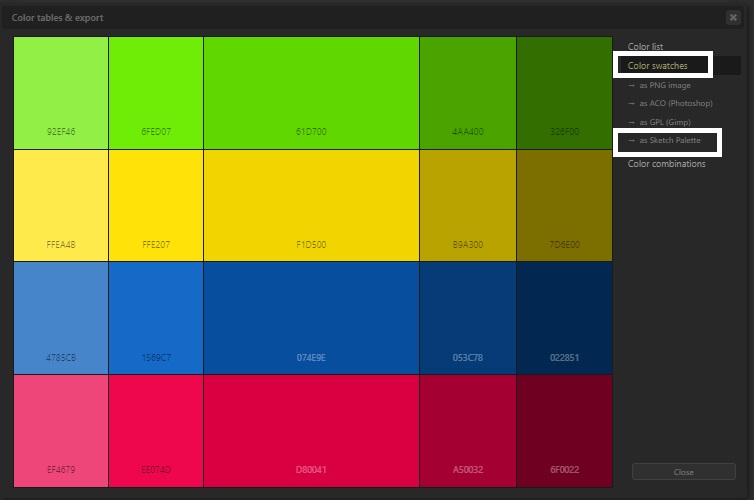 Copy the contents of the page to a markdown file in your vault. Place the file in the Excalidraw/Palettes folder (you can change this folder in settings).
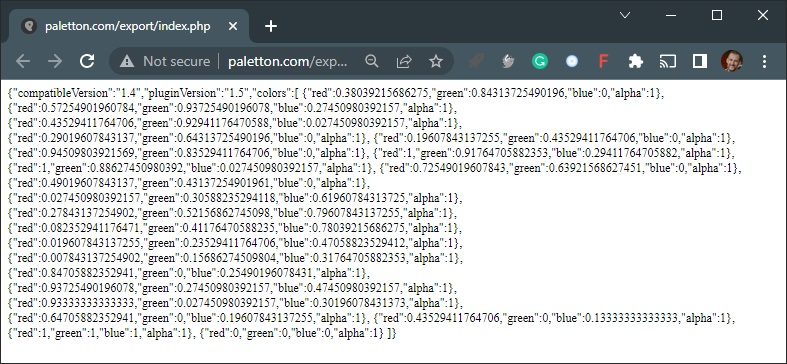
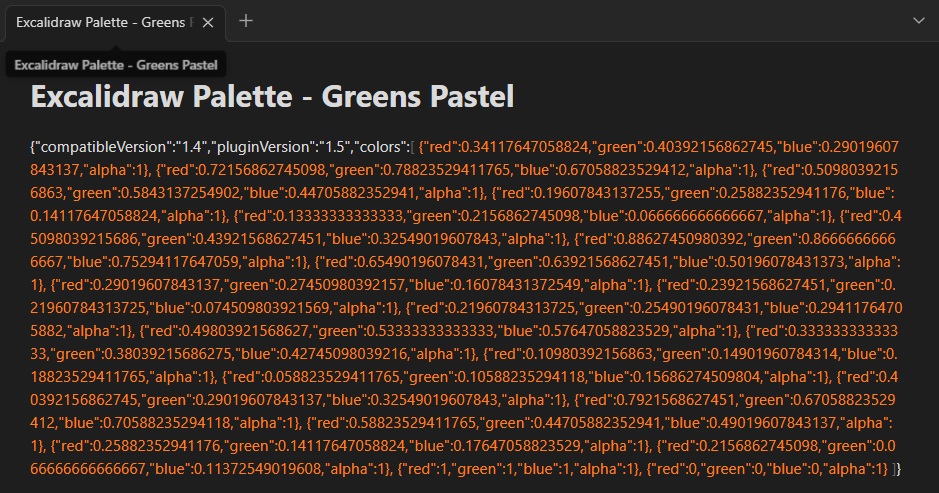
Excalidraw appState Custom Palette Data Object:
colorPalette: {
  canvasBackground: [string, string, string, string, string][] | string[],
  elementBackground: [string, string, string, string, string][] | string[],
  elementStroke: [string, string, string, string, string][] | string[],
  topPicks: {
    canvasBackground: [string, string, string, string, string],
    elementStroke: [string, string, string, string, string],
    elementBackground: [string, string, string, string, string]
  },
}

*/
//--------------------------
// Load settings
//--------------------------
if(!ea.verifyMinimumPluginVersion || !ea.verifyMinimumPluginVersion("1.9.2")) {
  new Notice("This script requires a newer version of Excalidraw. Please install the latest version.");
  return;
}

const api = ea.getExcalidrawAPI();
let settings = ea.getScriptSettings();
//set default values on first run
if(!settings["Palette folder"]) {
  settings = {
    "Palette folder" : {
      value: "Excalidraw/Palettes",
      description: "The path to the folder where you store the Excalidraw Palettes"
    },
    "Light-gray" : {
      value: "#505050",
      description: "Base light-gray used for mixing with the accent color to generate the palette light-gray"
    },
    "Dark-gray" : {
      value: "#e0e0e0",
      description: "Base dark-gray used for mixing with the accent color to generate the palette dark-gray"
    }
  };
  ea.setScriptSettings(settings);
}

const lightGray = settings["Light-gray"].value;
const darkGray = settings["Dark-gray"].value;

let paletteFolder = settings["Palette folder"].value.toLowerCase();
if(paletteFolder === "" || paletteFolder === "/") {
  new Notice("The palette folder cannot be the root folder of your vault");
  return;
}

if(!paletteFolder.endsWith("/")) paletteFolder += "/";


//-----------------------
// UPDATE CustomPalette
//-----------------------
const updateColorPalette = (paletteFragment) => {
  const st = ea.getExcalidrawAPI().getAppState();
  colorPalette = st.colorPalette ?? {};
  if(paletteFragment?.topPicks) {
    if(!colorPalette.topPicks) {
      colorPalette.topPicks = {
        ...paletteFragment.topPicks
      };
    } else {
      colorPalette.topPicks = {
        ...colorPalette.topPicks,
        ...paletteFragment.topPicks
      }
    }
  } else {
    colorPalette = {
      ...colorPalette,
      ...paletteFragment
    }
  }
  ea.viewUpdateScene({appState: {colorPalette}});
  ea.addElementsToView(true,true); //elements is empty, but this will save the file
}


//----------------
// LOAD PALETTE
//----------------
const loadPalette = async () => {
  //--------------------------
  // Select palette
  //--------------------------
  const palettes = app.vault.getFiles()
    .filter(f=>f.extension === "md" && f.path.toLowerCase() === paletteFolder + f.name.toLowerCase())
    .sort((a,b)=>a.basename.toLowerCase()<b.basename.toLowerCase()?-1:1);
  const file = await utils.suggester(["Excalidraw Default"].concat(palettes.map(f=>f.name)),["Default"].concat(palettes), "Choose a palette, press ESC to abort");
  if(!file) return;

  if(file === "Default") {
    api.updateScene({
      appState: {
        colorPalette: {}
      }
    });
    return;
  }

  //--------------------------
  // Load palette
  //--------------------------
  const sketchPalette = await app.vault.read(file);

  const parseJSON = (data) => {
    try {
      return JSON.parse(data);
    } catch(e) {
	  return;
    }
  }

  const loadPaletteFromPlainText = (data) => {
    const colors = [];
    data.replaceAll("\r","").split("\n").forEach(c=>{
      c = c.trim();
      if(c==="") return;
      if(c.match(/[^hslrga-fA-F\(\d\.\,\%\s)#]/)) return;
      const cm = ea.getCM(c);
      if(cm) colors.push(cm.stringHEX({alpha: false}));
    })
    return colors;
  }

  const paletteJSON = parseJSON(sketchPalette);

  const colors = paletteJSON
    ? paletteJSON.colors.map(c=>ea.getCM({r:c.red*255,g:c.green*255,b:c.blue*255,a:c.alpha}).stringHEX({alpha: false}))
    : loadPaletteFromPlainText(sketchPalette);
  const baseColor = ea.getCM(colors[0]);

  // Add black, white, transparent, gary
  const palette = [[
    "transparent",
    "black",
    baseColor.mix({color: lightGray, ratio:0.95}).stringHEX({alpha: false}),
    baseColor.mix({color: darkGray, ratio:0.95}).stringHEX({alpha: false}),
    "white"
  ]];

  // Create Excalidraw palette
  for(i=0;i<Math.floor(colors.length/5);i++) {
    palette.push([
	  colors[i*5+1],
      colors[i*5+2],
      colors[i*5],
      colors[i*5+3],
      colors[i*5+4]
    ]);
  }

  const getShades = (c,type) => {
    cm = ea.getCM(c);
    const lightness = cm.lightness;
    if(lightness === 0 || lightness === 100) return c;

	switch(type) {
	  case "canvas":
        return [
          c,
          ea.getCM(c).lightnessTo((100-lightness)*0.5+lightness).stringHEX({alpha: false}),
          ea.getCM(c).lightnessTo((100-lightness)*0.25+lightness).stringHEX({alpha: false}),
          ea.getCM(c).lightnessTo(lightness*0.5).stringHEX({alpha: false}),
          ea.getCM(c).lightnessTo(lightness*0.25).stringHEX({alpha: false}),
        ];
      case "stroke":
        return [
          ea.getCM(c).lightnessTo((100-lightness)*0.5+lightness).stringHEX({alpha: false}),
	      ea.getCM(c).lightnessTo((100-lightness)*0.25+lightness).stringHEX({alpha: false}),
	      ea.getCM(c).lightnessTo(lightness*0.5).stringHEX({alpha: false}),
	      ea.getCM(c).lightnessTo(lightness*0.25).stringHEX({alpha: false}),
	      c,
        ];
      case "background":
        return [
          ea.getCM(c).lightnessTo((100-lightness)*0.5+lightness).stringHEX({alpha: false}),
          c,
          ea.getCM(c).lightnessTo((100-lightness)*0.25+lightness).stringHEX({alpha: false}),
          ea.getCM(c).lightnessTo(lightness*0.5).stringHEX({alpha: false}),
          ea.getCM(c).lightnessTo(lightness*0.25).stringHEX({alpha: false}),
        ];
	}
  }

  const paletteSize = palette.flat().length;
  const newPalette = {
    canvasBackground: palette.flat().map(c=>getShades(c,"canvas")),
    elementStroke: palette.flat().map(c=>getShades(c,"stroke")),
    elementBackground: palette.flat().map(c=>getShades(c,"background"))
  };


  //--------------------------
  // Check if palette has the same size as the current. Is re-paint possible?
  //--------------------------
  const oldPalette = api.getAppState().colorPalette;

  //You can only switch and repaint equal size palettes
  let canRepaint = Boolean(oldPalette) && Object.keys(oldPalette).length === 3 &&
    oldPalette.canvasBackground.length  === paletteSize &&
    oldPalette.elementBackground.length === paletteSize &&
    oldPalette.elementStroke.length     === paletteSize;

  //Check that the palette for canvas background, element stroke and element background are the same
  for(i=0;canRepaint && i<paletteSize;i++) {
    if(
      oldPalette.canvasBackground[i] !== oldPalette.elementBackground[i] ||
      oldPalette.canvasBackground[i] !== oldPalette.elementStroke[i]
    ) {
      canRepaint = false;
      break;
    }
  }

  const shouldRepaint = canRepaint && await utils.suggester(["Try repainting the drawing with the new palette","Just load the new palette"], [true, false],"ESC will load the palette without repainting");


  //--------------------------
  // Apply palette
  //--------------------------
  if(shouldRepaint) {
    const map = new Map();
    for(i=0;i<paletteSize;i++) {
      map.set(oldPalette.canvasBackground[i],newPalette.canvasBackground[i])
    }

    ea.copyViewElementsToEAforEditing(ea.getViewElements());
    ea.getElements().forEach(el=>{
      el.strokeColor = map.get(el.strokeColor)??el.strokeColor;
      el.backgroundColor = map.get(el.backgroundColor)??el.backgroundColor;
    })

    const canvasColor = api.getAppState().viewBackgroundColor;

    await api.updateScene({
      appState: {
        viewBackgroundColor: map.get(canvasColor)??canvasColor
      }
    });

    ea.addElementsToView();
  }
  updateColorPalette(newPalette);
}

//-------------
// TOP PICKS
//-------------
const topPicks = async () => {
  const elements = ea.getViewSelectedElements().filter(el=>["rectangle", "diamond", "ellipse", "line"].includes(el.type));
  if(elements.length !== 5) {
    new Notice("Select 5 elements, the script will use the background color of these elements",6000);
    return;
  }

  const colorType = await utils.suggester(["View Background", "Element Background", "Stroke"],["view", "background", "stroke"], "Which top-picks would you like to set?");

  if(!colorType) {
    new Notice("You did not select which color to set");
    return;
  }

  const topPicks = elements.map(el=>el.backgroundColor);
  switch(colorType) {
    case "view": updateColorPalette({topPicks: {canvasBackground: topPicks}}); break;
    case "stroke": updateColorPalette({topPicks: {elementStroke: topPicks}}); break;
    default: updateColorPalette({topPicks: {elementBackground: topPicks}}); break;
  }
}

//-----------------------------------
// Copy palette from another file
//-----------------------------------
const copyPaletteFromFile = async () => {
  const files = app.vault.getFiles().filter(f => ea.isExcalidrawFile(f)).sort((a,b)=>a.name > b.name ? 1 : -1);
  const file = await utils.suggester(files.map(f=>f.path),files,"Select the file to copy from");
  if(!file) {
    return;
  }
  scene = await ea.getSceneFromFile(file);
  if(!scene || !scene.appState) {
	  new Notice("unknown error");
	  return;
  }
  ea.viewUpdateScene({appState: {colorPalette: {...scene.appState.colorPalette}}});
  ea.addElementsToView(true,true);
}

//----------
// START
//----------
const action = await utils.suggester(
  ["Load palette from file", "Set top-picks based on the background color of 5 selected elements", "Copy palette from another Excalidraw File"],
  ["palette","top-picks","copy"]
);
if(!action) return;

switch(action) {
  case "palette": loadPalette(); break;
  case "top-picks": topPicks(); break;
  case "copy": copyPaletteFromFile(); break;
}
Palm Guard.md
/* Palm Guard: A mobile-friendly drawing mode for Excalidraw that prevents accidental palm touches by hiding UI controls and entering fullscreen mode. Perfect for drawing with a stylus on tablets.
Features:
- Enters fullscreen to maximize drawing space (configurable in plugin script settings)
- Hides all UI controls to prevent accidental taps
- Provides a minimal floating toolbar with toggle visibility button
- Enables a completely distraction-free canvas even on desktop devices by hiding the main toolbar and all chrome while keeping a tiny movable toggle control (addresses immersive canvas / beyond Zen Mode request)
- Draggable toolbar can be positioned anywhere on screen
- Exit Palm Guard mode with a single tap
- Press the hotkey you configured for this script in Obsidian's Hotkey settings (e.g., ALT+X) to toggle UI visibility; if no hotkey is set, use the on-screen toggle button.
*/

if(!ea.verifyMinimumPluginVersion || !ea.verifyMinimumPluginVersion("2.14.2")) {
  new Notice("This script requires a newer version of Excalidraw. Please install the latest version.");
  return;
}

function requestFullscreen() {
  const el = ea.targetView.ownerDocument.body;
  if (el.requestFullscreen) {
    el.requestFullscreen();
  } else if (el.webkitRequestFullscreen) {
    el.webkitRequestFullscreen();
  }
  ea.targetView.gotoFullscreen();
}

function exitFullscreen() {
  const doc = ea.targetView.ownerDocument;
  if (doc.exitFullscreen) {
    doc.exitFullscreen();
  } else if (doc.webkitExitFullscreen) {
    doc.webkitExitFullscreen();
  }
  ea.targetView.exitFullscreen();
}

async function run() {
  if(window.excalidrawPalmGuard) {
    window.excalidrawPalmGuard()
    return;
  }
  const modal = new ea.FloatingModal(ea.plugin.app);
  if (modal.bgEl) {
    modal.containerEl.removeChild(modal.bgEl);
  }
  modal.modalEl.style.borderRadius = "6px";
  modal.contentEl.style.padding = "4px";
  const FULLSCREEN = "Goto fullscreen?";
  let settings = ea.getScriptSettings() || {};
  if(!settings[FULLSCREEN]) {
    settings[FULLSCREEN] = { value: true };
    await ea.setScriptSettings(settings);
  }

  //added only to clean up settings if someone installed the initial version of the script
  const HOTKEY_MODIFIERS = "PalmGuard Toggle UI Hotkey Modifiers";
  const HOTKEY_KEY = "PalmGuard Toggle UI Hotkey Key";
  if(settings[HOTKEY_MODIFIERS] || settings[HOTKEY_KEY]) {
    delete settings[HOTKEY_MODIFIERS];
    delete settings[HOTKEY_KEY];
    await ea.setScriptSettings(settings);
  }

  const enableFullscreen = settings[FULLSCREEN].value;

  // Initialize state
  let uiHidden = true;
  let currentIcon = "eye";
  let layerUIWrapper = ea.targetView.contentEl.querySelector(".excalidraw.excalidraw-container > .layer-ui__wrapper");
  const toolbar = ea.targetView.contentEl.querySelector(".excalidraw > .Island");
  let toolbarActive = toolbar?.style.display === "block";
  let prevHiddenState = false;

  // Function to toggle UI visibility
  const toggleUIVisibility = (hidden) => {
    if(hidden === prevHiddenState) return hidden;
    prevHiddenState = hidden;
    if (!!layerUIWrapper) {
      try {
	    if(hidden) {
		    layerUIWrapper.style.display = "none";
	    } else {
	      layerUIWrapper.style.display = "block";
	    }
	  } catch {};
    } else {
      try{
        const topBar = ea.targetView.containerEl.querySelector(".App-top-bar");
        const bottomBar = ea.targetView.containerEl.querySelector(".App-bottom-bar");
        const sidebarToggle = ea.targetView.containerEl.querySelector(".sidebar-toggle");
        const plugins = ea.targetView.containerEl.querySelector(".plugins-container");

        if(hidden) {
          if (toolbarActive && (toolbar?.style.display === "none")) {
            toolbarActive = false;
          }
          if (toolbarActive = toolbar?.style.display === "block") {
            toolbarActive = true;
          };
        }

        const display = hidden ? "none" : "";

        if (topBar) topBar.style.display = display;
        if (bottomBar) bottomBar.style.display = display;
        if (sidebarToggle) sidebarToggle.style.display = display;
        if (plugins) plugins.style.display = display;
        if (toolbarActive) toolbar.style.display = hidden ? "none" : "block";
        modal.modalEl.style.opacity = hidden ? "0.4" : "0.8";
      } catch {};
    };
    return hidden;
  };

  // Enter fullscreen view mode
  if(enableFullscreen) {
    requestFullscreen ();
  }
  setTimeout(()=>toggleUIVisibility(true),100);

  // Create floating toolbar modal
  Object.assign(modal.modalEl.style, {
    width: "fit-content",
    minWidth: "fit-content",
    height: "fit-content",
    minHeight: "fit-content",
    paddingBottom: "4px",
    paddingTop: "16px",
    paddingRight: "4px",
    paddingLeft: "4px"
  });

  modal.headerEl.style.display = "none";
  // Configure modal
  modal.titleEl.setText(""); // No title for minimal UI

  // Create modal content
  modal.contentEl.createDiv({ cls: "palm-guard-toolbar" }, div => {
    const container = div.createDiv({
      attr: {
        style: "display: flex; flex-direction: column; background-color: var(--background-secondary); border-radius: 4px;"
      }
    });

    // Button container
    const buttonContainer = container.createDiv({
      attr: {
        style: "display: flex; flex-wrap: wrap; gap: 4px; justify-content: center;"
      }
    });

    // Toggle UI visibility button
    const toggleButton = buttonContainer.createEl("button", {
      cls: "palm-guard-btn clickable-icon",
      attr: {
        style: "background-color: var(--interactive-accent); color: var(--text-on-accent);"
      }
    });
    toggleButton.innerHTML = ea.obsidian.getIcon("eye").outerHTML;
    // Keyboard hotkey listener (only acts if hotkey configured)
    window.excalidrawPalmGuard = () => toggleButton.click();
    toggleButton.addEventListener("click", () => {
      uiHidden = !uiHidden;
      toggleUIVisibility(uiHidden);

      // Toggle icon
      currentIcon = uiHidden ? "eye" : "eye-off";
      toggleButton.innerHTML = ea.obsidian.getIcon(currentIcon).outerHTML;
    });

    // Exit button
    const exitButton = buttonContainer.createEl("button", {
      cls: "palm-guard-btn clickable-icon",
      attr: {
        style: "background-color: var(--background-secondary-alt); color: var(--text-normal);"
      }
    });
    exitButton.innerHTML = ea.obsidian.getIcon("cross").outerHTML;

    exitButton.addEventListener("click", () => {
      modal.close();
    });

    // Add CSS
    div.createEl("style", {
      text: `
        .palm-guard-btn:hover {
          filter: brightness(1.1);
        }
        .modal-close-button {
          display: none;
        }
        .palm-guard-btn {
          display: flex;
          justify-content: center;
          align-items: center;
          padding: 4px;
          border-radius: 10%;
          width: 2em;
          height: 2em;
          cursor: pointer;
        }
      `
    });
  });

  const autocloseTimer = setInterval(()=>{
    if(!ea.targetView) modal.close();
  },1000);

  // Handle modal close (exit Palm Guard mode)
  modal.onClose = () => {
    // Show all UI elements
    toggleUIVisibility(false);

    // Exit fullscreen
    if(ea.targetView && enableFullscreen) {
      exitFullscreen();
    }
    clearInterval(autocloseTimer);
    delete window.excalidrawPalmGuard;
  };

  // Open the modal
  modal.open();

  // Position the modal in the top left initially
  setTimeout(() => {
    const modalEl = modal.modalEl;
    const rect = ea.targetView.contentEl.getBoundingClientRect();
    if (modalEl) {
      modalEl.style.left = `${rect.left+10}px`;
      modalEl.style.top = `${rect.top+10}px`;
    }
  }, 100);
}

run();
PDF Page Text to Clipboard.md
/* Copies the text from the selected PDF page on the Excalidraw canvas to the clipboard.
const el = ea.getViewSelectedElements().filter(el=>el.type==="image")[0];
if(!el) {
  new Notice("Select a PDF page");
  return;
}
const f = ea.getViewFileForImageElement(el);
if(f.extension.toLowerCase() !== "pdf") {
  new Notice("Select a PDF page");
  return;
}

const pageNum = parseInt(ea.targetView.excalidrawData.getFile(el.fileId).linkParts.ref.replace(/\D/g, ""));
if(isNaN(pageNum)) {
  new Notice("Can't find page number");
  return;
}

const pdfDoc = await window.pdfjsLib.getDocument(app.vault.getResourcePath(f)).promise;
const page = await pdfDoc.getPage(pageNum);
const text = await page.getTextContent();
if(!text) {
	new Notice("Could not get text");
	return;
}
pdfDoc.destroy();
window.navigator.clipboard.writeText(
  text.items.reduce((acc, cur) => acc + cur.str.replace(/\x00/ug, '') + (cur.hasEOL ? "\n" : ""),"")
);
new Notice("Page text is available on the clipboard");
Printable Layout Wizard.md
/*
Export Excalidraw to PDF Pages: Define printable page areas using frames, then export each frame as a separate page in a multi-page PDF. Perfect for turning your Excalidraw drawings into printable notes, handouts, or booklets. Supports standard and custom page sizes, margins, and easy frame arrangement.
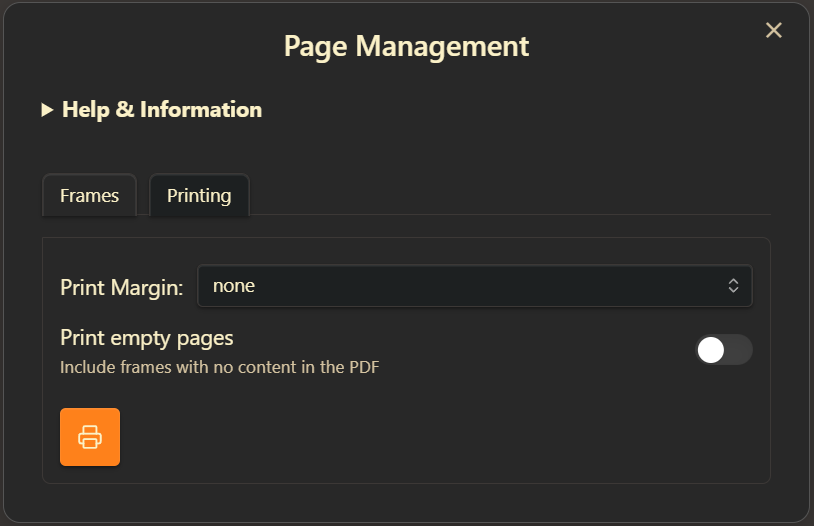
*/
if(!ea.verifyMinimumPluginVersion || !ea.verifyMinimumPluginVersion("2.15.0")) {
new Notice("This script requires a newer version of Excalidraw. Please install the latest version.");
return;
}
if(window.excalidrawPrintableLayoutWizardModal) {
window.excalidrawPrintableLayoutWizardModal.open();
return;
}
// Help text for the script
const HELP_TEXT = `
**Easily split your Excalidraw drawing into printable pages!**
If you find this script helpful, consider [buying me a coffee](https://ko-fi.com/zsolt). Thank you.
---
### How it works
- **Define Pages:** Use frames to mark out each page area in your drawing. You can create the first frame with this script (choose a standard size or orientation), or draw your own frame for a custom page size.
- **Add More Pages:** Select a frame, then use the arrow buttons to add new frames next to it. All new frames will match the size of the selected one.
- **Rename Frames:** You can rename frames as you like. When exporting to PDF, pages will be ordered alphabetically by frame name.
---
### Important Notes
- **Same Size & Orientation:** All frames must have the same size and orientation (e.g., all A4 Portrait) to export to PDF. Excalidraw currently does not support PDFs with different-sized pages.
- **Custom Sizes:** If you draw your own frame, the PDF will use that exact size—great for custom page layouts!
- **Margins:** If you set a margin, the page size stays the same, but your content will shrink to fit inside the printable area.
- **No Frame Borders/Titles in Print:** Frame borders and frame titles will *not* appear in the PDF.
- **No Frame Clipping:** The script disables frame clipping for this drawing.
- **Templates:** You can save a template document with prearranged frames (even locked ones) for reuse.
- **Lock Frames:** Frames only define print areas—they don't "contain" elements. Locking frames is recommended to prevent accidental movement.
- **Outside Content:** Anything outside the frames will *not* appear in the PDF.
---
### Printing
- **Export to PDF:** Click the printer button to export each frame as a separate page in a PDF.
- **Order:** Pages are exported in alphabetical order of frame names.
---
### Settings
You can also access script settings at the bottom of Excalidraw Plugin settings. The script stores your preferences for:
- Locking new frames after creation
- Zooming to new frames
- Closing the dialog after adding a frame
- Default page size and orientation
- Print margin
---
**Tip:** For more on templates, see [Mastering Excalidraw Templates](https://youtu.be/jgUpYznHP9A). For referencing pages in markdown, see [Image Fragments](https://youtu.be/sjZfdqpxqsg) and [Image Block References](https://youtu.be/yZQoJg2RCKI).


`;
async function run() {
modal = new ea.FloatingModal(ea.plugin.app);
window.excalidrawPrintableLayoutWizardModal = modal;
modal.contentEl.empty();
let shouldRestart = false;
// Enable frame rendering
const st = ea.getExcalidrawAPI().getAppState();
let {enabled, clip, name, outline, markerName, markerEnabled} = st.frameRendering;
if(!enabled || !name || !outline || !markerEnabled || !markerName) {
ea.viewUpdateScene({
appState: {
frameRendering: {
enabled: true,
clip: clip,
name: true,
outline: true,
markerName: true,
markerEnabled: true
}
}
});
}
// Page size options (using standard sizes from ExcalidrawAutomate)
const PAGE_SIZES = [
"A0", "A1", "A2", "A3", "A4", "A5", "A6",
"Letter", "Legal", "Tabloid", "Ledger"
];
const PAGE_ORIENTATIONS = ["portrait", "landscape"];
// Margin sizes in points
const MARGINS = {
"none": 0,
"tiny": 10,
"normal": 60,
};
// Initialize settings
let settings = ea.getScriptSettings();
let dirty = false;
// Define setting keys
const PAGE_SIZE = "Page size";
const ORIENTATION = "Page orientation";
const MARGIN = "Print-margin";
const LOCK_FRAME = "Lock frame after it is created";
const SHOULD_ZOOM = "Should zoom after adding page";
const SHOULD_CLOSE = "Should close after adding page";
const PRINT_EMPTY = "Print empty pages";
const PRINT_MARKERS_ONLY = "Print only marker frames";
// Set default values on first run
if (!settings[PAGE_SIZE]) {
settings = {};
settings[PAGE_SIZE] = { value: "A4", valueset: PAGE_SIZES };
settings[ORIENTATION] = { value: "portrait", valueset: PAGE_ORIENTATIONS };
settings[MARGIN] = { value: "none", valueset: Object.keys(MARGINS)};
settings[SHOULD_ZOOM] = { value: false };
settings[SHOULD_CLOSE] = { value: false };
settings[LOCK_FRAME] = { value: true };
settings[PRINT_EMPTY] = { value: false };
settings[PRINT_MARKERS_ONLY] = { value: true };
dirty = true;
}
//once off correction. In the first version I incorrectly used valueSet with wrong casing.
if(settings[PAGE_SIZE].valueSet) {
settings[PAGE_SIZE].valueset = settings[PAGE_SIZE].valueSet;
delete settings[PAGE_SIZE].valueSet;
settings[ORIENTATION].valueset = settings[ORIENTATION].valueSet;
delete settings[ORIENTATION].valueSet;
settings[MARGIN].valueset = settings[MARGIN].valueSet;
delete settings[MARGIN].valueSet;
dirty = true;
}
if(!settings[LOCK_FRAME]) {
settings[LOCK_FRAME] = { value: true };
dirty = true;
}
if(!settings[PRINT_EMPTY]) {
settings[PRINT_EMPTY] = { value: false };
dirty = true;
}
if(!settings[PRINT_MARKERS_ONLY]) {
settings[PRINT_MARKERS_ONLY] = { value: true };
dirty = true;
}
let lockFrame = settings[LOCK_FRAME].value;
let shouldClose = settings[SHOULD_CLOSE].value;
let shouldZoom = settings[SHOULD_ZOOM].value;
let printEmptyPages = settings[PRINT_EMPTY].value;
let printMarkersOnly = settings[PRINT_MARKERS_ONLY].value;
const getSortedFrames = () => {
return ea.getViewElements()
.filter(el => isEligibleFrame(el))
.sort((a, b) => {
const nameA = a.name || "";
const nameB = b.name || "";
return nameA.localeCompare(nameB);
});
};
// Find existing page frames and determine next page number
const findExistingPages = (selectLastFrame = false) => {
const frameElements = getSortedFrames();
// Extract page numbers from frame names
const pageNumbers = frameElements
.map(frame => {
const match = frame.name?.match(/(?:Page\s+)?(\d+)/i);
return match ? parseInt(match[1]) : 0;
})
.filter(num => !isNaN(num));
// Find the highest page number
const nextPageNumber = pageNumbers.length > 0
? Math.max(...pageNumbers) + 1
: 1;
if(selectLastFrame && frameElements.length > 0) {
ea.selectElementsInView([frameElements[frameElements.length-1]]);
}
return {
frames: frameElements,
nextPageNumber: nextPageNumber
};
};
const isEligibleFrame = (el) => el.type === "frame" && (printMarkersOnly ? el.frameRole === "marker" : true);
// Check if there are frames in the scene and if a frame is selected
let existingFrames = ea.getViewElements().filter(el => isEligibleFrame(el));
let selectedFrame = ea.getViewSelectedElements().find(el => isEligibleFrame(el));
const hasFrames = existingFrames.length > 0;
if(hasFrames && !selectedFrame) {
if(st.activeLockedId && existingFrames.find(f=>f.id === st.activeLockedId)) {
selectedFrame = existingFrames.find(f=>f.id === st.activeLockedId);
ea.viewUpdateScene({ appState: { activeLockedId: null }});
ea.selectElementsInView([selectedFrame]);
} else {
findExistingPages(true);
selectedFrame = ea.getViewSelectedElements().find(el => isEligibleFrame(el));
}
}
const hasSelectedFrame = !!selectedFrame;
// rotation is now a temporary UI state controlled by the center button
let rotateOnAdd = false;
let centerRotateBtn = null;
const setRotateBtnActive = (active) => {
if (!centerRotateBtn) return;
centerRotateBtn.classList.toggle("is-accent", active);
centerRotateBtn.setAttribute("aria-pressed", active ? "true" : "false");
};
// Show notice if there are frames but none selected
if (hasFrames && !hasSelectedFrame) {
new Notice("Select a frame before running the script", 7000);
return;
}
// Create the first frame
const createFirstFrame = async (pageSize, orientation) => {
// Use ExcalidrawAutomate's built-in function to get page dimensions
const dimensions = ea.getPagePDFDimensions(pageSize, orientation);
if (!dimensions) {
new Notice("Invalid page size selected");
return;
}
// Save settings when creating first frame
if (settings[PAGE_SIZE].value !== pageSize) {
settings[PAGE_SIZE].value = pageSize;
dirty = true;
}
if (settings[ORIENTATION].value !== orientation) {
settings[ORIENTATION].value = orientation;
dirty = true;
}
// Format page number with leading zero
const pageName = "01";
// Calculate position to center the frame
const appState = ea.getExcalidrawAPI().getAppState();
const x = (appState.width - dimensions.width) / 2;
const y = (appState.height - dimensions.height) / 2;
return await addFrameElement(x, y, dimensions.width, dimensions.height, pageName, true);
};
// Add new page frame
const addPage = async (direction, pageSize, orientation) => {
selectedFrame = ea.getViewSelectedElements().find(el => isEligibleFrame(el));
if (!selectedFrame) {
const { activeLockedId } = ea.getExcalidrawAPI().getAppState();
if(activeLockedId) {
selectedFrame = ea.getViewElements().find(el=>el.id === activeLockedId && isEligibleFrame(el));
}
if (!selectedFrame) return;
}
ea.viewUpdateScene({appState: {activeLockedId: null}});
const { frames, nextPageNumber } = findExistingPages();
// Get dimensions from selected frame, support optional rotation
const dimensions = {
width: rotateOnAdd ? selectedFrame.height : selectedFrame.width,
height: rotateOnAdd ? selectedFrame.width : selectedFrame.height
};
// Format page number with leading zero
const pageName = `${nextPageNumber.toString().padStart(2, '0')}`;
// Calculate position based on direction and selected frame
let x = 0;
let y = 0;
switch (direction) {
case "right":
x = selectedFrame.x + selectedFrame.width;
y = selectedFrame.y;
break;
case "left":
x = selectedFrame.x - dimensions.width;
y = selectedFrame.y;
break;
case "down":
x = selectedFrame.x;
y = selectedFrame.y + selectedFrame.height;
break;
case "up":
x = selectedFrame.x;
y = selectedFrame.y - dimensions.height;
break;
}
const added = await addFrameElement(x, y, dimensions.width, dimensions.height, pageName);
// reset the rotate toggle after adding the frame
rotateOnAdd = false;
setRotateBtnActive(false);
return added;
};
addFrameElement = async (x, y, width, height, pageName, repositionToCursor = false) => {
const frameId = ea.addFrame(x, y, width, height, pageName);
ea.getElement(frameId).frameRole = "marker";
if(lockFrame) {
ea.getElement(frameId).locked = true;
}
await ea.addElementsToView(repositionToCursor);
const addedFrame = ea.getViewElements().find(el => el.id === frameId);
if(shouldZoom) {
ea.viewZoomToElements(true, [addedFrame]);
} else {
ea.selectElementsInView([addedFrame]);
}
//ready for the next frame
ea.clear();
selectedFrame = addedFrame;
if(shouldClose) {
modal.close();
}
return addedFrame;
}
const translateToZero = ({ x, y, width, height }, padding=0) => {
const top = y, left = x, right = x + width, bottom = y + height;
const {topX, topY, width:w, height:h} = ea.getBoundingBox(ea.getViewElements());
const newTop = top - (topY - padding);
const newLeft = left - (topX - padding);
const newBottom = bottom - (topY - padding);
const newRight = right - (topX - padding);
return {
top: newTop,
left: newLeft,
bottom: newBottom,
right: newRight,
};
}
// NEW: detect if any non-frame element overlaps the given area
const hasElementsInArea = (area) => ea.getElementsInArea(ea.getViewElements(), area).length>0;
const checkFrameSizes = (frames) => {
if (frames.length <= 1) return true;
const referenceWidth = frames[0].width;
const referenceHeight = frames[0].height;
return frames.every(frame =>
Math.abs(frame.width - referenceWidth) < 1 &&
Math.abs(frame.height - referenceHeight) < 1
);
};
const printToPDF = async (marginSize) => {
const margin = MARGINS[marginSize] || 0;
// Save margin setting
if (settings[MARGIN].value !== marginSize) {
settings[MARGIN].value = marginSize;
dirty = true;
}
// Get all frame elements and sort by name
const frames = getSortedFrames();
if (frames.length === 0) {
new Notice("No frames found to print");
return;
}
// Create a notice during processing
const notice = new Notice("Preparing PDF, please wait...", 0);
// Create SVGs for each frame
const svgPages = [];
let placeholderRects = [];
ea.clear();
for (const frame of frames) {
ea.style.opacity = 0;
ea.style.roughness = 0;
ea.style.fillStyle = "solid";
ea.style.backgroundColor = "black"
ea.style.strokeWidth = 0.01;
ea.addRect(frame.x, frame.y, frame.width, frame.height);
}
const svgScene = await ea.createViewSVG({
withBackground: true,
theme: st.theme,
//frameRendering: { enabled: false, name: false, outline: false, clip: false },
padding: 0,
selectedOnly: false,
skipInliningFonts: false,
embedScene: false,
elementsOverride: ea.getViewElements().concat(ea.getElements()),
});
ea.clear();
for (const frame of frames) {
// NEW: skip empty frames unless user opted to print them
if(!printEmptyPages && !hasElementsInArea(frame)) continue;
const { top, left, bottom, right } = translateToZero(frame);
//always create the new SVG in the main Obsidian workspace (not the popout window, if present)
const host = window.createDiv();
host.innerHTML = svgScene.outerHTML;
const clonedSVG = host.firstElementChild;
const width = Math.abs(left-right);
const height = Math.abs(top-bottom);
clonedSVG.setAttribute("viewBox", `${left} ${top} ${width} ${height}`);
clonedSVG.setAttribute("width", `${width}`);
clonedSVG.setAttribute("height", `${height}`);
svgPages.push(clonedSVG);
}
// NEW: abort if nothing to print
if(svgPages.length === 0) {
notice.hide();
new Notice("No pages to print (all selected frames are empty)");
notice.hide();
return;
}
// Use dimensions from the first frame
const width = frames[0].width;
const height = frames[0].height;
// Create PDF
await ea.createPDF({
SVG: svgPages,
scale: { fitToPage: true },
pageProps: {
dimensions: {},
//dimensions: { width, height },
backgroundColor: "#ffffff",
margin: {
left: margin,
right: margin,
top: margin,
bottom: margin
},
alignment: "center"
},
filename: ea.targetView.file.basename + "-pages.pdf"
});
notice.hide();
};
// -----------------------
// Create a floating modal
// -----------------------
modal.titleEl.setText("Page Management");
modal.titleEl.style.textAlign = "center";
modal.onClose = async () => {
delete window.excalidrawPrintableLayoutWizardModal;
if (dirty) {
await ea.setScriptSettings(settings);
}
ea.viewUpdateScene({
appState: {
frameRendering: {enabled, clip, name, outline, markerName, markerEnabled}
}
});
if(shouldRestart) setTimeout(()=>run());
};
// Create modal content
modal.contentEl.createDiv({ cls: "excalidraw-page-manager" }, div => {
const container = div.createDiv({
attr: {
style: "display: flex; flex-direction: column; gap: 15px; padding: 10px;"
}
});
// Help section
const helpDiv = container.createDiv({
attr: {
style: "margin-bottom: 10px;"
}
});
helpDiv.createEl("details", {}, (details) => {
details.createEl("summary", {
text: "Help & Information",
attr: {
style: "cursor: pointer; font-weight: bold; margin-bottom: 10px;"
}
});
details.createEl("div", {
attr: {
style: "padding: 10px; border: 1px solid var(--background-modifier-border); border-radius: 4px; margin-top: 8px; font-size: 0.9em; max-height: 300px; overflow-y: auto;"
}
}, div => {
ea.obsidian.MarkdownRenderer.render(ea.plugin.app, HELP_TEXT, div, "", ea.plugin)
});
});
// Tabs (show only when frames exist)
let framesTabEl, printingTabEl, tabsHeaderEl, marginDropdown;
if (hasFrames) {
tabsHeaderEl = container.createDiv({
attr: { style: "display:flex; gap:8px; border-bottom:1px solid var(--background-modifier-border); padding-bottom:0;" }
});
tabsHeaderEl.addClass("tabs-header"); // NEW
const framesTabBtn = tabsHeaderEl.createEl("button", {
text: "Frames",
attr: { style: "padding:8px 12px; cursor:pointer;" }
});
framesTabBtn.addClass("tab-btn"); // NEW
const printingTabBtn = tabsHeaderEl.createEl("button", {
text: "Printing",
attr: { style: "padding:8px 12px; cursor:pointer;" }
});
printingTabBtn.addClass("tab-btn"); // NEW
const tabsBody = container.createDiv();
tabsBody.addClass("tab-panels"); // NEW
framesTabEl = tabsBody.createDiv({ attr: { style: "display:block;" } });
framesTabEl.addClass("tab-panel"); // NEW
printingTabEl = tabsBody.createDiv({ attr: { style: "display:none;" } });
printingTabEl.addClass("tab-panel"); // NEW
const activate = (tab) => {
if (tab === "frames") {
framesTabEl.style.display = "";
printingTabEl.style.display = "none";
framesTabBtn.classList.add("is-active");
printingTabBtn.classList.remove("is-active");
} else {
framesTabEl.style.display = "none";
printingTabEl.style.display = "";
framesTabBtn.classList.remove("is-active");
printingTabBtn.classList.add("is-active");
}
};
framesTabBtn.addEventListener("click", () => {
window.excalidrawPrintLayoutWizard = "frames";
activate("frames")
});
printingTabBtn.addEventListener("click", () => {
window.excalidrawPrintLayoutWizard = "printing";
activate("printing")
});
activate(window.excalidrawPrintLayoutWizard ?? "frames");
} else {
// No frames yet, only frames tab content
framesTabEl = container.createDiv();
}
const createOptionsContainerCommonControls = (optionsContainer) => {
new ea.obsidian.Setting(optionsContainer)
.setName("Lock")
.setDesc("Lock the new frame element after it is created.")
.addToggle(toggle => {
toggle.setValue(lockFrame).onChange(value => {
lockFrame = value;
if (settings[LOCK_FRAME].value !== value) {
settings[LOCK_FRAME].value = value; dirty = true;
}
});
});
new ea.obsidian.Setting(optionsContainer)
.setName("Zoom to new frame")
.setDesc("Automatically zoom to the newly created frame")
.addToggle(toggle => {
toggle.setValue(shouldZoom).onChange(value => {
shouldZoom = value;
if (settings[SHOULD_ZOOM].value !== value) {
settings[SHOULD_ZOOM].value = value; dirty = true;
}
});
});
new ea.obsidian.Setting(optionsContainer)
.setName("Close after adding")
.setDesc("Close this dialog after adding a new frame")
.addToggle(toggle => {
toggle.setValue(shouldClose).onChange(value => {
shouldClose = value;
if (settings[SHOULD_CLOSE].value !== value) {
settings[SHOULD_CLOSE].value = value; dirty = true;
}
});
});
new ea.obsidian.Setting(optionsContainer)
.setName("Use only Marker Frames")
.setDesc("When off, all frames will be printed (not just marker frames)")
.addToggle(toggle => {
toggle.setValue(printMarkersOnly).onChange(value => {
printMarkersOnly = value;
if (settings[PRINT_MARKERS_ONLY].value !== value) {
settings[PRINT_MARKERS_ONLY].value = value;
dirty = true;
shouldRestart = true;
modal.close();
}
});
});
}
// FRAMES TAB CONTENT
// When no frames yet: initial size/orientation inputs and Create First Frame button
if (!hasFrames) {
const settingsContainer = framesTabEl.createDiv({
attr: {
// four columns: label + input, label + input
style: "display: grid; grid-template-columns: auto 1fr auto 1fr; gap: 10px; align-items: center;"
}
});
// Page Size
settingsContainer.createEl("label", { text: "Page Size:" });
const pageSizeDropdown = settingsContainer.createEl("select", {
cls: "dropdown",
attr: { style: "width: 100%;" }
});
PAGE_SIZES.forEach(size => pageSizeDropdown.createEl("option", { text: size, value: size }));
pageSizeDropdown.value = settings[PAGE_SIZE].value;
// Orientation
settingsContainer.createEl("label", { text: "Orientation:" });
const orientationDropdown = settingsContainer.createEl("select", {
cls: "dropdown",
attr: { style: "width: 100%;" }
});
PAGE_ORIENTATIONS.forEach(orientation => orientationDropdown.createEl("option", { text: orientation, value: orientation }));
orientationDropdown.value = settings[ORIENTATION].value;
const optionsContainer = framesTabEl.createDiv({ attr: { style: "margin-top: 10px;" } });
createOptionsContainerCommonControls(optionsContainer);
// Create First Frame button
const buttonContainer = framesTabEl.createDiv({
attr: { style: "display: grid; grid-template-columns: 1fr; gap: 10px; margin-top: 10px;" }
});
const createFirstBtn = buttonContainer.createEl("button", {
cls: "page-btn",
attr: { style: "height: 40px; background-color: var(--interactive-accent); color: var(--text-on-accent);" }
});
createFirstBtn.textContent = "Create First Frame";
createFirstBtn.addEventListener("click", async () => {
const tmpShouldClose = shouldClose;
shouldClose = true;
await createFirstFrame(pageSizeDropdown.value, orientationDropdown.value);
shouldClose = tmpShouldClose;
if(!shouldClose) {
shouldRestart = true;
modal.close()
}
});
} else {
// hasFrames: frame-management options + arrow buttons
const optionsContainer = framesTabEl.createDiv({ attr: { style: "margin-top: 10px;" } });
createOptionsContainerCommonControls(optionsContainer);
// Arrow buttons with center rotate toggle
const buttonContainer = framesTabEl.createDiv({
attr: {
style: "display: grid; grid-template-columns: repeat(3, 1fr); gap: 10px; margin-top: 10px;"
}
});
const upBtn = buttonContainer.createEl("button", {
cls: "page-btn",
attr: { style: "grid-column: 2; grid-row: 1; height: 40px;" }
});
upBtn.innerHTML = ea.obsidian.getIcon("arrow-big-up").outerHTML;
upBtn.addEventListener("click", async () => { await addPage("up"); });
buttonContainer.createDiv({ attr: { style: "grid-column: 3; grid-row: 1;" } });
const leftBtn = buttonContainer.createEl("button", {
cls: "page-btn",
attr: { style: "grid-column: 1; grid-row: 2; height: 40px;" }
});
leftBtn.innerHTML = ea.obsidian.getIcon("arrow-big-left").outerHTML;
leftBtn.addEventListener("click", async () => { await addPage("left"); });
// Center toggle: Rotate next page
centerRotateBtn = buttonContainer.createEl("button", {
cls: "page-btn",
attr: { style: "grid-column: 2; grid-row: 2; height: 40px;" }
});
centerRotateBtn.textContent = "Rotate next page";
centerRotateBtn.addEventListener("click", () => {
rotateOnAdd = !rotateOnAdd;
setRotateBtnActive(rotateOnAdd);
});
setRotateBtnActive(rotateOnAdd);
const rightBtn = buttonContainer.createEl("button", {
cls: "page-btn",
attr: { style: "grid-column: 3; grid-row: 2; height: 40px;" }
});
rightBtn.innerHTML = ea.obsidian.getIcon("arrow-big-right").outerHTML;
rightBtn.addEventListener("click", async () => { await addPage("right"); });
const downBtn = buttonContainer.createEl("button", {
cls: "page-btn",
attr: { style: "grid-column: 2; grid-row: 3; height: 40px;" }
});
downBtn.innerHTML = ea.obsidian.getIcon("arrow-big-down").outerHTML;
downBtn.addEventListener("click", async () => { await addPage("down"); });
buttonContainer.createDiv({ attr: { style: "grid-column: 1; grid-row: 3;" } });
}
// PRINTING TAB CONTENT (only when hasFrames)
if (hasFrames && printingTabEl) {
const marginContainer = printingTabEl.createDiv({
attr: {
style: "display: grid; grid-template-columns: auto 1fr; gap: 10px; align-items: center; margin-top: 6px;"
}
});
marginContainer.createEl("label", { text: "Print Margin:" });
marginDropdown = marginContainer.createEl("select", { cls: "dropdown", attr: { style: "width: 100%;" } });
Object.keys(MARGINS).forEach(margin => marginDropdown.createEl("option", { text: margin, value: margin }));
marginDropdown.value = settings[MARGIN].value;
const printingOptions = printingTabEl.createDiv({ attr: { style: "margin-top: 10px;" } });
new ea.obsidian.Setting(printingOptions)
.setName(PRINT_EMPTY)
.setDesc("Include frames with no content in the PDF")
.addToggle(toggle => {
toggle.setValue(printEmptyPages).onChange(value => {
printEmptyPages = value;
if(settings[PRINT_EMPTY].value !== value) {
settings[PRINT_EMPTY].value = value;
dirty = true;
}
});
});
const printBtnRow = printingTabEl.createDiv({ attr: { style: "margin-top: 10px; display:flex; justify-content:flex-start;" } });
const printBtn = printBtnRow.createEl("button", {
cls: "page-btn",
attr: { style: "height: 40px; background-color: var(--interactive-accent);" }
});
printBtn.innerHTML = ea.obsidian.getIcon("printer").outerHTML;
printBtn.addEventListener("click", async () => { await printToPDF(marginDropdown.value); });
}
// CSS
div.createEl("style", {
text: `
.page-btn {
display: flex;
justify-content: center;
align-items: center;
cursor: pointer;
border-radius: 4px;
}
.page-btn:hover {
background-color: var(--interactive-hover);
}
.dropdown {
height: 30px;
background-color: var(--background-secondary);
color: var(--text-normal);
border-radius: 4px;
border: 1px solid var(--background-modifier-border);
padding: 0 10px;
}
.is-active {
background-color: var(--background-modifier-hover);
border-radius: 4px;
}
/* Tabs styling - NEW */
.tabs-header {
gap: 8px;
border-bottom: 1px solid var(--background-modifier-border);
}
.tabs-header .tab-btn {
background: var(--background-primary);
color: var(--text-normal);
border: 1px solid var(--background-modifier-border);
border-bottom: none;
border-top-left-radius: 6px;
border-top-right-radius: 6px;
border-bottom-left-radius: 0;
border-bottom-right-radius: 0;
padding: 8px 12px;
margin-bottom: -1px; /* sit on top of the panel border */
}
.tabs-header .tab-btn:hover {
background: var(--background-modifier-hover);
}
.tabs-header .tab-btn.is-active {
background: var(--background-secondary);
color: var(--text-normal);
position: relative;
z-index: 2;
}
.tab-panels {
border: 1px solid var(--background-modifier-border);
border-radius: 0 6px 6px 6px; /* merge with active tab */
padding: 12px;
background: var(--background-primary);
}
/* accent styling for center rotate toggle when active */
.page-btn.is-accent {
background-color: var(--interactive-accent);
color: var(--text-on-accent);
}
.page-btn.is-accent:hover {
background-color: var(--interactive-accent-hover, var(--interactive-accent));
}
`
});
});
modal.open();
}
run();
README.md
Excalidraw Script Engine scripts library
【English | 简体中文】
Click to watch the intro video:

Warning
There is an easier way to install/manage scripts than what is shown in this video
See the Excalidraw Script Engine documentation for more details.
How to install scripts into your Obsidian Vault
To install one of the built-in scripts:
- Open up an excalidraw drawing in Obsidian
- In the pane dropdown menu select "Install or update Excalidraw Scripts"
- Click on one of the available scripts
- Click on "Install this script" (note if the script is already installed you will instead see an option to update it)
- Restart Obsidian so the script will be picked up
Note: By default this will install the script into your vault in the Excalidraw/Scripts/Downloaded folder
Manual installation of scripts
Open the script you are interested in and save it to your Obsidian Vault including the first line /*, or open it in "Raw" and copy the entire contents to Obsidian.
List of available scripts
| Title | Description | Icon | Contributor |
|---|---|---|---|
| Add Connector Point | This script will add a small circle to the top left of each text element in the selection and add the text and the "bullet point" into a group. | |
@zsviczian |
| Add Link to Existing File and Open | Prompts for a file from the vault. Adds a link to the selected element pointing to the selected file. You can control in settings to open the file in the current active pane or an adjacent pane. | |
@zsviczian |
| Add Link to New Page and Open | Prompts for filename. Offers option to create and open a new Markdown or Excalidraw document. Adds link pointing to the new file, to the selected objects in the drawing. You can control in settings to open the file in the current active pane or an adjacent pane. | |
@zsviczian |
| Add Next Step in Process | This script will prompt you for the title of the process step, then will create a stick note with the text. If an element is selected then the script will connect this new step with an arrow to the previous step (the selected element). If no element is selected, then the script assumes this is the first step in the process and will only output the sticky note with the text that was entered. | |
@zsviczian |
| Split Ellipse | With This Script it is possible to make boolean Operations on Shapes. | |
@GColoy |
| Box Each Selected Groups | This script will add encapsulating boxes around each of the currently selected groups in Excalidraw. | |
@1-2-3 |
| Box Selected Elements | This script will add an encapsulating box around the currently selected elements in Excalidraw. | |
@zsviczian |
| Change shape of selected elements | The script allows you to change the shape of selected Rectangles, Diamonds and Ellipses | |
@zsviczian |
| Connect elements | This script will connect two objects with an arrow. If either of the objects are a set of grouped elements (e.g. a text element grouped with an encapsulating rectangle), the script will identify these groups, and connect the arrow to the largest object in the group (assuming you want to connect the arrow to the box around the text element). | |
@zsviczian |
| Convert freedraw to line | Convert selected freedraw objects into editable lines. This will allow you to adjust your drawings by dragging line points and will also allow you to select shape fill in case of enclosed lines. You can adjust conversion point density in settings | |
@zsviczian |
| Convert selected text elements to sticky notes | Converts selected plain text elements to sticky notes with transparent background and transparent stroke color. Essentially converts text element into a wrappable format. | |
@zsviczian |
| Convert text to link with folder and alias | Converts text elements to links pointing to a file in a selected folder and with the alias set as the original text. The script will prompt the user to select an existing folder from the vault. | original text => [[selected folder/original text|original text]] |
@zsviczian |
| Copy Selected Element Styles to Global | This script will copy styles of any selected element into Excalidraw's global styles. | |
@1-2-3 |
| Create new markdown file and embed into active drawing | The script will prompt you for a filename, then create a new markdown document with the file name provided, open the new markdown document in an adjacent pane, and embed the markdown document into the active Excalidraw drawing. | |
@zsviczian |
| Darken background color | This script darkens the background color of the selected element by 2% at a time. You can use this script several times until you are satisfied. It is recommended to set a shortcut key for this script so that you can quickly try to DARKEN and LIGHTEN the color effect. In contrast to the Modify background color opacity script, the advantage is that the background color of the element is not affected by the canvas color, and the color value does not appear in a strange rgba() form. |
|
@1-2-3 |
| Elbow connectors | This script converts the selected connectors to elbows. | |
@1-2-3 |
| Expand rectangles horizontally keep text centered | This script expands the width of the selected rectangles until they are all the same width and keep the text centered. | |
@1-2-3 |
| Expand rectangles horizontally | This script expands the width of the selected rectangles until they are all the same width. | |
@1-2-3 |
| Expand rectangles vertically keep text centered | This script expands the height of the selected rectangles until they are all the same height and keep the text centered. | |
@1-2-3 |
| Expand rectangles vertically | This script expands the height of the selected rectangles until they are all the same height. | |
@1-2-3 |
| Fixed horizontal distance between centers | This script arranges the selected elements horizontally with a fixed center spacing. | |
@1-2-3 |
| Fixed inner distance | This script arranges selected elements and groups with a fixed inner distance. | |
@1-2-3 |
| Fixed spacing | The script arranges the selected elements horizontally with a fixed spacing. When we create an architecture diagram or mind map, we often need to arrange a large number of elements in a fixed spacing. Fixed spacing and Fixed vertical Distance scripts can save us a lot of time. |
|
@1-2-3 |
| Fixed vertical distance between centers | This script arranges the selected elements vertically with a fixed center spacing. | |
@1-2-3 |
| Fixed vertical distance | The script arranges the selected elements vertically with a fixed spacing. When we create an architecture diagram or mind map, we often need to arrange a large number of elements in a fixed spacing. Fixed spacing and Fixed vertical Distance scripts can save us a lot of time. |
|
@1-2-3 |
| Lighten background color | This script lightens the background color of the selected element by 2% at a time. You can use this script several times until you are satisfied. It is recommended to set a shortcut key for this script so that you can quickly try to DARKEN and LIGHTEN the color effect.In contrast to the Modify background color opacity script, the advantage is that the background color of the element is not affected by the canvas color, and the color value does not appear in a strange rgba() form. |
|
@1-2-3 |
| Mindmap connector | This script creates mindmap like lines (only right side and down available currently) for selected elements. The line will start according to the creation time of the elements. So you should create the header element first. | |
@xllowl |
| Modify background color opacity | This script changes the opacity of the background color of the selected boxes. The default background color in Excalidraw is so dark that the text is hard to read. You can lighten the color a bit by setting transparency. And you can tweak the transparency over and over again until you're happy with it. Although excalidraw has the opacity option in its native property Settings, it also changes the transparency of the border. Use this script to change only the opacity of the background color without affecting the border. | |
@1-2-3 |
| Normalize Selected Arrows | This script will reset the start and end positions of the selected arrows. The arrow will point to the center of the connected box and will have a gap of 8px from the box. | |
@1-2-3 |
| OCR - Optical Character Recognition | The script will 1) send the selected image file to taskbone.com to extract the text from the image, and 2) will add the text to your drawing as a text element. | 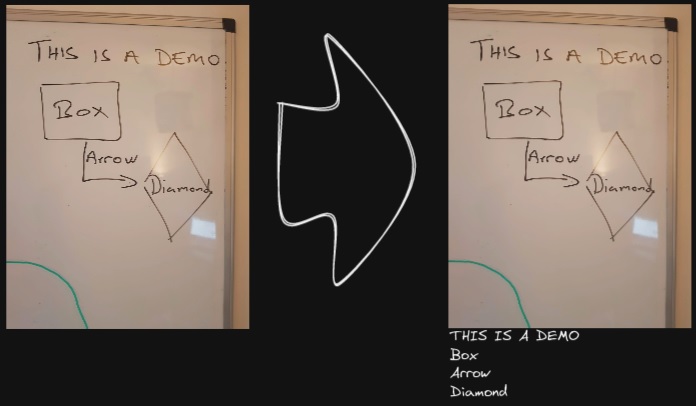 |
@zsviczian |
| Organic Line | Converts selected freedraw lines such that pencil pressure will decrease from maximum to minimum from the beginning of the line to its end. The resulting line is placed at the back of the layers, under all other items. Helpful when drawing organic mindmaps. | |
@zsviczian |
| Repeat Elements | This script will detect the difference between 2 selected elements, including position, size, angle, stroke and background color, and create several elements that repeat these differences based on the number of repetitions entered by the user. | |
@1-2-3 |
| Reset LaTeX Size | Reset the sizes of embedded LaTeX equations to the default sizes or a multiple of the default sizes. | |
@firai |
| Reverse arrows | Reverse the direction of arrows within the scope of selected elements. | |
@zsviczian |
| Scribble Helper | iOS scribble helper for better handwriting experience with text elements. If no elements are selected then the creates a text element at pointer position and you can use the edit box to modify the text with scribble. If a text element is selected then opens the input prompt where you can modify this text with scribble. | @zsviczian | |
| Select Elements of Type | Prompts you with a list of the different element types in the active image. Only elements of the selected type will be selected on the canvas. If nothing is selected when running the script, then the script will process all the elements on the canvas. If some elements are selected when the script is executed, then the script will only process the selected elements. The script is useful when, for example, you want to bring to front all the arrows, or want to change the color of all the text elements, etc. |
@zsviczian | |
| Set background color of unclosed line object by adding a shadow clone | Use this script to set the background color of unclosed (i.e. open) line objects by creating a clone of the object. The script will set the stroke color of the clone to transparent and will add a straight line to close the object. Use settings to define the default background color, the fill style, and the strokeWidth of the clone. By default the clone will be grouped with the original object, you can disable this also in settings. | |
@zsviczian |
| Set Dimensions | Currently there is no way to specify the exact location and size of objects in Excalidraw. You can bridge this gap with the following simple script. | |
@zsviczian |
| Set Font Family | Sets font family of the text block (Virgil, Helvetica, Cascadia). Useful if you want to set a keyboard shortcut for selecting font family. | |
@zsviczian |
| Set Grid | The default grid size in Excalidraw is 20. Currently there is no way to change the grid size via the user interface. This script offers a way to bridge this gap. | |
@zsviczian |
| Set Link Alias | Iterates all of the links in the selected TextElements and prompts the user to set or modify the alias for each link found. | |
@zsviczian |
| Set stroke width of selected elements | This script will set the stroke width of selected elements. This is helpful, for example, when you scale freedraw sketches and want to reduce or increase their line width. | |
@zsviczian |
| Split text by lines | Split lines of text into separate text elements for easier reorganization | |
@zsviczian |
| Set Text Alignment | Sets text alignment of text block (cetner, right, left). Useful if you want to set a keyboard shortcut for selecting text alignment. | |
@zsviczian |
| Split Ellipse | This script splits an ellipse at any point where a line intersects it. | |
@GColoy |
| TheBrain-navigation | An Excalidraw based graph user interface for your Vault. Requires the Dataview plugin. Generates a graph view similar to that of TheBrain plex. Watch introduction to this script on YouTube. |  |
@zsviczian |
| Toggle Fullscreen on Mobile | Hides Obsidian workspace leaf padding and header (based on option in settings, default is "hide header" = false) which will take Excalidraw to full screen. ⚠ Note that if the header is not visible, it will be very difficult to invoke the command palette to end full screen. Only hide the header if you have a keyboard or you've practiced opening command palette! | 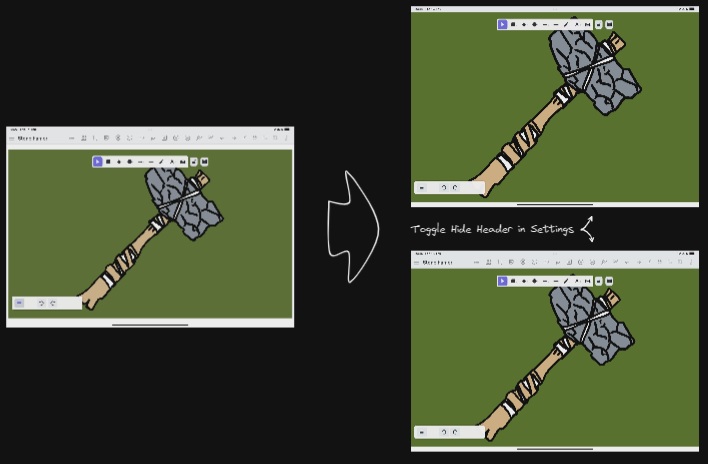 |
@zsviczian |
| Toggle Grid | Toggles the grid. | @GColoy | |
| Transfer TextElements to Excalidraw markdown metadata | The script will delete the selected text elements from the canvas and will copy the text from these text elements into the Excalidraw markdown file as metadata. This means, that the text will no longer be visible in the drawing, however you will be able to search for the text in Obsidian and find the drawing containing this image. | 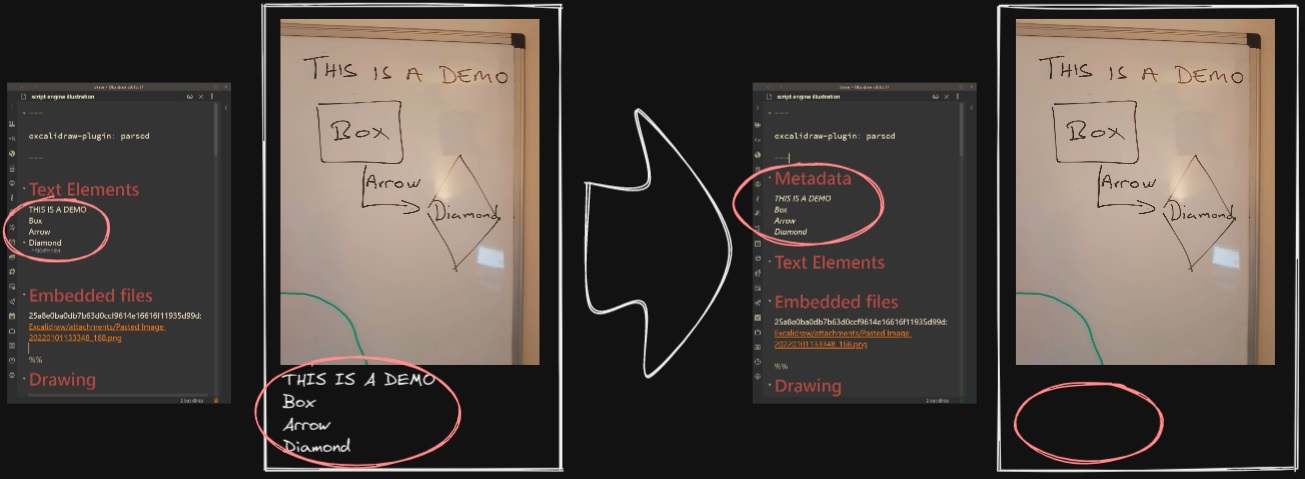 |
@zsviczian |
| Zoom to Fit Selected Elements | Similar to Excalidraw standard SHIFT+2 feature: Zoom to fit selected elements, but with the ability to zoom to 1000%. Inspiration: #272 | @zsviczian | |
| Hardware Eraser Suppoer | Allows the use of pen inversion/hardware erasers on supported pens. | @threethan | |
| Hardware Eraser Suppoer | Automatically switched from the Select tool to the Draw tool when a pen is hovered, and then back. | @threethan |
Relative Font Size Cycle.md
/* The script will cycle through S, M, L, XL font sizes scaled to the current canvas zoom.
const FONTSIZES = [16, 20, 28, 36];
const api = ea.getExcalidrawAPI();
const st = api.getAppState();
const zoom = st.zoom.value;
const currentItemFontSize = st.currentItemFontSize;

const fontsizes = FONTSIZES.map(s=>s/zoom);
const els = ea.getViewSelectedElements().filter(el=>el.type === "text");

const findClosestIndex = (val, list) => {
  let closestIndex = 0;
  let closestDifference = Math.abs(list[0] - val);
  for (let i = 1; i < list.length; i++) {
    const difference = Math.abs(list[i] - val);
    if (difference <= closestDifference) {
      closestDifference = difference;
      closestIndex = i;
    }
  }
  return closestIndex;
}

ea.viewUpdateScene({appState:{currentItemFontSize: fontsizes[(findClosestIndex(currentItemFontSize, fontsizes)+1) % fontsizes.length] }});

if(els.length>0) {
  ea.copyViewElementsToEAforEditing(els);
  ea.getElements().forEach(el=> {
    el.fontSize = fontsizes[(findClosestIndex(el.fontSize, fontsizes)+1) % fontsizes.length];
    const font = ExcalidrawLib.getFontString(el);
    const lineHeight = ExcalidrawLib.getDefaultLineHeight(el.fontFamily);
    const {width, height, baseline} = ExcalidrawLib.measureText(el.originalText, font, lineHeight);
    el.width = width;
    el.height = height;
    el.baseline = baseline;
  });
  ea.addElementsToView();
}
Rename Image.md
/*
Select an image on the canvas and run the script. You will be prompted to provide a new filename / filepath. This cuts down the time to name images you paste from the web or drag and drop from your file system.
*/
await ea.addElementsToView(); //to ensure all images are saved into the file

const img = ea.getViewSelectedElements().filter(el=>el.type === "image");
if(img.length === 0) {
  new Notice("No image is selected");
  return;
}

for(i of img) {
  const currentPath = ea.plugin.filesMaster.get(i.fileId).path;
  const file = app.vault.getAbstractFileByPath(currentPath);
  if(!file) {
	  new Notice("Can't find file: " + currentPath);
	  continue;
  }
  const pathNoExtension = file.path.substring(0,file.path.length-file.extension.length-1);
  const newPath = await utils.inputPrompt("Please provide the filename","file path",pathNoExtension);
  if(newPath && newPath !== pathNoExtension) {
	  await app.fileManager.renameFile(file,`${newPath}.${file.extension}`);
  }
}
Repeat Elements.md
/*
Download this file and save to your Obsidian Vault including the first line, or open it in "Raw" and copy the entire contents to Obsidian.
This script will detect the difference between 2 selected elements, including position, size, angle, stroke and background color, and create several elements that repeat these differences based on the number of repetitions entered by the user.
See documentation for more details: https://zsviczian.github.io/obsidian-excalidraw-plugin/ExcalidrawScriptsEngine.html
*/

if(!ea.verifyMinimumPluginVersion || !ea.verifyMinimumPluginVersion("1.7.19")) {
  new Notice("This script requires a newer version of Excalidraw. Please install the latest version.");
  return;
}

let repeatNum = parseInt(await utils.inputPrompt("repeat times?","number","5"));
if(!repeatNum) {
    new Notice("Please enter a number.");
    return;
}

const selectedElements = ea.getViewSelectedElements().sort((lha,rha) =>
    lha.x === rha.x? (lha.y === rha.y?
    (lha.width === rha.width?
    (lha.height - rha.height) : lha.width - rha.width)
    : lha.y - rha.y) : lha.x - rha.x);

if(selectedElements.length !== 2) {
    new Notice("Please select 2 elements.");
    return;
}

if(selectedElements[0].type !== selectedElements[1].type) {
    new Notice("The selected elements must be of the same type.");
    return;
}

const xDistance = selectedElements[1].x - selectedElements[0].x;
const yDistance = selectedElements[1].y - selectedElements[0].y;
const widthDistance = selectedElements[1].width - selectedElements[0].width;
const heightDistance = selectedElements[1].height - selectedElements[0].height;
const angleDistance = selectedElements[1].angle - selectedElements[0].angle;

const bgColor1 = ea.colorNameToHex(selectedElements[0].backgroundColor);
const cmBgColor1 = ea.getCM(bgColor1);
const bgColor2 = ea.colorNameToHex(selectedElements[1].backgroundColor);
let   cmBgColor2 = ea.getCM(bgColor2);
const isBgTransparent = cmBgColor1.alpha === 0  || cmBgColor2.alpha === 0;
const bgHDistance = cmBgColor2.hue - cmBgColor1.hue;
const bgSDistance = cmBgColor2.saturation - cmBgColor1.saturation;
const bgLDistance = cmBgColor2.lightness - cmBgColor1.lightness;
const bgADistance = cmBgColor2.alpha - cmBgColor1.alpha;

const strokeColor1 = ea.colorNameToHex(selectedElements[0].strokeColor);
const cmStrokeColor1 = ea.getCM(strokeColor1);
const strokeColor2 = ea.colorNameToHex(selectedElements[1].strokeColor);
let   cmStrokeColor2 = ea.getCM(strokeColor2);
const isStrokeTransparent = cmStrokeColor1.alpha === 0 || cmStrokeColor2.alpha ===0;
const strokeHDistance = cmStrokeColor2.hue - cmStrokeColor1.hue;
const strokeSDistance = cmStrokeColor2.saturation - cmStrokeColor1.saturation;
const strokeLDistance = cmStrokeColor2.lightness - cmStrokeColor1.lightness;
const strokeADistance = cmStrokeColor2.alpha - cmStrokeColor1.alpha;


ea.copyViewElementsToEAforEditing(selectedElements);
for(let i=0; i<repeatNum; i++) {
    const newEl = ea.cloneElement(selectedElements[1]);
    ea.elementsDict[newEl.id] = newEl;
    newEl.x += xDistance * (i + 1);
    newEl.y += yDistance * (i + 1);
    newEl.angle += angleDistance * (i + 1);
    const originWidth = newEl.width;
    const originHeight = newEl.height;
    const newWidth = newEl.width + widthDistance * (i + 1);
    const newHeight = newEl.height + heightDistance * (i + 1);
    if(newWidth >= 0 && newHeight >= 0) {
        if(newEl.type === 'arrow' || newEl.type === 'line' || newEl.type === 'freedraw') {
          const minX = Math.min(...newEl.points.map(pt => pt[0]));
          const minY = Math.min(...newEl.points.map(pt => pt[1]));
          for(let j = 0; j < newEl.points.length; j++) {
            if(newEl.points[j][0] > minX) {
              newEl.points[j][0] = newEl.points[j][0] + ((newEl.points[j][0] - minX) / originWidth) * (newWidth - originWidth);
            }
            if(newEl.points[j][1] > minY) {
              newEl.points[j][1] = newEl.points[j][1] + ((newEl.points[j][1] - minY) / originHeight) * (newHeight - originHeight);
            }
          }
        }
        else {
          newEl.width = newWidth;
          newEl.height = newHeight;
        }
    }

    if(!isBgTransparent) {
		cmBgColor2 = cmBgColor2.hueBy(bgHDistance).saturateBy(bgSDistance).lighterBy(bgLDistance).alphaBy(bgADistance);
		newEl.backgroundColor = cmBgColor2.stringHEX();
    } else {
      newEl.backgroundColor = "transparent";
    }

    if(!isStrokeTransparent) {
		cmStrokeColor2 = cmStrokeColor2.hueBy(strokeHDistance).saturateBy(strokeSDistance).lighterBy(strokeLDistance).alphaBy(strokeADistance);
		newEl.strokeColor = cmStrokeColor2.stringHEX();
    } else {
      newEl.strokeColor = "transparent";
    }
}

await ea.addElementsToView(false, false, true);
Repeat Texts.md
/*
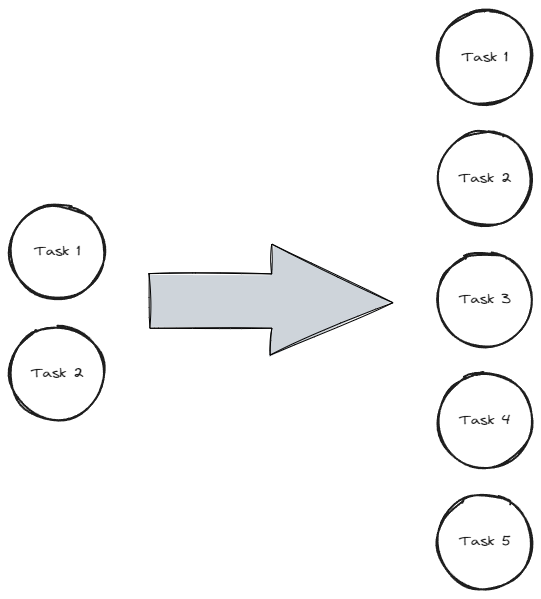 In the following script, we address the concept of repetition through the lens of numerical progression. As visualized by the image, where multiple circles each labeled with an even task number are being condensed into a linear sequence, our script will similarly iterate through a set of numbers.
Inspired from Repeat Elements
*/

if(!ea.verifyMinimumPluginVersion || !ea.verifyMinimumPluginVersion("1.7.19")) {
  new Notice("This script requires a newer version of Excalidraw. Please install the latest version.");
  return;
}

let repeatNum = parseInt(await utils.inputPrompt("repeat times?","number","5"));
if(!repeatNum) {
    new Notice("Please enter a number.");
    return;
}

const selectedElements = ea.getViewSelectedElements().sort((lha,rha) => lha.x === rha.x ? lha.y - rha.y : lha.x - rha.x);

const selectedBounds = selectedElements.filter(e => e.type !== "text");
const selectedTexts = selectedElements.filter(e => e.type === "text");
const selectedTextsById = selectedTexts.reduce((prev, next) => (prev[next.id] = next, prev), {})


if(selectedTexts.length !== 2 || ![0, 2].includes(selectedBounds.length)) {
    new Notice("Please select only 2 text elements.");
    return;
}

if(selectedBounds.length === 2) {
	if(selectedBounds[0].type !== selectedBounds[1].type) {
	    new Notice("The selected elements must be of the same type.");
		return;
	}
	if (!selectedBounds.every(e => e.boundElements?.length === 1)) {
		new Notice("Only support the bound element with 1 text element.");
		return;
	}
	if (!selectedBounds.every(e => !!selectedTextsById[e.boundElements?.[0]?.id])) {
		new Notice("Bound element must refer to the text element.");
		return;
	}
}

const prevBoundEl = selectedBounds.length ? selectedBounds[0] : selectedTexts[0];
const nextBoundEl = selectedBounds.length ? selectedBounds[1] : selectedTexts[1];
const prevTextEl = prevBoundEl.type === 'text' ? prevBoundEl : selectedTextsById[prevBoundEl.boundElements[0].id]
const nextTextEl = nextBoundEl.type === 'text' ? nextBoundEl : selectedTextsById[nextBoundEl.boundElements[0].id]

const xDistance = nextBoundEl.x - prevBoundEl.x;
const yDistance = nextBoundEl.y - prevBoundEl.y;

const numReg = /\d+/
let textNumDiff
try {
	const num0 = +prevTextEl.text.match(numReg)
	const num1 = +nextTextEl.text.match(numReg)
	textNumDiff = num1 - num0
} catch(e) {
	new Notice("Text must include a number!")
	return;
}

const repeatEl = (newEl, step) => {
    ea.elementsDict[newEl.id] = newEl;
    newEl.x += xDistance * (step + 1);
    newEl.y += yDistance * (step + 1);

	if(newEl.text) {
		const text = newEl.text.replace(numReg, (match) => +match + (step + 1) * textNumDiff)
		newEl.originalText = text
		newEl.rawText = text
		newEl.text = text
	}
}

ea.copyViewElementsToEAforEditing(selectedBounds);
for(let i=0; i<repeatNum; i++) {
	const newTextEl = ea.cloneElement(nextTextEl);
	repeatEl(newTextEl, i)

	if (selectedBounds.length) {
	    const newBoundEl = ea.cloneElement(selectedBounds[1]);
		newBoundEl.boundElements[0].id = newTextEl.id
		newTextEl.containerId = newBoundEl.id
		repeatEl(newBoundEl, i)
	}
}

await ea.addElementsToView(false, false, true);
Reset LaTeX Size.md
/*
Reset the sizes of embedded LaTeX equations to the default sizes or a multiple of the default sizes.
*/

if (!ea.verifyMinimumPluginVersion || !ea.verifyMinimumPluginVersion("2.4.0")) {
  new Notice("This script requires a newer version of Excalidraw. Please install the latest version.");
  return;
}

let elements = ea.getViewSelectedElements().filter((el)=>["image"].includes(el.type));
if (elements.length === 0) return;

scale = await utils.inputPrompt("Scale?", "Number", "1");
if (!scale) return;
scale = parseFloat(scale);

ea.copyViewElementsToEAforEditing(elements);

for (el of elements) {
  equation = ea.targetView.excalidrawData.getEquation(el.fileId)?.latex;
  if (!equation) return;
  eqData = await ea.tex2dataURL(equation);
  ea.getElement(el.id).width = eqData.size.width * scale;
  ea.getElement(el.id).height = eqData.size.height * scale;
};

ea.addElementsToView(false, false);
Reverse arrows.md
/*
Download this file and save to your Obsidian Vault including the first line, or open it in "Raw" and copy the entire contents to Obsidian.
Reverse the direction of arrows within the scope of selected elements.
See documentation for more details: https://zsviczian.github.io/obsidian-excalidraw-plugin/ExcalidrawScriptsEngine.html
*/
elements = ea.getViewSelectedElements().filter((el)=>el.type==="arrow");
if(!elements || elements.length===0) return;
elements.forEach((el)=>{
	const start = el.startArrowhead;
	el.startArrowhead = el.endArrowhead;
	el.endArrowhead = start;
});
ea.copyViewElementsToEAforEditing(elements);
ea.addElementsToView(false,false);
Scribble Helper.md
/*
Scribble Helper can improve handwriting and add links. It lets you create and edit text elements, including wrapped text and sticky notes, by double-tapping on the canvas. When you run the script, it creates an event handler that will activate the editor when you double-tap. If you select a text element on the canvas before running the script, it will open the editor for that element. If you use a pen, you can set it up to only activate Scribble Helper when you double-tap with the pen. The event handler is removed when you run the script a second time or switch to a different tab.
*/
if(!ea.verifyMinimumPluginVersion || !ea.verifyMinimumPluginVersion("2.19.0")) {
  new Notice("This script requires a newer version of Excalidraw. Please install the latest version.");
  return;
}

// ------------------------------
// Constants and initialization
// ------------------------------
const helpLINK = "https://youtu.be/BvYkOaly-QM";
const DBLCLICKTIMEOUT = 300;
const maxWidth = 600;
const padding = 6;
const api = ea.getExcalidrawAPI();
const win = ea.targetView.ownerWindow;

// Initialize global variables
if(!win.ExcalidrawScribbleHelper) win.ExcalidrawScribbleHelper = {};
if(typeof win.ExcalidrawScribbleHelper.penOnly === "undefined") {
  win.ExcalidrawScribbleHelper.penOnly = false;
}

let windowOpen = false; //to prevent the modal window to open again while writing with scribble
let prevZoomValue = api.getAppState().zoom.value; //used to avoid trigger on pinch zoom

// -------------
// Load settings
// -------------
let settings = ea.getScriptSettings();
//set default values on first-ever run of the script
if(!settings["Default action"]) {
  settings = {
    "Default action" : {
      value: "Text",
      valueset: ["Text","Sticky","Wrap"],
      description: "What type of element should CTRL/CMD+ENTER create. TEXT: A regular text element. " +
        "STICKY: A sticky note with border color and background color " +
        "(using the current setting of the canvas). STICKY: A sticky note with transparent " +
        "border and background color."
    },
  };
  await ea.setScriptSettings(settings);
}

if(typeof win.ExcalidrawScribbleHelper.action === "undefined") {
  win.ExcalidrawScribbleHelper.action = settings["Default action"].value;
}

//---------------------------------------
// Helper Functions
//---------------------------------------

// Event handler management
function addEventHandler(handler) {
  if(win.ExcalidrawScribbleHelper.eventHandler) {
    win.removeEventListener("pointerdown", handler);
  }
  win.addEventListener("pointerdown",handler);
  win.ExcalidrawScribbleHelper.eventHandler = handler;
  win.ExcalidrawScribbleHelper.window = win;
}

function removeEventHandler(handler) {
  win.removeEventListener("pointerdown",handler);
  delete win.ExcalidrawScribbleHelper.eventHandler;
  delete win.ExcalidrawScribbleHelper.window;
}

// Edit existing text element function
async function editExistingTextElement(elements) {
  windowOpen = true;
  ea.copyViewElementsToEAforEditing(elements);
  const el = ea.getElements()[0];
  ea.style.strokeColor = el.strokeColor;
  const text = await utils.inputPrompt({
    header: "Edit text",
    placeholder: "",
    value: elements[0].rawText,
    //buttons: undefined,
    lines: 5,
    displayEditorButtons: true,
    customComponents: customControls,
    blockPointerInputOutsideModal: true,
    controlsOnTop: true
  });

  windowOpen = false;
  if(!text) return;

  el.strokeColor = ea.style.strokeColor;
  el.originalText = text;
  el.text = text;
  el.rawText = text;
  if(el.autoResize) {
    ea.refreshTextElementSize(el.id);
  }
  await ea.addElementsToView(false,false);
  if(el.containerId) {
    const containers = ea.getViewElements().filter(e=>e.id === el.containerId);
    api.updateContainerSize(containers);
    ea.selectElementsInView(containers);
  }
}

// Custom dialog UI components
function customControls (container) {
  const helpDIV = container.createDiv();
  helpDIV.innerHTML = `<a href="${helpLINK}" target="_blank">Click here for help</a>`;
  helpDIV.style.paddingBottom = "0.25em";
  const viewBackground = api.getAppState().viewBackgroundColor;
  const el1 = new ea.obsidian.Setting(container)
    .setName(`Text color`)
    .addButton(button => button
      .setIcon("swatch-book")
      .onClick(async () => {
        const selected = await ea.showColorPicker(button.buttonEl, "elementStroke");
        if(selected) {
          ea.style.strokeColor = selected;
          el1.nameEl.style.color = selected;
        }
      })
    );

  el1.nameEl.style.color = ea.style.strokeColor;
  el1.nameEl.style.background = viewBackground;
  el1.nameEl.style.fontWeight = "bold";
  el1.settingEl.style.padding = "0.25em 0";

  const el2 = new ea.obsidian.Setting(container)
    .setDesc(`Trigger editor by pen double tap only`)
    .addToggle((toggle) => toggle
      .setValue(win.ExcalidrawScribbleHelper.penOnly)
      .onChange(value => {
        win.ExcalidrawScribbleHelper.penOnly = value;
      })
    )
  el2.settingEl.style.border = "none";
  el2.settingEl.style.padding = "0.25em 0";
  el2.settingEl.style.display = win.ExcalidrawScribbleHelper.penDetected ? "" : "none";
}

//----------------------------------------------------------
// Cache element location on first click
//----------------------------------------------------------
// if a single element is selected when the action is started, update that existing text
let containerElements = ea.getViewSelectedElements()
  .filter(el=>["arrow","rectangle","ellipse","line","diamond"].contains(el.type));
let selectedTextElements = ea.getViewSelectedElements().filter(el=>el.type==="text");

// -------------------------------
// Main Click / dbl click event handler
// -------------------------------
let timer = Date.now();
async function eventHandler(evt) {
  if(windowOpen) return;
  if(ea.targetView !== app.workspace.activeLeaf.view) removeEventHandler(eventHandler);
  if(evt && evt.target && !evt.target.hasClass("excalidraw__canvas")) return;
  if(evt && (evt.ctrlKey || evt.altKey || evt.metaKey || evt.shiftKey)) return;
  const st = api.getAppState();
  win.ExcalidrawScribbleHelper.penDetected = st.penDetected;

  //don't trigger text editor when editing a line or arrow
  if(st.editingElement && ["arrow","line"].contains(st.editingElment.type)) return;

  if(typeof win.ExcalidrawScribbleHelper.penOnly === "undefined") {
    win.ExcalidrawScribbleHelper.penOnly = false;
  }

  if (evt && win.ExcalidrawScribbleHelper.penOnly &&
    win.ExcalidrawScribbleHelper.penDetected && evt.pointerType !== "pen") return;
  const now = Date.now();

  //the <50 condition is to avoid false double click when pinch zooming
  if((now-timer > DBLCLICKTIMEOUT) || (now-timer < 50)) {
    prevZoomValue = st.zoom.value;
    timer = now;
    containerElements = ea.getViewSelectedElements()
      .filter(el=>["arrow","rectangle","ellipse","line","diamond"].contains(el.type));
    selectedTextElements = ea.getViewSelectedElements().filter(el=>el.type==="text");
	  return;
  }
  //further safeguard against triggering when pinch zooming
  if(st.zoom.value !== prevZoomValue) return;

  //sleeping to allow keyboard to pop up on mobile devices
  await sleep(200);
  ea.clear();

  //if a single element with text is selected, edit the text
  //(this can be an arrow, a sticky note, or just a text element)
  if(selectedTextElements.length === 1) {
    editExistingTextElement(selectedTextElements);
    return;
  }

  let containerID;
  let container;
  //if no text elements are selected (i.e. not multiple text  elements selected),
  //check if there is a single eligeable container selected
  if(selectedTextElements.length === 0) {
    if(containerElements.length === 1) {
      ea.copyViewElementsToEAforEditing(containerElements);
      containerID = containerElements[0].id
      container = ea.getElement(containerID);
    }
  }

  const {x,y} = ea.targetView.currentPosition;

  if(ea.targetView !== app.workspace.activeLeaf.view) return;
  const actionButtons = [
    {
      caption: `A`,
      tooltip: "Add as Text Element",
      action: () => {
        win.ExcalidrawScribbleHelper.action="Text";
        if(settings["Default action"].value!=="Text") {
          settings["Default action"].value = "Text";
          ea.setScriptSettings(settings);
        };
        return;
      }
    },
    {
      caption: "📝",
      tooltip: "Add as Sticky Note (rectangle with border color and background color)",
      action: () => {
        win.ExcalidrawScribbleHelper.action="Sticky";
        if(settings["Default action"].value!=="Sticky") {
          settings["Default action"].value = "Sticky";
          ea.setScriptSettings(settings);
        };
        return;
      }
    },
    {
      caption: "☱",
      tooltip: "Add as Wrapped Text",
      action: () => {
        win.ExcalidrawScribbleHelper.action="Wrap";
        if(settings["Default action"].value!=="Wrap") {
          settings["Default action"].value = "Wrap";
          ea.setScriptSettings(settings);
        };
        return;
      }
    }
  ];
  if(win.ExcalidrawScribbleHelper.action !== "Text") actionButtons.push(actionButtons.shift());
  if(win.ExcalidrawScribbleHelper.action === "Wrap") actionButtons.push(actionButtons.shift());

  // Apply styles from current app state
  ea.style.strokeColor = st.currentItemStrokeColor ?? ea.style.strokeColor;
  ea.style.roughness = st.currentItemRoughness ?? ea.style.roughness;
  ea.setStrokeSharpness(st.currentItemRoundness === "round" ? 0 : st.currentItemRoundness)
  ea.style.backgroundColor = st.currentItemBackgroundColor ?? ea.style.backgroundColor;
  ea.style.fillStyle = st.currentItemFillStyle ?? ea.style.fillStyle;
  ea.style.fontFamily = st.currentItemFontFamily ?? ea.style.fontFamily;
  ea.style.fontSize = st.currentItemFontSize ?? ea.style.fontSize;
  ea.style.textAlign = (container && ["arrow","line"].contains(container.type))
    ? "center"
    : (container && ["rectangle","diamond","ellipse"].contains(container.type))
      ? "center"
      : st.currentItemTextAlign ?? "center";
  ea.style.verticalAlign = "middle";

  windowOpen = true;

  const text = await utils.inputPrompt ({
    header: "Edit text",
    placeholder: "",
    value: "",
    buttons: containerID?undefined:actionButtons,
    lines: 5,
    displayEditorButtons: true,
    customComponents: customControls,
    blockPointerInputOutsideModal: true,
    controlsOnTop: true
  });
  windowOpen = false;

  if(!text || text.trim() === "") return;

  const textId = ea.addText(x,y, text);
  if (!container && (win.ExcalidrawScribbleHelper.action === "Text")) {
    ea.addElementsToView(false, false, true);
    addEventHandler(eventHandler);
    return;
  }
  const textEl = ea.getElement(textId);

  if(!container && (win.ExcalidrawScribbleHelper.action === "Wrap")) {
    textEl.autoResize = false;
    textEl.width = Math.min(textEl.width, maxWidth);
    ea.addElementsToView(false, false, true);
    addEventHandler(eventHandler);
    return;
  }

  if(!container && (win.ExcalidrawScribbleHelper.action === "Sticky")) {
    textEl.textAlign = "center";
  }

  const boxes = [];
  if(container) {
    boxes.push(containerID);
    const linearElement = ["arrow","line"].contains(container.type);
    const l = linearElement ? container.points.length-1 : 0;
    const dx = linearElement && (container.points[l][0] < 0) ? -1 : 1;
    const dy = linearElement && (container.points[l][1] < 0) ? -1 : 1;
    cx = container.x + dx*container.width/2;
    cy = container.y + dy*container.height/2;
    textEl.x = cx - textEl.width/2;
    textEl.y = cy - textEl.height/2;
  }

  if(!container) {
    const width = textEl.width+2*padding;
    const widthOK = width<=maxWidth;
    containerID = ea.addRect(
      textEl.x-padding,
      textEl.y-padding,
      widthOK ? width : maxWidth,
      textEl.height + 2 * padding
    );
    container = ea.getElement(containerID);
  }
  boxes.push(containerID);
  container.boundElements=[{type:"text",id: textId}];
  textEl.containerId = containerID;
  //ensuring the correct order of elements, first container, then text
  delete ea.elementsDict[textEl.id];
  ea.elementsDict[textEl.id] = textEl;

  await ea.addElementsToView(false,false,true);
  const containers = ea.getViewElements().filter(el=>boxes.includes(el.id));
  if(["rectangle","diamond","ellipse"].includes(container.type)) api.updateContainerSize(containers);
  ea.selectElementsInView(containers);
};

//---------------------
// Script entry point
//---------------------
//Stop the script if scribble helper is clicked and no eligable element is selected
let silent = false;
if (win.ExcalidrawScribbleHelper?.eventHandler) {
  removeEventHandler(win.ExcalidrawScribbleHelper.eventHandler);
  delete win.ExcalidrawScribbleHelper.eventHandler;
  delete win.ExcalidrawScribbleHelper.window;
  if(!(containerElements.length === 1 || selectedTextElements.length === 1)) {
    new Notice ("Scribble Helper was stopped",1000);
    return;
  }
  silent = true;
}

if(!win.ExcalidrawScribbleHelper?.eventHandler) {
  if(!silent) new Notice(
    "To create a new text element,\ndouble-tap the screen.\n\n" +
    "To edit text,\ndouble-tap an existing element.\n\n" +
    "To stop the script,\ntap it again or switch to a different tab.",
    5000
  );
  addEventHandler(eventHandler);
}

if(containerElements.length === 1 || selectedTextElements.length === 1) {
  timer = timer - 100;
  eventHandler();
}
Select Elements of Type.md
/*
Prompts you with a list of the different element types in the active image. Only elements of the selected type will be selected on the canvas. If nothing is selected when running the script, then the script will process all the elements on the canvas. If some elements are selected when the script is executed, then the script will only process the selected elements.
The script is useful when, for example, you want to bring to front all the arrows, or want to change the color of all the text elements, etc.
*/

if(!ea.verifyMinimumPluginVersion || !ea.verifyMinimumPluginVersion("1.5.24")) {
  new Notice("This script requires a newer version of Excalidraw. Please install the latest version.");
  return;
}

let elements = ea.getViewSelectedElements();
if(elements.length === 0) elements = ea.getViewElements();
if(elements.length === 0) {
  new Notice("There are no elements in the view");
  return;
}

typeSet = new Set();
elements.forEach(el=>typeSet.add(el.type));
let elementType = Array.from(typeSet)[0];

if(typeSet.size > 1) {
	elementType = await utils.suggester(
	  Array.from(typeSet).map((item) => {
		  switch(item) {
				case "line": return "— line";
				case "ellipse": return "○ ellipse";
	      case "rectangle": return "□ rectangle";
	      case "diamond": return "◇ diamond";
	      case "arrow": return "→ arrow";
	      case "freedraw": return "✎ freedraw";
	      case "image": return "🖼 image";
	      case "text": return "A text";
	      default: return item;
	    }
		}),
	  Array.from(typeSet)
	);
}

if(!elementType) return;

ea.selectElementsInView(elements.filter(el=>el.type === elementType));
Select Similar Elements.md
/*
This script enables the selection of elements based on matching properties. Select the attributes (such as stroke color, fill style, font family, etc) that should match for selection. It's perfect for large scenes where manual selection of elements would be cumbersome. You can either run the script to select matching elements across the entire scene, or define a specific group of elements to apply the selection criteria to.
let config = window.ExcalidrawSelectConfig;
const isValidConfig = config && (Date.now() - config.timestamp < 60000);
config = isValidConfig ? config : null;

let elements = ea.getViewSelectedElements();
if(!config) {

  async function shouldAbort() {
    if(elements.length === 1) return false;
    if(elements.length !== 2) return true;

    //maybe container?
    const textEl = elements.find(el=>el.type==="text");
    if(!textEl || !textEl.containerId) return true;

    const containerEl = elements.find(el=>el.id === textEl.containerId);
    if(!containerEl) return true;

    const id = await utils.suggester(
      elements.map(el=>el.type),
      elements.map(el=>el.id),
      "Select container component"
    );
    if(!id) return true;
    elements = elements.filter(el=>el.id === id);
    return false;
  }

  if(await shouldAbort()) {
    new Notice("Select a single element");
    return;
  }
}

if(Boolean(config) && elements.length === 0) {
  elements = ea.getViewElements();
}

const {angle, backgroundColor, fillStyle, fontFamily, fontSize, height, width, opacity, roughness, roundness, strokeColor, strokeStyle, strokeWidth, type, startArrowhead, endArrowhead, fileId} = ea.getViewSelectedElement();

const fragWithHTML = (html) => createFragment((frag) => (frag.createDiv().innerHTML = html));

function lc(x) {
  return x?.toLocaleLowerCase();
}

//--------------------------
// RUN
//--------------------------
const run = () => {
  selectedElements = elements.filter(el=>
    ((typeof config.angle === "undefined") || (el.angle === config.angle)) &&
    ((typeof config.backgroundColor === "undefined") || (lc(el.backgroundColor) === lc(config.backgroundColor))) &&
    ((typeof config.fillStyle === "undefined") || (el.fillStyle === config.fillStyle)) &&
    ((typeof config.fontFamily === "undefined") || (el.fontFamily === config.fontFamily)) &&
    ((typeof config.fontSize === "undefined") || (el.fontSize === config.fontSize)) &&
	  ((typeof config.height === "undefined") || Math.abs(el.height - config.height) < 0.01) &&
	  ((typeof config.width === "undefined") || Math.abs(el.width - config.width) < 0.01) &&
    ((typeof config.opacity === "undefined") || (el.opacity === config.opacity)) &&
    ((typeof config.roughness === "undefined") || (el.roughness === config.roughness)) &&
    ((typeof config.roundness === "undefined") || (el.roundness === config.roundness)) &&
    ((typeof config.strokeColor === "undefined") || (lc(el.strokeColor) === lc(config.strokeColor))) &&
    ((typeof config.strokeStyle === "undefined") || (el.strokeStyle === config.strokeStyle)) &&
    ((typeof config.strokeWidth === "undefined") || (el.strokeWidth === config.strokeWidth)) &&
    ((typeof config.type === "undefined") || (el.type === config.type)) &&
    ((typeof config.startArrowhead === "undefined") || (el.startArrowhead === config.startArrowhead)) &&
    ((typeof config.endArrowhead === "undefined") || (el.endArrowhead === config.endArrowhead)) &&
    ((typeof config.fileId === "undefined") || (el.fileId === config.fileId))
  )
  ea.selectElementsInView(selectedElements);
  delete window.ExcalidrawSelectConfig;
}

//--------------------------
// Modal
//--------------------------
const showInstructions = () => {
  const instructionsModal = new ea.obsidian.Modal(app);
  instructionsModal.onOpen = () => {
  instructionsModal.contentEl.createEl("h2", {text: "Instructions"});
	instructionsModal.contentEl.createEl("p", {text: "Step 1: Choose the attributes that you want the selected elements to match."});
	instructionsModal.contentEl.createEl("p", {text: "Step 2: Select an action:"});
	instructionsModal.contentEl.createEl("ul", {}, el => {
	  el.createEl("li", {text: "Click 'RUN' to find matching elements throughout the entire scene."});
	  el.createEl("li", {text: "Click 'SELECT' to 1) first choose a specific group of elements in the scene, then 2) run the 'Select Similar Elements' once more within 1 minute to apply the filter criteria only to that group of elements."});
	});
	instructionsModal.contentEl.createEl("p", {text: "Note: If you choose 'SELECT', make sure to click the 'Select Similar Elements' script again within 1 minute to apply your selection criteria to the group of elements you chose."});
  };
  instructionsModal.open();
};

const selectAttributesToCopy = () => {
  const configModal = new ea.obsidian.Modal(app);
  configModal.onOpen = () => {
  config = {};
	configModal.contentEl.createEl("h1", {text: "Select Similar Elements"});
  new ea.obsidian.Setting(configModal.contentEl)
    .setDesc("Choose the attributes you want the selected elements to match, then select an action.")
    .addButton(button => button
      .setButtonText("Instructions")
      .onClick(showInstructions)
    );


    // Add Toggles for the rest of the attributes
	let attributes = [
	  {name: "Element type", key: "type"},
	  {name: "Stroke color", key: "strokeColor"},
	  {name: "Background color", key: "backgroundColor"},
	  {name: "Opacity", key: "opacity"},
	  {name: "Fill style", key: "fillStyle"},
	  {name: "Stroke style", key: "strokeStyle"},
	  {name: "Stroke width", key: "strokeWidth"},
	  {name: "Roughness", key: "roughness"},
	  {name: "Roundness", key: "roundness"},
	  {name: "Font family", key: "fontFamily"},
	  {name: "Font size", key: "fontSize"},
	  {name: "Start arrowhead", key: "startArrowhead"},
	  {name: "End arrowhead", key: "endArrowhead"},
	  {name: "Height", key: "height"},
	  {name: "Width", key: "width"},
	  {name: "ImageID", key: "fileId"},
	];

	attributes.forEach(attr => {
	  const attrValue = elements[0][attr.key];
	  if((typeof attrValue !== "undefined" && attrValue !== null) || (attr.key === "startArrowhead" && elements[0].type === "arrow") || (attr.key === "endArrowhead" && elements[0].type === "arrow")) {
	    let description = '';

	    switch(attr.key) {
	      case 'backgroundColor':
	      case 'strokeColor':
	        description = `<div style='background-color:${attrValue};'>${attrValue}</div>`;
	        break;
	      case 'roundness':
	        description = attrValue === null ? 'Sharp' : 'Round';
	        break;
	      case 'roughness':
	        description = attrValue === 0 ? 'Architect' : attrValue === 1 ? 'Artist' : 'Cartoonist';
	        break;
	      case 'strokeWidth':
	        description = attrValue <= 0.5 ? 'Extra thin' :
	                      attrValue <= 1 ? 'Thin' :
	                      attrValue <= 2 ? 'Bold' :
	                      'Extra bold';
	        break;
	      case 'opacity':
	        description = `${attrValue}%`;
	        break;
	      case 'width':
	      case 'height':
	        description = `${attrValue.toFixed(2)}`;
			break;
	      case 'startArrowhead':
	      case 'endArrowhead':
	        description = attrValue === null ? 'None' : `${attrValue.charAt(0).toUpperCase() + attrValue.slice(1)}`;
	        break;
	      case 'fontFamily':
	        description = attrValue === 1 ? 'Hand-drawn' :
	                      attrValue === 2 ? 'Normal' :
	                      attrValue === 3 ? 'Code' :
	                      'Custom 4th font';
	        break;
	      case 'fontSize':
	        description = `${attrValue}`;
	        break;
	      default:
	        description = `${attrValue.charAt(0).toUpperCase() + attrValue.slice(1)}`;
	        break;
	    }

	    new ea.obsidian.Setting(configModal.contentEl)
	      .setName(`${attr.name}`)
	      .setDesc(fragWithHTML(`${description}`))
	      .addToggle(toggle => toggle
	        .setValue(false)
	        .onChange(value => {
	          if(value) {
	            config[attr.key] = attrValue;
	          } else {
	            delete config[attr.key];
	          }
	        })
	      )
	  }
	});


	//Add Toggle for the rest of the attributes. Organize attributes into a logical sequence or groups by adding
	//configModal.contentEl.createEl("h") or similar to the code

    new ea.obsidian.Setting(configModal.contentEl)
      .addButton(button => button
        .setButtonText("SELECT")
        .onClick(()=>{
	      config.timestamp = Date.now();
	      window.ExcalidrawSelectConfig = config;
	      configModal.close();
        })
      )
	  .addButton(button => button
		.setButtonText("RUN")
		.setCta(true)
        .onClick(()=>{
          elements = ea.getViewElements();
          run();
          configModal.close();
        })
      )
	}


	configModal.onClose = () => {
    setTimeout(()=>{
			delete configModal
		});
	}

	configModal.open();
}


if(config) {
  run();
} else {
  selectAttributesToCopy();
}
Set background color of unclosed line object by adding a shadow clone.md
/*
Use this script to set the background color of unclosed (i.e. open) line, arrow and freedraw objects by creating a clone of the object. The script will set the stroke color of the clone to transparent and will add a straight line to close the object. Use settings to define the default background color, the fill style, and the strokeWidth of the clone. By default the clone will be grouped with the original object, you can disable this also in settings.
*/
if(!ea.verifyMinimumPluginVersion || !ea.verifyMinimumPluginVersion("1.5.26")) {
new Notice("This script requires a newer version of Excalidraw. Please install the latest version.");
return;
}
settings = ea.getScriptSettings();
//set default values on first run
if(!settings["Background Color"]) {
settings = {
"Background Color" : {
value: "DimGray",
description: "Default background color of the 'shadow' object. Any valid html css color value",
},
"Fill Style": {
value: "hachure",
valueset: ["hachure","cross-hatch","solid"],
description: "Default fill style of the 'shadow' object."
},
"Inherit fill stroke width": {
value: true,
description: "This will impact the densness of the hachure or cross-hatch fill. Use the stroke width of the line object for which the shadow is created. If set to false, the script will use a stroke width of 2."
},
"Group 'shadow' with original": {
value: true,
description: "If the toggle is on then the shadow object that is created will be grouped with the unclosed original object."
}
};
ea.setScriptSettings(settings);
}
const inheritStrokeWidth = settings["Inherit fill stroke width"].value;
const backgroundColor = settings["Background Color"].value;
const fillStyle = settings["Fill Style"].value;
const shouldGroup = settings["Group 'shadow' with original"].value;
const elements = ea.getViewSelectedElements().filter(el=>el.type==="line" || el.type==="freedraw" || el.type==="arrow");
if(elements.length === 0) {
new Notice("No line or freedraw object is selected");
}
ea.copyViewElementsToEAforEditing(elements);
elementsToMove = [];
elements.forEach((el)=>{
const newEl = ea.cloneElement(el);
ea.elementsDict[newEl.id] = newEl;
newEl.roughness = 1;
if(!inheritStrokeWidth) newEl.strokeWidth = 2;
newEl.strokeColor = "transparent";
newEl.backgroundColor = backgroundColor;
newEl.fillStyle = fillStyle;
if (newEl.type === "arrow") newEl.type = "line";
const i = el.points.length-1;
newEl.points.push([
//adding an extra point close to the last point in case distance is long from last point to origin and there is a sharp bend. This will avoid a spike due to a tight curve.
el.points[i][0]*0.9,
el.points[i][1]*0.9,
]);
newEl.points.push([0,0]);
if(shouldGroup) ea.addToGroup([el.id,newEl.id]);
elementsToMove.push({fillId: newEl.id, shapeId: el.id});
});
await ea.addElementsToView(false,false);
elementsToMove.forEach((x)=>{
const viewElements = ea.getViewElements();
ea.moveViewElementToZIndex(
x.fillId,
viewElements.indexOf(viewElements.filter(el=>el.id === x.shapeId)[0])-1
)
});
ea.selectElementsInView(ea.getElements());
Set Dimensions.md
/*
Download this file and save to your Obsidian Vault including the first line, or open it in "Raw" and copy the entire contents to Obsidian.
Currently there is no way to specify the exact location and size of objects in Excalidraw. You can bridge this gap with the following simple script.
See documentation for more details: https://zsviczian.github.io/obsidian-excalidraw-plugin/ExcalidrawScriptsEngine.html
*/
const elements = ea.getViewSelectedElements();
if(elements.length === 0) return;
const el = ea.getLargestElement(elements);
const sizeIn = [
Math.round(el.x),
Math.round(el.y),
Math.round(el.width),
Math.round(el.height)
].join(",");
let res = await utils.inputPrompt("x,y,width,height?",null,sizeIn);
res = res.split(",");
if(res.length !== 4) return;
let size = [];
for (v of res) {
const i = parseInt(v);
if(isNaN(i)) return;
size.push(i);
}
el.x = size[0];
el.y = size[1];
el.width = size[2];
el.height = size[3];
ea.copyViewElementsToEAforEditing([el]);
ea.addElementsToView(false,false);
Set Font Family.md
/*
Sets font family of the text block (Virgil, Helvetica, Cascadia). Useful if you want to set a keyboard shortcut for selecting font family.
See documentation for more details: https://zsviczian.github.io/obsidian-excalidraw-plugin/ExcalidrawScriptsEngine.html
*/
elements = ea.getViewSelectedElements().filter((el)=>el.type==="text");
if(elements.length===0) return;
let font = ["Virgil","Helvetica","Cascadia"];
font = parseInt(await utils.suggester(font,["1","2","3"]));
if (isNaN(font)) return;
elements.forEach((el)=>el.fontFamily = font);
ea.copyViewElementsToEAforEditing(elements);
ea.addElementsToView(false,false);
Set Grid.md
/*
The default grid size in Excalidraw is 20. Currently there is no way to change the grid size via the user interface. This script offers a way to bridge this gap.
See documentation for more details: https://zsviczian.github.io/obsidian-excalidraw-plugin/ExcalidrawScriptsEngine.html
*/
if(ea.verifyMinimumPluginVersion && ea.verifyMinimumPluginVersion("2.4.0")) {
const api = ea.getExcalidrawAPI();
let appState = api.getAppState();
let gridFrequency = appState.gridStep;;
const customControls = (container) => {
new ea.obsidian.Setting(container)
.setName(`Major grid frequency`)
.addDropdown(dropdown => {
[2,3,4,5,6,7,8,9,10].forEach(grid=>dropdown.addOption(grid,grid));
dropdown
.setValue(gridFrequency)
.onChange(value => {
gridFrequency = value;
})
})
}
const gridSize = parseInt(await utils.inputPrompt(
"Grid size?",
null,
appState.GridSize?.toString()??"20",
null,
1,
false,
customControls
));
if(isNaN(gridSize)) return; //this is to avoid passing an illegal value to Excalidraw
const gridStep = isNaN(parseInt(gridFrequency)) ? appState.gridStep : parseInt(gridFrequency);
api.updateScene({
appState : {gridSize, gridStep, gridModeEnabled:true},
commitToHistory:false
});
}
// ----------------
// old script
// ----------------
if(!ea.verifyMinimumPluginVersion || !ea.verifyMinimumPluginVersion("1.9.19")) {
new Notice("This script requires a newer version of Excalidraw. Please install the latest version.");
return;
}
const api = ea.getExcalidrawAPI();
let appState = api.getAppState();
const gridColor = appState.gridColor;
let gridFrequency = gridColor?.MajorGridFrequency ?? 5;
const customControls = (container) => {
new ea.obsidian.Setting(container)
.setName(`Major grid frequency`)
.addDropdown(dropdown => {
[2,3,4,5,6,7,8,9,10].forEach(grid=>dropdown.addOption(grid,grid));
dropdown
.setValue(gridFrequency)
.onChange(value => {
gridFrequency = value;
})
})
}
const grid = parseInt(await utils.inputPrompt(
"Grid size?",
null,
appState.previousGridSize?.toString()??"20",
null,
1,
false,
customControls
));
if(isNaN(grid)) return; //this is to avoid passing an illegal value to Excalidraw
appState.gridSize = grid;
appState.previousGridSize = grid;
if(gridColor) gridColor.MajorGridFrequency = parseInt(gridFrequency);
api.updateScene({
appState : {gridSize: grid, previousGridSize: grid, gridColor},
commitToHistory:false
});
Set Link Alias.md
/*
Download this file and save to your Obsidian Vault including the first line, or open it in "Raw" and copy the entire contents to Obsidian.
Iterates all of the links in the selected TextElements and prompts the user to set or modify the alias for each link found.
See documentation for more details: https://zsviczian.github.io/obsidian-excalidraw-plugin/ExcalidrawScriptsEngine.html
*/
elements = ea.getViewSelectedElements().filter((el)=>el.type==="text");
// `[[markdown links]]`
for(el of elements) { //doing for instead of .forEach due to await inputPrompt
parts = el.rawText.split(/(\[\[[\w\W]*?]])/);
newText = "";
for(t of parts) { //doing for instead of .map due to await inputPrompt
if(!t.match(/(\[\[[\w\W]*?]])/)) {
newText += t;
} else {
original = t.split(/\[\[|]]/)[1];
cut = original.indexOf("|");
alias = cut === -1 ? "" : original.substring(cut+1);
link = cut === -1 ? original : original.substring(0,cut);
alias = await utils.inputPrompt(`Alias for [[${link}]]`,"type alias here",alias);
newText += `[[${link}|${alias}]]`;
}
}
el.rawText = newText;
};
// `[wiki](links)`
for(el of elements) { //doing for instead of .forEach due to await inputPrompt
parts = el.rawText.split(/(\[[\w\W]*?]\([\w\W]*?\))/);
newText = "";
for(t of parts) { //doing for instead of .map due to await inputPrompt
if(!t.match(/(\[[\w\W]*?]\([\w\W]*?\))/)) {
newText += t;
} else {
alias = t.match(/\[([\w\W]*?)]/)[1];
link = t.match(/\(([\w\W]*?)\)/)[1];
alias = await utils.inputPrompt(`Alias for [[${link}]]`,"type alias here",alias);
newText += `[[${link}|${alias}]]`;
}
}
el.rawText = newText;
};
ea.copyViewElementsToEAforEditing(elements);
ea.addElementsToView(false,false);
Set Stroke Width of Selected Elements.md
/*
This script will set the stroke width of selected elements. This is helpful, for example, when you scale freedraw sketches and want to reduce or increase their line width.
See documentation for more details: https://zsviczian.github.io/obsidian-excalidraw-plugin/ExcalidrawScriptsEngine.html
*/
let width = (ea.getViewSelectedElement().strokeWidth??1).toString();
width = parseFloat(await utils.inputPrompt("Width?","number",width));
if(isNaN(width)) {
new Notice("Invalid number");
return;
}
const elements=ea.getViewSelectedElements();
ea.copyViewElementsToEAforEditing(elements);
ea.getElements().forEach((el)=>el.strokeWidth=width);
await ea.addElementsToView(false,false);
ea.viewUpdateScene({appState: {currentItemStrokeWidth: width}});
Set Text Alignment.md
/*
Sets text alignment of text block (cetner, right, left). Useful if you want to set a keyboard shortcut for selecting text alignment.
See documentation for more details: https://zsviczian.github.io/obsidian-excalidraw-plugin/ExcalidrawScriptsEngine.html
*/
elements = ea.getViewSelectedElements().filter((el)=>el.type==="text");
if(elements.length===0) return;
let align = ["left","right","center"];
align = await utils.suggester(align,align);
elements.forEach((el)=>el.textAlign = align);
ea.copyViewElementsToEAforEditing(elements);
ea.addElementsToView(false,false);
Shade Master.md
/* This is an experimental script. If you find bugs, please consider debugging yourself then submitting a PR on github with the fix, instead of raising an issue. Thank you!
This script modifies the color lightness/hue/saturation/transparency of selected Excalidraw elements and SVG and nested Excalidraw drawings. Select eligible elements in the scene, then run the script.
- The color of Excalidraw elements (lines, ellipses, rectangles, etc.) will be changed by the script.
- The color of SVG elements and nested Excalidraw drawings will only be mapped. When mapping colors, the original image remains unchanged, only a mapping table is created and the image is recolored during rendering of your Excalidraw screen. In case you want to make manual changes you can also edit the mapping in Markdown View Mode under
## Embedded Files
If you select only a single SVG or nested Excalidraw element, then the script offers an additional feature. You can map colors one by one in the image.
*/
const HELP_TEXT = `
- Select SVG images, nested Excalidraw drawings and/or regular Excalidraw elements
- For a single selected image, you can map colors individually in the color mapping section
- For Excalidraw elements: stroke and background colors are modified permanently
- For SVG/nested drawings: original files stay unchanged, color mapping is stored under \`## Embedded Files\`
- Using color maps helps maintain links between drawings while allowing different color themes
- Sliders work on relative scale - the amount of change is applied to current values
- Unlike Excalidraw's opacity setting which affects the whole element:
- Shade Master can set different opacity for stroke vs background
- **Note:** SVG/nested drawing colors are mapped at color name level, thus "black" is different from "#000000"
- Additionally if the same color is used as fill and stroke the color can only be mapped once
- This is an experimental script - contributions welcome on GitHub via PRs
<div class="ex-coffee-div"><a href="https://ko-fi.com/zsolt"><img src="https://storage.ko-fi.com/cdn/kofi6.png?v=6" border="0" alt="Buy Me a Coffee at ko-fi.com" height=45></a></div>
<a href="https://www.youtube.com/watch?v=ISuORbVKyhQ" target="_blank"><img src ="https://i.ytimg.com/vi/ISuORbVKyhQ/maxresdefault.jpg" style="max-width:560px; width:100%"></a>
`;
if(!ea.verifyMinimumPluginVersion || !ea.verifyMinimumPluginVersion("2.25.0")) {
new Notice("Please update the Excalidraw Plugin to version 2.25.0 or higher.");
return;
}
const existingTab = ea.checkForActiveSidepanelTabForScript();
if (existingTab) {
const hostEA = existingTab.getHostEA();
if (hostEA && hostEA !== ea) {
hostEA.setView(ea.targetView);
existingTab.open();
return;
}
}
/*
SVGColorInfo is returned by ea.getSVGColorInfoForImgElement. Color info will all the color strings in the SVG file plus "fill" which represents the default fill color for SVG icons set at the SVG root element level. Fill if not set defaults to black:
type SVGColorInfo = Map<string, {
mappedTo: string;
fill: boolean;
stroke: boolean;
}>;
In the Excalidraw file under `## Embedded Files` the color map is included after the file. That color map implements ColorMap. ea.updateViewSVGImageColorMap takes a ColorMap as input.
interface ColorMap {
[color: string]: string;
};
*/
// Main script state variables
let allElements = [];
let svgImageElements = [];
let lastSelectionIds = "";
const originalColors = new Map();
const currentColors = new Map();
const colorInputs = new Map();
const sliderResetters = [];
let terminate = false;
const FORMAT = "Color Format";
const STROKE = "Modify Stroke Color";
const BACKGROUND = "Modify Background Color"
const ACTIONS = ["Hue", "Lightness", "Saturation", "Transparency"];
const precision = [1,2,2,3];
const minLigtness = 1/Math.pow(10,precision[2]);
const maxLightness = 100 - minLigtness;
const minSaturation = 1/Math.pow(10,precision[2]);
let dirty = false;
let settings = ea.getScriptSettings();
//set default values on first run
if(!settings[STROKE]) {
settings = {};
settings[FORMAT] = {
value: "HEX",
valueset: ["HSL", "RGB", "HEX"],
description: "Output color format."
};
settings[STROKE] = { value: true }
settings[BACKGROUND] = {value: true }
ea.setScriptSettings(settings);
}
function getRegularElements() {
if (!ea.targetView) return [];
ea.clear();
//loading view elements again as element objects change when colors are updated
const viewElements = ea.getViewSelectedElements();
return viewElements.filter(el =>
["rectangle", "ellipse", "diamond", "line", "arrow", "freedraw", "text"].includes(el.type)
);
}
const updatedImageElementColorMaps = new Map();
let isWaitingForSVGUpdate = false;
function updateViewImageColors() {
if(terminate || isWaitingForSVGUpdate || updatedImageElementColorMaps.size === 0) {
return;
}
isWaitingForSVGUpdate = true;
elementArray = Array.from(updatedImageElementColorMaps.keys());
colorMapArray = Array.from(updatedImageElementColorMaps.values());
updatedImageElementColorMaps.clear();
ea.updateViewSVGImageColorMap(elementArray, colorMapArray).then(()=>{
isWaitingForSVGUpdate = false;
updateViewImageColors();
});
}
async function storeOriginalColors() {
// Clear previous state
originalColors.clear();
currentColors.clear();
// Store colors for regular elements
for (const el of getRegularElements()) {
const key = el.id;
const colorData = {
type: "regular",
strokeColor: el.strokeColor,
backgroundColor: el.backgroundColor
};
originalColors.set(key, colorData);
}
// Store colors for SVG elements
for (const el of svgImageElements) {
const colorInfo = await ea.getSVGColorInfoForImgElement(el);
const svgColors = new Map();
for (const [color, info] of colorInfo.entries()) {
svgColors.set(color, {...info});
}
originalColors.set(el.id, {type: "svg",colors: svgColors});
}
copyOriginalsToCurrent();
}
function copyOriginalsToCurrent() {
currentColors.clear();
for (const [key, value] of originalColors.entries()) {
if(value.type === "regular") {
currentColors.set(key, {...value});
} else {
const newColorMap = new Map();
for (const [color, info] of value.colors.entries()) {
newColorMap.set(color, {...info});
}
currentColors.set(key, {type: "svg", colors: newColorMap});
}
}
}
function clearSVGMapping() {
for (const resetter of sliderResetters) {
resetter();
}
// Reset SVG elements
if (svgImageElements.length === 1) {
const el = svgImageElements[0];
const original = originalColors.get(el.id);
const current = currentColors.get(el.id);
if (original && original.type === "svg") {
for (const color of original.colors.keys()) {
current.colors.get(color).mappedTo = color;
}
}
} else {
for (const el of svgImageElements) {
const original = originalColors.get(el.id);
const current = currentColors.get(el.id);
if (original && original.type === "svg") {
for (const color of original.colors.keys()) {
current.colors.get(color).mappedTo = color;
}
}
}
}
run("clear");
}
// Set colors
async function setColors(colors) {
debounceColorPicker = true;
const regularElements = getRegularElements();
if (regularElements.length > 0) {
ea.copyViewElementsToEAforEditing(regularElements);
for (const el of ea.getElements()) {
const original = colors.get(el.id);
if (original && original.type === "regular") {
if (original.strokeColor) el.strokeColor = original.strokeColor;
if (original.backgroundColor) el.backgroundColor = original.backgroundColor;
}
}
await ea.addElementsToView(false, false);
}
// Reset SVG elements
if (svgImageElements.length === 1) {
const el = svgImageElements[0];
const original = colors.get(el.id);
if (original && original.type === "svg") {
const newColorMap = {};
for (const [color, info] of original.colors.entries()) {
newColorMap[color] = info.mappedTo;
// Update UI components
const inputs = colorInputs.get(color);
if (inputs) {
if(info.mappedTo === "fill") {
info.mappedTo = "black";
//"fill" is a special value in case the SVG has no fill color defined (i.e black)
inputs.textInput.setValue("black");
inputs.colorPicker.setValue("#000000");
} else {
const cm = ea.getCM(info.mappedTo);
inputs.textInput.setValue(info.mappedTo);
inputs.colorPicker.setValue(cm.stringHEX({alpha: false}).toLowerCase());
}
}
}
updatedImageElementColorMaps.set(el, newColorMap);
}
} else {
for (const el of svgImageElements) {
const original = colors.get(el.id);
if (original && original.type === "svg") {
const newColorMap = {};
for (const [color, info] of original.colors.entries()) {
newColorMap[color] = info.mappedTo;
}
updatedImageElementColorMaps.set(el, newColorMap);
}
}
}
updateViewImageColors();
}
function modifyColor(color, isDecrease, step, action) {
if (!color) return null;
const cm = ea.getCM(color);
if (!cm) return color;
let modified = cm;
if (modified.lightness === 0) modified = modified.lightnessTo(minLigtness);
if (modified.lightness === 100) modified = modified.lightnessTo(maxLightness);
if (modified.saturation === 0) modified = modified.saturationTo(minSaturation);
switch(action) {
case "Lightness":
// handles edge cases where lightness is 0 or 100 would convert saturation and hue to 0
let lightness = cm.lightness;
const shouldRoundLight = (lightness === minLigtness || lightness === maxLightness);
if (shouldRoundLight) lightness = Math.round(lightness);
lightness += isDecrease ? -step : step;
if (lightness <= 0) lightness = minLigtness;
if (lightness >= 100) lightness = maxLightness;
modified = modified.lightnessTo(lightness);
break;
case "Hue":
modified = isDecrease ? modified.hueBy(-step) : modified.hueBy(step);
break;
case "Transparency":
modified = isDecrease ? modified.alphaBy(-step) : modified.alphaBy(step);
break;
default:
let saturation = cm.saturation;
const shouldRoundSat = saturation === minSaturation;
if (shouldRoundSat) saturation = Math.round(saturation);
saturation += isDecrease ? -step : step;
if (saturation <= 0) saturation = minSaturation;
modified = modified.saturationTo(saturation);
}
const hasAlpha = modified.alpha < 1;
const opts = { alpha: hasAlpha, precision };
const format = settings[FORMAT].value;
switch(format) {
case "RGB": return modified.stringRGB(opts).toLowerCase();
case "HEX": return modified.stringHEX(opts).toLowerCase();
default: return modified.stringHSL(opts).toLowerCase();
}
}
function slider(contentEl, action, min, max, step, invert) {
let prevValue = (max-min)/2;
let debounce = false;
let sliderControl;
new ea.obsidian.Setting(contentEl)
.setName(action)
.addSlider(slider => {
sliderControl = slider;
slider
.setLimits(min, max, step)
.setValue(prevValue)
.onChange(async (value) => {
if (debounce) return;
const isDecrease = invert ? value > prevValue : value < prevValue;
const step = Math.abs(value-prevValue);
prevValue = value;
if(step>0) {
run(action, isDecrease, step);
}
});
}
);
return () => {
debounce = true;
prevValue = (max-min)/2;
sliderControl.setValue(prevValue);
debounce = false;
}
}
let debounceColorPicker = true;
function renderSidepanel(contentEl) {
contentEl.empty();
contentEl.createEl('h2', { text: 'Shade Master' });
const helpDiv = contentEl.createEl("details", {
attr: { style: "margin-bottom: 1em;background: var(--background-secondary); padding: 1em; border-radius: 4px;" }});
helpDiv.createEl("summary", { text: "Help & Usage Guide", attr: { style: "cursor: pointer; color: var(--text-accent);" } });
const helpDetailsDiv = helpDiv.createEl("div", {
attr: { style: "margin-top: 0em; " }
});
ea.obsidian.MarkdownRenderer.render(ea.plugin.app, HELP_TEXT, helpDetailsDiv, "", ea.plugin);
if (!ea.targetView) {
contentEl.createEl("p", {
text: "No active Excalidraw view found. Please open a drawing and select elements to use Shade Master.",
attr: { style: "color: var(--text-muted);" }
});
return;
}
const { width, height } = ea.getExcalidrawAPI().getAppState();
if(allElements.length === 0) {
contentEl.createEl("p", {
text: "Select at least one rectangle, ellipse, diamond, line, arrow, freedraw, text or SVG image element",
attr: { style: "color: var(--text-warning);" }
});
// return; // Removed early return to allow rendering of the Close button
} else {
// Only render controls if elements are selected
const component = new ea.obsidian.Setting(contentEl)
.setName(FORMAT)
.setDesc("Output color format")
.addDropdown(dropdown => dropdown
.addOptions({
"HSL": "HSL",
"RGB": "RGB",
"HEX": "HEX"
})
.setValue(settings[FORMAT].value)
.onChange(value => {
settings[FORMAT].value = value;
run();
dirty = true;
})
);
new ea.obsidian.Setting(contentEl)
.setName(STROKE)
.addToggle(toggle => toggle
.setValue(settings[STROKE].value)
.onChange(value => {
settings[STROKE].value = value;
dirty = true;
})
);
new ea.obsidian.Setting(contentEl)
.setName(BACKGROUND)
.addToggle(toggle => toggle
.setValue(settings[BACKGROUND].value)
.onChange(value => {
settings[BACKGROUND].value = value;
dirty = true;
})
);
// lightness and saturation are on a scale of 0%-100%
// Hue is in degrees, 360 for the full circle
// transparency is on a range between 0 and 1 (equivalent to 0%-100%)
// The range for lightness, saturation and transparency are double since
// the input could be at either end of the scale
// The range for Hue is 360 since regarless of the position on the circle moving
// the slider to the two extremes will travel the entire circle
// To modify blacks and whites, lightness first needs to be changed to value between 1% and 99%
sliderResetters.length = 0; // Clear existing resetters
sliderResetters.push(slider(contentEl, "Hue", 0, 360, 1, false));
sliderResetters.push(slider(contentEl, "Saturation", 0, 200, 1, false));
sliderResetters.push(slider(contentEl, "Lightness", 0, 200, 1, false));
sliderResetters.push(slider(contentEl, "Transparency", 0, 2, 0.05, true));
// Add color pickers if a single SVG image is selected
if (svgImageElements.length === 1) {
const svgElement = svgImageElements[0];
//note that the objects in currentColors might get replaced when
//colors are reset, thus in the onChange functions I will always
//read currentColorInfo from currentColors based on svgElement.id
const initialColorInfo = currentColors.get(svgElement.id).colors;
const colorSection = contentEl.createDiv();
colorSection.createEl('h3', { text: 'SVG Colors' });
colorInputs.clear(); // Clear old inputs map
for (const [color, info] of initialColorInfo.entries()) {
const row = new ea.obsidian.Setting(colorSection)
.setName(color === "fill" ? "SVG default" : color)
.setDesc(`${info.fill ? "Fill" : ""}${info.fill && info.stroke ? " & " : ""}${info.stroke ? "Stroke" : ""}`);
row.descEl.style.width = "100px";
row.nameEl.style.width = "100px";
// Create color preview div
const previewDiv = row.controlEl.createDiv();
previewDiv.style.width = "50px";
previewDiv.style.height = "20px";
previewDiv.style.border = "1px solid var(--background-modifier-border)";
if (color === "transparent") {
previewDiv.style.backgroundImage = "linear-gradient(45deg, #808080 25%, transparent 25%), linear-gradient(-45deg, #808080 25%, transparent 25%), linear-gradient(45deg, transparent 75%, #808080 75%), linear-gradient(-45deg, transparent 75%, #808080 75%)";
previewDiv.style.backgroundSize = "10px 10px";
previewDiv.style.backgroundPosition = "0 0, 0 5px, 5px -5px, -5px 0px";
} else {
previewDiv.style.backgroundColor = ea.getCM(color).stringHEX({alpha: false}).toLowerCase();
}
const resetButton = new ea.obsidian.Setting(row.controlEl)
.addButton(button => button
.setButtonText(">>")
.setClass("reset-color-button")
.onClick(async () => {
const original = originalColors.get(svgElement.id);
const current = currentColors.get(svgElement.id);
if (original?.type === "svg") {
const originalInfo = original.colors.get(color);
const currentInfo = current.colors.get(color);
if (originalInfo) {
currentInfo.mappedTo = color;
run("reset single color");
}
}
}))
resetButton.settingEl.style.padding = "0";
resetButton.settingEl.style.border = "0";
// Add text input for color value
const textInput = new ea.obsidian.TextComponent(row.controlEl)
.setValue(info.mappedTo)
.setPlaceholder("Color value");
textInput.inputEl.style.width = "100%";
textInput.onChange(value => {
const lower = value.toLowerCase();
if (lower === color) return;
textInput.setValue(lower);
})
const applyButtonComponent = new ea.obsidian.Setting(row.controlEl)
.addButton(button => button
.setIcon("check")
.setTooltip("Apply")
.onClick(async () => {
const value = textInput.getValue();
try {
if(!CSS.supports("color",value)) {
new Notice (`${value} is not a valid color string`);
return;
}
const cm = ea.getCM(value);
if (cm) {
const format = settings[FORMAT].value;
const alpha = cm.alpha < 1 ? true : false;
const newColor = format === "RGB"
? cm.stringRGB({alpha , precision }).toLowerCase()
: format === "HEX"
? cm.stringHEX({alpha}).toLowerCase()
: cm.stringHSL({alpha, precision }).toLowerCase();
textInput.setValue(newColor);
const currentInfo = currentColors.get(svgElement.id).colors;
currentInfo.get(color).mappedTo = newColor;
run("Update SVG color");
debounceColorPicker = true;
colorPicker.setValue(cm.stringHEX({alpha: false}).toLowerCase());
}
} catch (e) {
console.error("Invalid color value:", e);
}
}));
applyButtonComponent.settingEl.style.padding = "0";
applyButtonComponent.settingEl.style.border = "0";
// Add color picker
const colorPicker = new ea.obsidian.ColorComponent(row.controlEl)
.setValue(ea.getCM(info.mappedTo).stringHEX({alpha: false}).toLowerCase());
colorPicker.colorPickerEl.style.maxWidth = "2.5rem";
// Add palette picker button
const paletteButton = new ea.obsidian.Setting(row.controlEl)
.addButton(button => button
.setIcon("swatch-book")
.setTooltip("Pick from Palette")
.onClick(async () => {
const selected = await ea.showColorPicker(button.buttonEl, "elementStroke");
if (selected) {
try {
const cm = ea.getCM(selected);
if (cm) {
const format = settings[FORMAT].value;
// Preserve alpha from original color
const currentInfo = currentColors.get(svgElement.id).colors.get(color);
const originalAlpha = ea.getCM(currentInfo.mappedTo).alpha;
cm.alphaTo(originalAlpha);
const alpha = originalAlpha < 1 ? true : false;
const newColor = format === "RGB"
? cm.stringRGB({alpha , precision }).toLowerCase()
: format === "HEX"
? cm.stringHEX({alpha}).toLowerCase()
: cm.stringHSL({alpha, precision }).toLowerCase();
// Update text input
textInput.setValue(newColor);
// Update Color Picker visual
colorPicker.setValue(cm.stringHEX({alpha: false}).toLowerCase());
// Update SVG mapping
currentInfo.mappedTo = newColor;
run("Update SVG color");
}
} catch (e) {
console.error("Invalid color value:", e);
}
}
}));
paletteButton.settingEl.style.padding = "0";
paletteButton.settingEl.style.border = "0";
paletteButton.infoEl.style.display = "none";
// Store references to the components
colorInputs.set(color, {
textInput,
colorPicker,
previewDiv,
resetButton
});
colorPicker.colorPickerEl.addEventListener('click', () => {
debounceColorPicker = false;
});
colorPicker.onChange(async (value) => {
try {
if(!debounceColorPicker) {
const currentInfo = currentColors.get(svgElement.id).colors.get(color);
// Preserve alpha from original color
const originalAlpha = ea.getCM(currentInfo.mappedTo).alpha;
const cm = ea.getCM(value);
cm.alphaTo(originalAlpha);
const alpha = originalAlpha < 1 ? true : false;
const format = settings[FORMAT].value;
const newColor = format === "RGB"
? cm.stringRGB({alpha, precision }).toLowerCase()
: format === "HEX"
? cm.stringHEX({alpha}).toLowerCase()
: cm.stringHSL({alpha, precision }).toLowerCase();
// Update text input
textInput.setValue(newColor);
// Update SVG
currentInfo.mappedTo = newColor;
run("Update SVG color");
}
} catch (e) {
console.error("Invalid color value:", e);
} finally {
debounceColorPicker = true;
}
});
}
}
}
const buttons = new ea.obsidian.Setting(contentEl);
if(svgImageElements.length > 0) {
buttons.addButton(button => button
.setButtonText("Initialize SVG Colors")
.onClick(() => {
debounceColorPicker = true;
clearSVGMapping();
})
);
}
if (allElements.length > 0) {
buttons.addButton(button => button
.setButtonText("Reset")
.onClick(() => {
for (const resetter of sliderResetters) {
resetter();
}
copyOriginalsToCurrent();
setColors(originalColors);
}));
}
buttons.addButton(button => button
.setButtonText("Close")
.onClick(() => {
if(ea.sidepanelTab) {
ea.sidepanelTab.close();
}
ea.toggleSidepanelView();
}));
}
function executeChange(isDecrease, step, action) {
const modifyStroke = settings[STROKE].value;
const modifyBackground = settings[BACKGROUND].value;
const regularElements = getRegularElements();
// Process regular elements
if (regularElements.length > 0) {
for (const el of regularElements) {
const currentColor = currentColors.get(el.id);
if (modifyStroke && currentColor.strokeColor) {
currentColor.strokeColor = modifyColor(el.strokeColor, isDecrease, step, action);
}
if (modifyBackground && currentColor.backgroundColor) {
currentColor.backgroundColor = modifyColor(el.backgroundColor, isDecrease, step, action);
}
}
}
// Process SVG image elements
if (svgImageElements.length === 1) { // Only update UI for single SVG
const el = svgImageElements[0];
colorInfo = currentColors.get(el.id).colors;
// Process each color in the SVG
for (const [color, info] of colorInfo.entries()) {
let shouldModify = (modifyBackground && info.fill) || (modifyStroke && info.stroke);
if (shouldModify) {
const modifiedColor = modifyColor(info.mappedTo, isDecrease, step, action);
colorInfo.get(color).mappedTo = modifiedColor;
// Update UI components if they exist
const inputs = colorInputs.get(color);
if (inputs) {
const cm = ea.getCM(modifiedColor);
inputs.textInput.setValue(modifiedColor);
inputs.colorPicker.setValue(cm.stringHEX({alpha: false}).toLowerCase());
}
}
}
} else {
if (svgImageElements.length > 0) {
for (const el of svgImageElements) {
const colorInfo = currentColors.get(el.id).colors;
// Process each color in the SVG
for (const [color, info] of colorInfo.entries()) {
let shouldModify = (modifyBackground && info.fill) || (modifyStroke && info.stroke);
if (shouldModify) {
const modifiedColor = modifyColor(info.mappedTo, isDecrease, step, action);
colorInfo.get(color).mappedTo = modifiedColor;
}
}
}
}
}
}
let isRunning = false;
let queue = false;
function processQueue() {
if (!terminate && !isRunning && queue) {
queue = false;
isRunning = true;
setColors(currentColors).then(() => {
isRunning = false;
if (queue) processQueue();
});
}
}
function run(action="Hue", isDecrease=true, step=0) {
// passing invalid action (such as "clear") will bypass rewriting of colors using CM
// this is useful when resetting colors to original values
if(ACTIONS.includes(action)) {
executeChange(isDecrease, step, action);
}
queue = true;
if (!isRunning) processQueue();
}
// Function to refresh internal state based on current selection
function refreshSelectionState() {
if (!ea.targetView) {
allElements = [];
svgImageElements = [];
lastSelectionIds = "";
return;
}
allElements = ea.getViewSelectedElements();
svgImageElements = allElements.filter(el => {
if(el.type !== "image") return false;
const file = ea.getViewFileForImageElement(el);
if(!file) return false;
return el.type === "image" && (
file.extension === "svg" ||
ea.isExcalidrawFile(file)
);
});
lastSelectionIds = allElements.map(e => e.id).sort().join(",");
}
// Sidepanel initialization and logic
ea.createSidepanelTab("Shade Master", false, true).then(tab => {
if (!tab) return;
const initializeAndRender = async () => {
refreshSelectionState();
await storeOriginalColors();
renderSidepanel(tab.contentEl);
processQueue();
};
// Register the scene change hook to listen for selection changes
ea.onSceneChangeHook = {
appStateKeys: ["selectedElementIds"],
trackElements: false,
triggerWhenInvisible: false,
callback: async (elements, appState, files, view, hookEA) => {
if (view && view !== ea.targetView) {
ea.setView(view);
ea.clear();
}
// Check if selection changed
const currentSelectionStr = ea.getViewSelectedElements().map(e => e.id).sort().join(",");
if (currentSelectionStr !== lastSelectionIds) {
await initializeAndRender();
}
}
};
tab.onOpen = async () => {
terminate = false;
// Initial load
await initializeAndRender();
};
tab.onFocus = async (view) => {
if (view && view !== ea.targetView) {
ea.setView(view);
ea.clear();
}
// Check if selection changed
const currentSelectionStr = ea.getViewSelectedElements().map(e => e.id).sort().join(",");
if (currentSelectionStr !== lastSelectionIds) {
await initializeAndRender();
}
};
tab.onClose = async () => {
// Clean up the hook when closing the tab
ea.onSceneChangeHook = null;
terminate = true;
if (dirty) {
ea.setScriptSettings(settings);
}
if(ea.targetView && ea.targetView.isDirty()) {
ea.targetView.save(false);
}
};
tab.open();
});
Slideshow.md
/*
About the slideshow script
The script will convert your drawing into a slideshow presentation.
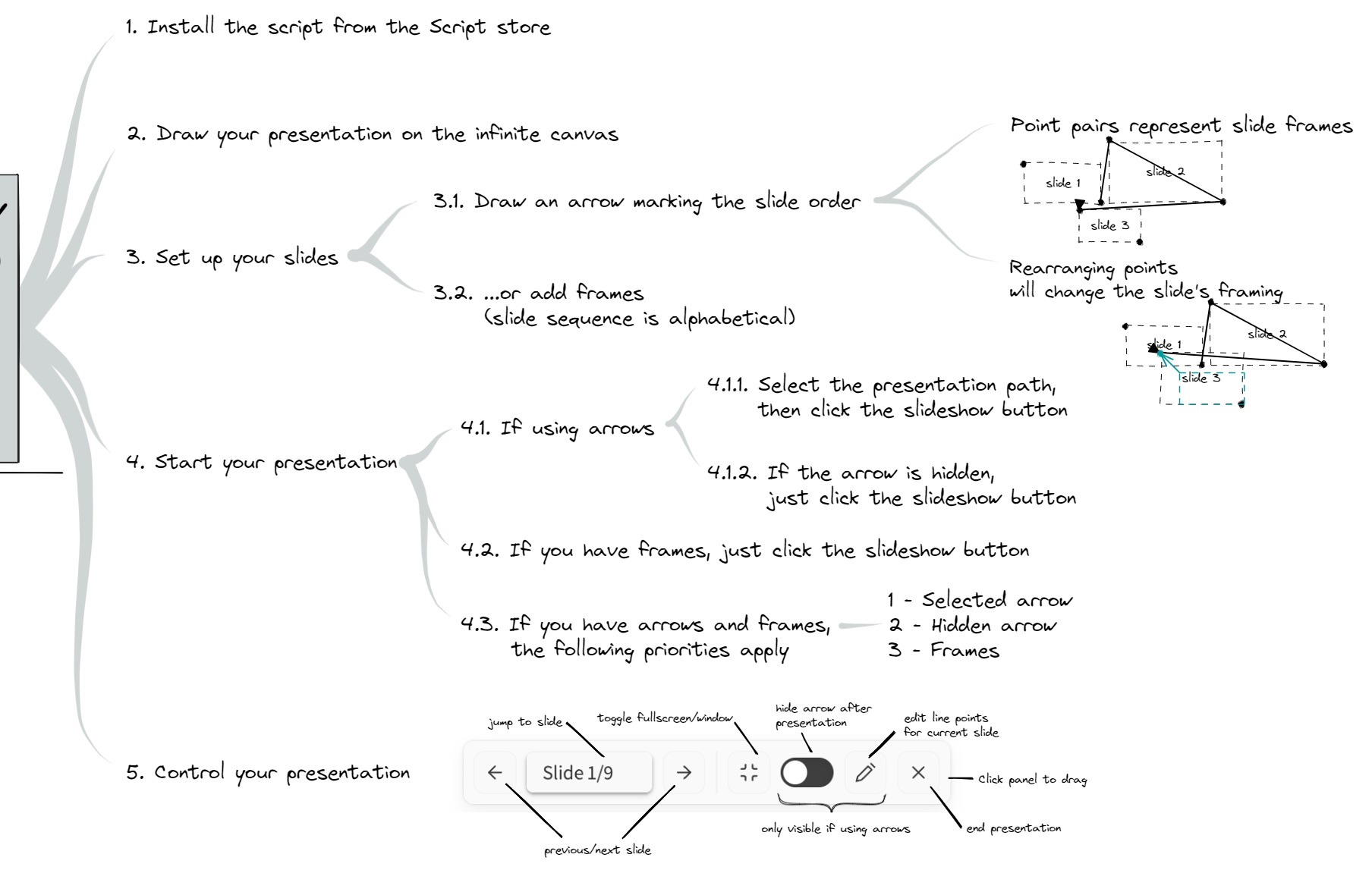
Presentation options
- If you select an arrow or line element, the script will use that as the presentation path.
- If you select nothing, but the file has a hidden presentation path, the script will use that for determining the slide sequence.
- If there are frames, the script will use the frames for the presentation. Frames are played in alphabetical order of their titles.
Keyboard shortcuts and modifier keys
Forward: Arrow Down, Arrow Right, or SPACE Backward: Arrow Up, Arrow Left Finish presentation: Backspace, ESC (I had issues with ESC not working in full screen presentation mode on Mac)
Run presentation in a window: Hold down the ALT/OPT modifier key when clicking the presentation script button Continue presentation: Hold down SHIFT when clicking the presentation script button. (The feature also works in combination with the ALT/OPT modifier to start the presentation in a window). The feature will only resume while you are within the same Obsidian session (i.e. if you restart Obsidian, slideshow will no longer remember where you were). I have two use cases in mind for this feature:
- When you are designing your presentation you may want to test how a slide looks. Using this feature you can get back to where you left off by starting the presentation with SHIFT.
- During presentation you may want to exit presentation mode to show something additional to your audience. You stop the presentation, show the additional thing you wanted, now you want to continue from where you left off. Hold down SHIFT when clicking the slideshow button.
*/
if(!ea.verifyMinimumPluginVersion || !ea.verifyMinimumPluginVersion("2.8.0")) {
new Notice("This script requires a newer version of Excalidraw. Please install the latest version.");
return;
}
if(ea.targetView.isDirty()) {
ea.targetView.forceSave(true);
}
const hostLeaf = ea.targetView.leaf;
const hostView = hostLeaf.view;
const statusBarElement = document.querySelector("div.status-bar");
const ctrlKey = ea.targetView.modifierKeyDown.ctrlKey || ea.targetView.modifierKeyDown.metaKey;
const altKey = ea.targetView.modifierKeyDown.altKey || ctrlKey;
const shiftKey = ea.targetView.modifierKeyDown.shiftKey;
const shouldStartWithLastSlide = shiftKey && window.ExcalidrawSlideshow &&
(window.ExcalidrawSlideshow.script === utils.scriptFile.path) && (typeof window.ExcalidrawSlideshow.slide?.[ea.targetView.file.path] === "number")
//-------------------------------
//constants
//-------------------------------
const TRANSITION_STEP_COUNT = 100;
const TRANSITION_DELAY = 1000; //maximum time for transition between slides in milliseconds
const FRAME_SLEEP = 1; //milliseconds
const EDIT_ZOOMOUT = 0.7; //70% of original slide zoom, set to a value between 1 and 0
const FADE_LEVEL = 0.1; //opacity of the slideshow controls after fade delay (value between 0 and 1)
const PRINT_SLIDE_WIDTH = 1920;
const PRINT_SLIDE_HEIGHT = 1080;
const MAX_ZOOM = 30; //3000%
//using outerHTML because the SVG object returned by Obsidin is in the main workspace window
//but excalidraw might be open in a popout window which has a different document object
const SVG_COG = ea.obsidian.getIcon("lucide-settings").outerHTML;
const SVG_FINISH = ea.obsidian.getIcon("lucide-x").outerHTML;
const SVG_RIGHT_ARROW = ea.obsidian.getIcon("lucide-arrow-right").outerHTML;
const SVG_LEFT_ARROW = ea.obsidian.getIcon("lucide-arrow-left").outerHTML;
const SVG_EDIT = ea.obsidian.getIcon("lucide-pencil").outerHTML;
const SVG_MAXIMIZE = ea.obsidian.getIcon("lucide-maximize").outerHTML;
const SVG_MINIMIZE = ea.obsidian.getIcon("lucide-minimize").outerHTML;
const SVG_LASER_ON = ea.obsidian.getIcon("lucide-hand").outerHTML;
const SVG_LASER_OFF = ea.obsidian.getIcon("lucide-wand").outerHTML;
const SVG_PRINTER = ea.obsidian.getIcon("lucide-printer").outerHTML;
const SVG_REFOCUS = ea.obsidian.getIcon("lucide-scan-eye").outerHTML;
//-------------------------------
//utility & convenience functions
//-------------------------------
let shouldSaveAfterThePresentation = false;
let isLaserOn = false;
let slide = shouldStartWithLastSlide ? window.ExcalidrawSlideshow.slide?.[ea.targetView.file.path] : 0;
let isFullscreen = false;
const ownerDocument = ea.targetView.ownerDocument;
const startFullscreen = !altKey;
//The plugin and Obsidian App run in the window object
//When Excalidraw is open in a popout window, the Excalidraw component will run in the ownerWindow
//and in this case ownerWindow !== window
//For this reason event handlers are distributed between window and owner window depending on their role
const ownerWindow = ea.targetView.ownerWindow;
const excalidrawAPI = ea.getExcalidrawAPI();
const frameRenderingOriginalState = excalidrawAPI.getAppState().frameRendering;
const contentEl = ea.targetView.contentEl;
const sleep = async (ms) => new Promise((resolve) => ownerWindow.setTimeout(resolve, ms));
const getFrameName = (name, index) => name ?? `Frame ${(index+1).toString().padStart(2, '0')}`;
//-------------------------------
//clean up potential clutter from previous run
//-------------------------------
window.removePresentationEventHandlers?.();
//1. check if line or arrow is selected, if not check if frames are available, if not inform the user and terminate presentation
let presentationPathLineEl = ea.getViewElements()
.filter(el=>["line","arrow"].contains(el.type) && el.customData?.slideshow)[0];
const frameClones = [];
ea.getViewElements().filter(el=>el.type==="frame").forEach(f=>frameClones.push(ea.cloneElement(f)));
for(i=0;i<frameClones.length;i++) {
frameClones[i].name = getFrameName(frameClones[i].name,i);
}
let frames = frameClones
.sort((el1,el2)=> el1.name > el2.name ? 1:-1);
let presentationPathType = "line"; // "frame"
const selectedEl = ea.getViewSelectedElement();
let shouldHideArrowAfterPresentation = true; //this controls if the hide arrow button is available in settings
if(presentationPathLineEl && selectedEl && ["line","arrow"].contains(selectedEl.type)) {
excalidrawAPI.setToast({
message:"Using selected line instead of hidden line. Note that there is a hidden presentation path for this drawing. Run the slideshow script without selecting any elements to access the hidden presentation path",
duration: 5000,
closable: true
})
shouldHideArrowAfterPresentation = false;
presentationPathLineEl = selectedEl;
}
if(!presentationPathLineEl) presentationPathLineEl = selectedEl;
if(!presentationPathLineEl || !["line","arrow"].contains(presentationPathLineEl.type)) {
if(frames.length > 0) {
presentationPathType = "frame";
} else {
excalidrawAPI.setToast({
message:"Please select the line or arrow for the presentation path or add frames.",
duration: 3000,
closable: true
})
return;
}
}
//---------------------------------------------
// generate slides[] array
//---------------------------------------------
let slides = [];
if(presentationPathType === "line") {
const getLineSlideRect = ({pointA, pointB}) => {
const x1 = presentationPathLineEl.x+pointA[0];
const y1 = presentationPathLineEl.y+pointA[1];
const x2 = presentationPathLineEl.x+pointB[0];
const y2 = presentationPathLineEl.y+pointB[1];
return { x1, y1, x2, y2};
}
const slideCount = Math.floor(presentationPathLineEl.points.length/2)-1;
for(i=0;i<=slideCount;i++) {
slides.push(getLineSlideRect({
pointA:presentationPathLineEl.points[i*2],
pointB:presentationPathLineEl.points[i*2+1]
}))
}
}
if(presentationPathType === "frame") {
for(frame of frames) {
slides.push({
x1: frame.x,
y1: frame.y,
x2: frame.x + frame.width,
y2: frame.y + frame.height
});
}
if(frameRenderingOriginalState.enabled) {
excalidrawAPI.updateScene({
appState: {
frameRendering: {
...frameRenderingOriginalState,
enabled: false
}
}
});
}
}
//---------------------------------------
// Toggle fullscreen
//---------------------------------------
let toggleFullscreenButton;
let controlPanelEl;
let selectSlideDropdown;
const resetControlPanelElPosition = () => {
if(!controlPanelEl) return;
const top = contentEl.innerHeight;
const left = contentEl.innerWidth/2;
controlPanelEl.style.top = `calc(${top}px - var(--default-button-size)*2)`;
controlPanelEl.style.left = `calc(${left}px - var(--default-button-size)*5)`;
slide--;
navigate("fwd");
}
const waitForExcalidrawResize = async () => {
await sleep(100);
const deltaWidth = () => Math.abs(contentEl.clientWidth-excalidrawAPI.getAppState().width);
const deltaHeight = () => Math.abs(contentEl.clientHeight-excalidrawAPI.getAppState().height);
let watchdog = 0;
while ((deltaWidth()>50 || deltaHeight()>50) && watchdog++<20) await sleep(50); //wait for Excalidraw to resize to fullscreen
}
let preventFullscreenExit = true;
const gotoFullscreen = async () => {
if(isFullscreen) return;
preventFullscreenExit = true;
if(ea.DEVICE.isMobile) {
ea.viewToggleFullScreen();
} else {
await contentEl.webkitRequestFullscreen();
}
await waitForExcalidrawResize();
const layerUIWrapper = contentEl.querySelector(".layer-ui__wrapper");
if(!layerUIWrapper?.hasClass("excalidraw-hidden")) layerUIWrapper.addClass("excalidraw-hidden");
if(toggleFullscreenButton) toggleFullscreenButton.innerHTML = SVG_MINIMIZE;
resetControlPanelElPosition();
isFullscreen = true;
}
const exitFullscreen = async () => {
if(!isFullscreen) return;
preventFullscreenExit = true;
if(!ea.DEVICE.isMobile && ownerDocument?.fullscreenElement) await ownerDocument.exitFullscreen();
if(ea.DEVICE.isMobile) ea.viewToggleFullScreen();
if(toggleFullscreenButton) toggleFullscreenButton.innerHTML = SVG_MAXIMIZE;
await waitForExcalidrawResize();
resetControlPanelElPosition();
isFullscreen = false;
}
const toggleFullscreen = async () => {
if (isFullscreen) {
await exitFullscreen();
} else {
await gotoFullscreen();
}
}
//-----------------------------------------------------
// hide the arrow for the duration of the presentation
// and save the arrow color before doing so
//-----------------------------------------------------
let isHidden;
let originalProps;
const toggleArrowVisibility = async (setToHidden) => {
ea.clear();
ea.copyViewElementsToEAforEditing(ea.getViewElements().filter(el=>el.id === presentationPathLineEl.id));
const el = ea.getElement(presentationPathLineEl.id);
el.strokeColor = "transparent";
el.backgroundColor = "transparent";
const customData = el.customData;
if(setToHidden && shouldHideArrowAfterPresentation) {
el.locked = true;
el.customData = {
...customData,
slideshow: {
originalProps,
hidden: true
}
}
isHidden = true;
} else {
if(customData) delete el.customData.slideshow;
isHidden = false;
}
await ea.addElementsToView();
}
if(presentationPathType==="line") {
originalProps = presentationPathLineEl.customData?.slideshow?.hidden
? presentationPathLineEl.customData.slideshow.originalProps
: {
strokeColor: presentationPathLineEl.strokeColor,
backgroundColor: presentationPathLineEl.backgroundColor,
locked: presentationPathLineEl.locked,
};
isHidden = presentationPathLineEl.customData?.slideshow?.hidden ?? false;
}
//-----------------------------
// scroll-to-location functions
//-----------------------------
const getNavigationRect = ({ x1, y1, x2, y2, printDimensions }) => {
const { width, height } = printDimensions ? printDimensions : excalidrawAPI.getAppState();
const ratioX = width / Math.abs(x1 - x2);
const ratioY = height / Math.abs(y1 - y2);
let ratio = Math.min(Math.max(ratioX, ratioY), MAX_ZOOM);
const scaledWidth = Math.abs(x1 - x2) * ratio;
const scaledHeight = Math.abs(y1 - y2) * ratio;
if (scaledWidth > width || scaledHeight > height) {
ratio = Math.min(width / Math.abs(x1 - x2), height / Math.abs(y1 - y2));
}
const deltaX = (width / ratio - Math.abs(x1 - x2)) / 2;
const deltaY = (height / ratio - Math.abs(y1 - y2)) / 2;
return {
left: (x1 < x2 ? x1 : x2) - deltaX,
top: (y1 < y2 ? y1 : y2) - deltaY,
right: (x1 < x2 ? x2 : x1) + deltaX,
bottom: (y1 < y2 ? y2 : y1) + deltaY,
nextZoom: ratio,
};
};
const getNextSlideRect = (forward) => {
slide = forward
? slide < slides.length-1 ? slide + 1 : 0
: slide <= 0 ? slides.length-1 : slide - 1;
return getNavigationRect(slides[slide]);
}
let busy = false;
const scrollToNextRect = async ({left,top,right,bottom,nextZoom},steps = TRANSITION_STEP_COUNT) => {
const startTimer = Date.now();
let watchdog = 0;
while(busy && watchdog++<15) await sleep(100);
if(busy && watchdog >= 15) return;
busy = true;
excalidrawAPI.updateScene({appState:{shouldCacheIgnoreZoom:true}});
const {scrollX, scrollY, zoom} = excalidrawAPI.getAppState();
const zoomStep = (zoom.value-nextZoom)/steps;
const xStep = (left+scrollX)/steps;
const yStep = (top+scrollY)/steps;
let i=1;
while(i<=steps) {
excalidrawAPI.updateScene({
appState: {
scrollX:scrollX-(xStep*i),
scrollY:scrollY-(yStep*i),
zoom:{value:zoom.value-zoomStep*i},
}
});
const ellapsed = Date.now()-startTimer;
if(ellapsed > TRANSITION_DELAY) {
i = i<steps ? steps : steps+1;
} else {
const timeProgress = ellapsed / TRANSITION_DELAY;
i=Math.min(Math.round(steps*timeProgress),steps)
await sleep(FRAME_SLEEP);
}
}
excalidrawAPI.updateScene({appState:{shouldCacheIgnoreZoom:false}});
if(isLaserOn) {
excalidrawAPI.setActiveTool({type: "laser"});
}
busy = false;
}
const navigate = async (dir) => {
const forward = dir === "fwd";
const prevSlide = slide;
const nextRect = getNextSlideRect(forward);
//exit if user navigates from last slide forward or first slide backward
const shouldExit = forward
? slide<=prevSlide
: slide>=prevSlide;
if(shouldExit) {
exitPresentation();
return;
}
if(selectSlideDropdown) selectSlideDropdown.value = slide+1;
await scrollToNextRect(nextRect);
if(window.ExcalidrawSlideshow && (typeof window.ExcalidrawSlideshow.slide?.[ea.targetView.file.path] === "number")) {
window.ExcalidrawSlideshow.slide[ea.targetView.file.path] = slide;
}
}
const navigateToSlide = (slideNumber) => {
if(slideNumber > slides.length) slideNumber = slides.length;
if(slideNumber < 1) slideNumber = 1;
slide = slideNumber - 2;
navigate("fwd");
}
//--------------------------------------
// Slideshow control panel
//--------------------------------------
let controlPanelFadeTimout = 0;
const setFadeTimeout = (delay) => {
delay = delay ?? TRANSITION_DELAY;
controlPanelFadeTimeout = ownerWindow.setTimeout(()=>{
controlPanelFadeTimout = 0;
if(ownerDocument.activeElement === selectSlideDropdown) {
setFadeTimeout(delay);
return;
}
controlPanelEl.style.opacity = FADE_LEVEL;
},delay);
}
const clearFadeTimeout = () => {
if(controlPanelFadeTimeout) {
ownerWindow.clearTimeout(controlPanelFadeTimeout);
controlPanelFadeTimeout = 0;
}
controlPanelEl.style.opacity = 1;
}
const createPresentationNavigationPanel = () => {
//create slideshow controlpanel container
const top = contentEl.innerHeight;
const left = contentEl.innerWidth/2;
controlPanelEl = contentEl.querySelector(".excalidraw").createDiv({
cls: ["excalidraw-presentation-panel"],
attr: {
style: `
width: fit-content;
z-index:5;
position: absolute;
top:calc(${top}px - var(--default-button-size)*2);
left:calc(${left}px - var(--default-button-size)*5);`
}
});
setFadeTimeout(TRANSITION_DELAY*3);
const panelColumn = controlPanelEl.createDiv({
cls: "panelColumn",
});
panelColumn.createDiv({
cls: ["Island", "buttonList"],
attr: {
style: `
max-width: unset;
justify-content: space-between;
height: calc(var(--default-button-size)*1.5);
width: 100%;
background: var(--island-bg-color);
display: flex;
align-items: center;`,
}
}, el=>{
el.createEl("style",
{ text: ` select:focus { box-shadow: var(--input-shadow);} `});
el.createEl("button",{
attr: {
style: `
margin-left: calc(var(--default-button-size)*0.25);`,
"aria-label": "Previous slide",
title: "Previous slide"
}
}, button => {
button.innerHTML = SVG_LEFT_ARROW;
button.onclick = () => navigate("bkwd")
});
selectSlideDropdown = el.createEl("select", {
attr: {
style: `
font-size: inherit;
background-color: var(--island-bg-color);
border: none;
color: var(--color-gray-100);
cursor: pointer;
}`,
title: "Navigate to slide"
}
}, selectEl => {
for (let i = 0; i < slides.length; i++) {
const option = document.createElement("option");
option.text = (presentationPathType === "frame")
? `${frames[i].name}/${slides.length}`
: option.text = `Slide ${i + 1}/${slides.length}`;
option.value = i + 1;
selectEl.add(option);
}
selectEl.addEventListener("change", () => {
const selectedSlideNumber = parseInt(selectEl.value);
selectEl.blur();
navigateToSlide(selectedSlideNumber);
});
});
el.createEl("button",{
attr: {
title: "Next slide"
},
}, button => {
button.innerHTML = SVG_RIGHT_ARROW;
button.onclick = () => navigate("fwd");
});
el.createDiv({
attr: {
style: `
width: 1px;
height: var(--default-button-size);
background-color: var(--default-border-color);
margin: 0px auto;`
}
});
el.createEl("button",{
attr: {
title: "Toggle Laser Pointer and Panning Mode"
}
}, button => {
button.innerHTML = isLaserOn ? SVG_LASER_ON : SVG_LASER_OFF;
button.onclick = () => {
isLaserOn = !isLaserOn;
excalidrawAPI.setActiveTool({
type: isLaserOn ? "laser" : "selection"
})
button.innerHTML = isLaserOn ? SVG_LASER_ON : SVG_LASER_OFF;
}
});
el.createEl("button",{
attr: {
title: "Re-focus current slide (shortcut: HOME)"
}
}, button => {
button.innerHTML = SVG_REFOCUS;
button.onclick = () => {
debugger;
slide--;
navigate("fwd");
}
});
el.createEl("button",{
attr: {
title: "Toggle fullscreen. If you hold ALT/OPT when starting the presentation it will not go fullscreen. (shortcut: f)"
},
}, button => {
toggleFullscreenButton = button;
button.innerHTML = isFullscreen ? SVG_MINIMIZE : SVG_MAXIMIZE;
button.onclick = () => toggleFullscreen();
});
if(presentationPathType === "line") {
if(shouldHideArrowAfterPresentation) {
new ea.obsidian.ToggleComponent(el)
.setValue(isHidden)
.onChange(value => {
shouldSaveAfterThePresentation = true;
if(value) {
excalidrawAPI.setToast({
message:"The presentation path remain hidden after the presentation. No need to select the line again. Just click the slideshow button to start the next presentation.",
duration: 5000,
closable: true
})
}
toggleArrowVisibility(value);
})
.toggleEl.setAttribute("title","Arrow visibility. ON: hidden after presentation, OFF: visible after presentation");
}
el.createEl("button",{
attr: {
title: "Edit slide"
},
}, button => {
button.innerHTML = SVG_EDIT;
button.onclick = () => {
if(shouldHideArrowAfterPresentation) toggleArrowVisibility(false);
exitPresentation(true);
}
});
}
if(ea.DEVICE.isDesktop) {
el.createEl("button",{
attr: {
style: `
margin-right: calc(var(--default-button-size)*0.25);`,
title: `Print to PDF\nClick to print slides at ${PRINT_SLIDE_WIDTH}x${
PRINT_SLIDE_HEIGHT}\nHold SHIFT to print the presentation as displayed`
//${!presentationPathLineEl ? "\nHold ALT/OPT to clip frames":""}`
}
}, button => {
button.innerHTML = SVG_PRINTER;
button.onclick = (e) => printToPDF(e);
});
}
el.createEl("button",{
attr: {
style: `
margin-right: calc(var(--default-button-size)*0.25);`,
title: "End presentation"
}
}, button => {
button.innerHTML = SVG_FINISH;
button.onclick = () => exitPresentation();
});
});
}
//--------------------
// keyboard navigation
//--------------------
const keydownListener = (e) => {
if(hostLeaf !== app.workspace.activeLeaf) return;
if(hostLeaf.width === 0 && hostLeaf.height === 0) return;
e.preventDefault();
switch(e.key) {
case "Backspace":
case "Escape":
exitPresentation();
break;
case "Space":
case "ArrowRight":
case "ArrowDown":
navigate("fwd");
break;
case "ArrowLeft":
case "ArrowUp":
navigate("bkwd");
break;
case "End":
slide = slides.length - 2;
navigate("fwd");
break;
case "Home":
slide--;
navigate("fwd");
break;
case "e":
if(presentationPathType !== "line") return;
(async ()=>{
await toggleArrowVisibility(false);
exitPresentation(true);
})()
break;
case "f":
toggleFullscreen();
break;
}
}
//---------------------
// slideshow panel drag
//---------------------
let posX1 = posY1 = posX2 = posY2 = 0;
const updatePosition = (deltaY = 0, deltaX = 0) => {
const {
offsetTop,
offsetLeft,
clientWidth: width,
clientHeight: height,
} = controlPanelEl;
controlPanelEl.style.top = (offsetTop - deltaY) + 'px';
controlPanelEl.style.left = (offsetLeft - deltaX) + 'px';
}
const onPointerUp = () => {
ownerWindow.removeEventListener('pointermove', onDrag, true);
}
const onPointerDown = (e) => {
clearFadeTimeout();
setFadeTimeout();
const now = Date.now();
posX2 = e.clientX;
posY2 = e.clientY;
ownerWindow.addEventListener('pointermove', onDrag, true);
}
const onDrag = (e) => {
e.preventDefault();
posX1 = posX2 - e.clientX;
posY1 = posY2 - e.clientY;
posX2 = e.clientX;
posY2 = e.clientY;
updatePosition(posY1, posX1);
}
const onMouseEnter = () => {
clearFadeTimeout();
}
const onMouseLeave = () => {
setFadeTimeout();
}
const fullscreenListener = (e) => {
if(preventFullscreenExit) {
preventFullscreenExit = false;
return;
}
e.preventDefault();
exitPresentation();
}
const initializeEventListners = () => {
ownerWindow.addEventListener('keydown',keydownListener);
controlPanelEl.addEventListener('pointerdown', onPointerDown, false);
controlPanelEl.addEventListener('mouseenter', onMouseEnter, false);
controlPanelEl.addEventListener('mouseleave', onMouseLeave, false);
ownerWindow.addEventListener('pointerup', onPointerUp, false);
//event listners for terminating the presentation
window.removePresentationEventHandlers = () => {
ea.onLinkClickHook = null;
controlPanelEl.removeEventListener('pointerdown', onPointerDown, false);
controlPanelEl.removeEventListener('mouseenter', onMouseEnter, false);
controlPanelEl.removeEventListener('mouseleave', onMouseLeave, false);
controlPanelEl.parentElement?.removeChild(controlPanelEl);
if(!ea.DEVICE.isMobile) {
contentEl.removeEventListener('webkitfullscreenchange', fullscreenListener);
contentEl.removeEventListener('fullscreenchange', fullscreenListener);
}
ownerWindow.removeEventListener('keydown',keydownListener);
ownerWindow.removeEventListener('pointerup',onPointerUp);
contentEl.querySelector(".layer-ui__wrapper")?.removeClass("excalidraw-hidden");
delete window.removePresentationEventHandlers;
}
ea.onLinkClickHook = () => {
exitPresentation();
return true;
};
if(!ea.DEVICE.isMobile) {
contentEl.addEventListener('webkitfullscreenchange', fullscreenListener);
contentEl.addEventListener('fullscreenchange', fullscreenListener);
}
}
//----------------------------
// Exit presentation
//----------------------------
const exitPresentation = async (openForEdit = false) => {
//this is a hack, not sure why ea loses target view when other scripts are executed while the presentation is running
ea.targetView = hostView;
isLaserOn = false;
statusBarElement.style.display = "inherit";
if(openForEdit) ea.targetView.preventAutozoom();
await exitFullscreen();
await waitForExcalidrawResize();
ea.setViewModeEnabled(false);
if(presentationPathType === "line") {
ea.clear();
ea.copyViewElementsToEAforEditing(ea.getViewElements().filter(el=>el.id === presentationPathLineEl.id));
const el = ea.getElement(presentationPathLineEl.id);
if(!isHidden) {
el.strokeColor = originalProps.strokeColor;
el.backgroundProps = originalProps.backgroundColor;
el.locked = openForEdit ? false : originalProps.locked;
}
await ea.addElementsToView();
if(!isHidden) ea.selectElementsInView([el]);
if(openForEdit) {
let nextRect = getNextSlideRect(--slide);
const offsetW = (nextRect.right-nextRect.left)*(1-EDIT_ZOOMOUT)/2;
const offsetH = (nextRect.bottom-nextRect.top)*(1-EDIT_ZOOMOUT)/2
nextRect = {
left: nextRect.left-offsetW,
right: nextRect.right+offsetW,
top: nextRect.top-offsetH,
bottom: nextRect.bottom+offsetH,
nextZoom: nextRect.nextZoom*EDIT_ZOOMOUT > 0.1 ? nextRect.nextZoom*EDIT_ZOOMOUT : 0.1 //0.1 is the minimu zoom value
};
await scrollToNextRect(nextRect,1);
excalidrawAPI.startLineEditor(
ea.getViewSelectedElement(),
[slide*2,slide*2+1]
);
}
} else {
if(frameRenderingOriginalState.enabled) {
excalidrawAPI.updateScene({
appState: {
frameRendering: {
...frameRenderingOriginalState,
enabled: true
}
}
});
}
}
window.removePresentationEventHandlers?.();
ownerWindow.setTimeout(()=>{
//Resets pointer offsets. Ugly solution.
//During testing offsets were wrong after presentation, but don't know why.
//This should solve it even if they are wrong.
hostView.refreshCanvasOffset();
excalidrawAPI.setActiveTool({type: "selection"});
})
if(!shouldSaveAfterThePresentation) {
ea.targetView.clearDirty();
}
}
//--------------------------
// Print to PDF
//--------------------------
let notice;
let noticeEl;
function setSingleNotice(message) {
if(noticeEl?.parentElement) {
notice.setMessage(message);
return;
}
notice = new Notice(message, 0);
noticeEl = notice.containerEl ?? notice.noticeEl;
}
function hideSingleNotice() {
if(noticeEl?.parentElement) {
notice.hide();
}
}
const translateToZero = ({ top, left, bottom, right }, padding) => {
const {topX, topY, width, height} = ea.getBoundingBox(ea.getViewElements());
const newTop = top - (topY - padding);
const newLeft = left - (topX - padding);
const newBottom = bottom - (topY - padding);
const newRight = right - (topX - padding);
return {
top: newTop,
left: newLeft,
bottom: newBottom,
right: newRight,
};
}
const getElementPlaceholdersForMarkerFrames = () => {
const viewMarkerFrames = ea.getViewElements().filter(el=>el.type === "frame" && el.frameRole === "marker");
if(viewMarkerFrames.length === 0) return;
ea.clear();
ea.style.opacity = 0;
ea.style.roughness = 0;
ea.style.fillStyle = "solid";
ea.style.backgroundColor = "black"
ea.style.strokeWidth = 0.01;
for (const frame of viewMarkerFrames) {
ea.addRect(frame.x, frame.y, frame.width, frame.height);
}
return ea.getViewElements().concat(ea.getElements());
}
const printToPDF = async (e) => {
const slideWidth = e.shiftKey ? excalidrawAPI.getAppState().width : PRINT_SLIDE_WIDTH;
const slideHeight = e.shiftKey ? excalidrawAPI.getAppState().height : PRINT_SLIDE_HEIGHT;
//const shouldClipFrames = !presentationPathLineEl && e.altKey;
const shouldClipFrames = false;
//huge padding to ensure the HD window always fits the width
//no padding if frames are clipped
const padding = shouldClipFrames ? 0 : Math.round(Math.max(slideWidth,slideHeight)/2)+10;
const st = ea.getExcalidrawAPI().getAppState();
setSingleNotice("Generating image. This can take a longer time depending on the size of the image and speed of your device");
const elementsOverride = getElementPlaceholdersForMarkerFrames();
const svg = await ea.createViewSVG({
withBackground: true,
theme: st.theme,
frameRendering: { enabled: shouldClipFrames, name: false, outline: false, clip: shouldClipFrames },
padding,
selectedOnly: false,
skipInliningFonts: false,
embedScene: false,
elementsOverride,
});
const pages = [];
for(i=0;i<slides.length;i++) {
setSingleNotice(`Generating slide ${i+1}`);
const s = slides[i];
const { top, left, bottom, right } = translateToZero(
getNavigationRect({
...s,
printDimensions: {width: slideWidth, height: slideHeight}
}), padding
);
//always create the new SVG in the main Obsidian workspace (not the popout window, if present)
const host = window.createDiv();
host.innerHTML = svg.outerHTML;
const clonedSVG = host.firstElementChild;
const width = Math.abs(left-right);
const height = Math.abs(top-bottom);
clonedSVG.setAttribute("viewBox", `${left} ${top} ${width} ${height}`);
clonedSVG.setAttribute("width", `${width}`);
clonedSVG.setAttribute("height", `${height}`);
pages.push(clonedSVG);
}
const bgColor = ea.getExcalidrawAPI().getAppState().viewBackgroundColor;
setSingleNotice("Creating PDF Document");
ea.createPDF({
SVG: pages,
scale: { fitToPage: true },
pageProps: {
dimensions: { width: slideWidth, height: slideHeight },
backgroundColor: bgColor,
margin: { left: 0, right: 0, top: 0, bottom: 0 },
alignment: "center"
},
filename: ea.targetView.file.basename + ".pdf",
}).then(()=>hideSingleNotice());
}
//--------------------------
// Start presentation or open presentation settings on double click
//--------------------------
const start = async () => {
statusBarElement.style.display = "none";
ea.setViewModeEnabled(true);
const helpButton = ea.targetView.excalidrawContainer?.querySelector(".ToolIcon__icon.help-icon");
if(helpButton) {
helpButton.style.display = "none";
}
const zoomButton = ea.targetView.excalidrawContainer?.querySelector(".Stack.Stack_vertical.zoom-actions");
if(zoomButton) {
zoomButton.style.display = "none";
}
createPresentationNavigationPanel();
initializeEventListners();
if(startFullscreen) {
await gotoFullscreen();
} else {
resetControlPanelElPosition();
}
if(presentationPathType === "line") await toggleArrowVisibility(isHidden);
ea.targetView.clearDirty();
}
const timestamp = Date.now();
if(
window.ExcalidrawSlideshow &&
(window.ExcalidrawSlideshow.script === utils.scriptFile.path) &&
(timestamp - window.ExcalidrawSlideshow.timestamp <400)
) {
if(window.ExcalidrawSlideshowStartTimer) {
window.clearTimeout(window.ExcalidrawSlideshowStartTimer);
delete window.ExcalidrawSlideshowStartTimer;
}
await start();
} else {
if(window.ExcalidrawSlideshowStartTimer) {
window.clearTimeout(window.ExcalidrawSlideshowStartTimer);
delete window.ExcalidrawSlideshowStartTimer;
}
if(!window.ExcalidrawSlideshow) {
window.ExcalidrawSlideshow = {
script: utils.scriptFile.path,
slide: {},
};
}
window.ExcalidrawSlideshow.timestamp = timestamp;
window.ExcalidrawSlideshow.slide[ea.targetView.file.path] = 0;
window.ExcalidrawSlideshowStartTimer = window.setTimeout(start,500);
}
Split Ellipse.md
/*
This script splits an ellipse at any point where a line intersects it. If no lines are selected, it will use every line that intersects the ellipse. Otherwise, it will only use the selected lines. If there is no intersecting line, the ellipse will be converted into a line object.
There is also the option to close the object along the cut, which will close the cut in the shape of the line.
Tip: To use an ellipse as the cutting object, you first have to use this script on it, since it will convert the ellipse into a line.
See documentation for more details: https://zsviczian.github.io/obsidian-excalidraw-plugin/ExcalidrawScriptsEngine.html
*/
const elements = ea.getViewSelectedElements();
const ellipse = elements.filter(el => el.type == "ellipse")[0];
if (!ellipse) return;
let lines = elements.filter(el => el.type == "line" || el.type == "arrow");
if (lines.length == 0) lines = ea.getViewElements().filter(el => el.type == "line" || el.type == "arrow");
lines = lines.map(getNormalizedLine);
const subLines = getSubLines(lines);
const angles = subLines.flatMap(line => {
return intersectionAngleOfEllipseAndLine(ellipse, line.a, line.b).map(result => ({
angle: result,
cuttingLine: line
}));
});
if (angles.length === 0) angles.push({ angle: 0, cuttingLine: null });
angles.sort((a, b) => a.angle - b.angle);
const closeObject = await utils.suggester(["Yes", "No"], [true, false], "Close object along cutedge?")
ea.style.strokeSharpness = closeObject ? "sharp" : "round";
ea.style.strokeColor = ellipse.strokeColor;
ea.style.strokeWidth = ellipse.strokeWidth;
ea.style.backgroundColor = ellipse.backgroundColor;
ea.style.fillStyle = ellipse.fillStyle;
ea.style.roughness = ellipse.roughness;
angles.forEach((angle, key) => {
const cuttingLine = angle.cuttingLine;
angle = angle.angle;
const nextAngleKey = (key + 1) < angles.length ? key + 1 : 0;
const nextAngle = angles[nextAngleKey].angle;
const AngleDelta = nextAngle - angle ? nextAngle - angle : Math.PI*2;
const pointAmount = Math.ceil((AngleDelta*64)/(Math.PI*2));
const stepSize = AngleDelta/pointAmount;
let points = drawEllipse(ellipse.x, ellipse.y, ellipse.width, ellipse.height, ellipse.angle, angle, nextAngle, stepSize);
if (closeObject && cuttingLine) points = points.concat(getCutLine(points[0], angles[key], angles[nextAngleKey], ellipse));
const lineId = ea.addLine(points);
const line = ea.getElement(lineId);
if (closeObject && cuttingLine) line.polygon = true;
line.frameId = ellipse.frameId;
line.groupIds = ellipse.groupIds;
});
ea.deleteViewElements([ellipse]);
ea.addElementsToView(false,false,true);
return;
function getSubLines(lines) {
return lines.flatMap((line, key) => {
return line.points.slice(1).map((pointB, i) => ({
a: addVectors([line.points[i], [line.x, line.y]]),
b: addVectors([pointB, [line.x, line.y]]),
originLineIndex: key,
indexPointA: i,
}));
});
}
function intersectionAngleOfEllipseAndLine(ellipse, pointA, pointB) {
/*
To understand the code in this function and subfunctions it might help to take a look at this geogebra file
https://www.geogebra.org/m/apbm3hs6
*/
const c = multiplyVectorByScalar([ellipse.width, ellipse.height], (1/2));
const a = rotateVector(
addVectors([
pointA,
invVec([ellipse.x, ellipse.y]),
invVec(multiplyVectorByScalar([ellipse.width, ellipse.height], (1/2)))
]),
-ellipse.angle
)
const l_b = rotateVector(
addVectors([
pointB,
invVec([ellipse.x, ellipse.y]),
invVec(multiplyVectorByScalar([ellipse.width, ellipse.height], (1/2)))
]),
-ellipse.angle
);
const b = addVectors([
l_b,
invVec(a)
]);
const solutions = calculateLineSegment(a[0], a[1], b[0], b[1], c[0], c[1]);
return solutions
.filter(num => isBetween(num, 0, 1))
.map(num => {
const point = [
(a[0] + b[0] * num) / ellipse.width,
(a[1] + b[1] * num) / ellipse.height
];
return angleBetweenVectors([1, 0], point);
});
}
function drawEllipse(x, y, width, height, angle = 0, start = 0, end = Math.PI*2, step = Math.PI/32) {
const ellipse = (t) => {
const spanningVector = rotateVector([width/2*Math.cos(t), height/2*Math.sin(t)], angle);
const baseVector = [x+width/2, y+height/2];
return addVectors([baseVector, spanningVector]);
}
if(end <= start) end = end + Math.PI*2;
let points = [];
const almostEnd = end - step/2;
for (let t = start; t < almostEnd; t = t + step) {
points.push(ellipse(t));
}
points.push(ellipse(end))
return points;
}
function getCutLine(startpoint, currentAngle, nextAngle, ellipse) {
if (currentAngle.cuttingLine.originLineIndex != nextAngle.cuttingLine.originLineIndex) return [];
const originLineIndex = currentAngle.cuttingLine.originLineIndex;
if (lines[originLineIndex] == 2) return startpoint;
const originLine = [];
lines[originLineIndex].points.forEach(p => originLine.push(addVectors([
p,
[lines[originLineIndex].x, lines[originLineIndex].y]
])));
const edgepoints = [];
const direction = isInEllipse(originLine[clamp(nextAngle.cuttingLine.indexPointA - 1, 0, originLine.length - 1)], ellipse) ? -1 : 1
let i = isInEllipse(originLine[nextAngle.cuttingLine.indexPointA], ellipse) ? nextAngle.cuttingLine.indexPointA : nextAngle.cuttingLine.indexPointA + direction;
while (isInEllipse(originLine[i], ellipse)) {
edgepoints.push(originLine[i]);
i = (i + direction) % originLine.length;
}
edgepoints.push(startpoint);
return edgepoints;
}
function calculateLineSegment(ax, ay, bx, by, cx, cy) {
const sqrt = Math.sqrt((cx ** 2) * (cy ** 2) * (-(ay ** 2) * (bx ** 2) + 2 * ax * ay * bx * by - (ax ** 2) * (by ** 2) + (bx ** 2) * (cy ** 2) + (by ** 2) * (cx ** 2)));
const numerator = -(ay * by * (cx ** 2) + ax * bx * (cy ** 2));
const denominator = ((by ** 2) * (cx ** 2) + (bx ** 2) * (cy ** 2));
const t1 = (numerator + sqrt) / denominator;
const t2 = (numerator - sqrt) / denominator;
return [t1, t2];
}
function isInEllipse(point, ellipse) {
point = addVectors([point, invVec([ellipse.x, ellipse.y]), invVec(multiplyVectorByScalar([ellipse.width, ellipse.height], 1/2))]);
point = [point[0]*2/ellipse.width, point[1]*2/ellipse.height];
const distance = Math.sqrt(point[0]**2 + point[1]**2);
return distance < 1;
}
function angleBetweenVectors(v1, v2) {
let dotProduct = v1[0] * v2[0] + v1[1] * v2[1];
let determinant = v1[0] * v2[1] - v1[1] * v2[0];
let angle = Math.atan2(determinant, dotProduct);
return angle < 0 ? angle + 2 * Math.PI : angle;
}
function rotateVector (vec, ang) {
var cos = Math.cos(ang);
var sin = Math.sin(ang);
return [vec[0] * cos - vec[1] * sin, vec[0] * sin + vec[1] * cos];
}
function addVectors(vectors) {
return vectors.reduce((acc, vec) => [acc[0] + vec[0], acc[1] + vec[1]], [0, 0]);
}
function invVec(vector) {
return [-vector[0], -vector[1]];
}
function multiplyVectorByScalar(vector, scalar) {
return [vector[0] * scalar, vector[1] * scalar];
}
function round(number, precision) {
var factor = Math.pow(10, precision);
return Math.round(number * factor) / factor;
}
function isBetween(num, min, max) {
return (num >= min && num <= max);
}
function clamp(number, min, max) {
return Math.max(min, Math.min(number, max));
}
//Same line but with angle=0
function getNormalizedLine(originalElement) {
if(originalElement.angle === 0) return originalElement;
// Get absolute coordinates for all points first
const pointRotateRads = (point, center, angle) => {
const [x, y] = point;
const [cx, cy] = center;
return [
(x - cx) * Math.cos(angle) - (y - cy) * Math.sin(angle) + cx,
(x - cx) * Math.sin(angle) + (y - cy) * Math.cos(angle) + cy
];
};
// Get element absolute coordinates (matching Excalidraw's approach)
const getElementAbsoluteCoords = (element) => {
const points = element.points;
let minX = Infinity;
let minY = Infinity;
let maxX = -Infinity;
let maxY = -Infinity;
for (const [x, y] of points) {
const absX = x + element.x;
const absY = y + element.y;
minX = Math.min(minX, absX);
minY = Math.min(minY, absY);
maxX = Math.max(maxX, absX);
maxY = Math.max(maxY, absY);
}
return [minX, minY, maxX, maxY];
};
// Calculate center point based on absolute coordinates
const [x1, y1, x2, y2] = getElementAbsoluteCoords(originalElement);
const centerX = (x1 + x2) / 2;
const centerY = (y1 + y2) / 2;
// Calculate absolute coordinates of all points
const absolutePoints = originalElement.points.map(([x, y]) => [
x + originalElement.x,
y + originalElement.y
]);
// Rotate all points around the center
const rotatedPoints = absolutePoints.map(point =>
pointRotateRads(point, [centerX, centerY], originalElement.angle)
);
// Convert back to relative coordinates
const newPoints = rotatedPoints.map(([x, y]) => [
x - rotatedPoints[0][0],
y - rotatedPoints[0][1]
]);
const newLineId = ea.addLine(newPoints);
// Set the position of the new line to the first rotated point
const newLine = ea.getElement(newLineId);
newLine.x = rotatedPoints[0][0];
newLine.y = rotatedPoints[0][1];
newLine.angle = 0;
delete ea.elementsDict[newLine.id];
return newLine;
}
Split text by lines.md
/*
requires Excalidraw 1.5.1 or higher
Download this file and save to your Obsidian Vault including the first line, or open it in "Raw" and copy the entire contents to Obsidian.
Split lines of text into separate text elements for easier reorganization
See documentation for more details: https://zsviczian.github.io/obsidian-excalidraw-plugin/ExcalidrawScriptsEngine.html
*/
elements = ea.getViewSelectedElements().filter((el)=>el.type==="text");
elements.forEach((el)=>{
ea.style.strokeColor = el.strokeColor;
ea.style.fontFamily = el.fontFamily;
ea.style.fontSize = el.fontSize;
const text = el.rawText.split("\n");
for(i=0;i<text.length;i++) {
ea.addText(el.x,el.y+i*el.height/text.length,text[i].trim());
}
});
await ea.addElementsToView(false,false,true);
ea.deleteViewElements(elements);
Text Aura.md
/*
Select a single text element, or a text element in a container. The container must have a transparent background.
The script will add an aura to the text by adding 4 copies of the text each with the inverted stroke color of the original text element and with a very small X and Y offset. The resulting 4 + 1 (original) text elements or containers will be grouped.
If you copy a color string on the clipboard before running the script, the script will use that color instead of the inverted color.
els = ea.getViewSelectedElements();
const isText = (els.length === 1) && els[0].type === "text";
const isContainer = (els.length === 2) &&
((els[0].type === "text" && els[1].id === els[0].containerId && els[1].backgroundColor.toLowerCase() === "transparent") ||
(els[1].type === "text" && els[0].id === els[1].containerId && els[0].backgroundColor.toLowerCase() === "transparent"));
if (!(isText || isContainer)) {
new Notice ("Select a single text element, or a container with a text element and with transparent background color",10000);
return;
}
let strokeColor = ea
.getCM(els.filter(el=>el.type === "text")[0].strokeColor)
.invert({alpha: false})
.stringHEX({alpha: false});
clipboardText = await navigator.clipboard.readText();
if(clipboardText) {
const cm1 = ea.getCM(clipboardText);
if(cm1.format !== "invalid") {
strokeColor = cm1.stringHEX();
} else {
const cm2 = ea.getCM("#"+clipboardText);
if(cm2.format !== "invalid") {
strokeColor = cm2.stringHEX();
}
}
}
const offset = els.filter(el=>el.type === "text")[0].fontSize/24;
let ids = [];
const addClone = (offsetX, offsetY) => {
els.forEach(el=>{
const clone = ea.cloneElement(el);
ids.push(clone.id);
clone.x += offsetX;
clone.y += offsetY;
if(offsetX!==0 || offsetY!==0) {
switch (clone.type) {
case "text":
clone.strokeColor = strokeColor;
break;
default:
clone.strokeColor = "transparent";
break;
}
}
ea.elementsDict[clone.id] = clone;
})
}
addClone(-offset,0);
addClone(offset,0);
addClone(0,offset);
addClone(0,-offset);
addClone(0,0);
ea.copyViewElementsToEAforEditing(els);
els.forEach(el=>ea.elementsDict[el.id].isDeleted = true);
ea.addToGroup(ids);
ea.addElementsToView(false, true, true);
Text to Path.md
/*
This script allows you to fit a text element along a selected path: line, arrow, freedraw, ellipse, rectangle, or diamond. You can select either a path or a text element, or both:
- If only a path is selected, you will be prompted to provide the text.
- If only a text element is selected and it was previously fitted to a path, the script will use the original path if it is still present in the scene.
- If both a text and a path are selected, the script will fit the text to the selected path.
If the path is a perfect circle, you will be prompted to choose whether to fit the text above or below the circle.
After fitting, the text will no longer be editable as a standard text element, but you'll be able to edit it with this script. Text on path cannot function as a markdown link. Emojis are not supported.
*/
if(!ea.verifyMinimumPluginVersion || !ea.verifyMinimumPluginVersion("2.12.0")) {
new Notice("This script requires a newer version of Excalidraw. Please install the latest version.");
return;
}
els = ea.getViewSelectedElements();
let pathEl = els.find(el=>["ellipse", "rectangle", "diamond", "line", "arrow", "freedraw"].includes(el.type));
const textEl = els.find(el=>el.type === "text");
const tempElementIDs = [];
const win = ea.targetView.ownerWindow;
let pathElID = textEl?.customData?.text2Path?.pathElID;
if(!pathEl) {
if (pathElID) {
pathEl = ea.getViewElements().find(el=>el.id === pathElID);
pathElID = pathEl?.id;
}
if(!pathElID) {
new Notice("Please select a text element and a valid path element (ellipse, rectangle, diamond, line, arrow, or freedraw)");
return;
}
} else {
pathElID = pathEl.id;
}
const originalPathType = pathEl.type;
const originalPathDirectionLR = ["line","arrow","freedraw"].includes(pathEl.type)
? (pathEl.points[pathEl.points.length-1][0] < 0 ? true : false)
: true;
const st = ea.getExcalidrawAPI().getAppState();
const fontSize = textEl?.fontSize ?? st.currentItemFontSize;
const fontFamily = textEl?.fontFamily ?? st.currentItemFontFamily;
ea.style.fontSize = fontSize;
ea.style.fontFamily = fontFamily;
const fontHeight = ea.measureText("M").height*1.3;
// Remove isCircle check and introduce isClosedShape
const isPathLinear = ["line", "arrow", "freedraw"].includes(pathEl.type);
const isClosedShape = ["ellipse", "rectangle", "diamond"].includes(originalPathType) || (pathEl.type === "line" && pathEl.polygon);
// Expand and convert all closed shapes to line elements uniformly
if(!isPathLinear) {
ea.copyViewElementsToEAforEditing([pathEl]);
pathEl = ea.getElement(pathEl.id);
if (pathEl.type === "line" && isClosedShape && isClockwise(pathEl.points)) {
pathEl.points = pathEl.points.reverse();
}
pathEl.x -= fontHeight/2;
pathEl.y -= fontHeight/2;
pathEl.width += fontHeight;
pathEl.height += fontHeight;
tempElementIDs.push(pathEl.id);
switch (pathEl.type) {
case "rectangle":
pathEl = rectangleToLine(pathEl);
break;
case "ellipse":
pathEl = ellipseToLine(pathEl);
break;
case "diamond":
pathEl = diamondToLine(pathEl);
break;
}
tempElementIDs.push(pathEl.id);
}
// ---------------------------------------------------------
// Convert path to SVG and use real path for text placement.
// ---------------------------------------------------------
let isLeftToRight = true;
let pathElBottom = null;
if (
(["line", "arrow"].includes(pathEl.type) && pathEl.roundness !== null) ||
pathEl.type === "freedraw"
) {
[pathEl, isLeftToRight, pathElBottom] = await convertBezierToPoints();
} else if (pathEl.points) {
isLeftToRight = pathEl.points[pathEl.points.length - 1][0] >= 0;
}
// ---------------------------------------------------------
// Retrieve original settings from text-on-path customData
// ---------------------------------------------------------
let currentOffsetPct = textEl?.customData?.text2Path?.offsetPct ?? 0;
let currentDistanceOffset = textEl?.customData?.text2Path?.distanceOffset ?? 0;
let currentLetterSpacing = textEl?.customData?.text2Path?.letterSpacing ?? 0;
// Map legacy archAbove to currentIsReversed for backwards compatibility
let currentIsReversed = textEl?.customData?.text2Path?.isReversed ?? (textEl?.customData?.text2Path?.archAbove === false ? true : false);
let currentPlaceInside = textEl?.customData?.text2Path?.placeInside ?? false;
let currentText = textEl?.customData?.text2Path
? textEl.customData.text2Path.text
: textEl?.text ?? "";
currentText = currentText.replace(/ \n/g," ").replace(/\n /g, " ").replace(/\n/g," ");
let generatedIDs = [];
let updateTimeout = null;
let textUpdateTimeout = null;
function isClockwise(points) {
if(points.length <=3 ) return true
return points[points.length-2] > 0
}
async function updatePath() {
if (!currentText || currentText.trim() === "") return;
ea.clear();
let elementsToDelete = [];
// Target generated elements from this session, or the original text element
// and its associated path characters if editing a pre-existing path
if (generatedIDs.length > 0) {
elementsToDelete = ea.getViewElements().filter(el => generatedIDs.includes(el.id));
} else if (textEl && !textEl.isDeleted) {
if (textEl?.customData?.text2Path) {
const pathID = textEl.customData.text2Path.pathID;
elementsToDelete = ea.getViewElements().filter(el => el.customData?.text2Path && el.customData.text2Path.pathID === pathID);
} else {
elementsToDelete = [textEl];
}
}
if (elementsToDelete.length > 0) {
ea.copyViewElementsToEAforEditing(elementsToDelete);
ea.getElements().forEach(el => { el.isDeleted = true; });
}
// Re-apply style rules to the EA workbench context
ea.style.fontSize = fontSize;
ea.style.fontFamily = fontFamily;
ea.style.strokeColor = textEl?.strokeColor ?? st.currentItemStrokeColor;
ea.style.opacity = textEl?.opacity ?? st.currentItemOpacity;
generatedIDs = [];
// Apply fitTextToShape universally
await fitTextToShape();
}
// -------------------------------------
// Floating Modal UI
// -------------------------------------
const modal = new ea.FloatingModal(ea.plugin.app);
// Constrain the modal width
modal.modalEl.style.width = "400px";
modal.modalEl.style.maxWidth = "100%";
let outsideClickHandler; // Store reference to remove it later
modal.onOpen = () => {
modal.contentEl.empty();
// Text Input
const textSetting = new ea.obsidian.Setting(modal.contentEl)
.setName("Text")
.addTextArea(text => {
text.setValue(currentText)
.onChange(val => {
currentText = val.replace(/ \n/g," ").replace(/\n /g, " ").replace(/\n/g," ");
if (textUpdateTimeout) clearTimeout(textUpdateTimeout);
textUpdateTimeout = setTimeout(() => {
updatePath();
}, 1000);
});
// Make text area fill its container
text.inputEl.style.width = "100%";
text.inputEl.style.minHeight = "80px";
text.inputEl.style.resize = "vertical";
});
// Force block layout so the textarea sits below the label and takes 100% width
textSetting.settingEl.style.display = "block";
textSetting.controlEl.style.width = "100%";
textSetting.controlEl.style.marginTop = "8px";
// Offset Slider (Now applies to all shapes)
const offsetSetting = new ea.obsidian.Setting(modal.contentEl)
.setName("Slide text along the path")
.addSlider(slider => {
slider.setLimits(-50, 50, 0.1)
.setValue(currentOffsetPct)
.onChange(val => {
currentOffsetPct = val;
// 500ms Throttle for continuous sliding to keep performance smooth
if (updateTimeout) clearTimeout(updateTimeout);
updateTimeout = setTimeout(() => {
updatePath();
}, 500);
});
// Make the slider stretch to fill the control element
slider.sliderEl.style.width = "100%";
});
// Tell the control container to expand and take up all remaining width
offsetSetting.controlEl.style.flexGrow = "1";
offsetSetting.controlEl.style.width = "100%";
offsetSetting.infoEl.style.flex = "0 1 auto";
const distanceSetting = new ea.obsidian.Setting(modal.contentEl)
.setName("Distance from line")
.addSlider(slider => {
slider.setLimits(-50, 50, 1)
.setValue(currentDistanceOffset)
.onChange(val => {
currentDistanceOffset = val;
if (updateTimeout) clearTimeout(updateTimeout);
updateTimeout = setTimeout(() => { updatePath(); }, 500);
});
slider.sliderEl.style.width = "100%";
});
distanceSetting.controlEl.style.flexGrow = "1";
distanceSetting.controlEl.style.width = "100%";
distanceSetting.infoEl.style.flex = "0 1 auto";
const spacingSetting = new ea.obsidian.Setting(modal.contentEl)
.setName("Character spacing")
.addSlider(slider => {
slider.setLimits(-25, 50, 1)
.setValue(currentLetterSpacing)
.onChange(val => {
currentLetterSpacing = val;
if (updateTimeout) clearTimeout(updateTimeout);
updateTimeout = setTimeout(() => { updatePath(); }, 500);
});
slider.sliderEl.style.width = "100%";
});
spacingSetting.controlEl.style.flexGrow = "1";
spacingSetting.controlEl.style.width = "100%";
spacingSetting.infoEl.style.flex = "0 1 auto";
new ea.obsidian.Setting(modal.contentEl)
.setName("Reverse text")
.setDesc("Flips the text direction (useful for placing text on the inside or bottom of a shape).")
.addToggle(toggle => {
toggle.setValue(currentIsReversed)
.onChange(val => {
currentIsReversed = val;
updatePath();
});
});
const placementLabel = isClosedShape ? "Place inside shape" : "Place on opposite side";
const placementDesc = isClosedShape
? "Places the text on the inside of the shape's boundary."
: "Places the text on the other side of the path.";
new ea.obsidian.Setting(modal.contentEl)
.setName(placementLabel)
.setDesc(placementDesc)
.addToggle(toggle => {
toggle.setValue(currentPlaceInside)
.onChange(val => {
currentPlaceInside = val;
updatePath();
});
});
// Action Buttons
const btnContainer = modal.contentEl.createDiv({ attr: { style: "display: flex; gap: 10px; justify-content: flex-end; margin-top: 15px;" } });
const updateBtn = btnContainer.createEl("button", { text: "Update Preview" });
updateBtn.onclick = () => {
if (updateTimeout) clearTimeout(updateTimeout);
if (textUpdateTimeout) clearTimeout(textUpdateTimeout);
updatePath();
};
const closeBtn = btnContainer.createEl("button", { text: "Done", cls: "mod-cta" });
closeBtn.onclick = async () => {
if (updateTimeout) clearTimeout(updateTimeout);
if (textUpdateTimeout) clearTimeout(textUpdateTimeout);
await updatePath();
modal.close();
};
// Add outside click listener
outsideClickHandler = (e) => {
// If the click is outside the modal element
if (modal.modalEl && !modal.modalEl.contains(e.target)) {
modal.close();
}
};
// Delay attaching the listener slightly so the click that opened the script
// doesn't immediately trigger the close.
setTimeout(() => {
ea.targetView.ownerWindow.addEventListener("pointerdown", outsideClickHandler);
}, 100);
};
modal.onClose = () => {
if (updateTimeout) clearTimeout(updateTimeout);
if (outsideClickHandler) {
ea.targetView.ownerWindow.removeEventListener("pointerdown", outsideClickHandler);
}
};
modal.enableKeyCapture();
modal.open();
// Trigger initial calculation
if (currentText.trim() !== "") {
await updatePath();
}
//----------------------------------------
//----------------------------------------
// Supporting functions
//----------------------------------------
//----------------------------------------
function transposeElements(ids) {
const dims = ea.measureText("M");
ea.getElements().filter(el=>ids.has(el.id)).forEach(el=>{
el.x -= dims.width/2;
el.y -= dims.height/2;
})
}
// Function to convert any shape to a series of points along its path
function calculatePathPoints(element) {
const points = [];
let minX = 0, minY = 0, maxX = 0, maxY = 0;
if (element.points && element.points.length > 0) {
minX = Math.min(...element.points.map(p => p[0]));
minY = Math.min(...element.points.map(p => p[1]));
maxX = Math.max(...element.points.map(p => p[0]));
maxY = Math.max(...element.points.map(p => p[1]));
} else {
maxX = element.width;
maxY = element.height;
}
const cx = element.x + minX + (maxX - minX) / 2;
const cy = element.y + minY + (maxY - minY) / 2;
const angle = element.angle || 0;
// Get absolute coordinates of all points, accounting for rotation
const absolutePoints = element.points.map(point => {
const sx = point[0] + element.x;
const sy = point[1] + element.y;
if (angle !== 0) {
const cos = Math.cos(angle);
const sin = Math.sin(angle);
const rx = cos * (sx - cx) - sin * (sy - cy) + cx;
const ry = sin * (sx - cx) + cos * (sy - cy) + cy;
return [rx, ry];
}
return [sx, sy];
});
// If it's a closed polygon, ensure the last point connects to the first
if (element.polygon) {
const firstPt = absolutePoints[0];
const lastPt = absolutePoints[absolutePoints.length - 1];
if (Math.abs(firstPt[0] - lastPt[0]) > 0.001 || Math.abs(firstPt[1] - lastPt[1]) > 0.001) {
absolutePoints.push([...firstPt]);
}
}
// Calculate segment information
let segments = [];
for (let i = 0; i < absolutePoints.length - 1; i++) {
const p0 = absolutePoints[i];
const p1 = absolutePoints[i+1];
const dx = p1[0] - p0[0];
const dy = p1[1] - p0[1];
const segmentLength = Math.sqrt(dx * dx + dy * dy);
// Skip zero-length segments to prevent angle corruption
if (segmentLength < 0.001) continue;
const angleSeg = Math.atan2(dy, dx);
segments.push({ p0, p1, length: segmentLength, angle: angleSeg });
}
// Sample points along each segment
for (const segment of segments) {
const numSamplePoints = Math.max(2, Math.ceil(segment.length / 5)); // 1 point every 5 pixels
for (let i = 0; i < numSamplePoints; i++) {
const t = i / (numSamplePoints - 1);
const x = segment.p0[0] + t * (segment.p1[0] - segment.p0[0]);
const y = segment.p0[1] + t * (segment.p1[1] - segment.p0[1]);
points.push([x, y, segment.angle]);
}
}
return points;
}
// Function to distribute text along any path
function distributeTextAlongPath(text, pathPoints, pathID, objectIDs, offset = 0, isLeftToRight, isClosed = false, isReversed = false, isInside = false, isBottomEdge = false) {
if (pathPoints.length === 0) return;
const originalText = text;
// Determine if we need to draw the characters backwards based on path direction and reversal setting
let shouldReverseString = !isLeftToRight;
if (isReversed) {
shouldReverseString = !shouldReverseString;
}
if (shouldReverseString) {
text = text.split('').reverse().join('');
}
let pathLength = 0;
let pathSegments = [];
let accumulatedLength = 0;
for (let i = 1; i < pathPoints.length; i++) {
const [x1, y1] = [pathPoints[i-1][0], pathPoints[i-1][1]];
const [x2, y2] = [pathPoints[i][0], pathPoints[i][1]];
const segLength = Math.sqrt(Math.pow(x2 - x1, 2) + Math.pow(y2 - y1, 2));
if (segLength < 0.001) continue;
pathSegments.push({
startPoint: [x1, y1], // Create new arrays to safely mutate them later
endPoint: [x2, y2],
length: segLength,
startDist: accumulatedLength,
endDist: accumulatedLength + segLength
});
accumulatedLength += segLength;
pathLength += segLength;
}
// --- Trimming logic to remove freedraw terminal hooks ---
if (originalPathType === "freedraw" && !isClosed && pathSegments.length > 0) {
let trimDist = 15;
while (pathSegments.length > 0 && trimDist > 0) {
const lastSeg = pathSegments[pathSegments.length - 1];
if (lastSeg.length <= trimDist) {
trimDist -= lastSeg.length;
pathSegments.pop();
} else {
const ratio = (lastSeg.length - trimDist) / lastSeg.length;
lastSeg.endPoint[0] = lastSeg.startPoint[0] + (lastSeg.endPoint[0] - lastSeg.startPoint[0]) * ratio;
lastSeg.endPoint[1] = lastSeg.startPoint[1] + (lastSeg.endPoint[1] - lastSeg.startPoint[1]) * ratio;
lastSeg.length -= trimDist;
lastSeg.endDist -= trimDist;
break;
}
}
pathLength = pathSegments.length > 0 ? pathSegments[pathSegments.length - 1].endDist : 0;
}
if (pathSegments.length === 0) return;
// Pre-calculate contextual widths to preserve natural kerning
const substrWidths = [];
const spaceWidth = ea.measureText(" ").width;
for (let i = 0; i <= text.length; i++) {
const sub = text.substring(0, i);
substrWidths.push(ea.measureText(sub + " ").width - spaceWidth);
}
// Calculate the exact target distance (center-to-center) on a straight line
const centers = [];
for (let i = 0; i < text.length; i++) {
centers.push((substrWidths[i] + substrWidths[i+1]) / 2);
}
// Helper to get the exact projected coordinate on the offset path
function getProjectedPoint(s, dy) {
let actualDist = s;
if (isClosed && pathLength > 0) {
actualDist = ((s % pathLength) + pathLength) % pathLength;
}
let pointInfo = getPointAtDistance(actualDist, pathSegments, pathLength);
if (!pointInfo) return null;
const rotAngle = pointInfo.angle + (isLeftToRight ? 0 : Math.PI);
const rotatedDx = -dy * Math.sin(rotAngle);
const rotatedDy = dy * Math.cos(rotAngle);
return {
x: pointInfo.x - rotatedDx,
y: pointInfo.y - rotatedDy,
angle: rotAngle
};
}
let currentS = offset;
let lastPlacedPoint = null;
for (let i = 0; i < text.length; i++) {
const character = text.substring(i, i+1);
const charMetrics = ea.measureText(character);
const charPixelWidth = charMetrics.width;
const charPixelHeight = charMetrics.height;
// Determine the vertical shift required to place the text
let dy = 0;
if (["line", "arrow", "freedraw"].includes(originalPathType)) {
// For open lines, shift UP so the text sits on top of the line
const margin = ea.style.fontSize * 0.2;
dy = (charPixelHeight / 2) + margin;
// Apply custom distance offset (mapped to percentage of fontSize)
dy += (currentDistanceOffset / 100) * ea.style.fontSize;
// If we are using the bottom edge, its normal vectors actually point UP into the stroke.
// So we must invert dy to push the text DOWN away from the stroke edge.
// if (isBottomEdge) dy = -dy;
if (isInside) dy = -dy;
} else {
// For shapes, the path was already expanded outwards by fontHeight/2 earlier in the script.
// Therefore, the base path is exactly where the text centers should be.
dy = 0;
// Apply custom distance offset (mapped to percentage of fontSize)
dy += (currentDistanceOffset / 100) * ea.style.fontSize;
if (isInside) dy = -dy - fontHeight;
}
// Target spatial distance from the previous character center
let targetDist = i === 0 ? centers[0] : centers[i] - centers[i-1];
// Apply custom letter spacing (scale mapped to percentage of font size)
if (i > 0) {
targetDist += (currentLetterSpacing / 100) * ea.style.fontSize;
if (targetDist < 1) targetDist = 1; // Prevent backward steps or collapsed kerning
}
if (i === 0) {
// Find the starting reference point at 'offset'
lastPlacedPoint = getProjectedPoint(offset, dy);
}
let safety = 0;
let currPt = getProjectedPoint(currentS, dy);
let dist = (currPt && lastPlacedPoint) ? Math.hypot(currPt.x - lastPlacedPoint.x, currPt.y - lastPlacedPoint.y) : 0;
// Ray-marching: Step forward along the base path until the 2D Euclidean distance
// between the character centers exactly matches the natural kerning distance.
while (dist < targetDist && safety < 10000) {
currentS += 0.5; // High-precision half-pixel steps
currPt = getProjectedPoint(currentS, dy);
if (currPt && lastPlacedPoint) {
dist = Math.hypot(currPt.x - lastPlacedPoint.x, currPt.y - lastPlacedPoint.y);
}
safety++;
}
lastPlacedPoint = currPt;
if (!currPt) continue;
// Center the visual bounding box on that exact structural center
const drawX = currPt.x - charPixelWidth / 2;
const drawY = currPt.y - charPixelHeight / 2;
// If reversing the text, rotate the characters 180 degrees to keep them upright
ea.style.angle = currPt.angle + (isReversed ? Math.PI : 0);
ea.style.textAlign = "left";
ea.style.verticalAlign = "top";
const charID = ea.addText(drawX, drawY, character);
// Pass custom properties back into the customData to be persisted
ea.addAppendUpdateCustomData(charID, {
text2Path: {
pathID,
text: originalText,
pathElID,
isReversed,
offsetPct: currentOffsetPct,
distanceOffset: currentDistanceOffset,
letterSpacing: currentLetterSpacing,
placeInside: isInside
}
});
objectIDs.push(charID);
}
}
// Helper function to find a point at a specific distance along the path
// Enhanced to include extrapolation with a stabilizing window to prevent terminal jitters
function getPointAtDistance(distance, segments, totalLength) {
if (!segments || segments.length === 0) return null;
// Extrapolate backwards if distance is negative
if (distance <= 0) {
let refSegIdx = 0;
let accumLen = 0;
// Look ahead at least 5 pixels to get a stable starting angle, bypassing pen-down hooks
while(refSegIdx < segments.length - 1 && accumLen < 5) {
accumLen += segments[refSegIdx].length;
refSegIdx++;
}
const refSeg = segments[refSegIdx];
const firstSeg = segments[0];
const angle = Math.atan2(refSeg.endPoint[1] - firstSeg.startPoint[1], refSeg.endPoint[0] - firstSeg.startPoint[0]);
return {
x: firstSeg.startPoint[0] + Math.cos(angle) * distance,
y: firstSeg.startPoint[1] + Math.sin(angle) * distance,
angle: angle
};
}
// Extrapolate forwards if distance exceeds path length
if (distance >= totalLength) {
let refSegIdx = segments.length - 1;
let accumLen = 0;
// Look behind at least 5 pixels to get a stable ending angle, bypassing pen-lift hooks
while(refSegIdx > 0 && accumLen < 5) {
accumLen += segments[refSegIdx].length;
refSegIdx--;
}
const refSeg = segments[refSegIdx];
const lastSeg = segments[segments.length - 1];
const angle = Math.atan2(lastSeg.endPoint[1] - refSeg.startPoint[1], lastSeg.endPoint[0] - refSeg.startPoint[0]);
const over = distance - totalLength;
return {
x: lastSeg.endPoint[0] + Math.cos(angle) * over,
y: lastSeg.endPoint[1] + Math.sin(angle) * over,
angle: angle
};
}
// Interpolate along the matching segment
const segment = segments.find(seg => distance >= seg.startDist && distance <= seg.endDist) || segments[segments.length - 1];
const t = (distance - segment.startDist) / segment.length;
const x = segment.startPoint[0] + t * (segment.endPoint[0] - segment.startPoint[0]);
const y = segment.startPoint[1] + t * (segment.endPoint[1] - segment.startPoint[1]);
const angle = Math.atan2(segment.endPoint[1] - segment.startPoint[1], segment.endPoint[0] - segment.startPoint[0]);
return { x, y, angle };
}
async function convertBezierToPoints() {
const svgPadding = 100;
let isLeftToRight = true;
async function getSVGForPath() {
let el = ea.getElement(pathEl.id);
if(!el) {
ea.copyViewElementsToEAforEditing([pathEl]);
el = ea.getElement(pathEl.id);
}
el.roughness = 0;
el.fillStyle = "solid";
el.backgroundColor = "transparent";
const svgElement = await ea.createSVG(undefined, false, undefined, undefined, 'light', svgPadding);
ea.clear();
return svgElement;
}
const svgElement = await getSVGForPath();
if (svgElement) {
const pathElSVG = svgElement.querySelector('path');
if (pathElSVG) {
// Extract only the first continuous subpath to avoid disconnected jumps
const d = pathElSVG.getAttribute('d');
const subpaths = d.match(/[Mm][^Mm]*/g);
let workingPath = pathElSVG;
if (subpaths && subpaths.length > 1) {
workingPath = document.createElementNS('http://www.w3.org/2000/svg', 'path');
workingPath.setAttribute('d', subpaths[0]);
}
function samplePathPoints(pathNode, step = 5) {
const points = [];
const totalLength = pathNode.getTotalLength();
for (let len = 0; len <= totalLength; len += step) {
const pt = pathNode.getPointAtLength(len);
points.push([pt.x, pt.y]);
}
const lastPt = pathNode.getPointAtLength(totalLength);
if (
points.length === 0 ||
points[points.length - 1][0] !== lastPt.x ||
points[points.length - 1][1] !== lastPt.y
) {
points.push([lastPt.x, lastPt.y]);
}
return points;
}
let points = samplePathPoints(workingPath, 5);
const cx = pathEl.x + pathEl.width / 2;
const cy = pathEl.y + pathEl.height / 2;
const angle = pathEl.angle || 0;
points = points.map(([x, y]) => {
let sx = pathEl.x + x;
let sy = pathEl.y + y;
if (angle !== 0) {
const cos = Math.cos(angle);
const sin = Math.sin(angle);
const rx = cos * (sx - cx) - sin * (sy - cy) + cx;
const ry = sin * (sx - cx) + cos * (sy - cy) + cy;
return [rx, ry];
}
return [sx, sy];
});
isLeftToRight = pathEl.points[pathEl.points.length-1][0] >= 0;
let pointsTop = points;
let pointsBottom = null;
// Handle Freedraw Trimming and Bottom Edge Extraction
if (pathEl.type === "freedraw" && points.length > 10) {
// Perfect Freehand creates a looped polygon.
// The first half traces one edge, the second half traces the return edge.
const half = Math.floor(points.length / 2);
let topEdge = points.slice(0, half);
// Reverse the bottom edge so it flows Start->End, matching the top edge
let bottomEdge = points.slice(half).reverse();
// Trim the rounded end-caps (usually ~6 points at both ends)
const TRIM = 6;
if (topEdge.length > TRIM * 2) topEdge = topEdge.slice(TRIM, topEdge.length - TRIM);
if (bottomEdge.length > TRIM * 2) bottomEdge = bottomEdge.slice(TRIM, bottomEdge.length - TRIM);
// Ensure topEdge is actually the visual Top
// If drawn Right-to-Left, the SVG winding order might map the first half to the bottom
if (!isLeftToRight) {
const temp = topEdge;
topEdge = bottomEdge;
bottomEdge = temp;
}
pointsTop = topEdge;
pointsBottom = bottomEdge;
}
// FIX: robustly handle simulated A->B->A strokes on lines and Double-Rounds on polygons
else if (points.length > 10) {
const firstPt = points[0];
const lastPt = points[points.length - 1];
const isLoop = Math.hypot(firstPt[0] - lastPt[0], firstPt[1] - lastPt[1]) < 3;
if (pathEl.polygon) {
// Polygons: find the FIRST time the path returns to the start to get exactly one round
let loopEndIdx = -1;
for (let i = 10; i < points.length; i++) {
if (Math.hypot(points[i][0] - firstPt[0], points[i][1] - firstPt[1]) < 5) {
loopEndIdx = i;
break;
}
}
if (loopEndIdx !== -1 && loopEndIdx < points.length * 0.9) {
pointsTop = points.slice(0, loopEndIdx + 1);
}
} else if (isLoop) {
// Open Lines: If it loops back, Excalidraw drew A->B->A. Slice in half to keep A->B.
if (!isLeftToRight) points = points.reverse();
pointsTop = points.slice(0, Math.ceil(points.length / 2));
}
}
if (pointsTop.length > 1) {
ea.clear();
ea.style.backgroundColor="transparent";
ea.style.roughness = 0;
ea.style.strokeWidth = 1;
ea.style.roundness = null;
// We create line elements for BOTH the top and bottom edges in the EA workbench
// so we can dynamically swap them inside fitTextToShape when the user toggles settings.
const lineId = ea.addLine(pointsTop);
const line = ea.getElement(lineId);
line.polygon = pathEl.polygon;
tempElementIDs.push(lineId);
let lineBottom = null;
if (pointsBottom && pointsBottom.length > 1) {
const lineBottomId = ea.addLine(pointsBottom);
lineBottom = ea.getElement(lineBottomId);
lineBottom.polygon = pathEl.polygon;
tempElementIDs.push(lineBottomId);
}
return [line, isLeftToRight, lineBottom];
} else {
new Notice("Could not extract enough points from SVG path.");
}
} else {
new Notice("No path element found in SVG.");
}
}
return [pathEl, isLeftToRight, null];
}
/**
* Converts an ellipse element to a line element
* @param {Object} ellipse - The ellipse element to convert
* @param {number} pointDensity - Optional number of points to generate (defaults to 64)
* @returns {string} The ID of the created line element
*/
function ellipseToLine(ellipse, pointDensity = 64) {
if (!ellipse || ellipse.type !== "ellipse") {
throw new Error("Input must be an ellipse element");
}
// Calculate points along the ellipse perimeter
const stepSize = (Math.PI * 2) / pointDensity;
const points = drawEllipse(
ellipse.x,
ellipse.y,
ellipse.width,
ellipse.height,
ellipse.angle,
0,
Math.PI * 2,
stepSize
);
// Save original styling to apply to the new line
const originalStyling = {
strokeColor: ellipse.strokeColor,
strokeWidth: ellipse.strokeWidth,
backgroundColor: ellipse.backgroundColor,
fillStyle: ellipse.fillStyle,
roughness: ellipse.roughness,
strokeSharpness: ellipse.strokeSharpness,
frameId: ellipse.frameId,
groupIds: [...ellipse.groupIds],
opacity: ellipse.opacity
};
// Use current style
const prevStyle = {...ea.style};
// Apply ellipse styling to the line
ea.style.strokeColor = originalStyling.strokeColor;
ea.style.strokeWidth = originalStyling.strokeWidth;
ea.style.backgroundColor = originalStyling.backgroundColor;
ea.style.fillStyle = originalStyling.fillStyle;
ea.style.roughness = originalStyling.roughness;
ea.style.strokeSharpness = originalStyling.strokeSharpness;
ea.style.opacity = originalStyling.opacity;
// Create the line and close it
const lineId = ea.addLine(points);
const line = ea.getElement(lineId);
// Make it a polygon to close the path
line.polygon = true;
// Transfer grouping and frame information
line.frameId = originalStyling.frameId;
line.groupIds = originalStyling.groupIds;
// Restore previous style
ea.style = prevStyle;
return ea.getElement(lineId);
// Helper function from the Split Ellipse script
function drawEllipse(x, y, width, height, angle = 0, start = 0, end = Math.PI*2, step = Math.PI/32) {
const ellipse = (t) => {
const spanningVector = rotateVector([width/2*Math.cos(t), height/2*Math.sin(t)], angle);
const baseVector = [x+width/2, y+height/2];
return addVectors([baseVector, spanningVector]);
}
if(end <= start) end = end + Math.PI*2;
let points = [];
const almostEnd = end - step/2;
for (let t = start; t < almostEnd; t = t + step) {
points.push(ellipse(t));
}
points.push(ellipse(end));
return points;
}
function rotateVector(vec, ang) {
var cos = Math.cos(ang);
var sin = Math.sin(ang);
return [vec[0] * cos - vec[1] * sin, vec[0] * sin + vec[1] * cos];
}
function addVectors(vectors) {
return vectors.reduce((acc, vec) => [acc[0] + vec[0], acc[1] + vec[1]], [0, 0]);
}
}
/**
* Converts a rectangle element to a line element
* @param {Object} rectangle - The rectangle element to convert
* @param {number} pointDensity - Optional number of points to generate for curved segments (defaults to 16)
* @returns {string} The ID of the created line element
*/
function rectangleToLine(rectangle, pointDensity = 16) {
if (!rectangle || rectangle.type !== "rectangle") {
throw new Error("Input must be a rectangle element");
}
// Save original styling to apply to the new line
const originalStyling = {
strokeColor: rectangle.strokeColor,
strokeWidth: rectangle.strokeWidth,
backgroundColor: rectangle.backgroundColor,
fillStyle: rectangle.fillStyle,
roughness: rectangle.roughness,
strokeSharpness: rectangle.strokeSharpness,
frameId: rectangle.frameId,
groupIds: [...rectangle.groupIds],
opacity: rectangle.opacity
};
// Use current style
const prevStyle = {...ea.style};
// Apply rectangle styling to the line
ea.style.strokeColor = originalStyling.strokeColor;
ea.style.strokeWidth = originalStyling.strokeWidth;
ea.style.backgroundColor = originalStyling.backgroundColor;
ea.style.fillStyle = originalStyling.fillStyle;
ea.style.roughness = originalStyling.roughness;
ea.style.strokeSharpness = originalStyling.strokeSharpness;
ea.style.opacity = originalStyling.opacity;
// Calculate points for the rectangle perimeter
const points = generateRectanglePoints(rectangle, pointDensity);
// Create the line and close it
const lineId = ea.addLine(points);
const line = ea.getElement(lineId);
// Make it a polygon to close the path
line.polygon = true;
// Transfer grouping and frame information
line.frameId = originalStyling.frameId;
line.groupIds = originalStyling.groupIds;
// Restore previous style
ea.style = prevStyle;
return ea.getElement(lineId);
// Helper function to generate rectangle points with optional rounded corners
function generateRectanglePoints(rectangle, pointDensity) {
const { x, y, width, height, angle = 0 } = rectangle;
const centerX = x + width / 2;
const centerY = y + height / 2;
// If no roundness, create a simple rectangle
if (!rectangle.roundness) {
const corners = [
[x, y], // top-left
[x + width, y], // top-right
[x + width, y + height], // bottom-right
[x, y + height], // bottom-left
[x,y] //origo
];
// Apply rotation if needed
if (angle !== 0) {
return corners.map(point => rotatePoint(point, [centerX, centerY], angle));
}
return corners;
}
// Handle rounded corners
const points = [];
// Calculate corner radius using Excalidraw's algorithm
const cornerRadius = getCornerRadius(Math.min(width, height), rectangle);
const clampedRadius = Math.min(cornerRadius, width / 2, height / 2);
// Corner positions
const topLeft = [x + clampedRadius, y + clampedRadius];
const topRight = [x + width - clampedRadius, y + clampedRadius];
const bottomRight = [x + width - clampedRadius, y + height - clampedRadius];
const bottomLeft = [x + clampedRadius, y + height - clampedRadius];
// Add top-left corner arc
points.push(...createArc(
topLeft[0], topLeft[1], clampedRadius, Math.PI, Math.PI * 1.5, pointDensity));
// Add top edge
points.push([x + clampedRadius, y], [x + width - clampedRadius, y]);
// Add top-right corner arc
points.push(...createArc(
topRight[0], topRight[1], clampedRadius, Math.PI * 1.5, Math.PI * 2, pointDensity));
// Add right edge
points.push([x + width, y + clampedRadius], [x + width, y + height - clampedRadius]);
// Add bottom-right corner arc
points.push(...createArc(
bottomRight[0], bottomRight[1], clampedRadius, 0, Math.PI * 0.5, pointDensity));
// Add bottom edge
points.push([x + width - clampedRadius, y + height], [x + clampedRadius, y + height]);
// Add bottom-left corner arc
points.push(...createArc(
bottomLeft[0], bottomLeft[1], clampedRadius, Math.PI * 0.5, Math.PI, pointDensity));
// Add left edge
points.push([x, y + height - clampedRadius], [x, y + clampedRadius]);
// Apply rotation if needed
if (angle !== 0) {
return points.map(point => rotatePoint(point, [centerX, centerY], angle));
}
return points;
}
// Helper function to create an arc of points
function createArc(centerX, centerY, radius, startAngle, endAngle, pointDensity) {
const points = [];
const angleStep = (endAngle - startAngle) / pointDensity;
for (let i = 0; i <= pointDensity; i++) {
const angle = startAngle + i * angleStep;
const x = centerX + radius * Math.cos(angle);
const y = centerY + radius * Math.sin(angle);
points.push([x, y]);
}
return points;
}
// Helper function to rotate a point around a center
function rotatePoint(point, center, angle) {
const sin = Math.sin(angle);
const cos = Math.cos(angle);
// Translate point to origin
const x = point[0] - center[0];
const y = point[1] - center[1];
// Rotate point
const xNew = x * cos - y * sin;
const yNew = x * sin + y * cos;
// Translate point back
return [xNew + center[0], yNew + center[1]];
}
}
function getCornerRadius(x, element) {
const fixedRadiusSize = element.roundness?.value ?? 32;
const CUTOFF_SIZE = fixedRadiusSize / 0.25;
if (x <= CUTOFF_SIZE) {
return x * 0.25;
}
return fixedRadiusSize;
}
/**
* Converts a diamond element to a line element
* @param {Object} diamond - The diamond element to convert
* @param {number} pointDensity - Optional number of points to generate for curved segments (defaults to 16)
* @returns {string} The ID of the created line element
*/
function diamondToLine(diamond, pointDensity = 16) {
if (!diamond || diamond.type !== "diamond") {
throw new Error("Input must be a diamond element");
}
// Save original styling to apply to the new line
const originalStyling = {
strokeColor: diamond.strokeColor,
strokeWidth: diamond.strokeWidth,
backgroundColor: diamond.backgroundColor,
fillStyle: diamond.fillStyle,
roughness: diamond.roughness,
strokeSharpness: diamond.strokeSharpness,
frameId: diamond.frameId,
groupIds: [...diamond.groupIds],
opacity: diamond.opacity
};
// Use current style
const prevStyle = {...ea.style};
// Apply diamond styling to the line
ea.style.strokeColor = originalStyling.strokeColor;
ea.style.strokeWidth = originalStyling.strokeWidth;
ea.style.backgroundColor = originalStyling.backgroundColor;
ea.style.fillStyle = originalStyling.fillStyle;
ea.style.roughness = originalStyling.roughness;
ea.style.strokeSharpness = originalStyling.strokeSharpness;
ea.style.opacity = originalStyling.opacity;
// Calculate points for the diamond perimeter
const points = generateDiamondPoints(diamond, pointDensity);
// Create the line and close it
const lineId = ea.addLine(points);
const line = ea.getElement(lineId);
// Make it a polygon to close the path
line.polygon = true;
// Transfer grouping and frame information
line.frameId = originalStyling.frameId;
line.groupIds = originalStyling.groupIds;
// Restore previous style
ea.style = prevStyle;
return ea.getElement(lineId);
function generateDiamondPoints(diamond, pointDensity) {
const { x, y, width, height, angle = 0 } = diamond;
const cx = x + width / 2;
const cy = y + height / 2;
// Diamond corners
const top = [cx, y];
const right = [x + width, cy];
const bottom = [cx, y + height];
const left = [x, cy];
if (!diamond.roundness) {
const corners = [top, right, bottom, left, top];
if (angle !== 0) {
return corners.map(pt => rotatePoint(pt, [cx, cy], angle));
}
return corners;
}
// Clamp radius
const r = Math.min(
getCornerRadius(Math.min(width, height) / 2, diamond),
width / 2,
height / 2
);
// For a diamond, the rounded corner is a *bezier* between the two adjacent edge points, not a circular arc.
// Excalidraw uses a quadratic bezier for each corner, with the control point at the corner itself.
// Calculate edge directions
function sub(a, b) { return [a[0] - b[0], a[1] - b[1]]; }
function add(a, b) { return [a[0] + b[0], a[1] + b[1]]; }
function norm([x, y]) {
const len = Math.hypot(x, y);
return [x / len, y / len];
}
function scale([x, y], s) { return [x * s, y * s]; }
// For each corner, move along both adjacent edges by r to get arc endpoints
// Order: top, right, bottom, left
const corners = [top, right, bottom, left];
const next = [right, bottom, left, top];
const prev = [left, top, right, bottom];
// For each corner, calculate the two points where the straight segments meet the arc
const arcPoints = [];
for (let i = 0; i < 4; ++i) {
const c = corners[i];
const n = next[i];
const p = prev[i];
const toNext = norm(sub(n, c));
const toPrev = norm(sub(p, c));
arcPoints.push([
add(c, scale(toPrev, r)), // start of arc (from previous edge)
add(c, scale(toNext, r)), // end of arc (to next edge)
c // control point for bezier
]);
}
// Helper: quadratic bezier between p0 and p2 with control p1
function bezier(p0, p1, p2, density) {
const pts = [];
for (let i = 0; i <= density; ++i) {
const t = i / density;
const mt = 1 - t;
pts.push([
mt*mt*p0[0] + 2*mt*t*p1[0] + t*t*p2[0],
mt*mt*p0[1] + 2*mt*t*p1[1] + t*t*p2[1]
]);
}
return pts;
}
// Build path: for each corner, straight line to arc start, then bezier to arc end using corner as control
let pts = [];
for (let i = 0; i < 4; ++i) {
const prevArc = arcPoints[(i + 3) % 4];
const arc = arcPoints[i];
if (i === 0) {
pts.push(arc[0]);
} else {
pts.push(arc[0]);
}
// Quadratic bezier from arc[0] to arc[1] with control at arc[2] (the corner)
pts.push(...bezier(arc[0], arc[2], arc[1], pointDensity));
}
pts.push(arcPoints[0][0]); // close
if (angle !== 0) {
return pts.map(pt => rotatePoint(pt, [cx, cy], angle));
}
return pts;
}
// Helper function to create an arc between two points
function createArcBetweenPoints(startPoint, endPoint, centerX, centerY, pointDensity) {
const startAngle = Math.atan2(startPoint[1] - centerY, startPoint[0] - centerX);
const endAngle = Math.atan2(endPoint[1] - centerY, endPoint[0] - centerX);
// Ensure angles are in correct order for arc drawing
let adjustedEndAngle = endAngle;
if (endAngle < startAngle) {
adjustedEndAngle += 2 * Math.PI;
}
const points = [];
const angleStep = (adjustedEndAngle - startAngle) / pointDensity;
// Start with the straight line to arc start
points.push(startPoint);
// Create arc points
for (let i = 1; i < pointDensity; i++) {
const angle = startAngle + i * angleStep;
const distance = Math.hypot(startPoint[0] - centerX, startPoint[1] - centerY);
const x = centerX + distance * Math.cos(angle);
const y = centerY + distance * Math.sin(angle);
points.push([x, y]);
}
// Add the end point of the arc
points.push(endPoint);
return points;
}
// Helper function to rotate a point around a center
function rotatePoint(point, center, angle) {
const sin = Math.sin(angle);
const cos = Math.cos(angle);
// Translate point to origin
const x = point[0] - center[0];
const y = point[1] - center[1];
// Rotate point
const xNew = x * cos - y * sin;
const yNew = x * sin + y * cos;
// Translate point back
return [xNew + center[0], yNew + center[1]];
}
}
async function addToView() {
ea.getElements()
.filter(el=>el.type==="text" && el.text === " " && !el.isDeleted)
.forEach(el=>tempElementIDs.push(el.id));
tempElementIDs.forEach(elID=>{
delete ea.elementsDict[elID];
});
await ea.addElementsToView(false, false, true);
}
// ------------------------------------------------------------
// Convert any shape type to a series of points along a path
// In practice this only applies to ellipses and straight lines
// ------------------------------------------------------------
async function fitTextToShape() {
// Swap to the bottom path if it's a freedraw and the user reversed the text or placed it inside
let activePathEl = pathEl;
if (originalPathType === "freedraw" && pathElBottom) {
if (currentPlaceInside) {
activePathEl = pathElBottom;
}
}
const pathPoints = calculatePathPoints(activePathEl);
let pathLength = 0;
for (let i = 1; i < pathPoints.length; i++) {
const dx = pathPoints[i][0] - pathPoints[i-1][0];
const dy = pathPoints[i][1] - pathPoints[i-1][1];
pathLength += Math.sqrt(dx*dx + dy*dy);
}
const textWidth = ea.measureText(currentText).width;
let offsetValue = 0;
const effectiveCurrentOffsetPct = originalPathDirectionLR ? -currentOffsetPct : currentOffsetPct;
if (pathEl.polygon) {
// With double-loops removed from the path array, pathLength is now 1 round.
// 100 divisor maps +/- 50% slider range exactly to 1 full loop length.
offsetValue = (effectiveCurrentOffsetPct / 100) * pathLength;
} else {
// Open path calibration
if (effectiveCurrentOffsetPct < 0) {
offsetValue = (Math.abs(effectiveCurrentOffsetPct) / 50) * -textWidth;
} else {
offsetValue = (effectiveCurrentOffsetPct / 50) * pathLength;
}
}
const pathID = ea.generateElementId();
let objectIDs = [];
distributeTextAlongPath(
currentText,
pathPoints,
pathID,
objectIDs,
offsetValue,
isLeftToRight,
pathEl.polygon,
currentIsReversed,
currentPlaceInside,
activePathEl === pathElBottom // Pass a flag to invert dy if using the bottom edge
);
const groupID = ea.addToGroup(objectIDs);
generatedIDs.push(...objectIDs);
await addToView();
const selectedElementIds = Object.fromEntries(
objectIDs.map(id => [id, true])
);
ea.viewUpdateScene({
appState: {
selectedElementIds,
selectedGroupIds: { [groupID]: true }
}
});
}
Text to Sticky Notes.md
/*
Converts selected plain text element to sticky notes by dividing the text element line by line into separate sticky notes. The color of the stikcy note as well as the arrangement of the grid can be configured in plugin settings.
*/
if(!ea.verifyMinimumPluginVersion || !ea.verifyMinimumPluginVersion("1.5.21")) {
new Notice("This script requires a newer version of Excalidraw. Please install the latest version.");
return;
}
let settings = ea.getScriptSettings();
//set default values on first run
if(!settings["Border color"]) {
settings = {
"Border color" : {
value: "black",
description: "Any legal HTML color (#000000, rgb, color-name, etc.). Set to 'transparent' for transparent color."
},
"Background color" : {
value: "gold",
description: "Background color of the sticky note. Set to 'transparent' for transparent color."
},
"Background fill style" : {
value: "solid",
description: "Fill style of the sticky note",
valueset: ["hachure","cross-hatch","solid"]
}
};
await ea.setScriptSettings(settings);
}
if(!settings["Max sticky note width"]) {
settings["Max sticky note width"] = {
value: "600",
description: "Maximum width of new sticky note. If text is longer, it will be wrapped",
valueset: ["400","600","800","1000","1200","1400","2000"]
}
await ea.setScriptSettings(settings);
}
if(!settings["Sticky note width"]) {
settings["Sticky note width"] = {
value: "100",
description: "Preferred width of the sticky note. Set to 0 if unset.",
}
settings["Sticky note height"] = {
value: "120",
description: "Preferred height of the sticky note. Set to 0 if unset.",
}
settings["Rows per column"] = {
value: "3",
description: "If multiple text elements are converted to sticky notes in one step, how many rows before a next column is created. Only effective if fixed width & height are given. 0 for unset.",
}
settings["Gap"] = {
value: "10",
description: "Gap between rows and columns",
}
await ea.setScriptSettings(settings);
}
const pref_width = parseInt(settings["Sticky note width"].value);
const pref_height = parseInt(settings["Sticky note height"].value);
const pref_rows = parseInt(settings["Rows per column"].value);
const pref_gap = parseInt(settings["Gap"].value);
const maxWidth = parseInt(settings["Max sticky note width"].value);
const strokeColor = settings["Border color"].value;
const backgroundColor = settings["Background color"].value;
const fillStyle = settings["Background fill style"].value;
elements = ea.getViewSelectedElements().filter((el)=>el.type==="text");
elements.forEach((el)=>{
ea.style.strokeColor = el.strokeColor;
ea.style.fontFamily = el.fontFamily;
ea.style.fontSize = el.fontSize;
const text = el.text.split("\n");
for(i=0;i<text.length;i++) {
ea.addText(el.x,el.y+i*el.height/text.length,text[i].trim());
}
});
ea.deleteViewElements(elements);
ea.style.strokeColor = strokeColor;
ea.style.backgroundColor = backgroundColor;
ea.style.fillStyle = fillStyle;
const padding = 6;
const boxes = [];
const doMatrix = pref_width > 0 && pref_height > 0 && pref_rows > 0 && pref_gap > 0;
let row = 0;
let col = doMatrix ? -1 : 0;
ea.getElements().forEach((el, idx)=>{
if(doMatrix) {
if(idx % pref_rows === 0) {
row=0;
col++;
} else {
row++;
}
}
const width = pref_width > 0 ? pref_width : el.width+2*padding;
const widthOK = pref_width > 0 || width<=maxWidth;
const id = ea.addRect(
(doMatrix?col*pref_width+col*pref_gap:0)+el.x-padding,
(doMatrix?row*pref_height+row*pref_gap:0),
widthOK?width:maxWidth,pref_height > 0 ? pref_height : el.height+2*padding
);
boxes.push(id);
ea.getElement(id).boundElements=[{type:"text",id:el.id}];
el.containerId = id;
});
const els = Object.entries(ea.elementsDict);
let newEls = [];
for(i=0;i<els.length/2;i++) {
newEls.push(els[els.length/2+i]);
newEls.push(els[i])
}
ea.elementsDict = Object.fromEntries(newEls);
await ea.addElementsToView(false,true);
const containers = ea.getViewElements().filter(el=>boxes.includes(el.id));
ea.getExcalidrawAPI().updateContainerSize(containers);
ea.selectElementsInView(containers);
To Line.md
/**
- Converts an ellipse element to a line element
- @param {Object} ellipse - The ellipse element to convert
- @param {number} pointDensity - Optional number of points to generate (defaults to 64)
- @returns {string} The ID of the created line element
function ellipseToLine(ellipse, pointDensity = 64) {
if (!ellipse || ellipse.type !== "ellipse") {
throw new Error("Input must be an ellipse element");
}
// Calculate points along the ellipse perimeter
const stepSize = (Math.PI * 2) / pointDensity;
const points = drawEllipse(
ellipse.x,
ellipse.y,
ellipse.width,
ellipse.height,
ellipse.angle,
0,
Math.PI * 2,
stepSize
);
// Save original styling to apply to the new line
const originalStyling = {
strokeColor: ellipse.strokeColor,
strokeWidth: ellipse.strokeWidth,
backgroundColor: ellipse.backgroundColor,
fillStyle: ellipse.fillStyle,
roughness: ellipse.roughness,
strokeSharpness: ellipse.strokeSharpness,
frameId: ellipse.frameId,
groupIds: [...ellipse.groupIds],
opacity: ellipse.opacity
};
// Use current style
const prevStyle = {...ea.style};
// Apply ellipse styling to the line
ea.style.strokeColor = originalStyling.strokeColor;
ea.style.strokeWidth = originalStyling.strokeWidth;
ea.style.backgroundColor = originalStyling.backgroundColor;
ea.style.fillStyle = originalStyling.fillStyle;
ea.style.roughness = originalStyling.roughness;
ea.style.strokeSharpness = originalStyling.strokeSharpness;
ea.style.opacity = originalStyling.opacity;
// Create the line and close it
const lineId = ea.addLine(points);
const line = ea.getElement(lineId);
// Make it a polygon to close the path
line.polygon = true;
// Transfer grouping and frame information
line.frameId = originalStyling.frameId;
line.groupIds = originalStyling.groupIds;
// Restore previous style
ea.style = prevStyle;
return lineId;
// Helper function from the Split Ellipse script
function drawEllipse(x, y, width, height, angle = 0, start = 0, end = Math.PI*2, step = Math.PI/32) {
const ellipse = (t) => {
const spanningVector = rotateVector([width/2*Math.cos(t), height/2*Math.sin(t)], angle);
const baseVector = [x+width/2, y+height/2];
return addVectors([baseVector, spanningVector]);
}
if(end <= start) end = end + Math.PI*2;
let points = [];
const almostEnd = end - step/2;
for (let t = start; t < almostEnd; t = t + step) {
points.push(ellipse(t));
}
points.push(ellipse(end));
return points;
}
function rotateVector(vec, ang) {
var cos = Math.cos(ang);
var sin = Math.sin(ang);
return [vec[0] * cos - vec[1] * sin, vec[0] * sin + vec[1] * cos];
}
function addVectors(vectors) {
return vectors.reduce((acc, vec) => [acc[0] + vec[0], acc[1] + vec[1]], [0, 0]);
}
}
/**
* Converts a rectangle element to a line element
* @param {Object} rectangle - The rectangle element to convert
* @param {number} pointDensity - Optional number of points to generate for curved segments (defaults to 16)
* @returns {string} The ID of the created line element
*/
function rectangleToLine(rectangle, pointDensity = 16) {
if (!rectangle || rectangle.type !== "rectangle") {
throw new Error("Input must be a rectangle element");
}
// Save original styling to apply to the new line
const originalStyling = {
strokeColor: rectangle.strokeColor,
strokeWidth: rectangle.strokeWidth,
backgroundColor: rectangle.backgroundColor,
fillStyle: rectangle.fillStyle,
roughness: rectangle.roughness,
strokeSharpness: rectangle.strokeSharpness,
frameId: rectangle.frameId,
groupIds: [...rectangle.groupIds],
opacity: rectangle.opacity
};
// Use current style
const prevStyle = {...ea.style};
// Apply rectangle styling to the line
ea.style.strokeColor = originalStyling.strokeColor;
ea.style.strokeWidth = originalStyling.strokeWidth;
ea.style.backgroundColor = originalStyling.backgroundColor;
ea.style.fillStyle = originalStyling.fillStyle;
ea.style.roughness = originalStyling.roughness;
ea.style.strokeSharpness = originalStyling.strokeSharpness;
ea.style.opacity = originalStyling.opacity;
// Calculate points for the rectangle perimeter
const points = generateRectanglePoints(rectangle, pointDensity);
// Create the line and close it
const lineId = ea.addLine(points);
const line = ea.getElement(lineId);
// Make it a polygon to close the path
line.polygon = true;
// Transfer grouping and frame information
line.frameId = originalStyling.frameId;
line.groupIds = originalStyling.groupIds;
// Restore previous style
ea.style = prevStyle;
return lineId;
// Helper function to generate rectangle points with optional rounded corners
function generateRectanglePoints(rectangle, pointDensity) {
const { x, y, width, height, angle = 0 } = rectangle;
const centerX = x + width / 2;
const centerY = y + height / 2;
// If no roundness, create a simple rectangle
if (!rectangle.roundness) {
const corners = [
[x, y], // top-left
[x + width, y], // top-right
[x + width, y + height], // bottom-right
[x, y + height], // bottom-left
[x,y] //origo
];
// Apply rotation if needed
if (angle !== 0) {
return corners.map(point => rotatePoint(point, [centerX, centerY], angle));
}
return corners;
}
// Handle rounded corners
const points = [];
// Calculate corner radius using Excalidraw's algorithm
const cornerRadius = getCornerRadius(Math.min(width, height), rectangle);
const clampedRadius = Math.min(cornerRadius, width / 2, height / 2);
// Corner positions
const topLeft = [x + clampedRadius, y + clampedRadius];
const topRight = [x + width - clampedRadius, y + clampedRadius];
const bottomRight = [x + width - clampedRadius, y + height - clampedRadius];
const bottomLeft = [x + clampedRadius, y + height - clampedRadius];
// Add top-left corner arc
points.push(...createArc(
topLeft[0], topLeft[1], clampedRadius, Math.PI, Math.PI * 1.5, pointDensity));
// Add top edge
points.push([x + clampedRadius, y], [x + width - clampedRadius, y]);
// Add top-right corner arc
points.push(...createArc(
topRight[0], topRight[1], clampedRadius, Math.PI * 1.5, Math.PI * 2, pointDensity));
// Add right edge
points.push([x + width, y + clampedRadius], [x + width, y + height - clampedRadius]);
// Add bottom-right corner arc
points.push(...createArc(
bottomRight[0], bottomRight[1], clampedRadius, 0, Math.PI * 0.5, pointDensity));
// Add bottom edge
points.push([x + width - clampedRadius, y + height], [x + clampedRadius, y + height]);
// Add bottom-left corner arc
points.push(...createArc(
bottomLeft[0], bottomLeft[1], clampedRadius, Math.PI * 0.5, Math.PI, pointDensity));
// Add left edge
points.push([x, y + height - clampedRadius], [x, y + clampedRadius]);
// Apply rotation if needed
if (angle !== 0) {
return points.map(point => rotatePoint(point, [centerX, centerY], angle));
}
return points;
}
// Helper function to create an arc of points
function createArc(centerX, centerY, radius, startAngle, endAngle, pointDensity) {
const points = [];
const angleStep = (endAngle - startAngle) / pointDensity;
for (let i = 0; i <= pointDensity; i++) {
const angle = startAngle + i * angleStep;
const x = centerX + radius * Math.cos(angle);
const y = centerY + radius * Math.sin(angle);
points.push([x, y]);
}
return points;
}
// Helper function to rotate a point around a center
function rotatePoint(point, center, angle) {
const sin = Math.sin(angle);
const cos = Math.cos(angle);
// Translate point to origin
const x = point[0] - center[0];
const y = point[1] - center[1];
// Rotate point
const xNew = x * cos - y * sin;
const yNew = x * sin + y * cos;
// Translate point back
return [xNew + center[0], yNew + center[1]];
}
}
function getCornerRadius(x, element) {
const fixedRadiusSize = element.roundness?.value ?? 32;
const CUTOFF_SIZE = fixedRadiusSize / 0.25;
if (x <= CUTOFF_SIZE) {
return x * 0.25;
}
return fixedRadiusSize;
}
/**
* Converts a diamond element to a line element
* @param {Object} diamond - The diamond element to convert
* @param {number} pointDensity - Optional number of points to generate for curved segments (defaults to 16)
* @returns {string} The ID of the created line element
*/
function diamondToLine(diamond, pointDensity = 16) {
if (!diamond || diamond.type !== "diamond") {
throw new Error("Input must be a diamond element");
}
// Save original styling to apply to the new line
const originalStyling = {
strokeColor: diamond.strokeColor,
strokeWidth: diamond.strokeWidth,
backgroundColor: diamond.backgroundColor,
fillStyle: diamond.fillStyle,
roughness: diamond.roughness,
strokeSharpness: diamond.strokeSharpness,
frameId: diamond.frameId,
groupIds: [...diamond.groupIds],
opacity: diamond.opacity
};
// Use current style
const prevStyle = {...ea.style};
// Apply diamond styling to the line
ea.style.strokeColor = originalStyling.strokeColor;
ea.style.strokeWidth = originalStyling.strokeWidth;
ea.style.backgroundColor = originalStyling.backgroundColor;
ea.style.fillStyle = originalStyling.fillStyle;
ea.style.roughness = originalStyling.roughness;
ea.style.strokeSharpness = originalStyling.strokeSharpness;
ea.style.opacity = originalStyling.opacity;
// Calculate points for the diamond perimeter
const points = generateDiamondPoints(diamond, pointDensity);
// Create the line and close it
const lineId = ea.addLine(points);
const line = ea.getElement(lineId);
// Make it a polygon to close the path
line.polygon = true;
// Transfer grouping and frame information
line.frameId = originalStyling.frameId;
line.groupIds = originalStyling.groupIds;
// Restore previous style
ea.style = prevStyle;
return lineId;
function generateDiamondPoints(diamond, pointDensity) {
const { x, y, width, height, angle = 0 } = diamond;
const cx = x + width / 2;
const cy = y + height / 2;
// Diamond corners
const top = [cx, y];
const right = [x + width, cy];
const bottom = [cx, y + height];
const left = [x, cy];
if (!diamond.roundness) {
const corners = [top, right, bottom, left, top];
if (angle !== 0) {
return corners.map(pt => rotatePoint(pt, [cx, cy], angle));
}
return corners;
}
// Clamp radius
const r = Math.min(
getCornerRadius(Math.min(width, height) / 2, diamond),
width / 2,
height / 2
);
// For a diamond, the rounded corner is a *bezier* between the two adjacent edge points, not a circular arc.
// Excalidraw uses a quadratic bezier for each corner, with the control point at the corner itself.
// Calculate edge directions
function sub(a, b) { return [a[0] - b[0], a[1] - b[1]]; }
function add(a, b) { return [a[0] + b[0], a[1] + b[1]]; }
function norm([x, y]) {
const len = Math.hypot(x, y);
return [x / len, y / len];
}
function scale([x, y], s) { return [x * s, y * s]; }
// For each corner, move along both adjacent edges by r to get arc endpoints
// Order: top, right, bottom, left
const corners = [top, right, bottom, left];
const next = [right, bottom, left, top];
const prev = [left, top, right, bottom];
// For each corner, calculate the two points where the straight segments meet the arc
const arcPoints = [];
for (let i = 0; i < 4; ++i) {
const c = corners[i];
const n = next[i];
const p = prev[i];
const toNext = norm(sub(n, c));
const toPrev = norm(sub(p, c));
arcPoints.push([
add(c, scale(toPrev, r)), // start of arc (from previous edge)
add(c, scale(toNext, r)), // end of arc (to next edge)
c // control point for bezier
]);
}
// Helper: quadratic bezier between p0 and p2 with control p1
function bezier(p0, p1, p2, density) {
const pts = [];
for (let i = 0; i <= density; ++i) {
const t = i / density;
const mt = 1 - t;
pts.push([
mt*mt*p0[0] + 2*mt*t*p1[0] + t*t*p2[0],
mt*mt*p0[1] + 2*mt*t*p1[1] + t*t*p2[1]
]);
}
return pts;
}
// Build path: for each corner, straight line to arc start, then bezier to arc end using corner as control
let pts = [];
for (let i = 0; i < 4; ++i) {
const prevArc = arcPoints[(i + 3) % 4];
const arc = arcPoints[i];
if (i === 0) {
pts.push(arc[0]);
} else {
pts.push(arc[0]);
}
// Quadratic bezier from arc[0] to arc[1] with control at arc[2] (the corner)
pts.push(...bezier(arc[0], arc[2], arc[1], pointDensity));
}
pts.push(arcPoints[0][0]); // close
if (angle !== 0) {
return pts.map(pt => rotatePoint(pt, [cx, cy], angle));
}
return pts;
}
// Helper function to create an arc between two points
function createArcBetweenPoints(startPoint, endPoint, centerX, centerY, pointDensity) {
const startAngle = Math.atan2(startPoint[1] - centerY, startPoint[0] - centerX);
const endAngle = Math.atan2(endPoint[1] - centerY, endPoint[0] - centerX);
// Ensure angles are in correct order for arc drawing
let adjustedEndAngle = endAngle;
if (endAngle < startAngle) {
adjustedEndAngle += 2 * Math.PI;
}
const points = [];
const angleStep = (adjustedEndAngle - startAngle) / pointDensity;
// Start with the straight line to arc start
points.push(startPoint);
// Create arc points
for (let i = 1; i < pointDensity; i++) {
const angle = startAngle + i * angleStep;
const distance = Math.hypot(startPoint[0] - centerX, startPoint[1] - centerY);
const x = centerX + distance * Math.cos(angle);
const y = centerY + distance * Math.sin(angle);
points.push([x, y]);
}
// Add the end point of the arc
points.push(endPoint);
return points;
}
// Helper function to rotate a point around a center
function rotatePoint(point, center, angle) {
const sin = Math.sin(angle);
const cos = Math.cos(angle);
// Translate point to origin
const x = point[0] - center[0];
const y = point[1] - center[1];
// Rotate point
const xNew = x * cos - y * sin;
const yNew = x * sin + y * cos;
// Translate point back
return [xNew + center[0], yNew + center[1]];
}
}
const el = ea.getViewSelectedElement();
switch (el.type) {
case "rectangle":
rectangleToLine(el);
break;
case "ellipse":
ellipseToLine(el);
break;
case "diamond":
diamondToLine(el);
break;
}
ea.addElementsToView();
---
## Toggle Grid.md
<!-- Source: ea-scripts/Toggle Grid.md -->
/*
Toggles the grid on and off. Especially useful when drawing with just a pen without a mouse or keyboard, as toggling the grid by left-clicking with the pen is sometimes quite tedious.
See documentation for more details:
https://zsviczian.github.io/obsidian-excalidraw-plugin/ExcalidrawScriptsEngine.html
```javascript
*/
if(!ea.verifyMinimumPluginVersion || !ea.verifyMinimumPluginVersion("1.8.11")) {
new Notice("This script requires a newer version of Excalidraw. Please install the latest version.");
return;
}
const api = ea.getExcalidrawAPI();
let {gridSize, previousGridSize} = api.getAppState();
if (!previousGridSize) {
previousGridSize = 20
}
if (!gridSize) {
gridSize = previousGridSize;
}
else
{
previousGridSize = gridSize;
gridSize = null;
}
ea.viewUpdateScene({
appState:{
gridSize,
previousGridSize
},
commitToHistory:false
});
Uniform size.md
/*
The script will standardize the sizes of rectangles, diamonds and ellipses adjusting all the elements to match the largest width and height within the group.
*/
const boxShapesDispaly=["○ ellipse","□ rectangle","◇ diamond"];
const boxShapes=["ellipse","rectangle","diamond"];
let editedElements = [];
const elements = ea.getViewSelectedElements().filter(el=>boxShapes.contains(el.type));
if(elements.length===0) {
new Notice("No rectangle, or diamond or ellipse elements are selected. Please select some elements");
return;
}
const typeSet = new Set();
elements.forEach(el=>typeSet.add(el.type));
const elementType = await utils.suggester(
Array.from(typeSet).map((item) => {
switch(item) {
case "ellipse": return "○ ellipse";
case "rectangle": return "□ rectangle";
case "diamond": return "◇ diamond";
default: return item;
}
}),
Array.from(typeSet),
"Select element types to resize"
);
if(!elementType) return;
ea.copyViewElementsToEAforEditing(elements.filter(el=>el.type===elementType));
let width = height = 0;
ea.getElements().forEach(el=>{
if(el.width>width) width = el.width;
if(el.height>height) height = el.height;
})
ea.getElements().forEach(el=>{
el.width = width;
el.height = height;
})
const ids = ea.getElements().map(el=>el.id);
await ea.addElementsToView(false,true);
ea.getExcalidrawAPI().updateContainerSize(ea.getViewElements().filter(el=>ids.contains(el.id)));
Zoom to Fit Selected Elements.md
/*
Download this file and save to your Obsidian Vault including the first line, or open it in "Raw" and copy the entire contents to Obsidian.
Similar to Excalidraw standard SHIFT+2 feature: Zoom to fit selected elements, but with the ability to zoom to 1000%. Inspiration: #272
See documentation for more details: https://zsviczian.github.io/obsidian-excalidraw-plugin/ExcalidrawScriptsEngine.html
*/
elements = ea.getViewSelectedElements();
api = ea.getExcalidrawAPI();
api.zoomToFit(elements,10);