 Hakadao
BewlyBewly

BewlyBewly
Just make a few small changes to your Bilibili homepage.
⬇️ Installation
Online Installation
Even in the Edge browser, we strongly recommend you install it in the Chrome web store. In terms of review speed, the Chrome web store is slightly faster than Edge Add-ons.
- Chrome: https://chrome.google.com/webstore/detail/bewlybewly/bbbiejemhfihiooipfcjmjmbfdmobobp/related?hl=en
- Edge: https://microsoftedge.microsoft.com/addons/detail/bewlybewly/kceadhehfjdiakpiphpjgolbgehjdmja
- Firefox: I NEED SOME HELP!!!!!!!!!!!!!!!!!! ( ;∀;)
Local Installation
CI:Automatically build with the latest code
Releases:Stable version
Edge & Chrome (RECOMMENDED)
Ensure you installed extension.zip .
Opening the edge://extensions page in the Edge or chrome://extensions page in the Chrome, simply drag and drop the downloaded extension.zip file into the browser to complete the installation.
Another installation method for Edge & Chrome
Edge
Ensure you installed extension.zip and decompress this file.
- Type in
edge://extensions/in the address bar and press Enter - Turn on
Developer modethen pressLoad unpacked
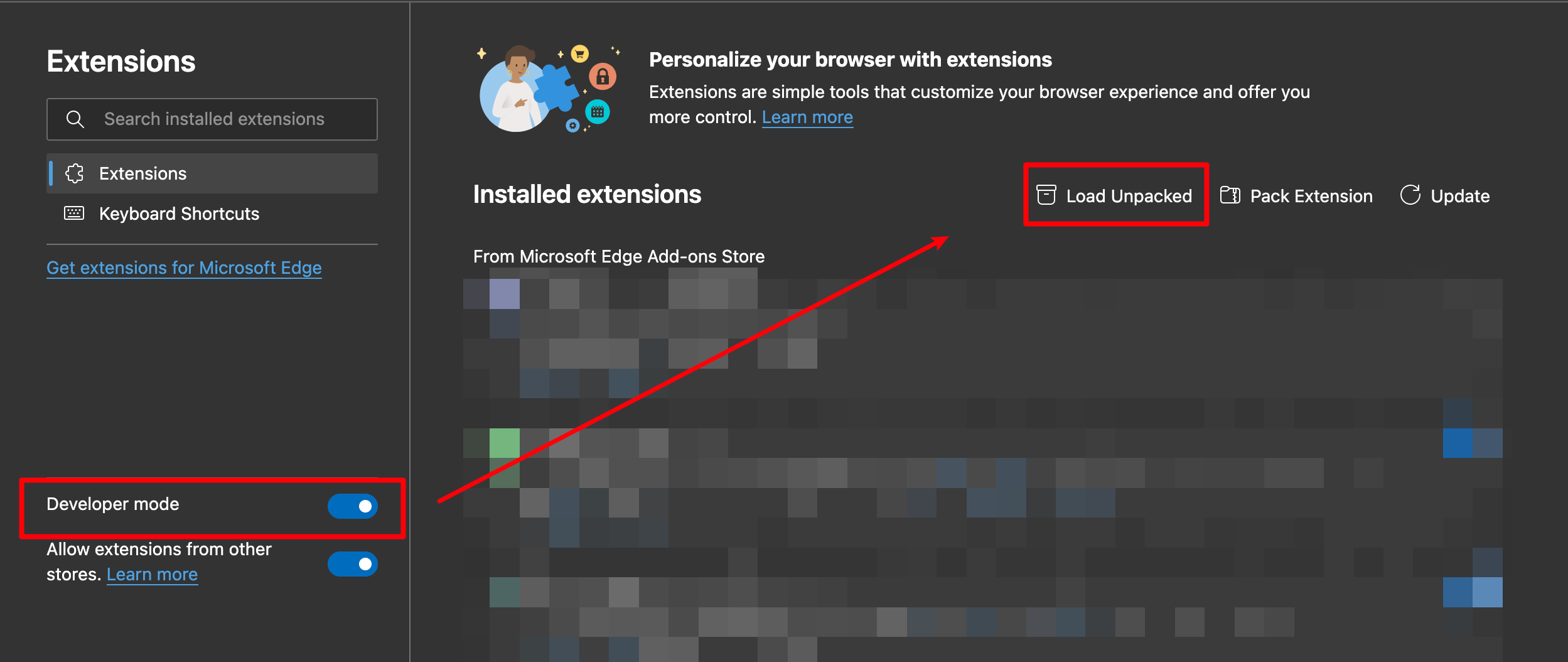
- Load the decompressed extension folder in your browser
Chrome
Ensure you installed extension.zip and decompress this file.
- Type in
chrome://extensions/in the address bar and press Enter - Turn on
Developer modethen pressLoad unpacked
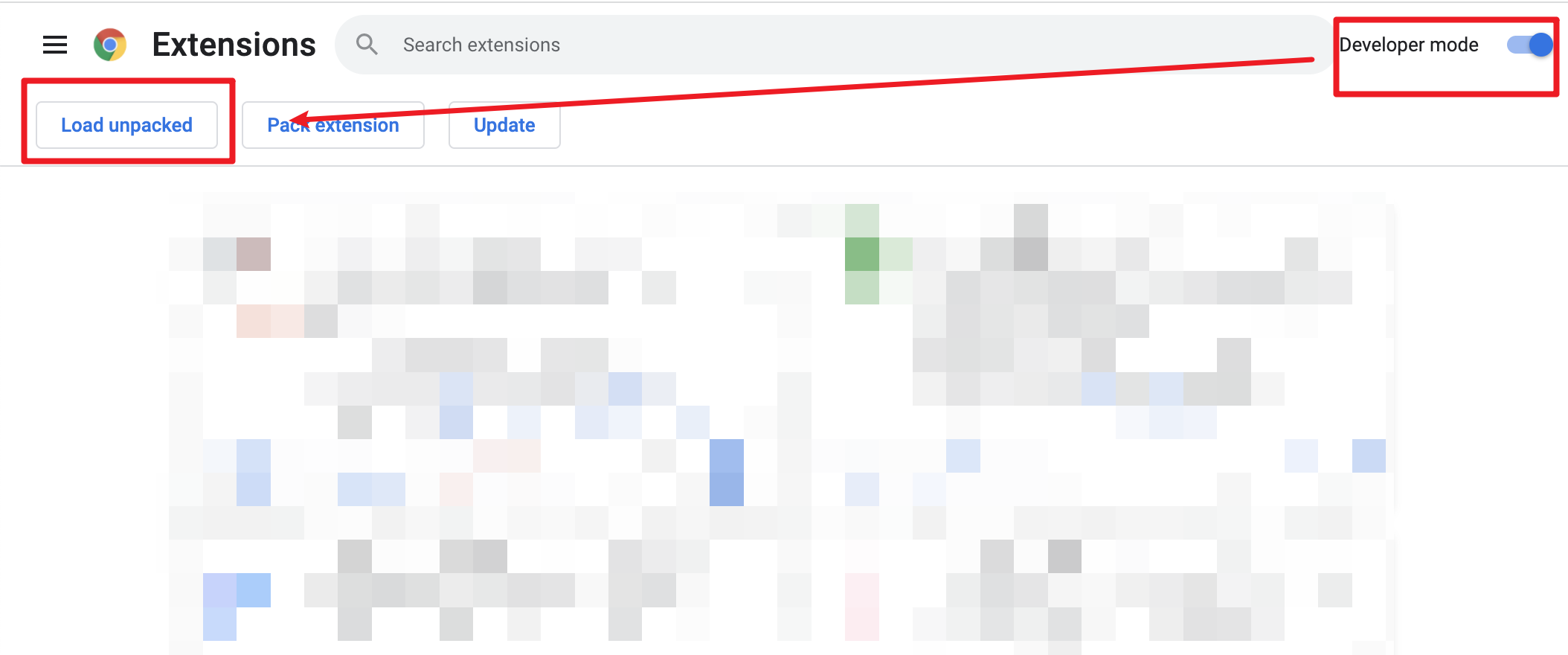
- Load decompressed exetension folder in your browser
🔧 Development & build
Development
pnpm dev
Then load extension in browser with the extension/ folder.
After each modification, you need to click the Extensions Reloader button and refresh the page to ensure the changes would be applied.
Build
To build the extension, run
pnpm build
And then pack files under extension
🤝 Contribution
About branches
- Main: This branch is designed for changes that are restricted to documentation files like READMEs, without altering the code or its functionality.
- Dev: Use this brach for new features, performance improvements or modifications to i18n files.
- Bugfixes: This branch should be used exclusively for fixing bugs that appear in the main branch.
I18n
-
When doing translations, if you have a language you are not familiar with, you can use another language that you have translated and point out what language you cannot translate in the pull request.
-
Please MANUALLY MAINTAIN the i18n files!!! Do not use
i18n Allyor other extensions to maintain them. I know you might be confused or might not like this, but usingi18n Allyfor the maintenance will be uncertain where to place the translations afterward or delete the code comments.
❤️ Credits
- vitesse-webext - The template used for this project
- UserScripts/bilibiliHome, bilibili-app-recommend - Reference source for obtaining the access key
- Bilibili-Evolved - Partial implementation of functionalities
- bilibili-API-collect