Compare commits
| Author | SHA1 | Date | |
|---|---|---|---|
 zsviczian |
f5475bfde6 | ||
|
zsviczian
|
5171978c37 | ||
|
zsviczian
|
ea4a0c91e8 | ||
|
zsviczian
|
34af6dd447 | ||
|
zsviczian
|
ed2e700946 | ||
|
zsviczian
|
7eb23ab5e1 | ||
|
zsviczian
|
7cccf1d4e2 | ||
|
zsviczian
|
2a5545964c | ||
|
zsviczian
|
4ce22883cc | ||
|
zsviczian
|
272804afc8 | ||
|
zsviczian
|
dc0b50f717 | ||
|
zsviczian
|
a0eb625b8a | ||
|
zsviczian
|
524dc54d03 | ||
|
zsviczian
|
918718be90 | ||
|
zsviczian
|
78ee784be1 | ||
|
zsviczian
|
7e0e016bf9 | ||
|
zsviczian
|
4f875a03a0 | ||
|
zsviczian
|
63c56e0e98 | ||
|
zsviczian
|
46477208be | ||
|
zsviczian
|
3194c014c7 | ||
|
zsviczian
|
25ccb9dc43 | ||
|
zsviczian
|
fa46f8c39d | ||
|
zsviczian
|
8ffe5c3942 | ||
|
zsviczian
|
88f256cd8f | ||
|
zsviczian
|
1562600cd3 | ||
|
Nikolaos Karaolidis
|
d759abbc47 | ||
|
zsviczian
|
90533138e5 | ||
|
zsviczian
|
80d8f0e5b6 | ||
|
zsviczian
|
9829fab97c | ||
|
Simon
|
a33c8b6eab | ||
|
zsviczian
|
f0921856c1 | ||
|
zsviczian
|
31e06ac0e0 | ||
|
zsviczian
|
033d764b1c | ||
|
zsviczian
|
00f98dd14e | ||
|
zsviczian
|
0f601d969a | ||
|
zsviczian
|
8fa0fb37b2 | ||
|
zsviczian
|
5a58d17d99 | ||
|
zsviczian
|
982958a4c6 | ||
|
dmscode
|
d425884bb8 | ||
|
zsviczian
|
d3b61a0df1 | ||
|
zsviczian
|
4bab0162ba | ||
|
zsviczian
|
d3f4437478 | ||
|
zsviczian
|
a64586c3e6 | ||
|
zsviczian
|
7a92e78851 | ||
|
zsviczian
|
af0122b21a | ||
|
zsviczian
|
1f95f57e97 | ||
|
zsviczian
|
f384e95e44 | ||
|
zsviczian
|
a40521f07b | ||
|
zsviczian
|
9649b36175 | ||
|
zsviczian
|
6cb1394793 | ||
|
dmscode
|
e5b2977c0c | ||
|
zsviczian
|
22d3f25dc4 | ||
|
zsviczian
|
d9534fcc4f | ||
|
zsviczian
|
fd1604c3a4 | ||
|
zsviczian
|
8f0f8d64df | ||
|
zsviczian
|
5a413ab910 | ||
|
zsviczian
|
d3133f055c | ||
|
zsviczian
|
fe05518e31 | ||
|
zsviczian
|
8adcb7d850 | ||
|
zsviczian
|
be383f2b48 | ||
|
zsviczian
|
682307b51d | ||
|
zsviczian
|
60328613ea | ||
|
zsviczian
|
4a2e054ac6 | ||
|
zsviczian
|
eebc428f1b | ||
|
zsviczian
|
ab8ba66eb5 | ||
|
dmscode
|
97b3050270 | ||
|
zsviczian
|
6733f76fbf | ||
|
zsviczian
|
1dcc45585d | ||
|
zsviczian
|
0c5ceaa3f7 | ||
|
zsviczian
|
2e602d49a2 | ||
|
hackerESQ
|
84bcdf8bee | ||
|
hackerESQ
|
6d60bcf6eb | ||
|
zsviczian
|
b832a51a5b | ||
|
zsviczian
|
dd4c07cbf9 | ||
|
zsviczian
|
6a86de3e1e | ||
|
zsviczian
|
ff8c649c6a | ||
|
zsviczian
|
ae34e124a7 | ||
|
zsviczian
|
5d084ffc30 | ||
|
zsviczian
|
b0a9cf848e | ||
|
zsviczian
|
37e06efa43 | ||
|
zsviczian
|
3a6ad7d762 | ||
|
zsviczian
|
2846b358f4 | ||
|
zsviczian
|
8b3c22cc7f | ||
|
zsviczian
|
ee7fc3eddd | ||
|
zsviczian
|
639ccdf83e | ||
|
zsviczian
|
2b901c473b | ||
|
zsviczian
|
b419079734 | ||
|
zsviczian
|
5c4d37cce4 | ||
|
zsviczian
|
7b5f701f8f | ||
|
zsviczian
|
0eca97bf18 | ||
|
zsviczian
|
f620263fc6 | ||
|
dmscode
|
4e299677bd | ||
|
zsviczian
|
b8655cff5e | ||
|
zsviczian
|
be452fee6d | ||
|
zsviczian
|
90589dd075 | ||
|
zsviczian
|
9c5b48c037 | ||
|
zsviczian
|
4406709920 | ||
|
zsviczian
|
b7ba0f8909 | ||
|
zsviczian
|
c28911c739 | ||
|
dmscode
|
28088754ad | ||
|
zsviczian
|
9e1d491981 | ||
|
zsviczian
|
ab5caa4877 | ||
|
trillstones
|
44b580ae78 | ||
|
trillstones
|
3859eddc80 | ||
|
trillstones
|
6098e1b42e | ||
|
zsviczian
|
6ad8d2f620 | ||
|
zsviczian
|
5b3f3a56ad | ||
|
zsviczian
|
f746b4f4ac | ||
|
trillstones
|
3e4a3ace56 | ||
|
trillstones
|
c72f6add40 | ||
|
trillstones
|
6cfb125a38 | ||
|
trillstones
|
c91e57e341 | ||
|
trillstones
|
0ddd75e5fe | ||
|
zsviczian
|
382d4ca827 | ||
|
zsviczian
|
198e8f8cb7 | ||
|
zsviczian
|
d3baa74ce7 | ||
|
zsviczian
|
995bfe962e | ||
|
zsviczian
|
59255fd954 | ||
|
zsviczian
|
1e9bed9192 | ||
|
dmscode
|
a747a6f698 | ||
|
zsviczian
|
b0d3976c27 | ||
|
zsviczian
|
7f77ab0743 | ||
|
zsviczian
|
79da8afa0b | ||
|
zsviczian
|
bb83523c0f | ||
|
zsviczian
|
f83c0a8458 | ||
|
dmscode
|
7411d51477 | ||
|
zsviczian
|
55ce6456d8 | ||
|
zsviczian
|
da6619d55e | ||
|
zsviczian
|
6033c057c2 | ||
|
zsviczian
|
0efda1d6a6 | ||
|
zsviczian
|
59107f0c2a | ||
|
zsviczian
|
f7cd05f6c4 | ||
|
zsviczian
|
5cbd98e543 | ||
|
dmscode
|
e2d5966ca3 | ||
|
zsviczian
|
dec2909db0 | ||
|
zsviczian
|
7233d1e037 | ||
|
zsviczian
|
5972f83369 | ||
|
dmscode
|
0edfd7622c | ||
|
zsviczian
|
8f14f97007 | ||
|
zsviczian
|
758585a4c2 | ||
|
zsviczian
|
854eafaf91 | ||
|
zsviczian
|
ee89b80ce1 | ||
|
dmscode
|
3e6200ac7e | ||
|
zsviczian
|
ee9364b645 | ||
|
zsviczian
|
5bbe66900e | ||
|
zsviczian
|
a775a858c7 | ||
|
zsviczian
|
2dab801ff5 | ||
|
dmscode
|
07f8a87580 | ||
|
zsviczian
|
91be6e2a2f | ||
|
zsviczian
|
5c709588dd | ||
|
zsviczian
|
19a46e5b11 | ||
|
zsviczian
|
e132d4a9fc | ||
|
zsviczian
|
cf2d9bea24 | ||
|
zsviczian
|
09cbffed1e | ||
|
zsviczian
|
368de8c1f4 | ||
|
zsviczian
|
7dcf9173c2 | ||
|
dmscode
|
eac312c3a2 | ||
|
tovBender
|
7a420a9d2d | ||
|
zsviczian
|
7cac94bf2f | ||
|
zsviczian
|
43e98db174 | ||
|
zsviczian
|
253575bf23 | ||
|
zsviczian
|
7a08ced65a | ||
|
Hendrik Horstmann
|
5a64e1c75e | ||
|
zsviczian
|
fc0ac92dd3 | ||
|
zsviczian
|
4e2d7eb637 | ||
|
zsviczian
|
f8f280c7d5 | ||
|
zsviczian
|
00b87f99c0 | ||
|
mxsdlr
|
0b5c74dde8 | ||
|
mxsdlr
|
906b3bdf92 | ||
|
zsviczian
|
0c28e82212 | ||
|
zsviczian
|
beb4301f14 | ||
|
dmscode
|
e96fe9c491 | ||
|
zsviczian
|
268680f494 | ||
|
zsviczian
|
a1512fce26 | ||
|
zsviczian
|
c2e79f3439 | ||
|
zsviczian
|
01780a2bf8 | ||
|
zsviczian
|
10e54eb03e | ||
|
zsviczian
|
2760a9966b | ||
|
dmscode
|
a297dbbe52 | ||
|
zsviczian
|
74c0af2032 | ||
|
zsviczian
|
813c85accd | ||
|
zsviczian
|
c97d08c997 | ||
|
zsviczian
|
097d1bcd1b | ||
|
zsviczian
|
7c91186ed5 | ||
|
zsviczian
|
904bc7c994 | ||
|
zsviczian
|
9fd4ae2615 | ||
|
zsviczian
|
18fbb0934e | ||
|
zsviczian
|
3ae59c85d2 | ||
|
zsviczian
|
55db9b0ddb | ||
|
zsviczian
|
3cca2fedb0 | ||
|
zsviczian
|
a0682b8e3c | ||
|
dmscode
|
da19ce1b84 | ||
|
zsviczian
|
2b1f504b5b | ||
|
zsviczian
|
d8f2776b40 | ||
|
zsviczian
|
2fd800e0a0 | ||
|
zsviczian
|
712402f7b1 | ||
|
zsviczian
|
b5c034ed92 | ||
|
zsviczian
|
d2805e7a8a | ||
|
zsviczian
|
4011b1c89a | ||
|
zsviczian
|
5bc348611c | ||
|
zsviczian
|
dd24affdbb | ||
|
zsviczian
|
d8542824a1 | ||
|
zsviczian
|
c6bf24ed60 | ||
|
zsviczian
|
a910550e34 | ||
|
zsviczian
|
01e53471d7 | ||
|
zsviczian
|
5569cff20e | ||
|
dmscode
|
757c12c386 | ||
|
zsviczian
|
4cfe6cecda | ||
|
zsviczian
|
a34fbad038 | ||
|
zsviczian
|
6138ef03e0 | ||
|
zsviczian
|
9eb2821c9b | ||
|
zsviczian
|
628bd7bdb2 | ||
|
zsviczian
|
a3914da4ff | ||
|
zsviczian
|
6a1e7f08f4 | ||
|
zsviczian
|
15b400a3d9 | ||
|
zsviczian
|
e447cc3b67 | ||
|
zsviczian
|
8240c7e240 | ||
|
zsviczian
|
6f020e9574 | ||
|
dmscode
|
c9d5f74ed4 | ||
|
zsviczian
|
78034f6dea | ||
|
zsviczian
|
b81cb52614 | ||
|
zsviczian
|
56280cd893 | ||
|
zsviczian
|
e515586e6b | ||
|
firai
|
424af4c60d | ||
|
zsviczian
|
0a7048aca1 | ||
|
zsviczian
|
dd812e0684 | ||
|
zsviczian
|
51b7aebbc3 | ||
|
zsviczian
|
01b1698934 | ||
|
zsviczian
|
1025054bf4 | ||
|
zsviczian
|
06b4986997 | ||
|
zsviczian
|
31716ebcbc | ||
|
zsviczian
|
2e1f28f67e | ||
|
zsviczian
|
7f2e2b2d45 | ||
|
zsviczian
|
b961435e01 | ||
|
zsviczian
|
c54fab9603 | ||
|
zsviczian
|
cc6832afd6 | ||
|
zsviczian
|
29c41cb45a | ||
|
zsviczian
|
c18984a26b | ||
|
zsviczian
|
23d1ad0da6 | ||
|
zsviczian
|
49173dc766 | ||
|
zsviczian
|
03a563856d | ||
|
zsviczian
|
c3809c409d | ||
|
zsviczian
|
dfdca90ca5 | ||
|
zsviczian
|
6a8e1735db | ||
|
zsviczian
|
c0e9a0553e | ||
|
zsviczian
|
e1501165d9 | ||
|
dmscode
|
3b0f706059 | ||
|
zsviczian
|
7d19662f68 | ||
|
zsviczian
|
5c949dc71c | ||
|
zsviczian
|
0439d67a0c | ||
|
dmscode
|
d3446a20b1 | ||
|
zsviczian
|
5b37dc2e38 | ||
|
zsviczian
|
eee264918e | ||
|
zsviczian
|
89172a88f1 | ||
|
zsviczian
|
ffdb054291 | ||
|
zsviczian
|
200d39c408 | ||
|
zsviczian
|
4306574ace | ||
|
zsviczian
|
12e3b90458 | ||
|
dmscode
|
03364b5d2e | ||
|
dmscode
|
4e268991dc | ||
|
zsviczian
|
429c84f940 | ||
|
zsviczian
|
e890e4489b | ||
|
zsviczian
|
8466c42217 | ||
|
zsviczian
|
353732f597 | ||
|
zsviczian
|
5599d2507f | ||
|
zsviczian
|
70cf6ffe70 | ||
|
zsviczian
|
61c9277097 | ||
|
zsviczian
|
401052efd3 | ||
|
zsviczian
|
a57a0e797d | ||
|
zsviczian
|
8f48853e2c | ||
|
zsviczian
|
a62148dc07 | ||
|
zsviczian
|
3ae890bd86 | ||
|
zsviczian
|
65a4cd4ba5 | ||
|
dmscode
|
f63b473bc1 | ||
|
稻米鼠
|
859a5ba03a | ||
|
zsviczian
|
832b97b179 | ||
|
dmscode
|
e98d688d36 | ||
|
zsviczian
|
39318337fe | ||
|
zsviczian
|
f21215be84 | ||
|
zsviczian
|
0690525af8 | ||
|
dmscode
|
b3176425c5 | ||
|
dmscode
|
9f2c18b6b6 | ||
|
zsviczian
|
d529a04f48 | ||
|
zsviczian
|
8786c5aa99 | ||
|
zsviczian
|
013279ab60 | ||
|
zsviczian
|
06193b6d49 | ||
|
zsviczian
|
ac6f4af5d6 | ||
|
zsviczian
|
bf148adc68 | ||
|
Moritz Jung
|
0f9dafb01d | ||
|
zsviczian
|
9fc0452b70 | ||
|
zsviczian
|
83eda9b3f5 | ||
|
zsviczian
|
9bfbf47963 | ||
|
zsviczian
|
252bf411b1 | ||
|
zsviczian
|
5622c019dd | ||
|
zsviczian
|
b32fab7865 | ||
|
zsviczian
|
cafdad1f7a | ||
|
zsviczian
|
9da40944ab | ||
|
zsviczian
|
f678203a64 | ||
|
zsviczian
|
a9572e08e9 | ||
|
dmscode
|
ee9b042cdf | ||
|
zsviczian
|
bc138fa78a | ||
|
zsviczian
|
67dbe256f7 | ||
|
zsviczian
|
8b066d46e2 | ||
|
zsviczian
|
1769a65a82 | ||
|
zsviczian
|
941eb56769 | ||
|
zsviczian
|
a317613ef4 | ||
|
zsviczian
|
173571846f | ||
|
zsviczian
|
ab1078d393 | ||
|
zsviczian
|
681321a595 | ||
|
zsviczian
|
fcd50d4bc2 | ||
|
dmscode
|
7e214e5aaa | ||
|
zsviczian
|
de39053857 | ||
|
zsviczian
|
f543e3218e | ||
|
zsviczian
|
e668aea214 | ||
|
zsviczian
|
d810daa735 | ||
|
zsviczian
|
b94b3118eb | ||
|
dmscode
|
06cbd0c92d | ||
|
zsviczian
|
96ebbbf11d | ||
|
zsviczian
|
fc1467b05b | ||
|
zsviczian
|
53c27f2a59 | ||
|
zsviczian
|
db80f5c715 | ||
|
zsviczian
|
405c98ca50 | ||
|
zsviczian
|
4892aed9e6 | ||
|
zsviczian
|
1b04b94db2 | ||
|
zsviczian
|
4a430f5fe7 | ||
|
zsviczian
|
325bfd825f | ||
|
zsviczian
|
471553f913 | ||
|
zsviczian
|
a43d0689d8 | ||
|
zsviczian
|
afacb8a94b | ||
|
zsviczian
|
afe5300e00 | ||
|
zsviczian
|
ef85d0e323 | ||
|
Igor Tarasenko
|
d3aeedb9f6 | ||
|
Toby Baratta
|
7718f69269 | ||
|
Toby Baratta
|
af50b0c5c6 | ||
|
dmscode
|
b576faad82 | ||
|
稻米鼠
|
4583e603e9 | ||
|
zsviczian
|
7ee316a605 | ||
|
dmscode
|
7dca225691 | ||
|
zsviczian
|
8a27d0240a | ||
|
zsviczian
|
939bd6fd91 | ||
|
zsviczian
|
dfbd385de7 | ||
|
dmscode
|
0d791070dd | ||
|
zsviczian
|
94fbac38bf | ||
|
zsviczian
|
73cf8e75d3 | ||
|
zsviczian
|
395cbc104c | ||
|
zsviczian
|
9a24db8379 | ||
|
zsviczian
|
934a5f4838 | ||
|
dmscode
|
9022500087 | ||
|
John Hammond
|
795807b6cf | ||
|
zsviczian
|
9eff79733c | ||
|
zsviczian
|
c4e95d9207 | ||
|
zsviczian
|
32cd3a62b6 | ||
|
Hendrik Horstmann
|
a5771625df | ||
|
zsviczian
|
d05ccc0055 | ||
|
zsviczian
|
ff1d7b44b4 | ||
|
zsviczian
|
2b86ba2128 | ||
|
zsviczian
|
44a3b30e3b | ||
|
zsviczian
|
bb9389c7dd | ||
|
zsviczian
|
ba4bfe9de7 | ||
|
zsviczian
|
3a73b14ebb | ||
|
zsviczian
|
31f54db433 | ||
|
zsviczian
|
26812dd297 | ||
|
zsviczian
|
ae4f4b4f08 | ||
|
zsviczian
|
4ac0a4c565 | ||
|
zsviczian
|
69c9f824a0 | ||
|
zsviczian
|
6a2220c960 | ||
|
zsviczian
|
aa501c2843 | ||
|
zsviczian
|
efce44f0a7 | ||
|
zsviczian
|
491eb83d35 | ||
|
zsviczian
|
35cf0802d1 | ||
|
zsviczian
|
f768548f60 | ||
|
zsviczian
|
37789f9907 | ||
|
zsviczian
|
131294464e | ||
|
zsviczian
|
b7652a41f8 | ||
|
zsviczian
|
91c5f85ec6 | ||
|
zsviczian
|
985983b31d | ||
|
zsviczian
|
9a27e38ce2 | ||
|
zsviczian
|
0017ed7c92 | ||
|
evolutioned
|
d5cf4ace21 | ||
|
zsviczian
|
1c899746fd | ||
|
zsviczian
|
9ea09c0fdd | ||
|
zsviczian
|
cda674c289 | ||
|
zsviczian
|
ef7d7ccc91 | ||
|
zsviczian
|
21aa5eb2d6 | ||
|
zsviczian
|
e725fb9b65 | ||
|
zsviczian
|
fbd634bfce | ||
|
zsviczian
|
9a686f3827 | ||
|
zsviczian
|
999219a0c9 | ||
|
zsviczian
|
65fd370cc5 | ||
|
zsviczian
|
232f0c38fa | ||
|
zsviczian
|
fa03968508 | ||
|
zsviczian
|
78dace32d4 | ||
|
Bryan
|
a21e7aa0c5 | ||
|
Bryan
|
9b7d828209 | ||
|
Bryan
|
a1071426c0 | ||
|
zsviczian
|
23baf21ef5 | ||
|
zsviczian
|
d280b33073 | ||
|
zsviczian
|
d1ab6bb7a1 | ||
|
zsviczian
|
146d04ea64 | ||
|
zsviczian
|
fd46a3f8ac | ||
|
zsviczian
|
9974ca1e2e | ||
|
Felix
|
2c8a733359 | ||
|
zsviczian
|
4c9eeb9a61 | ||
|
zsviczian
|
de23be8c2d | ||
|
zsviczian
|
bb25a1fde9 | ||
|
zsviczian
|
9267c27bc5 | ||
|
zsviczian
|
591f073413 | ||
|
Andreas Deininger
|
9c28c1ee00 | ||
|
zsviczian
|
120d41ea2f | ||
|
zsviczian
|
80b24a45ad | ||
|
zsviczian
|
e8db9cbff6 | ||
|
zsviczian
|
5db4f8dd95 | ||
|
zsviczian
|
820b2ff6c4 | ||
|
zsviczian
|
596102fb68 | ||
|
zsviczian
|
fa5c63b224 | ||
|
zsviczian
|
aa66b8f716 | ||
|
zsviczian
|
c06cdfcfa0 | ||
|
zsviczian
|
e6943cf7f5 | ||
|
zsviczian
|
b3a2f067ab | ||
|
zsviczian
|
35407cf13d | ||
|
BenMoon
|
d671faf712 | ||
|
zsviczian
|
815ad559ac | ||
|
zsviczian
|
d2cf594756 | ||
|
zsviczian
|
6709f6cf87 | ||
|
zsviczian
|
f463f79222 | ||
|
zsviczian
|
51cf3a9219 | ||
|
zsviczian
|
8700405af8 | ||
|
thxnder
|
d1d082b4f9 | ||
|
zsviczian
|
6dd9d1a056 | ||
|
zsviczian
|
46b03725e9 | ||
|
zsviczian
|
65d6577b28 | ||
|
zsviczian
|
97967f5b70 | ||
|
zsviczian
|
9323e1fad4 | ||
|
zsviczian
|
3e4e741b54 | ||
|
zsviczian
|
4e2d8374e6 | ||
|
zsviczian
|
2b3037402a | ||
|
zsviczian
|
bc67c27a82 | ||
|
zsviczian
|
ffb8f6f00f | ||
|
zsviczian
|
d179dfe703 | ||
|
zsviczian
|
5701020901 | ||
|
zsviczian
|
1f2d795b58 | ||
|
zsviczian
|
c123b3ef51 | ||
|
zsviczian
|
d565c7e9e9 | ||
|
zsviczian
|
710a40c36b | ||
|
zsviczian
|
64f9a5dd7d | ||
|
zsviczian
|
323fe33c2f | ||
|
zsviczian
|
2470f6f531 | ||
|
zsviczian
|
42968d8299 | ||
|
zsviczian
|
7a50b6c77e | ||
|
zsviczian
|
0a10d5fbc9 | ||
|
zsviczian
|
40d2345501 | ||
|
zsviczian
|
ab97ae5ebc | ||
|
zsviczian
|
7c93e90fc0 | ||
|
zsviczian
|
d44cf3306b | ||
|
zsviczian
|
324609999f | ||
|
zsviczian
|
3f54b851ae | ||
|
zsviczian
|
8bbb04b421 | ||
|
zsviczian
|
dc396c8707 | ||
|
zsviczian
|
52cc5d3aa7 | ||
|
zsviczian
|
87b6335905 | ||
|
zsviczian
|
17358f16c8 | ||
|
zsviczian
|
23eb268031 | ||
|
zsviczian
|
27f4cb248d | ||
|
zsviczian
|
bbaf4f7a34 | ||
|
zsviczian
|
559455bf5b | ||
|
zsviczian
|
bd519aff08 | ||
|
zsviczian
|
febeb787b5 | ||
|
Igor Berlenko
|
afabeaa2f3 | ||
|
Sora Liu
|
f80a96c703 |
No files matched your search
@@ -0,0 +1,50 @@
|
||||
name: Contribution Request
|
||||
|
||||
description: Request access to contribute to the Excalidraw plugin documentation on the wiki
|
||||
|
||||
title: '[Contribution] Request to Contribute to Wiki'
|
||||
|
||||
labels: [collaboration-request]
|
||||
|
||||
assignees: []
|
||||
|
||||
body:
|
||||
- type: markdown
|
||||
attributes:
|
||||
value: |
|
||||
## Contribution Request
|
||||
|
||||
Thank you for your interest in contributing to the Excalidraw Plugin wiki! To help me understand how you’d like to contribute, please provide the following details:
|
||||
|
||||
1. **Contribution Area**: Describe what areas of the wiki you’re interested in contributing to (e.g., fixing typos, adding new tutorials, improving existing content).
|
||||
2. **Experience**: Briefly describe your experience with Excalidraw or Obsidian and any relevant background that will help with the contribution.
|
||||
3. **Additional Information**: Any other information or questions you may have.
|
||||
|
||||
**Example:**
|
||||
```
|
||||
- Contribution Area: Adding a tutorial on advanced Excalidraw features
|
||||
- Experience: Regular user of Excalidraw and experienced in creating tutorials
|
||||
- Additional Information: Looking forward to contributing!
|
||||
```
|
||||
|
||||
Once I review your request, I will get back to you with instructions on how to proceed. Thank you for helping improve our documentation!
|
||||
|
||||
---
|
||||
Zsolt
|
||||
|
||||
- type: textarea
|
||||
attributes:
|
||||
label: Contribution Details
|
||||
description: Provide details about your contribution request.
|
||||
placeholder: |
|
||||
- Contribution Area: Adding a tutorial on advanced Excalidraw features
|
||||
- Experience: Regular user of Excalidraw and experienced in creating tutorials
|
||||
- Additional Information: Looking forward to contributing!
|
||||
|
||||
- type: checkboxes
|
||||
id: verify_guidelines
|
||||
attributes:
|
||||
label: Please read the WIKI Contributors Guidelines before submitting your request!
|
||||
options:
|
||||
- label: Yes, I have read and understood the [Contributors Guidelines](https://github.com/zsviczian/obsidian-excalidraw-plugin/wiki/Contributor-Guidelines)
|
||||
|
||||
@@ -0,0 +1,77 @@
|
||||
name: How to? Support request
|
||||
description: Ask for help with using the plugin or understanding its features.
|
||||
title: "SUPPORT: "
|
||||
body:
|
||||
- type: markdown
|
||||
attributes:
|
||||
value: |
|
||||
ℹ️ **Important: Please Read Before Submitting a Support Request** ℹ️
|
||||
|
||||
I am a one-person team working on this plugin as a part-time hobby. Please help me manage the workload by following these guidelines. **Support requests that don't include enough details may be closed without review**.
|
||||
|
||||
Before submitting a support request, please:
|
||||
1. **Review the [documentation](https://github.com/zsviczian/obsidian-excalidraw-plugin/wiki)** – your question may already be answered.
|
||||
2. **[Search issues](https://github.com/zsviczian/obsidian-excalidraw-plugin/issues) (including closed ones)** to see if your question has already been addressed.
|
||||
3. **[Watch the Feature Walkthrough Video](https://youtu.be/P_Q6avJGoWI)**: As it infact answers 90% of the typical questions I receive
|
||||
4. **[Consult NotebookLM with your question](https://excalidraw-obsidian.online/WIKI/09+Video+Transcripts/Videos/Turn+any+YouTube+Channel+into+your+AI+Mentor+-+Obsidian+is+the+ultimate+automation+workbench+for+PKM)**
|
||||
|
||||
- type: markdown
|
||||
attributes:
|
||||
value: |
|
||||
Please help by providing the following details. Requests without this information may be closed without review.
|
||||
|
||||
- type: markdown
|
||||
attributes:
|
||||
value: |
|
||||
---
|
||||
|
||||
- type: checkboxes
|
||||
id: search_existing_resources
|
||||
attributes:
|
||||
label: Have you checked the documentation and searched existing issues?
|
||||
description: Please confirm that you've reviewed available resources before submitting your request.
|
||||
options:
|
||||
- label: Yes, I have reviewed the documentation and searched for related issues.
|
||||
|
||||
- type: textarea
|
||||
id: notebook_lm
|
||||
attributes:
|
||||
label: "Your NotebookLM query"
|
||||
description: "See point 4) above. Paste the question and answer you received from NotebookLM. This serves partly as proof, partly to help me see where the model is incorrect"
|
||||
placeholder: "Copy/Paste your question and the resulting answer you got from NotebookLM"
|
||||
|
||||
- type: textarea
|
||||
id: support_question
|
||||
attributes:
|
||||
label: "Your question"
|
||||
description: "Provide a clear and concise description of the question or issue you need help with."
|
||||
placeholder: "Describe your question or the problem you are trying to solve..."
|
||||
|
||||
- type: textarea
|
||||
id: steps_tried
|
||||
attributes:
|
||||
label: "Steps you've already tried"
|
||||
description: "List any steps you've taken to try to resolve or understand the issue."
|
||||
placeholder: |
|
||||
1. Tried reading the documentation.
|
||||
2. Searched the issues for similar questions.
|
||||
|
||||
- type: textarea
|
||||
id: expected_outcome
|
||||
attributes:
|
||||
label: "Expected outcome"
|
||||
description: "Describe what you expected to happen or what you are trying to achieve."
|
||||
placeholder: "Describe the result you are aiming for..."
|
||||
|
||||
- type: textarea
|
||||
id: additional_context
|
||||
attributes:
|
||||
label: "Additional context"
|
||||
description: "Add any other context or details that may help."
|
||||
placeholder: "Include any other information that may be relevant..."
|
||||
|
||||
- type: markdown
|
||||
attributes:
|
||||
value: |
|
||||
**Attachments: Screenshots and files are critical!**
|
||||
A picture speaks a thousand words, and a screen recording even more. **Please attach screenshots, screen recordings, or sample files** to help illustrate your question or issue. Drag and drop them into the comment area or directly into any of the text fields above.
|
||||
@@ -1,30 +0,0 @@
|
||||
---
|
||||
name: Bug report
|
||||
about: Create a report to help me improve Excalidraw
|
||||
title: 'BUG: '
|
||||
labels: ''
|
||||
assignees: ''
|
||||
|
||||
---
|
||||
|
||||
**Your environment**
|
||||
Please run `Command Palette/Show Debug info` in Obsidian and paste the result here.
|
||||
|
||||
**Describe the bug**
|
||||
A clear and concise description of what the bug is.
|
||||
|
||||
**To Reproduce**
|
||||
Steps to reproduce the behavior:
|
||||
1. Go to '...'
|
||||
2. Click on '....'
|
||||
3. Scroll down to '....'
|
||||
4. See error
|
||||
|
||||
**Expected behavior**
|
||||
A clear and concise description of what you expected to happen.
|
||||
|
||||
**Screenshots**
|
||||
If applicable, add screenshots to help explain your problem.
|
||||
|
||||
**Additional context**
|
||||
Add any other context about the problem here.
|
||||
@@ -0,0 +1,40 @@
|
||||
---
|
||||
name: Bug report
|
||||
about: When something is clearly broken. Everything else is a feature request.
|
||||
title: 'BUG: '
|
||||
labels: ''
|
||||
assignees: ''
|
||||
|
||||
---
|
||||
|
||||
Help me help you. I am a one man show doing this plugin as a part time hobby. There is no point in flooding me with issues, if there are too many, and they are poorly documented, I will just ignore them. Sorry...
|
||||
|
||||
Before creating a bug report, please
|
||||
1. review recent release notes - maybe there is already an answer,
|
||||
2. search issues (including closed ones) to see if there is anything similar.
|
||||
|
||||
⚠️ I will have to close all recorded bugs that do not provide this background information. Sorry, I need to control my workload/time. ⚠️
|
||||
|
||||
--------
|
||||
|
||||
**Your environment**
|
||||
Please run `Command Palette/Show Debug info` in Obsidian and paste the result here.
|
||||
|
||||
**Describe the bug**
|
||||
A clear and concise description of what the bug is.
|
||||
|
||||
**To Reproduce**
|
||||
Steps to reproduce the behavior:
|
||||
1. Go to '...'
|
||||
2. Click on '....'
|
||||
3. Scroll down to '....'
|
||||
4. See error
|
||||
|
||||
**Expected behavior**
|
||||
A clear and concise description of what you expected to happen.
|
||||
|
||||
**Screenshots**
|
||||
If applicable, add screenshots to help explain your problem.
|
||||
|
||||
**Additional context**
|
||||
Add any other context about the problem here.
|
||||
@@ -0,0 +1,94 @@
|
||||
name: Bug report
|
||||
description: If something is clearly broken, it’s a bug. **Everything else** is a feature or support request. Most reported “bugs” are actually how-to questions or feature requests.
|
||||
title: "BUG: "
|
||||
body:
|
||||
- type: markdown
|
||||
attributes:
|
||||
value: |
|
||||
⚠️ **Important: Please Read Before Submitting a Bug Report** ⚠️
|
||||
|
||||
I am a one-person team working on this plugin as a part-time hobby. I cannot handle a flood of poorly documented issues. **To ensure your report is considered, you must follow these guidelines**. If you don't, I will close the issue without review.
|
||||
|
||||
Before creating a bug report, please:
|
||||
1. **Review recent [release notes](https://github.com/zsviczian/obsidian-excalidraw-plugin/releases)** – maybe there is already an answer.
|
||||
2. **[Search issues](https://github.com/zsviczian/obsidian-excalidraw-plugin/issues) (including closed ones)** to see if there is anything similar.
|
||||
3. **[Watch the Feature Walkthrough Video](https://youtu.be/P_Q6avJGoWI)**: As it infact answers 90% of the typical questions I receive
|
||||
4. **[Consult NotebookLM with your question](https://excalidraw-obsidian.online/WIKI/09+Video+Transcripts/Videos/Turn+any+YouTube+Channel+into+your+AI+Mentor+-+Obsidian+is+the+ultimate+automation+workbench+for+PKM)**
|
||||
|
||||
- type: markdown
|
||||
attributes:
|
||||
value: |
|
||||
Please help by providing the following details. Bugs reported without the required information may be closed without review.
|
||||
|
||||
- type: markdown
|
||||
attributes:
|
||||
value: |
|
||||
---
|
||||
|
||||
- type: checkboxes
|
||||
id: search_existing_issues
|
||||
attributes:
|
||||
label: Have you searched for existing issues (including closed ones)?
|
||||
description: Please confirm that you have searched the issue tracker before reporting a new issue.
|
||||
options:
|
||||
- label: Yes, I have searched the existing issues.
|
||||
|
||||
- type: checkboxes
|
||||
id: verify_bug
|
||||
attributes:
|
||||
label: Does this bug persist in a new vault with only Excalidraw installed?
|
||||
description: Please confirm that you have tested this issue in an empty Obsidian vault with no other plugins or themes installed.
|
||||
options:
|
||||
- label: Yes, I have verified the issue persists.
|
||||
|
||||
- type: textarea
|
||||
id: environment
|
||||
attributes:
|
||||
label: "Your environment"
|
||||
description: "Run `Command Palette/Show Debug info` in Obsidian and paste the result here."
|
||||
placeholder: "Paste your Obsidian debug info here..."
|
||||
|
||||
- type: textarea
|
||||
id: notebook_lm
|
||||
attributes:
|
||||
label: "Your NotebookLM query"
|
||||
description: "See point 4) above. Paste the question and answer you received from NotebookLM. This serves partly as proof, partly to help me see where the model is incorrect"
|
||||
placeholder: "Copy/Paste your question and the resulting answer you got from NotebookLM"
|
||||
|
||||
- type: textarea
|
||||
id: bug_description
|
||||
attributes:
|
||||
label: "Describe the bug"
|
||||
description: "A clear and concise description of what the bug is."
|
||||
placeholder: "Provide a detailed description of the issue..."
|
||||
|
||||
- type: textarea
|
||||
id: steps_to_reproduce
|
||||
attributes:
|
||||
label: "Steps to reproduce"
|
||||
description: "List the steps to reproduce the behavior."
|
||||
placeholder: |
|
||||
1. Go to '...'
|
||||
2. Click on '...'
|
||||
3. See error
|
||||
|
||||
- type: textarea
|
||||
id: expected_behavior
|
||||
attributes:
|
||||
label: "Expected behavior"
|
||||
description: "A clear and concise description of what you expected to happen."
|
||||
placeholder: "Describe what you expected to happen..."
|
||||
|
||||
- type: textarea
|
||||
id: additional_context
|
||||
attributes:
|
||||
label: "Additional context"
|
||||
description: "Add any other context about the problem here."
|
||||
placeholder: "Include any other information that may be helpful..."
|
||||
|
||||
- type: markdown
|
||||
attributes:
|
||||
value: |
|
||||
**Attachments:**
|
||||
If applicable, please attach any screenshots, screen recordings, or files by dragging and dropping them into the comment area or directly into any of the text fields above.
|
||||
|
||||
@@ -0,0 +1,69 @@
|
||||
name: Feature request
|
||||
description: Request a new feature for the Excalidraw plugin.
|
||||
title: "FR: "
|
||||
body:
|
||||
- type: markdown
|
||||
attributes:
|
||||
value: |
|
||||
🛠️ **Important: Please Read Before Submitting a Feature Request** 🛠️
|
||||
|
||||
I develop Excalidraw primarily as a hobby, and I prioritize features that I personally use regularly. Features I don't use often break without me noticing, which is why the plugin is as stable as it is—because I rely on it every day.
|
||||
|
||||
**Your task isn't just to describe the feature you want, but to sell me on the idea**. If I'm not convinced that the feature would significantly benefit my own workflow, it's unlikely I'll spend my free hobby time on it.
|
||||
|
||||
When creating your feature request:
|
||||
- **Provide real-life usage scenarios**: How will this feature help you? How do you imagine using it in practice?
|
||||
- **Sell the idea**: Convince me that I need this feature too.
|
||||
- **Include supporting materials**: Reference other solutions? Include relevant screenshots, screen recordings, and links. The more work I need to do to understand your request, the less likely it is to be implemented.
|
||||
|
||||
**Additional Guidelines:**
|
||||
- **Excalidraw Core Features**: If your request relates to core Excalidraw features, and not the Obsidian integration specifically, please raise it with the Excalidraw product team here: [Excalidraw Issues](https://github.com/excalidraw/excalidraw/issues).
|
||||
- **Cross-Platform Compatibility**: Obsidian and Excalidraw are cross-platform solutions. I cannot develop platform-specific features like Apple Pencil or Samsung S-Pen support due to technical limitations. Please only request features that make sense across all platforms (Windows, Linux, ChromeOS, macOS, Android, iOS).
|
||||
|
||||
Remember: You're not asking from a genie. You're pitching to someone who will need to spend hours (even for small changes) on testing, releasing, documenting, and supporting the feature. If you don't sell it well, it won't get done.
|
||||
|
||||
**Explore Scripting First:**
|
||||
Many feature requests can already be achieved with scripts using Excalidraw Automate. While the documentation is somewhat dated, there are nearly a hundred published scripts available. With a little determination, you can explore the possibilities. Feeding relevant scripts into GPT can often generate a working solution. Start here: [Excalidraw Automate Documentation](https://zsviczian.github.io/obsidian-excalidraw-plugin/ExcalidrawScriptsEngine.html).
|
||||
|
||||
- type: textarea
|
||||
id: problem_description
|
||||
attributes:
|
||||
label: "Is your feature request related to a problem? Please describe."
|
||||
description: "Provide a clear and concise description of the problem. Ex. I'm always frustrated when..."
|
||||
placeholder: "Describe the problem you are facing..."
|
||||
|
||||
- type: textarea
|
||||
id: solution_description
|
||||
attributes:
|
||||
label: "Describe the solution you'd like"
|
||||
description: "Provide a clear and concise description of what you want to happen."
|
||||
placeholder: "Describe the feature you are requesting..."
|
||||
|
||||
- type: textarea
|
||||
id: usage_scenario
|
||||
attributes:
|
||||
label: "Real-life usage scenarios"
|
||||
description: "Provide specific examples of how you would use this feature. Convince me that this is a feature I need in my own workflow."
|
||||
placeholder: |
|
||||
1. In this scenario, I would use the feature to...
|
||||
2. Another use case is when I...
|
||||
|
||||
- type: textarea
|
||||
id: alternatives_considered
|
||||
attributes:
|
||||
label: "Describe alternatives you've considered"
|
||||
description: "Provide a clear and concise description of any alternative solutions or features you've considered."
|
||||
placeholder: "Describe any alternative approaches you have considered..."
|
||||
|
||||
- type: textarea
|
||||
id: additional_context
|
||||
attributes:
|
||||
label: "Additional context"
|
||||
description: "Include any other context, screenshots, or references about the feature request."
|
||||
placeholder: "Include screenshots, recordings, or other supporting material..."
|
||||
|
||||
- type: markdown
|
||||
attributes:
|
||||
value: |
|
||||
**Attachments: Make your case visually!**
|
||||
Supporting images, screenshots, or screen recordings are critical for helping me understand your request. Drag and drop them into the comment area or directly into any of the text fields above. Every bit of detail increases the chance of your request being understood and prioritized.
|
||||
@@ -4,7 +4,6 @@
|
||||
|
||||
# npm
|
||||
node_modules
|
||||
package-lock.json
|
||||
|
||||
# build
|
||||
main.js
|
||||
@@ -13,6 +12,8 @@ stats.html
|
||||
hot-reload.bat
|
||||
data.json
|
||||
lib
|
||||
dist
|
||||
tmp
|
||||
|
||||
#VSCode
|
||||
.vscode
|
||||
|
||||
@@ -195,7 +195,7 @@ This is relevant when setting a fix height using the `addText()` function.
|
||||
### startArrowHead, endArrowHead
|
||||
String. Valid values are "arrow", "bar", "dot", and "none". Specifies the beginning and ending of an arrow.
|
||||
|
||||
This is relavant when using the `addArrow()` and the `connectObjects()` functions.
|
||||
This is relevant when using the `addArrow()` and the `connectObjects()` functions.
|
||||
|
||||
## canvas
|
||||
Sets the properties of the canvas.
|
||||
|
||||
@@ -0,0 +1,102 @@
|
||||
import {mathjax} from "mathjax-full/js/mathjax";
|
||||
import {TeX} from 'mathjax-full/js/input/tex.js';
|
||||
import {SVG} from 'mathjax-full/js/output/svg.js';
|
||||
import {LiteAdaptor, liteAdaptor} from 'mathjax-full/js/adaptors/liteAdaptor.js';
|
||||
import {RegisterHTMLHandler} from 'mathjax-full/js/handlers/html.js';
|
||||
import {AllPackages} from 'mathjax-full/js/input/tex/AllPackages.js';
|
||||
import { customAlphabet } from "nanoid";
|
||||
|
||||
type DataURL = string & { _brand: "DataURL" };
|
||||
type FileId = string & { _brand: "FileId" };
|
||||
const fileid = customAlphabet("1234567890abcdef", 40);
|
||||
|
||||
let adaptor: LiteAdaptor;
|
||||
let html: any;
|
||||
let preamble: string;
|
||||
|
||||
function svgToBase64(svg: string): string {
|
||||
const cleanSvg = svg.replaceAll(" ", " ");
|
||||
|
||||
// Convert the string to UTF-8 and handle non-Latin1 characters
|
||||
const encodedData = encodeURIComponent(cleanSvg)
|
||||
.replace(/%([0-9A-F]{2})/g,
|
||||
(match, p1) => String.fromCharCode(parseInt(p1, 16))
|
||||
);
|
||||
|
||||
return `data:image/svg+xml;base64,${btoa(encodedData)}`;
|
||||
}
|
||||
|
||||
async function getImageSize(src: string): Promise<{ height: number; width: number }> {
|
||||
return new Promise((resolve, reject) => {
|
||||
const img = new Image();
|
||||
img.onload = () => resolve({ height: img.naturalHeight, width: img.naturalWidth });
|
||||
img.onerror = reject;
|
||||
img.src = src;
|
||||
});
|
||||
}
|
||||
|
||||
export async function tex2dataURL(
|
||||
tex: string,
|
||||
scale: number = 4,
|
||||
app?: any
|
||||
): Promise<{
|
||||
mimeType: string;
|
||||
fileId: FileId;
|
||||
dataURL: DataURL;
|
||||
created: number;
|
||||
size: { height: number; width: number };
|
||||
}> {
|
||||
let input: TeX<unknown, unknown, unknown>;
|
||||
let output: SVG<unknown, unknown, unknown>;
|
||||
|
||||
if(!adaptor) {
|
||||
if (app) {
|
||||
const file = app.vault.getAbstractFileByPath("preamble.sty");
|
||||
preamble = file ? await app.vault.read(file) : null;
|
||||
}
|
||||
adaptor = liteAdaptor();
|
||||
RegisterHTMLHandler(adaptor);
|
||||
input = new TeX({
|
||||
packages: AllPackages,
|
||||
...(preamble ? {
|
||||
inlineMath: [['$', '$']],
|
||||
displayMath: [['$$', '$$']]
|
||||
} : {}),
|
||||
});
|
||||
output = new SVG({ fontCache: "local" });
|
||||
html = mathjax.document("", { InputJax: input, OutputJax: output });
|
||||
}
|
||||
|
||||
try {
|
||||
const node = html.convert(
|
||||
preamble ? `${preamble}${tex}` : tex,
|
||||
{ display: true, scale }
|
||||
);
|
||||
const svg = new DOMParser().parseFromString(adaptor.innerHTML(node), "image/svg+xml").firstChild as SVGSVGElement;
|
||||
if (svg) {
|
||||
if(svg.width.baseVal.valueInSpecifiedUnits < 2) {
|
||||
svg.width.baseVal.valueAsString = `${(svg.width.baseVal.valueInSpecifiedUnits+1).toFixed(3)}ex`;
|
||||
}
|
||||
const img = svgToBase64(svg.outerHTML);
|
||||
svg.width.baseVal.valueAsString = (svg.width.baseVal.valueInSpecifiedUnits * 10).toFixed(3);
|
||||
svg.height.baseVal.valueAsString = (svg.height.baseVal.valueInSpecifiedUnits * 10).toFixed(3);
|
||||
const dataURL = svgToBase64(svg.outerHTML);
|
||||
return {
|
||||
mimeType: "image/svg+xml",
|
||||
fileId: fileid() as FileId,
|
||||
dataURL: dataURL as DataURL,
|
||||
created: Date.now(),
|
||||
size: await getImageSize(img),
|
||||
};
|
||||
}
|
||||
} catch (e) {
|
||||
console.error(e);
|
||||
}
|
||||
return null;
|
||||
}
|
||||
|
||||
export function clearMathJaxVariables(): void {
|
||||
adaptor = null;
|
||||
html = null;
|
||||
preamble = null;
|
||||
}
|
||||
@@ -0,0 +1,24 @@
|
||||
{
|
||||
"name": "@zsviczian/mathjax-to-svg",
|
||||
"version": "1.0.0",
|
||||
"main": "dist/index.js",
|
||||
"scripts": {
|
||||
"build": "cross-env NODE_ENV=production rollup --config rollup.config.js",
|
||||
"dev": "cross-env NODE_ENV=development rollup --config rollup.config.js"
|
||||
},
|
||||
"dependencies": {
|
||||
"mathjax-full": "^3.2.2",
|
||||
"nanoid": "^4.0.2"
|
||||
},
|
||||
"devDependencies": {
|
||||
"@rollup/plugin-commonjs": "^26.0.1",
|
||||
"@rollup/plugin-node-resolve": "^15.2.3",
|
||||
"@rollup/plugin-typescript": "^12.1.2",
|
||||
"cross-env": "^7.0.3",
|
||||
"obsidian": "1.5.7-1",
|
||||
"rollup": "^2.70.1",
|
||||
"rollup-plugin-terser": "^7.0.2",
|
||||
"tslib": "^2.8.1",
|
||||
"typescript": "^5.7.3"
|
||||
}
|
||||
}
|
||||
@@ -0,0 +1,35 @@
|
||||
import { nodeResolve } from '@rollup/plugin-node-resolve';
|
||||
import commonjs from '@rollup/plugin-commonjs';
|
||||
import typescript from '@rollup/plugin-typescript';
|
||||
import { terser } from 'rollup-plugin-terser';
|
||||
|
||||
const isProd = (process.env.NODE_ENV === 'production');
|
||||
|
||||
export default {
|
||||
input: './index.ts',
|
||||
output: {
|
||||
dir: 'dist',
|
||||
format: 'iife',
|
||||
name: 'MathjaxToSVG', // Global variable name
|
||||
exports: 'named',
|
||||
sourcemap: !isProd,
|
||||
},
|
||||
plugins: [
|
||||
typescript({
|
||||
tsconfig: 'tsconfig.json',
|
||||
}),
|
||||
commonjs(),
|
||||
nodeResolve({
|
||||
browser: true,
|
||||
preferBuiltins: false
|
||||
}),
|
||||
isProd && terser({
|
||||
format: {
|
||||
comments: false,
|
||||
},
|
||||
compress: {
|
||||
passes: 2,
|
||||
}
|
||||
})
|
||||
].filter(Boolean)
|
||||
};
|
||||
@@ -0,0 +1,26 @@
|
||||
{
|
||||
"compilerOptions": {
|
||||
"baseUrl": ".",
|
||||
"sourceMap": false,
|
||||
"module": "es2020",
|
||||
"target": "es2022", //min es2017 because script engine requires for async execution and min es2018 for named capture groups
|
||||
"allowJs": false,
|
||||
"noImplicitAny": true,
|
||||
"moduleResolution": "node",
|
||||
"esModuleInterop": true,
|
||||
"importHelpers": true,
|
||||
"resolveJsonModule": true,
|
||||
"lib": [
|
||||
"dom",
|
||||
"scripthost",
|
||||
"es2022",
|
||||
"DOM.Iterable"
|
||||
],
|
||||
"jsx": "react",
|
||||
},
|
||||
"include": [
|
||||
"**/*.ts",
|
||||
"**/*.tsx", "src/shared/Dialogs/OpenDrawing.ts",
|
||||
"src/types/types.d.ts",
|
||||
]
|
||||
}
|
||||
@@ -1,32 +0,0 @@
|
||||
The project runs with `node 18`.
|
||||
|
||||
After running `npm -i` you'll need to make two manual changes:
|
||||
|
||||
## postprocess
|
||||
postprocess is used in rollup.config.js.
|
||||
However, the version available on npmjs does not work, after installing packages you need this update:
|
||||
`npm install brettz9/rollup-plugin-postprocess#update --save-dev``
|
||||
|
||||
More info here: https://github.com/developit/rollup-plugin-postprocess/issues/10
|
||||
|
||||
## colormaster
|
||||
1.2.1 misses 3 plugin references after installing the package you need to update
|
||||
`node_modules/colormaster/package.json` adding the following to the `exports:` section:
|
||||
```typescript
|
||||
,
|
||||
"./plugins/luv": {
|
||||
"import": "./plugins/luv.mjs",
|
||||
"require": "./plugins/luv.js",
|
||||
"default": "./plugins/luv.mjs"
|
||||
},
|
||||
"./plugins/uvw": {
|
||||
"import": "./plugins/uvw.mjs",
|
||||
"require": "./plugins/uvw.js",
|
||||
"default": "./plugins/uvw.mjs"
|
||||
},
|
||||
"./plugins/ryb": {
|
||||
"import": "./plugins/ryb.mjs",
|
||||
"require": "./plugins/ryb.js",
|
||||
"default": "./plugins/ryb.mjs"
|
||||
}
|
||||
```
|
||||
@@ -1,12 +1,19 @@
|
||||
# Excalidraw
|
||||
|
||||
[简体中文](./docs/zh-cn/README.md)
|
||||
|
||||
👉👉👉 Check out and contribute to the new [Obsidian-Excalidraw Community Wiki](https://excalidraw-obsidian.online/WIKI/Welcome+to+the+WIKI)
|
||||
|
||||
The Obsidian-Excalidraw plugin integrates [Excalidraw](https://excalidraw.com/), a feature rich sketching tool, into Obsidian. You can store and edit Excalidraw files in your vault, you can embed drawings into your documents, and you can link to documents and other drawings to/and from Excalidraw. For a showcase of Excalidraw features, please read my blog post [here](https://www.zsolt.blog/2021/03/showcasing-excalidraw.html) and/or watch the videos below.
|
||||
|
||||
## Video Walkthrough
|
||||
|
||||
<a href="https://youtu.be/P_Q6avJGoWI" target="_blank"><img src="https://github.com/zsviczian/obsidian-excalidraw-plugin/assets/14358394/da34bb33-7610-45e6-b36f-cb7a02a9141b" width="300"/></a>
|
||||
<a href="https://youtu.be/o0exK-xFP3k" target="_blank"><img src="https://user-images.githubusercontent.com/14358394/156931370-aa4d88de-c4a8-46cc-aeb2-dc09aa0bea39.jpg" width="300"/></a>
|
||||
<a href="https://youtu.be/QKnQgSjJVuc" target="_blank"><img src="https://raw.githubusercontent.com/zsviczian/obsidian-excalidraw-plugin/master/images/thumbnail-getting-started.jpg" width="300"/></a>
|
||||
|
||||
### Here's my complete catalog of videos:
|
||||
<a href="https://excalidraw-obsidian.online/Hobbies/Excalidraw+Blog/Catalogue+of+Videos"><img width="380" alt="image" src="https://github.com/zsviczian/obsidian-excalidraw-plugin/assets/14358394/2577e5ad-7a21-4c62-acd5-4fe80c8a8a95"></a>
|
||||
<br>
|
||||
|
||||
<details><summary>10 Part (slightly outdated) Video Walkthrough</summary>
|
||||
<a href="https://youtu.be/sY4FoflGaiM" target="_blank"><img src="https://user-images.githubusercontent.com/14358394/125160304-7f211180-e17c-11eb-8363-c52723de1ffd.jpg" width="100" style="vertical-align: middle;"/> 1 Getting Started</a><br>
|
||||
@@ -60,6 +67,13 @@ The Obsidian-Excalidraw plugin integrates [Excalidraw](https://excalidraw.com/),
|
||||
<a href="https://youtu.be/4N6efq1DtH0" target="_blank"><img src="https://user-images.githubusercontent.com/14358394/158008902-12c6a851-237e-4edd-a631-d48e81c904b2.jpg" width="100" style="vertical-align: middle;"/> Eraser, left-handed mode, improved filename configuration</a><br>
|
||||
</details>
|
||||
|
||||
### Beta testing
|
||||
The plugin follows a monthly release schedule. If you want to receive more frequent updates with new features (e.g. shiny new stuff available on excalidraw.com, but not yet in Obsidian) and minor bug fixes, then join the beta community.
|
||||
|
||||
[](https://youtu.be/2poSS-Z91lY)
|
||||
|
||||
[](https://github.com/user-attachments/assets/120a0790-7239-48ae-bfbd-eb249f8b518d)
|
||||
|
||||
---
|
||||
|
||||
## Features
|
||||
@@ -86,15 +100,17 @@ Plugin settings are grouped into the following sections:
|
||||
|
||||
#### Templates
|
||||
|
||||
- Template for new drawings. The template will restore stroke properties. This means you can set up defaults in your template for stroke color, stroke width, opacity, font family, font size, fill style, stroke style, etc. This also applies to ExcalidrawAutomate.
|
||||
- Template for new drawings. The template will restore stroke properties. This means you can set up defaults in your template for stroke color, stroke width, opacity, font family, font size, fill style, stroke style, etc. This also applies to ExcalidrawAutomate. With versions 1.6.13 or higher make sure to enable "Decompress Excalidraw JSON in Markdown View" in the settings before editing the JSON in the template. This can be disabled after the canges are performed.
|
||||
- Via the template, you can customize the color palette used by Excalidraw.
|
||||
- Switch to Markdown view.
|
||||
- Scroll down to the bottom of the file and find `"AppState": {`.
|
||||
- Find `"customColorPalette": {` at the end of the AppState section.
|
||||
- You may specify the 3 palettes used in Excalidraw by adding any or all of the following 3 variables:
|
||||
- `"canvasBackground":[], "elementBackground":[], "elementStroke": []`.
|
||||
- Add a comma-separated list of valid HTML colors (e.g. `#FF0000` for red).
|
||||
in the array for each of the variables.
|
||||
- Find `"colorPalette": {` at the end of the AppState section.
|
||||
- You may specify the 3 palettes used in Excalidraw by adding any or all of the following 3 variables:
|
||||
- `"canvasBackground":[], "elementBackground":[], "elementStroke": []`.
|
||||
- Add a comma-separated list of valid HTML colors (e.g. `#FF0000` for red) in the array for each of the variables.
|
||||
- To change the previewed colors, a `"topPicks": {` may be specified containing the same three keys:
|
||||
- `"canvasBackground":[], "elementBackground":[], "elementStroke": []`.
|
||||
- Note that the corresponding arrays must contain 5 elements.
|
||||
- See my videos above for further help.
|
||||
|
||||
#### Export
|
||||
@@ -213,6 +229,7 @@ For more details, see this [video](https://youtu.be/yZQoJg2RCKI)
|
||||
- `excalidraw-export-dark`: true == Dark mode / false == light mode.
|
||||
- `excalidraw-export-padding`: Specify the export padding for the image.
|
||||
- `excalidraw-export-pngscale`: This only affects export to PNG. Specify the export scale for the image. The typical range is between 0.5 and 5, but you can experiment with other values as well.
|
||||
- Since 1.6.13, enable "Decompress Excalidraw JSON in Markdown View" in the settings if you want to change any JSON content.
|
||||
|
||||
### Embed complete markdown files into your drawings
|
||||
|
||||
@@ -240,11 +257,11 @@ Drag the desired file from the Obsidian file explorer and hold down <kbd>SHIFT</
|
||||
- In plugin settings, you can add a custom fourth font. For more details, see this [video](https://youtu.be/eKFmrSQhFA4)
|
||||
- The plugin includes OCR support using Taskbone OCR. For more details, see this [video](https://youtu.be/7gu4ETx7zro)
|
||||
- You can convert SVG files into Excalidraw drawings (with some limitation). For more details, see this [video](https://youtu.be/vlC1-iBvIfo)
|
||||
- You can define custom freedraw pens. See documentation [here].(https://github.com/zsviczian/obsidian-excalidraw-plugin/blob/master/ea-scripts/Alternative%20Pens.md), [video](https://youtu.be/uZz5MgzWXiM)
|
||||
- You can define custom pens and higlighters and pin them to the sidebar. For more details, see this [video](https://youtu.be/OjNhjaH2KjI). Using ExcalidrawAutomate, you can add support for [auto-toggling](<ea-scripts/Auto Draw for Pen.md>) pen & support for [hardware eraser buttons](<ea-scripts/Hardware Eraser Support.md>).
|
||||
|
||||
### Script Engine
|
||||
|
||||
- Since 1.5.0, you can easily execute ExcalidrawAutomate macros and assign command palette shortcuts to them, using the ScriptEngine. You will find an intro video and a growing library of ready to install scripts [here](https://github.com/zsviczian/obsidian-excalidraw-plugin/tree/master/ea-scripts).
|
||||
- Since 1.5.0, you can easily execute ExcalidrawAutomate macros and assign command palette shortcuts to them, using the ScriptEngine. You will find an intro video and a growing library of ready to install scripts [here](ea-scripts/README.md).
|
||||
- You can organize scripts into groups on the Obsidian Tools Panel in Excalidraw by moving scripts and accompanying SVG icon files to folders. See the demo [video](https://youtu.be/wTtaXmRJ7wg?t=16).
|
||||
|
||||
### Other
|
||||
|
||||
@@ -1,36 +0,0 @@
|
||||
import fs from'fs';
|
||||
import LZString from 'lz-string';
|
||||
|
||||
const excalidraw_pkg = isProd
|
||||
? fs.readFileSync("./node_modules/@zsviczian/excalidraw/dist/excalidraw.production.min.js", "utf8")
|
||||
: fs.readFileSync("./node_modules/@zsviczian/excalidraw/dist/excalidraw.development.js", "utf8");
|
||||
const react_pkg = isProd
|
||||
? fs.readFileSync("./node_modules/react/umd/react.production.min.js", "utf8")
|
||||
: fs.readFileSync("./node_modules/react/umd/react.development.js", "utf8");
|
||||
const reactdom_pkg = isProd
|
||||
? fs.readFileSync("./node_modules/react-dom/umd/react-dom.production.min.js", "utf8")
|
||||
: fs.readFileSync("./node_modules/react-dom/umd/react-dom.development.js", "utf8");
|
||||
const lzstring_pkg = fs.readFileSync("./node_modules/lz-string/libs/lz-string.min.js", "utf8")
|
||||
|
||||
const packageString = lzstring_pkg+'const EXCALIDRAW_PACKAGES = "' + LZString.compressToBase64(react_pkg + reactdom_pkg + excalidraw_pkg) +'";var ExcalidrawPackageLoader=(d=document)=>{const excalidraw_id = "excalidraw-script";if(!d.getElementById(excalidraw_id)){const script=d.createElement("script");script.type="text/javascript";script.id=excalidraw_id;script.text=LZString.decompressFromBase64(EXCALIDRAW_PACKAGES);d.body.appendChild(script);}};ExcalidrawPackageLoader();';
|
||||
|
||||
const mainjs = fs.readFileSync("main.js", "utf8")
|
||||
|
||||
|
||||
fs.writeFileSync(
|
||||
"main2.js",
|
||||
mainjs
|
||||
.replace('(require("react"));','')
|
||||
.replace('"use strict";','"use strict";' + packageString),
|
||||
{
|
||||
encoding: "utf8",
|
||||
flag: "w",
|
||||
mode: 0o666
|
||||
}
|
||||
);
|
||||
|
||||
|
||||
let config = {
|
||||
};
|
||||
|
||||
export default config;
|
||||
@@ -17,7 +17,7 @@ import { ConnectionPoint, DeviceType } from "src/types";
|
||||
import { ColorMaster } from "colormaster";
|
||||
import { TInput } from "colormaster/types";
|
||||
import { ClipboardData } from "@zsviczian/excalidraw/types/clipboard";
|
||||
import { PaneTarget } from "src/utils/ModifierkeyHelper";
|
||||
import { PaneTarget } from "src/utils/modifierkeyHelper";
|
||||
export declare class ExcalidrawAutomate {
|
||||
/**
|
||||
* Utility function that returns the Obsidian Module object.
|
||||
@@ -42,7 +42,7 @@ export declare class ExcalidrawAutomate {
|
||||
*/
|
||||
newFilePrompt(newFileNameOrPath: string, shouldOpenNewFile: boolean, targetPane?: PaneTarget, parentFile?: TFile): Promise<TFile | null>;
|
||||
/**
|
||||
* Generates a new Obsidian Leaf following Excalidraw plugin settings such as open in Main Workspace or not, open in adjacent pane if avaialble, etc.
|
||||
* Generates a new Obsidian Leaf following Excalidraw plugin settings such as open in Main Workspace or not, open in adjacent pane if available, etc.
|
||||
* @param origo // the currently active leaf, the origin of the new leaf
|
||||
* @param targetPane //type PaneTarget = "active-pane"|"new-pane"|"popout-window"|"new-tab"|"md-properties";
|
||||
* @returns
|
||||
@@ -155,7 +155,7 @@ export declare class ExcalidrawAutomate {
|
||||
}>;
|
||||
/**
|
||||
* get all elements from ExcalidrawAutomate elementsDict
|
||||
* @returns elements from elemenetsDict
|
||||
* @returns elements from elementsDict
|
||||
*/
|
||||
getElements(): ExcalidrawElement[];
|
||||
/**
|
||||
@@ -705,25 +705,25 @@ export declare class ExcalidrawAutomate {
|
||||
*/
|
||||
moveViewElementToZIndex(elementId: number, newZIndex: number): void;
|
||||
/**
|
||||
* Depricated. Use getCM / ColorMaster instead
|
||||
* Deprecated. Use getCM / ColorMaster instead
|
||||
* @param color
|
||||
* @returns
|
||||
*/
|
||||
hexStringToRgb(color: string): number[];
|
||||
/**
|
||||
* Depricated. Use getCM / ColorMaster instead
|
||||
* Deprecated. Use getCM / ColorMaster instead
|
||||
* @param color
|
||||
* @returns
|
||||
*/
|
||||
rgbToHexString(color: number[]): string;
|
||||
/**
|
||||
* Depricated. Use getCM / ColorMaster instead
|
||||
* Deprecated. Use getCM / ColorMaster instead
|
||||
* @param color
|
||||
* @returns
|
||||
*/
|
||||
hslToRgb(color: number[]): number[];
|
||||
/**
|
||||
* Depricated. Use getCM / ColorMaster instead
|
||||
* Deprecated. Use getCM / ColorMaster instead
|
||||
* @param color
|
||||
* @returns
|
||||
*/
|
||||
|
||||
@@ -88,4 +88,4 @@ This is relevant when setting a fix height using the `addText()` function.
|
||||
### startArrowHead, endArrowHead
|
||||
String. Valid values are "arrow", "bar", "dot", and "none". Specifies the beginning and ending of an arrow.
|
||||
|
||||
This is relavant when using the `addArrow()` and the `connectObjects()` functions.
|
||||
This is relevant when using the `addArrow()` and the `connectObjects()` functions.
|
||||
@@ -22,7 +22,7 @@ Places the generated drawing to the clipboard. Useful when you don't want to cre
|
||||
```typescript
|
||||
getElements():ExcalidrawElement[];
|
||||
```
|
||||
Returns the elements in ExcalidrawAutomate as an array of ExcalidrawElements. This format is usefull when working with ExcalidrawRef.
|
||||
Returns the elements in ExcalidrawAutomate as an array of ExcalidrawElements. This format is useful when working with ExcalidrawRef.
|
||||
|
||||
### getElement()
|
||||
```typescript
|
||||
@@ -156,7 +156,7 @@ You first need to set the view calling `setView()`.
|
||||
|
||||
Gets the array of selected elements in the scene. Returns [] if no elements are selected.
|
||||
|
||||
Note: you can call `getExcalidrawAPI().getSceneElements()` to retreive all the elements in the scene.
|
||||
Note: you can call `getExcalidrawAPI().getSceneElements()` to retrieve all the elements in the scene.
|
||||
|
||||
#### viewToggleFullScreen()
|
||||
```typescript
|
||||
@@ -178,7 +178,7 @@ Same as `connectObjects()`, but ObjectB is the currently selected element in the
|
||||
async addElementsToView(repositionToCursor:boolean=false, save:boolean=false):Promise<boolean>
|
||||
```
|
||||
Adds elements created with ExcalidrawAutomate to the target ExcalidrawView.
|
||||
`repositionToCursor` dafault is false
|
||||
`repositionToCursor` default is false
|
||||
- true: the elements will be moved such that the center point of the elements will be aligned with the current position of the pointer on ExcalidrawView. You can point and place elements to a desired location in your drawing using this switch.
|
||||
- false: elements will be positioned as defined by the x&y coordinates of each element.
|
||||
|
||||
@@ -204,7 +204,7 @@ onDropHook (data: {
|
||||
```
|
||||
|
||||
Callback function triggered when an draggable item is dropped on Excalidraw.
|
||||
The function should return a boolean value. True if the drop was handled by the hook and futher native processing should be stopped, and false if Excalidraw should continue with the processing of the drop.
|
||||
The function should return a boolean value. True if the drop was handled by the hook and further native processing should be stopped, and false if Excalidraw should continue with the processing of the drop.
|
||||
type of drop can be one of:
|
||||
- "file" if a file from Obsidian file explorer is dropped onto Excalidraw. In this case payload.files will contain the list of files dropped.
|
||||
- "text" if a link (e.g. url, or wiki link) or other text is dropped. In this case payload.text will contain the received string
|
||||
|
||||
@@ -1,6 +1,6 @@
|
||||
# [◀ Excalidraw Automate How To](../readme.md)
|
||||
## Generating a simple mindmap from a text outline
|
||||
This is a slightly more elaborate example. This will generate an a mindmap from a tabulated outline.
|
||||
This is a slightly more elaborate example. This will generate a mindmap from a tabulated outline.
|
||||
|
||||
### Output
|
||||

|
||||
|
||||
@@ -21,7 +21,7 @@ This will allow you to assign hotkeys to your favorite scripts just like to any
|
||||
|
||||
## Script development
|
||||
An Excalidraw script will automatically receive two objects:
|
||||
- `ea`: The Script Enginge will initialize the `ea` object including setting the active view to the View from which the script was called.
|
||||
- `ea`: The Script Engine will initialize the `ea` object including setting the active view to the View from which the script was called.
|
||||
- `utils`: I have borrowed functions exposed on utils from [QuickAdd](https://github.com/chhoumann/quickadd/blob/master/docs/QuickAddAPI.md), though currently not all QuickAdd utility functions are implemented in Excalidraw. As of now, these are the available functions. See the example below for details.
|
||||
- `inputPrompt: (header: string, placeholder?: string, value?: string, buttons?: [{caption:string, action:Function}])`
|
||||
- Opens a prompt that asks for an input. Returns a string with the input.
|
||||
|
||||
@@ -8,7 +8,7 @@ With a little work, using ExcalidrawAutomate you can generate simple mindmaps, b
|
||||
## API documentation
|
||||
- **start here** [Introduction to the API](API/introduction.md)
|
||||
- [Overview of Attributes and Functions](API/attributes_functions_overview.md)
|
||||
- [Element Sytle](API/element_style.md)
|
||||
- [Element Style](API/element_style.md)
|
||||
- [Canvas Style](API/canvas_style.md)
|
||||
- [Adding Objects](API/objects.md)
|
||||
- [Utility Functions](API/utility.md)
|
||||
|
||||
@@ -0,0 +1,484 @@
|
||||
# Excalidraw 自动化使用指南
|
||||
|
||||
> 此说明当前更新至 `5569cff`。
|
||||
|
||||
[English](../../AutomateHowTo.md)
|
||||
|
||||
Excalidraw 自动化允许您使用 [Templater](https://github.com/SilentVoid13/Templater) 插件创建 Excalidraw 绘图。
|
||||
|
||||
通过一些工作,使用 Excalidraw 自动化,您可以根据保管库中的文档生成简单的思维导图、填写 SVG 表单、创建自定义图表等。
|
||||
|
||||
您可以通过 ExcalidrawAutomate 对象访问 Excalidraw 自动化。我建议您以以下代码开始您的自动化脚本。
|
||||
|
||||
*使用 <kbd>CTRL+Shift+V</kbd> 将代码粘贴到 Obsidian 中!*
|
||||
|
||||
```javascript
|
||||
const ea = ExcalidrawAutomate;
|
||||
ea.reset();
|
||||
```
|
||||
|
||||
第一行创建了一个实用的常量,这样您就可以避免写 100 次 `ExcalidrawAutomate`。
|
||||
|
||||
第二行将 `ExcalidrawAutomate` 重置为默认值。这一点很重要,因为您将不知道之前执行了哪个模板,因此您也不知道 `Excalidraw` 的状态。
|
||||
|
||||
## 使用 Excalidraw 自动化的基本逻辑
|
||||
|
||||
1. 设置您想要绘制的元素的样式
|
||||
2. 添加元素。每添加一个新元素,它都会在上一个元素的上方添加一层,因此在重叠对象的情况下,后添加的元素会在前一个元素之上。
|
||||
3. 调用 `await ea.create();` 来实例化绘图
|
||||
|
||||
您可以在添加不同元素之间更改样式。我将元素样式与创建分开是基于这样的假设:您可能会设置描边颜色、描边样式、描边粗糙度等,并使用这些设置绘制大多数元素。每次添加元素时设置所有这些参数是没有意义的。
|
||||
|
||||
### 在深入探讨之前,这里有两个简单的示例脚本
|
||||
#### 使用模板在自定义文件夹中创建具有自定义名称的新绘图
|
||||
这个简单的脚本为您提供了比 Excalidraw 插件设置更大的灵活性,可以为您的绘图命名、将其放入文件夹中,并应用模板。
|
||||
|
||||
*使用 <kbd>CTRL+Shift+V</kbd> 将代码粘贴到 Obsidian 中!*
|
||||
```javascript
|
||||
<%*
|
||||
const ea = ExcalidrawAutomate;
|
||||
ea.reset();
|
||||
await ea.create({
|
||||
filename : tp.date.now("HH.mm"),
|
||||
foldername : tp.date.now("YYYY-MM-DD"),
|
||||
templatePath: "Excalidraw/Template1.excalidraw",
|
||||
onNewPane : false
|
||||
});
|
||||
%>
|
||||
```
|
||||
|
||||
#### 创建一个简单的绘图
|
||||
*使用 <kbd>CTRL+Shift+V</kbd> 将代码粘贴到 Obsidian 中!*
|
||||
```javascript
|
||||
<%*
|
||||
const ea = ExcalidrawAutomate;
|
||||
ea.reset();
|
||||
ea.addRect(-150,-50,450,300);
|
||||
ea.addText(-100,70,"Left to right");
|
||||
ea.addArrow([[-100,100],[100,100]]);
|
||||
|
||||
ea.style.strokeColor = "red";
|
||||
ea.addText(100,-30,"top to bottom",{width:200,textAligh:"center"});
|
||||
ea.addArrow([[200,0],[200,200]]);
|
||||
await ea.create();
|
||||
%>
|
||||
```
|
||||
该脚本将生成以下绘图:
|
||||
|
||||

|
||||
|
||||
## 属性和功能一览
|
||||
这是 ExcalidrawAutomate 实现的接口:
|
||||
*使用 <kbd>CTRL+Shift+V</kbd> 将代码粘贴到 Obsidian 中!*
|
||||
```javascript
|
||||
ExcalidrawAutomate: {
|
||||
style: {
|
||||
strokeColor: string;
|
||||
backgroundColor: string;
|
||||
angle: number;
|
||||
fillStyle: FillStyle;
|
||||
strokeWidth: number;
|
||||
storkeStyle: StrokeStyle;
|
||||
roughness: number;
|
||||
opacity: number;
|
||||
strokeSharpness: StrokeSharpness;
|
||||
fontFamily: FontFamily;
|
||||
fontSize: number;
|
||||
textAlign: string;
|
||||
verticalAlign: string;
|
||||
startArrowHead: string;
|
||||
endArrowHead: string;
|
||||
}
|
||||
canvas: {theme: string, viewBackgroundColor: string};
|
||||
setFillStyle: Function;
|
||||
setStrokeStyle: Function;
|
||||
setStrokeSharpness: Function;
|
||||
setFontFamily: Function;
|
||||
setTheme: Function;
|
||||
addRect: Function;
|
||||
addDiamond: Function;
|
||||
addEllipse: Function;
|
||||
addText: Function;
|
||||
addLine: Function;
|
||||
addArrow: Function;
|
||||
connectObjects: Function;
|
||||
addToGroup: Function;
|
||||
toClipboard: Function;
|
||||
create: Function;
|
||||
createPNG: Function;
|
||||
createSVG: Function;
|
||||
clear: Function;
|
||||
reset: Function;
|
||||
};
|
||||
```
|
||||
|
||||
## 元素样式
|
||||
正如您所注意到的,某些样式具有设置函数。这是为了帮助您浏览属性的可用值。不过,您并不需要使用设置函数,您也可以直接设置值。
|
||||
|
||||
### strokeColor
|
||||
字符串。线条的颜色。[CSS 合法颜色值](https://www.w3schools.com/cssref/css_colors_legal.asp)
|
||||
|
||||
允许的值包括 [HTML 颜色名称](https://www.w3schools.com/colors/colors_names.asp)、十六进制 RGB 字符串,例如 `#FF0000` 表示红色。
|
||||
|
||||
### backgroundColor
|
||||
字符串。对象的填充颜色。[CSS 合法颜色值](https://www.w3schools.com/cssref/css_colors_legal.asp)
|
||||
|
||||
允许的值包括 [HTML 颜色名称](https://www.w3schools.com/colors/colors_names.asp)、十六进制 RGB 字符串,例如 `#FF0000` 表示红色,或 `transparent`(透明)。
|
||||
|
||||
### angle
|
||||
数字。以弧度表示的旋转。90° == `Math.PI/2`。
|
||||
|
||||
### fillStyle, setFillStyle()
|
||||
```typescript
|
||||
type FillStyle = "hachure" | "cross-hatch" | "solid";
|
||||
setFillStyle (val:number);
|
||||
```
|
||||
fillStyle 是一个字符串.
|
||||
|
||||
`setFillStyle()` 接受一个数字:
|
||||
- 0: "hachure"(斜线填充)
|
||||
- 1: "cross-hatch"(交叉斜线填充)
|
||||
- 其他任何数字: "solid"(实心填充)
|
||||
|
||||
### strokeWidth
|
||||
数字,设置描边的宽度。
|
||||
|
||||
### strokeStyle, setStrokeStyle()
|
||||
```typescript
|
||||
type StrokeStyle = "solid" | "dashed" | "dotted";
|
||||
setStrokeStyle (val:number);
|
||||
```
|
||||
strokeStyle 是一个字符串。
|
||||
|
||||
`setStrokeStyle()` 接受一个数字:
|
||||
- 0: "solid"(实线)
|
||||
- 1: "dashed"(虚线)
|
||||
- 其他任何数字: "dotted"(点线)
|
||||
|
||||
### roughness
|
||||
数字。在 Excalidraw 中称为“粗糙度”。接受三个值:
|
||||
- 0: 建筑师
|
||||
- 1: 艺术家
|
||||
- 2: 卡通画家
|
||||
|
||||
### opacity
|
||||
介于 0 和 100 之间的数字。对象的透明度,包括描边和填充。
|
||||
|
||||
### strokeSharpness, setStrokeSharpness()
|
||||
```typescript
|
||||
type StrokeSharpness = "round" | "sharp";
|
||||
setStrokeSharpness(val:nmuber);
|
||||
```
|
||||
strokeSharpness 是一个字符串。
|
||||
|
||||
“round” 线条是曲线,“sharp” 线条在转折点处断开(硬弯折)。
|
||||
|
||||
`setStrokeSharpness()` 接受一个数字:
|
||||
- 0: "round"(圆滑)
|
||||
- 其他任何数字: "sharp"(尖锐)
|
||||
|
||||
### fontFamily, setFontFamily()
|
||||
数字。有效值为 1、2 和 3。
|
||||
|
||||
`setFontFamily()` 也会接受一个数字并返回字体名称。
|
||||
- 1: "Virgil, Segoe UI Emoji"
|
||||
- 2: "Helvetica, Segoe UI Emoji"
|
||||
- 3: "Cascadia, Segoe UI Emoji"
|
||||
|
||||
### fontSize
|
||||
数字。默认值为 20 像素。
|
||||
|
||||
### textAlign
|
||||
字符串。文本的水平对齐方式。有效值为 "left"(左对齐)、"center"(居中对齐)、"right"(右对齐)。
|
||||
|
||||
在使用 `addText()` 函数设置固定宽度时,这一点很重要。
|
||||
|
||||
### verticalAlign
|
||||
字符串。文本的垂直对齐方式。有效值为 "top"(顶部)和 "middle"(中间)。
|
||||
|
||||
在使用 `addText()` 函数设置固定高度时,这一点很重要。
|
||||
|
||||
### startArrowHead, endArrowHead
|
||||
字符串。有效值为 "arrow"(箭头)、"bar"(线条)、"dot"(点)和 "none"(无)。指定箭头的起始和结束。
|
||||
|
||||
在使用 `addArrow()` 和 `connectObjects()` 函数时,这一点很重要。
|
||||
|
||||
## canvas
|
||||
设置画布的属性。
|
||||
|
||||
### theme, setTheme()
|
||||
字符串。有效值为 "light"(明亮)和 "dark"(黑暗)。
|
||||
|
||||
`setTheme()` 接受一个数字:
|
||||
- 0: "light"(明亮)
|
||||
- 其他任何数字: "dark"(黑暗)
|
||||
|
||||
### viewBackgroundColor
|
||||
字符串。对象的填充颜色。[CSS 合法颜色值](https://www.w3schools.com/cssref/css_colors_legal.asp)
|
||||
|
||||
允许的值包括 [HTML 颜色名称](https://www.w3schools.com/colors/colors_names.asp)、十六进制 RGB 字符串,例如 `#FF0000` 表示红色,或 `transparent`(透明)。
|
||||
|
||||
## 添加对象
|
||||
这些函数将向您的绘图中添加对象。画布是无限的,接受负值和正值的 X 和 Y 坐标。X 值从左到右增加,Y 值从上到下增加。
|
||||
|
||||

|
||||
|
||||
### addRect(), addDiamond(), addEllipse()
|
||||
```typescript
|
||||
addRect(topX:number, topY:number, width:number, height:number):string
|
||||
addDiamond(topX:number, topY:number, width:number, height:number):string
|
||||
addEllipse(topX:number, topY:number, width:number, height:number):string
|
||||
```
|
||||
返回对象的 `id`。在用线连接对象时,需要使用 `id`。请参见后文。
|
||||
### addText
|
||||
```typescript
|
||||
addText(topX:number, topY:number, text:string, formatting?:{width:number, height:number,textAlign: string, verticalAlign:string, box: boolean, boxPadding: number}):string
|
||||
```
|
||||
|
||||
向绘图中添加文本。
|
||||
|
||||
格式参数是可选的:
|
||||
- 如果未指定 `width`(宽度)和 `height`(高度),函数将根据 `fontFamily`、`fontSize` 和提供的文本计算宽度和高度。
|
||||
- 如果您希望文本相对于绘图中的其他元素居中,可以提供固定的高度和宽度,同时可以指定 `textAlign` 和 `verticalAlign`,如上所述。例如:`{width:500, textAlign:"center"}`。
|
||||
- 如果您想在文本周围添加一个框,请设置 `{box:true}`。
|
||||
|
||||
返回对象的 `id`。在用线连接对象时,需要使用 `id`。请参见后文。如果 `{box:true}`,则返回包围框的 `id`。
|
||||
|
||||
### addLine()
|
||||
```typescript
|
||||
addLine(points: [[x:number,y:number]]):void
|
||||
```
|
||||
添加一条连接提供的点的线。必须至少包含两个点 `points.length >= 2`。如果提供的点超过两个,间隔点将作为断点添加。如果 `strokeSharpness` 设置为 "sharp",线条将在转折处断开;如果设置为 "round",线条将是曲线。
|
||||
|
||||
### addArrow()
|
||||
```typescript
|
||||
addArrow(points: [[x:number,y:number]],formatting?:{startArrowHead:string,endArrowHead:string,startObjectId:string,endObjectId:string}):void
|
||||
```
|
||||
|
||||
添加一条连接提供的点的箭头。必须至少包含两个点 `points.length >= 2`。如果提供的点超过两个,间隔点将作为断点添加。如果元素 `style.strokeSharpness` 设置为 "sharp",线条将在转折处断开;如果设置为 "round",线条将是曲线。
|
||||
|
||||
`startArrowHead` 和 `endArrowHead` 指定要使用的箭头类型,如上所述。有效值为 "none"(无)、"arrow"(箭头)、"dot"(点)和 "bar"(线条)。例如:`{startArrowHead: "dot", endArrowHead: "arrow"}`。
|
||||
|
||||
`startObjectId` 和 `endObjectId` 是连接对象的对象 ID。我建议使用 `connectObjects` 而不是调用 `addArrow()` 来连接对象。
|
||||
|
||||
### connectObjects()
|
||||
```typescript
|
||||
declare type ConnectionPoint = "top"|"bottom"|"left"|"right";
|
||||
connectObjects(objectA: string, connectionA: ConnectionPoint, objectB: string, connectionB: ConnectionPoint, formatting?:{numberOfPoints: number,startArrowHead:string,endArrowHead:string, padding: number}):void
|
||||
```
|
||||
连接两个对象的箭头。
|
||||
|
||||
`objectA` 和 `objectB` 是字符串。这些是要连接的对象的 ID。这些 ID 是通过 `addRect()`、`addDiamond()`、`addEllipse()` 和 `addText()` 创建这些对象时返回的。
|
||||
|
||||
`connectionA` 和 `connectionB` 指定在对象上的连接位置。有效值为:"top"(上)、"bottom"(下)、"left"(左)和 "right"(右)。
|
||||
|
||||
`numberOfPoints` 设置线条的间隔断点数量。默认值为零,意味着箭头的起点和终点之间不会有断点。当在绘图中移动对象时,这些断点将影响 Excalidraw 如何重新调整线条。
|
||||
|
||||
`startArrowHead` 和 `endArrowHead` 的功能与 `addArrow()` 中描述的一致。
|
||||
|
||||
### addToGroup()
|
||||
```typescript
|
||||
addToGroup(objectIds:[]):void
|
||||
```
|
||||
将 `objectIds` 中列出的对象进行分组。
|
||||
|
||||
## Utility functions
|
||||
### clear()
|
||||
`clear()` 将从缓存中清除对象,但会保留元素样式设置。
|
||||
|
||||
### reset()
|
||||
`reset()` 将首先调用 `clear()`,然后将元素样式重置为默认值。
|
||||
|
||||
### toClipboard()
|
||||
```typescript
|
||||
async toClipboard(templatePath?:string)
|
||||
```
|
||||
将生成的图形放入剪贴板。当您不想创建新图形,而是想将其他项目粘贴到现有图形上时,这非常有用。
|
||||
|
||||
### create()
|
||||
```typescript
|
||||
async create(params?:{filename: string, foldername:string, templatePath:string, onNewPane: boolean})
|
||||
```
|
||||
创建图形并打开它。
|
||||
|
||||
`filename` 是要创建的图形的文件名(不带扩展名)。如果为 `null`,则 Excalidraw 会生成一个文件名。
|
||||
|
||||
`foldername` 是文件应创建的文件夹。如果为 `null`,则将根据 Excalidraw 设置使用新图形的默认文件夹。
|
||||
|
||||
`templatePath` 是包含完整路径和扩展名的模板文件名。该模板文件将作为基础层添加,所有通过 ExcalidrawAutomate 添加的额外对象将出现在模板元素之上。如果为 `null`,则不使用模板,即空白图形将作为添加对象的基础。
|
||||
|
||||
`onNewPane` 定义新图形应创建的位置。`false` 将在当前活动的标签页中打开图形;`true` 将通过垂直分割当前标签页来打开图形。
|
||||
|
||||
示例:
|
||||
|
||||
```javascript
|
||||
create({filename:"my drawing", foldername:"myfolder/subfolder/", templatePath: "Excalidraw/template.excalidraw", onNewPane: true});
|
||||
```
|
||||
### createSVG()
|
||||
```typescript
|
||||
async createSVG(templatePath?:string)
|
||||
```
|
||||
返回一个包含生成图形的 HTML `SVGSVGElement`。
|
||||
|
||||
### createPNG()
|
||||
```typescript
|
||||
async createPNG(templatePath?:string)
|
||||
```
|
||||
返回一个包含生成图形的 PNG 图像的 blob。
|
||||
|
||||
## 示例
|
||||
### 将新图形插入到当前编辑的文档中
|
||||
此模板将提示您输入图形的标题。它将在您提供的标题下创建一个新图形,并在您正在编辑的文档的文件夹中。然后,它将在光标位置插入新图形,并通过分割当前标签页在新的工作区标签页中打开新图形。
|
||||
|
||||
*使用 <kbd>CTRL+Shift+V</kbd> 将代码粘贴到 Obsidian 中!*
|
||||
```javascript
|
||||
<%*
|
||||
const defaultTitle = tp.date.now("HHmm")+' '+tp.file.title;
|
||||
const title = await tp.system.prompt("Title of the drawing?", defaultTitle);
|
||||
const folder = tp.file.folder(true);
|
||||
const transcludePath = (folder== '/' ? '' : folder + '/') + title + '.excalidraw';
|
||||
tR = String.fromCharCode(96,96,96)+'excalidraw\n[['+transcludePath+']]\n'+String.fromCharCode(96,96,96);
|
||||
const ea = ExcalidrawAutomate;
|
||||
ea.reset();
|
||||
ea.setTheme(1); //set Theme to dark
|
||||
await ea.create({
|
||||
filename : title,
|
||||
foldername : folder,
|
||||
//templatePath: 'Excalidraw/Template.excalidraw', //uncomment if you want to use a template
|
||||
onNewPane : true
|
||||
});
|
||||
%>
|
||||
```
|
||||
|
||||
### 连接对象
|
||||
*使用 <kbd>CTRL+Shift+V</kbd> 将代码粘贴到 Obsidian 中!*
|
||||
```javascript
|
||||
<%*
|
||||
const ea = ExcalidrawAutomate;
|
||||
ea.reset();
|
||||
ea.addText(-130,-100,"Connecting two objects");
|
||||
const a = ea.addRect(-100,-100,100,100);
|
||||
const b = ea.addEllipse(200,200,100,100);
|
||||
ea.connectObjects(a,"bottom",b,"left",{numberOfPoints: 2}); //see how the line breaks differently when moving objects around
|
||||
ea.style.strokeColor = "red";
|
||||
ea.connectObjects(a,"right",b,"top",1);
|
||||
await ea.create();
|
||||
%>
|
||||
```
|
||||
### 使用模板
|
||||
这个示例与第一个类似,但旋转了 90°,并使用了模板,同时指定了文件名和保存图形的文件夹,并在新的标签页中打开新图形。
|
||||
|
||||
*使用 <kbd>CTRL+Shift+V</kbd> 将代码粘贴到 Obsidian 中!*
|
||||
```javascript
|
||||
<%*
|
||||
const ea = ExcalidrawAutomate;
|
||||
ea.reset();
|
||||
ea.style.angle = Math.PI/2;
|
||||
ea.style.strokeWidth = 3.5;
|
||||
ea.addRect(-150,-50,450,300);
|
||||
ea.addText(-100,70,"Left to right");
|
||||
ea.addArrow([[-100,100],[100,100]]);
|
||||
|
||||
ea.style.strokeColor = "red";
|
||||
await ea.addText(100,-30,"top to bottom",{width:200,textAlign:"center"});
|
||||
ea.addArrow([[200,0],[200,200]]);
|
||||
await ea.create({filename:"My Drawing",foldername:"myfolder/fordemo/",templatePath:"Excalidraw/Template2.excalidraw",onNewPane:true});
|
||||
%>
|
||||
```
|
||||
|
||||
### 从文本大纲生成简单思维导图
|
||||
这是一个稍微复杂一些的示例。这个示例将从一个表格化的大纲生成思维导图。
|
||||
|
||||

|
||||
|
||||
输入示例:
|
||||
|
||||
```
|
||||
- Test 1
|
||||
- Test 1.1
|
||||
- Test 2
|
||||
- Test 2.1
|
||||
- Test 2.2
|
||||
- Test 2.2.1
|
||||
- Test 2.2.2
|
||||
- Test 2.2.3
|
||||
- Test 2.2.3.1
|
||||
- Test 3
|
||||
- Test 3.1
|
||||
```
|
||||
|
||||
The script:
|
||||
|
||||
*使用 <kbd>CTRL+Shift+V</kbd> 将代码粘贴到 Obsidian 中!*
|
||||
```javascript
|
||||
<%*
|
||||
const IDX = Object.freeze({"depth":0, "text":1, "parent":2, "size":3, "children": 4, "objectId":5});
|
||||
|
||||
//check if an editor is the active view
|
||||
const editor = this.app.workspace.activeLeaf?.view?.editor;
|
||||
if(!editor) return;
|
||||
|
||||
//initialize the tree with the title of the document as the first element
|
||||
let tree = [[0,this.app.workspace.activeLeaf?.view?.getDisplayText(),-1,0,[],0]];
|
||||
const linecount = editor.lineCount();
|
||||
|
||||
//helper function, use regex to calculate indentation depth, and to get line text
|
||||
function getLineProps (i) {
|
||||
props = editor.getLine(i).match(/^(\t*)-\s+(.*)/);
|
||||
return [props[1].length+1, props[2]];
|
||||
}
|
||||
|
||||
//a vector that will hold last valid parent for each depth
|
||||
let parents = [0];
|
||||
|
||||
//load outline into tree
|
||||
for(i=0;i<linecount;i++) {
|
||||
[depth,text] = getLineProps(i);
|
||||
if(depth>parents.length) parents.push(i+1);
|
||||
else parents[depth] = i+1;
|
||||
tree.push([depth,text,parents[depth-1],1,[]]);
|
||||
tree[parents[depth-1]][IDX.children].push(i+1);
|
||||
}
|
||||
|
||||
//recursive function to crawl the tree and identify height aka. size of each node
|
||||
function crawlTree(i) {
|
||||
if(i>linecount) return 0;
|
||||
size = 0;
|
||||
if((i+1<=linecount && tree[i+1][IDX.depth] <= tree[i][IDX.depth])|| i == linecount) { //I am a leaf
|
||||
tree[i][IDX.size] = 1;
|
||||
return 1;
|
||||
}
|
||||
tree[i][IDX.children].forEach((node)=>{
|
||||
size += crawlTree(node);
|
||||
});
|
||||
tree[i][IDX.size] = size;
|
||||
return size;
|
||||
}
|
||||
|
||||
crawlTree(0);
|
||||
|
||||
//Build the mindmap in Excalidraw
|
||||
const width = 300;
|
||||
const height = 100;
|
||||
const ea = ExcalidrawAutomate;
|
||||
ea.reset();
|
||||
|
||||
//stores position offset of branch/leaf in height units
|
||||
offsets = [0];
|
||||
|
||||
for(i=0;i<=linecount;i++) {
|
||||
depth = tree[i][IDX.depth];
|
||||
if (depth == 1) ea.style.strokeColor = '#'+(Math.random()*0xFFFFFF<<0).toString(16);
|
||||
tree[i][IDX.objectId] = ea.addText(depth*width,((tree[i][IDX.size]/2)+offsets[depth])*height,tree[i][IDX.text],{box:true});
|
||||
//set child offset equal to parent offset
|
||||
if((depth+1)>offsets.length) offsets.push(offsets[depth]);
|
||||
else offsets[depth+1] = offsets[depth];
|
||||
offsets[depth] += tree[i][IDX.size];
|
||||
if(tree[i][IDX.parent]!=-1) {
|
||||
ea.connectObjects(tree[tree[i][IDX.parent]][IDX.objectId],"right",tree[i][IDX.objectId],"left",{startArrowHead: 'dot'});
|
||||
}
|
||||
}
|
||||
|
||||
await ea.create({onNewPane: true});
|
||||
%>
|
||||
```
|
||||
@@ -0,0 +1,289 @@
|
||||
# Excalidraw
|
||||
|
||||
> 此说明当前更新至 `5569cff`。
|
||||
|
||||
[English](../../README.md)
|
||||
|
||||
👉👉👉 快来查看并为新的 [Obsidian-Excalidraw 社区维基](https://excalidraw-obsidian.online/Hobbies/Excalidraw+Blog/WIKI/Welcome+to+the+WIKI)贡献你的力量吧
|
||||
|
||||
Obsidian-Excalidraw 插件将 [Excalidraw](https://excalidraw.com/) 这一功能丰富的草图工具集成到 Obsidian 中。您可以在您的库中存储和编辑 Excalidraw 文件,可以将图形嵌入到文档中,还可以在 Excalidraw 中链接到文档和其他图形。有关 Excalidraw 功能的展示,请查看我的博客文章 [这里](https://www.zsolt.blog/2021/03/showcasing-excalidraw.html) 或观看以下视频。
|
||||
|
||||
## 视频演示
|
||||
|
||||
<a href="https://youtu.be/P_Q6avJGoWI" target="_blank"><img src="https://github.com/zsviczian/obsidian-excalidraw-plugin/assets/14358394/da34bb33-7610-45e6-b36f-cb7a02a9141b" width="300"/></a>
|
||||
<a href="https://youtu.be/o0exK-xFP3k" target="_blank"><img src="https://user-images.githubusercontent.com/14358394/156931370-aa4d88de-c4a8-46cc-aeb2-dc09aa0bea39.jpg" width="300"/></a>
|
||||
<a href="https://youtu.be/QKnQgSjJVuc" target="_blank"><img src="https://raw.githubusercontent.com/zsviczian/obsidian-excalidraw-plugin/master/images/thumbnail-getting-started.jpg" width="300"/></a>
|
||||
|
||||
### 这是我完整的视频目录:
|
||||
|
||||
<a href="https://excalidraw-obsidian.online/Hobbies/Excalidraw+Blog/Catalogue+of+Videos"><img width="380" alt="image" src="https://github.com/zsviczian/obsidian-excalidraw-plugin/assets/14358394/2577e5ad-7a21-4c62-acd5-4fe80c8a8a95"></a>
|
||||
<br>
|
||||
|
||||
<details><summary>10 部分(稍微过时)视频演示</summary>
|
||||
<a href="https://youtu.be/sY4FoflGaiM" target="_blank"><img src="https://user-images.githubusercontent.com/14358394/125160304-7f211180-e17c-11eb-8363-c52723de1ffd.jpg" width="100" style="vertical-align: middle;"/> 1 入门</a><br>
|
||||
<a href="https://youtu.be/Iy_oVTq12Gw" target="_blank"><img src="https://user-images.githubusercontent.com/14358394/125160312-8a743d00-e17c-11eb-9fa2-490ef4cbd59e.jpg" width="100" style="vertical-align: middle;"/> 2 基本形状和功能</a><br>
|
||||
<a href="https://youtu.be/QOL1KF7-kdc" target="_blank"><img src="https://user-images.githubusercontent.com/14358394/125160323-96f89580-e17c-11eb-9bce-8eb1067a51bb.jpg" width="100" style="vertical-align: middle;"/> 3 元素分组</a><br>
|
||||
<a href="https://youtu.be/aSgcbfspvfo" target="_blank"><img src="https://user-images.githubusercontent.com/14358394/125160332-9f50d080-e17c-11eb-98e9-fec60fe147d9.jpg" width="100" style="vertical-align: middle;"/> 4 模板库</a><br>
|
||||
<a href="https://youtu.be/MaJ5jJwBRWs" target="_blank"><img src="https://user-images.githubusercontent.com/14358394/125160341-a546b180-e17c-11eb-9de8-d87fdc844c9c.jpg" width="100" style="vertical-align: middle;"/> 5 嵌入</a><br>
|
||||
<a href="https://youtu.be/MXzeCOEExNo" target="_blank"><img src="https://user-images.githubusercontent.com/14358394/125160346-aa0b6580-e17c-11eb-930b-4024807040d1.jpg" width="100" style="vertical-align: middle;"/> 6 链接</a><br>
|
||||
<a href="https://youtu.be/R0IAg0s-wQE" target="_blank"><img src="https://user-images.githubusercontent.com/14358394/125160354-b2fc3700-e17c-11eb-81af-9e71e461f6dd.jpg" width="100" style="vertical-align: middle;"/> 7 Markdown</a><br>
|
||||
<a href="https://youtu.be/ibdS7ykwpW4" target="_blank"><img src="https://user-images.githubusercontent.com/14358394/125160360-b8f21800-e17c-11eb-8bd8-79d4e3f6e92d.jpg" width="100" style="vertical-align: middle;"/> 8 模板</a><br>
|
||||
<a href="https://youtu.be/VRZVujfVab0" target="_blank"><img src="https://user-images.githubusercontent.com/14358394/125160367-bdb6cc00-e17c-11eb-92f1-6f59faea85fd.jpg" width="100" style="vertical-align: middle;"/> 9 Excalidraw 自动化</a><br>
|
||||
<a href="https://youtu.be/D1iBYo1_jjc" target="_blank"><img src="https://user-images.githubusercontent.com/14358394/125160374-c3141680-e17c-11eb-8cc2-dfaffd903d15.jpg" width="100" style="vertical-align: middle;"/> 10 杂项</a><br>
|
||||
</details>
|
||||
|
||||
<details><summary>将内容嵌入 Excalidraw</summary>
|
||||
<a href="https://www.youtube.com/watch?v=_c_0zpBJ4Xc&" target="_blank"><img src="https://user-images.githubusercontent.com/14358394/138607067-ccb62f92-48a4-4880-ac6e-68c1bf86ac2c.png" width="100" style="vertical-align: middle;"/> 图像元素</a><br>
|
||||
<a href="https://youtu.be/r08wk-58DPk" target="_blank"><img src="https://user-images.githubusercontent.com/14358394/143732412-1c65227e-4381-406d-847a-b001ab3506ca.jpg" width="100" style="vertical-align: middle;"/> LaTeX 演示</a><br>
|
||||
<a href="https://youtu.be/tsecSfnTMow" target="_blank"><img src="https://user-images.githubusercontent.com/14358394/143732440-90bfa029-8615-462e-ada3-c903d71a82c9.jpg" width="100" style="vertical-align: middle;"/> Markdown 嵌入</a><br>
|
||||
<a href="https://youtu.be/K6qZkTz8GHs" target="_blank"><img src="https://user-images.githubusercontent.com/14358394/143783906-15cee494-c6d5-4495-a2ca-74634e4e7355.jpg" width="100" style="vertical-align: middle;"/> Markdown 嵌入高级功能</a><br>
|
||||
<a href="https://youtu.be/Etskjw7a5zo" target="_blank"><img src="https://user-images.githubusercontent.com/14358394/156931461-0979b821-315a-41dd-86f1-31d169b7c127.jpg" width="100" style="vertical-align: middle;"/> 链接到元素、垂直文本对齐、Markdown 样式</a><br>
|
||||
</details>
|
||||
<details><summary>脚本引擎商店 - Excalidraw 自动化</summary>
|
||||
<a href="https://youtu.be/hePJcObHIso" target="_blank"><img src="https://user-images.githubusercontent.com/14358394/145684531-8d9c2992-59ac-4ebc-804a-4cce1777ded2.jpg" width="100" style="vertical-align: middle;"/> 介绍脚本引擎</a><br>
|
||||
<a href="https://youtu.be/lzYdOQ6z8F0" target="_blank"><img src="https://user-images.githubusercontent.com/14358394/147889174-6c306d0d-2d29-46cc-a53f-3f0013cf14de.jpg" width="100" style="vertical-align: middle;"/> 脚本引擎商店</a><br>
|
||||
</details>
|
||||
<details><summary>使用颜色</summary>
|
||||
<a href="https://youtu.be/6PLGHBH9VZ4" target="_blank"><img src="https://user-images.githubusercontent.com/14358394/194773147-5418a0ab-6be5-4eb0-a8e4-d6af21b1b483.png" width="100" style="vertical-align: middle;"/> 颜色 - Excalidraw 基础(自定义)</a><br>
|
||||
<a href="https://youtu.be/epYNx2FSf2w" target="_blank"><img src="https://user-images.githubusercontent.com/14358394/194773211-9e871be7-0795-4dc7-947e-c6c275e690d0.png" width="100" style="vertical-align: middle;"/> Excalidraw 调色板(自定义)</a><br>
|
||||
<a href="https://youtu.be/Amhlv6r9WvM" target="_blank"><img src="https://user-images.githubusercontent.com/14358394/194773268-400cfb1b-6bde-45e0-9e4b-91bbaa461cf0.png" width="100" style="vertical-align: middle;"/> “艺术”颜色渐变</a><br>
|
||||
<a href="https://youtu.be/r9oB1SlK1GU" target="_blank"><img src="https://user-images.githubusercontent.com/14358394/194773527-ef35c8b9-1a6d-4415-9c7e-b667fb17535d.png" width="100" style="vertical-align: middle;"/> 美丽草图的简单规则</a><br>
|
||||
<a href="https://youtu.be/7gJDwNgQ6NU" target="_blank"><img src="https://user-images.githubusercontent.com/14358394/195988535-a133a9b9-d094-45ba-ba64-c994b9a1e0ef.png" width="100" style="vertical-align: middle;"/> ColorMaster 脚本编写</a><br>
|
||||
</details>
|
||||
<details><summary>链接和块引用</summary>
|
||||
<a href="https://youtu.be/qiKuqMcNWgU" target="_blank"><img src="https://user-images.githubusercontent.com/14358394/171635214-30533c45-94fa-436e-83a9-b2ec99f190e2.jpg" width="100" style="vertical-align: middle;"/> 链接视觉思维的 6 种策略 v4</a><br>
|
||||
<a href="https://youtu.be/yZQoJg2RCKI" target="_blank"><img src="https://user-images.githubusercontent.com/14358394/185791706-3d9983ab-7cb1-4b27-a016-30c039d84e34.jpg" width="100" style="vertical-align: middle;"/> 图像的块引用部分</a><br>
|
||||
<a href="https://youtu.be/Etskjw7a5zo" target="_blank"><img src="https://user-images.githubusercontent.com/14358394/156931461-0979b821-315a-41dd-86f1-31d169b7c127.jpg" width="100" style="vertical-align: middle;"/> 链接到元素、垂直文本对齐、Markdown 样式</a><br>
|
||||
<a href="https://youtu.be/2Y8OhkGiTHg" target="_blank"><img src="https://user-images.githubusercontent.com/14358394/152585752-7eb0371f-0bab-40f6-a194-3b48e5811735.jpg" width="100" style="vertical-align: middle;"/> Excalidraw 原生超链接使用指南</a><br>
|
||||
</details>
|
||||
<details><summary>强大工具</summary>
|
||||
<a href="https://youtu.be/NOuddK6xrr8" target="_blank"><img src="https://user-images.githubusercontent.com/14358394/147283367-e5689385-ea51-4983-81a3-04d810d39f62.jpg" width="100" style="vertical-align: middle;"/> 便签(自动换行)</a><br>
|
||||
<a href="https://youtu.be/eKFmrSQhFA4" target="_blank"><img src="https://user-images.githubusercontent.com/14358394/149659524-2a4e0a24-40c9-4e66-a6b1-c92f3b88ecd5.jpg" width="100" style="vertical-align: middle;"/> 本地字体</a><br>
|
||||
<a href="https://youtu.be/vlC1-iBvIfo" target="_blank"><img src="https://user-images.githubusercontent.com/14358394/199207784-8bbe14e0-7d10-47d7-971d-20dce8dbd659.png" width="100" style="vertical-align: middle;"/> SVG 导入</a><br>
|
||||
<a href="https://youtu.be/7gu4ETx7zro" target="_blank"><img src="https://user-images.githubusercontent.com/14358394/202916770-28f2fa64-1ba2-4b40-a7fe-d721b42634f7.png" width="100" style="vertical-align: middle;"/> OCR</a><br>
|
||||
<a href="https://youtu.be/U2LkBRBk4LY" target="_blank"><img src="https://user-images.githubusercontent.com/14358394/159369910-6371f08d-b5fa-454d-9c6c-948f7e7a7d26.jpg" width="100" style="vertical-align: middle;"/> 绑定/解绑文本与容器,前置标签自定义导出</a><br>
|
||||
<a href="https://youtu.be/uZz5MgzWXiM" target="_blank"><img src="https://user-images.githubusercontent.com/14358394/211054371-8872e01a-77d6-4afc-a0c2-86a55410a8d3.png" width="100" style="vertical-align: middle;"/> 自定义笔支持</a><br>
|
||||
</details>
|
||||
<details><summary>生活质量改善</summary>
|
||||
<a href="https://youtu.be/qbPIAZguJeo" target="_blank"><img src="https://user-images.githubusercontent.com/14358394/151705333-54e9ffd2-0bd7-4d02-b99e-0bd4e4708d4d.jpg" width="100" style="vertical-align: middle;"/> 移动支持</a><br>
|
||||
<a href="https://youtu.be/2v9TZmQNO8c" target="_blank"><img src="https://user-images.githubusercontent.com/14358394/153676009-6f86b2d7-c248-49a2-b802-be21c6999e4f.jpg" width="100" style="vertical-align: middle;"/> 托盘模式和可自定义调色板</a><br>
|
||||
<a href="https://youtu.be/xHPGWR3m0c8" target="_blank"><img src="https://user-images.githubusercontent.com/14358394/154821232-a404b6cf-72fb-4ce4-9d53-619132dce491.jpg" width="100" style="vertical-align: middle;"/> 压缩 JSON 和改进的保存/同步支持</a><br>
|
||||
<a href="https://youtu.be/gMIKXyhS-dM" target="_blank"><img src="https://user-images.githubusercontent.com/14358394/156931428-b2269fd9-87bd-43ab-8558-5572f40dff93.jpg" width="100" style="vertical-align: middle;"/> Obsidian 工具面板</a><br>
|
||||
<a href="https://youtu.be/4N6efq1DtH0" target="_blank"><img src="https://user-images.githubusercontent.com/14358394/158008902-12c6a851-237e-4edd-a631-d48e81c904b2.jpg" width="100" style="vertical-align: middle;"/> 橡皮擦、左利手模式、改进的文件名配置</a><br>
|
||||
</details>
|
||||
|
||||
### Beta 测试
|
||||
|
||||
该插件遵循每月发布的计划。如果您希望获得更频繁的更新,包括新功能(例如,excalidraw.com 上的新内容,但尚未在 Obsidian 中提供)和小的 bug 修复,请加入 beta 社区。
|
||||
|
||||
[](https://youtu.be/2poSS-Z91lY)
|
||||
|
||||
[](https://github.com/user-attachments/assets/120a0790-7239-48ae-bfbd-eb249f8b518d)
|
||||
|
||||
---
|
||||
|
||||
## 功能
|
||||
|
||||
- 该插件将 Excalidraw 无缝集成到 Obsidian 中,包括命令面板操作、文件资源管理器功能、选项菜单命令和工具栏按钮。
|
||||
- 在工具栏按钮或文件资源管理器中 <kbd>CTRL/CMD+鼠标左键</kbd> 以在新面板中创建/打开绘图。
|
||||
|
||||
### 设置
|
||||
|
||||
设置将允许您根据需要自定义 Excalidraw。该插件提供了大量设置。我尝试为这些设置添加有意义的解释,所以请耐心查找,对于大多数请求,已经存在相关设置。
|
||||
|
||||
插件设置分为以下几个部分:
|
||||
|
||||
- **基本设置**:例如使用的默认文件夹。
|
||||
- **保存**:压缩和自动保存间隔。
|
||||
- **文件名**:配置自动生成的 Excalidraw 文件名。
|
||||
- **显示**:影响 Excalidraw 处理的设置(例如:左利手模式、主题设置、鼠标滚轮和捏合缩放设置、适应缩放设置)。
|
||||
- **链接和嵌入**:影响链接和嵌入项在 Excalidraw 画布上行为的设置。
|
||||
- **Markdown 嵌入设置**:这些设置控制从您的 Vault 嵌入到 Excalidraw 绘图中的 Markdown 文档的行为。
|
||||
- **嵌入与导出**:控制 Excalidraw 图像在嵌入到 Markdown 文档时的显示方式的设置。
|
||||
- **自动导出设置**:您可以配置 Excalidraw 在每次保存时创建绘图的 PNG 或 SVG 副本。
|
||||
- **兼容性功能**:如果您在 Obsidian 之外编辑 Excalidraw 绘图(例如在 LogSeq、Visual Studio、网页等),请检查这些设置。
|
||||
- **实验性功能**:有一些高级功能作为“巧妙”的 hacks 实现,包括定义本地字体、添加自定义图标以区分 Obsidian 文件资源管理器中的 Excalidraw 文件、OCR 设置等。
|
||||
- **已安装脚本的设置**:从脚本库安装的一些脚本附带设置。脚本设置在您第一次运行脚本时安装。因此,要访问脚本的设置,请安装脚本,首次运行后在插件设置中查找设置。
|
||||
|
||||
#### 模板
|
||||
|
||||
- 新绘图的模板。该模板将恢复笔画属性。这意味着您可以在模板中设置笔画颜色、笔画宽度、不透明度、字体系列、字体大小、填充样式、笔画样式等的默认值。这同样适用于 ExcalidrawAutomate。
|
||||
- 通过模板,您可以自定义 Excalidraw 使用的调色板。
|
||||
- 切换到 Markdown 视图。
|
||||
- 滚动到文件底部,找到 `"AppState": {`。
|
||||
- 在 AppState 部分末尾找到 `"customColorPalette": {`。
|
||||
- 您可以通过添加以下三个变量中的任何一个或全部来指定 Excalidraw 使用的 3 个调色板:
|
||||
- `"canvasBackground":[], "elementBackground":[], "elementStroke": []`。
|
||||
- 在每个变量的数组中添加有效 HTML 颜色的逗号分隔列表(例如,`#FF0000` 表示红色)。
|
||||
- 有关更多帮助,请查看我上面的录像。
|
||||
|
||||
#### 导出
|
||||
|
||||
- 如果便携性对您很重要:
|
||||
- 自动导出 SVG 和/或 PNG 文件,包括同步保持功能,这样您可以将 SVG/PNG 嵌入到文档中,而不是嵌入 Excalidraw 文件。
|
||||
- 您可以通过添加 `excalidraw-autoexport` 前置字段键来覆盖单个文件的导出设置。该键的有效值为 `none`、`both`、`png` 和 `svg`。
|
||||
|
||||
- 指定嵌入绘图的默认宽度。
|
||||
- 兼容性功能以自动导出和保持同步 Markdown Excalidraw 文件及旧版 `.excalidraw` 文件。
|
||||
- 实验性功能可在文件资源管理器中添加自定义标签以标记绘图文件。
|
||||
- 启用/禁用自动保存。
|
||||
|
||||
### 将您的绘图嵌入到 Markdown 文档中
|
||||
|
||||
- 您可以使用以下格式自定义嵌入图像的大小和位置:
|
||||
- `![[image.excalidraw|100]]`,
|
||||
- `![[image.excalidraw|100x100]]`,
|
||||
- `![[image.excalidraw|100|left]]`,
|
||||
- `![[image.excalidraw|right-wrap]]`,
|
||||
- `![[<filename.excalidraw>|<width>x<height>|<alignment>]]`。
|
||||
- 您可以通过 CSS 添加自定义 [对齐方式](https://www.scaler.com/topics/align-image-in-html/)。
|
||||
- 出现在 `<alignment>` 中的任何文本将被添加到渲染的 SVG 元素样式和包装 DIV 元素中。
|
||||
- 有关更多信息,请参见 [styles.css](https://github.com/zsviczian/obsidian-excalidraw-plugin/blob/master/styles.css)。
|
||||
- Excalidraw 绘图在 Obsidian Publish 中不显示。如果您希望在发布的文档中使用 Excalidraw,可以在插件设置中的 `Embed & Export` 下进行配置,以便在创建新文件时自动将绘图的 PNG 或 SVG 版本插入到文档中。请参见 `type of file to insert into document`。
|
||||
- 在 `Export settings` 下,您还可以配置自动导出图像的深色和浅色版本,以便您的发布网站支持深色和浅色模式。
|
||||
|
||||
### 超链接和拖放支持
|
||||
|
||||

|
||||
|
||||
#### 超链接
|
||||
|
||||
- 支持超链接,例如:
|
||||
- `https://zsolt.blog`,
|
||||
- `[Obsidian](https://obsidian.md)`,以及
|
||||
- 内部链接,例如在绘图文本中使用 `[[My file in vault|Alias]]`。
|
||||
- 如果您启用了 Obsidian 设置中的“文件与链接/自动更新内部链接”,则文件移动或重命名时链接会自动更新。
|
||||
- 绘图中的链接会出现在文档的反向链接中。
|
||||
- 支持嵌入:
|
||||
- `![[myfile#^blockref]]` 将绘图转换为该块的嵌入文本。
|
||||
- `![[myfile#section]]` 也有效,这将嵌入该部分。
|
||||
- 您还可以通过在嵌入后加上最大字符数的花括号来指定嵌入文本的换行,例如 `![[myfile#^blockref]]{40}` 将在 40 个字符处换行。
|
||||
- 为了方便,您还可以使用命令面板将链接插入到绘图中。
|
||||
- <kbd>CTRL/CMD + 鼠标悬停</kbd> 可以调出链接的 Obsidian 快速预览。(在 Mac 上为 <kbd>CTRL+CMD+鼠标悬停</kbd>)。
|
||||
- 使用块引用,您还可以在其他文档中引用和嵌入绘图中出现的文本。
|
||||
|
||||
#### 拖放支持
|
||||
|
||||
- 您可以从 Obsidian 文件资源管理器中拖动文件,它们将成为 Excalidraw 中指向这些文件的链接。有关各种修饰键组合,请参见上面的表格。
|
||||
- 注意:将图像锚定到其 100% 尺寸是一个非常小众的功能,具有非常特定的行为,我主要是为自己开发的。
|
||||
- (甚至 Excalidraw Obsidian 中的其他功能更是如此 - 也是主要为自己开发的 😉)。
|
||||
- 每次打开 Excalidraw 绘图时,这将重置您嵌入的图像为 100% 尺寸,或者如果您在画布上嵌入了使用此功能插入的 Excalidraw 绘图,每次更新嵌入的绘图时,它将缩放回 100% 尺寸。
|
||||
- 这意味着即使您在绘图中调整了图像的大小,下次打开文件或修改原始嵌入对象时,它也会重置为 100%。此功能在将绘图分解为单独的 Excalidraw 文件时非常有用,但当它们组合到单个画布上时,您希望各个部分保持其实际大小。我使用此功能从原子绘图构建“一页书”摘要。
|
||||
- 您可以将文本从 Markdown 视图拖放到 Excalidraw 中。
|
||||
- 您可以从浏览器中拖放网页地址,它们将成为链接。
|
||||
- 您可以拖放 YouTube 链接和缩略图,它们将在 Excalidraw 中成为带缩略图的 YouTube 链接。
|
||||
|
||||
### LaTeX
|
||||
|
||||
使用命令面板操作“插入 LaTeX 公式”插入 LaTeX 公式。您可以在 Markdown 视图中编辑公式,或者通过 <kbd>CTRL/CMD + 鼠标左键</kbd> 点击公式进行编辑。
|
||||
|
||||
### 图像支持
|
||||
|
||||
- 在 iOS 和 Android 上,您可以通过按下 Excalidraw 中的添加图像按钮从相机添加图像。
|
||||
- 您可以将图像复制/粘贴到绘图中。图像将保存在您的 Vault 中。
|
||||
- 您可以按照上面的说明拖放图像。
|
||||
- URL 链接到网络上的图像:您可以从网页将图像拖放到 Excalidraw。如果在将图像拖放到 Excalidraw 时按住 CTRL 键,图像将不会保存到您的 Vault 中。Excalidraw 将从 URL 加载图像。请注意,如果您没有互联网连接,或者这些图像从互联网上被删除,它们也会从您的绘图中消失。
|
||||
- 如果您将图像 URL 粘贴到 Excalidraw(只需点击 URL 复制,然后在 Excalidraw 画布上点击粘贴),图像将以链接形式插入到网络图像上。同样,图像不会保存到您的 Vault 中,只有链接会被保存。
|
||||
- 如果您拖放 YouTube 视频链接,它将转换为一个缩略图,并带有指向视频的元素链接。
|
||||
|
||||
### 引用图像部分的块
|
||||
|
||||
有关更多详细信息,请参见此 [视频](https://youtu.be/yZQoJg2RCKI)。
|
||||
- 当通过链接引用 Excalidraw 文件中的画布元素时,可以使用:
|
||||
- 元素 ID 或章节标题(即包含 `# <章节标题>` 的文本元素)
|
||||
- 例如 `[[file#^elementID]]`,
|
||||
- 您可以添加 `group=` 前缀,
|
||||
- 例如 `[[file#^group=elementID]]`,或
|
||||
- `area=` 前缀,
|
||||
- 例如 `[[file#area=Section heading]]`。
|
||||
- 如果找到 `group=` 前缀,Excalidraw 将选择与通过元素 ID(块引用)或章节标题引用的元素在同一组中的元素。
|
||||
- 如果找到 `area=` 前缀,Excalidraw 将在引用的元素周围插入图像的剪切部分。
|
||||
- 请注意,当将 Excalidraw 嵌入为 PNG 到您的 Markdown 文档时,不支持 `area=` 选择器。
|
||||
- 引用文本元素的元素 ID 而不带 `group=` 或 `area=` 前缀将以普通文本嵌入该元素。引用非文本元素(例如矩形、椭圆等)而不带 `group=` 或 `area=` 前缀将导致 Obsidian 错误,因为这些元素 ID 在 Excalidraw Markdown 文件中不能够作为块引用。
|
||||
|
||||
### Markdown
|
||||
|
||||
- 从 1.2.0 版本开始,绘图文件存储在 Markdown 文件中。
|
||||
- 您可以为绘图添加标签。
|
||||
- 您可以在绘图的 YAML 前置字段中添加元数据。
|
||||
- 您在前置字段和 `# Text Elements` 标题之间添加的任何内容将被 Excalidraw 忽略,即您可以在这里添加任何内容,它将作为文档的一部分被保留。
|
||||
- Excalidraw 文档现在会在图形视图中显示。
|
||||
- 以下前置字段键将自定义绘图的显示方式 - 覆盖一般设置:
|
||||
- `excalidraw-link-prefix: "📍"` 内部链接的预览前缀
|
||||
- `excalidraw-url-prefix: "🌐"` 外部链接的预览前缀
|
||||
- `excalidraw-link-brackets: true|false` 是否在预览中显示链接周围的括号
|
||||
- `excalidraw-default-mode: view|zen` 默认以查看模式或禅模式打开此文档。默认查看模式非常适合演示幻灯片。
|
||||
- 前置字段标签用于在文件级别自定义图像导出 [519](https://github.com/zsviczian/obsidian-excalidraw-plugin/issues/519)。如果这些键存在,它们将覆盖默认的 Excalidraw 嵌入和导出设置。
|
||||
- `excalidraw-export-transparent: true`: true == 透明 / false == 有背景。
|
||||
- `excalidraw-export-dark`: true == 深色模式 / false == 浅色模式。
|
||||
- `excalidraw-export-padding`:指定图像的导出边距。
|
||||
- `excalidraw-export-pngscale`:这仅影响导出为 PNG。指定图像的导出比例。典型范围在 0.5 到 5 之间,但您也可以尝试其他值。
|
||||
|
||||
### 将完整的 Markdown 文件嵌入到您的绘图中
|
||||
|
||||
从 Obsidian 文件资源管理器中拖动所需文件,同时按住 <kbd>SHIFT</kbd> 将文件放到画布上。
|
||||
- 使用命令面板操作:`从 Vault 插入 Markdown 文件`
|
||||
- 使用自定义的 woff、woff2 或 TTF 字体来显示文档,您可以在 Excalidraw 设置中设置默认字体。
|
||||
- 您可以为渲染 Markdown 文档的快照图像设置自定义 CSS。仅支持操作系统标准字体作为字体系列([Win10](https://docs.microsoft.com/en-us/typography/fonts/windows_10_font_list)、[Mac & iOS](https://developer.apple.com/fonts/system-fonts/)),此外,您可以使用上述设置添加一个额外的自定义字体。
|
||||
- (要查看演示,请观看此 [视频](https://youtu.be/K6qZkTz8GHs) 并查看此
|
||||
- [示例 CSS](https://github.com/zsviczian/obsidian-excalidraw-plugin/discussions/281))。
|
||||
- 为了帮助样式设置,您可以查看 Excalidraw 创建的 Markdown 文档的 SVG 快照。
|
||||
- 打开 Obsidian 开发者控制台 (<kbd>CTRL+Shift+i</kbd>/<kbd>CMD+OPT+i</kbd>),并
|
||||
- 执行以下命令:`ExcalidrawAutomate.mostRecentMarkdownSVG`
|
||||
- 您可以通过将以下前置字段键添加到您的 Markdown 文档,按文件控制嵌入 Markdown 文件的外观:
|
||||
- `excalidraw-font: Virgil|Cascadia|font_file_name.extension`
|
||||
- `excalidraw-font-color: css-color-name|#HEXcolor|any-other-html-standard-format`,
|
||||
- 您可以在 [这里](https://www.w3schools.com/colors/colors_names.asp) 找到 CSS 颜色名称。
|
||||
- `excalidraw-border-color: css-color-name|#HEXcolor|any-other-html-standard-format`
|
||||
- `excalidraw-css: "css-filename|css snippet"`
|
||||
- 切换到 Markdown 视图或使用 <kbd>WIN+CTRL</kbd>/<kbd>CMD+CTRL</kbd> 点击图像以编辑嵌入的属性:
|
||||
- `[[filename#^blockref|WIDTHxMAXHEIGHT]]`
|
||||
|
||||
### 自定义字体、自定义笔、OCR 支持、SVG 导入
|
||||
|
||||
- 在插件设置中,您可以添加自定义的本地字体。有关更多详细信息,请参见此 [视频](https://youtu.be/eKFmrSQhFA4)。
|
||||
- 该插件包括使用 Taskbone OCR 的 OCR 支持。有关更多详细信息,请参见此 [视频](https://youtu.be/7gu4ETx7zro)。
|
||||
- 您可以将 SVG 文件转换为 Excalidraw 绘图(有一些限制)。有关更多详细信息,请参见此 [视频](https://youtu.be/vlC1-iBvIfo)。
|
||||
- 您可以定义自定义笔和荧光笔,并将其固定到侧边栏。有关更多详细信息,请参见此 [视频](https://youtu.be/OjNhjaH2KjI)。使用 ExcalidrawAutomate,您可以添加对 [自动切换](<ea-scripts/Auto Draw for Pen.md>) 笔的支持,以及对 [硬件橡皮擦按钮](<ea-scripts/Hardware Eraser Support.md>) 的支持。
|
||||
|
||||
### 脚本引擎
|
||||
|
||||
- 从 1.5.0 版本开始,您可以轻松执行 ExcalidrawAutomate 宏,并为它们分配命令面板快捷键,使用脚本引擎。您可以在 [这里](ea-scripts/README.md) 找到介绍视频和不断增加的可安装脚本库。
|
||||
- 您可以通过将脚本和随附的 SVG 图标文件移动到文件夹中,将脚本组织成组,放在 Excalidraw 的 Obsidian 工具面板中。请参见演示 [视频](https://youtu.be/wTtaXmRJ7wg?t=16)。
|
||||
|
||||
### 其他
|
||||
|
||||
- 左利手模式
|
||||
- 包含完整的
|
||||
- [QuickAdd](https://github.com/chhoumann/quickadd),
|
||||
- [Templater](https://silentvoid13.github.io/Templater/) 和
|
||||
- [Dataview](https://blacksmithgu.github.io/obsidian-dataview/docs/api/intro/) 支持,通过 ExcalidrawAutomate 实现。
|
||||
- 查看 [详细帮助 + 示例](https://zsviczian.github.io/obsidian-excalidraw-plugin/)。
|
||||
- 我还有一个 [YouTube ExcalidrawAutomate 播放列表](https://www.youtube.com/playlist?list=PL6mqgtMZ4NP1IR4nXxSlMA4PA5E-qpyHZ),里面有很多示例。
|
||||
- 需要 Obsidian Sync 订阅:完整的绘图文件历史记录和设备之间的同步。
|
||||
- 多语言支持:如果您想通过翻译插件来帮助,请与我联系。
|
||||
|
||||
## 反馈、问题、想法、问题
|
||||
|
||||
请在 [forum.obsidian.md](https://forum.obsidian.md/t/excalidraw-full-featured-sketching-plugin-in-obsidian) 上参与关于 Excalidraw 插件的讨论。
|
||||
|
||||
请前往 [GitHub](https://github.com/zsviczian/obsidian-excalidraw-plugin/issues) 报告错误或请求增强功能。
|
||||
|
||||
---
|
||||
|
||||
## 感谢支持
|
||||
|
||||
如果您喜欢 Excalidraw,请通过在 [https://ko-fi/zsolt](https://ko-fi.com/zsolt) 上请我喝杯咖啡来支持我的工作和热情。
|
||||
|
||||
请通过在 Twitter、Reddit 或其他您常用的社交媒体平台上分享 Obsidian Excalidraw 插件来帮助传播消息。
|
||||
|
||||
您可以在 Twitter 上找到我 [@zsviczian](https://twitter.com/zsviczian),以及我的博客 [zsolt.blog](https://zsolt.blog)。
|
||||
|
||||
[<img style="float:left" src="https://user-images.githubusercontent.com/14358394/115450238-f39e8100-a21b-11eb-89d0-fa4b82cdbce8.png" width="200">](https://ko-fi.com/zsolt)
|
||||
|
||||
---
|
||||
|
||||
## Excalidraw 的朋友们
|
||||
如果您喜欢 Excalidraw,可以考虑尝试 [ExcaliBrain](https://github.com/zsviczian/excalibrain)(也可通过 Obsidian 社区插件获得)。
|
||||
|
||||
<a href="https://youtu.be/gOkniMkDPyM" target="_blank"><img src="https://user-images.githubusercontent.com/14358394/169708346-9e41289d-9536-43ec-8f70-2d2ad2d369d6.png" width="300"/></a>
|
||||
@@ -22,4 +22,4 @@ elements.forEach((el)=>{
|
||||
);
|
||||
ea.addToGroup([el.id,ellipseId]);
|
||||
});
|
||||
ea.addElementsToView(false,false);
|
||||
await ea.addElementsToView(false,false,true);
|
||||
@@ -4,7 +4,7 @@
|
||||
THIS SCRIPT REQUIRES EXCALIDRAW 1.5.15
|
||||
|
||||
The script will
|
||||
1) send the selected image file to [taskbone.com](https://taskbone.com) to exctract the text from the image, and
|
||||
1) send the selected image file to [taskbone.com](https://taskbone.com) to extract the text from the image, and
|
||||
2) will add the text to your drawing as a text element
|
||||
|
||||
I recommend also installing the [Transfer TextElements to Excalidraw markdown metadata](Transfer%20TextElements%20to%20Excalidraw%20markdown%20metadata.md) script as well.
|
||||
|
||||
@@ -15,7 +15,7 @@ In the `Command Palette` installed scripts are prefixed with `Downloaded/`, thus
|
||||
|
||||
## Attention developers and hobby hackers
|
||||
<img src='https://raw.githubusercontent.com/zsviczian/obsidian-excalidraw-plugin/master/images/hobby-programmer.svg' align='left' style='background-color:whitesmoke; width:80px; margin-right:15px; margin-bottom:10px;'/>
|
||||
If you want to modify scripts, I recommend moving them to the `Excalidraw Automate script folder` or a different subfolder under the script folder. Scripts in the `Downloaded` folder will be overwritten when you click the `Update this script` button. Note also, that at this time, I do not check if the script file has been updated on GitHub, thus the `Update this script` button is always visible once you have installed a script, not only when an update is availble (hope to build this feature in the future).
|
||||
If you want to modify scripts, I recommend moving them to the `Excalidraw Automate script folder` or a different subfolder under the script folder. Scripts in the `Downloaded` folder will be overwritten when you click the `Update this script` button. Note also, that at this time, I do not check if the script file has been updated on GitHub, thus the `Update this script` button is always visible once you have installed a script, not only when an update is available (hope to build this feature in the future).
|
||||
|
||||
I would love to include your contribution in the script library. If you have a script of your own that you would like to share with the community, please open a [PR](https://github.com/zsviczian/obsidian-excalidraw-plugin/pulls) on GitHub. Be sure to include the following in your pull request
|
||||
- The [script file](https://github.com/zsviczian/obsidian-excalidraw-plugin/tree/master/ea-scripts) with a self explanetory name. The name of the file will be the name of the script in the Command Palette.
|
||||
@@ -243,7 +243,7 @@ https://raw.githubusercontent.com/zsviczian/obsidian-excalidraw-plugin/master/ea
|
||||
```excalidraw-script-install
|
||||
https://raw.githubusercontent.com/zsviczian/obsidian-excalidraw-plugin/master/ea-scripts/OCR%20-%20Optical%20Character%20Recognition.md
|
||||
```
|
||||
<table><tr valign='top'><td class="label">Author</td><td class="data"><a href='https://github.com/zsviczian'>@zsviczian</a></td></tr><tr valign='top'><td class="label">Source</td><td class="data"><a href='https://github.com/zsviczian/obsidian-excalidraw-plugin/blob/master/ea-scripts/OCR%20-%20Optical%20Character%20Recognition.md'>File on GitHub</a></td></tr><tr valign='top'><td class="label">Description</td><td class="data">REQUIRES EXCALIDRAW 1.5.15<br>The script will 1) send the selected image file to [taskbone.com](https://taskbone.com) to exctract the text from the image, and 2) will add the text to your drawing as a text element.<br><mark>⚠ Note that you will need to manually paste your token into the script after the first run! ⚠</mark><br><img src='https://raw.githubusercontent.com/zsviczian/obsidian-excalidraw-plugin/master/images/scripts-ocr.jpg'><br><iframe width="560" height="315" src="https://www.youtube.com/embed/W2NMzR8s4eE" title="YouTube video player" frameborder="0" allow="accelerometer; autoplay; clipboard-write; encrypted-media; gyroscope; picture-in-picture" allowfullscreen></iframe></td></tr></table>
|
||||
<table><tr valign='top'><td class="label">Author</td><td class="data"><a href='https://github.com/zsviczian'>@zsviczian</a></td></tr><tr valign='top'><td class="label">Source</td><td class="data"><a href='https://github.com/zsviczian/obsidian-excalidraw-plugin/blob/master/ea-scripts/OCR%20-%20Optical%20Character%20Recognition.md'>File on GitHub</a></td></tr><tr valign='top'><td class="label">Description</td><td class="data">REQUIRES EXCALIDRAW 1.5.15<br>The script will 1) send the selected image file to [taskbone.com](https://taskbone.com) to extract the text from the image, and 2) will add the text to your drawing as a text element.<br><mark>⚠ Note that you will need to manually paste your token into the script after the first run! ⚠</mark><br><img src='https://raw.githubusercontent.com/zsviczian/obsidian-excalidraw-plugin/master/images/scripts-ocr.jpg'><br><iframe width="560" height="315" src="https://www.youtube.com/embed/W2NMzR8s4eE" title="YouTube video player" frameborder="0" allow="accelerometer; autoplay; clipboard-write; encrypted-media; gyroscope; picture-in-picture" allowfullscreen></iframe></td></tr></table>
|
||||
|
||||
## Organic Line
|
||||
```excalidraw-script-install
|
||||
|
||||
@@ -1,67 +0,0 @@
|
||||
/*
|
||||
Automatically switches between the select and draw tools, based on whether a pen is being used.
|
||||
|
||||
1. Choose the select tool
|
||||
2. Hover/use the pen to draw, move it away to return to select mode
|
||||
*This is based on pen hover status, so will only work if your pen supports hover!*
|
||||
If you click draw with the mouse or press select with the pen, switching will be disabled until the opposite input method is used.
|
||||
|
||||
**Note:** This script will stay active until the *Obsidian* window is closed.
|
||||
|
||||
Compatible with my *Hardware Eraser Support* script
|
||||
|
||||
```javascript
|
||||
*/
|
||||
(function() {
|
||||
'use strict';
|
||||
|
||||
let promise
|
||||
let timeout
|
||||
let disable
|
||||
|
||||
function handlePointer(e) {
|
||||
ea.setView("active");
|
||||
var activeTool = ea.getExcalidrawAPI().getAppState().activeTool;
|
||||
function setActiveTool(t) {
|
||||
ea.getExcalidrawAPI().setActiveTool(t)
|
||||
}
|
||||
|
||||
if (e.pointerType === 'pen') {
|
||||
if (disable) return
|
||||
if (!promise && activeTool.type==='selection') {
|
||||
setActiveTool({type:"freedraw"})
|
||||
}
|
||||
|
||||
if (timeout) clearTimeout(timeout)
|
||||
|
||||
function setTimeoutX(a,b) {
|
||||
timeout = setTimeout(a,b)
|
||||
return timeout
|
||||
}
|
||||
|
||||
function revert() {
|
||||
activeTool = ea.getExcalidrawAPI().getAppState().activeTool;
|
||||
disable = false
|
||||
if (activeTool.type==='freedraw') {
|
||||
setActiveTool({type:"selection"})
|
||||
} else if (activeTool.type==='selection') {
|
||||
disable = true
|
||||
}
|
||||
promise = false
|
||||
}
|
||||
|
||||
promise = new Promise(resolve => setTimeoutX(resolve, 500))
|
||||
promise.then(() => revert())
|
||||
}
|
||||
}
|
||||
function handleClick(e) {
|
||||
ea.setView("active");
|
||||
if (e.pointerType !== 'pen') {
|
||||
disable = false
|
||||
}
|
||||
}
|
||||
|
||||
window.addEventListener('pointermove', handlePointer, { capture: true })
|
||||
window.addEventListener('pointerdown', handleClick, { capture: true })
|
||||
|
||||
})();
|
||||

@@ -1,50 +0,0 @@
|
||||
<?xml version="1.0" encoding="utf-8"?>
|
||||
<!-- Generator: Adobe Illustrator 27.2.0, SVG Export Plug-In . SVG Version: 6.00 Build 0) -->
|
||||
<svg version="1.1" id="Layer_1" xmlns="http://www.w3.org/2000/svg" xmlns:xlink="http://www.w3.org/1999/xlink" x="0px" y="0px"
|
||||
viewBox="0 0 448 512" style="enable-background:new 0 0 448 512;" xml:space="preserve">
|
||||
<style type="text/css">
|
||||
.st0{stroke:#000000;stroke-width:2;stroke-miterlimit:10;}
|
||||
</style>
|
||||
<g>
|
||||
<g>
|
||||
<path class="st0" d="M355.8,234.1"/>
|
||||
</g>
|
||||
<g>
|
||||
<path d="M32.3,139.7l28.8,24.2l63.5-71.7L95.7,67c-7.2-6.3-18.2-5.6-24.5,1.6l-40.6,46.6C24.3,122.4,25,133.3,32.3,139.7z"/>
|
||||
<path d="M61.2,165.3l-29.6-24.9c-3.7-3.3-5.9-7.8-6.3-12.7c-0.3-4.9,1.3-9.6,4.5-13.2L70.5,68c6.7-7.6,18.3-8.4,25.9-1.7L126,92.1
|
||||
L61.2,165.3z M32.9,138.9l28,23.6l62.2-70.2l-28-24.6c-6.8-5.9-17.1-5.2-23.1,1.5l-40.6,46.6c-2.9,3.3-4.3,7.5-4,11.8
|
||||
C27.6,132,29.6,136,32.9,138.9z"/>
|
||||
</g>
|
||||
<g>
|
||||
<polygon points="218.7,240.1 212.3,168.6 197.2,155.4 133.7,228.1 148.9,241.3 "/>
|
||||
<path d="M148.5,242.3l-16.2-14.1l64.8-74.2l16.2,14.1l6.5,73L148.5,242.3z M135.1,228l14.1,12.3l68.4-1.2l-6.2-70.1l-14.1-12.3
|
||||
L135.1,228z"/>
|
||||
</g>
|
||||
<g>
|
||||
<polygon points="192.6,151.6 129.1,224.3 66.2,168.4 129.6,96.7 "/>
|
||||
<path d="M129.2,225.7l-64.5-57.2l64.8-73.2l64.5,56.2L129.2,225.7z M67.6,168.3l61.5,54.6l62.2-71.2l-61.5-53.6L67.6,168.3z"/>
|
||||
</g>
|
||||
<g>
|
||||
<path d="M109.7,381.6c-23.7-22.2-40-49.3-48.9-78.2c8.2-0.9,22.4-3.6,30.1-12.3c-12.6-12.5-25.3-25-37.9-37.5c0-0.1,0-0.3,0-0.4
|
||||
l-23.6-22c-6,60.7,15.5,123.7,63.7,168.8s112.5,62.4,172.7,52.4l-24.1-22.6C194.8,432.3,146.9,416.4,109.7,381.6z"/>
|
||||
<path d="M232.6,456.1c-19.6,0-39.2-2.8-57.9-8.3c-30.9-9.1-58.6-24.9-82.3-47.1C68.7,378.6,51.1,352,40,321.8
|
||||
c-10.6-28.8-14.6-60.2-11.6-90.7l0.2-2L54,252.8v0.4c6.2,6.1,12.4,12.3,18.6,18.4c6.3,6.3,12.7,12.5,19,18.8l0.7,0.7l-0.6,0.7
|
||||
c-7.2,8.1-19.8,11.3-29.5,12.5c9.2,29.2,25.9,55.6,48.3,76.6l0,0c35.8,33.5,82.4,50.5,131.3,47.9l0.4,0l25.9,24.3l-2,0.3
|
||||
C255,455.2,243.8,456.1,232.6,456.1z M30.2,233.3c-5.6,62.5,17.5,122.9,63.6,166c46,43.1,107.8,62.1,169.8,52.5l-22.3-20.9
|
||||
c-49.2,2.5-96.2-14.7-132.3-48.5l0,0c-22.9-21.5-39.9-48.7-49.2-78.6l-0.4-1.2l1.2-0.1c9.3-1,21.6-3.8,28.8-11.3
|
||||
c-6.1-6-12.2-12.1-18.3-18.1c-6.3-6.2-12.6-12.5-18.9-18.7L52,254v-0.4L30.2,233.3z"/>
|
||||
</g>
|
||||
<g>
|
||||
<path d="M368.8,105.4c-56-52.4-133.5-67.2-201.3-45.5l21,19.6c56.1-13.2,117.7,1.1,163.1,43.7c33,30.9,51.7,71.2,55.9,112.7
|
||||
c-0.2-0.4-0.3-0.6-0.3-0.6s-25.1-0.1-36.5,12.7c11.8,11.6,23.5,23.3,35.3,34.9v0.1l2.4,2.3c0.4,0.4,0.9,0.9,1.3,1.3l0,0l17.7,16.6
|
||||
C444.7,234.1,424.8,157.7,368.8,105.4z"/>
|
||||
<path d="M428,305.1L409,287.3l-1.3-1.3l-2.7-2.6v-0.1c-5.8-5.7-11.5-11.4-17.3-17.1c-5.9-5.8-11.8-11.7-17.7-17.5l-0.7-0.7
|
||||
l0.6-0.7c10.5-11.8,31.7-12.9,36.4-13c-4.7-42.1-24.3-81.3-55.4-110.4c-43.5-40.9-104.2-57.1-162.2-43.5l-0.5,0.1l-22.6-21.1
|
||||
l1.6-0.5c70.5-22.6,148-5,202.3,45.7c54.3,50.7,76.9,126.9,58.9,198.8L428,305.1z M407,282.6l3.4,3.3l16.4,15.4
|
||||
c17.1-70.7-5.3-145.3-58.7-195.2l0,0c-53.3-49.9-129.3-67.4-198.7-45.8l19.4,18.1c58.5-13.6,119.6,2.9,163.5,44.1
|
||||
c31.9,29.8,51.8,70.1,56.2,113.3l0.5,5.4l-2.5-4.9c-3.8,0.1-24.3,1.1-34.5,11.7c5.7,5.6,11.3,11.2,17,16.8
|
||||
c5.9,5.8,11.7,11.6,17.6,17.4L407,282.6L407,282.6z"/>
|
||||
</g>
|
||||
<polygon points="425.2,382.2 302.7,283.9 299.4,437.6 340.9,383.8 382.3,456.5 398,447.5 359.4,379.8 "/>
|
||||
</g>
|
||||
</svg>
|
||||
|
Before Width: | Height: | Size: 3.3 KiB |
@@ -1,8 +1,8 @@
|
||||
/*
|
||||
With This Script it is possible to make boolean Operations on Shapes.
|
||||
The style of the resulting shape will be the style of the highest ranking Element that was used.
|
||||
The ranking of the elemtns is based on their background. The "denser" the background, the higher the ranking (the order of backgroundstyles is shown below). If they have the same background the opacity will decide. If thats also the same its decided by the order they were created.
|
||||
The ranking is also important for the diffrence operation, so a tranparent object for example will cut a hole into a solid object.
|
||||
The ranking of the elements is based on their background. The "denser" the background, the higher the ranking (the order of backgroundstyles is shown below). If they have the same background the opacity will decide. If thats also the same its decided by the order they were created.
|
||||
The ranking is also important for the difference operation, so a transparent object for example will cut a hole into a solid object.
|
||||
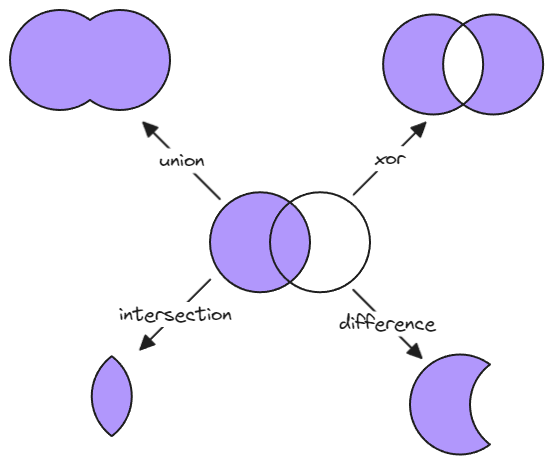
|
||||

|
||||
|
||||
@@ -29,7 +29,7 @@ if(elements.length === 0) {
|
||||
}
|
||||
|
||||
const PolyBool = ea.getPolyBool();
|
||||
const polyboolAction = await utils.suggester(["union (a + b)", "intersect (a && b)", "diffrence (a - b)", "reversed diffrence (b - a)", "xor"], [
|
||||
const polyboolAction = await utils.suggester(["union (a + b)", "intersect (a && b)", "difference (a - b)", "reversed difference (b - a)", "xor"], [
|
||||
PolyBool.union, PolyBool.intersect, PolyBool.difference, PolyBool.differenceRev, PolyBool.xor
|
||||
], "What would you like todo with the object");
|
||||
|
||||
|
||||
@@ -8,20 +8,76 @@ if(lines.length !== 2) {
|
||||
return;
|
||||
}
|
||||
|
||||
// https://math.stackexchange.com/questions/2204520/how-do-i-rotate-a-line-segment-in-a-specific-point-on-the-line
|
||||
const rotate = (point, element) => {
|
||||
const [x1, y1] = point;
|
||||
const x2 = element.x + element.width/2;
|
||||
const y2 = element.y - element.height/2;
|
||||
const angle = element.angle;
|
||||
return [
|
||||
(x1 - x2) * Math.cos(angle) - (y1 - y2) * Math.sin(angle) + x2,
|
||||
(x1 - x2) * Math.sin(angle) + (y1 - y2) * Math.cos(angle) + y2,
|
||||
];
|
||||
//Same line but with angle=0
|
||||
function getNormalizedLine(originalElement) {
|
||||
if(originalElement.angle === 0) return originalElement;
|
||||
|
||||
// Get absolute coordinates for all points first
|
||||
const pointRotateRads = (point, center, angle) => {
|
||||
const [x, y] = point;
|
||||
const [cx, cy] = center;
|
||||
return [
|
||||
(x - cx) * Math.cos(angle) - (y - cy) * Math.sin(angle) + cx,
|
||||
(x - cx) * Math.sin(angle) + (y - cy) * Math.cos(angle) + cy
|
||||
];
|
||||
};
|
||||
|
||||
// Get element absolute coordinates (matching Excalidraw's approach)
|
||||
const getElementAbsoluteCoords = (element) => {
|
||||
const points = element.points;
|
||||
let minX = Infinity;
|
||||
let minY = Infinity;
|
||||
let maxX = -Infinity;
|
||||
let maxY = -Infinity;
|
||||
|
||||
for (const [x, y] of points) {
|
||||
const absX = x + element.x;
|
||||
const absY = y + element.y;
|
||||
minX = Math.min(minX, absX);
|
||||
minY = Math.min(minY, absY);
|
||||
maxX = Math.max(maxX, absX);
|
||||
maxY = Math.max(maxY, absY);
|
||||
}
|
||||
|
||||
return [minX, minY, maxX, maxY];
|
||||
};
|
||||
|
||||
// Calculate center point based on absolute coordinates
|
||||
const [x1, y1, x2, y2] = getElementAbsoluteCoords(originalElement);
|
||||
const centerX = (x1 + x2) / 2;
|
||||
const centerY = (y1 + y2) / 2;
|
||||
|
||||
// Calculate absolute coordinates of all points
|
||||
const absolutePoints = originalElement.points.map(([x, y]) => [
|
||||
x + originalElement.x,
|
||||
y + originalElement.y
|
||||
]);
|
||||
|
||||
// Rotate all points around the center
|
||||
const rotatedPoints = absolutePoints.map(point =>
|
||||
pointRotateRads(point, [centerX, centerY], originalElement.angle)
|
||||
);
|
||||
|
||||
// Convert back to relative coordinates
|
||||
const newPoints = rotatedPoints.map(([x, y]) => [
|
||||
x - rotatedPoints[0][0],
|
||||
y - rotatedPoints[0][1]
|
||||
]);
|
||||
|
||||
const newLineId = ea.addLine(newPoints);
|
||||
|
||||
// Set the position of the new line to the first rotated point
|
||||
const newLine = ea.getElement(newLineId);
|
||||
newLine.x = rotatedPoints[0][0];
|
||||
newLine.y = rotatedPoints[0][1];
|
||||
newLine.angle = 0;
|
||||
delete ea.elementsDict[newLine.id];
|
||||
return newLine;
|
||||
}
|
||||
|
||||
const points = lines.map(
|
||||
el=>el.points.map(p=>rotate([p[0]+el.x, p[1]+el.y],el))
|
||||
|
||||
const points = lines.map(getNormalizedLine).map(
|
||||
el=>el.points.map(p=>[p[0]+el.x, p[1]+el.y])
|
||||
);
|
||||
|
||||
const last = (p) => p[p.length-1];
|
||||
@@ -99,4 +155,4 @@ switch (lineTypes) {
|
||||
}
|
||||
|
||||
|
||||
ea.addElementsToView();
|
||||
await ea.addElementsToView();
|
||||
@@ -0,0 +1,75 @@
|
||||
/*
|
||||
Adds a rounded mask to the image by adding a full cover black mask and a rounded rectangle white mask. The script is also useful for adding just a black mask. In this case, run the script, then delete the white mask and add your custom white mask.
|
||||
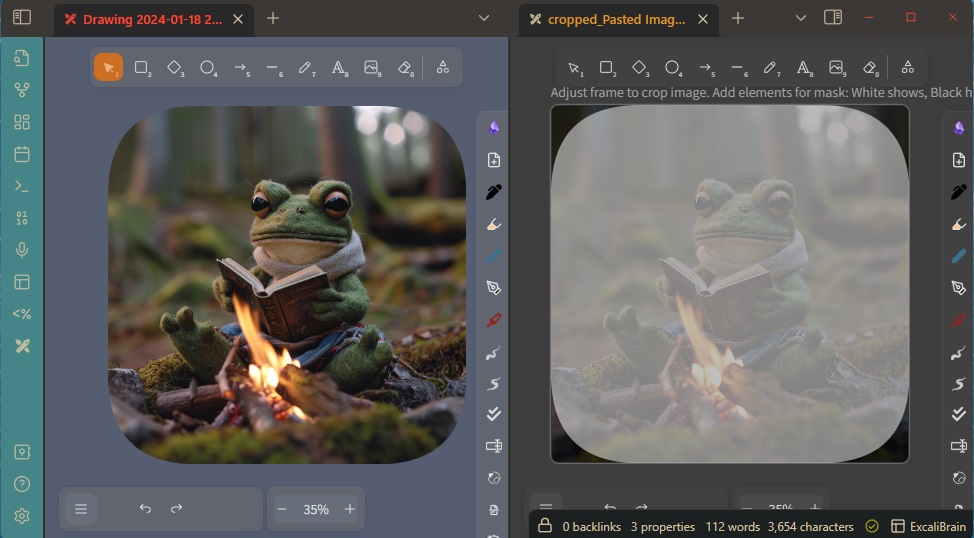
|
||||
```js*/
|
||||
if(!ea.verifyMinimumPluginVersion || !ea.verifyMinimumPluginVersion("2.0.18")) {
|
||||
new Notice("This script requires a newer version of Excalidraw. Please install the latest version.");
|
||||
return;
|
||||
}
|
||||
|
||||
if(!ea.isExcalidrawMaskFile()) {
|
||||
new Notice("This script only works with Mask Files");
|
||||
return;
|
||||
}
|
||||
|
||||
const frames = ea.getViewElements().filter(el=>el.type==="frame")
|
||||
if(frames.length !== 1) {
|
||||
new Notice("Multiple frames found");
|
||||
return;
|
||||
}
|
||||
const frame = frames[0];
|
||||
ea.copyViewElementsToEAforEditing(ea.getViewElements().filter(el=>el.frameId === frame.id));
|
||||
const frameId = ea.generateElementId();
|
||||
ea.style.fillStyle = "solid";
|
||||
ea.style.roughness = 0;
|
||||
ea.style.strokeColor = "transparent";
|
||||
ea.style.strokeWidth = 0.1;
|
||||
ea.style.opacity = 50;
|
||||
|
||||
let blackEl = ea.getViewElements().find(el=>el.id === "allblack");
|
||||
let whiteEl = ea.getViewElements().find(el=>el.id === "whiteovr");
|
||||
|
||||
if(blackEl && whiteEl) {
|
||||
ea.copyViewElementsToEAforEditing([blackEl, whiteEl]);
|
||||
} else
|
||||
if (blackEl && !whiteEl) {
|
||||
ea.copyViewElementsToEAforEditing([blackEl]);
|
||||
ea.style.backgroundColor = "white";
|
||||
ea.addRect(frame.x,frame.y,frame.width,frame.height, "whiteovr");
|
||||
} else
|
||||
if (!blackEl && whiteEl) {
|
||||
ea.style.backgroundColor = "black";
|
||||
ea.addRect(frame.x-2,frame.y-2,frame.width+4,frame.height+4, "allblack");
|
||||
ea.copyViewElementsToEAforEditing([whiteEl]);
|
||||
} else {
|
||||
ea.style.backgroundColor = "black";
|
||||
ea.addRect(frame.x-2,frame.y-2,frame.width+4,frame.height+4, "allblack");
|
||||
ea.style.backgroundColor = "white";
|
||||
ea.addRect(frame.x,frame.y,frame.width,frame.height, "whiteovr");
|
||||
}
|
||||
blackEl = ea.getElement("allblack");
|
||||
whiteEl = ea.getElement("whiteovr");
|
||||
|
||||
//this "magic" is required to ensure the frame element is above in sequence of the new rectangle elements
|
||||
ea.getElements().forEach(el=>{el.frameId = frameId});
|
||||
ea.copyViewElementsToEAforEditing(ea.getViewElements().filter(el=>el.id === frame.id));
|
||||
const newFrame = ea.getElement(frame.id);
|
||||
newFrame.id = frameId;
|
||||
ea.elementsDict[frameId] = newFrame;
|
||||
ea.copyViewElementsToEAforEditing(ea.getViewElements().filter(el=>el.id === frame.id));
|
||||
ea.getElement(frame.id).isDeleted = true;
|
||||
|
||||
let curve = await utils.inputPrompt(
|
||||
"Set roundess",
|
||||
"Positive whole number",
|
||||
`${whiteEl.roundness?.value ?? "500"}`
|
||||
);
|
||||
|
||||
if(!curve) return;
|
||||
curve = parseInt(curve);
|
||||
if(isNaN(curve) || curve < 0) {
|
||||
new Notice ("Roudness is not a valid positive whole number");
|
||||
return;
|
||||
}
|
||||
whiteEl.roundness = {type: 3, value: curve};
|
||||
ea.addElementsToView(false,false,true);
|
||||

@@ -0,0 +1 @@
|
||||
<svg xmlns="http://www.w3.org/2000/svg" width="24" height="24" viewBox="0 0 24 24" fill="none" stroke="currentColor" stroke-width="2" stroke-linecap="round" stroke-linejoin="round" class="lucide lucide-squircle"><path fill="none" d="M12 3c7.2 0 9 1.8 9 9s-1.8 9-9 9-9-1.8-9-9 1.8-9 9-9"/></svg>
|
||||
|
After Width: | Height: | Size: 294 B |
@@ -0,0 +1,15 @@
|
||||
/*
|
||||
You can set a custom zoom level with this script. This allows you to set a zoom level below 10% or set the zoom level to a specific value. Note however, that Excalidraw has a bug under 10% zoom, and a phantom copy of your image may appear on screen. If this happens, increase the zoom and the phantom should disappear, if it doesn't then close and open the drawing.
|
||||
|
||||
```js*/
|
||||
const api = ea.getExcalidrawAPI();
|
||||
const appState = api.getAppState();
|
||||
const zoomStr = await utils.inputPrompt("Zoom [%]",null,`${appState.zoom.value*100}%`);
|
||||
if(!zoomStr) return;
|
||||
const zoomNum = parseFloat(zoomStr.match(/^\d*/)[0]);
|
||||
if(isNaN(zoomNum)) {
|
||||
new Notice("You must provide a number");
|
||||
return;
|
||||
}
|
||||
|
||||
ea.getExcalidrawAPI().updateScene({appState:{zoom:{value: zoomNum/100 }}});
|
||||

@@ -0,0 +1 @@
|
||||
<svg xmlns="http://www.w3.org/2000/svg" width="24" height="24" viewBox="0 0 24 24" fill="none" stroke="currentColor" stroke-width="2" stroke-linecap="round" stroke-linejoin="round" class="lucide lucide-scan-search"><g stroke-width="2"><path d="M3 7V5a2 2 0 0 1 2-2h2"/><path d="M17 3h2a2 2 0 0 1 2 2v2"/><path d="M21 17v2a2 2 0 0 1-2 2h-2"/><path d="M7 21H5a2 2 0 0 1-2-2v-2"/><circle cx="12" cy="12" r="3"/><path d="m16 16-1.9-1.9"/></g></svg>
|
||||
|
After Width: | Height: | Size: 444 B |
@@ -9,7 +9,7 @@ Select some elements in the scene. The script will take these elements and move
|
||||
|
||||
```javascript
|
||||
*/
|
||||
if(!ea.verifyMinimumPluginVersion || !ea.verifyMinimumPluginVersion("1.9.19")) {
|
||||
if(!ea.verifyMinimumPluginVersion || !ea.verifyMinimumPluginVersion("2.7.3")) {
|
||||
new Notice("This script requires a newer version of Excalidraw. Please install the latest version.");
|
||||
return;
|
||||
}
|
||||
@@ -17,12 +17,12 @@ if(!ea.verifyMinimumPluginVersion || !ea.verifyMinimumPluginVersion("1.9.19")) {
|
||||
// -------------------------------
|
||||
// Utility variables and functions
|
||||
// -------------------------------
|
||||
const excalidrawTemplate = app.metadataCache.getFirstLinkpathDest(ea.plugin.settings.templateFilePath,"");
|
||||
const excalidrawTemplates = ea.getListOfTemplateFiles();
|
||||
if(typeof window.ExcalidrawDeconstructElements === "undefined") {
|
||||
window.ExcalidrawDeconstructElements = {
|
||||
openDeconstructedImage: true,
|
||||
templatePath: excalidrawTemplate?.path??""
|
||||
};
|
||||
window.ExcalidrawDeconstructElements = {
|
||||
openDeconstructedImage: true,
|
||||
templatePath: excalidrawTemplates?.[0].path??""
|
||||
};
|
||||
}
|
||||
|
||||
const splitFolderAndFilename = (filepath) => {
|
||||
@@ -36,20 +36,30 @@ const splitFolderAndFilename = (filepath) => {
|
||||
let settings = ea.getScriptSettings();
|
||||
//set default values on first run
|
||||
if(!settings["Templates"]) {
|
||||
settings = {
|
||||
"Templates" : {
|
||||
value: "",
|
||||
settings = {
|
||||
"Templates" : {
|
||||
value: "",
|
||||
description: "Comma-separated list of template filepaths"
|
||||
}
|
||||
};
|
||||
await ea.setScriptSettings(settings);
|
||||
}
|
||||
};
|
||||
await ea.setScriptSettings(settings);
|
||||
}
|
||||
|
||||
if(!settings["Default file name"]) {
|
||||
settings["Default file name"] = {
|
||||
value: "deconstructed",
|
||||
description: "The default filename to use when deconstructing elements."
|
||||
};
|
||||
await ea.setScriptSettings(settings);
|
||||
}
|
||||
|
||||
const DEFAULT_FILENAME = settings["Default file name"].value;
|
||||
|
||||
const templates = settings["Templates"]
|
||||
.value
|
||||
.split(",")
|
||||
.map(p=>app.metadataCache.getFirstLinkpathDest(p.trim(),""))
|
||||
.concat(excalidrawTemplate)
|
||||
.concat(excalidrawTemplates)
|
||||
.filter(f=>Boolean(f))
|
||||
.sort((a,b) => a.basename.localeCompare(b.basename));
|
||||
|
||||
@@ -69,32 +79,36 @@ ea.copyViewElementsToEAforEditing(els);
|
||||
ea.getElements().filter(el=>el.type==="image").forEach(el=>{
|
||||
const img = ea.targetView.excalidrawData.getFile(el.fileId);
|
||||
const path = (img?.linkParts?.original)??(img?.file?.path);
|
||||
if(img && path) {
|
||||
ea.imagesDict[el.fileId] = {
|
||||
mimeType: img.mimeType,
|
||||
id: el.fileId,
|
||||
dataURL: img.img,
|
||||
created: img.mtime,
|
||||
file: path,
|
||||
hasSVGwithBitmap: img.isSVGwithBitmap,
|
||||
latex: null,
|
||||
};
|
||||
return;
|
||||
}
|
||||
const equation = ea.targetView.excalidrawData.getEquation(el.fileId);
|
||||
eqImg = ea.targetView.getScene()?.files[el.fileId]
|
||||
if(equation && eqImg) {
|
||||
const hyperlink = img?.hyperlink;
|
||||
if(img && (path || hyperlink)) {
|
||||
const colorMap = ea.getColorMapForImageElement(el);
|
||||
ea.imagesDict[el.fileId] = {
|
||||
mimeType: eqImg.mimeType,
|
||||
id: el.fileId,
|
||||
dataURL: eqImg.dataURL,
|
||||
created: eqImg.created,
|
||||
file: null,
|
||||
hasSVGwithBitmap: null,
|
||||
latex: equation.latex,
|
||||
};
|
||||
return;
|
||||
}
|
||||
mimeType: img.mimeType,
|
||||
id: el.fileId,
|
||||
dataURL: img.img,
|
||||
created: img.mtime,
|
||||
file: path,
|
||||
hyperlink,
|
||||
hasSVGwithBitmap: img.isSVGwithBitmap,
|
||||
latex: null,
|
||||
colorMap,
|
||||
};
|
||||
return;
|
||||
}
|
||||
const equation = ea.targetView.excalidrawData.getEquation(el.fileId);
|
||||
eqImg = ea.targetView.getScene()?.files[el.fileId]
|
||||
if(equation && eqImg) {
|
||||
ea.imagesDict[el.fileId] = {
|
||||
mimeType: eqImg.mimeType,
|
||||
id: el.fileId,
|
||||
dataURL: eqImg.dataURL,
|
||||
created: eqImg.created,
|
||||
file: null,
|
||||
hasSVGwithBitmap: null,
|
||||
latex: equation.latex,
|
||||
};
|
||||
return;
|
||||
}
|
||||
});
|
||||
|
||||
|
||||
@@ -144,7 +158,7 @@ const customControls = (container) => {
|
||||
const path = await utils.inputPrompt(
|
||||
"Filename for new file",
|
||||
"Filename",
|
||||
await ea.getAttachmentFilepath("deconstructed"),
|
||||
await ea.getAttachmentFilepath(DEFAULT_FILENAME),
|
||||
actionButtons,
|
||||
2,
|
||||
false,
|
||||
@@ -166,15 +180,27 @@ const newPath = await ea.create ({
|
||||
silent: !window.ExcalidrawDeconstructElements.openDeconstructedImage
|
||||
});
|
||||
|
||||
setTimeout(async ()=>{
|
||||
const file = app.metadataCache.getFirstLinkpathDest(newPath,"");
|
||||
ea.deleteViewElements(els);
|
||||
ea.clear();
|
||||
await ea.addImage(bb.topX,bb.topY,file,false, shouldAnchor);
|
||||
await ea.addElementsToView(false, true, true);
|
||||
ea.getExcalidrawAPI().history.clear(); //to avoid undo/redo messing up the decomposition
|
||||
},1000);
|
||||
let f = app.vault.getAbstractFileByPath(newPath);
|
||||
let counter = 0;
|
||||
while((!f || !ea.isExcalidrawFile(f)) && counter++<100) {
|
||||
await sleep(50);
|
||||
f = app.vault.getAbstractFileByPath(newPath);
|
||||
}
|
||||
|
||||
if(!f || !ea.isExcalidrawFile(f)) {
|
||||
new Notice("Something went wrong");
|
||||
return;
|
||||
}
|
||||
|
||||
let padding = parseFloat(app.metadataCache.getCache(f.path)?.frontmatter["excalidraw-export-padding"]);
|
||||
if(isNaN(padding)) {
|
||||
padding = ea.plugin.settings.exportPaddingSVG;
|
||||
}
|
||||
|
||||
ea.getElements().forEach(el=>el.isDeleted = true);
|
||||
await ea.addImage(bb.topX-padding,bb.topY-padding,f,false, shouldAnchor);
|
||||
await ea.addElementsToView(false, true, true);
|
||||
ea.getExcalidrawAPI().history.clear();
|
||||
if(!window.ExcalidrawDeconstructElements.openDeconstructedImage) {
|
||||
new Notice("Deconstruction ready");
|
||||
}
|
||||
}
|
||||
@@ -3,106 +3,274 @@
|
||||
|
||||
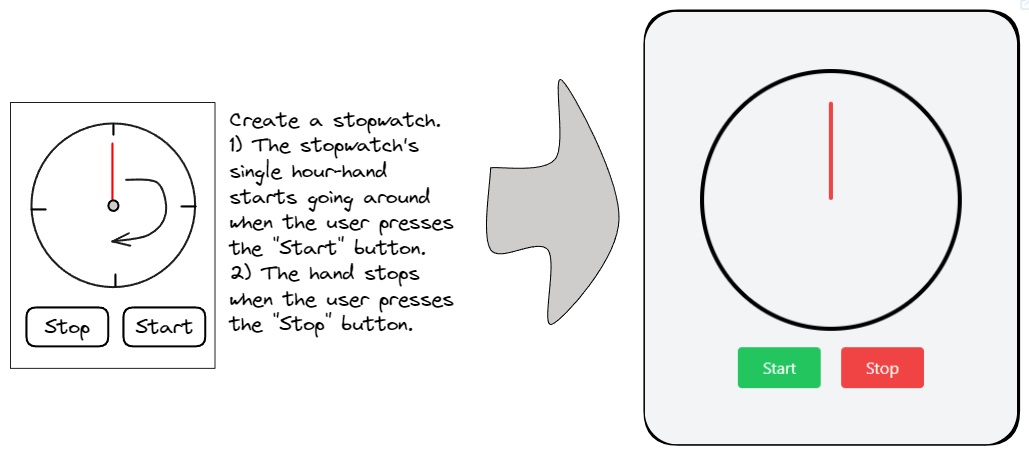
|
||||
```js*/
|
||||
let dirty=false;
|
||||
|
||||
if(!ea.verifyMinimumPluginVersion || !ea.verifyMinimumPluginVersion("2.0.4")) {
|
||||
if(!ea.verifyMinimumPluginVersion || !ea.verifyMinimumPluginVersion("2.0.12")) {
|
||||
new Notice("This script requires a newer version of Excalidraw. Please install the latest version.");
|
||||
return;
|
||||
}
|
||||
|
||||
const outputTypes = {
|
||||
"html": {
|
||||
instruction: "Turn this into a single html file using tailwind. Return a single message containing only the html file in a codeblock.",
|
||||
blocktype: "html"
|
||||
},
|
||||
"mermaid": {
|
||||
instruction: "Return a single message containing only the mermaid diagram in a codeblock.",
|
||||
blocktype: "mermaid"
|
||||
},
|
||||
"svg": {
|
||||
instruction: "Return a single message containing only the SVG code in an html codeblock.",
|
||||
blocktype: "svg"
|
||||
},
|
||||
"image-gen": {
|
||||
instruction: "Return a single message with the generated image prompt in a codeblock",
|
||||
blocktype: "image"
|
||||
},
|
||||
"image-gen-silent": {
|
||||
instruction: "Return a single message with the generated image prompt in a codeblock",
|
||||
blocktype: "image-silent"
|
||||
},
|
||||
"image-edit": {
|
||||
instruction: "",
|
||||
blocktype: "image"
|
||||
}
|
||||
}
|
||||
|
||||
const systemPrompts = {
|
||||
"Challenge my thinking": {
|
||||
prompt: `Your task is to interpret a screenshot of a whiteboard, translating its ideas into a Mermaid graph. The whiteboard will encompass thoughts on a subject. Within the mind map, distinguish ideas that challenge, dispute, or contradict the whiteboard content. Additionally, include concepts that expand, complement, or advance the user's thinking. Utilize the Mermaid graph diagram type and present the resulting Mermaid diagram within a code block. Ensure the Mermaid script excludes the use of parentheses ().`,
|
||||
type: "mermaid",
|
||||
help: "Translate your image and optional text prompt into a Mermaid mindmap. If there are conversion errors, edit the Mermaid script under 'More Tools'."
|
||||
},
|
||||
"Convert sketch to shapes": {
|
||||
prompt: `Given an image featuring various geometric shapes drawn by the user, your objective is to analyze the input and generate SVG code that accurately represents these shapes. Your output will be the SVG code enclosed in an HTML code block.`,
|
||||
type: "svg",
|
||||
help: "Convert selected scribbles into shapes; works better with fewer shapes. Experimental and may not produce good drawings."
|
||||
},
|
||||
"Create a simple Excalidraw icon": {
|
||||
prompt: `Given a description of an SVG image from the user, your objective is to generate the corresponding SVG code. Avoid incorporating textual elements within the generated SVG. Your output should be the resulting SVG code enclosed in an HTML code block.`,
|
||||
type: "svg",
|
||||
help: "Convert text prompts into simple icons inserted as Excalidraw elements. Expect only a text prompt. Experimental and may not produce good drawings."
|
||||
},
|
||||
|
||||
"Create a stick figure": {
|
||||
prompt: "You will receive a prompt from the user. Your task involves drawing a simple stick figure or a scene involving a few stick figures based on the user's prompt. Create the stickfigure based on the following style description. DO NOT add any detail, just use it AS-IS: Create a simple stick figure character with a large round head and a face in the style of sketchy caricatures. The stick figure should have a rudimentary body composed of straight lines representing the arms and legs. Hands and toes should be should be represented with round shapes, do not add details such as fingers or toes. Use fine lines, smooth curves, rounded shapes. The stick figure should retain a playful and childlike simplicity, reminiscent of a doodle someone might draw on the corner of a notebook page. Create a black and white drawing, a hand-drawn figure on white background.",
|
||||
type: "image-gen",
|
||||
help: "Send only the text prompt to OpenAI. Provide a detailed description; OpenAI will enrich your prompt automatically. To avoid it, start your prompt like this 'DO NOT add any detail, just use it AS-IS:'"
|
||||
},
|
||||
"Edit an image": {
|
||||
prompt: null,
|
||||
type: "image-edit",
|
||||
help: "Image elements will be used as the Image. Shapes on top of the image will be the Mask. Use the prompt to instruct Dall-e about the changes. Dall-e-2 model will be used."
|
||||
},
|
||||
"Generate an image from image and prompt": {
|
||||
prompt: "Your task involves receiving an image and a textual prompt from the user. Your goal is to craft a detailed, accurate, and descriptive narrative of the image, tailored for effective image generation. Utilize the user-provided text prompt to inform and guide your depiction of the image. Ensure the resulting image remains text-free.",
|
||||
type: "image-gen",
|
||||
help: "Generate an image based on the drawing and prompt using ChatGPT-Vision and Dall-e. Provide a contextual text-prompt for accurate interpretation."
|
||||
},
|
||||
"Generate an image from prompt": {
|
||||
prompt: null,
|
||||
type: "image-gen",
|
||||
help: "Send only the text prompt to OpenAI. Provide a detailed description; OpenAI will enrich your prompt automatically. To avoid it, start your prompt like this 'DO NOT add any detail, just use it AS-IS:'"
|
||||
},
|
||||
"Generate an image to illustrate a quote": {
|
||||
prompt: "Your task involves transforming a user-provided quote into a detailed and imaginative illustration. Craft a visual representation that captures the essence of the quote and resonates well with a broad audience. If the Author's name is provided, aim to establish a connection between the illustration and the Author. This can be achieved by referencing a well-known story from the Author, situating the image in the Author's era or setting, or employing other creative methods of association. Additionally, provide preferences for styling, such as the chosen medium and artistic direction, to guide the image creation process. Ensure the resulting image remains text-free. Your task output should comprise a descriptive and detailed narrative aimed at facilitating the creation of a captivating illustration from the quote.",
|
||||
type: "image-gen",
|
||||
help: "ExcaliAI will create an image prompt to illustrate your text input - a quote - with GPT, then generate an image using Dall-e. In case you include the Author's name, GPT will try to generate an image that in some way references the Author."
|
||||
},
|
||||
"Generate 4 icon-variants based on input image": {
|
||||
prompt: "Given a simple sketch and an optional text prompt from the user, your task is to generate a descriptive narrative tailored for effective image generation, capturing the style of the sketch. Utilize the text prompt to guide the description. Your objective is to instruct DALL-E to create a collage of four minimalist black and white hand-drawn pencil sketches in a 2x2 matrix format. Each sketch should convert the user's sketch into simple artistic SVG icons with transparent backgrounds. Ensure the resulting images remain text-free, maintaining a minimalist, easy-to-understand style, and omit framing borders. Only include a pencil in the drawing if it is explicitely metioned in the user prompt or included in the sketch.",
|
||||
type: "image-gen-silent",
|
||||
help: "Generate a collage of 4 icons based on the drawing using ChatGPT-Vision and Dall-e. You may provide a contextual text-prompt to improve accuracy of interpretation."
|
||||
},
|
||||
"Visual brainstorm": {
|
||||
prompt: "Your objective is to interpret a screenshot of a whiteboard, creating an image aimed at sparking further thoughts on the subject. The whiteboard will present diverse ideas about a specific topic. Your generated image should achieve one of two purposes: highlighting concepts that challenge, dispute, or contradict the whiteboard content, or introducing ideas that expand, complement, or enrich the user's thinking. You have the option to include multiple tiles in the resulting image, resembling a sequence akin to a comic strip. Ensure that the image remains devoid of text.",
|
||||
type: "image-gen",
|
||||
help: "Use ChatGPT Visions and Dall-e to create an image based on your text prompt and image to spark new ideas."
|
||||
},
|
||||
"Wireframe to code": {
|
||||
prompt: `You are an expert tailwind developer. A user will provide you with a low-fidelity wireframe of an application and you will return a single html file that uses tailwind to create the website. Use creative license to make the application more fleshed out. Write the necessary javascript code. If you need to insert an image, use placehold.co to create a placeholder image.`,
|
||||
type: "html",
|
||||
help: "Use GPT Visions to interpret the wireframe and generate a web application. YOu may copy the resulting code from the active embeddable's top left menu."
|
||||
},
|
||||
}
|
||||
|
||||
const IMAGE_WARNING = "The generated image is linked through a temporary OpenAI URL and will be removed in approximately 30 minutes. To save it permanently, choose 'Save image from URL to local file' from the Obsidian Command Palette."
|
||||
// --------------------------------------
|
||||
// Initialize values and settings
|
||||
// --------------------------------------
|
||||
let settings = ea.getScriptSettings();
|
||||
|
||||
if(!settings["Custom System Prompts"]) {
|
||||
if(!settings["Agent's Task"]) {
|
||||
settings = {
|
||||
"Custom System Prompts" : {},
|
||||
"Agent's Task": "Wireframe to code",
|
||||
"Output Type": "html"
|
||||
"User Prompt": "",
|
||||
};
|
||||
await ea.setScriptSettings(settings);
|
||||
}
|
||||
|
||||
const instructions = {
|
||||
"html": "Turn this into a single html file using tailwind. Return a single message containing only the html file in a codeblock.",
|
||||
"mermaid": "Challenge my thinking. Return a single message containing only the mermaid diagram in a codeblock."
|
||||
}
|
||||
|
||||
const defaultSystemPrompts = {
|
||||
"Wireframe to code": `You are an expert tailwind developer. A user will provide you with a low-fidelity wireframe of an application and you will return a single html file that uses tailwind to create the website. Use creative license to make the application more fleshed out. Write the necessary javascript code. If you need to insert an image, use placehold.co to create a placeholder image.`,
|
||||
"Challenge my thinking": `The user will provide you with a screenshot of a whiteboard. Your task is to generate a mermaid graph based on the whiteboard and return the resulting mermaid code in a codeblock. The whiteboard will cover ideas about a subject. On the mindmap identify ideas that challenge, dispute, and contradict what is on the whiteboard, as well as also include ideas that extend, add-to, build-on, and takes the thinking of the user further. Use the graph diagram type. Return a single message containing only the mermaid diagram in a codeblock. Avoid the use of () parenthesis in the mermaid script.`
|
||||
}
|
||||
|
||||
const OPENAI_API_KEY = ea.plugin.settings.openAIAPIToken;
|
||||
if(!OPENAI_API_KEY || OPENAI_API_KEY === "") {
|
||||
new Notice("You must first configure your API key in Excalidraw Plugin Settings");
|
||||
return;
|
||||
}
|
||||
|
||||
let customSystemPrompts = settings["Custom System Prompts"];
|
||||
let userPrompt = settings["User Prompt"] ?? "";
|
||||
let agentTask = settings["Agent's Task"];
|
||||
let outputType = settings["Output Type"];
|
||||
if (!Object.keys(instructions).includes(outputType)) {
|
||||
outputType = "html";
|
||||
let imageSize = settings["Image Size"]??"1024x1024";
|
||||
|
||||
if(!systemPrompts.hasOwnProperty(agentTask)) {
|
||||
agentTask = Object.keys(systemPrompts)[0];
|
||||
}
|
||||
let allSystemPrompts = {
|
||||
...defaultSystemPrompts,
|
||||
...customSystemPrompts
|
||||
};
|
||||
if(!allSystemPrompts.hasOwnProperty(agentTask)) {
|
||||
agentTask = Object.keys(defaultSystemPrompts)[0];
|
||||
let imageModel, valideSizes;
|
||||
|
||||
const setImageModelAndSizes = () => {
|
||||
imageModel = systemPrompts[agentTask].type === "image-edit"
|
||||
? "dall-e-2"
|
||||
: ea.plugin.settings.openAIDefaultImageGenerationModel;
|
||||
validSizes = imageModel === "dall-e-2"
|
||||
? [`256x256`, `512x512`, `1024x1024`]
|
||||
: (imageModel === "dall-e-3"
|
||||
? [`1024x1024`, `1792x1024`, `1024x1792`]
|
||||
: [`1024x1024`])
|
||||
if(!validSizes.includes(imageSize)) {
|
||||
imageSize = "1024x1024";
|
||||
dirty = true;
|
||||
}
|
||||
}
|
||||
setImageModelAndSizes();
|
||||
|
||||
// --------------------------------------
|
||||
// Generate image
|
||||
// Generate Image Blob From Selected Excalidraw Elements
|
||||
// --------------------------------------
|
||||
const getRequestObjFromSelectedElements = async (view) => {
|
||||
await view.forceSave(true);
|
||||
const viewElements = ea.getViewSelectedElements();
|
||||
if(viewElements.length === 0) {
|
||||
new Notice ("Aborting because there is nothing selected.",4000);
|
||||
return;
|
||||
}
|
||||
ea.copyViewElementsToEAforEditing(viewElements, true);
|
||||
const bb = ea.getBoundingBox(viewElements);
|
||||
const size = (bb.width*bb.height);
|
||||
const minRatio = Math.sqrt(360000/size);
|
||||
const maxRatio = Math.sqrt(size/16000000);
|
||||
const scale = minRatio > 1
|
||||
? minRatio
|
||||
: (
|
||||
maxRatio > 1
|
||||
? 1/maxRatio
|
||||
: 1
|
||||
);
|
||||
|
||||
const loader = ea.getEmbeddedFilesLoader(false);
|
||||
const exportSettings = {
|
||||
withBackground: true,
|
||||
withTheme: true,
|
||||
const calculateImageScale = (elements) => {
|
||||
const bb = ea.getBoundingBox(elements);
|
||||
const size = (bb.width*bb.height);
|
||||
const minRatio = Math.sqrt(360000/size);
|
||||
const maxRatio = Math.sqrt(size/16000000);
|
||||
return minRatio > 1
|
||||
? minRatio
|
||||
: (
|
||||
maxRatio > 1
|
||||
? 1/maxRatio
|
||||
: 1
|
||||
);
|
||||
}
|
||||
|
||||
const createMask = async (dataURL) => {
|
||||
return new Promise((resolve, reject) => {
|
||||
const img = new Image();
|
||||
|
||||
img.onload = () => {
|
||||
const canvas = document.createElement('canvas');
|
||||
canvas.width = img.width;
|
||||
canvas.height = img.height;
|
||||
|
||||
const ctx = canvas.getContext('2d');
|
||||
ctx.drawImage(img, 0, 0);
|
||||
|
||||
const imageData = ctx.getImageData(0, 0, canvas.width, canvas.height);
|
||||
const data = imageData.data;
|
||||
|
||||
for (let i = 0; i < data.length; i += 4) {
|
||||
// If opaque (alpha > 0), make it transparent
|
||||
if (data[i + 3] > 0) {
|
||||
data[i + 3] = 0; // Set alpha to 0 (transparent)
|
||||
} else if (data[i + 3] === 0) {
|
||||
// If fully transparent, make it red
|
||||
data[i] = 255; // Red
|
||||
data[i + 1] = 0; // Green
|
||||
data[i + 2] = 0; // Blue
|
||||
data[i + 3] = 255; // make it opaque
|
||||
}
|
||||
}
|
||||
|
||||
ctx.putImageData(imageData, 0, 0);
|
||||
const maskDataURL = canvas.toDataURL();
|
||||
|
||||
resolve(maskDataURL);
|
||||
};
|
||||
|
||||
const dataURL =
|
||||
await ea.createPNGBase64(
|
||||
null,
|
||||
scale,
|
||||
exportSettings,
|
||||
loader,
|
||||
"light",
|
||||
);
|
||||
ea.clear();
|
||||
return { image: dataURL };
|
||||
img.onerror = error => {
|
||||
reject(error);
|
||||
};
|
||||
|
||||
img.src = dataURL;
|
||||
});
|
||||
}
|
||||
|
||||
//https://platform.openai.com/docs/api-reference/images/createEdit
|
||||
//dall-e-2 image edit only works on square images
|
||||
//if targetDalleImageEdit === true then the image and the mask will be returned in two separate dataURLs
|
||||
let squareBB;
|
||||
|
||||
const generateCanvasDataURL = async (view, targetDalleImageEdit=false) => {
|
||||
let PADDING = 5;
|
||||
await view.forceSave(true); //to ensure recently embedded PNG and other images are saved to file
|
||||
const viewElements = ea.getViewSelectedElements();
|
||||
if(viewElements.length === 0) {
|
||||
return {imageDataURL: null, maskDataURL: null} ;
|
||||
}
|
||||
ea.copyViewElementsToEAforEditing(viewElements, true); //copying the images objects over to EA for PNG generation
|
||||
|
||||
let maskDataURL;
|
||||
const loader = ea.getEmbeddedFilesLoader(false);
|
||||
let scale = calculateImageScale(ea.getElements());
|
||||
const bb = ea.getBoundingBox(viewElements);
|
||||
if(ea.getElements()
|
||||
.filter(el=>el.type==="image")
|
||||
.some(el=>Math.round(el.width) === Math.round(bb.width) && Math.round(el.height) === Math.round(bb.height))
|
||||
) { PADDING = 0; }
|
||||
|
||||
let exportSettings = {withBackground: true, withTheme: true};
|
||||
|
||||
if(targetDalleImageEdit) {
|
||||
PADDING = 0;
|
||||
const strokeColor = ea.style.strokeColor;
|
||||
const backgroundColor = ea.style.backgroundColor;
|
||||
ea.style.backgroundColor = "transparent";
|
||||
ea.style.strokeColor = "transparent";
|
||||
let rectID;
|
||||
if(bb.height > bb.width) {
|
||||
rectID = ea.addRect(bb.topX-(bb.height-bb.width)/2, bb.topY,bb.height, bb.height);
|
||||
}
|
||||
if(bb.width > bb.height) {
|
||||
rectID = ea.addRect(bb.topX, bb.topY-(bb.width-bb.height)/2,bb.width, bb.width);
|
||||
}
|
||||
if(bb.height === bb.width) {
|
||||
rectID = ea.addRect(bb.topX, bb.topY, bb.width, bb.height);
|
||||
}
|
||||
const rect = ea.getElement(rectID);
|
||||
squareBB = {topX: rect.x-PADDING, topY: rect.y-PADDING, width: rect.width + 2*PADDING, height: rect.height + 2*PADDING};
|
||||
ea.style.strokeColor = strokeColor;
|
||||
ea.style.backgroundColor = backgroundColor;
|
||||
ea.getElements().filter(el=>el.type === "image").forEach(el=>{el.isDeleted = true});
|
||||
|
||||
dalleWidth = parseInt(imageSize.split("x")[0]);
|
||||
scale = dalleWidth/squareBB.width;
|
||||
exportSettings = {withBackground: false, withTheme: true};
|
||||
maskDataURL= await ea.createPNGBase64(
|
||||
null, scale, exportSettings, loader, "light", PADDING
|
||||
);
|
||||
maskDataURL = await createMask(maskDataURL)
|
||||
ea.getElements().filter(el=>el.type === "image").forEach(el=>{el.isDeleted = false});
|
||||
ea.getElements().filter(el=>el.type !== "image" && el.id !== rectID).forEach(el=>{el.isDeleted = true});
|
||||
}
|
||||
|
||||
// --------------------------------------
|
||||
// Submit Prompt
|
||||
// --------------------------------------
|
||||
const run = async () => {
|
||||
const requestObject = await getRequestObjFromSelectedElements(ea.targetView);
|
||||
requestObject.systemPrompt = allSystemPrompts[agentTask];
|
||||
requestObject.instruction = instructions[outputType];
|
||||
const imageDataURL = await ea.createPNGBase64(
|
||||
null, scale, exportSettings, loader, "light", PADDING
|
||||
);
|
||||
ea.clear();
|
||||
return {imageDataURL, maskDataURL};
|
||||
}
|
||||
|
||||
const spinner = await ea.convertStringToDataURL(`
|
||||
let {imageDataURL, maskDataURL} = await generateCanvasDataURL(ea.targetView, systemPrompts[agentTask].type === "image-edit");
|
||||
|
||||
// --------------------------------------
|
||||
// Support functions - embeddable spinner and error
|
||||
// --------------------------------------
|
||||
const spinner = await ea.convertStringToDataURL(`
|
||||
<html><head><style>
|
||||
html, body {width: 100%; height: 100%; color: ${ea.getExcalidrawAPI().getAppState().theme === "dark" ? "white" : "black"};}
|
||||
body {display: flex; align-items: center; justify-content: center; flex-direction: column; gap: 1rem; overflow: hidden;}
|
||||
@@ -110,7 +278,11 @@ const run = async () => {
|
||||
.Spinner svg {animation: rotate 1.6s linear infinite; transform-origin: center center; width: 40px; height: 40px;}
|
||||
.Spinner circle {stroke: currentColor; animation: dash 1.6s linear 0s infinite; stroke-linecap: round;}
|
||||
@keyframes rotate {100% {transform: rotate(360deg);}}
|
||||
@keyframes dash {0% {stroke-dasharray: 1, 300; stroke-dashoffset: 0;} 50% {stroke-dasharray: 150, 300; stroke-dashoffset: -200;} 100% {stroke-dasharray: 1, 300; stroke-dashoffset: -280;}}
|
||||
@keyframes dash {
|
||||
0% {stroke-dasharray: 1, 300; stroke-dashoffset: 0;}
|
||||
50% {stroke-dasharray: 150, 300; stroke-dashoffset: -200;}
|
||||
100% {stroke-dasharray: 1, 300; stroke-dashoffset: -280;}
|
||||
}
|
||||
</style></head><body>
|
||||
<div class="Spinner">
|
||||
<svg viewBox="0 0 100 100">
|
||||
@@ -120,21 +292,9 @@ const run = async () => {
|
||||
<div>Generating...</div>
|
||||
</body></html>`);
|
||||
|
||||
const bb = ea.getBoundingBox(ea.getViewSelectedElements());
|
||||
const id = ea.addEmbeddable(bb.topX+bb.width+100,bb.topY-(720-bb.height)/2,550,720,spinner);
|
||||
await ea.addElementsToView(false,true);
|
||||
ea.clear();
|
||||
const embeddable = ea.getViewElements().filter(el=>el.id===id);
|
||||
ea.copyViewElementsToEAforEditing(embeddable);
|
||||
const els = ea.getViewSelectedElements();
|
||||
ea.viewZoomToElements(false, els.concat(embeddable));
|
||||
|
||||
//Get result from GPT
|
||||
|
||||
const result = await ea.postOpenAI(requestObject);
|
||||
|
||||
const errorMessage = async () => {
|
||||
const errorMessage = async (spinnerID, message) => {
|
||||
const error = "Something went wrong! Check developer console for more.";
|
||||
const details = message ? `<p>${message}</p>` : "";
|
||||
const errorDataURL = await ea.convertStringToDataURL(`
|
||||
<html><head><style>
|
||||
html, body {height: 100%;}
|
||||
@@ -142,61 +302,230 @@ const run = async () => {
|
||||
h1, h3 {margin-top: 0;margin-bottom: 0.5rem;}
|
||||
</style></head><body>
|
||||
<h1>Error!</h1>
|
||||
<h3>${error}</h3>
|
||||
<h3>${error}</h3>${details}
|
||||
</body></html>`);
|
||||
new Notice (error);
|
||||
ea.getElement(id).src = errorDataURL;
|
||||
ea.getElement(spinnerID).link = errorDataURL;
|
||||
ea.addElementsToView(false,true);
|
||||
}
|
||||
|
||||
if(!result?.json?.hasOwnProperty("choices")) {
|
||||
await errorMessage();
|
||||
// --------------------------------------
|
||||
// Utility to write Mermaid to dialog
|
||||
// --------------------------------------
|
||||
const EDITOR_LS_KEYS = {
|
||||
OAI_API_KEY: "excalidraw-oai-api-key",
|
||||
MERMAID_TO_EXCALIDRAW: "mermaid-to-excalidraw",
|
||||
PUBLISH_LIBRARY: "publish-library-data",
|
||||
};
|
||||
|
||||
const setMermaidDataToStorage = (mermaidDefinition) => {
|
||||
try {
|
||||
window.localStorage.setItem(
|
||||
EDITOR_LS_KEYS.MERMAID_TO_EXCALIDRAW,
|
||||
JSON.stringify(mermaidDefinition)
|
||||
);
|
||||
return true;
|
||||
} catch (error) {
|
||||
console.warn(`localStorage.setItem error: ${error.message}`);
|
||||
return false;
|
||||
}
|
||||
};
|
||||
|
||||
// --------------------------------------
|
||||
// Submit Prompt
|
||||
// --------------------------------------
|
||||
const generateImage = async(text, spinnerID, bb, silent=false) => {
|
||||
const requestObject = {
|
||||
text,
|
||||
imageGenerationProperties: {
|
||||
size: imageSize,
|
||||
//quality: "standard", //not supported by dall-e-2
|
||||
n:1,
|
||||
},
|
||||
};
|
||||
|
||||
const result = await ea.postOpenAI(requestObject);
|
||||
console.log({result, json:result?.json});
|
||||
|
||||
if(!result?.json?.data?.[0]?.url) {
|
||||
await errorMessage(spinnerID, result?.json?.error?.message);
|
||||
return;
|
||||
}
|
||||
|
||||
console.log(result);
|
||||
let content = ea.extractCodeBlocks(result.json.choices[0]?.message?.content)[0]?.data;
|
||||
const spinner = ea.getElement(spinnerID)
|
||||
spinner.isDeleted = true;
|
||||
const imageID = await ea.addImage(spinner.x, spinner.y, result.json.data[0].url);
|
||||
const imageEl = ea.getElement(imageID);
|
||||
const revisedPrompt = result.json.data[0].revised_prompt;
|
||||
if(revisedPrompt && !silent) {
|
||||
ea.style.fontSize = 16;
|
||||
const rectID = ea.addText(imageEl.x+15, imageEl.y + imageEl.height + 50, revisedPrompt, {
|
||||
width: imageEl.width-30,
|
||||
textAlign: "center",
|
||||
textVerticalAlign: "top",
|
||||
box: true,
|
||||
})
|
||||
ea.getElement(rectID).strokeColor = "transparent";
|
||||
ea.getElement(rectID).backgroundColor = "transparent";
|
||||
ea.addToGroup(ea.getElements().filter(el=>el.id !== spinnerID).map(el=>el.id));
|
||||
}
|
||||
|
||||
await ea.addElementsToView(false, true, true);
|
||||
if(silent) return;
|
||||
ea.getExcalidrawAPI().setToast({
|
||||
message: IMAGE_WARNING,
|
||||
duration: 15000,
|
||||
closable: true
|
||||
});
|
||||
}
|
||||
|
||||
if(!content) {
|
||||
await errorMessage();
|
||||
const run = async (text) => {
|
||||
if(!text && !imageDataURL) {
|
||||
new Notice("No prompt, aborting");
|
||||
return;
|
||||
}
|
||||
|
||||
switch(outputType) {
|
||||
const systemPrompt = systemPrompts[agentTask];
|
||||
const outputType = outputTypes[systemPrompt.type];
|
||||
const isImageGenRequest = outputType.blocktype === "image" || outputType.blocktype === "image-silent";
|
||||
const isImageEditRequest = systemPrompt.type === "image-edit";
|
||||
|
||||
if(isImageEditRequest) {
|
||||
if(!text) {
|
||||
new Notice("You must provide a text prompt with instructions for how the image should be modified");
|
||||
return;
|
||||
}
|
||||
if(!imageDataURL || !maskDataURL) {
|
||||
new Notice("You must provide an image and a mask");
|
||||
return;
|
||||
}
|
||||
}
|
||||
|
||||
//place spinner next to selected elements
|
||||
const bb = ea.getBoundingBox(ea.getViewSelectedElements());
|
||||
const spinnerID = ea.addEmbeddable(bb.topX+bb.width+100,bb.topY-(720-bb.height)/2,550,720,spinner);
|
||||
|
||||
//this block is in an async call using the isEACompleted flag because otherwise during debug Obsidian
|
||||
//goes black (not freezes, but does not get a new frame for some reason)
|
||||
//palcing this in an async call solves this issue
|
||||
//If you know why this is happening and can offer a better solution, please reach out to @zsviczian
|
||||
let isEACompleted = false;
|
||||
setTimeout(async()=>{
|
||||
await ea.addElementsToView(false,true);
|
||||
ea.clear();
|
||||
const embeddable = ea.getViewElements().filter(el=>el.id===spinnerID);
|
||||
ea.copyViewElementsToEAforEditing(embeddable);
|
||||
const els = ea.getViewSelectedElements();
|
||||
ea.viewZoomToElements(false, els.concat(embeddable));
|
||||
isEACompleted = true;
|
||||
});
|
||||
|
||||
if(isImageGenRequest && !systemPrompt.prompt && !isImageEditRequest) {
|
||||
generateImage(text,spinnerID,bb);
|
||||
return;
|
||||
}
|
||||
|
||||
const requestObject = isImageEditRequest
|
||||
? {
|
||||
...imageDataURL ? {image: {url: imageDataURL}} : {},
|
||||
...(text && text.trim() !== "") ? {text} : {},
|
||||
imageGenerationProperties: {
|
||||
size: imageSize,
|
||||
//quality: "standard", //not supported by dall-e-2
|
||||
n:1,
|
||||
mask: maskDataURL,
|
||||
},
|
||||
}
|
||||
: {
|
||||
...imageDataURL ? {image: {url: imageDataURL}} : {},
|
||||
...(text && text.trim() !== "") ? {text} : {},
|
||||
systemPrompt: systemPrompt.prompt,
|
||||
instruction: outputType.instruction,
|
||||
}
|
||||
|
||||
//Get result from GPT
|
||||
const result = await ea.postOpenAI(requestObject);
|
||||
console.log({result, json:result?.json});
|
||||
|
||||
//checking that EA has completed. Because the postOpenAI call is an async await
|
||||
//I don't expect EA not to be completed by now. However the devil never sleeps.
|
||||
//This (the insomnia of the Devil) is why I have a watchdog here as well
|
||||
let counter = 0
|
||||
while(!isEACompleted && counter++<10) sleep(50);
|
||||
if(!isEACompleted) {
|
||||
await errorMessage(spinnerID, "Unexpected issue with ExcalidrawAutomate");
|
||||
return;
|
||||
}
|
||||
|
||||
if(isImageEditRequest) {
|
||||
if(!result?.json?.data?.[0]?.url) {
|
||||
await errorMessage(spinnerID, result?.json?.error?.message);
|
||||
return;
|
||||
}
|
||||
|
||||
const spinner = ea.getElement(spinnerID)
|
||||
spinner.isDeleted = true;
|
||||
const imageID = await ea.addImage(spinner.x, spinner.y, result.json.data[0].url);
|
||||
await ea.addElementsToView(false, true, true);
|
||||
ea.getExcalidrawAPI().setToast({
|
||||
message: IMAGE_WARNING,
|
||||
duration: 15000,
|
||||
closable: true
|
||||
});
|
||||
return;
|
||||
}
|
||||
|
||||
if(!result?.json?.hasOwnProperty("choices")) {
|
||||
await errorMessage(spinnerID, result?.json?.error?.message);
|
||||
return;
|
||||
}
|
||||
|
||||
//exctract codeblock and display result
|
||||
let content = ea.extractCodeBlocks(result.json.choices[0]?.message?.content)[0]?.data;
|
||||
|
||||
if(!content) {
|
||||
await errorMessage(spinnerID);
|
||||
return;
|
||||
}
|
||||
|
||||
if(isImageGenRequest) {
|
||||
generateImage(content,spinnerID,bb,outputType.blocktype === "image-silent");
|
||||
return;
|
||||
}
|
||||
|
||||
switch(outputType.blocktype) {
|
||||
case "html":
|
||||
ea.getElement(id).link = await ea.convertStringToDataURL(content);
|
||||
ea.getElement(spinnerID).link = await ea.convertStringToDataURL(content);
|
||||
ea.addElementsToView(false,true);
|
||||
break;
|
||||
case "svg":
|
||||
ea.getElement(spinnerID).isDeleted = true;
|
||||
ea.importSVG(content);
|
||||
ea.addToGroup(ea.getElements().map(el=>el.id));
|
||||
if(ea.getViewSelectedElements().length>0) {
|
||||
ea.targetView.currentPosition = {x: bb.topX+bb.width+100, y: bb.topY};
|
||||
}
|
||||
ea.addElementsToView(true, false);
|
||||
break;
|
||||
case "mermaid":
|
||||
if(content.startsWith("mermaid")) {
|
||||
content = content.replace(/^mermaid/,"").trim();
|
||||
}
|
||||
ea.getElement(id).isDeleted = true;
|
||||
|
||||
try {
|
||||
await ea.addMermaid(content);
|
||||
result = await ea.addMermaid(content);
|
||||
if(typeof result === "string") {
|
||||
await errorMessage(spinnerID, "Open [More Tools / Mermaid to Excalidraw] to manually fix the received mermaid script<br><br>" + result);
|
||||
return;
|
||||
}
|
||||
} catch (e) {
|
||||
ea.addText(0,0,content);
|
||||
}
|
||||
ea.targetView.currentPosition = {x: bb.topX+bb.width+100, y: bb.topY-bb.height-100};
|
||||
ea.getElement(spinnerID).isDeleted = true;
|
||||
ea.targetView.currentPosition = {x: bb.topX+bb.width+100, y: bb.topY-bb.height};
|
||||
await ea.addElementsToView(true, false);
|
||||
ea.clear();
|
||||
if(content.startsWith("graph LR") || content.startsWith("graph TD")) {
|
||||
try {
|
||||
if(content.startsWith("graph LR") || content.startsWith("flowchart LR")) {
|
||||
content = content.replaceAll("graph LR", "graph TD");
|
||||
content = content.replaceAll("flowchart LR", "flowchart TD");
|
||||
await ea.addMermaid(content);
|
||||
} else if (content.startsWith("graph TD") || content.startsWith("flowchart TD")) {
|
||||
content = content.replaceAll("graph TD", "graph LR");
|
||||
content = content.replaceAll("flowchart TD", "flowchart LR");
|
||||
await ea.addMermaid(content);
|
||||
}
|
||||
} catch (e) {
|
||||
ea.addText(0,0,content);
|
||||
}
|
||||
ea.targetView.currentPosition = {x: bb.topX-100, y: bb.topY + 100};
|
||||
ea.addElementsToView(true, true);
|
||||
}
|
||||
setMermaidDataToStorage(content);
|
||||
new Notice("Open More Tools/Mermaid to Excalidraw in the top tools menu to edit the generated diagram",8000);
|
||||
break;
|
||||
}
|
||||
}
|
||||
@@ -204,86 +533,155 @@ const run = async () => {
|
||||
// --------------------------------------
|
||||
// User Interface
|
||||
// --------------------------------------
|
||||
let previewDiv;
|
||||
const fragWithHTML = (html) => createFragment((frag) => (frag.createDiv().innerHTML = html));
|
||||
const isImageGenerationTask = () => systemPrompts[agentTask].type === "image-gen" || systemPrompts[agentTask].type === "image-gen-silent" || systemPrompts[agentTask].type === "image-edit";
|
||||
const addPreviewImage = () => {
|
||||
if(!previewDiv) return;
|
||||
previewDiv.empty();
|
||||
previewDiv.createEl("img",{
|
||||
attr: {
|
||||
style: `max-width: 100%;max-height: 30vh;`,
|
||||
src: imageDataURL,
|
||||
}
|
||||
});
|
||||
if(maskDataURL) {
|
||||
previewDiv.createEl("img",{
|
||||
attr: {
|
||||
style: `max-width: 100%;max-height: 30vh;`,
|
||||
src: maskDataURL,
|
||||
}
|
||||
});
|
||||
}
|
||||
}
|
||||
|
||||
const configModal = new ea.obsidian.Modal(app);
|
||||
let dirty=false;
|
||||
configModal.onOpen = () => {
|
||||
configModal.modalEl.style.width="100%";
|
||||
configModal.modalEl.style.maxWidth="1000px";
|
||||
|
||||
configModal.onOpen = async () => {
|
||||
const contentEl = configModal.contentEl;
|
||||
contentEl.createEl("h1", {text: "ExcaliAI"});
|
||||
|
||||
let textArea, promptTitle;
|
||||
|
||||
let systemPromptTextArea, systemPromptDiv, imageSizeSetting, imageSizeSettingDropdown, helpEl;
|
||||
|
||||
new ea.obsidian.Setting(contentEl)
|
||||
.setName("Select Prompt")
|
||||
.setName("What would you like to do?")
|
||||
.addDropdown(dropdown=>{
|
||||
Object.keys(allSystemPrompts).forEach(key=>dropdown.addOption(key,key));
|
||||
Object.keys(systemPrompts).forEach(key=>dropdown.addOption(key,key));
|
||||
dropdown
|
||||
.setValue(agentTask)
|
||||
.onChange(value => {
|
||||
.onChange(async (value) => {
|
||||
dirty = true;
|
||||
const prevTask = agentTask;
|
||||
agentTask = value;
|
||||
textArea.setValue(allSystemPrompts[value]);
|
||||
//promptTitle.setValue(value);
|
||||
if(
|
||||
(systemPrompts[prevTask].type === "image-edit" && systemPrompts[value].type !== "image-edit") ||
|
||||
(systemPrompts[prevTask].type !== "image-edit" && systemPrompts[value].type === "image-edit")
|
||||
) {
|
||||
({imageDataURL, maskDataURL} = await generateCanvasDataURL(ea.targetView, systemPrompts[value].type === "image-edit"));
|
||||
addPreviewImage();
|
||||
setImageModelAndSizes();
|
||||
while (imageSizeSettingDropdown.selectEl.options.length > 0) { imageSizeSettingDropdown.selectEl.remove(0); }
|
||||
validSizes.forEach(size=>imageSizeSettingDropdown.addOption(size,size));
|
||||
imageSizeSettingDropdown.setValue(imageSize);
|
||||
}
|
||||
imageSizeSetting.settingEl.style.display = isImageGenerationTask() ? "" : "none";
|
||||
const prompt = systemPrompts[value].prompt;
|
||||
helpEl.innerHTML = `<b>Help: </b>` + systemPrompts[value].help;
|
||||
if(prompt) {
|
||||
systemPromptDiv.style.display = "";
|
||||
systemPromptTextArea.setValue(systemPrompts[value].prompt);
|
||||
} else {
|
||||
systemPromptDiv.style.display = "none";
|
||||
}
|
||||
});
|
||||
})
|
||||
|
||||
new ea.obsidian.Setting(contentEl)
|
||||
.setName("Select response type")
|
||||
.addDropdown(dropdown=>{
|
||||
Object.keys(instructions).forEach(key=>dropdown.addOption(key,key));
|
||||
dropdown
|
||||
.setValue(outputType)
|
||||
.onChange(value => {
|
||||
dirty = true;
|
||||
outputType = value;
|
||||
});
|
||||
})
|
||||
helpEl = contentEl.createEl("p");
|
||||
helpEl.innerHTML = `<b>Help: </b>` + systemPrompts[agentTask].help;
|
||||
|
||||
contentEl.createEl("h3", {text: "Customize Prompt"});
|
||||
/* const titleSetting = new ea.obsidian.Setting(contentEl)
|
||||
.addText(text => {
|
||||
promptTitle = text;
|
||||
text.inputEl.style.width = "100%";
|
||||
text.setValue(agentTask);
|
||||
})
|
||||
titleSetting.nameEl.style.display = "none";
|
||||
titleSetting.descEl.style.display = "none";
|
||||
titleSetting.infoEl.style.display = "none";
|
||||
*/
|
||||
const textAreaSetting = new ea.obsidian.Setting(contentEl)
|
||||
systemPromptDiv = contentEl.createDiv();
|
||||
systemPromptDiv.createEl("h4", {text: "Customize System Prompt"});
|
||||
systemPromptDiv.createEl("span", {text: "Unless you know what you are doing I do not recommend changing the system prompt"})
|
||||
const systemPromptSetting = new ea.obsidian.Setting(systemPromptDiv)
|
||||
.addTextArea(text => {
|
||||
textArea = text;
|
||||
systemPromptTextArea = text;
|
||||
const prompt = systemPrompts[agentTask].prompt;
|
||||
text.inputEl.style.minHeight = "10em";
|
||||
text.inputEl.style.minWidth = "400px";
|
||||
text.inputEl.style.width = "100%";
|
||||
text.setValue(allSystemPrompts[agentTask]);
|
||||
text.setValue(prompt);
|
||||
text.onChange(value => {
|
||||
// dirty = true;
|
||||
//Needs further work
|
||||
allSystemPrompts[agentTask] = value;
|
||||
systemPrompts[value].prompt = value;
|
||||
});
|
||||
if(!prompt) systemPromptDiv.style.display = "none";
|
||||
})
|
||||
systemPromptSetting.nameEl.style.display = "none";
|
||||
systemPromptSetting.descEl.style.display = "none";
|
||||
systemPromptSetting.infoEl.style.display = "none";
|
||||
|
||||
contentEl.createEl("h4", {text: "User Prompt"});
|
||||
const userPromptSetting = new ea.obsidian.Setting(contentEl)
|
||||
.addTextArea(text => {
|
||||
text.inputEl.style.minHeight = "10em";
|
||||
text.inputEl.style.width = "100%";
|
||||
text.setValue(userPrompt);
|
||||
text.onChange(value => {
|
||||
userPrompt = value;
|
||||
dirty = true;
|
||||
})
|
||||
})
|
||||
textAreaSetting.nameEl.style.display = "none";
|
||||
textAreaSetting.descEl.style.display = "none";
|
||||
textAreaSetting.infoEl.style.display = "none";
|
||||
userPromptSetting.nameEl.style.display = "none";
|
||||
userPromptSetting.descEl.style.display = "none";
|
||||
userPromptSetting.infoEl.style.display = "none";
|
||||
|
||||
imageSizeSetting = new ea.obsidian.Setting(contentEl)
|
||||
.setName("Select image size")
|
||||
.setDesc(fragWithHTML("<mark>⚠️ Important ⚠️</mark>: " + IMAGE_WARNING))
|
||||
.addDropdown(dropdown=>{
|
||||
validSizes.forEach(size=>dropdown.addOption(size,size));
|
||||
imageSizeSettingDropdown = dropdown;
|
||||
dropdown
|
||||
.setValue(imageSize)
|
||||
.onChange(async (value) => {
|
||||
dirty = true;
|
||||
imageSize = value;
|
||||
if(systemPrompts[agentTask].type === "image-edit") {
|
||||
({imageDataURL, maskDataURL} = await generateCanvasDataURL(ea.targetView, true));
|
||||
addPreviewImage();
|
||||
}
|
||||
});
|
||||
})
|
||||
imageSizeSetting.settingEl.style.display = isImageGenerationTask() ? "" : "none";
|
||||
|
||||
if(imageDataURL) {
|
||||
previewDiv = contentEl.createDiv({
|
||||
attr: {
|
||||
style: "text-align: center;",
|
||||
}
|
||||
});
|
||||
addPreviewImage();
|
||||
} else {
|
||||
contentEl.createEl("h4", {text: "No elements are selected from your canvas"});
|
||||
contentEl.createEl("span", {text: "Because there are no Excalidraw elements selected on the canvas, only the text prompt will be sent to OpenAI."});
|
||||
}
|
||||
|
||||
new ea.obsidian.Setting(contentEl)
|
||||
.addButton(button =>
|
||||
button
|
||||
.setButtonText("Run")
|
||||
.onClick((event)=>{
|
||||
setTimeout(()=>{run()},500); //Obsidian crashes otherwise, likely has to do with requesting an new frame for react
|
||||
run(userPrompt); //Obsidian crashes otherwise, likely has to do with requesting an new frame for react
|
||||
configModal.close();
|
||||
})
|
||||
);
|
||||
}
|
||||
|
||||
|
||||
configModal.onClose = () => {
|
||||
if(dirty) {
|
||||
settings["Custom System Prompts"] = customSystemPrompts;
|
||||
settings["User Prompt"] = userPrompt;
|
||||
settings["Agent's Task"] = agentTask;
|
||||
settings["Output Type"] = outputType;
|
||||
settings["Image Size"] = imageSize;
|
||||
ea.setScriptSettings(settings);
|
||||
}
|
||||
}
|
||||
|
||||
@@ -0,0 +1,259 @@
|
||||
/*
|
||||
Generates a hierarchical Markdown document out of a visual layout of an article.
|
||||
Watch this video to understand how the script is intended to work:
|
||||

|
||||
You can download the sample Obsidian Templater file from [here](https://gist.github.com/zsviczian/bf49d4b2d401f5749aaf8c2fa8a513d9)
|
||||
You can download the demo PDF document showcased in the video from [here](https://zsviczian.github.io/DemoArticle-AtomicHabits.pdf)
|
||||
|
||||
```js*/
|
||||
const selectedElements = ea.getViewSelectedElements();
|
||||
if (selectedElements.length !== 1 || selectedElements[0].type === "arrow") {
|
||||
new Notice("Select a single element that is not an arrow and not a frame");
|
||||
return;
|
||||
}
|
||||
|
||||
const visited = new Set(); // Avoiding recursive infinite loops
|
||||
delete window.ewm;
|
||||
|
||||
await ea.targetView.save();
|
||||
|
||||
//------------------
|
||||
// Load Settings
|
||||
//------------------
|
||||
|
||||
let settings = ea.getScriptSettings();
|
||||
//set default values on first run
|
||||
let didSettingsChange = false;
|
||||
if(!settings["Template path"]) {
|
||||
settings = {
|
||||
"Template path" : {
|
||||
value: "",
|
||||
description: "The template file path that will receive the concatenated text. If the file includes <<<REPLACE ME>>> then it will be replaced with the generated text, if <<<REPLACE ME>>> is not present in the file the hierarchical markdown generated from the diagram will be added to the end of the template."
|
||||
},
|
||||
"ZK '# Summary' section": {
|
||||
value: "Summary",
|
||||
description: "The section in your visual zettelkasten file that contains the short written summary of the idea. This is the text that will be included in the hierarchical markdown file if visual ZK cards are included in your flow"
|
||||
},
|
||||
"ZK '# Source' section": {
|
||||
value: "Source",
|
||||
description: "The section in your visual zettelkasten file that contains the reference to your source. If present in the file, this text will be included in the output file as a reference"
|
||||
},
|
||||
"Embed image links": {
|
||||
value: true,
|
||||
description: "Should the resulting markdown document include the ![[embedded images]]?"
|
||||
}
|
||||
};
|
||||
didSettingsChange = true;
|
||||
}
|
||||
|
||||
if(!settings["Generate "]) {
|
||||
settings["Generate "] = {
|
||||
value: true,
|
||||
description: "If you turn this off the script will generate ![[wikilinks]] for images"
|
||||
}
|
||||
didSettingsChange = true;
|
||||
}
|
||||
|
||||
if(didSettingsChange) {
|
||||
await ea.setScriptSettings(settings);
|
||||
}
|
||||
|
||||
const ZK_SOURCE = settings["ZK '# Source' section"].value;
|
||||
const ZK_SECTION = settings["ZK '# Summary' section"].value;
|
||||
const INCLUDE_IMG_LINK = settings["Embed image links"].value;
|
||||
const MARKDOWN_LINKS = settings["Generate "].value;
|
||||
let templatePath = settings["Template path"].value;
|
||||
|
||||
//------------------
|
||||
// Select template file
|
||||
//------------------
|
||||
|
||||
const MSG = "Select another file"
|
||||
let selection = MSG;
|
||||
if(templatePath && app.vault.getAbstractFileByPath(templatePath)) {
|
||||
selection = await utils.suggester([templatePath, MSG],[templatePath, MSG], "Use previous template or select another?");
|
||||
if(!selection) {
|
||||
new Notice("process aborted");
|
||||
return;
|
||||
}
|
||||
}
|
||||
|
||||
if(selection === MSG) {
|
||||
const files = app.vault.getMarkdownFiles().map(f=>f.path);
|
||||
selection = await utils.suggester(files,files,"Select the template to use. ESC to not use a tempalte");
|
||||
}
|
||||
|
||||
if(selection && selection !== templatePath) {
|
||||
settings["Template path"].value = selection;
|
||||
await ea.setScriptSettings(settings);
|
||||
}
|
||||
|
||||
templatePath = selection;
|
||||
|
||||
//------------------
|
||||
// supporting functions
|
||||
//------------------
|
||||
function getNextElementFollowingArrow(el, arrow) {
|
||||
if (arrow.startBinding?.elementId === el.id) {
|
||||
return ea.getViewElements().find(x => x.id === arrow.endBinding?.elementId);
|
||||
}
|
||||
if (arrow.endBinding?.elementId === el.id) {
|
||||
return ea.getViewElements().find(x => x.id === arrow.startBinding?.elementId);
|
||||
}
|
||||
return null;
|
||||
}
|
||||
|
||||
function getImageLink(f) {
|
||||
if(MARKDOWN_LINKS) {
|
||||
return `})`;
|
||||
}
|
||||
return `![[${f.path}|${f.basename}]]`;
|
||||
}
|
||||
|
||||
function getBoundText(el) {
|
||||
const textId = el.boundElements?.find(x => x.type === "text")?.id;
|
||||
const text = ea.getViewElements().find(x => x.id === textId)?.originalText;
|
||||
return text ? text + "\n" : "";
|
||||
}
|
||||
|
||||
async function getSectionText(file, section) {
|
||||
const content = await app.vault.cachedRead(file);
|
||||
const metadata = app.metadataCache.getFileCache(file);
|
||||
|
||||
if (!metadata || !metadata.headings) {
|
||||
return null;
|
||||
}
|
||||
|
||||
const targetHeading = metadata.headings.find(h => h.heading === section);
|
||||
if (!targetHeading) {
|
||||
return null;
|
||||
}
|
||||
|
||||
const startPos = targetHeading.position.start.offset;
|
||||
let endPos = content.length;
|
||||
|
||||
const nextHeading = metadata.headings.find(h => h.position.start.offset > startPos);
|
||||
if (nextHeading) {
|
||||
endPos = nextHeading.position.start.offset;
|
||||
}
|
||||
|
||||
let sectionContent = content.slice(startPos, endPos).trim();
|
||||
sectionContent = sectionContent.substring(sectionContent.indexOf('\n') + 1).trim();
|
||||
|
||||
// Remove Markdown comments enclosed in %%
|
||||
sectionContent = sectionContent.replace(/%%[\s\S]*?%%/g, '').trim();
|
||||
return sectionContent;
|
||||
}
|
||||
|
||||
async function getBlockText(file, blockref) {
|
||||
const content = await app.vault.cachedRead(file);
|
||||
const blockPattern = new RegExp(`\\^${blockref}\\b`, 'g');
|
||||
let blockPosition = content.search(blockPattern);
|
||||
|
||||
if (blockPosition === -1) {
|
||||
return "";
|
||||
}
|
||||
|
||||
const startPos = content.lastIndexOf('\n', blockPosition) + 1;
|
||||
let endPos = content.indexOf('\n', blockPosition);
|
||||
|
||||
if (endPos === -1) {
|
||||
endPos = content.length;
|
||||
} else {
|
||||
const nextBlockOrHeading = content.slice(endPos).search(/(^# |^\^|\n)/gm);
|
||||
if (nextBlockOrHeading !== -1) {
|
||||
endPos += nextBlockOrHeading;
|
||||
} else {
|
||||
endPos = content.length;
|
||||
}
|
||||
}
|
||||
let blockContent = content.slice(startPos, endPos).trim();
|
||||
blockContent = blockContent.replace(blockPattern, '').trim();
|
||||
blockContent = blockContent.replace(/%%[\s\S]*?%%/g, '').trim();
|
||||
return blockContent;
|
||||
}
|
||||
|
||||
async function getElementText(el) {
|
||||
if (el.type === "text") {
|
||||
return el.originalText;
|
||||
}
|
||||
if (el.type === "image") {
|
||||
const f = ea.getViewFileForImageElement(el);
|
||||
if(!ea.isExcalidrawFile(f)) return f.name + (INCLUDE_IMG_LINK ? `\n${getImageLink(f)}\n` : "");
|
||||
let source = await getSectionText(f, ZK_SOURCE);
|
||||
source = source ? ` (source:: ${source})` : "";
|
||||
const summary = await getSectionText(f, ZK_SECTION) ;
|
||||
|
||||
if(summary) return (INCLUDE_IMG_LINK ? `${getImageLink(f)}\n${summary + source}` : summary + source) + "\n";
|
||||
return f.name + (INCLUDE_IMG_LINK ? `\n${getImageLink(f)}\n` : "");
|
||||
}
|
||||
if (el.type === "embeddable") {
|
||||
const linkWithRef = el.link.match(/\[\[([^\]]*)]]/)?.[1];
|
||||
if(!linkWithRef) return "";
|
||||
const path = linkWithRef.split("#")[0];
|
||||
const f = app.metadataCache.getFirstLinkpathDest(path, ea.targetView.file.path);
|
||||
if(!f) return "";
|
||||
if(f.extension !== "md") return f.name;
|
||||
const ref = linkWithRef.split("#")[1];
|
||||
if(!ref) return await app.vault.read(f);
|
||||
if(ref.startsWith("^")) {
|
||||
return await getBlockText(f, ref.substring(1));
|
||||
} else {
|
||||
return await getSectionText(f, ref);
|
||||
}
|
||||
}
|
||||
return getBoundText(el);
|
||||
}
|
||||
|
||||
//------------------
|
||||
// Navigating the hierarchy
|
||||
//------------------
|
||||
|
||||
async function crawl(el, level, isFirst = false) {
|
||||
visited.add(el.id);
|
||||
|
||||
let result = await getElementText(el) + "\n";
|
||||
|
||||
// Process all arrows connected to this element
|
||||
const boundElementsData = el.boundElements.filter(x => x.type === "arrow");
|
||||
const isFork = boundElementsData.length > (isFirst ? 1 : 2);
|
||||
if(isFork) level++;
|
||||
|
||||
for(const bindingData of boundElementsData) {
|
||||
const arrow = ea.getViewElements().find(x=> x.id === bindingData.id);
|
||||
const nextEl = getNextElementFollowingArrow(el, arrow);
|
||||
if (nextEl && !visited.has(nextEl.id)) {
|
||||
if(isFork) result += `\n${"#".repeat(level)} `;
|
||||
const arrowLabel = getBoundText(arrow);
|
||||
if (arrowLabel) {
|
||||
// If the arrow has a label, add it as an additional level
|
||||
result += arrowLabel + "\n";
|
||||
result += await crawl(nextEl, level);
|
||||
} else {
|
||||
// If no label, continue to the next element
|
||||
result += await crawl(nextEl, level);
|
||||
}
|
||||
}
|
||||
};
|
||||
|
||||
return result;
|
||||
}
|
||||
|
||||
window.ewm = "## " + await crawl(selectedElements[0], 2, true);
|
||||
|
||||
const outputPath = await ea.getAttachmentFilepath(`EWM - ${ea.targetView.file.name}.md`);
|
||||
let result = templatePath
|
||||
? await app.vault.read(app.vault.getAbstractFileByPath(templatePath))
|
||||
: "";
|
||||
|
||||
if(result.match("<<<REPLACE ME>>>")) {
|
||||
result = result.replaceAll("<<<REPLACE ME>>>",window.ewm);
|
||||
} else {
|
||||
result += window.ewm;
|
||||
}
|
||||
|
||||
const outfile = await app.vault.create(outputPath,result);
|
||||
|
||||
setTimeout(()=>{
|
||||
ea.openFileInNewOrAdjacentLeaf(outfile);
|
||||
}, 250);
|
||||

@@ -0,0 +1,11 @@
|
||||
<svg xmlns="http://www.w3.org/2000/svg" viewBox="0 0 24 24" stroke="CurrentColor" stroke-linecap="round" stroke-linejoin="round" class="lucide lucide-keyboard">
|
||||
<path stroke-width="2" d="M10 8h.01"/>
|
||||
<path stroke-width="2" d="M12 12h.01"/>
|
||||
<path stroke-width="2" d="M14 8h.01"/>
|
||||
<path stroke-width="2" d="M16 12h.01"/>
|
||||
<path stroke-width="2" d="M18 8h.01"/>
|
||||
<path stroke-width="2" d="M6 8h.01"/>
|
||||
<path stroke-width="2" d="M7 16h10"/>
|
||||
<path stroke-width="2" d="M8 12h.01"/>
|
||||
<path fill="none" stroke-width="2" d="M4 4h16a2 2 0 0 1 2 2v12a2 2 0 0 1-2 2H4a2 2 0 0 1-2-2V6a2 2 0 0 1 2-2z"/>
|
||||
</svg>
|
||||
|
After Width: | Height: | Size: 611 B |
@@ -0,0 +1,157 @@
|
||||
/*
|
||||
|
||||
This script generates a complete calendar for a specified year, visually distinguishing weekends from weekdays through color coding.
|
||||
|
||||
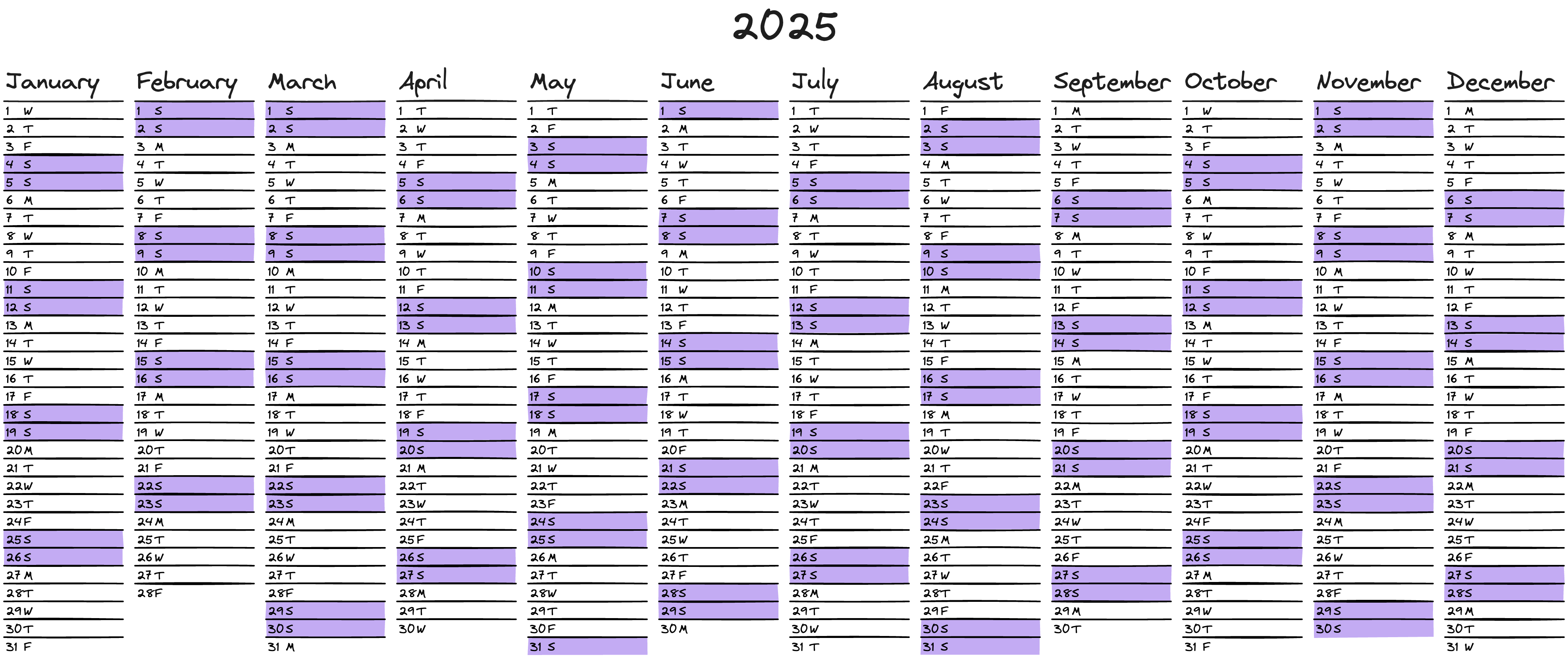
|
||||
|
||||
## Customizable Colors
|
||||
|
||||
You can personalize the calendar’s appearance by defining your own colors:
|
||||
|
||||
1. Create two rectangles in your design.
|
||||
2. Select both rectangles before running the script:
|
||||
• The **fill and stroke colors of the first rectangle** will be applied to weekdays.
|
||||
• The **fill and stroke colors of the second rectangle** will be used for weekends.
|
||||
|
||||
If no rectangle are selected, the default color schema will be used (white and purple).
|
||||
|
||||
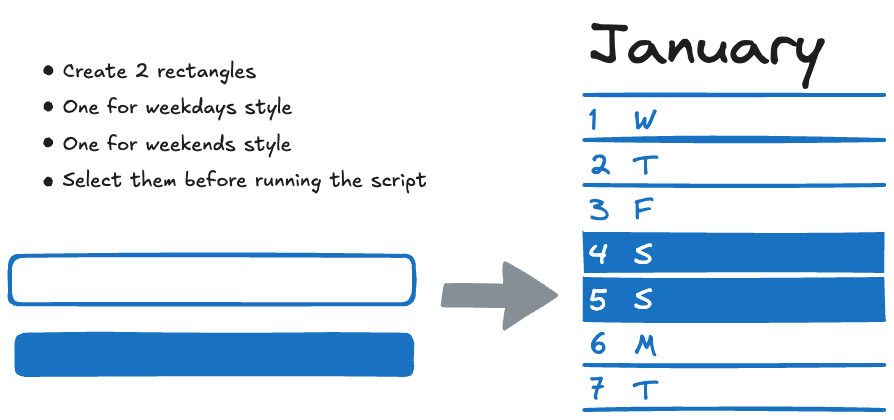
|
||||
|
||||
```javascript
|
||||
*/
|
||||
|
||||
ea.reset();
|
||||
|
||||
// -------------------------------------
|
||||
// Constants initiation
|
||||
// -------------------------------------
|
||||
|
||||
const RECT_WIDTH = 300; // day width
|
||||
const RECT_HEIGHT = 45; // day height
|
||||
const START_X = 0; // X start position
|
||||
const START_Y = 0; // PY start position
|
||||
const MONTH_SPACING = 30; // space between months
|
||||
const DAY_SPACING = 0; // space between days
|
||||
const DAY_NAME_SPACING = 45; // space between day number and day letters
|
||||
const DAY_NAME_AND_NUMBER_X_MARGIN = 5;
|
||||
const MONTH_NAME_SPACING = -40;
|
||||
const YEAR_X = (RECT_WIDTH + MONTH_SPACING) * 6 - 150;
|
||||
const YEAR_Y = -200;
|
||||
|
||||
let COLOR_WEEKEND = "#c3abf3";
|
||||
let COLOR_WEEKDAY = "#ffffff";
|
||||
const COLOR_DAY_STROKE = "none";
|
||||
let STROKE_DAY = 4;
|
||||
let FILLSTYLE_DAY = "solid";
|
||||
|
||||
const FONT_SIZE_MONTH = 60;
|
||||
const FONT_SIZE_DAY = 30;
|
||||
const FONT_SIZE_YEAR = 100;
|
||||
|
||||
const LINE_STROKE_SIZE = 4;
|
||||
let LINE_STROKE_COLOR_WEEKDAY = "black";
|
||||
let LINE_STROKE_COLOR_WEEKEND = "black";
|
||||
|
||||
const SATURDAY = 6;
|
||||
const SUNDAY = 0;
|
||||
const JANUARY = 0;
|
||||
const FIRST_DAY_OF_THE_MONTH = 1;
|
||||
|
||||
const DAY_NAME_AND_NUMBER_Y_MARGIN = (RECT_HEIGHT - FONT_SIZE_DAY) / 2;
|
||||
|
||||
// -------------------------------------
|
||||
|
||||
// ask for requested Year
|
||||
// Default value is the current year
|
||||
let requestedYear = parseFloat(new Date().getFullYear());
|
||||
requestedYear = parseFloat(await utils.inputPrompt("Year ?", requestedYear, requestedYear));
|
||||
if(isNaN(requestedYear)) {
|
||||
new Notice("Invalid number");
|
||||
return;
|
||||
}
|
||||
|
||||
// -------------------------------------
|
||||
// Use selected element for the calendar style
|
||||
// -------------------------------------
|
||||
|
||||
let elements = ea.getViewSelectedElements();
|
||||
if (elements.length>=1){
|
||||
COLOR_WEEKDAY = elements[0].backgroundColor;
|
||||
FILLSTYLE_DAY = elements[0].fillStyle;
|
||||
STROKE_DAY = elements[0].strokeWidth;
|
||||
LINE_STROKE_COLOR_WEEKDAY = elements[0].strokeColor;
|
||||
|
||||
}
|
||||
if (elements.length>=2){
|
||||
COLOR_WEEKEND = elements[1].backgroundColor;
|
||||
LINE_STROKE_COLOR_WEEKEND = elements[1].strokeColor;
|
||||
}
|
||||
|
||||
|
||||
|
||||
|
||||
|
||||
|
||||
// get the first day of the current year (01/01)
|
||||
var firstDayOfYear = new Date(requestedYear, JANUARY, FIRST_DAY_OF_THE_MONTH);
|
||||
|
||||
var currentDay = firstDayOfYear
|
||||
|
||||
// write year number
|
||||
let calendarYear = firstDayOfYear.getFullYear();
|
||||
ea.style.fontSize = FONT_SIZE_YEAR;
|
||||
ea.addText(START_X + YEAR_X, START_Y + YEAR_Y, String(calendarYear));
|
||||
|
||||
|
||||
// while we do not reach the end of the year iterate on all the day of the current year
|
||||
do {
|
||||
|
||||
var curentDayOfTheMonth = currentDay.getDate();
|
||||
var currentMonth = currentDay.getMonth();
|
||||
var isWeekend = currentDay.getDay() == SATURDAY || currentDay.getDay() == SUNDAY;
|
||||
|
||||
// set background color if it's a weekend or weekday
|
||||
ea.style.backgroundColor = isWeekend ? COLOR_WEEKEND : COLOR_WEEKDAY ;
|
||||
|
||||
|
||||
ea.style.strokeColor = COLOR_DAY_STROKE;
|
||||
ea.style.fillStyle = FILLSTYLE_DAY;
|
||||
ea.style.strokeWidth = STROKE_DAY;
|
||||
|
||||
|
||||
let x = START_X + currentMonth * (RECT_WIDTH + MONTH_SPACING);
|
||||
let y = START_Y + curentDayOfTheMonth * (RECT_HEIGHT + DAY_SPACING);
|
||||
|
||||
// only one time per month
|
||||
if(curentDayOfTheMonth == FIRST_DAY_OF_THE_MONTH) {
|
||||
|
||||
// add month name
|
||||
ea.style.fontSize = FONT_SIZE_MONTH;
|
||||
ea.addText(x + DAY_NAME_AND_NUMBER_X_MARGIN, START_Y+MONTH_NAME_SPACING, currentDay.toLocaleString('default', { month: 'long' }));
|
||||
}
|
||||
|
||||
// Add day rectangle
|
||||
ea.style.fontSize = FONT_SIZE_DAY;
|
||||
ea.addRect(x, y, RECT_WIDTH, RECT_HEIGHT);
|
||||
|
||||
// set stroke color based on weekday
|
||||
ea.style.strokeColor = isWeekend ? LINE_STROKE_COLOR_WEEKEND : LINE_STROKE_COLOR_WEEKDAY;
|
||||
|
||||
// add line between days
|
||||
//ea.style.strokeColor = LINE_STROKE_COLOR_WEEKDAY;
|
||||
ea.style.strokeWidth = LINE_STROKE_SIZE;
|
||||
ea.addLine([[x,y],[x+RECT_WIDTH, y]]);
|
||||
|
||||
|
||||
// add day number
|
||||
ea.addText(x + DAY_NAME_AND_NUMBER_X_MARGIN, y + DAY_NAME_AND_NUMBER_Y_MARGIN, String(curentDayOfTheMonth));
|
||||
// add day name
|
||||
ea.addText(x + DAY_NAME_AND_NUMBER_X_MARGIN + DAY_NAME_SPACING, y + DAY_NAME_AND_NUMBER_Y_MARGIN, String(currentDay.toLocaleString('default', { weekday: 'narrow' })));
|
||||
|
||||
// go to the next day
|
||||
currentDay.setDate(currentDay.getDate() + 1);
|
||||
|
||||
} while (!(currentDay.getMonth() == JANUARY && currentDay.getDate() == FIRST_DAY_OF_THE_MONTH)) // stop if we reach the 01/01 of the next year
|
||||
|
||||
|
||||
await ea.addElementsToView(false, false, true);
|
||||

@@ -0,0 +1,10 @@
|
||||
<svg version="1.1" xmlns="http://www.w3.org/2000/svg" viewBox="0 0 50.097575068473816 56.100231877975375" width="50.097575068473816" height="56.100231877975375" class="excalidraw-svg">
|
||||
<!-- svg-source:excalidraw -->
|
||||
|
||||
<defs>
|
||||
<style class="style-fonts">
|
||||
@font-face { font-family: Nunito; src: url(data:font/woff2;base64,d09GMgABAAAAAAN4AA8AAAAABswAAAMeAAEAAAAAAAAAAAAAAAAAAAAAAAAAAAAAGhYbgQwcLgZgP1NUQVREAEQRCAqCMIIHCwoAATYCJAMQBCAFhCQHIBuUBcguChxjano4VFxM2vQ1QySkcTXuPsXzT/vRzn0z64qIV7yJJ/EmGSp5Q0EalEiqlgiVyv/L7uv1Qpy/pAfsqfk9Cx44ly4UHRVC2VW+YH51qZj/wAD1eZu/7e/zfzNtkm0LNEs8kV4W4FwgUb7BEox+1s0hcpt7B9o7UD9zWyypoLCgyLAoF3TIGFjCt/9zgmlAiWgimHRUDsvrVQ0d4PV6RpPA690oUcCLFQz/C/KW1hSwQxBdGRfjymFWuCiNpQ7DZwDDscLwyUUTpYlomhJRStJMOi7BBt/PBqzAjvfKyhfW1JZFD4AbvUueQVDCsDDk3yTfBN7BFQ3t838A/UISdgP6BED+1nvsZim+dJYbtD/zgeUIAj7ZZBGCWGbFzydiAggCGUFfAAoNyywFy6ycBsbpAlxRrmEgQGPIthJUmvOuGydAT4H3YPkMSmTbaOxSp3F7M1DceuB47Z4/v7F+08G4H9CV65T/cP2u2BPnHPNo1Njby9l9lqCzm7uyMRu86fNiz8HY2fFxdzcm+/lrt24Fx+vVjuOWhqzPHlHBaqZuP3PXoc7G406+6sZfeO7ufn05DaoJRR5e5HzVrTsP79AzLra5Dm2pRJjYVsGw41e6W67j9sQLnUPzqc0Fimnx1xZHPf0V1+aX3CiUZM329mTN07WNyR3+eb++hXAzh+fUMLjgc9WH8Z3yyaPxrSryLvf0qvAGgKB9DTasXLeHXQv+jTfLj/DT99Yu4E/arcz/tgqsErobMKpAeLRyF0C2LRAeQ88XaXVqd92A/IrQCaF7wtobVgIAumDKFlhKtwe+w49BxmkfyDLrB9lcN1numByxaYAYdVJSCoFpewlG+CpsjU9+k4kD7sNkoxSNaBN4OlktYpSEN64bjcfiEE10Ch6BVZpGaEY1oGqiArsLTWOeiiko6ZJkSZEm3HxNmjWpzFMZbutn6SSjtL1mKvApcDlMNUNDv0uTIlUGSgcOjVL8TAsNJqCNIyildAQH05hRYnAIQmWWJ1kyFl8W6cYkGYfJCxXDbbqExsAUhFky5ZIfyxKLDU8LAgAA); }
|
||||
</style>
|
||||
|
||||
</defs>
|
||||
<g stroke-linecap="round"><g transform="translate(17.077535418245503 32.086027259866626) rotate(0 -6.0775204356467825 0)"><path d="M0 0 C-2.03 0, -10.13 0, -12.16 0 M0 0 C-2.03 0, -10.13 0, -12.16 0" stroke="#1e1e1e" stroke-width="4" fill="none"></path></g></g><mask></mask><g stroke-linecap="round"><g transform="translate(16.865850031647774 39.07185193521212) rotate(0 -6.077520435646779 0)"><path d="M0 0 C-2.03 0, -10.13 0, -12.16 0 M0 0 C-2.03 0, -10.13 0, -12.16 0" stroke="#1e1e1e" stroke-width="4" fill="none"></path></g></g><mask></mask><g stroke-linecap="round"><g transform="translate(16.946763254178506 46.743160072731996) rotate(0 -6.0775204356467825 0)"><path d="M0 0 C-2.03 0, -10.13 0, -12.16 0 M0 0 C-2.03 0, -10.13 0, -12.16 0" stroke="#1e1e1e" stroke-width="4" fill="none"></path></g></g><mask></mask><g stroke-linecap="round"><g transform="translate(16.680839244467208 53.831041680294504) rotate(0 -6.0775204356467825 0)"><path d="M0 0 C-2.03 0, -10.13 0, -12.16 0 M0 0 C-2.03 0, -10.13 0, -12.16 0" stroke="#1e1e1e" stroke-width="4" fill="none"></path></g></g><mask></mask><g stroke-linecap="round"><g transform="translate(47.41441860670051 32.80666516147113) rotate(0 -6.077520435646779 0)"><path d="M0 0 C-2.03 0, -10.13 0, -12.16 0 M0 0 C-2.03 0, -10.13 0, -12.16 0" stroke="#1e1e1e" stroke-width="4" fill="none"></path></g></g><mask></mask><g stroke-linecap="round"><g transform="translate(47.20273322010279 39.79248983681666) rotate(0 -6.077520435646779 0)"><path d="M0 0 C-2.03 0, -10.13 0, -12.16 0 M0 0 C-2.03 0, -10.13 0, -12.16 0" stroke="#1e1e1e" stroke-width="4" fill="none"></path></g></g><mask></mask><g transform="translate(0 0) rotate(0 25.048787534236908 17.010119812063635)"><text x="0" y="25.30097820935094" font-family="Nunito, Segoe UI Emoji" font-size="25.200177499353526px" fill="#1e1e1e" text-anchor="start" style="white-space: pre;" direction="ltr" dominant-baseline="alphabetic">CAL</text></g><g stroke-linecap="round"><g transform="translate(26.079917947816256 27.03803518092093) rotate(0 0 14.531098348527223)"><path d="M0 0 C0 4.84, 0 24.22, 0 29.06 M0 0 C0 4.84, 0 24.22, 0 29.06" stroke="#1e1e1e" stroke-width="4" fill="none"></path></g></g><mask></mask><g stroke-linecap="round"><g transform="translate(47.199941306131535 47.15190785557627) rotate(0 -6.077520435646779 0)"><path d="M0 0 C-2.03 0, -10.13 0, -12.16 0 M0 0 C-2.03 0, -10.13 0, -12.16 0" stroke="#1e1e1e" stroke-width="4" fill="none"></path></g></g><mask></mask></svg>
|
||||
|
After Width: | Height: | Size: 3.9 KiB |
@@ -3,106 +3,259 @@
|
||||
|
||||

|
||||
```js*/
|
||||
let dirty=false;
|
||||
|
||||
if(!ea.verifyMinimumPluginVersion || !ea.verifyMinimumPluginVersion("2.0.4")) {
|
||||
if(!ea.verifyMinimumPluginVersion || !ea.verifyMinimumPluginVersion("2.0.12")) {
|
||||
new Notice("This script requires a newer version of Excalidraw. Please install the latest version.");
|
||||
return;
|
||||
}
|
||||
|
||||
const outputTypes = {
|
||||
"html": {
|
||||
instruction: "Turn this into a single html file using tailwind. Return a single message containing only the html file in a codeblock.",
|
||||
blocktype: "html"
|
||||
},
|
||||
"mermaid": {
|
||||
instruction: "Return a single message containing only the mermaid diagram in a codeblock.",
|
||||
blocktype: "mermaid"
|
||||
},
|
||||
"svg": {
|
||||
instruction: "Return a single message containing only the SVG code in an html codeblock.",
|
||||
blocktype: "svg"
|
||||
},
|
||||
"image-gen": {
|
||||
instruction: "Return a single message with the generated image prompt in a codeblock",
|
||||
blocktype: "image"
|
||||
},
|
||||
"image-edit": {
|
||||
instruction: "",
|
||||
blocktype: "image"
|
||||
}
|
||||
}
|
||||
|
||||
const systemPrompts = {
|
||||
"Challenge my thinking": {
|
||||
prompt: `Your task is to interpret a screenshot of a whiteboard, translating its ideas into a Mermaid graph. The whiteboard will encompass thoughts on a subject. Within the mind map, distinguish ideas that challenge, dispute, or contradict the whiteboard content. Additionally, include concepts that expand, complement, or advance the user's thinking. Utilize the Mermaid graph diagram type and present the resulting Mermaid diagram within a code block. Ensure the Mermaid script excludes the use of parentheses ().`,
|
||||
type: "mermaid",
|
||||
help: "Translate your image and optional text prompt into a Mermaid mindmap. If there are conversion errors, edit the Mermaid script under 'More Tools'."
|
||||
},
|
||||
"Convert sketch to shapes": {
|
||||
prompt: `Given an image featuring various geometric shapes drawn by the user, your objective is to analyze the input and generate SVG code that accurately represents these shapes. Your output will be the SVG code enclosed in an HTML code block.`,
|
||||
type: "svg",
|
||||
help: "Convert selected scribbles into shapes; works better with fewer shapes. Experimental and may not produce good drawings."
|
||||
},
|
||||
"Create a simple Excalidraw icon": {
|
||||
prompt: `Given a description of an SVG image from the user, your objective is to generate the corresponding SVG code. Avoid incorporating textual elements within the generated SVG. Your output should be the resulting SVG code enclosed in an HTML code block.`,
|
||||
type: "svg",
|
||||
help: "Convert text prompts into simple icons inserted as Excalidraw elements. Expect only a text prompt. Experimental and may not produce good drawings."
|
||||
},
|
||||
"Edit an image": {
|
||||
prompt: null,
|
||||
type: "image-edit",
|
||||
help: "Image elements will be used as the Image. Shapes on top of the image will be the Mask. Use the prompt to instruct Dall-e about the changes. Dall-e-2 model will be used."
|
||||
},
|
||||
"Generate an image from image and prompt": {
|
||||
prompt: "Your task involves receiving an image and a textual prompt from the user. Your goal is to craft a detailed, accurate, and descriptive narrative of the image, tailored for effective image generation. Utilize the user-provided text prompt to inform and guide your depiction of the image. Ensure the resulting image remains text-free.",
|
||||
type: "image-gen",
|
||||
help: "Generate an image based on the drawing and prompt using ChatGPT-Vision and Dall-e. Provide a contextual text-prompt for accurate interpretation."
|
||||
},
|
||||
"Generate an image from prompt": {
|
||||
prompt: null,
|
||||
type: "image-gen",
|
||||
help: "Send only the text prompt to OpenAI. Provide a detailed description; OpenAI will enrich your prompt automatically. To avoid it, start your prompt like this 'DO NOT add any detail, just use it AS-IS:'"
|
||||
},
|
||||
"Generate an image to illustrate a quote": {
|
||||
prompt: "Your task involves transforming a user-provided quote into a detailed and imaginative illustration. Craft a visual representation that captures the essence of the quote and resonates well with a broad audience. If the Author's name is provided, aim to establish a connection between the illustration and the Author. This can be achieved by referencing a well-known story from the Author, situating the image in the Author's era or setting, or employing other creative methods of association. Additionally, provide preferences for styling, such as the chosen medium and artistic direction, to guide the image creation process. Ensure the resulting image remains text-free. Your task output should comprise a descriptive and detailed narrative aimed at facilitating the creation of a captivating illustration from the quote.",
|
||||
type: "image-gen",
|
||||
help: "ExcaliAI will create an image prompt to illustrate your text input - a quote - with GPT, then generate an image using Dall-e. In case you include the Author's name, GPT will try to generate an image that in some way references the Author."
|
||||
},
|
||||
"Visual brainstorm": {
|
||||
prompt: "Your objective is to interpret a screenshot of a whiteboard, creating an image aimed at sparking further thoughts on the subject. The whiteboard will present diverse ideas about a specific topic. Your generated image should achieve one of two purposes: highlighting concepts that challenge, dispute, or contradict the whiteboard content, or introducing ideas that expand, complement, or enrich the user's thinking. You have the option to include multiple tiles in the resulting image, resembling a sequence akin to a comic strip. Ensure that the image remains devoid of text.",
|
||||
type: "image-gen",
|
||||
help: "Use ChatGPT Visions and Dall-e to create an image based on your text prompt and image to spark new ideas."
|
||||
},
|
||||
"Wireframe to code": {
|
||||
prompt: `You are an expert tailwind developer. A user will provide you with a low-fidelity wireframe of an application and you will return a single html file that uses tailwind to create the website. Use creative license to make the application more fleshed out. Write the necessary javascript code. If you need to insert an image, use placehold.co to create a placeholder image.`,
|
||||
type: "html",
|
||||
help: "Use GPT Visions to interpret the wireframe and generate a web application. You may copy the resulting code from the active embeddable's top left menu."
|
||||
},
|
||||
}
|
||||
|
||||
const IMAGE_WARNING = "The generated image is linked through a temporary OpenAI URL and will be removed in approximately 30 minutes. To save it permanently, choose 'Save image from URL to local file' from the Obsidian Command Palette."
|
||||
// --------------------------------------
|
||||
// Initialize values and settings
|
||||
// --------------------------------------
|
||||
let settings = ea.getScriptSettings();
|
||||
|
||||
if(!settings["Custom System Prompts"]) {
|
||||
if(!settings["Agent's Task"]) {
|
||||
settings = {
|
||||
"Custom System Prompts" : {},
|
||||
"Agent's Task": "Wireframe to code",
|
||||
"Output Type": "html"
|
||||
"User Prompt": "",
|
||||
};
|
||||
await ea.setScriptSettings(settings);
|
||||
}
|
||||
|
||||
const instructions = {
|
||||
"html": "Turn this into a single html file using tailwind. Return a single message containing only the html file in a codeblock.",
|
||||
"mermaid": "Challenge my thinking. Return a single message containing only the mermaid diagram in a codeblock."
|
||||
}
|
||||
|
||||
const defaultSystemPrompts = {
|
||||
"Wireframe to code": `You are an expert tailwind developer. A user will provide you with a low-fidelity wireframe of an application and you will return a single html file that uses tailwind to create the website. Use creative license to make the application more fleshed out. Write the necessary javascript code. If you need to insert an image, use placehold.co to create a placeholder image.`,
|
||||
"Challenge my thinking": `The user will provide you with a screenshot of a whiteboard. Your task is to generate a mermaid graph based on the whiteboard and return the resulting mermaid code in a codeblock. The whiteboard will cover ideas about a subject. On the mindmap identify ideas that challenge, dispute, and contradict what is on the whiteboard, as well as also include ideas that extend, add-to, build-on, and takes the thinking of the user further. Use the graph diagram type. Return a single message containing only the mermaid diagram in a codeblock. Avoid the use of () parenthesis in the mermaid script.`
|
||||
}
|
||||
|
||||
const OPENAI_API_KEY = ea.plugin.settings.openAIAPIToken;
|
||||
if(!OPENAI_API_KEY || OPENAI_API_KEY === "") {
|
||||
new Notice("You must first configure your API key in Excalidraw Plugin Settings");
|
||||
return;
|
||||
}
|
||||
|
||||
let customSystemPrompts = settings["Custom System Prompts"];
|
||||
let userPrompt = settings["User Prompt"] ?? "";
|
||||
let agentTask = settings["Agent's Task"];
|
||||
let outputType = settings["Output Type"];
|
||||
if (!Object.keys(instructions).includes(outputType)) {
|
||||
outputType = "html";
|
||||
let imageSize = settings["Image Size"]??"1024x1024";
|
||||
|
||||
if(!systemPrompts.hasOwnProperty(agentTask)) {
|
||||
agentTask = Object.keys(systemPrompts)[0];
|
||||
}
|
||||
let allSystemPrompts = {
|
||||
...defaultSystemPrompts,
|
||||
...customSystemPrompts
|
||||
};
|
||||
if(!allSystemPrompts.hasOwnProperty(agentTask)) {
|
||||
agentTask = Object.keys(defaultSystemPrompts)[0];
|
||||
let imageModel, valideSizes;
|
||||
|
||||
const setImageModelAndSizes = () => {
|
||||
imageModel = systemPrompts[agentTask].type === "image-edit"
|
||||
? "dall-e-2"
|
||||
: ea.plugin.settings.openAIDefaultImageGenerationModel;
|
||||
validSizes = imageModel === "dall-e-2"
|
||||
? [`256x256`, `512x512`, `1024x1024`]
|
||||
: (imageModel === "dall-e-3"
|
||||
? [`1024x1024`, `1792x1024`, `1024x1792`]
|
||||
: [`1024x1024`])
|
||||
if(!validSizes.includes(imageSize)) {
|
||||
imageSize = "1024x1024";
|
||||
dirty = true;
|
||||
}
|
||||
}
|
||||
setImageModelAndSizes();
|
||||
|
||||
// --------------------------------------
|
||||
// Generate image
|
||||
// Generate Image Blob From Selected Excalidraw Elements
|
||||
// --------------------------------------
|
||||
const getRequestObjFromSelectedElements = async (view) => {
|
||||
await view.forceSave(true);
|
||||
const viewElements = ea.getViewSelectedElements();
|
||||
if(viewElements.length === 0) {
|
||||
new Notice ("Aborting because there is nothing selected.",4000);
|
||||
return;
|
||||
}
|
||||
ea.copyViewElementsToEAforEditing(viewElements, true);
|
||||
const bb = ea.getBoundingBox(viewElements);
|
||||
const size = (bb.width*bb.height);
|
||||
const minRatio = Math.sqrt(360000/size);
|
||||
const maxRatio = Math.sqrt(size/16000000);
|
||||
const scale = minRatio > 1
|
||||
? minRatio
|
||||
: (
|
||||
maxRatio > 1
|
||||
? 1/maxRatio
|
||||
: 1
|
||||
);
|
||||
|
||||
const loader = ea.getEmbeddedFilesLoader(false);
|
||||
const exportSettings = {
|
||||
withBackground: true,
|
||||
withTheme: true,
|
||||
const calculateImageScale = (elements) => {
|
||||
const bb = ea.getBoundingBox(elements);
|
||||
const size = (bb.width*bb.height);
|
||||
const minRatio = Math.sqrt(360000/size);
|
||||
const maxRatio = Math.sqrt(size/16000000);
|
||||
return minRatio > 1
|
||||
? minRatio
|
||||
: (
|
||||
maxRatio > 1
|
||||
? 1/maxRatio
|
||||
: 1
|
||||
);
|
||||
}
|
||||
|
||||
const createMask = async (dataURL) => {
|
||||
return new Promise((resolve, reject) => {
|
||||
const img = new Image();
|
||||
|
||||
img.onload = () => {
|
||||
const canvas = document.createElement('canvas');
|
||||
canvas.width = img.width;
|
||||
canvas.height = img.height;
|
||||
|
||||
const ctx = canvas.getContext('2d');
|
||||
ctx.drawImage(img, 0, 0);
|
||||
|
||||
const imageData = ctx.getImageData(0, 0, canvas.width, canvas.height);
|
||||
const data = imageData.data;
|
||||
|
||||
for (let i = 0; i < data.length; i += 4) {
|
||||
// If opaque (alpha > 0), make it transparent
|
||||
if (data[i + 3] > 0) {
|
||||
data[i + 3] = 0; // Set alpha to 0 (transparent)
|
||||
} else if (data[i + 3] === 0) {
|
||||
// If fully transparent, make it red
|
||||
data[i] = 255; // Red
|
||||
data[i + 1] = 0; // Green
|
||||
data[i + 2] = 0; // Blue
|
||||
data[i + 3] = 255; // make it opaque
|
||||
}
|
||||
}
|
||||
|
||||
ctx.putImageData(imageData, 0, 0);
|
||||
const maskDataURL = canvas.toDataURL();
|
||||
|
||||
resolve(maskDataURL);
|
||||
};
|
||||
|
||||
const dataURL =
|
||||
await ea.createPNGBase64(
|
||||
null,
|
||||
scale,
|
||||
exportSettings,
|
||||
loader,
|
||||
"light",
|
||||
);
|
||||
ea.clear();
|
||||
return { image: dataURL };
|
||||
img.onerror = error => {
|
||||
reject(error);
|
||||
};
|
||||
|
||||
img.src = dataURL;
|
||||
});
|
||||
}
|
||||
|
||||
//https://platform.openai.com/docs/api-reference/images/createEdit
|
||||
//dall-e-2 image edit only works on square images
|
||||
//if targetDalleImageEdit === true then the image and the mask will be returned in two separate dataURLs
|
||||
let squareBB;
|
||||
|
||||
const generateCanvasDataURL = async (view, targetDalleImageEdit=false) => {
|
||||
let PADDING = 5;
|
||||
await view.forceSave(true); //to ensure recently embedded PNG and other images are saved to file
|
||||
const viewElements = ea.getViewSelectedElements();
|
||||
if(viewElements.length === 0) {
|
||||
return {imageDataURL: null, maskDataURL: null} ;
|
||||
}
|
||||
ea.copyViewElementsToEAforEditing(viewElements, true); //copying the images objects over to EA for PNG generation
|
||||
|
||||
let maskDataURL;
|
||||
const loader = ea.getEmbeddedFilesLoader(false);
|
||||
let scale = calculateImageScale(ea.getElements());
|
||||
const bb = ea.getBoundingBox(viewElements);
|
||||
if(ea.getElements()
|
||||
.filter(el=>el.type==="image")
|
||||
.some(el=>Math.round(el.width) === Math.round(bb.width) && Math.round(el.height) === Math.round(bb.height))
|
||||
) { PADDING = 0; }
|
||||
|
||||
let exportSettings = {withBackground: true, withTheme: true};
|
||||
|
||||
if(targetDalleImageEdit) {
|
||||
PADDING = 0;
|
||||
const strokeColor = ea.style.strokeColor;
|
||||
const backgroundColor = ea.style.backgroundColor;
|
||||
ea.style.backgroundColor = "transparent";
|
||||
ea.style.strokeColor = "transparent";
|
||||
let rectID;
|
||||
if(bb.height > bb.width) {
|
||||
rectID = ea.addRect(bb.topX-(bb.height-bb.width)/2, bb.topY,bb.height, bb.height);
|
||||
}
|
||||
if(bb.width > bb.height) {
|
||||
rectID = ea.addRect(bb.topX, bb.topY-(bb.width-bb.height)/2,bb.width, bb.width);
|
||||
}
|
||||
if(bb.height === bb.width) {
|
||||
rectID = ea.addRect(bb.topX, bb.topY, bb.width, bb.height);
|
||||
}
|
||||
const rect = ea.getElement(rectID);
|
||||
squareBB = {topX: rect.x-PADDING, topY: rect.y-PADDING, width: rect.width + 2*PADDING, height: rect.height + 2*PADDING};
|
||||
ea.style.strokeColor = strokeColor;
|
||||
ea.style.backgroundColor = backgroundColor;
|
||||
ea.getElements().filter(el=>el.type === "image").forEach(el=>{el.isDeleted = true});
|
||||
|
||||
dalleWidth = parseInt(imageSize.split("x")[0]);
|
||||
scale = dalleWidth/squareBB.width;
|
||||
exportSettings = {withBackground: false, withTheme: true};
|
||||
maskDataURL= await ea.createPNGBase64(
|
||||
null, scale, exportSettings, loader, "light", PADDING
|
||||
);
|
||||
maskDataURL = await createMask(maskDataURL)
|
||||
ea.getElements().filter(el=>el.type === "image").forEach(el=>{el.isDeleted = false});
|
||||
ea.getElements().filter(el=>el.type !== "image" && el.id !== rectID).forEach(el=>{el.isDeleted = true});
|
||||
}
|
||||
|
||||
// --------------------------------------
|
||||
// Submit Prompt
|
||||
// --------------------------------------
|
||||
const run = async () => {
|
||||
const requestObject = await getRequestObjFromSelectedElements(ea.targetView);
|
||||
requestObject.systemPrompt = allSystemPrompts[agentTask];
|
||||
requestObject.instruction = instructions[outputType];
|
||||
const imageDataURL = await ea.createPNGBase64(
|
||||
null, scale, exportSettings, loader, "light", PADDING
|
||||
);
|
||||
ea.clear();
|
||||
return {imageDataURL, maskDataURL};
|
||||
}
|
||||
|
||||
const spinner = await ea.convertStringToDataURL(`
|
||||
let {imageDataURL, maskDataURL} = await generateCanvasDataURL(ea.targetView, systemPrompts[agentTask].type === "image-edit");
|
||||
|
||||
// --------------------------------------
|
||||
// Support functions - embeddable spinner and error
|
||||
// --------------------------------------
|
||||
const spinner = await ea.convertStringToDataURL(`
|
||||
<html><head><style>
|
||||
html, body {width: 100%; height: 100%; color: ${ea.getExcalidrawAPI().getAppState().theme === "dark" ? "white" : "black"};}
|
||||
body {display: flex; align-items: center; justify-content: center; flex-direction: column; gap: 1rem; overflow: hidden;}
|
||||
@@ -110,7 +263,11 @@ const run = async () => {
|
||||
.Spinner svg {animation: rotate 1.6s linear infinite; transform-origin: center center; width: 40px; height: 40px;}
|
||||
.Spinner circle {stroke: currentColor; animation: dash 1.6s linear 0s infinite; stroke-linecap: round;}
|
||||
@keyframes rotate {100% {transform: rotate(360deg);}}
|
||||
@keyframes dash {0% {stroke-dasharray: 1, 300; stroke-dashoffset: 0;} 50% {stroke-dasharray: 150, 300; stroke-dashoffset: -200;} 100% {stroke-dasharray: 1, 300; stroke-dashoffset: -280;}}
|
||||
@keyframes dash {
|
||||
0% {stroke-dasharray: 1, 300; stroke-dashoffset: 0;}
|
||||
50% {stroke-dasharray: 150, 300; stroke-dashoffset: -200;}
|
||||
100% {stroke-dasharray: 1, 300; stroke-dashoffset: -280;}
|
||||
}
|
||||
</style></head><body>
|
||||
<div class="Spinner">
|
||||
<svg viewBox="0 0 100 100">
|
||||
@@ -120,21 +277,9 @@ const run = async () => {
|
||||
<div>Generating...</div>
|
||||
</body></html>`);
|
||||
|
||||
const bb = ea.getBoundingBox(ea.getViewSelectedElements());
|
||||
const id = ea.addEmbeddable(bb.topX+bb.width+100,bb.topY-(720-bb.height)/2,550,720,spinner);
|
||||
await ea.addElementsToView(false,true);
|
||||
ea.clear();
|
||||
const embeddable = ea.getViewElements().filter(el=>el.id===id);
|
||||
ea.copyViewElementsToEAforEditing(embeddable);
|
||||
const els = ea.getViewSelectedElements();
|
||||
ea.viewZoomToElements(false, els.concat(embeddable));
|
||||
|
||||
//Get result from GPT
|
||||
|
||||
const result = await ea.postOpenAI(requestObject);
|
||||
|
||||
const errorMessage = async () => {
|
||||
const errorMessage = async (spinnerID, message) => {
|
||||
const error = "Something went wrong! Check developer console for more.";
|
||||
const details = message ? `<p>${message}</p>` : "";
|
||||
const errorDataURL = await ea.convertStringToDataURL(`
|
||||
<html><head><style>
|
||||
html, body {height: 100%;}
|
||||
@@ -142,61 +287,229 @@ const run = async () => {
|
||||
h1, h3 {margin-top: 0;margin-bottom: 0.5rem;}
|
||||
</style></head><body>
|
||||
<h1>Error!</h1>
|
||||
<h3>${error}</h3>
|
||||
<h3>${error}</h3>${details}
|
||||
</body></html>`);
|
||||
new Notice (error);
|
||||
ea.getElement(id).src = errorDataURL;
|
||||
ea.getElement(spinnerID).link = errorDataURL;
|
||||
ea.addElementsToView(false,true);
|
||||
}
|
||||
|
||||
if(!result?.json?.hasOwnProperty("choices")) {
|
||||
await errorMessage();
|
||||
// --------------------------------------
|
||||
// Utility to write Mermaid to dialog
|
||||
// --------------------------------------
|
||||
const EDITOR_LS_KEYS = {
|
||||
OAI_API_KEY: "excalidraw-oai-api-key",
|
||||
MERMAID_TO_EXCALIDRAW: "mermaid-to-excalidraw",
|
||||
PUBLISH_LIBRARY: "publish-library-data",
|
||||
};
|
||||
|
||||
const setMermaidDataToStorage = (mermaidDefinition) => {
|
||||
try {
|
||||
window.localStorage.setItem(
|
||||
EDITOR_LS_KEYS.MERMAID_TO_EXCALIDRAW,
|
||||
JSON.stringify(mermaidDefinition)
|
||||
);
|
||||
return true;
|
||||
} catch (error) {
|
||||
console.warn(`localStorage.setItem error: ${error.message}`);
|
||||
return false;
|
||||
}
|
||||
};
|
||||
|
||||
// --------------------------------------
|
||||
// Submit Prompt
|
||||
// --------------------------------------
|
||||
const generateImage = async(text, spinnerID, bb) => {
|
||||
const requestObject = {
|
||||
text,
|
||||
imageGenerationProperties: {
|
||||
size: imageSize,
|
||||
//quality: "standard", //not supported by dall-e-2
|
||||
n:1,
|
||||
},
|
||||
};
|
||||
|
||||
const result = await ea.postOpenAI(requestObject);
|
||||
console.log({result, json:result?.json});
|
||||
|
||||
if(!result?.json?.data?.[0]?.url) {
|
||||
await errorMessage(spinnerID, result?.json?.error?.message);
|
||||
return;
|
||||
}
|
||||
|
||||
console.log(result);
|
||||
let content = ea.extractCodeBlocks(result.json.choices[0]?.message?.content)[0]?.data;
|
||||
const spinner = ea.getElement(spinnerID)
|
||||
spinner.isDeleted = true;
|
||||
const imageID = await ea.addImage(spinner.x, spinner.y, result.json.data[0].url);
|
||||
const imageEl = ea.getElement(imageID);
|
||||
const revisedPrompt = result.json.data[0].revised_prompt;
|
||||
if(revisedPrompt) {
|
||||
ea.style.fontSize = 16;
|
||||
const rectID = ea.addText(imageEl.x+15, imageEl.y + imageEl.height + 50, revisedPrompt, {
|
||||
width: imageEl.width-30,
|
||||
textAlign: "center",
|
||||
textVerticalAlign: "top",
|
||||
box: true,
|
||||
})
|
||||
ea.getElement(rectID).strokeColor = "transparent";
|
||||
ea.getElement(rectID).backgroundColor = "transparent";
|
||||
ea.addToGroup(ea.getElements().filter(el=>el.id !== spinnerID).map(el=>el.id));
|
||||
}
|
||||
|
||||
await ea.addElementsToView(false, true, true);
|
||||
ea.getExcalidrawAPI().setToast({
|
||||
message: IMAGE_WARNING,
|
||||
duration: 15000,
|
||||
closable: true
|
||||
});
|
||||
}
|
||||
|
||||
if(!content) {
|
||||
await errorMessage();
|
||||
const run = async (text) => {
|
||||
if(!text && !imageDataURL) {
|
||||
new Notice("No prompt, aborting");
|
||||
return;
|
||||
}
|
||||
|
||||
switch(outputType) {
|
||||
const systemPrompt = systemPrompts[agentTask];
|
||||
const outputType = outputTypes[systemPrompt.type];
|
||||
const isImageGenRequest = outputType.blocktype === "image";
|
||||
const isImageEditRequest = systemPrompt.type === "image-edit";
|
||||
|
||||
if(isImageEditRequest) {
|
||||
if(!text) {
|
||||
new Notice("You must provide a text prompt with instructions for how the image should be modified");
|
||||
return;
|
||||
}
|
||||
if(!imageDataURL || !maskDataURL) {
|
||||
new Notice("You must provide an image and a mask");
|
||||
return;
|
||||
}
|
||||
}
|
||||
|
||||
//place spinner next to selected elements
|
||||
const bb = ea.getBoundingBox(ea.getViewSelectedElements());
|
||||
const spinnerID = ea.addEmbeddable(bb.topX+bb.width+100,bb.topY-(720-bb.height)/2,550,720,spinner);
|
||||
|
||||
//this block is in an async call using the isEACompleted flag because otherwise during debug Obsidian
|
||||
//goes black (not freezes, but does not get a new frame for some reason)
|
||||
//palcing this in an async call solves this issue
|
||||
//If you know why this is happening and can offer a better solution, please reach out to @zsviczian
|
||||
let isEACompleted = false;
|
||||
setTimeout(async()=>{
|
||||
await ea.addElementsToView(false,true);
|
||||
ea.clear();
|
||||
const embeddable = ea.getViewElements().filter(el=>el.id===spinnerID);
|
||||
ea.copyViewElementsToEAforEditing(embeddable);
|
||||
const els = ea.getViewSelectedElements();
|
||||
ea.viewZoomToElements(false, els.concat(embeddable));
|
||||
isEACompleted = true;
|
||||
});
|
||||
|
||||
if(isImageGenRequest && !systemPrompt.prompt && !isImageEditRequest) {
|
||||
generateImage(text,spinnerID,bb);
|
||||
return;
|
||||
}
|
||||
|
||||
const requestObject = isImageEditRequest
|
||||
? {
|
||||
...imageDataURL ? {image: imageDataURL} : {},
|
||||
...(text && text.trim() !== "") ? {text} : {},
|
||||
imageGenerationProperties: {
|
||||
size: imageSize,
|
||||
//quality: "standard", //not supported by dall-e-2
|
||||
n:1,
|
||||
mask: maskDataURL,
|
||||
},
|
||||
}
|
||||
: {
|
||||
...imageDataURL ? {image: imageDataURL} : {},
|
||||
...(text && text.trim() !== "") ? {text} : {},
|
||||
systemPrompt: systemPrompt.prompt,
|
||||
instruction: outputType.instruction,
|
||||
}
|
||||
|
||||
//Get result from GPT
|
||||
const result = await ea.postOpenAI(requestObject);
|
||||
console.log({result, json:result?.json});
|
||||
|
||||
//checking that EA has completed. Because the postOpenAI call is an async await
|
||||
//I don't expect EA not to be completed by now. However the devil never sleeps.
|
||||
//This (the insomnia of the Devil) is why I have a watchdog here as well
|
||||
let counter = 0
|
||||
while(!isEACompleted && counter++<10) sleep(50);
|
||||
if(!isEACompleted) {
|
||||
await errorMessage(spinnerID, "Unexpected issue with ExcalidrawAutomate");
|
||||
return;
|
||||
}
|
||||
|
||||
if(isImageEditRequest) {
|
||||
if(!result?.json?.data?.[0]?.url) {
|
||||
await errorMessage(spinnerID, result?.json?.error?.message);
|
||||
return;
|
||||
}
|
||||
|
||||
const spinner = ea.getElement(spinnerID)
|
||||
spinner.isDeleted = true;
|
||||
const imageID = await ea.addImage(spinner.x, spinner.y, result.json.data[0].url);
|
||||
await ea.addElementsToView(false, true, true);
|
||||
ea.getExcalidrawAPI().setToast({
|
||||
message: IMAGE_WARNING,
|
||||
duration: 15000,
|
||||
closable: true
|
||||
});
|
||||
return;
|
||||
}
|
||||
|
||||
if(!result?.json?.hasOwnProperty("choices")) {
|
||||
await errorMessage(spinnerID, result?.json?.error?.message);
|
||||
return;
|
||||
}
|
||||
|
||||
//extract codeblock and display result
|
||||
let content = ea.extractCodeBlocks(result.json.choices[0]?.message?.content)[0]?.data;
|
||||
|
||||
if(!content) {
|
||||
await errorMessage(spinnerID);
|
||||
return;
|
||||
}
|
||||
|
||||
if(isImageGenRequest) {
|
||||
generateImage(content,spinnerID,bb);
|
||||
return;
|
||||
}
|
||||
|
||||
switch(outputType.blocktype) {
|
||||
case "html":
|
||||
ea.getElement(id).link = await ea.convertStringToDataURL(content);
|
||||
ea.getElement(spinnerID).link = await ea.convertStringToDataURL(content);
|
||||
ea.addElementsToView(false,true);
|
||||
break;
|
||||
case "svg":
|
||||
ea.getElement(spinnerID).isDeleted = true;
|
||||
ea.importSVG(content);
|
||||
ea.addToGroup(ea.getElements().map(el=>el.id));
|
||||
if(ea.getViewSelectedElements().length>0) {
|
||||
ea.targetView.currentPosition = {x: bb.topX+bb.width+100, y: bb.topY};
|
||||
}
|
||||
ea.addElementsToView(true, false);
|
||||
break;
|
||||
case "mermaid":
|
||||
if(content.startsWith("mermaid")) {
|
||||
content = content.replace(/^mermaid/,"").trim();
|
||||
}
|
||||
ea.getElement(id).isDeleted = true;
|
||||
|
||||
try {
|
||||
await ea.addMermaid(content);
|
||||
result = await ea.addMermaid(content);
|
||||
if(typeof result === "string") {
|
||||
await errorMessage(spinnerID, "Open [More Tools / Mermaid to Excalidraw] to manually fix the received mermaid script<br><br>" + result);
|
||||
return;
|
||||
}
|
||||
} catch (e) {
|
||||
ea.addText(0,0,content);
|
||||
}
|
||||
ea.targetView.currentPosition = {x: bb.topX+bb.width+100, y: bb.topY-bb.height-100};
|
||||
ea.getElement(spinnerID).isDeleted = true;
|
||||
ea.targetView.currentPosition = {x: bb.topX+bb.width+100, y: bb.topY-bb.height};
|
||||
await ea.addElementsToView(true, false);
|
||||
ea.clear();
|
||||
if(content.startsWith("graph LR") || content.startsWith("graph TD")) {
|
||||
try {
|
||||
if(content.startsWith("graph LR") || content.startsWith("flowchart LR")) {
|
||||
content = content.replaceAll("graph LR", "graph TD");
|
||||
content = content.replaceAll("flowchart LR", "flowchart TD");
|
||||
await ea.addMermaid(content);
|
||||
} else if (content.startsWith("graph TD") || content.startsWith("flowchart TD")) {
|
||||
content = content.replaceAll("graph TD", "graph LR");
|
||||
content = content.replaceAll("flowchart TD", "flowchart LR");
|
||||
await ea.addMermaid(content);
|
||||
}
|
||||
} catch (e) {
|
||||
ea.addText(0,0,content);
|
||||
}
|
||||
ea.targetView.currentPosition = {x: bb.topX-100, y: bb.topY + 100};
|
||||
ea.addElementsToView(true, true);
|
||||
}
|
||||
setMermaidDataToStorage(content);
|
||||
new Notice("Open More Tools/Mermaid to Excalidraw in the top tools menu to edit the generated diagram",8000);
|
||||
break;
|
||||
}
|
||||
}
|
||||
@@ -204,86 +517,155 @@ const run = async () => {
|
||||
// --------------------------------------
|
||||
// User Interface
|
||||
// --------------------------------------
|
||||
let previewDiv;
|
||||
const fragWithHTML = (html) => createFragment((frag) => (frag.createDiv().innerHTML = html));
|
||||
const isImageGenerationTask = () => systemPrompts[agentTask].type === "image-gen" || systemPrompts[agentTask].type === "image-edit";
|
||||
const addPreviewImage = () => {
|
||||
if(!previewDiv) return;
|
||||
previewDiv.empty();
|
||||
previewDiv.createEl("img",{
|
||||
attr: {
|
||||
style: `max-width: 100%;max-height: 30vh;`,
|
||||
src: imageDataURL,
|
||||
}
|
||||
});
|
||||
if(maskDataURL) {
|
||||
previewDiv.createEl("img",{
|
||||
attr: {
|
||||
style: `max-width: 100%;max-height: 30vh;`,
|
||||
src: maskDataURL,
|
||||
}
|
||||
});
|
||||
}
|
||||
}
|
||||
|
||||
const configModal = new ea.obsidian.Modal(app);
|
||||
let dirty=false;
|
||||
configModal.onOpen = () => {
|
||||
configModal.modalEl.style.width="100%";
|
||||
configModal.modalEl.style.maxWidth="1000px";
|
||||
|
||||
configModal.onOpen = async () => {
|
||||
const contentEl = configModal.contentEl;
|
||||
contentEl.createEl("h1", {text: "ExcaliAI"});
|
||||
|
||||
let textArea, promptTitle;
|
||||
|
||||
let systemPromptTextArea, systemPromptDiv, imageSizeSetting, imageSizeSettingDropdown, helpEl;
|
||||
|
||||
new ea.obsidian.Setting(contentEl)
|
||||
.setName("Select Prompt")
|
||||
.setName("What would you like to do?")
|
||||
.addDropdown(dropdown=>{
|
||||
Object.keys(allSystemPrompts).forEach(key=>dropdown.addOption(key,key));
|
||||
Object.keys(systemPrompts).forEach(key=>dropdown.addOption(key,key));
|
||||
dropdown
|
||||
.setValue(agentTask)
|
||||
.onChange(value => {
|
||||
.onChange(async (value) => {
|
||||
dirty = true;
|
||||
const prevTask = agentTask;
|
||||
agentTask = value;
|
||||
textArea.setValue(allSystemPrompts[value]);
|
||||
//promptTitle.setValue(value);
|
||||
if(
|
||||
(systemPrompts[prevTask].type === "image-edit" && systemPrompts[value].type !== "image-edit") ||
|
||||
(systemPrompts[prevTask].type !== "image-edit" && systemPrompts[value].type === "image-edit")
|
||||
) {
|
||||
({imageDataURL, maskDataURL} = await generateCanvasDataURL(ea.targetView, systemPrompts[value].type === "image-edit"));
|
||||
addPreviewImage();
|
||||
setImageModelAndSizes();
|
||||
while (imageSizeSettingDropdown.selectEl.options.length > 0) { imageSizeSettingDropdown.selectEl.remove(0); }
|
||||
validSizes.forEach(size=>imageSizeSettingDropdown.addOption(size,size));
|
||||
imageSizeSettingDropdown.setValue(imageSize);
|
||||
}
|
||||
imageSizeSetting.settingEl.style.display = isImageGenerationTask() ? "" : "none";
|
||||
const prompt = systemPrompts[value].prompt;
|
||||
helpEl.innerHTML = `<b>Help: </b>` + systemPrompts[value].help;
|
||||
if(prompt) {
|
||||
systemPromptDiv.style.display = "";
|
||||
systemPromptTextArea.setValue(systemPrompts[value].prompt);
|
||||
} else {
|
||||
systemPromptDiv.style.display = "none";
|
||||
}
|
||||
});
|
||||
})
|
||||
|
||||
new ea.obsidian.Setting(contentEl)
|
||||
.setName("Select response type")
|
||||
.addDropdown(dropdown=>{
|
||||
Object.keys(instructions).forEach(key=>dropdown.addOption(key,key));
|
||||
dropdown
|
||||
.setValue(outputType)
|
||||
.onChange(value => {
|
||||
dirty = true;
|
||||
outputType = value;
|
||||
});
|
||||
})
|
||||
helpEl = contentEl.createEl("p");
|
||||
helpEl.innerHTML = `<b>Help: </b>` + systemPrompts[agentTask].help;
|
||||
|
||||
contentEl.createEl("h3", {text: "Customize Prompt"});
|
||||
/* const titleSetting = new ea.obsidian.Setting(contentEl)
|
||||
.addText(text => {
|
||||
promptTitle = text;
|
||||
text.inputEl.style.width = "100%";
|
||||
text.setValue(agentTask);
|
||||
})
|
||||
titleSetting.nameEl.style.display = "none";
|
||||
titleSetting.descEl.style.display = "none";
|
||||
titleSetting.infoEl.style.display = "none";
|
||||
*/
|
||||
const textAreaSetting = new ea.obsidian.Setting(contentEl)
|
||||
systemPromptDiv = contentEl.createDiv();
|
||||
systemPromptDiv.createEl("h4", {text: "Customize System Prompt"});
|
||||
systemPromptDiv.createEl("span", {text: "Unless you know what you are doing I do not recommend changing the system prompt"})
|
||||
const systemPromptSetting = new ea.obsidian.Setting(systemPromptDiv)
|
||||
.addTextArea(text => {
|
||||
textArea = text;
|
||||
systemPromptTextArea = text;
|
||||
const prompt = systemPrompts[agentTask].prompt;
|
||||
text.inputEl.style.minHeight = "10em";
|
||||
text.inputEl.style.minWidth = "400px";
|
||||
text.inputEl.style.width = "100%";
|
||||
text.setValue(allSystemPrompts[agentTask]);
|
||||
text.setValue(prompt);
|
||||
text.onChange(value => {
|
||||
// dirty = true;
|
||||
//Needs further work
|
||||
allSystemPrompts[agentTask] = value;
|
||||
systemPrompts[value].prompt = value;
|
||||
});
|
||||
if(!prompt) systemPromptDiv.style.display = "none";
|
||||
})
|
||||
systemPromptSetting.nameEl.style.display = "none";
|
||||
systemPromptSetting.descEl.style.display = "none";
|
||||
systemPromptSetting.infoEl.style.display = "none";
|
||||
|
||||
contentEl.createEl("h4", {text: "User Prompt"});
|
||||
const userPromptSetting = new ea.obsidian.Setting(contentEl)
|
||||
.addTextArea(text => {
|
||||
text.inputEl.style.minHeight = "10em";
|
||||
text.inputEl.style.width = "100%";
|
||||
text.setValue(userPrompt);
|
||||
text.onChange(value => {
|
||||
userPrompt = value;
|
||||
dirty = true;
|
||||
})
|
||||
})
|
||||
textAreaSetting.nameEl.style.display = "none";
|
||||
textAreaSetting.descEl.style.display = "none";
|
||||
textAreaSetting.infoEl.style.display = "none";
|
||||
userPromptSetting.nameEl.style.display = "none";
|
||||
userPromptSetting.descEl.style.display = "none";
|
||||
userPromptSetting.infoEl.style.display = "none";
|
||||
|
||||
imageSizeSetting = new ea.obsidian.Setting(contentEl)
|
||||
.setName("Select image size")
|
||||
.setDesc(fragWithHTML("<mark>⚠️ Important ⚠️</mark>: " + IMAGE_WARNING))
|
||||
.addDropdown(dropdown=>{
|
||||
validSizes.forEach(size=>dropdown.addOption(size,size));
|
||||
imageSizeSettingDropdown = dropdown;
|
||||
dropdown
|
||||
.setValue(imageSize)
|
||||
.onChange(async (value) => {
|
||||
dirty = true;
|
||||
imageSize = value;
|
||||
if(systemPrompts[agentTask].type === "image-edit") {
|
||||
({imageDataURL, maskDataURL} = await generateCanvasDataURL(ea.targetView, true));
|
||||
addPreviewImage();
|
||||
}
|
||||
});
|
||||
})
|
||||
imageSizeSetting.settingEl.style.display = isImageGenerationTask() ? "" : "none";
|
||||
|
||||
if(imageDataURL) {
|
||||
previewDiv = contentEl.createDiv({
|
||||
attr: {
|
||||
style: "text-align: center;",
|
||||
}
|
||||
});
|
||||
addPreviewImage();
|
||||
} else {
|
||||
contentEl.createEl("h4", {text: "No elements are selected from your canvas"});
|
||||
contentEl.createEl("span", {text: "Because there are no Excalidraw elements selected on the canvas, only the text prompt will be sent to OpenAI."});
|
||||
}
|
||||
|
||||
new ea.obsidian.Setting(contentEl)
|
||||
.addButton(button =>
|
||||
button
|
||||
.setButtonText("Run")
|
||||
.onClick((event)=>{
|
||||
setTimeout(()=>{run()},500); //Obsidian crashes otherwise, likely has to do with requesting an new frame for react
|
||||
run(userPrompt); //Obsidian crashes otherwise, likely has to do with requesting an new frame for react
|
||||
configModal.close();
|
||||
})
|
||||
);
|
||||
}
|
||||
|
||||
|
||||
configModal.onClose = () => {
|
||||
if(dirty) {
|
||||
settings["Custom System Prompts"] = customSystemPrompts;
|
||||
settings["User Prompt"] = userPrompt;
|
||||
settings["Agent's Task"] = agentTask;
|
||||
settings["Output Type"] = outputType;
|
||||
settings["Image Size"] = imageSize;
|
||||
ea.setScriptSettings(settings);
|
||||
}
|
||||
}
|
||||
|
||||
@@ -0,0 +1,676 @@
|
||||
/*
|
||||
The script performs two different functions depending on the elements selected in the view.
|
||||
1) In case you select text elements, the script will cycle through a set of font scales. First the 2 larger fonts following the Fibonacci sequence (fontsize * φ; fonsize * φ^2), then the 2 smaller fonts (fontsize / φ; fontsize / φ^2), finally the original size, followed again by the 2 larger fonts. If you wait 2 seconds, the sequence clears and starts from which ever font size you are on. So if you want the 3rd larges font, then toggle twice, wait 2 sec, then toggle again.
|
||||
2) In case you select a single rectangle, the script will open the "Golden Grid", "Golden Spiral" window, where you can set up the type of grid or spiral you want to insert into the document.
|
||||
|
||||
|
||||
|
||||
|
||||
<iframe width="560" height="315" src="https://www.youtube.com/embed/2SHn_ruax-s" title="YouTube video player" frameborder="0" allow="accelerometer; autoplay; clipboard-write; encrypted-media; gyroscope; picture-in-picture" allowfullscreen></iframe>
|
||||
|
||||
|
||||
Gravitational point of spiral: $$\left[x,y\right]=\left[ x + \frac{{\text{width} \cdot \phi^2}}{{\phi^2 + 1}}\;, \; y + \frac{{\text{height} \cdot \phi^2}}{{\phi^2 + 1}} \right]$$
|
||||
Dimensions of inner rectangles in case of Double Spiral: $$[width, height] = \left[\frac{width\cdot(\phi^2+1)}{2\phi^2}\;, \;\frac{height\cdot(\phi^2+1)}{2\phi^2}\right]$$
|
||||
|
||||
```js*/
|
||||
if(!ea.verifyMinimumPluginVersion || !ea.verifyMinimumPluginVersion("2.4.0")) {
|
||||
new Notice("This script requires a newer version of Excalidraw. Please install the latest version.");
|
||||
return;
|
||||
}
|
||||
|
||||
const phi = (1 + Math.sqrt(5)) / 2; // Golden Ratio (φ)
|
||||
const inversePhi = (1-1/phi);
|
||||
const pointsPerCurve = 20; // Number of points per curve segment
|
||||
const ownerWindow = ea.targetView.ownerWindow;
|
||||
const hostLeaf = ea.targetView.leaf;
|
||||
let dirty = false;
|
||||
const ids = [];
|
||||
|
||||
const textEls = ea.getViewSelectedElements().filter(el=>el.type === "text");
|
||||
let rect = ea.getViewSelectedElements().length === 1 ? ea.getViewSelectedElement() : null;
|
||||
if(!rect || rect.type !== "rectangle") {
|
||||
//Fontsize cycle
|
||||
if(textEls.length>0) {
|
||||
if(window.excalidrawGoldenRatio) {
|
||||
clearTimeout(window.excalidrawGoldenRatio?.timer);
|
||||
} else {
|
||||
window.excalidrawGoldenRatio = {timer: null, cycle:-1};
|
||||
}
|
||||
window.excalidrawGoldenRatio.timer = setTimeout(()=>{delete window.excalidrawGoldenRatio;},2000);
|
||||
window.excalidrawGoldenRatio.cycle = (window.excalidrawGoldenRatio.cycle+1)%5;
|
||||
ea.copyViewElementsToEAforEditing(textEls);
|
||||
ea.getElements().forEach(el=> {
|
||||
el.fontSize = window.excalidrawGoldenRatio.cycle === 2
|
||||
? el.fontSize / Math.pow(phi,4)
|
||||
: el.fontSize * phi;
|
||||
ea.style.fontFamily = el.fontFamily;
|
||||
ea.style.fontSize = el.fontSize;
|
||||
const {width, height } = ea.measureText(el.originalText);
|
||||
el.width = width;
|
||||
el.height = height;
|
||||
});
|
||||
ea.addElementsToView();
|
||||
return;
|
||||
}
|
||||
new Notice("Select text elements, or a select a single rectangle");
|
||||
return;
|
||||
}
|
||||
ea.copyViewElementsToEAforEditing([rect]);
|
||||
rect = ea.getElement(rect.id);
|
||||
ea.style.strokeColor = rect.strokeColor;
|
||||
ea.style.strokeWidth = rect.strokeWidth;
|
||||
ea.style.roughness = rect.roughness;
|
||||
ea.style.angle = rect.angle;
|
||||
let {x,y,width,height} = rect;
|
||||
|
||||
// --------------------------------------------
|
||||
// Load Settings
|
||||
// --------------------------------------------
|
||||
let settings = ea.getScriptSettings();
|
||||
if(!settings["Horizontal Grid"]) {
|
||||
settings = {
|
||||
"Horizontal Grid" : {
|
||||
value: "left-right",
|
||||
valueset: ["none","letf-right","right-left","center-out","center-in"]
|
||||
},
|
||||
"Vertical Grid": {
|
||||
value: "none",
|
||||
valueset: ["none","top-down","bottom-up","center-out","center-in"]
|
||||
},
|
||||
"Size": {
|
||||
value: "6",
|
||||
valueset: ["2", "3", "4", "5", "6", "7", "8", "9", "10", "11", "12", "13", "14", "15", "16", "17", "18", "19", "20"]
|
||||
},
|
||||
"Aspect Choice": {
|
||||
value: "none",
|
||||
valueset: ["none","adjust-width","adjust-height"]
|
||||
},
|
||||
"Type": "grid",
|
||||
"Spiral Orientation": {
|
||||
value: "top-left",
|
||||
valueset: ["double","top-left","top-right","bottom-right","bottom-left"]
|
||||
},
|
||||
"Lock Elements": false,
|
||||
"Send to Back": false,
|
||||
"Update Style": false,
|
||||
"Bold Spiral": false,
|
||||
};
|
||||
await ea.setScriptSettings(settings);
|
||||
}
|
||||
|
||||
let hDirection = settings["Horizontal Grid"].value;
|
||||
let vDirection = settings["Vertical Grid"].value;
|
||||
let aspectChoice = settings["Aspect Choice"].value;
|
||||
let type = settings["Type"];
|
||||
let spiralOrientation = settings["Spiral Orientation"].value;
|
||||
let lockElements = settings["Lock Elements"];
|
||||
let sendToBack = settings["Send to Back"];
|
||||
let size = parseInt(settings["Size"].value);
|
||||
let updateStyle = settings["Update Style"];
|
||||
let boldSpiral = settings["Bold Spiral"];
|
||||
|
||||
// --------------------------------------------
|
||||
// Rotation
|
||||
// --------------------------------------------
|
||||
let centerX, centerY;
|
||||
const rotatePointAndAddToElementList = (elementID) => {
|
||||
ids.push(elementID);
|
||||
const line = ea.getElement(elementID);
|
||||
|
||||
// Calculate the initial position of the line's center
|
||||
const lineCenterX = line.x + line.width / 2;
|
||||
const lineCenterY = line.y + line.height / 2;
|
||||
|
||||
// Calculate the difference between the line's center and the rectangle's center
|
||||
const diffX = lineCenterX - (rect.x + rect.width / 2);
|
||||
const diffY = lineCenterY - (rect.y + rect.height / 2);
|
||||
|
||||
// Apply the rotation to the difference
|
||||
const cosTheta = Math.cos(rect.angle);
|
||||
const sinTheta = Math.sin(rect.angle);
|
||||
const rotatedX = diffX * cosTheta - diffY * sinTheta;
|
||||
const rotatedY = diffX * sinTheta + diffY * cosTheta;
|
||||
|
||||
// Calculate the new position of the line's center with respect to the rectangle's center
|
||||
const newLineCenterX = rotatedX + (rect.x + rect.width / 2);
|
||||
const newLineCenterY = rotatedY + (rect.y + rect.height / 2);
|
||||
|
||||
// Update the line's coordinates by adjusting for the change in the center
|
||||
line.x += newLineCenterX - lineCenterX;
|
||||
line.y += newLineCenterY - lineCenterY;
|
||||
}
|
||||
|
||||
const rotatePointsWithinRectangle = (points) => {
|
||||
const centerX = rect.x + rect.width / 2;
|
||||
const centerY = rect.y + rect.height / 2;
|
||||
|
||||
const cosTheta = Math.cos(rect.angle);
|
||||
const sinTheta = Math.sin(rect.angle);
|
||||
|
||||
const rotatedPoints = points.map(([x, y]) => {
|
||||
// Translate the point relative to the rectangle's center
|
||||
const translatedX = x - centerX;
|
||||
const translatedY = y - centerY;
|
||||
|
||||
// Apply the rotation to the translated coordinates
|
||||
const rotatedX = translatedX * cosTheta - translatedY * sinTheta;
|
||||
const rotatedY = translatedX * sinTheta + translatedY * cosTheta;
|
||||
|
||||
// Translate back to the original coordinate system
|
||||
const finalX = rotatedX + centerX;
|
||||
const finalY = rotatedY + centerY;
|
||||
|
||||
return [finalX, finalY];
|
||||
});
|
||||
|
||||
return rotatedPoints;
|
||||
}
|
||||
|
||||
// --------------------------------------------
|
||||
// Grid
|
||||
// --------------------------------------------
|
||||
const calculateGoldenSum = (baseOfGoldenGrid, pow) => {
|
||||
const ratio = 1 / phi;
|
||||
const geometricSum = baseOfGoldenGrid * ((1 - Math.pow(ratio, pow)) / (1 - ratio));
|
||||
return geometricSum;
|
||||
};
|
||||
|
||||
const findBaseForGoldenGrid = (targetValue, n, scenario) => {
|
||||
const ratio = 1 / phi;
|
||||
if (scenario === "center-out") {
|
||||
return targetValue * (2-2*ratio) / (1 + ratio + 2*Math.pow(ratio,n));
|
||||
} else if (scenario === "center-in") {
|
||||
return targetValue*2*(1-ratio)*Math.pow(phi,n-1) /(2*Math.pow(phi,n-1)*(1-Math.pow(ratio,n))-1+ratio);
|
||||
} else {
|
||||
return targetValue * (1-ratio)/(1-Math.pow(ratio,n));
|
||||
}
|
||||
}
|
||||
|
||||
const calculateOffsetVertical = (scenario, base) => {
|
||||
if (scenario === "center-out") return base / 2;
|
||||
if (scenario === "center-in") return base / Math.pow(phi, size + 1) / 2;
|
||||
return 0;
|
||||
};
|
||||
|
||||
const horizontal = (direction, scenario) => {
|
||||
const base = findBaseForGoldenGrid(width, size + 1, scenario);
|
||||
const totalGridWidth = calculateGoldenSum(base, size + 1);
|
||||
|
||||
for (i = 1; i <= size; i++) {
|
||||
const offset =
|
||||
scenario === "center-out"
|
||||
? totalGridWidth - calculateGoldenSum(base, i)
|
||||
: calculateGoldenSum(base, size + 1 - i);
|
||||
|
||||
const x2 =
|
||||
direction === "left"
|
||||
? x + offset
|
||||
: x + width - offset;
|
||||
|
||||
rotatePointAndAddToElementList(
|
||||
ea.addLine([
|
||||
[x2, y],
|
||||
[x2, y + height],
|
||||
])
|
||||
);
|
||||
}
|
||||
};
|
||||
|
||||
const vertical = (direction, scenario) => {
|
||||
const base = findBaseForGoldenGrid(height, size + 1, scenario);
|
||||
const totalGridWidth = calculateGoldenSum(base, size + 1);
|
||||
|
||||
for (i = 1; i <= size; i++) {
|
||||
const offset =
|
||||
scenario === "center-out"
|
||||
? totalGridWidth - calculateGoldenSum(base, i)
|
||||
: calculateGoldenSum(base, size + 1 - i);
|
||||
|
||||
const y2 =
|
||||
direction === "top"
|
||||
? y + offset
|
||||
: y + height - offset;
|
||||
|
||||
rotatePointAndAddToElementList(
|
||||
ea.addLine([
|
||||
[x, y2],
|
||||
[x+width, y2],
|
||||
])
|
||||
);
|
||||
}
|
||||
};
|
||||
|
||||
const centerHorizontal = (scenario) => {
|
||||
width = width / 2;
|
||||
horizontal("left", scenario);
|
||||
x += width;
|
||||
horizontal("right", scenario);
|
||||
x -= width;
|
||||
width = 2*width;
|
||||
|
||||
};
|
||||
|
||||
const centerVertical = (scenario) => {
|
||||
height = height / 2;
|
||||
vertical("top", scenario);
|
||||
y += height;
|
||||
vertical("bottom", scenario);
|
||||
y -= height;
|
||||
height = 2*height;
|
||||
};
|
||||
|
||||
const drawGrid = () => {
|
||||
switch(hDirection) {
|
||||
case "none": break;
|
||||
case "left-right": horizontal("left"); break;
|
||||
case "right-left": horizontal("right"); break;
|
||||
case "center-out": centerHorizontal("center-out"); break;
|
||||
case "center-in": centerHorizontal("center-in"); break;
|
||||
}
|
||||
switch(vDirection) {
|
||||
case "none": break;
|
||||
case "top-down": vertical("top"); break;
|
||||
case "bottom-up": vertical("bottom"); break;
|
||||
case "center-out": centerVertical("center-out"); break;
|
||||
case "center-in": centerVertical("center-in"); break;
|
||||
}
|
||||
}
|
||||
|
||||
// --------------------------------------------
|
||||
// Draw Spiral
|
||||
// --------------------------------------------
|
||||
const drawSpiral = () => {
|
||||
let nextX, nextY, nextW, nextH;
|
||||
let spiralPoints = [];
|
||||
let curveEndX, curveEndY, curveX, curveY;
|
||||
|
||||
const phaseShift = {
|
||||
"bottom-right": 0,
|
||||
"bottom-left": 2,
|
||||
"top-left": 2,
|
||||
"top-right": 0,
|
||||
}[spiralOrientation];
|
||||
|
||||
let curveStartX = {
|
||||
"bottom-right": x,
|
||||
"bottom-left": x+width,
|
||||
"top-left": x+width,
|
||||
"top-right": x,
|
||||
}[spiralOrientation];
|
||||
|
||||
let curveStartY = {
|
||||
"bottom-right": y+height,
|
||||
"bottom-left": y+height,
|
||||
"top-left": y,
|
||||
"top-right": y,
|
||||
}[spiralOrientation];
|
||||
|
||||
const mirror = spiralOrientation === "bottom-left" || spiralOrientation === "top-right";
|
||||
for (let i = phaseShift; i < size+phaseShift; i++) {
|
||||
const curvePhase = i%4;
|
||||
const linePhase = mirror?[0,3,2,1][curvePhase]:curvePhase;
|
||||
const longHorizontal = width/phi;
|
||||
const shortHorizontal = width*inversePhi;
|
||||
const longVertical = height/phi;
|
||||
const shortVertical = height*inversePhi;
|
||||
switch(linePhase) {
|
||||
case 0: //right
|
||||
nextX = x + longHorizontal;
|
||||
nextY = y;
|
||||
nextW = shortHorizontal;
|
||||
nextH = height;
|
||||
break;
|
||||
case 1: //down
|
||||
nextX = x;
|
||||
nextY = y + longVertical;
|
||||
nextW = width;
|
||||
nextH = shortVertical;
|
||||
break;
|
||||
case 2: //left
|
||||
nextX = x;
|
||||
nextY = y;
|
||||
nextW = shortHorizontal;
|
||||
nextH = height;
|
||||
break;
|
||||
case 3: //up
|
||||
nextX = x;
|
||||
nextY = y;
|
||||
nextW = width;
|
||||
nextH = shortVertical;
|
||||
break;
|
||||
}
|
||||
|
||||
switch(curvePhase) {
|
||||
case 0: //right
|
||||
curveEndX = nextX;
|
||||
curveEndY = mirror ? nextY + nextH : nextY;
|
||||
break;
|
||||
case 1: //down
|
||||
curveEndX = nextX + nextW;
|
||||
curveEndY = mirror ? nextY + nextH : nextY;
|
||||
break;
|
||||
case 2: //left
|
||||
curveEndX = nextX + nextW;
|
||||
curveEndY = mirror ? nextY : nextY + nextH;
|
||||
break;
|
||||
case 3: //up
|
||||
curveEndX = nextX;
|
||||
curveEndY = mirror ? nextY : nextY + nextH;
|
||||
break;
|
||||
}
|
||||
|
||||
// Add points for the curve segment
|
||||
|
||||
for (let j = 0; j <= pointsPerCurve; j++) {
|
||||
const t = j / pointsPerCurve;
|
||||
const angle = -Math.PI / 2 * t;
|
||||
|
||||
switch(curvePhase) {
|
||||
case 0:
|
||||
curveX = curveEndX + (curveStartX - curveEndX) * Math.cos(angle);
|
||||
curveY = curveStartY + (curveStartY - curveEndY) * Math.sin(angle);
|
||||
break;
|
||||
case 1:
|
||||
curveX = curveStartX + (curveStartX - curveEndX) * Math.sin(angle);
|
||||
curveY = curveEndY + (curveStartY - curveEndY) * Math.cos(angle);
|
||||
break;
|
||||
case 2:
|
||||
curveX = curveEndX + (curveStartX - curveEndX) * Math.cos(angle);
|
||||
curveY = curveStartY + (curveStartY - curveEndY) * Math.sin(angle);
|
||||
break;
|
||||
case 3:
|
||||
curveX = curveStartX + (curveStartX - curveEndX) * Math.sin(angle);
|
||||
curveY = curveEndY + (curveStartY - curveEndY) * Math.cos(angle);
|
||||
break;
|
||||
}
|
||||
spiralPoints.push([curveX, curveY]);
|
||||
}
|
||||
x = nextX;
|
||||
y = nextY;
|
||||
curveStartX = curveEndX;
|
||||
curveStartY = curveEndY;
|
||||
width = nextW;
|
||||
height = nextH;
|
||||
switch(linePhase) {
|
||||
case 0: rotatePointAndAddToElementList(ea.addLine([[x,y],[x,y+height]]));break;
|
||||
case 1: rotatePointAndAddToElementList(ea.addLine([[x,y],[x+width,y]]));break;
|
||||
case 2: rotatePointAndAddToElementList(ea.addLine([[x+width,y],[x+width,y+height]]));break;
|
||||
case 3: rotatePointAndAddToElementList(ea.addLine([[x,y+height],[x+width,y+height]]));break;
|
||||
}
|
||||
}
|
||||
const strokeWidth = ea.style.strokeWidth;
|
||||
ea.style.strokeWidth = strokeWidth * (boldSpiral ? 3 : 1);
|
||||
const angle = ea.style.angle;
|
||||
ea.style.angle = 0;
|
||||
ids.push(ea.addLine(rotatePointsWithinRectangle(spiralPoints)));
|
||||
ea.style.angle = angle;
|
||||
ea.style.strokeWidth = strokeWidth;
|
||||
}
|
||||
|
||||
// --------------------------------------------
|
||||
// Update Aspect Ratio
|
||||
// --------------------------------------------
|
||||
const updateAspectRatio = () => {
|
||||
switch(aspectChoice) {
|
||||
case "none": break;
|
||||
case "adjust-width": rect.width = rect.height/phi; break;
|
||||
case "adjust-height": rect.height = rect.width/phi; break;
|
||||
}
|
||||
({x,y,width,height} = rect);
|
||||
centerX = x + width/2;
|
||||
centerY = y + height/2;
|
||||
}
|
||||
// --------------------------------------------
|
||||
// UI
|
||||
// --------------------------------------------
|
||||
draw = async () => {
|
||||
if(updateStyle) {
|
||||
ea.style.strokeWidth = 0.5; rect.strokeWidth;
|
||||
ea.style.roughness = 0; rect.roughness;
|
||||
ea.style.roundness = null;
|
||||
rect.strokeWidth = 0.5;
|
||||
rect.roughness = 0;
|
||||
rect.roundness = null;
|
||||
}
|
||||
updateAspectRatio();
|
||||
switch(type) {
|
||||
case "grid": drawGrid(); break;
|
||||
case "spiral":
|
||||
if(spiralOrientation === "double") {
|
||||
wInner = width * (Math.pow(phi,2)+1)/(2*Math.pow(phi,2));
|
||||
hInner = height * (Math.pow(phi,2)+1)/(2*Math.pow(phi,2));
|
||||
x2 = width - wInner + x;
|
||||
y2 = height - hInner + y;
|
||||
width = wInner;
|
||||
height = hInner;
|
||||
rotatePointAndAddToElementList(ea.addRect(x,y,width,height));
|
||||
spiralOrientation = "bottom-right";
|
||||
drawSpiral();
|
||||
x = x2;
|
||||
y = y2;
|
||||
width = wInner;
|
||||
height = hInner;
|
||||
rotatePointAndAddToElementList(ea.addRect(x,y,width,height));
|
||||
spiralOrientation = "top-left";
|
||||
drawSpiral();
|
||||
spiralOrientation = "double";
|
||||
} else {
|
||||
drawSpiral();
|
||||
}
|
||||
break;
|
||||
}
|
||||
ea.addToGroup(ids);
|
||||
ids.push(rect.id);
|
||||
ea.addToGroup(ids);
|
||||
lockElements && ea.getElements().forEach(el=>{el.locked = true;});
|
||||
await ea.addElementsToView(false,false,!sendToBack);
|
||||
!lockElements && ea.selectElementsInView(ea.getViewElements().filter(el => ids.includes(el.id)));
|
||||
}
|
||||
|
||||
const modal = new ea.obsidian.Modal(app);
|
||||
|
||||
const fragWithHTML = (html) => createFragment((frag) => (frag.createDiv().innerHTML = html));
|
||||
|
||||
const keydownListener = (e) => {
|
||||
if(hostLeaf !== app.workspace.activeLeaf) return;
|
||||
if(hostLeaf.width === 0 && hostLeaf.height === 0) return;
|
||||
if(e.key === "Enter" && (e.ctrlKey || e.shiftKey || e.metaKey || e.altKey)) {
|
||||
e.preventDefault();
|
||||
modal.close();
|
||||
draw()
|
||||
}
|
||||
}
|
||||
ownerWindow.addEventListener('keydown',keydownListener);
|
||||
|
||||
modal.onOpen = async () => {
|
||||
const contentEl = modal.contentEl;
|
||||
contentEl.createEl("h1", {text: "Golden Ratio"});
|
||||
|
||||
new ea.obsidian.Setting(contentEl)
|
||||
.setName("Adjust Rectangle Aspect Ratio to Golden Ratio")
|
||||
.addDropdown(dropdown=>dropdown
|
||||
.addOption("none","None")
|
||||
.addOption("adjust-width","Adjust Width")
|
||||
.addOption("adjust-height","Adjust Height")
|
||||
.setValue(aspectChoice)
|
||||
.onChange(value => {
|
||||
aspectChoice = value;
|
||||
dirty = true;
|
||||
})
|
||||
);
|
||||
|
||||
new ea.obsidian.Setting(contentEl)
|
||||
.setName("Change Line Style To: thin, architect, sharp")
|
||||
.addToggle(toggle=>
|
||||
toggle
|
||||
.setValue(updateStyle)
|
||||
.onChange(value => {
|
||||
dirty = true;
|
||||
updateStyle = value;
|
||||
})
|
||||
)
|
||||
|
||||
let sizeEl;
|
||||
new ea.obsidian.Setting(contentEl)
|
||||
.setName("Number of lines")
|
||||
.addSlider(slider => slider
|
||||
.setLimits(2, 20, 1)
|
||||
.setValue(size)
|
||||
.onChange(value => {
|
||||
sizeEl.innerText = ` ${value.toString()}`;
|
||||
size = value;
|
||||
dirty = true;
|
||||
}),
|
||||
)
|
||||
.settingEl.createDiv("", el => {
|
||||
sizeEl = el;
|
||||
el.style.minWidth = "2.3em";
|
||||
el.style.textAlign = "right";
|
||||
el.innerText = ` ${size.toString()}`;
|
||||
});
|
||||
|
||||
new ea.obsidian.Setting(contentEl)
|
||||
.setName("Lock Rectangle and Gridlines")
|
||||
.addToggle(toggle=>
|
||||
toggle
|
||||
.setValue(lockElements)
|
||||
.onChange(value => {
|
||||
dirty = true;
|
||||
lockElements = value;
|
||||
})
|
||||
)
|
||||
|
||||
new ea.obsidian.Setting(contentEl)
|
||||
.setName("Send to Back")
|
||||
.addToggle(toggle=>
|
||||
toggle
|
||||
.setValue(sendToBack)
|
||||
.onChange(value => {
|
||||
dirty = true;
|
||||
sendToBack = value;
|
||||
})
|
||||
)
|
||||
|
||||
let bGrid, bSpiral;
|
||||
let sHGrid, sVGrid, sSpiral, sBoldSpiral;
|
||||
const showGridSettings = (value) => {
|
||||
value
|
||||
? (bGrid.setCta(), bSpiral.removeCta())
|
||||
: (bGrid.removeCta(), bSpiral.setCta());
|
||||
sHGrid.settingEl.style.display = value ? "" : "none";
|
||||
sVGrid.settingEl.style.display = value ? "" : "none";
|
||||
sSpiral.settingEl.style.display = !value ? "" : "none";
|
||||
sBoldSpiral.settingEl.style.display = !value ? "" : "none";
|
||||
}
|
||||
|
||||
new ea.obsidian.Setting(contentEl)
|
||||
.setName(fragWithHTML("<h3>Output Type</h3>"))
|
||||
.addButton(button => {
|
||||
bGrid = button;
|
||||
button
|
||||
.setButtonText("Grid")
|
||||
.setCta(type === "grid")
|
||||
.onClick(event => {
|
||||
type = "grid";
|
||||
showGridSettings(true);
|
||||
dirty = true;
|
||||
})
|
||||
})
|
||||
.addButton(button => {
|
||||
bSpiral = button;
|
||||
button
|
||||
.setButtonText("Spiral")
|
||||
.setCta(type === "spiral")
|
||||
.onClick(event => {
|
||||
type = "spiral";
|
||||
showGridSettings(false);
|
||||
dirty = true;
|
||||
})
|
||||
});
|
||||
|
||||
sSpiral = new ea.obsidian.Setting(contentEl)
|
||||
.setName("Spiral Orientation")
|
||||
.addDropdown(dropdown=>dropdown
|
||||
.addOption("double","Double")
|
||||
.addOption("top-left","Top left")
|
||||
.addOption("top-right","Top right")
|
||||
.addOption("bottom-right","Bottom right")
|
||||
.addOption("bottom-left","Bottom left")
|
||||
.setValue(spiralOrientation)
|
||||
.onChange(value => {
|
||||
spiralOrientation = value;
|
||||
dirty = true;
|
||||
})
|
||||
);
|
||||
|
||||
sBoldSpiral = new ea.obsidian.Setting(contentEl)
|
||||
.setName("Spiral with Bold Line")
|
||||
.addToggle(toggle=>
|
||||
toggle
|
||||
.setValue(boldSpiral)
|
||||
.onChange(value => {
|
||||
dirty = true;
|
||||
boldSpiral = value;
|
||||
})
|
||||
)
|
||||
|
||||
sHGrid = new ea.obsidian.Setting(contentEl)
|
||||
.setName("Horizontal Grid")
|
||||
.addDropdown(dropdown=>dropdown
|
||||
.addOption("none","None")
|
||||
.addOption("left-right","Left to right")
|
||||
.addOption("right-left","Right to left")
|
||||
.addOption("center-out","Center out")
|
||||
.addOption("center-in","Center in")
|
||||
.setValue(hDirection)
|
||||
.onChange(value => {
|
||||
hDirection = value;
|
||||
dirty = true;
|
||||
})
|
||||
);
|
||||
|
||||
sVGrid = new ea.obsidian.Setting(contentEl)
|
||||
.setName("Vertical Grid")
|
||||
.addDropdown(dropdown=>dropdown
|
||||
.addOption("none","None")
|
||||
.addOption("top-down","Top down")
|
||||
.addOption("bottom-up","Bootom up")
|
||||
.addOption("center-out","Center out")
|
||||
.addOption("center-in","Center in")
|
||||
.setValue(vDirection)
|
||||
.onChange(value => {
|
||||
vDirection = value;
|
||||
dirty = true;
|
||||
})
|
||||
);
|
||||
|
||||
showGridSettings(type === "grid");
|
||||
new ea.obsidian.Setting(contentEl)
|
||||
.addButton(button => button
|
||||
.setButtonText("Run")
|
||||
.setCta(true)
|
||||
.onClick(async (event) => {
|
||||
draw();
|
||||
modal.close();
|
||||
})
|
||||
);
|
||||
}
|
||||
|
||||
modal.onClose = () => {
|
||||
if(dirty) {
|
||||
settings["Horizontal Grid"].value = hDirection;
|
||||
settings["Vertical Grid"].value = vDirection;
|
||||
settings["Size"].value = size.toString();
|
||||
settings["Aspect Choice"].value = aspectChoice;
|
||||
settings["Type"] = type;
|
||||
settings["Spiral Orientation"].value = spiralOrientation;
|
||||
settings["Lock Elements"] = lockElements;
|
||||
settings["Send to Back"] = sendToBack;
|
||||
settings["Update Style"] = updateStyle;
|
||||
settings["Bold Spiral"] = boldSpiral;
|
||||
ea.setScriptSettings(settings);
|
||||
}
|
||||
ownerWindow.removeEventListener('keydown',keydownListener);
|
||||
}
|
||||
|
||||
modal.open();
|
||||

@@ -0,0 +1 @@
|
||||
<svg xmlns="http://www.w3.org/2000/svg" viewBox="0 0 642.8 373.7" stroke="currentColor"><path stroke-linecap="round" stroke-width="4" d="M5 5h633M5 5h633m0 0v364m0-364v364m0 0H5m633 0H5m0 0V5m0 364V5m242 0v364m0-364v364M5 144h242M5 144h242M154 5v139m0-139v139m0-53h93m-93 0h93m-57 0v53m0-53v53m-36-33h36m-36 0h36m-14-20v20m0-20v20m0-8h14m-14 0h14"/><path stroke-linecap="round" stroke-width="12" d="m638 5-5 57m5-57-5 57m0 0-14 55m14-55-14 55m0 0-24 53m24-53-24 53m0 0-32 49m32-49-32 49m0 0-40 43m40-43-40 43m0 0-46 37m46-37-46 37m0 0-53 30m53-30-53 30m0 0-56 22m56-22-56 22m0 0-60 13m60-13-60 13m0 0-61 5m61-5-61 5m0 0s0 0 0 0m0 0s0 0 0 0m0 0-38-3m38 3-38-3m0 0-37-8m37 8-37-8m0 0-35-14m35 14-35-14m0 0-32-18m32 18-32-18m0 0-29-23m29 23-29-23m0 0-25-27m25 27-25-27m0 0-20-30m20 30-20-30m0 0-14-33m14 33-14-33m0 0-9-34m9 34-9-34m0 0-3-35m3 35-3-35m0 0s0 0 0 0m0 0s0 0 0 0m0 0 2-22m-2 22 2-22m0 0 5-21m-5 21 5-21m0 0 9-20m-9 20 9-20m0 0 13-19M21 81l13-19m0 0 15-16M34 62l15-16m0 0 18-14M49 46l18-14m0 0 20-12M67 32c4-3 8-6 20-12m0 0 21-8m-21 8 21-8m0 0 23-5m-23 5 23-5m0 0 23-2m-23 2 23-2m0 0s0 0 0 0m0 0s0 0 0 0m0 0 15 1m-15-1 15 1m0 0 14 3m-14-3 14 3m0 0 13 5m-13-5 13 5m0 0 13 7m-13-7 13 7m0 0 11 9m-11-9 11 9m0 0 9 10m-9-10 9 10m0 0 8 12m-8-12 8 12m0 0 5 12m-5-12 5 12m0 0 4 13m-4-13 4 13m0 0 1 14m-1-14 1 14m0 0s0 0 0 0m0 0s0 0 0 0m0 0-1 8m1-8-1 8m0 0-2 8m2-8-2 8m0 0-4 8m4-8-4 8m0 0-4 7m4-7-4 7m0 0-6 6m6-6-6 6m0 0-7 6m7-6-7 6m0 0-7 4m7-4-7 4m0 0-9 3m9-3-9 3m0 0-8 2m8-2-8 2m0 0-9 1m9-1-9 1m0 0s0 0 0 0m0 0s0 0 0 0m0 0h-6m6 0h-6m0 0-5-2m5 2-5-2m0 0-5-2m5 2-5-2m0 0-5-2m5 2-5-2m0 0-4-4m4 4-4-4m0 0-4-4m4 4-4-4m0 0-3-4m3 4-3-4m0 0-2-5m2 5-2-5m0 0-1-5m1 5-1-5m0 0-1-5m1 5-1-5m0 0s0 0 0 0m0 0s0 0 0 0m0 0 1-3m-1 3 1-3m0 0v-3m0 3v-3m0 0 2-3m-2 3 2-3m0 0 2-3m-2 3 2-3m0 0 2-2m-2 2 2-2m0 0 2-2m-2 2 2-2m0 0 3-2m-3 2 3-2m0 0 3-1m-3 1 3-1m0 0 4-1m-4 1 4-1m0 0h3m-3 0h3m0 0s0 0 0 0m0 0s0 0 0 0m0 0h2m-2 0h2m0 0h2m-2 0h2m0 0 2 1m-2-1 2 1m0 0 2 1m-2-1 2 1m0 0 2 2m-2-2 2 2m0 0 1 1m-1-1 1 1m0 0 1 2m-1-2 1 2m0 0 1 2m-1-2 1 2m0 0v1m0-1v1m0 0 1 2m-1-2 1 2"/></svg>
|
||||
|
After Width: | Height: | Size: 2.0 KiB |
@@ -29,7 +29,7 @@ try {
|
||||
elHeight /= 1.1;
|
||||
}
|
||||
} else if (elWidth * elHeight < areaAvailable) {
|
||||
while (elWidth * elHeight > areaAvailable) {
|
||||
while (elWidth * elHeight < areaAvailable) {
|
||||
elWidth *= 1.1;
|
||||
elHeight *= 1.1;
|
||||
}
|
||||
@@ -64,4 +64,4 @@ try {
|
||||
ea.addElementsToView(false, true, true);
|
||||
} catch (err) {
|
||||
_ = new Notice(err.toString())
|
||||
}
|
||||
}
|
||||
@@ -1,75 +0,0 @@
|
||||
/*
|
||||
Adds support for pen inversion, a.k.a. the hardware eraser on the back of your pen.
|
||||
|
||||
Simply use the eraser on a supported pen, and it will erase. Your previous tool will be restored when the eraser leaves the screen.
|
||||
(Tested with a surface pen, but should work with all windows ink devices, and probably others)
|
||||
|
||||
**Note:** This script will stay active until the *Obsidian* window is closed.
|
||||
|
||||
Compatible with my *Auto Draw for Pen* script
|
||||
|
||||
```javascript
|
||||
*/
|
||||
|
||||
(function() {
|
||||
'use strict';
|
||||
|
||||
let activated
|
||||
let revert
|
||||
|
||||
function handlePointer(e) {
|
||||
const activeTool = ea.getExcalidrawAPI().getAppState().activeTool;
|
||||
const isEraser = e.pointerType === 'pen' && e.buttons & 32
|
||||
function setActiveTool(t) {
|
||||
ea.getExcalidrawAPI().setActiveTool(t)
|
||||
}
|
||||
if (!activated && isEraser) {
|
||||
//Store previous tool
|
||||
const btns = document.querySelectorAll('.App-toolbar input.ToolIcon_type_radio')
|
||||
for (const i in btns) {
|
||||
if (btns[i]?.checked) {
|
||||
revert = btns[i]
|
||||
}
|
||||
}
|
||||
revert = activeTool
|
||||
|
||||
// Activate eraser tool
|
||||
setActiveTool({type: "eraser"})
|
||||
activated = true
|
||||
|
||||
// Force Excalidraw to recognize this the same as pen tip
|
||||
// https://github.com/excalidraw/excalidraw/blob/4a9fac2d1e5c4fac334201ef53c6f5d2b5f6f9f5/src/components/App.tsx#L2945-L2951
|
||||
Object.defineProperty(e, 'button', {
|
||||
value: 0,
|
||||
writable: false
|
||||
});
|
||||
}
|
||||
// Keep on eraser!
|
||||
if (isEraser && activated) {
|
||||
setActiveTool({type: "eraser"})
|
||||
}
|
||||
if (activated && !isEraser) {
|
||||
// Revert tool on release
|
||||
// revert.click()
|
||||
setActiveTool(revert)
|
||||
activated = false
|
||||
|
||||
// Force delete "limbo" elements
|
||||
// This doesn't happen on the web app
|
||||
// It's a bug caused by switching to eraser during a stroke
|
||||
ea.setView("active");
|
||||
var del = []
|
||||
for (const i in ea.getViewElements()) {
|
||||
const element = ea.getViewElements()[i];
|
||||
if (element.opacity === 20) {
|
||||
del.push(element)
|
||||
}
|
||||
}
|
||||
ea.deleteViewElements(del)
|
||||
setActiveTool(revert)
|
||||
}
|
||||
}
|
||||
|
||||
window.addEventListener('pointerdown', handlePointer, { capture: true })
|
||||
window.addEventListener('pointermove', handlePointer, { capture: true })
|
||||
})();
|
||||

@@ -1,23 +0,0 @@
|
||||
<?xml version="1.0" encoding="utf-8"?>
|
||||
<!-- Generator: Adobe Illustrator 27.2.0, SVG Export Plug-In . SVG Version: 6.00 Build 0) -->
|
||||
<svg version="1.1" id="Layer_1" xmlns="http://www.w3.org/2000/svg" xmlns:xlink="http://www.w3.org/1999/xlink" x="0px" y="0px"
|
||||
viewBox="0 0 448 512" style="enable-background:new 0 0 448 512;" xml:space="preserve">
|
||||
<style type="text/css">
|
||||
.st0{stroke:#000000;stroke-width:2;stroke-miterlimit:10;}
|
||||
</style>
|
||||
<path class="st0" d="M355.8,234.1"/>
|
||||
<g>
|
||||
<path class="st0" d="M404.8,293.5L306.9,208l-120,137.4l97.9,85.5c13.6,11.9,34.4,10.5,46.3-3.1l76.8-88
|
||||
C419.9,326.2,418.5,305.5,404.8,293.5z M389.4,322.2l-78.2,89.6c-3.8,4.3-10.4,4.8-14.8,1l-77.8-68l92-105.3l77.8,68
|
||||
C392.8,311.2,393.2,317.8,389.4,322.2z"/>
|
||||
<polygon class="st0" points="52.4,103.7 64.4,238.9 93,263.8 213,126.4 184.4,101.4 "/>
|
||||
|
||||
<rect x="108.3" y="185.1" transform="matrix(0.6578 -0.7532 0.7532 0.6578 -108.9276 230.7956)" class="st0" width="182.4" height="100.3"/>
|
||||
<path class="st0" d="M109.7,381.6c-23.7-22.2-40-49.3-48.9-78.2c8.2-0.9,22.4-3.6,30.1-12.3c-12.6-12.5-25.3-25-37.9-37.5
|
||||
c0-0.1,0-0.3,0-0.4l-23.6-22c-6,60.7,15.5,123.7,63.7,168.8s112.5,62.4,172.7,52.4l-24.1-22.6C194.8,432.3,146.9,416.4,109.7,381.6
|
||||
z"/>
|
||||
<path class="st0" d="M368.8,105.4c-56-52.4-133.5-67.2-201.3-45.5l21,19.6c56.1-13.2,117.7,1.1,163.1,43.7
|
||||
c33,30.9,51.7,71.2,55.9,112.7c-0.2-0.4-0.3-0.6-0.3-0.6s-25.1-0.1-36.5,12.7c11.8,11.6,23.5,23.3,35.3,34.9c0,0,0,0.1,0,0.1
|
||||
l2.4,2.3c0.4,0.4,0.9,0.9,1.3,1.3c0,0,0,0,0,0l17.7,16.6C444.7,234.1,424.8,157.7,368.8,105.4z"/>
|
||||
</g>
|
||||
</svg>
|
||||
|
Before Width: | Height: | Size: 1.5 KiB |

@@ -0,0 +1,20 @@
|
||||
<?xml version="1.0" encoding="UTF-8" standalone="no"?>
|
||||
<svg width="100" height="100" viewBox="0 0 100 100" xmlns="http://www.w3.org/2000/svg">
|
||||
<!-- Blue star background -->
|
||||
<path
|
||||
d="M50 5 L61 40 L98 40 L68 62 L79 95 L50 75 L21 95 L32 62 L2 40 L39 40 Z"
|
||||
fill="#4a9eff"
|
||||
stroke="#1e1e1e"
|
||||
stroke-width="2"
|
||||
/>
|
||||
<!-- White "A" text -->
|
||||
<text
|
||||
x="50"
|
||||
y="65"
|
||||
font-family="Arial"
|
||||
font-size="40"
|
||||
fill="white"
|
||||
text-anchor="middle"
|
||||
dominant-baseline="middle"
|
||||
>A</text>
|
||||
</svg>
|
||||
|
After Width: | Height: | Size: 517 B |
@@ -33,8 +33,20 @@ const invertColor = (color) => {
|
||||
}
|
||||
}
|
||||
|
||||
const invertPaletteColors = (palette) => Object.keys(palette).forEach(key => palette[key] = invertColor(palette[key]));
|
||||
Object.keys(colorPalette).forEach(key => invertPaletteColors(colorPalette[key]));
|
||||
function invertColorsRecursively(obj) {
|
||||
if (typeof obj === 'string') {
|
||||
return invertColor(obj);
|
||||
} else if (Array.isArray(obj)) {
|
||||
return obj.map(item => invertColorsRecursively(item));
|
||||
} else if (typeof obj === 'object' && obj !== null) {
|
||||
const result = {};
|
||||
Object.keys(obj).forEach(key => result[key] = invertColorsRecursively(obj[key]));
|
||||
return result;
|
||||
} else {
|
||||
return obj;
|
||||
}
|
||||
}
|
||||
colorPalette = invertColorsRecursively(colorPalette);
|
||||
|
||||
ea.copyViewElementsToEAforEditing(ea.getViewElements());
|
||||
ea.getElements().forEach(el=>{
|
||||
|
||||
@@ -58,9 +58,10 @@ Open the script you are interested in and save it to your Obsidian Vault includi
|
||||
|[Mindmap connector](Mindmap%20connector.md)|This script creates mindmap like lines (only right side and down available currently) for selected elements. The line will start according to the creation time of the elements. So you should create the header element first.||[@xllowl](https://github.com/xllowl)|
|
||||
|[Modify background color opacity](Modify%20background%20color%20opacity.md)|This script changes the opacity of the background color of the selected boxes. The default background color in Excalidraw is so dark that the text is hard to read. You can lighten the color a bit by setting transparency. And you can tweak the transparency over and over again until you're happy with it. Although excalidraw has the opacity option in its native property Settings, it also changes the transparency of the border. Use this script to change only the opacity of the background color without affecting the border.|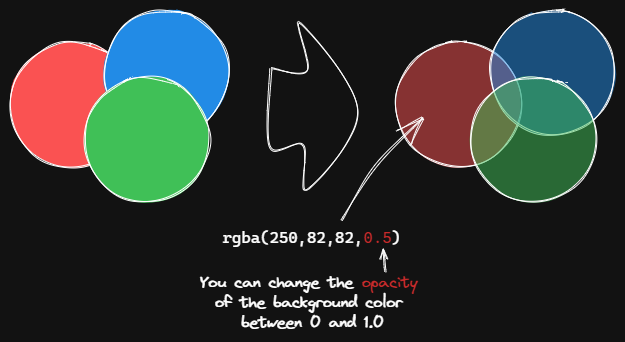|[@1-2-3](https://github.com/1-2-3)|
|
||||
|[Normalize Selected Arrows](Normalize%20Selected%20Arrows.md)|This script will reset the start and end positions of the selected arrows. The arrow will point to the center of the connected box and will have a gap of 8px from the box.|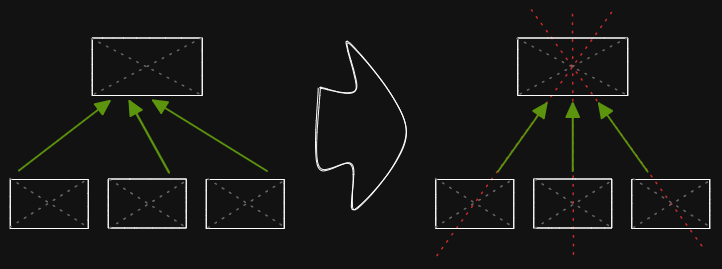|[@1-2-3](https://github.com/1-2-3)|
|
||||
|[OCR - Optical Character Recognition](OCR%20-%20Optical%20Character%20Recognition.md)|The script will 1) send the selected image file to [taskbone.com](https://taskbone.com) to exctract the text from the image, and 2) will add the text to your drawing as a text element.|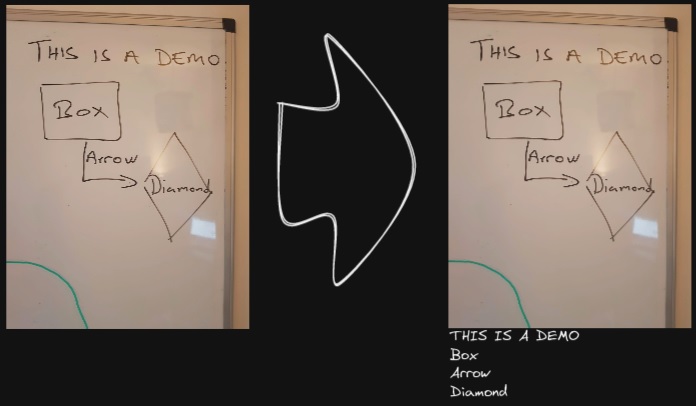|[@zsviczian](https://github.com/zsviczian)|
|
||||
|[OCR - Optical Character Recognition](OCR%20-%20Optical%20Character%20Recognition.md)|The script will 1) send the selected image file to [taskbone.com](https://taskbone.com) to extract the text from the image, and 2) will add the text to your drawing as a text element.||[@zsviczian](https://github.com/zsviczian)|
|
||||
|[Organic Line](Organic%20Line.md)|Converts selected freedraw lines such that pencil pressure will decrease from maximum to minimum from the beginning of the line to its end. The resulting line is placed at the back of the layers, under all other items. Helpful when drawing organic mindmaps.|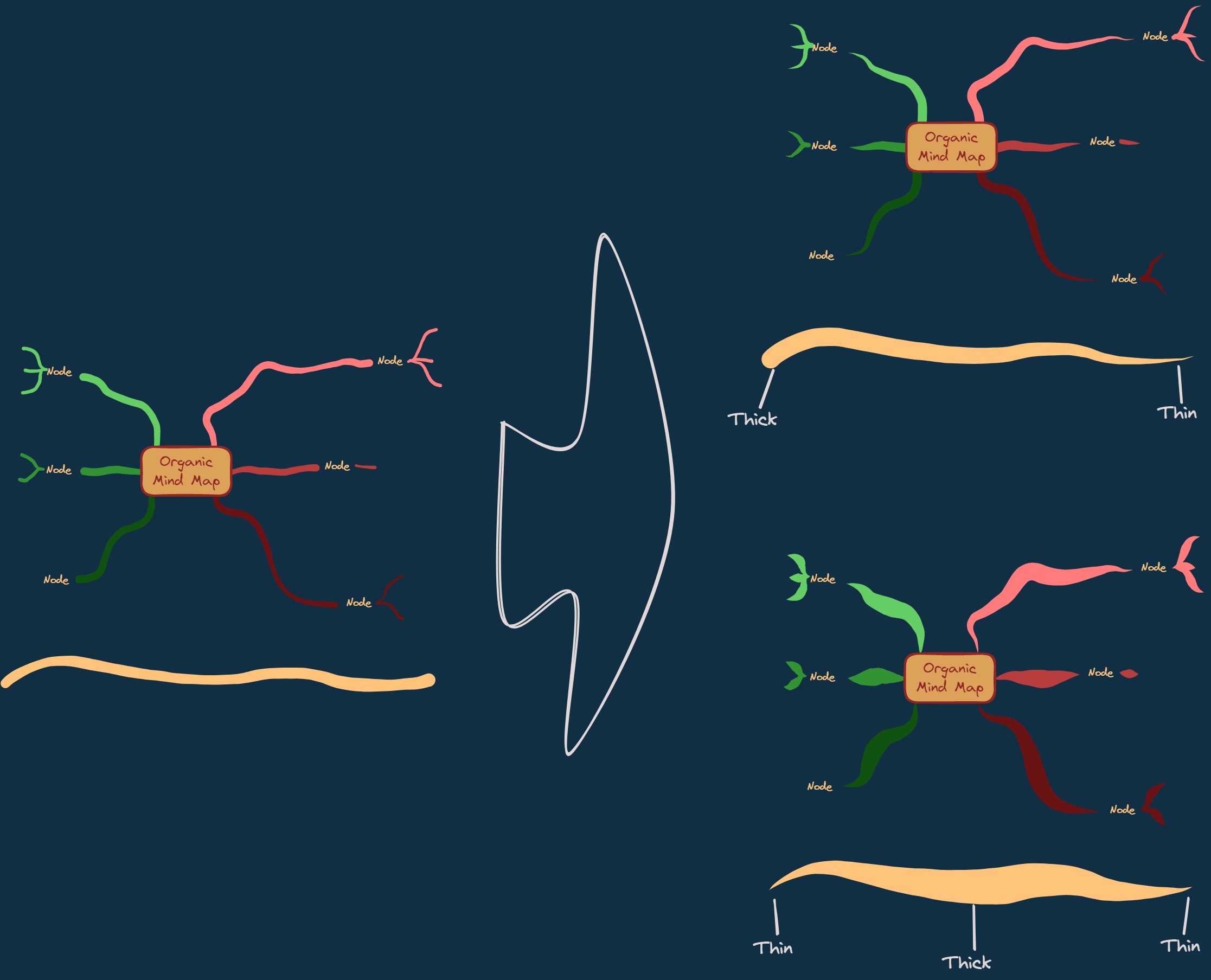|[@zsviczian](https://github.com/zsviczian)|
|
||||
|[Repeat Elements](Repeat%20Elements.md)|This script will detect the difference between 2 selected elements, including position, size, angle, stroke and background color, and create several elements that repeat these differences based on the number of repetitions entered by the user.|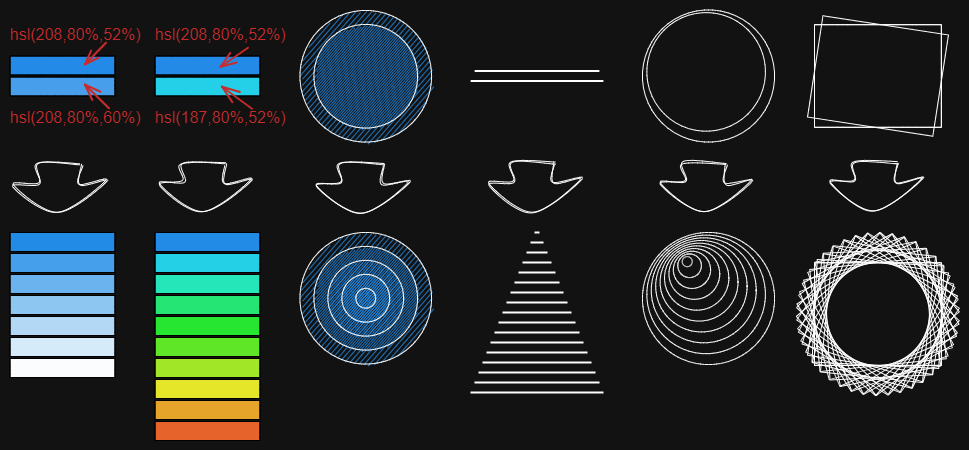|[@1-2-3](https://github.com/1-2-3)|
|
||||
|[Reset LaTeX Size](Reset%20LaTeX%20Size.md)|Reset the sizes of embedded LaTeX equations to the default sizes or a multiple of the default sizes.||[@firai](https://github.com/firai)|
|
||||
|[Reverse arrows](Reverse%20arrows.md)|Reverse the direction of **arrows** within the scope of selected elements.|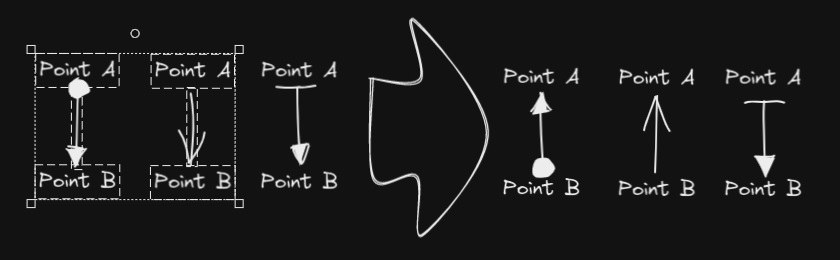|[@zsviczian](https://github.com/zsviczian)|
|
||||
|[Scribble Helper](Scribble%20Helper.md)|iOS scribble helper for better handwriting experience with text elements. If no elements are selected then the creates a text element at pointer position and you can use the edit box to modify the text with scribble. If a text element is selected then opens the input prompt where you can modify this text with scribble.||[@zsviczian](https://github.com/zsviczian)|
|
||||
|[Select Elements of Type](Select%20Elements%20of%20Type.md)|Prompts you with a list of the different element types in the active image. Only elements of the selected type will be selected on the canvas. If nothing is selected when running the script, then the script will process all the elements on the canvas. If some elements are selected when the script is executed, then the script will only process the selected elements.<br>The script is useful when, for example, you want to bring to front all the arrows, or want to change the color of all the text elements, etc.||[@zsviczian](https://github.com/zsviczian)|
|
||||
|
||||
@@ -0,0 +1,40 @@
|
||||
/*
|
||||
The script will cycle through S, M, L, XL font sizes scaled to the current canvas zoom.
|
||||
```js*/
|
||||
const FONTSIZES = [16, 20, 28, 36];
|
||||
const api = ea.getExcalidrawAPI();
|
||||
const st = api.getAppState();
|
||||
const zoom = st.zoom.value;
|
||||
const currentItemFontSize = st.currentItemFontSize;
|
||||
|
||||
const fontsizes = FONTSIZES.map(s=>s/zoom);
|
||||
const els = ea.getViewSelectedElements().filter(el=>el.type === "text");
|
||||
|
||||
const findClosestIndex = (val, list) => {
|
||||
let closestIndex = 0;
|
||||
let closestDifference = Math.abs(list[0] - val);
|
||||
for (let i = 1; i < list.length; i++) {
|
||||
const difference = Math.abs(list[i] - val);
|
||||
if (difference <= closestDifference) {
|
||||
closestDifference = difference;
|
||||
closestIndex = i;
|
||||
}
|
||||
}
|
||||
return closestIndex;
|
||||
}
|
||||
|
||||
ea.viewUpdateScene({appState:{currentItemFontSize: fontsizes[(findClosestIndex(currentItemFontSize, fontsizes)+1) % fontsizes.length] }});
|
||||
|
||||
if(els.length>0) {
|
||||
ea.copyViewElementsToEAforEditing(els);
|
||||
ea.getElements().forEach(el=> {
|
||||
el.fontSize = fontsizes[(findClosestIndex(el.fontSize, fontsizes)+1) % fontsizes.length];
|
||||
const font = ExcalidrawLib.getFontString(el);
|
||||
const lineHeight = ExcalidrawLib.getDefaultLineHeight(el.fontFamily);
|
||||
const {width, height, baseline} = ExcalidrawLib.measureText(el.originalText, font, lineHeight);
|
||||
el.width = width;
|
||||
el.height = height;
|
||||
el.baseline = baseline;
|
||||
});
|
||||
ea.addElementsToView();
|
||||
}
|
||||

@@ -0,0 +1,4 @@
|
||||
<svg viewBox="0 0 50 30" xmlns="http://www.w3.org/2000/svg">
|
||||
<text fill="currentColor" x="10" y="30" font-size="16px" font-weight="light">A</text>
|
||||
<text fill="currentColor" x="22" y="30" font-size="36px" font-weight="light">A</text>
|
||||
</svg>
|
||||
|
After Width: | Height: | Size: 243 B |
@@ -0,0 +1,96 @@
|
||||
/*
|
||||
|
||||
|
||||
In the following script, we address the concept of repetition through the lens of numerical progression. As visualized by the image, where multiple circles each labeled with an even task number are being condensed into a linear sequence, our script will similarly iterate through a set of numbers.
|
||||
|
||||
Inspired from [Repeat Elements](https://github.com/zsviczian/obsidian-excalidraw-plugin/blob/master/ea-scripts/Repeat%20Elements.md)
|
||||
|
||||
|
||||
```javascript
|
||||
*/
|
||||
|
||||
if(!ea.verifyMinimumPluginVersion || !ea.verifyMinimumPluginVersion("1.7.19")) {
|
||||
new Notice("This script requires a newer version of Excalidraw. Please install the latest version.");
|
||||
return;
|
||||
}
|
||||
|
||||
let repeatNum = parseInt(await utils.inputPrompt("repeat times?","number","5"));
|
||||
if(!repeatNum) {
|
||||
new Notice("Please enter a number.");
|
||||
return;
|
||||
}
|
||||
|
||||
const selectedElements = ea.getViewSelectedElements().sort((lha,rha) => lha.x === rha.x ? lha.y - rha.y : lha.x - rha.x);
|
||||
|
||||
const selectedBounds = selectedElements.filter(e => e.type !== "text");
|
||||
const selectedTexts = selectedElements.filter(e => e.type === "text");
|
||||
const selectedTextsById = selectedTexts.reduce((prev, next) => (prev[next.id] = next, prev), {})
|
||||
|
||||
|
||||
if(selectedTexts.length !== 2 || ![0, 2].includes(selectedBounds.length)) {
|
||||
new Notice("Please select only 2 text elements.");
|
||||
return;
|
||||
}
|
||||
|
||||
if(selectedBounds.length === 2) {
|
||||
if(selectedBounds[0].type !== selectedBounds[1].type) {
|
||||
new Notice("The selected elements must be of the same type.");
|
||||
return;
|
||||
}
|
||||
if (!selectedBounds.every(e => e.boundElements?.length === 1)) {
|
||||
new Notice("Only support the bound element with 1 text element.");
|
||||
return;
|
||||
}
|
||||
if (!selectedBounds.every(e => !!selectedTextsById[e.boundElements?.[0]?.id])) {
|
||||
new Notice("Bound element must refer to the text element.");
|
||||
return;
|
||||
}
|
||||
}
|
||||
|
||||
const prevBoundEl = selectedBounds.length ? selectedBounds[0] : selectedTexts[0];
|
||||
const nextBoundEl = selectedBounds.length ? selectedBounds[1] : selectedTexts[1];
|
||||
const prevTextEl = prevBoundEl.type === 'text' ? prevBoundEl : selectedTextsById[prevBoundEl.boundElements[0].id]
|
||||
const nextTextEl = nextBoundEl.type === 'text' ? nextBoundEl : selectedTextsById[nextBoundEl.boundElements[0].id]
|
||||
|
||||
const xDistance = nextBoundEl.x - prevBoundEl.x;
|
||||
const yDistance = nextBoundEl.y - prevBoundEl.y;
|
||||
|
||||
const numReg = /\d+/
|
||||
let textNumDiff
|
||||
try {
|
||||
const num0 = +prevTextEl.text.match(numReg)
|
||||
const num1 = +nextTextEl.text.match(numReg)
|
||||
textNumDiff = num1 - num0
|
||||
} catch(e) {
|
||||
new Notice("Text must include a number!")
|
||||
return;
|
||||
}
|
||||
|
||||
const repeatEl = (newEl, step) => {
|
||||
ea.elementsDict[newEl.id] = newEl;
|
||||
newEl.x += xDistance * (step + 1);
|
||||
newEl.y += yDistance * (step + 1);
|
||||
|
||||
if(newEl.text) {
|
||||
const text = newEl.text.replace(numReg, (match) => +match + (step + 1) * textNumDiff)
|
||||
newEl.originalText = text
|
||||
newEl.rawText = text
|
||||
newEl.text = text
|
||||
}
|
||||
}
|
||||
|
||||
ea.copyViewElementsToEAforEditing(selectedBounds);
|
||||
for(let i=0; i<repeatNum; i++) {
|
||||
const newTextEl = ea.cloneElement(nextTextEl);
|
||||
repeatEl(newTextEl, i)
|
||||
|
||||
if (selectedBounds.length) {
|
||||
const newBoundEl = ea.cloneElement(selectedBounds[1]);
|
||||
newBoundEl.boundElements[0].id = newTextEl.id
|
||||
newTextEl.containerId = newBoundEl.id
|
||||
repeatEl(newBoundEl, i)
|
||||
}
|
||||
}
|
||||
|
||||
await ea.addElementsToView(false, false, true);
|
||||
|
||||

@@ -0,0 +1,7 @@
|
||||
<?xml version="1.0" encoding="utf-8"?>
|
||||
<!-- Svg Vector Icons : http://www.onlinewebfonts.com/icon -->
|
||||
<!DOCTYPE svg PUBLIC "-//W3C//DTD SVG 1.1//EN" "http://www.w3.org/Graphics/SVG/1.1/DTD/svg11.dtd">
|
||||
<svg version="1.1" xmlns="http://www.w3.org/2000/svg" xmlns:xlink="http://www.w3.org/1999/xlink" x="0px" y="0px" viewBox="0 0 256 256" enable-background="new 0 0 256 256" xml:space="preserve">
|
||||
<metadata> Svg Vector Icons : http://www.onlinewebfonts.com/icon </metadata>
|
||||
<g><g><g><path fill="#000000" d="M101.2,18.7c-2,0.9-38,36.6-39.2,39c-1,1.9-1.1,4.2-0.4,6.2c0.6,1.5,37.3,38.6,39.3,39.6c1.7,0.9,5.2,0.8,7.1-0.1c1.9-0.9,3.7-3.5,4.1-5.8c0.6-3.5-0.2-4.5-12.5-16.8L88.2,69.2h44.3c38.7,0,44.8,0.1,48.6,0.7c24.2,4.2,43.2,22.6,48.1,46.8c3.3,16.4-1,34.2-11.5,47.6c-3.5,4.6-4.1,6.9-2.4,10.4c1.8,3.7,6.6,5.3,10.4,3.5c2.8-1.3,8.7-9.4,12.5-17.2c10.5-20.8,10.5-45.2,0-66.2c-10.3-20.6-28.6-34.8-51.8-40c-4.6-1.1-4.8-1.1-51.3-1.2c-25.7-0.1-46.7-0.3-46.7-0.5s5.2-5.5,11.5-11.9c9.4-9.4,11.6-11.9,12-13.3C113.6,21.6,107.3,16.1,101.2,18.7z"/><path fill="#000000" d="M34.9,73.4c-1.8,0.5-5.8,4.4-9.7,9.6c-7.9,10.4-12.8,22.4-14.5,35.4c-5.3,40.1,22.9,77.3,63.1,83.3c4,0.6,11.3,0.7,45.4,0.7c24,0,40.6,0.2,40.6,0.4c0,0.2-5,5.3-11.1,11.1c-11.3,11-12.9,13-12.9,16c0,4.1,3.8,7.9,7.9,7.9c0.7,0,2.1-0.3,3.1-0.7c2.3-1,38.1-36.6,39.3-39.2c1-2.1,1.1-4.2,0.4-6.1c-0.6-1.5-37.3-38.6-39.3-39.7c-1.9-1-6.1-0.6-8.1,0.8c-2.9,2-4,6.4-2.5,9.4c0.4,0.8,5.9,6.6,12.1,12.9l11.4,11.4h-40.4c-35,0-40.9-0.1-44.7-0.7c-24.2-4.1-43.4-22.9-48.2-47.1c-1.1-5.5-1.1-16.4,0-21.9c2.1-10.7,7-20.2,14.6-28.7c2.1-2.3,3.5-4.3,3.8-5.4c1-3.6-0.7-7.3-4.2-9C38.7,72.8,37.4,72.7,34.9,73.4z"/></g></g></g>
|
||||
</svg>
|
||||
|
After Width: | Height: | Size: 1.6 KiB |
@@ -0,0 +1,32 @@
|
||||
|
||||
/*
|
||||

|
||||
|
||||
Reset the sizes of embedded LaTeX equations to the default sizes or a multiple of the default sizes.
|
||||
|
||||
```javascript
|
||||
*/
|
||||
|
||||
if (!ea.verifyMinimumPluginVersion || !ea.verifyMinimumPluginVersion("2.4.0")) {
|
||||
new Notice("This script requires a newer version of Excalidraw. Please install the latest version.");
|
||||
return;
|
||||
}
|
||||
|
||||
let elements = ea.getViewSelectedElements().filter((el)=>["image"].includes(el.type));
|
||||
if (elements.length === 0) return;
|
||||
|
||||
scale = await utils.inputPrompt("Scale?", "Number", "1");
|
||||
if (!scale) return;
|
||||
scale = parseFloat(scale);
|
||||
|
||||
ea.copyViewElementsToEAforEditing(elements);
|
||||
|
||||
for (el of elements) {
|
||||
equation = ea.targetView.excalidrawData.getEquation(el.fileId)?.latex;
|
||||
if (!equation) return;
|
||||
eqData = await ea.tex2dataURL(equation);
|
||||
ea.getElement(el.id).width = eqData.size.width * scale;
|
||||
ea.getElement(el.id).height = eqData.size.height * scale;
|
||||
};
|
||||
|
||||
ea.addElementsToView(false, false);
|
||||

@@ -0,0 +1 @@
|
||||
<svg class="skip" xmlns="http://www.w3.org/2000/svg" width="24" height="24" viewBox="0 0 24 24" fill="none" stroke="currentColor" stroke-linecap="round" stroke-linejoin="round"><rect stroke-width="2" width="20" height="16" x="2" y="4" rx="2"/><path stroke-width="2" d="M12 9v11"/><path stroke-width="2" d="M2 9h13a2 2 0 0 1 2 2v9"/></svg>
|
||||
|
After Width: | Height: | Size: 338 B |
@@ -2,48 +2,78 @@
|
||||
|
||||
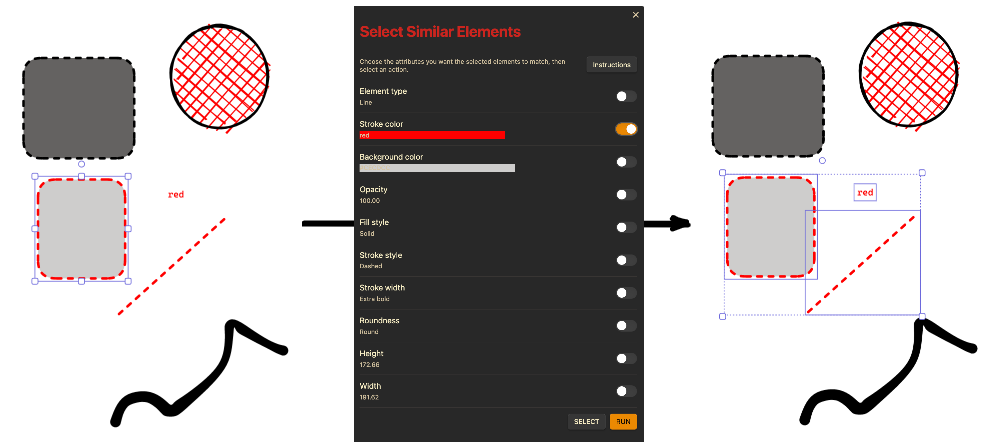
|
||||
|
||||
This script allows users to streamline their Obsidian-Excalidraw workflows by enabling the selection of elements based on similar properties. Users can precisely define which attributes such as stroke color, fill style, font family, and more, should match for selection. It's perfect for large canvases where manual selection would be cumbersome. Users can either run the script to find and select matching elements across the entire scene, or define a specific group of elements to apply the selection criteria within a defined timeframe. This script enhances control and efficiency in your Excalidraw experience.
|
||||
This script enables the selection of elements based on matching properties. Select the attributes (such as stroke color, fill style, font family, etc) that should match for selection. It's perfect for large scenes where manual selection of elements would be cumbersome. You can either run the script to select matching elements across the entire scene, or define a specific group of elements to apply the selection criteria to.
|
||||
|
||||
```js */
|
||||
|
||||
let config = window.ExcalidrawSelectConfig;
|
||||
config = config && (Date.now() - config.timestamp < 60000) ? config : null;
|
||||
const isValidConfig = config && (Date.now() - config.timestamp < 60000);
|
||||
config = isValidConfig ? config : null;
|
||||
|
||||
let elements = ea.getViewSelectedElements();
|
||||
if(!config && (elements.length !==1)) {
|
||||
new Notice("Select a single element");
|
||||
return;
|
||||
} else {
|
||||
if(elements.length === 0) {
|
||||
elements = ea.getViewElements();
|
||||
if(!config) {
|
||||
|
||||
async function shouldAbort() {
|
||||
if(elements.length === 1) return false;
|
||||
if(elements.length !== 2) return true;
|
||||
|
||||
//maybe container?
|
||||
const textEl = elements.find(el=>el.type==="text");
|
||||
if(!textEl || !textEl.containerId) return true;
|
||||
|
||||
const containerEl = elements.find(el=>el.id === textEl.containerId);
|
||||
if(!containerEl) return true;
|
||||
|
||||
const id = await utils.suggester(
|
||||
elements.map(el=>el.type),
|
||||
elements.map(el=>el.id),
|
||||
"Select container component"
|
||||
);
|
||||
if(!id) return true;
|
||||
elements = elements.filter(el=>el.id === id);
|
||||
return false;
|
||||
}
|
||||
|
||||
if(await shouldAbort()) {
|
||||
new Notice("Select a single element");
|
||||
return;
|
||||
}
|
||||
}
|
||||
|
||||
const {angle, backgroundColor, fillStyle, fontFamily, fontSize, height, width, opacity, roughness, roundness, strokeColor, strokeStyle, strokeWidth, type, startArrowhead, endArrowhead} = ea.getViewSelectedElement();
|
||||
if(Boolean(config) && elements.length === 0) {
|
||||
elements = ea.getViewElements();
|
||||
}
|
||||
|
||||
const {angle, backgroundColor, fillStyle, fontFamily, fontSize, height, width, opacity, roughness, roundness, strokeColor, strokeStyle, strokeWidth, type, startArrowhead, endArrowhead, fileId} = ea.getViewSelectedElement();
|
||||
|
||||
const fragWithHTML = (html) => createFragment((frag) => (frag.createDiv().innerHTML = html));
|
||||
|
||||
function lc(x) {
|
||||
return x?.toLocaleLowerCase();
|
||||
}
|
||||
|
||||
//--------------------------
|
||||
// RUN
|
||||
//--------------------------
|
||||
const run = () => {
|
||||
selectedElements = ea.getViewElements().filter(el=>
|
||||
selectedElements = elements.filter(el=>
|
||||
((typeof config.angle === "undefined") || (el.angle === config.angle)) &&
|
||||
((typeof config.backgroundColor === "undefined") || (el.backgroundColor === config.backgroundColor)) &&
|
||||
((typeof config.backgroundColor === "undefined") || (lc(el.backgroundColor) === lc(config.backgroundColor))) &&
|
||||
((typeof config.fillStyle === "undefined") || (el.fillStyle === config.fillStyle)) &&
|
||||
((typeof config.fontFamily === "undefined") || (el.fontFamily === config.fontFamily)) &&
|
||||
((typeof config.fontSize === "undefined") || (el.fontSize === config.fontSize)) &&
|
||||
((typeof config.height === "undefined") || Math.abs(el.height - config.height) < 0.01) &&
|
||||
((typeof config.width === "undefined") || Math.abs(el.width - config.width) < 0.01) &&
|
||||
((typeof config.height === "undefined") || Math.abs(el.height - config.height) < 0.01) &&
|
||||
((typeof config.width === "undefined") || Math.abs(el.width - config.width) < 0.01) &&
|
||||
((typeof config.opacity === "undefined") || (el.opacity === config.opacity)) &&
|
||||
((typeof config.roughness === "undefined") || (el.roughness === config.roughness)) &&
|
||||
((typeof config.roundness === "undefined") || (el.roundness === config.roundness)) &&
|
||||
((typeof config.strokeColor === "undefined") || (el.strokeColor === config.strokeColor)) &&
|
||||
((typeof config.strokeColor === "undefined") || (lc(el.strokeColor) === lc(config.strokeColor))) &&
|
||||
((typeof config.strokeStyle === "undefined") || (el.strokeStyle === config.strokeStyle)) &&
|
||||
((typeof config.strokeWidth === "undefined") || (el.strokeWidth === config.strokeWidth)) &&
|
||||
((typeof config.type === "undefined") || (el.type === config.type)) &&
|
||||
((typeof config.startArrowhead === "undefined") || (el.startArrowhead === config.startArrowhead)) &&
|
||||
((typeof config.endArrowhead === "undefined") || (el.endArrowhead === config.endArrowhead))
|
||||
((typeof config.endArrowhead === "undefined") || (el.endArrowhead === config.endArrowhead)) &&
|
||||
((typeof config.fileId === "undefined") || (el.fileId === config.fileId))
|
||||
)
|
||||
ea.selectElementsInView(selectedElements);
|
||||
delete window.ExcalidrawSelectConfig;
|
||||
@@ -55,12 +85,12 @@ const run = () => {
|
||||
const showInstructions = () => {
|
||||
const instructionsModal = new ea.obsidian.Modal(app);
|
||||
instructionsModal.onOpen = () => {
|
||||
instructionsModal.contentEl.createEl("h2", {text: "Instructions"});
|
||||
instructionsModal.contentEl.createEl("h2", {text: "Instructions"});
|
||||
instructionsModal.contentEl.createEl("p", {text: "Step 1: Choose the attributes that you want the selected elements to match."});
|
||||
instructionsModal.contentEl.createEl("p", {text: "Step 2: Select an action:"});
|
||||
instructionsModal.contentEl.createEl("ul", {}, el => {
|
||||
el.createEl("li", {text: "Click 'RUN' to find matching elements throughout the entire scene."});
|
||||
el.createEl("li", {text: "Click 'SELECT' to first choose a specific group of elements. Then run the 'Select Similar Elements' script once more on that group within 1 minute."});
|
||||
el.createEl("li", {text: "Click 'SELECT' to 1) first choose a specific group of elements in the scene, then 2) run the 'Select Similar Elements' once more within 1 minute to apply the filter criteria only to that group of elements."});
|
||||
});
|
||||
instructionsModal.contentEl.createEl("p", {text: "Note: If you choose 'SELECT', make sure to click the 'Select Similar Elements' script again within 1 minute to apply your selection criteria to the group of elements you chose."});
|
||||
};
|
||||
@@ -70,14 +100,14 @@ const showInstructions = () => {
|
||||
const selectAttributesToCopy = () => {
|
||||
const configModal = new ea.obsidian.Modal(app);
|
||||
configModal.onOpen = () => {
|
||||
config = {};
|
||||
config = {};
|
||||
configModal.contentEl.createEl("h1", {text: "Select Similar Elements"});
|
||||
new ea.obsidian.Setting(configModal.contentEl)
|
||||
.setDesc("Choose the attributes you want the selected elements to match, then select an action.")
|
||||
.addButton(button => button
|
||||
.setButtonText("Instructions")
|
||||
.onClick(showInstructions)
|
||||
);
|
||||
new ea.obsidian.Setting(configModal.contentEl)
|
||||
.setDesc("Choose the attributes you want the selected elements to match, then select an action.")
|
||||
.addButton(button => button
|
||||
.setButtonText("Instructions")
|
||||
.onClick(showInstructions)
|
||||
);
|
||||
|
||||
|
||||
// Add Toggles for the rest of the attributes
|
||||
@@ -97,11 +127,12 @@ const selectAttributesToCopy = () => {
|
||||
{name: "End arrowhead", key: "endArrowhead"},
|
||||
{name: "Height", key: "height"},
|
||||
{name: "Width", key: "width"},
|
||||
{name: "ImageID", key: "fileId"},
|
||||
];
|
||||
|
||||
attributes.forEach(attr => {
|
||||
const attrValue = elements[0][attr.key];
|
||||
if(attrValue || (attr.key === "startArrowhead" && elements[0].type === "arrow") || (attr.key === "endArrowhead" && elements[0].type === "arrow")) {
|
||||
if((typeof attrValue !== "undefined" && attrValue !== null) || (attr.key === "startArrowhead" && elements[0].type === "arrow") || (attr.key === "endArrowhead" && elements[0].type === "arrow")) {
|
||||
let description = '';
|
||||
|
||||
switch(attr.key) {
|
||||
@@ -142,8 +173,6 @@ const selectAttributesToCopy = () => {
|
||||
description = `${attrValue}`;
|
||||
break;
|
||||
default:
|
||||
console.log(attr.key);
|
||||
console.log(attrValue);
|
||||
description = `${attrValue.charAt(0).toUpperCase() + attrValue.slice(1)}`;
|
||||
break;
|
||||
}
|
||||
@@ -165,7 +194,7 @@ const selectAttributesToCopy = () => {
|
||||
});
|
||||
|
||||
|
||||
//Add Toggle for the rest of the attirbutes. Organize attributes into a logical sequence or groups by adding
|
||||
//Add Toggle for the rest of the attributes. Organize attributes into a logical sequence or groups by adding
|
||||
//configModal.contentEl.createEl("h") or similar to the code
|
||||
|
||||
new ea.obsidian.Setting(configModal.contentEl)
|
||||
@@ -190,7 +219,9 @@ const selectAttributesToCopy = () => {
|
||||
|
||||
|
||||
configModal.onClose = () => {
|
||||
setTimeout(()=>delete configModal);
|
||||
setTimeout(()=>{
|
||||
delete configModal
|
||||
});
|
||||
}
|
||||
|
||||
configModal.open();
|
||||
|
||||
@@ -8,6 +8,46 @@ https://zsviczian.github.io/obsidian-excalidraw-plugin/ExcalidrawScriptsEngine.h
|
||||
|
||||
```javascript
|
||||
*/
|
||||
if(ea.verifyMinimumPluginVersion && ea.verifyMinimumPluginVersion("2.4.0")) {
|
||||
|
||||
const api = ea.getExcalidrawAPI();
|
||||
let appState = api.getAppState();
|
||||
let gridFrequency = appState.gridStep;;
|
||||
|
||||
const customControls = (container) => {
|
||||
new ea.obsidian.Setting(container)
|
||||
.setName(`Major grid frequency`)
|
||||
.addDropdown(dropdown => {
|
||||
[2,3,4,5,6,7,8,9,10].forEach(grid=>dropdown.addOption(grid,grid));
|
||||
dropdown
|
||||
.setValue(gridFrequency)
|
||||
.onChange(value => {
|
||||
gridFrequency = value;
|
||||
})
|
||||
})
|
||||
}
|
||||
|
||||
const gridSize = parseInt(await utils.inputPrompt(
|
||||
"Grid size?",
|
||||
null,
|
||||
appState.GridSize?.toString()??"20",
|
||||
null,
|
||||
1,
|
||||
false,
|
||||
customControls
|
||||
));
|
||||
if(isNaN(gridSize)) return; //this is to avoid passing an illegal value to Excalidraw
|
||||
const gridStep = isNaN(parseInt(gridFrequency)) ? appState.gridStep : parseInt(gridFrequency);
|
||||
|
||||
api.updateScene({
|
||||
appState : {gridSize, gridStep, gridModeEnabled:true},
|
||||
commitToHistory:false
|
||||
});
|
||||
}
|
||||
|
||||
// ----------------
|
||||
// old script
|
||||
// ----------------
|
||||
if(!ea.verifyMinimumPluginVersion || !ea.verifyMinimumPluginVersion("1.9.19")) {
|
||||
new Notice("This script requires a newer version of Excalidraw. Please install the latest version.");
|
||||
return;
|
||||
|
||||
@@ -9,8 +9,13 @@ https://zsviczian.github.io/obsidian-excalidraw-plugin/ExcalidrawScriptsEngine.h
|
||||
```javascript
|
||||
*/
|
||||
let width = (ea.getViewSelectedElement().strokeWidth??1).toString();
|
||||
width = await utils.inputPrompt("Width?","number",width);
|
||||
width = parseFloat(await utils.inputPrompt("Width?","number",width));
|
||||
if(isNaN(width)) {
|
||||
new Notice("Invalid number");
|
||||
return;
|
||||
}
|
||||
const elements=ea.getViewSelectedElements();
|
||||
ea.copyViewElementsToEAforEditing(elements);
|
||||
ea.getElements().forEach((el)=>el.strokeWidth=width);
|
||||
ea.addElementsToView(false,false);
|
||||
await ea.addElementsToView(false,false);
|
||||
ea.viewUpdateScene({appState: {currentItemStrokeWidth: width}});
|
||||
@@ -0,0 +1,729 @@
|
||||
/*
|
||||
This is an experimental script. If you find bugs, please consider debugging yourself then submitting a PR on github with the fix, instead of raising an issue. Thank you!
|
||||
|
||||
This script modifies the color lightness/hue/saturation/transparency of selected Excalidraw elements and SVG and nested Excalidraw drawings. Select eligible elements in the scene, then run the script.
|
||||
|
||||
- The color of Excalidraw elements (lines, ellipses, rectangles, etc.) will be changed by the script.
|
||||
- The color of SVG elements and nested Excalidraw drawings will only be mapped. When mapping colors, the original image remains unchanged, only a mapping table is created and the image is recolored during rendering of your Excalidraw screen. In case you want to make manual changes you can also edit the mapping in Markdown View Mode under `## Embedded Files`
|
||||
|
||||
If you select only a single SVG or nested Excalidraw element, then the script offers an additional feature. You can map colors one by one in the image.
|
||||
```js*/
|
||||
|
||||
const HELP_TEXT = `
|
||||
<ul>
|
||||
<li dir="auto">Select SVG images, nested Excalidraw drawings and/or regular Excalidraw elements</li>
|
||||
<li dir="auto">For a single selected image, you can map colors individually in the color mapping section</li>
|
||||
<li dir="auto">For Excalidraw elements: stroke and background colors are modified permanently</li>
|
||||
<li dir="auto">For SVG/nested drawings: original files stay unchanged, color mapping is stored under <code>## Embedded Files</code></li>
|
||||
<li dir="auto">Using color maps helps maintain links between drawings while allowing different color themes</li>
|
||||
<li dir="auto">Sliders work on relative scale - the amount of change is applied to current values</li>
|
||||
<li dir="auto">Unlike Excalidraw's opacity setting which affects the whole element:
|
||||
<ul>
|
||||
<li dir="auto">Shade Master can set different opacity for stroke vs background</li>
|
||||
<li dir="auto">Note: SVG/nested drawing colors are mapped at color name level, thus "black" is different from "#000000"</li>
|
||||
<li dir="auto">Additionally if the same color is used as fill and stroke the color can only be mapped once</li>
|
||||
</ul>
|
||||
</li>
|
||||
<li dir="auto">This is an experimental script - contributions welcome on GitHub via PRs</li>
|
||||
</ul>
|
||||
<div class="excalidraw-videoWrapper"><div>
|
||||
<iframe src="https://www.youtube.com/embed/ISuORbVKyhQ" title="YouTube video player" frameborder="0" allow="accelerometer; autoplay; clipboard-write; encrypted-media; gyroscope; picture-in-picture" allowfullscreen></iframe>
|
||||
</div></div>
|
||||
`;
|
||||
|
||||
if(!ea.verifyMinimumPluginVersion || !ea.verifyMinimumPluginVersion("2.7.2")) {
|
||||
new Notice("This script requires a newer version of Excalidraw. Please install the latest version.");
|
||||
return;
|
||||
}
|
||||
|
||||
/*
|
||||
SVGColorInfo is returned by ea.getSVGColorInfoForImgElement. Color info will all the color strings in the SVG file plus "fill" which represents the default fill color for SVG icons set at the SVG root element level. Fill if not set defaults to black:
|
||||
|
||||
type SVGColorInfo = Map<string, {
|
||||
mappedTo: string;
|
||||
fill: boolean;
|
||||
stroke: boolean;
|
||||
}>;
|
||||
|
||||
In the Excalidraw file under `## Embedded Files` the color map is included after the file. That color map implements ColorMap. ea.updateViewSVGImageColorMap takes a ColorMap as input.
|
||||
interface ColorMap {
|
||||
[color: string]: string;
|
||||
};
|
||||
*/
|
||||
|
||||
// Main script execution
|
||||
const allElements = ea.getViewSelectedElements();
|
||||
const svgImageElements = allElements.filter(el => {
|
||||
if(el.type !== "image") return false;
|
||||
const file = ea.getViewFileForImageElement(el);
|
||||
if(!file) return false;
|
||||
return el.type === "image" && (
|
||||
file.extension === "svg" ||
|
||||
ea.isExcalidrawFile(file)
|
||||
);
|
||||
});
|
||||
|
||||
if(allElements.length === 0) {
|
||||
new Notice("Select at least one rectangle, ellipse, diamond, line, arrow, freedraw, text or SVG image elment");
|
||||
return;
|
||||
}
|
||||
|
||||
const originalColors = new Map();
|
||||
const currentColors = new Map();
|
||||
const colorInputs = new Map();
|
||||
const sliderResetters = [];
|
||||
let terminate = false;
|
||||
const FORMAT = "Color Format";
|
||||
const STROKE = "Modify Stroke Color";
|
||||
const BACKGROUND = "Modify Background Color"
|
||||
const ACTIONS = ["Hue", "Lightness", "Saturation", "Transparency"];
|
||||
const precision = [1,2,2,3];
|
||||
const minLigtness = 1/Math.pow(10,precision[2]);
|
||||
const maxLightness = 100 - minLigtness;
|
||||
const minSaturation = 1/Math.pow(10,precision[2]);
|
||||
|
||||
let settings = ea.getScriptSettings();
|
||||
//set default values on first run
|
||||
if(!settings[STROKE]) {
|
||||
settings = {};
|
||||
settings[FORMAT] = {
|
||||
value: "HEX",
|
||||
valueset: ["HSL", "RGB", "HEX"],
|
||||
description: "Output color format."
|
||||
};
|
||||
settings[STROKE] = { value: true }
|
||||
settings[BACKGROUND] = {value: true }
|
||||
ea.setScriptSettings(settings);
|
||||
}
|
||||
|
||||
function getRegularElements() {
|
||||
ea.clear();
|
||||
//loading view elements again as element objects change when colors are updated
|
||||
const allElements = ea.getViewSelectedElements();
|
||||
return allElements.filter(el =>
|
||||
["rectangle", "ellipse", "diamond", "line", "arrow", "freedraw", "text"].includes(el.type)
|
||||
);
|
||||
}
|
||||
|
||||
const updatedImageElementColorMaps = new Map();
|
||||
let isWaitingForSVGUpdate = false;
|
||||
function updateViewImageColors() {
|
||||
if(terminate || isWaitingForSVGUpdate || updatedImageElementColorMaps.size === 0) {
|
||||
return;
|
||||
}
|
||||
isWaitingForSVGUpdate = true;
|
||||
elementArray = Array.from(updatedImageElementColorMaps.keys());
|
||||
colorMapArray = Array.from(updatedImageElementColorMaps.values());
|
||||
updatedImageElementColorMaps.clear();
|
||||
ea.updateViewSVGImageColorMap(elementArray, colorMapArray).then(()=>{
|
||||
isWaitingForSVGUpdate = false;
|
||||
updateViewImageColors();
|
||||
});
|
||||
}
|
||||
|
||||
async function storeOriginalColors() {
|
||||
// Store colors for regular elements
|
||||
for (const el of getRegularElements()) {
|
||||
const key = el.id;
|
||||
const colorData = {
|
||||
type: "regular",
|
||||
strokeColor: el.strokeColor,
|
||||
backgroundColor: el.backgroundColor
|
||||
};
|
||||
originalColors.set(key, colorData);
|
||||
}
|
||||
|
||||
// Store colors for SVG elements
|
||||
for (const el of svgImageElements) {
|
||||
const colorInfo = await ea.getSVGColorInfoForImgElement(el);
|
||||
const svgColors = new Map();
|
||||
for (const [color, info] of colorInfo.entries()) {
|
||||
svgColors.set(color, {...info});
|
||||
}
|
||||
|
||||
originalColors.set(el.id, {type: "svg",colors: svgColors});
|
||||
}
|
||||
copyOriginalsToCurrent();
|
||||
}
|
||||
|
||||
function copyOriginalsToCurrent() {
|
||||
for (const [key, value] of originalColors.entries()) {
|
||||
if(value.type === "regular") {
|
||||
currentColors.set(key, {...value});
|
||||
} else {
|
||||
const newColorMap = new Map();
|
||||
for (const [color, info] of value.colors.entries()) {
|
||||
newColorMap.set(color, {...info});
|
||||
}
|
||||
currentColors.set(key, {type: "svg", colors: newColorMap});
|
||||
}
|
||||
}
|
||||
}
|
||||
|
||||
function clearSVGMapping() {
|
||||
for (const resetter of sliderResetters) {
|
||||
resetter();
|
||||
}
|
||||
// Reset SVG elements
|
||||
if (svgImageElements.length === 1) {
|
||||
const el = svgImageElements[0];
|
||||
const original = originalColors.get(el.id);
|
||||
const current = currentColors.get(el.id);
|
||||
if (original && original.type === "svg") {
|
||||
|
||||
for (const color of original.colors.keys()) {
|
||||
current.colors.get(color).mappedTo = color;
|
||||
}
|
||||
}
|
||||
} else {
|
||||
for (const el of svgImageElements) {
|
||||
const original = originalColors.get(el.id);
|
||||
const current = currentColors.get(el.id);
|
||||
if (original && original.type === "svg") {
|
||||
for (const color of original.colors.keys()) {
|
||||
current.colors.get(color).mappedTo = color;
|
||||
}
|
||||
}
|
||||
}
|
||||
}
|
||||
run("clear");
|
||||
}
|
||||
|
||||
// Set colors
|
||||
async function setColors(colors) {
|
||||
debounceColorPicker = true;
|
||||
const regularElements = getRegularElements();
|
||||
|
||||
if (regularElements.length > 0) {
|
||||
ea.copyViewElementsToEAforEditing(regularElements);
|
||||
for (const el of ea.getElements()) {
|
||||
const original = colors.get(el.id);
|
||||
if (original && original.type === "regular") {
|
||||
if (original.strokeColor) el.strokeColor = original.strokeColor;
|
||||
if (original.backgroundColor) el.backgroundColor = original.backgroundColor;
|
||||
}
|
||||
}
|
||||
await ea.addElementsToView(false, false);
|
||||
}
|
||||
|
||||
// Reset SVG elements
|
||||
if (svgImageElements.length === 1) {
|
||||
const el = svgImageElements[0];
|
||||
const original = colors.get(el.id);
|
||||
if (original && original.type === "svg") {
|
||||
const newColorMap = {};
|
||||
|
||||
for (const [color, info] of original.colors.entries()) {
|
||||
newColorMap[color] = info.mappedTo;
|
||||
// Update UI components
|
||||
const inputs = colorInputs.get(color);
|
||||
if (inputs) {
|
||||
if(info.mappedTo === "fill") {
|
||||
info.mappedTo = "black";
|
||||
//"fill" is a special value in case the SVG has no fill color defined (i.e black)
|
||||
inputs.textInput.setValue("black");
|
||||
inputs.colorPicker.setValue("#000000");
|
||||
} else {
|
||||
const cm = ea.getCM(info.mappedTo);
|
||||
inputs.textInput.setValue(info.mappedTo);
|
||||
inputs.colorPicker.setValue(cm.stringHEX({alpha: false}).toLowerCase());
|
||||
}
|
||||
}
|
||||
}
|
||||
updatedImageElementColorMaps.set(el, newColorMap);
|
||||
}
|
||||
} else {
|
||||
for (const el of svgImageElements) {
|
||||
const original = colors.get(el.id);
|
||||
if (original && original.type === "svg") {
|
||||
const newColorMap = {};
|
||||
|
||||
for (const [color, info] of original.colors.entries()) {
|
||||
newColorMap[color] = info.mappedTo;
|
||||
}
|
||||
updatedImageElementColorMaps.set(el, newColorMap);
|
||||
}
|
||||
}
|
||||
}
|
||||
updateViewImageColors();
|
||||
}
|
||||
|
||||
function modifyColor(color, isDecrease, step, action) {
|
||||
if (!color) return null;
|
||||
|
||||
const cm = ea.getCM(color);
|
||||
if (!cm) return color;
|
||||
|
||||
let modified = cm;
|
||||
if (modified.lightness === 0) modified = modified.lightnessTo(minLigtness);
|
||||
if (modified.lightness === 100) modified = modified.lightnessTo(maxLightness);
|
||||
if (modified.saturation === 0) modified = modified.saturationTo(minSaturation);
|
||||
|
||||
switch(action) {
|
||||
case "Lightness":
|
||||
// handles edge cases where lightness is 0 or 100 would convert saturation and hue to 0
|
||||
let lightness = cm.lightness;
|
||||
const shouldRoundLight = (lightness === minLigtness || lightness === maxLightness);
|
||||
if (shouldRoundLight) lightness = Math.round(lightness);
|
||||
lightness += isDecrease ? -step : step;
|
||||
if (lightness <= 0) lightness = minLigtness;
|
||||
if (lightness >= 100) lightness = maxLightness;
|
||||
modified = modified.lightnessTo(lightness);
|
||||
break;
|
||||
case "Hue":
|
||||
modified = isDecrease ? modified.hueBy(-step) : modified.hueBy(step);
|
||||
break;
|
||||
case "Transparency":
|
||||
modified = isDecrease ? modified.alphaBy(-step) : modified.alphaBy(step);
|
||||
break;
|
||||
default:
|
||||
let saturation = cm.saturation;
|
||||
const shouldRoundSat = saturation === minSaturation;
|
||||
if (shouldRoundSat) saturation = Math.round(saturation);
|
||||
saturation += isDecrease ? -step : step;
|
||||
if (saturation <= 0) saturation = minSaturation;
|
||||
modified = modified.saturationTo(saturation);
|
||||
}
|
||||
|
||||
const hasAlpha = modified.alpha < 1;
|
||||
const opts = { alpha: hasAlpha, precision };
|
||||
|
||||
const format = settings[FORMAT].value;
|
||||
switch(format) {
|
||||
case "RGB": return modified.stringRGB(opts).toLowerCase();
|
||||
case "HEX": return modified.stringHEX(opts).toLowerCase();
|
||||
default: return modified.stringHSL(opts).toLowerCase();
|
||||
}
|
||||
}
|
||||
|
||||
function slider(contentEl, action, min, max, step, invert) {
|
||||
let prevValue = (max-min)/2;
|
||||
let debounce = false;
|
||||
let sliderControl;
|
||||
new ea.obsidian.Setting(contentEl)
|
||||
.setName(action)
|
||||
.addSlider(slider => {
|
||||
sliderControl = slider;
|
||||
slider
|
||||
.setLimits(min, max, step)
|
||||
.setValue(prevValue)
|
||||
.onChange(async (value) => {
|
||||
if (debounce) return;
|
||||
const isDecrease = invert ? value > prevValue : value < prevValue;
|
||||
const step = Math.abs(value-prevValue);
|
||||
prevValue = value;
|
||||
if(step>0) {
|
||||
run(action, isDecrease, step);
|
||||
}
|
||||
});
|
||||
}
|
||||
);
|
||||
return () => {
|
||||
debounce = true;
|
||||
prevValue = (max-min)/2;
|
||||
sliderControl.setValue(prevValue);
|
||||
debounce = false;
|
||||
}
|
||||
}
|
||||
|
||||
function showModal() {
|
||||
let debounceColorPicker = true;
|
||||
const modal = new ea.obsidian.Modal(app);
|
||||
let dirty = false;
|
||||
|
||||
modal.onOpen = async () => {
|
||||
const { contentEl, modalEl } = modal;
|
||||
const { width, height } = ea.getExcalidrawAPI().getAppState();
|
||||
modal.bgOpacity = 0;
|
||||
contentEl.createEl('h2', { text: 'Shade Master' });
|
||||
|
||||
const helpDiv = contentEl.createEl("details", {
|
||||
attr: { style: "margin-bottom: 1em;background: var(--background-secondary); padding: 1em; border-radius: 4px;" }});
|
||||
helpDiv.createEl("summary", { text: "Help & Usage Guide", attr: { style: "cursor: pointer; color: var(--text-accent);" } });
|
||||
const helpDetailsDiv = helpDiv.createEl("div", {
|
||||
attr: { style: "margin-top: 0em; " }
|
||||
});
|
||||
helpDetailsDiv.innerHTML = HELP_TEXT;
|
||||
|
||||
const component = new ea.obsidian.Setting(contentEl)
|
||||
.setName(FORMAT)
|
||||
.setDesc("Output color format")
|
||||
.addDropdown(dropdown => dropdown
|
||||
.addOptions({
|
||||
"HSL": "HSL",
|
||||
"RGB": "RGB",
|
||||
"HEX": "HEX"
|
||||
})
|
||||
.setValue(settings[FORMAT].value)
|
||||
.onChange(value => {
|
||||
settings[FORMAT].value = value;
|
||||
run();
|
||||
dirty = true;
|
||||
})
|
||||
);
|
||||
|
||||
new ea.obsidian.Setting(contentEl)
|
||||
.setName(STROKE)
|
||||
.addToggle(toggle => toggle
|
||||
.setValue(settings[STROKE].value)
|
||||
.onChange(value => {
|
||||
settings[STROKE].value = value;
|
||||
dirty = true;
|
||||
})
|
||||
);
|
||||
|
||||
new ea.obsidian.Setting(contentEl)
|
||||
.setName(BACKGROUND)
|
||||
.addToggle(toggle => toggle
|
||||
.setValue(settings[BACKGROUND].value)
|
||||
.onChange(value => {
|
||||
settings[BACKGROUND].value = value;
|
||||
dirty = true;
|
||||
})
|
||||
);
|
||||
|
||||
// lightness and saturation are on a scale of 0%-100%
|
||||
// Hue is in degrees, 360 for the full circle
|
||||
// transparency is on a range between 0 and 1 (equivalent to 0%-100%)
|
||||
// The range for lightness, saturation and transparency are double since
|
||||
// the input could be at either end of the scale
|
||||
// The range for Hue is 360 since regarless of the position on the circle moving
|
||||
// the slider to the two extremes will travel the entire circle
|
||||
// To modify blacks and whites, lightness first needs to be changed to value between 1% and 99%
|
||||
sliderResetters.push(slider(contentEl, "Hue", 0, 360, 1, false));
|
||||
sliderResetters.push(slider(contentEl, "Saturation", 0, 200, 1, false));
|
||||
sliderResetters.push(slider(contentEl, "Lightness", 0, 200, 1, false));
|
||||
sliderResetters.push(slider(contentEl, "Transparency", 0, 2, 0.05, true));
|
||||
|
||||
// Add color pickers if a single SVG image is selected
|
||||
if (svgImageElements.length === 1) {
|
||||
const svgElement = svgImageElements[0];
|
||||
//note that the objects in currentColors might get replaced when
|
||||
//colors are reset, thus in the onChange functions I will always
|
||||
//read currentColorInfo from currentColors based on svgElement.id
|
||||
const initialColorInfo = currentColors.get(svgElement.id).colors;
|
||||
const colorSection = contentEl.createDiv();
|
||||
colorSection.createEl('h3', { text: 'SVG Colors' });
|
||||
|
||||
for (const [color, info] of initialColorInfo.entries()) {
|
||||
const row = new ea.obsidian.Setting(colorSection)
|
||||
.setName(color === "fill" ? "SVG default" : color)
|
||||
.setDesc(`${info.fill ? "Fill" : ""}${info.fill && info.stroke ? " & " : ""}${info.stroke ? "Stroke" : ""}`);
|
||||
row.descEl.style.width = "100px";
|
||||
row.nameEl.style.width = "100px";
|
||||
|
||||
// Create color preview div
|
||||
const previewDiv = row.controlEl.createDiv();
|
||||
previewDiv.style.width = "50px";
|
||||
previewDiv.style.height = "20px";
|
||||
previewDiv.style.border = "1px solid var(--background-modifier-border)";
|
||||
if (color === "transparent") {
|
||||
previewDiv.style.backgroundImage = "linear-gradient(45deg, #808080 25%, transparent 25%), linear-gradient(-45deg, #808080 25%, transparent 25%), linear-gradient(45deg, transparent 75%, #808080 75%), linear-gradient(-45deg, transparent 75%, #808080 75%)";
|
||||
previewDiv.style.backgroundSize = "10px 10px";
|
||||
previewDiv.style.backgroundPosition = "0 0, 0 5px, 5px -5px, -5px 0px";
|
||||
} else {
|
||||
previewDiv.style.backgroundColor = ea.getCM(color).stringHEX({alpha: false}).toLowerCase();
|
||||
}
|
||||
|
||||
const resetButton = new ea.obsidian.Setting(row.controlEl)
|
||||
.addButton(button => button
|
||||
.setButtonText(">>")
|
||||
.setClass("reset-color-button")
|
||||
.onClick(async () => {
|
||||
const original = originalColors.get(svgElement.id);
|
||||
const current = currentColors.get(svgElement.id);
|
||||
if (original?.type === "svg") {
|
||||
const originalInfo = original.colors.get(color);
|
||||
const currentInfo = current.colors.get(color);
|
||||
if (originalInfo) {
|
||||
currentInfo.mappedTo = color;
|
||||
run("reset single color");
|
||||
}
|
||||
}
|
||||
}))
|
||||
resetButton.settingEl.style.padding = "0";
|
||||
resetButton.settingEl.style.border = "0";
|
||||
|
||||
// Add text input for color value
|
||||
const textInput = new ea.obsidian.TextComponent(row.controlEl)
|
||||
.setValue(info.mappedTo)
|
||||
.setPlaceholder("Color value");
|
||||
textInput.inputEl.style.width = "100%";
|
||||
textInput.onChange(value => {
|
||||
const lower = value.toLowerCase();
|
||||
if (lower === color) return;
|
||||
textInput.setValue(lower);
|
||||
})
|
||||
|
||||
const applyButtonComponent = new ea.obsidian.Setting(row.controlEl)
|
||||
.addButton(button => button
|
||||
.setIcon("check")
|
||||
.setTooltip("Apply")
|
||||
.onClick(async () => {
|
||||
const value = textInput.getValue();
|
||||
try {
|
||||
if(!CSS.supports("color",value)) {
|
||||
new Notice (`${value} is not a valid color string`);
|
||||
return;
|
||||
}
|
||||
const cm = ea.getCM(value);
|
||||
if (cm) {
|
||||
const format = settings[FORMAT].value;
|
||||
const alpha = cm.alpha < 1 ? true : false;
|
||||
const newColor = format === "RGB"
|
||||
? cm.stringRGB({alpha , precision }).toLowerCase()
|
||||
: format === "HEX"
|
||||
? cm.stringHEX({alpha}).toLowerCase()
|
||||
: cm.stringHSL({alpha, precision }).toLowerCase();
|
||||
|
||||
textInput.setValue(newColor);
|
||||
const currentInfo = currentColors.get(svgElement.id).colors;
|
||||
currentInfo.get(color).mappedTo = newColor;
|
||||
run("Update SVG color");
|
||||
debounceColorPicker = true;
|
||||
colorPicker.setValue(cm.stringHEX({alpha: false}).toLowerCase());
|
||||
}
|
||||
} catch (e) {
|
||||
console.error("Invalid color value:", e);
|
||||
}
|
||||
}));
|
||||
applyButtonComponent.settingEl.style.padding = "0";
|
||||
applyButtonComponent.settingEl.style.border = "0";
|
||||
|
||||
// Add color picker
|
||||
const colorPicker = new ea.obsidian.ColorComponent(row.controlEl)
|
||||
.setValue(ea.getCM(info.mappedTo).stringHEX({alpha: false}).toLowerCase());
|
||||
|
||||
colorPicker.colorPickerEl.style.maxWidth = "2.5rem";
|
||||
|
||||
// Store references to the components
|
||||
colorInputs.set(color, {
|
||||
textInput,
|
||||
colorPicker,
|
||||
previewDiv,
|
||||
resetButton
|
||||
});
|
||||
|
||||
colorPicker.colorPickerEl.addEventListener('click', () => {
|
||||
debounceColorPicker = false;
|
||||
});
|
||||
|
||||
colorPicker.onChange(async (value) => {
|
||||
try {
|
||||
if(!debounceColorPicker) {
|
||||
const currentInfo = currentColors.get(svgElement.id).colors.get(color);
|
||||
// Preserve alpha from original color
|
||||
const originalAlpha = ea.getCM(currentInfo.mappedTo).alpha;
|
||||
const cm = ea.getCM(value);
|
||||
cm.alphaTo(originalAlpha);
|
||||
const alpha = originalAlpha < 1 ? true : false;
|
||||
const format = settings[FORMAT].value;
|
||||
const newColor = format === "RGB"
|
||||
? cm.stringRGB({alpha, precision }).toLowerCase()
|
||||
: format === "HEX"
|
||||
? cm.stringHEX({alpha}).toLowerCase()
|
||||
: cm.stringHSL({alpha, precision }).toLowerCase();
|
||||
|
||||
// Update text input
|
||||
textInput.setValue(newColor);
|
||||
|
||||
// Update SVG
|
||||
currentInfo.mappedTo = newColor;
|
||||
run("Update SVG color");
|
||||
}
|
||||
} catch (e) {
|
||||
console.error("Invalid color value:", e);
|
||||
} finally {
|
||||
debounceColorPicker = true;
|
||||
}
|
||||
});
|
||||
}
|
||||
}
|
||||
|
||||
const buttons = new ea.obsidian.Setting(contentEl);
|
||||
if(svgImageElements.length > 0) {
|
||||
buttons.addButton(button => button
|
||||
.setButtonText("Initialize SVG Colors")
|
||||
.onClick(() => {
|
||||
debounceColorPicker = true;
|
||||
clearSVGMapping();
|
||||
})
|
||||
);
|
||||
}
|
||||
|
||||
buttons
|
||||
.addButton(button => button
|
||||
.setButtonText("Reset")
|
||||
.onClick(() => {
|
||||
for (const resetter of sliderResetters) {
|
||||
resetter();
|
||||
}
|
||||
copyOriginalsToCurrent();
|
||||
setColors(originalColors);
|
||||
}))
|
||||
.addButton(button => button
|
||||
.setButtonText("Close")
|
||||
.setCta(true)
|
||||
.onClick(() => modal.close()));
|
||||
|
||||
makeModalDraggable(modalEl);
|
||||
|
||||
const maxHeight = Math.round(height * 0.6);
|
||||
const maxWidth = Math.round(width * 0.9);
|
||||
modalEl.style.maxHeight = `${maxHeight}px`;
|
||||
modalEl.style.maxWidth = `${maxWidth}px`;
|
||||
};
|
||||
|
||||
modal.onClose = () => {
|
||||
terminate = true;
|
||||
if (dirty) {
|
||||
ea.setScriptSettings(settings);
|
||||
}
|
||||
if(ea.targetView.isDirty()) {
|
||||
ea.targetView.save(false);
|
||||
}
|
||||
};
|
||||
|
||||
modal.open();
|
||||
}
|
||||
|
||||
/**
|
||||
* Add draggable functionality to the modal element.
|
||||
* @param {HTMLElement} modalEl - The modal element to make draggable.
|
||||
*/
|
||||
function makeModalDraggable(modalEl) {
|
||||
let isDragging = false;
|
||||
let startX, startY, initialX, initialY;
|
||||
|
||||
const header = modalEl.querySelector('.modal-titlebar') || modalEl; // Default to modalEl if no titlebar
|
||||
header.style.cursor = 'move';
|
||||
|
||||
const onPointerDown = (e) => {
|
||||
// Ensure the event target isn't an interactive element like slider, button, or input
|
||||
if (e.target.tagName === 'INPUT' || e.target.tagName === 'BUTTON') return;
|
||||
|
||||
isDragging = true;
|
||||
startX = e.clientX;
|
||||
startY = e.clientY;
|
||||
const rect = modalEl.getBoundingClientRect();
|
||||
initialX = rect.left;
|
||||
initialY = rect.top;
|
||||
|
||||
modalEl.style.position = 'absolute';
|
||||
modalEl.style.margin = '0';
|
||||
modalEl.style.left = `${initialX}px`;
|
||||
modalEl.style.top = `${initialY}px`;
|
||||
};
|
||||
|
||||
const onPointerMove = (e) => {
|
||||
if (!isDragging) return;
|
||||
|
||||
const dx = e.clientX - startX;
|
||||
const dy = e.clientY - startY;
|
||||
|
||||
modalEl.style.left = `${initialX + dx}px`;
|
||||
modalEl.style.top = `${initialY + dy}px`;
|
||||
};
|
||||
|
||||
const onPointerUp = () => {
|
||||
isDragging = false;
|
||||
};
|
||||
|
||||
header.addEventListener('pointerdown', onPointerDown);
|
||||
document.addEventListener('pointermove', onPointerMove);
|
||||
document.addEventListener('pointerup', onPointerUp);
|
||||
|
||||
// Clean up event listeners on modal close
|
||||
modalEl.addEventListener('remove', () => {
|
||||
header.removeEventListener('pointerdown', onPointerDown);
|
||||
document.removeEventListener('pointermove', onPointerMove);
|
||||
document.removeEventListener('pointerup', onPointerUp);
|
||||
});
|
||||
}
|
||||
|
||||
function executeChange(isDecrease, step, action) {
|
||||
const modifyStroke = settings[STROKE].value;
|
||||
const modifyBackground = settings[BACKGROUND].value;
|
||||
const regularElements = getRegularElements();
|
||||
|
||||
// Process regular elements
|
||||
if (regularElements.length > 0) {
|
||||
for (const el of regularElements) {
|
||||
const currentColor = currentColors.get(el.id);
|
||||
|
||||
if (modifyStroke && currentColor.strokeColor) {
|
||||
currentColor.strokeColor = modifyColor(el.strokeColor, isDecrease, step, action);
|
||||
}
|
||||
|
||||
if (modifyBackground && currentColor.backgroundColor) {
|
||||
currentColor.backgroundColor = modifyColor(el.backgroundColor, isDecrease, step, action);
|
||||
}
|
||||
}
|
||||
}
|
||||
|
||||
// Process SVG image elements
|
||||
if (svgImageElements.length === 1) { // Only update UI for single SVG
|
||||
const el = svgImageElements[0];
|
||||
colorInfo = currentColors.get(el.id).colors;
|
||||
|
||||
// Process each color in the SVG
|
||||
for (const [color, info] of colorInfo.entries()) {
|
||||
let shouldModify = (modifyBackground && info.fill) || (modifyStroke && info.stroke);
|
||||
|
||||
if (shouldModify) {
|
||||
const modifiedColor = modifyColor(info.mappedTo, isDecrease, step, action);
|
||||
colorInfo.get(color).mappedTo = modifiedColor;
|
||||
// Update UI components if they exist
|
||||
const inputs = colorInputs.get(color);
|
||||
if (inputs) {
|
||||
const cm = ea.getCM(modifiedColor);
|
||||
inputs.textInput.setValue(modifiedColor);
|
||||
inputs.colorPicker.setValue(cm.stringHEX({alpha: false}).toLowerCase());
|
||||
}
|
||||
}
|
||||
}
|
||||
} else {
|
||||
if (svgImageElements.length > 0) {
|
||||
for (const el of svgImageElements) {
|
||||
const colorInfo = currentColors.get(el.id).colors;
|
||||
|
||||
// Process each color in the SVG
|
||||
for (const [color, info] of colorInfo.entries()) {
|
||||
let shouldModify = (modifyBackground && info.fill) || (modifyStroke && info.stroke);
|
||||
|
||||
if (shouldModify) {
|
||||
const modifiedColor = modifyColor(info.mappedTo, isDecrease, step, action);
|
||||
colorInfo.get(color).mappedTo = modifiedColor;
|
||||
}
|
||||
}
|
||||
}
|
||||
}
|
||||
}
|
||||
}
|
||||
|
||||
let isRunning = false;
|
||||
let queue = false;
|
||||
function processQueue() {
|
||||
if (!terminate && !isRunning && queue) {
|
||||
queue = false;
|
||||
isRunning = true;
|
||||
setColors(currentColors).then(() => {
|
||||
isRunning = false;
|
||||
if (queue) processQueue();
|
||||
});
|
||||
}
|
||||
}
|
||||
|
||||
function run(action="Hue", isDecrease=true, step=0) {
|
||||
// passing invalid action (such as "clear") will bypass rewriting of colors using CM
|
||||
// this is useful when resetting colors to original values
|
||||
if(ACTIONS.includes(action)) {
|
||||
executeChange(isDecrease, step, action);
|
||||
}
|
||||
queue = true;
|
||||
if (!isRunning) processQueue();
|
||||
}
|
||||
|
||||
await storeOriginalColors();
|
||||
showModal();
|
||||
processQueue();
|
||||

@@ -0,0 +1 @@
|
||||
<svg class="skip" xmlns="http://www.w3.org/2000/svg" width="24" height="24" viewBox="0 0 24 24" fill="none" stroke="currentColor" stroke-width="2" stroke-linecap="round" stroke-linejoin="round"><path d="M11 17a4 4 0 0 1-8 0V5a2 2 0 0 1 2-2h4a2 2 0 0 1 2 2Z"/><path d="M16.7 13H19a2 2 0 0 1 2 2v4a2 2 0 0 1-2 2H7"/><path d="M 7 17h.01"/><path d="m11 8 2.3-2.3a2.4 2.4 0 0 1 3.404.004L18.6 7.6a2.4 2.4 0 0 1 .026 3.434L9.9 19.8"/></svg>
|
||||
|
After Width: | Height: | Size: 434 B |
@@ -1,26 +1,43 @@
|
||||
/*
|
||||
|
||||
<iframe width="560" height="315" src="https://www.youtube.com/embed/JwgtCrIVeEU" title="YouTube video player" frameborder="0" allow="accelerometer; autoplay; clipboard-write; encrypted-media; gyroscope; picture-in-picture" allowfullscreen></iframe>
|
||||
# About the slideshow script
|
||||
The script will convert your drawing into a slideshow presentation.
|
||||

|
||||
|
||||
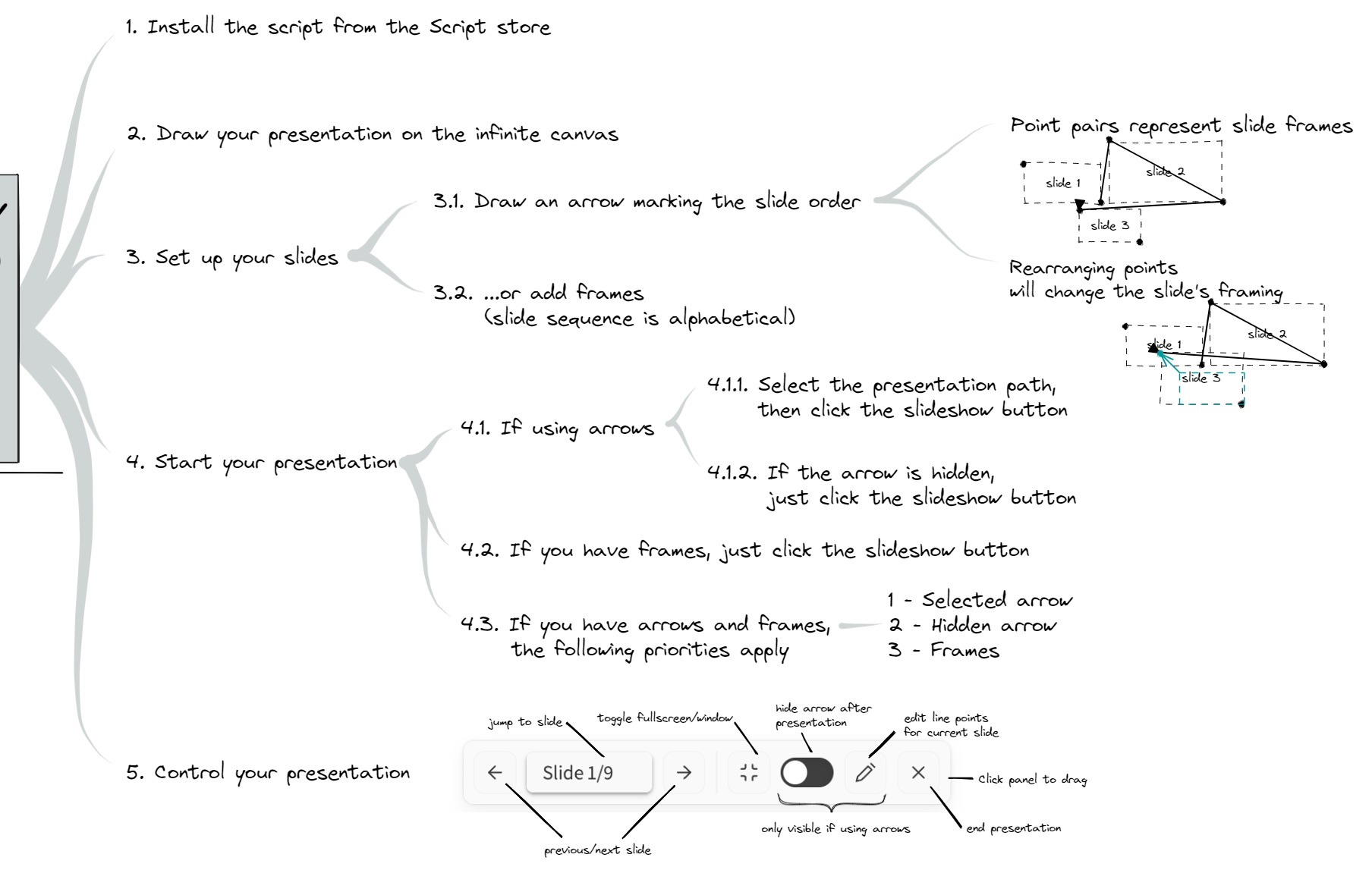
|
||||
The script will convert your drawing into a slideshow presentation.
|
||||
If you select an arrow or line element, the script will use that as the presentation path.
|
||||
If you select nothing, but the file has a hidden presentation path, the script will use that for determining the slide sequence.
|
||||
If there are frames, the script will use the frames for the presentation. Frames are played in alphabetical order of their titles.
|
||||
## Presentation options
|
||||
- If you select an arrow or line element, the script will use that as the presentation path.
|
||||
- If you select nothing, but the file has a hidden presentation path, the script will use that for determining the slide sequence.
|
||||
- If there are frames, the script will use the frames for the presentation. Frames are played in alphabetical order of their titles.
|
||||
# Keyboard shortcuts and modifier keys
|
||||
**Forward**: Arrow Down, Arrow Right, or SPACE
|
||||
**Backward**: Arrow Up, Arrow Left
|
||||
**Finish presentation**: Backspace, ESC (I had issues with ESC not working in full screen presentation mode on Mac)
|
||||
|
||||
**Run presentation in a window**: Hold down the ALT/OPT modifier key when clicking the presentation script button
|
||||
**Continue presentation**: Hold down SHIFT when clicking the presentation script button. (The feature also works in combination with the ALT/OPT modifier to start the presentation in a window). The feature will only resume while you are within the same Obsidian session (i.e. if you restart Obsidian, slideshow will no longer remember where you were). I have two use cases in mind for this feature:
|
||||
1) When you are designing your presentation you may want to test how a slide looks. Using this feature you can get back to where you left off by starting the presentation with SHIFT.
|
||||
2) During presentation you may want to exit presentation mode to show something additional to your audience. You stop the presentation, show the additional thing you wanted, now you want to continue from where you left off. Hold down SHIFT when clicking the slideshow button.
|
||||
|
||||
```javascript
|
||||
*/
|
||||
if(!ea.verifyMinimumPluginVersion || !ea.verifyMinimumPluginVersion("1.9.23")) {
|
||||
if(!ea.verifyMinimumPluginVersion || !ea.verifyMinimumPluginVersion("2.1.7")) {
|
||||
new Notice("This script requires a newer version of Excalidraw. Please install the latest version.");
|
||||
return;
|
||||
}
|
||||
|
||||
if(ea.targetView.isDirty()) {
|
||||
ea.targetView.forceSave(true);
|
||||
}
|
||||
|
||||
const hostLeaf = ea.targetView.leaf;
|
||||
const hostView = hostLeaf.view;
|
||||
const statusBarElement = document.querySelector("div.status-bar");
|
||||
const ctrlKey = ea.targetView.modifierKeyDown.ctrlKey || ea.targetView.modifierKeyDown.metaKey;
|
||||
const altKey = ea.targetView.modifierKeyDown.altKey || ctrlKey;
|
||||
|
||||
const shiftKey = ea.targetView.modifierKeyDown.shiftKey;
|
||||
const shouldStartWithLastSlide = shiftKey && window.ExcalidrawSlideshow &&
|
||||
(window.ExcalidrawSlideshow.script === utils.scriptFile.path) && (typeof window.ExcalidrawSlideshow.slide?.[ea.targetView.file.path] === "number")
|
||||
//-------------------------------
|
||||
//constants
|
||||
//-------------------------------
|
||||
@@ -28,7 +45,7 @@ const TRANSITION_STEP_COUNT = 100;
|
||||
const TRANSITION_DELAY = 1000; //maximum time for transition between slides in milliseconds
|
||||
const FRAME_SLEEP = 1; //milliseconds
|
||||
const EDIT_ZOOMOUT = 0.7; //70% of original slide zoom, set to a value between 1 and 0
|
||||
const FADE_LEVEL = 0.15; //opacity of the slideshow controls after fade delay (value between 0 and 1)
|
||||
const FADE_LEVEL = 0.1; //opacity of the slideshow controls after fade delay (value between 0 and 1)
|
||||
//using outerHTML because the SVG object returned by Obsidin is in the main workspace window
|
||||
//but excalidraw might be open in a popout window which has a different document object
|
||||
const SVG_COG = ea.obsidian.getIcon("lucide-settings").outerHTML;
|
||||
@@ -44,11 +61,13 @@ const SVG_LASER_OFF = ea.obsidian.getIcon("lucide-wand").outerHTML;
|
||||
//-------------------------------
|
||||
//utility & convenience functions
|
||||
//-------------------------------
|
||||
let shouldSaveAfterThePresentation = false;
|
||||
let isLaserOn = false;
|
||||
let slide = 0;
|
||||
let slide = shouldStartWithLastSlide ? window.ExcalidrawSlideshow.slide?.[ea.targetView.file.path] : 0;
|
||||
let isFullscreen = false;
|
||||
const ownerDocument = ea.targetView.ownerDocument;
|
||||
const startFullscreen = !altKey;
|
||||
|
||||
//The plugin and Obsidian App run in the window object
|
||||
//When Excalidraw is open in a popout window, the Excalidraw component will run in the ownerWindow
|
||||
//and in this case ownerWindow !== window
|
||||
@@ -176,7 +195,7 @@ let preventFullscreenExit = true;
|
||||
const gotoFullscreen = async () => {
|
||||
if(isFullscreen) return;
|
||||
preventFullscreenExit = true;
|
||||
if(app.isMobile) {
|
||||
if(ea.DEVICE.isMobile) {
|
||||
ea.viewToggleFullScreen();
|
||||
} else {
|
||||
await contentEl.webkitRequestFullscreen();
|
||||
@@ -192,8 +211,8 @@ const gotoFullscreen = async () => {
|
||||
const exitFullscreen = async () => {
|
||||
if(!isFullscreen) return;
|
||||
preventFullscreenExit = true;
|
||||
if(!app.isMobile && ownerDocument?.fullscreenElement) await ownerDocument.exitFullscreen();
|
||||
if(app.isMobile) ea.viewToggleFullScreen();
|
||||
if(!ea.DEVICE.isMobile && ownerDocument?.fullscreenElement) await ownerDocument.exitFullscreen();
|
||||
if(ea.DEVICE.isMobile) ea.viewToggleFullScreen();
|
||||
if(toggleFullscreenButton) toggleFullscreenButton.innerHTML = SVG_MAXIMIZE;
|
||||
await waitForExcalidrawResize();
|
||||
resetControlPanelElPosition();
|
||||
@@ -256,7 +275,7 @@ const getNavigationRect = ({ x1, y1, x2, y2 }) => {
|
||||
const { width, height } = excalidrawAPI.getAppState();
|
||||
const ratioX = width / Math.abs(x1 - x2);
|
||||
const ratioY = height / Math.abs(y1 - y2);
|
||||
let ratio = Math.min(Math.max(ratioX, ratioY), 10);
|
||||
let ratio = Math.min(Math.max(ratioX, ratioY), 30);
|
||||
|
||||
const scaledWidth = Math.abs(x1 - x2) * ratio;
|
||||
const scaledHeight = Math.abs(y1 - y2) * ratio;
|
||||
@@ -336,6 +355,9 @@ const navigate = async (dir) => {
|
||||
}
|
||||
if(selectSlideDropdown) selectSlideDropdown.value = slide+1;
|
||||
await scrollToNextRect(nextRect);
|
||||
if(window.ExcalidrawSlideshow && (typeof window.ExcalidrawSlideshow.slide?.[ea.targetView.file.path] === "number")) {
|
||||
window.ExcalidrawSlideshow.slide[ea.targetView.file.path] = slide;
|
||||
}
|
||||
}
|
||||
|
||||
const navigateToSlide = (slideNumber) => {
|
||||
@@ -488,6 +510,7 @@ const createPresentationNavigationPanel = () => {
|
||||
new ea.obsidian.ToggleComponent(el)
|
||||
.setValue(isHidden)
|
||||
.onChange(value => {
|
||||
shouldSaveAfterThePresentation = true;
|
||||
if(value) {
|
||||
excalidrawAPI.setToast({
|
||||
message:"The presentation path remain hidden after the presentation. No need to select the line again. Just click the slideshow button to start the next presentation.",
|
||||
@@ -532,9 +555,11 @@ const keydownListener = (e) => {
|
||||
if(hostLeaf.width === 0 && hostLeaf.height === 0) return;
|
||||
e.preventDefault();
|
||||
switch(e.key) {
|
||||
case "Backspace":
|
||||
case "Escape":
|
||||
exitPresentation();
|
||||
break;
|
||||
case "Space":
|
||||
case "ArrowRight":
|
||||
case "ArrowDown":
|
||||
navigate("fwd");
|
||||
@@ -630,7 +655,7 @@ const initializeEventListners = () => {
|
||||
controlPanelEl.removeEventListener('mouseenter', onMouseEnter, false);
|
||||
controlPanelEl.removeEventListener('mouseleave', onMouseLeave, false);
|
||||
controlPanelEl.parentElement?.removeChild(controlPanelEl);
|
||||
if(!app.isMobile) {
|
||||
if(!ea.DEVICE.isMobile) {
|
||||
contentEl.removeEventListener('webkitfullscreenchange', fullscreenListener);
|
||||
contentEl.removeEventListener('fullscreenchange', fullscreenListener);
|
||||
}
|
||||
@@ -645,7 +670,7 @@ const initializeEventListners = () => {
|
||||
return true;
|
||||
};
|
||||
|
||||
if(!app.isMobile) {
|
||||
if(!ea.DEVICE.isMobile) {
|
||||
contentEl.addEventListener('webkitfullscreenchange', fullscreenListener);
|
||||
contentEl.addEventListener('fullscreenchange', fullscreenListener);
|
||||
}
|
||||
@@ -708,9 +733,12 @@ const exitPresentation = async (openForEdit = false) => {
|
||||
//Resets pointer offsets. Ugly solution.
|
||||
//During testing offsets were wrong after presentation, but don't know why.
|
||||
//This should solve it even if they are wrong.
|
||||
hostView.refresh();
|
||||
hostView.refreshCanvasOffset();
|
||||
excalidrawAPI.setActiveTool({type: "selection"});
|
||||
})
|
||||
if(!shouldSaveAfterThePresentation) {
|
||||
ea.targetView.clearDirty();
|
||||
}
|
||||
}
|
||||
|
||||
//--------------------------
|
||||
@@ -719,6 +747,15 @@ const exitPresentation = async (openForEdit = false) => {
|
||||
const start = async () => {
|
||||
statusBarElement.style.display = "none";
|
||||
ea.setViewModeEnabled(true);
|
||||
const helpButton = ea.targetView.excalidrawContainer?.querySelector(".ToolIcon__icon.help-icon");
|
||||
if(helpButton) {
|
||||
helpButton.style.display = "none";
|
||||
}
|
||||
const zoomButton = ea.targetView.excalidrawContainer?.querySelector(".Stack.Stack_vertical.zoom-actions");
|
||||
if(zoomButton) {
|
||||
zoomButton.style.display = "none";
|
||||
}
|
||||
|
||||
createPresentationNavigationPanel();
|
||||
initializeEventListners();
|
||||
if(startFullscreen) {
|
||||
@@ -727,6 +764,7 @@ const start = async () => {
|
||||
resetControlPanelElPosition();
|
||||
}
|
||||
if(presentationPathType === "line") await toggleArrowVisibility(isHidden);
|
||||
ea.targetView.clearDirty();
|
||||
}
|
||||
|
||||
const timestamp = Date.now();
|
||||
@@ -741,9 +779,14 @@ if(window.ExcalidrawSlideshow && (window.ExcalidrawSlideshow.script === utils.sc
|
||||
window.clearTimeout(window.ExcalidrawSlideshowStartTimer);
|
||||
delete window.ExcalidrawSlideshowStartTimer;
|
||||
}
|
||||
window.ExcalidrawSlideshow = {
|
||||
script: utils.scriptFile.path,
|
||||
timestamp
|
||||
};
|
||||
if(!window.ExcalidrawSlideshow) {
|
||||
window.ExcalidrawSlideshow = {
|
||||
script: utils.scriptFile.path,
|
||||
slide: {},
|
||||
};
|
||||
}
|
||||
window.ExcalidrawSlideshow.timestamp = timestamp;
|
||||
window.ExcalidrawSlideshow.slide[ea.targetView.file.path] = 0;
|
||||
|
||||
window.ExcalidrawSlideshowStartTimer = window.setTimeout(start,500);
|
||||
}
|
||||
}
|
||||
@@ -18,6 +18,7 @@ if (!ellipse) return;
|
||||
|
||||
let lines = elements.filter(el => el.type == "line" || el.type == "arrow");
|
||||
if (lines.length == 0) lines = ea.getViewElements().filter(el => el.type == "line" || el.type == "arrow");
|
||||
lines = lines.map(getNormalizedLine);
|
||||
const subLines = getSubLines(lines);
|
||||
|
||||
const angles = subLines.flatMap(line => {
|
||||
@@ -206,3 +207,70 @@ function isBetween(num, min, max) {
|
||||
function clamp(number, min, max) {
|
||||
return Math.max(min, Math.min(number, max));
|
||||
}
|
||||
|
||||
//Same line but with angle=0
|
||||
function getNormalizedLine(originalElement) {
|
||||
if(originalElement.angle === 0) return originalElement;
|
||||
|
||||
// Get absolute coordinates for all points first
|
||||
const pointRotateRads = (point, center, angle) => {
|
||||
const [x, y] = point;
|
||||
const [cx, cy] = center;
|
||||
return [
|
||||
(x - cx) * Math.cos(angle) - (y - cy) * Math.sin(angle) + cx,
|
||||
(x - cx) * Math.sin(angle) + (y - cy) * Math.cos(angle) + cy
|
||||
];
|
||||
};
|
||||
|
||||
// Get element absolute coordinates (matching Excalidraw's approach)
|
||||
const getElementAbsoluteCoords = (element) => {
|
||||
const points = element.points;
|
||||
let minX = Infinity;
|
||||
let minY = Infinity;
|
||||
let maxX = -Infinity;
|
||||
let maxY = -Infinity;
|
||||
|
||||
for (const [x, y] of points) {
|
||||
const absX = x + element.x;
|
||||
const absY = y + element.y;
|
||||
minX = Math.min(minX, absX);
|
||||
minY = Math.min(minY, absY);
|
||||
maxX = Math.max(maxX, absX);
|
||||
maxY = Math.max(maxY, absY);
|
||||
}
|
||||
|
||||
return [minX, minY, maxX, maxY];
|
||||
};
|
||||
|
||||
// Calculate center point based on absolute coordinates
|
||||
const [x1, y1, x2, y2] = getElementAbsoluteCoords(originalElement);
|
||||
const centerX = (x1 + x2) / 2;
|
||||
const centerY = (y1 + y2) / 2;
|
||||
|
||||
// Calculate absolute coordinates of all points
|
||||
const absolutePoints = originalElement.points.map(([x, y]) => [
|
||||
x + originalElement.x,
|
||||
y + originalElement.y
|
||||
]);
|
||||
|
||||
// Rotate all points around the center
|
||||
const rotatedPoints = absolutePoints.map(point =>
|
||||
pointRotateRads(point, [centerX, centerY], originalElement.angle)
|
||||
);
|
||||
|
||||
// Convert back to relative coordinates
|
||||
const newPoints = rotatedPoints.map(([x, y]) => [
|
||||
x - rotatedPoints[0][0],
|
||||
y - rotatedPoints[0][1]
|
||||
]);
|
||||
|
||||
const newLineId = ea.addLine(newPoints);
|
||||
|
||||
// Set the position of the new line to the first rotated point
|
||||
const newLine = ea.getElement(newLineId);
|
||||
newLine.x = rotatedPoints[0][0];
|
||||
newLine.y = rotatedPoints[0][1];
|
||||
newLine.angle = 0;
|
||||
delete ea.elementsDict[newLine.id];
|
||||
return newLine;
|
||||
}
|
||||
@@ -18,10 +18,10 @@ elements.forEach((el)=>{
|
||||
ea.style.strokeColor = el.strokeColor;
|
||||
ea.style.fontFamily = el.fontFamily;
|
||||
ea.style.fontSize = el.fontSize;
|
||||
const text = el.text.split("\n");
|
||||
const text = el.rawText.split("\n");
|
||||
for(i=0;i<text.length;i++) {
|
||||
ea.addText(el.x,el.y+i*el.height/text.length,text[i]);
|
||||
ea.addText(el.x,el.y+i*el.height/text.length,text[i].trim());
|
||||
}
|
||||
});
|
||||
ea.addElementsToView(false,false);
|
||||
ea.addElementsToView(false,false,true);
|
||||
ea.deleteViewElements(elements);
|
||||
@@ -46,4 +46,4 @@ for(i=0;i<el.text.length;i++) {
|
||||
objectIDs.push(ea.addText(x,y,character));
|
||||
}
|
||||
ea.addToGroup(objectIDs);
|
||||
ea.addElementsToView(true);
|
||||
ea.addElementsToView(true, false, true);
|
||||
@@ -1 +1 @@
|
||||
[{"fname":"Mindmap connector.md","mtime":1658686599427},{"fname":"Mindmap connector.svg","mtime":1658686599427},{"fname":"Add Connector Point.md","mtime":1645305706000},{"fname":"Add Connector Point.svg","mtime":1645944722000},{"fname":"Add Link to Existing File and Open.md","mtime":1647807918345},{"fname":"Add Link to Existing File and Open.svg","mtime":1645964261000},{"fname":"Add Link to New Page and Open.md","mtime":1654168862138},{"fname":"Add Link to New Page and Open.svg","mtime":1645960639000},{"fname":"Add Next Step in Process.md","mtime":1688304760357},{"fname":"Add Next Step in Process.svg","mtime":1645960639000},{"fname":"Box Each Selected Groups.md","mtime":1645305706000},{"fname":"Box Each Selected Groups.svg","mtime":1645967510000},{"fname":"Box Selected Elements.md","mtime":1645305706000},{"fname":"Box Selected Elements.svg","mtime":1645960639000},{"fname":"Change shape of selected elements.md","mtime":1652701169236},{"fname":"Change shape of selected elements.svg","mtime":1645960775000},{"fname":"Connect elements.md","mtime":1645305706000},{"fname":"Connect elements.svg","mtime":1645960639000},{"fname":"Convert freedraw to line.md","mtime":1645305706000},{"fname":"Convert freedraw to line.svg","mtime":1645960639000},{"fname":"Convert selected text elements to sticky notes.md","mtime":1670169501383},{"fname":"Convert selected text elements to sticky notes.svg","mtime":1645960639000},{"fname":"Convert text to link with folder and alias.md","mtime":1641639819000},{"fname":"Convert text to link with folder and alias.svg","mtime":1645960639000},{"fname":"Copy Selected Element Styles to Global.md","mtime":1642232088000},{"fname":"Copy Selected Element Styles to Global.svg","mtime":1645960639000},{"fname":"Create new markdown file and embed into active drawing.md","mtime":1640866935000},{"fname":"Create new markdown file and embed into active drawing.svg","mtime":1645960639000},{"fname":"Darken background color.md","mtime":1663059051059},{"fname":"Darken background color.svg","mtime":1645960639000},{"fname":"Elbow connectors.md","mtime":1671126911490},{"fname":"Elbow connectors.svg","mtime":1645960639000},{"fname":"Expand rectangles horizontally keep text centered.md","mtime":1646563692000},{"fname":"Expand rectangles horizontally keep text centered.svg","mtime":1645967510000},{"fname":"Expand rectangles horizontally.md","mtime":1644950235000},{"fname":"Expand rectangles horizontally.svg","mtime":1645967510000},{"fname":"Expand rectangles vertically keep text centered.md","mtime":1646563692000},{"fname":"Expand rectangles vertically keep text centered.svg","mtime":1645967510000},{"fname":"Expand rectangles vertically.md","mtime":1658686599427},{"fname":"Expand rectangles vertically.svg","mtime":1645967510000},{"fname":"Fixed horizontal distance between centers.md","mtime":1646743234000},{"fname":"Fixed horizontal distance between centers.svg","mtime":1645960639000},{"fname":"Fixed inner distance.md","mtime":1646743234000},{"fname":"Fixed inner distance.svg","mtime":1645960639000},{"fname":"Fixed spacing.md","mtime":1646743234000},{"fname":"Fixed spacing.svg","mtime":1645967510000},{"fname":"Fixed vertical distance between centers.md","mtime":1646743234000},{"fname":"Fixed vertical distance between centers.svg","mtime":1645967510000},{"fname":"Fixed vertical distance.md","mtime":1646743234000},{"fname":"Fixed vertical distance.svg","mtime":1645967510000},{"fname":"Lighten background color.md","mtime":1663059051059},{"fname":"Lighten background color.svg","mtime":1645959546000},{"fname":"Modify background color opacity.md","mtime":1644924415000},{"fname":"Modify background color opacity.svg","mtime":1645944722000},{"fname":"Normalize Selected Arrows.md","mtime":1670403743278},{"fname":"Normalize Selected Arrows.svg","mtime":1645960639000},{"fname":"Organic Line.md","mtime":1672920172531},{"fname":"Organic Line.svg","mtime":1645964261000},{"fname":"Organic Line Legacy.md","mtime":1690607372668},{"fname":"Organic Line Legacy.svg","mtime":1690607372668},{"fname":"README.md","mtime":1645175700000},{"fname":"Repeat Elements.md","mtime":1663059051059},{"fname":"Repeat Elements.svg","mtime":1645960639000},{"fname":"Reverse arrows.md","mtime":1645305706000},{"fname":"Reverse arrows.svg","mtime":1645960639000},{"fname":"Scribble Helper.md","mtime":1682228345043},{"fname":"Scribble Helper.svg","mtime":1645944722000},{"fname":"Select Elements of Type.md","mtime":1643464321000},{"fname":"Select Elements of Type.svg","mtime":1645960639000},{"fname":"Set Dimensions.md","mtime":1645305706000},{"fname":"Set Dimensions.svg","mtime":1645944722000},{"fname":"Set Font Family.md","mtime":1645305706000},{"fname":"Set Font Family.svg","mtime":1645944722000},{"fname":"Set Grid.md","mtime":1693725826368},{"fname":"Set Grid.svg","mtime":1645960639000},{"fname":"Set Link Alias.md","mtime":1645305706000},{"fname":"Set Link Alias.svg","mtime":1645960639000},{"fname":"Set Stroke Width of Selected Elements.md","mtime":1645305706Line truncated
|
||||
[{"fname":"Mindmap connector.md","mtime":1658686599427},{"fname":"Mindmap connector.svg","mtime":1658686599427},{"fname":"Add Connector Point.md","mtime":1735420748564},{"fname":"Add Connector Point.svg","mtime":1645944722000},{"fname":"Add Link to Existing File and Open.md","mtime":1647807918345},{"fname":"Add Link to Existing File and Open.svg","mtime":1645964261000},{"fname":"Add Link to New Page and Open.md","mtime":1654168862138},{"fname":"Add Link to New Page and Open.svg","mtime":1645960639000},{"fname":"Add Next Step in Process.md","mtime":1688304760357},{"fname":"Add Next Step in Process.svg","mtime":1645960639000},{"fname":"Box Each Selected Groups.md","mtime":1645305706000},{"fname":"Box Each Selected Groups.svg","mtime":1645967510000},{"fname":"Box Selected Elements.md","mtime":1645305706000},{"fname":"Box Selected Elements.svg","mtime":1645960639000},{"fname":"Change shape of selected elements.md","mtime":1652701169236},{"fname":"Change shape of selected elements.svg","mtime":1645960775000},{"fname":"Connect elements.md","mtime":1645305706000},{"fname":"Connect elements.svg","mtime":1645960639000},{"fname":"Convert freedraw to line.md","mtime":1645305706000},{"fname":"Convert freedraw to line.svg","mtime":1645960639000},{"fname":"Convert selected text elements to sticky notes.md","mtime":1670169501383},{"fname":"Convert selected text elements to sticky notes.svg","mtime":1645960639000},{"fname":"Convert text to link with folder and alias.md","mtime":1641639819000},{"fname":"Convert text to link with folder and alias.svg","mtime":1645960639000},{"fname":"Copy Selected Element Styles to Global.md","mtime":1642232088000},{"fname":"Copy Selected Element Styles to Global.svg","mtime":1645960639000},{"fname":"Create new markdown file and embed into active drawing.md","mtime":1640866935000},{"fname":"Create new markdown file and embed into active drawing.svg","mtime":1645960639000},{"fname":"Darken background color.md","mtime":1663059051059},{"fname":"Darken background color.svg","mtime":1645960639000},{"fname":"Elbow connectors.md","mtime":1671126911490},{"fname":"Elbow connectors.svg","mtime":1645960639000},{"fname":"Expand rectangles horizontally keep text centered.md","mtime":1646563692000},{"fname":"Expand rectangles horizontally keep text centered.svg","mtime":1645967510000},{"fname":"Expand rectangles horizontally.md","mtime":1644950235000},{"fname":"Expand rectangles horizontally.svg","mtime":1645967510000},{"fname":"Expand rectangles vertically keep text centered.md","mtime":1646563692000},{"fname":"Expand rectangles vertically keep text centered.svg","mtime":1645967510000},{"fname":"Expand rectangles vertically.md","mtime":1658686599427},{"fname":"Expand rectangles vertically.svg","mtime":1645967510000},{"fname":"Fixed horizontal distance between centers.md","mtime":1646743234000},{"fname":"Fixed horizontal distance between centers.svg","mtime":1645960639000},{"fname":"Fixed inner distance.md","mtime":1646743234000},{"fname":"Fixed inner distance.svg","mtime":1645960639000},{"fname":"Fixed spacing.md","mtime":1646743234000},{"fname":"Fixed spacing.svg","mtime":1645967510000},{"fname":"Fixed vertical distance between centers.md","mtime":1646743234000},{"fname":"Fixed vertical distance between centers.svg","mtime":1645967510000},{"fname":"Fixed vertical distance.md","mtime":1646743234000},{"fname":"Fixed vertical distance.svg","mtime":1645967510000},{"fname":"Lighten background color.md","mtime":1663059051059},{"fname":"Lighten background color.svg","mtime":1645959546000},{"fname":"Modify background color opacity.md","mtime":1644924415000},{"fname":"Modify background color opacity.svg","mtime":1645944722000},{"fname":"Normalize Selected Arrows.md","mtime":1670403743278},{"fname":"Normalize Selected Arrows.svg","mtime":1645960639000},{"fname":"Organic Line.md","mtime":1672920172531},{"fname":"Organic Line.svg","mtime":1645964261000},{"fname":"Organic Line Legacy.md","mtime":1690607372668},{"fname":"Organic Line Legacy.svg","mtime":1690607372668},{"fname":"README.md","mtime":1645175700000},{"fname":"Repeat Elements.md","mtime":1663059051059},{"fname":"Repeat Elements.svg","mtime":1645960639000},{"fname":"Reverse arrows.md","mtime":1645305706000},{"fname":"Reverse arrows.svg","mtime":1645960639000},{"fname":"Scribble Helper.md","mtime":1682228345043},{"fname":"Scribble Helper.svg","mtime":1645944722000},{"fname":"Select Elements of Type.md","mtime":1643464321000},{"fname":"Select Elements of Type.svg","mtime":1645960639000},{"fname":"Set Dimensions.md","mtime":1645305706000},{"fname":"Set Dimensions.svg","mtime":1645944722000},{"fname":"Set Font Family.md","mtime":1645305706000},{"fname":"Set Font Family.svg","mtime":1645944722000},{"fname":"Set Grid.md","mtime":1693725826368},{"fname":"Set Grid.svg","mtime":1645960639000},{"fname":"Set Link Alias.md","mtime":1645305706000},{"fname":"Set Link Alias.svg","mtime":1645960639000},{"fname":"Set Stroke Width of Selected Elements.md","mtime":1735420748Line truncated
|
||||
@@ -15,12 +15,12 @@ In the `Command Palette` installed scripts are prefixed with `Downloaded/`, thus
|
||||
|
||||
## Attention developers and hobby hackers
|
||||
<img src='https://raw.githubusercontent.com/zsviczian/obsidian-excalidraw-plugin/master/images/hobby-programmer.svg' align='left' style='background-color:whitesmoke; width:80px; margin-right:15px; margin-bottom:10px;'/>
|
||||
If you want to modify scripts, I recommend moving them to the `Excalidraw Automate script folder` or a different subfolder under the script folder. Scripts in the `Downloaded` folder will be overwritten when you click the `Update this script` button. Note also, that at this time, I do not check if the script file has been updated on GitHub, thus the `Update this script` button is always visible once you have installed a script, not only when an update is availble (hope to build this feature in the future).
|
||||
If you want to modify scripts, I recommend moving them to the `Excalidraw Automate script folder` or a different subfolder under the script folder. Scripts in the `Downloaded` folder will be overwritten when you click the `Update this script` button. Note also, that at this time, I do not check if the script file has been updated on GitHub, thus the `Update this script` button is always visible once you have installed a script, not only when an update is available (hope to build this feature in the future).
|
||||
|
||||
I would love to include your contribution in the script library. If you have a script of your own that you would like to share with the community, please open a [PR](https://github.com/zsviczian/obsidian-excalidraw-plugin/pulls) on GitHub. Be sure to include the following in your pull request
|
||||
- The [script file](https://github.com/zsviczian/obsidian-excalidraw-plugin/tree/master/ea-scripts) with a self explanetory name. The name of the file will be the name of the script in the Command Palette.
|
||||
- An [image](https://github.com/zsviczian/obsidian-excalidraw-plugin/tree/master/images) explaining the scripts purpose. Remember a picture speaks thousand words!
|
||||
- An update to this file [ea-scripts/index.md](https://github.com/zsviczian/obsidian-excalidraw-plugin/blob/master/ea-scripts/index.md)
|
||||
- An update to this file [ea-scripts/index-new.md](https://github.com/zsviczian/obsidian-excalidraw-plugin/blob/master/ea-scripts/index-new.md)
|
||||
|
||||
---
|
||||
|
||||
@@ -44,6 +44,7 @@ I would love to include your contribution in the script library. If you have a s
|
||||
|<div><img src="https://raw.githubusercontent.com/zsviczian/obsidian-excalidraw-plugin/master/ea-scripts/Fixed%20spacing.svg"/></div>|[[#Fixed spacing]]|
|
||||
|<div><img src="https://raw.githubusercontent.com/zsviczian/obsidian-excalidraw-plugin/master/ea-scripts/Fixed%20vertical%20distance%20between%20centers.svg"/></div>|[[#Fixed vertical distance between centers]]|
|
||||
|<div><img src="https://raw.githubusercontent.com/zsviczian/obsidian-excalidraw-plugin/master/ea-scripts/Fixed%20vertical%20distance.svg"/></div>|[[#Fixed vertical distance]]|
|
||||
|<div><img src="https://raw.githubusercontent.com/zsviczian/obsidian-excalidraw-plugin/master/ea-scripts/Golden%20Ratio.svg"/></div>|[[#Golden Ratio]]|
|
||||
|<div><img src="https://raw.githubusercontent.com/zsviczian/obsidian-excalidraw-plugin/master/ea-scripts/Grid%20Selected%20Images.svg"/></div>|[[#Grid selected images]]|
|
||||
|<div><img src="https://raw.githubusercontent.com/zsviczian/obsidian-excalidraw-plugin/master/ea-scripts/Mindmap%20format.svg"/></div>|[[#Mindmap format]]|
|
||||
|<div><img src="https://raw.githubusercontent.com/zsviczian/obsidian-excalidraw-plugin/master/ea-scripts/Zoom%20to%20Fit%20Selected%20Elements.svg"/></div>|[[#Zoom to Fit Selected Elements]]|
|
||||
@@ -67,6 +68,7 @@ I would love to include your contribution in the script library. If you have a s
|
||||
| | |
|
||||
|----|-----|
|
||||
|<div><img src="https://raw.githubusercontent.com/zsviczian/obsidian-excalidraw-plugin/master/ea-scripts/Convert%20selected%20text%20elements%20to%20sticky%20notes.svg"/></div>|[[#Convert selected text elements to sticky notes]]|
|
||||
|<div><img src="https://raw.githubusercontent.com/zsviczian/obsidian-excalidraw-plugin/master/ea-scripts/Relative%20Font%20Size%20Cycle.svg"/></div>|[[#Relative Font Size Cycle]]|
|
||||
|<div><img src="https://raw.githubusercontent.com/zsviczian/obsidian-excalidraw-plugin/master/ea-scripts/Scribble%20Helper.svg"/></div>|[[#Scribble Helper]]|
|
||||
|<div><img src="https://raw.githubusercontent.com/zsviczian/obsidian-excalidraw-plugin/master/ea-scripts/Set%20Font%20Family.svg"/></div>|[[#Set Font Family]]|
|
||||
|<div><img src="https://raw.githubusercontent.com/zsviczian/obsidian-excalidraw-plugin/master/ea-scripts/Set%20Text%20Alignment.svg"/></div>|[[#Set Text Alignment]]|
|
||||
@@ -87,10 +89,12 @@ I would love to include your contribution in the script library. If you have a s
|
||||
|<div><img src="https://raw.githubusercontent.com/zsviczian/obsidian-excalidraw-plugin/master/ea-scripts/Modify%20background%20color%20opacity.svg"/></div>|[[#Modify background color opacity]]|
|
||||
|<div><img src="https://raw.githubusercontent.com/zsviczian/obsidian-excalidraw-plugin/master/ea-scripts/Organic%20Line.svg"/></div>|[[#Organic Line]]|
|
||||
|<div><img src="https://raw.githubusercontent.com/zsviczian/obsidian-excalidraw-plugin/master/ea-scripts/Organic%20Line%20Legacy.svg"/></div>|[[#Organic Line Legacy]]|
|
||||
|<div><img src="https://raw.githubusercontent.com/zsviczian/obsidian-excalidraw-plugin/master/ea-scripts/Reset%20LaTeX%20Size.svg"/></div>|[[#Reset LaTeX Size]]|
|
||||
|<div><img src="https://raw.githubusercontent.com/zsviczian/obsidian-excalidraw-plugin/master/ea-scripts/Set%20background%20color%20of%20unclosed%20line%20object%20by%20adding%20a%20shadow%20clone.svg"/></div>|[[#Set background color of unclosed line object by adding a shadow clone]]|
|
||||
|<div><img src="https://raw.githubusercontent.com/zsviczian/obsidian-excalidraw-plugin/master/ea-scripts/Set%20Dimensions.svg"/></div>|[[#Set Dimensions]]|
|
||||
|<div><img src="https://raw.githubusercontent.com/zsviczian/obsidian-excalidraw-plugin/master/ea-scripts/Set%20Grid.svg"/></div>|[[#Set Grid]]|
|
||||
|<div><img src="https://raw.githubusercontent.com/zsviczian/obsidian-excalidraw-plugin/master/ea-scripts/Set%20Stroke%20Width%20of%20Selected%20Elements.svg"/></div>|[[#Set Stroke Width of Selected Elements]]|
|
||||
|<div><img src="https://raw.githubusercontent.com/zsviczian/obsidian-excalidraw-plugin/master/ea-scripts/Shade%20Master.svg"/></div>|[[#Shade Master]]|
|
||||
|<div><img src="https://raw.githubusercontent.com/zsviczian/obsidian-excalidraw-plugin/master/ea-scripts/Toggle%20Grid.svg"/></div>|[[#Toggle Grid]]|
|
||||
|<div><img src="https://raw.githubusercontent.com/zsviczian/obsidian-excalidraw-plugin/master/ea-scripts/Uniform%20size.svg"/></div>|[[#Uniform Size]]|
|
||||
|
||||
@@ -112,20 +116,22 @@ I would love to include your contribution in the script library. If you have a s
|
||||
|
||||
| | |
|
||||
|----|-----|
|
||||
|<div><img src="https://raw.githubusercontent.com/zsviczian/obsidian-excalidraw-plugin/master/ea-scripts/Auto%20Draw%20for%20Pen.svg"/></div>|[[#Auto Draw for Pen]]|
|
||||
|<div><img src="https://raw.githubusercontent.com/zsviczian/obsidian-excalidraw-plugin/master/ea-scripts/Boolean%20Operations.svg"/></div>|[[#Boolean Operations]]|
|
||||
|<div><img src="https://raw.githubusercontent.com/zsviczian/obsidian-excalidraw-plugin/master/ea-scripts/Custom%20Zoom.svg"/></div>|[[#Custom Zoom]]|
|
||||
|<div><img src="https://raw.githubusercontent.com/zsviczian/obsidian-excalidraw-plugin/master/ea-scripts/Copy%20Selected%20Element%20Styles%20to%20Global.svg"/></div>|[[#Copy Selected Element Styles to Global]]|
|
||||
|<div><img src="https://raw.githubusercontent.com/zsviczian/obsidian-excalidraw-plugin/master/ea-scripts/ExcaliAI.svg"/></div>|[[#ExcaliAI]]|
|
||||
|<div><img src="https://raw.githubusercontent.com/zsviczian/obsidian-excalidraw-plugin/master/ea-scripts/Excalidraw%20Writing%20Machine.svg"/></div>|[[#Excalidraw Writing Machine]]|
|
||||
|<div><img src="https://raw.githubusercontent.com/zsviczian/obsidian-excalidraw-plugin/master/ea-scripts/GPT-Draw-a-UI.svg"/></div>|[[#GPT Draw-a-UI]]|
|
||||
|<div><img src="https://raw.githubusercontent.com/zsviczian/obsidian-excalidraw-plugin/master/ea-scripts/Hardware%20Eraser%20Support.svg"/></div>|[[#Hardware Eraser Support]]|
|
||||
|<div><img src="https://raw.githubusercontent.com/zsviczian/obsidian-excalidraw-plugin/master/ea-scripts/Palette%20loader.svg"/></div>|[[#Palette Loader]]|
|
||||
|<div><img src="https://raw.githubusercontent.com/zsviczian/obsidian-excalidraw-plugin/master/ea-scripts/PDF%20Page%20Text%20to%20Clipboard.svg"/></div>|[[#PDF Page Text to Clipboard]]|
|
||||
|<div><img src="https://raw.githubusercontent.com/zsviczian/obsidian-excalidraw-plugin/master/ea-scripts/Rename%20Image.svg"/></div>|[[#Rename Image]]|
|
||||
|<div><img src="https://raw.githubusercontent.com/zsviczian/obsidian-excalidraw-plugin/master/ea-scripts/Repeat%20Elements.svg"/></div>|[[#Repeat Elements]]|
|
||||
|<div><img src="https://raw.githubusercontent.com/zsviczian/obsidian-excalidraw-plugin/master/ea-scripts/Repeat%20Texts.svg"/></div>|[[#Repeat Texts]]|
|
||||
|<div><img src="https://raw.githubusercontent.com/zsviczian/obsidian-excalidraw-plugin/master/ea-scripts/Select%20Elements%20of%20Type.svg"/></div>|[[#Select Elements of Type]]|
|
||||
|<div><img src="https://raw.githubusercontent.com/zsviczian/obsidian-excalidraw-plugin/master/ea-scripts/Select%20Similar%20Elements.svg"/></div>|[[#Select Similar Elements]]|
|
||||
|<div><img src="https://raw.githubusercontent.com/zsviczian/obsidian-excalidraw-plugin/master/ea-scripts/Slideshow.svg"/></div>|[[#Slideshow]]|
|
||||
|<div><img src="https://raw.githubusercontent.com/zsviczian/obsidian-excalidraw-plugin/master/ea-scripts/Split%20Ellipse.svg"/></div>|[[#Split Ellipse]]|
|
||||
|<div><img src="https://raw.githubusercontent.com/zsviczian/obsidian-excalidraw-plugin/master/ea-scripts/Image%20Occlusion.svg"/></div>|[[#Image Occlusion]]|
|
||||
|
||||
## Collaboration and Export
|
||||
**Keywords**: Sharing, Teamwork, Exporting, Distribution, Cooperative, Publish
|
||||
@@ -142,6 +148,15 @@ I would love to include your contribution in the script library. If you have a s
|
||||
|<div><img src="https://raw.githubusercontent.com/zsviczian/obsidian-excalidraw-plugin/master/ea-scripts/Add%20Next%20Step%20in%20Process.svg"/></div>|[[#Add Next Step in Process]]|
|
||||
|<div><img src="https://raw.githubusercontent.com/zsviczian/obsidian-excalidraw-plugin/master/ea-scripts/Convert%20freedraw%20to%20line.svg"/></div>|[[#Convert freedraw to line]]|
|
||||
|<div><img src="https://raw.githubusercontent.com/zsviczian/obsidian-excalidraw-plugin/master/ea-scripts/Deconstruct%20selected%20elements%20into%20new%20drawing.svg"/></div>|[[#Deconstruct selected elements into new drawing]]|
|
||||
|<div><img src="https://raw.githubusercontent.com/zsviczian/obsidian-excalidraw-plugin/master/ea-scripts/Full-Year%20Calendar%20Generator.svg"/></div>|[[#Full-Year Calendar Generator]]|
|
||||
|
||||
## Masking and cropping
|
||||
**Keywords**: Crop, Mask, Transform images
|
||||
|
||||
| | |
|
||||
|----|-----|
|
||||
|<div><img src="https://raw.githubusercontent.com/zsviczian/obsidian-excalidraw-plugin/master/ea-scripts/Crop%20Vintage%20Mask.svg"/></div>|[[#Crop Vintage Mask]]|
|
||||
|
||||
|
||||
---
|
||||
|
||||
@@ -171,12 +186,6 @@ https://raw.githubusercontent.com/zsviczian/obsidian-excalidraw-plugin/master/ea
|
||||
```
|
||||
<table><tr valign='top'><td class="label">Author</td><td class="data"><a href='https://github.com/zsviczian'>@zsviczian</a></td></tr><tr valign='top'><td class="label">Source</td><td class="data"><a href='https://github.com/zsviczian/obsidian-excalidraw-plugin/blob/master/ea-scripts/Add%20Next%20Step%20in%20Process.md'>File on GitHub</a></td></tr><tr valign='top'><td class="label">Description</td><td class="data">This script will prompt you for the title of the process step, then will create a stick note with the text. If an element is selected then the script will connect this new step with an arrow to the previous step (the selected element). If no element is selected, then the script assumes this is the first step in the process and will only output the sticky note with the text that was entered.<br><img src='https://raw.githubusercontent.com/zsviczian/obsidian-excalidraw-plugin/master/images/scripts-add-process-step.jpg'></td></tr></table>
|
||||
|
||||
## Auto Draw for Pen
|
||||
```excalidraw-script-install
|
||||
https://raw.githubusercontent.com/zsviczian/obsidian-excalidraw-plugin/master/ea-scripts/Auto%20Draw%20for%20Pen.md
|
||||
```
|
||||
<table><tr valign='top'><td class="label">Author</td><td class="data"><a href='https://github.com/threethan'>@threethan</a></td></tr><tr valign='top'><td class="label">Source</td><td class="data"><a href='https://github.com/zsviczian/obsidian-excalidraw-plugin/blob/master/ea-scripts/Auto%20Draw%20for%20Pen.md'>File on GitHub</a></td></tr><tr valign='top'><td class="label">Description</td><td class="data">Automatically switches from select mode to drawing mode when hovering a pen, and then back.</td></tr></table>
|
||||
|
||||
## Auto Layout
|
||||
```excalidraw-script-install
|
||||
https://raw.githubusercontent.com/zsviczian/obsidian-excalidraw-plugin/master/ea-scripts/Auto%20Layout.md
|
||||
@@ -187,7 +196,7 @@ https://raw.githubusercontent.com/zsviczian/obsidian-excalidraw-plugin/master/ea
|
||||
```excalidraw-script-install
|
||||
https://raw.githubusercontent.com/zsviczian/obsidian-excalidraw-plugin/master/ea-scripts/Boolean%20Operations.md
|
||||
```
|
||||
<table><tr valign='top'><td class="label">Author</td><td class="data"><a href='https://github.com/GColoy'>@GColoy</a></td></tr><tr valign='top'><td class="label">Source</td><td class="data"><a href='https://github.com/zsviczian/obsidian-excalidraw-plugin/blob/master/ea-scripts/Boolean%20Operations.md'>File on GitHub</a></td></tr><tr valign='top'><td class="label">Description</td><td class="data">With This Script it is possible to make boolean Operations on Shapes.<br>The style of the resulting shape will be the style of the highest ranking Element that was used.<br>The ranking of the elemtns is based on their background. The "denser" the background, the higher the ranking (the order of backgroundstyles is shown below). If they have the same background the opacity will decide. If thats also the same its decided by the order they were created.<br>The ranking is also important for the diffrence operation, so a tranparent object for example will cut a hole into a solid object.<br><img src='https://raw.githubusercontent.com/zsviczian/obsidian-excalidraw-plugin/master/images/scripts-boolean-operations-showcase.png'><br><img src='https://raw.githubusercontent.com/zsviczian/obsidian-excalidraw-plugin/master/images/scripts-boolean-operations-element-ranking.png'></td></tr></table>
|
||||
<table><tr valign='top'><td class="label">Author</td><td class="data"><a href='https://github.com/GColoy'>@GColoy</a></td></tr><tr valign='top'><td class="label">Source</td><td class="data"><a href='https://github.com/zsviczian/obsidian-excalidraw-plugin/blob/master/ea-scripts/Boolean%20Operations.md'>File on GitHub</a></td></tr><tr valign='top'><td class="label">Description</td><td class="data">With This Script it is possible to make boolean Operations on Shapes.<br>The style of the resulting shape will be the style of the highest ranking Element that was used.<br>The ranking of the elements is based on their background. The "denser" the background, the higher the ranking (the order of backgroundstyles is shown below). If they have the same background the opacity will decide. If thats also the same its decided by the order they were created.<br>The ranking is also important for the difference operation, so a transparent object for example will cut a hole into a solid object.<br><img src='https://raw.githubusercontent.com/zsviczian/obsidian-excalidraw-plugin/master/images/scripts-boolean-operations-showcase.png'><br><img src='https://raw.githubusercontent.com/zsviczian/obsidian-excalidraw-plugin/master/images/scripts-boolean-operations-element-ranking.png'></td></tr></table>
|
||||
|
||||
|
||||
## Box Each Selected Groups
|
||||
@@ -256,6 +265,20 @@ https://raw.githubusercontent.com/zsviczian/obsidian-excalidraw-plugin/master/ea
|
||||
```
|
||||
<table><tr valign='top'><td class="label">Author</td><td class="data"><a href='https://github.com/zsviczian'>@zsviczian</a></td></tr><tr valign='top'><td class="label">Source</td><td class="data"><a href='https://github.com/zsviczian/obsidian-excalidraw-plugin/blob/master/ea-scripts/Create%20new%20markdown%20file%20and%20embed%20into%20active%20drawing.md'>File on GitHub</a></td></tr><tr valign='top'><td class="label">Description</td><td class="data">The script will prompt you for a filename, then create a new markdown document with the file name provided, open the new markdown document in an adjacent pane, and embed the markdown document into the active Excalidraw drawing.<br><img src='https://raw.githubusercontent.com/zsviczian/obsidian-excalidraw-plugin/master/images/scripts-create-and-embed-new-markdown-file.jpg'></td></tr></table>
|
||||
|
||||
## Crop Vintage Mask
|
||||
```excalidraw-script-install
|
||||
https://raw.githubusercontent.com/zsviczian/obsidian-excalidraw-plugin/master/ea-scripts/Crop%20Vintage%20Mask.md
|
||||
```
|
||||
<table><tr valign='top'><td class="label">Author</td><td class="data"><a href='https://github.com/zsviczian'>@zsviczian</a></td></tr><tr valign='top'><td class="label">Source</td><td class="data"><a href='https://github.com/zsviczian/obsidian-excalidraw-plugin/blob/master/ea-scripts/Crop%20Vintage%20Mask.md'>File on GitHub</a></td></tr><tr valign='top'><td class="label">Description</td><td class="data">Adds a rounded mask to the image by adding a full cover black mask and a rounded rectangle white mask. The script is also useful for adding just a black mask. In this case, run the script, then delete the white mask and add your custom white mask.<br><img src='https://raw.githubusercontent.com/zsviczian/obsidian-excalidraw-plugin/master/images/scripts-crop-vintage.jpg'></td></tr></table>
|
||||
|
||||
|
||||
|
||||
## Custom Zoom
|
||||
```excalidraw-script-install
|
||||
https://raw.githubusercontent.com/zsviczian/obsidian-excalidraw-plugin/master/ea-scripts/Custom%20Zoom.md
|
||||
```
|
||||
<table><tr valign='top'><td class="label">Author</td><td class="data"><a href='https://github.com/zsviczian'>@zsviczian</a></td></tr><tr valign='top'><td class="label">Source</td><td class="data"><a href='https://github.com/zsviczian/obsidian-excalidraw-plugin/blob/master/ea-scripts/Custom%20Zoom.md'>File on GitHub</a></td></tr><tr valign='top'><td class="label">Description</td><td class="data">You can set a custom zoom level with this script. This allows you to set a zoom level below 10% or set the zoom level to a specific value. Note however, that Excalidraw has a bug under 10% zoom... a phantom copy of your image may appear on screen. If this happens, increase the zoom and the phantom should disappear, if it doesn't, then close and open the drawing.</td></tr></table>
|
||||
|
||||
## Darken background color
|
||||
```excalidraw-script-install
|
||||
https://raw.githubusercontent.com/zsviczian/obsidian-excalidraw-plugin/master/ea-scripts/Darken%20background%20color.md
|
||||
@@ -346,6 +369,14 @@ https://raw.githubusercontent.com/zsviczian/obsidian-excalidraw-plugin/master/ea
|
||||
```
|
||||
<table><tr valign='top'><td class="label">Author</td><td class="data"><a href='https://github.com/zsviczian'>@zsviczian</a></td></tr><tr valign='top'><td class="label">Source</td><td class="data"><a href='https://github.com/zsviczian/obsidian-excalidraw-plugin/blob/master/ea-scripts/Folder%20Note%20Core%20-%20Make%20Current%20Drawing%20a%20Folder.md'>File on GitHub</a></td></tr><tr valign='top'><td class="label">Description</td><td class="data">This script adds the `Folder Note Core: Make current document folder note` function to Excalidraw drawings. Running this script will convert the active Excalidraw drawing into a folder note. If you already have embedded images in your drawing, those attachments will not be moved when the folder note is created. You need to take care of those attachments separately, or convert the drawing to a folder note prior to adding the attachments. The script requires the <a href="https://github.com/aidenlx/folder-note-core" target="_blank">Folder Note Core</a> plugin.</td></tr></table>
|
||||
|
||||
## Golden Ratio
|
||||
```excalidraw-script-install
|
||||
https://raw.githubusercontent.com/zsviczian/obsidian-excalidraw-plugin/master/ea-scripts/Golden%20Ratio.md
|
||||
```
|
||||
<table><tr valign='top'><td class="label">Author</td><td class="data"><a href='https://github.com/zsviczian'>@zsviczian</a></td></tr><tr valign='top'><td class="label">Source</td><td class="data"><a href='https://github.com/zsviczian/obsidian-excalidraw-plugin/blob/master/ea-scripts/Golden%20Ratio.md'>File on GitHub</a></td></tr><tr valign='top'><td class="label">Description</td><td class="data">The script performs two different functions depending on the elements selected in the view.<br>
|
||||
1) In case you select text elements, the script will cycle through a set of font scales. First the 2 larger fonts following the Fibonacci sequence (fontsize * φ; fonsize * φ^2), then the 2 smaller fonts (fontsize / φ; fontsize / φ^2), finally the original size, followed again by the 2 larger fonts. If you wait 2 seconds, the sequence clears and starts from which ever font size you are on. So if you want the 3rd larges font, then toggle twice, wait 2 sec, then toggle again.<br>
|
||||
2) In case you select a single rectangle, the script will open the "Golden Grid", "Golden Spiral" window, where you can set up the type of grid or spiral you want to insert into the document.<br><img src='https://raw.githubusercontent.com/zsviczian/obsidian-excalidraw-plugin/master/images/golden-ratio.jpg'><br><iframe width="400" height="225" src="https://www.youtube.com/embed/2SHn_ruax-s" title="YouTube video player" frameborder="0" allow="accelerometer; autoplay; clipboard-write; encrypted-media; gyroscope; picture-in-picture" allowfullscreen></iframe></td></tr></table>
|
||||
|
||||
## Grid selected images
|
||||
```excalidraw-script-install
|
||||
https://raw.githubusercontent.com/zsviczian/obsidian-excalidraw-plugin/master/ea-scripts/Grid%20Selected%20Images.md
|
||||
@@ -358,18 +389,29 @@ https://raw.githubusercontent.com/zsviczian/obsidian-excalidraw-plugin/master/ea
|
||||
```
|
||||
<table><tr valign='top'><td class="label">Author</td><td class="data"><a href='https://github.com/zsviczian'>@zsviczian</a></td></tr><tr valign='top'><td class="label">Source</td><td class="data"><a href='https://github.com/zsviczian/obsidian-excalidraw-plugin/blob/master/ea-scripts/ExcaliAI.md'>File on GitHub</a></td></tr><tr valign='top'><td class="label">Description</td><td class="data">Various AI features based on GPT Vision.<br><iframe width="400" height="225" src="https://www.youtube.com/embed/A1vrSGBbWgo" title="YouTube video player" frameborder="0" allow="accelerometer; autoplay; clipboard-write; encrypted-media; gyroscope; picture-in-picture" allowfullscreen></iframe><img src='https://raw.githubusercontent.com/zsviczian/obsidian-excalidraw-plugin/master/images/scripts-draw-a-ui.jpg'></td></tr></table>
|
||||
|
||||
## Excalidraw Writing Machine
|
||||
```excalidraw-script-install
|
||||
https://raw.githubusercontent.com/zsviczian/obsidian-excalidraw-plugin/master/ea-scripts/Excalidraw%20Writing%20Machine.md
|
||||
```
|
||||
<table><tr valign='top'><td class="label">Author</td><td class="data"><a href='https://github.com/zsviczian'>@zsviczian</a></td></tr><tr valign='top'><td class="label">Source</td><td class="data"><a href='https://github.com/zsviczian/obsidian-excalidraw-plugin/blob/master/ea-scripts/Excalidraw%20Writing%20Machine.md'>File on GitHub</a></td></tr><tr valign='top'><td class="label">Description</td><td class="data">Creates a hierarchical Markdown document out of a visual layout of an article that can be fed to Templater and converted into an article using AI for Templater.<br>Watch this video to understand how the script is intended to work:<br><iframe width="400" height="225" src="https://www.youtube.com/embed/zvRpCOZAUSs" title="YouTube video player" frameborder="0" allow="accelerometer; autoplay; clipboard-write; encrypted-media; gyroscope; picture-in-picture" allowfullscreen></iframe><br>You can download the sample Obsidian Templater file from <a href="https://gist.github.com/zsviczian/bf49d4b2d401f5749aaf8c2fa8a513d9">here</a>. You can download the demo PDF document showcased in the video from <a href="https://zsviczian.github.io/DemoArticle-AtomicHabits.pdf">here</a>.</td></tr></table>
|
||||
|
||||
## Full-Year Calendar Generator
|
||||
```excalidraw-script-install
|
||||
https://raw.githubusercontent.com/zsviczian/obsidian-excalidraw-plugin/master/ea-scripts/Full-Year%20Calendar%20Generator.md
|
||||
```
|
||||
<table><tr valign='top'><td class="label">Author</td><td class="data"><a href='https://github.com/simonperet'>@simonperet</a></td></tr><tr valign='top'><td class="label">Source</td><td class="data"><a href='https://github.com/zsviczian/obsidian-excalidraw-plugin/blob/master/ea-scripts/Full-Year%20Calendar%20Generator.md'>File on GitHub</a></td></tr><tr valign='top'><td class="label">Description</td><td class="data">Generates a complete calendar for a specified year.<br><img src='https://raw.githubusercontent.com/zsviczian/obsidian-excalidraw-plugin/master/images/scripts-full-year-calendar-exemple.excalidraw.png'></td></tr></table>
|
||||
|
||||
## GPT Draw-a-UI
|
||||
```excalidraw-script-install
|
||||
https://raw.githubusercontent.com/zsviczian/obsidian-excalidraw-plugin/master/ea-scripts/GPT-Draw-a-UI.md
|
||||
```
|
||||
<table><tr valign='top'><td class="label">Author</td><td class="data"><a href='https://github.com/zsviczian'>@zsviczian</a></td></tr><tr valign='top'><td class="label">Source</td><td class="data"><a href='https://github.com/zsviczian/obsidian-excalidraw-plugin/blob/master/ea-scripts/GPT-Draw-a-UI.md'>File on GitHub</a></td></tr><tr valign='top'><td class="label">Description</td><td class="data">This script was discontinued in favor of ExcaliAI. Draw a UI and let GPT create the code for you.<br><iframe width="400" height="225" src="https://www.youtube.com/embed/y3kHl_6Ll4w" title="YouTube video player" frameborder="0" allow="accelerometer; autoplay; clipboard-write; encrypted-media; gyroscope; picture-in-picture" allowfullscreen></iframe><img src='https://raw.githubusercontent.com/zsviczian/obsidian-excalidraw-plugin/master/images/scripts-draw-a-ui.jpg'></td></tr></table>
|
||||
|
||||
|
||||
## Hardware Eraser Support
|
||||
## Image Occlusion
|
||||
```excalidraw-script-install
|
||||
https://raw.githubusercontent.com/zsviczian/obsidian-excalidraw-plugin/master/ea-scripts/Hardware%20Eraser%20Support.md
|
||||
https://raw.githubusercontent.com/zsviczian/obsidian-excalidraw-plugin/master/ea-scripts/Image%20Occlusion.md
|
||||
```
|
||||
<table><tr valign='top'><td class="label">Author</td><td class="data"><a href='https://github.com/threethan'>@threethan</a></td></tr><tr valign='top'><td class="label">Source</td><td class="data"><a href='https://github.com/zsviczian/obsidian-excalidraw-plugin/blob/master/ea-scripts/Hardware%20Eraser%20Support.md'>File on GitHub</a></td></tr><tr valign='top'><td class="label">Description</td><td class="data">Allows you to use inversion, aka hardware eraser, on supported pens.</td></tr></table>
|
||||
<table><tr valign='top'><td class="label">Author</td><td class="data"><a href='https://github.com/TrillStones'>@TrillStones</a></td></tr><tr valign='top'><td class="label">Source</td><td class="data"><a href='https://github.com/zsviczian/obsidian-excalidraw-plugin/blob/master/ea-scripts/Image%20Occlusion.md'>File on GitHub</a></td></tr><tr valign='top'><td class="label">Description</td><td class="data">An Excalidraw script for creating Anki image occlusion cards in Obsidian, similar to Anki's Image Occlusion Enhanced add-on but integrated into your Obsidian workflow.<br><img src='https://raw.githubusercontent.com/zsviczian/obsidian-excalidraw-plugin/master/images/scripts-image-occlusion.png'></td></tr></table>
|
||||
|
||||
## Invert colors
|
||||
```excalidraw-script-install
|
||||
@@ -431,6 +473,12 @@ https://raw.githubusercontent.com/zsviczian/obsidian-excalidraw-plugin/master/ea
|
||||
```
|
||||
<table><tr valign='top'><td class="label">Author</td><td class="data"><a href='https://github.com/zsviczian'>@zsviczian</a></td></tr><tr valign='top'><td class="label">Source</td><td class="data"><a href='https://github.com/zsviczian/obsidian-excalidraw-plugin/blob/master/ea-scripts/PDF%20Page%20Text%20to%20Clipboard.md'>File on GitHub</a></td></tr><tr valign='top'><td class="label">Description</td><td class="data">Copies the text from the selected PDF page on the Excalidraw canvas to the clipboard.<br><iframe width="400" height="225" src="https://www.youtube.com/embed/Kwt_8WdOUT4" title="YouTube video player" frameborder="0" allow="accelerometer; autoplay; clipboard-write; encrypted-media; gyroscope; picture-in-picture" allowfullscreen></iframe><br><a href='https://youtu.be/Kwt_8WdOUT4' target='_blank'>Link to video on YouTube</a></td></tr></table>
|
||||
|
||||
## Relative Font Size Cycle
|
||||
```excalidraw-script-install
|
||||
https://raw.githubusercontent.com/zsviczian/obsidian-excalidraw-plugin/master/ea-scripts/Relative%20Font%20Size%20Cycle.md
|
||||
```
|
||||
<table><tr valign='top'><td class="label">Author</td><td class="data"><a href='https://github.com/zsviczian'>@zsviczian</a></td></tr><tr valign='top'><td class="label">Source</td><td class="data"><a href='https://github.com/zsviczian/obsidian-excalidraw-plugin/blob/master/ea-scripts/Relative%20Font%20Size%20Cycle.md'>File on GitHub</a></td></tr><tr valign='top'><td class="label">Description</td><td class="data">The script will cycle through S, M, L, XL font sizes scaled to the current canvas zoom.</td></tr></table>
|
||||
|
||||
## Rename Image
|
||||
```excalidraw-script-install
|
||||
https://raw.githubusercontent.com/zsviczian/obsidian-excalidraw-plugin/master/ea-scripts/Rename%20Image.md
|
||||
@@ -443,6 +491,12 @@ https://raw.githubusercontent.com/zsviczian/obsidian-excalidraw-plugin/master/ea
|
||||
```
|
||||
<table><tr valign='top'><td class="label">Author</td><td class="data"><a href='https://github.com/1-2-3'>@1-2-3</a></td></tr><tr valign='top'><td class="label">Source</td><td class="data"><a href='https://github.com/zsviczian/obsidian-excalidraw-plugin/blob/master/ea-scripts/Repeat%20Elements.md'>File on GitHub</a></td></tr><tr valign='top'><td class="label">Description</td><td class="data">This script will detect the difference between 2 selected elements, including position, size, angle, stroke and background color, and create several elements that repeat these differences based on the number of repetitions entered by the user.<br><img src='https://raw.githubusercontent.com/zsviczian/obsidian-excalidraw-plugin/master/images/scripts-repeat-elements.png'></td></tr></table>
|
||||
|
||||
## Repeat Texts
|
||||
```excalidraw-script-install
|
||||
https://raw.githubusercontent.com/zsviczian/obsidian-excalidraw-plugin/master/ea-scripts/Repeat%20Texts.md
|
||||
```
|
||||
<table><tr valign='top'><td class="label">Author</td><td class="data"><a href='https://github.com/soraliu'>@soraliu</a></td></tr><tr valign='top'><td class="label">Source</td><td class="data"><a href='https://github.com/zsviczian/obsidian-excalidraw-plugin/blob/master/ea-scripts/Repeat%20Texts.md'>File on GitHub</a></td></tr><tr valign='top'><td class="label">Description</td><td class="data">In the following script, we address the concept of repetition through the lens of numerical progression. As visualized by the image, where multiple circles each labeled with an even task number are being condensed into a linear sequence, our script will similarly iterate through a set of numbers</td></tr></table>
|
||||
|
||||
## Reverse arrows
|
||||
```excalidraw-script-install
|
||||
https://raw.githubusercontent.com/zsviczian/obsidian-excalidraw-plugin/master/ea-scripts/Reverse%20arrows.md
|
||||
@@ -465,7 +519,15 @@ https://raw.githubusercontent.com/zsviczian/obsidian-excalidraw-plugin/master/ea
|
||||
```excalidraw-script-install
|
||||
https://raw.githubusercontent.com/zsviczian/obsidian-excalidraw-plugin/master/ea-scripts/Select%20Similar%20Elements.md
|
||||
```
|
||||
<table><tr valign='top'><td class="label">Author</td><td class="data"><a href='https://github.com/zsviczian'>@zsviczian</a></td></tr><tr valign='top'><td class="label">Source</td><td class="data"><a href='https://github.com/zsviczian/obsidian-excalidraw-plugin/blob/master/ea-scripts/Select%20Similar%20Elements.md'>File on GitHub</a></td></tr><tr valign='top'><td class="label">Description</td><td class="data">This script allows you to streamline your Obsidian-Excalidraw workflows by enabling the selection of elements based on similar properties. you can precisely define which attributes such as stroke color, fill style, font family, and more, should match for selection. It's perfect for large canvases where manual selection would be cumbersome. You can either run the script to find and select matching elements across the entire scene, or define a specific group of elements to apply the selection criteria within a defined timeframe. This script enhances control and efficiency in your Excalidraw experience.<br><img src='https://raw.githubusercontent.com/zsviczian/obsidian-excalidraw-plugin/master/images/scripts-select-similar-elements.png'></td></tr></table>
|
||||
<table><tr valign='top'><td class="label">Author</td><td class="data"><a href='https://github.com/zsviczian'>@zsviczian</a></td></tr><tr valign='top'><td class="label">Source</td><td class="data"><a href='https://github.com/zsviczian/obsidian-excalidraw-plugin/blob/master/ea-scripts/Select%20Similar%20Elements.md'>File on GitHub</a></td></tr><tr valign='top'><td class="label">Description</td><td class="data">This script allows you to streamline your Obsidian-Excalidraw workflows by enabling the selection of elements based on similar properties. you can precisely define which attributes such as stroke color, fill style, font family, and more, should match for selection. It's perfect for large canvases where manual selection would be cumbersome. You can either run the script to find and select matching elements across the entire scene, or define a specific group of elements to apply the selection criteria within a defined timeframe.<br><img src='https://raw.githubusercontent.com/zsviczian/obsidian-excalidraw-plugin/master/images/scripts-select-similar-elements.png'></td></tr></table>
|
||||
|
||||
|
||||
## Reset LaTeX Size
|
||||
```excalidraw-script-install
|
||||
https://raw.githubusercontent.com/zsviczian/obsidian-excalidraw-plugin/master/ea-scripts/Reset%20LaTeX%20Size.md
|
||||
```
|
||||
<table><tr valign='top'><td class="label">Author</td><td class="data"><a href='https://github.com/firai'>@firai</a></td></tr><tr valign='top'><td class="label">Source</td><td class="data"><a href='https://github.com/zsviczian/obsidian-excalidraw-plugin/blob/master/ea-scripts/Reset%20LaTeX%20Size.md'>File on GitHub</a></td></tr><tr valign='top'><td class="label">Description</td><td class="data">Reset the sizes of embedded LaTeX equations to the default sizes or a multiple of the default sizes.<br><img src='https://raw.githubusercontent.com/zsviczian/obsidian-excalidraw-plugin/master/images/scripts-reset-latex.jpg'></td></tr></table>
|
||||
|
||||
|
||||
## Set background color of unclosed line object by adding a shadow clone
|
||||
```excalidraw-script-install
|
||||
@@ -509,6 +571,13 @@ https://raw.githubusercontent.com/zsviczian/obsidian-excalidraw-plugin/master/ea
|
||||
```
|
||||
<table><tr valign='top'><td class="label">Author</td><td class="data"><a href='https://github.com/zsviczian'>@zsviczian</a></td></tr><tr valign='top'><td class="label">Source</td><td class="data"><a href='https://github.com/zsviczian/obsidian-excalidraw-plugin/blob/master/ea-scripts/Set%20Text%20Alignment.md'>File on GitHub</a></td></tr><tr valign='top'><td class="label">Description</td><td class="data">Sets text alignment of text block (cetner, right, left). Useful if you want to set a keyboard shortcut for selecting text alignment.<br><img src='https://raw.githubusercontent.com/zsviczian/obsidian-excalidraw-plugin/master/images/scripts-text-align.jpg'></td></tr></table>
|
||||
|
||||
## Shade Master
|
||||
```excalidraw-script-install
|
||||
https://raw.githubusercontent.com/zsviczian/obsidian-excalidraw-plugin/master/ea-scripts/Shade%20Master.md
|
||||
```
|
||||
<table><tr valign='top'><td class="label">Author</td><td class="data"><a href='https://github.com/zsviczian'>@zsviczian</a></td></tr><tr valign='top'><td class="label">Source</td><td class="data"><a href='https://github.com/zsviczian/obsidian-excalidraw-plugin/blob/master/ea-scripts/Shade%20Master.md'>File on GitHub</a></td></tr><tr valign='top'><td class="label">Description</td><td class="data">You can modify the colors of SVG images, embedded files, and Excalidraw elements in a drawing by changing Hue, Saturation, Lightness and Transparency; and if only a single SVG or nested Excalidraw drawing is selected, then you can remap image colors.<br><iframe width="560" height="315" src="https://www.youtube.com/embed/ISuORbVKyhQ" title="YouTube video player" frameborder="0" allow="accelerometer; autoplay; clipboard-write; encrypted-media; gyroscope; picture-in-picture" allowfullscreen></iframe></td></tr></table>
|
||||
|
||||
|
||||
## Slideshow
|
||||
```excalidraw-script-install
|
||||
https://raw.githubusercontent.com/zsviczian/obsidian-excalidraw-plugin/master/ea-scripts/Slideshow.md
|
||||
@@ -561,4 +630,4 @@ https://raw.githubusercontent.com/zsviczian/obsidian-excalidraw-plugin/master/ea
|
||||
```excalidraw-script-install
|
||||
https://raw.githubusercontent.com/zsviczian/obsidian-excalidraw-plugin/master/ea-scripts/Zoom%20to%20Fit%20Selected%20Elements.md
|
||||
```
|
||||
<table><tr valign='top'><td class="label">Author</td><td class="data"><a href='https://github.com/zsviczian'>@zsviczian</a></td></tr><tr valign='top'><td class="label">Source</td><td class="data"><a href='https://github.com/zsviczian/obsidian-excalidraw-plugin/blob/master/ea-scripts/Zoom%20to%20Fit%20Selected%20Elements.md'>File on GitHub</a></td></tr><tr valign='top'><td class="label">Description</td><td class="data">Similar to Excalidraw standard <kbd>SHIFT+2</kbd> feature: Zoom to fit selected elements, but with the ability to zoom to 1000%. Inspiration: [#272](https://github.com/zsviczian/obsidian-excalidraw-plugin/issues/272)</td></tr></table>
|
||||

|
Before Width: | Height: | Size: 949 KiB After Width: | Height: | Size: 861 KiB |

|
After Width: | Height: | Size: 68 KiB |

|
After Width: | Height: | Size: 116 KiB |

|
After Width: | Height: | Size: 42 KiB |

|
After Width: | Height: | Size: 442 KiB |

|
After Width: | Height: | Size: 1.0 MiB |

|
After Width: | Height: | Size: 28 KiB |

|
After Width: | Height: | Size: 16 KiB |

|
After Width: | Height: | Size: 37 KiB |
@@ -1,7 +1,7 @@
|
||||
{
|
||||
"id": "obsidian-excalidraw-plugin",
|
||||
"name": "Excalidraw",
|
||||
"version": "2.0.1-beta-2",
|
||||
"version": "2.7.6-beta-1",
|
||||
"minAppVersion": "1.1.6",
|
||||
"description": "An Obsidian plugin to edit and view Excalidraw drawings",
|
||||
"author": "Zsolt Viczian",
|
||||
|
||||
@@ -1,11 +1,11 @@
|
||||
{
|
||||
"id": "obsidian-excalidraw-plugin",
|
||||
"name": "Excalidraw",
|
||||
"version": "2.0.4",
|
||||
"version": "2.7.5",
|
||||
"minAppVersion": "1.1.6",
|
||||
"description": "An Obsidian plugin to edit and view Excalidraw drawings",
|
||||
"author": "Zsolt Viczian",
|
||||
"authorUrl": "https://zsolt.blog",
|
||||
"authorUrl": "https://www.zsolt.blog",
|
||||
"fundingUrl": "https://ko-fi.com/zsolt",
|
||||
"helpUrl": "https://github.com/zsviczian/obsidian-excalidraw-plugin#readme",
|
||||
"isDesktopOnly": false
|
||||
|
||||
@@ -1,6 +1,6 @@
|
||||
{
|
||||
"name": "obsidian-excalidraw-plugin",
|
||||
"version": "1.9.15",
|
||||
"version": "2.2.5",
|
||||
"description": "This is an Obsidian.md plugin that lets you view and edit Excalidraw drawings",
|
||||
"main": "lib/index.js",
|
||||
"types": "lib/index.d.ts",
|
||||
@@ -8,62 +8,83 @@
|
||||
"lib/**/*"
|
||||
],
|
||||
"scripts": {
|
||||
"dev": "cross-env NODE_ENV=development rollup --config rollup.config.js -w",
|
||||
"dev": "cross-env NODE_ENV=development rollup --config rollup.config.js",
|
||||
"build": "cross-env NODE_ENV=production rollup --config rollup.config.js",
|
||||
"lib": "cross-env NODE_ENV=lib rollup --config rollup.config.js",
|
||||
"code:fix": "eslint --max-warnings=0 --ext .ts,.tsx ./src --fix",
|
||||
"madge": "madge --circular ."
|
||||
"madge": "madge --circular .",
|
||||
"build:mathjax": "cd MathjaxToSVG && npm run build",
|
||||
"build:all": "npm run build:mathjax && npm run build",
|
||||
"dev:mathjax": "cd MathjaxToSVG && npm run dev",
|
||||
"dev:all": "npm run dev:mathjax && npm run dev",
|
||||
"build:lang": "node ./scripts/compressLanguages.js"
|
||||
},
|
||||
"keywords": [],
|
||||
"author": "",
|
||||
"license": "MIT",
|
||||
"dependencies": {
|
||||
"@zsviczian/excalidraw": "0.17.0-obsidian-2",
|
||||
"@popperjs/core": "^2.11.8",
|
||||
"@zsviczian/excalidraw": "0.17.6-26",
|
||||
"chroma-js": "^2.4.2",
|
||||
"clsx": "^2.0.0",
|
||||
"colormaster": "^1.2.1",
|
||||
"@zsviczian/colormaster": "^1.2.2",
|
||||
"gl-matrix": "^3.4.3",
|
||||
"lz-string": "^1.5.0",
|
||||
"js-yaml": "^4.1.0",
|
||||
"lucide-react": "^0.263.1",
|
||||
"mathjax-full": "^3.2.2",
|
||||
"monkey-around": "^2.3.0",
|
||||
"nanoid": "^4.0.2",
|
||||
"opentype.js": "^1.3.4",
|
||||
"polybooljs": "^1.2.0",
|
||||
"react": "^18.2.0",
|
||||
"react-dom": "^18.2.0",
|
||||
"roughjs": "^4.5.2",
|
||||
"html2canvas": "^1.4.1",
|
||||
"@popperjs/core": "^2.11.8",
|
||||
"nanoid": "^4.0.2",
|
||||
"lucide-react": "^0.263.1"
|
||||
"woff2sfnt-sfnt2woff": "^1.0.0",
|
||||
"es6-promise-pool": "2.5.0"
|
||||
},
|
||||
"devDependencies": {
|
||||
"jsesc": "^3.0.2",
|
||||
"@babel/core": "^7.22.9",
|
||||
"@babel/preset-env": "^7.22.10",
|
||||
"@babel/preset-react": "^7.22.5",
|
||||
"@codemirror/commands": "^6.3.3",
|
||||
"@codemirror/language": "^6.10.0",
|
||||
"@codemirror/search": "^6.5.5",
|
||||
"@codemirror/state": "^6.4.0",
|
||||
"@codemirror/view": "^6.23.0",
|
||||
"@excalidraw/eslint-config": "^1.0.3",
|
||||
"@excalidraw/prettier-config": "^1.0.2",
|
||||
"@rollup/plugin-babel": "^6.0.3",
|
||||
"@rollup/plugin-commonjs": "^24.1.0",
|
||||
"@rollup/plugin-node-resolve": "^15.2.1",
|
||||
"@rollup/plugin-commonjs": "^26.0.1",
|
||||
"@rollup/plugin-node-resolve": "^15.2.3",
|
||||
"@rollup/plugin-replace": "^5.0.2",
|
||||
"@rollup/plugin-typescript": "^11.1.2",
|
||||
"@rollup/plugin-typescript": "^12.1.2",
|
||||
"@types/chroma-js": "^2.4.0",
|
||||
"@types/js-beautify": "^1.14.0",
|
||||
"@types/node": "^20.5.6",
|
||||
"@types/react-dom": "^18.2.7",
|
||||
"@types/js-yaml": "^4.0.9",
|
||||
"@types/node": "^20.10.5",
|
||||
"@types/opentype.js": "^1.3.8",
|
||||
"@types/react": "^18.2.45",
|
||||
"@types/react-dom": "^18.2.18",
|
||||
"@zerollup/ts-transform-paths": "^1.7.18",
|
||||
"cross-env": "^7.0.3",
|
||||
"cssnano": "^6.0.2",
|
||||
"dotenv": "^16.4.5",
|
||||
"eslint-config-prettier": "^9.0.0",
|
||||
"eslint-plugin-prettier": "^5.0.0",
|
||||
"obsidian": "^1.4.0",
|
||||
"lz-string": "^1.5.0",
|
||||
"obsidian": "^1.7.2",
|
||||
"prettier": "^3.0.1",
|
||||
"rollup": "^2.70.1",
|
||||
"rollup-plugin-copy": "^3.4.0",
|
||||
"rollup-plugin-postprocess": "github:brettz9/rollup-plugin-postprocess#update",
|
||||
"rollup-plugin-copy": "^3.5.0",
|
||||
"@zsviczian/rollup-plugin-postprocess": "^1.0.3",
|
||||
"rollup-plugin-terser": "^7.0.2",
|
||||
"rollup-plugin-typescript2": "^0.34.1",
|
||||
"rollup-plugin-web-worker-loader": "^1.6.1",
|
||||
"tslib": "^2.6.1",
|
||||
"rollup-plugin-typescript2": "^0.36.0",
|
||||
"tslib": "^2.8.1",
|
||||
"ttypescript": "^1.5.15",
|
||||
"typescript": "^5.2.2"
|
||||
"typescript": "^5.7.3",
|
||||
"fs-extra": "^11.2.0",
|
||||
"uglify-js": "^3.19.3"
|
||||
},
|
||||
"resolutions": {
|
||||
"@typescript-eslint/typescript-estree": "5.3.0"
|
||||
|
||||
@@ -1,32 +0,0 @@
|
||||
import fs from'fs';
|
||||
import LZString from 'lz-string';
|
||||
|
||||
const excalidraw_pkg = fs.readFileSync("./node_modules/@zsviczian/excalidraw/dist/excalidraw.production.min.js", "utf8");
|
||||
const react_pkg = fs.readFileSync("./node_modules/react/umd/react.production.min.js", "utf8");
|
||||
const reactdom_pkg = fs.readFileSync("./node_modules/react-dom/umd/react-dom.production.min.js", "utf8");
|
||||
const lzstring_pkg = fs.readFileSync("./node_modules/lz-string/libs/lz-string.min.js", "utf8");
|
||||
const mainjs = fs.readFileSync("main.js", "utf8")
|
||||
|
||||
const packageString = lzstring_pkg+'const EXCALIDRAW_PACKAGES="' + LZString.compressToBase64(react_pkg + reactdom_pkg + excalidraw_pkg) +'";var ExcalidrawPackageLoader=(d=document)=>{if(!d.getElementById("excalidraw-script")){const script=d.createElement("script");script.type="text/javascript";script.id="excalidraw-script";script.text=LZString.decompressFromBase64(EXCALIDRAW_PACKAGES);d.body.appendChild(script);}};ExcalidrawPackageLoader();';
|
||||
|
||||
fs.writeFileSync(
|
||||
"main2.js",
|
||||
mainjs
|
||||
.replace('(require("react"))','')
|
||||
.replace('"use strict";','"use strict";' + packageString),
|
||||
{
|
||||
encoding: "utf8",
|
||||
flag: "w",
|
||||
mode: 0o666
|
||||
}
|
||||
);
|
||||
|
||||
|
||||
export default ({
|
||||
input: 'foo',
|
||||
plugins: [],
|
||||
output: [{
|
||||
file: 'foo.js',
|
||||
format: 'es'
|
||||
}]
|
||||
});
|
||||
@@ -1,122 +1,200 @@
|
||||
import { nodeResolve } from '@rollup/plugin-node-resolve';
|
||||
import commonjs from '@rollup/plugin-commonjs';
|
||||
import { env } from "process";
|
||||
import babel from '@rollup/plugin-babel';
|
||||
import replace from "@rollup/plugin-replace";
|
||||
import { terser } from "rollup-plugin-terser";
|
||||
import copy from "rollup-plugin-copy";
|
||||
import typescript2 from "rollup-plugin-typescript2";
|
||||
import webWorker from "rollup-plugin-web-worker-loader";
|
||||
import fs from'fs';
|
||||
import fs from 'fs';
|
||||
import path from 'path';
|
||||
import LZString from 'lz-string';
|
||||
import postprocess from 'rollup-plugin-postprocess';
|
||||
import postprocess from '@zsviczian/rollup-plugin-postprocess';
|
||||
import cssnano from 'cssnano';
|
||||
import jsesc from 'jsesc';
|
||||
import { minify } from 'uglify-js';
|
||||
|
||||
const isProd = (process.env.NODE_ENV === "production")
|
||||
// Load environment variables
|
||||
import dotenv from 'dotenv';
|
||||
dotenv.config();
|
||||
|
||||
const DIST_FOLDER = 'dist';
|
||||
const absolutePath = path.resolve(DIST_FOLDER);
|
||||
fs.mkdirSync(absolutePath, { recursive: true });
|
||||
const isProd = (process.env.NODE_ENV === "production");
|
||||
const isLib = (process.env.NODE_ENV === "lib");
|
||||
console.log(`Running: ${process.env.NODE_ENV}`);
|
||||
console.log(`Running: ${process.env.NODE_ENV}; isProd: ${isProd}; isLib: ${isLib}`);
|
||||
|
||||
const excalidraw_pkg = isLib ? "" : isProd
|
||||
const mathjaxtosvg_pkg = isLib ? "" : fs.readFileSync("./MathjaxToSVG/dist/index.js", "utf8");
|
||||
|
||||
const LANGUAGES = ['ru', 'zh-cn']; //english is not compressed as it is always loaded by default
|
||||
|
||||
function trimLastSemicolon(input) {
|
||||
if (input.endsWith(";")) {
|
||||
return input.slice(0, -1);
|
||||
}
|
||||
return input;
|
||||
}
|
||||
|
||||
function minifyCode(code) {
|
||||
const minified = minify(code, {
|
||||
compress: {
|
||||
//https://github.com/zsviczian/obsidian-excalidraw-plugin/issues/2170
|
||||
reduce_vars: false,
|
||||
},
|
||||
mangle: true,
|
||||
output: {
|
||||
comments: false,
|
||||
beautify: false,
|
||||
}
|
||||
});
|
||||
|
||||
if (minified.error) {
|
||||
throw new Error(minified.error);
|
||||
}
|
||||
return minified.code;
|
||||
}
|
||||
|
||||
function compressLanguageFile(lang) {
|
||||
const inputDir = "./src/lang/locale";
|
||||
const filePath = `${inputDir}/${lang}.ts`;
|
||||
let content = fs.readFileSync(filePath, "utf-8");
|
||||
content = trimLastSemicolon(content.split("export default")[1].trim());
|
||||
return LZString.compressToBase64(minifyCode(`x = ${content};`));
|
||||
}
|
||||
|
||||
const excalidraw_pkg = isLib ? "" : minifyCode(isProd
|
||||
? fs.readFileSync("./node_modules/@zsviczian/excalidraw/dist/excalidraw.production.min.js", "utf8")
|
||||
: fs.readFileSync("./node_modules/@zsviczian/excalidraw/dist/excalidraw.development.js", "utf8");
|
||||
const react_pkg = isLib ? "" : isProd
|
||||
: fs.readFileSync("./node_modules/@zsviczian/excalidraw/dist/excalidraw.development.js", "utf8"));
|
||||
const react_pkg = isLib ? "" : minifyCode(isProd
|
||||
? fs.readFileSync("./node_modules/react/umd/react.production.min.js", "utf8")
|
||||
: fs.readFileSync("./node_modules/react/umd/react.development.js", "utf8");
|
||||
const reactdom_pkg = isLib ? "" : isProd
|
||||
: fs.readFileSync("./node_modules/react/umd/react.development.js", "utf8"));
|
||||
const reactdom_pkg = isLib ? "" : minifyCode(isProd
|
||||
? fs.readFileSync("./node_modules/react-dom/umd/react-dom.production.min.js", "utf8")
|
||||
: fs.readFileSync("./node_modules/react-dom/umd/react-dom.development.js", "utf8");
|
||||
: fs.readFileSync("./node_modules/react-dom/umd/react-dom.development.js", "utf8"));
|
||||
|
||||
const lzstring_pkg = isLib ? "" : fs.readFileSync("./node_modules/lz-string/libs/lz-string.min.js", "utf8");
|
||||
if (!isLib) {
|
||||
const excalidraw_styles = isProd
|
||||
? fs.readFileSync("./node_modules/@zsviczian/excalidraw/dist/styles.production.css", "utf8")
|
||||
: fs.readFileSync("./node_modules/@zsviczian/excalidraw/dist/styles.development.css", "utf8");
|
||||
const plugin_styles = fs.readFileSync("./styles.css", "utf8");
|
||||
const styles = plugin_styles + excalidraw_styles;
|
||||
cssnano()
|
||||
.process(styles) // Process the CSS
|
||||
.then(result => {
|
||||
fs.writeFileSync(`./${DIST_FOLDER}/styles.css`, result.css);
|
||||
})
|
||||
.catch(error => {
|
||||
console.error('Error while processing CSS:', error);
|
||||
});
|
||||
}
|
||||
|
||||
const manifestStr = isLib ? "" : fs.readFileSync("manifest.json", "utf-8");
|
||||
const manifest = isLib ? {} : JSON.parse(manifestStr);
|
||||
!isLib && console.log(manifest.version);
|
||||
|
||||
const packageString = isLib ? "" : ';'+lzstring_pkg+'const EXCALIDRAW_PACKAGES = "' + LZString.compressToBase64(react_pkg + reactdom_pkg + excalidraw_pkg) + '";' +
|
||||
'const {react, reactDOM, excalidrawLib} = window.eval.call(window, `(function() {' +
|
||||
'${LZString.decompressFromBase64(EXCALIDRAW_PACKAGES)};' +
|
||||
'return {react:React, reactDOM:ReactDOM, excalidrawLib: ExcalidrawLib};})();`);' +
|
||||
'const PLUGIN_VERSION="'+manifest.version+'";';
|
||||
|
||||
const BASE_CONFIG = {
|
||||
input: 'src/main.ts',
|
||||
external: ['obsidian', '@zsviczian/excalidraw', 'react', 'react-dom'],
|
||||
if (!isLib) {
|
||||
console.log(manifest.version);
|
||||
}
|
||||
|
||||
const getRollupPlugins = (tsconfig, ...plugins) =>
|
||||
[
|
||||
typescript2(tsconfig),
|
||||
nodeResolve({ browser: true }),
|
||||
commonjs(),
|
||||
webWorker({ inline: true, forceInline: true, targetPlatform: "browser" }),
|
||||
].concat(plugins);
|
||||
const packageString = isLib
|
||||
? ""
|
||||
: ';const INITIAL_TIMESTAMP=Date.now();' + lzstring_pkg +
|
||||
'\nlet REACT_PACKAGES = `' +
|
||||
jsesc(react_pkg + reactdom_pkg, { quotes: 'backtick' }) +
|
||||
'`;\n' +
|
||||
'const unpackExcalidraw = () => LZString.decompressFromBase64("' + LZString.compressToBase64(excalidraw_pkg) + '");\n' +
|
||||
'let {react, reactDOM } = new Function(`${REACT_PACKAGES}; return {react: React, reactDOM: ReactDOM};`)();\n' +
|
||||
'let excalidrawLib = {};\n' +
|
||||
'const loadMathjaxToSVG = () => new Function(`${LZString.decompressFromBase64("' + LZString.compressToBase64(mathjaxtosvg_pkg) + '")}; return MathjaxToSVG;`)();\n' +
|
||||
`const PLUGIN_LANGUAGES = {${LANGUAGES.map(lang => `"${lang}": "${compressLanguageFile(lang)}"`).join(",")}};\n` +
|
||||
'const PLUGIN_VERSION="' + manifest.version + '";';
|
||||
|
||||
const BASE_CONFIG = {
|
||||
input: 'src/core/main.ts',
|
||||
external: [
|
||||
'@codemirror/autocomplete',
|
||||
'@codemirror/collab',
|
||||
'@codemirror/commands',
|
||||
'@codemirror/language',
|
||||
'@codemirror/lint',
|
||||
'@codemirror/search',
|
||||
'@codemirror/state',
|
||||
'@codemirror/view',
|
||||
'@lezer/common',
|
||||
'@lezer/highlight',
|
||||
'@lezer/lr',
|
||||
'obsidian',
|
||||
'@zsviczian/excalidraw',
|
||||
'react',
|
||||
'react-dom'
|
||||
],
|
||||
};
|
||||
|
||||
const getRollupPlugins = (tsconfig, ...plugins) => [
|
||||
typescript2(tsconfig),
|
||||
replace({
|
||||
preventAssignment: true,
|
||||
"process.env.NODE_ENV": JSON.stringify(process.env.NODE_ENV),
|
||||
}),
|
||||
commonjs(),
|
||||
nodeResolve({ browser: true, preferBuiltins: false }),
|
||||
].concat(plugins);
|
||||
|
||||
const BUILD_CONFIG = {
|
||||
...BASE_CONFIG,
|
||||
output: {
|
||||
dir: '.',
|
||||
sourcemap: isProd?false:'inline',
|
||||
dir: DIST_FOLDER,
|
||||
entryFileNames: 'main.js',
|
||||
format: 'cjs',
|
||||
exports: 'default',
|
||||
},
|
||||
plugins: [
|
||||
typescript2({
|
||||
plugins: getRollupPlugins(
|
||||
{
|
||||
tsconfig: isProd ? "tsconfig.json" : "tsconfig.dev.json",
|
||||
inlineSources: !isProd
|
||||
}),
|
||||
replace({
|
||||
preventAssignment: true,
|
||||
"process.env.NODE_ENV": JSON.stringify(env.NODE_ENV),
|
||||
}),
|
||||
babel({
|
||||
presets: [['@babel/preset-env', {
|
||||
targets: {
|
||||
esmodules: true,
|
||||
},
|
||||
}]],
|
||||
exclude: "node_modules/**"
|
||||
}),
|
||||
commonjs(),
|
||||
nodeResolve({ browser: true, preferBuiltins: false }),
|
||||
...isProd
|
||||
? [
|
||||
sourcemap: !isProd,
|
||||
clean: true,
|
||||
//verbosity: isProd ? 1 : 2,
|
||||
},
|
||||
...(isProd ? [
|
||||
terser({
|
||||
toplevel: false,
|
||||
compress: {passes: 2}
|
||||
compress: { passes: 2 },
|
||||
format: {
|
||||
comments: false, // Remove all comments
|
||||
},
|
||||
}),
|
||||
//!postprocess - the version available on npmjs does not work, need this update:
|
||||
// npm install brettz9/rollup-plugin-postprocess#update --save-dev
|
||||
// https://github.com/developit/rollup-plugin-postprocess/issues/10
|
||||
postprocess([
|
||||
[/,React=require\("react"\);/, packageString],
|
||||
])
|
||||
]
|
||||
: [
|
||||
postprocess([
|
||||
[/var React = require\('react'\);/, packageString],
|
||||
])
|
||||
],
|
||||
],
|
||||
}
|
||||
[/React=require\("react"\),state=require\("@codemirror\/state"\),view=require\("@codemirror\/view"\)/,
|
||||
`state=require("@codemirror/state"),view=require("@codemirror/view")` + packageString],
|
||||
]),
|
||||
] : [
|
||||
postprocess([ [/var React = require\('react'\);/, packageString] ]),
|
||||
]),
|
||||
copy({
|
||||
targets: [ { src: 'manifest.json', dest: DIST_FOLDER } ],
|
||||
verbose: true,
|
||||
}),
|
||||
),
|
||||
};
|
||||
|
||||
const LIB_CONFIG = {
|
||||
...BASE_CONFIG,
|
||||
input: "src/index.ts",
|
||||
input: "src/core/index.ts",
|
||||
output: {
|
||||
dir: "lib",
|
||||
sourcemap: true,
|
||||
sourcemap: false,
|
||||
format: "cjs",
|
||||
name: "Excalidraw (Library)",
|
||||
},
|
||||
plugins: getRollupPlugins(
|
||||
{ tsconfig: "tsconfig-lib.json"},
|
||||
copy({ targets: [{ src: "src/*.d.ts", dest: "lib/typings" }] })
|
||||
),
|
||||
}
|
||||
{ tsconfig: "tsconfig-lib.json" },
|
||||
copy({ targets: [{ src: "src/*.d.ts", dest: "lib/typings" }] })
|
||||
),
|
||||
};
|
||||
|
||||
let config = [];
|
||||
if(process.env.NODE_ENV === "lib") {
|
||||
if (process.env.NODE_ENV === "lib") {
|
||||
config.push(LIB_CONFIG);
|
||||
} else {
|
||||
config.push(BUILD_CONFIG);
|
||||
}
|
||||
|
||||
export default config;
|
||||
export default config;
|
||||
@@ -1,138 +0,0 @@
|
||||
import { RestoredDataState } from "@zsviczian/excalidraw/types/data/restore";
|
||||
import { ImportedDataState } from "@zsviczian/excalidraw/types/data/types";
|
||||
import { BoundingBox } from "@zsviczian/excalidraw/types/element/bounds";
|
||||
import { ExcalidrawBindableElement, ExcalidrawElement, ExcalidrawFrameElement, ExcalidrawTextElement, FontFamilyValues, FontString, NonDeleted, NonDeletedExcalidrawElement, Theme } from "@zsviczian/excalidraw/types/element/types";
|
||||
import { AppState, BinaryFiles, ExportOpts, Point, Zoom } from "@zsviczian/excalidraw/types/types";
|
||||
import { Mutable } from "@zsviczian/excalidraw/types/utility-types";
|
||||
|
||||
type EmbeddedLink =
|
||||
| ({
|
||||
aspectRatio: { w: number; h: number };
|
||||
warning?: string;
|
||||
} & (
|
||||
| { type: "video" | "generic"; link: string }
|
||||
| { type: "document"; srcdoc: (theme: Theme) => string }
|
||||
))
|
||||
| null;
|
||||
|
||||
declare namespace ExcalidrawLib {
|
||||
type ElementUpdate<TElement extends ExcalidrawElement> = Omit<
|
||||
Partial<TElement>,
|
||||
"id" | "version" | "versionNonce"
|
||||
>;
|
||||
|
||||
type ExportOpts = {
|
||||
elements: readonly NonDeleted<ExcalidrawElement>[];
|
||||
appState?: Partial<Omit<AppState, "offsetTop" | "offsetLeft">>;
|
||||
files: BinaryFiles | null;
|
||||
maxWidthOrHeight?: number;
|
||||
getDimensions?: (
|
||||
width: number,
|
||||
height: number,
|
||||
) => { width: number; height: number; scale?: number };
|
||||
};
|
||||
|
||||
function restore(
|
||||
data: Pick<ImportedDataState, "appState" | "elements" | "files"> | null,
|
||||
localAppState: Partial<AppState> | null | undefined,
|
||||
localElements: readonly ExcalidrawElement[] | null | undefined,
|
||||
elementsConfig?: { refreshDimensions?: boolean; repairBindings?: boolean },
|
||||
): RestoredDataState;
|
||||
|
||||
function exportToSvg(opts: Omit<ExportOpts, "getDimensions"> & {
|
||||
elements: ExcalidrawElement[];
|
||||
appState?: AppState;
|
||||
files?: any;
|
||||
exportPadding?: number;
|
||||
exportingFrame: ExcalidrawFrameElement | null | undefined;
|
||||
renderEmbeddables?: boolean;
|
||||
}): Promise<SVGSVGElement>;
|
||||
|
||||
function sceneCoordsToViewportCoords(
|
||||
sceneCoords: { sceneX: number; sceneY: number },
|
||||
viewParams: {
|
||||
zoom: Zoom;
|
||||
offsetLeft: number;
|
||||
offsetTop: number;
|
||||
scrollX: number;
|
||||
scrollY: number;
|
||||
},
|
||||
): { x: number; y: number };
|
||||
|
||||
function viewportCoordsToSceneCoords(
|
||||
viewportCoords: { clientX: number; clientY: number },
|
||||
viewParams: {
|
||||
zoom: Zoom;
|
||||
offsetLeft: number;
|
||||
offsetTop: number;
|
||||
scrollX: number;
|
||||
scrollY: number;
|
||||
},
|
||||
): { x: number; y: number };
|
||||
|
||||
function determineFocusDistance(
|
||||
element: ExcalidrawBindableElement,
|
||||
a: Point,
|
||||
b: Point,
|
||||
): number;
|
||||
|
||||
function intersectElementWithLine(
|
||||
element: ExcalidrawBindableElement,
|
||||
a: Point,
|
||||
b: Point,
|
||||
gap?: number,
|
||||
): Point[];
|
||||
|
||||
function getCommonBoundingBox(
|
||||
elements: ExcalidrawElement[] | readonly NonDeleted<ExcalidrawElement>[],
|
||||
): BoundingBox;
|
||||
|
||||
function getMaximumGroups(
|
||||
elements: ExcalidrawElement[],
|
||||
): ExcalidrawElement[][];
|
||||
|
||||
function measureText(
|
||||
text: string,
|
||||
font: FontString,
|
||||
lineHeight: number,
|
||||
): { width: number; height: number; baseline: number };
|
||||
|
||||
function getDefaultLineHeight(fontFamily: FontFamilyValues): number;
|
||||
|
||||
function wrapText(text: string, font: FontString, maxWidth: number): string;
|
||||
|
||||
function getFontString({
|
||||
fontSize,
|
||||
fontFamily,
|
||||
}: {
|
||||
fontSize: number;
|
||||
fontFamily: FontFamilyValues;
|
||||
}): FontString;
|
||||
|
||||
function getBoundTextMaxWidth(container: ExcalidrawElement): number;
|
||||
|
||||
function exportToBlob(
|
||||
opts: ExportOpts & {
|
||||
mimeType?: string;
|
||||
quality?: number;
|
||||
exportPadding?: number;
|
||||
},
|
||||
): Promise<Blob>;
|
||||
|
||||
function mutateElement<TElement extends Mutable<ExcalidrawElement>>(
|
||||
element: TElement,
|
||||
updates: ElementUpdate<TElement>,
|
||||
informMutation?: boolean,
|
||||
): TElement;
|
||||
|
||||
function getEmbedLink (link: string | null | undefined): EmbeddedLink;
|
||||
|
||||
function mermaidToExcalidraw(
|
||||
mermaidDefinition: string,
|
||||
opts: {fontSize: number},
|
||||
forceSVG?: boolean,
|
||||
): Promise<{
|
||||
elements: ExcalidrawElement[],
|
||||
files:any
|
||||
} | undefined>;
|
||||
}
|
||||
@@ -1,144 +0,0 @@
|
||||
import { DataURL } from "@zsviczian/excalidraw/types/types";
|
||||
import ExcalidrawView from "./ExcalidrawView";
|
||||
import ExcalidrawPlugin from "./main";
|
||||
import { FileData, MimeType } from "./EmbeddedFileLoader";
|
||||
import { FileId } from "@zsviczian/excalidraw/types/element/types";
|
||||
import { errorlog, getImageSize, log, sleep, svgToBase64 } from "./utils/Utils";
|
||||
import { fileid } from "./constants/constants";
|
||||
import html2canvas from "html2canvas";
|
||||
import { Notice } from "obsidian";
|
||||
|
||||
declare let window: any;
|
||||
|
||||
export const updateEquation = async (
|
||||
equation: string,
|
||||
fileId: string,
|
||||
view: ExcalidrawView,
|
||||
addFiles: Function,
|
||||
plugin: ExcalidrawPlugin,
|
||||
) => {
|
||||
const data = await tex2dataURL(equation, plugin);
|
||||
if (data) {
|
||||
const files: FileData[] = [];
|
||||
files.push({
|
||||
mimeType: data.mimeType,
|
||||
id: fileId as FileId,
|
||||
dataURL: data.dataURL,
|
||||
created: data.created,
|
||||
size: data.size,
|
||||
hasSVGwithBitmap: false,
|
||||
shouldScale: true,
|
||||
});
|
||||
addFiles(files, view);
|
||||
}
|
||||
};
|
||||
|
||||
export async function tex2dataURL(
|
||||
tex: string,
|
||||
plugin: ExcalidrawPlugin,
|
||||
): Promise<{
|
||||
mimeType: MimeType;
|
||||
fileId: FileId;
|
||||
dataURL: DataURL;
|
||||
created: number;
|
||||
size: { height: number; width: number };
|
||||
}> {
|
||||
//if network is slow, or not available, or mathjax has not yet fully loaded
|
||||
let counter = 0;
|
||||
while (!plugin.mathjax && !plugin.mathjaxLoaderFinished && counter < 10) {
|
||||
await sleep(100);
|
||||
counter++;
|
||||
}
|
||||
|
||||
if(!plugin.mathjaxLoaderFinished) {
|
||||
errorlog({where: "text2dataURL", fn: tex2dataURL, message:"mathjaxLoader not ready, using fallback. Try reloading Obsidian or restarting the Excalidraw plugin"});
|
||||
}
|
||||
|
||||
//it is not clear why this works, but it seems that after loading the plugin sometimes only the third attempt is successful.
|
||||
try {
|
||||
return await mathjaxSVG(tex, plugin);
|
||||
} catch (e) {
|
||||
await sleep(100);
|
||||
try {
|
||||
return await mathjaxSVG(tex, plugin);
|
||||
} catch (e) {
|
||||
await sleep(100);
|
||||
try {
|
||||
return await mathjaxSVG(tex, plugin);
|
||||
} catch (e) {
|
||||
if (plugin.mathjax) {
|
||||
new Notice(
|
||||
"Unknown error loading LaTeX. Using fallback solution. Try closing and reopening this drawing.",
|
||||
);
|
||||
} else {
|
||||
new Notice(
|
||||
"LaTeX support did not load. Using fallback solution. Try checking your network connection.",
|
||||
);
|
||||
}
|
||||
//fallback
|
||||
return await mathjaxImage2html(tex);
|
||||
}
|
||||
}
|
||||
}
|
||||
}
|
||||
|
||||
export async function mathjaxSVG(
|
||||
tex: string,
|
||||
plugin: ExcalidrawPlugin,
|
||||
): Promise<{
|
||||
mimeType: MimeType;
|
||||
fileId: FileId;
|
||||
dataURL: DataURL;
|
||||
created: number;
|
||||
size: { height: number; width: number };
|
||||
}> {
|
||||
const eq = plugin.mathjax.tex2svg(tex, { display: true, scale: 4 });
|
||||
const svg = eq.querySelector("svg");
|
||||
if (svg) {
|
||||
if(svg.width.baseVal.valueInSpecifiedUnits < 2) {
|
||||
svg.width.baseVal.valueAsString = `${(svg.width.baseVal.valueInSpecifiedUnits+1).toFixed(3)}ex`;
|
||||
}
|
||||
const dataURL = svgToBase64(svg.outerHTML);
|
||||
return {
|
||||
mimeType: "image/svg+xml",
|
||||
fileId: fileid() as FileId,
|
||||
dataURL: dataURL as DataURL,
|
||||
created: Date.now(),
|
||||
size: await getImageSize(dataURL),
|
||||
};
|
||||
}
|
||||
return null;
|
||||
}
|
||||
|
||||
async function mathjaxImage2html(tex: string): Promise<{
|
||||
mimeType: MimeType;
|
||||
fileId: FileId;
|
||||
dataURL: DataURL;
|
||||
created: number;
|
||||
size: { height: number; width: number };
|
||||
}> {
|
||||
const div = document.body.createDiv();
|
||||
div.style.display = "table"; //this will ensure div fits width of formula exactly
|
||||
//@ts-ignore
|
||||
|
||||
const eq = window.MathJax.tex2chtml(tex, { display: true, scale: 4 }); //scale to ensure good resolution
|
||||
eq.style.margin = "3px";
|
||||
eq.style.color = "black";
|
||||
|
||||
//ipad support - removing mml as that was causing phantom double-image blur.
|
||||
const el = eq.querySelector("mjx-assistive-mml");
|
||||
if (el) {
|
||||
el.parentElement.removeChild(el);
|
||||
}
|
||||
div.appendChild(eq);
|
||||
window.MathJax.typeset();
|
||||
const canvas = await html2canvas(div, { backgroundColor: null }); //transparent
|
||||
document.body.removeChild(div);
|
||||
return {
|
||||
mimeType: "image/png",
|
||||
fileId: fileid() as FileId,
|
||||
dataURL: canvas.toDataURL() as DataURL,
|
||||
created: Date.now(),
|
||||
size: { height: canvas.height, width: canvas.width },
|
||||
};
|
||||
}
|
||||
@@ -1,368 +0,0 @@
|
||||
import ExcalidrawPlugin from "./main";
|
||||
|
||||
export class OneOffs {
|
||||
private plugin: ExcalidrawPlugin;
|
||||
|
||||
constructor(plugin: ExcalidrawPlugin) {
|
||||
this.plugin = plugin;
|
||||
}
|
||||
|
||||
/*
|
||||
public patchCommentBlock() {
|
||||
//This is a once off cleanup process to remediate incorrectly placed comment %% before # Text Elements
|
||||
if (!this.plugin.settings.patchCommentBlock) {
|
||||
return;
|
||||
}
|
||||
const plugin = this.plugin;
|
||||
|
||||
log(
|
||||
`${window
|
||||
.moment()
|
||||
.format("HH:mm:ss")}: Excalidraw will patch drawings in 5 minutes`,
|
||||
);
|
||||
setTimeout(async () => {
|
||||
await plugin.loadSettings();
|
||||
if (!plugin.settings.patchCommentBlock) {
|
||||
log(
|
||||
`${window
|
||||
.moment()
|
||||
.format(
|
||||
"HH:mm:ss",
|
||||
)}: Excalidraw patching aborted because synched data.json is already patched`,
|
||||
);
|
||||
return;
|
||||
}
|
||||
log(
|
||||
`${window
|
||||
.moment()
|
||||
.format("HH:mm:ss")}: Excalidraw is starting the patching process`,
|
||||
);
|
||||
let i = 0;
|
||||
const excalidrawFiles = plugin.app.vault.getFiles();
|
||||
for (const f of (excalidrawFiles || []).filter((f: TFile) =>
|
||||
plugin.isExcalidrawFile(f),
|
||||
)) {
|
||||
if (
|
||||
f.extension !== "excalidraw" && //legacy files do not need to be touched
|
||||
plugin.app.workspace.getActiveFile() !== f
|
||||
) {
|
||||
//file is currently being edited
|
||||
let drawing = await plugin.app.vault.read(f);
|
||||
const orig_drawing = drawing;
|
||||
drawing = drawing.replaceAll("\r\n", "\n").replaceAll("\r", "\n"); //Win, Mac, Linux compatibility
|
||||
drawing = drawing.replace(
|
||||
"\n%%\n# Text Elements\n",
|
||||
"\n# Text Elements\n",
|
||||
);
|
||||
if (drawing.search("\n%%\n# Drawing\n") === -1) {
|
||||
const sceneJSONandPOS = getJSON(drawing);
|
||||
drawing = `${drawing.substr(
|
||||
0,
|
||||
sceneJSONandPOS.pos,
|
||||
)}\n%%\n# Drawing\n\`\`\`json\n${sceneJSONandPOS.scene}\n\`\`\`%%`;
|
||||
}
|
||||
if (drawing !== orig_drawing) {
|
||||
i++;
|
||||
log(`Excalidraw patched: ${f.path}`);
|
||||
await plugin.app.vault.modify(f, drawing);
|
||||
}
|
||||
}
|
||||
}
|
||||
plugin.settings.patchCommentBlock = false;
|
||||
plugin.saveSettings();
|
||||
log(
|
||||
`${window
|
||||
.moment()
|
||||
.format("HH:mm:ss")}: Excalidraw patched in total ${i} files`,
|
||||
);
|
||||
}, 300000); //5 minutes
|
||||
}
|
||||
|
||||
public migrationNotice() {
|
||||
if (this.plugin.settings.loadCount > 0) {
|
||||
return;
|
||||
}
|
||||
const plugin = this.plugin;
|
||||
|
||||
plugin.app.workspace.onLayoutReady(async () => {
|
||||
plugin.settings.loadCount++;
|
||||
plugin.saveSettings();
|
||||
const files = plugin.app.vault
|
||||
.getFiles()
|
||||
.filter((f) => f.extension === "excalidraw");
|
||||
if (files.length > 0) {
|
||||
const prompt = new MigrationPrompt(plugin.app, plugin);
|
||||
prompt.open();
|
||||
}
|
||||
});
|
||||
}
|
||||
|
||||
public imageElementLaunchNotice() {
|
||||
if (!this.plugin.settings.imageElementNotice) {
|
||||
return;
|
||||
}
|
||||
const plugin = this.plugin;
|
||||
|
||||
plugin.app.workspace.onLayoutReady(async () => {
|
||||
const prompt = new ImageElementNotice(plugin.app, plugin);
|
||||
prompt.open();
|
||||
});
|
||||
}
|
||||
|
||||
public wysiwygPatch() {
|
||||
if (this.plugin.settings.patchCommentBlock) {
|
||||
return;
|
||||
} //the comment block patch needs to happen first (unlikely that someone has waited this long with the update...)
|
||||
//This is a once off process to patch excalidraw files remediate incorrectly placed comment %% before # Text Elements
|
||||
if (
|
||||
!(
|
||||
this.plugin.settings.runWYSIWYGpatch ||
|
||||
this.plugin.settings.fixInfinitePreviewLoop
|
||||
)
|
||||
) {
|
||||
return;
|
||||
}
|
||||
const plugin = this.plugin;
|
||||
|
||||
log(
|
||||
`${window
|
||||
.moment()
|
||||
.format(
|
||||
"HH:mm:ss",
|
||||
)}: Excalidraw will patch drawings to support WYSIWYG in 7 minutes`,
|
||||
);
|
||||
setTimeout(async () => {
|
||||
await plugin.loadSettings();
|
||||
if (
|
||||
!(
|
||||
this.plugin.settings.runWYSIWYGpatch ||
|
||||
this.plugin.settings.fixInfinitePreviewLoop
|
||||
)
|
||||
) {
|
||||
log(
|
||||
`${window
|
||||
.moment()
|
||||
.format(
|
||||
"HH:mm:ss",
|
||||
)}: Excalidraw patching aborted because synched data.json is already patched`,
|
||||
);
|
||||
return;
|
||||
}
|
||||
log(
|
||||
`${window
|
||||
.moment()
|
||||
.format("HH:mm:ss")}: Excalidraw is starting the patching process`,
|
||||
);
|
||||
let i = 0;
|
||||
const excalidrawFiles = plugin.app.vault.getFiles();
|
||||
for (const f of (excalidrawFiles || []).filter((f: TFile) =>
|
||||
plugin.isExcalidrawFile(f),
|
||||
)) {
|
||||
if (
|
||||
f.extension !== "excalidraw" && //legacy files do not need to be touched
|
||||
plugin.app.workspace.getActiveFile() !== f
|
||||
) {
|
||||
//file is currently being edited
|
||||
try {
|
||||
const excalidrawData = new ExcalidrawData(plugin);
|
||||
const data = await plugin.app.vault.read(f);
|
||||
const textMode = getTextMode(data);
|
||||
await excalidrawData.loadData(data, f, textMode);
|
||||
|
||||
let trimLocation = data.search(/(^%%\n)?# Text Elements\n/m);
|
||||
if (trimLocation == -1) {
|
||||
trimLocation = data.search(/(%%\n)?# Drawing\n/);
|
||||
}
|
||||
if (trimLocation > -1) {
|
||||
let header = data
|
||||
.substring(0, trimLocation)
|
||||
.replace(
|
||||
/excalidraw-plugin:\s.*\n/,
|
||||
`${FRONTMATTER_KEY}: ${
|
||||
textMode == TextMode.raw ? "raw\n" : "parsed\n"
|
||||
}`,
|
||||
);
|
||||
|
||||
header = header.replace(
|
||||
/cssclass:[\s]*excalidraw-hide-preview-text[\s]*\n/,
|
||||
"",
|
||||
);
|
||||
|
||||
const REG_IMG = /(^---[\w\W]*?---\n)(!\[\[.*?]]\n(%%\n)?)/m; //(%%\n)? because of 1.4.8-beta... to be backward compatible with anyone who installed that version
|
||||
if (header.match(REG_IMG)) {
|
||||
header = header.replace(REG_IMG, "$1");
|
||||
}
|
||||
const newData = header + excalidrawData.generateMD();
|
||||
|
||||
if (data !== newData) {
|
||||
i++;
|
||||
log(`Excalidraw patched: ${f.path}`);
|
||||
await plugin.app.vault.modify(f, newData);
|
||||
}
|
||||
}
|
||||
} catch (e) {
|
||||
errorlog({
|
||||
where: "OneOffs.wysiwygPatch",
|
||||
message: `Unable to process: ${f.path}`,
|
||||
error: e,
|
||||
});
|
||||
}
|
||||
}
|
||||
}
|
||||
plugin.settings.runWYSIWYGpatch = false;
|
||||
plugin.settings.fixInfinitePreviewLoop = false;
|
||||
plugin.saveSettings();
|
||||
log(
|
||||
`${window
|
||||
.moment()
|
||||
.format("HH:mm:ss")}: Excalidraw patched in total ${i} files`,
|
||||
);
|
||||
}, 420000); //7 minutes
|
||||
}
|
||||
}
|
||||
|
||||
class MigrationPrompt extends Modal {
|
||||
private plugin: ExcalidrawPlugin;
|
||||
|
||||
constructor(app: App, plugin: ExcalidrawPlugin) {
|
||||
super(app);
|
||||
this.plugin = plugin;
|
||||
}
|
||||
|
||||
onOpen(): void {
|
||||
this.titleEl.setText("Welcome to Excalidraw 1.2");
|
||||
this.createForm();
|
||||
}
|
||||
|
||||
onClose(): void {
|
||||
this.contentEl.empty();
|
||||
}
|
||||
|
||||
createForm(): void {
|
||||
const div = this.contentEl.createDiv();
|
||||
// div.addClass("excalidraw-prompt-div");
|
||||
// div.style.maxWidth = "600px";
|
||||
div.createEl("p", {
|
||||
text: "This version comes with tons of new features and possibilities. Please read the description in Community Plugins to find out more.",
|
||||
});
|
||||
div.createEl("p", { text: "" }, (el) => {
|
||||
el.innerHTML =
|
||||
"Drawings you've created with version 1.1.x need to be converted to take advantage of the new features. You can also continue to use them in compatibility mode. " +
|
||||
"During conversion your old *.excalidraw files will be replaced with new *.excalidraw.md files.";
|
||||
});
|
||||
div.createEl("p", { text: "" }, (el) => {
|
||||
//files manually follow one of two options:
|
||||
el.innerHTML =
|
||||
"To convert your drawings you have the following options:<br><ul>" +
|
||||
"<li>Click <code>CONVERT FILES</code> now to convert all of your *.excalidraw files, or if you prefer to make a backup first, then click <code>CANCEL</code>.</li>" +
|
||||
"<li>In the Command Palette select <code>Excalidraw: Convert *.excalidraw files to *.excalidraw.md files</code></li>" +
|
||||
"<li>Right click an <code>*.excalidraw</code> file in File Explorer and select one of the following options to convert files one by one: <ul>" +
|
||||
"<li><code>*.excalidraw => *.excalidraw.md</code></li>" +
|
||||
"<li><code>*.excalidraw => *.md (Logseq compatibility)</code>. This option will retain the original *.excalidraw file next to the new Obsidian format. " +
|
||||
"Make sure you also enable <code>Compatibility features</code> in Settings for a full solution.</li></ul></li>" +
|
||||
"<li>Open a drawing in compatibility mode and select <code>Convert to new format</code> from the <code>Options Menu</code></li></ul>";
|
||||
});
|
||||
div.createEl("p", {
|
||||
text: "This message will only appear maximum 3 times in case you have *.excalidraw files in your Vault.",
|
||||
});
|
||||
const bConvert = div.createEl("button", { text: "CONVERT FILES" });
|
||||
bConvert.onclick = () => {
|
||||
this.plugin.convertExcalidrawToMD();
|
||||
this.close();
|
||||
};
|
||||
const bCancel = div.createEl("button", { text: "CANCEL" });
|
||||
bCancel.onclick = () => {
|
||||
this.close();
|
||||
};
|
||||
}
|
||||
}
|
||||
|
||||
class ImageElementNotice extends Modal {
|
||||
private plugin: ExcalidrawPlugin;
|
||||
private saveChanges: boolean = false;
|
||||
|
||||
constructor(app: App, plugin: ExcalidrawPlugin) {
|
||||
super(app);
|
||||
this.plugin = plugin;
|
||||
}
|
||||
|
||||
onOpen(): void {
|
||||
this.titleEl.setText("Image Elements have arrived!");
|
||||
this.createForm();
|
||||
}
|
||||
|
||||
async onClose() {
|
||||
this.contentEl.empty();
|
||||
if (!this.saveChanges) {
|
||||
return;
|
||||
}
|
||||
await this.plugin.loadSettings();
|
||||
this.plugin.settings.imageElementNotice = false;
|
||||
this.plugin.saveSettings();
|
||||
}
|
||||
|
||||
createForm(): void {
|
||||
const div = this.contentEl.createDiv();
|
||||
//div.addClass("excalidraw-prompt-div");
|
||||
//div.style.maxWidth = "600px";
|
||||
|
||||
div.createEl("p", { text: "" }, (el) => {
|
||||
el.innerHTML =
|
||||
"Welcome to Obsidian-Excalidraw 1.4! I've added Image Elements. " +
|
||||
"Please watch the video below to learn how to use this new feature.";
|
||||
});
|
||||
|
||||
div.createEl("p", { text: "" }, (el) => {
|
||||
el.innerHTML =
|
||||
"<u>⚠ WARNING:</u> Opening new drawings with an older version of the plugin will lead to loss of images. " +
|
||||
"Update the plugin on all your devices.";
|
||||
});
|
||||
|
||||
div.createEl("p", { text: "" }, (el) => {
|
||||
el.innerHTML =
|
||||
"Since March, I have spent most of my free time building this plugin. Close to 75 workdays worth of my time (assuming 8-hour days). " +
|
||||
"Some of you have already bought me a coffee. THANK YOU! Your support really means a lot to me! If you have not yet done so, please consider clicking the button below.";
|
||||
});
|
||||
|
||||
const coffeeDiv = div.createDiv("coffee");
|
||||
coffeeDiv.addClass("ex-coffee-div");
|
||||
const coffeeLink = coffeeDiv.createEl("a", {
|
||||
href: "https://ko-fi.com/zsolt",
|
||||
});
|
||||
const coffeeImg = coffeeLink.createEl("img", {
|
||||
attr: {
|
||||
src: "https://cdn.ko-fi.com/cdn/kofi3.png?v=3",
|
||||
},
|
||||
});
|
||||
coffeeImg.height = 45;
|
||||
|
||||
div.createEl("p", { text: "" }, (el) => {
|
||||
//files manually follow one of two options:
|
||||
el.style.textAlign = "center";
|
||||
el.innerHTML =
|
||||
'<iframe width="560" height="315" src="https://www.youtube.com/embed/_c_0zpBJ4Xc?start=20" title="YouTube video player" ' +
|
||||
'frameborder="0" allow="accelerometer; autoplay; clipboard-write; encrypted-media; gyroscope; picture-in-picture" ' +
|
||||
"allowfullscreen></iframe>";
|
||||
});
|
||||
|
||||
div.createEl("p", { text: "" }, (el) => {
|
||||
//files manually follow one of two options:
|
||||
el.style.textAlign = "right";
|
||||
|
||||
const bOk = el.createEl("button", { text: "OK - Don't show this again" });
|
||||
bOk.onclick = () => {
|
||||
this.saveChanges = true;
|
||||
this.close();
|
||||
};
|
||||
|
||||
const bCancel = el.createEl("button", {
|
||||
text: "CANCEL - Read next time",
|
||||
});
|
||||
bCancel.onclick = () => {
|
||||
this.saveChanges = false;
|
||||
this.close();
|
||||
};
|
||||
});
|
||||
}
|
||||
*/
|
||||
}
|
||||
@@ -1,6 +1,6 @@
|
||||
import { Copy, Globe, RotateCcw, Scan, Settings } from "lucide-react";
|
||||
import { Copy, Crop, Globe, RotateCcw, Scan, Settings, TextSelect } from "lucide-react";
|
||||
import * as React from "react";
|
||||
import { PenStyle } from "src/PenTypes";
|
||||
import { PenStyle } from "src/types/penTypes";
|
||||
|
||||
export const ICONS = {
|
||||
ExportImage: (
|
||||
@@ -26,9 +26,11 @@ export const ICONS = {
|
||||
</g>
|
||||
</svg>
|
||||
),
|
||||
BackOfNote: (<TextSelect />),
|
||||
Reload: (<RotateCcw />),
|
||||
Copy: (<Copy /> ),
|
||||
Globe: (<Globe />),
|
||||
Crop: (<Crop />),
|
||||
ZoomToSelectedElement: (<Scan />),
|
||||
Properties: (<Settings />),
|
||||
ZoomToSection: (
|
||||
@@ -57,6 +59,21 @@ export const ICONS = {
|
||||
<text x="1" y="18" fontSize="22px">#^</text>
|
||||
</svg>
|
||||
),
|
||||
Learn: (
|
||||
<svg
|
||||
xmlns="http://www.w3.org/2000/svg"
|
||||
viewBox="0 0 24 24"
|
||||
fill="none"
|
||||
stroke="var(--icon-fill-color)"
|
||||
strokeWidth="2"
|
||||
strokeLinecap="round"
|
||||
strokeLinejoin="round"
|
||||
>
|
||||
<path d="M21.42 10.922a1 1 0 0 0-.019-1.838L12.83 5.18a2 2 0 0 0-1.66 0L2.6 9.08a1 1 0 0 0 0 1.832l8.57 3.908a2 2 0 0 0 1.66 0z"/>
|
||||
<path d="M22 10v6"/>
|
||||
<path d="M6 12.5V16a6 3 0 0 0 12 0v-3.5"/>
|
||||
</svg>
|
||||
),
|
||||
Discord: (
|
||||
<svg
|
||||
xmlns="http://www.w3.org/2000/svg"
|
||||
@@ -348,13 +365,10 @@ export const ICONS = {
|
||||
strokeLinecap="round"
|
||||
strokeLinejoin="round"
|
||||
>
|
||||
<path d="M4 22h14a2 2 0 0 0 2-2V7.5L14.5 2H6a2 2 0 0 0-2 2v7"/>
|
||||
<polyline
|
||||
points="14 2 14 8 20 8"
|
||||
fill="var(--icon-fill-color)"
|
||||
/>
|
||||
<path d="m10 18 3-3-3-3"/>
|
||||
<path d="M4 18v-1a2 2 0 0 1 2-2h6"/>
|
||||
<path d="M10 12.5 8 15l2 2.5"/>
|
||||
<path d="m14 12.5 2 2.5-2 2.5"/>
|
||||
<path d="M14 2v4a2 2 0 0 0 2 2h4"/>
|
||||
<path d="M15 2H6a2 2 0 0 0-2 2v16a2 2 0 0 0 2 2h12a2 2 0 0 0 2-2V7z"/>
|
||||
</svg>
|
||||
),
|
||||
//fa-brands fa-markdown
|
||||
@@ -632,82 +646,106 @@ export const ICONS = {
|
||||
<line x1="9" x2="15" y1="15" y2="15"/>
|
||||
</svg>
|
||||
),
|
||||
ExcalidrawSword: (
|
||||
<svg
|
||||
xmlns="http://www.w3.org/2000/svg"
|
||||
viewBox="0 0 537.9 1150.7"
|
||||
>
|
||||
<g fillRule="evenodd" strokeLinecap="round">
|
||||
<path fill="#FFF6F0" d="m281 988 113-124-77-569H213l-37 574 106 120-4 2"/>
|
||||
<path fill="none" stroke="#000" strokeWidth="4" d="M279 989c37-42 82-84 116-122M279 990c33-33 59-66 113-123m0-1c-22-191-51-385-78-570m78 570c-31-196-58-391-78-570m-4-1c-30-1-56 1-97-1m102 3c-41 1-81 0-106-3m1 3c-11 185-20 369-30 574m30-574c-7 165-16 330-32 575m2-3c38 47 73 81 97 121m-98-116c39 41 76 86 100 114m0 1s0 0 0 0m0 0s0 0 0 0m0 0s0 0 0 0m0 0s0 0 0 0"/>
|
||||
</g>
|
||||
<path fill="none" stroke="#af7e00" strokeLinecap="round" strokeWidth="4" d="M279 614v264m-3-259c2 43 8 211 8 254"/>
|
||||
<g fill="none" fillRule="evenodd" strokeLinecap="round">
|
||||
<path stroke="#646261" strokeWidth=".5" d="M209 300c2-1 6-5 9-3m-8 3 7-5m-4 7c-1-1 2-6 5-8m-6 9 5-9m-9 16c3-3 6-11 12-18m-11 14c5-2 10-7 12-10m-13 17c5-7 9-15 15-21m-13 18c4-7 8-10 13-15m-15 17c7-2 14-11 18-20m-19 20c7-3 7-8 21-15m-18 17c6-8 11-15 13-15m-12 17c6-7 11-16 14-23m-19 24 28-22m-25 25 25-25m-24 25c7-7 13-14 23-28m-21 30 18-27m-20 29c4-9 17-13 25-30m-28 30c10-4 17-12 31-30m-28 34c11-9 20-20 26-34m-26 34c10-11 15-20 30-32m-32 40c5-12 16-20 31-40m-31 36c9-10 20-20 34-38m-34 38c11-12 23-22 35-37m-33 39c10-12 24-25 33-40m-34 44c10-12 19-25 42-43m-43 46 41-44m-36 42c9-13 31-32 32-44m-35 46c12-11 22-23 38-45m-43 48c13-14 27-20 47-52m-44 52c16-14 33-35 47-50m-43 51c8-12 25-25 38-50m-40 54 43-56m-43 56c9-9 25-28 46-58m-51 61c13-15 30-30 56-57m-51 58c17-20 35-40 46-57m-47 61c14-16 25-32 48-61m-48 63c15-18 27-27 57-63m-62 64c18-20 33-37 59-63m-51 61c13-19 34-37 48-65m-53 70c16-19 31-34 58-68m-61 69c30-25 48-55 63-67m-63 66c20-17 38-40 66-65m-58 67c23-23 42-48 53-67m-55 71c18-27 42-50 59-74m-60 78c12-21 33-35 64-75m-66 74c20-26 46-53 67-77m-63 80c24-27 43-54 66-77m-70 75c30-31 55-63 68-76m-74 80c15-17 32-32 78-85m-75 86c23-25 48-49 74-83m-66 88c18-21 36-50 66-90m-69 88c21-29 43-55 70-87m-77 93c36-34 59-66 80-93m-79 89c27-25 49-54 81-88m-73 89c23-32 48-61 71-89m-76 94 79-96m-77 96c27-32 58-65 84-90m-89 92c34-38 69-78 86-94m-81 98 84-96m-86 97c32-42 66-82 83-100m-82 100c29-39 62-74 87-98m-92 98c27-24 50-52 93-100m-86 105c34-44 72-83 86-106m-87 105c34-36 63-73 88-104m-91 105c26-24 50-47 94-104m-94 106c27-31 57-67 95-107m-96 109c38-39 71-78 99-112m-97 113 96-110M200 414c35-34 57-67 102-115m-98 110c38-42 77-83 102-112m-96 116c17-27 44-59 96-117m-99 116c23-25 45-55 99-117M205 415c35-45 77-87 110-122M203 418c43-43 81-91 108-122M208 420c44-45 84-97 100-128M205 419l108-123M201 421c40-44 83-86 114-127M203 425c33-41 70-82 111-127M205 425c24-29 50-53 107-131M206 428c38-41 72-83 108-132M205 430l109-132M204 429c30-38 65-73 112-125M204 435c31-35 63-72 111-130M205 433c40-46 76-96 112-132M205 441c20-34 43-60 112-135M200 439c33-34 59-66 116-133M202 436c29-30 56-63 114-129M206 440c27-36 57-70 111-133M201 442c26-31 58-61 120-127M202 445c20-30 46-54 117-131M201 450c41-51 79-93 113-138M204 444c34-40 71-82 113-133M203 450c33-42 68-79 115-135M200 451l120-132M204 449c33-26 65-68 113-132M205 451l115-133M200 458l117-138M201 458l119-135M202 459c35-38 69-74 119-139M205 460c31-42 65-82 113-135M199 467c29-29 52-60 119-135M201 462c32-40 70-80 118-135M203 462c47-52 93-98 116-135M205 466c39-47 76-90 113-139M196 472c35-33 62-58 123-137M199 470c31-36 63-68 120-136M205 469c26-33 56-67 114-132M204 473c42-44 80-91 115-137M197 477c45-52 96-107 121-137M199 477c31-42 67-79 122-137M199 481c44-51 78-97 120-145M200 479c39-46 78-94 123-140M196 485c37-47 76-83 124-144M201 483c31-32 59-68 120-138M204 486c41-56 89-104 115-145M204 485l118-142M196 487c35-29 63-70 124-136M201 491c35-48 73-91 123-143M201 494c36-40 66-71 121-147M204 493c26-38 55-69 120-143M196 498c37-47 79-94 125-147M200 495c38-39 76-82 123-139M200 496c48-48 89-100 127-139M200 499c28-32 55-62 125-146M199 500c26-32 62-68 125-137M198 502c42-47 81-95 125-143M204 506c32-42 60-73 122-145M203 504c37-42 75-90 121-142M202 512c37-51 83-95 121-150M197 507c49-52 92-102 127-140M203 515c45-54 89-106 119-153M203 512c37-45 78-93 121-148M196 518c47-61 104-120 127-145M197 514c32-36 67-72 131-145M198 515c38-40 71-78 127-145M198 518c46-52 89-105 127-149M193 521c47-53 96-111 133-149M199 522c42-47 86-94 127-147M203 523c33-45 71-89 124-149M201 524c44-52 88-104 124-149M199 532c38-55 81-97 127-154M199 527c49-60 104-115 127-148M201 533c28-43 61-84 126-150M199 529c50-53 95-113 128-147M199 533c31-34 63-69 132-148M197 533c43-46 86-97 132-145M195 541l135-157M200 536c42-53 86-105 127-148M198 543c33-41 65-79 128-152M196 540c38-46 75-89 131-150M199 542c40-48 85-93 128-148M198 544c28-36 57-69 130-153M194 549c56-57 105-117 137-150M197 546c37-46 79-89 132-148M197 550c39-44 81-94 131-155M201 552c38-51 80-99 130-155M197 554c30-39 62-72 134-153M195 553c37-40 73-79 136-152M199 555c50-61 102-120 131-150M199 558c43-53 84-102 131-155M196 563c34-40 68-82 132-153M193 561c52-54 99-110 139-154M198 564c29-31 56-66 136-157M198 565c39-45 77-86 131-156M192 566c36-40 73-82 143-153M195 568c28-35 57-71 135-154M195 569c53-55 107-115 138-154M198 569l133-157M196 576c32-34 58-75 133-159M193 572c26-33 57-64 141-154M195 579c54-57 103-117 134-158M198 575c36-40 70-82 133-157M190 579c64-65 117-122 141-155M195 582c39-47 82-94 138-158M196 581c28-38 64-72 138-154M198 583l134-159M191 588c52-61 101-114 145-158M194 588c51-64 102-124 141-160M195 586c41-45 85-97 138-154M197 590c41-47 82-95 135-162M195 594c30-42 63-76 139-162M193 594c32-34 59-68 140-161M195 596c42-50 76-93 141-163M197 594c32-37 65-72 136-160M192 603l142-162M192 598c30-31 59-64 144-157M197 604c43-59 95-112 138-164M195 603c54-64 106-127 139-164M194 605l144-163M192 608c39-42 79-87 146-164M199 612c31-46 66-86 139-170M197 608c38-47 79-93 141-163M190 611c62-65 121-129 149-163M193 614c55-69 11Line truncated
|
||||
<path stroke="#000" d="M283 989c39-52 86-95 106-127M282 989c38-44 73-85 112-126m-2 1c-27-190-56-380-78-570m79 570c-33-223-64-446-78-568m-1 2c-40 1-79 1-101-6m100 5H210m2-4c-15 208-26 416-31 578m31-576c-14 162-22 325-32 575m0 1c25 33 57 69 96 113m-96-114c29 41 62 76 98 117m2 1s0 0 0 0m0 0s0 0 0 0m0 0s0 0 0 0m0 0s0 0 0 0"/>
|
||||
</g>
|
||||
<g fillOpacity=".8" fillRule="evenodd" strokeLinecap="round" strokeOpacity=".8">
|
||||
<path fill="#dbc9f3" d="m325 490-71-1-133 118-5 3-4 4-3 5-3 5-19 127 20 15 19 15 16 16 14 17 12 18 9 18 8 20 6 20 15-4 15-3 13-2 13-2 12-1 11-1 15 1 5 1-4-11-5-20-5-20-3-19-2-20-1-19v-19l2-19 2-18 3-19 4-18 6-18 6-19 6-18 8-18 4-9 9-18 4-8 2-8 3-10 1-10v-12l-5-39"/>
|
||||
<path fill="none" stroke="#000" strokeWidth="4" d="M325 490s0 0 0 0m0 0s0 0 0 0m0 0-71-1m71 1-71-1m0 0L121 607m133-118L121 607m0 0s0 0 0 0m0 0s0 0 0 0m0 0-5 3m5-3-5 3m0 0-4 4m4-4-4 4m0 0-3 5m3-5-3 5m0 0-3 5m3-5-3 5m0 0L87 751m19-127L87 751m0 0s0 0 0 0m0 0s0 0 0 0m0 0 20 15m-20-15 20 15m0 0 19 15m-19-15 19 15m0 0 16 16m-16-16 16 16m0 0 14 17m-14-17 14 17m0 0 12 18m-12-18 12 18m0 0 9 18m-9-18 9 18m0 0 8 20m-8-20 8 20m0 0 6 20m-6-20 6 20m0 0 15-4m-15 4 15-4m0 0 15-3m-15 3 15-3m0 0 13-2m-13 2 13-2m0 0 13-2m-13 2 13-2m0 0 12-1m-12 1 12-1m0 0 11-1m-11 1 11-1m0 0 15 1m-15-1 15 1m0 0 5 1m-5-1 5 1m0 0-4-11m4 11-4-11m0 0-5-20m5 20-5-20m0 0-5-20m5 20-5-20m0 0-3-19m3 19-3-19m0 0-2-20m2 20-2-20m0 0-1-19m1 19-1-19m0 0v-19m0 19v-19m0 0 2-19m-2 19 2-19m0 0 2-18m-2 18 2-18m0 0 3-19m-3 19 3-19m0 0 4-18m-4 18 4-18m0 0 6-18m-6 18 6-18m0 0 6-19m-6 19 6-19m0 0 6-18m-6 18 6-18m0 0 8-18m-8 18 8-18m0 0 4-9m-4 9 4-9m0 0 9-18m-9 18 9-18m0 0 4-8m-4 8 4-8m0 0 2-8m-2 8 2-8m0 0 3-10m-3 10 3-10m0 0 1-10m-1 10 1-10m0 0v-12m0 12v-12m0 0-5-39m5 39-5-39m0 0s0 0 0 0m0 0s0 0 0 0"/>
|
||||
</g>
|
||||
<g fillOpacity=".8" fillRule="evenodd" strokeLinecap="round" strokeOpacity=".8">
|
||||
<path fill="#a887e8" d="m439 634 10 20 4 24 2 26 3 25 5 25 8 25 9 24 12 24 13 24 8 11 9 12 7 10 2 6 2 6v5l-2 5-2 5-5 8-61 99-8-17-8-16-9-14-9-14-9-12-10-11-10-10-11-10-11-8-11-7-12-6-12-5-13-4-13-3-14-2-6-1h-7l-7-20-5-20-4-20-3-19-1-19-1-19 1-28 2-19 3-18 4-18 5-19 6-18 7-18 8-18 9-19 7-14 7-20 2-21-5-41 114 144"/>
|
||||
<path fill="none" stroke="#000" strokeWidth="4" d="M439 634s0 0 0 0m0 0s0 0 0 0m0 0 10 20m-10-20 10 20m0 0 4 24m-4-24 4 24m0 0 2 26m-2-26 2 26m0 0 3 25m-3-25 3 25m0 0 5 25m-5-25 5 25m0 0 8 25m-8-25 8 25m0 0 9 24m-9-24 9 24m0 0 12 24m-12-24 12 24m0 0 13 24m-13-24 13 24m0 0 8 11m-8-11 8 11m0 0 9 12m-9-12 9 12m0 0 7 10m-7-10 7 10m0 0 2 6m-2-6 2 6m0 0 2 6m-2-6 2 6m0 0v5m0-5v5m0 0-2 5m2-5-2 5m0 0-2 5m2-5-2 5m0 0-5 8m5-8-5 8m0 0-61 99m61-99-61 99m0 0s0 0 0 0m0 0s0 0 0 0m0 0-8-17m8 17-8-17m0 0-8-16m8 16-8-16m0 0-9-14m9 14-9-14m0 0-9-14m9 14-9-14m0 0-9-12m9 12-9-12m0 0-10-11m10 11-10-11m0 0-10-10m10 10-10-10m0 0-11-10m11 10-11-10m0 0-11-8m11 8-11-8m0 0-11-7m11 7-11-7m0 0-12-6m12 6-12-6m0 0-12-5m12 5-12-5m0 0-13-4m13 4-13-4m0 0-13-3m13 3-13-3m0 0-14-2m14 2-14-2m0 0-6-1m6 1-6-1m0 0h-7m7 0h-7m0 0-7-20m7 20-7-20m0 0-5-20m5 20-5-20m0 0-4-20m4 20-4-20m0 0-3-19m3 19-3-19m0 0-1-19m1 19-1-19m0 0-1-19m1 19-1-19m0 0 1-28m-1 28 1-28m0 0 2-19m-2 19 2-19m0 0 3-18m-3 18 3-18m0 0 4-18m-4 18 4-18m0 0 5-19m-5 19 5-19m0 0 6-18m-6 18 6-18m0 0 7-18m-7 18 7-18m0 0 8-18m-8 18 8-18m0 0 9-19m-9 19 9-19m0 0 7-14m-7 14 7-14m0 0 7-20m-7 20 7-20m0 0 2-21m-2 21 2-21m0 0-5-41m5 41-5-41m0 0 114 144M325 490l114 144m0 0s0 0 0 0m0 0s0 0 0 0m0 0s0 0 0 0m0 0s0 0 0 0"/>
|
||||
</g>
|
||||
<g fillOpacity=".8" fillRule="evenodd" strokeLinecap="round" strokeOpacity=".8">
|
||||
<path fill="#6342a0" d="m190 890 6 29 2 29-1 27-2 14-6 27-8 26-11 25-13 25-7 12 28 1 27 1 27 3 27 4 27 5 25 6 26 7 25 9 12 4 12 2 11-1 10-3 9-5 8-9 6-8 8-18 25-85-10-22-11-20-11-18-13-16-13-14-15-13-15-11-17-9-17-7-19-5-19-3-21-2h-21l-23 3-24 4-24 6"/>
|
||||
<path fill="none" stroke="#000" strokeWidth="4" d="M190 890s0 0 0 0m0 0s0 0 0 0m0 0 6 29m-6-29 6 29m0 0 2 29m-2-29 2 29m0 0-1 27m1-27-1 27m0 0-2 14m2-14-2 14m0 0-6 27m6-27-6 27m0 0-8 26m8-26-8 26m0 0-11 25m11-25-11 25m0 0-13 25m13-25-13 25m0 0-7 12m7-12-7 12m0 0 28 1m-28-1 28 1m0 0 27 1m-27-1 27 1m0 0 27 3m-27-3 27 3m0 0 27 4m-27-4 27 4m0 0 27 5m-27-5 27 5m0 0 25 6m-25-6 25 6m0 0 26 7m-26-7 26 7m0 0 25 9m-25-9 25 9m0 0 12 4m-12-4 12 4m0 0 12 2m-12-2 12 2m0 0 11-1m-11 1 11-1m0 0 10-3m-10 3 10-3m0 0 9-5m-9 5 9-5m0 0 8-9m-8 9 8-9m0 0 6-8m-6 8 6-8m0 0 8-18m-8 18 8-18m0 0 25-85m-25 85 25-85m0 0s0 0 0 0m0 0s0 0 0 0m0 0-10-22m10 22-10-22m0 0-11-20m11 20-11-20m0 0-11-18m11 18-11-18m0 0-13-16m13 16-13-16m0 0-13-14m13 14-13-14m0 0-15-13m15 13-15-13m0 0-15-11m15 11-15-11m0 0-17-9m17 9-17-9m0 0-17-7m17 7-17-7m0 0-19-5m19 5-19-5m0 0-19-3m19 3-19-3m0 0-21-2m21 2-21-2m0 0h-21m21 0h-21m0 0-23 3m23-3-23 3m0 0-24 4m24-4-24 4m0 0-24 6m24-6-24 6m0 0s0 0 0 0m0 0s0 0 0 0m0 0s0 0 0 0m0 0s0 0 0 0"/>
|
||||
</g>
|
||||
<g fillOpacity=".8" fillRule="evenodd" strokeLinecap="round" strokeOpacity=".8">
|
||||
<path fill="#390f8c" d="m87 751 25 19 22 20 20 22 16 24 12 26 9 28 6 27 2 26v27l-4 26-6 26-10 27-13 27-17 26L21 976l-8-12-7-11-1-9v-11l3-9 10-22 69-151"/>
|
||||
<path fill="none" stroke="#000" strokeWidth="4" d="M87 751s0 0 0 0m0 0s0 0 0 0m0 0 25 19m-25-19 25 19m0 0 22 20m-22-20 22 20m0 0 20 22m-20-22 20 22m0 0 16 24m-16-24 16 24m0 0 12 26m-12-26 12 26m0 0 9 28m-9-28 9 28m0 0 6 27m-6-27 6 27m0 0 2 26m-2-26 2 26m0 0v27m0-27v27m0 0-4 26m4-26-4 26m0 0-6 26m6-26-6 26m0 0-10 27m10-27-10 27m0 0-13 27m13-27-13 27m0 0-17 26m17-26-17 26m0 0L21 976m128 126L21 976m0 0s0 0 0 0m0 0s0 0 0 0m0 0-8-12m8 12-8-12m0 0-7-11m7 11-7-11m0 0-1-9m1 9-1-9m0 0v-11m0 11v-11m0 0 3-9m-3 9 3-9m0 0 10-22M8 924l10-22m0 0 69-151M18 902l69-151m0 0s0 0 0 0m0 0s0 0 0 0m0 0s0 0 0 0m0 0s0 0 0 0"/>
|
||||
</g>
|
||||
<path fill="none" stroke="#CECDCC" strokeLinecap="round" strokeWidth="10" d="M91 753s0 0 0 0m0 0s0 0 0 0m0 0 21 16m-21-16 21 16m0 0 18 17m-18-17 18 17m0 0 16 16m-16-16 16 16m0 0 13 17m-13-17 13 17m0 0 11 17m-11-17 11 17m0 0 8 17m-8-17 8 17m0 0 7 18m-7-18 7 18m0 0 6 18m-6-18 6 18m0 0 15-4m-15 4 15-4m0 0 14-2m-14 2 14-2m0 0 14-2m-14 2 14-2m0 0 13-2m-13 2 13-2m0 0 12-1m-12 1 12-1m0 0 11-1m-11 1 11-1m0 0h10m-10 0h10m0 0h8m-8 0h8m0 0-6-21m6 21-6-21m0 0-6-20m6 20-6-20m0 0-4-20m4 20-4-20m0 0-3-20m3 20-3-20m0 0-1-19m1 19-1-19m0 0-1-19m1 19-1-19m0 0 1-19m-1 19 1-19m0 0 2-18m-2 18 2-18m0 0 2-19m-2 19 2-19m0 0 4-18m-4 18 4-18m0 0 5-18m-5 18 5-18m0 0 6-18m-6 18 6-18m0 0 7-18m-7 18 7-18m0 0 7-18m-7 18 7-18m0 0 9-18m-9 18 9-18m0 0 9-19m-9 19 9-19m0 0 8-22m-8 22 8-22m0 0 2-10m-2 10 2-10"/>
|
||||
<g fillRule="evenodd" strokeLinecap="round">
|
||||
<path fill="#FFF6F0" d="m154 297-20-26 25-24 207-6 19 26-27 25-205 1-1-3"/>
|
||||
<path fill="none" stroke="#000" strokeWidth="4" d="m156 295-20-23m20 24c-7-11-16-19-22-27m6 1c1-11 10-13 21-21m-25 18c6-6 10-11 25-23m0 4c64-2 125-5 200-5m-198 3c64-1 133-4 201-2m-4 0c7 5 16 16 24 23m-20-25c5 6 7 12 20 23m-1 2c-2 8-12 14-18 25m18-24c-7 6-13 13-20 24m-4 1c-82-4-161-3-203 3m207-5c-56 1-110 0-206 4m-1-1s0 0 0 0m0 0s0 0 0 0m0 0s0 0 0 0m0 0s0 0 0 0"/>
|
||||
</g>
|
||||
<g fillRule="evenodd" strokeLinecap="round">
|
||||
<path fill="#FFF6F0" d="m275 618 12-35 6-12 11-14 23-18 21-16-29-185-5-43-3-5-5-1-45 4-1 14 17 311"/>
|
||||
<path fill="none" stroke="#000" strokeWidth="4" d="M277 617c2-5 4-24 9-34 4-10 10-19 17-26 7-8 18-13 23-17l10-8c3-3 9-4 11-9 1-5 3 10-2-20l-26-163c-5-31-2-20-3-27l-3-11c-1-4 0-10-2-12s-6 0-11 0l-15 2h-14c-4 0-8-2-10 0s0 7 0 14v30l10 205c3 38 3 13 3 26l1 50m1-1c2-5 7-22 12-31 5-10 11-20 17-27 7-7 17-13 22-17l7-9c4-3 12-5 14-10s3 10-2-20l-28-162c-5-31-2-19-3-25l-1-13c-1-4-1-9-3-11s-5-1-9-1l-17 1h-15c-5 0-10-2-12 0-1 2 3 5 3 13l2 32 10 202c2 39 0 16 0 29l2 49"/>
|
||||
</g>
|
||||
<g fill="none" fillRule="evenodd" strokeLinecap="round">
|
||||
<path stroke="#bcb9b8" strokeWidth=".5" d="m259 300 6-5m-6 5 7-4m-4 7 3-8m-3 8 4-8m-7 10c4-3 6-3 12-9m-12 10 13-11m-11 13c5-4 5-8 10-14m-8 14 8-14m-11 17c6-4 12-9 15-15m-16 16 17-17m-13 20c1-3 7-8 12-19m-13 17c6-5 8-10 15-17m-15 21c5-9 14-16 21-21m-23 22 22-24m-18 24 19-25m-19 26 18-24m-21 27c8-7 18-19 25-27m-27 28 29-28m-24 29c4-5 13-13 24-28m-25 30 25-32m-28 36c10-10 17-19 33-34m-34 34c8-9 15-17 35-35m-30 37 29-38m-30 38 29-37m-32 38c12-10 24-24 37-39m-36 40 38-40m-37 43c13-13 22-27 36-43m-35 43 36-42m-38 45c11-11 24-24 42-46m-42 46 44-46m-41 50c16-18 29-37 40-52m-40 51c14-19 28-35 41-49m-43 51 46-51m-46 51 45-50m-41 53 42-54m-44 55 45-54m-49 58c15-14 24-29 55-57m-54 56c13-14 26-27 51-57m-46 61c17-23 35-45 49-60m-49 58c11-16 24-32 46-59m-51 64 55-60m-54 60 52-59m-51 61c14-19 32-36 50-61m-48 60 49-60m-52 65c10-14 24-25 55-59m-55 59 54-60m-50 59c13-13 25-28 51-59m-52 62 50-62m-54 66c14-16 27-29 53-60m-53 59c18-21 35-40 54-58m-49 61 50-60m-51 59 50-61m-52 65c12-16 23-27 52-61m-53 60c15-15 29-32 54-60m-49 63 51-63m-52 64 51-63m-55 65 55-60m-54 59c15-15 29-31 53-59m-51 61 52-61m-52 62 53-61m-53 65c14-18 30-36 53-62m-55 62 56-60m-51 61 49-63m-50 64c11-15 23-29 51-62m-53 65c15-18 34-38 55-60m-56 61c15-20 34-39 55-60m-52 61c11-10 20-26 52-63m-53 64c12-15 24-31 52-62m-53 67c11-17 26-35 54-64m-55 63 54-61m-50 63c21-26 41-50 52-61m-54 61 52-63m-55 67c20-26 44-50 57-61m-56 61c21-25 44-50 56-62m-52 64 51-63m-52 64 52-65m-56 65c20-17 39-40 55-60m-54 62 56-63m-53 64 53-64m-54 65 54-64m-53 67c10-14 22-29 55-63m-58 64 57-63m-55 66c20-25 42-52 56-66m-54 65c20-24 39-50 54-64m-57 69c19-23 41-44 56-63m-56 61c18-18 33-37 56-61m-51 62 50-62m-51 63 53-64m-56 68c15-16 31-32 56-64m-57 65c19-23 39-43 58-65m-55 68 56-65m-57 64 55-67m-57 69c20-19 37-43 58-65m-59 66c21-20 38-41 60-64m-57 66c22-26 45-52 59-65m-57 65 54-66m-58 70c23-25 43-44 59-67m-58 66c15-15 27-32 57-64m-56 68c16-16 30-36 57-68m-56 67 56-66m-58 69c19-18 35-40 58-63m-59 63c16-16 28-32 60-65m-55 66 55-66m-56 68 57-68m-62 71c18-17 39-39 62-66m-60 66c16-18 32-37 61-67m-60 71 58-69m-56 68c18-19 33-41 57-69m-59 70c21-19 39-40 62-64m-63 65c25-27 48-53 62-66m-60 70c12-14 25-29 57-71m-56 70 58-70m-60 72c19-22 41-40 59-64m-59 66c19-24 40-45 60-67m-58 68 60-69m-59 71 58-71m-59 72c23-23 46-52 62-67m-65 69 63-68m-60 68c18-18 36-39 60-68m-58 71 57-71m-60 72c14-15 32-34 62-69m-63 71c22-26 45-52 63-70m-60 70c19-20 34-38 61-71m-61 72 61-71m-64 73c23-19 41-40 62-68m-62 70 62-70m-60 72 61-72m-59 72 59-71m-60 74c22-26 45-50 60-71m-63 72 64-70m-61 71c14-14 24-29 63-71m-61 72 59-73m-63 75c23-26 46-52 65-70m-65 71 64-71m-62 75c17-17 33-37 62-75m-60 73 61-73m-64 79 62-71m-63 69 64-71m-60 74c19-23 38-43 60-75m-61 74c19-21 37-43 61-73m-62 79c23-26 46-56 65-76m-67 74 66-72m-64 75c25-26 47-55 65-75m-64 75c17-18 31-36 64-76m-64 78c19-22 38-42 62-72m-64 73c15-17 30-35 66-73m-65 74 64-73m-62 75c14-16 26-34 63-75m-68 76c24-22 44-45 67-69m-65 71 67-73m-64 75 64-76m-64 77 62-77m-66 78c15-13 29-31 68-72m-66 72 67-72m-64 77c13-18 28-31 64-79m-64 78 64-76m-66 77c19-20 37-42 66-71m-67 73 67-74m-62 76c19-26 43-52 62-75m-65 74 66-75m-67 81 66-76m-68 75c27-28 55-58 68-75m-62 78c15-21 30-41 64-78m-67 78 65-78m-67 82c20-21 37-40 69-78m-68 76 67-75m-63 78 65-80m-66 81c12-16 26-32 65-78m-68 81c14-19 32-36 69-79m-70 77c26-26 50-55 69-75m-64 81c14-21 29-38 66-79m-68 77c18-20 33-38 66-80m-66 83c18-22 39-44 66-78m-68 78 69-77m-66 81c21-23 39-48 65-81m-66 81c27-31 50-60 67-81m-70 83c29-29 57-63 72-79m-70 79 70-77m-66 79c13-18 25-35 66-79m-68 78 67-79m-68 82c15-13 28-29 68-76m-68 77 69-78m-66 82 65-81m-67 79c18-18 33-39 69-79m-69 83c18-22 40-48 69-76m-72 77c19-19 36-39 71-79m-68 81c25-31 53-59 69-80m-69 81 69-83m-71 84c15-17 32-34 70-78m-69 79 70-79m-68 84 68-86m-69 84c17-19 30-37 70-82m-70 83 70-79m-72 81c16-17 32-34 72-81m-69 82 69-81m-68 82 69-81m-72 85 71-79m-70 78c21-23 43-46 71-81m-70 83c16-16 33-34 71-84m-71 85 71-82m-74 84 21-18m-19 19 20-21m-19 25c6-7 13-17 20-23m-19 22 18-24m11-13c10-13 23-28 42-45m-43 45c12-16 26-29 43-47m-42 48c11-8 18-20 41-48m-40 49 41-49m-72 87c4-6 9-9 10-13m-11 12 14-11m-10 13 8-15m-9 16 10-14m27-38c13-10 26-27 33-33m-30 34 29-32m-25 34 26-35m-29 35 30-34m-75 87c5-3 7-5 9-8m-8 9c2-4 5-6 10-9m-8 11 7-12m-6 11c1-4 4-7 7-10m42-52 24-21m-24 21 22-23m-20 24c5-3 9-13 18-24m-17 25 19-25m-75 90 8-6m-8 5 8-5m-4 7 4-7m-4 8 3-7m-6 9h3m-3 1 4-1m-1 3v-4m0 4 1-3"/>
|
||||
<path stroke="transparent" d="M276 614c2-6 5-24 10-33 4-10 11-19 17-26 7-7 17-13 22-17l8-6c4-3 12-5 13-11 2-5 2 9-3-21s-22-128-26-159c-5-30-2-17-3-23l-2-15c0-4 1-8-1-9-3-1-7 1-11 1l-17-2c-4 0-9 3-13 4-3 0-8-4-9-2-2 2-1 6 0 13l2 32 10 198 1 28 1 46m0 1c2-5 5-21 10-31 4-10 11-22 18-29 6-7 17-11 22-14 6-4 7-3 10-6s8-7 10-12c1-5 2 10-2-20l-24-160-4-24-2-15c-1-4 0-6-2-7h-28l-14 2c-3 0-6-2-8 0v12l2 29c1 38 7 163 10 201 2 37 2 11 3 24l-1 50"/>
|
||||
</g>
|
||||
<path fill="none" stroke="#000" strokeLinecap="round" strokeWidth="4" d="M276 613c1-5 6-23 11-33 5-9 11-17 18-24l19-15 10-9c4-3 11-7 12-12 2-5 4 11-1-19l-27-160c-5-31-1-17-2-24l-2-13c-1-4 0-9-2-10-3-2-7 0-11 0h-16l-14 1c-4 0-10-3-11-1-2 2 3 6 3 13 1 8-2-7-1 32l11 198 2 27 1 48m1 0c2-5 5-21 10-31 5-9 14-17 20-24l18-18 8-6c3-3 10-5 11-11 2-5 3 9-2-22l-25-160c-5-31-2-18-3-24l1-12c-1-4-1-8-3-10h-9l-17-1-15 2c-5 0-10 0-11 2-2 2 0 4 1 11s1-7 3 31l7 198c2 37 2 14 3 27l3 50"/>
|
||||
<g fillRule="evenodd" strokeLinecap="round">
|
||||
<path fill="#FFF6F0" d="m275 626-20-52-11-9-23-19-13-7-11-3-1-9 15-233v-1h41l6 1v12l4 61 12 260"/>
|
||||
<path fill="none" stroke="#000" strokeWidth="4" d="m276 625-12-22c-4-9-5-20-10-28s-12-14-20-20c-7-7-19-15-25-18s-9 1-11-2c-2-4 0-5 0-17l4-55 8-154c1-28-3-13 1-16s13 0 21 0c8 1 23-2 27 1 4 4-2-6-1 18l6 128 12 186m-1 1-9-26c-3-9-8-18-13-26l-19-20c-6-6-17-14-23-18-6-3-9 1-11-3-2-3-1-6-1-18l3-53 9-155c2-28-3-10 0-12 4-3 13-2 21-2s22-2 26 1-1-8 0 17l5 128 14 186"/>
|
||||
</g>
|
||||
<g fill="none" fillRule="evenodd" strokeLinecap="round">
|
||||
<path stroke="#000" strokeWidth=".3" d="M211 291s0 0 0 0m0 0s0 0 0 0m0 3h1m-1 0 1-1m-1 5 3-4m-3 4 2-3m-3 6c3-1 5-5 5-6m-5 7 5-7m-3 11 6-10m-6 9c0-4 4-6 6-9m-8 12c7-3 4-8 8-13m-7 13 12-15m-14 20c5-13 11-15 18-17m-19 13c8-6 15-12 15-17m-16 25c10-8 13-16 21-26m-19 24c3-4 9-11 18-19m-16 19c8-9 15-16 20-24m-23 26c8-6 9-9 23-23m-23 23c8-5 11-9 28-26m-25 31c5-8 10-15 22-27m-23 25c5-2 17-12 29-26m-28 28 24-30m-28 33c7-4 14-17 32-28m-31 32c8-12 20-23 30-36m-25 38c6-14 12-22 25-41m-29 41c10-14 19-25 32-36m-35 42 36-47m-34 44c16-15 31-33 34-42m-37 44c9-11 19-21 42-40m-39 40c15-14 26-29 40-41m-38 47c9-14 22-32 42-49m-45 48c10-11 21-24 40-50m-41 52c19-14 35-33 42-49m-41 49c17-15 29-30 46-51m-47 51c18-11 30-32 53-48m-50 52c10-14 20-23 47-55m-47 56c14-10 20-24 52-54m-53 55c17-15 28-33 50-56m-49 59c13-16 23-28 53-58m-52 57c10-14 25-27 49-59m-54 64c21-18 33-32 56-65m-53 64c16-19 34-38 54-59m-54 64c14-19 32-44 52-64m-53 63c14-16 31-31 54-60m-57 62c17-15 22-27 53-55m-50 55c15-16 28-32 53-57m-55 59c23-18 32-35 53-56m-51 58c12-11 22-26 54-58m-55 60c21-22 41-42 53-59m-53 61c15-14 29-30 55-60m-54 65c8-15 23-30 52-62m-50 59c6-14 20-23 51-62m-52 63c15-11 28-27 50-54m-53 56c21-25 46-46 56-59m-53 64c20-19 38-38 54-62m-54 62c14-16 30-34 51-63m-53 64c22-19 31-39 53-59m-52 60 52-59m-49 65c17-26 37-50 51-63m-56 62c16-17 29-30 57-63m-57 64c16-12 28-31 56-59m-54 62c10-15 21-30 55-65m-60 65c18-17 41-43 62-60m-56 63c18-24 38-48 53-64m-59 64c16-19 36-36 55-64m-49 67c12-17 28-34 54-63m-59 64c21-19 37-38 57-65m-53 65c11-16 25-29 54-62m-54 66c10-11 21-22 51-62m-52 61 56-62m-57 67c13-18 28-35 56-64m-56 63 56-63m-53 69c23-29 39-54 56-64m-60 60c22-24 48-48 59-64m-58 72c25-24 40-57 59-67m-59 64c25-27 46-52 58-67m-61 69c22-22 47-48 55-63m-52 65c22-24 41-50 58-65m-60 68 62-68m-59 66c18-19 35-42 56-65m-58 71 61-64m-61 63 59-65m-57 67 53-64m-55 64c23-21 40-48 59-65m-58 69c22-22 42-43 57-66m-56 68c10-15 20-30 58-66m-61 66c15-14 34-36 56-63m-54 65c14-21 32-40 56-67m-56 66c17-11 31-29 55-65m-56 69c18-21 38-42 57-66m-60 65c19-17 34-33 59-61m-57 63c21-21 39-43 60-66m-59 69c20-20 41-47 59-64m-59 66 58-69m-55 69c11-18 29-35 56-68m-58 72c19-24 39-49 57-68m-56 74c10-22 31-44 54-73m-58 69c24-25 44-49 61-69m-57 76c15-20 30-38 58-70m-63 68 61-70m-57 72c25-25 45-54 58-70m-58 69 60-69m-65 77c12-21 33-33 66-71m-63 68c18-24 38-46 60-72m-58 77c18-20 34-39 60-76m-60 72 58-71m-63 73c21-21 47-45 60-71m-59 74c18-18 36-37 64-71m-61 77c22-27 43-52 59-74m-59 71 59-70m-63 76c16-21 36-42 66-75m-63 71c13-13 25-29 63-71m-66 74c16-15 36-32 67-68m-66 71c23-23 44-46 64-74m-67 77c21-17 39-38 62-74m-60 72 64-72m-65 79c23-31 45-58 64-77m-60 73c16-21 38-41 63-72m-67 80c32-28 54-58 68-75m-64 69c15-20 32-41 61-71m-62 81c15-24 38-45 60-81m-62 79c18-22 35-42 66-74m-63 78c14-23 30-41 60-78m-62 76c15-19 28-35 64-73m-63 72c22-27 44-44 63-70m-65 72 65-75m-66 78c16-15 31-35 68-77m-66 76c23-26 46-54 66-72m-65 77c14-25 37-45 63-74m-64 73c15-17 29-32 64-74m-67 80c22-26 48-59 68-76m-67 75c23-25 46-50 67-76m-62 77c7-10 25-28 59-71m-62 73 65-76m-65 78c16-19 38-41 61-78m-61 79 66-76m-70 79c32-30 56-65 72-80m-67 82c22-29 43-55 66-78m-66 78c22-28 47-62 62-75m-64 76c17-18 32-36 66-77m-65 84c18-29 39-48 63-77m-65 72 68-75m-70 84c21-25 41-54 70-80m-69 76c17-16 33-35 69-76m-68 78c26-27 46-52 69-74m-70 73c24-24 46-49 69-75m-68 84c25-31 50-58 65-78m-66 76 69-81m-69 84c25-24 41-49 73-83m-73 82 70-80m-70 80c21-27 42-49 72-79m-71 83c19-24 41-48 70-80m-69 76c11-9 25-29 71-71m-71 73c23-22 47-49 66-74m-62 75c19-17 33-40 67-74m-67 74c22-23 45-50 63-72m-61 71 62-71m-64 76c14-20 31-39 66-77m-67 74c27-27 46-46 64-71m-61 71c15-17 28-33 62-67m-59 73c22-25 44-55 61-72m-61 71c16-18 30-39 60-71m-62 73c28-28 47-55 65-69m-63 66c23-26 47-50 61-65m-59 69c14-21 30-30 61-64m-59 60c21-23 38-46 54-62m-52 61c10-15 30-32 58-59m-60 61c20-22 39-39 56-61m-52 64c18-22 29-39 50-62m-53 63 56-64m-55 64c19-24 34-42 52-57m-49 55 50-57m-45 59c15-24 37-44 46-55m-49 54c18-19 32-38 51-55m-53 53c17-8 27-18 50-50m-48 54c9-12 22-22 50-55m-49 58c21-25 34-41 51-58m-47 57c7-15 19-25 46-54m-50 57c15-13 24-29 47-57m-43 54c12-11 21-23 46-52m-48 55c22-22 36-39 45-55m-42 55c16-20 29-34 46-53m-44 50c12-13 19-22 46-48m-45 53c10-18 21-28 40-53m-36 49c4-8 14-25 37-43m-42 45 44-46m-39 47c8-16 17-24 39-49m-42 52 39-48m-36 51c13-19 25-29 37-51m-37 48c10-10 16-22 39-47m-40 47c13-6 21-17 40-39m-40 41 40-46m-37 43c15-6 20-20 33-42m-31 47c8-13 15-19 33-43m-33 42c14-12 22-28 32-37m-31 36 35-40m-31 39c7-8 17-17 26-33m-32 35c8-7 17-15 34-36m-31 35c9-8 18-20 35-36m-34 42c8-13 19-23 32-37m-30 35c8-4 13-18 27-34m-27 34c10-13 18-22 30-34m-29 33c11-5 15-16 27-31m-28 33c12-10 24-24 32-32m-27 34c3-9 11-15 24-34m-27 36c13-13 25-27 28-32m-22 28 20-25m-23 30 24-32m-23 34 26-27m-26 25 24-28m-21 31c6-6 11-13 23-30m-25 28c5-8 13-14 22-28m-19 33c3-10 15-20 19-29m-21 28 21-29m-23 31c11-9 15-9 25-30m-21 28c4-6 8-13 23-26m-23 27 23-22m-21 22c5-10 16-16 19-22m-20 27c3-12 13-12 16-28m-14 24c4-3 9-9 17-21m-17 27c2-10 8-11 17-22m-15 19 16-22m-20 20c7 0 12-4 19-13m-14 19c2-8 10-16 14Line truncated
|
||||
<path stroke="transparent" strokeWidth=".5" d="m277 624-11-21c-4-9-7-22-11-30-5-8-10-13-17-19-8-6-22-15-29-18-6-3-10 1-12-1-2-3 1-5 2-17l4-55 8-153c2-29-2-15 1-17 4-2 13 2 21 2s23-3 27-1c4 3-4-8-3 16 2 24 7 76 10 128 3 53 6 155 7 186m0 5-10-31-11-23c-4-7-7-13-13-19-7-6-19-16-26-20-7-3-12 0-15-3-2-4 1-5 2-17v-53c1-35 4-127 7-156 2-28 2-14 6-16 5-1 13 7 20 7 8 0 19-7 23-4s-1-3 0 21c2 24 7 71 10 122l6 186"/>
|
||||
</g>
|
||||
<path fill="none" stroke="#000" strokeLinecap="round" strokeWidth="4" d="m275 627-10-24c-4-9-6-20-11-27-5-8-12-13-19-19l-25-19c-6-4-10-1-12-4-2-4 0-5 0-17l4-55 9-154c2-28-2-12 2-14 3-2 10 0 18 0s23-3 27 1c5 3-2-7-1 18l6 129 12 184m2 0-13-25c-4-9-5-17-10-25a124 124 0 0 0-45-38c-6-3-8 1-10-2s0-5 0-17l3-54 8-155c2-28 0-11 4-13 3-3 10-2 17-2 7-1 22-4 26-1 4 4-2-3 0 21l9 127 9 183"/>
|
||||
<path fill="none" stroke="#E6E6E5" strokeLinecap="round" strokeWidth="10" d="M460 1010s0 0 0 0m0 0s0 0 0 0m0 0-10-21m10 21-10-21m0 0-11-19m11 19-11-19m0 0-11-17m11 17-11-17m0 0-13-15m13 15-13-15m0 0-13-14m13 14-13-14m0 0-14-11m14 11-14-11m0 0-16-10m16 10-16-10m0 0-16-9m16 9-16-9m0 0-17-6m17 6-17-6m0 0-18-5m18 5-18-5m0 0-19-3m19 3-19-3m0 0-20-2m20 2-20-2m0 0-21 1m21-1-21 1m0 0-22 2m22-2-22 2m0 0-24 4m24-4-24 4m0 0-24 5m24-5-24 5m0 0 6 29m-6-29 6 29m0 0 2 27m-2-27 2 27m0 0v26m0-26v26m0 0-4 26m4-26-4 26m0 0-7 24m7-24-7 24m0 0-9 24m9-24-9 24m0 0-11 24m11-24-11 24m0 0-13 25m13-25-13 25"/>
|
||||
<path fill="none" stroke="#6d6d6d" strokeLinecap="round" strokeWidth="10" d="M190 890s0 0 0 0m0 0s0 0 0 0m0 0 6 27m-6-27 6 27m0 0 2 26m-2-26 2 26m0 0v26m0-26v26m0 0-3 25m3-25-3 25m0 0-6 25m6-25-6 25m0 0-9 26m9-26-9 26m0 0-12 25m12-25-12 25m0 0-15 26m15-26-15 26"/>
|
||||
<g fill="none" fillRule="evenodd" strokeLinecap="round">
|
||||
<path stroke="#ea0" strokeWidth=".3" d="M137 269s0 0 0 0m0 0s0 0 0 0m0 0c3-5 5-6 12-12m-11 15c2-4 7-9 11-13m-11 10c2 2 6-7 25-17m-25 19c7-5 16-15 20-21m-17 23c9-4 11-13 24-25m-23 25 20-23m-19 23c4-7 18-21 22-26m-25 31c5-9 13-17 27-32m-28 29c13-12 19-16 28-29m-24 30c6-7 11-14 25-26m-23 33c10-12 20-28 28-36m-29 34c8-9 13-20 28-34m-30 37c16-16 23-29 35-35m-34 32 32-31m-29 35c7-14 18-16 34-33m-32 29c11-11 19-24 27-32m-27 32c5-8 19-18 35-32m-37 34c13-12 24-21 34-34m-30 37c12-14 17-24 30-39m-32 40 35-40m-35 42c14-18 23-30 35-38m-33 36 34-38m-29 40c10-17 26-32 32-38m-35 37c13-13 23-27 37-38m-40 37c15-5 22-12 39-37m-37 41c7-9 18-17 39-43m-38 47c18-22 28-35 43-50m-39 49c5-14 15-21 38-46m-43 49c14-12 22-26 43-52m-39 49c11-10 19-20 41-47m-42 50c20-21 33-36 42-52m-40 52 44-50m-41 47c11-12 18-22 45-48m-45 53c10-17 21-27 40-53m-34 48c4-9 14-26 37-45m-43 47 46-47m-39 46c8-16 18-25 42-52m-46 55c13-14 25-28 43-51m-39 54c15-21 28-32 42-57m-41 54c10-12 18-26 43-52m-43 50c14-7 23-20 44-45m-44 47c15-19 32-37 45-52m-41 48c17-9 24-25 40-50m-38 55c10-15 18-23 40-51m-38 48c16-15 27-34 39-46m-39 45c14-14 26-29 43-49m-38 47c10-12 23-24 36-44m-41 46c10-10 21-20 43-47m-40 45c13-13 26-29 46-48m-45 54c11-17 25-30 42-50m-39 47c10-8 18-24 40-49m-40 49c14-18 27-31 43-48m-40 46c14-11 24-26 40-47m-42 48c18-16 34-36 46-47m-40 48c8-13 19-25 39-52m-42 54c20-20 37-40 43-49m-35 44c12-17 26-32 36-45m-40 49 41-51m-38 52 44-47m-44 45 42-49m-38 50c10-10 19-22 42-51m-44 49c11-13 23-25 42-49m-37 53c9-18 29-37 39-53m-41 52 42-53m-42 53c16-14 24-19 46-55m-42 53c9-12 18-25 43-51m-42 50 45-47m-43 47c13-19 32-34 40-47m-40 52c8-19 25-26 40-56m-38 51c9-9 20-21 40-48m-39 52c10-18 23-27 42-50m-39 47 40-50m-42 46c13-8 24-19 44-42m-40 48c11-16 27-34 40-50m-38 46c6-7 18-23 43-47m-42 47 40-48m-38 47c13-9 17-21 45-47m-46 50 43-49m-39 45c13-13 30-30 40-48m-41 51c12-13 21-26 41-47m-35 45 37-44m-40 47c13-17 29-32 43-47m-40 50c13-19 26-31 41-49m-40 45c9-10 20-22 41-49m-39 50c5-8 21-24 38-46m-40 44c14-11 26-27 45-48m-38 53c8-20 25-31 39-49m-41 44 41-47m-37 45c6-7 15-17 36-46m-39 49c17-19 33-36 41-49m-39 52c8-17 22-22 40-48m-40 46c15-16 30-33 44-51m-41 48c6-9 15-17 41-50m-40 52 41-47m-35 46c9-11 22-26 35-44m-39 46c14-15 26-27 41-48m-34 43c8-16 32-32 37-45m-39 48c5-8 16-22 42-47m-41 51c6-13 16-22 38-51m-41 48c17-18 34-34 45-48m-41 45c12-11 16-21 46-45m-45 47c9-8 17-20 42-49m-41 52c13-17 34-32 41-52m-39 49c13-11 23-27 41-47m-39 45c9-13 17-17 44-47m-42 51c12-18 26-30 41-50m-40 48c15-15 25-23 41-45m-43 47c12-13 26-27 45-51m-41 49c12-15 27-25 43-51m-40 53c12-20 29-37 40-51m-39 52c9-12 22-24 45-52m-45 51c15-19 28-35 43-51m-43 49c14-10 23-17 46-47m-44 50c14-16 24-32 44-52m-44 53c11-10 17-20 49-55m-45 52c13-18 31-35 41-48m-38 45c5-8 19-19 45-48m-48 49c19-16 32-34 45-48m-41 54 41-49m-41 47c16-19 32-40 45-50m-40 51c8-14 22-30 36-55m-37 53c17-18 31-37 41-49m-36 47c11-18 27-33 37-50m-38 50 41-48m-41 49c8-13 22-25 46-48m-46 48c12-11 23-23 42-50m-37 47c13-16 22-31 42-46m-46 48c12-8 19-20 46-49m-38 54c9-23 30-38 39-54m-43 50c15-20 35-37 45-49m-42 47 40-47m-38 48 40-48m-37 50c13-17 26-36 44-49m-47 47c10-10 17-20 42-49m-34 50c9-15 24-28 34-47m-36 45c10-13 23-25 41-45m-44 47c18-23 35-42 46-46m-43 45c19-18 34-34 44-49m-40 47 38-43m-38 44c14-14 26-28 41-49m-38 52c9-17 23-26 42-53m-44 51c13-16 29-29 44-46m-39 44c17-19 31-33 42-49m-42 52c16-16 29-36 40-47m-40 48c8-15 17-23 46-50m-46 47c15-15 28-31 44-45m-38 47c9-18 23-32 43-48m-45 47c11-13 27-28 43-49m-40 51c13-17 20-32 43-49m-43 49c17-17 28-35 43-48m-40 46c14-17 31-32 42-48m-44 47c14-14 28-34 42-47m-37 50c12-14 22-26 37-49m-37 47c13-17 25-33 40-47m-35 45c10-12 23-31 42-44m-45 47c13-17 22-27 44-50m-43 51c10-15 22-30 45-47m-45 44c17-16 32-37 43-46m-41 43c11-11 24-18 45-44m-43 48c15-19 33-36 39-46m-38 47c11-17 26-27 43-41m-40 38 36-41m-36 46c14-15 27-30 36-45m-34 40c7-11 19-23 37-41m-36 46c10-16 26-30 37-47m-37 46c10-10 20-20 37-41m-33 39c11-11 17-22 37-42m-37 40c8-7 17-15 35-38m-34 39c11-15 22-23 37-41m-36 41c10-10 19-19 34-38m-29 41c7-12 15-24 33-36m-33 35 30-38m-28 36c10-8 22-25 29-35m-29 37c8-11 19-22 27-36m-22 33c5-9 15-18 27-31m-31 33c10-11 23-26 29-35m-30 34c10-13 26-24 33-31m-29 31c10-7 15-18 26-30m-20 34c0-10 7-13 20-30m-22 27c6-7 12-13 23-30m-24 28c11-6 15-13 27-31m-24 33c8-7 12-15 25-28m-18 27c-1-6 13-18 17-26m-20 28c6-12 14-19 22-27m-21 24c9-7 17-16 19-20m-20 19 23-23m-228 28s0 0 0 0m0 0s0 0 0 0m3 0-7-7m7 7-8-8m11 5c-9-2-15-11-14-15m16 17c-6-4-11-9-19-13m22 17c-14-12-22-18-27-29m27 27-27-24m31 23c-14-6-19-18-30-26m29 26c-15-9-26-20-32-29m32 30c-3-5-15-17-31-33m30 30-30-28m31 27c-9-7-19-21-28-27m30 27-34-26m36 31c-9-13-22-25-30-34m32 33c-5-7-15-16-32-32m39 30c-11-10-23-12-37-31m34 32c-11-12-20-19-35-32m35 30c-8-14-27-28-31-29m35 28c-16-10-29-26-41-30m41 30c-9-11-21-19-35-31m36 31-40-32m44 31c-17-8-30-24-41-32m41 33c-13-7-25-21-42-33m43 37c-7-12-20-24-38-38m42 38c-16-15-32-27-45-40m49 42c-15-11-29-25-43-43m39 39c-10-11-24-22-45-38m52 41c-14-10-26-19-49-39m46 35c-18-12-32-29-44-37m45 35c-15-11-28-29-48-40m52 44-51-40m51 37c-9-Line truncated
|
||||
<path stroke="transparent" strokeWidth=".5" d="M160 294c-10-1-8-9-26-22m23 24c-6-8-12-13-21-27m1 0c5-5 16-11 21-25m-21 25 25-22m-3-1c86-2 164-7 206-5m-202 7c70-1 138-1 202-4m0 0c3 10 11 15 17 24m-19-24 20 23m2 5c-6-1-10 10-25 24m23-29-20 25m-3 4c-61 0-123-4-204 1m205-5-205 5m0-1s0 0 0 0m0 0s0 0 0 0m0 0s0 0 0 0m0 0s0 0 0 0"/>
|
||||
</g>
|
||||
<path fill="none" stroke="#000" strokeLinecap="round" strokeWidth="4" d="M153 298c0-10-9-23-15-29m19 23c-8-6-14-14-21-25m1 4c4-9 16-15 21-29m-23 27c8-8 14-14 27-22m1 1c50-4 103-3 198-6m-200 5c46-2 90-3 201-3m2-4c9 6 16 22 20 27m-23-25 22 23m-1 1c-7 10-12 15-19 21m21-22c-9 10-17 19-20 25m-1 0c-64 2-119 5-208 4m207-5c-48-1-97 2-207 4m1 1s0 0 0 0m0 0s0 0 0 0"/>
|
||||
<g fillRule="evenodd" strokeLinecap="round">
|
||||
<path fill="#FFF6F0" d="m305 241-9-42-4-18v-21l6-46 9-35 11-32 8-17-10 1-27-4-20-12-11-8-14 11-16 8-25 7-8-4-4 9 21 70 9 43 1 36-5 57 6 2 78-4"/>
|
||||
<path fill="none" stroke="#000" strokeWidth="4" d="M303 241c-1-10-11-36-11-61 0-24 7-62 11-85 5-22 12-39 16-50 3-11 7-11 7-14-1-3-2-1-8-2s-21-1-29-4c-9-2-16-7-21-10s-6-7-9-8c-2 0-2 2-6 5-5 3-14 12-22 15-9 3-24 3-30 4-7 0-7-3-8 0-1 2 1 8 2 13l5 15a771 771 0 0 1 22 106c2 16-1 27-1 37l-1 25c-1 6-3 12-1 15s6 2 14 2l34-2 36-1m-1 0c-1-11-8-38-8-63 0-24 5-60 9-82s12-39 16-50c4-12 9-15 8-18 0-2-5 4-11 3a170 170 0 0 1-49-16c-5-3-4-8-6-9-2 0-3 2-8 5s-13 10-21 14c-9 3-22 4-29 5s-11-3-13 0c-1 2 2 9 4 14 2 4 4 4 7 14s9 29 12 47a465 465 0 0 1 10 97l-1 22c-1 7-4 17-3 20 2 3 4 0 13 0h36l35-4"/>
|
||||
</g>
|
||||
<g fill="none" fillOpacity=".8" fillRule="evenodd" strokeLinecap="round" strokeOpacity=".8">
|
||||
<path stroke="#c24c0e" strokeWidth=".5" d="M191 30s0 0 0 0m0 0s0 0 0 0m-1 5c2 0 3 0 5-6m-4 7 6-5m-4 8 8-9m-7 9c2-3 5-7 7-7m-4 13c2-9 5-10 7-13m-10 11c6-5 7-8 14-13m-8 20c1-5 8-13 13-23m-16 20c7-8 11-14 17-18m-18 25c3-11 8-14 22-22m-20 23c7-11 17-24 23-27m-25 30 27-29m-24 28c8-8 12-16 25-29m-23 34c2-6 9-17 27-39m-29 39c7-7 16-15 33-35m-34 40c14-13 20-18 45-46m-41 47c16-18 30-38 41-47m-40 46c13-16 33-34 56-60m-58 65c18-18 34-37 56-65m-57 71c15-19 33-35 65-72m-59 69c14-16 26-33 54-64m-56 70c17-23 40-41 56-70m-53 69c20-25 45-53 58-65m-62 73c15-17 31-29 61-72m-58 70c21-27 46-51 60-70m-55 76c19-24 40-49 63-73m-66 71c16-19 31-38 63-71m-59 76c18-27 36-47 62-75m-64 74c14-18 33-33 63-73m-61 78c24-31 50-58 70-78m-71 79c23-33 48-59 66-80m-63 87c21-34 43-56 67-82m-71 77c24-24 45-46 71-80m-65 85c21-22 42-43 70-80m-71 83 71-86m-69 91c24-37 54-65 71-86m-73 85c16-24 36-46 75-88m-77 96c31-35 66-75 84-91m-81 85 79-90m-79 100c15-20 34-46 80-94m-79 89c32-35 65-72 82-93m-85 101c28-27 51-53 91-98m-88 97c18-23 38-45 87-99m-90 105c28-27 46-50 93-105m-88 104c28-32 56-62 88-104m-87 110c17-25 37-42 90-108m-93 108c25-27 51-55 95-107m-93 113c19-23 44-47 95-114m-93 114c30-33 59-70 97-114m-98 121c37-43 75-94 102-118M220 150c27-34 52-65 103-119m-99 121c30-36 67-77 99-122M220 155c27-31 49-58 106-122M223 162c40-45 79-92 103-117M221 161c23-27 44-55 103-117M222 166c17-25 44-48 98-113m-97 112c20-27 45-56 94-112m-96 122c35-39 73-81 96-112m-93 108c27-35 51-65 92-107m-96 114c21-27 41-46 89-95m-85 94c17-22 39-47 82-94m-79 98c14-22 39-50 74-93m-77 96c22-31 52-60 80-94m-77 99c13-20 27-34 78-90m-82 87c24-23 42-46 81-90m-81 98c25-31 59-66 76-94m-76 95c23-24 42-47 78-92m-81 94c20-13 31-32 85-87m-84 91c17-22 35-38 81-91m-76 100c22-36 50-65 77-90m-80 85c17-22 36-43 77-87m-82 100 83-90m-80 88c29-34 56-66 79-90m-78 98c16-22 35-45 74-94m-73 90c23-28 44-50 73-87m-71 95c16-25 38-44 71-83m-74 81 74-85m-76 96c30-36 54-64 76-87m-74 82c25-30 49-60 71-84m-73 96c18-23 37-46 74-88m-77 85c30-34 56-63 75-87m-72 93c34-40 60-66 77-84m-72 80c22-26 43-53 69-81m-63 79c17-17 30-33 62-77m-66 78 67-75m-56 73c18-22 47-49 56-67m-60 70 60-68m-56 71c20-32 48-56 57-64m-56 62c19-24 39-47 57-63m-48 59c8-15 27-25 47-51m-49 54c13-17 23-30 49-58m-42 55c15-13 23-31 38-51m-38 53c10-17 25-31 43-50m-42 47c10-6 13-13 38-44m-36 46 36-41m-28 43c10-17 27-27 31-41m-33 42 32-40m-28 36c6-7 14-12 32-28m-31 30c6-9 16-16 27-32m-25 33c15-10 16-18 26-32m-25 30c7-7 14-15 27-25m-16 25c-1-5 8-17 15-19m-18 20c5-4 11-10 20-25m-16 21c6 1 14-11 14-14m-12 18c3-6 7-9 15-18m-12 19c1-2 7-11 13-13m-13 13c3-6 5-8 14-14m-6 12c2-4 3-7 7-8m-7 8 5-7m0 7 2-2m-3 1 2-2m-84 4s0 0 0 0m0 0s0 0 0 0m6 0s-4-4-7-4m8 4-7-5m10 2c0 1-4-6-12-6m13 9-10-9m20 10c-8-5-11-7-16-19m11 16c-3-1-6-5-14-12m22 16c-12-8-14-12-19-20m18 18c-6-4-10-11-21-18m25 17c-1-2-12-8-25-24m26 27c-7-12-18-20-28-27m33 23c-5-6-16-21-29-30m31 31-34-29m42 31c-5-11-13-17-39-35m39 34-42-36m44 39c-8-13-23-26-44-39m48 35c-12-8-19-17-46-40m50 43c-20-18-37-32-47-46m48 42-50-43m59 43c-24-20-48-40-60-52m58 55c-24-19-46-38-59-51m61 49c-13-18-37-35-62-53m65 53-61-55m68 54c-17-21-40-32-66-58m65 60c-17-18-35-30-68-58m74 53c-24-17-53-43-74-56m73 62c-25-25-48-46-72-65m80 62c-23-18-45-39-84-67m83 69c-30-26-57-53-78-69m79 68c-20-22-41-41-80-76m83 72c-30-24-56-48-83-73m83 64-81-67m77 70c-21-14-42-33-80-69m79 66-83-72m86 69c-28-21-51-40-81-71m78 64c-23-21-44-36-76-68m74 69c-27-22-54-48-79-68m81 59c-25-17-45-36-83-65m81 67c-31-27-63-57-79-69m82 59c-31-13-54-33-81-68m75 72c-15-16-31-30-77-69m74 61c-25-20-48-43-76-63m75 60-73-64m77 62c-25-21-54-42-76-68m73 66-77-66m74 58c-11-15-33-28-77-61m81 63c-26-19-48-39-79-66m77 63c-27-31-56-51-78-68m81 68c-32-27-63-55-82-69m81 60c-20-18-47-43-85-66m83 69c-25-25-55-47-82-72m83 64c-28-23-57-48-83-74m83 76-83-74m86 68c-23-17-46-38-89-77m85 79c-18-13-32-29-85-77m88 71c-31-27-66-50-93-80m90 79c-32-27-67-54-87-74m86 73c-20-26-48-52-86-82m90 79c-27-25-54-50-91-80m90 72c-22-17-48-41-92-75m94 76c-23-13-40-30-93-79m94 76c-24-21-50-47-100-84m98 86-94-84m95 77c-22-16-42-38-94-83m95 83c-25-17-47-36-99-85m103 82c-39-30-74-60-102-85m99 85c-42-38-82-71-103-87m101 82c-35-34-79-65-104-92m106 91c-35-27-66-56-102-88m101 87c-39-33-76-68-104-95m106 90c-26-20-54-47-104-91m107 84c-30-19-52-41-107-85m102 88c-40-32-80-70-106-92m110 91c-29-20-50-43-104-91m104 88L197 31m106 82c-34-23-55-44-100-87m96 85c-34-26-67-57-97-84m98 81c-28-27-62-53-92-85m93 83c-28-21-52-47-96-79m99 76c-38-26-72-58-93-74m91 75c-23-20-43-35-90-80m93 72c-24-17-45-36-88-69m86 72c-27-19-48-39-85-73m85 66c-30-25-64-51-83-71m82 73c-27-24-57-53-81-70m84 67c-19-14-35-30-74-63m73 62c-14-13-33-25-75-67m76 66c-24-26-47-41-75-64m73 59c-14-12-33-27-71-64m70 58c-19-25-51-42-69-59m71 62c-20-19-42-37-66-62m66 60-62-59m65 56c-25-21-53-43-66-56m67 50c-28-19-51-40-69-55m71 55c-23-18-46-38-69-53m67 52c-10-9-29-22-65-56m67 55c-26-23-47-42-64-53m63 51-61-56m62 55c-21-22-48-44-62-55m63 49c-18-12-40-29-55-49m56 51c-13-13-29-25-57-53m61 50c-23-14-41-35-49-44m46 42-48-42m0 2-8-10m9 10-10-8m62 41c-12-5-18-11-35-27mLine truncated
|
||||
<path stroke="transparent" d="M300 239c-2-10-8-38-8-62 1-24 6-60 11-82s13-41 17-52c3-11 7-12 6-15-1-2-5 0-12-1s-21 0-29-2-13-7-18-10c-4-2-5-7-8-7-2-1-2 2-7 5s-14 10-23 12c-8 3-21 3-28 3-6 1-8-2-9 1-1 2 1 12 2 17l3 12c3 10 10 28 14 46l7 62c2 16 2 27 2 37l-2 25c-1 6-1 11 1 14s4 3 12 3l37-4 32 1m5-6c-3-10-14-34-14-57s8-59 11-81l11-54c4-11 10-13 10-15 1-2 0 4-6 3-7-1-23-8-32-11-8-2-15-4-20-7-5-2-7-9-9-9s2 3-2 7c-5 4-14 12-23 16-10 4-26 6-32 7s-5-3-6-1v12l4 10c4 11 12 32 16 51 5 18 9 45 10 61s-5 27-6 37c-2 10-4 18-3 24 1 7 4 14 7 17 2 2 1-3 7-3 7 0 21 3 33 3s31-4 38-5"/>
|
||||
</g>
|
||||
<path fill="none" stroke="#000" strokeLinecap="round" strokeOpacity=".8" strokeWidth="4" d="M301 240c-2-10-9-37-9-62 0-24 4-60 9-83 4-22 13-40 18-50 4-11 8-13 7-15 0-3-3 0-9-1l-28-5-22-7c-5-3-7-8-9-9-3-1 0 1-5 4s-15 10-24 13-23 5-29 6-8-3-8 0c-1 2 2 8 3 13l3 14 13 47c4 18 7 44 9 60s1 25 1 35l-1 26c0 7-4 13-2 16s6 1 14 1h33l37-2m1-1c-2-10-12-37-12-61 0-23 7-60 12-83 5-22 13-40 16-51 4-11 7-12 6-15s-5-1-11-1l-25-3c-8-2-18-6-23-9s-4-9-7-10c-2-1-3 2-8 5s-13 11-21 14-22 5-28 5c-6 1-9-3-10-1s1 8 2 13l4 15c3 10 10 31 14 49s9 43 10 59c1 15-2 24-3 34v27c0 7-2 14 0 17 2 2 4-1 12-2l34-1 37-1"/>
|
||||
<g strokeLinecap="round">
|
||||
<path fill="#ff0800" d="M257 42c2 0 7 1 9 3 3 2 5 6 5 10v15c-1 4-3 6-5 8l-9 3c-3-1-6-3-8-7-2-3-3-8-3-13 0-4 1-9 4-12 2-3 8-5 10-5h2m-6-1c3-2 5-2 7 0 3 2 7 6 9 10 1 4-1 9-1 13-1 4-1 8-3 10-2 3-6 6-9 6s-8-2-10-5c-3-3-4-9-4-13s1-8 3-11l6-9c2-1 2 2 2 2"/>
|
||||
<path fill="none" stroke="#000" strokeWidth="4" d="M257 42c2-1 6 1 8 2 2 2 5 6 6 10s2 9 1 13c0 4-3 9-6 11-2 3-6 4-9 4l-7-8-4-12c0-4 0-9 2-12 1-3 7-6 9-7 1-1 1 1 1 1m5 0c3 1 6 5 8 8s3 8 2 12c0 4-4 9-6 12s-4 5-6 5c-3 0-6-3-9-5-3-3-6-6-7-10s1-11 3-14c2-4 4-7 7-8h10"/>
|
||||
</g></svg>
|
||||
)
|
||||
};
|
||||
|
||||
export const SwordColors = {
|
||||
Bronze: { grip: "#cd7f32", decoration: "#96510d", blade: "#7A420B", bladeFillLight: "#E1B384", title: "Apprentice of Sketchnoting" },
|
||||
Silver: { grip: "#CECDCC", decoration: "#b2b0b0", blade: "#979595", bladeFillLight: "#F5F5F5", title: "Champion of Spatial Thinking" },
|
||||
Gold: { grip: "#F5D000", decoration: "#D6B600", blade: "#B89C00", bladeFillLight: "#FFEA70", title: "Hero of Visual Notetaking" },
|
||||
Platinum: { grip: "#646261", decoration: "#323131", blade: "#000", bladeFillLight: "#8B8988", title: "Legend of Visual Thinking" },
|
||||
}
|
||||
|
||||
export type Rank = keyof typeof SwordColors;
|
||||
|
||||
export const excalidrawSword = (rank: Rank) => {
|
||||
const { grip, decoration, blade, bladeFillLight } = SwordColors[rank];
|
||||
|
||||
return (
|
||||
<svg xmlns="http://www.w3.org/2000/svg" viewBox="0 0 528 1140">
|
||||
<g fillRule="evenodd" strokeLinecap="round">
|
||||
<path fill={bladeFillLight} d="m272 979 118-121-80-571-104 1-36 580 104 113-1-2"/>
|
||||
<path fill="none" stroke="black" strokeWidth="4" d="M271 978c31-30 67-60 117-120M273 979c42-46 89-95 115-120m-1-1c-19-163-41-323-79-569m78 570c-20-165-42-329-78-570m-2 0c-23-2-56-2-102 0m106-1c-34 0-63-1-104 1m0 1c-12 192-21 384-34 574m33-576-31 576m3 2c30 40 71 85 98 112M173 863c38 47 75 87 100 117m1 1s0 0 0 0m0 0s0 0 0 0m0 0s0 0 0 0m0 0s0 0 0 0"/>
|
||||
</g>
|
||||
<g fill="none" fillRule="evenodd" strokeLinecap="round">
|
||||
<path stroke={blade} strokeWidth=".5" d="M207 287s0 0 0 0m0 0s0 0 0 0m-2 6 7-5m-6 6 6-7m-6 17c0-8 3-14 10-15m-9 12c4-3 5-8 12-14m-11 20c4-7 6-8 11-20m-13 19c4-6 10-10 15-16m-14 27c4-12 7-14 21-28m-23 24c8-6 13-16 23-27m-23 35c14-11 17-26 31-37m-32 37c10-10 16-17 28-35m-29 39c12-6 18-13 31-37m-28 37c5-8 12-14 33-37m-33 47c7-12 20-27 36-44m-36 42c14-17 26-36 38-44m-36 53c8-11 22-26 37-53m-42 48c14-14 29-29 46-49m-45 60c18-29 42-49 52-62m-52 61c18-22 36-40 52-59m-56 63c15-17 34-27 57-65m-54 66 58-63m-62 71c15-18 35-38 64-74m-62 74c25-30 48-57 62-71m-62 78c22-25 42-52 72-75m-71 72c22-26 47-53 70-75m-69 84c25-30 50-67 70-88m-72 87 74-82m-72 85c30-27 58-58 75-89m-75 94c17-23 37-42 79-90m-82 97c24-21 45-47 86-95m-85 94 84-98m-84 105c22-23 40-48 92-105m-93 106c23-30 47-57 90-105m-90 106c29-25 51-56 95-105m-94 108c19-23 38-47 96-109m-93 118c36-44 72-86 93-114m-98 114c30-35 55-69 102-120M197 408c30-26 58-60 110-119M199 412l108-124M198 421c31-37 66-71 111-129M201 418c32-41 71-82 110-130M196 426c38-43 73-77 119-132M198 426l114-130M196 430c41-47 85-87 120-128M198 431c29-29 53-57 113-133M201 436c25-31 51-61 112-127M198 439c28-30 52-61 114-133M194 442c29-33 63-65 123-134M198 442c42-48 85-97 118-132M195 449c28-35 63-63 122-135M198 449c43-49 88-96 117-131M197 459c45-51 86-103 121-139M199 455c47-49 88-100 117-133M196 463c31-40 67-74 121-133M199 463c44-52 90-106 119-137M195 467c41-39 77-90 118-133M196 472c26-34 54-62 121-141M196 478c45-49 89-102 122-138M198 476c26-28 52-58 117-138M195 481c36-41 69-86 124-140M197 481c26-33 55-66 120-141M192 486c45-46 90-93 123-138M196 490c34-34 64-72 123-142M194 494c42-43 83-93 129-138M194 496c30-32 57-65 127-144M195 506c44-55 88-99 125-146M195 504l123-146M197 506c41-41 80-87 127-142M193 511c40-42 77-84 129-148M195 518c26-37 57-72 127-146M193 517c41-52 85-101 128-146M192 523c42-42 77-85 133-147M192 524c49-60 98-116 129-151M193 527c34-34 69-71 128-147M194 528c45-53 88-104 130-149M192 537c48-48 92-98 129-155M192 537c50-56 99-112 132-152M190 540c47-54 97-107 138-152M192 541c39-49 82-97 131-151M191 546c36-38 68-78 136-153M192 549c51-62 105-123 133-154M194 558c27-42 55-72 134-159M190 557c31-35 59-71 135-155M191 564c49-53 91-108 139-162M190 562l137-155M189 567l142-153M190 568c40-43 76-87 137-157M189 572c50-50 98-108 138-155M190 574l139-158M192 579c58-62 109-126 136-156M190 581c44-48 87-98 139-158M191 591c51-58 95-111 140-164M190 588c35-43 70-84 140-162M188 592c32-32 60-65 139-160M188 595l143-162M191 602c31-43 72-87 141-168M189 600c34-32 64-67 142-161M185 610c54-57 102-117 149-165M187 606c53-58 100-114 146-164M191 610c53-54 106-112 141-166M188 615c37-40 74-81 143-167M185 621c46-46 87-94 150-167M187 621c32-35 64-70 148-169M190 625c45-52 94-112 141-169M188 625c56-62 113-124 146-167M189 633l144-172M187 633c34-40 67-76 146-171M186 643c34-44 71-90 148-172M185 639c60-70 119-135 152-172M187 643c39-43 81-86 147-172M187 646c29-37 61-73 148-172M187 651c52-60 102-117 148-174M185 651l152-171M185 661c59-73 121-137 151-175M187 660c31-44 66-83 150-175M183 667c44-51 84-95 153-176M186 667c35-40 68-78 153-179M183 674c40-47 80-99 158-178M184 671c57-69 116-137 155-175M187 678c39-44 79-97 154-180M185 681c55-62 112-126 153-180M187 687c51-62 110-121 152-178M185 684c29-37 62-73 155-179M181 692c50-63 104-125 163-182M185 692l156-183M187 696c39-46 87-96 154-181M185 697c43-51 84-100 156-180M184 704c48-52 103-110 158-184M185 705c54-69 115-138 159-182M184 710c62-70 131-143 157-183M184 712c59-72 119-143 161-186M184 721c60-71 118-142 159-189M184 719c40-50 86-104 162-186M184 722c41-45 81-91 163-186M182 725c63-76 127-148 163-189M179 728c55-59 110-124 167-188M182 731c45-50 92-104 163-190M179 740c43-47 82-97 169-194M182 738l163-191M184 741c50-62 105-129 166-190M182 743c35-45 74-89 166-189M182 753c33-44 67-87 164-193M180 749c42-43 83-88 169-189M181 757c58-70 125-145 166-195M181 757l166-193M179 763c39-39 73-85 172-193M180 764l169-196M176 771c73-77 138-156 171-196M181 770c47-57 98-115 168-196M182 778c68-77 129-153 171-201M178 777c46-54 93-104 171-197M180 780c54-64 113-132 171-197M180 782c50-56 101-118 171-199M180 789c43-52 90-101 170-197M179 789c43-43 83-90 174-198M178 795c63-64 120-138 173-198M178 795c47-52 93-106 175-201M178 803c42-45 82-96 176-206M177 802c55-62 111-128 176-200M176 809c65-65 124-136 180-201M177 810l176-206M175 817c58-71 118-136 182-203M178 816c69-82 141-162 176-205M175 819c39-40 79-86 180-204M176 822c60-66 117-133 180-208M178 827c40-41 76-91 179-203M176 829c36-47 75-90 180-206M174 835c59-62 114-123 180-211M175 835c36-44 75-86 181-209M176 842c38-48 79-98 182-212M177 842c59-66 115-131 182-210M176 849c44-58 96-119 185-212M176 848c36-46 76-92 183-210M177 853c51-56 99-114 181-210M173 856c59-70 122-140 186-215M176 862c35-44 77-87 184-212M175 862c61-69 120-135 187-216M177 862c74-75 142-156 183-208M177 866c53-58 103-119 183-211M180 866c66-70 131-149 182-211M180 869c44-53 89-104 183-211M180 873c61-70 117-142 185-206M182 871c48-55 94-106 181-208M184 873c41-47 82-97 180-204M185 874c64-75 126-147 179-204M190 879c35-42 72-8Line truncated
|
||||
<path stroke="black" d="M272 980c39-30 68-66 119-121M273 982c49-46 92-93 114-126m1 0c-26-177-53-358-78-568m78 570c-18-155-40-312-78-569m3-1c-31-1-59 0-106-3m101 3c-29-2-59 0-101-1m-1 1c-10 204-24 410-31 575m32-576c-10 116-16 231-32 576m-2-1c27 25 44 44 105 120M175 865l98 117m2-2s0 0 0 0m0 0s0 0 0 0m0 0s0 0 0 0m0 0s0 0 0 0"/>
|
||||
</g>
|
||||
<path fill="none" stroke={blade} strokeLinecap="round" strokeWidth="4" d="M271 610c1 44 6 217 6 261m-10-263 9 258"/>
|
||||
<g fillOpacity=".8" fillRule="evenodd" strokeLinecap="round" strokeOpacity=".8">
|
||||
<path fill="#dbc9f3" d="m320 484-4-4-5-3-4-3-4-2-5-2-4-1-5-1h-13l-4 1-5 2-4 2-5 3-4 3-5 4-133 117-5 4-2 2-2 2-2 2-2 2-1 3-1 3-19 127 10 7 10 8 10 7 9 8 8 8 8 8 7 8 7 9 6 9 6 9 5 9 4 9 5 10 3 9 4 10 2 10 15-3 8-2 7-1 7-1 6-1 7-1 6-1 6-1h6l6-1h16l4 1h5l-4-10-2-10-3-10-2-10-3-10-1-10-2-10-1-9-1-10v-10l-1-9v-19l1-10 1-9 1-9 1-10 1-9 2-9 2-9 2-9 3-10 3-9 2-9 4-9 3-9 3-9 4-9 4-9 4-9 9-19 2-3 2-4 1-4 1-5 2-4 1-5v-5l1-6v-23l-1-6-1-7-1-7-2-7"/>
|
||||
<path fill="none" stroke="black" strokeWidth="4" d="M320 484s0 0 0 0m0 0s0 0 0 0m0 0-4-4m4 4-4-4m0 0-5-3m5 3-5-3m0 0-4-3m4 3-4-3m0 0-4-2m4 2-4-2m0 0-5-2m5 2-5-2m0 0-4-1m4 1-4-1m0 0-5-1m5 1-5-1m0 0h-4m4 0h-4m0 0h-5m5 0h-5m0 0h-4m4 0h-4m0 0-4 1m4-1-4 1m0 0-5 2m5-2-5 2m0 0-4 2m4-2-4 2m0 0-5 3m5-3-5 3m0 0-4 3m4-3-4 3m0 0-5 4m5-4-5 4m0 0L116 600m133-117L116 600m0 0s0 0 0 0m0 0s0 0 0 0m0 0-5 4m5-4-5 4m0 0-2 2m2-2-2 2m0 0-2 2m2-2-2 2m0 0-2 2m2-2-2 2m0 0-2 2m2-2-2 2m0 0-1 3m1-3-1 3m0 0-1 3m1-3-1 3m0 0L82 745m19-127L82 745m0 0s0 0 0 0m0 0s0 0 0 0m0 0 10 7m-10-7 10 7m0 0 10 8m-10-8 10 8m0 0 10 7m-10-7 10 7m0 0 9 8m-9-8 9 8m0 0 8 8m-8-8 8 8m0 0 8 8m-8-8 8 8m0 0 7 8m-7-8 7 8m0 0 7 9m-7-9 7 9m0 0 6 9m-6-9 6 9m0 0 6 9m-6-9 6 9m0 0 5 9m-5-9 5 9m0 0 4 9m-4-9 4 9m0 0 5 10m-5-10 5 10m0 0 3 9m-3-9 3 9m0 0 4 10m-4-10 4 10m0 0 2 10m-2-10 2 10m0 0 15-3m-15 3 15-3m0 0 8-2m-8 2 8-2m0 0 7-1m-7 1 7-1m0 0 7-1m-7 1 7-1m0 0 6-1m-6 1 6-1m0 0 7-1m-7 1 7-1m0 0 6-1m-6 1 6-1m0 0 6-1m-6 1 6-1m0 0h6m-6 0h6m0 0 6-1m-6 1 6-1m0 0h5m-5 0h5m0 0h6m-6 0h6m0 0h5m-5 0h5m0 0 4 1m-4-1 4 1m0 0h5m-5 0h5m0 0-4-10m4 10-4-10m0 0-2-10m2 10-2-10m0 0-3-10m3 10-3-10m0 0-2-10m2 10-2-10m0 0-3-10m3 10-3-10m0 0-1-10m1 10-1-10m0 0-2-10m2 10-2-10m0 0-1-9m1 9-1-9m0 0-1-10m1 10-1-10m0 0v-10m0 10v-10m0 0-1-9m1 9-1-9m0 0v-10m0 10v-10m0 0v-9m0 9v-9m0 0 1-10m-1 10 1-10m0 0 1-9m-1 9 1-9m0 0 1-9m-1 9 1-9m0 0 1-10m-1 10 1-10m0 0 1-9m-1 9 1-9m0 0 2-9m-2 9 2-9m0 0 2-9m-2 9 2-9m0 0 2-9m-2 9 2-9m0 0 3-10m-3 10 3-10m0 0 3-9m-3 9 3-9m0 0 2-9m-2 9 2-9m0 0 4-9m-4 9 4-9m0 0 3-9m-3 9 3-9m0 0 3-9m-3 9 3-9m0 0 4-9m-4 9 4-9m0 0 4-9m-4 9 4-9m0 0 4-9m-4 9 4-9m0 0 9-19m-9 19 9-19m0 0 2-3m-2 3 2-3m0 0 2-4m-2 4 2-4m0 0 1-4m-1 4 1-4m0 0 1-5m-1 5 1-5m0 0 2-4m-2 4 2-4m0 0 1-5m-1 5 1-5m0 0v-5m0 5v-5m0 0 1-6m-1 6 1-6m0 0v-5m0 5v-5m0 0v-6m0 6v-6m0 0v-6m0 6v-6m0 0v-6m0 6v-6m0 0-1-6m1 6-1-6m0 0-1-7m1 7-1-7m0 0-1-7m1 7-1-7m0 0-2-7m2 7-2-7m0 0s0 0 0 0m0 0s0 0 0 0m0 0s0 0 0 0m0 0s0 0 0 0"/>
|
||||
</g>
|
||||
<g fillOpacity=".8" fillRule="evenodd" strokeLinecap="round" strokeOpacity=".8">
|
||||
<path fill="#a887e8" d="m434 628 3 4 3 5 2 6 2 5 2 6 1 5 1 7v6l1 13 1 13 1 12 2 13 2 12 3 13 4 12 4 12 4 13 5 12 5 12 7 12 6 11 7 12 8 12 9 12 3 3 2 3 2 3 1 3 1 3 1 3 1 3v5l-1 3-1 2-1 3-1 3-1 2-4 5-61 100-4-9-4-8-4-8-4-8-4-7-5-7-4-7-5-7-4-6-5-6-5-6-5-6-5-5-5-5-5-4-6-5-5-4-6-4-6-4-5-3-6-3-6-3-6-3-6-2-7-2-6-2-7-2-6-1-7-2-7-1h-6l-7-1-4-10-3-10-2-10-3-9-2-10-2-10-1-10-2-9-1-10v-9l-1-10v-19l1-9v-9l1-10 1-9 2-9 1-9 2-10 2-9 3-9 2-9 3-9 3-9 4-9 3-9 4-10 4-9 5-9 4-9 5-9 2-5 2-5 2-5 2-5 1-5 1-5 1-6v-22l-1-6-1-5v-6l-3-12 114 144"/>
|
||||
<path fill="none" stroke="black" strokeWidth="4" d="M434 628s0 0 0 0m0 0s0 0 0 0m0 0 3 4m-3-4 3 4m0 0 3 5m-3-5 3 5m0 0 2 6m-2-6 2 6m0 0 2 5m-2-5 2 5m0 0 2 6m-2-6 2 6m0 0 1 5m-1-5 1 5m0 0 1 7m-1-7 1 7m0 0v6m0-6v6m0 0 1 13m-1-13 1 13m0 0 1 13m-1-13 1 13m0 0 1 12m-1-12 1 12m0 0 2 13m-2-13 2 13m0 0 2 12m-2-12 2 12m0 0 3 13m-3-13 3 13m0 0 4 12m-4-12 4 12m0 0 4 12m-4-12 4 12m0 0 4 13m-4-13 4 13m0 0 5 12m-5-12 5 12m0 0 5 12m-5-12 5 12m0 0 7 12m-7-12 7 12m0 0 6 11m-6-11 6 11m0 0 7 12m-7-12 7 12m0 0 8 12m-8-12 8 12m0 0 9 12m-9-12 9 12m0 0 3 3m-3-3 3 3m0 0 2 3m-2-3 2 3m0 0 2 3m-2-3 2 3m0 0 1 3m-1-3 1 3m0 0 1 3m-1-3 1 3m0 0 1 3m-1-3 1 3m0 0 1 3m-1-3 1 3m0 0v3m0-3v3m0 0v2m0-2v2m0 0-1 3m1-3-1 3m0 0-1 2m1-2-1 2m0 0-1 3m1-3-1 3m0 0-1 3m1-3-1 3m0 0-1 2m1-2-1 2m0 0-4 5m4-5-4 5m0 0-61 100m61-100-61 100m0 0s0 0 0 0m0 0s0 0 0 0m0 0-4-9m4 9-4-9m0 0-4-8m4 8-4-8m0 0-4-8m4 8-4-8m0 0-4-8m4 8-4-8m0 0-4-7m4 7-4-7m0 0-5-7m5 7-5-7m0 0-4-7m4 7-4-7m0 0-5-7m5 7-5-7m0 0-4-6m4 6-4-6m0 0-5-6m5 6-5-6m0 0-5-6m5 6-5-6m0 0-5-6m5 6-5-6m0 0-5-5m5 5-5-5m0 0-5-5m5 5-5-5m0 0-5-4m5 4-5-4m0 0-6-5m6 5-6-5m0 0-5-4m5 4-5-4m0 0-6-4m6 4-6-4m0 0-6-4m6 4-6-4m0 0-5-3m5 3-5-3m0 0-6-3m6 3-6-3m0 0-6-3m6 3-6-3m0 0-6-3m6 3-6-3m0 0-6-2m6 2-6-2m0 0-7-2m7 2-7-2m0 0-6-2m6 2-6-2m0 0-7-2m7 2-7-2m0 0-6-1m6 1-6-1m0 0-7-2m7 2-7-2m0 0-7-1m7 1-7-1m0 0h-6m6 0h-6m0 0-7-1m7 1-7-1m0 0-4-10m4 10-4-10m0 0-3-10m3 10-3-10m0 0-2-10m2 10-2-10m0 0-3-9m3 9-3-9m0 0-2-10m2 10-2-10m0 0-2-10m2 10-2-10m0 0-1-10m1 10-1-10m0 0-2-9m2 9-2-9m0 0-1-10m1 10-1-10m0 0v-9m0 9v-9m0 0-1-10m1 10-1-10m0 0v-9m0 9v-9m0 0v-10m0 10v-10m0 0 1-9m-1 9 1-9m0 0v-9m0 9v-9m0 0 1-10m-1 10 1-10m0 0 1-9m-1 9 1-9m0 0 2-9m-2 9 2-9m0 0 1-9m-1 9 1-9m0 0 2-10m-2 10 2-10m0 0 2-9m-2 9 2-9m0 0 3-9m-3 9 3-9m0 0 2-9m-2 9 2-9m0 0 3-9m-3 9 3-9m0 0 3-9m-3 9 3-9m0 0 4-9m-4 9 4-9m0 0 3-9m-3 9 3-9m0 0 4-10m-4 10 4-10m0 0 4-9m-4 9 4-9m0 0 5-9m-5 9 5-9m0 0 4-9m-4 9 4-9m0 0 5-9m-5 9 5-9m0 0 2-5m-2 5 2-5m0 0 2-5m-2 5 2-5m0 0 2-5m-2 5 2-5m0 0 2-5m-2 5 2-5m0 0 1-5m-1 5 1-5m0 0 1-5m-1 5 1-5m0 0 1-6m-1 6 1-6m0 0v-5m0 5v-5m0 0v-6m0 6v-6m0 0v-5m0 5v-5m0 0v-6m0 6v-6m0 0-1-6m1 6-1-6m0 0-1-5m1 5-1-5m0 0v-6m0 6v-6m0 0-3-12m3 12-3-12m0 0 114 144M320 484l114 144m0 0s0 0 0 0m0 0s0 0 0 0m0 0s0 0 0 0m0 0s0 0 0 0"/>
|
||||
</g>
|
||||
<g fillOpacity=".8" fillRule="evenodd" strokeLinecap="round" strokeOpacity=".8">
|
||||
<path fill="#6342a0" d="m184 884 2 7 2 7 1 8 1 7 1 7 1 7v7l1 7v7l-1 7v7l-1 7v7l-1 7-3 13-3 13-4 14-5 12-5 13-6 13-6 12-6 13-8 12h14l14 1h14l14 1 13 1 14 2 13 2 14 1 13 3 13 2 13 3 13 3 13 4 12 4 13 4 12 5 7 2 6 2 6 1 6 1h5l5-1 6-1 4-2 5-3 5-3 4-4 4-4 2-3 1-2 2-3 2-3 2-4 1-3 2-4 1-4 25-85-5-11-4-11-6-10-5-10-6-9-6-9-6-8-6-8-7-8-7-7-7-6-7-6-8-6-8-5-8-5-8-4-9-4-9-3-9-3-9-2-10-2-10-2-10-1h-32l-11 1-12 2-11 1-12 3-12 3-13 3"/>
|
||||
<path fill="none" stroke="black" strokeWidth="4" d="M184 884s0 0 0 0m0 0s0 0 0 0m0 0 2 7m-2-7 2 7m0 0 2 7m-2-7 2 7m0 0 1 8m-1-8 1 8m0 0 1 7m-1-7 1 7m0 0 1 7m-1-7 1 7m0 0 1 7m-1-7 1 7m0 0v7m0-7v7m0 0 1 7m-1-7 1 7m0 0v7m0-7v7m0 0-1 7m1-7-1 7m0 0v7m0-7v7m0 0-1 7m1-7-1 7m0 0v7m0-7v7m0 0-1 7m1-7-1 7m0 0-3 13m3-13-3 13m0 0-3 13m3-13-3 13m0 0-4 14m4-14-4 14m0 0-5 12m5-12-5 12m0 0-5 13m5-13-5 13m0 0-6 13m6-13-6 13m0 0-6 12m6-12-6 12m0 0-6 13m6-13-6 13m0 0-8 12m8-12-8 12m0 0h14m-14 0h14m0 0 14 1m-14-1 14 1m0 0h14m-14 0h14m0 0 14 1m-14-1 14 1m0 0 13 1m-13-1 13 1m0 0 14 2m-14-2 14 2m0 0 13 2m-13-2 13 2m0 0 14 1m-14-1 14 1m0 0 13 3m-13-3 13 3m0 0 13 2m-13-2 13 2m0 0 13 3m-13-3 13 3m0 0 13 3m-13-3 13 3m0 0 13 4m-13-4 13 4m0 0 12 4m-12-4 12 4m0 0 13 4m-13-4 13 4m0 0 12 5m-12-5 12 5m0 0 7 2m-7-2 7 2m0 0 6 2m-6-2 6 2m0 0 6 1m-6-1 6 1m0 0 6 1m-6-1 6 1m0 0h5m-5 0h5m0 0 5-1m-5 1 5-1m0 0 6-1m-6 1 6-1m0 0 4-2m-4 2 4-2m0 0 5-3m-5 3 5-3m0 0 5-3m-5 3 5-3m0 0 4-4m-4 4 4-4m0 0 4-4m-4 4 4-4m0 0 2-3m-2 3 2-3m0 0 1-2m-1 2 1-2m0 0 2-3m-2 3 2-3m0 0 2-3m-2 3 2-3m0 0 2-4m-2 4 2-4m0 0 1-3m-1 3 1-3m0 0 2-4m-2 4 2-4m0 0 1-4m-1 4 1-4m0 0 25-85m-25 85 25-85m0 0s0 0 0 0m0 0s0 0 0 0m0 0-5-11m5 11-5-11m0 0-4-11m4 11-4-11m0 0-6-10m6 10-6-10m0 0-5-10m5 10-5-10m0 0-6-9m6 9-6-9m0 0-6-9m6 9-6-9m0 0-6-8m6 8-6-8m0 0-6-8m6 8-6-8m0 0-7-8m7 8-7-8m0 0-7-7m7 7-7-7m0 0-7-6m7 6-7-6m0 0-7-6m7 6-7-6m0 0-8-6m8 6-8-6m0 0-8-5m8 5-8-5m0 0-8-5m8 5-8-5m0 0-8-4m8 4-8-4m0 0-9-4m9 4-9-4m0 0-9-3m9 3-9-3m0 0-9-3m9 3-9-3m0 0-9-2m9 2-9-2m0 0-10-2m10 2-10-2m0 0-10-2m10 2-10-2m0 0-10-1m10 1-10-1m0 0h-10m10 0h-10m0 0h-11m11 0h-11m0 0h-11m11 0h-11m0 0-11 1m11-1-11 1m0 0-12 2m12-2-12 2m0 0-11 1m11-1-11 1m0 0-12 3m12-3-12 3m0 0-12 3m12-3-12 3m0 0-13 3m13-3-13 3m0 0s0 0 0 0m0 0s0 0 0 0m0 0s0 0 0 0m0 0s0 0 0 0"/>
|
||||
</g>
|
||||
<g fillOpacity=".8" fillRule="evenodd" strokeLinecap="round" strokeOpacity=".8">
|
||||
<path fill="#390f8c" d="m82 745 13 9 6 5 6 4 6 5 5 5 6 5 5 5 5 6 5 5 5 6 5 6 4 6 4 6 4 6 4 6 3 6 4 7 3 6 2 7 3 7 2 7 2 7 2 7 1 6 2 7 1 7 2 6 1 7v7l1 6v33l-1 7-1 7-1 6-1 7-1 6-2 7-1 7-2 6-3 7-2 6-3 7-2 7-3 6-4 7-3 7-3 6-4 7-4 7-4 7-5 6L16 970l-3-4-4-3-2-4-3-4-1-4-2-5-1-4v-9l1-5v-5l2-5 2-5 2-6 3-5 3-6 69-151"/>
|
||||
<path fill="none" stroke="black" strokeWidth="4" d="M82 745s0 0 0 0m0 0s0 0 0 0m0 0 13 9m-13-9 13 9m0 0 6 5m-6-5 6 5m0 0 6 4m-6-4 6 4m0 0 6 5m-6-5 6 5m0 0 5 5m-5-5 5 5m0 0 6 5m-6-5 6 5m0 0 5 5m-5-5 5 5m0 0 5 6m-5-6 5 6m0 0 5 5m-5-5 5 5m0 0 5 6m-5-6 5 6m0 0 5 6m-5-6 5 6m0 0 4 6m-4-6 4 6m0 0 4 6m-4-6 4 6m0 0 4 6m-4-6 4 6m0 0 4 6m-4-6 4 6m0 0 3 6m-3-6 3 6m0 0 4 7m-4-7 4 7m0 0 3 6m-3-6 3 6m0 0 2 7m-2-7 2 7m0 0 3 7m-3-7 3 7m0 0 2 7m-2-7 2 7m0 0 2 7m-2-7 2 7m0 0 2 7m-2-7 2 7m0 0 1 6m-1-6 1 6m0 0 2 7m-2-7 2 7m0 0 1 7m-1-7 1 7m0 0 2 6m-2-6 2 6m0 0 1 7m-1-7 1 7m0 0v7m0-7v7m0 0 1 6m-1-6 1 6m0 0v7m0-7v7m0 0v7m0-7v7m0 0v6m0-6v6m0 0v7m0-7v7m0 0v6m0-6v6m0 0-1 7m1-7-1 7m0 0-1 7m1-7-1 7m0 0-1 6m1-6-1 6m0 0-1 7m1-7-1 7m0 0-1 6m1-6-1 6m0 0-2 7m2-7-2 7m0 0-1 7m1-7-1 7m0 0-2 6m2-6-2 6m0 0-3 7m3-7-3 7m0 0-2 6m2-6-2 6m0 0-3 7m3-7-3 7m0 0-2 7m2-7-2 7m0 0-3 6m3-6-3 6m0 0-4 7m4-7-4 7m0 0-3 7m3-7-3 7m0 0-3 6m3-6-3 6m0 0-4 7m4-7-4 7m0 0-4 7m4-7-4 7m0 0-4 7m4-7-4 7m0 0-5 6m5-6-5 6m0 0L16 970m128 126L16 970m0 0s0 0 0 0m0 0s0 0 0 0m0 0-3-4m3 4-3-4m0 0-4-3m4 3-4-3m0 0-2-4m2 4-2-4m0 0-3-4m3 4-3-4m0 0-1-4m1 4-1-4m0 0-2-5m2 5-2-5m0 0-1-4m1 4-1-4m0 0v-4m0 4v-4m0 0v-5m0 5v-5m0 0 1-5m-1 5 1-5m0 0v-5m0 5v-5m0 0 2-5m-2 5 2-5m0 0 2-5m-2 5 2-5m0 0 2-6m-2 6 2-6m0 0 3-5m-3 5 3-5m0 0 3-6m-3 6 3-6m0 0 69-151M13 896l69-151m0 0s0 0 0 0m0 0s0 0 0 0m0 0s0 0 0 0m0 0s0 0 0 0"/>
|
||||
</g>
|
||||
<path fill="none" stroke="#CECDCC" strokeLinecap="round" strokeWidth="10" d="M86 746s0 0 0 0m0 0s0 0 0 0m0 0 11 8m-11-8 11 8m0 0 10 8m-10-8 10 8m0 0 10 9m-10-9 10 9m0 0 8 8m-8-8 8 8m0 0 8 8m-8-8 8 8m0 0 8 8m-8-8 8 8m0 0 6 9m-6-9 6 9m0 0 7 8m-7-8 7 8m0 0 5 8m-5-8 5 8m0 0 6 9m-6-9 6 9m0 0 4 8m-4-8 4 8m0 0 4 9m-4-9 4 9m0 0 4 9m-4-9 4 9m0 0 3 9m-3-9 3 9m0 0 3 9m-3-9 3 9m0 0 3 9m-3-9 3 9m0 0 7-2m-7 2 7-2m0 0 8-1m-8 1 8-1m0 0 7-2m-7 2 7-2m0 0 7-1m-7 1 7-1m0 0 7-1m-7 1 7-1m0 0 7-1m-7 1 7-1m0 0 7-1m-7 1 7-1m0 0 6-1m-6 1 6-1m0 0h6m-6 0h6m0 0 6-1m-6 1 6-1m0 0h6m-6 0h6m0 0 5-1m-5 1 5-1m0 0h5m-5 0h5m0 0h5m-5 0h5m0 0h4m-4 0h4m0 0h4m-4 0h4m0 0-3-11m3 11-3-11m0 0-3-10m3 10-3-10m0 0-3-10m3 10-3-10m0 0-3-10m3 10-3-10m0 0-2-10m2 10-2-10m0 0-2-10m2 10-2-10m0 0-1-10m1 10-1-10m0 0-2-9m2 9-2-9m0 0-1-10m1 10-1-10m0 0v-10m0 10v-10m0 0-1-9m1 9-1-9m0 0v-10m0 10v-10m0 0v-9m0 9v-9m0 0 1-9m-1 9 1-9m0 0 1-10m-1 10 1-10m0 0 1-9m-1 9 1-9m0 0 1-9m-1 9 1-9m0 0 1-10m-1 10 1-10m0 0 2-9m-2 9 2-9m0 0 2-9m-2 9 2-9m0 0 3-9m-3 9 3-9m0 0 2-9m-2 9 2-9m0 0 3-9m-3 9 3-9m0 0 3-9m-3 9 3-9m0 0 3-9m-3 9 3-9m0 0 4-9m-4 9 4-9m0 0 3-9m-3 9 3-9m0 0c2-2 3-5 4-9m-4 9 4-9m0 0 5-9m-5 9 5-9m0 0 4-8m-4 8 4-8m0 0 5-9m-5 9 5-9m0 0 4-11m-4 11 4-11m0 0 4-11m-4 11 4-11m0 0 4-10m-4 10 4-10m0 0 2-11m-2 11 2-11"/>
|
||||
<g fillRule="evenodd" strokeLinecap="round">
|
||||
<path fill="#FFF6F0" d="m153 288-19-25 21-20 199-5 23 21-24 28-201 3-4-4"/>
|
||||
<path fill="none" stroke="black" strokeWidth="4" d="M153 290c-4-9-13-13-20-29m19 25c-8-8-15-18-22-23m4-5c2-6 16-15 20-20m-23 22c10-7 18-16 27-22m-5 2 205-1m-203-2c57-1 114-4 201-2m2 3 24 23m-24-24c3 7 11 10 20 21m0 0c-8 6-9 21-24 24m25-20c-3 2-10 8-22 21m-1 4c-70-1-146 1-207 1m208-5c-64 2-131 3-205 3m-1 1s0 0 0 0m0 0s0 0 0 0m0 0s0 0 0 0m0 0s0 0 0 0"/>
|
||||
</g>
|
||||
<path fill="none" stroke="#E6E6E5" strokeLinecap="round" strokeWidth="10" d="M455 1003s0 0 0 0m0 0s0 0 0 0m0 0-5-10m5 10-5-10m0 0-5-10m5 10-5-10m0 0-5-10m5 10-5-10m0 0-6-9m6 9-6-9m0 0-5-9m5 9-5-9m0 0-6-8m6 8-6-8m0 0-7-8m7 8-7-8m0 0-6-8m6 8-6-8m0 0-6-7m6 7-6-7m0 0-7-6m7 6-7-6m0 0-7-6m7 6-7-6m0 0-7-6m7 6-7-6m0 0-8-5m8 5-8-5m0 0-8-5m8 5-8-5m0 0-8-5m8 5-8-5m0 0-8-4m8 4-8-4m0 0-8-3m8 3-8-3m0 0-9-3m9 3-9-3m0 0-9-3m9 3-9-3m0 0-9-2m9 2-9-2m0 0-9-2m9 2-9-2m0 0-10-1m10 1-10-1m0 0-10-1m10 1-10-1m0 0h-10m10 0h-10m0 0h-10m10 0h-10m0 0h-11m11 0h-11m0 0-11 1m11-1-11 1m0 0-11 1m11-1-11 1m0 0-12 2m12-2-12 2m0 0-12 2m12-2-12 2m0 0-12 2m12-2-12 2m0 0-12 3m12-3-12 3m0 0 2 8m-2-8 2 8m0 0 1 7m-1-7 1 7m0 0 2 7m-2-7 2 7m0 0 1 7m-1-7 1 7m0 0 1 7m-1-7 1 7m0 0 1 7m-1-7 1 7m0 0v7m0-7v7m0 0v6m0-6v6m0 0v7m0-7v7m0 0v7m0-7v7m0 0v6m0-6v6m0 0v7m0-7v7m0 0-2 12m2-12-2 12m0 0-2 13m2-13-2 13m0 0-3 12m3-12-3 12m0 0-4 12m4-12-4 12m0 0-4 12m4-12-4 12m0 0-5 12m5-12-5 12m0 0-5 12m5-12-5 12m0 0-6 13m6-13-6 13m0 0-6 12m6-12-6 12m0 0-7 12m7-12-7 12"/>
|
||||
<path fill="none" stroke="#6d6d6d" strokeLinecap="round" strokeWidth="10" d="M185 883s0 0 0 0m0 0s0 0 0 0m0 0 3 14m-3-14 3 14m0 0 3 13m-3-13 3 13m0 0 1 13m-1-13 1 13m0 0 1 13m-1-13 1 13m0 0 1 13m-1-13 1 13m0 0-1 13m1-13-1 13m0 0-1 13m1-13-1 13m0 0-2 12m2-12-2 12m0 0-3 13m3-13-3 13m0 0-3 13m3-13-3 13m0 0-4 12m4-12-4 12m0 0-5 13m5-13-5 13m0 0-6 13m6-13-6 13m0 0-6 12m6-12-6 12m0 0-7 13m7-13-7 13m0 0-8 13m8-13-8 13"/>
|
||||
<g fillRule="evenodd" strokeLinecap="round">
|
||||
<path fill={decoration} d="m148 291-18-30 23-17 206-3 17 19-22 22-204 9v-5"/>
|
||||
<path fill="none" stroke="transparent" strokeWidth=".5" d="M153 289c-5-11-10-12-24-27m21 29c-3-9-9-16-20-30m-1 1c13-6 16-13 26-21m-22 20c5-6 14-14 25-20m-1 2c67-5 137-8 198-6m-199 2c67 3 132 3 203-1m2 1c3 6 15 17 19 19m-23-22c9 12 17 19 21 24m-2 0c-3 9-8 12-15 29m18-29-20 27m-4-1-206 4m209-5c-64 0-131 3-207 2m0 2s0 0 0 0m0 0s0 0 0 0m0 0s0 0 0 0m0 0s0 0 0 0"/>
|
||||
</g>
|
||||
<path fill="none" stroke="black" strokeLinecap="round" strokeWidth="4" d="M153 284c-6-2-17-14-22-25m21 29-21-27m4-1c2-7 8-10 21-24m-26 24c8-7 17-12 27-22m-1 1c75-6 140-6 202-3m-201 1c41 4 81 3 202-2m-3-1c10 7 11 8 25 27m-23-23c5 3 8 9 19 24m-1 0c-8 6-10 19-21 23m25-27c-5 6-9 13-24 25m1 2c-64 1-132 2-206-1m207 0c-56 0-112-2-208 2m1 1s0 0 0 0m0 0s0 0 0 0"/>
|
||||
<g fillRule="evenodd" strokeLinecap="round">
|
||||
<path fill={bladeFillLight} d="M298 233c-2-10-12-36-12-60 1-24 8-62 13-84s13-37 17-48 7-13 7-16c-1-3-2-2-9-2-7-1-23 1-31-1-9-2-14-9-18-12l-11-6c-3 0 0 0-5 3s-17 12-26 15-19 2-25 2c-7 0-10-4-12-1-1 3 4 13 5 18 2 5 2 2 5 12l11 47 8 62c2 16 4 23 4 32 0 10-4 18-5 25 0 7 0 13 2 17s4 4 12 4l36-3 35-4"/>
|
||||
<path fill="none" stroke="black" strokeWidth="4" d="M297 236c-1-10-8-38-8-62s5-61 9-83 12-40 16-51c3-11 7-12 7-14-1-3-2-1-8-1-6-1-19-1-27-4-9-2-18-8-23-11s-6-7-8-8c-3 0-2 1-7 4s-14 12-23 15c-9 4-22 4-29 5-6 0-8-3-9-1s2 10 4 14l3 15c3 10 11 29 15 46l7 60c2 15 1 25 1 35l-1 26c0 7-3 14-1 17 2 2 6 0 14 0h34l35-2m1 0c-2-11-10-37-10-61-1-24 4-61 8-83 5-22 13-39 17-51 4-11 9-15 8-18 0-3-5 2-11 1l-24-3c-8-2-17-5-22-8-5-4-6-11-8-12-3-1-3 1-8 4-6 3-15 11-24 14-9 4-24 5-30 6s-7-4-8-1c-1 2 2 10 3 15l4 14 12 48c4 18 11 43 12 59 2 16-2 25-2 35l-1 26c0 8-1 16 1 18 2 3 4-2 12-2l36-1h34"/>
|
||||
</g>
|
||||
<g fillOpacity=".8" fillRule="evenodd" strokeLinecap="round" strokeOpacity=".8">
|
||||
<path fill={bladeFillLight} d="M293 232c-1-10-6-38-5-61 1-24 7-58 11-80 4-21 12-38 15-50 4-12 9-17 8-19-1-3-9 6-16 5-6 0-13-6-21-8s-20-2-25-4c-5-3-3-12-6-13s-6 5-11 8c-5 2-10 5-18 7s-26 3-32 5c-7 2-5 4-6 7l3 9c0 4-1 2 1 14 2 11 6 35 11 53 4 17 14 37 16 52 2 14-4 26-5 36 0 10 3 16 3 24s-5 21-3 24 9-4 17-5c9-2 20-2 31-2l35-1"/>
|
||||
<path fill="none" stroke="black" d="M298 234c-1-11-11-36-12-60 0-24 5-62 9-84s11-36 15-47 11-14 11-17c1-3-2 1-9 0l-31-8c-9-3-15-3-20-6-4-3-6-12-9-12s-1 6-6 9-14 8-23 11l-29 4c-6 1-7-1-8 1-1 3-1 10 1 14 1 5 5 3 8 13s5 30 9 48c3 17 9 41 11 57 2 17 2 30 2 40l-2 23c-1 7-3 15-1 18 3 2 7-1 14-1 8 0 21 3 32 2 12 0 29-6 35-6m1 6c-1-10-12-37-12-62a493 493 0 0 1 26-139c4-10 9-8 9-10-1-2-5-2-11-3s-19-1-27-3l-22-11c-4-3-1-6-3-7-2 0-3 3-8 5-6 3-16 11-25 13-8 2-18 0-24 0-6 1-11-1-12 1-1 3 4 11 6 16 2 4 2 0 4 11l8 52 7 56c2 16 2 30 2 41l-2 21c0 6 2 11 4 13 3 3 3 0 11 1l34 3 33 1"/>
|
||||
</g>
|
||||
<g fillOpacity=".8" fillRule="evenodd" strokeLinecap="round" strokeOpacity=".8">
|
||||
<path fill={grip} d="M298 233c-1-10-10-35-10-59 0-23 6-60 10-83 5-23 13-41 16-52l4-13c0-3 0-3-6-3-5-1-21 1-29-1-9-2-15-8-20-11l-11-8c-3-1 1-1-4 2l-25 13-27 9c-6 1-8-4-9-3-1 2 0 9 1 14s0 7 4 18c3 10 12 25 16 43 4 17 6 43 7 59 2 16 2 25 2 36l-2 28c-1 7-1 12 1 14s4-1 12-1l33 1 37-3"/>
|
||||
<path fill="none" stroke="black" strokeWidth="4" d="M297 235c-2-10-10-37-10-61-1-24 5-60 9-82 5-22 14-40 18-51s8-13 7-16c0-3-4-2-11-3-6 0-18 0-26-2s-17-7-22-10-6-7-8-7c-3-1-2 1-7 3-5 3-15 10-23 13-9 4-22 5-28 6-7 1-9-2-10 0s3 9 4 13l3 15c3 10 10 28 14 46s8 45 10 61v35l-2 25c0 7-3 14-1 17s6 1 13 1l33-2 37-1m-1-1c-3-10-11-35-11-59 1-24 9-62 14-85 4-23 12-40 15-51l6-17c-1-2-3 3-9 2a123 123 0 0 1-50-15c-5-3-3-7-5-7-3-1-3 1-8 4s-15 11-24 14-23 4-30 5c-6 1-8-3-8-1-1 2 3 9 4 14l3 14c3 10 11 30 15 48l8 61c1 16 0 25-1 35l-1 24c0 7-1 16 1 19s4-1 11-2l34 1 37-3"/>
|
||||
</g>
|
||||
<g strokeLinecap="round">
|
||||
<path fill={decoration} d="M256 36c3 0 6 2 8 5s4 9 4 13l-3 12c-2 4-5 7-8 8s-6 1-8-1c-3-2-6-6-7-10s-2-9-1-13 4-8 6-10c2-3 7-4 8-4 2-1 1 1 1 1m1-1c3 0 6 4 8 7l3 12c0 5-2 10-4 13-1 3-4 6-7 7-3 0-8-1-10-4-3-2-5-6-5-10V48c1-4 4-8 6-10 3-2 7-2 9-2v1"/>
|
||||
<path fill="none" stroke="black" strokeWidth="4" d="M252 37c2-1 7-1 9 1l5 10c1 4 2 9 1 13s-4 8-6 11c-3 2-6 3-8 2-3 0-7-3-9-6s-3-8-3-12c-1-4 1-10 3-13s7-5 8-6v-1m0 0c2-1 6 0 9 2 2 2 5 6 6 10v14c-1 4-4 7-6 9-3 2-6 4-9 3-3 0-6-3-8-7-2-3-4-8-4-12s2-9 4-12l8-7v1"/>
|
||||
</g>
|
||||
<g fillRule="evenodd" strokeLinecap="round">
|
||||
<path fill="hsla(30, 2%, 62%, 1)" d="m275 624-12-21c-4-9-7-22-12-30s-12-12-19-18l-23-19c-6-4-10-2-12-5-2-4 0-5 0-16l4-53 8-154c2-28-1-14 2-16s8 3 16 3c7 0 25-6 30-3s-3-3-2 22l7 125 9 187"/>
|
||||
<path fill="none" stroke="black" strokeWidth="4" d="m273 626-9-24c-4-9-6-18-11-26l-21-23-23-14c-5-4-9-4-11-7-2-4-2-2-2-14l3-57 9-154c1-28-1-11 2-13 3-3 11 0 18 0 8-1 25-5 29-2s-3-5-2 19l7 127 12 187m0 0-11-25c-4-9-6-18-11-26-5-7-13-14-21-20-7-6-18-11-23-15-6-3-7-1-9-5s-2-5-2-17c-1-12-1-21 1-56l11-152c3-28-1-14 2-16s10 2 17 2c8-1 24-6 28-4 4 3-2-5-1 19l6 127 14 188"/>
|
||||
</g>
|
||||
<g fill="none" fillRule="evenodd" strokeLinecap="round">
|
||||
<path stroke={blade} strokeWidth=".3" d="M208 292s0 0 0 0m0 0s0 0 0 0m0 3 1-1m-1 1 1-1m-1 5 2-4m-3 4 3-4m-3 5c2 0 2-3 7-6m-6 7c0-2 3-3 5-6m-8 12c4-5 5-8 13-14m-11 12c3-5 6-8 9-10m-11 11c3 3 8-2 12-11m-10 13 11-15m-14 16c5-9 13-9 16-17m-11 19c1-5 6-8 13-15m-13 17c3-2 8-15 16-22m-19 22 18-17m-17 20 20-19m-18 22c4-10 12-18 19-26m-18 30c0-12 13-21 17-33m-19 29c6-6 9-13 20-24m-18 29c7-7 10-19 19-31m-23 30c8-8 18-19 25-29m-25 34c13-16 18-21 32-31m-31 31c6-12 16-20 27-35m-28 41c11-11 11-20 33-40m-34 36 35-36m-36 37c18-13 30-31 39-40m-37 42c9-9 21-21 33-40m-36 41c20-9 29-31 42-44m-40 48c11-11 21-21 38-43m-41 45c13-11 21-22 48-44m-44 43 41-45m-42 52c12-20 34-34 46-52m-47 49c13-13 27-25 46-49m-46 54c9-18 21-31 51-52m-48 51 46-55m-46 60c15-16 25-38 44-62m-48 59c14-15 30-30 50-56m-47 63c12-15 23-27 46-63m-47 61 50-59m-48 64c19-26 40-50 50-61m-53 58 54-62m-52 69c15-21 37-46 48-61m-49 58 54-63m-54 68c15-20 30-40 51-61m-50 59c16-23 35-44 50-59m-51 64c11-14 24-27 48-59m-48 57 51-62m-55 65c16-13 24-25 57-57m-55 57c12-11 22-27 53-60m-50 61c21-18 40-42 54-60m-56 61 54-59m-55 60c20-11 35-28 51-60m-49 63c16-18 30-39 50-62m-52 63c13-16 30-27 51-62m-51 65c14-19 29-33 53-61m-55 60c18-13 30-25 59-56m-57 60c12-13 28-30 53-62m-56 63c27-18 46-44 60-62m-59 64c17-14 33-31 58-61m-52 66c20-27 41-51 54-68m-56 65c8-14 24-26 52-60m-54 62c19-16 34-31 58-60m-59 62 56-63m-55 70c15-26 32-41 51-67m-52 63c21-22 42-47 57-60m-53 65c12-15 21-26 48-67m-50 65c11-15 22-28 54-60m-54 64c12-20 33-39 51-60m-53 61c17-20 36-44 57-65m-59 66c15-11 23-23 56-65m-52 68c11-18 25-32 54-65m-54 69c20-25 39-41 51-64m-51 63c17-20 35-41 55-67m-58 68c23-21 43-45 59-66m-58 66c15-19 30-37 57-65m-55 72c18-21 37-44 54-69m-56 68 55-65m-57 68c20-24 41-45 59-63m-57 60c19-21 36-39 56-65m-55 68c14-17 28-26 58-65m-61 66 57-65m-54 69c17-16 26-33 57-68m-59 66c18-22 40-43 58-64m-55 72c12-15 19-34 57-72m-61 71 60-68m-61 67c23-20 43-41 61-61m-60 62c18-19 34-37 58-67m-59 70c14-18 35-35 64-66m-64 68c24-27 43-48 58-67m-55 67c20-23 46-52 54-63m-54 67c19-26 37-45 58-68m-57 73c11-20 33-44 56-72m-58 68c14-17 31-32 59-67m-61 71c20-16 41-36 60-69m-57 71c21-27 41-50 59-68m-57 73c18-22 30-41 59-72m-61 69 60-70m-59 73c11-20 28-36 57-71m-61 73c21-23 40-44 62-72m-58 74c12-18 32-40 56-67m-58 66c15-19 32-37 57-70m-56 72 56-67m-59 70 61-70m-63 76c26-29 50-63 60-77m-56 74 61-72m-64 77c15-20 36-36 64-77m-62 73c22-26 49-52 62-71m-62 77c15-15 27-38 59-75m-60 73 62-71m-60 75c17-20 30-33 57-74m-60 73c15-15 33-33 64-71m-65 78c14-21 30-42 67-75m-64 71c16-15 29-33 60-70m-62 78c21-28 33-46 60-79m-61 74c23-23 42-49 63-71m-65 78c24-33 47-53 70-75m-66 71c26-27 53-57 61-73m-63 76c24-21 39-47 61-69m-60 69 64-72m-65 74c13-15 30-35 64-68m-63 70c19-19 35-37 65-71m-64 73c24-21 41-48 60-71m-63 71c25-29 50-56 65-71m-62 73c19-18 35-39 60-74m-62 76c15-19 33-39 64-71m-66 78c18-27 41-43 71-73m-69 71c26-29 53-58 64-74m-62 80c17-28 37-51 66-78m-68 76c15-17 25-32 66-78m-68 80c22-17 34-37 64-75m-63 73 67-71m-69 75c23-26 49-48 66-73m-64 74c12-15 26-32 66-77m-68 79c20-16 30-33 68-75m-64 76 65-77m-70 84c19-15 29-35 73-79m-71 77c26-32 51-57 70-79m-71 82c24-20 36-44 73-77m-71 76c21-28 47-54 69-77m-68 82c17-26 38-50 66-76m-67 75c16-23 35-40 67-78m-64 79c19-22 43-49 69-76m-73 76 69-76m-70 83c27-31 53-60 69-81m-67 80c19-22 34-43 67-78m-65 83c16-24 36-46 69-83m-72 79c20-24 41-51 70-76m-68 81c25-35 55-64 64-79m-65 75c27-29 54-56 67-75m-64 79c21-31 41-51 63-81m-65 80c17-17 33-31 69-74m-70 79c19-21 29-36 66-80m-64 79 65-76m-60 79c12-22 35-42 63-79m-64 74 65-73m-61 77c19-27 35-47 59-72m-63 73c23-28 43-52 65-76m-61 75c11-22 34-43 58-72m-62 71c20-18 36-39 64-68m-63 68 62-65m-60 68c11-16 26-33 59-70m-59 69c16-14 28-29 57-67m-53 70 57-68m-53 72c11-25 23-35 51-71m-56 67c15-19 33-37 56-66m-50 70c20-30 39-55 52-64m-55 62 55-65m-50 66c12-17 25-27 46-65m-50 64c20-24 36-46 54-60m-52 59c20-16 37-33 56-60m-58 60c18-18 32-35 52-57m-49 60 52-58m-50 57c14-15 26-32 47-57m-44 61c9-19 25-29 43-56m-46 52c19-19 34-35 49-55m-47 57c10-7 16-24 44-51m-44 51c16-15 29-34 46-52m-47 54c12-17 27-30 49-55m-46 54c10-13 23-26 45-51m-47 56c19-25 39-40 44-52m-40 50c18-22 34-40 43-53m-41 52c5-11 19-22 43-44m-45 44c11-10 20-22 42-47m-41 49c14-10 21-18 44-51m-42 50 43-48m-39 50 37-47m-38 48c8-14 18-22 40-46m-39 50c4-9 15-25 35-48m-35 43c10-13 23-26 38-41m-33 45c12-23 30-32 31-47m-35 44c14-14 28-31 36-41m-36 43c9-13 24-22 39-42m-37 41c11-14 26-25 33-39m-30 46c8-13 18-24 34-40m-36 37 33-39m-33 43c18-22 24-32 35-44m-35 40c9-8 19-16 35-36m-29 35c3-3 12-19 29-30m-34 31c13-9 22-20 36-33m-33 40c11-12 24-31 31-40m-31 39c8-12 18-20 29-38m-24 40c3-10 13-19 26-39m-28 35c3-5 13-14 29-31m-27 37c11-13 18-26 27-36m-30 33 28-33m-24 30c9-8 20-15 21-28m-23 33c7-8 14-14 28-31m-25 33c7-10 8-18 24-29m-26 27 25-30m-23 30c11-9 15-19 20-30m-18 32c4-8 11-13 22-28m-24 27c13-8 21-19 24-25m-24 26c10-6 18-17 25-26m-26 25c10-7 18-8 23-18m-20 23c9-9 17-20 23-27m-20 28c10-12 14-19 20-24m-21 23c6-4 8-10 21-24m-20 23c7 0 12-9 16-17m-17 19c8-6 16-16 20-20m-14 20c3 1 2-8 12-17m-14 20c5-7 8-12 18-21m-21 26c1Line truncated
|
||||
<path stroke="transparent" strokeWidth=".5" d="m275 627-11-23c-4-9-10-23-15-31s-10-11-17-17l-24-19c-6-3-8 2-10-1-2-4-3-7-3-19l3-56 10-153c2-27-4-11 0-14 3-2 15-1 22-1 8 0 19-3 23-1 5 3 1-6 2 18l8 131 11 184m-2 1-9-26c-3-8-3-18-8-25-6-7-16-10-23-16s-14-18-19-22c-6-4-10 1-12-2-3-4-3-9-4-21-1-13-4-20-2-54 1-35 7-127 9-155s0-10 4-12c5-2 16 2 24 2 8-1 22-8 25-4 4 3-2 0-1 25 0 25 2 74 6 125 3 52 12 152 13 183"/>
|
||||
</g>
|
||||
<path fill="none" stroke="black" strokeLinecap="round" strokeWidth="4" d="m275 627-13-26c-4-9-5-17-10-25s-12-15-19-21l-23-15c-6-3-9-3-11-7-3-4-3-4-3-16l4-55 8-154c1-28-1-12 3-14 3-3 10 0 18 0 7 0 23-5 28-2 4 4-1-3 0 21l6 127 12 186m-1 0-10-24c-3-9-8-20-13-28s-11-13-18-19l-25-18c-5-3-6-2-8-5s-3-1-3-13c-1-12 0-22 2-57l10-155c2-28-4-12-1-14 4-2 13 1 20 2 8 0 22-3 27 0s1-7 2 18l5 126c3 52 12 155 13 186"/>
|
||||
<g fillRule="evenodd" strokeLinecap="round">
|
||||
<path fill={bladeFillLight} d="M273 611c1-4 5-21 9-31 5-10 12-22 18-29 6-8 11-12 18-18 7-5 20-9 24-15 3-5 0 13-5-17l-24-161c-4-31-4-17-5-23-1-7 1-12 1-17-1-4-2-9-4-10s-4 4-8 4l-17-2-15 1c-5 0-11 1-12 3s5 2 6 9c0 6-4-7-2 31 1 38 10 160 12 198l1 31 3 45"/>
|
||||
<path fill="none" stroke="black" strokeWidth="4" d="M270 610c2-5 6-21 11-30 5-10 11-21 17-29l22-18c7-6 18-8 21-14 2-6 2 9-3-21l-25-158-4-25v-14c-1-3-2-7-4-9s-5-1-9-1l-16 2-13 1c-5 0-9-2-11 0-1 2 2 5 2 12 0 8-2-6 0 32l9 197 2 28 2 47m1 2c1-6 4-24 8-34s10-18 17-26 17-16 24-22c6-5 15-6 18-11s5 12 0-18l-25-163c-5-31-1-18-2-23l-5-12c-1-4 0-10-2-12-1-2-5 0-9 1l-17 1h-12c-4 0-10-2-11 1-2 2 2 4 3 11 0 8-2-7 0 31l10 199c2 38-1 16-1 28l1 47"/>
|
||||
</g>
|
||||
<g fill="none" fillRule="evenodd" strokeLinecap="round">
|
||||
<path stroke={blade} strokeWidth=".5" d="m254 299 7-5m-7 5 7-5m-4 8 4-8m-4 8 4-8m-7 11c4-4 6-4 12-11m-12 11 12-11m-9 13c4-2 4-6 9-13m-9 13 9-13m-11 17c2-5 8-9 17-17m-17 17 17-17m-14 19 14-19m-14 19 14-19m-17 22 23-23m-23 23 23-23m-20 26 20-26m-20 26 20-26m-23 30c10-13 21-22 28-29m-28 29c8-11 17-19 28-29m-25 31c7-9 18-20 25-31m-25 31 25-31m-28 34 33-35m-33 35 33-35m-30 38c9-11 18-20 30-38m-30 38 30-38m-32 41 38-41m-38 41 38-41m-35 43c13-14 27-30 35-43m-35 43 35-43m-38 46c9-10 21-25 44-47m-44 47 44-47m-41 50c11-16 24-32 41-50m-41 50 41-50m-43 53c16-16 32-33 46-51m-46 51c12-16 28-30 46-51m-43 54 43-54m-43 54c9-13 19-24 43-54m-46 57c21-21 37-42 51-56m-51 56 51-56m-48 58c11-12 23-26 48-58m-48 58 48-58m-51 62 53-58m-53 58c14-14 25-29 53-58m-50 61c17-23 38-42 50-61m-50 61 50-61m-53 64 53-59m-53 59c20-21 39-41 53-59m-50 61c16-15 29-35 50-61m-50 61 50-61m-53 64 54-58m-54 58c13-12 24-26 54-58m-51 61 51-61m-51 61 51-61m-53 64c18-21 39-39 54-59m-54 59c20-21 39-41 54-59m-51 62c15-20 33-42 51-62m-51 62c18-23 35-45 51-62m-54 65 54-59m-54 59c17-21 35-41 54-59m-51 61c18-20 34-39 51-61m-51 61 51-61m-53 64c14-17 30-31 54-59m-54 59 54-59m-51 62 51-62m-51 62 51-62m-55 66c22-21 40-43 56-61m-56 61 56-61m-53 63c18-19 34-38 53-63m-53 63 53-63m-55 66 55-60m-55 60c20-24 42-48 55-60m-52 63c12-18 27-32 52-63m-52 63 52-63m-55 66 55-61m-55 61c15-17 33-35 55-61m-52 64c15-18 32-36 52-64m-52 64 52-64m-54 67c16-16 30-34 56-62m-56 62 56-62m-53 64c15-16 26-31 53-64m-53 64c12-14 23-30 53-64m-56 67c17-15 33-32 57-62m-57 62 57-62m-54 65c16-23 35-44 54-65m-54 65 54-65m-57 68c23-24 47-48 58-63m-58 63c18-18 35-38 58-63m-55 66c12-16 26-31 55-66m-55 66 55-66m-58 69c16-14 31-34 58-63m-58 63c15-18 31-34 58-63m-55 66 55-66m-55 66c12-13 24-27 55-66m-58 69c21-22 44-46 59-64m-59 64 59-64m-56 67c20-27 40-49 56-67m-56 67 56-67m-58 70 59-65m-59 65c14-16 28-33 59-65m-56 67c21-26 43-55 56-67m-56 67c15-20 33-40 56-67m-59 70 59-65m-59 65c23-23 44-49 59-65m-56 68 56-68m-56 68c13-14 25-29 56-68m-58 71c22-23 44-46 60-66m-60 66 60-66m-57 69c16-18 29-38 57-69m-57 69c17-23 36-44 57-69m-60 72c12-15 26-28 61-67m-61 67c12-15 26-28 61-67m-58 69 58-69m-58 69 58-69m-61 73c13-16 30-35 61-67m-61 67 61-67m-58 70c20-22 39-48 58-70m-58 70c20-24 38-48 58-70m-61 73c17-23 37-45 62-68m-62 68c18-18 34-37 62-68m-59 70 59-70m-59 70 59-70m-61 73c22-22 44-46 62-69m-62 69c16-17 33-35 62-69m-59 72 59-72m-59 72c13-18 27-34 59-72m-62 75c21-24 42-43 62-69m-62 69c23-26 46-53 62-69m-59 72 59-72m-59 72 59-72m-62 75c21-21 40-46 64-70m-64 70c14-14 27-28 64-70m-61 72c15-15 28-30 61-72m-61 72 61-72m-63 75c15-16 30-31 64-70m-64 70 64-70m-61 73 61-73m-61 73 61-73m-65 77 66-72m-66 72 66-72m-62 74c17-20 34-43 62-74m-62 74c20-22 39-46 62-74m-65 77 65-72m-65 72 65-72m-62 75 62-75m-62 75 62-75m-65 78c19-18 33-39 66-73m-66 73 66-73m-63 76c19-20 38-42 63-76m-63 76 63-76m-65 79c22-23 45-48 66-74m-66 74 66-74m-63 76c23-26 43-51 63-76m-63 76 63-76m-66 79c20-20 36-41 67-73m-67 73 67-73m-64 76c18-22 37-42 64-76m-64 76c18-19 33-40 64-76m-67 79 68-74m-68 74 68-74m-65 76c13-16 28-31 65-76m-65 76 65-76m-68 80 69-75m-69 75 69-75m-66 78c26-33 50-64 66-78m-66 78 66-78m-68 81c19-24 37-43 68-76m-68 76 68-76m-65 78c12-16 27-35 65-78m-65 78 65-78m-68 82c15-15 28-34 69-77m-69 77 69-77m-66 79 66-79m-66 79 66-79m-69 82c23-27 49-53 70-77m-70 77 70-77m-67 80c16-19 33-42 67-80m-67 80 67-80m-69 83 70-77m-70 77c23-26 47-50 70-77m-67 79c12-17 28-32 67-79m-67 79 67-79m-70 82 71-77m-71 77c17-15 32-32 71-77m-68 80c14-16 29-32 68-80m-68 80c16-17 30-36 68-80m-71 84c17-22 34-40 72-80m-72 80c20-24 42-48 72-80m-69 82c16-22 35-42 69-82m-69 82 69-82m-72 85 73-80m-73 80c20-19 37-40 73-80m-70 83c27-28 50-60 70-83m-70 83c16-18 30-38 70-83m-72 86c19-21 39-41 72-80m-72 80c15-19 34-38 72-80m-69 83c24-28 51-58 69-83m-69 83 69-83m-72 86c19-21 38-46 73-81m-73 81 73-81m-70 83 70-83m-70 83 70-83m-73 86c9-7 13-13 32-33m-32 33c14-13 25-26 32-33m-28 36c11-11 18-24 28-36m-28 36 28-36m-1-1 43-47m-43 47c12-15 25-29 43-47m-40 49c13-13 20-25 40-49m-40 49c7-10 15-20 40-49m-73 87c2-5 9-7 13-12m-13 12 13-12m-10 15c1-4 6-10 10-15m-10 15c4-6 6-11 10-15m39-48c7-5 12-13 22-22m-22 22 22-22m-19 24c9-6 12-17 19-24m-19 24c7-7 13-16 19-24m-74 88 10-8m-10 8 10-8m-7 11c2-3 3-7 7-11m-7 11 7-11m53-65 12-10m-12 10 12-10m-9 13c4-4 6-8 9-13m-9 13 9-13m-75 89 7-5m-7 5 7-5m-4 8 4-8m-4 8 4-8m-7 11 4-1m-4 1 4-1m-1 3 1-3m-1 3 1-3"/>
|
||||
<path stroke="transparent" d="M271 612c2-5 5-23 10-32 4-10 11-18 17-26l22-22c7-6 17-7 20-13 3-5 3 11-1-19l-27-159c-5-31 0-19-1-26l-4-13c-1-3 1-8-1-10-2-1-5 1-10 2l-16-1-13 2c-4 0-9-3-11-1-1 3 1 7 1 14s-2-9 0 29l10 200 2 25 1 49m-1 1c2-5 6-21 11-31 4-10 11-21 17-29 7-8 16-13 23-19 8-5 19-8 22-13 4-6 3 9-2-21l-28-160c-5-31-1-18-2-24l-2-10c0-4 1-8-1-10s-6 0-10 0l-18-2-12 1c-4 0-9-2-11 0s1 7 2 14c0 7-2-9 0 30l8 200c2 38 1 12 2 24l4 49"/>
|
||||
</g>
|
||||
<path fill="none" stroke="black" strokeLinecap="round" strokeWidth="4" d="m270 610 10-30a129 129 0 0 1 39-49c8-6 18-7 21-12s2 10-3-20l-24-160c-5-31-4-18-5-25l-1-13c0-4 1-7-1-8-2-2-6-1-10-1h-16l-14 1c-4 1-9-1-11 1s0 4 1 11l1 32 10 198 1 27 3 48m1 2c2-5 3-24 7-33 5-10 11-18 18-26 6-8 16-16 23-21 7-6 16-7 19-13 3-5 3 8-1-21l-24-157c-5-31-2-21-3-27-2-7-5-8-6-11 0-4 4-9 2-11-1-1-6 1-11 1l-17-1h-12c-4 1-11 0-13 3-2 2 1 5 2 13l2 31 8 196c2 37 3 14 4 27v48"/>
|
||||
<g fillRule="evenodd" strokeLinecap="round">
|
||||
<path fill={grip} d="m273 624-10-21c-4-8-7-18-12-26s-11-17-19-23c-7-5-21-9-27-12-5-4-5-5-7-9-2-3-5-1-5-13 0-11 3-22 5-57l6-153c2-28 1-14 5-17s10-1 17 0c8 0 25 0 29 3 5 3-1-7 0 16l4 127c3 53 8 159 11 189"/>
|
||||
<path fill="none" stroke="black" strokeWidth="4" d="m272 627-11-25c-4-8-6-19-11-26-5-8-12-14-19-20s-18-13-24-16c-6-4-7-3-9-7-3-3-4-4-4-15l3-56 10-153c2-27-2-12 2-14 3-3 11 0 19 0s23-4 27-1c5 3-1-4-1 20l6 125 12 187m-2 1-10-23c-4-9-6-19-11-27s-11-14-18-20c-6-6-16-13-22-17-6-3-11-1-13-4-3-4-2-4-2-16l2-59 9-153c3-28 1-12 5-14 3-2 11 2 19 2 7 0 21-6 25-3 5 3 0-4 1 20 0 25 1 77 4 129l13 184"/>
|
||||
</g>
|
||||
<g fill="none" fillRule="evenodd" strokeLinecap="round">
|
||||
<path stroke={blade} strokeWidth=".3" d="M207 292s0 0 0 0m0 0s0 0 0 0m1 3v-1m0 1s0 0 0 0m0 4c0-1 0-2 2-3m-3 3 3-3m-4 5c1-1 6-2 7-6m-5 7c0-2 2-3 4-6m-4 8c1-4 5-6 7-11m-9 12c4-2 5-5 10-9m-11 16c2-6 7-13 10-14m-9 9c2-3 9-7 11-13m-9 17c2-3 9-12 17-13m-19 13c8-7 11-11 13-16m-16 19 24-17m-21 17c8-6 13-13 19-19m-16 23c1-6 7-13 15-24m-17 23c4-5 10-15 18-23m-23 32c7-13 13-22 30-31m-26 28c7-10 12-18 23-28m-25 28c14-8 20-23 30-27m-28 30c7-12 19-20 28-32m-27 31c7-9 22-24 25-33m-25 38c10-17 22-28 28-37m-29 35c10-4 17-11 31-30m-33 34c12-12 21-23 32-38m-33 40c17-9 26-28 35-37m-34 39c12-12 17-19 34-43m-30 46c10-11 23-28 37-48m-39 46 38-43m-42 44c12-10 22-16 46-42m-42 43c10-9 22-22 40-45m-44 51c14-11 31-26 48-54m-44 52c10-15 25-29 44-48m-44 54c12-15 24-27 43-55m-43 55 44-56m-47 58c21-18 42-45 49-60m-46 61c12-17 27-35 47-58m-46 59c14-17 28-37 50-55m-51 56c14-18 29-38 51-58m-53 62c15-19 29-37 52-60m-50 57c17-16 31-35 53-59m-53 63c20-19 37-40 48-58m-49 59c21-26 42-49 53-59m-53 60c8-13 19-28 54-61m-54 63 53-61m-53 66 47-64m-48 63 54-62m-54 66c23-25 38-48 52-59m-54 60c13-13 23-26 53-64m-54 66c12-16 30-30 56-62m-55 63c17-15 30-34 53-62m-52 65c16-23 27-39 51-64m-52 62c20-22 42-45 53-61m-52 63c10-16 31-35 55-63m-57 66c12-12 24-25 57-64m-55 63c21-13 36-40 53-57m-54 62c15-15 27-30 54-65m-55 67c24-18 41-38 58-60m-56 61 52-66m-54 63c20-18 45-44 59-58m-59 64c17-19 34-35 56-66m-56 67c20-19 42-46 54-61m-51 60c12-17 30-33 52-59m-55 64c19-17 31-33 60-66m-58 67c15-21 34-42 53-65m-56 69c21-31 47-52 61-65m-59 61 57-60m-56 63c24-24 40-45 53-65m-55 67c14-15 26-27 55-65m-53 68c15-21 36-42 55-62m-55 64c14-18 32-39 56-65m-54 67c14-15 24-32 49-62m-52 62 55-65m-58 66c17-22 36-38 57-61m-53 64c21-24 42-50 54-67m-54 70c13-15 25-35 56-63m-57 62 57-64m-60 70c15-22 38-41 55-70m-54 68c15-18 34-36 57-65m-59 64c13-13 29-28 59-63m-56 69c18-24 36-42 56-67m-60 64c21-18 45-42 61-65m-56 70c16-22 29-37 55-67m-54 68c14-17 30-32 54-64m-57 66c14-14 28-32 60-67m-62 68c16-18 32-34 57-66m-55 65c16-15 32-32 58-63m-58 71c13-21 34-44 60-66m-61 63c23-24 44-52 60-66m-57 69c8-19 29-31 58-68m-58 67c17-18 32-41 56-66m-61 68c15-12 33-27 60-65m-57 68c16-14 31-34 59-67m-55 71c9-19 24-31 59-69m-61 70c14-21 30-36 57-69m-58 74c17-24 34-41 56-73m-57 69c20-25 43-48 59-68m-57 73c16-20 34-37 56-71m-58 69c19-22 38-45 62-69m-63 72c18-19 36-44 60-68m-60 70c17-22 35-41 62-71m-60 74c12-17 31-39 62-67m-62 67c22-25 41-53 58-73m-57 76c21-25 42-46 58-73m-59 71c10-11 24-26 58-67m-62 69c14-9 29-26 60-70m-57 74c25-29 45-56 59-74m-60 79c16-25 34-43 61-77m-61 75c11-16 26-33 61-74m-62 74c15-8 25-25 64-71m-62 72c22-26 43-48 60-71m-63 79 65-76m-61 74c16-26 37-50 58-72m-63 73c18-19 28-35 64-68m-60 67c13-18 33-35 60-68m-63 73c16-12 25-32 60-72m-59 73c21-25 39-48 64-73m-66 77c24-30 48-52 63-76m-63 73c23-23 43-46 66-72m-66 77c14-16 31-27 68-72m-67 73c19-23 36-44 64-73m-67 73c21-24 47-50 68-72m-66 74 64-75m-66 77c23-23 43-51 70-74m-65 73c11-14 29-31 64-70m-65 73c16-14 32-33 65-72m-64 74c21-27 44-53 63-76m-62 83c22-34 45-56 59-80m-62 78 65-75m-67 77c26-28 51-53 70-75m-68 73c12-12 27-31 66-75m-66 78c24-27 45-55 63-77m-64 81 66-76m-65 74c27-27 49-51 63-77m-61 81 64-75m-64 79c19-28 52-55 61-79m-62 79c22-28 43-50 65-77m-65 75c19-19 41-46 64-73m-64 75c21-27 45-54 66-76m-65 81c20-26 52-63 64-77m-67 77c26-27 49-55 67-77m-69 76c26-19 39-41 69-71m-65 74 65-77m-64 83c16-26 34-48 68-82m-70 80c12-16 26-33 66-77m-69 77c26-28 47-50 73-71m-70 74c25-28 52-62 67-76m-69 79c24-24 52-57 71-76m-69 75c18-26 42-51 65-79m-65 82c18-17 40-37 71-81m-69 81c18-24 39-49 64-77m-63 81c17-29 43-54 67-80m-67 76c18-19 36-41 64-73m-66 76c22-24 41-44 66-74m-63 74c11-19 26-32 64-73m-60 78c21-34 46-57 56-77m-59 71c23-26 48-57 62-71m-64 74c20-20 34-31 68-74m-66 73c22-22 43-45 64-71m-58 69c19-21 37-46 55-66m-58 69c22-24 43-48 59-69m-54 75c17-24 37-47 54-72m-55 68c12-21 32-39 55-67m-54 65c14-13 29-36 54-59m-54 64c15-23 32-43 56-67m-55 67c13-18 34-35 52-66m-52 67c13-18 30-37 53-64m-51 63c12-21 25-33 56-60m-58 61c14-14 27-28 53-62m-54 64c20-24 41-46 58-65m-55 64 53-61m-52 64c14-18 24-37 52-61m-49 58c16-20 36-43 50-57m-53 61c13-17 30-29 50-63m-47 60c13-15 21-28 50-55m-49 58c13-16 20-28 50-57m-49 54 46-54m-47 55c19-16 36-39 50-48m-47 50c13-16 31-37 46-51m-44 56c11-20 32-41 41-57m-43 51c19-18 37-37 47-51m-46 53c11-10 16-24 46-51m-44 53c15-18 31-35 41-51m-42 53c15-13 25-29 40-52m-38 51 41-49m-37 50c11-20 33-34 39-50m-39 48c14-15 25-32 38-45m-40 46c17-14 32-33 43-39m-40 40c6-10 20-24 35-42m-38 45c15-12 25-31 40-44m-37 41c11-10 23-23 36-40m-37 42c13-10 31-31 39-41m-34 42 35-41m-34 39c5-6 15-17 34-33m-34 38c5-13 16-21 31-43m-31 41c12-5 23-20 35-38m-36 38c15-13 24-27 36-37m-37 43c12-10 21-20 38-37m-33 34c11-11 19-25 30-37m-27 36c4-8 18-21 26-35m-28 37c7-7 14-16 28-37m-30 36c14-4 19-16 35-27m-31 31c11-15 23-28 28-33m-27 30c12-10 20-21 27-27m-30 30c10-9 21-23 30-34m-25 37c6-7 15-17 27-35m-28 34c6-11 14-19 27-30m-26 27c9-8 16-18 21-23m-22 28 24-31m-22 32c6-9 19-20 23-26m-25 27c8-7 13-17 25-28m-26 30c13-8 16-15 24-28m-22 26 26-24m-21 25 19-22m-20 24c7-11 16Line truncated
|
||||
<path stroke="transparent" strokeWidth=".5" d="m272 626-11-25c-3-8-4-17-10-24-5-8-14-15-21-21s-14-14-20-17c-5-4-12-2-15-6-2-4 0-6 0-17l4-52c3-34 7-127 9-155s-1-12 3-14c3-2 12-1 19-1 8 1 22-1 26 2s-3-10-2 15c1 24 3 78 7 130l11 182m-3 0c-3-3-8-12-11-19s-3-17-8-24c-5-8-13-15-20-21l-22-20c-5-5-9-6-10-9-2-3-1 1-1-10s-1-20 1-56c1-35 4-130 7-159 2-28 4-9 8-11 5-1 13 2 19 3 7 0 17-4 21-1 3 3 0-4 1 20s1 73 5 125l14 188"/>
|
||||
</g>
|
||||
<path fill="none" stroke="black" strokeLinecap="round" strokeWidth="4" d="m271 626-10-23c-4-8-7-18-12-26s-10-15-17-21l-25-16c-6-4-8-3-10-7-2-3-2-2-2-14l3-56 9-154c2-28-2-12 2-14 3-2 11 1 18 1 8 0 22-6 27-3 4 3-1-3 0 21a9897 9897 0 0 0 17 312m2 2-13-24c-3-8-4-18-8-26-5-8-13-15-20-21-7-7-18-13-24-17-5-4-8-1-10-4-2-4-2-6-2-18s-1-20 1-55l8-155c2-28-2-11 1-13 4-3 14-1 22-1s23-1 28 2c4 3-3-7-2 17a4634 4634 0 0 0 17 312"/>
|
||||
<path fill="none" stroke={blade} strokeLinecap="round" strokeWidth="8" d="m255 296 12 320m-15-322 21 325"/>
|
||||
</svg>
|
||||
)
|
||||
}
|
||||
export const saveIcon = (isDirty: boolean) => {
|
||||
return (
|
||||
<svg
|
||||
@@ -739,7 +777,11 @@ export const penIcon = (pen: PenStyle) => {
|
||||
strokeLinecap="round"
|
||||
strokeLinejoin="round"
|
||||
>
|
||||
<path fill={pen.strokeColor??"var(--icon-fill-color)"} strokeWidth="2" d="m9 11-6 6v3h9l3-3"></path>
|
||||
<path fill={
|
||||
pen.strokeColor??"var(--icon-fill-color)"}
|
||||
strokeWidth="2" d="m9 11-6 6v3h9l3-3"
|
||||
style={pen.strokeColor ? { filter: "var(--theme-filter)" } : {}}
|
||||
></path>
|
||||
<path fill="none" strokeWidth="2" d="m22 12-4.6 4.6a2 2 0 0 1-2.8 0l-5.2-5.2a2 2 0 0 1 0-2.8L14 4"></path>
|
||||
</svg>
|
||||
)
|
||||
@@ -753,6 +795,7 @@ export const penIcon = (pen: PenStyle) => {
|
||||
strokeWidth="2"
|
||||
strokeLinecap="round"
|
||||
strokeLinejoin="round"
|
||||
style={pen.strokeColor ? { filter: "var(--theme-filter)" } : {}}
|
||||
>
|
||||
<path strokeWidth="2" d="M17 3a2.828 2.828 0 1 1 4 4L7.5 20.5 2 22l1.5-5.5L17 3z"></path>
|
||||
</svg>
|
||||
@@ -784,6 +827,7 @@ export const penIcon = (pen: PenStyle) => {
|
||||
strokeWidth="2"
|
||||
strokeLinecap="round"
|
||||
strokeLinejoin="round"
|
||||
style={pen.strokeColor ? { filter: "var(--theme-filter)" } : {}}
|
||||
>
|
||||
<path d="M331 315l158.4-215L460.1 70.6 245 229 331 315zm-187 5l0 0V248.3c0-15.3 7.2-29.6 19.5-38.6L436.6 8.4C444 2.9 453 0 462.2 0c11.4 0 22.4 4.5 30.5 12.6l54.8 54.8c8.1 8.1 12.6 19 12.6 30.5c0 9.2-2.9 18.2-8.4 25.6L350.4 396.5c-9 12.3-23.4 19.5-38.6 19.5H240l-25.4 25.4c-12.5 12.5-32.8 12.5-45.3 0l-50.7-50.7c-12.5-12.5-12.5-32.8 0-45.3L144 320zM23 466.3l63-63 70.6 70.6-31 31c-4.5 4.5-10.6 7-17 7H40c-13.3 0-24-10.7-24-24v-4.7c0-6.4 2.5-12.5 7-17z"/>
|
||||
</svg>
|
||||
@@ -796,6 +840,7 @@ export const penIcon = (pen: PenStyle) => {
|
||||
strokeWidth="2"
|
||||
fill={pen.strokeColor??"var(--icon-fill-color)"}
|
||||
stroke={pen.strokeColor??"var(--icon-fill-color)"}
|
||||
style={pen.strokeColor ? { filter: "var(--theme-filter)" } : {}}
|
||||
>
|
||||
<path d="m-.58 95.628.22-.89q.22-.89.49-2.44.26-1.54.77-3.35t1.31-3.43q.79-1.61.2-.26-.6 1.34-.03-.14.58-1.49 1.54-2.97.96-1.49 2.54-3.18 1.59-1.68 3.46-2.96 1.86-1.27.81-.54-1.04.73.6-.46 1.64-1.19 2.8-1.81 1.16-.63.16-.08-.99.54 1.21-.5 2.2-1.03 1.11-.58-1.1.45-.03-.07 1.06-.53 2.32-.82 1.26-.3 2.91-.52 1.64-.23 3.05-.18 1.4.05 2.5.12 1.09.07 2.25.24 1.16.17 2.3.49 1.15.32 2.11.78.96.47 2.21 1.01 1.25.55 2.37 1.04t2.34.89q1.22.4 2.5.65 1.29.25 2.44.33 1.16.08 2.35.17 1.18.08 2.26-.1 1.08-.19 2-1.1.92-.91 1.25-1.93.32-1.02.38-2.15t.57.21q.51 1.34-.03-.02-.55-1.37-.96-2.83-.41-1.45.5-.67.92.79-.03-.06-.95-.85-1.52-1.8-.57-.94-1.5-1.52-.93-.57-1.94-1.22-1.01-.65-1.97-1.88-.96-1.22-1.44-2.54-.49-1.32-.65-2.57-.17-1.24-.11-2.35.06-1.11.31-2.91.24-1.79.76-2.77.51-.97 1.29-1.8.77-.84 1.64-1.55.88-.72 1.9-1.33 1.03-.61 2.43-1.15 1.41-.55 2.69-.92 1.29-.37 2.81-.68 1.53-.31 2.83-.58 1.31-.27 2.78-.47 1.47-.2 2.58-.49 1.12-.28 2.19-.58 1.08-.31 2.13-.73 1.05-.42 2.44-1.32 1.39-.9 2.68-1.85 1.3-.95 2.25-1.87.95-.91 2.06-2 1.11-1.09 1.92-1.93.82-.84 1.54-1.82.71-.98 1.4-1.88.69-.9 1.38-1.96.69-1.07 1.25-2.04.55-.97 1.21-1.94.65-.96 1.35-1.79.69-.83 1.46-1.74.77-.9 1.66-1.73.89-.84 2.72-2.31 1.84-1.48 1.84-1.47v.01l-1.1 1.03q-1.1 1.02-1.77 1.92-.68.9-1.39 1.85-.71.96-1.41 1.91-.7.96-1.19 1.92-.48.95-.95 1.92-.46.96-.9 1.95-.43.99-1.02 2.16-.59 1.17-1.17 2.15-.58.97-1.23 2.13t-1.29 2.02q-.64.86-1.3 1.73-.66.88-1.42 1.78-.75.9-1.72 2.03-.97 1.14-1.81 1.89-.85.75-1.98 1.71-1.14.96-2.05 1.61-.91.64-2.42 1.38-1.51.73-2.71 1.21t-2.49.92q-1.3.44-2.35.69-1.06.24-2.1.59-1.03.34-2.06.74-1.03.4-2.29.94-1.26.54-2.27 1.11-1.01.58-1.57 1.57-.56.99-.81 2.06-.25 1.08.56 2.02.8.94-.21-.02-1.02-.96-.01-.48 1 .49 1.87 1.25.87.77 0 0-.88-.77.46-.01 1.34.75 2.6 1.68 1.26.94 2.08 2.03.81 1.09.01.27-.8-.82.3.26 1.11 1.08 1.71 2.1.61 1.02 1.21 2.25.6 1.24.92 2.36.32 1.12-.16.13-.49-.98.02.36.51 1.35.71 2.69.2 1.34.24 2.46.03 1.12-.09 2.42-.13 1.29-.72 3.21-.6 1.92-1.4 3.49-.81 1.58-1.77 2.83-.96 1.24-2.88 2.72-1.92 1.48-2.95 1.85-1.04.36-2.47.76-1.44.41-3.33.72-1.89.32-3.37.41-1.48.09-2.63.15-1.15.05-2.74-.06-1.59-.1-2.8-.29-1.2-.19-3.2-.63-1.99-.45-3.63-.92-1.63-.48-3.28-.79-1.65-.31-2.76-.2-1.11.1-2.21.42-1.11.32.39-.29 1.49-.6-.12.21-1.61.8-.39.19 1.21-.61.29.13-.92.74-1.83 1.34-.92.61.15-.19t.3-.05q-.77.75-1.58 1.57-.81.82.01-.18.82-1 .24.23t-.72 2.72q-.15 1.48-.08 2.4.07.91-.19 2.16-.26 1.26-.81 2.41-.55 1.16-1.36 2.15t-1.84 1.75q-1.03.77-2.21 1.27t-2.44.7q-1.27.2-2.53.1-1.28-.11-2.49-.52-1.22-.41-2.3-1.1-1.08-.68-1.96-1.61-.89-.92-1.52-2.04-.64-1.11-.99-2.34-.36-1.23-.41-2.51l-.04-1.27Z"/>
|
||||
</svg>
|
||||
@@ -808,6 +853,7 @@ export const penIcon = (pen: PenStyle) => {
|
||||
strokeWidth="2"
|
||||
fill={pen.strokeColor??"var(--icon-fill-color)"}
|
||||
stroke={pen.strokeColor??"var(--icon-fill-color)"}
|
||||
style={pen.strokeColor ? { filter: "var(--theme-filter)" } : {}}
|
||||
>
|
||||
<path d="m10 103.405.13-1.22q.14-1.22 1.3-3.16 1.15-1.94 2.74-3.46 1.59-1.53 3.35-2.72 1.77-1.2 4-1.95 2.23-.76 4.45-1t4.86-.4q2.64-.15 5.14-.34 2.51-.19 4.85-.94 2.35-.75 4.55-1.71 2.21-.97 4.16-2.26 1.95-1.3 4.03-2.97 2.07-1.67 3.85-3.05 1.78-1.37 3.72-2.48 1.94-1.11 3.3-2.99 1.36-1.89 2.58-3.74 1.22-1.85-.63-3.42-1.85-1.57-3.82-2.86-1.97-1.3-4.11-2.08-2.15-.78-4.21-1.6-2.06-.81-4.02-1.96-1.96-1.14-3.71-2.48-1.74-1.33-3.37-2.77-1.63-1.43-3.23-3.62-1.6-2.18-2.23-4.64-.62-2.46-.36-4.96.27-2.49 1.19-4.46.91-1.97 2.42-3.7 1.5-1.73 3.5-3.15t4.11-2.28q2.1-.86 4.33-1.44 2.24-.58 4.92-.84 2.68-.26 4.83-.19t4.69.35q2.53.28 4.75.66 2.23.38 4.48.2 2.26-.19 4.43-1.3 2.17-1.12 4.2-2.36 2.04-1.24 3.93-2.43 1.9-1.19 3.84-2.14 1.95-.95 4.04-1.78 2.09-.83 4.56-2.28 2.46-1.46 2.46-1.45h.01q.01 0-1.38 1.3-1.38 1.29-3.08 2.59-1.7 1.3-3.5 2.5t-3.42 2.65q-1.62 1.45-3.18 3-1.57 1.56-3.37 3.13-1.8 1.57-3.6 2.91-1.81 1.33-3.92 2.12t-4.24.92q-2.13.14-4.31.26-2.18.12-4.5.39t-4.56.88q-2.25.61-4.24 1.6-1.99 1-3.83 2.29-1.83 1.29.18 2.44 2.01 1.15 4.2 1.92 2.2.78 4.34 1 2.15.22 4.4.69 2.25.46 4.34 1.16 2.08.71 4.33 1.91 2.25 1.21 4.11 2.73 1.87 1.52 3.68 4.03 1.82 2.5 2.74 5 .93 2.5 1.18 5.03.26 2.53-.04 4.81t-1.4 4.85q-1.09 2.58-2.4 4.26-1.3 1.68-3.1 3.44t-4.02 3.62q-2.23 1.85-4.32 3.07-2.08 1.23-4.34 1.99-2.25.76-4.46 1.96t-4.37 2.14q-2.15.93-4.22 1.81t-4.36 1.35q-2.3.46-4.52.82-2.22.35-4.76.38-2.54.04-4.87-.28t-4.67-.67q-2.34-.35-4.72-.54-2.39-.19-4.64.37-2.25.56-4.16 1.66-1.91 1.11-3.52 2.71-1.61 1.6-2.55 2.39l-.94.78Z"/>
|
||||
</svg>
|
||||
@@ -822,6 +868,7 @@ export const penIcon = (pen: PenStyle) => {
|
||||
strokeWidth="2"
|
||||
strokeLinecap="round"
|
||||
strokeLinejoin="round"
|
||||
style={pen.strokeColor ? { filter: "var(--theme-filter)" } : {}}
|
||||
>
|
||||
<path d="M453.3 19.3l39.4 39.4c25 25 25 65.5 0 90.5l-52.1 52.1 0 0-1-1 0 0-16-16-96-96-17-17 52.1-52.1c25-25 65.5-25 90.5 0zM241 114.9c-9.4-9.4-24.6-9.4-33.9 0L105 217c-9.4 9.4-24.6 9.4-33.9 0s-9.4-24.6 0-33.9L173.1 81c28.1-28.1 73.7-28.1 101.8 0L288 94.1l17 17 96 96 16 16 1 1-17 17L229.5 412.5c-48 48-109.2 80.8-175.8 94.1l-25 5c-7.9 1.6-16-.9-21.7-6.6s-8.1-13.8-6.6-21.7l5-25c13.3-66.6 46.1-127.8 94.1-175.8L254.1 128 241 114.9z"/>
|
||||
</svg>
|
||||
@@ -830,6 +877,9 @@ export const penIcon = (pen: PenStyle) => {
|
||||
}
|
||||
|
||||
export const stringToSVG = (svg: string) => {
|
||||
if(svg.match('class="skip"')) {
|
||||
return <div dangerouslySetInnerHTML={{__html: svg}}></div>
|
||||
}
|
||||
svg = svg
|
||||
.replace(/stroke\s*=\s*['"][^"']*['"]/g,"")
|
||||
.replace(/[^-]width\s*=\s*['"][^"']*['"]/g,"")
|
||||
@@ -105,6 +105,41 @@
|
||||
*/
|
||||
//ea.onFileCreateHook = (data) => {};
|
||||
|
||||
/**
|
||||
* If set, this callback is triggered when a image is being saved in Excalidraw.
|
||||
* You can use this callback to customize the naming and path of pasted images to avoid
|
||||
* default names like "Pasted image 123147170.png" being saved in the attachments folder,
|
||||
* and instead use more meaningful names based on the Excalidraw file or other criteria,
|
||||
* plus save the image in a different folder.
|
||||
*
|
||||
* If the function returns null or undefined, the normal Excalidraw operation will continue
|
||||
* with the excalidraw generated name and default path.
|
||||
* If a filepath is returned, that will be used. Include the full Vault filepath and filename
|
||||
* with the file extension.
|
||||
* The currentImageName is the name of the image generated by excalidraw or provided during paste.
|
||||
*
|
||||
* @param data - An object containing the following properties:
|
||||
* @property {string} [currentImageName] - Default name for the image.
|
||||
* @property {string} drawingFilePath - The file path of the Excalidraw file where the image is being used.
|
||||
*
|
||||
* @returns {string} - The new filepath for the image including full vault path and extension.
|
||||
*
|
||||
* Example usage:
|
||||
* ```
|
||||
* onImageFilePathHook: (data) => {
|
||||
* const { currentImageName, drawingFilePath } = data;
|
||||
* const ext = currentImageName.split('.').pop();
|
||||
* // Generate a new filepath based on the drawing file name and other criteria
|
||||
* return `${drawingFileName} - ${currentImageName || 'image'}.${ext}`;
|
||||
* }
|
||||
* ```
|
||||
* onImageFilePathHook: (data: {
|
||||
* currentImageName: string; // Excalidraw generated name of the image, or the name received from the file system.
|
||||
* drawingFilePath: string; // The full filepath of the Excalidraw file where the image is being used.
|
||||
* }) => string = null;
|
||||
*/
|
||||
//ea.onImageFileNameHook = (data) => {};
|
||||
|
||||
/**
|
||||
* If set, this callback is triggered whenever the active canvas color changes
|
||||
* onCanvasColorChangeHook: (
|
||||
@@ -1,6 +0,0 @@
|
||||
export const VIRGIL_DATAURL = `data:application/font-woff;charset=utf-8;base64,d09GMk9UVE8AAO9AAAkAAAABO1AAAO73AAMAAAAAAAAAAAAAAAAAAAAAAAAAAAAADYTJHQZgAIluATYCJAOQWAQGBY9lByBbpzpxQ1QZOitEWvl1ExHg7NqqxsS6RlCwSkciyuhqMfv//89KOsZwUAeGmJXV32EeijNbRUcYuVUTmWNvG5FWRBfkAW4YWVueXU6tq9d0pZufMcACcUzc7AmXTyBwYmw0WojBScItqLq853lRPMu/i21F/1VrveHFeyj+LdHE3AfsFiWacmNotmSIhpJesVGSFIFWJDgsMxNmRIsQQzGF4rvOX33MPtY+LeOF490dgR0G/l0zmGbP8ku9beGBOf2+EcKFm8Md59ESM5GZKYtFok/F14jmMBPlbsKEWTmjIcDMVCgM0RQv1VD4IZddn+x6g2Ff91p6BriTOHYqRgBPP/Z8O3Pn/WXBXUTBKoZoSbZg6N3qwPP/937uvc+bD5huHSziTSgio5mQNpAsr235cGq9P8/r5vc1H/KatrSSHj8fGwzDhavuia24cMyBvutkjYQtKFtwTcS1wVWcODY7KMSFOM69OS/+4fm59f7vRf5FsY0aMXLQQgsGrRwggmTYYCJVEmVBm4V5Z0ThidFYPeyrtRKEoeme3dvtgT6iOeJnlC8MsAKKT0UoFD469oV+l7DD8pn6lvkVc++0kSEfkCM0Vauqh+RnHNszHtYIqREKELpb3S0eAhMvIXmB7+tkb9/wpNO+5fOjmT/aU+6YYwu6wVlib1xrbGxcwNgduqmiNNOESimjUWmogISEAOOOe086XjvNccGlpjQnb8gjOY3Gyr1sLlmavf8vKSIJwtUoBiEBfY1jpaqrq1ET/z2/7f+/4/hmD/yU4cZxDvyseBGJ7/W9rVwMSlAkJUsk6hzqQCsqJVbd9NbifX/4r6pJ4LDfsD5vl0a3Nl1TSqk09SUxpviFT9KCpj3jFmScMz4t9f8VWXkadd4bSR35QqxNH33Ai5BewBI5hQAbQsZFe2nQZ84A787uLKHXduwYMHUawjI9wuP+7R+jZdW/WpL3hdof92mkcoac8YBwj3gJB7CB3aayqzgrsSIikYrAZYK2u3l6AJfgdm+OybOvB8+JTFAi4hU026JOz7fHCxQujUCxVVutY8Wgje+dK4CA+afpvl+9Nyecky85rLBnngvwxHEpBa9ATSI+MxnxjMcbadI6LaWIPXHlOeusTrrDBkAFCAzMc6UTOFEFKTY1Nm4GuAPasdAah4+DcVmNg/pfU5Nao+e7QykouG0KYR4ewkKQVmtP1n91ike6Kvt60/WySWeBpeOKr7QCg0hoKAwgPPOvqrl+UPI78CqVirROp/RhKm2YMy0C6CJQdAHdBNBOBOmKyGuC5AZe6X1LKQUflBN+2M7DB2VHoBs/KOcRvCZQfn6i0lsdM5Ypw5otoyCn0UlftixbMiaTk2XKy5Q1Y17G2zJOB7nKUm0/PkgM7J3K/X5azIxlS8eShkmeIYrIIuvN47j+8Xk5xmbzq/fd0AYlB/aifvZu/3or31eH2eCosZNM23gKUvMyo25K7fx8x2ZRqLM4/xxLbOST4x/7aOuym35y8olHctP4b8V/TX/YCP2p/1mult99+Gj0u488j59Q7/DTaWN4EkPx7itzRBhgghZ7XPAiQJAIcTLMtFCJKku1WqHHWlvsst9xLnKDYR4xwicQZ7tG+knSE5NnLF69LLqrR0X89vtHVudoGtiw59gDkletTr9hov04IcNsWAhCFGnUMYNrWMA6cqigBQoCbHTgQRhxDOMAjuIkzuIyzuAybuEuHmMEbxC773VEWIigqlrWqT4NbHCjmtiM5nd+y1vXlq5ob9d1c/f3eC93qA/7pk6NEihFn0Rmmnk61thin7O8wilOc4krXGeGedbYJEaSKhN6GOUQD/IKz/ACr/IW7/ERn/Il3/ITf/B1//9y0DjoHH5x+M2hIRCCxhEpTKlFmUZcYipGDGMmFmBNbIBtYYfYXewxq9h9hvn6/vr3thQeZ+KUArHScmqorznNakXbKqkpSqIM+SLlVlB9GtJ+HdUZXdZZXdGQ7uuZ3uizfnlBkASHEFk57pwrbnvKU17wunOuGjNrxbYj2+1zj/u92yM+4fO+5gu+7jt+6Od+40+uMZH/QTH0f6P/F2WjGegMdD6aieagxWg5WoU2oG0oH5WhWgfrEB2GI+UoOOqOGcc5+Rat6/9k/8+mUCCeJiIC5sZapHx9QEX2IMLTPuIbQjZoyoY9XgDCc1CSUcEfzRVFJcPJ4YfarTTXnEEp9Fll4bmCyF6huXD0c2NkyBrUclqFDS0fCcldmnBxq5ZzUdjQ0hBhra3noZkdrY2QIXdtwDXbzuJpombNK3hcpdld/aaHaGW4yOQ0Uq2KuSpqqHgkIlXMSxG5hZWvipLO5Yja+dGe2Ec0Xl7hJVeLriry+vKRHMnapHSSWh3Na/r0xosnKF8vBiOnHHm02DmrmKh7JKa/6Kx4A1EGB5L5gPZja3EC36Px8gVmpEMfpVo7eKal3dCDQk3OQWrtEfywxsP7kXKdc+xllnS10CSorh6UNHRFJNThKpI3Uj12NefH5EBdrYWSRruZkfa+i7mL+aR7b+irdu+/Svdr602Xpz3AJtUl38juYpi/pk0HYWKZtRHy//WcNGHEROmgcepGC9vOyzGRY1+qfJxX8Ka4G2gxbNKvLqrqBjSlQRMYHTrDDGsYBjAs71XrIXW0LYetKxhHqGHoNTTSyi1NsvSW9pYPZAY4gkxWtrU0z9vbRMU08fOJQxc+Syy+gtk9G54gA+xj+zrZX5Y0rjZrdBmGy68X/sBnzCF5AdMtKp4mqPbyQez0lZGifaq47Tf7SIZExoiy9kkO2JjFGs8VnQMdK9nMR0/nKEUbGADCEcjocG6DUGjz+CoAhQFwBBIDEwuFxo4bN+++CUBhAAhHIDEwsVBobBxhCwAAwIcDAomBiYVCY+OISUAQBH0SBIEgCIIgCIKgcvQdCMIRSAy0MCC+M6Y5BcVI/gkYkMn8sRZzoj6jjymGesj9+I2a22/ocz8NNPA2C+fgZtOvbe7ZbLKKuW1NchzK6mJ1Pf/1IF9PGNzuWk+fWr5AJLsGbXx6WqXtz7Sw5sK/2TRigdQEnKWCSwHOJDBxwFWcy/MuPpBExwGTydS++B38ygHYhoswSGJKao0cwRU+cxa87AMKDql645JDKYO+5m4QVzcJ3y7stzuYTaZTHAbNHXHpPfKmuHugSHKiUk/ZPC/TXrC0xqt/dsGQ57sgXd3hs/6nDbLRY/DknG/yxVziZVz+ldwy0Iy6cNfv9o1UVPeO7SRI/Eej3M5tWU/0ydP7mv8W+vb7QPcr3ytNdXF9bro22Y7bj7Zf+/5e7C/73n67/xrB1Iy9URj6uDPOjzvj1fgeZsnDRCrKMR3LsR2VaAcbarhhDXcEIhLDcSROx6U4E5fjZgzHoxiJt3PJ9GZwpV151l4c+73B+fGXExniT6JM1AELXkAM6XgMP5YTZEIWvN+8x96yP86/HmkfeR30BDeCq6FruBPGwn1qRw26oBG6Ql8N9qqpBupSDaqaqtbOeqAPtE9H9a6ua4yag2bZtBiT0RqTSZtKYzeKbdmu2Fors26rtyFbtJX2mzudd3CO+7zBVdzBKraziKWsZzf7OcUPuIzfccG8beSYgWdMypiWsTBjeUZ2xraMHRl1GW0ZwgxVhjlDyrAzchn1jJlUWRX48WpiZWxuhR6qmw57kBDolGzsgvY89rhb7XvJzwQfY4+20SX4OtWreKpuSFaXlECpiOVamcv4JA4/x8nKhM2qKCxtMjn4oyulp5+2+DzPxYtYzPSoPf9Yvlvd4vcuYU3142xsRkmAfbwfK6ODt6039/4JpW8VEqlHIZIunBL+6JmzfHyE3o3mF33fTPtyd+kt8NrwT5yY3tXcECqX0RZRjsN416y3bBO8IjDJcPLMjeX3UFc4USotsEQLOQvWwDz+tuofrKKIxg39EBCg4K6oeW4pSCLqm7ih+kAy7/Fydux5Ldh5nZZU05IuqzLvripqXcA6pZ2RPKH/d7Vhy+50yl+yFh/UIyLAjn8fv/fx2Z7SNsWc2qzj/U7z+cFG30qoPh7Z5qC3Ze5YhCSBZYH04b4xhJmKKLbQSuzNojJnYgVKYcrTV4jLFCCbX7QrsD8wOFpEHcVC6m7/T4/rDbOCMYvv9JxgP8P+5bnnhxblt29k79MERhrZfpNruPWEn9zyaWm9D6Yhlysalgwi4BGLoGwXLltLytTuk/Fts6n1vh2+DbWgbnrIDLRawWQ8nikM/EuPyg9/viTjuTpg3B1Y+hDUoC9ieivGQlh0cicgzznLfcQVZ3dVKCuRSmjBAmXfyhNu9pTGGImlCL53o0K42CnEDXXqbCl182f/Bf89gv5vwu2e7vJ4iWYg3CGwkKTThtD0GoseIwAWO58TjMhWCDTwf4n/MWnupK2x/YCzIig48kILRHftWSKYgi+uRo3xYmrCurpHP+wg/v01/53uutoVJiUQVDulJgTOfnkrR0ZI1k1tENAMdR8iv1SLeO3Yf8I/i8/b9WdwvtwVMZlpeDIIzYdmpyAtzZMJSHtCcxcsWTFrteeNzqfiMmfScU8kIho1b78owsx+mq4uQutyR6w+9Yo3PmDBKfNIugWybM4TIVcd0CWURQ0Sc9kHMwiRyovyick6zb2ikU77TH+AKiu2Gf+Ahqq76ShpCk2KlUBjcPCK11f9dj+F7vSs8H0W2JSabHDxn24YNFev43yHqeq6XfE4R3rTOnZgFh8dEP9Q12qAHDk022XQ1pUSyjS/MSNipVuDYUYp0cM2GyEIDULG3HlLVE2Auyq87HOQvZquGjVgYq9KECHaIH0yk/2vr37SWfBV8B39wF8uFIxNfTsoDBvA
Line truncated
|
||||
export const VIRGIL_FONT = ` @font-face {font-family: "Virgil";src: url("${VIRGIL_DATAURL}") format("woff2");}`;
|
||||
|
||||
export const CASCADIA_FONT = ` @font-face {font-family: "Cascadia";src: url("data:application/font-woff;charset=utf-8;base64,d09GRgABAAAAAVMcABEAAAADQeQHdzXDAAAAAAAAAAAAAAAAAAAAAAAAAABHREVGAAABgAAAATAAAAG8nuKcikdQT1MAAAKwAAAHlwAAFlLMTxXFR1NVQgAACkgAACXhAABRIFkPGxpPUy8yAAAwLAAAAF4AAABgbEt/gWNtYXAAADCMAAAKPgAADSZvLoOeY3Z0IAAAOswAAADjAAABFlZAOwxmcGdtAAA7sAAACBUAAA+DV4sPEGdhc3AAAEPIAAAAEAAAABAAOwAmZ2x5ZgAAQ9gAAMcWAAH9uFaLzNxoZWFkAAEK8AAAADYAAAA2EapGVWhoZWEAAQsoAAAAIQAAACQABASPaG10eAABC0wAAAUuAAAYLrBaWdJsb2NhAAEQfAAADBoAAAwaQSrAaW1heHAAARyYAAAAIAAAACAJshCbbmFtZQABHLgAAAfUAAAZ3FI4deJwb3N0AAEkjAAALIQAAHpUjVe9UXByZXAAAVEQAAACCgAAArOJYnqCeJwd0c9Hw3Ecx/H36/3Z99uatl1SikmZlNGtJDPrh5126Jj6L6JDt0liIh2SDunepVNGTDqMItEhSWmmS4cOnWaHRE99+Dx8Dm9eH6+3ydwy9n90xnvJZIvcZdvDul1iw96wrYRJsZKYUhqzGsWc5nFBK1jRJm5pG2uq4Y52cFe7WNc+HugQj3SMJzrFM5Klc11gQ1fYVBOvdYMttfBWd3ivB3zUE77oBV/F3/SuNnbUwS99Y1dd7KmHP/rBX3eTRx5h0lOY9gwO+TCO+hiO+wTmPY+TPolTPo0FL+CMz+Csz2HRi1jyEpa9jBWvYNWruOpruO4bpuCBxNAX6C0MBHoL2ZDFwUBuyAVyo+fo00LUjWUhDnECk3G/BVoXi0myl8DMhxkzZun/mZE/IhM7bnicvVh9bFRFEJ/Zd+9aa+m9d9doRT4qIQ0KNg1BQxpCEJpqtFRSiLmgNopVtBykQb0gElMbbcrZACEVEZv6RQgQbNAYCgQJKn5ElKAhiICkIYhGDRqjaBDQ2dl5r3dbyBX+4DY7v5nZ2dl9s7N7+x4gABRBIywBp6a2bg6UPvLM4hSUpR5+ahGMg9updSKo6Xc2lMPE2Q3TicIYcGfcMaccxsy8t45ofV0N0Vl19xBtuHcmUYD//gNFPRHUwocXL4CShQsWLoBS1gBTaoFo6WMQYamQajH1i+A6NYFaHPeQ+yOA+1cUIR51ohEYTdqpZHUH2c+AdsLl8D68CNvgKLwLxzEC32IUC+ECFuEwRIzhcHRxJE5GH6uxBm/FWlxM0tP4DD6KrVSasY3KAnyBSgqX40u4EFfgKmzBLlyDT+JafA3T2ENlKW7CXnwWt+EOfB53UXkRd+MebMe9VJbjZ/g5ZnAffoWdeAAP4ko8TKULj+BRfBm/x+P4CvZTeRV/wd9wHf5F5XX8m8ob+C+VN/G8UviWcpWLG1WhKsJNapgqwS3qOnU99qrhajRuVTepMbhNjVVjcbuqUBW4Q41TN+NONV6Nx12qUlXiB+o2dTvuVlPUFNyjpqqp+KGapqbhR6pW1eLHqk7V4V41SyXxEzVX3Y/7HeW4eMApcArxoFPsDMNDTsyJ4WGn1Lkev3NGOqPxe7gJILGUaivVdqqbqXZSXW3VHsG1zCOtkYpvl9oMDug+W4dQ14c8+j0yHvHqZGQs0X1QhP2JUQDxCr87xBWXiW2XifZ4+bDLQtHH5hGWDGCcdkR8OID/DdXDAxhTllwoWCKo+9yVhaW5sp+husrvDjBWLlghOOHyMPQzMVceMp4hPEfPSs8Vp2eJTRacKlhjMGy/26CJWxa2ZcsXWX97vZZd2fr5xWac2Kys8UoGMHafvyb2wNBx0HME2HEJ/SD015j5Ca4QbLtMtP1cZTR5T1XyPsCgXcv+caPXGHs8V9bxyMEOS24bbBcvz8IOSw4xT3yvVpy6bP0l8qFtqHlzhfb58nWZweB8GpynWfHX+qicf4sEjwg+ZclLLTnAU4KtltxuyQF2yn4Oxu235NWWvFawJ1efADN/75icB+tN/vqfUv2S5H8MekUGA70XkfbNoj/p/+z/noWj5DzdKrhNzsmxIn8uuMuSP7JkQf8WkfeLPCrXXzjeQatdMFFG+BDNO011mVkvfzHN/4hgv+Apg2H7rwb9OZIPgrE/DOqfP1fiMpfG/0fwgkGOE6FfbzCw53hqvfTzvNz2UH8d2dJt0xshOI5qZRZO8qrZ3xAxWO+EnP9+lSUvyZVDBP99yped3jGDiWbBRtFPs+TaXDlAv1dk8ZdosmR7nHx2dSKnh+bHazD7NszjJOHvJi5eo9kHGhNNgqL3p5h+XpNgs/gJ9C2WLHnmtXkd3or8mCj2n/NfoHyoMuh1CW4X3G0wtFuSK9v989l56wTfsPQbLHkLzfE9kwd6/+h84X20XXC36JcYDPLLp7cqP0XtewW/EDxgMGw/lCv7j+XK9vmk14XlE4I/yTqeFvmsrPOfsg5nB/YpacJ7VXgvvcR9LjjXIdgvee4t9j03+N/148ZHdj/Ok+A+HA3uBxe/nw3tfyv7f9TMJxxXznl/j0SgTNA+P+V8TUikQmwSLJZ+VUG77OdPc/8XwnW01i/YF6HddOB7fHjeyfkYzDMYL+wfnL9yLgbneSJtzUfyJzi/B+2PcD8E51puHO28uPQ9NSvuJfnzIuc+Zq3fQH4MjGfHwd+Y+5zZ68T20u6/ZduL3Guta5afi4036L0tWLes/Ob1DP7vrfcfOy72fThfXOg9+MOCKk2jB5mfTLSCNRVuJ9F0dL+mrEmzTZpt+ljfx/o+1vdpvVOseYxw3xT7b2W+ii1rog2aFhxl+gPZbyrYQHRjgX4vr3VPaL3bzZaNbNNM3sqi5cR3cGuKPaTcd6jX19z3APdNuaeJNhsb40HbkJ8HmNet03Urxgv023+G/WTYJsOtGbbM6L5Oif5C4JRovVN8gUbHIp5DjX4iPOseI/0eph/wHHbxHDayh3n8dWGEptjLEUjzWGluTfNYJ7U3PMetSbcJMFLJvVaypp5n1cP29fws9RyNB9nmQbHRfmbx885n//NZ84RodN8k6+9jTSbawn5aeCYt3EoUJ4BLfFyvkVPMK5Vh2mrizCOm2Nsi9lNvxmJ9mmmFoTyrThNhHRnVY+bJdD5H9V3mR+h4kh/yGXmI+1abKJl803ykW/ORyVBEmuE8bhlbztV8xGM+ya2tzGcMNfnMft5mfp6mTo+OdqTbrAvru9imi/k+5veZXGVaZTKW+dlmjYhGwQOkMUG+MCLUwGn5wniCvzACDOMvjDeQ1iUt7Vu33+2Ha9wz7hkocs+65+FasnAgBjeSH3qHAXpvAXpXAR0tPXq7VVcLdgq/fgh1bRbfw0hZYOLHdDzTuIki0xqm9Yby01ebVuI9etYxMA4qYRJUwzSohTpogCQ0QhM0Qwuk2U6v0XjOk2rOkHkmAzknk8K/w3wj8zqrk3ySJPn0SPL5kORTJVmQYj8t/wM5o4LrAHicnXwNfJRHtffM7LNLSDYfJJuQQliSTcjH7uZrs0k2JIQkTSmlKfJiLi9yESmkiEhTDBQpRhoRub2YxogVESlFSilSihQRMUXESGmkiBgxUqQRKSIiIiJWRKT3PzNnn90ky2vv+3t+Z/Z5zs7M+c+ZM2fOmf1gnDEWzVssrcxSP6mhkTnmP9WymKUufnRZM1vCVuHdlUzUPTg9nSV8eHpdOvMz9v77LB58zgSzMINZmY3FsjjwEtgIlsiSmCNCHfuQOi5mvb+2MZ3VP/KhhnS2cGpDfTprn9bwcDrbO/1Dj6Sz06qXuAG9/Hs5wz5AnagPUGf4B6gT/QHqxAypk/zoo4uXsbb5snxm/qNLH+Od8+c/voRvaGp+4nG+ZUHLo/P59sVPzF/M96hyvyq7VHlElcdUeUKVvc1PPt7CzzzR0tTM+5d+onkBv7R0aZGPX126tLiC31j65Lyl/NbSJ5cs5XdXPtbyhDCATiiEjK3GnU2NIoEls1SWxsZiVrJZHvOyIlbCylgFq2ITWR17gE1mD7MPsensP9hM9p/sY2wee4x9nH2CLWbSTpayJ9kKWMpnWRv7PFvL1rF21sHWs+fY19g32AtsG9vBvsVeZXvZPvZd9j32ffY6+wE7wrrZUfYm+wl7i/2U/Yz9nP2C/ZL9ip1l51g/O88usN+x37M/sKvsGrvO/sr+xv7O/sH+ye5yxgU3uI1H8Whu53E8gSfxZD6S38dH8zF8LM/gWTyb53I3z+eFvJj7eRkP8Eo+gU/ktbyeP8gf4g/zR/g0/mGpC94itcJn8I+op0+gtPBF/JN8sXpuUuVcVc5R5cdU+VFVzlblfFUuVP08wT+lnhaocqkqn1TlY6r8uCqX8eXimpFqaxuW6BEeMSxr2AH12hPVUtwTtXZ4Ufn44VOHn59YJq/h16Ln5MyNXhITlbc1b2tMSsxaj4jZaE/zCHuBfX9hXWGdvTt2cmFd7KzYW8U9cdFxO4t78HogvrG4J35BglHck5CSsL80MeHYiKbK7hHLEx3FPYnZiUdR9iUtK1mT1JF0tzTRkeBoQ7k+ubo0sTQxuSH5EMqTKXhKmZZyBGXvyLry8SMbRx4tH4/X3tS6yu7UxtSjOXNT++6bdF/TfbvvOz5qqkeMmjvq1Khro8tGN44+W9wz+mpaS1rnmJTK7jG5YzaOOeDMLh/vDDh3VnY7u8a6K7vHVo3djfJw+qLK7sru9BXpR9L7M6ZmLM44J0eeccU1y7XCdbmuJlNkttTV4LUt8/r9q+5flXk3q7m4J6st6/qDPQ/2ZN0d1zy5atwz425l23CNyl6cvTK7I/tSDsuZnjM3pznnWM75XF9uQ+6W3IN50XlpeeuhyT
Line truncated
|
||||
|
||||
export const ASSISTANT_FONT = ` @font-face {font-family: "Assistant";src: url("data:application/font-woff;charset=utf-8;base64,CYBgnA4gsg5gggITs5BRAHASUSlB2PAajADEUAVAV0IHoA3ARR1xdbdYQAcBVCQ2ugHUALAGMCxABowAWjAAKARgBy3BgDUASqjgB5AQGUA9poDCcAE506eAMzW8IAJoSwrgzGs2Q2OKgBMcACWDAAirqFwDDAIAKYCksIAEq6ScADuSRAAngBGDiApRGC58fRldOoIlAj85QIVjQIMADIFLa7q1PSCRhCuygAWAM6arq5wgvk2troA1k31S3SLdNwAHqYA0tmanOPF6kn03gBSUIPkDvbeFq4tJJLXBXjAiqIt+gLqoQXDB8QAKy5AC2ygBbmKJBADDAWzqdGAEAAbAZuisGgkAC5ibjoYSxUwAMwcin8UFQeAKklcmH09EkV28NAhrlE9LookI6whuXRgnkABsLMIYOpWcVgOkiUkAHYkBhJAxPUmy0IgLFjYoS4iuYChNozApE4AIeTPGwqFoVTQgSg6yHECAVcjTRyy1yxbiyi12X03PCKABerhkU3910EQSxyJkW3ScwsqA55BhWw9/tysoRq0EIAAVjIOaIAIZ+TQBgMgPzkVDZBBzQYdbXFZQIYbkCFQFVG7ycXIIPFIMCoXKhUS5CGaQYqwNBSTo9ToACOVEx9HIPt7fstgnIHJd5tuUE0WP8EJIOYE3oKBNMwCJE0GokfLd1xVyBip26rjr/DvkWw4HzCYD2vGAglMCoDEFTAIgQU4sUEIM4H8UIr3oTQgwKfNMEGLdAy2VwoxaCAsQqbhTknN8/3IbQQE0EgoBaJxbGGOAHQhbgEU0Q1A2ATBbFnKt/ho1xdBgJJp3Rcgkl9RRZSJMBCFsBgQEBWIIVMBFenSBh0QYKBBFtI8d0DIwQDwWF7hTQUeWKEsOXUIwOOKLYmAYGR8yMO4oViAxuGXDC6E0dAXBo0JUBAV9iCJVZ1BJS1XPfYhYgqUt7JSv8MixTK/ycEEZH8eQKkkRKzIDd5XBLRQGBIbhBDky0wEwUwqxgT0ZLmBhlHRCirEtQEWllfNSVErLXE0OAYC1LKoCDWcQF0VxTBAUR0k44pQlWG0YGXCJ0kUUxRHRJFO0OUJNhaYKGCZRwWWKQRBEFf8xMlPqBHIUyq3kCES0GEhzuIeQgl+bw4Le3VOBLZEHX8ZcEGQ5FsJ/VUIWUcg+MUOYIA++huGASlilOBBlH2GjMGGZUkmlUkSEvT7BnzUw8boAxATg5FYkBdQEQMLxHBLLtbojS1bAhFpF3QEMoQ5MJfRAQUHVQVn1FsFoQR0qA/xkdEDDdSrhGIoNychsADARE7Zr/SRuCMajiHUFMBrsVAjB2gRBBgOZXCSbJvzMkB0FcU5WdWTQoC/M3kRLCAki2dEb23RQWnkVBMAQchgue2woDD5pARkVx5HSRbkSlAWqyG0HSVCYB1AFxRUHUYYglh4pFGXOYS3UbJlCJ4hQEr9oHVaviGNcVBUFOcKJrNpx856RR2+IEAS0BIxrWvchTkFIIZpabgDYVmgnGyYQYrASRSsUcm5/vsAkiSIx7TNhg5jukBhl0DlJFGy1chEhAOkU4ERSrqBgCWJANIaIQFQP/RwIIDAcgMLKTAWIEAESrNbeB3B5CSFlJVdI5g6SuAXtedY0plDFTZAidQJxHAQAyI3QgCBFDDEGL7BEkgwYVVJHgLYFRkKiz4cncENElDlUUIoTQesYCiFiOoOY+1ii6H5MQpIMB0joBIKYXh0VlDBQojEKcxxa56htCjQMCA/oe3oBof2xQiRgQ3FY6srgiTrBkAqdIBFFAQ2IEkFxGJMLCHQCdQw5UQCKAhEGCwWMGAS1WNwBhCluC/2AJwLoCRZyKA6sUeGboyTiTmMJAogJTgVDUtwdWTgDDoXXCEugTJtwgGbMQbajTuBNUDNwBACBK5QAsBUYAyJyDcU+ugGRqwGDoE4WbXI3DRAyDosAQEXJvjpH6MUCsmgwBQUaaVEgJZuDZFECCTaWVuCCnKtg7ggx1DrBLEEOYIBuCs1rOkJwEBRBQEmjEXyxBNCEC2CAF+jT1DqAsKYTQLtFCECJKEYQ4RiixEUAwqsDBgUJEshCcgeQChCX1tcTglBTjEJ0AwEsygOTGRAsUFWjTgCmE1NwKxigbDFG4KgRaKirkImACc9QQRNBJH0oc74bjtnEHIJITgfLXrECgBRYARdiiYGgqcOAuQtCgOKEEiFTgsT+L4pVMVcxx6ylQNwOApwIAEIKIKZQYBYi/RolAWwJBKDyDmOgNVWVgC2B6SAYAajvjAA/lUvAuQgqewDiAH2ZtMAyVMooLEeosQgnPMUcg/hg16ofhYwwAdFCxE0LSyspJE2FrNqHZoCU/r8nQP2SQ31STSsVWAOIEr6BfhESAGBWUGBOQIiADtGgMXyUSWbEsCJuBYwCZ24ASQEFtIYAYF2lbLRYlQJ2BWJAIgjoVv0qAy5AV/m5ey4YXqe10EkHMcQNEeSbr+BCTpyxGIduQc0OASsaKGNvXYppmh1jACDERfhtJbBwuGUGNtMw0Q3UOoIPBBRcXECcBUdQMgWhbFsMIAw/hhBGCMIoYQcAV5gF6o08gqTxTEzgOsTgMhTCCjvn+PkgHGmSBAOeok0BF0GHzD0yqRgISYBIKO2wEA5icH8NBgOlZeqykWpGxppZASmA5CBoixMgjjzdTW4gpwg3yVyEGEz8kM6oFNQUXTQ70CxE7RAEEWCCgegZRWUkYnihQD5pwFFxBBDpG+ukdNy5RDyGCQwKxVZz2T0ULwqsD1HbAMEBCfwLQsmcY3HsUMJBeGKAuTRBR14EFVgIG5YK5AsW6AMLZ1GMxTDLnWI3XQlTmh7JkEEEA+TiCx0nZaIoTp0Bgk0KsSQYYJn2O/hbb4JbbA+vQEEJUMg8oQjDcsdKugLA6pLfF4oEAkRG1RWtTQfAuP0GAEEdjjL8ZgEM2ATQgpYsKyJOQnoNnOj8h6cGCEghgkzKS6SGxNFEP0HUEbIkClSSAlQHMNxlAGCSEwKcDrmEymNccI+we+ZYvACMNnKJthZKnFCFsTQhWnBEjoW57w/gFwJFQOsGCqSPOr04ALAd6x9r+hLPmEgTgYAQGifgmAthRDLnSFuwMf5RAkHQPmC7yxIXAAdCQYJqCQfKBBIj2IcGCiaShOgQQA8wARI3E4QULRgvcFDEI37FhGcMjgCC9AyIQRq2PljieNFr4CE0OkeznauxQH8I5vJ2biC3WB8nc9jlDCY8DEDDjqAaAGEzcG5EuhOEiMUKXWlwwO2iE0I3YPAx1AkAVcXIDyS6cVRIEEfkRTbCxBBDFokicpHiLmjyAohBiLog2a4KAmvCucuILkJyv2QRxxILIGAfjlzTcYHdaRrh3KnD6yHgpgIoDdlrwH2PjhKBO0MIT6qi8mlVNHUbrK6hZTDCj3CK/h+NzCDHB85dRZGmCCxOkMFT+YYGUKATAE5MAdAPpdAIkWdBIGAYqYKdQJwB4IDTQeDURDAqsdQGFcrKteET6UdUwVwbgCiQYcWD8aCTAQLP8JIdQLEMAZCdAmXZg8pEOVmfmXIGAF0OYV+YgA5BkZQHHP8c8YQA9CRBEBgbgIkDZfGN0EAQQLYIMTQNXLaBAQUQYEsCbNfWULYYJTQevXrNRSCYYIDbpAodYTAbIIwKAZQZJQYdjWRQwYAW6dEUvUkIMZQIMdlSgAHa8dQLZJIF2ZwX2BAJwD+JhQEEOQYKUEOOWQUfWVmEWZOBACAX+OsVI5oBgFDDkO3AoQYFfAwdISI4oGQppV0UkFQgNYKbgVdDaBldg1ddLXzEEFg7wXQJIcOCydHSoJPRQCAbAU1fMQUZEOYbfDI5YBgQUJo6PfwwUfwEsGQKOWKPYP9YgLYUQfwJY83FGS0U4XQfMdYKfOJBWdjX5VcYAWUTQAwWIX+b6UIEEBARWDfVmTQKlDfWyQEaodTXQE7B+D7RgUAiEeQJmPPRdBAEgYeJrIIGZO6KsYPWIGTTgQETgDwCEH/XtEgGWDDVw1AMIQHT6VdOALYQUVdOYGQOAUQdjYg1YAKc9VAAwQYJIC4QUBVSQQUYNSgUwFubIAwbIevZgiADhGQJwaaSEwMPwJINfejIzOXF0LGBAGmXAy0dYUomLUkbfGQYKfQhWRxLKZxBIT+U4BgKpPBQQBAVAWeP8fgtYTQcgZQaAIgmiEgCAPxUQwYUyEAM3Ngz6dlUQBAIo0IDoz6KAAAqyBCCofjQELECyB2P8PCJg0kFPWkfErbb4BrcU9wOYKRGJYmRqUkBGdEVtUkCwMMdlIIVwEgG0OYVATQBUgoR0h+PQAPaeB0UIefFZPQ0QS4V/beAoatfZVArGas+ASonfLKJwX+dYIIIkOAKJZQLeTCY/SsUwLNcE/7FovPGQRZGjIpYYWdbIJwb+YtERSqVhdYdYdDMAJwbgUQUQYAVYcgGADmSclPdJT2TAeIq/bgHgB0dYUjeQf4wQBgWwYANAhWVAPzAPIIsQQULEO3GibSbjD0p+YKYlH8WIOYEgVouwWIOgVaZdPWOYag2oa8TgZEDVb4ZVRQGQD0ifP8UIFBcedNGiBctmdIJsQQJUjAkAAfHZIMVdRdYgkAdYFLMcq84LJXBASqUHB+b9XtBBRQHzJ0S6YQQQPWLEdAZQYYLYSQSQbIdIXIEgQYQYGS0gQQdYMQyfHIuFaYsAEALYQYCwAKPotkFBRQXIVAOdGgEsXXOAQkROOYJwJIOAMkhATQbgZQJUVNLErtVAPxeC4gO7IQcgEgEEGAdy4AGSQUOo4gdYXeUoUwV7S0UwZ3SoF9VpUSuAQqhWAwAwdYW5BWLYPY74JwOgfwTAIwTAQQHSTgA7LKWIQYLEcaHWWCg4wEBS5/UoBICrVwBgdIE7YoJwIxL
Line truncated
|
||||
@@ -1,11 +0,0 @@
|
||||
//see for more info about the hack: https://github.com/zsviczian/obsidian-excalidraw-plugin/issues/1406
|
||||
//source: https://cdnjs.cloudflare.com/ajax/libs/mathjax/3.2.1/es5/tex-svg-full.min.js
|
||||
//1. replace all CaSeSeNsItIvE in tex-svg-full.min.js : MathJax to ExcalidrawMathJax
|
||||
//2. save file as "mathjax.js" to Vault root
|
||||
/* Execute the following script and paste result here
|
||||
ea = ExcalidrawAutomate
|
||||
f = app.vault.getAbstractFileByPath("mathjax.js");
|
||||
x = await app.vault.read(f);
|
||||
ea.compressToBase64(btoa(unescape(encodeURIComponent(x))));
|
||||
*/
|
||||
export const MATHJAX_SOURCE_LZCOMPRESSED = 'JIdQWgjARgtgcgBgIYgJwFcDSBhANgdmADsA1ALzAGUAhMgEwAkApABwE0BmARQEsB5DmAAWAYx7UAZgA0OdXGyLUhbAEwAXCVDQBrOiAAeuERFQSAClIDOZOABUAogDYwpdJwBKLKCoAsAezpsQwAZBmAWAFNBUXF0YIBxAA5LAFVbCGR43DImHjBM7ODcUzApIQQwEABWbREOfUTMeJ9UFxI3Dk9vf0DDTCk1AE9S9wgRGH8oACsIMzYYFnludBEVEgQU5gA3OnjUBAipalxbFTBEiQYNGWpBqE6tqQhExxAIExQq+niAMTc1rZgcTUEREJhCCKUeZtDpdXwBIK4fpqBBFUwiba7UxSMgQXDSBowjxeeG9JEDGD3YABGA/QbAMIAcxQPkZVFwcwWSy4K0xewOR1wwRgQlECFQHCguFu92OoPcVWFcCEUHiAHc/FR9INMFCYJgGO4oCJcOKwCQhlJKMVdeUEikWBJKPoYHoqlNdrgtlAeHb4g6IipcPrsExXdUPVlvTxgEILAqRPESIDxLhcmB0Hp9JZgLYzdbkJjBtR0KURIySAxcGqwCkSINxqgdaGACKqn5kETF3ARQ24WDuMgM4RQBgkXDAbDAABOKU6g0+RCaDsw9OZUgAsozYPtgPF7IzVBg6u5BnpEFTtxxgNvSJYoFOWHwztB4Mg0OgGdTkQUyErvUQiCgiQkZNvGqA+n6DqhDyGJMDs/KHMcZjVNA6qoGY6QcuKPBIDAIGBO64wkEIuwpJqlDaI4BrALy8FYgKyEgCkdEIfsSFCvEVS4HQxY6lICAsAk9ioLsQgsF28xiRJgxVNIKgdqsuBEFARCEq4xLdH4yLDFIozjP4bDpJyiycDybBSHAZAoHQ6CXC6bqRl6kEIMilLXjSdJ7iklgiFMCD6AkLQWUwRB6HiqmDsKhiwHQyAtkMZjNPgYiWNOmDgFsYhCCoFk3lAxZeKmKF0mAHAWpUVQIMYlrWiZ3KsQxHHCqKIjipK0p3BwcpEAqSoquqFH6FsurzAaRpQBkrQWo8lEpfhCB0FITCfoaqC6lUogMNQliQuUSBZH+vzDOVaiVdVgzFMEPxcKJ8TiZJrr3TJckyEw8ggO4FzxJAsCICgGAGlwljsvgdC0vSYSoMAMC/W+AOfv5olVjWaAwMAPxwFUWjwQ+Uk/GotgRG8PDeGq6BIHpRi0gg9xMHQz7BjgdL9O9jD1j61AIAIwhiCWCTJEg6SDP1qoaoE2ipOkUBSLYKKggQYAwE2mAtpYNKoCwYDYAAgmqmFmlIDQbi2ISUIJuRsEITQtEglBVKWZSudg2hCTA7jejAKT4JgJD2Ly5BINgQhxEQI5juSEBTBZ7hTEH5TIlsFhqEYYJZVMLAINIEAwJ8A36FUUSnocajoJbKo8DU3jcZbfh+RAQlgjxY53Dw2gwKFtGqD897Byw/Q53nqoF4GTNJCwYldeWBXcaC8GgiYxGLctn4/D8qChBud0PYMUnPV2r0cHAarEUIYD2HS4w/HJDAORGnrRlBvk8AQKBsHXamJBuSMlSdFXVBdKoINqhhXiIyLWysdQMF5rEAWqANxBBYChFiqp2hlXcH4Z8iREhCzUCNQYlgWCgB8B3GAiRmQgFZKUBoOAQ4oSqBcC+DZaSKkUF1D2jBqxUC+KqXAUxuHRwMJYZclgEHDV1P2SaZoZpWm0PNdYS0VoMnMioDA3dXJcUYZfFhwQ2H3A4SjbhZBeH8PtoI7My5+4CXvC2DIB1sjpl/GiCQ4Me56HIPZcM7oH4uWRLlKQN4wB5jyBpToJIfA8EwhkDi3g2CMjnLgNQ8xUCWHTETEmZMKZUyvrTa8vkZhpjyAgEAaw6BBXgQlLWvp+JsxbpzEW8ABrixdvgN+CJ5gwyqNAEA70xDAAwnpKoiZkxAi5tFfsrpkB4F0vpGAVR8CwBID4OgLYWBeKctGcBURakcyIGoXKBgIBBL8AEWxCB0zoDMDMVEMAYqTKQC2VAKhvC4G0MAFsOtHASw7r1KAPo0pWn0NoauuA+A8B+FnJ4qABAYMbNeLiPFiwpA4u4ZaXVqRBMSDwU4TAACOlREB7myHuKoOxsDUAnkmXePSQaUAiWCpg6SICkxUOTSm7hqYQsvJTLcO4EB7g5UrXApYQA8mAC/De8Qt6YBErhfCHpsA1EqGALw+EuCNhrMtA4lAhBClDPJcgtgdBZgnDwfQYNaSWD0CkRwuZqDrWdEKbQikgzfFwGcFIEA1BQHsKKAcIMAmtHtiCI+EkwngxIHALQ+g4Axz8O4PYHo3j9l6nASm4lph4mCM6zsrrPQeq9T6iApF7r0yTITEAuAfAsiDVUDcKAG67BINoI1EBLAkBgNkdl6cIDPKDG8j5z9GQIDgC2NqupJZCwgDqFs2hBh2FdqEFIqAxCMg4N/DcZBdT6H1jqpOIBtDoBSGsBcIAe6U0WOfQtPwVVKVycAVIOq/ACyEmAxqiFBTCjkHQC+i1mDsFIBUTcrRQlwh6HgeRy8lFJHfexT9roeK/sYKwBQ6xSgbn+D3B8+1DowUbr0+I+hlAqHIsEQYOsAD0KBbrip8Lisw9ItjBCnDwfoCBLBBzkUSMJ3RmTYC2RwHZrcSxZhzHmCCu9KSyS2jtPaTjjplX/lVLsuALiGj8JTOAIH2iaV8GyYOrkBgzLGBMeJOqhRQwlrSqoJ9la5ITP6NwllrKWWQFIMAJw3iWBQnDf6H4ga0oIODTW2s9YGyDWNf00MHBCXUzylYnQS3kUwLYYKslbB+x+CkdwwbPVwCYJ69wTBm2RtsCkBoEgDP2L/J2sgqK4DR0FGAW+iRgBSB5LKd8x5ZITJ+KTJMIa4Bhs8BGqNIA1Qd3BfiBgGogkZGFD8bQFkuZUitWc3RHsysQA3ONDTm4VjKzJYe4iap2ymMZI8ZojJMA8FQEQZj4qNq6R2mwEAcAkTYGwcAc2ahgg8D8BR4I5sADUwQVAiBzDGWLt1uG52WvQewcANMGG0MuNwyttB7SFIoUQgEkQMGBsQDlvYuBbCQIab1j4J1razXMwE/o/AwwgLiiI2Bi11CGyeCeXtvVefFeat0FADBLHcMoW5oKeC4xjCDQ6iYiMRFsJnarwpPB1Be1IbQFGYZMHvCoOA05gBTD8LhaoHHqgTiIOxkAnQ6Dbux+9n9ELkMAbQ+Z4Ut7AIIC4CoDN8QuABH3rJRiRg1gbEO1ZmGdIUD2DUPY7QYAkyfh4GqHgyGjmUHCPaFYoe5wKlVORaSB9g+rHWCkcP2AU+JlQC5sDPBmNMGGAYEt7qqCZ8c8t1GNRdvxc4Zqh3PxcbcCtS7WLGD4sniS34Ng6XMvZdyxAfLhXivaFKykNUVj2NBLUOsnxqYcAECXooz8XE0JqjjMLdMDSfgn0I1Ubvm5LAhTCsmyKW6jaJELxwXteVGQLx31GTmfUAnSIaIPmTiORQ/FeDGewOuM1JBdrWLWiOCNiYPDbLYLbDcHzV8PzQGYA7ZZuDmcQJxMOCSIMe9TMWrdlFIYifHLgR0Z0EWPRB4XvbhUQUNLnUbLQNUbTWEcJbSAYfxG8MkRmEMCFZXPRPXIwI+XAbWKoCSBfHifjHgCyKyTTNzDzYIN4SncIH8BWfAJWFWaBGIW4FCcWQPKoJJPSbSZ0S5AJdARZZZfjJ8QYP4FXT2b2TNBpbiEnaw4VXRcOccBbXNbIfNWsQtKrQ6AeRrWOeOckFEZOVOeeDOfEJ4XOaofOQuecEuMuZQiuKuFQGuZQzUYWXRITH0duMMFibuXuIQfiQedI4eQuIMIAugyee4csQiRIrKIgEwQvWSWzVAfhZzSoWCUPHAcEDnYbbnFIXnNtcVYoSApROLSyDeMIWDVAz3GODkcAbArrLAAnQLSDI/PcY7PkODY4XRRALY0WQaPo/QVEKLYLLWXWfWcTTFIQDcRXJEZ0BAJKDDQragP2FiLgUrSgSNFIMEsAH4DAxxcQmUSQjnGQxVKYVBGIRkZQ5zNQymDQrQh8TPZYrTZjXVCwTPbQVAEE+wDkWwXALeNgHVa2K4VYnkdIagCE5dPgFIQYSWQMHTGlWsF1EIrIAtb1FsPwD4oIRvJVZaagXTL4MFRkNUJdR2IQNUV7GoV7HXKgbQKfekg0NQJk9AFktk6FTkqoSU+PaU2UrdZ0fAFQlzf6dzTzNtPgRJKYIoOAFIEE9wH4bNaElIBAE4P2XAT6PLWwH4EwCRB1EIWkYIt1M4SNA4YXEQXEQgGAZnVndndg8NHnLQOYjOFKPYGvcJW1WkHgVYFJJaDlScH4LwI4bo0XVSXgUID2EQUUngDcbaHwfnYBfIMFYAE+BgdEhIOADjKQT5Ygd6MyPwDcI4HwZjHWfQDERkHMFsa/VnNURkGc6gHwXUB9RMRbBPYVMAMgY3LcrslsagNUVnPWJczczs6s2s6geslUIgJs+Ieed2IwI3ds+87AGsmWJ8+UF8t81XbqR/DXEsnXbwfXB8gC58xsuvBgOgLWdTBlUiPSLYWCusoChChIJ5UoMMVUCUBlZHdwePShRkUARJKvM8X4TMKcSHCAQQHpacSmLgNQLECAVQRkJJBSe8PYCAQIYAEs0lWAFIOvKcDitYXCMg4IKQcgUoYANQEvYBQlb8ncUsDPRi1iinB8d4EvEWSyfsJMBVYSzpdwiSpSrQVARwOShSgJZStYVS/ldS5WTSh9cVL1LsfSk9OS97VBUykSiy+vMYXyoygKoSoKsSngJ0NUFSEAFgOcs9WM0IygQtAwKAQ8zsQjCEYJeYYaVQSwHgK0EQRwKIZC5rDBPs/QE2HWCcP8x8+C18mK6xLff/ZycQZsRWSBA0GBLmMwC0MpKLE2FOJKUqU6c6A+YBKoUBRkfQygNKfoI0c0cUJ/cKFNQcEpEgBmUAzqlCQ9DvUcbUu4rdAmMpG6BESWXMewKxBoO42wruVRBLU8c8e9e8XEOITqaCqQLine truncated
|
||||
@@ -0,0 +1,3 @@
|
||||
export const TAG_PDFEXPORT = "PDFExport";
|
||||
export const TAG_MDREADINGMODE = "MDReadingMode";
|
||||
export const TAG_AUTOEXPORT = "Autoexport";
|
||||
@@ -1,15 +1,33 @@
|
||||
import { customAlphabet } from "nanoid";
|
||||
import { DeviceType } from "../types";
|
||||
import { ExcalidrawLib } from "../ExcalidrawLib";
|
||||
import { ExcalidrawLib } from "../types/excalidrawLib";
|
||||
import { moment } from "obsidian";
|
||||
import ExcalidrawPlugin from "src/core/main";
|
||||
import { DeviceType } from "src/types/types";
|
||||
//This is only for backward compatibility because an early version of obsidian included an encoding to avoid fantom links from littering Obsidian graph view
|
||||
declare const PLUGIN_VERSION:string;
|
||||
export let EXCALIDRAW_PLUGIN: ExcalidrawPlugin = null;
|
||||
export const setExcalidrawPlugin = (plugin: ExcalidrawPlugin) => {
|
||||
EXCALIDRAW_PLUGIN = plugin;
|
||||
};
|
||||
export const THEME = {
|
||||
LIGHT: "light",
|
||||
DARK: "dark",
|
||||
} as const;
|
||||
|
||||
const MD_EXCALIDRAW = "# Excalidraw Data";
|
||||
const MD_TEXTELEMENTS = "## Text Elements";
|
||||
const MD_ELEMENTLINKS = "## Element Links";
|
||||
const MD_EMBEDFILES = "## Embedded Files";
|
||||
const MD_DRAWING = "## Drawing";
|
||||
|
||||
export const MD_EX_SECTIONS = [MD_EXCALIDRAW, MD_TEXTELEMENTS, MD_ELEMENTLINKS, MD_EMBEDFILES, MD_DRAWING];
|
||||
|
||||
export const ERROR_IFRAME_CONVERSION_CANCELED = "iframe conversion canceled";
|
||||
|
||||
declare const excalidrawLib: typeof ExcalidrawLib;
|
||||
|
||||
export const LOCALE = moment.locale();
|
||||
export const CJK_FONTS = "CJK Fonts";
|
||||
|
||||
export const obsidianToExcalidrawMap: { [key: string]: string } = {
|
||||
'en': 'en-US',
|
||||
@@ -65,7 +83,7 @@ export const obsidianToExcalidrawMap: { [key: string]: string } = {
|
||||
};
|
||||
|
||||
|
||||
export const {
|
||||
export let {
|
||||
sceneCoordsToViewportCoords,
|
||||
viewportCoordsToSceneCoords,
|
||||
determineFocusDistance,
|
||||
@@ -73,7 +91,7 @@ export const {
|
||||
getCommonBoundingBox,
|
||||
getMaximumGroups,
|
||||
measureText,
|
||||
getDefaultLineHeight,
|
||||
getLineHeight,
|
||||
wrapText,
|
||||
getFontString,
|
||||
getBoundTextMaxWidth,
|
||||
@@ -82,8 +100,44 @@ export const {
|
||||
mutateElement,
|
||||
restore,
|
||||
mermaidToExcalidraw,
|
||||
getFontFamilyString,
|
||||
getContainerElement,
|
||||
refreshTextDimensions,
|
||||
getCSSFontDefinition,
|
||||
loadSceneFonts,
|
||||
loadMermaid,
|
||||
} = excalidrawLib;
|
||||
|
||||
export function updateExcalidrawLib() {
|
||||
({
|
||||
sceneCoordsToViewportCoords,
|
||||
viewportCoordsToSceneCoords,
|
||||
determineFocusDistance,
|
||||
intersectElementWithLine,
|
||||
getCommonBoundingBox,
|
||||
getMaximumGroups,
|
||||
measureText,
|
||||
getLineHeight,
|
||||
wrapText,
|
||||
getFontString,
|
||||
getBoundTextMaxWidth,
|
||||
exportToSvg,
|
||||
exportToBlob,
|
||||
mutateElement,
|
||||
restore,
|
||||
mermaidToExcalidraw,
|
||||
getFontFamilyString,
|
||||
getContainerElement,
|
||||
refreshTextDimensions,
|
||||
getCSSFontDefinition,
|
||||
loadSceneFonts,
|
||||
loadMermaid,
|
||||
} = excalidrawLib);
|
||||
}
|
||||
|
||||
export const FONTS_STYLE_ID = "excalidraw-custom-fonts";
|
||||
export const CJK_STYLE_ID = "excalidraw-cjk-fonts";
|
||||
|
||||
export function JSON_parse(x: string): any {
|
||||
return JSON.parse(x.replaceAll("[", "["));
|
||||
}
|
||||
@@ -98,10 +152,15 @@ export const DEVICE: DeviceType = {
|
||||
isMacOS: document.body.hasClass("mod-macos") && ! document.body.hasClass("is-ios"),
|
||||
isWindows: document.body.hasClass("mod-windows"),
|
||||
isIOS: document.body.hasClass("is-ios"),
|
||||
isAndroid: document.body.hasClass("is-android")
|
||||
isAndroid: document.body.hasClass("is-android"),
|
||||
};
|
||||
|
||||
export const ROOTELEMENTSIZE = (() => {
|
||||
export let ROOTELEMENTSIZE: number = 16;
|
||||
export function setRootElementSize(size?:number) {
|
||||
if(size) {
|
||||
ROOTELEMENTSIZE = size;
|
||||
return;
|
||||
}
|
||||
const tempElement = document.createElement('div');
|
||||
tempElement.style.fontSize = '1rem';
|
||||
tempElement.style.display = 'none'; // Hide the element
|
||||
@@ -110,7 +169,7 @@ export const ROOTELEMENTSIZE = (() => {
|
||||
const pixelSize = parseFloat(computedStyle.fontSize);
|
||||
document.body.removeChild(tempElement);
|
||||
return pixelSize;
|
||||
})();
|
||||
};
|
||||
|
||||
export const nanoid = customAlphabet(
|
||||
"1234567890abcdefghijklmnopqrstuvwxyzABCDEFGHIJKLMNOPQRSTUVWXYZ",
|
||||
@@ -139,30 +198,43 @@ export const REG_BLOCK_REF_CLEAN = /[!"#$%&()*+,.:;<=>?@^`{|}~\/\[\]\\\r\n]/g;
|
||||
// /[!"#$%&()*+,.:;<=>?@^`{|}~\/\[\]\\]/g;
|
||||
// https://discord.com/channels/686053708261228577/989603365606531104/1000128926619816048
|
||||
// /\+|\/|~|=|%|\(|\)|{|}|,|&|\.|\$|!|\?|;|\[|]|\^|#|\*|<|>|&|@|\||\\|"|:|\s/g;
|
||||
export const IMAGE_TYPES = ["jpeg", "jpg", "png", "gif", "svg", "webp", "bmp", "ico"];
|
||||
export const IMAGE_TYPES = ["jpeg", "jpg", "png", "gif", "svg", "webp", "bmp", "ico", "jtif", "tif", "jfif", "avif"];
|
||||
export const ANIMATED_IMAGE_TYPES = ["gif", "webp", "apng", "svg"];
|
||||
export const EXPORT_TYPES = ["svg", "dark.svg", "light.svg", "png", "dark.png", "light.png"];
|
||||
export const MAX_IMAGE_SIZE = 500;
|
||||
export const FRONTMATTER_KEY = "excalidraw-plugin";
|
||||
export const FRONTMATTER_KEY_EXPORT_TRANSPARENT =
|
||||
"excalidraw-export-transparent";
|
||||
export const FRONTMATTER_KEY_EXPORT_DARK = "excalidraw-export-dark";
|
||||
export const FRONTMATTER_KEY_EXPORT_SVGPADDING = "excalidraw-export-svgpadding"; //depricated
|
||||
export const FRONTMATTER_KEY_EXPORT_PADDING = "excalidraw-export-padding";
|
||||
export const FRONTMATTER_KEY_EXPORT_PNGSCALE = "excalidraw-export-pngscale";
|
||||
export const FRONTMATTER_KEY_CUSTOM_PREFIX = "excalidraw-link-prefix";
|
||||
export const FRONTMATTER_KEY_CUSTOM_URL_PREFIX = "excalidraw-url-prefix";
|
||||
export const FRONTMATTER_KEY_CUSTOM_LINK_BRACKETS = "excalidraw-link-brackets";
|
||||
export const FRONTMATTER_KEY_ONLOAD_SCRIPT = "excalidraw-onload-script";
|
||||
export const FRONTMATTER_KEY_LINKBUTTON_OPACITY = "excalidraw-linkbutton-opacity";
|
||||
export const FRONTMATTER_KEY_DEFAULT_MODE = "excalidraw-default-mode";
|
||||
export const FRONTMATTER_KEY_FONT = "excalidraw-font";
|
||||
export const FRONTMATTER_KEY_FONTCOLOR = "excalidraw-font-color";
|
||||
export const FRONTMATTER_KEY_BORDERCOLOR = "excalidraw-border-color";
|
||||
export const FRONTMATTER_KEY_MD_STYLE = "excalidraw-css";
|
||||
export const FRONTMATTER_KEY_AUTOEXPORT = "excalidraw-autoexport"
|
||||
export const FRONTMATTER_KEY_EMBEDDABLE_THEME = "excalidraw-iframe-theme";
|
||||
|
||||
export const VIDEO_TYPES = ["mp4", "webm", "ogv", "mov", "mkv"];
|
||||
export const AUDIO_TYPES = ["mp3", "wav", "m4a", "3gp", "flac", "ogg", "oga", "opus"];
|
||||
export const CODE_TYPES = ["json", "css", "js"];
|
||||
|
||||
export const FRONTMATTER_KEYS:{[key:string]: {name: string, type: string, depricated?:boolean}} = {
|
||||
"plugin": {name: "excalidraw-plugin", type: "text"},
|
||||
"export-transparent": {name: "excalidraw-export-transparent", type: "checkbox"},
|
||||
"mask": {name: "excalidraw-mask", type: "checkbox"},
|
||||
"export-dark": {name: "excalidraw-export-dark", type: "checkbox"},
|
||||
"export-svgpadding": {name: "excalidraw-export-svgpadding", type: "number", depricated: true},
|
||||
"export-padding": {name: "excalidraw-export-padding", type: "number"},
|
||||
"export-pngscale": {name: "excalidraw-export-pngscale", type: "number"},
|
||||
"export-embed-scene": {name: "excalidraw-export-embed-scene", type: "checkbox"},
|
||||
"link-prefix": {name: "excalidraw-link-prefix", type: "text"},
|
||||
"url-prefix": {name: "excalidraw-url-prefix", type: "text"},
|
||||
"link-brackets": {name: "excalidraw-link-brackets", type: "checkbox"},
|
||||
"onload-script": {name: "excalidraw-onload-script", type: "text"},
|
||||
"linkbutton-opacity": {name: "excalidraw-linkbutton-opacity", type: "number"},
|
||||
"default-mode": {name: "excalidraw-default-mode", type: "text"},
|
||||
"font": {name: "excalidraw-font", type: "text"},
|
||||
"font-color": {name: "excalidraw-font-color", type: "text"},
|
||||
"border-color": {name: "excalidraw-border-color", type: "text"},
|
||||
"md-css": {name: "excalidraw-css", type: "text"},
|
||||
"autoexport": {name: "excalidraw-autoexport", type: "text"},
|
||||
"iframe-theme": {name: "excalidraw-iframe-theme", type: "text", depricated: true},
|
||||
"embeddable-theme": {name: "excalidraw-embeddable-theme", type: "text"},
|
||||
"open-as-markdown": {name: "excalidraw-open-md", type: "checkbox"},
|
||||
};
|
||||
|
||||
export const EMBEDDABLE_THEME_FRONTMATTER_VALUES = ["light", "dark", "auto", "dafault"];
|
||||
export const VIEW_TYPE_EXCALIDRAW = "excalidraw";
|
||||
export const VIEW_TYPE_EXCALIDRAW_LOADING = "excalidraw-loading";
|
||||
export const ICON_NAME = "excalidraw-icon";
|
||||
export const MAX_COLORS = 5;
|
||||
export const COLOR_FREQ = 6;
|
||||
@@ -174,11 +246,11 @@ export const DARK_BLANK_DRAWING =
|
||||
export const FRONTMATTER = [
|
||||
"---",
|
||||
"",
|
||||
`${FRONTMATTER_KEY}: parsed`,
|
||||
`${FRONTMATTER_KEYS["plugin"].name}: parsed`,
|
||||
"tags: [excalidraw]",
|
||||
"",
|
||||
"---",
|
||||
"==⚠ Switch to EXCALIDRAW VIEW in the MORE OPTIONS menu of this document. ⚠==",
|
||||
"==⚠ Switch to EXCALIDRAW VIEW in the MORE OPTIONS menu of this document. ⚠== You can decompress Drawing data with the command palette: 'Decompress current Excalidraw file'. For more info check in plugin settings under 'Saving'",
|
||||
"",
|
||||
"",
|
||||
].join("\n");
|
||||
|
||||
@@ -3,5 +3,8 @@ f = app.vault.getAbstractFileByPath("startuphooks.md");
|
||||
s = await app.vault.read(f);
|
||||
ea = ExcalidrawAutomate;
|
||||
url = await ea.convertStringToDataURL(s);
|
||||
window.navigator.clipboard.writeText(`export const startupScript = () => atob("${url.split("data:text/html;base64,")[1]}");`);
|
||||
console.log("String copied to clipboard");
|
||||
*/
|
||||
export const startupScript = () => atob("LyoKI2V4Y2x1ZGUKYGBganMqLwovKioKICogSWYgc2V0LCB0aGlzIGNhbGxiYWNrIGlzIHRyaWdnZXJlZCB3aGVuIHRoZSB1c2VyIGNsb3NlcyBhbiBFeGNhbGlkcmF3IHZpZXcuCiAqICAgb25WaWV3VW5sb2FkSG9vazogKHZpZXc6IEV4Y2FsaWRyYXdWaWV3KSA9PiB2b2lkID0gbnVsbDsKICovCi8vZWEub25WaWV3VW5sb2FkSG9vayA9ICh2aWV3KSA9PiB7fTsKCi8qKgogKiBJZiBzZXQsIHRoaXMgY2FsbGJhY2sgaXMgdHJpZ2dlcmVkLCB3aGVuIHRoZSB1c2VyIGNoYW5nZXMgdGhlIHZpZXcgbW9kZS4KICogWW91IGNhbiB1c2UgdGhpcyBjYWxsYmFjayBpbiBjYXNlIHlvdSB3YW50IHRvIGRvIHNvbWV0aGluZyBhZGRpdGlvbmFsIHdoZW4gdGhlIHVzZXIgc3dpdGNoZXMgdG8gdmlldyBtb2RlIGFuZCBiYWNrLgogKiAgIG9uVmlld01vZGVDaGFuZ2VIb29rOiAoaXNWaWV3TW9kZUVuYWJsZWQ6Ym9vbGVhbiwgdmlldzogRXhjYWxpZHJhd1ZpZXcsIGVhOiBFeGNhbGlkcmF3QXV0b21hdGUpID0+IHZvaWQgPSBudWxsOwogKi8KLy9lYS5vblZpZXdNb2RlQ2hhbmdlSG9vayA9IChpc1ZpZXdNb2RlRW5hYmxlZCwgdmlldywgZWEpID0+IHt9OwoKLyoqCiAqIElmIHNldCwgdGhpcyBjYWxsYmFjayBpcyB0cmlnZ2VyZWQsIHdoZW4gdGhlIHVzZXIgaG92ZXJzIGEgbGluayBpbiB0aGUgc2NlbmUuCiAqIFlvdSBjYW4gdXNlIHRoaXMgY2FsbGJhY2sgaW4gY2FzZSB5b3Ugd2FudCB0byBkbyBzb21ldGhpbmcgYWRkaXRpb25hbCB3aGVuIHRoZSBvbkxpbmtIb3ZlciBldmVudCBvY2N1cnMuCiAqIFRoaXMgY2FsbGJhY2sgbXVzdCByZXR1cm4gYSBib29sZWFuIHZhbHVlLgogKiBJbiBjYXNlIHlvdSB3YW50IHRvIHByZXZlbnQgdGhlIGV4Y2FsaWRyYXcgb25MaW5rSG92ZXIgYWN0aW9uIHlvdSBtdXN0IHJldHVybiBmYWxzZSwgaXQgd2lsbCBzdG9wIHRoZSBuYXRpdmUgZXhjYWxpZHJhdyBvbkxpbmtIb3ZlciBtYW5hZ2VtZW50IGZsb3cuCiAqICAgb25MaW5rSG92ZXJIb29rOiAoCiAqICAgICBlbGVtZW50OiBOb25EZWxldGVkRXhjYWxpZHJhd0VsZW1lbnQsCiAqICAgICBsaW5rVGV4dDogc3RyaW5nLAogKiAgICAgdmlldzogRXhjYWxpZHJhd1ZpZXcsCiAqICAgICBlYTogRXhjYWxpZHJhd0F1dG9tYXRlCiAqICAgKSA9PiBib29sZWFuID0gbnVsbDsKICovCi8vZWEub25MaW5rSG92ZXJIb29rID0gKGVsZW1lbnQsIGxpbmtUZXh0LCB2aWV3LCBlYSkgPT4ge307CiAgIAovKioKICogSWYgc2V0LCB0aGlzIGNhbGxiYWNrIGlzIHRyaWdnZXJlZCwgd2hlbiB0aGUgdXNlciBjbGlja3MgYSBsaW5rIGluIHRoZSBzY2VuZS4KICogWW91IGNhbiB1c2UgdGhpcyBjYWxsYmFjayBpbiBjYXNlIHlvdSB3YW50IHRvIGRvIHNvbWV0aGluZyBhZGRpdGlvbmFsIHdoZW4gdGhlIG9uTGlua0NsaWNrIGV2ZW50IG9jY3Vycy4KICogVGhpcyBjYWxsYmFjayBtdXN0IHJldHVybiBhIGJvb2xlYW4gdmFsdWUuCiAqIEluIGNhc2UgeW91IHdhbnQgdG8gcHJldmVudCB0aGUgZXhjYWxpZHJhdyBvbkxpbmtDbGljayBhY3Rpb24geW91IG11c3QgcmV0dXJuIGZhbHNlLCBpdCB3aWxsIHN0b3AgdGhlIG5hdGl2ZSBleGNhbGlkcmF3IG9uTGlua0NsaWNrIG1hbmFnZW1lbnQgZmxvdy4KICogICBvbkxpbmtDbGlja0hvb2s6KAogKiAgICAgZWxlbWVudDogRXhjYWxpZHJhd0VsZW1lbnQsCiAqICAgICBsaW5rVGV4dDogc3RyaW5nLAogKiAgICAgZXZlbnQ6IE1vdXNlRXZlbnQsCiAqICAgICB2aWV3OiBFeGNhbGlkcmF3VmlldywKICogICAgIGVhOiBFeGNhbGlkcmF3QXV0b21hdGUKICogICApID0+IGJvb2xlYW4gPSBudWxsOwogKi8KLy9lYS5vbkxpbmtDbGlja0hvb2sgPSAoZWxlbWVudCxsaW5rVGV4dCxldmVudCwgdmlldywgZWEpID0+IHt9OwogICAKLyoqCiAqIElmIHNldCwgdGhpcyBjYWxsYmFjayBpcyB0cmlnZ2VyZWQsIHdoZW4gRXhjYWxpZHJhdyByZWNlaXZlcyBhbiBvbkRyb3AgZXZlbnQuIAogKiBZb3UgY2FuIHVzZSB0aGlzIGNhbGxiYWNrIGluIGNhc2UgeW91IHdhbnQgdG8gZG8gc29tZXRoaW5nIGFkZGl0aW9uYWwgd2hlbiB0aGUgb25Ecm9wIGV2ZW50IG9jY3Vycy4KICogVGhpcyBjYWxsYmFjayBtdXN0IHJldHVybiBhIGJvb2xlYW4gdmFsdWUuCiAqIEluIGNhc2UgeW91IHdhbnQgdG8gcHJldmVudCB0aGUgZXhjYWxpZHJhdyBvbkRyb3AgYWN0aW9uIHlvdSBtdXN0IHJldHVybiBmYWxzZSwgaXQgd2lsbCBzdG9wIHRoZSBuYXRpdmUgZXhjYWxpZHJhdyBvbkRyb3AgbWFuYWdlbWVudCBmbG93LgogKiAgIG9uRHJvcEhvb2s6IChkYXRhOiB7CiAqICAgICBlYTogRXhjYWxpZHJhd0F1dG9tYXRlOwogKiAgICAgZXZlbnQ6IFJlYWN0LkRyYWdFdmVudDxIVE1MRGl2RWxlbWVudD47CiAqICAgICBkcmFnZ2FibGU6IGFueTsgLy9PYnNpZGlhbiBkcmFnZ2FibGUgb2JqZWN0CiAqICAgICB0eXBlOiAiZmlsZSIgfCAidGV4dCIgfCAidW5rbm93biI7CiAqICAgICBwYXlsb2FkOiB7CiAqICAgICAgIGZpbGVzOiBURmlsZVtdOyAvL1RGaWxlW10gYXJyYXkgb2YgZHJvcHBlZCBmaWxlcwogKiAgICAgICB0ZXh0OiBzdHJpbmc7IC8vc3RyaW5nCiAqICAgICB9OwogKiAgICAgZXhjYWxpZHJhd0ZpbGU6IFRGaWxlOyAvL3RoZSBmaWxlIHJlY2VpdmluZyB0aGUgZHJvcCBldmVudAogKiAgICAgdmlldzogRXhjYWxpZHJhd1ZpZXc7IC8vdGhlIGV4Y2FsaWRyYXcgdmlldyByZWNlaXZpbmcgdGhlIGRyb3AKICogICAgIHBvaW50ZXJQb3NpdGlvbjogeyB4OiBudW1iZXI7IHk6IG51bWJlciB9OyAvL3RoZSBwb2ludGVyIHBvc2l0aW9uIG9uIGNhbnZhcyBhdCB0aGUgdGltZSBvZiBkcm9wCiAqICAgfSkgPT4gYm9vbGVhbiA9IG51bGw7CiAqLwovL2VhLm9uRHJvcEhvb2sgPSAoZGF0YSkgPT4ge307CiAKLyoqCiAqIElmIHNldCwgdGhpcyBjYWxsYmFjayBpcyB0cmlnZ2VyZWQsIHdoZW4gRXhjYWxpZHJhdyByZWNlaXZlcyBhbiBvblBhc3RlIGV2ZW50LgogKiBZb3UgY2FuIHVzZSB0aGlzIGNhbGxiYWNrIGluIGNhc2UgeW91IHdhbnQgdG8gZG8gc29tZXRoaW5nIGFkZGl0aW9uYWwgd2hlbiB0aGUKICogb25QYXN0ZSBldmVudCBvY2N1cnMuCiAqIFRoaXMgY2FsbGJhY2sgbXVzdCByZXR1cm4gYSBib29sZWFuIHZhbHVlLgogKiBJbiBjYXNlIHlvdSB3YW50IHRvIHByZXZlbnQgdGhlIGV4Y2FsaWRyYXcgb25QYXN0ZSBhY3Rpb24geW91IG11c3QgcmV0dXJuIGZhbHNlLAogKiBpdCB3aWxsIHN0b3AgdGhlIG5hdGl2ZSBleGNhbGlkcmF3IG9uUGFzdGUgbWFuYWdlbWVudCBmbG93LgogKiAgIG9uUGFzdGVIb29rOiAoZGF0YTogewogKiAgICAgZWE6IEV4Y2FsaWRyYXdBdXRvbWF0ZTsKICogICAgIHBheWxvYWQ6IENsaXBib2FyZERhdGE7CiAqICAgICBldmVudDogQ2xpcGJvYXJkRXZlbnQ7CiAqICAgICBleGNhbGlkcmF3RmlsZTogVEZpbGU7IC8vdGhlIGZpbGUgcmVjZWl2aW5nIHRoZSBwYXN0ZSBldmVudAogKiAgICAgdmlldzogRXhjYWxpZHJhd1ZpZXc7IC8vdGhlIGV4Y2FsaWRyYXcgdmlldyByZWNlaXZpbmcgdGhlIHBhc3RlCiAqICAgICBwb2ludGVyUG9zaXRpb246IHsgeDogbnVtYmVyOyB5OiBudW1iZXIgfTsgLy90aGUgcG9pbnRlciBwb3NpdGlvbiBvbiBjYW52YXMKICogICB9KSA9PiBib29sZWFuID0gbnVsbDsKICovCi8vZWEub25QYXN0ZUhvb2sgPSAoZGF0YSkgPT4ge307CgovKioKICogaWYgc2V0LCB0aGlzIGNhbGxiYWNrIGlzIHRyaWdnZXJlZCLine truncated
|
||||
|
||||
export const startupScript = () => atob("LyoKI2V4Y2x1ZGUKYGBganMqLwovKioKICogSWYgc2V0LCB0aGlzIGNhbGxiYWNrIGlzIHRyaWdnZXJlZCB3aGVuIHRoZSB1c2VyIGNsb3NlcyBhbiBFeGNhbGlkcmF3IHZpZXcuCiAqICAgb25WaWV3VW5sb2FkSG9vazogKHZpZXc6IEV4Y2FsaWRyYXdWaWV3KSA9PiB2b2lkID0gbnVsbDsKICovCi8vZWEub25WaWV3VW5sb2FkSG9vayA9ICh2aWV3KSA9PiB7fTsKCi8qKgogKiBJZiBzZXQsIHRoaXMgY2FsbGJhY2sgaXMgdHJpZ2dlcmVkLCB3aGVuIHRoZSB1c2VyIGNoYW5nZXMgdGhlIHZpZXcgbW9kZS4KICogWW91IGNhbiB1c2UgdGhpcyBjYWxsYmFjayBpbiBjYXNlIHlvdSB3YW50IHRvIGRvIHNvbWV0aGluZyBhZGRpdGlvbmFsIHdoZW4gdGhlIHVzZXIgc3dpdGNoZXMgdG8gdmlldyBtb2RlIGFuZCBiYWNrLgogKiAgIG9uVmlld01vZGVDaGFuZ2VIb29rOiAoaXNWaWV3TW9kZUVuYWJsZWQ6Ym9vbGVhbiwgdmlldzogRXhjYWxpZHJhd1ZpZXcsIGVhOiBFeGNhbGlkcmF3QXV0b21hdGUpID0+IHZvaWQgPSBudWxsOwogKi8KLy9lYS5vblZpZXdNb2RlQ2hhbmdlSG9vayA9IChpc1ZpZXdNb2RlRW5hYmxlZCwgdmlldywgZWEpID0+IHt9OwoKLyoqCiAqIElmIHNldCwgdGhpcyBjYWxsYmFjayBpcyB0cmlnZ2VyZWQsIHdoZW4gdGhlIHVzZXIgaG92ZXJzIGEgbGluayBpbiB0aGUgc2NlbmUuCiAqIFlvdSBjYW4gdXNlIHRoaXMgY2FsbGJhY2sgaW4gY2FzZSB5b3Ugd2FudCB0byBkbyBzb21ldGhpbmcgYWRkaXRpb25hbCB3aGVuIHRoZSBvbkxpbmtIb3ZlciBldmVudCBvY2N1cnMuCiAqIFRoaXMgY2FsbGJhY2sgbXVzdCByZXR1cm4gYSBib29sZWFuIHZhbHVlLgogKiBJbiBjYXNlIHlvdSB3YW50IHRvIHByZXZlbnQgdGhlIGV4Y2FsaWRyYXcgb25MaW5rSG92ZXIgYWN0aW9uIHlvdSBtdXN0IHJldHVybiBmYWxzZSwgaXQgd2lsbCBzdG9wIHRoZSBuYXRpdmUgZXhjYWxpZHJhdyBvbkxpbmtIb3ZlciBtYW5hZ2VtZW50IGZsb3cuCiAqICAgb25MaW5rSG92ZXJIb29rOiAoCiAqICAgICBlbGVtZW50OiBOb25EZWxldGVkRXhjYWxpZHJhd0VsZW1lbnQsCiAqICAgICBsaW5rVGV4dDogc3RyaW5nLAogKiAgICAgdmlldzogRXhjYWxpZHJhd1ZpZXcsCiAqICAgICBlYTogRXhjYWxpZHJhd0F1dG9tYXRlCiAqICAgKSA9PiBib29sZWFuID0gbnVsbDsKICovCi8vZWEub25MaW5rSG92ZXJIb29rID0gKGVsZW1lbnQsIGxpbmtUZXh0LCB2aWV3LCBlYSkgPT4ge307CiAgIAovKioKICogSWYgc2V0LCB0aGlzIGNhbGxiYWNrIGlzIHRyaWdnZXJlZCwgd2hlbiB0aGUgdXNlciBjbGlja3MgYSBsaW5rIGluIHRoZSBzY2VuZS4KICogWW91IGNhbiB1c2UgdGhpcyBjYWxsYmFjayBpbiBjYXNlIHlvdSB3YW50IHRvIGRvIHNvbWV0aGluZyBhZGRpdGlvbmFsIHdoZW4gdGhlIG9uTGlua0NsaWNrIGV2ZW50IG9jY3Vycy4KICogVGhpcyBjYWxsYmFjayBtdXN0IHJldHVybiBhIGJvb2xlYW4gdmFsdWUuCiAqIEluIGNhc2UgeW91IHdhbnQgdG8gcHJldmVudCB0aGUgZXhjYWxpZHJhdyBvbkxpbmtDbGljayBhY3Rpb24geW91IG11c3QgcmV0dXJuIGZhbHNlLCBpdCB3aWxsIHN0b3AgdGhlIG5hdGl2ZSBleGNhbGlkcmF3IG9uTGlua0NsaWNrIG1hbmFnZW1lbnQgZmxvdy4KICogICBvbkxpbmtDbGlja0hvb2s6KAogKiAgICAgZWxlbWVudDogRXhjYWxpZHJhd0VsZW1lbnQsCiAqICAgICBsaW5rVGV4dDogc3RyaW5nLAogKiAgICAgZXZlbnQ6IE1vdXNlRXZlbnQsCiAqICAgICB2aWV3OiBFeGNhbGlkcmF3VmlldywKICogICAgIGVhOiBFeGNhbGlkcmF3QXV0b21hdGUKICogICApID0+IGJvb2xlYW4gPSBudWxsOwogKi8KLy9lYS5vbkxpbmtDbGlja0hvb2sgPSAoZWxlbWVudCxsaW5rVGV4dCxldmVudCwgdmlldywgZWEpID0+IHt9OwogICAKLyoqCiAqIElmIHNldCwgdGhpcyBjYWxsYmFjayBpcyB0cmlnZ2VyZWQsIHdoZW4gRXhjYWxpZHJhdyByZWNlaXZlcyBhbiBvbkRyb3AgZXZlbnQuIAogKiBZb3UgY2FuIHVzZSB0aGlzIGNhbGxiYWNrIGluIGNhc2UgeW91IHdhbnQgdG8gZG8gc29tZXRoaW5nIGFkZGl0aW9uYWwgd2hlbiB0aGUgb25Ecm9wIGV2ZW50IG9jY3Vycy4KICogVGhpcyBjYWxsYmFjayBtdXN0IHJldHVybiBhIGJvb2xlYW4gdmFsdWUuCiAqIEluIGNhc2UgeW91IHdhbnQgdG8gcHJldmVudCB0aGUgZXhjYWxpZHJhdyBvbkRyb3AgYWN0aW9uIHlvdSBtdXN0IHJldHVybiBmYWxzZSwgaXQgd2lsbCBzdG9wIHRoZSBuYXRpdmUgZXhjYWxpZHJhdyBvbkRyb3AgbWFuYWdlbWVudCBmbG93LgogKiAgIG9uRHJvcEhvb2s6IChkYXRhOiB7CiAqICAgICBlYTogRXhjYWxpZHJhd0F1dG9tYXRlOwogKiAgICAgZXZlbnQ6IFJlYWN0LkRyYWdFdmVudDxIVE1MRGl2RWxlbWVudD47CiAqICAgICBkcmFnZ2FibGU6IGFueTsgLy9PYnNpZGlhbiBkcmFnZ2FibGUgb2JqZWN0CiAqICAgICB0eXBlOiAiZmlsZSIgfCAidGV4dCIgfCAidW5rbm93biI7CiAqICAgICBwYXlsb2FkOiB7CiAqICAgICAgIGZpbGVzOiBURmlsZVtdOyAvL1RGaWxlW10gYXJyYXkgb2YgZHJvcHBlZCBmaWxlcwogKiAgICAgICB0ZXh0OiBzdHJpbmc7IC8vc3RyaW5nCiAqICAgICB9OwogKiAgICAgZXhjYWxpZHJhd0ZpbGU6IFRGaWxlOyAvL3RoZSBmaWxlIHJlY2VpdmluZyB0aGUgZHJvcCBldmVudAogKiAgICAgdmlldzogRXhjYWxpZHJhd1ZpZXc7IC8vdGhlIGV4Y2FsaWRyYXcgdmlldyByZWNlaXZpbmcgdGhlIGRyb3AKICogICAgIHBvaW50ZXJQb3NpdGlvbjogeyB4OiBudW1iZXI7IHk6IG51bWJlciB9OyAvL3RoZSBwb2ludGVyIHBvc2l0aW9uIG9uIGNhbnZhcyBhdCB0aGUgdGltZSBvZiBkcm9wCiAqICAgfSkgPT4gYm9vbGVhbiA9IG51bGw7CiAqLwovL2VhLm9uRHJvcEhvb2sgPSAoZGF0YSkgPT4ge307CiAKLyoqCiAqIElmIHNldCwgdGhpcyBjYWxsYmFjayBpcyB0cmlnZ2VyZWQsIHdoZW4gRXhjYWxpZHJhdyByZWNlaXZlcyBhbiBvblBhc3RlIGV2ZW50LgogKiBZb3UgY2FuIHVzZSB0aGlzIGNhbGxiYWNrIGluIGNhc2UgeW91IHdhbnQgdG8gZG8gc29tZXRoaW5nIGFkZGl0aW9uYWwgd2hlbiB0aGUKICogb25QYXN0ZSBldmVudCBvY2N1cnMuCiAqIFRoaXMgY2FsbGJhY2sgbXVzdCByZXR1cm4gYSBib29sZWFuIHZhbHVlLgogKiBJbiBjYXNlIHlvdSB3YW50IHRvIHByZXZlbnQgdGhlIGV4Y2FsaWRyYXcgb25QYXN0ZSBhY3Rpb24geW91IG11c3QgcmV0dXJuIGZhbHNlLAogKiBpdCB3aWxsIHN0b3AgdGhlIG5hdGl2ZSBleGNhbGlkcmF3IG9uUGFzdGUgbWFuYWdlbWVudCBmbG93LgogKiAgIG9uUGFzdGVIb29rOiAoZGF0YTogewogKiAgICAgZWE6IEV4Y2FsaWRyYXdBdXRvbWF0ZTsKICogICAgIHBheWxvYWQ6IENsaXBib2FyZERhdGE7CiAqICAgICBldmVudDogQ2xpcGJvYXJkRXZlbnQ7CiAqICAgICBleGNhbGlkcmF3RmlsZTogVEZpbGU7IC8vdGhlIGZpbGUgcmVjZWl2aW5nIHRoZSBwYXN0ZSBldmVudAogKiAgICAgdmlldzogRXhjYWxpZHJhd1ZpZXc7IC8vdGhlIGV4Y2FsaWRyYXcgdmlldyByZWNlaXZpbmcgdGhlIHBhc3RlCiAqICAgICBwb2ludGVyUG9zaXRpb246IHsgeDogbnVtYmVyOyB5OiBudW1iZXIgfTsgLy90aGUgcG9pbnRlciBwb3NpdGlvbiBvbiBjYW52YXMKICogICB9KSA9PiBib29sZWFuID0gbnVsbDsKICovCi8vZWEub25QYXN0ZUhvb2sgPSAoZGF0YSkgPT4ge307CgovKioKICogaWYgc2V0LCB0aGlzIGNhbGxiYWNrIGlzIHRyaWdnZXJlZCLine truncated
|
||||