mirror of
https://github.com/zsviczian/obsidian-excalidraw-plugin.git
synced 2026-11-27 06:32:42 +00:00
Compare commits
223
Commits
| Author | SHA1 | Date | |
|---|---|---|---|
 zsviczian |
8df45aed14 | ||
|
zsviczian
|
2e9b5ce593 | ||
|
zsviczian
|
ed9fe5f3d4 | ||
|
zsviczian
|
57afd6f134 | ||
|
zsviczian
|
63e0c1368f | ||
|
zsviczian
|
3b2f7d2c98 | ||
|
dddrop
|
684d19eebd | ||
|
dddrop
|
d65e967e4b | ||
|
three3q
|
59fe5abfa8 | ||
|
zsviczian
|
919913044d | ||
|
zsviczian
|
306e6db564 | ||
|
zsviczian
|
c32d0cb350 | ||
|
Rick Lan
|
a43e527602 | ||
|
zsviczian
|
2e48ee8484 | ||
|
zsviczian
|
d568003915 | ||
|
zsviczian
|
247685b13f | ||
|
zsviczian
|
73c20e0d9d | ||
|
zsviczian
|
222ff139d8 | ||
|
playermiller109
|
0e0774d973 | ||
|
zsviczian
|
ae722623e5 | ||
|
zsviczian
|
65ab00a932 | ||
|
playermiller109
|
418063e9b6 | ||
|
zsviczian
|
b2f051e088 | ||
|
zsviczian
|
c884db0840 | ||
|
playermiller109
|
e4d1b509f7 | ||
|
zsviczian
|
97da7c680f | ||
|
zsviczian
|
5696a33e60 | ||
|
zsviczian
|
b68e8c0b20 | ||
|
zsviczian
|
3a43571f3e | ||
|
zsviczian
|
65c3a11fba | ||
|
duianto
|
010fd5c624 | ||
|
KTibow
|
8ddf03cdd3 | ||
|
zsviczian
|
a5fd91a33c | ||
|
zsviczian
|
d8de0db423 | ||
|
zsviczian
|
b5d9fa4625 | ||
|
zsviczian
|
fcc0f94974 | ||
|
zsviczian
|
6b7d8c8b69 | ||
|
zsviczian
|
259e6277ed | ||
|
zsviczian
|
88405af417 | ||
|
zsviczian
|
8fecb75f97 | ||
|
zsviczian
|
bd1b13b58c | ||
|
playermiller109
|
d8cac4eacd | ||
|
zsviczian
|
8379f9315e | ||
|
zsviczian
|
123fa12122 | ||
|
zsviczian
|
46a41feaf3 | ||
|
zsviczian
|
a043ee131f | ||
|
zsviczian
|
7e9f1f6350 | ||
|
zsviczian
|
ffc209d4b0 | ||
|
zsviczian
|
c1ea206d9d | ||
|
zsviczian
|
4587d36997 | ||
|
zsviczian
|
4f4035b8ef | ||
|
Rick Lan
|
de5da38474 | ||
|
zsviczian
|
27d30c609e | ||
|
zsviczian
|
9aaaf77daf | ||
|
zsviczian
|
ba0fac6f74 | ||
|
zsviczian
|
802e0f2dcd | ||
|
zsviczian
|
7bcb14b72f | ||
|
Joakim31
|
21ddc4b90f | ||
|
zsviczian
|
8035e489ca | ||
|
zsviczian
|
bf8ae6f8bb | ||
|
zsviczian
|
8b557a8461 | ||
|
zsviczian
|
35bc375356 | ||
|
zsviczian
|
09890d8890 | ||
|
zsviczian
|
5d8370234c | ||
|
Alex Spinu
|
e11664c826 | ||
|
Alex Spinu
|
fc33805fbe | ||
|
playermiller109
|
21f202a725 | ||
|
zsviczian
|
3e55719035 | ||
|
zsviczian
|
c5ca730946 | ||
|
zsviczian
|
537b01f461 | ||
|
Rick Lan
|
428f2c50b6 | ||
|
zsviczian
|
b976a5d5e6 | ||
|
zsviczian
|
9221b8c475 | ||
|
playermiller109
|
6d659042ec | ||
|
zsviczian
|
37543c6a56 | ||
|
zsviczian
|
98f065c8cc | ||
|
Rick Lan
|
a29d9cb7b1 | ||
|
zsviczian
|
2eef8d0151 | ||
|
zsviczian
|
f7676b4102 | ||
|
PlayerMiller109
|
ff6da66f94 | ||
|
zsviczian
|
0f7def145d | ||
|
zsviczian
|
a6586803de | ||
|
zsviczian
|
7fe1dc5494 | ||
|
zsviczian
|
b092a09c3b | ||
|
zsviczian
|
e67ed7ff4f | ||
|
zsviczian
|
5ab7311e74 | ||
|
zsviczian
|
dd05339f73 | ||
|
zsviczian
|
ec23f166ab | ||
|
zsviczian
|
42af86ed9f | ||
|
Joakim31
|
8b198a5785 | ||
|
Rick Lan
|
739b745e95 | ||
|
zsviczian
|
ccb5590f0c | ||
|
zsviczian
|
524c33a7e5 | ||
|
zsviczian
|
09bb5c5486 | ||
|
zsviczian
|
434f61653d | ||
|
zsviczian
|
613b86e9d0 | ||
|
zsviczian
|
a6cad5010e | ||
|
zsviczian
|
49cf799f66 | ||
|
zsviczian
|
662737436a | ||
|
zsviczian
|
887651a4bc | ||
|
PlayerMiller109
|
c0a40c69a1 | ||
|
PlayerMiller109
|
e69676f461 | ||
|
PlayerMiller109
|
9582758483 | ||
|
PlayerMiller109
|
a227c746a2 | ||
|
zsviczian
|
425d8304d5 | ||
|
zsviczian
|
1ee277c814 | ||
|
zsviczian
|
5a2cbadc9d | ||
|
zsviczian
|
f2d0c8c6b7 | ||
|
zsviczian
|
afecea3e67 | ||
|
zsviczian
|
a3b6acb0a7 | ||
|
zsviczian
|
a7f33f3be0 | ||
|
zsviczian
|
0ec5ad1bbb | ||
|
zsviczian
|
89f2a3beb5 | ||
|
zsviczian
|
88e27a35ef | ||
|
zsviczian
|
ea3103b650 | ||
|
zsviczian
|
59bbbb907d | ||
|
zsviczian
|
488daf0fde | ||
|
zsviczian
|
cf6128433d | ||
|
PlayerMiller109
|
945afffc11 | ||
|
PlayerMiller109
|
fe322f492e | ||
|
zsviczian
|
22eee5e37e | ||
|
zsviczian
|
5bf7271f86 | ||
|
zsviczian
|
1db4654fe2 | ||
|
PlayerMiller109
|
3152ec2c58 | ||
|
zsviczian
|
1bd9a70635 | ||
|
dmscode
|
4a775d81f4 | ||
|
zsviczian
|
a0630b4719 | ||
|
zsviczian
|
37ceca8ccd | ||
|
mfuria
|
00acbce5f0 | ||
|
mfuria
|
ea502134fd | ||
|
mfuria
|
1c5daeafae | ||
|
zsviczian
|
1ca55ccfcb | ||
|
dmscode
|
24566dfb8c | ||
|
zsviczian
|
dab8528fb6 | ||
|
zsviczian
|
f4c52ea675 | ||
|
zsviczian
|
10abb50a5c | ||
|
Rick Lan
|
1427b0791a | ||
|
zsviczian
|
10fad8a29c | ||
|
Joakim31
|
429c9b0f55 | ||
|
zsviczian
|
38d524db75 | ||
|
zsviczian
|
f7ef047ebd | ||
|
zsviczian
|
e167dd21c3 | ||
|
zsviczian
|
8baa3aa0e4 | ||
|
zsviczian
|
615f66393e | ||
|
dmscode
|
c621a96179 | ||
|
Rick Lan
|
65b88ab67d | ||
|
zsviczian
|
691c2fdc3e | ||
|
zsviczian
|
79979d38e4 | ||
|
zsviczian
|
536479c3d9 | ||
|
zsviczian
|
1065551196 | ||
|
zsviczian
|
3105d5533c | ||
|
zsviczian
|
4cff3f013b | ||
|
zsviczian
|
4a3e527605 | ||
|
zsviczian
|
fd592e9325 | ||
|
zsviczian
|
7ad928ccdc | ||
|
zsviczian
|
e9f632e4db | ||
|
zsviczian
|
6689d9497c | ||
|
zsviczian
|
3e86419421 | ||
|
dmscode
|
d2d4f16ebd | ||
|
zsviczian
|
e574d84b84 | ||
|
zsviczian
|
8f3ace89ea | ||
|
zsviczian
|
e4e4a07aa8 | ||
|
dmscode
|
7a90bf753f | ||
|
Joakim31
|
6221d985ac | ||
|
zsviczian
|
41065ce9f9 | ||
|
zsviczian
|
351977f0d3 | ||
|
zsviczian
|
01b0b64a08 | ||
|
Joakim31
|
938e93cc43 | ||
|
Michael Naumov
|
cebcd2b43c | ||
|
zsviczian
|
80b6e30040 | ||
|
zsviczian
|
6e92a6a399 | ||
|
zsviczian
|
992ae8b238 | ||
|
zsviczian
|
5cd07e7766 | ||
|
zsviczian
|
07817a4d2d | ||
|
zsviczian
|
a22bb4c58c | ||
|
zsviczian
|
43e00a51be | ||
|
zsviczian
|
049b5bfa85 | ||
|
zsviczian
|
743afa73b4 | ||
|
zsviczian
|
6469eec051 | ||
|
zsviczian
|
9f46821a41 | ||
|
dmscode
|
1fb3a47bdc | ||
|
稻米鼠
|
bcd0cdda65 | ||
|
zsviczian
|
207fea3f57 | ||
|
Rick Lan
|
e55ba3cc21 | ||
|
PlayerMiller109
|
71c87a7630 | ||
|
dmscode
|
e598a91f43 | ||
|
zsviczian
|
972fe1baea | ||
|
zsviczian
|
d7e1268afa | ||
|
zsviczian
|
7a3b937ea7 | ||
|
dmscode
|
c850cd15ae | ||
|
zsviczian
|
e9f70fd09e | ||
|
zsviczian
|
2083443dfe | ||
|
zsviczian
|
69d9b8c1c9 | ||
|
duianto
|
65f4c9f3b3 | ||
|
dmscode
|
b89a106523 | ||
|
zsviczian
|
6434a6e58a | ||
|
zsviczian
|
68180db2aa | ||
|
zsviczian
|
63505d17e9 | ||
|
zsviczian
|
0851b45977 | ||
|
dmscode
|
16332a3e83 | ||
|
zsviczian
|
8240d87fa8 | ||
|
zsviczian
|
a7db044715 | ||
|
dependabot[bot]
|
339c274f1b | ||
|
zsviczian
|
d5a19cbc09 | ||
|
zsviczian
|
400cffcd01 | ||
|
zsviczian
|
e5438c1e56 | ||
|
zsviczian
|
7e2ef3f115 | ||
|
dmscode
|
ad091df4d9 | ||
|
dmscode
|
0837c017a1 | ||
|
zsviczian
|
32d0301366 | ||
|
zsviczian
|
5accd657d9 | ||
|
zsviczian
|
8da97a63e0 | ||
|
zsviczian
|
a5d7731533 | ||
|
zsviczian
|
acb83fd697 | ||
|
zsviczian
|
271f21f85a | ||
|
zsviczian
|
371fb54787 | ||
|
zsviczian
|
3f19f9771a | ||
|
zsviczian
|
5a8596d113 | ||
|
zsviczian
|
6edd8b9a4e | ||
|
zsviczian
|
778346b0dd | ||
|
dmscode
|
85ac633263 | ||
|
zsviczian
|
ff404e4dd6 | ||
|
zsviczian
|
d0845a7d68 |
No files matched your search
@@ -0,0 +1,17 @@
|
||||
{
|
||||
"name": "Node.js 20",
|
||||
"image": "mcr.microsoft.com/devcontainers/javascript-node:20",
|
||||
"features": {
|
||||
"ghcr.io/devcontainers/features/node:1": {
|
||||
"version": "20"
|
||||
}
|
||||
},
|
||||
"postCreateCommand": "npm install",
|
||||
"customizations": {
|
||||
"vscode": {
|
||||
"extensions": [
|
||||
"ms-vscode.vscode-typescript-next"
|
||||
]
|
||||
}
|
||||
}
|
||||
}
|
||||
@@ -10,10 +10,10 @@ body:
|
||||
I am a one-person team working on this plugin as a part-time hobby. Please help me manage the workload by following these guidelines. **Support requests that don't include enough details may be closed without review**.
|
||||
|
||||
Before submitting a support request, please:
|
||||
1. **Review the [documentation](https://github.com/zsviczian/obsidian-excalidraw-plugin/wiki)** – your question may already be answered.
|
||||
2. **[Search issues](https://github.com/zsviczian/obsidian-excalidraw-plugin/issues) (including closed ones)** to see if your question has already been addressed.
|
||||
3. **[Watch the Feature Walkthrough Video](https://youtu.be/P_Q6avJGoWI)**: As it infact answers 90% of the typical questions I receive
|
||||
4. **[Consult NotebookLM with your question](https://excalidraw-obsidian.online/WIKI/09+Video+Transcripts/Videos/Turn+any+YouTube+Channel+into+your+AI+Mentor+-+Obsidian+is+the+ultimate+automation+workbench+for+PKM)**
|
||||
1. **[Consult NotebookLM with your question](https://notebooklm.google.com/notebook/42d76a2f-c11d-4002-9286-1683c43d0ab0)**
|
||||
2. **Review the [documentation](https://excalidraw-obsidian.online/wiki/welcome)** – your question may already be answered.
|
||||
3. **[Search issues](https://github.com/zsviczian/obsidian-excalidraw-plugin/issues) (including closed ones)** to see if your question has already been addressed.
|
||||
4. **[Watch the Feature Walkthrough Video](https://youtu.be/P_Q6avJGoWI)**: As it infact answers 90% of the typical questions I receive
|
||||
|
||||
- type: markdown
|
||||
attributes:
|
||||
|
||||
@@ -11,9 +11,9 @@ body:
|
||||
|
||||
Before creating a bug report, please:
|
||||
1. **Review recent [release notes](https://github.com/zsviczian/obsidian-excalidraw-plugin/releases)** – maybe there is already an answer.
|
||||
2. **[Search issues](https://github.com/zsviczian/obsidian-excalidraw-plugin/issues) (including closed ones)** to see if there is anything similar.
|
||||
3. **[Watch the Feature Walkthrough Video](https://youtu.be/P_Q6avJGoWI)**: As it infact answers 90% of the typical questions I receive
|
||||
4. **[Consult NotebookLM with your question](https://excalidraw-obsidian.online/WIKI/09+Video+Transcripts/Videos/Turn+any+YouTube+Channel+into+your+AI+Mentor+-+Obsidian+is+the+ultimate+automation+workbench+for+PKM)**
|
||||
2. **[Consult NotebookLM with your question](https://notebooklm.google.com/notebook/42d76a2f-c11d-4002-9286-1683c43d0ab0)**
|
||||
3. **[Search issues](https://github.com/zsviczian/obsidian-excalidraw-plugin/issues) (including closed ones)** to see if there is anything similar.
|
||||
4. **[Watch the Feature Walkthrough Video](https://youtu.be/P_Q6avJGoWI)**: As it infact answers 90% of the typical questions I receive
|
||||
|
||||
- type: markdown
|
||||
attributes:
|
||||
|
||||
@@ -7,6 +7,8 @@ body:
|
||||
value: |
|
||||
🛠️ **Important: Please Read Before Submitting a Feature Request** 🛠️
|
||||
|
||||
Before you go further, please chat with [NotebookLM](https://notebooklm.google.com/notebook/42d76a2f-c11d-4002-9286-1683c43d0ab0), it may very well be that the feature you are looking for is already there, or you can find a suitable workaround.
|
||||
|
||||
I develop Excalidraw primarily as a hobby, and I prioritize features that I personally use regularly. Features I don't use often break without me noticing, which is why the plugin is as stable as it is—because I rely on it every day.
|
||||
|
||||
**Your task isn't just to describe the feature you want, but to sell me on the idea**. If I'm not convinced that the feature would significantly benefit my own workflow, it's unlikely I'll spend my free hobby time on it.
|
||||
|
||||
@@ -0,0 +1,7 @@
|
||||
version: 2
|
||||
updates:
|
||||
- package-ecosystem: "npm"
|
||||
directory: "/"
|
||||
schedule:
|
||||
interval: "weekly"
|
||||
target-branch: "master"
|
||||
@@ -21,3 +21,6 @@ yarn.lock
|
||||
.DS_Store
|
||||
.lock
|
||||
.lock
|
||||
|
||||
# Obsidian files
|
||||
Obsidian
|
||||
@@ -6,13 +6,15 @@
|
||||
|
||||
The Obsidian-Excalidraw plugin integrates [Excalidraw](https://excalidraw.com/), a feature rich sketching tool, into Obsidian. You can store and edit Excalidraw files in your vault, you can embed drawings into your documents, and you can link to documents and other drawings to/and from Excalidraw. For a showcase of Excalidraw features, please read my blog post [here](https://www.zsolt.blog/2021/03/showcasing-excalidraw.html) and/or watch the videos below.
|
||||
|
||||
Excalidraw for Obsidian keeps evolving; it is extremely feature‑rich and can feel intimidating at first. The Video Walkthrough below should ease that initial overwhelm. For a comprehensive, searchable knowledge base covering features, settings, scripting, workflows, and visual thinking methods, explore the public [NotebookLM workbook](https://notebooklm.google.com/notebook/42d76a2f-c11d-4002-9286-1683c43d0ab0) (a must‑have learning resource). If you are curious about the Visual PKM philosophy behind the plugin, consider my book [Sketch Your Mind](https://sketch-your-mind.com/) and the [Visual Thinking Workshops](https://visual-thinking-workshop.com/). Finally, keep the [Excalidraw Plugin Wiki](https://excalidraw-obsidian.online/) at hand—it is an essential companion.
|
||||
|
||||
## Video Walkthrough
|
||||
<a href="https://youtu.be/P_Q6avJGoWI" target="_blank"><img src="https://github.com/zsviczian/obsidian-excalidraw-plugin/assets/14358394/da34bb33-7610-45e6-b36f-cb7a02a9141b" width="300"/></a>
|
||||
<a href="https://youtu.be/o0exK-xFP3k" target="_blank"><img src="https://user-images.githubusercontent.com/14358394/156931370-aa4d88de-c4a8-46cc-aeb2-dc09aa0bea39.jpg" width="300"/></a>
|
||||
<a href="https://youtu.be/QKnQgSjJVuc" target="_blank"><img src="https://raw.githubusercontent.com/zsviczian/obsidian-excalidraw-plugin/master/images/thumbnail-getting-started.jpg" width="300"/></a>
|
||||
|
||||
### Here's my complete catalog of videos:
|
||||
<a href="https://excalidraw-obsidian.online/Hobbies/Excalidraw+Blog/Catalogue+of+Videos"><img width="380" alt="image" src="https://github.com/zsviczian/obsidian-excalidraw-plugin/assets/14358394/2577e5ad-7a21-4c62-acd5-4fe80c8a8a95"></a>
|
||||
<a href="https://excalidraw-obsidian.online/wiki/catalogue"><img width="380" alt="image" src="https://github.com/zsviczian/obsidian-excalidraw-plugin/assets/14358394/2577e5ad-7a21-4c62-acd5-4fe80c8a8a95"></a>
|
||||
<br>
|
||||
|
||||
<details><summary>10 Part (slightly outdated) Video Walkthrough</summary>
|
||||
@@ -225,7 +227,7 @@ For more details, see this [video](https://youtu.be/yZQoJg2RCKI)
|
||||
- `excalidraw-link-brackets: true|false` whether or not to display brackets around links in preview
|
||||
- `excalidraw-default-mode: view|zen` Open this document in view mode or zen mode by defult. The default view mode is excellent for presentation slides.
|
||||
- Frontmatter tags to customize image export at a file level [519](https://github.com/zsviczian/obsidian-excalidraw-plugin/issues/519). If these keys are present, they will override the default Excalidraw embed and export settings.
|
||||
- `excalidraw-export-transparent: true`: true == Transparent / false == with background.
|
||||
- `excalidraw-export-transparent: true`: true == Transparent / false == with background.
|
||||
- `excalidraw-export-dark`: true == Dark mode / false == light mode.
|
||||
- `excalidraw-export-padding`: Specify the export padding for the image.
|
||||
- `excalidraw-export-pngscale`: This only affects export to PNG. Specify the export scale for the image. The typical range is between 0.5 and 5, but you can experiment with other values as well.
|
||||
@@ -243,7 +245,7 @@ Drag the desired file from the Obsidian file explorer and hold down <kbd>SHIFT</
|
||||
- Open Obsidian Developer Console (<kbd>CTRL+Shift+i</kbd>/<kbd>CMD+OPT+i</kbd>) and
|
||||
- Execute the following command: `ExcalidrawAutomate.mostRecentMarkdownSVG`
|
||||
- You can control the appearance of the embedded markdown file on a file by file
|
||||
bases by adding the following front matter keys to your markdown document:
|
||||
bases by adding the following front matter keys to your markdown document:
|
||||
- `excalidraw-font: Virgil|Cascadia|font_file_name.extension`
|
||||
- `excalidraw-font-color: css-color-name|#HEXcolor|any-other-html-standard-format`,
|
||||
- You can find css color names [here](https://www.w3schools.com/colors/colors_names.asp).
|
||||
@@ -306,3 +308,4 @@ You can find me on Twitter [@zsviczian](https://twitter.com/zsviczian), and on m
|
||||
If you enjoy Excalidraw, consider giving [ExcaliBrain](https://github.com/zsviczian/excalibrain) a try (also available via Obsidian Community Plugins).
|
||||
|
||||
<a href="https://youtu.be/gOkniMkDPyM" target="_blank"><img src="https://user-images.githubusercontent.com/14358394/169708346-9e41289d-9536-43ec-8f70-2d2ad2d369d6.png" width="300"/></a>
|
||||
|
||||
File diff suppressed because it is too large.
Load diff
File diff suppressed because it is too large.
Load diff
File diff suppressed because it is too large.
Load diff
@@ -0,0 +1,727 @@
|
||||
/*
|
||||
#exclude
|
||||
```js*/
|
||||
// -----------------------------
|
||||
// -----------------------------
|
||||
// Icon Library / Bases Search
|
||||
// -----------------------------
|
||||
// -----------------------------
|
||||
const IMAGE_LIBRARY_FOLDER = ea.obsidian.normalizePath("Assets/nosync");
|
||||
const IMAGE_LIBRARY_FILENAME = "Image Library.base"
|
||||
const ICONTYPES = [
|
||||
{name: "Icon", pattern: "icon"},
|
||||
{name: "Stickfigure", pattern: "stickfigure"},
|
||||
{name: "Logo", pattern: "logo"}
|
||||
];
|
||||
|
||||
const IMAGE_LIBRARY_PATH = ea.obsidian.normalizePath(IMAGE_LIBRARY_FOLDER + "/" + IMAGE_LIBRARY_FILENAME);
|
||||
async function initializeImageLibrary() {
|
||||
await ea.checkAndCreateFolder(IMAGE_LIBRARY_FOLDER);
|
||||
const syncPlugin = app.internalPlugins.plugins["sync"]?.instance;
|
||||
if(syncPlugin && !syncPlugin.ignoreFolders.includes(IMAGE_LIBRARY_FOLDER)) {
|
||||
syncPlugin.setIgnoreFolders(syncPlugin.ignoreFolders.concat(IMAGE_LIBRARY_FOLDER));
|
||||
}
|
||||
const imgLibFile = app.vault.getFileByPath(IMAGE_LIBRARY_PATH);
|
||||
if(!imgLibFile) {
|
||||
//The bases file is very sensitive to spaces, indents, and formatting
|
||||
//take care when modifying this
|
||||
const baseTemplate = `formulas:\n` +
|
||||
` Icon: image(file.path)\n` +
|
||||
` keywords: file.name.split(" - ")[1]\n` +
|
||||
` icon-path: link(if(file.ext == "md", "Assets/" + file.name.split(" - ")[0] + "s/" + file.name + ".svg", file.path))\n` +
|
||||
`views:\n` +
|
||||
` - type: cards\n` +
|
||||
` name: View\n` +
|
||||
` filters:\n` +
|
||||
` and:\n` +
|
||||
` - /^(icon|stickfigure|logo) \\- /i.matches(file.name.lower())\n` +
|
||||
` - '!file.path.startsWith("Assets/")'\n` +
|
||||
` - /./i.matches(formula.keywords)\n` +
|
||||
` order:\n` +
|
||||
` - formula.keywords\n` +
|
||||
` sort:\n` +
|
||||
` - property: formula.keywords\n` +
|
||||
` direction: ASC\n` +
|
||||
` cardSize: 130\n` +
|
||||
` imageFit: contain\n` +
|
||||
` image: formula.icon-path\n` +
|
||||
` imageAspectRatio: 0.8\n`;
|
||||
await app.vault.create(IMAGE_LIBRARY_PATH, baseTemplate);
|
||||
}
|
||||
}
|
||||
|
||||
initializeImageLibrary();
|
||||
|
||||
async function revealIconLibrary() {
|
||||
const file = app.vault.getFileByPath(IMAGE_LIBRARY_PATH);
|
||||
if(!file) return;
|
||||
let leaf;
|
||||
app.workspace.iterateAllLeaves(l=>{
|
||||
if(leaf) return;
|
||||
if(l.view?.getViewType() === "bases" && l.view.getState().file === file.path) leaf = l;
|
||||
});
|
||||
if(leaf) {
|
||||
app.workspace.revealLeaf(leaf);
|
||||
return file;
|
||||
}
|
||||
|
||||
leaf = app.workspace.getRightLeaf();
|
||||
await leaf.openFile(file);
|
||||
app.workspace.revealLeaf(leaf);
|
||||
return file;
|
||||
}
|
||||
|
||||
if(ea.verifyMinimumPluginVersion("2.13.2")) {
|
||||
ea.plugin.addCommand({
|
||||
id: "base-filter-keywords",
|
||||
name: "Icon Library",
|
||||
icon: "images",
|
||||
callback: async () => {
|
||||
// Check if the active file is a .base file
|
||||
const file = await revealIconLibrary();
|
||||
if(!file) return false;
|
||||
|
||||
let baseContent = await app.vault.read(file);
|
||||
// Check if the file has the specific patterns for filtering
|
||||
if (!baseContent.includes(".matches(formula.keywords)")) return;
|
||||
|
||||
// Create a modal using Obsidian's Modal class
|
||||
const Modal = ea.FloatingModal;
|
||||
const modal = new Modal(app);
|
||||
const { contentEl } = modal;
|
||||
|
||||
contentEl.createEl("style", {
|
||||
text: `
|
||||
input[type="checkbox"]:focus-visible {
|
||||
outline: 2px solid ${app.getAccentColor()} !important;
|
||||
outline-offset: 2px !important;
|
||||
}
|
||||
`
|
||||
});
|
||||
|
||||
// Set title
|
||||
contentEl.createEl("h3", {
|
||||
text: "Icon Library"
|
||||
});
|
||||
|
||||
// ---------------------
|
||||
// Create keyword filter
|
||||
// ---------------------
|
||||
const inputContainer = contentEl.createDiv();
|
||||
inputContainer.style.margin = "20px 0";
|
||||
const input = contentEl.createEl("input", {
|
||||
type: "text",
|
||||
placeholder: "Enter filter term (leave empty for wildcard, you may use regular expression)",
|
||||
});
|
||||
input.style.width = "100%";
|
||||
input.style.padding = "8px";
|
||||
// Extract current keyword filter
|
||||
const keywordFilterRegex = /(- +)\/(.*?)\/i?\.matches\(formula\.keywords\)/;
|
||||
const keywordMatch = baseContent.match(keywordFilterRegex);
|
||||
if (keywordMatch && keywordMatch[2] && keywordMatch[2] !== ".") {
|
||||
input.value = keywordMatch[2];
|
||||
}
|
||||
// Set focus on the input
|
||||
setTimeout(() => input.focus(), 50);
|
||||
|
||||
// ------------------
|
||||
// Create toggle switches for file type filters
|
||||
// ------------------
|
||||
const toggleContainer = contentEl.createDiv();
|
||||
toggleContainer.style.margin = "20px 0";
|
||||
toggleContainer.style.display = "flex";
|
||||
toggleContainer.style.gap = "15px";
|
||||
toggleContainer.style.flexWrap = "wrap";
|
||||
// Get current filter pattern to determine initial toggle states
|
||||
const fileNameFilterRegex = /\/\^(.*?) \\- \/i?\.matches\(file\.name\.lower\(\)\)/;
|
||||
const match = baseContent.match(fileNameFilterRegex);
|
||||
let currentFilters = [];
|
||||
if (match && match[1]) {
|
||||
currentFilters = match[1].replace(/[\(\)]/g, '').split('|');
|
||||
}
|
||||
|
||||
// Create toggle function
|
||||
const createToggle = (label, value) => {
|
||||
const toggleWrapper = toggleContainer.createDiv();
|
||||
toggleWrapper.style.display = "flex";
|
||||
toggleWrapper.style.alignItems = "center";
|
||||
|
||||
const checkbox = toggleWrapper.createEl("input", {
|
||||
type: "checkbox",
|
||||
attr: { id: `toggle-${value}` }
|
||||
});
|
||||
checkbox.checked = currentFilters.includes(value);
|
||||
|
||||
const labelEl = toggleWrapper.createEl("label", {
|
||||
text: label,
|
||||
attr: { for: `toggle-${value}` }
|
||||
});
|
||||
labelEl.style.marginLeft = "5px";
|
||||
|
||||
return checkbox;
|
||||
};
|
||||
|
||||
// Create toggles dynamically based on ICONTYPES array
|
||||
const typeToggles = {};
|
||||
ICONTYPES.forEach(iconType => {
|
||||
typeToggles[iconType.pattern] = createToggle(iconType.name, iconType.pattern);
|
||||
});
|
||||
|
||||
// Function to apply the filter
|
||||
const applyFilter = async () => {
|
||||
// Get selected file types
|
||||
const selectedTypes = [];
|
||||
ICONTYPES.forEach(iconType => {
|
||||
if (typeToggles[iconType.pattern].checked) selectedTypes.push(iconType.pattern);
|
||||
});
|
||||
// Build file type filter pattern
|
||||
const fileTypePattern = selectedTypes.length > 0
|
||||
? `/^(${selectedTypes.join('|')}) \\- /i`
|
||||
: `/^() \\- /i`; // Empty pattern if none selected
|
||||
|
||||
// Get keyword filter
|
||||
const keywordTerm = input.value.trim() || ".";
|
||||
|
||||
// Update both filter patterns in the base file
|
||||
let updatedContent = baseContent;
|
||||
|
||||
// Update file name filter
|
||||
updatedContent = updatedContent.replace(
|
||||
/\/\^.*? \\\- \/i?\.matches\(file\.name\.lower\(\)\)/,
|
||||
`${fileTypePattern}.matches(file.name.lower())`
|
||||
);
|
||||
|
||||
// Update keyword filter
|
||||
updatedContent = updatedContent.replace(
|
||||
/(- +)\/.*\/i?\.matches\(formula\.keywords\)/g,
|
||||
`$1/${keywordTerm}/i.matches(formula.keywords)`
|
||||
);
|
||||
|
||||
// Save the updated file
|
||||
if (updatedContent !== baseContent) {
|
||||
await app.vault.modify(file, updatedContent);
|
||||
baseContent = updatedContent; // Update base content to prevent duplicate updates
|
||||
}
|
||||
};
|
||||
|
||||
// -------------------
|
||||
// Add event listeners for input changes to apply filter immediately
|
||||
// -------------------
|
||||
contentEl.querySelectorAll("input").forEach(el => {
|
||||
el.addEventListener("input", applyFilter);
|
||||
});
|
||||
|
||||
// Handle Enter key in the input field
|
||||
contentEl.querySelectorAll("input").forEach(el => {
|
||||
el.addEventListener("keydown", (e) => {
|
||||
if (e.key === "Enter") {
|
||||
e.preventDefault();
|
||||
modal.close();
|
||||
}
|
||||
});
|
||||
});
|
||||
modal.open();
|
||||
},
|
||||
});
|
||||
} else {
|
||||
new Notice("Icon Library not initialized. Please update to the latest Excalidraw Plugin version", 0);
|
||||
}
|
||||
|
||||
// -----------------
|
||||
// -----------------
|
||||
// Throttle Sync
|
||||
// -----------------
|
||||
// -----------------
|
||||
const sync = app.internalPlugins.plugins["sync"]?.instance
|
||||
|
||||
function throttleSync() {
|
||||
function setPause(newState) {
|
||||
if (newState && sync.getStatus() !== "synced") {
|
||||
setTimeout(() => setPause(true), 10000) //20 seconds
|
||||
return;
|
||||
}
|
||||
sync.setPause(newState);
|
||||
//console.log(`${moment().format("HH:mm:ss")} - ${sync.getStatus()}`);
|
||||
if (newState) {
|
||||
//unpause after 2 minutes
|
||||
setTimeout(() => setPause(false), 120000) //2 minutes
|
||||
} else {
|
||||
//pause after 20 seconds of sync
|
||||
setTimeout(() => setPause(true), 20000) //20 seconds
|
||||
}
|
||||
}
|
||||
|
||||
if (sync) {
|
||||
if (ea.DEVICE.isDesktop) {
|
||||
setPause(false);
|
||||
console.log("Sync throttle started");
|
||||
} else {
|
||||
sync.setPause(false);
|
||||
}
|
||||
}
|
||||
}
|
||||
if (sync) {
|
||||
sync.setPause(false);
|
||||
}
|
||||
//throttleSync();
|
||||
|
||||
// ----------------------
|
||||
// ----------------------
|
||||
// Move settings button
|
||||
// ----------------------
|
||||
// ----------------------
|
||||
try {
|
||||
if (ea.DEVICE.isDesktop) {
|
||||
const actions = document.querySelector(".workspace-drawer-vault-actions");
|
||||
actions.style.display = "none";
|
||||
const setting = actions.children[1];
|
||||
const header = document.querySelector(".workspace-tab-header-container");
|
||||
const toggle = document.querySelector(".sidebar-toggle-button.mod-left");
|
||||
header.appendChild(setting);
|
||||
if (header === toggle.parentElement) header.insertBefore(setting, toggle);
|
||||
}
|
||||
} catch (e) {
|
||||
console.log("Excalidraw Startup Move Settings Button", e);
|
||||
}
|
||||
|
||||
// --------------
|
||||
// --------------
|
||||
// Debug logger
|
||||
// --------------
|
||||
// --------------
|
||||
window.logger = (label, values) => {
|
||||
if (!window.log) window.log = [];
|
||||
window.log.push({
|
||||
label,
|
||||
timestamp: performance.now(),
|
||||
stack: new Error().stack,
|
||||
values,
|
||||
});
|
||||
return false;
|
||||
}
|
||||
|
||||
window.printLog = () => {
|
||||
console.log(window.log.map(l => {
|
||||
return `${moment(l.timestamp).format("HH:mm:ss.SSS")} ${
|
||||
l.label}\n${l.stack.split("\n").slice(3).map(x=>x.trim()).join("\n")
|
||||
}\n------------------------`;
|
||||
}).join("\n"))
|
||||
}
|
||||
|
||||
if (window.electron) {
|
||||
const alignElectronSpellcheckWithObsidianSettings = () => {
|
||||
const session = window.electron.remote.getCurrentWebContents().session;
|
||||
session.setSpellCheckerEnabled(app.vault.config.spellcheck);
|
||||
if (app.vault.config.spellcheck) {
|
||||
session.setSpellCheckerLanguages(navigator.languages);
|
||||
}
|
||||
};
|
||||
|
||||
const body = document.body;
|
||||
const observer = new MutationObserver((mutationsList, observer) => {
|
||||
for (let mutation of mutationsList) {
|
||||
if (mutation.type === 'childList') {
|
||||
mutation.removedNodes.forEach(node => {
|
||||
if (node.classList && node.classList.contains('modal-container')) {
|
||||
alignElectronSpellcheckWithObsidianSettings();
|
||||
}
|
||||
});
|
||||
}
|
||||
}
|
||||
});
|
||||
const config = {
|
||||
childList: true
|
||||
};
|
||||
observer.observe(body, config);
|
||||
alignElectronSpellcheckWithObsidianSettings();
|
||||
}
|
||||
|
||||
// ------------------------
|
||||
// ------------------------
|
||||
// Excalidraw Event Hooks
|
||||
// ------------------------
|
||||
// ------------------------
|
||||
/**
|
||||
* If set, this callback is triggered when the user closes an Excalidraw view.
|
||||
* onViewUnloadHook: (view: ExcalidrawView) => void = null;
|
||||
*/
|
||||
//ea.onViewUnloadHook = (view) => {};
|
||||
|
||||
/**
|
||||
* If set, this callback is triggered, when the user changes the view mode.
|
||||
* You can use this callback in case you want to do something additional when the user switches to view mode and back.
|
||||
* onViewModeChangeHook: (isViewModeEnabled:boolean, view: ExcalidrawView, ea: ExcalidrawAutomate) => void = null;
|
||||
*/
|
||||
//ea.onViewModeChangeHook = (isViewModeEnabled, view, ea) => {};
|
||||
|
||||
/**
|
||||
* If set, this callback is triggered, when the user hovers a link in the scene.
|
||||
* You can use this callback in case you want to do something additional when the onLinkHover event occurs.
|
||||
* This callback must return a boolean value.
|
||||
* In case you want to prevent the excalidraw onLinkHover action you must return false, it will stop the native excalidraw onLinkHover management flow.
|
||||
* onLinkHoverHook: (
|
||||
* element: NonDeletedExcalidrawElement,
|
||||
* linkText: string,
|
||||
* view: ExcalidrawView,
|
||||
* ea: ExcalidrawAutomate
|
||||
* ) => boolean = null;
|
||||
*/
|
||||
//ea.onLinkHoverHook = (element, linkText, view, ea) => {};
|
||||
|
||||
/**
|
||||
* If set, this callback is triggered, when the user clicks a link in the scene.
|
||||
* You can use this callback in case you want to do something additional when the onLinkClick event occurs.
|
||||
* This callback must return a boolean value.
|
||||
* In case you want to prevent the excalidraw onLinkClick action you must return false, it will stop the native excalidraw onLinkClick management flow.
|
||||
* onLinkClickHook:(
|
||||
* element: ExcalidrawElement,
|
||||
* linkText: string,
|
||||
* event: MouseEvent,
|
||||
* view: ExcalidrawView,
|
||||
* ea: ExcalidrawAutomate
|
||||
* ) => boolean = null;
|
||||
*/
|
||||
//ea.onLinkClickHook = (element,linkText,event, view, ea) => {};
|
||||
|
||||
/**
|
||||
* If set, this callback is triggered, when Excalidraw receives an onDrop event.
|
||||
* You can use this callback in case you want to do something additional when the onDrop event occurs.
|
||||
* This callback must return a boolean value.
|
||||
* In case you want to prevent the excalidraw onDrop action you must return false, it will stop the native excalidraw onDrop management flow.
|
||||
* onDropHook: (data: {
|
||||
* ea: ExcalidrawAutomate;
|
||||
* event: React.DragEvent<HTMLDivElement>;
|
||||
* draggable: any; //Obsidian draggable object
|
||||
* type: "file" | "text" | "unknown";
|
||||
* payload: {
|
||||
* files: TFile[]; //TFile[] array of dropped files
|
||||
* text: string; //string
|
||||
* };
|
||||
* excalidrawFile: TFile; //the file receiving the drop event
|
||||
* view: ExcalidrawView; //the excalidraw view receiving the drop
|
||||
* pointerPosition: { x: number; y: number }; //the pointer position on canvas at the time of drop
|
||||
* }) => boolean = null;
|
||||
*/
|
||||
ea.onDropHook = (data) => {
|
||||
const {view,draggable} = data;
|
||||
if(!draggable) return;
|
||||
|
||||
const {file, type} = draggable;
|
||||
if(!file || type !== "link") return;
|
||||
|
||||
const {extension} = file;
|
||||
if(!(
|
||||
data.ea.isExcalidrawFile(file) ||
|
||||
["jpeg", "jpg", "png", "gif", "svg", "webp", "bmp", "ico", "jtif", "tif", "jfif", "avif"].contains(extension)
|
||||
)) return;
|
||||
|
||||
const ea = data.ea.getAPI(view);
|
||||
const idBefore = new Set(ea.getViewElements().map(el=>el.id));
|
||||
|
||||
setTimeout(()=>{
|
||||
const newElements = ea.getViewElements().filter(el=>!idBefore.has(el.id));
|
||||
if(newElements.length !== 1 || newElements[0].type !== "image") return;
|
||||
|
||||
const f = ea.getViewFileForImageElement(newElements[0]);
|
||||
if(f !== file) return;
|
||||
|
||||
ea.copyViewElementsToEAforEditing(newElements);
|
||||
ea.getElements().forEach(el=>{
|
||||
const l = Math.max(el.width, el.height);
|
||||
el.width = Math.round(el.width * 180/l);
|
||||
el.height = Math.round(el.height * 180/l);
|
||||
});
|
||||
ea.addElementsToView();
|
||||
},100);
|
||||
}
|
||||
|
||||
/**
|
||||
* If set, this callback is triggered, when Excalidraw receives an onPaste event.
|
||||
* You can use this callback in case you want to do something additional when the
|
||||
* onPaste event occurs.
|
||||
* This callback must return a boolean value.
|
||||
* In case you want to prevent the excalidraw onPaste action you must return false,
|
||||
* it will stop the native excalidraw onPaste management flow.
|
||||
* onPasteHook: (data: {
|
||||
* ea: ExcalidrawAutomate;
|
||||
* payload: ClipboardData;
|
||||
* event: ClipboardEvent;
|
||||
* excalidrawFile: TFile; //the file receiving the paste event
|
||||
* view: ExcalidrawView; //the excalidraw view receiving the paste
|
||||
* pointerPosition: { x: number; y: number }; //the pointer position on canvas
|
||||
* }) => boolean = null;
|
||||
*/
|
||||
ea.onPasteHook = (data) => {
|
||||
const {ea,payload} = data;
|
||||
if (payload?.elements) {
|
||||
payload.elements.filter(el => el.locked).forEach(el => {
|
||||
el.locked = false;
|
||||
});
|
||||
/* data.payload.elements
|
||||
.filter(el=>el.type==="text" && !el.hasOwnProperty("rawText"))
|
||||
.forEach(el=>el.rawText = el.originalText);*/
|
||||
}
|
||||
/*
|
||||
const getFileFromObsidianURL = (data) => {
|
||||
if(!data) return null;
|
||||
if(!data.startsWith("obsidian://")) return null;
|
||||
|
||||
try {
|
||||
const url = new URL(data);
|
||||
const fileParam = url.searchParams.get("file");
|
||||
if(!fileParam) return null;
|
||||
|
||||
return decodeURIComponent(fileParam);
|
||||
} catch {
|
||||
return null;
|
||||
}
|
||||
}
|
||||
|
||||
if(payload.text) {
|
||||
link = getFileFromObsidianURL(payload.text);
|
||||
await ea.addImage(0,0,link);
|
||||
await ea.addElementsToView(true,true,true);
|
||||
return false;
|
||||
}
|
||||
*/
|
||||
};
|
||||
|
||||
/**
|
||||
* if set, this callback is triggered, when an Excalidraw file is opened
|
||||
* You can use this callback in case you want to do something additional when the file is opened.
|
||||
* This will run before the file level script defined in the `excalidraw-onload-script` frontmatter.
|
||||
* onFileOpenHook: (data: {
|
||||
* ea: ExcalidrawAutomate;
|
||||
* excalidrawFile: TFile; //the file being loaded
|
||||
* view: ExcalidrawView;
|
||||
* }) => Promise<void>;
|
||||
*/
|
||||
//ea.onFileOpenHook = (data) => {};
|
||||
|
||||
/**
|
||||
* if set, this callback is triggered, when an Excalidraw file is created
|
||||
* see also: https://github.com/zsviczian/obsidian-excalidraw-plugin/issues/1124
|
||||
* onFileCreateHook: (data: {
|
||||
* ea: ExcalidrawAutomate;
|
||||
* excalidrawFile: TFile; //the file being created
|
||||
* view: ExcalidrawView;
|
||||
* }) => Promise<void>;
|
||||
*/
|
||||
/*ea.onFileCreateHook = (data) => {
|
||||
app.fileManager.promptForFileRename(data.excalidrawFile);
|
||||
};*/
|
||||
|
||||
/**
|
||||
* If set, this callback is triggered when a image is being saved in Excalidraw.
|
||||
* You can use this callback to customize the naming and path of pasted images to avoid
|
||||
* default names like "Pasted image 123147170.png" being saved in the attachments folder,
|
||||
* and instead use more meaningful names based on the Excalidraw file or other criteria,
|
||||
* plus save the image in a different folder.
|
||||
*
|
||||
* If the function returns null or undefined, the normal Excalidraw operation will continue
|
||||
* with the excalidraw generated name and default path.
|
||||
* If a filepath is returned, that will be used. Include the full Vault filepath and filename
|
||||
* with the file extension.
|
||||
* The currentImageName is the name of the image generated by excalidraw or provided during paste.
|
||||
*
|
||||
* @param data - An object containing the following properties:
|
||||
* @property {string} [currentImageName] - Default name for the image.
|
||||
* @property {string} drawingFilePath - The file path of the Excalidraw file where the image is being used.
|
||||
*
|
||||
* @returns {string} - The new filepath for the image including full vault path and extension.
|
||||
*
|
||||
* Example usage:
|
||||
* ```
|
||||
* onImageFilePathHook: (data) => {
|
||||
* const { currentImageName, drawingFilePath } = data;
|
||||
* const ext = currentImageName.split('.').pop();
|
||||
* // Generate a new filepath based on the drawing file name and other criteria
|
||||
* return `${drawingFileName} - ${currentImageName || 'image'}.${ext}`;
|
||||
* }
|
||||
* ```
|
||||
* onImageFilePathHook: (data: {
|
||||
* currentImageName: string; // Excalidraw generated name of the image, or the name received from the file system.
|
||||
* drawingFilePath: string; // The full filepath of the Excalidraw file where the image is being used.
|
||||
* }) => string = null;
|
||||
*/
|
||||
// ea.onImageFilePathHook = (data) => { console.log(data); };
|
||||
|
||||
/**
|
||||
* If set, this callback is triggered when the Excalidraw image is being exported to
|
||||
* .svg, .png, or .excalidraw.
|
||||
* You can use this callback to customize the naming and path of the images. This allows
|
||||
* you to place images into an assets folder.
|
||||
*
|
||||
* If the function returns null or undefined, the normal Excalidraw operation will continue
|
||||
* with the currentImageName and in the same folder as the Excalidraw file
|
||||
* If a filepath is returned, that will be used. Include the full Vault filepath and filename
|
||||
* with the file extension.
|
||||
* !!!! If an image already exists on the path, that will be overwritten. When returning
|
||||
* your own image path, you must take care of unique filenames (if that is a requirement) !!!!
|
||||
* The current image name is the name generated by Excalidraw:
|
||||
* - my-drawing.png
|
||||
* - my-drawing.svg
|
||||
* - my-drawing.excalidraw
|
||||
* - my-drawing.dark.svg
|
||||
* - my-drawing.light.svg
|
||||
* - my-drawing.dark.png
|
||||
* - my-drawing.light.png
|
||||
*
|
||||
* @param data - An object containing the following properties:
|
||||
* @property {string} exportFilepath - Default export filepath for the image.
|
||||
* @property {string} excalidrawFile - TFile: The Excalidraw file being exported.
|
||||
* @property {ExcalidrawAutomate} ea - The ExcalidrawAutomate instance associated with the hook.
|
||||
* @property {string} [oldExcalidrawPath] - If action === "move" The old path of the Excalidraw file, else undefined
|
||||
* @property {string} action - The action being performed: "export", "move", or "delete". move and delete reference the change to the Excalidraw file.
|
||||
*
|
||||
* @returns {string} - The new filepath for the image including full vault path and extension.
|
||||
*
|
||||
* action === "move" || action === "delete" is only possible if "keep in sync" is enabled
|
||||
* in plugin export settings
|
||||
*
|
||||
* Example usage:
|
||||
* ```
|
||||
* onImageFilePathHook: (data) => {
|
||||
* const { currentImageName, drawingFilePath, frontmatter } = data;
|
||||
* // Generate a new filepath based on the drawing file name and other criteria
|
||||
* const ext = currentImageName.split('.').pop();
|
||||
* if(frontmatter && frontmatter["my-custom-field"]) {
|
||||
* }
|
||||
* return `${drawingFileName} - ${currentImageName || 'image'}.${ext}`;
|
||||
* }
|
||||
* ```
|
||||
*/
|
||||
ea.onImageExportPathHook = (data) => {
|
||||
//debugger; //remove comment to debug using Developer Console
|
||||
|
||||
let {
|
||||
excalidrawFile,
|
||||
exportFilepath,
|
||||
exportExtension,
|
||||
oldExcalidrawPath,
|
||||
action
|
||||
} = data;
|
||||
const frontmatter = app.metadataCache.getFileCache(excalidrawFile)?.frontmatter;
|
||||
//console.log(data, frontmatter);
|
||||
|
||||
const excalidrawFilename = action === "move" ?
|
||||
ea.splitFolderAndFilename(excalidrawFile.name).filename :
|
||||
excalidrawFile.name
|
||||
|
||||
if (excalidrawFilename.match(/^icon - /i)) {
|
||||
const {
|
||||
folderpath,
|
||||
filename,
|
||||
basename,
|
||||
extension
|
||||
} = ea.splitFolderAndFilename(exportFilepath);
|
||||
exportFilepath = "Assets/icons/" + filename;
|
||||
return exportFilepath;
|
||||
}
|
||||
|
||||
if (excalidrawFilename.match(/^stickfigure - /i)) {
|
||||
const {
|
||||
folderpath,
|
||||
filename,
|
||||
basename,
|
||||
extension
|
||||
} = ea.splitFolderAndFilename(exportFilepath);
|
||||
exportFilepath = "Assets/stickfigures/" + filename;
|
||||
return exportFilepath;
|
||||
}
|
||||
|
||||
if (excalidrawFilename.match(/^logo - /i)) {
|
||||
const {
|
||||
folderpath,
|
||||
filename,
|
||||
basename,
|
||||
extension
|
||||
} = ea.splitFolderAndFilename(exportFilepath);
|
||||
exportFilepath = "Assets/logos/" + filename;
|
||||
return exportFilepath;
|
||||
}
|
||||
|
||||
|
||||
// !!!! frontmatter will be undefined when action === "delete"
|
||||
// this means if you base your logic on frontmatter properties, then
|
||||
// plugin settings keep files in sync will break for those files when
|
||||
// deleting the Excalidraw file. The images will not be deleted, or worst
|
||||
// your logic might result in deleting other files. This hook gives you
|
||||
// powerful control, but the hook function logic requires careful testing
|
||||
// on your part.
|
||||
//if(frontmatter && frontmatter["is-asset"]) { //custom frontmatter property
|
||||
// exportFilepath = ea.obsidian.normalizePath("assets/" + exportFilepath);
|
||||
// return exportFilepath;
|
||||
//}
|
||||
|
||||
return exportFilepath;
|
||||
};
|
||||
|
||||
/**
|
||||
* Excalidraw supports auto-export of Excalidraw files to .png, .svg, and .excalidraw formats.
|
||||
*
|
||||
* Auto-export of Excalidraw files can be controlled at multiple levels.
|
||||
* 1) In plugin settings where you can set up default auto-export applicable to all your Excalidraw files.
|
||||
* 2) However, if you do not want to auto-export every file, you can also control auto-export
|
||||
* at the file level using the 'excalidraw-autoexport' frontmatter property.
|
||||
* 3) This hook gives you an additional layer of control over the auto-export process.
|
||||
*
|
||||
* This hook is triggered when an Excalidraw file is being saved.
|
||||
*
|
||||
* interface AutoexportConfig {
|
||||
* png: boolean; // Whether to auto-export to PNG
|
||||
* svg: boolean; // Whether to auto-export to SVG
|
||||
* excalidraw: boolean; // Whether to auto-export to Excalidraw format
|
||||
* theme: "light" | "dark" | "both"; // The theme to use for the export
|
||||
* }
|
||||
*
|
||||
* @param {Object} data - The data for the hook.
|
||||
* @param {AutoexportConfig} data.autoexportConfig - The current autoexport configuration.
|
||||
* @param {TFile} data.excalidrawFile - The Excalidraw file being auto-exported.
|
||||
* @returns {AutoexportConfig | null} - Return a modified AutoexportConfig to override the export behavior, or null to use the default.
|
||||
*/
|
||||
ea.onTriggerAutoexportHook = (data) => {
|
||||
let {
|
||||
autoexportConfig,
|
||||
excalidrawFile
|
||||
} = data;
|
||||
//const frontmatter = app.metadataCache.getFileCache(excalidrawFile)?.frontmatter;
|
||||
//console.log(data, frontmatter);
|
||||
//logic based on filepath and frontmatter
|
||||
|
||||
if (excalidrawFile.name.match(/^(?:icon|stickfigure|logo) - /i)) {
|
||||
autoexportConfig.theme = "light";
|
||||
autoexportConfig.svg = true;
|
||||
autoexportConfig.png = false;
|
||||
autoexportConfig.excalidraw = false;
|
||||
return autoexportConfig;
|
||||
}
|
||||
return autoexportConfig;
|
||||
};
|
||||
|
||||
/**
|
||||
* If set, this callback is triggered whenever the active canvas color changes
|
||||
* onCanvasColorChangeHook: (
|
||||
* ea: ExcalidrawAutomate,
|
||||
* view: ExcalidrawView, //the excalidraw view
|
||||
* color: string,
|
||||
* ) => void = null;
|
||||
*/
|
||||
//ea.onCanvasColorChangeHook = (ea, view, color) => {};
|
||||
|
||||
/**
|
||||
* If set, this callback is triggered whenever a drawing is exported to SVG.
|
||||
* The string returned will replace the link in the exported SVG.
|
||||
* The hook is only executed if the link is to a file internal to Obsidian
|
||||
* see: https://github.com/zsviczian/obsidian-excalidraw-plugin/issues/1605
|
||||
* onUpdateElementLinkForExportHook: (data: {
|
||||
* originalLink: string,
|
||||
* obsidianLink: string,
|
||||
* linkedFile: TFile | null,
|
||||
* hostFile: TFile,
|
||||
* }) => string = null;
|
||||
*/
|
||||
//ea.onUpdateElementLinkForExportHook = (data) => {
|
||||
// const decodedObsidianURI = decodeURIComponent(data.obsidianLink);
|
||||
//};
|
||||
|
||||
@@ -3011,7 +3011,7 @@ Fix:
|
||||
- Transcluded text will now exclude ^block-references at end of lines
|
||||
- Phantom duplicates of the drawing appear when "zoom to fit" results in a zoom value below 10% and there are many objects on the canvas [#850](https://github.com/zsviczian/obsidian-excalidraw-plugin/issues/850)
|
||||
- CTRL+Wheel will increase/decrease zoom in steps of 5% matching the behavior of the "+" & "-" zoom buttons.
|
||||
- Latest updates from Excalidarw.com
|
||||
- Latest updates from Excalidraw.com
|
||||
- Freedraw flip not scaling correctly [#5752](https://github.com/excalidraw/excalidraw/pull/5752)
|
||||
- Multiple elements resizing regressions [#5586](https://github.com/excalidraw/excalidraw/pull/5586)
|
||||
|
||||
@@ -4339,7 +4339,7 @@ Fixed:
|
||||
|
||||
# 1.5.8
|
||||
|
||||
- minor fix to ExcalidarwAutomate addText to handle non-container bound text wrapping correctly.
|
||||
- minor fix to ExcalidrawAutomate addText to handle non-container bound text wrapping correctly.
|
||||
|
||||
# 1.5.7
|
||||
|
||||
|
||||
@@ -7,7 +7,8 @@ If you are enjoying the Excalidraw plugin then please support my work and enthus
|
||||
Jump ahead to the [[#List of available scripts]]
|
||||
|
||||
# Introducing Excalidraw Automate Script Engine
|
||||
<iframe width="560" height="315" src="https://www.youtube.com/embed/hePJcObHIso" title="YouTube video player" frameborder="0" allow="accelerometer; autoplay; clipboard-write; encrypted-media; gyroscope; picture-in-picture" allowfullscreen></iframe>
|
||||
|
||||
<a href="https://www.youtube.com/watch?v=hePJcObHIso" target="_blank"><img src ="https://i.ytimg.com/vi/hePJcObHIso/maxresdefault.jpg" style="width:560px;"></a>
|
||||
|
||||
Script Engine scripts are installed in the `Downloaded` subfolder of the `Excalidraw Automate script folder` specified in plugin settings.
|
||||
|
||||
@@ -243,7 +244,7 @@ https://raw.githubusercontent.com/zsviczian/obsidian-excalidraw-plugin/master/ea
|
||||
```excalidraw-script-install
|
||||
https://raw.githubusercontent.com/zsviczian/obsidian-excalidraw-plugin/master/ea-scripts/OCR%20-%20Optical%20Character%20Recognition.md
|
||||
```
|
||||
<table><tr valign='top'><td class="label">Author</td><td class="data"><a href='https://github.com/zsviczian'>@zsviczian</a></td></tr><tr valign='top'><td class="label">Source</td><td class="data"><a href='https://github.com/zsviczian/obsidian-excalidraw-plugin/blob/master/ea-scripts/OCR%20-%20Optical%20Character%20Recognition.md'>File on GitHub</a></td></tr><tr valign='top'><td class="label">Description</td><td class="data">REQUIRES EXCALIDRAW 1.5.15<br>The script will 1) send the selected image file to [taskbone.com](https://taskbone.com) to extract the text from the image, and 2) will add the text to your drawing as a text element.<br><mark>⚠ Note that you will need to manually paste your token into the script after the first run! ⚠</mark><br><img src='https://raw.githubusercontent.com/zsviczian/obsidian-excalidraw-plugin/master/images/scripts-ocr.jpg'><br><iframe width="560" height="315" src="https://www.youtube.com/embed/W2NMzR8s4eE" title="YouTube video player" frameborder="0" allow="accelerometer; autoplay; clipboard-write; encrypted-media; gyroscope; picture-in-picture" allowfullscreen></iframe></td></tr></table>
|
||||
<table><tr valign='top'><td class="label">Author</td><td class="data"><a href='https://github.com/zsviczian'>@zsviczian</a></td></tr><tr valign='top'><td class="label">Source</td><td class="data"><a href='https://github.com/zsviczian/obsidian-excalidraw-plugin/blob/master/ea-scripts/OCR%20-%20Optical%20Character%20Recognition.md'>File on GitHub</a></td></tr><tr valign='top'><td class="label">Description</td><td class="data">REQUIRES EXCALIDRAW 1.5.15<br>The script will 1) send the selected image file to [taskbone.com](https://taskbone.com) to extract the text from the image, and 2) will add the text to your drawing as a text element.<br><mark>⚠ Note that you will need to manually paste your token into the script after the first run! ⚠</mark><br><img src='https://raw.githubusercontent.com/zsviczian/obsidian-excalidraw-plugin/master/images/scripts-ocr.jpg'><br><a href="https://www.youtube.com/watch?v=W2NMzR8s4eE" target="_blank"><img src ="https://i.ytimg.com/vi/W2NMzR8s4eE/maxresdefault.jpg" style="width:560px;"></a></td></tr></table>
|
||||
|
||||
## Organic Line
|
||||
```excalidraw-script-install
|
||||
|
||||
@@ -23,8 +23,8 @@ const elements = ea.getViewSelectedElements().filter(
|
||||
el.groupIds.some(id => id.startsWith(ShadowGroupMarker)) ||
|
||||
(["line", "arrow"].includes(el.type) && el.roundness === null)
|
||||
);
|
||||
if(elements.length === 0) {
|
||||
new Notice ("Select ellipses, rectangles or diamonds");
|
||||
if(elements.length < 2) {
|
||||
new Notice ("Select ellipses, rectangles, diamonds; or lines and arrows with sharp edges");
|
||||
return;
|
||||
}
|
||||
|
||||
|
||||
@@ -3,9 +3,9 @@
|
||||
|
||||
Select some elements in the scene. The script will take these elements and move them into a new Excalidraw file, and open that file. The selected elements will also be replaced in your original drawing with the embedded Excalidraw file (the one that was just created). You will be prompted for the file name of the new deconstructed image. The script is useful if you want to break a larger drawing into smaller reusable parts that you want to reference in multiple drawings.
|
||||
|
||||
<iframe width="560" height="315" src="https://www.youtube.com/embed/HRtaaD34Zzg" title="YouTube video player" frameborder="0" allow="accelerometer; autoplay; clipboard-write; encrypted-media; gyroscope; picture-in-picture" allowfullscreen></iframe>
|
||||
<a href="https://www.youtube.com/watch?v=HRtaaD34Zzg" target="_blank"><img src ="https://i.ytimg.com/vi/HRtaaD34Zzg/maxresdefault.jpg" style="width:560px;"></a>
|
||||
|
||||
<iframe width="560" height="315" src="https://www.youtube.com/embed/mvMQcz401yo" title="YouTube video player" frameborder="0" allow="accelerometer; autoplay; clipboard-write; encrypted-media; gyroscope; picture-in-picture" allowfullscreen></iframe>
|
||||
<a href="https://www.youtube.com/watch?v=mvMQcz401yo" target="_blank"><img src ="https://i.ytimg.com/vi/mvMQcz401yo/maxresdefault.jpg" style="width:560px;"></a>
|
||||
|
||||
```javascript
|
||||
*/
|
||||
|
||||
@@ -1,5 +1,7 @@
|
||||
/*
|
||||
<iframe width="560" height="315" src="https://www.youtube.com/embed/A1vrSGBbWgo" title="YouTube video player" frameborder="0" allow="accelerometer; autoplay; clipboard-write; encrypted-media; gyroscope; picture-in-picture" allowfullscreen></iframe>
|
||||
|
||||
<a href="https://www.youtube.com/watch?v=A1vrSGBbWgo" target="_blank"><img src ="https://i.ytimg.com/vi/A1vrSGBbWgo/maxresdefault.jpg" style="width:560px;"></a>
|
||||
|
||||
|
||||
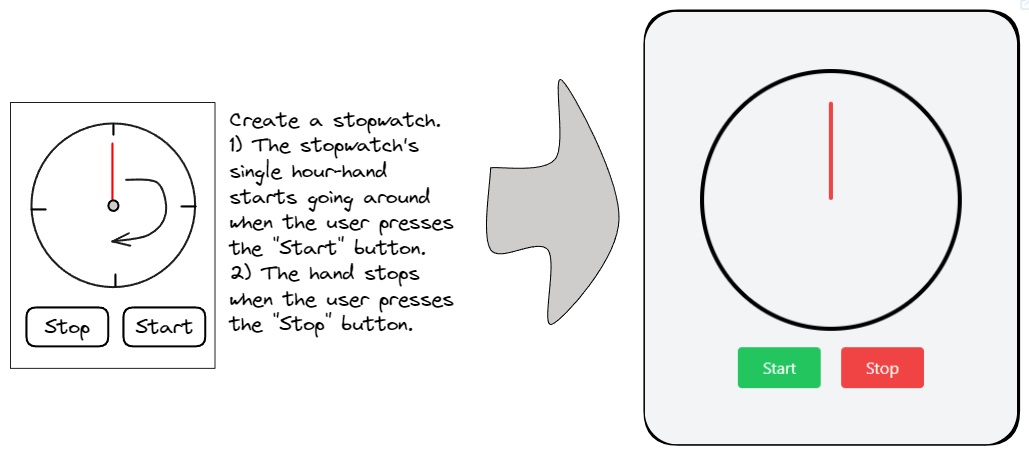
|
||||
```js*/
|
||||
|
||||
@@ -1,5 +1,6 @@
|
||||
/*
|
||||
<iframe width="560" height="315" src="https://www.youtube.com/embed/A1vrSGBbWgo" title="YouTube video player" frameborder="0" allow="accelerometer; autoplay; clipboard-write; encrypted-media; gyroscope; picture-in-picture" allowfullscreen></iframe>
|
||||
|
||||
<a href="https://www.youtube.com/watch?v=A1vrSGBbWgo" target="_blank"><img src ="https://i.ytimg.com/vi/A1vrSGBbWgo/maxresdefault.jpg" style="width:560px;"></a>
|
||||
|
||||

|
||||
```js*/
|
||||
|
||||
@@ -6,8 +6,7 @@ The script performs two different functions depending on the elements selected i
|
||||
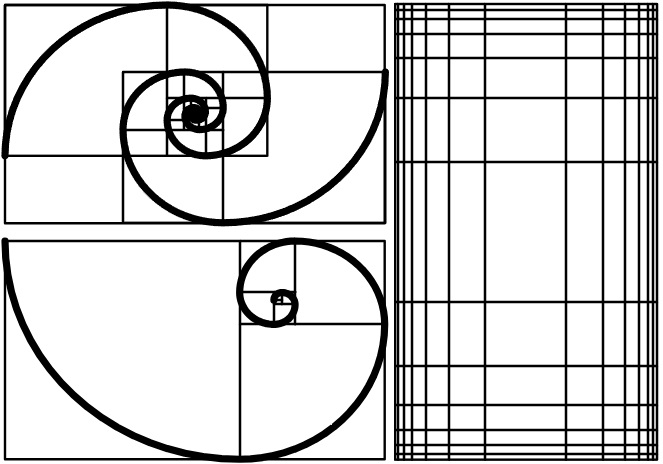
|
||||
|
||||
|
||||
<iframe width="560" height="315" src="https://www.youtube.com/embed/2SHn_ruax-s" title="YouTube video player" frameborder="0" allow="accelerometer; autoplay; clipboard-write; encrypted-media; gyroscope; picture-in-picture" allowfullscreen></iframe>
|
||||
|
||||
<a href="https://www.youtube.com/watch?v=2SHn_ruax-s" target="_blank"><img src ="https://i.ytimg.com/vi/2SHn_ruax-s/maxresdefault.jpg" style="width:560px;"></a>
|
||||
|
||||
Gravitational point of spiral: $$\left[x,y\right]=\left[ x + \frac{{\text{width} \cdot \phi^2}}{{\phi^2 + 1}}\;, \; y + \frac{{\text{height} \cdot \phi^2}}{{\phi^2 + 1}} \right]$$
|
||||
Dimensions of inner rectangles in case of Double Spiral: $$[width, height] = \left[\frac{width\cdot(\phi^2+1)}{2\phi^2}\;, \;\frac{height\cdot(\phi^2+1)}{2\phi^2}\right]$$
|
||||
|
||||
+100
-44
@@ -1,65 +1,121 @@
|
||||
/*
|
||||
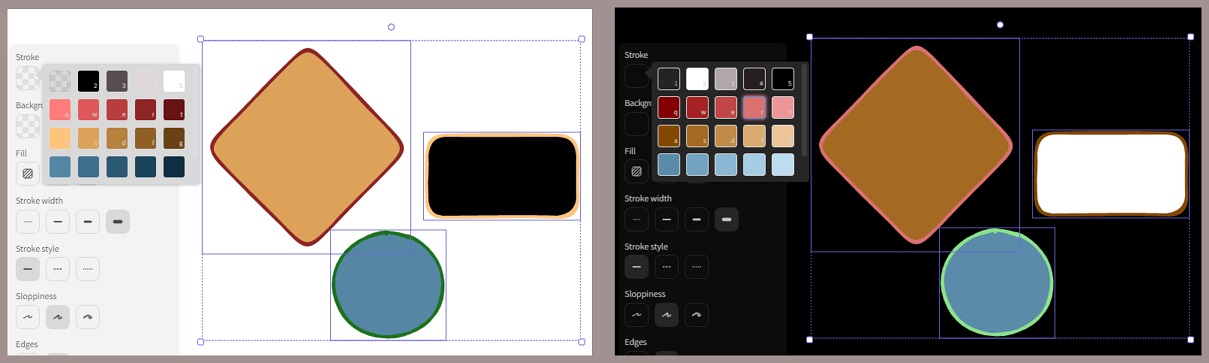
|
||||
|
||||
|
||||
|
||||
The script inverts the colors on the canvas including the color palette in Element Properties.
|
||||
|
||||
```javascript
|
||||
*/
|
||||
const defaultColorPalette = { // https://github.com/zsviczian/obsidian-excalidraw-plugin/releases/tag/1.6.8
|
||||
elementStroke:["#000000","#343a40","#495057","#c92a2a","#a61e4d","#862e9c","#5f3dc4","#364fc7","#1864ab","#0b7285","#087f5b","#2b8a3e","#5c940d","#e67700","#d9480f"],
|
||||
elementBackground:["transparent","#ced4da","#868e96","#fa5252","#e64980","#be4bdb","#7950f2","#4c6ef5","#228be6","#15aabf","#12b886","#40c057","#82c91e","#fab005","#fd7e14"],
|
||||
canvasBackground:["#ffffff","#f8f9fa","#f1f3f5","#fff5f5","#fff0f6","#f8f0fc","#f3f0ff","#edf2ff","#e7f5ff","#e3fafc","#e6fcf5","#ebfbee","#f4fce3","#fff9db","#fff4e6"]
|
||||
This script inverts all the colors in the current Excalidraw drawing. It applies the inversion to:
|
||||
1. The stroke and background colors of every element on the canvas.
|
||||
2. The main canvas background color.
|
||||
3. All colors within the user's custom color palette, handling all possible configurations (simple arrays, nested arrays, and objects).
|
||||
4. The currently selected stroke and background colors in the UI.
|
||||
|
||||
A default color palette is defined to use as a fallback if the current drawing's palette is missing or empty. // This is based on the standard Excalidraw palette from version [1.6.8.](https://github.com/zsviczian/obsidian-excalidraw-plugin/releases/tag/1.6.8)
|
||||
|
||||
You'll find a detailed description of the color palette data structure on the [Excalidraw-Obsidian Wiki](https://excalidraw-obsidian.online/wiki/color-palette)
|
||||
|
||||
```js*/
|
||||
const defaultColorPalette = {
|
||||
elementStroke: ["#000000", "#343a40", "#495057", "#c92a2a", "#a61e4d", "#862e9c", "#5f3dc4", "#364fc7", "#1864ab", "#0b7285", "#087f5b", "#2b8a3e", "#5c940d", "#e67700", "#d9480f"],
|
||||
elementBackground: ["transparent", "#ced4da", "#868e96", "#fa5252", "#e64980", "#be4bdb", "#7950f2", "#4c6ef5", "#228be6", "#15aabf", "#12b886", "#40c057", "#82c91e", "#fab005", "#fd7e14"],
|
||||
canvasBackground: ["#ffffff", "#f8f9fa", "#f1f3f5", "#fff5f5", "#fff0f6", "#f8f0fc", "#f3f0ff", "#edf2ff", "#e7f5ff", "#e3fafc", "#e6fcf5", "#ebfbee", "#f4fce3", "#fff9db", "#fff4e6"]
|
||||
};
|
||||
|
||||
// Get the Excalidraw API and the current application state.
|
||||
const api = ea.getExcalidrawAPI();
|
||||
const st = api.getAppState();
|
||||
|
||||
// Retrieve the current color palette, falling back to the default if necessary.
|
||||
let colorPalette = st.colorPalette ?? defaultColorPalette;
|
||||
if (Object.entries(colorPalette).length === 0) colorPalette = defaultColorPalette;
|
||||
if(!colorPalette.elementStroke || Object.entries(colorPalette.elementStroke).length === 0) colorPalette.elementStroke = defaultColorPalette.elementStroke;
|
||||
if(!colorPalette.elementBackground || Object.entries(colorPalette.elementBackground).length === 0) colorPalette.elementBackground = defaultColorPalette.elementBackground;
|
||||
if(!colorPalette.canvasBackground || Object.entries(colorPalette.canvasBackground).length === 0) colorPalette.canvasBackground = defaultColorPalette.canvasBackground;
|
||||
if (!colorPalette || Object.keys(colorPalette).length === 0) {
|
||||
colorPalette = defaultColorPalette;
|
||||
}
|
||||
// Ensure each key in the palette has a default value if it's missing.
|
||||
if (!colorPalette.elementStroke || colorPalette.elementStroke.length === 0) {
|
||||
colorPalette.elementStroke = defaultColorPalette.elementStroke;
|
||||
}
|
||||
if (!colorPalette.elementBackground || colorPalette.elementBackground.length === 0) {
|
||||
colorPalette.elementBackground = defaultColorPalette.elementBackground;
|
||||
}
|
||||
if (!colorPalette.canvasBackground || colorPalette.canvasBackground.length === 0) {
|
||||
colorPalette.canvasBackground = defaultColorPalette.canvasBackground;
|
||||
}
|
||||
|
||||
/**
|
||||
* Inverts a single color string by reversing its lightness value.
|
||||
* This function uses the ColorMaster utility provided by Excalidraw Automate.
|
||||
* It correctly handles various color formats (HEX, RGB, HSL) and preserves transparency.
|
||||
* @param {string} color - The color to be inverted (e.g., "#FF0000").
|
||||
* @returns {string} The inverted color string.
|
||||
*/
|
||||
const invertColor = (color) => {
|
||||
if(color.toLowerCase()==="transparent") return color;
|
||||
const cm = ea.getCM(color);
|
||||
const lightness = cm.lightness;
|
||||
cm.lightnessTo(Math.abs(lightness-100));
|
||||
switch (cm.format) {
|
||||
case "hsl": return cm.stringHSL();
|
||||
case "rgb": return cm.stringRGB();
|
||||
case "hsv": return cm.stringHSV();
|
||||
default: return cm.stringHEX({alpha: false});
|
||||
}
|
||||
}
|
||||
|
||||
function invertColorsRecursively(obj) {
|
||||
if (typeof obj === 'string') {
|
||||
return invertColor(obj);
|
||||
} else if (Array.isArray(obj)) {
|
||||
return obj.map(item => invertColorsRecursively(item));
|
||||
} else if (typeof obj === 'object' && obj !== null) {
|
||||
const result = {};
|
||||
Object.keys(obj).forEach(key => result[key] = invertColorsRecursively(obj[key]));
|
||||
return result;
|
||||
} else {
|
||||
return obj;
|
||||
const cm = ea.getCM(color);
|
||||
const opts = cm.alpha !== 1 ? { alpha: true } : { alpha: false };
|
||||
const lightness = cm.lightness;
|
||||
cm.lightnessTo(Math.abs(lightness - 100)); // Invert lightness on a 0-100 scale.
|
||||
switch (cm.format) {
|
||||
case "hsl": return cm.stringHSL(opts);
|
||||
case "rgb": return cm.stringRGB(opts);
|
||||
case "hsv": return cm.stringHSV(opts);
|
||||
default: return cm.stringHEX(opts);
|
||||
}
|
||||
}
|
||||
colorPalette = invertColorsRecursively(colorPalette);
|
||||
};
|
||||
|
||||
/**
|
||||
* Recursively traverses a color palette data structure and inverts every color string found.
|
||||
* This robustly handles all valid `colorPalette` configurations, including nested arrays
|
||||
* (`string[][]`), simple arrays (`string[]`), and objects (`topPicks`).
|
||||
* @param {any} palette - A color string, an array of colors, an array of arrays, or an object palette.
|
||||
* @returns {any} A new palette structure with all colors inverted.
|
||||
*/
|
||||
const invertPaletteStructure = (palette) => {
|
||||
if (typeof palette === 'string') {
|
||||
// Base case: If the item is a color string, invert it.
|
||||
return invertColor(palette);
|
||||
}
|
||||
if (Array.isArray(palette)) {
|
||||
// If it's an array, recursively call this function for each item.
|
||||
return palette.map(item => invertPaletteStructure(item));
|
||||
}
|
||||
if (typeof palette === 'object' && palette !== null) {
|
||||
// If it's an object, create a new object and recursively process its values.
|
||||
const newPalette = {};
|
||||
for (const key in palette) {
|
||||
if (Object.prototype.hasOwnProperty.call(palette, key)) {
|
||||
newPalette[key] = invertPaletteStructure(palette[key]);
|
||||
}
|
||||
}
|
||||
return newPalette;
|
||||
}
|
||||
// Return any other data types (like numbers or null) unchanged.
|
||||
return palette;
|
||||
};
|
||||
|
||||
// Generate the new, fully inverted color palette.
|
||||
const invertedColorPalette = invertPaletteStructure(colorPalette);
|
||||
|
||||
// Load all elements from the current view into the Excalidraw Automate workbench for editing.
|
||||
ea.copyViewElementsToEAforEditing(ea.getViewElements());
|
||||
ea.getElements().forEach(el=>{
|
||||
el.strokeColor = invertColor(el.strokeColor);
|
||||
el.backgroundColor = invertColor(el.backgroundColor);
|
||||
|
||||
// Iterate over all elements and invert their stroke and background colors.
|
||||
ea.getElements().forEach(el => {
|
||||
if (el.strokeColor) {
|
||||
el.strokeColor = invertColor(el.strokeColor);
|
||||
}
|
||||
if (el.backgroundColor) {
|
||||
el.backgroundColor = invertColor(el.backgroundColor);
|
||||
}
|
||||
});
|
||||
|
||||
// Finally, update the Excalidraw scene with the inverted elements and application state.
|
||||
ea.viewUpdateScene({
|
||||
appState:{
|
||||
colorPalette,
|
||||
viewBackgroundColor: invertColor(st.viewBackgroundColor),
|
||||
currentItemStrokeColor: invertColor(st.currentItemStrokeColor),
|
||||
currentItemBackgroundColor: invertColor(st.currentItemBackgroundColor)
|
||||
appState: {
|
||||
colorPalette: invertedColorPalette,
|
||||
viewBackgroundColor: invertColor(st.viewBackgroundColor),
|
||||
currentItemStrokeColor: invertColor(st.currentItemStrokeColor),
|
||||
currentItemBackgroundColor: invertColor(st.currentItemBackgroundColor)
|
||||
},
|
||||
elements: ea.getElements()
|
||||
elements: ea.getElements(),
|
||||
storeAction: "capture" // Ensures the change is saved and added to the undo/redo history.
|
||||
});
|
||||
@@ -1,8 +1,7 @@
|
||||
/*
|
||||
Copies the text from the selected PDF page on the Excalidraw canvas to the clipboard.
|
||||
|
||||
<iframe width="560" height="315" src="https://www.youtube.com/embed/Kwt_8WdOUT4" title="YouTube video player" frameborder="0" allow="accelerometer; autoplay; clipboard-write; encrypted-media; gyroscope; picture-in-picture" allowfullscreen></iframe>
|
||||
Link:: https://youtu.be/Kwt_8WdOUT4
|
||||
<a href="https://www.youtube.com/watch?v=Kwt_8WdOUT4" target="_blank"><img src ="https://i.ytimg.com/vi/Kwt_8WdOUT4/maxresdefault.jpg" style="width:560px;"></a>
|
||||
|
||||
|
||||
```js*/
|
||||
|
||||
@@ -1,11 +1,8 @@
|
||||
/*
|
||||
|
||||
<a href="https://www.youtube.com/watch?v=epYNx2FSf2w" target="_blank"><img src ="https://i.ytimg.com/vi/epYNx2FSf2w/maxresdefault.jpg" style="width:560px;"></a>
|
||||
|
||||
<iframe width="560" height="315" src="https://www.youtube.com/embed/epYNx2FSf2w" title="YouTube video player" frameborder="0" allow="accelerometer; autoplay; clipboard-write; encrypted-media; gyroscope; picture-in-picture" allowfullscreen></iframe>
|
||||
Link:: https://youtu.be/epYNx2FSf2w
|
||||
|
||||
<iframe width="560" height="315" src="https://www.youtube.com/embed/diBT5iaoAYo" title="YouTube video player" frameborder="0" allow="accelerometer; autoplay; clipboard-write; encrypted-media; gyroscope; picture-in-picture" allowfullscreen></iframe>
|
||||
Link:: https://youtu.be/diBT5iaoAYo
|
||||
<a href="https://www.youtube.com/watch?v=diBT5iaoAYo" target="_blank"><img src ="https://i.ytimg.com/vi/diBT5iaoAYo/maxresdefault.jpg" style="width:560px;"></a>
|
||||
|
||||
Design your palette at http://paletton.com/
|
||||
Once you are happy with your colors, click Tables/Export in the bottom right of the screen:
|
||||
|
||||
@@ -0,0 +1,215 @@
|
||||
/*
|
||||
Palm Guard: A mobile-friendly drawing mode for Excalidraw that prevents accidental palm touches by hiding UI controls and entering fullscreen mode. Perfect for drawing with a stylus on tablets.
|
||||
|
||||
Features:
|
||||
- Enters fullscreen to maximize drawing space (configurable in plugin script settings)
|
||||
- Hides all UI controls to prevent accidental taps
|
||||
- Provides a minimal floating toolbar with toggle visibility button
|
||||
- Enables a completely distraction-free canvas even on desktop devices by hiding the main toolbar and all chrome while keeping a tiny movable toggle control (addresses immersive canvas / beyond Zen Mode request)
|
||||
- Draggable toolbar can be positioned anywhere on screen
|
||||
- Exit Palm Guard mode with a single tap
|
||||
- Press the hotkey you configured for this script in Obsidian's Hotkey settings (e.g., ALT+X) to toggle UI visibility; if no hotkey is set, use the on-screen toggle button.
|
||||
|
||||

|
||||
|
||||
```js
|
||||
*/
|
||||
|
||||
if(!ea.verifyMinimumPluginVersion || !ea.verifyMinimumPluginVersion("2.14.2")) {
|
||||
new Notice("This script requires a newer version of Excalidraw. Please install the latest version.");
|
||||
return;
|
||||
}
|
||||
|
||||
async function run() {
|
||||
if(window.excalidrawPalmGuard) {
|
||||
window.excalidrawPalmGuard()
|
||||
return;
|
||||
}
|
||||
const modal = new ea.FloatingModal(ea.plugin.app);
|
||||
const FULLSCREEN = "Goto fullscreen?";
|
||||
let settings = ea.getScriptSettings() || {};
|
||||
if(!settings[FULLSCREEN]) {
|
||||
settings[FULLSCREEN] = { value: true };
|
||||
await ea.setScriptSettings(settings);
|
||||
}
|
||||
|
||||
//added only to clean up settings if someone installed the initial version of the script
|
||||
const HOTKEY_MODIFIERS = "PalmGuard Toggle UI Hotkey Modifiers";
|
||||
const HOTKEY_KEY = "PalmGuard Toggle UI Hotkey Key";
|
||||
if(settings[HOTKEY_MODIFIERS] || settings[HOTKEY_KEY]) {
|
||||
delete settings[HOTKEY_MODIFIERS];
|
||||
delete settings[HOTKEY_KEY];
|
||||
await ea.setScriptSettings(settings);
|
||||
}
|
||||
|
||||
const enableFullscreen = settings[FULLSCREEN].value;
|
||||
|
||||
// Initialize state
|
||||
let uiHidden = true;
|
||||
let currentIcon = "eye";
|
||||
let layerUIWrapper = ea.targetView.contentEl.querySelector(".excalidraw.excalidraw-container > .layer-ui__wrapper");
|
||||
const toolbar = ea.targetView.contentEl.querySelector(".excalidraw > .Island");
|
||||
let toolbarActive = toolbar?.style.display === "block";
|
||||
let prevHiddenState = false;
|
||||
|
||||
// Function to toggle UI visibility
|
||||
const toggleUIVisibility = (hidden) => {
|
||||
if(hidden === prevHiddenState) return hidden;
|
||||
prevHiddenState = hidden;
|
||||
if (!!layerUIWrapper) {
|
||||
try {
|
||||
if(hidden) {
|
||||
layerUIWrapper.style.display = "none";
|
||||
} else {
|
||||
layerUIWrapper.style.display = "block";
|
||||
}
|
||||
} catch {};
|
||||
} else {
|
||||
try{
|
||||
const topBar = ea.targetView.containerEl.querySelector(".App-top-bar");
|
||||
const bottomBar = ea.targetView.containerEl.querySelector(".App-bottom-bar");
|
||||
const sidebarToggle = ea.targetView.containerEl.querySelector(".sidebar-toggle");
|
||||
const plugins = ea.targetView.containerEl.querySelector(".plugins-container");
|
||||
|
||||
if(hidden) {
|
||||
if (toolbarActive && (toolbar?.style.display === "none")) {
|
||||
toolbarActive = false;
|
||||
}
|
||||
if (toolbarActive = toolbar?.style.display === "block") {
|
||||
toolbarActive = true;
|
||||
};
|
||||
}
|
||||
|
||||
const display = hidden ? "none" : "";
|
||||
|
||||
if (topBar) topBar.style.display = display;
|
||||
if (bottomBar) bottomBar.style.display = display;
|
||||
if (sidebarToggle) sidebarToggle.style.display = display;
|
||||
if (plugins) plugins.style.display = display;
|
||||
if (toolbarActive) toolbar.style.display = hidden ? "none" : "block";
|
||||
modal.modalEl.style.opacity = hidden ? "0.4" : "0.8";
|
||||
} catch {};
|
||||
};
|
||||
return hidden;
|
||||
};
|
||||
|
||||
// Enter fullscreen view mode
|
||||
if(enableFullscreen) ea.targetView.gotoFullscreen();
|
||||
setTimeout(()=>toggleUIVisibility(true),100);
|
||||
|
||||
// Create floating toolbar modal
|
||||
Object.assign(modal.modalEl.style, {
|
||||
width: "fit-content",
|
||||
minWidth: "fit-content",
|
||||
height: "fit-content",
|
||||
minHeight: "fit-content",
|
||||
paddingBottom: "4px",
|
||||
paddingTop: "16px",
|
||||
paddingRight: "4px",
|
||||
paddingLeft: "4px"
|
||||
});
|
||||
|
||||
modal.headerEl.style.display = "none";
|
||||
// Configure modal
|
||||
modal.titleEl.setText(""); // No title for minimal UI
|
||||
|
||||
// Create modal content
|
||||
modal.contentEl.createDiv({ cls: "palm-guard-toolbar" }, div => {
|
||||
const container = div.createDiv({
|
||||
attr: {
|
||||
style: "display: flex; flex-direction: column; background-color: var(--background-secondary); border-radius: 4px;"
|
||||
}
|
||||
});
|
||||
|
||||
// Button container
|
||||
const buttonContainer = container.createDiv({
|
||||
attr: {
|
||||
style: "display: flex; flex-wrap: wrap; gap: 4px; justify-content: center;"
|
||||
}
|
||||
});
|
||||
|
||||
// Toggle UI visibility button
|
||||
const toggleButton = buttonContainer.createEl("button", {
|
||||
cls: "palm-guard-btn clickable-icon",
|
||||
attr: {
|
||||
style: "background-color: var(--interactive-accent); color: var(--text-on-accent);"
|
||||
}
|
||||
});
|
||||
toggleButton.innerHTML = ea.obsidian.getIcon("eye").outerHTML;
|
||||
// Keyboard hotkey listener (only acts if hotkey configured)
|
||||
window.excalidrawPalmGuard = () => toggleButton.click();
|
||||
toggleButton.addEventListener("click", () => {
|
||||
uiHidden = !uiHidden;
|
||||
toggleUIVisibility(uiHidden);
|
||||
|
||||
// Toggle icon
|
||||
currentIcon = uiHidden ? "eye" : "eye-off";
|
||||
toggleButton.innerHTML = ea.obsidian.getIcon(currentIcon).outerHTML;
|
||||
});
|
||||
|
||||
// Exit button
|
||||
const exitButton = buttonContainer.createEl("button", {
|
||||
cls: "palm-guard-btn clickable-icon",
|
||||
attr: {
|
||||
style: "background-color: var(--background-secondary-alt); color: var(--text-normal);"
|
||||
}
|
||||
});
|
||||
exitButton.innerHTML = ea.obsidian.getIcon("cross").outerHTML;
|
||||
|
||||
exitButton.addEventListener("click", () => {
|
||||
modal.close();
|
||||
});
|
||||
|
||||
// Add CSS
|
||||
div.createEl("style", {
|
||||
text: `
|
||||
.palm-guard-btn:hover {
|
||||
filter: brightness(1.1);
|
||||
}
|
||||
.modal-close-button {
|
||||
display: none;
|
||||
}
|
||||
.palm-guard-btn {
|
||||
display: flex;
|
||||
justify-content: center;
|
||||
align-items: center;
|
||||
padding: 4px;
|
||||
border-radius: 10%;
|
||||
width: 2em;
|
||||
height: 2em;
|
||||
cursor: pointer;
|
||||
}
|
||||
`
|
||||
});
|
||||
});
|
||||
|
||||
const autocloseTimer = setInterval(()=>{
|
||||
if(!ea.targetView) modal.close();
|
||||
},1000);
|
||||
|
||||
// Handle modal close (exit Palm Guard mode)
|
||||
modal.onClose = () => {
|
||||
// Show all UI elements
|
||||
toggleUIVisibility(false);
|
||||
|
||||
// Exit fullscreen
|
||||
if(ea.targetView && enableFullscreen) ea.targetView.exitFullscreen();
|
||||
clearInterval(autocloseTimer);
|
||||
delete window.excalidrawPalmGuard;
|
||||
};
|
||||
|
||||
// Open the modal
|
||||
modal.open();
|
||||
|
||||
// Position the modal in the top left initially
|
||||
setTimeout(() => {
|
||||
const modalEl = modal.modalEl;
|
||||
const rect = ea.targetView.contentEl.getBoundingClientRect();
|
||||
if (modalEl) {
|
||||
modalEl.style.left = `${rect.left+10}px`;
|
||||
modalEl.style.top = `${rect.top+10}px`;
|
||||
}
|
||||
}, 100);
|
||||
}
|
||||
|
||||
run();
|
||||

@@ -0,0 +1 @@
|
||||
<svg xmlns="http://www.w3.org/2000/svg" width="24" height="24" viewBox="0 0 24 24" fill="none" stroke="currentColor" stroke-width="2" stroke-linecap="round" stroke-linejoin="round" class="skip"><path d="M18 11V6a2 2 0 0 0-2-2a2 2 0 0 0-2 2"/><path d="M14 10V4a2 2 0 0 0-2-2a2 2 0 0 0-2 2v2"/><path d="M10 10.5V6a2 2 0 0 0-2-2a2 2 0 0 0-2 2v8"/><path d="M18 8a2 2 0 1 1 4 0v6a8 8 0 0 1-8 8h-2c-2.8 0-4.5-.86-5.99-2.34l-3.6-3.6a2 2 0 0 1 2.83-2.82L7 15"/></svg>
|
||||
|
After Width: | Height: | Size: 459 B |
@@ -0,0 +1,864 @@
|
||||
/*
|
||||
|
||||
Export Excalidraw to PDF Pages: Define printable page areas using frames, then export each frame as a separate page in a multi-page PDF. Perfect for turning your Excalidraw drawings into printable notes, handouts, or booklets. Supports standard and custom page sizes, margins, and easy frame arrangement.
|
||||
|
||||
|
||||
|
||||
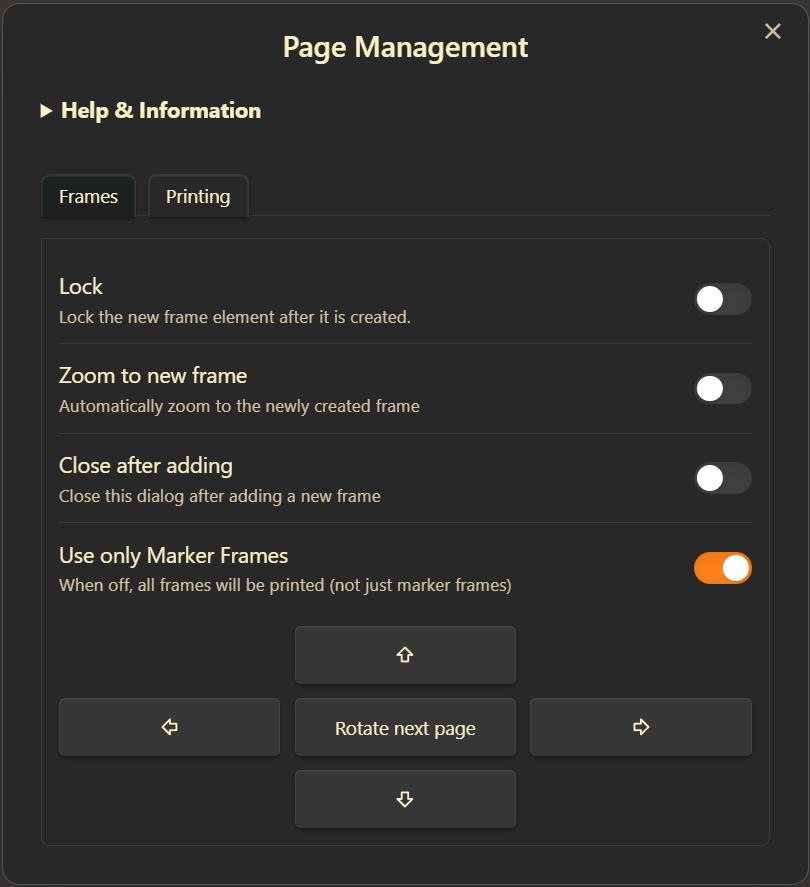
|
||||
|
||||
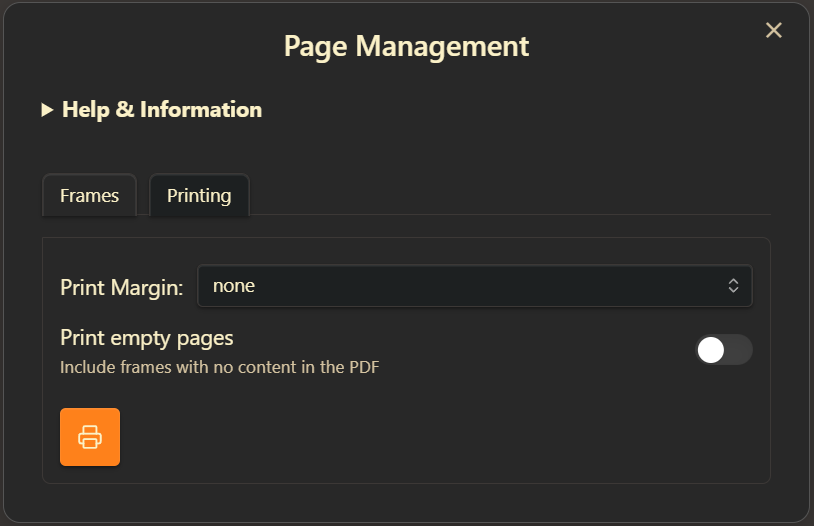
|
||||
|
||||

|
||||
|
||||

|
||||
|
||||
```js
|
||||
*/
|
||||
|
||||
if(!ea.verifyMinimumPluginVersion || !ea.verifyMinimumPluginVersion("2.15.0")) {
|
||||
new Notice("This script requires a newer version of Excalidraw. Please install the latest version.");
|
||||
return;
|
||||
}
|
||||
|
||||
if(window.excalidrawPrintableLayoutWizardModal) {
|
||||
window.excalidrawPrintableLayoutWizardModal.open();
|
||||
return;
|
||||
}
|
||||
|
||||
// Help text for the script
|
||||
const HELP_TEXT = `
|
||||
**Easily split your Excalidraw drawing into printable pages!**
|
||||
|
||||
If you find this script helpful, consider [buying me a coffee](https://ko-fi.com/zsolt). Thank you.
|
||||
|
||||
---
|
||||
|
||||
### How it works
|
||||
|
||||
- **Define Pages:** Use frames to mark out each page area in your drawing. You can create the first frame with this script (choose a standard size or orientation), or draw your own frame for a custom page size.
|
||||
- **Add More Pages:** Select a frame, then use the arrow buttons to add new frames next to it. All new frames will match the size of the selected one.
|
||||
- **Rename Frames:** You can rename frames as you like. When exporting to PDF, pages will be ordered alphabetically by frame name.
|
||||
|
||||
---
|
||||
|
||||
### Important Notes
|
||||
|
||||
- **Same Size & Orientation:** All frames must have the same size and orientation (e.g., all A4 Portrait) to export to PDF. Excalidraw currently does not support PDFs with different-sized pages.
|
||||
- **Custom Sizes:** If you draw your own frame, the PDF will use that exact size—great for custom page layouts!
|
||||
- **Margins:** If you set a margin, the page size stays the same, but your content will shrink to fit inside the printable area.
|
||||
- **No Frame Borders/Titles in Print:** Frame borders and frame titles will *not* appear in the PDF.
|
||||
- **No Frame Clipping:** The script disables frame clipping for this drawing.
|
||||
- **Templates:** You can save a template document with prearranged frames (even locked ones) for reuse.
|
||||
- **Lock Frames:** Frames only define print areas—they don't "contain" elements. Locking frames is recommended to prevent accidental movement.
|
||||
- **Outside Content:** Anything outside the frames will *not* appear in the PDF.
|
||||
|
||||
---
|
||||
|
||||
### Printing
|
||||
|
||||
- **Export to PDF:** Click the printer button to export each frame as a separate page in a PDF.
|
||||
- **Order:** Pages are exported in alphabetical order of frame names.
|
||||
|
||||
---
|
||||
|
||||
### Settings
|
||||
|
||||
You can also access script settings at the bottom of Excalidraw Plugin settings. The script stores your preferences for:
|
||||
- Locking new frames after creation
|
||||
- Zooming to new frames
|
||||
- Closing the dialog after adding a frame
|
||||
- Default page size and orientation
|
||||
- Print margin
|
||||
|
||||
---
|
||||
|
||||
**Tip:** For more on templates, see [Mastering Excalidraw Templates](https://youtu.be/jgUpYznHP9A). For referencing pages in markdown, see [Image Fragments](https://youtu.be/sjZfdqpxqsg) and [Image Block References](https://youtu.be/yZQoJg2RCKI).
|
||||
|
||||

|
||||
|
||||

|
||||
`;
|
||||
|
||||
async function run() {
|
||||
modal = new ea.FloatingModal(ea.plugin.app);
|
||||
window.excalidrawPrintableLayoutWizardModal = modal;
|
||||
modal.contentEl.empty();
|
||||
let shouldRestart = false;
|
||||
// Enable frame rendering
|
||||
const st = ea.getExcalidrawAPI().getAppState();
|
||||
let {enabled, clip, name, outline, markerName, markerEnabled} = st.frameRendering;
|
||||
if(!enabled || !name || !outline || !markerEnabled || !markerName) {
|
||||
ea.viewUpdateScene({
|
||||
appState: {
|
||||
frameRendering: {
|
||||
enabled: true,
|
||||
clip: clip,
|
||||
name: true,
|
||||
outline: true,
|
||||
markerName: true,
|
||||
markerEnabled: true
|
||||
}
|
||||
}
|
||||
});
|
||||
}
|
||||
|
||||
// Page size options (using standard sizes from ExcalidrawAutomate)
|
||||
const PAGE_SIZES = [
|
||||
"A0", "A1", "A2", "A3", "A4", "A5", "A6",
|
||||
"Letter", "Legal", "Tabloid", "Ledger"
|
||||
];
|
||||
|
||||
const PAGE_ORIENTATIONS = ["portrait", "landscape"];
|
||||
|
||||
// Margin sizes in points
|
||||
const MARGINS = {
|
||||
"none": 0,
|
||||
"tiny": 10,
|
||||
"normal": 60,
|
||||
};
|
||||
|
||||
// Initialize settings
|
||||
let settings = ea.getScriptSettings();
|
||||
let dirty = false;
|
||||
|
||||
// Define setting keys
|
||||
const PAGE_SIZE = "Page size";
|
||||
const ORIENTATION = "Page orientation";
|
||||
const MARGIN = "Print-margin";
|
||||
const LOCK_FRAME = "Lock frame after it is created";
|
||||
const SHOULD_ZOOM = "Should zoom after adding page";
|
||||
const SHOULD_CLOSE = "Should close after adding page";
|
||||
const PRINT_EMPTY = "Print empty pages";
|
||||
const PRINT_MARKERS_ONLY = "Print only marker frames";
|
||||
|
||||
// Set default values on first run
|
||||
if (!settings[PAGE_SIZE]) {
|
||||
settings = {};
|
||||
settings[PAGE_SIZE] = { value: "A4", valueset: PAGE_SIZES };
|
||||
settings[ORIENTATION] = { value: "portrait", valueset: PAGE_ORIENTATIONS };
|
||||
settings[MARGIN] = { value: "none", valueset: Object.keys(MARGINS)};
|
||||
settings[SHOULD_ZOOM] = { value: false };
|
||||
settings[SHOULD_CLOSE] = { value: false };
|
||||
settings[LOCK_FRAME] = { value: true };
|
||||
settings[PRINT_EMPTY] = { value: false };
|
||||
settings[PRINT_MARKERS_ONLY] = { value: true };
|
||||
dirty = true;
|
||||
}
|
||||
|
||||
//once off correction. In the first version I incorrectly used valueSet with wrong casing.
|
||||
if(settings[PAGE_SIZE].valueSet) {
|
||||
settings[PAGE_SIZE].valueset = settings[PAGE_SIZE].valueSet;
|
||||
delete settings[PAGE_SIZE].valueSet;
|
||||
settings[ORIENTATION].valueset = settings[ORIENTATION].valueSet;
|
||||
delete settings[ORIENTATION].valueSet;
|
||||
settings[MARGIN].valueset = settings[MARGIN].valueSet;
|
||||
delete settings[MARGIN].valueSet;
|
||||
dirty = true;
|
||||
}
|
||||
|
||||
if(!settings[LOCK_FRAME]) {
|
||||
settings[LOCK_FRAME] = { value: true };
|
||||
dirty = true;
|
||||
}
|
||||
|
||||
if(!settings[PRINT_EMPTY]) {
|
||||
settings[PRINT_EMPTY] = { value: false };
|
||||
dirty = true;
|
||||
}
|
||||
|
||||
|
||||
if(!settings[PRINT_MARKERS_ONLY]) {
|
||||
settings[PRINT_MARKERS_ONLY] = { value: true };
|
||||
dirty = true;
|
||||
}
|
||||
|
||||
let lockFrame = settings[LOCK_FRAME].value;
|
||||
let shouldClose = settings[SHOULD_CLOSE].value;
|
||||
let shouldZoom = settings[SHOULD_ZOOM].value;
|
||||
let printEmptyPages = settings[PRINT_EMPTY].value;
|
||||
let printMarkersOnly = settings[PRINT_MARKERS_ONLY].value;
|
||||
|
||||
const getSortedFrames = () => {
|
||||
return ea.getViewElements()
|
||||
.filter(el => isEligibleFrame(el))
|
||||
.sort((a, b) => {
|
||||
const nameA = a.name || "";
|
||||
const nameB = b.name || "";
|
||||
return nameA.localeCompare(nameB);
|
||||
});
|
||||
};
|
||||
|
||||
// Find existing page frames and determine next page number
|
||||
const findExistingPages = (selectLastFrame = false) => {
|
||||
const frameElements = getSortedFrames();
|
||||
|
||||
// Extract page numbers from frame names
|
||||
const pageNumbers = frameElements
|
||||
.map(frame => {
|
||||
const match = frame.name?.match(/(?:Page\s+)?(\d+)/i);
|
||||
return match ? parseInt(match[1]) : 0;
|
||||
})
|
||||
.filter(num => !isNaN(num));
|
||||
|
||||
// Find the highest page number
|
||||
const nextPageNumber = pageNumbers.length > 0
|
||||
? Math.max(...pageNumbers) + 1
|
||||
: 1;
|
||||
|
||||
if(selectLastFrame && frameElements.length > 0) {
|
||||
ea.selectElementsInView([frameElements[frameElements.length-1]]);
|
||||
}
|
||||
|
||||
return {
|
||||
frames: frameElements,
|
||||
nextPageNumber: nextPageNumber
|
||||
};
|
||||
};
|
||||
|
||||
const isEligibleFrame = (el) => el.type === "frame" && (printMarkersOnly ? el.frameRole === "marker" : true);
|
||||
|
||||
// Check if there are frames in the scene and if a frame is selected
|
||||
let existingFrames = ea.getViewElements().filter(el => isEligibleFrame(el));
|
||||
let selectedFrame = ea.getViewSelectedElements().find(el => isEligibleFrame(el));
|
||||
|
||||
const hasFrames = existingFrames.length > 0;
|
||||
if(hasFrames && !selectedFrame) {
|
||||
if(st.activeLockedId && existingFrames.find(f=>f.id === st.activeLockedId)) {
|
||||
selectedFrame = existingFrames.find(f=>f.id === st.activeLockedId);
|
||||
ea.viewUpdateScene({ appState: { activeLockedId: null }});
|
||||
ea.selectElementsInView([selectedFrame]);
|
||||
} else {
|
||||
findExistingPages(true);
|
||||
selectedFrame = ea.getViewSelectedElements().find(el => isEligibleFrame(el));
|
||||
}
|
||||
}
|
||||
|
||||
const hasSelectedFrame = !!selectedFrame;
|
||||
|
||||
// rotation is now a temporary UI state controlled by the center button
|
||||
let rotateOnAdd = false;
|
||||
let centerRotateBtn = null;
|
||||
const setRotateBtnActive = (active) => {
|
||||
if (!centerRotateBtn) return;
|
||||
centerRotateBtn.classList.toggle("is-accent", active);
|
||||
centerRotateBtn.setAttribute("aria-pressed", active ? "true" : "false");
|
||||
};
|
||||
|
||||
// Show notice if there are frames but none selected
|
||||
if (hasFrames && !hasSelectedFrame) {
|
||||
new Notice("Select a frame before running the script", 7000);
|
||||
return;
|
||||
}
|
||||
|
||||
// Create the first frame
|
||||
const createFirstFrame = async (pageSize, orientation) => {
|
||||
// Use ExcalidrawAutomate's built-in function to get page dimensions
|
||||
const dimensions = ea.getPagePDFDimensions(pageSize, orientation);
|
||||
|
||||
if (!dimensions) {
|
||||
new Notice("Invalid page size selected");
|
||||
return;
|
||||
}
|
||||
|
||||
// Save settings when creating first frame
|
||||
if (settings[PAGE_SIZE].value !== pageSize) {
|
||||
settings[PAGE_SIZE].value = pageSize;
|
||||
dirty = true;
|
||||
}
|
||||
|
||||
if (settings[ORIENTATION].value !== orientation) {
|
||||
settings[ORIENTATION].value = orientation;
|
||||
dirty = true;
|
||||
}
|
||||
|
||||
// Format page number with leading zero
|
||||
const pageName = "01";
|
||||
|
||||
// Calculate position to center the frame
|
||||
const appState = ea.getExcalidrawAPI().getAppState();
|
||||
const x = (appState.width - dimensions.width) / 2;
|
||||
const y = (appState.height - dimensions.height) / 2;
|
||||
|
||||
return await addFrameElement(x, y, dimensions.width, dimensions.height, pageName, true);
|
||||
};
|
||||
|
||||
// Add new page frame
|
||||
const addPage = async (direction, pageSize, orientation) => {
|
||||
selectedFrame = ea.getViewSelectedElements().find(el => isEligibleFrame(el));
|
||||
if (!selectedFrame) {
|
||||
const { activeLockedId } = ea.getExcalidrawAPI().getAppState();
|
||||
if(activeLockedId) {
|
||||
selectedFrame = ea.getViewElements().find(el=>el.id === activeLockedId && isEligibleFrame(el));
|
||||
}
|
||||
if (!selectedFrame) return;
|
||||
}
|
||||
ea.viewUpdateScene({appState: {activeLockedId: null}});
|
||||
|
||||
const { frames, nextPageNumber } = findExistingPages();
|
||||
|
||||
// Get dimensions from selected frame, support optional rotation
|
||||
const dimensions = {
|
||||
width: rotateOnAdd ? selectedFrame.height : selectedFrame.width,
|
||||
height: rotateOnAdd ? selectedFrame.width : selectedFrame.height
|
||||
};
|
||||
|
||||
// Format page number with leading zero
|
||||
const pageName = `${nextPageNumber.toString().padStart(2, '0')}`;
|
||||
|
||||
// Calculate position based on direction and selected frame
|
||||
let x = 0;
|
||||
let y = 0;
|
||||
|
||||
switch (direction) {
|
||||
case "right":
|
||||
x = selectedFrame.x + selectedFrame.width;
|
||||
y = selectedFrame.y;
|
||||
break;
|
||||
case "left":
|
||||
x = selectedFrame.x - dimensions.width;
|
||||
y = selectedFrame.y;
|
||||
break;
|
||||
case "down":
|
||||
x = selectedFrame.x;
|
||||
y = selectedFrame.y + selectedFrame.height;
|
||||
break;
|
||||
case "up":
|
||||
x = selectedFrame.x;
|
||||
y = selectedFrame.y - dimensions.height;
|
||||
break;
|
||||
}
|
||||
|
||||
const added = await addFrameElement(x, y, dimensions.width, dimensions.height, pageName);
|
||||
// reset the rotate toggle after adding the frame
|
||||
rotateOnAdd = false;
|
||||
setRotateBtnActive(false);
|
||||
return added;
|
||||
};
|
||||
|
||||
addFrameElement = async (x, y, width, height, pageName, repositionToCursor = false) => {
|
||||
const frameId = ea.addFrame(x, y, width, height, pageName);
|
||||
ea.getElement(frameId).frameRole = "marker";
|
||||
if(lockFrame) {
|
||||
ea.getElement(frameId).locked = true;
|
||||
}
|
||||
await ea.addElementsToView(repositionToCursor);
|
||||
const addedFrame = ea.getViewElements().find(el => el.id === frameId);
|
||||
if(shouldZoom) {
|
||||
ea.viewZoomToElements(true, [addedFrame]);
|
||||
} else {
|
||||
ea.selectElementsInView([addedFrame]);
|
||||
}
|
||||
|
||||
//ready for the next frame
|
||||
ea.clear();
|
||||
selectedFrame = addedFrame;
|
||||
if(shouldClose) {
|
||||
modal.close();
|
||||
}
|
||||
return addedFrame;
|
||||
}
|
||||
|
||||
const translateToZero = ({ x, y, width, height }, padding=0) => {
|
||||
const top = y, left = x, right = x + width, bottom = y + height;
|
||||
const {topX, topY, width:w, height:h} = ea.getBoundingBox(ea.getViewElements());
|
||||
const newTop = top - (topY - padding);
|
||||
const newLeft = left - (topX - padding);
|
||||
const newBottom = bottom - (topY - padding);
|
||||
const newRight = right - (topX - padding);
|
||||
|
||||
return {
|
||||
top: newTop,
|
||||
left: newLeft,
|
||||
bottom: newBottom,
|
||||
right: newRight,
|
||||
};
|
||||
}
|
||||
|
||||
// NEW: detect if any non-frame element overlaps the given area
|
||||
const hasElementsInArea = (area) => ea.getElementsInArea(ea.getViewElements(), area).length>0;
|
||||
|
||||
const checkFrameSizes = (frames) => {
|
||||
if (frames.length <= 1) return true;
|
||||
|
||||
const referenceWidth = frames[0].width;
|
||||
const referenceHeight = frames[0].height;
|
||||
|
||||
return frames.every(frame =>
|
||||
Math.abs(frame.width - referenceWidth) < 1 &&
|
||||
Math.abs(frame.height - referenceHeight) < 1
|
||||
);
|
||||
};
|
||||
|
||||
const printToPDF = async (marginSize) => {
|
||||
const margin = MARGINS[marginSize] || 0;
|
||||
|
||||
// Save margin setting
|
||||
if (settings[MARGIN].value !== marginSize) {
|
||||
settings[MARGIN].value = marginSize;
|
||||
dirty = true;
|
||||
}
|
||||
|
||||
// Get all frame elements and sort by name
|
||||
const frames = getSortedFrames();
|
||||
|
||||
if (frames.length === 0) {
|
||||
new Notice("No frames found to print");
|
||||
return;
|
||||
}
|
||||
|
||||
// Create a notice during processing
|
||||
const notice = new Notice("Preparing PDF, please wait...", 0);
|
||||
|
||||
// Create SVGs for each frame
|
||||
const svgPages = [];
|
||||
|
||||
let placeholderRects = [];
|
||||
ea.clear();
|
||||
for (const frame of frames) {
|
||||
ea.style.opacity = 0;
|
||||
ea.style.roughness = 0;
|
||||
ea.style.fillStyle = "solid";
|
||||
ea.style.backgroundColor = "black"
|
||||
ea.style.strokeWidth = 0.01;
|
||||
ea.addRect(frame.x, frame.y, frame.width, frame.height);
|
||||
}
|
||||
|
||||
const svgScene = await ea.createViewSVG({
|
||||
withBackground: true,
|
||||
theme: st.theme,
|
||||
//frameRendering: { enabled: false, name: false, outline: false, clip: false },
|
||||
padding: 0,
|
||||
selectedOnly: false,
|
||||
skipInliningFonts: false,
|
||||
embedScene: false,
|
||||
elementsOverride: ea.getViewElements().concat(ea.getElements()),
|
||||
});
|
||||
ea.clear();
|
||||
for (const frame of frames) {
|
||||
// NEW: skip empty frames unless user opted to print them
|
||||
if(!printEmptyPages && !hasElementsInArea(frame)) continue;
|
||||
|
||||
const { top, left, bottom, right } = translateToZero(frame);
|
||||
|
||||
//always create the new SVG in the main Obsidian workspace (not the popout window, if present)
|
||||
const host = window.createDiv();
|
||||
host.innerHTML = svgScene.outerHTML;
|
||||
const clonedSVG = host.firstElementChild;
|
||||
const width = Math.abs(left-right);
|
||||
const height = Math.abs(top-bottom);
|
||||
clonedSVG.setAttribute("viewBox", `${left} ${top} ${width} ${height}`);
|
||||
clonedSVG.setAttribute("width", `${width}`);
|
||||
clonedSVG.setAttribute("height", `${height}`);
|
||||
svgPages.push(clonedSVG);
|
||||
}
|
||||
|
||||
// NEW: abort if nothing to print
|
||||
if(svgPages.length === 0) {
|
||||
notice.hide();
|
||||
new Notice("No pages to print (all selected frames are empty)");
|
||||
notice.hide();
|
||||
return;
|
||||
}
|
||||
|
||||
// Use dimensions from the first frame
|
||||
const width = frames[0].width;
|
||||
const height = frames[0].height;
|
||||
|
||||
// Create PDF
|
||||
await ea.createPDF({
|
||||
SVG: svgPages,
|
||||
scale: { fitToPage: true },
|
||||
pageProps: {
|
||||
dimensions: {},
|
||||
//dimensions: { width, height },
|
||||
backgroundColor: "#ffffff",
|
||||
margin: {
|
||||
left: margin,
|
||||
right: margin,
|
||||
top: margin,
|
||||
bottom: margin
|
||||
},
|
||||
alignment: "center"
|
||||
},
|
||||
filename: ea.targetView.file.basename + "-pages.pdf"
|
||||
});
|
||||
notice.hide();
|
||||
};
|
||||
|
||||
// -----------------------
|
||||
// Create a floating modal
|
||||
// -----------------------
|
||||
|
||||
modal.titleEl.setText("Page Management");
|
||||
modal.titleEl.style.textAlign = "center";
|
||||
|
||||
modal.onClose = async () => {
|
||||
delete window.excalidrawPrintableLayoutWizardModal;
|
||||
if (dirty) {
|
||||
await ea.setScriptSettings(settings);
|
||||
}
|
||||
ea.viewUpdateScene({
|
||||
appState: {
|
||||
frameRendering: {enabled, clip, name, outline, markerName, markerEnabled}
|
||||
}
|
||||
});
|
||||
if(shouldRestart) setTimeout(()=>run());
|
||||
};
|
||||
|
||||
// Create modal content
|
||||
modal.contentEl.createDiv({ cls: "excalidraw-page-manager" }, div => {
|
||||
const container = div.createDiv({
|
||||
attr: {
|
||||
style: "display: flex; flex-direction: column; gap: 15px; padding: 10px;"
|
||||
}
|
||||
});
|
||||
|
||||
// Help section
|
||||
const helpDiv = container.createDiv({
|
||||
attr: {
|
||||
style: "margin-bottom: 10px;"
|
||||
}
|
||||
});
|
||||
helpDiv.createEl("details", {}, (details) => {
|
||||
details.createEl("summary", {
|
||||
text: "Help & Information",
|
||||
attr: {
|
||||
style: "cursor: pointer; font-weight: bold; margin-bottom: 10px;"
|
||||
}
|
||||
});
|
||||
|
||||
details.createEl("div", {
|
||||
attr: {
|
||||
style: "padding: 10px; border: 1px solid var(--background-modifier-border); border-radius: 4px; margin-top: 8px; font-size: 0.9em; max-height: 300px; overflow-y: auto;"
|
||||
}
|
||||
}, div => {
|
||||
ea.obsidian.MarkdownRenderer.render(ea.plugin.app, HELP_TEXT, div, "", ea.plugin)
|
||||
});
|
||||
});
|
||||
|
||||
// Tabs (show only when frames exist)
|
||||
let framesTabEl, printingTabEl, tabsHeaderEl, marginDropdown;
|
||||
if (hasFrames) {
|
||||
tabsHeaderEl = container.createDiv({
|
||||
attr: { style: "display:flex; gap:8px; border-bottom:1px solid var(--background-modifier-border); padding-bottom:0;" }
|
||||
});
|
||||
tabsHeaderEl.addClass("tabs-header"); // NEW
|
||||
|
||||
const framesTabBtn = tabsHeaderEl.createEl("button", {
|
||||
text: "Frames",
|
||||
attr: { style: "padding:8px 12px; cursor:pointer;" }
|
||||
});
|
||||
framesTabBtn.addClass("tab-btn"); // NEW
|
||||
|
||||
const printingTabBtn = tabsHeaderEl.createEl("button", {
|
||||
text: "Printing",
|
||||
attr: { style: "padding:8px 12px; cursor:pointer;" }
|
||||
});
|
||||
printingTabBtn.addClass("tab-btn"); // NEW
|
||||
|
||||
const tabsBody = container.createDiv();
|
||||
tabsBody.addClass("tab-panels"); // NEW
|
||||
|
||||
framesTabEl = tabsBody.createDiv({ attr: { style: "display:block;" } });
|
||||
framesTabEl.addClass("tab-panel"); // NEW
|
||||
|
||||
printingTabEl = tabsBody.createDiv({ attr: { style: "display:none;" } });
|
||||
printingTabEl.addClass("tab-panel"); // NEW
|
||||
|
||||
const activate = (tab) => {
|
||||
if (tab === "frames") {
|
||||
framesTabEl.style.display = "";
|
||||
printingTabEl.style.display = "none";
|
||||
framesTabBtn.classList.add("is-active");
|
||||
printingTabBtn.classList.remove("is-active");
|
||||
} else {
|
||||
framesTabEl.style.display = "none";
|
||||
printingTabEl.style.display = "";
|
||||
framesTabBtn.classList.remove("is-active");
|
||||
printingTabBtn.classList.add("is-active");
|
||||
}
|
||||
};
|
||||
framesTabBtn.addEventListener("click", () => {
|
||||
window.excalidrawPrintLayoutWizard = "frames";
|
||||
activate("frames")
|
||||
});
|
||||
printingTabBtn.addEventListener("click", () => {
|
||||
window.excalidrawPrintLayoutWizard = "printing";
|
||||
activate("printing")
|
||||
});
|
||||
activate(window.excalidrawPrintLayoutWizard ?? "frames");
|
||||
} else {
|
||||
// No frames yet, only frames tab content
|
||||
framesTabEl = container.createDiv();
|
||||
}
|
||||
|
||||
const createOptionsContainerCommonControls = (optionsContainer) => {
|
||||
new ea.obsidian.Setting(optionsContainer)
|
||||
.setName("Lock")
|
||||
.setDesc("Lock the new frame element after it is created.")
|
||||
.addToggle(toggle => {
|
||||
toggle.setValue(lockFrame).onChange(value => {
|
||||
lockFrame = value;
|
||||
if (settings[LOCK_FRAME].value !== value) {
|
||||
settings[LOCK_FRAME].value = value; dirty = true;
|
||||
}
|
||||
});
|
||||
});
|
||||
|
||||
new ea.obsidian.Setting(optionsContainer)
|
||||
.setName("Zoom to new frame")
|
||||
.setDesc("Automatically zoom to the newly created frame")
|
||||
.addToggle(toggle => {
|
||||
toggle.setValue(shouldZoom).onChange(value => {
|
||||
shouldZoom = value;
|
||||
if (settings[SHOULD_ZOOM].value !== value) {
|
||||
settings[SHOULD_ZOOM].value = value; dirty = true;
|
||||
}
|
||||
});
|
||||
});
|
||||
|
||||
new ea.obsidian.Setting(optionsContainer)
|
||||
.setName("Close after adding")
|
||||
.setDesc("Close this dialog after adding a new frame")
|
||||
.addToggle(toggle => {
|
||||
toggle.setValue(shouldClose).onChange(value => {
|
||||
shouldClose = value;
|
||||
if (settings[SHOULD_CLOSE].value !== value) {
|
||||
settings[SHOULD_CLOSE].value = value; dirty = true;
|
||||
}
|
||||
});
|
||||
});
|
||||
|
||||
new ea.obsidian.Setting(optionsContainer)
|
||||
.setName("Use only Marker Frames")
|
||||
.setDesc("When off, all frames will be printed (not just marker frames)")
|
||||
.addToggle(toggle => {
|
||||
toggle.setValue(printMarkersOnly).onChange(value => {
|
||||
printMarkersOnly = value;
|
||||
if (settings[PRINT_MARKERS_ONLY].value !== value) {
|
||||
settings[PRINT_MARKERS_ONLY].value = value;
|
||||
dirty = true;
|
||||
shouldRestart = true;
|
||||
modal.close();
|
||||
}
|
||||
});
|
||||
});
|
||||
}
|
||||
|
||||
// FRAMES TAB CONTENT
|
||||
// When no frames yet: initial size/orientation inputs and Create First Frame button
|
||||
if (!hasFrames) {
|
||||
const settingsContainer = framesTabEl.createDiv({
|
||||
attr: {
|
||||
// four columns: label + input, label + input
|
||||
style: "display: grid; grid-template-columns: auto 1fr auto 1fr; gap: 10px; align-items: center;"
|
||||
}
|
||||
});
|
||||
// Page Size
|
||||
settingsContainer.createEl("label", { text: "Page Size:" });
|
||||
const pageSizeDropdown = settingsContainer.createEl("select", {
|
||||
cls: "dropdown",
|
||||
attr: { style: "width: 100%;" }
|
||||
});
|
||||
PAGE_SIZES.forEach(size => pageSizeDropdown.createEl("option", { text: size, value: size }));
|
||||
pageSizeDropdown.value = settings[PAGE_SIZE].value;
|
||||
|
||||
// Orientation
|
||||
settingsContainer.createEl("label", { text: "Orientation:" });
|
||||
const orientationDropdown = settingsContainer.createEl("select", {
|
||||
cls: "dropdown",
|
||||
attr: { style: "width: 100%;" }
|
||||
});
|
||||
PAGE_ORIENTATIONS.forEach(orientation => orientationDropdown.createEl("option", { text: orientation, value: orientation }));
|
||||
orientationDropdown.value = settings[ORIENTATION].value;
|
||||
|
||||
const optionsContainer = framesTabEl.createDiv({ attr: { style: "margin-top: 10px;" } });
|
||||
createOptionsContainerCommonControls(optionsContainer);
|
||||
|
||||
// Create First Frame button
|
||||
const buttonContainer = framesTabEl.createDiv({
|
||||
attr: { style: "display: grid; grid-template-columns: 1fr; gap: 10px; margin-top: 10px;" }
|
||||
});
|
||||
const createFirstBtn = buttonContainer.createEl("button", {
|
||||
cls: "page-btn",
|
||||
attr: { style: "height: 40px; background-color: var(--interactive-accent); color: var(--text-on-accent);" }
|
||||
});
|
||||
createFirstBtn.textContent = "Create First Frame";
|
||||
createFirstBtn.addEventListener("click", async () => {
|
||||
const tmpShouldClose = shouldClose;
|
||||
shouldClose = true;
|
||||
await createFirstFrame(pageSizeDropdown.value, orientationDropdown.value);
|
||||
shouldClose = tmpShouldClose;
|
||||
if(!shouldClose) {
|
||||
shouldRestart = true;
|
||||
modal.close()
|
||||
}
|
||||
});
|
||||
|
||||
} else {
|
||||
// hasFrames: frame-management options + arrow buttons
|
||||
const optionsContainer = framesTabEl.createDiv({ attr: { style: "margin-top: 10px;" } });
|
||||
createOptionsContainerCommonControls(optionsContainer);
|
||||
|
||||
// Arrow buttons with center rotate toggle
|
||||
const buttonContainer = framesTabEl.createDiv({
|
||||
attr: {
|
||||
style: "display: grid; grid-template-columns: repeat(3, 1fr); gap: 10px; margin-top: 10px;"
|
||||
}
|
||||
});
|
||||
|
||||
const upBtn = buttonContainer.createEl("button", {
|
||||
cls: "page-btn",
|
||||
attr: { style: "grid-column: 2; grid-row: 1; height: 40px;" }
|
||||
});
|
||||
upBtn.innerHTML = ea.obsidian.getIcon("arrow-big-up").outerHTML;
|
||||
upBtn.addEventListener("click", async () => { await addPage("up"); });
|
||||
|
||||
buttonContainer.createDiv({ attr: { style: "grid-column: 3; grid-row: 1;" } });
|
||||
|
||||
const leftBtn = buttonContainer.createEl("button", {
|
||||
cls: "page-btn",
|
||||
attr: { style: "grid-column: 1; grid-row: 2; height: 40px;" }
|
||||
});
|
||||
leftBtn.innerHTML = ea.obsidian.getIcon("arrow-big-left").outerHTML;
|
||||
leftBtn.addEventListener("click", async () => { await addPage("left"); });
|
||||
|
||||
// Center toggle: Rotate next page
|
||||
centerRotateBtn = buttonContainer.createEl("button", {
|
||||
cls: "page-btn",
|
||||
attr: { style: "grid-column: 2; grid-row: 2; height: 40px;" }
|
||||
});
|
||||
centerRotateBtn.textContent = "Rotate next page";
|
||||
centerRotateBtn.addEventListener("click", () => {
|
||||
rotateOnAdd = !rotateOnAdd;
|
||||
setRotateBtnActive(rotateOnAdd);
|
||||
});
|
||||
setRotateBtnActive(rotateOnAdd);
|
||||
|
||||
const rightBtn = buttonContainer.createEl("button", {
|
||||
cls: "page-btn",
|
||||
attr: { style: "grid-column: 3; grid-row: 2; height: 40px;" }
|
||||
});
|
||||
rightBtn.innerHTML = ea.obsidian.getIcon("arrow-big-right").outerHTML;
|
||||
rightBtn.addEventListener("click", async () => { await addPage("right"); });
|
||||
|
||||
const downBtn = buttonContainer.createEl("button", {
|
||||
cls: "page-btn",
|
||||
attr: { style: "grid-column: 2; grid-row: 3; height: 40px;" }
|
||||
});
|
||||
downBtn.innerHTML = ea.obsidian.getIcon("arrow-big-down").outerHTML;
|
||||
downBtn.addEventListener("click", async () => { await addPage("down"); });
|
||||
|
||||
buttonContainer.createDiv({ attr: { style: "grid-column: 1; grid-row: 3;" } });
|
||||
}
|
||||
|
||||
// PRINTING TAB CONTENT (only when hasFrames)
|
||||
if (hasFrames && printingTabEl) {
|
||||
const marginContainer = printingTabEl.createDiv({
|
||||
attr: {
|
||||
style: "display: grid; grid-template-columns: auto 1fr; gap: 10px; align-items: center; margin-top: 6px;"
|
||||
}
|
||||
});
|
||||
marginContainer.createEl("label", { text: "Print Margin:" });
|
||||
marginDropdown = marginContainer.createEl("select", { cls: "dropdown", attr: { style: "width: 100%;" } });
|
||||
Object.keys(MARGINS).forEach(margin => marginDropdown.createEl("option", { text: margin, value: margin }));
|
||||
marginDropdown.value = settings[MARGIN].value;
|
||||
|
||||
const printingOptions = printingTabEl.createDiv({ attr: { style: "margin-top: 10px;" } });
|
||||
|
||||
new ea.obsidian.Setting(printingOptions)
|
||||
.setName(PRINT_EMPTY)
|
||||
.setDesc("Include frames with no content in the PDF")
|
||||
.addToggle(toggle => {
|
||||
toggle.setValue(printEmptyPages).onChange(value => {
|
||||
printEmptyPages = value;
|
||||
if(settings[PRINT_EMPTY].value !== value) {
|
||||
settings[PRINT_EMPTY].value = value;
|
||||
dirty = true;
|
||||
}
|
||||
});
|
||||
});
|
||||
|
||||
const printBtnRow = printingTabEl.createDiv({ attr: { style: "margin-top: 10px; display:flex; justify-content:flex-start;" } });
|
||||
const printBtn = printBtnRow.createEl("button", {
|
||||
cls: "page-btn",
|
||||
attr: { style: "height: 40px; background-color: var(--interactive-accent);" }
|
||||
});
|
||||
printBtn.innerHTML = ea.obsidian.getIcon("printer").outerHTML;
|
||||
printBtn.addEventListener("click", async () => { await printToPDF(marginDropdown.value); });
|
||||
}
|
||||
|
||||
// CSS
|
||||
div.createEl("style", {
|
||||
text: `
|
||||
.page-btn {
|
||||
display: flex;
|
||||
justify-content: center;
|
||||
align-items: center;
|
||||
cursor: pointer;
|
||||
border-radius: 4px;
|
||||
}
|
||||
.page-btn:hover {
|
||||
background-color: var(--interactive-hover);
|
||||
}
|
||||
.dropdown {
|
||||
height: 30px;
|
||||
background-color: var(--background-secondary);
|
||||
color: var(--text-normal);
|
||||
border-radius: 4px;
|
||||
border: 1px solid var(--background-modifier-border);
|
||||
padding: 0 10px;
|
||||
}
|
||||
.is-active {
|
||||
background-color: var(--background-modifier-hover);
|
||||
border-radius: 4px;
|
||||
}
|
||||
/* Tabs styling - NEW */
|
||||
.tabs-header {
|
||||
gap: 8px;
|
||||
border-bottom: 1px solid var(--background-modifier-border);
|
||||
}
|
||||
.tabs-header .tab-btn {
|
||||
background: var(--background-primary);
|
||||
color: var(--text-normal);
|
||||
border: 1px solid var(--background-modifier-border);
|
||||
border-bottom: none;
|
||||
border-top-left-radius: 6px;
|
||||
border-top-right-radius: 6px;
|
||||
border-bottom-left-radius: 0;
|
||||
border-bottom-right-radius: 0;
|
||||
padding: 8px 12px;
|
||||
margin-bottom: -1px; /* sit on top of the panel border */
|
||||
}
|
||||
.tabs-header .tab-btn:hover {
|
||||
background: var(--background-modifier-hover);
|
||||
}
|
||||
.tabs-header .tab-btn.is-active {
|
||||
background: var(--background-secondary);
|
||||
color: var(--text-normal);
|
||||
position: relative;
|
||||
z-index: 2;
|
||||
}
|
||||
.tab-panels {
|
||||
border: 1px solid var(--background-modifier-border);
|
||||
border-radius: 0 6px 6px 6px; /* merge with active tab */
|
||||
padding: 12px;
|
||||
background: var(--background-primary);
|
||||
}
|
||||
|
||||
/* accent styling for center rotate toggle when active */
|
||||
.page-btn.is-accent {
|
||||
background-color: var(--interactive-accent);
|
||||
color: var(--text-on-accent);
|
||||
}
|
||||
.page-btn.is-accent:hover {
|
||||
background-color: var(--interactive-accent-hover, var(--interactive-accent));
|
||||
}
|
||||
`
|
||||
});
|
||||
});
|
||||
|
||||
modal.open();
|
||||
}
|
||||
|
||||
run();
|
||||

@@ -0,0 +1 @@
|
||||
<svg class="skip" xmlns="http://www.w3.org/2000/svg" width="24" height="24" viewBox="0 0 24 24" fill="none" stroke="currentColor" stroke-width="2" stroke-linecap="round" stroke-linejoin="round"><path d="M6 18H4a2 2 0 0 1-2-2v-5a2 2 0 0 1 2-2h16a2 2 0 0 1 2 2v5a2 2 0 0 1-2 2h-2"/><path d="M6 9V3a1 1 0 0 1 1-1h10a1 1 0 0 1 1 1v6"/><rect x="6" y="14" width="12" height="8" rx="1"/></svg>
|
||||
|
After Width: | Height: | Size: 386 B |
@@ -3,7 +3,7 @@
|
||||
|
||||
Scribble Helper can improve handwriting and add links. It lets you create and edit text elements, including wrapped text and sticky notes, by double-tapping on the canvas. When you run the script, it creates an event handler that will activate the editor when you double-tap. If you select a text element on the canvas before running the script, it will open the editor for that element. If you use a pen, you can set it up to only activate Scribble Helper when you double-tap with the pen. The event handler is removed when you run the script a second time or switch to a different tab.
|
||||
|
||||
<iframe width="560" height="315" src="https://www.youtube.com/embed/BvYkOaly-QM" title="YouTube video player" frameborder="0" allow="accelerometer; autoplay; clipboard-write; encrypted-media; gyroscope; picture-in-picture" allowfullscreen></iframe>
|
||||
<a href="https://www.youtube.com/watch?v=BvYkOaly-QM" target="_blank"><img src ="https://i.ytimg.com/vi/BvYkOaly-QM/maxresdefault.jpg" style="width:560px;"></a>
|
||||
|
||||
```javascript
|
||||
*/
|
||||
|
||||
+18
-21
@@ -7,28 +7,24 @@ This script modifies the color lightness/hue/saturation/transparency of selected
|
||||
- The color of SVG elements and nested Excalidraw drawings will only be mapped. When mapping colors, the original image remains unchanged, only a mapping table is created and the image is recolored during rendering of your Excalidraw screen. In case you want to make manual changes you can also edit the mapping in Markdown View Mode under `## Embedded Files`
|
||||
|
||||
If you select only a single SVG or nested Excalidraw element, then the script offers an additional feature. You can map colors one by one in the image.
|
||||
```js*/
|
||||
```js
|
||||
*/
|
||||
|
||||
const HELP_TEXT = `
|
||||
<ul>
|
||||
<li dir="auto">Select SVG images, nested Excalidraw drawings and/or regular Excalidraw elements</li>
|
||||
<li dir="auto">For a single selected image, you can map colors individually in the color mapping section</li>
|
||||
<li dir="auto">For Excalidraw elements: stroke and background colors are modified permanently</li>
|
||||
<li dir="auto">For SVG/nested drawings: original files stay unchanged, color mapping is stored under <code>## Embedded Files</code></li>
|
||||
<li dir="auto">Using color maps helps maintain links between drawings while allowing different color themes</li>
|
||||
<li dir="auto">Sliders work on relative scale - the amount of change is applied to current values</li>
|
||||
<li dir="auto">Unlike Excalidraw's opacity setting which affects the whole element:
|
||||
<ul>
|
||||
<li dir="auto">Shade Master can set different opacity for stroke vs background</li>
|
||||
<li dir="auto">Note: SVG/nested drawing colors are mapped at color name level, thus "black" is different from "#000000"</li>
|
||||
<li dir="auto">Additionally if the same color is used as fill and stroke the color can only be mapped once</li>
|
||||
</ul>
|
||||
</li>
|
||||
<li dir="auto">This is an experimental script - contributions welcome on GitHub via PRs</li>
|
||||
</ul>
|
||||
<div class="excalidraw-videoWrapper"><div>
|
||||
<iframe src="https://www.youtube.com/embed/ISuORbVKyhQ" title="YouTube video player" frameborder="0" allow="accelerometer; autoplay; clipboard-write; encrypted-media; gyroscope; picture-in-picture" allowfullscreen></iframe>
|
||||
</div></div>
|
||||
- Select SVG images, nested Excalidraw drawings and/or regular Excalidraw elements
|
||||
- For a single selected image, you can map colors individually in the color mapping section
|
||||
- For Excalidraw elements: stroke and background colors are modified permanently
|
||||
- For SVG/nested drawings: original files stay unchanged, color mapping is stored under \`## Embedded Files\`
|
||||
- Using color maps helps maintain links between drawings while allowing different color themes
|
||||
- Sliders work on relative scale - the amount of change is applied to current values
|
||||
- Unlike Excalidraw's opacity setting which affects the whole element:
|
||||
- Shade Master can set different opacity for stroke vs background
|
||||
- **Note:** SVG/nested drawing colors are mapped at color name level, thus "black" is different from "#000000"
|
||||
- Additionally if the same color is used as fill and stroke the color can only be mapped once
|
||||
- This is an experimental script - contributions welcome on GitHub via PRs
|
||||
|
||||
<a href="https://www.youtube.com/watch?v=ISuORbVKyhQ" target="_blank"><img src ="https://i.ytimg.com/vi/ISuORbVKyhQ/maxresdefault.jpg" style="max-width:560px; width:100%"></a>
|
||||
|
||||
`;
|
||||
|
||||
if(!ea.verifyMinimumPluginVersion || !ea.verifyMinimumPluginVersion("2.7.2")) {
|
||||
@@ -343,7 +339,8 @@ function showModal() {
|
||||
const helpDetailsDiv = helpDiv.createEl("div", {
|
||||
attr: { style: "margin-top: 0em; " }
|
||||
});
|
||||
helpDetailsDiv.innerHTML = HELP_TEXT;
|
||||
//helpDetailsDiv.innerHTML = HELP_TEXT;
|
||||
await ea.obsidian.MarkdownRenderer.render(ea.plugin.app, HELP_TEXT, helpDetailsDiv, "", ea.plugin);
|
||||
|
||||
const component = new ea.obsidian.Setting(contentEl)
|
||||
.setName(FORMAT)
|
||||
|
||||
+20
-1
@@ -48,6 +48,7 @@ const EDIT_ZOOMOUT = 0.7; //70% of original slide zoom, set to a value between 1
|
||||
const FADE_LEVEL = 0.1; //opacity of the slideshow controls after fade delay (value between 0 and 1)
|
||||
const PRINT_SLIDE_WIDTH = 1920;
|
||||
const PRINT_SLIDE_HEIGHT = 1080;
|
||||
const MAX_ZOOM = 30; //3000%
|
||||
//using outerHTML because the SVG object returned by Obsidin is in the main workspace window
|
||||
//but excalidraw might be open in a popout window which has a different document object
|
||||
const SVG_COG = ea.obsidian.getIcon("lucide-settings").outerHTML;
|
||||
@@ -278,7 +279,7 @@ const getNavigationRect = ({ x1, y1, x2, y2, printDimensions }) => {
|
||||
const { width, height } = printDimensions ? printDimensions : excalidrawAPI.getAppState();
|
||||
const ratioX = width / Math.abs(x1 - x2);
|
||||
const ratioY = height / Math.abs(y1 - y2);
|
||||
let ratio = Math.min(Math.max(ratioX, ratioY), 30);
|
||||
let ratio = Math.min(Math.max(ratioX, ratioY), MAX_ZOOM);
|
||||
|
||||
const scaledWidth = Math.abs(x1 - x2) * ratio;
|
||||
const scaledHeight = Math.abs(y1 - y2) * ratio;
|
||||
@@ -793,6 +794,22 @@ const translateToZero = ({ top, left, bottom, right }, padding) => {
|
||||
};
|
||||
}
|
||||
|
||||
const getElementPlaceholdersForMarkerFrames = () => {
|
||||
const viewMarkerFrames = ea.getViewElements().filter(el=>el.type === "frame" && el.frameRole === "marker");
|
||||
if(viewMarkerFrames.length === 0) return;
|
||||
ea.clear();
|
||||
ea.style.opacity = 0;
|
||||
ea.style.roughness = 0;
|
||||
ea.style.fillStyle = "solid";
|
||||
ea.style.backgroundColor = "black"
|
||||
ea.style.strokeWidth = 0.01;
|
||||
|
||||
for (const frame of viewMarkerFrames) {
|
||||
ea.addRect(frame.x, frame.y, frame.width, frame.height);
|
||||
}
|
||||
return ea.getViewElements().concat(ea.getElements());
|
||||
}
|
||||
|
||||
const printToPDF = async (e) => {
|
||||
const slideWidth = e.shiftKey ? excalidrawAPI.getAppState().width : PRINT_SLIDE_WIDTH;
|
||||
const slideHeight = e.shiftKey ? excalidrawAPI.getAppState().height : PRINT_SLIDE_HEIGHT;
|
||||
@@ -803,6 +820,7 @@ const printToPDF = async (e) => {
|
||||
const padding = shouldClipFrames ? 0 : Math.round(Math.max(slideWidth,slideHeight)/2)+10;
|
||||
const st = ea.getExcalidrawAPI().getAppState();
|
||||
setSingleNotice("Generating image. This can take a longer time depending on the size of the image and speed of your device");
|
||||
const elementsOverride = getElementPlaceholdersForMarkerFrames();
|
||||
const svg = await ea.createViewSVG({
|
||||
withBackground: true,
|
||||
theme: st.theme,
|
||||
@@ -811,6 +829,7 @@ const printToPDF = async (e) => {
|
||||
selectedOnly: false,
|
||||
skipInliningFonts: false,
|
||||
embedScene: false,
|
||||
elementsOverride,
|
||||
});
|
||||
const pages = [];
|
||||
for(i=0;i<slides.length;i++) {
|
||||
|
||||
@@ -1,5 +1,5 @@
|
||||
/*
|
||||
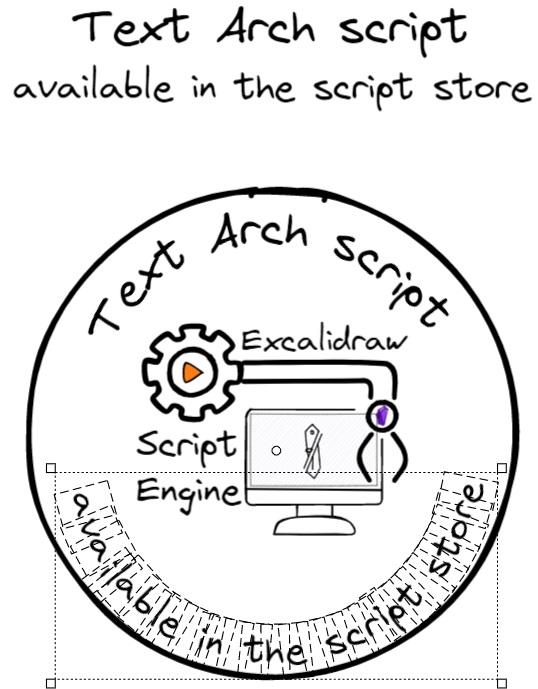
|
||||
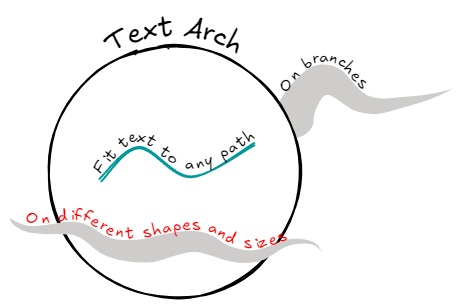
|
||||
|
||||
This script allows you to fit a text element along a selected path: line, arrow, freedraw, ellipse, rectangle, or diamond. You can select either a path or a text element, or both:
|
||||
|
||||
@@ -97,6 +97,7 @@ const text = (await utils.inputPrompt({
|
||||
: textEl?.text ?? "",
|
||||
lines: 3,
|
||||
customComponents: isCircle ? circleArchControl : offsetControl,
|
||||
draggable: true,
|
||||
}))?.replace(" \n"," ").replace("\n ", " ").replace("\n"," ");
|
||||
|
||||
if(!text) {
|
||||
@@ -961,6 +962,9 @@ function diamondToLine(diamond, pointDensity = 16) {
|
||||
}
|
||||
|
||||
async function addToView() {
|
||||
ea.getElements()
|
||||
.filter(el=>el.type==="text" && el.text === " " && !el.isDeleted)
|
||||
.forEach(el=>tempElementIDs.push(el.id));
|
||||
tempElementIDs.forEach(elID=>{
|
||||
delete ea.elementsDict[elID];
|
||||
});
|
||||
@@ -1063,12 +1067,7 @@ async function fitTextToShape() {
|
||||
|
||||
// Place text along the path with natural spacing
|
||||
const offsetValue = (parseInt(win.TextArchOffset ?? initialOffset) || 0);
|
||||
// The `spacing` parameter (ea.measureText("i").width*0.3) is not used by distributeTextAlongPath
|
||||
// as character advances are now calculated from substring widths.
|
||||
// Pass 0 for spacing, or remove it if it's truly unused.
|
||||
// For now, let's assume it might be intended for *extra* spacing beyond natural kerning.
|
||||
// However, the current distributeTextAlongPath doesn't use the `spacing` parameter.
|
||||
// Let's remove charWidths, charHeights, and spacing from the call as they are not used.
|
||||
|
||||
distributeTextAlongPath(text, pathPoints, pathID, objectIDs, offsetValue, isLeftToRight);
|
||||
|
||||
// Add all text characters to a group
|
||||
|
||||
@@ -1 +1 @@
|
||||
[{"fname":"Mindmap connector.md","mtime":1658686599427},{"fname":"Mindmap connector.svg","mtime":1658686599427},{"fname":"Add Connector Point.md","mtime":1735420748564},{"fname":"Add Connector Point.svg","mtime":1645944722000},{"fname":"Add Link to Existing File and Open.md","mtime":1647807918345},{"fname":"Add Link to Existing File and Open.svg","mtime":1645964261000},{"fname":"Add Link to New Page and Open.md","mtime":1654168862138},{"fname":"Add Link to New Page and Open.svg","mtime":1645960639000},{"fname":"Add Next Step in Process.md","mtime":1688304760357},{"fname":"Add Next Step in Process.svg","mtime":1645960639000},{"fname":"Box Each Selected Groups.md","mtime":1645305706000},{"fname":"Box Each Selected Groups.svg","mtime":1645967510000},{"fname":"Box Selected Elements.md","mtime":1645305706000},{"fname":"Box Selected Elements.svg","mtime":1645960639000},{"fname":"Change shape of selected elements.md","mtime":1652701169236},{"fname":"Change shape of selected elements.svg","mtime":1645960775000},{"fname":"Connect elements.md","mtime":1645305706000},{"fname":"Connect elements.svg","mtime":1645960639000},{"fname":"Convert freedraw to line.md","mtime":1645305706000},{"fname":"Convert freedraw to line.svg","mtime":1645960639000},{"fname":"Convert selected text elements to sticky notes.md","mtime":1670169501383},{"fname":"Convert selected text elements to sticky notes.svg","mtime":1645960639000},{"fname":"Convert text to link with folder and alias.md","mtime":1641639819000},{"fname":"Convert text to link with folder and alias.svg","mtime":1645960639000},{"fname":"Copy Selected Element Styles to Global.md","mtime":1642232088000},{"fname":"Copy Selected Element Styles to Global.svg","mtime":1645960639000},{"fname":"Create new markdown file and embed into active drawing.md","mtime":1640866935000},{"fname":"Create new markdown file and embed into active drawing.svg","mtime":1645960639000},{"fname":"Darken background color.md","mtime":1663059051059},{"fname":"Darken background color.svg","mtime":1645960639000},{"fname":"Elbow connectors.md","mtime":1671126911490},{"fname":"Elbow connectors.svg","mtime":1645960639000},{"fname":"Expand rectangles horizontally keep text centered.md","mtime":1646563692000},{"fname":"Expand rectangles horizontally keep text centered.svg","mtime":1645967510000},{"fname":"Expand rectangles horizontally.md","mtime":1644950235000},{"fname":"Expand rectangles horizontally.svg","mtime":1645967510000},{"fname":"Expand rectangles vertically keep text centered.md","mtime":1646563692000},{"fname":"Expand rectangles vertically keep text centered.svg","mtime":1645967510000},{"fname":"Expand rectangles vertically.md","mtime":1658686599427},{"fname":"Expand rectangles vertically.svg","mtime":1645967510000},{"fname":"Fixed horizontal distance between centers.md","mtime":1646743234000},{"fname":"Fixed horizontal distance between centers.svg","mtime":1645960639000},{"fname":"Fixed inner distance.md","mtime":1646743234000},{"fname":"Fixed inner distance.svg","mtime":1645960639000},{"fname":"Fixed spacing.md","mtime":1646743234000},{"fname":"Fixed spacing.svg","mtime":1645967510000},{"fname":"Fixed vertical distance between centers.md","mtime":1646743234000},{"fname":"Fixed vertical distance between centers.svg","mtime":1645967510000},{"fname":"Fixed vertical distance.md","mtime":1646743234000},{"fname":"Fixed vertical distance.svg","mtime":1645967510000},{"fname":"Lighten background color.md","mtime":1663059051059},{"fname":"Lighten background color.svg","mtime":1645959546000},{"fname":"Modify background color opacity.md","mtime":1644924415000},{"fname":"Modify background color opacity.svg","mtime":1645944722000},{"fname":"Normalize Selected Arrows.md","mtime":1670403743278},{"fname":"Normalize Selected Arrows.svg","mtime":1645960639000},{"fname":"Organic Line.md","mtime":1672920172531},{"fname":"Organic Line.svg","mtime":1645964261000},{"fname":"Organic Line Legacy.md","mtime":1690607372668},{"fname":"Organic Line Legacy.svg","mtime":1690607372668},{"fname":"README.md","mtime":1645175700000},{"fname":"Repeat Elements.md","mtime":1663059051059},{"fname":"Repeat Elements.svg","mtime":1645960639000},{"fname":"Reverse arrows.md","mtime":1645305706000},{"fname":"Reverse arrows.svg","mtime":1645960639000},{"fname":"Scribble Helper.md","mtime":1747585400113},{"fname":"Scribble Helper.svg","mtime":1645944722000},{"fname":"Select Elements of Type.md","mtime":1643464321000},{"fname":"Select Elements of Type.svg","mtime":1645960639000},{"fname":"Set Dimensions.md","mtime":1645305706000},{"fname":"Set Dimensions.svg","mtime":1645944722000},{"fname":"Set Font Family.md","mtime":1645305706000},{"fname":"Set Font Family.svg","mtime":1645944722000},{"fname":"Set Grid.md","mtime":1693725826368},{"fname":"Set Grid.svg","mtime":1645960639000},{"fname":"Set Link Alias.md","mtime":1645305706000},{"fname":"Set Link Alias.svg","mtime":1645960639000},{"fname":"Set Stroke Width of Selected Elements.md","mtime":1748189277Line truncated
|
||||
+59
-12
@@ -7,7 +7,7 @@ If you are enjoying the Excalidraw plugin then please support my work and enthus
|
||||
Jump ahead to the [[#List of available scripts]]
|
||||
|
||||
# Introducing Excalidraw Automate Script Engine
|
||||
<iframe width="560" height="315" src="https://www.youtube.com/embed/hePJcObHIso" title="YouTube video player" frameborder="0" allow="accelerometer; autoplay; clipboard-write; encrypted-media; gyroscope; picture-in-picture" allowfullscreen></iframe>
|
||||
<a href="https://www.youtube.com/watch?v=hePJcObHIso" target="_blank"><img src ="https://i.ytimg.com/vi/hePJcObHIso/maxresdefault.jpg" style="width:560px;"></a>
|
||||
|
||||
Script Engine scripts are installed in the `Downloaded` subfolder of the `Excalidraw Automate script folder` specified in plugin settings.
|
||||
|
||||
@@ -26,6 +26,36 @@ I would love to include your contribution in the script library. If you have a s
|
||||
|
||||
# List of available scripts
|
||||
|
||||
## Editors Picks
|
||||
These are the scripts I use most often. I tried to order them by importance, but usefulness is situational—some days Crop Vintage Mask is as helpful as Deconstruct Selected Elements. I do deconstruct drawings daily; the entries lower in the Editors’ Picks list are still valuable, just needed less frequently.
|
||||
|
||||
| | |
|
||||
|----|-----|
|
||||
|<div><img src="https://raw.githubusercontent.com/zsviczian/obsidian-excalidraw-plugin/master/ea-scripts/Deconstruct%20selected%20elements%20into%20new%20drawing.svg"/></div>|[[#Deconstruct selected elements into new drawing]]|
|
||||
|<div><img src="https://raw.githubusercontent.com/zsviczian/obsidian-excalidraw-plugin/master/ea-scripts/Slideshow.svg"/></div>|[[#Slideshow]]|
|
||||
|<div><img src="https://raw.githubusercontent.com/zsviczian/obsidian-excalidraw-plugin/master/ea-scripts/Shade%20Master.svg"/></div>|[[#Shade Master]]|
|
||||
|<div><img src="https://raw.githubusercontent.com/zsviczian/obsidian-excalidraw-plugin/master/ea-scripts/Palette%20loader.svg"/></div>|[[#Palette Loader]]|
|
||||
|<div><img src="https://raw.githubusercontent.com/zsviczian/obsidian-excalidraw-plugin/master/ea-scripts/Palm%20Guard.svg"/></div>|[[#Palm Guard]]|
|
||||
|<div><img src="https://raw.githubusercontent.com/zsviczian/obsidian-excalidraw-plugin/master/ea-scripts/Rename%20Image.svg"/></div>|[[#Rename Image]]|
|
||||
|<div><img src="https://raw.githubusercontent.com/zsviczian/obsidian-excalidraw-plugin/master/ea-scripts/Select%20Elements%20of%20Type.svg"/></div>|[[#Select Elements of Type]]|
|
||||
|<div><img src="https://raw.githubusercontent.com/zsviczian/obsidian-excalidraw-plugin/master/ea-scripts/Select%20Similar%20Elements.svg"/></div>|[[#Select Similar Elements]]|
|
||||
|<div><img src="https://raw.githubusercontent.com/zsviczian/obsidian-excalidraw-plugin/master/ea-scripts/Boolean%20Operations.svg"/></div>|[[#Boolean Operations]]|
|
||||
|<div><img src="https://raw.githubusercontent.com/zsviczian/obsidian-excalidraw-plugin/master/ea-scripts/Split%20Ellipse.svg"/></div>|[[#Split Ellipse]]|
|
||||
|<div><img src="https://raw.githubusercontent.com/zsviczian/obsidian-excalidraw-plugin/master/ea-scripts/Text%20to%20Path.svg"/></div>|[[#Text to Path]]|
|
||||
|<div><img src="https://raw.githubusercontent.com/zsviczian/obsidian-excalidraw-plugin/master/ea-scripts/Set%20Dimensions.svg"/></div>|[[#Set Dimensions]]|
|
||||
|<div><img src="https://raw.githubusercontent.com/zsviczian/obsidian-excalidraw-plugin/master/ea-scripts/Set%20Stroke%20Width%20of%20Selected%20Elements.svg"/></div>|[[#Set Stroke Width of Selected Elements]]|
|
||||
|<div><img src="https://raw.githubusercontent.com/zsviczian/obsidian-excalidraw-plugin/master/ea-scripts/Scribble%20Helper.svg"/></div>|[[#Scribble Helper]]|
|
||||
|<div><img src="https://raw.githubusercontent.com/zsviczian/obsidian-excalidraw-plugin/master/ea-scripts/Split%20text%20by%20lines.svg"/></div>|[[#Split text by lines]]|
|
||||
|<div><img src="https://raw.githubusercontent.com/zsviczian/obsidian-excalidraw-plugin/master/ea-scripts/Text%20Aura.svg"/></div>|[[#Text Aura]]|
|
||||
|<div><img src="https://raw.githubusercontent.com/zsviczian/obsidian-excalidraw-plugin/master/ea-scripts/Golden%20Ratio.svg"/></div>|[[#Golden Ratio]]|
|
||||
|<div><img src="https://raw.githubusercontent.com/zsviczian/obsidian-excalidraw-plugin/master/ea-scripts/Printable%20Layout%20Wizard.svg"/></div>|[[#Printable Layout Wizard]]|
|
||||
|<div><img src="https://raw.githubusercontent.com/zsviczian/obsidian-excalidraw-plugin/master/ea-scripts/Concatenate%20lines.svg"></div>|[[#Concatenate lines]]|
|
||||
|<div><img src="https://raw.githubusercontent.com/zsviczian/obsidian-excalidraw-plugin/master/ea-scripts/Repeat%20Elements.svg"/></div>|[[#Repeat Elements]]|
|
||||
|<div><img src="https://raw.githubusercontent.com/zsviczian/obsidian-excalidraw-plugin/master/ea-scripts/Set%20background%20color%20of%20unclosed%20line%20object%20by%20adding%20a%20shadow%20clone.svg"/></div>|[[#Set background color of unclosed line object by adding a shadow clone]]|
|
||||
|<div><img src="https://raw.githubusercontent.com/zsviczian/obsidian-excalidraw-plugin/master/ea-scripts/Excalidraw%20Writing%20Machine.svg"/></div>|[[#Excalidraw Writing Machine]]|
|
||||
|<div><img src="https://raw.githubusercontent.com/zsviczian/obsidian-excalidraw-plugin/master/ea-scripts/Convert%20freedraw%20to%20line.svg"/></div>|[[#Convert freedraw to line]]|
|
||||
|<div><img src="https://raw.githubusercontent.com/zsviczian/obsidian-excalidraw-plugin/master/ea-scripts/Crop%20Vintage%20Mask.svg"/></div>|[[#Crop Vintage Mask]]|
|
||||
|
||||
## Layout and Organization
|
||||
**Keywords**: Design, Placement, Arrangement, Structure, Formatting, Alignment
|
||||
|
||||
@@ -47,6 +77,7 @@ I would love to include your contribution in the script library. If you have a s
|
||||
|<div><img src="https://raw.githubusercontent.com/zsviczian/obsidian-excalidraw-plugin/master/ea-scripts/Golden%20Ratio.svg"/></div>|[[#Golden Ratio]]|
|
||||
|<div><img src="https://raw.githubusercontent.com/zsviczian/obsidian-excalidraw-plugin/master/ea-scripts/Grid%20Selected%20Images.svg"/></div>|[[#Grid selected images]]|
|
||||
|<div><img src="https://raw.githubusercontent.com/zsviczian/obsidian-excalidraw-plugin/master/ea-scripts/Mindmap%20format.svg"/></div>|[[#Mindmap format]]|
|
||||
|<div><img src="https://raw.githubusercontent.com/zsviczian/obsidian-excalidraw-plugin/master/ea-scripts/Printable%20Layout%20Wizard.svg"/></div>|[[#Printable Layout Wizard]]|
|
||||
|<div><img src="https://raw.githubusercontent.com/zsviczian/obsidian-excalidraw-plugin/master/ea-scripts/Zoom%20to%20Fit%20Selected%20Elements.svg"/></div>|[[#Zoom to Fit Selected Elements]]|
|
||||
|
||||
## Connectors and Arrows
|
||||
@@ -123,6 +154,7 @@ I would love to include your contribution in the script library. If you have a s
|
||||
|<div><img src="https://raw.githubusercontent.com/zsviczian/obsidian-excalidraw-plugin/master/ea-scripts/Excalidraw%20Writing%20Machine.svg"/></div>|[[#Excalidraw Writing Machine]]|
|
||||
|<div><img src="https://raw.githubusercontent.com/zsviczian/obsidian-excalidraw-plugin/master/ea-scripts/GPT-Draw-a-UI.svg"/></div>|[[#GPT Draw-a-UI]]|
|
||||
|<div><img src="https://raw.githubusercontent.com/zsviczian/obsidian-excalidraw-plugin/master/ea-scripts/Palette%20loader.svg"/></div>|[[#Palette Loader]]|
|
||||
|<div><img src="https://raw.githubusercontent.com/zsviczian/obsidian-excalidraw-plugin/master/ea-scripts/Palm%20Guard.svg"/></div>|[[#Palm Guard]]|
|
||||
|<div><img src="https://raw.githubusercontent.com/zsviczian/obsidian-excalidraw-plugin/master/ea-scripts/PDF%20Page%20Text%20to%20Clipboard.svg"/></div>|[[#PDF Page Text to Clipboard]]|
|
||||
|<div><img src="https://raw.githubusercontent.com/zsviczian/obsidian-excalidraw-plugin/master/ea-scripts/Rename%20Image.svg"/></div>|[[#Rename Image]]|
|
||||
|<div><img src="https://raw.githubusercontent.com/zsviczian/obsidian-excalidraw-plugin/master/ea-scripts/Repeat%20Elements.svg"/></div>|[[#Repeat Elements]]|
|
||||
@@ -257,7 +289,7 @@ https://raw.githubusercontent.com/zsviczian/obsidian-excalidraw-plugin/master/ea
|
||||
```excalidraw-script-install
|
||||
https://raw.githubusercontent.com/zsviczian/obsidian-excalidraw-plugin/master/ea-scripts/Create%20DrawIO%20file.md
|
||||
```
|
||||
<table><tr valign='top'><td class="label">Author</td><td class="data"><a href='https://github.com/zsviczian'>@zsviczian</a></td></tr><tr valign='top'><td class="label">Source</td><td class="data"><a href='https://github.com/zsviczian/obsidian-excalidraw-plugin/blob/master/ea-scripts/Create%20DrawIO%20file.md'>File on GitHub</a></td></tr><tr valign='top'><td class="label">Description</td><td class="data">The script will prompt you for a filename, then create a new draw.io diagram file and open the file in the <a href='https://github.com/zapthedingbat/drawio-obsidian'>Diagram plugin</a>, in a new tab.<br><iframe width="400" height="225" src="https://www.youtube.com/embed/DJcosmN-q2s" title="YouTube video player" frameborder="0" allow="accelerometer; autoplay; clipboard-write; encrypted-media; gyroscope; picture-in-picture" allowfullscreen></iframe></td></tr></table>
|
||||
<table><tr valign='top'><td class="label">Author</td><td class="data"><a href='https://github.com/zsviczian'>@zsviczian</a></td></tr><tr valign='top'><td class="label">Source</td><td class="data"><a href='https://github.com/zsviczian/obsidian-excalidraw-plugin/blob/master/ea-scripts/Create%20DrawIO%20file.md'>File on GitHub</a></td></tr><tr valign='top'><td class="label">Description</td><td class="data">The script will prompt you for a filename, then create a new draw.io diagram file and open the file in the <a href='https://github.com/zapthedingbat/drawio-obsidian'>Diagram plugin</a>, in a new tab.<br><a href="https://www.youtube.com/watch?v=DJcosmN-q2s" target="_blank"><img src ="https://i.ytimg.com/vi/DJcosmN-q2s/maxresdefault.jpg" style="width:400px;"></a></td></tr></table>
|
||||
|
||||
## Create new markdown file and embed into active drawing
|
||||
```excalidraw-script-install
|
||||
@@ -289,7 +321,7 @@ https://raw.githubusercontent.com/zsviczian/obsidian-excalidraw-plugin/master/ea
|
||||
```excalidraw-script-install
|
||||
https://raw.githubusercontent.com/zsviczian/obsidian-excalidraw-plugin/master/ea-scripts/Deconstruct%20selected%20elements%20into%20new%20drawing.md
|
||||
```
|
||||
<table><tr valign='top'><td class="label">Author</td><td class="data"><a href='https://github.com/zsviczian'>@zsviczian</a></td></tr><tr valign='top'><td class="label">Source</td><td class="data"><a href='https://github.com/zsviczian/obsidian-excalidraw-plugin/blob/master/ea-scripts/Deconstruct%20selected%20elements%20into%20new%20drawing.md'>File on GitHub</a></td></tr><tr valign='top'><td class="label">Description</td><td class="data">Select some elements in the scene. The script will take these elements and move them into a new Excalidraw file, and open that file. The selected elements will also be replaced in your original drawing with the embedded Excalidraw file (the one that was just created). You will be prompted for the file name of the new deconstructed image. The script is useful if you want to break a larger drawing into smaller reusable parts that you want to reference in multiple drawings.<br><iframe width="400" height="225" src="https://www.youtube.com/embed/HRtaaD34Zzg" title="YouTube video player" frameborder="0" allow="accelerometer; autoplay; clipboard-write; encrypted-media; gyroscope; picture-in-picture" allowfullscreen></iframe><br><img src='https://raw.githubusercontent.com/zsviczian/obsidian-excalidraw-plugin/master/images/scripts-deconstruct.jpg'></td></tr></table>
|
||||
<table><tr valign='top'><td class="label">Author</td><td class="data"><a href='https://github.com/zsviczian'>@zsviczian</a></td></tr><tr valign='top'><td class="label">Source</td><td class="data"><a href='https://github.com/zsviczian/obsidian-excalidraw-plugin/blob/master/ea-scripts/Deconstruct%20selected%20elements%20into%20new%20drawing.md'>File on GitHub</a></td></tr><tr valign='top'><td class="label">Description</td><td class="data">Select some elements in the scene. The script will take these elements and move them into a new Excalidraw file, and open that file. The selected elements will also be replaced in your original drawing with the embedded Excalidraw file (the one that was just created). You will be prompted for the file name of the new deconstructed image. The script is useful if you want to break a larger drawing into smaller reusable parts that you want to reference in multiple drawings.<br><a href="https://www.youtube.com/watch?v=HRtaaD34Zzg" target="_blank"><img src ="https://i.ytimg.com/vi/HRtaaD34Zzg/maxresdefault.jpg" style="width:400px;"></a><br><img src='https://raw.githubusercontent.com/zsviczian/obsidian-excalidraw-plugin/master/images/scripts-deconstruct.jpg'></td></tr></table>
|
||||
|
||||
## Elbow connectors
|
||||
```excalidraw-script-install
|
||||
@@ -307,7 +339,7 @@ https://raw.githubusercontent.com/zsviczian/obsidian-excalidraw-plugin/master/ea
|
||||
```excalidraw-script-install
|
||||
https://raw.githubusercontent.com/zsviczian/obsidian-excalidraw-plugin/master/ea-scripts/Excalidraw%20Collaboration%20Frame.md
|
||||
```
|
||||
<table><tr valign='top'><td class="label">Author</td><td class="data"><a href='https://github.com/1-2-3'>@1-2-3</a></td></tr><tr valign='top'><td class="label">Source</td><td class="data"><a href='https://github.com/zsviczian/obsidian-excalidraw-plugin/blob/master/ea-scripts/Excalidraw%20Collaboration%20Frame.md'>File on GitHub</a></td></tr><tr valign='top'><td class="label">Description</td><td class="data">Creates a new Excalidraw.com collaboration room and places the link to the room on the clipboard.<iframe width="400" height="225" src="https://www.youtube.com/embed/7isRfeAhEH4" title="YouTube video player" frameborder="0" allow="accelerometer; autoplay; clipboard-write; encrypted-media; gyroscope; picture-in-picture" allowfullscreen></iframe></td></tr></table>
|
||||
<table><tr valign='top'><td class="label">Author</td><td class="data"><a href='https://github.com/1-2-3'>@1-2-3</a></td></tr><tr valign='top'><td class="label">Source</td><td class="data"><a href='https://github.com/zsviczian/obsidian-excalidraw-plugin/blob/master/ea-scripts/Excalidraw%20Collaboration%20Frame.md'>File on GitHub</a></td></tr><tr valign='top'><td class="label">Description</td><td class="data">Creates a new Excalidraw.com collaboration room and places the link to the room on the clipboard.<a href="https://www.youtube.com/watch?v=7isRfeAhEH4" target="_blank"><img src ="https://i.ytimg.com/vi/7isRfeAhEH4/maxresdefault.jpg" style="width:400px;"></a></td></tr></table>
|
||||
|
||||
## Expand rectangles horizontally keep text centered
|
||||
```excalidraw-script-install
|
||||
@@ -375,7 +407,7 @@ https://raw.githubusercontent.com/zsviczian/obsidian-excalidraw-plugin/master/ea
|
||||
```
|
||||
<table><tr valign='top'><td class="label">Author</td><td class="data"><a href='https://github.com/zsviczian'>@zsviczian</a></td></tr><tr valign='top'><td class="label">Source</td><td class="data"><a href='https://github.com/zsviczian/obsidian-excalidraw-plugin/blob/master/ea-scripts/Golden%20Ratio.md'>File on GitHub</a></td></tr><tr valign='top'><td class="label">Description</td><td class="data">The script performs two different functions depending on the elements selected in the view.<br>
|
||||
1) In case you select text elements, the script will cycle through a set of font scales. First the 2 larger fonts following the Fibonacci sequence (fontsize * φ; fonsize * φ^2), then the 2 smaller fonts (fontsize / φ; fontsize / φ^2), finally the original size, followed again by the 2 larger fonts. If you wait 2 seconds, the sequence clears and starts from which ever font size you are on. So if you want the 3rd larges font, then toggle twice, wait 2 sec, then toggle again.<br>
|
||||
2) In case you select a single rectangle, the script will open the "Golden Grid", "Golden Spiral" window, where you can set up the type of grid or spiral you want to insert into the document.<br><img src='https://raw.githubusercontent.com/zsviczian/obsidian-excalidraw-plugin/master/images/golden-ratio.jpg'><br><iframe width="400" height="225" src="https://www.youtube.com/embed/2SHn_ruax-s" title="YouTube video player" frameborder="0" allow="accelerometer; autoplay; clipboard-write; encrypted-media; gyroscope; picture-in-picture" allowfullscreen></iframe></td></tr></table>
|
||||
2) In case you select a single rectangle, the script will open the "Golden Grid", "Golden Spiral" window, where you can set up the type of grid or spiral you want to insert into the document.<br><img src='https://raw.githubusercontent.com/zsviczian/obsidian-excalidraw-plugin/master/images/golden-ratio.jpg'><br><a href="https://www.youtube.com/watch?v=2SHn_ruax-s" target="_blank"><img src ="https://i.ytimg.com/vi/2SHn_ruax-s/maxresdefault.jpg" style="width:400px;"></a></td></tr></table>
|
||||
|
||||
## Grid selected images
|
||||
```excalidraw-script-install
|
||||
@@ -387,13 +419,13 @@ https://raw.githubusercontent.com/zsviczian/obsidian-excalidraw-plugin/master/ea
|
||||
```excalidraw-script-install
|
||||
https://raw.githubusercontent.com/zsviczian/obsidian-excalidraw-plugin/master/ea-scripts/ExcaliAI.md
|
||||
```
|
||||
<table><tr valign='top'><td class="label">Author</td><td class="data"><a href='https://github.com/zsviczian'>@zsviczian</a></td></tr><tr valign='top'><td class="label">Source</td><td class="data"><a href='https://github.com/zsviczian/obsidian-excalidraw-plugin/blob/master/ea-scripts/ExcaliAI.md'>File on GitHub</a></td></tr><tr valign='top'><td class="label">Description</td><td class="data">Various AI features based on GPT Vision.<br><iframe width="400" height="225" src="https://www.youtube.com/embed/A1vrSGBbWgo" title="YouTube video player" frameborder="0" allow="accelerometer; autoplay; clipboard-write; encrypted-media; gyroscope; picture-in-picture" allowfullscreen></iframe><img src='https://raw.githubusercontent.com/zsviczian/obsidian-excalidraw-plugin/master/images/scripts-draw-a-ui.jpg'></td></tr></table>
|
||||
<table><tr valign='top'><td class="label">Author</td><td class="data"><a href='https://github.com/zsviczian'>@zsviczian</a></td></tr><tr valign='top'><td class="label">Source</td><td class="data"><a href='https://github.com/zsviczian/obsidian-excalidraw-plugin/blob/master/ea-scripts/ExcaliAI.md'>File on GitHub</a></td></tr><tr valign='top'><td class="label">Description</td><td class="data">Various AI features based on GPT Vision.<br><a href="https://www.youtube.com/watch?v=A1vrSGBbWgo" target="_blank"><img src ="https://i.ytimg.com/vi/A1vrSGBbWgo/maxresdefault.jpg" style="width:400px;"></a><img src='https://raw.githubusercontent.com/zsviczian/obsidian-excalidraw-plugin/master/images/scripts-draw-a-ui.jpg'></td></tr></table>
|
||||
|
||||
## Excalidraw Writing Machine
|
||||
```excalidraw-script-install
|
||||
https://raw.githubusercontent.com/zsviczian/obsidian-excalidraw-plugin/master/ea-scripts/Excalidraw%20Writing%20Machine.md
|
||||
```
|
||||
<table><tr valign='top'><td class="label">Author</td><td class="data"><a href='https://github.com/zsviczian'>@zsviczian</a></td></tr><tr valign='top'><td class="label">Source</td><td class="data"><a href='https://github.com/zsviczian/obsidian-excalidraw-plugin/blob/master/ea-scripts/Excalidraw%20Writing%20Machine.md'>File on GitHub</a></td></tr><tr valign='top'><td class="label">Description</td><td class="data">Creates a hierarchical Markdown document out of a visual layout of an article that can be fed to Templater and converted into an article using AI for Templater.<br>Watch this video to understand how the script is intended to work:<br><iframe width="400" height="225" src="https://www.youtube.com/embed/zvRpCOZAUSs" title="YouTube video player" frameborder="0" allow="accelerometer; autoplay; clipboard-write; encrypted-media; gyroscope; picture-in-picture" allowfullscreen></iframe><br>You can download the sample Obsidian Templater file from <a href="https://gist.github.com/zsviczian/bf49d4b2d401f5749aaf8c2fa8a513d9">here</a>. You can download the demo PDF document showcased in the video from <a href="https://zsviczian.github.io/DemoArticle-AtomicHabits.pdf">here</a>.</td></tr></table>
|
||||
<table><tr valign='top'><td class="label">Author</td><td class="data"><a href='https://github.com/zsviczian'>@zsviczian</a></td></tr><tr valign='top'><td class="label">Source</td><td class="data"><a href='https://github.com/zsviczian/obsidian-excalidraw-plugin/blob/master/ea-scripts/Excalidraw%20Writing%20Machine.md'>File on GitHub</a></td></tr><tr valign='top'><td class="label">Description</td><td class="data">Creates a hierarchical Markdown document out of a visual layout of an article that can be fed to Templater and converted into an article using AI for Templater.<br>Watch this video to understand how the script is intended to work:<br><a href="https://www.youtube.com/watch?v=zvRpCOZAUSs" target="_blank"><img src ="https://i.ytimg.com/vi/zvRpCOZAUSs/maxresdefault.jpg" style="width:400px;"></a><br>You can download the sample Obsidian Templater file from <a href="https://gist.github.com/zsviczian/bf49d4b2d401f5749aaf8c2fa8a513d9">here</a>. You can download the demo PDF document showcased in the video from <a href="https://zsviczian.github.io/DemoArticle-AtomicHabits.pdf">here</a>.</td></tr></table>
|
||||
|
||||
## Full-Year Calendar Generator
|
||||
```excalidraw-script-install
|
||||
@@ -405,7 +437,7 @@ https://raw.githubusercontent.com/zsviczian/obsidian-excalidraw-plugin/master/ea
|
||||
```excalidraw-script-install
|
||||
https://raw.githubusercontent.com/zsviczian/obsidian-excalidraw-plugin/master/ea-scripts/GPT-Draw-a-UI.md
|
||||
```
|
||||
<table><tr valign='top'><td class="label">Author</td><td class="data"><a href='https://github.com/zsviczian'>@zsviczian</a></td></tr><tr valign='top'><td class="label">Source</td><td class="data"><a href='https://github.com/zsviczian/obsidian-excalidraw-plugin/blob/master/ea-scripts/GPT-Draw-a-UI.md'>File on GitHub</a></td></tr><tr valign='top'><td class="label">Description</td><td class="data">This script was discontinued in favor of ExcaliAI. Draw a UI and let GPT create the code for you.<br><iframe width="400" height="225" src="https://www.youtube.com/embed/y3kHl_6Ll4w" title="YouTube video player" frameborder="0" allow="accelerometer; autoplay; clipboard-write; encrypted-media; gyroscope; picture-in-picture" allowfullscreen></iframe><img src='https://raw.githubusercontent.com/zsviczian/obsidian-excalidraw-plugin/master/images/scripts-draw-a-ui.jpg'></td></tr></table>
|
||||
<table><tr valign='top'><td class="label">Author</td><td class="data"><a href='https://github.com/zsviczian'>@zsviczian</a></td></tr><tr valign='top'><td class="label">Source</td><td class="data"><a href='https://github.com/zsviczian/obsidian-excalidraw-plugin/blob/master/ea-scripts/GPT-Draw-a-UI.md'>File on GitHub</a></td></tr><tr valign='top'><td class="label">Description</td><td class="data">This script was discontinued in favor of ExcaliAI. Draw a UI and let GPT create the code for you.<br><a href="https://www.youtube.com/watch?v=y3kHl_6Ll4w" target="_blank"><img src ="https://i.ytimg.com/vi/y3kHl_6Ll4w/maxresdefault.jpg" style="width:400px;"></a><img src='https://raw.githubusercontent.com/zsviczian/obsidian-excalidraw-plugin/master/images/scripts-draw-a-ui.jpg'></td></tr></table>
|
||||
|
||||
## Image Occlusion
|
||||
```excalidraw-script-install
|
||||
@@ -467,11 +499,19 @@ https://raw.githubusercontent.com/zsviczian/obsidian-excalidraw-plugin/master/ea
|
||||
```
|
||||
<table><tr valign='top'><td class="label">Author</td><td class="data"><a href='https://github.com/zsviczian'>@zsviczian</a></td></tr><tr valign='top'><td class="label">Source</td><td class="data"><a href='https://github.com/zsviczian/obsidian-excalidraw-plugin/blob/master/ea-scripts/Palette%20loader.md'>File on GitHub</a></td></tr><tr valign='top'><td class="label">Description</td><td class="data">Design your palette at <a href="http://paletton.com/" target="_blank">paletton.com</a> Once you are happy with your colors, click Tables/Export in the bottom right of the screen. Then click "Color swatches/as Sketch Palette", and copy the contents of the page to a markdown file in the palette folder of your vault (default is Excalidraw/Palette)<br><img src='https://raw.githubusercontent.com/zsviczian/obsidian-excalidraw-plugin/master/images/scripts-sketch-palette-loader-1.jpg'></td></tr></table>
|
||||
|
||||
## Palm Guard
|
||||
```excalidraw-script-install
|
||||
https://raw.githubusercontent.com/zsviczian/obsidian-excalidraw-plugin/master/ea-scripts/Palm%20Guard.md
|
||||
```
|
||||
<table><tr valign='top'><td class="label">Author</td><td class="data"><a href='https://github.com/zsviczian'>@zsviczian</a></td></tr>
|
||||
<tr valign='top'><td class="label">Source</td><td class="data"><a href='https://github.com/zsviczian/obsidian-excalidraw-plugin/blob/master/ea-scripts/Palm%20Guard.md'>File on GitHub</a></td></tr>
|
||||
<tr valign='top'><td class="label">Description</td><td class="data">Mobile & desktop palm‑rejection and distraction‑free drawing mode: optionally enters fullscreen, hides ALL Excalidraw UI chrome (top toolbar, side / bottom bars, plugin panels) for a clean / zen / immersive / kiosk / focus mode canvas. Provides a tiny draggable micro toolbar (toggle visibility + exit) so you gain maximum drawing area while preventing accidental palm taps. Uses the hotkey you assign in Obsidian’s Hotkey settings for this script to instantly show / hide controls (if no hotkey is set, use the on‑screen toggle). Ideal for stylus sketching, presentations, screen recording, split‑view space saving, or anyone searching for: palm rejection, hide toolbar, hide UI controls, clean mode, distraction free Excalidraw.<br><a href="https://www.youtube.com/watch?v=A_udjVjgWN0" target="_blank"><img src ="https://i.ytimg.com/vi/A_udjVjgWN0/maxresdefault.jpg" style="width:400px;"></a><br><a href='https://youtu.be/A_udjVjgWN0' target='_blank'>Link to video on YouTube</a></td></tr></table>
|
||||
|
||||
## PDF Page Text to Clipboard
|
||||
```excalidraw-script-install
|
||||
https://raw.githubusercontent.com/zsviczian/obsidian-excalidraw-plugin/master/ea-scripts/PDF%20Page%20Text%20to%20Clipboard.md
|
||||
```
|
||||
<table><tr valign='top'><td class="label">Author</td><td class="data"><a href='https://github.com/zsviczian'>@zsviczian</a></td></tr><tr valign='top'><td class="label">Source</td><td class="data"><a href='https://github.com/zsviczian/obsidian-excalidraw-plugin/blob/master/ea-scripts/PDF%20Page%20Text%20to%20Clipboard.md'>File on GitHub</a></td></tr><tr valign='top'><td class="label">Description</td><td class="data">Copies the text from the selected PDF page on the Excalidraw canvas to the clipboard.<br><iframe width="400" height="225" src="https://www.youtube.com/embed/Kwt_8WdOUT4" title="YouTube video player" frameborder="0" allow="accelerometer; autoplay; clipboard-write; encrypted-media; gyroscope; picture-in-picture" allowfullscreen></iframe><br><a href='https://youtu.be/Kwt_8WdOUT4' target='_blank'>Link to video on YouTube</a></td></tr></table>
|
||||
<table><tr valign='top'><td class="label">Author</td><td class="data"><a href='https://github.com/zsviczian'>@zsviczian</a></td></tr><tr valign='top'><td class="label">Source</td><td class="data"><a href='https://github.com/zsviczian/obsidian-excalidraw-plugin/blob/master/ea-scripts/PDF%20Page%20Text%20to%20Clipboard.md'>File on GitHub</a></td></tr><tr valign='top'><td class="label">Description</td><td class="data">Copies the text from the selected PDF page on the Excalidraw canvas to the clipboard.<br><a href="https://www.youtube.com/watch?v=Kwt_8WdOUT4" target="_blank"><img src ="https://i.ytimg.com/vi/Kwt_8WdOUT4/maxresdefault.jpg" style="width:400px;"></a><br><a href='https://youtu.be/Kwt_8WdOUT4' target='_blank'>Link to video on YouTube</a></td></tr></table>
|
||||
|
||||
## Relative Font Size Cycle
|
||||
```excalidraw-script-install
|
||||
@@ -507,7 +547,7 @@ https://raw.githubusercontent.com/zsviczian/obsidian-excalidraw-plugin/master/ea
|
||||
```excalidraw-script-install
|
||||
https://raw.githubusercontent.com/zsviczian/obsidian-excalidraw-plugin/master/ea-scripts/Scribble%20Helper.md
|
||||
```
|
||||
<table><tr valign='top'><td class="label">Author</td><td class="data"><a href='https://github.com/zsviczian'>@zsviczian</a></td></tr><tr valign='top'><td class="label">Source</td><td class="data"><a href='https://github.com/zsviczian/obsidian-excalidraw-plugin/blob/master/ea-scripts/Scribble%20Helper.md'>File on GitHub</a></td></tr><tr valign='top'><td class="label">Description</td><td class="data">iOS scribble helper for better handwriting experience with text elements. If no elements are selected then the creates a text element at pointer position and you can use the edit box to modify the text with scribble. If a text element is selected then opens the input prompt where you can modify this text with scribble.<br><img src='https://raw.githubusercontent.com/zsviczian/obsidian-excalidraw-plugin/master/images/scripts-scribble-helper.jpg'><br><iframe width="560" height="315" src="https://www.youtube.com/embed/BvYkOaly-QM" title="YouTube video player" frameborder="0" allow="accelerometer; autoplay; clipboard-write; encrypted-media; gyroscope; picture-in-picture" allowfullscreen></iframe></td></tr></table>
|
||||
<table><tr valign='top'><td class="label">Author</td><td class="data"><a href='https://github.com/zsviczian'>@zsviczian</a></td></tr><tr valign='top'><td class="label">Source</td><td class="data"><a href='https://github.com/zsviczian/obsidian-excalidraw-plugin/blob/master/ea-scripts/Scribble%20Helper.md'>File on GitHub</a></td></tr><tr valign='top'><td class="label">Description</td><td class="data">iOS scribble helper for better handwriting experience with text elements. If no elements are selected then the creates a text element at pointer position and you can use the edit box to modify the text with scribble. If a text element is selected then opens the input prompt where you can modify this text with scribble.<br><img src='https://raw.githubusercontent.com/zsviczian/obsidian-excalidraw-plugin/master/images/scripts-scribble-helper.jpg'><br><a href="https://www.youtube.com/watch?v=BvYkOaly-QM" target="_blank"><img src ="https://i.ytimg.com/vi/BvYkOaly-QM/maxresdefault.jpg" style="width:560px;"></a></td></tr></table>
|
||||
|
||||
## Select Elements of Type
|
||||
```excalidraw-script-install
|
||||
@@ -575,14 +615,14 @@ https://raw.githubusercontent.com/zsviczian/obsidian-excalidraw-plugin/master/ea
|
||||
```excalidraw-script-install
|
||||
https://raw.githubusercontent.com/zsviczian/obsidian-excalidraw-plugin/master/ea-scripts/Shade%20Master.md
|
||||
```
|
||||
<table><tr valign='top'><td class="label">Author</td><td class="data"><a href='https://github.com/zsviczian'>@zsviczian</a></td></tr><tr valign='top'><td class="label">Source</td><td class="data"><a href='https://github.com/zsviczian/obsidian-excalidraw-plugin/blob/master/ea-scripts/Shade%20Master.md'>File on GitHub</a></td></tr><tr valign='top'><td class="label">Description</td><td class="data">You can modify the colors of SVG images, embedded files, and Excalidraw elements in a drawing by changing Hue, Saturation, Lightness and Transparency; and if only a single SVG or nested Excalidraw drawing is selected, then you can remap image colors.<br><iframe width="560" height="315" src="https://www.youtube.com/embed/ISuORbVKyhQ" title="YouTube video player" frameborder="0" allow="accelerometer; autoplay; clipboard-write; encrypted-media; gyroscope; picture-in-picture" allowfullscreen></iframe></td></tr></table>
|
||||
<table><tr valign='top'><td class="label">Author</td><td class="data"><a href='https://github.com/zsviczian'>@zsviczian</a></td></tr><tr valign='top'><td class="label">Source</td><td class="data"><a href='https://github.com/zsviczian/obsidian-excalidraw-plugin/blob/master/ea-scripts/Shade%20Master.md'>File on GitHub</a></td></tr><tr valign='top'><td class="label">Description</td><td class="data">You can modify the colors of SVG images, embedded files, and Excalidraw elements in a drawing by changing Hue, Saturation, Lightness and Transparency; and if only a single SVG or nested Excalidraw drawing is selected, then you can remap image colors.<br><a href="https://www.youtube.com/watch?v=ISuORbVKyhQ" target="_blank"><img src ="https://i.ytimg.com/vi/ISuORbVKyhQ/maxresdefault.jpg" style="width:560px;"></a></td></tr></table>
|
||||
|
||||
|
||||
## Slideshow
|
||||
```excalidraw-script-install
|
||||
https://raw.githubusercontent.com/zsviczian/obsidian-excalidraw-plugin/master/ea-scripts/Slideshow.md
|
||||
```
|
||||
<table><tr valign='top'><td class="label">Author</td><td class="data"><a href='https://github.com/zsviczian'>@zsviczian</a></td></tr><tr valign='top'><td class="label">Source</td><td class="data"><a href='https://github.com/zsviczian/obsidian-excalidraw-plugin/blob/master/ea-scripts/Slideshow.md'>File on GitHub</a></td></tr><tr valign='top'><td class="label">Description</td><td class="data">The script will convert your drawing into a slideshow presentation.<br><iframe width="560" height="315" src="https://www.youtube.com/embed/JwgtCrIVeEU" title="YouTube video player" frameborder="0" allow="accelerometer; autoplay; clipboard-write; encrypted-media; gyroscope; picture-in-picture" allowfullscreen></iframe></td></tr></table>
|
||||
<table><tr valign='top'><td class="label">Author</td><td class="data"><a href='https://github.com/zsviczian'>@zsviczian</a></td></tr><tr valign='top'><td class="label">Source</td><td class="data"><a href='https://github.com/zsviczian/obsidian-excalidraw-plugin/blob/master/ea-scripts/Slideshow.md'>File on GitHub</a></td></tr><tr valign='top'><td class="label">Description</td><td class="data">The script will convert your drawing into a slideshow presentation.<br><a href="https://www.youtube.com/watch?v=JwgtCrIVeEU" target="_blank"><img src ="https://i.ytimg.com/vi/JwgtCrIVeEU/maxresdefault.jpg" style="width:560px;"></a></td></tr></table>
|
||||
|
||||
## Split Ellipse
|
||||
```excalidraw-script-install
|
||||
@@ -632,6 +672,13 @@ https://raw.githubusercontent.com/zsviczian/obsidian-excalidraw-plugin/master/ea
|
||||
```
|
||||
<table><tr valign='top'><td class="label">Author</td><td class="data"><a href='https://github.com/zsviczian'>@zsviczian</a></td></tr><tr valign='top'><td class="label">Source</td><td class="data"><a href='https://github.com/zsviczian/obsidian-excalidraw-plugin/blob/master/ea-scripts/Uniform%20size.md'>File on GitHub</a></td></tr><tr valign='top'><td class="label">Description</td><td class="data"><img src="https://raw.githubusercontent.com/zsviczian/obsidian-excalidraw-plugin/master/images/scripts-uniform-size.jpg"><br>The script will standardize the sizes of rectangles, diamonds and ellipses adjusting all the elements to match the largest width and height within the group.</td></tr></table>
|
||||
|
||||
# Printable Layout Wizard
|
||||
```excalidraw-script-install
|
||||
https://raw.githubusercontent.com/zsviczian/obsidian-excalidraw-plugin/master/ea-scripts/Printable%20Layout%20Wizard.md
|
||||
```
|
||||
<table><tr valign='top'><td class="label">Author</td><td class="data"><a href='https://github.com/zsviczian'>@zsviczian</a></td></tr><tr valign='top'><td class="label">Source</td><td class="data"><a href='https://github.com/zsviczian/obsidian-excalidraw-plugin/blob/master/ea-scripts/Printable%20Layout%20Wizard.md'>File on GitHub</a></td></tr><tr valign='top'><td class="label">Description</td><td class="data">Export Excalidraw to PDF Pages: Define printable page areas using frames, then export each frame as a separate page in a multi-page PDF. Perfect for turning your Excalidraw drawings into printable notes, handouts, or booklets. Supports standard and custom page sizes, margins, and easy frame arrangement.<br><a href="https://www.youtube.com/watch?v=29EWeglRm7s" target="_blank"><img src ="https://i.ytimg.com/vi/29EWeglRm7s/maxresdefault.jpg" style="width:400px;"></a><br><a href='https://youtu.be/29EWeglRm7s' target='_blank'>Link to video on YouTube</a><br><a href="https://www.youtube.com/watch?v=DqDnzCOoYMc" target="_blank"><img src ="https://i.ytimg.com/vi/DqDnzCOoYMc/maxresdefault.jpg" style="width:400px;"></a><br><a href='https://youtu.be/DqDnzCOoYMc' target='_blank'>Link to video on YouTube</a><br><img src="https://raw.githubusercontent.com/zsviczian/obsidian-excalidraw-plugin/master/images/scripts-layout-wizard-01.png" style="max-width: 400px;"><br><img src="https://raw.githubusercontent.com/zsviczian/obsidian-excalidraw-plugin/master/images/scripts-layout-wizard-02.png" style="max-width: 400px;"></td></tr></table>
|
||||
|
||||
|
||||
## Zoom to Fit Selected Elements
|
||||
```excalidraw-script-install
|
||||
https://raw.githubusercontent.com/zsviczian/obsidian-excalidraw-plugin/master/ea-scripts/Zoom%20to%20Fit%20Selected%20Elements.md
|
||||
|
||||

Binary file not shown.
|
After Width: | Height: | Size: 41 KiB |

Binary file not shown.
|
After Width: | Height: | Size: 63 KiB |

Binary file not shown.
|
After Width: | Height: | Size: 33 KiB |
+2
-2
@@ -1,8 +1,8 @@
|
||||
{
|
||||
"id": "obsidian-excalidraw-plugin",
|
||||
"name": "Excalidraw",
|
||||
"version": "2.12.0",
|
||||
"minAppVersion": "1.1.6",
|
||||
"version": "2.18.0-beta-2",
|
||||
"minAppVersion": "1.5.7",
|
||||
"description": "An Obsidian plugin to edit and view Excalidraw drawings",
|
||||
"author": "Zsolt Viczian",
|
||||
"authorUrl": "https://excalidraw-obsidian.online",
|
||||
|
||||
+3
-3
@@ -1,12 +1,12 @@
|
||||
{
|
||||
"id": "obsidian-excalidraw-plugin",
|
||||
"name": "Excalidraw",
|
||||
"version": "2.12.0",
|
||||
"minAppVersion": "1.1.6",
|
||||
"version": "2.17.2",
|
||||
"minAppVersion": "1.5.7",
|
||||
"description": "An Obsidian plugin to edit and view Excalidraw drawings",
|
||||
"author": "Zsolt Viczian",
|
||||
"authorUrl": "https://excalidraw-obsidian.online",
|
||||
"fundingUrl": "https://ko-fi.com/zsolt",
|
||||
"helpUrl": "https://github.com/zsviczian/obsidian-excalidraw-plugin#readme",
|
||||
"isDesktopOnly": false
|
||||
}
|
||||
}
|
||||
Generated
+2050
-1556
File diff suppressed because it is too large.
Load diff
+12
-7
@@ -16,15 +16,16 @@
|
||||
"build:mathjax": "cd MathjaxToSVG && npm run build",
|
||||
"build:all": "npm run build:mathjax && npm run build",
|
||||
"dev:mathjax": "cd MathjaxToSVG && npm run dev",
|
||||
"dev:all": "npm run dev:mathjax && npm run dev"
|
||||
"dev:all": "npm run dev:mathjax && npm run dev",
|
||||
"doc": "npm run lib && node scripts/generate-script-library.js"
|
||||
},
|
||||
"keywords": [],
|
||||
"author": "",
|
||||
"license": "MIT",
|
||||
"dependencies": {
|
||||
"dependencies": {
|
||||
"@popperjs/core": "^2.11.8",
|
||||
"@zsviczian/excalidraw": "0.18.0-17",
|
||||
"chroma-js": "^2.4.2",
|
||||
"@zsviczian/excalidraw": "0.18.0-55",
|
||||
"chroma-js": "^3.1.2",
|
||||
"clsx": "^2.0.0",
|
||||
"@zsviczian/colormaster": "^1.2.2",
|
||||
"gl-matrix": "^3.4.3",
|
||||
@@ -59,7 +60,7 @@
|
||||
"@rollup/plugin-replace": "^5.0.2",
|
||||
"@rollup/plugin-typescript": "^12.1.2",
|
||||
"@rollup/plugin-json": "^6.1.0",
|
||||
"@types/chroma-js": "^2.4.0",
|
||||
"@types/chroma-js": "^3.1.1",
|
||||
"@types/js-beautify": "^1.14.0",
|
||||
"@types/js-yaml": "^4.0.9",
|
||||
"@types/node": "^20.10.5",
|
||||
@@ -73,7 +74,7 @@
|
||||
"eslint-config-prettier": "^9.0.0",
|
||||
"eslint-plugin-prettier": "^5.0.0",
|
||||
"lz-string": "^1.5.0",
|
||||
"obsidian": "^1.7.2",
|
||||
"obsidian": "^1.10.0",
|
||||
"prettier": "^3.0.1",
|
||||
"rollup": "^2.70.1",
|
||||
"rollup-plugin-copy": "^3.5.0",
|
||||
@@ -89,5 +90,9 @@
|
||||
"resolutions": {
|
||||
"@typescript-eslint/typescript-estree": "5.3.0"
|
||||
},
|
||||
"prettier": "@excalidraw/prettier-config"
|
||||
"prettier": "@excalidraw/prettier-config",
|
||||
"engines": {
|
||||
"node": ">=20.0.0",
|
||||
"npm": ">=10.0.0"
|
||||
}
|
||||
}
|
||||
+2
-2
@@ -49,7 +49,7 @@ const jsxRuntimeShim = `
|
||||
|
||||
const mathjaxtosvg_pkg = isLib ? "" : fs.readFileSync("./MathjaxToSVG/dist/index.js", "utf8");
|
||||
|
||||
const LANGUAGES = ['ru', 'zh-cn']; //english is not compressed as it is always loaded by default
|
||||
const LANGUAGES = ['ru', 'zh-cn', 'zh-tw', 'es']; //english is not compressed as it is always loaded by default
|
||||
|
||||
function trimLastSemicolon(input) {
|
||||
if (input.endsWith(";")) {
|
||||
@@ -101,7 +101,7 @@ if (!isLib) {
|
||||
? fs.readFileSync("./node_modules/@zsviczian/excalidraw/dist/styles.production.css", "utf8")
|
||||
: fs.readFileSync("./node_modules/@zsviczian/excalidraw/dist/styles.development.css", "utf8");
|
||||
const plugin_styles = fs.readFileSync("./styles.css", "utf8");
|
||||
const styles = plugin_styles + excalidraw_styles;
|
||||
const styles = excalidraw_styles + plugin_styles;
|
||||
cssnano()
|
||||
.process(styles) // Process the CSS
|
||||
.then(result => {
|
||||
|
||||
@@ -0,0 +1,621 @@
|
||||
/* eslint-disable no-console */
|
||||
// to run: npm run doc
|
||||
const fs = require('fs');
|
||||
const path = require('path');
|
||||
|
||||
const ROOT = path.resolve(__dirname, '..');
|
||||
const EA_SCRIPTS_DIR = path.join(ROOT, 'ea-scripts');
|
||||
const INDEX_NEW = path.join(EA_SCRIPTS_DIR, 'index-new.md');
|
||||
const OUT_DIR = path.join(path.join(ROOT, 'docs'), 'AITrainingData');
|
||||
const SCRIPT_LIBRARY_OUT = path.join(OUT_DIR, 'Excalidraw Script Library.md');
|
||||
const TYPE_DEF_OUT = path.join(OUT_DIR, 'Excalidraw Automate library and related type definitions.md');
|
||||
const AI_TRAINING_OUT = path.join(OUT_DIR, 'ExcalidrawAutomate full library for LLM training.md');
|
||||
|
||||
const AI_TRAINING_INTRO = `**ExcalidrawAutomate full library for LLM training**
|
||||
|
||||
Excalidraw-Obsidian is an Obsidian.md plugins that is built on the open source Excalidraw component. Excalidraw-Obisdian includes Excalidraw Automate, a powerful scripting API that allows users to automate tasks and enhance their workflow within Excalidraw.
|
||||
|
||||
Read the information below and respond with I'm ready. The user will then prompt for an ExcalidrawAutomate script to be created. Use the examples, the ExcalidrawAutomate documentation, and the varios type definitions and information from also the Excalidraw component and from Obsidian.md to generate the script based on the user's requirements.
|
||||
|
||||
In addition to ExcalidrawAutomate, you can also use two other sources of functions:
|
||||
- The Excalidraw API available via ea.getExcalidrawAPI(). Note: the API is only available if ea.targetView is set. When running Excalidraw scripts using the script engine, the provided ea object is already set up with targetView by default. Otherwise you need to first run ea.setView().
|
||||
- window.ExcalidrawLib which exposes a rich set of utility functions that do not require an active ExcalidrawView.
|
||||
|
||||
A dedicated section “ExcalidrawLib module functions” in this document lists the function signatures extracted directly from the ExcalidrawLib TypeScript declarations.
|
||||
|
||||
- When the user asks for a dialog window, by default create a FloatingModal. Do not extend the FloatingModal class. Instead, define the modal's behavior by creating a new instance (e.g., const modal = new ea.FloatingModal(...)) and then assigning functions directly to the onOpen and onClose properties of that instance.
|
||||
For a reference, follow the implementation pattern used in the "Printable Layout Wizard.md" script.
|
||||
- Elements have a customData property that can be used to store arbitrary data. To ensure the data the script adds to elements use the ea.addAppendUpdateCustomData function. This function ensures that existing customData is preserved when adding new data.
|
||||
- Elements can be hidden by setting their opacity to 0. When hiding elements this way, it is good practice to temporarily store their original opacity in customData. This allows for easy restoration of the original opacity later.
|
||||
- Elements can be deleted from the scene by setting their isDeleted property to true.
|
||||
- The Obsidian.md module is available on ea.obsidian.
|
||||
|
||||
#### **1. The Core Workflow: Handling Element Immutability**
|
||||
|
||||
* **Central Rule:** Elements in the Excalidraw scene are immutable and should never be modified directly. Always use the ExcalidrawAutomate (EA) "workbench" pattern for modifications.
|
||||
* **The Workflow:**
|
||||
1. Get elements from the current view using \`ea.getViewElements()\` or \`ea.getViewSelectedElements()\`.
|
||||
2. Copy these elements into the EA workbench for editing using \`ea.copyViewElementsToEAforEditing(elements)\`.
|
||||
3. Modify the properties of the element copies that are now in the EA workbench (e.g., \`ea.getElement(id).locked = true;\`).
|
||||
4. Commit the changes back to the scene using \`await ea.addElementsToView()\`.
|
||||
* **Deletion:** To delete an element, set its \`isDeleted\` property to \`true\` on the workbench copy (\`ea.getElement(id).isDeleted = true;\`) and then commit with \`await ea.addElementsToView()\`.
|
||||
* **Cleanup:** Use \`ea.clear()\` at the beginning of a script if you are creating a completely new set of elements, to ensure the EA workbench is empty and doesn't contain artifacts from a previous run.
|
||||
|
||||
#### **2. User Interaction: Prompts and Dialogs**
|
||||
|
||||
* **Simple Input:** For straightforward user input, use the \`utils\` object provided to the script.
|
||||
* \`await utils.inputPrompt()\`: To get a string or number from the user.
|
||||
* \`await utils.suggester()\`: To let the user select from a predefined list of options.
|
||||
* **Complex Dialogs:** When a more complex UI with multiple controls is needed, create a floating dialog window.
|
||||
* **Use \`FloatingModal\`:** Always create a new instance: \`const modal = new ea.FloatingModal(ea.plugin.app);\`.
|
||||
* **Do Not Extend:** Do not use \`class MyModal extends ea.FloatingModal\`.
|
||||
* **Define Behavior:** Assign functions directly to the \`onOpen\` and \`onClose\` properties of the instance. Inside \`onOpen\`, use the \`modal.contentEl\` property to build your UI.
|
||||
* **Reference Implementation:** The script "Printable Layout Wizard.md" is the canonical example for this pattern. Use \`ea.obsidian.Setting\` to add controls like toggles and dropdowns within the modal.
|
||||
|
||||
#### **3. Element Manipulation and Querying**
|
||||
|
||||
* **Finding Elements:** The most common starting point is to get the user's selection with \`ea.getViewSelectedElements()\`. Use standard JavaScript array methods like \`.filter()\` to narrow down the selection (e.g., \`elements.filter(el => el.type === "text")\`).
|
||||
* **Geometric Calculations:**
|
||||
* Before performing layout or positioning tasks, use \`ea.getBoundingBox(elements)\` to get the collective dimensions and position of a group of elements.
|
||||
* Use \`ea.measureText(text)\` to determine the width and height of a string based on the current \`ea.style\` settings before creating a text element or a container for it.
|
||||
* **Grouping:**
|
||||
* To create a group, use \`ea.addToGroup([elementId1, elementId2, ...])\`.
|
||||
* To operate on existing groups within a selection, use \`ea.getMaximumGroups(selectedElements)\` which correctly identifies the top-level groups. Use \`ea.getLargestElement(group)\` to find the primary container within a group (e.g., the box around a text element).
|
||||
|
||||
#### **4. Styling: Creation vs. Modification**
|
||||
|
||||
* **For New Elements:** Set the properties on the global \`ea.style\` object *before* you call a creation function like \`ea.addText()\` or \`ea.addRect()\`. This acts like setting the active color/style on a paintbrush.
|
||||
* **For Existing Elements:** To change the style of an existing element, modify the properties directly on the element's copy in the EA workbench (after \`copyViewElementsToEAforEditing\`). For example: \`const myElement = ea.getElement(id); myElement.strokeColor = '#FF0000';\`.
|
||||
|
||||
#### **5. Data Persistence and Customization**
|
||||
|
||||
* **Storing Custom Data:** Elements have a \`customData\` property for arbitrary data.
|
||||
* **Always Use \`ea.addAppendUpdateCustomData(id, newData)\`:** This is crucial. It safely adds or updates your key-value pairs without overwriting data that might have been stored by other scripts or the Excalidraw plugin itself.
|
||||
* **Creating Configurable Scripts:** To make your script's behavior customizable by the user:
|
||||
* Use \`ea.getScriptSettings()\` to retrieve saved settings.
|
||||
* Check if settings exist, and if not, define the default structure.
|
||||
* Use \`await ea.setScriptSettings(settings)\` to save any changes. This allows users to configure your script in the Excalidraw plugin settings pane.
|
||||
|
||||
#### **6. Best Practices and Advanced Techniques**
|
||||
|
||||
* **Embrace \`await\`:** Many EA functions are asynchronous and return a \`Promise\` (e.g., \`ea.addElementsToView()\`, \`ea.createSVG()\`, \`utils.inputPrompt()\`). **Always** use \`await\` when calling these functions to ensure your script executes in the correct order.
|
||||
* **Version Checking:** At the beginning of your script, include a check like \`if(!ea.verifyMinimumPluginVersion("1.X.X")) { new Notice(...); return; }\` to ensure the user has a compatible version of the Excalidraw plugin, preventing errors from missing API functions.
|
||||
* **Accessing Obsidian API:** The full Obsidian API is available via \`ea.obsidian\`. For example, use \`new ea.obsidian.Notice("message")\` or \`ea.obsidian.normalizePath(filepath)\`.
|
||||
* **Visibility vs. Deletion:**
|
||||
* To temporarily hide an element, set \`element.opacity = 0\`. It's good practice to store the original opacity in \`customData\` so it can be restored. It is also recommended to lock hidden elements so they do not get accidentally selected or moved around.
|
||||
* To permanently remove an element from the scene, set \`element.isDeleted = true\`.
|
||||
* **Image Handling:** When dealing with image elements, use \`ea.getViewFileForImageElement(imageElement)\` to get the corresponding \`TFile\` from the Obsidian vault. This is necessary for any logic that needs to read or manipulate the source image file.
|
||||
|
||||
#### **7. Custom Pens and Perfect Freehand**
|
||||
|
||||
Excalidraw's freehand tool is powered by the open-source Perfect Freehand library. The plugin exposes “custom pens” that bundle:
|
||||
- Canvas style for the next strokes (colors, width, fillStyle, roughness).
|
||||
- Perfect Freehand stroke geometry and behavior (pressure simulation, outline, tapering, easing, etc.).
|
||||
|
||||
Key concepts:
|
||||
- AppState-driven drawing: When \`appState.currentStrokeOptions\` is set, the freedraw tool renders new strokes using those Perfect Freehand options.
|
||||
- Element-level persistence: If a freedraw element has \`element.customData.strokeOptions\`, it is rendered with those options regardless of the current tool state.
|
||||
- Types reference: See \`src/types/penTypes.ts\`. The \`PenOptions\` shape is:
|
||||
\`\`\`ts
|
||||
interface PenOptions {
|
||||
highlighter: boolean; // if true the pen is drawn at the lowest layer, behind all other elements
|
||||
constantPressure: boolean;
|
||||
hasOutline: boolean;
|
||||
outlineWidth: number;
|
||||
options: {
|
||||
thinning: number;
|
||||
smoothing: number;
|
||||
streamline: number;
|
||||
easing: string; // see supported names below
|
||||
start: { cap: boolean; taper: number | boolean; easing: string; };
|
||||
end: { cap: boolean; taper: number | boolean; easing: string; };
|
||||
};
|
||||
}
|
||||
\`\`\`
|
||||
|
||||
Using custom pens from scripts:
|
||||
- Activate a custom pen for drawing:
|
||||
\`\`\`ts
|
||||
// obtain the Excalidraw API
|
||||
const api = ea.getExcalidrawAPI();
|
||||
|
||||
// define Perfect Freehand options (example similar to "finetip")
|
||||
const penOptions = {
|
||||
highlighter: false,
|
||||
constantPressure: true,
|
||||
hasOutline: false,
|
||||
outlineWidth: 1,
|
||||
options: {
|
||||
thinning: -0.5,
|
||||
smoothing: 0.4,
|
||||
streamline: 0.4,
|
||||
easing: "linear",
|
||||
start: { taper: 5, cap: false, easing: "linear" },
|
||||
end: { taper: 5, cap: false, easing: "linear" },
|
||||
},
|
||||
};
|
||||
|
||||
// apply stroke options + canvas style, then switch to freedraw (strokeWidth, color, background, fillStyle are optional)
|
||||
ea.viewUpdateScene({
|
||||
appState: {
|
||||
currentStrokeOptions: penOptions,
|
||||
currentItemStrokeWidth: 0.5,
|
||||
currentItemStrokeColor: "#3E6F8D",
|
||||
currentItemBackgroundColor: "transparent",
|
||||
currentItemFillStyle: "hachure",
|
||||
},
|
||||
});
|
||||
api.setActiveTool({ type: "freedraw" });
|
||||
\`\`\`
|
||||
|
||||
- Clear custom pen (revert to default freedraw behavior):
|
||||
\`\`\`ts
|
||||
ea.viewUpdateScene({ appState: { currentStrokeOptions: null } });
|
||||
\`\`\`
|
||||
|
||||
- Persist custom strokeOptions onto existing freedraw elements:
|
||||
\`\`\`ts
|
||||
const selected = ea.getViewSelectedElements().filter(el => el.type === "freedraw");
|
||||
ea.copyViewElementsToEAforEditing(selected);
|
||||
for (const el of selected) {
|
||||
ea.addAppendUpdateCustomData(el.id, { strokeOptions: penOptions });
|
||||
}
|
||||
await ea.addElementsToView();
|
||||
\`\`\`
|
||||
|
||||
Notes:
|
||||
- New strokes respect \`appState.currentStrokeOptions\` at draw time. Existing elements only change if you update their \`customData.strokeOptions\`.
|
||||
- For pens that should behave like real markers/highlighters, set \`highlighter: true\` and often \`constantPressure: true\` with an \`outlineWidth\` for the edge.
|
||||
|
||||
Supported easing names (string values for \`options.easing\`, \`options.start.easing\`, \`options.end.easing\`):
|
||||
linear, easeInQuad, easeOutQuad, easeInOutQuad, easeInCubic, easeOutCubic, easeInOutCubic, easeInQuart, easeOutQuart, easeInOutQuart, easeInQuint, easeOutQuint, easeInOutQuint, easeInSine, easeOutSine, easeInOutSine, easeInExpo, easeOutExpo, easeInOutExpo, easeInCirc, easeOutCirc, easeInOutCirc, easeInBack, easeOutBack, easeInOutBack, easeInElastic, easeOutElastic, easeInOutElastic, easeInBounce, easeOutBounce, easeInOutBounce.
|
||||
|
||||
Example freedraw element carrying \`customData.strokeOptions\`:
|
||||
\`\`\`json
|
||||
{"type":"excalidraw/clipboard","elements":[{"id":"...","type":"freedraw","strokeColor":"#3E6F8D","backgroundColor":"transparent","fillStyle":"hachure","strokeWidth":0.5,"roughness":0,"customData":{"strokeOptions":{"highlighter":false,"hasOutline":false,"outlineWidth":0,"constantPressure":true,"options":{"smoothing":0.4,"thinning":-0.5,"streamline":0.4,"easing":"linear","start":{"taper":5,"cap":false,"easing":"linear"},"end":{"taper":5,"cap":false,"easing":"linear"}}}}}],"files":{}}
|
||||
\`\`\`
|
||||
|
||||
`;
|
||||
|
||||
const SCRIPT_INTRO = `# Excalidraw Script Library Examples
|
||||
|
||||
This is an automatically generated knowledge base intended for Retrieval Augmented Generation (RAG) and other AI-assisted workflows (e.g. NotebookLM or local embeddings tools).
|
||||
Its purpose:
|
||||
- Provide a single, query-friendly corpus of all Excalidraw Automate scripts.
|
||||
- Serve as a practical pattern and snippet library for developers learning Excalidraw Automate.
|
||||
- Preserve original source side by side with the higher-level index (index-new.md) to improve semantic recall.
|
||||
- Enable AI tools to answer questions about how to manipulate the Excalidraw canvas, elements, styling, or integration features by referencing real, working examples.
|
||||
|
||||
Content structure:
|
||||
1. SCRIPT_INTRO (this section)
|
||||
2. The curated script overview (index-new.md)
|
||||
3. Raw source of every *.md script in /ea-scripts (each fenced code block is auto-closed to ensure well-formed aggregation)
|
||||
|
||||
Generated on: ${new Date().toISOString()}
|
||||
|
||||
---
|
||||
|
||||
`;
|
||||
|
||||
const TYPE_DEF_INTRO = `# ExcalidrawAutomate library and related type definitions
|
||||
|
||||
`;
|
||||
|
||||
const EXCALIDRAW_STARTUP_MESSAGE = `# Excalidraw Startup Script
|
||||
|
||||
ExcalidrawStartup Script can be configured in Plugin Settings under 'Excalidraw Automate'. When defined this script runs automatically when the Excalidraw plugin is loaded to Obsidian. The user can add automation tasks here that they want to run on every startup of Excalidraw in Obsidian such as defining Excalidraw event handlers (also known as hooks).
|
||||
|
||||
Two files follow. First the template startup script with documenation comments, then an actual startup script example with implemented functionality.
|
||||
`;
|
||||
const EXCALIDRAW_STARTUP_TEMPLATE = "src/constants/assets/startupScript.md";
|
||||
const EXCALIDRAW_STARTUP_EXAMPLE = "docs/AITrainingData/ExcalidrawStartupExample.md";
|
||||
|
||||
const ADDITIONAL_TYPE_DEFS_FOR_AI_TRAINING = [
|
||||
"node_modules/obsidian/obsidian.d.ts",
|
||||
];
|
||||
|
||||
const TYPE_DEF_WHITELIST = [
|
||||
"lib/shared/ExcalidrawAutomate.d.ts",
|
||||
"lib/types/excalidrawAutomateTypes.d.ts",
|
||||
"lib/types/penTypes.d.ts",
|
||||
"lib/types/utilTypes.d.ts",
|
||||
"lib/types/exportUtilTypes.d.ts",
|
||||
"lib/types/embeddedFileLoaderTypes.d.ts",
|
||||
"lib/types/AIUtilTypes.d.ts",
|
||||
"node_modules/@zsviczian/excalidraw/types/element/src/types.d.ts",
|
||||
"node_modules/@zsviczian/excalidraw/types/excalidraw/types.d.ts",
|
||||
];
|
||||
|
||||
/**
|
||||
* Returns true if content contains at least one line starting with ```
|
||||
* and has an odd number of fences (unbalanced).
|
||||
*/
|
||||
function needsClosingFence(content) {
|
||||
const fenceCount = (content.match(/^```/gm) || []).length;
|
||||
return fenceCount > 0 && fenceCount % 2 === 1;
|
||||
}
|
||||
|
||||
// Add: helpers for type-def aggregation
|
||||
function normalizeEOL(str) {
|
||||
return str.replace(/\r\n/g, '\n');
|
||||
}
|
||||
|
||||
function stripBOM(str) {
|
||||
return str.replace(/^\uFEFF/, '');
|
||||
}
|
||||
|
||||
/**
|
||||
* Remove top-of-file imports/references while preserving initial comments/blank lines.
|
||||
* Also removes bare "export {}" lines (module markers).
|
||||
*/
|
||||
function stripTopImports(content) {
|
||||
const lines = normalizeEOL(stripBOM(content)).split('\n');
|
||||
const out = [];
|
||||
let inTopRegion = true;
|
||||
|
||||
for (let i = 0; i < lines.length; i++) {
|
||||
const line = lines[i];
|
||||
|
||||
const isImport =
|
||||
/^\s*import\s+type\s+/.test(line) ||
|
||||
/^\s*import\s+/.test(line) ||
|
||||
/^\s*import\(/.test(line);
|
||||
|
||||
const isTripleRef = /^\s*\/\/\/\s*<reference/.test(line);
|
||||
const isBareExportModule = /^\s*export\s*\{\s*\};?\s*$/.test(line);
|
||||
|
||||
if (inTopRegion) {
|
||||
if (isImport || isTripleRef) {
|
||||
// drop
|
||||
continue;
|
||||
}
|
||||
// comments and blanks are kept, top-region continues until first code (non-comment/non-blank/non-import)
|
||||
const isBlank = /^\s*$/.test(line);
|
||||
const isLineComment = /^\s*\/\//.test(line);
|
||||
const isBlockCommentStart = /^\s*\/\*/.test(line);
|
||||
|
||||
if (!isBlank && !isLineComment && !isBlockCommentStart) {
|
||||
inTopRegion = false;
|
||||
}
|
||||
if (!isBareExportModule) out.push(line);
|
||||
continue;
|
||||
}
|
||||
|
||||
if (!isBareExportModule) out.push(line);
|
||||
}
|
||||
|
||||
return out.join('\n').trim() + '\n';
|
||||
}
|
||||
|
||||
/**
|
||||
* Create a nice section header for the concatenated file.
|
||||
*/
|
||||
function makeSectionHeader(relPath) {
|
||||
const stars = '*'.repeat(Math.max(6, Math.min(38, relPath.length + 6)));
|
||||
return [
|
||||
`/* ${stars} */`,
|
||||
`/* ${relPath} */`,
|
||||
`/* ${stars} */`,
|
||||
].join('\n') + '\n';
|
||||
}
|
||||
|
||||
/**
|
||||
* Build the concatenated types markdown body from the whitelist only.
|
||||
* - Removes top-of-file imports
|
||||
* - Adds section headers with relative paths
|
||||
* - Wraps all in one ```js code fence
|
||||
*/
|
||||
function buildTypeDefMarkdown() {
|
||||
const entries = TYPE_DEF_WHITELIST.map((rel) => ({
|
||||
rel,
|
||||
abs: path.join(ROOT, ...rel.split('/')),
|
||||
}));
|
||||
|
||||
let body = '```js\n';
|
||||
for (const { rel, abs } of entries) {
|
||||
if (!fs.existsSync(abs)) {
|
||||
console.warn('[script-library] Whitelist file missing:', rel);
|
||||
continue;
|
||||
}
|
||||
let content = fs.readFileSync(abs, 'utf8');
|
||||
content = stripTopImports(content);
|
||||
|
||||
body += makeSectionHeader(rel);
|
||||
body += content.trimEnd() + '\n\n';
|
||||
}
|
||||
body += '```\n';
|
||||
return body;
|
||||
}
|
||||
|
||||
/**
|
||||
* Build additional type defs used only in AI_TRAINING_OUT (e.g. obsidian.d.ts).
|
||||
*/
|
||||
function buildAdditionalTypeDefsMarkdown() {
|
||||
const entries = ADDITIONAL_TYPE_DEFS_FOR_AI_TRAINING.map((rel) => ({
|
||||
rel,
|
||||
abs: path.join(ROOT, ...rel.split('/')),
|
||||
}));
|
||||
|
||||
let body = '```js\n';
|
||||
for (const { rel, abs } of entries) {
|
||||
if (!fs.existsSync(abs)) {
|
||||
console.warn('[script-library] Additional type def missing:', rel);
|
||||
continue;
|
||||
}
|
||||
let content = fs.readFileSync(abs, 'utf8');
|
||||
content = stripTopImports(content);
|
||||
body += makeSectionHeader(rel);
|
||||
body += content.trimEnd() + '\n\n';
|
||||
}
|
||||
body += '```\n';
|
||||
return body;
|
||||
}
|
||||
|
||||
// NEW: Resolve module specifiers from types/excalidraw/index.d.ts to absolute .d.ts paths
|
||||
function resolveExcalModulePath(spec, excalIndexAbs) {
|
||||
const baseTypesRoot = path.join(ROOT, 'node_modules', '@zsviczian', 'excalidraw', 'types');
|
||||
if (spec.startsWith('@excalidraw/')) {
|
||||
const sub = spec.slice('@excalidraw/'.length); // e.g. 'element', 'element/bounds'
|
||||
const parts = sub.split('/');
|
||||
const pkg = parts.shift(); // 'element' | 'common' | 'utils'
|
||||
const rest = parts;
|
||||
if (!pkg) return null;
|
||||
const base = path.join(baseTypesRoot, pkg);
|
||||
if (rest.length === 0) {
|
||||
return path.join(base, 'src', 'index.d.ts');
|
||||
}
|
||||
return path.join(base, 'src', ...rest) + '.d.ts';
|
||||
}
|
||||
// relative to the excalidraw index.d.ts
|
||||
if (spec.startsWith('.')) {
|
||||
const dir = path.dirname(excalIndexAbs);
|
||||
return path.resolve(dir, spec) + '.d.ts';
|
||||
}
|
||||
// anything else is not expected
|
||||
return null;
|
||||
}
|
||||
|
||||
// NEW: Extract function signatures for a set of names from a .d.ts file
|
||||
function extractFunctionSignaturesFromModule(absPath, names) {
|
||||
const out = {};
|
||||
if (!absPath || !fs.existsSync(absPath)) {
|
||||
return out;
|
||||
}
|
||||
const content = fs.readFileSync(absPath, 'utf8');
|
||||
|
||||
for (const rawName of names) {
|
||||
const name = rawName.trim();
|
||||
if (!name) continue;
|
||||
|
||||
// Try "export declare function NAME ..."
|
||||
let m = content.match(new RegExp(`export\\s+declare\\s+function\\s+${name}[\\s\\S]*?;`, 'm'));
|
||||
if (m) {
|
||||
out[name] = m[0].trim();
|
||||
continue;
|
||||
}
|
||||
|
||||
// Try "declare function NAME ..." (re-exported later)
|
||||
m = content.match(new RegExp(`(^|\\n)declare\\s+function\\s+${name}[\\s\\S]*?;`, 'm'));
|
||||
if (m) {
|
||||
// Ensure it starts with export for readability
|
||||
out[name] = m[0].replace(/^\s*declare\s+/, 'export declare ').trim();
|
||||
continue;
|
||||
}
|
||||
|
||||
// Try "export declare const NAME: (...args) => ...;"
|
||||
m = content.match(new RegExp(`export\\s+declare\\s+const\\s+${name}\\s*:\\s*[\\s\\S]*?=>[\\s\\S]*?;`, 'm'));
|
||||
if (m) {
|
||||
out[name] = m[0].trim();
|
||||
continue;
|
||||
}
|
||||
|
||||
// Try "export declare function-type via type alias" (rare) - fallback to any const function shape
|
||||
m = content.match(new RegExp(`export\\s+declare\\s+(?:var|let|const)\\s+${name}\\s*:\\s*[\\s\\S]*?;`, 'm'));
|
||||
if (m && /=>/.test(m[0])) {
|
||||
out[name] = m[0].trim();
|
||||
continue;
|
||||
}
|
||||
}
|
||||
return out;
|
||||
}
|
||||
|
||||
// NEW: Build "ExcalidrawLib module functions" section from index.d.ts
|
||||
function buildExcalidrawLibFunctionsSection() {
|
||||
const excalIndexRel = 'node_modules/@zsviczian/excalidraw/types/excalidraw/index.d.ts';
|
||||
const excalIndexAbs = path.join(ROOT, ...excalIndexRel.split('/'));
|
||||
if (!fs.existsSync(excalIndexAbs)) {
|
||||
console.warn('[script-library] Missing Excalidraw index.d.ts:', excalIndexRel);
|
||||
return '';
|
||||
}
|
||||
|
||||
const content = fs.readFileSync(excalIndexAbs, 'utf8');
|
||||
const reExport = /export\s*\{\s*([\s\S]*?)\s*\}\s*from\s*["']([^"']+)["'];/g;
|
||||
|
||||
// Collect names by source module
|
||||
const moduleToNames = new Map();
|
||||
for (const match of content.matchAll(reExport)) {
|
||||
const namesChunk = match[1];
|
||||
const spec = match[2];
|
||||
// skip if the export list contains only types we know we shouldn't include? We'll filter later by signature detection.
|
||||
const names = namesChunk
|
||||
.split(',')
|
||||
.map((s) => s.trim())
|
||||
.filter(Boolean);
|
||||
if (!names.length) continue;
|
||||
const abs = resolveExcalModulePath(spec, excalIndexAbs);
|
||||
if (!abs) continue;
|
||||
const key = spec;
|
||||
const curr = moduleToNames.get(key) || { abs, names: new Set() };
|
||||
for (const n of names) curr.names.add(n);
|
||||
moduleToNames.set(key, curr);
|
||||
}
|
||||
|
||||
// Extract signatures
|
||||
const seen = new Set();
|
||||
const sections = [];
|
||||
let functionsFound = 0;
|
||||
|
||||
for (const [spec, { abs, names }] of moduleToNames) {
|
||||
const sigs = extractFunctionSignaturesFromModule(abs, Array.from(names));
|
||||
const sigEntries = Object.entries(sigs)
|
||||
.filter(([name]) => {
|
||||
if (seen.has(name)) return false;
|
||||
seen.add(name);
|
||||
return true;
|
||||
})
|
||||
.sort(([a], [b]) => a.localeCompare(b, 'en', { sensitivity: 'base' }));
|
||||
|
||||
if (!sigEntries.length) continue;
|
||||
|
||||
const rel = path.relative(ROOT, abs).replace(/\\/g, '/');
|
||||
const header = makeSectionHeader(`${spec} -> ${rel}`).replace(/\*\/\n\/\*/g, '*\/\n/*'); // keep style
|
||||
sections.push(header + sigEntries.map(([, s]) => s).join('\n') + '\n');
|
||||
functionsFound += sigEntries.length;
|
||||
}
|
||||
|
||||
if (!sections.length) {
|
||||
console.warn('[script-library] No function signatures found in ExcalidrawLib exports.');
|
||||
}
|
||||
|
||||
const body =
|
||||
'# ExcalidrawLib module functions\n\n' +
|
||||
'The following functions are exposed via window.ExcalidrawLib. Signatures are extracted from TypeScript declarations.\n\n' +
|
||||
'```ts\n' +
|
||||
sections.join('\n') +
|
||||
'```\n';
|
||||
|
||||
console.log(`[script-library] Collected ${functionsFound} ExcalidrawLib function signatures`);
|
||||
return body;
|
||||
}
|
||||
|
||||
function main() {
|
||||
console.log('[script-library] Generating Excalidraw Script Library...');
|
||||
if (!fs.existsSync(EA_SCRIPTS_DIR)) {
|
||||
console.error('ea-scripts directory not found:', EA_SCRIPTS_DIR);
|
||||
process.exit(1);
|
||||
}
|
||||
if (!fs.existsSync(INDEX_NEW)) {
|
||||
console.error('index-new.md not found:', INDEX_NEW);
|
||||
process.exit(1);
|
||||
}
|
||||
if (!fs.existsSync(OUT_DIR)) {
|
||||
fs.mkdirSync(OUT_DIR, { recursive: true });
|
||||
}
|
||||
|
||||
let output = SCRIPT_INTRO;
|
||||
|
||||
console.log('[script-library] Adding index-new.md');
|
||||
const indexNewContent = fs.readFileSync(INDEX_NEW, 'utf8');
|
||||
output += `<!-- BEGIN index-new.md -->\n${indexNewContent.trim()}\n<!-- END index-new.md -->\n\n`;
|
||||
output += `---\n\n# Script Sources\n`;
|
||||
|
||||
// Collect *.md files (non-recursive) excluding index-new.md
|
||||
const files = fs
|
||||
.readdirSync(EA_SCRIPTS_DIR, { withFileTypes: true })
|
||||
.filter(
|
||||
(d) =>
|
||||
d.isFile() &&
|
||||
d.name.endsWith('.md') &&
|
||||
d.name.toLowerCase() !== 'index-new.md'
|
||||
)
|
||||
.map((d) => d.name)
|
||||
.sort((a, b) => a.localeCompare(b, 'en', { sensitivity: 'base' }));
|
||||
|
||||
for (const file of files) {
|
||||
const full = path.join(EA_SCRIPTS_DIR, file);
|
||||
let content = fs.readFileSync(full, 'utf8');
|
||||
|
||||
output += `\n---\n\n## ${file}\n`;
|
||||
output += `<!-- Source: ea-scripts/${file} -->\n\n`;
|
||||
|
||||
// Normalize line endings
|
||||
content = content.replace(/\r\n/g, '\n');
|
||||
|
||||
output += content.trimEnd() + '\n';
|
||||
|
||||
if (needsClosingFence(content)) {
|
||||
output += '```\n';
|
||||
console.log(`[script-library] Added missing closing fence to ${file}`);
|
||||
} else {
|
||||
console.log(`[script-library] Added ${file} (no fence fix needed)`);
|
||||
}
|
||||
}
|
||||
|
||||
fs.writeFileSync(SCRIPT_LIBRARY_OUT, output, 'utf8');
|
||||
console.log('[script-library] Wrote:', SCRIPT_LIBRARY_OUT);
|
||||
|
||||
// Generate TYPE_DEF_OUT from whitelist
|
||||
try {
|
||||
console.log('[script-library] Generating Type Definition Library...');
|
||||
const typeDefs = TYPE_DEF_INTRO + '\n' + buildTypeDefMarkdown();
|
||||
fs.writeFileSync(TYPE_DEF_OUT, typeDefs, 'utf8');
|
||||
console.log('[script-library] Wrote:', TYPE_DEF_OUT);
|
||||
} catch (e) {
|
||||
console.error('[script-library] Failed to generate TYPE_DEF_OUT:', e);
|
||||
}
|
||||
|
||||
// NEW: Generate AI_TRAINING_OUT
|
||||
try {
|
||||
console.log('[script-library] Generating AI Training bundle...');
|
||||
const typeDefContent = fs.existsSync(TYPE_DEF_OUT)
|
||||
? fs.readFileSync(TYPE_DEF_OUT, 'utf8')
|
||||
: (TYPE_DEF_INTRO + '\n' + buildTypeDefMarkdown());
|
||||
const additionalTypeDefs = buildAdditionalTypeDefsMarkdown();
|
||||
const scriptLibContent = fs.existsSync(SCRIPT_LIBRARY_OUT)
|
||||
? fs.readFileSync(SCRIPT_LIBRARY_OUT, 'utf8')
|
||||
: '';
|
||||
|
||||
// NEW: load startup template and example
|
||||
const startupTemplatePath = path.join(ROOT, ...EXCALIDRAW_STARTUP_TEMPLATE.split('/'));
|
||||
const startupExamplePath = path.join(ROOT, ...EXCALIDRAW_STARTUP_EXAMPLE.split('/'));
|
||||
const startupTemplate = fs.existsSync(startupTemplatePath)
|
||||
? fs.readFileSync(startupTemplatePath, 'utf8').replace(/\r\n/g, '\n').trim()
|
||||
: (console.warn('[script-library] Missing startup template:', EXCALIDRAW_STARTUP_TEMPLATE), '');
|
||||
const startupExample = fs.existsSync(startupExamplePath)
|
||||
? fs.readFileSync(startupExamplePath, 'utf8').replace(/\r\n/g, '\n').trim()
|
||||
: (console.warn('[script-library] Missing startup example:', EXCALIDRAW_STARTUP_EXAMPLE), '');
|
||||
|
||||
const startupSection =
|
||||
'\n---\n\n' +
|
||||
EXCALIDRAW_STARTUP_MESSAGE +
|
||||
'\n' +
|
||||
(startupTemplate
|
||||
? `<!-- ${EXCALIDRAW_STARTUP_TEMPLATE} -->\n${startupTemplate}\n\n`
|
||||
: '') +
|
||||
(startupExample
|
||||
? `<!-- ${EXCALIDRAW_STARTUP_EXAMPLE} -->\n${startupExample}\n`
|
||||
: '');
|
||||
|
||||
// NEW: Build ExcalidrawLib functions section
|
||||
const excalidrawLibFunctionsSection = buildExcalidrawLibFunctionsSection();
|
||||
|
||||
const combined =
|
||||
AI_TRAINING_INTRO +
|
||||
'\n---\n\n' +
|
||||
typeDefContent.trim() +
|
||||
'\n\n---\n\n' +
|
||||
additionalTypeDefs +
|
||||
'\n\n---\n\n' +
|
||||
excalidrawLibFunctionsSection +
|
||||
'\n---\n\n' +
|
||||
scriptLibContent.trim() +
|
||||
startupSection +
|
||||
'\n';
|
||||
|
||||
fs.writeFileSync(AI_TRAINING_OUT, combined, 'utf8');
|
||||
console.log('[script-library] Wrote:', AI_TRAINING_OUT);
|
||||
} catch (e) {
|
||||
console.error('[script-library] Failed to generate AI_TRAINING_OUT:', e);
|
||||
}
|
||||
|
||||
console.log('[script-library] Done.');
|
||||
}
|
||||
|
||||
if (require.main === module) {
|
||||
try {
|
||||
main();
|
||||
} catch (e) {
|
||||
console.error('[script-library] Failed:', e);
|
||||
process.exit(1);
|
||||
}
|
||||
}
|
||||
@@ -1,4 +1,4 @@
|
||||
import { Copy, Crop, Globe, RotateCcw, Scan, Settings, TextSelect } from "lucide-react";
|
||||
import { Bookmark, Camera, Copy, Crop, Globe, RotateCcw, Scan, Settings, TextSelect } from "lucide-react";
|
||||
import * as React from "react";
|
||||
import { PenStyle } from "src/types/penTypes";
|
||||
|
||||
@@ -31,6 +31,8 @@ export const ICONS = {
|
||||
Copy: (<Copy /> ),
|
||||
Globe: (<Globe />),
|
||||
Crop: (<Crop />),
|
||||
Bookmark: (<Bookmark />),
|
||||
Camera: (<Camera />),
|
||||
ZoomToSelectedElement: (<Scan />),
|
||||
Properties: (<Settings />),
|
||||
ZoomToSection: (
|
||||
|
||||
@@ -125,20 +125,148 @@
|
||||
* @returns {string} - The new filepath for the image including full vault path and extension.
|
||||
*
|
||||
* Example usage:
|
||||
* ```
|
||||
* onImageFilePathHook: (data) => {
|
||||
* const { currentImageName, drawingFilePath } = data;
|
||||
* const ext = currentImageName.split('.').pop();
|
||||
* // Generate a new filepath based on the drawing file name and other criteria
|
||||
* return `${drawingFileName} - ${currentImageName || 'image'}.${ext}`;
|
||||
* }
|
||||
* ```
|
||||
* onImageFilePathHook: (data: {
|
||||
*
|
||||
* Signiture:
|
||||
* onImageFilePathHook: (data: {
|
||||
* currentImageName: string; // Excalidraw generated name of the image, or the name received from the file system.
|
||||
* drawingFilePath: string; // The full filepath of the Excalidraw file where the image is being used.
|
||||
* }) => string = null;
|
||||
*/
|
||||
//ea.onImageFilePathHook = (data) => {};
|
||||
// ea.onImageFilePathHook = (data) => { console.log(data); };
|
||||
|
||||
/**
|
||||
* If set, this callback is triggered when the Excalidraw image is being exported to
|
||||
* .svg, .png, or .excalidraw.
|
||||
* You can use this callback to customize the naming and path of the images. This allows
|
||||
* you to place images into an assets folder.
|
||||
*
|
||||
* If the function returns null or undefined, the normal Excalidraw operation will continue
|
||||
* with the currentImageName and in the same folder as the Excalidraw file
|
||||
* If a filepath is returned, that will be used. Include the full Vault filepath and filename
|
||||
* with the file extension.
|
||||
* !!!! If an image already exists on the path, that will be overwritten. When returning
|
||||
* your own image path, you must take care of unique filenames (if that is a requirement) !!!!
|
||||
* The current image name is the name generated by Excalidraw:
|
||||
* - my-drawing.png
|
||||
* - my-drawing.svg
|
||||
* - my-drawing.excalidraw
|
||||
* - my-drawing.dark.svg
|
||||
* - my-drawing.light.svg
|
||||
* - my-drawing.dark.png
|
||||
* - my-drawing.light.png
|
||||
*
|
||||
* @param data - An object containing the following properties:
|
||||
* @property {string} exportFilepath - Default export filepath for the image.
|
||||
* @property {string} excalidrawFile - TFile: The Excalidraw file being exported.
|
||||
* @property {string} exportExtension - The file extension of the export (e.g., .dark.svg, .png, .excalidraw).
|
||||
* @property {string} oldExcalidrawPath - If action === "move" The old path of the Excalidraw file, else undefined
|
||||
* @property {string} action - The action being performed:
|
||||
* "export" | "move" | "delete"
|
||||
* move and delete reference the change to the Excalidraw file.
|
||||
*
|
||||
* @returns {string} - The new filepath for the image including full vault path and extension.
|
||||
*
|
||||
* action === "move" || action === "delete" is only possible if "keep in sync" is enabled
|
||||
* in plugin export settings
|
||||
*
|
||||
* Example usage:
|
||||
* onImageFilePathHook: (data) => {
|
||||
* const { currentImageName, drawingFilePath, frontmatter } = data;
|
||||
* // Generate a new filepath based on the drawing file name and other criteria
|
||||
* const ext = currentImageName.split('.').pop();
|
||||
* if(frontmatter && frontmatter["my-custom-field"]) {
|
||||
* }
|
||||
* return `${drawingFileName} - ${currentImageName || 'image'}.${ext}`;
|
||||
* }
|
||||
*
|
||||
*/
|
||||
/*ea.onImageExportPathHook = (data) => {
|
||||
//debugger; //remove comment to debug using Developer Console
|
||||
|
||||
let {excalidrawFile, exportFilepath, exportExtension, oldExcalidrawPath, action} = data;
|
||||
const frontmatter = app.metadataCache.getFileCache(excalidrawFile)?.frontmatter;
|
||||
//console.log(data, frontmatter);
|
||||
|
||||
const excalidrawFilename = action === "move"
|
||||
? ea.splitFolderAndFilename(excalidrawFile.name).filename
|
||||
: excalidrawFile.name
|
||||
|
||||
if(excalidrawFilename.match(/^icon - /i)) {
|
||||
const {folderpath, filename, basename, extension} = ea.splitFolderAndFilename(exportFilepath);
|
||||
exportFilepath = "assets/icons/" + filename;
|
||||
return exportFilepath;
|
||||
}
|
||||
|
||||
if(excalidrawFilename.match(/^stickfigure - /i)) {
|
||||
const {folderpath, filename, basename, extension} = ea.splitFolderAndFilename(exportFilepath);
|
||||
exportFilepath = "assets/stickfigures/" + filename;
|
||||
return exportFilepath;
|
||||
}
|
||||
|
||||
if(excalidrawFilename.match(/^logo - /i)) {
|
||||
const {folderpath, filename, basename, extension} = ea.splitFolderAndFilename(exportFilepath);
|
||||
exportFilepath = "assets/logos/" + filename;
|
||||
return exportFilepath;
|
||||
}
|
||||
|
||||
// !!!! frontmatter will be undefined when action === "delete"
|
||||
// this means if you base your logic on frontmatter properties, then
|
||||
// plugin settings keep files in sync will break for those files when
|
||||
// deleting the Excalidraw file. The images will not be deleted, or worst
|
||||
// your logic might result in deleting other files. This hook gives you
|
||||
// powerful control, but the hook function logic requires careful testing
|
||||
// on your part.
|
||||
//if(frontmatter && frontmatter["is-asset"]) { //custom frontmatter property
|
||||
exportFilepath = ea.obsidian.normalizePath("assets/" + exportFilepath);
|
||||
return exportFilepath;
|
||||
//}
|
||||
|
||||
return exportFilepath;
|
||||
};*/
|
||||
|
||||
/**
|
||||
* Excalidraw supports auto-export of Excalidraw files to .png, .svg, and .excalidraw formats.
|
||||
*
|
||||
* Auto-export of Excalidraw files can be controlled at multiple levels.
|
||||
* 1) In plugin settings where you can set up default auto-export applicable to all your Excalidraw files.
|
||||
* 2) However, if you do not want to auto-export every file, you can also control auto-export
|
||||
* at the file level using the 'excalidraw-autoexport' frontmatter property.
|
||||
* 3) This hook gives you an additional layer of control over the auto-export process.
|
||||
*
|
||||
* This hook is triggered when an Excalidraw file is being saved.
|
||||
*
|
||||
* interface AutoexportConfig {
|
||||
* png: boolean; // Whether to auto-export to PNG
|
||||
* svg: boolean; // Whether to auto-export to SVG
|
||||
* excalidraw: boolean; // Whether to auto-export to Excalidraw format
|
||||
* theme: "light" | "dark" | "both"; // The theme to use for the export
|
||||
* }
|
||||
*
|
||||
* @param {Object} data - The data for the hook.
|
||||
* @param {AutoexportConfig} data.autoexportConfig - The current autoexport configuration.
|
||||
* @param {TFile} data.excalidrawFile - The Excalidraw file being auto-exported.
|
||||
* @returns {AutoexportConfig | null} - Return a modified AutoexportConfig to override the export behavior, or null to use the default.
|
||||
*/
|
||||
/*ea.onTriggerAutoexportHook = (data) => {
|
||||
let {autoexportConfig, excalidrawFile} = data;
|
||||
const frontmatter = app.metadataCache.getFileCache(excalidrawFile)?.frontmatter;
|
||||
//console.log(data, frontmatter);
|
||||
//logic based on filepath and frontmatter
|
||||
if(excalidrawFile.name.match(/^(?:icon|stickfigure|logo) - /i)) {
|
||||
autoexportConfig.theme = "light";
|
||||
autoexportConfig.svg = true;
|
||||
autoexportConfig.png = false;
|
||||
autoexportConfig.excalidraw = false;
|
||||
return autoexportConfig;
|
||||
}
|
||||
return autoexportConfig;
|
||||
};*/
|
||||
|
||||
/**
|
||||
* If set, this callback is triggered whenever the active canvas color changes
|
||||
@@ -147,5 +275,5 @@
|
||||
* view: ExcalidrawView, //the excalidraw view
|
||||
* color: string,
|
||||
* ) => void = null;
|
||||
*/
|
||||
//ea.onCanvasColorChangeHook = (ea, view, color) => {};
|
||||
*/
|
||||
//ea.onCanvasColorChangeHook = (ea, view, color) => {};
|
||||
+62
-30
@@ -1,8 +1,8 @@
|
||||
import { customAlphabet } from "nanoid";
|
||||
import { ExcalidrawLib } from "../types/excalidrawLib";
|
||||
import { moment } from "obsidian";
|
||||
import ExcalidrawPlugin from "src/core/main";
|
||||
import { DeviceType } from "src/types/types";
|
||||
import { errorHandler } from "../utils/ErrorHandler";
|
||||
//This is only for backward compatibility because an early version of obsidian included an encoding to avoid fantom links from littering Obsidian graph view
|
||||
declare const PLUGIN_VERSION:string;
|
||||
export let EXCALIDRAW_PLUGIN: ExcalidrawPlugin = null;
|
||||
@@ -79,14 +79,13 @@ export const obsidianToExcalidrawMap: { [key: string]: string } = {
|
||||
'ur': 'ur-PK', // Assuming Pakistan for Urdu
|
||||
'vi': 'vi-VN',
|
||||
'zh': 'zh-CN',
|
||||
'zh-TW': 'zh-TW',
|
||||
'zh-tw': 'zh-TW',
|
||||
};
|
||||
|
||||
|
||||
export let {
|
||||
sceneCoordsToViewportCoords,
|
||||
viewportCoordsToSceneCoords,
|
||||
determineFocusDistance,
|
||||
intersectElementWithLine,
|
||||
getCommonBoundingBox,
|
||||
getMaximumGroups,
|
||||
@@ -106,33 +105,63 @@ export let {
|
||||
getCSSFontDefinition,
|
||||
loadSceneFonts,
|
||||
loadMermaid,
|
||||
syncInvalidIndices,
|
||||
} = excalidrawLib;
|
||||
|
||||
export function updateExcalidrawLib() {
|
||||
({
|
||||
sceneCoordsToViewportCoords,
|
||||
viewportCoordsToSceneCoords,
|
||||
determineFocusDistance,
|
||||
intersectElementWithLine,
|
||||
getCommonBoundingBox,
|
||||
getMaximumGroups,
|
||||
measureText,
|
||||
getLineHeight,
|
||||
wrapText,
|
||||
getFontString,
|
||||
getBoundTextMaxWidth,
|
||||
exportToSvg,
|
||||
exportToBlob,
|
||||
mutateElement,
|
||||
restore,
|
||||
mermaidToExcalidraw,
|
||||
getFontFamilyString,
|
||||
getContainerElement,
|
||||
refreshTextDimensions,
|
||||
getCSSFontDefinition,
|
||||
loadSceneFonts,
|
||||
loadMermaid,
|
||||
} = excalidrawLib);
|
||||
try {
|
||||
// First validate that excalidrawLib exists and has the expected methods
|
||||
if (!excalidrawLib) {
|
||||
throw new Error("excalidrawLib is undefined");
|
||||
}
|
||||
|
||||
// Check that critical functions exist before assigning them
|
||||
const requiredFunctions = [
|
||||
'sceneCoordsToViewportCoords',
|
||||
'viewportCoordsToSceneCoords',
|
||||
'intersectElementWithLine',
|
||||
'getCommonBoundingBox',
|
||||
'measureText',
|
||||
'getLineHeight',
|
||||
'restore'
|
||||
];
|
||||
|
||||
for (const fnName of requiredFunctions) {
|
||||
if (!(fnName in excalidrawLib) || typeof excalidrawLib[fnName as keyof typeof excalidrawLib] !== 'function') {
|
||||
throw new Error(`Required function ${fnName} is missing from excalidrawLib`);
|
||||
}
|
||||
}
|
||||
|
||||
// If validation passes, update the exported functions
|
||||
({
|
||||
sceneCoordsToViewportCoords,
|
||||
viewportCoordsToSceneCoords,
|
||||
intersectElementWithLine,
|
||||
getCommonBoundingBox,
|
||||
getMaximumGroups,
|
||||
measureText,
|
||||
getLineHeight,
|
||||
wrapText,
|
||||
getFontString,
|
||||
getBoundTextMaxWidth,
|
||||
exportToSvg,
|
||||
exportToBlob,
|
||||
mutateElement,
|
||||
restore,
|
||||
mermaidToExcalidraw,
|
||||
getFontFamilyString,
|
||||
getContainerElement,
|
||||
refreshTextDimensions,
|
||||
getCSSFontDefinition,
|
||||
loadSceneFonts,
|
||||
loadMermaid,
|
||||
syncInvalidIndices,
|
||||
} = excalidrawLib);
|
||||
} catch (error) {
|
||||
errorHandler.handleError(error, "updateExcalidrawLib", true);
|
||||
// Don't throw here - we'll try to continue with potentially stale functions
|
||||
// but at least we won't crash
|
||||
}
|
||||
}
|
||||
|
||||
export const FONTS_STYLE_ID = "excalidraw-custom-fonts";
|
||||
@@ -202,9 +231,10 @@ export const IMAGE_TYPES = ["jpeg", "jpg", "png", "gif", "svg", "webp", "bmp", "
|
||||
export const ANIMATED_IMAGE_TYPES = ["gif", "webp", "apng", "svg"];
|
||||
export const EXPORT_TYPES = ["svg", "dark.svg", "light.svg", "png", "dark.png", "light.png"];
|
||||
export const MAX_IMAGE_SIZE = 500;
|
||||
|
||||
export const VIDEO_TYPES = ["mp4", "webm", "ogv", "mov", "mkv"];
|
||||
export const AUDIO_TYPES = ["mp3", "wav", "m4a", "3gp", "flac", "ogg", "oga", "opus"];
|
||||
export const CARD_WIDTH = 400;
|
||||
export const CARD_HEIGHT = 500;
|
||||
export const VIDEO_TYPES = ["mp4","webm","ogv","mov","mkv","avi","m4v","wmv"];
|
||||
export const AUDIO_TYPES = ["mp3","wav", "m4a", "3gp", "flac", "ogg", "oga", "opus", "aac", "aiff", "aif", "mid", "midi"];
|
||||
export const CODE_TYPES = ["json", "css", "js"];
|
||||
|
||||
export const FRONTMATTER_KEYS:{[key:string]: {name: string, type: string, depricated?:boolean}} = {
|
||||
@@ -216,6 +246,7 @@ export const FRONTMATTER_KEYS:{[key:string]: {name: string, type: string, depric
|
||||
"export-padding": {name: "excalidraw-export-padding", type: "number"},
|
||||
"export-pngscale": {name: "excalidraw-export-pngscale", type: "number"},
|
||||
"export-embed-scene": {name: "excalidraw-export-embed-scene", type: "checkbox"},
|
||||
"export-internal-links": {name: "excalidraw-export-internal-links", type: "checkbox"},
|
||||
"link-prefix": {name: "excalidraw-link-prefix", type: "text"},
|
||||
"url-prefix": {name: "excalidraw-url-prefix", type: "text"},
|
||||
"link-brackets": {name: "excalidraw-link-brackets", type: "checkbox"},
|
||||
@@ -230,6 +261,7 @@ export const FRONTMATTER_KEYS:{[key:string]: {name: string, type: string, depric
|
||||
"iframe-theme": {name: "excalidraw-iframe-theme", type: "text", depricated: true},
|
||||
"embeddable-theme": {name: "excalidraw-embeddable-theme", type: "text"},
|
||||
"open-as-markdown": {name: "excalidraw-open-md", type: "checkbox"},
|
||||
"embed-as-markdown": {name: "excalidraw-embed-md", type: "checkbox"},
|
||||
};
|
||||
|
||||
export const CaptureUpdateAction = {
|
||||
|
||||
@@ -7,4 +7,4 @@ window.navigator.clipboard.writeText(`export const startupScript = () => atob("$
|
||||
console.log("String copied to clipboard");
|
||||
*/
|
||||
|
||||
export const startupScript = () => atob("LyoKI2V4Y2x1ZGUKYGBganMqLwovKioKICogSWYgc2V0LCB0aGlzIGNhbGxiYWNrIGlzIHRyaWdnZXJlZCB3aGVuIHRoZSB1c2VyIGNsb3NlcyBhbiBFeGNhbGlkcmF3IHZpZXcuCiAqICAgb25WaWV3VW5sb2FkSG9vazogKHZpZXc6IEV4Y2FsaWRyYXdWaWV3KSA9PiB2b2lkID0gbnVsbDsKICovCi8vZWEub25WaWV3VW5sb2FkSG9vayA9ICh2aWV3KSA9PiB7fTsKCi8qKgogKiBJZiBzZXQsIHRoaXMgY2FsbGJhY2sgaXMgdHJpZ2dlcmVkLCB3aGVuIHRoZSB1c2VyIGNoYW5nZXMgdGhlIHZpZXcgbW9kZS4KICogWW91IGNhbiB1c2UgdGhpcyBjYWxsYmFjayBpbiBjYXNlIHlvdSB3YW50IHRvIGRvIHNvbWV0aGluZyBhZGRpdGlvbmFsIHdoZW4gdGhlIHVzZXIgc3dpdGNoZXMgdG8gdmlldyBtb2RlIGFuZCBiYWNrLgogKiAgIG9uVmlld01vZGVDaGFuZ2VIb29rOiAoaXNWaWV3TW9kZUVuYWJsZWQ6Ym9vbGVhbiwgdmlldzogRXhjYWxpZHJhd1ZpZXcsIGVhOiBFeGNhbGlkcmF3QXV0b21hdGUpID0+IHZvaWQgPSBudWxsOwogKi8KLy9lYS5vblZpZXdNb2RlQ2hhbmdlSG9vayA9IChpc1ZpZXdNb2RlRW5hYmxlZCwgdmlldywgZWEpID0+IHt9OwoKLyoqCiAqIElmIHNldCwgdGhpcyBjYWxsYmFjayBpcyB0cmlnZ2VyZWQsIHdoZW4gdGhlIHVzZXIgaG92ZXJzIGEgbGluayBpbiB0aGUgc2NlbmUuCiAqIFlvdSBjYW4gdXNlIHRoaXMgY2FsbGJhY2sgaW4gY2FzZSB5b3Ugd2FudCB0byBkbyBzb21ldGhpbmcgYWRkaXRpb25hbCB3aGVuIHRoZSBvbkxpbmtIb3ZlciBldmVudCBvY2N1cnMuCiAqIFRoaXMgY2FsbGJhY2sgbXVzdCByZXR1cm4gYSBib29sZWFuIHZhbHVlLgogKiBJbiBjYXNlIHlvdSB3YW50IHRvIHByZXZlbnQgdGhlIGV4Y2FsaWRyYXcgb25MaW5rSG92ZXIgYWN0aW9uIHlvdSBtdXN0IHJldHVybiBmYWxzZSwgaXQgd2lsbCBzdG9wIHRoZSBuYXRpdmUgZXhjYWxpZHJhdyBvbkxpbmtIb3ZlciBtYW5hZ2VtZW50IGZsb3cuCiAqICAgb25MaW5rSG92ZXJIb29rOiAoCiAqICAgICBlbGVtZW50OiBOb25EZWxldGVkRXhjYWxpZHJhd0VsZW1lbnQsCiAqICAgICBsaW5rVGV4dDogc3RyaW5nLAogKiAgICAgdmlldzogRXhjYWxpZHJhd1ZpZXcsCiAqICAgICBlYTogRXhjYWxpZHJhd0F1dG9tYXRlCiAqICAgKSA9PiBib29sZWFuID0gbnVsbDsKICovCi8vZWEub25MaW5rSG92ZXJIb29rID0gKGVsZW1lbnQsIGxpbmtUZXh0LCB2aWV3LCBlYSkgPT4ge307CiAgIAovKioKICogSWYgc2V0LCB0aGlzIGNhbGxiYWNrIGlzIHRyaWdnZXJlZCwgd2hlbiB0aGUgdXNlciBjbGlja3MgYSBsaW5rIGluIHRoZSBzY2VuZS4KICogWW91IGNhbiB1c2UgdGhpcyBjYWxsYmFjayBpbiBjYXNlIHlvdSB3YW50IHRvIGRvIHNvbWV0aGluZyBhZGRpdGlvbmFsIHdoZW4gdGhlIG9uTGlua0NsaWNrIGV2ZW50IG9jY3Vycy4KICogVGhpcyBjYWxsYmFjayBtdXN0IHJldHVybiBhIGJvb2xlYW4gdmFsdWUuCiAqIEluIGNhc2UgeW91IHdhbnQgdG8gcHJldmVudCB0aGUgZXhjYWxpZHJhdyBvbkxpbmtDbGljayBhY3Rpb24geW91IG11c3QgcmV0dXJuIGZhbHNlLCBpdCB3aWxsIHN0b3AgdGhlIG5hdGl2ZSBleGNhbGlkcmF3IG9uTGlua0NsaWNrIG1hbmFnZW1lbnQgZmxvdy4KICogICBvbkxpbmtDbGlja0hvb2s6KAogKiAgICAgZWxlbWVudDogRXhjYWxpZHJhd0VsZW1lbnQsCiAqICAgICBsaW5rVGV4dDogc3RyaW5nLAogKiAgICAgZXZlbnQ6IE1vdXNlRXZlbnQsCiAqICAgICB2aWV3OiBFeGNhbGlkcmF3VmlldywKICogICAgIGVhOiBFeGNhbGlkcmF3QXV0b21hdGUKICogICApID0+IGJvb2xlYW4gPSBudWxsOwogKi8KLy9lYS5vbkxpbmtDbGlja0hvb2sgPSAoZWxlbWVudCxsaW5rVGV4dCxldmVudCwgdmlldywgZWEpID0+IHt9OwogICAKLyoqCiAqIElmIHNldCwgdGhpcyBjYWxsYmFjayBpcyB0cmlnZ2VyZWQsIHdoZW4gRXhjYWxpZHJhdyByZWNlaXZlcyBhbiBvbkRyb3AgZXZlbnQuIAogKiBZb3UgY2FuIHVzZSB0aGlzIGNhbGxiYWNrIGluIGNhc2UgeW91IHdhbnQgdG8gZG8gc29tZXRoaW5nIGFkZGl0aW9uYWwgd2hlbiB0aGUgb25Ecm9wIGV2ZW50IG9jY3Vycy4KICogVGhpcyBjYWxsYmFjayBtdXN0IHJldHVybiBhIGJvb2xlYW4gdmFsdWUuCiAqIEluIGNhc2UgeW91IHdhbnQgdG8gcHJldmVudCB0aGUgZXhjYWxpZHJhdyBvbkRyb3AgYWN0aW9uIHlvdSBtdXN0IHJldHVybiBmYWxzZSwgaXQgd2lsbCBzdG9wIHRoZSBuYXRpdmUgZXhjYWxpZHJhdyBvbkRyb3AgbWFuYWdlbWVudCBmbG93LgogKiAgIG9uRHJvcEhvb2s6IChkYXRhOiB7CiAqICAgICBlYTogRXhjYWxpZHJhd0F1dG9tYXRlOwogKiAgICAgZXZlbnQ6IFJlYWN0LkRyYWdFdmVudDxIVE1MRGl2RWxlbWVudD47CiAqICAgICBkcmFnZ2FibGU6IGFueTsgLy9PYnNpZGlhbiBkcmFnZ2FibGUgb2JqZWN0CiAqICAgICB0eXBlOiAiZmlsZSIgfCAidGV4dCIgfCAidW5rbm93biI7CiAqICAgICBwYXlsb2FkOiB7CiAqICAgICAgIGZpbGVzOiBURmlsZVtdOyAvL1RGaWxlW10gYXJyYXkgb2YgZHJvcHBlZCBmaWxlcwogKiAgICAgICB0ZXh0OiBzdHJpbmc7IC8vc3RyaW5nCiAqICAgICB9OwogKiAgICAgZXhjYWxpZHJhd0ZpbGU6IFRGaWxlOyAvL3RoZSBmaWxlIHJlY2VpdmluZyB0aGUgZHJvcCBldmVudAogKiAgICAgdmlldzogRXhjYWxpZHJhd1ZpZXc7IC8vdGhlIGV4Y2FsaWRyYXcgdmlldyByZWNlaXZpbmcgdGhlIGRyb3AKICogICAgIHBvaW50ZXJQb3NpdGlvbjogeyB4OiBudW1iZXI7IHk6IG51bWJlciB9OyAvL3RoZSBwb2ludGVyIHBvc2l0aW9uIG9uIGNhbnZhcyBhdCB0aGUgdGltZSBvZiBkcm9wCiAqICAgfSkgPT4gYm9vbGVhbiA9IG51bGw7CiAqLwovL2VhLm9uRHJvcEhvb2sgPSAoZGF0YSkgPT4ge307CiAKLyoqCiAqIElmIHNldCwgdGhpcyBjYWxsYmFjayBpcyB0cmlnZ2VyZWQsIHdoZW4gRXhjYWxpZHJhdyByZWNlaXZlcyBhbiBvblBhc3RlIGV2ZW50LgogKiBZb3UgY2FuIHVzZSB0aGlzIGNhbGxiYWNrIGluIGNhc2UgeW91IHdhbnQgdG8gZG8gc29tZXRoaW5nIGFkZGl0aW9uYWwgd2hlbiB0aGUKICogb25QYXN0ZSBldmVudCBvY2N1cnMuCiAqIFRoaXMgY2FsbGJhY2sgbXVzdCByZXR1cm4gYSBib29sZWFuIHZhbHVlLgogKiBJbiBjYXNlIHlvdSB3YW50IHRvIHByZXZlbnQgdGhlIGV4Y2FsaWRyYXcgb25QYXN0ZSBhY3Rpb24geW91IG11c3QgcmV0dXJuIGZhbHNlLAogKiBpdCB3aWxsIHN0b3AgdGhlIG5hdGl2ZSBleGNhbGlkcmF3IG9uUGFzdGUgbWFuYWdlbWVudCBmbG93LgogKiAgIG9uUGFzdGVIb29rOiAoZGF0YTogewogKiAgICAgZWE6IEV4Y2FsaWRyYXdBdXRvbWF0ZTsKICogICAgIHBheWxvYWQ6IENsaXBib2FyZERhdGE7CiAqICAgICBldmVudDogQ2xpcGJvYXJkRXZlbnQ7CiAqICAgICBleGNhbGlkcmF3RmlsZTogVEZpbGU7IC8vdGhlIGZpbGUgcmVjZWl2aW5nIHRoZSBwYXN0ZSBldmVudAogKiAgICAgdmlldzogRXhjYWxpZHJhd1ZpZXc7IC8vdGhlIGV4Y2FsaWRyYXcgdmlldyByZWNlaXZpbmcgdGhlIHBhc3RlCiAqICAgICBwb2ludGVyUG9zaXRpb246IHsgeDogbnVtYmVyOyB5OiBudW1iZXIgfTsgLy90aGUgcG9pbnRlciBwb3NpdGlvbiBvbiBjYW52YXMKICogICB9KSA9PiBib29sZWFuID0gbnVsbDsKICovCi8vZWEub25QYXN0ZUhvb2sgPSAoZGF0YSkgPT4ge307CgovKioKICogaWYgc2V0LCB0aGlzIGNhbGxiYWNrIGlzIHRyaWdnZXJlZCLine truncated
|
||||
+50
-15
@@ -40,11 +40,11 @@ import {
|
||||
} from "../constants/constants";
|
||||
import { ExcalidrawSettings, DEFAULT_SETTINGS, ExcalidrawSettingTab } from "./settings";
|
||||
import { ExcalidrawAutomate } from "../shared/ExcalidrawAutomate";
|
||||
import { initExcalidrawAutomate } from "src/utils/excalidrawAutomateUtils";
|
||||
import { initExcalidrawAutomate, insertLaTeXToView } from "src/utils/excalidrawAutomateUtils";
|
||||
import { around, dedupe } from "monkey-around";
|
||||
import { t } from "../lang/helpers";
|
||||
import {
|
||||
checkAndCreateFolder,
|
||||
createOrOverwriteFile,
|
||||
fileShouldDefaultAsExcalidraw,
|
||||
getDrawingFilename,
|
||||
getIMGFilename,
|
||||
@@ -66,7 +66,7 @@ import { ScriptEngine } from "../shared/Scripts";
|
||||
import { hoverEvent, initializeMarkdownPostProcessor, markdownPostProcessor, legacyExcalidrawPopoverObserver } from "./managers/MarkdownPostProcessor";
|
||||
import { FieldSuggester } from "../shared/Suggesters/FieldSuggester";
|
||||
import { ReleaseNotes } from "../shared/Dialogs/ReleaseNotes";
|
||||
import { Packages } from "../types/types";
|
||||
import { DeviceType, Packages } from "../types/types";
|
||||
import { PreviewImageType } from "../types/utilTypes";
|
||||
import { emulateCTRLClickForLinks, linkClickModifierType, PaneTarget } from "../utils/modifierkeyHelper";
|
||||
import { imageCache } from "../shared/ImageCache";
|
||||
@@ -88,6 +88,8 @@ import { PackageManager } from "./managers/PackageManager";
|
||||
import ExcalidrawView from "../view/ExcalidrawView";
|
||||
import { CommandManager } from "./managers/CommandManager";
|
||||
import { EventManager } from "./managers/EventManager";
|
||||
import { UniversalInsertFileModal } from "src/shared/Dialogs/UniversalInsertFileModal";
|
||||
import en from "src/lang/locale/en";
|
||||
|
||||
declare const PLUGIN_VERSION:string;
|
||||
declare const INITIAL_TIMESTAMP: number;
|
||||
@@ -413,7 +415,7 @@ export default class ExcalidrawPlugin extends Plugin {
|
||||
try {
|
||||
this.isReady = true;
|
||||
await switchToExcalidraw(this.app);
|
||||
this.switchToExcalidarwAfterLoad();
|
||||
this.switchToExcalidrawAfterLoad();
|
||||
} catch (e) {
|
||||
new Notice("Error switching views to Excalidraw", 6000);
|
||||
console.error("Error switching views to Excalidraw", e);
|
||||
@@ -618,8 +620,8 @@ export default class ExcalidrawPlugin extends Plugin {
|
||||
/**
|
||||
* Must be called after the workspace is ready
|
||||
*/
|
||||
private switchToExcalidarwAfterLoad() {
|
||||
(process.env.NODE_ENV === 'development') && DEBUGGING && debug(this.switchToExcalidarwAfterLoad, `ExcalidrawPlugin.switchToExcalidarwAfterLoad`);
|
||||
private switchToExcalidrawAfterLoad() {
|
||||
(process.env.NODE_ENV === 'development') && DEBUGGING && debug(this.switchToExcalidrawAfterLoad, `ExcalidrawPlugin.switchToExcalidrawAfterLoad`);
|
||||
let leaf: WorkspaceLeaf;
|
||||
for (leaf of this.app.workspace.getLeavesOfType("markdown")) {
|
||||
if ( leaf.view instanceof MarkdownView && this.isExcalidrawFile(leaf.view.file)) {
|
||||
@@ -738,13 +740,7 @@ export default class ExcalidrawPlugin extends Plugin {
|
||||
if (!data || data.startsWith("404: Not Found")) {
|
||||
return null;
|
||||
}
|
||||
if (file) {
|
||||
await this.app.vault.modify(file as TFile, data);
|
||||
} else {
|
||||
await checkAndCreateFolder(folder);
|
||||
file = await this.app.vault.create(localPath, data);
|
||||
}
|
||||
return file;
|
||||
return await createOrOverwriteFile(this.app, file?.path ?? localPath, data);
|
||||
};
|
||||
|
||||
try {
|
||||
@@ -894,7 +890,8 @@ export default class ExcalidrawPlugin extends Plugin {
|
||||
normalizePath(file.path.substring(0, file.path.lastIndexOf(file.name))),
|
||||
);
|
||||
log(fname);
|
||||
const result = await this.app.vault.create(
|
||||
const result = await createOrOverwriteFile(
|
||||
this.app,
|
||||
fname,
|
||||
FRONTMATTER + (await this.fileManager.exportSceneToMD(data, false)),
|
||||
);
|
||||
@@ -1082,6 +1079,15 @@ export default class ExcalidrawPlugin extends Plugin {
|
||||
this.eventManager.setDebounceActiveLeafChangeHandler();
|
||||
}
|
||||
|
||||
private getPathForFile(file: File) {
|
||||
let path = "";
|
||||
const { webUtils } = require('electron');
|
||||
if(webUtils && webUtils.getPathForFile) {
|
||||
path = webUtils.getPathForFile(file);
|
||||
}
|
||||
return path;
|
||||
}
|
||||
|
||||
public registerHotkeyOverrides() {
|
||||
//this is repeated here because the same function is called when settings is closed after hotkeys have changed
|
||||
if (this.popScope) {
|
||||
@@ -1451,4 +1457,33 @@ export default class ExcalidrawPlugin extends Plugin {
|
||||
public updateFileCache(file: TFile, frontmatter: FrontMatterCache) {
|
||||
this.fileManager.updateFileCache(file, frontmatter);
|
||||
}
|
||||
}
|
||||
|
||||
//used by obsidianUtils in the Excalidraw Pacakge
|
||||
//aweful coding, but does the job
|
||||
public runAction(action: "anyFile" | "LaTeX" | "card") {
|
||||
if(!this.activeExcalidrawView) return;
|
||||
switch (action) {
|
||||
case "anyFile":
|
||||
this.activeExcalidrawView.setCurrentPositionToCenter();
|
||||
const insertFileModal = new UniversalInsertFileModal(this, this.activeExcalidrawView);
|
||||
insertFileModal.open();
|
||||
break;
|
||||
case "LaTeX":
|
||||
insertLaTeXToView(this.activeExcalidrawView, true);
|
||||
break;
|
||||
case "card":
|
||||
this.activeExcalidrawView.insertBackOfTheNoteCard(true);
|
||||
break;
|
||||
}
|
||||
}
|
||||
|
||||
//used by obsidianUtils in the Excalidraw Pacakge
|
||||
//aweful coding, but does the job
|
||||
public getLabel(key: keyof typeof en): string {
|
||||
return t(key);
|
||||
}
|
||||
|
||||
public getObsidianDevice(): DeviceType {
|
||||
return DEVICE;
|
||||
}
|
||||
}
|
||||
@@ -34,6 +34,7 @@ import { insertLaTeXToView, search } from "src/utils/excalidrawAutomateUtils";
|
||||
import { templatePromt } from "../../shared/Dialogs/Prompt";
|
||||
import { t } from "../../lang/helpers";
|
||||
import {
|
||||
createOrOverwriteFile,
|
||||
getAliasWithSize,
|
||||
getAnnotationFileNameAndFolder,
|
||||
getCropFileNameAndFolder,
|
||||
@@ -69,7 +70,7 @@ import { carveOutImage, carveOutPDF, createImageCropperFile } from "../../utils/
|
||||
import { showFrameSettings } from "../../shared/Dialogs/FrameSettings";
|
||||
import { insertImageToView } from "../../utils/excalidrawViewUtils";
|
||||
import ExcalidrawPlugin from "src/core/main";
|
||||
import { get } from "http";
|
||||
import { UIModeSettings } from "src/shared/Dialogs/UIModeSettings";
|
||||
|
||||
declare const PLUGIN_VERSION:string;
|
||||
|
||||
@@ -258,7 +259,7 @@ export class CommandManager {
|
||||
new Notice("The compressed string is corrupted. Unable to decompress data.");
|
||||
return;
|
||||
}
|
||||
await this.app.vault.modify(activeFile,header + decompressed + "\n```\n%%" + compressed[1]);
|
||||
await createOrOverwriteFile(this.app, activeFile.path,header + decompressed + "\n```\n%%" + compressed[1]);
|
||||
})();
|
||||
|
||||
}
|
||||
@@ -355,7 +356,16 @@ export class CommandManager {
|
||||
if(excalidrawFname.endsWith(".light.md")) {
|
||||
excalidrawFile = this.app.metadataCache.getFirstLinkpathDest(excalidrawFname.replace(/\.light\.md$/,".md"), view.file.path);
|
||||
}
|
||||
if(!excalidrawFile) return false;
|
||||
//handles the case if the png or svg is not in the same folder as the excalidraw file
|
||||
if(!excalidrawFile) {
|
||||
const basename = imgFile.basename.replace(/(?:\.dark|\.light)$/,"");
|
||||
const candidates = this.app.vault.getMarkdownFiles().filter(f=>f.basename === basename);
|
||||
if(candidates.length === 1) {
|
||||
excalidrawFile = candidates[0];
|
||||
} else {
|
||||
return false;
|
||||
}
|
||||
}
|
||||
}
|
||||
if(checking) return true;
|
||||
this.plugin.openDrawing(excalidrawFile, "new-tab", true);
|
||||
@@ -700,7 +710,7 @@ export class CommandManager {
|
||||
}
|
||||
const view = this.app.workspace.getActiveViewOfType(ExcalidrawView);
|
||||
if (view) {
|
||||
showFrameSettings(getEA(view));
|
||||
showFrameSettings(view);
|
||||
return true;
|
||||
}
|
||||
return false;
|
||||
@@ -772,20 +782,19 @@ export class CommandManager {
|
||||
checkCallback: (checking:boolean) => this.plugin.forceSaveActiveView(checking),
|
||||
})
|
||||
|
||||
//removing raw mode. Not required. I never use it. Raw mode can still be enabled
|
||||
//via document properties. Only showing command palette action if raw mode is enabled
|
||||
this.addCommand({
|
||||
id: "toggle-lock",
|
||||
name: t("TOGGLE_LOCK"),
|
||||
checkCallback: (checking: boolean) => {
|
||||
const view = this.app.workspace.getActiveViewOfType(ExcalidrawView);
|
||||
if (checking) {
|
||||
if (
|
||||
Boolean(this.app.workspace.getActiveViewOfType(ExcalidrawView))
|
||||
) {
|
||||
return !(this.app.workspace.getActiveViewOfType(ExcalidrawView))
|
||||
.compatibilityMode;
|
||||
if (view) {
|
||||
return !view.compatibilityMode && view.textMode === TextMode.raw;
|
||||
}
|
||||
return false;
|
||||
}
|
||||
const view = this.app.workspace.getActiveViewOfType(ExcalidrawView);
|
||||
if (view && !view.compatibilityMode) {
|
||||
view.changeTextMode(
|
||||
view.textMode === TextMode.parsed ? TextMode.raw : TextMode.parsed,
|
||||
@@ -979,12 +988,11 @@ export class CommandManager {
|
||||
name: t("TOGGLE_LEFTHANDED_MODE"),
|
||||
checkCallback: (checking: boolean) => {
|
||||
if (checking) {
|
||||
if(DEVICE.isMobile) return false;
|
||||
if(this.app.workspace.getActiveViewOfType(ExcalidrawView)) {
|
||||
const view = this.app.workspace.getActiveViewOfType(ExcalidrawView);
|
||||
const api = view?.excalidrawAPI;
|
||||
if(!api) return false;
|
||||
const st = api.getAppState();
|
||||
if(!st.trayModeEnabled) return false;
|
||||
const api = view?.excalidrawAPI as ExcalidrawImperativeAPI;
|
||||
if(!api.isTrayModeEnabled()) return false;
|
||||
return true;
|
||||
}
|
||||
return false;
|
||||
@@ -1004,6 +1012,24 @@ export class CommandManager {
|
||||
},
|
||||
});
|
||||
|
||||
this.addCommand({
|
||||
id: "toggle-enable-context-menu",
|
||||
name: t("TOGGLE_ENABLE_CONTEXT_MENU"),
|
||||
checkCallback: (checking: boolean) => {
|
||||
if (checking) {
|
||||
if(this.app.workspace.getActiveViewOfType(ExcalidrawView)) {
|
||||
const view = this.app.workspace.getActiveViewOfType(ExcalidrawView);
|
||||
const api = view?.excalidrawAPI as ExcalidrawImperativeAPI;
|
||||
return true;
|
||||
}
|
||||
return false;
|
||||
}
|
||||
const view = this.app.workspace.getActiveViewOfType(ExcalidrawView);
|
||||
view.toggleEnableContextMenu();
|
||||
return true;
|
||||
},
|
||||
});
|
||||
|
||||
this.addCommand({
|
||||
id: "flip-image",
|
||||
name: t("FLIP_IMAGE"),
|
||||
@@ -1272,7 +1298,7 @@ export class CommandManager {
|
||||
if(!excalidrawView.excalidrawAPI) return false;
|
||||
const embeddables = excalidrawView.getViewSelectedElements().filter(el=>el.type==="embeddable");
|
||||
const imageEls = excalidrawView.getViewSelectedElements().filter(el=>el.type==="image");
|
||||
const isPDF = (imageEls.length === 0 && embeddables.length === 1 && excalidrawView.getEmbeddableLeafElementById(embeddables[0].id)?.leaf?.view?.getViewType() === "pdf")
|
||||
const isPDF = (imageEls.length === 0 && embeddables.length === 1 && excalidrawView.getEmbeddableLeafElementById(embeddables[0].id)?.node?.child?.file?.extension === "pdf")
|
||||
const isImage = (imageEls.length === 1 && embeddables.length === 0)
|
||||
|
||||
if(!isPDF && !isImage) {
|
||||
@@ -1281,7 +1307,7 @@ export class CommandManager {
|
||||
return false;
|
||||
}
|
||||
|
||||
const page = isPDF ? getActivePDFPageNumberFromPDFView(excalidrawView.getEmbeddableLeafElementById(embeddables[0].id)?.leaf?.view) : undefined;
|
||||
const page = isPDF ? getActivePDFPageNumberFromPDFView(excalidrawView.getEmbeddableLeafElementById(embeddables[0].id)?.node?.child) : undefined;
|
||||
if(isPDF && !page) {
|
||||
return false;
|
||||
}
|
||||
@@ -1291,8 +1317,8 @@ export class CommandManager {
|
||||
if(isPDF) {
|
||||
const embeddableEl = embeddables[0] as ExcalidrawEmbeddableElement;
|
||||
const ea = new ExcalidrawAutomate(this.plugin,excalidrawView);
|
||||
const view = excalidrawView.getEmbeddableLeafElementById(embeddableEl.id)?.leaf?.view;
|
||||
const pdfFile: TFile = view && (view instanceof FileView) ? view.file : undefined;
|
||||
const view = excalidrawView.getEmbeddableLeafElementById(embeddableEl.id)?.node?.child;
|
||||
const pdfFile: TFile = view?.file;
|
||||
carveOutPDF(ea, embeddableEl, `${pdfFile?.path}#page=${page}`, pdfFile);
|
||||
return;
|
||||
}
|
||||
@@ -1634,7 +1660,7 @@ export class CommandManager {
|
||||
|
||||
this.addCommand({
|
||||
id: "tray-mode",
|
||||
name: t("TRAY_MODE"),
|
||||
name: t("UI_MODE"),
|
||||
checkCallback: (checking: boolean) => {
|
||||
if (checking) {
|
||||
const view = this.app.workspace.getActiveViewOfType(ExcalidrawView);
|
||||
@@ -1649,7 +1675,8 @@ export class CommandManager {
|
||||
}
|
||||
const view = this.app.workspace.getActiveViewOfType(ExcalidrawView);
|
||||
if (view && view.excalidrawAPI) {
|
||||
view.toggleTrayMode();
|
||||
const uiModeSettings = new UIModeSettings(this.plugin);
|
||||
uiModeSettings.open();
|
||||
return true;
|
||||
}
|
||||
return false;
|
||||
@@ -1698,15 +1725,19 @@ export class CommandManager {
|
||||
const PDFLink = this.plugin.getLastActivePDFPageLink(view.file);
|
||||
if(!PDFLink) return false;
|
||||
if(checking) return true;
|
||||
const ea = getEA(view);
|
||||
insertImageToView(
|
||||
ea,
|
||||
view.currentPosition,
|
||||
PDFLink,
|
||||
undefined,
|
||||
undefined,
|
||||
true,
|
||||
);
|
||||
(async()=>{
|
||||
const ea = getEA(view) as ExcalidrawAutomate;
|
||||
const id = await insertImageToView(
|
||||
ea,
|
||||
view.currentPosition,
|
||||
PDFLink,
|
||||
undefined,
|
||||
undefined,
|
||||
true,
|
||||
);
|
||||
ea.selectElementsInView([id]);
|
||||
ea.destroy()
|
||||
})();
|
||||
},
|
||||
});
|
||||
|
||||
@@ -1823,10 +1854,7 @@ export class CommandManager {
|
||||
const template = await this.plugin.getBlankDrawing();
|
||||
const target = await this.app.vault.read(activeFile);
|
||||
const mergedTarget = mergeMarkdownFiles(template, target);
|
||||
await this.app.vault.modify(
|
||||
activeFile,
|
||||
mergedTarget,
|
||||
);
|
||||
await createOrOverwriteFile(this.app, activeFile.path, mergedTarget);
|
||||
setExcalidrawView(activeView.leaf);
|
||||
})();
|
||||
},
|
||||
|
||||
@@ -242,7 +242,7 @@ export class EventManager {
|
||||
|
||||
if (previouslyActiveEV && previouslyActiveEV !== newActiveviewEV) {
|
||||
if (previouslyActiveEV.leaf !== leaf) {
|
||||
//if loading new view to same leaf then don't save. Excalidarw view will take care of saving anyway.
|
||||
//if loading new view to same leaf then don't save. Excalidraw view will take care of saving anyway.
|
||||
//avoid double saving
|
||||
if(previouslyActiveEV?.isDirty() && !previouslyActiveEV.semaphores?.viewunload) {
|
||||
await previouslyActiveEV.save(true); //this will update transclusions in the drawing
|
||||
@@ -364,4 +364,4 @@ export class EventManager {
|
||||
})
|
||||
);
|
||||
}
|
||||
}
|
||||
}
|
||||
@@ -6,10 +6,11 @@ import { changeThemeOfExcalidrawMD, ExcalidrawData, getMarkdownDrawingSection }
|
||||
import ExcalidrawView, { getTextMode } from "src/view/ExcalidrawView";
|
||||
import ExcalidrawPlugin from "src/core/main";
|
||||
import { DEBUGGING } from "src/utils/debugHelper";
|
||||
import { checkAndCreateFolder, download, getIMGFilename, getLink, getListOfTemplateFiles, getNewUniqueFilepath } from "src/utils/fileUtils";
|
||||
import { checkAndCreateFolder, createFileAndAwaitMetacacheUpdate, download, getIMGFilename, getLink, getListOfTemplateFiles, getNewUniqueFilepath } from "src/utils/fileUtils";
|
||||
import { PaneTarget } from "src/utils/modifierkeyHelper";
|
||||
import { getExcalidrawViews, getNewOrAdjacentLeaf, isObsidianThemeDark, openLeaf } from "src/utils/obsidianUtils";
|
||||
import { errorlog, getExportTheme } from "src/utils/utils";
|
||||
import { imageCache } from "src/shared/ImageCache";
|
||||
|
||||
export class PluginFileManager {
|
||||
private plugin: ExcalidrawPlugin;
|
||||
@@ -172,28 +173,71 @@ export class PluginFileManager {
|
||||
? ""
|
||||
: theme + ".";
|
||||
|
||||
const imageRelativePath = getIMGFilename(
|
||||
excalidrawRelativePath,
|
||||
theme+this.settings.embedType.toLowerCase(),
|
||||
);
|
||||
const imageFullpath = getIMGFilename(
|
||||
const exportExtension = theme+this.settings.embedType.toLowerCase();
|
||||
let imageFullpath = getIMGFilename(
|
||||
file.path,
|
||||
theme+this.settings.embedType.toLowerCase(),
|
||||
exportExtension,
|
||||
);
|
||||
|
||||
if(this.plugin.ea?.onImageExportPathHook) {
|
||||
try {
|
||||
imageFullpath = this.plugin.ea.onImageExportPathHook({
|
||||
exportFilepath: imageFullpath,
|
||||
exportExtension,
|
||||
excalidrawFile: file,
|
||||
action: "export",
|
||||
}) ?? imageFullpath;
|
||||
} catch (e) {
|
||||
errorlog({where: "FileManager.embedDrawing", fn: this.plugin.ea.onImageExportPathHook, error: e});
|
||||
}
|
||||
}
|
||||
|
||||
const createFile = async (path: string):Promise<TFile> => {
|
||||
return await createFileAndAwaitMetacacheUpdate(this.app, path,
|
||||
this.settings.embedType === "SVG"
|
||||
? `<svg version="1.1" xmlns="http://www.w3.org/2000/svg" width="0" height="0"></svg>`
|
||||
: new Uint8Array([
|
||||
0x89, 0x50, 0x4E, 0x47, 0x0D, 0x0A, 0x1A, 0x0A, // PNG signature
|
||||
0x00, 0x00, 0x00, 0x0D, // IHDR chunk length
|
||||
0x49, 0x48, 0x44, 0x52, // IHDR
|
||||
0x00, 0x00, 0x00, 0x01, // width: 1
|
||||
0x00, 0x00, 0x00, 0x01, // height: 1
|
||||
0x08, 0x06, 0x00, 0x00, 0x00, // bit depth: 8, color type: 6 (RGBA), compression: 0, filter: 0, interlace: 0
|
||||
0x1F, 0x15, 0xC4, 0x89, // IHDR CRC
|
||||
0x00, 0x00, 0x00, 0x0B, // IDAT chunk length
|
||||
0x49, 0x44, 0x41, 0x54, // IDAT
|
||||
0x78, 0x9C, 0x62, 0x00, 0x02, 0x00, 0x00, 0x05, 0x00, 0x01, 0x0D, // compressed data (1x1 transparent pixel)
|
||||
0x0A, 0x2D, 0xB4, // IDAT CRC
|
||||
0x00, 0x00, 0x00, 0x00, // IEND chunk length
|
||||
0x49, 0x45, 0x4E, 0x44, // IEND
|
||||
0xAE, 0x42, 0x60, 0x82 // IEND CRC
|
||||
]).buffer
|
||||
);
|
||||
}
|
||||
|
||||
let imgFile = this.app.vault.getFileByPath(imageFullpath);
|
||||
if (!imgFile) {
|
||||
imgFile = await createFile(imageFullpath);
|
||||
}
|
||||
|
||||
const imageRelativePath = this.app.metadataCache.fileToLinktext(
|
||||
imgFile,
|
||||
activeView.file.path,
|
||||
false,
|
||||
);
|
||||
|
||||
//will hold incorrect value if theme==="", however in that case it won't be used
|
||||
const otherTheme = theme === "dark." ? "light." : "dark.";
|
||||
const otherImageRelativePath = theme === ""
|
||||
//if the hook tinkers with the extension, then I cannot predict the other theme's extension
|
||||
//it would become a messy heuristic to try to guess the other theme's extension
|
||||
const otherImageRelativePath = ((theme === "") || !imageRelativePath.endsWith(exportExtension))
|
||||
? null
|
||||
: getIMGFilename(
|
||||
excalidrawRelativePath,
|
||||
otherTheme+this.settings.embedType.toLowerCase(),
|
||||
);
|
||||
: (imageRelativePath.substring(0, imageRelativePath.lastIndexOf(exportExtension)) + otherTheme+this.settings.embedType.toLowerCase());
|
||||
|
||||
const imgFile = this.app.vault.getAbstractFileByPath(imageFullpath);
|
||||
if (!imgFile) {
|
||||
await this.app.vault.create(imageFullpath, "");
|
||||
await sleep(200); //wait for metadata cache to update
|
||||
if(otherImageRelativePath) {
|
||||
await createFile(
|
||||
imgFile.path.substring(0, imgFile.path.lastIndexOf(exportExtension)) + otherTheme+this.settings.embedType.toLowerCase()
|
||||
);
|
||||
}
|
||||
|
||||
const inclCom = this.settings.embedMarkdownCommentLinks;
|
||||
@@ -367,17 +411,43 @@ export class PluginFileManager {
|
||||
if (!this.isExcalidrawFile(file)) {
|
||||
return;
|
||||
}
|
||||
this.moveBAKFile(oldPath, file.path);
|
||||
|
||||
if (!this.settings.keepInSync) {
|
||||
return;
|
||||
}
|
||||
[EXPORT_TYPES, "excalidraw"].flat().forEach(async (ext: string) => {
|
||||
const oldIMGpath = getIMGFilename(oldPath, ext);
|
||||
const imgFile = this.app.vault.getAbstractFileByPath(
|
||||
normalizePath(oldIMGpath),
|
||||
const imgMap = new Map<string, {oldImgPath: string, newImgPath: string}>();
|
||||
[EXPORT_TYPES, "excalidraw"].flat().forEach(ext => {
|
||||
let oldImgPath = getIMGFilename(oldPath, ext);
|
||||
let newImgPath = getIMGFilename(file.path, ext);
|
||||
if(this.plugin.ea?.onImageExportPathHook) {
|
||||
try {
|
||||
oldImgPath = this.plugin.ea.onImageExportPathHook({
|
||||
exportFilepath: oldImgPath,
|
||||
exportExtension: ext,
|
||||
excalidrawFile: file,
|
||||
oldExcalidrawPath: oldPath,
|
||||
action: "move",
|
||||
}) ?? oldImgPath;
|
||||
newImgPath = this.plugin.ea.onImageExportPathHook({
|
||||
exportFilepath: newImgPath,
|
||||
exportExtension: ext,
|
||||
excalidrawFile: file,
|
||||
action: "export",
|
||||
}) ?? newImgPath;
|
||||
} catch (e) {
|
||||
errorlog({where: "FileManager.renameEventHandler", fn: this.plugin.ea.onImageExportPathHook, error: e});
|
||||
}
|
||||
}
|
||||
imgMap.set(ext, { oldImgPath, newImgPath });
|
||||
});
|
||||
|
||||
imgMap.forEach((path, ext) => {
|
||||
const imgFile = this.app.vault.getFileByPath(
|
||||
normalizePath(path.oldImgPath),
|
||||
);
|
||||
if (imgFile && imgFile instanceof TFile) {
|
||||
const newIMGpath = getIMGFilename(file.path, ext);
|
||||
await this.app.fileManager.renameFile(imgFile, newIMGpath);
|
||||
if (imgFile) {
|
||||
this.app.fileManager.renameFile(imgFile, normalizePath(path.newImgPath));
|
||||
}
|
||||
});
|
||||
}
|
||||
@@ -453,6 +523,34 @@ export class PluginFileManager {
|
||||
});
|
||||
}
|
||||
|
||||
private async removeBAKFromCache(path: string) {
|
||||
//this will not work in a short period when Obsidian is starting up, however
|
||||
//because there is housekeeping in ImageCache at each startup to delete
|
||||
//BAK files, this is not a major issue.
|
||||
if(!imageCache.isReady() || !path) {
|
||||
return;
|
||||
}
|
||||
await imageCache.removeBAKFromCache(path);
|
||||
}
|
||||
|
||||
private async moveBAKFile(oldPath: string, newPath: string) {
|
||||
if(!oldPath || !newPath) {
|
||||
return;
|
||||
}
|
||||
//this will not work in the short period when Obsidian is starting up, however
|
||||
//this will only effect a very few files, statistically unlikely to cause
|
||||
//much/any real user impact.
|
||||
//a proper queuing feels overkill for this.
|
||||
if(!imageCache.isReady()) {
|
||||
return;
|
||||
}
|
||||
const backup = await imageCache.getBAKFromCache(oldPath);
|
||||
if(backup) {
|
||||
await imageCache.addBAKToCache(newPath, `${backup}`);
|
||||
await this.removeBAKFromCache(oldPath);
|
||||
}
|
||||
}
|
||||
|
||||
/**
|
||||
* watch file delete and delete corresponding .svg and .png
|
||||
* @param file
|
||||
@@ -464,16 +562,16 @@ export class PluginFileManager {
|
||||
return;
|
||||
}
|
||||
|
||||
const isExcalidarwFile = this.getExcalidrawFiles().has(file);
|
||||
const isExcalidrawFile = this.getExcalidrawFiles().has(file);
|
||||
this.updateFileCache(file, undefined, true);
|
||||
if (!isExcalidarwFile) {
|
||||
if (!isExcalidrawFile) {
|
||||
return;
|
||||
}
|
||||
|
||||
//close excalidraw view where this file is open
|
||||
const excalidrawViews = getExcalidrawViews(this.app);
|
||||
for (const excalidrawView of excalidrawViews) {
|
||||
if (excalidrawView.file.path === file.path) {
|
||||
if (file?.path && excalidrawView?.file?.path === file.path) {
|
||||
await excalidrawView.leaf.setViewState({
|
||||
type: VIEW_TYPE_EXCALIDRAW,
|
||||
state: { file: null },
|
||||
@@ -481,20 +579,39 @@ export class PluginFileManager {
|
||||
}
|
||||
}
|
||||
|
||||
this.removeBAKFromCache(file.path);
|
||||
|
||||
//delete PNG and SVG files as well
|
||||
if (this.settings.keepInSync) {
|
||||
const imgMap = new Map<string, string>();
|
||||
[EXPORT_TYPES, "excalidraw"].flat().forEach(ext => {
|
||||
let imgPath = getIMGFilename(file.path, ext);
|
||||
if(this.plugin.ea?.onImageExportPathHook) {
|
||||
try {
|
||||
imgPath = this.plugin.ea.onImageExportPathHook({
|
||||
exportFilepath: imgPath,
|
||||
exportExtension: ext,
|
||||
excalidrawFile: file,
|
||||
action: "delete",
|
||||
}) ?? imgPath;
|
||||
} catch (e) {
|
||||
errorlog({where: "FileManager.deleteEventHandler", fn: this.plugin.ea.onImageExportPathHook, error: e});
|
||||
}
|
||||
}
|
||||
imgMap.set(ext, imgPath);
|
||||
});
|
||||
|
||||
window.setTimeout(() => {
|
||||
[EXPORT_TYPES, "excalidraw"].flat().forEach(async (ext: string) => {
|
||||
const imgPath = getIMGFilename(file.path, ext);
|
||||
const imgFile = this.app.vault.getAbstractFileByPath(
|
||||
imgMap.forEach((imgPath: string, ext: string) => {
|
||||
const imgFile = this.app.vault.getFileByPath(
|
||||
normalizePath(imgPath),
|
||||
);
|
||||
if (imgFile && imgFile instanceof TFile) {
|
||||
await this.app.vault.delete(imgFile);
|
||||
if (imgFile) {
|
||||
this.app.vault.delete(imgFile);
|
||||
}
|
||||
});
|
||||
}, 500);
|
||||
}
|
||||
};
|
||||
|
||||
}
|
||||
}
|
||||
@@ -9,7 +9,6 @@ import {
|
||||
import { DEVICE, RERENDER_EVENT } from "../../constants/constants";
|
||||
import { EmbeddedFilesLoader } from "../../shared/EmbeddedFileLoader";
|
||||
import { createPNG, createSVG } from "../../utils/excalidrawAutomateUtils";
|
||||
import { ExportSettings } from "../../view/ExcalidrawView";
|
||||
import ExcalidrawPlugin from "../main";
|
||||
import {getIMGFilename,} from "../../utils/fileUtils";
|
||||
import {
|
||||
@@ -30,6 +29,7 @@ import { CustomMutationObserver, debug, DEBUGGING } from "../../utils/debugHelpe
|
||||
import { getExcalidrawFileForwardLinks } from "../../utils/excalidrawViewUtils";
|
||||
import { linkPrompt } from "../../shared/Dialogs/Prompt";
|
||||
import { isHTMLElement } from "../../utils/typechecks";
|
||||
import { ExportSettings } from "src/types/exportUtilTypes";
|
||||
|
||||
interface imgElementAttributes {
|
||||
file?: TFile;
|
||||
@@ -710,7 +710,7 @@ const isTextOnlyEmbed = (internalEmbedEl: Element):boolean => {
|
||||
if(!src) return true; //technically this does not mean this is a text only embed, but still should abort further processing
|
||||
const fnameParts = getEmbeddedFilenameParts(src);
|
||||
return !(fnameParts.hasArearef || fnameParts.hasGroupref || fnameParts.hasFrameref || fnameParts.hasClippedFrameref) &&
|
||||
(fnameParts.hasBlockref || fnameParts.hasSectionref)
|
||||
(fnameParts.hasBlockref || fnameParts.hasSectionref) && fnameParts.blockref !== "as-image"
|
||||
}
|
||||
|
||||
const tmpObsidianWYSIWYG = async (
|
||||
@@ -724,6 +724,9 @@ const tmpObsidianWYSIWYG = async (
|
||||
const file = app.vault.getAbstractFileByPath(ctx.sourcePath);
|
||||
if(!(file instanceof TFile)) return;
|
||||
if(!plugin.isExcalidrawFile(file)) return;
|
||||
if(ctx.frontmatter?.["excalidraw-embed-md"]) {
|
||||
return;
|
||||
}
|
||||
|
||||
//@ts-ignore
|
||||
if (ctx.remainingNestLevel < 4) {
|
||||
|
||||
@@ -3,6 +3,7 @@ import ExcalidrawPlugin from "src/core/main";
|
||||
import { CustomMutationObserver } from "src/utils/debugHelper";
|
||||
import { getExcalidrawViews, isObsidianThemeDark } from "src/utils/obsidianUtils";
|
||||
import { App, Notice, TFile } from "obsidian";
|
||||
import { ExcalidrawImperativeAPI } from "@zsviczian/excalidraw/types/excalidraw/types";
|
||||
|
||||
export class ObserverManager {
|
||||
private plugin: ExcalidrawPlugin;
|
||||
@@ -183,17 +184,20 @@ export class ObserverManager {
|
||||
//The user clicks settings, or "open another vault", or the command palette
|
||||
const modalContainerObserverFn: MutationCallback = async (m: MutationRecord[]) => {
|
||||
(process.env.NODE_ENV === 'development') && DEBUGGING && debug(modalContainerObserverFn,`ExcalidrawPlugin.modalContainerObserverFn`, m);
|
||||
const view = this.plugin.activeExcalidrawView;
|
||||
if (
|
||||
(m.length !== 1) ||
|
||||
(m[0].type !== "childList") ||
|
||||
(m[0].addedNodes.length !== 1) ||
|
||||
(!this.plugin.activeExcalidrawView) ||
|
||||
this.plugin.activeExcalidrawView?.semaphores?.viewunload ||
|
||||
(!this.plugin.activeExcalidrawView?.isDirty())
|
||||
(!view) ||
|
||||
view.semaphores?.viewunload ||
|
||||
(!view.isDirty())
|
||||
) {
|
||||
return;
|
||||
}
|
||||
this.plugin.activeExcalidrawView.save();
|
||||
|
||||
const { errorMessage } = (view.excalidrawAPI as ExcalidrawImperativeAPI).getAppState();
|
||||
if (!errorMessage) this.plugin.activeExcalidrawView.save();
|
||||
};
|
||||
|
||||
this.modalContainerObserver = DEBUGGING
|
||||
|
||||
@@ -4,77 +4,202 @@ import { Packages } from "../../types/types";
|
||||
import { debug, DEBUGGING } from "../../utils/debugHelper";
|
||||
import { Notice } from "obsidian";
|
||||
import ExcalidrawPlugin from "src/core/main";
|
||||
import { errorHandler } from "../../utils/ErrorHandler";
|
||||
import React from "react";
|
||||
import ReactDOM from "react-dom";
|
||||
|
||||
declare let REACT_PACKAGES:string;
|
||||
declare let react:any;
|
||||
declare let reactDOM:any;
|
||||
declare let react: typeof React;
|
||||
declare let reactDOM:typeof ReactDOM;
|
||||
declare let excalidrawLib: typeof ExcalidrawLib;
|
||||
declare const unpackExcalidraw: Function;
|
||||
|
||||
export class PackageManager {
|
||||
private packageMap: Map<Window, Packages> = new Map<Window, Packages>();
|
||||
private EXCALIDRAW_PACKAGE: string;
|
||||
private plugin: ExcalidrawPlugin;
|
||||
private fallbackPackage: Packages | null = null;
|
||||
|
||||
constructor(plugin: ExcalidrawPlugin) {
|
||||
this.plugin = plugin;
|
||||
|
||||
try {
|
||||
this.EXCALIDRAW_PACKAGE = unpackExcalidraw();
|
||||
excalidrawLib = window.eval.call(window,`(function() {${this.EXCALIDRAW_PACKAGE};return ExcalidrawLib;})()`);
|
||||
|
||||
// Use safe evaluation for unpacking the Excalidraw package
|
||||
excalidrawLib = errorHandler.safeEval(
|
||||
`(function() {${this.EXCALIDRAW_PACKAGE};return ExcalidrawLib;})()`,
|
||||
"PackageManager constructor - excalidrawLib initialization",
|
||||
window
|
||||
);
|
||||
|
||||
if (!excalidrawLib) {
|
||||
throw new Error("Failed to initialize excalidrawLib");
|
||||
}
|
||||
|
||||
// Update the exported functions
|
||||
updateExcalidrawLib();
|
||||
this.setPackage(window,{react, reactDOM, excalidrawLib});
|
||||
|
||||
// Create a package with the loaded libraries
|
||||
const initialPackage = {react, reactDOM, excalidrawLib};
|
||||
|
||||
// Validate the package before storing
|
||||
if (this.validatePackage(initialPackage)) {
|
||||
this.setPackage(window, initialPackage);
|
||||
this.fallbackPackage = initialPackage; // Store a valid package as fallback
|
||||
} else {
|
||||
throw new Error("Invalid initial package");
|
||||
}
|
||||
} catch (e) {
|
||||
new Notice("Error loading the Excalidraw package", 6000);
|
||||
errorHandler.handleError(e, "PackageManager constructor");
|
||||
new Notice("Error loading the Excalidraw package. Some features may not work correctly.", 10000);
|
||||
console.error("Error loading the Excalidraw package", e);
|
||||
}
|
||||
|
||||
plugin.logStartupEvent("Excalidraw package unpacked");
|
||||
}
|
||||
|
||||
/**
|
||||
* Validates that a package contains all required components
|
||||
*/
|
||||
private validatePackage(pkg: Packages): boolean {
|
||||
if (!pkg) return false;
|
||||
|
||||
// Check that all components exist
|
||||
if (!pkg.react || !pkg.reactDOM || !pkg.excalidrawLib) {
|
||||
return false;
|
||||
}
|
||||
|
||||
// Verify that excalidrawLib has essential methods
|
||||
const lib = pkg.excalidrawLib;
|
||||
return (
|
||||
typeof lib === 'object' &&
|
||||
lib !== null &&
|
||||
typeof lib.restore === 'function' &&
|
||||
typeof lib.exportToSvg === 'function'
|
||||
);
|
||||
}
|
||||
|
||||
/**
|
||||
* Store a package for a specific window
|
||||
*/
|
||||
public setPackage(window: Window, pkg: Packages) {
|
||||
this.packageMap.set(window, pkg);
|
||||
if (this.validatePackage(pkg)) {
|
||||
this.packageMap.set(window, pkg);
|
||||
|
||||
// Update fallback if we don't have one
|
||||
if (!this.fallbackPackage) {
|
||||
this.fallbackPackage = pkg;
|
||||
}
|
||||
} else {
|
||||
errorHandler.handleError(
|
||||
"Attempted to set invalid package",
|
||||
"PackageManager.setPackage"
|
||||
);
|
||||
}
|
||||
}
|
||||
|
||||
public getPackageMap() {
|
||||
return this.packageMap;
|
||||
}
|
||||
|
||||
public getPackage(win:Window):Packages {
|
||||
(process.env.NODE_ENV === 'development') && DEBUGGING && debug(this.getPackage, `ExcalidrawPlugin.getPackage`, win);
|
||||
/**
|
||||
* Gets a package for a window, creating it if necessary
|
||||
* with robust error handling
|
||||
*/
|
||||
public getPackage(win: Window): Packages {
|
||||
try {
|
||||
if ((process.env.NODE_ENV === 'development') && DEBUGGING) {
|
||||
debug(this.getPackage, `PackageManager.getPackage`, win);
|
||||
}
|
||||
|
||||
if(this.packageMap.has(win)) {
|
||||
return this.packageMap.get(win);
|
||||
// Return existing package if available
|
||||
if (this.packageMap.has(win)) {
|
||||
const pkg = this.packageMap.get(win);
|
||||
if (this.validatePackage(pkg)) {
|
||||
return pkg;
|
||||
}
|
||||
// If package exists but is invalid, delete it so we can recreate it
|
||||
this.packageMap.delete(win);
|
||||
}
|
||||
|
||||
// Create new package
|
||||
return errorHandler.wrapWithTryCatch(() => {
|
||||
// Use safe evaluation to load packages in the window context
|
||||
const evalResult = errorHandler.safeEval<{react: typeof React, reactDOM: typeof ReactDOM, excalidrawLib: typeof ExcalidrawLib}>(
|
||||
`(function() {
|
||||
${REACT_PACKAGES + this.EXCALIDRAW_PACKAGE};
|
||||
return {react: React, reactDOM: ReactDOM, excalidrawLib: ExcalidrawLib};
|
||||
})()`,
|
||||
"PackageManager.getPackage - package evaluation",
|
||||
win
|
||||
);
|
||||
|
||||
if (!evalResult || !this.validatePackage(evalResult)) {
|
||||
throw new Error("Failed to create valid package");
|
||||
}
|
||||
|
||||
const newPackage = {
|
||||
react: evalResult.react,
|
||||
reactDOM: evalResult.reactDOM,
|
||||
excalidrawLib: evalResult.excalidrawLib
|
||||
};
|
||||
|
||||
this.packageMap.set(win, newPackage);
|
||||
return newPackage;
|
||||
}, "PackageManager.getPackage", this.fallbackPackage);
|
||||
} catch (error) {
|
||||
errorHandler.handleError(error, "PackageManager.getPackage");
|
||||
|
||||
// Return fallback package if available to prevent data loss
|
||||
if (this.fallbackPackage) {
|
||||
return this.fallbackPackage;
|
||||
}
|
||||
|
||||
// If no fallback, throw error to prevent undefined behavior
|
||||
throw new Error("Failed to get package and no fallback available");
|
||||
}
|
||||
|
||||
const {react:r, reactDOM:rd, excalidrawLib:e} = win.eval.call(win,
|
||||
`(function() {
|
||||
${REACT_PACKAGES + this.EXCALIDRAW_PACKAGE};
|
||||
return {react:React,reactDOM:ReactDOM,excalidrawLib:ExcalidrawLib};
|
||||
})()`);
|
||||
this.packageMap.set(win,{react:r, reactDOM:rd, excalidrawLib:e});
|
||||
return {react:r, reactDOM:rd, excalidrawLib:e};
|
||||
}
|
||||
|
||||
public deletePackage(win: Window) {
|
||||
const { react, reactDOM, excalidrawLib } = this.getPackage(win);
|
||||
try {
|
||||
const pkg = this.packageMap.get(win);
|
||||
if (!pkg) return;
|
||||
|
||||
if (win.ExcalidrawLib === excalidrawLib) {
|
||||
excalidrawLib.destroyObsidianUtils();
|
||||
delete win.ExcalidrawLib;
|
||||
const { react, reactDOM, excalidrawLib } = pkg;
|
||||
|
||||
if (win.ExcalidrawLib === excalidrawLib) {
|
||||
// Safely clean up resources
|
||||
errorHandler.wrapWithTryCatch(() => {
|
||||
if (excalidrawLib && typeof excalidrawLib.destroyObsidianUtils === 'function') {
|
||||
excalidrawLib.destroyObsidianUtils();
|
||||
}
|
||||
delete win.ExcalidrawLib;
|
||||
}, "PackageManager.deletePackage - cleanup ExcalidrawLib");
|
||||
}
|
||||
|
||||
if (win.React === react) {
|
||||
errorHandler.wrapWithTryCatch(() => {
|
||||
Object.keys(win.React || {}).forEach((key) => {
|
||||
delete win.React[key];
|
||||
});
|
||||
delete win.React;
|
||||
}, "PackageManager.deletePackage - cleanup React");
|
||||
}
|
||||
|
||||
if (win.ReactDOM === reactDOM) {
|
||||
errorHandler.wrapWithTryCatch(() => {
|
||||
Object.keys(win.ReactDOM || {}).forEach((key) => {
|
||||
delete win.ReactDOM[key];
|
||||
});
|
||||
delete win.ReactDOM;
|
||||
}, "PackageManager.deletePackage - cleanup ReactDOM");
|
||||
}
|
||||
|
||||
this.packageMap.delete(win);
|
||||
} catch (error) {
|
||||
errorHandler.handleError(error, "PackageManager.deletePackage");
|
||||
}
|
||||
|
||||
if (win.React === react) {
|
||||
Object.keys(win.React).forEach((key) => {
|
||||
delete win.React[key];
|
||||
});
|
||||
delete win.React;
|
||||
}
|
||||
|
||||
if (win.ReactDOM === reactDOM) {
|
||||
Object.keys(win.ReactDOM).forEach((key) => {
|
||||
delete win.ReactDOM[key];
|
||||
});
|
||||
delete win.ReactDOM;
|
||||
}
|
||||
|
||||
this.packageMap.delete(win);
|
||||
}
|
||||
|
||||
public setExcalidrawPackage(pkg: string) {
|
||||
@@ -82,16 +207,22 @@ export class PackageManager {
|
||||
}
|
||||
|
||||
public destroy() {
|
||||
REACT_PACKAGES = "";
|
||||
Object.values(this.packageMap).forEach((p: Packages) => {
|
||||
delete p.excalidrawLib;
|
||||
delete p.reactDOM;
|
||||
delete p.react;
|
||||
});
|
||||
this.packageMap.clear();
|
||||
this.EXCALIDRAW_PACKAGE = "";
|
||||
react = null;
|
||||
reactDOM = null;
|
||||
excalidrawLib = null;
|
||||
try {
|
||||
REACT_PACKAGES = "";
|
||||
|
||||
Array.from(this.packageMap.entries()).forEach(([win, p]) => {
|
||||
this.deletePackage(win);
|
||||
});
|
||||
|
||||
this.packageMap.clear();
|
||||
this.EXCALIDRAW_PACKAGE = "";
|
||||
this.fallbackPackage = null;
|
||||
|
||||
react = null;
|
||||
reactDOM = null;
|
||||
excalidrawLib = null;
|
||||
} catch (error) {
|
||||
errorHandler.handleError(error, "PackageManager.destroy");
|
||||
}
|
||||
}
|
||||
}
|
||||
+256
-60
@@ -18,17 +18,17 @@ import { DynamicStyle, GridSettings } from "src/types/types";
|
||||
import { PreviewImageType } from "src/types/utilTypes";
|
||||
import { setDynamicStyle } from "src/utils/dynamicStyling";
|
||||
import {
|
||||
createOrOverwriteFile,
|
||||
getDrawingFilename,
|
||||
getEmbedFilename,
|
||||
} from "src/utils/fileUtils";
|
||||
import { PENS } from "src/utils/pens";
|
||||
import {
|
||||
addIframe,
|
||||
addYouTubeThumbnail,
|
||||
fragWithHTML,
|
||||
setLeftHandedMode,
|
||||
} from "src/utils/utils";
|
||||
import { imageCache } from "src/shared/ImageCache";
|
||||
import { ConfirmationPrompt } from "src/shared/Dialogs/Prompt";
|
||||
import { MultiOptionConfirmationPrompt } from "src/shared/Dialogs/Prompt";
|
||||
import { EmbeddableMDCustomProps } from "src/shared/Dialogs/EmbeddableSettings";
|
||||
import { EmbeddalbeMDFileCustomDataSettingsComponent } from "src/shared/Dialogs/EmbeddableMDFileCustomDataSettingsComponent";
|
||||
import { startupScript } from "src/constants/starutpscript";
|
||||
@@ -43,7 +43,8 @@ import { HotkeyEditor } from "src/shared/Dialogs/HotkeyEditor";
|
||||
import { getExcalidrawViews } from "src/utils/obsidianUtils";
|
||||
import { createSliderWithText } from "src/utils/sliderUtils";
|
||||
import { PDFExportSettingsComponent, PDFExportSettings } from "src/shared/Dialogs/PDFExportSettingsComponent";
|
||||
import de from "src/lang/locale/de";
|
||||
import { ContentSearcher } from "src/shared/components/ContentSearcher";
|
||||
import { UIMode, UIModeSettingsComponent } from "src/shared/Dialogs/UIModeSettingComponent";
|
||||
|
||||
export interface ExcalidrawSettings {
|
||||
disableDoubleClickTextEditing: boolean;
|
||||
@@ -69,7 +70,9 @@ export interface ExcalidrawSettings {
|
||||
drawingFilnameEmbedPostfix: string;
|
||||
drawingFilenameDateTime: string;
|
||||
useExcalidrawExtension: boolean;
|
||||
cropSuffix: string;
|
||||
cropPrefix: string;
|
||||
annotateSuffix: string;
|
||||
annotatePrefix: string;
|
||||
annotatePreserveSize: boolean;
|
||||
displaySVGInPreview: boolean; //No longer used since 1.9.13
|
||||
@@ -84,6 +87,8 @@ export interface ExcalidrawSettings {
|
||||
overrideObsidianFontSize: boolean;
|
||||
dynamicStyling: DynamicStyle;
|
||||
isLeftHanded: boolean;
|
||||
desktopUIMode: UIMode;
|
||||
tabletUIMode: UIMode;
|
||||
iframeMatchExcalidrawTheme: boolean;
|
||||
matchTheme: boolean;
|
||||
matchThemeAlways: boolean;
|
||||
@@ -93,6 +98,7 @@ export interface ExcalidrawSettings {
|
||||
penModeDoubleTapEraser: boolean;
|
||||
penModeSingleFingerPanning: boolean;
|
||||
penModeCrosshairVisible: boolean;
|
||||
panWithRightMouseButton: boolean; //mfuria #329
|
||||
renderImageInMarkdownReadingMode: boolean,
|
||||
renderImageInHoverPreviewForMDNotes: boolean,
|
||||
renderImageInMarkdownToPDF: boolean,
|
||||
@@ -101,6 +107,9 @@ export interface ExcalidrawSettings {
|
||||
zoomToFitOnOpen: boolean;
|
||||
zoomToFitOnResize: boolean;
|
||||
zoomToFitMaxLevel: number;
|
||||
zoomStep: number; // % increment per zoom action (e.g. mouse wheel)
|
||||
zoomMin: number; // minimum zoom percentage
|
||||
zoomMax: number; // maximum zoom percentage
|
||||
openInAdjacentPane: boolean;
|
||||
showSecondOrderLinks: boolean;
|
||||
focusOnFileTab: boolean;
|
||||
@@ -169,9 +178,9 @@ export interface ExcalidrawSettings {
|
||||
}
|
||||
}
|
||||
};
|
||||
defaultTrayMode: boolean;
|
||||
previousRelease: string;
|
||||
showReleaseNotes: boolean;
|
||||
compareManifestToPluginVersion: boolean;
|
||||
showNewVersionNotification: boolean;
|
||||
//mathjaxSourceURL: string;
|
||||
latexBoilerplate: string;
|
||||
@@ -204,6 +213,7 @@ export interface ExcalidrawSettings {
|
||||
aiEnabled: boolean,
|
||||
openAIAPIToken: string,
|
||||
openAIDefaultTextModel: string,
|
||||
openAIDefaultTextModelMaxTokens: number,
|
||||
openAIDefaultVisionModel: string,
|
||||
openAIDefaultImageGenerationModel: string,
|
||||
openAIURL: string,
|
||||
@@ -224,6 +234,7 @@ export interface ExcalidrawSettings {
|
||||
modifierKeyOverrides: {modifiers: Modifier[], key: string}[];
|
||||
showSplashscreen: boolean;
|
||||
pdfSettings: PDFExportSettings;
|
||||
disableContextMenu: boolean;
|
||||
}
|
||||
|
||||
declare const PLUGIN_VERSION:string;
|
||||
@@ -252,7 +263,9 @@ export const DEFAULT_SETTINGS: ExcalidrawSettings = {
|
||||
drawingFilnameEmbedPostfix: " ",
|
||||
drawingFilenameDateTime: "YYYY-MM-DD HH.mm.ss",
|
||||
useExcalidrawExtension: true,
|
||||
cropSuffix: "",
|
||||
cropPrefix: CROPPED_PREFIX,
|
||||
annotateSuffix: "",
|
||||
annotatePrefix: ANNOTATED_PREFIX,
|
||||
annotatePreserveSize: false,
|
||||
displaySVGInPreview: undefined,
|
||||
@@ -267,6 +280,8 @@ export const DEFAULT_SETTINGS: ExcalidrawSettings = {
|
||||
overrideObsidianFontSize: false,
|
||||
dynamicStyling: "colorful",
|
||||
isLeftHanded: false,
|
||||
desktopUIMode: "tray",
|
||||
tabletUIMode: "compact",
|
||||
iframeMatchExcalidrawTheme: true,
|
||||
matchTheme: false,
|
||||
matchThemeAlways: false,
|
||||
@@ -276,14 +291,18 @@ export const DEFAULT_SETTINGS: ExcalidrawSettings = {
|
||||
penModeDoubleTapEraser: true,
|
||||
penModeSingleFingerPanning: true,
|
||||
penModeCrosshairVisible: true,
|
||||
panWithRightMouseButton: false, //mfuria #329
|
||||
renderImageInMarkdownReadingMode: false,
|
||||
renderImageInHoverPreviewForMDNotes: false,
|
||||
renderImageInMarkdownToPDF: false,
|
||||
allowPinchZoom: false,
|
||||
allowWheelZoom: false,
|
||||
zoomToFitOnOpen: true,
|
||||
zoomToFitOnResize: true,
|
||||
zoomToFitOnResize: false,
|
||||
zoomToFitMaxLevel: 2,
|
||||
zoomStep: 0.05,
|
||||
zoomMin: 0.1,
|
||||
zoomMax: 30,
|
||||
linkPrefix: "📍",
|
||||
urlPrefix: "🌐",
|
||||
parseTODO: false,
|
||||
@@ -320,7 +339,7 @@ export const DEFAULT_SETTINGS: ExcalidrawSettings = {
|
||||
experimentalFileTag: "✏️",
|
||||
experimentalLivePreview: true,
|
||||
fadeOutExcalidrawMarkup: false,
|
||||
loadPropertySuggestions: true,
|
||||
loadPropertySuggestions: false,
|
||||
experimentalEnableFourthFont: false,
|
||||
experimantalFourthFont: "Virgil",
|
||||
addDummyTextElement: false,
|
||||
@@ -347,9 +366,9 @@ export const DEFAULT_SETTINGS: ExcalidrawSettings = {
|
||||
mdBorderColor: "Black",
|
||||
mdCSS: "",
|
||||
scriptEngineSettings: {},
|
||||
defaultTrayMode: true,
|
||||
previousRelease: "0.0.0",
|
||||
showReleaseNotes: true,
|
||||
compareManifestToPluginVersion: true,
|
||||
showNewVersionNotification: true,
|
||||
//mathjaxSourceURL: "https://cdn.jsdelivr.net/npm/mathjax@3.2.1/es5/tex-svg.js",
|
||||
latexBoilerplate: "\\color{blue}",
|
||||
@@ -408,6 +427,7 @@ export const DEFAULT_SETTINGS: ExcalidrawSettings = {
|
||||
aiEnabled: true,
|
||||
openAIAPIToken: "",
|
||||
openAIDefaultTextModel: "gpt-3.5-turbo-1106",
|
||||
openAIDefaultTextModelMaxTokens: 4096,
|
||||
openAIDefaultVisionModel: "gpt-4o",
|
||||
openAIDefaultImageGenerationModel: "dall-e-3",
|
||||
openAIURL: "https://api.openai.com/v1/chat/completions",
|
||||
@@ -516,6 +536,7 @@ export const DEFAULT_SETTINGS: ExcalidrawSettings = {
|
||||
alignment: "center",
|
||||
margin: "normal",
|
||||
},
|
||||
disableContextMenu: false,
|
||||
};
|
||||
|
||||
export class ExcalidrawSettingTab extends PluginSettingTab {
|
||||
@@ -600,6 +621,31 @@ export class ExcalidrawSettingTab extends PluginSettingTab {
|
||||
containerEl.addClass("excalidraw-settings");
|
||||
this.containerEl.empty();
|
||||
|
||||
// ------------------------------------------------
|
||||
// Search and Settings to Clipboard
|
||||
// ------------------------------------------------
|
||||
|
||||
const notebookLMLinkContainer = createDiv("setting-item-description excalidraw-settings-links-container");
|
||||
new ContentSearcher(containerEl, notebookLMLinkContainer);
|
||||
notebookLMLinkContainer.createEl("a",{
|
||||
href: "https://notebooklm.google.com/notebook/42d76a2f-c11d-4002-9286-1683c43d0ab0",
|
||||
attr: {
|
||||
"aria-label": t("NOTEBOOKLM_LINK_ARIA"),
|
||||
"style": "margin: auto;"
|
||||
}},
|
||||
(a)=> {
|
||||
//Lucide: message-circle-question-mark
|
||||
a.innerHTML = `<svg xmlns="http://www.w3.org/2000/svg" width="24" height="24" viewBox="0 0 24 24" fill="none" stroke="currentColor" stroke-width="2" stroke-linecap="round" stroke-linejoin="round" class="lucide lucide-message-circle-question-mark-icon lucide-message-circle-question-mark"><path d="M7.9 20A9 9 0 1 0 4 16.1L2 22Z"/><path d="M9.09 9a3 3 0 0 1 5.83 1c0 2-3 3-3 3"/><path d="M12 17h.01"/></svg>${
|
||||
t("NOTEBOOKLM_LINK_TEXT")
|
||||
}`;
|
||||
}
|
||||
);
|
||||
|
||||
|
||||
// ------------------------------------------------
|
||||
// Promo links
|
||||
// ------------------------------------------------
|
||||
|
||||
const coffeeDiv = containerEl.createDiv("coffee");
|
||||
coffeeDiv.addClass("ex-coffee-div");
|
||||
const coffeeLink = coffeeDiv.createEl("a", {
|
||||
@@ -614,41 +660,53 @@ export class ExcalidrawSettingTab extends PluginSettingTab {
|
||||
|
||||
const iconLinks = [
|
||||
{
|
||||
icon: `<svg xmlns="http://www.w3.org/2000/svg" viewBox="0 0 24 24" fill="none" stroke="currentColor" stroke-width="2" stroke-linecap="round" stroke-linejoin="round"><path d="M15 22v-4a4.8 4.8 0 0 0-1-3.5c3 0 6-2 6-5.5.08-1.25-.27-2.48-1-3.5.28-1.15.28-2.35 0-3.5 0 0-1 0-3 1.5-2.64-.5-5.36-.5-8 0C6 2 5 2 5 2c-.3 1.15-.3 2.35 0 3.5A5.403 5.403 0 0 0 4 9c0 3.5 3 5.5 6 5.5-.39.49-.68 1.05-.85 1.65-.17.6-.22 1.23-.15 1.85v4"></path><path d="M9 18c-4.51 2-5-2-7-2"></path></svg>`,
|
||||
icon: getIcon("bug").outerHTML,
|
||||
href: "https://github.com/zsviczian/obsidian-excalidraw-plugin/issues",
|
||||
aria: "Report bugs and raise feature requsts on the plugin's GitHub page",
|
||||
text: "Bugs and Feature Requests",
|
||||
aria: t("LINKS_BUGS_ARIA"),
|
||||
text: t("LINKS_BUGS"),
|
||||
},
|
||||
{
|
||||
icon: getIcon("globe").outerHTML,
|
||||
href: "https://excalidraw-obsidian.online/",
|
||||
aria: t("LINKS_WIKI_ARIA"),
|
||||
text: t("LINKS_WIKI"),
|
||||
},
|
||||
{
|
||||
icon: `<svg xmlns="http://www.w3.org/2000/svg" viewBox="0 0 24 24" fill="none" stroke="currentColor" stroke-width="2" stroke-linecap="round" stroke-linejoin="round"><path d="M12 19c-2.3 0-6.4-.2-8.1-.6-.7-.2-1.2-.7-1.4-1.4-.3-1.1-.5-3.4-.5-5s.2-3.9.5-5c.2-.7.7-1.2 1.4-1.4C5.6 5.2 9.7 5 12 5s6.4.2 8.1.6c.7.2 1.2.7 1.4 1.4.3 1.1.5 3.4.5 5s-.2 3.9-.5 5c-.2.7-.7 1.2-1.4 1.4-1.7.4-5.8.6-8.1.6 0 0 0 0 0 0z"></path><polygon points="10 15 15 12 10 9"></polygon></svg>`,
|
||||
icon: getIcon("youtube").outerHTML,
|
||||
href: "https://www.youtube.com/@VisualPKM",
|
||||
aria: "Check out my YouTube channel to learn about Visual Thinking and Excalidraw",
|
||||
text: "Visual PKM on YouTube",
|
||||
aria: t("LINKS_YT_ARIA"),
|
||||
text: t("LINKS_YT"),
|
||||
},
|
||||
{
|
||||
icon: `<svg xmlns="http://www.w3.org/2000/svg" fill="currentColor" stroke="none" strokeWidth="2" stroke-linecap="round" stroke-linejoin="round" viewBox="0 0 640 512"><path d="M524.531,69.836a1.5,1.5,0,0,0-.764-.7A485.065,485.065,0,0,0,404.081,32.03a1.816,1.816,0,0,0-1.923.91,337.461,337.461,0,0,0-14.9,30.6,447.848,447.848,0,0,0-134.426,0,309.541,309.541,0,0,0-15.135-30.6,1.89,1.89,0,0,0-1.924-.91A483.689,483.689,0,0,0,116.085,69.137a1.712,1.712,0,0,0-.788.676C39.068,183.651,18.186,294.69,28.43,404.354a2.016,2.016,0,0,0,.765,1.375A487.666,487.666,0,0,0,176.02,479.918a1.9,1.9,0,0,0,2.063-.676A348.2,348.2,0,0,0,208.12,430.4a1.86,1.86,0,0,0-1.019-2.588,321.173,321.173,0,0,1-45.868-21.853,1.885,1.885,0,0,1-.185-3.126c3.082-2.309,6.166-4.711,9.109-7.137a1.819,1.819,0,0,1,1.9-.256c96.229,43.917,200.41,43.917,295.5,0a1.812,1.812,0,0,1,1.924.233c2.944,2.426,6.027,4.851,9.132,7.16a1.884,1.884,0,0,1-.162,3.126,301.407,301.407,0,0,1-45.89,21.83,1.875,1.875,0,0,0-1,2.611,391.055,391.055,0,0,0,30.014,48.815,1.864,1.864,0,0,0,2.063.7A486.048,486.048,0,0,0,610.7,405.729a1.882,1.882,0,0,0,.765-1.352C623.729,277.594,590.933,167.465,524.531,69.836ZM222.491,337.58c-28.972,0-52.844-26.587-52.844-59.239S193.056,219.1,222.491,219.1c29.665,0,53.306,26.82,52.843,59.239C275.334,310.993,251.924,337.58,222.491,337.58Zm195.38,0c-28.971,0-52.843-26.587-52.843-59.239S388.437,219.1,417.871,219.1c29.667,0,53.307,26.82,52.844,59.239C470.715,310.993,447.538,337.58,417.871,337.58Z"/></svg>`,
|
||||
href: "https://discord.gg/DyfAXFwUHc",
|
||||
aria: "Join the Visual Thinking Workshop Discord Server",
|
||||
text: "Community on Discord",
|
||||
aria: t("LINKS_DISCORD_ARIA"),
|
||||
text: t("LINKS_DISCORD"),
|
||||
},
|
||||
{
|
||||
icon: `<svg xmlns="http://www.w3.org/2000/svg" viewBox="0 0 24 24" fill="none" stroke="currentColor" stroke-width="2" stroke-linecap="round" stroke-linejoin="round"><path d="M22 4s-.7 2.1-2 3.4c1.6 10-9.4 17.3-18 11.6 2.2.1 4.4-.6 6-2C3 15.5.5 9.6 3 5c2.2 2.6 5.6 4.1 9 4-.9-4.2 4-6.6 7-3.8 1.1 0 3-1.2 3-1.2z"></path></svg>`,
|
||||
icon: getIcon("twitter").outerHTML,
|
||||
href: "https://twitter.com/zsviczian",
|
||||
aria: "Follow me on Twitter",
|
||||
text: "Follow me on Twitter",
|
||||
aria: t("LINKS_TWITTER"),
|
||||
text: t("LINKS_TWITTER"),
|
||||
},
|
||||
{
|
||||
icon: getIcon("graduation-cap").outerHTML,
|
||||
href: "https://visual-thinking-workshop.com",
|
||||
aria: "Learn about Visual PKM, Excalidraw, Obsidian, ExcaliBrain and more",
|
||||
text: "Join the Visual Thinking Workshop",
|
||||
}
|
||||
aria: t("LINKS_VTW_ARIA"),
|
||||
text: t("LINKS_VTW"),
|
||||
},
|
||||
{
|
||||
icon: getIcon("book").outerHTML,
|
||||
href: "https://sketch-your-mind.com",
|
||||
aria: t("LINKS_BOOK_ARIA"),
|
||||
text: t("LINKS_BOOK"),
|
||||
},
|
||||
];
|
||||
|
||||
const linksEl = containerEl.createDiv("setting-item-description excalidraw-settings-links-container");
|
||||
iconLinks.forEach(({ icon, href, aria, text }) => {
|
||||
linksEl.createEl("a",{href, attr: { "aria-label": aria }}, (a)=> {
|
||||
a.innerHTML = icon + text;
|
||||
a.innerHTML = icon + text;
|
||||
});
|
||||
});
|
||||
|
||||
@@ -674,6 +732,18 @@ export class ExcalidrawSettingTab extends PluginSettingTab {
|
||||
}),
|
||||
);
|
||||
|
||||
new Setting(detailsEl)
|
||||
.setName(t("WARN_ON_MANIFEST_MISMATCH_NAME"))
|
||||
.setDesc(fragWithHTML(t("WARN_ON_MANIFEST_MISMATCH_DESC")))
|
||||
.addToggle((toggle) =>
|
||||
toggle
|
||||
.setValue(this.plugin.settings.compareManifestToPluginVersion)
|
||||
.onChange(async (value) => {
|
||||
this.plugin.settings.compareManifestToPluginVersion = value;
|
||||
this.applySettingsUpdate();
|
||||
}),
|
||||
);
|
||||
|
||||
new Setting(detailsEl)
|
||||
.setName(t("NEWVERSION_NOTIFICATION_NAME"))
|
||||
.setDesc(fragWithHTML(t("NEWVERSION_NOTIFICATION_DESC")))
|
||||
@@ -760,7 +830,7 @@ export class ExcalidrawSettingTab extends PluginSettingTab {
|
||||
this.applySettingsUpdate();
|
||||
}),
|
||||
);
|
||||
addIframe(detailsEl, "jgUpYznHP9A",216);
|
||||
addYouTubeThumbnail(detailsEl, "jgUpYznHP9A",216);
|
||||
|
||||
new Setting(detailsEl)
|
||||
.setName(t("SCRIPT_FOLDER_NAME"))
|
||||
@@ -956,7 +1026,7 @@ export class ExcalidrawSettingTab extends PluginSettingTab {
|
||||
.setDesc(fragWithHTML(t("CROP_PREFIX_DESC")))
|
||||
.addText((text) =>
|
||||
text
|
||||
.setPlaceholder("e.g.: Cropped_ ")
|
||||
.setPlaceholder("e.g.: cropped_")
|
||||
.setValue(this.plugin.settings.cropPrefix)
|
||||
.onChange(async (value) => {
|
||||
this.plugin.settings.cropPrefix = value.replaceAll(
|
||||
@@ -968,12 +1038,29 @@ export class ExcalidrawSettingTab extends PluginSettingTab {
|
||||
}),
|
||||
);
|
||||
|
||||
new Setting(detailsEl)
|
||||
.setName(t("CROP_SUFFIX_NAME"))
|
||||
.setDesc(fragWithHTML(t("CROP_SUFFIX_DESC")))
|
||||
.addText((text) =>
|
||||
text
|
||||
.setPlaceholder("e.g.: _cropped")
|
||||
.setValue(this.plugin.settings.cropSuffix)
|
||||
.onChange(async (value) => {
|
||||
this.plugin.settings.cropSuffix = value.replaceAll(
|
||||
/[<>:"/\\|?*]/g,
|
||||
"_",
|
||||
);
|
||||
text.setValue(this.plugin.settings.cropSuffix);
|
||||
this.applySettingsUpdate();
|
||||
}),
|
||||
);
|
||||
|
||||
new Setting(detailsEl)
|
||||
.setName(t("ANNOTATE_PREFIX_NAME"))
|
||||
.setDesc(fragWithHTML(t("ANNOTATE_PREFIX_DESC")))
|
||||
.addText((text) =>
|
||||
text
|
||||
.setPlaceholder("e.g.: Annotated_ ")
|
||||
.setPlaceholder("e.g.: annotated_")
|
||||
.setValue(this.plugin.settings.annotatePrefix)
|
||||
.onChange(async (value) => {
|
||||
this.plugin.settings.annotatePrefix = value.replaceAll(
|
||||
@@ -984,7 +1071,24 @@ export class ExcalidrawSettingTab extends PluginSettingTab {
|
||||
this.applySettingsUpdate();
|
||||
}),
|
||||
);
|
||||
|
||||
|
||||
new Setting(detailsEl)
|
||||
.setName(t("ANNOTATE_SUFFIX_NAME"))
|
||||
.setDesc(fragWithHTML(t("ANNOTATE_SUFFIX_DESC")))
|
||||
.addText((text) =>
|
||||
text
|
||||
.setPlaceholder("e.g.: _annotated")
|
||||
.setValue(this.plugin.settings.annotateSuffix)
|
||||
.onChange(async (value) => {
|
||||
this.plugin.settings.annotateSuffix = value.replaceAll(
|
||||
/[<>:"/\\|?*]/g,
|
||||
"_",
|
||||
);
|
||||
text.setValue(this.plugin.settings.annotateSuffix);
|
||||
this.applySettingsUpdate();
|
||||
}),
|
||||
);
|
||||
|
||||
new Setting(detailsEl)
|
||||
.setName(t("ANNOTATE_PRESERVE_SIZE_NAME"))
|
||||
.setDesc(fragWithHTML(t("ANNOTATE_PRESERVE_SIZE_DESC")))
|
||||
@@ -1056,6 +1160,35 @@ export class ExcalidrawSettingTab extends PluginSettingTab {
|
||||
}),
|
||||
);
|
||||
|
||||
new Setting(detailsEl)
|
||||
.setName(t("AI_OPENAI_DEFAULT_MAX_TOKENS_NAME"))
|
||||
.setDesc(fragWithHTML(t("AI_OPENAI_DEFAULT_MAX_TOKENS_DESC")))
|
||||
.addText((text) =>
|
||||
text
|
||||
.setPlaceholder("e.g.: 4096")
|
||||
.setValue(this.plugin.settings.openAIDefaultTextModelMaxTokens.toString())
|
||||
.onChange(async (value) => {
|
||||
const intVal = parseInt(value);
|
||||
if (isNaN(intVal) && value !== "") {
|
||||
text.setValue(this.plugin.settings.openAIDefaultTextModelMaxTokens.toString());
|
||||
return;
|
||||
}
|
||||
if (value === "") {
|
||||
this.plugin.settings.openAIDefaultTextModelMaxTokens = 4096;
|
||||
text.setValue("4096");
|
||||
this.applySettingsUpdate();
|
||||
return;
|
||||
}
|
||||
if (intVal < 0) {
|
||||
text.setValue(this.plugin.settings.openAIDefaultTextModelMaxTokens.toString());
|
||||
return;
|
||||
}
|
||||
this.plugin.settings.openAIDefaultTextModelMaxTokens = intVal;
|
||||
text.setValue(intVal.toString());
|
||||
this.applySettingsUpdate();
|
||||
}),
|
||||
);
|
||||
|
||||
new Setting(detailsEl)
|
||||
.setName(t("AI_OPENAI_DEFAULT_VISION_MODEL_NAME"))
|
||||
.setDesc(fragWithHTML(t("AI_OPENAI_DEFAULT_VISION_MODEL_DESC")))
|
||||
@@ -1117,6 +1250,18 @@ export class ExcalidrawSettingTab extends PluginSettingTab {
|
||||
this.applySettingsUpdate();
|
||||
}),
|
||||
);
|
||||
|
||||
new Setting(detailsEl)
|
||||
.setName(t("DISABLE_CONTEXT_MENU_NAME"))
|
||||
.setDesc(t("DISABLE_CONTEXT_MENU_DESC"))
|
||||
.addToggle((toggle) =>
|
||||
toggle
|
||||
.setValue(!this.plugin.settings.disableContextMenu)
|
||||
.onChange(async (value) => {
|
||||
this.plugin.settings.disableContextMenu = !value;
|
||||
this.applySettingsUpdate();
|
||||
}),
|
||||
);
|
||||
|
||||
const readingModeEl = new Setting(detailsEl)
|
||||
.setName(t("SHOW_DRAWING_OR_MD_IN_READING_MODE_NAME"))
|
||||
@@ -1143,22 +1288,19 @@ export class ExcalidrawSettingTab extends PluginSettingTab {
|
||||
}),
|
||||
);
|
||||
|
||||
new Setting(detailsEl)
|
||||
.setName(t("LEFTHANDED_MODE_NAME"))
|
||||
.setDesc(fragWithHTML(t("LEFTHANDED_MODE_DESC")))
|
||||
.addToggle((toggle) =>
|
||||
toggle
|
||||
.setValue(this.plugin.settings.isLeftHanded)
|
||||
.onChange(async (value) => {
|
||||
this.plugin.settings.isLeftHanded = value;
|
||||
//not clear why I need to do this. If I don't double apply the stylesheet changes
|
||||
//then the style won't be applied in the popout windows
|
||||
setLeftHandedMode(value);
|
||||
setTimeout(()=>setLeftHandedMode(value));
|
||||
this.applySettingsUpdate();
|
||||
}),
|
||||
);
|
||||
addIframe(detailsEl, "H8Njp7ZXYag",999);
|
||||
detailsEl = displayDetailsEl.createEl("details");
|
||||
detailsEl.createEl("summary", {
|
||||
text: t("MODES_HEAD"),
|
||||
cls: "excalidraw-setting-h3",
|
||||
});
|
||||
|
||||
new UIModeSettingsComponent(
|
||||
detailsEl,
|
||||
this.plugin.settings,
|
||||
this.app,
|
||||
()=>this.applySettingsUpdate(),
|
||||
).render();
|
||||
addYouTubeThumbnail(detailsEl, "H8Njp7ZXYag",999);
|
||||
|
||||
detailsEl = displayDetailsEl.createEl("details");
|
||||
detailsEl.createEl("summary", {
|
||||
@@ -1205,7 +1347,7 @@ export class ExcalidrawSettingTab extends PluginSettingTab {
|
||||
this.applySettingsUpdate();
|
||||
}),
|
||||
);
|
||||
addIframe(detailsEl, "fypDth_-8q0");
|
||||
addYouTubeThumbnail(detailsEl, "fypDth_-8q0");
|
||||
|
||||
new Setting(detailsEl)
|
||||
.setName(t("IFRAME_MATCH_THEME_NAME"))
|
||||
@@ -1218,7 +1360,7 @@ export class ExcalidrawSettingTab extends PluginSettingTab {
|
||||
this.applySettingsUpdate(true);
|
||||
}),
|
||||
);
|
||||
addIframe(detailsEl, "ICpoyMv6KSs");
|
||||
addYouTubeThumbnail(detailsEl, "ICpoyMv6KSs");
|
||||
|
||||
new Setting(detailsEl)
|
||||
.setName(t("MATCH_THEME_NAME"))
|
||||
@@ -1279,9 +1421,24 @@ export class ExcalidrawSettingTab extends PluginSettingTab {
|
||||
|
||||
detailsEl = displayDetailsEl.createEl("details");
|
||||
detailsEl.createEl("summary", {
|
||||
text: t("ZOOM_HEAD"),
|
||||
text: t("ZOOM_AND_PAN_HEAD"), //mfuria #329
|
||||
cls: "excalidraw-setting-h3",
|
||||
});
|
||||
|
||||
//mfuria #329. Added setting for right-click panning
|
||||
new Setting(detailsEl)
|
||||
.setName(t("PAN_WITH_RIGHT_MOUSE_BUTTON_NAME"))
|
||||
.setDesc(fragWithHTML(t("PAN_WITH_RIGHT_MOUSE_BUTTON_DESC")))
|
||||
.addToggle((toggle) =>
|
||||
toggle
|
||||
.setValue(this.plugin.settings.panWithRightMouseButton)
|
||||
.onChange(async (value) => {
|
||||
this.plugin.settings.panWithRightMouseButton = value;
|
||||
this.applySettingsUpdate(true);
|
||||
}),
|
||||
);
|
||||
|
||||
|
||||
new Setting(detailsEl)
|
||||
.setName(t("DEFAULT_PINCHZOOM_NAME"))
|
||||
.setDesc(fragWithHTML(t("DEFAULT_PINCHZOOM_DESC")))
|
||||
@@ -1294,7 +1451,7 @@ export class ExcalidrawSettingTab extends PluginSettingTab {
|
||||
this.applySettingsUpdate();
|
||||
}),
|
||||
);
|
||||
addIframe(detailsEl, "rBarRfcSxNo",107);
|
||||
addYouTubeThumbnail(detailsEl, "rBarRfcSxNo",107);
|
||||
|
||||
new Setting(detailsEl)
|
||||
.setName(t("DEFAULT_WHEELZOOM_NAME"))
|
||||
@@ -1347,6 +1504,45 @@ export class ExcalidrawSettingTab extends PluginSettingTab {
|
||||
}
|
||||
})
|
||||
|
||||
createSliderWithText(detailsEl, {
|
||||
name: t("ZOOM_STEP_NAME"),
|
||||
desc: t("ZOOM_STEP_DESC"),
|
||||
value: this.plugin.settings.zoomStep*100,
|
||||
min: 1,
|
||||
max: 25,
|
||||
step: 1,
|
||||
onChange: (value) => {
|
||||
this.plugin.settings.zoomStep = value/100;
|
||||
this.applySettingsUpdate();
|
||||
}
|
||||
})
|
||||
|
||||
createSliderWithText(detailsEl, {
|
||||
name: t("ZOOM_MIN_NAME"),
|
||||
desc: t("ZOOM_MIN_DESC"),
|
||||
value: this.plugin.settings.zoomMin*100,
|
||||
min: 1,
|
||||
max: 50,
|
||||
step: 1,
|
||||
onChange: (value) => {
|
||||
this.plugin.settings.zoomMin = value/100;
|
||||
this.applySettingsUpdate();
|
||||
}
|
||||
})
|
||||
|
||||
createSliderWithText(detailsEl, {
|
||||
name: t("ZOOM_MAX_NAME"),
|
||||
desc: t("ZOOM_MAX_DESC"),
|
||||
value: this.plugin.settings.zoomMax*100,
|
||||
min: 500,
|
||||
max: 6000,
|
||||
step: 100,
|
||||
onChange: (value) => {
|
||||
this.plugin.settings.zoomMax = value/100;
|
||||
this.applySettingsUpdate();
|
||||
}
|
||||
})
|
||||
|
||||
// ------------------------------------------------
|
||||
// Pen
|
||||
// ------------------------------------------------
|
||||
@@ -1915,8 +2111,8 @@ export class ExcalidrawSettingTab extends PluginSettingTab {
|
||||
this.applySettingsUpdate();
|
||||
})
|
||||
);
|
||||
addIframe(detailsEl, "yZQoJg2RCKI");
|
||||
addIframe(detailsEl, "opLd1SqaH_I",8);
|
||||
addYouTubeThumbnail(detailsEl, "yZQoJg2RCKI");
|
||||
addYouTubeThumbnail(detailsEl, "opLd1SqaH_I",8);
|
||||
|
||||
let dropdown: DropdownComponent;
|
||||
let embedComment: Setting;
|
||||
@@ -2048,7 +2244,7 @@ export class ExcalidrawSettingTab extends PluginSettingTab {
|
||||
button
|
||||
.setButtonText(t("BACKUP_CACHE_CLEAR"))
|
||||
.onClick(() => {
|
||||
const confirmationPrompt = new ConfirmationPrompt(this.plugin,t("BACKUP_CACHE_CLEAR_CONFIRMATION"));
|
||||
const confirmationPrompt = new MultiOptionConfirmationPrompt(this.plugin,t("BACKUP_CACHE_CLEAR_CONFIRMATION"));
|
||||
confirmationPrompt.waitForClose.then((confirmed) => {
|
||||
if (confirmed) {
|
||||
imageCache.clearBackupCache();
|
||||
@@ -2075,7 +2271,7 @@ export class ExcalidrawSettingTab extends PluginSettingTab {
|
||||
text: t("EXPORT_SUBHEAD"),
|
||||
cls: "excalidraw-setting-h3",
|
||||
});
|
||||
addIframe(detailsEl, "wTtaXmRJ7wg",171);
|
||||
addYouTubeThumbnail(detailsEl, "wTtaXmRJ7wg",171);
|
||||
|
||||
const pdfExportEl = new Setting(detailsEl)
|
||||
.setName(t("SHOW_DRAWING_OR_MD_IN_EXPORTPDF_NAME"))
|
||||
@@ -2320,7 +2516,7 @@ export class ExcalidrawSettingTab extends PluginSettingTab {
|
||||
cls: "excalidraw-setting-h3",
|
||||
});
|
||||
|
||||
addIframe(detailsEl, "nB4cOfn0xAs");
|
||||
addYouTubeThumbnail(detailsEl, "nB4cOfn0xAs");
|
||||
new Setting(detailsEl)
|
||||
.setName(t("PDF_TO_IMAGE_SCALE_NAME"))
|
||||
.setDesc(fragWithHTML(t("PDF_TO_IMAGE_SCALE_DESC")))
|
||||
@@ -2366,7 +2562,7 @@ export class ExcalidrawSettingTab extends PluginSettingTab {
|
||||
new EmbeddalbeMDFileCustomDataSettingsComponent(
|
||||
detailsEl,
|
||||
this.plugin.settings.embeddableMarkdownDefaults,
|
||||
this.applySettingsUpdate,
|
||||
(val?:boolean) => this.applySettingsUpdate(val),
|
||||
).render();
|
||||
|
||||
detailsEl = embedFilesDetailsEl.createEl("details");
|
||||
@@ -2497,7 +2693,7 @@ export class ExcalidrawSettingTab extends PluginSettingTab {
|
||||
// Non-excalidraw.com supported features
|
||||
// ------------------------------------------------
|
||||
containerEl.createEl("hr", { cls: "excalidraw-setting-hr" });
|
||||
containerEl.createDiv({ text: t("NONSTANDARD_DESC"), cls: "setting-item-description" });
|
||||
containerEl.createDiv( { text: t("NONSTANDARD_DESC"), cls: "setting-item-description" });
|
||||
detailsEl = this.containerEl.createEl("details");
|
||||
const nonstandardDetailsEl = detailsEl;
|
||||
detailsEl.createEl("summary", {
|
||||
@@ -2531,7 +2727,7 @@ export class ExcalidrawSettingTab extends PluginSettingTab {
|
||||
text: t("CUSTOM_PEN_HEAD"),
|
||||
cls: "excalidraw-setting-h3",
|
||||
});
|
||||
addIframe(detailsEl, "OjNhjaH2KjI",69);
|
||||
addYouTubeThumbnail(detailsEl, "OjNhjaH2KjI",69);
|
||||
new Setting(detailsEl)
|
||||
.setName(t("CUSTOM_PEN_NAME"))
|
||||
.setDesc(t("CUSTOM_PEN_DESC"))
|
||||
@@ -2573,7 +2769,7 @@ export class ExcalidrawSettingTab extends PluginSettingTab {
|
||||
text: t("CUSTOM_FONT_HEAD"),
|
||||
cls: "excalidraw-setting-h3",
|
||||
});
|
||||
addIframe(detailsEl, "eKFmrSQhFA4");
|
||||
addYouTubeThumbnail(detailsEl, "eKFmrSQhFA4");
|
||||
new Setting(detailsEl)
|
||||
.setName(t("ENABLE_FOURTH_FONT_NAME"))
|
||||
.setDesc(fragWithHTML(t("ENABLE_FOURTH_FONT_DESC")))
|
||||
@@ -2679,7 +2875,7 @@ export class ExcalidrawSettingTab extends PluginSettingTab {
|
||||
cls: "excalidraw-setting-h1",
|
||||
});
|
||||
|
||||
addIframe(detailsEl, "r08wk-58DPk");
|
||||
addYouTubeThumbnail(detailsEl, "r08wk-58DPk");
|
||||
new Setting(detailsEl)
|
||||
.setName(t("LATEX_DEFAULT_NAME"))
|
||||
.setDesc(fragWithHTML(t("LATEX_DEFAULT_DESC")))
|
||||
@@ -2777,7 +2973,7 @@ export class ExcalidrawSettingTab extends PluginSettingTab {
|
||||
detailsEl.createDiv( { text: t("TASKBONE_DESC"), cls: "setting-item-description" });
|
||||
let taskboneAPIKeyText: TextComponent;
|
||||
|
||||
addIframe(detailsEl, "7gu4ETx7zro");
|
||||
addYouTubeThumbnail(detailsEl, "7gu4ETx7zro");
|
||||
new Setting(detailsEl)
|
||||
.setName(t("TASKBONE_ENABLE_NAME"))
|
||||
.setDesc(fragWithHTML(t("TASKBONE_ENABLE_DESC")))
|
||||
@@ -2876,7 +3072,7 @@ export class ExcalidrawSettingTab extends PluginSettingTab {
|
||||
: this.plugin.settings.startupScriptPath + ".md");
|
||||
let f = this.app.vault.getAbstractFileByPath(startupPath);
|
||||
if(!f) {
|
||||
f = await this.app.vault.create(startupPath, startupScript());
|
||||
f = await createOrOverwriteFile(this.app, startupPath, startupScript());
|
||||
}
|
||||
startupScriptButton.setButtonText(t("STARTUP_SCRIPT_BUTTON_OPEN"));
|
||||
this.app.workspace.openLinkText(f.path,"",true);
|
||||
@@ -3156,7 +3352,7 @@ export class ExcalidrawSettingTab extends PluginSettingTab {
|
||||
cls: "excalidraw-setting-h1",
|
||||
});
|
||||
|
||||
addIframe(detailsEl, "H8Njp7ZXYag",52);
|
||||
addYouTubeThumbnail(detailsEl, "H8Njp7ZXYag",52);
|
||||
Object.keys(this.plugin.settings.scriptEngineSettings)
|
||||
.filter((s) => scripts.contains(s))
|
||||
.forEach((scriptName: string) => {
|
||||
|
||||
@@ -0,0 +1,149 @@
|
||||
/**
|
||||
* Language Pack Diff Checker Script
|
||||
*
|
||||
* Purpose:
|
||||
* Compare src/lang/locale/en.ts and a target language file (e.g. zh-cn.ts), output missing and extra keys.
|
||||
* Output is color-coded:
|
||||
* - Green: Key exists in en.ts but missing in the target language file
|
||||
* - Red: Key exists in the target language file but not in en.ts
|
||||
* - Yellow: The same key exists in both files but the line numbers are different
|
||||
*
|
||||
* Dependencies:
|
||||
* Node.js environment, no extra dependencies required.
|
||||
*
|
||||
* Usage:
|
||||
* 1. Open a terminal in this file's directory (or project root).
|
||||
* 2. Run:
|
||||
* node src/lang/langDiffWithEn.js zh-cn
|
||||
* # or node src/lang/langDiffWithEn.js ja
|
||||
* # The argument is the language file name (without extension), default is zh-cn
|
||||
*
|
||||
* Output:
|
||||
* + (green): Key exists in en.ts but missing in the target language file
|
||||
* - (red): Key exists in the target language file but not in en.ts
|
||||
* ! (yellow): The same key exists in both files but the line numbers are different
|
||||
* If there is no output, the two files have identical keys.
|
||||
*/
|
||||
/**
|
||||
* 语言包差异检测脚本
|
||||
*
|
||||
* 用途:
|
||||
* 比较 src/lang/locale/en.ts 与指定语言文件(如 zh-cn.ts)中的 key,输出缺失和多余的 key。
|
||||
* 输出内容会用不同颜色区分:
|
||||
* - 绿色:en.ts 有但目标语言缺失的 key
|
||||
* - 红色:目标语言有但 en.ts 没有的 key
|
||||
* - 黄色:相同的 key 所在的行号不相同
|
||||
*
|
||||
* 依赖:
|
||||
* Node.js 环境,无需额外依赖。
|
||||
*
|
||||
* 用法:
|
||||
* 1. 在命令行进入本文件所在目录(或项目根目录)。
|
||||
* 2. 运行:
|
||||
* node src/lang/langDiffWithEn.js zh-cn
|
||||
* # 或 node src/lang/langDiffWithEn.js ja
|
||||
* # 参数为语言文件名(不带扩展名),默认为 zh-cn
|
||||
*
|
||||
* 输出说明:
|
||||
* + 开头(绿色):en.ts 有但目标语言缺失的 key
|
||||
* - 开头(红色):目标语言有但 en.ts 没有的 key
|
||||
* ! 开头(黄色):相同的 key 所在的行号不相同
|
||||
* 若无输出则表示两个文件 key 完全一致。
|
||||
*/
|
||||
|
||||
const fs = require("fs");
|
||||
const path = require("path");
|
||||
|
||||
/**
|
||||
* 读取 locale 文件夹下指定语言和 en.ts 文件,逐行解析键值和行号
|
||||
* @param lang 语言文件名(不含扩展名),如 zh-cn
|
||||
* @returns { en: Record<string, {value: string, line: number}>, lang: Record<string, {value: string, line: number}> }
|
||||
*/
|
||||
function readLocaleFiles(lang = "zh-cn") {
|
||||
// 构造 locale 目录路径
|
||||
const localeDir = path.join(__dirname, "./locale");
|
||||
// 获取 en.ts 文件路径
|
||||
const enFile = path.join(localeDir, "en.ts");
|
||||
// 获取指定语言文件路径
|
||||
const langFile = path.join(localeDir, `${lang}.ts`);
|
||||
/**
|
||||
* 解析指定的语言文件,提取每个 key 的值和所在行号
|
||||
* @param file 文件路径
|
||||
* @returns {Record<string, {value: string, line: number}>}
|
||||
*/
|
||||
const parse = (file) => {
|
||||
// 读取文件内容并按行分割
|
||||
const lines = fs.readFileSync(file, "utf8").split(/\r?\n/);
|
||||
const result = {};
|
||||
let inExport = false;
|
||||
for (let i = 0; i < lines.length; i++) {
|
||||
const line = lines[i];
|
||||
// 检查是否进入 export default 块
|
||||
if (!inExport && line.includes("export default")) {
|
||||
inExport = true;
|
||||
continue;
|
||||
}
|
||||
if (!inExport) continue;
|
||||
// 匹配 key: "value", 格式的行
|
||||
const m = line.match(/^\s*([A-Z0-9_]+)\s*:\s*.*?,?$/);
|
||||
if (m) {
|
||||
let key = m[1];
|
||||
// 保存 key 及其所在行号
|
||||
result[key] = i + 1;
|
||||
}
|
||||
}
|
||||
return result;
|
||||
};
|
||||
// 返回 en 和指定语言的解析结果
|
||||
return {
|
||||
en: parse(enFile),
|
||||
lang: parse(langFile),
|
||||
};
|
||||
}
|
||||
|
||||
/**
|
||||
* 比较 en 和 lang 的 key/value,输出差异
|
||||
*/
|
||||
|
||||
function diffLang(lang = "zh-cn") {
|
||||
const { en, lang: l } = readLocaleFiles(lang);
|
||||
const allKeys = new Set([...Object.keys(en), ...Object.keys(l)]);
|
||||
const diffs = [];
|
||||
for (const key of allKeys) {
|
||||
if (!(key in en)) {
|
||||
diffs.push(`- ${key}: ${l[key]}`);
|
||||
} else if (!(key in l)) {
|
||||
diffs.push(`+ ${key}: ${en[key]}`);
|
||||
} else {
|
||||
if (en[key] !== l[key]) {
|
||||
diffs.push(`! ${key}: en: ${en[key]} <--> lang: ${l[key]}`);
|
||||
}
|
||||
}
|
||||
}
|
||||
return diffs;
|
||||
}
|
||||
|
||||
// CLI
|
||||
if (require.main === module) {
|
||||
const lang = process.argv[2] || "zh-cn";
|
||||
const diffs = diffLang(lang);
|
||||
if (diffs.length === 0) {
|
||||
console.log(`语言文件 ${lang} 与 en.ts 无差异`);
|
||||
} else {
|
||||
diffs.forEach((line) => {
|
||||
if (line.startsWith("+")) {
|
||||
// 绿色
|
||||
console.log("\x1b[32m%s\x1b[0m", line);
|
||||
} else if (line.startsWith("-")) {
|
||||
// 红色
|
||||
console.log("\x1b[31m%s\x1b[0m", line);
|
||||
} else if (line.startsWith("!")) {
|
||||
// 黄色
|
||||
console.log("\x1b[33m%s\x1b[0m", line);
|
||||
} else {
|
||||
// 默认
|
||||
console.log(line);
|
||||
}
|
||||
});
|
||||
}
|
||||
}
|
||||
+151
-18
@@ -44,7 +44,7 @@ export default {
|
||||
TRANSCLUDE_MOST_RECENT: "Embed the most recently edited drawing",
|
||||
TOGGLE_LEFTHANDED_MODE: "Toggle left-handed mode",
|
||||
TOGGLE_SPLASHSCREEN: "Show splash screen in new drawings",
|
||||
FLIP_IMAGE: "Open the back-of-the-note for the selected image in a popout window",
|
||||
FLIP_IMAGE: "Open the back-of-the-note for the selected image in a popout window (flip the card)",
|
||||
NEW_IN_NEW_PANE: "Create new drawing - IN AN ADJACENT WINDOW",
|
||||
NEW_IN_NEW_TAB: "Create new drawing - IN A NEW TAB",
|
||||
NEW_IN_ACTIVE_PANE: "Create new drawing - IN THE CURRENT ACTIVE WINDOW",
|
||||
@@ -58,6 +58,10 @@ export default {
|
||||
NEW_IN_POPOUT_WINDOW_EMBED: "Create new drawing - IN A POPOUT WINDOW - and embed into active document",
|
||||
TOGGLE_LOCK: "Toggle Text Element between edit RAW and PREVIEW",
|
||||
DELETE_FILE: "Delete selected image or Markdown file from Obsidian Vault",
|
||||
MARKER_FRAME_SHOW: "Show Marker Frames",
|
||||
MARKER_FRAME_HIDE: "Hide Marker Frames",
|
||||
MARKER_FRAME_TITLE_SHOW: "Show Marker Frame Titles",
|
||||
MARKER_FRAME_TITLE_HIDE: "Hide Marker Frame Titles",
|
||||
COPY_ELEMENT_LINK: "Copy [[link]] for selected element(s)",
|
||||
COPY_DRAWING_LINK: "Copy ![[embed link]] for this drawing",
|
||||
INSERT_LINK_TO_ELEMENT:
|
||||
@@ -94,7 +98,7 @@ export default {
|
||||
RUN_OCR: "OCR full drawing: Grab text from freedraw + images to clipboard and doc.props",
|
||||
RERUN_OCR: "OCR full drawing re-run: Grab text from freedraw + images to clipboard and doc.props",
|
||||
RUN_OCR_ELEMENTS: "OCR selected elements: Grab text from freedraw + images to clipboard",
|
||||
TRAY_MODE: "Toggle property-panel tray-mode",
|
||||
UI_MODE: "Toggle UI-mode",
|
||||
SEARCH: "Search for text in drawing",
|
||||
CROP_PAGE: "Crop and mask selected page",
|
||||
CROP_IMAGE: "Crop and mask image",
|
||||
@@ -106,11 +110,13 @@ export default {
|
||||
TEMPORARY_ENABLE_AUTOSAVE: "Enable autosave",
|
||||
FONTS_LOADED: "Excalidraw: CJK Fonts loaded",
|
||||
FONTS_LOAD_ERROR: "Excalidraw: Could not find CJK Fonts in the assets folder\n",
|
||||
TOGGLE_ENABLE_CONTEXT_MENU: "Toggle enable context menu (helpful on Mobile devices)",
|
||||
|
||||
//Prompt.ts
|
||||
SELECT_LINK_TO_OPEN: "Select a link to open",
|
||||
|
||||
//ExcalidrawView.ts
|
||||
ABOUT_LIBRARIES: "How to load libraries",
|
||||
ERROR_CANT_READ_FILEPATH: "Error, can't read file path. Importing file instead",
|
||||
NO_SEARCH_RESULT: "Didn't find a matching element in the drawing",
|
||||
FORCE_SAVE_ABORTED: "Force Save aborted because saving is in progress",
|
||||
@@ -133,7 +139,15 @@ export default {
|
||||
"1) Please select your drawing using CTRL/CMD+A and make a copy with CTRL/CMD+C.\n" +
|
||||
"2) Then create an empty drawing in a new pane by CTRL/CMD+clicking the Excalidraw ribbon button,\n" +
|
||||
"3) and paste your work to the new document with CTRL/CMD+V.",
|
||||
ARIA_LABEL_TRAY_MODE: "Tray-mode offers an alternative, more spacious canvas",
|
||||
ARIA_LABEL_TRAY_MODE: "You can choose from 3 different desktop and tablet UI modes: Full, Compact, and Tray. On Phones only the Phone mode is available.",
|
||||
TRAY_TRAY_MODE: "Toggle UI-mode",
|
||||
TRAY_SCRIPT_LIBRARY: "Script Library",
|
||||
TRAY_SCRIPT_LIBRARY_ARIA: "Explore the Excalidraw Script Library",
|
||||
TRAY_EXPORT: "Export Image...",
|
||||
TRAY_EXPORT_ARIA: "Export image as PNG, SVG, or Excalidraw file",
|
||||
TRAY_SAVE: "Save",
|
||||
TRAY_SWITCH_TO_MD: "Open as Markdown",
|
||||
TRAY_SWITCH_TO_MD_ARIA: "Switch to markdown view",
|
||||
MASK_FILE_NOTICE: "This is a mask file. It is used to crop images and mask out parts of the image. Press and hold notice to open the help video.",
|
||||
INSTALL_SCRIPT_BUTTON: "Install or update Excalidraw Scripts",
|
||||
OPEN_AS_MD: "Open as Markdown",
|
||||
@@ -158,6 +172,10 @@ export default {
|
||||
CONVERT_FILE: "Convert to new format",
|
||||
BACKUP_AVAILABLE: "We encountered an error while loading your drawing. This might have occurred if Obsidian unexpectedly closed during a save operation. For example, if you accidentally closed Obsidian on your mobile device while saving.<br><br><b>GOOD NEWS:</b> Fortunately, a local backup is available. However, please note that if you last modified this drawing on a different device (e.g., tablet) and you are now on your desktop, that other device likely has a more recent backup.<br><br>I recommend trying to open the drawing on your other device first and restore the backup from its local storage.<br><br>Would you like to load the backup?",
|
||||
BACKUP_RESTORED: "Backup restored",
|
||||
BACKUP_SAVE_AS_FILE: "This drawing is empty. A non-empty backup is available. Would you like to restore it as a new file and open it in a new tab?",
|
||||
BACKUP_SAVE: "Restore",
|
||||
BACKUP_DELETE: "Delete Backup",
|
||||
BACKUP_CANCEL: "Cancel",
|
||||
CACHE_NOT_READY: "I apologize for the inconvenience, but an error occurred while loading your file.<br><br><mark>Having a little patience can save you a lot of time...</mark><br><br>The plugin has a backup cache, but it appears that you have just started Obsidian. Initializing the Backup Cache may take some time, usually up to a minute or more depending on your device's performance. You will receive a notification in the top right corner when the cache initialization is complete.<br><br>Please press OK to attempt loading the file again and check if the cache has finished initializing. If you see a completely empty file behind this message, I recommend waiting until the backup cache is ready before proceeding. Alternatively, you can choose Cancel to manually correct your file.<br>",
|
||||
OBSIDIAN_TOOLS_PANEL: "Obsidian Tools Panel",
|
||||
ERROR_SAVING_IMAGE: "Unknown error occurred while fetching the image. It could be that for some reason the image is not available or rejected the fetch request from Obsidian",
|
||||
@@ -188,11 +206,40 @@ export default {
|
||||
SAVE_IS_TAKING_LONG: "Saving your previous file is taking a long time. Please wait...",
|
||||
SAVE_IS_TAKING_VERY_LONG: "For better performance, consider splitting large drawings into several smaller files.",
|
||||
|
||||
//ContentSearcher.ts
|
||||
SEARCH_COPIED_TO_CLIPBOARD: "Markdown ready on clipboard",
|
||||
SEARCH_COPY_TO_CLIPBOARD_ARIA: "Copy the entire dialog to the clipboard as Markdown. Ideal for use with tools like ChatGPT to search and understand.",
|
||||
SEARCH_SHOWHIDE_ARIA: "Show/Hide search bar",
|
||||
SEARCH_NEXT: "Next",
|
||||
SEARCH_PREVIOUS: "Previous",
|
||||
|
||||
|
||||
|
||||
//settings.ts
|
||||
DISABLE_CONTEXT_MENU_NAME: "Disable Excalidraw context menu",
|
||||
DISABLE_CONTEXT_MENU_DESC: "Disables the Excalidraw context menu. This can be useful on Mobile devices where the context menu pops up in unwanted moments.",
|
||||
NOTEBOOKLM_LINK_ARIA: "Ask NotebookLM for help about the plugin. This model is pre-loaded with all my video transcripts, release notes and other helpful content. Chat with NotebookLM to explore my 250+ videos and the Excalidraw documentation.",
|
||||
NOTEBOOKLM_LINK_TEXT: "Learn the Plugin. Access the NotebookLM knowledgebase.",
|
||||
LINKS_BUGS_ARIA: "Report bugs and raise feature requsts on the plugin's GitHub page",
|
||||
LINKS_BUGS: "Report Bugs",
|
||||
LINKS_YT_ARIA: "Check out my YouTube channel to learn about Visual Thinking and Excalidraw",
|
||||
LINKS_YT: "Learn on YouTube",
|
||||
LINKS_DISCORD_ARIA: "Join the Visual Thinking Workshop Discord Server",
|
||||
LINKS_DISCORD: "Join the Community",
|
||||
LINKS_TWITTER: "Follow me",
|
||||
LINKS_VTW_ARIA: "Learn about Visual PKM, Excalidraw, Obsidian, ExcaliBrain and more",
|
||||
LINKS_VTW: "Join a Workshop",
|
||||
LINKS_BOOK_ARIA: "Read Sketch Your Mind, my book on Visual Thinking",
|
||||
LINKS_BOOK: "Read the Book",
|
||||
LINKS_WIKI: "Plugin Wiki",
|
||||
LINKS_WIKI_ARIA: "Explore the Excalidraw Plugin Wiki",
|
||||
|
||||
RELEASE_NOTES_NAME: "Display Release Notes after update",
|
||||
RELEASE_NOTES_DESC:
|
||||
"<b><u>Toggle ON:</u></b> Display release notes each time you update Excalidraw to a newer version.<br>" +
|
||||
"<b><u>Toggle OFF:</u></b> Silent mode. You can still read release notes on <a href='https://github.com/zsviczian/obsidian-excalidraw-plugin/releases'>GitHub</a>.",
|
||||
WARN_ON_MANIFEST_MISMATCH_NAME: "Warn about incomplete plugin updates",
|
||||
WARN_ON_MANIFEST_MISMATCH_DESC: "Checks that the installed Excalidraw executable matches the version shown in Obsidian's plugin list. If they don't match (often after partial sync), you'll see a warning and can update. Disable to stop checking.",
|
||||
NEWVERSION_NOTIFICATION_NAME: "Plugin update notification",
|
||||
NEWVERSION_NOTIFICATION_DESC:
|
||||
"<b><u>Toggle ON:</u></b> Show a notification when a new version of the plugin is available.<br>" +
|
||||
@@ -203,17 +250,25 @@ export default {
|
||||
FOLDER_NAME: "Excalidraw folder (CAsE sEnsITive!)",
|
||||
FOLDER_DESC:
|
||||
"Default location for new drawings. If empty, drawings will be created in the Vault root.",
|
||||
CROP_SUFFIX_NAME: "Crop file suffix",
|
||||
CROP_SUFFIX_DESC:
|
||||
"The last part of the filename for new drawings created when cropping an image. " +
|
||||
"Leave empty if you don't need a suffix.",
|
||||
CROP_PREFIX_NAME: "Crop file prefix",
|
||||
CROP_PREFIX_DESC:
|
||||
"The first part of the filename for new drawings created when cropping an image. " +
|
||||
"If empty the default 'cropped_' will be used.",
|
||||
"Leave empty if you don't need a prefix.",
|
||||
ANNOTATE_SUFFIX_NAME: "Annotation file suffix",
|
||||
ANNOTATE_SUFFIX_DESC:
|
||||
"The last part of the filename for new drawings created when annotating an image. " +
|
||||
"Leave empty if you don't need a suffix.",
|
||||
ANNOTATE_PREFIX_NAME: "Annotation file prefix",
|
||||
ANNOTATE_PREFIX_DESC:
|
||||
"The first part of the filename for new drawings created when annotating an image. " +
|
||||
"If empty the default 'annotated_' will be used.",
|
||||
"Leave empty if you don't need a prefix.",
|
||||
ANNOTATE_PRESERVE_SIZE_NAME: "Preserve image size when annotating",
|
||||
ANNOTATE_PRESERVE_SIZE_DESC:
|
||||
"When annotating an image in markdown the replacment image link will include the width of the original image.",
|
||||
"When annotating an image in markdown the replacement image link will include the width of the original image.",
|
||||
CROP_FOLDER_NAME: "Crop file folder (CaSE senSItive!)",
|
||||
CROP_FOLDER_DESC:
|
||||
"Default location for new drawings created when cropping an image. If empty, drawings will be created following the Vault attachments settings.",
|
||||
@@ -233,7 +288,7 @@ export default {
|
||||
"Template.md, the setting would be: Excalidraw/Template.md (or just Excalidraw/Template - you may omit the .md file extension). " +
|
||||
"If you are using Excalidraw in compatibility mode, then your template must be a legacy Excalidraw file as well " +
|
||||
"such as Excalidraw/Template.excalidraw. <br><b>Template Folder:</b> You can also set a folder as your template. " +
|
||||
"In this case you will be prompted which tempalte to use when creating a new drawing.<br>" +
|
||||
"In this case you will be prompted which template to use when creating a new drawing.<br>" +
|
||||
"<b>Pro Tip:</b> If you are using the Obsidian Templater plugin, you can add Templater code to your different Excalidraw " +
|
||||
"templates to automate configuration of your drawings.",
|
||||
SCRIPT_FOLDER_NAME: "Excalidraw Automate script folder (CASE SeNSitiVE!)",
|
||||
@@ -258,6 +313,9 @@ export default {
|
||||
"The default AI model to use when generating text. This is a freetext field, so you can enter any valid OpenAI model name. " +
|
||||
"Find out more about the available models on the <a href='https://platform.openai.com/docs/models'>OpenAI website</a>.",
|
||||
AI_OPENAI_DEFAULT_MODEL_PLACEHOLDER: "Enter your default AI model here. e.g.: gpt-3.5-turbo-1106",
|
||||
AI_OPENAI_DEFAULT_MAX_TOKENS_NAME: "Max tokens",
|
||||
AI_OPENAI_DEFAULT_MAX_TOKENS_DESC:
|
||||
"Maximum number of tokens to generate in the API response. Set to 0 to omit the max_tokens field (useful for models that don't support this parameter, such as GPT-5).",
|
||||
AI_OPENAI_DEFAULT_IMAGE_MODEL_NAME: "Default Image Generation AI model",
|
||||
AI_OPENAI_DEFAULT_IMAGE_MODEL_DESC:
|
||||
"The default AI model to use when generating images. Image editing and variations are only supported by dall-e-2 at this time by OpenAI, " +
|
||||
@@ -307,7 +365,7 @@ export default {
|
||||
"Excalidraw will also save the file when closing a workspace tab or navigating within Obsidian, but away from the active Excalidraw tab (i.e. tapping on the Obsidian ribbon or checking backlinks, etc.). " +
|
||||
"Excalidraw will not be able to save your work when terminating Obsidian directly (i.e. swiping it away). Also note, that when you switch apps on a Mobile device, sometimes Android and iOS closes " +
|
||||
"Obsidian in the background to save system resources. In such a case Excalidraw will not be able to save the latest changes.",
|
||||
FILENAME_HEAD: "Filename",
|
||||
FILENAME_HEAD: "Filename",
|
||||
FILENAME_DESC:
|
||||
"<p>Click this link for the <a href='https://momentjs.com/docs/#/displaying/format/'>" +
|
||||
"date and time format reference</a>.</p>",
|
||||
@@ -345,7 +403,7 @@ FILENAME_HEAD: "Filename",
|
||||
LEFTHANDED_MODE_NAME: "Left-handed mode",
|
||||
LEFTHANDED_MODE_DESC:
|
||||
"Currently only has effect in tray-mode. If turned on, the tray will be on the right side." +
|
||||
"<br><b><u>Toggle ON:</u></b> Left-handed mode.<br><b><u>Toggle OFF:</u></b> Right-handed moded",
|
||||
"<br><b><u>Toggle ON:</u></b> Left-handed mode.<br><b><u>Toggle OFF:</u></b> Right-handed mode.",
|
||||
IFRAME_MATCH_THEME_NAME: "Markdown embeds to match Excalidraw theme",
|
||||
IFRAME_MATCH_THEME_DESC:
|
||||
"<b><u>Toggle ON:</u></b> Set this to true if for example you are using Obsidian in dark-mode but use excalidraw with a light background. " +
|
||||
@@ -382,7 +440,8 @@ FILENAME_HEAD: "Filename",
|
||||
SHOW_DRAWING_OR_MD_IN_HOVER_PREVIEW_DESC:
|
||||
"...even if the file has the <b>excalidraw-open-md: true</b> frontmatter key.<br>" +
|
||||
"When this setting is off and the file is set to open in md by default, the hover preview will show the " +
|
||||
"markdown side of the document.",
|
||||
"markdown side of the document.<br>" +
|
||||
"Note: <b>excalidraw-open-md</b> is different from <b>excalidraw-embed-md</b>. If <b>excalidraw-embed-md</b> is set to true, the hover preview will always show the markdown side, regardless of this setting. To force image rendering when embedding, use <code>![[drawing#^as-image]]</code> in your markdown file.",
|
||||
SHOW_DRAWING_OR_MD_IN_READING_MODE_NAME: "Render as image when in markdown reading mode of an Excalidraw file",
|
||||
SHOW_DRAWING_OR_MD_IN_READING_MODE_DESC:
|
||||
"When you are in markdown reading mode (aka. reading the back side of the drawing) should the Excalidraw drawing be rendered as an image? " +
|
||||
@@ -397,12 +456,28 @@ FILENAME_HEAD: "Filename",
|
||||
"Note: This setting does not affect the PDF export feature within Excalidraw itself.<br>" +
|
||||
"See the other related setting for <a href='#"+TAG_MDREADINGMODE+"'>Markdown Reading Mode</a> under 'Appearance and Behavior' further above.<br>" +
|
||||
"⚠️ You must close and reopen the Excalidraw/markdown file for changes to take effect. ⚠️",
|
||||
MODES_HEAD: "UI Modes",
|
||||
DESKTOP_UI_MODE_NAME: "Preferred Desktop Mode",
|
||||
DESKTOP_UI_MODE_DESC: "Select the default UI mode for desktop devices.",
|
||||
TABLET_UI_MODE_NAME: "Preferred Tablet Mode",
|
||||
TABLET_UI_MODE_DESC: "Select the default UI mode for tablet devices.",
|
||||
MODE_FULL: "Desktop-mode",
|
||||
MODE_COMPACT: "Compact-mode",
|
||||
MODE_TRAY: "Tray-mode",
|
||||
TRAY_MODE_NAME: "Enable tray-mode",
|
||||
PREFER_COMPACT_MODE_DESKTOP_NAME: "Prefer compact-mode on Desktop",
|
||||
PREFER_COMPACT_MODE_DESKTOP_DESC: "When toggling tray-mode on a desktop, if this option is enabled, Excalidraw will toggle between compact-mode and tray-mode. " +
|
||||
"If this setting is off, it will toggle betweeen full-mode and tray-mode.",
|
||||
COMPACT_MODE_NAME: "Prefer compact-mode on Tablets",
|
||||
COMPACT_MODE_DESC: "This setting allows you to have a different default mode on tablets, then on desktops. You can default to compact mode on tablets, and to tray-mode on desktops with the help of this setting.",
|
||||
HOTKEY_OVERRIDE_HEAD: "Hotkey overrides",
|
||||
HOTKEY_OVERRIDE_DESC: `Some of the Excalidraw hotkeys such as <code>${labelCTRL()}+Enter</code> to edit text or <code>${labelCTRL()}+K</code> to create an element link ` +
|
||||
"conflict with Obsidian hotkey settings. The hotkey combinations you add below will override Obsidian's hotkey settings while useing Excalidraw, thus " +
|
||||
"conflict with Obsidian hotkey settings. The hotkey combinations you add below will override Obsidian's hotkey settings while using Excalidraw, thus " +
|
||||
`you can add <code>${labelCTRL()}+G</code> if you want to default to Group Object in Excalidraw instead of opening Graph View.`,
|
||||
THEME_HEAD: "Theme and styling",
|
||||
ZOOM_HEAD: "Zoom",
|
||||
ZOOM_AND_PAN_HEAD: "Zoom and Pan",
|
||||
PAN_WITH_RIGHT_MOUSE_BUTTON_NAME: "Right-click drag to pan",
|
||||
PAN_WITH_RIGHT_MOUSE_BUTTON_DESC: "Right-click and drag to pan the canvas (Miro-style). Press 'm' to open the context menu.",
|
||||
DEFAULT_PINCHZOOM_NAME: "Allow pinch zoom in pen mode",
|
||||
DEFAULT_PINCHZOOM_DESC:
|
||||
"Pinch zoom in pen mode when using the freedraw tool is disabled by default to prevent unwanted accidental zooming with your palm.<br>" +
|
||||
@@ -421,6 +496,12 @@ FILENAME_HEAD: "Filename",
|
||||
ZOOM_TO_FIT_MAX_LEVEL_NAME: "Zoom to fit max ZOOM level",
|
||||
ZOOM_TO_FIT_MAX_LEVEL_DESC:
|
||||
"Set the maximum level to which zoom to fit will enlarge the drawing. Minimum is 0.5 (50%) and maximum is 10 (1000%).",
|
||||
ZOOM_STEP_NAME: "Zoom increment",
|
||||
ZOOM_STEP_DESC: "Zoom increment (in percentage points) for actions like mouse wheel zoom. Smaller values give finer control but may require excessive scrolling. Default: 5%.",
|
||||
ZOOM_MIN_NAME: "Minimum zoom",
|
||||
ZOOM_MIN_DESC: "How far you can zoom out (fit more of the drawing on screen). Default: 10%. Values below 10% were historically unstable—lower with caution and reset to 10% if issues occur.",
|
||||
ZOOM_MAX_NAME: "Maximum zoom",
|
||||
ZOOM_MAX_DESC: "Upper zoom limit. Default: 3000%. Usually no need to change; included for completeness.",
|
||||
PEN_HEAD: "Pen",
|
||||
GRID_HEAD: "Grid",
|
||||
GRID_DYNAMIC_COLOR_NAME: "Dynamic grid color",
|
||||
@@ -534,7 +615,7 @@ FILENAME_HEAD: "Filename",
|
||||
"Use the <code>http://iframely.server.crestify.com/iframely?url=</code> to get title of page when dropping a link into Excalidraw",
|
||||
PDF_TO_IMAGE: "PDF to Image",
|
||||
PDF_TO_IMAGE_SCALE_NAME: "PDF to Image conversion scale",
|
||||
PDF_TO_IMAGE_SCALE_DESC: "Sets the resolution of the image that is generated from the PDF page. Higher resolution will result in bigger images in memory and consequently a higher load on your system (slower performance), but sharper imagee. " +
|
||||
PDF_TO_IMAGE_SCALE_DESC: "Sets the resolution of the image that is generated from the PDF page. Higher resolution will result in bigger images in memory and consequently a higher load on your system (slower performance), but sharper image. " +
|
||||
"Additionally, if you want to copy PDF pages (as images) to Excalidraw.com, the bigger image size may result in exceeding the 2MB limit on Excalidraw.com.",
|
||||
EMBED_TOEXCALIDRAW_HEAD: "Embed files into Excalidraw",
|
||||
EMBED_TOEXCALIDRAW_DESC: "In the Embed Files section of Excalidraw Settings, you can configure how various files are embedded into Excalidraw. This includes options for embedding interactive markdown files, PDFs, and markdown files as images.",
|
||||
@@ -694,7 +775,7 @@ FILENAME_HEAD: "Filename",
|
||||
DUMMY_TEXT_ELEMENT_LINT_SUPPORT_NAME: "Linter compatibility",
|
||||
DUMMY_TEXT_ELEMENT_LINT_SUPPORT_DESC: "Excalidraw is sensitive to the file structure below <code># Excalidraw Data</code>. Automatic linting of documents can create errors in Excalidraw Data. " +
|
||||
"While I've made some effort to make the data loading resilient to " +
|
||||
"lint changes, this solution is not foolproof.<br><mark>The best is to avoid liniting or otherwise automatically changing Excalidraw documents using different plugins.</mark><br>" +
|
||||
"lint changes, this solution is not foolproof.<br><mark>The best is to avoid linting or otherwise automatically changing Excalidraw documents using different plugins.</mark><br>" +
|
||||
"Use this setting if for good reasons you have decided to ignore my recommendation and configured linting of Excalidraw files.<br> " +
|
||||
"The <code>## Text Elements</code> section is sensitive to empty lines. A common linting approach is to add an empty line after section headings. In case of Excalidraw this will break/change the first text element in your drawing. " +
|
||||
"To overcome this, you can enable this setting. When enabled, Excalidraw will add a dummy element to the beginning of <code>## Text Elements</code> that the linter can safely modify." ,
|
||||
@@ -811,10 +892,10 @@ FILENAME_HEAD: "Filename",
|
||||
<strong>Note:</strong> If you're using Obsidian Sync and want to synchronize these font files across your devices, ensure that Obsidian Sync is set to synchronize "All other file types".`,
|
||||
LOAD_CHINESE_FONTS_NAME: "Load Chinese fonts from file at startup",
|
||||
LOAD_JAPANESE_FONTS_NAME: "Load Japanese fonts from file at startup",
|
||||
LOAD_KOREAN_FONTS_NAME: "Load Korean fonts frome file at startup",
|
||||
LOAD_KOREAN_FONTS_NAME: "Load Korean fonts from file at startup",
|
||||
SCRIPT_SETTINGS_HEAD: "Settings for installed Scripts",
|
||||
SCRIPT_SETTINGS_DESC: "Some of the Excalidraw Automate Scripts include settings. Settings are organized by script. Settings will only become visible in this list after you have executed the newly downloaded script once.",
|
||||
TASKBONE_HEAD: "Taskbone Optical Character Recogntion",
|
||||
TASKBONE_HEAD: "Taskbone Optical Character Recognition",
|
||||
TASKBONE_DESC: "This is an experimental integration of optical character recognition into Excalidraw. Please note, that taskbone is an independent external service not provided by Excalidraw, nor the Excalidraw-Obsidian plugin project. " +
|
||||
"The OCR service will grab legible text from freedraw lines and embedded pictures on your canvas and place the recognized text in the frontmatter of your drawing as well as onto clipboard. " +
|
||||
"Having the text in the frontmatter will enable you to search in Obsidian for the text contents of these. " +
|
||||
@@ -823,7 +904,7 @@ FILENAME_HEAD: "Filename",
|
||||
TASKBONE_ENABLE_DESC: "By enabling this service your agree to the Taskbone <a href='https://www.taskbone.com/legal/terms/' target='_blank'>Terms and Conditions</a> and the " +
|
||||
"<a href='https://www.taskbone.com/legal/privacy/' target='_blank'>Privacy Policy</a>.",
|
||||
TASKBONE_APIKEY_NAME: "Taskbone API Key",
|
||||
TASKBONE_APIKEY_DESC: "Taskbone offers a free service with a reasonable number of scans per month. If you want to use this feature more frequently, or you want to supoprt " +
|
||||
TASKBONE_APIKEY_DESC: "Taskbone offers a free service with a reasonable number of scans per month. If you want to use this feature more frequently, or you want to support " +
|
||||
"the developer of Taskbone (as you can imagine, there is no such thing as 'free', providing this awesome OCR service costs some money to the developer of Taskbone), you can " +
|
||||
"purchase a paid API key from <a href='https://www.taskbone.com/' target='_blank'>taskbone.com</a>. In case you have purchased a key, simply overwrite this auto generated free-tier API-key with your paid key.",
|
||||
|
||||
@@ -866,9 +947,13 @@ FILENAME_HEAD: "Filename",
|
||||
SCRIPT_EXECUTION_ERROR:
|
||||
"Script execution error. Please find error message on the developer console.",
|
||||
|
||||
//ExcalidrawViewUtils.ts
|
||||
MARKER_FRAME_RENDERING_DISABLED_NOTICE: "There are hidden marker-frames in the scene.",
|
||||
//DRAWING_HAS_BACK_OF_THE_CARD: "There are notes on the back of this drawing.",
|
||||
|
||||
//ExcalidrawData.ts
|
||||
LOAD_FROM_BACKUP: "Excalidraw file was corrupted. Loading from backup file.",
|
||||
FONT_LOAD_SLOW: "Loading Fonts...\n\n This is taking longer than expected. If this delay occurs regulary then you may download the fonts locally to your Vault. \n\n" +
|
||||
FONT_LOAD_SLOW: "Loading Fonts...\n\n This is taking longer than expected. If this delay occurs regularly then you may download the fonts locally to your Vault. \n\n" +
|
||||
"(click=dismiss, right-click=Info)",
|
||||
FONT_INFO_TITLE: "Starting v2.5.3 fonts load from the Internet",
|
||||
FONT_INFO_DETAILED: `
|
||||
@@ -910,8 +995,12 @@ FILENAME_HEAD: "Filename",
|
||||
|
||||
//IFrameActionsMenu.tsx
|
||||
NARROW_TO_HEADING: "Narrow to heading...",
|
||||
PIN_VIEW: "Pin view",
|
||||
DO_NOT_PIN_VIEW: "Do not pin view",
|
||||
NARROW_TO_BLOCK: "Narrow to block...",
|
||||
SHOW_ENTIRE_FILE: "Show entire file",
|
||||
SELECT_SECTION: "Select section from document",
|
||||
SELECT_VIEW: "Select view from base",
|
||||
ZOOM_TO_FIT: "Zoom to fit",
|
||||
RELOAD: "Reload original link",
|
||||
OPEN_IN_BROWSER: "Open current link in browser",
|
||||
@@ -1045,6 +1134,7 @@ FILENAME_HEAD: "Filename",
|
||||
EXPORTDIALOG_BACKGROUND: "Background",
|
||||
EXPORTDIALOG_BACKGROUND_TRANSPARENT: "Transparent",
|
||||
EXPORTDIALOG_BACKGROUND_USE_COLOR: "Use scene color",
|
||||
EXPORTDIALOG_INCLUDE_INTERNAL_LINKS: "Export internal links to SVG/PDF?",
|
||||
// Selection
|
||||
EXPORTDIALOG_SELECTED_ELEMENTS: "Export",
|
||||
EXPORTDIALOG_SELECTED_ALL: "Entire scene",
|
||||
@@ -1114,4 +1204,47 @@ FILENAME_HEAD: "Filename",
|
||||
|
||||
//exportUtils.ts
|
||||
PDF_EXPORT_DESKTOP_ONLY: "PDF export is only available on desktop",
|
||||
|
||||
//UniversalInsertFileModal.ts
|
||||
UIFM_TITLE: "Insert File From Vault",
|
||||
UIFM_SECTION_HEAD: "Select section heading",
|
||||
UIFM_ANCHOR: "Anchor to 100% of original size",
|
||||
UIFM_ANCHOR_DESC: "This is a pro feature, use it only if you understand how it works. If enabled even if you change the size of the imported image in Excalidraw, the next time you open the drawing this image will pop back to 100% size. This is useful when embedding an atomic Excalidraw idea into another note and preserving relative sizing of text and icons.",
|
||||
UIFM_BTN_EMBEDDABLE: "as Embeddable",
|
||||
UIFM_BTN_PDF: "as Pdf",
|
||||
UIFM_BTN_IMAGE: "as Image",
|
||||
|
||||
//ReleaseNotes.ts
|
||||
RN_WELCOME: "Welcome to Excalidraw",
|
||||
|
||||
//Excalidraw component
|
||||
COMP_IMG: "Image & Files",
|
||||
COMP_IMG_FROM_SYSTEM: "Import from system",
|
||||
COMP_IMG_ANY_FILE: "ANY file from Vault",
|
||||
COMP_IMG_LaTeX: "LaTeX formula",
|
||||
COMP_FRAME: "Frame Actions",
|
||||
COMP_FRAME_HINT: "Toggle Marker Frame. Guide-only frames to define slides/print areas/image references. " +
|
||||
"Hidden in image exports; doesn't contain elements. Hide/show frames via canvas context menu.",
|
||||
|
||||
//CustomEmbeddable.tsx
|
||||
NOTICE_PDF_THEME: "PDF theme overridden.\n" +
|
||||
"Control via this file's 'excalidraw-embeddable-theme' document property (overrides plugin).\n\n" +
|
||||
"Values: dark, light, auto=Excalidraw, default=Obsidian.",
|
||||
|
||||
//EmbeddableActionsMenu.tsx
|
||||
BOOKMARK_PAGE: "Save current position in document",
|
||||
CAPTURE_PAGE: "Capture current page as image",
|
||||
|
||||
//VersionMismatch.ts
|
||||
//WARNING: Do not change the {VAL_RECORDED} and {VAL_ACTUAL} strings, they are replaced by the actual version values at runtime!
|
||||
VERSION_MISMATCH_NOTICE: `The version recorded by Obsidian is <b>{VAL_RECORDED}</b>, but the installed Excalidraw code is <b>{VAL_ACTUAL}</b>.`,
|
||||
|
||||
VERSION_MISMATCH_HEADING: "Excalidraw version mismatch",
|
||||
VERSION_MISMATCH_CAUSE: "This usually happens after a partial sync (e.g. Obsidian Sync Standard) where large files (main.js > 5MB) did not sync, so only <code>manifest.json</code> updated.",
|
||||
VERSION_MISMATCH_OPTIONS: "Options:<br><b>1.</b> Re-download the plugin (recommended).<br><b>2.</b> Ignore for now.",
|
||||
VERSION_MISMATCH_NOTE: "Note: Updating version info manually may affect tools that read manifest.json directly (e.g. Plugin Update Tracker, BRAT) until a full reinstall.",
|
||||
VERSION_MISMATCH_DISABLE_NAME: "Disable future mismatch warnings",
|
||||
VERSION_MISMATCH_DISABLE_DESC: "You can re-enable this under: Settings → Excalidraw → Basic → Warn about incomplete plugin updates.",
|
||||
VERSION_MISMATCH_REDOWNLOAD: "Re-download plugin",
|
||||
VERSION_MISMATCH_IGNORE: "Ignore",
|
||||
};
|
||||
+1235
-2
File diff suppressed because it is too large.
Load diff
@@ -215,6 +215,9 @@ export default {
|
||||
"Модель ИИ по умолчанию, используемая при генерации текста. Это поле свободного текста, поэтому вы можете ввести любое действительное имя модели OpenAI. " +
|
||||
"Узнайте больше о доступных моделях на <a href='https://platform.openai.com/docs/models'>OpenAI сайте</a>.",
|
||||
AI_OPENAI_DEFAULT_MODEL_PLACEHOLDER: "Введите здесь модель искусственного интеллекта по умолчанию, например: gpt-3.5-turbo-1106.",
|
||||
AI_OPENAI_DEFAULT_MAX_TOKENS_NAME: "Максимальное количество токенов",
|
||||
AI_OPENAI_DEFAULT_MAX_TOKENS_DESC:
|
||||
"Максимальное количество токенов для генерации в ответе API. Установите значение 0, чтобы пропустить поле max_tokens (полезно для моделей, которые не поддерживают этот параметр, таких как GPT-5).",
|
||||
AI_OPENAI_DEFAULT_IMAGE_MODEL_NAME: "Модель ИИ для генерации изображений по умолчанию",
|
||||
AI_OPENAI_DEFAULT_IMAGE_MODEL_DESC:
|
||||
"Модель ИИ по умолчанию, используемая при генерации изображений. Редактирование и изменение изображений поддерживается OpenAI только в dall-e-2, " +
|
||||
@@ -345,7 +348,9 @@ FILENAME_HEAD: "Имя файла",
|
||||
"конфликтуют с настройками горячих клавиш Obsidian. Комбинации горячих клавиш, которые вы добавите ниже, отменят настройки горячих клавиш Obsidian при использовании Excalidraw, таким образом " +
|
||||
`Вы можете добавить <code>${labelCTRL()}+G</code>, если хотите по умолчанию перейти к Группе Объектов в Excalidraw вместо открытия Режима просмотра Графиков.`,
|
||||
THEME_HEAD: "Тема и стиль",
|
||||
ZOOM_HEAD: "Масштабирование",
|
||||
ZOOM_AND_PAN_HEAD: "Масштаб и панорамирование",
|
||||
PAN_WITH_RIGHT_MOUSE_BUTTON_NAME: "Перемещение холста правой кнопкой мыши (открыть меню с 'm')",
|
||||
PAN_WITH_RIGHT_MOUSE_BUTTON_DESC: "Когда этот параметр включен, вы можете перемещать холст, нажимая правую кнопку мыши и перетаскивая. Контекстное меню откроется с помощью клавиши 'm', если только вы не редактируете текст.",
|
||||
DEFAULT_PINCHZOOM_NAME: "Разрешить масштабирование в режиме пера",
|
||||
DEFAULT_PINCHZOOM_DESC:
|
||||
"По умолчанию зуммирование в режиме пера при использовании инструмента «Свободное рисование» отключено, чтобы предотвратить нежелательное случайное масштабирование с помощью ладони.<br>" +
|
||||
|
||||
+633
-500
File diff suppressed because it is too large.
Load diff
+1248
-2
File diff suppressed because it is too large.
Load diff
@@ -6,9 +6,9 @@ import { Notice } from "obsidian";
|
||||
import { getEA } from "src/core";
|
||||
import { ExcalidrawAutomate } from "src/shared/ExcalidrawAutomate";
|
||||
import { cloneElement } from "src/utils/excalidrawAutomateUtils";
|
||||
import { ExportSettings } from "src/view/ExcalidrawView";
|
||||
import { nanoid } from "src/constants/constants";
|
||||
import { svgToBase64 } from "../utils/utils";
|
||||
import { ExportSettings } from "src/types/exportUtilTypes";
|
||||
|
||||
/**
|
||||
* Creates a masked image from an Excalidraw scene.
|
||||
|
||||
@@ -50,7 +50,7 @@ export class EmbeddableSettings extends Modal {
|
||||
this.zoomValue = element.scale[0];
|
||||
this.isYouTube = isYouTube(this.element.link);
|
||||
this.notExcalidrawIsInternal = this.file && !this.view.plugin.isExcalidrawFile(this.file)
|
||||
this.isMDFile = this.file && this.file.extension === "md"; // && !this.view.plugin.isExcalidrawFile(this.file);
|
||||
this.isMDFile = this.file && this.file.extension.toLowerCase() === "md"; // && !this.view.plugin.isExcalidrawFile(this.file);
|
||||
this.isLocalURI = this.element.link.startsWith("file://");
|
||||
if(isYouTube) this.youtubeStart = getYouTubeStartAt(this.element.link);
|
||||
|
||||
|
||||
@@ -5,12 +5,13 @@ import { DEVICE } from "src/constants/constants";
|
||||
import { ExcalidrawAutomate } from "src/shared/ExcalidrawAutomate";
|
||||
import ExcalidrawView from "src/view/ExcalidrawView";
|
||||
import ExcalidrawPlugin from "src/core/main";
|
||||
import { fragWithHTML, getExportPadding, getExportTheme, getPNGScale, getWithBackground, shouldEmbedScene } from "src/utils/utils";
|
||||
import { PageOrientation, PageSize, PDFPageAlignment, PDFPageMarginString, exportSVGToClipboard, exportPNG, exportPNGToClipboard } from "src/utils/exportUtils";
|
||||
import { fragWithHTML, getExportInternalLinks, getExportPadding, getExportTheme, getPNGScale, getWithBackground, shouldEmbedScene } from "src/utils/utils";
|
||||
import { exportSVGToClipboard, exportPNG, exportPNGToClipboard } from "src/utils/exportUtils";
|
||||
import { PageOrientation, PageSize, PDFPageAlignment, PDFPageMarginString } from "src/types/exportUtilTypes";
|
||||
import { t } from "src/lang/helpers";
|
||||
import { PDFExportSettings, PDFExportSettingsComponent } from "./PDFExportSettingsComponent";
|
||||
import { captureScreenshot } from "src/utils/screenshot";
|
||||
import { createOrOverwriteFile, getIMGFilename } from "src/utils/fileUtils";
|
||||
import { exportImageToFile, getIMGFilename } from "src/utils/fileUtils";
|
||||
|
||||
|
||||
|
||||
@@ -21,6 +22,7 @@ export class ExportDialog extends Modal {
|
||||
public scale: number;
|
||||
public theme: string;
|
||||
public transparent: boolean;
|
||||
public exportInternalLinks: boolean = true;
|
||||
public saveSettings: boolean;
|
||||
public dirty: boolean = false;
|
||||
private selectedOnlySetting: Setting;
|
||||
@@ -63,6 +65,7 @@ export class ExportDialog extends Modal {
|
||||
this.exportSelectedOnly = false;
|
||||
this.saveToVault = true;
|
||||
this.transparent = !getWithBackground(this.plugin, this.file);
|
||||
this.exportInternalLinks = getExportInternalLinks(this.plugin, this.file);
|
||||
|
||||
this.pageSize = plugin.settings.pdfSettings.pageSize;
|
||||
this.pageOrientation = plugin.settings.pdfSettings.pageOrientation;
|
||||
@@ -301,7 +304,17 @@ export class ExportDialog extends Modal {
|
||||
.onChange(value => {
|
||||
this.transparent = value === "transparent";
|
||||
})
|
||||
)
|
||||
);
|
||||
|
||||
new Setting(this.contentContainer)
|
||||
.setName(t("EXPORTDIALOG_INCLUDE_INTERNAL_LINKS"))
|
||||
.addToggle(toggle =>
|
||||
toggle
|
||||
.setValue(this.exportInternalLinks)
|
||||
.onChange(value => {
|
||||
this.exportInternalLinks = value;
|
||||
})
|
||||
);
|
||||
}
|
||||
|
||||
this.selectedOnlySetting = new Setting(this.contentContainer)
|
||||
@@ -397,7 +410,7 @@ export class ExportDialog extends Modal {
|
||||
});
|
||||
bPNGVault.onclick = () => {
|
||||
if(isScreenshot) {
|
||||
//allow dialot to close before taking screenshot
|
||||
//allow dialog to close before taking screenshot
|
||||
setTimeout(async () => {
|
||||
const png = await captureScreenshot(this.view, {
|
||||
zoom: this.scale,
|
||||
@@ -406,11 +419,11 @@ export class ExportDialog extends Modal {
|
||||
theme: this.theme
|
||||
});
|
||||
if(png) {
|
||||
createOrOverwriteFile(this.app, getIMGFilename(this.view.file.path,"png"), png);
|
||||
exportImageToFile(this.view, getIMGFilename(this.view.file.path,"png"), png, ".png");
|
||||
}
|
||||
});
|
||||
} else {
|
||||
this.view.savePNG(this.view.getScene(this.isSelectedOnly));
|
||||
this.view.savePNG({scene: this.view.getScene(this.isSelectedOnly)});
|
||||
}
|
||||
this.close();
|
||||
};
|
||||
@@ -466,7 +479,7 @@ export class ExportDialog extends Modal {
|
||||
cls: "excalidraw-export-button"
|
||||
});
|
||||
bSVGVault.onclick = () => {
|
||||
this.view.saveSVG(this.view.getScene(this.isSelectedOnly));
|
||||
this.view.saveSVG({scene: this.view.getScene(this.isSelectedOnly)});
|
||||
this.close();
|
||||
};
|
||||
|
||||
|
||||
@@ -0,0 +1,216 @@
|
||||
import { App, Modal } from "obsidian";
|
||||
|
||||
export class FloatingModal extends Modal {
|
||||
private dragging = false;
|
||||
private offsetX = 0;
|
||||
private offsetY = 0;
|
||||
private pointerDownHandler: (e: PointerEvent | TouchEvent) => void;
|
||||
private pointerMoveHandler: (e: PointerEvent | TouchEvent) => void;
|
||||
private pointerUpHandler: () => void;
|
||||
|
||||
private disableKeyCapture = true; // new flag: when true, let keystrokes pass through to workspace
|
||||
private previousActive: HTMLElement | null = null; // stores element focused before opening
|
||||
private escListener: (e: KeyboardEvent) => void;
|
||||
private modalKeydownStopHandler: (e: KeyboardEvent) => void; // store handler so we can remove it
|
||||
|
||||
constructor(app: App) {
|
||||
super(app);
|
||||
|
||||
// Initialize event handlers with proper binding
|
||||
this.pointerDownHandler = this.handlePointerDown.bind(this);
|
||||
this.pointerMoveHandler = this.handlePointerMove.bind(this);
|
||||
this.pointerUpHandler = this.handlePointerUp.bind(this);
|
||||
this.escListener = this.handleEscKey.bind(this);
|
||||
this.modalKeydownStopHandler = (ev: KeyboardEvent) => ev.stopPropagation();
|
||||
}
|
||||
|
||||
private handlePointerDown(e: PointerEvent | TouchEvent): void {
|
||||
// Get the target element
|
||||
const target = e.target as HTMLElement;
|
||||
|
||||
// Ignore if clicking on interactive elements
|
||||
if (
|
||||
target instanceof HTMLInputElement ||
|
||||
target instanceof HTMLTextAreaElement ||
|
||||
target instanceof HTMLSelectElement ||
|
||||
target instanceof HTMLButtonElement ||
|
||||
target.closest(".clickable-icon") ||
|
||||
target.closest(".modal-close-button") // ensure close button never starts drag
|
||||
) {
|
||||
return;
|
||||
}
|
||||
|
||||
// For touch events, prevent default behavior to avoid Obsidian's handling
|
||||
if (e.type === "touchstart") {
|
||||
e.preventDefault();
|
||||
e.stopPropagation();
|
||||
|
||||
if ((e as TouchEvent).touches.length !== 1) return;
|
||||
|
||||
const touch = (e as TouchEvent).touches[0];
|
||||
this.dragging = true;
|
||||
const { modalEl } = this;
|
||||
this.offsetX = touch.clientX - modalEl.getBoundingClientRect().left;
|
||||
this.offsetY = touch.clientY - modalEl.getBoundingClientRect().top;
|
||||
modalEl.style.height = "fit-content";
|
||||
|
||||
// Add touch-specific event listeners
|
||||
document.addEventListener("touchmove", this.pointerMoveHandler as (e: TouchEvent) => void, {
|
||||
passive: false,
|
||||
});
|
||||
document.addEventListener("touchend", this.pointerUpHandler);
|
||||
document.addEventListener("touchcancel", this.pointerUpHandler);
|
||||
} else {
|
||||
// Handle pointer events
|
||||
this.dragging = true;
|
||||
const { modalEl } = this;
|
||||
const pointerEvent = e as PointerEvent;
|
||||
this.offsetX = pointerEvent.clientX - modalEl.getBoundingClientRect().left;
|
||||
this.offsetY = pointerEvent.clientY - modalEl.getBoundingClientRect().top;
|
||||
|
||||
// Add pointer-specific event listeners
|
||||
document.addEventListener("pointermove", this.pointerMoveHandler as (e: PointerEvent) => void);
|
||||
document.addEventListener("pointerup", this.pointerUpHandler);
|
||||
// Capture the pointer to ensure we get events even when outside the target
|
||||
target.setPointerCapture(pointerEvent.pointerId);
|
||||
}
|
||||
}
|
||||
|
||||
private handlePointerMove(e: PointerEvent | TouchEvent): void {
|
||||
if (!this.dragging) return;
|
||||
const { modalEl } = this;
|
||||
|
||||
// Prevent default behavior
|
||||
e.preventDefault();
|
||||
if (e.type === "touchmove") e.stopPropagation();
|
||||
|
||||
let clientX, clientY;
|
||||
|
||||
if (e.type === "touchmove") {
|
||||
const touch = (e as TouchEvent).touches[0];
|
||||
clientX = touch.clientX;
|
||||
clientY = touch.clientY;
|
||||
} else {
|
||||
const pointerEvent = e as PointerEvent;
|
||||
clientX = pointerEvent.clientX;
|
||||
clientY = pointerEvent.clientY;
|
||||
}
|
||||
|
||||
const x = clientX - this.offsetX;
|
||||
const y = clientY - this.offsetY;
|
||||
|
||||
// Position the modal element
|
||||
modalEl.style.left = `${x}px`;
|
||||
modalEl.style.top = `${y}px`;
|
||||
modalEl.style.transform = "none"; // Remove centering transform
|
||||
}
|
||||
|
||||
private handlePointerUp(): void {
|
||||
this.dragging = false;
|
||||
// Remove all event listeners
|
||||
document.removeEventListener("pointermove", this.pointerMoveHandler as (e: PointerEvent) => void);
|
||||
document.removeEventListener("pointerup", this.pointerUpHandler);
|
||||
document.removeEventListener("touchmove", this.pointerMoveHandler as (e: TouchEvent) => void);
|
||||
document.removeEventListener("touchend", this.pointerUpHandler);
|
||||
document.removeEventListener("touchcancel", this.pointerUpHandler);
|
||||
}
|
||||
|
||||
private handleEscKey(e: KeyboardEvent) {
|
||||
if (e.key === "Escape") {
|
||||
// Optionally stop propagation if you do not want other handlers firing
|
||||
e.stopPropagation();
|
||||
this.close();
|
||||
}
|
||||
}
|
||||
|
||||
open(): void {
|
||||
super.open();
|
||||
// NEW: capture previously focused element & release Obsidian modal key trapping
|
||||
if (this.disableKeyCapture) {
|
||||
this.previousActive = document.activeElement as HTMLElement | null;
|
||||
try {
|
||||
// @ts-ignore pop modal's key scope so keys are not intercepted
|
||||
this.app.keymap.popScope(this.scope);
|
||||
} catch {}
|
||||
try {
|
||||
// @ts-ignore prevent automatic selection / focus restoration
|
||||
this.shouldRestoreSelection = false;
|
||||
} catch {}
|
||||
}
|
||||
setTimeout(() => {
|
||||
//@ts-ignore
|
||||
const { containerEl, modalEl, bgEl, headerEl } = this;
|
||||
containerEl.style.pointerEvents = "none";
|
||||
if (bgEl) bgEl.style.display = "none";
|
||||
if (headerEl) headerEl.style.pointerEvents = "none";
|
||||
|
||||
// Set initial position and make modal draggable
|
||||
if (modalEl) {
|
||||
modalEl.style.pointerEvents = "auto";
|
||||
// Position absolute is needed for custom positioning
|
||||
modalEl.style.position = "absolute";
|
||||
|
||||
// Center the modal initially
|
||||
const rect = modalEl.getBoundingClientRect();
|
||||
const centerX = window.innerWidth / 2 - rect.width / 2;
|
||||
const centerY = window.innerHeight / 2 - rect.height / 2;
|
||||
|
||||
modalEl.style.left = `${centerX}px`;
|
||||
modalEl.style.top = `${centerY}px`;
|
||||
modalEl.style.transform = "none";
|
||||
const modalStyle = window.getComputedStyle(modalEl);
|
||||
modalEl.style.borderBottomLeftRadius = modalStyle.borderTopLeftRadius;
|
||||
modalEl.style.borderBottomRightRadius = modalStyle.borderTopRightRadius;
|
||||
|
||||
// Add event listeners for both pointer and touch events
|
||||
modalEl.addEventListener("pointerdown", this.pointerDownHandler as (e: PointerEvent) => void);
|
||||
modalEl.addEventListener("touchstart", this.pointerDownHandler as (e: TouchEvent) => void, {
|
||||
passive: false,
|
||||
});
|
||||
|
||||
if (this.disableKeyCapture) {
|
||||
// Prevent the modal from stealing focus
|
||||
modalEl.setAttr("tabindex", "-1");
|
||||
// Refocus previous element (if still in DOM)
|
||||
if (this.previousActive?.isConnected) {
|
||||
this.previousActive.focus({ preventScroll: true });
|
||||
}
|
||||
// Stop key events originating inside the modal from bubbling back
|
||||
modalEl.addEventListener("keydown", this.modalKeydownStopHandler, { capture: true });
|
||||
}
|
||||
// Add ESC listener (capture to run before underlying workspace)
|
||||
document.addEventListener("keydown", this.escListener, { capture: true });
|
||||
|
||||
// NEW: re-enable pointer events on the close button so it is tappable on mobile
|
||||
const closeBtn = containerEl.querySelector(".modal-close-button");
|
||||
if (closeBtn) {
|
||||
(closeBtn as HTMLElement).style.pointerEvents = "auto";
|
||||
}
|
||||
}
|
||||
});
|
||||
}
|
||||
|
||||
close(): void {
|
||||
// Optional: restore previous focus if body ended up focused
|
||||
if (this.disableKeyCapture && this.previousActive?.isConnected && document.activeElement === document.body) {
|
||||
try { this.previousActive.focus({ preventScroll: true }); } catch {}
|
||||
}
|
||||
const { modalEl } = this;
|
||||
// Clean up event listeners
|
||||
if (modalEl) {
|
||||
modalEl.removeEventListener("pointerdown", this.pointerDownHandler as (e: PointerEvent) => void);
|
||||
modalEl.removeEventListener("touchstart", this.pointerDownHandler as (e: TouchEvent) => void);
|
||||
// Remove the capturing keydown stopper if it was added
|
||||
modalEl.removeEventListener("keydown", this.modalKeydownStopHandler, { capture: true });
|
||||
}
|
||||
// Remove any remaining document event listeners
|
||||
this.handlePointerUp();
|
||||
document.removeEventListener("keydown", this.escListener, { capture: true });
|
||||
|
||||
super.close();
|
||||
}
|
||||
|
||||
// (Optional helper if you want to toggle later)
|
||||
enableKeyCapture() { this.disableKeyCapture = false; }
|
||||
disableKeyCaptureFn() { this.disableKeyCapture = true; }
|
||||
}
|
||||
@@ -1,22 +1,25 @@
|
||||
import { ExcalidrawAutomate } from "src/shared/ExcalidrawAutomate";
|
||||
import { t } from "src/lang/helpers";
|
||||
import { CaptureUpdateAction } from "src/constants/constants";
|
||||
import { FloatingModal } from "./FloatingModal";
|
||||
import ExcalidrawView from "src/view/ExcalidrawView";
|
||||
import { Setting } from "obsidian";
|
||||
|
||||
export const showFrameSettings = (ea: ExcalidrawAutomate) => {
|
||||
const {enabled, clip, name, outline} = ea.getExcalidrawAPI().getAppState().frameRendering;
|
||||
export const showFrameSettings = (view: ExcalidrawView) => {
|
||||
const {enabled, clip, name, outline, markerName, markerEnabled} = view.excalidrawAPI.getAppState().frameRendering;
|
||||
|
||||
// Create modal dialog
|
||||
const frameSettingsModal = new ea.obsidian.Modal(ea.plugin.app);
|
||||
const frameSettingsModal = new FloatingModal(view.app);
|
||||
|
||||
frameSettingsModal.onOpen = () => {
|
||||
const {contentEl} = frameSettingsModal;
|
||||
|
||||
contentEl.createEl("h1", {text: t("FRAME_SETTINGS_TITLE")});
|
||||
|
||||
const settings = { enabled, clip, name, outline };
|
||||
const settings = { enabled, clip, name, outline, markerName, markerEnabled };
|
||||
|
||||
// Add toggles
|
||||
const enableFramesSetting = new ea.obsidian.Setting(contentEl)
|
||||
new Setting(contentEl)
|
||||
.setName(t("FRAME_SETTINGS_ENABLE"))
|
||||
.addToggle(toggle => toggle
|
||||
.setValue(settings.enabled)
|
||||
@@ -28,21 +31,21 @@ export const showFrameSettings = (ea: ExcalidrawAutomate) => {
|
||||
})
|
||||
);
|
||||
|
||||
const displayFrameNameSetting = new ea.obsidian.Setting(contentEl)
|
||||
const displayFrameNameSetting = new Setting(contentEl)
|
||||
.setName(t("FRAME_SETTIGNS_NAME"))
|
||||
.addToggle(toggle => toggle
|
||||
.setValue(settings.name)
|
||||
.onChange(value => settings.name = value)
|
||||
);
|
||||
|
||||
const displayFrameOutlineSetting = new ea.obsidian.Setting(contentEl)
|
||||
const displayFrameOutlineSetting = new Setting(contentEl)
|
||||
.setName(t("FRAME_SETTINGS_OUTLINE"))
|
||||
.addToggle(toggle => toggle
|
||||
.setValue(settings.outline)
|
||||
.onChange(value => settings.outline = value)
|
||||
);
|
||||
|
||||
const enableFrameClippingSetting = new ea.obsidian.Setting(contentEl)
|
||||
const enableFrameClippingSetting = new Setting(contentEl)
|
||||
.setName(t("FRAME_SETTINGS_CLIP"))
|
||||
.addToggle(toggle => toggle
|
||||
.setValue(settings.clip)
|
||||
@@ -55,12 +58,12 @@ export const showFrameSettings = (ea: ExcalidrawAutomate) => {
|
||||
hideComponent(enableFrameClippingSetting, !settings.enabled);
|
||||
|
||||
// Add OK button
|
||||
new ea.obsidian.Setting(contentEl)
|
||||
new Setting(contentEl)
|
||||
.addButton(button => button
|
||||
.setButtonText("OK")
|
||||
.onClick(() => {
|
||||
// Update appState with new settings
|
||||
ea.viewUpdateScene({
|
||||
view.updateScene({
|
||||
// @ts-ignore
|
||||
appState: {
|
||||
frameRendering: settings
|
||||
@@ -72,9 +75,6 @@ export const showFrameSettings = (ea: ExcalidrawAutomate) => {
|
||||
);
|
||||
};
|
||||
|
||||
frameSettingsModal.onClose = () => {
|
||||
ea.destroy();
|
||||
}
|
||||
frameSettingsModal.open();
|
||||
};
|
||||
|
||||
|
||||
@@ -1,5 +1,4 @@
|
||||
import { App, FuzzySuggestModal, TFile } from "obsidian";
|
||||
import { REG_LINKINDEX_INVALIDCHARS } from "../../constants/constants";
|
||||
import { t } from "../../lang/helpers";
|
||||
|
||||
export class InsertCommandDialog extends FuzzySuggestModal<TFile> {
|
||||
|
||||
@@ -439,7 +439,10 @@ export class InsertPDFModal extends Modal {
|
||||
|
||||
if(this.frame) {
|
||||
const frameID = ea.addFrame(topX, topY,imgWidth,imgHeight,`${page}`);
|
||||
ea.addElementsToFrame(frameID, [boxID,imageID]);
|
||||
const frameEl = ea.getElement(frameID) as any;
|
||||
frameEl.frameRole = "marker";
|
||||
ea.addToGroup([frameID,boxID,imageID]);
|
||||
//ea.addElementsToFrame(frameID, [boxID,imageID]);
|
||||
ea.getElement(frameID).link = this.pdfFile.path + `#page=${page}`;
|
||||
}
|
||||
|
||||
|
||||
+202
-337
@@ -5,382 +5,247 @@ If you'd like to learn more, please subscribe to my YouTube channel: [Visual PKM
|
||||
|
||||
Thank you & Enjoy!
|
||||
|
||||
<div class="excalidraw-videoWrapper"><div>
|
||||
<iframe src="https://www.youtube.com/embed/P_Q6avJGoWI" title="YouTube video player" frameborder="0" allow="accelerometer; autoplay; clipboard-write; encrypted-media; gyroscope; picture-in-picture" allowfullscreen></iframe>
|
||||
</div></div>
|
||||
<div class="excalidraw-videoWrapper">
|
||||
<a href="https://www.youtube.com/watch?v=P_Q6avJGoWI" target="_blank"><img src ="https://i.ytimg.com/vi/P_Q6avJGoWI/maxresdefault.jpg" style="width:100%;"></a>
|
||||
</div>
|
||||
`;
|
||||
|
||||
export const RELEASE_NOTES: { [k: string]: string } = {
|
||||
Intro: `After each update, you’ll see these release notes (you can turn this off in the plugin settings).
|
||||
Intro: `After each update, you'll see these release notes (you can turn this off in the plugin settings).
|
||||
|
||||
I build this plugin in my free time, as a labor of love. Curious about the philosophy behind it? Check out [📕 Sketch Your Mind](https://sketch-your-mind.com). If you find it valuable, say THANK YOU or…
|
||||
|
||||
<div class="ex-coffee-div"><a href="https://ko-fi.com/zsolt"><img src="https://storage.ko-fi.com/cdn/kofi6.png?v=6" border="0" alt="Buy Me a Coffee at ko-fi.com" height=45></a></div>
|
||||
`,
|
||||
"2.12.0": `
|
||||
<div class="excalidraw-videoWrapper"><div>
|
||||
<iframe src="https://www.youtube.com/embed/-fldh3cE2gs" title="YouTube video player" frameborder="0" allow="accelerometer; autoplay; clipboard-write; encrypted-media; gyroscope; picture-in-picture" allowfullscreen></iframe>
|
||||
</div></div>
|
||||
|
||||
## Fixed
|
||||
|
||||
- Dynamic styling was not working when frames were present in the scene.
|
||||
- Minor fix to the screenshot feature. This also resolves the long-standing issue where window control buttons (close, minimize, maximize) appeared in full-screen mode.
|
||||
- Fixed an issue where ALT/OPT + dragging an embeddable object sometimes failed, resulting in an empty object instead of dragging the element.
|
||||
"2.18.0":`
|
||||
## New from Excalidraw.com
|
||||
- New arrow behavior allows binding arrows to the inside of Shapes. 🙏[mtolmacs](https://github.com/mtolmacs), [dwelle](https://github.com/dwelle) [#9670](https://github.com/excalidraw/excalidraw/pull/9670)
|
||||
|
||||
## New
|
||||
- New option in the Export Dialog to **include/exclude internal links** when exporting to SVG or PDF.
|
||||
- Useful when sharing an SVG or PDF with others.
|
||||
- Internal links are links that point to files in your Obsidian vault.
|
||||
- By default, internal links are included in exports.
|
||||
- Use the new document property: \`export-internal-links: false\` to disable exporting internal links on a per-drawing basis.
|
||||
|
||||
- **Line Polygons**: Draw a closed line shape, and it will automatically snap into a polygon. [#9477](https://github.com/excalidraw/excalidraw/pull/9477)
|
||||
- Updated the Split Ellipse and Boolean Operations scripts to support this feature.
|
||||
- When entering line editor mode (CTRL/CMD + click), the lock point is now marked for easier editing. You can break the polygon using the polygon action in the elements panel.
|
||||
- **Popout Override**: The "Open the back-of-the-note for the selected image in a popout window" action now overrides the "Focus on Existing Tab" setting and always opens a new popout.
|
||||
- **Text Arch Enhancements**: The Text Arch script now supports fitting text to a wider range of paths and shapes. Text can also be edited and refitted to different paths.
|
||||
- **Improved Unlock UI**: Single-clicking a locked element now shows an unlock button. [#9546](https://github.com/excalidraw/excalidraw/pull/9546)
|
||||
- **Script Update Alerts**: On startup, Excalidraw will notify you if any installed scripts have available updates.
|
||||
## New in ExcalidrawAutomate
|
||||
- **createSVG()** now exposes convertMarkdownLinksToObsidianURLs and includeInternalLinks parameters.
|
||||
\`\`\`ts
|
||||
async createSVG(
|
||||
templatePath?: string,
|
||||
embedFont: boolean = false,
|
||||
exportSettings?: ExportSettings,
|
||||
loader?: EmbeddedFilesLoader,
|
||||
theme?: string,
|
||||
padding?: number,
|
||||
convertMarkdownLinksToObsidianURLs: boolean = false,
|
||||
includeInternalLinks: boolean = true,
|
||||
): Promise<SVGSVGElement>
|
||||
\`\`\`
|
||||
`,
|
||||
"2.11.1": `
|
||||
"2.17.2":`
|
||||
## Fixed
|
||||
- Lasso selection tool is back in the more tools menu in tray-mode and desktop mode.
|
||||
- "Toggle enable context menu" command palette action is available on mobile devices.
|
||||
- FloatingModal window top-right close button did not work on mobile devices.
|
||||
- Hover preview flashed for larger PDF hover previews, in some cases would not even show.
|
||||
- Fixed: opanAI API URL in settings will be honored when creating code from diagram [#2540](https://github.com/zsviczian/obsidian-excalidraw-plugin/pull/2540) 🙏[@threeq](https://github.com/threeq)
|
||||
- Fixed export to PDF. Rounded images cropped from the left and the top were transformed incorrectly. [#2544](https://github.com/zsviczian/obsidian-excalidraw-plugin/issues/2544)
|
||||
|
||||
## New
|
||||
- Added configurable max tokens setting for OpenAI API [#2543](https://github.com/zsviczian/obsidian-excalidraw-plugin/pull/2543) 🙏[@dddrop](https://github.com/dddrop)
|
||||
`,
|
||||
"2.17.1":`
|
||||
## Fixed
|
||||
- Excalibrain stopped working after the 2.17.0 update. Fixed. [#2532](https://github.com/zsviczian/obsidian-excalidraw-plugin/issues/2532)
|
||||
- Pinned scripts are not hidden in view mode when in phone UI mode.
|
||||
`,
|
||||
"2.17.0":`
|
||||
## New
|
||||
- Phone UI from Excalidraw.com [#9996](https://github.com/excalidraw/excalidraw/pull/9996)
|
||||
- Custom pen settings now allow pen width to be set at 0.1 increments from 0.1 to 8.0
|
||||
- Updated the "Palm Guard" script to support the change UI configurations.
|
||||
- Restructured UI-Mode settings in plugin settings. You can now set the preference for UI mode for desktop and tablets.
|
||||
The old "prefer tray-mode" toggle has been removed. "Toggle Tray-Mode" changes to "Toggle UI-Mode".
|
||||
- New command palette action: "Toggle enable context menu". This setting is helpful on Mobile devices, where the context menu may interfere with touch interactions. The setting is saved with the drawing, thus you can add it to your templates (then press CTRL+S to force save) if you want the context menu to be disabled by default.
|
||||
|
||||
## Fixed
|
||||
- side panel does not attach correctly when library is pinned [#2510](https://github.com/zsviczian/obsidian-excalidraw-plugin/issues/2510)
|
||||
- Fixed print area when using marker frames and printing Slideshow to PDF
|
||||
- The "Invert Colors" script and ExcalidrawAutomate bugs that resulted in broken colors and Excalidraw crashes in some cases after color inversion.
|
||||
- Fixed duplicated PDF elements after copy-pasting from scene to scene.
|
||||
- Resolved the large gap at the top on iOS devices. As it turns out, Apple adds additional padding automatically to avoid collision with the notch.
|
||||
- Fixed the positioning of the "Canvas and Shape Properties" window.
|
||||
- Attempt to fix the mobile keyboard pop-up, distorting the view.
|
||||
- Added finalize multipoint-line button to compact layout
|
||||
`,
|
||||
"2.16.1":`
|
||||
## Fixed
|
||||
- Based on a request from [Kevin](https://github.com/Kovah) referencing GDPR, I removed YouTube iframes from settings, scripts, etc., and replaced them with thumbnail images + links to YouTube. [#2234](https://github.com/zsviczian/obsidian-excalidraw-plugin/discussions/2234)`,
|
||||
"2.16.0":`
|
||||
<div class="excalidraw-videoWrapper">
|
||||
<a href="https://www.youtube.com/watch?v=51EgDgtiZgQ" target="_blank"><img src ="https://i.ytimg.com/vi/51EgDgtiZgQ/maxresdefault.jpg" style="width:100%;"></a>
|
||||
</div>
|
||||
|
||||
## New from Excalidraw.com
|
||||
- New library search feature [#9903](https://github.com/excalidraw/excalidraw/pull/9903)
|
||||
- You can rename library items by selecting them, then choosing "Rename or publish" from the ... menu.
|
||||
- New compact mode for tablets [#9910](https://github.com/excalidraw/excalidraw/pull/9910)
|
||||
- New setting in plugin setting \`Compact-mode on Tablets\` to override tray-mode on tablets in favor of the new compact mode.
|
||||
|
||||
## New
|
||||
- Embedding PDF as images, frames are now marker frames instead of regular frames. You can reference pages, including their markup in markdown notes, using this syntax: \`![[drawing#^frame=12]]\` (page 12)
|
||||
- Pinned scripts toolbar is now on the right side in all modes: tray-, normal-, and compact. The toolbar moves into view when the side panel is opened for the stencil library or for search.
|
||||
- Better RTL support, pinned scripts are rendered on the left side in RTL mode.
|
||||
|
||||
## Fixed
|
||||
- Critical fix: When clicking to follow a link in a markdown embeddable in preview mode to open an Excalidraw drawing in the same tab, the back of the newly opened drawing was overwritten with the content of the source drawing.
|
||||
- PDF++ Links from document to Excalidraw select everything in the scene instead of the linked element. [#2503](https://github.com/zsviczian/obsidian-excalidraw-plugin/issues/2503)
|
||||
|
||||
`,
|
||||
"2.15.3":`
|
||||
## Fixed
|
||||
- New back of the note cards are not visible until the drawing is saved. When adding a back-of-the-note card using the context menu, the card got placed at the absolute 0,0 position in the scene instead of the current pointer position. [#9949](https://github.com/excalidraw/excalidraw/issues/9949)
|
||||
- Drawings created 4 years ago don't open [#2479](https://github.com/zsviczian/obsidian-excalidraw-plugin/issues/2479)
|
||||
- On Obsidian Mobile, when an element has multiple links, clicking the link icon, the link selector pops up and immediately closes
|
||||
- Improved handling of importing external images and drag and drop of images from inside Obsidian. Features like (Convert SVG to Strokes) and (Flip the card) now work immediately, you don't need to force save, or wait for autosave to kick in.
|
||||
|
||||
## New
|
||||
- Added startup check that detects when Obsidian's recorded plugin version differs from the installed Excalidraw code (e.g. after partial sync of large files) and offers to update or ignore, with a setting to disable the check.
|
||||
- When Excalidraw is open in two or more tabs—either as Markdown or Excalidraw—auto-zoom is disabled. This allows you to work in multiple tabs on the same drawing at once: focusing on different areas of the same drawing, or editing the Markdown and Excalidraw views in parallel.
|
||||
`,
|
||||
"2.15.2":`
|
||||
## Fixed:
|
||||
- The new "Screenshot" option in the Export Image dialog was not working properly. [#2339](https://github.com/zsviczian/obsidian-excalidraw-plugin/issues/2339)
|
||||
|
||||
## New from Excalidraw.com
|
||||
- Quarter snap points for diamonds [#9387](https://github.com/excalidraw/excalidraw/pull/9387)
|
||||
- Precise highlights for bindings [#9472](https://github.com/excalidraw/excalidraw/pull/9472)
|
||||
|
||||
`,
|
||||
"2.11.0": `
|
||||
## New
|
||||
- New "Screenshot" option in the Export Image dialog. This allows you to take a screenshot of the current view, including embedded web pages, youtube videos, and markdown documents. Screenshot is only possible in PNG.
|
||||
- Expose parameter in plugin settings to disable AI functionality [#2325](https://github.com/zsviczian/obsidian-excalidraw-plugin/issues/2325)
|
||||
- Enable (disable) double-click text editing option in Excalidraw appearance and behavior (based on request on Discord)
|
||||
- Added two new PDF export sizes: "Match image", "HD Screen".
|
||||
- Switch between basic shapes. Quickly change the shape of the selected element by pressing TAB [#9270](https://github.com/excalidraw/excalidraw/pull/9270)
|
||||
- Updated the Scribble Helper Script. Now controls are at the top so your palm does accidently trigger them. I added a new button to insert special characters. Scribble helper now makes use of the new text element wrapping in Excalidraw.
|
||||
|
||||
## Fixed in the plugin
|
||||
- Scaling multiple embeddables at once did not work. [#2276](https://github.com/zsviczian/obsidian-excalidraw-plugin/issues/2276)
|
||||
- When creating multiple back-of-the-note the second card is not created correctly if autosave has not yet happened.
|
||||
- Drawing reloads while editing the back-of-the-note card in certain cases causes editing to be interrupted.
|
||||
- Moved Excalidraw filetype indicator ✏️ to after filename where other filetype tags are displayed. You can turn the filetype indicator on/off in plugin settings under Miscellaneous.
|
||||
|
||||
## Fixed by Excalidraw.com
|
||||
- Alt-duplicate now preserves the original element. Previously, using Alt to duplicate would swap the original with the new element, leading to unexpected behavior and several downstream issues. [#9403](https://github.com/excalidraw/excalidraw/pull/9403)
|
||||
- When dragging the arrow endpoint, update the binding only on the dragged side [#9367](https://github.com/excalidraw/excalidraw/pull/9367)
|
||||
- Laser pointer trail disappearing on pointerup [#9413](https://github.com/excalidraw/excalidraw/pull/9413) [#9427](https://github.com/excalidraw/excalidraw/pull/9427)
|
||||
`,
|
||||
"2.10.1": `
|
||||
|
||||
## Fixed by Excalidraw.com
|
||||
- Eraser performance improvement regression. Erasing locked elements. [#9400](https://github.com/excalidraw/excalidraw/pull/9400)
|
||||
|
||||
## New
|
||||
- Grid Customization Options in plugin settings (appearance and behavior/grid): You can now selectively show or hide vertical and horizontal grid lines independently. This allows you to create alternative grid styles, such as horizontal-only lined grids instead of the traditional checkered pattern.
|
||||
- Pressing enter on a text element erroneously activated all markdown embeddables in the scene. [discord](https://discord.com/channels/1026825302900494357/1412683408424833045)
|
||||
- After updating to PDF++ 0.40.31, touch scrolling of embedded PDF documents stopped working on mobile devices, and the PDF document appeared with the wrong themes in some cases.
|
||||
- Issue with the Kanban board as an active embeddable on mobile phones is fixed.
|
||||
|
||||
## Fixed in ExcalidrawAutomate
|
||||
- ${String.fromCharCode(96)}ea.createSVG${String.fromCharCode(96)} throws error [#2321](https://github.com/zsviczian/obsidian-excalidraw-plugin/issues/2321)
|
||||
|
||||
---
|
||||
|
||||
## ❤️ Enjoying the plugin?
|
||||
|
||||
Support my work by checking out my new book, now available for pre-order:
|
||||
[Sketch Your Mind: Nurture a Playful and Creative Brain](https://sketch-your-mind.com) is about visual Personal Knowledge Management. It explores the thinking behind Excalidraw and how it helps you structure and evolve ideas visually. It’s the book I wish I had when I began my own PKM journey.
|
||||
|
||||
<div class="ex-coffee-div"><a href="https://sketch-your-mind.com"><img src="https://raw.githubusercontent.com/zsviczian/sketch-your-mind/refs/heads/main/images/cover-mini.jpg" border="0" alt="Pre-order Sketch Your Mind" height="100%"></a></div>
|
||||
- \`getActiveEmbeddableViewOrEditor (view?:ExcalidrawView): {view:any}|{file:TFile, editor:Editor}|{node: ObsidianCanvasNode}|null;\` no returns the node, instead of the empty view from the leaf.
|
||||
`,
|
||||
"2.10.0": `
|
||||
## New from Excalidraw.com
|
||||
- Lasso select [#9169](https://github.com/excalidraw/excalidraw/pull/9169)
|
||||
- Add container to multiple text elements [#9348](https://github.com/excalidraw/excalidraw/pull/9348)
|
||||
|
||||
## Fixed from Excalidraw.com
|
||||
- Rounded diamond edge elbow arrow U route [#9349](https://github.com/excalidraw/excalidraw/pull/9349)
|
||||
- Improved eraser performance [#9352](https://github.com/excalidraw/excalidraw/pull/9352)
|
||||
- Keep arrow label horizontal [#9364](https://github.com/excalidraw/excalidraw/pull/9364)
|
||||
|
||||
## Fixed in ExcalidrawAutomate
|
||||
- ${String.fromCharCode(96)}ea.addText${String.fromCharCode(96)} did not honor the width parameter.
|
||||
`,
|
||||
"2.9.2":`
|
||||
- More minor fix. Toolbars are not responsive when dynamic styling is turned off. [#2287](https://github.com/zsviczian/obsidian-excalidraw-plugin/issues/2287)
|
||||
`,
|
||||
"2.9.1":`
|
||||
- Minor emergency fix. Reverting: [#9203](https://github.com/excalidraw/excalidraw/pull/9203)
|
||||
`,
|
||||
"2.9.0":`
|
||||
## New
|
||||
- QoL improvement: The context menu requires a longer press and hold for it to be displayed on mobile devices. When you want to precision adjust an element it happens that you linger on the point for just a little longer and the context menu appears unwantedly.
|
||||
- Elbow arrow improvements [#9236](https://github.com/excalidraw/excalidraw/pull/9236), [#8593](https://github.com/excalidraw/excalidraw/pull/8593), [#9197](https://github.com/excalidraw/excalidraw/pull/9197), [#9191](https://github.com/excalidraw/excalidraw/pull/9191), [#9236](https://github.com/excalidraw/excalidraw/pull/9236)
|
||||
|
||||
## Fixed Obsidian 1.8.9 regressions
|
||||
- Custom references (like #^group) broken in Live Preview in Obsidian 1.8.9 due to translation update [#2279](https://github.com/zsviczian/obsidian-excalidraw-plugin/issues/2279)
|
||||
- Excalidraw tabs only show on a second click on Obsidian Mobile
|
||||
|
||||
## Refactoring
|
||||
- The Excalidraw component moved to React 19. Obsidian for now remains on React 18. This refactoring ensures that Excalidraw continues to work in Obsidian and Obsidian will receive future Excalidraw updates. [#9182](https://github.com/excalidraw/excalidraw/pull/9182)
|
||||
`,
|
||||
"2.8.3":`
|
||||
"2.15.1":`
|
||||
## Fixed
|
||||
- Chinese translation not available since 2.8.0. [#2247](https://github.com/zsviczian/obsidian-excalidraw-plugin/issues/2247)
|
||||
- Since the most recent Samsung Android update, adding images from the gallery returns an Unsupported Image Type error. [#2245](https://github.com/zsviczian/obsidian-excalidraw-plugin/issues/2245)
|
||||
- Duplicating/removing frame while children selected [#9079](https://github.com/excalidraw/excalidraw/pull/9079)
|
||||
`,
|
||||
"2.8.2":`
|
||||
## New
|
||||
- Moved "Create new drawing" option up in the context menu [#2243](https://github.com/zsviczian/obsidian-excalidraw-plugin/issues/2243)
|
||||
|
||||
## Fixed
|
||||
- In rare cases drawing content gets overwritten with another drawing [#2152](https://github.com/zsviczian/obsidian-excalidraw-plugin/issues/2152)
|
||||
- "Wrap selection in frame" sets dark mode to light mode [#2240](https://github.com/zsviczian/obsidian-excalidraw-plugin/issues/2240)
|
||||
- Multiple bug fixes from Excalidraw.com
|
||||
- Elbow arrows within boxes [#9077](https://github.com/excalidraw/excalidraw/issues/9077)
|
||||
- Elbow arrow orthogonality [#9073](https://github.com/excalidraw/excalidraw/pull/9073)
|
||||
- Improve library sidebar performance [#9060](https://github.com/excalidraw/excalidraw/pull/9060)
|
||||
- Opacity slider now displays numerical value [#9009](https://github.com/excalidraw/excalidraw/pull/9009)
|
||||
- Resize a frame and its children together when box selecting the frame and its children together [#9031](https://github.com/excalidraw/excalidraw/pull/9031)
|
||||
- Excalidraw screen flickering in dark mode [#9057](https://github.com/excalidraw/excalidraw/pull/9057)
|
||||
`,
|
||||
"2.8.1":`
|
||||
## Fixed
|
||||
- Unable to open Excalidraw files after the 2.8.0 update. [#2235](https://github.com/zsviczian/obsidian-excalidraw-plugin/issues/2235)
|
||||
`,
|
||||
"2.8.0":`
|
||||
<div class="excalidraw-videoWrapper"><div>
|
||||
<iframe src="https://www.youtube.com/embed/tWi5xTUTz7E" title="YouTube video player" frameborder="0" allow="accelerometer; autoplay; clipboard-write; encrypted-media; gyroscope; picture-in-picture" allowfullscreen></iframe>
|
||||
</div></div>
|
||||
- PDF improvements
|
||||
- It was not possible to scroll the embedded PDF. [#9891](https://github.com/excalidraw/excalidraw/pull/9891)
|
||||
- Embedded PDF pages were blurred (pixelated).
|
||||
- Embedded PDF now accurately follows \`excalidraw-embeddable-theme\` document property.
|
||||
- auto: follows Excalidraw theme (regardless of Obsidian theme)
|
||||
- default: follows Obsidian theme (regardless of Excalidraw theme)
|
||||
- dark: always displays the PDF in dark mode (regardless of Excalidraw and Obsidian themes)
|
||||
- light: always displays the PDF in light mode (regardless of Excalidraw and Obsidian themes)
|
||||
- New embeddable-menu buttons:
|
||||
- Snapshot: inserts an image of the current active page to the scene
|
||||
- Bookmark: updates the embed link to the current page
|
||||
- Pasting an oversized image triggered an error and caused Excalidraw to discard the scene. [#2453](https://github.com/zsviczian/obsidian-excalidraw-plugin/issues/2453), [#9878](https://github.com/excalidraw/excalidraw/issues/9878)
|
||||
- Video with local URI will no longer autoplay when the scene loads
|
||||
- Error creating link to element when element is a sticky note
|
||||
- Area link embeds hide the content of the objects within the area [#2461](https://github.com/zsviczian/obsidian-excalidraw-plugin/issues/2461)
|
||||
- On Obsidian Mobile 1.9.10, embeddables could cause a black/white screen (no active view) until reselecting the Excalidraw page; [#2460](https://github.com/zsviczian/obsidian-excalidraw-plugin/issues/2460)
|
||||
- Scrolling of embedded web pages on mobile devices is working again.
|
||||
|
||||
## New
|
||||
- Updated "Export Image" dialog
|
||||
- 🚀 PDF Export option including tiling of images over multiple pages. Only available on desktop :(
|
||||
- SVG to clipboard
|
||||
- More granular setting for padding and scale
|
||||
- Slideshow script can now print slides to PDF (update script from script store)
|
||||
- Set local graph to show the links in the embeddable when it is activated/deactivated [#2200](https://github.com/zsviczian/obsidian-excalidraw-plugin/issues/2200)
|
||||
- Insert Any File now supports adding Audio files.
|
||||
- New option in settings under "Zoom and Pan". Pan with right mouse button (Miro-style): right-click and drag to pan the canvas. Press 'm' for the context menu (disabled while editing text). 🙏 [@mfuria](https://github.com/mfuria) for making this happen! [#2450](https://github.com/zsviczian/obsidian-excalidraw-plugin/pull/2450), [#329](https://github.com/zsviczian/excalidraw/pull/329)
|
||||
- Insert image in the main toolbar now opens a dropdown menu of options: Insert from system, insert from Vault, insert Card, and insert LaTeX. [#2448](https://github.com/zsviczian/obsidian-excalidraw-plugin/issues/2448)
|
||||
|
||||
## Fixed
|
||||
- Fixed several LaTeX issues. 🙏 @Sintuz [#1631](https://github.com/zsviczian/obsidian-excalidraw-plugin/issues/1631), [#2195](https://github.com/zsviczian/obsidian-excalidraw-plugin/issues/2195), [#1842](https://github.com/zsviczian/obsidian-excalidraw-plugin/issues/1842)
|
||||
- Fixed support for *.jfif and *.avif images [#2212](https://github.com/zsviczian/obsidian-excalidraw-plugin/issues/2212)
|
||||
- PDF++ selection is not correctly showing after embedded into a drawing (for some specific files) [#2213](https://github.com/zsviczian/obsidian-excalidraw-plugin/issues/2213)
|
||||
- iOS 18 can't upload image and library [#2182](https://github.com/zsviczian/obsidian-excalidraw-plugin/issues/2182)
|
||||
- Image block references are broken in hover previews [#2218](https://github.com/zsviczian/obsidian-excalidraw-plugin/issues/2218)
|
||||
- ⚠️ Note there is a known issue in Obsidian 1.8.2 ⚠️ affecting preview windows in Excalidraw. I received confirmation that this will be fixed in 1.8.3. For now, if hover previews are important to you, you can downgrade to Obsidian 1.8.1 [#2228](https://github.com/zsviczian/obsidian-excalidraw-plugin/issues/2225)
|
||||
- Mobile elements panel and context menu are not scrollable [#2216](https://github.com/zsviczian/obsidian-excalidraw-plugin/issues/2216)
|
||||
- "Local Font" menu disappears when opening a drawing in an Obsidian popout-window [#2205](https://github.com/zsviczian/obsidian-excalidraw-plugin/issues/2205)
|
||||
|
||||
## Updates from Excalidraw.com
|
||||
- Pressing delete on a frame will only delete the children [#9011](https://github.com/excalidraw/excalidraw/pull/9011)
|
||||
- New crowfoot arrowheads and a new arrowhead picker [#8942](https://github.com/excalidraw/excalidraw/pull/8942)
|
||||
- Fixed some of the arrow binding issues [#9010](https://github.com/excalidraw/excalidraw/pull/9010), [#2209](https://github.com/zsviczian/obsidian-excalidraw-plugin/issues/2209)
|
||||
- New context menu action: "Wrap selection in frame" [#9005](https://github.com/excalidraw/excalidraw/pull/9005)
|
||||
- Elbow arrow segment fixing and positioning [#8952](https://github.com/excalidraw/excalidraw/pull/8952)
|
||||
- When drag creating a new frame, do not add a partial group to it. When wrapping a selected partial group in a frame however, do add it to the wrapping frame. But such that it should be separated from the previous containing group. [#9014](https://github.com/excalidraw/excalidraw/pull/9014)
|
||||
## Deprecated
|
||||
- Removed "Toggle RAW mode" from the Command Palette and the Obsidian Tools menu due to low usage. RAW mode remains available by adding \`excalidraw-plugin: raw\` to the note's YAML frontmatter/document properties.
|
||||
|
||||
## New in ExcalidrawAutomate
|
||||
- New hook: ${String.fromCharCode(96)}onImageFileNameHook${String.fromCharCode(96)}. When set, this callback is triggered when a image is being saved in Excalidraw.
|
||||
- PDF export functions, paving the way for slideshow to export slides to PDF
|
||||
${String.fromCharCode(96,96,96)}ts
|
||||
\`\`\`ts
|
||||
/**
|
||||
* Returns the dimensions of a standard page size in pixels.
|
||||
*/
|
||||
function getPagePDFDimensions(
|
||||
pageSize: PageSize,
|
||||
orientation: PageOrientation
|
||||
): PageDimensions;
|
||||
|
||||
/**
|
||||
* Creates a PDF from the provided SVG elements with specified scaling and page properties.
|
||||
*/
|
||||
function createPDF(props: {
|
||||
SVG: SVGSVGElement[];
|
||||
scale?: PDFExportScale;
|
||||
pageProps?: PDFPageProperties;
|
||||
filename: string;
|
||||
}): Promise<void>;
|
||||
|
||||
/**
|
||||
* Creates an SVG representation of the current view.
|
||||
*/
|
||||
function createViewSVG(props : {
|
||||
withBackground?: boolean;
|
||||
theme?: "light" | "dark";
|
||||
frameRendering?: FrameRenderingOptions;
|
||||
padding?: number;
|
||||
selectedOnly?: boolean;
|
||||
skipInliningFonts?: boolean;
|
||||
embedScene?: boolean;
|
||||
}): Promise<SVGSVGElement>;
|
||||
|
||||
/**
|
||||
* If set, this callback is triggered when a image is being saved in Excalidraw.
|
||||
* You can use this callback to customize the naming and path of pasted images to avoid
|
||||
* default names like "Pasted image 123147170.png" being saved in the attachments folder,
|
||||
* and instead use more meaningful names based on the Excalidraw file or other criteria,
|
||||
* plus save the image in a different folder.
|
||||
*
|
||||
* If the function returns null or undefined, the normal Excalidraw operation will continue
|
||||
* with the excalidraw generated name and default path.
|
||||
* If a filepath is returned, that will be used. Include the full Vault filepath and filename
|
||||
* with the file extension.
|
||||
* The currentImageName is the name of the image generated by excalidraw or provided during paste.
|
||||
* Returns the center position of the current view in Excalidraw coordinates.
|
||||
* @returns {{x:number, y:number}} The center position of the view.
|
||||
*/
|
||||
function onImageFilePathHook: (data: {
|
||||
currentImageName: string;
|
||||
drawingFilePath: string;
|
||||
}) => string = null;
|
||||
${String.fromCharCode(96,96,96)}
|
||||
public getViewCenterPosition(): {x:number, y:number};
|
||||
\`\`\`
|
||||
`,
|
||||
"2.7.5":`
|
||||
## Fixed
|
||||
- PDF export scenario described in [#2184](https://github.com/zsviczian/obsidian-excalidraw-plugin/issues/2184)
|
||||
- Elbow arrows do not work within frames [#2187](https://github.com/zsviczian/obsidian-excalidraw-plugin/issues/2187)
|
||||
- Embedding images into Excalidraw with areaRef links did not work as expected due to conflicting SVG viewbox and width and height values
|
||||
- Can't exit full-screen mode in popout windows using the Command Palette toggle action [#2188](https://github.com/zsviczian/obsidian-excalidraw-plugin/issues/2188)
|
||||
- If the image mask extended beyond the image in "Mask and Crop" image mode, the mask got misaligned from the image.
|
||||
- PDF image embedding fixes that impacted some PDF files (not all):
|
||||
- When cropping the PDF page in the scene (by double-clicking the image to crop), the size and position of the PDF cutout drifted.
|
||||
- Using PDF++ there was a small offset in the position of the cutout in PDF++ and the image in Excalidraw.
|
||||
- Updated a number of scripts including Split Ellipse, Select Similar Elements, and Concatenate Lines
|
||||
"2.15.0":`
|
||||
<div class="excalidraw-videoWrapper">
|
||||
<a href="https://www.youtube.com/watch?v=DqDnzCOoYMc" target="_blank"><img src ="https://i.ytimg.com/vi/DqDnzCOoYMc/maxresdefault.jpg" style="width:100%;"></a>
|
||||
</div>
|
||||
|
||||
## New in ExcalidrawAutomate
|
||||
${String.fromCharCode(96,96,96)}
|
||||
## New
|
||||
- Introducing **Marker Frames**. These are special frames that can be used to mark slides, pages areas for PDF printouts, image references, etc.
|
||||
To create a marker frame, create a frame and toggle the marker frame in the elements properties panel.
|
||||
- Markers are not included in exports such as images or PDFs.
|
||||
- Markers do not contain elements
|
||||
- Markers can be hidden/shown from the canvas context menu
|
||||
- Updated the "Printable Layout Wizard" script
|
||||
- Now works with marker frames
|
||||
- Supports different page sizes and orientations within a single PDF document
|
||||
- The printout may include non-marker frames (e.g., PDF image embeds in frames)
|
||||
- Pro-tip: You can also use marker frames...
|
||||
- with the Slideshow plugin
|
||||
- to create image-area references such that the frames do not get rendered in exported images, and you can reference areas by frame name
|
||||
- Performance improvement of Image-area references
|
||||
|
||||
# New in ExcalidrawAutomate
|
||||
- \`createPDF()\` now supports \`SVG[]\` array of SVGs with different sizes.
|
||||
- New function:
|
||||
\`\`\`ts
|
||||
/**
|
||||
* Add, modify, or delete keys in element.customData and preserve existing keys.
|
||||
* Creates customData={} if it does not exist.
|
||||
* Takes the element id for an element in ea.elementsDict and the newData to add or modify.
|
||||
* To delete keys set key value in newData to undefined. So {keyToBeDeleted:undefined} will be deleted.
|
||||
* @param id
|
||||
* @param newData
|
||||
* @returns undefined if element does not exist in elementsDict, returns the modified element otherwise.
|
||||
* Gets the elements within a specific area.
|
||||
* @param elements - The elements to check.
|
||||
* @param param1 - The area to check against.
|
||||
* @returns The elements within the area.
|
||||
*/
|
||||
public addAppendUpdateCustomData(id:string, newData: Partial<Record<string, unknown>>);
|
||||
${String.fromCharCode(96,96,96)}
|
||||
elementsInArea(
|
||||
elements: NonDeletedExcalidrawElement[],
|
||||
{x, y, width, height}:{
|
||||
x:number; y:number; width:number; height:number;
|
||||
}
|
||||
):ExcalidrawElement[]
|
||||
\`\`\`
|
||||
`,
|
||||
"2.7.4":`
|
||||
## Fixed
|
||||
- Regression from 2.7.3 where image fileId got overwritten in some cases
|
||||
- White flash when opening a dark drawing [#2178](https://github.com/zsviczian/obsidian-excalidraw-plugin/issues/2178)
|
||||
`,
|
||||
"2.7.3":`
|
||||
<div class="excalidraw-videoWrapper"><div>
|
||||
<iframe src="https://www.youtube.com/embed/ISuORbVKyhQ" title="YouTube video player" frameborder="0" allow="accelerometer; autoplay; clipboard-write; encrypted-media; gyroscope; picture-in-picture" allowfullscreen></iframe>
|
||||
</div></div>
|
||||
"2.14.3":`
|
||||
<div class="excalidraw-videoWrapper">
|
||||
<a href="https://www.youtube.com/watch?v=29EWeglRm7s" target="_blank"><img src ="https://i.ytimg.com/vi/29EWeglRm7s/maxresdefault.jpg" style="width:100%;"></a>
|
||||
</div>
|
||||
|
||||
Updated the Printable Layout Wizard script with the option to exclude empty pages.
|
||||
|
||||
## Fixed
|
||||
- Toggling image size anchoring on and off by modifying the image link did not update the image in the view until the user forced saved it or closed and opened the drawing again. This was a side-effect of the less frequent view save introduced in 2.7.1
|
||||
- If a frame is locked, elements created over the frame or dragged over the frame should not be auto-added to the frame. [#9850](https://github.com/excalidraw/excalidraw/issues/9850)
|
||||
|
||||
## Fixed in ExcalidrawAutomate
|
||||
- Not all AppState properties were being correctly copied to the template when creating a new drawing with ea.create() [#2440](https://github.com/zsviczian/obsidian-excalidraw-plugin/issues/2440)
|
||||
`,
|
||||
"2.14.2":`
|
||||
## Fixed
|
||||
- Converting Markdown to Excalidraw ("Back of note"/"Convert markdown to ExcaliDrawing") no longer appends T00:00:00.000Z to an existing date frontmatter field and handles merging of lists such as tags intelligently [#2414](https://github.com/zsviczian/obsidian-excalidraw-plugin/issues/2414)
|
||||
- Multi‑point line creation on touchscreens (tap–tap–tap) produced a horizontal line after using a pen. Fixed. [#9840](https://github.com/excalidraw/excalidraw/pull/9840#issuecomment-3165319266)
|
||||
|
||||
## New
|
||||
- **Shade Master Script**: A new script that allows you to modify the color lightness, hue, saturation, and transparency of selected Excalidraw elements, SVG images, and nested Excalidraw drawings. When a single image is selected, you can map colors individually. The original image remains unchanged, and a mapping table is added under ${String.fromCharCode(96)}## Embedded Files${String.fromCharCode(96)} for SVG and nested drawings. This helps maintain links between drawings while allowing different color themes.
|
||||
- New Command Palette Command: "Duplicate selected image with a different image ID". Creates a copy of the selected image with a new image ID. This allows you to add multiple color mappings to the same image. In the scene, the image will be treated as if a different image, but loaded from the same file in the Vault.
|
||||
- Zoom settings (Settings → Excalidraw → Appearance and Behavior → Zoom) [#2434](https://github.com/zsviczian/obsidian-excalidraw-plugin/issues/2434):
|
||||
- Zoom increment (default 5%) to fine‑tune mouse wheel / gesture precision.
|
||||
- Minimum zoom (default 10%) controls how far you can zoom out (below 10% may be unstable—use with caution).
|
||||
- Maximum zoom (default 3000%) defines the upper zoom limit.
|
||||
- Palm Guard script (in script store): Mobile-friendly drawing mode for stylus users. Enters fullscreen, hides UI, shows a draggable minimal toolbar (toggle + exit) to prevent accidental palm taps; single tap to exit. Inspired by [#2409](https://github.com/zsviczian/obsidian-excalidraw-plugin/issues/2409)
|
||||
|
||||
## QoL Improvements
|
||||
- New setting under ${String.fromCharCode(96)}Embedding Excalidraw into your notes and Exporting${String.fromCharCode(96)} > ${String.fromCharCode(96)}Image Caching and rendering optimization${String.fromCharCode(96)}. You can now set the number of concurrent workers that render your embedded images. Increasing the number will increase the speed but temporarily reduce the responsiveness of your system in case of large drawings.
|
||||
- Moved pen-related settings under ${String.fromCharCode(96)}Excalidraw appearance and behavior${String.fromCharCode(96)} to their sub-heading called ${String.fromCharCode(96)}Pen${String.fromCharCode(96)}.
|
||||
- Minor error fixing and performance optimizations when loading and updating embedded images.
|
||||
- Color maps in ${String.fromCharCode(96)}## Embedded Files${String.fromCharCode(96)} may now include color keys "stroke" and "fill". If set, these will change the fill and stroke attributes of the SVG root element of the relevant file.
|
||||
<div class="excalidraw-videoWrapper">
|
||||
<a href="https://www.youtube.com/watch?v=A_udjVjgWN0" target="_blank"><img src ="https://i.ytimg.com/vi/A_udjVjgWN0/maxresdefault.jpg" style="width:100%;"></a>
|
||||
</div>
|
||||
|
||||
## New in ExcalidrawAutomate
|
||||
${String.fromCharCode(96,96,96)}ts
|
||||
// Updates the color map of an SVG image element in the view. If a ColorMap is provided, it will be used directly.
|
||||
// If an SVGColorInfo is provided, it will be converted to a ColorMap.
|
||||
// The view will be marked as dirty and the image will be reset using the color map.
|
||||
updateViewSVGImageColorMap(
|
||||
elements: ExcalidrawImageElement | ExcalidrawImageElement[],
|
||||
colors: ColorMap | SVGColorInfo | ColorMap[] | SVGColorInfo[]
|
||||
): Promise<void>;
|
||||
## ExcalidrawAutomate
|
||||
- Improved \`FloatingModal\` behavior. Floating Modal now does not trap keyboard events, the header element does not block "X" button in the top right corner, all four corners are rounded on Mobile Devices.
|
||||
|
||||
// Retrieves the color map for an image element.
|
||||
// The color map contains information about the mapping of colors used in the image.
|
||||
// If the element already has a color map, it will be returned.
|
||||
getColorMapForImageElement(el: ExcalidrawElement): ColorMap;
|
||||
|
||||
// Retrieves the color map for an SVG image element.
|
||||
// The color map contains information about the fill and stroke colors used in the SVG.
|
||||
// If the element already has a color map, it will be merged with the colors extracted from the SVG.
|
||||
getColorMapForImgElement(el: ExcalidrawElement): Promise<SVGColorInfo>;
|
||||
|
||||
// Extracts the fill (background) and stroke colors from an Excalidraw file and returns them as an SVGColorInfo.
|
||||
getColosFromExcalidrawFile(file:TFile, img: ExcalidrawImageElement): Promise<SVGColorInfo>;
|
||||
|
||||
// Extracts the fill and stroke colors from an SVG string and returns them as an SVGColorInfo.
|
||||
getColorsFromSVGString(svgString: string): SVGColorInfo;
|
||||
|
||||
// upgraded the addImage function.
|
||||
// 1. It now accepts an object as the input parameter, making your scripts more readable
|
||||
// 2. AddImageOptions now includes colorMap as an optional parameter, this will only have an effect in case of SVGs and nested Excalidraws
|
||||
// 3. The API function is backwards compatible, but I recommend new implementations to use the object based input
|
||||
addImage(opts: AddImageOptions}): Promise<string>;
|
||||
|
||||
interface AddImageOptions {
|
||||
topX: number;
|
||||
topY: number;
|
||||
imageFile: TFile | string;
|
||||
scale?: boolean;
|
||||
anchor?: boolean;
|
||||
colorMap?: ColorMap;
|
||||
}
|
||||
|
||||
type SVGColorInfo = Map<string, {
|
||||
mappedTo: string;
|
||||
fill: boolean;
|
||||
stroke: boolean;
|
||||
}>;
|
||||
|
||||
interface ColorMap {
|
||||
[color: string]: string;
|
||||
};
|
||||
${String.fromCharCode(96,96,96)}
|
||||
`,
|
||||
"2.7.2":`
|
||||
"2.14.1":`
|
||||
## Fixed
|
||||
- The plugin did not load on **iOS 16 and older**. [#2170](https://github.com/zsviczian/obsidian-excalidraw-plugin/issues/2170)
|
||||
- Added empty line between ${String.fromCharCode(96)}# Excalidraw Data${String.fromCharCode(96)} and ${String.fromCharCode(96)}## Text Elements${String.fromCharCode(96)}. This will now follow **correct markdown linting**. [#2168](https://github.com/zsviczian/obsidian-excalidraw-plugin/issues/2168)
|
||||
- Adding an **embeddable** to view did not **honor the element background and element stroke colors**, even if it was configured in plugin settings. [#2172](https://github.com/zsviczian/obsidian-excalidraw-plugin/issues/2172)
|
||||
- **Deconstruct selected elements script** did not copy URLs and URIs for images embedded from outside Obsidian. Please update your script from the script library.
|
||||
- When **rearranging tabs in Obsidian**, e.g. having two tabs side by side, and moving one of them to another location, if the tab was an Excalidraw tab, it appeared as non-responsive after the move, until the tab was resized.
|
||||
- Excalidraw broke Obsidian's UI in Arabic, Persian, and Hebrew due to LTR, RTL conflict. [#2423](https://github.com/zsviczian/obsidian-excalidraw-plugin/issues/2423)
|
||||
- Styling issues impacting native Obsidian search/replace dialogs. [#2420](https://github.com/zsviczian/obsidian-excalidraw-plugin/issues/2420)
|
||||
- Now using native Obsidian attachment location function. 🙏 [mnaoumov](https://github.com/mnaoumov) [#2421](https://github.com/zsviczian/obsidian-excalidraw-plugin/pull/2421), potentially fixes [#179](https://github.com/RainCat1998/obsidian-custom-attachment-location/issues/179) of the Obsidian Custom Attachment Location plugin issue.
|
||||
|
||||
## Source Code Refactoring
|
||||
- Updated filenames, file locations, and file name letter-casing across the project
|
||||
- Extracted onDrop, onDragover, etc. handlers to DropManger in ExcalidrawView
|
||||
`,
|
||||
"2.7.1":`
|
||||
## Fixed
|
||||
- Deleting excalidraw file from file system while it is open in fullscreen mode in Obsidian causes Obsidian to be stuck in full-screen view [#2161](https://github.com/zsviczian/obsidian-excalidraw-plugin/issues/2161)
|
||||
- Chinese fonts are not rendered in LaTeX statements [#2162](https://github.com/zsviczian/obsidian-excalidraw-plugin/issues/2162)
|
||||
- Since Electron 32 (newer Obsidian Desktop installers) drag and drop links from Finder or OS File Explorer did not work. [Electron breaking change](https://www.electronjs.org/docs/latest/breaking-changes#removed-filepath). This is now fixed
|
||||
- Addressed unnecessary image reloads when changing windows in Obsidian
|
||||
`,
|
||||
"2.7.0":`
|
||||
## Fixed
|
||||
- Various Markdown embeddable "fuzziness":
|
||||
- Fixed issues with appearance settings and edit mode toggling when single-click editing is enabled.
|
||||
- Ensured embeddable file editing no longer gets interrupted unexpectedly.
|
||||
- **Hover Preview**: Disabled hover preview for back-of-the-note cards to reduce distractions.
|
||||
- **Settings Save**: Fixed an issue where plugin settings unnecessarily saved on every startup.
|
||||
|
||||
## New Features
|
||||
- **Image Cropping Snaps to Objects**: When snapping is enabled in the scene, image cropping now aligns to nearby objects.
|
||||
- **Session Persistence for Pen Mode**: Excalidraw remembers the last pen mode when switching between drawings within the same session.
|
||||
|
||||
## Refactoring
|
||||
- **Mermaid Diagrams**: Excalidraw now uses its own Mermaid package, breaking future dependencies on Obsidian's Mermaid updates. This ensures stability and includes all fixes and improvements made to Excalidraw Mermaid since February 2024. The plugin file size has increased slightly, but this change significantly improves maintainability while remaining invisible to users.
|
||||
- **MathJax Optimization**: MathJax (LaTeX equation SVG image generation) now loads only on demand, with the package compressed to minimize the startup and file size impact caused by the inclusion of Mermaid.
|
||||
- **On-Demand Language Loading**: Non-English language files are now compressed and load only when needed, counterbalancing the increase in file size due to Mermaid and improving load speeds.
|
||||
- **Codebase Restructuring**: Improved type safety by removing many ${String.fromCharCode(96)}//@ts-ignore${String.fromCharCode(96)} commands and enhancing modularity. Introduced new management classes: **CommandManager**, **EventManager**, **PluginFileManager**, **ObserverManager**, and **PackageManager**. Further restructuring is planned for upcoming releases to improve maintainability and stability.
|
||||
`,
|
||||
"2.6.8":`
|
||||
## New
|
||||
- **QoL improvements**:
|
||||
- Obsidian-link search button in Element Link Editor.
|
||||
- Add Any File now searches file aliases as well.
|
||||
- Cosmetic changes to file search modals (display path, show file type icon).
|
||||
- Text Element cursor-color matches the text color.
|
||||
- New script in script store: [Image Occlusion](https://github.com/zsviczian/obsidian-excalidraw-plugin/blob/master/ea-scripts/Image%20Occlusion.md) by [@TrillStones](https://github.com/TrillStones) 🙏
|
||||
|
||||
## Fixed
|
||||
- Excalidraw icon on the **ribbon menu kept reappearing** every time you reopen Obsidian [#2115](https://github.com/zsviczian/obsidian-excalidraw-plugin/issues/2115)
|
||||
- In pen mode, when **single-finger panning** is enabled, Excalidraw should still **allow actions with the mouse**.
|
||||
- When **editing a drawing in split mode** (drawing is on one side, markdown view is on the other), editing the markdown note sometimes causes the drawing to re-zoom and jump away from the selected area.
|
||||
- Hover-Editor compatibility resolved [2041](https://github.com/zsviczian/obsidian-excalidraw-plugin/issues/2041)
|
||||
- ${String.fromCharCode(96)}ExcalidrawAutomate.create() ${String.fromCharCode(96)} will now correctly include the markdown text in templates above Excalidraw Data and below YAML front matter. This also fixes the same issue with the **Deconstruct Selected Element script**.
|
||||
|
||||
- New frontmatter option \`excalidraw-embed-md\`. When set to \`true\`, embedding the drawing into a markdown note will render the "back of the note" (its markdown content) instead of rendering it as an image.
|
||||
- If you want to always display the drawing as an image, even when \`excalidraw-embed-md\` is enabled, use the special embed syntax: \`![[drawing#^as-image]]\`. Here, \`as-image\` is a phantom block reference that forces image rendering.
|
||||
- Added Spanish translation by [@Joakim31](https://github.com/Joakim31) [#2425](https://github.com/zsviczian/obsidian-excalidraw-plugin/pull/2425)
|
||||
- Incremental minor updates from the main [Excalidraw project](https://github.com/excalidraw/excalidraw).
|
||||
`,
|
||||
"2.14.0":`
|
||||
## A Big "Small" Update
|
||||
- Added search to Excalidraw Settings, plus added a link to access the public NotebookLM workbook pre-loaded with everything about the plugin
|
||||
- New Taiwan-idiomatic Traditional Chinese translation by [@rlan](https://github.com/rlan) [#2413](https://github.com/zsviczian/obsidian-excalidraw-plugin/pull/2413)
|
||||
`,
|
||||
};
|
||||
@@ -1,5 +1,5 @@
|
||||
import { Setting } from "obsidian";
|
||||
import { PageOrientation, PageSize, PDFPageAlignment, PDFPageMarginString, STANDARD_PAGE_SIZES } from "src/utils/exportUtils";
|
||||
import { PageOrientation, PageSize, PDFPageAlignment, PDFPageMarginString, STANDARD_PAGE_SIZES } from "src/types/exportUtilTypes";
|
||||
import { t } from "src/lang/helpers";
|
||||
|
||||
export interface PDFExportSettings {
|
||||
|
||||
@@ -66,8 +66,8 @@ export class PenSettingsModal extends Modal {
|
||||
|
||||
async onClose() {
|
||||
if(this.dirty) {
|
||||
await this.plugin.saveSettings();
|
||||
getExcalidrawViews(this.app).forEach(excalidrawView=>excalidrawView.updatePinnedCustomPens());
|
||||
this.plugin.saveSettings();
|
||||
const pen = this.plugin.settings.customPens[this.pen]
|
||||
const api = this.view.excalidrawAPI;
|
||||
setPen(pen,api);
|
||||
@@ -369,7 +369,7 @@ export class PenSettingsModal extends Modal {
|
||||
.setName(fragWithHTML(`Stroke Width <b>${ps.strokeWidth === 0 ? "Not Set" : ps.strokeWidth}</b>`))
|
||||
.addSlider(slider =>
|
||||
slider
|
||||
.setLimits(0,5,0.5)
|
||||
.setLimits(0.1,8,0.1)
|
||||
.setValue(ps.strokeWidth)
|
||||
.onChange(value => {
|
||||
this.dirty = true;
|
||||
@@ -421,7 +421,7 @@ export class PenSettingsModal extends Modal {
|
||||
.setDesc("If the stroke has an outline, this will mean the stroke color is the outline color, and the background color is the pen stroke's fill color. If the pen does not have an outline then the pen color is the stroke color. The Fill Style setting applies to the fill style of the enclosed shape, not of the line itself. The line can only have solid fill.")
|
||||
.addSlider(slider =>
|
||||
slider
|
||||
.setLimits(0,8,0.5)
|
||||
.setLimits(0,8,0.1)
|
||||
.setValue(ps.penOptions.outlineWidth)
|
||||
.onChange(value => {
|
||||
this.dirty = true;
|
||||
|
||||
+181
-32
@@ -13,7 +13,7 @@ import ExcalidrawView from "../../view/ExcalidrawView";
|
||||
import ExcalidrawPlugin from "../../core/main";
|
||||
import { escapeRegExp, getLinkParts, sleep } from "../../utils/utils";
|
||||
import { getLeaf, openLeaf } from "../../utils/obsidianUtils";
|
||||
import { checkAndCreateFolder, splitFolderAndFilename } from "src/utils/fileUtils";
|
||||
import { createOrOverwriteFile } from "src/utils/fileUtils";
|
||||
import { KeyEvent, isWinCTRLorMacCMD } from "src/utils/modifierkeyHelper";
|
||||
import { t } from "src/lang/helpers";
|
||||
import { ExcalidrawElement, getEA } from "src/core";
|
||||
@@ -98,6 +98,8 @@ export class GenericInputPrompt extends Modal {
|
||||
private customComponents: (container: HTMLElement) => void;
|
||||
private blockPointerInputOutsideModal: boolean = false;
|
||||
private controlsOnTop: boolean = false;
|
||||
private draggable: boolean = false;
|
||||
private cleanupDragListeners: (() => void) | null = null;
|
||||
|
||||
public static Prompt(
|
||||
view: ExcalidrawView,
|
||||
@@ -112,6 +114,7 @@ export class GenericInputPrompt extends Modal {
|
||||
customComponents?: (container: HTMLElement) => void,
|
||||
blockPointerInputOutsideModal?: boolean,
|
||||
controlsOnTop?: boolean,
|
||||
draggable?: boolean,
|
||||
): Promise<string> {
|
||||
const newPromptModal = new GenericInputPrompt(
|
||||
view,
|
||||
@@ -126,6 +129,7 @@ export class GenericInputPrompt extends Modal {
|
||||
customComponents,
|
||||
blockPointerInputOutsideModal,
|
||||
controlsOnTop,
|
||||
draggable,
|
||||
);
|
||||
return newPromptModal.waitForClose;
|
||||
}
|
||||
@@ -143,6 +147,7 @@ export class GenericInputPrompt extends Modal {
|
||||
customComponents?: (container: HTMLElement) => void,
|
||||
blockPointerInputOutsideModal?: boolean,
|
||||
controlsOnTop?: boolean,
|
||||
draggable?: boolean,
|
||||
) {
|
||||
super(app);
|
||||
this.view = view;
|
||||
@@ -155,6 +160,7 @@ export class GenericInputPrompt extends Modal {
|
||||
this.customComponents = customComponents;
|
||||
this.blockPointerInputOutsideModal = blockPointerInputOutsideModal ?? false;
|
||||
this.controlsOnTop = controlsOnTop ?? false;
|
||||
this.draggable = draggable ?? false;
|
||||
|
||||
this.waitForClose = new Promise<string>((resolve, reject) => {
|
||||
this.resolvePromise = resolve;
|
||||
@@ -473,12 +479,137 @@ export class GenericInputPrompt extends Modal {
|
||||
super.onOpen();
|
||||
this.inputComponent.inputEl.focus();
|
||||
this.inputComponent.inputEl.select();
|
||||
|
||||
if (this.draggable) {
|
||||
this.makeModalDraggable();
|
||||
}
|
||||
}
|
||||
|
||||
private makeModalDraggable() {
|
||||
let isDragging = false;
|
||||
let startX: number, startY: number, initialX: number, initialY: number;
|
||||
let activeElement: HTMLElement | null = null;
|
||||
let cursorPosition: { start: number; end: number } | null = null;
|
||||
|
||||
const modalEl = this.modalEl;
|
||||
const header = modalEl.querySelector('.modal-titlebar') || modalEl.querySelector('.modal-title') || modalEl;
|
||||
(header as HTMLElement).style.cursor = 'move';
|
||||
|
||||
// Track focus changes to store the last focused interactive element
|
||||
const onFocusIn = (e: FocusEvent) => {
|
||||
const target = e.target as HTMLElement;
|
||||
if (target && (target.tagName === 'SELECT' || target.tagName === 'INPUT' || target.tagName === 'TEXTAREA' || target.tagName === 'BUTTON')) {
|
||||
activeElement = target;
|
||||
// Store cursor position for input/textarea elements (but not for number inputs)
|
||||
if (target.tagName === 'TEXTAREA' ||
|
||||
(target.tagName === 'INPUT' && (target as HTMLInputElement).type !== 'number')) {
|
||||
const inputEl = target as HTMLInputElement | HTMLTextAreaElement;
|
||||
cursorPosition = {
|
||||
start: inputEl.selectionStart || 0,
|
||||
end: inputEl.selectionEnd || 0
|
||||
};
|
||||
} else {
|
||||
cursorPosition = null;
|
||||
}
|
||||
}
|
||||
};
|
||||
|
||||
const onPointerDown = (e: PointerEvent) => {
|
||||
const target = e.target as HTMLElement;
|
||||
|
||||
// Don't allow dragging if clicking on interactive controls
|
||||
if (target.tagName === 'INPUT' ||
|
||||
target.tagName === 'TEXTAREA' ||
|
||||
target.tagName === 'BUTTON' ||
|
||||
target.tagName === 'SELECT' ||
|
||||
target.closest('button') ||
|
||||
target.closest('input') ||
|
||||
target.closest('textarea') ||
|
||||
target.closest('select')) {
|
||||
return;
|
||||
}
|
||||
|
||||
// Allow dragging from header or modal content areas
|
||||
if (!header.contains(target) && !modalEl.querySelector('.modal-content')?.contains(target)) {
|
||||
return;
|
||||
}
|
||||
|
||||
isDragging = true;
|
||||
startX = e.clientX;
|
||||
startY = e.clientY;
|
||||
const rect = modalEl.getBoundingClientRect();
|
||||
initialX = rect.left;
|
||||
initialY = rect.top;
|
||||
|
||||
modalEl.style.position = 'absolute';
|
||||
modalEl.style.margin = '0';
|
||||
modalEl.style.left = `${initialX}px`;
|
||||
modalEl.style.top = `${initialY}px`;
|
||||
};
|
||||
|
||||
const onPointerMove = (e: PointerEvent) => {
|
||||
if (!isDragging) return;
|
||||
|
||||
const dx = e.clientX - startX;
|
||||
const dy = e.clientY - startY;
|
||||
|
||||
modalEl.style.left = `${initialX + dx}px`;
|
||||
modalEl.style.top = `${initialY + dy}px`;
|
||||
};
|
||||
|
||||
const onPointerUp = () => {
|
||||
if (!isDragging) return;
|
||||
isDragging = false;
|
||||
|
||||
// Restore focus and cursor position
|
||||
if (activeElement && activeElement.isConnected) {
|
||||
// Use setTimeout to ensure the pointer event is fully processed
|
||||
setTimeout(() => {
|
||||
activeElement.focus();
|
||||
|
||||
// Restore cursor position for input/textarea elements (but not for number inputs)
|
||||
if (cursorPosition &&
|
||||
(activeElement.tagName === 'TEXTAREA' ||
|
||||
(activeElement.tagName === 'INPUT' && (activeElement as HTMLInputElement).type !== 'number'))) {
|
||||
const inputEl = activeElement as HTMLInputElement | HTMLTextAreaElement;
|
||||
inputEl.setSelectionRange(cursorPosition.start, cursorPosition.end);
|
||||
}
|
||||
}, 0);
|
||||
}
|
||||
};
|
||||
|
||||
// Initialize activeElement with the main input field
|
||||
activeElement = this.inputComponent.inputEl;
|
||||
cursorPosition = {
|
||||
start: this.inputComponent.inputEl.selectionStart || 0,
|
||||
end: this.inputComponent.inputEl.selectionEnd || 0
|
||||
};
|
||||
|
||||
// Set up event listeners
|
||||
modalEl.addEventListener('focusin', onFocusIn);
|
||||
modalEl.addEventListener('pointerdown', onPointerDown);
|
||||
document.addEventListener('pointermove', onPointerMove);
|
||||
document.addEventListener('pointerup', onPointerUp);
|
||||
|
||||
// Store cleanup function for use in onClose
|
||||
this.cleanupDragListeners = () => {
|
||||
modalEl.removeEventListener('focusin', onFocusIn);
|
||||
modalEl.removeEventListener('pointerdown', onPointerDown);
|
||||
document.removeEventListener('pointermove', onPointerMove);
|
||||
document.removeEventListener('pointerup', onPointerUp);
|
||||
};
|
||||
}
|
||||
|
||||
onClose() {
|
||||
super.onClose();
|
||||
this.resolveInput();
|
||||
this.removeInputListener();
|
||||
|
||||
// Clean up drag listeners to prevent memory leaks
|
||||
if (this.cleanupDragListeners) {
|
||||
this.cleanupDragListeners();
|
||||
this.cleanupDragListeners = null;
|
||||
}
|
||||
}
|
||||
}
|
||||
|
||||
@@ -661,10 +792,7 @@ export class NewFileActions extends Modal {
|
||||
if (!this.path.match(/\.md$/)) {
|
||||
this.path = `${this.path}.md`;
|
||||
}
|
||||
const folderpath = splitFolderAndFilename(this.path).folderpath;
|
||||
checkAndCreateFolder(folderpath);
|
||||
const f = await this.app.vault.create(this.path, data);
|
||||
return f;
|
||||
return await createOrOverwriteFile(this.app, this.path, data);
|
||||
};
|
||||
|
||||
if(this.sourceElement) {
|
||||
@@ -726,17 +854,30 @@ export class NewFileActions extends Modal {
|
||||
}
|
||||
}
|
||||
|
||||
export class ConfirmationPrompt extends Modal {
|
||||
public waitForClose: Promise<boolean>;
|
||||
private resolvePromise: (value: boolean) => void;
|
||||
export class MultiOptionConfirmationPrompt extends Modal {
|
||||
public waitForClose: Promise<any>;
|
||||
private resolvePromise: (value: any) => void;
|
||||
private rejectPromise: (reason?: any) => void;
|
||||
private didConfirm: boolean = false;
|
||||
private selectedValue: any = null;
|
||||
private readonly message: string;
|
||||
private readonly buttons: Map<string, any>;
|
||||
private ctaButtonLabel: string = null;
|
||||
|
||||
constructor(private plugin: ExcalidrawPlugin, message: string) {
|
||||
constructor(private plugin: ExcalidrawPlugin, message: string, buttons?: Map<string, any>, ctaButtonLabel?: string) {
|
||||
super(plugin.app);
|
||||
this.message = message;
|
||||
this.waitForClose = new Promise<boolean>((resolve, reject) => {
|
||||
if (!buttons || buttons.size === 0) {
|
||||
buttons = new Map<string, any>([
|
||||
[t("PROMPT_BUTTON_CANCEL"), null],
|
||||
[t("PROMPT_BUTTON_OK"), true],
|
||||
]);
|
||||
if( !ctaButtonLabel) {
|
||||
ctaButtonLabel = t("PROMPT_BUTTON_OK");
|
||||
}
|
||||
}
|
||||
this.ctaButtonLabel = ctaButtonLabel;
|
||||
this.buttons = buttons;
|
||||
this.waitForClose = new Promise<any>((resolve, reject) => {
|
||||
this.resolvePromise = resolve;
|
||||
this.rejectPromise = reject;
|
||||
});
|
||||
@@ -756,14 +897,35 @@ export class ConfirmationPrompt extends Modal {
|
||||
const buttonContainer = this.contentEl.createDiv();
|
||||
buttonContainer.style.display = "flex";
|
||||
buttonContainer.style.justifyContent = "flex-end";
|
||||
buttonContainer.style.flexWrap = "wrap";
|
||||
|
||||
// Convert Map to Array for easier iteration
|
||||
const buttonEntries = Array.from(this.buttons.entries());
|
||||
|
||||
const cancelButton = this.createButton(buttonContainer, t("PROMPT_BUTTON_CANCEL"), this.cancelClickCallback.bind(this));
|
||||
cancelButton.buttonEl.style.marginRight = "0.5rem";
|
||||
// Add buttons in reverse order (last button will be on the right)
|
||||
let ctaButton: HTMLButtonElement = null;
|
||||
buttonEntries.reverse().forEach(([buttonText, value], index) => {
|
||||
const button = this.createButton(buttonContainer, buttonText, () => {
|
||||
this.selectedValue = value;
|
||||
this.close();
|
||||
});
|
||||
|
||||
if (buttonText === this.ctaButtonLabel) {
|
||||
ctaButton = button.buttonEl;
|
||||
button.setCta();
|
||||
}
|
||||
|
||||
if (index < buttonEntries.length - 1) {
|
||||
button.buttonEl.style.marginRight = "0.5rem";
|
||||
}
|
||||
});
|
||||
|
||||
const confirmButton = this.createButton(buttonContainer, t("PROMPT_BUTTON_OK"), this.confirmClickCallback.bind(this));
|
||||
confirmButton.buttonEl.style.marginRight = "0";
|
||||
|
||||
cancelButton.buttonEl.focus();
|
||||
// Set focus on the first button (visually last)
|
||||
if(this.ctaButtonLabel) {
|
||||
if (ctaButton) {
|
||||
ctaButton.focus();
|
||||
}
|
||||
}
|
||||
}
|
||||
|
||||
private createButton(container: HTMLElement, text: string, callback: (evt: MouseEvent) => void) {
|
||||
@@ -772,16 +934,6 @@ export class ConfirmationPrompt extends Modal {
|
||||
return button;
|
||||
}
|
||||
|
||||
private cancelClickCallback() {
|
||||
this.didConfirm = false;
|
||||
this.close();
|
||||
};
|
||||
|
||||
private confirmClickCallback() {
|
||||
this.didConfirm = true;
|
||||
this.close();
|
||||
};
|
||||
|
||||
onOpen() {
|
||||
super.onOpen();
|
||||
this.contentEl.querySelector("button")?.focus();
|
||||
@@ -789,11 +941,7 @@ export class ConfirmationPrompt extends Modal {
|
||||
|
||||
onClose() {
|
||||
super.onClose();
|
||||
if (!this.didConfirm) {
|
||||
this.resolvePromise(false);
|
||||
} else {
|
||||
this.resolvePromise(true);
|
||||
}
|
||||
this.resolvePromise(this.selectedValue);
|
||||
}
|
||||
}
|
||||
|
||||
@@ -863,6 +1011,7 @@ export async function linkPrompt(
|
||||
...tagsArray,
|
||||
];
|
||||
|
||||
await sleep(10); //obsidian modal link click immediately refocuses the editor, so we need to wait a bit
|
||||
if (items.length>1) {
|
||||
parts = await ScriptEngine.suggester(
|
||||
app,
|
||||
|
||||
@@ -1,7 +1,7 @@
|
||||
import { Modal, Setting, TFile } from "obsidian";
|
||||
import ExcalidrawPlugin from "src/core/main";
|
||||
import { getIMGFilename } from "src/utils/fileUtils";
|
||||
import { addIframe } from "src/utils/utils";
|
||||
import { addYouTubeThumbnail } from "src/utils/utils";
|
||||
|
||||
const haveLinkedFilesChanged = (depth: number, mtime: number, path: string, sourceList: Set<string>, plugin: ExcalidrawPlugin):boolean => {
|
||||
if(depth++ > 5) return false;
|
||||
@@ -67,7 +67,7 @@ export class PublishOutOfDateFilesDialog extends Modal {
|
||||
text: "Video about Obsidian Publish support",
|
||||
});
|
||||
detailsEl.createEl("br");
|
||||
addIframe(detailsEl, "JC1E-jeiWhI");
|
||||
addYouTubeThumbnail(detailsEl, "JC1E-jeiWhI");
|
||||
const p = this.contentEl.createEl("p",{text: "Collecting data..."});
|
||||
const statusEl = this.contentEl.createEl("p", {text: "Status: "});
|
||||
const files = await listOfOutOfSyncImgExports(this.plugin, recursive, statusEl);
|
||||
|
||||
@@ -2,6 +2,7 @@ import { App, MarkdownRenderer, Modal } from "obsidian";
|
||||
import { isVersionNewerThanOther } from "src/utils/utils";
|
||||
import ExcalidrawPlugin from "../../core/main";
|
||||
import { FIRST_RUN, RELEASE_NOTES } from "./Messages";
|
||||
import { t } from "src/lang/helpers";
|
||||
|
||||
declare const PLUGIN_VERSION:string;
|
||||
|
||||
@@ -16,17 +17,23 @@ export class ReleaseNotes extends Modal {
|
||||
}
|
||||
|
||||
onOpen(): void {
|
||||
//@ts-ignore
|
||||
const { containerEl, contentEl, titleEl, headerEl } = this;
|
||||
//this.contentEl.classList.add("excalidraw-release");
|
||||
this.containerEl.classList.add("excalidraw-release");
|
||||
this.titleEl.setText(`Welcome to Excalidraw ${this.version ?? ""}`);
|
||||
containerEl.classList.add("excalidraw-release");
|
||||
titleEl.setText(`${t("RN_WELCOME")} ${this.version ?? ""}`);
|
||||
this.createForm();
|
||||
|
||||
if(headerEl) headerEl.style.pointerEvents = "none"; // Disable pointer events on header to allow clicks through
|
||||
}
|
||||
|
||||
async onClose() {
|
||||
this.contentEl.empty();
|
||||
await this.plugin.loadSettings();
|
||||
this.plugin.settings.previousRelease = PLUGIN_VERSION
|
||||
await this.plugin.saveSettings();
|
||||
if(this.plugin.settings.previousRelease !== PLUGIN_VERSION) {
|
||||
this.plugin.settings.previousRelease = PLUGIN_VERSION;
|
||||
await this.plugin.saveSettings();
|
||||
}
|
||||
}
|
||||
|
||||
async createForm() {
|
||||
@@ -39,7 +46,8 @@ export class ReleaseNotes extends Modal {
|
||||
.slice(0, 10)
|
||||
.join("\n\n---\n")
|
||||
: FIRST_RUN;
|
||||
await MarkdownRenderer.renderMarkdown(
|
||||
await MarkdownRenderer.render(
|
||||
this.app,
|
||||
message,
|
||||
this.contentEl,
|
||||
"",
|
||||
|
||||
@@ -1,80 +1,27 @@
|
||||
import { MarkdownRenderer, Modal, Notice, request } from "obsidian";
|
||||
import ExcalidrawPlugin from "../../core/main";
|
||||
import { errorlog, escapeRegExp } from "../../utils/utils";
|
||||
import { errorlog } from "../../utils/utils";
|
||||
import { log } from "src/utils/debugHelper";
|
||||
import { ContentSearcher } from "../components/ContentSearcher";
|
||||
|
||||
const URL =
|
||||
"https://raw.githubusercontent.com/zsviczian/obsidian-excalidraw-plugin/master/ea-scripts/index-new.md";
|
||||
|
||||
export class ScriptInstallPrompt extends Modal {
|
||||
private contentDiv: HTMLDivElement;
|
||||
|
||||
constructor(private plugin: ExcalidrawPlugin) {
|
||||
super(plugin.app);
|
||||
// this.titleEl.setText(t("INSTAL_MODAL_TITLE"));
|
||||
}
|
||||
|
||||
async onOpen(): Promise<void> {
|
||||
const searchBarWrapper = document.createElement("div");
|
||||
searchBarWrapper.classList.add('search-bar-wrapper');
|
||||
|
||||
|
||||
const searchBar = document.createElement("input");
|
||||
searchBar.type = "text";
|
||||
searchBar.id = "search-bar";
|
||||
searchBar.placeholder = "Search...";
|
||||
//searchBar.style.width = "calc(100% - 120px)"; // space for the buttons and hit count
|
||||
|
||||
const nextButton = document.createElement("button");
|
||||
nextButton.textContent = "→";
|
||||
nextButton.onclick = () => this.navigateSearchResults("next");
|
||||
|
||||
const prevButton = document.createElement("button");
|
||||
prevButton.textContent = "←";
|
||||
prevButton.onclick = () => this.navigateSearchResults("previous");
|
||||
|
||||
const hitCount = document.createElement("span");
|
||||
hitCount.id = "hit-count";
|
||||
hitCount.classList.add('hit-count');
|
||||
|
||||
searchBarWrapper.appendChild(prevButton);
|
||||
searchBarWrapper.appendChild(nextButton);
|
||||
searchBarWrapper.appendChild(searchBar);
|
||||
searchBarWrapper.appendChild(hitCount);
|
||||
|
||||
this.contentEl.prepend(searchBarWrapper);
|
||||
|
||||
searchBar.addEventListener("input", (e) => {
|
||||
this.clearHighlights();
|
||||
const searchTerm = (e.target as HTMLInputElement).value;
|
||||
|
||||
if (searchTerm && searchTerm.length > 0) {
|
||||
this.highlightSearchTerm(searchTerm);
|
||||
const totalHits = this.contentDiv.querySelectorAll("mark.search-highlight").length;
|
||||
hitCount.textContent = totalHits > 0 ? `1/${totalHits}` : "";
|
||||
setTimeout(()=>this.navigateSearchResults("next"));
|
||||
} else {
|
||||
hitCount.textContent = "";
|
||||
}
|
||||
});
|
||||
|
||||
|
||||
searchBar.addEventListener("keydown", (e) => {
|
||||
// If Ctrl/Cmd + F is pressed, focus on search bar
|
||||
if ((e.ctrlKey || e.metaKey) && e.key === "f") {
|
||||
e.preventDefault();
|
||||
searchBar.focus();
|
||||
}
|
||||
// If Enter is pressed, navigate to next result
|
||||
else if (e.key === "Enter") {
|
||||
e.preventDefault();
|
||||
this.navigateSearchResults(e.shiftKey ? "previous" : "next");
|
||||
}
|
||||
});
|
||||
|
||||
this.contentEl.classList.add("excalidraw-scriptengine-install");
|
||||
this.contentDiv = document.createElement("div");
|
||||
this.contentEl.appendChild(this.contentDiv);
|
||||
|
||||
new ContentSearcher(this.contentDiv);
|
||||
|
||||
this.containerEl.classList.add("excalidraw-scriptengine-install");
|
||||
try {
|
||||
const source = await request({ url: URL });
|
||||
@@ -111,99 +58,6 @@ export class ScriptInstallPrompt extends Modal {
|
||||
}
|
||||
}
|
||||
|
||||
highlightSearchTerm(searchTerm: string): void {
|
||||
// Create a walker to traverse text nodes
|
||||
const walker = document.createTreeWalker(
|
||||
this.contentDiv,
|
||||
NodeFilter.SHOW_TEXT,
|
||||
{
|
||||
acceptNode: (node: Text) => {
|
||||
return node.nodeValue!.toLowerCase().includes(searchTerm.toLowerCase()) ?
|
||||
NodeFilter.FILTER_ACCEPT :
|
||||
NodeFilter.FILTER_REJECT;
|
||||
}
|
||||
}
|
||||
);
|
||||
|
||||
const nodesToReplace: Text[] = [];
|
||||
while (walker.nextNode()) {
|
||||
nodesToReplace.push(walker.currentNode as Text);
|
||||
}
|
||||
|
||||
nodesToReplace.forEach(node => {
|
||||
const nodeContent = node.nodeValue!;
|
||||
const newNode = document.createDocumentFragment();
|
||||
|
||||
let lastIndex = 0;
|
||||
let match;
|
||||
const regex = new RegExp(escapeRegExp(searchTerm), 'gi');
|
||||
|
||||
// Iterate over all matches in the text node
|
||||
while ((match = regex.exec(nodeContent)) !== null) {
|
||||
const before = document.createTextNode(nodeContent.slice(lastIndex, match.index));
|
||||
const highlighted = document.createElement('mark');
|
||||
highlighted.className = 'search-highlight';
|
||||
highlighted.textContent = match[0];
|
||||
highlighted.classList.add('search-result');
|
||||
|
||||
newNode.appendChild(before);
|
||||
newNode.appendChild(highlighted);
|
||||
|
||||
lastIndex = regex.lastIndex;
|
||||
}
|
||||
newNode.appendChild(document.createTextNode(nodeContent.slice(lastIndex)));
|
||||
node.replaceWith(newNode);
|
||||
});
|
||||
}
|
||||
|
||||
|
||||
clearHighlights(): void {
|
||||
this.contentDiv.querySelectorAll("mark.search-highlight").forEach((el) => {
|
||||
el.outerHTML = el.innerHTML;
|
||||
});
|
||||
}
|
||||
|
||||
navigateSearchResults(direction: "next" | "previous"): void {
|
||||
const highlights: HTMLElement[] = Array.from(
|
||||
this.contentDiv.querySelectorAll("mark.search-highlight")
|
||||
);
|
||||
|
||||
if (highlights.length === 0) return;
|
||||
|
||||
const currentActiveIndex = highlights.findIndex((highlight) =>
|
||||
highlight.classList.contains("active-highlight")
|
||||
);
|
||||
|
||||
if (currentActiveIndex !== -1) {
|
||||
highlights[currentActiveIndex].classList.remove("active-highlight");
|
||||
highlights[currentActiveIndex].style.border = "none";
|
||||
}
|
||||
|
||||
let nextActiveIndex = 0;
|
||||
if (direction === "next") {
|
||||
nextActiveIndex =
|
||||
currentActiveIndex === highlights.length - 1
|
||||
? 0
|
||||
: currentActiveIndex + 1;
|
||||
} else if (direction === "previous") {
|
||||
nextActiveIndex =
|
||||
currentActiveIndex === 0
|
||||
? highlights.length - 1
|
||||
: currentActiveIndex - 1;
|
||||
}
|
||||
|
||||
const nextActiveHighlight = highlights[nextActiveIndex];
|
||||
nextActiveHighlight.classList.add("active-highlight");
|
||||
nextActiveHighlight.scrollIntoView({
|
||||
behavior: "smooth",
|
||||
block: "nearest",
|
||||
});
|
||||
|
||||
// Update the hit count
|
||||
const hitCount = document.getElementById("hit-count");
|
||||
hitCount.textContent = `${nextActiveIndex + 1}/${highlights.length}`;
|
||||
}
|
||||
|
||||
onClose(): void {
|
||||
this.contentEl.empty();
|
||||
}
|
||||
|
||||
@@ -3,10 +3,13 @@ import { t } from "../../lang/helpers";
|
||||
import ExcalidrawView from "src/view/ExcalidrawView";
|
||||
import { getEA } from "src/core";
|
||||
import { ExcalidrawAutomate } from "src/shared/ExcalidrawAutomate";
|
||||
import { MD_EX_SECTIONS } from "src/constants/constants";
|
||||
import { CARD_HEIGHT, CARD_WIDTH, MD_EX_SECTIONS } from "src/constants/constants";
|
||||
import { addBackOfTheNoteCard } from "src/utils/excalidrawViewUtils";
|
||||
|
||||
export class SelectCard extends FuzzySuggestModal<string> {
|
||||
private center: boolean = false;
|
||||
private x: number = 0;
|
||||
private y: number = 0;
|
||||
|
||||
constructor(
|
||||
public app: App,
|
||||
@@ -31,7 +34,7 @@ export class SelectCard extends FuzzySuggestModal<string> {
|
||||
this.close();
|
||||
return;
|
||||
}
|
||||
addBackOfTheNoteCard(this.view, item);
|
||||
addBackOfTheNoteCard(this.view, item, true, undefined, undefined, this.center, {x: this.x, y: this.y});
|
||||
this.close();
|
||||
}
|
||||
}
|
||||
@@ -48,18 +51,29 @@ export class SelectCard extends FuzzySuggestModal<string> {
|
||||
|
||||
onChooseItem(item: string): void {
|
||||
const ea = getEA(this.view) as ExcalidrawAutomate;
|
||||
if(this.center) {
|
||||
const centerPos = ea.getViewCenterPosition();
|
||||
if(centerPos) {
|
||||
this.x = centerPos.x - (CARD_WIDTH / 2);
|
||||
this.y = centerPos.y - (CARD_HEIGHT / 2);
|
||||
}
|
||||
}
|
||||
|
||||
const id = ea.addEmbeddable(
|
||||
0,0,400,500,
|
||||
this.x,this.y,CARD_WIDTH,CARD_HEIGHT,
|
||||
`[[${this.view.file.path}#${item}]]`
|
||||
);
|
||||
(async () => {
|
||||
await ea.addElementsToView(true, false, true);
|
||||
await ea.addElementsToView(!this.center, false, true);
|
||||
ea.selectElementsInView([id]);
|
||||
ea.destroy();
|
||||
})();
|
||||
}
|
||||
|
||||
public start(): void {
|
||||
public start(center: boolean = false): void {
|
||||
this.x = this.view.currentPosition.x;
|
||||
this.y = this.view.currentPosition.y;
|
||||
this.center = !!center;
|
||||
this.emptyStateText = t("EMPTY_SECTION_MESSAGE");
|
||||
this.setPlaceholder(t("SELECT_SECTION_OR_TYPE_NEW"));
|
||||
this.open();
|
||||
|
||||
@@ -31,6 +31,12 @@ export const EXCALIDRAW_AUTOMATE_INFO: SuggesterInfo[] = [
|
||||
desc: "The ExcalidrawPlugin object",
|
||||
after: "",
|
||||
},
|
||||
{
|
||||
field: "FloatingModal",
|
||||
code: null,
|
||||
desc: "A modified version of the Obsidian.Modal class that allows the modal to be dragged around the screen and that does not dim the background.",
|
||||
after: "",
|
||||
},
|
||||
{
|
||||
field: "elementsDict",
|
||||
code: null,
|
||||
@@ -215,12 +221,13 @@ export const EXCALIDRAW_AUTOMATE_INFO: SuggesterInfo[] = [
|
||||
' "excalidraw-linkbutton-opacity"?: number;\n' +
|
||||
' "excalidraw-autoexport"?: boolean;\n' +
|
||||
' "excalidraw-mask"?: boolean;\n' +
|
||||
' "excalidraw-export-internal-links"?: boolean;\n' +
|
||||
' "cssclasses"?: string;\n}',
|
||||
after: "",
|
||||
},
|
||||
{
|
||||
field: "createSVG",
|
||||
code: "async createSVG(templatePath?: string, embedFont?: boolean, exportSettings?: ExportSettings, loader?: EmbeddedFilesLoader, theme?: string,): Promise<SVGSVGElement>;",
|
||||
code: "async createSVG(templatePath?: string, embedFont?: boolean, exportSettings?: ExportSettings, loader?: EmbeddedFilesLoader, theme?: string, padding?: number, convertMarkdownLinksToObsidianURLs: boolean = false, includeInternalLinks: boolean = true,): Promise<SVGSVGElement>;",
|
||||
desc: "Use ExcalidrawAutomate.getExportSettings(boolean,boolean) to create an ExportSettings object.\nUse ExcalidrawAutomate.getEmbeddedFilesLoader(boolean?) to create an EmbeddedFilesLoader object.",
|
||||
after: "",
|
||||
},
|
||||
@@ -575,27 +582,6 @@ export const EXCALIDRAW_AUTOMATE_INFO: SuggesterInfo[] = [
|
||||
desc: "Adds elements from elementsDict to the current view\nrepositionToCursor: default is false\nsave: default is true\nnewElementsOnTop: default is false, i.e. the new elements get to the bottom of the stack\nnewElementsOnTop controls whether elements created with ExcalidrawAutomate are added at the bottom of the stack or the top of the stack of elements already in the view\nNote that elements copied to the view with copyViewElementsToEAforEditing retain their position in the stack of elements in the view even if modified using EA",
|
||||
after: "",
|
||||
},
|
||||
{
|
||||
field: "onDropHook",
|
||||
code: 'onDropHook(data: {ea: ExcalidrawAutomate, event: React.DragEvent<HTMLDivElement>, draggable: any, type: "file" | "text" | "unknown", payload: {files: TFile[], text: string,}, excalidrawFile: TFile, view: ExcalidrawView, pointerPosition: { x: number, y: number},}): boolean;',
|
||||
desc: "If set Excalidraw will call this function onDrop events.\nA return of true will stop the default onDrop processing in Excalidraw.\n\ndraggable is the Obsidian draggable object\nfiles is the array of dropped files\nexcalidrawFile is the file receiving the drop event\nview is the excalidraw view receiving the drop.\npointerPosition is the pointer position on canvas at the time of drop.",
|
||||
after: "",
|
||||
},
|
||||
{
|
||||
field: "onImageFilePathHook",
|
||||
code: `onImageFilePathHook: (data: {currentImageName: string; drawingFilePath: string;}): string;`,
|
||||
desc: "If set, this callback is triggered when an image is being saved in Excalidraw.\n"
|
||||
+ "You can use this callback to customize the naming and path of pasted images to avoid\n"
|
||||
+ 'default names like "Pasted image 123147170.png" being saved in the attachments folder,\n'
|
||||
+ "and instead use more meaningful names based on the Excalidraw file or other criteria,\n"
|
||||
+ "plus save the image in a different folder.\n\n"
|
||||
+ "If the function returns null or undefined, the normal Excalidraw operation will continue\n"
|
||||
+ "with the excalidraw generated name and default path.\n"
|
||||
+ "If a filepath is returned, that will be used. Include the full Vault filepath and filename\n"
|
||||
+ "with the file extension.\n"
|
||||
+ "The currentImageName is the name of the image generated by excalidraw or provided during paste.",
|
||||
after: "",
|
||||
},
|
||||
{
|
||||
field: "mostRecentMarkdownSVG",
|
||||
code: "mostRecentMarkdownSVG: SVGSVGElement;",
|
||||
@@ -626,6 +612,12 @@ export const EXCALIDRAW_AUTOMATE_INFO: SuggesterInfo[] = [
|
||||
"}",
|
||||
after: "",
|
||||
},
|
||||
{
|
||||
field: "getElementsInArea",
|
||||
code: "getElementsInArea(elements: ExcalidrawElement[], area: {x: number, y: number, width: number, height: number}): ExcalidrawElement[];",
|
||||
desc: "Filter the elements and returns only those within the specific area.",
|
||||
after: "",
|
||||
},
|
||||
{
|
||||
field: "getBoundingBox",
|
||||
code: "getBoundingBox(elements: ExcalidrawElement[]): {topX: number, topY: number, width: number, height: number,};",
|
||||
@@ -828,11 +820,11 @@ export const EXCALIDRAW_AUTOMATE_INFO: SuggesterInfo[] = [
|
||||
},
|
||||
{
|
||||
field: "getActiveEmbeddableViewOrEditor",
|
||||
code: "getActiveEmbeddableViewOrEditor(view?: ExcalidrawView);",
|
||||
code: "getActiveEmbeddableViewOrEditor (view?:ExcalidrawView): {view:any}|{file:TFile, editor:Editor}|{node: ObsidianCanvasNode}|null;",
|
||||
desc: "Returns the editor or leaf.view of the currently active embedded obsidian file.<br>" +
|
||||
"If view is not provided, ea.targetView is used.<br>" +
|
||||
"If the embedded file is a markdown document the function will return<br>" +
|
||||
"<code>{file:TFile, editor:Editor}</code> otherwise it will return {view:any}. You can check view type with view.getViewType();",
|
||||
"If the embedded file is an eligible Obsidian canvas node document the function will return<br>" +
|
||||
"<code>{file:TFile, editor:Editor}</code> of {node: ObsidianCanvasNode}, otherwise it will return {view:any}. You can check view type with view.getViewType();",
|
||||
after: "",
|
||||
},
|
||||
{
|
||||
@@ -841,6 +833,12 @@ export const EXCALIDRAW_AUTOMATE_INFO: SuggesterInfo[] = [
|
||||
desc: "@returns the last recorded pointer position on the Excalidraw canvas",
|
||||
after: "",
|
||||
},
|
||||
{
|
||||
field: "getViewCenterPosition",
|
||||
code: "getViewCenterPosition(): {x: number, y: number};",
|
||||
desc: "@returns the center position of the current view in Excalidraw coordinates",
|
||||
after: "",
|
||||
},
|
||||
{
|
||||
field: "getleaf",
|
||||
code: "getLeaf(origo: WorkspaceLeaf, targetPane?: PaneTarget): WorkspaceLeaf;",
|
||||
@@ -917,6 +915,12 @@ export const EXCALIDRAW_AUTOMATE_INFO: SuggesterInfo[] = [
|
||||
desc: "Sets Excalidraw in the targetView to view-mode",
|
||||
after: "",
|
||||
},
|
||||
{
|
||||
field: "splitFolderAndFilename",
|
||||
code: "splitFolderAndFilename(filepath: string): { folderpath: string; filename: string; basename: string; extension: string; }",
|
||||
desc: "Splits a file path into its components.",
|
||||
after: "",
|
||||
},
|
||||
{
|
||||
field: "viewUpdateScene",
|
||||
code: "viewUpdateScene(scene:{elements?:ExcalidrawElement[],appState?: AppState,files?: BinaryFileData,captureUpdate?: 'IMMEDIATELY' | 'NEVER' | 'EVENTUALLY'},restore:boolean=false):void",
|
||||
@@ -956,7 +960,7 @@ export const EXCALIDRAW_SCRIPTENGINE_INFO: SuggesterInfo[] = [
|
||||
"controlsOnTop when set to true will move all the buttons to the top of the modal, leaving the text area at the bottom. This feature was developed for Scribble Helper script to avoid your palm pressing buttons while scribbling.\n"+
|
||||
"buttons.action(input: string) => string\nThe button action function will receive the actual input string. If action returns null, input will be unchanged. If action returns a string, input will receive that value when the promise is resolved. " +
|
||||
"example:\n<code>let fileType = '';\nconst filename = await utils.inputPrompt (\n 'Filename',\n '',\n '',\n, [\n {\n caption: 'Markdown',\n action: ()=>{fileType='md';return;}\n },\n {\n caption: 'Excalidraw',\n action: ()=>{fileType='ex';return;}\n }\n ]\n);</code>",
|
||||
after: `({header: string, placeholder?: string, value?: string, buttons?: {caption:string, tooltip?:string, action:Function}[], lines?: number, displayEditorButtons?: boolean, customComponents?: (container: HTMLElement) => void, blockPointerInputOutsideModal?: boolean, controlsOnTop?: boolean})`,
|
||||
after: `({\n header: "",\n placeholder: undefined, //string\n value: undefined, //string\n buttons: [{ //optional, may leave undefined\n caption: "", //string\n tooltip: undefined, //string\n action: (input)=>{} //Function\n }],\n lines: undefined, //number\n displayEditorButtons: undefined, //boolean\n customComponents: undefined, //(container: HTMLElement) => void\n blockPointerInputOutsideModal: undefined, //boolean\n controlsOnTop: undefined, //boolean\n draggable: undefined, //boolean\n});`,
|
||||
},
|
||||
{
|
||||
field: "suggester",
|
||||
@@ -976,7 +980,7 @@ export const FRONTMATTER_KEYS_INFO: SuggesterInfo[] = [
|
||||
{
|
||||
field: "plugin",
|
||||
code: null,
|
||||
desc: "Denotes an excalidraw file. If key is not present, the file will not be recognized as an Excalidarw file. Valid values are 'parsed' and 'raw'",
|
||||
desc: "Denotes an excalidraw file. If key is not present, the file will not be recognized as an Excalidraw file. Valid values are 'parsed' and 'raw'",
|
||||
after: ": parsed",
|
||||
},
|
||||
{
|
||||
@@ -1070,12 +1074,25 @@ export const FRONTMATTER_KEYS_INFO: SuggesterInfo[] = [
|
||||
desc: "If this key is present it will override the default excalidraw embed and export setting.",
|
||||
after: ": false",
|
||||
},
|
||||
{
|
||||
field: "export-internal-links",
|
||||
code: null,
|
||||
desc: "Default value (if not set) is true, if set to false internal links will not be exported to SVG images and PDFs.",
|
||||
after: ": false",
|
||||
},
|
||||
{
|
||||
field: "open-md",
|
||||
code: null,
|
||||
desc: "If this key is present the file will be opened as a markdown file in the editor",
|
||||
after: ": true",
|
||||
},
|
||||
{
|
||||
field: "embed-md",
|
||||
code: null,
|
||||
desc: "If this key is present, when embedding the ![[image]] into a markdown document, it will be embedded as markdown, not as an image.\n" +
|
||||
"If however you embed ![[image#^as-image]], i.e. you reference the 'as-image' block, then the image will be embedded as an image.",
|
||||
after: ": true",
|
||||
},
|
||||
{
|
||||
field: "autoexport",
|
||||
code: null,
|
||||
|
||||
@@ -0,0 +1,86 @@
|
||||
import { Setting, DropdownComponent, App } from "obsidian";
|
||||
import { t } from "src/lang/helpers";
|
||||
import { ExcalidrawSettings } from "src/core/settings";
|
||||
import { fragWithHTML, setLeftHandedMode, setUIMode } from "src/utils/utils";
|
||||
import { DEVICE } from "src/constants/constants";
|
||||
|
||||
export type UIMode = "full" | "compact" | "tray" | "phone";
|
||||
|
||||
//setTrayMode(this.app, this.plugin.settings);
|
||||
//setDesktopUIMode(this.app, this.plugin.settings);
|
||||
|
||||
|
||||
export class UIModeSettingsComponent {
|
||||
private containerEl: HTMLElement;
|
||||
private settings: ExcalidrawSettings;
|
||||
private app: App;
|
||||
private onChange: () => void;
|
||||
|
||||
constructor(
|
||||
containerEl: HTMLElement,
|
||||
settings: ExcalidrawSettings,
|
||||
app: App,
|
||||
onChange: () => void,
|
||||
) {
|
||||
this.containerEl = containerEl;
|
||||
this.settings = settings;
|
||||
this.app = app;
|
||||
this.onChange = onChange;
|
||||
}
|
||||
|
||||
render(): void {
|
||||
const { containerEl } = this;
|
||||
|
||||
new Setting(containerEl)
|
||||
.setName(t("DESKTOP_UI_MODE_NAME"))
|
||||
.setDesc(t("DESKTOP_UI_MODE_DESC"))
|
||||
.addDropdown((dropdown: DropdownComponent) =>
|
||||
dropdown
|
||||
.addOption("full", t("MODE_FULL"))
|
||||
.addOption("compact", t("MODE_COMPACT"))
|
||||
.addOption("tray", t("MODE_TRAY"))
|
||||
.setValue(this.settings.desktopUIMode)
|
||||
.onChange((value: UIMode) => {
|
||||
this.settings.desktopUIMode = value;
|
||||
if (DEVICE.isDesktop) {
|
||||
setUIMode(this.app, this.settings);
|
||||
}
|
||||
this.onChange();
|
||||
}),
|
||||
);
|
||||
|
||||
new Setting(containerEl)
|
||||
.setName(t("TABLET_UI_MODE_NAME"))
|
||||
.setDesc(t("TABLET_UI_MODE_DESC"))
|
||||
.addDropdown((dropdown: DropdownComponent) =>
|
||||
dropdown
|
||||
.addOption("compact", t("MODE_COMPACT"))
|
||||
.addOption("tray", t("MODE_TRAY"))
|
||||
.setValue(this.settings.tabletUIMode)
|
||||
.onChange((value: UIMode) => {
|
||||
this.settings.tabletUIMode = value;
|
||||
if (DEVICE.isTablet) {
|
||||
setUIMode(this.app, this.settings);
|
||||
}
|
||||
this.onChange();
|
||||
}),
|
||||
);
|
||||
|
||||
new Setting(containerEl)
|
||||
.setName(t("LEFTHANDED_MODE_NAME"))
|
||||
.setDesc(fragWithHTML(t("LEFTHANDED_MODE_DESC")))
|
||||
.addToggle((toggle) =>
|
||||
toggle
|
||||
.setValue(this.settings.isLeftHanded)
|
||||
.onChange(async (value) => {
|
||||
this.settings.isLeftHanded = value;
|
||||
//not clear why I need to do this. If I don't double apply the stylesheet changes
|
||||
//then the style won't be applied in the popout windows
|
||||
setLeftHandedMode(value);
|
||||
setTimeout(()=>setLeftHandedMode(value));
|
||||
this.onChange();
|
||||
}),
|
||||
);
|
||||
|
||||
}
|
||||
}
|
||||
@@ -0,0 +1,41 @@
|
||||
import ExcalidrawPlugin from "src/core/main";
|
||||
import { t } from "src/lang/helpers";
|
||||
import { UIModeSettingsComponent } from "./UIModeSettingComponent";
|
||||
import { FloatingModal } from "./FloatingModal";
|
||||
import { Modal } from "obsidian";
|
||||
|
||||
export class UIModeSettings extends Modal {
|
||||
private isDirty = false;
|
||||
constructor(
|
||||
private plugin: ExcalidrawPlugin,
|
||||
) {
|
||||
super(plugin.app);
|
||||
}
|
||||
|
||||
onOpen(): void {
|
||||
this.containerEl.classList.add("excalidraw-release");
|
||||
this.createForm();
|
||||
}
|
||||
|
||||
async onClose() {
|
||||
if (this.isDirty) {
|
||||
await this.plugin.saveSettings();
|
||||
}
|
||||
this.plugin = null;
|
||||
}
|
||||
|
||||
async createForm() {
|
||||
this.contentEl.createEl("h1",{text: t("MODES_HEAD")});
|
||||
new UIModeSettingsComponent(
|
||||
this.contentEl,
|
||||
this.plugin.settings,
|
||||
this.app,
|
||||
()=>this.applySettingsUpdate(),
|
||||
).render();
|
||||
}
|
||||
|
||||
private async applySettingsUpdate() {
|
||||
this.isDirty = true;
|
||||
};
|
||||
}
|
||||
|
||||
@@ -1,4 +1,4 @@
|
||||
import { ButtonComponent, DropdownComponent, TFile, ToggleComponent } from "obsidian";
|
||||
import { ButtonComponent, DropdownComponent, TFile } from "obsidian";
|
||||
import ExcalidrawView from "../../view/ExcalidrawView";
|
||||
import ExcalidrawPlugin from "../../core/main";
|
||||
import { Modal, Setting, TextComponent } from "obsidian";
|
||||
@@ -10,6 +10,7 @@ import { InsertPDFModal } from "./InsertPDFModal";
|
||||
import { ExcalidrawImperativeAPI } from "@zsviczian/excalidraw/types/excalidraw/types";
|
||||
import { ExcalidrawAutomate } from "src/shared/ExcalidrawAutomate";
|
||||
import { cleanSectionHeading } from "src/utils/obsidianUtils";
|
||||
import { t } from "src/lang/helpers";
|
||||
|
||||
export class UniversalInsertFileModal extends Modal {
|
||||
private center: { x: number, y: number } = { x: 0, y: 0 };
|
||||
@@ -61,7 +62,7 @@ export class UniversalInsertFileModal extends Modal {
|
||||
|
||||
onOpen(): void {
|
||||
this.containerEl.classList.add("excalidraw-release");
|
||||
this.titleEl.setText(`Insert File From Vault`);
|
||||
this.titleEl.setText(t("UIFM_TITLE"));
|
||||
this.createForm();
|
||||
}
|
||||
|
||||
@@ -155,15 +156,15 @@ export class UniversalInsertFileModal extends Modal {
|
||||
});
|
||||
|
||||
sectionPickerSetting = new Setting(ce)
|
||||
.setName("Select section heading")
|
||||
.setName(t("UIFM_SECTION_HEAD"))
|
||||
.addDropdown(dropdown => {
|
||||
sectionPicker = dropdown;
|
||||
sectionPicker.selectEl.style.width = "100%";
|
||||
})
|
||||
|
||||
sizeToggleSetting = new Setting(ce)
|
||||
.setName("Anchor to 100% of original size")
|
||||
.setDesc("This is a pro feature, use it only if you understand how it works. If enabled even if you change the size of the imported image in Excalidraw, the next time you open the drawing this image will pop back to 100% size. This is useful when embedding an atomic Excalidraw idea into another note and preserving relative sizing of text and icons.")
|
||||
.setName(t("UIFM_ANCHOR"))
|
||||
.setDesc(t("UIFM_ANCHOR_DESC"))
|
||||
.addToggle(toggle => {
|
||||
toggle.setValue(anchorTo100)
|
||||
.onChange((value) => {
|
||||
@@ -174,7 +175,7 @@ export class UniversalInsertFileModal extends Modal {
|
||||
new Setting(ce)
|
||||
.addButton(button => {
|
||||
button
|
||||
.setButtonText("as Embeddable")
|
||||
.setButtonText(t("UIFM_BTN_EMBEDDABLE"))
|
||||
.onClick(async () => {
|
||||
const path = this.app.metadataCache.fileToLinktext(
|
||||
file,
|
||||
@@ -198,7 +199,7 @@ export class UniversalInsertFileModal extends Modal {
|
||||
})
|
||||
.addButton(button => {
|
||||
button
|
||||
.setButtonText("as Pdf")
|
||||
.setButtonText(t("UIFM_BTN_PDF"))
|
||||
.onClick(() => {
|
||||
const insertPDFModal = new InsertPDFModal(this.plugin, this.view);
|
||||
insertPDFModal.open(file);
|
||||
@@ -208,7 +209,7 @@ export class UniversalInsertFileModal extends Modal {
|
||||
})
|
||||
.addButton(button => {
|
||||
button
|
||||
.setButtonText("as Image")
|
||||
.setButtonText(t("UIFM_BTN_IMAGE"))
|
||||
.onClick(async () => {
|
||||
const ea:ExcalidrawAutomate = getEA(this.view);
|
||||
const isMarkdown = file && file.extension === "md" && !ea.isExcalidrawFile(file);
|
||||
|
||||
@@ -0,0 +1,102 @@
|
||||
import { Modal, Setting } from "obsidian";
|
||||
import ExcalidrawPlugin from "src/core/main";
|
||||
import { t } from "src/lang/helpers";
|
||||
|
||||
declare const PLUGIN_VERSION: string;
|
||||
|
||||
/**
|
||||
* A modal dialog that informs the user about a version mismatch between the version recorded by Obsidian and the actual version of the plugin executable.
|
||||
* Explain that this can be the result of a partial sync, such as an Obsidian Sync Standard plan, which does not syncronize files larger than 5MB, and the plugin executable is larger.
|
||||
* Explain that changing the plugin version information in Obsidian can lead to unexpected behavior in plugins suchs as the Plugin Update Tracker plugin or the BRAT plugin.
|
||||
* The user has a toggle button to disable this check in the future. There is additional information that this can be reenabled in plugin settings.
|
||||
* The user can click update obsidian version info to match the plugin version, and open Obsidian settings to redownload the plugin.
|
||||
* The user can click ignore to dismiss the dialog.
|
||||
*/
|
||||
export class VersionMismatchPrompt extends Modal {
|
||||
private resolvePromise: (value: any) => void;
|
||||
public promise: Promise<any>;
|
||||
private resolved: boolean;
|
||||
private isDirty: boolean = false;
|
||||
|
||||
public constructor(
|
||||
private plugin: ExcalidrawPlugin,
|
||||
) {
|
||||
super(plugin.app);
|
||||
}
|
||||
|
||||
async start(): Promise<any> {
|
||||
this.promise = new Promise((resolve) => {
|
||||
this.resolvePromise = resolve;
|
||||
});
|
||||
await this.plugin.loadSettings();
|
||||
this.buildUI();
|
||||
this.open();
|
||||
return this.promise;
|
||||
}
|
||||
|
||||
private buildUI() {
|
||||
const { contentEl } = this;
|
||||
contentEl.empty();
|
||||
const recorded = this.plugin.manifest.version;
|
||||
const actual = PLUGIN_VERSION;
|
||||
|
||||
contentEl.createEl("h2", { text: t("VERSION_MISMATCH_HEADING") });
|
||||
const p1 = contentEl.createEl("p");
|
||||
p1.innerHTML = t("VERSION_MISMATCH_NOTICE")
|
||||
.replace("{VAL_RECORDED}", recorded)
|
||||
.replace("{VAL_ACTUAL}", actual);
|
||||
|
||||
const p2 = contentEl.createEl("p");
|
||||
p2.innerHTML = t("VERSION_MISMATCH_CAUSE");
|
||||
|
||||
const p3 = contentEl.createEl("p");
|
||||
p3.innerHTML = t("VERSION_MISMATCH_OPTIONS");
|
||||
|
||||
const p4 = contentEl.createEl("p");
|
||||
p4.innerHTML = t("VERSION_MISMATCH_NOTE");
|
||||
|
||||
new Setting(contentEl)
|
||||
.setName(t("VERSION_MISMATCH_DISABLE_NAME"))
|
||||
.setDesc(t("VERSION_MISMATCH_DISABLE_DESC"))
|
||||
.addToggle(tg =>
|
||||
tg.setValue(!this.plugin.settings.compareManifestToPluginVersion ? true : false)
|
||||
.onChange(async (value) => {
|
||||
this.plugin.settings.compareManifestToPluginVersion = !value; // invert because label is Disable ...
|
||||
this.isDirty = true;
|
||||
}),
|
||||
);
|
||||
|
||||
// Buttons row
|
||||
const buttonBar = contentEl.createDiv({ cls: "ex-version-mismatch-buttons" });
|
||||
|
||||
const redownloadBtn = buttonBar.createEl("button", { text: t("VERSION_MISMATCH_REDOWNLOAD") });
|
||||
redownloadBtn.addEventListener("click", () => {
|
||||
this.resolved = true; // triggers opening settings in caller
|
||||
this.close();
|
||||
});
|
||||
|
||||
const ignoreBtn = buttonBar.createEl("button", { text: t("VERSION_MISMATCH_IGNORE") });
|
||||
ignoreBtn.addEventListener("click", () => {
|
||||
this.resolved = false;
|
||||
this.close();
|
||||
});
|
||||
|
||||
buttonBar.style.display = "flex";
|
||||
buttonBar.style.gap = "0.5rem";
|
||||
buttonBar.style.marginTop = "1rem";
|
||||
redownloadBtn.style.backgroundColor = "var(--interactive-accent)";
|
||||
redownloadBtn.style.color = "var(--text-on-accent)";
|
||||
}
|
||||
|
||||
async onClose() {
|
||||
super.onClose();
|
||||
if(this.isDirty) {
|
||||
await this.plugin.saveSettings();
|
||||
}
|
||||
if (!this.resolved) {
|
||||
this.resolvePromise && this.resolvePromise(false);
|
||||
} else {
|
||||
this.resolvePromise && this.resolvePromise(true);
|
||||
}
|
||||
}
|
||||
}
|
||||
@@ -2,7 +2,7 @@
|
||||
//https://img.youtube.com/vi/uZz5MgzWXiM/maxresdefault.jpg
|
||||
|
||||
import { ExcalidrawElement, FileId } from "@zsviczian/excalidraw/types/element/src/types";
|
||||
import { BinaryFileData, DataURL } from "@zsviczian/excalidraw/types/excalidraw/types";
|
||||
import { DataURL } from "@zsviczian/excalidraw/types/excalidraw/types";
|
||||
import { App, MarkdownRenderer, Notice, TFile } from "obsidian";
|
||||
import {
|
||||
DEFAULT_MD_EMBED_CSS,
|
||||
@@ -15,7 +15,6 @@ import {
|
||||
} from "../constants/constants";
|
||||
import { createSVG } from "src/utils/excalidrawAutomateUtils";
|
||||
import { ExcalidrawData, getTransclusion } from "./ExcalidrawData";
|
||||
import { ExportSettings } from "../view/ExcalidrawView";
|
||||
import { t } from "../lang/helpers";
|
||||
import { tex2dataURL } from "./LaTeX";
|
||||
import ExcalidrawPlugin from "../core/main";
|
||||
@@ -39,11 +38,12 @@ import {
|
||||
promiseTry,
|
||||
PromisePool,
|
||||
} from "../utils/utils";
|
||||
import { ValueOf } from "../types/types";
|
||||
import { getMermaidImageElements, getMermaidText, shouldRenderMermaid } from "../utils/mermaidUtils";
|
||||
import { mermaidToExcalidraw } from "src/constants/constants";
|
||||
import { ImageKey, imageCache } from "./ImageCache";
|
||||
import { FILENAMEPARTS, PreviewImageType } from "../types/utilTypes";
|
||||
import { ColorMap, ImgData, PDFPageViewProps, Size, MimeType, FileData } from "src/types/embeddedFileLoaderTypes";
|
||||
import { ExportSettings } from "src/types/exportUtilTypes";
|
||||
|
||||
//An ugly workaround for the following situation.
|
||||
//File A is a markdown file that has an embedded Excalidraw file B
|
||||
@@ -54,54 +54,7 @@ import { FILENAMEPARTS, PreviewImageType } from "../types/utilTypes";
|
||||
//and getObsidianImage is aborted if the file is already in the Watchdog stack
|
||||
const markdownRendererRecursionWatcthdog = new Set<TFile>();
|
||||
|
||||
export const IMAGE_MIME_TYPES = {
|
||||
svg: "image/svg+xml",
|
||||
png: "image/png",
|
||||
jpg: "image/jpeg",
|
||||
jpeg: "image/jpeg",
|
||||
gif: "image/gif",
|
||||
webp: "image/webp",
|
||||
bmp: "image/bmp",
|
||||
ico: "image/x-icon",
|
||||
avif: "image/avif",
|
||||
jfif: "image/jfif",
|
||||
} as const;
|
||||
|
||||
type ImgData = {
|
||||
mimeType: MimeType;
|
||||
fileId: FileId;
|
||||
dataURL: DataURL;
|
||||
created: number;
|
||||
hasSVGwithBitmap: boolean;
|
||||
size: Size;
|
||||
pdfPageViewProps?: PDFPageViewProps;
|
||||
};
|
||||
|
||||
export declare type MimeType = ValueOf<typeof IMAGE_MIME_TYPES> | "application/octet-stream";
|
||||
|
||||
export type FileData = BinaryFileData & {
|
||||
size: Size;
|
||||
hasSVGwithBitmap: boolean;
|
||||
shouldScale: boolean; //true if image should maintain its area, false if image should display at 100% its size
|
||||
pdfPageViewProps?: PDFPageViewProps;
|
||||
};
|
||||
|
||||
export type PDFPageViewProps = {
|
||||
left: number;
|
||||
bottom: number;
|
||||
right: number;
|
||||
top: number;
|
||||
rotate?: number; //may be undefined in legacy files
|
||||
}
|
||||
|
||||
export type Size = {
|
||||
height: number;
|
||||
width: number;
|
||||
};
|
||||
|
||||
export interface ColorMap {
|
||||
[color: string]: string;
|
||||
};
|
||||
|
||||
/**
|
||||
* Function takes an SVG and replaces all fill and stroke colors with the ones in the colorMap
|
||||
@@ -201,6 +154,10 @@ export class EmbeddedFile {
|
||||
}
|
||||
}
|
||||
|
||||
get hasSeparateDarkAndLightVersion(): boolean {
|
||||
return this.isSVGwithBitmap || (this.file && this.file.extension.toLowerCase() === "pdf");
|
||||
}
|
||||
|
||||
public resetImage(hostPath: string, imgPath: string) {
|
||||
this.imgInverted = this.img = "";
|
||||
this.mtime = 0;
|
||||
@@ -278,11 +235,12 @@ export class EmbeddedFile {
|
||||
if (this.fileChanged()) {
|
||||
this.imgInverted = this.img = "";
|
||||
}
|
||||
this.isSVGwithBitmap = isSVGwithBitmap;
|
||||
this.mtime = this.isHyperLink || this.isLocalLink ? 0 : this.file.stat.mtime;
|
||||
this.pdfPageViewProps = pdfPageViewProps;
|
||||
this.size = size;
|
||||
this.mimeType = mimeType;
|
||||
switch (isDark && isSVGwithBitmap) {
|
||||
switch (isDark && this.hasSeparateDarkAndLightVersion) {
|
||||
case true:
|
||||
this.imgInverted = imgBase64;
|
||||
break;
|
||||
@@ -290,7 +248,6 @@ export class EmbeddedFile {
|
||||
this.img = imgBase64;
|
||||
break; //bitmaps and SVGs without an embedded bitmap do not need a negative image
|
||||
}
|
||||
this.isSVGwithBitmap = isSVGwithBitmap;
|
||||
}
|
||||
|
||||
public isLoaded(isDark: boolean): boolean {
|
||||
@@ -309,7 +266,7 @@ export class EmbeddedFile {
|
||||
return false;
|
||||
}
|
||||
}
|
||||
if (this.isSVGwithBitmap && isDark) {
|
||||
if (this.hasSeparateDarkAndLightVersion && isDark) {
|
||||
return this.imgInverted !== "";
|
||||
}
|
||||
return this.img !== "";
|
||||
@@ -319,7 +276,7 @@ export class EmbeddedFile {
|
||||
if (!this.file && !this.isHyperLink && !this.isLocalLink) {
|
||||
return "";
|
||||
}
|
||||
if (isDark && this.isSVGwithBitmap) {
|
||||
if (this.hasSeparateDarkAndLightVersion && isDark) {
|
||||
return this.imgInverted;
|
||||
}
|
||||
return this.img; //images that are not SVGwithBitmap, only the light string is stored, since inverted and non-inverted are ===
|
||||
@@ -608,7 +565,7 @@ export class EmbeddedFilesLoader {
|
||||
return {
|
||||
mimeType,
|
||||
fileId: await generateIdFromFile(
|
||||
isHyperLink || isPDF || isExcalidrawFile ? (new TextEncoder()).encode(dataURL as string) : ab,
|
||||
isHyperLink || isPDF || isExcalidrawFile ? (new TextEncoder()).encode(dataURL as string).buffer : ab,
|
||||
inFile instanceof EmbeddedFile ? inFile.filenameparts?.linkpartReference : undefined
|
||||
),
|
||||
dataURL,
|
||||
@@ -675,7 +632,7 @@ export class EmbeddedFilesLoader {
|
||||
};
|
||||
files[batch].push(fileData);
|
||||
}
|
||||
} else if (embeddedFile.isSVGwithBitmap && (depth !== 0 || isThemeChange)) {
|
||||
} else if (embeddedFile.hasSeparateDarkAndLightVersion && (depth !== 0 || isThemeChange)) {
|
||||
//this will reload the image in light/dark mode when switching themes
|
||||
const fileData: FileData = {
|
||||
mimeType: embeddedFile.mimeType,
|
||||
@@ -927,6 +884,26 @@ export class EmbeddedFilesLoader {
|
||||
|
||||
const canvas = await renderPage(pageNum);
|
||||
if(canvas) {
|
||||
// NEW: invert colors for dark theme (keep alpha unchanged)
|
||||
if (this.isDark) {
|
||||
const ctx = canvas.getContext('2d');
|
||||
if (ctx) {
|
||||
try {
|
||||
const img = ctx.getImageData(0, 0, canvas.width, canvas.height);
|
||||
const data = img.data;
|
||||
for (let i = 0; i < data.length; i += 4) {
|
||||
data[i] = 255 - data[i]; // R
|
||||
data[i + 1] = 255 - data[i+1]; // G
|
||||
data[i + 2] = 255 - data[i+2]; // B
|
||||
// alpha channel (data[i+3]) remains unchanged
|
||||
}
|
||||
ctx.putImageData(img, 0, 0);
|
||||
} catch (e) {
|
||||
// If reading pixel data fails, silently fallback to non-inverted
|
||||
}
|
||||
}
|
||||
}
|
||||
|
||||
const result: [DataURL,Size, PDFPageViewProps] = [`data:image/png;base64,${await new Promise((resolve, reject) => {
|
||||
canvas.toBlob(async (blob) => {
|
||||
const dataURL = await blobToBase64(blob);
|
||||
@@ -1215,11 +1192,14 @@ export const generateIdFromFile = async (file: ArrayBuffer, key?: string): Promi
|
||||
}
|
||||
|
||||
// Hash the combined data (file and key, if provided)
|
||||
const hashBuffer = await window.crypto.subtle.digest("SHA-1", dataToHash);
|
||||
// Ensure we pass an ArrayBuffer (not ArrayBufferLike) to subtle.digest
|
||||
const buffer: ArrayBuffer = dataToHash.buffer.slice(
|
||||
dataToHash.byteOffset,
|
||||
dataToHash.byteOffset + dataToHash.byteLength
|
||||
) as ArrayBuffer;
|
||||
const hashBuffer = await window.crypto.subtle.digest("SHA-1", buffer);
|
||||
id =
|
||||
// Convert buffer to byte array
|
||||
Array.from(new Uint8Array(hashBuffer))
|
||||
// Convert to hex string
|
||||
.map((byte) => byte.toString(16).padStart(2, "0"))
|
||||
.join("") as FileId;
|
||||
} catch (error) {
|
||||
|
||||
@@ -13,10 +13,10 @@ import {
|
||||
ExcalidrawFrameElement,
|
||||
ExcalidrawTextContainer,
|
||||
} from "@zsviczian/excalidraw/types/element/src/types";
|
||||
import { ColorMap, MimeType } from "./EmbeddedFileLoader";
|
||||
import { ColorMap, MimeType } from "../types/embeddedFileLoaderTypes";
|
||||
import { Editor, Notice, OpenViewState, RequestUrlResponse, TFile, TFolder, WorkspaceLeaf } from "obsidian";
|
||||
import * as obsidian_module from "obsidian";
|
||||
import ExcalidrawView, { ExportSettings, TextMode } from "src/view/ExcalidrawView";
|
||||
import ExcalidrawView, { TextMode } from "src/view/ExcalidrawView";
|
||||
import { ExcalidrawData, getMarkdownDrawingSection } from "./ExcalidrawData";
|
||||
import {
|
||||
FRONTMATTER,
|
||||
@@ -25,7 +25,6 @@ import {
|
||||
COLOR_NAMES,
|
||||
fileid,
|
||||
GITHUB_RELEASES,
|
||||
determineFocusDistance,
|
||||
getCommonBoundingBox,
|
||||
getLineHeight,
|
||||
getMaximumGroups,
|
||||
@@ -34,7 +33,7 @@ import {
|
||||
mermaidToExcalidraw,
|
||||
refreshTextDimensions,
|
||||
} from "src/constants/constants";
|
||||
import { blobToBase64, checkAndCreateFolder, getDrawingFilename, getExcalidrawEmbeddedFilesFiletree, getListOfTemplateFiles, getNewUniqueFilepath } from "src/utils/fileUtils";
|
||||
import { blobToBase64, checkAndCreateFolder, getDrawingFilename, getExcalidrawEmbeddedFilesFiletree, getListOfTemplateFiles, getNewUniqueFilepath, splitFolderAndFilename } from "src/utils/fileUtils";
|
||||
import {
|
||||
//debug,
|
||||
getImageSize,
|
||||
@@ -73,20 +72,25 @@ import { Mutable } from "@zsviczian/excalidraw/types/common/src/utility-types";
|
||||
import PolyBool from "polybooljs";
|
||||
import { EmbeddableMDCustomProps } from "./Dialogs/EmbeddableSettings";
|
||||
import {
|
||||
AIRequest,
|
||||
postOpenAI as _postOpenAI,
|
||||
extractCodeBlocks as _extractCodeBlocks,
|
||||
} from "../utils/AIUtils";
|
||||
import { EXCALIDRAW_AUTOMATE_INFO, EXCALIDRAW_SCRIPTENGINE_INFO } from "./Dialogs/SuggesterInfo";
|
||||
import { addBackOfTheNoteCard } from "../utils/excalidrawViewUtils";
|
||||
import { addBackOfTheNoteCard, sceneRemoveInternalLinks } from "../utils/excalidrawViewUtils";
|
||||
import { log } from "../utils/debugHelper";
|
||||
import { ExcalidrawLib } from "../types/excalidrawLib";
|
||||
import { GlobalPoint } from "@zsviczian/excalidraw/types/math/src/types";
|
||||
import { AddImageOptions, ImageInfo, SVGColorInfo } from "src/types/excalidrawAutomateTypes";
|
||||
import { _measureText, cloneElement, createPNG, createSVG, errorMessage, filterColorMap, getEmbeddedFileForImageElment, getFontFamily, getLineBox, getTemplate, isColorStringTransparent, isSVGColorInfo, mergeColorMapIntoSVGColorInfo, normalizeLinePoints, repositionElementsToCursor, svgColorInfoToColorMap, updateOrAddSVGColorInfo, verifyMinimumPluginVersion } from "src/utils/excalidrawAutomateUtils";
|
||||
import { exportToPDF, getMarginValue, getPageDimensions, PageDimensions, PageOrientation, PageSize, PDFExportScale, PDFPageProperties } from "src/utils/exportUtils";
|
||||
import { exportToPDF, getMarginValue, getPageDimensions } from "src/utils/exportUtils";
|
||||
import { PageDimensions, PageOrientation, PageSize, PDFExportScale, PDFPageProperties, ExportSettings} from "src/types/exportUtilTypes";
|
||||
import { FrameRenderingOptions } from "src/types/utilTypes";
|
||||
import { CaptureUpdateAction } from "src/constants/constants";
|
||||
import { AutoexportConfig } from "src/types/excalidrawViewTypes";
|
||||
import { FloatingModal } from "./Dialogs/FloatingModal";
|
||||
import { patchMobileView } from "src/utils/customEmbeddableUtils";
|
||||
import { ObsidianCanvasNode } from "src/view/managers/CanvasNodeFactory";
|
||||
import { AIRequest } from "src/types/AIUtilTypes";
|
||||
|
||||
extendPlugins([
|
||||
HarmonyPlugin,
|
||||
@@ -143,7 +147,8 @@ const GAP = 4;
|
||||
* you may access this object via the variable `ea`. e.g. ea.addImage(); This ea object is already set to the targetView.
|
||||
* Through ea.obsidian all of the Obsidian API is available to the script. Thus you can create modal views, open files, etc.
|
||||
* You can access Obsidian type definitions here: https://github.com/obsidianmd/obsidian-api/blob/master/obsidian.d.ts
|
||||
* In addition to the ea object, the script also receives the `utils` object. utils includes to utility functions: suggester and inputPrompt
|
||||
* In addition to the ea instance, the script also receives the `utils` object. utils includes to utility functions: suggester and inputPrompt.
|
||||
* You may access these via the variable `utils`. e.g. utils.suggester(...);
|
||||
* - inputPrompt(inputPrompt: (
|
||||
* header: string,
|
||||
* placeholder?: string,
|
||||
@@ -169,6 +174,15 @@ export class ExcalidrawAutomate {
|
||||
return obsidian_module;
|
||||
};
|
||||
|
||||
/**
|
||||
* This is a modified version of the Obsidian.Modal class
|
||||
* that allows the modal to be dragged around the screen
|
||||
* and that does not dim the background.
|
||||
*/
|
||||
get FloatingModal() {
|
||||
return FloatingModal;
|
||||
}
|
||||
|
||||
/**
|
||||
* Retrieves the laser pointer settings from the plugin.
|
||||
* @returns {Object} The laser pointer settings.
|
||||
@@ -317,6 +331,19 @@ export class ExcalidrawAutomate {
|
||||
return await checkAndCreateFolder(folderpath);
|
||||
}
|
||||
|
||||
/**
|
||||
* @param filepath - The file path to split into folder and filename.
|
||||
* @returns object containing folderpath, filename, basename, and extension.
|
||||
*/
|
||||
public splitFolderAndFilename(filepath: string) : {
|
||||
folderpath: string;
|
||||
filename: string;
|
||||
basename: string;
|
||||
extension: string;
|
||||
} {
|
||||
return splitFolderAndFilename(filepath);
|
||||
}
|
||||
|
||||
/**
|
||||
* Generates a unique filepath by appending a number if file already exists.
|
||||
* @param {string} filename - Base filename.
|
||||
@@ -451,7 +478,7 @@ export class ExcalidrawAutomate {
|
||||
* @param {ExcalidrawView} [view] - The view to check.
|
||||
* @returns {{view:any}|{file:TFile, editor:Editor}|null} The active embeddable view or editor.
|
||||
*/
|
||||
public getActiveEmbeddableViewOrEditor (view?:ExcalidrawView): {view:any}|{file:TFile, editor:Editor}|null {
|
||||
public getActiveEmbeddableViewOrEditor (view?:ExcalidrawView): {view:any}|{file:TFile, editor:Editor}|{node: ObsidianCanvasNode}|null {
|
||||
if (!this.targetView && !view) {
|
||||
return null;
|
||||
}
|
||||
@@ -461,6 +488,9 @@ export class ExcalidrawAutomate {
|
||||
if(leafOrNode.node && leafOrNode.node.isEditing) {
|
||||
return {file: leafOrNode.node.file, editor: leafOrNode.node.child.editor};
|
||||
}
|
||||
if(leafOrNode.node) {
|
||||
return {node: leafOrNode.node};
|
||||
}
|
||||
if(leafOrNode.leaf && leafOrNode.leaf.view) {
|
||||
return {view: leafOrNode.leaf.view};
|
||||
}
|
||||
@@ -531,6 +561,25 @@ export class ExcalidrawAutomate {
|
||||
return this.targetView.currentPosition;
|
||||
}
|
||||
|
||||
/**
|
||||
* Returns the center position of the current view in Excalidraw coordinates.
|
||||
* @returns {{x:number, y:number}} The center position of the view.
|
||||
*/
|
||||
public getViewCenterPosition(): {x:number, y:number} {
|
||||
if (!this.targetView || !this.targetView?._loaded) {
|
||||
errorMessage("targetView not set", "getExcalidrawAPI()");
|
||||
return null;
|
||||
}
|
||||
const st = (this.getExcalidrawAPI() as ExcalidrawImperativeAPI).getAppState();
|
||||
if (!st) return null;
|
||||
|
||||
const zoom = st.zoom?.value ?? 1;
|
||||
const x = -st.scrollX + (st.width / 2) / zoom;
|
||||
const y = -st.scrollY + (st.height / 2) / zoom;
|
||||
|
||||
return { x, y };
|
||||
}
|
||||
|
||||
/**
|
||||
* Returns the Excalidraw API for the current view or the view provided.
|
||||
* @param {ExcalidrawView} [view] - The view to get the API for.
|
||||
@@ -750,6 +799,7 @@ export class ExcalidrawAutomate {
|
||||
"excalidraw-autoexport"?: boolean;
|
||||
"excalidraw-mask"?: boolean;
|
||||
"excalidraw-open-md"?: boolean;
|
||||
"excalidraw-export-internal-links"?: boolean;
|
||||
"cssclasses"?: string;
|
||||
};
|
||||
plaintext?: string; //text to insert above the `# Text Elements` section
|
||||
@@ -808,59 +858,60 @@ export class ExcalidrawAutomate {
|
||||
frontmatter = mergeMarkdownFiles(template.frontmatter,frontmatter);
|
||||
}
|
||||
|
||||
const templateAppstate = template?.appState ?? {};
|
||||
Object.keys(templateAppstate).forEach((key) => {
|
||||
if(templateAppstate[key] === undefined) {
|
||||
delete templateAppstate[key];
|
||||
}
|
||||
});
|
||||
const scene = {
|
||||
type: "excalidraw",
|
||||
version: 2,
|
||||
source: GITHUB_RELEASES+PLUGIN_VERSION,
|
||||
elements,
|
||||
appState: {
|
||||
theme: template?.appState?.theme ?? this.canvas.theme,
|
||||
...templateAppstate,
|
||||
theme: templateAppstate.theme ?? this.canvas.theme,
|
||||
viewBackgroundColor:
|
||||
template?.appState?.viewBackgroundColor ??
|
||||
templateAppstate.viewBackgroundColor ??
|
||||
this.canvas.viewBackgroundColor,
|
||||
currentItemStrokeColor:
|
||||
template?.appState?.currentItemStrokeColor ??
|
||||
templateAppstate.currentItemStrokeColor ??
|
||||
this.style.strokeColor,
|
||||
currentItemBackgroundColor:
|
||||
template?.appState?.currentItemBackgroundColor ??
|
||||
templateAppstate.currentItemBackgroundColor ??
|
||||
this.style.backgroundColor,
|
||||
currentItemFillStyle:
|
||||
template?.appState?.currentItemFillStyle ?? this.style.fillStyle,
|
||||
templateAppstate.currentItemFillStyle ?? this.style.fillStyle,
|
||||
currentItemStrokeWidth:
|
||||
template?.appState?.currentItemStrokeWidth ??
|
||||
templateAppstate.currentItemStrokeWidth ??
|
||||
this.style.strokeWidth,
|
||||
currentItemStrokeStyle:
|
||||
template?.appState?.currentItemStrokeStyle ??
|
||||
templateAppstate.currentItemStrokeStyle ??
|
||||
this.style.strokeStyle,
|
||||
currentItemRoughness:
|
||||
template?.appState?.currentItemRoughness ?? this.style.roughness,
|
||||
templateAppstate.currentItemRoughness ?? this.style.roughness,
|
||||
currentItemOpacity:
|
||||
template?.appState?.currentItemOpacity ?? this.style.opacity,
|
||||
templateAppstate.currentItemOpacity ?? this.style.opacity,
|
||||
currentItemFontFamily:
|
||||
template?.appState?.currentItemFontFamily ?? this.style.fontFamily,
|
||||
templateAppstate.currentItemFontFamily ?? this.style.fontFamily,
|
||||
currentItemFontSize:
|
||||
template?.appState?.currentItemFontSize ?? this.style.fontSize,
|
||||
templateAppstate.currentItemFontSize ?? this.style.fontSize,
|
||||
currentItemTextAlign:
|
||||
template?.appState?.currentItemTextAlign ?? this.style.textAlign,
|
||||
templateAppstate.currentItemTextAlign ?? this.style.textAlign,
|
||||
currentItemStartArrowhead:
|
||||
template?.appState?.currentItemStartArrowhead ??
|
||||
templateAppstate.currentItemStartArrowhead ??
|
||||
this.style.startArrowHead,
|
||||
currentItemEndArrowhead:
|
||||
template?.appState?.currentItemEndArrowhead ??
|
||||
templateAppstate.currentItemEndArrowhead ??
|
||||
this.style.endArrowHead,
|
||||
currentItemRoundness: //type StrokeRoundness = "round" | "sharp"
|
||||
template?.appState?.currentItemLinearStrokeSharpness ?? //legacy compatibility
|
||||
template?.appState?.currentItemStrokeSharpness ?? //legacy compatibility
|
||||
template?.appState?.currentItemRoundness ??
|
||||
currentItemRoundness:
|
||||
templateAppstate.currentItemLinearStrokeSharpness ??
|
||||
templateAppstate.currentItemStrokeSharpness ??
|
||||
templateAppstate.currentItemRoundness ??
|
||||
this.style.roundness ? "round":"sharp",
|
||||
gridSize: template?.appState?.gridSize ?? this.canvas.gridSize,
|
||||
colorPalette: template?.appState?.colorPalette ?? this.colorPalette,
|
||||
...template?.appState?.frameRendering
|
||||
? {frameRendering: template.appState.frameRendering}
|
||||
: {},
|
||||
...template?.appState?.objectsSnapModeEnabled
|
||||
? {objectsSnapModeEnabled: template.appState.objectsSnapModeEnabled}
|
||||
: {},
|
||||
gridSize: templateAppstate.gridSize ?? this.canvas.gridSize,
|
||||
colorPalette: templateAppstate.colorPalette ?? this.colorPalette,
|
||||
},
|
||||
files: template?.files ?? {},
|
||||
};
|
||||
@@ -1017,6 +1068,7 @@ export class ExcalidrawAutomate {
|
||||
* @param {boolean} [options.selectedOnly=false] - Whether to include only the selected elements in the SVG.
|
||||
* @param {boolean} [options.skipInliningFonts=false] - Whether to skip inlining fonts in the SVG.
|
||||
* @param {boolean} [options.embedScene=false] - Whether to embed the scene in the SVG.
|
||||
* @param {ExcalidrawElement[]} [options.elementsOverride] - Optional override for the elements to include in the SVG. Primary to support the Printable Layout Wizard script
|
||||
* @returns {Promise<SVGSVGElement>} A promise that resolves to the SVG element.
|
||||
*/
|
||||
async createViewSVG({
|
||||
@@ -1027,6 +1079,7 @@ export class ExcalidrawAutomate {
|
||||
selectedOnly = false,
|
||||
skipInliningFonts = false,
|
||||
embedScene = false,
|
||||
elementsOverride,
|
||||
} : {
|
||||
withBackground?: boolean,
|
||||
theme?: "light" | "dark",
|
||||
@@ -1035,6 +1088,7 @@ export class ExcalidrawAutomate {
|
||||
selectedOnly?: boolean,
|
||||
skipInliningFonts?: boolean,
|
||||
embedScene?: boolean,
|
||||
elementsOverride?: ExcalidrawElement[]
|
||||
}): Promise<SVGSVGElement> {
|
||||
if(!this.targetView || !this.targetView.file || !this.targetView._loaded) {
|
||||
console.log("No view loaded");
|
||||
@@ -1043,6 +1097,14 @@ export class ExcalidrawAutomate {
|
||||
const view = this.targetView;
|
||||
const scene = this.targetView.getScene(selectedOnly);
|
||||
|
||||
if(elementsOverride) {
|
||||
scene.elements = elementsOverride;
|
||||
}
|
||||
|
||||
if(!view.getViewExportIncludeInternalLinks()) {
|
||||
scene.elements = sceneRemoveInternalLinks(scene);
|
||||
}
|
||||
|
||||
const exportSettings: ExportSettings = {
|
||||
withBackground: view.getViewExportWithBackground(withBackground),
|
||||
withTheme: true,
|
||||
@@ -1085,6 +1147,8 @@ export class ExcalidrawAutomate {
|
||||
loader?: EmbeddedFilesLoader,
|
||||
theme?: string,
|
||||
padding?: number,
|
||||
convertMarkdownLinksToObsidianURLs: boolean = false,
|
||||
includeInternalLinks: boolean = true,
|
||||
): Promise<SVGSVGElement> {
|
||||
if (!theme) {
|
||||
theme = this.plugin.settings.previewMatchObsidianTheme
|
||||
@@ -1122,7 +1186,9 @@ export class ExcalidrawAutomate {
|
||||
this.plugin,
|
||||
0,
|
||||
padding,
|
||||
this.imagesDict
|
||||
this.imagesDict,
|
||||
convertMarkdownLinksToObsidianURLs,
|
||||
includeInternalLinks,
|
||||
);
|
||||
};
|
||||
|
||||
@@ -1216,6 +1282,36 @@ export class ExcalidrawAutomate {
|
||||
return wrapTextAtCharLength(text, lineLen, this.plugin.settings.forceWrap);
|
||||
};
|
||||
|
||||
/** ROUNDNESS as defined in the Excalidraw packages/common/src/constants.ts
|
||||
* Radius represented as 25% of element's largest side (width/height).
|
||||
* Used for LEGACY and PROPORTIONAL_RADIUS algorithms, or when the element is
|
||||
* below the cutoff size.
|
||||
* export const DEFAULT_PROPORTIONAL_RADIUS = 0.25;
|
||||
*
|
||||
* Fixed radius for the ADAPTIVE_RADIUS algorithm. In pixels.
|
||||
* export const DEFAULT_ADAPTIVE_RADIUS = 32;
|
||||
*
|
||||
* roundness type (algorithm)
|
||||
* export const ROUNDNESS = {
|
||||
* Used for legacy rounding (rectangles), which currently works the same
|
||||
* as PROPORTIONAL_RADIUS, but we need to differentiate for UI purposes and
|
||||
* forwards-compat.
|
||||
* LEGACY: 1,
|
||||
*
|
||||
* Used for linear elements & diamonds
|
||||
* PROPORTIONAL_RADIUS: 2,
|
||||
*
|
||||
* Current default algorithm for rectangles, using fixed pixel radius.
|
||||
* It's working similarly to a regular border-radius, but attemps to make
|
||||
* radius visually similar across differnt element sizes, especially
|
||||
* very large and very small elements.
|
||||
*
|
||||
* NOTE right now we don't allow configuration and use a constant radius
|
||||
* (see DEFAULT_ADAPTIVE_RADIUS constant)
|
||||
* ADAPTIVE_RADIUS: 3,
|
||||
* } as const;
|
||||
*/
|
||||
|
||||
/**
|
||||
* Utility function. Returns an element object using style settings and provided parameters.
|
||||
* @param {string} id - The element ID.
|
||||
@@ -1267,6 +1363,7 @@ export class ExcalidrawAutomate {
|
||||
boundElements: [] as any,
|
||||
link,
|
||||
locked: false,
|
||||
frameId: null as string,
|
||||
...scale ? {scale} : {},
|
||||
};
|
||||
}
|
||||
@@ -1656,6 +1753,7 @@ export class ExcalidrawAutomate {
|
||||
);
|
||||
|
||||
if(dimensions && !formatting?.width) {
|
||||
|
||||
textElement.width = dimensions.width;
|
||||
textElement.height = dimensions.height;
|
||||
textElement.x = dimensions.x;
|
||||
@@ -1715,30 +1813,25 @@ export class ExcalidrawAutomate {
|
||||
id = id ?? nanoid();
|
||||
const startPoint = points[0] as GlobalPoint;
|
||||
const endPoint = points[points.length - 1] as GlobalPoint;
|
||||
const elementsMap = arrayToMap(this.getElements());
|
||||
this.elementsDict[id] = {
|
||||
points: normalizeLinePoints(points),
|
||||
lastCommittedPoint: null,
|
||||
startBinding: {
|
||||
elementId: formatting?.startObjectId,
|
||||
focus: formatting?.startObjectId
|
||||
? determineFocusDistance(
|
||||
this.getElement(formatting?.startObjectId) as ExcalidrawBindableElement,
|
||||
endPoint,
|
||||
startPoint,
|
||||
)
|
||||
: 0.1,
|
||||
gap: GAP,
|
||||
mode: "orbit",
|
||||
fixedPoint: [
|
||||
1,
|
||||
1
|
||||
],
|
||||
},
|
||||
endBinding: {
|
||||
elementId: formatting?.endObjectId,
|
||||
focus: formatting?.endObjectId
|
||||
? determineFocusDistance(
|
||||
this.getElement(formatting?.endObjectId) as ExcalidrawBindableElement,
|
||||
startPoint,
|
||||
endPoint,
|
||||
)
|
||||
: 0.1,
|
||||
gap: GAP,
|
||||
mode: "orbit",
|
||||
fixedPoint: [
|
||||
0,
|
||||
0
|
||||
],
|
||||
},
|
||||
//https://github.com/zsviczian/obsidian-excalidraw-plugin/issues/388
|
||||
startArrowhead:
|
||||
@@ -1899,10 +1992,12 @@ export class ExcalidrawAutomate {
|
||||
image.size.width,
|
||||
image.size.height,
|
||||
);
|
||||
this.elementsDict[id].fileId = fileId;
|
||||
this.elementsDict[id].scale = [1, 1];
|
||||
const newEl = this.elementsDict[id] as Mutable<ExcalidrawImageElement>;
|
||||
newEl.fileId = fileId;
|
||||
newEl.scale = [1, 1];
|
||||
newEl.crop = null;
|
||||
if(!scale && anchor) {
|
||||
this.elementsDict[id].customData = {isAnchored: true}
|
||||
newEl.customData = {isAnchored: true}
|
||||
};
|
||||
return id;
|
||||
};
|
||||
@@ -2164,7 +2259,7 @@ export class ExcalidrawAutomate {
|
||||
};
|
||||
targetView: ExcalidrawView = null; //the view currently edited
|
||||
/**
|
||||
* Sets the target view for EA. All the view operations and the access to Excalidraw API will be performend on this view.
|
||||
* Sets the target view for EA. All the view operations and the access to Excalidraw API will be performed on this view.
|
||||
* If view is null or undefined, the function will first try setView("active"), then setView("first").
|
||||
* @param {ExcalidrawView | "first" | "active"} [view] - The view to set as target.
|
||||
* @returns {ExcalidrawView} The target view.
|
||||
@@ -2699,8 +2794,11 @@ export class ExcalidrawAutomate {
|
||||
errorMessage("targetView not set", "addElementsToView()");
|
||||
return false;
|
||||
}
|
||||
const elements = this.getElements();
|
||||
return await this.targetView.addElements({
|
||||
const elements = this.getElements();
|
||||
if(elements.some(el=>el.type === "embeddable")) {
|
||||
patchMobileView(this.targetView);
|
||||
}
|
||||
const result = await this.targetView.addElements({
|
||||
newElements: elements,
|
||||
repositionToCursor,
|
||||
save,
|
||||
@@ -2708,6 +2806,7 @@ export class ExcalidrawAutomate {
|
||||
newElementsOnTop,
|
||||
shouldRestoreElements,
|
||||
});
|
||||
return result;
|
||||
};
|
||||
|
||||
/**
|
||||
@@ -2845,7 +2944,86 @@ export class ExcalidrawAutomate {
|
||||
onImageFilePathHook: (data: {
|
||||
currentImageName: string; // Excalidraw generated name of the image, or the name received from the file system.
|
||||
drawingFilePath: string; // The full filepath of the Excalidraw file where the image is being used.
|
||||
}) => string = null;
|
||||
}) => string | null = null;
|
||||
|
||||
/**
|
||||
* If set, this callback is triggered when the Excalidraw image is being exported to
|
||||
* .svg, .png, or .excalidraw.
|
||||
* You can use this callback to customize the naming and path of the images. This allows
|
||||
* you to place images into an assets folder.
|
||||
*
|
||||
* If the function returns null or undefined, the normal Excalidraw operation will continue
|
||||
* with the currentImageName and in the same folder as the Excalidraw file
|
||||
* If a filepath is returned, that will be used. Include the full Vault filepath and filename
|
||||
* with the file extension.
|
||||
* If the new folder path does not exist, excalidraw will create it - you don't need to worry about that.
|
||||
* ⚠️⚠️If an image already exists on the path, that will be overwritten. When returning
|
||||
* your own image path, you must take care of unique filenames (if that is a requirement) ⚠️⚠️
|
||||
* The current image name is the name generated by Excalidraw:
|
||||
* - my-drawing.png
|
||||
* - my-drawing.svg
|
||||
* - my-drawing.excalidraw
|
||||
* - my-drawing.dark.svg
|
||||
* - my-drawing.light.svg
|
||||
* - my-drawing.dark.png
|
||||
* - my-drawing.light.png
|
||||
*
|
||||
* @param data - An object containing the following properties:
|
||||
* @property {string} exportFilepath - Default export filepath for the image.
|
||||
* @property {string} exportExtension - The file extension of the export (e.g., .dark.svg, .png, .excalidraw).
|
||||
* @property {string} excalidrawFile - TFile: The Excalidraw file being exported.
|
||||
* @property {string} oldExcalidrawPath - If action === "move" The old path of the Excalidraw file, else undefined
|
||||
* @property {string} action - The action being performed: "export", "move", or "delete". move and delete reference the change to the Excalidraw file.
|
||||
*
|
||||
* @returns {string} - The new filepath for the image including full vault path and extension.
|
||||
*
|
||||
* Example usage:
|
||||
* ```
|
||||
* onImageFilePathHook: (data) => {
|
||||
* const { currentImageName, drawingFilePath, frontmatter } = data;
|
||||
* // Generate a new filepath based on the drawing file name and other criteria
|
||||
* const ext = currentImageName.split('.').pop();
|
||||
* if(frontmatter && frontmatter["my-custom-field"]) {
|
||||
* }
|
||||
* return `${drawingFileName} - ${currentImageName || 'image'}.${ext}`;
|
||||
* }
|
||||
* ```
|
||||
*/
|
||||
onImageExportPathHook: (data: {
|
||||
exportFilepath: string; // Default export filepath for the image.
|
||||
exportExtension: string; // The file extension of the export (e.g., .dark.svg, .png, .excalidraw).
|
||||
excalidrawFile: TFile; // The Excalidraw file being exported.
|
||||
oldExcalidrawPath? : string; // The old path of the Excalidraw file, if it was moved/renamed.
|
||||
action: "export" | "move" | "delete";
|
||||
}) => string | null = null;
|
||||
|
||||
/**
|
||||
* Excalidraw supports auto-export of Excalidraw files to .png, .svg, and .excalidraw formats.
|
||||
*
|
||||
* Auto-export of Excalidraw files can be controlled at multiple levels.
|
||||
* 1) In plugin settings where you can set up default auto-export applicable to all your Excalidraw files.
|
||||
* 2) However, if you do not want to auto-export every file, you can also control auto-export
|
||||
* at the file level using the 'excalidraw-autoexport' frontmatter property.
|
||||
* 3) This hook gives you an additional layer of control over the auto-export process.
|
||||
*
|
||||
* This hook is triggered when an Excalidraw file is being saved.
|
||||
*
|
||||
* interface AutoexportConfig {
|
||||
* png: boolean; // Whether to auto-export to PNG
|
||||
* svg: boolean; // Whether to auto-export to SVG
|
||||
* excalidraw: boolean; // Whether to auto-export to Excalidraw format
|
||||
* theme: "light" | "dark" | "both"; // The theme to use for the export
|
||||
* }
|
||||
*
|
||||
* @param {Object} data - The data for the hook.
|
||||
* @param {AutoexportConfig} data.autoexportConfig - The current autoexport configuration.
|
||||
* @param {TFile} data.excalidrawFile - The Excalidraw file being auto-exported.
|
||||
* @returns {AutoexportConfig | null} - Return a modified AutoexportConfig to override the export behavior, or null to use the default.
|
||||
*/
|
||||
onTriggerAutoexportHook: (data: {
|
||||
autoexportConfig: AutoexportConfig;
|
||||
excalidrawFile: TFile; // The Excalidraw file being auto-exported
|
||||
}) => AutoexportConfig | null = null;
|
||||
|
||||
/**
|
||||
* if set, this callback is triggered, when an Excalidraw file is opened
|
||||
@@ -2924,6 +3102,32 @@ export class ExcalidrawAutomate {
|
||||
return { withBackground, withTheme, isMask };
|
||||
};
|
||||
|
||||
|
||||
/**
|
||||
* Gets the elements within a specific area.
|
||||
* @param elements - The elements to check.
|
||||
* @param param1 - The area to check against.
|
||||
* @returns The elements within the area.
|
||||
*/
|
||||
getElementsInArea(
|
||||
elements: NonDeletedExcalidrawElement[],
|
||||
element: NonDeletedExcalidrawElement,
|
||||
):ExcalidrawElement[] {
|
||||
const {x, y, width, height, id} = element;
|
||||
return elements
|
||||
.filter(el => {
|
||||
if((el.type==="frame" && el.frameRole==="marker")) return false;
|
||||
if(el.id === id) return true;
|
||||
const {topX, topY, width:w, height:h} = this.getBoundingBox([el]);
|
||||
const elLeft = topX;
|
||||
const elTop = topY;
|
||||
const elRight = topX + w;
|
||||
const elBottom = topY + h;
|
||||
// overlap exists if rectangles intersect
|
||||
return !(elLeft >= x + width || elRight <= x || elTop >= y + height || elBottom <= y);
|
||||
});
|
||||
};
|
||||
|
||||
/**
|
||||
* Gets the bounding box of the specified elements.
|
||||
* The bounding box is the box encapsulating all of the elements completely.
|
||||
|
||||
@@ -46,17 +46,17 @@ import {
|
||||
FileId,
|
||||
} from "@zsviczian/excalidraw/types/element/src/types";
|
||||
import { BinaryFiles, DataURL, SceneData } from "@zsviczian/excalidraw/types/excalidraw/types";
|
||||
import { EmbeddedFile, MimeType } from "./EmbeddedFileLoader";
|
||||
import { ConfirmationPrompt } from "./Dialogs/Prompt";
|
||||
import { EmbeddedFile } from "./EmbeddedFileLoader";
|
||||
import { MimeType } from "src/types/embeddedFileLoaderTypes";
|
||||
import { MultiOptionConfirmationPrompt } from "./Dialogs/Prompt";
|
||||
import { getMermaidImageElements, getMermaidText, shouldRenderMermaid } from "../utils/mermaidUtils";
|
||||
import { DEBUGGING, debug } from "../utils/debugHelper";
|
||||
import { Mutable } from "@zsviczian/excalidraw/types/common/src/utility-types";
|
||||
import { updateElementIdsInScene } from "../utils/excalidrawSceneUtils";
|
||||
import { checkAndCreateFolder, getNewUniqueFilepath, splitFolderAndFilename } from "../utils/fileUtils";
|
||||
import { importFileToVault } from "../utils/fileUtils";
|
||||
import { t } from "../lang/helpers";
|
||||
import { displayFontMessage } from "../utils/excalidrawViewUtils";
|
||||
import { getPDFRect } from "../utils/PDFUtils";
|
||||
import { create } from "domain";
|
||||
|
||||
type SceneDataWithFiles = SceneData & { files: BinaryFiles };
|
||||
|
||||
@@ -305,7 +305,11 @@ const RE_TEXTELEMENTS_FALLBACK_2 = /(.*)##? Text Elements(?:\n|$)/m;
|
||||
|
||||
const RE_DRAWING = /^(%%\n+)?##? Drawing\n/m;
|
||||
|
||||
export const getExcalidrawMarkdownHeaderSection = (data:string, keys?:[string,string][]):string => {
|
||||
export function getExcalidrawMarkdownHeader (data: string): {
|
||||
header: string,
|
||||
shouldFixTrailingHashtag: boolean,
|
||||
processingOk: boolean,
|
||||
} {
|
||||
//The base case scenario is at the top, continued with fallbacks in order of likelihood and file structure
|
||||
//change history for sake of backward compatibility
|
||||
|
||||
@@ -440,10 +444,18 @@ export const getExcalidrawMarkdownHeaderSection = (data:string, keys?:[string,st
|
||||
}
|
||||
}
|
||||
if (trimLocation === -1) {
|
||||
return data.endsWith("\n") ? data : (data + "\n");
|
||||
return {header:data.endsWith("\n") ? data : (data + "\n"), shouldFixTrailingHashtag, processingOk: false};
|
||||
}
|
||||
|
||||
let header = updateFrontmatterInString(data.substring(0, trimLocation),keys);
|
||||
return {header: data.substring(0, trimLocation), shouldFixTrailingHashtag, processingOk: true};
|
||||
}
|
||||
|
||||
export const getExcalidrawMarkdownHeaderSection = (data:string, keys?:[string,string][]):string => {
|
||||
|
||||
const {header, shouldFixTrailingHashtag, processingOk} = getExcalidrawMarkdownHeader(data);
|
||||
if(!processingOk) return header;
|
||||
|
||||
const updatedHeader = updateFrontmatterInString(header, keys);
|
||||
//this should be removed at a later time. Left it here to remediate 1.4.9 mistake
|
||||
/*const REG_IMG = /(^---[\w\W]*?---\n)(!\[\[.*?]]\n(%%\n)?)/m; //(%%\n)? because of 1.4.8-beta... to be backward compatible with anyone who installed that version
|
||||
if (header.match(REG_IMG)) {
|
||||
@@ -451,8 +463,8 @@ export const getExcalidrawMarkdownHeaderSection = (data:string, keys?:[string,st
|
||||
}*/
|
||||
//end of remove
|
||||
return shouldFixTrailingHashtag
|
||||
? header + "\n#\n"
|
||||
: header.endsWith("\n") ? header : (header + "\n");
|
||||
? updatedHeader + "\n#\n"
|
||||
: updatedHeader.endsWith("\n") ? header : (header + "\n");
|
||||
}
|
||||
|
||||
|
||||
@@ -570,6 +582,10 @@ export class ExcalidrawData {
|
||||
el.containerId = null;
|
||||
}
|
||||
|
||||
if (el.type === "text" && !el.originalText) {
|
||||
el.originalText = el.rawText ?? el.text ?? "";
|
||||
}
|
||||
|
||||
//https://github.com/zsviczian/obsidian-excalidraw-plugin/issues/494
|
||||
if (el.x === null) {
|
||||
el.x = 0;
|
||||
@@ -749,6 +765,27 @@ export class ExcalidrawData {
|
||||
|
||||
this.deletedElements = this.scene.elements.filter((el:ExcalidrawElement)=>el.isDeleted);
|
||||
this.scene.elements = this.scene.elements.filter((el:ExcalidrawElement)=>!el.isDeleted);
|
||||
|
||||
//once off migration of legacy scenes
|
||||
if(this.scene?.elements?.some((el:any)=>el.type==="iframe" && !el.customData)) {
|
||||
const prompt = new MultiOptionConfirmationPrompt(
|
||||
this.plugin,
|
||||
"This file contains embedded frames " +
|
||||
"which will be migrated to a newer version for compatibility with " +
|
||||
"<a href='https://excalidraw.com'>excalidraw.com</a>.<br>🔄 If you're using Obsidian on " +
|
||||
"multiple devices, you may proceed now, but please, before opening this " +
|
||||
"file on your other devices, update Excalidraw on those as well.<br>🔍 More info is available "+
|
||||
"<a href='https://github.com/zsviczian/obsidian-excalidraw-plugin/releases/tag/1.9.9'>here</a>.<br>🌐 " +
|
||||
"<a href='https://translate.google.com/?sl=en&tl=zh-CN&text=This%20file%20contains%20embedded%20frames%20which%20will%20be%20migrated%20to%20a%20newer%20version%20for%20compatibility%20with%20excalidraw.com.%0A%0AIf%20you%27re%20using%20Obsidian%20on%20multiple%20devices%2C%20you%20may%20proceed%20now%2C%20but%20please%2C%20before%20opening%20this%20file%20on%20your%20other%20devices%2C%20update%20Excalidraw%20on%20those%20as%20well.%0A%0AMore%20info%20is%20available%20here%3A%20https%3A%2F%2Fgithub.com%2Fzsviczian%2Fobsidian-excalidraw-plugin%2Freleases%2Ftag%2F1.9.9%27%3Ehere%3C%2Fa%3E.&op=translate'>" +
|
||||
"Translate</a>.",
|
||||
);
|
||||
prompt.contentEl.focus();
|
||||
const confirmation = await prompt.waitForClose
|
||||
if(!confirmation) {
|
||||
throw new Error(ERROR_IFRAME_CONVERSION_CANCELED);
|
||||
}
|
||||
}
|
||||
this.initializeNonInitializedFields();
|
||||
|
||||
const timer = window.setTimeout(()=>{
|
||||
const notice = new Notice(t("FONT_LOAD_SLOW"),15000);
|
||||
@@ -791,27 +828,6 @@ export class ExcalidrawData {
|
||||
delete this.scene.appState.gridColor.MajorGridFrequency;
|
||||
}
|
||||
|
||||
//once off migration of legacy scenes
|
||||
if(this.scene?.elements?.some((el:any)=>el.type==="iframe" && !el.customData)) {
|
||||
const prompt = new ConfirmationPrompt(
|
||||
this.plugin,
|
||||
"This file contains embedded frames " +
|
||||
"which will be migrated to a newer version for compatibility with " +
|
||||
"<a href='https://excalidraw.com'>excalidraw.com</a>.<br>🔄 If you're using Obsidian on " +
|
||||
"multiple devices, you may proceed now, but please, before opening this " +
|
||||
"file on your other devices, update Excalidraw on those as well.<br>🔍 More info is available "+
|
||||
"<a href='https://github.com/zsviczian/obsidian-excalidraw-plugin/releases/tag/1.9.9'>here</a>.<br>🌐 " +
|
||||
"<a href='https://translate.google.com/?sl=en&tl=zh-CN&text=This%20file%20contains%20embedded%20frames%20which%20will%20be%20migrated%20to%20a%20newer%20version%20for%20compatibility%20with%20excalidraw.com.%0A%0AIf%20you%27re%20using%20Obsidian%20on%20multiple%20devices%2C%20you%20may%20proceed%20now%2C%20but%20please%2C%20before%20opening%20this%20file%20on%20your%20other%20devices%2C%20update%20Excalidraw%20on%20those%20as%20well.%0A%0AMore%20info%20is%20available%20here%3A%20https%3A%2F%2Fgithub.com%2Fzsviczian%2Fobsidian-excalidraw-plugin%2Freleases%2Ftag%2F1.9.9%27%3Ehere%3C%2Fa%3E.&op=translate'>" +
|
||||
"Translate</a>.",
|
||||
);
|
||||
prompt.contentEl.focus();
|
||||
const confirmation = await prompt.waitForClose
|
||||
if(!confirmation) {
|
||||
throw new Error(ERROR_IFRAME_CONVERSION_CANCELED);
|
||||
}
|
||||
}
|
||||
this.initializeNonInitializedFields();
|
||||
|
||||
data = data.substring(0, sceneJSONandPOS.pos);
|
||||
|
||||
//The Markdown # Text Elements take priority over the JSON text elements. Assuming the scenario in which the
|
||||
@@ -1547,37 +1563,15 @@ export class ExcalidrawData {
|
||||
}
|
||||
}
|
||||
|
||||
let hookFilepath:string;
|
||||
const ea = this.view?.getHookServer();
|
||||
if(ea?.onImageFilePathHook) {
|
||||
hookFilepath = ea.onImageFilePathHook({
|
||||
currentImageName: fname,
|
||||
drawingFilePath: this.view?.file?.path,
|
||||
})
|
||||
}
|
||||
|
||||
let filepath:string;
|
||||
if(hookFilepath) {
|
||||
const {folderpath, filename} = splitFolderAndFilename(hookFilepath);
|
||||
await checkAndCreateFolder(folderpath);
|
||||
filepath = getNewUniqueFilepath(this.app.vault,filename,folderpath);
|
||||
} else {
|
||||
const x = await getAttachmentsFolderAndFilePath(this.app, this.file.path, fname);
|
||||
filepath = getNewUniqueFilepath(this.app.vault,fname,x.folder);
|
||||
}
|
||||
|
||||
const arrayBuffer = await getBinaryFileFromDataURL(dataURL);
|
||||
if(!arrayBuffer) return null;
|
||||
|
||||
const file = await this.app.vault.createBinary(
|
||||
filepath,
|
||||
arrayBuffer,
|
||||
);
|
||||
const file = await importFileToVault(this.app, fname, arrayBuffer, this.file, this.view);
|
||||
|
||||
const embeddedFile = new EmbeddedFile(
|
||||
this.plugin,
|
||||
this.file.path,
|
||||
filepath,
|
||||
file.path,
|
||||
);
|
||||
|
||||
embeddedFile.setImage({
|
||||
|
||||
@@ -382,6 +382,25 @@ class ImageCache {
|
||||
store.put(data, filepath);
|
||||
}
|
||||
|
||||
public async removeBAKFromCache(filepath: string): Promise<void> {
|
||||
if (!this.isReady()) {
|
||||
return; // Database not initialized yet
|
||||
}
|
||||
|
||||
const transaction = this.db.transaction(this.backupStoreName, "readwrite");
|
||||
const store = transaction.objectStore(this.backupStoreName);
|
||||
|
||||
return new Promise<void>((resolve, reject) => {
|
||||
const request = store.delete(filepath);
|
||||
request.onsuccess = () => {
|
||||
resolve();
|
||||
};
|
||||
request.onerror = () => {
|
||||
reject(new Error(`Failed to remove backup file with key: ${filepath}`));
|
||||
};
|
||||
});
|
||||
}
|
||||
|
||||
public async clearImageCache(): Promise<void> {
|
||||
if (!this.isReady()) {
|
||||
return; // Database not initialized yet
|
||||
|
||||
+1
-1
@@ -1,7 +1,7 @@
|
||||
// LaTeX.ts
|
||||
import { DataURL } from "@zsviczian/excalidraw/types/excalidraw/types";
|
||||
import ExcalidrawView from "../view/ExcalidrawView";
|
||||
import { FileData, MimeType } from "./EmbeddedFileLoader";
|
||||
import { FileData, MimeType } from "src/types/embeddedFileLoaderTypes";
|
||||
import { FileId } from "@zsviczian/excalidraw/types/element/src/types";
|
||||
import ExcalidrawPlugin from "src/core/main";
|
||||
|
||||
|
||||
@@ -1,13 +1,14 @@
|
||||
import { ExcalidrawAutomate } from "../ExcalidrawAutomate";
|
||||
import {Notice, requestUrl} from "obsidian"
|
||||
import ExcalidrawPlugin from "../../core/main"
|
||||
import ExcalidrawView, { ExportSettings } from "../../view/ExcalidrawView"
|
||||
import FrontmatterEditor from "src/shared/Frontmatter";
|
||||
import { ExcalidrawElement } from "@zsviczian/excalidraw/types/element/src/types";
|
||||
import { EmbeddedFilesLoader } from "../EmbeddedFileLoader";
|
||||
import { blobToBase64 } from "src/utils/fileUtils";
|
||||
import { getEA } from "src/core";
|
||||
import { log } from "src/utils/debugHelper";
|
||||
import { ExportSettings } from "src/types/exportUtilTypes";
|
||||
import ExcalidrawView from "src/view/ExcalidrawView";
|
||||
|
||||
const TASKBONE_URL = "https://api.taskbone.com/"; //"https://excalidraw-preview.onrender.com/";
|
||||
const TASKBONE_OCR_FN = "execute?id=60f394af-85f6-40bc-9613-5d26dc283cbb";
|
||||
@@ -114,7 +115,7 @@ export default class Taskbone {
|
||||
if(addToFrontmatter) {
|
||||
fe.setKey("taskbone-ocr",text);
|
||||
view.data = fe.data;
|
||||
view.save(false);
|
||||
view.save(false, true, true);
|
||||
}
|
||||
window.navigator.clipboard.writeText(text);
|
||||
new Notice(`I placed the recognized text onto the system clipboard${addToFrontmatter?" and to document properties":""}.`);
|
||||
|
||||
@@ -191,7 +191,7 @@ export class ScriptEngine {
|
||||
...this.scriptIconMap,
|
||||
};
|
||||
const splitname = splitFolderAndFilename(name)
|
||||
this.scriptIconMap[scriptPath] = { name:splitname.filename, group: splitname.folderpath === "/" ? "" : splitname.folderpath, svgString };
|
||||
this.scriptIconMap[scriptPath] = { name:splitname.filename, group: splitname.folderpath, svgString };
|
||||
this.updateToolPannels();
|
||||
}
|
||||
|
||||
@@ -281,6 +281,7 @@ export class ScriptEngine {
|
||||
customComponents?: (container: HTMLElement) => void,
|
||||
blockPointerInputOutsideModal?: boolean,
|
||||
controlsOnTop?: boolean,
|
||||
draggable?: boolean,
|
||||
) => {
|
||||
if (typeof header === "object") {
|
||||
const options = header as InputPromptOptions;
|
||||
@@ -293,6 +294,7 @@ export class ScriptEngine {
|
||||
customComponents = options.customComponents;
|
||||
blockPointerInputOutsideModal = options.blockPointerInputOutsideModal;
|
||||
controlsOnTop = options.controlsOnTop;
|
||||
draggable = options.draggable;
|
||||
}
|
||||
return ScriptEngine.inputPrompt(
|
||||
view,
|
||||
@@ -307,6 +309,7 @@ export class ScriptEngine {
|
||||
customComponents,
|
||||
blockPointerInputOutsideModal,
|
||||
controlsOnTop,
|
||||
draggable
|
||||
);
|
||||
},
|
||||
suggester: (
|
||||
@@ -353,6 +356,7 @@ export class ScriptEngine {
|
||||
customComponents?: (container: HTMLElement) => void,
|
||||
blockPointerInputOutsideModal?: boolean,
|
||||
controlsOnTop?: boolean,
|
||||
draggable: boolean = false,
|
||||
) {
|
||||
try {
|
||||
return await GenericInputPrompt.Prompt(
|
||||
@@ -367,7 +371,8 @@ export class ScriptEngine {
|
||||
displayEditorButtons,
|
||||
customComponents,
|
||||
blockPointerInputOutsideModal,
|
||||
controlsOnTop
|
||||
controlsOnTop,
|
||||
draggable
|
||||
);
|
||||
} catch {
|
||||
return undefined;
|
||||
|
||||
@@ -0,0 +1,306 @@
|
||||
import { t } from "src/lang/helpers";
|
||||
import { escapeRegExp } from "../../utils/utils";
|
||||
// @ts-ignore
|
||||
import { getIcon, htmlToMarkdown, Notice } from "obsidian";
|
||||
|
||||
export class ContentSearcher {
|
||||
private contentDiv: HTMLElement;
|
||||
private searchBar: HTMLInputElement;
|
||||
private prevButton: HTMLButtonElement;
|
||||
private nextButton: HTMLButtonElement;
|
||||
private exportMarkdown: HTMLButtonElement;
|
||||
private showHideButton: HTMLButtonElement;
|
||||
private customElemenentContainer: HTMLDivElement;
|
||||
private inputContainer: HTMLDivElement;
|
||||
private customElement: HTMLElement;
|
||||
private hitCount: HTMLSpanElement;
|
||||
private searchBarWrapper: HTMLDivElement;
|
||||
|
||||
constructor(contentDiv: HTMLElement, customElement?: HTMLElement) {
|
||||
this.contentDiv = contentDiv;
|
||||
this.customElement = customElement;
|
||||
this.createSearchElements();
|
||||
this.setupEventListeners();
|
||||
contentDiv.prepend(this.getSearchBarWrapper());
|
||||
}
|
||||
|
||||
/**
|
||||
* Creates search UI elements styled like Obsidian's native search
|
||||
*/
|
||||
private createSearchElements(): void {
|
||||
this.searchBarWrapper = createDiv("excalidraw-search document-search-container");
|
||||
const documentSearch = createDiv("document-search");
|
||||
this.inputContainer = createDiv("search-input-container document-search-input");
|
||||
this.searchBar = createEl("input",{type: "text", placeholder: "Find..."});
|
||||
this.hitCount = createDiv("document-search-count");
|
||||
|
||||
this.inputContainer.appendChild(this.searchBar);
|
||||
this.inputContainer.appendChild(this.hitCount);
|
||||
const buttonContainer = createDiv("document-search-buttons");
|
||||
|
||||
this.prevButton = createEl("button", {
|
||||
cls: ["clickable-icon", "document-search-button"],
|
||||
attr: {
|
||||
"aria-label": t("SEARCH_PREVIOUS"),
|
||||
"data-tooltip-position": "top",
|
||||
},
|
||||
type: "button",
|
||||
});
|
||||
this.prevButton.innerHTML = getIcon("arrow-up").outerHTML;
|
||||
|
||||
this.nextButton = createEl("button", {
|
||||
cls: ["clickable-icon", "document-search-button"],
|
||||
attr: {
|
||||
"aria-label": t("SEARCH_NEXT"),
|
||||
"data-tooltip-position": "top",
|
||||
},
|
||||
type: "button",
|
||||
});
|
||||
this.nextButton.innerHTML = getIcon("arrow-down").outerHTML;
|
||||
|
||||
this.exportMarkdown = createEl("button", {
|
||||
cls: ["clickable-icon", "document-search-button"],
|
||||
attr: {
|
||||
"aria-label": t("SEARCH_COPY_TO_CLIPBOARD_ARIA"),
|
||||
"data-tooltip-position": "top",
|
||||
},
|
||||
type: "button",
|
||||
});
|
||||
this.exportMarkdown.innerHTML = getIcon("clipboard-copy").outerHTML;
|
||||
|
||||
this.showHideButton = createEl("button", {
|
||||
cls: ["clickable-icon", "document-search-button", "search-visible"],
|
||||
attr: {
|
||||
"aria-label": t("SEARCH_SHOWHIDE_ARIA"),
|
||||
"data-tooltip-position": "top",
|
||||
},
|
||||
type: "button",
|
||||
});
|
||||
this.showHideButton.innerHTML = getIcon("minimize-2").outerHTML;
|
||||
|
||||
buttonContainer.appendChild(this.prevButton);
|
||||
buttonContainer.appendChild(this.nextButton);
|
||||
buttonContainer.appendChild(this.exportMarkdown);
|
||||
buttonContainer.appendChild(this.showHideButton);
|
||||
|
||||
documentSearch.appendChild(this.inputContainer);
|
||||
documentSearch.appendChild(buttonContainer);
|
||||
|
||||
this.searchBarWrapper.appendChild(documentSearch);
|
||||
|
||||
this.customElemenentContainer = createDiv();
|
||||
if(this.customElement) {
|
||||
this.customElemenentContainer.appendChild(this.customElement);
|
||||
this.searchBarWrapper.appendChild(this.customElemenentContainer)
|
||||
}
|
||||
}
|
||||
|
||||
/**
|
||||
* Attach event listeners to search elements
|
||||
*/
|
||||
private setupEventListeners(): void {
|
||||
this.nextButton.onclick = () => this.navigateSearchResults("next");
|
||||
this.prevButton.onclick = () => this.navigateSearchResults("previous");
|
||||
this.exportMarkdown.onclick = () => {
|
||||
// Get the full HTML content first
|
||||
const fullHtml = this.contentDiv.outerHTML;
|
||||
|
||||
// Find the index of the first <hr> element
|
||||
const startIndex = fullHtml.indexOf('<hr');
|
||||
|
||||
// Extract HTML from the first <hr> element onwards
|
||||
const html = startIndex > -1 ? fullHtml.substring(startIndex) : fullHtml;
|
||||
|
||||
function replaceHeading(html:string,level:number):string {
|
||||
const re = new RegExp(`<summary class="excalidraw-setting-h${level}">([^<]+)<\/summary>`,"g");
|
||||
return html.replaceAll(re,`<summary class="excalidraw-setting-h${level}"><h${level}>$1</h${level}></summary>`);
|
||||
}
|
||||
|
||||
let x = replaceHeading(html,1);
|
||||
x = replaceHeading(x,2);
|
||||
x = replaceHeading(x,3);
|
||||
x = replaceHeading(x,4);
|
||||
x = x.replaceAll(/<div class="setting-item-name">([^<]+)<\/div>/g,"<h5>$1</h5>");
|
||||
|
||||
const md = htmlToMarkdown(x);
|
||||
window.navigator.clipboard.writeText(md);
|
||||
new Notice(t("SEARCH_COPIED_TO_CLIPBOARD"));
|
||||
};
|
||||
this.showHideButton.onclick = () => {
|
||||
const setOpacity = (value:string|null) => {
|
||||
this.inputContainer.style.opacity = value;
|
||||
this.prevButton.style.opacity = value;
|
||||
this.nextButton.style.opacity = value;
|
||||
this.exportMarkdown.style.opacity = value;
|
||||
this.customElemenentContainer.style.opacity = value;
|
||||
}
|
||||
if(this.showHideButton.hasClass("search-visible")) {
|
||||
this.showHideButton.removeClass("search-visible");
|
||||
this.showHideButton.addClass("search-hidden");
|
||||
this.searchBarWrapper.style.backgroundColor = "transparent";
|
||||
setOpacity("0");
|
||||
this.showHideButton.innerHTML = getIcon("maximize-2").outerHTML;
|
||||
} else {
|
||||
this.showHideButton.removeClass("search-hidden");
|
||||
this.showHideButton.addClass("search-visible");
|
||||
this.searchBarWrapper.style.backgroundColor = null;
|
||||
setOpacity(null);
|
||||
this.showHideButton.innerHTML = getIcon("minimize-2").outerHTML;
|
||||
}
|
||||
}
|
||||
|
||||
this.searchBar.addEventListener("input", (e) => {
|
||||
this.clearHighlights();
|
||||
const searchTerm = (e.target as HTMLInputElement).value;
|
||||
|
||||
if (searchTerm && searchTerm.length > 0) {
|
||||
this.highlightSearchTerm(searchTerm);
|
||||
const totalHits = this.contentDiv.querySelectorAll("mark.search-highlight").length;
|
||||
this.hitCount.textContent = totalHits > 0 ? `1 / ${totalHits}` : "";
|
||||
setTimeout(() => this.navigateSearchResults("next"));
|
||||
} else {
|
||||
this.hitCount.textContent = "";
|
||||
}
|
||||
});
|
||||
|
||||
this.searchBar.addEventListener("keydown", (e) => {
|
||||
// If Ctrl/Cmd + F is pressed, focus on search bar
|
||||
if ((e.ctrlKey || e.metaKey) && e.key === "f") {
|
||||
e.preventDefault();
|
||||
this.searchBar.focus();
|
||||
}
|
||||
// If Enter is pressed, navigate to next result
|
||||
else if (e.key === "Enter") {
|
||||
e.preventDefault();
|
||||
this.navigateSearchResults(e.shiftKey ? "previous" : "next");
|
||||
}
|
||||
});
|
||||
}
|
||||
|
||||
/**
|
||||
* Get the search bar wrapper element to add to the DOM
|
||||
*/
|
||||
public getSearchBarWrapper(): HTMLElement {
|
||||
return this.searchBarWrapper;
|
||||
}
|
||||
|
||||
/**
|
||||
* Highlight all instances of the search term in the content
|
||||
*/
|
||||
public highlightSearchTerm(searchTerm: string): void {
|
||||
// Create a walker to traverse text nodes
|
||||
const walker = document.createTreeWalker(
|
||||
this.contentDiv,
|
||||
NodeFilter.SHOW_TEXT,
|
||||
{
|
||||
acceptNode: (node: Text) => {
|
||||
return node.nodeValue!.toLowerCase().includes(searchTerm.toLowerCase()) ?
|
||||
NodeFilter.FILTER_ACCEPT :
|
||||
NodeFilter.FILTER_REJECT;
|
||||
}
|
||||
}
|
||||
);
|
||||
|
||||
const nodesToReplace: Text[] = [];
|
||||
while (walker.nextNode()) {
|
||||
nodesToReplace.push(walker.currentNode as Text);
|
||||
}
|
||||
|
||||
nodesToReplace.forEach(node => {
|
||||
const nodeContent = node.nodeValue!;
|
||||
const newNode = document.createDocumentFragment();
|
||||
|
||||
let lastIndex = 0;
|
||||
let match;
|
||||
const regex = new RegExp(escapeRegExp(searchTerm), 'gi');
|
||||
|
||||
// Iterate over all matches in the text node
|
||||
while ((match = regex.exec(nodeContent)) !== null) {
|
||||
const before = document.createTextNode(nodeContent.slice(lastIndex, match.index));
|
||||
const highlighted = document.createElement('mark');
|
||||
highlighted.className = 'search-highlight';
|
||||
highlighted.textContent = match[0];
|
||||
highlighted.classList.add('search-result');
|
||||
|
||||
newNode.appendChild(before);
|
||||
newNode.appendChild(highlighted);
|
||||
|
||||
lastIndex = regex.lastIndex;
|
||||
}
|
||||
newNode.appendChild(document.createTextNode(nodeContent.slice(lastIndex)));
|
||||
node.replaceWith(newNode);
|
||||
});
|
||||
}
|
||||
|
||||
/**
|
||||
* Remove all search highlights
|
||||
*/
|
||||
public clearHighlights(): void {
|
||||
this.contentDiv.querySelectorAll("mark.search-highlight").forEach((el) => {
|
||||
el.outerHTML = el.innerHTML;
|
||||
});
|
||||
}
|
||||
|
||||
/**
|
||||
* Navigate to next or previous search result
|
||||
*/
|
||||
public navigateSearchResults(direction: "next" | "previous"): void {
|
||||
const highlights: HTMLElement[] = Array.from(
|
||||
this.contentDiv.querySelectorAll("mark.search-highlight")
|
||||
);
|
||||
|
||||
if (highlights.length === 0) return;
|
||||
|
||||
const currentActiveIndex = highlights.findIndex((highlight) =>
|
||||
highlight.classList.contains("active-highlight")
|
||||
);
|
||||
|
||||
if (currentActiveIndex !== -1) {
|
||||
highlights[currentActiveIndex].classList.remove("active-highlight");
|
||||
highlights[currentActiveIndex].style.border = "none";
|
||||
}
|
||||
|
||||
let nextActiveIndex = 0;
|
||||
if (direction === "next") {
|
||||
nextActiveIndex =
|
||||
currentActiveIndex === highlights.length - 1
|
||||
? 0
|
||||
: currentActiveIndex + 1;
|
||||
} else if (direction === "previous") {
|
||||
nextActiveIndex =
|
||||
currentActiveIndex === 0
|
||||
? highlights.length - 1
|
||||
: currentActiveIndex - 1;
|
||||
}
|
||||
|
||||
const nextActiveHighlight = highlights[nextActiveIndex];
|
||||
nextActiveHighlight.classList.add("active-highlight");
|
||||
|
||||
// Expand all parent details elements
|
||||
this.expandParentDetails(nextActiveHighlight);
|
||||
|
||||
// Use setTimeout to ensure DOM has time to update after expanding details
|
||||
setTimeout(() => {
|
||||
nextActiveHighlight.scrollIntoView({
|
||||
behavior: "smooth",
|
||||
block: "nearest",
|
||||
});
|
||||
}, 100);
|
||||
|
||||
// Update the hit count
|
||||
this.hitCount.textContent = `${nextActiveIndex + 1} / ${highlights.length}`;
|
||||
}
|
||||
|
||||
/**
|
||||
* Expand all parent <details> elements to make the element visible
|
||||
*/
|
||||
private expandParentDetails(element: HTMLElement): void {
|
||||
let parent = element.parentElement;
|
||||
while (parent) {
|
||||
if (parent.tagName === "DETAILS") {
|
||||
parent.setAttribute("open", "");
|
||||
}
|
||||
parent = parent.parentElement;
|
||||
}
|
||||
}
|
||||
}
|
||||
@@ -0,0 +1,46 @@
|
||||
type MessageContent =
|
||||
| string
|
||||
| (string | { type: "image_url"; image_url: string })[];
|
||||
|
||||
export type GPTCompletionRequest = {
|
||||
model: string;
|
||||
messages?: {
|
||||
role?: "system" | "user" | "assistant" | "function";
|
||||
content?: MessageContent;
|
||||
name?: string | undefined;
|
||||
}[];
|
||||
functions?: any[] | undefined;
|
||||
function_call?: any | undefined;
|
||||
stream?: boolean | undefined;
|
||||
temperature?: number | undefined;
|
||||
top_p?: number | undefined;
|
||||
max_tokens?: number | undefined;
|
||||
n?: number | undefined;
|
||||
best_of?: number | undefined;
|
||||
frequency_penalty?: number | undefined;
|
||||
presence_penalty?: number | undefined;
|
||||
logit_bias?:
|
||||
| {
|
||||
[x: string]: number;
|
||||
}
|
||||
| undefined;
|
||||
stop?: (string[] | string) | undefined;
|
||||
size?: string;
|
||||
quality?: "standard" | "hd";
|
||||
prompt?: string;
|
||||
image?: string;
|
||||
mask?: string;
|
||||
};
|
||||
|
||||
export type AIRequest = {
|
||||
image?: string;
|
||||
text?: string;
|
||||
instruction?: string;
|
||||
systemPrompt?: string;
|
||||
imageGenerationProperties?: {
|
||||
size?: string; //depends on model
|
||||
quality?: "standard" | "hd"; //depends on model
|
||||
n?: number; //dall-e-3 only accepts 1
|
||||
mask?: string; //dall-e-2 only (image editing)
|
||||
};
|
||||
};
|
||||
@@ -0,0 +1,52 @@
|
||||
import { FileId } from "@zsviczian/excalidraw/types/element/src/types";
|
||||
import { BinaryFileData, DataURL } from "@zsviczian/excalidraw/types/excalidraw/types";
|
||||
import { ValueOf } from "../types/types";
|
||||
|
||||
export const IMAGE_MIME_TYPES = {
|
||||
svg: "image/svg+xml",
|
||||
png: "image/png",
|
||||
jpg: "image/jpeg",
|
||||
jpeg: "image/jpeg",
|
||||
gif: "image/gif",
|
||||
webp: "image/webp",
|
||||
bmp: "image/bmp",
|
||||
ico: "image/x-icon",
|
||||
avif: "image/avif",
|
||||
jfif: "image/jfif",
|
||||
} as const;
|
||||
|
||||
export type ImgData = {
|
||||
mimeType: MimeType;
|
||||
fileId: FileId;
|
||||
dataURL: DataURL;
|
||||
created: number;
|
||||
hasSVGwithBitmap: boolean;
|
||||
size: Size;
|
||||
pdfPageViewProps?: PDFPageViewProps;
|
||||
};
|
||||
|
||||
export declare type MimeType = ValueOf<typeof IMAGE_MIME_TYPES> | "application/octet-stream";
|
||||
|
||||
export type FileData = BinaryFileData & {
|
||||
size: Size;
|
||||
hasSVGwithBitmap: boolean;
|
||||
shouldScale: boolean; //true if image should maintain its area, false if image should display at 100% its size
|
||||
pdfPageViewProps?: PDFPageViewProps;
|
||||
};
|
||||
|
||||
export type PDFPageViewProps = {
|
||||
left: number;
|
||||
bottom: number;
|
||||
right: number;
|
||||
top: number;
|
||||
rotate?: number; //may be undefined in legacy files
|
||||
}
|
||||
|
||||
export type Size = {
|
||||
height: number;
|
||||
width: number;
|
||||
};
|
||||
|
||||
export interface ColorMap {
|
||||
[color: string]: string;
|
||||
};
|
||||
@@ -1,7 +1,7 @@
|
||||
import { DataURL } from "@zsviczian/excalidraw/types/excalidraw/types";
|
||||
import { TFile } from "obsidian";
|
||||
import { FileId } from "src/core";
|
||||
import { ColorMap, MimeType, PDFPageViewProps, Size } from "src/shared/EmbeddedFileLoader";
|
||||
import { ColorMap, PDFPageViewProps, Size, MimeType } from "./embeddedFileLoaderTypes";
|
||||
|
||||
export type SVGColorInfo = Map<string, {
|
||||
mappedTo: string;
|
||||
|
||||
Vendored
+4
-8
@@ -1,7 +1,7 @@
|
||||
import { RestoredDataState } from "@zsviczian/excalidraw/types/excalidraw/data/restore";
|
||||
import { ImportedDataState } from "@zsviczian/excalidraw/types/excalidraw/data/types";
|
||||
import { BoundingBox } from "@zsviczian/excalidraw/types/element/src";
|
||||
import { ElementsMap, ExcalidrawBindableElement, ExcalidrawElement, ExcalidrawFrameElement, ExcalidrawFrameLikeElement, ExcalidrawTextContainer, ExcalidrawTextElement, FontFamilyValues, FontString, NonDeleted, NonDeletedExcalidrawElement, Theme } from "@zsviczian/excalidraw/types/element/src/types";
|
||||
import { ElementsMap, ExcalidrawBindableElement, ExcalidrawElement, ExcalidrawFrameElement, ExcalidrawFrameLikeElement, ExcalidrawTextContainer, ExcalidrawTextElement, FontFamilyValues, FontString, NonDeleted, NonDeletedExcalidrawElement, OrderedExcalidrawElement, Theme } from "@zsviczian/excalidraw/types/element/src/types";
|
||||
import { FontMetadata } from "@zsviczian/excalidraw/types/common/src";
|
||||
import { AppState, BinaryFiles, DataURL, GenerateDiagramToCode, Zoom } from "@zsviczian/excalidraw/types/excalidraw/types";
|
||||
import { Mutable } from "@zsviczian/excalidraw/types/common/src/utility-types";
|
||||
@@ -52,7 +52,7 @@ type EmbeddedLink =
|
||||
declare namespace ExcalidrawLib {
|
||||
type ElementUpdate<TElement extends ExcalidrawElement> = Omit<
|
||||
Partial<TElement>,
|
||||
"id" | "version" | "versionNonce"
|
||||
"id" | "updated"
|
||||
>;
|
||||
|
||||
type ExportOpts = {
|
||||
@@ -106,12 +106,6 @@ declare namespace ExcalidrawLib {
|
||||
},
|
||||
): { x: number; y: number };
|
||||
|
||||
function determineFocusDistance(
|
||||
element: ExcalidrawBindableElement,
|
||||
a: GlobalPoint,
|
||||
b: GlobalPoint,
|
||||
): number;
|
||||
|
||||
function intersectElementWithLine(
|
||||
element: ExcalidrawBindableElement,
|
||||
a: GlobalPoint,
|
||||
@@ -230,5 +224,7 @@ declare namespace ExcalidrawLib {
|
||||
function safelyParseJSON (json: string): Record<string, any> | null;
|
||||
function loadSceneFonts(elements: NonDeletedExcalidrawElement[]): Promise<void>;
|
||||
function loadMermaid(): Promise<any>;
|
||||
function syncInvalidIndices(elements: readonly ExcalidrawElement[]): OrderedExcalidrawElement[];
|
||||
function syncMovedIndices(elements: readonly ExcalidrawElement[], movedElements: ElementsMap): OrderedExcalidrawElement[];
|
||||
}
|
||||
|
||||
@@ -22,6 +22,13 @@ export interface EmbeddableLeafRef {
|
||||
editNode?: Function;
|
||||
}
|
||||
|
||||
export interface AutoexportConfig {
|
||||
png: boolean; // Whether to auto-export to PNG
|
||||
svg: boolean; // Whether to auto-export to SVG
|
||||
excalidraw: boolean; // Whether to auto-export to Excalidraw format
|
||||
theme: "light" | "dark" | "both"; // The theme to use for the export
|
||||
}
|
||||
|
||||
export interface ViewSemaphores {
|
||||
warnAboutLinearElementLinkClick: boolean;
|
||||
//flag to prevent overwriting the changes the user makes in an embeddable view editing the back side of the drawing
|
||||
|
||||
@@ -0,0 +1,66 @@
|
||||
import { FrameRenderingOptions } from "./utilTypes";
|
||||
|
||||
export type PDFPageAlignment =
|
||||
| "center"
|
||||
| "top-left"
|
||||
| "top-center"
|
||||
| "top-right"
|
||||
| "bottom-left"
|
||||
| "bottom-center"
|
||||
| "bottom-right"
|
||||
| "center-left"
|
||||
| "center-right";
|
||||
export type PDFPageMarginString = "none" | "tiny" | "normal";
|
||||
|
||||
export interface PDFExportScale {
|
||||
fitToPage: number; // 0 means use zoom, >1 means fit to that many pages exactly
|
||||
zoom?: number;
|
||||
}
|
||||
|
||||
export interface PDFMargin {
|
||||
left: number;
|
||||
right: number;
|
||||
top: number;
|
||||
bottom: number;
|
||||
}
|
||||
|
||||
export interface PDFPageProperties {
|
||||
dimensions?: {width: number; height: number};
|
||||
backgroundColor?: string;
|
||||
margin: PDFMargin;
|
||||
alignment: PDFPageAlignment;
|
||||
}
|
||||
|
||||
export interface PageDimensions {
|
||||
width: number;
|
||||
height: number;
|
||||
}
|
||||
|
||||
export type PageOrientation = "portrait" | "landscape";
|
||||
|
||||
// All dimensions in pixels (pt)
|
||||
export const STANDARD_PAGE_SIZES = {
|
||||
A0: { width: 3179.52, height: 4494.96 }, // 33.11 × 46.81 inches
|
||||
A1: { width: 2245.76, height: 3179.52 }, // 23.39 × 33.11 inches
|
||||
A2: { width: 1587.76, height: 2245.76 }, // 16.54 × 23.39 inches
|
||||
A3: { width: 1122.56, height: 1587.76 }, // 11.69 × 16.54 inches
|
||||
A4: { width: 794.56, height: 1122.56 }, // 8.27 × 11.69 inches
|
||||
A5: { width: 559.37, height: 794.56 }, // 5.83 × 8.27 inches
|
||||
A6: { width: 397.28, height: 559.37 }, // 4.13 × 5.83 inches
|
||||
Legal: { width: 816, height: 1344 }, // 8.5 × 14 inches
|
||||
Letter: { width: 816, height: 1056 }, // 8.5 × 11 inches
|
||||
Tabloid: { width: 1056, height: 1632 }, // 11 × 17 inches
|
||||
Ledger: { width: 1632, height: 1056 }, // 17 × 11 inches
|
||||
"HD Screen": { width: 1920, height: 1080 },// 16:9 aspect ratio
|
||||
"MATCH IMAGE": { width: 0, height: 0 }, // 0 means use the current screen size
|
||||
} as const;
|
||||
|
||||
export type PageSize = keyof typeof STANDARD_PAGE_SIZES;
|
||||
|
||||
export interface ExportSettings {
|
||||
withBackground: boolean;
|
||||
withTheme: boolean;
|
||||
isMask: boolean;
|
||||
frameRendering?: FrameRenderingOptions; //optional, overrides relevant appState settings for rendering the frame
|
||||
skipInliningFonts?: boolean;
|
||||
}
|
||||
@@ -10,4 +10,5 @@ export interface InputPromptOptions {
|
||||
customComponents?: (container: HTMLElement) => void,
|
||||
blockPointerInputOutsideModal?: boolean,
|
||||
controlsOnTop?: boolean,
|
||||
draggable?: boolean,
|
||||
}
|
||||
Vendored
+1
@@ -58,6 +58,7 @@ declare global {
|
||||
declare module "obsidian" {
|
||||
interface App {
|
||||
internalPlugins: any;
|
||||
setting: any;
|
||||
isMobile(): boolean;
|
||||
getObsidianUrl(file:TFile): string;
|
||||
metadataTypeManager: {
|
||||
|
||||
+4
-49
@@ -1,52 +1,6 @@
|
||||
import { Notice, RequestUrlResponse } from "obsidian";
|
||||
import ExcalidrawPlugin from "src/core/main";
|
||||
|
||||
type MessageContent =
|
||||
| string
|
||||
| (string | { type: "image_url"; image_url: string })[];
|
||||
|
||||
export type GPTCompletionRequest = {
|
||||
model: string;
|
||||
messages?: {
|
||||
role?: "system" | "user" | "assistant" | "function";
|
||||
content?: MessageContent;
|
||||
name?: string | undefined;
|
||||
}[];
|
||||
functions?: any[] | undefined;
|
||||
function_call?: any | undefined;
|
||||
stream?: boolean | undefined;
|
||||
temperature?: number | undefined;
|
||||
top_p?: number | undefined;
|
||||
max_tokens?: number | undefined;
|
||||
n?: number | undefined;
|
||||
best_of?: number | undefined;
|
||||
frequency_penalty?: number | undefined;
|
||||
presence_penalty?: number | undefined;
|
||||
logit_bias?:
|
||||
| {
|
||||
[x: string]: number;
|
||||
}
|
||||
| undefined;
|
||||
stop?: (string[] | string) | undefined;
|
||||
size?: string;
|
||||
quality?: "standard" | "hd";
|
||||
prompt?: string;
|
||||
image?: string;
|
||||
mask?: string;
|
||||
};
|
||||
|
||||
export type AIRequest = {
|
||||
image?: string;
|
||||
text?: string;
|
||||
instruction?: string;
|
||||
systemPrompt?: string;
|
||||
imageGenerationProperties?: {
|
||||
size?: string; //depends on model
|
||||
quality?: "standard" | "hd"; //depends on model
|
||||
n?: number; //dall-e-3 only accepts 1
|
||||
mask?: string; //dall-e-2 only (image editing)
|
||||
};
|
||||
};
|
||||
import { GPTCompletionRequest, AIRequest } from "src/types/AIUtilTypes";
|
||||
|
||||
const handleImageEditPrompt = async (request: AIRequest) : Promise<RequestUrlResponse> => {
|
||||
const plugin: ExcalidrawPlugin = window.ExcalidrawAutomate.plugin;
|
||||
@@ -104,6 +58,7 @@ const handleGenericPrompt = async (request: AIRequest) : Promise<RequestUrlRespo
|
||||
const {
|
||||
openAIAPIToken,
|
||||
openAIDefaultTextModel,
|
||||
openAIDefaultTextModelMaxTokens,
|
||||
openAIDefaultVisionModel,
|
||||
openAIURL,
|
||||
openAIImageGenerationURL,
|
||||
@@ -118,7 +73,7 @@ const handleGenericPrompt = async (request: AIRequest) : Promise<RequestUrlRespo
|
||||
case "text":
|
||||
body = {
|
||||
model: openAIDefaultTextModel,
|
||||
max_tokens: 4096,
|
||||
...(openAIDefaultTextModelMaxTokens > 0 && { max_tokens: openAIDefaultTextModelMaxTokens }),
|
||||
messages: [
|
||||
...(systemPrompt && systemPrompt.trim() !=="" ? [{role: "system" as const,content: systemPrompt}] : []),
|
||||
{
|
||||
@@ -132,7 +87,7 @@ const handleGenericPrompt = async (request: AIRequest) : Promise<RequestUrlRespo
|
||||
case "image":
|
||||
body = {
|
||||
model: openAIDefaultVisionModel,
|
||||
max_tokens: 4096,
|
||||
...(openAIDefaultTextModelMaxTokens > 0 && { max_tokens: openAIDefaultTextModelMaxTokens }),
|
||||
messages: [
|
||||
...(systemPrompt && systemPrompt.trim() !=="" ? [{role: "system" as const,content: systemPrompt}] : []),
|
||||
{
|
||||
|
||||
@@ -0,0 +1,137 @@
|
||||
import { Notice } from "obsidian";
|
||||
import { debug, DEBUGGING } from "./debugHelper";
|
||||
|
||||
/**
|
||||
* Centralized error handling for the Excalidraw plugin
|
||||
*/
|
||||
export class ErrorHandler {
|
||||
private static instance: ErrorHandler;
|
||||
private errorLog: Array<{error: Error, context: string, timestamp: number}> = [];
|
||||
private errorNoticeTimeout: number = 10000; // 10 seconds
|
||||
private maxLogEntries: number = 100;
|
||||
|
||||
private constructor() {}
|
||||
|
||||
/**
|
||||
* Get singleton instance of ErrorHandler
|
||||
*/
|
||||
public static getInstance(): ErrorHandler {
|
||||
if (!ErrorHandler.instance) {
|
||||
ErrorHandler.instance = new ErrorHandler();
|
||||
}
|
||||
return ErrorHandler.instance;
|
||||
}
|
||||
|
||||
/**
|
||||
* Handles errors consistently across the plugin
|
||||
* @param error The error object
|
||||
* @param context Context information about where the error occurred
|
||||
* @param showNotice Whether to show a user-facing notice
|
||||
* @param timeout How long to show the notice (in ms)
|
||||
*/
|
||||
public handleError(
|
||||
error: Error | string,
|
||||
context: string,
|
||||
showNotice = true,
|
||||
timeout?: number
|
||||
): void {
|
||||
const errorObj = typeof error === 'string' ? new Error(error) : error;
|
||||
|
||||
// Log to console with better formatting
|
||||
console.error(`[Excalidraw Error] in ${context}:`, errorObj);
|
||||
|
||||
// Add to error log with timestamp
|
||||
this.errorLog.push({
|
||||
error: errorObj,
|
||||
context,
|
||||
timestamp: Date.now()
|
||||
});
|
||||
|
||||
// Trim log if it gets too large
|
||||
if (this.errorLog.length > this.maxLogEntries) {
|
||||
this.errorLog = this.errorLog.slice(this.errorLog.length - this.maxLogEntries);
|
||||
}
|
||||
|
||||
// Show notice to user if required
|
||||
if (showNotice) {
|
||||
const formattedError = this.formatErrorForUser(errorObj, context);
|
||||
new Notice(formattedError, timeout || this.errorNoticeTimeout);
|
||||
}
|
||||
|
||||
// Debug output if debugging is enabled
|
||||
if ((process.env.NODE_ENV === 'development') && DEBUGGING) {
|
||||
debug(this.handleError, `ErrorHandler.handleError: ${context}`, errorObj);
|
||||
}
|
||||
}
|
||||
|
||||
/**
|
||||
* Safely evaluates code with error handling
|
||||
* @param code The code to evaluate
|
||||
* @param context The context where evaluation is happening
|
||||
* @param win The window object for evaluation context
|
||||
* @param fallback Optional fallback value if evaluation fails
|
||||
*/
|
||||
public safeEval<T>(code: string, context: string, win: Window, fallback?: T): T {
|
||||
try {
|
||||
return win.eval.call(win, code) as T;
|
||||
} catch (error) {
|
||||
this.handleError(error, `SafeEval in ${context}`);
|
||||
if (fallback !== undefined) {
|
||||
return fallback;
|
||||
}
|
||||
throw error; // Re-throw if no fallback provided
|
||||
}
|
||||
}
|
||||
|
||||
/**
|
||||
* Wraps a function with try/catch and error handling
|
||||
* @param fn Function to wrap
|
||||
* @param context Context for error reporting
|
||||
* @param fallback Optional fallback value if function fails
|
||||
*/
|
||||
public wrapWithTryCatch<T>(fn: () => T, context: string, fallback?: T): T {
|
||||
try {
|
||||
return fn();
|
||||
} catch (error) {
|
||||
this.handleError(error, context);
|
||||
if (fallback !== undefined) return fallback;
|
||||
throw error; // Re-throw if no fallback provided
|
||||
}
|
||||
}
|
||||
|
||||
/**
|
||||
* Format error message for user-facing notifications
|
||||
*/
|
||||
private formatErrorForUser(error: Error, context: string): string {
|
||||
// Shorten and simplify the message for users
|
||||
let message = error.message;
|
||||
|
||||
// Special handling for common error types
|
||||
if (message.includes("Cannot read properties of undefined")) {
|
||||
message = "A required object was not available. This might be due to a plugin loading issue.";
|
||||
} else if (message.includes("is not a function")) {
|
||||
message = "A required function was not available. This might be due to a plugin version mismatch.";
|
||||
} else if (message.length > 100) {
|
||||
// Truncate very long messages
|
||||
message = message.substring(0, 100) + "...";
|
||||
}
|
||||
|
||||
return `Excalidraw Error: ${message} (in ${context})`;
|
||||
}
|
||||
|
||||
/**
|
||||
* Get recent errors for debugging
|
||||
*/
|
||||
public getErrorLog(): Array<{error: Error, context: string, timestamp: number}> {
|
||||
return [...this.errorLog];
|
||||
}
|
||||
|
||||
/**
|
||||
* Clear error log
|
||||
*/
|
||||
public clearErrorLog(): void {
|
||||
this.errorLog = [];
|
||||
}
|
||||
}
|
||||
|
||||
export const errorHandler = ErrorHandler.getInstance();
|
||||
@@ -1,7 +1,7 @@
|
||||
//for future use, not used currently
|
||||
|
||||
import { ImageCrop } from "@zsviczian/excalidraw/types/element/src/types";
|
||||
import { PDFPageViewProps } from "src/shared/EmbeddedFileLoader";
|
||||
import { PDFPageViewProps } from "src/types/embeddedFileLoaderTypes";
|
||||
|
||||
export function getPDFCropRect (props: {
|
||||
scale: number,
|
||||
|
||||
@@ -2,7 +2,7 @@ import { ExcalidrawEmbeddableElement, ExcalidrawFrameElement, ExcalidrawImageEle
|
||||
import { Mutable } from "@zsviczian/excalidraw/types/common/src/utility-types";
|
||||
import { getEA } from "src/core";
|
||||
import { ExcalidrawAutomate } from "src/shared/ExcalidrawAutomate";
|
||||
import { getCropFileNameAndFolder, getListOfTemplateFiles, splitFolderAndFilename } from "./fileUtils";
|
||||
import { getCropFileNameAndFolder, getListOfTemplateFiles } from "./fileUtils";
|
||||
import { Notice, TFile } from "obsidian";
|
||||
import { Radians } from "@zsviczian/excalidraw/types/math/src/types";
|
||||
|
||||
|
||||
Loaded 100 of 116 files, more files were not shown because too many files have changed in this diff.
Show more
Reference in new issue
Block a user