Compare commits
256 Commits
2.2.7-2
...
2.7.0-beta
| Author | SHA1 | Date | |
|---|---|---|---|

|
3a6ad7d762 | ||
|
|
2846b358f4 | ||
|
|
8b3c22cc7f | ||
|
|
ee7fc3eddd | ||
|
|
639ccdf83e | ||
|
|
2b901c473b | ||
|
|
b419079734 | ||
|
|
5c4d37cce4 | ||
|
|
7b5f701f8f | ||
|
|
0eca97bf18 | ||
|
|
f620263fc6 | ||
|
|
4e299677bd | ||
|
|
b8655cff5e | ||
|
|
be452fee6d | ||
|
|
90589dd075 | ||
|
|
9c5b48c037 | ||
|
|
4406709920 | ||
|
|
b7ba0f8909 | ||
|
|
c28911c739 | ||
|
|
28088754ad | ||
|
|
9e1d491981 | ||
|
|
ab5caa4877 | ||
|
|
44b580ae78 | ||
|
|
3859eddc80 | ||
|
|
6098e1b42e | ||
|
|
6ad8d2f620 | ||
|
|
5b3f3a56ad | ||
|
|
f746b4f4ac | ||
|
|
3e4a3ace56 | ||
|
|
c72f6add40 | ||
|
|
6cfb125a38 | ||
|
|
c91e57e341 | ||
|
|
0ddd75e5fe | ||
|
|
382d4ca827 | ||
|
|
198e8f8cb7 | ||
|
|
d3baa74ce7 | ||
|
|
995bfe962e | ||
|
|
59255fd954 | ||
|
|
1e9bed9192 | ||
|
|
a747a6f698 | ||
|
|
b0d3976c27 | ||
|
|
7f77ab0743 | ||
|
|
79da8afa0b | ||
|
|
bb83523c0f | ||
|
|
f83c0a8458 | ||
|
|
7411d51477 | ||
|
|
55ce6456d8 | ||
|
|
da6619d55e | ||
|
|
6033c057c2 | ||
|
|
0efda1d6a6 | ||
|
|
59107f0c2a | ||
|
|
f7cd05f6c4 | ||
|
|
5cbd98e543 | ||
|
|
e2d5966ca3 | ||
|
|
dec2909db0 | ||
|
|
7233d1e037 | ||
|
|
5972f83369 | ||
|
|
0edfd7622c | ||
|
|
8f14f97007 | ||
|
|
758585a4c2 | ||
|
|
854eafaf91 | ||
|
|
ee89b80ce1 | ||
|
|
3e6200ac7e | ||
|
|
ee9364b645 | ||
|
|
5bbe66900e | ||
|
|
a775a858c7 | ||
|
|
2dab801ff5 | ||
|
|
07f8a87580 | ||
|
|
91be6e2a2f | ||
|
|
5c709588dd | ||
|
|
19a46e5b11 | ||
|
|
e132d4a9fc | ||
|
|
cf2d9bea24 | ||
|
|
09cbffed1e | ||
|
|
368de8c1f4 | ||
|
|
7dcf9173c2 | ||
|
|
eac312c3a2 | ||
|
|
7a420a9d2d | ||
|
|
7cac94bf2f | ||
|
|
43e98db174 | ||
|
|
253575bf23 | ||
|
|
7a08ced65a | ||
|
|
5a64e1c75e | ||
|
|
fc0ac92dd3 | ||
|
|
4e2d7eb637 | ||
|
|
f8f280c7d5 | ||
|
|
00b87f99c0 | ||
|
|
0b5c74dde8 | ||
|
|
906b3bdf92 | ||
|
|
0c28e82212 | ||
|
|
beb4301f14 | ||
|
|
e96fe9c491 | ||
|
|
268680f494 | ||
|
|
a1512fce26 | ||
|
|
c2e79f3439 | ||
|
|
01780a2bf8 | ||
|
|
10e54eb03e | ||
|
|
2760a9966b | ||
|
|
a297dbbe52 | ||
|
|
74c0af2032 | ||
|
|
813c85accd | ||
|
|
c97d08c997 | ||
|
|
097d1bcd1b | ||
|
|
7c91186ed5 | ||
|
|
904bc7c994 | ||
|
|
9fd4ae2615 | ||
|
|
18fbb0934e | ||
|
|
3ae59c85d2 | ||
|
|
55db9b0ddb | ||
|
|
3cca2fedb0 | ||
|
|
a0682b8e3c | ||
|
|
da19ce1b84 | ||
|
|
2b1f504b5b | ||
|
|
d8f2776b40 | ||
|
|
2fd800e0a0 | ||
|
|
712402f7b1 | ||
|
|
b5c034ed92 | ||
|
|
d2805e7a8a | ||
|
|
4011b1c89a | ||
|
|
5bc348611c | ||
|
|
dd24affdbb | ||
|
|
d8542824a1 | ||
|
|
c6bf24ed60 | ||
|
|
a910550e34 | ||
|
|
01e53471d7 | ||
|
|
5569cff20e | ||
|
|
757c12c386 | ||
|
|
4cfe6cecda | ||
|
|
a34fbad038 | ||
|
|
6138ef03e0 | ||
|
|
9eb2821c9b | ||
|
|
628bd7bdb2 | ||
|
|
a3914da4ff | ||
|
|
6a1e7f08f4 | ||
|
|
15b400a3d9 | ||
|
|
e447cc3b67 | ||
|
|
8240c7e240 | ||
|
|
6f020e9574 | ||
|
|
c9d5f74ed4 | ||
|
|
78034f6dea | ||
|
|
b81cb52614 | ||
|
|
56280cd893 | ||
|
|
e515586e6b | ||
|
|
424af4c60d | ||
|
|
0a7048aca1 | ||
|
|
dd812e0684 | ||
|
|
51b7aebbc3 | ||
|
|
01b1698934 | ||
|
|
1025054bf4 | ||
|
|
06b4986997 | ||
|
|
31716ebcbc | ||
|
|
2e1f28f67e | ||
|
|
7f2e2b2d45 | ||
|
|
b961435e01 | ||
|
|
c54fab9603 | ||
|
|
cc6832afd6 | ||
|
|
29c41cb45a | ||
|
|
c18984a26b | ||
|
|
23d1ad0da6 | ||
|
|
49173dc766 | ||
|
|
03a563856d | ||
|
|
c3809c409d | ||
|
|
dfdca90ca5 | ||
|
|
6a8e1735db | ||
|
|
c0e9a0553e | ||
|
|
e1501165d9 | ||
|
|
3b0f706059 | ||
|
|
7d19662f68 | ||
|
|
5c949dc71c | ||
|
|
0439d67a0c | ||
|
|
d3446a20b1 | ||
|
|
5b37dc2e38 | ||
|
|
eee264918e | ||
|
|
89172a88f1 | ||
|
|
ffdb054291 | ||
|
|
200d39c408 | ||
|
|
4306574ace | ||
|
|
12e3b90458 | ||
|
|
03364b5d2e | ||
|
|
4e268991dc | ||
|
|
429c84f940 | ||
|
|
e890e4489b | ||
|
|
8466c42217 | ||
|
|
353732f597 | ||
|
|
5599d2507f | ||
|
|
70cf6ffe70 | ||
|
|
61c9277097 | ||
|
|
401052efd3 | ||
|
|
a57a0e797d | ||
|
|
8f48853e2c | ||
|
|
a62148dc07 | ||
|
|
3ae890bd86 | ||
|
|
65a4cd4ba5 | ||
|
|
f63b473bc1 | ||
|
|
859a5ba03a | ||
|
|
832b97b179 | ||
|
|
e98d688d36 | ||
|
|
39318337fe | ||
|
|
f21215be84 | ||
|
|
0690525af8 | ||
|
|
b3176425c5 | ||
|
|
9f2c18b6b6 | ||
|
|
d529a04f48 | ||
|
|
8786c5aa99 | ||
|
|
013279ab60 | ||
|
|
06193b6d49 | ||
|
|
ac6f4af5d6 | ||
|
|
bf148adc68 | ||
|
|
0f9dafb01d | ||
|
|
9fc0452b70 | ||
|
|
83eda9b3f5 | ||
|
|
9bfbf47963 | ||
|
|
252bf411b1 | ||
|
|
5622c019dd | ||
|
|
b32fab7865 | ||
|
|
cafdad1f7a | ||
|
|
9da40944ab | ||
|
|
f678203a64 | ||
|
|
a9572e08e9 | ||
|
|
ee9b042cdf | ||
|
|
bc138fa78a | ||
|
|
67dbe256f7 | ||
|
|
8b066d46e2 | ||
|
|
1769a65a82 | ||
|
|
941eb56769 | ||
|
|
a317613ef4 | ||
|
|
173571846f | ||
|
|
ab1078d393 | ||
|
|
681321a595 | ||
|
|
fcd50d4bc2 | ||
|
|
7e214e5aaa | ||
|
|
de39053857 | ||
|
|
f543e3218e | ||
|
|
e668aea214 | ||
|
|
d810daa735 | ||
|
|
b94b3118eb | ||
|
|
06cbd0c92d | ||
|
|
96ebbbf11d | ||
|
|
fc1467b05b | ||
|
|
53c27f2a59 | ||
|
|
db80f5c715 | ||
|
|
405c98ca50 | ||
|
|
4892aed9e6 | ||
|
|
1b04b94db2 | ||
|
|
4a430f5fe7 | ||
|
|
325bfd825f | ||
|
|
471553f913 | ||
|
|
a43d0689d8 | ||
|
|
afacb8a94b | ||
|
|
d3aeedb9f6 | ||
|
|
7718f69269 | ||
|
|
af50b0c5c6 | ||
|
|
b576faad82 | ||
|
|
4583e603e9 | ||
|
|
7dca225691 | ||
|
|
a5771625df |
50
.github/ISSUE_TEMPLATE/Contribution.yml.old
vendored
Normal file
@@ -0,0 +1,50 @@
|
||||
name: Contribution Request
|
||||
|
||||
description: Request access to contribute to the Excalidraw plugin documentation on the wiki
|
||||
|
||||
title: '[Contribution] Request to Contribute to Wiki'
|
||||
|
||||
labels: [collaboration-request]
|
||||
|
||||
assignees: []
|
||||
|
||||
body:
|
||||
- type: markdown
|
||||
attributes:
|
||||
value: |
|
||||
## Contribution Request
|
||||
|
||||
Thank you for your interest in contributing to the Excalidraw Plugin wiki! To help me understand how you’d like to contribute, please provide the following details:
|
||||
|
||||
1. **Contribution Area**: Describe what areas of the wiki you’re interested in contributing to (e.g., fixing typos, adding new tutorials, improving existing content).
|
||||
2. **Experience**: Briefly describe your experience with Excalidraw or Obsidian and any relevant background that will help with the contribution.
|
||||
3. **Additional Information**: Any other information or questions you may have.
|
||||
|
||||
**Example:**
|
||||
```
|
||||
- Contribution Area: Adding a tutorial on advanced Excalidraw features
|
||||
- Experience: Regular user of Excalidraw and experienced in creating tutorials
|
||||
- Additional Information: Looking forward to contributing!
|
||||
```
|
||||
|
||||
Once I review your request, I will get back to you with instructions on how to proceed. Thank you for helping improve our documentation!
|
||||
|
||||
---
|
||||
Zsolt
|
||||
|
||||
- type: textarea
|
||||
attributes:
|
||||
label: Contribution Details
|
||||
description: Provide details about your contribution request.
|
||||
placeholder: |
|
||||
- Contribution Area: Adding a tutorial on advanced Excalidraw features
|
||||
- Experience: Regular user of Excalidraw and experienced in creating tutorials
|
||||
- Additional Information: Looking forward to contributing!
|
||||
|
||||
- type: checkboxes
|
||||
id: verify_guidelines
|
||||
attributes:
|
||||
label: Please read the WIKI Contributors Guidelines before submitting your request!
|
||||
options:
|
||||
- label: Yes, I have read and understood the [Contributors Guidelines](https://github.com/zsviczian/obsidian-excalidraw-plugin/wiki/Contributor-Guidelines)
|
||||
|
||||
68
.github/ISSUE_TEMPLATE/How-to.yml
vendored
Normal file
@@ -0,0 +1,68 @@
|
||||
name: How to? Support request
|
||||
description: Ask for help with using the plugin or understanding its features.
|
||||
title: "SUPPORT: "
|
||||
body:
|
||||
- type: markdown
|
||||
attributes:
|
||||
value: |
|
||||
ℹ️ **Important: Please Read Before Submitting a Support Request** ℹ️
|
||||
|
||||
I am a one-person team working on this plugin as a part-time hobby. Please help me manage the workload by following these guidelines. **Support requests that don't include enough details may be closed without review**.
|
||||
|
||||
Before submitting a support request, please:
|
||||
1. **Review the [documentation](https://github.com/zsviczian/obsidian-excalidraw-plugin/wiki)** – your question may already be answered.
|
||||
2. **[Search issues](https://github.com/zsviczian/obsidian-excalidraw-plugin/issues) (including closed ones)** to see if your question has already been addressed.
|
||||
|
||||
- type: markdown
|
||||
attributes:
|
||||
value: |
|
||||
Please help by providing the following details. Requests without this information may be closed without review.
|
||||
|
||||
- type: markdown
|
||||
attributes:
|
||||
value: |
|
||||
---
|
||||
|
||||
- type: checkboxes
|
||||
id: search_existing_resources
|
||||
attributes:
|
||||
label: Have you checked the documentation and searched existing issues?
|
||||
description: Please confirm that you've reviewed available resources before submitting your request.
|
||||
options:
|
||||
- label: Yes, I have reviewed the documentation and searched for related issues.
|
||||
|
||||
- type: textarea
|
||||
id: support_question
|
||||
attributes:
|
||||
label: "Your question"
|
||||
description: "Provide a clear and concise description of the question or issue you need help with."
|
||||
placeholder: "Describe your question or the problem you are trying to solve..."
|
||||
|
||||
- type: textarea
|
||||
id: steps_tried
|
||||
attributes:
|
||||
label: "Steps you've already tried"
|
||||
description: "List any steps you've taken to try to resolve or understand the issue."
|
||||
placeholder: |
|
||||
1. Tried reading the documentation.
|
||||
2. Searched the issues for similar questions.
|
||||
|
||||
- type: textarea
|
||||
id: expected_outcome
|
||||
attributes:
|
||||
label: "Expected outcome"
|
||||
description: "Describe what you expected to happen or what you are trying to achieve."
|
||||
placeholder: "Describe the result you are aiming for..."
|
||||
|
||||
- type: textarea
|
||||
id: additional_context
|
||||
attributes:
|
||||
label: "Additional context"
|
||||
description: "Add any other context or details that may help."
|
||||
placeholder: "Include any other information that may be relevant..."
|
||||
|
||||
- type: markdown
|
||||
attributes:
|
||||
value: |
|
||||
**Attachments: Screenshots and files are critical!**
|
||||
A picture speaks a thousand words, and a screen recording even more. **Please attach screenshots, screen recordings, or sample files** to help illustrate your question or issue. Drag and drop them into the comment area or directly into any of the text fields above.
|
||||
85
.github/ISSUE_TEMPLATE/bug_report.yml
vendored
Normal file
@@ -0,0 +1,85 @@
|
||||
name: Bug report
|
||||
description: If something is clearly broken, it’s a bug. Everything else is a feature or support request. Most reported “bugs” are actually how-to questions or feature requests.
|
||||
title: "BUG: "
|
||||
body:
|
||||
- type: markdown
|
||||
attributes:
|
||||
value: |
|
||||
⚠️ **Important: Please Read Before Submitting a Bug Report** ⚠️
|
||||
|
||||
I am a one-person team working on this plugin as a part-time hobby. I cannot handle a flood of poorly documented issues. **To ensure your report is considered, you must follow these guidelines**. If you don't, I will close the issue without review.
|
||||
|
||||
Before creating a bug report, please:
|
||||
1. **Review recent [release notes](https://github.com/zsviczian/obsidian-excalidraw-plugin/releases)** – maybe there is already an answer.
|
||||
2. **[Search issues](https://github.com/zsviczian/obsidian-excalidraw-plugin/issues) (including closed ones)** to see if there is anything similar.
|
||||
|
||||
- type: markdown
|
||||
attributes:
|
||||
value: |
|
||||
Please help by providing the following details. Bugs reported without the required information may be closed without review.
|
||||
|
||||
- type: markdown
|
||||
attributes:
|
||||
value: |
|
||||
---
|
||||
|
||||
- type: checkboxes
|
||||
id: search_existing_issues
|
||||
attributes:
|
||||
label: Have you searched for existing issues (including closed ones)?
|
||||
description: Please confirm that you have searched the issue tracker before reporting a new issue.
|
||||
options:
|
||||
- label: Yes, I have searched the existing issues.
|
||||
|
||||
- type: checkboxes
|
||||
id: verify_bug
|
||||
attributes:
|
||||
label: Does this bug persist in a new vault with only Excalidraw installed?
|
||||
description: Please confirm that you have tested this issue in an empty Obsidian vault with no other plugins or themes installed.
|
||||
options:
|
||||
- label: Yes, I have verified the issue persists.
|
||||
|
||||
- type: textarea
|
||||
id: environment
|
||||
attributes:
|
||||
label: "Your environment"
|
||||
description: "Run `Command Palette/Show Debug info` in Obsidian and paste the result here."
|
||||
placeholder: "Paste your Obsidian debug info here..."
|
||||
|
||||
- type: textarea
|
||||
id: bug_description
|
||||
attributes:
|
||||
label: "Describe the bug"
|
||||
description: "A clear and concise description of what the bug is."
|
||||
placeholder: "Provide a detailed description of the issue..."
|
||||
|
||||
- type: textarea
|
||||
id: steps_to_reproduce
|
||||
attributes:
|
||||
label: "Steps to reproduce"
|
||||
description: "List the steps to reproduce the behavior."
|
||||
placeholder: |
|
||||
1. Go to '...'
|
||||
2. Click on '...'
|
||||
3. See error
|
||||
|
||||
- type: textarea
|
||||
id: expected_behavior
|
||||
attributes:
|
||||
label: "Expected behavior"
|
||||
description: "A clear and concise description of what you expected to happen."
|
||||
placeholder: "Describe what you expected to happen..."
|
||||
|
||||
- type: textarea
|
||||
id: additional_context
|
||||
attributes:
|
||||
label: "Additional context"
|
||||
description: "Add any other context about the problem here."
|
||||
placeholder: "Include any other information that may be helpful..."
|
||||
|
||||
- type: markdown
|
||||
attributes:
|
||||
value: |
|
||||
**Attachments:**
|
||||
If applicable, please attach any screenshots, screen recordings, or files by dragging and dropping them into the comment area or directly into any of the text fields above.
|
||||
|
||||
69
.github/ISSUE_TEMPLATE/feature-request.yml
vendored
Normal file
@@ -0,0 +1,69 @@
|
||||
name: Feature request
|
||||
description: Request a new feature for the Excalidraw plugin.
|
||||
title: "FR: "
|
||||
body:
|
||||
- type: markdown
|
||||
attributes:
|
||||
value: |
|
||||
🛠️ **Important: Please Read Before Submitting a Feature Request** 🛠️
|
||||
|
||||
I develop Excalidraw primarily as a hobby, and I prioritize features that I personally use regularly. Features I don't use often break without me noticing, which is why the plugin is as stable as it is—because I rely on it every day.
|
||||
|
||||
**Your task isn't just to describe the feature you want, but to sell me on the idea**. If I'm not convinced that the feature would significantly benefit my own workflow, it's unlikely I'll spend my free hobby time on it.
|
||||
|
||||
When creating your feature request:
|
||||
- **Provide real-life usage scenarios**: How will this feature help you? How do you imagine using it in practice?
|
||||
- **Sell the idea**: Convince me that I need this feature too.
|
||||
- **Include supporting materials**: Reference other solutions? Include relevant screenshots, screen recordings, and links. The more work I need to do to understand your request, the less likely it is to be implemented.
|
||||
|
||||
**Additional Guidelines:**
|
||||
- **Excalidraw Core Features**: If your request relates to core Excalidraw features, and not the Obsidian integration specifically, please raise it with the Excalidraw product team here: [Excalidraw Issues](https://github.com/excalidraw/excalidraw/issues).
|
||||
- **Cross-Platform Compatibility**: Obsidian and Excalidraw are cross-platform solutions. I cannot develop platform-specific features like Apple Pencil or Samsung S-Pen support due to technical limitations. Please only request features that make sense across all platforms (Windows, Linux, ChromeOS, macOS, Android, iOS).
|
||||
|
||||
Remember: You're not asking from a genie. You're pitching to someone who will need to spend hours (even for small changes) on testing, releasing, documenting, and supporting the feature. If you don't sell it well, it won't get done.
|
||||
|
||||
**Explore Scripting First:**
|
||||
Many feature requests can already be achieved with scripts using Excalidraw Automate. While the documentation is somewhat dated, there are nearly a hundred published scripts available. With a little determination, you can explore the possibilities. Feeding relevant scripts into GPT can often generate a working solution. Start here: [Excalidraw Automate Documentation](https://zsviczian.github.io/obsidian-excalidraw-plugin/ExcalidrawScriptsEngine.html).
|
||||
|
||||
- type: textarea
|
||||
id: problem_description
|
||||
attributes:
|
||||
label: "Is your feature request related to a problem? Please describe."
|
||||
description: "Provide a clear and concise description of the problem. Ex. I'm always frustrated when..."
|
||||
placeholder: "Describe the problem you are facing..."
|
||||
|
||||
- type: textarea
|
||||
id: solution_description
|
||||
attributes:
|
||||
label: "Describe the solution you'd like"
|
||||
description: "Provide a clear and concise description of what you want to happen."
|
||||
placeholder: "Describe the feature you are requesting..."
|
||||
|
||||
- type: textarea
|
||||
id: usage_scenario
|
||||
attributes:
|
||||
label: "Real-life usage scenarios"
|
||||
description: "Provide specific examples of how you would use this feature. Convince me that this is a feature I need in my own workflow."
|
||||
placeholder: |
|
||||
1. In this scenario, I would use the feature to...
|
||||
2. Another use case is when I...
|
||||
|
||||
- type: textarea
|
||||
id: alternatives_considered
|
||||
attributes:
|
||||
label: "Describe alternatives you've considered"
|
||||
description: "Provide a clear and concise description of any alternative solutions or features you've considered."
|
||||
placeholder: "Describe any alternative approaches you have considered..."
|
||||
|
||||
- type: textarea
|
||||
id: additional_context
|
||||
attributes:
|
||||
label: "Additional context"
|
||||
description: "Include any other context, screenshots, or references about the feature request."
|
||||
placeholder: "Include screenshots, recordings, or other supporting material..."
|
||||
|
||||
- type: markdown
|
||||
attributes:
|
||||
value: |
|
||||
**Attachments: Make your case visually!**
|
||||
Supporting images, screenshots, or screen recordings are critical for helping me understand your request. Drag and drop them into the comment area or directly into any of the text fields above. Every bit of detail increases the chance of your request being understood and prioritized.
|
||||
96
MathjaxToSVG/index.ts
Normal file
@@ -0,0 +1,96 @@
|
||||
import {mathjax} from "mathjax-full/js/mathjax";
|
||||
import {TeX} from 'mathjax-full/js/input/tex.js';
|
||||
import {SVG} from 'mathjax-full/js/output/svg.js';
|
||||
import {LiteAdaptor, liteAdaptor} from 'mathjax-full/js/adaptors/liteAdaptor.js';
|
||||
import {RegisterHTMLHandler} from 'mathjax-full/js/handlers/html.js';
|
||||
import {AllPackages} from 'mathjax-full/js/input/tex/AllPackages.js';
|
||||
import { customAlphabet } from "nanoid";
|
||||
|
||||
type DataURL = string & { _brand: "DataURL" };
|
||||
type FileId = string & { _brand: "FileId" };
|
||||
const fileid = customAlphabet("1234567890abcdef", 40);
|
||||
|
||||
let adaptor: LiteAdaptor;
|
||||
let html: any;
|
||||
let preamble: string;
|
||||
|
||||
function svgToBase64(svg: string): string {
|
||||
return `data:image/svg+xml;base64,${btoa(
|
||||
decodeURIComponent(encodeURIComponent(svg.replaceAll(" ", " "))),
|
||||
)}`;
|
||||
}
|
||||
|
||||
async function getImageSize(src: string): Promise<{ height: number; width: number }> {
|
||||
return new Promise((resolve, reject) => {
|
||||
const img = new Image();
|
||||
img.onload = () => resolve({ height: img.naturalHeight, width: img.naturalWidth });
|
||||
img.onerror = reject;
|
||||
img.src = src;
|
||||
});
|
||||
}
|
||||
|
||||
export async function tex2dataURL(
|
||||
tex: string,
|
||||
scale: number = 4,
|
||||
app?: any
|
||||
): Promise<{
|
||||
mimeType: string;
|
||||
fileId: FileId;
|
||||
dataURL: DataURL;
|
||||
created: number;
|
||||
size: { height: number; width: number };
|
||||
}> {
|
||||
let input: TeX<unknown, unknown, unknown>;
|
||||
let output: SVG<unknown, unknown, unknown>;
|
||||
|
||||
if(!adaptor) {
|
||||
if (app) {
|
||||
const file = app.vault.getAbstractFileByPath("preamble.sty");
|
||||
preamble = file ? await app.vault.read(file) : null;
|
||||
}
|
||||
adaptor = liteAdaptor();
|
||||
RegisterHTMLHandler(adaptor);
|
||||
input = new TeX({
|
||||
packages: AllPackages,
|
||||
...(preamble ? {
|
||||
inlineMath: [['$', '$']],
|
||||
displayMath: [['$$', '$$']]
|
||||
} : {}),
|
||||
});
|
||||
output = new SVG({ fontCache: "local" });
|
||||
html = mathjax.document("", { InputJax: input, OutputJax: output });
|
||||
}
|
||||
|
||||
try {
|
||||
const node = html.convert(
|
||||
preamble ? `${preamble}${tex}` : tex,
|
||||
{ display: true, scale }
|
||||
);
|
||||
const svg = new DOMParser().parseFromString(adaptor.innerHTML(node), "image/svg+xml").firstChild as SVGSVGElement;
|
||||
if (svg) {
|
||||
if(svg.width.baseVal.valueInSpecifiedUnits < 2) {
|
||||
svg.width.baseVal.valueAsString = `${(svg.width.baseVal.valueInSpecifiedUnits+1).toFixed(3)}ex`;
|
||||
}
|
||||
const img = svgToBase64(svg.outerHTML);
|
||||
svg.width.baseVal.valueAsString = (svg.width.baseVal.valueInSpecifiedUnits * 10).toFixed(3);
|
||||
svg.height.baseVal.valueAsString = (svg.height.baseVal.valueInSpecifiedUnits * 10).toFixed(3);
|
||||
const dataURL = svgToBase64(svg.outerHTML);
|
||||
return {
|
||||
mimeType: "image/svg+xml",
|
||||
fileId: fileid() as FileId,
|
||||
dataURL: dataURL as DataURL,
|
||||
created: Date.now(),
|
||||
size: await getImageSize(img),
|
||||
};
|
||||
}
|
||||
} catch (e) {
|
||||
console.error(e);
|
||||
}
|
||||
return null;
|
||||
}
|
||||
|
||||
export function clearMathJaxVariables(): void {
|
||||
adaptor = null;
|
||||
html = null;
|
||||
preamble = null;
|
||||
}
|
||||
23
MathjaxToSVG/package.json
Normal file
@@ -0,0 +1,23 @@
|
||||
{
|
||||
"name": "@zsviczian/mathjax-to-svg",
|
||||
"version": "1.0.0",
|
||||
"main": "dist/index.js",
|
||||
"scripts": {
|
||||
"build": "cross-env NODE_ENV=production rollup --config rollup.config.js",
|
||||
"dev": "cross-env NODE_ENV=development rollup --config rollup.config.js"
|
||||
},
|
||||
"dependencies": {
|
||||
"mathjax-full": "^3.2.2",
|
||||
"nanoid": "^4.0.2"
|
||||
},
|
||||
"devDependencies": {
|
||||
"@rollup/plugin-commonjs": "^26.0.1",
|
||||
"@rollup/plugin-node-resolve": "^15.2.3",
|
||||
"@rollup/plugin-typescript": "^11.1.6",
|
||||
"cross-env": "^7.0.3",
|
||||
"obsidian": "1.5.7-1",
|
||||
"rollup": "^2.70.1",
|
||||
"typescript": "^5.2.2",
|
||||
"rollup-plugin-terser": "^7.0.2"
|
||||
}
|
||||
}
|
||||
35
MathjaxToSVG/rollup.config.js
Normal file
@@ -0,0 +1,35 @@
|
||||
import { nodeResolve } from '@rollup/plugin-node-resolve';
|
||||
import commonjs from '@rollup/plugin-commonjs';
|
||||
import typescript from '@rollup/plugin-typescript';
|
||||
import { terser } from 'rollup-plugin-terser';
|
||||
|
||||
const isProd = (process.env.NODE_ENV === 'production');
|
||||
|
||||
export default {
|
||||
input: './index.ts',
|
||||
output: {
|
||||
dir: 'dist',
|
||||
format: 'iife',
|
||||
name: 'MathjaxToSVG', // Global variable name
|
||||
exports: 'named',
|
||||
sourcemap: !isProd,
|
||||
},
|
||||
plugins: [
|
||||
typescript({
|
||||
tsconfig: '../tsconfig.json',
|
||||
}),
|
||||
commonjs(),
|
||||
nodeResolve({
|
||||
browser: true,
|
||||
preferBuiltins: false
|
||||
}),
|
||||
isProd && terser({
|
||||
format: {
|
||||
comments: false,
|
||||
},
|
||||
compress: {
|
||||
passes: 2,
|
||||
}
|
||||
})
|
||||
].filter(Boolean)
|
||||
};
|
||||
@@ -2,31 +2,3 @@ The project runs with `node 18`.
|
||||
|
||||
After running `npm -i` you'll need to make two manual changes:
|
||||
|
||||
## postprocess
|
||||
postprocess is used in rollup.config.js.
|
||||
However, the version available on npmjs does not work, after installing packages you need this update:
|
||||
`npm install brettz9/rollup-plugin-postprocess#update --save-dev``
|
||||
|
||||
More info here: https://github.com/developit/rollup-plugin-postprocess/issues/10
|
||||
|
||||
## colormaster
|
||||
1.2.1 misses 3 plugin references after installing the package you need to update
|
||||
`node_modules/colormaster/package.json` adding the following to the `exports:` section:
|
||||
```typescript
|
||||
,
|
||||
"./plugins/luv": {
|
||||
"import": "./plugins/luv.mjs",
|
||||
"require": "./plugins/luv.js",
|
||||
"default": "./plugins/luv.mjs"
|
||||
},
|
||||
"./plugins/uvw": {
|
||||
"import": "./plugins/uvw.mjs",
|
||||
"require": "./plugins/uvw.js",
|
||||
"default": "./plugins/uvw.mjs"
|
||||
},
|
||||
"./plugins/ryb": {
|
||||
"import": "./plugins/ryb.mjs",
|
||||
"require": "./plugins/ryb.js",
|
||||
"default": "./plugins/ryb.mjs"
|
||||
}
|
||||
```
|
||||
|
||||
30
README.md
@@ -1,5 +1,9 @@
|
||||
# Excalidraw
|
||||
|
||||
[简体中文](./docs/zh-cn/README.md)
|
||||
|
||||
👉👉👉 Check out and contribute to the new [Obsidian-Excalidraw Community Wiki](https://excalidraw-obsidian.online/WIKI/Welcome+to+the+WIKI)
|
||||
|
||||
The Obsidian-Excalidraw plugin integrates [Excalidraw](https://excalidraw.com/), a feature rich sketching tool, into Obsidian. You can store and edit Excalidraw files in your vault, you can embed drawings into your documents, and you can link to documents and other drawings to/and from Excalidraw. For a showcase of Excalidraw features, please read my blog post [here](https://www.zsolt.blog/2021/03/showcasing-excalidraw.html) and/or watch the videos below.
|
||||
|
||||
## Video Walkthrough
|
||||
@@ -63,6 +67,13 @@ The Obsidian-Excalidraw plugin integrates [Excalidraw](https://excalidraw.com/),
|
||||
<a href="https://youtu.be/4N6efq1DtH0" target="_blank"><img src="https://user-images.githubusercontent.com/14358394/158008902-12c6a851-237e-4edd-a631-d48e81c904b2.jpg" width="100" style="vertical-align: middle;"/> Eraser, left-handed mode, improved filename configuration</a><br>
|
||||
</details>
|
||||
|
||||
### Beta testing
|
||||
The plugin follows a monthly release schedule. If you want to receive more frequent updates with new features (e.g. shiny new stuff available on excalidraw.com, but not yet in Obsidian) and minor bug fixes, then join the beta community.
|
||||
|
||||
[](https://youtu.be/2poSS-Z91lY)
|
||||
|
||||
[](https://github.com/user-attachments/assets/120a0790-7239-48ae-bfbd-eb249f8b518d)
|
||||
|
||||
---
|
||||
|
||||
## Features
|
||||
@@ -89,15 +100,17 @@ Plugin settings are grouped into the following sections:
|
||||
|
||||
#### Templates
|
||||
|
||||
- Template for new drawings. The template will restore stroke properties. This means you can set up defaults in your template for stroke color, stroke width, opacity, font family, font size, fill style, stroke style, etc. This also applies to ExcalidrawAutomate.
|
||||
- Template for new drawings. The template will restore stroke properties. This means you can set up defaults in your template for stroke color, stroke width, opacity, font family, font size, fill style, stroke style, etc. This also applies to ExcalidrawAutomate. With versions 1.6.13 or higher make sure to enable "Decompress Excalidraw JSON in Markdown View" in the settings before editing the JSON in the template. This can be disabled after the canges are performed.
|
||||
- Via the template, you can customize the color palette used by Excalidraw.
|
||||
- Switch to Markdown view.
|
||||
- Scroll down to the bottom of the file and find `"AppState": {`.
|
||||
- Find `"customColorPalette": {` at the end of the AppState section.
|
||||
- You may specify the 3 palettes used in Excalidraw by adding any or all of the following 3 variables:
|
||||
- `"canvasBackground":[], "elementBackground":[], "elementStroke": []`.
|
||||
- Add a comma-separated list of valid HTML colors (e.g. `#FF0000` for red).
|
||||
in the array for each of the variables.
|
||||
- Find `"colorPalette": {` at the end of the AppState section.
|
||||
- You may specify the 3 palettes used in Excalidraw by adding any or all of the following 3 variables:
|
||||
- `"canvasBackground":[], "elementBackground":[], "elementStroke": []`.
|
||||
- Add a comma-separated list of valid HTML colors (e.g. `#FF0000` for red) in the array for each of the variables.
|
||||
- To change the previewed colors, a `"topPicks": {` may be specified containing the same three keys:
|
||||
- `"canvasBackground":[], "elementBackground":[], "elementStroke": []`.
|
||||
- Note that the corresponding arrays must contain 5 elements.
|
||||
- See my videos above for further help.
|
||||
|
||||
#### Export
|
||||
@@ -216,6 +229,7 @@ For more details, see this [video](https://youtu.be/yZQoJg2RCKI)
|
||||
- `excalidraw-export-dark`: true == Dark mode / false == light mode.
|
||||
- `excalidraw-export-padding`: Specify the export padding for the image.
|
||||
- `excalidraw-export-pngscale`: This only affects export to PNG. Specify the export scale for the image. The typical range is between 0.5 and 5, but you can experiment with other values as well.
|
||||
- Since 1.6.13, enable "Decompress Excalidraw JSON in Markdown View" in the settings if you want to change any JSON content.
|
||||
|
||||
### Embed complete markdown files into your drawings
|
||||
|
||||
@@ -243,11 +257,11 @@ Drag the desired file from the Obsidian file explorer and hold down <kbd>SHIFT</
|
||||
- In plugin settings, you can add a custom fourth font. For more details, see this [video](https://youtu.be/eKFmrSQhFA4)
|
||||
- The plugin includes OCR support using Taskbone OCR. For more details, see this [video](https://youtu.be/7gu4ETx7zro)
|
||||
- You can convert SVG files into Excalidraw drawings (with some limitation). For more details, see this [video](https://youtu.be/vlC1-iBvIfo)
|
||||
- You can define custom freedraw pens. See documentation [here].(https://github.com/zsviczian/obsidian-excalidraw-plugin/blob/master/ea-scripts/Alternative%20Pens.md), [video](https://youtu.be/uZz5MgzWXiM)
|
||||
- You can define custom pens and higlighters and pin them to the sidebar. For more details, see this [video](https://youtu.be/OjNhjaH2KjI). Using ExcalidrawAutomate, you can add support for [auto-toggling](<ea-scripts/Auto Draw for Pen.md>) pen & support for [hardware eraser buttons](<ea-scripts/Hardware Eraser Support.md>).
|
||||
|
||||
### Script Engine
|
||||
|
||||
- Since 1.5.0, you can easily execute ExcalidrawAutomate macros and assign command palette shortcuts to them, using the ScriptEngine. You will find an intro video and a growing library of ready to install scripts [here](https://github.com/zsviczian/obsidian-excalidraw-plugin/tree/master/ea-scripts).
|
||||
- Since 1.5.0, you can easily execute ExcalidrawAutomate macros and assign command palette shortcuts to them, using the ScriptEngine. You will find an intro video and a growing library of ready to install scripts [here](ea-scripts/README.md).
|
||||
- You can organize scripts into groups on the Obsidian Tools Panel in Excalidraw by moving scripts and accompanying SVG icon files to folders. See the demo [video](https://youtu.be/wTtaXmRJ7wg?t=16).
|
||||
|
||||
### Other
|
||||
|
||||
BIN
assets/excalidraw-fonts.zip
Normal file
@@ -1,36 +0,0 @@
|
||||
import fs from'fs';
|
||||
import LZString from 'lz-string';
|
||||
|
||||
const excalidraw_pkg = isProd
|
||||
? fs.readFileSync("./node_modules/@zsviczian/excalidraw/dist/excalidraw.production.min.js", "utf8")
|
||||
: fs.readFileSync("./node_modules/@zsviczian/excalidraw/dist/excalidraw.development.js", "utf8");
|
||||
const react_pkg = isProd
|
||||
? fs.readFileSync("./node_modules/react/umd/react.production.min.js", "utf8")
|
||||
: fs.readFileSync("./node_modules/react/umd/react.development.js", "utf8");
|
||||
const reactdom_pkg = isProd
|
||||
? fs.readFileSync("./node_modules/react-dom/umd/react-dom.production.min.js", "utf8")
|
||||
: fs.readFileSync("./node_modules/react-dom/umd/react-dom.development.js", "utf8");
|
||||
const lzstring_pkg = fs.readFileSync("./node_modules/lz-string/libs/lz-string.min.js", "utf8")
|
||||
|
||||
const packageString = lzstring_pkg+'const EXCALIDRAW_PACKAGES = "' + LZString.compressToBase64(react_pkg + reactdom_pkg + excalidraw_pkg) +'";var ExcalidrawPackageLoader=(d=document)=>{const excalidraw_id = "excalidraw-script";if(!d.getElementById(excalidraw_id)){const script=d.createElement("script");script.type="text/javascript";script.id=excalidraw_id;script.text=LZString.decompressFromBase64(EXCALIDRAW_PACKAGES);d.body.appendChild(script);}};ExcalidrawPackageLoader();';
|
||||
|
||||
const mainjs = fs.readFileSync("main.js", "utf8")
|
||||
|
||||
|
||||
fs.writeFileSync(
|
||||
"main2.js",
|
||||
mainjs
|
||||
.replace('(require("react"));','')
|
||||
.replace('"use strict";','"use strict";' + packageString),
|
||||
{
|
||||
encoding: "utf8",
|
||||
flag: "w",
|
||||
mode: 0o666
|
||||
}
|
||||
);
|
||||
|
||||
|
||||
let config = {
|
||||
};
|
||||
|
||||
export default config;
|
||||
4
docs/API/ExcalidrawAutomate.d.ts
vendored
@@ -6,7 +6,7 @@ import * as obsidian_module from "obsidian";
|
||||
import ExcalidrawView, { ExportSettings } from "src/ExcalidrawView";
|
||||
import { AppState, BinaryFileData, DataURL, ExcalidrawImperativeAPI, Point } from "@zsviczian/excalidraw/types/excalidraw/types";
|
||||
import { EmbeddedFilesLoader } from "src/EmbeddedFileLoader";
|
||||
import { ConnectionPoint, DeviceType } from "src/types";
|
||||
import { ConnectionPoint, DeviceType } from "src/types/types";
|
||||
import { ColorMaster } from "colormaster";
|
||||
import { TInput } from "colormaster/types";
|
||||
import { ClipboardData } from "@zsviczian/excalidraw/types/excalidraw/clipboard";
|
||||
@@ -123,7 +123,7 @@ export declare class ExcalidrawAutomate {
|
||||
* @param val //1: Virgil, 2:Helvetica, 3:Cascadia
|
||||
* @returns
|
||||
*/
|
||||
setFontFamily(val: number): "Virgil, Segoe UI Emoji" | "Helvetica, Segoe UI Emoji" | "Cascadia, Segoe UI Emoji" | "LocalFont";
|
||||
setFontFamily(val: number): "Virgil, Segoe UI Emoji" | "Helvetica, Segoe UI Emoji" | "Cascadia, Segoe UI Emoji" | "Local Font";
|
||||
/**
|
||||
* @param val //0:"light", 1:"dark"
|
||||
* @returns
|
||||
|
||||
484
docs/zh-cn/AutomateHowTo.md
Normal file
@@ -0,0 +1,484 @@
|
||||
# Excalidraw 自动化使用指南
|
||||
|
||||
> 此说明当前更新至 `5569cff`。
|
||||
|
||||
[English](../../AutomateHowTo.md)
|
||||
|
||||
Excalidraw 自动化允许您使用 [Templater](https://github.com/SilentVoid13/Templater) 插件创建 Excalidraw 绘图。
|
||||
|
||||
通过一些工作,使用 Excalidraw 自动化,您可以根据保管库中的文档生成简单的思维导图、填写 SVG 表单、创建自定义图表等。
|
||||
|
||||
您可以通过 ExcalidrawAutomate 对象访问 Excalidraw 自动化。我建议您以以下代码开始您的自动化脚本。
|
||||
|
||||
*使用 <kbd>CTRL+Shift+V</kbd> 将代码粘贴到 Obsidian 中!*
|
||||
|
||||
```javascript
|
||||
const ea = ExcalidrawAutomate;
|
||||
ea.reset();
|
||||
```
|
||||
|
||||
第一行创建了一个实用的常量,这样您就可以避免写 100 次 `ExcalidrawAutomate`。
|
||||
|
||||
第二行将 `ExcalidrawAutomate` 重置为默认值。这一点很重要,因为您将不知道之前执行了哪个模板,因此您也不知道 `Excalidraw` 的状态。
|
||||
|
||||
## 使用 Excalidraw 自动化的基本逻辑
|
||||
|
||||
1. 设置您想要绘制的元素的样式
|
||||
2. 添加元素。每添加一个新元素,它都会在上一个元素的上方添加一层,因此在重叠对象的情况下,后添加的元素会在前一个元素之上。
|
||||
3. 调用 `await ea.create();` 来实例化绘图
|
||||
|
||||
您可以在添加不同元素之间更改样式。我将元素样式与创建分开是基于这样的假设:您可能会设置描边颜色、描边样式、描边粗糙度等,并使用这些设置绘制大多数元素。每次添加元素时设置所有这些参数是没有意义的。
|
||||
|
||||
### 在深入探讨之前,这里有两个简单的示例脚本
|
||||
#### 使用模板在自定义文件夹中创建具有自定义名称的新绘图
|
||||
这个简单的脚本为您提供了比 Excalidraw 插件设置更大的灵活性,可以为您的绘图命名、将其放入文件夹中,并应用模板。
|
||||
|
||||
*使用 <kbd>CTRL+Shift+V</kbd> 将代码粘贴到 Obsidian 中!*
|
||||
```javascript
|
||||
<%*
|
||||
const ea = ExcalidrawAutomate;
|
||||
ea.reset();
|
||||
await ea.create({
|
||||
filename : tp.date.now("HH.mm"),
|
||||
foldername : tp.date.now("YYYY-MM-DD"),
|
||||
templatePath: "Excalidraw/Template1.excalidraw",
|
||||
onNewPane : false
|
||||
});
|
||||
%>
|
||||
```
|
||||
|
||||
#### 创建一个简单的绘图
|
||||
*使用 <kbd>CTRL+Shift+V</kbd> 将代码粘贴到 Obsidian 中!*
|
||||
```javascript
|
||||
<%*
|
||||
const ea = ExcalidrawAutomate;
|
||||
ea.reset();
|
||||
ea.addRect(-150,-50,450,300);
|
||||
ea.addText(-100,70,"Left to right");
|
||||
ea.addArrow([[-100,100],[100,100]]);
|
||||
|
||||
ea.style.strokeColor = "red";
|
||||
ea.addText(100,-30,"top to bottom",{width:200,textAligh:"center"});
|
||||
ea.addArrow([[200,0],[200,200]]);
|
||||
await ea.create();
|
||||
%>
|
||||
```
|
||||
该脚本将生成以下绘图:
|
||||
|
||||

|
||||
|
||||
## 属性和功能一览
|
||||
这是 ExcalidrawAutomate 实现的接口:
|
||||
*使用 <kbd>CTRL+Shift+V</kbd> 将代码粘贴到 Obsidian 中!*
|
||||
```javascript
|
||||
ExcalidrawAutomate: {
|
||||
style: {
|
||||
strokeColor: string;
|
||||
backgroundColor: string;
|
||||
angle: number;
|
||||
fillStyle: FillStyle;
|
||||
strokeWidth: number;
|
||||
storkeStyle: StrokeStyle;
|
||||
roughness: number;
|
||||
opacity: number;
|
||||
strokeSharpness: StrokeSharpness;
|
||||
fontFamily: FontFamily;
|
||||
fontSize: number;
|
||||
textAlign: string;
|
||||
verticalAlign: string;
|
||||
startArrowHead: string;
|
||||
endArrowHead: string;
|
||||
}
|
||||
canvas: {theme: string, viewBackgroundColor: string};
|
||||
setFillStyle: Function;
|
||||
setStrokeStyle: Function;
|
||||
setStrokeSharpness: Function;
|
||||
setFontFamily: Function;
|
||||
setTheme: Function;
|
||||
addRect: Function;
|
||||
addDiamond: Function;
|
||||
addEllipse: Function;
|
||||
addText: Function;
|
||||
addLine: Function;
|
||||
addArrow: Function;
|
||||
connectObjects: Function;
|
||||
addToGroup: Function;
|
||||
toClipboard: Function;
|
||||
create: Function;
|
||||
createPNG: Function;
|
||||
createSVG: Function;
|
||||
clear: Function;
|
||||
reset: Function;
|
||||
};
|
||||
```
|
||||
|
||||
## 元素样式
|
||||
正如您所注意到的,某些样式具有设置函数。这是为了帮助您浏览属性的可用值。不过,您并不需要使用设置函数,您也可以直接设置值。
|
||||
|
||||
### strokeColor
|
||||
字符串。线条的颜色。[CSS 合法颜色值](https://www.w3schools.com/cssref/css_colors_legal.asp)
|
||||
|
||||
允许的值包括 [HTML 颜色名称](https://www.w3schools.com/colors/colors_names.asp)、十六进制 RGB 字符串,例如 `#FF0000` 表示红色。
|
||||
|
||||
### backgroundColor
|
||||
字符串。对象的填充颜色。[CSS 合法颜色值](https://www.w3schools.com/cssref/css_colors_legal.asp)
|
||||
|
||||
允许的值包括 [HTML 颜色名称](https://www.w3schools.com/colors/colors_names.asp)、十六进制 RGB 字符串,例如 `#FF0000` 表示红色,或 `transparent`(透明)。
|
||||
|
||||
### angle
|
||||
数字。以弧度表示的旋转。90° == `Math.PI/2`。
|
||||
|
||||
### fillStyle, setFillStyle()
|
||||
```typescript
|
||||
type FillStyle = "hachure" | "cross-hatch" | "solid";
|
||||
setFillStyle (val:number);
|
||||
```
|
||||
fillStyle 是一个字符串.
|
||||
|
||||
`setFillStyle()` 接受一个数字:
|
||||
- 0: "hachure"(斜线填充)
|
||||
- 1: "cross-hatch"(交叉斜线填充)
|
||||
- 其他任何数字: "solid"(实心填充)
|
||||
|
||||
### strokeWidth
|
||||
数字,设置描边的宽度。
|
||||
|
||||
### strokeStyle, setStrokeStyle()
|
||||
```typescript
|
||||
type StrokeStyle = "solid" | "dashed" | "dotted";
|
||||
setStrokeStyle (val:number);
|
||||
```
|
||||
strokeStyle 是一个字符串。
|
||||
|
||||
`setStrokeStyle()` 接受一个数字:
|
||||
- 0: "solid"(实线)
|
||||
- 1: "dashed"(虚线)
|
||||
- 其他任何数字: "dotted"(点线)
|
||||
|
||||
### roughness
|
||||
数字。在 Excalidraw 中称为“粗糙度”。接受三个值:
|
||||
- 0: 建筑师
|
||||
- 1: 艺术家
|
||||
- 2: 卡通画家
|
||||
|
||||
### opacity
|
||||
介于 0 和 100 之间的数字。对象的透明度,包括描边和填充。
|
||||
|
||||
### strokeSharpness, setStrokeSharpness()
|
||||
```typescript
|
||||
type StrokeSharpness = "round" | "sharp";
|
||||
setStrokeSharpness(val:nmuber);
|
||||
```
|
||||
strokeSharpness 是一个字符串。
|
||||
|
||||
“round” 线条是曲线,“sharp” 线条在转折点处断开(硬弯折)。
|
||||
|
||||
`setStrokeSharpness()` 接受一个数字:
|
||||
- 0: "round"(圆滑)
|
||||
- 其他任何数字: "sharp"(尖锐)
|
||||
|
||||
### fontFamily, setFontFamily()
|
||||
数字。有效值为 1、2 和 3。
|
||||
|
||||
`setFontFamily()` 也会接受一个数字并返回字体名称。
|
||||
- 1: "Virgil, Segoe UI Emoji"
|
||||
- 2: "Helvetica, Segoe UI Emoji"
|
||||
- 3: "Cascadia, Segoe UI Emoji"
|
||||
|
||||
### fontSize
|
||||
数字。默认值为 20 像素。
|
||||
|
||||
### textAlign
|
||||
字符串。文本的水平对齐方式。有效值为 "left"(左对齐)、"center"(居中对齐)、"right"(右对齐)。
|
||||
|
||||
在使用 `addText()` 函数设置固定宽度时,这一点很重要。
|
||||
|
||||
### verticalAlign
|
||||
字符串。文本的垂直对齐方式。有效值为 "top"(顶部)和 "middle"(中间)。
|
||||
|
||||
在使用 `addText()` 函数设置固定高度时,这一点很重要。
|
||||
|
||||
### startArrowHead, endArrowHead
|
||||
字符串。有效值为 "arrow"(箭头)、"bar"(线条)、"dot"(点)和 "none"(无)。指定箭头的起始和结束。
|
||||
|
||||
在使用 `addArrow()` 和 `connectObjects()` 函数时,这一点很重要。
|
||||
|
||||
## canvas
|
||||
设置画布的属性。
|
||||
|
||||
### theme, setTheme()
|
||||
字符串。有效值为 "light"(明亮)和 "dark"(黑暗)。
|
||||
|
||||
`setTheme()` 接受一个数字:
|
||||
- 0: "light"(明亮)
|
||||
- 其他任何数字: "dark"(黑暗)
|
||||
|
||||
### viewBackgroundColor
|
||||
字符串。对象的填充颜色。[CSS 合法颜色值](https://www.w3schools.com/cssref/css_colors_legal.asp)
|
||||
|
||||
允许的值包括 [HTML 颜色名称](https://www.w3schools.com/colors/colors_names.asp)、十六进制 RGB 字符串,例如 `#FF0000` 表示红色,或 `transparent`(透明)。
|
||||
|
||||
## 添加对象
|
||||
这些函数将向您的绘图中添加对象。画布是无限的,接受负值和正值的 X 和 Y 坐标。X 值从左到右增加,Y 值从上到下增加。
|
||||
|
||||

|
||||
|
||||
### addRect(), addDiamond(), addEllipse()
|
||||
```typescript
|
||||
addRect(topX:number, topY:number, width:number, height:number):string
|
||||
addDiamond(topX:number, topY:number, width:number, height:number):string
|
||||
addEllipse(topX:number, topY:number, width:number, height:number):string
|
||||
```
|
||||
返回对象的 `id`。在用线连接对象时,需要使用 `id`。请参见后文。
|
||||
### addText
|
||||
```typescript
|
||||
addText(topX:number, topY:number, text:string, formatting?:{width:number, height:number,textAlign: string, verticalAlign:string, box: boolean, boxPadding: number}):string
|
||||
```
|
||||
|
||||
向绘图中添加文本。
|
||||
|
||||
格式参数是可选的:
|
||||
- 如果未指定 `width`(宽度)和 `height`(高度),函数将根据 `fontFamily`、`fontSize` 和提供的文本计算宽度和高度。
|
||||
- 如果您希望文本相对于绘图中的其他元素居中,可以提供固定的高度和宽度,同时可以指定 `textAlign` 和 `verticalAlign`,如上所述。例如:`{width:500, textAlign:"center"}`。
|
||||
- 如果您想在文本周围添加一个框,请设置 `{box:true}`。
|
||||
|
||||
返回对象的 `id`。在用线连接对象时,需要使用 `id`。请参见后文。如果 `{box:true}`,则返回包围框的 `id`。
|
||||
|
||||
### addLine()
|
||||
```typescript
|
||||
addLine(points: [[x:number,y:number]]):void
|
||||
```
|
||||
添加一条连接提供的点的线。必须至少包含两个点 `points.length >= 2`。如果提供的点超过两个,间隔点将作为断点添加。如果 `strokeSharpness` 设置为 "sharp",线条将在转折处断开;如果设置为 "round",线条将是曲线。
|
||||
|
||||
### addArrow()
|
||||
```typescript
|
||||
addArrow(points: [[x:number,y:number]],formatting?:{startArrowHead:string,endArrowHead:string,startObjectId:string,endObjectId:string}):void
|
||||
```
|
||||
|
||||
添加一条连接提供的点的箭头。必须至少包含两个点 `points.length >= 2`。如果提供的点超过两个,间隔点将作为断点添加。如果元素 `style.strokeSharpness` 设置为 "sharp",线条将在转折处断开;如果设置为 "round",线条将是曲线。
|
||||
|
||||
`startArrowHead` 和 `endArrowHead` 指定要使用的箭头类型,如上所述。有效值为 "none"(无)、"arrow"(箭头)、"dot"(点)和 "bar"(线条)。例如:`{startArrowHead: "dot", endArrowHead: "arrow"}`。
|
||||
|
||||
`startObjectId` 和 `endObjectId` 是连接对象的对象 ID。我建议使用 `connectObjects` 而不是调用 `addArrow()` 来连接对象。
|
||||
|
||||
### connectObjects()
|
||||
```typescript
|
||||
declare type ConnectionPoint = "top"|"bottom"|"left"|"right";
|
||||
connectObjects(objectA: string, connectionA: ConnectionPoint, objectB: string, connectionB: ConnectionPoint, formatting?:{numberOfPoints: number,startArrowHead:string,endArrowHead:string, padding: number}):void
|
||||
```
|
||||
连接两个对象的箭头。
|
||||
|
||||
`objectA` 和 `objectB` 是字符串。这些是要连接的对象的 ID。这些 ID 是通过 `addRect()`、`addDiamond()`、`addEllipse()` 和 `addText()` 创建这些对象时返回的。
|
||||
|
||||
`connectionA` 和 `connectionB` 指定在对象上的连接位置。有效值为:"top"(上)、"bottom"(下)、"left"(左)和 "right"(右)。
|
||||
|
||||
`numberOfPoints` 设置线条的间隔断点数量。默认值为零,意味着箭头的起点和终点之间不会有断点。当在绘图中移动对象时,这些断点将影响 Excalidraw 如何重新调整线条。
|
||||
|
||||
`startArrowHead` 和 `endArrowHead` 的功能与 `addArrow()` 中描述的一致。
|
||||
|
||||
### addToGroup()
|
||||
```typescript
|
||||
addToGroup(objectIds:[]):void
|
||||
```
|
||||
将 `objectIds` 中列出的对象进行分组。
|
||||
|
||||
## Utility functions
|
||||
### clear()
|
||||
`clear()` 将从缓存中清除对象,但会保留元素样式设置。
|
||||
|
||||
### reset()
|
||||
`reset()` 将首先调用 `clear()`,然后将元素样式重置为默认值。
|
||||
|
||||
### toClipboard()
|
||||
```typescript
|
||||
async toClipboard(templatePath?:string)
|
||||
```
|
||||
将生成的图形放入剪贴板。当您不想创建新图形,而是想将其他项目粘贴到现有图形上时,这非常有用。
|
||||
|
||||
### create()
|
||||
```typescript
|
||||
async create(params?:{filename: string, foldername:string, templatePath:string, onNewPane: boolean})
|
||||
```
|
||||
创建图形并打开它。
|
||||
|
||||
`filename` 是要创建的图形的文件名(不带扩展名)。如果为 `null`,则 Excalidraw 会生成一个文件名。
|
||||
|
||||
`foldername` 是文件应创建的文件夹。如果为 `null`,则将根据 Excalidraw 设置使用新图形的默认文件夹。
|
||||
|
||||
`templatePath` 是包含完整路径和扩展名的模板文件名。该模板文件将作为基础层添加,所有通过 ExcalidrawAutomate 添加的额外对象将出现在模板元素之上。如果为 `null`,则不使用模板,即空白图形将作为添加对象的基础。
|
||||
|
||||
`onNewPane` 定义新图形应创建的位置。`false` 将在当前活动的标签页中打开图形;`true` 将通过垂直分割当前标签页来打开图形。
|
||||
|
||||
示例:
|
||||
|
||||
```javascript
|
||||
create({filename:"my drawing", foldername:"myfolder/subfolder/", templatePath: "Excalidraw/template.excalidraw", onNewPane: true});
|
||||
```
|
||||
### createSVG()
|
||||
```typescript
|
||||
async createSVG(templatePath?:string)
|
||||
```
|
||||
返回一个包含生成图形的 HTML `SVGSVGElement`。
|
||||
|
||||
### createPNG()
|
||||
```typescript
|
||||
async createPNG(templatePath?:string)
|
||||
```
|
||||
返回一个包含生成图形的 PNG 图像的 blob。
|
||||
|
||||
## 示例
|
||||
### 将新图形插入到当前编辑的文档中
|
||||
此模板将提示您输入图形的标题。它将在您提供的标题下创建一个新图形,并在您正在编辑的文档的文件夹中。然后,它将在光标位置插入新图形,并通过分割当前标签页在新的工作区标签页中打开新图形。
|
||||
|
||||
*使用 <kbd>CTRL+Shift+V</kbd> 将代码粘贴到 Obsidian 中!*
|
||||
```javascript
|
||||
<%*
|
||||
const defaultTitle = tp.date.now("HHmm")+' '+tp.file.title;
|
||||
const title = await tp.system.prompt("Title of the drawing?", defaultTitle);
|
||||
const folder = tp.file.folder(true);
|
||||
const transcludePath = (folder== '/' ? '' : folder + '/') + title + '.excalidraw';
|
||||
tR = String.fromCharCode(96,96,96)+'excalidraw\n[['+transcludePath+']]\n'+String.fromCharCode(96,96,96);
|
||||
const ea = ExcalidrawAutomate;
|
||||
ea.reset();
|
||||
ea.setTheme(1); //set Theme to dark
|
||||
await ea.create({
|
||||
filename : title,
|
||||
foldername : folder,
|
||||
//templatePath: 'Excalidraw/Template.excalidraw', //uncomment if you want to use a template
|
||||
onNewPane : true
|
||||
});
|
||||
%>
|
||||
```
|
||||
|
||||
### 连接对象
|
||||
*使用 <kbd>CTRL+Shift+V</kbd> 将代码粘贴到 Obsidian 中!*
|
||||
```javascript
|
||||
<%*
|
||||
const ea = ExcalidrawAutomate;
|
||||
ea.reset();
|
||||
ea.addText(-130,-100,"Connecting two objects");
|
||||
const a = ea.addRect(-100,-100,100,100);
|
||||
const b = ea.addEllipse(200,200,100,100);
|
||||
ea.connectObjects(a,"bottom",b,"left",{numberOfPoints: 2}); //see how the line breaks differently when moving objects around
|
||||
ea.style.strokeColor = "red";
|
||||
ea.connectObjects(a,"right",b,"top",1);
|
||||
await ea.create();
|
||||
%>
|
||||
```
|
||||
### 使用模板
|
||||
这个示例与第一个类似,但旋转了 90°,并使用了模板,同时指定了文件名和保存图形的文件夹,并在新的标签页中打开新图形。
|
||||
|
||||
*使用 <kbd>CTRL+Shift+V</kbd> 将代码粘贴到 Obsidian 中!*
|
||||
```javascript
|
||||
<%*
|
||||
const ea = ExcalidrawAutomate;
|
||||
ea.reset();
|
||||
ea.style.angle = Math.PI/2;
|
||||
ea.style.strokeWidth = 3.5;
|
||||
ea.addRect(-150,-50,450,300);
|
||||
ea.addText(-100,70,"Left to right");
|
||||
ea.addArrow([[-100,100],[100,100]]);
|
||||
|
||||
ea.style.strokeColor = "red";
|
||||
await ea.addText(100,-30,"top to bottom",{width:200,textAlign:"center"});
|
||||
ea.addArrow([[200,0],[200,200]]);
|
||||
await ea.create({filename:"My Drawing",foldername:"myfolder/fordemo/",templatePath:"Excalidraw/Template2.excalidraw",onNewPane:true});
|
||||
%>
|
||||
```
|
||||
|
||||
### 从文本大纲生成简单思维导图
|
||||
这是一个稍微复杂一些的示例。这个示例将从一个表格化的大纲生成思维导图。
|
||||
|
||||

|
||||
|
||||
输入示例:
|
||||
|
||||
```
|
||||
- Test 1
|
||||
- Test 1.1
|
||||
- Test 2
|
||||
- Test 2.1
|
||||
- Test 2.2
|
||||
- Test 2.2.1
|
||||
- Test 2.2.2
|
||||
- Test 2.2.3
|
||||
- Test 2.2.3.1
|
||||
- Test 3
|
||||
- Test 3.1
|
||||
```
|
||||
|
||||
The script:
|
||||
|
||||
*使用 <kbd>CTRL+Shift+V</kbd> 将代码粘贴到 Obsidian 中!*
|
||||
```javascript
|
||||
<%*
|
||||
const IDX = Object.freeze({"depth":0, "text":1, "parent":2, "size":3, "children": 4, "objectId":5});
|
||||
|
||||
//check if an editor is the active view
|
||||
const editor = this.app.workspace.activeLeaf?.view?.editor;
|
||||
if(!editor) return;
|
||||
|
||||
//initialize the tree with the title of the document as the first element
|
||||
let tree = [[0,this.app.workspace.activeLeaf?.view?.getDisplayText(),-1,0,[],0]];
|
||||
const linecount = editor.lineCount();
|
||||
|
||||
//helper function, use regex to calculate indentation depth, and to get line text
|
||||
function getLineProps (i) {
|
||||
props = editor.getLine(i).match(/^(\t*)-\s+(.*)/);
|
||||
return [props[1].length+1, props[2]];
|
||||
}
|
||||
|
||||
//a vector that will hold last valid parent for each depth
|
||||
let parents = [0];
|
||||
|
||||
//load outline into tree
|
||||
for(i=0;i<linecount;i++) {
|
||||
[depth,text] = getLineProps(i);
|
||||
if(depth>parents.length) parents.push(i+1);
|
||||
else parents[depth] = i+1;
|
||||
tree.push([depth,text,parents[depth-1],1,[]]);
|
||||
tree[parents[depth-1]][IDX.children].push(i+1);
|
||||
}
|
||||
|
||||
//recursive function to crawl the tree and identify height aka. size of each node
|
||||
function crawlTree(i) {
|
||||
if(i>linecount) return 0;
|
||||
size = 0;
|
||||
if((i+1<=linecount && tree[i+1][IDX.depth] <= tree[i][IDX.depth])|| i == linecount) { //I am a leaf
|
||||
tree[i][IDX.size] = 1;
|
||||
return 1;
|
||||
}
|
||||
tree[i][IDX.children].forEach((node)=>{
|
||||
size += crawlTree(node);
|
||||
});
|
||||
tree[i][IDX.size] = size;
|
||||
return size;
|
||||
}
|
||||
|
||||
crawlTree(0);
|
||||
|
||||
//Build the mindmap in Excalidraw
|
||||
const width = 300;
|
||||
const height = 100;
|
||||
const ea = ExcalidrawAutomate;
|
||||
ea.reset();
|
||||
|
||||
//stores position offset of branch/leaf in height units
|
||||
offsets = [0];
|
||||
|
||||
for(i=0;i<=linecount;i++) {
|
||||
depth = tree[i][IDX.depth];
|
||||
if (depth == 1) ea.style.strokeColor = '#'+(Math.random()*0xFFFFFF<<0).toString(16);
|
||||
tree[i][IDX.objectId] = ea.addText(depth*width,((tree[i][IDX.size]/2)+offsets[depth])*height,tree[i][IDX.text],{box:true});
|
||||
//set child offset equal to parent offset
|
||||
if((depth+1)>offsets.length) offsets.push(offsets[depth]);
|
||||
else offsets[depth+1] = offsets[depth];
|
||||
offsets[depth] += tree[i][IDX.size];
|
||||
if(tree[i][IDX.parent]!=-1) {
|
||||
ea.connectObjects(tree[tree[i][IDX.parent]][IDX.objectId],"right",tree[i][IDX.objectId],"left",{startArrowHead: 'dot'});
|
||||
}
|
||||
}
|
||||
|
||||
await ea.create({onNewPane: true});
|
||||
%>
|
||||
```
|
||||
289
docs/zh-cn/README.md
Normal file
@@ -0,0 +1,289 @@
|
||||
# Excalidraw
|
||||
|
||||
> 此说明当前更新至 `5569cff`。
|
||||
|
||||
[English](../../README.md)
|
||||
|
||||
👉👉👉 快来查看并为新的 [Obsidian-Excalidraw 社区维基](https://excalidraw-obsidian.online/Hobbies/Excalidraw+Blog/WIKI/Welcome+to+the+WIKI)贡献你的力量吧
|
||||
|
||||
Obsidian-Excalidraw 插件将 [Excalidraw](https://excalidraw.com/) 这一功能丰富的草图工具集成到 Obsidian 中。您可以在您的库中存储和编辑 Excalidraw 文件,可以将图形嵌入到文档中,还可以在 Excalidraw 中链接到文档和其他图形。有关 Excalidraw 功能的展示,请查看我的博客文章 [这里](https://www.zsolt.blog/2021/03/showcasing-excalidraw.html) 或观看以下视频。
|
||||
|
||||
## 视频演示
|
||||
|
||||
<a href="https://youtu.be/P_Q6avJGoWI" target="_blank"><img src="https://github.com/zsviczian/obsidian-excalidraw-plugin/assets/14358394/da34bb33-7610-45e6-b36f-cb7a02a9141b" width="300"/></a>
|
||||
<a href="https://youtu.be/o0exK-xFP3k" target="_blank"><img src="https://user-images.githubusercontent.com/14358394/156931370-aa4d88de-c4a8-46cc-aeb2-dc09aa0bea39.jpg" width="300"/></a>
|
||||
<a href="https://youtu.be/QKnQgSjJVuc" target="_blank"><img src="https://raw.githubusercontent.com/zsviczian/obsidian-excalidraw-plugin/master/images/thumbnail-getting-started.jpg" width="300"/></a>
|
||||
|
||||
### 这是我完整的视频目录:
|
||||
|
||||
<a href="https://excalidraw-obsidian.online/Hobbies/Excalidraw+Blog/Catalogue+of+Videos"><img width="380" alt="image" src="https://github.com/zsviczian/obsidian-excalidraw-plugin/assets/14358394/2577e5ad-7a21-4c62-acd5-4fe80c8a8a95"></a>
|
||||
<br>
|
||||
|
||||
<details><summary>10 部分(稍微过时)视频演示</summary>
|
||||
<a href="https://youtu.be/sY4FoflGaiM" target="_blank"><img src="https://user-images.githubusercontent.com/14358394/125160304-7f211180-e17c-11eb-8363-c52723de1ffd.jpg" width="100" style="vertical-align: middle;"/> 1 入门</a><br>
|
||||
<a href="https://youtu.be/Iy_oVTq12Gw" target="_blank"><img src="https://user-images.githubusercontent.com/14358394/125160312-8a743d00-e17c-11eb-9fa2-490ef4cbd59e.jpg" width="100" style="vertical-align: middle;"/> 2 基本形状和功能</a><br>
|
||||
<a href="https://youtu.be/QOL1KF7-kdc" target="_blank"><img src="https://user-images.githubusercontent.com/14358394/125160323-96f89580-e17c-11eb-9bce-8eb1067a51bb.jpg" width="100" style="vertical-align: middle;"/> 3 元素分组</a><br>
|
||||
<a href="https://youtu.be/aSgcbfspvfo" target="_blank"><img src="https://user-images.githubusercontent.com/14358394/125160332-9f50d080-e17c-11eb-98e9-fec60fe147d9.jpg" width="100" style="vertical-align: middle;"/> 4 模板库</a><br>
|
||||
<a href="https://youtu.be/MaJ5jJwBRWs" target="_blank"><img src="https://user-images.githubusercontent.com/14358394/125160341-a546b180-e17c-11eb-9de8-d87fdc844c9c.jpg" width="100" style="vertical-align: middle;"/> 5 嵌入</a><br>
|
||||
<a href="https://youtu.be/MXzeCOEExNo" target="_blank"><img src="https://user-images.githubusercontent.com/14358394/125160346-aa0b6580-e17c-11eb-930b-4024807040d1.jpg" width="100" style="vertical-align: middle;"/> 6 链接</a><br>
|
||||
<a href="https://youtu.be/R0IAg0s-wQE" target="_blank"><img src="https://user-images.githubusercontent.com/14358394/125160354-b2fc3700-e17c-11eb-81af-9e71e461f6dd.jpg" width="100" style="vertical-align: middle;"/> 7 Markdown</a><br>
|
||||
<a href="https://youtu.be/ibdS7ykwpW4" target="_blank"><img src="https://user-images.githubusercontent.com/14358394/125160360-b8f21800-e17c-11eb-8bd8-79d4e3f6e92d.jpg" width="100" style="vertical-align: middle;"/> 8 模板</a><br>
|
||||
<a href="https://youtu.be/VRZVujfVab0" target="_blank"><img src="https://user-images.githubusercontent.com/14358394/125160367-bdb6cc00-e17c-11eb-92f1-6f59faea85fd.jpg" width="100" style="vertical-align: middle;"/> 9 Excalidraw 自动化</a><br>
|
||||
<a href="https://youtu.be/D1iBYo1_jjc" target="_blank"><img src="https://user-images.githubusercontent.com/14358394/125160374-c3141680-e17c-11eb-8cc2-dfaffd903d15.jpg" width="100" style="vertical-align: middle;"/> 10 杂项</a><br>
|
||||
</details>
|
||||
|
||||
<details><summary>将内容嵌入 Excalidraw</summary>
|
||||
<a href="https://www.youtube.com/watch?v=_c_0zpBJ4Xc&" target="_blank"><img src="https://user-images.githubusercontent.com/14358394/138607067-ccb62f92-48a4-4880-ac6e-68c1bf86ac2c.png" width="100" style="vertical-align: middle;"/> 图像元素</a><br>
|
||||
<a href="https://youtu.be/r08wk-58DPk" target="_blank"><img src="https://user-images.githubusercontent.com/14358394/143732412-1c65227e-4381-406d-847a-b001ab3506ca.jpg" width="100" style="vertical-align: middle;"/> LaTeX 演示</a><br>
|
||||
<a href="https://youtu.be/tsecSfnTMow" target="_blank"><img src="https://user-images.githubusercontent.com/14358394/143732440-90bfa029-8615-462e-ada3-c903d71a82c9.jpg" width="100" style="vertical-align: middle;"/> Markdown 嵌入</a><br>
|
||||
<a href="https://youtu.be/K6qZkTz8GHs" target="_blank"><img src="https://user-images.githubusercontent.com/14358394/143783906-15cee494-c6d5-4495-a2ca-74634e4e7355.jpg" width="100" style="vertical-align: middle;"/> Markdown 嵌入高级功能</a><br>
|
||||
<a href="https://youtu.be/Etskjw7a5zo" target="_blank"><img src="https://user-images.githubusercontent.com/14358394/156931461-0979b821-315a-41dd-86f1-31d169b7c127.jpg" width="100" style="vertical-align: middle;"/> 链接到元素、垂直文本对齐、Markdown 样式</a><br>
|
||||
</details>
|
||||
<details><summary>脚本引擎商店 - Excalidraw 自动化</summary>
|
||||
<a href="https://youtu.be/hePJcObHIso" target="_blank"><img src="https://user-images.githubusercontent.com/14358394/145684531-8d9c2992-59ac-4ebc-804a-4cce1777ded2.jpg" width="100" style="vertical-align: middle;"/> 介绍脚本引擎</a><br>
|
||||
<a href="https://youtu.be/lzYdOQ6z8F0" target="_blank"><img src="https://user-images.githubusercontent.com/14358394/147889174-6c306d0d-2d29-46cc-a53f-3f0013cf14de.jpg" width="100" style="vertical-align: middle;"/> 脚本引擎商店</a><br>
|
||||
</details>
|
||||
<details><summary>使用颜色</summary>
|
||||
<a href="https://youtu.be/6PLGHBH9VZ4" target="_blank"><img src="https://user-images.githubusercontent.com/14358394/194773147-5418a0ab-6be5-4eb0-a8e4-d6af21b1b483.png" width="100" style="vertical-align: middle;"/> 颜色 - Excalidraw 基础(自定义)</a><br>
|
||||
<a href="https://youtu.be/epYNx2FSf2w" target="_blank"><img src="https://user-images.githubusercontent.com/14358394/194773211-9e871be7-0795-4dc7-947e-c6c275e690d0.png" width="100" style="vertical-align: middle;"/> Excalidraw 调色板(自定义)</a><br>
|
||||
<a href="https://youtu.be/Amhlv6r9WvM" target="_blank"><img src="https://user-images.githubusercontent.com/14358394/194773268-400cfb1b-6bde-45e0-9e4b-91bbaa461cf0.png" width="100" style="vertical-align: middle;"/> “艺术”颜色渐变</a><br>
|
||||
<a href="https://youtu.be/r9oB1SlK1GU" target="_blank"><img src="https://user-images.githubusercontent.com/14358394/194773527-ef35c8b9-1a6d-4415-9c7e-b667fb17535d.png" width="100" style="vertical-align: middle;"/> 美丽草图的简单规则</a><br>
|
||||
<a href="https://youtu.be/7gJDwNgQ6NU" target="_blank"><img src="https://user-images.githubusercontent.com/14358394/195988535-a133a9b9-d094-45ba-ba64-c994b9a1e0ef.png" width="100" style="vertical-align: middle;"/> ColorMaster 脚本编写</a><br>
|
||||
</details>
|
||||
<details><summary>链接和块引用</summary>
|
||||
<a href="https://youtu.be/qiKuqMcNWgU" target="_blank"><img src="https://user-images.githubusercontent.com/14358394/171635214-30533c45-94fa-436e-83a9-b2ec99f190e2.jpg" width="100" style="vertical-align: middle;"/> 链接视觉思维的 6 种策略 v4</a><br>
|
||||
<a href="https://youtu.be/yZQoJg2RCKI" target="_blank"><img src="https://user-images.githubusercontent.com/14358394/185791706-3d9983ab-7cb1-4b27-a016-30c039d84e34.jpg" width="100" style="vertical-align: middle;"/> 图像的块引用部分</a><br>
|
||||
<a href="https://youtu.be/Etskjw7a5zo" target="_blank"><img src="https://user-images.githubusercontent.com/14358394/156931461-0979b821-315a-41dd-86f1-31d169b7c127.jpg" width="100" style="vertical-align: middle;"/> 链接到元素、垂直文本对齐、Markdown 样式</a><br>
|
||||
<a href="https://youtu.be/2Y8OhkGiTHg" target="_blank"><img src="https://user-images.githubusercontent.com/14358394/152585752-7eb0371f-0bab-40f6-a194-3b48e5811735.jpg" width="100" style="vertical-align: middle;"/> Excalidraw 原生超链接使用指南</a><br>
|
||||
</details>
|
||||
<details><summary>强大工具</summary>
|
||||
<a href="https://youtu.be/NOuddK6xrr8" target="_blank"><img src="https://user-images.githubusercontent.com/14358394/147283367-e5689385-ea51-4983-81a3-04d810d39f62.jpg" width="100" style="vertical-align: middle;"/> 便签(自动换行)</a><br>
|
||||
<a href="https://youtu.be/eKFmrSQhFA4" target="_blank"><img src="https://user-images.githubusercontent.com/14358394/149659524-2a4e0a24-40c9-4e66-a6b1-c92f3b88ecd5.jpg" width="100" style="vertical-align: middle;"/> 本地字体</a><br>
|
||||
<a href="https://youtu.be/vlC1-iBvIfo" target="_blank"><img src="https://user-images.githubusercontent.com/14358394/199207784-8bbe14e0-7d10-47d7-971d-20dce8dbd659.png" width="100" style="vertical-align: middle;"/> SVG 导入</a><br>
|
||||
<a href="https://youtu.be/7gu4ETx7zro" target="_blank"><img src="https://user-images.githubusercontent.com/14358394/202916770-28f2fa64-1ba2-4b40-a7fe-d721b42634f7.png" width="100" style="vertical-align: middle;"/> OCR</a><br>
|
||||
<a href="https://youtu.be/U2LkBRBk4LY" target="_blank"><img src="https://user-images.githubusercontent.com/14358394/159369910-6371f08d-b5fa-454d-9c6c-948f7e7a7d26.jpg" width="100" style="vertical-align: middle;"/> 绑定/解绑文本与容器,前置标签自定义导出</a><br>
|
||||
<a href="https://youtu.be/uZz5MgzWXiM" target="_blank"><img src="https://user-images.githubusercontent.com/14358394/211054371-8872e01a-77d6-4afc-a0c2-86a55410a8d3.png" width="100" style="vertical-align: middle;"/> 自定义笔支持</a><br>
|
||||
</details>
|
||||
<details><summary>生活质量改善</summary>
|
||||
<a href="https://youtu.be/qbPIAZguJeo" target="_blank"><img src="https://user-images.githubusercontent.com/14358394/151705333-54e9ffd2-0bd7-4d02-b99e-0bd4e4708d4d.jpg" width="100" style="vertical-align: middle;"/> 移动支持</a><br>
|
||||
<a href="https://youtu.be/2v9TZmQNO8c" target="_blank"><img src="https://user-images.githubusercontent.com/14358394/153676009-6f86b2d7-c248-49a2-b802-be21c6999e4f.jpg" width="100" style="vertical-align: middle;"/> 托盘模式和可自定义调色板</a><br>
|
||||
<a href="https://youtu.be/xHPGWR3m0c8" target="_blank"><img src="https://user-images.githubusercontent.com/14358394/154821232-a404b6cf-72fb-4ce4-9d53-619132dce491.jpg" width="100" style="vertical-align: middle;"/> 压缩 JSON 和改进的保存/同步支持</a><br>
|
||||
<a href="https://youtu.be/gMIKXyhS-dM" target="_blank"><img src="https://user-images.githubusercontent.com/14358394/156931428-b2269fd9-87bd-43ab-8558-5572f40dff93.jpg" width="100" style="vertical-align: middle;"/> Obsidian 工具面板</a><br>
|
||||
<a href="https://youtu.be/4N6efq1DtH0" target="_blank"><img src="https://user-images.githubusercontent.com/14358394/158008902-12c6a851-237e-4edd-a631-d48e81c904b2.jpg" width="100" style="vertical-align: middle;"/> 橡皮擦、左利手模式、改进的文件名配置</a><br>
|
||||
</details>
|
||||
|
||||
### Beta 测试
|
||||
|
||||
该插件遵循每月发布的计划。如果您希望获得更频繁的更新,包括新功能(例如,excalidraw.com 上的新内容,但尚未在 Obsidian 中提供)和小的 bug 修复,请加入 beta 社区。
|
||||
|
||||
[](https://youtu.be/2poSS-Z91lY)
|
||||
|
||||
[](https://github.com/user-attachments/assets/120a0790-7239-48ae-bfbd-eb249f8b518d)
|
||||
|
||||
---
|
||||
|
||||
## 功能
|
||||
|
||||
- 该插件将 Excalidraw 无缝集成到 Obsidian 中,包括命令面板操作、文件资源管理器功能、选项菜单命令和工具栏按钮。
|
||||
- 在工具栏按钮或文件资源管理器中 <kbd>CTRL/CMD+鼠标左键</kbd> 以在新面板中创建/打开绘图。
|
||||
|
||||
### 设置
|
||||
|
||||
设置将允许您根据需要自定义 Excalidraw。该插件提供了大量设置。我尝试为这些设置添加有意义的解释,所以请耐心查找,对于大多数请求,已经存在相关设置。
|
||||
|
||||
插件设置分为以下几个部分:
|
||||
|
||||
- **基本设置**:例如使用的默认文件夹。
|
||||
- **保存**:压缩和自动保存间隔。
|
||||
- **文件名**:配置自动生成的 Excalidraw 文件名。
|
||||
- **显示**:影响 Excalidraw 处理的设置(例如:左利手模式、主题设置、鼠标滚轮和捏合缩放设置、适应缩放设置)。
|
||||
- **链接和嵌入**:影响链接和嵌入项在 Excalidraw 画布上行为的设置。
|
||||
- **Markdown 嵌入设置**:这些设置控制从您的 Vault 嵌入到 Excalidraw 绘图中的 Markdown 文档的行为。
|
||||
- **嵌入与导出**:控制 Excalidraw 图像在嵌入到 Markdown 文档时的显示方式的设置。
|
||||
- **自动导出设置**:您可以配置 Excalidraw 在每次保存时创建绘图的 PNG 或 SVG 副本。
|
||||
- **兼容性功能**:如果您在 Obsidian 之外编辑 Excalidraw 绘图(例如在 LogSeq、Visual Studio、网页等),请检查这些设置。
|
||||
- **实验性功能**:有一些高级功能作为“巧妙”的 hacks 实现,包括定义本地字体、添加自定义图标以区分 Obsidian 文件资源管理器中的 Excalidraw 文件、OCR 设置等。
|
||||
- **已安装脚本的设置**:从脚本库安装的一些脚本附带设置。脚本设置在您第一次运行脚本时安装。因此,要访问脚本的设置,请安装脚本,首次运行后在插件设置中查找设置。
|
||||
|
||||
#### 模板
|
||||
|
||||
- 新绘图的模板。该模板将恢复笔画属性。这意味着您可以在模板中设置笔画颜色、笔画宽度、不透明度、字体系列、字体大小、填充样式、笔画样式等的默认值。这同样适用于 ExcalidrawAutomate。
|
||||
- 通过模板,您可以自定义 Excalidraw 使用的调色板。
|
||||
- 切换到 Markdown 视图。
|
||||
- 滚动到文件底部,找到 `"AppState": {`。
|
||||
- 在 AppState 部分末尾找到 `"customColorPalette": {`。
|
||||
- 您可以通过添加以下三个变量中的任何一个或全部来指定 Excalidraw 使用的 3 个调色板:
|
||||
- `"canvasBackground":[], "elementBackground":[], "elementStroke": []`。
|
||||
- 在每个变量的数组中添加有效 HTML 颜色的逗号分隔列表(例如,`#FF0000` 表示红色)。
|
||||
- 有关更多帮助,请查看我上面的录像。
|
||||
|
||||
#### 导出
|
||||
|
||||
- 如果便携性对您很重要:
|
||||
- 自动导出 SVG 和/或 PNG 文件,包括同步保持功能,这样您可以将 SVG/PNG 嵌入到文档中,而不是嵌入 Excalidraw 文件。
|
||||
- 您可以通过添加 `excalidraw-autoexport` 前置字段键来覆盖单个文件的导出设置。该键的有效值为 `none`、`both`、`png` 和 `svg`。
|
||||
|
||||
- 指定嵌入绘图的默认宽度。
|
||||
- 兼容性功能以自动导出和保持同步 Markdown Excalidraw 文件及旧版 `.excalidraw` 文件。
|
||||
- 实验性功能可在文件资源管理器中添加自定义标签以标记绘图文件。
|
||||
- 启用/禁用自动保存。
|
||||
|
||||
### 将您的绘图嵌入到 Markdown 文档中
|
||||
|
||||
- 您可以使用以下格式自定义嵌入图像的大小和位置:
|
||||
- `![[image.excalidraw|100]]`,
|
||||
- `![[image.excalidraw|100x100]]`,
|
||||
- `![[image.excalidraw|100|left]]`,
|
||||
- `![[image.excalidraw|right-wrap]]`,
|
||||
- `![[<filename.excalidraw>|<width>x<height>|<alignment>]]`。
|
||||
- 您可以通过 CSS 添加自定义 [对齐方式](https://www.scaler.com/topics/align-image-in-html/)。
|
||||
- 出现在 `<alignment>` 中的任何文本将被添加到渲染的 SVG 元素样式和包装 DIV 元素中。
|
||||
- 有关更多信息,请参见 [styles.css](https://github.com/zsviczian/obsidian-excalidraw-plugin/blob/master/styles.css)。
|
||||
- Excalidraw 绘图在 Obsidian Publish 中不显示。如果您希望在发布的文档中使用 Excalidraw,可以在插件设置中的 `Embed & Export` 下进行配置,以便在创建新文件时自动将绘图的 PNG 或 SVG 版本插入到文档中。请参见 `type of file to insert into document`。
|
||||
- 在 `Export settings` 下,您还可以配置自动导出图像的深色和浅色版本,以便您的发布网站支持深色和浅色模式。
|
||||
|
||||
### 超链接和拖放支持
|
||||
|
||||

|
||||
|
||||
#### 超链接
|
||||
|
||||
- 支持超链接,例如:
|
||||
- `https://zsolt.blog`,
|
||||
- `[Obsidian](https://obsidian.md)`,以及
|
||||
- 内部链接,例如在绘图文本中使用 `[[My file in vault|Alias]]`。
|
||||
- 如果您启用了 Obsidian 设置中的“文件与链接/自动更新内部链接”,则文件移动或重命名时链接会自动更新。
|
||||
- 绘图中的链接会出现在文档的反向链接中。
|
||||
- 支持嵌入:
|
||||
- `![[myfile#^blockref]]` 将绘图转换为该块的嵌入文本。
|
||||
- `![[myfile#section]]` 也有效,这将嵌入该部分。
|
||||
- 您还可以通过在嵌入后加上最大字符数的花括号来指定嵌入文本的换行,例如 `![[myfile#^blockref]]{40}` 将在 40 个字符处换行。
|
||||
- 为了方便,您还可以使用命令面板将链接插入到绘图中。
|
||||
- <kbd>CTRL/CMD + 鼠标悬停</kbd> 可以调出链接的 Obsidian 快速预览。(在 Mac 上为 <kbd>CTRL+CMD+鼠标悬停</kbd>)。
|
||||
- 使用块引用,您还可以在其他文档中引用和嵌入绘图中出现的文本。
|
||||
|
||||
#### 拖放支持
|
||||
|
||||
- 您可以从 Obsidian 文件资源管理器中拖动文件,它们将成为 Excalidraw 中指向这些文件的链接。有关各种修饰键组合,请参见上面的表格。
|
||||
- 注意:将图像锚定到其 100% 尺寸是一个非常小众的功能,具有非常特定的行为,我主要是为自己开发的。
|
||||
- (甚至 Excalidraw Obsidian 中的其他功能更是如此 - 也是主要为自己开发的 😉)。
|
||||
- 每次打开 Excalidraw 绘图时,这将重置您嵌入的图像为 100% 尺寸,或者如果您在画布上嵌入了使用此功能插入的 Excalidraw 绘图,每次更新嵌入的绘图时,它将缩放回 100% 尺寸。
|
||||
- 这意味着即使您在绘图中调整了图像的大小,下次打开文件或修改原始嵌入对象时,它也会重置为 100%。此功能在将绘图分解为单独的 Excalidraw 文件时非常有用,但当它们组合到单个画布上时,您希望各个部分保持其实际大小。我使用此功能从原子绘图构建“一页书”摘要。
|
||||
- 您可以将文本从 Markdown 视图拖放到 Excalidraw 中。
|
||||
- 您可以从浏览器中拖放网页地址,它们将成为链接。
|
||||
- 您可以拖放 YouTube 链接和缩略图,它们将在 Excalidraw 中成为带缩略图的 YouTube 链接。
|
||||
|
||||
### LaTeX
|
||||
|
||||
使用命令面板操作“插入 LaTeX 公式”插入 LaTeX 公式。您可以在 Markdown 视图中编辑公式,或者通过 <kbd>CTRL/CMD + 鼠标左键</kbd> 点击公式进行编辑。
|
||||
|
||||
### 图像支持
|
||||
|
||||
- 在 iOS 和 Android 上,您可以通过按下 Excalidraw 中的添加图像按钮从相机添加图像。
|
||||
- 您可以将图像复制/粘贴到绘图中。图像将保存在您的 Vault 中。
|
||||
- 您可以按照上面的说明拖放图像。
|
||||
- URL 链接到网络上的图像:您可以从网页将图像拖放到 Excalidraw。如果在将图像拖放到 Excalidraw 时按住 CTRL 键,图像将不会保存到您的 Vault 中。Excalidraw 将从 URL 加载图像。请注意,如果您没有互联网连接,或者这些图像从互联网上被删除,它们也会从您的绘图中消失。
|
||||
- 如果您将图像 URL 粘贴到 Excalidraw(只需点击 URL 复制,然后在 Excalidraw 画布上点击粘贴),图像将以链接形式插入到网络图像上。同样,图像不会保存到您的 Vault 中,只有链接会被保存。
|
||||
- 如果您拖放 YouTube 视频链接,它将转换为一个缩略图,并带有指向视频的元素链接。
|
||||
|
||||
### 引用图像部分的块
|
||||
|
||||
有关更多详细信息,请参见此 [视频](https://youtu.be/yZQoJg2RCKI)。
|
||||
- 当通过链接引用 Excalidraw 文件中的画布元素时,可以使用:
|
||||
- 元素 ID 或章节标题(即包含 `# <章节标题>` 的文本元素)
|
||||
- 例如 `[[file#^elementID]]`,
|
||||
- 您可以添加 `group=` 前缀,
|
||||
- 例如 `[[file#^group=elementID]]`,或
|
||||
- `area=` 前缀,
|
||||
- 例如 `[[file#area=Section heading]]`。
|
||||
- 如果找到 `group=` 前缀,Excalidraw 将选择与通过元素 ID(块引用)或章节标题引用的元素在同一组中的元素。
|
||||
- 如果找到 `area=` 前缀,Excalidraw 将在引用的元素周围插入图像的剪切部分。
|
||||
- 请注意,当将 Excalidraw 嵌入为 PNG 到您的 Markdown 文档时,不支持 `area=` 选择器。
|
||||
- 引用文本元素的元素 ID 而不带 `group=` 或 `area=` 前缀将以普通文本嵌入该元素。引用非文本元素(例如矩形、椭圆等)而不带 `group=` 或 `area=` 前缀将导致 Obsidian 错误,因为这些元素 ID 在 Excalidraw Markdown 文件中不能够作为块引用。
|
||||
|
||||
### Markdown
|
||||
|
||||
- 从 1.2.0 版本开始,绘图文件存储在 Markdown 文件中。
|
||||
- 您可以为绘图添加标签。
|
||||
- 您可以在绘图的 YAML 前置字段中添加元数据。
|
||||
- 您在前置字段和 `# Text Elements` 标题之间添加的任何内容将被 Excalidraw 忽略,即您可以在这里添加任何内容,它将作为文档的一部分被保留。
|
||||
- Excalidraw 文档现在会在图形视图中显示。
|
||||
- 以下前置字段键将自定义绘图的显示方式 - 覆盖一般设置:
|
||||
- `excalidraw-link-prefix: "📍"` 内部链接的预览前缀
|
||||
- `excalidraw-url-prefix: "🌐"` 外部链接的预览前缀
|
||||
- `excalidraw-link-brackets: true|false` 是否在预览中显示链接周围的括号
|
||||
- `excalidraw-default-mode: view|zen` 默认以查看模式或禅模式打开此文档。默认查看模式非常适合演示幻灯片。
|
||||
- 前置字段标签用于在文件级别自定义图像导出 [519](https://github.com/zsviczian/obsidian-excalidraw-plugin/issues/519)。如果这些键存在,它们将覆盖默认的 Excalidraw 嵌入和导出设置。
|
||||
- `excalidraw-export-transparent: true`: true == 透明 / false == 有背景。
|
||||
- `excalidraw-export-dark`: true == 深色模式 / false == 浅色模式。
|
||||
- `excalidraw-export-padding`:指定图像的导出边距。
|
||||
- `excalidraw-export-pngscale`:这仅影响导出为 PNG。指定图像的导出比例。典型范围在 0.5 到 5 之间,但您也可以尝试其他值。
|
||||
|
||||
### 将完整的 Markdown 文件嵌入到您的绘图中
|
||||
|
||||
从 Obsidian 文件资源管理器中拖动所需文件,同时按住 <kbd>SHIFT</kbd> 将文件放到画布上。
|
||||
- 使用命令面板操作:`从 Vault 插入 Markdown 文件`
|
||||
- 使用自定义的 woff、woff2 或 TTF 字体来显示文档,您可以在 Excalidraw 设置中设置默认字体。
|
||||
- 您可以为渲染 Markdown 文档的快照图像设置自定义 CSS。仅支持操作系统标准字体作为字体系列([Win10](https://docs.microsoft.com/en-us/typography/fonts/windows_10_font_list)、[Mac & iOS](https://developer.apple.com/fonts/system-fonts/)),此外,您可以使用上述设置添加一个额外的自定义字体。
|
||||
- (要查看演示,请观看此 [视频](https://youtu.be/K6qZkTz8GHs) 并查看此
|
||||
- [示例 CSS](https://github.com/zsviczian/obsidian-excalidraw-plugin/discussions/281))。
|
||||
- 为了帮助样式设置,您可以查看 Excalidraw 创建的 Markdown 文档的 SVG 快照。
|
||||
- 打开 Obsidian 开发者控制台 (<kbd>CTRL+Shift+i</kbd>/<kbd>CMD+OPT+i</kbd>),并
|
||||
- 执行以下命令:`ExcalidrawAutomate.mostRecentMarkdownSVG`
|
||||
- 您可以通过将以下前置字段键添加到您的 Markdown 文档,按文件控制嵌入 Markdown 文件的外观:
|
||||
- `excalidraw-font: Virgil|Cascadia|font_file_name.extension`
|
||||
- `excalidraw-font-color: css-color-name|#HEXcolor|any-other-html-standard-format`,
|
||||
- 您可以在 [这里](https://www.w3schools.com/colors/colors_names.asp) 找到 CSS 颜色名称。
|
||||
- `excalidraw-border-color: css-color-name|#HEXcolor|any-other-html-standard-format`
|
||||
- `excalidraw-css: "css-filename|css snippet"`
|
||||
- 切换到 Markdown 视图或使用 <kbd>WIN+CTRL</kbd>/<kbd>CMD+CTRL</kbd> 点击图像以编辑嵌入的属性:
|
||||
- `[[filename#^blockref|WIDTHxMAXHEIGHT]]`
|
||||
|
||||
### 自定义字体、自定义笔、OCR 支持、SVG 导入
|
||||
|
||||
- 在插件设置中,您可以添加自定义的本地字体。有关更多详细信息,请参见此 [视频](https://youtu.be/eKFmrSQhFA4)。
|
||||
- 该插件包括使用 Taskbone OCR 的 OCR 支持。有关更多详细信息,请参见此 [视频](https://youtu.be/7gu4ETx7zro)。
|
||||
- 您可以将 SVG 文件转换为 Excalidraw 绘图(有一些限制)。有关更多详细信息,请参见此 [视频](https://youtu.be/vlC1-iBvIfo)。
|
||||
- 您可以定义自定义笔和荧光笔,并将其固定到侧边栏。有关更多详细信息,请参见此 [视频](https://youtu.be/OjNhjaH2KjI)。使用 ExcalidrawAutomate,您可以添加对 [自动切换](<ea-scripts/Auto Draw for Pen.md>) 笔的支持,以及对 [硬件橡皮擦按钮](<ea-scripts/Hardware Eraser Support.md>) 的支持。
|
||||
|
||||
### 脚本引擎
|
||||
|
||||
- 从 1.5.0 版本开始,您可以轻松执行 ExcalidrawAutomate 宏,并为它们分配命令面板快捷键,使用脚本引擎。您可以在 [这里](ea-scripts/README.md) 找到介绍视频和不断增加的可安装脚本库。
|
||||
- 您可以通过将脚本和随附的 SVG 图标文件移动到文件夹中,将脚本组织成组,放在 Excalidraw 的 Obsidian 工具面板中。请参见演示 [视频](https://youtu.be/wTtaXmRJ7wg?t=16)。
|
||||
|
||||
### 其他
|
||||
|
||||
- 左利手模式
|
||||
- 包含完整的
|
||||
- [QuickAdd](https://github.com/chhoumann/quickadd),
|
||||
- [Templater](https://silentvoid13.github.io/Templater/) 和
|
||||
- [Dataview](https://blacksmithgu.github.io/obsidian-dataview/docs/api/intro/) 支持,通过 ExcalidrawAutomate 实现。
|
||||
- 查看 [详细帮助 + 示例](https://zsviczian.github.io/obsidian-excalidraw-plugin/)。
|
||||
- 我还有一个 [YouTube ExcalidrawAutomate 播放列表](https://www.youtube.com/playlist?list=PL6mqgtMZ4NP1IR4nXxSlMA4PA5E-qpyHZ),里面有很多示例。
|
||||
- 需要 Obsidian Sync 订阅:完整的绘图文件历史记录和设备之间的同步。
|
||||
- 多语言支持:如果您想通过翻译插件来帮助,请与我联系。
|
||||
|
||||
## 反馈、问题、想法、问题
|
||||
|
||||
请在 [forum.obsidian.md](https://forum.obsidian.md/t/excalidraw-full-featured-sketching-plugin-in-obsidian) 上参与关于 Excalidraw 插件的讨论。
|
||||
|
||||
请前往 [GitHub](https://github.com/zsviczian/obsidian-excalidraw-plugin/issues) 报告错误或请求增强功能。
|
||||
|
||||
---
|
||||
|
||||
## 感谢支持
|
||||
|
||||
如果您喜欢 Excalidraw,请通过在 [https://ko-fi/zsolt](https://ko-fi.com/zsolt) 上请我喝杯咖啡来支持我的工作和热情。
|
||||
|
||||
请通过在 Twitter、Reddit 或其他您常用的社交媒体平台上分享 Obsidian Excalidraw 插件来帮助传播消息。
|
||||
|
||||
您可以在 Twitter 上找到我 [@zsviczian](https://twitter.com/zsviczian),以及我的博客 [zsolt.blog](https://zsolt.blog)。
|
||||
|
||||
[<img style="float:left" src="https://user-images.githubusercontent.com/14358394/115450238-f39e8100-a21b-11eb-89d0-fa4b82cdbce8.png" width="200">](https://ko-fi.com/zsolt)
|
||||
|
||||
---
|
||||
|
||||
## Excalidraw 的朋友们
|
||||
如果您喜欢 Excalidraw,可以考虑尝试 [ExcaliBrain](https://github.com/zsviczian/excalibrain)(也可通过 Obsidian 社区插件获得)。
|
||||
|
||||
<a href="https://youtu.be/gOkniMkDPyM" target="_blank"><img src="https://user-images.githubusercontent.com/14358394/169708346-9e41289d-9536-43ec-8f70-2d2ad2d369d6.png" width="300"/></a>
|
||||
@@ -1,67 +0,0 @@
|
||||
/*
|
||||
Automatically switches between the select and draw tools, based on whether a pen is being used.
|
||||
|
||||
1. Choose the select tool
|
||||
2. Hover/use the pen to draw, move it away to return to select mode
|
||||
*This is based on pen hover status, so will only work if your pen supports hover!*
|
||||
If you click draw with the mouse or press select with the pen, switching will be disabled until the opposite input method is used.
|
||||
|
||||
**Note:** This script will stay active until the *Obsidian* window is closed.
|
||||
|
||||
Compatible with my *Hardware Eraser Support* script
|
||||
|
||||
```javascript
|
||||
*/
|
||||
(function() {
|
||||
'use strict';
|
||||
|
||||
let promise
|
||||
let timeout
|
||||
let disable
|
||||
|
||||
function handlePointer(e) {
|
||||
ea.setView("active");
|
||||
var activeTool = ea.getExcalidrawAPI().getAppState().activeTool;
|
||||
function setActiveTool(t) {
|
||||
ea.getExcalidrawAPI().setActiveTool(t)
|
||||
}
|
||||
|
||||
if (e.pointerType === 'pen') {
|
||||
if (disable) return
|
||||
if (!promise && activeTool.type==='selection') {
|
||||
setActiveTool({type:"freedraw"})
|
||||
}
|
||||
|
||||
if (timeout) clearTimeout(timeout)
|
||||
|
||||
function setTimeoutX(a,b) {
|
||||
timeout = setTimeout(a,b)
|
||||
return timeout
|
||||
}
|
||||
|
||||
function revert() {
|
||||
activeTool = ea.getExcalidrawAPI().getAppState().activeTool;
|
||||
disable = false
|
||||
if (activeTool.type==='freedraw') {
|
||||
setActiveTool({type:"selection"})
|
||||
} else if (activeTool.type==='selection') {
|
||||
disable = true
|
||||
}
|
||||
promise = false
|
||||
}
|
||||
|
||||
promise = new Promise(resolve => setTimeoutX(resolve, 500))
|
||||
promise.then(() => revert())
|
||||
}
|
||||
}
|
||||
function handleClick(e) {
|
||||
ea.setView("active");
|
||||
if (e.pointerType !== 'pen') {
|
||||
disable = false
|
||||
}
|
||||
}
|
||||
|
||||
window.addEventListener('pointermove', handlePointer, { capture: true })
|
||||
window.addEventListener('pointerdown', handleClick, { capture: true })
|
||||
|
||||
})();
|
||||

@@ -1,50 +0,0 @@
|
||||
<?xml version="1.0" encoding="utf-8"?>
|
||||
<!-- Generator: Adobe Illustrator 27.2.0, SVG Export Plug-In . SVG Version: 6.00 Build 0) -->
|
||||
<svg version="1.1" id="Layer_1" xmlns="http://www.w3.org/2000/svg" xmlns:xlink="http://www.w3.org/1999/xlink" x="0px" y="0px"
|
||||
viewBox="0 0 448 512" style="enable-background:new 0 0 448 512;" xml:space="preserve">
|
||||
<style type="text/css">
|
||||
.st0{stroke:#000000;stroke-width:2;stroke-miterlimit:10;}
|
||||
</style>
|
||||
<g>
|
||||
<g>
|
||||
<path class="st0" d="M355.8,234.1"/>
|
||||
</g>
|
||||
<g>
|
||||
<path d="M32.3,139.7l28.8,24.2l63.5-71.7L95.7,67c-7.2-6.3-18.2-5.6-24.5,1.6l-40.6,46.6C24.3,122.4,25,133.3,32.3,139.7z"/>
|
||||
<path d="M61.2,165.3l-29.6-24.9c-3.7-3.3-5.9-7.8-6.3-12.7c-0.3-4.9,1.3-9.6,4.5-13.2L70.5,68c6.7-7.6,18.3-8.4,25.9-1.7L126,92.1
|
||||
L61.2,165.3z M32.9,138.9l28,23.6l62.2-70.2l-28-24.6c-6.8-5.9-17.1-5.2-23.1,1.5l-40.6,46.6c-2.9,3.3-4.3,7.5-4,11.8
|
||||
C27.6,132,29.6,136,32.9,138.9z"/>
|
||||
</g>
|
||||
<g>
|
||||
<polygon points="218.7,240.1 212.3,168.6 197.2,155.4 133.7,228.1 148.9,241.3 "/>
|
||||
<path d="M148.5,242.3l-16.2-14.1l64.8-74.2l16.2,14.1l6.5,73L148.5,242.3z M135.1,228l14.1,12.3l68.4-1.2l-6.2-70.1l-14.1-12.3
|
||||
L135.1,228z"/>
|
||||
</g>
|
||||
<g>
|
||||
<polygon points="192.6,151.6 129.1,224.3 66.2,168.4 129.6,96.7 "/>
|
||||
<path d="M129.2,225.7l-64.5-57.2l64.8-73.2l64.5,56.2L129.2,225.7z M67.6,168.3l61.5,54.6l62.2-71.2l-61.5-53.6L67.6,168.3z"/>
|
||||
</g>
|
||||
<g>
|
||||
<path d="M109.7,381.6c-23.7-22.2-40-49.3-48.9-78.2c8.2-0.9,22.4-3.6,30.1-12.3c-12.6-12.5-25.3-25-37.9-37.5c0-0.1,0-0.3,0-0.4
|
||||
l-23.6-22c-6,60.7,15.5,123.7,63.7,168.8s112.5,62.4,172.7,52.4l-24.1-22.6C194.8,432.3,146.9,416.4,109.7,381.6z"/>
|
||||
<path d="M232.6,456.1c-19.6,0-39.2-2.8-57.9-8.3c-30.9-9.1-58.6-24.9-82.3-47.1C68.7,378.6,51.1,352,40,321.8
|
||||
c-10.6-28.8-14.6-60.2-11.6-90.7l0.2-2L54,252.8v0.4c6.2,6.1,12.4,12.3,18.6,18.4c6.3,6.3,12.7,12.5,19,18.8l0.7,0.7l-0.6,0.7
|
||||
c-7.2,8.1-19.8,11.3-29.5,12.5c9.2,29.2,25.9,55.6,48.3,76.6l0,0c35.8,33.5,82.4,50.5,131.3,47.9l0.4,0l25.9,24.3l-2,0.3
|
||||
C255,455.2,243.8,456.1,232.6,456.1z M30.2,233.3c-5.6,62.5,17.5,122.9,63.6,166c46,43.1,107.8,62.1,169.8,52.5l-22.3-20.9
|
||||
c-49.2,2.5-96.2-14.7-132.3-48.5l0,0c-22.9-21.5-39.9-48.7-49.2-78.6l-0.4-1.2l1.2-0.1c9.3-1,21.6-3.8,28.8-11.3
|
||||
c-6.1-6-12.2-12.1-18.3-18.1c-6.3-6.2-12.6-12.5-18.9-18.7L52,254v-0.4L30.2,233.3z"/>
|
||||
</g>
|
||||
<g>
|
||||
<path d="M368.8,105.4c-56-52.4-133.5-67.2-201.3-45.5l21,19.6c56.1-13.2,117.7,1.1,163.1,43.7c33,30.9,51.7,71.2,55.9,112.7
|
||||
c-0.2-0.4-0.3-0.6-0.3-0.6s-25.1-0.1-36.5,12.7c11.8,11.6,23.5,23.3,35.3,34.9v0.1l2.4,2.3c0.4,0.4,0.9,0.9,1.3,1.3l0,0l17.7,16.6
|
||||
C444.7,234.1,424.8,157.7,368.8,105.4z"/>
|
||||
<path d="M428,305.1L409,287.3l-1.3-1.3l-2.7-2.6v-0.1c-5.8-5.7-11.5-11.4-17.3-17.1c-5.9-5.8-11.8-11.7-17.7-17.5l-0.7-0.7
|
||||
l0.6-0.7c10.5-11.8,31.7-12.9,36.4-13c-4.7-42.1-24.3-81.3-55.4-110.4c-43.5-40.9-104.2-57.1-162.2-43.5l-0.5,0.1l-22.6-21.1
|
||||
l1.6-0.5c70.5-22.6,148-5,202.3,45.7c54.3,50.7,76.9,126.9,58.9,198.8L428,305.1z M407,282.6l3.4,3.3l16.4,15.4
|
||||
c17.1-70.7-5.3-145.3-58.7-195.2l0,0c-53.3-49.9-129.3-67.4-198.7-45.8l19.4,18.1c58.5-13.6,119.6,2.9,163.5,44.1
|
||||
c31.9,29.8,51.8,70.1,56.2,113.3l0.5,5.4l-2.5-4.9c-3.8,0.1-24.3,1.1-34.5,11.7c5.7,5.6,11.3,11.2,17,16.8
|
||||
c5.9,5.8,11.7,11.6,17.6,17.4L407,282.6L407,282.6z"/>
|
||||
</g>
|
||||
<polygon points="425.2,382.2 302.7,283.9 299.4,437.6 340.9,383.8 382.3,456.5 398,447.5 359.4,379.8 "/>
|
||||
</g>
|
||||
</svg>
|
||||
|
Before Width: | Height: | Size: 3.3 KiB |
@@ -19,10 +19,10 @@ if(!ea.verifyMinimumPluginVersion || !ea.verifyMinimumPluginVersion("2.0.25")) {
|
||||
// -------------------------------
|
||||
const excalidrawTemplates = ea.getListOfTemplateFiles();
|
||||
if(typeof window.ExcalidrawDeconstructElements === "undefined") {
|
||||
window.ExcalidrawDeconstructElements = {
|
||||
openDeconstructedImage: true,
|
||||
templatePath: excalidrawTemplates?.[0].path??""
|
||||
};
|
||||
window.ExcalidrawDeconstructElements = {
|
||||
openDeconstructedImage: true,
|
||||
templatePath: excalidrawTemplates?.[0].path??""
|
||||
};
|
||||
}
|
||||
|
||||
const splitFolderAndFilename = (filepath) => {
|
||||
@@ -36,13 +36,13 @@ const splitFolderAndFilename = (filepath) => {
|
||||
let settings = ea.getScriptSettings();
|
||||
//set default values on first run
|
||||
if(!settings["Templates"]) {
|
||||
settings = {
|
||||
"Templates" : {
|
||||
value: "",
|
||||
settings = {
|
||||
"Templates" : {
|
||||
value: "",
|
||||
description: "Comma-separated list of template filepaths"
|
||||
}
|
||||
};
|
||||
await ea.setScriptSettings(settings);
|
||||
}
|
||||
};
|
||||
await ea.setScriptSettings(settings);
|
||||
}
|
||||
|
||||
if(!settings["Default file name"]) {
|
||||
@@ -80,31 +80,31 @@ ea.getElements().filter(el=>el.type==="image").forEach(el=>{
|
||||
const img = ea.targetView.excalidrawData.getFile(el.fileId);
|
||||
const path = (img?.linkParts?.original)??(img?.file?.path);
|
||||
if(img && path) {
|
||||
ea.imagesDict[el.fileId] = {
|
||||
mimeType: img.mimeType,
|
||||
id: el.fileId,
|
||||
dataURL: img.img,
|
||||
created: img.mtime,
|
||||
file: path,
|
||||
hasSVGwithBitmap: img.isSVGwithBitmap,
|
||||
latex: null,
|
||||
};
|
||||
return;
|
||||
}
|
||||
const equation = ea.targetView.excalidrawData.getEquation(el.fileId);
|
||||
eqImg = ea.targetView.getScene()?.files[el.fileId]
|
||||
if(equation && eqImg) {
|
||||
ea.imagesDict[el.fileId] = {
|
||||
mimeType: eqImg.mimeType,
|
||||
id: el.fileId,
|
||||
dataURL: eqImg.dataURL,
|
||||
created: eqImg.created,
|
||||
file: null,
|
||||
hasSVGwithBitmap: null,
|
||||
latex: equation.latex,
|
||||
};
|
||||
return;
|
||||
}
|
||||
mimeType: img.mimeType,
|
||||
id: el.fileId,
|
||||
dataURL: img.img,
|
||||
created: img.mtime,
|
||||
file: path,
|
||||
hasSVGwithBitmap: img.isSVGwithBitmap,
|
||||
latex: null,
|
||||
};
|
||||
return;
|
||||
}
|
||||
const equation = ea.targetView.excalidrawData.getEquation(el.fileId);
|
||||
eqImg = ea.targetView.getScene()?.files[el.fileId]
|
||||
if(equation && eqImg) {
|
||||
ea.imagesDict[el.fileId] = {
|
||||
mimeType: eqImg.mimeType,
|
||||
id: el.fileId,
|
||||
dataURL: eqImg.dataURL,
|
||||
created: eqImg.created,
|
||||
file: null,
|
||||
hasSVGwithBitmap: null,
|
||||
latex: equation.latex,
|
||||
};
|
||||
return;
|
||||
}
|
||||
});
|
||||
|
||||
|
||||
|
||||
@@ -427,7 +427,7 @@ const run = async (text) => {
|
||||
|
||||
const requestObject = isImageEditRequest
|
||||
? {
|
||||
...imageDataURL ? {image: imageDataURL} : {},
|
||||
...imageDataURL ? {image: {url: imageDataURL}} : {},
|
||||
...(text && text.trim() !== "") ? {text} : {},
|
||||
imageGenerationProperties: {
|
||||
size: imageSize,
|
||||
@@ -437,7 +437,7 @@ const run = async (text) => {
|
||||
},
|
||||
}
|
||||
: {
|
||||
...imageDataURL ? {image: imageDataURL} : {},
|
||||
...imageDataURL ? {image: {url: imageDataURL}} : {},
|
||||
...(text && text.trim() !== "") ? {text} : {},
|
||||
systemPrompt: systemPrompt.prompt,
|
||||
instruction: outputType.instruction,
|
||||
|
||||
259
ea-scripts/Excalidraw Writing Machine.md
Normal file
@@ -0,0 +1,259 @@
|
||||
/*
|
||||
Generates a hierarchical Markdown document out of a visual layout of an article.
|
||||
Watch this video to understand how the script is intended to work:
|
||||

|
||||
You can download the sample Obsidian Templater file from [here](https://gist.github.com/zsviczian/bf49d4b2d401f5749aaf8c2fa8a513d9)
|
||||
You can download the demo PDF document showcased in the video from [here](https://zsviczian.github.io/DemoArticle-AtomicHabits.pdf)
|
||||
|
||||
```js*/
|
||||
const selectedElements = ea.getViewSelectedElements();
|
||||
if (selectedElements.length !== 1 || selectedElements[0].type === "arrow") {
|
||||
new Notice("Select a single element that is not an arrow and not a frame");
|
||||
return;
|
||||
}
|
||||
|
||||
const visited = new Set(); // Avoiding recursive infinite loops
|
||||
delete window.ewm;
|
||||
|
||||
await ea.targetView.save();
|
||||
|
||||
//------------------
|
||||
// Load Settings
|
||||
//------------------
|
||||
|
||||
let settings = ea.getScriptSettings();
|
||||
//set default values on first run
|
||||
let didSettingsChange = false;
|
||||
if(!settings["Template path"]) {
|
||||
settings = {
|
||||
"Template path" : {
|
||||
value: "",
|
||||
description: "The template file path that will receive the concatenated text. If the file includes <<<REPLACE ME>>> then it will be replaced with the generated text, if <<<REPLACE ME>>> is not present in the file the hierarchical markdown generated from the diagram will be added to the end of the template."
|
||||
},
|
||||
"ZK '# Summary' section": {
|
||||
value: "Summary",
|
||||
description: "The section in your visual zettelkasten file that contains the short written summary of the idea. This is the text that will be included in the hierarchical markdown file if visual ZK cards are included in your flow"
|
||||
},
|
||||
"ZK '# Source' section": {
|
||||
value: "Source",
|
||||
description: "The section in your visual zettelkasten file that contains the reference to your source. If present in the file, this text will be included in the output file as a reference"
|
||||
},
|
||||
"Embed image links": {
|
||||
value: true,
|
||||
description: "Should the resulting markdown document include the ![[embedded images]]?"
|
||||
}
|
||||
};
|
||||
didSettingsChange = true;
|
||||
}
|
||||
|
||||
if(!settings["Generate "]) {
|
||||
settings["Generate "] = {
|
||||
value: true,
|
||||
description: "If you turn this off the script will generate ![[wikilinks]] for images"
|
||||
}
|
||||
didSettingsChange = true;
|
||||
}
|
||||
|
||||
if(didSettingsChange) {
|
||||
await ea.setScriptSettings(settings);
|
||||
}
|
||||
|
||||
const ZK_SOURCE = settings["ZK '# Source' section"].value;
|
||||
const ZK_SECTION = settings["ZK '# Summary' section"].value;
|
||||
const INCLUDE_IMG_LINK = settings["Embed image links"].value;
|
||||
const MARKDOWN_LINKS = settings["Generate "].value;
|
||||
let templatePath = settings["Template path"].value;
|
||||
|
||||
//------------------
|
||||
// Select template file
|
||||
//------------------
|
||||
|
||||
const MSG = "Select another file"
|
||||
let selection = MSG;
|
||||
if(templatePath && app.vault.getAbstractFileByPath(templatePath)) {
|
||||
selection = await utils.suggester([templatePath, MSG],[templatePath, MSG], "Use previous template or select another?");
|
||||
if(!selection) {
|
||||
new Notice("process aborted");
|
||||
return;
|
||||
}
|
||||
}
|
||||
|
||||
if(selection === MSG) {
|
||||
const files = app.vault.getMarkdownFiles().map(f=>f.path);
|
||||
selection = await utils.suggester(files,files,"Select the template to use. ESC to not use a tempalte");
|
||||
}
|
||||
|
||||
if(selection && selection !== templatePath) {
|
||||
settings["Template path"].value = selection;
|
||||
await ea.setScriptSettings(settings);
|
||||
}
|
||||
|
||||
templatePath = selection;
|
||||
|
||||
//------------------
|
||||
// supporting functions
|
||||
//------------------
|
||||
function getNextElementFollowingArrow(el, arrow) {
|
||||
if (arrow.startBinding?.elementId === el.id) {
|
||||
return ea.getViewElements().find(x => x.id === arrow.endBinding?.elementId);
|
||||
}
|
||||
if (arrow.endBinding?.elementId === el.id) {
|
||||
return ea.getViewElements().find(x => x.id === arrow.startBinding?.elementId);
|
||||
}
|
||||
return null;
|
||||
}
|
||||
|
||||
function getImageLink(f) {
|
||||
if(MARKDOWN_LINKS) {
|
||||
return `})`;
|
||||
}
|
||||
return `![[${f.path}|${f.basename}]]`;
|
||||
}
|
||||
|
||||
function getBoundText(el) {
|
||||
const textId = el.boundElements?.find(x => x.type === "text")?.id;
|
||||
const text = ea.getViewElements().find(x => x.id === textId)?.originalText;
|
||||
return text ? text + "\n" : "";
|
||||
}
|
||||
|
||||
async function getSectionText(file, section) {
|
||||
const content = await app.vault.cachedRead(file);
|
||||
const metadata = app.metadataCache.getFileCache(file);
|
||||
|
||||
if (!metadata || !metadata.headings) {
|
||||
return null;
|
||||
}
|
||||
|
||||
const targetHeading = metadata.headings.find(h => h.heading === section);
|
||||
if (!targetHeading) {
|
||||
return null;
|
||||
}
|
||||
|
||||
const startPos = targetHeading.position.start.offset;
|
||||
let endPos = content.length;
|
||||
|
||||
const nextHeading = metadata.headings.find(h => h.position.start.offset > startPos);
|
||||
if (nextHeading) {
|
||||
endPos = nextHeading.position.start.offset;
|
||||
}
|
||||
|
||||
let sectionContent = content.slice(startPos, endPos).trim();
|
||||
sectionContent = sectionContent.substring(sectionContent.indexOf('\n') + 1).trim();
|
||||
|
||||
// Remove Markdown comments enclosed in %%
|
||||
sectionContent = sectionContent.replace(/%%[\s\S]*?%%/g, '').trim();
|
||||
return sectionContent;
|
||||
}
|
||||
|
||||
async function getBlockText(file, blockref) {
|
||||
const content = await app.vault.cachedRead(file);
|
||||
const blockPattern = new RegExp(`\\^${blockref}\\b`, 'g');
|
||||
let blockPosition = content.search(blockPattern);
|
||||
|
||||
if (blockPosition === -1) {
|
||||
return "";
|
||||
}
|
||||
|
||||
const startPos = content.lastIndexOf('\n', blockPosition) + 1;
|
||||
let endPos = content.indexOf('\n', blockPosition);
|
||||
|
||||
if (endPos === -1) {
|
||||
endPos = content.length;
|
||||
} else {
|
||||
const nextBlockOrHeading = content.slice(endPos).search(/(^# |^\^|\n)/gm);
|
||||
if (nextBlockOrHeading !== -1) {
|
||||
endPos += nextBlockOrHeading;
|
||||
} else {
|
||||
endPos = content.length;
|
||||
}
|
||||
}
|
||||
let blockContent = content.slice(startPos, endPos).trim();
|
||||
blockContent = blockContent.replace(blockPattern, '').trim();
|
||||
blockContent = blockContent.replace(/%%[\s\S]*?%%/g, '').trim();
|
||||
return blockContent;
|
||||
}
|
||||
|
||||
async function getElementText(el) {
|
||||
if (el.type === "text") {
|
||||
return el.originalText;
|
||||
}
|
||||
if (el.type === "image") {
|
||||
const f = ea.getViewFileForImageElement(el);
|
||||
if(!ea.isExcalidrawFile(f)) return f.name + (INCLUDE_IMG_LINK ? `\n${getImageLink(f)}\n` : "");
|
||||
let source = await getSectionText(f, ZK_SOURCE);
|
||||
source = source ? ` (source:: ${source})` : "";
|
||||
const summary = await getSectionText(f, ZK_SECTION) ;
|
||||
|
||||
if(summary) return (INCLUDE_IMG_LINK ? `${getImageLink(f)}\n${summary + source}` : summary + source) + "\n";
|
||||
return f.name + (INCLUDE_IMG_LINK ? `\n${getImageLink(f)}\n` : "");
|
||||
}
|
||||
if (el.type === "embeddable") {
|
||||
const linkWithRef = el.link.match(/\[\[([^\]]*)]]/)?.[1];
|
||||
if(!linkWithRef) return "";
|
||||
const path = linkWithRef.split("#")[0];
|
||||
const f = app.metadataCache.getFirstLinkpathDest(path, ea.targetView.file.path);
|
||||
if(!f) return "";
|
||||
if(f.extension !== "md") return f.name;
|
||||
const ref = linkWithRef.split("#")[1];
|
||||
if(!ref) return await app.vault.read(f);
|
||||
if(ref.startsWith("^")) {
|
||||
return await getBlockText(f, ref.substring(1));
|
||||
} else {
|
||||
return await getSectionText(f, ref);
|
||||
}
|
||||
}
|
||||
return getBoundText(el);
|
||||
}
|
||||
|
||||
//------------------
|
||||
// Navigating the hierarchy
|
||||
//------------------
|
||||
|
||||
async function crawl(el, level, isFirst = false) {
|
||||
visited.add(el.id);
|
||||
|
||||
let result = await getElementText(el) + "\n";
|
||||
|
||||
// Process all arrows connected to this element
|
||||
const boundElementsData = el.boundElements.filter(x => x.type === "arrow");
|
||||
const isFork = boundElementsData.length > (isFirst ? 1 : 2);
|
||||
if(isFork) level++;
|
||||
|
||||
for(const bindingData of boundElementsData) {
|
||||
const arrow = ea.getViewElements().find(x=> x.id === bindingData.id);
|
||||
const nextEl = getNextElementFollowingArrow(el, arrow);
|
||||
if (nextEl && !visited.has(nextEl.id)) {
|
||||
if(isFork) result += `\n${"#".repeat(level)} `;
|
||||
const arrowLabel = getBoundText(arrow);
|
||||
if (arrowLabel) {
|
||||
// If the arrow has a label, add it as an additional level
|
||||
result += arrowLabel + "\n";
|
||||
result += await crawl(nextEl, level);
|
||||
} else {
|
||||
// If no label, continue to the next element
|
||||
result += await crawl(nextEl, level);
|
||||
}
|
||||
}
|
||||
};
|
||||
|
||||
return result;
|
||||
}
|
||||
|
||||
window.ewm = "## " + await crawl(selectedElements[0], 2, true);
|
||||
|
||||
const outputPath = await ea.getAttachmentFilepath(`EWM - ${ea.targetView.file.name}.md`);
|
||||
let result = templatePath
|
||||
? await app.vault.read(app.vault.getAbstractFileByPath(templatePath))
|
||||
: "";
|
||||
|
||||
if(result.match("<<<REPLACE ME>>>")) {
|
||||
result = result.replaceAll("<<<REPLACE ME>>>",window.ewm);
|
||||
} else {
|
||||
result += window.ewm;
|
||||
}
|
||||
|
||||
const outfile = await app.vault.create(outputPath,result);
|
||||
|
||||
setTimeout(()=>{
|
||||
ea.openFileInNewOrAdjacentLeaf(outfile);
|
||||
}, 250);
|
||||
11
ea-scripts/Excalidraw Writing Machine.svg
Normal file

@@ -0,0 +1,11 @@
|
||||
<svg xmlns="http://www.w3.org/2000/svg" viewBox="0 0 24 24" stroke="CurrentColor" stroke-linecap="round" stroke-linejoin="round" class="lucide lucide-keyboard">
|
||||
<path stroke-width="2" d="M10 8h.01"/>
|
||||
<path stroke-width="2" d="M12 12h.01"/>
|
||||
<path stroke-width="2" d="M14 8h.01"/>
|
||||
<path stroke-width="2" d="M16 12h.01"/>
|
||||
<path stroke-width="2" d="M18 8h.01"/>
|
||||
<path stroke-width="2" d="M6 8h.01"/>
|
||||
<path stroke-width="2" d="M7 16h10"/>
|
||||
<path stroke-width="2" d="M8 12h.01"/>
|
||||
<path fill="none" stroke-width="2" d="M4 4h16a2 2 0 0 1 2 2v12a2 2 0 0 1-2 2H4a2 2 0 0 1-2-2V6a2 2 0 0 1 2-2z"/>
|
||||
</svg>
|
||||
|
After Width: | Height: | Size: 611 B |
@@ -13,6 +13,11 @@ Gravitational point of spiral: $$\left[x,y\right]=\left[ x + \frac{{\text{width}
|
||||
Dimensions of inner rectangles in case of Double Spiral: $$[width, height] = \left[\frac{width\cdot(\phi^2+1)}{2\phi^2}\;, \;\frac{height\cdot(\phi^2+1)}{2\phi^2}\right]$$
|
||||
|
||||
```js*/
|
||||
if(!ea.verifyMinimumPluginVersion || !ea.verifyMinimumPluginVersion("2.4.0")) {
|
||||
new Notice("This script requires a newer version of Excalidraw. Please install the latest version.");
|
||||
return;
|
||||
}
|
||||
|
||||
const phi = (1 + Math.sqrt(5)) / 2; // Golden Ratio (φ)
|
||||
const inversePhi = (1-1/phi);
|
||||
const pointsPerCurve = 20; // Number of points per curve segment
|
||||
@@ -33,18 +38,16 @@ if(!rect || rect.type !== "rectangle") {
|
||||
}
|
||||
window.excalidrawGoldenRatio.timer = setTimeout(()=>{delete window.excalidrawGoldenRatio;},2000);
|
||||
window.excalidrawGoldenRatio.cycle = (window.excalidrawGoldenRatio.cycle+1)%5;
|
||||
|
||||
ea.copyViewElementsToEAforEditing(textEls);
|
||||
ea.getElements().forEach(el=> {
|
||||
el.fontSize = window.excalidrawGoldenRatio.cycle === 2
|
||||
? el.fontSize / Math.pow(phi,4)
|
||||
: el.fontSize * phi;
|
||||
const font = ExcalidrawLib.getFontString(el);
|
||||
const lineHeight = ExcalidrawLib.getDefaultLineHeight(el.fontFamily);
|
||||
const {width, height, baseline} = ExcalidrawLib.measureText(el.originalText, font, lineHeight);
|
||||
ea.style.fontFamily = el.fontFamily;
|
||||
ea.style.fontSize = el.fontSize;
|
||||
const {width, height } = ea.measureText(el.originalText);
|
||||
el.width = width;
|
||||
el.height = height;
|
||||
el.baseline = baseline;
|
||||
});
|
||||
ea.addElementsToView();
|
||||
return;
|
||||
@@ -631,7 +634,7 @@ modal.onOpen = async () => {
|
||||
.addDropdown(dropdown=>dropdown
|
||||
.addOption("none","None")
|
||||
.addOption("top-down","Top down")
|
||||
.addOption("bottom-up","Bottom up")
|
||||
.addOption("bottom-up","Bootom up")
|
||||
.addOption("center-out","Center out")
|
||||
.addOption("center-in","Center in")
|
||||
.setValue(vDirection)
|
||||
|
||||
@@ -1,75 +0,0 @@
|
||||
/*
|
||||
Adds support for pen inversion, a.k.a. the hardware eraser on the back of your pen.
|
||||
|
||||
Simply use the eraser on a supported pen, and it will erase. Your previous tool will be restored when the eraser leaves the screen.
|
||||
(Tested with a surface pen, but should work with all windows ink devices, and probably others)
|
||||
|
||||
**Note:** This script will stay active until the *Obsidian* window is closed.
|
||||
|
||||
Compatible with my *Auto Draw for Pen* script
|
||||
|
||||
```javascript
|
||||
*/
|
||||
|
||||
(function() {
|
||||
'use strict';
|
||||
|
||||
let activated
|
||||
let revert
|
||||
|
||||
function handlePointer(e) {
|
||||
const activeTool = ea.getExcalidrawAPI().getAppState().activeTool;
|
||||
const isEraser = e.pointerType === 'pen' && e.buttons & 32
|
||||
function setActiveTool(t) {
|
||||
ea.getExcalidrawAPI().setActiveTool(t)
|
||||
}
|
||||
if (!activated && isEraser) {
|
||||
//Store previous tool
|
||||
const btns = document.querySelectorAll('.App-toolbar input.ToolIcon_type_radio')
|
||||
for (const i in btns) {
|
||||
if (btns[i]?.checked) {
|
||||
revert = btns[i]
|
||||
}
|
||||
}
|
||||
revert = activeTool
|
||||
|
||||
// Activate eraser tool
|
||||
setActiveTool({type: "eraser"})
|
||||
activated = true
|
||||
|
||||
// Force Excalidraw to recognize this the same as pen tip
|
||||
// https://github.com/excalidraw/excalidraw/blob/4a9fac2d1e5c4fac334201ef53c6f5d2b5f6f9f5/src/components/App.tsx#L2945-L2951
|
||||
Object.defineProperty(e, 'button', {
|
||||
value: 0,
|
||||
writable: false
|
||||
});
|
||||
}
|
||||
// Keep on eraser!
|
||||
if (isEraser && activated) {
|
||||
setActiveTool({type: "eraser"})
|
||||
}
|
||||
if (activated && !isEraser) {
|
||||
// Revert tool on release
|
||||
// revert.click()
|
||||
setActiveTool(revert)
|
||||
activated = false
|
||||
|
||||
// Force delete "limbo" elements
|
||||
// This doesn't happen on the web app
|
||||
// It's a bug caused by switching to eraser during a stroke
|
||||
ea.setView("active");
|
||||
var del = []
|
||||
for (const i in ea.getViewElements()) {
|
||||
const element = ea.getViewElements()[i];
|
||||
if (element.opacity === 20) {
|
||||
del.push(element)
|
||||
}
|
||||
}
|
||||
ea.deleteViewElements(del)
|
||||
setActiveTool(revert)
|
||||
}
|
||||
}
|
||||
|
||||
window.addEventListener('pointerdown', handlePointer, { capture: true })
|
||||
window.addEventListener('pointermove', handlePointer, { capture: true })
|
||||
})();
|
||||

@@ -1,23 +0,0 @@
|
||||
<?xml version="1.0" encoding="utf-8"?>
|
||||
<!-- Generator: Adobe Illustrator 27.2.0, SVG Export Plug-In . SVG Version: 6.00 Build 0) -->
|
||||
<svg version="1.1" id="Layer_1" xmlns="http://www.w3.org/2000/svg" xmlns:xlink="http://www.w3.org/1999/xlink" x="0px" y="0px"
|
||||
viewBox="0 0 448 512" style="enable-background:new 0 0 448 512;" xml:space="preserve">
|
||||
<style type="text/css">
|
||||
.st0{stroke:#000000;stroke-width:2;stroke-miterlimit:10;}
|
||||
</style>
|
||||
<path class="st0" d="M355.8,234.1"/>
|
||||
<g>
|
||||
<path class="st0" d="M404.8,293.5L306.9,208l-120,137.4l97.9,85.5c13.6,11.9,34.4,10.5,46.3-3.1l76.8-88
|
||||
C419.9,326.2,418.5,305.5,404.8,293.5z M389.4,322.2l-78.2,89.6c-3.8,4.3-10.4,4.8-14.8,1l-77.8-68l92-105.3l77.8,68
|
||||
C392.8,311.2,393.2,317.8,389.4,322.2z"/>
|
||||
<polygon class="st0" points="52.4,103.7 64.4,238.9 93,263.8 213,126.4 184.4,101.4 "/>
|
||||
|
||||
<rect x="108.3" y="185.1" transform="matrix(0.6578 -0.7532 0.7532 0.6578 -108.9276 230.7956)" class="st0" width="182.4" height="100.3"/>
|
||||
<path class="st0" d="M109.7,381.6c-23.7-22.2-40-49.3-48.9-78.2c8.2-0.9,22.4-3.6,30.1-12.3c-12.6-12.5-25.3-25-37.9-37.5
|
||||
c0-0.1,0-0.3,0-0.4l-23.6-22c-6,60.7,15.5,123.7,63.7,168.8s112.5,62.4,172.7,52.4l-24.1-22.6C194.8,432.3,146.9,416.4,109.7,381.6
|
||||
z"/>
|
||||
<path class="st0" d="M368.8,105.4c-56-52.4-133.5-67.2-201.3-45.5l21,19.6c56.1-13.2,117.7,1.1,163.1,43.7
|
||||
c33,30.9,51.7,71.2,55.9,112.7c-0.2-0.4-0.3-0.6-0.3-0.6s-25.1-0.1-36.5,12.7c11.8,11.6,23.5,23.3,35.3,34.9c0,0,0,0.1,0,0.1
|
||||
l2.4,2.3c0.4,0.4,0.9,0.9,1.3,1.3c0,0,0,0,0,0l17.7,16.6C444.7,234.1,424.8,157.7,368.8,105.4z"/>
|
||||
</g>
|
||||
</svg>
|
||||
|
Before Width: | Height: | Size: 1.5 KiB |
1200
ea-scripts/Image Occlusion.md
Normal file
20
ea-scripts/Image Occlusion.svg
Normal file

@@ -0,0 +1,20 @@
|
||||
<?xml version="1.0" encoding="UTF-8" standalone="no"?>
|
||||
<svg width="100" height="100" viewBox="0 0 100 100" xmlns="http://www.w3.org/2000/svg">
|
||||
<!-- Blue star background -->
|
||||
<path
|
||||
d="M50 5 L61 40 L98 40 L68 62 L79 95 L50 75 L21 95 L32 62 L2 40 L39 40 Z"
|
||||
fill="#4a9eff"
|
||||
stroke="#1e1e1e"
|
||||
stroke-width="2"
|
||||
/>
|
||||
<!-- White "A" text -->
|
||||
<text
|
||||
x="50"
|
||||
y="65"
|
||||
font-family="Arial"
|
||||
font-size="40"
|
||||
fill="white"
|
||||
text-anchor="middle"
|
||||
dominant-baseline="middle"
|
||||
>A</text>
|
||||
</svg>
|
||||
|
After Width: | Height: | Size: 517 B |
@@ -61,6 +61,7 @@ Open the script you are interested in and save it to your Obsidian Vault includi
|
||||
|[OCR - Optical Character Recognition](OCR%20-%20Optical%20Character%20Recognition.md)|The script will 1) send the selected image file to [taskbone.com](https://taskbone.com) to extract the text from the image, and 2) will add the text to your drawing as a text element.||[@zsviczian](https://github.com/zsviczian)|
|
||||
|[Organic Line](Organic%20Line.md)|Converts selected freedraw lines such that pencil pressure will decrease from maximum to minimum from the beginning of the line to its end. The resulting line is placed at the back of the layers, under all other items. Helpful when drawing organic mindmaps.|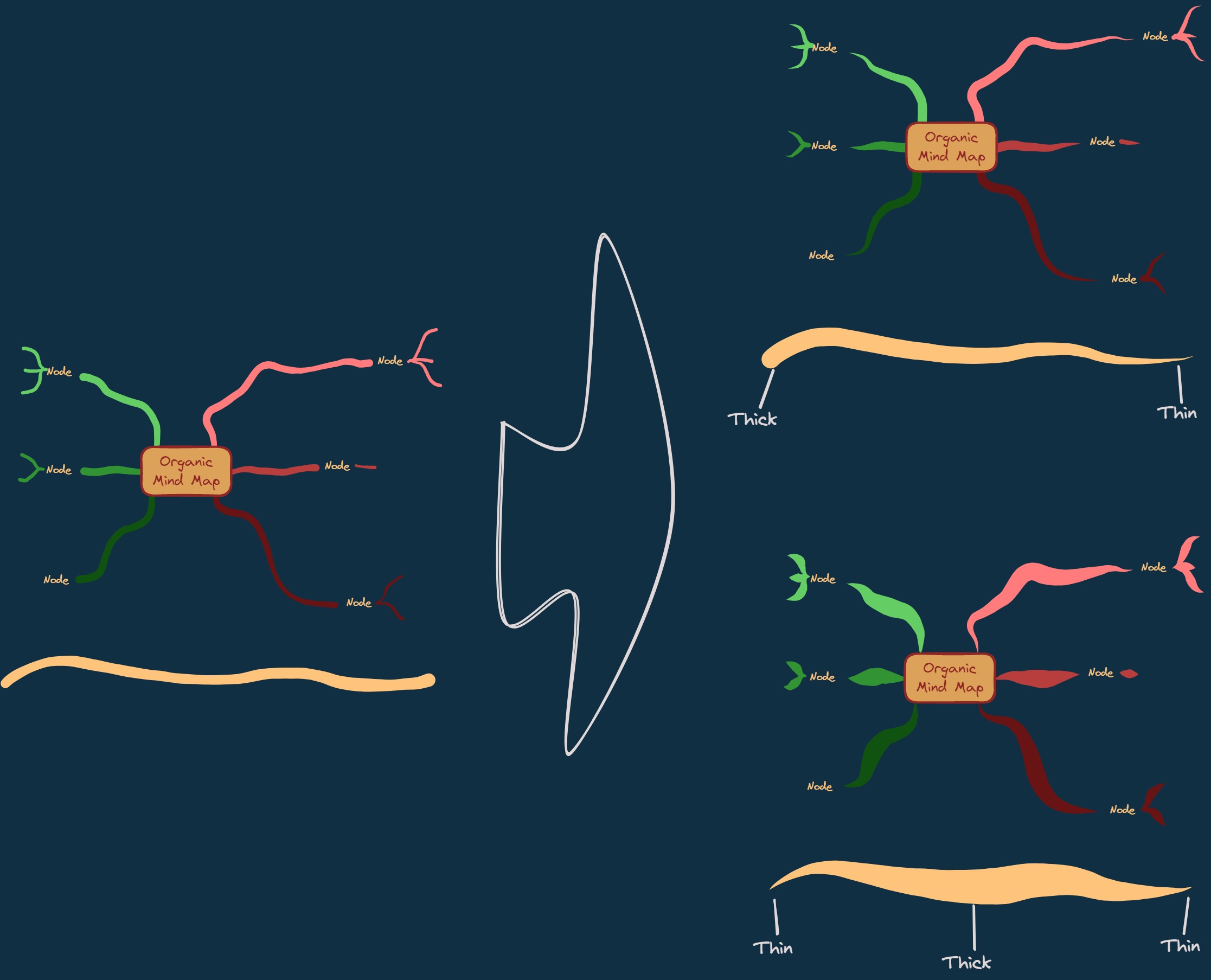|[@zsviczian](https://github.com/zsviczian)|
|
||||
|[Repeat Elements](Repeat%20Elements.md)|This script will detect the difference between 2 selected elements, including position, size, angle, stroke and background color, and create several elements that repeat these differences based on the number of repetitions entered by the user.|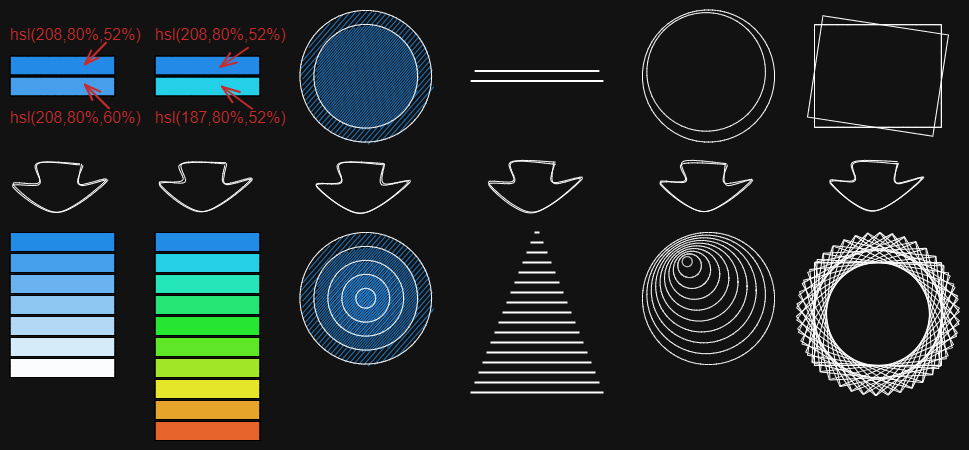|[@1-2-3](https://github.com/1-2-3)|
|
||||
|[Reset LaTeX Size](Reset%20LaTeX%20Size.md)|Reset the sizes of embedded LaTeX equations to the default sizes or a multiple of the default sizes.|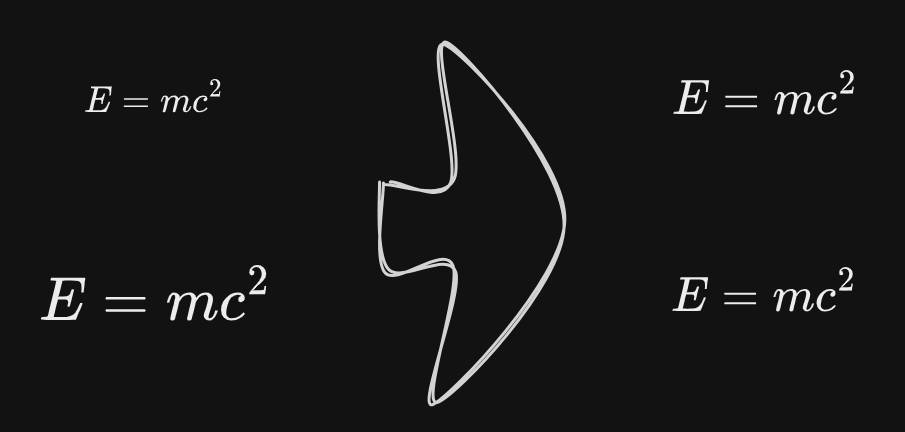|[@firai](https://github.com/firai)|
|
||||
|[Reverse arrows](Reverse%20arrows.md)|Reverse the direction of **arrows** within the scope of selected elements.||[@zsviczian](https://github.com/zsviczian)|
|
||||
|[Scribble Helper](Scribble%20Helper.md)|iOS scribble helper for better handwriting experience with text elements. If no elements are selected then the creates a text element at pointer position and you can use the edit box to modify the text with scribble. If a text element is selected then opens the input prompt where you can modify this text with scribble.||[@zsviczian](https://github.com/zsviczian)|
|
||||
|[Select Elements of Type](Select%20Elements%20of%20Type.md)|Prompts you with a list of the different element types in the active image. Only elements of the selected type will be selected on the canvas. If nothing is selected when running the script, then the script will process all the elements on the canvas. If some elements are selected when the script is executed, then the script will only process the selected elements.<br>The script is useful when, for example, you want to bring to front all the arrows, or want to change the color of all the text elements, etc.||[@zsviczian](https://github.com/zsviczian)|
|
||||
|
||||
32
ea-scripts/Reset LaTeX Size.md
Normal file
@@ -0,0 +1,32 @@
|
||||
|
||||
/*
|
||||

|
||||
|
||||
Reset the sizes of embedded LaTeX equations to the default sizes or a multiple of the default sizes.
|
||||
|
||||
```javascript
|
||||
*/
|
||||
|
||||
if (!ea.verifyMinimumPluginVersion || !ea.verifyMinimumPluginVersion("2.4.0")) {
|
||||
new Notice("This script requires a newer version of Excalidraw. Please install the latest version.");
|
||||
return;
|
||||
}
|
||||
|
||||
let elements = ea.getViewSelectedElements().filter((el)=>["image"].includes(el.type));
|
||||
if (elements.length === 0) return;
|
||||
|
||||
scale = await utils.inputPrompt("Scale?", "Number", "1");
|
||||
if (!scale) return;
|
||||
scale = parseFloat(scale);
|
||||
|
||||
ea.copyViewElementsToEAforEditing(elements);
|
||||
|
||||
for (el of elements) {
|
||||
equation = ea.targetView.excalidrawData.getEquation(el.fileId)?.latex;
|
||||
if (!equation) return;
|
||||
eqData = await ea.tex2dataURL(equation);
|
||||
ea.getElement(el.id).width = eqData.size.width * scale;
|
||||
ea.getElement(el.id).height = eqData.size.height * scale;
|
||||
};
|
||||
|
||||
ea.addElementsToView(false, false);
|
||||
1
ea-scripts/Reset LaTeX Size.svg
Normal file

@@ -0,0 +1 @@
|
||||
<svg class="skip" xmlns="http://www.w3.org/2000/svg" width="24" height="24" viewBox="0 0 24 24" fill="none" stroke="currentColor" stroke-linecap="round" stroke-linejoin="round"><rect stroke-width="2" width="20" height="16" x="2" y="4" rx="2"/><path stroke-width="2" d="M12 9v11"/><path stroke-width="2" d="M2 9h13a2 2 0 0 1 2 2v9"/></svg>
|
||||
|
After Width: | Height: | Size: 338 B |
@@ -103,7 +103,7 @@ const selectAttributesToCopy = () => {
|
||||
|
||||
attributes.forEach(attr => {
|
||||
const attrValue = elements[0][attr.key];
|
||||
if(attrValue || (attr.key === "startArrowhead" && elements[0].type === "arrow") || (attr.key === "endArrowhead" && elements[0].type === "arrow")) {
|
||||
if((typeof attrValue !== "undefined" && attrValue !== null) || (attr.key === "startArrowhead" && elements[0].type === "arrow") || (attr.key === "endArrowhead" && elements[0].type === "arrow")) {
|
||||
let description = '';
|
||||
|
||||
switch(attr.key) {
|
||||
@@ -190,7 +190,9 @@ const selectAttributesToCopy = () => {
|
||||
|
||||
|
||||
configModal.onClose = () => {
|
||||
setTimeout(()=>delete configModal);
|
||||
setTimeout(()=>{
|
||||
delete configModal
|
||||
});
|
||||
}
|
||||
|
||||
configModal.open();
|
||||
|
||||
@@ -8,6 +8,46 @@ https://zsviczian.github.io/obsidian-excalidraw-plugin/ExcalidrawScriptsEngine.h
|
||||
|
||||
```javascript
|
||||
*/
|
||||
if(ea.verifyMinimumPluginVersion && ea.verifyMinimumPluginVersion("2.4.0")) {
|
||||
|
||||
const api = ea.getExcalidrawAPI();
|
||||
let appState = api.getAppState();
|
||||
let gridFrequency = appState.gridStep;;
|
||||
|
||||
const customControls = (container) => {
|
||||
new ea.obsidian.Setting(container)
|
||||
.setName(`Major grid frequency`)
|
||||
.addDropdown(dropdown => {
|
||||
[2,3,4,5,6,7,8,9,10].forEach(grid=>dropdown.addOption(grid,grid));
|
||||
dropdown
|
||||
.setValue(gridFrequency)
|
||||
.onChange(value => {
|
||||
gridFrequency = value;
|
||||
})
|
||||
})
|
||||
}
|
||||
|
||||
const gridSize = parseInt(await utils.inputPrompt(
|
||||
"Grid size?",
|
||||
null,
|
||||
appState.GridSize?.toString()??"20",
|
||||
null,
|
||||
1,
|
||||
false,
|
||||
customControls
|
||||
));
|
||||
if(isNaN(gridSize)) return; //this is to avoid passing an illegal value to Excalidraw
|
||||
const gridStep = isNaN(parseInt(gridFrequency)) ? appState.gridStep : parseInt(gridFrequency);
|
||||
|
||||
api.updateScene({
|
||||
appState : {gridSize, gridStep, gridModeEnabled:true},
|
||||
commitToHistory:false
|
||||
});
|
||||
}
|
||||
|
||||
// ----------------
|
||||
// old script
|
||||
// ----------------
|
||||
if(!ea.verifyMinimumPluginVersion || !ea.verifyMinimumPluginVersion("1.9.19")) {
|
||||
new Notice("This script requires a newer version of Excalidraw. Please install the latest version.");
|
||||
return;
|
||||
|
||||
@@ -9,7 +9,11 @@ https://zsviczian.github.io/obsidian-excalidraw-plugin/ExcalidrawScriptsEngine.h
|
||||
```javascript
|
||||
*/
|
||||
let width = (ea.getViewSelectedElement().strokeWidth??1).toString();
|
||||
width = await utils.inputPrompt("Width?","number",width);
|
||||
width = parseFloat(await utils.inputPrompt("Width?","number",width));
|
||||
if(isNaN(width)) {
|
||||
new Notice("Invalid number");
|
||||
return;
|
||||
}
|
||||
const elements=ea.getViewSelectedElements();
|
||||
ea.copyViewElementsToEAforEditing(elements);
|
||||
ea.getElements().forEach((el)=>el.strokeWidth=width);
|
||||
|
||||
@@ -20,7 +20,7 @@ If you want to modify scripts, I recommend moving them to the `Excalidraw Automa
|
||||
I would love to include your contribution in the script library. If you have a script of your own that you would like to share with the community, please open a [PR](https://github.com/zsviczian/obsidian-excalidraw-plugin/pulls) on GitHub. Be sure to include the following in your pull request
|
||||
- The [script file](https://github.com/zsviczian/obsidian-excalidraw-plugin/tree/master/ea-scripts) with a self explanetory name. The name of the file will be the name of the script in the Command Palette.
|
||||
- An [image](https://github.com/zsviczian/obsidian-excalidraw-plugin/tree/master/images) explaining the scripts purpose. Remember a picture speaks thousand words!
|
||||
- An update to this file [ea-scripts/index.md](https://github.com/zsviczian/obsidian-excalidraw-plugin/blob/master/ea-scripts/index.md)
|
||||
- An update to this file [ea-scripts/index-new.md](https://github.com/zsviczian/obsidian-excalidraw-plugin/blob/master/ea-scripts/index-new.md)
|
||||
|
||||
---
|
||||
|
||||
@@ -89,6 +89,7 @@ I would love to include your contribution in the script library. If you have a s
|
||||
|<div><img src="https://raw.githubusercontent.com/zsviczian/obsidian-excalidraw-plugin/master/ea-scripts/Modify%20background%20color%20opacity.svg"/></div>|[[#Modify background color opacity]]|
|
||||
|<div><img src="https://raw.githubusercontent.com/zsviczian/obsidian-excalidraw-plugin/master/ea-scripts/Organic%20Line.svg"/></div>|[[#Organic Line]]|
|
||||
|<div><img src="https://raw.githubusercontent.com/zsviczian/obsidian-excalidraw-plugin/master/ea-scripts/Organic%20Line%20Legacy.svg"/></div>|[[#Organic Line Legacy]]|
|
||||
|<div><img src="https://raw.githubusercontent.com/zsviczian/obsidian-excalidraw-plugin/master/ea-scripts/Reset%20LaTeX%20Size.svg"/></div>|[[#Reset LaTeX Size]]|
|
||||
|<div><img src="https://raw.githubusercontent.com/zsviczian/obsidian-excalidraw-plugin/master/ea-scripts/Set%20background%20color%20of%20unclosed%20line%20object%20by%20adding%20a%20shadow%20clone.svg"/></div>|[[#Set background color of unclosed line object by adding a shadow clone]]|
|
||||
|<div><img src="https://raw.githubusercontent.com/zsviczian/obsidian-excalidraw-plugin/master/ea-scripts/Set%20Dimensions.svg"/></div>|[[#Set Dimensions]]|
|
||||
|<div><img src="https://raw.githubusercontent.com/zsviczian/obsidian-excalidraw-plugin/master/ea-scripts/Set%20Grid.svg"/></div>|[[#Set Grid]]|
|
||||
@@ -114,13 +115,12 @@ I would love to include your contribution in the script library. If you have a s
|
||||
|
||||
| | |
|
||||
|----|-----|
|
||||
|<div><img src="https://raw.githubusercontent.com/zsviczian/obsidian-excalidraw-plugin/master/ea-scripts/Auto%20Draw%20for%20Pen.svg"/></div>|[[#Auto Draw for Pen]]|
|
||||
|<div><img src="https://raw.githubusercontent.com/zsviczian/obsidian-excalidraw-plugin/master/ea-scripts/Boolean%20Operations.svg"/></div>|[[#Boolean Operations]]|
|
||||
|<div><img src="https://raw.githubusercontent.com/zsviczian/obsidian-excalidraw-plugin/master/ea-scripts/Custom%20Zoom.svg"/></div>|[[#Custom Zoom]]|
|
||||
|<div><img src="https://raw.githubusercontent.com/zsviczian/obsidian-excalidraw-plugin/master/ea-scripts/Copy%20Selected%20Element%20Styles%20to%20Global.svg"/></div>|[[#Copy Selected Element Styles to Global]]|
|
||||
|<div><img src="https://raw.githubusercontent.com/zsviczian/obsidian-excalidraw-plugin/master/ea-scripts/ExcaliAI.svg"/></div>|[[#ExcaliAI]]|
|
||||
|<div><img src="https://raw.githubusercontent.com/zsviczian/obsidian-excalidraw-plugin/master/ea-scripts/Excalidraw%20Writing%20Machine.svg"/></div>|[[#Excalidraw Writing Machine]]|
|
||||
|<div><img src="https://raw.githubusercontent.com/zsviczian/obsidian-excalidraw-plugin/master/ea-scripts/GPT-Draw-a-UI.svg"/></div>|[[#GPT Draw-a-UI]]|
|
||||
|<div><img src="https://raw.githubusercontent.com/zsviczian/obsidian-excalidraw-plugin/master/ea-scripts/Hardware%20Eraser%20Support.svg"/></div>|[[#Hardware Eraser Support]]|
|
||||
|<div><img src="https://raw.githubusercontent.com/zsviczian/obsidian-excalidraw-plugin/master/ea-scripts/Palette%20loader.svg"/></div>|[[#Palette Loader]]|
|
||||
|<div><img src="https://raw.githubusercontent.com/zsviczian/obsidian-excalidraw-plugin/master/ea-scripts/PDF%20Page%20Text%20to%20Clipboard.svg"/></div>|[[#PDF Page Text to Clipboard]]|
|
||||
|<div><img src="https://raw.githubusercontent.com/zsviczian/obsidian-excalidraw-plugin/master/ea-scripts/Rename%20Image.svg"/></div>|[[#Rename Image]]|
|
||||
@@ -130,6 +130,7 @@ I would love to include your contribution in the script library. If you have a s
|
||||
|<div><img src="https://raw.githubusercontent.com/zsviczian/obsidian-excalidraw-plugin/master/ea-scripts/Select%20Similar%20Elements.svg"/></div>|[[#Select Similar Elements]]|
|
||||
|<div><img src="https://raw.githubusercontent.com/zsviczian/obsidian-excalidraw-plugin/master/ea-scripts/Slideshow.svg"/></div>|[[#Slideshow]]|
|
||||
|<div><img src="https://raw.githubusercontent.com/zsviczian/obsidian-excalidraw-plugin/master/ea-scripts/Split%20Ellipse.svg"/></div>|[[#Split Ellipse]]|
|
||||
|<div><img src="https://raw.githubusercontent.com/zsviczian/obsidian-excalidraw-plugin/master/ea-scripts/Image%20Occlusion.svg"/></div>|[[#Image Occlusion]]|
|
||||
|
||||
## Collaboration and Export
|
||||
**Keywords**: Sharing, Teamwork, Exporting, Distribution, Cooperative, Publish
|
||||
@@ -154,6 +155,7 @@ I would love to include your contribution in the script library. If you have a s
|
||||
|----|-----|
|
||||
|<div><img src="https://raw.githubusercontent.com/zsviczian/obsidian-excalidraw-plugin/master/ea-scripts/Crop%20Vintage%20Mask.svg"/></div>|[[#Crop Vintage Mask]]|
|
||||
|
||||
|
||||
---
|
||||
|
||||
# Description and Installation
|
||||
@@ -182,12 +184,6 @@ https://raw.githubusercontent.com/zsviczian/obsidian-excalidraw-plugin/master/ea
|
||||
```
|
||||
<table><tr valign='top'><td class="label">Author</td><td class="data"><a href='https://github.com/zsviczian'>@zsviczian</a></td></tr><tr valign='top'><td class="label">Source</td><td class="data"><a href='https://github.com/zsviczian/obsidian-excalidraw-plugin/blob/master/ea-scripts/Add%20Next%20Step%20in%20Process.md'>File on GitHub</a></td></tr><tr valign='top'><td class="label">Description</td><td class="data">This script will prompt you for the title of the process step, then will create a stick note with the text. If an element is selected then the script will connect this new step with an arrow to the previous step (the selected element). If no element is selected, then the script assumes this is the first step in the process and will only output the sticky note with the text that was entered.<br><img src='https://raw.githubusercontent.com/zsviczian/obsidian-excalidraw-plugin/master/images/scripts-add-process-step.jpg'></td></tr></table>
|
||||
|
||||
## Auto Draw for Pen
|
||||
```excalidraw-script-install
|
||||
https://raw.githubusercontent.com/zsviczian/obsidian-excalidraw-plugin/master/ea-scripts/Auto%20Draw%20for%20Pen.md
|
||||
```
|
||||
<table><tr valign='top'><td class="label">Author</td><td class="data"><a href='https://github.com/threethan'>@threethan</a></td></tr><tr valign='top'><td class="label">Source</td><td class="data"><a href='https://github.com/zsviczian/obsidian-excalidraw-plugin/blob/master/ea-scripts/Auto%20Draw%20for%20Pen.md'>File on GitHub</a></td></tr><tr valign='top'><td class="label">Description</td><td class="data">Automatically switches from select mode to drawing mode when hovering a pen, and then back.</td></tr></table>
|
||||
|
||||
## Auto Layout
|
||||
```excalidraw-script-install
|
||||
https://raw.githubusercontent.com/zsviczian/obsidian-excalidraw-plugin/master/ea-scripts/Auto%20Layout.md
|
||||
@@ -273,6 +269,8 @@ https://raw.githubusercontent.com/zsviczian/obsidian-excalidraw-plugin/master/ea
|
||||
```
|
||||
<table><tr valign='top'><td class="label">Author</td><td class="data"><a href='https://github.com/zsviczian'>@zsviczian</a></td></tr><tr valign='top'><td class="label">Source</td><td class="data"><a href='https://github.com/zsviczian/obsidian-excalidraw-plugin/blob/master/ea-scripts/Crop%20Vintage%20Mask.md'>File on GitHub</a></td></tr><tr valign='top'><td class="label">Description</td><td class="data">Adds a rounded mask to the image by adding a full cover black mask and a rounded rectangle white mask. The script is also useful for adding just a black mask. In this case, run the script, then delete the white mask and add your custom white mask.<br><img src='https://raw.githubusercontent.com/zsviczian/obsidian-excalidraw-plugin/master/images/scripts-crop-vintage.jpg'></td></tr></table>
|
||||
|
||||
|
||||
|
||||
## Custom Zoom
|
||||
```excalidraw-script-install
|
||||
https://raw.githubusercontent.com/zsviczian/obsidian-excalidraw-plugin/master/ea-scripts/Custom%20Zoom.md
|
||||
@@ -389,18 +387,23 @@ https://raw.githubusercontent.com/zsviczian/obsidian-excalidraw-plugin/master/ea
|
||||
```
|
||||
<table><tr valign='top'><td class="label">Author</td><td class="data"><a href='https://github.com/zsviczian'>@zsviczian</a></td></tr><tr valign='top'><td class="label">Source</td><td class="data"><a href='https://github.com/zsviczian/obsidian-excalidraw-plugin/blob/master/ea-scripts/ExcaliAI.md'>File on GitHub</a></td></tr><tr valign='top'><td class="label">Description</td><td class="data">Various AI features based on GPT Vision.<br><iframe width="400" height="225" src="https://www.youtube.com/embed/A1vrSGBbWgo" title="YouTube video player" frameborder="0" allow="accelerometer; autoplay; clipboard-write; encrypted-media; gyroscope; picture-in-picture" allowfullscreen></iframe><img src='https://raw.githubusercontent.com/zsviczian/obsidian-excalidraw-plugin/master/images/scripts-draw-a-ui.jpg'></td></tr></table>
|
||||
|
||||
## Excalidraw Writing Machine
|
||||
```excalidraw-script-install
|
||||
https://raw.githubusercontent.com/zsviczian/obsidian-excalidraw-plugin/master/ea-scripts/Excalidraw%20Writing%20Machine.md
|
||||
```
|
||||
<table><tr valign='top'><td class="label">Author</td><td class="data"><a href='https://github.com/zsviczian'>@zsviczian</a></td></tr><tr valign='top'><td class="label">Source</td><td class="data"><a href='https://github.com/zsviczian/obsidian-excalidraw-plugin/blob/master/ea-scripts/Excalidraw%20Writing%20Machine.md'>File on GitHub</a></td></tr><tr valign='top'><td class="label">Description</td><td class="data">Creates a hierarchical Markdown document out of a visual layout of an article that can be fed to Templater and converted into an article using AI for Templater.<br>Watch this video to understand how the script is intended to work:<br><iframe width="400" height="225" src="https://www.youtube.com/embed/zvRpCOZAUSs" title="YouTube video player" frameborder="0" allow="accelerometer; autoplay; clipboard-write; encrypted-media; gyroscope; picture-in-picture" allowfullscreen></iframe><br>You can download the sample Obsidian Templater file from <a href="https://gist.github.com/zsviczian/bf49d4b2d401f5749aaf8c2fa8a513d9">here</a>. You can download the demo PDF document showcased in the video from <a href="https://zsviczian.github.io/DemoArticle-AtomicHabits.pdf">here</a>.</td></tr></table>
|
||||
|
||||
## GPT Draw-a-UI
|
||||
```excalidraw-script-install
|
||||
https://raw.githubusercontent.com/zsviczian/obsidian-excalidraw-plugin/master/ea-scripts/GPT-Draw-a-UI.md
|
||||
```
|
||||
<table><tr valign='top'><td class="label">Author</td><td class="data"><a href='https://github.com/zsviczian'>@zsviczian</a></td></tr><tr valign='top'><td class="label">Source</td><td class="data"><a href='https://github.com/zsviczian/obsidian-excalidraw-plugin/blob/master/ea-scripts/GPT-Draw-a-UI.md'>File on GitHub</a></td></tr><tr valign='top'><td class="label">Description</td><td class="data">This script was discontinued in favor of ExcaliAI. Draw a UI and let GPT create the code for you.<br><iframe width="400" height="225" src="https://www.youtube.com/embed/y3kHl_6Ll4w" title="YouTube video player" frameborder="0" allow="accelerometer; autoplay; clipboard-write; encrypted-media; gyroscope; picture-in-picture" allowfullscreen></iframe><img src='https://raw.githubusercontent.com/zsviczian/obsidian-excalidraw-plugin/master/images/scripts-draw-a-ui.jpg'></td></tr></table>
|
||||
|
||||
|
||||
## Hardware Eraser Support
|
||||
## Image Occlusion
|
||||
```excalidraw-script-install
|
||||
https://raw.githubusercontent.com/zsviczian/obsidian-excalidraw-plugin/master/ea-scripts/Hardware%20Eraser%20Support.md
|
||||
https://raw.githubusercontent.com/zsviczian/obsidian-excalidraw-plugin/master/ea-scripts/Image%20Occlusion.md
|
||||
```
|
||||
<table><tr valign='top'><td class="label">Author</td><td class="data"><a href='https://github.com/threethan'>@threethan</a></td></tr><tr valign='top'><td class="label">Source</td><td class="data"><a href='https://github.com/zsviczian/obsidian-excalidraw-plugin/blob/master/ea-scripts/Hardware%20Eraser%20Support.md'>File on GitHub</a></td></tr><tr valign='top'><td class="label">Description</td><td class="data">Allows you to use inversion, aka hardware eraser, on supported pens.</td></tr></table>
|
||||
<table><tr valign='top'><td class="label">Author</td><td class="data"><a href='https://github.com/TrillStones'>@TrillStones</a></td></tr><tr valign='top'><td class="label">Source</td><td class="data"><a href='https://github.com/zsviczian/obsidian-excalidraw-plugin/blob/master/ea-scripts/Image%20Occlusion.md'>File on GitHub</a></td></tr><tr valign='top'><td class="label">Description</td><td class="data">An Excalidraw script for creating Anki image occlusion cards in Obsidian, similar to Anki's Image Occlusion Enhanced add-on but integrated into your Obsidian workflow.<br><img src='https://raw.githubusercontent.com/zsviczian/obsidian-excalidraw-plugin/master/images/scripts-image-occlusion.png'></td></tr></table>
|
||||
|
||||
## Invert colors
|
||||
```excalidraw-script-install
|
||||
@@ -510,6 +513,14 @@ https://raw.githubusercontent.com/zsviczian/obsidian-excalidraw-plugin/master/ea
|
||||
```
|
||||
<table><tr valign='top'><td class="label">Author</td><td class="data"><a href='https://github.com/zsviczian'>@zsviczian</a></td></tr><tr valign='top'><td class="label">Source</td><td class="data"><a href='https://github.com/zsviczian/obsidian-excalidraw-plugin/blob/master/ea-scripts/Select%20Similar%20Elements.md'>File on GitHub</a></td></tr><tr valign='top'><td class="label">Description</td><td class="data">This script allows you to streamline your Obsidian-Excalidraw workflows by enabling the selection of elements based on similar properties. you can precisely define which attributes such as stroke color, fill style, font family, and more, should match for selection. It's perfect for large canvases where manual selection would be cumbersome. You can either run the script to find and select matching elements across the entire scene, or define a specific group of elements to apply the selection criteria within a defined timeframe.<br><img src='https://raw.githubusercontent.com/zsviczian/obsidian-excalidraw-plugin/master/images/scripts-select-similar-elements.png'></td></tr></table>
|
||||
|
||||
|
||||
## Reset LaTeX Size
|
||||
```excalidraw-script-install
|
||||
https://raw.githubusercontent.com/zsviczian/obsidian-excalidraw-plugin/master/ea-scripts/Reset%20LaTeX%20Size.md
|
||||
```
|
||||
<table><tr valign='top'><td class="label">Author</td><td class="data"><a href='https://github.com/firai'>@firai</a></td></tr><tr valign='top'><td class="label">Source</td><td class="data"><a href='https://github.com/zsviczian/obsidian-excalidraw-plugin/blob/master/ea-scripts/Reset%20LaTeX%20Size.md'>File on GitHub</a></td></tr><tr valign='top'><td class="label">Description</td><td class="data">Reset the sizes of embedded LaTeX equations to the default sizes or a multiple of the default sizes.<br><img src='https://raw.githubusercontent.com/zsviczian/obsidian-excalidraw-plugin/master/images/scripts-reset-latex.jpg'></td></tr></table>
|
||||
|
||||
|
||||
## Set background color of unclosed line object by adding a shadow clone
|
||||
```excalidraw-script-install
|
||||
https://raw.githubusercontent.com/zsviczian/obsidian-excalidraw-plugin/master/ea-scripts/Set%20background%20color%20of%20unclosed%20line%20object%20by%20adding%20a%20shadow%20clone.md
|
||||
|
||||

|
Before Width: | Height: | Size: 341 KiB After Width: | Height: | Size: 861 KiB |
BIN
images/scripts-image-occlusion.png
Normal file

|
After Width: | Height: | Size: 1.0 MiB |
BIN
images/scripts-reset-latex.jpg
Normal file

|
After Width: | Height: | Size: 16 KiB |
@@ -1,7 +1,7 @@
|
||||
{
|
||||
"id": "obsidian-excalidraw-plugin",
|
||||
"name": "Excalidraw",
|
||||
"version": "2.2.7-1",
|
||||
"version": "2.7.0-beta-6",
|
||||
"minAppVersion": "1.1.6",
|
||||
"description": "An Obsidian plugin to edit and view Excalidraw drawings",
|
||||
"author": "Zsolt Viczian",
|
||||
|
||||
@@ -1,12 +1,12 @@
|
||||
{
|
||||
"id": "obsidian-excalidraw-plugin",
|
||||
"name": "Excalidraw",
|
||||
"version": "2.2.7",
|
||||
"version": "2.6.8",
|
||||
"minAppVersion": "1.1.6",
|
||||
"description": "An Obsidian plugin to edit and view Excalidraw drawings",
|
||||
"author": "Zsolt Viczian",
|
||||
"authorUrl": "https://zsolt.blog",
|
||||
"authorUrl": "https://www.zsolt.blog",
|
||||
"fundingUrl": "https://ko-fi.com/zsolt",
|
||||
"helpUrl": "https://github.com/zsviczian/obsidian-excalidraw-plugin#readme",
|
||||
"isDesktopOnly": false
|
||||
}
|
||||
}
|
||||
|
||||
45
package.json
@@ -8,53 +8,68 @@
|
||||
"lib/**/*"
|
||||
],
|
||||
"scripts": {
|
||||
"dev": "cross-env NODE_ENV=development rollup --config rollup.config.js -w",
|
||||
"dev": "cross-env NODE_ENV=development rollup --config rollup.config.js",
|
||||
"build": "cross-env NODE_ENV=production rollup --config rollup.config.js",
|
||||
"lib": "cross-env NODE_ENV=lib rollup --config rollup.config.js",
|
||||
"code:fix": "eslint --max-warnings=0 --ext .ts,.tsx ./src --fix",
|
||||
"madge": "madge --circular ."
|
||||
"madge": "madge --circular .",
|
||||
"build:mathjax": "cd MathjaxToSVG && npm run build",
|
||||
"build:all": "npm run build:mathjax && npm run build",
|
||||
"dev:mathjax": "cd MathjaxToSVG && npm run dev",
|
||||
"dev:all": "npm run dev:mathjax && npm run dev",
|
||||
"build:lang": "node ./scripts/compressLanguages.js"
|
||||
},
|
||||
"keywords": [],
|
||||
"author": "",
|
||||
"license": "MIT",
|
||||
"dependencies": {
|
||||
"@popperjs/core": "^2.11.8",
|
||||
"@zsviczian/excalidraw": "0.17.1-obsidian-29",
|
||||
"@zsviczian/excalidraw": "0.17.6-21",
|
||||
"chroma-js": "^2.4.2",
|
||||
"clsx": "^2.0.0",
|
||||
"colormaster": "^1.2.1",
|
||||
"@zsviczian/colormaster": "^1.2.2",
|
||||
"gl-matrix": "^3.4.3",
|
||||
"js-yaml": "^4.1.0",
|
||||
"lucide-react": "^0.263.1",
|
||||
"mathjax-full": "^3.2.2",
|
||||
"monkey-around": "^2.3.0",
|
||||
"nanoid": "^4.0.2",
|
||||
"opentype.js": "^1.3.4",
|
||||
"polybooljs": "^1.2.0",
|
||||
"react": "^18.2.0",
|
||||
"react-dom": "^18.2.0",
|
||||
"roughjs": "^4.5.2",
|
||||
"js-yaml": "^4.1.0"
|
||||
"woff2sfnt-sfnt2woff": "^1.0.0",
|
||||
"es6-promise-pool": "2.5.0"
|
||||
},
|
||||
"devDependencies": {
|
||||
"dotenv": "^16.4.5",
|
||||
"jsesc": "^3.0.2",
|
||||
"@babel/core": "^7.22.9",
|
||||
"@babel/preset-env": "^7.22.10",
|
||||
"@babel/preset-react": "^7.22.5",
|
||||
"@codemirror/commands": "^6.3.3",
|
||||
"@codemirror/language": "^6.10.0",
|
||||
"@codemirror/search": "^6.5.5",
|
||||
"@codemirror/state": "^6.4.0",
|
||||
"@codemirror/view": "^6.23.0",
|
||||
"@excalidraw/eslint-config": "^1.0.3",
|
||||
"@excalidraw/prettier-config": "^1.0.2",
|
||||
"@rollup/plugin-babel": "^6.0.3",
|
||||
"@rollup/plugin-commonjs": "^24.1.0",
|
||||
"@rollup/plugin-node-resolve": "^15.2.1",
|
||||
"@rollup/plugin-commonjs": "^26.0.1",
|
||||
"@rollup/plugin-node-resolve": "^15.2.3",
|
||||
"@rollup/plugin-replace": "^5.0.2",
|
||||
"@rollup/plugin-typescript": "^11.1.2",
|
||||
"@rollup/plugin-typescript": "^11.1.6",
|
||||
"@types/chroma-js": "^2.4.0",
|
||||
"@types/js-beautify": "^1.14.0",
|
||||
"@types/js-yaml": "^4.0.9",
|
||||
"@types/node": "^20.10.5",
|
||||
"@types/opentype.js": "^1.3.8",
|
||||
"@types/react": "^18.2.45",
|
||||
"@types/react-dom": "^18.2.18",
|
||||
"@types/js-yaml": "^4.0.9",
|
||||
"@zerollup/ts-transform-paths": "^1.7.18",
|
||||
"cross-env": "^7.0.3",
|
||||
"cssnano": "^6.0.2",
|
||||
"dotenv": "^16.4.5",
|
||||
"eslint-config-prettier": "^9.0.0",
|
||||
"eslint-plugin-prettier": "^5.0.0",
|
||||
"lz-string": "^1.5.0",
|
||||
@@ -62,18 +77,14 @@
|
||||
"prettier": "^3.0.1",
|
||||
"rollup": "^2.70.1",
|
||||
"rollup-plugin-copy": "^3.5.0",
|
||||
"rollup-plugin-postprocess": "github:brettz9/rollup-plugin-postprocess#update",
|
||||
"@zsviczian/rollup-plugin-postprocess": "^1.0.3",
|
||||
"rollup-plugin-terser": "^7.0.2",
|
||||
"rollup-plugin-typescript2": "^0.34.1",
|
||||
"rollup-plugin-web-worker-loader": "^1.6.1",
|
||||
"tslib": "^2.6.1",
|
||||
"ttypescript": "^1.5.15",
|
||||
"typescript": "^5.2.2",
|
||||
"@codemirror/commands": "^6.3.3",
|
||||
"@codemirror/language": "^6.10.0",
|
||||
"@codemirror/search": "^6.5.5",
|
||||
"@codemirror/state": "^6.4.0",
|
||||
"@codemirror/view": "^6.23.0"
|
||||
"fs-extra": "^11.2.0",
|
||||
"uglify-js": "^3.19.3"
|
||||
},
|
||||
"resolutions": {
|
||||
"@typescript-eslint/typescript-estree": "5.3.0"
|
||||
|
||||
@@ -1,32 +0,0 @@
|
||||
import fs from'fs';
|
||||
import LZString from 'lz-string';
|
||||
|
||||
const excalidraw_pkg = fs.readFileSync("./node_modules/@zsviczian/excalidraw/dist/excalidraw.production.min.js", "utf8");
|
||||
const react_pkg = fs.readFileSync("./node_modules/react/umd/react.production.min.js", "utf8");
|
||||
const reactdom_pkg = fs.readFileSync("./node_modules/react-dom/umd/react-dom.production.min.js", "utf8");
|
||||
const lzstring_pkg = fs.readFileSync("./node_modules/lz-string/libs/lz-string.min.js", "utf8");
|
||||
const mainjs = fs.readFileSync("main.js", "utf8")
|
||||
|
||||
const packageString = lzstring_pkg+'const EXCALIDRAW_PACKAGES="' + LZString.compressToBase64(react_pkg + reactdom_pkg + excalidraw_pkg) +'";var ExcalidrawPackageLoader=(d=document)=>{if(!d.getElementById("excalidraw-script")){const script=d.createElement("script");script.type="text/javascript";script.id="excalidraw-script";script.text=LZString.decompressFromBase64(EXCALIDRAW_PACKAGES);d.body.appendChild(script);}};ExcalidrawPackageLoader();';
|
||||
|
||||
fs.writeFileSync(
|
||||
"main2.js",
|
||||
mainjs
|
||||
.replace('(require("react"))','')
|
||||
.replace('"use strict";','"use strict";' + packageString),
|
||||
{
|
||||
encoding: "utf8",
|
||||
flag: "w",
|
||||
mode: 0o666
|
||||
}
|
||||
);
|
||||
|
||||
|
||||
export default ({
|
||||
input: 'foo',
|
||||
plugins: [],
|
||||
output: [{
|
||||
file: 'foo.js',
|
||||
format: 'es'
|
||||
}]
|
||||
});
|
||||
112
rollup.config.js
@@ -1,24 +1,56 @@
|
||||
import { nodeResolve } from '@rollup/plugin-node-resolve';
|
||||
import commonjs from '@rollup/plugin-commonjs';
|
||||
import babel from '@rollup/plugin-babel';
|
||||
import replace from "@rollup/plugin-replace";
|
||||
import { terser } from "rollup-plugin-terser";
|
||||
import copy from "rollup-plugin-copy";
|
||||
import typescript2 from "rollup-plugin-typescript2";
|
||||
import webWorker from "rollup-plugin-web-worker-loader";
|
||||
import fs from 'fs';
|
||||
import LZString from 'lz-string';
|
||||
import postprocess from 'rollup-plugin-postprocess';
|
||||
import postprocess from '@zsviczian/rollup-plugin-postprocess';
|
||||
import cssnano from 'cssnano';
|
||||
import jsesc from 'jsesc';
|
||||
import { minify } from 'uglify-js';
|
||||
|
||||
// Load environment variables
|
||||
import dotenv from 'dotenv';
|
||||
dotenv.config();
|
||||
|
||||
const DIST_FOLDER = 'dist';
|
||||
const DIST_FOLDER = 'dist';
|
||||
const isProd = (process.env.NODE_ENV === "production");
|
||||
const isLib = (process.env.NODE_ENV === "lib");
|
||||
console.log(`Running: ${process.env.NODE_ENV}`);
|
||||
console.log(`Running: ${process.env.NODE_ENV}; isProd: ${isProd}; isLib: ${isLib}`);
|
||||
|
||||
const mathjaxtosvg_pkg = isLib ? "" : fs.readFileSync("./MathjaxToSVG/dist/index.js", "utf8");
|
||||
|
||||
const LANGUAGES = ['ru', 'zh-cn']; //english is not compressed as it is always loaded by default
|
||||
|
||||
function trimLastSemicolon(input) {
|
||||
if (input.endsWith(";")) {
|
||||
return input.slice(0, -1);
|
||||
}
|
||||
return input;
|
||||
}
|
||||
|
||||
function compressLanguageFile(lang) {
|
||||
const inputDir = "./src/lang/locale";
|
||||
const filePath = `${inputDir}/${lang}.ts`;
|
||||
let content = fs.readFileSync(filePath, "utf-8");
|
||||
content = trimLastSemicolon(content.split("export default")[1].trim());
|
||||
|
||||
const minified = minify(`x = ${content};`,{
|
||||
compress: true,
|
||||
mangle: true,
|
||||
output: {
|
||||
comments: false,
|
||||
beautify: false,
|
||||
},
|
||||
});
|
||||
|
||||
if (minified.error) {
|
||||
throw new Error(minified.error);
|
||||
}
|
||||
return LZString.compressToBase64(minified.code);
|
||||
}
|
||||
|
||||
const excalidraw_pkg = isLib ? "" : isProd
|
||||
? fs.readFileSync("./node_modules/@zsviczian/excalidraw/dist/excalidraw.production.min.js", "utf8")
|
||||
@@ -49,16 +81,27 @@ if (!isLib) {
|
||||
|
||||
const manifestStr = isLib ? "" : fs.readFileSync("manifest.json", "utf-8");
|
||||
const manifest = isLib ? {} : JSON.parse(manifestStr);
|
||||
if (!isLib) console.log(manifest.version);
|
||||
if (!isLib) {
|
||||
console.log(manifest.version);
|
||||
}
|
||||
|
||||
const packageString = isLib
|
||||
? ""
|
||||
: ';' + lzstring_pkg +
|
||||
'\nconst EXCALIDRAW_PACKAGES = "' + LZString.compressToBase64(react_pkg + reactdom_pkg + excalidraw_pkg) + '";\n' +
|
||||
'const {react, reactDOM, excalidrawLib} = window.eval.call(window, `(function() {' +
|
||||
'${LZString.decompressFromBase64(EXCALIDRAW_PACKAGES)};' +
|
||||
'return {react: React, reactDOM: ReactDOM, excalidrawLib: ExcalidrawLib};})();`);\n' +
|
||||
'const PLUGIN_VERSION="' + manifest.version + '";';
|
||||
: ';const INITIAL_TIMESTAMP=Date.now();' + lzstring_pkg +
|
||||
'\nlet REACT_PACKAGES = `' +
|
||||
jsesc(react_pkg + reactdom_pkg, { quotes: 'backtick' }) +
|
||||
'`;\n' +
|
||||
/* 'let EXCALIDRAW_PACKAGE = `' +
|
||||
jsesc(excalidraw_pkg, { quotes: 'backtick' }) +
|
||||
'`;\n' +*/
|
||||
'const unpackExcalidraw = () => LZString.decompressFromBase64("' + LZString.compressToBase64(excalidraw_pkg) + '");\n' +
|
||||
'let {react, reactDOM } = window.eval.call(window, `(function() {' + '${REACT_PACKAGES};' + 'return {react: React, reactDOM: ReactDOM};})();`);\n' +
|
||||
'let excalidrawLib = {};\n' +
|
||||
'const loadMathjaxToSVG = () => window.eval.call(window, `(function() {' +
|
||||
'${LZString.decompressFromBase64("' + LZString.compressToBase64(mathjaxtosvg_pkg) + '")}' +
|
||||
'return MathjaxToSVG;})();`);\n' +
|
||||
`const PLUGIN_LANGUAGES = {${LANGUAGES.map(lang => `"${lang}": "${compressLanguageFile(lang)}"`).join(",")}};\n` +
|
||||
'const PLUGIN_VERSION="' + manifest.version + '";';
|
||||
|
||||
const BASE_CONFIG = {
|
||||
input: 'src/main.ts',
|
||||
@@ -83,9 +126,12 @@ const BASE_CONFIG = {
|
||||
|
||||
const getRollupPlugins = (tsconfig, ...plugins) => [
|
||||
typescript2(tsconfig),
|
||||
nodeResolve({ browser: true }),
|
||||
replace({
|
||||
preventAssignment: true,
|
||||
"process.env.NODE_ENV": JSON.stringify(process.env.NODE_ENV),
|
||||
}),
|
||||
commonjs(),
|
||||
webWorker({ inline: true, forceInline: true, targetPlatform: "browser" }),
|
||||
nodeResolve({ browser: true, preferBuiltins: false }),
|
||||
].concat(plugins);
|
||||
|
||||
const BUILD_CONFIG = {
|
||||
@@ -96,48 +142,28 @@ const BUILD_CONFIG = {
|
||||
format: 'cjs',
|
||||
exports: 'default',
|
||||
},
|
||||
plugins: [
|
||||
typescript2({
|
||||
tsconfig: isProd ? "tsconfig.json" : "tsconfig.dev.json",
|
||||
}),
|
||||
replace({
|
||||
preventAssignment: true,
|
||||
"process.env.NODE_ENV": JSON.stringify(process.env.NODE_ENV),
|
||||
}),
|
||||
babel({
|
||||
presets: [['@babel/preset-env', {
|
||||
targets: {
|
||||
esmodules: true,
|
||||
},
|
||||
}]],
|
||||
exclude: "node_modules/**",
|
||||
}),
|
||||
commonjs(),
|
||||
nodeResolve({ browser: true, preferBuiltins: false }),
|
||||
plugins: getRollupPlugins(
|
||||
{tsconfig: isProd ? "tsconfig.json" : "tsconfig.dev.json"},
|
||||
...(isProd ? [
|
||||
terser({
|
||||
toplevel: false,
|
||||
compress: { passes: 2 },
|
||||
format: {
|
||||
comments: false, // Remove all comments
|
||||
},
|
||||
}),
|
||||
//!postprocess - the version available on npmjs does not work, need this update:
|
||||
// npm install brettz9/rollup-plugin-postprocess#update --save-dev
|
||||
// https://github.com/developit/rollup-plugin-postprocess/issues/10
|
||||
postprocess([
|
||||
[/React=require\("react"\),state=require\("@codemirror\/state"\),view=require\("@codemirror\/view"\)/,
|
||||
`state=require("@codemirror/state"),view=require("@codemirror/view")` + packageString],
|
||||
]),
|
||||
] : [
|
||||
postprocess([
|
||||
[/var React = require\('react'\);/, packageString],
|
||||
]),
|
||||
postprocess([ [/var React = require\('react'\);/, packageString] ]),
|
||||
]),
|
||||
copy({
|
||||
targets: [
|
||||
{ src: 'manifest.json', dest: DIST_FOLDER },
|
||||
],
|
||||
verbose: true, // Optional: To display copied files in the console
|
||||
targets: [ { src: 'manifest.json', dest: DIST_FOLDER } ],
|
||||
verbose: true,
|
||||
}),
|
||||
],
|
||||
),
|
||||
};
|
||||
|
||||
const LIB_CONFIG = {
|
||||
|
||||
@@ -1,6 +1,7 @@
|
||||
import { Extension } from "@codemirror/state";
|
||||
import ExcalidrawPlugin from "src/main";
|
||||
import { HideTextBetweenCommentsExtension } from "./Fadeout";
|
||||
import { debug, DEBUGGING } from "src/utils/DebugHelper";
|
||||
export const EDITOR_FADEOUT = "fadeOutExcalidrawMarkup";
|
||||
|
||||
const editorExtensions: {[key:string]:Extension}= {
|
||||
@@ -10,9 +11,16 @@ const editorExtensions: {[key:string]:Extension}= {
|
||||
export class EditorHandler {
|
||||
private activeEditorExtensions: Extension[] = [];
|
||||
|
||||
constructor(private plugin: ExcalidrawPlugin) {}
|
||||
constructor(private plugin: ExcalidrawPlugin) {
|
||||
(process.env.NODE_ENV === 'development') && DEBUGGING && debug(EditorHandler, `ExcalidrawPlugin.construct EditorHandler`);
|
||||
}
|
||||
|
||||
destroy(): void {
|
||||
this.plugin = null;
|
||||
}
|
||||
|
||||
setup(): void {
|
||||
(process.env.NODE_ENV === 'development') && DEBUGGING && debug(this.setup, `ExcalidrawPlugin.construct EditorHandler.setup`);
|
||||
this.plugin.registerEditorExtension(this.activeEditorExtensions);
|
||||
this.updateCMExtensionState(EDITOR_FADEOUT, this.plugin.settings.fadeOutExcalidrawMarkup);
|
||||
}
|
||||
|
||||
@@ -6,13 +6,16 @@ import {
|
||||
EditorSuggestTriggerInfo,
|
||||
TFile,
|
||||
} from "obsidian";
|
||||
import { FRONTMATTER_KEYS_INFO } from "./SuggesterInfo";
|
||||
import { FRONTMATTER_KEYS_INFO } from "../../dialogs/SuggesterInfo";
|
||||
import {
|
||||
EXCALIDRAW_AUTOMATE_INFO,
|
||||
EXCALIDRAW_SCRIPTENGINE_INFO,
|
||||
} from "./SuggesterInfo";
|
||||
import type ExcalidrawPlugin from "../main";
|
||||
} from "../../dialogs/SuggesterInfo";
|
||||
import type ExcalidrawPlugin from "../../main";
|
||||
|
||||
/**
|
||||
* The field suggester recommends document properties in source mode, ea and utils function and attribute names.
|
||||
*/
|
||||
export class FieldSuggester extends EditorSuggest<string> {
|
||||
plugin: ExcalidrawPlugin;
|
||||
suggestType: "ea" | "excalidraw" | "utils";
|
||||
142
src/Components/Suggesters/FileSuggestionModal.ts
Normal file
@@ -0,0 +1,142 @@
|
||||
import {
|
||||
FuzzyMatch,
|
||||
TFile,
|
||||
CachedMetadata,
|
||||
TextComponent,
|
||||
App,
|
||||
setIcon,
|
||||
} from "obsidian";
|
||||
import { SuggestionModal } from "./SuggestionModal";
|
||||
import { t } from "src/lang/helpers";
|
||||
import { LinkSuggestion } from "src/types/types";
|
||||
import ExcalidrawPlugin from "src/main";
|
||||
import { AUDIO_TYPES, CODE_TYPES, ICON_NAME, IMAGE_TYPES, VIDEO_TYPES } from "src/constants/constants";
|
||||
|
||||
export class FileSuggestionModal extends SuggestionModal<LinkSuggestion> {
|
||||
text: TextComponent;
|
||||
cache: CachedMetadata;
|
||||
filesAndAliases: LinkSuggestion[];
|
||||
file: TFile;
|
||||
constructor(app: App, input: TextComponent, items: TFile[], private plugin: ExcalidrawPlugin) {
|
||||
const filesAndAliases = [];
|
||||
for (const file of items) {
|
||||
const path = file.path;
|
||||
filesAndAliases.push({ file, path, alias: "" });
|
||||
const metadata = app.metadataCache.getFileCache(file); // Get metadata for the file
|
||||
const aliases = metadata?.frontmatter?.aliases || []; // Check for frontmatter aliases
|
||||
|
||||
for (const alias of aliases) {
|
||||
if(!alias) continue; // Skip empty aliases
|
||||
filesAndAliases.push({ file, path, alias });
|
||||
}
|
||||
}
|
||||
super(app, input.inputEl, filesAndAliases);
|
||||
this.limit = 20;
|
||||
this.filesAndAliases = filesAndAliases;
|
||||
this.text = input;
|
||||
this.suggestEl.style.maxWidth = "100%";
|
||||
this.suggestEl.style.width = `${input.inputEl.clientWidth}px`;
|
||||
this.inputEl.addEventListener("input", () => this.getFile());
|
||||
this.setPlaceholder(t("SELECT_FILE_TO_INSERT"));
|
||||
this.emptyStateText = t("NO_MATCH");
|
||||
}
|
||||
|
||||
getFile() {
|
||||
const v = this.inputEl.value;
|
||||
const file = this.app.vault.getAbstractFileByPath(v);
|
||||
if (file === this.file) {
|
||||
return;
|
||||
}
|
||||
if (!(file instanceof TFile)) {
|
||||
return;
|
||||
}
|
||||
this.file = file;
|
||||
|
||||
this.onInputChanged();
|
||||
}
|
||||
|
||||
getSelectedItem() {
|
||||
return this.file;
|
||||
}
|
||||
|
||||
getItemText(item: LinkSuggestion) {
|
||||
return `${item.file.path}${item.alias ? `|${item.alias}` : ""}`;
|
||||
}
|
||||
|
||||
onChooseItem(item: LinkSuggestion) {
|
||||
this.file = item.file;
|
||||
this.text.setValue(this.getItemText(item));
|
||||
this.text.onChanged();
|
||||
}
|
||||
|
||||
selectSuggestion({ item }: FuzzyMatch<LinkSuggestion>) {
|
||||
this.file = item.file;
|
||||
this.text.setValue(this.getItemText(item));
|
||||
this.onClose();
|
||||
this.text.onChanged();
|
||||
this.close();
|
||||
}
|
||||
|
||||
renderSuggestion(result: FuzzyMatch<LinkSuggestion>, itemEl: HTMLElement) {
|
||||
const { item, match: matches } = result || {};
|
||||
itemEl.addClass("mod-complex");
|
||||
const contentEl = itemEl.createDiv("suggestion-content");
|
||||
const auxEl = itemEl.createDiv("suggestion-aux");
|
||||
const titleEl = contentEl.createDiv("suggestion-title");
|
||||
const noteEl = contentEl.createDiv("suggestion-note");
|
||||
|
||||
//el.style.flexDirection = "column";
|
||||
//content.style.flexDirection = "initial";
|
||||
|
||||
if (!item) {
|
||||
titleEl.setText(this.emptyStateText);
|
||||
itemEl.addClass("is-selected");
|
||||
return;
|
||||
}
|
||||
|
||||
const path = item.file?.path ?? item.path;
|
||||
const pathLength = path.length - item.file.name.length;
|
||||
const matchElements = matches.matches.map((m) => {
|
||||
return createSpan("suggestion-highlight");
|
||||
});
|
||||
const itemText = this.getItemText(item);
|
||||
for (let i = pathLength; i < itemText.length; i++) {
|
||||
const match = matches.matches.find((m) => m[0] === i);
|
||||
if (match) {
|
||||
const element = matchElements[matches.matches.indexOf(match)];
|
||||
titleEl.appendChild(element);
|
||||
element.appendText(itemText.substring(match[0], match[1]));
|
||||
|
||||
i += match[1] - match[0] - 1;
|
||||
continue;
|
||||
}
|
||||
|
||||
titleEl.appendText(itemText[i]);
|
||||
}
|
||||
noteEl.setText(path);
|
||||
|
||||
if(this.plugin.isExcalidrawFile(item.file)) {
|
||||
setIcon(auxEl, ICON_NAME);
|
||||
} else if (item.file.extension === "md") {
|
||||
setIcon(auxEl, "square-pen");
|
||||
} else if (IMAGE_TYPES.includes(item.file.extension)) {
|
||||
setIcon(auxEl, "image");
|
||||
} else if (VIDEO_TYPES.includes(item.file.extension)) {
|
||||
setIcon(auxEl, "monitor-play");
|
||||
} else if (AUDIO_TYPES.includes(item.file.extension)) {
|
||||
setIcon(auxEl, "file-audio");
|
||||
} else if (CODE_TYPES.includes(item.file.extension)) {
|
||||
setIcon(auxEl, "file-code");
|
||||
} else if (item.file.extension === "canvas") {
|
||||
setIcon(auxEl, "layout-dashboard");
|
||||
} else if (item.file.extension === "pdf") {
|
||||
setIcon(auxEl, "book-open-text");
|
||||
} else {
|
||||
auxEl.setText(item.file.extension);
|
||||
}
|
||||
}
|
||||
|
||||
getItems() {
|
||||
return this.filesAndAliases;
|
||||
}
|
||||
}
|
||||
87
src/Components/Suggesters/FolderSuggestionModal.ts
Normal file
@@ -0,0 +1,87 @@
|
||||
import {
|
||||
FuzzyMatch,
|
||||
CachedMetadata,
|
||||
TextComponent,
|
||||
App,
|
||||
TFolder,
|
||||
} from "obsidian";
|
||||
import { SuggestionModal } from "./SuggestionModal";
|
||||
|
||||
export class FolderSuggestionModal extends SuggestionModal<TFolder> {
|
||||
text: TextComponent;
|
||||
cache: CachedMetadata;
|
||||
folders: TFolder[];
|
||||
folder: TFolder;
|
||||
constructor(app: App, input: TextComponent, items: TFolder[]) {
|
||||
super(app, input.inputEl, items);
|
||||
this.folders = [...items];
|
||||
this.text = input;
|
||||
|
||||
this.inputEl.addEventListener("input", () => this.getFolder());
|
||||
}
|
||||
getFolder() {
|
||||
const v = this.inputEl.value;
|
||||
const folder = this.app.vault.getAbstractFileByPath(v);
|
||||
if (folder == this.folder) {
|
||||
return;
|
||||
}
|
||||
if (!(folder instanceof TFolder)) {
|
||||
return;
|
||||
}
|
||||
this.folder = folder;
|
||||
|
||||
this.onInputChanged();
|
||||
}
|
||||
getItemText(item: TFolder) {
|
||||
return item.path;
|
||||
}
|
||||
onChooseItem(item: TFolder) {
|
||||
this.text.setValue(item.path);
|
||||
this.folder = item;
|
||||
}
|
||||
selectSuggestion({ item }: FuzzyMatch<TFolder>) {
|
||||
const link = item.path;
|
||||
|
||||
this.text.setValue(link);
|
||||
this.onClose();
|
||||
|
||||
this.close();
|
||||
}
|
||||
renderSuggestion(result: FuzzyMatch<TFolder>, el: HTMLElement) {
|
||||
const { item, match: matches } = result || {};
|
||||
const content = el.createDiv({
|
||||
cls: "suggestion-content",
|
||||
});
|
||||
if (!item) {
|
||||
content.setText(this.emptyStateText);
|
||||
content.parentElement.addClass("is-selected");
|
||||
return;
|
||||
}
|
||||
|
||||
const pathLength = item.path.length - item.name.length;
|
||||
const matchElements = matches.matches.map((m) => {
|
||||
return createSpan("suggestion-highlight");
|
||||
});
|
||||
for (let i = pathLength; i < item.path.length; i++) {
|
||||
const match = matches.matches.find((m) => m[0] === i);
|
||||
if (match) {
|
||||
const element = matchElements[matches.matches.indexOf(match)];
|
||||
content.appendChild(element);
|
||||
element.appendText(item.path.substring(match[0], match[1]));
|
||||
|
||||
i += match[1] - match[0] - 1;
|
||||
continue;
|
||||
}
|
||||
|
||||
content.appendText(item.path[i]);
|
||||
}
|
||||
el.createDiv({
|
||||
cls: "suggestion-note",
|
||||
text: item.path,
|
||||
});
|
||||
}
|
||||
|
||||
getItems() {
|
||||
return this.folders;
|
||||
}
|
||||
}
|
||||
163
src/Components/Suggesters/PathSuggestionModal.ts
Normal file
@@ -0,0 +1,163 @@
|
||||
import {
|
||||
FuzzyMatch,
|
||||
TFile,
|
||||
BlockCache,
|
||||
HeadingCache,
|
||||
CachedMetadata,
|
||||
TextComponent,
|
||||
App,
|
||||
} from "obsidian";
|
||||
import { SuggestionModal } from "./SuggestionModal";
|
||||
|
||||
export class PathSuggestionModal extends SuggestionModal<
|
||||
TFile | BlockCache | HeadingCache
|
||||
> {
|
||||
file: TFile;
|
||||
files: TFile[];
|
||||
text: TextComponent;
|
||||
cache: CachedMetadata;
|
||||
constructor(app: App, input: TextComponent, items: TFile[]) {
|
||||
super(app, input.inputEl, items);
|
||||
this.files = [...items];
|
||||
this.text = input;
|
||||
//this.getFile();
|
||||
|
||||
this.inputEl.addEventListener("input", this.getFile.bind(this));
|
||||
}
|
||||
|
||||
getFile() {
|
||||
const v = this.inputEl.value;
|
||||
const file = this.app.metadataCache.getFirstLinkpathDest(
|
||||
v.split(/[\^#]/).shift() || "",
|
||||
"",
|
||||
);
|
||||
if (file == this.file) {
|
||||
return;
|
||||
}
|
||||
this.file = file;
|
||||
if (this.file) {
|
||||
this.cache = this.app.metadataCache.getFileCache(this.file);
|
||||
}
|
||||
this.onInputChanged();
|
||||
}
|
||||
getItemText(item: TFile | HeadingCache | BlockCache) {
|
||||
if (item instanceof TFile) {
|
||||
return item.path;
|
||||
}
|
||||
if (Object.prototype.hasOwnProperty.call(item, "heading")) {
|
||||
return (<HeadingCache>item).heading;
|
||||
}
|
||||
if (Object.prototype.hasOwnProperty.call(item, "id")) {
|
||||
return (<BlockCache>item).id;
|
||||
}
|
||||
}
|
||||
onChooseItem(item: TFile | HeadingCache | BlockCache) {
|
||||
if (item instanceof TFile) {
|
||||
this.text.setValue(item.basename);
|
||||
this.file = item;
|
||||
this.cache = this.app.metadataCache.getFileCache(this.file);
|
||||
} else if (Object.prototype.hasOwnProperty.call(item, "heading")) {
|
||||
this.text.setValue(
|
||||
`${this.file.basename}#${(<HeadingCache>item).heading}`,
|
||||
);
|
||||
} else if (Object.prototype.hasOwnProperty.call(item, "id")) {
|
||||
this.text.setValue(`${this.file.basename}^${(<BlockCache>item).id}`);
|
||||
}
|
||||
}
|
||||
selectSuggestion({ item }: FuzzyMatch<TFile | BlockCache | HeadingCache>) {
|
||||
let link: string;
|
||||
if (item instanceof TFile) {
|
||||
link = item.basename;
|
||||
} else if (Object.prototype.hasOwnProperty.call(item, "heading")) {
|
||||
link = `${this.file.basename}#${(<HeadingCache>item).heading}`;
|
||||
} else if (Object.prototype.hasOwnProperty.call(item, "id")) {
|
||||
link = `${this.file.basename}^${(<BlockCache>item).id}`;
|
||||
}
|
||||
|
||||
this.text.setValue(link);
|
||||
this.onClose();
|
||||
|
||||
this.close();
|
||||
}
|
||||
renderSuggestion(
|
||||
result: FuzzyMatch<TFile | BlockCache | HeadingCache>,
|
||||
el: HTMLElement,
|
||||
) {
|
||||
const { item, match: matches } = result || {};
|
||||
const content = el.createDiv({
|
||||
cls: "suggestion-content",
|
||||
});
|
||||
if (!item) {
|
||||
content.setText(this.emptyStateText);
|
||||
content.parentElement.addClass("is-selected");
|
||||
return;
|
||||
}
|
||||
|
||||
if (item instanceof TFile) {
|
||||
const pathLength = item.path.length - item.name.length;
|
||||
const matchElements = matches.matches.map((m) => {
|
||||
return createSpan("suggestion-highlight");
|
||||
});
|
||||
for (
|
||||
let i = pathLength;
|
||||
i < item.path.length - item.extension.length - 1;
|
||||
i++
|
||||
) {
|
||||
const match = matches.matches.find((m) => m[0] === i);
|
||||
if (match) {
|
||||
const element = matchElements[matches.matches.indexOf(match)];
|
||||
content.appendChild(element);
|
||||
element.appendText(item.path.substring(match[0], match[1]));
|
||||
|
||||
i += match[1] - match[0] - 1;
|
||||
continue;
|
||||
}
|
||||
|
||||
content.appendText(item.path[i]);
|
||||
}
|
||||
el.createDiv({
|
||||
cls: "suggestion-note",
|
||||
text: item.path,
|
||||
});
|
||||
} else if (Object.prototype.hasOwnProperty.call(item, "heading")) {
|
||||
content.setText((<HeadingCache>item).heading);
|
||||
content.prepend(
|
||||
createSpan({
|
||||
cls: "suggestion-flair",
|
||||
text: `H${(<HeadingCache>item).level}`,
|
||||
}),
|
||||
);
|
||||
} else if (Object.prototype.hasOwnProperty.call(item, "id")) {
|
||||
content.setText((<BlockCache>item).id);
|
||||
}
|
||||
}
|
||||
get headings() {
|
||||
if (!this.file) {
|
||||
return [];
|
||||
}
|
||||
if (!this.cache) {
|
||||
this.cache = this.app.metadataCache.getFileCache(this.file);
|
||||
}
|
||||
return this.cache.headings || [];
|
||||
}
|
||||
get blocks() {
|
||||
if (!this.file) {
|
||||
return [];
|
||||
}
|
||||
if (!this.cache) {
|
||||
this.cache = this.app.metadataCache.getFileCache(this.file);
|
||||
}
|
||||
return Object.values(this.cache.blocks || {}) || [];
|
||||
}
|
||||
getItems() {
|
||||
const v = this.inputEl.value;
|
||||
if (/#/.test(v)) {
|
||||
this.modifyInput = (i) => i.split(/#/).pop();
|
||||
return this.headings;
|
||||
} else if (/\^/.test(v)) {
|
||||
this.modifyInput = (i) => i.split(/\^/).pop();
|
||||
return this.blocks;
|
||||
}
|
||||
return this.files;
|
||||
}
|
||||
}
|
||||
119
src/Components/Suggesters/Suggester.ts
Normal file
@@ -0,0 +1,119 @@
|
||||
import {
|
||||
SuggestModal,
|
||||
Scope,
|
||||
} from "obsidian";
|
||||
|
||||
export class Suggester<T> {
|
||||
owner: SuggestModal<T>;
|
||||
items: T[];
|
||||
suggestions: HTMLDivElement[];
|
||||
selectedItem: number;
|
||||
containerEl: HTMLElement;
|
||||
constructor(owner: SuggestModal<T>, containerEl: HTMLElement, scope: Scope) {
|
||||
this.containerEl = containerEl;
|
||||
this.owner = owner;
|
||||
containerEl.on(
|
||||
"click",
|
||||
".suggestion-item",
|
||||
this.onSuggestionClick.bind(this),
|
||||
);
|
||||
containerEl.on(
|
||||
"mousemove",
|
||||
".suggestion-item",
|
||||
this.onSuggestionMouseover.bind(this),
|
||||
);
|
||||
|
||||
scope.register([], "ArrowUp", () => {
|
||||
this.setSelectedItem(this.selectedItem - 1, true);
|
||||
return false;
|
||||
});
|
||||
|
||||
scope.register([], "ArrowDown", () => {
|
||||
this.setSelectedItem(this.selectedItem + 1, true);
|
||||
return false;
|
||||
});
|
||||
|
||||
scope.register([], "Enter", (evt) => {
|
||||
this.useSelectedItem(evt);
|
||||
return false;
|
||||
});
|
||||
|
||||
scope.register([], "Tab", (evt) => {
|
||||
this.chooseSuggestion(evt);
|
||||
return false;
|
||||
});
|
||||
}
|
||||
chooseSuggestion(evt: KeyboardEvent) {
|
||||
if (!this.items || !this.items.length) {
|
||||
return;
|
||||
}
|
||||
const currentValue = this.items[this.selectedItem];
|
||||
if (currentValue) {
|
||||
this.owner.onChooseSuggestion(currentValue, evt);
|
||||
}
|
||||
}
|
||||
onSuggestionClick(event: MouseEvent, el: HTMLDivElement): void {
|
||||
event.preventDefault();
|
||||
if (!this.suggestions || !this.suggestions.length) {
|
||||
return;
|
||||
}
|
||||
|
||||
const item = this.suggestions.indexOf(el);
|
||||
this.setSelectedItem(item, false);
|
||||
this.useSelectedItem(event);
|
||||
}
|
||||
|
||||
onSuggestionMouseover(event: MouseEvent, el: HTMLDivElement): void {
|
||||
if (!this.suggestions || !this.suggestions.length) {
|
||||
return;
|
||||
}
|
||||
const item = this.suggestions.indexOf(el);
|
||||
this.setSelectedItem(item, false);
|
||||
}
|
||||
empty() {
|
||||
this.containerEl.empty();
|
||||
}
|
||||
setSuggestions(items: T[]) {
|
||||
this.containerEl.empty();
|
||||
const els: HTMLDivElement[] = [];
|
||||
|
||||
items.forEach((item) => {
|
||||
const suggestionEl = this.containerEl.createDiv("suggestion-item");
|
||||
this.owner.renderSuggestion(item, suggestionEl);
|
||||
els.push(suggestionEl);
|
||||
});
|
||||
this.items = items;
|
||||
this.suggestions = els;
|
||||
this.setSelectedItem(0, false);
|
||||
}
|
||||
useSelectedItem(event: MouseEvent | KeyboardEvent) {
|
||||
if (!this.items || !this.items.length) {
|
||||
return;
|
||||
}
|
||||
const currentValue = this.items[this.selectedItem];
|
||||
if (currentValue) {
|
||||
this.owner.selectSuggestion(currentValue, event);
|
||||
}
|
||||
}
|
||||
wrap(value: number, size: number): number {
|
||||
return ((value % size) + size) % size;
|
||||
}
|
||||
setSelectedItem(index: number, scroll: boolean) {
|
||||
const nIndex = this.wrap(index, this.suggestions.length);
|
||||
const prev = this.suggestions[this.selectedItem];
|
||||
const next = this.suggestions[nIndex];
|
||||
|
||||
if (prev) {
|
||||
prev.removeClass("is-selected");
|
||||
}
|
||||
if (next) {
|
||||
next.addClass("is-selected");
|
||||
}
|
||||
|
||||
this.selectedItem = nIndex;
|
||||
|
||||
if (scroll) {
|
||||
next.scrollIntoView(false);
|
||||
}
|
||||
}
|
||||
}
|
||||
128
src/Components/Suggesters/SuggestionModal.ts
Normal file
@@ -0,0 +1,128 @@
|
||||
import {
|
||||
FuzzyMatch,
|
||||
App,
|
||||
FuzzySuggestModal,
|
||||
Scope,
|
||||
} from "obsidian";
|
||||
import { createPopper, Instance as PopperInstance } from "@popperjs/core";
|
||||
import { Suggester } from "./Suggester";
|
||||
|
||||
export abstract class SuggestionModal<T> extends FuzzySuggestModal<T> {
|
||||
items: T[] = [];
|
||||
suggestions: HTMLDivElement[];
|
||||
popper: WeakRef<PopperInstance>;
|
||||
//@ts-ignore
|
||||
scope: Scope = new Scope(this.app.scope);
|
||||
suggester: Suggester<FuzzyMatch<T>>;
|
||||
suggestEl: HTMLDivElement;
|
||||
promptEl: HTMLDivElement;
|
||||
emptyStateText: string = "No match found";
|
||||
limit: number = 100;
|
||||
shouldNotOpen: boolean;
|
||||
constructor(app: App, inputEl: HTMLInputElement, items: T[]) {
|
||||
super(app);
|
||||
this.inputEl = inputEl;
|
||||
this.items = items;
|
||||
this.suggestEl = createDiv("suggestion-container");
|
||||
this.contentEl = this.suggestEl.createDiv("suggestion");
|
||||
this.suggester = new Suggester(this, this.contentEl, this.scope);
|
||||
this.scope.register([], "Escape", this.onEscape.bind(this));
|
||||
this.inputEl.addEventListener("input", this.onInputChanged.bind(this));
|
||||
this.inputEl.addEventListener("focus", this.onFocus.bind(this));
|
||||
this.inputEl.addEventListener("blur", this.close.bind(this));
|
||||
this.suggestEl.on(
|
||||
"mousedown",
|
||||
".suggestion-container",
|
||||
(event: MouseEvent) => {
|
||||
event.preventDefault();
|
||||
},
|
||||
);
|
||||
}
|
||||
|
||||
empty() {
|
||||
this.suggester.empty();
|
||||
}
|
||||
|
||||
onInputChanged(): void {
|
||||
if (this.shouldNotOpen) {
|
||||
return;
|
||||
}
|
||||
const inputStr = this.modifyInput(this.inputEl.value);
|
||||
const suggestions = this.getSuggestions(inputStr);
|
||||
if (suggestions.length > 0) {
|
||||
this.suggester.setSuggestions(suggestions.slice(0, this.limit));
|
||||
} else {
|
||||
this.onNoSuggestion();
|
||||
}
|
||||
this.open();
|
||||
}
|
||||
|
||||
onFocus(): void {
|
||||
this.shouldNotOpen = false;
|
||||
this.onInputChanged();
|
||||
}
|
||||
|
||||
modifyInput(input: string): string {
|
||||
return input;
|
||||
}
|
||||
|
||||
onNoSuggestion() {
|
||||
this.empty();
|
||||
this.renderSuggestion(null, this.contentEl.createDiv("suggestion-item"));
|
||||
}
|
||||
|
||||
open(): void {
|
||||
// TODO: Figure out a better way to do this. Idea from Periodic Notes plugin
|
||||
this.app.keymap.pushScope(this.scope);
|
||||
this.inputEl.ownerDocument.body.appendChild(this.suggestEl);
|
||||
this.popper = new WeakRef(createPopper(this.inputEl, this.suggestEl, {
|
||||
placement: "bottom-start",
|
||||
modifiers: [
|
||||
{
|
||||
name: "offset",
|
||||
options: {
|
||||
offset: [0, 10],
|
||||
},
|
||||
},
|
||||
{
|
||||
name: "flip",
|
||||
options: {
|
||||
fallbackPlacements: ["top"],
|
||||
},
|
||||
},
|
||||
],
|
||||
}));
|
||||
}
|
||||
|
||||
onEscape(): void {
|
||||
this.close();
|
||||
this.shouldNotOpen = true;
|
||||
}
|
||||
|
||||
close(): void {
|
||||
// TODO: Figure out a better way to do this. Idea from Periodic Notes plugin
|
||||
this.app.keymap.popScope(this.scope);
|
||||
this.suggester.setSuggestions([]);
|
||||
if (this.popper?.deref()) {
|
||||
this.popper.deref().destroy();
|
||||
}
|
||||
this.inputEl.removeEventListener("input", this.onInputChanged.bind(this));
|
||||
this.inputEl.removeEventListener("focus", this.onFocus.bind(this));
|
||||
this.inputEl.removeEventListener("blur", this.close.bind(this));
|
||||
this.suggestEl.detach();
|
||||
}
|
||||
|
||||
createPrompt(prompts: HTMLSpanElement[]) {
|
||||
if (!this.promptEl) {
|
||||
this.promptEl = this.suggestEl.createDiv("prompt-instructions");
|
||||
}
|
||||
const prompt = this.promptEl.createDiv("prompt-instruction");
|
||||
for (const p of prompts) {
|
||||
prompt.appendChild(p);
|
||||
}
|
||||
}
|
||||
|
||||
abstract onChooseItem(item: T, evt: MouseEvent | KeyboardEvent): void;
|
||||
abstract getItemText(arg: T): string;
|
||||
abstract getItems(): T[];
|
||||
}
|
||||
@@ -4,11 +4,6 @@
|
||||
import { ExcalidrawElement, FileId } from "@zsviczian/excalidraw/types/excalidraw/element/types";
|
||||
import { BinaryFileData, DataURL } from "@zsviczian/excalidraw/types/excalidraw/types";
|
||||
import { App, MarkdownRenderer, Notice, TFile } from "obsidian";
|
||||
import {
|
||||
ASSISTANT_FONT,
|
||||
CASCADIA_FONT,
|
||||
VIRGIL_FONT,
|
||||
} from "./constants/constFonts";
|
||||
import {
|
||||
DEFAULT_MD_EMBED_CSS,
|
||||
fileid,
|
||||
@@ -16,6 +11,7 @@ import {
|
||||
nanoid,
|
||||
THEME_FILTER,
|
||||
FRONTMATTER_KEYS,
|
||||
getCSSFontDefinition,
|
||||
} from "./constants/constants";
|
||||
import { createSVG } from "./ExcalidrawAutomate";
|
||||
import { ExcalidrawData, getTransclusion } from "./ExcalidrawData";
|
||||
@@ -38,13 +34,16 @@ import {
|
||||
LinkParts,
|
||||
svgToBase64,
|
||||
isMaskFile,
|
||||
embedFontsInSVG,
|
||||
getEmbeddedFilenameParts,
|
||||
cropCanvas,
|
||||
promiseTry,
|
||||
PromisePool,
|
||||
} from "./utils/Utils";
|
||||
import { ValueOf } from "./types";
|
||||
import { ValueOf } from "./types/types";
|
||||
import { getMermaidImageElements, getMermaidText, shouldRenderMermaid } from "./utils/MermaidUtils";
|
||||
import { mermaidToExcalidraw } from "src/constants/constants";
|
||||
import { ImageKey, imageCache } from "./utils/ImageCache";
|
||||
import { PreviewImageType } from "./utils/UtilTypes";
|
||||
import { FILENAMEPARTS, PreviewImageType } from "./utils/UtilTypes";
|
||||
|
||||
//An ugly workaround for the following situation.
|
||||
//File A is a markdown file that has an embedded Excalidraw file B
|
||||
@@ -145,8 +144,6 @@ const replaceSVGColors = (svg: SVGSVGElement | string, colorMap: ColorMap | null
|
||||
return svg;
|
||||
}
|
||||
|
||||
|
||||
|
||||
export class EmbeddedFile {
|
||||
public file: TFile = null;
|
||||
public isSVGwithBitmap: boolean = false;
|
||||
@@ -157,6 +154,7 @@ export class EmbeddedFile {
|
||||
public mimeType: MimeType = "application/octet-stream";
|
||||
public size: Size = { height: 0, width: 0 };
|
||||
public linkParts: LinkParts;
|
||||
public filenameparts: FILENAMEPARTS
|
||||
private hostPath: string;
|
||||
public attemptCounter: number = 0;
|
||||
public isHyperLink: boolean = false;
|
||||
@@ -204,7 +202,7 @@ export class EmbeddedFile {
|
||||
if (!this.linkParts.height) {
|
||||
this.linkParts.height = this.plugin.settings.mdSVGmaxHeight;
|
||||
}
|
||||
this.file = app.metadataCache.getFirstLinkpathDest(
|
||||
this.file = this.plugin.app.metadataCache.getFirstLinkpathDest(
|
||||
this.linkParts.path,
|
||||
hostPath,
|
||||
);
|
||||
@@ -215,6 +213,9 @@ export class EmbeddedFile {
|
||||
5000,
|
||||
);
|
||||
}
|
||||
} else {
|
||||
this.filenameparts = getEmbeddedFilenameParts(imgPath);
|
||||
this.filenameparts.filepath = this.file.path;
|
||||
}
|
||||
}
|
||||
|
||||
@@ -360,26 +361,36 @@ export class EmbeddedFilesLoader {
|
||||
: false,
|
||||
withTheme: !!forceTheme,
|
||||
isMask,
|
||||
skipInliningFonts: false,
|
||||
};
|
||||
|
||||
const hasColorMap = Boolean(inFile instanceof EmbeddedFile ? inFile.colorMap : null);
|
||||
const shouldUseCache = !hasColorMap && this.plugin.settings.allowImageCacheInScene && file && imageCache.isReady();
|
||||
const hasFilenameParts = Boolean((inFile instanceof EmbeddedFile) && inFile.filenameparts);
|
||||
const filenameParts = hasFilenameParts ? (inFile as EmbeddedFile).filenameparts : null;
|
||||
const cacheKey:ImageKey = {
|
||||
filepath: file.path,
|
||||
blockref: null,
|
||||
sectionref: null,
|
||||
...hasFilenameParts? {
|
||||
...filenameParts,
|
||||
inlineFonts: !exportSettings.skipInliningFonts,
|
||||
}: {
|
||||
filepath: file.path,
|
||||
hasBlockref: false,
|
||||
hasGroupref: false,
|
||||
hasTaskbone: false,
|
||||
hasArearef: false,
|
||||
hasFrameref: false,
|
||||
hasClippedFrameref: false,
|
||||
hasSectionref: false,
|
||||
inlineFonts: !exportSettings.skipInliningFonts,
|
||||
blockref: null,
|
||||
sectionref: null,
|
||||
linkpartReference: null,
|
||||
linkpartAlias: null,
|
||||
},
|
||||
isDark,
|
||||
previewImageType: PreviewImageType.SVG,
|
||||
scale: 1,
|
||||
isTransparent: !exportSettings.withBackground,
|
||||
hasBlockref: false,
|
||||
hasGroupref: false,
|
||||
hasTaskbone: false,
|
||||
hasArearef: false,
|
||||
hasFrameref: false,
|
||||
hasSectionref: false,
|
||||
linkpartReference: null,
|
||||
linkpartAlias: null,
|
||||
}
|
||||
|
||||
const maybeSVG = shouldUseCache
|
||||
@@ -390,9 +401,17 @@ export class EmbeddedFilesLoader {
|
||||
? maybeSVG
|
||||
: replaceSVGColors(
|
||||
await createSVG(
|
||||
file?.path,
|
||||
hasFilenameParts
|
||||
? (filenameParts.hasGroupref || filenameParts.hasBlockref ||
|
||||
filenameParts.hasSectionref || filenameParts.hasFrameref ||
|
||||
filenameParts.hasClippedFrameref
|
||||
? filenameParts.filepath + filenameParts.linkpartReference
|
||||
: file.path)
|
||||
: file?.path,
|
||||
false, //false
|
||||
exportSettings,
|
||||
hasFilenameParts && filenameParts.hasClippedFrameref
|
||||
? {...exportSettings, frameRendering: {enabled: true, name: false, outline: false, clip: true}}
|
||||
: exportSettings,
|
||||
this,
|
||||
forceTheme,
|
||||
null,
|
||||
@@ -429,16 +448,16 @@ export class EmbeddedFilesLoader {
|
||||
//see svgWithFont below
|
||||
imageCache.addImageToCache(cacheKey,"", svg);
|
||||
}
|
||||
const svgWithFont = embedFontsInSVG(svg, this.plugin);
|
||||
if(!svgWithFont.hasAttribute("width") && svgWithFont.hasAttribute("viewBox")){
|
||||
|
||||
if(!svg.hasAttribute("width") && svg.hasAttribute("viewBox")){
|
||||
//2024.06.09
|
||||
//this addresses backward compatibility issues where the cache does not have the width and height attributes
|
||||
//this should be removed in the future
|
||||
const vb = svgWithFont.getAttr("viewBox").split(" ");
|
||||
Boolean(vb[2]) && svgWithFont.setAttribute("width", vb[2]);
|
||||
Boolean(vb[3]) && svgWithFont.setAttribute("height", vb[3]);
|
||||
const vb = svg.getAttr("viewBox").split(" ");
|
||||
Boolean(vb[2]) && svg.setAttribute("width", vb[2]);
|
||||
Boolean(vb[3]) && svg.setAttribute("height", vb[3]);
|
||||
}
|
||||
const dURL = svgToBase64(svgWithFont.outerHTML) as DataURL;
|
||||
const dURL = svgToBase64(svg.outerHTML) as DataURL;
|
||||
return {dataURL: dURL as DataURL, hasSVGwithBitmap};
|
||||
};
|
||||
|
||||
@@ -456,6 +475,8 @@ export class EmbeddedFilesLoader {
|
||||
return null;
|
||||
}
|
||||
|
||||
const app = this.plugin.app;
|
||||
|
||||
const isHyperLink = inFile instanceof EmbeddedFile ? inFile.isHyperLink : false;
|
||||
const isLocalLink = inFile instanceof EmbeddedFile ? inFile.isLocalLink : false;
|
||||
const hyperlink = inFile instanceof EmbeddedFile ? inFile.hyperlink : "";
|
||||
@@ -556,7 +577,8 @@ export class EmbeddedFilesLoader {
|
||||
return {
|
||||
mimeType,
|
||||
fileId: await generateIdFromFile(
|
||||
isHyperLink || isPDF ? (new TextEncoder()).encode(dataURL as string) : ab
|
||||
isHyperLink || isPDF ? (new TextEncoder()).encode(dataURL as string) : ab,
|
||||
inFile instanceof EmbeddedFile ? inFile.filenameparts?.linkpartReference : undefined
|
||||
),
|
||||
dataURL,
|
||||
created: isHyperLink || isLocalLink ? 0 : file.stat.mtime,
|
||||
@@ -573,6 +595,7 @@ export class EmbeddedFilesLoader {
|
||||
addFiles: (files: FileData[], isDark: boolean, final?: boolean) => void,
|
||||
depth:number,
|
||||
isThemeChange:boolean = false,
|
||||
fileIDWhiteList?: Set<FileId>,
|
||||
) {
|
||||
|
||||
if(depth > 7) {
|
||||
@@ -585,124 +608,173 @@ export class EmbeddedFilesLoader {
|
||||
this.isDark = excalidrawData?.scene?.appState?.theme === "dark";
|
||||
}
|
||||
let entry: IteratorResult<[FileId, EmbeddedFile]>;
|
||||
const files: FileData[] = [];
|
||||
while (!this.terminate && !(entry = entries.next()).done) {
|
||||
const embeddedFile: EmbeddedFile = entry.value[1];
|
||||
if (!embeddedFile.isLoaded(this.isDark)) {
|
||||
//debug({where:"EmbeddedFileLoader.loadSceneFiles",uid:this.uid,status:"embedded Files are not loaded"});
|
||||
const data = await this._getObsidianImage(embeddedFile, depth);
|
||||
if (data) {
|
||||
const fileData: FileData = {
|
||||
mimeType: data.mimeType,
|
||||
id: entry.value[0],
|
||||
dataURL: data.dataURL,
|
||||
created: data.created,
|
||||
size: data.size,
|
||||
hasSVGwithBitmap: data.hasSVGwithBitmap,
|
||||
shouldScale: embeddedFile.shouldScale()
|
||||
};
|
||||
try {
|
||||
addFiles([fileData], this.isDark, false);
|
||||
}
|
||||
catch(e) {
|
||||
errorlog({ where: "EmbeddedFileLoader.loadSceneFiles", error: e });
|
||||
}
|
||||
//files.push(fileData);
|
||||
}
|
||||
} else if (embeddedFile.isSVGwithBitmap && (depth !== 0 || isThemeChange)) {
|
||||
//this will reload the image in light/dark mode when switching themes
|
||||
const fileData = {
|
||||
mimeType: embeddedFile.mimeType,
|
||||
id: entry.value[0],
|
||||
dataURL: embeddedFile.getImage(this.isDark) as DataURL,
|
||||
created: embeddedFile.mtime,
|
||||
size: embeddedFile.size,
|
||||
hasSVGwithBitmap: embeddedFile.isSVGwithBitmap,
|
||||
shouldScale: embeddedFile.shouldScale()
|
||||
};
|
||||
//files.push(fileData);
|
||||
try {
|
||||
addFiles([fileData], this.isDark, false);
|
||||
}
|
||||
catch(e) {
|
||||
errorlog({ where: "EmbeddedFileLoader.loadSceneFiles", error: e });
|
||||
}
|
||||
}
|
||||
}
|
||||
const files: FileData[][] = [];
|
||||
files.push([]);
|
||||
let batch = 0;
|
||||
|
||||
let equation;
|
||||
const equations = excalidrawData.getEquationEntries();
|
||||
while (!this.terminate && !(equation = equations.next()).done) {
|
||||
if (!excalidrawData.getEquation(equation.value[0]).isLoaded) {
|
||||
const latex = equation.value[1].latex;
|
||||
const data = await tex2dataURL(latex);
|
||||
if (data) {
|
||||
const fileData = {
|
||||
mimeType: data.mimeType,
|
||||
id: equation.value[0],
|
||||
dataURL: data.dataURL,
|
||||
created: data.created,
|
||||
size: data.size,
|
||||
hasSVGwithBitmap: false,
|
||||
shouldScale: true
|
||||
};
|
||||
files.push(fileData);
|
||||
}
|
||||
}
|
||||
}
|
||||
|
||||
if(shouldRenderMermaid()) {
|
||||
const mermaidElements = getMermaidImageElements(excalidrawData.scene.elements);
|
||||
for(const element of mermaidElements) {
|
||||
if(this.terminate) {
|
||||
continue;
|
||||
}
|
||||
const data = getMermaidText(element);
|
||||
const result = await mermaidToExcalidraw(data, {fontSize: 20}, true);
|
||||
if(!result) {
|
||||
continue;
|
||||
}
|
||||
if(result?.files) {
|
||||
for (const key in result.files) {
|
||||
function* loadIterator():Generator<Promise<void>> {
|
||||
while (!(entry = entries.next()).done) {
|
||||
if(fileIDWhiteList && !fileIDWhiteList.has(entry.value[0])) continue;
|
||||
const embeddedFile: EmbeddedFile = entry.value[1];
|
||||
const id = entry.value[0];
|
||||
yield promiseTry(async () => {
|
||||
if(this.terminate) {
|
||||
return;
|
||||
}
|
||||
if (!embeddedFile.isLoaded(this.isDark)) {
|
||||
//debug({where:"EmbeddedFileLoader.loadSceneFiles",uid:this.uid,status:"embedded Files are not loaded"});
|
||||
const data = await this._getObsidianImage(embeddedFile, depth);
|
||||
if (data) {
|
||||
const fileData: FileData = {
|
||||
mimeType: data.mimeType,
|
||||
id: id,
|
||||
dataURL: data.dataURL,
|
||||
created: data.created,
|
||||
size: data.size,
|
||||
hasSVGwithBitmap: data.hasSVGwithBitmap,
|
||||
shouldScale: embeddedFile.shouldScale()
|
||||
};
|
||||
files[batch].push(fileData);
|
||||
/* try {
|
||||
addFiles([fileData], this.isDark, false);
|
||||
}
|
||||
catch(e) {
|
||||
errorlog({ where: "EmbeddedFileLoader.loadSceneFiles", error: e });
|
||||
}*/
|
||||
}
|
||||
} else if (embeddedFile.isSVGwithBitmap && (depth !== 0 || isThemeChange)) {
|
||||
//this will reload the image in light/dark mode when switching themes
|
||||
const fileData = {
|
||||
...result.files[key],
|
||||
id: element.fileId,
|
||||
created: Date.now(),
|
||||
hasSVGwithBitmap: false,
|
||||
shouldScale: true,
|
||||
size: await getImageSize(result.files[key].dataURL),
|
||||
mimeType: embeddedFile.mimeType,
|
||||
id: id,
|
||||
dataURL: embeddedFile.getImage(this.isDark) as DataURL,
|
||||
created: embeddedFile.mtime,
|
||||
size: embeddedFile.size,
|
||||
hasSVGwithBitmap: embeddedFile.isSVGwithBitmap,
|
||||
shouldScale: embeddedFile.shouldScale()
|
||||
};
|
||||
files.push(fileData);
|
||||
files[batch].push(fileData);
|
||||
/* try {
|
||||
addFiles([fileData], this.isDark, false);
|
||||
}
|
||||
catch(e) {
|
||||
errorlog({ where: "EmbeddedFileLoader.loadSceneFiles", error: e });
|
||||
}*/
|
||||
}
|
||||
continue;
|
||||
}
|
||||
if(result?.elements) {
|
||||
//handle case that mermaidToExcalidraw has implemented this type of diagram in the mean time
|
||||
const res = await this.getExcalidrawSVG({
|
||||
isDark: this.isDark,
|
||||
file: null,
|
||||
depth,
|
||||
inFile: null,
|
||||
hasSVGwithBitmap: false,
|
||||
elements: result.elements
|
||||
});
|
||||
if(res?.dataURL) {
|
||||
const size = await getImageSize(res.dataURL);
|
||||
const fileData:FileData = {
|
||||
mimeType: "image/svg+xml",
|
||||
id: element.fileId,
|
||||
dataURL: res.dataURL,
|
||||
created: Date.now(),
|
||||
hasSVGwithBitmap: res.hasSVGwithBitmap,
|
||||
size,
|
||||
shouldScale: true,
|
||||
};
|
||||
files.push(fileData);
|
||||
}
|
||||
continue;
|
||||
}
|
||||
});
|
||||
}
|
||||
};
|
||||
|
||||
let equationItem;
|
||||
const equations = excalidrawData.getEquationEntries();
|
||||
while (!(equationItem = equations.next()).done) {
|
||||
if(fileIDWhiteList && !fileIDWhiteList.has(equationItem.value[0])) continue;
|
||||
const equation = equationItem.value[1];
|
||||
const id = equationItem.value[0];
|
||||
yield promiseTry(async () => {
|
||||
if (this.terminate) {
|
||||
return;
|
||||
}
|
||||
if (!excalidrawData.getEquation(id).isLoaded) {
|
||||
const latex = equation.latex;
|
||||
const data = await tex2dataURL(latex, 4, this.plugin.app);
|
||||
if (data) {
|
||||
const fileData = {
|
||||
mimeType: data.mimeType,
|
||||
id: id,
|
||||
dataURL: data.dataURL,
|
||||
created: data.created,
|
||||
size: data.size,
|
||||
hasSVGwithBitmap: false,
|
||||
shouldScale: true
|
||||
};
|
||||
files[batch].push(fileData);
|
||||
}
|
||||
}
|
||||
});
|
||||
}
|
||||
|
||||
if(shouldRenderMermaid()) {
|
||||
const mermaidElements = getMermaidImageElements(excalidrawData.scene.elements);
|
||||
for(const element of mermaidElements) {
|
||||
yield promiseTry(async () => {
|
||||
if(this.terminate) {
|
||||
return;
|
||||
}
|
||||
const data = getMermaidText(element);
|
||||
const result = await mermaidToExcalidraw(
|
||||
data,
|
||||
{ themeVariables: { fontSize: "20" } },
|
||||
true
|
||||
);
|
||||
if(!result) {
|
||||
return;
|
||||
}
|
||||
if(result?.files) {
|
||||
for (const key in result.files) {
|
||||
const fileData = {
|
||||
...result.files[key],
|
||||
id: element.fileId,
|
||||
created: Date.now(),
|
||||
hasSVGwithBitmap: false,
|
||||
shouldScale: true,
|
||||
size: await getImageSize(result.files[key].dataURL),
|
||||
};
|
||||
files[batch].push(fileData);
|
||||
}
|
||||
return;
|
||||
}
|
||||
if(result?.elements) {
|
||||
//handle case that mermaidToExcalidraw has implemented this type of diagram in the mean time
|
||||
if (this.terminate) {
|
||||
return;
|
||||
}
|
||||
const res = await this.getExcalidrawSVG({
|
||||
isDark: this.isDark,
|
||||
file: null,
|
||||
depth,
|
||||
inFile: null,
|
||||
hasSVGwithBitmap: false,
|
||||
elements: result.elements
|
||||
});
|
||||
if(res?.dataURL) {
|
||||
const size = await getImageSize(res.dataURL);
|
||||
const fileData:FileData = {
|
||||
mimeType: "image/svg+xml",
|
||||
id: element.fileId,
|
||||
dataURL: res.dataURL,
|
||||
created: Date.now(),
|
||||
hasSVGwithBitmap: res.hasSVGwithBitmap,
|
||||
size,
|
||||
shouldScale: true,
|
||||
};
|
||||
files[batch].push(fileData);
|
||||
}
|
||||
return;
|
||||
}
|
||||
});
|
||||
}
|
||||
};
|
||||
}
|
||||
|
||||
const addFilesTimer = setInterval(() => {
|
||||
if(files[batch].length === 0) {
|
||||
return;
|
||||
}
|
||||
try {
|
||||
addFiles(files[batch], this.isDark, false);
|
||||
}
|
||||
catch(e) {
|
||||
errorlog({ where: "EmbeddedFileLoader.loadSceneFiles", error: e });
|
||||
}
|
||||
files.push([]);
|
||||
batch++;
|
||||
}, 1200);
|
||||
|
||||
const iterator = loadIterator.bind(this)();
|
||||
const concurency = 3;
|
||||
await new PromisePool(iterator, concurency).all();
|
||||
|
||||
clearInterval(addFilesTimer);
|
||||
|
||||
this.emptyPDFDocsMap();
|
||||
if (this.terminate) {
|
||||
@@ -711,7 +783,7 @@ export class EmbeddedFilesLoader {
|
||||
//debug({where:"EmbeddedFileLoader.loadSceneFiles",uid:this.uid,status:"add Files"});
|
||||
try {
|
||||
//in try block because by the time files are loaded the user may have closed the view
|
||||
addFiles(files, this.isDark, true);
|
||||
addFiles(files[batch], this.isDark, true);
|
||||
} catch (e) {
|
||||
errorlog({ where: "EmbeddedFileLoader.loadSceneFiles", error: e });
|
||||
}
|
||||
@@ -729,6 +801,8 @@ export class EmbeddedFilesLoader {
|
||||
}
|
||||
const pageNum = isNaN(linkParts.page) ? 1 : (linkParts.page??1);
|
||||
const scale = this.plugin.settings.pdfScale;
|
||||
const cropRect = linkParts.ref.split("rect=")[1]?.split(",").map(x=>parseInt(x));
|
||||
const validRect = cropRect && cropRect.length === 4 && cropRect.every(x=>!isNaN(x));
|
||||
|
||||
// Render the page
|
||||
const renderPage = async (num:number) => {
|
||||
@@ -749,6 +823,23 @@ export class EmbeddedFilesLoader {
|
||||
};
|
||||
|
||||
await page.render(renderCtx).promise;
|
||||
if(validRect) {
|
||||
const [left, bottom, _, top] = page.view;
|
||||
|
||||
const pageHeight = top - bottom;
|
||||
width = (cropRect[2] - cropRect[0]) * scale;
|
||||
height = (cropRect[3] - cropRect[1]) * scale;
|
||||
|
||||
const crop = validRect ? {
|
||||
left: (cropRect[0] - left) * scale,
|
||||
top: (bottom + pageHeight - cropRect[3]) * scale,
|
||||
width,
|
||||
height,
|
||||
} : undefined;
|
||||
if(crop) {
|
||||
return cropCanvas(canvas, crop);
|
||||
}
|
||||
}
|
||||
return canvas;
|
||||
};
|
||||
|
||||
@@ -799,13 +890,29 @@ export class EmbeddedFilesLoader {
|
||||
}
|
||||
switch (fontName) {
|
||||
case "Virgil":
|
||||
fontDef = VIRGIL_FONT;
|
||||
fontDef = await getCSSFontDefinition(1);
|
||||
break;
|
||||
case "Cascadia":
|
||||
fontDef = CASCADIA_FONT;
|
||||
fontDef = await getCSSFontDefinition(3);
|
||||
break;
|
||||
case "Assistant":
|
||||
fontDef = ASSISTANT_FONT;
|
||||
case "Assistant":
|
||||
case "Helvetica":
|
||||
fontDef = await getCSSFontDefinition(2);
|
||||
break;
|
||||
case "Excalifont":
|
||||
fontDef = await getCSSFontDefinition(5);
|
||||
break;
|
||||
case "Nunito":
|
||||
fontDef = await getCSSFontDefinition(6);
|
||||
break;
|
||||
case "Lilita One":
|
||||
fontDef = await getCSSFontDefinition(7);
|
||||
break;
|
||||
case "Comic Shanns":
|
||||
fontDef = await getCSSFontDefinition(8);
|
||||
break;
|
||||
case "Liberation Sans":
|
||||
fontDef = await getCSSFontDefinition(9);
|
||||
break;
|
||||
case "":
|
||||
fontDef = "";
|
||||
@@ -888,12 +995,14 @@ export class EmbeddedFilesLoader {
|
||||
mdDIV.style.display = "block";
|
||||
mdDIV.style.color = fontColor && fontColor !== "" ? fontColor : "initial";
|
||||
|
||||
await MarkdownRenderer.renderMarkdown(text, mdDIV, file.path, plugin);
|
||||
|
||||
//await MarkdownRenderer.renderMarkdown(text, mdDIV, file.path, plugin);
|
||||
await MarkdownRenderer.render(this.plugin.app,text,mdDIV,file.path,this.plugin);
|
||||
|
||||
mdDIV
|
||||
.querySelectorAll(":scope > *[class^='frontmatter']")
|
||||
.forEach((el) => mdDIV.removeChild(el));
|
||||
|
||||
await replaceBlobWithBase64(mdDIV); //because image cache returns a blob
|
||||
const internalEmbeds = Array.from(mdDIV.querySelectorAll("span[class='internal-embed']"))
|
||||
for(let i=0;i<internalEmbeds.length;i++) {
|
||||
const el = internalEmbeds[i];
|
||||
@@ -1001,18 +1110,34 @@ export class EmbeddedFilesLoader {
|
||||
}
|
||||
|
||||
const getSVGData = async (app: App, file: TFile, colorMap: ColorMap | null): Promise<DataURL> => {
|
||||
const svg = replaceSVGColors(await app.vault.read(file), colorMap) as string;
|
||||
return svgToBase64(svg) as DataURL;
|
||||
const svgString = replaceSVGColors(await app.vault.read(file), colorMap) as string;
|
||||
return svgToBase64(svgString) as DataURL;
|
||||
};
|
||||
|
||||
export const generateIdFromFile = async (file: ArrayBuffer): Promise<FileId> => {
|
||||
export const generateIdFromFile = async (file: ArrayBuffer, key?: string): Promise<FileId> => {
|
||||
let id: FileId;
|
||||
try {
|
||||
const hashBuffer = await window.crypto.subtle.digest("SHA-1", file);
|
||||
// Convert the file ArrayBuffer to a Uint8Array
|
||||
const fileArray = new Uint8Array(file);
|
||||
|
||||
// If a key is provided, concatenate it to the file data
|
||||
let dataToHash: Uint8Array;
|
||||
if (key) {
|
||||
const encoder = new TextEncoder();
|
||||
const keyArray = encoder.encode(key);
|
||||
dataToHash = new Uint8Array(fileArray.length + keyArray.length);
|
||||
dataToHash.set(fileArray);
|
||||
dataToHash.set(keyArray, fileArray.length);
|
||||
} else {
|
||||
dataToHash = fileArray;
|
||||
}
|
||||
|
||||
// Hash the combined data (file and key, if provided)
|
||||
const hashBuffer = await window.crypto.subtle.digest("SHA-1", dataToHash);
|
||||
id =
|
||||
// convert buffer to byte array
|
||||
// Convert buffer to byte array
|
||||
Array.from(new Uint8Array(hashBuffer))
|
||||
// convert to hex string
|
||||
// Convert to hex string
|
||||
.map((byte) => byte.toString(16).padStart(2, "0"))
|
||||
.join("") as FileId;
|
||||
} catch (error) {
|
||||
@@ -1021,3 +1146,19 @@ export const generateIdFromFile = async (file: ArrayBuffer): Promise<FileId> =>
|
||||
}
|
||||
return id;
|
||||
};
|
||||
|
||||
const replaceBlobWithBase64 = async (divElement: HTMLDivElement): Promise<void> => {
|
||||
const images = divElement.querySelectorAll<HTMLImageElement>('img[src^="blob:app://obsidian.md"]');
|
||||
|
||||
for (let img of images) {
|
||||
const blobUrl = img.src;
|
||||
try {
|
||||
const response = await fetch(blobUrl);
|
||||
const blob = await response.blob();
|
||||
const base64 = await blobToBase64(blob);
|
||||
img.src = `data:${blob.type};base64,${base64}`;
|
||||
} catch (error) {
|
||||
console.error(`Failed to fetch or convert blob: ${blobUrl}`, error);
|
||||
}
|
||||
}
|
||||
};
|
||||
@@ -11,12 +11,13 @@ import {
|
||||
fileid,
|
||||
DEVICE,
|
||||
EMBEDDABLE_THEME_FRONTMATTER_VALUES,
|
||||
getDefaultLineHeight,
|
||||
getLineHeight,
|
||||
ERROR_IFRAME_CONVERSION_CANCELED,
|
||||
JSON_parse,
|
||||
FRONTMATTER_KEYS,
|
||||
refreshTextDimensions,
|
||||
getContainerElement,
|
||||
loadSceneFonts,
|
||||
} from "./constants/constants";
|
||||
import ExcalidrawPlugin from "./main";
|
||||
import { TextMode } from "./ExcalidrawView";
|
||||
@@ -35,6 +36,7 @@ import {
|
||||
updateFrontmatterInString,
|
||||
wrapTextAtCharLength,
|
||||
arrayToMap,
|
||||
compressAsync,
|
||||
} from "./utils/Utils";
|
||||
import { cleanBlockRef, cleanSectionHeading, getAttachmentsFolderAndFilePath, isObsidianThemeDark } from "./utils/ObsidianUtils";
|
||||
import {
|
||||
@@ -49,6 +51,11 @@ import { ConfirmationPrompt } from "./dialogs/Prompt";
|
||||
import { getMermaidImageElements, getMermaidText, shouldRenderMermaid } from "./utils/MermaidUtils";
|
||||
import { DEBUGGING, debug } from "./utils/DebugHelper";
|
||||
import { Mutable } from "@zsviczian/excalidraw/types/excalidraw/utility-types";
|
||||
import { updateElementIdsInScene } from "./utils/ExcalidrawSceneUtils";
|
||||
import { getNewUniqueFilepath } from "./utils/FileUtils";
|
||||
import { t } from "./lang/helpers";
|
||||
import { displayFontMessage } from "./utils/ExcalidrawViewUtils";
|
||||
import { getPDFRect } from "./utils/PDFUtils";
|
||||
|
||||
type SceneDataWithFiles = SceneData & { files: BinaryFiles };
|
||||
|
||||
@@ -68,10 +75,34 @@ export enum AutoexportPreference {
|
||||
inherit
|
||||
}
|
||||
|
||||
export const REGEX_TAGS = {
|
||||
// #[\p{Letter}\p{Emoji_Presentation}\p{Number}\/_-]+
|
||||
// 1
|
||||
EXPR: /(#[\p{Letter}\p{Emoji_Presentation}\p{Number}\/_-]+)/gu,
|
||||
getResList: (text: string): IteratorResult<RegExpMatchArray, any>[] => {
|
||||
const res = text.matchAll(REGEX_TAGS.EXPR);
|
||||
let parts: IteratorResult<RegExpMatchArray, any>;
|
||||
const resultList = [];
|
||||
while (!(parts = res.next()).done) {
|
||||
resultList.push(parts);
|
||||
}
|
||||
return resultList;
|
||||
},
|
||||
getTag: (parts: IteratorResult<RegExpMatchArray, any>): string => {
|
||||
return parts.value[1];
|
||||
},
|
||||
isTag: (parts: IteratorResult<RegExpMatchArray, any>): boolean => {
|
||||
return parts.value[1]?.startsWith("#")
|
||||
},
|
||||
};
|
||||
|
||||
export const REGEX_LINK = {
|
||||
//![[link|alias]] [alias](link){num}
|
||||
// 1 2 3 4 5 67 8 9
|
||||
EXPR: /(!)?(\[\[([^|\]]+)\|?([^\]]+)?]]|\[([^\]]*)]\(([^)]*)\))(\{(\d+)\})?/g, //https://github.com/zsviczian/obsidian-excalidraw-plugin/issues/187
|
||||
//EXPR: /(!)?(\[\[([^|\]]+)\|?([^\]]+)?]]|\[([^\]]*)]\(([^)]*)\))(\{(\d+)\})?/g, //https://github.com/zsviczian/obsidian-excalidraw-plugin/issues/187
|
||||
// 1 2 3 4 5 67 8 9
|
||||
EXPR: /(!)?(\[\[([^|\]]+)\|?([^\]]+)?]]|\[([^\]]*)]\(((?:[^\(\)]|\([^\(\)]*\))*)\))(\{(\d+)\})?/g, //https://github.com/zsviczian/obsidian-excalidraw-plugin/issues/1963
|
||||
|
||||
getResList: (text: string): IteratorResult<RegExpMatchArray, any>[] => {
|
||||
const res = text.matchAll(REGEX_LINK.EXPR);
|
||||
let parts: IteratorResult<RegExpMatchArray, any>;
|
||||
@@ -197,15 +228,28 @@ export function getJSON(data: string): { scene: string; pos: number } {
|
||||
return { scene: data, pos: parts.value ? parts.value.index : 0 };
|
||||
}
|
||||
|
||||
export function getMarkdownDrawingSection(
|
||||
export async function getMarkdownDrawingSectionAsync (
|
||||
jsonString: string,
|
||||
compressed: boolean,
|
||||
) {
|
||||
return compressed
|
||||
const result = compressed
|
||||
? `## Drawing\n\x60\x60\x60compressed-json\n${await compressAsync(
|
||||
jsonString,
|
||||
)}\n\x60\x60\x60\n%%`
|
||||
: `## Drawing\n\x60\x60\x60json\n${jsonString}\n\x60\x60\x60\n%%`;
|
||||
return result;
|
||||
}
|
||||
|
||||
export function getMarkdownDrawingSection(
|
||||
jsonString: string,
|
||||
compressed: boolean,
|
||||
): string {
|
||||
const result = compressed
|
||||
? `## Drawing\n\x60\x60\x60compressed-json\n${compress(
|
||||
jsonString,
|
||||
)}\n\x60\x60\x60\n%%`
|
||||
: `## Drawing\n\x60\x60\x60json\n${jsonString}\n\x60\x60\x60\n%%`;
|
||||
return result;
|
||||
}
|
||||
|
||||
/**
|
||||
@@ -438,12 +482,34 @@ export class ExcalidrawData {
|
||||
constructor(
|
||||
private plugin: ExcalidrawPlugin,
|
||||
) {
|
||||
this.app = plugin.app;
|
||||
this.app = this.plugin.app;
|
||||
this.files = new Map<FileId, EmbeddedFile>();
|
||||
this.equations = new Map<FileId, { latex: string; isLoaded: boolean }>();
|
||||
this.mermaids = new Map<FileId, { mermaid: string; isLoaded: boolean }>();
|
||||
}
|
||||
|
||||
public destroy() {
|
||||
this.textElements = null;
|
||||
this.scene = null;
|
||||
this.deletedElements = [];
|
||||
this.file = null;
|
||||
this.app = null;
|
||||
this.showLinkBrackets = null;
|
||||
this.linkPrefix = null;
|
||||
this.embeddableTheme = null;
|
||||
this.urlPrefix = null;
|
||||
this.autoexportPreference = null;
|
||||
this.textMode = null;
|
||||
this.loaded = false;
|
||||
this.elementLinks = null;
|
||||
this.files = null;
|
||||
this.equations = null;
|
||||
this.mermaids = null;
|
||||
this.compatibilityMode = null;
|
||||
this.textElementCommentedOut = null;
|
||||
this.selectedElementIds = null;
|
||||
}
|
||||
|
||||
/**
|
||||
* 1.5.4: for backward compatibility following the release of container bound text elements and the depreciation boundElementIds field
|
||||
*/
|
||||
@@ -527,7 +593,7 @@ export class ExcalidrawData {
|
||||
}
|
||||
|
||||
if (el.type === "text" && !el.hasOwnProperty("lineHeight")) {
|
||||
el.lineHeight = getDefaultLineHeight(el.fontFamily);
|
||||
el.lineHeight = getLineHeight(el.fontFamily);
|
||||
}
|
||||
|
||||
if (el.type === "image" && !el.hasOwnProperty("roundness")) {
|
||||
@@ -683,6 +749,15 @@ export class ExcalidrawData {
|
||||
|
||||
this.deletedElements = this.scene.elements.filter((el:ExcalidrawElement)=>el.isDeleted);
|
||||
this.scene.elements = this.scene.elements.filter((el:ExcalidrawElement)=>!el.isDeleted);
|
||||
|
||||
const timer = window.setTimeout(()=>{
|
||||
const notice = new Notice(t("FONT_LOAD_SLOW"),15000);
|
||||
notice.noticeEl.oncontextmenu = () => {
|
||||
displayFontMessage(this.app);
|
||||
}
|
||||
},5000);
|
||||
const fontFaces = await loadSceneFonts(this.scene.elements);
|
||||
clearTimeout(timer);
|
||||
|
||||
if (!this.scene.files) {
|
||||
this.scene.files = {}; //loading legacy scenes that do not yet have the files attribute.
|
||||
@@ -698,6 +773,24 @@ export class ExcalidrawData {
|
||||
this.scene.appState.theme = isObsidianThemeDark() ? "dark" : "light";
|
||||
}
|
||||
|
||||
//girdSize, gridStep, previousGridSize, gridModeEnabled migration
|
||||
if(this.scene.appState.hasOwnProperty("previousGridSize")) { //if previousGridSize was present this is legacy data
|
||||
if(this.scene.appState.gridSize === null) {
|
||||
this.scene.appState.gridSize = this.scene.appState.previousGridSize;
|
||||
this.scene.appState.gridModeEnabled = false;
|
||||
} else {
|
||||
this.scene.appState.gridModeEnabled = true;
|
||||
}
|
||||
delete this.scene.appState.previousGridSize;
|
||||
}
|
||||
|
||||
if(this.scene.appState?.gridColor?.hasOwnProperty("MajorGridFrequency")) { //if this is present, this is legacy data
|
||||
if(this.scene.appState.gridColor.MajorGridFrequency>1) {
|
||||
this.scene.gridStep = this.scene.appState.gridColor.MajorGridFrequency;
|
||||
}
|
||||
delete this.scene.appState.gridColor.MajorGridFrequency;
|
||||
}
|
||||
|
||||
//once off migration of legacy scenes
|
||||
if(this.scene?.elements?.some((el:any)=>el.type==="iframe" && !el.customData)) {
|
||||
const prompt = new ConfirmationPrompt(
|
||||
@@ -788,7 +881,7 @@ export class ExcalidrawData {
|
||||
? data.substring(indexOfNewElementLinks + lengthOfNewElementLinks)
|
||||
: data.substring(indexOfOldElementLinks + lengthOfOldElementLinks);
|
||||
//Load Embedded files
|
||||
const RE_ELEMENT_LINKS = /^(.{8}):\s*(\[\[[^\]]*]])$/gm;
|
||||
const RE_ELEMENT_LINKS = /^(.{8}):\s*(.*)$/gm;
|
||||
const linksRes = elementLinksData.matchAll(RE_ELEMENT_LINKS);
|
||||
while (!(parts = linksRes.next()).done) {
|
||||
elementLinkMap.set(parts.value[1], parts.value[2]);
|
||||
@@ -865,7 +958,7 @@ export class ExcalidrawData {
|
||||
? data.substring(indexOfNewEmbeddedFiles + embeddedFilesNewLength)
|
||||
: data.substring(indexOfOldEmbeddedFiles + embeddedFilesOldLength);
|
||||
//Load Embedded files
|
||||
const REG_FILEID_FILEPATH = /([\w\d]*):\s*\[\[([^\]]*)]]\s*(\{[^}]*})?\n/gm;
|
||||
const REG_FILEID_FILEPATH = /([\w\d]*):\s*\!?\[\[([^\]]*)]]\s*(\{[^}]*})?\n/gm;
|
||||
res = data.matchAll(REG_FILEID_FILEPATH);
|
||||
while (!(parts = res.next()).done) {
|
||||
const embeddedFile = new EmbeddedFile(
|
||||
@@ -1021,7 +1114,7 @@ export class ExcalidrawData {
|
||||
return (
|
||||
el.type !== "text" &&
|
||||
el.link &&
|
||||
el.link.startsWith("[[") &&
|
||||
//el.link.startsWith("[[") &&
|
||||
!this.elementLinks.has(el.id)
|
||||
);
|
||||
});
|
||||
@@ -1029,8 +1122,6 @@ export class ExcalidrawData {
|
||||
return result;
|
||||
}
|
||||
|
||||
let jsonString = JSON.stringify(this.scene);
|
||||
|
||||
let id: string; //will be used to hold the new 8 char long ID for textelements that don't yet appear under # Text Elements
|
||||
|
||||
for (const el of elements) {
|
||||
@@ -1041,11 +1132,10 @@ export class ExcalidrawData {
|
||||
if (el.id.length > 8) {
|
||||
result = true;
|
||||
id = nanoid();
|
||||
jsonString = jsonString.replaceAll(el.id, id); //brute force approach to replace all occurrences (e.g. links, groups,etc.)
|
||||
updateElementIdsInScene(this.scene, el, id);
|
||||
}
|
||||
this.elementLinks.set(id, el.link);
|
||||
}
|
||||
this.scene = JSON.parse(jsonString);
|
||||
return result;
|
||||
}
|
||||
|
||||
@@ -1057,9 +1147,7 @@ export class ExcalidrawData {
|
||||
//console.log("Excalidraw.Data.findNewTextElementsInScene()");
|
||||
//get scene text elements
|
||||
this.selectedElementIds = selectedElementIds;
|
||||
const texts = this.scene.elements?.filter((el: any) => el.type === "text");
|
||||
|
||||
let jsonString = JSON.stringify(this.scene);
|
||||
const texts = this.scene.elements?.filter((el: any) => el.type === "text") as ExcalidrawTextElement[];
|
||||
|
||||
let dirty: boolean = false; //to keep track if the json has changed
|
||||
let id: string; //will be used to hold the new 8 char long ID for textelements that don't yet appear under # Text Elements
|
||||
@@ -1075,7 +1163,7 @@ export class ExcalidrawData {
|
||||
delete this.selectedElementIds[te.id];
|
||||
this.selectedElementIds[id] = true;
|
||||
}
|
||||
jsonString = jsonString.replaceAll(te.id, id); //brute force approach to replace all occurrences (e.g. links, groups,etc.)
|
||||
updateElementIdsInScene(this.scene, te, id);
|
||||
if (this.textElements.has(te.id)) {
|
||||
//element was created with onBeforeTextSubmit
|
||||
const text = this.textElements.get(te.id);
|
||||
@@ -1097,11 +1185,6 @@ export class ExcalidrawData {
|
||||
}
|
||||
|
||||
}
|
||||
if (dirty) {
|
||||
//reload scene json in case it has changed
|
||||
this.scene = JSON.parse(jsonString);
|
||||
}
|
||||
|
||||
return dirty;
|
||||
}
|
||||
|
||||
@@ -1112,8 +1195,8 @@ export class ExcalidrawData {
|
||||
(el: any) =>
|
||||
el.type !== "text" &&
|
||||
el.id === key &&
|
||||
el.link &&
|
||||
el.link.startsWith("[["),
|
||||
el.link, //&&
|
||||
//el.link.startsWith("[["),
|
||||
);
|
||||
if (el.length === 0) {
|
||||
this.elementLinks.delete(key); //if no longer in the scene, delete the text element
|
||||
@@ -1342,7 +1425,7 @@ export class ExcalidrawData {
|
||||
* @returns markdown string
|
||||
*/
|
||||
disableCompression: boolean = false;
|
||||
generateMD(deletedElements: ExcalidrawElement[] = []): string {
|
||||
generateMDBase(deletedElements: ExcalidrawElement[] = []) {
|
||||
let outString = this.textElementCommentedOut ? "%%\n" : "";
|
||||
outString += `# Excalidraw Data\n## Text Elements\n`;
|
||||
if (this.plugin.settings.addDummyTextElement) {
|
||||
@@ -1354,10 +1437,10 @@ export class ExcalidrawData {
|
||||
const element = this.scene.elements.filter((el:any)=>el.id===key);
|
||||
let elementString = this.textElements.get(key).raw;
|
||||
if(element && element.length===1 && element[0].link && element[0].rawText === element[0].originalText) {
|
||||
if(element[0].link.match(/^\[\[[^\]]*]]$/g)) { //apply this only to markdown links
|
||||
//if(element[0].link.match(/^\[\[[^\]]*]]$/g)) { //apply this only to markdown links
|
||||
textElementLinks.set(key, element[0].link);
|
||||
//elementString = `%%***>>>text element-link:${element[0].link}<<<***%%` + elementString;
|
||||
}
|
||||
//}
|
||||
}
|
||||
outString += `${elementString} ^${key}\n\n`;
|
||||
}
|
||||
@@ -1365,12 +1448,11 @@ export class ExcalidrawData {
|
||||
if (this.elementLinks.size > 0 || textElementLinks.size > 0) {
|
||||
outString += `## Element Links\n`;
|
||||
for (const key of this.elementLinks.keys()) {
|
||||
outString += `${key}: ${this.elementLinks.get(key)}\n`;
|
||||
outString += `${key}: ${this.elementLinks.get(key)}\n\n`;
|
||||
}
|
||||
for (const key of textElementLinks.keys()) {
|
||||
outString += `${key}: ${textElementLinks.get(key)}\n`;
|
||||
outString += `${key}: ${textElementLinks.get(key)}\n\n`;
|
||||
}
|
||||
outString += "\n";
|
||||
}
|
||||
|
||||
// deliberately not adding mermaids to here. It is enough to have the mermaidText in the image element's customData
|
||||
@@ -1380,7 +1462,7 @@ export class ExcalidrawData {
|
||||
: "";
|
||||
if (this.equations.size > 0) {
|
||||
for (const key of this.equations.keys()) {
|
||||
outString += `${key}: $$${this.equations.get(key).latex}$$\n`;
|
||||
outString += `${key}: $$${this.equations.get(key).latex}$$\n\n`;
|
||||
}
|
||||
}
|
||||
if (this.files.size > 0) {
|
||||
@@ -1388,18 +1470,18 @@ export class ExcalidrawData {
|
||||
const PATHREG = /(^[^#\|]*)/;
|
||||
const ef = this.files.get(key);
|
||||
if(ef.isHyperLink || ef.isLocalLink) {
|
||||
outString += `${key}: ${ef.hyperlink}\n`;
|
||||
outString += `${key}: ${ef.hyperlink}\n\n`;
|
||||
} else {
|
||||
//https://github.com/zsviczian/obsidian-excalidraw-plugin/issues/829
|
||||
const path = ef.file
|
||||
? ef.linkParts.original.replace(PATHREG,this.app.metadataCache.fileToLinktext(ef.file,this.file.path))
|
||||
: ef.linkParts.original;
|
||||
const colorMap = ef.colorMap ? " " + JSON.stringify(ef.colorMap) : "";
|
||||
outString += `${key}: [[${path}]]${colorMap}\n`;
|
||||
outString += `${key}: [[${path}]]${colorMap}\n\n`;
|
||||
}
|
||||
}
|
||||
}
|
||||
outString += this.equations.size > 0 || this.files.size > 0 ? "\n" : "";
|
||||
//outString += this.equations.size > 0 || this.files.size > 0 ? "\n" : "";
|
||||
|
||||
const sceneJSONstring = JSON.stringify({
|
||||
type: this.scene.type,
|
||||
@@ -1409,41 +1491,69 @@ export class ExcalidrawData {
|
||||
appState: this.scene.appState,
|
||||
files: this.scene.files
|
||||
}, null, "\t");
|
||||
return (
|
||||
outString +
|
||||
(this.textElementCommentedOut ? "" : "%%\n") +
|
||||
getMarkdownDrawingSection(
|
||||
sceneJSONstring,
|
||||
this.disableCompression ? false : this.plugin.settings.compress,
|
||||
)
|
||||
);
|
||||
return { outString, sceneJSONstring };
|
||||
}
|
||||
|
||||
public async saveDataURLtoVault(dataURL: DataURL, mimeType: MimeType, key: FileId) {
|
||||
async generateMDAsync(deletedElements: ExcalidrawElement[] = []): Promise<string> {
|
||||
const { outString, sceneJSONstring } = this.generateMDBase(deletedElements);
|
||||
const result = (
|
||||
outString +
|
||||
(this.textElementCommentedOut ? "" : "%%\n") +
|
||||
(await getMarkdownDrawingSectionAsync(
|
||||
sceneJSONstring,
|
||||
this.disableCompression ? false : this.plugin.settings.compress,
|
||||
))
|
||||
);
|
||||
return result;
|
||||
}
|
||||
|
||||
generateMDSync(deletedElements: ExcalidrawElement[] = []): string {
|
||||
const { outString, sceneJSONstring } = this.generateMDBase(deletedElements);
|
||||
const result = (
|
||||
outString +
|
||||
(this.textElementCommentedOut ? "" : "%%\n") +
|
||||
(getMarkdownDrawingSection(
|
||||
sceneJSONstring,
|
||||
this.disableCompression ? false : this.plugin.settings.compress,
|
||||
))
|
||||
);
|
||||
return result;
|
||||
}
|
||||
|
||||
public async saveDataURLtoVault(dataURL: DataURL, mimeType: MimeType, key: FileId, name?:string) {
|
||||
const scene = this.scene as SceneDataWithFiles;
|
||||
let fname = `Pasted Image ${window
|
||||
.moment()
|
||||
.format("YYYYMMDDHHmmss_SSS")}`;
|
||||
|
||||
switch (mimeType) {
|
||||
case "image/png":
|
||||
fname += ".png";
|
||||
break;
|
||||
case "image/jpeg":
|
||||
fname += ".jpg";
|
||||
break;
|
||||
case "image/svg+xml":
|
||||
fname += ".svg";
|
||||
break;
|
||||
case "image/gif":
|
||||
fname += ".gif";
|
||||
break;
|
||||
default:
|
||||
fname += ".png";
|
||||
let fname = name;
|
||||
|
||||
if(!fname) {
|
||||
fname = `Pasted Image ${window
|
||||
.moment()
|
||||
.format("YYYYMMDDHHmmss_SSS")}`;
|
||||
|
||||
switch (mimeType) {
|
||||
case "image/png":
|
||||
fname += ".png";
|
||||
break;
|
||||
case "image/jpeg":
|
||||
fname += ".jpg";
|
||||
break;
|
||||
case "image/svg+xml":
|
||||
fname += ".svg";
|
||||
break;
|
||||
case "image/gif":
|
||||
fname += ".gif";
|
||||
break;
|
||||
default:
|
||||
fname += ".png";
|
||||
}
|
||||
}
|
||||
|
||||
const x = await getAttachmentsFolderAndFilePath(this.app, this.file.path, fname);
|
||||
const filepath = getNewUniqueFilepath(this.app.vault,fname,x.folder);
|
||||
|
||||
/*
|
||||
const filepath = (
|
||||
await getAttachmentsFolderAndFilePath(this.app, this.file.path, fname)
|
||||
).filepath;
|
||||
).filepath;*/
|
||||
|
||||
const arrayBuffer = await getBinaryFileFromDataURL(dataURL);
|
||||
if(!arrayBuffer) return null;
|
||||
@@ -1470,6 +1580,26 @@ export class ExcalidrawData {
|
||||
return file;
|
||||
}
|
||||
|
||||
private syncCroppedPDFs() {
|
||||
let dirty = false;
|
||||
const scene = this.scene as SceneDataWithFiles;
|
||||
const pdfScale = this.plugin.settings.pdfScale;
|
||||
scene.elements
|
||||
.filter(el=>el.type === "image" && el.crop && !el.isDeleted)
|
||||
.forEach((el: Mutable<ExcalidrawImageElement>)=>{
|
||||
const ef = this.getFile(el.fileId);
|
||||
if(!ef.file) return;
|
||||
if(ef.file.extension !== "pdf") return;
|
||||
const pageRef = ef.linkParts.original.split("#")?.[1];
|
||||
if(!pageRef || !pageRef.startsWith("page=") || pageRef.includes("rect")) return;
|
||||
const restOfLink = el.link ? el.link.match(/&rect=\d*,\d*,\d*,\d*(.*)/)?.[1] : "";
|
||||
const link = ef.linkParts.original + getPDFRect(el.crop, pdfScale) + (restOfLink ? restOfLink : "]]");
|
||||
el.link = `[[${link}`;
|
||||
this.elementLinks.set(el.id, el.link);
|
||||
dirty = true;
|
||||
});
|
||||
}
|
||||
|
||||
/**
|
||||
* deletes fileIds from Excalidraw data for files no longer in the scene
|
||||
* @returns
|
||||
@@ -1570,7 +1700,9 @@ export class ExcalidrawData {
|
||||
await this.saveDataURLtoVault(
|
||||
scene.files[key].dataURL,
|
||||
scene.files[key].mimeType,
|
||||
key as FileId
|
||||
key as FileId,
|
||||
//@ts-ignore
|
||||
scene.files[key].name,
|
||||
);
|
||||
}
|
||||
}
|
||||
@@ -1588,6 +1720,7 @@ export class ExcalidrawData {
|
||||
this.updateElementLinksFromScene();
|
||||
result =
|
||||
result ||
|
||||
this.syncCroppedPDFs() ||
|
||||
this.setLinkPrefix() ||
|
||||
this.setUrlPrefix() ||
|
||||
this.setShowLinkBrackets() ||
|
||||
@@ -1966,7 +2099,7 @@ export class ExcalidrawData {
|
||||
}
|
||||
|
||||
public getEquationEntries() {
|
||||
return this.equations.entries();
|
||||
return this.equations?.entries();
|
||||
}
|
||||
|
||||
public deleteEquation(fileId: FileId) {
|
||||
|
||||
88
src/ExcalidrawLib.d.ts
vendored
@@ -1,9 +1,43 @@
|
||||
import { RestoredDataState } from "@zsviczian/excalidraw/types/excalidraw/data/restore";
|
||||
import { ImportedDataState } from "@zsviczian/excalidraw/types/excalidraw/data/types";
|
||||
import { BoundingBox } from "@zsviczian/excalidraw/types/excalidraw/element/bounds";
|
||||
import { ElementsMap, ExcalidrawBindableElement, ExcalidrawElement, ExcalidrawFrameElement, ExcalidrawTextContainer, ExcalidrawTextElement, FontFamilyValues, FontString, NonDeleted, NonDeletedExcalidrawElement, Theme } from "@zsviczian/excalidraw/types/excalidraw/element/types";
|
||||
import { AppState, BinaryFiles, ExportOpts, Point, Zoom } from "@zsviczian/excalidraw/types/excalidraw/types";
|
||||
import { ElementsMap, ExcalidrawBindableElement, ExcalidrawElement, ExcalidrawFrameElement, ExcalidrawFrameLikeElement, ExcalidrawTextContainer, ExcalidrawTextElement, FontFamilyValues, FontString, NonDeleted, NonDeletedExcalidrawElement, Theme } from "@zsviczian/excalidraw/types/excalidraw/element/types";
|
||||
import { FontMetadata } from "@zsviczian/excalidraw/types/excalidraw/fonts/metadata";
|
||||
import { AppState, BinaryFiles, DataURL, GenerateDiagramToCode, Zoom } from "@zsviczian/excalidraw/types/excalidraw/types";
|
||||
import { Mutable } from "@zsviczian/excalidraw/types/excalidraw/utility-types";
|
||||
import { GlobalPoint } from "@zsviczian/excalidraw/types/math/types";
|
||||
|
||||
interface MermaidConfig {
|
||||
/**
|
||||
* Whether to start the diagram automatically when the page loads.
|
||||
* @default false
|
||||
*/
|
||||
startOnLoad?: boolean;
|
||||
/**
|
||||
* The flowchart curve style.
|
||||
* @default "linear"
|
||||
*/
|
||||
flowchart?: {
|
||||
curve?: "linear" | "basis";
|
||||
};
|
||||
/**
|
||||
* Theme variables
|
||||
* @default { fontSize: "25px" }
|
||||
*/
|
||||
themeVariables?: {
|
||||
fontSize?: string;
|
||||
};
|
||||
/**
|
||||
* Maximum number of edges to be rendered.
|
||||
* @default 1000
|
||||
*/
|
||||
maxEdges?: number;
|
||||
/**
|
||||
* Maximum number of characters to be rendered.
|
||||
* @default 1000
|
||||
*/
|
||||
maxTextSize?: number;
|
||||
}
|
||||
|
||||
type EmbeddedLink =
|
||||
| ({
|
||||
@@ -26,6 +60,7 @@ declare namespace ExcalidrawLib {
|
||||
appState?: Partial<Omit<AppState, "offsetTop" | "offsetLeft">>;
|
||||
files: BinaryFiles | null;
|
||||
maxWidthOrHeight?: number;
|
||||
exportingFrame?: ExcalidrawFrameLikeElement | null;
|
||||
getDimensions?: (
|
||||
width: number,
|
||||
height: number,
|
||||
@@ -46,6 +81,7 @@ declare namespace ExcalidrawLib {
|
||||
exportPadding?: number;
|
||||
exportingFrame: ExcalidrawFrameElement | null | undefined;
|
||||
renderEmbeddables?: boolean;
|
||||
skipInliningFonts?: boolean;
|
||||
}): Promise<SVGSVGElement>;
|
||||
|
||||
function sceneCoordsToViewportCoords(
|
||||
@@ -72,16 +108,16 @@ declare namespace ExcalidrawLib {
|
||||
|
||||
function determineFocusDistance(
|
||||
element: ExcalidrawBindableElement,
|
||||
a: Point,
|
||||
b: Point,
|
||||
a: GlobalPoint,
|
||||
b: GlobalPoint,
|
||||
): number;
|
||||
|
||||
function intersectElementWithLine(
|
||||
element: ExcalidrawBindableElement,
|
||||
a: Point,
|
||||
b: Point,
|
||||
a: GlobalPoint,
|
||||
b: GlobalPoint,
|
||||
gap?: number,
|
||||
): Point[];
|
||||
): GlobalPoint[];
|
||||
|
||||
function getCommonBoundingBox(
|
||||
elements: ExcalidrawElement[] | readonly NonDeleted<ExcalidrawElement>[],
|
||||
@@ -116,8 +152,7 @@ declare namespace ExcalidrawLib {
|
||||
lineHeight: number,
|
||||
): { width: number; height: number; };
|
||||
|
||||
function getDefaultLineHeight(fontFamily: FontFamilyValues): number;
|
||||
|
||||
function getLineHeight (fontFamily: FontFamilyValues):number;
|
||||
function wrapText(text: string, font: FontString, maxWidth: number): string;
|
||||
|
||||
function getFontString({
|
||||
@@ -128,6 +163,13 @@ declare namespace ExcalidrawLib {
|
||||
fontFamily: FontFamilyValues;
|
||||
}): FontString;
|
||||
|
||||
|
||||
function getFontFamilyString ({
|
||||
fontFamily,
|
||||
}: {
|
||||
fontFamily: number;
|
||||
}): string;
|
||||
|
||||
function getBoundTextMaxWidth(container: ExcalidrawElement): number;
|
||||
|
||||
function exportToBlob(
|
||||
@@ -148,11 +190,35 @@ declare namespace ExcalidrawLib {
|
||||
|
||||
function mermaidToExcalidraw(
|
||||
mermaidDefinition: string,
|
||||
opts: {fontSize: number},
|
||||
opts: MermaidConfig,
|
||||
forceSVG?: boolean,
|
||||
): Promise<{
|
||||
elements?: ExcalidrawElement[];
|
||||
files?: any;
|
||||
error?: string;
|
||||
} | undefined>;
|
||||
}
|
||||
|
||||
var getSceneVersion: any;
|
||||
var Excalidraw: any;
|
||||
var MainMenu: any;
|
||||
var WelcomeScreen: any;
|
||||
var TTDDialogTrigger: any;
|
||||
var TTDDialog: any;
|
||||
var DiagramToCodePlugin: (props: {
|
||||
generate: GenerateDiagramToCode;
|
||||
}) => any;
|
||||
|
||||
function getDataURL(file: Blob | File): Promise<DataURL>;
|
||||
function destroyObsidianUtils(): void;
|
||||
function registerLocalFont(fontMetrics: FontMetadata, uri: string): void;
|
||||
function getFontFamilies(): string[];
|
||||
function registerFontsInCSS(): Promise<void>;
|
||||
function getCSSFontDefinition(fontFamily: number): Promise<string>;
|
||||
function getTextFromElements (
|
||||
elements: readonly ExcalidrawElement[],
|
||||
separator?: string,
|
||||
): string;
|
||||
function safelyParseJSON (json: string): Record<string, any> | null;
|
||||
function loadSceneFonts(elements: NonDeletedExcalidrawElement[]): Promise<void>;
|
||||
}
|
||||
|
||||
|
||||
109
src/LaTeX.ts
@@ -1,35 +1,45 @@
|
||||
// LaTeX.ts
|
||||
import { DataURL } from "@zsviczian/excalidraw/types/excalidraw/types";
|
||||
import {mathjax} from "mathjax-full/js/mathjax";
|
||||
import {TeX} from 'mathjax-full/js/input/tex.js';
|
||||
import {SVG} from 'mathjax-full/js/output/svg.js';
|
||||
import {LiteAdaptor, liteAdaptor} from 'mathjax-full/js/adaptors/liteAdaptor.js';
|
||||
import {RegisterHTMLHandler} from 'mathjax-full/js/handlers/html.js';
|
||||
import {AllPackages} from 'mathjax-full/js/input/tex/AllPackages.js';
|
||||
|
||||
import ExcalidrawView from "./ExcalidrawView";
|
||||
import ExcalidrawPlugin from "./main";
|
||||
import { FileData, MimeType } from "./EmbeddedFileLoader";
|
||||
import { FileId } from "@zsviczian/excalidraw/types/excalidraw/element/types";
|
||||
import { getImageSize, svgToBase64 } from "./utils/Utils";
|
||||
import { fileid } from "./constants/constants";
|
||||
import { TFile } from "obsidian";
|
||||
import { MathDocument } from "mathjax-full/js/core/MathDocument";
|
||||
import { stripVTControlCharacters } from "util";
|
||||
import { App } from "obsidian";
|
||||
|
||||
declare const loadMathjaxToSVG: Function;
|
||||
let mathjaxLoaded = false;
|
||||
let tex2dataURLExternal: Function;
|
||||
let clearVariables: Function;
|
||||
|
||||
let loadMathJaxPromise: Promise<void> | null = null;
|
||||
|
||||
const loadMathJax = async () => {
|
||||
if (!loadMathJaxPromise) {
|
||||
loadMathJaxPromise = (async () => {
|
||||
if (!mathjaxLoaded) {
|
||||
const module = await loadMathjaxToSVG();
|
||||
tex2dataURLExternal = module.tex2dataURL;
|
||||
clearVariables = module.clearMathJaxVariables;
|
||||
mathjaxLoaded = true;
|
||||
}
|
||||
})();
|
||||
}
|
||||
return loadMathJaxPromise;
|
||||
};
|
||||
|
||||
export const updateEquation = async (
|
||||
equation: string,
|
||||
fileId: string,
|
||||
view: ExcalidrawView,
|
||||
addFiles: Function,
|
||||
plugin: ExcalidrawPlugin,
|
||||
) => {
|
||||
const data = await tex2dataURL(equation);
|
||||
await loadMathJax();
|
||||
const data = await tex2dataURLExternal(equation, 4, app);
|
||||
if (data) {
|
||||
const files: FileData[] = [];
|
||||
files.push({
|
||||
mimeType: data.mimeType,
|
||||
mimeType: data.mimeType as MimeType,
|
||||
id: fileId as FileId,
|
||||
dataURL: data.dataURL,
|
||||
dataURL: data.dataURL as DataURL,
|
||||
created: data.created,
|
||||
size: data.size,
|
||||
hasSVGwithBitmap: false,
|
||||
@@ -39,23 +49,10 @@ export const updateEquation = async (
|
||||
}
|
||||
};
|
||||
|
||||
let adaptor: LiteAdaptor;
|
||||
let input: TeX<unknown, unknown, unknown>;
|
||||
let output: SVG<unknown, unknown, unknown>;
|
||||
let html: MathDocument<any, any, any>;
|
||||
let preamble: string;
|
||||
|
||||
//https://github.com/xldenis/obsidian-latex/blob/master/main.ts
|
||||
const loadPreamble = async () => {
|
||||
const file = app.vault.getAbstractFileByPath("preamble.sty");
|
||||
preamble = file && file instanceof TFile
|
||||
? await app.vault.read(file)
|
||||
: null;
|
||||
};
|
||||
|
||||
export async function tex2dataURL(
|
||||
tex: string,
|
||||
scale: number = 4 // Default scale value, adjust as needed
|
||||
scale: number = 4,
|
||||
app: App,
|
||||
): Promise<{
|
||||
mimeType: MimeType;
|
||||
fileId: FileId;
|
||||
@@ -63,44 +60,12 @@ export async function tex2dataURL(
|
||||
created: number;
|
||||
size: { height: number; width: number };
|
||||
}> {
|
||||
if(!adaptor) {
|
||||
await loadPreamble();
|
||||
adaptor = liteAdaptor();
|
||||
RegisterHTMLHandler(adaptor);
|
||||
input = new TeX({
|
||||
packages: AllPackages,
|
||||
...Boolean(preamble) ? {
|
||||
inlineMath: [['$', '$']],
|
||||
displayMath: [['$$', '$$']]
|
||||
} : {},
|
||||
});
|
||||
output = new SVG({ fontCache: "local" });
|
||||
html = mathjax.document("", { InputJax: input, OutputJax: output });
|
||||
await loadMathJax();
|
||||
return tex2dataURLExternal(tex, scale, app);
|
||||
}
|
||||
|
||||
export const clearMathJaxVariables = () => {
|
||||
if (clearVariables) {
|
||||
clearVariables();
|
||||
}
|
||||
try {
|
||||
const node = html.convert(
|
||||
Boolean(preamble) ? `${preamble}${tex}` : tex,
|
||||
{ display: true, scale }
|
||||
);
|
||||
const svg = new DOMParser().parseFromString(adaptor.innerHTML(node), "image/svg+xml").firstChild as SVGSVGElement;
|
||||
if (svg) {
|
||||
if(svg.width.baseVal.valueInSpecifiedUnits < 2) {
|
||||
svg.width.baseVal.valueAsString = `${(svg.width.baseVal.valueInSpecifiedUnits+1).toFixed(3)}ex`;
|
||||
}
|
||||
const img = svgToBase64(svg.outerHTML);
|
||||
svg.width.baseVal.valueAsString = (svg.width.baseVal.valueInSpecifiedUnits * 10).toFixed(3);
|
||||
svg.height.baseVal.valueAsString = (svg.height.baseVal.valueInSpecifiedUnits * 10).toFixed(3);
|
||||
const dataURL = svgToBase64(svg.outerHTML);
|
||||
return {
|
||||
mimeType: "image/svg+xml",
|
||||
fileId: fileid() as FileId,
|
||||
dataURL: dataURL as DataURL,
|
||||
created: Date.now(),
|
||||
size: await getImageSize(img),
|
||||
};
|
||||
}
|
||||
} catch (e) {
|
||||
console.error(e);
|
||||
}
|
||||
return null;
|
||||
}
|
||||
};
|
||||
1809
src/Managers/CommandManager.ts
Normal file
326
src/Managers/EventManager.ts
Normal file
@@ -0,0 +1,326 @@
|
||||
import { WorkspaceLeaf, TFile, Editor, MarkdownView, MarkdownFileInfo, MetadataCache, App, EventRef, Menu } from "obsidian";
|
||||
import { ExcalidrawElement } from "@zsviczian/excalidraw/types/excalidraw/element/types";
|
||||
import { getLink } from "../utils/FileUtils";
|
||||
import { editorInsertText, getParentOfClass, setExcalidrawView } from "../utils/ObsidianUtils";
|
||||
import ExcalidrawPlugin from "src/main";
|
||||
import { DEBUGGING, debug } from "src/utils/DebugHelper";
|
||||
import { ExcalidrawAutomate } from "src/ExcalidrawAutomate";
|
||||
import { DEVICE, FRONTMATTER_KEYS, ICON_NAME, VIEW_TYPE_EXCALIDRAW } from "src/constants/constants";
|
||||
import ExcalidrawView from "src/ExcalidrawView";
|
||||
import { t } from "src/lang/helpers";
|
||||
|
||||
/**
|
||||
* Registers event listeners for the plugin
|
||||
* Must be constructed after the workspace is ready (onLayoutReady)
|
||||
* Intended to be called from onLayoutReady in onload()
|
||||
*/
|
||||
export class EventManager {
|
||||
private plugin: ExcalidrawPlugin;
|
||||
private app: App;
|
||||
public leafChangeTimeout: number|null = null;
|
||||
private removeEventLisnters:(()=>void)[] = []; //only used if I register an event directly, not via Obsidian's registerEvent
|
||||
|
||||
get settings() {
|
||||
return this.plugin.settings;
|
||||
}
|
||||
|
||||
get ea():ExcalidrawAutomate {
|
||||
return this.plugin.ea;
|
||||
}
|
||||
|
||||
get activeExcalidrawView() {
|
||||
return this.plugin.activeExcalidrawView;
|
||||
}
|
||||
|
||||
set activeExcalidrawView(view: ExcalidrawView) {
|
||||
this.plugin.activeExcalidrawView = view;
|
||||
}
|
||||
|
||||
private registerEvent(eventRef: EventRef): void {
|
||||
this.plugin.registerEvent(eventRef);
|
||||
}
|
||||
|
||||
constructor(plugin: ExcalidrawPlugin) {
|
||||
this.plugin = plugin;
|
||||
this.app = plugin.app;
|
||||
}
|
||||
|
||||
destroy() {
|
||||
if(this.leafChangeTimeout) {
|
||||
window.clearTimeout(this.leafChangeTimeout);
|
||||
this.leafChangeTimeout = null;
|
||||
}
|
||||
this.removeEventLisnters.forEach((removeEventListener) =>
|
||||
removeEventListener(),
|
||||
);
|
||||
this.removeEventLisnters = [];
|
||||
}
|
||||
|
||||
public async initialize() {
|
||||
try {
|
||||
await this.registerEvents();
|
||||
} catch (e) {
|
||||
console.error("Error registering event listeners", e);
|
||||
}
|
||||
this.plugin.logStartupEvent("Event listeners registered");
|
||||
|
||||
}
|
||||
|
||||
public async registerEvents() {
|
||||
await this.plugin.awaitInit();
|
||||
this.registerEvent(this.app.workspace.on("editor-paste", this.onPasteHandler.bind(this)));
|
||||
this.registerEvent(this.app.vault.on("rename", this.onRenameHandler.bind(this)));
|
||||
this.registerEvent(this.app.vault.on("modify", this.onModifyHandler.bind(this)));
|
||||
this.registerEvent(this.app.vault.on("delete", this.onDeleteHandler.bind(this)));
|
||||
|
||||
//save Excalidraw leaf and update embeds when switching to another leaf
|
||||
this.registerEvent(this.plugin.app.workspace.on("active-leaf-change", this.onActiveLeafChangeHandler.bind(this)));
|
||||
|
||||
//File Save Trigger Handlers
|
||||
//Save the drawing if the user clicks outside the Excalidraw Canvas
|
||||
const onClickEventSaveActiveDrawing = this.onClickSaveActiveDrawing.bind(this);
|
||||
this.app.workspace.containerEl.addEventListener("click", onClickEventSaveActiveDrawing);
|
||||
this.removeEventLisnters.push(() => {
|
||||
this.app.workspace.containerEl.removeEventListener("click", onClickEventSaveActiveDrawing)
|
||||
});
|
||||
this.registerEvent(this.app.workspace.on("file-menu", this.onFileMenuSaveActiveDrawing.bind(this)));
|
||||
|
||||
const metaCache: MetadataCache = this.app.metadataCache;
|
||||
this.registerEvent(
|
||||
metaCache.on("changed", (file, _, cache) =>
|
||||
this.plugin.updateFileCache(file, cache?.frontmatter),
|
||||
),
|
||||
);
|
||||
|
||||
this.registerEvent(this.app.workspace.on("file-menu", this.onFileMenuHandler.bind(this)));
|
||||
this.plugin.registerEvent(this.plugin.app.workspace.on("editor-menu", this.onEditorMenuHandler.bind(this)));
|
||||
}
|
||||
|
||||
private onPasteHandler (evt: ClipboardEvent, editor: Editor, info: MarkdownView | MarkdownFileInfo ) {
|
||||
if(evt.defaultPrevented) return
|
||||
const data = evt.clipboardData.getData("text/plain");
|
||||
if (!data) return;
|
||||
if (data.startsWith(`{"type":"excalidraw/clipboard"`)) {
|
||||
evt.preventDefault();
|
||||
try {
|
||||
const drawing = JSON.parse(data);
|
||||
const hasOneTextElement = drawing.elements.filter((el:ExcalidrawElement)=>el.type==="text").length === 1;
|
||||
if (!(hasOneTextElement || drawing.elements?.length === 1)) {
|
||||
return;
|
||||
}
|
||||
const element = hasOneTextElement
|
||||
? drawing.elements.filter((el:ExcalidrawElement)=>el.type==="text")[0]
|
||||
: drawing.elements[0];
|
||||
if (element.type === "image") {
|
||||
const fileinfo = this.plugin.filesMaster.get(element.fileId);
|
||||
if(fileinfo && fileinfo.path) {
|
||||
let path = fileinfo.path;
|
||||
const sourceFile = info.file;
|
||||
const imageFile = this.app.vault.getAbstractFileByPath(path);
|
||||
if(sourceFile && imageFile && imageFile instanceof TFile) {
|
||||
path = this.app.metadataCache.fileToLinktext(imageFile,sourceFile.path);
|
||||
}
|
||||
editorInsertText(editor, getLink(this.plugin, {path}));
|
||||
}
|
||||
return;
|
||||
}
|
||||
if (element.type === "text") {
|
||||
editorInsertText(editor, element.rawText);
|
||||
return;
|
||||
}
|
||||
if (element.link) {
|
||||
editorInsertText(editor, `${element.link}`);
|
||||
return;
|
||||
}
|
||||
} catch (e) {
|
||||
}
|
||||
}
|
||||
};
|
||||
|
||||
private onRenameHandler(file: TFile, oldPath: string) {
|
||||
this.plugin.renameEventHandler(file, oldPath);
|
||||
}
|
||||
|
||||
private onModifyHandler(file: TFile) {
|
||||
this.plugin.modifyEventHandler(file);
|
||||
}
|
||||
|
||||
private onDeleteHandler(file: TFile) {
|
||||
this.plugin.deleteEventHandler(file);
|
||||
}
|
||||
|
||||
public async onActiveLeafChangeHandler (leaf: WorkspaceLeaf) {
|
||||
(process.env.NODE_ENV === 'development') && DEBUGGING && debug(this.onActiveLeafChangeHandler,`onActiveLeafChangeEventHandler`, leaf);
|
||||
//https://github.com/zsviczian/obsidian-excalidraw-plugin/issues/723
|
||||
|
||||
if (leaf.view && leaf.view.getViewType() === "pdf") {
|
||||
this.plugin.lastPDFLeafID = leaf.id;
|
||||
}
|
||||
|
||||
if(this.leafChangeTimeout) {
|
||||
window.clearTimeout(this.leafChangeTimeout);
|
||||
}
|
||||
this.leafChangeTimeout = window.setTimeout(()=>{this.leafChangeTimeout = null;},1000);
|
||||
|
||||
if(this.settings.overrideObsidianFontSize) {
|
||||
if(leaf.view && (leaf.view.getViewType() === VIEW_TYPE_EXCALIDRAW)) {
|
||||
document.documentElement.style.fontSize = "";
|
||||
}
|
||||
}
|
||||
|
||||
const previouslyActiveEV = this.activeExcalidrawView;
|
||||
const newActiveviewEV: ExcalidrawView =
|
||||
leaf.view instanceof ExcalidrawView ? leaf.view : null;
|
||||
this.activeExcalidrawView = newActiveviewEV;
|
||||
|
||||
if (newActiveviewEV) {
|
||||
this.plugin.addModalContainerObserver();
|
||||
this.plugin.lastActiveExcalidrawFilePath = newActiveviewEV.file?.path;
|
||||
} else {
|
||||
this.plugin.removeModalContainerObserver();
|
||||
}
|
||||
|
||||
//!Temporary hack
|
||||
//https://discord.com/channels/686053708261228577/817515900349448202/1031101635784613968
|
||||
if (DEVICE.isMobile && newActiveviewEV && !previouslyActiveEV) {
|
||||
const navbar = document.querySelector("body>.app-container>.mobile-navbar");
|
||||
if(navbar && navbar instanceof HTMLDivElement) {
|
||||
navbar.style.position="relative";
|
||||
}
|
||||
}
|
||||
|
||||
if (DEVICE.isMobile && !newActiveviewEV && previouslyActiveEV) {
|
||||
const navbar = document.querySelector("body>.app-container>.mobile-navbar");
|
||||
if(navbar && navbar instanceof HTMLDivElement) {
|
||||
navbar.style.position="";
|
||||
}
|
||||
}
|
||||
|
||||
//----------------------
|
||||
//----------------------
|
||||
|
||||
if (previouslyActiveEV && previouslyActiveEV !== newActiveviewEV) {
|
||||
if (previouslyActiveEV.leaf !== leaf) {
|
||||
//if loading new view to same leaf then don't save. Excalidarw view will take care of saving anyway.
|
||||
//avoid double saving
|
||||
if(previouslyActiveEV?.isDirty() && !previouslyActiveEV.semaphores?.viewunload) {
|
||||
await previouslyActiveEV.save(true); //this will update transclusions in the drawing
|
||||
}
|
||||
}
|
||||
if (previouslyActiveEV.file) {
|
||||
this.plugin.triggerEmbedUpdates(previouslyActiveEV.file.path);
|
||||
}
|
||||
}
|
||||
|
||||
if (
|
||||
newActiveviewEV &&
|
||||
(!previouslyActiveEV || previouslyActiveEV.leaf !== leaf)
|
||||
) {
|
||||
//the user switched to a new leaf
|
||||
//timeout gives time to the view being exited to finish saving
|
||||
const f = newActiveviewEV.file;
|
||||
if (newActiveviewEV.file) {
|
||||
setTimeout(() => {
|
||||
if (!newActiveviewEV || !newActiveviewEV._loaded) {
|
||||
return;
|
||||
}
|
||||
if (newActiveviewEV.file?.path !== f?.path) {
|
||||
return;
|
||||
}
|
||||
if (newActiveviewEV.activeLoader) {
|
||||
return;
|
||||
}
|
||||
newActiveviewEV.loadSceneFiles();
|
||||
}, 2000);
|
||||
} //refresh embedded files
|
||||
}
|
||||
|
||||
|
||||
if (
|
||||
newActiveviewEV && newActiveviewEV._loaded &&
|
||||
newActiveviewEV.isLoaded && newActiveviewEV.excalidrawAPI &&
|
||||
this.ea.onCanvasColorChangeHook
|
||||
) {
|
||||
this.ea.onCanvasColorChangeHook(
|
||||
this.ea,
|
||||
newActiveviewEV,
|
||||
newActiveviewEV.excalidrawAPI.getAppState().viewBackgroundColor
|
||||
);
|
||||
}
|
||||
|
||||
//https://github.com/zsviczian/obsidian-excalidraw-plugin/issues/300
|
||||
if (this.plugin.popScope) {
|
||||
this.plugin.popScope();
|
||||
this.plugin.popScope = null;
|
||||
}
|
||||
if (newActiveviewEV) {
|
||||
this.plugin.registerHotkeyOverrides();
|
||||
}
|
||||
}
|
||||
|
||||
//https://github.com/zsviczian/obsidian-excalidraw-plugin/issues/551
|
||||
private onClickSaveActiveDrawing(e: PointerEvent) {
|
||||
if (
|
||||
!this.activeExcalidrawView ||
|
||||
!this.activeExcalidrawView?.isDirty() ||
|
||||
e.target && ((e.target as Element).className === "excalidraw__canvas" ||
|
||||
getParentOfClass((e.target as Element),"excalidraw-wrapper"))
|
||||
) {
|
||||
return;
|
||||
}
|
||||
this.activeExcalidrawView.save();
|
||||
}
|
||||
|
||||
private onFileMenuSaveActiveDrawing () {
|
||||
(process.env.NODE_ENV === 'development') && DEBUGGING && debug(this.onFileMenuSaveActiveDrawing,`onFileMenuSaveActiveDrawing`);
|
||||
if (
|
||||
!this.activeExcalidrawView ||
|
||||
!this.activeExcalidrawView?.isDirty()
|
||||
) {
|
||||
return;
|
||||
}
|
||||
this.activeExcalidrawView.save();
|
||||
};
|
||||
|
||||
private onFileMenuHandler(menu: Menu, file: TFile, source: string, leaf: WorkspaceLeaf) {
|
||||
(process.env.NODE_ENV === 'development') && DEBUGGING && debug(this.onFileMenuHandler, `EventManager.onFileMenuHandler`, file, source, leaf);
|
||||
if (!leaf) return;
|
||||
const view = leaf.view;
|
||||
if(!view || !(view instanceof MarkdownView)) return;
|
||||
if (!(file instanceof TFile)) return;
|
||||
const cache = this.app.metadataCache.getFileCache(file);
|
||||
if (!cache?.frontmatter || !cache.frontmatter[FRONTMATTER_KEYS["plugin"].name]) return;
|
||||
|
||||
menu.addItem(item => {
|
||||
item
|
||||
.setTitle(t("OPEN_AS_EXCALIDRAW"))
|
||||
.setIcon(ICON_NAME)
|
||||
.setSection("pane")
|
||||
.onClick(async () => {
|
||||
await view.save();
|
||||
this.plugin.excalidrawFileModes[leaf.id || file.path] = VIEW_TYPE_EXCALIDRAW;
|
||||
setExcalidrawView(leaf);
|
||||
})});
|
||||
menu.items.unshift(menu.items.pop());
|
||||
}
|
||||
|
||||
private onEditorMenuHandler(menu: Menu, editor: Editor, view: MarkdownView) {
|
||||
if(!view || !(view instanceof MarkdownView)) return;
|
||||
const file = view.file;
|
||||
const leaf = view.leaf;
|
||||
if (!view.file) return;
|
||||
const cache = this.app.metadataCache.getFileCache(file);
|
||||
if (!cache?.frontmatter || !cache.frontmatter[FRONTMATTER_KEYS["plugin"].name]) return;
|
||||
|
||||
menu.addItem(item => item
|
||||
.setTitle(t("OPEN_AS_EXCALIDRAW"))
|
||||
.setIcon(ICON_NAME)
|
||||
.setSection("excalidraw")
|
||||
.onClick(async () => {
|
||||
await view.save();
|
||||
this.plugin.excalidrawFileModes[leaf.id || file.path] = VIEW_TYPE_EXCALIDRAW;
|
||||
setExcalidrawView(leaf);
|
||||
})
|
||||
);
|
||||
}
|
||||
}
|
||||
481
src/Managers/FileManager.ts
Normal file
@@ -0,0 +1,481 @@
|
||||
import { debug } from "src/utils/DebugHelper";
|
||||
import { App, FrontMatterCache, MarkdownView, MetadataCache, normalizePath, Notice, TAbstractFile, TFile, WorkspaceLeaf } from "obsidian";
|
||||
import { BLANK_DRAWING, DARK_BLANK_DRAWING, DEVICE, EXPORT_TYPES, FRONTMATTER, FRONTMATTER_KEYS, JSON_parse, nanoid, VIEW_TYPE_EXCALIDRAW } from "src/constants/constants";
|
||||
import { Prompt, templatePromt } from "src/dialogs/Prompt";
|
||||
import { changeThemeOfExcalidrawMD, ExcalidrawData, getMarkdownDrawingSection } from "src/ExcalidrawData";
|
||||
import ExcalidrawView, { getTextMode } from "src/ExcalidrawView";
|
||||
import ExcalidrawPlugin from "src/main";
|
||||
import { DEBUGGING } from "src/utils/DebugHelper";
|
||||
import { checkAndCreateFolder, download, getIMGFilename, getLink, getListOfTemplateFiles, getNewUniqueFilepath } from "src/utils/FileUtils";
|
||||
import { PaneTarget } from "src/utils/ModifierkeyHelper";
|
||||
import { getExcalidrawViews, getNewOrAdjacentLeaf, isObsidianThemeDark, openLeaf } from "src/utils/ObsidianUtils";
|
||||
import { errorlog, getExportTheme } from "src/utils/Utils";
|
||||
|
||||
export class PluginFileManager {
|
||||
private plugin: ExcalidrawPlugin;
|
||||
private app: App;
|
||||
private excalidrawFiles: Set<TFile> = new Set<TFile>();
|
||||
|
||||
get settings() {
|
||||
return this.plugin.settings;
|
||||
}
|
||||
|
||||
constructor(plugin: ExcalidrawPlugin) {
|
||||
this.plugin = plugin;
|
||||
this.app = plugin.app;
|
||||
}
|
||||
|
||||
public async initialize() {
|
||||
await this.plugin.awaitInit();
|
||||
const metaCache: MetadataCache = this.app.metadataCache;
|
||||
metaCache.getCachedFiles().forEach((filename: string) => {
|
||||
const fm = metaCache.getCache(filename)?.frontmatter;
|
||||
if (
|
||||
(fm && typeof fm[FRONTMATTER_KEYS["plugin"].name] !== "undefined") ||
|
||||
filename.match(/\.excalidraw$/)
|
||||
) {
|
||||
this.updateFileCache(
|
||||
this.app.vault.getAbstractFileByPath(filename) as TFile,
|
||||
fm,
|
||||
);
|
||||
}
|
||||
});
|
||||
}
|
||||
|
||||
public isExcalidrawFile(f: TFile): boolean {
|
||||
if(!f) return false;
|
||||
if (f.extension === "excalidraw") {
|
||||
return true;
|
||||
}
|
||||
const fileCache = f ? this.plugin.app.metadataCache.getFileCache(f) : null;
|
||||
return !!fileCache?.frontmatter && !!fileCache.frontmatter[FRONTMATTER_KEYS["plugin"].name];
|
||||
}
|
||||
|
||||
//managing my own list of Excalidraw files because in the onDelete event handler
|
||||
//the file object is already gone from metadataCache, thus I can't check if it was an Excalidraw file
|
||||
public updateFileCache(
|
||||
file: TFile,
|
||||
frontmatter?: FrontMatterCache,
|
||||
deleted: boolean = false,
|
||||
) {
|
||||
if (frontmatter && typeof frontmatter[FRONTMATTER_KEYS["plugin"].name] !== "undefined") {
|
||||
this.excalidrawFiles.add(file);
|
||||
return;
|
||||
}
|
||||
if (!deleted && file.extension === "excalidraw") {
|
||||
this.excalidrawFiles.add(file);
|
||||
return;
|
||||
}
|
||||
this.excalidrawFiles.delete(file);
|
||||
}
|
||||
|
||||
public getExcalidrawFiles(): Set<TFile> {
|
||||
return this.excalidrawFiles;
|
||||
}
|
||||
|
||||
public destroy() {
|
||||
this.excalidrawFiles.clear();
|
||||
}
|
||||
|
||||
public async createDrawing(
|
||||
filename: string,
|
||||
foldername?: string,
|
||||
initData?: string,
|
||||
): Promise<TFile> {
|
||||
const folderpath = normalizePath(
|
||||
foldername ? foldername : this.settings.folder,
|
||||
);
|
||||
await checkAndCreateFolder(folderpath); //create folder if it does not exist
|
||||
const fname = getNewUniqueFilepath(this.app.vault, filename, folderpath);
|
||||
const file = await this.app.vault.create(
|
||||
fname,
|
||||
initData ?? (await this.plugin.getBlankDrawing()),
|
||||
);
|
||||
|
||||
//wait for metadata cache
|
||||
let counter = 0;
|
||||
while(file instanceof TFile && !this.isExcalidrawFile(file) && counter++<10) {
|
||||
await sleep(50);
|
||||
}
|
||||
|
||||
if(counter > 10) {
|
||||
errorlog({file, error: "new drawing not recognized as an excalidraw file", fn: this.createDrawing});
|
||||
}
|
||||
|
||||
return file;
|
||||
}
|
||||
|
||||
public async getBlankDrawing(): Promise<string> {
|
||||
const templates = getListOfTemplateFiles(this.plugin);
|
||||
if(templates) {
|
||||
const template = await templatePromt(templates, this.app);
|
||||
if (template && template instanceof TFile) {
|
||||
if (
|
||||
(template.extension == "md" && !this.settings.compatibilityMode) ||
|
||||
(template.extension == "excalidraw" && this.settings.compatibilityMode)
|
||||
) {
|
||||
const data = await this.app.vault.read(template);
|
||||
if (data) {
|
||||
return this.settings.matchTheme
|
||||
? changeThemeOfExcalidrawMD(data)
|
||||
: data;
|
||||
}
|
||||
}
|
||||
}
|
||||
}
|
||||
if (this.settings.compatibilityMode) {
|
||||
return this.settings.matchTheme && isObsidianThemeDark()
|
||||
? DARK_BLANK_DRAWING
|
||||
: BLANK_DRAWING;
|
||||
}
|
||||
const blank =
|
||||
this.settings.matchTheme && isObsidianThemeDark()
|
||||
? DARK_BLANK_DRAWING
|
||||
: BLANK_DRAWING;
|
||||
return `${FRONTMATTER}\n${getMarkdownDrawingSection(
|
||||
blank,
|
||||
this.settings.compress,
|
||||
)}`;
|
||||
}
|
||||
|
||||
public async embedDrawing(file: TFile) {
|
||||
const activeView = this.app.workspace.getActiveViewOfType(MarkdownView);
|
||||
if (activeView && activeView.file) {
|
||||
const excalidrawRelativePath = this.app.metadataCache.fileToLinktext(
|
||||
file,
|
||||
activeView.file.path,
|
||||
this.settings.embedType === "excalidraw",
|
||||
);
|
||||
const editor = activeView.editor;
|
||||
|
||||
//embed Excalidraw
|
||||
if (this.settings.embedType === "excalidraw") {
|
||||
editor.replaceSelection(
|
||||
getLink(this.plugin, {path: excalidrawRelativePath}),
|
||||
);
|
||||
editor.focus();
|
||||
return;
|
||||
}
|
||||
|
||||
//embed image
|
||||
let theme = this.settings.autoExportLightAndDark
|
||||
? getExportTheme (
|
||||
this.plugin,
|
||||
file,
|
||||
this.settings.exportWithTheme
|
||||
? isObsidianThemeDark() ? "dark":"light"
|
||||
: "light"
|
||||
)
|
||||
: "";
|
||||
|
||||
theme = (theme === "")
|
||||
? ""
|
||||
: theme + ".";
|
||||
|
||||
const imageRelativePath = getIMGFilename(
|
||||
excalidrawRelativePath,
|
||||
theme+this.settings.embedType.toLowerCase(),
|
||||
);
|
||||
const imageFullpath = getIMGFilename(
|
||||
file.path,
|
||||
theme+this.settings.embedType.toLowerCase(),
|
||||
);
|
||||
|
||||
//will hold incorrect value if theme==="", however in that case it won't be used
|
||||
const otherTheme = theme === "dark." ? "light." : "dark.";
|
||||
const otherImageRelativePath = theme === ""
|
||||
? null
|
||||
: getIMGFilename(
|
||||
excalidrawRelativePath,
|
||||
otherTheme+this.settings.embedType.toLowerCase(),
|
||||
);
|
||||
|
||||
const imgFile = this.app.vault.getAbstractFileByPath(imageFullpath);
|
||||
if (!imgFile) {
|
||||
await this.app.vault.create(imageFullpath, "");
|
||||
await sleep(200); //wait for metadata cache to update
|
||||
}
|
||||
|
||||
const inclCom = this.settings.embedMarkdownCommentLinks;
|
||||
|
||||
editor.replaceSelection(
|
||||
this.settings.embedWikiLink
|
||||
? `![[${imageRelativePath}]]\n` +
|
||||
(inclCom
|
||||
? `%%[[${excalidrawRelativePath}|🖋 Edit in Excalidraw]]${
|
||||
otherImageRelativePath
|
||||
? ", and the [["+otherImageRelativePath+"|"+otherTheme.split(".")[0]+" exported image]]"
|
||||
: ""
|
||||
}%%`
|
||||
: "")
|
||||
: `})\n` +
|
||||
(inclCom ? `%%[🖋 Edit in Excalidraw](${encodeURI(excalidrawRelativePath,
|
||||
)})${otherImageRelativePath?", and the ["+otherTheme.split(".")[0]+" exported image]("+encodeURI(otherImageRelativePath)+")":""}%%` : ""),
|
||||
);
|
||||
editor.focus();
|
||||
}
|
||||
}
|
||||
|
||||
public async exportLibrary() {
|
||||
if (DEVICE.isMobile) {
|
||||
const prompt = new Prompt(
|
||||
this.app,
|
||||
"Please provide a filename",
|
||||
"my-library",
|
||||
"filename, leave blank to cancel action",
|
||||
);
|
||||
prompt.openAndGetValue(async (filename: string) => {
|
||||
if (!filename) {
|
||||
return;
|
||||
}
|
||||
filename = `${filename}.excalidrawlib`;
|
||||
const folderpath = normalizePath(this.settings.folder);
|
||||
await checkAndCreateFolder(folderpath); //create folder if it does not exist
|
||||
const fname = getNewUniqueFilepath(
|
||||
this.app.vault,
|
||||
filename,
|
||||
folderpath,
|
||||
);
|
||||
this.app.vault.create(fname, this.settings.library);
|
||||
new Notice(`Exported library to ${fname}`, 6000);
|
||||
});
|
||||
return;
|
||||
}
|
||||
download(
|
||||
"data:text/plain;charset=utf-8",
|
||||
encodeURIComponent(JSON.stringify(this.settings.library2, null, "\t")),
|
||||
"my-obsidian-library.excalidrawlib",
|
||||
);
|
||||
}
|
||||
|
||||
/**
|
||||
* Opens a drawing file
|
||||
* @param drawingFile
|
||||
* @param location
|
||||
* @param active
|
||||
* @param subpath
|
||||
* @param justCreated
|
||||
* @param popoutLocation
|
||||
*/
|
||||
public openDrawing(
|
||||
drawingFile: TFile,
|
||||
location: PaneTarget,
|
||||
active: boolean = false,
|
||||
subpath?: string,
|
||||
justCreated: boolean = false,
|
||||
popoutLocation?: {x?: number, y?: number, width?: number, height?: number},
|
||||
) {
|
||||
|
||||
const fnGetLeaf = ():WorkspaceLeaf => {
|
||||
if(location === "md-properties") {
|
||||
location = "new-tab";
|
||||
}
|
||||
let leaf: WorkspaceLeaf;
|
||||
if(location === "popout-window") {
|
||||
leaf = this.app.workspace.openPopoutLeaf(popoutLocation);
|
||||
}
|
||||
if(location === "new-tab") {
|
||||
leaf = this.app.workspace.getLeaf('tab');
|
||||
}
|
||||
if(!leaf) {
|
||||
leaf = this.app.workspace.getLeaf(false);
|
||||
if ((leaf.view.getViewType() !== 'empty') && (location === "new-pane")) {
|
||||
leaf = getNewOrAdjacentLeaf(this.plugin, leaf)
|
||||
}
|
||||
}
|
||||
return leaf;
|
||||
}
|
||||
|
||||
const {leaf, promise} = openLeaf({
|
||||
plugin: this.plugin,
|
||||
fnGetLeaf: () => fnGetLeaf(),
|
||||
file: drawingFile,
|
||||
openState:!subpath || subpath === ""
|
||||
? {active}
|
||||
: { active, eState: { subpath } }
|
||||
});
|
||||
|
||||
promise.then(()=>{
|
||||
const ea = this.plugin.ea;
|
||||
if(justCreated && ea.onFileCreateHook) {
|
||||
try {
|
||||
ea.onFileCreateHook({
|
||||
ea,
|
||||
excalidrawFile: drawingFile,
|
||||
view: leaf.view as ExcalidrawView,
|
||||
});
|
||||
} catch(e) {
|
||||
console.error(e);
|
||||
}
|
||||
}
|
||||
})
|
||||
}
|
||||
|
||||
/**
|
||||
* Extracts the text elements from an Excalidraw scene into a string of ids as headers followed by the text contents
|
||||
* @param {string} data - Excalidraw scene JSON string
|
||||
* @returns {string} - Text starting with the "# Text Elements" header and followed by each "## id-value" and text
|
||||
*/
|
||||
public async exportSceneToMD(data: string, compressOverride?: boolean): Promise<string> {
|
||||
if (!data) {
|
||||
return "";
|
||||
}
|
||||
const excalidrawData = JSON_parse(data);
|
||||
const textElements = excalidrawData.elements?.filter(
|
||||
(el: any) => el.type == "text",
|
||||
);
|
||||
let outString = `# Excalidraw Data\n## Text Elements\n`;
|
||||
let id: string;
|
||||
for (const te of textElements) {
|
||||
id = te.id;
|
||||
//replacing Excalidraw text IDs with my own, because default IDs may contain
|
||||
//characters not recognized by Obsidian block references
|
||||
//also Excalidraw IDs are inconveniently long
|
||||
if (te.id.length > 8) {
|
||||
id = nanoid();
|
||||
data = data.replaceAll(te.id, id); //brute force approach to replace all occurrences.
|
||||
}
|
||||
outString += `${te.originalText ?? te.text} ^${id}\n\n`;
|
||||
}
|
||||
return (
|
||||
outString +
|
||||
getMarkdownDrawingSection(
|
||||
JSON.stringify(JSON_parse(data), null, "\t"),
|
||||
typeof compressOverride === "undefined"
|
||||
? this.settings.compress
|
||||
: compressOverride,
|
||||
)
|
||||
);
|
||||
}
|
||||
|
||||
|
||||
// -------------------------------------------------------
|
||||
// ------------------ Event Handlers ---------------------
|
||||
// -------------------------------------------------------
|
||||
|
||||
/**
|
||||
* watch filename change to rename .svg, .png; to sync to .md; to update links
|
||||
* @param file
|
||||
* @param oldPath
|
||||
* @returns
|
||||
*/
|
||||
public async renameEventHandler (file: TAbstractFile, oldPath: string) {
|
||||
(process.env.NODE_ENV === 'development') && DEBUGGING && debug(this.renameEventHandler, `ExcalidrawPlugin.renameEventHandler`, file, oldPath);
|
||||
if (!(file instanceof TFile)) {
|
||||
return;
|
||||
}
|
||||
if (!this.isExcalidrawFile(file)) {
|
||||
return;
|
||||
}
|
||||
if (!this.settings.keepInSync) {
|
||||
return;
|
||||
}
|
||||
[EXPORT_TYPES, "excalidraw"].flat().forEach(async (ext: string) => {
|
||||
const oldIMGpath = getIMGFilename(oldPath, ext);
|
||||
const imgFile = app.vault.getAbstractFileByPath(
|
||||
normalizePath(oldIMGpath),
|
||||
);
|
||||
if (imgFile && imgFile instanceof TFile) {
|
||||
const newIMGpath = getIMGFilename(file.path, ext);
|
||||
await this.app.fileManager.renameFile(imgFile, newIMGpath);
|
||||
}
|
||||
});
|
||||
}
|
||||
|
||||
public async modifyEventHandler (file: TFile) {
|
||||
(process.env.NODE_ENV === 'development') && DEBUGGING && debug(this.modifyEventHandler,`FileManager.modifyEventHandler`, file);
|
||||
const excalidrawViews = getExcalidrawViews(this.app);
|
||||
excalidrawViews.forEach(async (excalidrawView) => {
|
||||
if(excalidrawView.semaphores?.viewunload) {
|
||||
return;
|
||||
}
|
||||
if (
|
||||
excalidrawView.file &&
|
||||
(excalidrawView.file.path === file.path ||
|
||||
(file.extension === "excalidraw" &&
|
||||
`${file.path.substring(
|
||||
0,
|
||||
file.path.lastIndexOf(".excalidraw"),
|
||||
)}.md` === excalidrawView.file.path))
|
||||
) {
|
||||
if(excalidrawView.semaphores?.preventReload) {
|
||||
excalidrawView.semaphores.preventReload = false;
|
||||
return;
|
||||
}
|
||||
//if the user hasn't touched the file for 5 minutes, don't synchronize, reload.
|
||||
//this is to avoid complex sync scenarios of multiple remote changes outside an active collaboration session
|
||||
const activeView = this.app.workspace.activeLeaf.view;
|
||||
const isEditingMarkdownSideInSplitView = (activeView !== excalidrawView) &&
|
||||
activeView instanceof MarkdownView && activeView.file === excalidrawView.file;
|
||||
|
||||
if(!isEditingMarkdownSideInSplitView && (excalidrawView.lastSaveTimestamp + 300000 < Date.now())) {
|
||||
excalidrawView.reload(true, excalidrawView.file);
|
||||
return;
|
||||
}
|
||||
if(file.extension==="md") {
|
||||
if(excalidrawView.semaphores?.embeddableIsEditingSelf) return;
|
||||
const inData = new ExcalidrawData(this.plugin);
|
||||
const data = await this.app.vault.read(file);
|
||||
await inData.loadData(data,file,getTextMode(data));
|
||||
excalidrawView.synchronizeWithData(inData);
|
||||
inData.destroy();
|
||||
if(excalidrawView?.isDirty()) {
|
||||
if(excalidrawView.autosaveTimer && excalidrawView.autosaveFunction) {
|
||||
clearTimeout(excalidrawView.autosaveTimer);
|
||||
}
|
||||
if(excalidrawView.autosaveFunction) {
|
||||
excalidrawView.autosaveFunction();
|
||||
}
|
||||
}
|
||||
} else {
|
||||
excalidrawView.reload(true, excalidrawView.file);
|
||||
}
|
||||
}
|
||||
});
|
||||
}
|
||||
|
||||
/**
|
||||
* watch file delete and delete corresponding .svg and .png
|
||||
* @param file
|
||||
* @returns
|
||||
*/
|
||||
public async deleteEventHandler (file: TFile) {
|
||||
(process.env.NODE_ENV === 'development') && DEBUGGING && debug(this.deleteEventHandler,`ExcalidrawPlugin.deleteEventHandler`, file);
|
||||
if (!(file instanceof TFile)) {
|
||||
return;
|
||||
}
|
||||
|
||||
const isExcalidarwFile = this.getExcalidrawFiles().has(file);
|
||||
this.updateFileCache(file, undefined, true);
|
||||
if (!isExcalidarwFile) {
|
||||
return;
|
||||
}
|
||||
|
||||
//close excalidraw view where this file is open
|
||||
const excalidrawViews = getExcalidrawViews(this.app);
|
||||
for (const excalidrawView of excalidrawViews) {
|
||||
if (excalidrawView.file.path === file.path) {
|
||||
await excalidrawView.leaf.setViewState({
|
||||
type: VIEW_TYPE_EXCALIDRAW,
|
||||
state: { file: null },
|
||||
});
|
||||
}
|
||||
}
|
||||
|
||||
//delete PNG and SVG files as well
|
||||
if (this.settings.keepInSync) {
|
||||
window.setTimeout(() => {
|
||||
[EXPORT_TYPES, "excalidraw"].flat().forEach(async (ext: string) => {
|
||||
const imgPath = getIMGFilename(file.path, ext);
|
||||
const imgFile = this.app.vault.getAbstractFileByPath(
|
||||
normalizePath(imgPath),
|
||||
);
|
||||
if (imgFile && imgFile instanceof TFile) {
|
||||
await this.app.vault.delete(imgFile);
|
||||
}
|
||||
});
|
||||
}, 500);
|
||||
}
|
||||
};
|
||||
|
||||
}
|
||||
257
src/Managers/ObserverManager.ts
Normal file
@@ -0,0 +1,257 @@
|
||||
import { debug, DEBUGGING } from "src/utils/DebugHelper";
|
||||
import ExcalidrawPlugin from "src/main";
|
||||
import { CustomMutationObserver } from "src/utils/DebugHelper";
|
||||
import { getExcalidrawViews, isObsidianThemeDark } from "src/utils/ObsidianUtils";
|
||||
import { App, Notice, TFile } from "obsidian";
|
||||
|
||||
export class ObserverManager {
|
||||
private plugin: ExcalidrawPlugin;
|
||||
private app: App;
|
||||
private themeObserver: MutationObserver | CustomMutationObserver;
|
||||
private fileExplorerObserver: MutationObserver | CustomMutationObserver;
|
||||
private modalContainerObserver: MutationObserver | CustomMutationObserver;
|
||||
private workspaceDrawerLeftObserver: MutationObserver | CustomMutationObserver;
|
||||
private workspaceDrawerRightObserver: MutationObserver | CustomMutationObserver;
|
||||
private activeViewDoc: Document;
|
||||
|
||||
get settings() {
|
||||
return this.plugin.settings;
|
||||
}
|
||||
|
||||
constructor(plugin: ExcalidrawPlugin) {
|
||||
this.plugin = plugin;
|
||||
this.app = plugin.app;
|
||||
}
|
||||
|
||||
public initialize() {
|
||||
try {
|
||||
if(this.settings.matchThemeTrigger) this.addThemeObserver();
|
||||
this.experimentalFileTypeDisplayToggle(this.settings.experimentalFileType);
|
||||
this.addModalContainerObserver();
|
||||
} catch (e) {
|
||||
new Notice("Error adding ObserverManager", 6000);
|
||||
console.error("Error adding ObserverManager", e);
|
||||
}
|
||||
this.plugin.logStartupEvent("ObserverManager added");
|
||||
}
|
||||
|
||||
public destroy() {
|
||||
this.removeThemeObserver();
|
||||
this.removeModalContainerObserver();
|
||||
if (this.workspaceDrawerLeftObserver) {
|
||||
this.workspaceDrawerLeftObserver.disconnect();
|
||||
}
|
||||
if (this.workspaceDrawerRightObserver) {
|
||||
this.workspaceDrawerRightObserver.disconnect();
|
||||
}
|
||||
if (this.fileExplorerObserver) {
|
||||
this.fileExplorerObserver.disconnect();
|
||||
}
|
||||
if (this.workspaceDrawerRightObserver) {
|
||||
this.workspaceDrawerRightObserver.disconnect();
|
||||
}
|
||||
if (this.workspaceDrawerLeftObserver) {
|
||||
this.workspaceDrawerLeftObserver.disconnect();
|
||||
}
|
||||
}
|
||||
|
||||
public addThemeObserver() {
|
||||
if(this.themeObserver) return;
|
||||
const { matchThemeTrigger } = this.settings;
|
||||
if (!matchThemeTrigger) return;
|
||||
|
||||
const themeObserverFn:MutationCallback = async (mutations: MutationRecord[]) => {
|
||||
(process.env.NODE_ENV === 'development') && DEBUGGING && debug(themeObserverFn, `ExcalidrawPlugin.addThemeObserver`, mutations);
|
||||
const { matchThemeTrigger } = this.settings;
|
||||
if (!matchThemeTrigger) return;
|
||||
|
||||
const bodyClassList = document.body.classList;
|
||||
const mutation = mutations[0];
|
||||
if (mutation?.oldValue === bodyClassList.value) return;
|
||||
|
||||
const darkClass = bodyClassList.contains('theme-dark');
|
||||
if (mutation?.oldValue?.includes('theme-dark') === darkClass) return;
|
||||
|
||||
setTimeout(()=>{ //run async to avoid blocking the UI
|
||||
const theme = isObsidianThemeDark() ? "dark" : "light";
|
||||
const excalidrawViews = getExcalidrawViews(this.app);
|
||||
excalidrawViews.forEach(excalidrawView => {
|
||||
if (excalidrawView.file && excalidrawView.excalidrawAPI) {
|
||||
excalidrawView.setTheme(theme);
|
||||
}
|
||||
});
|
||||
});
|
||||
};
|
||||
|
||||
this.themeObserver = DEBUGGING
|
||||
? new CustomMutationObserver(themeObserverFn, "themeObserver")
|
||||
: new MutationObserver(themeObserverFn);
|
||||
|
||||
this.themeObserver.observe(document.body, {
|
||||
attributeOldValue: true,
|
||||
attributeFilter: ["class"],
|
||||
});
|
||||
}
|
||||
|
||||
public removeThemeObserver() {
|
||||
if(!this.themeObserver) return;
|
||||
this.themeObserver.disconnect();
|
||||
this.themeObserver = null;
|
||||
}
|
||||
|
||||
public experimentalFileTypeDisplayToggle(enabled: boolean) {
|
||||
if (enabled) {
|
||||
this.experimentalFileTypeDisplay();
|
||||
return;
|
||||
}
|
||||
if (this.fileExplorerObserver) {
|
||||
this.fileExplorerObserver.disconnect();
|
||||
}
|
||||
this.fileExplorerObserver = null;
|
||||
}
|
||||
|
||||
/**
|
||||
* Display characters configured in settings, in front of the filename, if the markdown file is an excalidraw drawing
|
||||
* Must be called after the workspace is ready
|
||||
* The function is called from onload()
|
||||
*/
|
||||
private async experimentalFileTypeDisplay() {
|
||||
(process.env.NODE_ENV === 'development') && DEBUGGING && debug(this.experimentalFileTypeDisplay, `ExcalidrawPlugin.experimentalFileTypeDisplay`);
|
||||
const insertFiletype = (el: HTMLElement) => {
|
||||
if (el.childElementCount !== 1) {
|
||||
return;
|
||||
}
|
||||
const filename = el.getAttribute("data-path");
|
||||
if (!filename) {
|
||||
return;
|
||||
}
|
||||
const f = this.app.vault.getAbstractFileByPath(filename);
|
||||
if (!f || !(f instanceof TFile)) {
|
||||
return;
|
||||
}
|
||||
if (this.plugin.isExcalidrawFile(f)) {
|
||||
el.insertBefore(
|
||||
createDiv({
|
||||
cls: "nav-file-tag",
|
||||
text: this.settings.experimentalFileTag,
|
||||
}),
|
||||
el.firstChild,
|
||||
);
|
||||
}
|
||||
};
|
||||
|
||||
const fileExplorerObserverFn:MutationCallback = (mutationsList) => {
|
||||
(process.env.NODE_ENV === 'development') && DEBUGGING && debug(fileExplorerObserverFn, `ExcalidrawPlugin.experimentalFileTypeDisplay > fileExplorerObserverFn`, mutationsList);
|
||||
const mutationsWithNodes = mutationsList.filter((mutation) => mutation.addedNodes.length > 0);
|
||||
mutationsWithNodes.forEach((mutationNode) => {
|
||||
mutationNode.addedNodes.forEach((node) => {
|
||||
if (!(node instanceof Element)) {
|
||||
return;
|
||||
}
|
||||
node.querySelectorAll(".nav-file-title").forEach(insertFiletype);
|
||||
});
|
||||
});
|
||||
};
|
||||
|
||||
this.fileExplorerObserver = DEBUGGING
|
||||
? new CustomMutationObserver(fileExplorerObserverFn, "fileExplorerObserver")
|
||||
: new MutationObserver(fileExplorerObserverFn);
|
||||
|
||||
//the part that should only run after onLayoutReady
|
||||
document.querySelectorAll(".nav-file-title").forEach(insertFiletype); //apply filetype to files already displayed
|
||||
const container = document.querySelector(".nav-files-container");
|
||||
if (container) {
|
||||
this.fileExplorerObserver.observe(container, {
|
||||
childList: true,
|
||||
subtree: true,
|
||||
});
|
||||
}
|
||||
}
|
||||
|
||||
/**
|
||||
* Monitors if the user clicks outside the Excalidraw view, and saves the drawing if it's dirty
|
||||
* @returns
|
||||
*/
|
||||
public addModalContainerObserver() {
|
||||
if(!this.plugin.activeExcalidrawView) return;
|
||||
if(this.modalContainerObserver) {
|
||||
if(this.activeViewDoc === this.plugin.activeExcalidrawView.ownerDocument) {
|
||||
return;
|
||||
}
|
||||
this.removeModalContainerObserver();
|
||||
}
|
||||
//The user clicks settings, or "open another vault", or the command palette
|
||||
const modalContainerObserverFn: MutationCallback = async (m: MutationRecord[]) => {
|
||||
(process.env.NODE_ENV === 'development') && DEBUGGING && debug(modalContainerObserverFn,`ExcalidrawPlugin.modalContainerObserverFn`, m);
|
||||
if (
|
||||
(m.length !== 1) ||
|
||||
(m[0].type !== "childList") ||
|
||||
(m[0].addedNodes.length !== 1) ||
|
||||
(!this.plugin.activeExcalidrawView) ||
|
||||
this.plugin.activeExcalidrawView?.semaphores?.viewunload ||
|
||||
(!this.plugin.activeExcalidrawView?.isDirty())
|
||||
) {
|
||||
return;
|
||||
}
|
||||
this.plugin.activeExcalidrawView.save();
|
||||
};
|
||||
|
||||
this.modalContainerObserver = DEBUGGING
|
||||
? new CustomMutationObserver(modalContainerObserverFn, "modalContainerObserver")
|
||||
: new MutationObserver(modalContainerObserverFn);
|
||||
this.activeViewDoc = this.plugin.activeExcalidrawView.ownerDocument;
|
||||
this.modalContainerObserver.observe(this.activeViewDoc.body, {
|
||||
childList: true,
|
||||
});
|
||||
}
|
||||
|
||||
public removeModalContainerObserver() {
|
||||
if(!this.modalContainerObserver) return;
|
||||
this.modalContainerObserver.disconnect();
|
||||
this.activeViewDoc = null;
|
||||
this.modalContainerObserver = null;
|
||||
}
|
||||
|
||||
private addWorkspaceDrawerObserver() {
|
||||
//when the user activates the sliding drawers on Obsidian Mobile
|
||||
const leftWorkspaceDrawer = document.querySelector(
|
||||
".workspace-drawer.mod-left",
|
||||
);
|
||||
const rightWorkspaceDrawer = document.querySelector(
|
||||
".workspace-drawer.mod-right",
|
||||
);
|
||||
if (leftWorkspaceDrawer || rightWorkspaceDrawer) {
|
||||
const action = async (m: MutationRecord[]) => {
|
||||
if (
|
||||
m[0].oldValue !== "display: none;" ||
|
||||
!this.plugin.activeExcalidrawView ||
|
||||
!this.plugin.activeExcalidrawView?.isDirty()
|
||||
) {
|
||||
return;
|
||||
}
|
||||
this.plugin.activeExcalidrawView.save();
|
||||
};
|
||||
const options = {
|
||||
attributeOldValue: true,
|
||||
attributeFilter: ["style"],
|
||||
};
|
||||
|
||||
if (leftWorkspaceDrawer) {
|
||||
this.workspaceDrawerLeftObserver = DEBUGGING
|
||||
? new CustomMutationObserver(action, "slidingDrawerLeftObserver")
|
||||
: new MutationObserver(action);
|
||||
this.workspaceDrawerLeftObserver.observe(leftWorkspaceDrawer, options);
|
||||
}
|
||||
|
||||
if (rightWorkspaceDrawer) {
|
||||
this.workspaceDrawerRightObserver = DEBUGGING
|
||||
? new CustomMutationObserver(action, "slidingDrawerRightObserver")
|
||||
: new MutationObserver(action);
|
||||
this.workspaceDrawerRightObserver.observe(
|
||||
rightWorkspaceDrawer,
|
||||
options,
|
||||
);
|
||||
}
|
||||
}
|
||||
}
|
||||
}
|
||||
80
src/Managers/PackageManager.ts
Normal file
@@ -0,0 +1,80 @@
|
||||
import { ExcalidrawLib } from "../ExcalidrawLib";
|
||||
import { Packages } from "../types/types";
|
||||
import { debug, DEBUGGING } from "../utils/DebugHelper";
|
||||
|
||||
declare let REACT_PACKAGES:string;
|
||||
declare let react:any;
|
||||
declare let reactDOM:any;
|
||||
declare let excalidrawLib: typeof ExcalidrawLib;
|
||||
|
||||
export class PackageManager {
|
||||
private packageMap: Map<Window, Packages> = new Map<Window, Packages>();
|
||||
private EXCALIDRAW_PACKAGE: string;
|
||||
|
||||
constructor() {
|
||||
this.packageMap.set(window,{react, reactDOM, excalidrawLib});
|
||||
}
|
||||
|
||||
public setPackage(window: Window, pkg: Packages) {
|
||||
this.packageMap.set(window, pkg);
|
||||
}
|
||||
|
||||
public getPackageMap() {
|
||||
return this.packageMap;
|
||||
}
|
||||
|
||||
public getPackage(win:Window):Packages {
|
||||
(process.env.NODE_ENV === 'development') && DEBUGGING && debug(this.getPackage, `ExcalidrawPlugin.getPackage`, win);
|
||||
|
||||
if(this.packageMap.has(win)) {
|
||||
return this.packageMap.get(win);
|
||||
}
|
||||
|
||||
const {react:r, reactDOM:rd, excalidrawLib:e} = win.eval.call(win,
|
||||
`(function() {
|
||||
${REACT_PACKAGES + this.EXCALIDRAW_PACKAGE};
|
||||
return {react:React,reactDOM:ReactDOM,excalidrawLib:ExcalidrawLib};
|
||||
})()`);
|
||||
this.packageMap.set(win,{react:r, reactDOM:rd, excalidrawLib:e});
|
||||
return {react:r, reactDOM:rd, excalidrawLib:e};
|
||||
}
|
||||
|
||||
public deletePackage(win: Window) {
|
||||
const { react, reactDOM, excalidrawLib } = this.getPackage(win);
|
||||
|
||||
if (win.ExcalidrawLib === excalidrawLib) {
|
||||
excalidrawLib.destroyObsidianUtils();
|
||||
delete win.ExcalidrawLib;
|
||||
}
|
||||
|
||||
if (win.React === react) {
|
||||
Object.keys(win.React).forEach((key) => {
|
||||
delete win.React[key];
|
||||
});
|
||||
delete win.React;
|
||||
}
|
||||
|
||||
if (win.ReactDOM === reactDOM) {
|
||||
Object.keys(win.ReactDOM).forEach((key) => {
|
||||
delete win.ReactDOM[key];
|
||||
});
|
||||
delete win.ReactDOM;
|
||||
}
|
||||
|
||||
this.packageMap.delete(win);
|
||||
}
|
||||
|
||||
public setExcalidrawPackage(pkg: string) {
|
||||
this.EXCALIDRAW_PACKAGE = pkg;
|
||||
}
|
||||
|
||||
public destroy() {
|
||||
REACT_PACKAGES = "";
|
||||
Object.values(this.packageMap).forEach((p: Packages) => {
|
||||
delete p.excalidrawLib;
|
||||
delete p.reactDOM;
|
||||
delete p.react;
|
||||
});
|
||||
this.packageMap.clear();
|
||||
}
|
||||
}
|
||||
@@ -1,4 +1,5 @@
|
||||
import {
|
||||
App,
|
||||
MarkdownPostProcessorContext,
|
||||
MetadataCache,
|
||||
PaneType,
|
||||
@@ -12,7 +13,6 @@ import { ExportSettings } from "./ExcalidrawView";
|
||||
import ExcalidrawPlugin from "./main";
|
||||
import {getIMGFilename,} from "./utils/FileUtils";
|
||||
import {
|
||||
embedFontsInSVG,
|
||||
getEmbeddedFilenameParts,
|
||||
getExportTheme,
|
||||
getQuickImagePreview,
|
||||
@@ -26,9 +26,10 @@ import { getParentOfClass, isObsidianThemeDark, getFileCSSClasses } from "./util
|
||||
import { linkClickModifierType } from "./utils/ModifierkeyHelper";
|
||||
import { ImageKey, imageCache } from "./utils/ImageCache";
|
||||
import { FILENAMEPARTS, PreviewImageType } from "./utils/UtilTypes";
|
||||
import { CustomMutationObserver, DEBUGGING } from "./utils/DebugHelper";
|
||||
import { CustomMutationObserver, debug, DEBUGGING } from "./utils/DebugHelper";
|
||||
import { getExcalidrawFileForwardLinks } from "./utils/ExcalidrawViewUtils";
|
||||
import { linkPrompt } from "./dialogs/Prompt";
|
||||
import { isHTMLElement } from "./utils/typechecks";
|
||||
|
||||
interface imgElementAttributes {
|
||||
file?: TFile;
|
||||
@@ -39,8 +40,11 @@ interface imgElementAttributes {
|
||||
}
|
||||
|
||||
let plugin: ExcalidrawPlugin;
|
||||
let app: App;
|
||||
let vault: Vault;
|
||||
let metadataCache: MetadataCache;
|
||||
const DEBUGGING_MPP = false;
|
||||
|
||||
|
||||
const getDefaultWidth = (plugin: ExcalidrawPlugin): string => {
|
||||
const width = parseInt(plugin.settings.width);
|
||||
@@ -61,8 +65,9 @@ const getDefaultHeight = (plugin: ExcalidrawPlugin): string => {
|
||||
|
||||
export const initializeMarkdownPostProcessor = (p: ExcalidrawPlugin) => {
|
||||
plugin = p;
|
||||
vault = p.app.vault;
|
||||
metadataCache = p.app.metadataCache;
|
||||
app = plugin.app;
|
||||
vault = app.vault;
|
||||
metadataCache = app.metadataCache;
|
||||
};
|
||||
|
||||
const _getPNG = async ({imgAttributes,filenameParts,theme,cacheReady,img,file,exportSettings,loader}:{
|
||||
@@ -75,6 +80,7 @@ const _getPNG = async ({imgAttributes,filenameParts,theme,cacheReady,img,file,ex
|
||||
exportSettings: ExportSettings,
|
||||
loader: EmbeddedFilesLoader,
|
||||
}):Promise<HTMLImageElement> => {
|
||||
(process.env.NODE_ENV === 'development') && DEBUGGING && debug(_getPNG, `MarkdownPostProcessor.ts > _getPNG`);
|
||||
const width = parseInt(imgAttributes.fwidth);
|
||||
const scale = width >= 2400
|
||||
? 5
|
||||
@@ -86,7 +92,14 @@ const _getPNG = async ({imgAttributes,filenameParts,theme,cacheReady,img,file,ex
|
||||
? 2
|
||||
: 1;
|
||||
|
||||
const cacheKey = {...filenameParts, isDark: theme==="dark", previewImageType: PreviewImageType.PNG, scale, isTransparent: !exportSettings.withBackground};
|
||||
const cacheKey = {
|
||||
...filenameParts,
|
||||
isDark: theme==="dark",
|
||||
previewImageType: PreviewImageType.PNG,
|
||||
scale,
|
||||
isTransparent: !exportSettings.withBackground,
|
||||
inlineFonts: true, //though for PNG this makes no difference, but the key requires it
|
||||
};
|
||||
|
||||
if(cacheReady) {
|
||||
const src = await imageCache.getImageFromCache(cacheKey);
|
||||
@@ -105,11 +118,13 @@ const _getPNG = async ({imgAttributes,filenameParts,theme,cacheReady,img,file,ex
|
||||
const png =
|
||||
quickPNG ??
|
||||
(await createPNG(
|
||||
(filenameParts.hasGroupref || filenameParts.hasFrameref)
|
||||
(filenameParts.hasGroupref || filenameParts.hasFrameref || filenameParts.hasClippedFrameref)
|
||||
? filenameParts.filepath + filenameParts.linkpartReference
|
||||
: file.path,
|
||||
scale,
|
||||
exportSettings,
|
||||
filenameParts.hasClippedFrameref
|
||||
? { ...exportSettings, frameRendering: { enabled: true, name: false, outline: false, clip: true}}
|
||||
: exportSettings,
|
||||
loader,
|
||||
theme,
|
||||
null,
|
||||
@@ -132,6 +147,7 @@ const setStyle = ({element,imgAttributes,onCanvas}:{
|
||||
onCanvas: boolean,
|
||||
}
|
||||
) => {
|
||||
(process.env.NODE_ENV === 'development') && DEBUGGING && debug(setStyle, `MarkdownPostProcessor.ts > setStyle`);
|
||||
let style = "";
|
||||
if(imgAttributes.fwidth) {
|
||||
style = `max-width:${imgAttributes.fwidth}${imgAttributes.fwidth.match(/\d$/) ? "px":""}; `; //width:100%;`; //removed !important https://github.com/zsviczian/obsidian-excalidraw-plugin/issues/886
|
||||
@@ -163,7 +179,17 @@ const _getSVGIMG = async ({filenameParts,theme,cacheReady,img,file,exportSetting
|
||||
exportSettings: ExportSettings,
|
||||
loader: EmbeddedFilesLoader,
|
||||
}):Promise<HTMLImageElement> => {
|
||||
const cacheKey = {...filenameParts, isDark: theme==="dark", previewImageType: PreviewImageType.SVGIMG, scale:1, isTransparent: !exportSettings.withBackground};
|
||||
(process.env.NODE_ENV === 'development') && DEBUGGING && debug(_getSVGIMG, `MarkdownPostProcessor.ts > _getSVGIMG`);
|
||||
exportSettings.skipInliningFonts = false;
|
||||
const cacheKey = {
|
||||
...filenameParts,
|
||||
isDark: theme==="dark",
|
||||
previewImageType: PreviewImageType.SVGIMG,
|
||||
scale:1,
|
||||
isTransparent: !exportSettings.withBackground,
|
||||
inlineFonts: !exportSettings.skipInliningFonts,
|
||||
};
|
||||
|
||||
if(cacheReady) {
|
||||
const src = await imageCache.getImageFromCache(cacheKey);
|
||||
if(src && typeof src === "string") {
|
||||
@@ -182,13 +208,15 @@ const _getSVGIMG = async ({filenameParts,theme,cacheReady,img,file,exportSetting
|
||||
}
|
||||
}
|
||||
|
||||
let svg = convertSVGStringToElement((
|
||||
const svg = convertSVGStringToElement((
|
||||
await createSVG(
|
||||
filenameParts.hasGroupref || filenameParts.hasBlockref || filenameParts.hasSectionref || filenameParts.hasFrameref
|
||||
filenameParts.hasGroupref || filenameParts.hasBlockref || filenameParts.hasSectionref || filenameParts.hasFrameref || filenameParts.hasClippedFrameref
|
||||
? filenameParts.filepath + filenameParts.linkpartReference
|
||||
: file.path,
|
||||
true,
|
||||
exportSettings,
|
||||
filenameParts?.hasClippedFrameref
|
||||
? { ...exportSettings, frameRendering: { enabled: true, name: false, outline: false, clip: true}}
|
||||
: exportSettings,
|
||||
loader,
|
||||
theme,
|
||||
null,
|
||||
@@ -204,7 +232,6 @@ const _getSVGIMG = async ({filenameParts,theme,cacheReady,img,file,exportSetting
|
||||
return null;
|
||||
}
|
||||
|
||||
svg = embedFontsInSVG(svg, plugin, false);
|
||||
//need to remove width and height attributes to support area= embeds
|
||||
svg.removeAttribute("width");
|
||||
svg.removeAttribute("height");
|
||||
@@ -220,20 +247,31 @@ const _getSVGNative = async ({filenameParts,theme,cacheReady,containerElement,fi
|
||||
exportSettings: ExportSettings,
|
||||
loader: EmbeddedFilesLoader,
|
||||
}):Promise<HTMLDivElement> => {
|
||||
const cacheKey = {...filenameParts, isDark: theme==="dark", previewImageType: PreviewImageType.SVG, scale:1, isTransparent: !exportSettings.withBackground};
|
||||
(process.env.NODE_ENV === 'development') && DEBUGGING && debug(_getSVGNative, `MarkdownPostProcessor.ts > _getSVGNative`);
|
||||
exportSettings.skipInliningFonts = false;
|
||||
const cacheKey = {
|
||||
...filenameParts,
|
||||
isDark: theme==="dark",
|
||||
previewImageType: PreviewImageType.SVG,
|
||||
scale:1,
|
||||
isTransparent: !exportSettings.withBackground,
|
||||
inlineFonts: !exportSettings.skipInliningFonts,
|
||||
};
|
||||
let maybeSVG;
|
||||
if(cacheReady) {
|
||||
maybeSVG = await imageCache.getImageFromCache(cacheKey);
|
||||
}
|
||||
|
||||
let svg = (maybeSVG && (maybeSVG instanceof SVGSVGElement))
|
||||
const svg = (maybeSVG && (maybeSVG instanceof SVGSVGElement))
|
||||
? maybeSVG
|
||||
: convertSVGStringToElement((await createSVG(
|
||||
filenameParts.hasGroupref || filenameParts.hasBlockref || filenameParts.hasSectionref || filenameParts.hasFrameref
|
||||
filenameParts.hasGroupref || filenameParts.hasBlockref || filenameParts.hasSectionref || filenameParts.hasFrameref || filenameParts.hasClippedFrameref
|
||||
? filenameParts.filepath + filenameParts.linkpartReference
|
||||
: file.path,
|
||||
false,
|
||||
exportSettings,
|
||||
filenameParts.hasClippedFrameref
|
||||
? { ...exportSettings, frameRendering: { enabled: true, name: false, outline: false, clip: true}}
|
||||
: exportSettings,
|
||||
loader,
|
||||
theme,
|
||||
null,
|
||||
@@ -254,7 +292,7 @@ const _getSVGNative = async ({filenameParts,theme,cacheReady,containerElement,fi
|
||||
if(!Boolean(maybeSVG)) {
|
||||
cacheReady && imageCache.addImageToCache(cacheKey,"", svg);
|
||||
}
|
||||
svg = embedFontsInSVG(svg, plugin, true);
|
||||
|
||||
svg.removeAttribute("width");
|
||||
svg.removeAttribute("height");
|
||||
containerElement.append(svg);
|
||||
@@ -272,6 +310,7 @@ const getIMG = async (
|
||||
imgAttributes: imgElementAttributes,
|
||||
onCanvas: boolean = false,
|
||||
): Promise<HTMLImageElement | HTMLDivElement> => {
|
||||
(process.env.NODE_ENV === 'development') && DEBUGGING && debug(getIMG, `MarkdownPostProcessor.ts > getIMG`, imgAttributes);
|
||||
let file = imgAttributes.file;
|
||||
if (!imgAttributes.file) {
|
||||
const f = vault.getAbstractFileByPath(imgAttributes.fname?.split("#")[0]);
|
||||
@@ -314,28 +353,32 @@ const getIMG = async (
|
||||
);
|
||||
|
||||
const cacheReady = imageCache.isReady();
|
||||
|
||||
|
||||
await plugin.awaitInit();
|
||||
switch (plugin.settings.previewImageType) {
|
||||
case PreviewImageType.PNG: {
|
||||
const img = createEl("img");
|
||||
setStyle({element:img,imgAttributes,onCanvas});
|
||||
return _getPNG({imgAttributes,filenameParts,theme,cacheReady,img,file,exportSettings,loader});
|
||||
return await _getPNG({imgAttributes,filenameParts,theme,cacheReady,img,file,exportSettings,loader});
|
||||
}
|
||||
case PreviewImageType.SVGIMG: {
|
||||
const img = createEl("img");
|
||||
setStyle({element:img,imgAttributes,onCanvas});
|
||||
return _getSVGIMG({filenameParts,theme,cacheReady,img,file,exportSettings,loader});
|
||||
return await _getSVGIMG({filenameParts,theme,cacheReady,img,file,exportSettings,loader});
|
||||
}
|
||||
case PreviewImageType.SVG: {
|
||||
const img = createEl("div");
|
||||
setStyle({element:img,imgAttributes,onCanvas});
|
||||
return _getSVGNative({filenameParts,theme,cacheReady,containerElement: img,file,exportSettings,loader});
|
||||
return await _getSVGNative({filenameParts,theme,cacheReady,containerElement: img,file,exportSettings,loader});
|
||||
}
|
||||
}
|
||||
};
|
||||
|
||||
const addSVGToImgSrc = (img: HTMLImageElement, svg: SVGSVGElement, cacheReady: boolean, cacheKey: ImageKey):HTMLImageElement => {
|
||||
const svgString = new XMLSerializer().serializeToString(svg);
|
||||
(process.env.NODE_ENV === 'development') && DEBUGGING && debug(addSVGToImgSrc, `MarkdownPostProcessor.ts > addSVGToImgSrc`);
|
||||
//https://github.com/zsviczian/obsidian-excalidraw-plugin/issues/2026
|
||||
//const svgString = new XMLSerializer().serializeToString(svg);
|
||||
const svgString = svg.outerHTML;
|
||||
const blob = new Blob([svgString], { type: 'image/svg+xml' });
|
||||
const blobUrl = URL.createObjectURL(blob);
|
||||
img.setAttribute("src", blobUrl);
|
||||
@@ -347,6 +390,7 @@ const createImgElement = async (
|
||||
attr: imgElementAttributes,
|
||||
onCanvas: boolean = false,
|
||||
) :Promise<HTMLElement> => {
|
||||
(process.env.NODE_ENV === 'development') && DEBUGGING && debug(createImgElement, `MarkdownPostProcessor.ts > createImgElement`);
|
||||
const imgOrDiv = await getIMG(attr,onCanvas);
|
||||
if(!imgOrDiv) {
|
||||
return null;
|
||||
@@ -361,14 +405,15 @@ const createImgElement = async (
|
||||
imgOrDiv.setAttribute("draggable","false");
|
||||
imgOrDiv.setAttribute("onCanvas",onCanvas?"true":"false");
|
||||
|
||||
let timer:NodeJS.Timeout;
|
||||
let timer:number;
|
||||
const clickEvent = (ev:PointerEvent) => {
|
||||
if(!(ev.target instanceof Element)) {
|
||||
if (!isHTMLElement(ev.target)) {
|
||||
return;
|
||||
}
|
||||
const containerElement = ev.target.hasClass("excalidraw-embedded-img")
|
||||
const targetElement = ev.target as HTMLElement;
|
||||
const containerElement = targetElement.hasClass("excalidraw-embedded-img")
|
||||
? ev.target
|
||||
: getParentOfClass(ev.target, "excalidraw-embedded-img");
|
||||
: getParentOfClass(targetElement, "excalidraw-embedded-img");
|
||||
if (!containerElement) {
|
||||
return;
|
||||
}
|
||||
@@ -414,7 +459,7 @@ const createImgElement = async (
|
||||
eventElement.addEventListener("pointermove",(ev)=>{
|
||||
if(!timer) return;
|
||||
if(Math.abs(ev.screenX-pointerDownEvent.screenX)>10 || Math.abs(ev.screenY-pointerDownEvent.screenY)>10) {
|
||||
clearTimeout(timer);
|
||||
window.clearTimeout(timer);
|
||||
timer = null;
|
||||
}
|
||||
});
|
||||
@@ -423,11 +468,11 @@ const createImgElement = async (
|
||||
//@ts-ignore
|
||||
const PLUGIN = app.plugins.plugins["obsidian-excalidraw-plugin"] as ExcalidrawPlugin;
|
||||
const timeoutValue = DEVICE.isDesktop ? PLUGIN.settings.longPressDesktop : PLUGIN.settings.longPressMobile;
|
||||
timer = setTimeout(()=>clickEvent(ev),timeoutValue);
|
||||
timer = window.setTimeout(()=>clickEvent(ev),timeoutValue);
|
||||
pointerDownEvent = ev;
|
||||
});
|
||||
eventElement.addEventListener("pointerup",()=>{
|
||||
if(timer) clearTimeout(timer);
|
||||
if(timer) window.clearTimeout(timer);
|
||||
timer = null;
|
||||
})
|
||||
eventElement.addEventListener("dblclick",clickEvent);
|
||||
@@ -474,6 +519,7 @@ const createImageDiv = async (
|
||||
attr: imgElementAttributes,
|
||||
onCanvas: boolean = false
|
||||
): Promise<HTMLDivElement> => {
|
||||
(process.env.NODE_ENV === 'development') && DEBUGGING && debug(createImageDiv, `MarkdownPostProcessor.ts > createImageDiv`);
|
||||
const img = await createImgElement(attr, onCanvas);
|
||||
return createDiv(attr.style.join(" "), (el) => el.append(img));
|
||||
};
|
||||
@@ -482,6 +528,7 @@ const processReadingMode = async (
|
||||
embeddedItems: NodeListOf<Element> | [HTMLElement],
|
||||
ctx: MarkdownPostProcessorContext,
|
||||
) => {
|
||||
(process.env.NODE_ENV === 'development') && DEBUGGING_MPP && debug(processReadingMode, `MarkdownPostProcessor.ts > processReadingMode`);
|
||||
//We are processing a non-excalidraw file in reading mode
|
||||
//Embedded files will be displayed in an .internal-embed container
|
||||
|
||||
@@ -513,6 +560,7 @@ const processReadingMode = async (
|
||||
};
|
||||
|
||||
const processInternalEmbed = async (internalEmbedEl: Element, file: TFile ):Promise<HTMLDivElement> => {
|
||||
(process.env.NODE_ENV === 'development') && DEBUGGING_MPP && debug(processInternalEmbed, `MarkdownPostProcessor.ts > processInternalEmbed`, internalEmbedEl);
|
||||
const attr: imgElementAttributes = {
|
||||
fname: "",
|
||||
fheight: "",
|
||||
@@ -544,41 +592,135 @@ const processInternalEmbed = async (internalEmbedEl: Element, file: TFile ):Prom
|
||||
return await createImageDiv(attr);
|
||||
}
|
||||
|
||||
function getDimensionsFromAliasString(data: string) {
|
||||
const dimensionRegex = /^(?<width>\d+%|\d+)(x(?<height>\d+%|\d+))?$/;
|
||||
const heightOnlyRegex = /^x(?<height>\d+%|\d+)$/;
|
||||
|
||||
const match = data.match(dimensionRegex) || data.match(heightOnlyRegex);
|
||||
if (match) {
|
||||
const { width, height } = match.groups;
|
||||
|
||||
// Ensure width and height do not start with '0'
|
||||
if ((width && width.startsWith('0') && width !== '0') ||
|
||||
(height && height.startsWith('0') && height !== '0')) {
|
||||
return null;
|
||||
}
|
||||
|
||||
return {
|
||||
width: width || undefined,
|
||||
height: height || undefined,
|
||||
};
|
||||
}
|
||||
|
||||
// If the input starts with a 0 or is a decimal, return null
|
||||
if (/^0\d|^\d+\.\d+/.test(data)) {
|
||||
return null;
|
||||
}
|
||||
return null;
|
||||
}
|
||||
|
||||
type AliasParts = { alias?: string, width?: string, height?: string, style?: string };
|
||||
function parseAlias(input: string):AliasParts {
|
||||
const result:AliasParts = {};
|
||||
const parts = input.split('|').map(part => part.trim());
|
||||
|
||||
switch (parts.length) {
|
||||
case 1:
|
||||
const singleMatch = getDimensionsFromAliasString(parts[0]);
|
||||
if (singleMatch) {
|
||||
return singleMatch; // Return dimensions if valid
|
||||
}
|
||||
result.style = parts[0]; // Otherwise, return as style
|
||||
break;
|
||||
|
||||
case 2:
|
||||
const firstDim = getDimensionsFromAliasString(parts[0]);
|
||||
const secondDim = getDimensionsFromAliasString(parts[1]);
|
||||
|
||||
if (secondDim) {
|
||||
result.alias = parts[0];
|
||||
result.width = secondDim.width;
|
||||
result.height = secondDim.height;
|
||||
} else if (firstDim) {
|
||||
result.width = firstDim.width;
|
||||
result.height = firstDim.height;
|
||||
result.style = parts[1]; // Second part is style
|
||||
} else {
|
||||
result.alias = parts[0];
|
||||
result.style = parts[1]; // Assuming second part is style
|
||||
}
|
||||
break;
|
||||
|
||||
case 3:
|
||||
const middleMatch = getDimensionsFromAliasString(parts[1]);
|
||||
if (middleMatch) {
|
||||
result.alias = parts[0];
|
||||
result.width = middleMatch.width;
|
||||
result.height = middleMatch.height;
|
||||
result.style = parts[2];
|
||||
} else {
|
||||
result.alias = parts[0];
|
||||
result.style = parts[2]; // Last part is style
|
||||
}
|
||||
break;
|
||||
|
||||
default:
|
||||
const secondValue = getDimensionsFromAliasString(parts[1]);
|
||||
if (secondValue) {
|
||||
result.alias = parts[0];
|
||||
result.width = secondValue.width;
|
||||
result.height = secondValue.height;
|
||||
result.style = parts[parts.length - 1]; // Last part is style
|
||||
} else {
|
||||
result.alias = parts[0];
|
||||
result.style = parts[parts.length - 1]; // Last part is style
|
||||
}
|
||||
break;
|
||||
}
|
||||
|
||||
// Clean up the result to remove undefined properties
|
||||
Object.keys(result).forEach((key: keyof AliasParts) => {
|
||||
if (result[key] === undefined) {
|
||||
delete result[key];
|
||||
}
|
||||
});
|
||||
|
||||
return result;
|
||||
}
|
||||
|
||||
const processAltText = (
|
||||
fname: string,
|
||||
alt:string,
|
||||
attr: imgElementAttributes
|
||||
) => {
|
||||
(process.env.NODE_ENV === 'development') && DEBUGGING && debug(processAltText, `MarkdownPostProcessor.ts > processAltText`);
|
||||
if (alt && !alt.startsWith(fname)) {
|
||||
//2:width, 3:height, 4:style 12 3 4
|
||||
const parts = alt.match(/[^\|\d]*\|?((\d*%?)x?(\d*%?))?\|?(.*)/);
|
||||
attr.fwidth = parts[2] ?? attr.fwidth;
|
||||
attr.fheight = parts[3] ?? attr.fheight;
|
||||
if (parts[4] && !parts[4].startsWith(fname)) {
|
||||
attr.style = [`excalidraw-svg${`-${parts[4]}`}`];
|
||||
}
|
||||
if (
|
||||
(!parts[4] || parts[4]==="") &&
|
||||
(!parts[2] || parts[2]==="") &&
|
||||
parts[0] && parts[0] !== ""
|
||||
) {
|
||||
attr.style = [`excalidraw-svg${`-${parts[0]}`}`];
|
||||
const aliasParts = parseAlias(alt);
|
||||
attr.fwidth = aliasParts.width ?? attr.fwidth;
|
||||
attr.fheight = aliasParts.height ?? attr.fheight;
|
||||
if (aliasParts.style && !aliasParts.style.startsWith(fname)) {
|
||||
attr.style = [`excalidraw-svg${`-${aliasParts.style}`}`];
|
||||
}
|
||||
}
|
||||
}
|
||||
|
||||
const isTextOnlyEmbed = (internalEmbedEl: Element):boolean => {
|
||||
(process.env.NODE_ENV === 'development') && DEBUGGING && debug(isTextOnlyEmbed, `MarkdownPostProcessor.ts > isTextOnlyEmbed`);
|
||||
const src = internalEmbedEl.getAttribute("src");
|
||||
if(!src) return true; //technically this does not mean this is a text only embed, but still should abort further processing
|
||||
const fnameParts = getEmbeddedFilenameParts(src);
|
||||
return !(fnameParts.hasArearef || fnameParts.hasGroupref || fnameParts.hasFrameref) &&
|
||||
return !(fnameParts.hasArearef || fnameParts.hasGroupref || fnameParts.hasFrameref || fnameParts.hasClippedFrameref) &&
|
||||
(fnameParts.hasBlockref || fnameParts.hasSectionref)
|
||||
}
|
||||
|
||||
const tmpObsidianWYSIWYG = async (
|
||||
el: HTMLElement,
|
||||
ctx: MarkdownPostProcessorContext,
|
||||
isPrinting: boolean,
|
||||
isMarkdownReadingMode: boolean,
|
||||
isHoverPopover: boolean,
|
||||
) => {
|
||||
(process.env.NODE_ENV === 'development') && DEBUGGING_MPP && debug(tmpObsidianWYSIWYG, `MarkdownPostProcessor.ts > tmpObsidianWYSIWYG`);
|
||||
const file = app.vault.getAbstractFileByPath(ctx.sourcePath);
|
||||
if(!(file instanceof TFile)) return;
|
||||
if(!plugin.isExcalidrawFile(file)) return;
|
||||
@@ -596,11 +738,11 @@ const tmpObsidianWYSIWYG = async (
|
||||
//@ts-ignore
|
||||
const containerEl = ctx.containerEl;
|
||||
|
||||
if(!plugin.settings.renderImageInMarkdownReadingMode && containerEl.parentElement?.parentElement?.hasClass("markdown-reading-view")) {
|
||||
if(!plugin.settings.renderImageInMarkdownReadingMode && isMarkdownReadingMode) { // containerEl.parentElement?.parentElement?.hasClass("markdown-reading-view")) {
|
||||
return;
|
||||
}
|
||||
|
||||
if(!plugin.settings.renderImageInMarkdownToPDF && containerEl.parentElement?.hasClass("print")) {
|
||||
if(!plugin.settings.renderImageInMarkdownToPDF && isPrinting) { //containerEl.parentElement?.hasClass("print")) {
|
||||
return;
|
||||
}
|
||||
|
||||
@@ -628,14 +770,14 @@ const tmpObsidianWYSIWYG = async (
|
||||
|
||||
|
||||
if(!plugin.settings.renderImageInHoverPreviewForMDNotes) {
|
||||
const isHoverPopover = internalEmbedDiv.parentElement?.hasClass("hover-popover");
|
||||
//const isHoverPopover = internalEmbedDiv.parentElement?.hasClass("hover-popover");
|
||||
const shouldOpenMD = Boolean(ctx.frontmatter?.["excalidraw-open-md"]);
|
||||
if(isHoverPopover && shouldOpenMD) {
|
||||
return;
|
||||
}
|
||||
}
|
||||
|
||||
const isPrinting = Boolean(internalEmbedDiv.hasClass("print"));
|
||||
//const isPrinting = Boolean(internalEmbedDiv.hasClass("print"));
|
||||
|
||||
const attr: imgElementAttributes = {
|
||||
fname: ctx.sourcePath,
|
||||
@@ -647,7 +789,7 @@ const tmpObsidianWYSIWYG = async (
|
||||
attr.file = file;
|
||||
|
||||
const markdownEmbed = internalEmbedDiv.hasClass("markdown-embed");
|
||||
const markdownReadingView = internalEmbedDiv.hasClass("markdown-reading-view") || isPrinting;
|
||||
const markdownReadingView = isPrinting || isMarkdownReadingMode; //internalEmbedDiv.hasClass("markdown-reading-view")
|
||||
if (!internalEmbedDiv.hasClass("internal-embed") && (markdownEmbed || markdownReadingView)) {
|
||||
if(isPrinting) {
|
||||
internalEmbedDiv = containerEl;
|
||||
@@ -661,7 +803,7 @@ const tmpObsidianWYSIWYG = async (
|
||||
} else {
|
||||
const warningEl = el.querySelector("div>h3[data-heading^='Unable to find section #^");
|
||||
if(warningEl) {
|
||||
const ref = warningEl.getAttr("data-heading").match(/Unable to find section (#\^(?:group=|area=|frame=)[^ ]*)/)?.[1];
|
||||
const ref = warningEl.getAttr("data-heading").match(/Unable to find section (#\^(?:group=|area=|frame=|clippedframe=)[^ ]*)/)?.[1];
|
||||
if(ref) {
|
||||
attr.fname = file.path + ref;
|
||||
areaPreview = true;
|
||||
@@ -711,15 +853,15 @@ const tmpObsidianWYSIWYG = async (
|
||||
internalEmbedDiv.appendChild(imgDiv);
|
||||
|
||||
//timer to avoid the image flickering when the user is typing
|
||||
let timer: NodeJS.Timeout = null;
|
||||
let timer: number = null;
|
||||
const markdownObserverFn: MutationCallback = (m) => {
|
||||
if (!["alt", "width", "height"].contains(m[0]?.attributeName)) {
|
||||
return;
|
||||
}
|
||||
if (timer) {
|
||||
clearTimeout(timer);
|
||||
window.clearTimeout(timer);
|
||||
}
|
||||
timer = setTimeout(async () => {
|
||||
timer = window.setTimeout(async () => {
|
||||
timer = null;
|
||||
internalEmbedDiv.empty();
|
||||
const imgDiv = await processInternalEmbed(internalEmbedDiv,file);
|
||||
@@ -734,6 +876,7 @@ const tmpObsidianWYSIWYG = async (
|
||||
});
|
||||
};
|
||||
|
||||
const docIDs = new Set<string>();
|
||||
/**
|
||||
*
|
||||
* @param el
|
||||
@@ -743,12 +886,46 @@ export const markdownPostProcessor = async (
|
||||
el: HTMLElement,
|
||||
ctx: MarkdownPostProcessorContext,
|
||||
) => {
|
||||
await plugin.awaitSettings();
|
||||
const isPrinting = Boolean(document.body.querySelectorAll("body > .print").length>0);
|
||||
//firstElementChild: https://github.com/zsviczian/obsidian-excalidraw-plugin/issues/1956
|
||||
const isFrontmatter = el.hasClass("mod-frontmatter") ||
|
||||
el.firstElementChild?.hasClass("frontmatter") ||
|
||||
el.firstElementChild?.hasClass("block-language-yaml");
|
||||
if(isPrinting && isFrontmatter) {
|
||||
return;
|
||||
}
|
||||
|
||||
//@ts-ignore
|
||||
const containerEl = ctx.containerEl;
|
||||
|
||||
(process.env.NODE_ENV === 'development') && DEBUGGING_MPP && debug(markdownPostProcessor, `MarkdownPostProcessor.ts > markdownPostProcessor`, ctx, el);
|
||||
|
||||
//check to see if we are rendering in editing mode or live preview
|
||||
//if yes, then there should be no .internal-embed containers
|
||||
//if yes, then there should be no .internal-embed containers
|
||||
const isMarkdownReadingMode = Boolean(containerEl && getParentOfClass(containerEl, "markdown-reading-view"));
|
||||
const isHoverPopover = Boolean(containerEl && getParentOfClass(containerEl, "hover-popover"));
|
||||
const isPreview = (isHoverPopover && Boolean(ctx?.frontmatter?.["excalidraw-open-md"]) && !plugin.settings.renderImageInHoverPreviewForMDNotes);
|
||||
const embeddedItems = el.querySelectorAll(".internal-embed");
|
||||
if (embeddedItems.length === 0) {
|
||||
tmpObsidianWYSIWYG(el, ctx);
|
||||
|
||||
if(isPrinting && plugin.settings.renderImageInMarkdownToPDF) {
|
||||
await tmpObsidianWYSIWYG(el, ctx, isPrinting, isMarkdownReadingMode, isHoverPopover);
|
||||
return;
|
||||
}
|
||||
|
||||
if (!isPreview && embeddedItems.length === 0) {
|
||||
if(isFrontmatter) {
|
||||
docIDs.add(ctx.docId);
|
||||
} else {
|
||||
if(docIDs.has(ctx.docId) && !el.hasChildNodes()) {
|
||||
docIDs.delete(ctx.docId);
|
||||
}
|
||||
const isAreaGroupFrameRef = el.querySelectorAll('[data-heading^="Unable to find"]').length === 1;
|
||||
if(!isAreaGroupFrameRef) {
|
||||
return;
|
||||
}
|
||||
}
|
||||
await tmpObsidianWYSIWYG(el, ctx, isPrinting, isMarkdownReadingMode, isHoverPopover);
|
||||
return;
|
||||
}
|
||||
|
||||
@@ -757,8 +934,7 @@ export const markdownPostProcessor = async (
|
||||
//transcluded text element or some other transcluded content inside the Excalidraw file
|
||||
//in reading mode these elements should be hidden
|
||||
const excalidrawFile = Boolean(ctx.frontmatter?.hasOwnProperty("excalidraw-plugin"));
|
||||
const isPrinting = Boolean(document.body.querySelectorAll("body > .print"));
|
||||
if (excalidrawFile && !isPrinting) {
|
||||
if (!(isPreview || isMarkdownReadingMode || isPrinting) && excalidrawFile) {
|
||||
el.style.display = "none";
|
||||
return;
|
||||
}
|
||||
|
||||
187
src/Scripts.ts
@@ -1,17 +1,21 @@
|
||||
import {
|
||||
App,
|
||||
Instruction,
|
||||
normalizePath,
|
||||
TAbstractFile,
|
||||
TFile,
|
||||
WorkspaceLeaf,
|
||||
} from "obsidian";
|
||||
import { PLUGIN_ID, VIEW_TYPE_EXCALIDRAW } from "./constants/constants";
|
||||
import { PLUGIN_ID } from "./constants/constants";
|
||||
import ExcalidrawView from "./ExcalidrawView";
|
||||
import ExcalidrawPlugin from "./main";
|
||||
import { ButtonDefinition, GenericInputPrompt, GenericSuggester } from "./dialogs/Prompt";
|
||||
import { getIMGFilename } from "./utils/FileUtils";
|
||||
import { splitFolderAndFilename } from "./utils/FileUtils";
|
||||
import { getEA } from "src";
|
||||
import { ExcalidrawAutomate } from "./ExcalidrawAutomate";
|
||||
import { WeakArray } from "./utils/WeakArray";
|
||||
import { getExcalidrawViews } from "./utils/ObsidianUtils";
|
||||
|
||||
export type ScriptIconMap = {
|
||||
[key: string]: { name: string; group: string; svgString: string };
|
||||
@@ -19,76 +23,109 @@ export type ScriptIconMap = {
|
||||
|
||||
export class ScriptEngine {
|
||||
private plugin: ExcalidrawPlugin;
|
||||
private app: App;
|
||||
private scriptPath: string;
|
||||
//https://stackoverflow.com/questions/60218638/how-to-force-re-render-if-map-value-changes
|
||||
public scriptIconMap: ScriptIconMap;
|
||||
eaInstances = new WeakArray<ExcalidrawAutomate>();
|
||||
|
||||
constructor(plugin: ExcalidrawPlugin) {
|
||||
this.plugin = plugin;
|
||||
this.app = plugin.app;
|
||||
this.scriptIconMap = {};
|
||||
this.loadScripts();
|
||||
this.registerEventHandlers();
|
||||
}
|
||||
|
||||
registerEventHandlers() {
|
||||
const handleSvgFileChange = (path: string) => {
|
||||
if (!path.endsWith(".svg")) {
|
||||
return;
|
||||
public removeViewEAs(view: ExcalidrawView) {
|
||||
const eas = new Set<ExcalidrawAutomate>();
|
||||
this.eaInstances.forEach((ea) => {
|
||||
if (ea.targetView === view) {
|
||||
eas.add(ea);
|
||||
ea.destroy();
|
||||
}
|
||||
const scriptFile = app.vault.getAbstractFileByPath(
|
||||
getIMGFilename(path, "md"),
|
||||
);
|
||||
if (scriptFile && scriptFile instanceof TFile) {
|
||||
this.unloadScript(this.getScriptName(scriptFile), scriptFile.path);
|
||||
this.loadScript(scriptFile);
|
||||
}
|
||||
};
|
||||
});
|
||||
this.eaInstances.removeObjects(eas);
|
||||
}
|
||||
|
||||
const deleteEventHandler = async (file: TFile) => {
|
||||
if (!(file instanceof TFile)) {
|
||||
return;
|
||||
}
|
||||
if (!file.path.startsWith(this.scriptPath)) {
|
||||
return;
|
||||
}
|
||||
this.unloadScript(this.getScriptName(file), file.path);
|
||||
handleSvgFileChange(file.path);
|
||||
};
|
||||
this.plugin.registerEvent(
|
||||
app.vault.on("delete", deleteEventHandler),
|
||||
public destroy() {
|
||||
this.eaInstances.forEach((ea) => ea.destroy());
|
||||
this.eaInstances.clear();
|
||||
this.eaInstances = null;
|
||||
this.scriptIconMap = null;
|
||||
this.plugin = null;
|
||||
this.scriptPath = null;
|
||||
}
|
||||
|
||||
private handleSvgFileChange (path: string) {
|
||||
if (!path.endsWith(".svg")) {
|
||||
return;
|
||||
}
|
||||
const scriptFile = this.app.vault.getAbstractFileByPath(
|
||||
getIMGFilename(path, "md"),
|
||||
);
|
||||
if (scriptFile && scriptFile instanceof TFile) {
|
||||
this.unloadScript(this.getScriptName(scriptFile), scriptFile.path);
|
||||
this.loadScript(scriptFile);
|
||||
}
|
||||
}
|
||||
|
||||
const createEventHandler = async (file: TFile) => {
|
||||
if (!(file instanceof TFile)) {
|
||||
return;
|
||||
}
|
||||
if (!file.path.startsWith(this.scriptPath)) {
|
||||
return;
|
||||
}
|
||||
private async deleteEventHandler (file: TFile) {
|
||||
if (!(file instanceof TFile)) {
|
||||
return;
|
||||
}
|
||||
if (!file.path.startsWith(this.scriptPath)) {
|
||||
return;
|
||||
}
|
||||
this.unloadScript(this.getScriptName(file), file.path);
|
||||
this.handleSvgFileChange(file.path);
|
||||
};
|
||||
|
||||
private async createEventHandler (file: TFile) {
|
||||
if (!(file instanceof TFile)) {
|
||||
return;
|
||||
}
|
||||
if (!file.path.startsWith(this.scriptPath)) {
|
||||
return;
|
||||
}
|
||||
this.loadScript(file);
|
||||
this.handleSvgFileChange(file.path);
|
||||
};
|
||||
|
||||
private async renameEventHandler (file: TAbstractFile, oldPath: string) {
|
||||
if (!(file instanceof TFile)) {
|
||||
return;
|
||||
}
|
||||
const oldFileIsScript = oldPath.startsWith(this.scriptPath);
|
||||
const newFileIsScript = file.path.startsWith(this.scriptPath);
|
||||
if (oldFileIsScript) {
|
||||
this.unloadScript(this.getScriptName(oldPath), oldPath);
|
||||
this.handleSvgFileChange(oldPath);
|
||||
}
|
||||
if (newFileIsScript) {
|
||||
this.loadScript(file);
|
||||
handleSvgFileChange(file.path);
|
||||
};
|
||||
this.plugin.registerEvent(
|
||||
app.vault.on("create", createEventHandler),
|
||||
);
|
||||
this.handleSvgFileChange(file.path);
|
||||
}
|
||||
}
|
||||
|
||||
const renameEventHandler = async (file: TAbstractFile, oldPath: string) => {
|
||||
if (!(file instanceof TFile)) {
|
||||
return;
|
||||
}
|
||||
const oldFileIsScript = oldPath.startsWith(this.scriptPath);
|
||||
const newFileIsScript = file.path.startsWith(this.scriptPath);
|
||||
if (oldFileIsScript) {
|
||||
this.unloadScript(this.getScriptName(oldPath), oldPath);
|
||||
handleSvgFileChange(oldPath);
|
||||
}
|
||||
if (newFileIsScript) {
|
||||
this.loadScript(file);
|
||||
handleSvgFileChange(file.path);
|
||||
}
|
||||
};
|
||||
registerEventHandlers() {
|
||||
this.plugin.registerEvent(
|
||||
app.vault.on("rename", renameEventHandler),
|
||||
this.app.vault.on(
|
||||
"delete",
|
||||
(file: TFile)=>this.deleteEventHandler(file)
|
||||
),
|
||||
);
|
||||
this.plugin.registerEvent(
|
||||
this.app.vault.on(
|
||||
"create",
|
||||
(file: TFile)=>this.createEventHandler(file)
|
||||
),
|
||||
);
|
||||
this.plugin.registerEvent(
|
||||
this.app.vault.on(
|
||||
"rename",
|
||||
(file: TAbstractFile, oldPath: string)=>this.renameEventHandler(file, oldPath)
|
||||
),
|
||||
);
|
||||
}
|
||||
|
||||
@@ -104,15 +141,16 @@ export class ScriptEngine {
|
||||
|
||||
public getListofScripts(): TFile[] {
|
||||
this.scriptPath = this.plugin.settings.scriptFolderPath;
|
||||
if (!app.vault.getAbstractFileByPath(this.scriptPath)) {
|
||||
//this.scriptPath = null;
|
||||
if(!this.scriptPath) return;
|
||||
this.scriptPath = normalizePath(this.scriptPath);
|
||||
if (!this.app.vault.getAbstractFileByPath(this.scriptPath)) {
|
||||
return;
|
||||
}
|
||||
return app.vault
|
||||
return this.app.vault
|
||||
.getFiles()
|
||||
.filter(
|
||||
(f: TFile) =>
|
||||
f.path.startsWith(this.scriptPath) && f.extension === "md",
|
||||
f.path.startsWith(this.scriptPath+"/") && f.extension === "md",
|
||||
);
|
||||
}
|
||||
|
||||
@@ -132,7 +170,10 @@ export class ScriptEngine {
|
||||
}
|
||||
|
||||
const subpath = path.split(`${this.scriptPath}/`)[1];
|
||||
const lastSlash = subpath.lastIndexOf("/");
|
||||
if(!subpath) {
|
||||
console.warn(`ScriptEngine.getScriptName unexpected basename: ${basename}; path: ${path}`)
|
||||
}
|
||||
const lastSlash = subpath?.lastIndexOf("/");
|
||||
if (lastSlash > -1) {
|
||||
return subpath.substring(0, lastSlash + 1) + basename;
|
||||
}
|
||||
@@ -141,10 +182,10 @@ export class ScriptEngine {
|
||||
|
||||
async addScriptIconToMap(scriptPath: string, name: string) {
|
||||
const svgFilePath = getIMGFilename(scriptPath, "svg");
|
||||
const file = app.vault.getAbstractFileByPath(svgFilePath);
|
||||
const file = this.app.vault.getAbstractFileByPath(svgFilePath);
|
||||
const svgString: string =
|
||||
file && file instanceof TFile
|
||||
? await app.vault.read(file)
|
||||
? await this.app.vault.read(file)
|
||||
: null;
|
||||
this.scriptIconMap = {
|
||||
...this.scriptIconMap,
|
||||
@@ -165,12 +206,12 @@ export class ScriptEngine {
|
||||
name: `(Script) ${scriptName}`,
|
||||
checkCallback: (checking: boolean) => {
|
||||
if (checking) {
|
||||
return Boolean(app.workspace.getActiveViewOfType(ExcalidrawView));
|
||||
return Boolean(this.app.workspace.getActiveViewOfType(ExcalidrawView));
|
||||
}
|
||||
const view = app.workspace.getActiveViewOfType(ExcalidrawView);
|
||||
const view = this.app.workspace.getActiveViewOfType(ExcalidrawView);
|
||||
if (view) {
|
||||
(async()=>{
|
||||
const script = await app.vault.read(f);
|
||||
const script = await this.app.vault.read(f);
|
||||
if(script) {
|
||||
//remove YAML frontmatter if present
|
||||
this.executeScript(view, script, scriptName,f);
|
||||
@@ -184,7 +225,7 @@ export class ScriptEngine {
|
||||
}
|
||||
|
||||
unloadScripts() {
|
||||
const scripts = app.vault
|
||||
const scripts = this.app.vault
|
||||
.getFiles()
|
||||
.filter((f: TFile) => f.path.startsWith(this.scriptPath));
|
||||
scripts.forEach((f) => {
|
||||
@@ -202,11 +243,11 @@ export class ScriptEngine {
|
||||
|
||||
const commandId = `${PLUGIN_ID}:${basename}`;
|
||||
// @ts-ignore
|
||||
if (!this.plugin.app.commands.commands[commandId]) {
|
||||
if (!this.app.commands.commands[commandId]) {
|
||||
return;
|
||||
}
|
||||
// @ts-ignore
|
||||
delete this.plugin.app.commands.commands[commandId];
|
||||
delete this.app.commands.commands[commandId];
|
||||
}
|
||||
|
||||
async executeScript(view: ExcalidrawView, script: string, title: string, file: TFile) {
|
||||
@@ -215,6 +256,7 @@ export class ScriptEngine {
|
||||
}
|
||||
script = script.replace(/^---.*?---\n/gs, "");
|
||||
const ea = getEA(view);
|
||||
this.eaInstances.push(ea);
|
||||
ea.activeScript = title;
|
||||
|
||||
//https://stackoverflow.com/questions/45381204/get-asyncfunction-constructor-in-typescript changed tsconfig to es2017
|
||||
@@ -236,7 +278,7 @@ export class ScriptEngine {
|
||||
ScriptEngine.inputPrompt(
|
||||
view,
|
||||
this.plugin,
|
||||
this.plugin.app,
|
||||
this.app,
|
||||
header,
|
||||
placeholder,
|
||||
value,
|
||||
@@ -253,7 +295,7 @@ export class ScriptEngine {
|
||||
instructions?: Instruction[],
|
||||
) =>
|
||||
ScriptEngine.suggester(
|
||||
app,
|
||||
this.app,
|
||||
displayItems,
|
||||
items,
|
||||
hint,
|
||||
@@ -265,15 +307,12 @@ export class ScriptEngine {
|
||||
new Notice(t("SCRIPT_EXECUTION_ERROR"), 4000);
|
||||
errorlog({ script: this.plugin.ea.activeScript, error: e });
|
||||
}*/
|
||||
//ea.activeScript = null;
|
||||
return result;
|
||||
return result;
|
||||
}
|
||||
|
||||
private updateToolPannels() {
|
||||
const leaves =
|
||||
app.workspace.getLeavesOfType(VIEW_TYPE_EXCALIDRAW);
|
||||
leaves.forEach((leaf: WorkspaceLeaf) => {
|
||||
const excalidrawView = leaf.view as ExcalidrawView;
|
||||
const excalidrawViews = getExcalidrawViews(this.app);
|
||||
excalidrawViews.forEach(excalidrawView => {
|
||||
excalidrawView.toolsPanelRef?.current?.updateScriptIconMap(
|
||||
this.scriptIconMap,
|
||||
);
|
||||
|
||||
3
src/constants/constSettingsTags.ts
Normal file
@@ -0,0 +1,3 @@
|
||||
export const TAG_PDFEXPORT = "PDFExport";
|
||||
export const TAG_MDREADINGMODE = "MDReadingMode";
|
||||
export const TAG_AUTOEXPORT = "Autoexport";
|
||||
@@ -1,5 +1,5 @@
|
||||
import { customAlphabet } from "nanoid";
|
||||
import { DeviceType } from "../types";
|
||||
import { DeviceType } from "../types/types";
|
||||
import { ExcalidrawLib } from "../ExcalidrawLib";
|
||||
import { moment } from "obsidian";
|
||||
import ExcalidrawPlugin from "src/main";
|
||||
@@ -9,6 +9,11 @@ export let EXCALIDRAW_PLUGIN: ExcalidrawPlugin = null;
|
||||
export const setExcalidrawPlugin = (plugin: ExcalidrawPlugin) => {
|
||||
EXCALIDRAW_PLUGIN = plugin;
|
||||
};
|
||||
export const THEME = {
|
||||
LIGHT: "light",
|
||||
DARK: "dark",
|
||||
} as const;
|
||||
|
||||
const MD_EXCALIDRAW = "# Excalidraw Data";
|
||||
const MD_TEXTELEMENTS = "## Text Elements";
|
||||
const MD_ELEMENTLINKS = "## Element Links";
|
||||
@@ -22,6 +27,7 @@ export const ERROR_IFRAME_CONVERSION_CANCELED = "iframe conversion canceled";
|
||||
declare const excalidrawLib: typeof ExcalidrawLib;
|
||||
|
||||
export const LOCALE = moment.locale();
|
||||
export const CJK_FONTS = "CJK Fonts";
|
||||
|
||||
export const obsidianToExcalidrawMap: { [key: string]: string } = {
|
||||
'en': 'en-US',
|
||||
@@ -77,7 +83,7 @@ export const obsidianToExcalidrawMap: { [key: string]: string } = {
|
||||
};
|
||||
|
||||
|
||||
export const {
|
||||
export let {
|
||||
sceneCoordsToViewportCoords,
|
||||
viewportCoordsToSceneCoords,
|
||||
determineFocusDistance,
|
||||
@@ -85,7 +91,7 @@ export const {
|
||||
getCommonBoundingBox,
|
||||
getMaximumGroups,
|
||||
measureText,
|
||||
getDefaultLineHeight,
|
||||
getLineHeight,
|
||||
wrapText,
|
||||
getFontString,
|
||||
getBoundTextMaxWidth,
|
||||
@@ -94,10 +100,42 @@ export const {
|
||||
mutateElement,
|
||||
restore,
|
||||
mermaidToExcalidraw,
|
||||
getFontFamilyString,
|
||||
getContainerElement,
|
||||
refreshTextDimensions,
|
||||
getCSSFontDefinition,
|
||||
loadSceneFonts,
|
||||
} = excalidrawLib;
|
||||
|
||||
export function updateExcalidrawLib() {
|
||||
({
|
||||
sceneCoordsToViewportCoords,
|
||||
viewportCoordsToSceneCoords,
|
||||
determineFocusDistance,
|
||||
intersectElementWithLine,
|
||||
getCommonBoundingBox,
|
||||
getMaximumGroups,
|
||||
measureText,
|
||||
getLineHeight,
|
||||
wrapText,
|
||||
getFontString,
|
||||
getBoundTextMaxWidth,
|
||||
exportToSvg,
|
||||
exportToBlob,
|
||||
mutateElement,
|
||||
restore,
|
||||
mermaidToExcalidraw,
|
||||
getFontFamilyString,
|
||||
getContainerElement,
|
||||
refreshTextDimensions,
|
||||
getCSSFontDefinition,
|
||||
loadSceneFonts,
|
||||
} = excalidrawLib);
|
||||
}
|
||||
|
||||
export const FONTS_STYLE_ID = "excalidraw-custom-fonts";
|
||||
export const CJK_STYLE_ID = "excalidraw-cjk-fonts";
|
||||
|
||||
export function JSON_parse(x: string): any {
|
||||
return JSON.parse(x.replaceAll("[", "["));
|
||||
}
|
||||
@@ -112,7 +150,7 @@ export const DEVICE: DeviceType = {
|
||||
isMacOS: document.body.hasClass("mod-macos") && ! document.body.hasClass("is-ios"),
|
||||
isWindows: document.body.hasClass("mod-windows"),
|
||||
isIOS: document.body.hasClass("is-ios"),
|
||||
isAndroid: document.body.hasClass("is-android")
|
||||
isAndroid: document.body.hasClass("is-android"),
|
||||
};
|
||||
|
||||
export const ROOTELEMENTSIZE = (() => {
|
||||
@@ -158,6 +196,10 @@ export const ANIMATED_IMAGE_TYPES = ["gif", "webp", "apng", "svg"];
|
||||
export const EXPORT_TYPES = ["svg", "dark.svg", "light.svg", "png", "dark.png", "light.png"];
|
||||
export const MAX_IMAGE_SIZE = 500;
|
||||
|
||||
export const VIDEO_TYPES = ["mp4", "webm", "ogv", "mov", "mkv"];
|
||||
export const AUDIO_TYPES = ["mp3", "wav", "m4a", "3gp", "flac", "ogg", "oga", "opus"];
|
||||
export const CODE_TYPES = ["json", "css", "js"];
|
||||
|
||||
export const FRONTMATTER_KEYS:{[key:string]: {name: string, type: string, depricated?:boolean}} = {
|
||||
"plugin": {name: "excalidraw-plugin", type: "text"},
|
||||
"export-transparent": {name: "excalidraw-export-transparent", type: "checkbox"},
|
||||
@@ -185,6 +227,7 @@ export const FRONTMATTER_KEYS:{[key:string]: {name: string, type: string, depric
|
||||
|
||||
export const EMBEDDABLE_THEME_FRONTMATTER_VALUES = ["light", "dark", "auto", "dafault"];
|
||||
export const VIEW_TYPE_EXCALIDRAW = "excalidraw";
|
||||
export const VIEW_TYPE_EXCALIDRAW_LOADING = "excalidraw-loading";
|
||||
export const ICON_NAME = "excalidraw-icon";
|
||||
export const MAX_COLORS = 5;
|
||||
export const COLOR_FREQ = 6;
|
||||
|
||||
@@ -19,20 +19,22 @@ declare module "obsidian" {
|
||||
}
|
||||
}
|
||||
|
||||
const getTheme = (view: ExcalidrawView, theme:string): string => view.excalidrawData.embeddableTheme === "dark"
|
||||
function getTheme (view: ExcalidrawView, theme:string): string {
|
||||
return view.excalidrawData.embeddableTheme === "dark"
|
||||
? "theme-dark"
|
||||
: view.excalidrawData.embeddableTheme === "light"
|
||||
? "theme-light"
|
||||
: view.excalidrawData.embeddableTheme === "auto"
|
||||
? theme === "dark" ? "theme-dark" : "theme-light"
|
||||
: isObsidianThemeDark() ? "theme-dark" : "theme-light";
|
||||
}
|
||||
|
||||
//--------------------------------------------------------------------------------
|
||||
//Render webview for anything other than Vimeo and Youtube
|
||||
//Vimeo and Youtube are rendered by Excalidraw because of the window messaging
|
||||
//required to control the video
|
||||
//--------------------------------------------------------------------------------
|
||||
export const renderWebView = (src: string, view: ExcalidrawView, id: string, appState: UIAppState):JSX.Element =>{
|
||||
export function renderWebView (src: string, view: ExcalidrawView, id: string, _: UIAppState):JSX.Element {
|
||||
const isDataURL = src.startsWith("data:");
|
||||
if(DEVICE.isDesktop && !isDataURL) {
|
||||
return (
|
||||
@@ -86,36 +88,36 @@ function RenderObsidianView(
|
||||
if (!file) {
|
||||
return null;
|
||||
}
|
||||
const react = view.plugin.getPackage(view.ownerWindow).react;
|
||||
const React = view.packages.react;
|
||||
|
||||
//@ts-ignore
|
||||
const leafRef = react.useRef<{leaf: WorkspaceLeaf; node?: ObsidianCanvasNode, editNode?: Function} | null>(null);
|
||||
const isEditingRef = react.useRef(false);
|
||||
const isActiveRef = react.useRef(false);
|
||||
const themeRef = react.useRef(theme);
|
||||
const elementRef = react.useRef(element);
|
||||
const leafRef = React.useRef<{leaf: WorkspaceLeaf; node?: ObsidianCanvasNode, editNode?: Function} | null>(null);
|
||||
const isEditingRef = React.useRef(false);
|
||||
const isActiveRef = React.useRef(false);
|
||||
const themeRef = React.useRef(theme);
|
||||
const elementRef = React.useRef(element);
|
||||
|
||||
// Update themeRef when theme changes
|
||||
react.useEffect(() => {
|
||||
React.useEffect(() => {
|
||||
themeRef.current = theme;
|
||||
}, [theme]);
|
||||
|
||||
// Update elementRef when element changes
|
||||
react.useEffect(() => {
|
||||
React.useEffect(() => {
|
||||
elementRef.current = element;
|
||||
}, [element]);
|
||||
|
||||
//--------------------------------------------------------------------------------
|
||||
//block propagation of events to the parent if the iframe element is active
|
||||
//--------------------------------------------------------------------------------
|
||||
const stopPropagation = react.useCallback((event:React.PointerEvent<HTMLElement>) => {
|
||||
const stopPropagation = React.useCallback((event:React.PointerEvent<HTMLElement>) => {
|
||||
if(isActiveRef.current) {
|
||||
event.stopPropagation(); // Stop the event from propagating up the DOM tree
|
||||
}
|
||||
}, [isActiveRef.current]);
|
||||
|
||||
//runs once after mounting of the component and when the component is unmounted
|
||||
react.useEffect(() => {
|
||||
React.useEffect(() => {
|
||||
if(!containerRef?.current) {
|
||||
return;
|
||||
}
|
||||
@@ -134,7 +136,7 @@ function RenderObsidianView(
|
||||
}, []);
|
||||
|
||||
//blocking or not the propagation of events to the parent if the iframe is active
|
||||
react.useEffect(() => {
|
||||
React.useEffect(() => {
|
||||
EXTENDED_EVENT_TYPES.forEach((type) => containerRef.current.removeEventListener(type, stopPropagation));
|
||||
if(!containerRef?.current) {
|
||||
return;
|
||||
@@ -156,7 +158,7 @@ function RenderObsidianView(
|
||||
//--------------------------------------------------------------------------------
|
||||
//Mount the workspace leaf or the canvas node depending on subpath
|
||||
//--------------------------------------------------------------------------------
|
||||
react.useEffect(() => {
|
||||
React.useEffect(() => {
|
||||
if(!containerRef?.current) {
|
||||
return;
|
||||
}
|
||||
@@ -175,7 +177,7 @@ function RenderObsidianView(
|
||||
rootSplit.containerEl.style.height = '100%';
|
||||
rootSplit.containerEl.style.borderRadius = "var(--embeddable-radius)";
|
||||
leafRef.current = {
|
||||
leaf: app.workspace.createLeafInParent(rootSplit, 0),
|
||||
leaf: view.app.workspace.createLeafInParent(rootSplit, 0),
|
||||
node: null,
|
||||
editNode: null,
|
||||
};
|
||||
@@ -221,20 +223,29 @@ function RenderObsidianView(
|
||||
} else {
|
||||
const workspaceLeaf:HTMLDivElement = rootSplit.containerEl.querySelector("div.workspace-leaf");
|
||||
if(workspaceLeaf) workspaceLeaf.style.borderRadius = "var(--embeddable-radius)";
|
||||
rootSplit.containerEl.addClass("mod-visible");
|
||||
containerRef.current.appendChild(rootSplit.containerEl);
|
||||
setColors(containerRef.current, element, mdProps, canvasColor);
|
||||
}
|
||||
patchMobileView(view);
|
||||
view.updateEmbeddableLeafRef(element.id, leafRef.current);
|
||||
})();
|
||||
}
|
||||
|
||||
return () => {}; //cleanup on unmount
|
||||
return () => {
|
||||
if(!leafRef.current) {
|
||||
return;
|
||||
}
|
||||
view.canvasNodeFactory.removeNode(leafRef.current.node);
|
||||
leafRef.current.leaf?.detach();
|
||||
leafRef.current = null;
|
||||
}; //cleanup on unmount
|
||||
}, [linkText, subpath, containerRef]);
|
||||
|
||||
//--------------------------------------------------------------------------------
|
||||
//Set colors of the canvas node
|
||||
//--------------------------------------------------------------------------------
|
||||
const setColors = (canvasNode: HTMLDivElement, element: NonDeletedExcalidrawElement, mdProps: EmbeddableMDCustomProps, canvasColor: string) => {
|
||||
function setColors (canvasNode: HTMLDivElement, element: NonDeletedExcalidrawElement, mdProps: EmbeddableMDCustomProps, canvasColor: string) {
|
||||
if(!mdProps) return;
|
||||
if (!leafRef.current?.hasOwnProperty("node")) return;
|
||||
|
||||
@@ -254,20 +265,20 @@ function RenderObsidianView(
|
||||
const color = element?.backgroundColor
|
||||
? (element.backgroundColor.toLowerCase() === "transparent"
|
||||
? "transparent"
|
||||
: ea.getCM(element.backgroundColor).alphaTo(opacity).stringHEX())
|
||||
: ea.getCM(element.backgroundColor).alphaTo(opacity).stringHEX({alpha: true}))
|
||||
: "transparent";
|
||||
|
||||
color === "transparent" ? canvasNode?.addClass("transparent") : canvasNode?.removeClass("transparent");
|
||||
canvasNode?.style.setProperty("--canvas-background", color);
|
||||
canvasNode?.style.setProperty("--background-primary", color);
|
||||
canvasNodeContainer?.style.setProperty("background-color", color);
|
||||
} else if (!(mdProps?.backgroundMatchElement ?? true )) {
|
||||
} else if (!(mdProps.backgroundMatchElement ?? true )) {
|
||||
const opacity = (mdProps.backgroundOpacity??100)/100;
|
||||
const color = mdProps.backgroundMatchCanvas
|
||||
? (canvasColor.toLowerCase() === "transparent"
|
||||
? "transparent"
|
||||
: ea.getCM(canvasColor).alphaTo(opacity).stringHEX())
|
||||
: ea.getCM(mdProps.backgroundColor).alphaTo((mdProps.backgroundOpacity??100)/100).stringHEX();
|
||||
: ea.getCM(canvasColor).alphaTo(opacity).stringHEX({alpha: true}))
|
||||
: ea.getCM(mdProps.backgroundColor).alphaTo((mdProps.backgroundOpacity??100)/100).stringHEX({alpha: true});
|
||||
|
||||
color === "transparent" ? canvasNode?.addClass("transparent") : canvasNode?.removeClass("transparent");
|
||||
canvasNode?.style.setProperty("--canvas-background", color);
|
||||
@@ -280,13 +291,13 @@ function RenderObsidianView(
|
||||
const color = element?.strokeColor
|
||||
? (element.strokeColor.toLowerCase() === "transparent"
|
||||
? "transparent"
|
||||
: ea.getCM(element.strokeColor).alphaTo(opacity).stringHEX())
|
||||
: ea.getCM(element.strokeColor).alphaTo(opacity).stringHEX({alpha: true}))
|
||||
: "transparent";
|
||||
canvasNode?.style.setProperty("--canvas-border", color);
|
||||
canvasNode?.style.setProperty("--canvas-color", color);
|
||||
//canvasNodeContainer?.style.setProperty("border-color", color);
|
||||
} else if(!(mdProps?.borderMatchElement ?? true)) {
|
||||
const color = ea.getCM(mdProps.borderColor).alphaTo((mdProps.borderOpacity??100)/100).stringHEX();
|
||||
const color = ea.getCM(mdProps.borderColor).alphaTo((mdProps.borderOpacity??100)/100).stringHEX({alpha: true});
|
||||
canvasNode?.style.setProperty("--canvas-border", color);
|
||||
canvasNode?.style.setProperty("--canvas-color", color);
|
||||
//canvasNodeContainer?.style.setProperty("border-color", color);
|
||||
@@ -296,7 +307,7 @@ function RenderObsidianView(
|
||||
//--------------------------------------------------------------------------------
|
||||
//Set colors of the canvas node
|
||||
//--------------------------------------------------------------------------------
|
||||
react.useEffect(() => {
|
||||
React.useEffect(() => {
|
||||
if(!containerRef.current) {
|
||||
return;
|
||||
}
|
||||
@@ -304,8 +315,16 @@ function RenderObsidianView(
|
||||
const canvasNode = containerRef.current;
|
||||
if(!canvasNode.hasClass("canvas-node")) return;
|
||||
setColors(canvasNode, element, mdProps, canvasColor);
|
||||
console.log("Setting colors");
|
||||
}, [
|
||||
mdProps,
|
||||
mdProps?.useObsidianDefaults,
|
||||
mdProps?.backgroundMatchCanvas,
|
||||
mdProps?.backgroundMatchElement,
|
||||
mdProps?.backgroundColor,
|
||||
mdProps?.backgroundOpacity,
|
||||
mdProps?.borderMatchElement,
|
||||
mdProps?.borderColor,
|
||||
mdProps?.borderOpacity,
|
||||
elementRef.current,
|
||||
containerRef.current,
|
||||
canvasColor,
|
||||
@@ -314,7 +333,7 @@ function RenderObsidianView(
|
||||
//--------------------------------------------------------------------------------
|
||||
//Switch to preview mode when the iframe is not active
|
||||
//--------------------------------------------------------------------------------
|
||||
react.useEffect(() => {
|
||||
React.useEffect(() => {
|
||||
if(isEditingRef.current) {
|
||||
if(leafRef.current?.node) {
|
||||
containerRef.current?.addClasses(["is-editing", "is-focused"]);
|
||||
@@ -324,11 +343,10 @@ function RenderObsidianView(
|
||||
}
|
||||
}, [isEditingRef.current, leafRef]);
|
||||
|
||||
|
||||
//--------------------------------------------------------------------------------
|
||||
//Switch to edit mode when markdown view is clicked
|
||||
//--------------------------------------------------------------------------------
|
||||
const handleClick = react.useCallback((event?: React.PointerEvent<HTMLElement>) => {
|
||||
const handleClick = React.useCallback((event?: React.PointerEvent<HTMLElement>) => {
|
||||
if(isActiveRef.current) {
|
||||
event?.stopPropagation();
|
||||
}
|
||||
@@ -361,7 +379,7 @@ function RenderObsidianView(
|
||||
|
||||
if(leafRef.current) leafRef.current.editNode = handleClick;
|
||||
// Event listener for key press
|
||||
react.useEffect(() => {
|
||||
React.useEffect(() => {
|
||||
const handleKeyPress = (event: KeyboardEvent) => {
|
||||
if (event.key === "Enter") {
|
||||
handleClick(event); // Call handleClick function when Enter key is pressed
|
||||
@@ -378,14 +396,15 @@ function RenderObsidianView(
|
||||
//--------------------------------------------------------------------------------
|
||||
// Set isActiveRef and switch to preview mode when the iframe is not active
|
||||
//--------------------------------------------------------------------------------
|
||||
react.useEffect(() => {
|
||||
React.useEffect(() => {
|
||||
if(!containerRef?.current || !leafRef?.current) {
|
||||
return;
|
||||
}
|
||||
|
||||
const previousIsActive = isActiveRef.current;
|
||||
isActiveRef.current = (activeEmbeddable?.element.id === element.id) && (activeEmbeddable?.state === "active");
|
||||
|
||||
|
||||
const node = leafRef.current?.node as ObsidianCanvasNode;
|
||||
if (previousIsActive === isActiveRef.current) {
|
||||
return;
|
||||
}
|
||||
@@ -404,10 +423,16 @@ function RenderObsidianView(
|
||||
isEditingRef.current = false;
|
||||
return;
|
||||
}
|
||||
} else if (leafRef.current?.node) {
|
||||
} else if (node) {
|
||||
//Handle canvas node
|
||||
containerRef.current?.removeClasses(["is-editing", "is-focused"]);
|
||||
view.canvasNodeFactory.stopEditing(leafRef.current.node);
|
||||
if(isActiveRef.current && view.plugin.settings.markdownNodeOneClickEditing && !containerRef.current?.hasClass("is-editing")) { //!node.isEditing
|
||||
const newTheme = getTheme(view, themeRef.current);
|
||||
containerRef.current?.addClasses(["is-editing", "is-focused"]);
|
||||
view.canvasNodeFactory.startEditing(node, newTheme);
|
||||
} else {
|
||||
containerRef.current?.removeClasses(["is-editing", "is-focused"]);
|
||||
view.canvasNodeFactory.stopEditing(node);
|
||||
}
|
||||
}
|
||||
}, [
|
||||
containerRef,
|
||||
@@ -418,7 +443,8 @@ function RenderObsidianView(
|
||||
element,
|
||||
view,
|
||||
isEditingRef,
|
||||
view.canvasNodeFactory
|
||||
view.canvasNodeFactory,
|
||||
themeRef.current
|
||||
]);
|
||||
|
||||
return null;
|
||||
@@ -426,8 +452,8 @@ function RenderObsidianView(
|
||||
|
||||
|
||||
export const CustomEmbeddable: React.FC<{element: NonDeletedExcalidrawElement; view: ExcalidrawView; appState: UIAppState; linkText: string}> = ({ element, view, appState, linkText }) => {
|
||||
const react = view.plugin.getPackage(view.ownerWindow).react;
|
||||
const containerRef: React.RefObject<HTMLDivElement> = react.useRef(null);
|
||||
const React = view.packages.react;
|
||||
const containerRef: React.RefObject<HTMLDivElement> = React.useRef(null);
|
||||
const theme = getTheme(view, appState.theme);
|
||||
const mdProps: EmbeddableMDCustomProps = element.customData?.mdProps || null;
|
||||
return (
|
||||
|
||||
@@ -46,6 +46,16 @@ export class EmbeddalbeMDFileCustomDataSettingsComponent {
|
||||
);
|
||||
}
|
||||
contentEl.createEl("h4",{text: t("ES_BACKGROUND_HEAD")});
|
||||
const descDiv = contentEl.createDiv({ cls: "excalidraw-setting-desc" });
|
||||
descDiv.textContent = t("ES_BACKGROUND_DESC_INFO");
|
||||
|
||||
descDiv.addEventListener("click", () => {
|
||||
if (descDiv.textContent === t("ES_BACKGROUND_DESC_INFO")) {
|
||||
descDiv.textContent = t("ES_BACKGROUND_DESC_DETAIL");
|
||||
} else {
|
||||
descDiv.textContent = t("ES_BACKGROUND_DESC_INFO");
|
||||
}
|
||||
});
|
||||
|
||||
let bgSetting: Setting;
|
||||
let bgMatchElementToggle: ToggleComponent;
|
||||
|
||||
@@ -62,7 +62,6 @@ export class EmbeddableSettings extends Modal {
|
||||
this.mdCustomData.borderColor = borderCM.stringHEX({alpha: false});
|
||||
this.mdCustomData.borderOpacity = element.opacity;
|
||||
}
|
||||
|
||||
}
|
||||
|
||||
onOpen(): void {
|
||||
@@ -73,8 +72,16 @@ export class EmbeddableSettings extends Modal {
|
||||
|
||||
onClose() {
|
||||
this.containerEl.removeEventListener("keydown",this.onKeyDown);
|
||||
this.plugin = null;
|
||||
this.view = null;
|
||||
this.file = null;
|
||||
this.element = null;
|
||||
this.ea.destroy();
|
||||
this.ea = null;
|
||||
this.mdCustomData = null;
|
||||
}
|
||||
|
||||
|
||||
async createForm() {
|
||||
|
||||
this.contentEl.createEl("h1",{text: t("ES_TITLE")});
|
||||
@@ -140,16 +147,14 @@ export class EmbeddableSettings extends Modal {
|
||||
button
|
||||
.setButtonText(t("PROMPT_BUTTON_CANCEL"))
|
||||
.setTooltip("ESC")
|
||||
.onClick(() => {
|
||||
this.close();
|
||||
})
|
||||
.onClick(this.close.bind(this))
|
||||
)
|
||||
.addButton(button =>
|
||||
button
|
||||
.setButtonText(t("PROMPT_BUTTON_OK"))
|
||||
.setTooltip("CTRL/Opt+Enter")
|
||||
.setCta()
|
||||
.onClick(()=>this.applySettings())
|
||||
.onClick(this.applySettings.bind(this))
|
||||
)
|
||||
|
||||
|
||||
@@ -163,8 +168,6 @@ export class EmbeddableSettings extends Modal {
|
||||
this.containerEl.ownerDocument.addEventListener("keydown",onKeyDown);
|
||||
}
|
||||
|
||||
|
||||
|
||||
private async applySettings() {
|
||||
let dirty = false;
|
||||
const el = this.ea.getElement(this.element.id) as Mutable<ExcalidrawEmbeddableElement>;
|
||||
@@ -181,7 +184,7 @@ export class EmbeddableSettings extends Modal {
|
||||
new Notice("File rename failed. A file with this name already exists.\n"+newPath,10000);
|
||||
} else {
|
||||
try {
|
||||
await this.app.vault.rename(this.file,newPath);
|
||||
await this.app.fileManager.renameFile(this.file,newPath);
|
||||
el.link = this.element.link.replace(
|
||||
/(\[\[)([^#\]]*)([^\]]*]])/,`$1${
|
||||
this.plugin.app.metadataCache.fileToLinktext(
|
||||
@@ -223,11 +226,12 @@ export class EmbeddableSettings extends Modal {
|
||||
(async() => {
|
||||
await this.ea.addElementsToView();
|
||||
//@ts-ignore
|
||||
this.ea.viewUpdateScene({appState: {}});
|
||||
this.ea.viewUpdateScene({appState: {}, storeAction: "update"});
|
||||
this.close(); //close should only run once update scene is done
|
||||
})();
|
||||
|
||||
} else {
|
||||
this.close();
|
||||
}
|
||||
this.close();
|
||||
};
|
||||
}
|
||||
|
||||
|
||||
48
src/dialogs/ExcalidrawLoading.ts
Normal file
@@ -0,0 +1,48 @@
|
||||
import { App, FileView, WorkspaceLeaf } from "obsidian";
|
||||
import { VIEW_TYPE_EXCALIDRAW_LOADING } from "src/constants/constants";
|
||||
import ExcalidrawPlugin from "src/main";
|
||||
import { setExcalidrawView } from "src/utils/ObsidianUtils";
|
||||
|
||||
export function switchToExcalidraw(app: App) {
|
||||
const leaves = app.workspace.getLeavesOfType(VIEW_TYPE_EXCALIDRAW_LOADING).filter(l=>l.view instanceof ExcalidrawLoading);
|
||||
leaves.forEach(l=>(l.view as ExcalidrawLoading).switchToeExcalidraw());
|
||||
}
|
||||
|
||||
export class ExcalidrawLoading extends FileView {
|
||||
constructor(leaf: WorkspaceLeaf, private plugin: ExcalidrawPlugin) {
|
||||
super(leaf);
|
||||
this.displayLoadingText();
|
||||
}
|
||||
|
||||
public onload() {
|
||||
super.onload();
|
||||
this.displayLoadingText();
|
||||
}
|
||||
|
||||
public switchToeExcalidraw() {
|
||||
setExcalidrawView(this.leaf);
|
||||
}
|
||||
|
||||
getViewType(): string {
|
||||
return VIEW_TYPE_EXCALIDRAW_LOADING;
|
||||
}
|
||||
|
||||
getDisplayText() {
|
||||
return "Loading Excalidraw... " + (this.file?.basename ?? "");
|
||||
}
|
||||
|
||||
private displayLoadingText() {
|
||||
// Create a div element for displaying the text
|
||||
const loadingTextEl = this.contentEl.createEl("div", {
|
||||
text: this.getDisplayText()
|
||||
});
|
||||
|
||||
// Apply styling to center the text
|
||||
loadingTextEl.style.display = "flex";
|
||||
loadingTextEl.style.alignItems = "center";
|
||||
loadingTextEl.style.justifyContent = "center";
|
||||
loadingTextEl.style.height = "100%";
|
||||
loadingTextEl.style.fontSize = "1.5em"; // Adjust size as needed
|
||||
}
|
||||
|
||||
}
|
||||
@@ -33,7 +33,7 @@ export class ExportDialog extends Modal {
|
||||
private view: ExcalidrawView,
|
||||
private file: TFile,
|
||||
) {
|
||||
super(app);
|
||||
super(plugin.app);
|
||||
this.ea = getEA(this.view);
|
||||
this.api = this.ea.getExcalidrawAPI() as ExcalidrawImperativeAPI;
|
||||
this.padding = getExportPadding(this.plugin,this.file);
|
||||
@@ -47,6 +47,19 @@ export class ExportDialog extends Modal {
|
||||
this.saveSettings = false;
|
||||
}
|
||||
|
||||
destroy() {
|
||||
this.app = null;
|
||||
this.plugin = null;
|
||||
this.ea.destroy();
|
||||
this.ea = null;
|
||||
this.view = null;
|
||||
this.file = null;
|
||||
this.api = null;
|
||||
this.theme = null;
|
||||
this.selectedOnlySetting = null;
|
||||
this.containerEl.remove();
|
||||
}
|
||||
|
||||
onOpen(): void {
|
||||
this.containerEl.classList.add("excalidraw-release");
|
||||
this.titleEl.setText(`Export Image`);
|
||||
|
||||
@@ -1,566 +0,0 @@
|
||||
import {
|
||||
FuzzyMatch,
|
||||
TFile,
|
||||
BlockCache,
|
||||
HeadingCache,
|
||||
CachedMetadata,
|
||||
TextComponent,
|
||||
App,
|
||||
TFolder,
|
||||
FuzzySuggestModal,
|
||||
SuggestModal,
|
||||
Scope,
|
||||
} from "obsidian";
|
||||
import { t } from "../lang/helpers";
|
||||
import { createPopper, Instance as PopperInstance } from "@popperjs/core";
|
||||
|
||||
class Suggester<T> {
|
||||
owner: SuggestModal<T>;
|
||||
items: T[];
|
||||
suggestions: HTMLDivElement[];
|
||||
selectedItem: number;
|
||||
containerEl: HTMLElement;
|
||||
constructor(owner: SuggestModal<T>, containerEl: HTMLElement, scope: Scope) {
|
||||
this.containerEl = containerEl;
|
||||
this.owner = owner;
|
||||
containerEl.on(
|
||||
"click",
|
||||
".suggestion-item",
|
||||
this.onSuggestionClick.bind(this),
|
||||
);
|
||||
containerEl.on(
|
||||
"mousemove",
|
||||
".suggestion-item",
|
||||
this.onSuggestionMouseover.bind(this),
|
||||
);
|
||||
|
||||
scope.register([], "ArrowUp", () => {
|
||||
this.setSelectedItem(this.selectedItem - 1, true);
|
||||
return false;
|
||||
});
|
||||
|
||||
scope.register([], "ArrowDown", () => {
|
||||
this.setSelectedItem(this.selectedItem + 1, true);
|
||||
return false;
|
||||
});
|
||||
|
||||
scope.register([], "Enter", (evt) => {
|
||||
this.useSelectedItem(evt);
|
||||
return false;
|
||||
});
|
||||
|
||||
scope.register([], "Tab", (evt) => {
|
||||
this.chooseSuggestion(evt);
|
||||
return false;
|
||||
});
|
||||
}
|
||||
chooseSuggestion(evt: KeyboardEvent) {
|
||||
if (!this.items || !this.items.length) {
|
||||
return;
|
||||
}
|
||||
const currentValue = this.items[this.selectedItem];
|
||||
if (currentValue) {
|
||||
this.owner.onChooseSuggestion(currentValue, evt);
|
||||
}
|
||||
}
|
||||
onSuggestionClick(event: MouseEvent, el: HTMLDivElement): void {
|
||||
event.preventDefault();
|
||||
if (!this.suggestions || !this.suggestions.length) {
|
||||
return;
|
||||
}
|
||||
|
||||
const item = this.suggestions.indexOf(el);
|
||||
this.setSelectedItem(item, false);
|
||||
this.useSelectedItem(event);
|
||||
}
|
||||
|
||||
onSuggestionMouseover(event: MouseEvent, el: HTMLDivElement): void {
|
||||
if (!this.suggestions || !this.suggestions.length) {
|
||||
return;
|
||||
}
|
||||
const item = this.suggestions.indexOf(el);
|
||||
this.setSelectedItem(item, false);
|
||||
}
|
||||
empty() {
|
||||
this.containerEl.empty();
|
||||
}
|
||||
setSuggestions(items: T[]) {
|
||||
this.containerEl.empty();
|
||||
const els: HTMLDivElement[] = [];
|
||||
|
||||
items.forEach((item) => {
|
||||
const suggestionEl = this.containerEl.createDiv("suggestion-item");
|
||||
this.owner.renderSuggestion(item, suggestionEl);
|
||||
els.push(suggestionEl);
|
||||
});
|
||||
this.items = items;
|
||||
this.suggestions = els;
|
||||
this.setSelectedItem(0, false);
|
||||
}
|
||||
useSelectedItem(event: MouseEvent | KeyboardEvent) {
|
||||
if (!this.items || !this.items.length) {
|
||||
return;
|
||||
}
|
||||
const currentValue = this.items[this.selectedItem];
|
||||
if (currentValue) {
|
||||
this.owner.selectSuggestion(currentValue, event);
|
||||
}
|
||||
}
|
||||
wrap(value: number, size: number): number {
|
||||
return ((value % size) + size) % size;
|
||||
}
|
||||
setSelectedItem(index: number, scroll: boolean) {
|
||||
const nIndex = this.wrap(index, this.suggestions.length);
|
||||
const prev = this.suggestions[this.selectedItem];
|
||||
const next = this.suggestions[nIndex];
|
||||
|
||||
if (prev) {
|
||||
prev.removeClass("is-selected");
|
||||
}
|
||||
if (next) {
|
||||
next.addClass("is-selected");
|
||||
}
|
||||
|
||||
this.selectedItem = nIndex;
|
||||
|
||||
if (scroll) {
|
||||
next.scrollIntoView(false);
|
||||
}
|
||||
}
|
||||
}
|
||||
|
||||
export abstract class SuggestionModal<T> extends FuzzySuggestModal<T> {
|
||||
items: T[] = [];
|
||||
suggestions: HTMLDivElement[];
|
||||
popper: PopperInstance;
|
||||
//@ts-ignore
|
||||
scope: Scope = new Scope(this.app.scope);
|
||||
suggester: Suggester<FuzzyMatch<T>>;
|
||||
suggestEl: HTMLDivElement;
|
||||
promptEl: HTMLDivElement;
|
||||
emptyStateText: string = "No match found";
|
||||
limit: number = 100;
|
||||
shouldNotOpen: boolean;
|
||||
constructor(app: App, inputEl: HTMLInputElement, items: T[]) {
|
||||
super(app);
|
||||
this.inputEl = inputEl;
|
||||
this.items = items;
|
||||
|
||||
this.suggestEl = createDiv("suggestion-container");
|
||||
|
||||
this.contentEl = this.suggestEl.createDiv("suggestion");
|
||||
|
||||
this.suggester = new Suggester(this, this.contentEl, this.scope);
|
||||
|
||||
this.scope.register([], "Escape", this.onEscape.bind(this));
|
||||
|
||||
this.inputEl.addEventListener("input", this.onInputChanged.bind(this));
|
||||
this.inputEl.addEventListener("focus", this.onFocus.bind(this));
|
||||
this.inputEl.addEventListener("blur", this.close.bind(this));
|
||||
this.suggestEl.on(
|
||||
"mousedown",
|
||||
".suggestion-container",
|
||||
(event: MouseEvent) => {
|
||||
event.preventDefault();
|
||||
},
|
||||
);
|
||||
}
|
||||
empty() {
|
||||
this.suggester.empty();
|
||||
}
|
||||
onInputChanged(): void {
|
||||
if (this.shouldNotOpen) {
|
||||
return;
|
||||
}
|
||||
const inputStr = this.modifyInput(this.inputEl.value);
|
||||
const suggestions = this.getSuggestions(inputStr);
|
||||
if (suggestions.length > 0) {
|
||||
this.suggester.setSuggestions(suggestions.slice(0, this.limit));
|
||||
} else {
|
||||
this.onNoSuggestion();
|
||||
}
|
||||
this.open();
|
||||
}
|
||||
onFocus(): void {
|
||||
this.shouldNotOpen = false;
|
||||
this.onInputChanged();
|
||||
}
|
||||
modifyInput(input: string): string {
|
||||
return input;
|
||||
}
|
||||
onNoSuggestion() {
|
||||
this.empty();
|
||||
this.renderSuggestion(null, this.contentEl.createDiv("suggestion-item"));
|
||||
}
|
||||
open(): void {
|
||||
// TODO: Figure out a better way to do this. Idea from Periodic Notes plugin
|
||||
this.app.keymap.pushScope(this.scope);
|
||||
|
||||
this.inputEl.ownerDocument.body.appendChild(this.suggestEl);
|
||||
this.popper = createPopper(this.inputEl, this.suggestEl, {
|
||||
placement: "bottom-start",
|
||||
modifiers: [
|
||||
{
|
||||
name: "offset",
|
||||
options: {
|
||||
offset: [0, 10],
|
||||
},
|
||||
},
|
||||
{
|
||||
name: "flip",
|
||||
options: {
|
||||
fallbackPlacements: ["top"],
|
||||
},
|
||||
},
|
||||
],
|
||||
});
|
||||
}
|
||||
|
||||
onEscape(): void {
|
||||
this.close();
|
||||
this.shouldNotOpen = true;
|
||||
}
|
||||
close(): void {
|
||||
// TODO: Figure out a better way to do this. Idea from Periodic Notes plugin
|
||||
this.app.keymap.popScope(this.scope);
|
||||
|
||||
this.suggester.setSuggestions([]);
|
||||
if (this.popper) {
|
||||
this.popper.destroy();
|
||||
}
|
||||
|
||||
this.suggestEl.detach();
|
||||
}
|
||||
createPrompt(prompts: HTMLSpanElement[]) {
|
||||
if (!this.promptEl) {
|
||||
this.promptEl = this.suggestEl.createDiv("prompt-instructions");
|
||||
}
|
||||
const prompt = this.promptEl.createDiv("prompt-instruction");
|
||||
for (const p of prompts) {
|
||||
prompt.appendChild(p);
|
||||
}
|
||||
}
|
||||
abstract onChooseItem(item: T, evt: MouseEvent | KeyboardEvent): void;
|
||||
abstract getItemText(arg: T): string;
|
||||
abstract getItems(): T[];
|
||||
}
|
||||
|
||||
export class PathSuggestionModal extends SuggestionModal<
|
||||
TFile | BlockCache | HeadingCache
|
||||
> {
|
||||
file: TFile;
|
||||
files: TFile[];
|
||||
text: TextComponent;
|
||||
cache: CachedMetadata;
|
||||
constructor(app: App, input: TextComponent, items: TFile[]) {
|
||||
super(app, input.inputEl, items);
|
||||
this.files = [...items];
|
||||
this.text = input;
|
||||
//this.getFile();
|
||||
|
||||
this.inputEl.addEventListener("input", this.getFile.bind(this));
|
||||
}
|
||||
|
||||
getFile() {
|
||||
const v = this.inputEl.value;
|
||||
const file = this.app.metadataCache.getFirstLinkpathDest(
|
||||
v.split(/[\^#]/).shift() || "",
|
||||
"",
|
||||
);
|
||||
if (file == this.file) {
|
||||
return;
|
||||
}
|
||||
this.file = file;
|
||||
if (this.file) {
|
||||
this.cache = this.app.metadataCache.getFileCache(this.file);
|
||||
}
|
||||
this.onInputChanged();
|
||||
}
|
||||
getItemText(item: TFile | HeadingCache | BlockCache) {
|
||||
if (item instanceof TFile) {
|
||||
return item.path;
|
||||
}
|
||||
if (Object.prototype.hasOwnProperty.call(item, "heading")) {
|
||||
return (<HeadingCache>item).heading;
|
||||
}
|
||||
if (Object.prototype.hasOwnProperty.call(item, "id")) {
|
||||
return (<BlockCache>item).id;
|
||||
}
|
||||
}
|
||||
onChooseItem(item: TFile | HeadingCache | BlockCache) {
|
||||
if (item instanceof TFile) {
|
||||
this.text.setValue(item.basename);
|
||||
this.file = item;
|
||||
this.cache = this.app.metadataCache.getFileCache(this.file);
|
||||
} else if (Object.prototype.hasOwnProperty.call(item, "heading")) {
|
||||
this.text.setValue(
|
||||
`${this.file.basename}#${(<HeadingCache>item).heading}`,
|
||||
);
|
||||
} else if (Object.prototype.hasOwnProperty.call(item, "id")) {
|
||||
this.text.setValue(`${this.file.basename}^${(<BlockCache>item).id}`);
|
||||
}
|
||||
}
|
||||
selectSuggestion({ item }: FuzzyMatch<TFile | BlockCache | HeadingCache>) {
|
||||
let link: string;
|
||||
if (item instanceof TFile) {
|
||||
link = item.basename;
|
||||
} else if (Object.prototype.hasOwnProperty.call(item, "heading")) {
|
||||
link = `${this.file.basename}#${(<HeadingCache>item).heading}`;
|
||||
} else if (Object.prototype.hasOwnProperty.call(item, "id")) {
|
||||
link = `${this.file.basename}^${(<BlockCache>item).id}`;
|
||||
}
|
||||
|
||||
this.text.setValue(link);
|
||||
this.onClose();
|
||||
|
||||
this.close();
|
||||
}
|
||||
renderSuggestion(
|
||||
result: FuzzyMatch<TFile | BlockCache | HeadingCache>,
|
||||
el: HTMLElement,
|
||||
) {
|
||||
const { item, match: matches } = result || {};
|
||||
const content = el.createDiv({
|
||||
cls: "suggestion-content",
|
||||
});
|
||||
if (!item) {
|
||||
content.setText(this.emptyStateText);
|
||||
content.parentElement.addClass("is-selected");
|
||||
return;
|
||||
}
|
||||
|
||||
if (item instanceof TFile) {
|
||||
const pathLength = item.path.length - item.name.length;
|
||||
const matchElements = matches.matches.map((m) => {
|
||||
return createSpan("suggestion-highlight");
|
||||
});
|
||||
for (
|
||||
let i = pathLength;
|
||||
i < item.path.length - item.extension.length - 1;
|
||||
i++
|
||||
) {
|
||||
const match = matches.matches.find((m) => m[0] === i);
|
||||
if (match) {
|
||||
const element = matchElements[matches.matches.indexOf(match)];
|
||||
content.appendChild(element);
|
||||
element.appendText(item.path.substring(match[0], match[1]));
|
||||
|
||||
i += match[1] - match[0] - 1;
|
||||
continue;
|
||||
}
|
||||
|
||||
content.appendText(item.path[i]);
|
||||
}
|
||||
el.createDiv({
|
||||
cls: "suggestion-note",
|
||||
text: item.path,
|
||||
});
|
||||
} else if (Object.prototype.hasOwnProperty.call(item, "heading")) {
|
||||
content.setText((<HeadingCache>item).heading);
|
||||
content.prepend(
|
||||
createSpan({
|
||||
cls: "suggestion-flair",
|
||||
text: `H${(<HeadingCache>item).level}`,
|
||||
}),
|
||||
);
|
||||
} else if (Object.prototype.hasOwnProperty.call(item, "id")) {
|
||||
content.setText((<BlockCache>item).id);
|
||||
}
|
||||
}
|
||||
get headings() {
|
||||
if (!this.file) {
|
||||
return [];
|
||||
}
|
||||
if (!this.cache) {
|
||||
this.cache = this.app.metadataCache.getFileCache(this.file);
|
||||
}
|
||||
return this.cache.headings || [];
|
||||
}
|
||||
get blocks() {
|
||||
if (!this.file) {
|
||||
return [];
|
||||
}
|
||||
if (!this.cache) {
|
||||
this.cache = this.app.metadataCache.getFileCache(this.file);
|
||||
}
|
||||
return Object.values(this.cache.blocks || {}) || [];
|
||||
}
|
||||
getItems() {
|
||||
const v = this.inputEl.value;
|
||||
if (/#/.test(v)) {
|
||||
this.modifyInput = (i) => i.split(/#/).pop();
|
||||
return this.headings;
|
||||
} else if (/\^/.test(v)) {
|
||||
this.modifyInput = (i) => i.split(/\^/).pop();
|
||||
return this.blocks;
|
||||
}
|
||||
return this.files;
|
||||
}
|
||||
}
|
||||
|
||||
export class FolderSuggestionModal extends SuggestionModal<TFolder> {
|
||||
text: TextComponent;
|
||||
cache: CachedMetadata;
|
||||
folders: TFolder[];
|
||||
folder: TFolder;
|
||||
constructor(app: App, input: TextComponent, items: TFolder[]) {
|
||||
super(app, input.inputEl, items);
|
||||
this.folders = [...items];
|
||||
this.text = input;
|
||||
|
||||
this.inputEl.addEventListener("input", () => this.getFolder());
|
||||
}
|
||||
getFolder() {
|
||||
const v = this.inputEl.value;
|
||||
const folder = this.app.vault.getAbstractFileByPath(v);
|
||||
if (folder == this.folder) {
|
||||
return;
|
||||
}
|
||||
if (!(folder instanceof TFolder)) {
|
||||
return;
|
||||
}
|
||||
this.folder = folder;
|
||||
|
||||
this.onInputChanged();
|
||||
}
|
||||
getItemText(item: TFolder) {
|
||||
return item.path;
|
||||
}
|
||||
onChooseItem(item: TFolder) {
|
||||
this.text.setValue(item.path);
|
||||
this.folder = item;
|
||||
}
|
||||
selectSuggestion({ item }: FuzzyMatch<TFolder>) {
|
||||
const link = item.path;
|
||||
|
||||
this.text.setValue(link);
|
||||
this.onClose();
|
||||
|
||||
this.close();
|
||||
}
|
||||
renderSuggestion(result: FuzzyMatch<TFolder>, el: HTMLElement) {
|
||||
const { item, match: matches } = result || {};
|
||||
const content = el.createDiv({
|
||||
cls: "suggestion-content",
|
||||
});
|
||||
if (!item) {
|
||||
content.setText(this.emptyStateText);
|
||||
content.parentElement.addClass("is-selected");
|
||||
return;
|
||||
}
|
||||
|
||||
const pathLength = item.path.length - item.name.length;
|
||||
const matchElements = matches.matches.map((m) => {
|
||||
return createSpan("suggestion-highlight");
|
||||
});
|
||||
for (let i = pathLength; i < item.path.length; i++) {
|
||||
const match = matches.matches.find((m) => m[0] === i);
|
||||
if (match) {
|
||||
const element = matchElements[matches.matches.indexOf(match)];
|
||||
content.appendChild(element);
|
||||
element.appendText(item.path.substring(match[0], match[1]));
|
||||
|
||||
i += match[1] - match[0] - 1;
|
||||
continue;
|
||||
}
|
||||
|
||||
content.appendText(item.path[i]);
|
||||
}
|
||||
el.createDiv({
|
||||
cls: "suggestion-note",
|
||||
text: item.path,
|
||||
});
|
||||
}
|
||||
|
||||
getItems() {
|
||||
return this.folders;
|
||||
}
|
||||
}
|
||||
|
||||
export class FileSuggestionModal extends SuggestionModal<TFile> {
|
||||
text: TextComponent;
|
||||
cache: CachedMetadata;
|
||||
files: TFile[];
|
||||
file: TFile;
|
||||
constructor(app: App, input: TextComponent, items: TFile[]) {
|
||||
super(app, input.inputEl, items);
|
||||
this.limit = 20;
|
||||
this.files = [...items];
|
||||
this.text = input;
|
||||
this.inputEl.addEventListener("input", () => this.getFile());
|
||||
}
|
||||
|
||||
getFile() {
|
||||
const v = this.inputEl.value;
|
||||
const file = this.app.vault.getAbstractFileByPath(v);
|
||||
if (file === this.file) {
|
||||
return;
|
||||
}
|
||||
if (!(file instanceof TFile)) {
|
||||
return;
|
||||
}
|
||||
this.file = file;
|
||||
|
||||
this.onInputChanged();
|
||||
}
|
||||
|
||||
getSelectedItem() {
|
||||
return this.file;
|
||||
}
|
||||
|
||||
getItemText(item: TFile) {
|
||||
return item.path;
|
||||
}
|
||||
|
||||
onChooseItem(item: TFile) {
|
||||
this.file = item;
|
||||
this.text.setValue(item.path);
|
||||
this.text.onChanged();
|
||||
}
|
||||
|
||||
selectSuggestion({ item }: FuzzyMatch<TFile>) {
|
||||
this.file = item;
|
||||
this.text.setValue(item.path);
|
||||
this.onClose();
|
||||
this.text.onChanged();
|
||||
this.close();
|
||||
}
|
||||
|
||||
renderSuggestion(result: FuzzyMatch<TFile>, el: HTMLElement) {
|
||||
const { item, match: matches } = result || {};
|
||||
const content = el.createDiv({
|
||||
cls: "suggestion-content",
|
||||
});
|
||||
if (!item) {
|
||||
content.setText(this.emptyStateText);
|
||||
content.parentElement.addClass("is-selected");
|
||||
return;
|
||||
}
|
||||
|
||||
const pathLength = item.path.length - item.name.length;
|
||||
const matchElements = matches.matches.map((m) => {
|
||||
return createSpan("suggestion-highlight");
|
||||
});
|
||||
for (let i = pathLength; i < item.path.length; i++) {
|
||||
const match = matches.matches.find((m) => m[0] === i);
|
||||
if (match) {
|
||||
const element = matchElements[matches.matches.indexOf(match)];
|
||||
content.appendChild(element);
|
||||
element.appendText(item.path.substring(match[0], match[1]));
|
||||
|
||||
i += match[1] - match[0] - 1;
|
||||
continue;
|
||||
}
|
||||
|
||||
content.appendText(item.path[i]);
|
||||
}
|
||||
el.createDiv({
|
||||
cls: "suggestion-note",
|
||||
text: item.path,
|
||||
});
|
||||
}
|
||||
|
||||
getItems() {
|
||||
return this.files;
|
||||
}
|
||||
}
|
||||
83
src/dialogs/FrameSettings.ts
Normal file
@@ -0,0 +1,83 @@
|
||||
import { ExcalidrawAutomate } from "src/ExcalidrawAutomate";
|
||||
import { t } from "src/lang/helpers";
|
||||
|
||||
export const showFrameSettings = (ea: ExcalidrawAutomate) => {
|
||||
const {enabled, clip, name, outline} = ea.getExcalidrawAPI().getAppState().frameRendering;
|
||||
|
||||
// Create modal dialog
|
||||
const frameSettingsModal = new ea.obsidian.Modal(app);
|
||||
|
||||
frameSettingsModal.onOpen = () => {
|
||||
const {contentEl} = frameSettingsModal;
|
||||
|
||||
contentEl.createEl("h1", {text: t("FRAME_SETTINGS_TITLE")});
|
||||
|
||||
const settings = { enabled, clip, name, outline };
|
||||
|
||||
// Add toggles
|
||||
const enableFramesSetting = new ea.obsidian.Setting(contentEl)
|
||||
.setName(t("FRAME_SETTINGS_ENABLE"))
|
||||
.addToggle(toggle => toggle
|
||||
.setValue(settings.enabled)
|
||||
.onChange(value => {
|
||||
settings.enabled = value;
|
||||
hideComponent(displayFrameNameSetting, !value);
|
||||
hideComponent(displayFrameOutlineSetting, !value);
|
||||
hideComponent(enableFrameClippingSetting, !value);
|
||||
})
|
||||
);
|
||||
|
||||
const displayFrameNameSetting = new ea.obsidian.Setting(contentEl)
|
||||
.setName(t("FRAME_SETTIGNS_NAME"))
|
||||
.addToggle(toggle => toggle
|
||||
.setValue(settings.name)
|
||||
.onChange(value => settings.name = value)
|
||||
);
|
||||
|
||||
const displayFrameOutlineSetting = new ea.obsidian.Setting(contentEl)
|
||||
.setName(t("FRAME_SETTINGS_OUTLINE"))
|
||||
.addToggle(toggle => toggle
|
||||
.setValue(settings.outline)
|
||||
.onChange(value => settings.outline = value)
|
||||
);
|
||||
|
||||
const enableFrameClippingSetting = new ea.obsidian.Setting(contentEl)
|
||||
.setName(t("FRAME_SETTINGS_CLIP"))
|
||||
.addToggle(toggle => toggle
|
||||
.setValue(settings.clip)
|
||||
.onChange(value => settings.clip = value)
|
||||
);
|
||||
|
||||
// Hide or show components based on initial state
|
||||
hideComponent(displayFrameNameSetting, !settings.enabled);
|
||||
hideComponent(displayFrameOutlineSetting, !settings.enabled);
|
||||
hideComponent(enableFrameClippingSetting, !settings.enabled);
|
||||
|
||||
// Add OK button
|
||||
new ea.obsidian.Setting(contentEl)
|
||||
.addButton(button => button
|
||||
.setButtonText("OK")
|
||||
.onClick(() => {
|
||||
// Update appState with new settings
|
||||
ea.viewUpdateScene({
|
||||
// @ts-ignore
|
||||
appState: {
|
||||
frameRendering: settings
|
||||
},
|
||||
storeAction: "update",
|
||||
});
|
||||
frameSettingsModal.close();
|
||||
})
|
||||
);
|
||||
};
|
||||
|
||||
frameSettingsModal.onClose = () => {
|
||||
ea.destroy();
|
||||
}
|
||||
frameSettingsModal.open();
|
||||
};
|
||||
|
||||
// Function to hide or show a component
|
||||
function hideComponent(comp:any, value:any) {
|
||||
comp.settingEl.style.display = value ? "none" : "";
|
||||
}
|
||||
162
src/dialogs/HotkeyEditor.ts
Normal file
@@ -0,0 +1,162 @@
|
||||
import { BaseComponent, Setting, Modifier } from 'obsidian';
|
||||
import { DEVICE } from 'src/constants/constants';
|
||||
import { t } from 'src/lang/helpers';
|
||||
import { ExcalidrawSettings } from 'src/settings';
|
||||
import { modifierLabel } from 'src/utils/ModifierkeyHelper';
|
||||
import { fragWithHTML } from 'src/utils/Utils';
|
||||
|
||||
export class HotkeyEditor extends BaseComponent {
|
||||
private settings: ExcalidrawSettings;
|
||||
private containerEl: HTMLElement;
|
||||
private capturing: boolean = false;
|
||||
private activeModifiers: Modifier[] = [];
|
||||
public isDirty: boolean = false;
|
||||
private applySettingsUpdate: Function;
|
||||
|
||||
// Store bound event handlers
|
||||
private boundKeydownHandler: (event: KeyboardEvent) => void;
|
||||
private boundKeyupHandler: (event: KeyboardEvent) => void;
|
||||
|
||||
constructor(containerEl: HTMLElement, settings: ExcalidrawSettings, applySettingsUpdate: Function) {
|
||||
super();
|
||||
this.containerEl = containerEl.createDiv();
|
||||
this.settings = settings;
|
||||
this.applySettingsUpdate = applySettingsUpdate;
|
||||
|
||||
// Bind the event handlers once in the constructor
|
||||
this.boundKeydownHandler = this.onKeydown.bind(this);
|
||||
this.boundKeyupHandler = this.onKeyup.bind(this);
|
||||
}
|
||||
|
||||
onload(): void {
|
||||
this.render();
|
||||
}
|
||||
|
||||
private render(): void {
|
||||
// Clear previous content
|
||||
this.containerEl.empty();
|
||||
|
||||
// Render current overrides
|
||||
this.settings.modifierKeyOverrides.forEach((override, index) => {
|
||||
const key = override.key.toUpperCase();
|
||||
new Setting(this.containerEl)
|
||||
.setDesc(fragWithHTML(`<b>Code:</b> <kbd>${override.modifiers.join("+")} + ${key}</kbd> | ` +
|
||||
`<b>Apple:</b> <kbd>${modifierLabel(override.modifiers, "Mac")} + ${key}</kbd> | ` +
|
||||
`<b>Windows:</b> <kbd>${modifierLabel(override.modifiers, "Other")} + ${key}</kbd>`))
|
||||
.addButton((button) =>
|
||||
button
|
||||
.setButtonText(t("HOTKEY_BUTTON_REMOVE"))
|
||||
.setCta()
|
||||
.onClick(() => {
|
||||
this.settings.modifierKeyOverrides.splice(index, 1);
|
||||
this.isDirty = true;
|
||||
this.applySettingsUpdate();
|
||||
this.render();
|
||||
})
|
||||
);
|
||||
});
|
||||
|
||||
// Render Add New Override or Capture Instruction
|
||||
if (this.capturing) {
|
||||
new Setting(this.containerEl)
|
||||
.setName(t("HOTKEY_PRESS_COMBO_NANE"))
|
||||
.setDesc(t("HOTKEY_PRESS_COMBO_DESC"))
|
||||
.controlEl.style.cursor = 'pointer';
|
||||
} else {
|
||||
new Setting(this.containerEl)
|
||||
.addButton((button) =>
|
||||
button
|
||||
.setButtonText(t("HOTKEY_BUTTON_ADD_OVERRIDE"))
|
||||
.setCta()
|
||||
.onClick(() => this.startCapture())
|
||||
);
|
||||
}
|
||||
}
|
||||
|
||||
private startCapture(): void {
|
||||
this.capturing = true;
|
||||
this.activeModifiers = [];
|
||||
this.render();
|
||||
// Use the pre-bound handlers
|
||||
window.addEventListener('keydown', this.boundKeydownHandler);
|
||||
window.addEventListener('keyup', this.boundKeyupHandler);
|
||||
}
|
||||
|
||||
private onKeydown(event: KeyboardEvent): void {
|
||||
event.preventDefault();
|
||||
event.stopPropagation();
|
||||
|
||||
const modifiers = this.getModifiersFromEvent(event);
|
||||
|
||||
// If only modifiers are pressed, update activeModifiers and continue listening
|
||||
if (['Control', 'Shift', 'Alt', 'Meta'].includes(event.key)) {
|
||||
this.activeModifiers = modifiers;
|
||||
return;
|
||||
}
|
||||
|
||||
const key = event.key.length === 1 ? event.key.toLowerCase() : event.key;
|
||||
|
||||
// Check for duplicate overrides
|
||||
const exists = this.settings.modifierKeyOverrides.some(
|
||||
(override) =>
|
||||
override.key === key &&
|
||||
override.modifiers.length === modifiers.length &&
|
||||
override.modifiers.every((mod) => modifiers.includes(mod))
|
||||
);
|
||||
|
||||
if (!exists) {
|
||||
this.settings.modifierKeyOverrides.push({ modifiers, key });
|
||||
this.isDirty = true;
|
||||
this.applySettingsUpdate();
|
||||
}
|
||||
|
||||
this.stopCapture();
|
||||
}
|
||||
|
||||
private onKeyup(event: KeyboardEvent): void {
|
||||
// If all modifier keys are released, stop capturing
|
||||
if (!event.ctrlKey && !event.shiftKey && !event.altKey && !event.metaKey) {
|
||||
this.stopCapture();
|
||||
}
|
||||
}
|
||||
|
||||
private stopCapture(): void {
|
||||
this.capturing = false;
|
||||
// Use the pre-bound handlers for removal
|
||||
window.removeEventListener('keydown', this.boundKeydownHandler);
|
||||
window.removeEventListener('keyup', this.boundKeyupHandler);
|
||||
this.render();
|
||||
}
|
||||
|
||||
public unload(): void {
|
||||
// Ensure listeners are removed when the component is unloaded
|
||||
this.stopCapture();
|
||||
}
|
||||
|
||||
private getModifiersFromEvent(event: KeyboardEvent): Modifier[] {
|
||||
const modifiers: Modifier[] = [];
|
||||
|
||||
if (DEVICE.isMacOS && event.metaKey) {
|
||||
modifiers.push('Mod');
|
||||
} else if (!DEVICE.isMacOS && event.ctrlKey) {
|
||||
modifiers.push('Mod');
|
||||
}
|
||||
|
||||
if (DEVICE.isMacOS && event.ctrlKey) {
|
||||
modifiers.push('Ctrl');
|
||||
}
|
||||
|
||||
if (!DEVICE.isMacOS && event.metaKey) {
|
||||
modifiers.push('Meta');
|
||||
}
|
||||
|
||||
if (event.shiftKey) {
|
||||
modifiers.push('Shift');
|
||||
}
|
||||
if (event.altKey) {
|
||||
modifiers.push('Alt');
|
||||
}
|
||||
|
||||
return modifiers;
|
||||
}
|
||||
}
|
||||
@@ -7,10 +7,15 @@ import { getEA } from "src";
|
||||
import { ExcalidrawAutomate } from "src/ExcalidrawAutomate";
|
||||
|
||||
export class ImportSVGDialog extends FuzzySuggestModal<TFile> {
|
||||
public app: App;
|
||||
public plugin: ExcalidrawPlugin;
|
||||
private view: ExcalidrawView;
|
||||
|
||||
destroy() {
|
||||
this.app = null;
|
||||
this.plugin = null;
|
||||
this.view = null;
|
||||
}
|
||||
|
||||
constructor(plugin: ExcalidrawPlugin) {
|
||||
super(plugin.app);
|
||||
this.plugin = plugin;
|
||||
@@ -38,14 +43,23 @@ export class ImportSVGDialog extends FuzzySuggestModal<TFile> {
|
||||
return item.path;
|
||||
}
|
||||
|
||||
async onChooseItem(item: TFile, event: KeyboardEvent): Promise<void> {
|
||||
async onChooseItem(item: TFile, _: KeyboardEvent): Promise<void> {
|
||||
if(!item) return;
|
||||
const ea = getEA(this.view) as ExcalidrawAutomate;
|
||||
const svg = await app.vault.read(item);
|
||||
const svg = await this.app.vault.read(item);
|
||||
if(!svg || svg === "") return;
|
||||
ea.importSVG(svg);
|
||||
ea.addToGroup(ea.getElements().map(el=>el.id));
|
||||
ea.addElementsToView(true, true, true,true);
|
||||
await ea.addElementsToView(true, true, true,true);
|
||||
ea.destroy();
|
||||
}
|
||||
|
||||
onClose(): void {
|
||||
//deley this.view destruction until onChooseItem is called
|
||||
window.setTimeout(() => {
|
||||
this.view = null;
|
||||
});
|
||||
super.onClose();
|
||||
}
|
||||
|
||||
public start(view: ExcalidrawView) {
|
||||
|
||||
@@ -3,9 +3,13 @@ import { REG_LINKINDEX_INVALIDCHARS } from "../constants/constants";
|
||||
import { t } from "../lang/helpers";
|
||||
|
||||
export class InsertCommandDialog extends FuzzySuggestModal<TFile> {
|
||||
public app: App;
|
||||
private addText: Function;
|
||||
|
||||
destroy() {
|
||||
this.app = null;
|
||||
this.addText = null;
|
||||
}
|
||||
|
||||
constructor(app: App) {
|
||||
super(app);
|
||||
this.app = app;
|
||||
@@ -32,10 +36,18 @@ export class InsertCommandDialog extends FuzzySuggestModal<TFile> {
|
||||
onChooseItem(item: any): void {
|
||||
const cmdId = item?.id;
|
||||
this.addText(`⚙️[${item.name}](cmd://${item.id})`);
|
||||
this.addText = null;
|
||||
}
|
||||
|
||||
public start(addText: Function) {
|
||||
this.addText = addText;
|
||||
this.open();
|
||||
}
|
||||
|
||||
onClose(): void {
|
||||
window.setTimeout(()=>{
|
||||
this.addText = null;
|
||||
}) //onChooseItem must run first
|
||||
super.onClose();
|
||||
}
|
||||
}
|
||||
|
||||
@@ -4,12 +4,27 @@ import { DEVICE, IMAGE_TYPES, REG_LINKINDEX_INVALIDCHARS } from "../constants/co
|
||||
import ExcalidrawView from "../ExcalidrawView";
|
||||
import { t } from "../lang/helpers";
|
||||
import ExcalidrawPlugin from "../main";
|
||||
import { getEA } from "src";
|
||||
|
||||
export class InsertImageDialog extends FuzzySuggestModal<TFile> {
|
||||
public app: App;
|
||||
public plugin: ExcalidrawPlugin;
|
||||
private view: ExcalidrawView;
|
||||
|
||||
destroy() {
|
||||
this.app = null;
|
||||
this.plugin = null;
|
||||
this.view = null;
|
||||
this.inputEl.onkeyup = null;
|
||||
}
|
||||
|
||||
onClose(): void {
|
||||
//deley this.view destruction until onChooseItem is called
|
||||
window.setTimeout(() => {
|
||||
this.view = null;
|
||||
});
|
||||
super.onClose();
|
||||
}
|
||||
|
||||
constructor(plugin: ExcalidrawPlugin) {
|
||||
super(plugin.app);
|
||||
this.plugin = plugin;
|
||||
@@ -55,13 +70,14 @@ export class InsertImageDialog extends FuzzySuggestModal<TFile> {
|
||||
}
|
||||
|
||||
onChooseItem(item: TFile, event: KeyboardEvent): void {
|
||||
const ea = this.plugin.ea.getAPI(this.view);
|
||||
const ea = getEA(this.view);
|
||||
ea.canvas.theme = this.view.excalidrawAPI.getAppState().theme;
|
||||
const scaleToFullsize = scaleToFullsizeModifier(event);
|
||||
(async () => {
|
||||
//this.view.currentPosition = this.position;
|
||||
await ea.addImage(0, 0, item, !scaleToFullsize);
|
||||
ea.addElementsToView(true, true, true);
|
||||
await ea.addElementsToView(true, true, true);
|
||||
ea.destroy();
|
||||
})();
|
||||
}
|
||||
|
||||
|
||||
@@ -1,14 +1,21 @@
|
||||
import { App, FuzzySuggestModal, TFile } from "obsidian";
|
||||
import { REG_LINKINDEX_INVALIDCHARS } from "../constants/constants";
|
||||
import { FuzzyMatch, FuzzySuggestModal, setIcon } from "obsidian";
|
||||
import { AUDIO_TYPES, CODE_TYPES, ICON_NAME, IMAGE_TYPES, REG_LINKINDEX_INVALIDCHARS, VIDEO_TYPES } from "../constants/constants";
|
||||
import { t } from "../lang/helpers";
|
||||
import ExcalidrawPlugin from "src/main";
|
||||
import { getLink } from "src/utils/FileUtils";
|
||||
import { LinkSuggestion } from "src/types/types";
|
||||
|
||||
export class InsertLinkDialog extends FuzzySuggestModal<TFile> {
|
||||
public app: App;
|
||||
|
||||
export class InsertLinkDialog extends FuzzySuggestModal<LinkSuggestion> {
|
||||
private addText: Function;
|
||||
private drawingPath: string;
|
||||
|
||||
destroy() {
|
||||
this.app = null;
|
||||
this.addText = null;
|
||||
this.drawingPath = null;
|
||||
}
|
||||
|
||||
constructor(private plugin: ExcalidrawPlugin) {
|
||||
super(plugin.app);
|
||||
this.app = plugin.app;
|
||||
@@ -23,7 +30,7 @@ export class InsertLinkDialog extends FuzzySuggestModal<TFile> {
|
||||
this.emptyStateText = t("NO_MATCH");
|
||||
}
|
||||
|
||||
getItems(): any[] {
|
||||
getItems(): LinkSuggestion[] {
|
||||
//https://github.com/zsviczian/obsidian-excalidraw-plugin/issues/422
|
||||
return (
|
||||
this.app.metadataCache
|
||||
@@ -34,11 +41,11 @@ export class InsertLinkDialog extends FuzzySuggestModal<TFile> {
|
||||
);
|
||||
}
|
||||
|
||||
getItemText(item: any): string {
|
||||
getItemText(item: LinkSuggestion): string {
|
||||
return item.path + (item.alias ? `|${item.alias}` : "");
|
||||
}
|
||||
|
||||
onChooseItem(item: any): void {
|
||||
onChooseItem(item: LinkSuggestion): void {
|
||||
let filepath = item.path;
|
||||
if (item.file) {
|
||||
filepath = this.app.metadataCache.fileToLinktext(
|
||||
@@ -51,9 +58,85 @@ export class InsertLinkDialog extends FuzzySuggestModal<TFile> {
|
||||
this.addText(getLink(this.plugin,{embed: false, path: filepath, alias: item.alias}), filepath, item.alias);
|
||||
}
|
||||
|
||||
public start(drawingPath: string, addText: Function) {
|
||||
renderSuggestion(result: FuzzyMatch<LinkSuggestion>, itemEl: HTMLElement) {
|
||||
const { item, match: matches } = result || {};
|
||||
itemEl.addClass("mod-complex");
|
||||
const contentEl = itemEl.createDiv("suggestion-content");
|
||||
const auxEl = itemEl.createDiv("suggestion-aux");
|
||||
const titleEl = contentEl.createDiv("suggestion-title");
|
||||
const noteEl = contentEl.createDiv("suggestion-note");
|
||||
|
||||
if (!item) {
|
||||
titleEl.setText(this.emptyStateText);
|
||||
itemEl.addClass("is-selected");
|
||||
return;
|
||||
}
|
||||
|
||||
const path = item.file?.path ?? item.path;
|
||||
|
||||
const pathLength = path.length - (item.file?.name.length ?? 0);
|
||||
const matchElements = matches.matches.map((m) => {
|
||||
return createSpan("suggestion-highlight");
|
||||
});
|
||||
const itemText = this.getItemText(item);
|
||||
for (let i = pathLength; i < itemText.length; i++) {
|
||||
const match = matches.matches.find((m) => m[0] === i);
|
||||
if (match) {
|
||||
const element = matchElements[matches.matches.indexOf(match)];
|
||||
titleEl.appendChild(element);
|
||||
element.appendText(itemText.substring(match[0], match[1]));
|
||||
|
||||
i += match[1] - match[0] - 1;
|
||||
continue;
|
||||
}
|
||||
|
||||
titleEl.appendText(itemText[i]);
|
||||
}
|
||||
noteEl.setText(path);
|
||||
|
||||
if(!item.file) {
|
||||
setIcon(auxEl, "ghost");
|
||||
} else if(this.plugin.isExcalidrawFile(item.file)) {
|
||||
setIcon(auxEl, ICON_NAME);
|
||||
} else if (item.file.extension === "md") {
|
||||
setIcon(auxEl, "square-pen");
|
||||
} else if (IMAGE_TYPES.includes(item.file.extension)) {
|
||||
setIcon(auxEl, "image");
|
||||
} else if (VIDEO_TYPES.includes(item.file.extension)) {
|
||||
setIcon(auxEl, "monitor-play");
|
||||
} else if (AUDIO_TYPES.includes(item.file.extension)) {
|
||||
setIcon(auxEl, "file-audio");
|
||||
} else if (CODE_TYPES.includes(item.file.extension)) {
|
||||
setIcon(auxEl, "file-code");
|
||||
} else if (item.file.extension === "canvas") {
|
||||
setIcon(auxEl, "layout-dashboard");
|
||||
} else if (item.file.extension === "pdf") {
|
||||
setIcon(auxEl, "book-open-text");
|
||||
} else {
|
||||
auxEl.setText(item.file.extension);
|
||||
}
|
||||
}
|
||||
|
||||
onClose(): void {
|
||||
window.setTimeout(()=>{
|
||||
this.addText = null
|
||||
}); //make sure this happens after onChooseItem runs
|
||||
super.onClose();
|
||||
}
|
||||
|
||||
private inLink: string;
|
||||
onOpen(): void {
|
||||
super.onOpen();
|
||||
if(this.inLink) {
|
||||
this.inputEl.value = this.inLink;
|
||||
this.inputEl.dispatchEvent(new Event('input'));
|
||||
}
|
||||
}
|
||||
|
||||
public start(drawingPath: string, addText: Function, link?: string) {
|
||||
this.addText = addText;
|
||||
this.drawingPath = drawingPath;
|
||||
this.inLink = link;
|
||||
this.open();
|
||||
}
|
||||
}
|
||||
|
||||
@@ -2,12 +2,18 @@ import { App, FuzzySuggestModal, TFile } from "obsidian";
|
||||
import ExcalidrawView from "../ExcalidrawView";
|
||||
import { t } from "../lang/helpers";
|
||||
import ExcalidrawPlugin from "../main";
|
||||
import { getEA } from "src";
|
||||
|
||||
export class InsertMDDialog extends FuzzySuggestModal<TFile> {
|
||||
public app: App;
|
||||
public plugin: ExcalidrawPlugin;
|
||||
private view: ExcalidrawView;
|
||||
|
||||
destroy() {
|
||||
this.app = null;
|
||||
this.plugin = null;
|
||||
this.view = null;
|
||||
}
|
||||
|
||||
constructor(plugin: ExcalidrawPlugin) {
|
||||
super(plugin.app);
|
||||
this.plugin = plugin;
|
||||
@@ -34,12 +40,11 @@ export class InsertMDDialog extends FuzzySuggestModal<TFile> {
|
||||
}
|
||||
|
||||
onChooseItem(item: TFile): void {
|
||||
const ea = this.plugin.ea;
|
||||
ea.reset();
|
||||
ea.setView(this.view);
|
||||
const ea = getEA(this.view);
|
||||
(async () => {
|
||||
await ea.addImage(0, 0, item);
|
||||
ea.addElementsToView(true, false, true);
|
||||
await ea.addElementsToView(true, false, true);
|
||||
ea.destroy();
|
||||
})();
|
||||
}
|
||||
|
||||
@@ -47,4 +52,12 @@ export class InsertMDDialog extends FuzzySuggestModal<TFile> {
|
||||
this.view = view;
|
||||
this.open();
|
||||
}
|
||||
|
||||
onClose(): void {
|
||||
//deley this.view destruction until onChooseItem is called
|
||||
window.setTimeout(() => {
|
||||
this.view = null;
|
||||
});
|
||||
super.onClose();
|
||||
}
|
||||
}
|
||||
|
||||
@@ -1,15 +1,17 @@
|
||||
import { ButtonComponent, TFile } from "obsidian";
|
||||
import { ButtonComponent, TFile, ToggleComponent } from "obsidian";
|
||||
import ExcalidrawView from "../ExcalidrawView";
|
||||
import ExcalidrawPlugin from "../main";
|
||||
import { getPDFDoc } from "src/utils/FileUtils";
|
||||
import { Modal, Setting, TextComponent } from "obsidian";
|
||||
import { FileSuggestionModal } from "./FolderSuggester";
|
||||
import { FileSuggestionModal } from "../Components/Suggesters/FileSuggestionModal";
|
||||
import { getEA } from "src";
|
||||
import { ExcalidrawAutomate } from "src/ExcalidrawAutomate";
|
||||
import { ExcalidrawImperativeAPI } from "@zsviczian/excalidraw/types/excalidraw/types";
|
||||
import { t } from "src/lang/helpers";
|
||||
|
||||
export class InsertPDFModal extends Modal {
|
||||
private borderBox: boolean = true;
|
||||
private frame: boolean = false;
|
||||
private gapSize:number = 20;
|
||||
private groupPages: boolean = false;
|
||||
private direction: "down" | "right" = "right";
|
||||
@@ -28,7 +30,7 @@ export class InsertPDFModal extends Modal {
|
||||
private plugin: ExcalidrawPlugin,
|
||||
private view: ExcalidrawView,
|
||||
) {
|
||||
super(app);
|
||||
super(plugin.app);
|
||||
}
|
||||
|
||||
open (file?: TFile) {
|
||||
@@ -48,18 +50,24 @@ export class InsertPDFModal extends Modal {
|
||||
if(this.dirty) {
|
||||
this.plugin.settings.pdfImportScale = this.importScale;
|
||||
this.plugin.settings.pdfBorderBox = this.borderBox;
|
||||
this.plugin.settings.pdfFrame = this.frame;
|
||||
this.plugin.settings.pdfGapSize = this.gapSize;
|
||||
this.plugin.settings.pdfGroupPages = this.groupPages;
|
||||
this.plugin.settings.pdfNumColumns = this.numColumns;
|
||||
this.plugin.settings.pdfNumRows = this.numRows;
|
||||
this.plugin.settings.pdfDirection = this.direction;
|
||||
this.plugin.settings.pdfLockAfterImport = this.lockAfterImport;
|
||||
this.plugin.saveSettings();
|
||||
await this.plugin.saveSettings();
|
||||
}
|
||||
if(this.pdfDoc) {
|
||||
this.pdfDoc.destroy();
|
||||
this.pdfDoc = null;
|
||||
}
|
||||
this.plugin = null;
|
||||
this.view = null;
|
||||
this.app = null;
|
||||
this.imageSizeMessage.remove();
|
||||
this.setImageSizeMessage = null;
|
||||
}
|
||||
|
||||
private async getPageDimensions (pdfDoc: any) {
|
||||
@@ -115,6 +123,7 @@ export class InsertPDFModal extends Modal {
|
||||
async createForm() {
|
||||
await this.plugin.loadSettings();
|
||||
this.borderBox = this.plugin.settings.pdfBorderBox;
|
||||
this.frame = this.plugin.settings.pdfFrame;
|
||||
this.gapSize = this.plugin.settings.pdfGapSize;
|
||||
this.groupPages = this.plugin.settings.pdfGroupPages;
|
||||
this.numColumns = this.plugin.settings.pdfNumColumns;
|
||||
@@ -133,13 +142,13 @@ export class InsertPDFModal extends Modal {
|
||||
|
||||
const importButtonMessages = () => {
|
||||
if(!this.pdfDoc) {
|
||||
importMessage.innerText = "Please select a PDF file";
|
||||
importMessage.innerText = t("IPM_SELECT_PDF");
|
||||
importButton.buttonEl.style.display="none";
|
||||
return;
|
||||
}
|
||||
if(this.pagesToImport.length === 0) {
|
||||
importButton.buttonEl.style.display="none";
|
||||
importMessage.innerText = "Please select pages to import";
|
||||
importMessage.innerText = t("IPM_SELECT_PAGES_TO_IMPORT");
|
||||
return
|
||||
}
|
||||
if(Math.max(...this.pagesToImport) <= this.pdfDoc.numPages) {
|
||||
@@ -156,7 +165,7 @@ export class InsertPDFModal extends Modal {
|
||||
|
||||
const numPagesMessages = () => {
|
||||
if(numPages === 0) {
|
||||
numPagesMessage.innerText = "Please select a PDF file";
|
||||
numPagesMessage.innerText = t("IPM_SELECT_PDF");
|
||||
return;
|
||||
}
|
||||
numPagesMessage.innerHTML = `There are <b>${numPages}</b> pages in the selected document.`;
|
||||
@@ -197,7 +206,11 @@ export class InsertPDFModal extends Modal {
|
||||
|
||||
const search = new TextComponent(ce);
|
||||
search.inputEl.style.width = "100%";
|
||||
const suggester = new FileSuggestionModal(this.app, search,app.vault.getFiles().filter((f: TFile) => f.extension.toLowerCase() === "pdf"));
|
||||
const suggester = new FileSuggestionModal(
|
||||
this.app,
|
||||
search,this.app.vault.getFiles().filter((f: TFile) => f.extension.toLowerCase() === "pdf"),
|
||||
this.plugin
|
||||
);
|
||||
search.onChange(async () => {
|
||||
const file = suggester.getSelectedItem();
|
||||
await setFile(file);
|
||||
@@ -206,7 +219,7 @@ export class InsertPDFModal extends Modal {
|
||||
numPagesMessage = ce.createEl("p", {text: ""});
|
||||
numPagesMessages();
|
||||
new Setting(ce)
|
||||
.setName("Pages to import")
|
||||
.setName(t("IPM_PAGES_TO_IMPORT_NAME"))
|
||||
.setDesc("e.g.: 1,3-5,7,9-10")
|
||||
.addText(text => {
|
||||
pageRangesTextComponent = text;
|
||||
@@ -217,18 +230,52 @@ export class InsertPDFModal extends Modal {
|
||||
})
|
||||
importPagesMessage = ce.createEl("p", {text: ""});
|
||||
|
||||
new Setting(ce)
|
||||
.setName("Add border box")
|
||||
.addToggle(toggle => toggle
|
||||
.setValue(this.borderBox)
|
||||
.onChange((value) => {
|
||||
this.borderBox = value;
|
||||
this.dirty = true;
|
||||
}))
|
||||
let bbToggle: ToggleComponent;
|
||||
let fToggle: ToggleComponent;
|
||||
let laiToggle: ToggleComponent;
|
||||
|
||||
this.frame = this.borderBox ? false : this.frame;
|
||||
|
||||
new Setting(ce)
|
||||
.setName("Group pages")
|
||||
.setDesc("This will group all pages into a single group. This is recommended if you are locking the pages after import, because the group will be easier to unlock later rather than unlocking one by one.")
|
||||
.setName(t("IPM_ADD_BORDER_BOX_NAME"))
|
||||
.addToggle(toggle => {
|
||||
bbToggle = toggle;
|
||||
toggle
|
||||
.setValue(this.borderBox)
|
||||
.onChange((value) => {
|
||||
this.borderBox = value;
|
||||
if(value) {
|
||||
this.frame = false;
|
||||
fToggle.setValue(false);
|
||||
}
|
||||
this.dirty = true;
|
||||
})
|
||||
})
|
||||
|
||||
new Setting(ce)
|
||||
.setName(t("IPM_ADD_FRAME_NAME"))
|
||||
.setDesc(t("IPM_ADD_FRAME_DESC"))
|
||||
.addToggle(toggle => {
|
||||
fToggle = toggle;
|
||||
toggle
|
||||
.setValue(this.frame)
|
||||
.onChange((value) => {
|
||||
this.frame = value;
|
||||
if(value) {
|
||||
this.borderBox = false;
|
||||
bbToggle.setValue(false);
|
||||
if(!this.lockAfterImport) {
|
||||
this.lockAfterImport = true;
|
||||
laiToggle.setValue(true);
|
||||
}
|
||||
}
|
||||
this.dirty = true;
|
||||
})
|
||||
})
|
||||
|
||||
new Setting(ce)
|
||||
.setName(t("IPM_GROUP_PAGES_NAME"))
|
||||
.setDesc(t("IPM_GROUP_PAGES_DESC"))
|
||||
.addToggle(toggle => toggle
|
||||
.setValue(this.groupPages)
|
||||
.onChange((value) => {
|
||||
@@ -239,12 +286,15 @@ export class InsertPDFModal extends Modal {
|
||||
|
||||
new Setting(ce)
|
||||
.setName("Lock pages on canvas after import")
|
||||
.addToggle(toggle => toggle
|
||||
.setValue(this.lockAfterImport)
|
||||
.onChange((value) => {
|
||||
this.lockAfterImport = value
|
||||
this.dirty = true;
|
||||
}))
|
||||
.addToggle(toggle => {
|
||||
laiToggle = toggle;
|
||||
toggle
|
||||
.setValue(this.lockAfterImport)
|
||||
.onChange((value) => {
|
||||
this.lockAfterImport = value
|
||||
this.dirty = true;
|
||||
})
|
||||
})
|
||||
|
||||
let numColumnsSetting: Setting;
|
||||
let numRowsSetting: Setting;
|
||||
@@ -386,6 +436,12 @@ export class InsertPDFModal extends Modal {
|
||||
if(this.lockAfterImport) imgEl.locked = true;
|
||||
|
||||
ea.addToGroup([boxID,imageID]);
|
||||
|
||||
if(this.frame) {
|
||||
const frameID = ea.addFrame(topX, topY,imgWidth,imgHeight,`${page}`);
|
||||
ea.addElementsToFrame(frameID, [boxID,imageID]);
|
||||
ea.getElement(frameID).link = this.pdfFile.path + `#page=${page}`;
|
||||
}
|
||||
|
||||
switch(this.direction) {
|
||||
case "right":
|
||||
@@ -399,7 +455,9 @@ export class InsertPDFModal extends Modal {
|
||||
}
|
||||
}
|
||||
if(this.groupPages) {
|
||||
const ids = ea.getElements().map(el => el.id);
|
||||
const ids = ea.getElements()
|
||||
.filter(el=>!this.frame || (el.type === "frame"))
|
||||
.map(el => el.id);
|
||||
ea.addToGroup(ids);
|
||||
}
|
||||
await ea.addElementsToView(true,true,false);
|
||||
@@ -408,6 +466,7 @@ export class InsertPDFModal extends Modal {
|
||||
const viewElements = ea.getViewElements().filter(el => ids.includes(el.id));
|
||||
api.selectElements(viewElements);
|
||||
api.zoomToFit(viewElements);
|
||||
ea.destroy();
|
||||
this.close();
|
||||
})
|
||||
importButton = button;
|
||||
|
||||
@@ -9,11 +9,17 @@ export enum openDialogAction {
|
||||
}
|
||||
|
||||
export class OpenFileDialog extends FuzzySuggestModal<TFile> {
|
||||
public app: App;
|
||||
private plugin: ExcalidrawPlugin;
|
||||
private action: openDialogAction;
|
||||
private onNewPane: boolean;
|
||||
|
||||
destroy() {
|
||||
this.app = null;
|
||||
this.plugin = null;
|
||||
this.action = null;
|
||||
this.inputEl.onkeyup = null;
|
||||
}
|
||||
|
||||
constructor(app: App, plugin: ExcalidrawPlugin) {
|
||||
super(app);
|
||||
this.app = app;
|
||||
|
||||
@@ -1,12 +1,13 @@
|
||||
import { ExcalidrawImperativeAPI } from "@zsviczian/excalidraw/types/excalidraw/types";
|
||||
import { ColorComponent, Modal, Setting, SliderComponent, TextComponent, ToggleComponent } from "obsidian";
|
||||
import { COLOR_NAMES, VIEW_TYPE_EXCALIDRAW } from "src/constants/constants";
|
||||
import { ColorComponent, Modal, Setting, TextComponent, ToggleComponent } from "obsidian";
|
||||
import { COLOR_NAMES } from "src/constants/constants";
|
||||
import ExcalidrawView from "src/ExcalidrawView";
|
||||
import ExcalidrawPlugin from "src/main";
|
||||
import { setPen } from "src/menu/ObsidianMenu";
|
||||
import { ExtendedFillStyle, PenStyle, PenType } from "src/PenTypes";
|
||||
import { ExtendedFillStyle, PenType } from "src/types/PenTypes";
|
||||
import { getExcalidrawViews } from "src/utils/ObsidianUtils";
|
||||
import { PENS } from "src/utils/Pens";
|
||||
import { fragWithHTML, getExportPadding, getExportTheme, getPNGScale, getWithBackground } from "src/utils/Utils";
|
||||
import { fragWithHTML } from "src/utils/Utils";
|
||||
import { __values } from "tslib";
|
||||
|
||||
const EASINGFUNCTIONS: Record<string,string> = {
|
||||
@@ -65,9 +66,7 @@ export class PenSettingsModal extends Modal {
|
||||
|
||||
async onClose() {
|
||||
if(this.dirty) {
|
||||
app.workspace.getLeavesOfType(VIEW_TYPE_EXCALIDRAW).forEach(v=> {
|
||||
if (v.view instanceof ExcalidrawView) v.view.updatePinnedCustomPens()
|
||||
})
|
||||
getExcalidrawViews(this.app).forEach(excalidrawView=>excalidrawView.updatePinnedCustomPens());
|
||||
this.plugin.saveSettings();
|
||||
const pen = this.plugin.settings.customPens[this.pen]
|
||||
const api = this.view.excalidrawAPI;
|
||||
|
||||
@@ -20,9 +20,9 @@ import { t } from "src/lang/helpers";
|
||||
import { ExcalidrawElement, getEA } from "src";
|
||||
import { ExcalidrawAutomate } from "src/ExcalidrawAutomate";
|
||||
import { MAX_IMAGE_SIZE, REG_LINKINDEX_INVALIDCHARS } from "src/constants/constants";
|
||||
import { REGEX_LINK } from "src/ExcalidrawData";
|
||||
import { REGEX_LINK, REGEX_TAGS } from "src/ExcalidrawData";
|
||||
import { ScriptEngine } from "src/Scripts";
|
||||
import { openExternalLink, openTagSearch } from "src/utils/ExcalidrawViewUtils";
|
||||
import { openExternalLink, openTagSearch, parseObsidianLink } from "src/utils/ExcalidrawViewUtils";
|
||||
|
||||
export type ButtonDefinition = { caption: string; tooltip?:string; action: Function };
|
||||
|
||||
@@ -211,15 +211,15 @@ export class GenericInputPrompt extends Modal {
|
||||
}, 30);
|
||||
}
|
||||
|
||||
textComponent.inputEl.addEventListener("keydown", this.keyDownCallback);
|
||||
textComponent.inputEl.addEventListener('keyup', checkcaret); // Every character written
|
||||
textComponent.inputEl.addEventListener('pointerup', checkcaret); // Click down
|
||||
textComponent.inputEl.addEventListener('touchend', checkcaret); // Click down
|
||||
textComponent.inputEl.addEventListener('input', checkcaret); // Other input events
|
||||
textComponent.inputEl.addEventListener('paste', checkcaret); // Clipboard actions
|
||||
textComponent.inputEl.addEventListener('cut', checkcaret);
|
||||
textComponent.inputEl.addEventListener('select', checkcaret); // Some browsers support this event
|
||||
textComponent.inputEl.addEventListener('selectionchange', checkcaret);// Some browsers support this event
|
||||
textComponent.inputEl.addEventListener("keydown", this.keyDownCallback.bind(this));
|
||||
textComponent.inputEl.addEventListener('keyup', checkcaret.bind(this)); // Every character written
|
||||
textComponent.inputEl.addEventListener('pointerup', checkcaret.bind(this)); // Click down
|
||||
textComponent.inputEl.addEventListener('touchend', checkcaret.bind(this)); // Click down
|
||||
textComponent.inputEl.addEventListener('input', checkcaret.bind(this)); // Other input events
|
||||
textComponent.inputEl.addEventListener('paste', checkcaret.bind(this)); // Clipboard actions
|
||||
textComponent.inputEl.addEventListener('cut', checkcaret.bind(this));
|
||||
textComponent.inputEl.addEventListener('select', checkcaret.bind(this)); // Some browsers support this event
|
||||
textComponent.inputEl.addEventListener('selectionchange', checkcaret.bind(this));// Some browsers support this event
|
||||
|
||||
return textComponent;
|
||||
}
|
||||
@@ -272,18 +272,18 @@ export class GenericInputPrompt extends Modal {
|
||||
this.createButton(
|
||||
actionButtonContainer,
|
||||
"✅",
|
||||
this.submitClickCallback,
|
||||
this.submitClickCallback.bind(this),
|
||||
).setCta().buttonEl.style.marginRight = "0";
|
||||
}
|
||||
this.createButton(actionButtonContainer, "❌", this.cancelClickCallback, t("PROMPT_BUTTON_CANCEL"));
|
||||
this.createButton(actionButtonContainer, "❌", this.cancelClickCallback.bind(this), t("PROMPT_BUTTON_CANCEL"));
|
||||
if(this.displayEditorButtons) {
|
||||
this.createButton(editorButtonContainer, "⏎", ()=>this.insertStringBtnClickCallback("\n"), t("PROMPT_BUTTON_INSERT_LINE"), "0");
|
||||
this.createButton(editorButtonContainer, "⌫", this.delBtnClickCallback, "Delete");
|
||||
this.createButton(editorButtonContainer, "⌫", this.delBtnClickCallback.bind(this), "Delete");
|
||||
this.createButton(editorButtonContainer, "⎵", ()=>this.insertStringBtnClickCallback(" "), t("PROMPT_BUTTON_INSERT_SPACE"));
|
||||
if(this.view) {
|
||||
this.createButton(editorButtonContainer, "🔗", this.linkBtnClickCallback, t("PROMPT_BUTTON_INSERT_LINK"));
|
||||
this.createButton(editorButtonContainer, "🔗", this.linkBtnClickCallback.bind(this), t("PROMPT_BUTTON_INSERT_LINK"));
|
||||
}
|
||||
this.createButton(editorButtonContainer, "🔠", this.uppercaseBtnClickCallback, t("PROMPT_BUTTON_UPPERCASE"));
|
||||
this.createButton(editorButtonContainer, "🔠", this.uppercaseBtnClickCallback.bind(this), t("PROMPT_BUTTON_UPPERCASE"));
|
||||
}
|
||||
}
|
||||
|
||||
@@ -342,8 +342,13 @@ export class GenericInputPrompt extends Modal {
|
||||
this.inputComponent.inputEl.setSelectionRange(this.selectionStart, this.selectionEnd);
|
||||
}
|
||||
|
||||
private submitClickCallback = () => this.submit();
|
||||
private cancelClickCallback = () => this.cancel();
|
||||
private submitClickCallback () {
|
||||
this.submit();
|
||||
}
|
||||
|
||||
private cancelClickCallback () {
|
||||
this.cancel();
|
||||
}
|
||||
|
||||
private keyDownCallback = (evt: KeyboardEvent) => {
|
||||
if ((evt.key === "Enter" && this.lines === 1) || (isWinCTRLorMacCMD(evt) && evt.key === "Enter")) {
|
||||
@@ -527,6 +532,11 @@ export class NewFileActions extends Modal {
|
||||
onClose() {
|
||||
super.onClose();
|
||||
this.resolvePromise(this.newFile);
|
||||
this.app = null;
|
||||
this.plugin = null;
|
||||
this.view = null;
|
||||
this.parentFile = null;
|
||||
this.sourceElement = null;
|
||||
}
|
||||
|
||||
createForm(): void {
|
||||
@@ -588,7 +598,8 @@ export class NewFileActions extends Modal {
|
||||
ea.copyViewElementsToEAforEditing([this.sourceElement]);
|
||||
ea.getElement(this.sourceElement.id).isDeleted = true;
|
||||
ea.addEmbeddable(this.sourceElement.x, this.sourceElement.y,MAX_IMAGE_SIZE, MAX_IMAGE_SIZE, undefined,f);
|
||||
ea.addElementsToView();
|
||||
await ea.addElementsToView();
|
||||
ea.destroy();
|
||||
}
|
||||
this.close();
|
||||
};
|
||||
@@ -662,10 +673,10 @@ export class ConfirmationPrompt extends Modal {
|
||||
buttonContainer.style.display = "flex";
|
||||
buttonContainer.style.justifyContent = "flex-end";
|
||||
|
||||
const cancelButton = this.createButton(buttonContainer, t("PROMPT_BUTTON_CANCEL"), this.cancelClickCallback);
|
||||
const cancelButton = this.createButton(buttonContainer, t("PROMPT_BUTTON_CANCEL"), this.cancelClickCallback.bind(this));
|
||||
cancelButton.buttonEl.style.marginRight = "0.5rem";
|
||||
|
||||
const confirmButton = this.createButton(buttonContainer, t("PROMPT_BUTTON_OK"), this.confirmClickCallback);
|
||||
const confirmButton = this.createButton(buttonContainer, t("PROMPT_BUTTON_OK"), this.confirmClickCallback.bind(this));
|
||||
confirmButton.buttonEl.style.marginRight = "0";
|
||||
|
||||
cancelButton.buttonEl.focus();
|
||||
@@ -677,12 +688,12 @@ export class ConfirmationPrompt extends Modal {
|
||||
return button;
|
||||
}
|
||||
|
||||
private cancelClickCallback = () => {
|
||||
private cancelClickCallback() {
|
||||
this.didConfirm = false;
|
||||
this.close();
|
||||
};
|
||||
|
||||
private confirmClickCallback = () => {
|
||||
private confirmClickCallback() {
|
||||
this.didConfirm = true;
|
||||
this.close();
|
||||
};
|
||||
@@ -702,19 +713,77 @@ export class ConfirmationPrompt extends Modal {
|
||||
}
|
||||
}
|
||||
|
||||
export const linkPrompt = async (linkText:string, app: App, view?: ExcalidrawView, message: string = "Select link to open"):Promise<[file:TFile, linkText:string, subpath: string]> => {
|
||||
const partsArray = REGEX_LINK.getResList(linkText);
|
||||
export async function linkPrompt(
|
||||
linkText: string,
|
||||
app: App,
|
||||
view?: ExcalidrawView,
|
||||
message: string = t("SELECT_LINK_TO_OPEN"),
|
||||
): Promise<[file: TFile, linkText: string, subpath: string]> {
|
||||
const linksArray = REGEX_LINK.getResList(linkText).filter(x => Boolean(x.value));
|
||||
const links = linksArray.map(x => REGEX_LINK.getLink(x));
|
||||
|
||||
// Create a map to track duplicates by base link (without rect reference)
|
||||
const linkMap = new Map<string, number[]>();
|
||||
links.forEach((link, i) => {
|
||||
const linkBase = link.split("&rect=")[0];
|
||||
if (!linkMap.has(linkBase)) linkMap.set(linkBase, []);
|
||||
linkMap.get(linkBase).push(i);
|
||||
});
|
||||
|
||||
// Determine indices to keep
|
||||
const indicesToKeep = new Set<number>();
|
||||
linkMap.forEach(indices => {
|
||||
if (indices.length === 1) {
|
||||
// Only one link, keep it
|
||||
indicesToKeep.add(indices[0]);
|
||||
} else {
|
||||
// Multiple links: prefer the one with rect reference, if available
|
||||
const rectIndex = indices.find(i => links[i].includes("&rect="));
|
||||
if (rectIndex !== undefined) {
|
||||
indicesToKeep.add(rectIndex);
|
||||
} else {
|
||||
// No rect reference in duplicates, add the first one
|
||||
indicesToKeep.add(indices[0]);
|
||||
}
|
||||
}
|
||||
});
|
||||
|
||||
// Final validation to ensure each duplicate group has at least one entry
|
||||
linkMap.forEach(indices => {
|
||||
const hasKeptEntry = indices.some(i => indicesToKeep.has(i));
|
||||
if (!hasKeptEntry) {
|
||||
// Add the first index if none were kept
|
||||
indicesToKeep.add(indices[0]);
|
||||
}
|
||||
});
|
||||
|
||||
// Filter linksArray, links, itemsDisplay, and items based on indicesToKeep
|
||||
const filteredLinksArray = linksArray.filter((_, i) => indicesToKeep.has(i));
|
||||
const tagsArray = REGEX_TAGS.getResList(linkText.replaceAll(/([^\s])#/g, "$1 ")).filter(x => Boolean(x.value));
|
||||
|
||||
let subpath: string = null;
|
||||
let file: TFile = null;
|
||||
let parts = partsArray[0];
|
||||
if (partsArray.length > 1) {
|
||||
let parts = filteredLinksArray[0] ?? tagsArray[0];
|
||||
|
||||
// Generate filtered itemsDisplay and items arrays
|
||||
const itemsDisplay = [
|
||||
...filteredLinksArray.map(p => {
|
||||
const alias = REGEX_LINK.getAliasOrLink(p);
|
||||
return alias === "100%" ? REGEX_LINK.getLink(p) : alias;
|
||||
}),
|
||||
...tagsArray.map(x => REGEX_TAGS.getTag(x)),
|
||||
];
|
||||
|
||||
const items = [
|
||||
...filteredLinksArray,
|
||||
...tagsArray,
|
||||
];
|
||||
|
||||
if (items.length>1) {
|
||||
parts = await ScriptEngine.suggester(
|
||||
app,
|
||||
partsArray.filter(p=>Boolean(p.value)).map(p => {
|
||||
const alias = REGEX_LINK.getAliasOrLink(p);
|
||||
return alias === "100%" ? REGEX_LINK.getLink(p) : alias;
|
||||
}),
|
||||
partsArray.filter(p=>Boolean(p.value)),
|
||||
itemsDisplay,
|
||||
items,
|
||||
message,
|
||||
);
|
||||
if(!parts) return;
|
||||
@@ -724,13 +793,16 @@ export const linkPrompt = async (linkText:string, app: App, view?: ExcalidrawVie
|
||||
return;
|
||||
}
|
||||
|
||||
if (!parts.value) {
|
||||
openTagSearch(linkText, app);
|
||||
if (REGEX_TAGS.isTag(parts)) {
|
||||
openTagSearch(REGEX_TAGS.getTag(parts), app);
|
||||
return;
|
||||
}
|
||||
|
||||
linkText = REGEX_LINK.getLink(parts);
|
||||
if(openExternalLink(linkText, app)) return;
|
||||
const maybeObsidianLink = parseObsidianLink(linkText, app, false);
|
||||
if (typeof maybeObsidianLink === "boolean" && maybeObsidianLink) return;
|
||||
if (typeof maybeObsidianLink === "string") linkText = maybeObsidianLink;
|
||||
|
||||
if (linkText.search("#") > -1) {
|
||||
const linkParts = getLinkParts(linkText, view ? view.file : undefined);
|
||||
|
||||
44
src/dialogs/RankMessage.ts
Normal file
@@ -22,7 +22,7 @@ export class ScriptInstallPrompt extends Modal {
|
||||
searchBar.type = "text";
|
||||
searchBar.id = "search-bar";
|
||||
searchBar.placeholder = "Search...";
|
||||
searchBar.style.width = "calc(100% - 120px)"; // space for the buttons and hit count
|
||||
//searchBar.style.width = "calc(100% - 120px)"; // space for the buttons and hit count
|
||||
|
||||
const nextButton = document.createElement("button");
|
||||
nextButton.textContent = "→";
|
||||
|
||||
@@ -55,6 +55,7 @@ export class SelectCard extends FuzzySuggestModal<string> {
|
||||
(async () => {
|
||||
await ea.addElementsToView(true, false, true);
|
||||
ea.selectElementsInView([id]);
|
||||
ea.destroy();
|
||||
})();
|
||||
}
|
||||
|
||||
|
||||
@@ -100,7 +100,7 @@ export const EXCALIDRAW_AUTOMATE_INFO: SuggesterInfo[] = [
|
||||
{
|
||||
field: "style.fontFamily",
|
||||
code: "[number]",
|
||||
desc: "1: Virgil, 2:Helvetica, 3:Cascadia, 4:LocalFont",
|
||||
desc: "1: Virgil, 2:Helvetica, 3:Cascadia, 4:Local Font, 5: Excalifont, 6: Nunito, 7: Lilita One, 8: Comic Shanns, 9: Liberation Sans",
|
||||
after: "",
|
||||
},
|
||||
{
|
||||
@@ -233,6 +233,18 @@ export const EXCALIDRAW_AUTOMATE_INFO: SuggesterInfo[] = [
|
||||
desc: null,
|
||||
after: "",
|
||||
},
|
||||
{
|
||||
field: "addElementsToFrame",
|
||||
code: "addElementsToFrame(frameId: string, elementIDs: string[]):void;",
|
||||
desc: null,
|
||||
after: "",
|
||||
},
|
||||
{
|
||||
field: "addFrame",
|
||||
code: "addFrame(topX: number, topY: number, width: number, height: number, name?: string): string;",
|
||||
desc: null,
|
||||
after: "",
|
||||
},
|
||||
{
|
||||
field: "addRect",
|
||||
code: "addRect(topX: number, topY: number, width: number, height: number, id?:string): string;",
|
||||
@@ -311,6 +323,12 @@ export const EXCALIDRAW_AUTOMATE_INFO: SuggesterInfo[] = [
|
||||
desc: "This is an async function, you need to avait the results. Adds a LaTex element to the drawing. The tex string is the LaTex code. The function returns the id of the created element.",
|
||||
after: "",
|
||||
},
|
||||
{
|
||||
field: "tex2dataURL",
|
||||
code: "async tex2dataURL(tex: string, scale: number = 4): Promise<{mimeType: MimeType;fileId: FileId;dataURL: DataURL;created: number;size: { height: number; width: number };}> ",
|
||||
desc: "returns the base64 dataURL of the LaTeX equation rendered as an SVG. tex is the LaTeX equation string",
|
||||
after: "",
|
||||
},
|
||||
{
|
||||
field: "connectObjects",
|
||||
code: "connectObjects(objectA: string, connectionA: ConnectionPoint, objectB: string, connectionB: ConnectionPoint, formatting?: {numberOfPoints?: number; startArrowHead?: string; endArrowHead?: string; padding?: number;},): string;",
|
||||
@@ -387,8 +405,8 @@ export const EXCALIDRAW_AUTOMATE_INFO: SuggesterInfo[] = [
|
||||
},
|
||||
{
|
||||
field: "getViewSelectedElements",
|
||||
code: "getViewSelectedElements(): ExcalidrawElement[];",
|
||||
desc: null,
|
||||
code: "getViewSelectedElements(includeFrameChildren: boolean = true): ExcalidrawElement[];",
|
||||
desc: "If a frame is selected this function will return the frame and all its elements unless includeFrameChildren is set to false",
|
||||
after: "",
|
||||
},
|
||||
{
|
||||
@@ -442,7 +460,19 @@ export const EXCALIDRAW_AUTOMATE_INFO: SuggesterInfo[] = [
|
||||
{
|
||||
field: "getExportSettings",
|
||||
code: "getExportSettings(withBackground: boolean, withTheme: boolean,): ExportSettings;",
|
||||
desc: "Utility function to generate ExportSettings object",
|
||||
desc: "Utility function to generate ExportSettings object\n" +
|
||||
"export interface ExportSettings {\n" +
|
||||
" withBackground: boolean;\n" +
|
||||
" withTheme: boolean;\n" +
|
||||
" isMask: boolean; //if true elements will be processed as mask, clipping, etc.\n" +
|
||||
" frameRendering?: { //optional, overrides relevant appState settings for rendering the frame\n" +
|
||||
" enabled: boolean;\n" +
|
||||
" name: boolean;\n" +
|
||||
" outline: boolean;\n" +
|
||||
" clip: boolean;\n" +
|
||||
" };\n" +
|
||||
" skipInliningFonts?: boolean;\n" +
|
||||
"}",
|
||||
after: "",
|
||||
},
|
||||
{
|
||||
@@ -477,10 +507,17 @@ export const EXCALIDRAW_AUTOMATE_INFO: SuggesterInfo[] = [
|
||||
},
|
||||
{
|
||||
field: "getElementsInTheSameGroupWithElement",
|
||||
code: "getElementsInTheSameGroupWithElement(element: ExcalidrawElement, elements: ExcalidrawElement[]): ExcalidrawElement[];",
|
||||
desc: "Gets all the elements from elements[] that share one or more groupIds with element.",
|
||||
code: "getElementsInTheSameGroupWithElement(element: ExcalidrawElement, elements: ExcalidrawElement[], includeFrameElements: boolean = false): ExcalidrawElement[];",
|
||||
desc: "Gets all the elements from elements[] that share one or more groupIds with element.<br>" +
|
||||
"If includeFrameElements is true, then if the frame is part of the group all the elements that are in the frame will also be included in the result set",
|
||||
after: ""
|
||||
},
|
||||
{
|
||||
field: "getElementsInFrame",
|
||||
code: " getElementsInFrame(frameElement: ExcalidrawElement,elements: ExcalidrawElement[],shouldIncludeFrame: boolean = false,): ExcalidrawElement[];",
|
||||
desc: "Gets all the elements from elements[] that are inside the frameElement. If shouldIncludeFrame is true, the frameElement will also be included in the result.",
|
||||
after: "",
|
||||
},
|
||||
{
|
||||
field: "activeScript",
|
||||
code: "activeScript: string;",
|
||||
@@ -513,8 +550,19 @@ export const EXCALIDRAW_AUTOMATE_INFO: SuggesterInfo[] = [
|
||||
},
|
||||
{
|
||||
field: "getOriginalImageSize",
|
||||
code: "async getOriginalImageSize(imageElement: ExcalidrawImageElement): Promise<{width: number; height: number}>",
|
||||
desc: "Returns the size of the image element at 100% (i.e. the original size). This is an async function, you need to await the result.",
|
||||
code: "async getOriginalImageSize(imageElement: ExcalidrawImageElement, shouldWaitForImage: boolean=false): Promise<{width: number; height: number}>",
|
||||
desc: "Returns the size of the image element at 100% (i.e. the original size) or undefined if the data URL is not available.\n"+
|
||||
"If shouldWaitForImage is true, the function will wait for the view to load the image before returning the size.\n"+
|
||||
"This is an async function, you need to await the result.",
|
||||
after: "",
|
||||
},
|
||||
{
|
||||
field: "resetImageAspectRatio",
|
||||
code: "async resetImageAspectRatio(imgEl: ExcalidrawImageElement): Promise<boolean>",
|
||||
desc: "Resets the image to its original aspect ratio.\n" +
|
||||
"If the image is resized then the function returns true.\n" +
|
||||
"If the image element is not in EA (only in the view), then if the image is resized, the element is copied to EA for Editing using copyViewElementsToEAforEditing([imgEl]).\n" +
|
||||
"Note you need to run await ea.addElementsToView(false); to add the modified image to the view.",
|
||||
after: "",
|
||||
},
|
||||
{
|
||||
@@ -606,6 +654,12 @@ export const EXCALIDRAW_AUTOMATE_INFO: SuggesterInfo[] = [
|
||||
"the function will use ea.targetView.file",
|
||||
after: "",
|
||||
},
|
||||
{
|
||||
field: "getAPI",
|
||||
code: "public getAPI(view?:ExcalidrawView):ExcalidrawAutomate",
|
||||
desc: "Returns a new instance of ExcalidrawAutomate.",
|
||||
after: "",
|
||||
},
|
||||
{
|
||||
field: "getAttachmentFilepath",
|
||||
code: "async getAttachmentFilepath(filename: string): Promise<string>",
|
||||
@@ -859,7 +913,7 @@ export const FRONTMATTER_KEYS_INFO: SuggesterInfo[] = [
|
||||
after: ": 1",
|
||||
},
|
||||
{
|
||||
field: "excalidraw-export-embed-scene",
|
||||
field: "export-embed-scene",
|
||||
code: null,
|
||||
desc: "If this key is present it will override the default excalidraw embed and export setting.",
|
||||
after: ": false",
|
||||
|
||||
@@ -2,7 +2,7 @@ import { ButtonComponent, DropdownComponent, TFile, ToggleComponent } from "obsi
|
||||
import ExcalidrawView from "../ExcalidrawView";
|
||||
import ExcalidrawPlugin from "../main";
|
||||
import { Modal, Setting, TextComponent } from "obsidian";
|
||||
import { FileSuggestionModal } from "./FolderSuggester";
|
||||
import { FileSuggestionModal } from "../Components/Suggesters/FileSuggestionModal";
|
||||
import { IMAGE_TYPES, sceneCoordsToViewportCoords, viewportCoordsToSceneCoords, MAX_IMAGE_SIZE, ANIMATED_IMAGE_TYPES, MD_EX_SECTIONS } from "src/constants/constants";
|
||||
import { insertEmbeddableToView, insertImageToView } from "src/utils/ExcalidrawViewUtils";
|
||||
import { getEA } from "src";
|
||||
@@ -146,7 +146,9 @@ export class UniversalInsertFileModal extends Modal {
|
||||
const suggester = new FileSuggestionModal(
|
||||
this.app,
|
||||
search,
|
||||
this.app.vault.getFiles().filter((f: TFile) => sections?.length > 0 || f!==this.view.file));
|
||||
this.app.vault.getFiles().filter((f: TFile) => sections?.length > 0 || f!==this.view.file),
|
||||
this.plugin
|
||||
);
|
||||
search.onChange(() => {
|
||||
file = suggester.getSelectedItem();
|
||||
updateForm();
|
||||
@@ -189,6 +191,7 @@ export class UniversalInsertFileModal extends Modal {
|
||||
`[[${path}${sectionPicker.selectEl.value}]]`,
|
||||
)]
|
||||
);
|
||||
ea.destroy();
|
||||
this.close();
|
||||
})
|
||||
actionIFrame = button;
|
||||
@@ -220,6 +223,7 @@ export class UniversalInsertFileModal extends Modal {
|
||||
ea.isExcalidrawFile(file) ? !anchorTo100 : undefined,
|
||||
)]
|
||||
);
|
||||
ea.destroy();
|
||||
this.close();
|
||||
})
|
||||
actionImage = button;
|
||||
@@ -271,5 +275,8 @@ export class UniversalInsertFileModal extends Modal {
|
||||
|
||||
onClose(): void {
|
||||
this.view.ownerWindow.removeEventListener("keydown", this.onKeyDown);
|
||||
this.view = null;
|
||||
this.file = null;
|
||||
this.plugin = null;
|
||||
}
|
||||
}
|
||||
|
||||
@@ -3,7 +3,7 @@ import "obsidian";
|
||||
//export ExcalidrawAutomate from "./ExcalidrawAutomate";
|
||||
//export {ExcalidrawAutomate} from "./ExcaildrawAutomate";
|
||||
export type { ExcalidrawBindableElement, ExcalidrawElement, FileId, FillStyle, StrokeRoundness, StrokeStyle } from "@zsviczian/excalidraw/types/excalidraw/element/types";
|
||||
export type { Point } from "@zsviczian/excalidraw/types/excalidraw/types";
|
||||
export type { Point } from "src/types/types";
|
||||
export const getEA = (view?:any): any => {
|
||||
try {
|
||||
return window.ExcalidrawAutomate.getAPI(view);
|
||||
|
||||
@@ -1,7 +1,32 @@
|
||||
//Solution copied from obsidian-kanban: https://github.com/mgmeyers/obsidian-kanban/blob/44118e25661bff9ebfe54f71ae33805dc88ffa53/src/lang/helpers.ts
|
||||
|
||||
import { moment } from "obsidian";
|
||||
import { errorlog } from "src/utils/Utils";
|
||||
import { LOCALE } from "src/constants/constants";
|
||||
import en from "./locale/en";
|
||||
|
||||
declare const PLUGIN_LANGUAGES: Record<string, string>;
|
||||
declare var LZString: any;
|
||||
|
||||
let locale: Partial<typeof en> | null = null;
|
||||
|
||||
function loadLocale(lang: string): Partial<typeof en> {
|
||||
if (Object.keys(PLUGIN_LANGUAGES).includes(lang)) {
|
||||
const decompressed = LZString.decompressFromBase64(PLUGIN_LANGUAGES[lang]);
|
||||
let x = {};
|
||||
eval(decompressed);
|
||||
return x;
|
||||
} else {
|
||||
return en;
|
||||
}
|
||||
}
|
||||
|
||||
export function t(str: keyof typeof en): string {
|
||||
if (!locale) {
|
||||
locale = loadLocale(LOCALE);
|
||||
}
|
||||
return (locale && locale[str]) || en[str];
|
||||
}
|
||||
|
||||
/*
|
||||
import ar from "./locale/ar";
|
||||
import cz from "./locale/cz";
|
||||
import da from "./locale/da";
|
||||
@@ -51,11 +76,4 @@ const localeMap: { [k: string]: Partial<typeof en> } = {
|
||||
tr,
|
||||
"zh-cn": zhCN,
|
||||
"zh-tw": zhTW,
|
||||
};
|
||||
|
||||
const locale = localeMap[LOCALE];
|
||||
|
||||
export function t(str: keyof typeof en): string {
|
||||
|
||||
return (locale && locale[str]) || en[str];
|
||||
}
|
||||
};*/
|
||||
|
||||
@@ -1,11 +1,17 @@
|
||||
import {
|
||||
DEVICE,
|
||||
FRONTMATTER_KEYS,
|
||||
CJK_FONTS,
|
||||
} from "src/constants/constants";
|
||||
import { TAG_AUTOEXPORT, TAG_MDREADINGMODE, TAG_PDFEXPORT } from "src/constants/constSettingsTags";
|
||||
import { labelALT, labelCTRL, labelMETA, labelSHIFT } from "src/utils/ModifierkeyHelper";
|
||||
|
||||
declare const PLUGIN_VERSION:string;
|
||||
|
||||
// English
|
||||
export default {
|
||||
// Sugester
|
||||
SELECT_FILE_TO_INSERT: "Select a file to insert",
|
||||
// main.ts
|
||||
CONVERT_URL_TO_FILE: "Save image from URL to local file",
|
||||
UNZIP_CURRENT_FILE: "Decompress current Excalidraw file",
|
||||
@@ -36,6 +42,7 @@ export default {
|
||||
TRANSCLUDE: "Embed a drawing",
|
||||
TRANSCLUDE_MOST_RECENT: "Embed the most recently edited drawing",
|
||||
TOGGLE_LEFTHANDED_MODE: "Toggle left-handed mode",
|
||||
TOGGLE_SPLASHSCREEN: "Show splash screen in new drawings",
|
||||
FLIP_IMAGE: "Open the back-of-the-note of the selected excalidraw image",
|
||||
NEW_IN_NEW_PANE: "Create new drawing - IN AN ADJACENT WINDOW",
|
||||
NEW_IN_NEW_TAB: "Create new drawing - IN A NEW TAB",
|
||||
@@ -50,17 +57,20 @@ export default {
|
||||
NEW_IN_POPOUT_WINDOW_EMBED: "Create new drawing - IN A POPOUT WINDOW - and embed into active document",
|
||||
TOGGLE_LOCK: "Toggle Text Element between edit RAW and PREVIEW",
|
||||
DELETE_FILE: "Delete selected image or Markdown file from Obsidian Vault",
|
||||
COPY_ELEMENT_LINK: "Copy markdown link for selected element(s)",
|
||||
COPY_ELEMENT_LINK: "Copy [[link]] for selected element(s)",
|
||||
COPY_DRAWING_LINK: "Copy ![[embed link]] for this drawing",
|
||||
INSERT_LINK_TO_ELEMENT:
|
||||
`Copy markdown link for selected element to clipboard. ${labelCTRL()}+CLICK to copy 'group=' link. ${labelSHIFT()}+CLICK to copy an 'area=' link. ${labelALT()}+CLICK to watch a help video.`,
|
||||
`Copy [[link]] for selected element to clipboard. ${labelCTRL()}+CLICK to copy 'group=' link. ${labelSHIFT()}+CLICK to copy an 'area=' link.`,
|
||||
INSERT_LINK_TO_ELEMENT_GROUP:
|
||||
"Copy 'group=' markdown link for selected element to clipboard.",
|
||||
"Copy 'group=' ![[link]] for selected element to clipboard.",
|
||||
INSERT_LINK_TO_ELEMENT_AREA:
|
||||
"Copy 'area=' markdown link for selected element to clipboard.",
|
||||
"Copy 'area=' ![[link]] for selected element to clipboard.",
|
||||
INSERT_LINK_TO_ELEMENT_FRAME:
|
||||
"Copy 'frame=' markdown link for selected element to clipboard.",
|
||||
"Copy 'frame=' ![[link]] for selected element to clipboard.",
|
||||
INSERT_LINK_TO_ELEMENT_FRAME_CLIPPED:
|
||||
"Copy 'clippedframe=' ![[link]] for selected element to clipboard.",
|
||||
INSERT_LINK_TO_ELEMENT_NORMAL:
|
||||
"Copy markdown link for selected element to clipboard.",
|
||||
"Copy [[link]] for selected element to clipboard.",
|
||||
INSERT_LINK_TO_ELEMENT_ERROR: "Select a single element in the scene",
|
||||
INSERT_LINK_TO_ELEMENT_READY: "Link is READY and available on the clipboard",
|
||||
INSERT_LINK: "Insert link to file",
|
||||
@@ -70,13 +80,14 @@ export default {
|
||||
IMPORT_SVG_CONTEXTMENU: "Convert SVG to strokes - with limitations",
|
||||
INSERT_MD: "Insert markdown file from vault",
|
||||
INSERT_PDF: "Insert PDF file from vault",
|
||||
INSERT_LAST_ACTIVE_PDF_PAGE_AS_IMAGE: "Insert last active PDF page as image",
|
||||
UNIVERSAL_ADD_FILE: "Insert ANY file",
|
||||
INSERT_CARD: "Add back-of-note card",
|
||||
CONVERT_CARD_TO_FILE: "Move back-of-note card to File",
|
||||
ERROR_TRY_AGAIN: "Please try again.",
|
||||
PASTE_CODEBLOCK: "Paste code block",
|
||||
INSERT_LATEX:
|
||||
`Insert LaTeX formula (e.g. \\binom{n}{k} = \\frac{n!}{k!(n-k)!}). ${labelALT()}+CLICK to watch a help video.`,
|
||||
`Insert LaTeX formula (e.g. \\binom{n}{k} = \\frac{n!}{k!(n-k)!}).`,
|
||||
ENTER_LATEX: "Enter a valid LaTeX expression",
|
||||
READ_RELEASE_NOTES: "Read latest release notes",
|
||||
RUN_OCR: "OCR full drawing: Grab text from freedraw + images to clipboard and doc.props",
|
||||
@@ -89,14 +100,25 @@ export default {
|
||||
ANNOTATE_IMAGE : "Annotate image in Excalidraw",
|
||||
INSERT_ACTIVE_PDF_PAGE_AS_IMAGE: "Insert active PDF page as image",
|
||||
RESET_IMG_TO_100: "Set selected image element size to 100% of original",
|
||||
RESET_IMG_ASPECT_RATIO: "Reset selected image element aspect ratio",
|
||||
TEMPORARY_DISABLE_AUTOSAVE: "Disable autosave until next time Obsidian starts (only set this if you know what you are doing)",
|
||||
TEMPORARY_ENABLE_AUTOSAVE: "Enable autosave",
|
||||
FONTS_LOADED: "Excalidraw: CJK Fonts loaded",
|
||||
FONTS_LOAD_ERROR: "Excalidraw: Could not find CJK Fonts in the assets folder\n",
|
||||
|
||||
//Prompt.ts
|
||||
SELECT_LINK_TO_OPEN: "Select a link to open",
|
||||
|
||||
//ExcalidrawView.ts
|
||||
NO_SEARCH_RESULT: "Didn't find a matching element in the drawing",
|
||||
FORCE_SAVE_ABORTED: "Force Save aborted because saving is in progress",
|
||||
LINKLIST_SECOND_ORDER_LINK: "Second Order Link",
|
||||
MARKDOWN_EMBED_CUSTOMIZE_LINK_PROMPT_TITLE: "Customize the link",
|
||||
MARKDOWN_EMBED_CUSTOMIZE_LINK_PROMPT: "Do not add [[square brackets]] around the filename!<br>Follow this format when editing your link:<br><mark>filename#^blockref|WIDTHxMAXHEIGHT</mark>",
|
||||
MARKDOWN_EMBED_CUSTOMIZE_LINK_PROMPT_TITLE: "Customize the Embedded File link",
|
||||
MARKDOWN_EMBED_CUSTOMIZE_LINK_PROMPT: "Do not add [[square brackets]] around the filename!<br>" +
|
||||
"For markdown-page images follow this format when editing your link: <mark>filename#^blockref|WIDTHxMAXHEIGHT</mark><br>" +
|
||||
"You can anchor Excalidraw images to 100% of their size by adding <code>|100%</code> to the end of the link.<br>" +
|
||||
"You can change the PDF page by changing <code>#page=1</code> to <code>#page=2</code> etc.<br>" +
|
||||
"PDF rect crop values are: <code>left, bottom, right, top</code>. Eg.: <code>#rect=0,0,500,500</code><br>",
|
||||
FRAME_CLIPPING_ENABLED: "Frame Rendering: Enabled",
|
||||
FRAME_CLIPPING_DISABLED: "Frame Rendering: Disabled",
|
||||
ARROW_BINDING_INVERSE_MODE: "Inverted Mode: Default arrow binding is now disabled. Use CTRL/CMD to temporarily enable binding when needed.",
|
||||
@@ -117,7 +139,10 @@ export default {
|
||||
OPEN_LINK: "Open selected text as link\n(SHIFT+CLICK to open in a new pane)",
|
||||
EXPORT_EXCALIDRAW: "Export to an .Excalidraw file",
|
||||
LINK_BUTTON_CLICK_NO_TEXT:
|
||||
"Select an ImageElement, or select a TextElement that contains an internal or external link.\n",
|
||||
"Select an element that contains an internal or external link.\n",
|
||||
LINEAR_ELEMENT_LINK_CLICK_ERROR:
|
||||
"Arrow- and Line-Element links cannot be navigated by " + labelCTRL() + " + CLICKing on the element because that also activates the line editor.\n" +
|
||||
"Use the right-click context menu to open the link, or click the link indicator in the top right corner of the element.\n",
|
||||
FILENAME_INVALID_CHARS:
|
||||
'File name cannot contain any of the following characters: * " \\ < > : | ? #',
|
||||
FORCE_SAVE:
|
||||
@@ -136,11 +161,30 @@ export default {
|
||||
ERROR_SAVING_IMAGE: "Unknown error occurred while fetching the image. It could be that for some reason the image is not available or rejected the fetch request from Obsidian",
|
||||
WARNING_PASTING_ELEMENT_AS_TEXT: "PASTING EXCALIDRAW ELEMENTS AS A TEXT ELEMENT IS NOT ALLOWED",
|
||||
USE_INSERT_FILE_MODAL: "Use 'Insert Any File' to embed a markdown note",
|
||||
RECURSIVE_INSERT_ERROR: "You may not recursively insert part of an image into the same image as it would create an infinite loop",
|
||||
CONVERT_TO_MARKDOWN: "Convert to file...",
|
||||
SELECT_TEXTELEMENT_ONLY: "Select text element only (not container)",
|
||||
REMOVE_LINK: "Remove text element link",
|
||||
LASER_ON: "Enable laser pointer",
|
||||
LASER_OFF: "Disable laser pointer",
|
||||
WELCOME_RANK_NEXT: "more drawings until the next rank!",
|
||||
WELCOME_RANK_LEGENDARY: "You're at the top. Keep on being legendary!",
|
||||
WELCOME_COMMAND_PALETTE: 'Type "Excalidraw" in the Command Palette',
|
||||
WELCOME_OBSIDIAN_MENU: "Explore the Obsidian Menu in the top right",
|
||||
WELCOME_SCRIPT_LIBRARY: "Visit the Script Library",
|
||||
WELCOME_HELP_MENU: "Find help in the hamburger-menu",
|
||||
WELCOME_YOUTUBE_ARIA: "Visual PKM YouTube Channel",
|
||||
WELCOME_YOUTUBE_LINK: "Check out the Visual PKM YouTube channel.",
|
||||
WELCOME_DISCORD_ARIA: "Join the Discord Server",
|
||||
WELCOME_DISCORD_LINK: "Join the Discord Server",
|
||||
WELCOME_TWITTER_ARIA: "Follow me on Twitter",
|
||||
WELCOME_TWITTER_LINK: "Follow me on Twitter",
|
||||
WELCOME_LEARN_ARIA: "Learn Visual PKM",
|
||||
WELCOME_LEARN_LINK: "Sign up for the Visual Thinking Workshop",
|
||||
WELCOME_DONATE_ARIA: "Donate to support Excalidraw-Obsidian",
|
||||
WELCOME_DONATE_LINK: 'Say "Thank You" & support the plugin.',
|
||||
SAVE_IS_TAKING_LONG: "Saving your previous file is taking a long time. Please wait...",
|
||||
SAVE_IS_TAKING_VERY_LONG: "For better performance, consider splitting large drawings into several smaller files.",
|
||||
|
||||
//settings.ts
|
||||
RELEASE_NOTES_NAME: "Display Release Notes after update",
|
||||
@@ -154,7 +198,7 @@ export default {
|
||||
|
||||
BASIC_HEAD: "Basic",
|
||||
BASIC_DESC: `In the "Basic" settings, you can configure options such as displaying release notes after updates, receiving plugin update notifications, setting the default location for new drawings, specifying the Excalidraw folder for embedding drawings into active documents, defining an Excalidraw template file, and designating an Excalidraw Automate script folder for managing automation scripts.`,
|
||||
FOLDER_NAME: "Excalidraw folder",
|
||||
FOLDER_NAME: "Excalidraw folder (CAsE sEnsITive!)",
|
||||
FOLDER_DESC:
|
||||
"Default location for new drawings. If empty, drawings will be created in the Vault root.",
|
||||
CROP_PREFIX_NAME: "Crop file prefix",
|
||||
@@ -168,10 +212,10 @@ export default {
|
||||
ANNOTATE_PRESERVE_SIZE_NAME: "Preserve image size when annotating",
|
||||
ANNOTATE_PRESERVE_SIZE_DESC:
|
||||
"When annotating an image in markdown the replacment image link will include the width of the original image.",
|
||||
CROP_FOLDER_NAME: "Crop file folder",
|
||||
CROP_FOLDER_NAME: "Crop file folder (CaSE senSItive!)",
|
||||
CROP_FOLDER_DESC:
|
||||
"Default location for new drawings created when cropping an image. If empty, drawings will be created following the Vault attachments settings.",
|
||||
ANNOTATE_FOLDER_NAME: "Image annotation file folder",
|
||||
ANNOTATE_FOLDER_NAME: "Image annotation file folder (CaSe SeNSitIVe!)",
|
||||
ANNOTATE_FOLDER_DESC:
|
||||
"Default location for new drawings created when annotating an image. If empty, drawings will be created following the Vault attachments settings.",
|
||||
FOLDER_EMBED_NAME:
|
||||
@@ -180,7 +224,7 @@ export default {
|
||||
"Define which folder to place the newly inserted drawing into " +
|
||||
"when using the command palette action: 'Create a new drawing and embed into active document'.<br>" +
|
||||
"<b><u>Toggle ON:</u></b> Use Excalidraw folder<br><b><u>Toggle OFF:</u></b> Use the attachments folder defined in Obsidian settings.",
|
||||
TEMPLATE_NAME: "Excalidraw template file or folder",
|
||||
TEMPLATE_NAME: "Excalidraw template file or folder (caSe SenSiTive!)",
|
||||
TEMPLATE_DESC:
|
||||
"Full filepath or folderpath to the Excalidraw template.<br>" +
|
||||
"<b>Template File:</b>E.g.: If your template is in the default Excalidraw folder and its name is " +
|
||||
@@ -226,7 +270,7 @@ export default {
|
||||
"The default OpenAI API URL. This is a freetext field, so you can enter any valid OpenAI API compatible URL. " +
|
||||
"Excalidraw will use this URL when posting API requests to OpenAI. I am not doing any error handling on this field, so make sure you enter a valid URL and only change this if you know what you are doing. ",
|
||||
AI_OPENAI_DEFAULT_IMAGE_API_URL_NAME: "OpenAI Image Generation API URL",
|
||||
AI_OPENAI_DEFAULT_VISION_MODEL_PLACEHOLDER: "Enter your default AI vision model here. e.g.: gpt-4-vision-preview",
|
||||
AI_OPENAI_DEFAULT_VISION_MODEL_PLACEHOLDER: "Enter your default AI vision model here. e.g.: gpt-4o",
|
||||
SAVING_HEAD: "Saving",
|
||||
SAVING_DESC: "In the 'Saving' section of Excalidraw Settings, you can configure how your drawings are saved. This includes options for compressing Excalidraw JSON in Markdown, setting autosave intervals for both desktop and mobile, defining filename formats, and choosing whether to use the .excalidraw.md or .md file extension. ",
|
||||
COMPRESS_NAME: "Compress Excalidraw JSON in Markdown",
|
||||
@@ -286,6 +330,11 @@ FILENAME_HEAD: "Filename",
|
||||
"i.e. you are not using Excalidraw markdown files.<br><b><u>Toggle ON:</u></b> filename ends with .excalidraw.md<br><b><u>Toggle OFF:</u></b> filename ends with .md",
|
||||
DISPLAY_HEAD: "Excalidraw appearance and behavior",
|
||||
DISPLAY_DESC: "In the 'appearance and behavior' section of Excalidraw Settings, you can fine-tune how Excalidraw appears and behaves. This includes options for dynamic styling, left-handed mode, matching Excalidraw and Obsidian themes, default modes, and more.",
|
||||
OVERRIDE_OBSIDIAN_FONT_SIZE_NAME: "Limit Obsidian Font Size to Editor Text",
|
||||
OVERRIDE_OBSIDIAN_FONT_SIZE_DESC:
|
||||
"Obsidian's custom font size setting affects the entire interface, including Excalidraw and themes that depend on the default font size. " +
|
||||
"Enabling this option restricts font size changes to editor text, which will improve the look of Excalidraw. " +
|
||||
"If parts of the UI look incorrect after enabling, try turning this setting off.",
|
||||
DYNAMICSTYLE_NAME: "Dynamic styling",
|
||||
DYNAMICSTYLE_DESC:
|
||||
"Change Excalidraw UI colors to match the canvas color",
|
||||
@@ -318,24 +367,34 @@ FILENAME_HEAD: "Filename",
|
||||
DEFAULT_PEN_MODE_NAME: "Pen mode",
|
||||
DEFAULT_PEN_MODE_DESC:
|
||||
"Should pen mode be automatically enabled when opening Excalidraw?",
|
||||
DISABLE_DOUBLE_TAP_ERASER_NAME: "Enable double-tap eraser in pen mode",
|
||||
DISABLE_SINGLE_FINGER_PANNING_NAME: "Enable single-finger panning in pen mode",
|
||||
SHOW_PEN_MODE_FREEDRAW_CROSSHAIR_NAME: "Show (+) crosshair in pen mode",
|
||||
SHOW_PEN_MODE_FREEDRAW_CROSSHAIR_DESC:
|
||||
"Show crosshair in pen mode when using the freedraw tool. <b><u>Toggle ON:</u></b> SHOW <b><u>Toggle OFF:</u></b> HIDE<br>"+
|
||||
"The effect depends on the device. Crosshair is typically visible on drawing tablets, MS Surface, but not on iOS.",
|
||||
SHOW_DRAWING_OR_MD_IN_HOVER_PREVIEW_NAME: "Render image in hover preview for MD files",
|
||||
SHOW_DRAWING_OR_MD_IN_HOVER_PREVIEW_NAME: "Render Excalidraw file as an image in hover preview...",
|
||||
SHOW_DRAWING_OR_MD_IN_HOVER_PREVIEW_DESC:
|
||||
"This setting effects files that have the <b>excalidraw-open-md: true</b> frontmatter key.",
|
||||
SHOW_DRAWING_OR_MD_IN_READING_MODE_NAME: "Render image when in markdown reading mode",
|
||||
"...even if the file has the <b>excalidraw-open-md: true</b> frontmatter key.<br>" +
|
||||
"When this setting is off and the file is set to open in md by default, the hover preview will show the " +
|
||||
"markdown side of the document.",
|
||||
SHOW_DRAWING_OR_MD_IN_READING_MODE_NAME: "Render as image when in markdown reading mode of an Excalidraw file",
|
||||
SHOW_DRAWING_OR_MD_IN_READING_MODE_DESC:
|
||||
"Must close the active excalidraw/markdown file and reopen it for this change to take effect.<br>When you are in markdown reading mode (aka. reading the back side of the drawing), should the Excalidraw drawing be rendered as an image? " +
|
||||
"This setting will not affect the display of the drawing when you are in Excalidraw mode, when you embed the drawing into a markdown document or when rendering hover preview.<br><ul>" +
|
||||
"<li>See other related setting for <b>PDF Export</b> under 'Embedding and Exporting' further below.</li>" +
|
||||
"<li>Be sure to check out the <b>Fade Out setting</b> in the 'Miscellaneous fetures' section.</li></ul>",
|
||||
SHOW_DRAWING_OR_MD_IN_EXPORTPDF_NAME: "Render image when EXPORT TO PDF in markdown mode",
|
||||
"When you are in markdown reading mode (aka. reading the back side of the drawing) should the Excalidraw drawing be rendered as an image? " +
|
||||
"This setting will not affect the display of the drawing when you are in Excalidraw mode or when you embed the drawing into a markdown document or when rendering hover preview.<br><ul>" +
|
||||
"<li>See other related setting for <a href='#"+TAG_PDFEXPORT+"'>PDF Export</a> under 'Embedding and Exporting' further below.</li></ul><br>" +
|
||||
"You must close the active excalidraw/markdown file and reopen it for this change to take effect.",
|
||||
SHOW_DRAWING_OR_MD_IN_EXPORTPDF_NAME: "Render the file as an image when exporting an Excalidraw file to PDF",
|
||||
SHOW_DRAWING_OR_MD_IN_EXPORTPDF_DESC:
|
||||
"Must close the active excalidraw/markdown file and reopen for this change to take effect.<br>When you are printing the markdown side of the note to PDF (aka. the back side of the drawing), should the Excalidraw drawing be rendered as an image?<br><ul>" +
|
||||
"<li>See other related setting for <b>Markdown Reading Mode</b> under 'Appearnace and Behavior' further above.</li>" +
|
||||
"<li>Be sure to check out the <b>Fade Out setting</b> in the 'Miscellaneous fetures' section.</li></ul>",
|
||||
"This setting controls the behavior of Excalidraw when exporting an Excalidraw file to PDF in markdown view mode using Obsidian's <b>Export to PDF</b> feature.<br>" +
|
||||
"<ul><li>When <b>enabled</b> the PDF will show the Excalidraw drawing only;</li>" +
|
||||
"<li>When <b>disabled</b> the PDF will show the markdown side of the document.</li></ul>" +
|
||||
"See the other related setting for <a href='#"+TAG_MDREADINGMODE+"'>Markdown Reading Mode</a> under 'Appearnace and Behavior' further above.<br>" +
|
||||
"⚠️ Note, you must close the active excalidraw/markdown file and reopen for this change to take effect. ⚠️",
|
||||
HOTKEY_OVERRIDE_HEAD: "Hotkey overrides",
|
||||
HOTKEY_OVERRIDE_DESC: `Some of the Excalidraw hotkeys such as <code>${labelCTRL()}+Enter</code> to edit text or <code>${labelCTRL()}+K</code> to create an element link ` +
|
||||
"conflict with Obsidian hotkey settings. The hotkey combinations you add below will override Obsidian's hotkey settings while useing Excalidraw, thus " +
|
||||
`you can add <code>${labelCTRL()}+G</code> if you want to default to Group Object in Excalidraw instead of opening Graph View.`,
|
||||
THEME_HEAD: "Theme and styling",
|
||||
ZOOM_HEAD: "Zoom",
|
||||
DEFAULT_PINCHZOOM_NAME: "Allow pinch zoom in pen mode",
|
||||
@@ -356,6 +415,14 @@ FILENAME_HEAD: "Filename",
|
||||
ZOOM_TO_FIT_MAX_LEVEL_NAME: "Zoom to fit max ZOOM level",
|
||||
ZOOM_TO_FIT_MAX_LEVEL_DESC:
|
||||
"Set the maximum level to which zoom to fit will enlarge the drawing. Minimum is 0.5 (50%) and maximum is 10 (1000%).",
|
||||
GRID_HEAD: "Grid",
|
||||
GRID_DYNAMIC_COLOR_NAME: "Dynamic grid color",
|
||||
GRID_DYNAMIC_COLOR_DESC:
|
||||
"<b><u>Toggle ON:</u></b>Change grid color to match the canvas color<br><b><u>Toggle OFF:</u></b>Use the color below as the grid color",
|
||||
GRID_COLOR_NAME: "Grid color",
|
||||
GRID_OPACITY_NAME: "Grid opacity",
|
||||
GRID_OPACITY_DESC: "Grid opacity will also control the opacity of the binding box when binding an arrow to an element.<br>" +
|
||||
"Set the opacity of the grid. 0 is transparent, 100 is opaque.",
|
||||
LASER_HEAD: "Laser pointer",
|
||||
LASER_COLOR: "Laser pointer color",
|
||||
LASER_DECAY_TIME_NAME: "Laser pointer decay time",
|
||||
@@ -381,6 +448,7 @@ FILENAME_HEAD: "Filename",
|
||||
LONG_PRESS_DESKTOP_DESC: "Long press delay in milliseconds to open an Excalidraw Drawing embedded in a Markdown file. ",
|
||||
LONG_PRESS_MOBILE_NAME: "Long press to open mobile",
|
||||
LONG_PRESS_MOBILE_DESC: "Long press delay in milliseconds to open an Excalidraw Drawing embedded in a Markdown file. ",
|
||||
DOUBLE_CLICK_LINK_OPEN_VIEW_MODE: "Allow double-click to open links in view mode",
|
||||
|
||||
FOCUS_ON_EXISTING_TAB_NAME: "Focus on Existing Tab",
|
||||
FOCUS_ON_EXISTING_TAB_DESC: "When opening a link, Excalidraw will focus on the existing tab if the file is already open. " +
|
||||
@@ -461,7 +529,11 @@ FILENAME_HEAD: "Filename",
|
||||
EMBED_TOEXCALIDRAW_DESC: "In the Embed Files section of Excalidraw Settings, you can configure how various files are embedded into Excalidraw. This includes options for embedding interactive markdown files, PDFs, and markdown files as images.",
|
||||
MD_HEAD: "Embed markdown into Excalidraw as image",
|
||||
MD_EMBED_CUSTOMDATA_HEAD_NAME: "Interactive Markdown Files",
|
||||
MD_EMBED_CUSTOMDATA_HEAD_DESC: `These settings will only effect future embeds. Current embeds remain unchanged. The theme setting of embedded frames is under the "Excalidraw appearance and behavior" section.`,
|
||||
MD_EMBED_CUSTOMDATA_HEAD_DESC: `The below settings will only effect future embeds. Current embeds remain unchanged. The theme setting of embedded frames is under the "Excalidraw appearance and behavior" section.`,
|
||||
MD_EMBED_SINGLECLICK_EDIT_NAME: "Single click to edit embedded markdown",
|
||||
MD_EMBED_SINGLECLICK_EDIT_DESC:
|
||||
"Single click on an embedded markdown file to edit it. " +
|
||||
"When turned off, the markdown file will first open in preview mode, then switch to edit mode when you click on it again.",
|
||||
MD_TRANSCLUDE_WIDTH_NAME: "Default width of a transcluded markdown document",
|
||||
MD_TRANSCLUDE_WIDTH_DESC:
|
||||
"The width of the markdown page. This affects the word wrapping when transcluding longer paragraphs, and the width of " +
|
||||
@@ -522,7 +594,7 @@ FILENAME_HEAD: "Filename",
|
||||
EMBED_REUSE_EXPORTED_IMAGE_NAME:
|
||||
"If found, use the already exported image for preview",
|
||||
EMBED_REUSE_EXPORTED_IMAGE_DESC:
|
||||
"This setting works in conjunction with the Auto-export SVG/PNG setting. If an exported image that matches the file name of the drawing " +
|
||||
"This setting works in conjunction with the <a href='#"+TAG_AUTOEXPORT+"'>Auto-export SVG/PNG</a> setting. If an exported image that matches the file name of the drawing " +
|
||||
"is available, use that image instead of generating a preview image on the fly. This will result in faster previews especially when you have many embedded objects in the drawing, however, " +
|
||||
"it may happen that your latest changes are not displayed and that the image will not automatically match your Obsidian theme in case you have changed the " +
|
||||
"Obsidian theme since the export was created. This setting only applies to embedding images into markdown documents. " +
|
||||
@@ -553,7 +625,7 @@ FILENAME_HEAD: "Filename",
|
||||
EMBED_TYPE_NAME: "Type of file to insert into the document",
|
||||
EMBED_TYPE_DESC:
|
||||
"When you embed an image into a document using the command palette this setting will specify if Excalidraw should embed the original Excalidraw file " +
|
||||
"or a PNG or an SVG copy. You need to enable auto-export PNG / SVG (see below under Export Settings) for those image types to be available in the dropdown. For drawings that do not have a " +
|
||||
"or a PNG or an SVG copy. You need to enable <a href='#"+TAG_AUTOEXPORT+"'>auto-export PNG / SVG</a> (see below under Export Settings) for those image types to be available in the dropdown. For drawings that do not have a " +
|
||||
"a corresponding PNG or SVG readily available the command palette action will insert a broken link. You need to open the original drawing and initiate export manually. " +
|
||||
"This option will not autogenerate PNG/SVG files, but will simply reference the already existing files.",
|
||||
EMBED_MARKDOWN_COMMENT_NAME: "Embed link to drawing as comment",
|
||||
@@ -571,7 +643,7 @@ FILENAME_HEAD: "Filename",
|
||||
"If turned off, the exported image will be transparent.",
|
||||
EXPORT_PADDING_NAME: "Image Padding",
|
||||
EXPORT_PADDING_DESC:
|
||||
"The padding (in pixels) around the exported SVG or PNG image. " +
|
||||
"The padding (in pixels) around the exported SVG or PNG image. Padding is set to 0 for clippedFrame references." +
|
||||
"If you have curved lines close to the edge of the image they might get cropped during image export. You can increase this value to avoid cropping. " +
|
||||
"You can also override this setting at a file level by adding the <code>excalidraw-export-padding: 5<code> frontmatter key.",
|
||||
EXPORT_THEME_NAME: "Export image with theme",
|
||||
@@ -610,7 +682,7 @@ FILENAME_HEAD: "Filename",
|
||||
"Use this setting if for good reasons you have decided to ignore my recommendation and configured linting of Excalidraw files.<br> " +
|
||||
"The <code>## Text Elements</code> section is sensitive to empty lines. A common linting approach is to add an empty line after section headings. In case of Excalidraw this will break/change the first text element in your drawing. " +
|
||||
"To overcome this, you can enable this setting. When enabled, Excalidraw will add a dummy element to the beginning of <code>## Text Elements</code> that the linter can safely modify." ,
|
||||
PRESERVE_TEXT_AFTER_DRAWING_NAME: "Zotero compatibility",
|
||||
PRESERVE_TEXT_AFTER_DRAWING_NAME: "Zotero and Footnotes compatibility",
|
||||
PRESERVE_TEXT_AFTER_DRAWING_DESC: "Preserve text after the ## Drawing section of the markdown file. This may have a very slight performance impact when saving very large drawings.",
|
||||
DEBUGMODE_NAME: "Enable debug messages",
|
||||
DEBUGMODE_DESC: "I recommend restarting Obsidian after enabling/disabling this setting. This enable debug messages in the console. This is useful for troubleshooting issues. " +
|
||||
@@ -643,7 +715,7 @@ FILENAME_HEAD: "Filename",
|
||||
LATEX_DEFAULT_DESC: "Leave empty if you don't want a default formula. You can add default formatting here such as <code>\\color{white}</code>.",
|
||||
NONSTANDARD_HEAD: "Non-Excalidraw.com supported features",
|
||||
NONSTANDARD_DESC: `These settings in the "Non-Excalidraw.com Supported Features" section provide customization options beyond the default Excalidraw.com features. These features are not available on excalidraw.com. When exporting the drawing to Excalidraw.com these features will appear different.
|
||||
You can configure the number of custom pens displayed next to the Obsidian Menu on the canvas, allowing you to choose from a range of options. Additionally, you can enable a fourth font option, which adds a fourth font button to the properties panel for text elements. `,
|
||||
You can configure the number of custom pens displayed next to the Obsidian Menu on the canvas, allowing you to choose from a range of options. Additionally, you can enable a local font option, which adds a local font to the list of fonts on the element properties panel for text elements. `,
|
||||
RENDER_TWEAK_HEAD: "Rendering tweaks",
|
||||
MAX_IMAGE_ZOOM_IN_NAME: "Maximum image zoom in resolution",
|
||||
MAX_IMAGE_ZOOM_IN_DESC: "To save on memory and because Apple Safari (Obsidian on iOS) has some hard-coded limitations, Excalidraw.com limits the max resolution of images and large objects when zooming in. You can override this limitation using a multiplicator. " +
|
||||
@@ -693,17 +765,35 @@ FILENAME_HEAD: "Filename",
|
||||
"Enabling this feature simplifies the use of Excalidraw front matter properties, allowing you to leverage many powerful settings. If you prefer not to load these properties automatically, " +
|
||||
"you can disable this feature, but you will need to manually remove any unwanted properties from the suggester. " +
|
||||
"Note that turning on this setting requires restarting the plugin as properties are loaded at startup.",
|
||||
CUSTOM_FONT_HEAD: "Fourth font",
|
||||
ENABLE_FOURTH_FONT_NAME: "Enable fourth font option",
|
||||
FONTS_HEAD: "Fonts",
|
||||
FONTS_DESC: "Configure local fontfaces and downloaded CJK fonts for Excalidraw.",
|
||||
CUSTOM_FONT_HEAD: "Local font",
|
||||
ENABLE_FOURTH_FONT_NAME: "Enable local font option",
|
||||
ENABLE_FOURTH_FONT_DESC:
|
||||
"By turning this on, you will see a fourth font button on the properties panel for text elements. " +
|
||||
"Files that use this fourth font will (partly) lose their platform independence. " +
|
||||
"Depending on the custom font set in settings, they will look differently when loaded in another vault, or at a later time. " +
|
||||
"Also the 4th font will display as system default font on excalidraw.com, or other Excalidraw versions.",
|
||||
FOURTH_FONT_NAME: "Fourth font file",
|
||||
"Enabling this option will add a local font to the font list in the properties panel for text elements. " +
|
||||
"Be aware that using this local font may compromise platform independence. " +
|
||||
"Files using the custom font might render differently when opened in a different vault or at a later time, depending on the font settings. " +
|
||||
"Additionally, the 4th font will default to the system font on excalidraw.com or other Excalidraw versions.",
|
||||
FOURTH_FONT_NAME: "Local font file",
|
||||
FOURTH_FONT_DESC:
|
||||
"Select a .ttf, .woff or .woff2 font file from your vault to use as the fourth font. " +
|
||||
"If no file is selected, Excalidraw will use the Virgil font by default.",
|
||||
"Select a .otf, .ttf, .woff, or .woff2 font file from your vault to use as the local font. " +
|
||||
"If no file is selected, Excalidraw will default to the Virgil font. " +
|
||||
"For optimal performance, it is recommended to use a .woff2 file, as Excalidraw will encode only the necessary glyphs when exporting images to SVG. " +
|
||||
"Other font formats will embed the entire font in the exported file, potentially resulting in significantly larger file sizes.",
|
||||
OFFLINE_CJK_NAME: "Offline CJK font support",
|
||||
OFFLINE_CJK_DESC:
|
||||
`<strong>Changes you make here will only take effect after restarting Obsidian.</strong><br>
|
||||
Excalidraw.com offers handwritten CJK fonts. By default these fonts are not included in the plugin locally, but are served from the Internet.
|
||||
If you prefer to keep Excalidraw fully local, allowing it to work without Internet access you can download the necessary <a href="https://github.com/zsviczian/obsidian-excalidraw-plugin/raw/refs/heads/master/assets/excalidraw-fonts.zip" target="_blank">font files from GitHub</a>.
|
||||
After downloading, unzip the contents into a folder within your Vault.<br>
|
||||
Pre-loading fonts will impact startup performance. For this reason you can select which fonts to load.`,
|
||||
CJK_ASSETS_FOLDER_NAME: "CJK Font Folder (cAsE sENsiTIvE!)",
|
||||
CJK_ASSETS_FOLDER_DESC: `You can set the location of the CJK fonts folder here. For example, you may choose to place it under <code>Excalidraw/CJK Fonts</code>.<br><br>
|
||||
<strong>Important:</strong> Do not set this folder to the Vault root! Do not put other fonts in this folder.<br><br>
|
||||
<strong>Note:</strong> If you're using Obsidian Sync and want to synchronize these font files across your devices, ensure that Obsidian Sync is set to synchronize "All other file types".`,
|
||||
LOAD_CHINESE_FONTS_NAME: "Load Chinese fonts from file at startup",
|
||||
LOAD_JAPANESE_FONTS_NAME: "Load Japanese fonts from file at startup",
|
||||
LOAD_KOREAN_FONTS_NAME: "Load Korean fonts frome file at startup",
|
||||
SCRIPT_SETTINGS_HEAD: "Settings for installed Scripts",
|
||||
SCRIPT_SETTINGS_DESC: "Some of the Excalidraw Automate Scripts include settings. Settings are organized by script. Settings will only become visible in this list after you have executed the newly downloaded script once.",
|
||||
TASKBONE_HEAD: "Taskbone Optical Character Recogntion",
|
||||
@@ -719,6 +809,12 @@ FILENAME_HEAD: "Filename",
|
||||
"the developer of Taskbone (as you can imagine, there is no such thing as 'free', providing this awesome OCR service costs some money to the developer of Taskbone), you can " +
|
||||
"purchase a paid API key from <a href='https://www.taskbone.com/' target='_blank'>taskbone.com</a>. In case you have purchased a key, simply overwrite this auto generated free-tier API-key with your paid key.",
|
||||
|
||||
//HotkeyEditor
|
||||
HOTKEY_PRESS_COMBO_NANE: "Press your hotkey combination",
|
||||
HOTKEY_PRESS_COMBO_DESC: "Please press the desired key combination",
|
||||
HOTKEY_BUTTON_ADD_OVERRIDE: "Add New Override",
|
||||
HOTKEY_BUTTON_REMOVE: "Remove",
|
||||
|
||||
//openDrawings.ts
|
||||
SELECT_FILE: "Select a file then press enter.",
|
||||
SELECT_COMMAND: "Select a command then press enter.",
|
||||
@@ -754,6 +850,35 @@ FILENAME_HEAD: "Filename",
|
||||
|
||||
//ExcalidrawData.ts
|
||||
LOAD_FROM_BACKUP: "Excalidraw file was corrupted. Loading from backup file.",
|
||||
FONT_LOAD_SLOW: "Loading Fonts...\n\n This is taking longer than expected. If this delay occurs regulary then you may download the fonts locally to your Vault. \n\n" +
|
||||
"(click=dismiss, right-click=Info)",
|
||||
FONT_INFO_TITLE: "Starting v2.5.3 fonts load from the Internet",
|
||||
FONT_INFO_DETAILED: `
|
||||
<p>
|
||||
To improve Obsidian's startup time and manage the large <strong>CJK font family</strong>,
|
||||
I've moved the CJK fonts out of the plugin's <code>main.js</code>. CJK fonts will be loaded from the internet by default.
|
||||
This typically shouldn't cause issues as Obsidian caches these files after first use.
|
||||
</p>
|
||||
<p>
|
||||
If you prefer to keep Obsidian 100% local or experience performance issues, you can download the font assets.
|
||||
</p>
|
||||
<h3>Instructions:</h3>
|
||||
<ol>
|
||||
<li>Download the fonts from <a href="https://github.com/zsviczian/obsidian-excalidraw-plugin/raw/refs/heads/master/assets/excalidraw-fonts.zip">GitHub</a>.</li>
|
||||
<li>Unzip and copy files into a Vault folder (default: <code>Excalidraw/${CJK_FONTS}</code>; folder names are cAse-senSITive).</li>
|
||||
<li><mark>DO NOT</mark> set this folder to the Vault root or mix with other local fonts.</li>
|
||||
</ol>
|
||||
<h3>For Obsidian Sync Users:</h3>
|
||||
<p>
|
||||
Ensure Obsidian Sync is set to synchronize "All other file types" or download and unzip the file on all devices.
|
||||
</p>
|
||||
<h3>Note:</h3>
|
||||
<p>
|
||||
If you find this process cumbersome, please submit a feature request to Obsidian.md for supporting assets in the plugin folder.
|
||||
Currently, only a single <code>main.js</code> is supported, which leads to large files and slow startup times for complex plugins like Excalidraw.
|
||||
I apologize for the inconvenience.
|
||||
</p>
|
||||
`,
|
||||
|
||||
//ObsidianMenu.tsx
|
||||
GOTO_FULLSCREEN: "Goto fullscreen mode",
|
||||
@@ -763,7 +888,7 @@ FILENAME_HEAD: "Filename",
|
||||
TOGGLE_FRAME_RENDERING: "Toggle frame rendering",
|
||||
TOGGLE_FRAME_CLIPPING: "Toggle frame clipping",
|
||||
OPEN_LINK_CLICK: "Open Link",
|
||||
OPEN_LINK_PROPS: "Open markdown-embed properties or open link in new window",
|
||||
OPEN_LINK_PROPS: "Open the image-link or LaTeX-formula editor",
|
||||
|
||||
//IFrameActionsMenu.tsx
|
||||
NARROW_TO_HEADING: "Narrow to heading...",
|
||||
@@ -784,6 +909,8 @@ FILENAME_HEAD: "Filename",
|
||||
ES_YOUTUBE_START_INVALID: "The YouTube Start Time is invalid. Please check the format and try again",
|
||||
ES_FILENAME_VISIBLE: "Filename Visible",
|
||||
ES_BACKGROUND_HEAD: "Embedded note background color",
|
||||
ES_BACKGROUND_DESC_INFO: "Click here for more info on colors",
|
||||
ES_BACKGROUND_DESC_DETAIL: "Background color affects only the preview mode of the markdown embeddable. When editing, it follows the Obsidian light/dark theme as set for the scene (via document property) or in plugin settings. The background color has two layers: the element background color (lower layer) and a color on top (upper layer). Selecting 'Match Element Background' means both layers follow the element color. Selecting 'Match Canvas' or a specific background color keeps the element background layer. Setting opacity (e.g., 50%) mixes the canvas or selected color with the element background color. To remove the element background layer, set the element color to transparent in Excalidraw's element properties editor. This makes only the upper layer effective.",
|
||||
ES_BACKGROUND_MATCH_ELEMENT: "Match Element Background Color",
|
||||
ES_BACKGROUND_MATCH_CANVAS: "Match Canvas Background Color",
|
||||
ES_BACKGROUND_COLOR: "Background Color",
|
||||
@@ -824,4 +951,26 @@ FILENAME_HEAD: "Filename",
|
||||
INTERNAL_DRAG_ACTION: "Obsidian Internal Drag Action",
|
||||
PANE_TARGET: "Link click behavior",
|
||||
DEFAULT_ACTION_DESC: "In case none of the combinations apply the default action for this group is: ",
|
||||
|
||||
//FrameSettings.ts
|
||||
FRAME_SETTINGS_TITLE: "Frame Settings",
|
||||
FRAME_SETTINGS_ENABLE: "Enable Frames",
|
||||
FRAME_SETTIGNS_NAME: "Display Frame Name",
|
||||
FRAME_SETTINGS_OUTLINE: "Display Frame Outline",
|
||||
FRAME_SETTINGS_CLIP: "Enable Frame Clipping",
|
||||
|
||||
//InsertPDFModal.ts
|
||||
IPM_PAGES_TO_IMPORT_NAME: "Pages to import",
|
||||
IPM_SELECT_PAGES_TO_IMPORT: "Please select pages to import",
|
||||
IPM_ADD_BORDER_BOX_NAME: "Add border box",
|
||||
IPM_ADD_FRAME_NAME: "Add page to frame",
|
||||
IPM_ADD_FRAME_DESC: "For easier handling I recommend to lock the page inside the frame. " +
|
||||
"If, however, you do lock the page inside the frame then the only way to unlock it is to right-click the frame, select remove elements from frame, then unlock the page.",
|
||||
IPM_GROUP_PAGES_NAME: "Group pages",
|
||||
IPM_GROUP_PAGES_DESC: "This will group all pages into a single group. This is recommended if you are locking the pages after import, because the group will be easier to unlock later rather than unlocking one by one.",
|
||||
IPM_SELECT_PDF: "Please select a PDF file",
|
||||
|
||||
//Utils.ts
|
||||
UPDATE_AVAILABLE: `A newer version of Excalidraw is available in Community Plugins.\n\nYou are using ${PLUGIN_VERSION}.\nThe latest is`,
|
||||
ERROR_PNG_TOO_LARGE: "Error exporting PNG - PNG too large, try a smaller resolution",
|
||||
};
|
||||
|
||||
@@ -1,3 +1,856 @@
|
||||
// русский
|
||||
import { DEVICE, FRONTMATTER_KEYS, CJK_FONTS } from "src/constants/constants";
|
||||
import { TAG_AUTOEXPORT, TAG_MDREADINGMODE, TAG_PDFEXPORT } from "src/constants/constSettingsTags";
|
||||
import { labelALT, labelCTRL, labelMETA, labelSHIFT } from "src/utils/ModifierkeyHelper";
|
||||
|
||||
export default {};
|
||||
// русский
|
||||
export default {
|
||||
// main.ts
|
||||
CONVERT_URL_TO_FILE: "Сохранить изображение из URL в локальный файл",
|
||||
UNZIP_CURRENT_FILE: "Распаковать текущий файл Excalidraw",
|
||||
ZIP_CURRENT_FILE: "Сжать текущий файл Excalidraw",
|
||||
PUBLISH_SVG_CHECK: "Obsidian Publish: Поиск устаревших экспортированных SVG и PNG-файлов",
|
||||
EMBEDDABLE_PROPERTIES: "Свойства встраиваемых элементов",
|
||||
EMBEDDABLE_RELATIVE_ZOOM: "Масштабирование выбранных встраиваемых элементов до 100% относительно текущего масштаба холста",
|
||||
OPEN_IMAGE_SOURCE: "Открыть чертеж Excalidraw",
|
||||
INSTALL_SCRIPT: "Установите скрипт",
|
||||
UPDATE_SCRIPT: "Доступно обновление - нажмите для установки",
|
||||
CHECKING_SCRIPT: "Проверка на наличие новой версии - Нажмите для переустановки",
|
||||
UNABLETOCHECK_SCRIPT: "Проверка обновления не удалась - Нажмите, чтобы переустановить",
|
||||
UPTODATE_SCRIPT: "Скрипт обновлен - Нажмите для переустановки",
|
||||
OPEN_AS_EXCALIDRAW: "Открыть как рисунок Excalidraw",
|
||||
TOGGLE_MODE: "Переключение между режимами Excalidraw и Markdown",
|
||||
CONVERT_NOTE_TO_EXCALIDRAW: "Конвертировать заметку в формате Markdown в Excalidraw Drawing",
|
||||
CONVERT_EXCALIDRAW: "Преобразование файлов *.excalidraw в файлы *.md",
|
||||
CREATE_NEW: "Создать новый чертеж",
|
||||
CONVERT_FILE_KEEP_EXT: "*.excalidraw => *.excalidraw.md",
|
||||
CONVERT_FILE_REPLACE_EXT: "*.excalidraw => *.md (совместимость с Logseq)",
|
||||
DOWNLOAD_LIBRARY: "Экспорт библиотеки трафаретов в файл *.excalidrawlib",
|
||||
OPEN_EXISTING_NEW_PANE: "Открыть существующий чертеж - В НОВОЙ ПАНЕЛИ",
|
||||
OPEN_EXISTING_ACTIVE_PANE: "Открыть существующий чертеж - В ТЕКУЩЕЙ АКТИВНОЙ ПАНЕЛИ",
|
||||
TRANSCLUDE: "Вставить чертеж",
|
||||
TRANSCLUDE_MOST_RECENT: "Вставка последнего отредактированного рисунка",
|
||||
TOGGLE_LEFTHANDED_MODE: "Переключить левосторонний режим",
|
||||
TOGGLE_SPLASHSCREEN: "Показывать заставку в новых чертежах",
|
||||
FLIP_IMAGE: "Открыть фоновым рисуноком выбранное изображения excalidraw",
|
||||
NEW_IN_NEW_PANE: "Создать новый рисунок - В СОСЕДНЕМ ОКНЕ",
|
||||
NEW_IN_NEW_TAB: "Создать новый рисунок - В НОВОЙ ТАБЛИЦЕ",
|
||||
NEW_IN_ACTIVE_PANE: "Создать новый рисунок - В ТЕКУЩЕМ АКТИВНОМ ОКНЕ",
|
||||
NEW_IN_POPOUT_WINDOW: "Создать новый рисунок - В ОТКРЫВАЮЩЕМСЯ ОКНЕ",
|
||||
NEW_IN_NEW_PANE_EMBED: "Создание нового рисунка - В СОСЕДНЕМ ОКНЕ - и вставка в активный документ",
|
||||
NEW_IN_NEW_TAB_EMBED: "Создать новый чертеж - В НОВОЙ ТАБЛИЦЕ - и вставить в активный документ",
|
||||
NEW_IN_ACTIVE_PANE_EMBED: "Создать новый рисунок - В ТЕКУЩЕМ АКТИВНОМ ОКНЕ - и вставить в активный документ",
|
||||
NEW_IN_POPOUT_WINDOW_EMBED: "Создать новый рисунок - В ОТКРЫВАЮЩЕМСЯ ОКНЕ - и вставить в активный документ",
|
||||
TOGGLE_LOCK: "Переключение текстового элемента между режимами редактирования RAW (без обработки) и PREVIEW (просмотр)",
|
||||
DELETE_FILE: "Удалить выбранное изображение или файл Markdown из Obsidian хранилища",
|
||||
COPY_ELEMENT_LINK: "Скопировать [[ссылку]] для выбранного элемента(ов)",
|
||||
COPY_DRAWING_LINK: "Скопировать ![[ссылку на вставку]] для этого рисунка",
|
||||
INSERT_LINK_TO_ELEMENT: `Копирование [[ссылка]] для выбранного элемента в буфер обмена. ${labelCTRL()}+CLICK для копирования ссылки 'group='. ${labelSHIFT()}+CLICK для копирования ссылки 'area='.`,
|
||||
INSERT_LINK_TO_ELEMENT_GROUP: "Скопируйте 'group=' ![[ссылка]] для выбранного элемента в буфер обмена.",
|
||||
INSERT_LINK_TO_ELEMENT_AREA: "Скопировать 'area=' ![[ссылка]] для выбранного элемента в буфер обмена.",
|
||||
INSERT_LINK_TO_ELEMENT_FRAME: "Скопировать 'frame=' ![[ссылка]] для выбранного элемента в буфер обмена.",
|
||||
INSERT_LINK_TO_ELEMENT_FRAME_CLIPPED: "Скопировать 'clippedframe=' ![[ссылка]] для выбранного элемента в буфер обмена.",
|
||||
INSERT_LINK_TO_ELEMENT_NORMAL: "Скопировать [[ссылка]] для выбранного элемента в буфер обмена.",
|
||||
INSERT_LINK_TO_ELEMENT_ERROR: "Выбор отдельного элемента в сцене",
|
||||
INSERT_LINK_TO_ELEMENT_READY: "Ссылка ГОТОВА и доступна в буфере обмена",
|
||||
INSERT_LINK: "Вставить ссылку на файл",
|
||||
INSERT_COMMAND: "Вставить команду Obsidian в качестве ссылки",
|
||||
INSERT_IMAGE: "Вставить изображение или рисунок Excalidraw из вашего хранилища",
|
||||
IMPORT_SVG: "Импорт SVG-файла в виде штрихов Excalidraw (поддержка SVG ограничена, TEXT в настоящее время не поддерживается)",
|
||||
IMPORT_SVG_CONTEXTMENU: "Преобразование SVG в штрихи - с ограничениями",
|
||||
INSERT_MD: "Вставка файла markdown из хранилища",
|
||||
INSERT_PDF: "Вставить PDF-файл из хранилища",
|
||||
UNIVERSAL_ADD_FILE: "Вставка ЛЮБОГО файла",
|
||||
INSERT_CARD: "Добавить сноски",
|
||||
CONVERT_CARD_TO_FILE: "Переместить сноску в файл",
|
||||
ERROR_TRY_AGAIN: "Пожалуйста, попробуйте еще раз.",
|
||||
PASTE_CODEBLOCK: "Вставить блок кода",
|
||||
INSERT_LATEX: `Вставьте формулу LaTeX (например, \\\binom{n}{k} = \\\frac{n!}{k!(n-k)!}).`,
|
||||
ENTER_LATEX: "Введите правильное выражение LaTeX",
|
||||
READ_RELEASE_NOTES: "Прочитать последние заметки о выпуске",
|
||||
RUN_OCR: "OCR полного чертежа: Захват текста из freedraw + изображения в буфер обмена и doc.props",
|
||||
RERUN_OCR: "Повторный запуск полного чертежа OCR: Захват текста из freedraw + изображения в буфер обмена и doc.props",
|
||||
RUN_OCR_ELEMENTS: "OCR выделенных элементов: Захват текста из freedraw + изображения в буфер обмена",
|
||||
TRAY_MODE: "Переключение панели свойств в трей-режим",
|
||||
SEARCH: "Поиск текста на чертеже",
|
||||
CROP_PAGE: "Обрезка и маскирование выделенной страницы",
|
||||
CROP_IMAGE: "Обрезка и маскирование изображения",
|
||||
ANNOTATE_IMAGE : "Аннотирование изображения в Excalidraw",
|
||||
INSERT_ACTIVE_PDF_PAGE_AS_IMAGE: "Вставка активной страницы PDF в качестве изображения",
|
||||
RESET_IMG_TO_100: "Установить размер выбранного элемента изображения на 100% от исходного",
|
||||
RESET_IMG_ASPECT_RATIO: "Сбросить соотношение сторон выбранного элемента изображения",
|
||||
TEMPORARY_DISABLE_AUTOSAVE: "Отключить автосохранение до следующего запуска Obsidian (устанавливайте этот параметр, только если вы знаете, что делаете)",
|
||||
TEMPORARY_ENABLE_AUTOSAVE: "Включить автосохранение",
|
||||
|
||||
//ExcalidrawView.ts
|
||||
NO_SEARCH_RESULT: "Не удалось найти подходящий элемент на чертеже",
|
||||
FORCE_SAVE_ABORTED: "Принудительное сохранение прервано, поскольку идет процесс сохранения",
|
||||
LINKLIST_SECOND_ORDER_LINK: "Ссылка второго порядка",
|
||||
MARKDOWN_EMBED_CUSTOMIZE_LINK_PROMPT_TITLE: "Настройка ссылки на встроенный файл",
|
||||
MARKDOWN_EMBED_CUSTOMIZE_LINK_PROMPT: "Не добавляйте [[квадратные скобки]] вокруг имени файла! <br>" +
|
||||
"При редактировании ссылок на изображения в формате markdown-страниц следуйте этому формату: <mark>filename#^blockref|WIDTHxMAXHEIGHT</mark><br>" +
|
||||
"Вы можете привязать изображения Excalidraw к 100% их размера, добавив <code>|100%</code> в конец ссылки.<br>" +
|
||||
"Вы можете изменить страницу PDF, изменив <code>#page=1</code> на <code>#page=2</code> и т.д.<br>" +
|
||||
"Значения обрезки прямоугольника PDF: <code>left, bottom, right, top</code>. Например: <code>#rect=0,0,500,500</code><br>",
|
||||
FRAME_CLIPPING_ENABLED: "Рендеринг кадров: Включено",
|
||||
FRAME_CLIPPING_DISABLED: "Рендеринг кадров: Отключено",
|
||||
ARROW_BINDING_INVERSE_MODE: "Инвертированный режим: Привязка стрелок по умолчанию теперь отключена. Используйте CTRL/CMD, чтобы временно включить привязку, когда это необходимо.",
|
||||
ARROW_BINDING_NORMAL_MODE: "Обычный режим: Привязка стрелок теперь включена. Используйте CTRL/CMD, чтобы временно отключить привязку при необходимости.",
|
||||
EXPORT_FILENAME_PROMPT: "Пожалуйста, укажите имя файла",
|
||||
EXPORT_FILENAME_PROMPT_PLACEHOLDER: "имя файла, оставьте пустым, чтобы отменить действие",
|
||||
WARNING_SERIOUS_ERROR: "ПРЕДУПРЕЖДЕНИЕ: Excalidraw столкнулся с неизвестной проблемой!\n\n" +
|
||||
"Есть риск, что последние изменения не будут сохранены.\n\n" +
|
||||
"На всякий случай...\n" +
|
||||
"1) Выберите рисунок с помощью CTRL/CMD+A и создайте копию с помощью CTRL/CMD+C.\n" +
|
||||
"2) Затем создайте пустой чертеж в новой панели, нажав CTRL/CMD+кнопку ленты Excalidraw,\n" +
|
||||
"3) и вставьте свою работу в новый документ с помощью CTRL/CMD+V.",
|
||||
ARIA_LABEL_TRAY_MODE: "Трей-Режим предлагает альтернативный, более просторный холст",
|
||||
MASK_FILE_NOTICE: "Это файл маски. Он используется для кадрирования изображений и маскирования частей изображения. Нажмите и удерживайте уведомление, чтобы открытьe help video.",
|
||||
INSTALL_SCRIPT_BUTTON: "Установка или обновление скриптов Excalidraw",
|
||||
OPEN_AS_MD: "Открыть как Markdown",
|
||||
EXPORT_IMAGE: `Экспорт изображения`,
|
||||
OPEN_LINK: "Открыть выделенный текст как ссылку\n(SHIFT+CLICK для открытия в новой панели)",
|
||||
EXPORT_EXCALIDRAW: "Экспорт в файл .Excalidraw",
|
||||
LINK_BUTTON_CLICK_NO_TEXT: "Выберите элемент, содержащий внутреннюю или внешнюю ссылку.\n",
|
||||
LINEAR_ELEMENT_LINK_CLICK_ERROR:
|
||||
"Ссылки на элементы со стрелками и линиями нельзя перемещать с помощью " + labelCTRL() + " + КЛИКА по элементу, поскольку при этом также активируется редактор строк.\n" +
|
||||
"Чтобы открыть ссылку, воспользуйтесь контекстным меню правой кнопки мыши или щелкните индикатор ссылки в правом верхнем углу элемента.\n",
|
||||
FILENAME_INVALID_CHARS: 'Имя файла не может содержать ни одного из следующих символов: * " \\ < > : | ? #',
|
||||
FORCE_SAVE: "Сохранить (также будут обновлены включения)",
|
||||
RAW: "Переход в режим PREVIEW (влияет только на текстовые элементы со ссылками или включениями)",
|
||||
PARSED: "Переход в режим RAW (влияет только на текстовые элементы со ссылками или включениями)",
|
||||
NOFILE: "Excalidraw (без файла)",
|
||||
COMPATIBILITY_MODE: "Файл *.excalidraw открыт в режиме совместимости. Конвертируйте в новый формат для полной функциональности плагина.",
|
||||
CONVERT_FILE: "Преобразование в новый формат",
|
||||
BACKUP_AVAILABLE: "Мы столкнулись с ошибкой при загрузке вашего рисунка. Это могло произойти, если Obsidian неожиданно закрылся во время операции сохранения. Например, если вы случайно закрыли Obsidian на своем мобильном устройстве во время сохранения.<br><br><b>ХОРОШАЯ НОВОСТЬ:</b> К счастью, доступна локальная резервная копия. Однако учтите, что если вы последний раз изменяли этот рисунок на другом устройстве (например, на планшете), а сейчас находитесь на рабочем столе, то на другом устройстве, скорее всего, имеется более свежая резервная копия.<br><br>Я рекомендую сначала попробовать открыть рисунок на другом устройстве и восстановить резервную копию из его локального хранилища.<br><br>Хотите загрузить резервную копию?",
|
||||
BACKUP_RESTORED: "Резервная копия восстановлена",
|
||||
CACHE_NOT_READY: "Приношу извинения за неудобства, но при загрузке вашего файла произошла ошибка.<br><br><mark>Немного терпения может сэкономить вам массу времени...</mark><br><br>Плагин имеет резервный кэш, но похоже, что вы только что запустили Obsidian. Инициализация резервного кэша может занять некоторое время, обычно до минуты или больше, в зависимости от производительности вашего устройства. Вы получите уведомление в правом верхнем углу, когда инициализация кэша будет завершена.<br><br>Нажмите OK, чтобы попытаться загрузить файл снова и проверить, завершилась ли инициализация кэша. Если за этим сообщением вы видите абсолютно пустой файл, я рекомендую подождать, пока кэш резервного копирования будет готов, прежде чем продолжать. Кроме того, вы можете выбрать «Отмена», чтобы вручную исправить файл.<br>",
|
||||
OBSIDIAN_TOOLS_PANEL: "Панель инструментов Obsidian",
|
||||
ERROR_SAVING_IMAGE: "При получении изображения произошла неизвестная ошибка. Возможно, по какой-то причине изображение недоступно или отклонен запрос на получение от Obsidian",
|
||||
WARNING_PASTING_ELEMENT_AS_TEXT: "ВСТАВКА ЭЛЕМЕНТОВ EXCALIDRAW В КАЧЕСТВЕ ТЕКСТОВОГО ЭЛЕМЕНТА ЗАПРЕЩЕНА",
|
||||
USE_INSERT_FILE_MODAL: "Используйте 'Вставить любой файл', чтобы вставить заметку в формате markdown",
|
||||
RECURSIVE_INSERT_ERROR: "Нельзя рекурсивно вставлять часть изображения в одно и то же изображение, так как это приведет к созданию бесконечного цикла",
|
||||
CONVERT_TO_MARKDOWN: "Преобразовать в файл...",
|
||||
SELECT_TEXTELEMENT_ONLY: "Выбрать только текстовый элемент (не контейнер)",
|
||||
REMOVE_LINK: "Удалить ссылку на текстовый элемент",
|
||||
LASER_ON: "Включить лазерный указатель",
|
||||
LASER_OFF: "Отключить лазерный указатель",
|
||||
WELCOME_RANK_NEXT: "Больше рисунков до следующего ранга!",
|
||||
WELCOME_RANK_LEGENDARY: "Вы на вершине. Продолжайте быть легендарным!",
|
||||
WELCOME_COMMAND_PALETTE: 'Введите «Excalidraw» в палитре коман',
|
||||
WELCOME_OBSIDIAN_MENU: "Изучите меню Обсидиана в правом верхнем углу",
|
||||
WELCOME_SCRIPT_LIBRARY: "Посетите библиотеку сценариев",
|
||||
WELCOME_HELP_MENU: "Найдите помощь в гамбургер-меню",
|
||||
WELCOME_YOUTUBE_ARIA: "Канал Visual PKM на YouTube",
|
||||
WELCOME_YOUTUBE_LINK: "Загляните на YouTube-канал Visual PKM.",
|
||||
WELCOME_DISCORD_ARIA: "Присоединяйтесь к серверу Discord",
|
||||
WELCOME_DISCORD_LINK: "Присоединяйтесь к серверу Discord",
|
||||
WELCOME_TWITTER_ARIA: "Следите за мной в Twitter",
|
||||
WELCOME_TWITTER_LINK: "Следите за мной в Twitter",
|
||||
WELCOME_LEARN_ARIA: "Изучение Visual PKM",
|
||||
WELCOME_LEARN_LINK: "Запишитесь на семинар по визуальному мышлению",
|
||||
WELCOME_DONATE_ARIA: "Пожертвовать на поддержку Excalidraw-Obsidian",
|
||||
WELCOME_DONATE_LINK: 'Скажите «Спасибо» и поддержите плагин.',
|
||||
SAVE_IS_TAKING_LONG: "Сохранение предыдущего файла занимает много времени. Пожалуйста, подождите...",
|
||||
SAVE_IS_TAKING_VERY_LONG: "Для повышения производительности рассмотрите возможность разделения больших рисунков на несколько файлов меньшего размера.",
|
||||
|
||||
//settings.ts
|
||||
RELEASE_NOTES_NAME: "Отображение информации о выпуске после обновления",
|
||||
RELEASE_NOTES_DESC:
|
||||
"<b><u>Переключатель ВКЛ:</u></b> Отображение информации о выпуске при каждом обновлении Excalidraw до новой версии.<br>" +
|
||||
"<b><u>Переключатель ВЫКЛ:</u></b> Тихий режим. Вы все еще можете прочитать заметки о выпуске на <a href='https://github.com/zsviczian/obsidian-excalidraw-plugin/releases'>GitHub</a>.",
|
||||
NEWVERSION_NOTIFICATION_NAME: "Уведомление об обновлении плагина",
|
||||
NEWVERSION_NOTIFICATION_DESC:
|
||||
"<b><u>Переключатель ВКЛ:</u></b> Показывайте уведомление о появлении новой версии плагина.<br>" +
|
||||
"<b><u>Переключатель ВЫКЛ:</u></b> Тихий режим. Вам необходимо проверить обновления плагинов в разделе Community Plugins.",
|
||||
|
||||
BASIC_HEAD: "Основные",
|
||||
BASIC_DESC: `В настройках "Основные" можно настроить такие параметры, как отображение заметок о выпуске после обновлений, получение уведомлений об обновлении плагинов, установка местоположения по умолчанию для новых чертежей, указание папки Excalidraw для вставки чертежей в активные документы, определение файла шаблона Excalidraw и указание папки сценария Excalidraw Automate для управления сценариями автоматизации.`,
|
||||
FOLDER_NAME: "Папка Excalidraw",
|
||||
FOLDER_DESC: "Место по умолчанию для новых чертежей. Если пусто, чертежи будут создаваться в корне хранилища.",
|
||||
CROP_PREFIX_NAME: "Префикс файла обрезки",
|
||||
CROP_PREFIX_DESC:
|
||||
"Первая часть имени файла для новых чертежей, созданных при обрезке изображения. " +
|
||||
"Если пусто, то по умолчанию будет использоваться значение 'cropped_'.",
|
||||
ANNOTATE_PREFIX_NAME: "Префикс файла аннотации",
|
||||
ANNOTATE_PREFIX_DESC:
|
||||
"Первая часть имени файла для новых чертежей, созданных при аннотировании изображения. " +
|
||||
"Если пусто, то по умолчанию будет использоваться 'annotated_'.",
|
||||
ANNOTATE_PRESERVE_SIZE_NAME: "Preserve image size when annotating",
|
||||
ANNOTATE_PRESERVE_SIZE_DESC: "When annotating an image in markdown the replacment image link will include the width of the original image.",
|
||||
CROP_FOLDER_NAME: "Папка с файлами обрезки",
|
||||
CROP_FOLDER_DESC: "Место по умолчанию для новых чертежей, созданных при обрезке изображения. Если папка пуста, рисунки будут создаваться в соответствии с настройками вложений Хранилища.",
|
||||
ANNOTATE_FOLDER_NAME: "Папка с файлами аннотаций изображений",
|
||||
ANNOTATE_FOLDER_DESC: "Место по умолчанию для новых рисунков, создаваемых при аннотировании изображения. Если пусто, рисунки будут создаваться в соответствии с настройками вложений Хранилища.",
|
||||
FOLDER_EMBED_NAME: "Использовать папку Excalidraw при встраивании рисунка в активный документ",
|
||||
FOLDER_EMBED_DESC:
|
||||
"Определите, в какую папку поместить новый вставленный рисунок " +
|
||||
"при использовании действия палитры команд: 'Создать новый рисунок и вставить в активный документ'.<br>" +
|
||||
"<b><u>Переключатель ВКЛ:</u></b> Используйте папку Excalidraw<br><b><u>Переключатель ВЫКЛ:</u></b> Используйте папку вложений, определенную в настройках Obsidian.",
|
||||
TEMPLATE_NAME: "Файл или папка шаблона Excalidraw",
|
||||
TEMPLATE_DESC:
|
||||
"Полный путь к файлу или папке с шаблоном Excalidraw.<br>" +
|
||||
"<b>Файл шаблона:</b>Например: Если ваш шаблон находится в папке Excalidraw по умолчанию и его имя " +
|
||||
"Template.md, настройка должна быть: Excalidraw/Template.md (или только Excalidraw/Template - вы можете опустить .md расширение файла). " +
|
||||
"Если вы используете Excalidraw в режиме совместимости, то ваш шаблон также должен быть устаревшим файлом Excalidraw " +
|
||||
"такие как Excalidraw/Template.excalidraw. <br><b>Папка с шаблонами:</b> Вы также можете задать папку в качестве шаблона. " +
|
||||
"В этом случае вам будет предложено выбрать шаблон при создании нового чертежа.<br>" +
|
||||
"<b>Совет профи:</b> Если вы используете плагин Obsidian Templater, вы можете добавить код Templater в различные Excalidraw " +
|
||||
"шаблоны для автоматизации настройки чертежей.",
|
||||
SCRIPT_FOLDER_NAME: "Папка скриптов Excalidraw Automate (РеГИстРозависимЫЙ!)",
|
||||
SCRIPT_FOLDER_DESC:
|
||||
"Файлы, которые вы поместите в эту папку, будут рассматриваться как сценарии Excalidraw Automate. " +
|
||||
"Вы можете получить доступ к своим скриптам из Excalidraw через палитру команд Obsidian. Назначьте " +
|
||||
"горячие клавиши для ваших любимых скриптов, как и для любой другой команды Obsidian. " +
|
||||
"Эта папка может не быть корневой папкой вашего хранилища. ",
|
||||
AI_HEAD: "Настройки ИИ - Экспериментальные",
|
||||
AI_DESC: `В настройках "ИИ" вы можете настроить параметры использования GPT API OpenAI. ` +
|
||||
`Пока API OpenAI находится в бета-версии, его использование строго ограничено - поэтому мы требуем, чтобы вы использовали свой собственный ключ API. ` +
|
||||
`Вы можете создать аккаунт OpenAI, добавить небольшой кредит (минимум 5 долларов) и сгенерировать свой собственный ключ API. ` +
|
||||
`После установки API-ключа вы сможете использовать инструменты искусственного интеллекта в Excalidraw.`,
|
||||
AI_OPENAI_TOKEN_NAME: "Ключ API OpenAI",
|
||||
AI_OPENAI_TOKEN_DESC: "Вы можете получить свой ключ API OpenAI из вашего <a href='https://platform.openai.com/api-keys'>OpenAI аккаунта</a>.",
|
||||
AI_OPENAI_TOKEN_PLACEHOLDER: "Введите свой ключ API OpenAI здесь",
|
||||
AI_OPENAI_DEFAULT_MODEL_NAME: "Модель ИИ по умолчанию",
|
||||
AI_OPENAI_DEFAULT_MODEL_DESC:
|
||||
"Модель ИИ по умолчанию, используемая при генерации текста. Это поле свободного текста, поэтому вы можете ввести любое действительное имя модели OpenAI. " +
|
||||
"Узнайте больше о доступных моделях на <a href='https://platform.openai.com/docs/models'>OpenAI сайте</a>.",
|
||||
AI_OPENAI_DEFAULT_MODEL_PLACEHOLDER: "Введите здесь модель искусственного интеллекта по умолчанию, например: gpt-3.5-turbo-1106.",
|
||||
AI_OPENAI_DEFAULT_IMAGE_MODEL_NAME: "Модель ИИ для генерации изображений по умолчанию",
|
||||
AI_OPENAI_DEFAULT_IMAGE_MODEL_DESC:
|
||||
"Модель ИИ по умолчанию, используемая при генерации изображений. Редактирование и изменение изображений поддерживается OpenAI только в dall-e-2, " +
|
||||
"поэтому dall-e-2 будет автоматически использоваться в таких случаях независимо от этой настройки.<br>" +
|
||||
"Это поле свободного текста, поэтому вы можете ввести любое действительное имя модели OpenAI. " +
|
||||
"Узнайте больше о доступных моделях на <a href='https://platform.openai.com/docs/models'>OpenAI сайте</a>.",
|
||||
AI_OPENAI_DEFAULT_IMAGE_MODEL_PLACEHOLDER: "Введите здесь модель ИИ Image Generation по умолчанию, например: dall-e-3.",
|
||||
AI_OPENAI_DEFAULT_VISION_MODEL_NAME: "Модель видения ИИ по умолчанию",
|
||||
AI_OPENAI_DEFAULT_VISION_MODEL_DESC:
|
||||
"Модель зрения ИИ по умолчанию, используемая при генерации текста из изображений. Это поле свободного текста, поэтому вы можете ввести любое действительное имя модели OpenAI. " +
|
||||
"Узнайте больше о доступных моделях на <a href='https://platform.openai.com/docs/models'>OpenAI сайте</a>.",
|
||||
AI_OPENAI_DEFAULT_API_URL_NAME: "URL-адрес API OpenAI",
|
||||
AI_OPENAI_DEFAULT_API_URL_DESC:
|
||||
"URL-адрес OpenAI API по умолчанию. Это поле свободного текста, поэтому вы можете ввести любой действительный URL, совместимый с OpenAI API. " +
|
||||
"Excalidraw будет использовать этот URL при отправке API-запросов в OpenAI. Я не делаю никакой обработки ошибок в этом поле, поэтому убедитесь, что вы вводите правильный URL и изменяйте его только в том случае, если вы знаете, что делаете. ",
|
||||
AI_OPENAI_DEFAULT_IMAGE_API_URL_NAME: "URL-адрес API генерации изображений OpenAI",
|
||||
AI_OPENAI_DEFAULT_VISION_MODEL_PLACEHOLDER: "Введите здесь модель зрения ИИ по умолчанию. Например: gpt-4o",
|
||||
SAVING_HEAD: "Сохранение",
|
||||
SAVING_DESC: "В разделе 'Сохранение' раздела Настройки Excalidraw вы можете настроить способ сохранения ваших чертежей. Сюда входят опции сжатия Excalidraw JSON в Markdown, установки интервалов автосохранения для настольных и мобильных компьютеров, определения форматов имен файлов, а также выбора расширения файла .excalidraw.md или .md. ",
|
||||
COMPRESS_NAME: "Сжатие Excalidraw JSON в формате Markdown",
|
||||
COMPRESS_DESC:
|
||||
"При включении этой функции Excalidraw будет хранить JSON рисунка в формате Base64. " +
|
||||
"формат с использованием алгоритма <a href='https://pieroxy.net/blog/pages/lz-string/index.html'>LZ-String</a>. " +
|
||||
"Это уменьшит вероятность того, что Excalidraw JSON загромоздит результаты поиска в Obsidian. " +
|
||||
"Как побочный эффект, это также уменьшит размер файлов чертежей Excalidraw. " +
|
||||
"При переключении чертежа Excalidraw в режим Markdown с помощью меню опций Excalidraw файл будет " +
|
||||
"сохранен без сжатия, чтобы вы могли читать и редактировать строку JSON. Чертеж будет снова сжат " +
|
||||
"как только вы переключитесь обратно в вид Excalidraw. " +
|
||||
"Настройка имеет силу только 'на перспективу', то есть существующие чертежи не будут затронуты настройкой " +
|
||||
"пока вы не откроете и не сохраните их.<br><b><u>Переключатель ВКЛ:</u></b> Сжать чертеж JSON<br><b><u>Переключатель ВЫКЛ:</u></b> Оставьте JSON для рисования без сжатия",
|
||||
DECOMPRESS_FOR_MD_NAME: "Декомпрессия Excalidraw JSON в Markdown Режим",
|
||||
DECOMPRESS_FOR_MD_DESC:
|
||||
"При включении этой функции Excalidraw будет автоматически распаковывать JSON чертежа при переключении в режим Markdown." +
|
||||
"Это позволит вам легко читать и редактировать строку JSON. Чертеж будет снова сжат " +
|
||||
"как только вы переключитесь обратно в режим Excalidraw и сохраните чертеж (CTRL+S).<br>" +
|
||||
"Я рекомендую отключить эту функцию, так как это приведет к уменьшению размера файлов и избавит от ненужных результатов в поиске Obsidian. " +
|
||||
"Вы всегда можете воспользоваться командой 'Excalidraw: Распаковать текущий файл Excalidraw' из палитры команд. "+
|
||||
"чтобы вручную распаковывать JSON чертежа, когда вам нужно его прочитать или отредактировать.",
|
||||
AUTOSAVE_INTERVAL_DESKTOP_NAME: "Интервал для автосохранения на рабочем столе",
|
||||
AUTOSAVE_INTERVAL_DESKTOP_DESC:
|
||||
"Интервал времени между сохранениями. Автосохранение будет пропущено, если в чертеже нет изменений. " +
|
||||
"Excalidraw также сохранит файл при закрытии вкладки рабочей области или при навигации в Obsidian, но вне активной вкладки Excalidraw (например, при нажатии на ленту Obsidian, проверке обратных ссылок и т. д.). " +
|
||||
"Excalidraw не сможет сохранить вашу работу при завершении работы Obsidian напрямую, либо убив процесс Obsidian, либо нажав кнопку закрытия Obsidian вообще.",
|
||||
AUTOSAVE_INTERVAL_MOBILE_NAME: "Интервал для автосохранения на мобильном телефоне",
|
||||
AUTOSAVE_INTERVAL_MOBILE_DESC:
|
||||
"Для мобильников я рекомендую более частый интервал. " +
|
||||
"Excalidraw также сохранит файл при закрытии вкладки рабочей области или при навигации в Obsidian, но вне активной вкладки Excalidraw (например, при нажатии на ленту Obsidian, проверке обратных ссылок и т. д.). " +
|
||||
"Excalidraw не сможет сохранить вашу работу при прямом завершении работы Obsidian (т.е. смахнув ее). Также обратите внимание, что при переключении приложений на мобильном устройстве, иногда Android и iOS закрываются " +
|
||||
"Obsidian в фоновом режиме для экономии системных ресурсов. В этом случае Excalidraw не сможет сохранить последние изменения.",
|
||||
FILENAME_HEAD: "Имя файла",
|
||||
FILENAME_DESC:
|
||||
"<p>Нажмите на эту ссылку, чтобы получить <a href='https://momentjs.com/docs/#/displaying/format/'>" +
|
||||
"справочник по формату даты и времени</a>.</p>",
|
||||
FILENAME_SAMPLE: "Filename for a new drawing is: ",
|
||||
FILENAME_EMBED_SAMPLE: "Имя файла для нового встроенного чертежа: ",
|
||||
FILENAME_PREFIX_NAME: "Префикс имени файла",
|
||||
FILENAME_PREFIX_DESC: "Первая часть имени файла",
|
||||
FILENAME_PREFIX_EMBED_NAME: "Префикс имени файла при вставке нового чертежа в заметку в формате markdown",
|
||||
FILENAME_PREFIX_EMBED_DESC:
|
||||
"Должно ли имя файла нового вставленного чертежа начинаться с имени активной заметки в формате markdown " +
|
||||
"при использовании действия палитры команд: <code>Создать новый чертеж и вставить его в активный документ</code>?<br>" +
|
||||
"<b><u>Переключатель ВКЛ:</u></b> Да, имя файла нового чертежа должно начинаться с имени файла активного документа<br><b><u>Переключатель ВЫКЛ:</u></b> Нет, имя файла нового чертежа не должно включать имя файла активного документа",
|
||||
FILENAME_POSTFIX_NAME: "Пользовательский текст после имени заметки в формате markdown при вставке",
|
||||
FILENAME_POSTFIX_DESC: "Влияет на имя файла только при вставке в документ markdown. Этот текст будет вставлен после имени заметки, но перед датой.",
|
||||
FILENAME_DATE_NAME: "Дата имени файла",
|
||||
FILENAME_DATE_DESC: "Последняя часть имени файла. Оставьте пустой, если дата не нужна.",
|
||||
FILENAME_EXCALIDRAW_EXTENSION_NAME: ".excalidraw.md или .md",
|
||||
FILENAME_EXCALIDRAW_EXTENSION_DESC:
|
||||
"Эта настройка не применяется, если вы используете Excalidraw в режиме совместимости, " +
|
||||
"т.е. вы не используете файлы разметки Excalidraw.<br><b><u>Переключатель ВКЛ:</u></b> Имя файла заканчивается на .excalidraw.md<br><b><u>Переключатель ВЫКЛ:</u></b> Имя файла заканчивается на .md",
|
||||
DISPLAY_HEAD: "Внешний вид и поведение Excalidraw",
|
||||
DISPLAY_DESC: "В разделе 'Внешний вид и поведение' раздела Настройки Excalidraw вы можете настроить внешний вид и поведение Excalidraw. Сюда входят опции динамической стилизации, режима для левой руки, соответствия тем Excalidraw и Obsidian, режимов по умолчанию и многое другое.",
|
||||
DYNAMICSTYLE_NAME: "Динамическая стилизация",
|
||||
DYNAMICSTYLE_DESC: "Изменение цветов пользовательского интерфейса Excalidraw в соответствии с цветом холста",
|
||||
LEFTHANDED_MODE_NAME: "Левосторонний режим",
|
||||
LEFTHANDED_MODE_DESC:
|
||||
"В настоящее время действует только в трей режиме. Если включить этот режим, трей будет находиться с правой стороны." +
|
||||
"<br><b><u>Переключатель ВКЛ:</u></b> Левосторонний режим.<br><b><u>Переключатель ВЫКЛ:</u></b> Правосторонний режим",
|
||||
IFRAME_MATCH_THEME_NAME: "Вставки Markdown для соответствия теме Excalidraw",
|
||||
IFRAME_MATCH_THEME_DESC:
|
||||
"<b><u>Переключатель ВКЛ:</u></b> Установите значение true, если, например, вы используете Obsidian в темном режиме, но применяете excalidraw со светлым фоном. " +
|
||||
"С этой настройкой встроенный документ разметки Obsidian будет соответствовать теме Excalidraw (т.е. светлые цвета, если Excalidraw находится в светлом режиме).<br>" +
|
||||
"<b><u>Переключатель ВЫКЛ:</u></b> Установите значение false, если хотите, чтобы встроенный в Obsidian документ разметки соответствовал теме Obsidian (т.е. темные цвета, если Obsidian находится в темном режиме).",
|
||||
MATCH_THEME_NAME: "Новый чертеж в соответствии с темой Obsidian",
|
||||
MATCH_THEME_DESC:
|
||||
"Если тема темная, новый рисунок будет создан в темном режиме. Это не относится к случаям, когда вы используете шаблон для новых рисунков. " +
|
||||
"Также это не повлияет на открытие существующего чертежа. Они будут соответствовать теме шаблона/чертежа соответственно." +
|
||||
"<br><b><u>Переключатель ВКЛ:</u></b> Следуйте за Obsidian Theme<br><b><u>Переключатель ВЫКЛ:</u></b> Следовать теме, заданной в вашем шаблоне",
|
||||
MATCH_THEME_ALWAYS_NAME: "Существующие чертежи должны соответствовать теме Obsidian",
|
||||
MATCH_THEME_ALWAYS_DESC:
|
||||
"Если тема темная, чертежи будут открываться в темном режиме. Если тема светлая, они будут открываться в светлом режиме. " +
|
||||
"<br><b><u>Переключатель ВКЛ:</u></b> Соответствовать теме Obsidian<br><b><u>Переключатель ВЫКЛ:</u></b> Открывать ту же тему, что и при последнем сохранении",
|
||||
MATCH_THEME_TRIGGER_NAME: "Excalidraw будет следовать за изменениями Темы Obsidian",
|
||||
MATCH_THEME_TRIGGER_DESC:
|
||||
"Если эта опция включена, открытая панель Excalidraw будет переключаться в светлый/темный режим при смене темы Obsidian. " +
|
||||
"<br><b><u>Переключатель ВКЛ:</u></b> Следить за изменениями темы<br><b><u>Переключатель ВЫКЛ:</u></b> Чертежи не подвержены изменениям темы Obsidian",
|
||||
DEFAULT_OPEN_MODE_NAME: "Режим по умолчанию при открытии Excalidraw",
|
||||
DEFAULT_OPEN_MODE_DESC:
|
||||
"Указывает режим, в котором открывается Excalidraw: Обычный, Zen или режим просмотра. Вы также можете задать это поведение на уровне файла " +
|
||||
"добавив в документ ключ excalidraw-default-mode frontmatter со значением: normal, view или zen.",
|
||||
DEFAULT_PEN_MODE_NAME: "Режим пера",
|
||||
DEFAULT_PEN_MODE_DESC: "Должен ли режим пера автоматически включаться при открытии Excalidraw?",
|
||||
DISABLE_DOUBLE_TAP_ERASER_NAME: "Включение двойного нажатия ластика в режиме пера",
|
||||
SHOW_PEN_MODE_FREEDRAW_CROSSHAIR_NAME: "Показать (+) перекрестие в режиме пера",
|
||||
SHOW_PEN_MODE_FREEDRAW_CROSSHAIR_DESC:
|
||||
"Показывайте перекрестие в режиме пера при использовании инструмента freedraw. <b><u>Toggle Переключатель ВКЛ</u></b> Показывать <b><u>Toggle Переключатель ВЫКЛ</u></b> Скрывать<br>"+
|
||||
"Эффект зависит от устройства. Перекрестие обычно видно на планшетах для рисования, MS Surface, но не на iOS.",
|
||||
SHOW_DRAWING_OR_MD_IN_HOVER_PREVIEW_NAME: "Передача файла Excalidraw в виде изображения в предварительном просмотре при наведении...",
|
||||
SHOW_DRAWING_OR_MD_IN_HOVER_PREVIEW_DESC:
|
||||
"...даже если файл имеет ключ <b>excalidraw-open-md: true</b> frontmatter.<br>" +
|
||||
"Если этот параметр выключен и файл по умолчанию открывается в формате md, при наведении на предварительный просмотр" +
|
||||
"будет показана часть документа, содержащая разметку.",
|
||||
SHOW_DRAWING_OR_MD_IN_READING_MODE_NAME: "Рендеринг в виде изображения при чтении файла Excalidraw в режиме разметки",
|
||||
SHOW_DRAWING_OR_MD_IN_READING_MODE_DESC:
|
||||
"Когда вы находитесь в режиме чтения разметки (а именно, читаете обратную сторону рисунка), должен ли рисунок Excalidraw отображаться как изображение? " +
|
||||
"Этот параметр не влияет на отображение чертежа в режиме Excalidraw, а также при встраивании чертежа в документ с пометками или при предварительном просмотре при наведении.<br><ul>" +
|
||||
"<li>Смотрите другие связанные настройки для <a href='#«+TAG_PDFEXPORT+»'>экспорта PDF</a> в разделе 'Встраивание и экспорт' ниже.</li></ul><br>" +
|
||||
"Вы должны закрыть активный файл excalidraw/markdown и снова открыть его, чтобы это изменение вступило в силу.",
|
||||
SHOW_DRAWING_OR_MD_IN_EXPORTPDF_NAME: "При экспорте файла Excalidraw в PDF файл отображается как изображение.",
|
||||
SHOW_DRAWING_OR_MD_IN_EXPORTPDF_DESC:
|
||||
"Этот параметр управляет поведением Excalidraw при экспорте файла Excalidraw в PDF в режиме просмотра разметки с помощью функции Obsidian <b>Экспорт в PDF</b> <br>" +
|
||||
"<ul><li>Если <b>разрешить</b>, в PDF будет отображаться только чертеж Excalidraw;</li>" +
|
||||
"<li>Если <b>заблокировать</b>, то в PDF будет отображаться разметка документа.</li></ul>" +
|
||||
"См. другие связанные настройки для <a href='#«+TAG_MDREADINGMODE+»'>режима чтения разметки</a> в разделе 'Внешний вид и поведение' выше.<br>" +
|
||||
"⚠️ Обратите внимание, что необходимо закрыть активный файл excalidraw/markdown и открыть его снова, чтобы изменения вступили в силу. ⚠️",
|
||||
HOTKEY_OVERRIDE_HEAD: "Переопределение горячих клавиш",
|
||||
HOTKEY_OVERRIDE_DESC: `Некоторые горячие клавиши Excalidraw, такие как <code>${labelCTRL()}+Enter</code> для редактирования текста или <code>${labelCTRL()}+K</code> создания ссылки на элемент ` +
|
||||
"конфликтуют с настройками горячих клавиш Obsidian. Комбинации горячих клавиш, которые вы добавите ниже, отменят настройки горячих клавиш Obsidian при использовании Excalidraw, таким образом " +
|
||||
`Вы можете добавить <code>${labelCTRL()}+G</code>, если хотите по умолчанию перейти к Группе Объектов в Excalidraw вместо открытия Режима просмотра Графиков.`,
|
||||
THEME_HEAD: "Тема и стиль",
|
||||
ZOOM_HEAD: "Масштабирование",
|
||||
DEFAULT_PINCHZOOM_NAME: "Разрешить масштабирование в режиме пера",
|
||||
DEFAULT_PINCHZOOM_DESC:
|
||||
"По умолчанию зуммирование в режиме пера при использовании инструмента «Свободное рисование» отключено, чтобы предотвратить нежелательное случайное масштабирование с помощью ладони.<br>" +
|
||||
"<b><u>Переключатель ВКЛ:</u></b>Включение щипкового масштабирования в режиме пера<br><b><u>Переключатель ВЫКЛ:</u></b>Выключение щипкового масштабирования в режиме пера",
|
||||
|
||||
DEFAULT_WHEELZOOM_NAME: "Колесо мыши для масштабирования по умолчанию",
|
||||
DEFAULT_WHEELZOOM_DESC:
|
||||
`<b><u>Переключатель ВКЛ:</u></b> Колесо мыши для масштабирования; ${labelCTRL()} + Колесо мыши для прокрутки</br><b><u>Переключатель ВЫКЛ:</u></b>${labelCTRL()} + Колесико мыши для масштабирования; Колесико мыши для прокрутки`,
|
||||
|
||||
ZOOM_TO_FIT_NAME: "Изменение масштаба при изменении размера просмотра",
|
||||
ZOOM_TO_FIT_DESC: "Изменение масштаба чертежа при изменении размера панели" +
|
||||
"<br><b><u>Переключатель ВКЛ:</u></b> Увеличить масштаб<br><b><u>Переключатель ВЫКЛ:</u></b> Автоматическое масштабирование отключено",
|
||||
ZOOM_TO_FIT_ONOPEN_NAME: "Увеличение масштаба при открытии файла",
|
||||
ZOOM_TO_FIT_ONOPEN_DESC: "Изменение масштаба чертежа при его первом открытии" +
|
||||
"<br><b><u>Переключатель ВКЛ:</u></b> Увеличить масштаб<br><b><u>Переключатель ВЫКЛ:</u></b> Автоматическое масштабирование отключено",
|
||||
ZOOM_TO_FIT_MAX_LEVEL_NAME: "Увеличение до максимального уровня масштабирования",
|
||||
ZOOM_TO_FIT_MAX_LEVEL_DESC: "Установите максимальный уровень, до которого масштабирование будет увеличивать чертеж. Минимальное значение - 0,5 (50 %), максимальное - 10 (1000 %).",
|
||||
GRID_HEAD: "Сетка",
|
||||
GRID_DYNAMIC_COLOR_NAME: "Динамический цвет сетки",
|
||||
GRID_DYNAMIC_COLOR_DESC: "<b><u>Переключатель ВКЛ:</u></b>Измените цвет сетки, чтобы он соответствовал цвету холста<br><b><u>Переключатель ВЫКЛ:</u></b>Используйте цвет, указанный ниже, в качестве цвета сетки",
|
||||
GRID_COLOR_NAME: "Цвет сетки",
|
||||
GRID_OPACITY_NAME: "Прозрачность сетки",
|
||||
GRID_OPACITY_DESC: "Прозрачность сетки также будет управлять прозрачностью поля привязки при привязке стрелки к элементу.<br>" +
|
||||
"Установите прозрачность сетки. 0 - прозрачная, 100 - непрозрачная.",
|
||||
LASER_HEAD: "Лазерный указатель",
|
||||
LASER_COLOR: "Цвет лазерного указателя",
|
||||
LASER_DECAY_TIME_NAME: "Время затухания лазерного указателя",
|
||||
LASER_DECAY_TIME_DESC: "Время затухания лазерного указателя в миллисекундах. По умолчанию - 1000 (т. е. 1 секунда).",
|
||||
LASER_DECAY_LENGTH_NAME: "Длительность затухания лазерного указателя.",
|
||||
LASER_DECAY_LENGTH_DESC: "Длина затухания лазерного указателя в точках линии. По умолчанию 50.",
|
||||
LINKS_HEAD: "Ссылки, включение и задачи TODO",
|
||||
LINKS_HEAD_DESC: "В разделе 'Ссылки, включения и TODO' раздела Настройки Excalidraw вы можете настроить, как Excalidraw обрабатывает ссылки, включения и элементы TODO. Сюда входят опции для открытия ссылок, управления панелями, отображения ссылок со скобками, настройки префиксов ссылок, обработки элементов TODO и т. д. ",
|
||||
LINKS_DESC:
|
||||
`${labelCTRL()}+КЛИКНИТЕ на <code>[[Text Elements]]</code> чтобы открыть их как ссылки. ` +
|
||||
"Если выделенный текст имеет более одного <code>[[valid Obsidian links]]</code>, только первый будет открыт. " +
|
||||
"Если текст начинается как правильная веб-ссылка (то есть <code>https://</code> или <code>http://</code>), потом " +
|
||||
"плагин откроет его в браузере. " +
|
||||
"Когда файлы Obsidian изменяются, соответствующие <code>[[link]]</code> в ваших чертежах также изменится. " +
|
||||
"Если вы не хотите, чтобы текст случайно менялся в ваших чертежах, используйте <code>[[links|with aliases]]</code>.",
|
||||
DRAG_MODIFIER_NAME: "Щелкните ссылку и перетащите клавиши-модификаторы",
|
||||
DRAG_MODIFIER_DESC: "Поведение клавиши-модификатора при нажатии на ссылки и перетаскивании элементов. " +
|
||||
"Excalidraw не будет проверять вашу конфигурацию... обратите внимание, чтобы избежать конфликтов настроек. " +
|
||||
"Эти настройки отличаются для Apple и не-Apple. Если вы используете Obsidian на нескольких платформах, вам нужно будет сделать настройки отдельно. "+
|
||||
"Переключатели расположены в порядке" +
|
||||
(DEVICE.isIOS || DEVICE.isMacOS ? "SHIFT, CMD, OPT, CONTROL." : "SHIFT, CTRL, ALT, META (Клавишы Windows)."),
|
||||
LONG_PRESS_DESKTOP_NAME: "Длительное нажатие открывает рабочий стол",
|
||||
LONG_PRESS_DESKTOP_DESC: "Задержка нажатия в миллисекундах для открытия чертежа Excalidraw, встроенного в файл Markdown.",
|
||||
LONG_PRESS_MOBILE_NAME: "Длительное нажатие открывает мобильную версию",
|
||||
LONG_PRESS_MOBILE_DESC: "Задержка нажатия в миллисекундах для открытия чертежа Excalidraw, встроенного в файл Markdown.",
|
||||
|
||||
FOCUS_ON_EXISTING_TAB_NAME: "Фокус на существующей вкладке",
|
||||
FOCUS_ON_EXISTING_TAB_DESC: "При открытии ссылки Excalidraw будет фокусироваться на существующей вкладке, если файл уже открыт. " +
|
||||
"Включение этого параметра отменяет 'Повторное использование соседней панели', если файл уже открыт.",
|
||||
SECOND_ORDER_LINKS_NAME: "Показать ссылки второго порядка",
|
||||
SECOND_ORDER_LINKS_DESC: "Показывать ссылки при нажатии на ссылку в Excalidraw. Ссылки второго порядка - это обратные ссылки, указывающие на ссылку, по которой переходят. " +
|
||||
"При использовании значков изображений для соединения похожих заметок ссылки второго порядка позволяют перейти к связанным заметкам одним щелчком мыши, а не двумя. " +
|
||||
"Для понимания смотрите <a href='https://youtube.com/shorts/O_1ls9c6wBY?feature=share'>YT Short</a>.",
|
||||
ADJACENT_PANE_NAME: "Повторное использование соседней панели",
|
||||
ADJACENT_PANE_DESC:
|
||||
`Когда ${labelCTRL()}+${labelALT()} нажимает на ссылку в Excalidraw, по умолчанию плагин открывает ссылку в новой панели. ` +
|
||||
"Если включить этот параметр, Excalidraw сначала будет искать существующую панель и пытаться открыть ссылку в ней. " +
|
||||
"Excalidraw будет искать другую панель рабочего пространства, основываясь на истории фокуса/навигации, то есть на той панели, которая была активна до того, " +
|
||||
"как вы активировали Excalidraw.",
|
||||
MAINWORKSPACE_PANE_NAME: "Открыть в основном рабочем пространстве",
|
||||
MAINWORKSPACE_PANE_DESC:
|
||||
`Когда ${labelCTRL()}+${labelALT()} нажимает на ссылку в Excalidraw, по умолчанию плагин открывает ссылку в новой панели в текущем активном окне. ` +
|
||||
"Если включить этот параметр, Excalidraw откроет ссылку в существующей или новой панели в основном рабочем пространстве. ",
|
||||
LINK_BRACKETS_NAME: "Показать <code>[[brackets]]</code> вокруг ссылок",
|
||||
LINK_BRACKETS_DESC: `${
|
||||
"В режиме ПРЕДВАРИТЕЛЬНОГО ПРОСМОТРА при разборе элементов текста ставьте скобки вокруг ссылок. " +
|
||||
"Вы можете переопределить эту настройку для конкретного чертежа, добавив <code>"
|
||||
}${FRONTMATTER_KEYS["link-brackets"].name}: true/false</code> в frontmatter файла.`,
|
||||
LINK_PREFIX_NAME: "Префикс ссылки",
|
||||
LINK_PREFIX_DESC: `${
|
||||
"В режиме ПРЕДВАРИТЕЛЬНОГО ПРОСМОТРА, если элемент 'Текст' содержит ссылку, перед текстом должны стоять эти символы. " +
|
||||
"Вы можете переопределить эту настройку для конкретного чертежа, добавив <code>"
|
||||
}${FRONTMATTER_KEYS["link-prefix"].name}: "📍 "</code> в frontmatter файла.`,
|
||||
URL_PREFIX_NAME: "Префикс URL-адреса",
|
||||
URL_PREFIX_DESC: `${
|
||||
"В режиме ПРЕДВАРИТЕЛЬНОГО ПРОСМОТРА, если элемент 'Текст' содержит ссылку URL, перед текстом должны стоять эти символы. " +
|
||||
"Вы можете переопределить эту настройку для конкретного чертежа, добавив <code>"
|
||||
}${FRONTMATTER_KEYS["url-prefix"].name}: "🌐 "</code> в frontmatter файла.`,
|
||||
PARSE_TODO_NAME: "Парсинг TODO",
|
||||
PARSE_TODO_DESC: "Преобразуйте '- [ ] ' и '- [x] ' в чекбокс и поставьте галочку.",
|
||||
TODO_NAME: "Открыть иконку TODO",
|
||||
TODO_DESC: "Иконка для открытых пунктов TODO",
|
||||
DONE_NAME: "Иконка завершенного TODO",
|
||||
DONE_DESC: "Иконка для завершенных элементов TODO",
|
||||
HOVERPREVIEW_NAME: `Предварительный просмотр наведением без нажатия клавиши ${labelCTRL()}`,
|
||||
HOVERPREVIEW_DESC:
|
||||
`<b><u>Переключатель ВКЛ:</u></b> <u>В режиме просмотра</u> Exalidraw предварительный просмотр при наведении на [[вики-ссылки]] будет показан сразу, без необходимости удерживать клавишу ${labelCTRL()}. ` +
|
||||
"В Excalidraw <u>нормальный режим</u>, предварительный просмотр будет показан сразу только при наведении на синий значок ссылки в правом верхнем углу элемента.<br> " +
|
||||
`<b><u>Переключатель ВЫКЛ:</u></b> Предварительный просмотр при наведении отображается только в том случае, если при наведении на ссылку вы удерживаете клавишу ${labelCTRL()}.`,
|
||||
LINKOPACITY_NAME: "Прозрачность значка ссылки",
|
||||
LINKOPACITY_DESC: "Прозрачность значка индикатора ссылки в правом верхнем углу элемента. 1 - непрозрачный, 0 - прозрачный.",
|
||||
LINK_CTRL_CLICK_NAME: `${labelCTRL()}+КЛИК на текст с [[links]] или [](links), чтобы открыть их`,
|
||||
LINK_CTRL_CLICK_DESC:
|
||||
"Вы можете отключить эту функцию, если она мешает работе стандартных функций Excalidraw, которые вы хотите использовать. " +
|
||||
`Если эта функция отключена, для открытия ссылок можно использовать либо ${labelCTRL()} + ${labelMETA()}, либо индикатор ссылок в правом верхнем углу элемента.`,
|
||||
TRANSCLUSION_WRAP_NAME: "Поведение переноса при переполненнии включенного текста",
|
||||
TRANSCLUSION_WRAP_DESC:
|
||||
"Число задает количество символов, через которое должен быть перенесен текст. " +
|
||||
"Устанавливает поведение переноса текста. Включите этот параметр, чтобы принудительно перенести " +
|
||||
" текст (т. е. без переполнения), или выключите, чтобы мягко перенести текст (по ближайшему пробелу).",
|
||||
TRANSCLUSION_DEFAULT_WRAP_NAME: "Перенос по словам включения по умолчанию",
|
||||
TRANSCLUSION_DEFAULT_WRAP_DESC:
|
||||
"Вы можете вручную задать/переопределить длину переноса слов, используя формат `![[page#^block]]{NUMBER}`. " +
|
||||
"Обычно вам не нужно устанавливать значение по умолчанию, поскольку если вы вставите текст внутрь стикера, то Excalidraw автоматически позаботится о переносе слов. " +
|
||||
"Установите это значение на '0', если вы не хотите устанавливать значение по умолчанию. ",
|
||||
PAGE_TRANSCLUSION_CHARCOUNT_NAME: "Максимальное количество символов при включении страниц (трансклюзии)",
|
||||
PAGE_TRANSCLUSION_CHARCOUNT_DESC:
|
||||
"Максимальное количество символов, отображаемых на странице при включении всей страницы" +
|
||||
"в формате ![[markdown page]].",
|
||||
QUOTE_TRANSCLUSION_REMOVE_NAME: "Включение (Трансклюзия) цитат: удалите ведущие '> ' из каждой строки",
|
||||
QUOTE_TRANSCLUSION_REMOVE_DESC: "Удалите начальный '>' из каждой строки включения. Это улучшит читаемость цитат в текстовых включениях <br>" +
|
||||
"<b><u>Переключатель ВКЛ:</u></b> Удалить ведущие '> '<br><b><u>Переключатель ВЫКЛ:</u></b> Не удалить ведущие '> ' (обратите внимание, что он все равно будет удален из первой строки из-за функциональности API Obsidian.)",
|
||||
GET_URL_TITLE_NAME: "Используйте iframely для преобразования заголовка страницы",
|
||||
GET_URL_TITLE_DESC:
|
||||
"Используйте <code>http://iframely.server.crestify.com/iframely?url=</code> для получения заголовка страницы при переходе по ссылке в Excalidraw",
|
||||
PDF_TO_IMAGE: "PDF в изображение",
|
||||
PDF_TO_IMAGE_SCALE_NAME: "Шкала преобразования PDF в изображения",
|
||||
PDF_TO_IMAGE_SCALE_DESC: "Устанавливает разрешение изображения, которое генерируется из PDF-страницы. Более высокое разрешение приведет к увеличению размера изображений в памяти и, как следствие, к увеличению нагрузки на систему (замедлению производительности), но при этом изображение будет более четким. " +
|
||||
"Кроме того, если вы хотите скопировать страницы PDF (как изображения) на Excalidraw.com, больший размер изображения может привести к превышению лимита в 2 МБ на Excalidraw.com.",
|
||||
EMBED_TOEXCALIDRAW_HEAD: "Встраивание файлов в Excalidraw",
|
||||
EMBED_TOEXCALIDRAW_DESC: "В разделе Встраивание файлов раздела Настройки Excalidraw вы можете настроить, как различные файлы будут встраиваться в Excalidraw. Сюда входят опции для встраивания интерактивных файлов разметки (Markdown), PDF-файлов и файлов разметки (Markdown) в виде изображений.",
|
||||
MD_HEAD: "Встраивать разметку в Excalidraw в виде изображения",
|
||||
MD_EMBED_CUSTOMDATA_HEAD_NAME: "Интерактивные файлы Markdown",
|
||||
MD_EMBED_CUSTOMDATA_HEAD_DESC: `Приведенные ниже настройки будут влиять только на будущие вставки. Текущие вставки остаются неизменными. Настройки темы для встроенных фреймов находятся в разделе "Внешний вид и поведение Excalidraw".`,
|
||||
MD_EMBED_SINGLECLICK_EDIT_NAME: "Редактирование встроенной разметки (Markdown) одним щелчком мыши",
|
||||
MD_EMBED_SINGLECLICK_EDIT_DESC:
|
||||
"Однократный щелчок на встроенном файле разметки (Markdown) для его редактирования. " +
|
||||
"Если отключить эту функцию, файл с пометками сначала откроется в режиме предварительного просмотра, а затем переключится в режим редактирования, когда вы снова нажмете на него.",
|
||||
MD_TRANSCLUDE_WIDTH_NAME: "Ширина по умолчанию для включенного документа с разметкой",
|
||||
MD_TRANSCLUDE_WIDTH_DESC:
|
||||
"Ширина страницы разметки (Markdown). Это влияет на обертку слов при встраивание длинных абзацев, а также на ширину элемента изображения " +
|
||||
" Вы можете изменить ширину встроенного файла по умолчанию, " +
|
||||
"используя синтаксис <code>[[filename#heading|WIDTHxMAXHEIGHT]]</code> в режиме просмотра markdown в разделе встроенных файлов.",
|
||||
MD_TRANSCLUDE_HEIGHT_NAME: "Максимальная высота по умолчанию для документа с пометкой встраиваемый",
|
||||
MD_TRANSCLUDE_HEIGHT_DESC:
|
||||
"Встроенное изображение будет настолько высоким, насколько этого требует текст разметки (Markdown), но не выше этого значения. " +
|
||||
"Вы можете переопределить это значение, отредактировав ссылку на встроенное изображение в режиме просмотра markdown со следующим синтаксисом <code>[[filename#^blockref|WIDTHxMAXHEIGHT]]</code>.",
|
||||
MD_DEFAULT_FONT_NAME: "Шрифт по умолчанию, используемый для встроенных файлов разметки (Markdown).",
|
||||
MD_DEFAULT_FONT_DESC:
|
||||
'Установите это значение на "Virgil" или "Cascadia" или на имя файла <code>.ttf</code>, <code>.woff</code>, или <code>.woff2</code> шрифта, например. <code>MyFont.woff2</code> ' +
|
||||
"Вы можете отменить эту настройку, добавив следующий frontmatter-ключ во встроенный файл разметки (markdown): <code>excalidraw-font: font_or_filename</code>",
|
||||
MD_DEFAULT_COLOR_NAME: "Цвет шрифта по умолчанию, используемый для встроенных файлов разметки (markdown).",
|
||||
MD_DEFAULT_COLOR_DESC:
|
||||
'Установите это значение в любое допустимое имя цвета css, например, "steelblue" (<a href="https://www.w3schools.com/colors/colors_names.asp">имена цветов</a>), или допустимый шестнадцатеричный цвет, например "#e67700", ' +
|
||||
"или на любую другую допустимую строку цвета css. Вы можете отменить эту настройку, добавив следующий frontmatter-ключ во встроенный файл разметки (markdown): <code>excalidraw-font-color: steelblue</code>",
|
||||
MD_DEFAULT_BORDER_COLOR_NAME: "Цвет границы, используемый по умолчанию для встроенных файлов разметки (markdown).",
|
||||
MD_DEFAULT_BORDER_COLOR_DESC:
|
||||
'Установите это значение на любое допустимое имя цвета css, например "steelblue" (<a href="https://www.w3schools.com/colors/colors_names.asp">имена цветов</a>), или на допустимый шестнадцатеричный цвет, например "#e67700", ' +
|
||||
"или на любую другую допустимую строку цвета css. Вы можете отменить эту настройку, добавив следующий frontmatter-key во встроенный файл разметки (markdown): <code>excalidraw-border-color: gray</code>. " +
|
||||
"Оставьте пустым, если вам не нужна граница. ",
|
||||
MD_CSS_NAME: "CSS файл",
|
||||
MD_CSS_DESC:
|
||||
"Имя файла CSS для применения к вставкам markdown. Укажите имя файла с расширением (например, 'md-embed.css'). Файл css также может быть обычным файлом " +
|
||||
"markdow (e.g. 'md-embed-css.md'), просто убедитесь, что содержимое написано с использованием правильного синтаксиса css. " +
|
||||
`Если вам нужно просмотреть HTML-код, к которому вы применяете CSS, откройте Obsidian Developer Console (${DEVICE.isIOS || DEVICE.isMacOS ? "CMD+OPT+i" : "CTRL+SHIFT+i"}) и введите следующую команду: ` +
|
||||
'"ExcalidrawAutomate.mostRecentMarkdownSVG". Это отобразит последний SVG, сгенерированный Excalidraw. ' +
|
||||
"Установка font-family в css имеет свои ограничения. По умолчанию доступны только стандартные шрифты вашей операционной системы (подробнее см. в README). " +
|
||||
"Вы можете добавить еще один пользовательский шрифт, используя настройки выше. " +
|
||||
'Вы можете переопределить эту настройку css, добавив следующий frontmatter-ключ во встроенный файл разметки: "excalidraw-css: css_file_in_vault|css-snippet".',
|
||||
EMBED_HEAD: "Встраивание Excalidraw в заметки и экспорт",
|
||||
EMBED_DESC: `В настройках "Вставка и экспорт" можно настроить вставку и экспорт изображений и рисунков Excalidraw в документы. Основные настройки включают выбор типа изображения для предварительного просмотра в формате разметки (например, Native SVG или PNG), указание типа файла для вставки в документ (оригинальный Excalidraw, PNG или SVG) и управление кэшированием изображений для вставки в разметку. Вы также можете управлять размерами изображений, вставлять рисунки с помощью ссылок на вики или ссылок на разметку, а также настраивать темы изображений, цвета фона и интеграцию с Obsidian.
|
||||
Кроме того, есть настройки автоэкспорта, который автоматически генерирует файлы SVG и/или PNG, соответствующие названию ваших рисунков Excalidraw, сохраняя их синхронизацию при переименовании и удалении файлов.`,
|
||||
EMBED_CANVAS: "Поддержка Obsidian Canvas",
|
||||
EMBED_CANVAS_NAME: "Иммерсивное встраивание",
|
||||
EMBED_CANVAS_DESC:
|
||||
"Скрывайте границы и фон узлов холста при встраивании чертежа Excalidraw в холст. " +
|
||||
"Обратите внимание, что для создания полностью прозрачного фона изображения вам все равно придется настроить Excalidraw на экспорт изображений с прозрачным фоном.",
|
||||
EMBED_CACHING: "Кэширование изображений",
|
||||
EXPORT_SUBHEAD: "Настройки экспорта",
|
||||
EMBED_SIZING: "Размер изображения",
|
||||
EMBED_THEME_BACKGROUND: "Тема изображения и цвет фона",
|
||||
EMBED_IMAGE_CACHE_NAME: "Кэширование изображений для вставки в markdown",
|
||||
EMBED_IMAGE_CACHE_DESC: "Кэшируйте изображения для вставки в markdown. Это ускорит процесс встраивания, но в случае, если вы составите изображения из нескольких чертежей-субкомпонентов, " +
|
||||
"встроенное изображение в Markdown не будет обновляться, пока вы не откроете рисунок и не сохраните его, чтобы вызвать обновление кэша.",
|
||||
SCENE_IMAGE_CACHE_NAME: "Кэширование вложенных Excalidraws в Cцене",
|
||||
SCENE_IMAGE_CACHE_DESC: "Кэшируйте вложенные Excalidraws в сцене для ускорения рендеринга сцены. Это ускорит процесс рендеринга, особенно если в сцене есть глубоко вложенные Excalidraw. " +
|
||||
"Excalidraw попытается интеллектуально определить, изменились ли дочерние элементы вложенного Excalidraw, и соответствующим образом обновит кэш. " +
|
||||
"Вы можете отключить эту функцию, если у вас есть подозрения, что кэш обновляется неправильно.",
|
||||
EMBED_IMAGE_CACHE_CLEAR: "Очистка кэша",
|
||||
BACKUP_CACHE_CLEAR: "Очистка резервных копий",
|
||||
BACKUP_CACHE_CLEAR_CONFIRMATION: "Это действие удалит все резервные копии чертежей Excalidraw. Резервные копии используются в качестве меры безопасности на случай повреждения файла рисунка. Каждый раз, когда вы открываете Obsidian, плагин автоматически удаляет резервные копии файлов, которые больше не существуют в вашем хранилище. Вы уверены, что хотите удалить все резервные копии?",
|
||||
EMBED_REUSE_EXPORTED_IMAGE_NAME: "Если найдено, используйте уже экспортированное изображение для предварительного просмотра",
|
||||
EMBED_REUSE_EXPORTED_IMAGE_DESC:
|
||||
"Эта настройка работает в сочетании с настройкой <a href='#«+TAG_AUTOEXPORT+»'>Автоэкспорт SVG/PNG</a>. Если имеется экспортированное изображение, соответствующее имени файла чертежа, используйте это изображение вместо того, " +
|
||||
"чтобы генерировать изображение предварительного просмотра на лету. Однако это позволит ускорить предварительный просмотр, особенно если в чертеже много встроенных объектов, " +
|
||||
"может случиться так, что последние изменения не будут отображаться, а изображение не будет автоматически соответствовать вашей теме Obsidian, " +
|
||||
"если вы изменили тему Obsidian с момента создания экспорта. Эта настройка применяется только для вставки изображений в документы markdown. " +
|
||||
"По ряду причин этот же подход не может быть использован для ускорения загрузки чертежей с большим количеством встроенных объектов. Смотрите демонстрацию <a href='https://github.com/zsviczian/obsidian-excalidraw-plugin/releases/tag/1.6.23' target='_blank'>здесь</a>.",
|
||||
/*EMBED_PREVIEW_SVG_NAME: "Отображение SVG в предварительном просмотре разметки (markdown)",
|
||||
EMBED_PREVIEW_SVG_DESC:
|
||||
"<b><u>Переключатель ВКЛ:</u></b> Вставьте рисунок как изображение <a href='https://en.wikipedia.org/wiki/Scalable_Vector_Graphics' target='_blank'>SVG</a> в предварительный просмотр разметки (markdown).<br>" +
|
||||
"<b><u>Переключатель ВЫКЛ:</u></b> Встроить рисунок как изображение <a href='' target='_blank'>PNG</a>. Обратите внимание, что некоторые из <a href='https://www.youtube.com/watch?v=yZQoJg2RCKI&t=633s' target='_blank'>функций ссылок на блоки изображений</a> не работают с встраиванием PNG.",*/
|
||||
EMBED_PREVIEW_IMAGETYPE_NAME: "Тип изображения в предварительном просмотре разметки (markdown)",
|
||||
EMBED_PREVIEW_IMAGETYPE_DESC:
|
||||
"<b><u>Родной SVG</u></b>: Высокое качество изображения. Встраиваемые веб-сайты, видео с YouTube, ссылки на Obsidian и внешние изображения, вставленные через URL-адрес, будут работать. Встроенные страницы Obsidian не будут<br>" +
|
||||
"<b><u>SVG-изображение</u></b>: Высокое качество изображений. Встроенные элементы и изображения, вставленные по URL, имеют только заполнители, ссылки не работают<br>" +
|
||||
"<b><u>PNG-изображение</u></b>: Более низкое качество изображения, но в некоторых случаях лучшая производительность при работе с большими рисунками. Встроенные элементы и изображения, вставленные по URL, имеют только заполнители, ссылки не работают. Также некоторые функции <a href='https://www.youtube.com/watch?v=yZQoJg2RCKI&t=633s' target='_blank'>ссылки на блок изображений</a> не работают с PNG-вставками.",
|
||||
PREVIEW_MATCH_OBSIDIAN_NAME: "Предварительный просмотр Excalidraw в соответствии с темой Obsidian",
|
||||
PREVIEW_MATCH_OBSIDIAN_DESC:
|
||||
"Предварительный просмотр изображений в документах должен соответствовать теме Obsidian. Если эта функция включена, то когда Obsidian находится в темном режиме, изображения Excalidraw будут отображаться в темном режиме. " +
|
||||
"Когда Obsidian находится в режиме освещения, Excalidraw также будет рендерить в режиме освещения. Вы можете отключить функцию 'Экспортировать изображение с фоном', чтобы получить более интегрированный в Obsidian вид и ощущение.",
|
||||
EMBED_WIDTH_NAME: "Ширина по умолчанию для встроенного ('включенного') изображения",
|
||||
EMBED_WIDTH_DESC:
|
||||
"Ширина по умолчанию для встроенного рисунка. Это относится к режиму редактирования и чтения, а также к предварительным просмотрам при наведении. При вставке изображения можно указать его " +
|
||||
"ширину используя <code>![[drawing.excalidraw|100]]</code> или " +
|
||||
"<code>[[drawing.excalidraw|100x100]]</code> формат.",
|
||||
EMBED_HEIGHT_NAME: "Высота по умолчанию для встроенного ('включенного') изображения",
|
||||
EMBED_HEIGHT_DESC:
|
||||
"Высота по умолчанию для встроенного рисунка. Это относится к режиму редактирования и чтения, а также к предварительным просмотрам при наведении. При вставке изображения можно указать его " +
|
||||
"высоту используя <code>![[drawing.excalidraw|100]]</code> или " +
|
||||
"<code>[[drawing.excalidraw|100x100]]</code> формат.",
|
||||
EMBED_TYPE_NAME: "Тип файла для вставки в документ",
|
||||
EMBED_TYPE_DESC:
|
||||
"Когда вы вставляете изображение в документ с помощью командной палитры, этот параметр определяет, должен ли Excalidraw вставлять оригинальный файл Excalidraw " +
|
||||
"или копию PNG или SVG. Чтобы эти типы изображений были доступны в раскрывающемся списке, их необходимо включить <a href='#"+TAG_AUTOEXPORT+"'>auto-export PNG / SVG</a> (см. ниже в разделе 'Настройки экспорта'). Для чертежей, не имеющих соответствующего PNG или " +
|
||||
"SVG, действие из палитры команд вставит неработающую ссылку. Необходимо открыть исходный чертеж и инициировать экспорт вручную. " +
|
||||
"Эта опция не будет автоматически генерировать файлы PNG/SVG, а просто будет ссылаться на уже существующие файлы.",
|
||||
EMBED_MARKDOWN_COMMENT_NAME: "Вставить ссылку на чертеж как комментари",
|
||||
EMBED_MARKDOWN_COMMENT_DESC:
|
||||
"Вставьте ссылку на исходный файл Excalidraw в виде ссылки в формате markdown под изображением, например: <code>%%[[drawing.excalidraw]]%%</code>.<br>" +
|
||||
"Вместо добавления комментария можно также выделить встроенную строку SVG или PNG и использовать действие из палитры команд: " +
|
||||
"'<code>Excalidraw: Open Excalidraw drawing</code>' чтобы открыть чертеж.",
|
||||
EMBED_WIKILINK_NAME: "Встраивание рисунка с помощью ссылки Wiki",
|
||||
EMBED_WIKILINK_DESC: "<b><u>Переключатель ВКЛ:</u></b> Excalidraw будет встраивать [[wiki link]].<br><b><u>Переключатель ВЫКЛ:</u></b> Excalidraw будет встраивать [markdown](link).",
|
||||
EXPORT_PNG_SCALE_NAME: "Масштаб экспортируемого изображения PNG",
|
||||
EXPORT_PNG_SCALE_DESC: "Масштаб экспортируемого PNG-изображения",
|
||||
EXPORT_BACKGROUND_NAME: "Экспорт изображения с фоном",
|
||||
EXPORT_BACKGROUND_DESC: "Если отключить эту функцию, экспортируемое изображение будет прозрачным.",
|
||||
EXPORT_PADDING_NAME: "Отступы изображений",
|
||||
EXPORT_PADDING_DESC:
|
||||
"Размер (в пикселях) вокруг экспортируемого изображения SVG или PNG. Для ссылок на clippedFrame значение Отступов равно 0." +
|
||||
"Если кривые линии расположены близко к краю изображения, они могут быть обрезаны при экспорте. Вы можете увеличить это значение, чтобы избежать обрезки. " +
|
||||
"Вы также можете отменить эту настройку на уровне файла, добавив ключ frontmatter <code>excalidraw-export-padding: 5<code>.",
|
||||
EXPORT_THEME_NAME: "Экспорт изображения с темой",
|
||||
EXPORT_THEME_DESC:
|
||||
"Экспортируйте изображение, соответствующее темной/светлой теме вашего рисунка. Если отключить эту функцию, " +
|
||||
"рисунки, созданные в темном режиме, будут отображаться так же, как и в светлом режиме. ",
|
||||
EXPORT_EMBED_SCENE_NAME: "Встроить сцену в экспортированное изображение",
|
||||
EXPORT_EMBED_SCENE_DESC:
|
||||
"Вставка сцены Excalidraw в экспортируемое изображение. Можно переопределить на уровне файла, добавив ключ frontmatter. <code>excalidraw-export-embed-scene: true/false<code>. " +
|
||||
"Настройка вступит в силу только при следующем (повторном) открытии чертежей.",
|
||||
EXPORT_HEAD: "Настройки автоэкспорта",
|
||||
EXPORT_SYNC_NAME: "Поддерживайте синхронизацию имен файлов .SVG и/или .PNG с файлом чертежа",
|
||||
EXPORT_SYNC_DESC:
|
||||
"Если плагин включен, он будет автоматически обновлять имена файлов .SVG и/или .PNG при переименовании чертежа в той же папке (и с тем же именем). " +
|
||||
"Плагин также автоматически удалит файлы .SVG и/или .PNG при удалении рисунка в той же папке (и с тем же именем). ",
|
||||
EXPORT_SVG_NAME: "Автоэкспорт SVG",
|
||||
EXPORT_SVG_DESC:
|
||||
"Автоматическое создание SVG-экспорта вашего чертежа, соответствующего названию файла. " +
|
||||
"Плагин сохранит файл *.SVG в той же папке, что и чертеж. " +
|
||||
"Встраивайте .svg-файл в документы вместо Excalidraw, делая вставки независимыми от платформы. " +
|
||||
"Если переключатель автоэкспорта включен, этот файл будет обновляться каждый раз, когда вы редактируете чертеж Excalidraw с соответствующим именем. " +
|
||||
"Вы можете отменить эту настройку на уровне файла, добавив ключ frontmatter <code>excalidraw-autoexport</code>.Допустимыми значениями для этого ключа являются" +
|
||||
"<code>none</code>,<code>both</code>,<code>svg</code>, и <code>png</code>.",
|
||||
EXPORT_PNG_NAME: "Автоэкспорт PNG",
|
||||
EXPORT_PNG_DESC: "То же самое, что и автоэкспорт SVG, но для *.PNG",
|
||||
EXPORT_BOTH_DARK_AND_LIGHT_NAME: "Экспорт изображения с темной и светлой тематикой",
|
||||
EXPORT_BOTH_DARK_AND_LIGHT_DESC: "Если включить эту функцию, Excalidraw будет экспортировать два файла вместо одного: filename.dark.png, filename.light.png и/или filename.dark.svg и filename.light.svg.<br>" +
|
||||
"Двойные файлы будут экспортированы как при включенном автоэкспорте SVG или PNG (или обоих), так и при нажатии кнопки экспорта на одном изображении.",
|
||||
COMPATIBILITY_HEAD: "Особенности совместимости",
|
||||
COMPATIBILITY_DESC: "Включать эти функции следует только в том случае, если у вас есть веские причины работать с файлами excalidraw.com, а не с файлами markdown. Многие функции плагина не поддерживаются в старых файлах. Типичным случаем может быть использование хранилища поверх папки проекта Visual Studio Code, а также наличие чертежей .excalidraw, к которым вы хотите получить доступ из Visual Studio Code. Другим примером может быть параллельное использование Excalidraw в Logseq и Obsidian.",
|
||||
DUMMY_TEXT_ELEMENT_LINT_SUPPORT_NAME: "Совместимость с линтерами",
|
||||
DUMMY_TEXT_ELEMENT_LINT_SUPPORT_DESC: "Excalidraw чувствителен к структуре файлов ниже <code># Excalidraw Data</code>. Автоматическая линтинговая обработка документов может создавать ошибки в Excalidraw Data. " +
|
||||
"Хотя я приложил некоторые усилия, чтобы сделать загрузку данных устойчивой к изменениям линта," +
|
||||
"это решение не является надежным.<br><mark>Лучше всего избегать линтинга или других автоматических изменений документов Excalidraw с помощью различных плагинов.</mark><br>" +
|
||||
"Используйте эту настройку, если по уважительным причинам вы решили проигнорировать мою рекомендацию и настроили линтинг файлов Excalidraw.<br> " +
|
||||
"Раздел <code>## Текстовые элементы</code> чувствителен к пустым строкам. Обычный подход к линтингу заключается в добавлении пустой строки после заголовков разделов. В случае Excalidraw это приведет к поломке/изменению первого текстового элемента в чертеже. " +
|
||||
"Чтобы решить эту проблему, можно включить эту настройку. WhenЕсли она включена, Excalidraw добавит в начало фиктивный элемент, <code>## Текстовые элементы</code> который линтер может безопасно модифицировать." ,
|
||||
PRESERVE_TEXT_AFTER_DRAWING_NAME: "Совместимость Zotero и Footnotes",
|
||||
PRESERVE_TEXT_AFTER_DRAWING_DESC: "Сохраните текст после раздела ## Чертеж в файле Markdown. Это может незначительно повлиять на производительность при сохранении очень больших рисунков.",
|
||||
DEBUGMODE_NAME: "Включить отладочные сообщения",
|
||||
DEBUGMODE_DESC: "Я рекомендую перезапустить Obsidian после включения/выключения этой настройки. Это позволяет выводить отладочные сообщения в консоль. Это полезно для устранения неполадок. " +
|
||||
"Если у вас возникли проблемы с плагином, пожалуйста, включите эту настройку, воспроизведите проблему и включите журнал консоли в проблему, которую вы поднимаете на <a href='https://github.com/zsviczian/obsidian-excalidraw-plugin/issues'>GitHub</a>",
|
||||
SLIDING_PANES_NAME: "Поддержка плагина раздвижных областей окна (Sliding Panes plugin)",
|
||||
SLIDING_PANES_DESC:
|
||||
"Чтобы это изменение вступило в силу, необходимо перезапустить Obsidian.<br>" +
|
||||
"Если вы используете <a href='https://github.com/deathau/sliding-panes-obsidian' target='_blank'>Sliding Panes plugin</a> " +
|
||||
"Вы можете включить эту настройку, чтобы чертежи Excalidraw работали с плагином Sliding Panes.<br>" +
|
||||
"Обратите внимание, что поддержка раздвижных областей окна (Sliding Panes plugin) Excalidraw вызывает проблемы совместимости с рабочими пространствами Obsidian.<br>" +
|
||||
"Обратите внимание, что функция 'Stack Tabs' теперь доступна в Obsidian, обеспечивая встроенную поддержку большинства функций раздвижных областей окна (Sliding Panes plugin)",
|
||||
EXPORT_EXCALIDRAW_NAME: "Автоэкспорт Excalidraw",
|
||||
EXPORT_EXCALIDRAW_DESC: "Аналогично автоэкспорту SVG, но для *.Excalidraw",
|
||||
SYNC_EXCALIDRAW_NAME: "Синхронизация *.excalidraw с *.md-версией одного и того же чертежа",
|
||||
SYNC_EXCALIDRAW_DESC:
|
||||
"Если дата изменения файла *.excalidraw более поздняя, чем дата изменения файла *.md " +
|
||||
"то обновите чертеж в файле .md на основе файла .excalidraw",
|
||||
COMPATIBILITY_MODE_NAME: "Новые чертежи в виде устаревших файлов",
|
||||
COMPATIBILITY_MODE_DESC:
|
||||
"⚠️ Включайте эту функцию, только если вы знаете, что делаете. В 99,9% случаев включать эту функцию НЕ нужно. " +
|
||||
"При включении этой функции рисунки, которые вы создаете с помощью значка ленты, действий палитры команд, " +
|
||||
"и в файловом проводнике, будут все старые файлы *.excalidraw. Эта настройка также отключит напоминание" +
|
||||
"при открытии устаревшего файла для редактирования.",
|
||||
MATHJAX_NAME: "Хост библиотеки javascript MathJax (LaTeX)",
|
||||
MATHJAX_DESC: "Если вы используете уравнения LaTeX в Excalidraw, то плагину необходимо загрузить библиотеку javascript для этого. " +
|
||||
"Некоторые пользователи не могут получить доступ к определенным хост-серверам. Если у вас возникли проблемы, попробуйте сменить хост здесь. "+
|
||||
"Возможно, вам придется перезапустить Obsidian после закрытия настроек, чтобы это изменение вступило в силу.",
|
||||
LATEX_DEFAULT_NAME: "Формула LaTeX по умолчанию для новых уравнений",
|
||||
LATEX_DEFAULT_DESC: "Оставьте пустым, если вам не нужна формула по умолчанию. Здесь можно добавить форматирование по умолчанию, например <code>\\color{white}</code>.",
|
||||
NONSTANDARD_HEAD: "Поддерживаемые функции, не с Excalidraw.com",
|
||||
NONSTANDARD_DESC: `Эти настройки в разделе "Поддерживаемые функции, не относящиеся к Excalidraw.com" предоставляют возможности настройки, выходящие за рамки стандартных функций Excalidraw.com. Эти функции недоступны на сайте excalidraw.com. При экспорте чертежа в Excalidraw.com эти функции будут выглядеть иначе.
|
||||
Вы можете настроить количество пользовательских ручек, отображаемых рядом с меню Obsidian на холсте, что позволит вам выбирать из множества вариантов. Кроме того, можно включить опцию локального шрифта, которая добавляет локальный шрифт в список шрифтов на панели свойств элементов для текстовых элементов. `,
|
||||
RENDER_TWEAK_HEAD: "Улучшения рендеринга",
|
||||
MAX_IMAGE_ZOOM_IN_NAME: "Максимальное разрешение увеличения изображения",
|
||||
MAX_IMAGE_ZOOM_IN_DESC: "В целях экономии памяти и из-за того, что Apple Safari (Obsidian на iOS) имеет некоторые жестко закодированные ограничения, Excalidraw.com ограничивает максимальное разрешение изображений и крупных объектов при увеличении. Вы можете обойти это ограничение с помощью мультипликатора. " +
|
||||
"Это означает, что вы умножаете предел, установленный по умолчанию в Excalidraw. Чем больше множитель, тем лучше будет разрешение увеличения изображения, и тем больше памяти оно будет потреблять. " +
|
||||
"Я рекомендую поиграть с несколькими значениями этой настройки. Вы знаете, что натолкнулись на стену, когда при увеличении масштаба PNG-изображения оно вдруг исчезает из поля зрения. Значение по умолчанию - 1. Настройка не влияет на iOS.",
|
||||
CUSTOM_PEN_HEAD: "Пользовательские Ручки",
|
||||
CUSTOM_PEN_NAME: "Количество пользовательских ручек",
|
||||
CUSTOM_PEN_DESC: "Вы увидите эти ручки рядом с меню Obsidian на холсте. Вы можете настроить ручки на холсте, долго нажимая на кнопку ручки.",
|
||||
EXPERIMENTAL_HEAD: "Разные возможности",
|
||||
EXPERIMENTAL_DESC: `Среди прочих возможностей Excalidraw - установка формул LaTeX по умолчанию для новых уравнений, включение Предложение полей (Suggester) для автозаполнения, отображение индикаторов типов файлов Excalidraw, включение иммерсивного встраивания изображений в режиме предварительного просмотра и эксперименты с оптическим распознаванием символов Taskbone для извлечения текста из изображений и чертежей. Пользователи также могут ввести API-ключ Taskbone для расширенного использования сервиса OCR.`,
|
||||
EA_HEAD: "Автоматизация Excalidraw",
|
||||
EA_DESC:
|
||||
"Excalidraw Автоматизация - это скриптовый и автоматизированный API для Excalidraw. К сожалению, документация по API скудна. " +
|
||||
"Рекомендую прочитать <a href='https://github.com/zsviczian/obsidian-excalidraw-plugin/blob/master/docs/API/ExcalidrawAutomate.d.ts'>ExcalidrawAutomate.d.ts</a> файл, " +
|
||||
"посетить <a href='https://zsviczian.github.io/obsidian-excalidraw-plugin/'>ExcalidrawAutomate How-to</a> страницу - хотя информация " +
|
||||
"здесь давно не обновлялся, - и, наконец, включите расположенный ниже Предложитель полей. Предложитель полей покажет вам доступные " +
|
||||
"функции, их параметры и краткое описание по мере ввода. Предложитель полей - это самая актуальная документация по API.",
|
||||
FIELD_SUGGESTER_NAME: "Включить Предложение полей (Suggester)",
|
||||
FIELD_SUGGESTER_DESC:
|
||||
"Предложение полей (Suggester) позаимствован у плагинов Breadcrumbs и Templater. Предложение полей (Suggester) полей будет показывать " +
|
||||
"меню автозаполнения при вводе текста с описанием функций <code>excalidraw-</code> или <code>ea.</code> в качестве подсказок для отдельных элементов в списке.",
|
||||
STARTUP_SCRIPT_NAME: "Сценарий запуска",
|
||||
STARTUP_SCRIPT_DESC:
|
||||
"Если этот параметр установлен, excalidraw будет выполнять скрипт при запуске плагина. Это полезно, если вы хотите установить какой-либо из крючков Excalidraw Automate. " +
|
||||
"Скрипт запуска - это файл в формате markdown, который должен содержать код javascript, который вы хотите выполнять при запуске Excalidraw.",
|
||||
STARTUP_SCRIPT_BUTTON_CREATE: "Создание сценария запуска",
|
||||
STARTUP_SCRIPT_BUTTON_OPEN: "Открыть сценарий запуска",
|
||||
STARTUP_SCRIPT_EXISTS: "Файл сценария запуска уже существует",
|
||||
FILETYPE_NAME: "Тип отображения (✏️) для файлов excalidraw.md в Файловом Проводнике",
|
||||
FILETYPE_DESC: "Файлы Excalidraw получат индикатор с помощью эмодзи или текста, заданного в следующей настройке.",
|
||||
FILETAG_NAME: "Установка типа индикатора для файлов excalidraw.md",
|
||||
FILETAG_DESC: "Текст или эмодзи для отображения в качестве типа индикатора.",
|
||||
INSERT_EMOJI: "Вставьте эмодзи",
|
||||
LIVEPREVIEW_NAME: "Встраивание изображений в режиме предварительного просмотра в реальном времени",
|
||||
LIVEPREVIEW_DESC:
|
||||
"Включите этот параметр для поддержки стилей вставки изображений, таких как ![[drawing|width|style]], в режиме редактирования живого предварительного просмотра. " +
|
||||
"Настройка не повлияет на открытые в данный момент документы. Чтобы изменения вступили в силу, необходимо закрыть открытые документы и" +
|
||||
"открыть их снова.",
|
||||
FADE_OUT_EXCALIDRAW_MARKUP_NAME: "Затухание разметки Excalidraw",
|
||||
FADE_OUT_EXCALIDRAW_MARKUP_DESC: "В режиме просмотра Markdown раздел после комментария %% исчезает. " +
|
||||
"Текст остается на месте, но визуальный беспорядок уменьшается. Обратите внимание, вы можете поместить %% в строку прямо над #Элементы текста, " +
|
||||
"в этом случае вся разметка рисунка исчезнет, включая #Элементы текста. Побочным эффектом будет то, что вы не сможете блокировать текст ссылок в других примечаниях, то есть после секции комментариев %%. Это редко является проблемой. " +
|
||||
"Если вы захотите отредактировать сценарий разметки Excalidraw, просто переключитесь в режим просмотра разметки и временно удалите комментарий %%.",
|
||||
EXCALIDRAW_PROPERTIES_NAME: "Загрузка свойств Excalidraw в Obsidian Suggester",
|
||||
EXCALIDRAW_PROPERTIES_DESC: "Отключите этот параметр, чтобы при запуске плагина свойства документа Excalidraw загружались в предложение свойств Obsidian. "+
|
||||
"Включение этой функции упрощает использование свойств титульного листа Excalidraw, позволяя использовать множество мощных настроек. Если вы предпочитаете не загружать эти свойства автоматически, " +
|
||||
"Вы можете отключить эту функцию, но при этом вам придется вручную удалить все ненужные свойства из предложения. " +
|
||||
"Обратите внимание, что включение этой настройки требует перезапуска плагина, так как свойства загружаются при запуске.",
|
||||
CUSTOM_FONT_HEAD: "Локальный шрифт",
|
||||
ENABLE_FOURTH_FONT_NAME: "Включите опцию локального шрифта",
|
||||
ENABLE_FOURTH_FONT_DESC:
|
||||
"Включение этой опции добавит локальный шрифт в список шрифтов на панели свойств для текстовых элементов. " +
|
||||
"Имейте в виду, что использование локального шрифта может нарушить независимость от платформы. " +
|
||||
"Файлы, использующие пользовательский шрифт, могут отображаться по-разному при открытии в другом хранилище или в более позднее время, в зависимости от настроек шрифта. " +
|
||||
"Кроме того, на сайте excalidraw.com или других версиях Excalidraw 4-й шрифт по умолчанию будет соответствовать системному шрифту.",
|
||||
FOURTH_FONT_NAME: "Локальный файл шрифта",
|
||||
FOURTH_FONT_DESC:
|
||||
"Выберите файл шрифта .otf, .ttf, .woff или .woff2 из своего хранилища, чтобы использовать его в качестве локального шрифта. " +
|
||||
"Если файл не выбран, Excalidraw по умолчанию использует шрифт Virgil. " +
|
||||
"Для оптимальной производительности рекомендуется использовать файл .woff2, так как Excalidraw закодирует только необходимые глифы при экспорте изображений в SVG. " +
|
||||
"Другие форматы шрифтов будут встраивать весь шрифт в экспортируемый файл, что может привести к значительному увеличению размера файла.",
|
||||
SCRIPT_SETTINGS_HEAD: "Настройки для установленных сценариев",
|
||||
SCRIPT_SETTINGS_DESC: "Некоторые сценарии Excalidraw Automate Scripts включают в себя настройки. Настройки упорядочены по сценариям. Настройки станут видны в этом списке только после того, как вы один раз выполните загруженный скрипт.",
|
||||
TASKBONE_HEAD: "Taskbone Оптический распознаватель символов",
|
||||
TASKBONE_DESC: "Это экспериментальная интеграция оптического распознавания символов в Excalidraw. Обратите внимание, что taskbone - это независимый внешний сервис, не предоставляемый ни Excalidraw, ни проектом плагинов Excalidraw-Obsidian. " +
|
||||
"Сервис OCR выхватывает разборчивый текст из произвольных линий и встроенных изображений на вашем холсте и помещает распознанный текст на передний план вашего рисунка, а также в буфер обмена. " +
|
||||
"Наличие текста во frontmatter позволит вам искать в Obsidian их текстовое содержание. " +
|
||||
"Обратите внимание, что процесс извлечения текста из изображения происходит не локально, а через онлайн API. Сервис taskbone хранит изображение на своих серверах только до тех пор, пока это необходимо для извлечения текста. Однако если вас это не устраивает, не используйте эту функцию.",
|
||||
TASKBONE_ENABLE_NAME: "Включить Taskbone",
|
||||
TASKBONE_ENABLE_DESC: "Включая эту услугу, вы соглашаетесь с <a href='https://www.taskbone.com/legal/terms/' target='_blank'>Условиями использования Taskbone </a> и " +
|
||||
"<a href='https://www.taskbone.com/legal/privacy/' target='_blank'>политикой конфиденциальности</a>.",
|
||||
TASKBONE_APIKEY_NAME: "Taskbone API Ключ",
|
||||
TASKBONE_APIKEY_DESC: "Taskbone предлагает бесплатную услугу с разумным количеством сканирований в месяц. Если вы хотите использовать эту функцию чаще, или вам необходимо повысить " +
|
||||
"разработчика Taskbone (как вы можете себе представить, не существует такого понятия, как «бесплатно», предоставление этого потрясающего сервиса OCR стоит разработчику Taskbone определенных денег), вы можете " +
|
||||
"приобрести платный API-ключ на сайте <a href='https://www.taskbone.com/' target='_blank'>taskbone.com</a>. Если вы уже приобрели ключ, просто перезапишите этот автоматически сгенерированный бесплатный API-ключ своим платным ключом.",
|
||||
|
||||
//HotkeyEditor
|
||||
HOTKEY_PRESS_COMBO_NANE: "Нажмите комбинацию горячих клавиш",
|
||||
HOTKEY_PRESS_COMBO_DESC: "Пожалуйста, нажмите нужную комбинацию клавиш",
|
||||
HOTKEY_BUTTON_ADD_OVERRIDE: "Добавить новое переопределение",
|
||||
HOTKEY_BUTTON_REMOVE: "Удалить",
|
||||
|
||||
//openDrawings.ts
|
||||
SELECT_FILE: "Выберите файл и нажмите Enter.",
|
||||
SELECT_COMMAND: "Выберите команду и нажмите Enter.",
|
||||
SELECT_FILE_WITH_OPTION_TO_SCALE: `Выберите файл и нажмите ENTER, или ${labelSHIFT()}+${labelMETA()}+ENTER для вставки в масштабе 100%.`,
|
||||
NO_MATCH: "Ни один файл не соответствует вашему запросу.",
|
||||
NO_MATCHING_COMMAND: "Ни одна команда не соответствует вашему запросу.",
|
||||
SELECT_FILE_TO_LINK: "Выберите файл, для которого нужно вставить ссылку.",
|
||||
SELECT_COMMAND_PLACEHOLDER: "Выберите команду, для которой нужно вставить ссылку.",
|
||||
SELECT_DRAWING: "Выберите изображение или рисунок, который необходимо вставить.",
|
||||
TYPE_FILENAME: "Введите название чертежа для выбора.",
|
||||
SELECT_FILE_OR_TYPE_NEW: "Выберите существующий чертеж или введите имя нового чертежа, затем нажмите Enter.",
|
||||
SELECT_TO_EMBED: "Выберите чертеж для вставки в активный документ.",
|
||||
SELECT_MD: "Выберите документ в формате markdown для вставки.",
|
||||
SELECT_PDF: "Выберите документ PDF для вставки.",
|
||||
PDF_PAGES_HEADER: "Страницы для загрузки?",
|
||||
PDF_PAGES_DESC: "Формат: 1, 3-5, 7, 9-11",
|
||||
|
||||
//SelectCard.ts
|
||||
TYPE_SECTION: "Введите название раздела для выбора.",
|
||||
SELECT_SECTION_OR_TYPE_NEW: "Выберите существующий раздел или введите название нового раздела, затем нажмите Enter.",
|
||||
INVALID_SECTION_NAME: "Недопустимое название раздела.",
|
||||
EMPTY_SECTION_MESSAGE: "Введите название раздела и нажмите Enter, чтобы создать новый раздел.",
|
||||
|
||||
//EmbeddedFileLoader.ts
|
||||
INFINITE_LOOP_WARNING: "ПРЕДУПРЕЖДЕНИЕ EXCALIDRAW\nОшибка при загрузке встроенных изображений из-за бесконечного цикла в файле:\n",
|
||||
|
||||
//Scripts.ts
|
||||
SCRIPT_EXECUTION_ERROR: "Ошибка выполнения сценария. Пожалуйста, найдите сообщение об ошибке в консоли разработчика.",
|
||||
|
||||
//ExcalidrawData.ts
|
||||
LOAD_FROM_BACKUP: "Файл Excalidraw был поврежден. Загрузка из резервного файла.",
|
||||
|
||||
//ObsidianMenu.tsx
|
||||
GOTO_FULLSCREEN: "Переход в полноэкранный режим",
|
||||
EXIT_FULLSCREEN: "Выход из полноэкранного режима",
|
||||
TOGGLE_FULLSCREEN: "Переключить полноэкранный режим",
|
||||
TOGGLE_DISABLEBINDING: "Переключить инвертирование поведения привязки по умолчанию",
|
||||
TOGGLE_FRAME_RENDERING: "Переключить рендеринг кадра",
|
||||
TOGGLE_FRAME_CLIPPING: "Переключить обрезку кадра",
|
||||
OPEN_LINK_CLICK: "Открыть ссылку",
|
||||
OPEN_LINK_PROPS: "Открыть ссылку на изображение или редактор формул LaTeX",
|
||||
|
||||
//IFrameActionsMenu.tsx
|
||||
NARROW_TO_HEADING: "Узкий к заголовку...",
|
||||
NARROW_TO_BLOCK: "Сузить до блока...",
|
||||
SHOW_ENTIRE_FILE: "Показать весь файл",
|
||||
ZOOM_TO_FIT: "Увеличить до нужного размера",
|
||||
RELOAD: "Перезагрузить исходную ссылку",
|
||||
OPEN_IN_BROWSER: "Открыть текущую ссылку в браузере",
|
||||
PROPERTIES: "Свойства",
|
||||
COPYCODE: "Копировать источник в буфер обмена",
|
||||
|
||||
//EmbeddableSettings.tsx
|
||||
ES_TITLE: "Настройки встраиваемых элементов",
|
||||
ES_RENAME: "Переименовать файл",
|
||||
ES_ZOOM: "Масштабирование встраиваемого контента",
|
||||
ES_YOUTUBE_START: "Время начала YouTube",
|
||||
ES_YOUTUBE_START_DESC: "ss, mm:ss, hh:mm:ss",
|
||||
ES_YOUTUBE_START_INVALID: "Время начала YouTube недействительно. Проверьте формат и повторите попытку.",
|
||||
ES_FILENAME_VISIBLE: "Видимое имя файла",
|
||||
ES_BACKGROUND_HEAD: "Цвет фона встроенной заметки",
|
||||
ES_BACKGROUND_MATCH_ELEMENT: "Соответствие фонового цвета элемента",
|
||||
ES_BACKGROUND_MATCH_CANVAS: "Соответствие цвета фона холста",
|
||||
ES_BACKGROUND_COLOR: "Цвет фона",
|
||||
ES_BORDER_HEAD: "Цвет границы встроенной заметки",
|
||||
ES_BORDER_COLOR: "Цвет границы",
|
||||
ES_BORDER_MATCH_ELEMENT: "Цвет границы элемента",
|
||||
ES_BACKGROUND_OPACITY: "Непрозрачность фона",
|
||||
ES_BORDER_OPACITY: "Непрозрачность границы",
|
||||
ES_EMBEDDABLE_SETTINGS: "Настройки встраиваемой разметки",
|
||||
ES_USE_OBSIDIAN_DEFAULTS: "Использовать настройки Obsidian по умолчанию",
|
||||
ES_ZOOM_100_RELATIVE_DESC: "Кнопка настроит масштаб элемента так, чтобы он отображал содержимое на 100% относительно текущего уровня масштабирования холста",
|
||||
ES_ZOOM_100: "Относительный 100%",
|
||||
|
||||
//Prompts.ts
|
||||
PROMPT_FILE_DOES_NOT_EXIST: "Файл не существует. Вы хотите его создать?",
|
||||
PROMPT_ERROR_NO_FILENAME: "Ошибка: Имя нового файла не может быть пустым",
|
||||
PROMPT_ERROR_DRAWING_CLOSED: "Неизвестная ошибка. Похоже, что ваш чертеж был закрыт или файл чертежа отсутствует",
|
||||
PROMPT_TITLE_NEW_FILE: "Новый файл",
|
||||
PROMPT_TITLE_CONFIRMATION: "Подтверждение",
|
||||
PROMPT_BUTTON_CREATE_EXCALIDRAW: "Создать EX",
|
||||
PROMPT_BUTTON_CREATE_EXCALIDRAW_ARIA: "Создать чертеж Excalidraw и открыть его в новой вкладке",
|
||||
PROMPT_BUTTON_CREATE_MARKDOWN: "Создать MD",
|
||||
PROMPT_BUTTON_CREATE_MARKDOWN_ARIA: "Создать документ в формате markdown и открыть его в новой вкладке",
|
||||
PROMPT_BUTTON_EMBED_MARKDOWN: "Встроить MD",
|
||||
PROMPT_BUTTON_EMBED_MARKDOWN_ARIA: "Замена выбранного элемента встроенным документом с разметкой",
|
||||
PROMPT_BUTTON_NEVERMIND: "Неважно",
|
||||
PROMPT_BUTTON_OK: "OK",
|
||||
PROMPT_BUTTON_CANCEL: "Отменить",
|
||||
PROMPT_BUTTON_INSERT_LINE: "Вставить новую строку",
|
||||
PROMPT_BUTTON_INSERT_SPACE: "Вставить пробел",
|
||||
PROMPT_BUTTON_INSERT_LINK: "Вставить ссылку на файл в формате markdown",
|
||||
PROMPT_BUTTON_UPPERCASE: "Прописные буквы",
|
||||
PROMPT_SELECT_TEMPLATE: "Выберите шаблон",
|
||||
|
||||
//ModifierKeySettings
|
||||
WEB_BROWSER_DRAG_ACTION: "Действие перетаскивания веб-браузера",
|
||||
LOCAL_FILE_DRAG_ACTION: "Действие перетаскивания локального файла ОС",
|
||||
INTERNAL_DRAG_ACTION: "Внутреннее действие перетаскивания в Obsidian",
|
||||
PANE_TARGET: "Поведение при нажатии на ссылку",
|
||||
DEFAULT_ACTION_DESC: "Если ни одна из комбинаций не применяется, для этой группы будет действовать действие по умолчанию: ",
|
||||
|
||||
//FrameSettings.ts
|
||||
FRAME_SETTINGS_TITLE: "Настройки кадров",
|
||||
FRAME_SETTINGS_ENABLE: "Включить кадры",
|
||||
FRAME_SETTIGNS_NAME: "Отображение имени кадра",
|
||||
FRAME_SETTINGS_OUTLINE: "Отображение контура кадра",
|
||||
FRAME_SETTINGS_CLIP: "Включить обрезку кадра",
|
||||
|
||||
//InsertPDFModal.ts
|
||||
IPM_PAGES_TO_IMPORT_NAME: "Страницы для импорта",
|
||||
IPM_SELECT_PAGES_TO_IMPORT: "Пожалуйста, выберите страницы для импорта",
|
||||
IPM_ADD_BORDER_BOX_NAME: "Добавить рамку",
|
||||
IPM_ADD_FRAME_NAME: "Добавить страницу в кадр",
|
||||
IPM_ADD_FRAME_DESC: "Для удобства работы я рекомендую зафиксировать страницу внутри кадра. " +
|
||||
"Однако если вы заблокировали страницу внутри кадра, то единственный способ разблокировать ее - щелкнуть правой кнопкой мыши кадр, выбрать пункт «Удалить элементы из кадра», а затем разблокировать страницу.",
|
||||
IPM_GROUP_PAGES_NAME: "Страницы группы",
|
||||
IPM_GROUP_PAGES_DESC: "Это позволит объединить все страницы в одну группу. Это рекомендуется делать, если вы блокируете страницы после импорта, потому что группу будет легче разблокировать позже, чем разблокировать каждую по отдельности.",
|
||||
IPM_SELECT_PDF: "Пожалуйста, выберите файл PDF",
|
||||
|
||||
};
|
||||
|
||||
@@ -1,16 +1,17 @@
|
||||
import {
|
||||
DEVICE,
|
||||
FRONTMATTER_KEYS,
|
||||
} from "src/constants/constants";
|
||||
import { DEVICE, FRONTMATTER_KEYS, CJK_FONTS } from "src/constants/constants";
|
||||
import { TAG_AUTOEXPORT, TAG_MDREADINGMODE, TAG_PDFEXPORT } from "src/constants/constSettingsTags";
|
||||
import { labelALT, labelCTRL, labelMETA, labelSHIFT } from "src/utils/ModifierkeyHelper";
|
||||
declare const PLUGIN_VERSION:string;
|
||||
|
||||
// 简体中文
|
||||
export default {
|
||||
// Sugester
|
||||
SELECT_FILE_TO_INSERT: "选择一个要插入的文件",
|
||||
// main.ts
|
||||
CONVERT_URL_TO_FILE: "从 URL 下载图像到本地",
|
||||
UNZIP_CURRENT_FILE: "解压当前 Excalidraw 文件",
|
||||
ZIP_CURRENT_FILE: "压缩当前 Excalidraw 文件",
|
||||
PUBLISH_SVG_CHECK: "Obsidian Publish: 搜索过期的 SVG 和 PNG 导出文件",
|
||||
PUBLISH_SVG_CHECK: "Obsidian Publish:搜索过期的 SVG 和 PNG 导出文件",
|
||||
EMBEDDABLE_PROPERTIES: "Embeddable 元素设置",
|
||||
EMBEDDABLE_RELATIVE_ZOOM: "使元素的缩放等级等于当前画布的缩放等级",
|
||||
OPEN_IMAGE_SOURCE: "打开 Excalidraw 绘图文件",
|
||||
@@ -36,6 +37,7 @@ export default {
|
||||
TRANSCLUDE: "嵌入绘图(形如 ![[drawing]])到当前 Markdown 文档中",
|
||||
TRANSCLUDE_MOST_RECENT: "嵌入最近编辑过的绘图(形如 ![[drawing]])到当前 Markdown 文档中",
|
||||
TOGGLE_LEFTHANDED_MODE: "切换为左手模式",
|
||||
TOGGLE_SPLASHSCREEN: "在新绘图中显示启动画面",
|
||||
FLIP_IMAGE: "打开当前所选 excalidraw 图像的“背景笔记”",
|
||||
NEW_IN_NEW_PANE: "新建绘图 - 于新面板",
|
||||
NEW_IN_NEW_TAB: "新建绘图 - 于新页签",
|
||||
@@ -50,15 +52,18 @@ export default {
|
||||
NEW_IN_POPOUT_WINDOW_EMBED: "新建绘图 - 于新窗口 - 并将其嵌入(形如 ![[drawing]])到当前 Markdown 文档中",
|
||||
TOGGLE_LOCK: "文本元素:原文模式(RAW)⟺ 预览模式(PREVIEW)",
|
||||
DELETE_FILE: "从库中删除所选图像(或以图像形式嵌入绘图中的 Markdown)的源文件",
|
||||
COPY_ELEMENT_LINK: "复制所选元素的 Markdown 链接",
|
||||
COPY_ELEMENT_LINK: "复制所选元素的链接(形如 [[file#^id]]])",
|
||||
COPY_DRAWING_LINK: "复制绘图的嵌入链接(形如 ![[darwing]])",
|
||||
INSERT_LINK_TO_ELEMENT:
|
||||
`复制所选元素为内部链接(形如 [[file#^id]] )。\n按住 ${labelCTRL()} 可复制元素所在分组为内部链接(形如 [[file#^group=id]] )。\n按住 ${labelSHIFT()} 可复制所选元素所在区域为内部链接(形如 [[file#^area=id]] )。\n按住 ${labelALT()} 可观看视频演示。`,
|
||||
`复制所选元素为内部链接(形如 [[file#^id]] )。\n按住 ${labelCTRL()} 可复制元素所在分组为内部链接(形如 [[file#^group=id]] )。\n按住 ${labelSHIFT()} 可复制所选元素所在区域为内部链接(形如 [[file#^area=id]] )。`,
|
||||
INSERT_LINK_TO_ELEMENT_GROUP:
|
||||
"复制所选元素所在分组为内部链接(形如 [[file#^group=id]] )",
|
||||
"复制所选元素所在分组为嵌入链接(形如 ![[file#^group=id]] )",
|
||||
INSERT_LINK_TO_ELEMENT_AREA:
|
||||
"复制所选元素所在区域为内部链接(形如 [[file#^area=id]] )",
|
||||
"复制所选元素所在区域为嵌入链接(形如 ![[file#^area=id]] )",
|
||||
INSERT_LINK_TO_ELEMENT_FRAME:
|
||||
"复制所选框架为内部链接(形如 [[file#^frame=id]] )",
|
||||
"复制所选框架为嵌入链接(形如 ![[file#^frame=id]] )",
|
||||
INSERT_LINK_TO_ELEMENT_FRAME_CLIPPED:
|
||||
"复制所选框架(内容)为嵌入链接(形如 ![[file#^clippedframe=id]] )",
|
||||
INSERT_LINK_TO_ELEMENT_NORMAL:
|
||||
"复制所选元素为内部链接(形如 [[file#^id]] )",
|
||||
INSERT_LINK_TO_ELEMENT_ERROR: "未选择画布里的单个元素",
|
||||
@@ -70,37 +75,69 @@ export default {
|
||||
IMPORT_SVG_CONTEXTMENU: "转换 SVG 到线条 - 有限制",
|
||||
INSERT_MD: "插入 Markdown 文档(以图像形式嵌入)到当前绘图中",
|
||||
INSERT_PDF: "插入 PDF 文档(以图像形式嵌入)到当前绘图中",
|
||||
INSERT_LAST_ACTIVE_PDF_PAGE_AS_IMAGE: "将最后激活的 PDF 页面插入为图片",
|
||||
UNIVERSAL_ADD_FILE: "插入任意文件(以交互形式嵌入,或者以图像形式嵌入)到当前绘图中",
|
||||
INSERT_CARD: "插入“背景笔记”卡片",
|
||||
CONVERT_CARD_TO_FILE: "将“背景笔记”卡片保存到文件",
|
||||
ERROR_TRY_AGAIN: "请重试。",
|
||||
PASTE_CODEBLOCK: "粘贴代码块",
|
||||
INSERT_LATEX:
|
||||
`插入 LaTeX 公式到当前绘图`,
|
||||
`插入 LaTeX 公式(例如:\\binom{n}{k} = \\frac{n!}{k!(n-k)!})。`,
|
||||
ENTER_LATEX: "输入 LaTeX 表达式",
|
||||
READ_RELEASE_NOTES: "阅读本插件的更新说明",
|
||||
RUN_OCR: "OCR 完整画布: 识别涂鸦和图片里的文本并复制到剪贴板和文档属性中",
|
||||
RERUN_OCR: "重新运行 OCR 完整画笔: 识别涂鸦和图片里的文本并复制到剪贴板和文档属性中",
|
||||
RUN_OCR_ELEMENTS: "OCR 选中的元素: 识别涂鸦和图片里的文本并复制到剪贴板",
|
||||
RUN_OCR: "OCR 完整画布:识别涂鸦和图片里的文本并复制到剪贴板和文档属性中",
|
||||
RERUN_OCR: "重新运行 OCR 完整画笔:识别涂鸦和图片里的文本并复制到剪贴板和文档属性中",
|
||||
RUN_OCR_ELEMENTS: "OCR 选中的元素:识别涂鸦和图片里的文本并复制到剪贴板",
|
||||
TRAY_MODE: "绘图工具属性页:面板模式 ⟺ 托盘模式",
|
||||
SEARCH: "搜索文本",
|
||||
CROP_PAGE: "对所选页面裁剪并添加蒙版",
|
||||
CROP_IMAGE: "对图片裁剪并添加蒙版",
|
||||
ANNOTATE_IMAGE : "在 Excalidraw 中标注图像",
|
||||
INSERT_ACTIVE_PDF_PAGE_AS_IMAGE: "将当前激活的的 PDF 页面作为图片插入",
|
||||
RESET_IMG_TO_100: "重设图像元素的尺寸为 100%",
|
||||
RESET_IMG_TO_100: "重置图像元素的尺寸为 100%",
|
||||
RESET_IMG_ASPECT_RATIO: "重置所选图像元素的纵横比",
|
||||
TEMPORARY_DISABLE_AUTOSAVE: "临时禁用自动保存功能,直到本次 Obsidian 退出(小白慎用!)",
|
||||
TEMPORARY_ENABLE_AUTOSAVE: "启用自动保存功能",
|
||||
FONTS_LOADED : "Excalidraw: CJK 字体已加载" ,
|
||||
FONTS_LOAD_ERROR : "Excalidraw: 在资源文件夹下找不到 CJK 字体\n" ,
|
||||
|
||||
//Prompt.ts
|
||||
SELECT_LINK_TO_OPEN: "选择要打开的链接",
|
||||
|
||||
//ExcalidrawView.ts
|
||||
NO_SEARCH_RESULT: "在绘图中未找到匹配的元素",
|
||||
FORCE_SAVE_ABORTED: "自动保存被中止,因为文件正在保存中",
|
||||
LINKLIST_SECOND_ORDER_LINK: "二级链接",
|
||||
MARKDOWN_EMBED_CUSTOMIZE_LINK_PROMPT_TITLE: "自定义嵌入文件链接",
|
||||
MARKDOWN_EMBED_CUSTOMIZE_LINK_PROMPT: "请不要在文件名周围添加 [[方括号]]!<br>" +
|
||||
"对于 markdown 图像,在编辑链接时请遵循以下格式:<mark>文件名#^块引用|宽度x最大高度</mark><br>" +
|
||||
"您可以通过在链接末尾添加 <code>|100%</code> 来将 Excalidraw 图像锚定为 100% 的大小。<br>" +
|
||||
"您可以通过将 <code>#page=1</code> 更改为 <code>#page=2</code> 等来更改 PDF 页码。<br>" +
|
||||
"PDF 矩形裁剪值为:<code>左, 下, 右, 上</code>。例如:<code>#rect=0,0,500,500</code><br>",
|
||||
FRAME_CLIPPING_ENABLED: "渲染框架:已启用",
|
||||
FRAME_CLIPPING_DISABLED: "渲染框架:已禁用",
|
||||
ARROW_BINDING_INVERSE_MODE: "反转模式:默认方向按键已禁用。需要时请使用 Ctrl/CMD 临时启用。",
|
||||
ARROW_BINDING_NORMAL_MODE: "正常模式:方向键已启用。需要时请使用 Ctrl/CMD 临时禁用。",
|
||||
EXPORT_FILENAME_PROMPT: "请提供文件名",
|
||||
EXPORT_FILENAME_PROMPT_PLACEHOLDER: "请输入文件名,留空以取消操作",
|
||||
WARNING_SERIOUS_ERROR: "警告:Excalidraw 遇到了未知的问题!\n\n" +
|
||||
"您最近的更改可能无法保存。\n\n" +
|
||||
"为了安全起见,请按以下步骤操作:\n" +
|
||||
"1) 使用 Ctrl/CMD+A 选择您的绘图,然后使用 Ctrl/CMD+C 进行复制。\n" +
|
||||
"2) 然后在新窗格中,通过 Ctrl/CMD 点击 Excalidraw 功能区按钮创建一个空白绘图。\n" +
|
||||
"3) 最后,使用 Ctrl/CMD+V 将您的作品粘贴到新文档中。",
|
||||
ARIA_LABEL_TRAY_MODE: "托盘模式提供了一个更宽敞的画布空间",
|
||||
MASK_FILE_NOTICE: "这是一个蒙版图像。长按本提示来观看视频讲解。",
|
||||
INSTALL_SCRIPT_BUTTON: "安装或更新 Excalidraw 脚本",
|
||||
OPEN_AS_MD: "打开为 Markdown 文档",
|
||||
EXPORT_IMAGE: `导出为图像`,
|
||||
OPEN_LINK: "打开所选元素里的链接 \n(按住 SHIFT 在新面板打开)",
|
||||
OPEN_LINK: "打开所选元素里的链接 \n(按住 Shift 在新面板打开)",
|
||||
EXPORT_EXCALIDRAW: "导出为 .excalidraw 文件(旧版绘图文件格式)",
|
||||
LINK_BUTTON_CLICK_NO_TEXT:
|
||||
"请选择一个含有链接的图形或文本元素。",
|
||||
"请选择一个包含内部或外部链接的元素。\n",
|
||||
LINEAR_ELEMENT_LINK_CLICK_ERROR:
|
||||
"箭头和线元素的链接无法通过 " + labelCTRL() + " + 点击元素来导航,因为这也会激活线编辑器。\n" +
|
||||
"请使用右键上下文菜单打开链接,或点击元素右上角的链接指示器。\n",
|
||||
FILENAME_INVALID_CHARS:
|
||||
'文件名不能含有以下符号: * " \\ < > : | ? #',
|
||||
FORCE_SAVE:
|
||||
@@ -119,11 +156,30 @@ export default {
|
||||
ERROR_SAVING_IMAGE: "获取图像时发生未知错误。可能是由于某种原因,图像不可用或拒绝了 Obsidian 的获取请求。",
|
||||
WARNING_PASTING_ELEMENT_AS_TEXT: "你不能将 Excalidraw 元素粘贴为文本元素!",
|
||||
USE_INSERT_FILE_MODAL: "使用“插入任意文件”功能来嵌入 Markdown 文档",
|
||||
RECURSIVE_INSERT_ERROR: "你不能将图像的一部分嵌入到此图像中,因为这可能导致无限循环。",
|
||||
CONVERT_TO_MARKDOWN: "转存为 Markdown 文档(并嵌入为 MD-Embeddable)",
|
||||
SELECT_TEXTELEMENT_ONLY: "只选择文本元素(非容器)",
|
||||
REMOVE_LINK: "移除文字元素链接",
|
||||
LASER_ON: "启用激光笔",
|
||||
LASER_OFF: "关闭激光笔",
|
||||
WELCOME_RANK_NEXT: "张绘图之后,可以到达下一等级!",
|
||||
WELCOME_RANK_LEGENDARY: "您已是绘图大师,请续写传奇~",
|
||||
WELCOME_COMMAND_PALETTE: '在命令面板中输入 "Excalidraw"',
|
||||
WELCOME_OBSIDIAN_MENU: "探索右上角的 Obsidian 菜单",
|
||||
WELCOME_SCRIPT_LIBRARY: "访问脚本库",
|
||||
WELCOME_HELP_MENU: "在汉堡菜单(三横线)中寻找帮助",
|
||||
WELCOME_YOUTUBE_ARIA: "可视化个人知识管理的 YouTube 频道",
|
||||
WELCOME_YOUTUBE_LINK: "查看可视化个人知识管理的 YouTube 频道",
|
||||
WELCOME_DISCORD_ARIA: "加入 Discord 服务器",
|
||||
WELCOME_DISCORD_LINK: "加入 Discord 服务器",
|
||||
WELCOME_TWITTER_ARIA: "在 Twitter 上关注我",
|
||||
WELCOME_TWITTER_LINK: "在 Twitter 上关注我",
|
||||
WELCOME_LEARN_ARIA: "学习“可视化个人知识管理”(Visual PKM)",
|
||||
WELCOME_LEARN_LINK: "报名加入视觉思维工作坊",
|
||||
WELCOME_DONATE_ARIA: "捐赠以支持 Excalidraw-Obsidian",
|
||||
WELCOME_DONATE_LINK: '感谢并支持此插件。',
|
||||
SAVE_IS_TAKING_LONG: "保存您之前的文件花费的时间较长,请稍候...",
|
||||
SAVE_IS_TAKING_VERY_LONG: "为了更好的性能,请考虑将大型绘图拆分成几个较小的文件。",
|
||||
|
||||
//settings.ts
|
||||
RELEASE_NOTES_NAME: "显示更新说明",
|
||||
@@ -137,7 +193,7 @@ export default {
|
||||
|
||||
BASIC_HEAD: "基本",
|
||||
BASIC_DESC: `包括:更新说明,更新提示,新绘图文件、模板文件、脚本文件的存储路径等的设置。`,
|
||||
FOLDER_NAME: "Excalidraw 文件夹",
|
||||
FOLDER_NAME: "Excalidraw 文件夹(區分大小寫!)",
|
||||
FOLDER_DESC:
|
||||
"新绘图的默认存储路径。若为空,将在库的根目录中创建新绘图。",
|
||||
CROP_PREFIX_NAME: "剪贴文件的前缀",
|
||||
@@ -151,27 +207,27 @@ export default {
|
||||
ANNOTATE_PRESERVE_SIZE_NAME: "在标注时保留图像尺寸",
|
||||
ANNOTATE_PRESERVE_SIZE_DESC:
|
||||
"当在 Markdown 中标注图像时,替换后的图像链接将包含原始图像的宽度。",
|
||||
CROP_FOLDER_NAME: "剪贴文件文件夹",
|
||||
CROP_FOLDER_NAME: "剪贴文件文件夹(區分大小寫!)",
|
||||
CROP_FOLDER_DESC:
|
||||
"剪贴图像时创建新绘图的默认存储路径。如果留空,将按照 Vault 附件设置创建。",
|
||||
ANNOTATE_FOLDER_NAME: "图片标注文件文件夹",
|
||||
ANNOTATE_FOLDER_NAME: "图片标注文件文件夹(區分大小寫!)",
|
||||
ANNOTATE_FOLDER_DESC:
|
||||
"创建图片标注是的默认存储路径. 如果留空, 将按照 Vault 附件设置创建。",
|
||||
"创建图片标注是的默认存储路径。如果留空,将按照 Vault 附件设置创建。",
|
||||
FOLDER_EMBED_NAME:
|
||||
"将 Excalidraw 文件夹用于“新建绘图”系列命令",
|
||||
FOLDER_EMBED_DESC:
|
||||
"在命令面板中执行“新建绘图”系列命令时," +
|
||||
"新建的绘图文件的存储路径。<br>" +
|
||||
"<b>开启:</b>使用上面的 Excalidraw 文件夹。 <br><b>关闭:</b>使用 Obsidian 设置的新附件默认位置。",
|
||||
TEMPLATE_NAME: "Excalidraw 模板文件",
|
||||
TEMPLATE_NAME: "Excalidraw 模板文件(區分大小寫!)",
|
||||
TEMPLATE_DESC:
|
||||
"Excalidraw 模板文件(文件夹)的存储路径。<br>" +
|
||||
"<b>模板文件:</b>比如.: 如果您的模板在默认的 Excalidraw 文件夹中且文件名是 " +
|
||||
"Template.md, 则此项应设为 Excalidraw/Template.md(也可省略 .md 扩展名,即 Excalidraw/Template)。" +
|
||||
"<b>模板文件:</b>比如:如果您的模板在默认的 Excalidraw 文件夹中且文件名是 " +
|
||||
"Template.md,则此项应设为 Excalidraw/Template.md(也可省略 .md 扩展名,即 Excalidraw/Template)。" +
|
||||
"如果您在兼容模式下使用 Excalidraw,那么您的模板文件也必须是旧的 *.excalidraw 格式," +
|
||||
"例如 Excalidraw/Template.excalidraw. <br><b>模板文件夹:</b> 你还可以将文件夹设置为模板。 " +
|
||||
"例如 Excalidraw/Template.excalidraw。<br><b>模板文件夹:</b> 你还可以将文件夹设置为模板。 " +
|
||||
"在这种情况下,创建新绘图时将提示您选择使用哪个模板。<br>" +
|
||||
"<b>专业提示:</b> 如果您正在使用 Obsidian Templater 插件,您可以 将Templater 代码添加到不同的" +
|
||||
"<b>专业提示:</b> 如果您正在使用 Obsidian Templater 插件,您可以将 Templater 代码添加到不同的" +
|
||||
"Excalidraw 模板中,以自动配置您的绘图",
|
||||
SCRIPT_FOLDER_NAME: "Excalidraw 自动化脚本的文件夹(大小写敏感!)",
|
||||
SCRIPT_FOLDER_DESC:
|
||||
@@ -209,7 +265,7 @@ export default {
|
||||
"默认的 OpenAI API URL。请填写有效的 OpenAI API URL。" +
|
||||
"Excalidraw 会通过该 URL 发送 API 请求给 OpenAI。我没有对此选项做任何错误处理,请谨慎修改。",
|
||||
AI_OPENAI_DEFAULT_IMAGE_API_URL_NAME: "OpenAI 图像生成 API URL",
|
||||
AI_OPENAI_DEFAULT_VISION_MODEL_PLACEHOLDER: "gpt-4-vision-preview",
|
||||
AI_OPENAI_DEFAULT_VISION_MODEL_PLACEHOLDER: "输入你的默认 AI 模型名称,例如:gpt-4o",
|
||||
SAVING_HEAD: "保存",
|
||||
SAVING_DESC: "包括:压缩,自动保存的时间间隔,文件的命名格式和扩展名等的设置。",
|
||||
COMPRESS_NAME: "压缩 Excalidraw JSON",
|
||||
@@ -227,7 +283,7 @@ export default {
|
||||
DECOMPRESS_FOR_MD_DESC:
|
||||
"通过启用此功能,Excalidraw 将在切换到 Markdown 视图时自动解压缩绘图 JSON。" +
|
||||
"这将使您能够轻松阅读和编辑 JSON 字符串。" +
|
||||
"一旦您切换回Excalidraw视图并保存绘图(CTRL+S),绘图将再次被压缩。<br>" +
|
||||
"一旦您切换回 Excalidraw 视图并保存绘图(Ctrl+S),绘图将再次被压缩。<br>" +
|
||||
"我建议关闭此功能,因为这可以获得更小的文件尺寸,并避免在 Obsidian 搜索中出现不必要的结果。 " +
|
||||
"您始终可以使用命令面板中的“Excalidraw: 解压缩当前 Excalidraw 文件”命令"+
|
||||
"在需要阅读或编辑时手动解压缩绘图 JSON。",
|
||||
@@ -268,7 +324,12 @@ FILENAME_HEAD: "文件名",
|
||||
"该选项在兼容模式(即非 Excalidraw 专用 Markdown 文件)下不会生效。<br>" +
|
||||
"<b>开启:</b>使用 .excalidraw.md 作为扩展名。<br><b>关闭:</b>使用 .md 作为扩展名。",
|
||||
DISPLAY_HEAD: "界面 & 行为",
|
||||
DISPLAY_DESC: "包括:左手模式,主题匹配,缩放,激光笔工具,修饰键等的设置。",
|
||||
DISPLAY_DESC: "在 Excalidraw 设置的 '外观和行为' 部分,您可以微调 Excalidraw 的外观和行为。这包括动态样式、左手模式、匹配 Excalidraw 和 Obsidian 主题、默认模式等选项。",
|
||||
OVERRIDE_OBSIDIAN_FONT_SIZE_NAME : "限制 Obsidian 字体大小为编辑器文本" ,
|
||||
OVERRIDE_OBSIDIAN_FONT_SIZE_DESC :
|
||||
"Obsidian 的自定义字体大小设置会影响整个界面,包括 Excalidraw 和依赖默认字体大小的主题。" +
|
||||
"启用此选项将限制字体大小更改为编辑器文本,这将改善 Excalidraw 的外观。" +
|
||||
"如果启用后发现界面的某些部分看起来不正确,请尝试关闭此设置。" ,
|
||||
DYNAMICSTYLE_NAME: "动态样式",
|
||||
DYNAMICSTYLE_DESC:
|
||||
"根据画布颜色自动调节 Excalidraw 界面颜色",
|
||||
@@ -280,7 +341,7 @@ FILENAME_HEAD: "文件名",
|
||||
IFRAME_MATCH_THEME_DESC:
|
||||
"<b>开启:</b>当 Obsidian 和 Excalidraw 一个使用黑暗主题、一个使用明亮主题时," +
|
||||
"开启此项后,以交互形式嵌入到绘图中的元素(Embeddable) 将会匹配 Excalidraw 主题。<br>" +
|
||||
"<b>关闭:</b>如果您想要 Embeddable 匹配 Obsidian 主题,请关闭此项。",
|
||||
"<b>关闭:</b>如果您想要 Embeddable 匹配 Obsidian 主题,请关闭此项。",
|
||||
MATCH_THEME_NAME: "使新建的绘图匹配 Obsidian 主题",
|
||||
MATCH_THEME_DESC:
|
||||
"如果 Obsidian 使用黑暗主题,新建的绘图文件也将使用黑暗主题。<br>" +
|
||||
@@ -301,30 +362,40 @@ FILENAME_HEAD: "文件名",
|
||||
DEFAULT_PEN_MODE_NAME: "触控笔模式(Pen mode)",
|
||||
DEFAULT_PEN_MODE_DESC:
|
||||
"打开绘图时,是否自动开启触控笔模式?",
|
||||
DISABLE_DOUBLE_TAP_ERASER_NAME: "启用手写模式下的双击橡皮擦功能",
|
||||
DISABLE_SINGLE_FINGER_PANNING_NAME: "启用手写模式下的单指平移功能",
|
||||
SHOW_PEN_MODE_FREEDRAW_CROSSHAIR_NAME: "在触控笔模式下显示十字准星(+)",
|
||||
SHOW_PEN_MODE_FREEDRAW_CROSSHAIR_DESC:
|
||||
"在触控笔模式下使用涂鸦功能会显示十字准星 <b><u>打开:</u></b> 显示 <b><u>关闭:</u></b> 隐藏<br>"+
|
||||
"效果取决于设备。十字准星通常在绘图板、MS Surface 上可见,但在iOS上不可见。",
|
||||
SHOW_DRAWING_OR_MD_IN_HOVER_PREVIEW_NAME: "在 Markdown 文件的悬停预览中渲染为图片",
|
||||
"效果取决于设备。十字准星通常在绘图板、MS Surface 上可见。但在 iOS 上不可见。",
|
||||
SHOW_DRAWING_OR_MD_IN_HOVER_PREVIEW_NAME: "在鼠标悬停预览时将 Excalidraw 文件渲染文图片",
|
||||
SHOW_DRAWING_OR_MD_IN_HOVER_PREVIEW_DESC:
|
||||
"这个设置影响 frontmatter 中具有 <b>excalidraw-open-md: true</b> 的文件.",
|
||||
SHOW_DRAWING_OR_MD_IN_READING_MODE_NAME: "在 Markdown 文件阅读模式下渲染为图片",
|
||||
"...即使文件具有 `<b>excalidraw-open-md: true</b>` frontmatter 属性。<br>" +
|
||||
"当此设置关闭且文件默认设置为以 md 格式打开时,悬停预览将显示文档的 Markdown 部分(背景笔记)。" +
|
||||
"",
|
||||
SHOW_DRAWING_OR_MD_IN_READING_MODE_NAME: "Excalidraw 文件在 Markdown 阅读模式下渲染为图片",
|
||||
SHOW_DRAWING_OR_MD_IN_READING_MODE_DESC:
|
||||
"必须关闭活动的 Excalidraw/Markdown 文件,然后重新打开才能使此更改生效。<br>当您处于 Markdown 阅读模式(即阅读 Excalidraw 的背景笔记)时 Excalidraw 绘图是否应该呈现为图像? " +
|
||||
"此设置不会影响您处于 Excalidraw 模式时的绘图显示,也不会影响将绘图嵌入到 Markdown 文档中或在渲染悬停预览时的显示。<br><ul>" +
|
||||
"<li>看下面的“嵌入和导出”中的<b>PDF导出</b>的其他相关设置。</li>" +
|
||||
"<li>请务必查看“其他功能”部分中的<b>淡化设置</b>。</li></ul>",
|
||||
SHOW_DRAWING_OR_MD_IN_EXPORTPDF_NAME: "在 Markdown 模式下导出为 PDF 时渲染为图片",
|
||||
"当您处于 Markdown 阅读模式(即查看绘图的背景笔记)时,Excalidraw 绘图是否应该渲染为图像?" +
|
||||
"此设置不会影响您在 Excalidraw 模式下的绘图显示,或者在将绘图嵌入 Markdown 文档时,或在渲染悬停预览时。<br><ul>" +
|
||||
"<li>请参阅下面‘嵌入和导出’部分的 <a href='#"+TAG_PDFEXPORT+"'>PDF 导出</a> 相关设置。</li></ul><br>" +
|
||||
"您必须关闭当前的 Excalidraw/Markdown 文件并重新打开,以使此更改生效。",
|
||||
SHOW_DRAWING_OR_MD_IN_EXPORTPDF_NAME: "在将 Excalidraw 文件导出为 PDF 时将文件渲染为图像",
|
||||
SHOW_DRAWING_OR_MD_IN_EXPORTPDF_DESC:
|
||||
"必须关闭活动的 Excalidraw/Markdown 文件,然后重新打开才能使此更改生效。<br>当您处于 Markdown 阅读模式(即阅读 Excalidraw 的背景笔记)时将笔记导出为 PDF, Excalidraw 绘图是否应该呈现为图像? <br><ul>" +
|
||||
"<li>查看上面“外观和行为”下的 <b>Markdown 阅读模式</b>的其他相关设置。</li>" +
|
||||
"<li>请务必查看“其他功能”部分中的<b>淡化设置</b>。</li></ul>",
|
||||
"处于 Markdown 视图模式时,此设置控制 Excalidraw 在使用 Obsidian 的 <b>导出为 PDF</b> 功能时,将 Excalidraw 文件导出为 PDF 的行为。<br>" +
|
||||
"<ul><li>当 <b>启用</b> 时,PDF 将仅显示 Excalidraw 绘图;</li>" +
|
||||
"<li>当 <b>禁用</b> 时,PDF 将显示文档的 Markdown 部分(背景笔记)。</li></ul>" +
|
||||
"请参阅上面‘外观和行为’部分的 <<a href='#"+TAG_MDREADINGMODE+"'>>Markdown 阅读模式</a> 相关设置。" +
|
||||
"⚠️ 注意,您必须关闭当前的 Excalidraw/Markdown 文件并重新打开,以使此更改生效。⚠️",
|
||||
HOTKEY_OVERRIDE_HEAD: "热键覆盖",
|
||||
HOTKEY_OVERRIDE_DESC: `一些 Excalidraw 的热键,例如 ${labelCTRL()}+Enter 用于编辑文本,或 ${labelCTRL()}+K 用于创建元素链接。` +
|
||||
"与 Obsidian 的热键设置发生冲突。您在下面添加的热键组合将在使用 Excalidraw 时覆盖 Obsidian 的热键设置," +
|
||||
`因此如果您希望在 Excalidraw 中默认选择“组合对象”,而不是打开“图形视图”,您可以添加 ${labelCTRL()}+G。`,
|
||||
THEME_HEAD: "主题和样式",
|
||||
ZOOM_HEAD: "缩放",
|
||||
DEFAULT_PINCHZOOM_NAME: "允许在触控笔模式下进行双指缩放",
|
||||
DEFAULT_PINCHZOOM_DESC:
|
||||
"在触控笔模式下使用自由画笔工具时,双指缩放可能造成干扰。<br>" +
|
||||
"<b>开启: </b>允许在触控笔模式下进行双指缩放<br><b>关闭: </b>禁止在触控笔模式下进行双指缩放",
|
||||
"<b>开启::</b>允许在触控笔模式下进行双指缩放<br><b>关闭: </b>禁止在触控笔模式下进行双指缩放",
|
||||
|
||||
DEFAULT_WHEELZOOM_NAME: "鼠标滚轮缩放页面",
|
||||
DEFAULT_WHEELZOOM_DESC:
|
||||
@@ -339,7 +410,15 @@ FILENAME_HEAD: "文件名",
|
||||
ZOOM_TO_FIT_MAX_LEVEL_NAME: "自动缩放的最高级别",
|
||||
ZOOM_TO_FIT_MAX_LEVEL_DESC:
|
||||
"自动缩放画布时,允许放大的最高级别。该值不能低于 0.5(50%)且不能超过 10(1000%)。",
|
||||
LASER_HEAD: "激光笔工具(More Tools > Laser pointer)",
|
||||
GRID_HEAD: "网格",
|
||||
GRID_DYNAMIC_COLOR_NAME: "动态网格颜色",
|
||||
GRID_DYNAMIC_COLOR_DESC:
|
||||
"<b><u>开启:</u></b>更改网格颜色以匹配画布颜色<br><b><u>关闭:</u></b>将以下颜色用作网格颜色",
|
||||
GRID_COLOR_NAME: "网格颜色",
|
||||
GRID_OPACITY_NAME: "网格透明度",
|
||||
GRID_OPACITY_DESC: "网格透明度还将控制将箭头绑定到元素时绑定框的透明度。<br>"+
|
||||
"设置网格的不透明度。 0 表示完全透明,100 表示完全不透明。",
|
||||
LASER_HEAD: "激光笔工具(更多工具 > 激光笔)",
|
||||
LASER_COLOR: "激光笔颜色",
|
||||
LASER_DECAY_TIME_NAME: "激光笔消失时间",
|
||||
LASER_DECAY_TIME_DESC: "单位是毫秒,默认是 1000(即 1 秒)。",
|
||||
@@ -350,7 +429,7 @@ FILENAME_HEAD: "文件名",
|
||||
LINKS_DESC:
|
||||
`按住 ${labelCTRL()} 并点击包含 <code>[[链接]]</code> 的文本元素可以打开其中的链接。` +
|
||||
"如果所选文本元素包含多个 <code>[[有效的内部链接]]</code> ,只会打开第一个链接;" +
|
||||
"如果所选文本元素包含有效的 URL 链接 (如 <code>https://</code> 或 <code>http://</code>)," +
|
||||
"如果所选文本元素包含有效的 URL 链接(如 <code>https://</code> 或 <code>http://</code>)," +
|
||||
"插件会在浏览器中打开链接。<br>" +
|
||||
"链接的源文件被重命名时,绘图中相应的 <code>[[内部链接]]</code> 也会同步更新。" +
|
||||
"若您不愿绘图中的链接外观因此而变化,可使用 <code>[[内部链接|别名]]</code>。",
|
||||
@@ -359,11 +438,12 @@ FILENAME_HEAD: "文件名",
|
||||
"Excalidraw 不会检查您的设置是否合理,因此请谨慎设置,避免冲突。" +
|
||||
"以下选项在苹果和非苹果设备上区别很大,如果您在多个硬件平台上使用 Obsidian,需要分别进行设置。"+
|
||||
"选项里的 4 个开关依次代表 " +
|
||||
(DEVICE.isIOS || DEVICE.isMacOS ? "SHIFT, CMD, OPT, CONTROL." : "SHIFT, CTRL, ALT, META (Win 键)。"),
|
||||
(DEVICE.isIOS || DEVICE.isMacOS ? "Shift, CMD, OPT, CONTROL." : "Shift, Ctrl, Alt, META (Win 键)。"),
|
||||
LONG_PRESS_DESKTOP_NAME: "长按打开(电脑端)",
|
||||
LONG_PRESS_DESKTOP_DESC: "长按(以毫秒为单位)打开在 Markdown 文件中嵌入的 Excalidraw 绘图。",
|
||||
LONG_PRESS_MOBILE_NAME: "长按打开(移动端)",
|
||||
LONG_PRESS_MOBILE_DESC: "长按(以毫秒为单位)打开在 Markdown 文件中嵌入的 Excalidraw 绘图。",
|
||||
DOUBLE_CLICK_LINK_OPEN_VIEW_MODE: "在查看模式下允许双击打开链接",
|
||||
|
||||
FOCUS_ON_EXISTING_TAB_NAME: "聚焦于当前标签页",
|
||||
FOCUS_ON_EXISTING_TAB_DESC: "当打开一个链接时,如果该文件已经打开,Excalidraw 将会聚焦到现有的标签页上 " +
|
||||
@@ -381,7 +461,7 @@ FILENAME_HEAD: "文件名",
|
||||
MAINWORKSPACE_PANE_NAME: "在主工作区中打开",
|
||||
MAINWORKSPACE_PANE_DESC:
|
||||
`按住 ${labelCTRL()}+${labelSHIFT()} 并点击绘图里的内部链接时,插件默认会在当前窗口的新面板中打开该链接。<br>` +
|
||||
"若开启此项,Excalidraw 会在主工作区的面板中打开该链接。",
|
||||
"若开启此项,Excalidraw 会在主工作区的面板中打开该链接。",
|
||||
LINK_BRACKETS_NAME: "在链接的两侧显示 <code>[[中括号]]</code>",
|
||||
LINK_BRACKETS_DESC: `${
|
||||
"文本元素处于预览(PREVIEW)模式时,在内部链接的两侧显示中括号。<br>" +
|
||||
@@ -406,7 +486,7 @@ FILENAME_HEAD: "文件名",
|
||||
HOVERPREVIEW_NAME: "鼠标悬停预览内部链接",
|
||||
HOVERPREVIEW_DESC:
|
||||
`<b>开启:</b>在 Excalidraw <u>阅读模式(View)</u>下,鼠标悬停在 <code>[[内部链接]]</code> 上即可预览;` +
|
||||
"而在<u>普通模式(Normal)</u>下, 鼠标悬停在内部链接右上角的蓝色标识上即可预览。<br> " +
|
||||
"而在<u>普通模式(Normal)</u>下,鼠标悬停在内部链接右上角的蓝色标识上即可预览。<br> " +
|
||||
`<b>关闭:</b>鼠标悬停在 <code>[[内部链接]]</code> 上,并且按住 ${labelCTRL()} 才能预览。`,
|
||||
LINKOPACITY_NAME: "链接标识的透明度",
|
||||
LINKOPACITY_DESC:
|
||||
@@ -444,17 +524,21 @@ FILENAME_HEAD: "文件名",
|
||||
EMBED_TOEXCALIDRAW_DESC: "包括:以图像形式嵌入到绘图中的 PDF 文档、以交互形式嵌入到绘图中的 Markdown 文档(MD-Embeddable)、以图像形式嵌入的 Markdown 文档(MD-Embed)等。",
|
||||
MD_HEAD: "以图像形式嵌入到绘图中的 Markdown 文档(MD-Embed)",
|
||||
MD_EMBED_CUSTOMDATA_HEAD_NAME: "以交互形式嵌入到绘图中的 Markdown 文档(MD-Embeddable)",
|
||||
MD_EMBED_CUSTOMDATA_HEAD_DESC: `这些选项不会影响到已存在的 MD-Embeddable。MD-Embeddable 的主题风格在“显示 & 行为”小节设置。`,
|
||||
MD_EMBED_CUSTOMDATA_HEAD_DESC: `以下设置只会影响以后的嵌入。已存在的嵌入保持不变。嵌入框的主题设置位于 “Excalidraw 外观和行为” 部分。`,
|
||||
MD_EMBED_SINGLECLICK_EDIT_NAME: "单击以编辑嵌入的 markdown。",
|
||||
MD_EMBED_SINGLECLICK_EDIT_DESC:
|
||||
"单击嵌入的 markdown 文件以进行编辑。 " +
|
||||
"当此功能关闭时,markdown 文件将首先以预览模式打开,然后在您再次单击时切换到编辑模式。",
|
||||
MD_TRANSCLUDE_WIDTH_NAME: "MD-Embed 的默认宽度",
|
||||
MD_TRANSCLUDE_WIDTH_DESC:
|
||||
"MD-Embed 的宽度。该选项会影响到折行,以及图像元素的宽度。<br>" +
|
||||
"您可为绘图中的某个 MD-Embed 单独设置此项,方法是将绘图切换至 Markdown 模式," +
|
||||
"并修改相应的 <code>[[Embed文件名#标题|宽度x最大高度]]</code>。",
|
||||
"并修改相应的 <code>[[Embed 文件名#标题|宽度x最大高度]]</code>。",
|
||||
MD_TRANSCLUDE_HEIGHT_NAME:
|
||||
"MD-Embed 的默认最大高度",
|
||||
MD_TRANSCLUDE_HEIGHT_DESC:
|
||||
"MD-Embed 的高度取决于 Markdown 文档内容的多少,但最大不会超过该值。<br>" +
|
||||
"您可为绘图中的某个 MD-Embed 单独设置此项,方法是将绘图切换至 Markdown 模式,并修改相应的 <code>[[Embed文件名#^块引ID|宽度x最大高度]]</code>。",
|
||||
"您可为绘图中的某个 MD-Embed 单独设置此项,方法是将绘图切换至 Markdown 模式,并修改相应的 <code>[[Embed 文件名#^块引ID|宽度x最大高度]]</code>。",
|
||||
MD_DEFAULT_FONT_NAME:
|
||||
"MD-Embed 的默认字体",
|
||||
MD_DEFAULT_FONT_DESC:
|
||||
@@ -475,11 +559,11 @@ FILENAME_HEAD: "文件名",
|
||||
MD_CSS_DESC:
|
||||
"MD-Embed 图像所采用的 CSS 样式表文件名。需包含扩展名,例如 md-embed.css。" +
|
||||
"允许使用 Markdown 文件(如 md-embed-css.md),但其内容应符合 CSS 语法。<br>" +
|
||||
"如果您要查询 CSS 所作用的 HTML 节点,请在 Obsidian 开发者控制台(CTRL+SHIFT+i)中键入命令:" +
|
||||
"如果您要查询 CSS 所作用的 HTML 节点,请在 Obsidian 开发者控制台(Ctrl+Shift+I)中键入命令:" +
|
||||
"<code>ExcalidrawAutomate.mostRecentMarkdownSVG</code> —— 这将显示 Excalidraw 最近生成的 SVG。<br>" +
|
||||
"此外,在 CSS 中不能任意地设置字体,您一般只能使用系统默认的标准字体(详见 README)," +
|
||||
"但可以通过上面的设置来额外添加一个自定义字体。<br>" +
|
||||
"您可为某个 MD-Embed 单独设置此项,方法是在其源文件的 frontmatter 中添加形如 <code>excalidraw-css: 库中的CSS文件或CSS片段</code> 的键值对。",
|
||||
"您可为某个 MD-Embed 单独设置此项,方法是在其源文件的 frontmatter 中添加形如 <code>excalidraw-css: 库中的 CSS 文件或 CSS 片段</code> 的键值对。",
|
||||
EMBED_HEAD: "嵌入到 Markdown 文档中的绘图",
|
||||
EMBED_DESC: `包括:嵌入到 Markdown 文档中的绘图的预览图类型(SVG、PNG)、源文件类型(Excalidraw 绘图文件、SVG、PNG)、缓存、图像大小、图像主题,以及嵌入的语法等。
|
||||
此外,还有自动导出 SVG 或 PNG 文件并保持与绘图文件状态同步的设置。`,
|
||||
@@ -505,7 +589,7 @@ FILENAME_HEAD: "文件名",
|
||||
EMBED_REUSE_EXPORTED_IMAGE_NAME:
|
||||
"将之前已导出的图像作为预览图",
|
||||
EMBED_REUSE_EXPORTED_IMAGE_DESC:
|
||||
"该选项与“自动导出 SVG/PNG 副本”选项配合使用。如果嵌入到 Markdown 文档中的绘图文件存在同名的 SVG/PNG 副本,则将其作为预览图,而不再重新生成。<br>" +
|
||||
"该选项与<a href='#"+TAG_AUTOEXPORT+"'>自动导出 SVG/PNG 副本</a>选项配合使用。如果嵌入到 Markdown 文档中的绘图文件存在同名的 SVG/PNG 副本,则将其作为预览图,而不再重新生成。<br>" +
|
||||
"该选项能够提高 Markdown 文档的打开速度,尤其是当嵌入到 Markdown 文档中的绘图文件中含有大量图像或 MD-Embed 时。" +
|
||||
"但是,该选项也可能导致预览图无法立即响应你对绘图文件或者 Obsidian 主题风格的修改。<br>" +
|
||||
"该选项仅作用于嵌入到 Markdown 文档中的绘图。" +
|
||||
@@ -518,7 +602,7 @@ FILENAME_HEAD: "文件名",
|
||||
EMBED_PREVIEW_IMAGETYPE_DESC:
|
||||
"<b>Native SVG:</b>高品质、可交互。<br>" +
|
||||
"<b>SVG:</b>高品质、不可交互。<br>" +
|
||||
"<b>PNG:</b>高性能、<a href='https://www.youtube.com/watch?v=yZQoJg2RCKI&t=633s' target='_blank'>不可交互</a>。",
|
||||
"<b>PNG:</b>高性能、<a href='https://www.youtube.com/watch?v=yZQoJg2RCKI&t=633s' target='_blank'>不可交互</a>。",
|
||||
PREVIEW_MATCH_OBSIDIAN_NAME: "预览图匹配 Obsidian 主题",
|
||||
PREVIEW_MATCH_OBSIDIAN_DESC:
|
||||
"开启此项,则当 Obsidian 处于黑暗模式时,嵌入到 Markdown 文档中的绘图的预览图也会以黑暗模式渲染;当 Obsidian 处于明亮模式时,预览图也会以明亮模式渲染。<br>" +
|
||||
@@ -530,19 +614,19 @@ FILENAME_HEAD: "文件名",
|
||||
"方法是修改相应的内部链接格式为形如 <code>![[drawing.excalidraw|100]]</code> 或 <code>[[drawing.excalidraw|100x100]]</code>。",
|
||||
EMBED_HEIGHT_NAME: "预览图的默认高度",
|
||||
EMBED_HEIGHT_DESC:
|
||||
"嵌入到 Markdown 文档中的绘图的预览图得默认高度。该选项也适用于实时预览编辑和阅读模式,以及悬停预览。" +
|
||||
"嵌入到 Markdown 文档中的绘图的预览图得默认高度。该选项也适用于实时预览编辑和阅读模式,以及悬停预览。" +
|
||||
"您可以在使用 <code>![[drawing.excalidraw|100]]</code> 或者 <code>[[drawing.excalidraw|100x100]]</code>" +
|
||||
"格式在嵌入图像时指定自定义高度。",
|
||||
EMBED_TYPE_NAME: "“嵌入绘图到当前 Markdown 文档中”系列命令的源文件类型",
|
||||
EMBED_TYPE_DESC:
|
||||
"在命令面板中执行“嵌入绘图到当前 Markdown 文档中”系列命令时,要嵌入绘图文件本身,还是嵌入其 PNG 或 SVG 副本。<br>" +
|
||||
"如果您想选择 PNG 或 SVG 副本,需要先开启下方的“自动导出 PNG 副本”或“自动导出 SVG 副本”。<br>" +
|
||||
"如果您想选择 PNG 或 SVG 副本,需要先开启下方的<a href='#"+TAG_AUTOEXPORT+"'>自动导出 PNG / SVG 副本</a>。<br>" +
|
||||
"如果您选择了 PNG 或 SVG 副本,当副本不存在时,该命令将会插入一条损坏的链接,您需要打开绘图文件并手动导出副本才能修复 —— " +
|
||||
"也就是说,该选项不会自动帮您生成 PNG/SVG 副本,而只会引用已有的 PNG/SVG 副本。",
|
||||
EMBED_MARKDOWN_COMMENT_NAME: "将链接作为注释嵌入",
|
||||
EMBED_MARKDOWN_COMMENT_DESC:
|
||||
"在图像下方以 Markdown 链接的形式嵌入原始 Excalidraw 文件的链接,例如:<code>%%[[drawing.excalidraw]]%%</code>。<br>" +
|
||||
"除了添加 Markdown 注释之外,您还可以选择嵌入的 SVG 或 PNG,并使用命令面板: " +
|
||||
"除了添加 Markdown 注释之外,您还可以选择嵌入的 SVG 或 PNG,并使用命令面板:" +
|
||||
"'<code>Excalidraw: 打开 Excalidraw 绘图</code>'来打开该绘图",
|
||||
EMBED_WIKILINK_NAME: "“嵌入绘图到当前 Markdown 文档中”系列命令产生的内部链接类型",
|
||||
EMBED_WIKILINK_DESC:
|
||||
@@ -554,7 +638,7 @@ FILENAME_HEAD: "文件名",
|
||||
"如果关闭,将导出透明背景的图像。",
|
||||
EXPORT_PADDING_NAME: "导出的图像的空白边距",
|
||||
EXPORT_PADDING_DESC:
|
||||
"导出的 SVG/PNG 图像四周的空白边距(单位:像素)。<br>" +
|
||||
"导出的 SVG/PNG 图像四周的空白边距(单位:像素)。对于裁剪框架引用,间距被设置为 0。<br>" +
|
||||
"增加该值,可以避免在导出图像时,靠近图像边缘的图形被裁掉。<br>" +
|
||||
"您可为某个绘图单独设置此项,方法是在其 frontmatter 中添加形如 <code>excalidraw-export-padding: 5<code> 的键值对。",
|
||||
EXPORT_THEME_NAME: "导出的图像匹配主题",
|
||||
@@ -585,14 +669,16 @@ FILENAME_HEAD: "文件名",
|
||||
EXPORT_BOTH_DARK_AND_LIGHT_DESC: "若开启,Excalidraw 将导出两个文件:filename.dark.png(或 filename.dark.svg)和 filename.light.png(或 filename.light.svg)。<br>"+
|
||||
"该选项可作用于“自动导出 SVG 副本”、“自动导出 PNG 副本”,以及其他的手动的导出命令。",
|
||||
COMPATIBILITY_HEAD: "兼容性设置",
|
||||
COMPATIBILITY_DESC: "如果没有特殊原因(例如您想同时在 VSCode / Logseq 和 Obsidian 中使用 Excalidraw),建议您使用 markdown 格式的绘图文件,而不是旧的 excalidraw.com 格式,因为本插件的很多功能在旧格式中无法使用。",
|
||||
DUMMY_TEXT_ELEMENT_LINT_SUPPORT_NAME: "插入虚拟的第一个文本元素以支持代码格式化工具(Linting)",
|
||||
COMPATIBILITY_DESC: "如果没有特殊原因(例如您想同时在 VSCode / Logseq 和 Obsidian 中使用 Excalidraw),建议您使用 Markdown 格式的绘图文件,而不是旧的 excalidraw.com 格式,因为本插件的很多功能在旧格式中无法使用。",
|
||||
DUMMY_TEXT_ELEMENT_LINT_SUPPORT_NAME: "代码格式化(Linting)兼容性",
|
||||
DUMMY_TEXT_ELEMENT_LINT_SUPPORT_DESC: "Excalidraw 对 <code># Excalidraw Data</code> 下的文件结构非常敏感。文档的自动代码格式化(linting)可能会在 Excalidraw 数据中造成错误。" +
|
||||
"虽然我已经努力使数据加载对自动代码格式化(linting)变更具有一定的抗性,但这种解决方案并非万无一失。<br>"+
|
||||
"<mark>最好的方法是避免使用不同的插件对 Excalidraw 文档进行自动更改。</mark><br>" +
|
||||
"如果出于某些合理的原因,您决定忽略我的建议并配置了 Excalidraw 文件的自动代码格式化,那么可以使用这个设置<br> " +
|
||||
"<code>## Text Elements</code> 部分对空行很敏感。一种常见的代码格式化是在章节标题后添加一个空行。但对于 Excalidraw 来说,这将破坏/改变您绘图中的第一个文本元素。" +
|
||||
"为了解决这个问题,您可以启用这个设置。启用后 Excalidraw 将在 <code>## Text Elements</code> 的开头添加一个虚拟元素,供自动代码格式化工具修改。" ,
|
||||
PRESERVE_TEXT_AFTER_DRAWING_NAME: "Zotero 和脚注(footnotes)的兼容性",
|
||||
PRESERVE_TEXT_AFTER_DRAWING_DESC: "保留 Markdown 文件中 <code>## Drawing</code> 部分之后的文本内容。保存非常大的绘图时,这可能会造成微小的性能影响。",
|
||||
DEBUGMODE_NAME: "开启 debug 信息",
|
||||
DEBUGMODE_DESC: "我建议在启用/禁用此设置后重新启动 Obsidian。这将在控制台中启用调试消息。这对于排查问题很有帮助。" +
|
||||
"如果您在使用插件时遇到问题,请启用此设置,重现问题,并在 <a href='https://github.com/zsviczian/obsidian-excalidraw-plugin/issues'>GitHub</a> 上提出的问题中包含控制台日志。",
|
||||
@@ -623,16 +709,16 @@ FILENAME_HEAD: "文件名",
|
||||
LATEX_DEFAULT_NAME: "插入 LaTeX 时的默认表达式",
|
||||
LATEX_DEFAULT_DESC: "允许留空。允许使用类似 <code>\\color{white}</code> 的格式化表达式。",
|
||||
NONSTANDARD_HEAD: "非 Excalidraw.com 官方支持的特性",
|
||||
NONSTANDARD_DESC: `这些特性不受 Excalidraw.com 官方支持。如果以 Excalidraw.com 格式导出绘图,这些特性将会发生不可预知的变化。
|
||||
NONSTANDARD_DESC: `这些特性不受 Excalidraw.com 官方支持。如果在 Excalidraw.com 导入绘图,这些特性将会发生不可预知的变化。
|
||||
包括:自定义画笔工具的数量,自定义字体等。`,
|
||||
RENDER_TWEAK_HEAD: "渲染优化",
|
||||
MAX_IMAGE_ZOOM_IN_NAME: "最大图像放大倍数",
|
||||
MAX_IMAGE_ZOOM_IN_DESC: "为了节省内存,并且因为 Apple Safari (Obsidian on iOS) 有一些硬编码的限制,Excalidraw.com 在放大时会限制图像和大型对象的最大分辨率。您可以使用乘数来覆盖这个限制。" +
|
||||
"这意味着将乘以 Excalidraw 默认设置的限制,乘数越大,图像放大分辨率就越高,但也会消耗更多内存。" +
|
||||
"我建议尝试多个值来设置这个参数。当您放大一个较大的 PNG 图像时,如果图像突然从视图中消失,那就说明您已经达到了极限。默认值为 1。此设置对 iOS 无效。",
|
||||
"我建议尝试多个值来设置这个参数。当您放大一个较大的 PNG 图像时,如果图像突然从视图中消失,那就说明您已经达到了极限。默认值为 1。此设置对 iOS 无效。",
|
||||
CUSTOM_PEN_HEAD: "自定义画笔",
|
||||
CUSTOM_PEN_NAME: "自定义画笔工具的数量",
|
||||
CUSTOM_PEN_DESC: "在画布上的 Obsidian 菜单按钮旁边切换自定义画笔。长按画笔按钮可以修改其样式。",
|
||||
CUSTOM_PEN_DESC: "在画布上的 Obsidian 菜单按钮旁边切换自定义画笔。长按(双击)画笔按钮可以修改其样式。",
|
||||
EXPERIMENTAL_HEAD: "杂项",
|
||||
EXPERIMENTAL_DESC: `包括:默认的 LaTeX 公式,字段建议,绘图文件的类型标识符,OCR 等设置。`,
|
||||
EA_HEAD: "Excalidraw 自动化",
|
||||
@@ -667,19 +753,42 @@ FILENAME_HEAD: "文件名",
|
||||
FADE_OUT_EXCALIDRAW_MARKUP_NAME: "淡化 Excalidraw 标记",
|
||||
FADE_OUT_EXCALIDRAW_MARKUP_DESC: "在 Markdown 视图模式下,在 Markdown 注释 %% " +
|
||||
"之后的部分会淡化。文本仍然存在,但视觉杂乱感会减少。请注意,您可以将 %% 放在 # Text Elements 行的上一行," +
|
||||
"这样,整个 Excalidraw Markdown 都会淡化,包括 # Text Elements。 副作用是您将无法在其他 Markdown 笔记中引用文本块,即 %% 注释部分之后的内容。这应该不是大问题。" +
|
||||
"这样,整个 Excalidraw Markdown 都会淡化,包括 # Text Elements。 副作用是您将无法在其他 Markdown 笔记中引用文本块,即 %% 注释部分之后的内容。这应该不是大问题。" +
|
||||
"如果您想编辑 Excalidraw Markdown 脚本,只需切换到 Markdown 视图模式并暂时删除 %% 注释。",
|
||||
CUSTOM_FONT_HEAD: "自定义字体",
|
||||
EXCALIDRAW_PROPERTIES_NAME: "将 Excalidraw 属性加载到 Obsidian 的自动提示中",
|
||||
EXCALIDRAW_PROPERTIES_DESC: "切换此设置以在插件启动时将 Excalidraw 文档属性加载到 Obsidian 的属性自动提示中。"+
|
||||
"启用此功能简化了 Excalidraw 前置属性的使用,使您能够利用许多强大的设置。如果您不希望自动加载这些属性," +
|
||||
"您可以禁用此功能,但您将需要手动从自动提示中移除任何不需要的属性。" +
|
||||
"请注意,启用此设置需要重启插件,因为属性是在启动时加载的。",
|
||||
FONTS_HEAD: "字体",
|
||||
FONTS_DESC: "配置本地字体并下载的 CJK 字体以供 Excalidraw 使用。",
|
||||
CUSTOM_FONT_HEAD: "本地字体",
|
||||
ENABLE_FOURTH_FONT_NAME: "为文本元素启用本地字体",
|
||||
ENABLE_FOURTH_FONT_DESC:
|
||||
"开启此项后,文本元素的属性面板里会多出一个本地字体按钮。<br>" +
|
||||
"使用了本地字体的绘图文件,将会失去一部分跨平台能力 —— " +
|
||||
"若将绘图文件移动到其他库中打开,显示效果可能会截然不同;" +
|
||||
"若在 excalidraw.com 或者其他版本的 Excalidraw 中打开,使用本地字体的文本会变回系统默认字体。",
|
||||
"启用此选项将在文本元素的属性面板的字体列表中添加一个本地字体。" +
|
||||
"请注意,使用这个本地字体可能会破坏平台的独立性。" +
|
||||
"使用自定义字体的文件在不同的库中打开或在以后打开时,根据字体设置,可能会以不同的方式呈现。" +
|
||||
"此外,在excalidraw.com 或其他 Excalidraw 版本中,默认的本地字体字体将使用系统字体。",
|
||||
FOURTH_FONT_NAME: "本地字体文件",
|
||||
FOURTH_FONT_DESC:
|
||||
"选择库文件夹中的一个 .ttf, .woff 或 .woff2 字体文件作为本地字体文件。" +
|
||||
"若未选择文件,则使用默认的 Virgil 字体。",
|
||||
"从您的库中选择一个 .otf、.ttf、.woff 或 .woff2 字体文件作为本地字体使用。"+
|
||||
"如果没有选择文件,Excalidraw 将默认使用 Virgil 字体。"+
|
||||
"为了获得最佳性能,建议使用 .woff2 文件,因为当导出到 SVG 格式的图像时,Excalidraw 只会编码必要的字形。"+
|
||||
"其他字体格式将在导出文件中嵌入整个字体,可能会导致文件大小显著增加。<mark>译者注:</mark>您可以在<a href='https://wangchujiang.com/free-font/' target='_blank'>Free Font</a>获取免费商用中文手写字体。",
|
||||
OFFLINE_CJK_NAME: "离线 CJK 字体支持",
|
||||
OFFLINE_CJK_DESC:
|
||||
`<strong>您在这里所做的更改将在重启 Obsidian 后生效。</strong><br>
|
||||
Excalidraw.com 提供手写风格的 CJK 字体。默认情况下,这些字体并未在插件中本地包含,而是从互联网获取。
|
||||
如果您希望 Excalidraw 完全本地化,以便在没有互联网连接的情况下使用,可以从 <a href="https://github.com/zsviczian/obsidian-excalidraw-plugin/raw/refs/heads/master/assets/excalidraw-fonts.zip" target="_blank">GitHub 下载所需的字体文件</a>。
|
||||
下载后,将内容解压到您的 Vault 中的一个文件夹内。<br>
|
||||
预加载字体会影响启动性能。因此,您可以选择加载哪些字体。`,
|
||||
CJK_ASSETS_FOLDER_NAME: "CJK 字体文件夹(區分大小寫!)",
|
||||
CJK_ASSETS_FOLDER_DESC: `您可以在此设置 CJK 字体文件夹的位置。例如,您可以选择将其放置在 <code>Excalidraw/CJK Fonts</code> 下。<br><br>
|
||||
<strong>重要:</strong> 请勿将此文件夹设置为 Vault 根目录!请勿在此文件夹中放置其他字体。<br><br>
|
||||
<strong>注意:</strong> 如果您使用 Obsidian Sync 并希望在设备之间同步这些字体文件,请确保 Obsidian Sync 设置为同步“所有其他文件类型”。`,
|
||||
LOAD_CHINESE_FONTS_NAME: "启动时从文件加载中文字体",
|
||||
LOAD_JAPANESE_FONTS_NAME: "启动时从文件加载日文字体",
|
||||
LOAD_KOREAN_FONTS_NAME: "启动时从文件加载韩文字体",
|
||||
SCRIPT_SETTINGS_HEAD: "已安装脚本的设置",
|
||||
SCRIPT_SETTINGS_DESC: "有些 Excalidraw 自动化脚本包含设置项,当执行这些脚本时,它们会在该列表下添加设置项。",
|
||||
TASKBONE_HEAD: "Taskbone OCR(光学符号识别)",
|
||||
@@ -689,16 +798,22 @@ FILENAME_HEAD: "文件名",
|
||||
"注意,识别的过程不是在本地进行的,而是通过在线 API,图像会被上传到 taskbone 的服务器(仅用于识别目的)。如果您介意,请不要使用这个功能。",
|
||||
TASKBONE_ENABLE_NAME: "启用 Taskbone",
|
||||
TASKBONE_ENABLE_DESC: "启用意味着您同意 Taskbone <a href='https://www.taskbone.com/legal/terms/' target='_blank'>条款及细则</a> 以及 " +
|
||||
"<a href='https://www.taskbone.com/legal/privacy/' target='_blank'>隐私政策</a>.",
|
||||
"<a href='https://www.taskbone.com/legal/privacy/' target='_blank'>隐私政策</a>。",
|
||||
TASKBONE_APIKEY_NAME: "Taskbone API Key",
|
||||
TASKBONE_APIKEY_DESC: "Taskbone 的免费 API key 提供了一定数量的每月识别次数。如果您非常频繁地使用此功能,或者想要支持 " +
|
||||
"Taskbone 的开发者(您懂的,没有人能用爱发电,Taskbone 开发者也需要投入资金来维持这项 OCR 服务)您可以" +
|
||||
"到 <a href='https://www.taskbone.com/' target='_blank'>taskbone.com</a> 购买一个商用 API key。购买后请将它填写到旁边这个文本框里,替换掉原本自动生成的免费 API key。",
|
||||
|
||||
//HotkeyEditor
|
||||
HOTKEY_PRESS_COMBO_NANE: "按下您的组合键",
|
||||
HOTKEY_PRESS_COMBO_DESC: "请按下所需的组合键",
|
||||
HOTKEY_BUTTON_ADD_OVERRIDE: "添加新的(热键)覆写",
|
||||
HOTKEY_BUTTON_REMOVE: "移除",
|
||||
|
||||
//openDrawings.ts
|
||||
SELECT_FILE: "选择一个文件后按回车。",
|
||||
SELECT_COMMAND: "选择一个命令后按回车。",
|
||||
SELECT_FILE_WITH_OPTION_TO_SCALE: `选择一个文件后按回车,或者 ${labelSHIFT()}+${labelMETA()}+ENTER 以 100% 尺寸插入。`,
|
||||
SELECT_FILE_WITH_OPTION_TO_SCALE: `选择一个文件后按回车,或者 ${labelSHIFT()}+${labelMETA()}+Enter 以 100% 尺寸插入。`,
|
||||
NO_MATCH: "查询不到匹配的文件。",
|
||||
NO_MATCHING_COMMAND: "查询不到匹配的命令。",
|
||||
SELECT_FILE_TO_LINK: "选择要插入(以内部链接形式嵌入)到当前绘图中的文件。",
|
||||
@@ -716,7 +831,7 @@ FILENAME_HEAD: "文件名",
|
||||
//SelectCard.ts
|
||||
TYPE_SECTION: "输入章节名称(标题)进行选择",
|
||||
SELECT_SECTION_OR_TYPE_NEW:
|
||||
"选择现有章节(标题)或输入新章节(标题)的名称,然后按 Enter。",
|
||||
"选择现有章节(标题)或输入新章节(标题)的名称,然后按 Enter。",
|
||||
INVALID_SECTION_NAME: "无效的章节名称(标题)",
|
||||
EMPTY_SECTION_MESSAGE: "输入章节(标题)名称以创建",
|
||||
|
||||
@@ -730,6 +845,35 @@ FILENAME_HEAD: "文件名",
|
||||
|
||||
//ExcalidrawData.ts
|
||||
LOAD_FROM_BACKUP: "Excalidraw 文件已损坏。尝试从备份文件中加载。",
|
||||
FONT_LOAD_SLOW: "正在加载字体...\n\n 这比预期花费的时间更长。如果这种延迟经常发生,您可以将字体下载到您的 Vault 中。\n\n" +
|
||||
"(点击=忽略提示,右键=更多信息)",
|
||||
FONT_INFO_TITLE: "从互联网加载 v2.5.3 字体",
|
||||
FONT_INFO_DETAILED: `
|
||||
<p>
|
||||
为了提高 Obsidian 的启动时间并管理大型 <strong>CJK 字体系列</strong>,
|
||||
我已将 CJK 字体移出插件的 <code>main.js</code>。默认情况下,CJK 字体将从互联网加载。
|
||||
这通常不会造成问题,因为 Obsidian 在首次使用后会缓存这些文件。
|
||||
</p>
|
||||
<p>
|
||||
如果您希望 Obsidian 完全离线或遇到性能问题,可以下载字体资源。
|
||||
</p>
|
||||
<h3>说明:</h3>
|
||||
<ol>
|
||||
<li>从 <a href="https://github.com/zsviczian/obsidian-excalidraw-plugin/raw/refs/heads/master/assets/excalidraw-fonts.zip">GitHub</a> 下载字体。</li>
|
||||
<li>解压并将文件复制到 Vault 文件夹中(默认:<code>Excalidraw/${CJK_FONTS}</code>; 文件夹名称區分大小寫!)。</li>
|
||||
<li><mark>请勿</mark>将此文件夹设置为 Vault 根目录或与其他本地字体混合。</li>
|
||||
</ol>
|
||||
<h3>对于 Obsidian Sync 用户:</h3>
|
||||
<p>
|
||||
确保 Obsidian Sync 设置为同步“所有其他文件类型”,或者在所有设备上下载并解压文件。
|
||||
</p>
|
||||
<h3>注意:</h3>
|
||||
<p>
|
||||
如果您觉得这个过程繁琐,请向 Obsidian.md 提交功能请求,以支持插件文件夹中的资源。
|
||||
目前,仅支持(同步)单个 <code>main.js</code>,这导致大型文件和复杂插件(如 Excalidraw)启动时间较慢。
|
||||
对此带来的不便,我深表歉意。
|
||||
</p>
|
||||
`,
|
||||
|
||||
//ObsidianMenu.tsx
|
||||
GOTO_FULLSCREEN: "进入全屏模式",
|
||||
@@ -739,7 +883,7 @@ FILENAME_HEAD: "文件名",
|
||||
TOGGLE_FRAME_RENDERING: "开启或关闭框架渲染",
|
||||
TOGGLE_FRAME_CLIPPING: "开启或关闭框架裁剪",
|
||||
OPEN_LINK_CLICK: "打开所选的图形或文本元素里的链接",
|
||||
OPEN_LINK_PROPS: "编辑所选 MD-Embed 的内部链接,或者打开所选的图形或文本元素里的链接",
|
||||
OPEN_LINK_PROPS: "打开图像链接或 LaTeX 公式编辑器",
|
||||
|
||||
//IFrameActionsMenu.tsx
|
||||
NARROW_TO_HEADING: "缩放至标题",
|
||||
@@ -760,6 +904,8 @@ FILENAME_HEAD: "文件名",
|
||||
ES_YOUTUBE_START_INVALID: "YouTube 起始时间无效。请检查格式并重试",
|
||||
ES_FILENAME_VISIBLE: "显示文件名",
|
||||
ES_BACKGROUND_HEAD: "背景色",
|
||||
ES_BACKGROUND_DESC_INFO : "点击此处了解更多颜色信息" ,
|
||||
ES_BACKGROUND_DESC_DETAIL : "背景颜色仅影响 Markdown 嵌入预览模式。在编辑模式下,它会根据场景(通过文档属性设置)或插件设置,遵循 Obsidian 的浅色/深色主题。背景颜色有两层:元素背景颜色(下层)和上层颜色。选择“匹配元素背景”意味着两层都遵循元素颜色。选择“匹配画布”或特定背景颜色时,保留元素背景层。设置透明度(例如 50%)会将画布或选定的颜色与元素背景颜色混合。要移除元素背景层,可以在 Excalidraw 的元素属性编辑器中将元素颜色设置为透明,这样只有上层颜色生效。" ,
|
||||
ES_BACKGROUND_MATCH_ELEMENT: "匹配元素背景色",
|
||||
ES_BACKGROUND_MATCH_CANVAS: "匹配画布背景色",
|
||||
ES_BACKGROUND_COLOR: "背景色",
|
||||
@@ -800,4 +946,26 @@ FILENAME_HEAD: "文件名",
|
||||
INTERNAL_DRAG_ACTION: "在 Obsidian 内部拖放时",
|
||||
PANE_TARGET: "点击链接时",
|
||||
DEFAULT_ACTION_DESC: "无修饰键时的行为:",
|
||||
|
||||
//FrameSettings.ts
|
||||
FRAME_SETTINGS_TITLE: "框架设置",
|
||||
FRAME_SETTINGS_ENABLE: "启用框架",
|
||||
FRAME_SETTIGNS_NAME: "显示框架名称",
|
||||
FRAME_SETTINGS_OUTLINE: "显示框架外边框",
|
||||
FRAME_SETTINGS_CLIP: "启用框架裁剪",
|
||||
|
||||
//InsertPDFModal.ts
|
||||
IPM_PAGES_TO_IMPORT_NAME: "要导入的页面",
|
||||
IPM_SELECT_PAGES_TO_IMPORT: "请选择页面以进行导入",
|
||||
IPM_ADD_BORDER_BOX_NAME: "添加带边框的盒子容器",
|
||||
IPM_ADD_FRAME_NAME: "添加页面到框架",
|
||||
IPM_ADD_FRAME_DESC: "为了更方便的操作,我建议将页面锁定在框架内。" +
|
||||
"如果,你将锁定页面在框架内,则唯一的解锁方法是右键点击框架,选择‘从框架中移除元素’,然后解锁页面。",
|
||||
IPM_GROUP_PAGES_NAME: "建立页面组",
|
||||
IPM_GROUP_PAGES_DESC: "这将把所有页面建立为一个单独的组。如果您在导入后锁定页面,建议使用此方法,因为这样可以更方便地解锁整个组,而不是逐个解锁。",
|
||||
IPM_SELECT_PDF: "请选择一个 PDF 文件",
|
||||
|
||||
//Utils.ts
|
||||
UPDATE_AVAILABLE: `Excalidraw 的新版本已在社区插件中可用。\n\n您正在使用 ${PLUGIN_VERSION}。\n最新版本是`,
|
||||
ERROR_PNG_TOO_LARGE: "导出 PNG 时出错 - PNG 文件过大,请尝试较小的分辨率",
|
||||
};
|
||||
|
||||
3389
src/main.ts
@@ -1,12 +1,11 @@
|
||||
import * as React from "react";
|
||||
import ExcalidrawView from "../ExcalidrawView";
|
||||
import { Notice } from "obsidian";
|
||||
|
||||
type ButtonProps = {
|
||||
title: string;
|
||||
action: (event: React.MouseEvent<HTMLButtonElement, MouseEvent>) => void;
|
||||
longpress?: (event: React.MouseEvent<HTMLButtonElement, MouseEvent>) => void;
|
||||
icon: JSX.Element;
|
||||
view: ExcalidrawView;
|
||||
};
|
||||
|
||||
type ButtonState = {
|
||||
@@ -24,6 +23,10 @@ export class ActionButton extends React.Component<ButtonProps, ButtonState> {
|
||||
};
|
||||
}
|
||||
|
||||
componentWillUnmount(): void {
|
||||
this.render = () => null;
|
||||
}
|
||||
|
||||
render() {
|
||||
return (
|
||||
<button
|
||||
@@ -48,7 +51,8 @@ export class ActionButton extends React.Component<ButtonProps, ButtonState> {
|
||||
onPointerDown={(event: React.MouseEvent<HTMLButtonElement, MouseEvent>) => {
|
||||
this.toastMessageTimeout = window.setTimeout(
|
||||
() => {
|
||||
this.props.view.excalidrawAPI?.setToast({message:this.props.title, duration: 3000, closable: true});
|
||||
new Notice(this.props.title, 3000);
|
||||
//this.props.view.excalidrawAPI?.setToast({message:this.props.title, duration: 3000, closable: true});
|
||||
this.toastMessageTimeout = 0;
|
||||
},
|
||||
400,
|
||||
@@ -58,7 +62,8 @@ export class ActionButton extends React.Component<ButtonProps, ButtonState> {
|
||||
if(this.props.longpress) {
|
||||
this.props.longpress(event);
|
||||
} else {
|
||||
this.props.view.excalidrawAPI?.setToast({message:"Cannot pin this action", duration: 3000, closable: true});
|
||||
new Notice("Cannot pin this action", 3000);
|
||||
//this.props.view.excalidrawAPI?.setToast({message:"Cannot pin this action", duration: 3000, closable: true});
|
||||
}
|
||||
this.longpressTimeout = 0;
|
||||
},
|
||||
|
||||
@@ -17,6 +17,8 @@ import { getEA } from "src";
|
||||
import { ExcalidrawAutomate } from "src/ExcalidrawAutomate";
|
||||
|
||||
export class EmbeddableMenu {
|
||||
private menuFadeTimeout: number = 0;
|
||||
private menuElementId: string = null;
|
||||
|
||||
constructor(
|
||||
private view:ExcalidrawView,
|
||||
@@ -24,6 +26,19 @@ export class EmbeddableMenu {
|
||||
) {
|
||||
}
|
||||
|
||||
public destroy() {
|
||||
if(this.menuFadeTimeout) {
|
||||
clearTimeout(this.menuFadeTimeout);
|
||||
this.menuFadeTimeout = null;
|
||||
}
|
||||
this.view = null;
|
||||
this.containerRef = null;
|
||||
this.updateElement = null;
|
||||
this.handleMouseEnter = null;
|
||||
this.handleMouseLeave = null;
|
||||
this.renderButtons = null;
|
||||
}
|
||||
|
||||
private updateElement = (subpath: string, element: ExcalidrawEmbeddableElement, file: TFile) => {
|
||||
if(!element) return;
|
||||
const view = this.view;
|
||||
@@ -40,27 +55,121 @@ export class EmbeddableMenu {
|
||||
ea.copyViewElementsToEAforEditing([element]);
|
||||
ea.getElement(element.id).link = link;
|
||||
view.excalidrawData.elementLinks.set(element.id, link);
|
||||
ea.addElementsToView(false, true, true);
|
||||
ea.addElementsToView(false, true, true).then(() => ea.destroy());
|
||||
}
|
||||
|
||||
private menuFadeTimeout: number = 0;
|
||||
private menuElementId: string = null;
|
||||
private handleMouseEnter () {
|
||||
clearTimeout(this.menuFadeTimeout);
|
||||
this.containerRef.current?.style.setProperty("opacity", "1");
|
||||
};
|
||||
|
||||
private handleMouseLeave () {
|
||||
const self = this;
|
||||
this.menuFadeTimeout = window.setTimeout(() => {
|
||||
self.containerRef.current?.style.setProperty("opacity", "0.2");
|
||||
this.containerRef.current?.style.setProperty("opacity", "0.2");
|
||||
}, 5000);
|
||||
};
|
||||
|
||||
private async actionMarkdownSelection (file: TFile, isExcalidrawFile: boolean, subpath: string, element: ExcalidrawEmbeddableElement) {
|
||||
this.view.updateScene({appState: {activeEmbeddable: null}, storeAction: "update"});
|
||||
const sections = (await app.metadataCache.blockCache
|
||||
.getForFile({ isCancelled: () => false },file))
|
||||
.blocks.filter((b: any) => b.display && b.node?.type === "heading")
|
||||
.filter((b: any) => !isExcalidrawFile || !MD_EX_SECTIONS.includes(b.display));
|
||||
let values, display;
|
||||
if(isExcalidrawFile) {
|
||||
values = sections.map((b: any) => `#${cleanSectionHeading(b.display)}`);
|
||||
display = sections.map((b: any) => b.display);
|
||||
} else {
|
||||
values = [""].concat(
|
||||
sections.map((b: any) => `#${cleanSectionHeading(b.display)}`)
|
||||
);
|
||||
display = [t("SHOW_ENTIRE_FILE")].concat(
|
||||
sections.map((b: any) => b.display)
|
||||
);
|
||||
}
|
||||
const newSubpath = await ScriptEngine.suggester(
|
||||
app, display, values, "Select section from document"
|
||||
);
|
||||
if(!newSubpath && newSubpath!=="") return;
|
||||
if (newSubpath !== subpath) {
|
||||
this.updateElement(newSubpath, element, file);
|
||||
}
|
||||
}
|
||||
|
||||
private async actionMarkdownBlock (file: TFile, subpath: string, element: ExcalidrawEmbeddableElement) {
|
||||
if(!file) return;
|
||||
this.view.updateScene({appState: {activeEmbeddable: null}, storeAction: "update"});
|
||||
const paragraphs = (await app.metadataCache.blockCache
|
||||
.getForFile({ isCancelled: () => false },file))
|
||||
.blocks.filter((b: any) => b.display && b.node &&
|
||||
(b.node.type === "paragraph" || b.node.type === "blockquote" || b.node.type === "listItem" || b.node.type === "table" || b.node.type === "callout")
|
||||
);
|
||||
const values = ["entire-file"].concat(paragraphs);
|
||||
const display = [t("SHOW_ENTIRE_FILE")].concat(
|
||||
paragraphs.map((b: any) => `${b.node?.id ? `#^${b.node.id}: ` : ``}${b.display.trim()}`));
|
||||
|
||||
const selectedBlock = await ScriptEngine.suggester(
|
||||
app, display, values, "Select section from document"
|
||||
);
|
||||
if(!selectedBlock) return;
|
||||
|
||||
if(selectedBlock==="entire-file") {
|
||||
if(subpath==="") return;
|
||||
this.updateElement("", element, file);
|
||||
return;
|
||||
}
|
||||
|
||||
let blockID = selectedBlock.node.id;
|
||||
if(blockID && (`#^${blockID}` === subpath)) return;
|
||||
if (!blockID) {
|
||||
const offset = selectedBlock.node?.position?.end?.offset;
|
||||
if(!offset) return;
|
||||
blockID = nanoid();
|
||||
const fileContents = await app.vault.cachedRead(file);
|
||||
if(!fileContents) return;
|
||||
await this.view.app.vault.modify(file, fileContents.slice(0, offset) + ` ^${blockID}` + fileContents.slice(offset));
|
||||
await sleep(200); //wait for cache to update
|
||||
}
|
||||
this.updateElement(`#^${blockID}`, element, file);
|
||||
}
|
||||
|
||||
private actionZoomToElement (element: ExcalidrawEmbeddableElement, maxLevel?: number) {
|
||||
if(!element) return;
|
||||
const api = this.view.excalidrawAPI as ExcalidrawImperativeAPI;
|
||||
api.zoomToFit([element], maxLevel ?? this.view.plugin.settings.zoomToFitMaxLevel, 0.1);
|
||||
}
|
||||
|
||||
private actionProperties (element: ExcalidrawEmbeddableElement, file: TFile) {
|
||||
if(!element) return;
|
||||
new EmbeddableSettings(this.view.plugin,this.view,file,element).open();
|
||||
}
|
||||
|
||||
private actionCrop (element: ExcalidrawEmbeddableElement) {
|
||||
if(!element) return;
|
||||
//@ts-ignore
|
||||
this.view.app.commands.executeCommandById("obsidian-excalidraw-plugin:crop-image");
|
||||
}
|
||||
|
||||
private actionReload (iframe: HTMLIFrameElement, link: string) {
|
||||
iframe.src = link;
|
||||
}
|
||||
|
||||
private actionOpen (iframe: HTMLIFrameElement, element: ExcalidrawEmbeddableElement) {
|
||||
openExternalLink(
|
||||
!iframe.src.startsWith("https://www.youtube.com") && !iframe.src.startsWith("https://player.vimeo.com")
|
||||
? iframe.src
|
||||
: element.link,
|
||||
this.view.app
|
||||
);
|
||||
}
|
||||
|
||||
private actionCopyCode (element: ExcalidrawEmbeddableElement, link: string) {
|
||||
if(!element) return;
|
||||
navigator.clipboard.writeText(atob(link.split(",")[1]));
|
||||
}
|
||||
|
||||
renderButtons(appState: AppState) {
|
||||
const view = this.view;
|
||||
const app = view.app;
|
||||
const api = view?.excalidrawAPI as ExcalidrawImperativeAPI;
|
||||
if(!api) return null;
|
||||
if(!view.file) return null;
|
||||
@@ -132,111 +241,36 @@ export class EmbeddableMenu {
|
||||
<ActionButton
|
||||
key={"MarkdownSection"}
|
||||
title={t("NARROW_TO_HEADING")}
|
||||
action={async () => {
|
||||
view.updateScene({appState: {activeEmbeddable: null}});
|
||||
const sections = (await app.metadataCache.blockCache
|
||||
.getForFile({ isCancelled: () => false },file))
|
||||
.blocks.filter((b: any) => b.display && b.node?.type === "heading")
|
||||
.filter((b: any) => !isExcalidrawFile || !MD_EX_SECTIONS.includes(b.display));
|
||||
let values, display;
|
||||
if(isExcalidrawFile) {
|
||||
values = sections.map((b: any) => `#${cleanSectionHeading(b.display)}`);
|
||||
display = sections.map((b: any) => b.display);
|
||||
} else {
|
||||
values = [""].concat(
|
||||
sections.map((b: any) => `#${cleanSectionHeading(b.display)}`)
|
||||
);
|
||||
display = [t("SHOW_ENTIRE_FILE")].concat(
|
||||
sections.map((b: any) => b.display)
|
||||
);
|
||||
}
|
||||
const newSubpath = await ScriptEngine.suggester(
|
||||
app, display, values, "Select section from document"
|
||||
);
|
||||
if(!newSubpath && newSubpath!=="") return;
|
||||
if (newSubpath !== subpath) {
|
||||
this.updateElement(newSubpath, element, file);
|
||||
}
|
||||
}}
|
||||
action={async () => this.actionMarkdownSelection(file, isExcalidrawFile, subpath, element)}
|
||||
icon={ICONS.ZoomToSection}
|
||||
view={view}
|
||||
/>
|
||||
)}
|
||||
{isMD && !isExcalidrawFile && (
|
||||
<ActionButton
|
||||
key={"MarkdownBlock"}
|
||||
title={t("NARROW_TO_BLOCK")}
|
||||
action={async () => {
|
||||
if(!file) return;
|
||||
view.updateScene({appState: {activeEmbeddable: null}});
|
||||
const paragraphs = (await app.metadataCache.blockCache
|
||||
.getForFile({ isCancelled: () => false },file))
|
||||
.blocks.filter((b: any) => b.display && b.node &&
|
||||
(b.node.type === "paragraph" || b.node.type === "blockquote" || b.node.type === "listItem" || b.node.type === "table" || b.node.type === "callout")
|
||||
);
|
||||
const values = ["entire-file"].concat(paragraphs);
|
||||
const display = [t("SHOW_ENTIRE_FILE")].concat(
|
||||
paragraphs.map((b: any) => `${b.node?.id ? `#^${b.node.id}: ` : ``}${b.display.trim()}`));
|
||||
|
||||
const selectedBlock = await ScriptEngine.suggester(
|
||||
app, display, values, "Select section from document"
|
||||
);
|
||||
if(!selectedBlock) return;
|
||||
|
||||
if(selectedBlock==="entire-file") {
|
||||
if(subpath==="") return;
|
||||
this.updateElement("", element, file);
|
||||
return;
|
||||
}
|
||||
|
||||
let blockID = selectedBlock.node.id;
|
||||
if(blockID && (`#^${blockID}` === subpath)) return;
|
||||
if (!blockID) {
|
||||
const offset = selectedBlock.node?.position?.end?.offset;
|
||||
if(!offset) return;
|
||||
blockID = nanoid();
|
||||
const fileContents = await app.vault.cachedRead(file);
|
||||
if(!fileContents) return;
|
||||
await app.vault.modify(file, fileContents.slice(0, offset) + ` ^${blockID}` + fileContents.slice(offset));
|
||||
await sleep(200); //wait for cache to update
|
||||
}
|
||||
this.updateElement(`#^${blockID}`, element, file);
|
||||
}}
|
||||
action={async () => this.actionMarkdownBlock(file, subpath, element)}
|
||||
icon={ICONS.ZoomToBlock}
|
||||
view={view}
|
||||
/>
|
||||
)}
|
||||
<ActionButton
|
||||
key={"ZoomToElement"}
|
||||
title={t("ZOOM_TO_FIT")}
|
||||
action={() => {
|
||||
if(!element) return;
|
||||
api.zoomToFit([element], 30, 0.1);
|
||||
}}
|
||||
action={() => this.actionZoomToElement(element,30)}
|
||||
icon={ICONS.ZoomToSelectedElement}
|
||||
view={view}
|
||||
/>
|
||||
<ActionButton
|
||||
key={"Properties"}
|
||||
title={t("PROPERTIES")}
|
||||
action={() => {
|
||||
if(!element) return;
|
||||
new EmbeddableSettings(view.plugin,view,file,element).open();
|
||||
}}
|
||||
action={() => this.actionProperties(element, file)}
|
||||
icon={ICONS.Properties}
|
||||
view={view}
|
||||
/>
|
||||
{isPDF && (
|
||||
<ActionButton
|
||||
key={"Crop"}
|
||||
title={t("CROP_PAGE")}
|
||||
action={() => {
|
||||
if(!element) return;
|
||||
//@ts-ignore
|
||||
view.app.commands.executeCommandById("obsidian-excalidraw-plugin:crop-image");
|
||||
}}
|
||||
action={() => this.actionCrop(element)}
|
||||
icon={ICONS.Crop}
|
||||
view={view}
|
||||
/>
|
||||
)}
|
||||
</div>
|
||||
@@ -276,57 +310,34 @@ export class EmbeddableMenu {
|
||||
<ActionButton
|
||||
key={"Reload"}
|
||||
title={t("RELOAD")}
|
||||
action={()=>{
|
||||
iframe.src = link;
|
||||
}}
|
||||
action={()=> this.actionReload(iframe, link)}
|
||||
icon={ICONS.Reload}
|
||||
view={view}
|
||||
/>
|
||||
)}
|
||||
<ActionButton
|
||||
key={"Open"}
|
||||
title={t("OPEN_IN_BROWSER")}
|
||||
action={() => {
|
||||
openExternalLink(
|
||||
!iframe.src.startsWith("https://www.youtube.com") && !iframe.src.startsWith("https://player.vimeo.com")
|
||||
? iframe.src
|
||||
: element.link,
|
||||
view.app
|
||||
);
|
||||
}}
|
||||
action={() => this.actionOpen(iframe, element)}
|
||||
icon={ICONS.Globe}
|
||||
view={view}
|
||||
/>
|
||||
<ActionButton
|
||||
key={"ZoomToElement"}
|
||||
title={t("ZOOM_TO_FIT")}
|
||||
action={() => {
|
||||
if(!element) return;
|
||||
api.zoomToFit([element], view.plugin.settings.zoomToFitMaxLevel, 0.1);
|
||||
}}
|
||||
action={() => this.actionZoomToElement(element)}
|
||||
icon={ICONS.ZoomToSelectedElement}
|
||||
view={view}
|
||||
/>
|
||||
<ActionButton
|
||||
key={"Properties"}
|
||||
title={t("PROPERTIES")}
|
||||
action={() => {
|
||||
if(!element) return;
|
||||
new EmbeddableSettings(view.plugin,view,null,element).open();
|
||||
}}
|
||||
action={() => this.actionProperties(element, null)}
|
||||
icon={ICONS.Properties}
|
||||
view={view}
|
||||
/>
|
||||
{link?.startsWith("data:text/html") && (
|
||||
<ActionButton
|
||||
key={"CopyCode"}
|
||||
title={t("COPYCODE")}
|
||||
action={() => {
|
||||
if(!element) return;
|
||||
navigator.clipboard.writeText(atob(link.split(",")[1]));
|
||||
}}
|
||||
action={() => this.actionCopyCode(element, link)}
|
||||
icon={ICONS.Copy}
|
||||
view={view}
|
||||
/>
|
||||
)}
|
||||
</div>
|
||||
|
||||
@@ -2,19 +2,18 @@ import { AppState, ExcalidrawImperativeAPI } from "@zsviczian/excalidraw/types/e
|
||||
import clsx from "clsx";
|
||||
import { TFile } from "obsidian";
|
||||
import * as React from "react";
|
||||
import { DEVICE, VIEW_TYPE_EXCALIDRAW } from "src/constants/constants";
|
||||
import { DEVICE } from "src/constants/constants";
|
||||
import { PenSettingsModal } from "src/dialogs/PenSettingsModal";
|
||||
import ExcalidrawView from "src/ExcalidrawView";
|
||||
import { PenStyle } from "src/PenTypes";
|
||||
import { PenStyle } from "src/types/PenTypes";
|
||||
import { PENS } from "src/utils/Pens";
|
||||
import ExcalidrawPlugin from "../main";
|
||||
import { ICONS, penIcon, stringToSVG } from "./ActionIcons";
|
||||
import { UniversalInsertFileModal } from "src/dialogs/UniversalInsertFileModal";
|
||||
import { t } from "src/lang/helpers";
|
||||
import { getExcalidrawViews } from "src/utils/ObsidianUtils";
|
||||
|
||||
declare const PLUGIN_VERSION:string;
|
||||
|
||||
export const setPen = (pen: PenStyle, api: any) => {
|
||||
export function setPen (pen: PenStyle, api: any) {
|
||||
const st = api.getAppState();
|
||||
api.updateScene({
|
||||
appState: {
|
||||
@@ -34,11 +33,12 @@ export const setPen = (pen: PenStyle, api: any) => {
|
||||
currentItemRoughness: st.currentItemRoughness,
|
||||
}}
|
||||
: null,
|
||||
}
|
||||
},
|
||||
storeAction: "update",
|
||||
})
|
||||
}
|
||||
|
||||
export const resetStrokeOptions = (resetCustomPen:any, api: ExcalidrawImperativeAPI, clearCurrentStrokeOptions: boolean) => {
|
||||
export function resetStrokeOptions (resetCustomPen:any, api: ExcalidrawImperativeAPI, clearCurrentStrokeOptions: boolean) {
|
||||
api.updateScene({
|
||||
appState: {
|
||||
...resetCustomPen ? {
|
||||
@@ -50,13 +50,16 @@ export const resetStrokeOptions = (resetCustomPen:any, api: ExcalidrawImperative
|
||||
}: null,
|
||||
resetCustomPen: null,
|
||||
...clearCurrentStrokeOptions ? {currentStrokeOptions: null} : null,
|
||||
}
|
||||
},
|
||||
storeAction: "update",
|
||||
});
|
||||
}
|
||||
|
||||
export class ObsidianMenu {
|
||||
private clickTimestamp:number[];
|
||||
private activePen: PenStyle;
|
||||
private longpressTimeout : { [key: number]: number } = {};
|
||||
private prevClickTimestamp: number = 0;
|
||||
constructor(
|
||||
private plugin: ExcalidrawPlugin,
|
||||
private toolsRef: React.MutableRefObject<any>,
|
||||
@@ -65,9 +68,96 @@ export class ObsidianMenu {
|
||||
this.clickTimestamp = Array.from({length: Object.keys(PENS).length}, () => 0);
|
||||
}
|
||||
|
||||
renderCustomPens = (isMobile: boolean, appState: AppState) => {
|
||||
private actionCustomPenLabelClick(index: number, pen: PenStyle) {
|
||||
const now = Date.now();
|
||||
const dblClick = now-this.clickTimestamp[index] < 500;
|
||||
//open pen settings on double click
|
||||
if(dblClick) {
|
||||
const penSettings = new PenSettingsModal(this.plugin,this.view,index);
|
||||
(async () => {
|
||||
await this.plugin.loadSettings();
|
||||
penSettings.open();
|
||||
})();
|
||||
return;
|
||||
}
|
||||
this.clickTimestamp[index] = now;
|
||||
|
||||
const api = this.view.excalidrawAPI;
|
||||
const st = api.getAppState();
|
||||
|
||||
//single second click to reset freedraw to default
|
||||
if(st.currentStrokeOptions === pen.penOptions && st.activeTool.type === "freedraw") {
|
||||
resetStrokeOptions(st.resetCustomPen, api, true);
|
||||
return;
|
||||
}
|
||||
|
||||
//apply pen settings to canvas
|
||||
this.activePen = {...pen};
|
||||
setPen(pen,api);
|
||||
api.setActiveTool({type:"freedraw"});
|
||||
}
|
||||
|
||||
private actionScriptButtonPonterUp(index: number, key: string) {
|
||||
if(this.longpressTimeout[index]) {
|
||||
this.view.ownerWindow.clearTimeout(this.longpressTimeout[index]);
|
||||
this.longpressTimeout[index] = 0;
|
||||
(async ()=>{
|
||||
const f = this.view.app.vault.getAbstractFileByPath(key);
|
||||
if (f && f instanceof TFile) {
|
||||
this.plugin.scriptEngine.executeScript(
|
||||
this.view,
|
||||
await this.view.app.vault.read(f),
|
||||
this.plugin.scriptEngine.getScriptName(f),
|
||||
f
|
||||
);
|
||||
}
|
||||
})()
|
||||
}
|
||||
}
|
||||
|
||||
private actionScriptButtonPointerDown(index: number, key: string) {
|
||||
const now = Date.now();
|
||||
if(this.longpressTimeout[index]>0) {
|
||||
this.view.ownerWindow.clearTimeout(this.longpressTimeout[index]);
|
||||
this.longpressTimeout[index] = 0;
|
||||
}
|
||||
if(now-this.prevClickTimestamp >= 500) {
|
||||
this.longpressTimeout[index] = this.view.ownerWindow.setTimeout(
|
||||
() => {
|
||||
this.longpressTimeout[index] = 0;
|
||||
(async () =>{
|
||||
await this.plugin.loadSettings();
|
||||
const index = this.plugin.settings.pinnedScripts.indexOf(key)
|
||||
if(index > -1) {
|
||||
this.plugin.settings.pinnedScripts.splice(index,1);
|
||||
this.view.excalidrawAPI?.setToast({message:`Pin removed: ${name}`, duration: 3000, closable: true});
|
||||
}
|
||||
await this.plugin.saveSettings();
|
||||
getExcalidrawViews(this.plugin.app).forEach(excalidrawView=>excalidrawView.updatePinnedScripts());
|
||||
})()
|
||||
},
|
||||
1500
|
||||
)
|
||||
}
|
||||
this.prevClickTimestamp = now;
|
||||
}
|
||||
|
||||
private actionShowHideMenu (isMobile: boolean, appState: AppState) {
|
||||
this.toolsRef.current.setTheme(appState.theme);
|
||||
this.toolsRef.current.toggleVisibility(
|
||||
appState.zenModeEnabled || isMobile,
|
||||
);
|
||||
}
|
||||
|
||||
private actionInsertAnyFile() {
|
||||
this.view.setCurrentPositionToCenter();
|
||||
const insertFileModal = new UniversalInsertFileModal(this.plugin, this.view);
|
||||
insertFileModal.open();
|
||||
}
|
||||
|
||||
public renderCustomPens (isMobile: boolean, appState: AppState) {
|
||||
return(
|
||||
appState.customPens?.map((key,index)=>{
|
||||
appState.customPens?.map((_,index)=>{
|
||||
const pen = this.plugin.settings.customPens[index]
|
||||
//Reset stroke setting when changing to a different tool
|
||||
if(
|
||||
@@ -75,7 +165,7 @@ export class ObsidianMenu {
|
||||
appState.activeTool.type !== "freedraw" &&
|
||||
appState.currentStrokeOptions === pen.penOptions
|
||||
) {
|
||||
setTimeout(()=> resetStrokeOptions(appState.resetCustomPen, this.view.excalidrawAPI, false))
|
||||
setTimeout(()=> resetStrokeOptions(appState.resetCustomPen, this.view.excalidrawAPI, false));
|
||||
}
|
||||
//if Pen settings are loaded, select custom pen when activating the freedraw element
|
||||
if (
|
||||
@@ -111,34 +201,7 @@ export class ObsidianMenu {
|
||||
"is-mobile": isMobile,
|
||||
},
|
||||
)}
|
||||
onClick={() => {
|
||||
const now = Date.now();
|
||||
const dblClick = now-this.clickTimestamp[index] < 500;
|
||||
//open pen settings on double click
|
||||
if(dblClick) {
|
||||
const penSettings = new PenSettingsModal(this.plugin,this.view,index);
|
||||
(async () => {
|
||||
await this.plugin.loadSettings();
|
||||
penSettings.open();
|
||||
})();
|
||||
return;
|
||||
}
|
||||
this.clickTimestamp[index] = now;
|
||||
|
||||
const api = this.view.excalidrawAPI;
|
||||
const st = api.getAppState();
|
||||
|
||||
//single second click to reset freedraw to default
|
||||
if(st.currentStrokeOptions === pen.penOptions && st.activeTool.type === "freedraw") {
|
||||
resetStrokeOptions(st.resetCustomPen, api, true);
|
||||
return;
|
||||
}
|
||||
|
||||
//apply pen settings to canvas
|
||||
this.activePen = {...pen};
|
||||
setPen(pen,api);
|
||||
api.setActiveTool({type:"freedraw"});
|
||||
}}
|
||||
onClick={ this.actionCustomPenLabelClick.bind(this,index, pen) }
|
||||
>
|
||||
<div
|
||||
className="ToolIcon__icon"
|
||||
@@ -157,10 +220,7 @@ export class ObsidianMenu {
|
||||
)
|
||||
}
|
||||
|
||||
private longpressTimeout : { [key: number]: number } = {};
|
||||
|
||||
renderPinnedScriptButtons = (isMobile: boolean, appState: AppState) => {
|
||||
let prevClickTimestamp = 0;
|
||||
public renderPinnedScriptButtons (isMobile: boolean, appState: AppState) {
|
||||
return (
|
||||
appState?.pinnedScripts?.map((key,index)=>{ //pinned scripts
|
||||
const scriptProp = this.plugin.scriptEngine.scriptIconMap[key];
|
||||
@@ -179,51 +239,8 @@ export class ObsidianMenu {
|
||||
"is-mobile": isMobile,
|
||||
},
|
||||
)}
|
||||
onPointerUp={() => {
|
||||
if(this.longpressTimeout[index]) {
|
||||
window.clearTimeout(this.longpressTimeout[index]);
|
||||
this.longpressTimeout[index] = 0;
|
||||
(async ()=>{
|
||||
const f = app.vault.getAbstractFileByPath(key);
|
||||
if (f && f instanceof TFile) {
|
||||
this.plugin.scriptEngine.executeScript(
|
||||
this.view,
|
||||
await app.vault.read(f),
|
||||
this.plugin.scriptEngine.getScriptName(f),
|
||||
f
|
||||
);
|
||||
}
|
||||
})()
|
||||
}
|
||||
}}
|
||||
onPointerDown={()=>{
|
||||
const now = Date.now();
|
||||
if(this.longpressTimeout[index]>0) {
|
||||
window.clearTimeout(this.longpressTimeout[index]);
|
||||
this.longpressTimeout[index] = 0;
|
||||
}
|
||||
if(now-prevClickTimestamp >= 500) {
|
||||
this.longpressTimeout[index] = window.setTimeout(
|
||||
() => {
|
||||
this.longpressTimeout[index] = 0;
|
||||
(async () =>{
|
||||
await this.plugin.loadSettings();
|
||||
const index = this.plugin.settings.pinnedScripts.indexOf(key)
|
||||
if(index > -1) {
|
||||
this.plugin.settings.pinnedScripts.splice(index,1);
|
||||
this.view.excalidrawAPI?.setToast({message:`Pin removed: ${name}`, duration: 3000, closable: true});
|
||||
}
|
||||
await this.plugin.saveSettings();
|
||||
app.workspace.getLeavesOfType(VIEW_TYPE_EXCALIDRAW).forEach(v=> {
|
||||
if (v.view instanceof ExcalidrawView) v.view.updatePinnedScripts()
|
||||
})
|
||||
})()
|
||||
},
|
||||
1500
|
||||
)
|
||||
}
|
||||
prevClickTimestamp = now;
|
||||
}}
|
||||
onPointerUp={this.actionScriptButtonPonterUp.bind(this,index,key)}
|
||||
onPointerDown={this.actionScriptButtonPointerDown.bind(this,index,key)}
|
||||
>
|
||||
<div
|
||||
className="ToolIcon__icon"
|
||||
@@ -237,7 +254,7 @@ export class ObsidianMenu {
|
||||
)
|
||||
}
|
||||
|
||||
renderButton = (isMobile: boolean, appState: AppState) => {
|
||||
public renderButton (isMobile: boolean, appState: AppState) {
|
||||
return (
|
||||
<>
|
||||
<label
|
||||
@@ -248,12 +265,7 @@ export class ObsidianMenu {
|
||||
"is-mobile": isMobile,
|
||||
},
|
||||
)}
|
||||
onClick={() => {
|
||||
this.toolsRef.current.setTheme(appState.theme);
|
||||
this.toolsRef.current.toggleVisibility(
|
||||
appState.zenModeEnabled || isMobile,
|
||||
);
|
||||
}}
|
||||
onClick={this.actionShowHideMenu.bind(this,isMobile,appState)}
|
||||
>
|
||||
<div className="ToolIcon__icon" aria-label={t("OBSIDIAN_TOOLS_PANEL")}>
|
||||
{ICONS.obsidian}
|
||||
@@ -267,11 +279,7 @@ export class ObsidianMenu {
|
||||
"is-mobile": isMobile,
|
||||
},
|
||||
)}
|
||||
onClick={() => {
|
||||
this.view.setCurrentPositionToCenter();
|
||||
const insertFileModal = new UniversalInsertFileModal(this.plugin, this.view);
|
||||
insertFileModal.open();
|
||||
}}
|
||||
onClick={this.actionInsertAnyFile.bind(this)}
|
||||
>
|
||||
<div className="ToolIcon__icon" aria-label={t("UNIVERSAL_ADD_FILE")}>
|
||||
{ICONS["add-file"]}
|
||||
@@ -282,4 +290,19 @@ export class ObsidianMenu {
|
||||
</>
|
||||
);
|
||||
};
|
||||
|
||||
destroy() {
|
||||
Object.values(this.longpressTimeout).forEach(
|
||||
t=>this.view.ownerWindow.clearTimeout(t)
|
||||
);
|
||||
this.longpressTimeout = {};
|
||||
this.activePen = null;
|
||||
this.plugin = null;
|
||||
this.toolsRef = null;
|
||||
this.view = null;
|
||||
this.clickTimestamp = null;
|
||||
this.renderButton = null;
|
||||
this.renderCustomPens = null;
|
||||
this.renderPinnedScriptButtons = null;
|
||||
}
|
||||
}
|
||||
|
||||