Obsidian Excalidraw Plugin
The Obsidian-Excalidraw plugin integrates Excalidraw, a feature rich sketching tool, into Obsidian. You can store and edit Excalidraw files in your vault and you can transclude drawings into your documents. For a showcase of Excalidraw features, please read my blog post here.
See details of the 1.0.6 and 1.0.7 release including a short video, further below
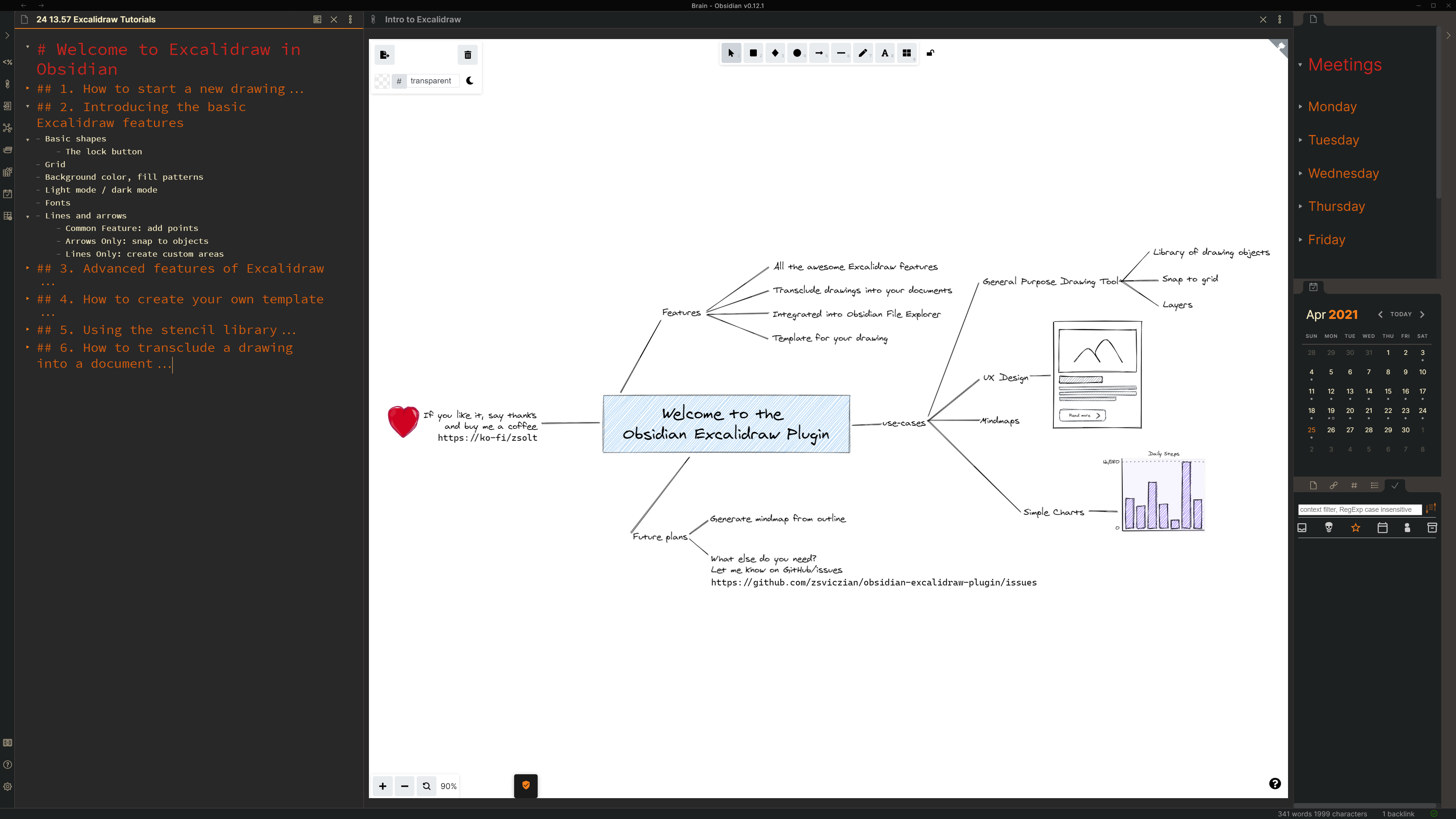
Key features
- The plugin adds the following actions to the command palette:
- To create a new drawing
- To find and edit existing drawings in your vault,
- To embed (transclude) a drawing into a document, and
- To export a drawing as PNG or SVG.
- You can also use the file explorer in your vault to open Excalidraw files.
- Use the ribbon button to create a new drawing, do CTRL+Click to open on a new page.
- Open settings to set up a default folder for new drawings.
- Set up a Template by creating a drawing, customizing it the way you like it, and specifying the file as the template in settings.
- The plugin saves drawings to your vault as a file with the .excalidraw file extension.
- You can customize the size and position of the embedded image using the
[[image.excalidraw|100]],[[image.excalidraw|100x100]],[[image.excalidraw|100|left]],[[image.excalidraw|right-wrap]], formatting options.[[filename.excalidraw|<width>x<height>|<alignment>]]. You can add your custom alignment via css. Any text that appears in<alignment>will be added as style to the SVG element and the wrapper DIV element. Check below and styles.css for more insight. - You can setup Excalidraw to automatically export SVG and/or PNG files for your drawings, and to keep those in sync with your drawing.
How to?
Part 1: Intro to Obsidian-Excalidraw - Start a new drawing (3:12)
Part 2: Intro to Obsidian-Excalidraw - Basic features (6:06)

Part 3: Intro to Obsidian-Excalidraw - Advanced features (3:26)
Part 4: Intro to Obsidian-Excalidraw - Setting up a template (1:45)
Part 5: Intro to Obsidian-Excalidraw - Stencil Library (3:16)
Part 6: Intro to Obsidian-Excalidraw: Embedding drawings (2:08)

1.0.6 and 1.0.7 update

SVG styling when embedding using a code block
- 1.0.7 adds further flexibility to styling
- new formatting option for the code block embedding
- Valid values:
left,right,left-wrap,right-wrap... but anything after the last|character will be added to the class of the SVG element and the wrapper DIV element. Here is the corresponding CSS:
svg.excalidraw-svg-right-wrap {
  float: right;
  margin: 0px 0px 20px 20px;
}

svg.excalidraw-svg-left-wrap {
  float: left;
  margin: 0px 35px 20px 0px;
}

div.excalidraw-svg-right {
  text-align: right;
}

div.excalidraw-svg-left {
  text-align: left;
}
Known issues
- On mobile (iOS and Android): As you draw left to right it opens left sidebar. Draw right to left, opens right sidebar. Draw down, opens commands palette. So seems open is emulating the gestures, even when drawing towards the center. I understand that the issue will be resolved in the next release of Obsidian mobile.
- I have seen two cases when adding a stencil library did not work. In both cases, the end solution was a reinstall of Obsidian. The root cause is not clear, but maybe because of the incremental updates of Obsidian from an early version.
Feedback, questions, ideas, problems
Join the conversation about the Excalidraw plugin on forum.obsidian.md
Please head over to GitHub to report a bug or request an enhancement.
Say Thank You
If you are enjoying Excalidraw then please support my work and enthusiasm by buying me a coffee on https://ko-fi/zsolt.
Please also help spread the word by sharing about the Obsidian Excalidraw Plugin on Twitter, Reddit, or any other social media platform you regularly use.
You can find me on Twitter @zsviczian, and on my blog zsolt.blog.