mirror of
https://github.com/zsviczian/obsidian-excalidraw-plugin.git
synced 2025-08-06 05:46:28 +00:00

Obsidian-Excalidraw
Key features
- Use the Excalidraw command in the Command palette to open an existing drawing or to create a new one. You create a new one by typing its name and hitting enter.
- Set up a default folder for your drawings in Settings.
- You can also set up a Template, by creating a drawing, customizing it the way you like, and specifying the file as the template in settings.
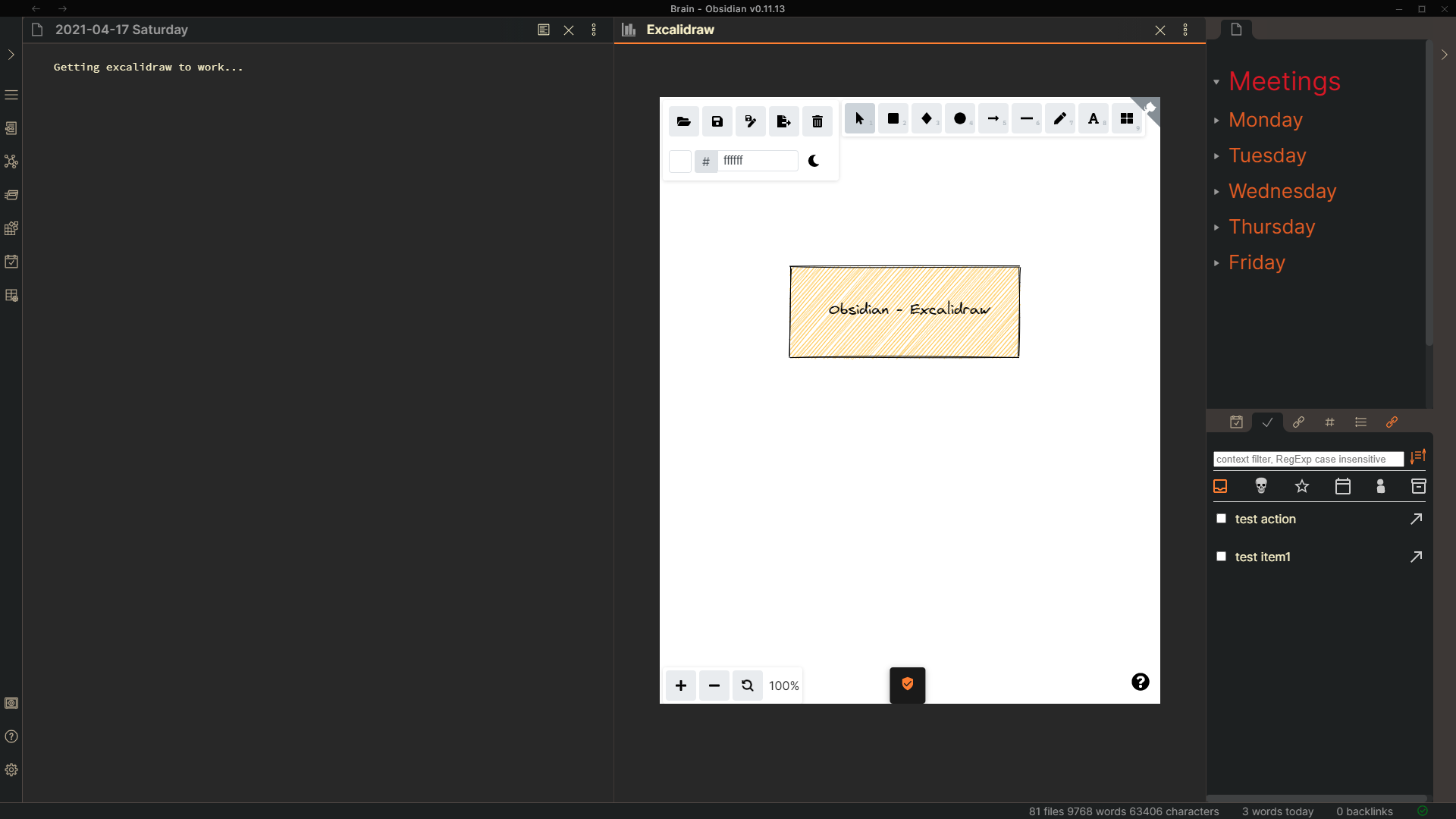
- There is a known bug when inserting images from the library, in some cases these images will be placed out of view, and you'll need to select scroll to view at the bottom of the screen. The bug was reproduced by the Excalidraw dev team, so I expect in the next update of Excalidraw it will be fixed.
- Translusion of drawings into markdown documents is not yet working.
- Drawings are saved to your vault as a file with the extension .excalidraw
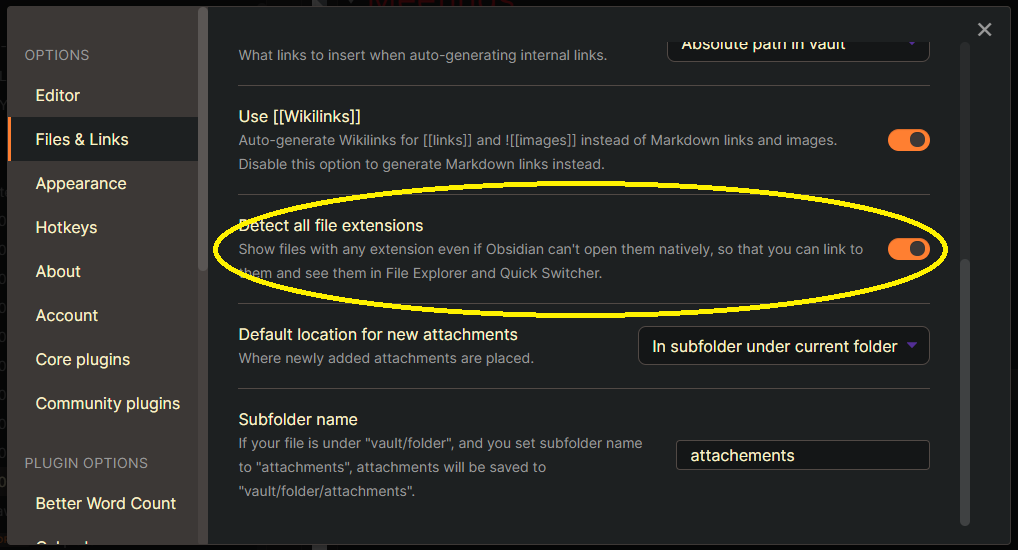
- If you want to see these files in your vault you need to enable the following sestting
Excalidraw in Obsidian
Known bug registered with Excalidraw