mirror of
https://github.com/zsviczian/obsidian-excalidraw-plugin.git
synced 2025-08-06 05:46:28 +00:00
Compare commits
25 Commits
| Author | SHA1 | Date | |
|---|---|---|---|
 zsviczian zsviczian
|
bd9721f308 | ||
|
zsviczian
|
875bd4cb35 | ||
|
zsviczian
|
ec575c307a | ||
|
dmscode
|
05087874e2 | ||
|
zsviczian
|
4a803f4b46 | ||
|
zsviczian
|
a48222022e | ||
|
稻米鼠
|
eebbde1c40 | ||
|
dmscode
|
c0a7686338 | ||
|
zsviczian
|
4840470b60 | ||
|
zsviczian
|
091d9b9669 | ||
|
zsviczian
|
d5b86289b6 | ||
|
zsviczian
|
dceb6ce690 | ||
|
zsviczian
|
c29c25d252 | ||
|
dmscode
|
a2fb36671d | ||
|
zsviczian
|
6e57d4e69a | ||
|
zsviczian
|
063bef92b9 | ||
|
zsviczian
|
2bf9156808 | ||
|
zsviczian
|
391363c419 | ||
|
dmscode
|
85ae7f7bec | ||
|
dmscode
|
03718bc927 | ||
|
zsviczian
|
768aebf5d2 | ||
|
zsviczian
|
9e31e74d15 | ||
|
dmscode
|
2acc99d307 | ||
|
dmscode
|
20892f8541 | ||
|
dmscode
|
e0f96a2650 |
+1
-1
@@ -161,7 +161,7 @@ Number between 0 and 100. The opacity of an object, both stroke and fill.
|
||||
### strokeSharpness, setStrokeSharpness()
|
||||
```typescript
|
||||
type StrokeSharpness = "round" | "sharp";
|
||||
setStrokeSharpness(val:nmuber);
|
||||
setStrokeSharpness(val:number);
|
||||
```
|
||||
strokeSharpness is a string.
|
||||
|
||||
|
||||
@@ -1,6 +1,6 @@
|
||||
# Excalidraw
|
||||
|
||||
[简体中文](./docs/zh-cn/README.md)
|
||||
【English | [简体中文](./docs/zh-cn/README.md)】
|
||||
|
||||
👉👉👉 Check out and contribute to the new [Obsidian-Excalidraw Community Wiki](https://excalidraw-obsidian.online/WIKI/Welcome+to+the+WIKI)
|
||||
|
||||
|
||||
Vendored
+2
-2
@@ -1,5 +1,5 @@
|
||||
import ExcalidrawPlugin from "src/core/main";
|
||||
import { FillStyle, StrokeStyle, ExcalidrawElement, ExcalidrawBindableElement, FileId, NonDeletedExcalidrawElement, ExcalidrawImageElement, StrokeRoundness, RoundnessType } from "@zsviczian/excalidraw/types/excalidraw/element/types";
|
||||
import { FillStyle, StrokeStyle, ExcalidrawElement, ExcalidrawBindableElement, FileId, NonDeletedExcalidrawElement, ExcalidrawImageElement, StrokeRoundness, RoundnessType } from "@zsviczian/excalidraw/types/element/src/types";
|
||||
import { ColorMap, MimeType } from "./EmbeddedFileLoader";
|
||||
import { Editor, OpenViewState, RequestUrlResponse, TFile, TFolder, WorkspaceLeaf } from "obsidian";
|
||||
import * as obsidian_module from "obsidian";
|
||||
@@ -11,7 +11,7 @@ import { ColorMaster } from "@zsviczian/colormaster";
|
||||
import { TInput } from "@zsviczian/colormaster/types";
|
||||
import { ClipboardData } from "@zsviczian/excalidraw/types/excalidraw/clipboard";
|
||||
import { PaneTarget } from "src/utils/modifierkeyHelper";
|
||||
import { Mutable } from "@zsviczian/excalidraw/types/excalidraw/utility-types";
|
||||
import { Mutable } from "@zsviczian/excalidraw/types/common/src/utility-types";
|
||||
import { EmbeddableMDCustomProps } from "./Dialogs/EmbeddableSettings";
|
||||
import { AIRequest } from "../utils/AIUtils";
|
||||
import { AddImageOptions, ImageInfo, SVGColorInfo } from "src/types/excalidrawAutomateTypes";
|
||||
|
||||
@@ -54,7 +54,7 @@ Number between 0 and 100. The opacity of an object, both stroke and fill.
|
||||
### strokeSharpness, setStrokeSharpness()
|
||||
```typescript
|
||||
type StrokeSharpness = "round" | "sharp";
|
||||
setStrokeSharpness(val:nmuber);
|
||||
setStrokeSharpness(val:number);
|
||||
```
|
||||
strokeSharpness is a string.
|
||||
|
||||
|
||||
@@ -1,5 +1,7 @@
|
||||
# [◀ Excalidraw Automate How To](./readme.md)
|
||||
|
||||
【English | [简体中文](zh-cn/docs/ExcalidrawScriptsEngine.md)】
|
||||
|
||||
[](https://youtu.be/hePJcObHIso)
|
||||
|
||||
## Introduction
|
||||
|
||||
@@ -1,5 +1,7 @@
|
||||
# Excalidraw Automate How To
|
||||
|
||||
【English | [简体中文](zh-cn/docs/readme.md)】
|
||||
|
||||
Use ExcalidrawAutomate to create or manipulate Excalidraw drawings using the [ExcalidrawAutomate Script Engine](ExcalidrawScriptsEngine.md), the [Templater](https://silentvoid13.github.io/Templater/docs/) or the [QuickAdd](https://github.com/chhoumann/quickadd) plugins, and to generate embedded SVG and PNG images using [DataviewJS](https://blacksmithgu.github.io/obsidian-dataview/docs/api/intro/)
|
||||
|
||||
With a little work, using ExcalidrawAutomate you can generate simple mindmaps, build a family tree, fill out SVG forms, create customized charts, or automate simple tasks (i.e. create macros) in Excalidraw.
|
||||
|
||||
@@ -167,7 +167,7 @@ strokeStyle 是一个字符串。
|
||||
### strokeSharpness, setStrokeSharpness()
|
||||
```typescript
|
||||
type StrokeSharpness = "round" | "sharp";
|
||||
setStrokeSharpness(val:nmuber);
|
||||
setStrokeSharpness(val:number);
|
||||
```
|
||||
strokeSharpness 是一个字符串。
|
||||
|
||||
@@ -282,7 +282,7 @@ addToGroup(objectIds:[]):void
|
||||
```
|
||||
将 `objectIds` 中列出的对象进行分组。
|
||||
|
||||
## Utility functions
|
||||
## 实用函数
|
||||
### clear()
|
||||
`clear()` 将从缓存中清除对象,但会保留元素样式设置。
|
||||
|
||||
@@ -407,7 +407,7 @@ async createPNG(templatePath?:string)
|
||||
- Test 3.1
|
||||
```
|
||||
|
||||
The script:
|
||||
脚本:
|
||||
|
||||
*使用 <kbd>CTRL+Shift+V</kbd> 将代码粘贴到 Obsidian 中!*
|
||||
```javascript
|
||||
|
||||
@@ -2,7 +2,7 @@
|
||||
|
||||
> 此说明当前更新至 `5569cff`。
|
||||
|
||||
[English](../../README.md)
|
||||
【[English](../../README.md) | 简体中文】
|
||||
|
||||
👉👉👉 快来查看并为新的 [Obsidian-Excalidraw 社区维基](https://excalidraw-obsidian.online/Hobbies/Excalidraw+Blog/WIKI/Welcome+to+the+WIKI)贡献你的力量吧
|
||||
|
||||
@@ -107,7 +107,7 @@ Obsidian-Excalidraw 插件将 [Excalidraw](https://excalidraw.com/) 这一功能
|
||||
|
||||
#### 模板
|
||||
|
||||
- 新绘图的模板。该模板将恢复笔画属性。这意味着您可以在模板中设置笔画颜色、笔画宽度、不透明度、字体系列、字体大小、填充样式、笔画样式等的默认值。这同样适用于 ExcalidrawAutomate。
|
||||
- 新绘图的模板。该模板将恢复笔画属性。这意味着您可以在模板中设置笔画颜色、笔画宽度、不透明度、字体系列、字体大小、填充样式、笔画样式等的默认值。这同样适用于 ExcalidrawAutomate。对于 1.6.13 或更高版本,在编辑模板中的 JSON 之前,请确保在设置中启用"在 Markdown 视图中解压缩 Excalidraw JSON"。完成更改后可以禁用此选项。
|
||||
- 通过模板,您可以自定义 Excalidraw 使用的调色板。
|
||||
- 切换到 Markdown 视图。
|
||||
- 滚动到文件底部,找到 `"AppState": {`。
|
||||
@@ -218,6 +218,7 @@ Obsidian-Excalidraw 插件将 [Excalidraw](https://excalidraw.com/) 这一功能
|
||||
- `excalidraw-export-dark`: true == 深色模式 / false == 浅色模式。
|
||||
- `excalidraw-export-padding`:指定图像的导出边距。
|
||||
- `excalidraw-export-pngscale`:这仅影响导出为 PNG。指定图像的导出比例。典型范围在 0.5 到 5 之间,但您也可以尝试其他值。
|
||||
- 从 1.6.13 版本开始,如果您想修改任何 JSON 内容,请在设置中启用"在 Markdown 视图中解压缩 Excalidraw JSON"。
|
||||
|
||||
### 将完整的 Markdown 文件嵌入到您的绘图中
|
||||
|
||||
|
||||
+1119
File diff suppressed because it is too large
Load Diff
@@ -0,0 +1,782 @@
|
||||
# [◀ Excalidraw 自动化使用指南](../readme.md)
|
||||
|
||||
## 属性和函数概览
|
||||
|
||||
以下是 ExcalidrawAutomate 实现的接口:
|
||||
|
||||
你可以在这里找到源文件: [ExcalidrawAutomate.d.ts](ExcalidrawAutomate.d.ts)。
|
||||
|
||||
```javascript
|
||||
/// <reference types="react" />
|
||||
import ExcalidrawPlugin from "src/main";
|
||||
import { FillStyle, StrokeStyle, ExcalidrawElement, ExcalidrawBindableElement, FileId, NonDeletedExcalidrawElement, ExcalidrawImageElement, StrokeRoundness, RoundnessType } from "@zsviczian/excalidraw/types/element/types";
|
||||
import { Editor, OpenViewState, TFile, WorkspaceLeaf } from "obsidian";
|
||||
import * as obsidian_module from "obsidian";
|
||||
import ExcalidrawView, { ExportSettings } from "src/ExcalidrawView";
|
||||
import { AppState, BinaryFileData, DataURL, ExcalidrawImperativeAPI, Point } from "@zsviczian/excalidraw/types/types";
|
||||
import { EmbeddedFilesLoader } from "src/EmbeddedFileLoader";
|
||||
import { ConnectionPoint, DeviceType } from "src/types";
|
||||
import { ColorMaster } from "colormaster";
|
||||
import { TInput } from "colormaster/types";
|
||||
import { ClipboardData } from "@zsviczian/excalidraw/types/clipboard";
|
||||
import { PaneTarget } from "src/utils/modifierkeyHelper";
|
||||
export declare class ExcalidrawAutomate {
|
||||
/**
|
||||
* Utility function that returns the Obsidian Module object.
|
||||
*/
|
||||
get obsidian(): typeof obsidian_module;
|
||||
get DEVICE(): DeviceType;
|
||||
getAttachmentFilepath(filename: string): Promise<string>;
|
||||
/**
|
||||
* Prompts the user with a dialog to select new file action.
|
||||
* - create markdown file
|
||||
* - create excalidraw file
|
||||
* - cancel action
|
||||
* The new file will be relative to this.targetView.file.path, unless parentFile is provided.
|
||||
* If shouldOpenNewFile is true, the new file will be opened in a workspace leaf.
|
||||
* targetPane control which leaf will be used for the new file.
|
||||
* Returns the TFile for the new file or null if the user cancelled the action.
|
||||
* @param newFileNameOrPath
|
||||
* @param shouldOpenNewFile
|
||||
* @param targetPane //type PaneTarget = "active-pane"|"new-pane"|"popout-window"|"new-tab"|"md-properties";
|
||||
* @param parentFile
|
||||
* @returns
|
||||
*/
|
||||
newFilePrompt(newFileNameOrPath: string, shouldOpenNewFile: boolean, targetPane?: PaneTarget, parentFile?: TFile): Promise<TFile | null>;
|
||||
/**
|
||||
* Generates a new Obsidian Leaf following Excalidraw plugin settings such as open in Main Workspace or not, open in adjacent pane if available, etc.
|
||||
* @param origo // the currently active leaf, the origin of the new leaf
|
||||
* @param targetPane //type PaneTarget = "active-pane"|"new-pane"|"popout-window"|"new-tab"|"md-properties";
|
||||
* @returns
|
||||
*/
|
||||
getLeaf(origo: WorkspaceLeaf, targetPane?: PaneTarget): WorkspaceLeaf;
|
||||
/**
|
||||
* Returns the editor or leaf.view of the currently active embedded obsidian file.
|
||||
* If view is not provided, ea.targetView is used.
|
||||
* If the embedded file is a markdown document the function will return
|
||||
* {file:TFile, editor:Editor} otherwise it will return {view:any}. You can check view type with view.getViewType();
|
||||
* @param view
|
||||
* @returns
|
||||
*/
|
||||
getActiveEmbeddableViewOrEditor(view?: ExcalidrawView): {
|
||||
view: any;
|
||||
} | {
|
||||
file: TFile;
|
||||
editor: Editor;
|
||||
} | null;
|
||||
plugin: ExcalidrawPlugin;
|
||||
elementsDict: {
|
||||
[key: string]: any;
|
||||
};
|
||||
imagesDict: {
|
||||
[key: FileId]: any;
|
||||
};
|
||||
mostRecentMarkdownSVG: SVGSVGElement;
|
||||
style: {
|
||||
strokeColor: string;
|
||||
backgroundColor: string;
|
||||
angle: number;
|
||||
fillStyle: FillStyle;
|
||||
strokeWidth: number;
|
||||
strokeStyle: StrokeStyle;
|
||||
roughness: number;
|
||||
opacity: number;
|
||||
strokeSharpness?: StrokeRoundness;
|
||||
roundness: null | {
|
||||
type: RoundnessType;
|
||||
value?: number;
|
||||
};
|
||||
fontFamily: number;
|
||||
fontSize: number;
|
||||
textAlign: string;
|
||||
verticalAlign: string;
|
||||
startArrowHead: string;
|
||||
endArrowHead: string;
|
||||
};
|
||||
canvas: {
|
||||
theme: string;
|
||||
viewBackgroundColor: string;
|
||||
gridSize: number;
|
||||
};
|
||||
colorPalette: {};
|
||||
constructor(plugin: ExcalidrawPlugin, view?: ExcalidrawView);
|
||||
/**
|
||||
*
|
||||
* @returns the last recorded pointer position on the Excalidraw canvas
|
||||
*/
|
||||
getViewLastPointerPosition(): {
|
||||
x: number;
|
||||
y: number;
|
||||
};
|
||||
/**
|
||||
*
|
||||
* @returns
|
||||
*/
|
||||
getAPI(view?: ExcalidrawView): ExcalidrawAutomate;
|
||||
/**
|
||||
* @param val //0:"hachure", 1:"cross-hatch" 2:"solid"
|
||||
* @returns
|
||||
*/
|
||||
setFillStyle(val: number): "hachure" | "cross-hatch" | "solid";
|
||||
/**
|
||||
* @param val //0:"solid", 1:"dashed", 2:"dotted"
|
||||
* @returns
|
||||
*/
|
||||
setStrokeStyle(val: number): "solid" | "dashed" | "dotted";
|
||||
/**
|
||||
* @param val //0:"round", 1:"sharp"
|
||||
* @returns
|
||||
*/
|
||||
setStrokeSharpness(val: number): "round" | "sharp";
|
||||
/**
|
||||
* @param val //1: Virgil, 2:Helvetica, 3:Cascadia
|
||||
* @returns
|
||||
*/
|
||||
setFontFamily(val: number): "Virgil, Segoe UI Emoji" | "Helvetica, Segoe UI Emoji" | "Cascadia, Segoe UI Emoji" | "LocalFont";
|
||||
/**
|
||||
* @param val //0:"light", 1:"dark"
|
||||
* @returns
|
||||
*/
|
||||
setTheme(val: number): "light" | "dark";
|
||||
/**
|
||||
* @param objectIds
|
||||
* @returns
|
||||
*/
|
||||
addToGroup(objectIds: string[]): string;
|
||||
/**
|
||||
* @param templatePath
|
||||
*/
|
||||
toClipboard(templatePath?: string): Promise<void>;
|
||||
/**
|
||||
* @param file: TFile
|
||||
* @returns ExcalidrawScene
|
||||
*/
|
||||
getSceneFromFile(file: TFile): Promise<{
|
||||
elements: ExcalidrawElement[];
|
||||
appState: AppState;
|
||||
}>;
|
||||
/**
|
||||
* get all elements from ExcalidrawAutomate elementsDict
|
||||
* @returns elements from elementsDict
|
||||
*/
|
||||
getElements(): ExcalidrawElement[];
|
||||
/**
|
||||
* get single element from ExcalidrawAutomate elementsDict
|
||||
* @param id
|
||||
* @returns
|
||||
*/
|
||||
getElement(id: string): ExcalidrawElement;
|
||||
/**
|
||||
* create a drawing and save it to filename
|
||||
* @param params
|
||||
* filename: if null, default filename as defined in Excalidraw settings
|
||||
* foldername: if null, default folder as defined in Excalidraw settings
|
||||
* @returns
|
||||
*/
|
||||
create(params?: {
|
||||
filename?: string;
|
||||
foldername?: string;
|
||||
templatePath?: string;
|
||||
onNewPane?: boolean;
|
||||
frontmatterKeys?: {
|
||||
"excalidraw-plugin"?: "raw" | "parsed";
|
||||
"excalidraw-link-prefix"?: string;
|
||||
"excalidraw-link-brackets"?: boolean;
|
||||
"excalidraw-url-prefix"?: string;
|
||||
"excalidraw-export-transparent"?: boolean;
|
||||
"excalidraw-export-dark"?: boolean;
|
||||
"excalidraw-export-padding"?: number;
|
||||
"excalidraw-export-pngscale"?: number;
|
||||
"excalidraw-default-mode"?: "view" | "zen";
|
||||
"excalidraw-onload-script"?: string;
|
||||
"excalidraw-linkbutton-opacity"?: number;
|
||||
"excalidraw-autoexport"?: boolean;
|
||||
};
|
||||
plaintext?: string;
|
||||
}): Promise<string>;
|
||||
/**
|
||||
*
|
||||
* @param templatePath
|
||||
* @param embedFont
|
||||
* @param exportSettings use ExcalidrawAutomate.getExportSettings(boolean,boolean)
|
||||
* @param loader use ExcalidrawAutomate.getEmbeddedFilesLoader(boolean?)
|
||||
* @param theme
|
||||
* @returns
|
||||
*/
|
||||
createSVG(templatePath?: string, embedFont?: boolean, exportSettings?: ExportSettings, loader?: EmbeddedFilesLoader, theme?: string, padding?: number): Promise<SVGSVGElement>;
|
||||
/**
|
||||
*
|
||||
* @param templatePath
|
||||
* @param scale
|
||||
* @param exportSettings use ExcalidrawAutomate.getExportSettings(boolean,boolean)
|
||||
* @param loader use ExcalidrawAutomate.getEmbeddedFilesLoader(boolean?)
|
||||
* @param theme
|
||||
* @returns
|
||||
*/
|
||||
createPNG(templatePath?: string, scale?: number, exportSettings?: ExportSettings, loader?: EmbeddedFilesLoader, theme?: string, padding?: number): Promise<any>;
|
||||
/**
|
||||
*
|
||||
* @param text
|
||||
* @param lineLen
|
||||
* @returns
|
||||
*/
|
||||
wrapText(text: string, lineLen: number): string;
|
||||
private boxedElement;
|
||||
addIFrame(topX: number, topY: number, width: number, height: number, url?: string, file?: TFile): string;
|
||||
/**
|
||||
*
|
||||
* @param topX
|
||||
* @param topY
|
||||
* @param width
|
||||
* @param height
|
||||
* @returns
|
||||
*/
|
||||
addEmbeddable(topX: number, topY: number, width: number, height: number, url?: string, file?: TFile): string;
|
||||
/**
|
||||
*
|
||||
* @param topX
|
||||
* @param topY
|
||||
* @param width
|
||||
* @param height
|
||||
* @returns
|
||||
*/
|
||||
addRect(topX: number, topY: number, width: number, height: number): string;
|
||||
/**
|
||||
*
|
||||
* @param topX
|
||||
* @param topY
|
||||
* @param width
|
||||
* @param height
|
||||
* @returns
|
||||
*/
|
||||
addDiamond(topX: number, topY: number, width: number, height: number): string;
|
||||
/**
|
||||
*
|
||||
* @param topX
|
||||
* @param topY
|
||||
* @param width
|
||||
* @param height
|
||||
* @returns
|
||||
*/
|
||||
addEllipse(topX: number, topY: number, width: number, height: number): string;
|
||||
/**
|
||||
*
|
||||
* @param topX
|
||||
* @param topY
|
||||
* @param width
|
||||
* @param height
|
||||
* @returns
|
||||
*/
|
||||
addBlob(topX: number, topY: number, width: number, height: number): string;
|
||||
/**
|
||||
* Refresh the size of a text element to fit its contents
|
||||
* @param id - the id of the text element
|
||||
*/
|
||||
refreshTextElementSize(id: string): void;
|
||||
/**
|
||||
*
|
||||
* @param topX
|
||||
* @param topY
|
||||
* @param text
|
||||
* @param formatting
|
||||
* box: if !null, text will be boxed
|
||||
* @param id
|
||||
* @returns
|
||||
*/
|
||||
addText(topX: number, topY: number, text: string, formatting?: {
|
||||
wrapAt?: number;
|
||||
width?: number;
|
||||
height?: number;
|
||||
textAlign?: "left" | "center" | "right";
|
||||
box?: boolean | "box" | "blob" | "ellipse" | "diamond";
|
||||
boxPadding?: number;
|
||||
boxStrokeColor?: string;
|
||||
textVerticalAlign?: "top" | "middle" | "bottom";
|
||||
}, id?: string): string;
|
||||
/**
|
||||
*
|
||||
* @param points
|
||||
* @returns
|
||||
*/
|
||||
addLine(points: [[x: number, y: number]]): string;
|
||||
/**
|
||||
*
|
||||
* @param points
|
||||
* @param formatting
|
||||
* @returns
|
||||
*/
|
||||
addArrow(points: [x: number, y: number][], formatting?: {
|
||||
startArrowHead?: string;
|
||||
endArrowHead?: string;
|
||||
startObjectId?: string;
|
||||
endObjectId?: string;
|
||||
}): string;
|
||||
/**
|
||||
*
|
||||
* @param topX
|
||||
* @param topY
|
||||
* @param imageFile
|
||||
* @returns
|
||||
*/
|
||||
addImage(topX: number, topY: number, imageFile: TFile | string, scale?: boolean, //default is true which will scale the image to MAX_IMAGE_SIZE, false will insert image at 100% of its size
|
||||
anchor?: boolean): Promise<string>;
|
||||
/**
|
||||
*
|
||||
* @param topX
|
||||
* @param topY
|
||||
* @param tex
|
||||
* @returns
|
||||
*/
|
||||
addLaTex(topX: number, topY: number, tex: string): Promise<string>;
|
||||
/**
|
||||
*
|
||||
* @param objectA
|
||||
* @param connectionA type ConnectionPoint = "top" | "bottom" | "left" | "right" | null
|
||||
* @param objectB
|
||||
* @param connectionB when passed null, Excalidraw will automatically decide
|
||||
* @param formatting
|
||||
* numberOfPoints: points on the line. Default is 0 ie. line will only have a start and end point
|
||||
* startArrowHead: "triangle"|"dot"|"arrow"|"bar"|null
|
||||
* endArrowHead: "triangle"|"dot"|"arrow"|"bar"|null
|
||||
* padding:
|
||||
* @returns
|
||||
*/
|
||||
connectObjects(objectA: string, connectionA: ConnectionPoint | null, objectB: string, connectionB: ConnectionPoint | null, formatting?: {
|
||||
numberOfPoints?: number;
|
||||
startArrowHead?: "triangle" | "dot" | "arrow" | "bar" | null;
|
||||
endArrowHead?: "triangle" | "dot" | "arrow" | "bar" | null;
|
||||
padding?: number;
|
||||
}): string;
|
||||
/**
|
||||
* Adds a text label to a line or arrow. Currently only works with a straight (2 point - start & end - line)
|
||||
* @param lineId id of the line or arrow object in elementsDict
|
||||
* @param label the label text
|
||||
* @returns undefined (if unsuccessful) or the id of the new text element
|
||||
*/
|
||||
addLabelToLine(lineId: string, label: string): string;
|
||||
/**
|
||||
* clear elementsDict and imagesDict only
|
||||
*/
|
||||
clear(): void;
|
||||
/**
|
||||
* clear() + reset all style values to default
|
||||
*/
|
||||
reset(): void;
|
||||
/**
|
||||
* returns true if MD file is an Excalidraw file
|
||||
* @param f
|
||||
* @returns
|
||||
*/
|
||||
isExcalidrawFile(f: TFile): boolean;
|
||||
targetView: ExcalidrawView;
|
||||
/**
|
||||
* sets the target view for EA. All the view operations and the access to Excalidraw API will be performend on this view
|
||||
* if view is null or undefined, the function will first try setView("active"), then setView("first").
|
||||
* @param view
|
||||
* @returns targetView
|
||||
*/
|
||||
setView(view?: ExcalidrawView | "first" | "active"): ExcalidrawView;
|
||||
/**
|
||||
*
|
||||
* @returns https://github.com/excalidraw/excalidraw/tree/master/src/packages/excalidraw#ref
|
||||
*/
|
||||
getExcalidrawAPI(): any;
|
||||
/**
|
||||
* get elements in View
|
||||
* @returns
|
||||
*/
|
||||
getViewElements(): ExcalidrawElement[];
|
||||
/**
|
||||
*
|
||||
* @param elToDelete
|
||||
* @returns
|
||||
*/
|
||||
deleteViewElements(elToDelete: ExcalidrawElement[]): boolean;
|
||||
/**
|
||||
* get the selected element in the view, if more are selected, get the first
|
||||
* @returns
|
||||
*/
|
||||
getViewSelectedElement(): any;
|
||||
/**
|
||||
*
|
||||
* @returns
|
||||
*/
|
||||
getViewSelectedElements(): any[];
|
||||
/**
|
||||
*
|
||||
* @param el
|
||||
* @returns TFile file handle for the image element
|
||||
*/
|
||||
getViewFileForImageElement(el: ExcalidrawElement): TFile | null;
|
||||
/**
|
||||
* copies elements from view to elementsDict for editing
|
||||
* @param elements
|
||||
*/
|
||||
copyViewElementsToEAforEditing(elements: ExcalidrawElement[]): void;
|
||||
/**
|
||||
*
|
||||
* @param forceViewMode
|
||||
* @returns
|
||||
*/
|
||||
viewToggleFullScreen(forceViewMode?: boolean): void;
|
||||
setViewModeEnabled(enabled: boolean): void;
|
||||
/**
|
||||
* This function gives you a more hands on access to Excalidraw.
|
||||
* @param scene - The scene you want to load to Excalidraw
|
||||
* @param restore - Use this if the scene includes legacy excalidraw file elements that need to be converted to the latest excalidraw data format (not a typical usecase)
|
||||
* @returns
|
||||
*/
|
||||
viewUpdateScene(scene: {
|
||||
elements?: ExcalidrawElement[];
|
||||
appState?: AppState;
|
||||
files?: BinaryFileData;
|
||||
commitToHistory?: boolean;
|
||||
}, restore?: boolean): void;
|
||||
/**
|
||||
* connect an object to the selected element in the view
|
||||
* @param objectA ID of the element
|
||||
* @param connectionA
|
||||
* @param connectionB
|
||||
* @param formatting
|
||||
* @returns
|
||||
*/
|
||||
connectObjectWithViewSelectedElement(objectA: string, connectionA: ConnectionPoint | null, connectionB: ConnectionPoint | null, formatting?: {
|
||||
numberOfPoints?: number;
|
||||
startArrowHead?: "triangle" | "dot" | "arrow" | "bar" | null;
|
||||
endArrowHead?: "triangle" | "dot" | "arrow" | "bar" | null;
|
||||
padding?: number;
|
||||
}): boolean;
|
||||
/**
|
||||
* zoom tarteView to fit elements provided as input
|
||||
* elements === [] will zoom to fit the entire scene
|
||||
* selectElements toggles whether the elements should be in a selected state at the end of the operation
|
||||
* @param selectElements
|
||||
* @param elements
|
||||
*/
|
||||
viewZoomToElements(selectElements: boolean, elements: ExcalidrawElement[]): void;
|
||||
/**
|
||||
* Adds elements from elementsDict to the current view
|
||||
* @param repositionToCursor default is false
|
||||
* @param save default is true
|
||||
* @param newElementsOnTop controls whether elements created with ExcalidrawAutomate
|
||||
* are added at the bottom of the stack or the top of the stack of elements already in the view
|
||||
* Note that elements copied to the view with copyViewElementsToEAforEditing retain their
|
||||
* position in the stack of elements in the view even if modified using EA
|
||||
* default is false, i.e. the new elements get to the bottom of the stack
|
||||
* @param shouldRestoreElements - restore elements - auto-corrects broken, incomplete or old elements included in the update
|
||||
* @returns
|
||||
*/
|
||||
addElementsToView(repositionToCursor?: boolean, save?: boolean, newElementsOnTop?: boolean, shouldRestoreElements?: boolean): Promise<boolean>;
|
||||
/**
|
||||
* Register instance of EA to use for hooks with TargetView
|
||||
* By default ExcalidrawViews will check window.ExcalidrawAutomate for event hooks.
|
||||
* Using this event you can set a different instance of Excalidraw Automate for hooks
|
||||
* @returns true if successful
|
||||
*/
|
||||
registerThisAsViewEA(): boolean;
|
||||
/**
|
||||
* Sets the targetView EA to window.ExcalidrawAutomate
|
||||
* @returns true if successful
|
||||
*/
|
||||
deregisterThisAsViewEA(): boolean;
|
||||
/**
|
||||
* If set, this callback is triggered when the user closes an Excalidraw view.
|
||||
*/
|
||||
onViewUnloadHook: (view: ExcalidrawView) => void;
|
||||
/**
|
||||
* If set, this callback is triggered, when the user changes the view mode.
|
||||
* You can use this callback in case you want to do something additional when the user switches to view mode and back.
|
||||
*/
|
||||
onViewModeChangeHook: (isViewModeEnabled: boolean, view: ExcalidrawView, ea: ExcalidrawAutomate) => void;
|
||||
/**
|
||||
* If set, this callback is triggered, when the user hovers a link in the scene.
|
||||
* You can use this callback in case you want to do something additional when the onLinkHover event occurs.
|
||||
* This callback must return a boolean value.
|
||||
* In case you want to prevent the excalidraw onLinkHover action you must return false, it will stop the native excalidraw onLinkHover management flow.
|
||||
*/
|
||||
onLinkHoverHook: (element: NonDeletedExcalidrawElement, linkText: string, view: ExcalidrawView, ea: ExcalidrawAutomate) => boolean;
|
||||
/**
|
||||
* If set, this callback is triggered, when the user clicks a link in the scene.
|
||||
* You can use this callback in case you want to do something additional when the onLinkClick event occurs.
|
||||
* This callback must return a boolean value.
|
||||
* In case you want to prevent the excalidraw onLinkClick action you must return false, it will stop the native excalidraw onLinkClick management flow.
|
||||
*/
|
||||
onLinkClickHook: (element: ExcalidrawElement, linkText: string, event: MouseEvent, view: ExcalidrawView, ea: ExcalidrawAutomate) => boolean;
|
||||
/**
|
||||
* If set, this callback is triggered, when Excalidraw receives an onDrop event.
|
||||
* You can use this callback in case you want to do something additional when the onDrop event occurs.
|
||||
* This callback must return a boolean value.
|
||||
* In case you want to prevent the excalidraw onDrop action you must return false, it will stop the native excalidraw onDrop management flow.
|
||||
*/
|
||||
onDropHook: (data: {
|
||||
ea: ExcalidrawAutomate;
|
||||
event: React.DragEvent<HTMLDivElement>;
|
||||
draggable: any;
|
||||
type: "file" | "text" | "unknown";
|
||||
payload: {
|
||||
files: TFile[];
|
||||
text: string;
|
||||
};
|
||||
excalidrawFile: TFile;
|
||||
view: ExcalidrawView;
|
||||
pointerPosition: {
|
||||
x: number;
|
||||
y: number;
|
||||
};
|
||||
}) => boolean;
|
||||
/**
|
||||
* If set, this callback is triggered, when Excalidraw receives an onPaste event.
|
||||
* You can use this callback in case you want to do something additional when the
|
||||
* onPaste event occurs.
|
||||
* This callback must return a boolean value.
|
||||
* In case you want to prevent the excalidraw onPaste action you must return false,
|
||||
* it will stop the native excalidraw onPaste management flow.
|
||||
*/
|
||||
onPasteHook: (data: {
|
||||
ea: ExcalidrawAutomate;
|
||||
payload: ClipboardData;
|
||||
event: ClipboardEvent;
|
||||
excalidrawFile: TFile;
|
||||
view: ExcalidrawView;
|
||||
pointerPosition: {
|
||||
x: number;
|
||||
y: number;
|
||||
};
|
||||
}) => boolean;
|
||||
/**
|
||||
* if set, this callback is triggered, when an Excalidraw file is opened
|
||||
* You can use this callback in case you want to do something additional when the file is opened.
|
||||
* This will run before the file level script defined in the `excalidraw-onload-script` frontmatter.
|
||||
*/
|
||||
onFileOpenHook: (data: {
|
||||
ea: ExcalidrawAutomate;
|
||||
excalidrawFile: TFile;
|
||||
view: ExcalidrawView;
|
||||
}) => Promise<void>;
|
||||
/**
|
||||
* if set, this callback is triggered, when an Excalidraw file is created
|
||||
* see also: https://github.com/zsviczian/obsidian-excalidraw-plugin/issues/1124
|
||||
*/
|
||||
onFileCreateHook: (data: {
|
||||
ea: ExcalidrawAutomate;
|
||||
excalidrawFile: TFile;
|
||||
view: ExcalidrawView;
|
||||
}) => Promise<void>;
|
||||
/**
|
||||
* If set, this callback is triggered whenever the active canvas color changes
|
||||
*/
|
||||
onCanvasColorChangeHook: (ea: ExcalidrawAutomate, view: ExcalidrawView, //the excalidraw view
|
||||
color: string) => void;
|
||||
/**
|
||||
* utility function to generate EmbeddedFilesLoader object
|
||||
* @param isDark
|
||||
* @returns
|
||||
*/
|
||||
getEmbeddedFilesLoader(isDark?: boolean): EmbeddedFilesLoader;
|
||||
/**
|
||||
* utility function to generate ExportSettings object
|
||||
* @param withBackground
|
||||
* @param withTheme
|
||||
* @returns
|
||||
*/
|
||||
getExportSettings(withBackground: boolean, withTheme: boolean): ExportSettings;
|
||||
/**
|
||||
* get bounding box of elements
|
||||
* bounding box is the box encapsulating all of the elements completely
|
||||
* @param elements
|
||||
* @returns
|
||||
*/
|
||||
getBoundingBox(elements: ExcalidrawElement[]): {
|
||||
topX: number;
|
||||
topY: number;
|
||||
width: number;
|
||||
height: number;
|
||||
};
|
||||
/**
|
||||
* elements grouped by the highest level groups
|
||||
* @param elements
|
||||
* @returns
|
||||
*/
|
||||
getMaximumGroups(elements: ExcalidrawElement[]): ExcalidrawElement[][];
|
||||
/**
|
||||
* gets the largest element from a group. useful when a text element is grouped with a box, and you want to connect an arrow to the box
|
||||
* @param elements
|
||||
* @returns
|
||||
*/
|
||||
getLargestElement(elements: ExcalidrawElement[]): ExcalidrawElement;
|
||||
/**
|
||||
* @param element
|
||||
* @param a
|
||||
* @param b
|
||||
* @param gap
|
||||
* @returns 2 or 0 intersection points between line going through `a` and `b`
|
||||
* and the `element`, in ascending order of distance from `a`.
|
||||
*/
|
||||
intersectElementWithLine(element: ExcalidrawBindableElement, a: readonly [number, number], b: readonly [number, number], gap?: number): Point[];
|
||||
/**
|
||||
* Gets the groupId for the group that contains all the elements, or null if such a group does not exist
|
||||
* @param elements
|
||||
* @returns null or the groupId
|
||||
*/
|
||||
getCommonGroupForElements(elements: ExcalidrawElement[]): string;
|
||||
/**
|
||||
* Gets all the elements from elements[] that share one or more groupIds with element.
|
||||
* @param element
|
||||
* @param elements - typically all the non-deleted elements in the scene
|
||||
* @returns
|
||||
*/
|
||||
getElementsInTheSameGroupWithElement(element: ExcalidrawElement, elements: ExcalidrawElement[]): ExcalidrawElement[];
|
||||
/**
|
||||
* Gets all the elements from elements[] that are contained in the frame.
|
||||
* @param element
|
||||
* @param elements - typically all the non-deleted elements in the scene
|
||||
* @returns
|
||||
*/
|
||||
getElementsInFrame(frameElement: ExcalidrawElement, elements: ExcalidrawElement[]): ExcalidrawElement[];
|
||||
/**
|
||||
* See OCR plugin for example on how to use scriptSettings
|
||||
* Set by the ScriptEngine
|
||||
*/
|
||||
activeScript: string;
|
||||
/**
|
||||
*
|
||||
* @returns script settings. Saves settings in plugin settings, under the activeScript key
|
||||
*/
|
||||
getScriptSettings(): {};
|
||||
/**
|
||||
* sets script settings.
|
||||
* @param settings
|
||||
* @returns
|
||||
*/
|
||||
setScriptSettings(settings: any): Promise<void>;
|
||||
/**
|
||||
* Open a file in a new workspaceleaf or reuse an existing adjacent leaf depending on Excalidraw Plugin Settings
|
||||
* @param file
|
||||
* @param openState - if not provided {active: true} will be used
|
||||
* @returns
|
||||
*/
|
||||
openFileInNewOrAdjacentLeaf(file: TFile, openState?: OpenViewState): WorkspaceLeaf;
|
||||
/**
|
||||
* measure text size based on current style settings
|
||||
* @param text
|
||||
* @returns
|
||||
*/
|
||||
measureText(text: string): {
|
||||
width: number;
|
||||
height: number;
|
||||
};
|
||||
/**
|
||||
* Returns the size of the image element at 100% (i.e. the original size)
|
||||
* @param imageElement an image element from the active scene on targetView
|
||||
*/
|
||||
getOriginalImageSize(imageElement: ExcalidrawImageElement): Promise<{
|
||||
width: number;
|
||||
height: number;
|
||||
}>;
|
||||
/**
|
||||
* verifyMinimumPluginVersion returns true if plugin version is >= than required
|
||||
* recommended use:
|
||||
* if(!ea.verifyMinimumPluginVersion || !ea.verifyMinimumPluginVersion("1.5.20")) {new Notice("message");return;}
|
||||
* @param requiredVersion
|
||||
* @returns
|
||||
*/
|
||||
verifyMinimumPluginVersion(requiredVersion: string): boolean;
|
||||
/**
|
||||
* Check if view is instance of ExcalidrawView
|
||||
* @param view
|
||||
* @returns
|
||||
*/
|
||||
isExcalidrawView(view: any): boolean;
|
||||
/**
|
||||
* sets selection in view
|
||||
* @param elements
|
||||
* @returns
|
||||
*/
|
||||
selectElementsInView(elements: ExcalidrawElement[] | string[]): void;
|
||||
/**
|
||||
* @returns an 8 character long random id
|
||||
*/
|
||||
generateElementId(): string;
|
||||
/**
|
||||
* @param element
|
||||
* @returns a clone of the element with a new id
|
||||
*/
|
||||
cloneElement(element: ExcalidrawElement): ExcalidrawElement;
|
||||
/**
|
||||
* Moves the element to a specific position in the z-index
|
||||
*/
|
||||
moveViewElementToZIndex(elementId: number, newZIndex: number): void;
|
||||
/**
|
||||
* Deprecated. Use getCM / ColorMaster instead
|
||||
* @param color
|
||||
* @returns
|
||||
*/
|
||||
hexStringToRgb(color: string): number[];
|
||||
/**
|
||||
* Deprecated. Use getCM / ColorMaster instead
|
||||
* @param color
|
||||
* @returns
|
||||
*/
|
||||
rgbToHexString(color: number[]): string;
|
||||
/**
|
||||
* Deprecated. Use getCM / ColorMaster instead
|
||||
* @param color
|
||||
* @returns
|
||||
*/
|
||||
hslToRgb(color: number[]): number[];
|
||||
/**
|
||||
* Deprecated. Use getCM / ColorMaster instead
|
||||
* @param color
|
||||
* @returns
|
||||
*/
|
||||
rgbToHsl(color: number[]): number[];
|
||||
/**
|
||||
*
|
||||
* @param color
|
||||
* @returns
|
||||
*/
|
||||
colorNameToHex(color: string): string;
|
||||
/**
|
||||
* https://github.com/lbragile/ColorMaster
|
||||
* @param color
|
||||
* @returns
|
||||
*/
|
||||
getCM(color: TInput): ColorMaster;
|
||||
importSVG(svgString: string): boolean;
|
||||
}
|
||||
export declare function initExcalidrawAutomate(plugin: ExcalidrawPlugin): Promise<ExcalidrawAutomate>;
|
||||
export declare function destroyExcalidrawAutomate(): void;
|
||||
export declare function _measureText(newText: string, fontSize: number, fontFamily: number, lineHeight: number): {
|
||||
w: number;
|
||||
h: number;
|
||||
baseline: number;
|
||||
};
|
||||
export declare const generatePlaceholderDataURL: (width: number, height: number) => DataURL;
|
||||
export declare function createPNG(templatePath: string, scale: number, exportSettings: ExportSettings, loader: EmbeddedFilesLoader, forceTheme: string, canvasTheme: string, canvasBackgroundColor: string, automateElements: ExcalidrawElement[], plugin: ExcalidrawPlugin, depth: number, padding?: number, imagesDict?: any): Promise<Blob>;
|
||||
export declare function createSVG(templatePath: string, embedFont: boolean, exportSettings: ExportSettings, loader: EmbeddedFilesLoader, forceTheme: string, canvasTheme: string, canvasBackgroundColor: string, automateElements: ExcalidrawElement[], plugin: ExcalidrawPlugin, depth: number, padding?: number, imagesDict?: any, convertMarkdownLinksToObsidianURLs?: boolean): Promise<SVGSVGElement>;
|
||||
export declare function estimateBounds(elements: ExcalidrawElement[]): [number, number, number, number];
|
||||
export declare function repositionElementsToCursor(elements: ExcalidrawElement[], newPosition: {
|
||||
x: number;
|
||||
y: number;
|
||||
}, center: boolean, api: ExcalidrawImperativeAPI): ExcalidrawElement[];
|
||||
export declare const insertLaTeXToView: (view: ExcalidrawView) => void;
|
||||
export declare const search: (view: ExcalidrawView) => Promise<void>;
|
||||
/**
|
||||
*
|
||||
* @param elements
|
||||
* @param query
|
||||
* @param exactMatch - when searching for section header exactMatch should be set to true
|
||||
* @returns the elements matching the query
|
||||
*/
|
||||
export declare const getTextElementsMatchingQuery: (elements: ExcalidrawElement[], query: string[], exactMatch?: boolean) => ExcalidrawElement[];
|
||||
/**
|
||||
*
|
||||
* @param elements
|
||||
* @param query
|
||||
* @param exactMatch - when searching for section header exactMatch should be set to true
|
||||
* @returns the elements matching the query
|
||||
*/
|
||||
export declare const getFrameElementsMatchingQuery: (elements: ExcalidrawElement[], query: string[], exactMatch?: boolean) => ExcalidrawElement[];
|
||||
export declare const cloneElement: (el: ExcalidrawElement) => any;
|
||||
export declare const verifyMinimumPluginVersion: (requiredVersion: string) => boolean;
|
||||
```
|
||||
@@ -0,0 +1,19 @@
|
||||
# [◀ Excalidraw 自动化指南](../readme.md)
|
||||
|
||||
## 画布样式设置
|
||||
设置画布的属性。
|
||||
|
||||
### theme, setTheme()
|
||||
字符串。有效值为 "light"(明亮)和 "dark"(黑暗)。
|
||||
|
||||
`setTheme()` 接受一个数字参数:
|
||||
- 0:"light"(明亮)
|
||||
- 其他任何数字:"dark"(黑暗)
|
||||
|
||||
### viewBackgroundColor
|
||||
字符串。这是对象的填充颜色。[CSS 合法颜色值](https://www.w3schools.com/cssref/css_colors_legal.asp)
|
||||
|
||||
允许的值包括 [HTML 颜色名称](https://www.w3schools.com/colors/colors_names.asp)、十六进制 RGB 字符串(例如红色使用 `#FF0000`)或 `transparent`(透明)。
|
||||
|
||||
### gridSize
|
||||
数字。网格的大小。如果设置为零,则不显示网格。
|
||||
@@ -0,0 +1,110 @@
|
||||
# [◀ Excalidraw 自动化指南](../readme.md)
|
||||
|
||||
## 元素样式设置
|
||||
|
||||
你会注意到,一些样式有setter函数。这是为了帮助你设置属性的允许值。但是你不必使用setter函数,也可以直接设置值。
|
||||
|
||||
### strokeColor
|
||||
|
||||
字符串类型。线条的颜色。[CSS合法颜色值](https://www.w3schools.com/cssref/css_colors_legal.asp)
|
||||
|
||||
允许的值包括[HTML颜色名称](https://www.w3schools.com/colors/colors_names.asp)、十六进制RGB字符串,例如红色为`#FF0000`。
|
||||
|
||||
### backgroundColor
|
||||
|
||||
字符串类型。这是对象的填充颜色。[CSS合法颜色值](https://www.w3schools.com/cssref/css_colors_legal.asp)
|
||||
|
||||
允许的值包括[HTML颜色名称](https://www.w3schools.com/colors/colors_names.asp)、十六进制RGB字符串,例如红色为`#FF0000`,或者`transparent`(透明)。
|
||||
|
||||
### angle
|
||||
|
||||
数字类型。以弧度为单位的旋转角度。90度等于`Math.PI/2`。
|
||||
|
||||
### fillStyle, setFillStyle()
|
||||
|
||||
```typescript
|
||||
type FillStyle = "hachure" | "cross-hatch" | "solid";
|
||||
setFillStyle (val:number);
|
||||
```
|
||||
|
||||
fillStyle 是一个字符串。
|
||||
|
||||
`setFillStyle()` 接受一个数字参数:
|
||||
- 0: "hachure"(斜线填充)
|
||||
- 1: "cross-hatch"(交叉填充)
|
||||
- 其他任意数字: "solid"(实心填充)
|
||||
|
||||
### strokeWidth
|
||||
|
||||
数字类型。设置线条的宽度。
|
||||
|
||||
### strokeStyle, setStrokeStyle()
|
||||
|
||||
```typescript
|
||||
type StrokeStyle = "solid" | "dashed" | "dotted";
|
||||
setStrokeStyle (val:number);
|
||||
```
|
||||
|
||||
strokeStyle 是一个字符串。
|
||||
|
||||
`setStrokeStyle()` 接受一个数字参数:
|
||||
- 0: "solid"(实线)
|
||||
- 1: "dashed"(虚线)
|
||||
- 其他任意数字: "dotted"(点线)
|
||||
|
||||
### roughness
|
||||
|
||||
数字类型。在 Excalidraw 中称为随意度。接受三个值:
|
||||
- 0:建筑师风格
|
||||
- 1:艺术家风格
|
||||
- 2:卡通家风格
|
||||
|
||||
### opacity
|
||||
|
||||
数字类型,取值范围在 0~100 之间。用于设置对象的不透明度,同时影响线条和填充的透明度。
|
||||
|
||||
### strokeSharpness, setStrokeSharpness()
|
||||
|
||||
```typescript
|
||||
type StrokeSharpness = "round" | "sharp";
|
||||
setStrokeSharpness(val:number);
|
||||
```
|
||||
|
||||
strokeSharpness 是一个字符串。
|
||||
|
||||
"round"(圆滑)线条是弯曲的,"sharp"(尖锐)线条在转折点处会形成尖角。
|
||||
|
||||
`setStrokeSharpness()` 接受一个数字参数:
|
||||
- 0:"round"(圆滑)
|
||||
- 其他任意数字:"sharp"(尖锐)
|
||||
|
||||
### fontFamily, setFontFamily()
|
||||
|
||||
数字类型。有效值为 1、2 和 3。
|
||||
|
||||
`setFontFamily()` 也接受一个数字参数并返回字体名称:
|
||||
- 1: "Virgil, Segoe UI Emoji"
|
||||
- 2: "Helvetica, Segoe UI Emoji"
|
||||
- 3: "Cascadia, Segoe UI Emoji"
|
||||
|
||||
### fontSize
|
||||
|
||||
数字类型。默认值为 20px。
|
||||
|
||||
### textAlign
|
||||
|
||||
字符串类型。文本的水平对齐方式。有效值为 "left"(左对齐)、"center"(居中对齐)、"right"(右对齐)。
|
||||
|
||||
这在使用 `addText()` 函数设置固定宽度时很有用。
|
||||
|
||||
### verticalAlign
|
||||
|
||||
字符串类型。文本的垂直对齐方式。有效值为 "top"(顶部对齐)和 "middle"(居中对齐)。
|
||||
|
||||
这在使用 `addText()` 函数设置固定高度时很有用。
|
||||
|
||||
### startArrowHead, endArrowHead
|
||||
|
||||
字符串类型。有效值为 "arrow"(箭头)、"bar"(线段)、"dot"(圆点)和 "none"(无)。用于指定箭头的起始和结束样式。
|
||||
|
||||
这在使用 `addArrow()` 和 `connectObjects()` 函数时很有用。
|
||||
@@ -0,0 +1,113 @@
|
||||
# [◀ Excalidraw Automate 使用指南](../readme.md)
|
||||
|
||||
## API 介绍
|
||||
|
||||
你可以通过 ExcalidrawAutomate 对象来访问 Excalidraw Automate。我建议在 Templater、DataView 和 QuickAdd 脚本中使用以下代码开始:
|
||||
|
||||
*使用 <kbd>CTRL+Shift+V</kbd> 将代码粘贴到 Obsidian 中!*
|
||||
|
||||
```javascript
|
||||
const ea = ExcalidrawAutomate;
|
||||
ea.reset();
|
||||
```
|
||||
|
||||
第一行创建了一个常量,这样你就可以避免重复写 ExcalidrawAutomate 上百次。
|
||||
|
||||
第二行将 ExcalidrawAutomate 重置为默认值。这一步很重要,因为你不会知道之前执行了哪个模板,因此也不知道 Excalidraw 处于什么状态。
|
||||
|
||||
**⚠ 注意:** 如果你正在使用 Excalidraw 插件内置的[脚本引擎](../ExcalidrawScriptsEngine.md),引擎会自动处理 `ea` 对象的初始化。
|
||||
|
||||
### Excalidraw Automate 的基本使用逻辑
|
||||
|
||||
1. 设置要绘制元素的样式
|
||||
2. 添加元素。当你添加元素时,每个新元素都会被添加到前一个元素的上层,因此在元素重叠的情况下,后添加的元素会显示在先添加元素的上方。
|
||||
3. 调用 `await ea.create();` 来实例化绘图,或使用 `ea.setView();` 后跟 `ea.addElementsToView();` 将元素添加到现有视图中,或使用 `await ea.createSVG();` 或 `await ea.createPNG();` 从你的元素创建 PNG 或 SVG 图像。
|
||||
|
||||
你可以在添加不同元素之间改变样式。我将元素样式和创建分开的逻辑基于这样一个假设:你可能会设置一个描边颜色、描边样式、描边粗糙度等,并使用这些设置来绘制大多数元素。每次添加元素时都重新设置所有这些参数是没有意义的。
|
||||
|
||||
### 在深入了解之前,这里有三个简单的 [Templater](https://github.com/SilentVoid13/Templater) 脚本示例
|
||||
|
||||
#### 使用模板在自定义文件夹中创建具有自定义名称的新绘图
|
||||
|
||||
这个简单的脚本相比 Excalidraw 插件设置提供了更大的灵活性,让你可以为绘图命名、将其放入文件夹中并应用模板。
|
||||
|
||||
*使用 <kbd>CTRL+Shift+V</kbd> 将代码粘贴到 Obsidian 中!*
|
||||
|
||||
```javascript
|
||||
<%*
|
||||
const ea = ExcalidrawAutomate;
|
||||
ea.reset();
|
||||
await ea.create({
|
||||
filename : tp.date.now("HH.mm"),
|
||||
foldername : tp.date.now("YYYY-MM-DD"),
|
||||
templatePath: "Excalidraw/Template1.excalidraw",
|
||||
onNewPane : false
|
||||
});
|
||||
%>
|
||||
```
|
||||
|
||||
#### 创建一个简单的绘图
|
||||
|
||||
*使用 <kbd>CTRL+Shift+V</kbd> 将代码粘贴到 Obsidian 中!*
|
||||
|
||||
```javascript
|
||||
<%*
|
||||
const ea = ExcalidrawAutomate;
|
||||
ea.reset();
|
||||
ea.addRect(-150,-50,450,300);
|
||||
ea.addText(-100,70,"Left to right");
|
||||
ea.addArrow([[-100,100],[100,100]]);
|
||||
|
||||
ea.style.strokeColor = "red";
|
||||
ea.addText(100,-30,"top to bottom",{width:200,textAligh:"center"});
|
||||
ea.addArrow([[200,0],[200,200]]);
|
||||
await ea.create();
|
||||
%>
|
||||
```
|
||||
|
||||
该脚本将生成以下绘图:
|
||||
|
||||

|
||||
|
||||
#### 在打开的 Excalidraw 视图中添加一个带框的文本元素
|
||||
|
||||
将新元素放置在当前选中元素的下方,并用箭头从选中的元素指向新添加的文本。
|
||||
|
||||
*使用 <kbd>CTRL+Shift+V</kbd> 将代码粘贴到 Obsidian 中!*
|
||||
|
||||
```javascript
|
||||
<%*
|
||||
const ea = ExcalidrawAutomate;
|
||||
ea.reset();
|
||||
ea.setView("first");
|
||||
selectedElement = ea.getViewSelectedElement();
|
||||
ea.setStrokeSharpness(0);
|
||||
const boxPadding = 5;
|
||||
id = ea.addText(
|
||||
selectedElement.x + boxPadding,
|
||||
selectedElement.y+selectedElement.height+100,
|
||||
"[[Next process step]]",
|
||||
{
|
||||
textAlign:"center",
|
||||
box:true,
|
||||
boxPadding:boxPadding,
|
||||
width:selectedElement.width-boxPadding*2,
|
||||
}
|
||||
);
|
||||
ea.setStrokeSharpness(1);
|
||||
ea.style.roughness= 0;
|
||||
ea.connectObjectWithViewSelectedElement(
|
||||
id,
|
||||
"top",
|
||||
"bottom",
|
||||
{
|
||||
numberOfPoints:2,
|
||||
startArrowHead:"arrow",
|
||||
endArrowHead:"dot",
|
||||
padding:5
|
||||
});
|
||||
ea.addElementsToView();
|
||||
%>
|
||||
```
|
||||
|
||||
[点击此处查看动画演示](https://user-images.githubusercontent.com/14358394/131967188-2a488e38-f742-49d9-ae98-33238a8d4712.mp4)
|
||||
@@ -0,0 +1,94 @@
|
||||
# [◀ Excalidraw 自动化使用指南](../readme.md)
|
||||
|
||||
## 添加对象
|
||||
|
||||
这些函数将向你的绘图中添加对象。画布是无限的,可以接受负数和正数的 X 和 Y 值。X 值从左到右递增,Y 值从上到下递增。
|
||||
|
||||

|
||||
|
||||
### addRect(), addDiamond(), addEllipse()
|
||||
|
||||
```typescript
|
||||
addRect(topX:number, topY:number, width:number, height:number):string
|
||||
addDiamond(topX:number, topY:number, width:number, height:number):string
|
||||
addEllipse(topX:number, topY:number, width:number, height:number):string
|
||||
```
|
||||
|
||||
返回对象的 `id`。当使用线条连接对象时需要用到这个 `id`,详见后文。
|
||||
|
||||
### addText()
|
||||
|
||||
```typescript
|
||||
addText(
|
||||
topX:number,
|
||||
topY:number,
|
||||
text:string,
|
||||
formatting?:{
|
||||
wrapAt?:number,
|
||||
width?:number,
|
||||
height?:number,
|
||||
textAlign?:string,
|
||||
box?: "box"|"blob"|"ellipse"|"diamond",
|
||||
boxPadding?:number
|
||||
},
|
||||
id?:string
|
||||
):string
|
||||
```
|
||||
|
||||
向绘图中添加文本。
|
||||
|
||||
格式化参数是可选的:
|
||||
- 如果未指定 `width` 和 `height`,函数将根据字体系列(fontFamily)、字体大小(fontSize)和提供的文本来计算宽度和高度。
|
||||
- 如果你想要将文本相对于绘图中的其他元素居中对齐,你可以提供固定的高度和宽度,并且可以像上面描述的那样指定 `textAlign` 和 `verticalAlign`。例如:`{width:500, textAlign:"center"}`
|
||||
- 如果你想在文本周围添加一个框,设置 `{box:"box"|"blob"|"ellipse"|"diamond"}`(分别对应矩形框、气泡框、椭圆框、菱形框)
|
||||
|
||||
返回对象的 `id`。当使用线条连接对象时需要用到这个 `id`,详见后文。如果设置了 `{box:}`,则返回包围框对象的 id。
|
||||
|
||||
### addLine()
|
||||
|
||||
```typescript
|
||||
addLine(points: [[x:number,y:number]]):string
|
||||
```
|
||||
|
||||
根据提供的点添加一条线。必须包含至少两个点 `points.length >= 2`。如果提供了超过 2 个点,中间点将被添加为断点。当 `strokeSharpness` 设置为 "sharp" 时,线条会以角度方式折断;设置为 "round" 时,线条会呈现曲线。
|
||||
|
||||
返回对象的 `id`。
|
||||
|
||||
### addArrow()
|
||||
|
||||
```typescript
|
||||
addArrow(points: [[x:number,y:number]],formatting?:{startArrowHead?:string,endArrowHead?:string,startObjectId?:string,endObjectId?:string}):string ;
|
||||
```
|
||||
|
||||
根据提供的点添加一个箭头。必须包含至少两个点 `points.length >= 2`。如果提供了超过 2 个点,中间点将被添加为断点。当元素的 `style.strokeSharpness` 设置为 "sharp" 时,线条会以角度方式折断;设置为 "round" 时,线条会呈现曲线。
|
||||
|
||||
`startArrowHead` 和 `endArrowHead` 指定要使用的箭头类型,如上所述。有效值包括 "none"(无)、"arrow"(箭头)、"dot"(圆点)和 "bar"(线条)。例如:`{startArrowHead: "dot", endArrowHead: "arrow"}`
|
||||
|
||||
`startObjectId` 和 `endObjectId` 是连接对象的 ID。如果是为了连接对象,建议使用 `connectObjects` 而不是调用 addArrow()。
|
||||
|
||||
返回对象的 `id`。
|
||||
|
||||
### connectObjects()
|
||||
|
||||
```typescript
|
||||
declare type ConnectionPoint = "top"|"bottom"|"left"|"right";
|
||||
connectObjects(objectA: string, connectionA: ConnectionPoint, objectB: string, connectionB: ConnectionPoint, formatting?:{numberOfPoints: number,startArrowHead:string,endArrowHead:string, padding: number}):void
|
||||
```
|
||||
|
||||
使用箭头连接两个对象。如果两个元素中的任何一个是 `line`(线条)、`arrow`(箭头)或 `freedraw`(自由绘制)类型,则不会执行任何操作。
|
||||
|
||||
`objectA` 和 `objectB` 是字符串类型,表示要连接的对象的 ID。这些 ID 是在创建对象时由 addRect()、addDiamond()、addEllipse() 和 addText() 函数返回的。
|
||||
|
||||
`connectionA` 和 `connectionB` 指定在对象上的连接位置。有效值包括:"top"(顶部)、"bottom"(底部)、"left"(左侧)和 "right"(右侧)。
|
||||
|
||||
`numberOfPoints` 设置线条的中间断点数量。默认值为零,表示箭头的起点和终点之间没有断点。当在绘图上移动对象时,这些断点会影响 Excalidraw 重新路由线条的方式。
|
||||
|
||||
`startArrowHead` 和 `endArrowHead` 的工作方式如上文 `addArrow()` 中所述。
|
||||
|
||||
### addToGroup()
|
||||
|
||||
```typescript
|
||||
addToGroup(objectIds:[]):string
|
||||
```
|
||||
|
||||
将 `objectIds` 中列出的对象组合成一个组。返回该组的 `id`。
|
||||
@@ -0,0 +1,219 @@
|
||||
# [◀ Excalidraw Automate How To](../readme.md)
|
||||
|
||||
## 实用工具函数
|
||||
|
||||
### isExcalidrawFile()
|
||||
```typescript
|
||||
isExcalidrawFile(f:TFile): boolean
|
||||
```
|
||||
如果提供的文件是有效的 Excalidraw 文件(可以是传统的 `*.excalidraw` 文件或在 front-matter 中包含 excalidraw 键的 markdown 文件),则返回 true。
|
||||
|
||||
### clear()
|
||||
`clear()` 将清除缓存中的对象,但会保留元素样式设置。
|
||||
|
||||
### reset()
|
||||
`reset()` 会先调用 `clear()`,然后将元素样式重置为默认值。
|
||||
|
||||
### toClipboard()
|
||||
```typescript
|
||||
async toClipboard(templatePath?:string)
|
||||
```
|
||||
将生成的绘图放置到剪贴板中。当你不想创建新的绘图,而是想将额外的元素粘贴到现有绘图上时,这个功能很有用。
|
||||
|
||||
### getElements()
|
||||
```typescript
|
||||
getElements():ExcalidrawElement[];
|
||||
```
|
||||
以数组形式返回 ExcalidrawAutomate 中的 ExcalidrawElement 元素。这种格式在使用 ExcalidrawRef 时特别有用。
|
||||
|
||||
### getElement()
|
||||
```typescript
|
||||
getElement(id:string):ExcalidrawElement;
|
||||
```
|
||||
返回与指定 id 匹配的元素对象。如果元素不存在,则返回 null。
|
||||
|
||||
### create()
|
||||
```typescript
|
||||
async create(params?:{filename: string, foldername:string, templatePath:string, onNewPane: boolean})
|
||||
```
|
||||
创建并打开绘图。返回创建文件的完整路径。
|
||||
|
||||
`filename` 是要创建的绘图文件名(不包含扩展名)。如果为 `null`,Excalidraw 将自动生成文件名。
|
||||
|
||||
`foldername` 是文件创建的目标文件夹。如果为 `null`,则会根据 Excalidraw 设置使用默认的新建绘图文件夹。
|
||||
|
||||
`templatePath` 是模板文件的完整路径(包含文件名和扩展名)。该模板文件将作为基础图层,所有通过 ExcalidrawAutomate 添加的对象都会显示在模板元素的上层。如果为 `null`,则不使用模板,即使用空白画布作为添加对象的基础。
|
||||
|
||||
`onNewPane` 定义新绘图的创建位置。`false` 将在当前活动页签中打开绘图。`true` 将通过垂直分割当前页签来打开绘图。
|
||||
|
||||
`frontmatterKeys` 是要应用到文档的 frontmatter 键值集合
|
||||
{
|
||||
excalidraw-plugin?: "raw"|"parsed",
|
||||
excalidraw-link-prefix?: string,
|
||||
excalidraw-link-brackets?: boolean,
|
||||
excalidraw-url-prefix?: string
|
||||
}
|
||||
|
||||
示例:
|
||||
```javascript
|
||||
create (
|
||||
{
|
||||
filename:"my drawing",
|
||||
foldername:"myfolder/subfolder/",
|
||||
templatePath: "Excalidraw/template.excalidraw",
|
||||
onNewPane: true,
|
||||
frontmatterKeys: {
|
||||
"excalidraw-plugin": "parsed",
|
||||
"excalidraw-link-prefix": "",
|
||||
"excalidraw-link-brackets": true,
|
||||
"excalidraw-url-prefix": "🌐",
|
||||
}
|
||||
}
|
||||
);
|
||||
```
|
||||
|
||||
### createSVG()
|
||||
```typescript
|
||||
async createSVG(templatePath?:string)
|
||||
```
|
||||
返回包含生成绘图的 HTML SVGSVGElement 元素。
|
||||
|
||||
### createPNG()
|
||||
```typescript
|
||||
async createPNG(templatePath?:string, scale:number=1)
|
||||
```
|
||||
返回包含生成绘图的 PNG 图像 blob 对象。
|
||||
|
||||
### wrapText()
|
||||
```typescript
|
||||
wrapText(text:string, lineLen:number):string
|
||||
```
|
||||
返回一个按照指定最大行长度换行的字符串。
|
||||
|
||||
### 访问打开的 Excalidraw 视图
|
||||
在使用任何视图操作函数之前,你需要先初始化 targetView。
|
||||
|
||||
#### targetView
|
||||
```typescript
|
||||
targetView: ExcalidrawView
|
||||
```
|
||||
已打开的 Excalidraw 视图,被配置为视图操作的目标。使用 `setView` 进行初始化。
|
||||
|
||||
#### setView()
|
||||
```typescript
|
||||
setView(view:ExcalidrawView|"first"|"active"):ExcalidrawView
|
||||
```
|
||||
设置将作为视图操作目标的 ExcalidrawView。有效的 `view` 输入值包括:
|
||||
- ExcalidrawView 的对象实例
|
||||
- "first":如果打开了多个 Excalidraw 视图,则选择 `app.workspace.getLeavesOfType("Excalidraw")` 返回的第一个视图
|
||||
- "active":表示当前活动的视图
|
||||
|
||||
#### getExcalidrawAPI()
|
||||
```typescript
|
||||
getExcalidrawAPI():any
|
||||
```
|
||||
返回在 `targetView` 中指定的当前活动绘图的原生 Excalidraw API(ref.current)。
|
||||
查看 Excalidraw 文档请访问:https://www.npmjs.com/package/@excalidraw/excalidraw#ref
|
||||
|
||||
#### getViewElements()
|
||||
```typescript
|
||||
getViewElements():ExcalidrawElement[]
|
||||
```
|
||||
返回视图中的所有元素。
|
||||
|
||||
#### deleteViewElements()
|
||||
```typescript
|
||||
deleteViewElements(elToDelete: ExcalidrawElement[]):boolean
|
||||
```
|
||||
从视图中删除与输入参数中提供的元素相匹配的元素。
|
||||
|
||||
示例:从视图中删除选中的元素:
|
||||
```typescript
|
||||
ea = ExcalidrawAutomate;
|
||||
ea.setView("active");
|
||||
el = ea.getViewSelectedElements();
|
||||
ea.deleteViewElements();
|
||||
```
|
||||
|
||||
#### getViewSelectedElement()
|
||||
```typescript
|
||||
getViewSelectedElement():ExcalidrawElement
|
||||
```
|
||||
首先需要调用 `setView()` 来设置视图。
|
||||
|
||||
如果在目标视图 (targetView) 中选中了一个元素,该函数将返回被选中的元素。如果选中了多个元素(通过 <kbd>SHIFT+点击</kbd> 选择多个元素,或者选择一个组),将返回第一个元素。如果你想从一个组中指定要选择的元素,请双击该组中想要的元素。
|
||||
|
||||
当你想要添加一个与绘图中现有元素相关的新元素时,这个函数会很有帮助。
|
||||
|
||||
#### getViewSelectedElements()
|
||||
```typescript
|
||||
getViewSelectedElements():ExcalidrawElement[]
|
||||
```
|
||||
首先需要调用 `setView()` 来设置视图。
|
||||
|
||||
获取场景中选中元素的数组。如果没有选中任何元素,则返回 []。
|
||||
|
||||
注意:你可以调用 `getExcalidrawAPI().getSceneElements()` 来获取场景中的所有元素。
|
||||
|
||||
#### viewToggleFullScreen()
|
||||
```typescript
|
||||
viewToggleFullScreen(forceViewMode?:boolean):void;
|
||||
```
|
||||
在目标视图 (targetView) 中切换全屏模式和普通模式。通过将 forceViewMode 设置为 `true` 可以将 Excalidraw 切换到查看模式。默认值为 `false`。
|
||||
|
||||
此功能在 Obsidian 移动端上不生效。
|
||||
|
||||
#### connectObjectWithViewSelectedElement()
|
||||
```typescript
|
||||
connectObjectWithViewSelectedElement(objectA:string,connectionA: ConnectionPoint, connectionB: ConnectionPoint, formatting?:{numberOfPoints?: number,startArrowHead?:string,endArrowHead?:string, padding?: number}):boolean
|
||||
```
|
||||
与 `connectObjects()` 功能相同,但 ObjectB 是目标 ExcalidrawView 中当前选中的元素。该函数有助于在新创建的对象和目标 ExcalidrawView 中选中的元素之间放置一个箭头。
|
||||
|
||||
#### addElementsToView()
|
||||
```typescript
|
||||
async addElementsToView(repositionToCursor:boolean=false, save:boolean=false):Promise<boolean>
|
||||
```
|
||||
将使用 ExcalidrawAutomate 创建的元素添加到目标 ExcalidrawView 中。
|
||||
|
||||
`repositionToCursor` 默认值为 false
|
||||
- true:元素将被移动,使其中心点与 ExcalidrawView 上当前指针的位置对齐。你可以使用此开关将元素指向并放置到绘图中的所需位置。
|
||||
- false:元素将按照每个元素的 x&y 坐标定义的位置进行放置。
|
||||
|
||||
`save` 默认值为 false
|
||||
- true:元素添加后绘图将被保存。
|
||||
- false:绘图将在下一个自动保存周期时保存。当连续添加多个元素时使用 false。否则,最好使用 true 以最小化数据丢失的风险。
|
||||
|
||||
### onDropHook
|
||||
```typescript
|
||||
onDropHook (data: {
|
||||
ea: ExcalidrawAutomate,
|
||||
event: React.DragEvent<HTMLDivElement>,
|
||||
draggable: any, //Obsidian draggable object
|
||||
type: "file"|"text"|"unknown",
|
||||
payload: {
|
||||
files: TFile[], //TFile[] array of dropped files
|
||||
text: string, //string
|
||||
},
|
||||
excalidrawFile: TFile, //the file receiving the drop event
|
||||
view: ExcalidrawView, //the excalidraw view receiving the drop
|
||||
pointerPosition: {x:number, y:number} //the pointer position on canvas at the time of drop
|
||||
}):boolean;
|
||||
```
|
||||
当可拖拽项被拖放到 Excalidraw 上时触发的回调函数。
|
||||
|
||||
该函数应返回一个布尔值。如果拖放由钩子函数处理且应停止进一步的原生处理,则返回 true;如果应让 Excalidraw 继续处理拖放操作,则返回 false。
|
||||
|
||||
拖放类型可以是以下之一:
|
||||
- "file":当从 Obsidian 文件浏览器中拖放文件到 Excalidraw 时。在这种情况下,payload.files 将包含被拖放文件的列表。
|
||||
- "text":当拖放链接(如 URL 或 wiki 链接)或其他文本时。在这种情况下,payload.text 将包含接收到的字符串。
|
||||
- "unknown":当 Excalidraw 插件无法识别拖放对象的类型时。在这种情况下,你可以使用 React.DragEvent 来分析拖放的对象。
|
||||
|
||||
使用 Templater 启动模板或类似方法来设置钩子函数。
|
||||
|
||||
```typescript
|
||||
ea = ExcalidrawAutomate;
|
||||
ea.onDropHook = (data) => {
|
||||
console.log(data);
|
||||
return false;
|
||||
}
|
||||
```
|
||||
@@ -0,0 +1,28 @@
|
||||
# [◀ Excalidraw 自动化使用指南](../readme.md)
|
||||
|
||||
## 将 Excalidraw 模板应用到新绘图
|
||||
|
||||
这个示例与介绍中的类似,只是将图形旋转了90度,并且使用了模板,同时指定了保存绘图的文件名和文件夹,还会在新窗格中打开这个新绘图。
|
||||
|
||||
*使用 <kbd>CTRL+Shift+V</kbd> 将代码粘贴到 Obsidian 中!*
|
||||
|
||||
```javascript
|
||||
<%*
|
||||
const ea = ExcalidrawAutomate;
|
||||
ea.reset();
|
||||
ea.style.angle = Math.PI/2;
|
||||
ea.style.strokeWidth = 3.5;
|
||||
ea.addRect(-150,-50,450,300);
|
||||
ea.addText(-100,70,"Left to right");
|
||||
ea.addArrow([[-100,100],[100,100]]);
|
||||
|
||||
ea.style.strokeColor = "red";
|
||||
await ea.addText(100,-30,"top to bottom",{width:200,textAlign:"center"});
|
||||
ea.addArrow([[200,0],[200,200]]);
|
||||
await ea.create({
|
||||
filename :"My Drawing",
|
||||
foldername :"myfolder/fordemo/",
|
||||
templatePath:"Excalidraw/Template2.excalidraw",
|
||||
onNewPane :true});
|
||||
%>
|
||||
```
|
||||
@@ -0,0 +1,21 @@
|
||||
# [◀ Excalidraw Automate 使用指南](../readme.md)
|
||||
|
||||
## 连接对象
|
||||
|
||||
这个 [Templater](https://github.com/SilentVoid13/Templater) 模板演示了如何使用 ExcalidrawAutomate 连接两个对象。
|
||||
|
||||
*使用 <kbd>CTRL+Shift+V</kbd> 将代码粘贴到 Obsidian 中!*
|
||||
|
||||
```javascript
|
||||
<%*
|
||||
const ea = ExcalidrawAutomate;
|
||||
ea.reset();
|
||||
ea.addText(-130,-100,"Connecting two objects");
|
||||
const a = ea.addRect(-100,-100,100,100);
|
||||
const b = ea.addEllipse(200,200,100,100);
|
||||
ea.connectObjects(a,"bottom",b,"left",{numberOfPoints: 2}); //see how the line breaks differently when moving objects around
|
||||
ea.style.strokeColor = "red";
|
||||
ea.connectObjects(a,"right",b,"top",1);
|
||||
await ea.create();
|
||||
%>
|
||||
```
|
||||
@@ -0,0 +1,70 @@
|
||||
# [◀ Excalidraw Automate 使用指南](../readme.md)
|
||||
|
||||
## 使用 dataviewjs 生成家谱树
|
||||
|
||||
这个示例与使用 dataviewjs 生成思维导图的脚本类似,但输出结果是垂直呈现的。
|
||||
|
||||
### 输出效果
|
||||
|
||||

|
||||
|
||||
### 输入文件
|
||||
|
||||
任务列表格式如下:
|
||||
|
||||
```markdown
|
||||
- [ ] OBSIDIAN
|
||||
- [ ] Silver
|
||||
- [ ] PawPaw Silv
|
||||
- [ ] MawMaw Silv
|
||||
- [ ] Licat
|
||||
- [ ] PeePaw Li
|
||||
- [ ] MeeMaw Li
|
||||
```
|
||||
|
||||
### dataviewjs 脚本
|
||||
|
||||
渲染 Excalidraw 图形的代码如下:
|
||||
|
||||
```javascript
|
||||
function crawl(subtasks) {
|
||||
let size = subtasks.length > 0 ? 0 : 1; //if no children then a leaf with size 1
|
||||
for (let task of subtasks) {
|
||||
task["size"] = crawl(task.subtasks);
|
||||
size += task.size;
|
||||
}
|
||||
return size;
|
||||
}
|
||||
|
||||
const tasks = dv.page("FamilyTree.md").file.tasks[0];
|
||||
tasks["size"] = crawl(tasks.subtasks);
|
||||
|
||||
const width = 300;
|
||||
const height = 150;
|
||||
const ea = ExcalidrawAutomate;
|
||||
ea.reset();
|
||||
|
||||
function buildMindmap(subtasks, depth, offset, parentObjectID) {
|
||||
if (subtasks.length == 0) return;
|
||||
let task;
|
||||
|
||||
for (let i = 0; i < subtasks.length; i++) {
|
||||
task = subtasks[i]
|
||||
if (depth == 1) ea.style.strokeColor = '#'+(Math.random()*0xFFFFFF<<0).toString(16).padStart(6,"0");
|
||||
task["objectID"] = ea.addText((task.size/2+offset)*width,depth*height,task.text,{box:true})
|
||||
ea.connectObjects(parentObjectID,"top",task.objectID,"bottom",{startArrowHead: 'arrow', endArrowHead: 'dot'});
|
||||
if (i >= 1) {
|
||||
ea.connectObjects(subtasks[i-1]['objectID'],"right",task.objectID,"left", {endArrowHead: 'none'});
|
||||
}
|
||||
|
||||
buildMindmap(task.subtasks, depth-1,offset,task.objectID);
|
||||
offset += task.size/1.5;
|
||||
}
|
||||
|
||||
}
|
||||
|
||||
tasks["objectID"] = ea.addText(width*1.5,height*(tasks.size-1),tasks.text,{box:true, textAlign:"center"});
|
||||
buildMindmap(tasks.subtasks, 2, 0, tasks.objectID);
|
||||
|
||||
ea.createSVG().then((svg)=>dv.span(svg.outerHTML));
|
||||
```
|
||||
@@ -0,0 +1,64 @@
|
||||
# [◀ Excalidraw Automate 使用指南](../readme.md)
|
||||
|
||||
## 使用 dataviewjs 从任务列表生成思维导图
|
||||
|
||||
这个方法与使用 templater 生成思维导图的脚本类似,但由于 dataview 已经以树形结构返回任务,所以实现起来稍微简单一些
|
||||
|
||||
### 输出效果
|
||||
|
||||

|
||||
|
||||
### 输入文件
|
||||
|
||||
输入文件是 `Demo.md`,其内容如下:
|
||||
|
||||
```markdown
|
||||
- [ ] Root task
|
||||
- [ ] task 1.1
|
||||
- [ ] task 1.2
|
||||
- [ ] task 1.2.1
|
||||
- [ ] task 1.2.2
|
||||
- [ ] task 1.3
|
||||
- [ ] task 1.3.1
|
||||
```
|
||||
|
||||
### dataviewjs 脚本
|
||||
|
||||
`dataviewjs` 脚本如下所示:
|
||||
|
||||
*使用 <kbd>CTRL+Shift+V</kbd> 将代码粘贴到 Obsidian 中!*
|
||||
|
||||
```javascript
|
||||
function crawl(subtasks) {
|
||||
let size = subtasks.length > 0 ? 0 : 1; //if no children then a leaf with size 1
|
||||
for (let task of subtasks) {
|
||||
task["size"] = crawl(task.subtasks);
|
||||
size += task.size;
|
||||
}
|
||||
return size;
|
||||
}
|
||||
|
||||
const tasks = dv.page("Demo.md").file.tasks[0];
|
||||
tasks["size"] = crawl(tasks.subtasks);
|
||||
|
||||
const width = 300;
|
||||
const height = 100;
|
||||
const ea = ExcalidrawAutomate;
|
||||
ea.reset();
|
||||
|
||||
function buildMindmap(subtasks, depth, offset, parentObjectID) {
|
||||
if (subtasks.length == 0) return;
|
||||
for (let task of subtasks) {
|
||||
if (depth == 1) ea.style.strokeColor = '#'+(Math.random()*0xFFFFFF<<0).toString(16).padStart(6,"0");
|
||||
task["objectID"] = ea.addText(depth*width,(task.size/2+offset)*height,task.text,{box:true})
|
||||
ea.connectObjects(parentObjectID,"right",task.objectID,"left",{startArrowHead: 'dot'});
|
||||
buildMindmap(task.subtasks, depth+1,offset,task.objectID);
|
||||
offset += task.size;
|
||||
}
|
||||
}
|
||||
|
||||
tasks["objectID"] = ea.addText(0,(tasks.size/2)*height,tasks.text,{box:true});
|
||||
buildMindmap(tasks.subtasks, 1, 0, tasks.objectID);
|
||||
|
||||
ea.createSVG().then((svg)=>dv.span(svg.outerHTML));
|
||||
```
|
||||
@@ -0,0 +1,26 @@
|
||||
# [◀ Excalidraw 自动化使用指南](../readme.md)
|
||||
|
||||
## 在当前编辑的文档中插入新绘图
|
||||
|
||||
这个 [Templater](https://github.com/SilentVoid13/Templater) 模板会提示你输入绘图的标题。它将使用提供的标题创建一个新的绘图,并将其保存在你正在编辑的文档所在的文件夹中。然后,它会在光标位置嵌入新绘图,并通过拆分当前页面的方式在新的工作区中打开这个绘图。
|
||||
|
||||
*使用 <kbd>CTRL+Shift+V</kbd> 将代码粘贴到 Obsidian 中!*
|
||||
|
||||
```javascript
|
||||
<%*
|
||||
const defaultTitle = tp.date.now("HHmm")+' '+tp.file.title;
|
||||
const title = await tp.system.prompt("Title of the drawing?", defaultTitle);
|
||||
const folder = tp.file.folder(true);
|
||||
const transcludePath = (folder== '/' ? '' : folder + '/') + title + '.excalidraw';
|
||||
tR = '![['+transcludePath+']]';
|
||||
const ea = ExcalidrawAutomate;
|
||||
ea.reset();
|
||||
ea.setTheme(1); //set Theme to dark
|
||||
await ea.create({
|
||||
filename : title,
|
||||
foldername : folder,
|
||||
//templatePath: 'Excalidraw/Template.excalidraw', //uncomment if you want to use a template
|
||||
onNewPane : true
|
||||
});
|
||||
%>
|
||||
```
|
||||
@@ -0,0 +1,103 @@
|
||||
# [◀ Excalidraw Automate 使用指南](../readme.md)
|
||||
|
||||
## 从文本大纲生成简单思维导图
|
||||
|
||||
这是一个稍微复杂一点的示例。它将从制表符缩进的大纲生成思维导图。
|
||||
|
||||
### 输出效果
|
||||
|
||||

|
||||
|
||||
### 输入文件
|
||||
|
||||
示例输入:
|
||||
```
|
||||
- Test 1
|
||||
- Test 1.1
|
||||
- Test 2
|
||||
- Test 2.1
|
||||
- Test 2.2
|
||||
- Test 2.2.1
|
||||
- Test 2.2.2
|
||||
- Test 2.2.3
|
||||
- Test 2.2.3.1
|
||||
- Test 3
|
||||
- Test 3.1
|
||||
```
|
||||
|
||||
### Templater 脚本
|
||||
|
||||
*使用 <kbd>CTRL+Shift+V</kbd> 将代码粘贴到 Obsidian 中!*
|
||||
|
||||
```javascript
|
||||
<%*
|
||||
const IDX = Object.freeze({"depth":0, "text":1, "parent":2, "size":3, "children": 4, "objectId":5});
|
||||
|
||||
//check if an editor is the active view
|
||||
const editor = this.app.workspace.activeLeaf?.view?.editor;
|
||||
if(!editor) return;
|
||||
|
||||
//initialize the tree with the title of the document as the first element
|
||||
let tree = [[0,this.app.workspace.activeLeaf?.view?.getDisplayText(),-1,0,[],0]];
|
||||
const linecount = editor.lineCount();
|
||||
|
||||
//helper function, use regex to calculate indentation depth, and to get line text
|
||||
function getLineProps (i) {
|
||||
props = editor.getLine(i).match(/^(\t*)-\s+(.*)/);
|
||||
return [props[1].length+1, props[2]];
|
||||
}
|
||||
|
||||
//a vector that will hold last valid parent for each depth
|
||||
let parents = [0];
|
||||
|
||||
//load outline into tree
|
||||
for(i=0;i<linecount;i++) {
|
||||
[depth,text] = getLineProps(i);
|
||||
if(depth>parents.length) parents.push(i+1);
|
||||
else parents[depth] = i+1;
|
||||
tree.push([depth,text,parents[depth-1],1,[]]);
|
||||
tree[parents[depth-1]][IDX.children].push(i+1);
|
||||
}
|
||||
|
||||
//recursive function to crawl the tree and identify height aka. size of each node
|
||||
function crawlTree(i) {
|
||||
if(i>linecount) return 0;
|
||||
size = 0;
|
||||
if((i+1<=linecount && tree[i+1][IDX.depth] <= tree[i][IDX.depth])|| i == linecount) { //I am a leaf
|
||||
tree[i][IDX.size] = 1;
|
||||
return 1;
|
||||
}
|
||||
tree[i][IDX.children].forEach((node)=>{
|
||||
size += crawlTree(node);
|
||||
});
|
||||
tree[i][IDX.size] = size;
|
||||
return size;
|
||||
}
|
||||
|
||||
crawlTree(0);
|
||||
|
||||
//Build the mindmap in Excalidraw
|
||||
const width = 300;
|
||||
const height = 100;
|
||||
const ea = ExcalidrawAutomate;
|
||||
ea.reset();
|
||||
|
||||
//stores position offset of branch/leaf in height units
|
||||
offsets = [0];
|
||||
|
||||
for(i=0;i<=linecount;i++) {
|
||||
depth = tree[i][IDX.depth];
|
||||
if (depth == 1) ea.style.strokeColor = '#'+(Math.random()*0xFFFFFF<<0).toString(16).padStart(6,"0");
|
||||
tree[i][IDX.objectId] = ea.addText(depth*width,((tree[i][IDX.size]/2)+offsets[depth])*height,tree[i][IDX.text],{box:true});
|
||||
//set child offset equal to parent offset
|
||||
if((depth+1)>offsets.length) offsets.push(offsets[depth]);
|
||||
else offsets[depth+1] = offsets[depth];
|
||||
offsets[depth] += tree[i][IDX.size];
|
||||
if(tree[i][IDX.parent]!=-1) {
|
||||
ea.connectObjects(tree[tree[i][IDX.parent]][IDX.objectId],"right",tree[i][IDX.objectId],"left",{startArrowHead: 'dot'});
|
||||
}
|
||||
}
|
||||
|
||||
await ea.create({onNewPane: true});
|
||||
%>
|
||||
```
|
||||
@@ -0,0 +1,410 @@
|
||||
# [◀ Excalidraw 自动化使用指南](./readme.md)
|
||||
|
||||
> 此说明当前更新至 `768aebf`。
|
||||
|
||||
【[English](../../ExcalidrawScriptsEngine.md) | 简体中文】
|
||||
|
||||
[](https://youtu.be/hePJcObHIso)
|
||||
|
||||
## 简介
|
||||
|
||||
请将你的 ExcalidrawAutomate 脚本放入 Excalidraw 设置中定义的文件夹中。脚本文件夹不能是你的 Vault 根目录。
|
||||
|
||||

|
||||
|
||||
EA 脚本可以是 markdown 文件、纯文本文件或 .js 文件。唯一的要求是它们必须包含有效的 JavaScript 代码。
|
||||
|
||||

|
||||
|
||||
你可以通过 Obsidian 命令面板从 Excalidraw 访问你的脚本。
|
||||
|
||||

|
||||
|
||||
这样你就可以像设置其他 Obsidian 命令一样,为你喜欢的脚本分配快捷键。
|
||||
|
||||

|
||||
|
||||
## 脚本开发
|
||||
|
||||
Excalidraw 脚本会自动接收两个对象:
|
||||
|
||||
- `ea`:脚本引擎会初始化 `ea` 对象,包括设置调用脚本时的活动视图为当前视图。
|
||||
- `utils`:我从 [QuickAdd](https://github.com/chhoumann/quickadd/blob/master/docs/QuickAddAPI.md) 借用了一些实用函数,但目前并非所有 QuickAdd 实用函数都在 Excalidraw 中实现。目前可用的函数如下。详见下方示例。
|
||||
- `inputPrompt: (header: string, placeholder?: string, value?: string, buttons?: [{caption:string, action:Function}])`
|
||||
- 打开一个提示框请求输入。返回输入的字符串。
|
||||
- 你需要使用 await 等待 inputPrompt 的结果。
|
||||
- `buttons.action(input: string) => string`。按钮动作将接收当前输入字符串。如果动作返回 null,输入将保持不变。如果动作返回字符串,inputPrompt 将解析为该值。
|
||||
```typescript
|
||||
let fileType = "";
|
||||
const filename = await utils.inputPrompt (
|
||||
"Filename for new document",
|
||||
"Placeholder",
|
||||
"DefaultFilename.md",
|
||||
[
|
||||
{
|
||||
caption: "Markdown",
|
||||
action: ()=>{fileType="md";return;}
|
||||
},
|
||||
{
|
||||
caption: "Excalidraw",
|
||||
action: ()=>{fileType="ex";return;}
|
||||
}
|
||||
]
|
||||
);
|
||||
|
||||
```
|
||||
- `suggester: (displayItems: string[], items: any[], hint?: string, instructions?:Instruction[])`
|
||||
- 打开一个建议器。显示 displayItems 并返回 items[] 中对应的项。
|
||||
- 你需要使用 await 等待 suggester 的结果。
|
||||
- 如果用户取消(按ESC键),suggester 将返回 `undefined`
|
||||
- Hint(提示)和 instructions(说明)参数是可选的。
|
||||
```typescript
|
||||
interface Instruction {
|
||||
command: string;
|
||||
purpose: string;
|
||||
}
|
||||
```
|
||||
- 脚本可以有设置。这些设置作为插件设置的一部分存储,用户也可以通过 Obsidian 插件设置窗口更改。
|
||||
- 你可以使用 `ea.getScriptSettings()` 访问当前脚本的设置,并使用 `ea.setScriptSettings(settings:any)` 存储设置值
|
||||
- 在插件设置中显示脚本设置的规则如下:
|
||||
- 如果设置是简单的字面量(布尔值、数字、字符串),这些将按原样显示在设置中。设置的名称将作为值的键。
|
||||
```javascript
|
||||
ea.setScriptSettings({
|
||||
"value 1": true,
|
||||
"value 2": 1,
|
||||
"value 3": "my string"
|
||||
})
|
||||
```
|
||||
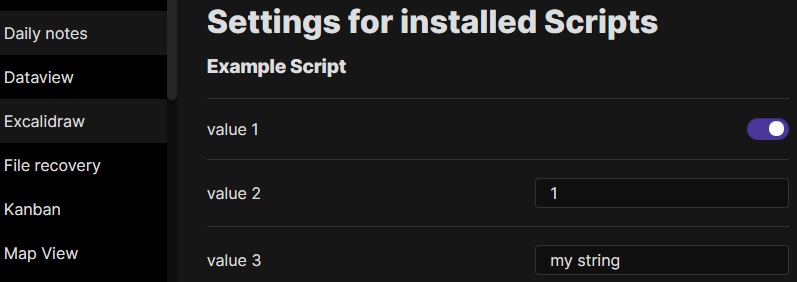
|
||||
- 如果设置是一个对象并遵循以下结构,则可以添加描述和值集。也可以使用 `hidden` 键从用户界面中隐藏值。
|
||||
```javascript
|
||||
ea.setScriptSettings({
|
||||
"value 1": {
|
||||
"value": true,
|
||||
"description": "This is the description for my boolean value"
|
||||
},
|
||||
"value 2": {
|
||||
"value": 1,
|
||||
"description": "This is the description for my numeric value"
|
||||
},
|
||||
"value 3": {
|
||||
"value": "my string",
|
||||
"description": "This is the description for my string value",
|
||||
"valueset": ["allowed 1","allowed 2","allowed 3"]
|
||||
},
|
||||
"value 4": {
|
||||
"value": "my value",
|
||||
"hidden": true
|
||||
}
|
||||
});
|
||||
```
|
||||
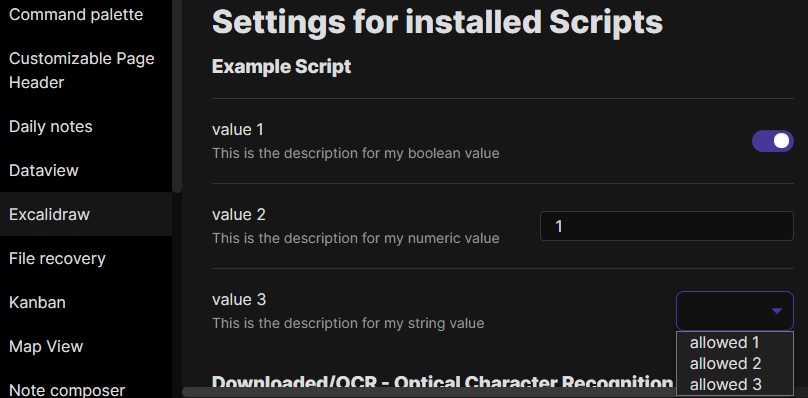
|
||||
|
||||
---------
|
||||
|
||||
## Excalidraw 自动化脚本示例
|
||||
|
||||
这些脚本可以在 GitHub [这个](https://github.com/zsviczian/obsidian-excalidraw-plugin/tree/master/ea-scripts)文件夹 📂 中下载为 `.md` 文件。
|
||||
|
||||
### 为选中元素添加边框
|
||||
|
||||

|
||||
|
||||
此脚本将在 Excalidraw 中当前选中的元素周围添加一个包围框
|
||||
|
||||
```javascript
|
||||
if(!ea.verifyMinimumPluginVersion || !ea.verifyMinimumPluginVersion("1.5.21")) {
|
||||
new Notice("This script requires a newer version of Excalidraw. Please install the latest version.");
|
||||
return;
|
||||
}
|
||||
|
||||
settings = ea.getScriptSettings();
|
||||
//check if settings exist. If not, set default values on first run
|
||||
if(!settings["Default padding"]) {
|
||||
settings = {
|
||||
"Prompt for padding?": true,
|
||||
"Default padding" : {
|
||||
value: 10,
|
||||
description: "Padding between the bounding box of the selected elements, and the box the script creates"
|
||||
}
|
||||
};
|
||||
ea.setScriptSettings(settings);
|
||||
}
|
||||
|
||||
let padding = settings["Default padding"].value;
|
||||
|
||||
if(settings["Prompt for padding?"]) {
|
||||
padding = parseInt (await utils.inputPrompt("padding?","number",padding.toString()));
|
||||
}
|
||||
|
||||
if(isNaN(padding)) {
|
||||
new Notice("The padding value provided is not a number");
|
||||
return;
|
||||
}
|
||||
elements = ea.getViewSelectedElements();
|
||||
const box = ea.getBoundingBox(elements);
|
||||
color = ea
|
||||
.getExcalidrawAPI()
|
||||
.getAppState()
|
||||
.currentItemStrokeColor;
|
||||
//uncomment for random color:
|
||||
//color = '#'+(Math.random()*0xFFFFFF<<0).toString(16).padStart(6,"0");
|
||||
ea.style.strokeColor = color;
|
||||
id = ea.addRect(
|
||||
box.topX - padding,
|
||||
box.topY - padding,
|
||||
box.width + 2*padding,
|
||||
box.height + 2*padding
|
||||
);
|
||||
ea.copyViewElementsToEAforEditing(elements);
|
||||
ea.addToGroup([id].concat(elements.map((el)=>el.id)));
|
||||
ea.addElementsToView(false);
|
||||
```
|
||||
|
||||
----
|
||||
|
||||
### 用箭头连接选中的元素
|
||||
|
||||
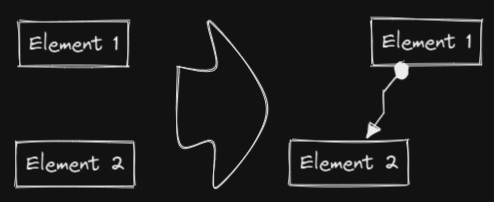
|
||||
|
||||
此脚本将用箭头连接两个对象。如果任一对象是一组分组元素(例如,一个文本元素与一个包围它的矩形分组),脚本会识别这些组,并将箭头连接到组中最大的对象(假设你想将箭头连接到文本元素周围的框)。
|
||||
```javascript
|
||||
if(!ea.verifyMinimumPluginVersion || !ea.verifyMinimumPluginVersion("1.5.21")) {
|
||||
new Notice("This script requires a newer version of Excalidraw. Please install the latest version.");
|
||||
return;
|
||||
}
|
||||
|
||||
settings = ea.getScriptSettings();
|
||||
//set default values on first run
|
||||
if(!settings["Starting arrowhead"]) {
|
||||
settings = {
|
||||
"Starting arrowhead" : {
|
||||
value: "none",
|
||||
valueset: ["none","arrow","triangle","bar","dot"]
|
||||
},
|
||||
"Ending arrowhead" : {
|
||||
value: "triangle",
|
||||
valueset: ["none","arrow","triangle","bar","dot"]
|
||||
},
|
||||
"Line points" : {
|
||||
value: 1,
|
||||
description: "Number of line points between start and end"
|
||||
}
|
||||
};
|
||||
ea.setScriptSettings(settings);
|
||||
}
|
||||
|
||||
const arrowStart = settings["Starting arrowhead"].value === "none" ? null : settings["Starting arrowhead"].value;
|
||||
const arrowEnd = settings["Ending arrowhead"].value === "none" ? null : settings["Ending arrowhead"].value;
|
||||
const linePoints = Math.floor(settings["Line points"].value);
|
||||
|
||||
const elements = ea.getViewSelectedElements();
|
||||
ea.copyViewElementsToEAforEditing(elements);
|
||||
groups = ea.getMaximumGroups(elements);
|
||||
|
||||
if(groups.length !== 2) {
|
||||
//unfortunately getMaxGroups returns duplicated resultset for sticky notes
|
||||
//needs additional filtering
|
||||
cleanGroups=[];
|
||||
idList = [];
|
||||
for (group of groups) {
|
||||
keep = true;
|
||||
for(item of group) if(idList.contains(item.id)) keep = false;
|
||||
if(keep) {
|
||||
cleanGroups.push(group);
|
||||
idList = idList.concat(group.map(el=>el.id))
|
||||
}
|
||||
}
|
||||
if(cleanGroups.length !== 2) return;
|
||||
groups = cleanGroups;
|
||||
}
|
||||
|
||||
els = [
|
||||
ea.getLargestElement(groups[0]),
|
||||
ea.getLargestElement(groups[1])
|
||||
];
|
||||
|
||||
ea.style.strokeColor = els[0].strokeColor;
|
||||
ea.style.strokeWidth = els[0].strokeWidth;
|
||||
ea.style.strokeStyle = els[0].strokeStyle;
|
||||
ea.style.strokeSharpness = els[0].strokeSharpness;
|
||||
|
||||
ea.connectObjects(
|
||||
els[0].id,
|
||||
null,
|
||||
els[1].id,
|
||||
null,
|
||||
{
|
||||
endArrowHead: arrowEnd,
|
||||
startArrowHead: arrowStart,
|
||||
numberOfPoints: linePoints
|
||||
}
|
||||
);
|
||||
ea.addElementsToView();
|
||||
```
|
||||
|
||||
----
|
||||
### 反转选中的箭头
|
||||
|
||||

|
||||
|
||||
反转选中元素范围内**箭头**的方向。
|
||||
|
||||
```javascript
|
||||
elements = ea.getViewSelectedElements().filter((el)=>el.type==="arrow");
|
||||
if(!elements || elements.length===0) return;
|
||||
elements.forEach((el)=>{
|
||||
const start = el.startArrowhead;
|
||||
el.startArrowhead = el.endArrowhead;
|
||||
el.endArrowhead = start;
|
||||
});
|
||||
ea.copyViewElementsToEAforEditing(elements);
|
||||
ea.addElementsToView();
|
||||
```
|
||||
|
||||
----
|
||||
|
||||
### 设置选中元素的线条宽度
|
||||
|
||||

|
||||
|
||||
当你缩放自由绘制的草图并想要减小或增加它们的线条宽度时,这个脚本会很有帮助。
|
||||
```javascript
|
||||
let width = (ea.getViewSelectedElement().strokeWidth??1).toString();
|
||||
width = await utils.inputPrompt("Width?","number",width);
|
||||
const elements=ea.getViewSelectedElements();
|
||||
ea.copyViewElementsToEAforEditing(elements);
|
||||
ea.getElements().forEach((el)=>el.strokeWidth=width);
|
||||
ea.addElementsToView();
|
||||
```
|
||||
|
||||
----
|
||||
|
||||
### 设置网格大小
|
||||
|
||||

|
||||
|
||||
Excalidraw 中默认的网格大小是 20。目前通过用户界面无法更改网格大小。
|
||||
```javascript
|
||||
const grid = parseInt(await utils.inputPrompt("Grid size?",null,"20"));
|
||||
const api = ea.getExcalidrawAPI();
|
||||
let appState = api.getAppState();
|
||||
appState.gridSize = grid;
|
||||
api.updateScene({
|
||||
appState,
|
||||
commitToHistory:false
|
||||
});
|
||||
```
|
||||
|
||||
----
|
||||
|
||||
### 设置元素尺寸和位置
|
||||
|
||||

|
||||
|
||||
目前在 Excalidraw 中还没有办法指定对象的精确位置和大小。你可以使用以下简单脚本来解决这个问题。
|
||||
```javascript
|
||||
const elements = ea.getViewSelectedElements();
|
||||
if(elements.length === 0) return;
|
||||
const el = ea.getLargestElement(elements);
|
||||
const sizeIn = [el.x,el.y,el.width,el.height].join(",");
|
||||
let res = await utils.inputPrompt("x,y,width,height?",null,sizeIn);
|
||||
res = res.split(",");
|
||||
if(res.length !== 4) return;
|
||||
let size = [];
|
||||
for (v of res) {
|
||||
const i = parseInt(v);
|
||||
if(isNaN(i)) return;
|
||||
size.push(i);
|
||||
}
|
||||
el.x = size[0];
|
||||
el.y = size[1];
|
||||
el.width = size[2];
|
||||
el.height = size[3];
|
||||
ea.copyViewElementsToEAforEditing([el]);
|
||||
ea.addElementsToView();
|
||||
```
|
||||
|
||||
----
|
||||
|
||||
### 项目符号
|
||||
|
||||

|
||||
|
||||
此脚本会在选中的每个文本元素的左上角添加一个小圆圈,并将文本和"项目符号"组合成一个组。
|
||||
```javascript
|
||||
elements = ea.getViewSelectedElements().filter((el)=>el.type==="text");
|
||||
ea.copyViewElementsToEAforEditing(elements);
|
||||
const padding = 10;
|
||||
elements.forEach((el)=>{
|
||||
ea.style.strokeColor = el.strokeColor;
|
||||
const size = el.fontSize/2;
|
||||
const ellipseId = ea.addEllipse(
|
||||
el.x-padding-size,
|
||||
el.y+size/2,
|
||||
size,
|
||||
size
|
||||
);
|
||||
ea.addToGroup([el.id,ellipseId]);
|
||||
});
|
||||
ea.addElementsToView();
|
||||
```
|
||||
|
||||
----
|
||||
|
||||
### 按行分割文本
|
||||
|
||||
**!!!需要 Excalidraw 1.5.1 或更高版本**
|
||||
|
||||

|
||||
|
||||
将文本块按行分割成单独的文本元素,以便更容易重新组织
|
||||
```javascript
|
||||
elements = ea.getViewSelectedElements().filter((el)=>el.type==="text");
|
||||
elements.forEach((el)=>{
|
||||
ea.style.strokeColor = el.strokeColor;
|
||||
ea.style.fontFamily = el.fontFamily;
|
||||
ea.style.fontSize = el.fontSize;
|
||||
const text = el.text.split("\n");
|
||||
for(i=0;i<text.length;i++) {
|
||||
ea.addText(el.x,el.y+i*el.height/text.length,text[i]);
|
||||
}
|
||||
});
|
||||
ea.addElementsToView();
|
||||
ea.deleteViewElements(elements);
|
||||
```
|
||||
|
||||
----
|
||||
|
||||
### 设置文本对齐方式
|
||||
|
||||

|
||||
|
||||
设置文本块的对齐方式(居中、右对齐、左对齐)。如果你想为选择文本对齐方式设置键盘快捷键,这个脚本会很有用。
|
||||
```javascript
|
||||
elements = ea.getViewSelectedElements().filter((el)=>el.type==="text");
|
||||
if(elements.length===0) return;
|
||||
let align = ["left","right","center"];
|
||||
align = await utils.suggester(align,align);
|
||||
elements.forEach((el)=>el.textAlign = align);
|
||||
ea.copyViewElementsToEAforEditing(elements);
|
||||
ea.addElementsToView();
|
||||
```
|
||||
|
||||
----
|
||||
|
||||
### 设置字体
|
||||
|
||||

|
||||
|
||||
设置文本块的字体(Virgil、Helvetica、Cascadia)。如果你想为选择字体设置键盘快捷键,这个功能会很有用。
|
||||
```javascript
|
||||
elements = ea.getViewSelectedElements().filter((el)=>el.type==="text");
|
||||
if(elements.length===0) return;
|
||||
let font = ["Virgil","Helvetica","Cascadia"];
|
||||
font = parseInt(await utils.suggester(font,["1","2","3"]));
|
||||
if (isNaN(font)) return;
|
||||
elements.forEach((el)=>el.fontFamily = font);
|
||||
ea.copyViewElementsToEAforEditing(elements);
|
||||
ea.addElementsToView();
|
||||
```
|
||||
File diff suppressed because it is too large
Load Diff
@@ -0,0 +1,57 @@
|
||||
# Excalidraw 自动化使用指南
|
||||
|
||||
> 此说明当前更新至 `e793526`。
|
||||
|
||||
【[English](../../readme.md) | 简体中文】
|
||||
|
||||
使用 ExcalidrawAutomate 可以通过 [ExcalidrawAutomate 脚本引擎](ExcalidrawScriptsEngine.md)、[Templater](https://silentvoid13.github.io/Templater/docs/) 或 [QuickAdd](https://github.com/chhoumann/quickadd) 插件来创建或操作 Excalidraw 绘图,并使用 [DataviewJS](https://blacksmithgu.github.io/obsidian-dataview/docs/api/intro/) 生成嵌入式的 SVG 和 PNG 图像。
|
||||
|
||||
通过一些简单的配置,使用 ExcalidrawAutomate 你可以:
|
||||
- 生成简单的思维导图
|
||||
- 构建家谱
|
||||
- 填写 SVG 表单
|
||||
- 创建自定义图表
|
||||
- 在 Excalidraw 中自动化简单任务(即创建宏)
|
||||
|
||||

|
||||
|
||||
## API 文档
|
||||
|
||||
- **从这里开始** [API 介绍](API/introduction.md)
|
||||
- [属性和函数概览](API/attributes_functions_overview.md)
|
||||
- [元素样式](API/element_style.md)
|
||||
- [画布样式](API/canvas_style.md)
|
||||
- [添加对象](API/objects.md)
|
||||
- [实用函数](API/utility.md)
|
||||
|
||||
## ExcalidrawAutomate 脚本引擎
|
||||
|
||||
当你想要自动化一些简单的步骤时,比如在文本元素周围添加一个框、用箭头连接两个对象、或者设置自定义的线宽或网格值等类似"宏"的自动化操作,我建议使用脚本引擎。
|
||||
- [ExcalidrawAutomate 脚本引擎](ExcalidrawScriptsEngine.md)
|
||||
|
||||
## 示例
|
||||
- **Templater**
|
||||
- [在当前编辑的文档中插入新绘图](Examples/insert_new_drawing.md)
|
||||
- [连接对象](Examples/connect_objects.md)
|
||||
- [应用 Excalidraw 模板](Examples/apply_template.md)
|
||||
- [使用 Templater 创建思维导图](Examples/templater_mindmap.md)
|
||||
|
||||
- **Dataview**
|
||||
- [使用 Dataview 创建思维导图](Examples/dataviewjs_mindmap.md)
|
||||
- [使用 Dataview 创建家谱](Examples/dataviewjs_familytree.md)
|
||||
|
||||
## 支持与反馈
|
||||
|
||||
### 支持原作者
|
||||
|
||||
如果你喜欢这个插件,请通过以下方式支持:
|
||||
- 在社交媒体上分享这个插件
|
||||
- 在 Twitter 上关注作者 [@zsviczian](https://twitter.com/zsviczian)
|
||||
- 访问作者的博客 [zsolt.blog](https://zsolt.blog)
|
||||
- [赞助作者](https://ko-fi.com/zsolt)
|
||||
|
||||
[<img src="https://user-images.githubusercontent.com/14358394/115450238-f39e8100-a21b-11eb-89d0-fa4b82cdbce8.png" width="150" alt="赞助按钮">](https://ko-fi.com/zsolt)
|
||||
|
||||
### 支持中文翻译
|
||||
|
||||
如果这些中文翻译对你有帮助,欢迎通过 [爱发电](https://afdian.com/a/daomishu) 支持译者。
|
||||
@@ -0,0 +1,91 @@
|
||||
# Excalidraw 脚本引擎脚本库
|
||||
|
||||
> 此说明当前更新至 `768aebf`。
|
||||
|
||||
【[English](../../../ea-scripts/README.md) | 简体中文】
|
||||
|
||||
点击观看介绍视频:
|
||||
|
||||
[](https://youtu.be/hePJcObHIso)
|
||||
|
||||
> **警告**
|
||||
> 相比视频中展示的方法,现在有更简单的方式来安装/管理脚本
|
||||
|
||||
查看 [Excalidraw 脚本引擎](../../ExcalidrawScriptsEngine.md) 文档了解更多详情。
|
||||
|
||||
## 如何在 Obsidian 仓库中安装脚本
|
||||
|
||||
安装内置脚本的步骤:
|
||||
|
||||
- 在 Obsidian 中打开一个 Excalidraw 绘图
|
||||
- 在面板下拉菜单中选择"安装或更新 Excalidraw 脚本"
|
||||
- 点击其中一个可用脚本
|
||||
- 点击"安装此脚本"(注意如果脚本已经安装,你会看到更新选项)
|
||||
- 重启 Obsidian 使脚本生效
|
||||
|
||||
注意:默认情况下,脚本会被安装到你仓库中的 `Excalidraw/Scripts/Downloaded` 文件夹
|
||||
|
||||
<details><summary>手动安装脚本</summary>
|
||||
|
||||
打开你感兴趣的脚本,将其保存到你的 Obsidian 仓库中(包括第一行的 `/*`),或者在"Raw"模式下打开并将全部内容复制到 Obsidian 中。
|
||||
|
||||

|
||||
|
||||
</details>
|
||||
|
||||
## 可用脚本列表
|
||||
|
||||
|标题|描述|图标|贡献者|
|
||||
|----|----|----|----|
|
||||
|[添加连接点](../../../ea-scripts/Add%20Connector%20Point.md)|此脚本将在选中文本元素的左上角添加一个小圆圈,并将文本和"圆点"组合成一组。||[@zsviczian](https://github.com/zsviczian)|
|
||||
|[添加现有文件链接并打开](../../../ea-scripts/Add%20Link%20to%20Existing%20File%20and%20Open.md)|提示从保险库(Vault)中选择文件。为选中的元素添加指向所选文件的链接。你可以在设置中控制是在当前活动面板还是相邻面板中打开文件。|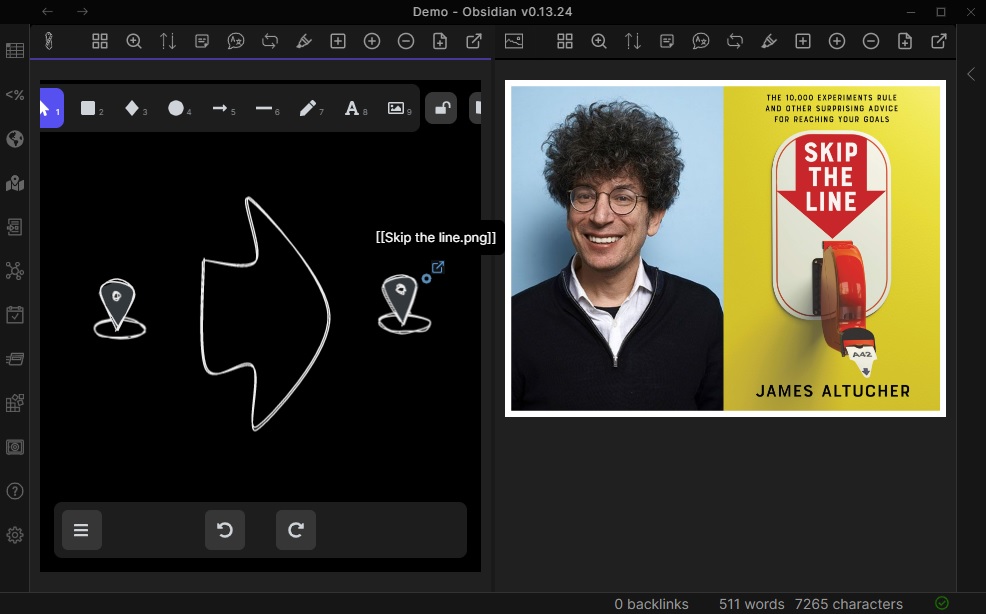|[@zsviczian](https://github.com/zsviczian)|
|
||||
|[添加新页面链接并打开](../../../ea-scripts/Add%20Link%20and%20Open%20Page.md)|提示输入文件名。提供创建和打开新的 Markdown 或 Excalidraw 文档的选项。为绘图中选中的对象添加指向新文件的链接。你可以在设置中控制是在当前活动面板或是相邻面板中打开文件。||[@zsviczian](https://github.com/zsviczian)|
|
||||
|[添加流程下一步](../../../ea-scripts/Add%20Link%20to%20New%20Page%20and%20Open.md)|此脚本将提示你输入流程步骤的标题,然后创建带有该文本的便签。如果选中了某个元素,脚本将用箭头将这个新步骤与上一步骤(选中的元素)连接起来。如果没有选中元素,脚本会假定这是流程的第一步,只会输出带有输入文本的便签。|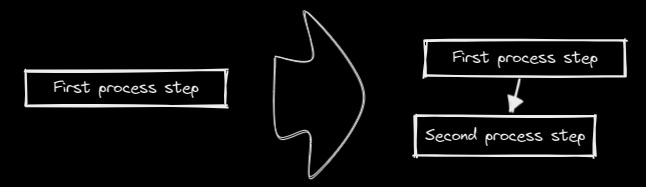|[@zsviczian](https://github.com/zsviczian)|
|
||||
|[分割椭圆](../../../ea-scripts/Boolean%20Operations.md)|使用此脚本可以对形状进行布尔运算。|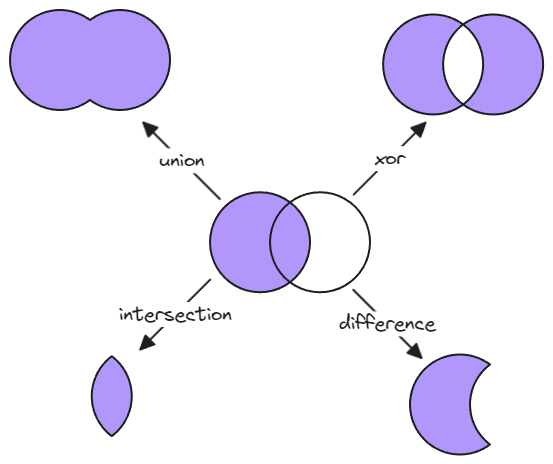|[@GColoy](https://github.com/GColoy)|
|
||||
|[为每个选中的组添加边框](../../../ea-scripts/Box%20Each%20Selected%20Groups.md)|此脚本将为 Excalidraw 中当前选中的每个组添加封装框。|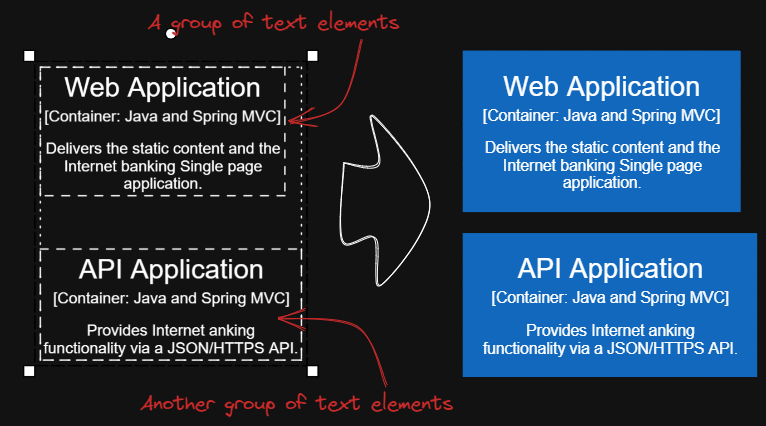|[@1-2-3](https://github.com/1-2-3)|
|
||||
|[为选中元素添加边框](../../../ea-scripts/Box%20Selected%20Elements.md)|此脚本将为 Excalidraw 中当前选中的元素添加一个封装框。||[@zsviczian](https://github.com/zsviczian)|
|
||||
|[更改选中元素的形状](../../../ea-scripts/Change%20shape%20of%20selected%20elements.md)|此脚本允许你更改选中的矩形、菱形和椭圆的形状|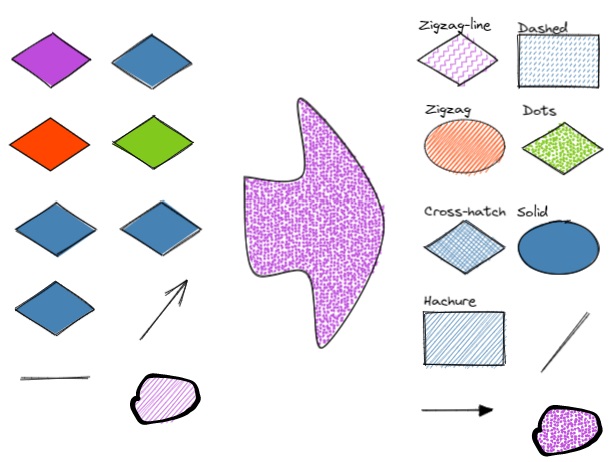|[@zsviczian](https://github.com/zsviczian)|
|
||||
|[连接元素](../../../ea-scripts/Connect%20elements.md)|此脚本将用箭头连接两个对象。如果任一对象是一组分组的元素(例如,与封装矩形分组的文本元素),脚本将识别这些组,并将箭头连接到组中最大的对象(假设你想将箭头连接到文本元素周围的框)。||[@zsviczian](https://github.com/zsviczian)|
|
||||
|[将自由绘制转换为线条](../../../ea-scripts/Convert%20freedraw%20to%20line.md)|将选中的自由绘制对象转换为可编辑的线条。这样你就可以通过拖动线条点来调整绘图,如果是封闭线条还可以选择形状填充。你可以在设置中调整转换点的密度|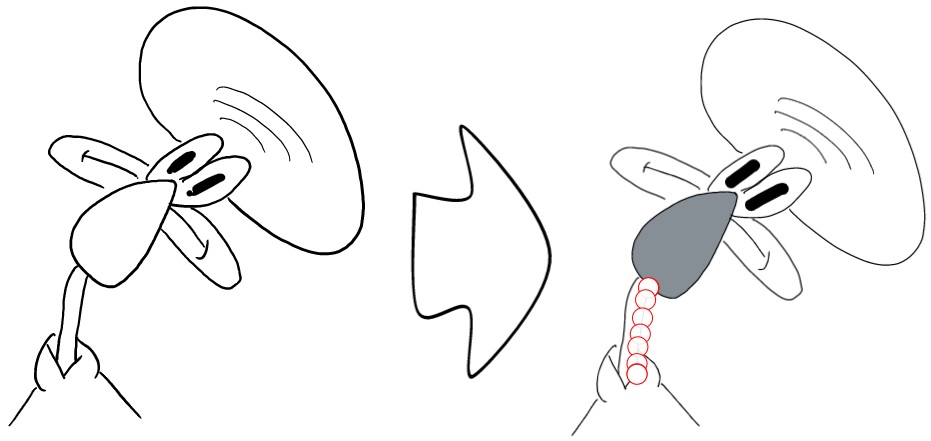|[@zsviczian](https://github.com/zsviczian)|
|
||||
|[将选中的文本元素转换为便签](../../../ea-scripts/Convert%20selected%20text%20elements%20to%20sticky%20notes.md)|将选中的纯文本元素转换为具有透明背景和透明描边颜色的便签。本质上是将文本元素转换为可换行的格式。|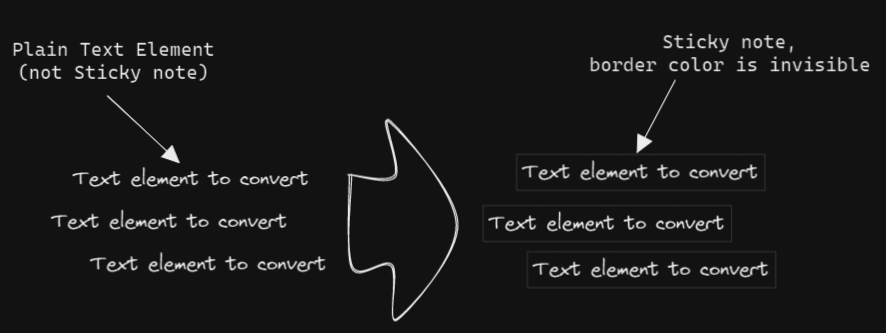|[@zsviczian](https://github.com/zsviczian)|
|
||||
|[将文本转换为带文件夹和别名的链接](../../../ea-scripts/Convert%20text%20to%20link%20with%20folder%20and%20alias.md)|将文本元素转换为指向所选文件夹中文件的链接,并将原始文本设置为别名。脚本会提示用户从保险库(Vault)中选择一个现有文件夹。|`原始文本` => `[[选定文件夹/原始文本\|原始文本]]`|[@zsviczian](https://github.com/zsviczian)|
|
||||
|[将选中元素样式复制到全局](../../../ea-scripts/Copy%20Selected%20Element%20Styles%20to%20Global)|此脚本会将任何选中元素的样式复制到 Excalidraw 的全局样式中。|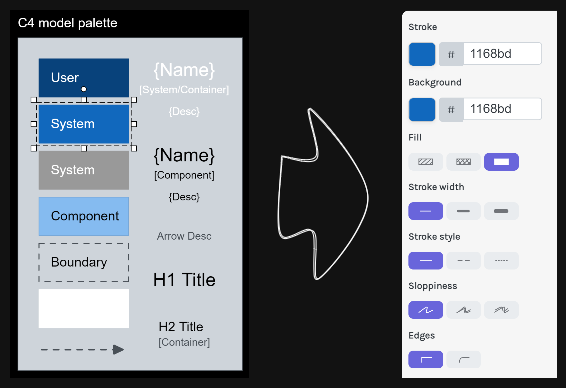|[@1-2-3](https://github.com/1-2-3)|
|
||||
|[创建新的 Markdown 文件并嵌入到当前绘图中](../../../ea-scripts/Create%20new%20markdown%20file%20and%20embed%20into%20active%20drawing.md)|此脚本会提示你输入文件名,然后创建一个具有该文件名的新 Markdown 文档,在相邻面板中打开新的 Markdown 文档,并将该 Markdown 文档嵌入到当前的 Excalidraw 绘图中。|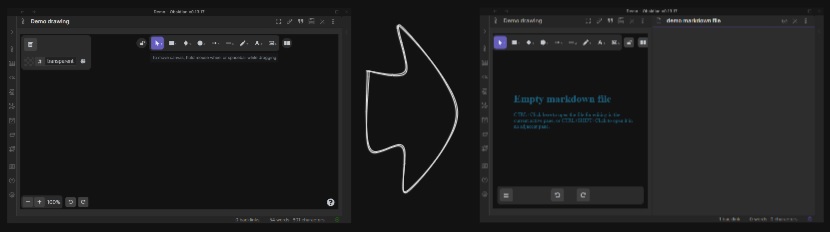|[@zsviczian](https://github.com/zsviczian)|
|
||||
|[加深背景颜色](../../../ea-scripts/Darken%20background%20color.md)|此脚本每次将选中元素的背景颜色加深 2%。你可以多次使用此脚本直到满意为止。建议为此脚本设置快捷键,这样你就可以快速尝试加深和减淡颜色效果。与"修改背景颜色不透明度"脚本相比,其优点是元素的背景颜色不受画布颜色影响,并且颜色值不会以奇怪的 rgba() 形式出现。||[@1-2-3](https://github.com/1-2-3)|
|
||||
|[肘形连接器](../../../ea-scripts/Elbow%20connectors.md)|此脚本将选中的连接器转换为肘形。|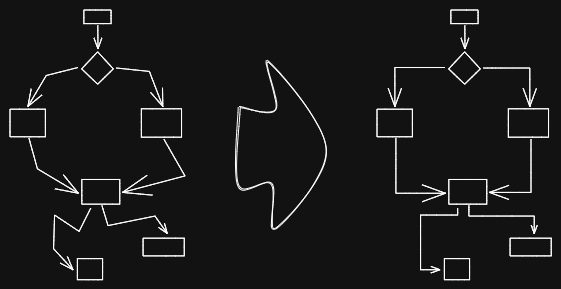|[@1-2-3](https://github.com/1-2-3)|
|
||||
|[水平扩展矩形并保持文本居中](../../../ea-scripts/Expand%20rectangles%20horizontally%20keep%20text20%centered.md)|此脚本会扩展选中矩形的宽度,直到它们都具有相同的宽度,并保持文本居中。||[@1-2-3](https://github.com/1-2-3)|
|
||||
|[水平扩展矩形](../../../ea-scripts/Expand%20rectangles%20horizontally.md)|此脚本会扩展选中矩形的宽度,直到它们都具有相同的宽度。||[@1-2-3](https://github.com/1-2-3)|
|
||||
|[垂直扩展矩形并保持文本居中](../../../ea-scripts/Expand%20rectangles%20vertically%20keep%20text%20centered.md)|此脚本会扩展选中矩形的高度,直到它们都具有相同的高度,并保持文本居中。||[@1-2-3](https://github.com/1-2-3)|
|
||||
|[垂直扩展矩形](../../../ea-scripts/Expand%20rectangles%20vertically.md)|此脚本会扩展选中矩形的高度,直到它们都具有相同的高度。||[@1-2-3](https://github.com/1-2-3)|
|
||||
|[固定中心点水平距离](../../../ea-scripts/Fixed%20horizontal%20distance%20between%20centers.md)|此脚本会以固定的中心点间距水平排列选中的元素。|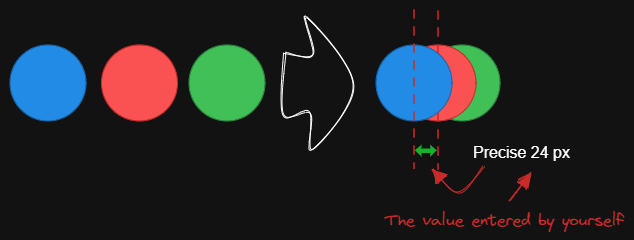|[@1-2-3](https://github.com/1-2-3)|
|
||||
|[固定内部距离](../../../ea-scripts/Fixed%20inner%20distance.md)|此脚本会以固定的内部距离排列选中的元素和组。||[@1-2-3](https://github.com/1-2-3)|
|
||||
|[固定间距](../../../ea-scripts/Fixed%20spacing.md)|此脚本会以固定的间距水平排列选中的元素。当我们创建架构图或思维导图时,经常需要以固定间距排列大量元素。"固定间距"和"固定垂直距离"脚本可以为我们节省大量时间。|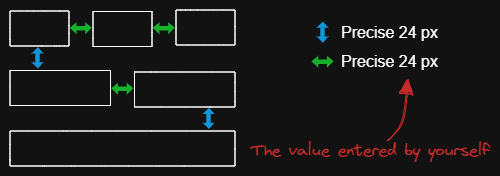|[@1-2-3](https://github.com/1-2-3)|
|
||||
|[固定中心点垂直距离](../../../ea-scripts/Fixed%20vertical%20distance%20between%20centers.md)|此脚本会以固定的中心点间距垂直排列选中的元素。|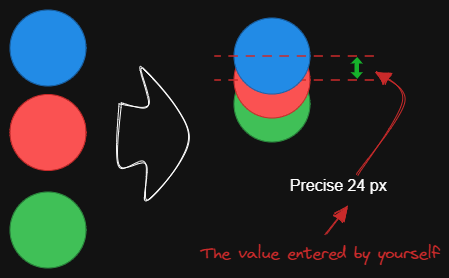|[@1-2-3](https://github.com/1-2-3)|
|
||||
|[固定垂直距离](../../../ea-scripts/Fixed%20vertical%20distance.md)|此脚本会以固定间距垂直排列选中的元素。当我们创建架构图或思维导图时,经常需要以固定间距排列大量元素。`固定间距`和`固定垂直距离`脚本可以为我们节省大量时间。|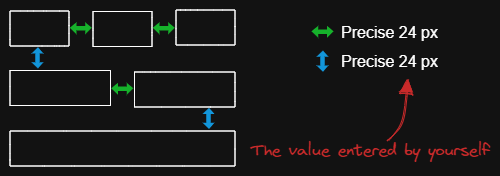|[@1-2-3](https://github.com/1-2-3)|
|
||||
|[减淡背景颜色](../../../ea-scripts/Lighten%20background%20color.md)|此脚本每次将选中元素的背景颜色减淡 2%。你可以多次使用此脚本直到满意为止。建议为此脚本设置快捷键,这样你就可以快速尝试加深和减淡颜色效果。与"修改背景颜色不透明度"脚本相比,其优点是元素的背景颜色不受画布颜色影响,并且颜色值不会以奇怪的 rgba() 形式出现。||[@1-2-3](https://github.com/1-2-3)|
|
||||
|[思维导图连接器](../../../ea-scripts/Mindmap%20connector.md)|此脚本为选中的元素创建类似思维导图的连线(目前仅支持右侧和向下方向)。连线的起点将根据元素的创建时间确定。因此你应该先创建标题元素。|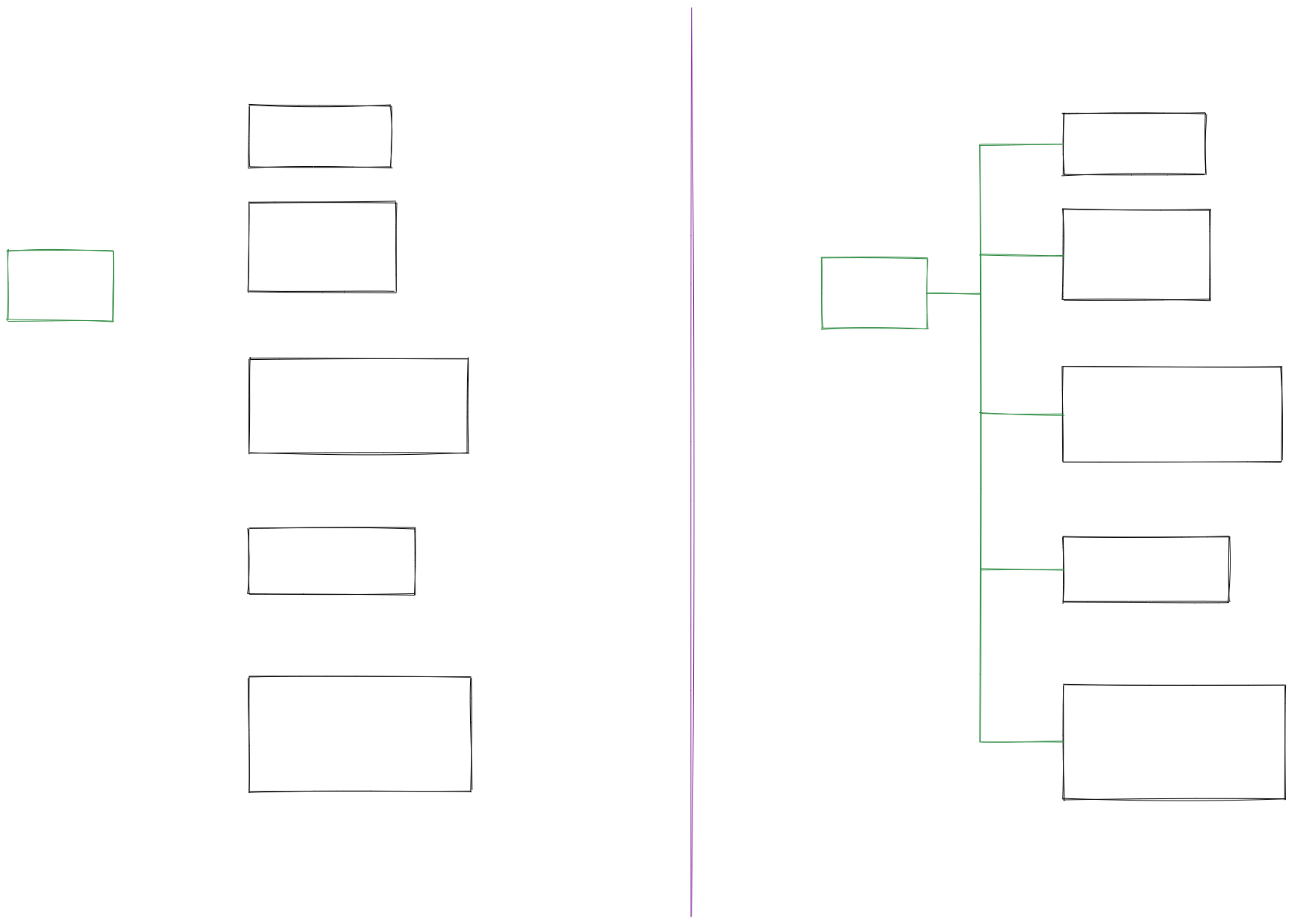|[@xllowl](https://github.com/xllowl)|
|
||||
|[修改背景颜色不透明度](../../../ea-scripts/Modify%20background%20color%20opacity.md)|此脚本会更改选中框的背景颜色不透明度。Excalidraw 中的默认背景颜色太深,导致文字难以阅读。你可以通过设置透明度来使颜色变浅。你可以反复调整透明度直到满意为止。虽然 Excalidraw 在其原生属性设置中有不透明度选项,但它也会改变边框的透明度。使用此脚本可以只更改背景颜色的不透明度而不影响边框。|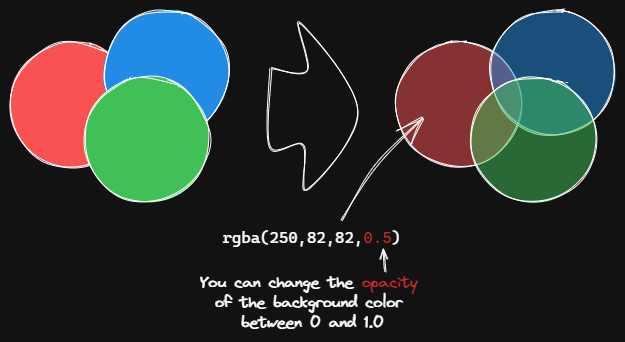|[@1-2-3](https://github.com/1-2-3)|
|
||||
|[标准化选中箭头](../../../ea-scripts/Normalize%20Selected%20Arrows.md)|此脚本将重置选中箭头的起点和终点位置。箭头将指向连接框的中心,并与框保持 8px 的间距。|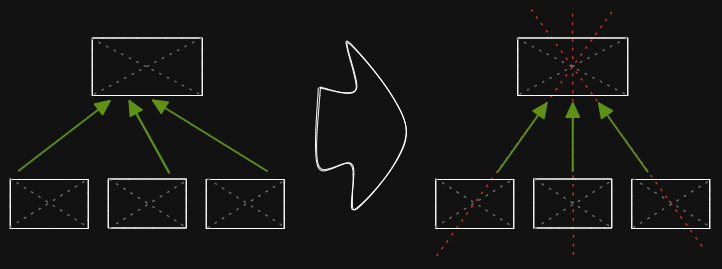|[@1-2-3](https://github.com/1-2-3)|
|
||||
|[OCR - 光学字符识别](../../../ea-scripts/OCR%20-%20Optical%20Character%20Recognition.md)|此脚本将 1) 把选中的图片文件发送到 [taskbone.com](https://taskbone.com) 提取图片中的文字,并 2) 将文字作为文本元素添加到你的绘图中。||[@zsviczian](https://github.com/zsviczian)|
|
||||
|[有机线条](../../../ea-scripts/Organic%20Line.md)|将选中的自由绘制线条转换为从开始到结束笔压逐渐减小的线条。转换后的线条会被放置在图层的最底层,位于所有其他元素之下。在绘制有机思维导图时很有帮助。|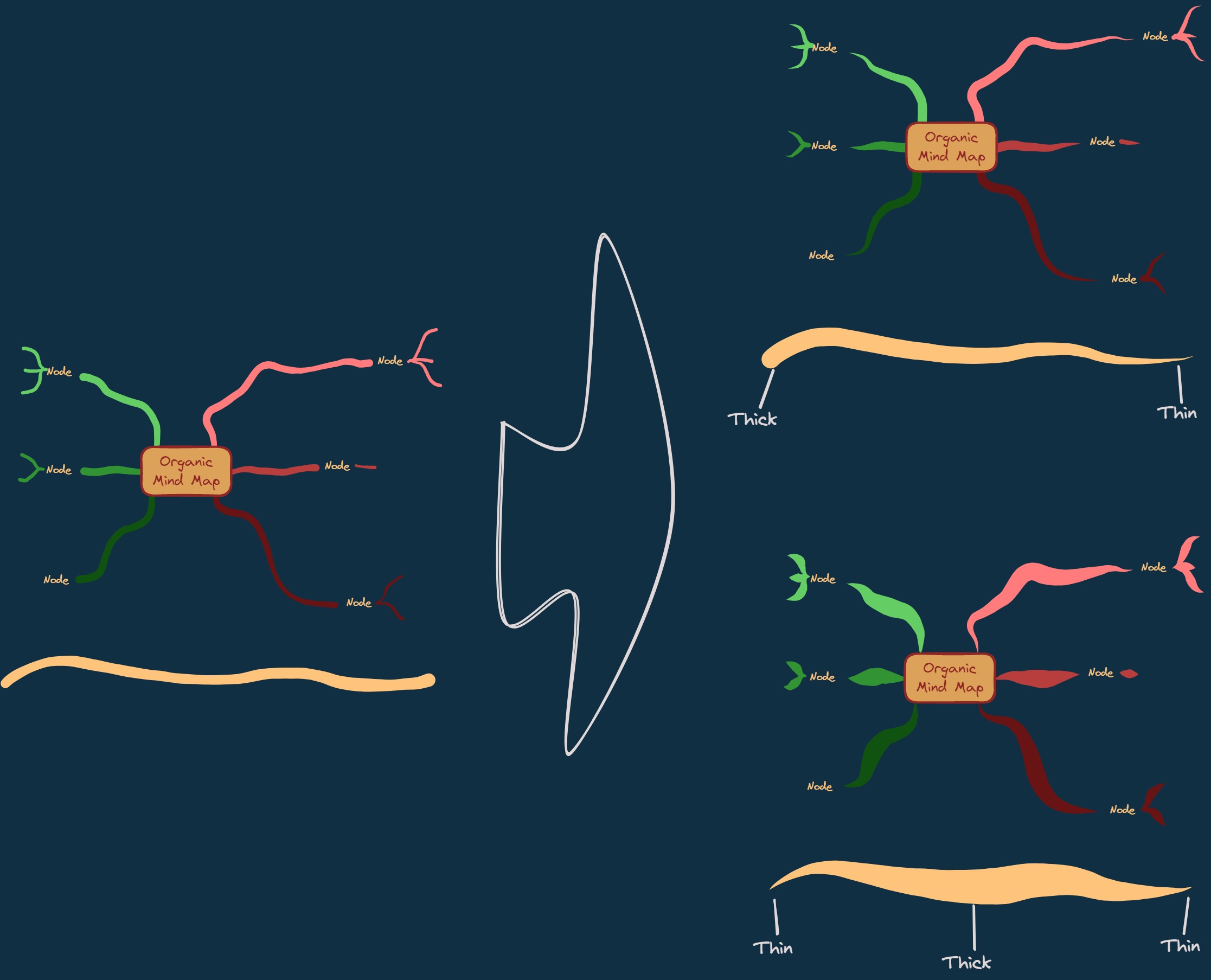|[@zsviczian](https://github.com/zsviczian)|
|
||||
|[重复元素](../../../ea-scripts/Repeat%20Elements.md)|此脚本会检测两个选中元素之间的差异,包括位置、大小、角度、描边和背景颜色,并根据用户输入的重复次数创建多个具有相同差异的元素。|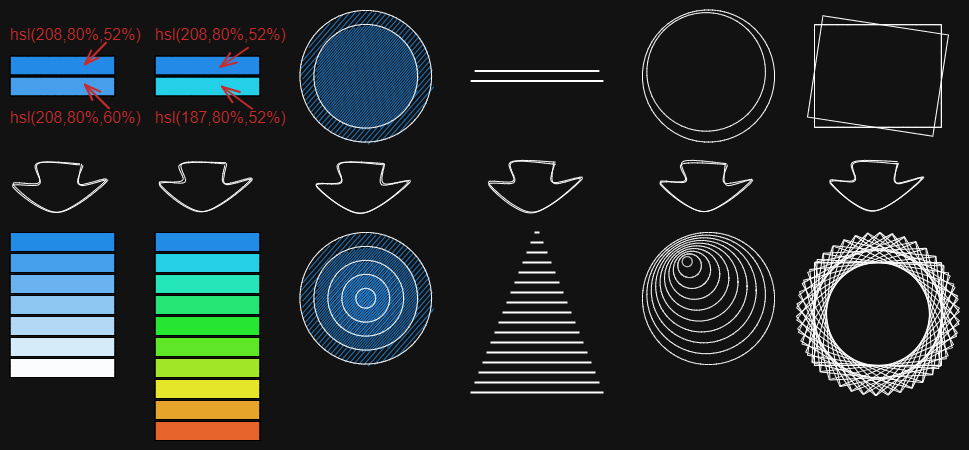|[@1-2-3](https://github.com/1-2-3)|
|
||||
|[重置 LaTeX 大小](../../../ea-scripts/Reset%20LaTeX%20Size.md)|将嵌入的 LaTeX 公式大小重置为默认大小或默认大小的倍数。|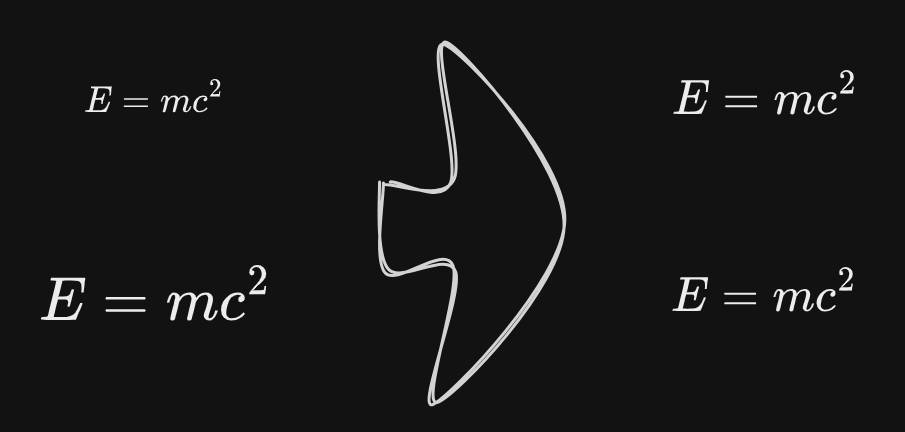|[@firai](https://github.com/firai)|
|
||||
|[反转箭头](../../../ea-scripts/Reverse%20arrows.md)|反转选中元素范围内的**箭头**方向。||[@zsviczian](https://github.com/zsviczian)|
|
||||
|[手写助手](../../../ea-scripts/Scribble%20Helper.md)|iOS 手写助手,用于改善文本元素的手写体验。如果没有选中元素,则会在指针位置创建一个文本元素,你可以使用编辑框通过手写来修改文本。如果选中了文本元素,则会打开输入提示框,你可以在其中通过手写修改文本。||[@zsviczian](https://github.com/zsviczian)|
|
||||
|[选择特定类型元素](../../../ea-scripts/Select%20Elements%20of%20Type.md)|显示当前图像中不同元素类型的列表供选择。只有选定类型的元素会在画布上被选中。如果运行脚本时没有选中任何元素,则脚本会处理画布上的所有元素。如果执行脚本时已选中某些元素,则脚本只会处理这些选中的元素。<br>此脚本在以下情况下很有用,例如,当你想要将所有箭头置于顶层,或想要更改所有文本元素的颜色等。||[@zsviczian](https://github.com/zsviczian)|
|
||||
|[通过添加阴影克隆为未闭合线条对象设置背景颜色](../../../ea-scripts/Set%20background%20color%20of%20unclosed%20line%20object%20by%20adding%20a%20shadow%20clone.md)|使用此脚本为未闭合(即开放)线条对象设置背景颜色,方法是创建对象的克隆。脚本会将克隆的描边颜色设置为透明,并添加一条直线来闭合对象。使用设置来定义默认背景颜色、填充样式和克隆的描边宽度。默认情况下,克隆会与原始对象组合在一起,你也可以在设置中禁用此功能。||[@zsviczian](https://github.com/zsviczian)|
|
||||
|[设置尺寸](../../../ea-scripts/Set%20Dimensions.md)|目前在 Excalidraw 中无法指定对象的确切位置和大小。你可以使用这个简单的脚本来弥补这个不足。||[@zsviczian](https://github.com/zsviczian)|
|
||||
|[设置字体](../../../ea-scripts/Set%20Font%20Family.md)|设置文本块的字体(Virgil、Helvetica、Cascadia)。如果你想为选择字体设置键盘快捷键,这个脚本很有用。||[@zsviczian](https://github.com/zsviczian)|
|
||||
|[设置网格](../../../ea-scripts/Set%20Grid.md)|Excalidraw 中的默认网格大小是 20。目前无法通过用户界面更改网格大小。这个脚本提供了一种方法来弥补这个不足。||[@zsviczian](https://github.com/zsviczian)|
|
||||
|[设置链接别名](../../../ea-scripts/Set20%Link20%Alias.md)|遍历选中文本元素中的所有链接,并提示用户为每个找到的链接设置或修改别名。|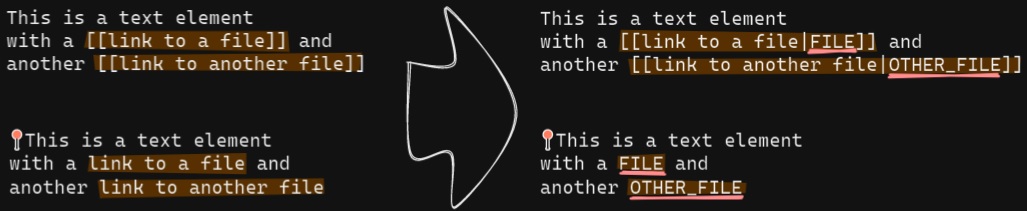|[@zsviczian](https://github.com/zsviczian)|
|
||||
|[设置选中元素的描边宽度](../../../ea-scripts/Set%20Stroke%20Width%20of%20Selected%20Elements.md)|此脚本将设置选中元素的描边宽度。这在缩放自由绘制草图并想要减小或增加其线条宽度时很有用。||[@zsviczian](https://github.com/zsviczian)|
|
||||
|[按行分割文本](../../../ea-scripts/Split%20text%20by%20lines.md)|将文本行分割成单独的文本元素,以便更容易重新组织||[@zsviczian](https://github.com/zsviczian)|
|
||||
|[设置文本对齐方式](../../../ea-scripts/Set%20Text%20Alignment.md)|设置文本块的对齐方式(居中、右对齐、左对齐)。如果你想为选择文本对齐方式设置键盘快捷键,这个脚本很有用。||[@zsviczian](https://github.com/zsviczian)|
|
||||
|[分割椭圆](../../../ea-scripts/Split%20Ellipse.md)|此脚本会在线条与椭圆相交的任何点处分割椭圆。|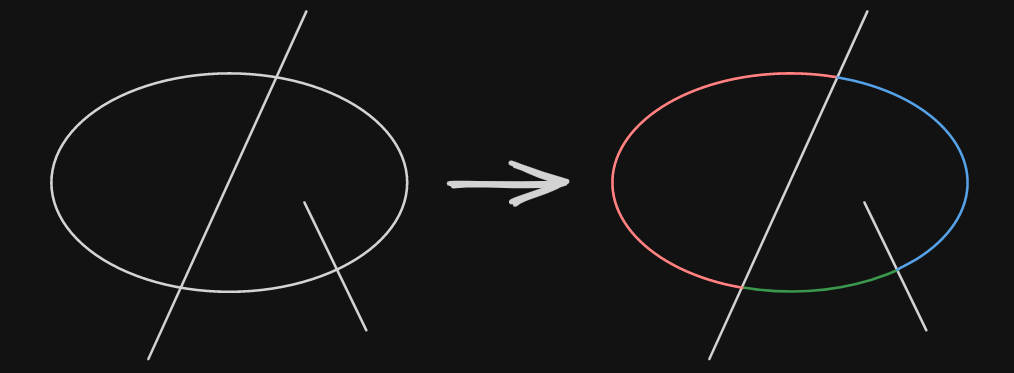|[@GColoy](https://github.com/GColoy)|
|
||||
|[TheBrain导航](../../../ea-scripts/TheBrain-navigation.md)|基于Excalidraw的保险库(Vault)图形用户界面。需要[Dataview插件](https://github.com/blacksmithgu/obsidian-dataview)。生成类似于[TheBrain](https://TheBrain.com)的图形视图。在[YouTube](https://youtu.be/plYobK-VufM)上观看此脚本的介绍。|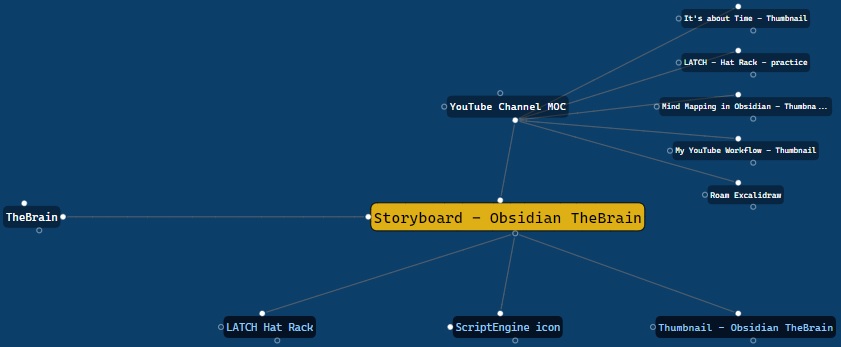|[@zsviczian](https://github.com/zsviczian)|
|
||||
|[移动端切换全屏](../../../ea-scripts/Toggle%20Fullscreen%20on%20Mobile.md)|隐藏Obsidian工作区叶片填充和标题(基于设置中的选项,默认"隐藏标题"=false),这将使Excalidraw全屏显示。⚠ 注意,如果标题不可见,将很难调用命令面板来结束全屏。只有在你有键盘或已经练习过打开命令面板的情况下才隐藏标题!||[@zsviczian](https://github.com/zsviczian)|
|
||||
|[切换网格](../../../ea-scripts/Toggle%20Grid.md)|切换网格的显示与隐藏。||[@GColoy](https://github.com/GColoy)|
|
||||
|[将文本元素转移到Excalidraw markdown元数据](../../../ea-scripts/Transfer%20TextElements%20to%20Excalidraw%20markdown%20metadata.md)|此脚本将从画布中删除选中的文本元素,并将这些文本元素中的文本复制到Excalidraw markdown文件的元数据中。这意味着,文本将不再在绘图中可见,但你可以在Obsidian中搜索文本并找到包含此图像的绘图。||[@zsviczian](https://github.com/zsviczian)|
|
||||
|[缩放以适应选中元素](../../../ea-scripts/Zoom%20to%20Fit%20Selected%20Elements.md)|类似于Excalidraw标准的<kbd>SHIFT+2</kbd>功能:缩放以适应选中元素,但可以缩放到1000%。灵感来源:[#272](https://github.com/zsviczian/obsidian-excalidraw-plugin/issues/272)||[@zsviczian](https://github.com/zsviczian)|
|
||||
|[硬件橡皮擦支持](../../../ea-scripts/Hardware%20Eraser%20Support.md)|允许在支持的笔上使用笔反转/硬件橡皮擦。|[@threethan](https://github.com/threethan)|
|
||||
|[笔的自动绘制](../../../ea-scripts/Auto%20Draw%20for%20Pen.md)|当悬停笔时自动从选择工具切换到绘制工具,然后再切换回来。|[@threethan](https://github.com/threethan)|
|
||||
@@ -1,4 +1,7 @@
|
||||
# Excalidraw Script Engine scripts library
|
||||
|
||||
【English | [简体中文](../docs/zh-cn/ea-scripts/README.md)】
|
||||
|
||||
Click to watch the intro video:
|
||||
|
||||
[](https://youtu.be/hePJcObHIso)
|
||||
|
||||
+2
-2
@@ -1,10 +1,10 @@
|
||||
{
|
||||
"id": "obsidian-excalidraw-plugin",
|
||||
"name": "Excalidraw",
|
||||
"version": "2.9.2",
|
||||
"version": "2.11.0-beta-1",
|
||||
"minAppVersion": "1.1.6",
|
||||
"description": "An Obsidian plugin to edit and view Excalidraw drawings",
|
||||
"author": "Zsolt Viczian",
|
||||
"authorUrl": "https://zsolt.blog",
|
||||
"authorUrl": "https://excalidraw-obsidian.online",
|
||||
"isDesktopOnly": false
|
||||
}
|
||||
|
||||
+2
-2
@@ -1,11 +1,11 @@
|
||||
{
|
||||
"id": "obsidian-excalidraw-plugin",
|
||||
"name": "Excalidraw",
|
||||
"version": "2.9.2",
|
||||
"version": "2.10.1",
|
||||
"minAppVersion": "1.1.6",
|
||||
"description": "An Obsidian plugin to edit and view Excalidraw drawings",
|
||||
"author": "Zsolt Viczian",
|
||||
"authorUrl": "https://www.zsolt.blog",
|
||||
"authorUrl": "https://excalidraw-obsidian.online",
|
||||
"fundingUrl": "https://ko-fi.com/zsolt",
|
||||
"helpUrl": "https://github.com/zsviczian/obsidian-excalidraw-plugin#readme",
|
||||
"isDesktopOnly": false
|
||||
|
||||
Generated
+126
-312
@@ -11,11 +11,12 @@
|
||||
"dependencies": {
|
||||
"@popperjs/core": "^2.11.8",
|
||||
"@zsviczian/colormaster": "^1.2.2",
|
||||
"@zsviczian/excalidraw": "0.18.0-2",
|
||||
"@zsviczian/excalidraw": "0.18.0-9",
|
||||
"chroma-js": "^2.4.2",
|
||||
"clsx": "^2.0.0",
|
||||
"es6-promise-pool": "2.5.0",
|
||||
"gl-matrix": "^3.4.3",
|
||||
"html2canvas": "^1.4.1",
|
||||
"js-yaml": "^4.1.0",
|
||||
"lucide-react": "^0.479.0",
|
||||
"mathjax-full": "^3.2.2",
|
||||
@@ -1543,6 +1544,7 @@
|
||||
"version": "7.26.9",
|
||||
"resolved": "https://registry.npmjs.org/@babel/runtime/-/runtime-7.26.9.tgz",
|
||||
"integrity": "sha512-aA63XwOkcl4xxQa3HjPMqOP6LiK0ZDv3mUPYEFXkpHbaFjtGggE1A61FjFzJnB+p7/oy2gA8E+rcBNl/zC1tMg==",
|
||||
"dev": true,
|
||||
"dependencies": {
|
||||
"regenerator-runtime": "^0.14.0"
|
||||
},
|
||||
@@ -2128,66 +2130,28 @@
|
||||
}
|
||||
},
|
||||
"node_modules/@radix-ui/react-collection": {
|
||||
"version": "1.0.1",
|
||||
"resolved": "https://registry.npmjs.org/@radix-ui/react-collection/-/react-collection-1.0.1.tgz",
|
||||
"integrity": "sha512-uuiFbs+YCKjn3X1DTSx9G7BHApu4GHbi3kgiwsnFUbOKCrwejAJv4eE4Vc8C0Oaxt9T0aV4ox0WCOdx+39Xo+g==",
|
||||
"version": "1.1.2",
|
||||
"resolved": "https://registry.npmjs.org/@radix-ui/react-collection/-/react-collection-1.1.2.tgz",
|
||||
"integrity": "sha512-9z54IEKRxIa9VityapoEYMuByaG42iSy1ZXlY2KcuLSEtq8x4987/N6m15ppoMffgZX72gER2uHe1D9Y6Unlcw==",
|
||||
"dependencies": {
|
||||
"@babel/runtime": "^7.13.10",
|
||||
"@radix-ui/react-compose-refs": "1.0.0",
|
||||
"@radix-ui/react-context": "1.0.0",
|
||||
"@radix-ui/react-primitive": "1.0.1",
|
||||
"@radix-ui/react-slot": "1.0.1"
|
||||
"@radix-ui/react-compose-refs": "1.1.1",
|
||||
"@radix-ui/react-context": "1.1.1",
|
||||
"@radix-ui/react-primitive": "2.0.2",
|
||||
"@radix-ui/react-slot": "1.1.2"
|
||||
},
|
||||
"peerDependencies": {
|
||||
"react": "^16.8 || ^17.0 || ^18.0",
|
||||
"react-dom": "^16.8 || ^17.0 || ^18.0"
|
||||
}
|
||||
},
|
||||
"node_modules/@radix-ui/react-collection/node_modules/@radix-ui/react-compose-refs": {
|
||||
"version": "1.0.0",
|
||||
"resolved": "https://registry.npmjs.org/@radix-ui/react-compose-refs/-/react-compose-refs-1.0.0.tgz",
|
||||
"integrity": "sha512-0KaSv6sx787/hK3eF53iOkiSLwAGlFMx5lotrqD2pTjB18KbybKoEIgkNZTKC60YECDQTKGTRcDBILwZVqVKvA==",
|
||||
"dependencies": {
|
||||
"@babel/runtime": "^7.13.10"
|
||||
"@types/react": "*",
|
||||
"@types/react-dom": "*",
|
||||
"react": "^16.8 || ^17.0 || ^18.0 || ^19.0 || ^19.0.0-rc",
|
||||
"react-dom": "^16.8 || ^17.0 || ^18.0 || ^19.0 || ^19.0.0-rc"
|
||||
},
|
||||
"peerDependencies": {
|
||||
"react": "^16.8 || ^17.0 || ^18.0"
|
||||
}
|
||||
},
|
||||
"node_modules/@radix-ui/react-collection/node_modules/@radix-ui/react-context": {
|
||||
"version": "1.0.0",
|
||||
"resolved": "https://registry.npmjs.org/@radix-ui/react-context/-/react-context-1.0.0.tgz",
|
||||
"integrity": "sha512-1pVM9RfOQ+n/N5PJK33kRSKsr1glNxomxONs5c49MliinBY6Yw2Q995qfBUUo0/Mbg05B/sGA0gkgPI7kmSHBg==",
|
||||
"dependencies": {
|
||||
"@babel/runtime": "^7.13.10"
|
||||
},
|
||||
"peerDependencies": {
|
||||
"react": "^16.8 || ^17.0 || ^18.0"
|
||||
}
|
||||
},
|
||||
"node_modules/@radix-ui/react-collection/node_modules/@radix-ui/react-primitive": {
|
||||
"version": "1.0.1",
|
||||
"resolved": "https://registry.npmjs.org/@radix-ui/react-primitive/-/react-primitive-1.0.1.tgz",
|
||||
"integrity": "sha512-fHbmislWVkZaIdeF6GZxF0A/NH/3BjrGIYj+Ae6eTmTCr7EB0RQAAVEiqsXK6p3/JcRqVSBQoceZroj30Jj3XA==",
|
||||
"dependencies": {
|
||||
"@babel/runtime": "^7.13.10",
|
||||
"@radix-ui/react-slot": "1.0.1"
|
||||
},
|
||||
"peerDependencies": {
|
||||
"react": "^16.8 || ^17.0 || ^18.0",
|
||||
"react-dom": "^16.8 || ^17.0 || ^18.0"
|
||||
}
|
||||
},
|
||||
"node_modules/@radix-ui/react-collection/node_modules/@radix-ui/react-slot": {
|
||||
"version": "1.0.1",
|
||||
"resolved": "https://registry.npmjs.org/@radix-ui/react-slot/-/react-slot-1.0.1.tgz",
|
||||
"integrity": "sha512-avutXAFL1ehGvAXtPquu0YK5oz6ctS474iM3vNGQIkswrVhdrS52e3uoMQBzZhNRAIE0jBnUyXWNmSjGHhCFcw==",
|
||||
"dependencies": {
|
||||
"@babel/runtime": "^7.13.10",
|
||||
"@radix-ui/react-compose-refs": "1.0.0"
|
||||
},
|
||||
"peerDependencies": {
|
||||
"react": "^16.8 || ^17.0 || ^18.0"
|
||||
"peerDependenciesMeta": {
|
||||
"@types/react": {
|
||||
"optional": true
|
||||
},
|
||||
"@types/react-dom": {
|
||||
"optional": true
|
||||
}
|
||||
}
|
||||
},
|
||||
"node_modules/@radix-ui/react-compose-refs": {
|
||||
@@ -2219,14 +2183,17 @@
|
||||
}
|
||||
},
|
||||
"node_modules/@radix-ui/react-direction": {
|
||||
"version": "1.0.0",
|
||||
"resolved": "https://registry.npmjs.org/@radix-ui/react-direction/-/react-direction-1.0.0.tgz",
|
||||
"integrity": "sha512-2HV05lGUgYcA6xgLQ4BKPDmtL+QbIZYH5fCOTAOOcJ5O0QbWS3i9lKaurLzliYUDhORI2Qr3pyjhJh44lKA3rQ==",
|
||||
"dependencies": {
|
||||
"@babel/runtime": "^7.13.10"
|
||||
},
|
||||
"version": "1.1.0",
|
||||
"resolved": "https://registry.npmjs.org/@radix-ui/react-direction/-/react-direction-1.1.0.tgz",
|
||||
"integrity": "sha512-BUuBvgThEiAXh2DWu93XsT+a3aWrGqolGlqqw5VU1kG7p/ZH2cuDlM1sRLNnY3QcBS69UIz2mcKhMxDsdewhjg==",
|
||||
"peerDependencies": {
|
||||
"react": "^16.8 || ^17.0 || ^18.0"
|
||||
"@types/react": "*",
|
||||
"react": "^16.8 || ^17.0 || ^18.0 || ^19.0 || ^19.0.0-rc"
|
||||
},
|
||||
"peerDependenciesMeta": {
|
||||
"@types/react": {
|
||||
"optional": true
|
||||
}
|
||||
}
|
||||
},
|
||||
"node_modules/@radix-ui/react-dismissable-layer": {
|
||||
@@ -2446,125 +2413,33 @@
|
||||
}
|
||||
},
|
||||
"node_modules/@radix-ui/react-roving-focus": {
|
||||
"version": "1.0.2",
|
||||
"resolved": "https://registry.npmjs.org/@radix-ui/react-roving-focus/-/react-roving-focus-1.0.2.tgz",
|
||||
"integrity": "sha512-HLK+CqD/8pN6GfJm3U+cqpqhSKYAWiOJDe+A+8MfxBnOue39QEeMa43csUn2CXCHQT0/mewh1LrrG4tfkM9DMA==",
|
||||
"version": "1.1.2",
|
||||
"resolved": "https://registry.npmjs.org/@radix-ui/react-roving-focus/-/react-roving-focus-1.1.2.tgz",
|
||||
"integrity": "sha512-zgMQWkNO169GtGqRvYrzb0Zf8NhMHS2DuEB/TiEmVnpr5OqPU3i8lfbxaAmC2J/KYuIQxyoQQ6DxepyXp61/xw==",
|
||||
"dependencies": {
|
||||
"@babel/runtime": "^7.13.10",
|
||||
"@radix-ui/primitive": "1.0.0",
|
||||
"@radix-ui/react-collection": "1.0.1",
|
||||
"@radix-ui/react-compose-refs": "1.0.0",
|
||||
"@radix-ui/react-context": "1.0.0",
|
||||
"@radix-ui/react-direction": "1.0.0",
|
||||
"@radix-ui/react-id": "1.0.0",
|
||||
"@radix-ui/react-primitive": "1.0.1",
|
||||
"@radix-ui/react-use-callback-ref": "1.0.0",
|
||||
"@radix-ui/react-use-controllable-state": "1.0.0"
|
||||
"@radix-ui/primitive": "1.1.1",
|
||||
"@radix-ui/react-collection": "1.1.2",
|
||||
"@radix-ui/react-compose-refs": "1.1.1",
|
||||
"@radix-ui/react-context": "1.1.1",
|
||||
"@radix-ui/react-direction": "1.1.0",
|
||||
"@radix-ui/react-id": "1.1.0",
|
||||
"@radix-ui/react-primitive": "2.0.2",
|
||||
"@radix-ui/react-use-callback-ref": "1.1.0",
|
||||
"@radix-ui/react-use-controllable-state": "1.1.0"
|
||||
},
|
||||
"peerDependencies": {
|
||||
"react": "^16.8 || ^17.0 || ^18.0",
|
||||
"react-dom": "^16.8 || ^17.0 || ^18.0"
|
||||
}
|
||||
},
|
||||
"node_modules/@radix-ui/react-roving-focus/node_modules/@radix-ui/primitive": {
|
||||
"version": "1.0.0",
|
||||
"resolved": "https://registry.npmjs.org/@radix-ui/primitive/-/primitive-1.0.0.tgz",
|
||||
"integrity": "sha512-3e7rn8FDMin4CgeL7Z/49smCA3rFYY3Ha2rUQ7HRWFadS5iCRw08ZgVT1LaNTCNqgvrUiyczLflrVrF0SRQtNA==",
|
||||
"dependencies": {
|
||||
"@babel/runtime": "^7.13.10"
|
||||
}
|
||||
},
|
||||
"node_modules/@radix-ui/react-roving-focus/node_modules/@radix-ui/react-compose-refs": {
|
||||
"version": "1.0.0",
|
||||
"resolved": "https://registry.npmjs.org/@radix-ui/react-compose-refs/-/react-compose-refs-1.0.0.tgz",
|
||||
"integrity": "sha512-0KaSv6sx787/hK3eF53iOkiSLwAGlFMx5lotrqD2pTjB18KbybKoEIgkNZTKC60YECDQTKGTRcDBILwZVqVKvA==",
|
||||
"dependencies": {
|
||||
"@babel/runtime": "^7.13.10"
|
||||
"@types/react": "*",
|
||||
"@types/react-dom": "*",
|
||||
"react": "^16.8 || ^17.0 || ^18.0 || ^19.0 || ^19.0.0-rc",
|
||||
"react-dom": "^16.8 || ^17.0 || ^18.0 || ^19.0 || ^19.0.0-rc"
|
||||
},
|
||||
"peerDependencies": {
|
||||
"react": "^16.8 || ^17.0 || ^18.0"
|
||||
}
|
||||
},
|
||||
"node_modules/@radix-ui/react-roving-focus/node_modules/@radix-ui/react-context": {
|
||||
"version": "1.0.0",
|
||||
"resolved": "https://registry.npmjs.org/@radix-ui/react-context/-/react-context-1.0.0.tgz",
|
||||
"integrity": "sha512-1pVM9RfOQ+n/N5PJK33kRSKsr1glNxomxONs5c49MliinBY6Yw2Q995qfBUUo0/Mbg05B/sGA0gkgPI7kmSHBg==",
|
||||
"dependencies": {
|
||||
"@babel/runtime": "^7.13.10"
|
||||
},
|
||||
"peerDependencies": {
|
||||
"react": "^16.8 || ^17.0 || ^18.0"
|
||||
}
|
||||
},
|
||||
"node_modules/@radix-ui/react-roving-focus/node_modules/@radix-ui/react-id": {
|
||||
"version": "1.0.0",
|
||||
"resolved": "https://registry.npmjs.org/@radix-ui/react-id/-/react-id-1.0.0.tgz",
|
||||
"integrity": "sha512-Q6iAB/U7Tq3NTolBBQbHTgclPmGWE3OlktGGqrClPozSw4vkQ1DfQAOtzgRPecKsMdJINE05iaoDUG8tRzCBjw==",
|
||||
"dependencies": {
|
||||
"@babel/runtime": "^7.13.10",
|
||||
"@radix-ui/react-use-layout-effect": "1.0.0"
|
||||
},
|
||||
"peerDependencies": {
|
||||
"react": "^16.8 || ^17.0 || ^18.0"
|
||||
}
|
||||
},
|
||||
"node_modules/@radix-ui/react-roving-focus/node_modules/@radix-ui/react-primitive": {
|
||||
"version": "1.0.1",
|
||||
"resolved": "https://registry.npmjs.org/@radix-ui/react-primitive/-/react-primitive-1.0.1.tgz",
|
||||
"integrity": "sha512-fHbmislWVkZaIdeF6GZxF0A/NH/3BjrGIYj+Ae6eTmTCr7EB0RQAAVEiqsXK6p3/JcRqVSBQoceZroj30Jj3XA==",
|
||||
"dependencies": {
|
||||
"@babel/runtime": "^7.13.10",
|
||||
"@radix-ui/react-slot": "1.0.1"
|
||||
},
|
||||
"peerDependencies": {
|
||||
"react": "^16.8 || ^17.0 || ^18.0",
|
||||
"react-dom": "^16.8 || ^17.0 || ^18.0"
|
||||
}
|
||||
},
|
||||
"node_modules/@radix-ui/react-roving-focus/node_modules/@radix-ui/react-slot": {
|
||||
"version": "1.0.1",
|
||||
"resolved": "https://registry.npmjs.org/@radix-ui/react-slot/-/react-slot-1.0.1.tgz",
|
||||
"integrity": "sha512-avutXAFL1ehGvAXtPquu0YK5oz6ctS474iM3vNGQIkswrVhdrS52e3uoMQBzZhNRAIE0jBnUyXWNmSjGHhCFcw==",
|
||||
"dependencies": {
|
||||
"@babel/runtime": "^7.13.10",
|
||||
"@radix-ui/react-compose-refs": "1.0.0"
|
||||
},
|
||||
"peerDependencies": {
|
||||
"react": "^16.8 || ^17.0 || ^18.0"
|
||||
}
|
||||
},
|
||||
"node_modules/@radix-ui/react-roving-focus/node_modules/@radix-ui/react-use-callback-ref": {
|
||||
"version": "1.0.0",
|
||||
"resolved": "https://registry.npmjs.org/@radix-ui/react-use-callback-ref/-/react-use-callback-ref-1.0.0.tgz",
|
||||
"integrity": "sha512-GZtyzoHz95Rhs6S63D2t/eqvdFCm7I+yHMLVQheKM7nBD8mbZIt+ct1jz4536MDnaOGKIxynJ8eHTkVGVVkoTg==",
|
||||
"dependencies": {
|
||||
"@babel/runtime": "^7.13.10"
|
||||
},
|
||||
"peerDependencies": {
|
||||
"react": "^16.8 || ^17.0 || ^18.0"
|
||||
}
|
||||
},
|
||||
"node_modules/@radix-ui/react-roving-focus/node_modules/@radix-ui/react-use-controllable-state": {
|
||||
"version": "1.0.0",
|
||||
"resolved": "https://registry.npmjs.org/@radix-ui/react-use-controllable-state/-/react-use-controllable-state-1.0.0.tgz",
|
||||
"integrity": "sha512-FohDoZvk3mEXh9AWAVyRTYR4Sq7/gavuofglmiXB2g1aKyboUD4YtgWxKj8O5n+Uak52gXQ4wKz5IFST4vtJHg==",
|
||||
"dependencies": {
|
||||
"@babel/runtime": "^7.13.10",
|
||||
"@radix-ui/react-use-callback-ref": "1.0.0"
|
||||
},
|
||||
"peerDependencies": {
|
||||
"react": "^16.8 || ^17.0 || ^18.0"
|
||||
}
|
||||
},
|
||||
"node_modules/@radix-ui/react-roving-focus/node_modules/@radix-ui/react-use-layout-effect": {
|
||||
"version": "1.0.0",
|
||||
"resolved": "https://registry.npmjs.org/@radix-ui/react-use-layout-effect/-/react-use-layout-effect-1.0.0.tgz",
|
||||
"integrity": "sha512-6Tpkq+R6LOlmQb1R5NNETLG0B4YP0wc+klfXafpUCj6JGyaUc8il7/kUZ7m59rGbXGczE9Bs+iz2qloqsZBduQ==",
|
||||
"dependencies": {
|
||||
"@babel/runtime": "^7.13.10"
|
||||
},
|
||||
"peerDependencies": {
|
||||
"react": "^16.8 || ^17.0 || ^18.0"
|
||||
"peerDependenciesMeta": {
|
||||
"@types/react": {
|
||||
"optional": true
|
||||
},
|
||||
"@types/react-dom": {
|
||||
"optional": true
|
||||
}
|
||||
}
|
||||
},
|
||||
"node_modules/@radix-ui/react-slot": {
|
||||
@@ -2585,138 +2460,32 @@
|
||||
}
|
||||
},
|
||||
"node_modules/@radix-ui/react-tabs": {
|
||||
"version": "1.0.2",
|
||||
"resolved": "https://registry.npmjs.org/@radix-ui/react-tabs/-/react-tabs-1.0.2.tgz",
|
||||
"integrity": "sha512-gOUwh+HbjCuL0UCo8kZ+kdUEG8QtpdO4sMQduJ34ZEz0r4922g9REOBM+vIsfwtGxSug4Yb1msJMJYN2Bk8TpQ==",
|
||||
"version": "1.1.3",
|
||||
"resolved": "https://registry.npmjs.org/@radix-ui/react-tabs/-/react-tabs-1.1.3.tgz",
|
||||
"integrity": "sha512-9mFyI30cuRDImbmFF6O2KUJdgEOsGh9Vmx9x/Dh9tOhL7BngmQPQfwW4aejKm5OHpfWIdmeV6ySyuxoOGjtNng==",
|
||||
"dependencies": {
|
||||
"@babel/runtime": "^7.13.10",
|
||||
"@radix-ui/primitive": "1.0.0",
|
||||
"@radix-ui/react-context": "1.0.0",
|
||||
"@radix-ui/react-direction": "1.0.0",
|
||||
"@radix-ui/react-id": "1.0.0",
|
||||
"@radix-ui/react-presence": "1.0.0",
|
||||
"@radix-ui/react-primitive": "1.0.1",
|
||||
"@radix-ui/react-roving-focus": "1.0.2",
|
||||
"@radix-ui/react-use-controllable-state": "1.0.0"
|
||||
"@radix-ui/primitive": "1.1.1",
|
||||
"@radix-ui/react-context": "1.1.1",
|
||||
"@radix-ui/react-direction": "1.1.0",
|
||||
"@radix-ui/react-id": "1.1.0",
|
||||
"@radix-ui/react-presence": "1.1.2",
|
||||
"@radix-ui/react-primitive": "2.0.2",
|
||||
"@radix-ui/react-roving-focus": "1.1.2",
|
||||
"@radix-ui/react-use-controllable-state": "1.1.0"
|
||||
},
|
||||
"peerDependencies": {
|
||||
"react": "^16.8 || ^17.0 || ^18.0",
|
||||
"react-dom": "^16.8 || ^17.0 || ^18.0"
|
||||
}
|
||||
},
|
||||
"node_modules/@radix-ui/react-tabs/node_modules/@radix-ui/primitive": {
|
||||
"version": "1.0.0",
|
||||
"resolved": "https://registry.npmjs.org/@radix-ui/primitive/-/primitive-1.0.0.tgz",
|
||||
"integrity": "sha512-3e7rn8FDMin4CgeL7Z/49smCA3rFYY3Ha2rUQ7HRWFadS5iCRw08ZgVT1LaNTCNqgvrUiyczLflrVrF0SRQtNA==",
|
||||
"dependencies": {
|
||||
"@babel/runtime": "^7.13.10"
|
||||
}
|
||||
},
|
||||
"node_modules/@radix-ui/react-tabs/node_modules/@radix-ui/react-compose-refs": {
|
||||
"version": "1.0.0",
|
||||
"resolved": "https://registry.npmjs.org/@radix-ui/react-compose-refs/-/react-compose-refs-1.0.0.tgz",
|
||||
"integrity": "sha512-0KaSv6sx787/hK3eF53iOkiSLwAGlFMx5lotrqD2pTjB18KbybKoEIgkNZTKC60YECDQTKGTRcDBILwZVqVKvA==",
|
||||
"dependencies": {
|
||||
"@babel/runtime": "^7.13.10"
|
||||
"@types/react": "*",
|
||||
"@types/react-dom": "*",
|
||||
"react": "^16.8 || ^17.0 || ^18.0 || ^19.0 || ^19.0.0-rc",
|
||||
"react-dom": "^16.8 || ^17.0 || ^18.0 || ^19.0 || ^19.0.0-rc"
|
||||
},
|
||||
"peerDependencies": {
|
||||
"react": "^16.8 || ^17.0 || ^18.0"
|
||||
}
|
||||
},
|
||||
"node_modules/@radix-ui/react-tabs/node_modules/@radix-ui/react-context": {
|
||||
"version": "1.0.0",
|
||||
"resolved": "https://registry.npmjs.org/@radix-ui/react-context/-/react-context-1.0.0.tgz",
|
||||
"integrity": "sha512-1pVM9RfOQ+n/N5PJK33kRSKsr1glNxomxONs5c49MliinBY6Yw2Q995qfBUUo0/Mbg05B/sGA0gkgPI7kmSHBg==",
|
||||
"dependencies": {
|
||||
"@babel/runtime": "^7.13.10"
|
||||
},
|
||||
"peerDependencies": {
|
||||
"react": "^16.8 || ^17.0 || ^18.0"
|
||||
}
|
||||
},
|
||||
"node_modules/@radix-ui/react-tabs/node_modules/@radix-ui/react-id": {
|
||||
"version": "1.0.0",
|
||||
"resolved": "https://registry.npmjs.org/@radix-ui/react-id/-/react-id-1.0.0.tgz",
|
||||
"integrity": "sha512-Q6iAB/U7Tq3NTolBBQbHTgclPmGWE3OlktGGqrClPozSw4vkQ1DfQAOtzgRPecKsMdJINE05iaoDUG8tRzCBjw==",
|
||||
"dependencies": {
|
||||
"@babel/runtime": "^7.13.10",
|
||||
"@radix-ui/react-use-layout-effect": "1.0.0"
|
||||
},
|
||||
"peerDependencies": {
|
||||
"react": "^16.8 || ^17.0 || ^18.0"
|
||||
}
|
||||
},
|
||||
"node_modules/@radix-ui/react-tabs/node_modules/@radix-ui/react-presence": {
|
||||
"version": "1.0.0",
|
||||
"resolved": "https://registry.npmjs.org/@radix-ui/react-presence/-/react-presence-1.0.0.tgz",
|
||||
"integrity": "sha512-A+6XEvN01NfVWiKu38ybawfHsBjWum42MRPnEuqPsBZ4eV7e/7K321B5VgYMPv3Xx5An6o1/l9ZuDBgmcmWK3w==",
|
||||
"dependencies": {
|
||||
"@babel/runtime": "^7.13.10",
|
||||
"@radix-ui/react-compose-refs": "1.0.0",
|
||||
"@radix-ui/react-use-layout-effect": "1.0.0"
|
||||
},
|
||||
"peerDependencies": {
|
||||
"react": "^16.8 || ^17.0 || ^18.0",
|
||||
"react-dom": "^16.8 || ^17.0 || ^18.0"
|
||||
}
|
||||
},
|
||||
"node_modules/@radix-ui/react-tabs/node_modules/@radix-ui/react-primitive": {
|
||||
"version": "1.0.1",
|
||||
"resolved": "https://registry.npmjs.org/@radix-ui/react-primitive/-/react-primitive-1.0.1.tgz",
|
||||
"integrity": "sha512-fHbmislWVkZaIdeF6GZxF0A/NH/3BjrGIYj+Ae6eTmTCr7EB0RQAAVEiqsXK6p3/JcRqVSBQoceZroj30Jj3XA==",
|
||||
"dependencies": {
|
||||
"@babel/runtime": "^7.13.10",
|
||||
"@radix-ui/react-slot": "1.0.1"
|
||||
},
|
||||
"peerDependencies": {
|
||||
"react": "^16.8 || ^17.0 || ^18.0",
|
||||
"react-dom": "^16.8 || ^17.0 || ^18.0"
|
||||
}
|
||||
},
|
||||
"node_modules/@radix-ui/react-tabs/node_modules/@radix-ui/react-slot": {
|
||||
"version": "1.0.1",
|
||||
"resolved": "https://registry.npmjs.org/@radix-ui/react-slot/-/react-slot-1.0.1.tgz",
|
||||
"integrity": "sha512-avutXAFL1ehGvAXtPquu0YK5oz6ctS474iM3vNGQIkswrVhdrS52e3uoMQBzZhNRAIE0jBnUyXWNmSjGHhCFcw==",
|
||||
"dependencies": {
|
||||
"@babel/runtime": "^7.13.10",
|
||||
"@radix-ui/react-compose-refs": "1.0.0"
|
||||
},
|
||||
"peerDependencies": {
|
||||
"react": "^16.8 || ^17.0 || ^18.0"
|
||||
}
|
||||
},
|
||||
"node_modules/@radix-ui/react-tabs/node_modules/@radix-ui/react-use-callback-ref": {
|
||||
"version": "1.0.0",
|
||||
"resolved": "https://registry.npmjs.org/@radix-ui/react-use-callback-ref/-/react-use-callback-ref-1.0.0.tgz",
|
||||
"integrity": "sha512-GZtyzoHz95Rhs6S63D2t/eqvdFCm7I+yHMLVQheKM7nBD8mbZIt+ct1jz4536MDnaOGKIxynJ8eHTkVGVVkoTg==",
|
||||
"dependencies": {
|
||||
"@babel/runtime": "^7.13.10"
|
||||
},
|
||||
"peerDependencies": {
|
||||
"react": "^16.8 || ^17.0 || ^18.0"
|
||||
}
|
||||
},
|
||||
"node_modules/@radix-ui/react-tabs/node_modules/@radix-ui/react-use-controllable-state": {
|
||||
"version": "1.0.0",
|
||||
"resolved": "https://registry.npmjs.org/@radix-ui/react-use-controllable-state/-/react-use-controllable-state-1.0.0.tgz",
|
||||
"integrity": "sha512-FohDoZvk3mEXh9AWAVyRTYR4Sq7/gavuofglmiXB2g1aKyboUD4YtgWxKj8O5n+Uak52gXQ4wKz5IFST4vtJHg==",
|
||||
"dependencies": {
|
||||
"@babel/runtime": "^7.13.10",
|
||||
"@radix-ui/react-use-callback-ref": "1.0.0"
|
||||
},
|
||||
"peerDependencies": {
|
||||
"react": "^16.8 || ^17.0 || ^18.0"
|
||||
}
|
||||
},
|
||||
"node_modules/@radix-ui/react-tabs/node_modules/@radix-ui/react-use-layout-effect": {
|
||||
"version": "1.0.0",
|
||||
"resolved": "https://registry.npmjs.org/@radix-ui/react-use-layout-effect/-/react-use-layout-effect-1.0.0.tgz",
|
||||
"integrity": "sha512-6Tpkq+R6LOlmQb1R5NNETLG0B4YP0wc+klfXafpUCj6JGyaUc8il7/kUZ7m59rGbXGczE9Bs+iz2qloqsZBduQ==",
|
||||
"dependencies": {
|
||||
"@babel/runtime": "^7.13.10"
|
||||
},
|
||||
"peerDependencies": {
|
||||
"react": "^16.8 || ^17.0 || ^18.0"
|
||||
"peerDependenciesMeta": {
|
||||
"@types/react": {
|
||||
"optional": true
|
||||
},
|
||||
"@types/react-dom": {
|
||||
"optional": true
|
||||
}
|
||||
}
|
||||
},
|
||||
"node_modules/@radix-ui/react-use-callback-ref": {
|
||||
@@ -3430,14 +3199,14 @@
|
||||
"license": "MIT"
|
||||
},
|
||||
"node_modules/@zsviczian/excalidraw": {
|
||||
"version": "0.18.0-2",
|
||||
"resolved": "https://registry.npmjs.org/@zsviczian/excalidraw/-/excalidraw-0.18.0-2.tgz",
|
||||
"integrity": "sha512-Ge1Dnng9/4iEalNr3DvDfmzoYcccKtKFJREvfx9J2Nqzf6eX2xNOusMYmSYzkC5WWhYaTDGdGP6aUPWsRkc8HA==",
|
||||
"version": "0.18.0-9",
|
||||
"resolved": "https://registry.npmjs.org/@zsviczian/excalidraw/-/excalidraw-0.18.0-9.tgz",
|
||||
"integrity": "sha512-Eao+ETW1TF5O7Lskh0rJfZRQcPoHgXbnKPVooZzhmWPp3K3N2opbGgJrgt6QsdmCB49LUo2QTllXDNpSJdB7iA==",
|
||||
"dependencies": {
|
||||
"@braintree/sanitize-url": "6.0.2",
|
||||
"@excalidraw/random-username": "1.1.0",
|
||||
"@radix-ui/react-popover": "1.1.6",
|
||||
"@radix-ui/react-tabs": "1.0.2",
|
||||
"@radix-ui/react-tabs": "1.1.3",
|
||||
"@zsviczian/laser-pointer": "1.3.1",
|
||||
"@zsviczian/mermaid-to-excalidraw": "1.1.2",
|
||||
"browser-fs-access": "0.29.1",
|
||||
@@ -3707,6 +3476,14 @@
|
||||
"integrity": "sha512-3oSeUO0TMV67hN1AmbXsK4yaqU7tjiHlbxRDZOpH0KW9+CeX4bRAaX0Anxt0tx2MrpRpWwQaPwIlISEJhYU5Pw==",
|
||||
"dev": true
|
||||
},
|
||||
"node_modules/base64-arraybuffer": {
|
||||
"version": "1.0.2",
|
||||
"resolved": "https://registry.npmjs.org/base64-arraybuffer/-/base64-arraybuffer-1.0.2.tgz",
|
||||
"integrity": "sha512-I3yl4r9QB5ZRY3XuJVEPfc2XhZO6YweFPI+UovAzn+8/hb3oJ6lnysaFcjVpkCPfVWFUDvoZ8kmVDP7WyRtYtQ==",
|
||||
"engines": {
|
||||
"node": ">= 0.6.0"
|
||||
}
|
||||
},
|
||||
"node_modules/binary-extensions": {
|
||||
"version": "2.3.0",
|
||||
"resolved": "https://registry.npmjs.org/binary-extensions/-/binary-extensions-2.3.0.tgz",
|
||||
@@ -4034,6 +3811,14 @@
|
||||
"postcss": "^8.0.9"
|
||||
}
|
||||
},
|
||||
"node_modules/css-line-break": {
|
||||
"version": "2.1.0",
|
||||
"resolved": "https://registry.npmjs.org/css-line-break/-/css-line-break-2.1.0.tgz",
|
||||
"integrity": "sha512-FHcKFCZcAha3LwfVBhCQbW2nCNbkZXn7KVUJcsT5/P8YmfsVja0FMPJr0B903j/E69HUphKiV9iQArX8SDYA4w==",
|
||||
"dependencies": {
|
||||
"utrie": "^1.0.2"
|
||||
}
|
||||
},
|
||||
"node_modules/css-select": {
|
||||
"version": "5.1.0",
|
||||
"resolved": "https://registry.npmjs.org/css-select/-/css-select-5.1.0.tgz",
|
||||
@@ -5558,6 +5343,18 @@
|
||||
"node": ">= 0.4"
|
||||
}
|
||||
},
|
||||
"node_modules/html2canvas": {
|
||||
"version": "1.4.1",
|
||||
"resolved": "https://registry.npmjs.org/html2canvas/-/html2canvas-1.4.1.tgz",
|
||||
"integrity": "sha512-fPU6BHNpsyIhr8yyMpTLLxAbkaK8ArIBcmZIRiBLiDhjeqvXolaEmDGmELFuX9I4xDcaKKcJl+TKZLqruBbmWA==",
|
||||
"dependencies": {
|
||||
"css-line-break": "^2.1.0",
|
||||
"text-segmentation": "^1.0.3"
|
||||
},
|
||||
"engines": {
|
||||
"node": ">=8.0.0"
|
||||
}
|
||||
},
|
||||
"node_modules/iconv-lite": {
|
||||
"version": "0.6.3",
|
||||
"resolved": "https://registry.npmjs.org/iconv-lite/-/iconv-lite-0.6.3.tgz",
|
||||
@@ -7784,7 +7581,8 @@
|
||||
"node_modules/regenerator-runtime": {
|
||||
"version": "0.14.1",
|
||||
"resolved": "https://registry.npmjs.org/regenerator-runtime/-/regenerator-runtime-0.14.1.tgz",
|
||||
"integrity": "sha512-dYnhHh0nJoMfnkZs6GmmhFknAGRrLznOu5nc9ML+EJxGvrx6H7teuevqVqCuPcPK//3eDrrjQhehXVx9cnkGdw=="
|
||||
"integrity": "sha512-dYnhHh0nJoMfnkZs6GmmhFknAGRrLznOu5nc9ML+EJxGvrx6H7teuevqVqCuPcPK//3eDrrjQhehXVx9cnkGdw==",
|
||||
"dev": true
|
||||
},
|
||||
"node_modules/regenerator-transform": {
|
||||
"version": "0.15.2",
|
||||
@@ -8602,6 +8400,14 @@
|
||||
"integrity": "sha512-GpVkmM8vF2vQUkj2LvZmD35JxeJOLCwJ9cUkugyk2nuhbv3+mJvpLYYt+0+USMxE+oj+ey/lJEnhZw75x/OMcQ==",
|
||||
"dev": true
|
||||
},
|
||||
"node_modules/text-segmentation": {
|
||||
"version": "1.0.3",
|
||||
"resolved": "https://registry.npmjs.org/text-segmentation/-/text-segmentation-1.0.3.tgz",
|
||||
"integrity": "sha512-iOiPUo/BGnZ6+54OsWxZidGCsdU8YbE4PSpdPinp7DeMtUJNJBoJ/ouUSTJjHkh1KntHaltHl/gDs2FC4i5+Nw==",
|
||||
"dependencies": {
|
||||
"utrie": "^1.0.2"
|
||||
}
|
||||
},
|
||||
"node_modules/text-table": {
|
||||
"version": "0.2.0",
|
||||
"resolved": "https://registry.npmjs.org/text-table/-/text-table-0.2.0.tgz",
|
||||
@@ -8930,6 +8736,14 @@
|
||||
"integrity": "sha512-EPD5q1uXyFxJpCrLnCc1nHnq3gOa6DZBocAIiI2TaSCA7VCJ1UJDMagCzIkXNsUYfD1daK//LTEQ8xiIbrHtcw==",
|
||||
"dev": true
|
||||
},
|
||||
"node_modules/utrie": {
|
||||
"version": "1.0.2",
|
||||
"resolved": "https://registry.npmjs.org/utrie/-/utrie-1.0.2.tgz",
|
||||
"integrity": "sha512-1MLa5ouZiOmQzUbjbu9VmjLzn1QLXBhwpUa7kdLUQK+KQ5KA9I1vk5U4YHe/X2Ch7PYnJfWuWT+VbuxbGwljhw==",
|
||||
"dependencies": {
|
||||
"base64-arraybuffer": "^1.0.2"
|
||||
}
|
||||
},
|
||||
"node_modules/uuid": {
|
||||
"version": "9.0.1",
|
||||
"resolved": "https://registry.npmjs.org/uuid/-/uuid-9.0.1.tgz",
|
||||
|
||||
+1
-1
@@ -23,7 +23,7 @@
|
||||
"license": "MIT",
|
||||
"dependencies": {
|
||||
"@popperjs/core": "^2.11.8",
|
||||
"@zsviczian/excalidraw": "0.18.0-3",
|
||||
"@zsviczian/excalidraw": "0.18.0-12",
|
||||
"chroma-js": "^2.4.2",
|
||||
"clsx": "^2.0.0",
|
||||
"@zsviczian/colormaster": "^1.2.2",
|
||||
|
||||
+1
-1
@@ -2,7 +2,7 @@ import "obsidian";
|
||||
//import { ExcalidrawAutomate } from "./ExcalidrawAutomate";
|
||||
//export ExcalidrawAutomate from "./ExcalidrawAutomate";
|
||||
//export {ExcalidrawAutomate} from "./ExcaildrawAutomate";
|
||||
export type { ExcalidrawBindableElement, ExcalidrawElement, FileId, FillStyle, StrokeRoundness, StrokeStyle } from "@zsviczian/excalidraw/types/excalidraw/element/types";
|
||||
export type { ExcalidrawBindableElement, ExcalidrawElement, FileId, FillStyle, StrokeRoundness, StrokeStyle } from "@zsviczian/excalidraw/types/element/src/types";
|
||||
export type { Point } from "src/types/types";
|
||||
export const getEA = (view?:any): any => {
|
||||
try {
|
||||
|
||||
+1
-1
@@ -61,7 +61,7 @@ import {
|
||||
getFontMetrics,
|
||||
} from "../utils/utils";
|
||||
import { foldExcalidrawSection, getExcalidrawViews, setExcalidrawView } from "../utils/obsidianUtils";
|
||||
import { FileId } from "@zsviczian/excalidraw/types/excalidraw/element/types";
|
||||
import { FileId } from "@zsviczian/excalidraw/types/element/src/types";
|
||||
import { ScriptEngine } from "../shared/Scripts";
|
||||
import { hoverEvent, initializeMarkdownPostProcessor, markdownPostProcessor, legacyExcalidrawPopoverObserver } from "./managers/MarkdownPostProcessor";
|
||||
import { FieldSuggester } from "../shared/Suggesters/FieldSuggester";
|
||||
|
||||
@@ -51,7 +51,7 @@ import {
|
||||
getImageSize,
|
||||
} from "../../utils/utils";
|
||||
import { extractSVGPNGFileName, getActivePDFPageNumberFromPDFView, getAttachmentsFolderAndFilePath, isObsidianThemeDark, mergeMarkdownFiles, setExcalidrawView } from "../../utils/obsidianUtils";
|
||||
import { ExcalidrawElement, ExcalidrawEmbeddableElement, ExcalidrawImageElement, ExcalidrawTextElement, FileId } from "@zsviczian/excalidraw/types/excalidraw/element/types";
|
||||
import { ExcalidrawElement, ExcalidrawEmbeddableElement, ExcalidrawImageElement, ExcalidrawTextElement, FileId } from "@zsviczian/excalidraw/types/element/src/types";
|
||||
import { ReleaseNotes } from "../../shared/Dialogs/ReleaseNotes";
|
||||
import { ScriptInstallPrompt } from "../../shared/Dialogs/ScriptInstallPrompt";
|
||||
import Taskbone from "../../shared/OCR/Taskbone";
|
||||
@@ -64,7 +64,7 @@ import { EmbeddableSettings } from "../../shared/Dialogs/EmbeddableSettings";
|
||||
import { processLinkText } from "../../utils/customEmbeddableUtils";
|
||||
import { getEA } from "src/core";
|
||||
import { ExcalidrawImperativeAPI } from "@zsviczian/excalidraw/types/excalidraw/types";
|
||||
import { Mutable } from "@zsviczian/excalidraw/types/excalidraw/utility-types";
|
||||
import { Mutable } from "@zsviczian/excalidraw/types/common/src/utility-types";
|
||||
import { carveOutImage, carveOutPDF, createImageCropperFile } from "../../utils/carveout";
|
||||
import { showFrameSettings } from "../../shared/Dialogs/FrameSettings";
|
||||
import { insertImageToView } from "../../utils/excalidrawViewUtils";
|
||||
|
||||
@@ -1,5 +1,5 @@
|
||||
import { WorkspaceLeaf, TFile, Editor, MarkdownView, MarkdownFileInfo, MetadataCache, App, EventRef, Menu, FileView } from "obsidian";
|
||||
import { ExcalidrawElement } from "@zsviczian/excalidraw/types/excalidraw/element/types";
|
||||
import { ExcalidrawElement } from "@zsviczian/excalidraw/types/element/src/types";
|
||||
import { getLink } from "../../utils/fileUtils";
|
||||
import { editorInsertText, getExcalidrawViews, getParentOfClass, isUnwantedLeaf, setExcalidrawView } from "../../utils/obsidianUtils";
|
||||
import ExcalidrawPlugin from "src/core/main";
|
||||
|
||||
@@ -130,7 +130,7 @@ export class ObserverManager {
|
||||
return;
|
||||
}
|
||||
if (this.plugin.isExcalidrawFile(f)) {
|
||||
el.insertBefore(
|
||||
el.insertAfter(
|
||||
createDiv({
|
||||
cls: "nav-file-tag",
|
||||
text: this.settings.experimentalFileTag,
|
||||
|
||||
+85
-11
@@ -43,8 +43,10 @@ import { HotkeyEditor } from "src/shared/Dialogs/HotkeyEditor";
|
||||
import { getExcalidrawViews } from "src/utils/obsidianUtils";
|
||||
import { createSliderWithText } from "src/utils/sliderUtils";
|
||||
import { PDFExportSettingsComponent, PDFExportSettings } from "src/shared/Dialogs/PDFExportSettingsComponent";
|
||||
import de from "src/lang/locale/de";
|
||||
|
||||
export interface ExcalidrawSettings {
|
||||
disableDoubleClickTextEditing: boolean;
|
||||
folder: string;
|
||||
cropFolder: string;
|
||||
annotateFolder: string;
|
||||
@@ -199,6 +201,7 @@ export interface ExcalidrawSettings {
|
||||
markdownNodeOneClickEditing: boolean;
|
||||
canvasImmersiveEmbed: boolean,
|
||||
startupScriptPath: string,
|
||||
aiEnabled: boolean,
|
||||
openAIAPIToken: string,
|
||||
openAIDefaultTextModel: string,
|
||||
openAIDefaultVisionModel: string,
|
||||
@@ -226,6 +229,7 @@ export interface ExcalidrawSettings {
|
||||
declare const PLUGIN_VERSION:string;
|
||||
|
||||
export const DEFAULT_SETTINGS: ExcalidrawSettings = {
|
||||
disableDoubleClickTextEditing: false,
|
||||
folder: "Excalidraw",
|
||||
cropFolder: "",
|
||||
annotateFolder: "",
|
||||
@@ -380,6 +384,7 @@ export const DEFAULT_SETTINGS: ExcalidrawSettings = {
|
||||
DYNAMIC_COLOR: true,
|
||||
COLOR: "#000000",
|
||||
OPACITY: 50,
|
||||
GRID_DIRECTION: {horizontal: true, vertical: true},
|
||||
},
|
||||
laserSettings: {
|
||||
DECAY_LENGTH: 50,
|
||||
@@ -400,6 +405,7 @@ export const DEFAULT_SETTINGS: ExcalidrawSettings = {
|
||||
markdownNodeOneClickEditing: false,
|
||||
canvasImmersiveEmbed: true,
|
||||
startupScriptPath: "",
|
||||
aiEnabled: true,
|
||||
openAIAPIToken: "",
|
||||
openAIDefaultTextModel: "gpt-3.5-turbo-1106",
|
||||
openAIDefaultVisionModel: "gpt-4o",
|
||||
@@ -680,6 +686,17 @@ export class ExcalidrawSettingTab extends PluginSettingTab {
|
||||
}),
|
||||
);
|
||||
|
||||
new Setting(detailsEl)
|
||||
.setName(t("TOGGLE_SPLASHSCREEN"))
|
||||
.addToggle((toggle) =>
|
||||
toggle
|
||||
.setValue(this.plugin.settings.showSplashscreen)
|
||||
.onChange((value)=> {
|
||||
this.plugin.settings.showSplashscreen = value;
|
||||
this.applySettingsUpdate();
|
||||
})
|
||||
)
|
||||
|
||||
new Setting(detailsEl)
|
||||
.setName(t("FOLDER_NAME"))
|
||||
.setDesc(fragWithHTML(t("FOLDER_DESC")))
|
||||
@@ -992,6 +1009,27 @@ export class ExcalidrawSettingTab extends PluginSettingTab {
|
||||
cls: "excalidraw-setting-h1",
|
||||
});
|
||||
|
||||
let aiEl: HTMLElement;
|
||||
|
||||
new Setting(detailsEl)
|
||||
.setName(t("AI_ENABLED_NAME"))
|
||||
.setDesc(fragWithHTML(t("AI_ENABLED_DESC")))
|
||||
.addToggle((toggle) =>
|
||||
toggle
|
||||
.setValue(this.plugin.settings.aiEnabled??true)
|
||||
.onChange(async (value) => {
|
||||
aiEl.style.display = value ? "block" : "none";
|
||||
this.plugin.settings.aiEnabled = value;
|
||||
this.applySettingsUpdate();
|
||||
}),
|
||||
);
|
||||
|
||||
detailsEl = detailsEl.createDiv();
|
||||
aiEl = detailsEl;
|
||||
if(!(this.plugin.settings.aiEnabled??true)) {
|
||||
detailsEl.style.display = "none";
|
||||
}
|
||||
|
||||
new Setting(detailsEl)
|
||||
.setName(t("AI_OPENAI_TOKEN_NAME"))
|
||||
.setDesc(fragWithHTML(t("AI_OPENAI_TOKEN_DESC")))
|
||||
@@ -1069,6 +1107,17 @@ export class ExcalidrawSettingTab extends PluginSettingTab {
|
||||
cls: "excalidraw-setting-h1",
|
||||
});
|
||||
|
||||
new Setting(detailsEl)
|
||||
.setName(t("ENABLE_DOUBLE_CLICK_TEXT_EDITING_NAME"))
|
||||
.addToggle((toggle) =>
|
||||
toggle
|
||||
.setValue(!this.plugin.settings.disableDoubleClickTextEditing)
|
||||
.onChange(async (value) => {
|
||||
this.plugin.settings.disableDoubleClickTextEditing = !value;
|
||||
this.applySettingsUpdate();
|
||||
}),
|
||||
);
|
||||
|
||||
const readingModeEl = new Setting(detailsEl)
|
||||
.setName(t("SHOW_DRAWING_OR_MD_IN_READING_MODE_NAME"))
|
||||
.setDesc(fragWithHTML(t("SHOW_DRAWING_OR_MD_IN_READING_MODE_DESC")))
|
||||
@@ -1111,17 +1160,6 @@ export class ExcalidrawSettingTab extends PluginSettingTab {
|
||||
);
|
||||
addIframe(detailsEl, "H8Njp7ZXYag",999);
|
||||
|
||||
new Setting(detailsEl)
|
||||
.setName(t("TOGGLE_SPLASHSCREEN"))
|
||||
.addToggle((toggle) =>
|
||||
toggle
|
||||
.setValue(this.plugin.settings.showSplashscreen)
|
||||
.onChange((value)=> {
|
||||
this.plugin.settings.showSplashscreen = value;
|
||||
this.applySettingsUpdate();
|
||||
})
|
||||
)
|
||||
|
||||
detailsEl = displayDetailsEl.createEl("details");
|
||||
detailsEl.createEl("summary", {
|
||||
text: t("HOTKEY_OVERRIDE_HEAD"),
|
||||
@@ -1380,6 +1418,42 @@ export class ExcalidrawSettingTab extends PluginSettingTab {
|
||||
getExcalidrawViews(this.app).forEach(excalidrawView=>excalidrawView.updateGridColor());
|
||||
};
|
||||
|
||||
const updateGridDirection = () => {
|
||||
getExcalidrawViews(this.app).forEach(excalidrawView=>
|
||||
excalidrawView.updateGridDirection(this.plugin.settings.gridSettings.GRID_DIRECTION));
|
||||
}
|
||||
|
||||
new Setting(detailsEl)
|
||||
.setName(t("GRID_DIRECTION_NAME"))
|
||||
.setDesc(t("GRID_DIRECTION_DESC"))
|
||||
.addToggle((toggle) =>
|
||||
toggle
|
||||
.setTooltip(t("GRID_HORIZONTAL"))
|
||||
.setValue(this.plugin.settings.gridSettings.GRID_DIRECTION?.horizontal ?? true)
|
||||
.onChange((value) => {
|
||||
if(!this.plugin.settings.gridSettings.GRID_DIRECTION) {
|
||||
this.plugin.settings.gridSettings.GRID_DIRECTION = { horizontal: true, vertical: true };
|
||||
} //2.10.1 migration
|
||||
this.plugin.settings.gridSettings.GRID_DIRECTION.horizontal = value;
|
||||
this.applySettingsUpdate();
|
||||
updateGridDirection();
|
||||
}),
|
||||
)
|
||||
.addToggle((toggle) =>
|
||||
toggle
|
||||
.setTooltip(t("GRID_VERTICAL"))
|
||||
.setValue(this.plugin.settings.gridSettings.GRID_DIRECTION?.vertical ?? true)
|
||||
.onChange((value) => {
|
||||
if(!this.plugin.settings.gridSettings.GRID_DIRECTION) {
|
||||
this.plugin.settings.gridSettings.GRID_DIRECTION = { horizontal: true, vertical: true };
|
||||
} //2.10.1 migration
|
||||
this.plugin.settings.gridSettings.GRID_DIRECTION.vertical = value;
|
||||
this.applySettingsUpdate();
|
||||
updateGridDirection();
|
||||
}),
|
||||
);
|
||||
|
||||
|
||||
// Dynamic color toggle
|
||||
let gridColorSection: HTMLDivElement;
|
||||
new Setting(detailsEl)
|
||||
|
||||
@@ -247,6 +247,8 @@ export default {
|
||||
`While the OpenAI API is in beta, its use is strictly limited — as such we require you use your own API key. ` +
|
||||
`You can create an OpenAI account, add a small credit (5 USD minimum), and generate your own API key. ` +
|
||||
`Once API key is set, you can use the AI tools in Excalidraw.`,
|
||||
AI_ENABLED_NAME: "Enable AI features",
|
||||
AI_ENABLED_DESC: "You need to reopen Excalidraw for the changes to take effect.",
|
||||
AI_OPENAI_TOKEN_NAME: "OpenAI API key",
|
||||
AI_OPENAI_TOKEN_DESC:
|
||||
"You can get your OpenAI API key from your <a href='https://platform.openai.com/api-keys'>OpenAI account</a>.",
|
||||
@@ -369,6 +371,7 @@ FILENAME_HEAD: "Filename",
|
||||
DEFAULT_PEN_MODE_NAME: "Pen mode",
|
||||
DEFAULT_PEN_MODE_DESC:
|
||||
"Should pen mode be automatically enabled when opening Excalidraw?",
|
||||
ENABLE_DOUBLE_CLICK_TEXT_EDITING_NAME: "Enable double-click text create",
|
||||
DISABLE_DOUBLE_TAP_ERASER_NAME: "Enable double-tap eraser in pen mode",
|
||||
DISABLE_SINGLE_FINGER_PANNING_NAME: "Enable single-finger panning in pen mode",
|
||||
SHOW_PEN_MODE_FREEDRAW_CROSSHAIR_NAME: "Show (+) crosshair in pen mode",
|
||||
@@ -427,6 +430,10 @@ FILENAME_HEAD: "Filename",
|
||||
GRID_OPACITY_NAME: "Grid opacity",
|
||||
GRID_OPACITY_DESC: "Grid opacity will also control the opacity of the binding box when binding an arrow to an element.<br>" +
|
||||
"Set the opacity of the grid. 0 is transparent, 100 is opaque.",
|
||||
GRID_DIRECTION_NAME: "Grid direction",
|
||||
GRID_DIRECTION_DESC: "The first toggle shows/hides the horizontal grid, the second toggle shows/hides the vertical grid.",
|
||||
GRID_HORIZONTAL: "Render horizontal grid",
|
||||
GRID_VERTICAL: "Render vertical grid",
|
||||
LASER_HEAD: "Laser pointer",
|
||||
LASER_COLOR: "Laser pointer color",
|
||||
LASER_DECAY_TIME_NAME: "Laser pointer decay time",
|
||||
@@ -1093,6 +1100,15 @@ FILENAME_HEAD: "Filename",
|
||||
EXPORTDIALOG_PDF_PROGRESS_DONE: "Export complete",
|
||||
EXPORTDIALOG_PDF_PROGRESS_ERROR: "Error exporting PDF, check developer console for details",
|
||||
|
||||
// Screenshot tab
|
||||
EXPORTDIALOG_TAB_SCREENSHOT: "Screenshot",
|
||||
EXPORTDIALOG_SCREENSHOT_DESC: "Screenshots will include embeddables such as markdown pages, YouTube, websites, etc. They are only available on desktop, cannot be automatically exported, and only support PNG format.",
|
||||
SCREENSHOT_DESKTOP_ONLY: "Screenshot feature is only available on desktop",
|
||||
SCREENSHOT_FILE_SUCCESS: "Screenshot saved to vault",
|
||||
SCREENSHOT_CLIPBOARD_SUCCESS: "Screenshot copied to clipboard",
|
||||
SCREENSHOT_CLIPBOARD_ERROR: "Failed to copy screenshot to clipboard: ",
|
||||
SCREENSHOT_ERROR: "Error capturing screenshot - see console log",
|
||||
|
||||
//exportUtils.ts
|
||||
PDF_EXPORT_DESKTOP_ONLY: "PDF export is only available on desktop",
|
||||
};
|
||||
|
||||
+85
-78
@@ -30,7 +30,7 @@ export default {
|
||||
"脚本已是最新 - 点击重新安装",
|
||||
OPEN_AS_EXCALIDRAW: "打开为 Excalidraw 绘图",
|
||||
TOGGLE_MODE: "在 Excalidraw 和 Markdown 模式之间切换",
|
||||
DUPLICATE_IMAGE : "复制选定的图像,并分配一个不同的图像 ID",
|
||||
DUPLICATE_IMAGE: "复制选定的图像,并分配一个不同的图像 ID",
|
||||
CONVERT_NOTE_TO_EXCALIDRAW: "转换:空白 Markdown 文档 => Excalidraw 绘图文件",
|
||||
CONVERT_EXCALIDRAW: "转换: *.excalidraw => *.md",
|
||||
CREATE_NEW: "新建绘图文件",
|
||||
@@ -58,8 +58,8 @@ export default {
|
||||
NEW_IN_POPOUT_WINDOW_EMBED: "新建绘图 - 于新窗口 - 并将其嵌入(形如 ![[drawing]])到当前 Markdown 文档中",
|
||||
TOGGLE_LOCK: "文本元素:原文模式(RAW)⟺ 预览模式(PREVIEW)",
|
||||
DELETE_FILE: "从库中删除所选图像(或以图像形式嵌入绘图中的 Markdown)的源文件",
|
||||
COPY_ELEMENT_LINK: "复制所选元素的链接(形如 [[file#^id]]])",
|
||||
COPY_DRAWING_LINK: "复制绘图的嵌入链接(形如 ![[darwing]])",
|
||||
COPY_ELEMENT_LINK: "复制所选元素的链接(形如 [[file#^id]])",
|
||||
COPY_DRAWING_LINK: "复制绘图的嵌入链接(形如 ![[drawing]])",
|
||||
INSERT_LINK_TO_ELEMENT:
|
||||
`复制所选元素为内部链接(形如 [[file#^id]] )。\n按住 ${labelCTRL()} 可复制元素所在分组为内部链接(形如 [[file#^group=id]] )。\n按住 ${labelSHIFT()} 可复制所选元素所在区域为内部链接(形如 [[file#^area=id]] )。`,
|
||||
INSERT_LINK_TO_ELEMENT_GROUP:
|
||||
@@ -91,15 +91,15 @@ export default {
|
||||
`插入 LaTeX 公式(例如:\\binom{n}{k} = \\frac{n!}{k!(n-k)!})。`,
|
||||
ENTER_LATEX: "输入 LaTeX 表达式",
|
||||
READ_RELEASE_NOTES: "阅读本插件的更新说明",
|
||||
RUN_OCR: "OCR 完整画布:识别涂鸦和图片里的文本并复制到剪贴板和文档属性中",
|
||||
RERUN_OCR: "重新运行 OCR 完整画笔:识别涂鸦和图片里的文本并复制到剪贴板和文档属性中",
|
||||
RUN_OCR: "OCR 整个画布:识别涂鸦和图片里的文本并复制到剪贴板和文档属性中",
|
||||
RERUN_OCR: "重新 OCR 整个画布:识别涂鸦和图片里的文本并复制到剪贴板和文档属性中",
|
||||
RUN_OCR_ELEMENTS: "OCR 选中的元素:识别涂鸦和图片里的文本并复制到剪贴板",
|
||||
TRAY_MODE: "绘图工具属性页:面板模式 ⟺ 托盘模式",
|
||||
SEARCH: "搜索文本",
|
||||
CROP_PAGE: "对所选页面裁剪并添加蒙版",
|
||||
CROP_IMAGE: "对图片裁剪并添加蒙版",
|
||||
ANNOTATE_IMAGE : "在 Excalidraw 中标注图像",
|
||||
INSERT_ACTIVE_PDF_PAGE_AS_IMAGE: "将当前激活的的 PDF 页面作为图片插入",
|
||||
INSERT_ACTIVE_PDF_PAGE_AS_IMAGE: "将当前激活的 PDF 页面作为图片插入",
|
||||
RESET_IMG_TO_100: "重置图像元素的尺寸为 100%",
|
||||
RESET_IMG_ASPECT_RATIO: "重置所选图像元素的纵横比",
|
||||
TEMPORARY_DISABLE_AUTOSAVE: "临时禁用自动保存功能,直到本次 Obsidian 退出(小白慎用!)",
|
||||
@@ -247,6 +247,8 @@ export default {
|
||||
`目前 OpenAI API 还处于测试中,您需要在自己的。` +
|
||||
`OpenAI 账户中充值至少 5 美元后才能生成 API key,` +
|
||||
`然后就可以在 Excalidraw 中配置并使用 AI。`,
|
||||
AI_ENABLED_NAME : "启用 AI 功能" ,
|
||||
AI_ENABLED_DESC : "您需要重新打开 Excalidraw 才能使更改生效。" ,
|
||||
AI_OPENAI_TOKEN_NAME: "OpenAI API key",
|
||||
AI_OPENAI_TOKEN_DESC:
|
||||
"您可以访问您的<a href='https://platform.openai.com/api-keys'> OpenAI 账户</a>来获取自己的 OpenAI API key。",
|
||||
@@ -369,6 +371,7 @@ FILENAME_HEAD: "文件名",
|
||||
DEFAULT_PEN_MODE_NAME: "触控笔模式(Pen mode)",
|
||||
DEFAULT_PEN_MODE_DESC:
|
||||
"打开绘图时,是否自动开启触控笔模式?",
|
||||
ENABLE_DOUBLE_CLICK_TEXT_EDITING_NAME : "启用双击文本创建",
|
||||
DISABLE_DOUBLE_TAP_ERASER_NAME: "启用手写模式下的双击橡皮擦功能",
|
||||
DISABLE_SINGLE_FINGER_PANNING_NAME: "启用手写模式下的单指平移功能",
|
||||
SHOW_PEN_MODE_FREEDRAW_CROSSHAIR_NAME: "在触控笔模式下显示十字准星(+)",
|
||||
@@ -427,6 +430,10 @@ FILENAME_HEAD: "文件名",
|
||||
GRID_OPACITY_NAME: "网格透明度",
|
||||
GRID_OPACITY_DESC: "网格透明度还将控制将箭头绑定到元素时绑定框的透明度。<br>"+
|
||||
"设置网格的不透明度。 0 表示完全透明,100 表示完全不透明。",
|
||||
GRID_DIRECTION_NAME : "网格方向" ,
|
||||
GRID_DIRECTION_DESC : "第一个开关显示/隐藏水平网格,第二个开关显示/隐藏垂直网格。" ,
|
||||
GRID_HORIZONTAL : "渲染水平网格" ,
|
||||
GRID_VERTICAL : "渲染垂直网格" ,
|
||||
LASER_HEAD: "激光笔工具(更多工具 > 激光笔)",
|
||||
LASER_COLOR: "激光笔颜色",
|
||||
LASER_DECAY_TIME_NAME: "激光笔消失时间",
|
||||
@@ -1013,86 +1020,86 @@ FILENAME_HEAD: "文件名",
|
||||
|
||||
// 导出对话框
|
||||
// 对话框和标签页
|
||||
EXPORTDIALOG_TITLE : "导出图形",
|
||||
EXPORTDIALOG_TAB_IMAGE : "图像",
|
||||
EXPORTDIALOG_TAB_PDF : "PDF",
|
||||
EXPORTDIALOG_TITLE: "导出图形",
|
||||
EXPORTDIALOG_TAB_IMAGE: "图像",
|
||||
EXPORTDIALOG_TAB_PDF: "PDF",
|
||||
// 设置持久化
|
||||
EXPORTDIALOG_SAVE_SETTINGS : "将图像设置保存到文件 doc.properties 吗?",
|
||||
EXPORTDIALOG_SAVE_SETTINGS_SAVE : "保存为预设",
|
||||
EXPORTDIALOG_SAVE_SETTINGS_ONETIME : "仅本次使用",
|
||||
EXPORTDIALOG_SAVE_SETTINGS: "将图像设置保存到文件 doc.properties 吗?",
|
||||
EXPORTDIALOG_SAVE_SETTINGS_SAVE: "保存为预设",
|
||||
EXPORTDIALOG_SAVE_SETTINGS_ONETIME: "仅本次使用",
|
||||
// 图像设置
|
||||
EXPORTDIALOG_IMAGE_SETTINGS : "图像",
|
||||
EXPORTDIALOG_IMAGE_DESC : "PNG 支持透明。外部文件可以包含 Excalidraw 场景数据。",
|
||||
EXPORTDIALOG_PADDING : "边距",
|
||||
EXPORTDIALOG_SCALE : "缩放",
|
||||
EXPORTDIALOG_CURRENT_PADDING : "当前边距:",
|
||||
EXPORTDIALOG_SIZE_DESC : "缩放会影响输出大小",
|
||||
EXPORTDIALOG_SCALE_VALUE : "缩放:",
|
||||
EXPORTDIALOG_IMAGE_SIZE : "大小:",
|
||||
EXPORTDIALOG_IMAGE_SETTINGS: "图像",
|
||||
EXPORTDIALOG_IMAGE_DESC: "PNG 支持透明。外部文件可以包含 Excalidraw 场景数据。",
|
||||
EXPORTDIALOG_PADDING: "边距",
|
||||
EXPORTDIALOG_SCALE: "缩放",
|
||||
EXPORTDIALOG_CURRENT_PADDING: "当前边距:",
|
||||
EXPORTDIALOG_SIZE_DESC: "缩放会影响输出大小",
|
||||
EXPORTDIALOG_SCALE_VALUE: "缩放:",
|
||||
EXPORTDIALOG_IMAGE_SIZE: "大小:",
|
||||
// 主题和背景
|
||||
EXPORTDIALOG_EXPORT_THEME : "主题",
|
||||
EXPORTDIALOG_THEME_LIGHT : "浅色",
|
||||
EXPORTDIALOG_THEME_DARK : "深色",
|
||||
EXPORTDIALOG_BACKGROUND : "背景",
|
||||
EXPORTDIALOG_BACKGROUND_TRANSPARENT : "透明",
|
||||
EXPORTDIALOG_BACKGROUND_USE_COLOR : "使用场景颜色",
|
||||
EXPORTDIALOG_EXPORT_THEME: "主题",
|
||||
EXPORTDIALOG_THEME_LIGHT: "浅色",
|
||||
EXPORTDIALOG_THEME_DARK: "深色",
|
||||
EXPORTDIALOG_BACKGROUND: "背景",
|
||||
EXPORTDIALOG_BACKGROUND_TRANSPARENT: "透明",
|
||||
EXPORTDIALOG_BACKGROUND_USE_COLOR: "使用场景颜色",
|
||||
// 选择
|
||||
EXPORTDIALOG_SELECTED_ELEMENTS : "导出",
|
||||
EXPORTDIALOG_SELECTED_ALL : "整个场景",
|
||||
EXPORTDIALOG_SELECTED_SELECTED : "仅选中部分",
|
||||
EXPORTDIALOG_SELECTED_ELEMENTS: "导出",
|
||||
EXPORTDIALOG_SELECTED_ALL: "整个场景",
|
||||
EXPORTDIALOG_SELECTED_SELECTED: "仅选中部分",
|
||||
// 导出选项
|
||||
EXPORTDIALOG_EMBED_SCENE : "包含场景数据吗?",
|
||||
EXPORTDIALOG_EMBED_YES : "是",
|
||||
EXPORTDIALOG_EMBED_NO : "否",
|
||||
EXPORTDIALOG_EMBED_SCENE: "包含场景数据吗?",
|
||||
EXPORTDIALOG_EMBED_YES: "是",
|
||||
EXPORTDIALOG_EMBED_NO: "否",
|
||||
// PDF 设置
|
||||
EXPORTDIALOG_PDF_SETTINGS : "PDF",
|
||||
EXPORTDIALOG_PAGE_SIZE : "页面大小",
|
||||
EXPORTDIALOG_PAGE_ORIENTATION : "方向",
|
||||
EXPORTDIALOG_ORIENTATION_PORTRAIT : "纵向",
|
||||
EXPORTDIALOG_ORIENTATION_LANDSCAPE : "横向",
|
||||
EXPORTDIALOG_PDF_FIT_TO_PAGE : "页面适配",
|
||||
EXPORTDIALOG_PDF_FIT_OPTION : "适配页面",
|
||||
EXPORTDIALOG_PDF_FIT_2_OPTION : "适配至最多 2 页" ,
|
||||
EXPORTDIALOG_PDF_FIT_4_OPTION : "适配至最多 4 页" ,
|
||||
EXPORTDIALOG_PDF_FIT_6_OPTION : "适配至最多 6 页" ,
|
||||
EXPORTDIALOG_PDF_FIT_8_OPTION : "适配至最多 8 页" ,
|
||||
EXPORTDIALOG_PDF_FIT_12_OPTION : "适配至最多 12 页" ,
|
||||
EXPORTDIALOG_PDF_FIT_16_OPTION : "适配至最多 16 页" ,
|
||||
EXPORTDIALOG_PDF_SCALE_OPTION : "使用图像缩放(可能跨多页)",
|
||||
EXPORTDIALOG_PDF_PAPER_COLOR : "纸张颜色",
|
||||
EXPORTDIALOG_PDF_PAPER_WHITE : "白色",
|
||||
EXPORTDIALOG_PDF_PAPER_SCENE : "使用场景颜色",
|
||||
EXPORTDIALOG_PDF_PAPER_CUSTOM : "自定义颜色",
|
||||
EXPORTDIALOG_PDF_ALIGNMENT : "页面位置",
|
||||
EXPORTDIALOG_PDF_ALIGN_CENTER : "居中",
|
||||
EXPORTDIALOG_PDF_ALIGN_CENTER_LEFT : "左对齐居中" ,
|
||||
EXPORTDIALOG_PDF_ALIGN_CENTER_RIGHT : "右对齐居中" ,
|
||||
EXPORTDIALOG_PDF_ALIGN_TOP_LEFT : "左上角",
|
||||
EXPORTDIALOG_PDF_ALIGN_TOP_CENTER : "顶部居中",
|
||||
EXPORTDIALOG_PDF_ALIGN_TOP_RIGHT : "右上角",
|
||||
EXPORTDIALOG_PDF_ALIGN_BOTTOM_LEFT : "左下角",
|
||||
EXPORTDIALOG_PDF_ALIGN_BOTTOM_CENTER : "底部居中",
|
||||
EXPORTDIALOG_PDF_ALIGN_BOTTOM_RIGHT : "右下角",
|
||||
EXPORTDIALOG_PDF_MARGIN : "边距",
|
||||
EXPORTDIALOG_PDF_MARGIN_NONE : "无",
|
||||
EXPORTDIALOG_PDF_MARGIN_TINY : "小",
|
||||
EXPORTDIALOG_PDF_MARGIN_NORMAL : "正常",
|
||||
EXPORTDIALOG_SAVE_PDF_SETTINGS : "保存 PDF 设置",
|
||||
EXPORTDIALOG_SAVE_CONFIRMATION : "PDF 配置已保存为插件默认设置",
|
||||
EXPORTDIALOG_PDF_SETTINGS: "PDF",
|
||||
EXPORTDIALOG_PAGE_SIZE: "页面大小",
|
||||
EXPORTDIALOG_PAGE_ORIENTATION: "方向",
|
||||
EXPORTDIALOG_ORIENTATION_PORTRAIT: "纵向",
|
||||
EXPORTDIALOG_ORIENTATION_LANDSCAPE: "横向",
|
||||
EXPORTDIALOG_PDF_FIT_TO_PAGE: "页面适配",
|
||||
EXPORTDIALOG_PDF_FIT_OPTION: "适配页面",
|
||||
EXPORTDIALOG_PDF_FIT_2_OPTION: "适配至最多 2 页" ,
|
||||
EXPORTDIALOG_PDF_FIT_4_OPTION: "适配至最多 4 页" ,
|
||||
EXPORTDIALOG_PDF_FIT_6_OPTION: "适配至最多 6 页" ,
|
||||
EXPORTDIALOG_PDF_FIT_8_OPTION: "适配至最多 8 页" ,
|
||||
EXPORTDIALOG_PDF_FIT_12_OPTION: "适配至最多 12 页" ,
|
||||
EXPORTDIALOG_PDF_FIT_16_OPTION: "适配至最多 16 页" ,
|
||||
EXPORTDIALOG_PDF_SCALE_OPTION: "使用图像缩放(可能跨多页)",
|
||||
EXPORTDIALOG_PDF_PAPER_COLOR: "纸张颜色",
|
||||
EXPORTDIALOG_PDF_PAPER_WHITE: "白色",
|
||||
EXPORTDIALOG_PDF_PAPER_SCENE: "使用场景颜色",
|
||||
EXPORTDIALOG_PDF_PAPER_CUSTOM: "自定义颜色",
|
||||
EXPORTDIALOG_PDF_ALIGNMENT: "页面位置",
|
||||
EXPORTDIALOG_PDF_ALIGN_CENTER: "居中",
|
||||
EXPORTDIALOG_PDF_ALIGN_CENTER_LEFT: "左对齐居中" ,
|
||||
EXPORTDIALOG_PDF_ALIGN_CENTER_RIGHT: "右对齐居中" ,
|
||||
EXPORTDIALOG_PDF_ALIGN_TOP_LEFT: "左上角",
|
||||
EXPORTDIALOG_PDF_ALIGN_TOP_CENTER: "顶部居中",
|
||||
EXPORTDIALOG_PDF_ALIGN_TOP_RIGHT: "右上角",
|
||||
EXPORTDIALOG_PDF_ALIGN_BOTTOM_LEFT: "左下角",
|
||||
EXPORTDIALOG_PDF_ALIGN_BOTTOM_CENTER: "底部居中",
|
||||
EXPORTDIALOG_PDF_ALIGN_BOTTOM_RIGHT: "右下角",
|
||||
EXPORTDIALOG_PDF_MARGIN: "边距",
|
||||
EXPORTDIALOG_PDF_MARGIN_NONE: "无",
|
||||
EXPORTDIALOG_PDF_MARGIN_TINY: "小",
|
||||
EXPORTDIALOG_PDF_MARGIN_NORMAL: "正常",
|
||||
EXPORTDIALOG_SAVE_PDF_SETTINGS: "保存 PDF 设置",
|
||||
EXPORTDIALOG_SAVE_CONFIRMATION: "PDF 配置已保存为插件默认设置",
|
||||
// 按钮
|
||||
EXPORTDIALOG_PNGTOFILE : "导出 PNG 文件",
|
||||
EXPORTDIALOG_SVGTOFILE : "导出 SVG 文件",
|
||||
EXPORTDIALOG_PNGTOVAULT : "PNG 保存到 Vault",
|
||||
EXPORTDIALOG_SVGTOVAULT : "SVG 保存到 Vault",
|
||||
EXPORTDIALOG_EXCALIDRAW : "Excalidraw",
|
||||
EXPORTDIALOG_PNGTOCLIPBOARD : "PNG 复制到剪贴板",
|
||||
EXPORTDIALOG_SVGTOCLIPBOARD : "SVG 复制到剪贴板",
|
||||
EXPORTDIALOG_PDF : "导出 PDF 文件",
|
||||
EXPORTDIALOG_PNGTOFILE: "导出 PNG 文件",
|
||||
EXPORTDIALOG_SVGTOFILE: "导出 SVG 文件",
|
||||
EXPORTDIALOG_PNGTOVAULT: "PNG 保存到 Vault",
|
||||
EXPORTDIALOG_SVGTOVAULT: "SVG 保存到 Vault",
|
||||
EXPORTDIALOG_EXCALIDRAW: "Excalidraw",
|
||||
EXPORTDIALOG_PNGTOCLIPBOARD: "PNG 复制到剪贴板",
|
||||
EXPORTDIALOG_SVGTOCLIPBOARD: "SVG 复制到剪贴板",
|
||||
EXPORTDIALOG_PDF: "导出 PDF 文件",
|
||||
|
||||
EXPORTDIALOG_PDF_PROGRESS_NOTICE : "正在导出 PDF。如果图像较大,可能需要一些时间。" ,
|
||||
EXPORTDIALOG_PDF_PROGRESS_DONE : "导出完成" ,
|
||||
EXPORTDIALOG_PDF_PROGRESS_ERROR : "导出 PDF 时出错,请检查开发者控制台以获取详细信息" ,
|
||||
EXPORTDIALOG_PDF_PROGRESS_NOTICE: "正在导出 PDF。如果图像较大,可能需要一些时间。" ,
|
||||
EXPORTDIALOG_PDF_PROGRESS_DONE: "导出完成" ,
|
||||
EXPORTDIALOG_PDF_PROGRESS_ERROR: "导出 PDF 时出错,请检查开发者控制台以获取详细信息" ,
|
||||
|
||||
// exportUtils.ts
|
||||
PDF_EXPORT_DESKTOP_ONLY : "PDF 导出功能仅限桌面端使用" ,
|
||||
PDF_EXPORT_DESKTOP_ONLY: "PDF 导出功能仅限桌面端使用" ,
|
||||
};
|
||||
@@ -1,6 +1,6 @@
|
||||
import { ExcalidrawElement, FileId } from "@zsviczian/excalidraw/types/excalidraw/element/types";
|
||||
import { ExcalidrawElement, FileId } from "@zsviczian/excalidraw/types/element/src/types";
|
||||
import { BinaryFileData } from "@zsviczian/excalidraw/types/excalidraw/types";
|
||||
import { Mutable } from "@zsviczian/excalidraw/types/excalidraw/utility-types";
|
||||
import { Mutable } from "@zsviczian/excalidraw/types/common/src/utility-types";
|
||||
import { Notice } from "obsidian";
|
||||
|
||||
import { getEA } from "src/core";
|
||||
|
||||
@@ -1,5 +1,5 @@
|
||||
import { ExcalidrawEmbeddableElement } from "@zsviczian/excalidraw/types/excalidraw/element/types";
|
||||
import { Mutable } from "@zsviczian/excalidraw/types/excalidraw/utility-types";
|
||||
import { ExcalidrawEmbeddableElement } from "@zsviczian/excalidraw/types/element/src/types";
|
||||
import { Mutable } from "@zsviczian/excalidraw/types/common/src/utility-types";
|
||||
import { Modal, Notice, Setting, TFile, ToggleComponent } from "obsidian";
|
||||
import { getEA } from "src/core";
|
||||
import { ExcalidrawAutomate } from "src/shared/ExcalidrawAutomate";
|
||||
@@ -12,6 +12,7 @@ import { getYouTubeStartAt, isValidYouTubeStart, isYouTube, updateYouTubeStartTi
|
||||
import { EmbeddalbeMDFileCustomDataSettingsComponent } from "./EmbeddableMDFileCustomDataSettingsComponent";
|
||||
import { isWinCTRLorMacCMD } from "src/utils/modifierkeyHelper";
|
||||
import { ExcalidrawImperativeAPI } from "@zsviczian/excalidraw/types/excalidraw/types";
|
||||
import { CaptureUpdateAction } from "src/constants/constants";
|
||||
|
||||
export type EmbeddableMDCustomProps = {
|
||||
useObsidianDefaults: boolean;
|
||||
@@ -225,7 +226,6 @@ export class EmbeddableSettings extends Modal {
|
||||
if(dirty) {
|
||||
(async() => {
|
||||
await this.ea.addElementsToView();
|
||||
//@ts-ignore
|
||||
this.ea.viewUpdateScene({appState: {}, captureUpdate: CaptureUpdateAction.NEVER});
|
||||
this.close(); //close should only run once update scene is done
|
||||
})();
|
||||
|
||||
@@ -6,9 +6,11 @@ import { ExcalidrawAutomate } from "src/shared/ExcalidrawAutomate";
|
||||
import ExcalidrawView from "src/view/ExcalidrawView";
|
||||
import ExcalidrawPlugin from "src/core/main";
|
||||
import { fragWithHTML, getExportPadding, getExportTheme, getPNGScale, getWithBackground, shouldEmbedScene } from "src/utils/utils";
|
||||
import { PageOrientation, PageSize, PDFPageAlignment, PDFPageMarginString, exportSVGToClipboard } from "src/utils/exportUtils";
|
||||
import { PageOrientation, PageSize, PDFPageAlignment, PDFPageMarginString, exportSVGToClipboard, exportPNG, exportPNGToClipboard } from "src/utils/exportUtils";
|
||||
import { t } from "src/lang/helpers";
|
||||
import { PDFExportSettings, PDFExportSettingsComponent } from "./PDFExportSettingsComponent";
|
||||
import { captureScreenshot } from "src/utils/screenshot";
|
||||
import { createOrOverwriteFile, getIMGFilename } from "src/utils/fileUtils";
|
||||
|
||||
|
||||
|
||||
@@ -34,7 +36,7 @@ export class ExportDialog extends Modal {
|
||||
public saveToVault: boolean;
|
||||
public pageSize: PageSize = "A4";
|
||||
public pageOrientation: PageOrientation = "portrait";
|
||||
private activeTab: "image" | "pdf" = "image";
|
||||
private activeTab: "image" | "pdf" | "screenshot" = "image";
|
||||
private contentContainer: HTMLDivElement;
|
||||
private buttonContainerRow1: HTMLDivElement;
|
||||
private buttonContainerRow2: HTMLDivElement;
|
||||
@@ -43,6 +45,7 @@ export class ExportDialog extends Modal {
|
||||
public customPaperColor: string = "#ffffff";
|
||||
public alignment: PDFPageAlignment = "center";
|
||||
public margin: PDFPageMarginString = "normal";
|
||||
private scaleSetting:Setting;
|
||||
|
||||
constructor(
|
||||
private plugin: ExcalidrawPlugin,
|
||||
@@ -85,6 +88,17 @@ export class ExportDialog extends Modal {
|
||||
this.selectedOnlySetting = null;
|
||||
this.containerEl.remove();
|
||||
}
|
||||
|
||||
updateBoundingBox() {
|
||||
if(this.hasSelectedElements && this.exportSelectedOnly) {
|
||||
this.boundingBox = this.ea.getBoundingBox(this.view.getViewSelectedElements());
|
||||
} else {
|
||||
this.boundingBox = this.ea.getBoundingBox(this.ea.getViewElements());
|
||||
}
|
||||
if(this.scaleSetting) {
|
||||
this.scaleSetting.setDesc(this.size());
|
||||
}
|
||||
}
|
||||
|
||||
onOpen(): void {
|
||||
this.containerEl.classList.add("excalidraw-release");
|
||||
@@ -92,6 +106,7 @@ export class ExportDialog extends Modal {
|
||||
this.hasSelectedElements = this.view.getViewSelectedElements().length > 0;
|
||||
//@ts-ignore
|
||||
this.selectedOnlySetting.setVisibility(this.hasSelectedElements);
|
||||
this.updateBoundingBox();
|
||||
}
|
||||
|
||||
async onClose() {
|
||||
@@ -113,11 +128,17 @@ export class ExportDialog extends Modal {
|
||||
cls: `nav-button ${this.activeTab === "pdf" ? "is-active" : ""}`
|
||||
});
|
||||
|
||||
const screenshotTab = tabContainer.createEl("button", {
|
||||
text: t("EXPORTDIALOG_TAB_SCREENSHOT"),
|
||||
cls: `nav-button ${this.activeTab === "screenshot" ? "is-active" : ""}`
|
||||
});
|
||||
|
||||
// Tab click handlers
|
||||
imageTab.onclick = () => {
|
||||
this.activeTab = "image";
|
||||
imageTab.addClass("is-active");
|
||||
pdfTab.removeClass("is-active");
|
||||
screenshotTab.removeClass("is-active");
|
||||
this.renderContent();
|
||||
};
|
||||
|
||||
@@ -125,8 +146,17 @@ export class ExportDialog extends Modal {
|
||||
this.activeTab = "pdf";
|
||||
pdfTab.addClass("is-active");
|
||||
imageTab.removeClass("is-active");
|
||||
screenshotTab.removeClass("is-active");
|
||||
this.renderContent();
|
||||
};
|
||||
|
||||
screenshotTab.onclick = () => {
|
||||
this.activeTab = "screenshot";
|
||||
screenshotTab.addClass("is-active");
|
||||
imageTab.removeClass("is-active");
|
||||
pdfTab.removeClass("is-active");
|
||||
this.renderContent();
|
||||
}
|
||||
}
|
||||
|
||||
// Create content container
|
||||
@@ -157,32 +187,56 @@ export class ExportDialog extends Modal {
|
||||
this.buttonContainerRow1.empty();
|
||||
this.buttonContainerRow2.empty();
|
||||
|
||||
if (this.activeTab === "image") {
|
||||
this.createImageSettings();
|
||||
this.createExportSettings();
|
||||
this.createImageButtons();
|
||||
} else {
|
||||
this.createImageSettings();
|
||||
this.createPDFSettings();
|
||||
this.createPDFButton();
|
||||
this.createHeader();
|
||||
switch (this.activeTab) {
|
||||
case "pdf":
|
||||
this.createImageSettings();
|
||||
this.createPDFSettings();
|
||||
this.createPDFButton();
|
||||
break;
|
||||
case "screenshot":
|
||||
this.createImageSettings(true);
|
||||
this.createImageButtons(true);
|
||||
break;
|
||||
case "image":
|
||||
default:
|
||||
this.createImageSettings(false);
|
||||
this.createExportSettings();
|
||||
this.createImageButtons();
|
||||
break;
|
||||
}
|
||||
}
|
||||
|
||||
private size ():DocumentFragment {
|
||||
const width = Math.round(this.scale*this.boundingBox.width + this.padding*2);
|
||||
const height = Math.round(this.scale*this.boundingBox.height + this.padding*2);
|
||||
return fragWithHTML(`${t("EXPORTDIALOG_SIZE_DESC")}<br>${t("EXPORTDIALOG_SCALE_VALUE")} <b>${this.scale}</b><br>${t("EXPORTDIALOG_IMAGE_SIZE")} <b>${width}x${height}</b>`);
|
||||
}
|
||||
|
||||
private createHeader() {
|
||||
switch (this.activeTab) {
|
||||
case "pdf":
|
||||
this.contentContainer.createEl("h1",{text: t("EXPORTDIALOG_PDF_SETTINGS")});
|
||||
//this.contentContainer.createEl("p",{text: t("EXPORTDIALOG_PDF_DESC")});
|
||||
break;
|
||||
case "screenshot":
|
||||
this.contentContainer.createEl("h1",{text: t("EXPORTDIALOG_TAB_SCREENSHOT")});
|
||||
this.contentContainer.createEl("p",{text: t("EXPORTDIALOG_SCREENSHOT_DESC")})
|
||||
break;
|
||||
case "image":
|
||||
default:
|
||||
this.contentContainer.createEl("h1",{text: t("EXPORTDIALOG_IMAGE_SETTINGS")});
|
||||
this.contentContainer.createEl("p",{text: t("EXPORTDIALOG_IMAGE_DESC")})
|
||||
break;
|
||||
}
|
||||
|
||||
}
|
||||
|
||||
private createImageSettings() {
|
||||
let scaleSetting:Setting;
|
||||
private createImageSettings(isScreenshot: boolean = false) {
|
||||
let paddingSetting: Setting;
|
||||
|
||||
this.contentContainer.createEl("h1",{text: t("EXPORTDIALOG_IMAGE_SETTINGS")});
|
||||
this.contentContainer.createEl("p",{text: t("EXPORTDIALOG_IMAGE_DESC")})
|
||||
|
||||
this.createSaveSettingsDropdown();
|
||||
|
||||
const size = ():DocumentFragment => {
|
||||
const width = Math.round(this.scale*this.boundingBox.width + this.padding*2);
|
||||
const height = Math.round(this.scale*this.boundingBox.height + this.padding*2);
|
||||
return fragWithHTML(`${t("EXPORTDIALOG_SIZE_DESC")}<br>${t("EXPORTDIALOG_SCALE_VALUE")} <b>${this.scale}</b><br>${t("EXPORTDIALOG_IMAGE_SIZE")} <b>${width}x${height}</b>`);
|
||||
}
|
||||
|
||||
const padding = ():DocumentFragment => {
|
||||
return fragWithHTML(`${t("EXPORTDIALOG_CURRENT_PADDING")} <b>${this.padding}</b>`);
|
||||
}
|
||||
@@ -196,21 +250,21 @@ export class ExportDialog extends Modal {
|
||||
.setValue(this.padding)
|
||||
.onChange(value => {
|
||||
this.padding = value;
|
||||
scaleSetting.setDesc(size());
|
||||
this.scaleSetting.setDesc(this.size());
|
||||
paddingSetting.setDesc(padding());
|
||||
})
|
||||
})
|
||||
|
||||
scaleSetting = new Setting(this.contentContainer)
|
||||
this.scaleSetting = new Setting(this.contentContainer)
|
||||
.setName(t("EXPORTDIALOG_SCALE"))
|
||||
.setDesc(size())
|
||||
.setDesc(this.size())
|
||||
.addSlider(slider =>
|
||||
slider
|
||||
.setLimits(0.2,7,0.1)
|
||||
.setValue(this.scale)
|
||||
.onChange(value => {
|
||||
this.scale = value;
|
||||
scaleSetting.setDesc(size());
|
||||
this.scaleSetting.setDesc(this.size());
|
||||
})
|
||||
)
|
||||
|
||||
@@ -226,17 +280,19 @@ export class ExportDialog extends Modal {
|
||||
})
|
||||
)
|
||||
|
||||
new Setting(this.contentContainer)
|
||||
.setName(t("EXPORTDIALOG_BACKGROUND"))
|
||||
.addDropdown(dropdown =>
|
||||
dropdown
|
||||
.addOption("transparent", t("EXPORTDIALOG_BACKGROUND_TRANSPARENT"))
|
||||
.addOption("with-color", t("EXPORTDIALOG_BACKGROUND_USE_COLOR"))
|
||||
.setValue(this.transparent?"transparent":"with-color")
|
||||
.onChange(value => {
|
||||
this.transparent = value === "transparent";
|
||||
})
|
||||
)
|
||||
if(!isScreenshot) {
|
||||
new Setting(this.contentContainer)
|
||||
.setName(t("EXPORTDIALOG_BACKGROUND"))
|
||||
.addDropdown(dropdown =>
|
||||
dropdown
|
||||
.addOption("transparent", t("EXPORTDIALOG_BACKGROUND_TRANSPARENT"))
|
||||
.addOption("with-color", t("EXPORTDIALOG_BACKGROUND_USE_COLOR"))
|
||||
.setValue(this.transparent?"transparent":"with-color")
|
||||
.onChange(value => {
|
||||
this.transparent = value === "transparent";
|
||||
})
|
||||
)
|
||||
}
|
||||
|
||||
this.selectedOnlySetting = new Setting(this.contentContainer)
|
||||
.setName(t("EXPORTDIALOG_SELECTED_ELEMENTS"))
|
||||
@@ -247,8 +303,11 @@ export class ExportDialog extends Modal {
|
||||
.setValue(this.exportSelectedOnly?"selected":"all")
|
||||
.onChange(value => {
|
||||
this.exportSelectedOnly = value === "selected";
|
||||
this.updateBoundingBox();
|
||||
})
|
||||
);
|
||||
//@ts-ignore
|
||||
this.selectedOnlySetting.setVisibility(this.hasSelectedElements);
|
||||
}
|
||||
|
||||
private createExportSettings() {
|
||||
@@ -295,14 +354,29 @@ export class ExportDialog extends Modal {
|
||||
).render();
|
||||
}
|
||||
|
||||
private createImageButtons() {
|
||||
private createImageButtons(isScreenshot: boolean = false) {
|
||||
if(DEVICE.isDesktop) {
|
||||
const bPNG = this.buttonContainerRow1.createEl("button", {
|
||||
text: t("EXPORTDIALOG_PNGTOFILE"),
|
||||
cls: "excalidraw-export-button"
|
||||
});
|
||||
bPNG.onclick = () => {
|
||||
this.view.exportPNG(this.embedScene, this.hasSelectedElements && this.exportSelectedOnly);
|
||||
if(isScreenshot) {
|
||||
//allow dialot to close before taking screenshot
|
||||
setTimeout(async () => {
|
||||
const png = await captureScreenshot(this.view, {
|
||||
zoom: this.scale,
|
||||
margin: this.padding,
|
||||
selectedOnly: this.exportSelectedOnly,
|
||||
theme: this.theme
|
||||
});
|
||||
if(png) {
|
||||
exportPNG(png, this.view.file.basename);
|
||||
}
|
||||
});
|
||||
} else {
|
||||
this.view.exportPNG(this.embedScene, this.hasSelectedElements && this.exportSelectedOnly);
|
||||
}
|
||||
this.close();
|
||||
};
|
||||
}
|
||||
@@ -312,7 +386,22 @@ export class ExportDialog extends Modal {
|
||||
cls: "excalidraw-export-button"
|
||||
});
|
||||
bPNGVault.onclick = () => {
|
||||
this.view.savePNG(this.view.getScene(this.hasSelectedElements && this.exportSelectedOnly));
|
||||
if(isScreenshot) {
|
||||
//allow dialot to close before taking screenshot
|
||||
setTimeout(async () => {
|
||||
const png = await captureScreenshot(this.view, {
|
||||
zoom: this.scale,
|
||||
margin: this.padding,
|
||||
selectedOnly: this.exportSelectedOnly,
|
||||
theme: this.theme
|
||||
});
|
||||
if(png) {
|
||||
createOrOverwriteFile(this.app, getIMGFilename(this.view.file.path,"png"), png);
|
||||
}
|
||||
});
|
||||
} else {
|
||||
this.view.savePNG(this.view.getScene(this.hasSelectedElements && this.exportSelectedOnly));
|
||||
}
|
||||
this.close();
|
||||
};
|
||||
|
||||
@@ -321,10 +410,27 @@ export class ExportDialog extends Modal {
|
||||
cls: "excalidraw-export-button"
|
||||
});
|
||||
bPNGClipboard.onclick = async () => {
|
||||
this.view.exportPNGToClipboard(this.embedScene, this.hasSelectedElements && this.exportSelectedOnly);
|
||||
if(isScreenshot) {
|
||||
//allow dialot to close before taking screenshot
|
||||
setTimeout(async () => {
|
||||
const png = await captureScreenshot(this.view, {
|
||||
zoom: this.scale,
|
||||
margin: this.padding,
|
||||
selectedOnly: this.exportSelectedOnly,
|
||||
theme: this.theme
|
||||
});
|
||||
if(png) {
|
||||
exportPNGToClipboard(png);
|
||||
}
|
||||
});
|
||||
} else {
|
||||
this.view.exportPNGToClipboard(this.embedScene, this.hasSelectedElements && this.exportSelectedOnly);
|
||||
}
|
||||
this.close();
|
||||
};
|
||||
|
||||
if(isScreenshot) return;
|
||||
|
||||
if(DEVICE.isDesktop) {
|
||||
const bExcalidraw = this.buttonContainerRow2.createEl("button", {
|
||||
text: t("EXPORTDIALOG_EXCALIDRAW"),
|
||||
|
||||
@@ -70,7 +70,7 @@ export class InsertPDFModal extends Modal {
|
||||
this.setImageSizeMessage = null;
|
||||
}
|
||||
|
||||
private async getPageDimensions (pdfDoc: any) {
|
||||
private async getPDFPageDimensions (pdfDoc: any) {
|
||||
try {
|
||||
const scale = this.plugin.settings.pdfScale;
|
||||
const canvas = createEl("canvas");
|
||||
@@ -197,7 +197,7 @@ export class InsertPDFModal extends Modal {
|
||||
rangeOnChange(`1-${numPages}`);
|
||||
importButtonMessages();
|
||||
numPagesMessages();
|
||||
this.getPageDimensions(this.pdfDoc);
|
||||
this.getPDFPageDimensions(this.pdfDoc);
|
||||
} else {
|
||||
importButton.setDisabled(true);
|
||||
}
|
||||
|
||||
@@ -11,12 +11,63 @@ Thank you & Enjoy!
|
||||
`;
|
||||
|
||||
export const RELEASE_NOTES: { [k: string]: string } = {
|
||||
Intro: `After each update you'll be prompted with the release notes. You can disable this in plugin settings.
|
||||
Intro: `After each update, you’ll see these release notes (you can turn this off in the plugin settings).
|
||||
|
||||
I develop this plugin as a hobby, spending my free time doing this. If you find it valuable, then please say THANK YOU or...
|
||||
I build this plugin in my free time, as a labor of love. Curious about the philosophy behind it? Check out [📕 Sketch Your Mind](https://sketch-your-mind.com). If you find it valuable, say THANK YOU or…
|
||||
|
||||
<div class="ex-coffee-div"><a href="https://ko-fi.com/zsolt"><img src="https://storage.ko-fi.com/cdn/kofi6.png?v=6" border="0" alt="Buy Me a Coffee at ko-fi.com" height=45></a></div>
|
||||
`,
|
||||
"2.11.0": `
|
||||
## New
|
||||
- New "Screenshot" option in the Export Image dialog. This allows you to take a screenshot of the current view, including embedded web pages, youtube videos, and markdown documents. Screenshot is only possible in PNG.
|
||||
- Expose parameter in plugin settings to disable AI functionality [#2325](https://github.com/zsviczian/obsidian-excalidraw-plugin/issues/2325)
|
||||
- Enable double-click text editing option in Excalidraw appearance and behavior (based on request on Discord)
|
||||
- Added two new PDF export sizes: "Match image", "HD Screen".
|
||||
|
||||
## Fixed in the plugin
|
||||
- Scaling multiple embeddables at once did not work. [#2276](https://github.com/zsviczian/obsidian-excalidraw-plugin/issues/2276)
|
||||
- When creating multiple back-of-the-note the second card is not created correctly if autosave has not yet happened.
|
||||
- Drawing reloads while editing the back-of-the-note card in certain cases causes editing to be interrupted.
|
||||
- Moved Excalidraw filetype indicator ✏️ to after filename where other filetype tags are displayed. You can turn the filetype indicator on/off in plugin settings under Miscellaneous.
|
||||
|
||||
## Fixed by Excalidraw.com
|
||||
- Alt-duplicate now preserves the original element. Previously, using Alt to duplicate would swap the original with the new element, leading to unexpected behavior and several downstream issues. [#9403](https://github.com/excalidraw/excalidraw/pull/9403)
|
||||
- When dragging the arrow endpoint, update the binding only on the dragged side [#9367](https://github.com/excalidraw/excalidraw/pull/9367)
|
||||
- Laser pointer trail disappearing on pointerup [#9413](https://github.com/excalidraw/excalidraw/pull/9413) [#9427](https://github.com/excalidraw/excalidraw/pull/9427)
|
||||
`,
|
||||
"2.10.1": `
|
||||
|
||||
## Fixed by Excalidraw.com
|
||||
- Eraser performance improvement regression. Erasing locked elements. [#9400](https://github.com/excalidraw/excalidraw/pull/9400)
|
||||
|
||||
## New
|
||||
- Grid Customization Options in plugin settings (appearance and behavior/grid): You can now selectively show or hide vertical and horizontal grid lines independently. This allows you to create alternative grid styles, such as horizontal-only lined grids instead of the traditional checkered pattern.
|
||||
|
||||
## Fixed in ExcalidrawAutomate
|
||||
- ${String.fromCharCode(96)}ea.createSVG${String.fromCharCode(96)} throws error [#2321](https://github.com/zsviczian/obsidian-excalidraw-plugin/issues/2321)
|
||||
|
||||
---
|
||||
|
||||
## ❤️ Enjoying the plugin?
|
||||
|
||||
Support my work by checking out my new book, now available for pre-order:
|
||||
[Sketch Your Mind: Nurture a Playful and Creative Brain](https://sketch-your-mind.com) is about visual Personal Knowledge Management. It explores the thinking behind Excalidraw and how it helps you structure and evolve ideas visually. It’s the book I wish I had when I began my own PKM journey.
|
||||
|
||||
<div class="ex-coffee-div"><a href="https://sketch-your-mind.com"><img src="https://raw.githubusercontent.com/zsviczian/sketch-your-mind/refs/heads/main/images/cover-mini.jpg" border="0" alt="Pre-order Sketch Your Mind" height="100%"></a></div>
|
||||
`,
|
||||
"2.10.0": `
|
||||
## New from Excalidraw.com
|
||||
- Lasso select [#9169](https://github.com/excalidraw/excalidraw/pull/9169)
|
||||
- Add container to multiple text elements [#9348](https://github.com/excalidraw/excalidraw/pull/9348)
|
||||
|
||||
## Fixed from Excalidraw.com
|
||||
- Rounded diamond edge elbow arrow U route [#9349](https://github.com/excalidraw/excalidraw/pull/9349)
|
||||
- Improved eraser performance [#9352](https://github.com/excalidraw/excalidraw/pull/9352)
|
||||
- Keep arrow label horizontal [#9364](https://github.com/excalidraw/excalidraw/pull/9364)
|
||||
|
||||
## Fixed in ExcalidrawAutomate
|
||||
- ${String.fromCharCode(96)}ea.addText${String.fromCharCode(96)} did not honor the width parameter.
|
||||
`,
|
||||
"2.9.2":`
|
||||
- More minor fix. Toolbars are not responsive when dynamic styling is turned off. [#2287](https://github.com/zsviczian/obsidian-excalidraw-plugin/issues/2287)
|
||||
`,
|
||||
|
||||
@@ -21,6 +21,10 @@ export class PDFExportSettingsComponent {
|
||||
if (!update) this.update = () => {};
|
||||
}
|
||||
|
||||
isOrientationAndTilingVisible() {
|
||||
return !(this.settings.pageSize === "HD Screen" || this.settings.pageSize === "MATCH IMAGE");
|
||||
}
|
||||
|
||||
render() {
|
||||
const pageSizeOptions: Record<string, string> = Object.keys(STANDARD_PAGE_SIZES)
|
||||
.reduce((acc, key) => ({
|
||||
@@ -28,6 +32,8 @@ export class PDFExportSettingsComponent {
|
||||
[key]: key
|
||||
}), {});
|
||||
|
||||
let div: HTMLDivElement;
|
||||
|
||||
new Setting(this.contentEl)
|
||||
.setName(t("EXPORTDIALOG_PAGE_SIZE"))
|
||||
.addDropdown(dropdown =>
|
||||
@@ -36,11 +42,15 @@ export class PDFExportSettingsComponent {
|
||||
.setValue(this.settings.pageSize)
|
||||
.onChange(value => {
|
||||
this.settings.pageSize = value as PageSize;
|
||||
div.style.display = this.isOrientationAndTilingVisible() ? "block" : "none";
|
||||
this.update();
|
||||
})
|
||||
);
|
||||
|
||||
new Setting(this.contentEl)
|
||||
div = this.contentEl.createDiv();
|
||||
div.style.display = this.isOrientationAndTilingVisible() ? "block" : "none";
|
||||
|
||||
new Setting(div)
|
||||
.setName(t("EXPORTDIALOG_PAGE_ORIENTATION"))
|
||||
.addDropdown(dropdown =>
|
||||
dropdown
|
||||
@@ -55,7 +65,7 @@ export class PDFExportSettingsComponent {
|
||||
})
|
||||
);
|
||||
|
||||
new Setting(this.contentEl)
|
||||
new Setting(div)
|
||||
.setName(t("EXPORTDIALOG_PDF_FIT_TO_PAGE"))
|
||||
.addDropdown(dropdown =>
|
||||
dropdown
|
||||
|
||||
@@ -1,7 +1,7 @@
|
||||
//https://stackoverflow.com/questions/2068344/how-do-i-get-a-youtube-video-thumbnail-from-the-youtube-api
|
||||
//https://img.youtube.com/vi/uZz5MgzWXiM/maxresdefault.jpg
|
||||
|
||||
import { ExcalidrawElement, FileId } from "@zsviczian/excalidraw/types/excalidraw/element/types";
|
||||
import { ExcalidrawElement, FileId } from "@zsviczian/excalidraw/types/element/src/types";
|
||||
import { BinaryFileData, DataURL } from "@zsviczian/excalidraw/types/excalidraw/types";
|
||||
import { App, MarkdownRenderer, Notice, TFile } from "obsidian";
|
||||
import {
|
||||
|
||||
@@ -12,7 +12,7 @@ import {
|
||||
RoundnessType,
|
||||
ExcalidrawFrameElement,
|
||||
ExcalidrawTextContainer,
|
||||
} from "@zsviczian/excalidraw/types/excalidraw/element/types";
|
||||
} from "@zsviczian/excalidraw/types/element/src/types";
|
||||
import { ColorMap, MimeType } from "./EmbeddedFileLoader";
|
||||
import { Editor, Notice, OpenViewState, RequestUrlResponse, TFile, TFolder, WorkspaceLeaf } from "obsidian";
|
||||
import * as obsidian_module from "obsidian";
|
||||
@@ -43,7 +43,6 @@ import {
|
||||
arrayToMap,
|
||||
addAppendUpdateCustomData,
|
||||
getSVG,
|
||||
getWithBackground,
|
||||
} from "src/utils/utils";
|
||||
import { getAttachmentsFolderAndFilePath, getExcalidrawViews, getLeaf, getNewOrAdjacentLeaf, isObsidianThemeDark, mergeMarkdownFiles, openLeaf } from "src/utils/obsidianUtils";
|
||||
import { AppState, BinaryFileData, DataURL, ExcalidrawImperativeAPI, SceneData } from "@zsviczian/excalidraw/types/excalidraw/types";
|
||||
@@ -70,7 +69,7 @@ import {ConversionResult, svgToExcalidraw} from "src/shared/svgToExcalidraw/pars
|
||||
import { ROUNDNESS } from "src/constants/constants";
|
||||
import { ClipboardData } from "@zsviczian/excalidraw/types/excalidraw/clipboard";
|
||||
import { emulateKeysForLinkClick, PaneTarget } from "src/utils/modifierkeyHelper";
|
||||
import { Mutable } from "@zsviczian/excalidraw/types/excalidraw/utility-types";
|
||||
import { Mutable } from "@zsviczian/excalidraw/types/common/src/utility-types";
|
||||
import PolyBool from "polybooljs";
|
||||
import { EmbeddableMDCustomProps } from "./Dialogs/EmbeddableSettings";
|
||||
import {
|
||||
@@ -82,7 +81,7 @@ import { EXCALIDRAW_AUTOMATE_INFO, EXCALIDRAW_SCRIPTENGINE_INFO } from "./Dialog
|
||||
import { addBackOfTheNoteCard } from "../utils/excalidrawViewUtils";
|
||||
import { log } from "../utils/debugHelper";
|
||||
import { ExcalidrawLib } from "../types/excalidrawLib";
|
||||
import { GlobalPoint } from "@zsviczian/excalidraw/types/math/types";
|
||||
import { GlobalPoint } from "@zsviczian/excalidraw/types/math/src/types";
|
||||
import { AddImageOptions, ImageInfo, SVGColorInfo } from "src/types/excalidrawAutomateTypes";
|
||||
import { _measureText, cloneElement, createPNG, createSVG, errorMessage, filterColorMap, getEmbeddedFileForImageElment, getFontFamily, getLineBox, getTemplate, isColorStringTransparent, isSVGColorInfo, mergeColorMapIntoSVGColorInfo, normalizeLinePoints, repositionElementsToCursor, svgColorInfoToColorMap, updateOrAddSVGColorInfo, verifyMinimumPluginVersion } from "src/utils/excalidrawAutomateUtils";
|
||||
import { exportToPDF, getMarginValue, getPageDimensions, PageDimensions, PageOrientation, PageSize, PDFExportScale, PDFPageProperties } from "src/utils/exportUtils";
|
||||
@@ -1096,13 +1095,14 @@ export class ExcalidrawAutomate {
|
||||
? "light"
|
||||
: undefined;
|
||||
}
|
||||
if (theme && !exportSettings) {
|
||||
if (!exportSettings) {
|
||||
exportSettings = {
|
||||
withBackground: this.plugin.settings.exportWithBackground,
|
||||
withTheme: true,
|
||||
isMask: false,
|
||||
skipInliningFonts: !embedFont,
|
||||
};
|
||||
}
|
||||
}
|
||||
if (!loader) {
|
||||
loader = new EmbeddedFilesLoader(
|
||||
this.plugin,
|
||||
@@ -1654,7 +1654,8 @@ export class ExcalidrawAutomate {
|
||||
arrayToMap(this.getElements()),
|
||||
originalText,
|
||||
);
|
||||
if(dimensions) {
|
||||
|
||||
if(dimensions && !formatting?.width) {
|
||||
textElement.width = dimensions.width;
|
||||
textElement.height = dimensions.height;
|
||||
textElement.x = dimensions.x;
|
||||
@@ -2605,7 +2606,7 @@ export class ExcalidrawAutomate {
|
||||
viewUpdateScene (
|
||||
scene: {
|
||||
elements?: ExcalidrawElement[],
|
||||
appState?: AppState,
|
||||
appState?: AppState | {},
|
||||
files?: BinaryFileData,
|
||||
commitToHistory?: boolean,
|
||||
storeAction?: "capture" | "none" | "update",
|
||||
|
||||
@@ -44,13 +44,13 @@ import {
|
||||
ExcalidrawImageElement,
|
||||
ExcalidrawTextElement,
|
||||
FileId,
|
||||
} from "@zsviczian/excalidraw/types/excalidraw/element/types";
|
||||
} from "@zsviczian/excalidraw/types/element/src/types";
|
||||
import { BinaryFiles, DataURL, SceneData } from "@zsviczian/excalidraw/types/excalidraw/types";
|
||||
import { EmbeddedFile, MimeType } from "./EmbeddedFileLoader";
|
||||
import { ConfirmationPrompt } from "./Dialogs/Prompt";
|
||||
import { getMermaidImageElements, getMermaidText, shouldRenderMermaid } from "../utils/mermaidUtils";
|
||||
import { DEBUGGING, debug } from "../utils/debugHelper";
|
||||
import { Mutable } from "@zsviczian/excalidraw/types/excalidraw/utility-types";
|
||||
import { Mutable } from "@zsviczian/excalidraw/types/common/src/utility-types";
|
||||
import { updateElementIdsInScene } from "../utils/excalidrawSceneUtils";
|
||||
import { checkAndCreateFolder, getNewUniqueFilepath, splitFolderAndFilename } from "../utils/fileUtils";
|
||||
import { t } from "../lang/helpers";
|
||||
|
||||
+1
-1
@@ -2,7 +2,7 @@
|
||||
import { DataURL } from "@zsviczian/excalidraw/types/excalidraw/types";
|
||||
import ExcalidrawView from "../view/ExcalidrawView";
|
||||
import { FileData, MimeType } from "./EmbeddedFileLoader";
|
||||
import { FileId } from "@zsviczian/excalidraw/types/excalidraw/element/types";
|
||||
import { FileId } from "@zsviczian/excalidraw/types/element/src/types";
|
||||
import ExcalidrawPlugin from "src/core/main";
|
||||
|
||||
declare const loadMathjaxToSVG: Function;
|
||||
|
||||
@@ -3,7 +3,7 @@ import {Notice, requestUrl} from "obsidian"
|
||||
import ExcalidrawPlugin from "../../core/main"
|
||||
import ExcalidrawView, { ExportSettings } from "../../view/ExcalidrawView"
|
||||
import FrontmatterEditor from "src/shared/Frontmatter";
|
||||
import { ExcalidrawElement } from "@zsviczian/excalidraw/types/excalidraw/element/types";
|
||||
import { ExcalidrawElement } from "@zsviczian/excalidraw/types/element/src/types";
|
||||
import { EmbeddedFilesLoader } from "../EmbeddedFileLoader";
|
||||
import { blobToBase64 } from "src/utils/fileUtils";
|
||||
import { getEA } from "src/core";
|
||||
|
||||
@@ -1,6 +1,6 @@
|
||||
import { randomId, randomInteger } from "../utils";
|
||||
|
||||
import { ExcalidrawLinearElement, FillStyle, GroupId, RoundnessType, StrokeStyle } from "@zsviczian/excalidraw/types/excalidraw/element/types";
|
||||
import { ExcalidrawLinearElement, FillStyle, GroupId, RoundnessType, StrokeStyle } from "@zsviczian/excalidraw/types/element/src/types";
|
||||
|
||||
export type Point = [number, number];
|
||||
|
||||
|
||||
@@ -1,4 +1,4 @@
|
||||
import { ExcalidrawElement, ExcalidrawLinearElement, ExcalidrawTextElement, FillStyle, GroupId, RoundnessType, StrokeStyle } from "@zsviczian/excalidraw/types/excalidraw/element/types";
|
||||
import { ExcalidrawElement, ExcalidrawLinearElement, ExcalidrawTextElement, FillStyle, GroupId, RoundnessType, StrokeStyle } from "@zsviczian/excalidraw/types/element/src/types";
|
||||
|
||||
export type PathCommand = {
|
||||
type: string;
|
||||
|
||||
Vendored
+3
-3
@@ -1,11 +1,11 @@
|
||||
import { RestoredDataState } from "@zsviczian/excalidraw/types/excalidraw/data/restore";
|
||||
import { ImportedDataState } from "@zsviczian/excalidraw/types/excalidraw/data/types";
|
||||
import { BoundingBox } from "@zsviczian/excalidraw/types/excalidraw/element/bounds";
|
||||
import { ElementsMap, ExcalidrawBindableElement, ExcalidrawElement, ExcalidrawFrameElement, ExcalidrawFrameLikeElement, ExcalidrawTextContainer, ExcalidrawTextElement, FontFamilyValues, FontString, NonDeleted, NonDeletedExcalidrawElement, Theme } from "@zsviczian/excalidraw/types/excalidraw/element/types";
|
||||
import { ElementsMap, ExcalidrawBindableElement, ExcalidrawElement, ExcalidrawFrameElement, ExcalidrawFrameLikeElement, ExcalidrawTextContainer, ExcalidrawTextElement, FontFamilyValues, FontString, NonDeleted, NonDeletedExcalidrawElement, Theme } from "@zsviczian/excalidraw/types/element/src/types";
|
||||
import { FontMetadata } from "@zsviczian/excalidraw/types/excalidraw/fonts/FontMetadata";
|
||||
import { AppState, BinaryFiles, DataURL, GenerateDiagramToCode, Zoom } from "@zsviczian/excalidraw/types/excalidraw/types";
|
||||
import { Mutable } from "@zsviczian/excalidraw/types/excalidraw/utility-types";
|
||||
import { GlobalPoint } from "@zsviczian/excalidraw/types/math/types";
|
||||
import { Mutable } from "@zsviczian/excalidraw/types/common/src/utility-types";
|
||||
import { GlobalPoint } from "@zsviczian/excalidraw/types/math/src/types";
|
||||
|
||||
interface MermaidConfig {
|
||||
/**
|
||||
|
||||
@@ -1,7 +1,7 @@
|
||||
// src/types/ExcalidrawViewTypes.ts
|
||||
|
||||
import { WorkspaceLeaf } from "obsidian";
|
||||
import { FileId } from "@zsviczian/excalidraw/types/excalidraw/element/types";
|
||||
import { FileId } from "@zsviczian/excalidraw/types/element/src/types";
|
||||
import { ObsidianCanvasNode } from "../view/managers/CanvasNodeFactory";
|
||||
|
||||
export type Position = { x: number; y: number };
|
||||
|
||||
Vendored
+1
@@ -18,6 +18,7 @@ export type GridSettings = {
|
||||
DYNAMIC_COLOR: boolean; // Whether the grid color is dynamic
|
||||
COLOR: string; // The grid color (in hex format)
|
||||
OPACITY: number; // The grid opacity (hex value between "00" and "FF")
|
||||
GRID_DIRECTION: {horizontal: boolean, vertical: boolean}; // Whether the grid is horizontal or vertical
|
||||
};
|
||||
|
||||
export type DeviceType = {
|
||||
|
||||
@@ -1,6 +1,6 @@
|
||||
//for future use, not used currently
|
||||
|
||||
import { ImageCrop } from "@zsviczian/excalidraw/types/excalidraw/element/types";
|
||||
import { ImageCrop } from "@zsviczian/excalidraw/types/element/src/types";
|
||||
import { PDFPageViewProps } from "src/shared/EmbeddedFileLoader";
|
||||
|
||||
export function getPDFCropRect (props: {
|
||||
|
||||
@@ -1,10 +1,10 @@
|
||||
import { ExcalidrawEmbeddableElement, ExcalidrawFrameElement, ExcalidrawImageElement } from "@zsviczian/excalidraw/types/excalidraw/element/types";
|
||||
import { Mutable } from "@zsviczian/excalidraw/types/excalidraw/utility-types";
|
||||
import { ExcalidrawEmbeddableElement, ExcalidrawFrameElement, ExcalidrawImageElement } from "@zsviczian/excalidraw/types/element/src/types";
|
||||
import { Mutable } from "@zsviczian/excalidraw/types/common/src/utility-types";
|
||||
import { getEA } from "src/core";
|
||||
import { ExcalidrawAutomate } from "src/shared/ExcalidrawAutomate";
|
||||
import { getCropFileNameAndFolder, getListOfTemplateFiles, splitFolderAndFilename } from "./fileUtils";
|
||||
import { Notice, TFile } from "obsidian";
|
||||
import { Radians } from "@zsviczian/excalidraw/types/math";
|
||||
import { Radians } from "@zsviczian/excalidraw/types/math/src/types";
|
||||
|
||||
export const CROPPED_PREFIX = "cropped_";
|
||||
export const ANNOTATED_PREFIX = "annotated_";
|
||||
|
||||
@@ -1,4 +1,4 @@
|
||||
import { NonDeletedExcalidrawElement } from "@zsviczian/excalidraw/types/excalidraw/element/types";
|
||||
import { NonDeletedExcalidrawElement } from "@zsviczian/excalidraw/types/element/src/types";
|
||||
import { DEVICE, REG_LINKINDEX_INVALIDCHARS } from "src/constants/constants";
|
||||
import { getParentOfClass } from "./obsidianUtils";
|
||||
import { App, Notice, TFile, WorkspaceLeaf } from "obsidian";
|
||||
|
||||
@@ -4,7 +4,7 @@ import { ExcalidrawAutomate } from "src/shared/ExcalidrawAutomate";
|
||||
import ExcalidrawView from "src/view/ExcalidrawView";
|
||||
import { DynamicStyle } from "src/types/types";
|
||||
import { cloneElement } from "./excalidrawAutomateUtils";
|
||||
import { ExcalidrawFrameElement } from "@zsviczian/excalidraw/types/excalidraw/element/types";
|
||||
import { ExcalidrawFrameElement } from "@zsviczian/excalidraw/types/element/src/types";
|
||||
import { addAppendUpdateCustomData } from "./utils";
|
||||
import { mutateElement } from "src/constants/constants";
|
||||
import { CaptureUpdateAction } from "src/constants/constants";
|
||||
|
||||
@@ -5,7 +5,7 @@ import {
|
||||
ExcalidrawElement,
|
||||
ExcalidrawImageElement,
|
||||
FileId,
|
||||
} from "@zsviczian/excalidraw/types/excalidraw/element/types";
|
||||
} from "@zsviczian/excalidraw/types/element/src/types";
|
||||
import { normalizePath, TFile } from "obsidian";
|
||||
|
||||
import ExcalidrawView, { ExportSettings, getTextMode } from "src/view/ExcalidrawView";
|
||||
@@ -32,7 +32,7 @@ import {
|
||||
} from "src/utils/utils";
|
||||
import { GenericInputPrompt, NewFileActions } from "src/shared/Dialogs/Prompt";
|
||||
import { t } from "src/lang/helpers";
|
||||
import { Mutable } from "@zsviczian/excalidraw/types/excalidraw/utility-types";
|
||||
import { Mutable } from "@zsviczian/excalidraw/types/common/src/utility-types";
|
||||
import {
|
||||
postOpenAI as _postOpenAI,
|
||||
extractCodeBlocks as _extractCodeBlocks,
|
||||
|
||||
@@ -1,5 +1,5 @@
|
||||
import { ExcalidrawArrowElement, ExcalidrawElement, ExcalidrawTextElement } from "@zsviczian/excalidraw/types/excalidraw/element/types";
|
||||
import { Mutable } from "@zsviczian/excalidraw/types/excalidraw/utility-types";
|
||||
import { ExcalidrawArrowElement, ExcalidrawElement, ExcalidrawTextElement } from "@zsviczian/excalidraw/types/element/src/types";
|
||||
import { Mutable } from "@zsviczian/excalidraw/types/common/src/utility-types";
|
||||
|
||||
|
||||
export function updateElementIdsInScene(
|
||||
|
||||
@@ -4,7 +4,7 @@ import { App, Modal, Notice, TFile, WorkspaceLeaf } from "obsidian";
|
||||
import { ExcalidrawAutomate } from "src/shared/ExcalidrawAutomate";
|
||||
import { REGEX_LINK, REG_LINKINDEX_HYPERLINK, getExcalidrawMarkdownHeaderSection, REGEX_TAGS } from "../shared/ExcalidrawData";
|
||||
import ExcalidrawView from "src/view/ExcalidrawView";
|
||||
import { ExcalidrawElement, ExcalidrawFrameElement, ExcalidrawImageElement } from "@zsviczian/excalidraw/types/excalidraw/element/types";
|
||||
import { ExcalidrawElement, ExcalidrawFrameElement, ExcalidrawImageElement } from "@zsviczian/excalidraw/types/element/src/types";
|
||||
import { getEmbeddedFilenameParts, getLinkParts, isImagePartRef } from "./utils";
|
||||
import { cleanSectionHeading } from "./obsidianUtils";
|
||||
import { getEA } from "src/core";
|
||||
@@ -12,7 +12,7 @@ import { ExcalidrawImperativeAPI } from "@zsviczian/excalidraw/types/excalidraw/
|
||||
import { EmbeddableMDCustomProps } from "src/shared/Dialogs/EmbeddableSettings";
|
||||
import { nanoid } from "nanoid";
|
||||
import { t } from "src/lang/helpers";
|
||||
import { Mutable } from "@zsviczian/excalidraw/types/excalidraw/utility-types";
|
||||
import { Mutable } from "@zsviczian/excalidraw/types/common/src/utility-types";
|
||||
import { EmbeddedFile } from "src/shared/EmbeddedFileLoader";
|
||||
import { CaptureUpdateAction } from "src/constants/constants";
|
||||
|
||||
|
||||
@@ -1,6 +1,8 @@
|
||||
import { Notice } from 'obsidian';
|
||||
import { DEVICE } from 'src/constants/constants';
|
||||
import { t } from 'src/lang/helpers';
|
||||
import { download } from './fileUtils';
|
||||
import { svgToBase64 } from './utils';
|
||||
|
||||
const DPI = 96;
|
||||
|
||||
@@ -54,7 +56,9 @@ export const STANDARD_PAGE_SIZES = {
|
||||
Legal: { width: 816, height: 1344 }, // 8.5 × 14 inches
|
||||
Letter: { width: 816, height: 1056 }, // 8.5 × 11 inches
|
||||
Tabloid: { width: 1056, height: 1632 }, // 11 × 17 inches
|
||||
Ledger: { width: 1632, height: 1056 } // 17 × 11 inches
|
||||
Ledger: { width: 1632, height: 1056 }, // 17 × 11 inches
|
||||
"HD Screen": { width: 1920, height: 1080 },// 16:9 aspect ratio
|
||||
"MATCH IMAGE": { width: 0, height: 0 }, // 0 means use the current screen size
|
||||
} as const;
|
||||
|
||||
export type PageSize = keyof typeof STANDARD_PAGE_SIZES;
|
||||
@@ -69,9 +73,15 @@ export function getMarginValue(margin:PDFPageMarginString): PDFMargin {
|
||||
}
|
||||
}
|
||||
|
||||
export function getPageDimensions(pageSize: PageSize, orientation: PageOrientation): PageDimensions {
|
||||
const dimensions = STANDARD_PAGE_SIZES[pageSize];
|
||||
return orientation === "portrait"
|
||||
export function getPageDimensions(pageSize: PageSize, orientation: PageOrientation, dims?: {width: number, height: number}): PageDimensions {
|
||||
let dimensions:{width: number, height: number};
|
||||
dimensions = STANDARD_PAGE_SIZES[pageSize];
|
||||
|
||||
if (dims && dimensions.width === 0 && dimensions.height === 0) {
|
||||
dimensions = { width: dims.width, height: dims.height };
|
||||
}
|
||||
|
||||
return orientation === "portrait" || pageSize === "MATCH IMAGE" || pageSize === "HD Screen"
|
||||
? { width: dimensions.width, height: dimensions.height }
|
||||
: { width: dimensions.height, height: dimensions.width };
|
||||
}
|
||||
@@ -504,4 +514,30 @@ export async function exportSVGToClipboard(svg: SVGSVGElement) {
|
||||
} catch (error) {
|
||||
console.error("Failed to copy SVG to clipboard: ", error);
|
||||
}
|
||||
}
|
||||
}
|
||||
|
||||
export async function exportPNGToClipboard(png: Blob) {
|
||||
await navigator.clipboard.write([
|
||||
new window.ClipboardItem({
|
||||
"image/png": png,
|
||||
}),
|
||||
]);
|
||||
}
|
||||
|
||||
export function exportPNG(png: Blob, filename: string) {
|
||||
const reader = new FileReader();
|
||||
reader.readAsDataURL(png);
|
||||
reader.onloadend = () => {
|
||||
const base64data = reader.result;
|
||||
download(null, base64data, `${filename}.png`);
|
||||
};
|
||||
}
|
||||
|
||||
export function exportSVG(svg: SVGSVGElement, filename: string) {
|
||||
download(
|
||||
null,
|
||||
svgToBase64(svg.outerHTML),
|
||||
`${filename}.svg`,
|
||||
);
|
||||
}
|
||||
|
||||
|
||||
@@ -404,8 +404,8 @@ export const getAliasWithSize = (alias: string, size: string): string => {
|
||||
}
|
||||
|
||||
export const getCropFileNameAndFolder = async (plugin: ExcalidrawPlugin, hostPath: string, baseNewFileName: string):Promise<{folderpath: string, filename: string}> => {
|
||||
let prefix = plugin.settings.cropPrefix;
|
||||
if(!prefix || prefix.trim() === "") prefix = CROPPED_PREFIX;
|
||||
let prefix = plugin.settings.cropPrefix || "";
|
||||
if(prefix.trim() === "") prefix = CROPPED_PREFIX;
|
||||
const filename = prefix + baseNewFileName + ".md";
|
||||
if(!plugin.settings.cropFolder || plugin.settings.cropFolder.trim() === "") {
|
||||
const folderpath = (await getAttachmentsFolderAndFilePath(plugin.app, hostPath, filename)).folder;
|
||||
@@ -417,8 +417,8 @@ export const getCropFileNameAndFolder = async (plugin: ExcalidrawPlugin, hostPat
|
||||
}
|
||||
|
||||
export const getAnnotationFileNameAndFolder = async (plugin: ExcalidrawPlugin, hostPath: string, baseNewFileName: string):Promise<{folderpath: string, filename: string}> => {
|
||||
let prefix = plugin.settings.annotatePrefix;
|
||||
if(!prefix || prefix.trim() === "") prefix = ANNOTATED_PREFIX;
|
||||
let prefix = plugin.settings.annotatePrefix || "";
|
||||
if(prefix.trim() === "") prefix = ANNOTATED_PREFIX;
|
||||
const filename = prefix + baseNewFileName + ".md";
|
||||
if(!plugin.settings.annotateFolder || plugin.settings.annotateFolder.trim() === "") {
|
||||
const folderpath = (await getAttachmentsFolderAndFilePath(plugin.app, hostPath, filename)).folder;
|
||||
@@ -494,8 +494,11 @@ export const hasExcalidrawEmbeddedImagesTreeChanged = (sourceFile: TFile, mtime:
|
||||
return fileList.some(f=>f.stat.mtime > mtime);
|
||||
}
|
||||
|
||||
export async function createOrOverwriteFile(app: App, path: string, content: string | ArrayBuffer): Promise<TFile> {
|
||||
export async function createOrOverwriteFile(app: App, path: string, content: string | ArrayBuffer | Blob): Promise<TFile> {
|
||||
const file = app.vault.getAbstractFileByPath(normalizePath(path));
|
||||
if (content instanceof Blob) {
|
||||
content = await content.arrayBuffer();
|
||||
}
|
||||
if(content instanceof ArrayBuffer) {
|
||||
if(file && file instanceof TFile) {
|
||||
await app.vault.modifyBinary(file, content);
|
||||
|
||||
@@ -1,4 +1,4 @@
|
||||
import { ExcalidrawElement, ExcalidrawImageElement, ExcalidrawTextElement } from "@zsviczian/excalidraw/types/excalidraw/element/types";
|
||||
import { ExcalidrawElement, ExcalidrawImageElement, ExcalidrawTextElement } from "@zsviczian/excalidraw/types/element/src/types";
|
||||
import { REGEX_LINK, REG_LINKINDEX_HYPERLINK } from "../shared/ExcalidrawData";
|
||||
import ExcalidrawView, { TextMode } from "src/view/ExcalidrawView";
|
||||
import { rotatedDimensions } from "./utils";
|
||||
|
||||
+1
-1
@@ -1,5 +1,5 @@
|
||||
import { THEME } from "../constants/constants";
|
||||
import type { Theme } from "@zsviczian/excalidraw/types/excalidraw/element/types";
|
||||
import type { Theme } from "@zsviczian/excalidraw/types/element/src/types";
|
||||
import type { DataURL } from "@zsviczian/excalidraw/types/excalidraw/types";
|
||||
import type { OpenAIInput, OpenAIOutput } from "@zsviczian/excalidraw/types/excalidraw/data/ai/types";
|
||||
|
||||
|
||||
@@ -1,4 +1,4 @@
|
||||
import { ExcalidrawElement, ExcalidrawImageElement } from "@zsviczian/excalidraw/types/excalidraw/element/types";
|
||||
import { ExcalidrawElement, ExcalidrawImageElement } from "@zsviczian/excalidraw/types/element/src/types";
|
||||
import { requireApiVersion } from "obsidian";
|
||||
|
||||
export function getMermaidImageElements (elements: ExcalidrawElement[]):ExcalidrawImageElement[] {
|
||||
|
||||
@@ -0,0 +1,273 @@
|
||||
import { ExcalidrawImperativeAPI } from "@zsviczian/excalidraw/types/excalidraw/types";
|
||||
import { request } from "http";
|
||||
import { Notice } from "obsidian";
|
||||
import { DEVICE } from "src/constants/constants";
|
||||
import { getEA } from "src/core";
|
||||
import { t } from "src/lang/helpers";
|
||||
import { ExcalidrawAutomate } from "src/shared/ExcalidrawAutomate";
|
||||
import ExcalidrawView from "src/view/ExcalidrawView";
|
||||
|
||||
export interface ScreenshotOptions {
|
||||
zoom: number;
|
||||
margin: number;
|
||||
selectedOnly: boolean;
|
||||
theme: string;
|
||||
}
|
||||
|
||||
export async function captureScreenshot(view: ExcalidrawView, options: ScreenshotOptions): Promise<Blob | null> {
|
||||
if (!DEVICE.isDesktop) {
|
||||
new Notice(t("SCREENSHOT_DESKTOP_ONLY"));
|
||||
return null;
|
||||
}
|
||||
|
||||
(view.excalidrawAPI as ExcalidrawImperativeAPI).setForceRenderAllEmbeddables(true);
|
||||
|
||||
const remote = window.require("electron").remote;
|
||||
const scene = view.getScene();
|
||||
const viewSelectedElements = view.getViewSelectedElements();
|
||||
const selectedIDs = new Set(options.selectedOnly ? viewSelectedElements.map(el => el.id) : []);
|
||||
const savedOpacity: { id: string; opacity: number }[] = [];
|
||||
const ea = getEA(view) as ExcalidrawAutomate;
|
||||
|
||||
// Save the current browser zoom level
|
||||
const webContents = remote.getCurrentWebContents();
|
||||
const originalZoomFactor = webContents.getZoomFactor();
|
||||
|
||||
// Set browser zoom to 100%
|
||||
webContents.setZoomFactor(1.0);
|
||||
await sleep(100); // Give the browser time to apply zoom
|
||||
const devicePixelRatio = window.devicePixelRatio || 1;
|
||||
|
||||
if (options.selectedOnly) {
|
||||
ea.copyViewElementsToEAforEditing(ea.getViewElements().filter(el => !selectedIDs.has(el.id)));
|
||||
ea.getElements().forEach(el => {
|
||||
savedOpacity.push({
|
||||
id: el.id,
|
||||
opacity: el.opacity
|
||||
});
|
||||
el.opacity = 0;
|
||||
});
|
||||
if (savedOpacity.length > 0) {
|
||||
await ea.addElementsToView(false, false, false, false);
|
||||
}
|
||||
}
|
||||
|
||||
let boundingBox = ea.getBoundingBox(options.selectedOnly ? viewSelectedElements : scene.elements);
|
||||
boundingBox = {
|
||||
topX: Math.ceil(boundingBox.topX),
|
||||
topY: Math.ceil(boundingBox.topY),
|
||||
width: Math.ceil(boundingBox.width),
|
||||
height: Math.ceil(boundingBox.height)
|
||||
}
|
||||
|
||||
const margin = options.margin;
|
||||
const availableWidth = Math.floor(view.excalidrawAPI.getAppState().width);
|
||||
const availableHeight = Math.floor(view.excalidrawAPI.getAppState().height);
|
||||
|
||||
// Apply zoom to the total dimensions
|
||||
const totalWidth = Math.ceil(boundingBox.width * options.zoom + margin * 2);
|
||||
const totalHeight = Math.ceil(boundingBox.height * options.zoom + margin * 2);
|
||||
|
||||
// Calculate number of tiles
|
||||
const cols = Math.ceil(totalWidth / availableWidth);
|
||||
const rows = Math.ceil(totalHeight / availableHeight);
|
||||
|
||||
// Use exact tile sizes to avoid rounding issues
|
||||
const tileWidth = Math.ceil(totalWidth / cols);
|
||||
const tileHeight = Math.ceil(totalHeight / rows);
|
||||
|
||||
// Adjust totalWidth and totalHeight to be multiples of tileWidth and tileHeight
|
||||
const adjustedTotalWidth = tileWidth * cols;
|
||||
const adjustedTotalHeight = tileHeight * rows;
|
||||
|
||||
// Save and set state
|
||||
const saveState = () => {
|
||||
const {
|
||||
scrollX,
|
||||
scrollY,
|
||||
zoom,
|
||||
viewModeEnabled,
|
||||
linkOpacity,
|
||||
theme,
|
||||
} = view.excalidrawAPI.getAppState();
|
||||
return {
|
||||
scrollX,
|
||||
scrollY,
|
||||
zoom,
|
||||
viewModeEnabled,
|
||||
linkOpacity,
|
||||
theme,
|
||||
};
|
||||
}
|
||||
|
||||
const restoreState = (st: any) => {
|
||||
view.updateScene({
|
||||
appState: {
|
||||
...st
|
||||
}
|
||||
});
|
||||
}
|
||||
|
||||
const savedState = saveState();
|
||||
|
||||
// Switch to view mode for layerUIWrapper to be rendered so it can be hidden
|
||||
view.updateScene({
|
||||
appState: {
|
||||
viewModeEnabled: true,
|
||||
linkOpacity: 0,
|
||||
theme: options.theme,
|
||||
},
|
||||
});
|
||||
|
||||
await sleep(50);
|
||||
|
||||
// Hide UI elements (must be after changing to view mode)
|
||||
const container = view.excalidrawWrapperRef.current;
|
||||
const layerUIWrapper = container.querySelector(".layer-ui__wrapper");
|
||||
const layerUIWrapperOriginalDisplay = layerUIWrapper.style.display;
|
||||
layerUIWrapper.style.display = "none";
|
||||
|
||||
const originalStyle = {
|
||||
width: container.style.width,
|
||||
height: container.style.height,
|
||||
left: container.style.left,
|
||||
top: container.style.top,
|
||||
position: container.style.position,
|
||||
overflow: container.style.overflow,
|
||||
};
|
||||
|
||||
try {
|
||||
|
||||
container.style.width = tileWidth + "px";
|
||||
container.style.height = tileHeight + "px";
|
||||
container.style.overflow = "visible";
|
||||
|
||||
// Set canvas size and zoom value for capture
|
||||
view.updateScene({
|
||||
appState: {
|
||||
zoom: {
|
||||
value: options.zoom
|
||||
},
|
||||
width: tileWidth,
|
||||
height: tileHeight
|
||||
},
|
||||
});
|
||||
|
||||
await sleep(50); // wait for frame to render
|
||||
|
||||
// Prepare to collect tile images as data URLs
|
||||
const rect = container.getBoundingClientRect();
|
||||
const tiles = [];
|
||||
|
||||
for (let row = 0; row < rows; row++) {
|
||||
for (let col = 0; col < cols; col++) {
|
||||
// Calculate scroll position for this tile (adjusted for zoom)
|
||||
const scrollX = boundingBox.topX - margin / options.zoom + (col * tileWidth) / options.zoom;
|
||||
const scrollY = boundingBox.topY - margin / options.zoom + (row * tileHeight) / options.zoom;
|
||||
|
||||
view.updateScene({
|
||||
appState: {
|
||||
scrollX: -scrollX,
|
||||
scrollY: -scrollY,
|
||||
zoom: {
|
||||
value: options.zoom
|
||||
},
|
||||
width: tileWidth,
|
||||
height: tileHeight
|
||||
},
|
||||
});
|
||||
|
||||
await sleep(250);
|
||||
|
||||
// Calculate the exact width/height for this tile
|
||||
const captureWidth = col === cols - 1 ? adjustedTotalWidth - tileWidth * (cols - 1) : tileWidth;
|
||||
const captureHeight = row === rows - 1 ? adjustedTotalHeight - tileHeight * (rows - 1) : tileHeight;
|
||||
|
||||
const image = await remote.getCurrentWebContents().capturePage({
|
||||
x: rect.left * devicePixelRatio,
|
||||
y: rect.top * devicePixelRatio,
|
||||
width: captureWidth * devicePixelRatio,
|
||||
height: captureHeight * devicePixelRatio,
|
||||
});
|
||||
|
||||
tiles.push({
|
||||
url: "data:image/png;base64," + image.toPNG().toString("base64"),
|
||||
width: captureWidth,
|
||||
height: captureHeight,
|
||||
col: col,
|
||||
row: row
|
||||
});
|
||||
}
|
||||
}
|
||||
|
||||
// Restore original styles
|
||||
Object.assign(container.style, originalStyle);
|
||||
|
||||
// Stitch tiles together using a browser canvas
|
||||
const canvas = document.createElement("canvas");
|
||||
canvas.width = adjustedTotalWidth * devicePixelRatio;
|
||||
canvas.height = adjustedTotalHeight * devicePixelRatio;
|
||||
canvas.style.width = `${adjustedTotalWidth}px`;
|
||||
canvas.style.height = `${adjustedTotalHeight}px`;
|
||||
|
||||
const ctx = canvas.getContext("2d");
|
||||
ctx.scale(1, 1);
|
||||
ctx.imageSmoothingEnabled = true;
|
||||
ctx.imageSmoothingQuality = 'high';
|
||||
|
||||
let y = 0;
|
||||
for (let row = 0; row < rows; row++) {
|
||||
let x = 0;
|
||||
for (let col = 0; col < cols; col++) {
|
||||
const tile = tiles[row * cols + col];
|
||||
const img = new window.Image();
|
||||
img.src = tile.url;
|
||||
await new Promise(res => {
|
||||
img.onload = res;
|
||||
});
|
||||
ctx.drawImage(img, x, y);
|
||||
x += tile.width * devicePixelRatio;
|
||||
}
|
||||
y += tiles[row * cols].height * devicePixelRatio; // Use the height of the first tile in the row
|
||||
}
|
||||
|
||||
// Return the blob for the caller to handle
|
||||
return new Promise<Blob>((resolve) => {
|
||||
canvas.toBlob((blob) => {
|
||||
resolve(blob);
|
||||
}, "image/png");
|
||||
});
|
||||
|
||||
} catch (e) {
|
||||
console.error(e);
|
||||
new Notice(t("SCREENSHOT_ERROR"));
|
||||
return null;
|
||||
} finally {
|
||||
// Restore browser zoom to its original value
|
||||
webContents.setZoomFactor(originalZoomFactor);
|
||||
|
||||
// Restore UI elements
|
||||
try {
|
||||
const container = view.excalidrawWrapperRef.current;
|
||||
const layerUIWrapper = container.querySelector(".layer-ui__wrapper");
|
||||
if (layerUIWrapper) {
|
||||
layerUIWrapper.style.display = layerUIWrapperOriginalDisplay;
|
||||
}
|
||||
|
||||
// Restore original state
|
||||
restoreState(savedState);
|
||||
|
||||
// Restore opacity for selected elements if necessary
|
||||
if (options.selectedOnly && savedOpacity.length > 0) {
|
||||
ea.clear();
|
||||
ea.copyViewElementsToEAforEditing(ea.getViewElements().filter(el => !selectedIDs.has(el.id)));
|
||||
savedOpacity.forEach(x => {
|
||||
ea.getElement(x.id).opacity = x.opacity;
|
||||
});
|
||||
await ea.addElementsToView(false, false, false, false);
|
||||
}
|
||||
} catch (e) {
|
||||
console.error("Error in cleanup:", e);
|
||||
}
|
||||
}
|
||||
}
|
||||
+2
-2
@@ -18,12 +18,12 @@ import {
|
||||
getContainerElement,
|
||||
} from "../constants/constants";
|
||||
import ExcalidrawPlugin from "../core/main";
|
||||
import { ExcalidrawElement, ExcalidrawImageElement, ExcalidrawTextElement, ImageCrop } from "@zsviczian/excalidraw/types/excalidraw/element/types";
|
||||
import { ExcalidrawElement, ExcalidrawImageElement, ExcalidrawTextElement, ImageCrop } from "@zsviczian/excalidraw/types/element/src/types";
|
||||
import { ExportSettings } from "../view/ExcalidrawView";
|
||||
import { getDataURLFromURL, getIMGFilename, getMimeType, getURLImageExtension } from "./fileUtils";
|
||||
import { generateEmbeddableLink } from "./customEmbeddableUtils";
|
||||
import { FILENAMEPARTS } from "../types/utilTypes";
|
||||
import { Mutable } from "@zsviczian/excalidraw/types/excalidraw/utility-types";
|
||||
import { Mutable } from "@zsviczian/excalidraw/types/common/src/utility-types";
|
||||
import { cleanBlockRef, cleanSectionHeading, getFileCSSClasses } from "./obsidianUtils";
|
||||
import { updateElementLinksToObsidianLinks } from "./excalidrawAutomateUtils";
|
||||
import { CropImage } from "../shared/CropImage";
|
||||
|
||||
+36
-29
@@ -22,7 +22,7 @@ import {
|
||||
ExcalidrawTextElement,
|
||||
FileId,
|
||||
NonDeletedExcalidrawElement,
|
||||
} from "@zsviczian/excalidraw/types/excalidraw/element/types";
|
||||
} from "@zsviczian/excalidraw/types/element/src/types";
|
||||
import {
|
||||
AppState,
|
||||
BinaryFileData,
|
||||
@@ -77,7 +77,6 @@ import {
|
||||
getExcalidrawMarkdownHeaderSection,
|
||||
} from "../shared/ExcalidrawData";
|
||||
import {
|
||||
arrayBufferToBase64,
|
||||
checkAndCreateFolder,
|
||||
createOrOverwriteFile,
|
||||
download,
|
||||
@@ -142,7 +141,7 @@ import { getMermaidText, shouldRenderMermaid } from "../utils/mermaidUtils";
|
||||
import { nanoid } from "nanoid";
|
||||
import { CustomMutationObserver, DEBUGGING, debug, log} from "../utils/debugHelper";
|
||||
import { errorHTML, extractCodeBlocks, postOpenAI } from "../utils/AIUtils";
|
||||
import { Mutable } from "@zsviczian/excalidraw/types/excalidraw/utility-types";
|
||||
import { Mutable } from "@zsviczian/excalidraw/types/common/src/utility-types";
|
||||
import { SelectCard } from "../shared/Dialogs/SelectCard";
|
||||
import { Packages } from "../types/types";
|
||||
import React from "react";
|
||||
@@ -152,7 +151,7 @@ import { getPDFCropRect } from "../utils/PDFUtils";
|
||||
import { Position, ViewSemaphores } from "../types/excalidrawViewTypes";
|
||||
import { DropManager } from "./managers/DropManager";
|
||||
import { ImageInfo } from "src/types/excalidrawAutomateTypes";
|
||||
import { exportToPDF, getMarginValue, getPageDimensions, PageOrientation, PageSize } from "src/utils/exportUtils";
|
||||
import { exportPNG, exportPNGToClipboard, exportSVG, exportToPDF, getMarginValue, getPageDimensions, PageOrientation, PageSize } from "src/utils/exportUtils";
|
||||
import { FrameRenderingOptions } from "src/types/utilTypes";
|
||||
import { CaptureUpdateAction } from "src/constants/constants";
|
||||
|
||||
@@ -582,11 +581,7 @@ export default class ExcalidrawView extends TextFileView implements HoverParent{
|
||||
if (!svg) {
|
||||
return;
|
||||
}
|
||||
download(
|
||||
null,
|
||||
svgToBase64(svg.outerHTML),
|
||||
`${this.file.basename}.svg`,
|
||||
);
|
||||
exportSVG(svg, this.file.basename);
|
||||
}
|
||||
|
||||
public async getSVG(embedScene?: boolean, selectedOnly?: boolean):Promise<SVGSVGElement> {
|
||||
@@ -611,8 +606,10 @@ export default class ExcalidrawView extends TextFileView implements HoverParent{
|
||||
return;
|
||||
}
|
||||
|
||||
const scene = this.getScene(selectedOnly);
|
||||
|
||||
const svg = await this.svg(
|
||||
this.getScene(selectedOnly),
|
||||
scene,
|
||||
undefined,
|
||||
false,
|
||||
true
|
||||
@@ -621,20 +618,26 @@ export default class ExcalidrawView extends TextFileView implements HoverParent{
|
||||
if (!svg) {
|
||||
return;
|
||||
}
|
||||
|
||||
|
||||
const boundingBox = this.plugin.ea.getBoundingBox(scene.elements);
|
||||
const margin = getMarginValue(this.exportDialog.margin);
|
||||
const [width, height] = [boundingBox.width, boundingBox.height];
|
||||
|
||||
exportToPDF({
|
||||
SVG: [svg],
|
||||
scale: {
|
||||
zoom: this.exportDialog.scale,
|
||||
fitToPage: this.exportDialog.fitToPage
|
||||
fitToPage: pageSize === "MATCH IMAGE" || pageSize === "HD Screen"
|
||||
? 1
|
||||
: this.exportDialog.fitToPage
|
||||
},
|
||||
pageProps: {
|
||||
dimensions: getPageDimensions(pageSize, orientation),
|
||||
dimensions: getPageDimensions(pageSize, orientation, {width, height}),
|
||||
backgroundColor: this.exportDialog.getPaperColor(),
|
||||
margin: getMarginValue(this.exportDialog.margin),
|
||||
margin,
|
||||
alignment: this.exportDialog.alignment,
|
||||
},
|
||||
filename: this.file.basename,
|
||||
filename: this.file.basename+".pdf",
|
||||
});
|
||||
}
|
||||
|
||||
@@ -678,7 +681,7 @@ export default class ExcalidrawView extends TextFileView implements HoverParent{
|
||||
if (!png) {
|
||||
return;
|
||||
}
|
||||
await createOrOverwriteFile(this.app, filepath, await png.arrayBuffer());
|
||||
await createOrOverwriteFile(this.app, filepath, png);
|
||||
}
|
||||
|
||||
if(this.plugin.settings.autoExportLightAndDark) {
|
||||
@@ -707,11 +710,7 @@ export default class ExcalidrawView extends TextFileView implements HoverParent{
|
||||
//
|
||||
// not await so that we can detect whether the thrown error likely relates
|
||||
// to a lack of support for the Promise ClipboardItem constructor
|
||||
await navigator.clipboard.write([
|
||||
new window.ClipboardItem({
|
||||
"image/png": png,
|
||||
}),
|
||||
]);
|
||||
await exportPNGToClipboard(png);
|
||||
}
|
||||
|
||||
public async exportPNG(embedScene?:boolean, selectedOnly?: boolean):Promise<void> {
|
||||
@@ -724,12 +723,7 @@ export default class ExcalidrawView extends TextFileView implements HoverParent{
|
||||
if (!png) {
|
||||
return;
|
||||
}
|
||||
const reader = new FileReader();
|
||||
reader.readAsDataURL(png);
|
||||
reader.onloadend = () => {
|
||||
const base64data = reader.result;
|
||||
download(null, base64data, `${this.file.basename}.png`);
|
||||
};
|
||||
exportPNG(png, this.file.basename);
|
||||
}
|
||||
|
||||
public setPreventReload() {
|
||||
@@ -749,8 +743,8 @@ export default class ExcalidrawView extends TextFileView implements HoverParent{
|
||||
public async setEmbeddableNodeIsEditing() {
|
||||
(process.env.NODE_ENV === 'development') && DEBUGGING && debug(this.setEmbeddableNodeIsEditing, "ExcalidrawView.setEmbeddableNodeIsEditing");
|
||||
this.clearEmbeddableNodeIsEditingTimer();
|
||||
await this.forceSave(true);
|
||||
this.semaphores.embeddableIsEditingSelf = true;
|
||||
await this.forceSave(true);
|
||||
}
|
||||
|
||||
public clearEmbeddableNodeIsEditingTimer () {
|
||||
@@ -2769,6 +2763,7 @@ export default class ExcalidrawView extends TextFileView implements HoverParent{
|
||||
allowWheelZoom: this.plugin.settings.allowWheelZoom,
|
||||
pinnedScripts: this.plugin.settings.pinnedScripts,
|
||||
customPens: this.plugin.settings.customPens.slice(0,this.plugin.settings.numberOfCustomPens),
|
||||
gridDirection: this.plugin.settings.gridSettings.GRID_DIRECTION ?? {horizontal: true, vertical: true},
|
||||
},
|
||||
captureUpdate: CaptureUpdateAction.NEVER,
|
||||
},
|
||||
@@ -2797,6 +2792,7 @@ export default class ExcalidrawView extends TextFileView implements HoverParent{
|
||||
allowWheelZoom: this.plugin.settings.allowWheelZoom,
|
||||
pinnedScripts: this.plugin.settings.pinnedScripts,
|
||||
customPens: this.plugin.settings.customPens.slice(0,this.plugin.settings.numberOfCustomPens),
|
||||
gridDirection: this.plugin.settings.gridSettings.GRID_DIRECTION,
|
||||
},
|
||||
files: excalidrawData.files,
|
||||
libraryItems: await this.getLibrary(),
|
||||
@@ -3738,6 +3734,9 @@ export default class ExcalidrawView extends TextFileView implements HoverParent{
|
||||
return;
|
||||
}
|
||||
const ef = this.excalidrawData.getFile(selectedImgElement.fileId);
|
||||
if(!ef.file) {
|
||||
return;
|
||||
}
|
||||
if (
|
||||
(ef.isHyperLink || ef.isLocalLink) || //web images don't have a preview
|
||||
(IMAGE_TYPES.contains(ef.file.extension)) || //images don't have a preview
|
||||
@@ -3939,6 +3938,13 @@ export default class ExcalidrawView extends TextFileView implements HoverParent{
|
||||
window.setTimeout(()=>this.updateScene({appState:{gridColor: this.getGridColor(canvasColor, st)}, captureUpdate: CaptureUpdateAction.NEVER}));
|
||||
}
|
||||
|
||||
public updateGridDirection(gridDirection: {horizontal: boolean, vertical: boolean}) {
|
||||
window.setTimeout(()=>this.updateScene({appState:{gridDirection: {
|
||||
horizontal: gridDirection.horizontal,
|
||||
vertical: gridDirection.vertical}
|
||||
}, captureUpdate: CaptureUpdateAction.NEVER}));
|
||||
}
|
||||
|
||||
private canvasColorChangeHook(st: AppState) {
|
||||
(process.env.NODE_ENV === 'development') && DEBUGGING && debug(this.canvasColorChangeHook, "ExcalidrawView.canvasColorChangeHook", st);
|
||||
const canvasColor = st.viewBackgroundColor === "transparent" ? "white" : st.viewBackgroundColor;
|
||||
@@ -4552,6 +4558,7 @@ export default class ExcalidrawView extends TextFileView implements HoverParent{
|
||||
|
||||
public async insertBackOfTheNoteCard() {
|
||||
(process.env.NODE_ENV === 'development') && DEBUGGING && debug(this.insertBackOfTheNoteCard, "ExcalidrawView.insertBackOfTheNoteCard");
|
||||
await this.forceSave(true);
|
||||
const sections = await this.getBackOfTheNoteSections();
|
||||
const selectCardDialog = new SelectCard(this.app,this,sections);
|
||||
selectCardDialog.start();
|
||||
@@ -5481,7 +5488,7 @@ export default class ExcalidrawView extends TextFileView implements HoverParent{
|
||||
libraryReturnUrl: "app://obsidian.md",
|
||||
autoFocus: true,
|
||||
langCode: obsidianToExcalidrawMap[this.plugin.locale]??"en-EN",
|
||||
aiEnabled: true,
|
||||
aiEnabled: this.plugin.settings.aiEnabled??true,
|
||||
onChange: this.onChange.bind(this),
|
||||
onLibraryChange: this.onLibraryChange.bind(this),
|
||||
renderTopRightUI: this.renderTopRightUI.bind(this), //(isMobile: boolean, appState: AppState) => this.obsidianMenu.renderButton (isMobile, appState),
|
||||
|
||||
@@ -1,4 +1,4 @@
|
||||
import { NonDeletedExcalidrawElement } from "@zsviczian/excalidraw/types/excalidraw/element/types";
|
||||
import { NonDeletedExcalidrawElement } from "@zsviczian/excalidraw/types/element/src/types";
|
||||
import ExcalidrawView from "src/view/ExcalidrawView";
|
||||
import { Notice, WorkspaceLeaf, WorkspaceSplit } from "obsidian";
|
||||
import * as React from "react";
|
||||
|
||||
@@ -1,7 +1,7 @@
|
||||
import { TFile } from "obsidian";
|
||||
import * as React from "react";
|
||||
import ExcalidrawView from "../../ExcalidrawView";
|
||||
import { ExcalidrawElement, ExcalidrawEmbeddableElement } from "@zsviczian/excalidraw/types/excalidraw/element/types";
|
||||
import { ExcalidrawElement, ExcalidrawEmbeddableElement } from "@zsviczian/excalidraw/types/element/src/types";
|
||||
import { AppState, ExcalidrawImperativeAPI } from "@zsviczian/excalidraw/types/excalidraw/types";
|
||||
import { ActionButton } from "./ActionButton";
|
||||
import { ICONS } from "../../../constants/actionIcons";
|
||||
|
||||
Reference in New Issue
Block a user